


Overview
Digital Camera Home > Digital Camera Reviews > Canon Digital Cameras > Canon PowerShot A410The Imaging Resource
Quick Review
Canon PowerShot A410 Digital Camera
 |
Camera QuickLook | |
Review Date |
11/16/2005 | |
| User Level |
Novice | |
|
Product Uses |
Family / Travel / Special Events | |
|
Digital Camera Design |
Point-and-Shoot | |
|
Picture Quality |
Good, 3.2-megapixel CCD | |
|
Print Sizes |
Sharp 8x10s | |
|
Availability |
Now | |
|
Suggested Retail
Price (At introduction) |
$149 | |
Introduction
|
||||||||||
The Canon PowerShot A410 is the latest in a long line of well-built digital cameras from Canon, long a strong contender in both the film and digital camera markets. Canon is well-known for its high-quality optics, technical innovations, and aggressive product development. The 3.2-megapixel Canon A410 is the latest in Canon's A Series (for AA battery models).
It replaces the A400 released earlier this year, bumping the optical zoom from 2.2x to 3.2x, limiting the model to one body style instead of four different color panels, adding a DIGIC II processor, improving battery life and Continous Shooting and Movide modes. There are smaller digicams but the A410 is ruggedly built and, at just $149, it makes Canon quality available for $30 less than its predecessor. Keep reading to find out more!
Camera Overview
Joining the PowerShot A-series lineup, the Canon PowerShot A410 resembles the preceding A400 model in appearance, trading the A400's color panels for a stamped metal design and increasing optical zoom to 3.2x. But the real advances are internal. Canon's proprietary DIGIC II imaging processor reduces power consumption by about 35 percent while enhancing image definition, color vibrancy and quality. Operations are quick, too, including startup, autofocus, shutter response, playback and USB transfer.
The A410 features a 3.2-megapixel CCD, which results in image resolutions as high as 2,048 x 1,536 pixels, and printing to 8x10 inches with excellent detail. (Prints at 11x14 from the Canon i9900 high-end inkjet printer in our studio looked pretty good at normal viewing distances, but a little soft when viewed up close. Lower resolutions are also available, including an email-friendly size.) The A410's all-plastic, two-toned silver body is lightweight and compact, although just a little too large for the average shirt pocket. Still, the A410 should easily fit into larger coat pockets and purses, and comes with a wrist strap for more security while shooting. Like many Canon digital cameras, the A410 features a shutter-like lens cover and a retracting lens that keeps the camera front fairly smooth when the camera is powered off. Without a lens cap to keep track of, the A410 is quick on the draw (you just have to wait a couple of seconds for the lens to extend forward before you can shoot).
Equipped with a 5.4-17.3mm lens, the Canon A410 offers a 3x optical zoom range equivalent to a 41-131mm zoom lens on a 35mm camera. (A moderate wide angle to a pretty good telephoto.) Aperture ranges from f/2.8 to f/5.1 depending on the zoom setting. The A410 uses Canon's AiAF (Artificial Intelligence Auto Focus) system, which judges focus based on a five-point area in the center of the frame. Whatever portion of the subject is closest to one of the AF points is what determines the overall focus. You can alternately choose to base focus on the center of the frame only. A bright orange AF Assist Beam on the front panel helps the camera focus in dark shooting conditions, and can be deactivated if necessary. In addition to the optical zoom, the A410 also offers as much as 3.2x digital zoom. However, I always remind readers that digital zoom invariably decreases the overall image quality because it simply enlarges the center pixels of the CCD image. The Canon A410 has both a real-image optical viewfinder and 1.5-inch LCD monitor for composing images. As is often the case, the optical viewfinder is rather "tight," showing only about 75% of the final image area, but the LCD is very accurate. The LCD monitor's information display includes some exposure information.
The Canon PowerShot A410 provides automatic exposure control, with a Manual mode that lets you make some adjustments (but not to aperture or shutter speed), and several preset Scene modes as well. Main exposure modes are accessed by turning the Mode dial on top of the camera. The LCD menu system provides access to options within each mode. Shooting in Auto mode puts the camera in charge of everything except the Flash and Macro modes. Manual mode allows you to select some settings yourself, including exposure compensation, white balance, photo effect, metering method, ISO. It also accesses Stitch Assist mode for panoramic shots. Scene modes include Portrait, Night Snapshot, Kids & Pets, Indoor, Foliage, Snow, Beach, and Fireworks options. Three Movie modes are available on the PowerShot A410: Standard, Compact (for emailing) and My Colors.
Portrait uses a large aperture setting to blur the background while keeping the primary subject in sharp focus. Night Snapshot captures people against twilight or night backgrounds, this mode also reduces the effects of camera shake even without using a tripod. Kids & Pets changes settings to help capture moving subjects without blurring them. Indoor prevents camera shake while capturing natural color under fluorescent or tungsten lighting. Foliage allows vivid capture of new growth, autumn leaves or blossoms. Snow avoids the blue tinge and underexposure of people against a snowy background. Beach avoids underexposing people near water or sand where reflected sunlight is strong. Fireworks optimizes camera settings to capture fireworks displays. The Stitch-Assist mode is Canon's answer to panorama shooting, in which multiple, overlapping images can be captured horizontally or vertically on the A410. They are then "stitched" together on a computer using Canon's bundled software package or other image editing software. Movie mode offers three capture modes of up to three minutes of video with digital zoom but no audio capture. Standard captures 640 x 480 images at 10 frames per second or 320 x 240 at 20 fps. Compact captures 160 x 120 at 15 fps for emailing. My Colors captures 640 x 480 at 10 frames per second or 320 x 240 at 20 fps.
The White Balance setting adjusts color balance, with settings for Auto, Daylight, Cloudy, Incandescent, Fluorescent, and Fluorescent H (for daylight fluorescent lighting). There's also a Custom setting to manually set color balance based on a white or gray card. Exposure Compensation increases or decreases the overall exposure, from -2 to +2 exposure equivalents (EV) in one-third-step increments. The PowerShot A410's ISO adjustment offers 50, 100, and 200 ISO equivalents, as well as an Auto setting. By default, the A410 uses an Evaluative metering mode, which links the metering area to the focus area (when AiAF is activated). Also available is a Spot Metering option, which bases the exposure on the center of the subject, and Center-Weighted, for a larger area in the center of the frame. The A410's flash operates in either Auto, Forced, Suppressed, or Slow Synchro (in Night Portrait mode only) modes, with an available Red-Eye Reduction option for both Auto and Forced.
A creative and fun Effects menu on the PowerShot A410 lets you play around with image color, offering Vivid and Neutral color settings, as well as Sepia and Black and White options. A Low Sharpening option softens the image. Continuous Shooting mode works like a motor drive on a 35mm camera, capturing a rapid burst of images for as long as the Shutter button is held down (or until the memory card runs out of space). Actual frame rates will vary depending on the image size and quality selected. The Canon A410 also features a self-timer, which delays the shutter for anywhere from one to 10 seconds after the Shutter button is pressed, letting you run around and jump into the shot. You can manually set the delay interval, or select two- or 10-second modes. Timer mode lets you set a delay ranging from 1 to 10 seconds, after which the camera will capture anywhere from 1 to 10 shots. (Great for group pictures, making sure you get one with nobody blinking.)
The PowerShot A410 stores images on SD/MMC memory cards, and comes with a 16MB starter card. I highly recommend purchasing a larger-capacity card right away, given the A410's maximum 2,048 x 1,536-pixel resolution. The camera uses two AA-sized batteries for power, either alkaline or NiMH type. Two alkaline batteries come with the camera, but I strongly advise picking up a couple of sets of rechargeable batteries and a charger, and keeping a spare set freshly charged at all times. Click here to read my "battery shootout" page to see which batteries currently on the market are best, or here for my review of the Maha C-204W charger, my current favorite. The optional AC adapter might be useful for preserving battery power when reviewing and downloading images, and plugs straight into a DC In jack on the side of the camera, but good-quality rechargeable batteries really eliminate the need for it. The Canon A410 features a USB jack for quickly downloading images to a computer, and comes with a software CD loaded with Canon Digital Camera Solution Disk (compatible with Macintosh and Windows systems). Additionally, an AV Out jack and the included video cable lets you connect the camera to a television set. The A410 is DPOF (Digital Print Order Format) compatible, with a range of print settings available through the Playback menu. The camera can also print directly to several of Canon's accessory photo printers or other PictBridge printers.
Basic Features
- 3.2-megapixel CCD delivering image resolutions as large as 2,048 x 1,536 pixels
- 1.5-inch color LCD monitor
- Real-image optical viewfinder
- Glass, 3x 5.4-17.3mm lens (equivalent to 41-131mm zoom on a 35mm camera)
- 3.2x digital zoom
- AiAF through-the-lens autofocus
- AF Assist light for low-light focusing
- Full Automatic, Manual, Super Macro, My Colors, Stitch Assist exposure modes, as well as eight preset exposure modes
- Shutter speed range from 1/2,000 to one second
- Built-in flash with six operating modes
- SD/MMC memory storage
- Power supplied by two AA batteries or optional AC adapter
Special Features
- Movie mode (without sound)
- Stitch-Assist mode for panoramic shots
- Continuous Shooting and a variable delay Self-Timer mode
- White balance (color) adjustment with seven modes
- ISO adjustment with three ISO equivalents and an Auto setting
- Low Sharpness, Vivid, Neutral, Sepia, B&W settings
- My Colors mode
- Evaluative, Center-Weighted, and Spot metering options
- DPOF (Digital Print Order Format) compatibility
- Exif Print compatibility
- PictBridge compatibility
Recommendation
At its price point, the Canon PowerShot A410 lets novice users enjoy the benefits of Canon imaging. Its fully automatic mode keeps things simple, while the camera's Scene modes handle more complex shooting situations. There's no audio capture or video output but the print options are extensive, covering Exif Print, PictBridge and Canon's proprietary direct connect technologies. The 3.2-megapixel CCD captures high quality images, able to make sharp prints as large as 8x10 inches, while maintaining very good detail. The compact yet rugged design should fit well into a larger coat pocket or purse, and the PowerShot A410's lens design protects it when closed, while keeping the camera body smooth and low-profile.
Design
The Canon PowerShot A410's compact body has a solid feel, thanks to its rugged plastic body and healthy heft. Measuring 4.1 x 2.0 x 1.6 inches (103 x 52 x 40 millimeters), the A410 won't slip into your shirt pocket. It will, however, find its way into larger coat pockets, purses, and hip packs, good for travel. The A410 has good heft, with its 7.2-ounce (204-gram) weight, with batteries and memory card, but isn't at all uncomfortable to carry. The PowerShot A410's two-toned silver body is sleek and understated, yet sophisticated enough for any crowd.

The A410's front panel features the telescoping 3x zoom lens, which extends one inch from the body when the camera is powered on. Also on the front panel are the optical viewfinder window, flash, and a light emitter that serves multiple purposes, including autofocus assist, red-eye reduction, and the self-timer countdown.

On the right side of the camera (as viewed from the rear) is the eyelet for attaching the wrist strap, the battery/card compartment door, and the connector compartment covered by a flexible, rubbery plastic flap that snaps in and out of place. When opened, the flap remains connected to the PowerShot A410's body, and folds out of the way to accommodate cables. Inside the compartment are the DC In and USB jacks.

On the opposite side of the camera, on the bottom edge, is the removable compartment for a tiny CR1220 battery that maintains the PowerShot A410's clock settings when the main batteries run out.

The A410's top panel features the Power button and the Shutter button.

The rest of the PowerShot A410's controls are located on the camera's rear panel, including the Mode dial, the optical viewfinder and 1.5-inch LCD monitor. The eye-level optical viewfinder features two LED lamps that report camera status. A Mode switch puts the camera into Playback or Record modes (Auto, Manual, Scene or Movie), and is adjacent to the top right corner of the LCD monitor. Below the Mode switch is a four-way multi-controller that navigates settings menus, pressing up, down, left, and right. The right edge also controls flash mode, while the left edge accesses Macro mode. The top edge also zooms in and the bottom edge zooms out for image composition in Record mode or image magnification in Playback mode. A Function Set button below left of the multi-controller confirms menu changes. Between the LCD and the multi-controller are the Display button and the Menu button below it.

The A410's bottom panel is reasonably flat, with a threaded plastic tripod mount off center toward the lens. With the battery door located on the side of the camera, it does not interfere with quick battery or memory card changes while working with a tripod. (This is something I always pay attention to, given the amount of studio shooting I do.)
Camera Operation
While the Canon A410's user interface may seem slightly cryptic at first approach, it's actually quite efficient. Pick an exposure mode, press the Menu button to modify it, navigate to the setting and use the Function Set button to make the change. I particularly like the "Function" menu which became standard on Canon digital camera models in the 2003 model year. Combined with the instruction manual, the A410's user interface shouldn't take more than an hour to get comfortable with.
 Record Mode LCD Display: In Record mode, the PowerShot A410's LCD reports various exposure settings, including camera modes, the resolution and quality settings, number of available images, ISO, white balance, photo effect, etc. Pressing the Display button cycles through the available display modes, including the image with information, no display at all, and the image only.
 Playback Mode LCD Display: In Playback mode, the LCD reports the file number, image series number, resolution and quality setting, and the date and time of image capture. Pressing the Display button once pulls up an enhanced information display, showing mode, EV, white balance, and flash settings but no histogram. A third press cancels the information overlay entirely. The telephoto side of the zoom toggle lets you zoom in on a portion of the image on the PowerShot A410, while the wide-angle side backs you out again.
External Controls

Shutter Button: This button sets focus and exposure when halfway pressed, and fires the shutter when fully pressed.

Power Button: To the right of the Shutter button, this button turns the camera on or off.

Mode Dial: On the PowerShot A410's back panel, this large, notched dial is used to select the camera's shooting modes. The options are as follows:
- Auto: The camera controls everything about the exposure, except for Flash and Macro modes, image size and quality settings.
- Manual: While the camera always controls aperture and shutter speed, this mode allows you to select some settings yourself, including exposure compensation, white balance, photo effect, metering method, ISO.
- Scene: Offers Portrait, Night Snapshot, Kids & Pets, Indoor, Foliage, Snow, Beach, and Fireworks options.
- Movie: Press the shutter button to record a movie in one of three modes: Standard, Compact (for emailing) and My Colors.

Multi-Controller Rocker Button: This four-way rocker button is marked with arrows to navigate through the PowerShot A410's settings menus. In Record mode, the left arrow sets focus mode while the right arrow sets flash mode, and the up arrow zooms in while the down arrow zooms out.
In Playback mode, the left and right arrows scroll through captured images. When an image has been enlarged, all four arrows pan within the view when the Function Set button has been pressed. Otherwise, the down arrow displays the single-image erase menu.
Function Set Button: Below and to the left of the multi-controller, this button confirms menu selections. It also switches between available exposure adjustments in Manual mode.

Display Button: To the left and above the multi-controller and adjacent to the top right corner of the LCD monitor, this button controls the information and image display modes in Record and Playback modes.

Menu Button: Below the Display button, this button calls up the settings menu in Record and Playback modes. It also dismisses the menu screen and backs out of menu selections.

Function Set: Directly below the lower right corner of the Canon A410's LCD monitor, this button displays the available options for each specific Record mode.
 Shooting Mode: Selects among the modes available for each shooting mode in Manual, Scene, and Video modes (Auto is the single option in Auto mode). Manual, offers Manual, Super Macro, My Colors, and two Stitch Assist options. Scene offers Portrait, Night Snapshot, Kids & Pets, Indoor, Foliage, Snow, Beach, and Fireworks options. Movie offers Standard, Compact and My Colors.
- Exposure Compensation: Increases or decreases the exposure from -2 to +2 exposure equivalents (EV) in one-third-step increments.
- ISO Speed: Sets the camera's sensitivity to Auto, 50, 100, or 200 ISO equivalents.
- White Balance: Controls the color balance of images. Options are Auto, Daylight, Cloudy, Tungsten, Fluorescent, Fluorescent H, and Custom (manual setting).
- Drive Mode: Accesses Single, Continuous Shooting, and the three Self-Timer modes (a two- or 10-second delay, or the adjustable timer).
- Photo Effect: Enables Vivid Color, Neutral Color, Low Sharpening, Sepia, or Black-and-White picture effects.
- Resolution: Specifies the image resolution and quality settings. Still image resolutions are 2,048 x 1,536; 1,600 x 1,200; 1,024 x 768; and 640 x 480 pixels. Postcard mode also offers 1,600 x 1,200 pixel resolution but greys out a portion of the screen top and bottom, showing the part of the image that won't fit on a standard 4x6 print. Quality options (activated by pressing the Menu button) are Superfine, Fine, and Normal.
 Shooting Mode: Selects among the modes available for each shooting mode in Manual, Scene, and Video modes (Auto is the single option in Auto mode). Manual, offers Manual, Super Macro, My Colors, and two Stitch Assist options. Scene offers Portrait, Night Snapshot, Kids & Pets, Indoor, Foliage, Snow, Beach, and Fireworks options. Movie offers Standard, Compact and My Colors.
Print/Share Button: Directly right of the Function Set button, is the Print/Share button. When the Canon A410 is connected to a printer or Windows computer, this button lights up, indicating that sync or printing is one button away. On a Macintosh computer, transfers are typically initiated after the camera is recognized by the operating system.

Battery Compartment Latch: Nestled in the center of the battery compartment door on the bottom of the PowerShot A410, this sliding switch unlocks the door, so that it can slide forward and open.
Camera Modes and Menus
Record Mode: Marked on the Mode switch with the red camera icon, this mode sets up the PowerShot A410 for capturing still and moving images. The following exposure modes are available:
- Auto: The camera controls everything about the exposure, except for Flash and Macro modes, and image size and quality settings.
- Manual (M): Provides some control over exposure via exposure compensation, ISO, white balance and settings other than shutter speed or aperture.
- Scene: Offers the following options:
- Portrait: Uses a large aperture setting to blur the background while keeping the primary subject in sharp focus.
- Night Snapshot: For snapshots of people against twilight or night backgrounds, this mode also reduces the effects of camera shake even without using a tripod.
- Kids & Pets: Captures moving subjects without blurring them.
- Indoor: Prevents camera shake while capturing natural color under fluorescent or tungsten lighting.
- Foliage: Vivid capture of new growth, autumn leaves or blossoms.
- Snow: Avoid blue tinge and underexposure of people against a snowy background.
- Beach: Avoid underexposing people near water or sand where reflected sunlight is strong.
- Fireworks: Optimizes camera settings to capture fireworks displays.
- Movie: Provides the following options for recording up to three minutes of video with digital zoom but no audio capture.
- Standard: 640 x 480 at 10 frames per second or 320 x 240 at 20 fps.
- Compact: 160 x 120 at 15 fps.
- My Colors: 640 x 480 at 10 frames per second or 320 x 240 at 20 fps.
Record Menu: Pressing the Menu button in Record mode pulls up the following options (not all options are available in all modes):
- AiAF: Turns the AiAF system on or off. If on, the camera judges focus based on the subject's proximity to nine focus areas arrayed in the center of the image. If off, the camera bases focus on the very center of the frame.
- Light Metering: Selects between Evaluative, Center-Weighted Average, or Spot metering options.
- AF Assist Beam: Turns the AF Assist light on or off. If on, the light automatically illuminates in dark shooting conditions.
- Digital Zoom: Turns the 3.2x variable digital zoom on or off.
- Review: Turns the instant image review function on or off, with available image display times from three to 10 seconds in one second steps.
- Grid Lines: Turns display of a a set of grid lines on or off to help align and compose images.
- Date Stamp: Specifies whether the date and time are overlaid on the image. (Only available in Postcard mode.)
Playback Mode: This mode lets you review captured images and movies on the memory card, as well as erase them, protect them, or tag them for printing and transfer. The traditional green Playback symbol denotes this mode on the Mode switch. Pressing the Menu button on the PowerShot A410 displays the following options:
 Protect: Marks the current image for write-protection, or removes write-protection. Protected images cannot be deleted or manipulated, except through card formatting, which erases all files.
- Rotate: Rotates the current image 90 or 270 degrees clockwise.
- Erase All: Erases all files on the memory card, except protected ones.
- Auto Play: Automatically plays all captured images in a slide show.
- Print Order: Determines how many copies of the current image will be printed, with options for creating an index print, imprinting the date and time, and imprinting the file number.
- Transfer Order: Marks images to be transferred to a computer later.
 Protect: Marks the current image for write-protection, or removes write-protection. Protected images cannot be deleted or manipulated, except through card formatting, which erases all files.
Setup Menu: This menu is available in all exposure modes, simply by pressing the Menu button and selecting the Setup tab.
- Mute: Turns the camera's start-up, operation, self-time, shutter and playback sounds on and off.
- LCD Brightness: Adjusts the LCD's brightness to one of 15 steps.
- Power Saving: Accesses the camera's Auto Power Down and Display Off settings. Power Down can be enabled or disabled, and Display Off can be set to 10 / 20 / 30 seconds, or 1 / 2 / 3 minutes.
- Date/Time: Sets the camera's internal calendar and clock.
- Format: Formats the SD/MMC card, erasing all files (even those marked for write-protection).
- File No. Reset: Resets file numbering with each new SD/MMC card. If disabled, the camera continues numbering in sequence, regardless of memory card.
- Language: Sets the camera's menu language to one of 22 choices. English is the default setting.
- All Reset: Resets camera settings to their default values.
 Mute: Turns the camera's start-up, operation, self-time, shutter and playback sounds on and off.
In the Box
The PowerShot A410 arrives with the following items:
- Wrist strap
- Two AA-type alkaline batteries
- USB cable
- AV cable
- 16MB MMC card
- Software CD
- Printed Basic and Advanced Camera User Guides, Direct Print Users Guide, Software Starter Guide, and registration kit
Recommended Accessories
- Larger capacity SD/MMC card. (At least 64 MB recommended, 128 MB would be better.)
- Two sets of high-capacity rechargeable AA batteries and good-quality battery charger.
- AC adapter kit
- Soft case
- Lens accessory kits
- Canon HF-DC1 external slave flash
Recommended Software: Rescue your images!
Just as important as an extra memory card is a tool to rescue your images when one of your cards fails at some point in the future. I get a lot of email from readers who've lost photos due to a corrupted memory card. Memory card corruption can happen with any card type and any camera manufacturer, nobody's immune. A surprising number of "lost" images can be recovered with an inexpensive, easy to use piece of software though. Given the amount of email I've gotten on the topic, I now include this paragraph in all my digital camera reviews. The program you need is called PhotoRescue, by DataRescue SA. Read our review of it if you'd like, but download the program now, so you'll have it. It doesn't cost a penny until you need it, and even then it's only $29, with a money back guarantee. So download PhotoRescue for Windows or PhotoRescue for Mac while you're thinking of it. (While you're at it, download the PDF manual and quickstart guide as well.) Stash the file in a safe place and it'll be there when you need it. Trust me, needing this is not a matter of if, but when... PhotoRescue is about the best and easiest tool for recovering digital photos I've seen. (Disclosure: IR gets a small commission from sales of the product, but I'd highly recommend the program even if we didn't.) OK, now back to our regularly scheduled review...
Specifications
See camera specifications here.
Picky Details
Cycle times, shutter lag, battery life, etc. can be found here.
Test ResultsWe ran the PowerShot A410 through our usual battery of tests, and have summarized our findings here. To see the full set of our test images, with explanations of what to look for in them, see the PowerShot A410 Sample Pictures page. For a complete listing of all our test and "gallery" shots, go to the Thumbnails page.
A collection of more random, pictorial images can be found in the Canon PowerShot A410 Photo Gallery.
Not sure which camera to buy? Let your eyes be the ultimate judge! Visit our Comparometer(tm) to compare images from the PowerShot A410 with those from other cameras you may be considering. The proof is in the pictures, so let your own eyes decide which you like best!
Lens
Zoom
A typical 3x optical zoom range, with good performance.
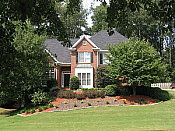
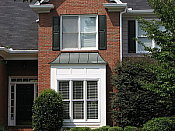
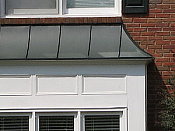
The PowerShot A410 zooms over the equivalent of a 41-131mm range, fairly typical for its class. The 3.2x digital zoom takes it out to 10x total, albeit with the loss of quality that digital zoom creates.
A small macro area with good detail and high resolution. Flash does not throttle down well at this range, so plan on using external flash for macro shots.


The PowerShot A410's macro setting performs well, capturing a very small minimum area of 1.38 x 1.04 inches (35 x 26 millimeters). Detail is strong and resolution high, with only a moderate amount of softening in the corners from the lens. (Most cameras have some softening in the corners in macro mode.) The flash doesn't throttle down well. (Plan on using external lighting for your closest macro shots with the A410.)
Distortion
Slight barrel distortion.
This is the tendency for the lens to bend straight lines outward (like a barrel--usually at wide angle) or inward (like a pincushion--usually at telephoto). The Canon A410's 0.54% barrel distortion at wide angle is lower than average among the cameras I've tested. At the telephoto end, the A410's 0.0% distortion is very low indeed.
| Barrel distortion at 38mm is 0.54% |
 |
| Distortion at 114mm is 0.0% |
 |
Chromatic aberration
Moderately high at wide angle, quite low at telephoto.


Chromatic aberration is rather high at wide angle on the PowerShot A410, showing several pixels of moderately bright coloration on either side of the target lines, but decreases to very low levels at telephoto focal lengths. (This distortion is visible as a very slight colored fringe around the objects at the edges of the field of view on the resolution target.)
Corner Sharpness
Slight softening in the lower corners of the frame, as shown in the bottom corners here.


The PowerShot A410 produced soft corners in a few shots, the lower left corner seeming to have the most visible effect. The degree of softening was very slight though, much less than we're accustomed to seeing on the digital cameras we test.
Sensor
Exposure and White Balance
Indoors, incandescent lighting
Moderate warm cast with both Auto and Incandescent white balance settings, Manual is very neutral. Average exposure compensation required.
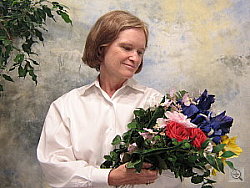
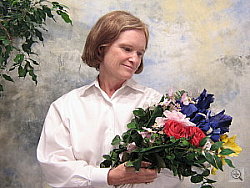

Color balance indoors under both Auto and Incandescent lighting was just a bit warm but pleasing, while the Manual white balance gave a very neutral look. (We personally like the looks of the Manual option here, but some people will prefer the warmer look of the other settings, as being more evocative of the mood of the original scene.) The PowerShot A410 required a +1.0 EV exposure compensation boost to get a good exposure, pretty typical for this shot. Overall color is well-balanced and hue accurate. Our test lighting for this shot is a mixture of 60 and 100 watt household incandescent bulb, a pretty yellow light source, but a very common one in typical home settings here in the US.
Outdoors, daylight
Good color balance, very bright colors. Better than average exposure accuracy.
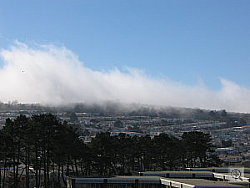
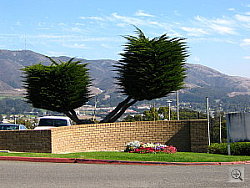
Outdoor shots generally showed accurate exposure with slightly blown out highlights (see the wall in the second shot). Shadow detail also tended to fall apart (as in the trees of that same shot), but nothing that would raise an alarm for a consumer digicam like the PowerShot A410. Sunlit shots showed high contrast and oversaturation (particularly in scene modes) while overcast scenes managed a more accurate portrayal. Exposure accuracy overall was better than average, the camera requiring less exposure compensation than we're accustomed to seeing with consumer digicams.
See full set of test images with explanations
See thumbnails of all test and gallery images
Resolution
High resolution, 1,000 lines of strong detail.
Our laboratory resolution chart revealed sharp, distinct line patterns down to about 1,000 lines per picture height (albeit with very noticeable artifacts at that level), with extinction at around 1,300. (The PowerShot A410 did produce slight color artifacts at lower line frequencies though, visible in the full-sized res target shots.) Use these numbers to compare with other cameras of similar resolution, or use them to see just what higher resolution can mean in terms of potential detail. Beware that while you might be able to make out what looks like distinct lines at numbers higher than those we've mentioned here, the camera is just doing its best to continue interpreting the lines. If you zoom in and follow them from the wider portions, you'll see the lines converge and reappear several times, so the lines you see at 1,400 and higher are really only artifacts generated by the camera's imaging system.


See full set of test images with explanations
See thumbnails of all test and gallery images
Sharpness & Detail
Fairly sharp images.


The PowerShot A410's images are reasonably sharp, without any strong over-sharpening or edge enhancement on the camera's part. (Edge enhancement creates the illusion of sharpness by enhancing colors and tones right at the edge of a rapid transition in color or tone.) The camera also does a better than average job at holding onto detail in areas of subtle contrast. (Many cameras lose detail in subjects like hair and soft foliage, due to their noise-reduction processing. The A410 is relatively free of this.)
ISO & Noise Performance
Low noise at low ISO settings, only moderate noise at ISO 200. (Even ISO 200 shots make surprisingly good-looking 8x10 inch prints.)


The Canon PowerShot A410 automatically sets sensitivity between ISO 50 and 200 equivalents, but you can also control it manually across that range. We were surprised by how acceptable the noise levels of the A410 were at ISO 200: We suspect that most consumers would be quite happy with even 8x10 inch prints made from the A410's ISO 200 shots, and at 5x7 inches, noise really becomes a non-issue.
Extremes: Sunlit and low light tests
High resolution with good overall detail, though high contrast and limited shadow detail. Pretty good low-light performance, capable of capturing bright images under average city street lighting and slightly darker conditions.



Sunlight:
Because digital cameras are more like slide film than negative film (in that they tend to have a more limited tonal range), we test them in the harshest situations to see how they handle scenes with bright highlights and dark shadows, as well as what kind of sensitivity they have in low light. The shot above is designed to mimic the very harsh, contrasty effect of direct noonday sunlight, a very tough challenge for most digital cameras. (You can read details of this test here.)
The PowerShot A410 had a little trouble with the deliberately harsh lighting in the test above, producing very high contrast with washed-out highlights and deep shadows. Exposure at least did not wash out the highlights when exposure compensation was set to zero adjustment. (In "real life" though, be sure to use fill flash in situations like the one shown above; it's better to shoot in the shade when possible.)
| 1 fc 11 lux |
1/2 fc 5.5 lux |
1/4 fc 2.7 lux |
1/8 fc 1.3 lux |
1/16 fc 0.67 lux |
|
| ISO 50 |
 1 sec f2.8 |
 1 sec f2.8 |
 1 sec f2.8 |
 1 sec f2.8 |
 1 sec f2.8 |
| ISO 100 |
 1/1 sec f2.8 |
 1 sec f2.8 |
 1 sec f2.8 |
 1 sec f2.8 |
 1 sec f2.8 |
| ISO 200 |
 1/3 sec f2.8 |
 1/1 sec f2.8 |
 1 sec f2.8 |
 1 sec f2.8 |
 1 sec f2.8 |
Low light:
In our low light testing, the PowerShot A410 produced clear, bright, usable images down to one foot-candle at ISO 50, 1/2 foot-candle at ISO 100 and 1/4 foot-candel at ISO 200. The camera's autofocus system worked well, able to focus on the subject down to the one foot-candle, about the brightness of typical street-lighting at night.
Color
Saturation & Hue Accuracy
Slightly oversaturated color (especially reds and blues), very typical of consumer digital cameras. Generally good hue accuracy.
 |
| In the diagram above, the squares show the original color, and the circles show the color that the camera captured. More saturated colors are located towards the periphery of the graph. Hue changes as you travel around the center. Thus, hue-accurate, highly saturated colors appear as lines radiating from the center. |
The other important part of color rendition is hue accuracy. Hue is "what color" the color is. Reds were captured accurately even in strong sunlight and muted outdoor scenes appeared natural as well. Even a handheld indoor shot with the flash suppressed in mixed lighting captured the scene surprisingly well. On the color-error chart at right, hues are very accurate, the sole exception being the typical shift of cyans toward pure blues, a tweak that improves sky colors somewhat.

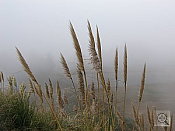
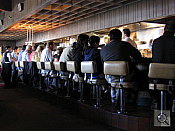
Our random "Gallery" shots showed very pleasing color across a wide variety of subjects. (See our PowerShot A410 Photo Gallery for more shots taken with the camera.)
Viewfinder
Coverage
Optical viewfinder is very tight and skewed to the lower left. Very good accuracy from the LCD monitor.
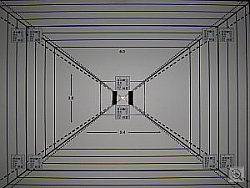
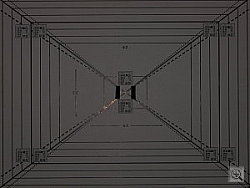
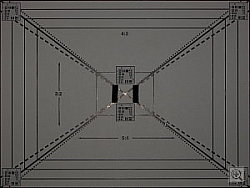
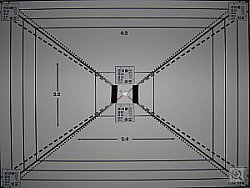
The PowerShot A410's optical viewfinder was quite tight, showing only about 78% frame accuracy at wide angle and 76% at the telephoto lens settings. However, the LCD monitor showed close to 100 percent frame accuracy. Its LCD viewfinder is excellent, but the A410 could really use a more accurate optical viewfinder.
Flash
Coverage and Range
The A410's small flash has a limited range, produces a slight blue cast in combination with typical incandescent room lighting. Our standard shots required more exposure compensation than average.


Flash coverage was rather uneven at wide angle but very good at telephoto. In the Indoor test, the flash on the PowerShot A410 underexposed our subject at its default setting, requiring a +1.3 EV exposure compensation adjustment (a bit more than average) to get reasonably bright results. The camera's Slow-Sync mode produced brighter results, but with a bit more color cast from the room lighting. The overall results with both modes were quite good, but we'd like to have seen slightly less color cast from the room lighting.
| 8 ft | 9 ft | 10 ft | 11 ft | 12 ft | 13 ft | 14 ft |
 1/60 sec f4.5 |
 1/60 sec f5.1 |
 1/60 sec f5.1 |
 1/60 sec f5.1 |
 1/60 sec f5.1 |
 1/60 sec f5.1 |
 1/60 sec f5.1 |
Even at eight feet, our closest test range, the PowerShot A410's flash did not quite illuminate the DaveBox target adequately. This agrees with Canon's own flash range specs of 9.8 feet at wide angle and 6.6 feet at telephoto. (The lens is zoomed out slightly even at the 8 foot distance, so a range of just under 8 feet would match Canon's specs fairly well.) This is a bit on the short side, but not uncommon for a compact camera model.
Output Quality
Print Quality
Good print quality, great color, nice 8x10 inch prints. ISO 400 images are very soft at 8x10, acceptable at 5x7, great at 4x6.
Testing hundreds of digital cameras, we've found that you can only tell just so much about a camera's image quality by viewing its images on-screen. Ultimately, there's no substitute for printing a lot of images and examining them closely. For this reason, we now routinely print sample images from the cameras we test on our Canon i9900 studio printer, and on the Canon iP5000 here in the office. (See the Canon i9900 review for details on that model.)
With the PowerShot A410, we found that it had enough resolution to make nice-looking 8x10 inch prints. At 11x14, its prints were a little soft looking, but probably adequate for wall or table display. At high ISO (the maximum setting is ISO 200), image noise was surprisingly tolerable in 8x10 inch prints. ISO 200 images were a little softer and a bit noisy when printed at that size, but we suspect most consumers would be perfectly satisfied with the results. At 5x7 inches, ISO 200 shots looked just fine Color-wise, the PowerShot A410's images looked just great when printed on the i9900, with bright, vibrant color, and very good skin tones. While the prints were bright and colorful, we never had a sense of them being too bright or oversaturated. All in all, a really great performance from a bargain digital camera.
Timing and Performance
PowerShot A410 Timing
Good to average speed for a consumer camera.
| Startup/Shutdown: | |
| Power On to first shot | 1.1 seconds |
| Shutter response (Lag Time): | |
|
Full Autofocus Wide
|
0.76 second
|
|
Full Autofocus Tele
|
0.64 second
|
|
Prefocused
|
0.06 second
|
| Cycle time (shot to shot) | |
| Normal large/fine JPEG | 1.84 seconds |
| Flash recycling | 10 seconds |
| Continuous mode | 0.41 second 2.43 frames/second (5 large/fine frames) |
| Download speed | |
| Windows Computer, USB | 770 KBytes/sec |
The A410's performance ranges from above average to average, depending on what you're trying to do. Start up is a good bit faster than many competing models. Shutter response is on the fast side of average unless you "prefocus" the camera by half-pressing and holding down the shutter button before the final exposure. Prefocused, it's blazingly fast, with a shutter delay of only 0.06 second. Shot-to-shot cycle times are average, at about 1.9 seconds for large/fine JPEGs. Continuous-mode speed is also average among entry-level cameras, at a bit over one frames/second, for up to five shots in succession. The flash takes about 10 seconds to recharge after a full-power shot, a bit below average for this class of camera. (Also long when taking into consideration how weak the flash is.) Connected to a computer, download speeds are fast enough that you probably won't feel a need for a separate card reader, but nonetheless aren't as fast as some cameras currently on the market. Bottom line, while not a first choice for sports or other fast-paced action, the Canon A410 is responsive enough (particular at wide angle lens settings) to handle most family photo opportunities.
Battery and Storage Capacity
Battery
Short battery life with the LCD on, very good when LCD is switched off.
| Operating Mode | Battery Life |
| Still-image capture mode LCD on |
231 minutes
|
| Still-image capture mode LCD off |
28 hours
|
| Image playback LCD on |
13 hours
|
The PowerShot A410 uses two AA batteries for power. The table above shows maximum run times based on our power measurements and standard 1600 mAH Ni-MH batteries (although much higher capacity batteries are available these days). The A410's run times are really excellent, particularly for a camera powered by only two AA cells. You'll still want to buy a couple of sets of high-capacity NiMH batteries and a good quality charger, but rest assured that the A410 will run much longer on a set of batteries than most of the competition.
Storage
A 16-MB SD Card is included with the PowerShot A410.
|
Image Capacity with 16-MB SD Card |
Fine | |
| 2,048 x 1,536 | Images | 9 |
| File Size | 1.6MB | |
| 1,600 x 1,200 | Images | 15 |
| File Size | 1MB | |
| 1,024 x 768 | Images | 26 |
| File Size | 612K | |
| 640 x 480 | Images | 56 |
| File Size | 281K | |
I strongly recommend buyinga large capacity SD/MMC memory card at least a 128MB card, preferably a 256MB one, to give yourself extra space for extended outings with the PowerShot A410.
Conclusion
| Pro: | Con: |
|---|---|
|
|
Conclusion
| Free Photo Lessons |
 |