


Overview
Nikon Coolpix S4 Overview
By: Stephanie Boozer
and Dave Etchells
Review Date: 11/03/05
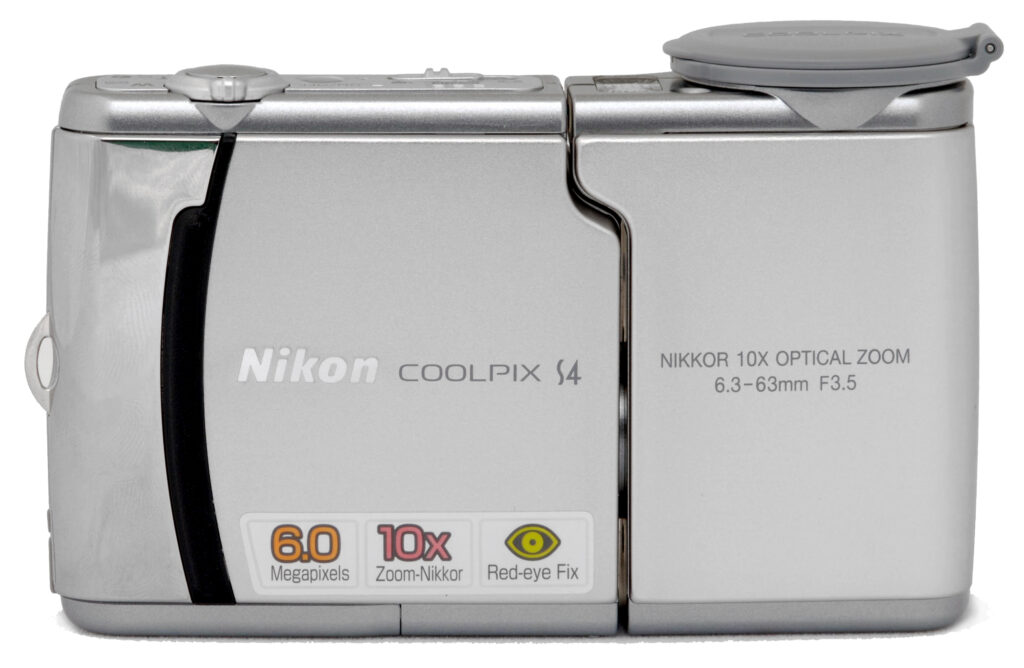
The Nikon Coolpix S4 is the latest in a long line of Coolpix digital cameras whose popularity stretches back to the original Coolpix 900, Nikon's first "breakthrough" digital camera. The new Nikon S4 features one of the original Coolpix design elements, with a swiveling lens that faces a wide range of angles.
The Nikon S4's 6.0-megapixel imager means it can capture high resolution images, and its 10x zoom lens gives you quite a bit of flexibility. All in all, it's an excellent "take-with-you-everywhere" digital camera, with a compact size that travels well. With its range of user-friendly, point & shoot exposure modes, the Nikon Coolpix S4 can handle just about any photo opportunity you're likely to throw at it. Read on for all the details!
Nikon Coolpix S4 User Report
Returning to the tried-and-true swivel lens design that proved so popular in early Coolpix models, Nikon introduces the Coolpix S4. The new "twist" is that this twist packs a whopping 10x optical zoom into a small camera body. The Nikon S4 features the same swivel lens design that differentiated past Coolpix models from the digital camera pack, a design that lets you point the lens in almost any direction without losing your LCD monitor view. Though a little long for most average shirt pockets, the Nikon S4 is still fairly compact, especially considering the 10x lens it boasts. Measuring 4.4 x 2.7 x 1.4 inches (111.5 x 68.5 x 87 millimeters) with the lens in its storage position, the S4 weighs only 7.2 ounces (205 grams) without lens cap, batteries, or memory card. Since the Nikon S4 has only a tiny ridge on the front panel for a handgrip, I recommend keeping the included wrist strap securely around your wrist when shooting. The camera's plastic lens cover is actually hinged on the side of the lens, with a flip-open design. When opened, the cover itself can fold backward and out of the way, and its attachment to the lens barrel means you need not worry about losing it accidentally. The camera's silver body is smooth, attractive and fairly simple, housing a 6.0-megapixel CCD that captures high quality images. Other noteworthy features of the Nikon S4 include a macro mode capable of focusing as close 1.6 inches, and no fewer than 16 preset shooting modes. Since the camera operates mainly under automatic control, its control layout and menu display are very user friendly.The Nikon S4 features no optical viewfinder, only a large, bright, 2.5-inch color LCD monitor for framing. The camera's 10x, 6.3-63mm zoom lens (equivalent to a 38-380mm lens on a 35mm camera, a conservative wide angle to very long telephoto) offers a maximum aperture of f/3.5. The camera uses contrast-detection autofocus in normal mode, which ranges from 1.0 feet (30 centimeters) to infinity. Auto Multi-point AF selects the closest object, though it doesn't report more than an AF confirmation dot. In Macro mode, the camera focuses as close as 1.6 inches (4.0 centimeters), and automatically switches to continuous AF mode, focusing constantly when the Shutter button is not half-pressed. (Note that closest focusing is possible only when the lens is set to a fairly narrow range of focal lengths toward the wide-angle end of its range. The zoom indicator that appears at the top of the LCD when zooming and the "tulip" macro icon both turn green when the zoom is set within the optimal range in Macro mode.) In addition to its 10x optical zoom, the Nikon Coolpix S4 offers a maximum 4x digital zoom, which lets you "zoom" in even closer (equivalent to a 1,520mm lens on 35mm camera). As always though, keep in mind that the digital zoom simply enlarges the center pixels of the CCD, resulting in lower image quality. The 6.0-megapixel CCD produces high-resolution images, good enough for printing to 11x17 inches with good detail, as well as lower-resolution images for sending via email or printing as 4x6-inch snapshots.
In keeping with the tradition of the entry-level end of the Coolpix line, the Nikon S4's exposure control is very straightforward. Operating mainly under automatic control, the Coolpix S4's user interface is easy to learn. Most of the exposure options are controlled through the multi-page LCD menu system, although a handful of external controls accesses basic features. A Mode switch on the top panel controls the operating mode, with three positions: Auto, Scene, and Movie. The Framing Assist modes are optional in Portrait, Landscape, Sports, and Night Portrait modes through the Scene menu, each offering a range of framing scenarios. For example, under Portrait mode, you can set up the framing for a centered single subject, a single subject off to the right or left, a close-up portrait, two subjects positioned side-by-side, and a figure shot with the camera held in portrait (tall) rather than landscape (wide) orientation. Once a specific setup is chosen, faint yellow subject outlines appear in the LCD monitor to help you line up the shot for the best focus, framing, and exposure. Face-priority AF is another option under portrait, where the camera analyses the scene and puts a square around each face it sees, choosing to focus on the face closest to the camera. (This is pretty interesting, because if you move the camera, or if the subject moves slowly enough, the square will actually move to follow the face.) Sports mode offers enhanced options for capturing fast-paced action, such as a rapid fire mode that captures 16 tiny images in two seconds that form a single 4x4 image mosaic. Other Scene modes are Party/Indoor, Beach/Snow, Sunset, Dusk/Dawn, Night Landscape, Close-Up, Museum, Fireworks Show, Copy, Back Light, Panorama Assist, and Voice Recording. Each scene mode sets multiple camera options to configure it for the specific type of subject and shooting condition chosen. In Voice Recording mode, you can get about 29 minutes of audio on the camera's internal memory.
The Nikon Coolpix S4 offers a few exposure options. Though no mode allows the user to control the aperture or shutter speed directly, the exposure compensation adjustment can be set in Auto mode to deal with high contrast, dark or light subjects. The Exposure Compensation adjustment optionally increases or decreases overall exposure from -2 to +2 exposure equivalents (EV) in one-third-step increments. It is not reported on the LCD display, but the Coolpix S4's shutter speeds range from 1/1,000 to 2 seconds. A White Balance adjustment offers five preset modes, an Auto setting, and a Custom setting for manually determining the color balance. The Nikon S4 uses a 256-Segment Matrix metering system to determine exposure, evaluating the contrast and brightness across the frame to determine the best exposure. ISO light sensitivity can be manually adjusted to 50, 100, 200, or 400 equivalents, or you can choose the Auto ISO setting. (Note though, that the camera doesn't report its automatically chosen ISO value to the user while shooting.) You can also access Nikon's Best Shot Selector mode, which automatically chooses the least blurry image in a series shot while the Shutter button remains pressed. (The Best Shot Selector feature is one of my all-time favorite digital camera features, as it makes it possible to hand hold even very long exposures by playing the odds that during one of those moments you're going to be still enough to get a sharp image.)
The Nikon Coolpix S4's built-in flash is rated as effective from approximately 1.25 to 10 feet (0.4 to 3.0 meters) depending on the lens zoom setting. The S4's flash operates in Auto, Red-Eye Reduction, Anytime (Fill) Flash, Flash Cancel, and Slow Sync (night) modes. An option in many modes, Slow Sync combines the flash with slower shutter speeds, letting more of the ambient light into the exposure, making for brighter, more natural-looking night shots. In some Assist and Scene modes though, the flash mode is automatically set for you. Portrait Assist, for example, defaults to Red-Eye Reduction mode but can be overridden, while in Night Portrait Assist the default Red-Eye Reduction can not be overridden. Night Portrait Assist and the Scene modes Night Landscape and Dusk/Dawn also enable an automatic Noise Reduction feature to eliminate excess image noise resulting from the higher ISO sensitivity and longer exposure. Flash is also not available in Sports or Landscape modes. While this panoply of default flash modes and constrained options may sound complicated, the net result is that the camera's scene modes let average users bring back good-looking photos from tricky shooting conditions, while enjoying point & shoot simplicity.
Most digital cameras these days have special red-eye reduction flash modes, which pop the flash (or blink a bright LED) a few times before the shot itself, to make the pupils of your subject's eyes contract a little. This reduces the likelihood that light from the flash will reflect off the insides of the subjects' eyes, causing the dreaded red-eye. The Nikon Coolpix S4 goes quite a bit beyond the simple pre-flash red-eye reduction approach though, as it also incorporates special software inside the camera that can look for and remove red-eye before it saves the images to the memory card. While I don't have a standardized anti-redeye test (for whatever reason, our eyes here at IR just don't seem very prone to redeye), I can attest that the S4's system does indeed seem to remove red-eye very well when it's enabled, vs when it's disabled. The one downside to the Nikon S4's approach though, is that the post-processing that the camera uses to search for and remove any remaining red-eye takes an appreciable amount of time, resulting in a rather long delay before you can capture the next shot.
Another really unique feature of the Nikon S4 is its innovative "D-Lighting" option. This is a Playback-mode option that could be thought of as a "virtual fill-flash," in that it brightens shadow areas. There are a couple of important differences between D-Lighting and on-camera flash though. First and foremost, it brightens all the shadowed areas in the image, regardless of how far they were from the camera (that is, there's no light falloff as you'd have with a flash). A second point is that this is a post-capture option, one that makes a copy of the image with the D-Lighting effect applied, so your original image is undisturbed. On the downside, a third key factor with D-Lighting is that it will make image noise more apparent in the areas that it's brightened.
| D-Lighting Examples (Shot with Coolpix 7900) |
|
| With | Without (as-shot) |
 |
 |
 |
 |
D-Lighting's effect on images is generally pretty subtle, as you can see from the two examples above (borrowed from my review of the Coolpix 7900 - The function works identically on the S4.) In the situations where you'd want to use D-Lighting though, subtle is good, you ideally want the image to look natural, as if nothing unusual was done to it.
Other camera features include a Self-Timer mode, which provides a 10-second delay between the time the Shutter button is pressed and when the image is actually captured. A Continuous Shooting mode captures a rapid series of images while the Shutter button is held down, with the actual number of images dependent on the size and quality settings, as well as the amount of memory card space. There's also a Multi-Shot 16 mode, which captures 16 thumbnail images in sequence, arranged in rows of four within a full-sized image. The Coolpix S4's Movie mode offers four options: TV Movie 640 (640 x 480, 15fps), Small size 320* (320 x 240 pixels, 15fps), and Smaller Size 160* (160 x 120, 15fps), plus a Time-lapse movie mode. The actual length of recording time depends only on the amount of available SD card space (there is no arbitrary limit set by the size of the S4's internal buffer memory), and appears in the LCD monitor. Movie mode also offers Electronic VR (vibration reduction), which attempts to reduce camera shake in the movie file due to normal handheld camera movement.
The Nikon Coolpix S4 stores images on SD memory cards, but the standard retail package in the US includes no memory card. There is enough onboard memory, however, to hold up to about four full resolution pictures according to the user manual. Files saved to internal memory can be easily copied to an SD card, and vice versa. Given the camera's large 2,816 x 2,112-pixel maximum image size, I strongly recommend picking up at least a 128 - 256MB memory card so you don't miss any important shots. Images are saved in JPEG format, with three compression levels available. A CD-ROM loaded with Picture Project software accompanies the camera, compatible with both Windows and Macintosh platforms (including Windows XP and Mac OS X). Nikon Picture Project provides organization and image editing tools for enhancing images. The camera comes with a set of AA-type Coolpix NiMH rechargeable batteries and a charger. (As always, I recommend picking up a spare battery and keeping it freshly charged at all times, to avoid dead-battery syndrome. - Murphy's law applies in spades to digital camera batteries - They invariably go dead when you can least afford it. Read my NiMH battery shootout page to see which batteries currently on the market are the best, and see my review of the Maha C-204W NiMH battery charger, my current favorite.) The optional AC adapter uses a "dummy battery" that slides into the battery compartment. This could be useful for offloading pictures after a long day of shooting, but really isn't necessary for the vast majority of users. Also included with the Coolpix S4 is a video cable for connecting to a television set for slide shows, and a USB cable for downloading images to a computer.
The Nikon S4 is a combination of a Nikkor 10x optical zoom lens, a 6.0-megapixel CCD, and a range of automatic, preset shooting modes in a fairly small and slim digital camera. Automatic exposure control lets the camera take charge of all the picky details, although a handful of exposure options provides creative tools when you need them. While it won't fit into most shirt pockets, the Nikon Coolpix S4 is still compact enough for travel as well as everyday carry, and the range of preset shooting and framing modes anticipates most common shooting conditions. The 2,816 x 2,112 pixel maximum resolution is high enough for making acceptable 11x17-inch photographic prints (or 8x10 prints with some cropping), while the 640 x 480-pixel resolution setting is perfect for sending email attachments over the Internet. The uncomplicated user interface means you won't spend much time learning the camera. Perfect for novice users or anyone looking for a point-and-shoot camera with a few extra features, great ease of use, and sharp, colorful photos, the Nikon Coolpix S4 could also serve as a great take-anywhere snapshot camera for more advanced shooters.
Basic Features
- 6.0-megapixel (effective) CCD delivering image resolutions as high as 2,816 x 2,112 pixels.
- 2.5-inch color LCD display.
- 10x, 6.3-63mm zoom lens (equivalent to a 38-380mm lens on a 35mm camera).
- Maximum aperture f/3.5.
- Shutter speeds from 1/1,000 to two seconds.
- 4x Digital zoom.
- Automatic exposure control.
- Built-in flash with five modes.
- Built-in mic and speaker for including sound in videos and playback from the camera, plus voice recording.
- 13.5MB internal memory.
- SD memory card storage.
- Power supplied by two AA-type batteries, or optional AC adapter.
- Nikon Picture Project 1.5 software for both Mac and Windows.
Special Features
- Face-priority AF recognizes faces in a scene and keeps them in focus.
- Voice recording mode.
- QuickTime movies (with sound) and Electronic VR (vibration reduction).
- Continuous Shooting, Multi-Shot, and Multi-Shot 16 mode.
- Twelve preset Scene modes, plus four Scene Assist modes.
- Red-Eye Fix automatic red-eye correction.
- Self-timer for delayed shutter release.
- Best Shot Selector mode.
- Macro (close-up) lens adjustment.
- White balance (color) adjustment with seven modes, including a manual setting.
- 256-Segment Matrix metering.
- ISO equivalent sensitivity range of 50 to 400, plus Auto setting.
- PictBridge compatibility.
- USB cable for quick connection to a computer.
- Video cable for connection to a television set.
In the Box
The Nikon Coolpix S4 ships with the following items in the box:
- Coolpix S4 digital camera.
- Wrist strap.
- USB cable.
- A/V cable.
- Coolpix rechargeable batteries and charger.
- CD-ROM loaded with Nikon Picture Project software and drivers.
- Instruction manuals and registration kit.
Recommended Accessories
- Large capacity SD/MMC memory card. (These days, 128 - 256 MB is a good trade-off between cost and capacity.)
- Small camera case for outdoor and in-bag protection.
- AC adapter.
Conclusion
| Pro: | Con: |
|---|---|
|
|
Nikon's Coolpix line of consumer digital cameras has always been well-received and greatly appreciated for its overall image quality and ease of use. The Nikon Coolpix S4 packs a lot of features, including a 6.0-megapixel CCD with 10x zoom lens, and a surprisingly large 2.5-inch LCD into a fairly compact package. For the average consumer willing to delve just slightly deeper than just pushing the button, its extensive scene modes and unique framing-assist options greatly extend its capabilities, making it easy to bring back good-looking shots of what might otherwise be difficult subjects. While it may be a matter of personal taste, we really like seeing the return of the swivel-body design that was so popular on Nikon's earlier Coolpix models. The Coolpix S4 delivers bright, saturated color that most consumers are likely to find very attractive, yet manages to produce very natural-looking skin tones as well. It handles a wide range of exposure conditions, so should be able to accommodate the shooting conditions encountered by average consumers fairly easily. Its low-light capability isn't best-in-class, is more than adequate for typical city night scenes. We were also surprised to find that its high-ISO capabilities were quite good, with ISO 400 shots usable to print sizes as large as 8x10 inches. Finally, the unique Nikon-only Best Shot Selector is a great help for capturing sharp images in dim lighting without a tripod, and the D-Lighting feature does a great job of opening up shadows, making for much more natural-looking images under difficult lighting conditions. We'd really like to see better shutter response at the telephoto end of its zoom range, as well as somewhat faster shot to shot cycle times, but the total package is nonetheless very appealing. All in all, a very capable and enjoyable little camera that snaps great-looking photos, deserving of its status as a Dave's Pick.
Design
Nikon Coolpix S4 Design
 Slim and trim with the lens in its storage position, the Nikon Coolpix S4 is fairly compact and travel-worthy. The swivel lens design is a throwback to previous Coolpix models, and allows you to point the lens in almost any direction without losing a clear view of the LCD monitor. Aside from the large lens barrel, the main camera body is mostly flat, with only a few protrusions. Rounded edges soften the flat front and make it comfortable in the hand or coat pocket. With only a tiny ridge of a finger grip on the front panel, and a small thumbrest on the rear panel, the S4's included wrist strap is a must for keeping it secure while shooting. The Nikon S4's matte silver, metal body is offset by shiny silver highlights, in keeping with the current fashion. A generous 10x optical zoom lens and a 6.0-megapixel CCD give the Coolpix S4 great image quality, and a broad selection of Scene Assist modes makes operation a breeze, even for novice users. The Nikon S4 measures 4.4 x 2.7 x 1.4 inches (110.9 x 70 x 36.3 millimeters), and weighs 9.3 ounces (263 grams) with battery, memory card, and lens cap.

The camera's front panel (with the lens in shooting position) contains the 10x zoom lens, built-in flash, and the self-timer lamp. The self-timer lamp also serves as a relatively bright AF (autofocus) assist illuminator when there isn't enough light available for the camera to set its focus. A plastic, hinged lens cover protects the lens when not in use, and neatly flips open and folds out of the way for shooting. Also on the front panel is a thin, black ridge that serves as a finger grip.

On the right side of the camera is the Secure Digital (SD) memory card compartment, an eyelet for attaching the wrist strap, and a small connector compartment. The SD card compartment door opens by sliding out and then flipping open. The card releases with a downward press. The small connector compartment above the memory card slot features the shared A/V Out / USB connector jack, and is protected by a rubbery plastic flap that remains tethered to the camera when opened. Also visible on this side of the camera is a tiny rubbery flap below the eyelet, which opens to provide space for the AC adapter's dummy battery cord.

The opposite side of the camera is featureless and fairly smooth.

The camera's top panel features the Shutter and Power buttons, a zoom lever, Mode switch, and the speaker and microphone.

The remaining external controls are all located on the camera's rear panel, along with the 2.5-inch, TFT color LCD monitor. Above the top right corner of the LCD is a joystick-like multi-controller, which accesses Flash, Macro, D-Lighting, and Self-Timer options, in addition to navigating menu screens. This button can also be pressed to initiate picture transfer when the camera is connected to a computer that has the Nikon software loaded onto it. Left of the multi-controller are the Playback, Menu, Delete, and Display buttons.

The Nikon Coolpix S4 has a flat bottom panel, with slightly rounded edges that curve up toward the rest of the camera. The battery compartment door and plastic tripod mount line up side-by-side, making quick battery changes while mounted to a tripod impossible. This won't likely be a problem for most Coolpix S4 users, though, given the point-and-shoot orientation of the camera. A hinged, plastic door covers the battery compartment, with a locking switch to release it.
Nikon Coolpix S4 External Controls

Shutter Button: Dominating the right end of the top panel, the Shutter button sets the camera's exposure when halfway pressed, and releases the shutter when fully pressed. In Playback mode, pressing this button lets you record a short sound caption to accompany the displayed image. If an audio clip has already been recorded, pressing the Shutter button plays it back for you. When playback images have been enlarged, pressing this button lets you save the cropped portion of the image displayed in the LCD monitor as a separate file.
Zoom Lever (see image above): Surrounding the Shutter button on the top panel, this lever controls the optical and digital zoom in any record mode. In Playback mode, this lever accesses the four and nine-image index displays when pressed toward the wide angle end, and zooms in on captured images to 10x when pushed toward the telephoto end.

Power Button: To the left of the Shutter button and Zoom lever, the power button turns the camera on and off with a push.

Mode Switch: Left of the Power button on the top panel, this sliding switch selects the camera's main operating mode. Choices are Auto, Scene, and Movie modes.

Multi-Controller (Flash, Self-Timer, and Macro Buttons): Just above the top right corner of the LCD, this joystick-like multi-controller features four arrows, one pointing in each direction. In any Settings menu, the controller navigates through menu selections, and pressing down on the center selects.
In Playback mode, the right and left arrows scroll through captured images. If you're looking at an unenlarged image in Playback mode, pressing the center button brings up a screen that lets you apply the S4's "D-Lighting" option, which lightens dark shadows and tones down overly bright highlights.
In Record mode, the arrow keys control specific exposure features. The up arrow controls the camera's flash mode, producing a popup menu of options (Auto, Red-Eye Reduction, Anytime Flash, and Flash Cancel). The left arrow activates the camera's Self-Timer mode, while the bottom arrow activates the Macro focus mode. All of these settings are confirmed by pressing the center of the button once the selection has been made.
When connected to a computer with Nikon's software loaded, pressing the center button triggers a "one touch" upload of selected images to the computer.

Playback Button: To the left of the Multi-Controller, this button accesses the camera's Playback mode, or returns the camera to record mode.

Menu Button: Directly left of the Playback button, this button displays the settings menu in any camera mode. It also dismisses the menu display.

Erase Button: Left of the Menu button, this button pulls up the Erase menu while in Playback or Record modes.

Display Button: Above the top left corner of the LCD monitor, this button controls the information overlay in Playback and Record modes.
Operation
Nikon Coolpix S4 Operation
Despite the Nikon Coolpix S4's limited exposure control, the camera offers a nice selection of external control buttons, making for an easy-to-navigate user interface. Flash mode, Self-Timer mode, Macro mode, zoom, Record mode, and an Erase function are all accessible via external controls. A slider on the top panel selects the main operating mode, and a multi-directional joystick-like controller on the back panel navigates through on-screen menus, in addition to accessing camera features directly. The LCD menu system is fairly short, with user-friendly icons in the Scene Assist modes. Operating this camera is so straightforward I doubt you'll need the manual for much more than reference. It shouldn't take more than a few minutes to get into the swing of things.
 Record Mode LCD Display: In Record mode, the Coolpix S4's LCD reports limited status information, including camera modes, the resolution/quality setting, number of available images, etc. Half-pressing the Shutter button displays a green circle when focus is achieved. The camera doesn't show aperture or shutter speed information as some do. It does tell you when it thinks the image might become blurred by camera shake when it's forced to use a slow shutter speed. The Display button lets you choose between a viewfinder display of the subject by itself, or the subject with overlaid status information. Some scene mode options provide an overlaid grid as an aid to orienting the camera to your subject, while others offer subject outline as alignment aids for portraits, etc.
 Playback Mode LCD Display: In Playback mode, the LCD reports the image series number, resolution/quality setting, file name and folder it's stored in on the memory card, and the date and time of image capture. It also displays an icon if the image is one that's been selected for quick download with Nikon's host software, as well as icons indicating that you can record an audio note to accompany the image or enable D-Lighting. A press of the Display button disables the information overlay. Pressing the "W" end of the zoom lever zooms out to a four-image thumbnail view of photos stored on the card. Pressing it a second time shows a nine-image thumbnail display. Pressing the zoom control in the telephoto direction zooms in as much as 10x on the subject, handy for checking image details and focus.
Nikon Coolpix S4 Modes and Menus
Auto Record Mode: Activated by sliding the Mode switch left to the Auto position (green camera icon), this mode places the camera in control of both aperture and shutter speed, as well as most other exposure features. Pressing the Menu button displays the following Shooting menu.:
 Image Mode: Sets the JPEG size and compression. Choices are 6M* High (2,816 x 2,112 pixels), 6M Normal (2,816 x 2,112 pixels), 3M Normal (2,048 x 1,536 pixels), PC Screen (1,024 x 768 pixels), and TV screen (640 x 480 pixels).
- White Balance: Chooses from Auto White Balance, PRE for custom presetting of white balance, Daylight, Incandescent, Fluorescent, Cloudy, and Speedlight (flash).
- Exp +/-: Accesses the Exposure compensation adjustment, +/- 2 EV in 1/3 steps.
- Continuous: Chooses from Single, Continuous, Multi-Shot 16, and Interval capture modes.
- BSS: Best Shot Selector shoots up to 10 shots and picks the one with the least blur from camera shake or poor focus. Flash is automatically turned off in this mode, since it is intended for capture of natural light photos in low light.
- Sensitivity: Selects Auto ISO or sets the camera to 50, 100, 200, or 400.
- Color Options: Sets the color mode to Standard, Vivid, Black and White, Sepia, or Cyanotype.
 Image Mode: Sets the JPEG size and compression. Choices are 6M* High (2,816 x 2,112 pixels), 6M Normal (2,816 x 2,112 pixels), 3M Normal (2,048 x 1,536 pixels), PC Screen (1,024 x 768 pixels), and TV screen (640 x 480 pixels).
Movie Mode: This mode is denoted by a movie camera icon on the Mode switch. Movie mode captures moving images at 15 frames per second for as long as the memory card has available space. (Provided that you have a fast enough memory card.) Pressing the Menu button pulls up the following options:
- Movie Options: Sets the movie resolution. Choices are TV Movie (640 x 480 pixels), Small size (320 x 240 pixels), Smaller size (160 x 120), and Time-lapse mode.
- Auto Focus Mode: Selects Continuous AF (camera is always focusing--this setting uses more battery and makes some moderate repetitive sound) or Single AF (focuses only when shutter button is pressed).
- Electronic VR: Turns Electronic VR on or off.
 Movie Options: Sets the movie resolution. Choices are TV Movie (640 x 480 pixels), Small size (320 x 240 pixels), Smaller size (160 x 120), and Time-lapse mode.
Scene Exposure Mode: The word "Scene" indicates this mode on the Mode switch. Sixteen preset scene modes are available, by pressing the Menu button. All of the scene modes preset a variety of camera options for you automatically, four of them offer additional options to help with framing your shots.
- Portrait Assist Mode: This mode is best for portraits, and is the first of the camera's Framing Assist modes. In Portrait mode, the camera uses a larger aperture setting to decrease the depth of field, producing a sharply focused subject in front of a slightly blurred background. Selecting this scene calls up the Scene Assistance menu, which lets you choose from a range of portrait setups, including basic Face Priority AF, Portrait, Portrait Left, Portrait Right, Portrait Close-up, Portrait Couple, Portrait Figure, and the Image Mode (for changing file size and resolution). In each of these modes (except basic Portrait and Face-priority AF), an outline appears on the LCD display to help you align the subject. Face-priority AF actually surrounds each face it sees with a red box, and when focus is achieved, the red box of the face chosen for focus turns green.
- Landscape Assist Mode: Here, the camera employs a smaller aperture setting to produce sharp detail in both foreground and background objects. As with Portrait mode, the Scene Assistance menu offers a handful of options (accessed as in Portrait mode). Framing options are Landscape (no guidelines), Scenic View (mountain outline), Architecture (grid), Group Right (outlines of people with lines for buildings in the background), Group Left (also outlines of people with building and horizon lines), and Image Mode.
- Sports Assist Mode: This mode uses faster shutter speeds to freeze action. The Scene Assistance menu offers Sports, Sport Composite, and Image Mode options. Sport Composite mode takes 16 images in two seconds, each time the Shutter button is pressed, and arranges them in a four-by-four array, much like Multi-Shot 16 mode.
- Night Portrait Assist Mode: This mode is for twilight and dusk portraits. The flash is automatically set to Auto Red-Eye Reduction mode, and syncs to the slower shutter speed, which allows more ambient light in to balance color and shadows. The camera's ISO setting automatically adjusts as high as ISO 200, depending on the light level (not reported on the LCD screen). And Noise Reduction is turned on. The Scene Assistance menu offers the same framing outlines as in Portrait mode (described above), with the exception of Face-Priority AF.
- Party/Indoor: Use to capture background details in situations that require flash. Also good for preserving the look of candlelight or other indoor lighting.
- Beach/Snow: Boosts the exposure to compensate for subjects that are very bright overall.
- Sunset: Preserves the deep colors of sunsets and sunrises. (Likely sets white balance to "daylight" rather than auto, and dials in some negative exposure compensation to get a good exposure on the sky.)
- Dusk/Dawn: Preserves the colors seen in weak natural light seen before dawn or after sunset. The flash is disabled, noise reduction is automatically enabled at slow shutter speeds, and the autofocus-assist illuminator is disabled, even in dim lighting.
- Night Landscape: Combines longer exposures with the "Landscape" mode. Focus is fixed at infinity, and the flash is disabled in this mode. Noise reduction is enabled for long exposures, and the autofocus-assist illuminator is disabled, even in dim lighting.
- Close Up: Adjusts the lens for close-focusing on small objects, apparently also increases color saturation slightly. Autofocus operates continuously until you half-press the shutter button, helpful in focusing on very close subjects. AF-area mode is set to "manual," so you can select what part of the frame you want to focus on by pressing the center button of the multi-controller and moving the focus cursor around the image with the arrow keys. Press the center button again to save the new AF area selection.
- Museum: Enables longer exposure times and higher sensitivity, for indoor situations where you can't use flash. Automatically turns on the Best Shot Selector to help get a sharp image. The autofocus-assist illuminator is disabled, even in dim lighting.
- Fireworks Show: Sets a long exposure and small aperture so you can catch the colored trails of fireworks. Exposure compensation is disabled, and the autofocus-assist illuminator is disabled, even in dim lighting.
- Copy: Sets the color mode to black and white, boosts contrast, and adjusts exposure to produce sharp images of black text (or line drawings) on white backgrounds.
- Backlight: For difficult lighting conditions, when the main light is behind your subject, casting their features into shadow. The flash is set to fire even in bright conditions, to throw light onto the shadowed subject.
- Panorama Assist: Lets you capture a series of images to be stitched together later on a computer as one panoramic image. Flash, macro, and zoom setting are all fixed at their values for the first shot in the series. Likewise, exposure and white balance values are determined by the first shot in the series, to help avoid visible boundaries between the component images in the final panorama, after they've been stitched together.
- Image Mode: Sets the image resolution. Choices are 6M* High (2,816 x 2,112 pixels), 6M Normal (2,816 x 2,112 pixels), 3M (2,048 x 1,536 pixels), 2M (1,600 x 1,200 pixels), PC (1,024 x 768 pixels), and TV (640 x 480 pixels).
- Voice Recording: Transforms camera into a digital voice recorder that can hold several hours of audio on an SD card.
 Portrait Assist Mode: This mode is best for portraits, and is the first of the camera's Framing Assist modes. In Portrait mode, the camera uses a larger aperture setting to decrease the depth of field, producing a sharply focused subject in front of a slightly blurred background. Selecting this scene calls up the Scene Assistance menu, which lets you choose from a range of portrait setups, including basic Face Priority AF, Portrait, Portrait Left, Portrait Right, Portrait Close-up, Portrait Couple, Portrait Figure, and the Image Mode (for changing file size and resolution). In each of these modes (except basic Portrait and Face-priority AF), an outline appears on the LCD display to help you align the subject. Face-priority AF actually surrounds each face it sees with a red box, and when focus is achieved, the red box of the face chosen for focus turns green.
Playback Mode: Pressing the Playback button on the camera's back panel instantly enters Playback mode. Here, you can review captured images and movies, erase, enlarge, copy, and protect images, and also set them up for printing. Pressing the Menu button offers the following options:
- Print Set: Sets the DPOF settings for captured images. A "Print Selected" option brings up an index display, letting you mark individual images for printing. Once images are marked, you can decide whether any text is overlaid on the image (such as image information or the date and time). You can also cancel print settings here with the "Delete Print Set" button.
- Slide Show: Automates a slide show of all still images on the memory card with three seconds between shots. You can also enable a looped playback that will play for 30 minutes before the camera goes into standby mode.
- Delete: Erases selected images from the memory card, or all images (except for write-protected ones).
- Protect: Write-protects individual images from accidental erasure or manipulation. A special display of the images on the card appears, with a three image filmstrip across the top and a larger image preview on the bottom, which you scroll through and select images to be "locked." Protected images are only deleted through card formatting.
- Transfer Marking: Marks all images or allows user to select specific images for auto transfer when the camera is connected to a computer running Nikon's software.
- Small Picture: Creates a lower resolution copy of an image with this tool, choosing from 640 x 480, 320 x 240, or 160 x 120. Great for pictures you know you'll want to email.
- Copy: Quickly copy images from internal to external memory or vise versa. Great for images you want to bring along or keep in memory for the startup screen.
 Print Set: Sets the DPOF settings for captured images. A "Print Selected" option brings up an index display, letting you mark individual images for printing. Once images are marked, you can decide whether any text is overlaid on the image (such as image information or the date and time). You can also cancel print settings here with the "Delete Print Set" button.
Setup Mode: The following Setup menu is accessible from the top of almost all menus:
- Welcome Screen: Chooses the welcome screen that appears at startup, either none, static, or animated, or lets you choose a previously-shot image as a personalized welcome screen.
- Date: Sets the camera's internal clock and calendar. The Time Zone option lets you set the time for either your home or a destination city.
- Brightness: Adjusts the brightness of the LCD display.
- Date imprint: Includes the date, or date and time as part of the image. Options are Off, or to imprint Date, Date and Time, or a Date Counter, showing the number of days since a specific date that you've chosen and entered.
- Sound settings: Can turn on or off the button sound, shutter sound, and startup sound, as well as control the volume.
- Blur Warning: Turns the camera's Blur Warning on and off. (If off, the "camera shake" icon will not appear on the LCD monitor.)
- Auto Off: Enables the Auto Off feature, which automatically shuts down the camera after a period of inactivity, to save battery life. Times are 30 seconds, or 1, 5, or 30 minutes. Sleep mode will put the camera in standby mode after 30 seconds regardless of auto off setting if no change in scene brightness occurs; a press on the power button returns the camera to full readiness.
- Format Card/Memory: Formats the SD card or internal memory, erasing all files (even protected ones).
- Language: Changes the menu language to German, English, Spanish, French, Italian, Dutch, Russian, Swedish, Japanese, Simplified Chinese, Traditional Chinese, or Korean.
- Interface:
- USB: Sets the USB protocol to Mass Storage or PTP. The PTP option supports automatic processing of camera images under Windows XP and Mac OS X operating systems (unless you want to mount the camera on the desktop), while Mass Storage is best for older operating systems. Mass Storage makes the camera appear as a hard drive to the operating system when plugged in via the USB cable.
- Video Mode: Sets the video output to NTSC or PAL timing.
- Auto Transfer: Choosing On lets you mark pictures for later transfer to a computer as they are taken.
- AF Assist: Disables the AF assist light, or puts it into Auto mode.
- Reset All: Resets all camera settings to their defaults.
- Battery Type: Specifies the type of battery in use, either alkaline, Coolpix (NiMH), or lithium.
- Menus: Sets the menu display mode to Text or Icons.
- Firmware version: Reports version number of firmware (the operating software) running on device.
 Welcome Screen: Chooses the welcome screen that appears at startup, either none, static, or animated, or lets you choose a previously-shot image as a personalized welcome screen.
Optics
Nikon Coolpix S4 Optics
Lens
Zoom
A nice 10x optical zoom range, with very good performance.
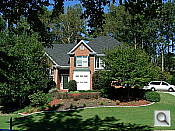

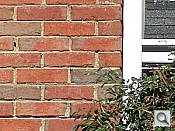
The Coolpix S4 zooms over the equivalent of a 38-380mm range, which is quite generous for its class. Though a little soft at wide angle, with some moderate coma distortion in the trees, the S4's lens still performs quite well. The 4x digital zoom takes it out to 40x total with the loss of quality that digital zoom inevitably creates, though results are still pretty good.
Macro
A very small macro area with excellent detail and high resolution. Flash falls short, with uneven coverage.


True to Nikon form, the Coolpix S4's macro setting performs very well, capturing a small minimum area of 1.84 x 1.38 inches (47 x 35 millimeters). Detail and resolution are excellent, with only moderate softening in the corners of the frame from the lens. (Most cameras have some softening in the corners in macro mode.) The flash almost throttles down enough, but its position on the camera results in a dark shadow in the left side of the frame and significant overexposure on the right. (Plan on using external lighting for your closest macro shots with the Coolpix S4.)
Distortion
High barrel distortion, low pincushion.
This is the tendency for the lens to bend straight lines outward (like a barrel--usually at wide angle) or inward (like a pincushion--usually at telephoto). The Coolpix S4's 1.0% barrel distortion at wide angle is a little higher than average among the cameras I've tested, and quite noticeable. At the telephoto end, the S4's 0.3% pincushion is low.
| Barrel distortion at 38mm is 1.0% |
 |
| Pincushion at 380mm is 0.3% |
 |
Chromatic aberration
Moderate at wide angle, more pronounced at telephoto.
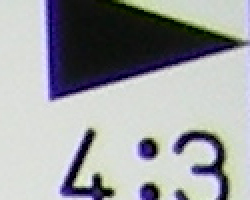
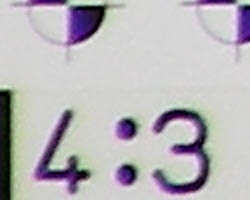
Chromatic aberration is moderate at wide angle, showing as much as 7-8 pixels of moderately bright coloration on either side of the target lines, more pronounced at the telephoto end of the lens' range. (This distortion is visible as a very slight colored fringe around the objects at the edges of the field of view on the resolution target.)
Corner Sharpness
Relatively minimal softening in the corners of the frame, strongest effect in the lower corners.
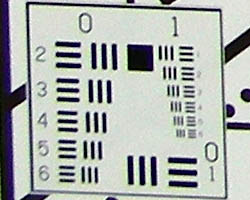
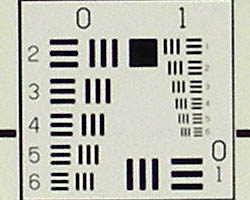
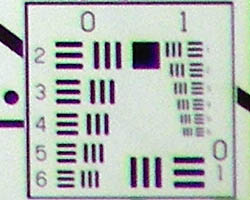
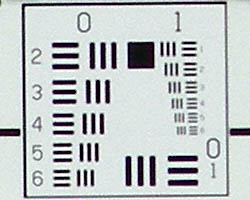
The Coolpix S4 produced slightly soft corners in a few shots, the lower corners seeming to have the most visible effect. Still, results are pretty good.
Viewfinder
Coverage
Very good accuracy from the LCD monitor.
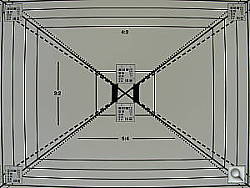
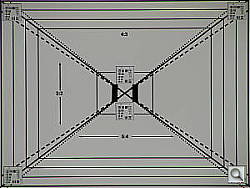
The Coolpix S4's LCD monitor was very accurate, showing about 98% frame accuracy at wide angle, and 99% at telephoto.
The images above were taken from our standardized test shots. For a collection of more pictorial photos, see our Nikon Coolpix S4 Photo Gallery .
Exposure
Nikon Coolpix S4 Exposure
Color
Saturation & Hue Accuracy
Oversaturated color (especially reds and blues), very typical of consumer digital cameras. Slight color casts, depending on the white balance setting.
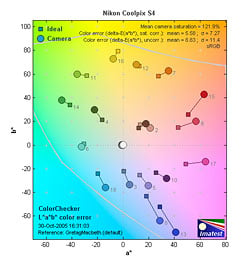 |
| In the diagram above, the squares show the original color, and the circles show the color that the camera captured. More saturated colors are located towards the periphery of the graph. Hue changes as you travel around the center. Thus, hue-accurate, highly saturated colors appear as lines radiating from the center. |
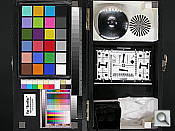
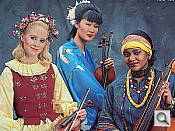
Most consumer digital cameras produce color that's more highly saturated (more intense) than found in the original subjects. This is simply because most people like their color a bit brighter than life. The Coolpix S4 does oversaturate color a fair amount, especially with strong red and blue tones. Where oversaturation is most problematic is on Caucasian skin tones, as it's very easy for these "memory colors" to be seen as too bright, too pink, too yellow, etc. The Coolpix S4 did render skin tones a bit pink in most cases, particularly indoors, though skin tones outdoors showed slightly more orange.
The other important part of color rendition is hue accuracy. Hue is "what color" the color is. Here, the Coolpix S4 performed within acceptable boundaries, though the camera's white balance setting frequently skewed the color balance slightly. For example, the Manual white balance often tended toward a slight magenta tint, while the Auto setting often resulted in a warmer cast. So results where hue is concerned will depend somewhat on the lighting and white balance setting.
The bottom line, of course, is how well the camera does with "real-world" subjects, and we think that the results there would be quite pleasing to most consumers.

Sensor
Exposure and White Balance
Indoors, incandescent lighting
Moderate warm cast with the Incandescent white balance setting, though good color with the Manual setting. About average exposure compensation required.


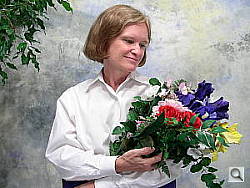
Color balance indoors under incandescent lighting was rather reddish in Auto white balance mode. Both the Incandescent and Manual settings handled the challenge much better, though the Incandescent setting had a slight warm cast. Results are a hair pinkish with the Manual option, but most pleasing overall. The Coolpix S4 required a +1.0 EV exposure compensation boost to get a good exposure, which is about average for this shot. Overall color is good, though skin tones are pinkish and the blue flowers are dark and purplish. (A very common outcome for this shot.) Our test lighting for this shot is a mixture of 60 and 100 watt household incandescent bulb, a pretty yellow light source, but a very common one in typical home settings here in the US.
Outdoors, daylight
Good color balance, but a tendency to overcompensate for harsh highlights. High contrast and often more positive exposure compensation required than average.
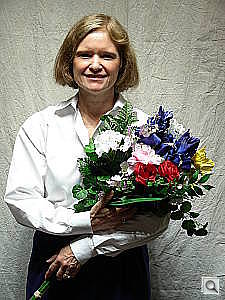
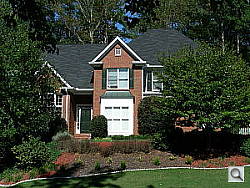
Outdoor shots typically showed high contrast with blown-out highlights and very deep shadows. Detail in the shadows was also weak, with high noise and little definition. Exposure accuracy overall was a little below average, the camera requiring slightly more exposure compensation than we're accustomed to seeing with consumer digicams. In the outdoor house shot above, the overall exposure appears actually a little dim at the default setting, despite the strongly blown-out highlights.
See full set of test images with explanations
See thumbnails of all test and gallery images
Resolution
Average resolution for its 6-megapixel resolution, 1,200 lines of strong detail.
Our laboratory resolution chart revealed sharp, distinct line patterns down to about 1,200 lines per picture height (perhaps 1250 lines in the horizontal direction), with extinction at around 1,600. (The camera did produce slight color artifacts at lower line frequencies, visible in the full-sized res target shots.) This is probably on the low side of average among the 6-megapixel cameras we've tested. Use these numbers to compare with other cameras of similar resolution, or use them to see just what higher resolution can mean in terms of potential detail. Beware that while you might be able to make out what looks like distinct lines at numbers higher than those we've mentioned here, the camera is just doing its best to continue interpreting the lines. If you zoom in and follow them from the wider portions, you'll see the lines converge and reappear several times, so the lines you see at 1,500 and higher are really only artifacts generated by the camera's imaging system.
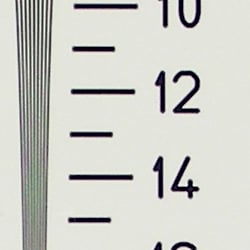
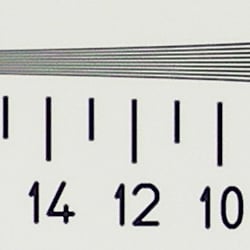
See full set of test images with explanations
See thumbnails of all test and gallery images
Sharpness & Detail
Moderately sharp images, with a fair amount of blurring from noise suppression and noise itself.
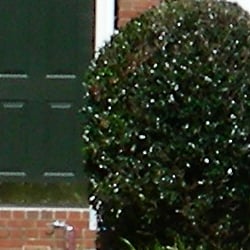
The Coolpix S4's images are only moderately sharp. The camera over-sharpens high contrast subjects, producing slight "halos" of artificially enhanced contrast, as seen in the bright leaves and white trim above. (Edge enhancement creates the illusion of sharpness by enhancing colors and tones right at the edge of a rapid transition in color or tone.)
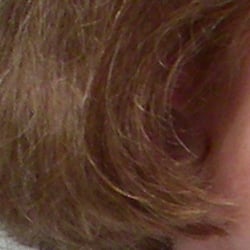
Noise-suppression systems in digital cameras tend to flatten-out detail in areas of subtle contrast. The effects can often be seen in shots of human hair, where the individual strands are lost and an almost "watercolor" look appears. The crop above right shows this, with darker areas of Marti's hair showing only limited detail. Image noise also reduces definition in areas like this, noticeable in the deeper shadows above.
ISO & Noise Performance
Some visible noise even at low sensitivity settings, high noise that blurs detail and causes visible colored noise artifacts at the higher settings.

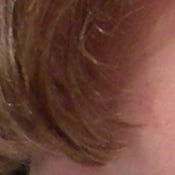

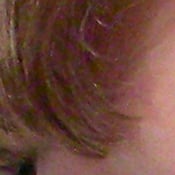
Even the Coolpix S4's lower ISO settings produced some visible image noise in the shadows, but it's within a range that most users will probably find acceptable. As the ISO setting increases, so does the noise level and the amount of blurring that results. At ISO 200, details are softer, and its images at ISO 400 are quite soft with bright noise pixels. When printed though, the impact of the noise seemed less severe. While some colored noise artifacts were visible in 8x10 inch prints at ISO 400, we think the results would be acceptable for many users, particularly for prints to be displayed on a wall or table, and viewed at distances of a foot or more. At a size of 5x7 inches, ISO 400 results should be acceptable to most anyone.
Extremes: Sunlit and low light tests
High resolution with good overall detail, but high contrast and very limited shadow detail. Moderate low-light performance, capable of capturing bright images under average city street lighting and slightly darker conditions.
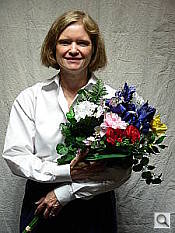
Sunlight:
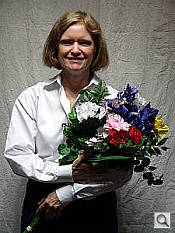
Because digital cameras are more like slide film than negative film (in that they tend to have a more limited tonal range), we test them in the harshest situations to see how they handle scenes with bright highlights and dark shadows, as well as what kind of sensitivity they have in low light. The shot above is designed to mimic the very harsh, contrasty effect of direct noonday sunlight, a very tough challenge for most digital cameras. (You can read details of this test here.)
The Coolpix S4 responded to the deliberately harsh lighting of this test with very high contrast, losing detail in both highlights and deep shadows. Noise suppression is visible in both shadows and highlights as well, contributing to the loss of detail, particularly in shadow areas. The best overall exposure was obtained with a +1.3 EV exposure adjustment, though the highlights are really much too bright. Still, at +1.0 EV, the overall exposure was just a little too dim. (In "real life" of course, be sure to use fill flash in situations like the one shown above; it's better to shoot in the shade when possible.)
| 1 fc 11 lux |
1/2 fc 5.5 lux |
1/4 fc 2.7 lux |
1/8 fc 1.3 lux |
1/16 fc 0.67 lux |
|
| ISO 50 |
 2 sec f3.5 |
 2 sec f3.5 |
 2 sec f3.5 |
 2 sec f3.5 |
 2 sec f3.5 |
| ISO 100 |
 2 sec f3.5 |
 2 sec f3.5 |
 2 sec f3.5 |
 2 sec f3.5 |
 2 sec f3.5 |
| ISO 200 |
 1.63 sec f3.5 |
 2 sec f3.5 |
 2 sec f3.5 |
 2 sec f3.5 |
 2 sec f3.5 |
| ISO 400 |
 1/1 sec f3.5 |
 1.69 sec f3.5 |
 2 sec f3.5 |
 2 sec f3.5 |
 2 sec f3.5 |
Low light:
Our low light testing revealed some limitations in the lens and sensor's ability to gather and process light, but the Coolpix S4's performance in this area should be adequate for most consumers. With a maximum shutter speeds of two seconds, the Coolpix S4 only captured bright images to about 1/2 foot-candle, at the 200 and 400 ISO settings. At ISOs 50 and 100, images were only bright to about one foot-candle (about the equivalent of average city street lighting at night). Color balance was pretty good with the Auto white balance setting. The camera's autofocus system worked well enough for its exposure system, able to focus on the subject down to the 1/4 foot-candle with the AF assist turned off. With AF assist on, the AF system worked well past the lowest light level we test at. Overall, while the S4 won't let you shoot by moonlight, it should easily handle typical city night scenes.
Flash
Coverage and Range
Pretty good flash range, considering the long zoom lens. Slightly uneven coverage at wide angle, very even at telephoto. Flash is reasonably well color-balanced to incandescent room lighting. Our standard shots required about average exposure compensation.
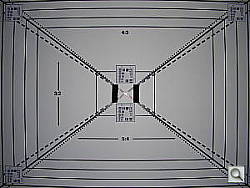
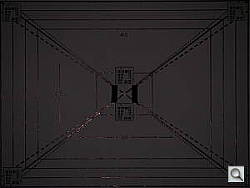


Flash coverage was only a little uneven at wide angle, though poor at full telephoto. In the Indoor test, the flash on the Coolpix S4 underexposed our subject at its default setting, requiring a +1.0 EV exposure compensation adjustment to get bright results. Overall color is pretty good, though slightly pinkish. The camera's Slow-Sync flash mode produced slightly brighter and more even results, though with a stronger pinkish-orange cast from the room lighting. It required less exposure compensation due to the longer shutter speed, at +0.7 EV.
| 8 ft | 9 ft | 10 ft | 11 ft | 12 ft | 13 ft | 14 ft |
 1/60 sec f3.5 ISO 50 |
 1/60 sec f3.5 ISO 50 |
 1/60 sec f3.5 ISO 50 |
 1/60 sec f3.5 ISO 50 |
 1/204 sec f3.5 ISO 50 |
 1/204 sec f3.5 ISO 50 |
 1/204 sec f3.5 ISO 50 |
The Coolpix S4's flash remains bright to about 11 feet, decreasing in intensity from there. The test target is still quite visible at 14 feet, however, just with lower flash intensity.
Output Quality
Print Quality
Good print quality, great color, very usable 11x14 inch prints. ISO 400 images are a bit soft with noise artifacts at 8x10, quite acceptable at 5x7, great at 4x6.
Testing hundreds of digital cameras, we've found that you can only tell just so much about a camera's image quality by viewing its images on-screen. Ultimately, there's no substitute for printing a lot of images and examining them closely. For this reason, we now routinely print sample images from the cameras we test on our Canon i9900 studio printer, and on the Canon iP5000 here in the office. (See the Canon i9900 review for details on that model.)
With the Nikon Coolpix S4, we found that it had enough resolution to make very crisp 8x10 inch prints. At 11x14, its prints were a bit softer looking, but more than adequate for wall or table display. At high ISO levels, image noise levels increase, and sharpness suffers slightly. ISO 200 photos look fine printed at 8x10 inches, but ISO 400 ones show a few colored artifacts at that size, and are slightly softer. Most users will probably find 8x10 prints from ISO 400 images usable for wall or table display, but for best results, print them at 5x7 inches or below. Color-wise, the Nikon S4's images looked great when printed on the i9900, with very bright, vibrant color. Users who prefer more subdued, technically accurate color saturation levels may find the S4's images a little too bright, but most consumers will probably find the Nikon Coolpix S4's bright, snappy images very appealing.
The images above were taken from our standardized test shots. For a collection of more pictorial photos, see our Nikon Coolpix S4 Photo Gallery .
Not sure which camera to buy? Let your eyes be the ultimate judge! Visit our Comparometer(tm) to compare images from the Nikon Coolpix S4 with those from other cameras you may be considering. The proof is in the pictures, so let your own eyes decide which you like best!
Performance
Nikon Coolpix S4 Performance
Timing and Performance
Slower than average speed relative to competing models.
| Operation |
Time (secs) |
Notes |
|
Power On -> First shot
|
2.0 |
Camera boots and LCD turns on. Reasonably fast.
|
|
Shutdown
|
2.8 - 48 |
First time is simple shutdown; second time is worst-case buffer-clearing time. Worst-case buffer clearing time is very long, but corresponds to clearing more than 100 small/basic images from the buffer memory.
|
|
Play to Record, first shot
|
1.1 |
Time until first shot is captured. Average.
|
|
Record to play
|
3.2 / 0.9 |
First time is that required to display a large/fine file immediately after capture, second time is that needed to display a large/fine file that has already been processed and stored on the memory card. First time is a little slow.
|
|
Shutter lag, full autofocus
|
0.64 / 1.45 |
First time is at full wide-angle, second is full telephoto. Wide angle is fast, tele is quite slow.
|
|
Shutter lag, prefocus
|
0.063 |
Time to capture, after half-pressing shutter button. Extremely fast.
|
|
Cycle Time, max/min resolution
|
2.41 /
2.37 |
First number is for large/fine files, second number is time for "TV" mode (640x480) images. Times are averages. In large/fine mode, shoots 8 frames this fast, then slows to about 3.3 seconds per shot. The buffer clears in 9 seconds. In TV mode, it maintained this pace, filling the buffer only very gradually, and cleared the buffer in 5 seconds. On the slow side of average.
|
|
Cycle Time, Flash exposures
|
8 |
(Flash at maximum power output) On the slow side of average.
|
|
Cycle Time, continuous mode, max/min resolution
|
0.73 / 0.68 (1.36 / 1.47 fps) |
First number is for large/fine files, second number is time for "TV" size images. Times are averages. In large/fine mode, shoots 8 frames this fast, then slows to about 3.4 seconds per shot. The buffer clears in 10 seconds. In TV mode, it maintained this pace for over 100 shots, but took 45 seconds to clear the buffer. A little slow by today's standards.
|
|
Cycle Time, continuous Multi 16 mode
|
0.67 (1.49 fps) |
Camera captures 704 x 528 pixel images, stores them in 4x4 arrays inside normal 2816x2112 files. Buffer clears in about a second. Still only modestly fast.
|
|
Download speed
|
||
|
Windows Computer, USB 2.0
|
700 KBytes/sec
|
Typical Values: Less than 600=USB 1.1; 600-770=USB 2.0 Low; Above 770=USB 2.0 High |
The Coolpix S4's performance is a little sluggish when compared to some of its competition, possibly in part due to its long-ratio zoom lens. While the shutter lag of 0.64 at wide angle is actually quite fast, the 1.45 second delay at telephoto focal lengths is very much on the slow side. The good news is that "prefocusing" by half-pressing and holding down the shutter button before the shot itself helps tremendously, cutting lag to an exceptional 0.063 second. Shot to shot cycle times are a bit slow as well, at about 2.41 seconds for up to eight large/fine JPEGs in succession, and the camera's Continuous-mode is also a little slow, at 0.73 second per shot (1.36 frames per second). The flash takes about eight seconds to recharge after a full-power shot, again on the slow side of average. Connected to a computer, download speeds are fast enough that you probably won't feel a need for a separate card reader, but not up to the levels of the best cameras on the market. Bottom line, the Coolpix S4 won't be the first choice for sports or other fast-paced action, but should still be responsive enough to handle most average shooting conditions. (On the other hand though, if your subjects are such that you can "prefocus" the camera by half-pressing and holding the shutter button before the shot itself, the S4 can be as quick as many professional cameras.)
Battery and Storage Capacity
Battery
The Nikon Coolpix S4 uses two AA batteries for power, and ordinary alkaline batteries are included with the camera. Because it doesn't have a standard external power connector, I wasn't able to conduct my usual power consumption tests on it. Based on the CIPA standard though, Nikon claims 160 shots per set of Alkaline AAs, 450 shots with Lithium AAs, or 290 shots with Nikon-branded NiMH cells. Given these relatively modest battery capacity figures, we highly recommend that you purchase a couple of sets of high-capacity NiMH cells, and a good-quality charger.
Storage
No card is included with the Coolpix S4, although it accepts SD/MMC cards. 13.5MB RAM is built into the camera.
|
Image Capacity with 13.5MB Internal Memory |
Fine | Normal | |
| 2,816 x 2,112 | Images | 4 | 9 |
| File Size | 3.0MB | 1.5MB | |
| 2,048 x 1,536 | Images | - | 16 |
| File Size | - | 837KB | |
| 1,024 x 768 | Images | - | 57 |
| File Size | - | 246KB | |
| 640 x 480 | Images | - | 123 |
| File Size | - | 115KB | |
I strongly recommend buying a large capacity SD/MMC memory card, at least a 128MB card, preferably a 256MB one, to give yourself extra space for extended outings.