Canon Powershot S70By: Dave EtchellsWith the same wide angle lens as its predecessor, the S70 boosts resolution with its 7.1 megapixel sensor, but holds the line on image noise. <<Image Storage & Interface :(Previous) | (Next): Test Results & Conclusion>> Page 11:Video, Power, SoftwareReview First Posted: 9/30/2004 |
Video Out
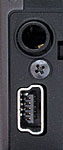 The S70 has a video-out port
that supports both PAL and NTSC timing formats. The video output can be used
for reviewing previously recorded images or running slide shows from the camera.
It also shows all three LCD menu screens, as well as the preview display from
the LCD viewfinder.
The S70 has a video-out port
that supports both PAL and NTSC timing formats. The video output can be used
for reviewing previously recorded images or running slide shows from the camera.
It also shows all three LCD menu screens, as well as the preview display from
the LCD viewfinder.
The output cable is a true AV cable, as it fans out into two RCA jacks, one
for video, and one for audio. Plugged into any video monitor (or TV with direct
video and audio inputs), the audio capabilities of the S70 make it a potentially
effective portable presentation device.
Power
The S70 is powered by an internal Canon NB-2LH rechargeable lithium-ion battery pack. This battery is new for 2004, offering up to 26% greater capacity than the previous model, based on Canon's mAh ratings of the two units. The camera ships with one battery pack and a charger. An AC Adapter Kit ACK700 is sold separately, with a power adapter, DC coupler, and power cord. A built-in rechargeable battery maintains the date, time, and other settings, drawing power from the main battery to recharge.
The camera has a Power Mode Indicator lamp directly to the left of the Replay button, which stays on as long as the camera is powered on. An orange light indicates Shooting mode, a green light indicates Replay or printer connection modes, and yellow indicates computer connection mode.
Because the S70 relies on its LCD display for viewing and selecting some of its settings, it can be somewhat of a drain on the power supply. Fortunately, the camera has an automatic shutdown mode to help conserve battery power, and you can save power by relying on the optical viewfinder whenever possible.
The proprietary battery connection won't let me perform my usual power measurements on the S70, but I did conduct a run-down test with a fully-charged battery, and with the S70 operating in its worst-case power drain mode. (Capture mode, with the LCD turned on.) This produced a very respectable run time of 131 minutes, and the camera would doubtless do much better were the LCD left turned off. I still strongly recommend purchasing a second battery right along with the camera, but overall the S70 showed good battery life for its size.
Included Software
The Canon PowerShot S70 comes with an very nice complement of software on the included CDs. Compatible with Windows (98, ME, 2000, and XP) and Macintosh operating systems, Canon's Digital Camera applications allow you to download images from the camera, process RAW data files, stitch together images shot in Stitch-Assist mode, set up images for printing, and even operate the camera remotely from the computer. For the Mac, the Canon Applications include ImageBrowser v3.6 and PhotoStitch 3.1. For Windows machines, the applications include ZoomBrowser EX 4.6, PhotoRecord 2.1, Camera TWAIN Driver 6.4, and Camera WIA Driver 6.2, and Apple QuickTime. The software bundle includes their RemoteCapture program for controlling the camera remotely, something that most will never use, but a few who discover it will find RemoteCapture indispensable. You actually see a live image from the camera on your screen, and every picture you take is loaded onto the computer. You can control nearly every aspect of the camera, including ISO, White Balance, Zoom, flash and EV settings, and of course shutter speed and aperture. It's pretty impressive. Captured images are sent directly to the computer.
"Gallery" Photos
Readers interested in seeing a sample of more pictorial images shot with the Canon S70 can visit our Canon PowerShot S70 Photo Gallery.


Follow Imaging Resource: