
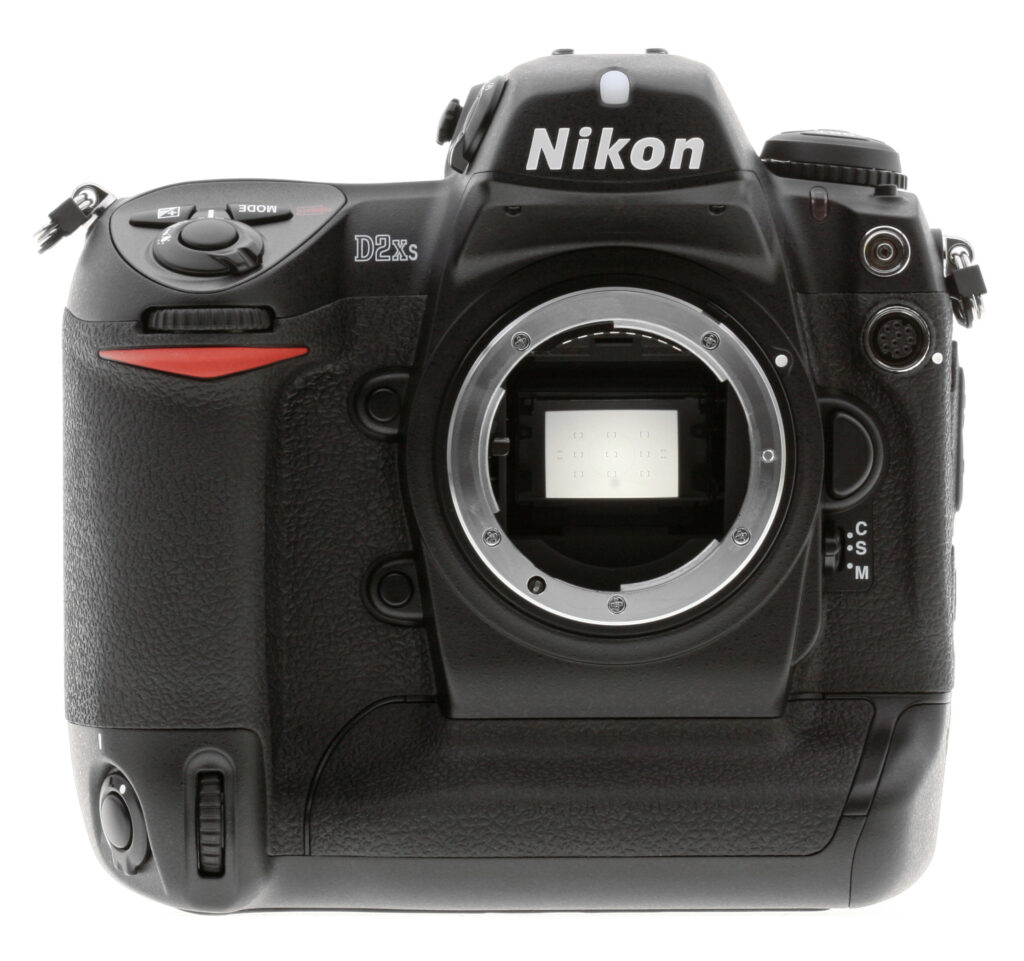


Overview
Nikon D2Xs Overview
by Dave Etchells
and Shawn Barnett
Review Date: 02/20/07
As with the original D2X, the Nikon D2xs is a professional digital SLR that features a 12.4 megapixel CMOS sensor, and offers five frames per second shooting plus the ability to shoot even faster - up to eight frames per second - by switching to a lower resolution 6.8 megapixel mode. This high-speed burst mode operates by reading only from the center of the imager, which means that to get the higher speed, the focal length crop changes from the regular 1.5x of a DX sensor, to 2.0x. Probably the most significant changes in the D2Xs' functionality relative to its predecessor are in this area. Where the D2X relied on red markings in the viewfinder to indicate the smaller cropped area, the D2Xs indicates the area by shading everything that is cropped out of the image, leaving the uncropped portion of the image somewhat brighter. This method seems like it should be much more intuitive, making it easier to frame cropped images quickly - although the shading can be disabled should the user desire. Another improvement related to the cropped mode is a change to the metering system - both matrix and center-weighted metering now adjust to work solely within the cropped area when in that mode.
The Nikon D2Xs uses the same Multi-Cam2000 AF sensor found in the D2H and D2X, offering 11-point focusing with nine cross-type sensors (only nine of these points are available in the high-speed cropped mode, but all nine are the cross-type sensors). The LCD display used in the D2Xs has been changed to the one used in the D200, which offers a 170-degree wide viewing angle and is said to have been factory calibrated for consistent color. A new EN-EL4a battery refreshes the original EN-EL4, and offers 2500 mAh - good for roughly 3,500 shots.
Other updates include a black and white image mode (Raw files shot in this mode can have the color restored if needed), in-camera image cropping of any image type in playback mode, the ability to save and load camera settings (great if you share a pool of cameras between photographers), a "Recent Settings" menu as seen in the D200 (which allows you to quickly recall settings you changed recently to adjust them without digging through the menu system), more ISO sensitivity settings (although the overall range is unchanged) including an Auto setting, a new menu color scheme, and increased burst depth. You can also now select the duration of focus lock when using focus tracking, load multiple custom tone curves into the camera, and select the desired shutter speed when using the automatic ISO sensitivity setting. Image authentication is possible using a separately available solution consisting of both hardware (a USB key) / and software, so as to ensure the software hasn't been hacked. The D2Xs will also be compatible with Nikon's upcoming Capture NX software, as well as a remote control package dubbed "Camera Control Pro".
As noted, the D2Xs is really just a running upgrade of the original D2X, adding a few enhancements and improving performance slightly, but leaving the basic operation unchanged. Reflecting this, most of this review is lifted directly from our earlier review of the D2X, although all test images were reshot, and the analysis of what we found there is all-new.
Here's a table listing the improvements the D2Xs offers:
|
New or Enhanced Feature
|
D2X
|
D2Xs
|
|
High-Speed Crop (HSC) mode viewfinder mask
|
With Type W III focusing screen
|
New automatic viewfinder mask
|
|
Continuous Burst (buffer) in HSC (6.8MP) mode
|
35 JPEG, 29 NEF
|
38 JPEG, 29 NEF
|
|
Loaded Custom Tone Curves
|
1
|
3
|
|
Save and Load Settings
|
No
|
Yes, via CompactFlash card
|
|
ISO Boost increments
|
HI-1, HI-2: 1 stop increments
|
HI-1, HI-2: 1/3 stop increments
|
|
Black and White Capture mode
|
No
|
Yes, with viewfinder indicator
|
|
Focus Tracking Lock On options
|
No
|
Yes (Long, Normal, Short, Off)
|
|
LCD
|
2.5" 232,000 pixel TFT LCD
|
2.5" 232,000 pixel TFT LCD with
170 degree wide-angle viewing |
|
Battery
|
EN-EL4 (compatible with EN-EL4a)
|
EN-EL4a (compatible with EN-EL4)
|
|
In-Camera Trimming (Cropping)
|
No
|
Yes
|
Highlights
- 12.4-megapixel (effective), 23.3 x 15.5mm CMOS image sensor delivering image resolutions as high as 4,288 x 2,848 pixels (12.21 megapixels).
- High-speed crop mode for 8fps performance at 6.87 megapixels (3,216 x 2,136) with improved viewfinder indication.
- Single-lens reflex digital camera with interchangeable lenses (supports essentially all standard Nikon F mount lenses).
- Variable ISO (100 to 800 with "Hi" settings equivalent to 1,600 and 3,200).
- TTL optical viewfinder with detailed information display.
- 2.5-inch, low-temperature polysilicon TFT color LCD with 232,000 pixels and 170 degree viewing angle.
- Program AE, Shutter Priority, Aperture Priority, and Manual exposure modes.
- Exposure / Flash / White Balance Bracketing, Interval photography, and Multiple Exposure modes.
- Image Overlay function combines two RAW images to form a single new image.
- Depth of field preview.
- Adjustable Low-Speed (1 to 7 fps) and High-Speed (8 fps) Continuous Shooting modes, plus Single-Shot, Self-Timer and Mirror-Lockup modes.
- Variable White Balance with nine modes, including a manual setting, fine tuning capability and ability to choose a color temperature from 2,500 to 10,000K (31 steps).
- 11-point TTL autofocus with Single-Area (manual), Dynamic-Area, Group Dynamic, and Dynamic-Area w/ Closest Subject Priority options to select AF point(s).
- Topside hot shoe for external flash connection of Nikon Speedlight as well as a second PC-style flash sync socket.
- Flash exposure determined by combination of TTL 1,005 pixel Matrix sensor and Five-Segment Multi sensor.
- Front-Curtain Sync, Red-Eye Reduction, Red-Eye Reduction with Slow-Sync, Slow Sync, and Rear-Curtain Sync flash sync modes. (With compatible external speedlight.)
- 3D-Color Matrix, Center-Weighted, and Spot metering options.
- Adjustable exposure compensation from -5 to +5 exposure equivalents (EV) in one-third, one-half, or one-step increments, in all exposure modes.
- Fine Tune Exposure custom setting allows adjustment of the camera's default exposure value +/-1EV in 1/6EV.
- Variable Lock-on mode prevents camera from losing focus lock when something briefly passes between lens and subject.
- Shutter speeds from 1/8,000 to 30 seconds in one-third, one-half, or one f-stop increments, and a Bulb setting for longer exposures.
- Color Mode, Sharpening, Tone Compensation, Hue Adjustment and new B&W capture options.
- Self-timer with programmable duration from two to 20 seconds.
- Secondary shutter release with lock for vertical-format shooting.
- Image storage on CompactFlash Type I or II, or Microdrive.
- JPEG, uncompressed TIFF (RGB), and NEF (RAW) data file formats.
- Two JPEG compression modes: Size priority (for greater predictability of remaining images) and Optimal quality.
- 10-pin remote terminal for optional remote control accessory.
- Optional wireless transmitter accessory for wireless image transfer to a computer. (FTP and PTP/IP over 802.11g wireless LAN.)
- NTSC / PAL-compatible A/V Out jack and included video cable for connection to a television set.
- DPOF (Digital Print Order Format) compliant.
- Powered by EN-EL4 lithium-ion rechargeable battery pack (battery and charger included), or optional AC adapter.
Nikon D2Xs User Report
by Shawn Barnett
As noted above, the D2Xs is in most ways identical to the D2X that preceded it. Accordingly, the majority of my comments below are unchanged from my report on the D2X. I have made a few minor modifications where there were noticeable differences though.
True to the pro tradition of SLR design, the Nikon D2Xs is big and heavy. A joint in my thumb was quickly complaining about the weight as I walked about town taking Gallery shots. This is no D70, the D2Xs' comparatively light and well-balanced sibling. Not that it's terribly unbalanced, it was just a noticeable difference. Very much like its D1x predecessor and the D2H in construction and design, the D2Xs has an excellent grip both front and back, and an almost equally robust vertical grip. I love the cut of the main grip, with an indent running along the length, offering a place for the pads of the fingers to get a good purchase. This is missing from the vertical grip, however.

Control buttons on the back are big and well-marked, quite a bit larger, more plentiful, and easier to manipulate than on the previous D1x. I prefer Nikon's simpler menu system to other pro cameras on the market, and the menu system on the D2Xs is both easier to navigate and more attractive than the menu systems on previous Nikon d-SLRs. It is a straightforward menu system whose use is immediately obvious to any computer or digital camera user, and doesn't require too many special button combinations to execute. Exceptions to this rule are applied well, as in the case of the Format function, which requires the user to press the Enter button instead of the usual right arrow button to perform this critical action. I'm also a fan of Nikon's button-based Format option. Just hold down the Delete and Mode buttons for a set amount of time and the camera formats the card.
Also, if you need to quickly return most settings to default, you can do so with another button combination: hold down the ISO and WB buttons on the back for more than two seconds and the Focus area, Exposure mode, Flexible program, Exposure Compensation, AE hold, Aperture lock, Shutter-speed lock, Bracketing, and Flash sync mode are all reset to default values. Image quality, size, white balance, and ISO are also reset. Custom Settings are not reset. You'll want to go back through all the items that are reset to make sure you're happy in almost all auto modes with Normal compression instead of Fine. But it's a good way to get back to some known state in a complex camera like the Nikon D2Xs.
The Nikon D2Xs LCD is a big 2.5 inch TFT design that's very sharp and clear, with a few more pixels than past models, making image review and menu item selection that much easier. In one of the few changes from the D2X, the LCD on the D2Xs sports a considerably wider viewing angle, a generous 170 degrees. What's even better is that big bright optical viewfinder with a very high eyepoint, great for eyeglass wearers. A switch to the viewfinder's upper left closes a pretty impressive two-stage door from behind the viewfinder glass to keep out stray light during long exposures on a tripod.
Nikon includes a translucent plastic stand-off LCD cover with the D2Xs, presumably to protect the LCD surface from scratches. I've frankly never understood its utility. I have never scratched an LCD glass on the back of a digital SLR, but I've fogged up this silly cover often enough from a mere breath while looking through the optical viewfinder that I've taken to tossing it on a desk or stowing it permanently in a camera bag. Others have told me they've scratched plenty of LCDs on shirt buttons and zippers, so I suppose there's a purpose; I just don't use camera straps, and I tend to hold my camera in the right hand by the grip or in the left around the lens barrel, away from buttons and zippers. Thankfully, this cover is removable: the first feature I use when handed a Nikon digital SLR.
While it's easy to get lost and forget about an important setting on a camera like this, I found it relatively easy to get back to proper settings, despite the many options on the D2Xs. - Its user interface is intuitive, and presents a very shallow learning curve despite the fact that I'm more accustomed to shooting Canon SLRs. Switching AF points on the Nikon D2Xs, for example, is as easy as assuring you're in single point AF mode, pressing the shutter halfway, and using the Multi Controller to move the point around. You can use the illuminated red brackets in the viewfinder, but I more often use the graphic in the top status LCD. ISO, Quality, and White Balance are easily set with a button press and a turn of the Main command dial; and these settings have their own LCD for easy confirmation.
Though the news has been out on the original Nikon D2X since mid-September of 2004, I should mention a few items that stood out. By far the biggest deal with the D2Xs is its dual-resolution nature. It can be used as either a high resolution 12.21 megapixel SLR capable of around 20 JPEG shots at five frames per second, or change to a 6.87 megapixel speed demon that can deliver up to 34 JPEGs at eight frames per second. That's a far more versatile camera than Nikon has ever offered.
Initially, I found this dual-resolution feature a little perplexing, and wondered how much sense it made in the marketplace. Once I had a little hands-on time with the original D2X though, I decided that it was such a good idea that I couldn't help but wonder who would buy the recently announced 4 megapixel Nikon D2Hs, whose only major apparent advantage is its buffer depth. Otherwise, it too is capable of eight frames per second, but offers only 4 megapixel images. (Albeit with a lower focal-length multiplication factor and a full-frame viewfinder.) With a few exceptions, the experienced photographer waits for the right moment to get the shot, rather than relying on the motor drive to accidentally capture the peak. In most instances where high speed continuous shooting does help, the Nikon D2Xs should be able to capture the critical action in far less than the High-speed Crop mode's 4.25 second runtime. Though it costs a bit more than the D2Hs (about $800-900 more at typical street prices), the D2Xs will be a better choice for most photographers in need of a high resolution, high speed digital SLR. What the D2Hs might offer in addition to speed and buffer depth will have to wait until we review one. High-ISO image quality is an obvious area where there could be a difference between the two cameras, where the significantly larger pixels of the D2Hs might help quite a bit; but our test results reveal that the D2Xs delivered some excellent, relatively low-noise images.
Nevertheless, I like not only the bright viewfinder and clear, bright LED focus indicators on the Nikon D2Xs, but I also like their method of telling the user when High-speed crop mode is active. On the previous D2X, four corner brackets lit up each time the shutter was pressed, and a small crop icon flashed in the status display. Lines running between these illuminated corners more clearly indicated the capture area, but users could also replace the default focusing screen with another that only showed the corner brackets. On the D2Xs, an internal, translucent LCD overlay automatically masks-off the edges of the frame in high-speed mode. This is handy, because it gives a very accurate indication of the active area, while it still gives you some visibility of objects approaching the active area from any angle. (This latter is a great help for less-experienced sports shooters like myself, in that it gives you a bit more time to react to an approaching subject than you'd have otherwise, increasing the number of "keepers" in a shoot with active subjects.)
One minor usability note that I've seen affect others is that while holding the camera in the normal grip mode, you'll sometimes notice strange things happening to your settings, and sometimes you'll even fire off a shot without having your finger on the shutter release. This happens on the D2Xs if you have the vertical shutter release and secondary Sub-command dial unlocked. I've not experienced this with Canon pro cameras, because the vertical shutter release is just a little further down, and mounted on an angled surface.
Rumored to be a Sony part, the other big news here is Nikon's use of a CMOS image sensor in the D2X/D2Xs. Like many other recent digital SLRs, the sensor is APS-size (23.7 x 15.7mm), giving the lenses a 1.5x multiplier when in full 12.21 megapixel mode, but a 2x multiplier when in Hi-speed Crop mode.
Following closely in the footsteps of the original D2X, the D2Xs looks like another winner from Nikon. Frankly, before shooting with the D2X, I was concerned about Nikon's position in the high-end camera market. At the time, the D70 was a great camera for consumers, and a fine answer to competitors' offerings, but in the pro arena they had clearly lagged for year or two. The D2X (and now the D2Xs) brought them right back into competition in the pro arena, with a camera that's not only rugged, good looking, and of high quality, but that excels where it counts: image quality. - And 2006 saw them come roaring back in the consumer/prosumer SLR arena as well, with an exceptionally strong lineup consisting of the D40, D80, and D200. No question about it, Nikon now holds a commanding position across the SLR market spectrum, and the D2Xs does an excellent job of anchoring their line from the flagship position.
Nikon D2Xs Included Software
The D2Xs ships with the Nikon Picture Project software, which provides basic manipulation and cataloging capabilities for images captured by the camera, and which can interpret the raw CCD format "NEF" files. More advanced packages called Nikon Capture and Nikon Capture NX are available separately. A thirty-day trial version of Capture NX is included in the box. (Read our review of Nikon Capture NX for more details on an excellent image-editing application.) Users will also want to check out the third-party applications Bibble and Qimage Pro, both of which offer enhanced interpolation of NEF files, for even higher image resolution. Bibble also offers very sophisticated noise-reduction processing and highlight recovery algorithms, making it a particularly capable RAW-file processor.
In the Box
Included in the box with the D2Xs are the following items:
- Nikon D2Xs body with body cap, eyepiece cap, eyecup, and LCD monitor cover.
- Neck strap.
- EN-EL4a battery and MH-21 quick charger.
- Battery chamber cover.
- USB cable.
- Audio/Video cable.
- Transparent LCD monitor cover.
- Type-B focusing screen.
- PictureProject CD-ROM.
- Quickstart guide.
- Instruction manual.
- Registration kit.
Conclusion
| Pro: | Con: |
|---|---|
|
|
While it represents only a relatively minor upgrade relative to the original D2X, the Nikon D2Xs remains an exceptionally strong competitor in the professional SLR market. It offers exceptional versatility through its dual-resolution, dual-speed design, satisfying the needs of sports shooters and studio photographers alike, in one superbly-constructed body. (If, like us, you're initially skeptical about the value of the dual-resolution feature of the D2Xs, we highly encourage you to beg, borrow or rent a unit to work with for a day or two: We think you'll come to love this feature as much as we did, once we got out and shooting with it.) Combine this with Nikon's unrivalled Advanced Wireless Lighting system for TTL metering with multiple remote strobe units, and you have a system literally without peer, at least in the current state of the market. Our feeling about the camera is pretty well summed up in the list of pros and cons above: There's just a load of things to like about this camera, and precious little to complain about! Kudos to Nikon on a beautifully designed pro SLR, a design that's already stood the test of time in the form of the original D2X, and that likely has years of life left in it yet.

Design
Nikon D2Xs Design
With the established reputations of Nikon's pro digital SLRs resting securely behind it, the D2Xs continues the high quality and performance that demanding pros expect. Offering the same exceptional exposure control and a range of features embodying the ultimate in flexibility and control, the D2Xs maintains the same functional design as Nikon's film-based pro SLR line. I've mentioned the Nikon-coined term "cameraness" before, which describes the combination of features, functionality, and above all, user interface design that defines how a camera operates as a photographic tool. Key to Nikon's strategy is that their digital SLRs embody the same "cameraness" as their film models, so practicing pros can switch back and forth between film and digital bodies without having to stop and adjust their shooting style or practices. Like the previous models, the D2Xs fulfills this goal admirably, with an operational design that will be immediately familiar to users of the Nikon F5. Though sophisticated, the D2Xs's user interface is clean, straightforward, and quick to navigate, with a no-frills, four-page menu system, plus the addition of a "Recent Settings" tab. (We've both really enjoyed working with the Nikon D2Xs, finding it surprisingly capable and well built; worthy of the name stamped into the metal over the lens.)
While the camera bodies may look very similar, the D2Xs sports a number of new upgrades and features over the previous D1X model. For starters, the D2Xs has a slightly different control layout, and a couple of new buttons to handle previous menu options. Internally, the D2Xs offers a 12.2-megapixel CMOS image sensor for higher resolution images than Nikon has yet offered. The sensor can also operate in High speed crop mode, allowing capture of up to 8 frames per second. It also has a large LCD monitor for better menu and image review, a Voice Memo mode, and an Anti-Dust option. One of the most interesting capabilities of the D2Xs is only available via a separate accessory: the wireless transmitter, now upgraded to 802.11g. With the WT-2A wireless transmitter attached (as shown above), you can wirelessly send image files from the camera to a computer, or even out over the Internet.

Measuring 6.2 x 5.9 x 3.4 inches (158 x 150 x 86 millimeters), the physical dimensions of the D2Xs are practically identical to those of the D1, D1X, D2X, D1H, and D2H models. Weighing in at a hefty two pounds, 6 ounces (1,070 grams) excluding batteries and memory card, the D2Xs is a definite handful, but nonetheless falls about the middle of the range for pro digital SLRs. Thanks to a cast-alloy body (see the photo above), the D2Xs carries forward the "built like a tank" ruggedness of previous Nikon Pro SLRs.

Introduced with the D2H, and continued in the D2Xs is a much more complete system of environmental seals on the body than we've seen on Nikon cameras before, as shown above. The result is a camera that's by no means waterproof, but one that's at least highly resistant to water and dust. We were able to test this live while shooting at a local race track, and Nikon personnel were completely unconcerned to have us go out into the rain to shoot with the D2Xs and some very expensive lenses.

The front of the camera features a standard Nikon F lens mount, complete with AF coupling and AF contacts. As with Nikon's other Digital SLRs, the D2Xs body contains the necessary contacts to support Nikon's latest AF-S "silent wave" autofocus lenses, and also supports Nikon's designed-for-digital DX-series lenses. There's also a Depth of Field Preview button, a programmable Function button, Sub-Command dial, sync terminal for an external flash, 10-pin remote terminal, Lens Release button, Focus Mode Selector dial, ambient light sensor, self-timer lamp, and secondary Sub-Command dial. A substantial hand grip on the right side of the camera features a rubbery covering that provides a very secure finger grip. A thick rib running along the bottom of the body provides a hand grip when the camera is rotated for vertical-format shots, covered with the same textured, rubbery surface.

The top of the Nikon D2Xs features the Power switch, Shutter button, Mode and Exposure Compensation buttons, and a large status display panel that reports most of the camera's settings without forcing you to resort to the rear-panel's color LCD screen. Also on top of the D2Xs is a diopter adjustment dial for the optical viewfinder and Metering dial (both on right side of the hot-shoe mount, when viewing the camera from the rear). On the other side of the hot-shoe mount are the Mode dial (with lock button), as well as the Flash Sync Mode, Bracketing, and Command Lock buttons. The top hot-shoe accommodates a variety of Nikon Speedlight external flash units. The hot shoe has the standard trigger terminal in the center, as well as three other contacts for interfacing to Nikon's dedicated speedlights.

On the right side of the D2Xs, a second Shutter Release button makes vertical shooting much easier. A locking dial surrounds the button to prevent accidental triggering. Also on this side of the camera is one of the eyelets for attaching the neck strap.

The opposite side of the D2Xs features the battery and connector compartments, and the second neck strap eyelet. Both connector compartments are covered by rubbery flaps that remain tethered to the camera when opened, and fit snugly into place. The top compartment houses the AV Out and DC In jacks, with the USB 2.0 jack in the compartment below. A rotating latch locks the battery compartment cover in place. The cover is actually a separate piece from the camera, removing completely to expose the battery chamber. When a battery is inserted, the compartment cover locks onto the battery, but can be released by pressing a tiny button just inside the outer lip.

The back panel of the D2Xs holds the remaining camera controls, which are extensive. The large, bright 2.5" LCD screen features a removable protective cover which pops on and off. The protective cover is a helpful accessory for those who use camera straps, as the LCD projects out from the back of the camera further than any other feature, and so could be subject to abrasion, sliding back and forth across your jacket or shirt front when the camera is hanging from its neck strap (it does fog up, though). The protective cover is transparent, making it possible to see and navigate the LCD menu system without removing it. A light-tight shutter can be flipped closed across the viewfinder eyepiece, preventing stray light from affecting exposures when the camera is used on a tripod. This shutter is opened and closed by a small lever at the top left of the eyepiece. Across the top are several command buttons, including the Playback, Delete, AE/AF Lock, and AF-On buttons, in addition to the Main command dial. The LCD monitor panel rests in the left center of the back panel, along with a Five-Way Arrow Rocker, or MultiSelector pad. A dial surrounds the MultiSelector to turn it on or off (Lock). A card slot cover release button (beneath a small, plastic flap) is located to the left of the CompactFlash door, whose slot supports Type-I and II CompactFlash cards, as well as MicroDrives. Card activity is indicated courtesy of a small LED just above the release button, and to the left of the CompactFlash card slot, on the back of the camera. Lining the left side of the LCD monitor is another set of control buttons, including the Menu, Thumbnail, Protect, and Enter buttons. A small rear control panel beneath the LCD monitor works in conjunction with a series of buttons below it, which include Sensitivity, Quality / Size, and White Balance buttons. The AF Area mode selector and Voice Memo button of the D2Xs are next to the lower right corner of the LCD monitor, and a secondary AF-On button and Command dial for vertical shooting are in the lower right corner of the rear panel. Finally, a small speaker just to the left of the small status display panel plays back voice memos recorded via the small microphone to the right of the White Balance button.

The very flat bottom of the camera has only the metal tripod mount and the connector jack for the optional wireless transmitter accessory. I appreciate the fact that neither the batteries nor the CompactFlash slot on the Nikon D2Xs are accessed from the bottom of the camera, which lets you change the batteries and memory card without dismounting from a tripod. The large surface area of the camera's bottom combines with the high-friction rubberized surface to produce a very stable mounting surface for use with a tripod. The central position of the tripod mount with respect to the depth of the camera body, and the center-line of the lens, will help both with mounting stability and to reduce parallax error when shooting panoramas.
Operation
Nikon D2Xs Operation
I found the user interface on the Nikon D2Xs surprisingly straightforward and simple to use, even more so than I did the earlier D2H model. The LCD menu is a five-tab system that divides up functions between Playback, Camera, Custom Settings, and Set-up, with the addition of a Recent Settings menu. This simply lists all of the latest menu items you've accessed for quick changes. While many of the camera's options can be accessed via the excellent "plain English" menu system, all the most common shooting controls are available via the camera's external buttons and knobs. You can also program the operation of some of the buttons, to configure the camera for your particular shooting requirements. As I noted earlier, Nikon makes a big deal of their digital SLR's "cameraness," defined as how well/easily they function as cameras.
 The top of the Nikon D2Xs features a large status display panel that reports most of the camera's settings without forcing you to resort to the rear-panel's color LCD screen. The images inset right include a photo of this display panel as it appears on the camera, as well as a graphic illustration showing all segments activated simultaneously.

1 |
Shutter speed | 11 |
Battery indicator |
| Exposure compensation value | 12 |
Frame count | |
| Number of shots in bracketing sequence | 13 |
"K" (appears when memory remains for over 1000 exposures) | |
| Number of intervals for interval timer photography | 14 |
FV lock indicator | |
| Focal length (non-CPU lens) | 15 |
Sync indicator | |
| ISO Sensitivity | 16 |
Clock battery indicator | |
| "Busy" indicator | 17 |
GPS connection indicator | |
2 |
Shutter-speed lock icon | 18 |
High-speed crop indicator |
3 |
Flexible program indicator | 19 |
Exposure compensation indicator |
4 |
Exposure mode | 20 |
Interval timer indicator |
5 |
Memory card indicator | 21 |
Multiple exposure indicator |
6 |
Focus area | 22 |
Aperture lock icon |
| AF-area mode | 23 |
Image comment indicator | |
7 |
Flash sync mode | 24 |
Exposure bracketing indicator |
8 |
Number of exposures remaining | White-balance bracketing indicator | |
| Number of shots remaining before memory buffer fills | 25 |
Electronic analog exposure display | |
| Capture mode indicator | Exposure compensation | ||
9 |
Aperture stop indicator | Bracketing progress indicator | |
|
10
|
Aperture (f/-number) | PC mode Indicator | |
| Aperture (number of stops) | |||
| Bracketing increment | |||
| Number of shots per interval | |||
| Maximum aperture (non-CPU lens) | |||
| PC mode indicator |
 A small rear control panel beneath the LCD monitor works in conjunction with a series of buttons below it, which include Sensitivity, Quality / Size, and White Balance buttons. (As before, the images at right show a photo of the D2X's display panel as it appears on the camera, as well as a schematic illustration with all segments activated.)

1 |
Custom settings bank | 6 |
"K" (appears when memory remains for over 1000 exposures) |
2 |
"Remaining" indicator | Color temperature indicator | |
3 |
Shooting menu settings bank | 7 |
Image quality |
4 |
ISO Sensitivity indicator | 8 |
Image size |
| Auto ISO sensitivity indicator | 9 |
White-balance bracketing indicator | |
5 |
ISO Sensitivity | 10 |
Voice memo recording indicator (shooting mode) |
| ISO Sensitivity (high gain) | 11 |
Voice memo status indicator | |
| Number of exposures remaining | 12 |
Voice memo recording mode | |
| Length of voice memo | 13 |
White balance mode | |
| White balance fine-tuning | |||
| White balance preset number | |||
| Color temperature | |||
| PC mode indicator |
Viewfinder
Nikon D2Xs Viewfinder
 The Nikon D2Xs is equipped with an optical viewfinder that works through the lens (the LCD monitor is for image playback and accessing the menu system only, and as with other digital SLRs cannot be used for image preview / framing). The optical viewfinder eyepiece features a diopter adjustment knob on the side of the prism housing, and a sliding protective shutter than can be moved in and out of place manually via a small lever. The internal metal shutter helps avoid exposure errors due to light entering the rear element of the viewfinder during long exposures on a tripod. Nikon states that the optical viewfinder provides about 100 percent frame coverage, which agrees quite well with my own measurements. (I measured viewfinder coverage at almost exactly 100 percent.) The D2Xs's illuminated display inside the viewfinder provides a bit more information than the previous D1X, with a center-weighted metering circle, 11 sets of focus brackets, focus indicator, metering, bracketing indication, battery level, FV lock, sync indicator, AE lock, B&W mode, shutter speed, shutter speed lock, aperture, aperture lock, aperture stop indicator, exposure mode and compensation, frame counter, flash-ready indicator, electronic analog exposure display, voice memo status, white balance mode and bracketing, image size and quality, and ISO sensitivity.

1 |
8-mm (0.31") reference circle for center-weighted metering |
15 |
"K" (appears when memory remains for over 1000 exposures) |
2 |
Focus brackets (focus areas) |
16 |
Flash-ready indicator |
| Spot metering targets |
17 |
Battery indicator | |
3 |
Focus indicator |
18 |
FV lock indicator |
4 |
Metering |
19 |
Sync indicator |
5 |
Bracketing indicator |
20 |
Aperture stop indicator |
6 |
Autoexposure (AE) lock |
21 |
Electronic analog exposure display |
7 |
Black and White indicator |
22 |
Voice memo status indicator |
8 |
Shutter-speed lock icon |
23 |
White-balance bracketing indicator |
9 |
Shutter speed |
24 |
White-balance mode |
10 |
Aperture lock icon |
25 |
Image size |
11 |
Aperture (f/-number) |
26 |
Image quality |
| Aperture (number of stops) |
27 |
Sensitivity (ISO) indicator | |
|
12
|
Exposure mode | Auto ISO sensitivity indicator | |
13 |
Exposure compensation indicator |
28 |
Sensitivity (ISO equivalency) |
14 |
Frame count | ||
| Number of exposures remaining | |||
| Number of shots remaining before memory buffer fills | |||
| Exposure compensation value | |||
| PC mode indicator |
 The D2Xs has improved the way that High-Speed Crop mode mask is shown. Instead of the corner brackets used by the D2X to indicate the cropping boundary, the D2Xs viewfinder dims the cropped portion, making it easier to see what the final image will look like, while still being able to track subjects entering or leaving the capture zone.
Viewfinder
Coverage
Excellent accuracy with the optical viewfinder.
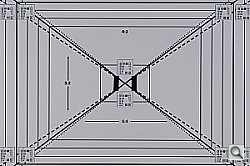
The Nikon D2Xs' optical viewfinder proved very accurate, showing about 98% of the frame in the final image, essentially a "100%" viewfinder. Excellent performance here, we frankly don't understand why only the most expensive "pro" DSLRs have 100% viewfinders, they're a great help to accurate framing.
Nikon D2Xs Main LCD Display

While the 2.5-inch LCD panel on the Nikon D2Xs isn't usable as a viewfinder, it does provide a great deal of information about your pictures after you've shot them. A variety of playback options are available, ranging from a 9-image thumbnail display, through several full-sized image modes, to a zoomed playback option with variable magnification. The screen shot at right shows several of the information displays that are available.
 Of the various screens, one of the more interesting options on the Nikon D2Xs is the histogram screen, shown at right. Histogram displays are common on professional digicams, regarded as almost mandatory by many pros for evaluating exposure levels. A histogram is simply a graph of how many pixels there are in the image at each brightness level. The brightness is the horizontal axis, running from black at the left to white at the right. The height of the graph shows the relative number of pixels having each brightness level. This sort of display is very handy for determining under- or overexposure. Ideally, the histogram would stretch across the entire width of the display, using the full range of brightness values available. An underexposed image will have a histogram with all the data lumped on the left-hand side, with nothing reaching all the way to the right. Likewise, an overexposed image will have all the data lumped on the right hand side.
 New to the D2Xs is an RGB histogram mode, which shows four separate, smaller histograms, with separate plots for the Red, Green, and Blue color channels, as well as overall luminance, shown in yellow. When in this mode, the thumbnail image will blink wherever highlights are blown out, and you can select the color channel that the blink warning is associated with by holding down the Index button and pressing the left or right arrows on the multi-controller.
A histogram display is very helpful in telling whether you've got the exposure right, but to my mind isn't adequate by itself. With digital cameras, it's very important not to blow-out the highlights in a picture (they're similar to slide film in that respect), since once you hit the maximum brightness, the image just saturates, and any highlight detail will be lost. A histogram display does a pretty good job of telling you how the image as a whole is doing, but what if there are just a few critical areas that you're worried about for the highlights? If only a small percentage of the total frame is involved, it won't account for many pixels. That means any peak at the "white" end of the histogram graph would be pretty small, and easy to miss (or just plain invisible). What to do? The folks at Nikon recognized this problem, and provided another special display mode on the D2Xs that they simply call "highlights," accessible via the Playback settings menu, under "Display Mode." This mode blinks any highlights that are saturated in any of the color channels. It does this by taking the nearly-white areas on the LCD and toggling them between white and black.
| Luminance | Red |
 |
 |
 |
 |
| Green | Blue |
Nikon took the blinking highlights display one big step further in the D2Xs though, by letting you examine the state of highlights in the individual Red, Green, and Blue color channels independently. Along the bottom of the Highlights display on the D2Xs are four indicators labeled RGB, R, G, and B. You can select between them with the left/right arrows on the Multi Controller, while holding down the Index button on the left side of the LCD display. When RGB is selected, the blinking highlights correspond to areas of the image that are approaching saturation in two or more color channels at once. When either R, G, or B is selected though, the highlights only blink where the corresponding color channel is blown out. This is an important addition, because highly saturated colors can often blow out a single color channel without triggering a conventional luminance-only highlight warning display. Saturating a single color channel results in loss of shape and detail in brightly colored objects, so it's important to know when it might be happening. (I've often seen this happen on brightly colored fabrics, where the texture of the fabric can be lost in brightly lit areas.) The group of screen shots above shows the behavior of the separate color channels on an overexposed shot of three colored pens. Pretty slick!
 In addition to the histogram, highlights, and information screens, the D2Xs also features a focus information screen, which highlights in red the AF area used for the shot. This can be helpful for checking to see that the camera's AF system locked onto the portion of the subject you were most interested in.
 Like the D2H and D2X before it, the D2Xs offers a good playback zoom feature. Pressing the Enter button while an image is displayed enters Playback Zoom mode. To control zoom, you then hold down the Index button while turning the Command dial. As you do this, a red rectangle with blue corners appears on the screen to mark the area of the subject to be viewed. You can move this box around the screen with the Multi Controller's arrows. When you release the Index button, the selected portion of the image appears full-screen. The ability to magnify an image lets you see critical details that are indiscernible in the basic LCD image. Also in Playback mode, the D2Xs's LCD monitor can display as many as four or nine thumbnail-sized images at once, when the Index button is held down while rotating the Sub-Command dial.
Menus
Nikon D2Xs Modes and Menus
Playback Mode: Accessed by pressing the Playback button, this mode allows you to review captured images, as well as delete or protect them and set them up for printing.
Record Mode: The camera is automatically in Record mode whenever it's powered on (when reviewing images, touching the shutter button immediately readies the camera to shoot a photo). The following exposure modes are available here (accessed by pressing the Mode button and turning the main Command dial):
- Program AE: Puts the camera in charge of the shutter speed and aperture settings, although you can vary its choices by turning the Command dial. (That is, you can increase or decrease the aperture the camera has chosen, and the camera will vary the shutter speed to maintain the same overall exposure value. Once you've chosen an offset in the aperture/shutter combination, the camera will continue to control the exposure automatically, while maintaining the aperture/shutter bias you've selected.)
- Aperture Priority: Allows you to set the aperture value while the camera automatically selects the appropriate shutter speed.
- Shutter Speed Priority: Allows you to set the shutter speed value while the camera automatically selects the appropriate aperture.
- Manual: Lets you select both the aperture value and shutter speed.
LCD Menu System: The following menus are available in any camera mode, and are called up by pressing the Menu button.
Playback Menu:
 Delete: Deletes selected images or all images from the memory card.
- Playback Folder: Designates which folder to review images from.
- Named Folder(s): If a folder (or multiple folders) has been created, it appears here.
- All: Reviews all images on the memory card, regardless of folder.
- Current: Plays back images in the currently-used folder only.
- Slideshow: Accesses the Slide Show submenu which allows you to view all captured images in a slide show format. Options are:
- Start: Starts the show.
- Frame Interval: Sets the time interval between each image (two, three, five, or 10 seconds).
- Audio Playback: Turns playback of audio clips attached to images in the slideshow on or off. If audio playback is enabled, you can also specify that the frame interval be set to the duration of the audio clip for each image, rather than the specific duration set by the previous menu option.
- Hide Image: Allows selected images to be hidden or revealed during Playback mode operations.
- Print Set: Allows images to be set up for printing using the DPOF (Digital Print Order Format) standard or directly from the camera to a PictBridge compatible camera. Options are:
- Select / Set: Selects individual images to be printed from an index display, and marks them for printing. Once selected, you can specify the number of copies.
- Deselect All: Removes the print mark from all images. You are prompted to reconfirm before the process is completed.
- Display Mode: Indicates which display modes are available during image playback. Options are Data, Histogram, Highlight, and Focus Area. Options are selected with a checkbox in front of each item.
- Image Review: Turns instant image review on or off. If on, the camera displays each image post-capture for a few seconds on the LCD monitor.
- After Delete: Displays a menu for you to choose what the camera should do after deleting an image. Choices are:
- Show Next: Shows the image taken immediately after the image that was deleted. If the deleted image was the last one taken, the previous image will be displayed.
- Show Previous: Shows the image taken immediately before the image that was deleted. If the deleted image was the first one taken, the next image will be displayed.
- Continue as before: If the user was scrolling through images in the order that they were captured, the image taken immediately after the one that was deleted will be displayed. If the user was scrolling through images in reverse order, the image taken immediately before will be displayed. If the deleted image was the last one taken, the previous image will be displayed. If the deleted image was the first one taken, the next image will be displayed.
- Rotate Tall: Chooses whether photographs taken in "tall" (portrait) orientation are rotated to display right-side-up on the camera's LCD monitor. (Data in the image file is unaffected by this, the images will still appear in landscape format if opened in Photoshop or another third-party imaging program.)
 Delete: Deletes selected images or all images from the memory card.
 Rotate Tall: Chooses whether photographs taken in "tall" (portrait) orientation are rotated to display right-side-up on the camera's LCD monitor. (Data in the image file is unaffected by this, the images will still appear in landscape format if opened in Photoshop or another third-party imaging program.)
Nikon D2Xs full Playback menu layout
(note, large download for dialup users)
Shooting Menu:
- Shooting Menu Bank: Lets you select from four banks of shooting menu options, meaning you can create up to four custom user settings. You can also choose to rename a menu bank for easy identification. Menu bank names are alphanumeric, allow upper and lower case characters, and can be up to 20 characters long.
- Reset Shooting Menu: Resets the currently-selected menu bank settings to the camera's defaults.
- Active Folder: Selects the folder for storing images. You also have an option to create a new folder. Folder names are in the format "100NCD2H", with the first three digits being selectable anywhere from 100 to 999.
- File Naming: Lets you change the prefix for filenames from the default "DSC" to any combination of upper-case letters and digits.
- Image Quality: Offers the following image quality options: NEF (RAW) + JPEG Fine, NEF (RAW) + JPEG Normal, NEF (RAW) + JPEG Basic, NEF (RAW), TIFF (RGB), JPEG Fine, JPEG Normal, and JPEG Basic.
- Image Size: Specifies the image resolution. In normal mode, images are saved at sizes of 4,288x2,848, 3,216x2,136, or 2,144x1,424 pixels. In High-speed crop mode, the size options change to 3,216x2,136, 2,400x1,600, and 1,064x1,600 pixels.
- High-speed crop: Selecting ON enables the High-speed crop shooting mode, using only the central 6.8 megapixels of the sensor, increasing the maximum frame rate to 8 fps.
- JPEG compression: Choose whether to compress JPEG images to a fixed size or to vary file size for better image quality. (The default is fixed file size, which means the image quality will vary with the image content. This is very unusual, I strongly recommend using the Optimal Quality setting instead.)
- RAW Compression: Determines whether RAW files are compressed when captured. (Default is uncompressed.)
- White Balance: Adjusts the camera's color balance to match a variety of light sources. Choices are Auto, Incandescent, Fluorescent, Direct Sunlight, Flash, Cloudy, Shade, Color Temperature, and Preset (manual setting).
- Long exp. NR: Controls whether images captured at shutter speeds slower than 1/2 second are processed with Noise Reduction. When enabled, the camera indicates "Job nr" on the displays after taking a long exposure, and remains busy for slightly longer than the length of the original photo (i.e. for a 30 second exposure, there would be a period of a little over 30 seconds after the exposure completed before the camera was ready to take another picture, review the last one, etc.)
- High ISO NR: Options of On (Normal) (the default), On (High), and Off. Applies noise-reduction processing at ISO settings of 400 and above. Increased noise-reduction processing is applied if On (High) is selected. (This additional noise processing is always applied at ISO settings over 800) Anti-noise processing may increase shot to shot processing time, and/or reduce the memory buffer capacity.
- ISO: Changes the camera's sensitivity setting, with options of 100, 125, 160, 200, 250, 320, 400, 500, 640, 800, HI-03 (1,000), HI-07 (1,250), HI-1 (1,600) and HI-2 (3,200). HI- settings are only available when the ISO Auto setting in the Custom Settings menu is turned off.
- Image Sharpening: Controls the level of in-camera sharpening applied to captured images. Options are Auto, Normal, Low, Medium Low, Medium High, High, and None.
- Tone Compensation: Adjusts the level of contrast to Auto, Normal, Less Contrast, More Contrast, or Custom (lets you load a preset tone curve from a computer using the Nikon Capture software).
- Color Space: Choose between sRGB and Adobe RGB color spaces.
- Color Mode: Selects color modes I, II, III or Black-and-White. Mode I (the default) is intended for Portrait shots, and mode III mode is for nature or landscape shots. Mode II is intended for images that will be extensively processed or retouched. A departure from earlier Nikon D-series cameras is that Modes I and III may now be chosen for either sRGB or Adobe RGB color spaces. (Previously, these color modes were only available in sRGB.) Mode II remains available only when Adobe RGB is set as the current color space. B&W mode is new to the D2Xs, and is only available when the current color space is sRGB.
- Hue Adjustment: Adjusts the hue of colors in the image from -9 to +9 degrees, in three-degree units.
- Image Overlay: Lets you create a new image by superimposing two existing RAW-mode images. (A handy feature, when you have to shoot to accommodate a particular layout, leaving space in the photo for titles, text, and graphic overlays.)
- Multiple Exposure: Lets you combine anywhere from 2-10 shots into a single image. The option for Auto Gain tells the camera to reduce the brightness of images in proportion to the total number of shots you're taking, to keep the final image from looking overexposed.
- Trim: This new function lets you trim (crop) images, and save the cropped copy separately. Cropped image displays on monitor, and you can scroll with the Multi Selector pad to choose position within larger image. Depending on the size of the crop, copies will be 2540x1920, 1920x1440, 1280x960, 960x720 or 640x480 pixels.
- Interval Timer Shooting: Activates the Interval shooting mode, letting you set the start and end times for the series, the number of shots, and the interval period. The D2Xs also lets you set it to capture multiple shots after each interval.
- Non-CPU Lens Data: Lets you set the focal length and maximum aperture of non-CPU lenses, so that they will work with color matrix metering, aperture value display, and balanced fill flash options. Focal length options are three broad ranges of 6-48mmm, 50-180mm, and 200-4000mm. Maximum aperture values range from f/1.2 to f/22, as well as "NA".
 Shooting Menu Bank: Lets you select from four banks of shooting menu options, meaning you can create up to four custom user settings. You can also choose to rename a menu bank for easy identification. Menu bank names are alphanumeric, allow upper and lower case characters, and can be up to 20 characters long.
 RAW Compression: Determines whether RAW files are compressed when captured. (Default is uncompressed.)
 Color Mode: Selects color modes I, II, III or Black-and-White. Mode I (the default) is intended for Portrait shots, and mode III mode is for nature or landscape shots. Mode II is intended for images that will be extensively processed or retouched. A departure from earlier Nikon D-series cameras is that Modes I and III may now be chosen for either sRGB or Adobe RGB color spaces. (Previously, these color modes were only available in sRGB.) Mode II remains available only when Adobe RGB is set as the current color space. B&W mode is new to the D2Xs, and is only available when the current color space is sRGB.
Nikon D2Xs full Shooting menu layout
(note, large download for dialup users)
Custom Settings Menu:
Each option accesses a sub-menu of color-coded and numbered options pertaining to a specific subject. The initial screen (shown at right) provides an index into the various groups of sub-menus. Once you're into the second level of the menu system though, you can scroll smoothly through all the entries, regardless of what group they belong to. The color-coding seen in the index screen carries through to the various individual options, making it easy to know where you are in the menu structure at all times. In the description of the various functions below, I've inserted a screen shot corresponding to each of the major menu sections.
- Bank Select: Custom settings can be stored in any of four different banks, this option selects the bank for which Custom Settings are to be adjusted.
- Menu Reset: Resets the Custom Settings in the current bank.
- Autofocus:
- a1 - AF-C Mode Priority: In AF-C mode, give priority to Release Button or Focus. Designates whether photos can be taken whenever the Shutter button is pressed (Release Priority) or when the image is in focus (Focus setting).
- a2 - AF-S Mode Priority: Similar to above but in AF-S mode, gives priority to Release Button or Focus.
- a3 - Group Dynamic AF: Controls how focus areas are grouped. Options are Pattern 1 or 2, Pattern 1 providing slightly looser/larger clusters of AF points.
- a4 - Lock-On: (A very welcome feature for sports shooters!) The D2Xs has Long, Normal, Short and Off settings, to tune how long the camera will wait before adjusting the focus if the subject distance changes by a large amount very abruptly. This will prevent the camera from losing focus lock when something briefly passes between you and the subject. When set to Off, the camera will immediately shift focus, regardless of how abrupt the change in subject distance is.
- a5 - AF Activation: Controls whether both the Shutter and AF-On buttons determine focus, or only the AF-On buttons determine focus.
- a6 - Focus Area Illumination: Controls when the focus areas are illuminated in Manual and Continuous AF modes. The When Selected option determines how long the active focus frame is displayed when selected (either 0.2 or 1 second).
- a7 - Focus Area: Designates whether the focus area display wraps or not during manual selection.
- a8 - Vertical AF-On: Assigns specific functions to the vertical AF-On button. Choices are: AF-On + Focus Area (default), AF-On, AE/AF-L + Focus Area, AE/AF-L, or Focus Area only.
- a1 - AF-C Mode Priority: In AF-C mode, give priority to Release Button or Focus. Designates whether photos can be taken whenever the Shutter button is pressed (Release Priority) or when the image is in focus (Focus
- Metering / Exposure:
- b1 - ISO Auto: Activates the Auto ISO option, which disables the HI- ISO boost modes. If the camera can't achieve proper exposure at the ISO you've selected, it will automatically shift it within the range of 100-800.
- b2 - ISO Step Value: Designates the step size of the ISO setting, with choices of one-third, one-half, or one EV unit.
- b3 - EV Step: Assigns the EV step size for shutter speed, aperture, and bracketing. Options are one-third, one-half, or one EV unit.
- b4 - Exposure Compensation EV: As with the above settings, controls the step size for Exposure Compensation. Choices are one-third, one-half, or one EV unit.
- b5 - Exposure Compensation: Controls whether the EV button is needed to set the exposure compensation. If set to Off, the exposure can be adjusted simply by turning the Command dial.
- b6 - Center Weight: Specifies the diameter of the metering area for Center-Weighted metering mode. Choices are 6mm, 8mm (the default), 10mm, 13mm, or Average.
- b7 - Fine Tune Exposure: An interesting feature. If you find yourself disagreeing with the D2Xs' exposure system on a consistent basis, you can tweak it here, offsetting the camera's metering system from its factory setting by +/- 1 EV, in 1/6 EV steps. A different Fine Tuning setting can be made for each Custom Settings bank. NOTE: This changes the default behavior of the exposure metering system, when adjusted via this control, no +/- indication appears on the camera's top-panel exposure readout or in the viewfinder display.
- Timers / AE&AF Lock:
- c1 - AE Lock: Controls whether exposure is locked by a press of the AE-L/AF-L button or by either the AE-L/AF-L or Shutter buttons.
- c2 - AE-L/AF-L: Controls the function of the AE-L/AF-L button. Options are AE/AF Lock, AE Lock Only, AE Lock Hold/Reset (locks when button is pressed and remains locked until pressed again), AE Lock Hold, or AF Lock.
- c3 - Auto Meter Off: Sets the amount of time that the exposure information is displayed in the control panel on top of the camera. Choices are 4, 6 (default), 8, or 16 seconds, or No Limit.
- c4 - Self-Timer: Sets the self-timer countdown time to 2, 5, 10 (default), or 20 seconds.
- c5 - Monitor Off: Controls how long the LCD monitor remains active when no operations are being performed. Options are 10 or 20 seconds (the default), or 1, 5, or 10 minutes.
- Shooting / Display:
- d1 - Shooting Speed: Controls the shooting speed for Low-Speed Continuous Shooting mode. Choices are 1, 2, 3, 4, 5, 6, or 7 frames per second.
- d2 - C-Mode Max Shots: Determines the maximum number of shots in a single burst in either Continuous Shooting modes. Regardless of this setting, the maximum number of shots in a burst can't exceed the following numbers:
- NEF (RAW) + JPEG: 16 shots (28 in High Speed Crop mode)
- NEF (RAW): 17 shots (29 in High Speed Crop mode)
- TIFF (RGB): 16 shots (28 in High Speed Crop mode)
- JPEG: 22 shots (35 in High Speed Crop mode)
- d3 - Exposure Delay Mode: If set to On, this delays the shutter release until 0.4 seconds after the Shutter button is pressed. If Off, shutter opens when the Shutter button is pressed. (Potentially handy for situations like microscope photography, where you'd like to allow a fraction of a second for any camera shake caused by pressing the shutter button to die down before the exposure itself.)
- d4 - File Number Sequence: If set to Off, file number starts over at 0001 whenever a card is formatted, new folder created, or a new memory card is inserted. If On, file numbering continues from card to card. The Reset option resets file numbering with each new card, but adds a "1" to the largest number in the folder.
- d5 - Control Panel / Finder: Controls the level of information displayed in the rear control panel and viewfinder displays. For the rear panel, you can choose either to display ISO sensitivity at all times, or only while the ISO button is pressed (at other times the number of exposures remaining would be shown). For the viewfinder display, you can choose to show either the frame count, or the number of exposures remaining.
- d6 - Illumination: Controls whether the data readout illumination activates with a press of any control button, or just with the Illumination option of the Power switch.
- Bracketing / Flash:
- e1 - Flash Sync Speed: Controls the flash sync speed setting, from 1/250 to 1/60. Also enables auto FP high-speed sync with the SB-800 Speedlight, using the "1/250 (auto FP)" setting.
- e2 - Flash Shutter Speed: Sets the slowest shutter speed possible when using a flash in Program AE or Aperture Priority modes. Options range from 1/60 to 30 seconds. In Shutter Priority and Manual modes, shutter speeds with flash can be as slow as 30 seconds regardless of this setting.
- e3 - AA Flash Mode: Controls whether the flash level is automatically adjusted for aperture when an external exposure meter is used with an SB-80DX or SB-28DX Speedlight.
- e4 - Modeling Flash: Specifies whether an SB-800 Speedlight emits a modeling flash when the Depth of Field Preview button is pressed.
- e5 - Auto Bracket Set: Controls what settings are affected by bracketing mode. Choices are AE & Flash Level, AE Only, Flash Only, or White Balance.
- e6 - Manual Mode Bracketing: If AE & Flash or AE Only modes are selected above, this option controls what settings are adjusted in bracketing mode. Choices are Flash / Speed, Flash / Speed / Aperture, Flash / Aperture, and Flash Only.
- e7 - Auto Bracketing Order: Determines the order of images taken in Auto Bracketing mode. Either Metered/Under/Over or Under/Metered/Over.
- e8 - Auto Bracketing Selection: Controls how the bracketing mode is selected, either Manual or Preset. Manual indicates that pressing the Bracket button and rotating the Command dial selects the number of shots, and turning the Sub-Command dial sets the bracketing increment. Preset indicates that pressing the Bracket button and turning the Command dial turns the mode on and off, and rotating the Sub-Command dial sets both the number of shots and the bracketing increment.
- Controls:
- f1 - Center Button: Determines what functions are available by pressing the center of the Five-Way Arrow pad. Options are divided into Shooting Mode and Playback Mode groups. In Shooting Mode, choices are Center AF Area, Illuminate AF Area, and Not Used. In Playback mode, options are Thumbnail On/Off, Histogram On/Off, and Zoom On/Off.
- f2 - Multi-Selector: Controls the function of the Five-Way Arrow pad in Shooting mode. Options are Do Nothing, Reset Monitor Off Delay, and Initiate Auto Focus.
- f3 - PhotoInfo/Playback: Controls the role of the Five-Way Arrow pad in Playback mode. Off sets the left and right keys to scroll through information screens, while the up and down arrows scroll through captured images. On sets the keys in the reverse.
- f4 - Function Button: Assigns functions to the Function button. Choices are FV Lock, FV Lock/Lens Data, AE-L/AF-L, One Step Speed / Aperture, Same as AE-L, AF-L, Flash Off, Bracketing Burst, Matrix Metering, Center-Weighted Metering, Spot Metering, and High-speed crop.
- f5 - Command Dials: Selects the direction and functions of the command dials.
- f6 - Buttons and Dials: Determines whether changes that require a control button and command dial are made while holding the button down and turning the dial, or with a press of the button followed (within 20 seconds) by a turn of the dial.
- f7 - No CF Card?: Specifies whether the shutter can be released without a CF card.
 Bank Select: Custom settings can be stored in any of four different banks, this option selects the bank for which Custom Settings are to be adjusted.
 setting).
 b1 - ISO Auto: Activates the Auto ISO option, which disables the HI- ISO boost modes. If the camera can't achieve proper exposure at the ISO you've selected, it will automatically shift it within the range of 100-800.
 c1 - AE Lock: Controls whether exposure is locked by a press of the AE-L/AF-L button or by either the AE-L/AF-L or Shutter buttons.
 d1 - Shooting Speed: Controls the shooting speed for Low-Speed Continuous Shooting mode. Choices are 1, 2, 3, 4, 5, 6, or 7 frames per second.
 e1 - Flash Sync Speed: Controls the flash sync speed setting, from 1/250 to 1/60. Also enables auto FP high-speed sync with the SB-800 Speedlight, using the "1/250 (auto FP)" setting.
 f1 - Center Button: Determines what functions are available by pressing the center of the Five-Way Arrow pad. Options are divided into Shooting Mode and Playback Mode groups. In Shooting Mode, choices are Center AF Area, Illuminate AF Area, and Not Used. In Playback mode, options are Thumbnail On/Off, Histogram On/Off, and Zoom On/Off.
Nikon D2Xs full Custom menu layout
(note, large download for dialup users)
Setup Menu:
- Format: Formats the memory card, erasing all images on the card, even write-protected ones.
- LCD Brightness: Controls the brightness of the LCD display, with 5 steps (-2 to +2) available.
- Mirror Lock-Up: Locks the mirror in the up position so that the CCD can be cleaned (only available when the camera is on AC power).
- Video Mode: Sets the Video Out signal timing to PAL or NTSC.
- World Time: Sets the cameras internal calendar and clock, and lets you select the time zone you're in and whether Daylight saving time is in force or not.
- Language: Sets the LCD menu language to one of ten languages.
- Image Comment: Lets you add a small comment (up to 36 alphanumeric characters max.) to accompany images as they are captured.
- Auto image rotation: Enables or disables the D2Xs' orientation sensor. When enabled, a tag is recorded in the file header that allows Nikon View and Nikon Capture to automatically display images in their correct orientations.
- Recent Settings: Another new feature to the D2Xs, this feature lets you maintain a list of the eight most recent settings. Options are Lock menu, or Delete recent settings.
- Voice Memo: Determines whether Voice Memo recording automatically starts after each image, or only when the Voice Memo button is pressed.
- Voice Memo Overwrite: When enabled, lets you record a voice memo in shooting mode, even if a voice memo already exists for the current image.
- Voice Memo Button: Designates whether the Voice Memo button must be held down during recording, or pressed once to start and again to stop.
- Audio Output: Determines whether audio plays through the camera's speaker, or via an A/V connection to a television set. If the internal speaker is selected, you can also set the speaker volume here. You can also turn this function off.
- USB: Chooses either Mass Storage Class or PTP-compliant USB. (Use PTP-compliant for connecting to a PictBridge-compliant printer or to the optional WT-2A WiFi transmitter.)
- Dust Off Ref Photo: If activated, this option acquires data for the Image Dust Off function in Nikon Capture software, which removes distracting dust from images.
- Battery Info: Displays the battery information for the EN-EL4a rechargeable battery. Shows charge remaining, number of shots captured since the battery was charged, an estimate of remaining life (charge/discharge cycles) for the battery, and whether or not "calibration" (a full discharge/charge cycle in the external MH-21 battery charger) is required.
- Wireless LAN: Sets up the camera to work with the optional wireless transmitter accessory, for wireless transmission of files to a computer. (Menu option only enabled with a wireless LAN adapter is connected.)
- Image Authentication: Selecting "On" for this new option embeds image authentication information into the image files, allowing alterations to the image to be detected using Nikon's optional image authentication software.
- Save/Load settings: Yet another new feature allows all settings except date, time and monitor brightness to be saved or restored to/from a memory card.
- Firmware Version: (This menu item is just off the end of the menu screen shown above. I chose not to include another screen shot just for the sake of this one item...) Displays the firmware version of the camera.
 Format: Formats the memory card, erasing all images on the card, even write-protected ones.
 Another new feature to the D2Xs, this feature lets you maintain a list of the eight most recent settings. Options are Lock menu, or Delete recent settings.
 Wireless LAN: Sets up the camera to work with the optional wireless transmitter accessory, for wireless transmission of files to a computer. (Menu option only enabled with a wireless LAN adapter is connected.)
Nikon D2Xs full Setup menu layout
(note, large download for dialup users)
Recent Settings Menu:
 Another enhancement to the D2Xs, this new menu allows the user to view and modify (if enabled in the Setup Menu), the eight most recent setting changes made, without navigating to back to the original menu(s).
Controls
Nikon D2Xs Controls

Depth of Field Preview Button: Located on the front of the camera, on the top left side (viewed from the front) next to the lens, this button allows you to check the depth of field for the current aperture setting by looking through the viewfinder, which provides an approximate idea of the depth of field. Note that since less light can enter through the smaller aperture, the viewfinder becomes correspondingly dimmer while the Depth of Field Preview button is pressed.

Function Button: Beneath the Depth of Field Preview button, this button can be programmed through the Custom Settings menu to work with the Main command dial to control one of many exposure options, including Flash Value Lock, Flash Value Lock / Lens Data, One Stop Speed / Aperture, AE Lock / AF Lock, Flash Off, Bracketing Burst, Matrix Metering, Center-Weighted Metering, Spot Metering, and High-speed crop.

Lens Release Button: Also on the front of the camera, on the right side next to the lens, this button releases the lens from its mount when pressed.

Focus Mode Selector Switch: Beneath the Lens Release button,
this switch sets the focus mode to Manual, Single Servo AF, or Continuous Servo AF.

Sub-Command Dial: Positioned at the top front of the hand grip, just
beneath the Power switch, this dial is used for selecting secondary values
in many operating modes and menus. The dial also adjusts the aperture in
Aperture Priority and Manual exposure modes, and selects from a range of
equivalent exposure settings in Flexible Program mode.

Power Switch: Encircling the Shutter button on the top right of the
camera, this switch turns the camera on and off. By turning it slightly past
the "On" position to the "Light Bulb" icon, it also turns on the backlights for both status display panels (on top and on the back
panel) when shooting in dark situations. The switch is spring-loaded to return itself to the "On" position after turning on the backlights, which
will remain on while the exposure meter is active (that is, for a few seconds
after a half-press of the shutter button), or until the shutter is released.
Shutter Button (see image above): In the center of the Power switch, on the top of the camera, this button sets exposure and focus when halfway pressed and fires the shutter when fully pressed.

Exposure Compensation Button: Directly behind the Shutter button on the top of the camera, this button sets the Exposure Compensation from 5 to +5 exposure equivalents (EV) in one-third, one-half, or one-step increments when pressed while turning the Main command dial.

Exposure Mode / Format Button: Just to the left of the Exposure Compensation button, pressing this button while turning the Main command dial sets the exposure mode (Program AE, Manual, Aperture Priority, or Shutter Speed Priority). In any mode, pressing this button simultaneously with the Erase button (also labeled Format) for two seconds, then releasing both buttons momentarily and re-pressing them formats the memory card.

Metering Selector: To the left of the Exposure Mode / Format button
on top of the camera (actually on the side of the bulky flash hot-shoe mount),
this selector ring surrounds a small black button. Pressing the button and
turning the ring allows you to select between Spot, Center-Weighted, and
Color Matrix / 3D Color Matrix metering options.

Diopter Adjustment Knob: Directly behind the metering selector, this
knob adjusts the optical viewfinder to accommodate eyeglass wearers. (Range
is -3 to +1 DP.)

Mode Dial Lock Release: On the top left side of the camera (when looking
at the back), next to the Mode dial, this button releases the Mode dial to
select the camera mode.

Mode Dial: Underneath a set of control buttons on the left side of
the top panel, this notched dial selects between Single Frame, Continuous
Low-Speed Shooting, Continuous High-Speed Shooting, Self-Timer, and Mirror-Up
modes.
Auto Bracketing Button: (See photo of Mode dial above. The Auto Bracket button is the one labeled "BKT".) Positioned on the top of the Mode dial and next to the Flash and Command Lock buttons, this button turns on the Auto Bracketing function and sets the number of frames when pressed while turning the Main command dial. Pressing this button and turning the Sub-Command dial sets the exposure or white balance step size (in EV for exposure, or Mireds for white balance).
Flash Sync Mode Button: (See photo of Mode dial above. Flash sync button is the one with a lightning bolt icon on it.) Behind the Auto Bracketing button, this button cycles between the five flash sync modes (Front-Curtain Sync, Slow-Sync, Rear-Curtain Sync / Slow Rear Curtain Sync, Red-Eye Reduction, and Red-Eye Reduction with Slow-Sync) when held down while turning the Main command dial.
Command Lock Button: (See photo of Mode dial above. Command Lock is the button with the L inside a white square.) This button locks either the aperture or shutter speed setting in Aperture Priority and Shutter Priority exposure modes, when pressed while turning the Sub-Command dial. You can also lock one value or the other in Manual exposure mode.

Playback Button: Situated at the top left side of the back panel,
this button activates the LCD monitor and displays the most recently-captured
image.

Erase / Format Button: To the right of the Playback button, this button
deletes individual images. When pressed in conjunction with the Mode button
for two seconds, then released and both buttons pressed once more, this button
formats the CompactFlash card.

Eyepiece Shutter Lever: Nestled above the left side of the optical
viewfinder, this lever opens and closes the shutter that covers the viewfinder
eyepiece for accurate exposures when using a tripod. (e.g., when your eye
isn't blocking light from entering the rear element of the viewfinder.)

AE/AF Lock Button: Located on the top right side of the back panel,
this button locks the exposure and/or focus when pressed (can be set through
the Custom Settings menu to lock one or the other, or both).

AF-On Button: To the right of the AE/AF Lock button,
this button sets the autofocus when pressed (performs the same function as
halfway pressing the Shutter button).

Main command Dial: The final control on the top right of the back
panel, this dial is used to select various camera settings when turned in
conjunction with a number of control buttons. In Aperture Priority and Shutter
Speed Priority modes, this dial sets either the aperture or shutter speed
settings. In Manual exposure mode, the dial sets the shutter speed.

MultiSelector: Beneath the Command dial, on the right side of the back panel, this rocker button with its associated locking switch controls the autofocus area in Record mode. The switch unlocks the autofocus area and the four arrow buttons let you decide where to set the main autofocus area (by choosing one of the 11 brackets displayed in the viewfinder). In Playback mode, the rocker toggle button's up and down arrows scroll through captured images while the right and left arrow buttons cycle through various information displays for each image. The arrow buttons also navigate through the LCD menu system, and pressing down on the center of the MultiSelector confirms some selections, and re-centers the AF point.

AF Area Mode Selector: Below the Five-Way Arrow Rocker pad, this selector sets the AF area mode to Single Area, Dynamic Area, Group Dynamic, or Dynamic Area AF with Closest Subject Priority.

 Voice
Memo Button: Below the lower left corner of the LCD monitor, this
button lets you record as many as 60 seconds of sound to accompany a captured
image. The camera records as long as the button is held down.
Voice
Memo Button: Below the lower left corner of the LCD monitor, this
button lets you record as many as 60 seconds of sound to accompany a captured
image. The camera records as long as the button is held down.

Menu Button: The first button in a series lining the left side of
the LCD monitor, this button calls up the LCD menu system.

Thumbnail Button: Below the Menu button, this button pulls up an index display of either four or nine images when pressed while turning the Command dial. When an index display is active, you can move through your images a page at a time by holding the Thumbnail button and turning the Sub-Command dial. When zoomed, holding this button and using the Main command dial zooms in and out.

Protect Button: Below the Index button, this button write-protects
individual images from accidental deletion (except through card formatting).
Pressing this button also removes protection.

Enter / Playback Zoom Button: The final button in the series on the left side of the LCD monitor, this button confirms menu settings in any menu. When a captured image is displayed on the LCD monitor, this button enlarges the image when pressed while turning the Sub-Command dial. Pressing this button while turning the Main command dial shows the full frame with an outline box indicating the area that was enlarged. (You can use the Five-Way Arrow pad to move the selection area and then zoom back in.)

ISO Button: The first button in a series lining the lower side of a
smaller status display panel (directly beneath the LCD monitor), this button
changes the cameras sensitivity setting (ISO equivalent) when pressed
while turning the Command dial.

Quality Button: To the right of the ISO button, this button
sets the image resolution and quality. Pressing this button and turning the
Command dial adjusts the quality setting, while turning the Sub-Command dial
adjusts the resolution.

White Balance Button: Directly to the right of the Quality button, this button selects the White Balance setting when pressed while turning the Main command dial. Options are Auto, Incandescent, Fluorescent, Direct Sunlight, Flash, Cloudy, Shade, Color Temperature, and Preset (which allows you to manually adjust the white value by using a white card or object as a reference point). All white balance settings (except Color Temperature and Preset) can be adjusted from -3 to +3 by turning the Sub-Command dial (on the front of the hand grip) while holding down the White Balance button
Card Slot Release Button: Hidden beneath a plastic flap on the back panel, just below the Five-Way Arrow Rocker pad, this button releases the CompactFlash card slot cover so that the card can be removed.

Vertical AF-ON Button: Hidden on the bottom right of the back panel,
this button serves the same purpose as the main AF-ON button, but is used
when shooting vertically.
Vertical Command Dial: (see image above) Directly beside the vertical AF-ON button on the lower right corner of the back panel, this dial serves the same purpose as the Main command dial but is used when shooting vertically.
Vertical Sub-Command Dial: Just beneath the Vertical shutter release button, this dial stands in for the primary Sub-command dial when shooting vertically.

Vertical Shutter Release Button and Lock: Located on the bottom of
the right side of the camera (when looking at the back panel), this locking
Shutter button can be used when shooting vertically. The rotating lock ring
keeps it from accidentally firing when shooting normally.
Imageoverlay
Nikon D2Xs Image Overlay
One of the more unique features of the Nikon D2Xs is its "Image Overlay" mode. This mode lets you overlay two NEF (RAW-format) images in the camera, creating a composite image from the two. My initial reaction to this was "so what?" But once I thought just a little, I realized it could be incredibly useful to commercial shooters.
How often have you needed to shoot a photo for use on a magazine cover, or the title page of an article, and needed to leave space around the subject for overlaid text or graphics? This is a very common requirement, and one that can be difficult to deal with. More often than not, you end up leaving much more space around the subject than you need to, wasting pixels and producing a poor composition. Alternately, you may not leave enough space, leading to a chewing-out by the art director and costly retouching work to extend the background. And what do you do if you're faced with an "almost" situation, one in which you're not sure whether there's enough space in the needed areas? Do you take the shot and hope for the best, or keep looking for something else that fits better?
The Image Overlay function in the Nikon D2Xs neatly addresses this problem. You can shoot a template of the desired layout, showing areas that need to be reserved for text and graphics, and then overlay it with shots you take in the field, to see if the subject is positioned properly, and whether you've intruded on any of the "forbidden" areas with critical subject detail or distracting elements.
To illustrate this, I made a simple template for the fictitious publication "Pets of the Rich and Famous," and captured a series of screen shots that step through the process. (Note, the following screen shots were taken from the D2X, but the menus are identical.)
 |
 |
| Here's the first screen of the Overlay function. The first step is to choose a photo for Image 1. (Note that this only works for images stored in the NEF format.) | Choose an image by scrolling back and forth in this screen, and press the center of the multi-controller to select the currently highlighted image. Here, I just shot a printout on a piece of paper, with spaces marked for a headline and left-column pull quotes. |
 |
 |
| Here we are back at the main screen, with Image 1 selected, ready to select Image 2.
This leads to an identical image-selection screen to that seen above. |
With both images chosen, the Preview image on the right shows the composite image.
This shot also illustrates a handy feature, whereby the "gain" or brightness of the images can be adjusted, to improve legibility. Here, I've reduced the gain of the template to 0.2, to keep it from washing out the subject. |
 |
 |
| Once you like what you see, you can preview the result full-screen by selecting "Overlay" in the right-hand Preview pane shown earlier. The "Save" option writes the result to the memory card as a separate image file.
(One tip: Making the "safe" areas for your subject black on the template will make it easier to see the subject and "forbidden" areas together, as you won't have to dial down the gain on the template as far.) |
Once you've saved the results of an Image Overlay operation to a separate file, you can view it like any other image on the memory card, zooming in to check fine alignment.
If you include the actual words and graphics to be used on the final page, you can check the precise alignment between elements. (Going far beyond simply staying within a designated rectangular "safe" area.) |
Comparison
Nikon D2Xs Feature Comparison
The following table compares Nikon's current line-up of pro and semi-pro models.
| Nikon Pro and Semi-Pro SLR Camera Comparison | ||||
|
Manufacturer
|
Nikon |
Nikon
|
Nikon | |
|
Model
|
D2Xs |
D2Hs
|
D200 | |
| Imaging System |
Sensor Manufacturer
|
Sony | Nikon | Sony |
|
Sensor Type
|
CMOS | JFET LBCAST | CCD | |
|
Color Filter Array
|
RGB | RGB | RGB | |
|
Total
Megapixels
|
12.84 |
4.26
|
10.92 | |
Effective Megapixels |
12.4 | 4.1 | 10.2 | |
Effective Sensor Size (mm) |
23.7 x 15.7 |
23.3 x 15.5
|
23.6 x 15.8 | |
|
Focal
Length Multiplier (approx.)
|
1.5x |
1.5x
|
1.5x | |
|
Image
Processor
|
Not stated |
Not
stated
|
Not stated | |
| Viewfinder |
Type
|
Eye-level pentaprism |
Eye-level
pentaprism
|
Eye-level pentaprism |
|
Coverage
|
~100% |
~100%
|
~95% | |
|
Magnification
(-1 diopter with 50mm lens at infinity)
|
0.86x |
0.86x
|
0.94x | |
|
Eyepoint
(mm)
|
19.9 |
19.9
|
19.5 | |
|
Dioptric
Adjustment Range (diopters)
|
-3.0 to +1.0 |
-3.0 to +1.0
|
-2.0 to +1.0 | |
|
Focusing
Screen
|
BriteView Clear Matte Screen III; supplied Type-B or optional Type-E with grid |
BriteView Clear Matte Screen III Type-B; interchangeable with optional Type-E with grid
|
Type-B BriteView clear matte screen Mark II, with on-demand grid lines | |
|
Viewfinder
Info Display |
11 focus area brackets/spot metering areas, center-weighted metering area, high-speed crop area, focus confirmation with direction indicator, metering mode, bracketing indicator, AE lock indicator, battery status, FV lock indicator, high-speed crop mode indicator, shutter speed lock indicator, shutter speed, aperture lock indicator, aperture stop indicator, aperture value, exposure mode, electronic analog exposure display, exposure compensation indicator, frame count/number of exposures remaining/buffer space/exposure compensation value/PC mode indicator, flash-ready indicator, voice memo status, white balance bracketing indictor, white-balance mode, image size indicator, image quality indicator, Auto ISO, ISO value
|
11 focus area brackets/spot metering areas, center-weighted metering area, focus confirmation with direction indicator, metering mode, bracketing indicator, AE lock indicator, battery status, FV lock indicator, high-speed crop mode indicator, shutter speed lock indicator, shutter speed, aperture lock indicator, aperture stop indicator, aperture value, exposure mode, electronic analog exposure display, exposure compensation indicator, frame count/number of exposures remaining/buffer space/exposure compensation value/PC mode indicator, flash-ready indicator, voice memo status, white balance bracketing indictor, white-balance mode, image size indicator, image quality indicator, Auto ISO, ISO value
|
11 normal and 7 wide focus area brackets/spot metering areas, center-weighted metering area, on-demand framing grid, black and white mode indicator, battery status, no memory card warning, focus confirmation, metering mode, AE lock indicator, FV lock indicator, flash sync indicator, shutter speed, aperture stop indicator, aperture value, exposure mode, electronic analog exposure display, flash compensation indicator, exposure compensation indicator, Auto ISO indicator, ISO value, number of exposures remaining/buffer space/preset WB recording indicator/exposure compensation value/flash compensation value/PC mode indicator, flash-ready indicator
|
|
|
Depth
of Field Preview
|
Enabled with depth-of-field preview button |
Enabled
with depth-of-field preview button
|
Enabled with depth-of-field preview button | |
|
Live Preview on LCD?
|
No | No | No | |
| Recording System |
Recording
Media / Quantity / Slot Type
|
Type I or II CF card / Microdrive |
Type
I or II CF card / Microdrive
|
Type I or II CF card / Microdrive |
|
Compatible
File System
|
FAT 16 / FAT 32 |
FAT
16 / FAT 32
|
FAT 16 / FAT 32
|
|
|
Recording
Formats
|
RAW (NEF), JPEG, TIFF |
RAW (NEF), JPEG, TIFF
|
RAW (NEF), JPEG | |
|
Maximum
Resolution
|
Full Image: Cropped Image: |
2464 x 1632
|
3872 x 2592 | |
|
Reduced
Resolutions
|
Full Image: Cropped: |
1840 x 1224
|
2896 x 1944; 1936 x 1296 | |
|
RAW
+ JPEG Recording
|
Yes, Selectable JPEG resolution / compression |
Yes, Selectable JPEG resolution / compression
|
Yes, Selectable JPEG resolution / compression | |
| Color Space & White Balance |
User-Selectable
Color Space
|
Yes sRGB (two variants) + Adobe RGB |
Yes
sRGB (two variants) + Adobe RGB |
Yes sRGB (two variants) + Adobe RGB |
|
Processing
Parameters
(Contrast, Sharpness, Saturation, Color Tone) / # of Increments |
7 options for sharpening, 5 for contrast, 7 for hue, none for saturation. Second sRGB color space boosts saturation somewhat. |
7 options for sharpening, 6 for contrast, 7 for hue, 5 for saturation. Second sRGB color space boosts saturation somewhat.
|
7 options for sharpening, 5 for contrast, 7 for hue, 4 for saturation. Second sRGB color space boosts saturation somewhat. | |
|
Preset
WB settings
|
6 (Incandescent, Fluorescent, Direct Sunlight, Flash, Cloudy, Shade) |
6 (Direct sunlight, Cloudy, Shade, Incandescent, Fluorescent, Flash)
|
6 (Incandescent, Fluorescent, Direct Sunlight, Flash, Cloudy, Shade) | |
|
Manual
Color Temperature Setting Range
|
2500 ~ 10,000K in 250K increments |
2500 ~ 10,000K in 250K increments
|
2500 ~ 10,000K in increments of roughly 10 mired | |
|
WB Adjustment
Range
|
±3 steps in 1-step increments, roughly 10 mireds per step
|
±3
steps in 1-step increments
10 mireds per step |
±3 steps in 1-step increments, roughly 10 mireds per step
|
|
| Autofocus System |
Type
|
TTL phase detection by Nikon Multi-CAM2000 autofocus module |
TTL phase detection by Nikon Multi-CAM2000 autofocus module
|
TTL phase detection by Nikon Multi-CAM1000 autofocus module |
|
# of
Focusing Points (Focusing Point Type)
|
11 points (9 cross-type, 2 vertical-type; 9 points active in cropped mode) |
11 points (9 cross-type, 2 vertical-type)
|
11 normal points or 7 wide points (1 cross-type, 2 horizontal-type, 8 vertical-type) | |
| Superimposed Focus Point Display | Yes | Yes | Yes | |
|
AF Working
Range
|
EV -1 ~ 19 (ISO 100) |
EV
-1 ~ 19 (ISO 100)
|
EV -1 ~ 19 (ISO 100) | |
|
AF-assist
Beam
|
Yes, stroboscopic flash emitted by an optional dedicated Speedlight |
Yes, stroboscopic flash emitted by an optional dedicated Speedlight
|
Bright incandescent lamp, illuminator range approx. 3.0 m / 9.8 ft | |
|
Eye-start Focusing
|
No | No | No | |
| Exposure Control |
Shooting
Modes
|
4 - Program, shutter-priority AE, aperture-priority AE, manual mode. |
4
- Program, shutter-priority AE, aperture-priority AE, manual mode.
|
4 - Program, shutter-priority AE, aperture-priority AE, manual mode. |
|
Metering
Zones
|
1,005 |
1,005
|
1,005 | |
|
Metering
Modes
|
1) 3D Color Matrix Metering II (type G and D lenses); matrix metering (other CPU lenses); matrix metering available with non-CPU lenses if user provides lens data; metering performed by 1,005-segment RGB sensor 2) Center-weighted: Weight of 75% given to 6, 8, 10, or 13mm dia. circle in center of frame 3) Spot: Meters 3mm dia. circle (about 2.0% of frame) centered on active focus area (on center focus area when non-CPU lens is used) |
1) 3D Color Matrix Metering II (type G and D lenses); matrix metering (other CPU lenses); matrix metering available with non-CPU lenses if user provides lens data; metering performed by 1,005-segment RGB sensor
2) Center-weighted: Weight of 75% given to 6, 8, 10, or 13mm dia. circle in center of frame 3) Spot: Meters 3mm dia. circle (about 2.0% of frame) centered on active focus area (on center focus area when non-CPU lens is used) |
1) 3D Color Matrix Metering
II (type G and D lenses); color matrix metering II (other CPU lenses); color
matrix metering available with non-CPU lenses if user provides lens data;
metering performed by 1,005-segment RGB sensor 2) Center-weighted: Weight of 75% given to 6, 8, 10, or 13mm dia. circle in center of frame 3) Spot: Meters 3mm dia. circle (about 2.0% of frame) centered on active focus area (on center focus area when non-CPU lens is used) |
|
|
Metering
System Working Range
|
1) EV 0 to 20 (3D Color Matrix or center-weighted metering) 2) EV 2 to 20 (spot metering) |
1) EV 0 to 20 (3D Color Matrix or center-weighted metering)
2) EV 2 to 20 (spot metering) |
1) EV 0 to 20 (3D Color
Matrix or center-weighted metering) 2) EV 2 to 20 (spot metering) |
|
|
ISO
Range / Extended
|
100 ~ 800 / 1600 ~ 3200 |
200 ~ 1600 / 3200 / 6400
|
100 ~ 1600 / 3200 | |
|
Exposure
Compensation
|
+/- 5EV in 1, 1/2 or 1/3EV increments |
+/-
5EV in 1/2 or 1/3EV increments
|
+/- 5EV in 1, 1/2 or 1/3EV increments | |
|
Automatic
Exposure Bracketing
|
2 to 9 exposures in increments of 1/3, 1/2, 2/3 or 1EV |
2 to 9 exposures in increments of 1/3, 1/2, 2/3 or 1EV
|
2 to 9 exposures in increments of 1/3, 1/2, 2/3 or 1EV | |
| Shutter Speeds, Frame Rate, Shutter Lag |
Shutter
Type
|
Mechanical Focal Plane, electronically controlled |
Mechanical Focal Plane, electronically controlled
|
Mechanical Focal Plane, electronically controlled |
|
Shutter
Speed Range
|
1/8000 ~ 30 sec. in steps of 1/3, 1/2 or 1 EV, bulb |
1/8000 ~ 30 sec. in steps of 1/3, 1/2 or 1 EV, bulb
|
1/8000 ~ 30 sec. in steps of 1/3, 1/2 or 1 EV, bulb | |
|
Maximum
Frames Per Second / Buffer depth
|
Full Image: High-Speed Cropped: |
8 fps / 50 JPEG, 40 RAW, 40 TIFF frames
(manufacturer spec) |
5 fps / 31 JPEG or 21 RAW frames | |
| Flash |
i-TTL /Creative Lighting System Support
|
Yes / Yes (with SB-800 or SB-600 flash) |
Yes / Yes
(with SB-800 or SB-600 flash) |
Yes / Yes (wireless flash controller built-in) |
|
Built-in
Flash / Guide Number at ISO 100.
|
No |
No
|
Yes (13 meters / 43 feet) | |
|
Max
flash x-sync speed. (sec.)
|
1/250
|
1/250
|
1/250
|
|
|
Flash
Exposure Compensation
|
n/a |
n/a
|
-3 to +1 EV, 1/3 or 1/2 EV steps | |
|
Slow-sync
flash
|
1st or 2nd curtain |
1st or 2nd curtain
|
1st or 2nd curtain | |
|
PC Sync
Terminal
|
Yes |
Yes
|
Yes | |
| Playback System |
LCD
Size / Pixel Count
|
2.5 in LCD / 235,000 pixels |
2.5 in LCD / 232,000 pixels
|
2.5 in LCD / 230,000 pixels |
|
Enlarged
Playback / Scroll
|
1.1 - 27x for large images, 20x for medium images, or 13x for small ones/ Yes
|
1.1 - 15x for large images, 12x for medium / Yes
|
1.1 - 25x for large images, 19x for medium images, or 13x for small ones/ Yes
|
|
|
LCD
Monitor Brightness Adjustment Range
|
5 steps
|
5
steps
|
5 steps
|
|
|
Automatic
Rotation for Vertical Shots
|
Yes |
Yes
|
Yes | |
| Other Features |
Computer
Connection
|
Yes, USB 2.0, PTP-compliant (v2.0 standard, v2.0 speed) |
Yes, USB 2.0, PTP-compliant (v2.0 standard, v2.0 speed)
|
Yes, USB 2.0, PTP-compliant (v2.0 standard, v2.0 speed) |
|
Direct
Printing (PictBridge-compliant printers)
|
Yes |
Yes
|
Yes | |
|
Menu
Languages
|
10 (Chinese, German, English, Spanish, French, Korean, Italian, Japanese, Dutch, Swedish)
|
10 (Chinese, German, English, Spanish, French, Korean, Italian, Japanese, Dutch, Swedish)
|
13 (Japanese, German, English, Spanish, French, Italian, Dutch, Portuguese, Russian, Swedish, Traditional Chinese, Simplified Chinese, Korean)
|
|
|
Camera
Default Reset
|
Yes |
Yes
|
Yes | |
|
Custom
Functions (Quantity / Settings)
|
Yes (41) |
Yes (41)
|
Yes (45) | |
|
Remote
Control
|
Yes, 10-pin remote terminal; WT-2/2A, WT-1/1A wireless transmitter |
Yes, 10-pin remote terminal; WT-2/2A, WT-1/1A wireless transmitter
|
Yes, 10-pin remote terminal for optional MC-30/36 remote cords or WT-3 wireless remote | |
|
Info
LCD Panel / Illumination
|
Yes (large top panel, smaller rear panel) / Yes (both panels) |
Yes (large top panel, smaller rear panel) / Yes (both panels)
|
Yes / Yes (dedicated button)
|
|
|
Ultrasonic
CCD dust-removal function
|
No |
No
|
No | |
| Body Structure |
Body
Cover / Chassis
|
Magnesium Alloy, full environmental seals |
Magnesium Alloy, full environmental seals
|
Largely Magnesium Alloy, full environmental seals |
| Power System |
Battery
Compatibility
|
EN-EL4a |
EN-EL4
|
EN-EL3e, optional MB-D200 battery pack |
|
Rated Shooting Capacity at 20C/68F (shots)
|
100% AE: 3800 |
100% AE: 2900
|
100% AE: 1800 50% Flash: 340 |
|
| Dimensions & Weight |
Dimensions
(WxHxD, mm)
|
158 x 150 x 86 |
158 x 150 x 86
|
147 x 113 x 74 |
|
Weight
(body only)
|
1070 g |
1070 g
|
830 g | |
| Operational Environment |
Operating
Temperature Range
|
0 ~ 40C |
0 ~ 40C
|
0 ~ 40C |
|
Operating
Humidity Range
|
85% max. |
85% max.
|
85% max. | |
| Kit Lens |
Focal
length/aperture
|
- |
-
|
- |
| Lens Compatibility |
Lens
Mount / Compatibility
|
1) AF Nikkor (including AF-S, DX, VR and D-/G-type): All functions possible 2) D-type Manual-Focus Nikkor: All functions except autofocus and some exposure modes available 3) AF Nikkor other than D-/G-type: All functions except 3D-Color Matrix Metering II and 3D Multi-Sensor Balanced Fill-Flash possible 4) AI-P Nikkor: All functions except 3D-Color Matrix Metering II, 3D Multi-Sensor Balanced Fill-Flash and AF possible 5) Non-CPU AI Nikkor: Usable in [A] or [M] mode with Matrix Metering, Center-Weighted and Spot Metering available Indication of aperture No., after user inputs the aperture f/No. and focal length f=mm by multi-selector operation Electronic rangefi nder usable with maximum aperture of f/5.6 or faster |
1) AF Nikkor (including AF-S, DX, VR and D-/G-type): All functions possible 2) D-type Manual-Focus Nikkor: All functions except autofocus and some exposure modes available 3) AF Nikkor other than D-/G-type: All functions except 3D-Color Matrix Metering II and 3D Multi-Sensor Balanced Fill-Flash possible 4) AI-P Nikkor: All functions except 3D-Color Matrix Metering II, 3D Multi-Sensor Balanced Fill-Flash and AF possible 5) Non-CPU AI Nikkor: Usable in [A] or [M] mode with Matrix Metering, Center-Weighted and Spot Metering available Indication of aperture No., after user inputs the aperture f/No. and focal length f=mm by multi-selector operation Electronic rangefi nder usable with maximum aperture of f/5.6 or faster |
1) AF Nikkor (including AF-S, DX, VR and D-/G-type): All functions possible 2) D-type Manual-Focus Nikkor: All functions except autofocus and some exposure modes available 3) AF Nikkor other than D-/G-type: All functions except 3D-Color Matrix Metering II and 3D Multi-Sensor Balanced Fill-Flash possible 4) AI-P Nikkor: All functions except 3D-Color Matrix Metering II, 3D Multi-Sensor Balanced Fill-Flash and AF possible 5) Non-CPU AI Nikkor: Usable in [A] or [M] mode with Matrix Metering, Center-Weighted and Spot Metering available Indication of aperture No., after user inputs the aperture f/No. and focal length f=mm by multi-selector operation Electronic rangefi nder usable with maximum aperture of f/5.6 or faster |