

Overview
Nikon Coolpix P7000
Overview
by Dan Havlik, Mike Tomkins, Shawn Barnett,
and Zig Weidelich
Original Review Date: 11/23/2010
Updated 01/20/2011: Added new timing with firmware 1.1 on Performance page
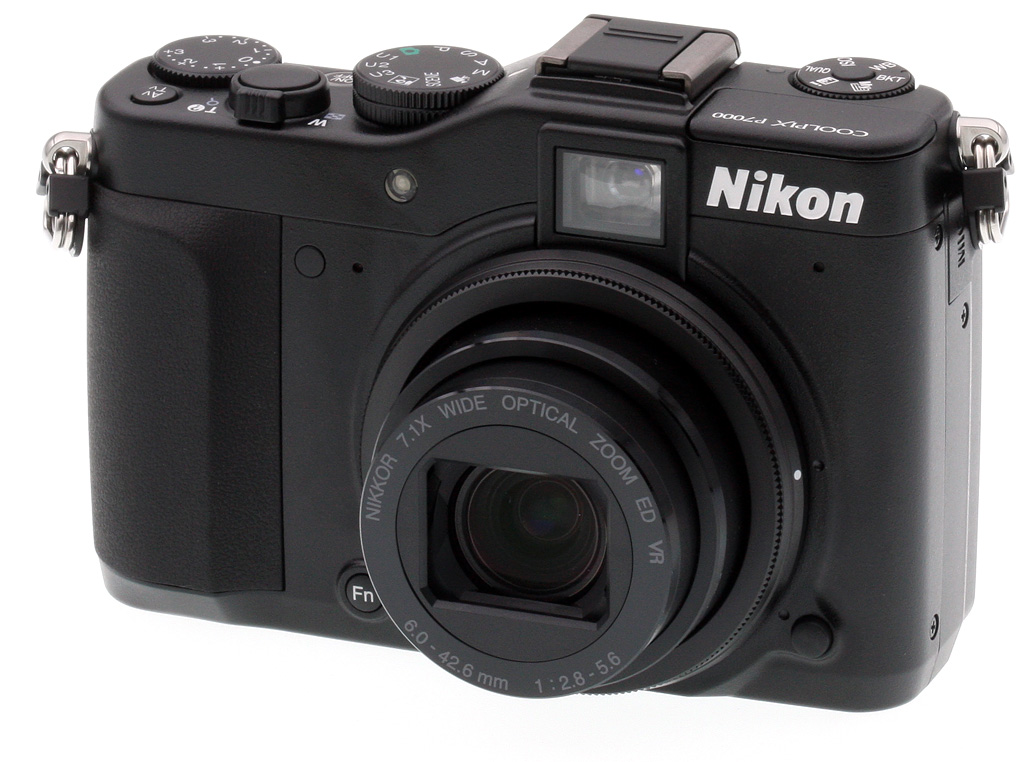
If you did a double-take the first time you saw the Nikon Coolpix P7000, don't worry, there's nothing wrong with you. This new flagship compact camera from Nikon does, indeed, look a lot like its closest rival, the Canon Powershot G12. And while it could be argued that the Nikon P7000 was announced first so, therefore, should not be considered the imitator, the Canon G12 is really just a slight variation on the G11 from last year, a camera which the Nikon P7000 also resembles.
But no matter. If you're going to pick a camera design to be influenced by, there are few better choices than Canon's recent all-black G-Series models: they're tough, compact, and offer extensive advanced control through exterior buttons and knobs. But there's more to the Nikon Coolpix P7000 than just classic good looks and professional-level control. The Nikon P7000 is an entirely new design inside and out from its predecessor, the interesting but flawed P6000. Sporting a 1/1.17-inch, 10.1-megapixel CCD image sensor that rolls back the MP rating from the P6000 (which used a 13.5-megapixel chip), the Nikon P7000 is aiming to improve image quality through a "less is more" approach: fewer pixels means less noise and, ultimately, better photos.
The Nikon Coolpix P7000 also boasts an optically stabilized 7.1x zoom lens with a focal length range equivalent to 28-200mm on a 35mm camera. Maximum aperture ranges from f/2.8 at wide-angle, to f/5.6 at telephoto. The Coolpix P7000 features Nikon's EXPEED C2 image processor, which allows an ISO sensitivity range of 100 to 6,400 equivalents at full resolution. It also provides for 720p high-def video capture, full resolution burst shooting at 1.3 frames per second, and startup in just 0.9 seconds according to Nikon.
The rear panel of the Nikon P7000 provides both an optical viewfinder and a 3.0-inch LCD panel with a resolution of 921,000 dots. The Nikon P7000 also includes full manual shooting capability, an external flash hot shoe, and a popup flash strobe.
The Nikon P7000 stores data on Secure Digital cards, including SDXC types, in either JPEG compressed or .NRW raw formats. For viewing images and movies on the latest high-def displays, the Nikon P7000 includes HDMI high-definition video output. The Nikon P7000 draws its power from a proprietary EN-EL14 lithium-ion battery pack. Battery life is rated at around 350 stills on a charge.
The Nikon P7000 is priced at US$499.95.
Nikon Coolpix P7000
User Report
Finally entering the high-quality pocket digital camera market with a vengeance, the Nikon P7000 aims its finder squarely at the Canon G12, with the same size sensor, a similar shape and thickness, and a longer zoom lens. Well-established targets are easier to hit, and the Nikon P7000 seems to hit right at the core of what makes Canon's G-series cameras so popular, adding a few intriguing features along the way.
At the same time, the P7000 can be a frustratingly slow camera to use, more of which we'll discuss in the Field Test below.

Look and feel. Rangefinder-style compact digital cameras are all the rage right now and the Nikon Coolpix P7000 is another digital model that brings to mind those analog street-shooters from yesteryear.
The Nikon P7000 has an optical viewfinder and a non-interchangeable 7.1x (28-200mm equivalent) zoom lens that retracts to make a fairly flat design that's easy to stuff in a jacket pocket or purse, but a little large for a pair of slacks. Overall, the Nikon P7000 has an inconspicuous design that's great for getting candids on the sly.
Weighing 12.6 ounces with card and battery, the Nikon Coolpix P7000 seemed a little lighter and slimmer than the Canon G11, but only a touch. The Nikon P7000's build still feels solid, with its mostly metal body.
The front view reveals a small rubber grip, with an infrared port right next to the right microphone hole. Above that is the AF-assist lamp. A small function button appears to the lower left of the lens, and to the right of that is the accessory lens release button. A metal ring surrounds the lens, which is removed before attaching a converter lens adapter.

The grip is small, but sufficient and the Nikon P7000 feels great in your hand. The zoom toggle is just right. The power button is flush, and the translucent ring surrounding it lights up when the camera is on.
Controls. We especially liked how the EV dial is adjustable with the thumb, and the large, clear numbers are easy to see for fast, accurate adjustments. The Mode dial is easier to turn with a thumb and forefinger. The Nikon P7000 also has three user-programmable mode settings, labeled U1, U2, and U3. Instead of solid metal lugs that take a cloth-only camera strap, the Nikon P7000 uses smaller lugs that require D-rings that can rattle while recording movies. Note how the LCD monitor juts out from the back of the Nikon P7000.
Left of the hot shoe is the new Quick Menu Dial. Just turn the dial to your desired function and press the dial's center button to bring up an onscreen menu for each function. Functions include image quality, ISO sensitivity, white balance, and bracketing. We only wish the menus came up quicker when you hit the button on the Quick Menu Dial. As it is, it takes a second or two for the adjustment screen to pop up on the LCD, which makes changing essential settings, such as ISO, a less than quick process. More about this later.

A small button marked with a lightning bolt and pac-man symbol actuates a mechanical release to pop up the small flash.
The flash hot shoe is to the right of that, and below you find the optical viewfinder with its diopter correction dial to the left.
Moving down the right side we find the Control dial, AE/AF-Lock button, with a good rubber thumb pad between them. The AE/AF-Lock button is at such an angle that it's difficult to activate accidentally, but quite handy.
A Display button is followed by the Playback button and the Multi-controller with a speed dial around the outside and an OK button in the center. Just above the Menu button is a second IR remote window, perfect for easy wireless shutter activation without having to painstakingly move to the front of the camera to make your sensitive exposures. Finally, there's a Delete button is on the bottom right.
Sensor. On the inside, the Nikon P7000 is based around a 10.1-megapixel, 1/1.7-inch CCD image sensor, indicating that this camera is aimed at serious photographers. Rolling back the pixel count favors improved noise characteristics, especially in low light. Maximum image resolution is 3,648 x 2,736 pixels.

As you can see from the scale above, the Nikon P7000's sensor isn't nearly as large as competing SLR and SLD sensors, but it is larger than the average digital camera's sensor, and about the same size as its main competition, the Panasonic LX5 and Canon G12.

Lens. The Nikon P7000 places its sensor behind a 7.1x, optically stabilized zoom lens. Focal lengths range from 6.0 to 42.6mm, equating to a range of 28 to 200mm on a 35mm camera -- a useful wide-angle to a good telephoto. Maximum aperture ranges from f/2.8 at wide-angle, to f/5.6 at telephoto. The extra telephoto reach compares pretty favorably to the P6000, whose 4x zoom ranged from f/2.7 wide-angle, to a somewhat dim f/5.9 telephoto.

The Nikon P7000's lens carries NIKKOR ED branding, indicating that the design includes extra-low dispersion glass elements. The design also includes a built-in neutral density filter, just like the competition. Macro focusing is possible to just 0.8 inches. For photographers needing additional wide-angle reach, an optional WC-E75A Wide Angle Converter can be attached to the Nikon P7000 via a UR-E22 adapter ring, and the combination yields a generous 21mm-equivalent wide-angle.
Prime emulation. One of the more unusual functions of the Nikon P7000 is its Zoom Memory function, which allows several specific focal lengths (28, 35, 50, 85, 105, 135 and 200mm eq.) to be registered for quick recall, effectively simulating the shooting experience of using several interchangeable prime lenses. For photographers used to this shooting style, it may be a helpful function that allows them to retain their shooting mindset when switching between their compact and SLR cameras.
Vibration Reduction. The Nikon P7000's stabilization system has what Nikon terms "5-Way VR." This encompasses the aforementioned optical image stabilization, which moves elements in the lens's optical path to counteract camera shake, thus reducing blur. It also includes electronic VR, otherwise known as software deblurring or deconvolution, which attempts to determine the effects of camera shake in captured photos, and then mathematically corrects for this. The other three pieces of the "5-Way VR" pie are a motion-detection function, which can automatically raise ISO sensitivity (and hence, shutter speeds and noise levels) as the camera deems necessary to freeze motion, an expanded ISO sensitivity range of up to 6,400 equivalent, and a Best Shot Selector function. This last works by automatically capturing as many as ten sequential shots while the shutter button is held down, and then discarding all but the sharpest shot.
Processor. The Nikon P7000's sensor output is handled by an EXPEED C2-branded image processor, with the 'C' designation indicating that this is the Coolpix variant of the EXPEED processor, as opposed to those used in Nikon's digital SLRs. The EXPEED C2 processor enables the Nikon P7000's useful ISO sensitivity range of 100 to 3,200 equivalents at full resolution, plus an expanded, full-res Hi 1 position equivalent to ISO 6,400. In the Nikon P7000's "Low-Noise Night Mode," which uses pixel-binning techniques, this range is further expanded to ISO 12,800 equivalent, albeit at a reduced three-megapixel resolution.
When using the Nikon P7000's Auto ISO function, sensitivities range from 100 to 800, and this range can further be limited to a maximum of ISO 400 if desired. The Nikon P7000 also includes a Noise Reduction Filter function, which has both Low and Normal positions, allowing subject detail to be prioritized over noise levels if desired.
The EXPEED C2 image processor in the Nikon P7000 is designed to boost speed across the board, as compared to its predecessor. Full resolution burst shooting is possible at 1.3 frames per second, up to a maximum burst depth of 45 JPEG frames--a healthy increase over the P6000's 0.84 frames per second for just six frames. Where the Nikon P7000 was limited to standard-def VGA movie capture, the EXPEED C2 processor in the Nikon P7000 also allows 720p high-def video capture.
We noticed only a slight improvement in overall operational speed in the Nikon P7000 from its predecessor, however. (And the P6000, it should be noted, was a devilishly slow camera to shoot with.) More about the P7000's performance both in our lab test and in real-world shooting conditions in the Field Test.
Viewfinding. Befitting its flagship compact status, the Nikon P7000 sports not only an LCD panel, but also a true optical viewfinder with diopter correction dial. With separate optics from the lens, it will of course suffer from a degree of parallax error for shooting nearby subjects, but when shooting subjects from a distance, or when precise framing isn't critical, optical viewfinders not only offer a savings in battery life, but also make it easy to get the shot when the LCD panel might be difficult to see due to ambient light.
The Nikon P7000's LCD panel has a nice, 3.0-inch diagonal, and a resolution of 921,000 dots, roughly equating to a 640 x 480 pixel array, with adjacent red, green, and blue dots per pixel. The LCD panel has an anti-glare coating and images looked crisp and clear on the screen even in outdoor sunlight. Unlike the Canon G12, the Nikon P7000's screen does not flip-out or twist up, which was a disappointment. We've found articulating LCD screens to be a great boon for composing down low or for over-the-head shots.
Exposure modes. As you'd expect on a camera designed for the enthusiast photographer, the Nikon P7000 includes Program, Shutter-priority, Aperture-priority, and Manual exposure modes. There's also a generous selection of eighteen Scene modes, plus a Scene Auto Selector mode which can choose between a subset of these. Like almost all compact cameras, the Nikon P7000 relies on contrast-detection autofocus. Nikon's implementation includes both subject tracking capability, and a face-detection function (dubbed Enhanced Face-Priority AF) capable of simultaneously locating up to twelve faces in the scene, and then taking their positions into account when determining focus and exposure variables.
Autofocus. The face-detection AF is one part of Nikon's Smart Portrait System, with other face-detection-related functionality comprising an In-Camera Red-Eye Fix function, Skin Softening tool, a Smile Timer function which only captures an image when your subject is smiling, and a Blink Warning function that lets you know if your subjects' eyes weren't open. Another enthusiast-friendly feature available in the Nikon P7000 is its interval timer.

Flash. The Nikon P7000 includes both a built-in popup flash strobe, and a hot shoe for external strobes and external optical viewfinders if desired. The Nikon P7000 uses i-TTL flash metering with Nikon Speedlights. At wide-angle, the flash range extends from one foot, eight inches to 21 feet, and at telephoto from two feet, eight inches to nine feet ten inches.
Bracketing. Befitting its position as Nikon's flagship compact camera, the Nikon P7000 has a wide range of bracketing functions to help photographers capture the perfect shot. This includes not only autoexposure bracketing (either three or five shots in 0.3, 0.7, or 1.0 EV steps), but also an ISO sensitivity bracketing function that allows the shutter speed and aperture to be fixed, and then the exposure varied with the ISO sensitivity. The Nikon P7000 can also bracket white balance, saving either three, five, or seven images with a white balance shift of 1, 2, 3, 5, 10, or 15 mireds between shots.

Horizon indicator. Another feature clearly aimed at the enthusiast photographer hoping to get the best possible shot straight out of the camera is the Nikon P7000's Virtual Horizon Indicator. This works in both portrait and landscape-orientation shooting, and allows confirmation that photographs are shot with a level horizon, negating the need to rotate and crop images in post-processing.

Tone levels. There's also a Tone Level Information display function, which not only provides a histogram allowing exposure judgment, but you can also move a window around the image frame, with the histogram showing only brightness levels inside the windowed area. There's also a blinking highlights function, which allows visual confirmation of areas in the image where overexposure has caused clipped highlights.
Movie mode. As previously mentioned the Nikon P7000 includes a high-definition movie mode, enabled thanks to its EXPEED C2 image processor. The Nikon P7000's high-def movies can be recorded at resolutions up to 720p (1,280 x 720 pixels, progressive scan) at a rate of 24 frames per second. Movies are saved using H.264 compression, in a .MOV container, and include stereo audio -- either captured using the Nikon P7000's internal stereo microphone, or an external mic using the camera's built-in stereo microphone jack. Movie audio is recorded as 16-bit, 48KHz AAC, with an average bitrate of 28Kbps. Optical zoom while recording movies is supported.

Storage and battery. The Nikon P7000 stores data on Secure Digital cards, including SDXC types. There's also about 79MB of built-in memory that can be used for image storage. Still images are saved in either JPEG compressed or .NRW RAW formats, with the latter able to be processed on both Windows and Macintosh platforms using the supplied ViewNX 2 software, or the optionally available Capture NX 2 package.

The Nikon P7000 draws its power from a proprietary 7.4v, 1030mAh EN-EL14 lithium-ion battery pack. Battery life is CIPA rated at around 350 stills on a charge.
Connectivity. For viewing images and movies on the latest
high-def displays, the Nikon P7000 includes HDMI high-definition video output,
plus a Standard AV/USB output port and a stereo microphone jack. As mentioned,
there's also an infrared receiver front and back, compatible with Nikon's
optionally available, one-button ML-L3 wireless remote control.
Shooting with the Nikon Coolpix P7000
by Dan Havlik, with Shawn Barnett
While the Nikon P7000 clearly takes some design cues from the 10-megapixel Canon G11, released a year ago, and the 10MP Canon G12, announced recently, that isn't necessarily bad. Those are excellent models to emulate, after all.
The Nikon P7000 is actually slimmer and lighter than the G12 and has a slightly longer body that makes it easier to hold. (In contrast, the G12 feels more like a small brick of a camera.) Despite the more svelt design, the P7000 feels solid in your hand and the small rubber grip gives you a good hold. Most importantly, shooting with the camera is a comfortable and natural experience.
 |
| Saying that the Nikon P7000 is derivative of the Canon G12 is something of an understatement, but it's probably better to say the P7000 is squarely aimed at the G12. After all, aren't most pocket digital cameras, SLRs, and mirrorless cameras of similar shape and size with their competition? It's form that defines the category. Regardless how you look at it, both are compelling designs, ideal for the task they're given. The Nikon P7000 is slightly taller and wider than the G12. |
 |
| The Nikon P7000 is thinner, however, with a good rubber grip. Both have EV dials, though they're on opposite sizes, and while the G12 has an ISO dial beneath and surrounding the Mode dial, the P7000 has a software-driven Quick Menu dial that covers six functions, including ISO. Both cameras have a zoom ring around the shutter button. The LCDs of both cameras stick out the back, but only the Canon G12's swings out for odd-angle shots. |
 |
| The similarities continue on the back, with a rear dial that's also a four-way navigator, an optical viewfinder, AE-Lock button, and a thumbpad. While the P7000's second dial is in the back, the Canon G12's is in the front (see two above images). While the Nikon P7000's LCD doesn't articulate, it is larger, offering higher resolution of 921,000 dots, while the G12 has only 461,000. |
Good Control. One important design change from the P6000 is the abundance of exterior controls, including easy access to Manual, Aperture, and Shutter priority modes on the Mode dial. I also really liked the EV dial on the top right of the Nikon P7000, which you can access with your thumb to quickly change exposure settings. The dial locks solidly in place so there are no miscues.

Quick Menu. A clever, but exceedingly slow interface.
While I liked the Quick Menu Dial on the top left of the Nikon P7000, which allows you to adjust some of the most frequently used settings, such as ISO, bracketing and white balance, it's not as responsive as its "Quick" moniker suggests. Turning the dial is not the problem, it's the second or two it takes for the adjustment screen to pop up on the LCD that's annoying. While I'm not always in a huge rush to adjust white balance or image size, I do change ISO settings quite a bit on the fly. A dedicated ISO dial would have been a nice standalone function on the P7000, rather than this heavily software-driven, and very slow multi-use dial.
Nikon, thankfully, offers an optical viewfinder on the P7000 with diopter control. The viewfinder is quite tiny, and, as with all separate optics from the lens, I experienced noticeable parallax error when using it. I preferred composing photos on the Nikon P7000's nice, 3-inch, 921,000-dot LCD screen on back. Though in bright outdoor light the screen tended to wash out, as with most displays, the anti-glare coating helped significantly.
What's strange about the screen is that it's slightly raised from the P7000's body, making it seem like it should be able to tilt and swivel to help compose over-the-head or low-angle shots. Unfortunately, this is not the case. (Once you start using an articulating LCD screen, you immediately get used to its benefits.)
Also odd is the button on the back of the Nikon P7000 that looks like it has a Pac-Man symbol on it. That triggers the small but reasonably powerful pop-up flash, which has a range of one foot to 21 feet at wide-angle, and two feet to nine feet ten inches at telephoto with Auto ISO. There's also a hot shoe (iTTL) for an external flash, offering photographers a lot of creative lighting control including wireless flash with compatible units.

Action. Making adjustments during a fight wasn't as easy as I'd have liked.
Could Be Faster. Where I grew frustrated using the Nikon P7000 was its overall sluggish performance. I used the camera to shoot the annual Medieval Festival in New York City, the Balloon Fiesta in New Mexico, and leaf-peeping season in Vermont. While the image quality was solid--more of which I'll discuss further down in this report--I was disappointed with how slowly the camera responded.
The P7000 uses Nikon's new EXPEED C2-branded image processor. While the processor did well in keeping noise levels down at higher ISOs--the Nikon P7000 can shoot at up to ISO 6,400 at full resolution--it lagged in operational speed.
In our lab testing, we clocked the P7000's "power on to first shot" start-up time -- i.e. the time it takes for the LCD to turn on and lens to deploy and capture a picture -- at a mediocre 2.9 seconds. In real world testing, I timed it even longer than that, at about 3.5 seconds. Though the 7x (28-200mm equivalent) lens extended fairly quickly, the screen took a second to fully res up and it was another second before you could engage the shutter.
Shutdown time was a better at just under two seconds though that's not nearly as important as start-up when it comes to quick picture-taking. The P7000 also cleared its buffer extremely slowly, averaging about 41 seconds after shooting 24 JPEG frames; and about 31 seconds after 5 L/F JPEG + RAW frames. I averaged ten seconds between shots in straight RAW mode which is unacceptable even for a compact camera.
On the other hand, full-autofocus shutter response was very fast for a compact at both wide-angle and telephoto, at 0.20 second and 0.23 second respectively, which is noticeably faster than the Canon G12. And when you prefocus the P7000, there's virtually no lag at all, taking 0.02 second.
It took close to a full second, however, in low-light conditions with the Nikon P7000's auto-assist lamp engaged. Continuous shooting was not very impressive, with the a maximum of 1.36 frames per second capture speed in JPEG mode.
While the Nikon P7000's menu system is bright, clear, and logical, I found scrolling through it to be a time-consuming, herky-jerky experience. It was a good call by Nikon to put a lot of external controls on the Nikon P7000, though some adjustments require you to hit the Function (Fn) button on the front of the camera which is awkward and forces you to use an extra hand.
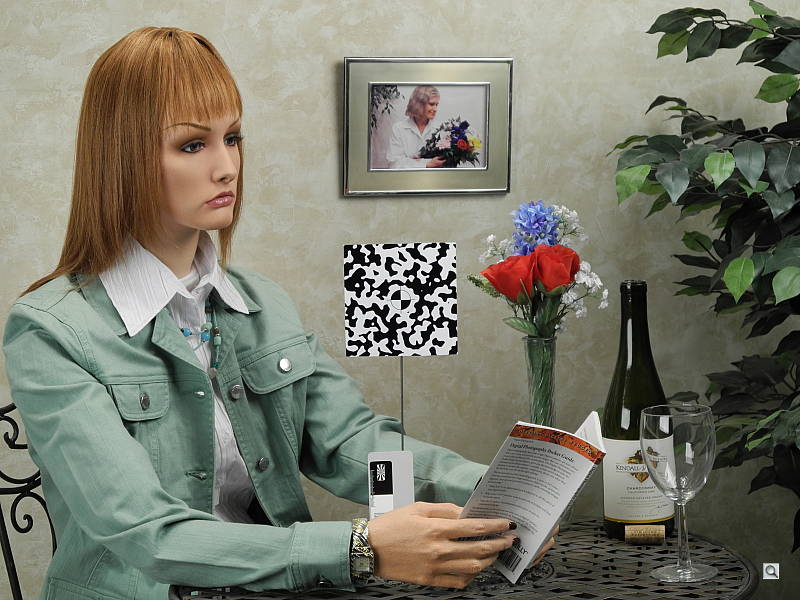
Autofocus. We also had a terrible time in the lab shooting our incandescent indoor shot. The Nikon P7000 simply would not focus on our center target, choosing the background instead. Switching to face detection also did not work. While the camera chose the face--even though it is not looking face-on to the camera--it still focused on the background of the scene. Senior Tech Luke eventually achieved reasonable manual focus by moving slowly along the manual focus scale until he came up with a sharp image.

Punchy color. Note the fairly pinkish cast to the girl's skin.
Image Quality. Though I was disappointed with the Nikon P7000's speed, its image quality was excellent and I found its 7x lens to be extremely versatile and generally sharp. Colors are a bit punchy -- sometimes too punchy. This was particularly true with Caucasian skintones which occasionally were rendered overly pinkish. Our Imatest results show this result as well. This was evident in the colorful characters I photographed at the Medieval Festival and the faces of attendees at the balloon festival. It didn't bother me as much while shooting Fall colors in Vermont since I wanted as much brightness and boldness with those shots.
If the saturation level bothers you with the Nikon P7000, you can easily enough turn it down by selecting the Neutral setting under Picture Control in the menu. You'll enjoy the range you get with the 28-200mm equivalent lens, and the camera's built-in VR (Vibration Reduction) image stabilization does a good job steadying shaky long-range shots. Nikon's ED (Extra-low Dispersion) glass elements in the lens and image processing did a good job tamping down chromatic aberration, and though lens distortion is somewhat high, the Nikon P7000 includes a Distortion Control setting to almost eliminate barrel distortion at wide-angle and make pincushion distortion disappear.

Low light. The Nikon D7000 did fairly well in low light, as this scene was quite a bit darker than you see here.
Aperture ranges from f/2.8 at wide-angle to f/5.6 at telephoto and, unsurprisingly, I got my best results at f/2.8. While the Nikon P7000 did well at f/2.8 in low light, the lens wasn't particularly adept at creating a shallow depth of field. That's not so much the fault of the lens's maximum aperture as it is a result of the P7000's small sensor requiring a short focal length. As usual with Nikon's compacts, I got great Macro results including close-ups of purple clover in a field with some beautiful blur--a.k.a. bokeh--behind the flowers.
The lens has a cool new feature called zoom memory, which automatically extends to pre-set focal equivalents--35mm, 50mm, 85mm etc.--just by tapping the Nikon P7000's zoom dial. The rub is that you also need to be pressing that awkwardly placed Fn button on the front of the camera.
As with other high-end compact with 1/1.17-inch sensors, shooting at high ISOs can be hit or miss. I got fairly good results with Nikon P7000 at up to ISO 1,600, though there was some noise in the shadow areas in low light. ISO 3,200 and 6,400 (Hi 1) were very noisy. The Low Noise Night Mode on the Mode dial, which can record as high as ISO 12,800, came in handy in emergency situations--when it was quite dark and couldn't use a flash--but it should be noted that it only records images at 3 megapixels. Printed image quality was good, but not quite as good as its main rival, the Canon G12. Thanks to noise suppression, things got softer a little quicker than expected. Unlike the G12, though, you can turn down the Nikon P7000's noise suppression.

Video. 720p video's good when a still won't do.
HD Video & More. One significant upgrade on the Nikon P7000 from its predecessor is that it can now shoot high-definition video clips. I got nice results with the movies, which are shot at 720p HD at 24fps, though sound quality from the built-in stereo microphone was only so-so. If you want better sound, buy a small stereo mic and hook it up to the 3.5mm stereo mic jack on the camera. You can optically zoom while shooting HD clips, which is a big plus.
There's also a mini HDMI port for screening your movies directly on an HDTV. (HDMI cord is sold separately though.)
Other features I liked were the Tone Level Information setting, which shows you the amount of detail you have or lose in the shadows and highlights of a photo; the virtual horizon level for help with straightening shots; and the built-in ND (Neutral Density). One feature Nikon, unfortunately, decided to drop completely from the previous model is GPS functionality.
In a Nutshell. Though the 10.1-megapixel Coolpix P7000 doesn't score any points for originality of design, nor is it the fastest performer in its category, it's still a major step forward for Nikon in the advanced compact camera category. While I wished the Nikon P7000 were snappier to use all-around, it bests the competition in other areas such as its sharp and versatile 7x (28-200mm) lens with its useful max aperture of f/2.8 and its robust feature-set. For Nikon users wondering if the company was going to make a solid high-end follow-up to the disappointing P6000 from a few years ago, the Coolpix P7000 is the advanced compact camera you've been waiting for.
See the test results summary, along with pro/con and our conclusion below. For more detailed test results, see the Optics, Exposure and Performance tabs.
Nikon Coolpix P7000 Lens Quality


Sharpness: Both the wide-angle and telephoto ends of the Nikon Coolpix P7000's zoom show mild blurring in the left corners of the frame compared to what we see at center, though the right corners appear more consistent. In both positions, a touch of softness extends a fair way into the frame.


Geometric Distortion: At wide-angle, the Nikon P7000's barrel distortion is about average (0.8%), and noticeable in some shots. At telephoto, pincushion is higher than average (0.4%). The Nikon P7000 does have a Distortion Control feature which eliminates most geometric distortion when enabled.
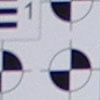

Chromatic Aberration: Chromatic aberration at wide-angle is minimal, with only a slight reddish line visible, and a hint of a bluish line as well. At telephoto, the effect is again mild, with slightly more visible red and blue pixels, though brightness is quite low. Uncorrected RAW files show more C.A., so the P7000's processor is doing a good job here.


Macro: The Nikon Coolpix P7000's Macro mode captures a sharp image with strong detail across most of the frame, with less blurring and chromatic aberration in the corners than we're used to seeing at these close distances (often a common limitation among consumer digital cameras in macro mode). Minimum coverage area is 1.39 x 1.04 inches (35 x 27mm), which is quite good. The camera focuses so closely that the flash is blocked by the lens in the lower right corner, making flash unusable at this range.
Nikon Coolpix P7000 Viewfinder Accuracy


Viewfinder Accuracy: The Nikon Coolpix P7000's optical viewfinder was quite tight, showing only about 83% frame accuracy at wide-angle and telephoto. The camera's LCD monitor performed much better, showing right about 100% accuracy. LCD coverage accuracy is reduced when Distortion Control is enabled.
Nikon Coolpix P7000 Image Quality

Color: Overall color saturation looks pretty good, though bright reds, blues and some greens and oranges are pumped a little high (blues and reds more so). Hue is also a little off for colors like cyan and orange. Dark skintones are strongly pushed toward orange, while lighter skin tones sometimes show a small shift toward pink. However, results are fairly typical.


Incandescent: Manual white balance handled our incandescent lighting best overall, though white values are a hint cool. Auto produced a red/magenta cast, while the Incandescent mode resulted in a very warm image.


Resolution: Our laboratory resolution chart revealed sharp, distinct line patterns down to about 1,600 lines per picture height in both directions. Extinction of the pattern occurred at around 2,400 lines per picture height. Looking around the full size images, there are quite a few "dead" pixels appearing between fine line sets, as seen in the horizontal crop at right.


Flash: Our manufacturer-specified testing (shown at right) doesn't work well at wide angle when the reported distance goes beyond 16 feet, because that takes the camera out of the main lab, so the wide-angle result is inconclusive. The telephoto test came out bright at 9.8 feet, though the camera increased ISO rating to 484.
Auto flash produced fairly bright results in our indoor portrait scene, retaining minimal ambient light by using a slower shutter speed of 1/30 second, and raising ISO to 200. At 1/30 second, subject motion could cause some issues with blur, though the P7000's optical image stabilization should keep blur due to camera shake in check.


ISO: Noise and Detail: Detail is good and distinct at ISO 100, though as early as ISO 200, smudging from noise suppression is evident. Noise suppression efforts become more visible as the sensitivity level increases, though at ISO 800 a more prominent noise grain appears. At the highest levels of 1,600, 3,200 and 6,400, both chroma and luminance noise are quite strong, altering color balance in addition to obliterating detail. See Printed results below for more on how this affects prints.
 Printed: ISO 100 images look good printed at 16x24 inches, but are slightly soft on close inspection. Printing at 13x19 inches, however, looks good and sharp.
ISO 200 images are noticeably softer, though, looking better at 11x14, a bit of a disappointment.
ISO 400 shots are again softer than expected at 11x14 inches, looking better at 8x10.
ISO 800 images are usable at 8x10, but still pretty soft, looking better at 5x7.
ISO 1,600 shots are also usable at 1,600, but better at 5x7.
ISO 3,200 shots are good at 5x7, but better at 4x6.
ISO 6,400 images are usable printed at 4x6 inches, though there's quite a bit more grain than was apparent in any of the other images.
Overall it's a good performance, but a bit of a disappointment when compared to its main rival, the Canon G12. It's only about one print size difference, though, more noticeable at ISO 200, 400 and 800. So where Nikon leads in the high-ISO image quality gambit among SLRs, Canon is doing better among the small-sensor 10-megapixel cameras.
Nikon Coolpix P7000 Performance
Shutter Lag: Full autofocus shutter lag is very fast, at 0.20 second at wide angle and 0.23 second at full telephoto. Prefocus shutter lag is 0.021 second, also very good.
Cycle Time: Cycle time is on the sluggish side, capturing a JPEG frame every 2.26 seconds in single-shot mode. This increases to 6.84 seconds for RAW+JPEG mode, but improves to 4.1 seconds with firmware 1.1. Continuous mode captures JPEGs at 1.36 frames per second for 24 frames, and surprisingly, RAW+JPEG mode increases to 1.80 frames per second for 5 frames.
Flash Recycle: The Nikon Coolpix P7000's flash recycles in about 5.2 seconds after a full-power discharge, which is about average.
Low Light AF: The camera's AF system was able to focus down to just above the 1/8 foot-candle light level without AF assist enabled, but only to about 1 foot-candle with AF assist, as the AF assist lamp overwhelmed autofocus at short range.
USB Transfer Speed: Connected to a computer or printer with USB 2.0, the Nikon Cooplix P7000's download speeds are a little slower than average. We measured 2,879 KBytes/sec.
In the Box
The retail package contains the following items:
- Nikon Coolpix P7000 digital camera
- Strap
- Rechargeable lithium-ion battery EN-EL14
- Battery charger MH-24
- USB cable
- A/V cable
- Software CD-Rom
- Quick start guide
- User's manual
- Warranty and registration card
Recommended Accessories
- Extra battery pack for extended outings
- Large capacity SD/SDHC memory card. These days, 4GB is a good tradeoff between cost and capacity, but if you plan to capture many movie clips, 8GB should be a minimum.
- Medium camera case
Nikon Coolpix P7000 Conclusion
| Pro: | Con: |
|---|---|
|
|
Just a few years ago, the market for feature-rich, fixed-lens compact digital cameras was busy and hard-fought, with a large number of manufacturers offering flagship models with top-notch image quality, and an array of manual controls. With the advent of truly affordable digital SLRs, that market contracted, but it's come back with a vengeance in recent months, and Nikon is one of several manufacturers offering top-quality compacts designed with the enthusiast photographer in mind. The top contenders in this space are now the Canon G12, Panasonic LX5, and Nikon P7000.
The Nikon P7000 addresses many of the issues that plagued its predecessor, the P6000. The earlier model's mixed image quality and general sluggish performance didn't compare favorably with the leaders of the time, which included the Canon G11 and Panasonic LX3. Nikon's approach in the P7000 is to take on the Canon model in both shape and features, as well as offering easy access to many of the manual functions that photographers want in their small, rangefinder-like digital camera. For form factor, Nikon is right on target, with the P7000 looking almost like a slightly trimmer clone of the G12. Regardless, it's all designed right from our perspective, with easy access to the EV dial, the zoom on the shutter button, two dials for changing settings quickly, and an additional Quick Mode dial to handle commonly accessed functions.
When compared to the G12, the only thing it's missing is a dedicated ISO dial and an articulating LCD. Otherwise, the Nikon P7000 has a good quality sensor, high ISO capability, a great lens--one that exceeds the zoom length of the G12--as well as image stabilization and a relatively fast f/2.8 lens speed.
Where the Nikon Coolpix P7000 gives us pause is in its speed. Starting with menus, while the very high resolution screen renders the font laser-sharp, the menu can sometimes take too long to come onscreen, and changes between menu items often took longer than we'd have liked. We were surprised by this last point. Activating the Quick menu is always greeted with a one to two second delay before the appropriate menu appears. Switching "quickly" from one menu item to another by turning the dial is also inexplicably slow--sometimes slower, depending on the menu item. Switching from Playback mode to Record mode takes two to three seconds. When we saw these issues in the prototype, we wrote them off as early-unit jitters, but now that they've appeared in shipping units, we're disappointed. Those hoping to shoot RAW+JPEG images with the P7000 should also know that it takes four seconds to save the files to even a very fast card, and up to 14 seconds after you've filled the buffer with five frames; and as it saves, the camera is completely unavailable for follow-up shots. (These numbers are with firmware 1.1; substantially better than the original performance, but still relatively sluggish.) Finally, only two other cameras in recent memory, the Olympus Pen series and the Canon 7D, have given us trouble focusing under incandescent light on a high-contrast target that no other cameras struggle with. Both of those are good cameras, to be sure, but this wasn't the only circumstance where the Nikon P7000 focused on the background rather than the subject in the AF area.
There is one bright spot in the Nikon P7000's performance, though, and that's its autofocus speed/shutter lag, which is exceptionally fast under good lighting. This represents a considerable advance for Nikon in their enthusiast-grade digicams.
Default JPEG printed image quality was not quite what we expected, very quickly getting softer at ISO 200, but the Nikon P7000's option of a low setting for noise suppression raises the chances that you can do better; and of course there's always RAW, which will deliver much better sharpness with appropriate processing.
Optical quality from the Nikon P7000 is excellent, especially considering the longer zoom range of its 28-200mm equivalent lens. Corner sharpness is good, Macro performance is good, and the camera processes to remove chromatic aberration, and can be made to remove geometric distortion as well. The net results is better than average optical quality, particularly given the longer-ratio zoom. A close look at the resolution target shows quite a few dead pixels on the sensor, something that was either processed out of images from its two major competitors, or absent altogether. (In fairness, though, this sort of artifact is almost invisible in most natural objects; it requires the very sharp, high-contrast edges of a test target to see properly.) Flash range is good, though not quite as good as the G12's, and we did find a tendency for the camera to choose a slower shutter speed than we liked for handheld use.
Overall image quality was good, and the 921,000 LCD makes composing images a real pleasure. The optical viewfinder is too tight and suffers from parallax error, something that's common with optical viewfinder on long-zoom cameras, but we're still glad to see the viewfinder included. We like all the external controls, and the Quick dial concept, we just really need it to be faster. Low light autofocus leaves much to be desired, but in reasonably lit rooms and outdoors, it does fairly well, autofocusing quite a bit faster than the Canon G12.
HD movie recording is another big upgrade on the Nikon P7000, and you can connect the camera directly to your HDTV, via the built-in mini-HDMI connector. Another plus in this area is the stereo mic jack, that lets you connect an external microphone for better audio quality during movie recording. To top it off, you can zoom the lens during movie recording, something a surprising number of cameras don't support.
It's easy to like the Nikon P7000--until you try to adjust something, then you want to find the camera processor's Turbo button to speed things up. The Nikon P7000's image quality and design are both very good, but its slow interface and questionable autofocus performance keeps it from being great. We think many people will use and love the Nikon P7000 for its image and optical quality alone, but we'd be remiss if we didn't point out the lack of responsiveness in its user interface. If you take a more deliberate approach with your photos, and don't mind the camera taking its time as well, you'll be quite happy with the Nikon P7000.
-Shawn Barnett
Optics
Nikon Coolpix P7000 Optics
Lens
Zoom
A fairly wide, 7.1x optical zoom lens with good performance.


The Nikon P7000 is equipped with a 7.1x, 6.0-42.6mm f/2.8-5.6 lens covering the equivalent of a 28-200mm zoom on a 35mm camera. That's a generous range for its class, with double the telephoto reach of its main rival, the Canon G12. Results are quite good at wide-angle, with minor blurring in the corners that's slightly worse on the left side, along with fairly low levels of coma distortion and chromatic aberration. Detail is pretty good at full telephoto with negligible chromatic aberration, though again, the left side of the frame is a bit softer than the right. The camera's 4x digital zoom did a good job with the typical loss of fine detail associated with 4x digital magnification.
Macro
A very small macro area, with strong detail across the frame. Closest focusing distance is too close for the flash.
The Nikon Coolpix P7000's macro setting captured a very small minimum area of just 1.39 x 1.04 inches (35 x 27 millimeters). Detail and resolution are very good over most of the frame, even though the camera selected the maximum aperture of f/2.8 without the flash. (Most cameras have some softening in the corners in macro mode, but the P7000 showed very little.) The Nikon P7000's built-in flash didn't clear the lens at this short a distance resulting in a very large shadow, so plan on using external lighting for any really close macro shots with the Coolpix P7000.
Distortion
Average barrel distortion at wide-angle, slightly higher than average pincushion at telephoto. Almost no distortion with Distortion Control enabled.
| JPEG: Barrel distortion at 28mm eq. is 0.8% |
 |
| JPEG: Pincushion distortion at 200mm eq. is 0.4% |
 |
JPEG: The Nikon P7000's 0.8% barrel distortion at wide-angle is about average among the digicam cameras we've tested. The distortion is noticeable in some shots. At the telephoto end, the P7000's 0.4% pincushion distortion is slightly higher than average and also noticeable in some shots. This is the tendency for the lens to bend straight lines outward (like a barrel -- usually at wide-angle) or inward (like a pincushion -- usually at telephoto).
| JPEG: Barrel distortion at 28mm eq. is less than 0.1% |
 |
| JPEG: Pincushion distortion at 200mm eq. is not measurable |
 |
Distortion Control: The Nikon P7000's optional Distortion Control setting corrects for most of the geometric distortion in JPEGs when enabled. The lab reports that it throws framing off, though, as the corrected preview shows less image area than the final image.
Chromatic Aberration and Corner Softness
Moderately low C.A. at wide-angle and telephoto. Mild blurring in the corners of the frame at wide-angle and telephoto.


Chromatic Aberration. Chromatic aberration is moderately low at wide-angle. What little there is extends fairly deep into the frame, though, but the width and intensity of the fringes reduce as you move toward the center. At telephoto, the extent and brightness of the chromatic aberration is about the same, but fringe colors switch from blue/purple to magenta/cyan. Chromatic aberration is a type of distortion visible as a slight colored fringe around the objects at the edges of the field of view on the resolution target.


As can be seen with the in-camera JPEG versus uncorrected RAW crops above, the Coolpix P7000 automatically applies chromatic aberration reduction to its JPEGs, just like its recent Nikon DSLR cousins. The improvement is more noticeable at wide-angle, as C.A. is lower to begin with at telephoto.
Corner Softness. The Nikon P7000's lens produced mild blurring in some corners at full wide-angle. Blurring is strongest in the upper left corner, and a touch of softness extends pretty far into the frame. The lower left corner isn't quite as soft, and the right side corners are quite sharp, as is the center. It's a similar story at full telephoto: corners are also only moderately soft, with the upper left being the softest again. Some minor softness does extend further into the frame. Again, the corners on the right side are sharper, as is the center, but overall sharpness and contrast are a bit lower than wide-angle. All-in-all, results are quite good considering these shots were taken wide-open (at maximum aperture), given the lens's speed and range.
Here are the same wide-angle JPEG crops at f/5.6, showing slightly sharper results and lower amounts of C.A. than at f/2.8.


Viewfinder
Coverage
Poor accuracy from the optical viewfinder, but excellent accuracy from the LCD monitor.
The Nikon Coolpix P7000's optical viewfinder showed about 83% coverage at wide-angle, and 84% at full telephoto. It was also offset and tilted compared to the sensor, but that's not unusual for an optical viewfinder of this type. The LCD monitor showed about 100% coverage accuracy at wide-angle and telephoto, which is excellent, though enabling Distortion Control reduces coverage accuracy.
The images above were taken from our standardized test shots. For a collection of more pictorial photos, see our Nikon Coolpix P7000 Photo Gallery .
Exposure
Nikon Coolpix P7000 Image Quality
Color
Saturation & Hue Accuracy
Good overall color and hue accuracy, with moderate oversaturation of some colors.
|
| In the diagram above, the squares show the original color, and the circles show the color that the camera captured. More saturated colors are located towards the periphery of the graph. Hue changes as you travel around the center. Thus, hue-accurate, highly saturated colors appear as lines radiating from the center. |
Saturation. The Nikon P7000's default settings produced pretty good saturation levels overall, with mild to moderate oversaturation in blues, reds and some greens. Bright yellow, aqua and cyan were actually undersaturated by a small amount, but this is quite typical. Most consumer digital cameras produce color that's more highly saturated (more intense) than found in the original subjects. This is simply because most people like their color a bit brighter than life.
Skin tones. Here, when using Auto white balance, the Nikon P7000 did a decent job rendering Caucasian skin tones, though they were a bit warm and yellowish in our tests. In some instances, the camera rendered skin tones a touch too pink instead. Where oversaturation is most problematic is on Caucasian skin tones, as it's very easy for these "memory colors" to be seen as too bright, too pink, too yellow, etc.
Hue. Like most cameras, the Nikon Coolpix P7000 pushes cyan toward blue, red toward orange, and orange toward yellow. (The cyan to blue shift is very common among the digital cameras we test; we think it's a deliberate choice by camera engineers to produce better-looking sky colors.) Overall, hue accuracy was pretty good. Hue is "what color" the
color is.


Sensor
Exposure and White Balance
Indoors, incandescent lighting
Auto white balance had a slight magenta tint, while Incandescent was very warm; best color with the Manual white balance setting. Slightly above average exposure accuracy.
Color balance indoors under incandescent lighting had a slight magenta tint with the Auto white balance setting, though performance here is better than a lot of cameras. The Incandescent setting produced very warm, yellowish results. The Manual setting produced very accurate color, though just a touch cool. The Coolpix P7000's exposure system handled this lighting well, producing good results with no exposure compensation. Most cameras we've tested required about +0.3 EV exposure compensation for this shot, so the P7000 performed better than average in this regard. Our test lighting for this shot is a mixture of 60 and 100 watt household incandescent bulbs, a pretty yellow light source, but a very common one in typical home settings here in the U.S.
Outdoors, daylight
Average exposure accuracy outdoors, with slightly warm colors.
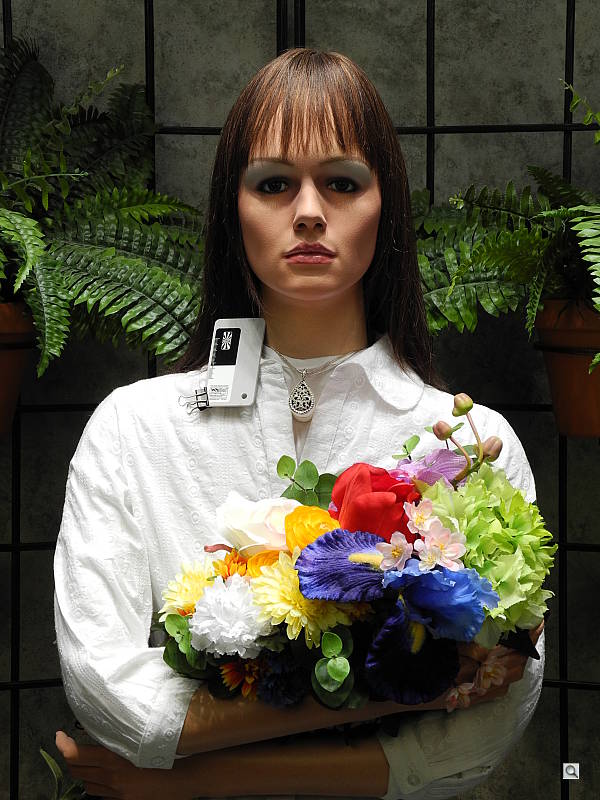
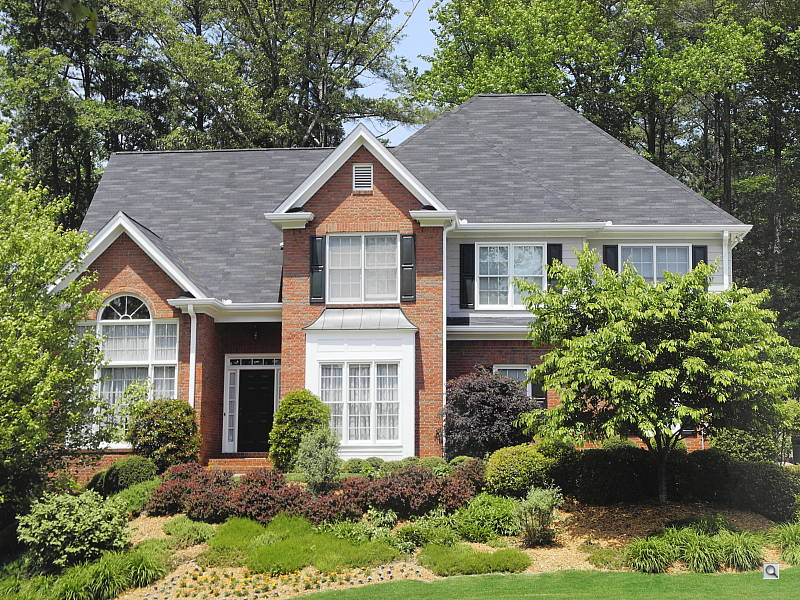
The Nikon Coolpix P7000 produced some hot highlights in the harsh lighting of our "Outdoor" shots. In the Portrait shot above left, detail is quite strong in the shadows though some highlights are lost in the white shirt and flowers. An average amount of exposure compensation (+0.7 EV) was required to keep the model's face reasonably bright. The Coolpix P7000 did an okay job with color, producing fairly natural looking though somewhat warm and yellow skin tones. In the Outdoor House shot on the right, the default exposure is pretty good, but again some highlights are clipped in the white trim. Shadow detail, however, is quite good. Color is pretty good, if slightly warm.
See full set of test images with explanations
See thumbnails of all test and gallery images
Resolution
High resolution with ~1,600 lines of strong detail from in-camera JPEGs, about 1,700 to 1,800 lines from RAW files.
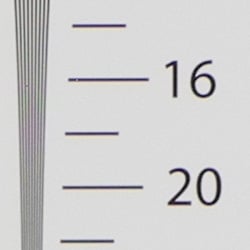
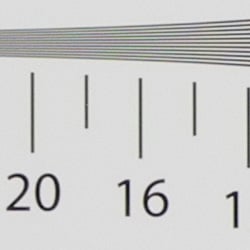


Our laboratory resolution chart revealed sharp, distinct line patterns down to about 1,600 lines per picture height in both directions from in-camera JPEGs, with some noticeable color moire. Extinction of the pattern occurred between 2,400 and 2,500 lines. There were also some "hot" or "dead" pixels that weren't properly substituted within some of the fine line patterns. We were able to extract a bit more resolution (1,700 to 1,800 lines of strong detail) with fewer artifacts by converting a RAW file with Adobe Camera RAW. Extinction of the pattern was also extended to between 2,600 and 2,800 lines in converted RAW files. Use these numbers to compare with other cameras of similar resolution, or use them to see just what higher resolution can mean in terms of potential detail.
See full set of test images with explanations
See thumbnails of all test and gallery images
Sharpness & Detail
Fairly sharp images overall, with only minor edge-enhancement on high-contrast subjects. Noise suppression limits definition in the shadows, though detail is still relatively strong for a compact camera.


Sharpness. The Nikon Coolpix P7000 captures reasonably sharp images with a lot of fine detail, though noise reduction reduces definition in the finer details. Only very minor edge enhancement artifacts are visible on high-contrast subjects such as the crop above left. Very good results here. Edge enhancement creates the illusion of sharpness by enhancing colors and tones right at the edge of a rapid transition in color or tone.
Detail. The crop above right shows moderate levels of noise suppression, as the darker areas of hair and regions of low contrast show less distinct detail. However, individual strands remain fairly well defined in higher contrast areas. An above average performance for a compact camera here. Noise-suppression systems in digital cameras tend to flatten-out detail in areas of subtle contrast. The effects can often be seen in shots of human hair, where the individual strands are lost and an almost "watercolor" look appears.
RAW vs. In-Camera JPEGs
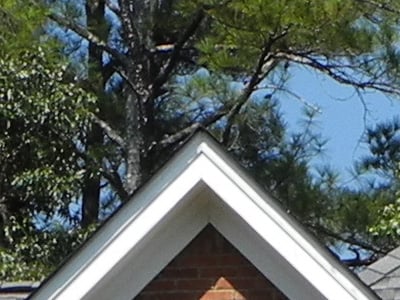
As is almost always the case, quite a bit more detail can be obtained from carefully processing RAW files than can be seen in the in-camera JPEGs. Take a look below, to see what we mean:
|
P7000FARI0100 (ISO 100)
|
|||
 |
|||
In the table above, mousing over a link at the bottom will load the corresponding crop in the area above, and clicking twice will open the full resolution image.
The first image on the left is an in-camera Fine JPEG taken with default settings. The second was a RAW file processed using the included Nikon ViewNX 2 software at default settings. The default settings produced a somewhat soft image, so a second ViewNX 2 conversion was made with the sharpness increased to +2. The fourth image from the left was converted with Adobe Camera RAW, then sharpened in Photoshop using strong but tight Unsharp Mask (USM) of 500% with radius of 0.3 pixels. As you can see, the second converted RAW file does offer a bit more detail than the in-camera JPEG, but noise is also slightly more evident in the shadows. Adobe Camera RAW was able to extract the most detail, but again, noise is more visible. As is usually the case, sophisticated noise reduction plays an important role when trying to extract the most from RAW files produced by these relatively small sensors, especially at higher ISOs.
ISO & Noise Performance
Very good detail versus noise handling up to ISO 400. Noise and the effects of noise suppression become quite strong at higher ISOs.
| Normal (Default) Noise Reduction | ||
 |
 |
 |
| ISO 100 | ISO 200 | ISO 400 |
 |
 |
 |
ISO 800 |
ISO 1,600
|
ISO 3,200 |
 |
ISO 6,400 |
The Nikon Coolpix P7000 produces relatively clean images at the lower sensitivity settings, though some smearing of fine detail by the camera's noise reduction is already visible at the base ISO of 100 if you look closely. ISO 200 shows a slight increase in blurring, but fine detail is still very good for a "compact" camera. ISO 400 shows slightly stronger blurring, and chroma noise (color blotches) start to appear in darker areas, but detail is pretty good. ISO 800 is more of the same, with slightly less detail and more chroma and luminance noise. Image quality starts to go south more quickly at ISO 1,600, though, with much stronger blurring and more obvious purple and yellow color blotches. At ISO 3,200, the Nikon P7000's noise reduction seems to back off a bit, leaving more visible "grain" while trying to retain what little detail there is left, though chroma noise is quite high. ISO 6,400 is a real mess, with large purple, yellow and blue blotches and very little detail. Still, pretty good performance overall for a compact camera. Noise levels are similar to its main rival, the Canon G12, though the PowerShot's default processing was able to retain a bit more detail in most instances, except low-contrast reds. The Nikon P7000, however, offers a Low noise-reduction setting, while NR strength is fixed on the G12. To see how these images held up to printing at various sizes, read the Output Quality section below.
(Note: We had a lot of autofocus issues with the Indoor Portrait shots above. The Nikon P7000 would confirm focus very quickly, but the resulting images were often out of focus no matter which AF mode we tried. We ended up having to bracket focus manually for these shots.)
Extremes: Sunlit and low light tests
High resolution with strong detail, with pretty good dynamic range for its class. Good low-light performance, capable of getting bright images in near darkness.


Sunlight. The Nikon Coolpix P7000 did quite well in bright sunlight for a "compact" camera. There are some washed-out highlights in the white shirt and flowers, but shadow detail is quite good. We preferred the exposure with +0.7 EV compensation overall, as the model's face was a bit dim with +0.3 EV, and too many highlights were blown at +1.0 EV. Adjusting the contrast setting or employing the P7000's Active D-Lighting feature helps tame those hot highlights.
| Active D-Lighting Examples | |||
 |
 |
 |
 |
| Off | Low | Normal | High |
Above are examples of our "Sunlit" Portrait shot with Nikon's three levels of Active D-Lighting at default exposure (0 EV). It's a little difficult to see the effect, as there weren't many blown highlights to begin with at the default exposure, but there is improved highlight retention, and the shadows are brighter, too. Our Far-field House Active D-Lighting series is a better example:
| More Active D-Lighting Examples | |
 |
 |
| Off | Low |
 |
 |
| Normal | High |
In the above shots, it's much easier to see the improved highlight retention in the white trim that Active D-Lighting offers. Shadow detail is improved as well.
| Face Detection Examples | ||
 |
 |
 |
| Aperture Priority 0 EV |
Auto 0 EV |
Portrait 0 EV |
The table above shows results with the default exposure using Aperture Priority AE, as well as full Auto and Portrait scene modes. As you can see, the Nikon P7000's face detection in Portrait mode improved exposure automatically compared to the default exposure in Aperture Priority mode. Full Auto mode made very little difference.
Because digital cameras are more like slide film than negative film (in that they tend to have a more limited tonal range), we test them in the harshest situations to see how they handle scenes with bright highlights and dark shadows, as well as what kind of sensitivity they have in low light. The shot above is designed to mimic the very harsh, contrasty effect of direct noonday sunlight, a very tough challenge for most digital cameras. (You can read details of this test here.)
| Low Light (One Foot-Candle) | ||
 |
 |
 |
| ISO 100 2.4 sec, f2.8 |
ISO 200 1.2 sec, f2.8 |
ISO 400 0.6 sec, f2.8 |
 |
 |
 |
ISO 800 0.3 sec, f2.8 |
ISO 1,600 1/7 sec, f2.8 |
ISO 3,200 1/14 sec, f2.8 |
 |
 |
 |
ISO 6,400 1/28 sec, f2.8 |
Auto, ISO 400 0.6 sec, f2.8 |
Night Scene, ISO 400 1/4 sec, f2.8 |
Low light. The Nikon Coolpix P7000 did well in our low-light tests, capturing fairly bright, usable images at sensitivities as low as ISO 100 in Aperture Priority mode, with no exposure compensation required. Given that the Nikon P7000 is capable of shutter speeds as slow as 60 seconds in manual mode, the camera should have no problems capturing usable images at much lower light levels than the one foot-candle level we tested at. Noise is very well controlled to ISO 400, and color balance looks very neutral with the Auto white balance setting. The camera's autofocus system, however, struggled in low light. While it was able to focus down to almost the 1/8 foot candle level without AF assist, it wasn't very reliable or accurate in low light, often confirming focus when it wasn't. Enabling the AF assist lamp actually made AF performance worse at short range, overwhelming the autofocus system. With it enabled, we were only able to get the Nikon P7000 to focus down to about 1 foot-candle.
How bright is this? The one foot-candle light level that this test begins at roughly corresponds to the brightness of typical city street-lighting at night. Cameras performing well at that level should be able to snap good-looking photos of street-lit scenes.
NOTE: This low light test is conducted with a stationary subject, and the camera mounted on a sturdy tripod. Most digital cameras will fail miserably when faced with a moving subject in dim lighting. (For example, a child's ballet recital or a holiday pageant in a gymnasium.) For such applications, you may have better luck with a digital SLR camera, but even there, you'll likely need to set the focus manually. For information and reviews on digital SLRs, refer to our SLR review index page.
Flash
Coverage and Range
A moderately powerful flash for its size, with somewhat uneven coverage at wide-angle. Good exposure from Auto flash mode in our indoor portrait test shot.


Coverage and Exposure. Flash coverage was somewhat uneven at wide-angle, with a more uniform (albeit dim) result at full telephoto. The Nikon P7000's Auto flash mode did a good job with our indoor flash portrait test, resulting in a reasonably bright image at ISO 200 (automatically selected). The P7000 used a slower shutter speed of 1/30 second which could produce subject motion blur, though the camera's shutter priority mode could be used to address that issue.
| Flash Range: wide-angle | |||||
|---|---|---|---|---|---|
| 6 ft | 7 ft | 8 ft | 9 ft | 10 ft | 11 ft |
 1/30 sec f2.8 ISO 100 |
 1/30 sec f2.8 ISO 100 |
 1/30 sec f2.8 ISO 100 |
 1/30 sec f2.8 ISO 100 |
 1/30 sec f2.8 ISO 100 |
 1/30 sec f2.8 ISO 100 |
| 12 ft | 13 ft | 14 ft | 15 ft | 16 ft | |
 1/30 sec f2.8 ISO 100 |
 1/30 sec f2.8 ISO 100 |
 1/30 sec f2.8 ISO 100 |
 1/30 sec f2.8 ISO 100 |
 1/30 sec f2.8 ISO 100 |
|
| Flash Range: Telephoto | |||||
|---|---|---|---|---|---|
| 6 ft | 7 ft | 8 ft | 9 ft | 10 ft | 11 ft |
 1/60 sec f5.6 ISO 100 |
 1/60 sec f5.6 ISO 100 |
 1/60 sec f5.6 ISO 100 |
 1/60 sec f5.6 ISO 100 |
 1/60 sec f5.6 ISO 100 |
 1/60 sec f5.6 ISO 100 |
| 12 ft | 13 ft | 14 ft | 15 ft | 16 ft | |
 1/60 sec f5.6 ISO 100 |
 1/60 sec f5.6 ISO 100 |
 1/60 sec f5.6 ISO 100 |
 1/60 sec f5.6 ISO 100 |
 1/60 sec f5.6 ISO 100 |
|
ISO 100 Range. At wide-angle and ISO 100, flash shots were reasonably bright to about 10 feet, decreasing in brightness from that point on. At telephoto, flash shots started out dim at 6 feet, and got dimmer from there.
| Manufacturer-Specified Flash Range | |
|---|---|
| Wide-angle | Telephoto |
|
21.0 feet Auto ISO 200 |
9.8 feet Auto ISO 484 |
Manufacturer Specified Flash Test. In the shots above, results at full wide-angle are inconclusive as the bright foreground likely caused underexposure of the flash target at the rated flash range of 21.0 feet at ISO 200. At full telephoto, the Nikon P7000 produced a bright image at the rated range of 9.8 feet, but boosted ISO to 484. Our standard test method for flash range uses a fixed setting of ISO 100, to provide a fair basis of comparison between cameras. We've now also begun shooting two shots using the manufacturer-specified camera settings, at the range the company claims for the camera, to assess the validity of the specific claims.
Output Quality
Print Quality
Good print quality, good color, usable 13x19-inch prints. ISO 400 images are good at 8x10 inches, ISO 800 shots are better at 5x7, ISO 3,200 shots make a good 5x7.

ISO 100 images look good printed at 16x24 inches, but are slightly soft on close inspection. Printing at 13x19 inches, however, looks good and sharp.
ISO 200 images are noticeably softer, though, looking better at 11x14, a bit of a disappointment.
ISO 400 shots are again softer than expected at 11x14 inches, looking better at 8x10.
ISO 800 images are usable at 8x10, but still pretty soft, looking better at 5x7.
ISO 1,600 shots are also usable at 1,600, but better at 5x7.
ISO 3,200 shots are good at 5x7, but better at 4x6.
ISO 6,400 images are usable printed at 4x6 inches, though there's quite a bit more grain than was apparent in any of the other images.
Overall it's a good performance, but a bit of a disappointment when compared to its main rival, the Canon G12. It's only about one print size difference, though, more noticeable at ISO 200, 400 and 800. So where Nikon leads in the high-ISO image quality gambit among SLRs, Canon is doing better among the small-sensor 10-megapixel cameras.
Testing hundreds of digital cameras, we've found that you can only tell just so much about a camera's image quality by viewing its images on-screen. Ultimately, there's no substitute for printing a lot of images and examining them closely. For this reason, we now routinely print sample images from the cameras we test on our Canon Pro9000 Mark II studio printer, and on the Canon Pixma MP610 here in the office. (See the Canon Pixma Pro9000 Mark II review for details on that model.)
The images above were taken from our standardized test shots. For a collection of more pictorial photos, see our Nikon Coolpix P7000 Photo Gallery .
Not sure which camera to buy? Let your eyes be the ultimate judge! Visit our Comparometer(tm) to compare images from the Nikon Coolpix P7000 with those from other cameras you may be considering. The proof is in the pictures, so let your own eyes decide which you like best!
Performance
Nikon Coolpix P7000 Performance
Timing and Performance
Slow to average speed for most operations, but extremely fast autofocus.
| Startup/Shutdown |
||
| Power on |
2.9 seconds
|
Time it takes for LCD to turn on and lens to deploy and capture a picture. |
| Shutdown |
1.7 seconds
|
How long it takes to retract lens. |
| Buffer clearing time |
41 seconds
(after 24 L/F JPEG frames)* 14 seconds (after 5 RAW+ L/F JPEG frames)* |
Worst case buffer clearing time. -- This is the delay after a set of shots before you can remove the card. Some cameras won't retract their lenses and shut down until the buffer is cleared. |
| *Note: Buffer clearing times measured with a SanDisk Extreme III 8GB SDHC memory card. Slower cards will produce correspondingly slower clearing times. | ||
About average startup time with slightly better than average shutdown time. Just a tad slower than the Canon G12 which measured 2.7s and 1.6s respectively. Buffer clearing is extremely slow, though, even with our fast 30MB/s SDHC card. Firmware 1.1 did improve RAW file writing times (see below).
| Shutter Response (Lag Time) | ||
|---|---|---|
| Full Autofocus Wide |
0.202 second
|
Time from fully pressing shutter button to image capture, zoom lens at wide-angle position. |
| Full Autofocus Tele |
0.228 second
|
Time from fully pressing shutter button to image capture, zoom lens at telephoto position. |
|
Full Autofocus
Flash enabled |
0.337 second
|
Time to capture while forcing flash to fire, zoom lens at wide-angle position.
|
| Prefocused |
0.021 second
|
Time to capture, after half-pressing and holding shutter button. |
Shutter response is very fast for a compact at both wide-angle and telephoto, at 0.20s and 0.23s respectively. This is quite a bit faster than the Canon G12 (0.66s and 0.75s respectively), and indeed faster than many DSLRs. Enabling the flash increased shutter lag to an average of 0.34 second as a result of the flash metering preflashes, but that's still very fast. "Prefocusing" the camera by half-pressing and holding down the shutter button before the final exposure results in a lag time of only 0.021 second, also quite fast (the Canon G12 tested at 0.076s).
| Cycle Time (shot to shot) | ||
|---|---|---|
| Single Shot mode Large Fine JPEG |
2.26 seconds
3 seconds to clear* |
Time per shot, averaged over 20 shots. |
| Single Shot mode |
6.84 seconds
6 seconds to clear* |
Time per shot, averaged over 20 shots. Firmware 1.1 improved cycle time and buffer clearing. |
|
Firmware 1.1:
4.09 seconds 4 seconds to clear* |
||
| Early shutter |
No
(Yes with Flash) |
Some cameras don't snap another shot if you release and press the shutter too quickly in Single Shot mode, making "No" the preferred answer. |
| Continuous mode |
0.73 second (1.36 frames per second);
24 frames total; 41 seconds to clear* |
Time per shot, averaged over buffer length of 24 frames. |
| Continuous mode |
0.56 second (1.80 frames per second);
5 frames total; 31 seconds to clear* |
Time per shot, averaged over buffer length of 5 frames. Buffer clearing dropped from 31 to 14 seconds with firmware 1.1, but cycle time did not change. |
|
Firmware 1.1:
14 seconds to clear* |
||
| Flash recycling |
5.2 seconds
|
Flash at maximum output. |
| *Note: Buffer clearing times measured with a SanDisk Extreme III 8GB SDHC memory card. Slower cards will produce correspondingly slower clearing times. Slow cards may also limit length of bursts in continuous mode. ISO sensitivity also affects cycle times and burst mode performance, with higher ISOs generally increasing cycle times and reducing burst performance. |
||
Shot-to-shot cycle times are slower than average, at 2.26 seconds for large/fine JPEGs, but the camera does seem to capture frames continuously at this rate. (That is, given a fast enough memory card, it doesn't have to pause every few frames to wait for the card to catch up.) RAW + L/F JPEG cycle-time was a whopping 6.84 seconds, much slower than average, though buffer length did not appear limited. The Canon G12 was a bit slower for JPEGs (2.40s), but much faster for RAW+JPEG (2.70s). The G12 also cleared its buffer much more quickly than the P7000, requiring just 1 second after L/F JPEGs, and 2 seconds after RAW+JPEG frames.
The Coolpix P7000's continuous shooting modes were sluggish for its class, capturing large/fine JPEGs at only 1.36 frames per second, though buffer depth was very good at 24 frames. (The Canon G12 managed 1.97 JPEG frames per second for over 20 frames.) Interestingly, the Nikon P7000's burst rate actually increased to 1.80 frames per second when shooting RAW + L/F JPEGs, though buffer length was much smaller at 5 frames. (The G12 slowed to 0.96 frames per second for RAW+JPEG, but buffer length was over 20 frames.) As mentioned previously, the P7000's buffer clearing times were glacial, at 41 seconds after 24 JPEG frames and 31 seconds after just 5 RAW+JPEG frames. The flash took 5.2 seconds to recharge after a full-power shot, which is about average.
Firmware Update: Nikon has released firmware 1.1 for the P7000, which among other things improves RAW write times. You can read more about it here. With firmware 1.1 installed, buffer clearing after a single RAW + L/F JPEG dropped from 6 to 4 seconds, and from 31 to 14 seconds after a burst of 5 RAW+ L/F JPEG frames. This is a noticeable and welcome improvement, but still somewhat sluggish. The firmware update didn't seem to improve the sometimes laggy user interface.
| Download Speed | ||
|---|---|---|
| Windows Computer, USB 2.0 |
2,879 KBytes/sec
|
Typical Values: |
Connected to a computer or printer with USB 2.0, download speeds were a bit on the slow side these days. The Canon G12 tested at over twice the speed here (6,433 KB/s).
Bottom line, the Nikon Coolpix P7000's autofocus speeds are the only fast operation. Everything else we tested from startup/shutdown times, to cycle times, to buffer clearing was average or slower than average. Even the camera's user interface was sometimes painfully slow and would often lag behind the user's inputs. Firmware 1.1 did improve buffer clearing when RAW files were present, but didn't improve other timing.
Battery and Storage Capacity
Battery
Above average battery life for a lithium-ion design.
| Operating Mode | Number of Shots |
|---|---|
|
Lithium-ion Rechargeable Battery,
Optical Viewfinder (CIPA standard) |
Unknown
|
|
Lithium-ion Rechargeable Battery,
LCD Monitor (CIPA standard) |
350
|
The Nikon Coolpix P7000 uses a custom rechargeable lithium-ion battery for power, and ships with a charger. Although battery life is pretty good for a compact when using the LCD monitor, we recommend you pick up a spare battery and keep it freshly charged and on-hand for extended outings. You will likely save quite a bit of power using the optical viewfinder instead of the LCD, but Nikon doesn't publish battery life with the monitor off.
The table above shows the number of shots the camera is capable of (on a fully-charged rechargeable battery as appropriate), based on CIPA battery-life and/or manufacturer standard test conditions.
(Interested readers can find an English translation of the CIPA DC-002 standards document here. (180K PDF document))
Storage
The Nikon Coolpix P7000 accepts SD/SDHC/SDXC memory cards, and includes about 79MB of internal memory. Nikon recommends a speed rating of at least Class 6 for recording movies.
| Image Capacity with 79MB Internal Memory |
Fine | Normal | Basic | RAW | |
|---|---|---|---|---|---|
| 3,648
x 2,736 |
Images |
16 |
32 |
63 |
5 |
| File Size |
4.9 MB |
2.5 MB |
1.3 MB |
15.8 MB |
|
|
3,264 x 2,448 |
Images |
20 |
40 |
78 |
- |
| File Size |
4.0 MB |
2.0 MB |
1.0 MB |
- |
|
|
2,592 x 1,944 |
Images |
32 |
62 |
117 |
- |
| File Size |
2.5 MB
|
1.3 MB
|
675 KB |
- |
|
| 2,048
x 1,536 |
Images |
50 |
97 |
181 |
- |
| File Size |
1.6 MB |
814 KB |
436 KB |
- |
|
| 1,600
x 1,200 |
Images |
80 |
153 |
266 |
- |
| File Size |
988 KB |
432 KB |
297 KB |
- |
|
|
1,280 x 960
|
Images
|
120
|
220
|
362
|
-
|
|
File Size
|
658 KB
|
359 KB
|
218 KB
|
-
|
|
|
1,024 x 768
|
Images
|
181
|
316
|
507
|
-
|
|
File Size
|
436 KB
|
250 KB
|
156 KB
|
-
|
|
| 640
x 480 |
Images |
362 |
563 |
724 |
- |
| File Size |
218 KB |
140 KB |
109 KB |
- |
|
We strongly recommend buying a large capacity SDHC memory card at least a 2GB card, preferably a 4 or 8GB one, to give yourself extra space for extended outings and video. (Check the shopping link above, cards are really cheap these days, so no reason to skimp.)