|
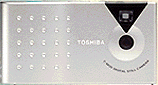
Toshiba PDR-2 digital camera Ultra-portable VGA resolution camera, with built-in PC card interface. (Review first posted 12/14/99) |

 |
|
Full VGA resolution in an "ultraportable" |
|
|
LONG battery life | |
|
|
Built-in PC-card interface | |
|
|
Removable storage | |
|
|
Low cost (<$250 US) | |
|
As one of the true giants of the world in computers and electronics, it's no surprise that Toshiba entered the digital camera market. (Probably the only true surprise is how long they waited before doing so.) While they haven't been particularly active in consumer imaging, various parts of Toshiba have been involved in sensor technology, storage media, and of course processing chips for a long time now. (At $53 billion a year, there are a lot of "parts" of Toshiba to go around!) On the semiconductor side, Toshiba has long been a world leader in CMOS technology, and that capability is reflected in their first digital camera, in which all the camera electronics, including the image sensor, are integrated on a single, low-power chip!
With their first digital camera, the PDR-2, Toshiba has crafted a logical accessory to accompany their seemingly ubiquitous laptop computers: The PDR-2 is remarkable for its compact size, portability, long battery life, and clever interfacing to laptops. It also provides full VGA (640x480) resolution in a package size and price range formerly only associated with sub-VGA cameras.
Overview
The Toshiba PDR-2 is an exceptionally compact digital point &
shoot camera that slips easily into even the most diminutive
pocket. Its 1/4" 330K pixel CMOS sensor produces 640x480
pixel images, storing them in two different "quality"
(image compression) modes. A fairly minimalist device, it provides
an optical viewfinder, but has no LCD display or flash. What
it does do, is run seemingly forever on a single battery (thanks
to its CMOS technology), and connect effortlessly with any laptop
computer by mimicking a PCMCIA memory card. Overall, it makes
an excellent image-acquisition tool for the "road warrior,"
when combined with an imaging-capable laptop computer. (In this
case, "imaging-capable" means having a reasonable large
hard disk and an LCD capable of operating at least in "thousands
of colors" mode.)
Design
Perhaps the first thing you'll notice about the PDR-2 is its
diminutive size: at only 4.1 x 2.1 x 0.8 inches (105 x 55 x 20
mm), it is one of the smallest digital cameras on the market.
It truly can be said to be "pocket-sized," in this
case, meaning even a small shirt pocket. Thanks to its efficient
power usage, it doesn't need to carry a large battery pack inside
its case. This certainly helps with the size, but also contributes
to the remarkably light weight of the unit, which weighs in at
only 5.3 ounces (150 grams). Some have remarked that the diminutive
size and weight makes the camera hard to take seriously at first
approach: Fortunately, the device's image quality belies the
liliputian dimensions, particularly when compared with other
digital cameras in the same size range.
A particularly clever design wrinkle isn't apparent until it's time to download your pictures to the laptop computer: Press a latch on the bottom of the camera, and the back hinges open to reveal a built-in PCMCIA-card (Type II) interface. That's right, you just plug the whole camera into your laptop's PC card slot!
Viewfinder
In the interest of maximizing battery life, the PDR-2 forgoes
the increasingly common (but extremely battery-hungry) LCD screen
in favor of a purely optical viewfinder. Unfortunately, we found
the viewfinder one of the weaker elements of an otherwise excellent
design: While the viewfinder is actually quite accurate, we had
a hard time seeing the framing marks. In fairness, this problem
was greatly aggravated by the fact that the author and primary
tester wears eyeglasses. If you don't wear glasses (or use contacts),
the viewfinder marks will be much more visible.
As to the lack of an LCD panel, while an on-camera display can certainly be convenient for reviewing just-captured images, the exceptionally easy interface to a laptop makes it easy to review the images while still on-site, so any missed shots can be re-captured quickly. (In fact, we found ourselves repeatedly using the PDR-2 to check the lighting setups for our test shots, because we could download images from it so quickly to check the results.) Also, LCD panels are incredible battery hogs. The PDR-2 could easily run for weeks on a single battery, while you'll be lucky to get a few hours from a set of batteries with most LCD-equipped digital cameras.
Optics
Again focusing on (no pun intended) achieving the lowest possible
power consumption, Toshiba elected to go with a fixed-focus lens
on their digital camera, eliminating the power drain of autofocus
electronics and the associated focus actuator. The PDR-2's lens
is equivalent to a 49mm on a 35mm camera (almost exactly the
50mm focal length considered as "normal" - neither
wide-angle nor telephoto). At f2.8, it is also a fairly fast
lens, compensating for the low-side-of-average light sensitivity
of the camera. The fixed-focus range of the PDR-2 reaches from
about 20 inches (51 cm) to infinity.
Although the PDR-2's built-in lens is fairly prosaic, Toshiba has available wide-angle, telephoto, and macro-photography adapters that snap onto the front of the camera. We didn't have the opportunity to test the wide-angle or telephoto adapters for our review, but the macro adapter worked very well, allowing very close focusing.
Exposure
The PDR-2 is rated at an equivalent ISO speed of 100 , and has
a shutter-speed range of 1/8 of a second to 1/1000. (As an interesting
side-note, it uses a mechanical shutter, a rarity among digital
cameras, and undoubtedly an additional factor in the camera's
exceptionally low power usage.) The combination of ISO rating,
f-stop and shutter speeds result in a practical lighting range
for the camera of EV11 to EV18. (This spans a range of lighting
from well-lit residential interiors to bright sunlight.) Autoexposure
determination is made through the lens (TTL), and so is less
likely to be affected by stray light than would systems using
a separate exposure sensor.
Like many other digital cameras, the PDR-2 incorporates automatic white-balance circuitry, allowing it to perform well under widely varying illumination. In our testing, the auto white-balance worked well, although it did not assert itself as aggressively as some cameras, leaving more of the coloration of the original scene in the finished picture. (The optimum amount of white balance to apply is very much a subjective preference: Too much, and you lose the feeling of the original scene; too little, and incandescent shots look positively orange. The PDR-2 provides a reasonable balance between these two extremes.)
One characteristic we found a little disconcerting with the PDR-2 was the approximately 2-second delay between pressing the shutter release and the actual acquisition of the picture. This took a little getting used to, although it would only be an issue for situations involving rapidly-changing subject matter, such as sports or candid "people" shots. If you have a little time to get set before the shot, you can eliminate this delay by partially depressing the shutter button, to let the camera complete its exposure and white-balance adjustments in advance. Once this phase is complete, a green LED will illuminate next to the viewfinder. With the exposure pre-computed in this fashion, the final shutter release will happen immediately after depressing the button the rest of the way.
Operation and User Interface
Operation of the PDR-2 could hardly be any simpler: The user
interface consists of a grand total of 4 buttons, for power,
"disp," "fine/std" and shutter release. The
power button is self-explanatory: You turn the camera on or off
by sliding a top-panel button briefly to the right. (If you leave
the camera on and unattended for more than a couple of minutes,
it will quietly turn itself off to conserve power.) The "disp"
button switches the back-panel LCD readout to display the number
of shots already captured on the memory card, rather than the
number of shots remaining, which is the default. The fine/std
button toggles the camera between fine and standard resolution
modes. (The camera captures 640x480 images in both modes, the
only difference being the amount of image compression used to
store them.) The camera indicates whether it is in fine or standard
resolution mode by displaying a small "F" or "S"
on the back-panel readout.
Image Storage and Computer Interface
Internally, the PDR-2 stores images on removable SSFDC cards.
(Solid State Floppy Disc Cards - see the article on storage media
for more information.) These cards are exceptionally compact,
not much bigger than a largish postage stamp. The camera ships
with a 2MB card as standard equipment, and can also accept 4
or 8MB cards. Additional cards can be purchased from Toshiba,
or on the open market (although in reality, Toshiba manufactures
the vast majority of the SSFDC cards on the market.) If you are
considering using third-party SSFDC cards in your PDR-2, be sure
to get 3.3-volt ones, as the 5-volt models won't work.
The maximum number of images that can be stored on each card varies depending on the image quality level selected. In "Fine" mode, 8:1 compression is used to store 24 images on a 2MB card, while "Standard" mode uses 16:1 compression to store 48. Of course, larger cards will store proportionately more images, up to 96 "Fine" mode images on an 8-meg card. Overall though, we don't feel that additional storage cards will be as necessary an accessory item as they are for many digital cameras: The PDR-2 is obviously intended to be used in close cooperation with a laptop computer, and as such, large amounts of away-from-the-computer image storage are less important.
Images are stored on the SSFDC cards in standard JPEG format, and can be read directly into image-editing applications if you have one of the optional interface adapters for the SSFDC media, if your computer is equipped with a PC-card reader slot, or if you purchased the version of the camera that includes a PC-card reader as part of the package. (See below.) In this respect, the PDR-2 is a "finished file" camera.
Overall, the built-in, flip-open PC card interface is one of the most interesting and appealing features of the camera. On the PC, the provided software detects insertion of the camera into the host's card slot, and automatically begins downloading images without user intervention! We found this feature very useful, and in fact relied heavily on the PDR-2 for setting up overall lighting and composition for many of our test shots, simply because we could access the pictures so quickly.
We mentioned adapters for the SSFDC cards above: Unfortunately, most desktop computers don't have PC card slots, making the built-in PC card interface useless for many desktop workers. For these users, Toshiba offers two choices: For only ~$30 more in retail cost, a version of the camera comes packed with a "Flashmate 2000" PC-card reader that connects directly to the parallel printer port of any standard PC. As an alternative, Toshiba (along with several other SSFDC-based camera manufacturers) offers the "FlashPath" floppy-disk adapter. That's right: A floppy-disk adapter. This amazing unit accepts a SSFDC card, and then just plugs right into a standard PC floppy-disk drive. As far as the computer is concerned, you've just inserted a floppy disk having a capacity determined by the size of the SSFDC card involved (2, 4, or 8 MB)! At this writing, the FlashPath was just beginning to make its way onto the market, at a street price of about $99.
Power
As we've mentioned already (to excess?), the PDR-2 really shines
in the area of power consumption. With no power-hungry components
such as LCD panel, large CCD array, or autofocus mechanism, the
PDR-2 can take a LOT of pictures on one battery. What's more,
the normally battery-eating process of image download comes for
"free," since the PDR-2 is powered from the host computer
when it is plugged into a PC card slot.
We frankly don't know just how long the PDR-2 can go on a single battery, since we came nowhere near exhausting the batter supplied with our test unit. Suffice to say that we took literally hundreds of pictures in the course of our testing, and the battery tested as fresh when we were done as when we started!
Included Software
We were very pleasantly surprised by the software bundle included
with the PDR-2, especially given the low cost of the camera itself.
Toshiba includes copies of two separate but similar imaging applications;
Sierra Software's Image Expert, and the "Special Edition"
version of LivePix by the company of the same name. (The "SE"
version of LivePix is very similar to the standard one, but includes
fewer templates and guided activities.)
Both software packages furnish very useful functionality, including image manipulation, good integration with other software (such as word processors), and image organization, using the "album" metaphor. This last is particularly important, and often overlooked by digital camera manufacturers: Because they're so easy to use, and the cost of taking a picture is essentially zero, it's easy to generate incredible quantities of images! Without some tool to organize them, your hard drive can quickly descend into utter chaos. (This is the voice of experience talking here!) Thus, we're particularly pleased when we see camera manufacturers paying attention to this important function.
As we said, the two applications are fairly similar, but LivePix tends more toward the creative, with numerous project templates available for cards, calendars, posters, etc. For its part, Image Expert emphasizes easy execution of basic image-adjustment functions (brightness, contrast, hue, saturation, etc.), and smooth drag & drop interface to common business applications such as Microsoft Word.
As Mac users of long standing, we were also happy to see that each application included both Mac and Windows versions: Regardless of the platform you call home, the PDR-2 and its included software will be useful!
Test Results
In every Imaging Resource product review, we encourage you to
let your own eyes be the judge of how well the devices performed:
Explore the links at the bottom of this page, to see how well
the PDR-2 performed, and how its images compare to other cameras
you may be considering buying. You're also welcome to download
the images (for personal use only) to see how they look when
output on your own printer.
As we've mentioned several times, the PDR-2 is from start to finish a camera optimized for portability and long sojourns away from the power outlet. To that end, Toshiba's engineers at every turn have chosen the path that would lead to the least power consumption. The result is a camera that meets its design goals very well, but that also is clearly intended primarily for mobile information-gathering. Given this position (and its extremely reasonable pricing), it really isn't fair to compare its images with megapixel units costing a thousand dollars or more, and gobbling batteries by the handful. If you need a basic digital camera that can go literally anywhere and run for weeks without power, we suggest that you give the PDR-2 a look. For reference, we've provided some sample images from a typical sub-VGA resolution ultraportable in the "Comparometer" pages for the House, Musicians, Color Test, and Resolution Test images, so you can see how the PDR-2 fairs against its same-price-class competitors.
The PDR-2 had one of the more accurate viewfinders we tested, producing almost perfectly centered and framed photos when the framing marks were properly aligned. As we mentioned earlier though, the markings are rather faint, and somewhat difficult for eyeglass-wearers to see under some lighting conditions. If you don't wear glasses, or use contacts, you should have no trouble using the camera at all: If you wear glasses, you may want to visit a store with a demo unit available, and see how well it works with your particular eyewear.
Prior to the advent of the PDR-2, most "ultra-portable" digital cameras took pictures at less than full VGA (640x480) resolution, and the image quality of many was (not to put too fine a point on it) abysmal. By comparison, the PDR-2 captures full 640x480 images, with very acceptable picture quality. For email, web work, or basic business documentation, the PDR-2 brings full VGA resolution into a far more compact (and affordable) package than has previously been available.
Relative to the other, higher-priced cameras we tested, the PDR-2's images fall a little short, with lower color saturation and less detail. The PDR-2's lens also produces a noticeable light fall-off in the corners of its pictures. Nonetheless, the camera is a dramatic step up from the sub-VGA resolution that was previously the rule in the "ultraportable" category.
Using the "WG-18" ISO test standard, the PDR-2's visual resolution measured about 350-375 line pairs/picture height in both horizontal and vertical directions. (See the separate discussion on image resolution for an explanation of this new international standard for resolution measurement.) While not spectacular by today's standards for VGA-resolution cameras, it represents a dramatic step forward relative to the sub-VGA resolution devices with which it competes.
In real picture-taking situations, the camera performed well but lacked definition in areas with subtle shadings of the same hue. (The model's hair in the outdoor shot shows this tendency.) Fine, repeated detail such as that found in the resolution target, or among the bricks on the house shot is also somewhat prone to "aliasing."
The macro attachment for the PDR-2 was a very pleasant surprise: It was shipped to us with no explanation or documentation, so we simply took a large number of shots, starting a couple of feet away and working in to a few inches. To our surprise, the optimum subject distance turned out to be something on the order of 4 inches (about 10 cm)! At that range, the camera photographs an area of only 3.8 x 2.9 inches (97 x 73 mm)! If you have an application requiring extreme close-up photos, the PDR-2 could be a real contender.
Overall, our evaluation of the PDR-2 was somewhat colored (no pun intended) by our extensive recent testing of cameras costing two to six times as much. In that league, it clearly has difficulty competing on the basis of its image quality. On the other hand, it is just as clearly a dramatic step forward from the previous generation of sub-VGA cameras, with which it competes well on both price and image quality. Initially, we were a little disappointed by the PDR-2s performance. On a whim, we grabbed a sub-VGA camera that was laying around and shot some of our standard test scenes with it. What a difference! If you're considering purchasing a sub-VGA camera because of its low price, you really owe to yourself to check out the PDR-2: Look at the "Musicians" and "House" pictures on the Comparometer, comparing the PDR-2 with the sub-VGA sample. If your reaction is the same as ours, you'll undoubtedly put any thoughts of buying a sub-VGA camera firmly behind you!
See for Yourself!
Take a look at the test images from
the PDR-2, or jump to the Comparometer(tm)
page to compare its reference images to those from other digital
cameras.
Conclusion
While offering very basic digital camera functions, the Toshiba
PDR-2 provides full VGA resolution in an exceptionally compact
and power-efficient package. It would be an ideal camera for
anyone needing maximum portability, easy laptop interfacing,
and good image quality.
Reader Sample Images!
Do you have a PDR-2 camera? If you'll post an album of your samples on one of the photo-sharing services and email us at [email protected], we'll list the album here for others to see!


Follow Imaging Resource: