


Overview
Panasonic Lumix DMC-TZ1 Overview
by Mike Pasini
Hands-on Preview: 11/29/06
Full Review: 02/07/07
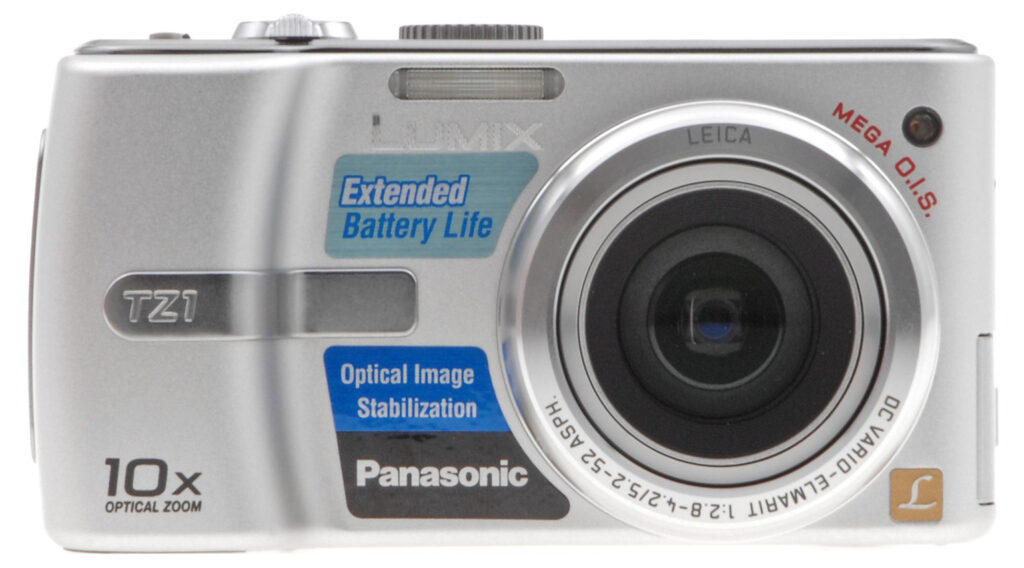
The Panasonic TZ1 digital camera is based around a 5 megapixel imager coupled to a prism-folded (and Leica-branded) 10x optical zoom lens with MEGA O.I.S. image stabilization. With effective focal lengths from 35 to 350mm, the DC Vario-Elmarit lens offers from a moderate wide-angle to a very useful telephoto -- impressive given that the camera still remains fairly pocket-friendly. ISO sensitivity ranges from 80 to 800, with the option to extend this to ISO 1,600 in high sensitivity mode. Images can be previewed, or reviewed on a 2.5 inch LCD display with a higher than average resolution of 207,000 pixels. Unfortunately (but perhaps not surprisingly, given the range of the lens) there's no optical viewfinder.
The Panasonic TZ1's body has much in common with the minimalist styling normally found on Panasonic's cameras, but with a rather heftier hand-grip that should make it much easier to hold stable (vital, given the range of the lens). Focusing is achieved with a 1, 3, or 9-point autofocus system with an AF assist lamp. Exposure modes include a whopping 19 scene modes, including two unusual "Baby" modes that allow you to program a date of birth in each, and then have your images tagged with your children's current ages at the time a photo is taken. Exposure variables are determined using an intelligent multiple metering system by default, with both center-weighted, and spot metering options available. Users can tweak the exposure with +/-2.0 EV of exposure compensation, in 1/3 EV steps. Shutter speeds range from 1/2,000 to 60 seconds -- quite a bit longer than is common on many digicams -- and the Panasonic TZ1 offers automatic or manual white balance control with four presets, and a custom white balance mode -- letting you save white balance measurements for common situations for later recall. The Panasonic TZ1 also includes a built-in five mode flash, with a range of up to 3.7 meters at wide-angle, or 2.4 meters at telephoto.
The Panasonic TZ1 offers a higher-than-average movie resolution of 848 x 480 pixels, as well as lower-resolution 640 x 480, and 320 x 240 pixel options -- all of which use the QuickTime Motion JPEG format common on most digicams. The Panasonic TZ1 draws power from a proprietary 1,000mAh Lithium Ion rechargeable battery pack, and records images on Secure Digital, or MultiMedia cards, or a not-so-generous 13.4MB of built-in memory -- plan to buy a large SD card straight away.
Panasonic Lumix DMC-TZ1 User Report
Intro. In the Age of iPod, looks matter. At first glance the Panasonic TZ1 (or TZ1S for its silver body), is not a looker. It's hefty. It's long. It's thick. It's silver and chrome.
But if you've survived high school, you know looks aren't everything (and they don't count much for college admissions). It's what you do with what you have that counts. And the Panasonic TZ1 does a lot for just $300.
When it was first introduced, Panasonic claimed it was the world's smallest 10x zoom. That honor clearly belongs to the Kodak V610, with a slimmer dual lens design. But both long zooms use folded optics to get a long zoom into a small box. The lens on the Panasonic TZ1 extends just over half an inch at full telephoto. There's enough megapixels on the sensor to crop the center of the image, and offer 12.5x zoom in what Panasonic calls Extended Optical Zoom.
That long zoom enjoys the company's MEGA Optical Image Stabilization technology, which is featured on every Panasonic digicam. You get a sharp image at 50x zoom (with digital zoom) even though you can't hold the Panasonic TZ1 itself steady on the subject. And low light performance is greatly enhanced as well.
Panasonic's Venus Engine III provides a high sensitivity setting of ISO 800 that does better than most with the tradeoff between noise and detail. But the Panasonic TZ1's Hi Sensitivity Scene mode does an exceptional job, delivering sharp, colorful images in very low light.
Five special features make the TZ1 particularly nice to have on the road. World Time Setting can calculate time differences as you move between zones. Travel Date Setting can, if you enter your departure time, and date, organize your images by the day of the trip. Calendar View shows images arranged by date shot. Three Scene modes -- Aerial photo, Beach, and Underwater -- beg to be tried away from home. And the optional Marine case lets you take the Panasonic TZ1 130 feet below the surface.
And you can't beat the price for a 10x zoom.
Design. The most impressive aspect of the Panasonic TZ1's design is the amount of glass its lens has. Compared to the contact lenses on most digicams, this looks like a real camera lens. And most of the action is actually folded into the camera.
The lens design explains the elongated, and thick body design (and why this camera requires the included lens cap). Compared to most other 10x digicam zooms, almost all of which model themselves on dSLRs, the Panasonic TZ1 is rather unpretentious.
It does have some heft, though, and that's a good thing in my book. Holding a camera steady is easier when the camera supplies a little resistance when you press the shutter button.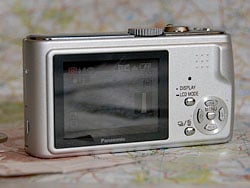
Back. The business end has a large 2.5 inch LCD and very few buttons to remember.
For that matter, the Panasonic TZ1 was quite comfortable to hold and operate with one hand. Even carrying it was comfortable, my index finger hooked on the grip's inside surface with the camera vertical. Wearing the wrist strap, of course.
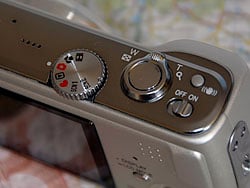
Top. The usual Mode dial and Shutter button/Zoom Lever combo is joined by a Power switch that was a relief from the usual Power button.
I'm no fan of buttons where a navigator control disk should be, and the Panasonic TZ1 disappoints there. I suppose there have to be some cost efficiencies to get this camera to market at $300, but I wish there were a law against buttons as navigators.
On the other hand, the Panasonic TZ1's power switch won me over. At first, I thought it was another cost efficiency. A little switch instead of a button. But using it, I felt relief not to have to wonder if I'd held a button down long enough to shut the camera down, or long enough to get it to start up (considering how startup on a digicam is not instant). The switch solves all that. On is on, off is off. Simple.
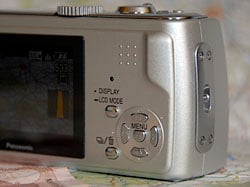
Controls. I'd have preferred a four-way controller instead of buttons.
I have mixed feelings about the little battery-ejection spring on the Panasonic TZ1. It seems less sturdy than the spring you find in click ballpoint pens. It works, but I'd have preferred to see a leaf spring, I think, just to give me the impression it will last a while.
With exposure simplified to EV compensation, a low price, and some exciting features for available light photography, the Panasonic TZ1 is designed to appeal to the amateur who knows a good deal when they see one.
Display/Viewfinder. There's no optical viewfinder on the Panasonic TZ1, but the LCD seemed to function well enough in sunlight. At 2.5 inches, it's large enough to show you what you've captured (and the 16x enlargement doesn't hurt either). And with 207,000 pixels, it has enough resolution to display icons and text clearly.
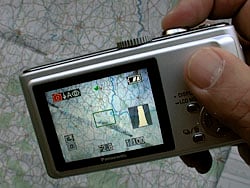
Grip. Very comfortable to handle with a live histogram. Here I've half-pressed the Shutter button to get focus confirmation (the green square in the center) and readouts on the shutter speed and aperture (at the bottom of the LCD).
But it was one of Luke's least favorite experiences in the lab, taking our standard suite of test shots. "The LCD screen is shifted vertically, and tilted behind the mask on the glass cover," he noted. "Most of the Panasonic TZ1's test shots were a laborious process of trial and error to frame."
That's one of those things I wouldn't notice shooting landscapes, and trying to hold the camera still at 50x zoom. Not exactly precision shooting.
The Panasonic TZ1's LCD is powered by a 1000 mAh battery to keep it running for about 250 shots, well in excess of my usual photo safari.
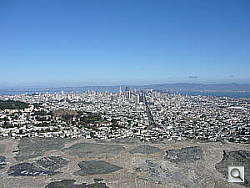

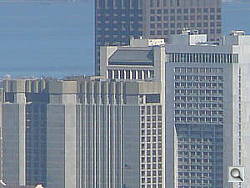
Long Zoom. Quite a range. Top is full wide angle (35mm), middle is full optical zoom (350mm), bottom is 4x digital zoom (40x). These were not hand held. Lens flare does contribute to a general washed out look, with few dark areas, a little worse than you'd normally get from an average hazy day.
Performance. For such a good bargain, you'd expect average performance. But that's not Panasonic's way. In almost every one of our major tests, the Panasonic TZ1's performance ranked above average -- not just for an entry-level digicam, but for a long zoom as well (see our note below about flare, however).
Without the need to extend the lens, startup and shutdown were well above average. Autofocus lag was also stellar, profiting from Panasonic's Linear AF system, which the company claims leads the industry in focusing speed. There are also a few unique focusing modes that limit the camera's choices, and therefore speed up focus. Autofocus speed was the main culprit in shutter lag, and the Panasonic TZ1 is snappy there, too.
And Luke reported, "Continuous shot-to-shot cycle time is zippy." In fact, so zippy that I was taking doubles of everything until I turned it off. Luke did note, however, the one place the Panasonic TZ1 falls short: download time.
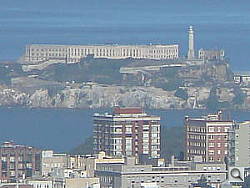
Hand Held Long Zoom. Alcatraz without the boat ride.
Behind the Panasonic TZ1, you don't have much to worry about. There's a Simple mode that limits the menu system to one screen of four options. I can't imagine that being handy (how often do you have to set the clock?). Still mode, where you'll spend most of your time, gives you access to a long list of menu options including the usual suspects like White Balance and Sensitivity, as well as those clever Autofocus modes. For special situations, there are two Scene modes on the Panasonic TZ1, with a healthy selection of options.
Shooting. Among the more interesting modes on the Panasonic TZ1 is Hi Sensitivity. It's the first time this John Henry was beat by a machine. Usually, I can set the camera to do whatever a Scene mode is doing. And it's easier for me to remember how to set aperture and shutter speed to do that rather than remember what the 20 Scene modes are. So, naturally, with optical image stabilization and a top ISO of 800, I figured I could get as sharp a shot of those dolls I have in the garage awaiting restoration as Hi Sensitivity could.

Available Light. I tried to beat Hi Sensitivity Scene mode (right) and failed. However, note that the image at right is at a lower resolution that looks great online, but will only give you a good 4x6.
My first attempt at Auto ISO with stabilization set to Mode 2 (activate only when the shutter's pressed for the maximum effect) was dark, and blurred. To be honest, it represents accurately the existing light level in that corner of the garage. The Panasonic TZ1 used ISO 200 at f/4.0 for 1/8 second to get that. The f/4.0 was determined by my zoom range, since f/2.8 at wide-angle is the maximum. I might have gotten closer, and used Macro mode to get f/2.8. But that's the trouble with automatic cameras. They don't confess until after the body has been found.
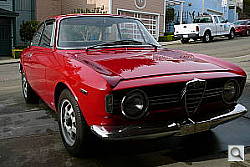
Accurate Color. That's the Rumbolino, whose red is mysterious. But the TZ1 did well.
My second attempt was to set the Panasonic TZ1's ISO to 800. At f/4.0, and 1/8 second again (selected by the camera, remember), the image is indeed brighter. But it's also blurred. Is it just out of focus? Did autofocus have trouble in the dim light? Maybe, but one of the two shots should have been focused.
The third attempt was to use the Panasonic TZ1's Hi Sensitivity Scene mode. Wow. I shoot the dolls with every stabilized camera I review now, and I've never seen the eyelashes that sharp (except on a fancy dSLR). And the color was accurate, and excellent (I kind of wish Panasonic restored dolls). The camera used f/4.0 again but a faster shutter speed of 1/15 second. And ISO was 1,600. There's certainly a lot of processing going on (there's a lack of detail in the hair, and the blouse) but you happily pay that price to get the shot.
Whatever the TZ1 costs, Panasonic didn't scrimp on Movie mode. You get 16:9 with 30 frames per second, and sound during (a very quiet) zoom.
I didn't like the Panasonic TZ1's arrow buttons where I would have preferred a four-way control pad. And it took me a while to make friends with the menu system. It seems like a long list of options -- and it is -- but mostly you use the four arrow buttons to configure the camera for the situation.

Flare? We're not exactly sure what to call this, but this purple glow never occurs in the center of the frame on other cameras, but here it is on the TZ1 (at 200%). Normally we call it lens flare, and we usually only see it out in the corners. We're wondering whether the mirror simply isn't fine enough to control the light at this focal length.
I liked the lens. I like 10x zooms to begin with, and love a 16:9 wide screen aspect ratio (but bravo to Panasonic for including 4:3, and 3:2 as well, as they've been doing for some time). It's an innovative idea to make a 10x zoom with a folded optic, and I enjoyed all the pictures I shot with it. Unfortunately, the 10x end of the Panasonic TZ1's zoom introduces dramatic flare across the frame, some of the worst we've ever seen. Some would call it purple fringing, but the causes of that phenomenon are too vague and varied to explore here. We're not sure if it's due to introducing a small mirror into the optic and then magnifying the results -- which must introduce quite a bit of error into the equation -- or some other factor such as longitudinal CA, but there's a significant purple glow that bleeds into most dark objects that are surrounded by white, which suggests a serious design flaw in the Panasonic TZ1's 10x lens design.
It won't likely affect most of your pictures dramatically, but as soon as you shoot something with stark contrast or bright lights, you're likely to get significant flare with the Panasonic TZ1, so be warned.
Appraisal. Panasonic's expressed its commitment to what it calls the culture of photography. The company really believes that taking pictures makes the world a better place. With the Panasonic TZ1, they very nearly had a hit on their hands, with an innovative design in an inexpensive body, delivering a compact 10x zoom for the masses. But unfortunately, the Panasonic TZ1's lens flare issue starts to raise its head at about 4-5x and only gets worse, blowing contrast across the frame with a random purple haze. That's great for adding ambience to a Hendrix revival concert, but not so great for capturing the rest of the world in its true light. The Panasonic TZ1 is a great camera to use, and will serve many folks just fine, but we wouldn't feel right if we didn't warn you that 50% of the focal range is tainted by what we can only call flare.
Basic Features
- 5.0-megapixel CCD delivering image resolutions as high as 2,560 x 1,920 pixels
- 10x, 5.2-52mm (equivalent to 35-250mm) Leica DC Vario-Elmarit optical zoom lens
- 4x digital zoom
- 2.5 inch LCD with 207,000 pixels
- Automatic exposure control
- Aperture range from f/2.8 to f/7.1, depending on zoom position
- Shutter speed of 1/2,000 to eight seconds with 60, 30, and 15-second options in Starry Sky mode
- Available aspect ratios of 4:3, 3:2, and 16:9
- Six white balance settings, including a manual option
- EV compensation in 1/3 step increments from -2 to +2 EV
- Adjustable ISO from 80 to 800 with an 800-1,600 High Sensitivity option
- Self-timer with 2-, and 10-second settings
- Built-in flash with five modes
- SD memory card storage
- 13.4MB built-in memory
- PictBridge compatible
- Power from custom rechargeable Li-ion battery pack or optional AC adapter
- USB 2.0 interface
- Panasonic Lumix software CD included
Special Features
- Mega O.I.S. optical image stabilization
- Venus Engine III image processor
- Five AF area modes, plus available Continuous AF
- 16 Scene modes with help screens
- Burst shooting mode
- Picture Adjustment menu for saturation control, plus Color Effects settings
- Simultaneous audio/still recording
In the Box
The Panasonic DMC-TZ1 ships with the following items in the box:
- Panasonic DMC-TZ1 camera
- 3.7 volt, 1,000 mAh battery (CGA-S007A)
- Battery charger
- USB cable
- AV cable
- Software CD
- Wrist strip
- Lens cover with lens cap string
- VYQ3680 battery carrying case
Recommended Accessories
- Large capacity SD/MMC memory card. (These days, 512MB to 1GB is a good tradeoff between cost and capacity.)
- Small camera case for outdoor and in-bag protection
Panasonic offers an few additional TZ1 accessories, including:
- Marine housing (DMW-MCTZ1)
- Leather case (DMW-CTA1) and semi-hard case (DMW-CTH1)
- AC adapter (DMW-AC5)
Conclusion
| Pro: | Con: |
|---|---|
|
|
The Panasonic Lumix TZ1 is a nice little camera at a great price, with a 10x, optically stabilized zoom lens, high ISO Scene mode, and large LCD. The large 2.5-inch LCD screen, while less accurate than most, is great for sharing your photos with friends, and makes the menus easier to see. From startup to cycle times, the Panasonic TZ1's performance was above average. The Panasonic TZ1 did reasonably well overall in our testing, delivering good, bright color, and good resolution, but the significant lens flare from middle to long telephoto raised a red flag. We expect some flare in the corners on most lenses, but flare that insinuates itself across the frame is objectionable. Another failing is the weak flash, somewhat mitigated by the Panasonic TZ1's ability to shoot in low light. It would be nice to have a controller instead of arrow buttons and some manual exposure options, but otherwise the Panasonic TZ1 is a pleasure to use, and just missed a Dave's Pick due to the extreme lens flare over half of the zoom range. We think those printing only 4x6 images will be plenty happy with the TZ1, but we just can't give it our top recommendation.
Design
Panasonic Lumix DMC-TZ1 Design
Just a bit too big to pass for palm-size, the TZ1 is still pocketable thanks to its short height. At 2.29 x 4.41 x 1.58 inches it is long and deep, though. And at 9.24 ounces (262 grams), it's among the heavier pocket digicams. It is small, however, when you consider that it features a 10x zoom. Part of the lens elements are inside the camera, facing from right to left, and then the optic is "folded" by a mirror. So some of the zoom and focus components are inside the camera, and some come out. The upshot of this design is that the 10x zoom doesn't protrude from the camera until you start to zoom toward telephoto.

The front panel is dominated on the right by the lens housing, with the 10x Leica lens protected by a plastic lens cover attached to the body with a small strap. The lens extends a bit over half an inch at telephoto, but doesn't have to pop out when you power the camera on. The substantial grip on the left has a chrome accent that helps seat your fingers. Above the lens to the left is the flash, and to the right of the lens is the combination self-timer indicator and AF assist lamp.

On the right side is the lens cap/wrist strap eyelet.

On the left side, under a small hard plastic cover, is the USB/AV Out port, and the DC In socket.

The TZ1's top panel has a small hole for the microphone about an inch in from the left side. To its right is the four-hole speaker grill. The Mode dial is right of that, next to the Shutter button and Zoom lever combination. To the right toward the front is the Image Stabilization button, and behind it the sliding Power switch.

The back panel is dominated by the large 2.5 inch LCD monitor on the left. There's plenty of room to the right for the four cursor buttons surrounding the SET button in the lower right corner. Just to the left of these are the Display/LCD Mode and Burst/Delete buttons. A status indicator is just above the Display/LCD Mode button, and a series of nine bumps next to a raised edge serves as a thumb grip in the top right corner.

The bottom of the TZ1 has a plastic tripod mount at the far left and the battery/storage card compartment on the far right. A small spring ejects the battery when the door is opened.
Panasonic Lumix DMC-TZ1 External Controls

Shutter Button: Resting in the center of the Zoom lever on top of the camera,
this button sets focus, and exposure when halfway pressed, and fires the shutter
when fully pressed.
Zoom Lever (see image above): Surrounding the Shutter button, this lever controls the optical and digital zoom while in Record mode. In Playback mode, the wide setting accesses the nine- and 25-image index displays, as well as a calendar display, which shows thumbnails of each image in a calendar format (arranged by date of capture). The telephoto position enlarges the currently displayed image as much as 16x, so that you can check on fine details.

Mode Dial: Also on the camera's top panel, this large, notched dial
is used to select the camera's shooting modes. Options include Movie mode, Macro
mode, Still Record mode, Playback, Simple mode (in the shape of a heart), Scene
1, and Scene 2. Scene modes include Portrait, Soft Skin, Scenery, Sports, Night
Portrait, Night Scenery, Self-Portrait, Food, Party, Candle Light, Fireworks,
Starry Sky, Beach, Aerial Photo, Snow, High Sensitivity, Baby 1, Baby 2, and
Underwater.

Image Stabilization Button: This button is on the far right side of
the camera's top panel. When you press and hold this button, the LCD displays
the Stabilizer menu with three options: Off, Mode 1, and Mode 2. Also available
by pressing the Right arrow is a Demo mode that helps show the difference between
modes. Mode 1 stabilizes the image continuously while Mode 2 does so only when
the image is captured, to somewhat greater effect.

Power Switch: Behind the Image Stabilization button on the top panel, this sliding switch powers the camera on. Sliding it to the Off position shuts the camera off.

Display/LCD Mode Button: Positioned about midway on the right side
of the rear-panel LCD monitor, this button controls the LCD display modes. In
Simple mode, this button offers a normal information display or no information.
In Still Record mode, it toggles between the normal display, normal with histogram,
no information with guide lines, and no information. In Playback mode, it toggles
between normal information, display with recording information plus histogram,
and no information. Pressing and holding this button accesses a brighter LCD
display mode (Power LCD), as well as a High Angle LCD mode, making the image
easier to see when holding the camera at higher angles.

Burst/Delete Button: Just below the Display/LCD Mode button on the rear panel, this button toggles between High, Low, and Unlimited burst modes, and accesses the Single shot mode. High speed, indicated by an H in the icon, captures three or five images at three frames per second (fps). Low speed, indicated by an L in the icon, captures three or five images at two frames per second. Unlimited mode, indicated by the infinity symbol, captures continuously at about about two frames per second. In Playback mode, this button deletes the current picture; or, if pressed twice, can delete more than one, or all images.

Four-Way Arrow Pad: Arrayed in a circle in the lower right corner of
the camera's rear panel, these four buttons serve as navigational tools, pointing
up, down, left, and right. In Record mode, the up button accesses the Exposure
Compensation adjustment, while the down arrow switches to Review mode. The right
arrow controls the flash mode, while the left arrow enables the self-timer modes.
In Playback mode, the left and right arrow keys scroll through captured images.
If an image has been enlarged, all four arrows pan the view.
Menu/Set Button (see image above): Set in the center of the Four-Way Arrow pad, this button activates the LCD menu system, and confirms settings. It also dismisses the menu system.
Operation
Panasonic Lumix DMC-TZ1 Operation
The Panasonic Lumix DMC-TZ1 has a very uncomplicated user interface. The Mode dial quickly sets the main operating mode, while the arrow keys on the rear panel serve multiple functions, either navigating menu options or directly accessing camera settings. Given the point-and-shoot nature of the TZ1 and the camera’s limited controls, it really shouldn’t take much more than a half hour or so with the manual in hand to get the gist of things.
sequence number on the card, resolution, and quality setting, battery status,
file name, and the date, and time of image capture. Pressing the Display button
once calls up an enhanced information display, with a histogram for checking
the exposure, aperture, shutter speed, ISO setting, flash mode, and camera mode.
A third press cancels the information overlay entirely. The TZ1 remembers your
preference, too. The telephoto side of the zoom toggle lets you zoom in on a
portion of the image, while the wide-angle side backs you out again, and lets
you step out to an “index” view of captured images, displayed as nine or 25
thumbnails at a time, as well as a calendar display. Through the camera’s Setup
menu, you can enable a blinking highlight display as well.
Panasonic Lumix DMC-TZ1 Modes and Menus
Record Mode: The DMC-TZ1 offers six Record modes including Still, Simple,
Macro, Scene 1, Scene 2, and Movie mode. You select the mode you want to use with
the Mode dial on the top panel, and you can switch modes at any time. Pressing
the Menu/Set button displays a menu appropriate to the mode you’ve selected.
Simple Menu: Designed to simplify the camera for beginners, this mode displays only four very basic functions when you press the Menu button in Simple mode.
- Picture Mode: This option offers image size options based
on intended use. The options are Enlargements, 4×6 prints, or Email. - Auto Review: This option enables, or disables auto review
of captured images. - Beep: This option sets the beep to low, high, or off.
- Clock Set: This option allows you to set the camera’s clock.
Record Menu: The other Record modes offer a deeper selection of the following
options on the Record menu.
White Balance: Sets the white balance among the following
options: Auto, Daylight, Cloudy, Halogen, Flash, and Custom. There’s also
an option to set the white point for the Custom white balance.- Sensitivity: Set the ISO sensitivity among the following
options: Auto, 80, 100, 200, 400, and 800. The High Sensitivity Scene mode
selects between 800, and 1,600, as well. Auto ranges from 80 to 200, and up
to 400 when using the flash. - Aspect Ratio: Selects among three still, and two movie aspect ratios. Still options are 4:3 (formatted for standard TVs), 3:2 (traditional 35mm format), and 16:9 (wide screen format). Movie options are 4:3 and 16:9.
- Picture Mode: (Movie mode only.) Sets the resolution and
frame rate for movie files. If the aspect ratio is set to 4:3, options are
640 x 480 and 320 x 240 pixels, at either 10 or 30fps. If aspect ratio is
set to 16:9, resolution is 848 x 480 pixels, at either 10 or 30fps. - Picture Size: Still image size options depend on the aspect
ratio chosen. At 4:3, image size options are 2,560 x 1,920, 2,048 x 1,536,
1,600 x 1,200, 1,280 x 960, and 640 x 480. At 3:2, options are 2,560 x 1,712,
and 2,048 x 1,360. At 16:9, options are 2,560 x 1,440, and 1,920 x 1,080. - Quality: Sets the JPEG compression level to Fine (low compression)
or Standard (high compression). Audio Rec.: Enables five seconds of audio capture at the
same time as image capture.- Metering Mode: Selects the metering mode from the following options: Multiple evaluates the entire scene, Center-weighted evaluates the central portion of the scene, and Spot evaluates a small part of the central portion of the scene.
- AF Mode: Selects among the five autofocus modes available.
Nine-area is best when the subject may not be in the center of the scene.
Three-area (high speed) limits focus to the left, right, or center. One-area
(high speed) quickly focuses on the center. One-area (normal) focuses on a
larger area at the center. Spot focuses on the very center of the screen. - Continuous AF: Enables or disables continuous autofocus.
- AF Assist Lamp: Enables or disables the autofocus lamp.
Slow Shutter: Sets the speed of the slow shutter function
(available in Night Portrait, for example) to one, 1/2, 1/4, or 1/8 second.- Digital Zoom: Enables, or disables digital zoom.
- Color Effect: Sets the color effect to one of the following
options: Off, Cool, Warm, Black and White, or Sepia. - Picture Adjustment: Sets the picture adjustment to one of
the following options: Natural, Standard, or Vivid. - Flip Animation: This option sets the camera to either capture a set of still images, or assemble them into a movie up to 20 seconds long at either five or 10 fps.
Playback Mode: This mode lets you review captured images, and movies on the memory card, or internal memory, as well as erase them, protect them, or tag them for printing, and transfer. The traditional Playback symbol denotes this mode on the Mode switch. Pressing the Menu button displays the following options in the Play menu:
Slide Show: Displays recorded images as a slide show with
the option to display only favorites, set the duration, and enable audio recorded
with the images.- Favorite: Allows images to be tagged as “favorites.”
- Rotate Display: Automatically rotates the image to the correct,
orientation on playback. - Rotate: Manually rotates the image.
- DPOF Print: Allows you to tag a single image, or multiple
images for printing on a DPOF compatible printer. You can set the number of
prints when you tag the image. Protect: Marks the current image for write-protection, or
removes write-protection. Protected images cannot be deleted, or manipulated,
except through card formatting, which erases all files.- Audio Dub.: Allows you to add audio to a captured image.
The Down key toggles recording. - Resize: Allows you to reduce the size of an image within
the possible size reductions for the image’s aspect ratio. - Trimming: Using the Zoom lever to size the crop, this option
lets you select a part of a picture to be saved as a new image. - Aspect Conv.: Allows you to convert pictures taken with
a 16:9 aspect ratio to 3:2 or 4:3. Copy: Lets you copy images from internal memory to a storage
card, or from a card to internal memory.- Format: Initializes a memory card for use in the camera,
erasing all images (even those marked for write-protection).
Setup Menu: Available as a separate tab in all modes except Simple, this menu provides access to main camera functions.
Clock Set: Sets the camera’s date and time. - World Time: Selects either a home time zone, or a travel
destination time zone, both of which you can select from this option. - Monitor: Adjusts the brightness of the LCD monitor.
- Travel Date: Enables or disables the display of the sequential
travel date in your images (eg. ‘1st Day’). - Auto Review: Disables or enables auto review after capture
with the options of one or three seconds, or one second with a 4x zoom that
appears for one second. Power Save: Sets the amount of time of inactivity before
the camera shuts itself off. Choices are one, two, five or 10 minutes, or
you can disable the setting.- Economy: Controls the brightness of the LCD monitor as
regards conserving battery power. Options are Off, Level 1, or Level 2. Level
1 turns off the LCD monitor if camera is inactive for 15 seconds. Level 2
shuts off the LCD monitor after 15 seconds of inactivity, or five seconds
after image capture. - Beep: Controls the camera’s operational beep sound, with
low and high volume options. - Shutter: Adjusts the camera’s shutter noise, or disables
it. - Volume: Adjusts the volume for playback.
No. Reset: Resets file numbering, with an option to cancel. - Reset: Resets all of the camera’s recording options, with
an option to cancel. - USB Mode: Puts the USB mode into PC or PictBridge (PTP).
- Highlight: Turns a blinking highlight display on or off.
- Video Out: Sets the video signal to NTSC or PAL.
TV Aspect: You can set the television aspect ratio to 4:3
or 16:9, for image playback on televisions.- Scene Menu: Specifies whether the Scene menu automatically
appears upon entering the mode, or requires a press of the Menu/Set button. - Language: Sets the menu language to one of seven.
Optics
Panasonic Lumix DMC-TZ1 Optics
Lens
Zoom
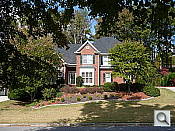
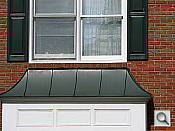
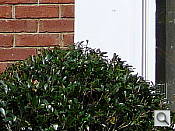
A 10x optical zoom range, starting at 35mm, with good performance in most situations.
 |
 |
 |
|
35mm
|
350mm
|
4x Digital Zoom
|
The Panasonic TZ1 zooms over the equivalent of a 35-350mm range, which is unusual for its class. Overall performance is good, with good detail and sharpness at wide angle. There is significant flare across the frame on close examination, which was a surprise (as noted in the User Report section). The 4x Precision Digital zoom takes it out to 40x without Extended Optical Zoom (and 50x with), with the typical loss of resolution associated with Digital Zoom.
Macro
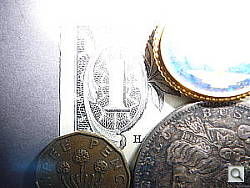
A very small macro area, but noticeable blurring in the corners. Closest focusing distance is too close for the flash.
 |
 |
| Standard Macro | Macro with Flash |
The Panasonic TZ1’s macro setting captures a small minimum area of 2.22 x 1.67 inches (56.5 x 42.4 millimeters). While the macro area is quite small, details are soft in the corners of the frame, and chromatic aberration is also evident. Most cameras have some softening in the corners in macro mode (due to the optical characteristic “curvature of field”).
The TZ1’s flash had trouble throttling down for the macro area, resulting in a very uneven, severely blown-out exposure. Plan on using external lighting for any macro shots with the TZ1.
Distortion
Lower-than-average barrel distortion, slightly high pincushion.
| Barrel distortion at 35mm is 0.34% |
 |
| Pincushion at 350mm is 0.24% |
 |
This is the tendency for the lens to bend straight lines outward (like a barrel — usually at wide angle) or inward (like a pincushion — usually at telephoto). The TZ1’s 0.34% barrel distortion at wide angle is very low among the cameras we’ve tested, and not noticeable in most images. At the telephoto end, the TZ1 showed 0.24% pincushion distortion, about average for a long zoom.
Chromatic aberration
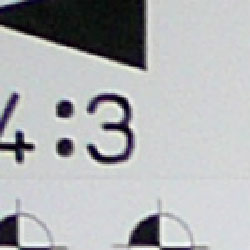
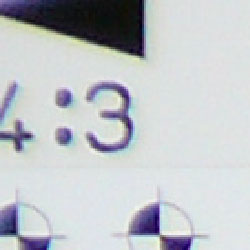
Very little at wide angle but moderate at telephoto.
 |
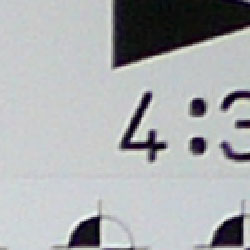 |
| Wide: very little, top left @ 200% | Wide: very little, top right @ 200% |
 |
 |
| Tele: moderate, top left @200% | Tele: moderate, top right @200% |
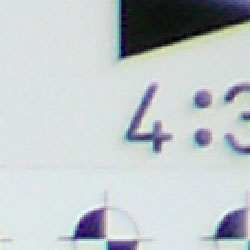
Chromatic aberration is very low at wide angle, but chromatic aberration and flare take over at telephoto. (This distortion is visible as a very slight colored fringe around the objects at the edges of the field of view on the resolution target.)
Corner Sharpness
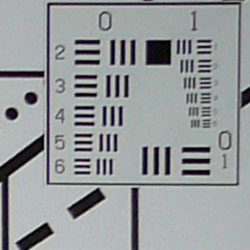
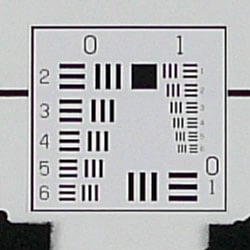
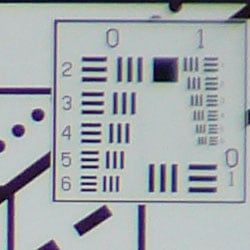
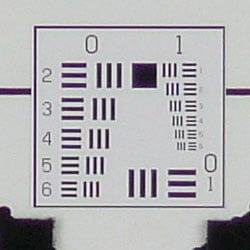
Some softening in the corners of the frame, strongest effect in the upper right corner.
 |
 |
| Wide: soft in the upper right corner. | Wide: sharp at the center. |
 |
 |
| Tele: soft in the lower left corner. | Tele: sharp at the center. |
The TZ1 produced soft corners in a few shots, the upper right corner showing the most visible effect.
Viewfinder
Coverage
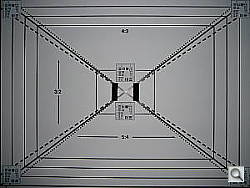
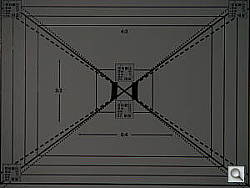
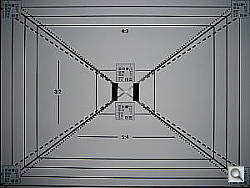
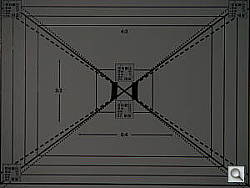
There’s no optical viewfinder on the TZ1. The LCD showed about 100 percent of the frame but it was shifted vertically and tilted.
 |
 |
| 35mm eq., LCD monitor | 350mm eq., LCD monitor |
The TZ1’s LCD monitor, it’s only viewfinder, showed 102% accuracy at wide angle and 100% at telephoto, but it was shifted vertically and tilted.
The images above were taken from our standardized test shots. For a
collection of more pictorial photos, see our
Panasonic Lumix DMC-TZ1 Photo Gallery
.
Exposure
Panasonic Lumix DMC-TZ1 Exposure
Color
Saturation & Hue Accuracy
Good overall color and hue accuracy, slight oversaturation in bright reds and blues. Slight undersaturation in yellow and green.
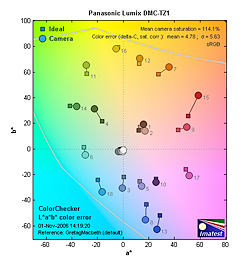 |
| In the diagram above, the squares show the original color, and the circles show the color that the camera captured. More saturated colors are located towards the periphery of the graph. Hue changes as you travel around the center. Thus, hue-accurate, highly saturated colors appear as lines radiating from the center. |
The TZ1 does oversaturate red and blue tones, but undersaturates bright yellows and yellow-greens. We found its color pleasing on a wide range of typical subjects though.
Where oversaturation is most problematic is on Caucasian skin tones, as it’s very easy for these “memory colors” to be seen as too bright, too pink, too yellow, etc. Here, the TZ1 performed well, with only slight warmth.
The other important part of color rendition is hue accuracy. Hue is “what color” the color is. The TZ1 showed small color shifts relative to the correct mathematical translation of colors in its subjects, but overall had more hue-accurate color than most consumer cameras we test.
 |
 |
 |
Sensor
Exposure and White Balance
Indoors, incandescent lighting
Auto white balance was neutral but Incandescent had a warm cast. About average exposure compensation required.
 |
 |
| Auto White Balance +0.7 EV | Incandescent WB +0.7 EV |
Color balance indoors under incandescent lighting was neutral in Auto white balance mode, while the Incandescent setting had a warm cast. The TZ1 required a +0.7 EV exposure compensation boost to get a good exposure, about average for this shot. Overall color is a bit dark and yellow here, making the blue flowers very dark and purplish. (This is a very common outcome for this shot.) Our test lighting for this shot is a mixture of 60 and 100 watt household incandescent bulb, a pretty yellow light source, but a very common one in typical home settings here in the US.
Outdoors, daylight
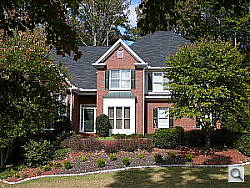
Good color balance overall, with fairly bright colors. Heightened contrast under bright outdoor conditions.
 |
 |
| Auto White Balance, 0.3 EV | Auto White Balance, Auto Exposure |
Outdoor shots showed good exposure accuracy, though with notably high contrast under harsh sunlight. Overall color looked pretty good, with bright reds and blues that nonetheless didn’t look too overdone.
See full set of test images with explanations
See thumbnails of all test and gallery images
Resolution
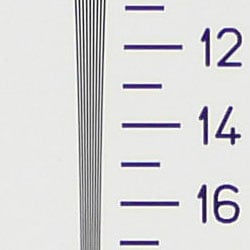
High resolution, 1,200 lines of strong detail.
 |
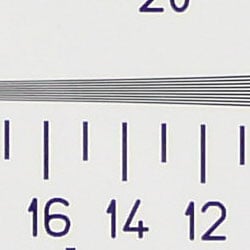 |
| Strong detail to 1,200 lines horizontal | Strong detail to 1,200 lines vertical |
Our laboratory resolution chart revealed sharp, distinct line patterns down to about 1,200 lines per picture height, with extinction at around 1,350. (The camera produced slight color artifacts at lower line frequencies though, visible in the full-sized res target shots.) Use these numbers to compare with other cameras of similar resolution, or use them to see just what higher resolution can mean in terms of potential detail.
See full set of test images with explanations
See thumbnails of all test and gallery images
Sharpness & Detail
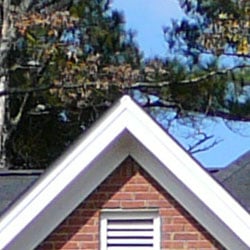
Reasonably sharp outdoors. Significant blurring of detail from noise suppression in areas of subtle contrast.
 |
 |
| High-contrast elements are somewhat blown out and a little soft. Some edge enhancement shows in the shadows and in high contrast areas. | Subtle detail: Hair Noise suppression tends to blur detail in areas of subtle contrast. It’s quite dramatic here. |
Outdoors, the Panasonic TZ1’s images are sharp with just a little softening in the corners. There’s evidence of edge enhancement, however, with obvious halos around darker objects. (Edge enhancement creates the illusion of sharpness by enhancing colors and tones right at the edge of a rapid transition in color or tone.)
Noise-suppression systems in digital cameras tend to flatten-out detail in areas of subtle contrast. The effects can often be seen in shots of human hair, where the individual strands are lost and an almost “watercolor” look appears. The crop at far right shows this dramatically, with nearly all of Marti’s hair showing limited, blurry detail, though individual strands are visible where a lighted strand passes in front of a darker shadow area. Though chroma noise is well-controlled here, this is among the poorest performances we’ve seen at ISO 100, a textbook example of out-of-control noise suppression. ISO 80 is nearly identical (see below).
ISO & Noise Performance
Significant noise suppression at the normal sensitivity settings, with even higher noise and strong blurring at the higher settings, especially at ISO 800.
 |
 |
 |
| ISO 80 | ISO 100 | ISO 200 |
 |
 |
|
| ISO 400 | ISO 800 |
The TZ1’s lower ISO settings produced low to moderate noise, but that was only due to the significant noise suppression efforts after capture. As noted above, better than average in this respect.) However, starting at ISO 400, image noise begins to dominate areas of fine detail. At ISO 800, blurring makes the images unusable for most purposes.
Extremes: Sunlit and low light tests
High resolution with good overall detail, but high contrast limits both highlight and shadow detail. Limited low-light capabilities, but sensitive enough to capture bright images under typical city street lighting.
 |
 |
 |
| +0.0 EV | +0.3 EV | +0.7 EV |
Sunlight:
Because digital cameras are more like slide film than negative film (in that they tend to have a more limited tonal range), we test them in the harshest situations to see how they handle scenes with bright highlights and dark shadows, as well as what kind of sensitivity they have in low light. The shot above is designed to mimic the very harsh, contrasty effect of direct noonday sunlight, a very tough challenge for most digital cameras. (You can read details of this test here.)
The TZ1 had a hard time with the deliberately harsh lighting in the test above, producing very high contrast with washed-out highlights and deep shadows. Shadow detail is limited, with the effects noise suppression very evident in the form of smudged detail in deep shadow areas. The camera required a slightly less than average amount of positive compensation at +0.3 EV, making its metering a bit more accurate than most in this particular test. (In “real life” though, be sure to use fill flash in situations like the one shown above; it’s better to shoot in the shade when possible.)
| Â | 1 fc 11 lux |
1/2 fc 5.5 lux |
1/4 fc 2.7 lux |
1/8 fc 1.3 lux |
1/16 fc 0.67 lux |
|---|---|---|---|---|---|
| ISO 80 |
 1 sec f2.8 |
 1 sec f2.8 |
 1 sec f2.8 |
 1 sec f2.8 |
 1 sec f2.8 |
| ISO 100 |
 1 sec f2.8 |
 1 sec f2.8 |
 1 sec f2.8 |
 1 sec f2.8 |
 1 sec f2.8 |
| ISO 200 |
 0.8 sec f2.8 |
 1 sec f2.8 |
 1 sec f2.8 |
 1 sec f2.8 |
 1 sec f2.8 |
| ISO 400 |
 0.4 sec f2.8 |
 0.5 sec f2.8 |
 1 sec f2.8 |
 1 sec f2.8 |
 1 sec f2.8 |
| ISO 800 |
 1/5 sec f2.8 |
 1/4 sec f2.8 |
 0.8 sec f2.8 |
 1 sec f2.8 |
 1 sec f2.8 |
| Night Scene (ISO 80) |
 8 sec f2.8 |
 15 sec f2.8 |
 30 sec f2.8 |
Low light:
The Panasonic TZ1 performed poorly on our low light test, but with good color from the Auto white balance setting. At the lower ISO settings (80 and 100), images were barely bright at one foot-candle, which is about as bright as average city street lighting at night. With each increase in ISO, another 1/4 footcandle of brightness was observed, but even at ISO 800, only 1/4 footcandle was bright. The camera’s autofocus system was able to focus down to about 1/8 footcandle unassisted. Keep in mind that the long shutter times here absolutely demand the use of a tripod or other camera support to get sharp photos. (A useful trick is to just prop the camera on a convenient surface, and use its self-timer to release the shutter. This avoids any jiggling from your finger pressing the shutter button, and can work quite well when you don’t have a tripod handy.)
NOTE: This low light test is conducted with a stationary subject, and the camera mounted on a sturdy tripod. Most digital cameras will fail miserably when faced with a moving subject in dim lighting. (For example, a child’s ballet recital or a holiday pageant in a gymnasium.) For such applications, you may have better luck with a digital SLR camera, but even there, you’ll likely need to set the focus manually. For information and reviews on digital SLRs, refer to our SLR review index page.
Flash
Coverage and Range
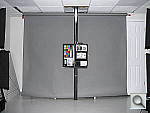
A useful flash range, and moderate orange cast with incandescent lighting. Our standard shots required +0.7 EV compensation.
 |
 |
| 35mm equivalent | 350mm equivalent |
 |
 |
| Normal Flash, High Intensity | Slow-Sync Flash, High Intensity |
Flash coverage was rather uneven at wide angle. In the Indoor test, the TZ1’s flash underexposed our subject at its default setting, requiring use of +1.0 EV to get reasonably bright results. Even here, the exposure is a little dim, with a noticeable orange cast. The Slow-Sync flash mode also needed +1.0 EV, though it resulted in more even lighting (and a stronger orange cast).
| Flash Range: Wide Angle | |||||
|---|---|---|---|---|---|
| 6 ft | 7 ft | 8 ft | 9 ft | 10 ft | 11 ft |
 1/30 sec f2.8 ISO 100 |
 1/30 sec f2.8 ISO 100 |
 1/30 sec f2.8 ISO 100 |
 1/30 sec f2.8 ISO 100 |
 1/30 sec f2.8 ISO 100 |
 1/30 sec f2.8 ISO 100 |
| 12 ft | 13 ft | 14 ft | 15 ft | 16 ft | |
 1/30 sec f2.8 ISO 100 |
 1/30 sec f2.8 ISO 100 |
 1/30 sec f2.8 ISO 100 |
 1/30 sec f2.8 ISO 100 |
 1/30 sec f2.8 ISO 100 |
|
| Flash Range: Telephoto | |||||
|---|---|---|---|---|---|
| 6 ft | 7 ft | 8 ft | 9 ft | 10 ft | 11 ft |
 1/30 sec f4.2 ISO 100 |
 1/30 sec f4.2 ISO 100 |
 1/30 sec f4.2 ISO 100 |
 1/30 sec f4.2 ISO 100 |
 1/30 sec f4.2 ISO 100 |
 1/30 sec f4.2 ISO 100 |
| 12 ft | 13 ft | 14 ft | 15 ft | 16 ft | |
 1/30 sec f4.2 ISO 100 |
 1/30 sec f4.2 ISO 100 |
 1/30 sec f4.2 ISO 100 |
 1/30 sec f4.2 ISO 100 |
 1/30 sec f4.2 ISO 100 |
|
At ISO 100, flash power started falling off at the 9 foot test distance at wide angle but falloff began about the 8 foot test distance with telephoto.
| Manufacturer-Specified Flash Range | |
|---|---|
| Wide Angle | Telephoto |
 12.1 feet Auto ISO 400 |
 7.9 feet Auto ISO 125 |
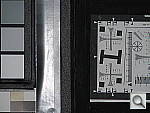
Our standard test method for flash range uses a fixed setting of ISO 100, to provide a fair basis of comparison between cameras. We also capture two shots using the manufacturer-specified camera settings, at the range the company claims for the camera, to assess the validity of their claims. In the shots above, the TZ1 seems to perform exactly as Panasonic says it will, producing good exposures at the rated distances with its ISO set to Auto. While the range is rather limited, the good news here is that the camera isn’t significantly boosting its ISO. This would produce greater flash range, but at the cost of higher image noise. In Auto ISO mode, the TZ1’s flash photos are very clean and free of image noise.
Output Quality
Print Quality
Good print quality, great color, good prints at 11×14 inches, usable ones at 13×19. ISO 400 images are soft but usable at 11×14 inches. ISO 800 images are decent from 5×7 to 4×6, but not usable at 8×10.
Testing hundreds of digital cameras, we’ve found that you can only tell just so much about a camera’s image quality by viewing its images on-screen. Ultimately, there’s no substitute for printing a lot of images and examining them closely. For this reason, we now routinely print sample images from the cameras we test on our Panasonic i9900 studio printer, and on the Panasonic iP5200 here in the office. (See the Panasonic i9900 review for details on that model.)
The Panasonic TZ1 produced crisp prints at 11×14 inches, and somewhat softer but still acceptable ones at 13×19. As always though, the real test of print size came at the higher ISO settings. Here, the TZ1’s ISO 400 images were soft at 11×14 inches, acceptable at 8×10 and great at 5×7 and lower. ISO 800 images were a little too soft at 8×10 to recommend anything but 5×7 or smaller.
Color-wise, the Panasonic TZ1 did pretty well, with bright but natural-looking color and good-looking skin tones.
The images above were taken from our standardized test shots. For a
collection of more pictorial photos, see our
Panasonic Lumix DMC-TZ1 Photo Gallery
.
Not sure which camera to buy? Let your eyes be the ultimate judge!
Visit our Comparometer(tm)
to compare images from the Panasonic Lumix DMC-TZ1 with those from other
cameras you may be considering. The proof is in the pictures, so let
your own eyes decide which you like best!
Performance
Panasonic Lumix DMC-TZ1 Performance
Timing and Performance
|
Startup/Shutdown
|
||
|
Power on
to first shot |
1.4 seconds
|
Time it takes for LCD to turn on and lens to deploy.
|
|
Shutdown
|
1.4 seconds
|
How long it takes to retract lens and stow in your pocket.
|
|
Buffer clearing time
|
1.0 second
(Large/Fine JPEG, Unlimited shots in continuous mode) |
Worst case buffer clearing time.* This is the delay after a set of shots before you can remove the card. Some cameras won’t retract their lenses and shut down until the buffer is cleared.
|
|
Mode switching
|
||
|
Play to Record,
first shot |
0.5 seconds
|
Time until first shot is captured.
|
|
Record to play
|
2.0 seconds
|
Time to display a large/fine file immediately after capture.
|
|
Display
recorded image |
0.9 second
|
Time to display a large/fine file already on the memory card.
|
|
Shutter response (Lag Time):
|
||
|
Full Autofocus Wide
|
0.35 second
|
Time from fully pressing shutter button to image capture, zoom lens at wide angle position.
|
|
Full Autofocus Tele
|
0.37 second
|
Time from fully pressing shutter button to image capture, zoom lens at telephoto position.
|
|
Prefocused
|
0.013 second
|
Time to capture, after half-pressing and holding shutter button.
|
|
Continuous AF
|
0.39 second
|
This mode usually shows no speed increase with our static subject; we have no way to measure performance with moving subjects.
|
|
Cycle time (shot to shot)
|
||
|
Single Shot mode
Large Fine JPEG |
1.64 seconds
|
Time per shot, averaged over 20 shots.
|
|
Single Shot mode
640 x 480 JPEG |
1.22 seconds
|
Time per shot, averaged over 20 shots.
|
|
Early shutter
penalty? |
Yes
|
Some cameras refuse to snap another shot if you release and press the shutter too quickly in Single Shot mode, making “No” the preferred answer.
|
|
Continuous High mode
Large Fine JPEG |
0.34 second (2.99 frames per second);
3 frames total; 1 second to clear |
Time per shot, averaged over buffer length or 20 shots, whichever came first.
|
|
Continuous High mode
640 x 480 JPEG |
0.33 second (3.00 frames per second);
5 frames total; 1 second to clear |
Time per shot, averaged over buffer length or 20 shots, whichever came first.
|
Continuous Low mode
Large Fine JPEG |
0.48 second (2.11 frames per second);
3 frames total; 1 second to clear |
Time per shot, averaged over buffer length or 20 shots, whichever came first.
|
|
Continuous Low mode
640×480 JPEG |
0.47 second (2.14 frames per second);
5 frames total; 1 second to clear |
Time per shot, averaged over buffer length or 20 shots, whichever came first.
|
|
Continuous Infinite mode
Large Fine JPEG |
0.49 second (2.04 frames per second);
No limit w/fast card*; 1 second to clear |
Time per shot, averaged over buffer length or 20 shots, whichever came first.
|
|
Continuous Infinite mode
640×480 JPEG |
0.47 second (2.14 frames per second);
No limit w/fast card*; 1 second to clear |
Time per shot, averaged over buffer length or 20 shots, whichever came first.
|
|
Flash recycling
|
3.3 seconds
|
Flash at maximum output.
|
|
Download speed
|
||
|
Windows Computer, USB 2.0
|
663 KBytes/sec
|
Typical Values:
Less than 600=USB 1.1; 600-770=USB 2.0 Low; Greater than 770=USB 2.0 High |
|
*Note: Buffer clearing times measured with a Kingston Ultimate 120x SD memory card. Slower cards will produce correspondingly slower clearing times. Slow cards may also limit length of bursts in continuous mode.
|
||
The TZ1’s performance is generally above average. Startup and shutdown speeds are above average. Shutter response is above average, too, with a blistering prefocus shutter lag of 0.013, making it an excellent kid camera if you remember prefocus. Shot-to-shot cycle times and continuous-mode speeds are also above average. The flash, which is a bit weak, takes 3.3 seconds to recharge after a full-power shot, which is also above average (but then it isn’t packing much of a punch). Connected to a computer or printer with USB 2.0, download speeds are only average. Bottom line, the TZ1 is responsive enough (particularly at wide angle lens settings) to handle most family photo opportunities.
Battery and Storage Capacity
Battery
Only mediocre battery life for a lithium-ion design.
| Operating Mode | Battery Life |
| Still-image capture mode LCD on |
250 shots
|
The Panasonic TZ1 uses a custom rechargeable LiIon battery for power. The table above shows the number of shots the camera is capable of based on CIPA battery-life and/or manufacturer standard test conditions.
We recommend picking up a spare battery and keeping it freshly charged and on-hand for long outings.
(Interested readers can find an English translation of the CIPA DC-002 standards document here. (180K PDF document))
Storage
The Panasonic Lumix DMC-TZ1 accepts SD/MMC memory cards or its 13.4MB
internal memory, though no card is included with the camera.
|
Image Capacity vs Resolution/Quality |
Fine | Normal | |
| 2,560 x 1,920 |
Images
(Avg size) |
5 2.6MB |
10 1.3MB |
| Approx.
Compression |
6:1 | 11:1 | |
| 2,048 x 1,536 |
Images
(Avg size) |
8 1.7MB |
16 865KB |
| Approx.
Compression |
6:1 | 11:1 | |
| 1,600 x 1,200 |
Images
(Avg size) |
13 1.1MB |
26 542KB |
| Approx.
Compression |
6:1 | 11:1 | |
| 1,280 x 960 |
Images
(Avg size) |
20 695KB |
38 373KB |
| Approx.
Compression |
5:1 | 10:1 | |
|
640 x 480 |
Images
(Avg size) |
65 220KB |
106 136KB |
| Approx.
Compression |
4:1 | 7:1 | |
We strongly recommend buying a large
capacity SD/MMC memory card at least a 512MB card, preferably a 1GB one, to give yourself extra space for extended outings. (Check the shopping link above, cards are really cheap these days, so no reason to skimp.)