

Overview

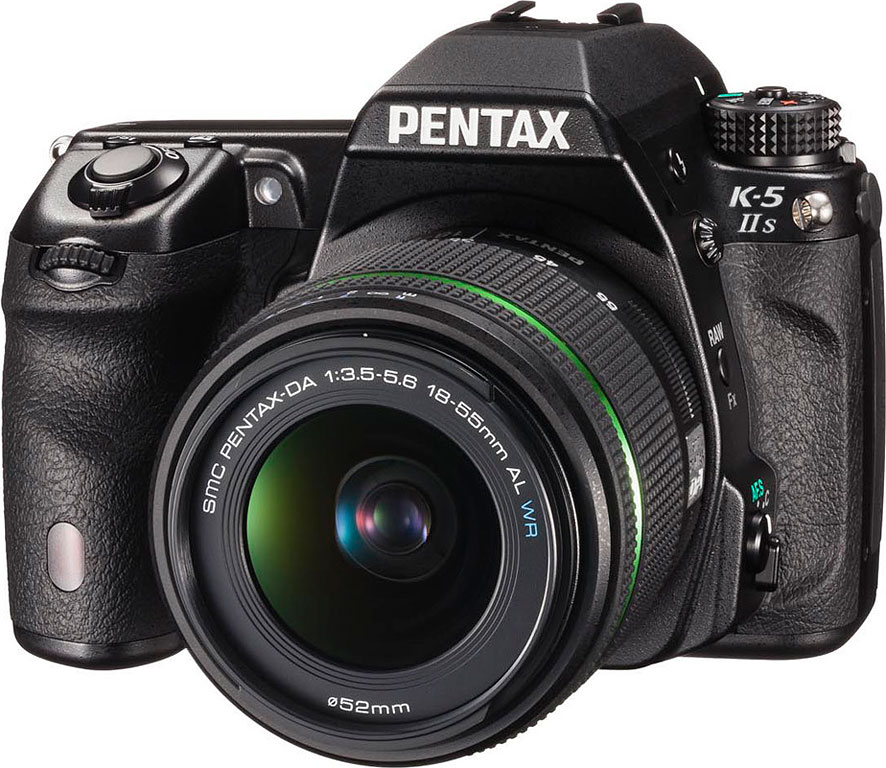
With the K-5 IIs, Pentax is borrowing a page from Nikon's playbook. Launched alongside its Pentax K-5 II digital SLR, the extremely closely-related K-5 IIs variant removes the optical low-pass filter, allowing slightly sharper images at the risk of increased moiré patterns, false colors, and other aliasing artifacts.
Like Nikon, Pentax is charging around a 10% premium for the K-5 IIs, with list pricing currently set at around US$1,100, approximately US$100 below its launch price. Unlike its rival, though, Pentax is apparently looking for broader distribution for the new camera, with availability since October 2012, both online and at retail in many brick-and-mortar stores that also carry the K-5 II.
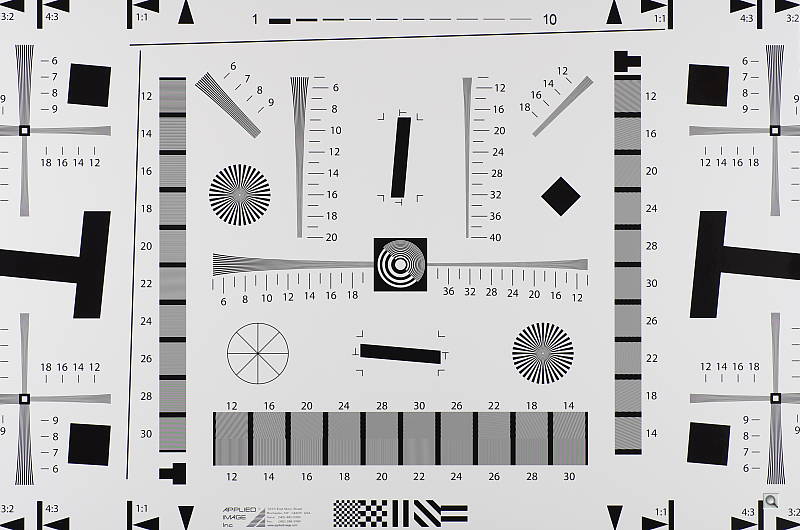
So--how does the K-5 IIs achieve higher resolution than its sibling? Like almost all Bayer-filtered cameras, the design of the standard Pentax K-5 II places an optical low-pass filter (OLPF) just above the image sensor. This filter is designed to blur incoming light just slightly, so as to prevent aliasing patterns -- moiré and 'jaggies' -- from appearing in images. Unfortunately, this filter also blurs out some subtle image detail, reducing per-pixel sharpness.
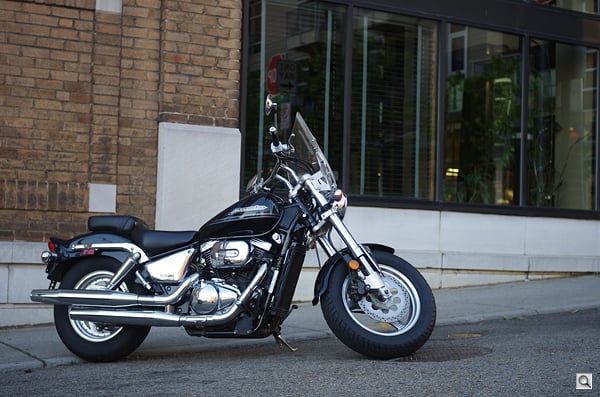
By removing the filter, you get that sharpness back--but you also have to deal with the image defects the filter was designed to hide. In some types of photography they're not too much of an issue, or you can work to reduce their impact. In the studio you can adjust your subject to minimize moiré in fabrics and hair, for example. In nature, the fine repeating patterns that cause moiré to rear its head aren't so common. (Although they do certainly appear: think hair, fur, feathers, patterns in coloring of flowers, insects, and so on.) Should some defects get past you in shooting, some work in the digital darkroom can minimize its impact, as well. Hence landscape and studio photographers, among others, may be willing to trade off the risk of moiré and jaggies to achieve the maximum possible detail.
The Pentax K-5 IIs is designed with those photographers in mind. For others, while the thought of greater per-pixel sharpness may appeal, the slight benefit in that area is likely not worth the downside of having to work around the moiré issues. That will doubtless limit the Pentax K-5 IIs' sales, but it's still great that companies like Pentax and Nikon now recognize -- and cater to -- the needs of niche markets like these. And if you're not ready for the hassle of an OLPF-free camera, then you've still got the K-5 II to consider!

In all respects bar the OLPF, the specialist Pentax K-5 IIs is identical to its mainstream sibling -- all bar the price, anyway. And for that reason, we're not going to look at most of its feature-set in this review: if you're interested in the K-5 IIs, get a basic grounding with our Pentax K-5 II review first, and then come back here for the final verdict on image quality.
If you've already read our K-5 II review, and you understand fully what you're getting into when you ditch the OLPF, then read on and find out if it's a worthwhile tradeoff!
Pentax K-5 IIs Field Test
by Mike Tomkins

Faced with a choice between the Pentax K-5 II and K-5 IIs to take on a family vacation to Hong Kong, I reached for the K-5 II so as not to have to worry about moiré. The two share most features; read my verdict on the K-5 II in a separate review.
When I flew to my one-time home in Hong Kong earlier this year for a much-needed vacation, I had the option of taking either the Pentax K-5 II or K-5 IIs with me. I did briefly entertain the thought of taking both, but concerns about the added bulk of two DSLR bodies put paid to that idea -- my wife and I had a four-year old to entertain on an extremely long trip, and our bags were already groaning at the seams with suitable distractions, plus all of our electronic gear. (Putting all of that in an easily-opened case in the hold simply wasn't an option.)
Decisions, decisions. I hemmed and hawed for a while -- deep down I'm the kind of person who finds the extra sharpness of an OLPF-free camera attractive -- but in the end my rational side won, and the K-5 II took the trip, while the IIs sat on the shelf back home. Since my return, I've shot both cameras extensively, though, and as you'd expect I noticed absolutely no difference between the two in terms of handling and shooting in the field.
So why did I take the K-5 II on my trip, rather than the K-5 IIs? Well, from the get-go Imaging Resource has had concerns about the potential for aliasing and moiré issues with OLPF-free cameras in general, and those were borne out in our review of the Nikon D800E late last year. I was expecting the same with the Pentax K-5 IIs, and while as it happens I didn't hit anything nearly so severe as we saw with the Nikon, that's likely down to dumb luck in my not hitting a subject of the right spatial frequency. This being a personal trip, and one I can't often make at that, I simply didn't want the hassle of fixing moiré in even a small portion of the hundreds of images I expected to shoot. (As it turned out, I shot almost 1,100 images in the course of the twelve-day trip.)
 |
For the most part, the difference in sharpness between the K-5 II and the low-pass-filter-free K-5 IIs is pretty subtle, but occasionally a subject just feels more life-like viewed at 1:1 resolution in images from the K-5 IIs. This image is a nice example: I don't think my K-5 would've held onto some of the finer details in this weathered bicycle sculpture -- although a touch of unsharp mask would've probably brought the two cameras closer to parity. |
Knowledge is power. If you're considering the K-5 IIs, you need to be aware of that possibility yourself, and to make your buying decision appropriately. Moiré is going to be more of an issue with some subjects than others -- specifically, those with repeating patterns can be problematic. That's especially true of a lot of man-made objects -- think things like brick walls, fencing, fabrics, and more. It's also true in the natural world, though. Hair, fur, feathers, and the fine patterns you often see on bugs and flowers are particularly likely to cause issues. Depending on the subject, you may be able to fix the problems with cloning or other techniques, but do you really want to take on that hassle?

I'm not sure the OLPF-shod K-5 would have held onto the fine texture in this reflective railway sign quite so well. (Note: This is an out-of-camera crop at 100% size.)
A real-world comparison. With all of that said, once I was back home in Knoxville I went out shooting with the K-5 IIs. I didn't want my concerns to bias the results in either direction, so I didn't actively seek out subjects likely to cause aliasing, and nor did I try to avoid problematic subjects -- I just shot as I would with any other camera.
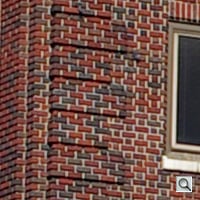
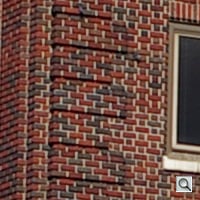
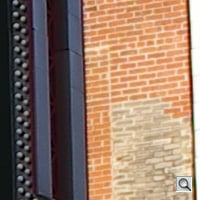
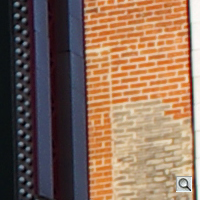
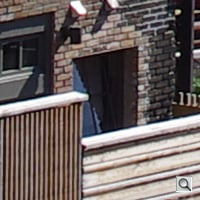
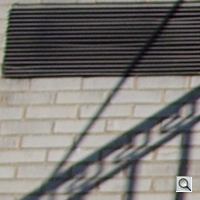
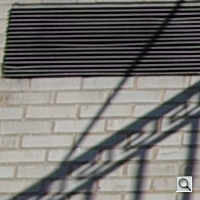
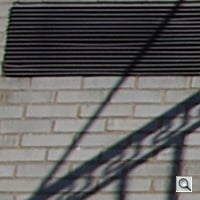
In my own photos, the issues weren't anywhere near as frequent as I'd worried, but they did crop up now and then -- and as I've said, it's likely I simply didn't happen on quite the right subject for a more prominent issue. Window blinds, vent / drain gratings, and power cables were the most common culprits for me. I've included a couple of examples highlighting the moiré / false color below, and in the comparison crops. (See the air conditioner grille in the second shot with the 40mm prime lens.)
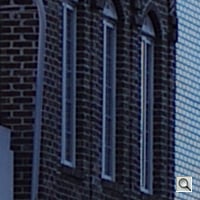
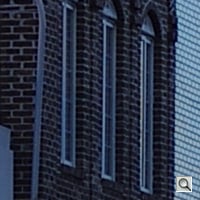
Test conditions. The comparisons, by the way, pit the Pentax K-5 IIs directly against both the K-5 and K-5 II. Note that all of these were shot moments apart with the exact same lens (that is, not the same model, but the same individual copy -- I switched it back and forth between cameras). All were shot with the camera mounted on my sturdiest tripod to try and retain the same framing. I used two lenses for the shots: both my smc PENTAX-DA 21mm F3.2 AL Limited and smc PENTAX-DA 40mm F2.8 Limited primes.

On the flip side of the coin, the K-5 IIs shows moiré and false color more easily. In real life, these overhead cables aren't the rainbow of color they seem to be here. (Note: This is an out-of-camera crop at 100% size.)
Unfortunately I only had one tripod mount compatible with the particular tripod I'd chosen, and in switching it back and forth between bodies, couldn't quite match the alignment perfectly on the three bodies. Hence, the framing isn't 100% identical, but it's pretty close. All three cameras were set in live view mode, allowed to focus automatically on the same high-contrast point in the scene, and then switched to manual mode to lock focus across a bracketed series of three exposures.
The base exposure was set by letting the first camera shot (the K-5 IIs) determine the exposure in program mode at my chosen sensitivity. I then switched all three cameras to Manual exposure, selected the same shutter speed, aperture, and ISO sensitivity, and shot each in sequence -- first the K-5 IIs, then my K-5, then the K-5 II. (I'd meant to shoot my K-5 last, but transposed the order in the first set of shots, so stuck with it for the remainder to avoid confusion.)
All settings for each camera were at the default with the sole exception of file type (Raw+JPEG), drive mode (three-shot bracketed with self-timer, +/-0.7EV steps), and clock (which I plain forgot to check - d'oh!) I did also confirm that the default setup was identical for the trio. In other words, this test was as close as I could manage out in the real world to obtaining identical images from all three cameras. Oh, and one last note: What I'm showing here are 100% crops from the same area of each image. If you click on the crop, you'll be taken to the original image, available in both JPEG and raw formats, so you can make your own comparisons, and draw your own conclusions.
And now, without any further ado, to the comparisons:
| Pentax K-5 | Pentax K-5 IIs | Pentax K-5 II |
| smc Pentax-DA 21mm F3.2 AL Limited | ||
 |
 |
 |
 |
 |
 |
 |
 |
 |
 |
 |
 |
 |
 |
 |
| smc Pentax-DA 40mm F2.8 Limited | ||
 |
 |
 |
 |
 |
 |
 |
 |
 |
 |
 |
 |
Still Life studio shots compared to Pentax K-5 II
Below are crops comparing the Pentax K-5 II and Pentax K-5 IIs.
NOTE: These images are best quality JPEGs straight out of the camera, at default settings including noise reduction. Both cameras were shot with the same, very sharp reference lens (Sigma 70mm f/2.8 EX DG Macro), one of the sharpest lenses we've ever tested.
Pentax K-5 II versus Pentax K-5 IIs at ISO 100
 |
 |
 |
 |
 |
 |
 |
 |
|
Pentax K-5 II at ISO 100
|
Pentax K-5 IIs at ISO 100
|
|
Removing the optical low pass filter on the K-5 IIs certainly has obvious advantages. The Mas Portel bottle is clearer, while the mosaic pattern and red leaf swatch are sharper. There is a downside, though, in the form of increased susceptibility to aliasing artifacts such as the stronger moiré patterns and jaggies you can see in the last crop above.
|
|
Pentax K-5 II versus Pentax K-5 IIs at ISO 1,600
 |
 |
 |
 |
 |
 |
 |
 |
|
Pentax K-5 II at ISO 1,600
|
Pentax K-5 IIs at ISO 1,600
|
|
Again the K-5 IIs yields sharper images than the K-5 II. The differences aren't quite as noticeable at ISO 1600, but the advantages are most evident in the mosaic image. Moiré is still much more visible from the IIs at this ISO, but becomes less of an issue at higher ISOs where higher noise and stronger noise reduction tend to suppress it.
|
|
| High Contrast Detail | |
 |
 |
|
Pentax K-5 II at ISO 100
|
Pentax K-5 IIs at ISO 100
|
 |
 |
| Pentax K-5 II at ISO 1,600 | Pentax K-5 IIs at ISO 1,600 |
|
The K-5 IIs yields nice detail in the Pure lettering, and deeper blacks. Also note the writing below the name being crisper overall, as well as the leaf. |
|
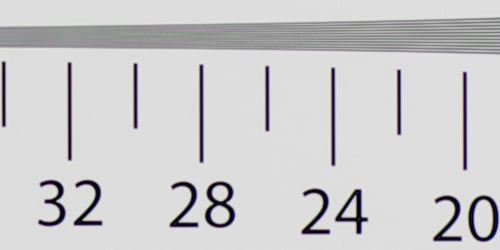
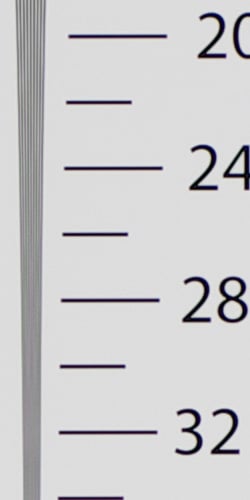
Resolution Chart Comparisons
| In-camera JPEG (ISO 100) | |
 |
|
|
Pentax K-5 II
|
|
 |
|
|
Pentax K-5 IIs
|
|
 |
 |
|
Pentax K-5 II
|
Pentax K-5 IIs
|
|
Here, we can see slightly better resolution from the K-5 IIs from in-camera JPEGs, though note the stronger moiré. |
|
| RAW (ISO 100) | |
 |
|
|
Pentax K-5 II
|
|
 |
|
|
Pentax K-5 IIs
|
|
 |
 |
|
Pentax K-5 II
|
Pentax K-5 IIs
|
|
Processing raw files though Adobe Camera Raw 7.4 and applying the same sharpening to both (USM 250%, radius 0.3) reveals a more obvious improvement in resolution from the K-5 IIs, though false colors are "moiré" of an issue. |
|
Pentax K-5 IIs Print Quality
Excellent print quality up to 24 x 36 inches at ISO 80/100/200; ISO 1600 capable of a good 11 x 14 inch print; ISO 12,800 still able to deliver a good 4 x 6. (Note: the K-5 IIs creates noticeable oversaturation in some colors of our test images.)
 ISO 80/100/200 produces excellent prints at 24 x 36 inches, and is capable of wall display images up to 30 x 40 inches. As noted above, the magenta fabric swatch is noticeably oversaturated.
ISO 400 prints lose only a minor amount of detail in a few areas like the mosaic tiles, but are quite sharp at 20 x 30 inches.
ISO 800 images were oh-so-close at 20 x 30, but show marginal loss in contrast in our difficult target red leaf swatch and some apparent noise in the shadowy areas of our target. To be safe we'll call 16 x 20 good at this ISO, just as we did with the K-5 II.
ISO 1,600 prints at 11 x 14 lose all contrast detail in our target red swatch, but are otherwise quite good.
ISO 3,200 makes a nice 8 x 10 inch print, again losing all detail in our red swatch but good in all other areas.
ISO 6,400 prints a nice 5 x 7, with only minor grain in the shadows.
ISO 12,800 prints a nice 4 x 6, which still is a good size for this ISO.
ISO 25,600/51,200 prints are not usable at any size and are best avoided.
The Pentax K5-IIs with its APS-C 16.3mp sensor and lack of an optical low-pass filter yields a nice range of printed images across most of the ISO spectrum, producing comparable print sizes to most of its competitors in this sensor size and price range and yielding slightly sharper images overall than its sibling the K-5 II with its low-pass filter. Note however that at all sizes and ISO ranges our target magenta fabric swatch has a noticeable boost in saturation, and is tinted slightly more towards purple than the actual swatch color.
Testing hundreds of digital cameras, we've found that you can only tell just so much about a camera's image quality by viewing its images on-screen. Ultimately, there's no substitute for printing a lot of images and examining them closely. For this reason, we now routinely print sample images from the cameras we test on our Canon Pro9000 Mark II studio printer, and on the Pixma MP610 here in the office. (See the Canon Pixma Pro9000 Mark II review for details on that model.)
In the Box
- Pentax K-5 IIs digital camera
- Lithium-ion rechargeable battery pack D-LI90
- Battery charger kit K-BC90
- Body cap
- Eyecup FR
- Finder cap for ME
- PC socket cap
- Hotshoe cover FK
- Focusing screen MF-60 Frame Matte (aka Natural-Bright-Matte III)
- USB data cable I-USB7
- Audio/video cable I-AVC7
- Shoulder strap O-ST132
- Software CD-ROM S-SW132
- One-year limited warranty
Recommended Accessories
- Protective case
- Extra battery pack for extended outings
- Large capacity, high-speed SDHC/SDXC memory card. 8-16GB or larger makes sense if you plan on shooting lots of HD video. Look for a speed grade of at least Class 6 for video capture.
- High-quality lenses (especially primes) to take advantage of the OLPF-free design
- External flash
- Additional focusing screens
Pentax K-5 IIs Conclusion
| Pro: | Con: |
|---|---|
|
|
For years now, we've heard readers asking the camera manufacturers to offer a camera without an optical low-pass filter in the quest for the maximum possible resolution. Some have seen OLPF-free digicams as something of a holy grail, but the truth of the matter is that removing the low-pass filter is not a magic bullet -- the improvement in per-pixel sharpness is real -- if your lens resolves sufficient detail, anyway -- but so too is the occurrence of moiré and other untoward artifacts of a camera's Bayer filter array.
With the Pentax K-5 IIs, moiré problems may not have struck for me quite as often as I had been worried that they might, but at the same time, the difference in sharpness was also rather more slight than I was expecting. Yes, when viewed at 1:1 the K-5 IIs clearly has an advantage over the K-5 II in per-pixel sharpness, but it's not a difference you're going to notice unless you're looking at your images very closely. Even then, a touch of unsharp masking on both images will often leave the K-5 II's result near-indistinguishable from that shot with the K-5 IIs.
For some purposes, that little extra sharpness might be worthwhile, but for my money it's simply not worth the risk of a hard-to-remove artifact in a once-in-a-lifetime shot. The slight reduction in sharpness is one I'm willing to make, for the peace of mind it brings.
If you know your subjects won't be prone to moiré, you have the ability to control the situation to avoid it, the patience to repair it when it does show up, or you have an absolute need for a camera without an antialiasing filter*, then the Pentax K-5 IIs should prove very interesting.
Putting our concerns aside for a moment, though, we're glad to see Pentax provide you with that option. The overwhelming majority of photographers would be best advised to stay with the standard Pentax K-5 II instead of its more specialized sibling, however. We'd recommend you read our Pentax K-5 II review to find out if that would be the better camera for you.
(*We should note that, perhaps, that we don't know for sure if the filter has been removed, or if its effect has simply been canceled out. We do know that rival Nikon uses the cancellation approach.)
Follow Imaging-Resource.com on twitter!
Video
Check out the links below for more sample images, videos and image quality analysis:
- Pentax K-5 IIs Sample Images page (Index to all standard test shots, with explanations)
- Pentax K-5 IIs Thumbnails page (Thumbnails of all shots, including RAWs, with EXIF data)
- Pentax K-5 IIs Gallery page (Regular photos taken with the Pentax K-5 IIs)
Like most DSLRs nowadays, the Pentax K-5 IIs offers at least some HD video recording capability. Pentax hasn't been a big player in the HD-DSLR arena, and unfortunately, the updated K-5 IIs and K-5 II don't make much of an entrance. The K-5 II models do finally add full 1,920 x 1,080 HD resolution video (up from the 720p video of the K-5), however they only shoot 1080p video at 25 frames per second, which is a bit strange, particularly for the US and other NTSC markets where frame rates like 24p and 30p are more common and compatible. They also shoot at 720p resolution at 25 and 30 frames per second, but there are no faster frame rates like 60p or 50p. There's also a standard definition video resolution of 640 x 480 at both 25 and 30 frames per second. Each video resolution has three image quality (compression) levels.
Other features for video recording are rather slim, with only one recording format, a built-in monaural microphone (although there is an external mic jack) and a 25 minute limit to video recording. There are also various special effects filters and scene modes that can be applied to videos as well.

One quite interesting and unique feature is the camera's body-based Shake Reduction technology, so rather than lens-based image stabilization, the camera itself handles the I.S., providing a stabilized image with any lens. The cool thing about this is that it works for video recording, too. We've seen other manufacturers with sensor-shift image stabilization, but it's often disabled for video recording. This is quite versatile and convenient.
Although the Pentax K-5 IIs packs an array of powerful and unique features for still images in a camera at this price point, the video side of things doesn't seem to be this camera's strong suit. Using this camera for video feels like stepping into a time machine back to the burgeoning days of DSLR video recording -- minimal features, sightly clunky operation and technical limitations. Here's the full rundown of the K-5 IIs' video capabilities, along with our usual selection of sample videos.
NOTE: The Pentax K-5 II features identical specifications regarding video recording, so the video pages for these two cameras will be very similar.
Pentax K-5 IIs Basic Video Specs
- Full HD 1,920 x 1,080 video at 25 frames per second
- 1,280 x 720 HD video at 30 fps & 25 fps
- VGA 640 x 480 video at 30 fps & 25 fps
- Three video quality levels: Best, Better and Good
- Video recording started and stopped with shutter button
- Does not have full-time autofocus
- Live View AF options (using half-press of shutter button prior to recording):
- Face Detection AF - autofocus priority to faces; contrast detection AF
- Contrast AF
- Phase Difference AF (screen will shut off to use use phase detection autofocus, then the screen will turn back on once focus is determined.)
- Manual focus also available
- Cannot change ISO sensitivity in Movie Mode; Auto ISO only
- Spot, Center-Weighted and Multi-Segmented Metering available
- Shake Reduction available during video mode
- Shake Reduction is body/sensor-based -- can use any lens and still have image stabilization
- Live histogram display available before and during recording
- Shutter speed is not adjustable in Movie Mode; automatically adjusted (not shown to user)
- Vertical and horizontal level can be displayed during recording
- Built-in mono microphone with 3.5mm external microphone input jack
- Recording time limited to 25 minutes or 4GB
- Video recording also stops if camera overheats
- Can use optional remote control to start and stop recording
- Nine custom image styles presets; Five digital effects filters; Cross processing filters
- Pentax warns that Digital Filter may caused dropped frames in recorded video
Pentax K-5 IIs Video: Image Size, Frame Rate, and Encoding
The Pentax K-5 IIs is fairly limited in terms of recording file format, resolution and frame rates.
|
Pentax K-5 IIs Video Options
|
||
|---|---|---|
|
M-JPEG Format (MotionJPEG, .AVI files)
|
||
|
Resolution |
Aspect Ratio |
Frame Rate
|
1,920 x 1,080 |
16:9 |
25 frames per second |
1,280 x 720 |
16:9 |
30 frames per second |
|
25 frames per second |
||
|
640 x 480 |
4:3 |
30 frames per second |
25 frames per second |
||
The Pentax K-5 IIs offers a very simple menu when it comes to video resolution, frame rates and file formats. It features a single file format, Motion JPEG in an AVI container, in three resolutions, 1,920 x 1,080, 1,280 x 720, and 640 x 480. At 1080p resolution, the only option for frame rates is 25 fps, which, as mentioned above, is quite odd given that this camera is also sold in non-PAL countries where 25p is not a standard frame rate. Users are also given the choice of 720p HD video in 30p and 25p frame rates as well as VGA resolution video 30p and 25p.
There are three levels of image quality for each resolution video: Best, Better and Good. Pentax do not indicate specific bitrates for each quality level, however, but they do indicate that approximate recording time limits for a standard 4GB memory card:
| Pentax K-5 IIs Video Recording Times & Estimated Bit Rates
|
|||
|---|---|---|---|
Resolution |
Quality Level |
Time |
Est. Bit Rate
|
1080p, 25p |
Best |
5 min, 17 sec |
101 Mbps |
Better |
6 min, 57 sec |
77 Mbps |
|
Good |
9 min, 43 sec |
55 Mbps |
|
720p, 30p |
Best |
8 min, 31 sec |
63 Mbps |
Better |
13 min, 03 sec |
41 Mbps |
|
Good |
18 min, 07 sec |
29 Mbps |
|
720p, 25p |
Best |
10 min, 12 sec |
52 Mbps |
Better |
15 min, 35 sec |
34 Mbps |
|
Good |
21 min, 37 sec |
25 Mbps |
|
VGA, 30p |
Best |
25 min, 08 sec |
21 Mbps |
Better |
37 min, 57 sec |
14 Mbps |
|
Good |
51 min, 34 sec |
10 Mbps |
|
VGA, 25p |
Best |
30 min, 01 sec |
18 Mbps |
Better |
44 min, 41 sec |
12 Mbps |
|
Good |
1 hr, 0 min, 57 sec |
9 Mbps |
|
The downside to using a video format like Motion JPEG, which is quite simple to decode, is that it's not as efficient in its compression scheme as more advanced codecs, like H.264/MPEG-4 AVC encoding (as is used in the Panasonic GH3, for example). As such, video files from the Pentax K-5 IIs can grow to massive sizes. Pentax puts a limit of 25 minutes of continuous recording or a 4GB file, whichever comes first. Given the M-JPEG inefficiency with compression, it's not surprising that you can record 1080p Best quality video for only about 5 min, 17 sec.
Pentax K-5 IIs Video: Image Quality
The K-5 IIs produces nice image quality overall at both 1080p and 720p resolutions with a decent level of detail and good colors, if a bit saturated at the default "Bright" picture settings. However, videos aren't as crisp and finely detailed as other video-capable still cameras like the GH3.
The camera also struggled in our standard night videos, particularly with shadow details. The Pentax K-5 IIs does not allow users to set the ISO in video mode, contributing to the low-light videos looking underexposed. There was also a lot of high-ISO noise throughout the frame, despite the ISO apparently not being high enough for a good exposure.
Take a look at our standard set of sample videos below (note: the Pentax K-5 II was used for these):
| Pentax K-5 II: Video Samples
|
|---|
Moiré, aliasing & color artifacts
The only difference between the K-5 II and K-5 IIs is that the "s" model lacks an optical low-pass filter (LPF). The removal of this filter helps produce slightly sharper, more detailed images. The downside is that without this filter, users run the risk of having more moiré and aliasing artifacts in their images.
Moiré and aliasing artifacts were quite severe on the K-5 IIs, just like we saw on the K-5 II. These distortions appeared on many objects in the frame, such as roofing shingles, window screens and blinds, and even the small leaves and fronds of the sweet grass bushes.
Many people wouldn't expect to find moiré artifacts in video from the version of the camera that has a low-pass filter, but optical low-pass filters are designed to operate at the individual pixel level, at still-image resolutions. Because video resolution is so much lower, the optical LPF has no effect on aliasing. Aliasing and moiré are a significant problem in DSLR video, because most cameras don't have (remotely) enough processing horsepower to do anti-aliasing processing in firmware.
We did, however, see more color artifacts from the K-5 IIs compared to the K-5 II, which is due to the lack of an optical LPF. You can see an example of this below in a frame grab from our rolling shutter sample video:

| Pentax K-5 IIs: Moiré & Color Artifacts Sample Video
|
|---|
| Purple and green gutter! Sample video trimmed from beginning of rolling shutter video. |
Pentax K-5 IIs Video: Focusing
The Pentax K-5 IIs is one of the rare video-capable DSLRs released recently that doesn't feature some form of continuous autofocus. And the K-5 IIs doesn't offer many of the bells and whistles for video focusing that we've seen in other recent cameras, such as focus peaking.
- No full-time autofocus ; manual focus only
- If AF is enabled, the camera will autofocus with a half-press of the shutter button prior to recording (shutter button is used to start/stop video recording) -- can override AF attempt with a quick full-press of shutter button.
- Magnify View with press of "Info" button (2x, 4x, 6x) to check critical focus (before recording only).
- Can move AF point around almost entire frame (except for right and left edges).
- Continuous Tracking focus works while half-pressing shutter button; doesn't track focus during recording.
- Can be used as another way to focus and recompose prior to recording.
Pentax K-5 IIs Video: Exposure Control

As with focusing, the Pentax K-5 IIs is pretty sparse when it comes to features for exposure settings, with most most of the video exposure controls automatically chosen for you. The only exposure options the user is given are aperture and exposure compensation, while other settings like shutter speed and, surprisingly, ISO sensitivity are automatically adjusted.
- Option to have aperture manually adjustable or automatic
- for manual aperture control, set "Movie Aperture Control" to "Fixed" in Movie menu.
- ISO is set to Auto ISO. Cannot be changed in Movie Mode.
- Shutter speed automatically selected based on video frame rate (?) (not shown to user, however).
- Exposure compensation is available before and during recording
- Spot, Center-Weighted and Multi-Segmented Metering available
- White balance available in movie mode (before recording)
- Tonal adjustments: 9 preset values, plus full customization of tonal settings (saturation, hue, high & low key adjustments, contrast, and sharpness) are available in movie mode.
- Cross Processing and Digital Filters special effects presets are available.
There is, however, an unofficial "hack" to have full manual exposure in video mode on the Pentax K-5 IIs (K-5 II):
- Rotate mode dial to "User"
- In the menu, select exposure mode "Av" for Aperture Priority
- Choose aperture value that you want
- Choose the ISO value that you want
- Enable Live View
- Point camera to meter on a subject in such a way that the shutter speed adjusts to your desired level (i.e. 1/25 for 25p, 1/30 for 30p, etc.)
- Press AE-L button (auto-exposure lock) to set exposure settings
- Rotate Mode Dial to Movie Move
- Notice the AE-L asterisk icon is still on the screen. Your exposure should be locked to the ISO, shutter speed and aperture that you set previously.
- Note that entering menus or turning of the camera will reset the Auto-Exposure Lock (like it will with still images).
Pentax K-5 IIs Video: Audio Recording

The Pentax K-5 IIs provides only the most basic of audio recording features for Movie Mode: mono audio with the built-in mic and no adjustable recording level, but with the ability to attach an external stereo mic.
- Monaural audio with built-in microphone
- 3.5mm microphone input jack ("stereo mini plug")
- Audio level is not adjustable; choice is on or off
- Pentax suggestions for external microphones
- Stereo electret condenser mics
- Plug-in Power Method (with operating voltage of 2.0V or lower)
- Impedance: 2.2 kΩ
- Pentax warns not to disconnect external mic during recording, as the camera will not switch automatically back to internal mic and sound will not be recorded.
- Although no specifications are given regarding audio format, video players report it as 16-bit PCM audio with a sample rate of 32 kHz.
Pentax K-5 IIs Video: Rolling Shutter Artifacts ("Jello Effect")
Almost every video-capable still camera on the market distorts rapidly moving objects, or the entire scene, if the camera is panned quickly. The technical term for this is "rolling shutter artifacts," but many users simply call it the "Jello effect," because the image can jiggle and sway like Jello as the camera is moved. This occurs because the image is captured and read out line by line, so the bottom of an object may no longer be underneath the top of it by the time the camera gets around to capturing that part of the frame.
The Pentax K-5 IIs sadly displays pretty severe rolling shutter artifacts. On both 1080/25p and 720/30p, with and without Shake Reduction enabled, rolling shutter was pretty noticeable. (Note: Shake Reduction was disabled for the two sample videos below.) On a couple subsequent tests, even when panning slowly, rolling shutter artifacts were produced easily.
| Pentax K-5 IIs: Rolling Shutter Artifacts
|
|---|
There are plug-ins out there to fix rolling shutter when editing your footage on the computer, but software correction is not a surefire solution. It's simply something that you must keep in mind when moving the camera while recording video. If you just pan slowly while filming, you're not likely to notice them much at all.
Pricing and availability
Available since October 2012, there's around a 10% price premium for the Pentax K-5 IIs, compared to the standard K-5 II. List pricing is currently set at around US$1,100, approximately US$100 below its launch price.