


Overview
Olympus PEN E-P3 Overview
A couple of years have passed since we reviewed the very first Olympus PEN camera, the E-P1. It seems longer, because so much has changed in this space. The PEN E-P1 was the first of the small Micro Four Thirds cameras, at the time the smallest, but since its debut a war has broken out for the title of the smallest compact system camera. While the smaller Olympus PEN Lite and PEN Mini have entered the fray in the "small" arena, Olympus saw fit to also update and revamp the original PEN with more functionality.
Sensor size remains the same, but Olympus says that it's been optimized for better high ISO performance. The company also added a removable, upgradable grip, an AF-assist lamp, a pop-up flash, and optional touchscreen control, among other things. Though it's a little surprising they stayed with the basic overall size and shape given the competitive environment, it does give them a larger platform to hang features on, better for the more serious photographer, who's likely to prefer the extra dial and buttons. Perhaps the most important improvement is the extremely fast autofocus, which rivals the fastest digital SLRs, a remarkable achievement, quite vindicating the brand after legitimate complaints of very slow autofocus with the first camera and lenses. That's all turned on its head now, as all of the current Olympus optics are fast and quiet, and the new FAST AF engine in this new line of cameras completes the picture.

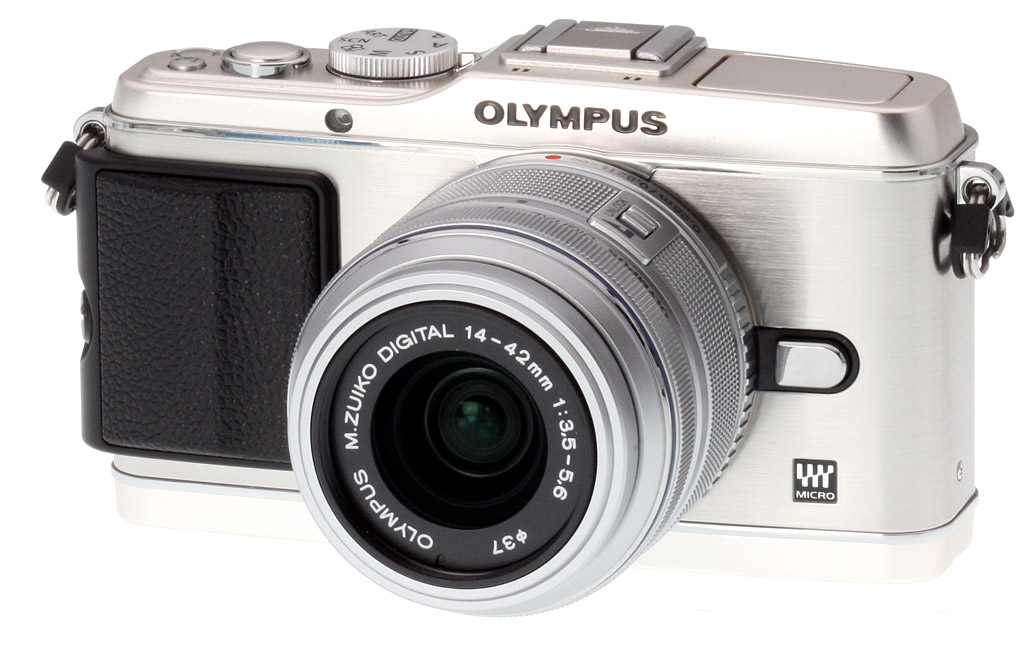
The new 14-42mm kit lens design, which debuted with the E-PL2 in 2010, has a new look, with a silver body and finer knurling on the rings. The old design also left the bayonet exposed, while the new adds a silver beauty ring for a more finished look. Removing the ring exposes the black bayonet mount for adding optional adapter lenses. The E-P3 we received had a champagne finish, making the silver lens look almost blue by comparison.
From the view at right, you can see the new Pop-up flash, tucked into its silo in this shot. Since this is where the Mode dial used to reside, they moved it to the right next to the shutter button, making it easier to see and use.
Build. Fully outfitted and ready to shoot, the Olympus E-P3 weighs just over a pound, or 16.96 ounces (1.06 pounds, 481g) with the lens, battery, and card. The original E-P1 configured the same with its original lens weighed a little more at 18.58 ounces (1.16 pounds, 526.8g). Dimensions seem similar to the E-P1 as well, at 4.8 x 2.7 x 1.35 inches (122 x 69 x 34mm). Measuring with a caliper, the actual dimensions are different: 123 x 71 x 35mm for the E-P3, versus 122 x 71.5 x 35.3mm. So, pretty close: a little shorter, a little wider, and a little thinner front to back. Note, I did include the hot shoe and lens mount, but not the strap lugs or grip.

Prominent in this shot is the pop-up flash. It looks like the tube is about the same size as the flash on the E-PL2, but the mechanism is a little better built, with metal parts for more precision actuation. There's nothing wrong with the other design, by the way, it just makes more of a boing sound while this one is a single, solid click.

The new stock Olympus grip has a little more of a finger grip than the old design, which was more of an uncomfortable wedge. The new grip is removable, or you can replace it with a thicker, more aggressively hooked grip. I prefer it removed, so far. I always wanted to see if I could scrape the old one off, but never wanted to ruin it. Now I'd like to put some leather on the panels to make it small, yet grippy.
Also new on the front is the AF-assist lamp, which glows a bright amber when activated; it also flashes less brightly for the Self-timer. The Olympus logo, which was flanked by stereo microphone holes, now looks cleaner, as the microphone holes have moved to the top deck.

The color difference between the silver body and the silver lens is more dramatic in this view, but Olympus's own shots show this difference, so it's intentional. Those microphone holes push the hot shoe back a bit, or else that could be moved to accommodate the AP2 accessory port (below). The Mode dial is better positioned on the right side, but it doesn't match the rest of the camera as well. The power button has moved, and the SSWF (supersonic wave filter) is replaced with a blue power-on lamp. The shutter button is slightly smaller, and what used to be the Exposure Compensation button is now a programmable Function 2 button.

Major controls on the back match those on the original camera in orientation, though some have changed their purpose. New are the Pop-up flash release and the Record Start button, for instant access to movie recording. White Balance is no longer available on the right of the Arrow Pad/Main Dial, shrewdly replaced by the Flash Mode button. Though the vertical Sub dial on the upper right still serves to zoom in and out on images, there's a Zoom button where AE/AF Lock used to live. The other new control is the big rectangle to the left, the new touchscreen. Thankfully, its use is limited, meaning most of the functions haven't been delegated to the screen. Mostly Live Guides, touch focus, touch tracking, and zooming can be done via touch. I'm no fan of touchscreens, but this implementation might change my mind. The 3-inch monitor isn't an LCD, but an OLED with about 614,000 dots.

Storage and battery. The Olympus E-P3 stores images and movies on Secure Digital cards, and is compatible not only with the higher-capacity SDHC and SDXC card types, but also with higher-speed UHS-I cards -- still a relatively rare capability as of this writing (June 2011). The E-P3 also supports Wi-Fi enabled Eye-Fi Secure Digital cards, for wireless transfer direct from the camera body.
The Olympus E-P3 draws power from a proprietary BLS-1 (or BLS-5) lithium ion battery pack. Battery life is rated to CIPA testing standards as 330 shots with 50% flash usage, when writing to a class 6 SDHC card.
Olympus PEN E-P3 Technical Info
by Mike Tomkins
Sensor and processor. At the heart of the Olympus E-P3 lies a new 12.3 megapixel Live MOS image sensor, whose output is handled by a TruePic VI image processor. The E-P3's imager has a 4:3 aspect ratio, and allows capture of still images at a maximum resolution of 4,032 x 3,024 pixels. Sensitivity ranges from a base of ISO 200 equivalent to a maximum of ISO 12,800 equivalent, controlled automatically or manually in 1/3 or 1/2 EV steps. (By default, the maximum sensitivity is capped at a more modest ISO 1,600 equivalent, however.)
Two generations removed from the TruePic V chip featured in earlier PEN-series models, the new TruePic VI image processor retains the Fine Detail Processing technology introduced in the E-5 digital SLR's TruePic V+ chip, and adds Real Color technology that's intended to improve rendering of emerald green, yellow, and magenta hues. TruePic VI also includes an updated version of the company's Shadow Adjustment Technology, which operates in iAuto mode or when the Auto Gradation function is enabled, and aims to restore shadow detail without adversely affecting highlights.
Another new feature of the TruePic VI processor allows it to perform noise reduction using information spanning multiple frames, which should allow reduced noise levels both for video capture, and for the live view feed used to frame and review images. TruePic VI also brings a significant improvement in operating speed, most notable in the camera's autofocus system (which we'll come to in a moment), as well as in its ability to capture Full HD video -- a first for a PEN-series camera. Shutter response time is rated by the manufacturer at less than 60 milliseconds, a number confirmed in our lab.

Focusing. Perhaps the biggest news in the Olympus E-P3 is to be found in its overhauled autofocusing system. It still uses contrast detection autofocusing, but Olympus has improved the speed of its system significantly, and branded it as "Frequency Acceleration Sensor Technology", or "FAST" AF for short. Olympus claims its new system offers the world's fastest autofocusing with standard zoom lenses, finally bringing contrast detection autofocus on par with phase detection in terms of speed: comparing to its own product line, Olympus suggests that the E-P3 can focus as quickly as its prosumer Olympus E-5 digital SLR. The improvement in speed has been achieved by reducing the time taken for the autofocus system to begin operation after half-pressing the shutter button, doubling the sensor readout speed to a whopping 120 frames per second, and increasing the speed with which contrast detection routines operate. Olympus' "Movie and Still Compatible" lenses are also said to play their part in the system's speed, and third party lenses or older Olympus models are likely to operate at reduced speed.
As well as improving autofocus speed, Olympus has also increased the total number of focus points in its system, which still has fixed point locations, even though it uses contrast detection. Where earlier PEN-series cameras offered 11-point autofocus, the Olympus E-P3 now offers up 35 point focusing, with the points are arranged in a 7 x 5 array that covers most of the image frame, with the exception of the extreme edges. The E-P3 also provides the ability to configure the camera to address 3x3 groups of focus points instead of individual points if preferred. Olympus further notes that it has improved autofocus tracking performance, and can now use color information and account for the locations of faces in tracking a moving subject. One final difference of note with respect to autofocusing is that the Olympus E-P3 now includes a small, built-in autofocus assist lamp, positioned roughly where the self-timer lamp was in earlier cameras.

Optics. Like all PEN-series cameras, the Olympus E-P3 features a Micro Four Thirds lens mount capable of accepting quite a selection of dedicated lenses from Olympus, Panasonic, and Voigtländer. Courtesy of several adapters, it can also accept older glass including OM-series lenses, Leica's M and R-mount lenses, and lenses made for Olympus and Panasonic's full-sized Four Thirds cameras.
As noted previously, the new "FAST"-branded autofocus system derives the best benefit with Olympus' MSC lenses, and so E-P3 owners will likely want to stick with these models for swifter, quieter autofocus. As of this writing (late June 2011), there are five MSC-branded zoom lenses on the market, covering everything from an 18mm-equivalent wide angle to a 600mm-equivalent telephoto, and prime-lovers will be happy to hear that Olympus has just announced two MSC prime lens models due to ship soon.
Performance. The big story of the Olympus E-P3 in terms of its performance is to be found in the aforementioned autofocus system. Burst shooting performance is rather more modest, being manufacturer-rated at three frames per second. Thanks to support for high-speed UHS Secure Digital cards, burst depth is pretty good, however. The Olympus E-P3 is capable of shooting as many as 17 raw frames in a single burst, and will continue to capture large/normal JPEG still images without slowing for as long as there's available card space and battery power to do so, presuming the card being used is up to the task.

Stabilization. As with its predecessors, the Olympus E-P3 includes a sensor-shift image stabilization system with three operating modes. In Mode 1, the E-P3's IS system will correct for either horizontal or vertical motion. In Modes 2 and 3, the IS system will instead correct only for vertical motion, allowing horizontal panning with landscape or portrait-orientation framing respectively.
Dust reduction. Another function that's held over from past PEN-series models is Olympus' patented Supersonic Wave Filter dust reduction system. This operates by using a piezoelectric element to vibrate a filter glass overlying the sensor, shaking free dust and other particles which are then captured on an adhesive membrane beneath the imager. The system operates whenever the camera is powered on, and we've subjectively found piezoelectric systems like these to be significantly more effective than those using lower-frequency motion from a sensor shift assembly.
Display. On the rear panel of the Olympus E-P3 is a 3.0-inch, 3:2 aspect Organic LED screen with a touch panel overlay, allowing it to serve double-duty as an input mechanism. The E-P3's OLED panel has a total resolution of 614,000 dots, equating to approximately 205,000 pixels, with each pixel comprising separate red, green and blue dots. The display has a wide 176-degree angle of view and is said to be bright enough to compose images "even in harsh midday light". It offers two operating modes--vivid and natural color--as well as a +/- two step brightness adjustment, and a +/- 3 step color adjustment.

Accessory Port 2.
Viewfinder. The Olympus E-P3 includes a small accessory port just beneath and behind its flash hot shoe, a design first seen in the preceding E-P2 model which allows the camera to accept a number of accessories, including the VF-2 electronic viewfinder. We've described this device in past reviews, and it's rather a nice design. A little bulky perhaps, and its use prevents an accessory flash strobe being mounted, but it has high SVGA resolution, a 100% field of view, 1.15x magnification, and a tilt mechanism allowing viewing from overhead.
The same accessory port also accepts Olympus' EMA-1 external microphone adapter, MAL-1 Macro Arm Light, and PENPAL Bluetooth Communication Unit accessories, making upgrading from earlier models which accepted the same accessories a rather more attractive proposition.

Exposure. The Olympus E-P3 offers a full range of exposure modes, including iAuto, Program, Aperture-priority, Shutter-priority, and Manual. There's also a Scene mode that offers no less than 23 different options: Portrait, e-Portrait, Landscape, Landscape + Portrait, Macro, Sport, Night Scene, Night + Portrait, Children, High Key, Low Key, DIS mode, Nature Macro, Candle, Sunset, Document, Panorama, Fireworks, Beach & Snow, Fisheye Converter, Wide Converter, Macro Converter, and 3D. Olympus' pre-exposure Art Filter function, described in the Creative section below, also merits its own position on the Mode dial.
The E-P3 provides shutter speeds ranging from 60 - 1/4,000 seconds, as well as a bulb mode that can be configured to allow exposures as long as 30 minutes. Exposures are determined using a 324-area multi pattern metering system, which also provides center-weighted and 1% spot metering modes. The metering system has a working range of EV 0 to 20 (17mm f/2.8 lens, ISO 100). Exposures can be tweaked with +/- 3.0 EV of exposure compensation in 1/3, 1/2 or 1 EV steps, and an AE Hold function is available to lock a metered exposure. In addition, the E-P3 provides a handy 2, 3, 5, or 7 frame exposure bracketing function, with a gap between frames of 0.3, 0.5, 0.7, or 1 EV (with the exception of the 7-frame mode, which is limited to a maximum of 0.7 EV steps). Unusually, the E-P3 also allows users to fine-tune the metering system to suit their own tastes, courtesy of an additive +/-1 EV adjustment in 1/6 EV steps.

Flash. A built-in, pop-up flash strobe resides on the top panel of the Olympus E-P3, and has a guide number of 10 meters at ISO 200 equivalent. Flash exposures can be determined with TTL auto metering, or controlled manually at anywhere from 1/64 to full strength. The E-P3 also provides for external flash strobes courtesy of a hot shoe, but note that it is shared with the accessory port, so use of flash or accessories is an either / or proposition. The E-P3's hot shoe is compatible with the FL-50R, FL-36R, FL-50, FL-36, FL-20, FL-14, and FL-300R strobes. Flash sync is possible between 1/60 and 1/180 second, and the E-P3 also allows Super FP flash between 1/125 and 1/4,000 second, if supported by the attached flash. Flash exposure compensation is available within a range of +/- 3.0 EV, in 1/3, 1/2 or 1 EV steps. Finally, the E-P3 supports four-channel wireless flash with the built-in strobe acting as a master, and off-camera flash strobes configured in up to 3 groups.
Level Gauge. To help ensure level horizons and avoid converging verticals, the E-P3 includes a dual-axis electronic level gauge. This indicates both front-to-back pitch and side-to-side roll on the live view feed, ensuring your framing is straight and even.

Creative. Like past PEN-series models, the Olympus E-P3 includes a generous selection of pre-capture Art Filter functions, and all of these are applicable not only for still images, but also movie capture as well, although they may affect frame rate. Art Filters include Pop Art, Soft Focus, Pale & Color, Light Tone, Grainy Film, Pin Hole, Diorama, Gentle Sepia, Cross Process, and Dramatic Tone. There are also nine Art Filter variations and enhancements, including a new Pale & Light Color II filter, and five post capture Art Filter Effects, including new Star Light and White Edge filters. An Art Filter Bracketing function helps users to see the effect of different filters by saving multiple copies of each individual shot, with different filters applied. Further catering to creative types, the E-P3 also offers an in-camera Multiple Exposure function, a selection of different aspect ratios, and an in-camera editing function.
3D imaging. Olympus has included an interesting multi-shot 3D Photo mode in the E-P3, allowing in-camera creation of 3D images in the industry-standard Multi Picture Object (.MPO) format. MPO files contain multiple JPEG still images with slightly differing perspective, and can be viewed on some 3D-capable high-def displays. To capture a 3D image with the E-P3, you hold down the shutter button and slowly pan across the scene, until the camera automatically takes a second image with slightly differing perspective.
Video. As you'd expect these days, the Olympus E-P3 also provides for high definition video capture. The E-P3 offers recording at up to 1,920 x 1,080 pixel resolution (commonly known as Full HD, or 1,080i), with a rate of 60 interlaced fields per second. At Full HD resolution, videos are saved in AVCHD format with AC3 Dolby Digital audio. At 1,280 x 720 pixels (720p high definition), videos can be saved in either AVCHD or Motion JPEG AVI formats, with the latter including uncompressed 16-bit, 48kHz Linear PCM audio. Finally, 640 x 480 pixel (VGA standard definition) video is saved as Motion JPEG AVIs. Recording is initiated with a dedicated Direct HD video button.

Ports. Combined USB/AV at top, Type-C Mini HDMI below.
Although the E-P3 provides image stabilization during movie capture, this is achieved in software, and the sensor shift stabilization system is disabled throughout. Unusually, the E-P3 allows not only Program exposure for movies, but also allows Aperture-priority, Shutter-priority, and Manual exposure, as well as use of its Art Filter functions. Shutter speeds in Shutter-priority or Manual modes are 1/30 second or less, and some Art Filter functions may adversely effect frame rate of recorded video.
Connectivity. The Olympus E-P3 includes USB 2.0 High Speed data connectivity, Type-C Mini HDMI high definition video output, and NTSC / PAL switchable composite standard definition video output with monaural audio. It's also compatible with Olympus' optional RM-UC1 USB remote control unit, which plugs into the combined USB/AV port. As mentioned previously, the E-PL3 allows for Bluetooth data transfer with the optional Olympus PENPAL accessory. Like other PEN models, no DC-input port is provided.
Olympus E-P3 Size Comparison
Olympus E-P3 vs E-P1


Olympus E-P3 Field Test
by Shawn Barnett
When I set out with the Olympus E-P3 and E-PL3, I expected to prefer the latter camera for its smaller size and more modern appearance. But as I wandered around, I found I preferred some of the extra features that are only present in the E-P3.

Level Gauge. Nothing ruins a shot like a crooked horizon line. Since we shoot our Gallery shots for unmodified publication so you can see what comes right out of the camera, I can't straighten horizon lines before posting to the site. So the Level Gauge function, an Info screen option that's set to off by default, was a welcome aid as I shot for this report. On the E-P1 and E-P2--the only other PEN models to have the feature--the Level Gauge screen shows only the levels, leaving you completely in the dark on the basics, like shutter speed and aperture--even in Manual exposure mode. Yes, if you turned either the Main or Sub dial, the aperture and shutter speed info would return, but the levels would go away. That's fine on a tripod, but less than ideal when manipulating controls handheld. The new Level Gauge screen, however, includes both of these critical bits of information, and in Manual mode there's also an EV gauge.

Sub dial. Most consumer-level SLRs and CSCs have only one dial, with a button to switch between the two main exposure options. When shooting in Manual mode, I prefer having two dials, one dedicated to aperture, and the other to shutter speed. If you plan to shoot in Manual exposure mode a lot, the E-P3 is the camera for you, as it has both the Sub dial and Main dial. EV adjustments and Program Shift when in Program mode are also made easier with the Sub dial. In the crop at left, the Sub dial is in the upper right, and the Main dial is at the bottom.
Touchscreen. I'm not a major fan of touchscreen cameras, many of which rely on the touchscreen for all controls. The main places they make sense is for focus point selection in record mode and flipping through and zooming in on photos in Playback mode. With the E-P3, you can also touch an icon on the screen to zoom in on a certain area of the screen to confirm focus. Of course, they've also built in a touch shutter, which sets the focus point where you've touched, focuses and immediately fires the shutter. You cycle through the settings with a single icon on the left of the screen: Touchscreen Off, Tap-to-Focus, and Tap to select a focus frame. The size of the AF area can be zoomed via a slider on the right, ranging from 5x to 14x zoom. Once zoomed in, you can just swipe your finger to move around the image area, all before image capture.
Post-capture, you can swipe left and right to move between photos, or double-tap to zoom in on an area. Once you've zoomed, a slider appears on the right of the screen, which you can use to zoom in up to 14x.
In Intelligent Auto mode, the E-P3's Live Guide mode can also be accessed via touch, which a menu that slides out from the right side and allows selection and slider setting of each tool's effect.

Larger display. Compared to the E-PL3, the E-P3's OLED delivers a larger image in 4:3 aspect mode. While on the spec sheet both are 3-inch displays, the E-PL3's has a 16:9 aspect ratio, making the full-frame 4:3 image appear to be about 2.4 inches diagonal. The E-P3's 3:2 screen is therefore much better to use for checking focus. Add its higher resolution of 614,000 dots, and it's even better for finer work.
Menu. Olympus left the structure largely the same, but they improved the graphics and fonts on the Menu, making it noticeably easier to read. The former treatment was all caps, white on black letters. The new menus have a smaller font, and use both upper and lower case letters, improving readability tremendously.
Art Filters. All three of the new PEN models have Art Filters, but the E-P3 has more. I'm not too jazzed about most of them, and the four extra that are on the E-P3 are the least desirable: Light Tone, Pale & Light, Cross Process, and Gentle Sepia, so there's not much advantage there. Overall, I've found Pop Art, Grainy Film, and Dramatic Tone to be the most useful. Dramatic Tone is hit and miss, however. It darkens blue skies, but plays interestingly with more cloud-filled skies, so it's better used when puffy clouds are in the sky.


I shot this scene first with the Pop Art filter set, then I added the Filter II, then I subtracted that and added the five available Effects: Soft Focus, Pin-Hole, White Edge, Frame, and Star Light. After that exercise, I just shot the each Art Filter without its available options. I also added two of the three options to the Dramatic Tone feature at the end.


ART Filter Bracketing. As mentioned, you can layer Art Filter on top of Art Filter, stacking them up, but I wasn't as interested in that as in Art Filter Bracketing. I only occasionally like to use the Pop Art filter, and sometimes Dramatic Tone, so I usually just leave the Art setting on the dial set to one of those two, flipping the dial there when I want to try it. But with the Art Filter Bracketing, you can have the camera save a file for each selected filter for each shot you make. And despite its name, it's not limited to just Art Filters. You can also add color modes, like Vivid and Monochrome. When I first started shooting galleries, I turned on a few filters to see what they'd do with different subjects. As I went through them later, I picked out both the original image and the filter I liked best.
The new dual processors in the E-P3 whip through them pretty quickly, showing each image as it's processed and saved; the good news is I didn't have to wait, but was able to just half-press the shutter and keep on shooting. Of course, the more filters you add, the more files you save, and the longer it will take. The camera, to its credit, adjusts its image count to include the multiple files, so that each set you shoot only lowers the count by one or two (depending on how easily the subject compresses). After that initial shoot, I was more interested in seeing an additional image shot in Vivid and Monochrome modes. Going forward, I'll switch from Neutral, which I think is too muted, and probably just shoot in Vivid mode, also recording a Monochrome image.
 Flash. I'm glad the E-P3 has a built-in flash, but it's not an element I use a lot. I do tend to carry the E-PL2 on quick family outings to have a little fill flash on sunny days, or indoors in very low light, but otherwise I don't bother. The new FL-300R external flash is interesting, and would do if I wanted to travel light. The slender flash uses two AAA batteries, and slips into the hot shoe easily, locking in place. You can fold it down for storage, flip it up for shooting macros at 30 degrees forward, shoot it upright, or tilt it back to bounce light off the ceiling. An internal flash diffuser slides into place via a mechanical switch. One slight drawback to the FL-300R is that when folded down it's harder to see the Mode Dial's setting (although not as troublesome as on the E-PL3).
That R designation also makes it a wireless-capable flash, working with Olympus's other R-series flashes, serving as part of group A or B. It can even be controlled by the E-P3 itself, making the FL-300R and the E-P3 a rather capable combo. Buy a few, and you could take control of light in all manner of settings for only a little money. It comes with the traditional foot so it can stand freely or mount on a tripod via its brass tripod socket, and a small cloth bag for storage. You can even leave the foot on and fold it up into a tidy package that fits into the bag just right. Available now, the FL-300R is priced at US$169.99.


New lenses. Fans of Micro Four Thirds cameras have been waiting for Olympus to produce some more refined optics, now that they have most of the zoom ranges covered. That day has finally come, as Olympus announced the 12mm f/2 M.Zuiko wide-angle lens (24mm equivalent) and the 45mm f/1.8 M.Zuiko portrait lens (90mm equivalent) along with the new cameras. Though I've handled and looked through both, I've only had a chance to use the 12mm extensively. It has an anodized metal barrel with a metal focus ring. And the ring does a little trick: Though it spins freely like most Olympus focus rings, which focus electronically, you can pull back on the ring and switch into a manual focus mode, complete with a distance scale with matching depth-of-field markings to boot, a very rare feature on modern compact system cameras. The ring slides smoothly, too, giving slowly then more rapidly, as if cammed. Sweet.
I initially thought it was a pure mechanical focus once switched into this mode, but the lens still moves stepwise in response to electronic signal, something that isn't obvious until you zoom in to 10x or 14x while turning the focusing ring. There's still a little more smooth resistance with the ring pulled back, and the ring stops turning when it reaches the limits of the mechanism's travel.

45mm. Small and light, the 45mm f/1.8 M.Zuiko lens is equivalent to a 90mm lens, and should be great for portraits.
The railroad station shots above were made with the 12mm, along with a few in the gallery. We've run it through our SLRgear.com lab tests, where it turned in a pretty impressive performance. Because it's an MSC lens, focus is fast and silent. A rectangular lens hood (LX-48) is available, but not included with this US$800 lens, which started shipping last June.
The 45mm f/1.8 is narrower than the 12mm. It's also a third stop faster than the 12mm, but there's no mechanically activated manual focus mode; of course manual focus is just a menu setting away. This lens offers shallow depth of field with good bokeh, and focuses quickly and near-silently. Availability since Fall 2011 for around US$400, this lens was also a great performer in the SLRgear.com lab, and all the more attractive for its affordable pricetag.

Bokeh. I liked the soft background from the 14-150mm lens. The dragonfly's wing is sharper than the body, a common problem in autofocus with a narrow depth of field, but this was a very fast, handheld shot.
Focus. Olympus has steadily improved the focus speed of the PEN cameras and lenses. Though the original lenses were indeed very slow, it seldom bothered me. Now that the latest PEN models focus as fast as many digital SLRs, I don't even think about it anymore. With the kit lens the E-P3's shutter lag tests at 0.22 second at wide angle and 0.21 second telephoto. Add the AF-assist lamp for low light, and even darkness isn't a problem, though it is sometimes a little slower.
Shooting with the E-P3 more over the weekend, I got to know it better. I snapped the 14-150mm f/4-5.6 lens on, attached the strap, and went out with relatives for the weekend. Through a variety of activities, the Olympus E-P3 proved its mettle, and I learned a few more things about the E-P3 along the way.
Tummy touch. Perhaps the most important lesson was that one cannot leave the touchscreen option active while wearing the Olympus E-P3 around your neck, even if you turn it off via the onscreen button. Eventually your stomach presses that button, activating the rest of the touchscreen, and then begins detecting every touch of your stomach as a press on a certain part of the screen, whereupon it's intent to focus and fire. I found myself taking several shots of myself pouring a cup of water on that very hot July day, an event I had no intention of capturing. You have to drill down into the last of the Options menu to turn the touchscreen off altogether; thankfully, though, I knew right where it was and was able to snuff it without a fuss.

Res over zoom. Though the E-P3 didn't get a resolution bump, 12 megapixels was still good for a substantial crop. I made this shot with the hoodless 14-150, but couldn't get tight enough. A quick trip through Photoshop made it a decent 8x10 to hang on the wall for the kids. (See the original here.)
Despite its faster focusing ability, there were still a few instances, usually in low light, where the Olympus E-P3 declared a subject in focus when it absolutely was not, particularly with the 14-150mm lens. This happened one out of ten times on those difficult subjects, so it wasn't a huge ordeal where it was out of focus over and over again.
I spent a lot of time shooting the 14-150mm lens at its extremes, enjoying that 300mm equivalent setting for its ability to cut out the nonsense. But the lens isn't tack sharp at that setting, so some of my results were disappointing, both from lack of sharp focus at some aperture settings, and from glare (the lens needs a hood). I was pleased to have such a small camera and lens along as we marched in the parade and during our other activities, as my SLR and 70-200mm would have weighed me down, especially in the parade.

12mm f/2. The detail in this shot is crisp thanks to the new lens; it's also very straight because of the Leveling feature.
After the parade while we were all waiting in the shade for our rides to arrive, I noticed a young woman practicing with her horse across the parking lot. The zoom wasn't quite sufficient to reach from my spot in the shade, and I didn't want to miss the moment by walking closer, so I shot from where I stood at 300mm equivalent. The E-P3 got several in-focus shots, and this one was both in focus and a good peak moment. So I spent a few minutes in Photoshop, cropping substantially, removing powerlines, and adding a little blur to the cars in the background. It was mostly so the kids could have a shot to hang on the wall, so I didn't want to spend a lot of time on it. Even cropped so dramatically, the 12-megapixel resolution was just fine, so I figured it was worthy to include here as well.
Unfortunately we did hit a problem that makes image stabilization of little use during video capture. More details on that on the Video page, but that wrinkle aside, the P3 was also quite adept at video capture, at least by enthusiast camera standards. It's a great shame that touch screen AF is disabled for video capture, though, as to my mind that's one of the most useful places for a touch panel, making it easy to change subjects near-silently and with a minimum of shake as capture continues. Hopefully Olympus will revisit this decision in a future firmware version.
I enjoyed my time with the Olympus E-P3. It's just the right amount of camera for photographs of family activities, and I love how small it all packs when traveling. I would leave the touchscreen off except for special occasions, but I'm pleased it has a small flash for fill or indoor use in a pinch; and the leveling feature gets a lot of use when I can't see the horizon. Though it's not exactly improved from the last generation, as our crops below will show, image quality is still quite good, and I can crop liberally from the middle of the image and still get a great 8x10. Can't ask for much more than that.
Olympus E-P3 Image Quality
Most CSCs will produce a reasonable ISO 100 shot, so we like to push them and see what they can do at ISO 1,600. Recent advances in sensor technology have made ISO 1,600 look a lot more like ISO 100, but there are still cameras whose quality starts to fall apart at this setting. I also choose 1,600 because I like to be able to shoot at least at this level when indoors and at night.
Olympus E-P3 versus Olympus E-P2 at ISO 1,600
 |
 |
 |
 |
 |
 |
|
Olympus E-P3 at ISO 1,600
|
Olympus E-P2 at ISO 1,600
|
|
Olympus did a lot of work on the E-P3, making its output appear different from the E-P2. There's no question that they managed to eliminate a whole lot of luminance and chroma noise in the shadow image up top, but along the way, they still lost some detail in both the mosaic label and the red leaf swatch.
|
|
Olympus E-P3 versus Panasonic G3 at ISO 1,600
|
 |
|
 |
|
 |
|
Olympus E-P3 at ISO 1,600
|
Panasonic G3 at ISO 1,600
|
|
Compared to the 16-megapixel Panasonic G3, the E-P3 has lower resolution, and its more aggressive noise suppression erases some of the mosaic data and blurs the lines in the red swatch. We recommend a lower level of noise suppression (this is Standard).
|
|
Olympus E-P3 versus Samsung NX100 at ISO 1,600
|
 |
|
 |
|
 |
|
Olympus E-P3 at ISO 1,600
|
Samsung NX100 at ISO 1,600
|
|
Up against the 14-megapixel NX100, the Olympus E-P3 does pretty well, with noticeably better noise suppression in the shadows, though the NX100 does a little better with the mosaic label in some areas. The red leaf swatch looks bad from either camera, though the Samsung gets the color closer to correct; but the E-P3 gets the pink swatch below it a little closer to reality.
|
|
Olympus E-P3 versus Sony NEX-5 at ISO 1,600
|
 |
|
 |
|
 |
|
Olympus E-P3 at ISO 1,600
|
Sony NEX-5 at ISO 1,600
|
|
Sony's 14.2-megapixel NEX-5 gets the shadows a little cleaner, with less chroma noise, though it still looks a little blurry. The mosaic label is rendered with more detail by the Sony NEX-5 as well, and the red leaf swatch looks better too. Dial the E-P3's noise suppression back and it looks a little better.
|
|
Olympus E-P3 versus Sony NEX-C3 at ISO 1,600
|
 |
|
 |
|
 |
|
Olympus E-P3 at ISO 1,600
|
Sony NEX-C3 at ISO 1,600
|
|
Sony's 16.2-megapixel NEX-C3 also handles noise a little better while maintaining more fine detail. The red leaf swatch is also truer to the original (though still only a rough facsimile of the original).
|
|
Today's ISO 3,200 is yesterday's ISO 1,600 (well, almost), so below are the same crops at ISO 3,200.
Olympus E-P3 versus Olympus E-P2 at ISO 3,200
 |
 |
 |
 |
 |
 |
|
Olympus E-P3 at ISO 3,200
|
Olympus E-P2 at ISO 3,200
|
|
ISO 3,200 is where we start to lose some color saturation in both the old and new cameras. Contrast is improved, as is noise suppression, again at the expense of detail.
|
|
Olympus E-P3 versus Panasonic G3 at ISO 3,200
|
 |
|
 |
|
 |
|
Olympus E-P3 at ISO 3,200
|
Panasonic G3 at ISO 3,200
|
|
The Olympus E-P3's noise suppression handles the background well, but not quite as well as the G3. Color also fades, particularly yellow in these shots. The E-P3 still handles the red leaf swatch and the pink swatch beneath a little better than the G3.
|
|
Olympus E-P3 versus Samsung NX100 at ISO 3,200
|
 |
|
 |
|
 |
|
Olympus E-P3 at ISO 3,200
|
Samsung NX100 at ISO 3,200
|
|
The E-P3 does noticeably better than the NX100 at ISO 3,200. The NX100 has an odd blue cast to the image and employs such aggressive processing its images look odd.
|
|
Olympus E-P3 versus Sony NEX-5 at ISO 3,200
|
 |
|
 |
|
 |
|
Olympus E-P3 at ISO 3,200
|
Sony NEX-5 at ISO 3,200
|
|
The NEX-5's noise processing, while aggressive, does better with the noise in the shadows, and the mosaic bottle image is less washed out. The red leaf swatch also looks better.
|
|
Olympus E-P3 versus Sony NEX-C3 at ISO 3,200
|
 |
|
 |
|
 |
|
Olympus E-P3 at ISO 3,200
|
Sony NEX-C3 at ISO 3,200
|
|
The NEX-C3 also does a little better with the subject, as described above.
|
|
Detail: Olympus E-P3 versus Olympus E-P2, Olympus E-PL2, Panasonic GF2, Panasonic G3, Samsung NX100, Sony NEX-5 and Sony NEX-C3
 |
 |
 |
 |
 |
 |
 |
 |
 |
 |
 |
 |
 |
 |
 |
 |
 |
 |
|
Olympus
E-P3 ISO 200 ISO 3,200 ISO 6,400 |
Olympus
E-P2 ISO 100 ISO 3,200 ISO 6,400 |
Panasonic
G3 ISO 160 ISO 3,200 ISO 6,400 |
Samsung NX100 ISO 100 ISO 3,200 ISO 6,400 |
Sony
NEX-5 ISO 200 ISO 3,200 ISO 6,400 |
Sony
NEX-C3 ISO 200 ISO 3,200 ISO 6,400 |
|
Detail comparison. High-contrast details are often sharper as ISO rises, so they're worth a look as well. Though the Olympus E-P3 is said to be optimized for better low light performance, our test shots don't bear that out. Even here in the detail shots, I don't see much change, except perhaps stronger noise suppression. I do notice a tendency toward better reproduction of the red letters, but the Pure Brewed letters look about the same as the E-P2. The Panasonic G3 does noticeably better at ISO 6,400 than any of the cameras in this roundup. It's not a bad performance from the E-P3, but it doesn't seem much improved. It's possible that the increase in noise suppression has hidden improvements in sensor output.
|
|||||
Olympus E-P3 Print Quality
 Looking at pixels at 100 percent onscreen doesn't tell the whole story, especially with high-resolution cameras, so we also print them to determine the maximum sizes for each ISO setting.
ISO 200 shots look good printed at 20x30 inches.
ISO 400 shots are usable at 20x30, but select elements start to blur, making 16x20-inch prints preferable.
ISO 800 shots look good at 16x20 inches, with only some softening of detail, and low-contrast red areas are often softer than they should be.
ISO 1,600 images are also usable at 16x20 inches. Noise in the shadows is very well controlled, and only reds show a real loss of detail (this is very common). Soft elements do look better, and really become a non-issue when printed at 13x19 inches (except for the red elements, which continue to deteriorate from this setting on up).
ISO 3,200 shots are downright mushy even at 13x19 inches, and reduction to 11x14 inches helps high-contrast areas, but low-contrast areas continue to appear mushy, almost as if they were printed on old newspaper. Printing at 8x10 tightens up this effect.
ISO 6,400 images look good at 8x10.
ISO 12,800 images are too jumbled for printing at any size larger than 4x6. On close inspection, detail in solid colors is obliterated, but that won't matter too much for most subjects at this size.
Overall, the Olympus E-P3 does well from 200 to 1,600, when reds become a problem. Still, you can make a usable print at normal sizes up to ISO 6,400 with good quality, and shots made in darker settings should look fairly natural printed at 4x6. This tracks fairly well when compared to the E-P2's print quality results, though shifted up one stop in ISO settings, and ISO 12,800 is a little rougher than was 6,400 on the E-P2 (its highest setting).
In the Box
The Olympus E-P3 ships with the following items in the box:
- Olympus E-P3 body
- Either MSC M. Zuiko Digital ED 14-42mm II R f/3.5-5.6 zoom lens or MSC M. Zuiko Digital ED 17mm f/2.8 prime lens (in US kits; other kits may be available outside the US market)
- Body cap
- Front and rear caps for lens
- MCG-1 camera grip
- BLS-1 rechargeable lithium-ion battery pack (BLS-5 included instead in some markets)
- BCS-1 battery charger and power cord (BCS-5 charger included instead in some markets)
- CB-USB6 USB cable
- CB-AVC3 video cable
- Shoulder strap
- Olympus [ib] Software CD-ROM (Olympus Viewer 2 included instead in some markets)
- Instruction manual
- Warranty card
Recommended Accessories
- Extra battery pack
- VF-2 (higher-res) or VF-3 (smaller, cheaper) external electronic viewfinder or VF-1 external optical viewfinder (only has guide marks for 17mm lens)
- MCG-2 camera grip (if you prefer a larger grip)
- PENPAL PP-1 Bluetooth transmitter (for cable-free image transfer to phone or compatible PC by Bluetooth)
- RM-UC1 remote cable
- SEMA-1 external stereo microphone kit or EMA-1 microphone adapter kit if you prefer to supply your own mic
- External flash strobe (FL-300R looks to be particularly well-suited for the P3)
- MAL-1 macro arm light
- MMF-2 mount adapter (if you want to use Four Thirds lenses; many other adapter types are available)
- Protective case
- Large capacity, high-speed SDHC/SDXC memory card. 8-16GB or larger makes sense if you plan on shooting lots of HD video. Look for a speed grade of at least Class 6 for HD video capture.
Olympus E-P3 Conclusion
| Pro: | Con: |
|---|---|
|
|

Along with partner Panasonic, Olympus pretty-much invented the Compact System Camera sector a couple of years ago, and since then their PEN-series models have gone down a treat with the buying public. It's a market that's becoming increasingly competitive, however, with essentially all of the major camera manufacturers except Canon having tossed their hat in the ring. Battle lines have been drawn between a variety of competing formats and form-factors, and one of the main areas in which manufacturers are waging war is on the size and weight of their offerings. While Micro Four Thirds cameras have a bit of an advantage over Sony's popular NEX-series models, the E-P3--which is near the same size and weight as the P1 was--no longer cuts quite as trim a figure as its predecessor once did, when compared to the current competition. With that said, it's still quite a bit more compact than even the smallest and lightest of digital SLRs, and by not focusing on size first and foremost, Olympus has been able to pack in a lot of features into what's still a fairly small camera.
The Olympus E-P3 also sets itself from much of the competition with a really fast autofocus system, which matches up well even with SLRs using dedicated autofocus sensors, in terms of speed. Arguably, it betters them in terms of versatility, thanks both to the ability to set the focus point anywhere within the image frame, and to the fact that contrast-detect systems are relatively free of issues like front- and backfocusing that plague even professional SLRs. While we're not typically huge fans of touchscreen panels as a method of controlling and configuring camera setup, there's no question that coupled with the fast AF system, it makes light work of identifying and focusing on your subject in the P3. It's a crying shame that the feature is disabled where it's of potentially the most advantage, in movie mode, though.
While the E-P3 is incredibly fast-focusing, it's unfortunately a little sedate in some other areas. When some rivals can just about manage burst shooting speeds reaching to the double digits, the three frames-per-second of the PEN E-P3 can feel a bit limiting, when you're chasing a hyperactive child around the room trying to capture the perfect expression. Switching to playback mode also feels quite slow, and shot-to-shot times in playback are quite a bit slower than the P2, but thankfully the UI is otherwise reasonably snappy--if rather overly complicated. Finding a rarely-used option in the lengthy fifteen page, ten tab Custom menu can prove a little overwhelming, even after you've been using the camera for a while, but that's not so much of an issue for more frequently-used options, once you've learned where they reside.
At the end of the day, though, the most important questions with any camera are twofold. Does it take good pictures, and is it fun to shoot with? The answer to both questions is "Yes". While it doesn't quite match up to its APS-C sensor-based rivals in terms of high ISO and dynamic range performance, overall the E-P3 yields good, sharp images with accurate color. It also handles quite well, catering to different hand sizes with a choice of interchangeable grips, and providing a good selection of external controls that reduce the need to visit the menu system. The fast AF and minimal shutter lag are a combination that really make the P3 a pleasure to shoot with. If you shoot a lot of handheld video, you'll want to be aware of the strange jello effect we found when image stabilization was enabled, but if you shoot predominantly stills or tripod-mounted video--and we suspect there are still plenty of us who still do--then you'll very likely enjoy shooting with the Olympus P3. That slight proviso about video stabilization aside, the Olympus E-P3 is a pretty clear Dave's Pick.
Follow Imaging-Resource.com on twitter!
Operation
Olympus E-P3 Modes and Menus
Olympus E-P3 Capture Mode
 When powered on, the camera is automatically placed into Record mode. The Exposure Mode dial on top of the camera sets the main shooting mode, with the following options:
 |
Program AE. Includes a Program Shift function to bias the overall exposure towards your desired shutter speed / aperture. |
 |
Aperture Priority. |
 |
Shutter Priority. Shutter speeds range from 1/4,000 to 60 seconds. |
 |
Manual. Includes Bulb mode. |
 |
Movie Mode: A menu allows Program, Aperture-priority, Shutter-priority, or Manual exposure, as well as any of ten Art filter modes. |
 |
Scene Mode: Options are: Portrait, e-Portrait, Landscape, Landscape + Portrait, Sport, Night Scene, Night + Portrait, Children, High Key, Low Key, DIS Mode, Macro, Nature Macro, Candle, Sunset, Documents, Panorama, Fireworks, Beach & Snow, Fisheye Effect, Wide-angle, Macro, or 3D Photo. |
 |
Art Filters: Options are: Pop Art, Soft Focus, Pale & Light Color, Light Tone, Grainy Film, Pin Hole, Diorama, Cross Process, Gentle Sepia, or Dramatic Tone. |
 |
Intelligent Auto. Automatically selects from a subset of the available scene modes. |
 Playback Mode: The Playback button on the rear panel accesses Playback mode, where you can review captured images. The left and right arrow keys scroll forward and backward one image at a time, while the up and down keys adjust movie playback volume. By rolling the sub-dial to the right, you can enlarge captured images, while rolling it to the left displays them first in index and then calendar format for quick viewing.
Olympus E-P3 Menus
Pressing the Menu button provides access to the camera's full menu system. The following options are available in most camera modes as menu tabs at the left of the display:
Shooting Menu 1:

| Shooting Menu 1 Options: | |||
|
Top-Level
Selection |
Second-Level
|
Third-Level
|
Notes
|
|
Card Setup
|
- All Erase
- Format |
|
|
|
Custom Reset
|
- Reset
|
- Full
- Basic |
You can register four sets of custom settings.
|
- Myset1 - Myset2 - Myset3 - Myset4 |
- Set - Reset |
||
|
Picture Mode
|
- 1 i-Enhance
- 2 Vivid - 3 Natural - 4 Muted - 5 Portrait - Monotone - Custom |
- Contrast (-2 to +2)
- Sharpness (-2 to +2) - Saturation (-2 to +2) - Gradation (Auto, Normal, High Key, Low Key) - Effect (i-Enhance only; Low, Standard or High) - B&W Filter (Monotone only; Neutral, Yellow, Orange, Red, or Green) -Pict. Tone (Monotone only; Neutral, Sepia, Blue, Purple or Green) - Picture Mode (Custom only; 1 to 5 plus Monotone) |
|
- Art 1 Pop Art - Art 2 Soft Focus - Art 3 Pale & Light Color - Art 4 Light Tone - Art 5 Grainy Film - Art 6 Pin Hole - Art 7 Diorama - Art 8 Cross Process - Art 9 Gentle Sepia - Art 10 Dramatic Tone |
- Filter Type - Add Effects (Varies by filter, includes Add Soft Focus, Add Pin-Hole, Add White Edge, Add Frame, Add Star Light) |
||
|
Quality
|
- Still Picture
|
- RAW
- LF JPEG - LN JPEG - MN JPEG - SN JPEG - LF JPEG + RAW - LN JPEG+ RAW - MN JPEG + RAW - SN JPEG + RAW |
Available options
depend on the setting of Quality Set option in Custom menu G.
Options listed here are defaults.
|
|
- Movie
|
- AVCHD Full HD F
- AVCHD Full HD N - AVCHD HD F - AVCHD HD N - M-JPEG HD - M-JPEG SD |
||
|
Image Aspect
|
- 4:3
- 16:9 - 3:2 - 6:6 - 3:4 |
|
Raw files are always 4:3 aspect, regardless of this setting.
|
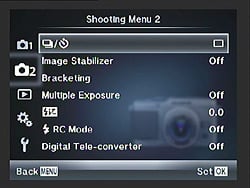
Shooting Menu 2:
| Shooting Menu 2 Options: | |||
|
Top-Level
Selection |
Second-Level
|
Third-Level
|
Notes
|
Drive Mode |
- Single - Continuous - 12s Self-timer - 2s Self-timer |
||
Image Stabilizer |
- Off - I.S. 1 - I.S. 2 - I.S. 3 |
I.S. 1 stabilizes in both directions. I.S. 2 stabilizes in vertical plane, I.S. 3 stabilizes in the horizontal plane. |
|
Bracketing |
- AE BKT |
- Off - 2F 0.3EV - 2F 0.7EV - 2F 1.0EV - 3F 0.3EV - 3F 0.7EV - 3F 1.0EV - 5F 0.3EV - 5F 0.7EV - 5F 1.0EV - 7F 0.3EV - 7F 0.7EV |
Exposure bracketing. |
- WB BKT |
- Off - 3F 2STEP - 3F 4STEP - 3F 6STEP |
White Balance bracketing. Selectable for both Amber-Blue and Green-Magenta directions. |
|
- FL BKT |
- Off - 3F 0.3EV - 3F 0.7EV - 3F 1.0EV |
Flash exposure bracketing. |
|
- ISO BKT |
- Off - 3F 0.3EV - 3F 0.7EV - 3F 1.0EV |
ISO sensitivity bracketing. |
|
- ART BKT |
- Off - On |
Art filter bracketing. |
|
Multiple Exposure |
Frame |
- Off - 2 Frames |
|
Auto Gain |
- Off - On |
||
Overlay |
- Off - On |
||
Flash Exposure Compensation |
- -3 to +3 in 1/3 EV steps |
||
|
Flash RC Mode
|
- Off
- On |
|
Wireless flash control.
|
|
Digital Tele-converter
|
- Off
- On |
|
Enables a 2x center crop function.
|
Playback Menu:

| Playback Menu Options: | |||
|
Top-Level
Selection |
Second-Level
|
Third-Level
|
Notes
|
|
Slideshow
|
- Start
|
|
|
|
- BGM
|
- Melancholy
- Joy - Cool - Beat - Off |
||
|
- Effect
|
- Fade
- Falling Photos - Photo Line |
||
- Slide |
- All - Still Picture - Movie |
||
|
- Slide Interval
|
- 2 - 10 sec
|
||
|
- Movie Interval
|
- Full
- Short |
||
|
Rotate
|
- Off
- On |
|
Rotates images automatically.
|
|
Edit
|
- Sel Image
|
RAW Data Edit:
- Yes - No |
You cannot edit movies. Selecting a RAW image creates a JPEG
copy for editing.
|
|
JPEG:
- Shadow Adjustment - Redeye Fix - Crop - Aspect - Black & White - Sepia - Saturation - Resize - e-Portrait |
|||
|
Audio Record:
- No - Start/Yes - Erase |
|||
|
- Image Overlay
|
- 2 Images Merge
- 3 Images Merge |
Only works
with Raw files, and the output image is saved as a JPEG or a Raw+
Large/Normal JPEG, depending on whether Still Picture Quality in
Record Menu 1 is set to JPEG or Raw. Each source image can have its
brightness adjusted from 0.1 to 2.0x individually.
|
|
|
Print
|
- Single Image
- All |
|
|
|
Reset Protect
|
- Yes
- No |
|
|
Custom Menu:
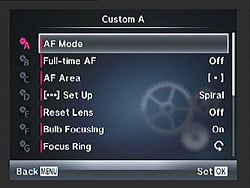
| Custom Menu Options, Tab A, Page 1: AF/MF | |||
|
Top-Level Selection |
Second-Level |
Third-Level |
Notes |
|
AF Mode |
- Still Picture |
- S-AF - C-AF - MF - S-AF+MF - C-AF + TR |
Options are Single, Continuous, Manual, Single with Manual adjust, and Continuous with Tracking. |
|
- Movie |
|||
Full-time AF |
- Off - On |
||
|
AF Area |
- All Target |
|
|
- Single Target |
- AF point selection screen |
||
- 3x3 array |
|||
|
AF Select Wrap |
- Off - Loop - Spiral |
|
Loop wraps around to the exact opposite side of the display. Spiral also jumps to the adjacent column when moving vertically, or the adjacent row when moving horizontally. Applies only for the AF selection screen that's accessible from the Live Control and Super Control Panel screens -- not the one that's accessed through the Custom menu. |
|
Reset Lens |
- Off - On |
|
Resets focus to infinity when camera turns off. |
|
Bulb Focusing |
- Off - On |
|
Enables manual focusing during Bulb exposures. |
|
Focus Ring |
- Counter-clockwise - Clockwise |
|
|

| Custom Menu Options, Tab A, Page 2: AF/MF | |||
Top-Level Selection |
Second-Level |
Third-Level |
Notes |
MF Assist |
- Off - On |
Enables automatic magnification during manual focus. |
|
AF Set Home |
- All Target |
||
- Single Target |
- AF point selection screen |
||
- 3x3 array |
|||
AF Illuminat. |
- Off - On |
Enables the AF assist lamp. |
|
Face Priority |
- Off - Face Priority On - Face & Eye Priority On - Face & Right Eye Priority On - Face & Left Eye Priority On |
Eye side is in relation to camera left and right, ie. if set to left, will focus on your subject's right eye, and vice versa. |
|

| Custom Menu Options, Tab B: Button/Dial | |||
|
Top-Level
Selection |
Second-Level
|
Third-Level
|
Notes
|
AEL/AFL |
- S-AF |
- Mode 1 - Mode 2 - Mode 3 |
Controls the function of the Shutter and AEL/AFL buttons in each AF mode. |
- C-AF |
- Mode 1 - Mode 2 - Mode 3 - Mode 4 |
||
- MF |
- Mode 1 - Mode 2 - Mode 3 |
||
AEL/AFL Memo |
- Off - On |
Off setting locks exposure only while button is held down. |
|
Button Function |
- FN1 Function |
- AEL/AFL - Preview - One Touch WB - AF Area Home - MF - Quality - Test Picture - Myset1 - Myset2 - Myset3 - Myset4 - Backlit LCD - Live Guide - Digital Tele-converter - Off |
|
- FN2 Function |
- Exposure Compensation - Preview - AF Area Home - MF - Quality - Backlit LCD - IS Mode - Digital Tele-converter - Off |
||
- Movie Button |
- AEL/AFL - Record - Preview - One Touch WB - AF Area Home - MF - Quality - Test Picture - Myset1 - Myset2 - Myset3 - Myset4 - Backlit LCD - Digital Tele-converter - Off |
||
- Right Arrow Button |
- Flash Mode - ISO - WB - 4-way Lock - Exposure Compensation |
||
Down Arrow Function |
- Drive Mode / Timer - ISO - WB - 4-way Lock - Exposure Compensation |
||
|
Dial Function
|
- P
|
- Program shift
- Flash Exp. Comp. - Exp. Comp. |
Any option can be applied to Main and Sub dial.
|
|
- A
|
- Aperture
- Flash Exp. Comp. - Exp. Comp. |
||
|
- S
|
- Shutter speed
- Flash Exp. Comp. - Exp. Comp. |
||
|
- M
|
- Aperture
- Shutter speed |
||
|
- Menu
|
- Up / Down
- Left / Right |
||
- Playback |
- Thumbnail / Zoom - Prev / Next |
||
|
Dial Direction
|
- Exposure
- Menu |
- Dial 1
- Dial 2 |
Dial 1 setting enables slower shutter speed, open aperture for clockwise. Dial 2 is opposite.
|
4-way Lock |
- Off - On |
||

| Custom Menu Options, Tab C: Release | |||
|
Top-Level
Selection |
Second-Level
|
Third-Level
|
Notes
|
|
RLS Priority S
|
- Off
- On |
|
If enabled, the camera will
release the shutter before AF function is complete.
|
|
RLS Priority C
|
- Off
- On |
|
If enabled, the camera will release the
shutter before AF function is complete.
|

| Custom Menu Options, Tab D, Page 1: Disp/Sound/PC | |||
|
Top-Level Selection |
Second-Level |
Third-Level |
Notes |
|
HDMI
|
- HDMI Out
|
- 1080i
- 720p - 480p/576p |
|
|
- HDMI Control
|
- Off
- On |
||
|
Video Out
|
- NTSC
- PAL |
|
|
Thumbnail/Info Settings |
- Playback Info |
- Image Only - Overall - Histogram - Highlight & Shadow - Light Box |
|
- LV Info |
- Display Grid - Histogram - Highlight & Shadow - Multi View - Level Gauge - Image Only |
||
- Thumbnail Settings |
- 4 Thumbnail - 9 Thumbnail - 25 Thumbnail - 100 Thumbnail - Calendar |
||
Record Control Settings |
- iAuto |
- Live Guide - Live Control - SCP |
|
- P / A / S / M |
- Live Control - SCP |
||
- ART |
- Art Menu - Live Control - SCP |
||
- SCN |
- Scene Menu - Live Control - SCP |
||
Picture Mode Settings |
- i-Enhance - Vivid - Muted - Portrait - Monotone - Custom - Soft Focus - Pale&Light Color - Light Tone - Grainy Film - Pin Hole - Diorama - Cross Process - Gentle Sepia - Dramatic Tone |
||
Histogram Settings |
- Highlight |
- 245 to 255 |
|
- Shadow |
- 0 to 10 |
||
Mode Guide |
- Off - On |
||

| Custom Menu Options, Tab D, Page 2: Disp/Sound/PC | |||
Top-Level Selection |
Second-Level |
Third-Level |
Notes |
Live View Boost |
- Off - On |
If on, boosts the LCD brightness. |
|
Art LV Mode |
- Mode 1 - Mode 2 |
Some art filters reduce frame rate. Mode 2 disables some aspects of filters while shutter-button is half pressed, for a faster live view feed. |
|
Playback Close Up Mode |
- Mode 1 - Mode 2 |
Mode 1 zooms instantly. Mode 2 shows an enlargement frame on the first press, then zooms on the second press. |
|
Info Off |
- 10 sec - Hold |
||
Backlit LCD |
- 8 sec - 30 sec - 1 min - Hold |
||
Sleep |
- 1 minute - 3 minutes - 5 minutes |
||
Sound |
- Off - On |
||

| Custom Menu Options, Tab D, Page 3: Disp/Sound/PC | |||
Top-Level Selection |
Second-Level |
Third-Level |
Notes |
Volume |
- 5 levels, or off |
||
USB Mode |
- Auto - Storage - MTP |
||

| Custom Menu Options, Tab E, Page 1: Exp/Metering/ISO | |||
|
Top-Level
Selection |
Second-Level
|
Third-Level
|
Notes
|
|
EV Step
|
- 1/3 EV
- 1/2 EV - 1 EV |
|
|
|
Metering
|
- ESP
- Center-weighted - Spot - Spot Highlights - Spot Shadows |
|
|
|
AEL Metering
|
- Auto
- Center-weighted - Spot - Spot Highlights - Spot Shadows |
|
|
|
ISO
|
- Auto
- 200 - 250 - 320 - 400 - 500 - 640 - 800 - 1,000 - 1,250 - 1,600 - 2,000 - 2,500 - 3,200 - 4,000 - 5,000 - 6,400 - 8,000 - 10,000 - 12,800 |
|
|
|
ISO Step
|
- 1/3 EV
- 1 EV |
|
|
|
ISO-Auto Set
|
- High Limit
|
- 200
- 250 - 320 - 400 - 500 - 640 - 800 - 1,000 - 1,250 - 1,600 - 2,000 - 2,500 - 3,200 - 4,000 - 5,000 - 6,400 - 8,000 - 10,000 |
|
|
- Default
|
- 200
- 250 - 320 - 400 - 500 - 640 - 800 - 1,000 - 1,250 - 1,600 - 2,000 - 2,500 - 3,200 - 4,000 - 5,000 - 6,400 - 8,000 - 10,000 - 12,800 |
||
|
ISO-Auto
|
- P / A / S
- All |
|
Sets a shooting mode that automatically enables Auto ISO.
|

| Custom Menu Options, Tab E, Page 2: Exp/Metering/ISO | |||
Top-Level Selection |
Second-Level |
Third-Level |
Notes |
Bulb Timer |
- 30 minutes - 25 minutes - 20 minutes - 15 minutes - 8 minutes - 4 minutes - 3 minutes - 1 minute |
||
Anti-Shock |
- Off - 1/8s to 30s |
Select the interval between pressing the shutter button and releasing the shutter. |
|

| Custom Menu Options, Tab F: Flash Custom | |||
|
Top-Level
Selection |
Second-Level
|
Third-Level
|
Notes
|
Flash X-Sync |
- 1/60 |
||
Flash Slow Limit |
- 30 - 25 - 20 - 15 - 13 - 10 - 8 - 6 - 5 - 4 - 3.2 - 2.5 - 2 - 1.6 - 1.3 - 1 - 1/1.3 - 1/1.6 - 1/2 - 1/2.5 - 1/3 - 1/4 - 1/5 - 1/6 - 1/8 - 1/10 - 1/13 - 1/15 - 1/20 - 1/25 - 1/30 - 1/40 - 1/50 - 1/60 - 1/80 - 1/100 - 1/125 - 1/160 - 1/180 |
||
Flash EV Comp. + EV Comp. |
- Off - On |
If on, flash EV comp. will be added to overall EV comp. and flash intensity control. |
|

| Custom Menu Options, Tab G, Page 1: Quality/Color/WB | |||
|
Top-Level
Selection |
Second-Level
|
Third-Level
|
Notes
|
|
Noise Reduction
|
- Off
- On - Auto |
|
Long exposure noise reduction .
|
|
Noise Filter
|
- Off
- Low - Standard - High |
|
High ISO noise reduction.
|
|
White Balance
|
- Auto
- 5300 K (Daylight) - 7500 K (Shade) - 6000 K (Cloudy) - 3000 K (Tungsten) - 4000 K (Fluorescent) - 5500 K (Flash) - Custom 1 Custom 2 - CWB (Kelvin; 2000 - 14000 K) |
- Amber -7 to +7
- Green -7 to +7 - WB Preview |
|
|
All (WB +/-)
|
- All Set
|
- Amber -7 to +7
- Green -7 to +7 - WB Preview |
|
|
- All Reset
|
- Yes
- No |
||
Auto WB Keep Warm Color |
- On - Off |
||
Flash + WB |
- Off - WB Auto - WB Flash |
||
|
Color Space
|
- sRGB
- Adobe RGB |
|
|

| Custom Menu Options, Tab G, Page 2: Quality/Color/WB | |||
Top-Level Selection |
Second-Level |
Third-Level |
Notes |
Shading Compensation |
- Off - On |
Enables a shading compensation that attempts to eliminate vignetting with certain lenses.
Doesn't work when using a teleconverter or extension tube, and
may boost noise levels towards the edge of the image. |
|
Quality Set |
- 1 - 2 - 3 - 4 |
- L/M/S - SF/F/N/B |
You can combine three image sizes and four compression ratios and register those settings. |
Pixel Count |
- Middle - Small |
Middle: - 3,200 x 2,400 - 2,560 x 1,920 - 1,920 x 1,440 - 1,600 x 1,200 Small: - 1,280 x 960 - 1,024 x 768 - 640 x 480 |
|

| Custom Menu Options, Tab H: Record/Erase | |||
|
Top-Level
Selection |
Second-Level
|
Third-Level
|
Notes
|
Quick Erase |
- Off - On |
If on, allows you to immediately erase an image during post-capture display. |
|
RAW + JPEG Erase |
- JPEG - RAW - RAW + JPEG |
Designates how JPEG+RAW files are erased. |
|
File Name |
- Auto - Reset |
Auto continues file numbering to new cards while Reset starts from 0. |
|
Edit Filename |
- Adobe RGB - sRGB |
- Off - A-Z - 0-8 |
You can change the 2-digit file name prefix. |
Priority Set |
- No - Yes |
Sets the priority of cursor display for Erase screen to No or Yes. |
|
dpi Setting |
- Auto - Custom |
- 1 to 9999 dpi |
|
Copyright Settings |
- Copyright Info |
- Off - On |
|
- Artist Name - Copyright Name |
Text entry dialog |
||

| Custom Menu Options, Tab I: Movie | |||
Top-Level Selection |
Second-Level |
Third-Level |
Notes |
Movie Mode |
- P - A - S - M - ART1 - ART2 - ART3 - ART4 - ART5 - ART6 - ART7 - ART8 - ART9 - ART10 |
||
Movie+Still |
- Off - On |
If enabled, pressing the shutter button during movie capture halts recording and captures a still image. Recording does not resume automatically. |
|
Movie Sound |
- Off - On |
||

| Custom Menu Options, Tab J: Utility | |||
|
Top-Level
Selection |
Second-Level
|
Third-Level
|
Notes
|
|
Pixel Mapping
|
- Start
|
|
Enables a self-check of the sensor, and remaps bad pixels.
|
|
Exposure Shift
|
- ESP
|
- 1 to +1 EV
|
Each metering mode can be "fine-tuned" between -1 and +1 EV in 1/6 EV steps.
Note that resetting the camera does not clear these values.
|
|
- Center-weighted
|
- 1 to +1 EV
|
||
|
- Spot
|
- 1 to +1 EV
|
||
|
Warning Level
|
- -2 to +2
|
|
Battery warning level can be tweaked from the default, in arbitrary units.
|
|
Level Adjust
|
- Reset
- Adjust |
|
You can calibrate the level gauge ("zero" it out).
Note that resetting the camera does not clear this value.
|
Touch Screen Settings |
- On - Off |
||
Eye-Fi |
- On - Off |
||
Accessory Port Menu:

| Accessory Port Menu Options: | |||
Top-Level Selection |
Second-Level |
Third-Level |
Notes |
OLYMPUS PENPAL Share |
- Please Wait |
||
- Address Book |
- Address List - Search Timer - New Pairing |
||
- My OLYMPUS PENPAL |
|||
- Picture Send Size |
- Size 1: Small (640x480) - Size 2: Large (1,920x1,440) - Size 3: Medium (1,280x960) |
||
OLYMPUS PENPAL Album |
- Copy All - Reset Protect - Album Mem. Usage - Album Mem. Setup |
||
- Picture Copy Size |
- Size 1: Small (640x480) - Size 2: Large (1,920x1,440) - Size 3: Medium (1,280x960) |
||
Electronic Viewfinder |
- EVF Adjust |
- Color Temp - Brightness |
|
Setup Menu:

| Setup Menu Options: | |||
|
Top-Level
Selection |
Second-Level
|
Third-Level
|
Notes
|
|
Date and Time
|
- Date
- Time - Date Format |
|
|
|
Language
|
-
English (default)
- Spanish - French - German - Serbian - Danish - Lithuanian - Hungarian - Czech - Slovak - Italian - Greek - Swedish - Norwegian - Polish - Dutch - Slovenian - Portuguese - Croatian - Latvian - Estonian - Finnish - Romanian - Simplified Chinese - Traditional Chinese - Japanese - Russian - Turkish - Korean - Indonesian - Ukrainian - Bulgarian - Bahasa Malay - Thai |
Options available varies with region. You can download additional options with the included software.
|
|
|
LCD Color & Brightness
|
- Vivid / Natural
|
||
- Brightness |
-2 to +2 |
||
|
- Hue
|
-3 to +3
|
||
|
Rec. View
|
- 1 to 20s
- Off - Auto Playback |
|
Controls a post-capture display and the display
time.
Auto setting displays image then switches to Playback mode for quick deletion. |
|
Custom / Accessory Port Menu Display
|
- Custom Menu Display
- Accessory Port Menu Display |
- Off
- On |
|
|
Firmware
|
- Body
- Lens |
|
|
Optics
Olympus E-P3 Optics
Olympus M.ZUIKO Lenses
 The Olympus E-P3 is compatible with any Micro Four Thirds lens, with Olympus and Panasonic together having shipped a total of twenty five lens models at the time of writing (December 2011), or twenty six if you include Panasonic's 12.5mm f/12 3D lens. Olympus has designated their Micro Four Thirds lenses "M.ZUIKO," and so far twelve M.ZUIKO lenses have been released.
The Olympus E-P3 is available in two kits. One kit includes the M.ZUIKO DIGITAL 17mm f2.8 prime lens, a very compact unit which we've found to be a good overall performer. Click on the link to see the full review of this lens on our sister site, SLRgear.com. The other kit ships with a new, smaller version of the kit lens that shipped with the preceding E-P2 system camera. The new lens is dubbed M.ZUIKO 14-42mm f/3.5-5.6 II. Compared to the previous 14-42mm M.Zuiko, this new lens features an updated design for its optics, autofocus drive, and barrel. In our testing of the previous lens, we found that its collapsing design induced some issues with vertical blurring in images shot at shutter speeds of between around 1/100 and 1/200 second. We're happy to report the new lens seems to have solved this issue.
Focal range and maximum aperture are unchanged from the previous lens, but the previous model's collapsing mechanism has been replaced with a new two-stage design. A change in optical formula for the new lens allows a reduction in weight of some 25%, which falls from 150g in the old model to 112g in the new one. Where the previous lens had nine elements in eight groups, including two aspheric lenses, one extra-low dispersion lens, and one high refractive lens, the new model has an updated optical formula with one less element. With eight elements in seven groups, the new design has no ED or HR elements, but adds one additional aspheric element, for a total of three. The new lens also has a smaller barrel diameter of 56.5mm (down from 62mm), but increases the collapsed length from 43.5mm to 50mm. Filter size has been reduced from 40.5mm to 37mm, which should somewhat reduce the cost of filters.
Another significant change in the new lens design is the adoption of Olympus' MSC (Movie & Still Compatible) design, as first seen in the M. Zuiko Digital ED 9-18mm F4.0-5.6 and M. Zuiko Digital ED 14-150mm F4.0-5.6 lenses. Olympus MSC lenses have autofocus motors which are tuned to focus quickly and accurately, as well as silently, making them better-suited for high-definition movie recording. The new design also focuses internally, whereas the old 14-42mm lens design focused externally, with the last element moving in and out as well as rotating while focusing. All of these are encouraging improvements. Minimum focusing distance is unchanged at 25cm, but the maximum magnification is now 0.19x (equivalent to 0.38x on a 35mm camera), versus 0.24x (0.48x equivalent) in the previous design. As with the old design, the new lens has a seven-bladed circular aperture.
Another prominent feature of the new kit lens is the bayonet mount on the front, which sticks out noticeably even with the lens fully retracted. Here's where users can attach one of three accessory lenses: the Fisheye (FCON-P01), Wide-angle (WCON-P01), and Macro (MCON-P01) lens converters. The 14-150mm and 40-150mm lenses can also accept the Macro conversion lens, though there must be some kind of step-down adapter for the 14-42mm lens to work with it, as the bayonet mount on the latter two telephoto lenses are larger, at 58mm.
In addition, no less than nine different adapters make it possible to mount a wide selection of current and historic glass on a Micro Four Thirds camera. Lenses that can be adapted include certain standard Four Thirds, Olympus OM, Leica M / R, Voigtlander VM / Ai-S / PK-A/R / KA, and Carl Zeiss ZM / ZF / ZK types. These adapters generally have some limitations as to compatibility and available features, which will depend on the specific model being used.
Because the E-P3 features in-body image stabilization, Olympus' M.ZUIKO lenses do not themselves incorporate optical image stabilization.
Some Panasonic Micro Four Thirds lenses offer image stabilization and work with the Olympus E-P3, but
note that you have to disable one or the other image stabilization system.
Olympus E-P3 Sensor Cleaning
The Olympus E-P3 features an ultrasonic dust-reduction system, especially important since the E-P3's shutter is normally open for full-time Live View. The system automatically runs at power-up, and unfortunately, there is no option to disable it or run it manually, as it does contribute to startup time. You can manually trigger a dust reduction cycle as part of the pixel mapping process--which also locates and corrects for stuck pixels on the image sensor--but it isn't possible to trigger dust reduction separately through the camera's menu system.
Kit Lens Test Results
Zoom
Typical zoom range for a kit lens, with above average performance.


The Olympus PEN E-P3 is available bundled with an Olympus M.ZUIKO 14-42mm f/3.5-5.6 II R Micro Four Thirds lens. The kit lens possesses a very typical optical zoom range of 3x, and the 35mm equivalent focal range is about 28-84mm, because of the E-P3's 2x "crop factor." Results were very good at 14mm, with strong detail throughout most of the frame. Coma distortion in the trees was low, and chromatic aberration fairly well controlled, with only a hint of flare around some of the white trim. Results were also very good at the 42mm setting, with good sharpness and even less less flare and chromatic aberration. Overall, well above average performance here for an inexpensive kit lens. See below for comments on macro performance, geometric distortion, corner softness, etc.
Macro
An average sized minium area, with very good detail. Flash did a fair job throttling down, though exposure is slightly dim.


As with zoom performance, the Olympus PEN E-P3's macro performance will depend entirely on the lens in use. However, with the 14-42mm II kit lens set to 42mm, the Olympus E-P3 captured a fairly average minimum area measuring 2.76 x 2.07 inches (70 x 53 millimeters). Resolution and detail were both very good, with only a hint of softening in the extreme corners. (Most lenses have some softening in the corners at macro distances, and the Olympus E-P3's kit lens has much less than most.) Extreme corners showed a very small amount of light falloff, though that's not unusual. The built-in flash did a reasonable job of throttling down at this close distance, resulting in a slightly underexposed image. Overall, very good performance here.
Geometric Distortion
Low to moderate geometric distortion with the 14-42mm II kit lens in JPEGs, much higher than average distortion in uncorrected RAW files.
| In-Camera JPEG: Barrel distortion at 14mm is 0.5 percent |
 |
| In-Camera JPEG: Pincushion distortion at 42mm is practically nonexistent |
 |
| Uncorrected RAW: Barrel distortion at 14mm is 2.5 percent |
 |
| Uncorrected RAW: Barrel distortion at 42mm is is practically nonexistent |
 |
When shooting JPEGs, the Olympus PEN E-P3's 14-42mm kit lens produced about 0.5 percent barrel distortion at wide-angle, which is actually a little better than average and only slightly noticeable in some of its images. At the telephoto end, there was almost no visible distortion, only one pixel of pincushion (about 0.03%). This is the tendency for the lens to bend straight lines outward (like a barrel -- usually at wide-angle) or inward (like a pincushion -- usually at telephoto).
To see how much correction is taking place in the camera, we converted RAW files from the above shots with dcraw, which does not correct for distortion. As you can see, at wide-angle, the barrel distortion is very high at about 2.5%, though pincushion distortion at telephoto is very low, almost nil. We expect to see high distortion at wide-angle from smaller interchangeable lenses though, so it's nothing to be concerned about unless you are using a RAW converter which does not understand the embedded "opcodes" to perform distortion corrections automatically. Most RAW converters these days are capable of applying distortion correction automatically, as specified by the manufacturer. (There's going to be some loss of resolution as a result of such correction, because pixels in the corners of the frame are being "stretched" to correct for the distortion. Obviously, a lens that doesn't require such correction, and is also sharp in the corners to begin with would be preferable, but relaxing constraints on barrel and pincushion distortion likely brings other benefits in the lens design, such as cost, size and weight.)
Chromatic Aberration and Corner Sharpness
Moderate chromatic aberration at wide-angle with the 14-42mm II kit lens; lower levels at full telephoto. Some mild to moderate corner softening at wide open.
Aperture: maximum |
|
 |
 |
| 14mm @ f/3.5: Upper right C.A.: Moderate Softness: Moderately soft |
14mm @ f/3.5: Center C.A.: Very low Softness: Sharp |
 |
 |
| 42mm @ f/5.6: Upper right C.A.: Moderately low Softness: Just slightly soft |
42mm @ f/5.6: Center C.A.: Very low Softness: Only a hint soft |
Chromatic Aberration. Chromatic aberration in the corners with the E-P3's 14-42mm II kit lens was moderate and slightly noticeable at wide-angle (14mm) when wide-open (maximum aperture). At full telephoto (42mm), C.A. was lower, and not as noticeable. In both cases, the color fringing gradually reduces in brightness and width as it approaches the center of the image, where it is practically nonexistent.
The Olympus E-P3 does not appear to be reducing C.A. in its JPEGs, as uncorrected RAW files have similar amounts.
Corner Softness. The Olympus E-P3's 14-42mm kit lens produced some slightly soft corners at full wide angle, with the right-hand-side corners a bit softer than the left, though telephoto performance in this regard was somewhat better. The center was not as sharp as wide-angle, though softness is very slight. There's also some mild vignetting (corner shading), as indicated by the darker corner crops compared to the center.
Good performance for a kit lens here, especially considering the lens was wide-open for these shots. (Corner sharpness generally improves when a lens is "stopped-down" a couple of f-stops below full aperture. See below.)
Aperture: f/8 |
|
 |
 |
| 14mm @ f/8: Upper left C.A.: Moderate Softness: Fairly sharp |
14mm @ f/8: Center C.A.: Low Softness: Sharp |
 |
 |
| 42mm @ f/8: Upper left C.A.: Moderately low Softness: Sharp |
42mm @ f/8: Center C.A.: Very low Softness: Sharp |
Chromatic Aberration. With the aperture stopped down to f/8, chromatic aberration in the corners with the E-P3's 14-42mm II kit lens was moderate but fairly bright at wide-angle (14mm). At full telephoto (42mm), C.A. was less obtrusive, with dull red pixels that halo one side of the target lines and a hint of blue is just visible on the opposite sides. In both cases, color fringing gradually reduces in brightness and width as it approaches the center of the image, though a trace is noticeable at center.
Corner Softness. Corner sharpness is better at f/8, with very little deviation in sharpness from center to corner, at both wide angle and telephoto. Vignetting also improved to the point of being negligible. Again, very good performance from the kit lens.
The images above were taken from our standardized test shots. For a collection of more pictorial photos, see our Olympus PEN E-P3 Photo Gallery .
Exposure
Olympus E-P3 Exposure
The Olympus E-P3 offers much the same exposure options you'd find in a traditional SLR camera, plus a few Olympus-specific options. Available exposure modes include Program AE, Manual, Aperture Priority, and Shutter Priority modes, with shutter speeds from 1/4,000 to 60 seconds, as well as a Bulb setting for longer exposures. The x-sync speed for flash photography is 1/180 second. A fully automatic mode called Intelligent Auto (iA) enables Scene Detection, and places the camera in control of almost all functions, to try to deliver optimum results under a wide range of conditions. What few basic options such as exposure compensation that are available to the photographer in this mode are given more friendly names like Brightness, and have simple touch-screen slider controls. The Olympus E-P3 also offers a number of Scene modes and Art Filter functions, as well as a dedicated Movie mode. See the Operation page for more details.
The E-P3 offers an optional live histogram function in all operating modes except Panorama and 3D. Located near the bottom center of the LCD panel, it's rather small, and offers only a luminance readout rather than a full RGBY histogram, but it's still very useful for ensuring your exposures are correct. (It does have the interesting feature that the area of the image under the spot meter is called out in green on the histogram, while areas of under- or over-exposure are shown in red and blue respectively on the histogram.)
Another feature that's rather more common, but still very welcome, is the exposure display visible at bottom right of the LCD when the camera is in Manual exposure mode. This shows the amount the camera thinks an image will be over- or underexposed within a range of +/-3.0EV, based on the settings you have selected, to help you find the best exposure for the subject. (Beyond the 3.0EV range, the value blinks to emphasise that the metering system's limit has been reached.) Together, the live histogram and exposure display make it relatively easy to get suitable exposures even when shooting manually.
Olympus E-P3 Face Detection The Olympus E-P3 includes Face Detection capability, capable of locating the positions of up to eight subjects within the image frame. This information is taken into account when determining several exposure variables -- focus, exposure, flash and white balance. Although it doesn't go as far as some competing cameras, which attempt to recognize the faces of specific individuals and prioritize them over other detected faces, the E-P3 has a feature that's a little more unique: what Olympus calls 'Face & Eye Priority'. When this extension to the traditional Face Priority is active, the E-P3 will attempt to focus specifically on your subject's eyes. Three modes are available, aiming to focus either on the closest eye, the leftmost eye (as seen from the camera, ie. your subject's right eye), or the rightmost eye (ie. your subject's left eye).
The face detection functionality can also be used to automatically smooth your subjects' skin tones during record or playback, courtesy of the e-Portrait function. In Record mode, the function is used in the e-Portrait scene mode, and automatically saves two copies of each captured image, one with skin smoothing, and one without. In playback mode, e-Portrait is accessed and applied to images through the JPEG Edit function.
Olympus E-P3 ISO Range The Olympus E-P3 lets you adjust its light sensitivity in either 1 or 1/3 EV steps,
within a range of ISO 200 to 12,800 ISO equivalents. There's also an Auto mode in which the camera selects an ISO
sensitivity appropriate to the subject's brightness. To keep noise and shutter
speeds inside your desired range, you can set both maximum and minimum ISO
limits for the Auto mode, within a range of 200 to 12,800 equivalents. By
default, Auto ISO is only available when shooting in Program, Aperture-priority
or Shutter-priority modes, but through a Custom menu option it can also be
enabled in Manual mode. This allows both shutter speed and aperture to be
manually specified, while the camera varies sensitivity so as to match the
metered exposure. The net result is similar to the unusual
Shutter/Aperture-priority (TAv) mode we've seen on Pentax's digital SLRs,
although with the disadvantage that exposure compensation remains unavailable
since the P3 believes itself to be operating in Manual mode. There is also a
useful ISO bracketing feature, where the camera takes three images, varying the ISO but keeping the shutter speed and aperture fixed.
The Olympus E-P3 lets you adjust its light sensitivity in either 1 or 1/3 EV steps,
within a range of ISO 200 to 12,800 ISO equivalents. There's also an Auto mode in which the camera selects an ISO
sensitivity appropriate to the subject's brightness. To keep noise and shutter
speeds inside your desired range, you can set both maximum and minimum ISO
limits for the Auto mode, within a range of 200 to 12,800 equivalents. By
default, Auto ISO is only available when shooting in Program, Aperture-priority
or Shutter-priority modes, but through a Custom menu option it can also be
enabled in Manual mode. This allows both shutter speed and aperture to be
manually specified, while the camera varies sensitivity so as to match the
metered exposure. The net result is similar to the unusual
Shutter/Aperture-priority (TAv) mode we've seen on Pentax's digital SLRs,
although with the disadvantage that exposure compensation remains unavailable
since the P3 believes itself to be operating in Manual mode. There is also a
useful ISO bracketing feature, where the camera takes three images, varying the ISO but keeping the shutter speed and aperture fixed.
Olympus E-P3 Noise Reduction The higher ISO settings are helpful when you want faster shutter speeds under normal lighting, to help freeze fast action. Of course, as with all digicams, the higher ISO settings produce photos with more image noise, in much the same way that higher-ISO films show more film grain. To combat this problem, the E-P3's
Custom menu offers a variable high ISO noise reduction function--which Olympus calls Noise Filter--with options of either Off, Low, Standard, or High. There's also a separate
Noise Reduction option in the Custom menu, which reduces noise in long exposures
by capturing a second exposure containing only the dark current noise, then
subtracting this from the image. This effectively doubles exposure times when in
use. By default, long exposure noise reduction is applied automatically on
longer exposures, but the function can also be disabled or enabled manually.
The higher ISO settings are helpful when you want faster shutter speeds under normal lighting, to help freeze fast action. Of course, as with all digicams, the higher ISO settings produce photos with more image noise, in much the same way that higher-ISO films show more film grain. To combat this problem, the E-P3's
Custom menu offers a variable high ISO noise reduction function--which Olympus calls Noise Filter--with options of either Off, Low, Standard, or High. There's also a separate
Noise Reduction option in the Custom menu, which reduces noise in long exposures
by capturing a second exposure containing only the dark current noise, then
subtracting this from the image. This effectively doubles exposure times when in
use. By default, long exposure noise reduction is applied automatically on
longer exposures, but the function can also be disabled or enabled manually.
Olympus E-P3 White Balance Options White balance options include Auto, Sunny, Shadow, Cloudy,
Incandescent (Tungsten), Fluorescent, and Flash. Two Custom white balance positions are available, for setting white balance from a white or grey card, as is a direct Kelvin temperature setting ranging from 2,000K to 14,000K. The latter is set by first highlighting the Custom white balance menu item,
and then hitting the Info button before turning either
Control dial or pressing the Arrow buttons. The One-Touch option is useful for basing the white balance on a white card.
White balance options include Auto, Sunny, Shadow, Cloudy,
Incandescent (Tungsten), Fluorescent, and Flash. Two Custom white balance positions are available, for setting white balance from a white or grey card, as is a direct Kelvin temperature setting ranging from 2,000K to 14,000K. The latter is set by first highlighting the Custom white balance menu item,
and then hitting the Info button before turning either
Control dial or pressing the Arrow buttons. The One-Touch option is useful for basing the white balance on a white card.
You can also adjust the white balance for all but the Kelvin option, controlling the amount of amber-blue and green-magenta bias in the color balance in +/- 7 steps. This ability to "tweak" the white balance, called White Balance Compensation, is very helpful when dealing with difficult light sources. Unlike many cameras, which provide direct access to the adjustment from the white balance selection dialog, the E-P3 hides it in the Custom menu.
The E-P3 also features white balance bracketing. If activated, the camera will
write three separate images for each press of the shutter button, either biasing between amber and blue or green and magenta. You can set the images to vary by two, four, or six arbitrary adjustment steps.
Olympus E-P3 Metering Options Five metering systems are available on the Olympus E-P3: Digital ESP, Center-weighted, Spot, Spot HI (highlights), and Spot SH (shadows). All are accessed through the various menu systems on the camera's LCD monitor. Under the default Digital ESP setting, the camera takes an exposure reading from 324 segments of the image, and chooses the best exposure based on brightness and contrast across the entire scene. Center-weighted metering reads from the center of the frame, but from a fairly large area. Spot metering simply reads the exposure from the very center of the image, so you can pinpoint the specific area of the photograph you want properly exposed. (Spot metering is very handy when you have a subject that's backlit, or that has a very different brightness, either lighter or darker, than the background.) The two additional Spot options provide highlight and shadow control, whenever shooting in very bright or very dark conditions.
Exposure and autofocus are optimized for faces when Face Detect is enabled.
Metering range is from -1 to 18 EV, at room temperature with a 50mm f/2 lens at
ISO 100. Either the Fn1 or Movie buttons can be configured to serve as an AE/AF Lock button, which locks the current exposure settings whenever
pressed, so you can independently lock exposure and focus. (AE Lock is useful
when you want to base your exposure on an off-center subject. Point the camera
at the subject, lock the exposure, then recompose your shot however you like.
Your subject will be correctly exposed, regardless of what might be in the
center of the frame when you finally snap the shutter.) Through a Custom menu,
you can designate the function of the AE/AF lock button, and how it works in
conjunction with the Shutter button.
Olympus E-P3 Exposure Compensation & Bracketing
In situations where exposure compensation is necessary, simply press the Exposure Compensation button on the rear of the E-P3 (a secondary function of the Up Arrow button) and turn
either control dial or press the left and right Arrow buttons. In all
exposure modes except Manual and Bulb, the exposure value scale will display on the LCD,
and you can increase or decrease the exposure in either 0.3, 0.5, or 1.0 EV increments (selected via a
Custom menu option), up to a maximum of +/- 3.0 EV. Or, you can use the Auto Exposure Bracketing (AEB) function to automatically bracket three frames at 0.3, 0.7, or 1.0 EV steps each. The auto bracketing will center its efforts around whatever exposure you've chosen as the starting point, including any exposure compensation adjustments you've made
-- meaning that it's possible to bracket one exposure as far as 4.0 EV
on one side of the metered exposure value. AEB is handy for those times when you want to make sure you get just the right exposure for a critical subject.
The Olympus E-P3 also gives you the ability to individually tweak the
exposure of each metering mode, via a Custom menu option called Exposure Shift.
This allows you to assign a separate compensation in 1/6 EV steps between -1 and +1 EV for Digital ESP, Center-weighted, and Spot metering modes.
Unlike exposure bracketing, the exposure shift function is limited to operating
within the camera's standard exposure compensation range. That is to say, if you
dial in a -1.0 EV exposure shift, and the maximum -3.0 EV of exposure
compensation, the camera will only reduce the metered exposure by 3.0 EV -- it
won't go outside of the maximum exposure compensation range to a -4.0 EV
exposure. Unlike the exposure compensation function, use of exposure shift isn't
indicated on the P3's record or playback-mode information overlays.
Olympus E-P3 Panorama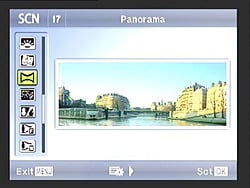 Although the Olympus P3 does include a panorama mode, it's much more basic than is typical these days. Where many cameras automatically capture images and stitch them together simply by sweeping across the scene with the shutter button held down, the P3 requires you to frame the scene and press the shutter button, for as many images as you need for the full panorama. There's a guide of sorts, but it doesn't show the previous image to help you line shots up. Instead, it simply draws two rectangles at the edges of the frame, and expects you to remember what was at one edge of the frame for the previous shot, then line that same area up at the opposite edge for the next one. The panorama also isn't stitched in-camera, but rather on your computer using the supplied software.
Olympus E-P3 3D Photography TheP3 also offers a 3D photography function, although again it's not as sophisticated as those on some competing models. When in the 3D photography scene mode, the P3 prompts you to capture an image, then overlays a ghost of this shot in the center of the frame. You shift the camera right a short distance to line up the live scene with the ghost and capture a second frame, and the result is saved as a Multi Picture Object (MPO) file which contains two JPEG images with left and right views, suitable for viewing on a 3D-capable display.
Olympus E-P3 Drive Modes
The Drive setting accesses Single-shot and Continuous modes, as well as Self-timer modes. Single-shot shoots one frame per shutter press, while in our testing we found that Continuous mode shot bursts at about 3.1 frames-per-second, just slightly better than the rated 3 fps. Burst depth is about 19 JPEG, 12 raw, or 9 raw+JPEG frames. 
The Olympus E-P3 also offers two Self-Timer modes for self-portraits or those occasions when you don't want to risk camera shake on a long exposure by pressing the Shutter button to trip the shutter. You can choose between a 2 or 12 second countdown. The 2 second countdown is useful for times when you're taking a long exposure with the camera on a tripod. Surprisingly for a camera without a mirror, there is also an Anti-Shock option, which allows a programmable delay from 1/8s to 30s between the shutter button being pressed and the actual exposure being taken.
When the optional RM-UC1 Remote Cable is attached via the USB-AV/OUT port, remote operation is available. No wireless remote is available for the E-P3.
Olympus E-P3 Picture Modes There are also options on the Record menu to set the color mode. As well as the Vivid, Natural, Muted, Portrait, Monotone, and
Custom options found in the E-P1, the E-P3 retains the i-Enhance option that was added in the P2, which automatically detects the main subject in any scene, then boosts brightness / saturation selectively for those areas of the image so as to draw your attention to the subject. This effect is
intended to better match what the human eye sees. Contrast, Sharpness, and Saturation levels may be adjusted in five steps for
i-Enhance, Vivid, Natural, Muted, and Portrait; while Contrast and Sharpness levels can be adjusted in five steps for Monotone. Yellow, Orange, Red, or Green filter effects are available for Monotone, as well as Sepia, Blue, Purple, or Green picture tones. In addition, the Olympus E-P3 has a Gradation setting to control the brightness of the entire image. You can choose between the Auto, Normal, Low, and High Key settings.
Finally, the i-Enhance mode offers three-step control over the strength of the
effect -- High, Standard, or Low. A color space option under the Custom menu lets you choose between sRGB (for Windows machines) and Adobe RGB (for Adobe Photoshop) color options.
There are also options on the Record menu to set the color mode. As well as the Vivid, Natural, Muted, Portrait, Monotone, and
Custom options found in the E-P1, the E-P3 retains the i-Enhance option that was added in the P2, which automatically detects the main subject in any scene, then boosts brightness / saturation selectively for those areas of the image so as to draw your attention to the subject. This effect is
intended to better match what the human eye sees. Contrast, Sharpness, and Saturation levels may be adjusted in five steps for
i-Enhance, Vivid, Natural, Muted, and Portrait; while Contrast and Sharpness levels can be adjusted in five steps for Monotone. Yellow, Orange, Red, or Green filter effects are available for Monotone, as well as Sepia, Blue, Purple, or Green picture tones. In addition, the Olympus E-P3 has a Gradation setting to control the brightness of the entire image. You can choose between the Auto, Normal, Low, and High Key settings.
Finally, the i-Enhance mode offers three-step control over the strength of the
effect -- High, Standard, or Low. A color space option under the Custom menu lets you choose between sRGB (for Windows machines) and Adobe RGB (for Adobe Photoshop) color options.
Olympus E-P3 Multiple Exposures The Olympus E-P3 supports multiple exposures overlaid as one image. You can overlay
two subsequent images while they are being taken and save the result as a JPEG
or Raw file. By enabling the Auto Gain feature, the camera can automatically adjust the gain
so that the resulting image is averaged from the source images . Alternately,
the result can be additive (as it would be in a multiple exposure shot with a
film camera) if auto gain is left disabled.
The Olympus E-P3 supports multiple exposures overlaid as one image. You can overlay
two subsequent images while they are being taken and save the result as a JPEG
or Raw file. By enabling the Auto Gain feature, the camera can automatically adjust the gain
so that the resulting image is averaged from the source images . Alternately,
the result can be additive (as it would be in a multiple exposure shot with a
film camera) if auto gain is left disabled.
It is possible to combine more than two images by using the Overlay function, which allows selection of any preexisting Raw image to use as a starting point for the multiple exposure. By saving each multiple exposure as a new Raw file, it's possible to combine an essentially unlimited number of exposures into a single image, although doing so requires the overlay image to be manually reselected through the menu system after each shot, a somewhat tedious process that requires at least seven extra button presses.
When shooting static subjects -- or those where blurring is desirable, such as waterfalls -- the auto gain function can also be used to reduce image noise in-camera by averaging it out across multiple exposures. This technique allows the use of higher ISO sensitivities than might otherwise be advisable, and the optional RM-UC1 tethered remote cable release can be used to prevent the camera being moved between shots. Uunfortunately, the cable release doesn't allow navigation of the menu system, which would be required to merge more than two subsequent exposures in-camera.
The E-P3 offers one further method of creating multiple exposures through its
Playback menu Image Overlay function. This allows selection of either two or
three Raw images which are then combined into a single combined image, which is
saved as a new Raw file. This allows a greater degree of control over the
combined image than the Record-mode multiple exposure function, since the
brightness of each source image can be adjusted separately in twenty steps.
Olympus E-P3 Shading Compensation Like
many of the companies other SLR and SLD cameras, the E-P3 implements what the company calls Shading Compensation
-- another term for lens vignetting or corner shading correction. It's not clear whether the camera applies fixed compensation based on lens type, or by analyzing the actual light fall-off in the corners of captured images. The function doesn't work when using teleconverters or extension tubes, and may lead to increased noise levels in the corners of image where the correction has been applied.
Like
many of the companies other SLR and SLD cameras, the E-P3 implements what the company calls Shading Compensation
-- another term for lens vignetting or corner shading correction. It's not clear whether the camera applies fixed compensation based on lens type, or by analyzing the actual light fall-off in the corners of captured images. The function doesn't work when using teleconverters or extension tubes, and may lead to increased noise levels in the corners of image where the correction has been applied.
Olympus E-P3 Art Filters The Olympus E-P3 offers a generous selection of what the company calls Art Filter effects. There are ten to choose from, two more than were offered by the E-P2. As well as the Pop Art, Soft Focus, Pale & Light Color, Light Tone, Grainy Film, Pin Hole, Diorama and Cross Process filters of the previous camera, the E-P3 also includes Gentle Sepia and Dramatic Tone filters. What's unusual about Olympus' implementation is that the camera performs these filters as it captures the image, taking
them into account when determining exposure variables. The effect is also
previewed on the camera's LCD or electronic viewfinder while framing the shot,
although in a couple of modes the preview is rather coarse, and noticeably slows
down the live view. A function in Custom menu D allows a less accurate preview of the filter's effect, but with less effect on the live view feed's frame rate. It's also possible to bracket art filters, with each image being saved with each possible effect applied. (This does rather slow down shooting, however.)
The Olympus E-P3 offers a generous selection of what the company calls Art Filter effects. There are ten to choose from, two more than were offered by the E-P2. As well as the Pop Art, Soft Focus, Pale & Light Color, Light Tone, Grainy Film, Pin Hole, Diorama and Cross Process filters of the previous camera, the E-P3 also includes Gentle Sepia and Dramatic Tone filters. What's unusual about Olympus' implementation is that the camera performs these filters as it captures the image, taking
them into account when determining exposure variables. The effect is also
previewed on the camera's LCD or electronic viewfinder while framing the shot,
although in a couple of modes the preview is rather coarse, and noticeably slows
down the live view. A function in Custom menu D allows a less accurate preview of the filter's effect, but with less effect on the live view feed's frame rate. It's also possible to bracket art filters, with each image being saved with each possible effect applied. (This does rather slow down shooting, however.)
As one might expect, Art Filters are not applied to RAW files. If RAW mode is chosen, the camera will automatically enable LN+RAW mode, and save the modified image as a large/normal JPEG. For the two new filters, Gentle Sepia adds a soft, warm tone to the image while leaving blacks true, while Dramatic Tone adds a punchy, high-contrast look like that which has become a cliche among fans of high dynamic range photography (but it's not true HDR, as it's achieved from a single shot).
The images above were taken from our standardized test shots. For a collection of more pictorial photos, see our Olympus PEN E-P3 Photo Gallery .
Not sure which camera to buy? Let your eyes be the ultimate judge! Visit our Comparometer(tm) to compare images from the Olympus PEN E-P3 with those from other cameras you may be considering. The proof is in the pictures, so let your own eyes decide which you like best!
Performance
Olympus E-P3 Performance
Timing and Performance
Generally good to very good speed for a compact system camera, with faster AF than many SLRs!
| Startup/Shutdown |
||
| Power on |
~0.9 second
|
Time it takes to turn on and capture a shot. |
| Shutdown |
~1.0 second
|
How long it takes camera to turn off before you can remove the memory card. |
|
Buffer clearing time
|
4 seconds after 19 large/fine JPEGs*
|
Worst case buffer clearing time. -- This is the delay after a set of shots before you can remove the card.
|
|
6 seconds after 12 RAW files*
|
||
|
13 seconds after 15 RAW+ LF JPEG files*
|
||
|
*Note: Buffer clearing times measured with a SanDisk Extreme III 30MB/sec 8GB SDHC card. Slower cards will produce correspondingly slower clearing times. Slow cards may also limit length of bursts in continuous mode. ISO sensitivity and noise reduction settings can also affect cycle times and burst mode performance.
|
||
Startup and shut-down times were slower than those for most SLRs, but good for a compact system camera. Buffer clearing time depends on the quality and number of shots, and on the speed of the SD card. With a fast SDHC card, the E-P3's buffer clearing times were quite good. The E-P3 supports UHS-I cards, but we found little difference in buffer clearing times or buffer depths when we tried testing with a 45MB/s UHS-I card.
| Mode Switching | ||
|---|---|---|
| Play to Record, |
~0.5 second
|
Time until first shot is captured.
|
| Record to Play |
~2.7 seconds
|
Time to display a large/fine JPEG file immediately after capture.
|
| Display |
~0.5 second
|
Time to display a large/superfine JPEG file already on the memory card.
|
Mode switching was quite fast, except for Record to Play which was rather slow.
| Shutter Response (Lag Time) | ||
|---|---|---|
|
Full Autofocus,
Single-area AF mode Wide Angle |
0.222 second
|
Time from fully pressing shutter button to image capture, with the lens already at the proper focal distance setting. (All AF timing performed with the new Olympus 14-42mm II R kit lens, here at about 14mm.)
|
|
Full Autofocus,
Single-area AF mode Telephoto |
0.205 second
|
Time from fully pressing shutter button to image capture, with the lens already at the proper focal distance setting. (At about 42mm.)
|
|
Full Autofocus,
Multi-area AF mode Wide Angle |
0.267 second
|
Time from fully pressing shutter button to image capture, with the lens already at the proper focal distance setting. (At about 14mm.)
|
|
Full Autofocus,
Single-area AF mode Wide Angle Auto Flash Enabled |
0.395 second
|
Time from fully pressing shutter button to image capture, with the lens already at the proper focal distance setting, TTL Auto flash enabled.
|
|
Continuous AF
|
0.285 second
|
This mode usually shows no speed increase with our static subject; we have no way to measure performance with moving subjects.
|
|
Manual Focus
|
0.088 second
|
For most cameras, shutter lag is less in manual focus than autofocus, but usually not as fast as when the camera is "prefocused".
|
| Prefocused |
0.060 second
|
Time to capture, after half-pressing and holding shutter button.
|
The Olympus E-P3's full-autofocus shutter lag in single-area AF mode (center AF position) was only 0.222 second with the 14-42mm II R kit lens at wide-angle. At full telephoto, AF shutter was even lower, at 0.205 second. That's faster than many SLRs! In 35-point "All Targets" AF mode, this time increased to 0.267 second, which is still remarkably fast, especially for a contrast-detection system. Full autofocus shutter lag increased to 0.395 second with the flash enabled, which includes an additional delay for the preflash metering. Continuous AF mode resulted in a shutter lag of 0.285 second. When manually focused, the E-P3's lag time was 0.088 second, which is very fast. The E-P3's prefocused lag time of 0.060 second is also faster than many SLRs.
To minimize the effect of different lens' focusing speed, we test AF-active shutter lag with the lens already set to the correct focal distance. We also use the same Sigma 70mm f/2.8 macro with every camera (on all platforms except Four Thirds/Micro Four Thirds and Nikon consumer models lacking an in-body focus motor), to further reduce variation, and because our tests showed that focus-determination time with this lens was close to the fastest, across multiple camera bodies from different manufacturers. Being an older design with a non-ultrasonic motor, it wouldn't be the fastest at slewing from one focus setting to another, but that's exactly the reason we measure focus determination speed, which is primarily a function of the camera body, vs focus adjustment speed, which is primarily a function of the lens.
| Cycle Time (shot to shot) | ||
|---|---|---|
| Single Shot mode |
0.74 second
|
Time per shot, averaged over 20 shots, 2 seconds to clear*. |
|
Single Shot mode |
0.71 second
|
Time per shot, averaged over 20 shots, 5 seconds to clear*. |
|
Single Shot mode
RAW + LF JPEG |
0.74 second
|
Time per shot, averaged over 15 shots, 13 seconds to clear*. |
| Early shutter |
No
|
Some cameras don't snap another shot if you release and press the shutter too quickly in Single Shot mode, making "No" the preferred answer. |
|
Continuous Mode |
0.32 second (3.11 frames per second);
19 frames total; 4 seconds to clear* |
Time per shot, averaged over 19 shots, then slows to an average of about 0.44s or 2.26 fps when buffer is full. |
| Continuous Mode |
0.32 second (3.12 frames per second);
12 frames total; 6 seconds to clear* |
Time per shot, averaged over buffer length of 12 frames, then slows to an average of about 0.74s or 1.35 fps when buffer is full. |
|
Continuous Mode |
0.32 second (3.11 frames per second);
9 frames total; 9 seconds to clear* |
Time per shot, averaged over buffer length of 9 frames, then slows to 1.24s or 0.81 fps when buffer is full. |
| Flash Recycling |
4.1 seconds
|
Flash at maximum output. |
|
*Note: Buffer clearing times measured with a SanDisk Extreme III 30 MB/sec 8GB SDHC card. Slower cards will produce correspondingly slower clearing times. Slow cards may also limit length of bursts in continuous mode. ISO sensitivity and noise reduction settings can also affect cycle times and burst mode performance.
|
||
Single-shot cycle times were a bit sluggish compared to most SLRs, but good for a CSC, at about 0.7 seconds per shot. Continuous mode was a touch below average these days, at about 3.1 frames per second no matter what image size or quality before the buffer filled. Buffer depth was quite good for its class, at 19 frames for large/fine JPEGs, 12 for RAW and 9 for RAW + large/fine JPEG. Note that our test target for this was designed to be difficult to compress, so JPEG burst lengths should be longer with typical subjects. (Particularly in the case of buffer depths, we're careful to test under worst-case conditions.) Flash recycle time was good, at 4.1 seconds after a full power discharge.
| Download Speed | ||
|---|---|---|
| Windows Computer, USB 2.0 |
10,049 KBytes/sec
|
Typical Values: |
Download speeds were fast, quick enough that you probably won't feel the need for a separate card reader, even with large memory cards. (Note that this test was performed with a SanDisk Extreme III 30 MB/sec SD card: Slower cards would likely show slower transfer times.)
Bottom line, the Olympus E-P3's performance has improved across the board over the E-P2, except for burst speed which remains about the same. Autofocus performance has improved dramatically to the point where the E-P3 is one of the fastest CSCs tested to date, and is truly competitive to most SLRs.
Battery
Battery Life
Average battery life for a CSC.
| Operating Mode | Number of Shots |
|---|---|
|
Still Capture,
(CIPA standard) |
330
|
The Olympus E-P3 uses a custom rechargeable lithium-ion battery pack for power, and comes with both a single battery and charger. The rated 330 shots per charge is about average for a compact system camera, but well below the capacity of most SLRs when using the optical viewfinder. We recommend getting a second battery for your E-P3 if you plan any extended outings.
The table above shows the number of shots the camera is capable of (on a fully-charged rechargeable battery), based on CIPA battery-life and/or manufacturer standard test conditions.
(Interested readers can find an English translation of the CIPA DC-002 standards document here. (180K PDF document))
Imaging
Olympus PEN E-P3 Image Quality
Color
Saturation & Hue Accuracy
Good color and very good hue accuracy, with pretty good saturation as well.
 |
| In the diagram above, the squares show the original color, and the circles show the color that the camera captured. More saturated colors are located toward the periphery of the graph. Hue changes as you travel around the center. Thus, hue-accurate, highly saturated colors appear as lines radiating from the center. Click for a larger image. |
Saturation. The Olympus PEN E-P3 pushes reds a fair bit, but most other colors are either about right or only slightly oversaturated. Default saturation is 107.2% (7.2% oversaturated), which is actually slightly lower than average; that is, it's more accurate than most. You can always adjust saturation, or select a different picture mode to adjust color to your tastes. Most consumer digital cameras produce color that's more highly saturated (more intense) than what's found in the original subjects. This is simply because most people like their color a bit brighter than life.
Skin tones. Here, the Olympus PEN E-P3 did well, producing fairly natural-looking skin tones, just slightly on the pinkish side. Darker skin tones show more warmth, but should still be within acceptable limits. Where oversaturation is most problematic is on Caucasian skin tones, as it's very easy for these "memory colors" to be seen as too bright, too pink, too yellow, etc.
Hue. The Olympus PEN E-P3 did push cyan toward blue and oranges slightly toward yellow, but shifts were relatively minor to moderate. (The cyan to blue shift is very common among the digital cameras we test; we think it's a deliberate choice by camera engineers to produce better-looking sky colors.) Overall hue accuracy was very good with a Delta-C color error of only 4.07, which is much better than average. Hue is "what color" the color is.
Color Modes
The Olympus PEN E-P3 offers six preset color modes, as well as ten "Art Filter" modes. You can tweak contrast, saturation, gradation and other parameters (depending on the mode). Changes to each picture mode are saved separately, and you can define your own Custom setting as well. See the E-P3 user manual for details.
| Preset Picture Modes | ||||
 |
||||
Mouse over the links above to see the effect of the presets on our Still Life target. You can click on a link to load the full resolution image.
Saturation Adjustment
The Olympus E-P3 lets you adjust the image saturation, contrast, and sharpness in five steps each. As can be seen below, the saturation adjustment was quite effective, covers a useful range, and does a good job of not impacting contrast.
| Saturation Adjustment Examples | ||
 |
 |
 |
| -2 | 0 | +2 |
The table above shows results with the default as well as the two extreme saturation settings. Click on any thumbnail above, then click again to see the full-sized image.


Sensor
Exposure and White Balance
Indoors, incandescent lighting
Cool cast with Auto White Balance, but good color with the Incandescent and Manual settings. Average exposure compensation required.


Indoors, under normal incandescent lighting, color balance was cool with a bluish cast using the Auto white balance setting. Results with the Incandescent setting were quite good and just a touch warmer than the Manual setting, which was the most accurate. The 2,600 Kelvin setting was quite cool with a blue-green tint. The Olympus E-P3 required an average amount of positive exposure compensation here, at +0.3 EV. (Our test lighting for this shot is a mixture of 60 and 100 watt household incandescent bulbs, a pretty yellow light source, but a very common one in typical home settings here in the U.S.)
Outdoors, daylight
Natural looking colors overall. Good exposure accuracy in our Far-field shot, but our "Sunlit" Portrait shot required slightly higher than average exposure compensation.
Outdoors, the Olympus E-P3 performed reasonably well, with good color and good exposure in the outdoor Far-field shot. The Olympus E-P3 required an above average amount of positive exposure compensation (+1.0 EV) to keep facial tones bright on the "Sunlit" Portrait shot, though ideal exposure would likely be something between +0.7 and +1.0 EV. Default contrast was a bit high and dynamic range somewhat below average, so there were quite a few blown highlights in the mannequin's shirt and flower. The Far-field shot had almost no blown highlights at default exposure, though there were some deep shadows that were a bit noisy.
See full set of test images with explanations
See thumbnails of all test and gallery images
Resolution
High resolution, ~1,700 lines of strong detail in JPEGs, up to about 1,900 lines from processed RAW files.

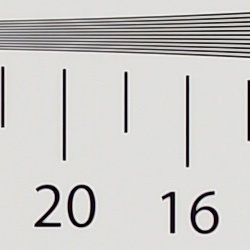


In camera JPEGs our laboratory resolution chart revealed sharp, distinct line patterns down to about 1,700 lines per picture height in both the horizontal and vertical direction before aliasing artifacts were interfering with the pattern. Complete extinction of the pattern didn't occur until about 2,700 to 2,800 lines, though. Adobe Camera RAW was able to extract more resolution, to about 1,900 lines in both directions. Use these numbers to compare with other cameras of similar resolution, or use them to see just what higher resolution can mean in terms of potential detail.
See full set of test images with explanations
See thumbnails of all test and gallery images
Sharpness & Detail
Good sharpness overall, though edge-enhancement artifacts on high-contrast subjects are visible. Mild noise suppression visible in the shadows.


Sharpness. The Olympus PEN E-P3 captures fairly sharp images overall, though edge enhancement artifacts are visible on high-contrast subjects such as halo around the thicker branches and pine cones in the crop above left. Edge enhancement creates the illusion of sharpness by enhancing colors and tones right at the edge of a rapid transition in color or tone.
Detail. The crop above right shows some fairly mild noise suppression artifacts in the darkest areas of the model's hair, smudging individual strands together, though quite a few strands remain visible. Overall detail is pretty good for a Four-Thirds model. Noise-suppression systems in digital cameras tend to flatten-out detail in areas of subtle contrast. The effects can often be seen in shots of human hair, where the individual strands are lost and an almost "watercolor" look appears.
RAW vs In-Camera JPEGs
As noted above, the Olympus E-P3 produces fairly sharp, detailed in-camera JPEGs, though with visible sharpening artifacts. As is almost always the case, though, more detail can be obtained from carefully processing RAW files than can be seen in the in-camera JPEGs. Take a look below, to see what we mean:
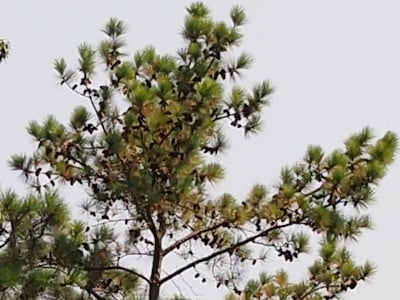
In the table above, mousing over a link at the bottom will load the corresponding crop in the area above, and clicking on the link will load the full resolution image. The super fine camera JPEG and Olympus [ib] conversion used default settings, while Adobe Camera RAW conversion was sharpened in Photoshop using unsharp mask of 300% with a radius of 0.3.
As you can see, the Olympus [ib] conversion resulted in an image very similar to the in-camera JPEG in terms of detail, color and contrast. The Adobe Camera RAW (version 6.5) conversion however contains more fine detail than the camera SuperFine JPEG or Olympus Master conversion at default settings, which is especially noticeable in the pine needles, though it does leave quite a bit more noise. Nevertheless, like previous Olympus PEN cameras, the E-P3 rewards RAW shooters with excellent detail when using a good quality RAW converter.
ISO & Noise Performance
Low noise and good detail up to ISO 800, moderate to high noise at higher ISOs.
|
Default High ISO Noise Reduction
|
 |
 |
 |
| ISO 200 | ISO 400 | ISO 800 |
 |
 |
 |
| ISO 1,600 | ISO 3,200 | ISO 6,400 |
 |
||
| ISO 12,800 | ||
The Olympus PEN E-P3's images are quite clean and detailed at ISO 200, the base ISO. Detail is still very good at ISO 400, with just a bit more blurring and a hint more chroma noise creeping into the shadows. ISO 800 is noticeably softer with more smudging due to stronger noise reduction, but detail is still pretty good for a Four Thirds sensor. At ISO 1,600, we see additional detail loss due to stronger smudging, as well as more obvious purple and yellow blotches in shadow areas. At ISO 3,200, noise grain is stronger, blurring fine detail even further despite the weaker noise reduction. Chroma noise is better controlled at ISO 3,200 though. Noise and the effects of noise reduction are quite obvious ISO 6,400, obscuring almost all fine detail and making shadows quite purplish while lighter tones have yellow blotching. Overall color balance also became cooler with a greenish tint at ISO 6,400 and above. Colors were also darker and less saturated. By ISO 12,800, noise grain is the dominant feature with very little detail left, and a lot of chroma noise was present as well. As always, see the Print Quality section below for maximum recommended print sizes at each ISO.
A note about focus for this shot: We shoot this image at f/4, using one of three very sharp reference lenses (70mm Sigma f/2.8 macro for most cameras, 60mm f/2.8 Nikkor macro for Nikon bodies without a drive motor, and Olympus Zuiko 50mm f/2.0 for Four Thirds and Micro Four Thirds bodies). To insure that the hair detail we use for making critical judgements about camera noise processing and detail rendering is in sharp focus at the relatively wide aperture we're shooting at, the focus target at the center of the scene is on a movable stand. This lets us compensate for front- or back-focus by different camera bodies, even those that lack micro-focus adjustments. This does mean, though, that the focus target itself may appear soft or slightly out of focus for bodies that front- or back-focused with the reference lens. If you click to view the full-size image for one of these shots and notice that the focus target is fuzzy, you don't need to email and tell us about it; we already know it. :-) The focus target position will simply have been adjusted to insure that the rest of the scene is focused properly.
Extremes: Sunlit, dynamic range and low light tests
High resolution with good overall detail, though somewhat limited dynamic range. Good low-light performance, but metering struggled a bit at lower light levels.


Sunlight. The Olympus PEN E-P3 struggled a little with this difficult shot, requiring more than the average amount of exposure compensation. The E-P3 required +1.0 EV exposure compensation to keep the mannequin's face bright. Most cameras we've tested require about +0.7 EV for this "Sunlit" Portrait shot, so the E-P3 required slightly higher than average positive compensation here. Dynamic range was limited, clipping quite a few highlights in the white shirt and flowers, while shadow noise was slightly high. Compared to compact system cameras using APS-C sensors, the E-P3 performed below average, though performance here was about average compared to most Micro Four Thirds models.
Because digital cameras are more like slide film than negative film (in that they tend to have a more limited tonal range), we test them in the harshest situations to see how they handle scenes with bright highlights and dark shadows, as well as what kind of sensitivity they have in low light. The shot above is designed to mimic the very harsh, contrasty effect of direct noonday sunlight, a very tough challenge for most digital cameras. (You can read details of this test here. In actual shooting conditions, be sure to use fill flash in situations like the one shown here; it's better to shoot in open shade whenever possible.)
Dynamic Range Analysis
A key parameter in a digital camera is its Dynamic Range, the range of brightness that can be faithfully recorded. At the upper end of the tonal scale, dynamic range is dictated by the point at which the RGB data "saturates" at values of 255, 255, 255. At the lower end of the tonal scale, dynamic range is determined by the point at which there ceases to be any useful difference between adjacent tonal steps. Note the use of the qualifier "useful" in there: While it's tempting to evaluate dynamic range as the maximum number of tonal steps that can be discerned at all, that measure of dynamic range has very little relevance to real-world photography. What we care about as photographers is how much detail we can pull out of the shadows before image noise becomes too objectionable. This, of course, is a very subjective matter, and will vary with the application and even the subject matter in question. (Noise will be much more visible in subjects with large areas of flat tints and subtle shading than it would in subjects with strong, highly contrasting surface texture.)
What makes most sense then, is to specify useful dynamic range in terms of the point at which image noise reaches some agreed-upon threshold. To this end, Imatest computes a number of different dynamic range measurements, based on a variety of image noise thresholds. The noise thresholds are specified in terms of f-stops of equivalent luminance variation in the final image file, and dynamic range is computed for noise thresholds of 1.0 (low image quality), 0.5 (medium image quality), 0.25 (medium-high image quality) and 0.1 (high image quality). For most photographers and most applications, the noise thresholds of 0.5 and 0.25 f-stops are probably the most relevant to the production of acceptable-quality finished images, but many noise-sensitive shooters will insist on the 0.1 f-stop limit for their most critical work.
JPEG. The graph at right (click for a larger version) was generated using Imatest's dynamic range analysis for an in-camera Olympus E-P3 JPEG file with a nominally-exposed density step target (Stouffer 4110). At the base ISO of 200 (the optimal ISO) and with default settings, the graph shows 10.4 f-stops of total dynamic range, with 7.12 f-stops at the "High" Quality level. Roll-off at the highlight end of the curve was gradual, but for shadows it wasn't as well behaved. These are are average numerical results for a Micro Four Thirds sensor, though not as good as most APS-C models. Compared to the Sony NEX-5N which uses an APS-C sensor, the E-P3 scored quite a bit lower at the High Quality level (7.12 vs 8.02 f-stops), but actually higher in total dynamic range (10.4 f-stops vs 9.61), though that has more to do with differences in JPEG processing. Note though that this measurement has a margin of error of about 1/3 f-stop, so differences of less than 0.33 can be ignored.
RAW. The graph at right is from the same Stouffer 4110 stepchart image captured as a RAW (.ORF) file, processed with Adobe Camera Raw using the Auto setting. (Slightly better results are likely possible with manually tweaking, but we weren't able to do much better.) As can be seen, the score at the highest quality level increased slightly from 7.12 to 7.36 f-stops, which is insignificant, while total dynamic range increased about 1.5 f-stops, from 10.4 to 11.9. Again, these results are about average for a Micro Four Thirds sensor, but not as good as the best APS-C sensors. (The Sony NEX-5N for example managed 9.95 f-stops at the highest quality level, with 12.3 f-stops total dynamic range.) It's also worth noting here is that ACR's default noise reduction settings reduced overall noise somewhat (see the plot in the lower left-hand corner) relative to the levels in the in-camera JPEG, which would tend to boost the dynamic range numbers for the higher quality thresholds.
Contrast Adjustment
The camera's contrast adjustment was some help in handling the harsh lighting in our Sunlit" Portrait and Far-field shots.
|
Minimum Contrast
|
|
 |
 |
| Contrast set to lowest, +0.7 EV |
Contrast set to lowest, Auto Exposure |
At its lowest contrast setting, the Olympus PEN E-P3 did a better job of revealing shadow detail, while maintaining fairly natural-looking skin tones. There were just a few blown highlights to begin with in both these shots so the decreased contrast setting left most highlights alone, but it did bring out more shadow and darker midtone detail.
| "Sunlit" Portrait Contrast Adjustment Examples | ||
|
 |
 |
| -2 | 0 | +2 |
The shots above show the results of the minimum, default and maximum contrast settings. While you can see the extremes, it's pretty hard to evaluate small differences in contrast on small thumbnails like these, click on any thumbnail to go to the full-size image. As you can see, the E-P3's contrast setting is quite effective and didn't impact saturation much, which is a good thing.
|
Outdoor Portrait Gradation Comparison
|
|
 |
Gradation Normal (Default) Low Key Auto High Key |
 |
|
Gradation
Similar to dynamic range optimization systems from other manufacturers, the Olympus E-P3's Gradation setting applies local contrast adjustments in an attempt to preserve shadow detail and prevent highlight clipping with the Auto setting. Above are examples of the Normal (default), Low Key, Auto and High Key settings applied to our "Sunlit" Portrait shot. Mouse over the links to load the associated thumbnail and histogram, and click on the links to visit the full resolution image. As you can see, the Low Key setting applies Gradation for making subjects darker (in the thumbnail and histogram above, you can see that the camera shifted levels to the left, darkening the image dramatically), while the High Key setting does the opposite for brighter subjects (shifting levels to the right so that lighter tones are blown, but darker ones are opened up). The Auto setting did a good job at toning down highlights and bringing up darker midtones without making the image too flat-looking or washed-out.
| Face Detection | ||
 |
 |
|
| Off at 0 EV | On at 0 EV | |
Face Detection
Like most Point & Shoot cameras these days (and some DSLRs in Live View mode), the Olympus E-P3 has the ability to detect faces, and adjust exposure and focus accordingly. The E-P3 does it automatically in iAuto mode, when a Portrait scene mode is selected, or when Face Detection AF mode is selected. As you can see from the examples above, it works well, as the image with face detection enabled is much better exposed for the face without having to use exposure compensation. An excellent performance under very difficult lighting such as this.
Because digital cameras are more like slide film than negative film (in that they tend to have a more limited tonal range), we test them in the harshest situations to see how they handle scenes with bright highlights and dark shadows, as well as what kind of sensitivity they have in low light. The shot above is designed to mimic the very harsh, contrasty effect of direct noonday sunlight, a very tough challenge for most digital cameras. (You can read details of this test here.)
| 1 fc 11 lux |
1/2 fc 5.5 lux |
1/4 fc 2.7 lux |
1/8 fc 1.3 lux |
1/16 fc 0.67 lux |
1/16fc No NR |
|
|---|---|---|---|---|---|---|
| ISO 200 |
 1 s f2.8 |
 2 s f2.8 |
 4 s f2.8 |
 8 s f2.8 |
 15 s f2.8 |
 15 s f2.8 |
| ISO 400 |
 0.5 s f2.8 |
 1 s f2.8 |
 2 s f2.8 |
 4 s f2.8 |
 8 s f2.8 |
 8 s f2.8 |
| ISO 800 |
 1/4 s f2.8 |
 0.5 s f2.8 |
 1 s f2.8 |
 2 s f2.8 |
 4 s f2.8 |
 4 s f2.8 |
| ISO 1600 |
 1/8 s f2.8 |
 1/4 s f2.8 |
 0.5 s f2.8 |
 1 s f2.8 |
 2 s f2.8 |
 2 s f2.8 |
| ISO 3200 |
 1/15 s f2.8 |
 1/8 s f2.8 |
 1/4 s f2.8 |
 0.5 s f2.8 |
 1 s f2.8 |
 1 s f2.8 |
| ISO 6400 |
 1/30 s f2.8 |
 1/15 s f2.8 |
 1/8 s f2.8 |
 1/4 s f2.8 |
 0.5 s f2.8 |
 0.5 s f2.8 |
| ISO 12800 |
 1/60 s f2.8 |
 1/30 s f2.8 |
 1/15 s f2.8 |
 1/8 s f2.8 |
 1/4 s f2.8 |
 1/4 s f2.8 |
Low Light. The Olympus E-P3 performed fairly well in low lighting, capturing bright exposures at our lowest light level at all ISOs. As is often the case, the EP-3's metering system struggled a bit with getting the exposure right at the lowest levels though, so we used manual exposure for these shots. Noise is well controlled up to ISO 800, though chroma noise is noticeable in dark shadows already at base ISO. There are a few bright pixels visible here and there at lower ISOs. (The E-P3 does offer pixel mapping, so hot/dead pixels can be mapped out without a trip to a service center.) A lot of bright pixels (we wouldn't call them "hot") are however visible when long exposure noise reduction is turned off at lower ISOs, but they blend into the noise "grain" at ISOs above 800, where noise reduction is still active when turned "off". White balance is fairly neutral, with a slightly warm, reddish cast in some exposures (particularly the lower ones). We didn't notice any issues with banding.
The camera's autofocus system was able to focus on our subject down to just above the 1/4 foot-candle light level unassisted with the kit lens, which is good for a camera using contrast-detect autofocus, and in total darkness with the aid of its focus assist lamp.
How bright is this? The one foot-candle light level that this test begins at roughly corresponds to the brightness of typical city street-lighting at night. Cameras performing well at that level should be able to snap good-looking photos of street-lit scenes.
NOTE: This low light test is conducted with a stationary subject, and the camera mounted on a sturdy tripod. Most digital cameras will fail miserably when faced with a moving subject in dim lighting. (For example, a child's ballet recital or a holiday pageant in a gymnasium.) Thanks to their phase-detect AF systems, digital SLRs tend to do much better than point & shoots, but you still shouldn't expect a quick autofocus lock with moving subjects. The E-P3 uses contrast-detect autofocus, as is found in most point & shoot cameras, so its low-light focusing ability is less than that of most SLRs with phase-detect systems. That said, though, the larger, more sensitive pixels of the E-P3's sensor do better under dim lighting than do the tiny pixels of most point & shoots, (A useful trick is to just prop the camera on a convenient surface, and use its self-timer to release the shutter. This avoids any jiggling from your finger pressing the shutter button, and can work quite well when you don't have a tripod handy.)
Output Quality
Print Quality
Great 16x20 inch prints up to ISO 800; ISO 1,600 prints look good at 13x19 inches; ISO 6,400 images print well at 8x10.
 ISO 200 shots look good printed at 20x30 inches.
ISO 400 shots are usable at 20x30, but select elements start to blur, making 16x20-inch prints preferable.
ISO 800 shots look good at 16x20 inches, with only some softening of detail, and low-contrast red areas are often softer than they should be.
ISO 1,600 images are also usable at 16x20 inches. Noise in the shadows is very well controlled, and only reds show a real loss of detail (this is very common). Soft elements do look better, and really become a non-issue when printed at 13x19 inches (except for the red elements, which continue to deteriorate from this setting on up).
ISO 3,200 shots are downright mushy even at 13x19 inches, and reduction to 11x14 inches helps high-contrast areas, but low-contrast areas continue to appear mushy, almost as if they were printed on old newspaper. Printing at 8x10 tightens up this effect.
ISO 6,400 images look good at 8x10.
ISO 12,800 images are too jumbled for printing at any size larger than 4x6. On close inspection, detail in solid colors is obliterated, but that won't matter too much for most subjects at this size.
Overall, the Olympus E-P3 does well from 200 to 1,600, when reds become a problem. Still, you can make a usable print at normal sizes up to ISO 6,400 with good quality, and shots made in darker settings should look fairly natural printed at 4x6. This tracks fairly well when compared to the E-P2's print quality results, though shifted up one stop in ISO settings, and ISO 12,800 is a little rougher than was 6,400 on the E-P2 (its highest setting).
Testing hundreds of digital cameras, we've found that you can only tell just so much about a camera's image quality by viewing its images on-screen. Ultimately, there's no substitute for printing a lot of images and examining them closely. For this reason, we now routinely print sample images from the cameras we test on our Canon Pro9000 Mark II studio printer, and the Canon Pixma MP610 here in the office. (See the Canon Pixma Pro9000 Mark II review for details on that model.)
Viewfinder
Olympus E-P3 Viewfinder
Olympus E-P3 External Electronic Viewfinder
 The Olympus E-P3 retains the E-P2's accessory port, which allows use of either a VF-2 external electronic viewfinder--which may be included in certain product bundles, and can also be purchased
When slotted into the hot shoe, the viewfinder mates to a small female connector that's ordinarily concealed behind a cover that doubles as a hot shoe cap. The viewfinder itself also includes a cap to protect its corresponding male connector, and when the caps are removed, they can be slotted together for safe keeping. The connector provides electronic connections with which to provide a live view signal that's similar to that of the LCD display, although with a significantly higher resolution. The viewfinder assembly includes a mechanism to provide smooth articulation through a 90-degree arc, allowing viewing anywhere from directly behind to directly above the camera body.

Shown here mounted on the E-P2, the Olympus VF-2 external viewfinder accessory tilts upwards approximately 90 degrees, great for shooting low to the ground.
The LCD panel used in the E-P3's external viewfinder yields the same 1.15x magnification as the pentaprism viewfinder of the Olympus E-5 digital SLR, although with a slightly lower eyepoint of 18mm. It offers 1,440,000 dot resolution, particularly impressive because it's significantly higher than that of the Olympus E-P3's own LCD panel. The generous magnification and high resolution are complemented by a 100% field of view, refresh rate of 60 frames per second, 400cd brightness (double that of the average EVF at the time of the E-P2's launch, according to Olympus), and a 300:1 contrast ratio (said to be triple the norm). Subjectively we found the display provided a high refresh rate, and showed very little tearing or ghosting. Thanks to individual pixels for red, green, and blue colors there are also no RGB shifts or artifacts, something which can be a problem on LCOS-based electronic viewfinders which alternate colors from each specific pixel location.
The Olympus E-P3's removable viewfinder also includes two built-in controls. There's an EVF/LCD button to select which display should be active, and the bezel of the eyepiece acts as a diopter correction knob providing -3 to +1 diopters of adjustment.
Olympus E-P3 Full-time Live View
By its nature, the Olympus E-P3 is always in "Live View" mode: In that respect, it's like any point & shoot digicam with a rear-panel LCD that works as its viewfinder. The differences with this camera are that it has interchangeable lenses, and has a larger sensor to provide better low-light performance than typical pocket cameras.
The Olympus E-P3's electronic viewfinder essentially mirrors the output of the main LCD display, but with a significantly higher resolution. As you change exposure settings, the display changes to reflect what the captured image will look like, also known as "exposure simulation." Much like the E-P3's main LCD display, Olympus has provided both brightness and hue adjustments for the electronic viewfinder, which can be found on the Electronic Viewfinder page of the Accessort Port menu.
Several display modes are available, allowing for information overlays including a live histogram. The information display in record mode can include shutter speed and aperture, exposure mode, flash mode, ISO sensitivity setting, metering mode, AF mode, number of available images, resolution, aspect ratio, image stabilizer mode, drive mode, white balance, focus confirmation, battery status, etc. Through the Custom menu, you can also enable one of four styles of grid displays.
Viewfinder Test Results
Accuracy
Very good accuracy from the LCD monitor.

The Olympus PEN E-P3's LCD monitor proved very accurate in record mode, showing just slightly over 100% coverage with our Olympus Zuiko Digital 50mm f/2.0 low distortion prime. Very good results here. Since the electronic viewfinder is optional, we didn't test its accuracy with the E-P3, but we expect similar accuracy.
Video
Check out the links below for more sample images, videos and image quality analysis:
- Olympus PEN E-P3 Optics page (Crops from images shot with the camera's kit lens, if sold as a kit)
- Olympus PEN E-P3 Sample Images page (Index to all standard test shots, with explanations)
- Olympus PEN E-P3 Thumbnails page (Thumbnails of all shots, including RAWs, with EXIF data)
- Olympus PEN E-P3 Gallery page (Regular photos taken with the Olympus PEN E-P3)
Olympus E-P3 Video Recording
High-definition video capture has become ubiquitous in the latest generation of interchangeable-lens cameras, and essentially all the major manufacturers now provide some form of video capture in their compact system cameras. The most significant changes since the earlier E-P2 model are the addition of Full HD video capture, AVCHD compression, and a dedicated Movie recording button, all worthwhile changes that make video capture with the P3 a more attractive proposition. As the flagship PEN-series camera, the Olympus P3 includes some more advanced features such as full manual exposure control and optional external microphone support, along with consumer-friendly options such as full-time autofocus and pre-capture video filters. Although it does lack audio levels control, built-in microphone connectivity, and the fine-grained control over framerates that are sometimes found on competing models, most non-professional videographers likely won't notice the absence of these features. The absence of a wind cut filter is likely of more significance to consumer users, although use of an external mic with what's commonly called a "dead cat" wind shield would resolve this.
Overall, we found the Olympus P3 to offer a reasonably capable video mode, although pros will find the lack of audio and framerate controls too limiting, and we unfortunately experienced some issues with image stabilization (detailed below) that will likely cause videographers to simply disable this function altogether.
Olympus E-P3 Basic Video Specs
- 1,920 x 1,080 (Full HD / 1080i), 1,280 x 720 (720p), and 640 x 480 (VGA) recording
- AVCHD compression at Full HD and 720p resolutions, or MotionJPEG compression at 720p or below
- MTS file format for AVCHD, AVI for MotionJPEG
- 59.94 interlaced fields per second at Full HD, 59.94 frames per second for AVCHD 720p, or 30 frames per second for Motion JPEG
- Autofocus functions during movie recording, includes tracking function, and is essentially silent with MSC-badged lenses
- Auto, shutter/aperture-priority or full manual exposure, set before recording
- EV adjustment is available in Program and Aperture Priority AE prior to recording, but not during
- EV adjustment is available in all auto and semi-auto recording modes
- Digital image stabilization (often induces very strange jello effect); sensor-shift stabilizer mechanism is disabled for movies
- Stereo audio recording via built-in microphones or standard external mics via an optional, hotshoe-mounted accessory connector
- "Art Filters" can be applied to video, but most adversely affect framerate, sometimes drastically
- Video recorded with Diorama filter plays back at ~15x normal speed, and has audio disabled
- Stereo audio recording via built-in microphones, plus external input via optional accessory port adapter
- Digital tele-converter function adds 2x digital zoom
- Still + Video mode snaps still image at the end of video recording
Olympus E-P3 Video: Image Size, Frame Rate, and Encoding
The Olympus E-P3 records at three different video resolutions in two compression formats, with each combination having a fixed frame rate. In AVCHD format, which is available only for high-definition videos, there are two possible frame rates and two bitrates. Full HD (1080i; 1,920 x 1,080 pixel) videos are recorded at 59.94 interlaced fields per second, and 720p (1,280 x 720 pixel) videos are recorded at 59.94 progressive-scan frames per second. In MotionJPEG format, which is available for 720p or VGA (640 x 480 pixel) resolution, the frame rate is fixed at approximately 30 frames per second. Regardless of the compression and frame rate, the actual data is clocked off the image sensor at 30 frames per second, and some art filters reduce the captured frame rate significantly.
Unless audio capture is disabled, AVCHD movies include Dolby Digital (A52/AC-3) stereo audio, while MotionJPEG movies include PCM stereo audio. No spec is provided for the audio sampling rate of AVCHD videos, though video players report 48 kHz at 192 kbps. Olympus specifies a 16-bit sampling rate of 48kHz for MotionJPEG movies, which our video players agree with.
The table below shows the specs for various video recording options.
|
Olympus E-P3 Video Options
|
|||
|---|---|---|---|
|
AVCHD Format (H.264, .MTS files)
|
|||
|
Resolution |
Aspect Ratio |
Frame Rate
|
Average Bit Rate
|
1,920 x 1,080 |
16:9 |
59.94 fields per second |
20 Mbps |
17 Mbps |
|||
1,280 x 720 |
16:9 |
59.94 frames per second |
17 Mbps |
13 Mbps |
|||
M-JPEG Format (MotionJPEG, .AVI files) |
|||
Resolution |
Aspect Ratio |
Frame Rate |
Compression Ratio |
|
1,280 x 720 |
16:9 |
30 frames per second |
1/12
|
|
640 x 480 |
4:3 |
1/8
|
|
As noted above, the Olympus E-P3 offers two video recording formats, although unless you're recording at 720p resolution, the choice of format is made for you. The E-P3's Full HD video is recorded using the newer AVCHD compression format, which is based upon H.264 compression. At VGA resolution, the E-P3 uses the older, less efficient (but easier to decode) MotionJPEG compression type. At 720p resolution, you can choose between the two formats.
Continuous movie recording is limited to approximately 29 minutes regardless of file format, and maximum movie file size is 4GB. Olympus recommends use of at least a Class 6 Secure Digital card to avoid issues with write speeds during video capture.
Here are some examples of video shot with our sample of the Olympus E-P3:
|
Olympus E-P3: Video Samples
|
|
|---|---|
 |
|
 |
 |
 |
 |
 |
|
 |
|
 |
 |
 |
 |
 |
|
Olympus E-P3 Video-Mode Focusing
For a consumer audience used to camcorders that can autofocus during video capture (and who don't necessarily have the time and patience to learn to pull focus manually), full-time autofocus is a pretty critical feature. When we reviewed the preceding Olympus E-P2, we noted that while full-time autofocus was available in that model, there was certainly room for improvement. A couple of years later, the situation is much better -- a new generation of 'Movie & Still Compatible' (MSC)-badged lenses provide near-silent autofocus on PEN-series camera bodies, and allow faster autofocusing to boot, thanks to a reduction in the mass of elements that must be moved during AF operation. While there's still room for improvement in terms of autofocus speed--the E-P3 takes a little while to decide the focus has shifted, and to regain a focus lock--there's relatively little hunting and disruption to the video feed, and the E-P3 will now meet most consumers' needs in this area.
Olympus has missed one trick with the P3's video-mode AF, however. Although the camera now has a touch-screen panel, this is disabled during video recording, which to our mind is where Touch AF is at its most useful. In competing cameras, a touch screen can make it a very simple matter to indicate to the camera that you wish to shift the point of focus from one subject to another, with relatively little handling noise and shake caused by a gentle touch on the screen. Unfortunately, this isn't possible with the E-P3. Instead your options are limited to either setting an autofocus point before capture starts, or using tracking autofocus to follow a particular subject around the frame.
Olympus E-P3 Video Exposure Control
Some video-capable cameras still offer only fully automatic exposure in movie mode, but the Olympus E-P3 gives you a choice of either Programmed, Aperture-priority, Shutter-priority or Manual exposure modes. As well as allowing direct control of the shutter speed and aperture as appropriate to the exposure mode, the ISO sensitivity which the camera will use can also be directly controlled, but only in Manual exposure mode. In Programmed and Priority modes, 3.0EV of exposure compensation is available in 0.3 EV steps. All exposure variables are fixed from the start of video recording.
There are, of course, some provisos. The ISO sensitivity range is reduced to ISO 400 to 1,600 equivalents during video capture, and Auto ISO isn't available in Manual mode. The slowest available shutter speed is 1/30 second. It's also worth noting that while Program Shift is available for still imaging, it isn't applicable to video capture.
White balance settings also carry over to video mode, as do the tone/color aspects of the camera's various scene modes.
It's not strictly an exposure control feature, but this seems as good a place as any to mention the Olympus E-P3's Movie + Still recording mode. Selected via the Movie page of the Custom menu, this option snaps a still image at the end of each movie clip: When you press the shutter button the second time, to stop movie recording, the shutter actuates, and the camera captures a full-resolution still frame. We suppose this is could be useful at times, but in our own movies, the action is usually over by the time we're ending a clip, so that's perhaps not the ideal place to capture a still frame. Still, there are times when we'd like to have a high-resolution still image of a video subject available, and this option is much quicker than having to switch back out of Movie mode to capture one.
Olympus E-P3 In-Camera Image Adjustment for Movies
Olympus has for some time now made a big deal of their Art Filters in marketing their DSLRs. We know people that like these effects a lot, but confess that we've personally never found them very compelling. With the E-P3, Olympus has again carried the full set of Art Filters over into Movie Mode, so those users who are into such things can take advantage of the same effects in their videos. With the higher maximum resolution and switch to processor-intensive AVCHD for high-def videos, though, the E-P3 clearly doesn't have the processing power to handle real-time art filters alongside encoding. Where with the E-P2, a few of the filters were usable without affecting frame rates, the E-P3 can't record AVCHD video with any art filter active, without dropping the frame rate to two frames per second.
When using MotionJPEG encoding, there are a few filters that are usable at 720p resolution without adversely affecting the frame rate: Pop Art, Pale & Light Color, and Light Tone. All other art filters reduce the 720p frame rate to somewhere between two and 15 fps, although in some cases the video file itself is still written as a 30fps file with duplicate frames.
Here's a summary of what we found when shooting video using the various Art Filter effects:
|
Frame Rate Limits with Art Filters Applied |
||
|---|---|---|
|
Art Filter |
Frame Rate |
|
1080i AVCHD (all encoded as 29.97 fps, with duplicate frames if applicable) |
720p M-JPEG (all encoded at stated rate without duplicate frames, unless otherwise noted) |
|
|
None |
29.97 fps |
30 fps |
|
Pop Art |
2 fps |
30 fps |
|
Soft Focus |
2 fps |
6 fps (encoded as 30 fps with duplicate frames) |
|
Pale & Light Color |
2 fps |
30 fps |
|
Light Tone |
2 fps |
30 fps |
|
Grainy Film |
2 fps |
6 fps |
|
Pin Hole |
2 fps |
2 fps |
|
Diorama |
Records at 2fps, file is encoded at 29.97fps with every other frame being a duplicate, so plays back
greatly accelerated. Audio is disabled. |
Records at 2fps but file is encoded at 15fps, so plays back
greatly accelerated. Audio is disabled. |
|
Cross Process |
2 fps |
15 fps (encoded as 30 fps with duplicate frames) |
Gentle Sepia |
2 fps |
15 fps (encoded as 30 fps with duplicate frames) |
Dramatic Tone |
2 fps |
10 fps (encoded as 30 fps with duplicate frames) |
The Diorama filter in particular is a curious beast in video mode. While all other art filters have no effect on audio, Diorama videos are recorded without audio, and effectively play back at 15 frames per second, although the original video is captured at two frames per second. This causes playback of diorama videos to appear accelerated by ~7.5x.
Olympus E-P3 Movie-Mode Image Stabilization
|
Olympus E-P3: Video Image Stabilization Samples
1,280 x 720, 30fps progressive MotionJPEG |
|
 |
 |
 |
 |
Although the Olympus E-P3 incorporates a sensor shift-type image stabilization system, this is disabled during video recording, and the camera instead relies solely on digital image stabilization. Unlike a mechanical system, this allows completely silent operation, but there's no such thing as a free lunch. The system works by creating the video feed from a 'window' of pixels in one particular location on the sensor, with the location of the window moved around the sensor as needed to correct for motion. For this system to function, you need to leave a band of "spare" pixels around the periphery of the sensor, and in the process, you effectively increase the effective focal length crop slightly. While for telephoto videos this may in fact be desirable, it means that if you want the widest possible field of view, you'll need to disable image stabilization.
The point may well be moot, however, as we didn't find the Olympus E-P3's image stabilization very useful. The problem is that although the system is reasonably effective at correcting minor camera shake, it has a tendency to introduce a bizarre double-axis jello effect with even relatively moderate shake. (While a little difficult to describe, the effect is very easy to see in the sample videos with stabilization enabled above.) We found this to be significantly more objectionable than the shake that the camera was supposed to be correcting, and so preferred to leave image stabilization disabled altogether. We've reported the issue to Olympus, but to date haven't seen a fix as of the latest available firmware (v1.1; December 2011).
If the problem can be corrected, then the P3's image stabilization will be quite worthwhile, although we'd like to see the ability to enable true hardware image stabilization as well, something that's available in competing cameras with in-body stabilization. As-is, though, the P3's video stabilization is essentially of little use in the situations where you'd most need it, unless you've a very steady hand.
Leaving that aside, though, the P3's in-body image stabilization system essentially allows any lens attached to it effectively becomes an image-stabilized model. (Note, though, that when using a lens that has its own image stabilization, you have to choose either the camera's IS or that in the lens; they won't work together.) All three IS modes the E-P3 offers are also available while recording movies. The available modes are Off, IS 1 (stabilizer on in both axes), IS 2 (horizontal panning), and IS 3 (vertical panning). As in still-capture mode, you can also set the focal length of the lens explicitly, from 8-1,000mm, for use with non-Micro Four Thirds/Four Thirds system lenses that don't communicate their focal length to the camera.
Olympus E-P3 Video: Audio Recording
 Audio recording in movies is optional with the Olympus E-P3. Audio can be turned on or off in the Movie page of the Custom menu, or via the Live Menu, accessible by pressing the OK button on the camera's rear panel. Audio for AVCHD movies is recorded as 48kHz, 192kbps Dolby Digital (A52/AC-3) stereo, while for MotionJPEG videos it is recorded as 16-bit, 48 kHz stereo PCM. Stereo recording is done either via two microphones on the camera's top face, with each channel having a separate two-hole grille in front of the flash hot shoe. Alternatively, a standard 3.5mm stereo microphone can be attached via
a SEMA-1 adapter that connects to the accessory port
(shown at right mounted on the preceding Olympus E-P2, with the ME-51S stereo mic
and extension cable attached).
Audio recording in movies is optional with the Olympus E-P3. Audio can be turned on or off in the Movie page of the Custom menu, or via the Live Menu, accessible by pressing the OK button on the camera's rear panel. Audio for AVCHD movies is recorded as 48kHz, 192kbps Dolby Digital (A52/AC-3) stereo, while for MotionJPEG videos it is recorded as 16-bit, 48 kHz stereo PCM. Stereo recording is done either via two microphones on the camera's top face, with each channel having a separate two-hole grille in front of the flash hot shoe. Alternatively, a standard 3.5mm stereo microphone can be attached via
a SEMA-1 adapter that connects to the accessory port
(shown at right mounted on the preceding Olympus E-P2, with the ME-51S stereo mic
and extension cable attached).
Audio recorded with the camera's internal mic sounded clear, but we do no tests to measure frequency response or sensitivity, so can't comment quantitatively. We did notice that there was an audible hiss accompanied by a quiet humming in audio tracks recorded with the in-camera mic in relatively quiet environments, which while not terribly severe (and likely relatively easy to clean up in post processing) was more noticeable than we're accustomed to on competing models.
As noted above, the autofocus drive on the 14-42mm kit lens was effectively silent, in that its operation couldn't be heard on the audio track, even with no background noise. Zooming the lens could produce audible noise, as could changing our handhold on the camera or using the physical controls, but these issues could likely be mitigated significantly with the external mic accessory.
As with most of its competitors, the Olympus E-P3 doesn't have any provision for manual audio level control, whether working from the internal or optional external mic. Nor is there a wind cut function, something which may be slightly more of an issue for the P3's primary target buyers. It is, however, possible to disable audio capture altogether.
Olympus E-P3 Movie Recording / Playback User Interface
Although--like its predecessor--the Olympus E-P3 still has a separate Movie mode accessed via a separate position on the camera's Mode dial, there's now a dedicated Movie record button on the top of the rear panel. This allows movie capture even when set to one of the still image exposure modes, although confusingly, the exposure mode will be ignored and the movie will be recorded with Program autoexposure, unless you're using the Movie mode position. In Movie mode, you can set the camera to use priority or manual exposure, using an option hidden in the Movie Live Menu. It's not terribly intuitive, but it does work. Note though that in movie mode, the same option used to select the exposure mode also selects the art filter modes, and hence it isn't possible to combine art filters with priority or manual exposure.
With the addition of the dedicated Movie record button, the Shutter button no longer starts or stops video recording even when in Movie mode: instead, it captures a still image. The separate buttons do make it quicker to jump from capturing stills to movies and vice versa, since you needn't necessarily move the Mode dial unless you need more control over the resulting image or movie than is possible in the current mode. The new Movie record button, however, is quite strongly spring-loaded, and this coupled with its relatively deep throw compared to other rear-panel controls makes it quite difficult to press without jostling the camera, and indeed we found ourselves routinely starting video capture early, in anticipation of losing the first couple of seconds of video to steadying the camera.
Setting adjustments in movie mode are mostly made via a Live Menu, which appears down the right side of the LCD when you press the OK button on the camera's back, although a handful of options are placed in a separate page of the Custom menu. Options on the Live Menu for video recording are:
| Movie Live Menu Options: | ||
|
Top-Level
Selection |
Second-Level
|
Notes
|
IS Mode |
- Off - IS1 (Normal IS) - IS2 (Horizontal panning) - IS3 (Vertical Panning) - (Select focal length) |
Focal length setting option is for use with non-system lenses. |
|
Exposure Mode
|
- Program Auto
- Aperture Priority - Manual - Pop Art - Soft Focus - Pale & Light Color - Light Tone - Grainy Film - Pin Hole - Diorama - Cross Process - Gentle Sepia - Dramatic Tone |
Pop Art through Cross Process are the ten Art Filter modes. All severely affect frame rate for AVCHD recording, and many do for MotionJPEG as well. See discussion under "In-Camera Image Adjustment" further up this page.
|
|
White Balance
|
- Auto
- Sunny - Shadow - Cloudy - Incandescent - Fluorescent - Flash - Custom 1 - Custom 2 - Kelvin (2,000 - 14,000K) |
|
Drive Mode |
- Single - Continuous - 12 second self-timer - 2 second self-timer |
|
|
Focus
|
- Single
- Continuous - Manual - Single plus manual focus - Continuous + Tracking |
|
ISO |
- Auto - 400 - 500 - 640 - 800 - 1000 - 1250 - 1600 |
Options other than Auto only available with Manual exposure. Auto not available for Manual exposure. |
|
Recording Quality
|
- FullHD F (1,920 x 1,080, AVCHD, Fine)
- FullHD N (1,920 x 1,080, AVCHD, Normal) - HD F (1,280 x 720, AVCHD, Fine) - HD N (1,280 x 720, AVCHD, Normal) - HD (1,280 x 720, MotionJPEG) - SD (640 x 480, MotionJPEG) |
|
|
Movie Audio
|
- Off
- On |
|
Rolling Shutter Artifacts ("Jello Effect")
|
Olympus E-P3: Rolling Shutter Artifacts
|
|
|---|---|
 |
|
 |
 |
 |
|
DONE TO HERE Essentially every video capable digital SLR/CSC currently on the market exhibits some level of motion-related distortion called rolling shutter artifacts. These are caused because the image data is captured and then read off the chip sequentially by rows, rather than each frame's data being captured all at once. In the case of the Olympus E-P3, this means that image data for the last row of a given frame is captured and read out as much as 1/30th second after the data for the top row was captured. The effect on moving objects is like that of a focal plane shutter in an SLR, but more pronounced, because the video frame is read out much more slowly than the slit of a focal plane shutter moves across the sensor.
For a camera that scans video frames vertically (as all do that we're aware of), rolling shutter artifacts will be most noticeable for subjects that are moving rapidly side to side, or when the camera itself is being panned horizontally. Verticals in the scene will appear tilted to the right or left, depending on the direction of camera motion. As an example, consider the case of a camera being panned from left to right, with a flagpole or other vertical object in the middle of the scene when recording for a particular frame begins: If the top of the object was centered horizontally when the first line of the video frame is acquired, by the time the last line of the frame has been captured, the bottom of the object will have shifted to somewhere left of center: As a result, the vertical object would appear to be leaning to the right.
Computer Requirements for Viewing HD Video
A typical computer these days has little trouble dealing with still images, but high-definition video can be another matter. Depending on the file format involved, it can take a pretty beefy computer to handle HD-resolution video playback without stuttering or dropping frames. The AVCHD image compression used by the Olympus E-P3 is one of the more compute-intensive formats, and its high maximum resolution of 1,920 x 1,080 pixels resolution means there's a lot of data in each frame to deal with. The net result is that you'll need a reasonably recent computer to play the PEN P3's Full HD video files smoothly, and will want a pretty powerful machine for Full HD video editing. When recording at 720p resolution or below, you can opt for MotionJPEG compression, though, which is one of the less compute-intensive formats and should prove easier to edit (albeit less efficient to store.)
You can of course view your movies on a high definition TV via the HDMI output, or a standard-def TV via the combined USB / Video output.
Flash
Olympus E-P3 Flash

To the disappointment of some, the Olympus E-P1 and E-P2 didn't have a built-in flash. Thankfully, the E-P3 corrects that oversight. Available flash modes are: Auto, Fill-in, Off, Red-eye reduction, Slow synchronization (1st curtain), Red-eye reduction slow synchronization (1st curtain), Slow synchronization (2nd curtain), and Manual. To release the flash from its compartment, slide the flash switch on the rear panel behind the flash housing. Close it again by pushing the flash head back down. This flash does not auto-deploy.
The Olympus E-P3's built-in flash has a Guide Number (GN) of 10 meters or 32.8 feet at ISO 200, the same as that of the E-PL1 and E-PL2. It's pretty weak, but understandable given its miniscule size, and still quite useful as a fill flash, or when ambient lighting is too low for near-by subjects. Maximum sync speed is 1/180s, just like the E-PL2, and slightly faster than the 1/160s of the E-PL1. Through a Custom menu setting, this upper limit can be reduced in 1/3 EV steps to a minimum of 1/60 second. A separate Custom menu option allows configuration of the minimum shutter speed at which an attached flash will fire. The default is 1/60 second, and can be altered in 1/3 EV steps, within a range of 1/30 to 1/180 second. (If you set a value higher than the currently configured X-sync speed, this will automatically be updated appropriately.)
Like the Olympus E-PL1 and E-PL2 (and quite unusual for its class), the E-P3's built-in flash can act as a wireless controller to remote slave flashes with wireless capability, specifically the Olympus FL-50R and FL-36R. Four separate control channels are available for wireless operation, to allow multiple photographers to work wirelessly in the same area without interfering with each other. There is also support for controlling three separate groups with individual control for flash mode and flash intensity per group.

The E-P3 also has a dedicated hot shoe (shown to the left with the included cover installed), for mounting external flash units like Olympus's compact FL-14 flash. Other Olympus flash units such as the FL-50R, FL-36R and FL-300R also work, and non-dedicated units can also be used provided they have a compatible trigger voltage and polarity. (Olympus hasn't stated the trigger voltage or polarity, though they do warn against using older flashes with trigger voltages higher than about 24v.)
Note though that the hot-shoe offers photographers an either/or decision: if you want to use the shoe-mounted external electronic viewfinder or external mic input adapter, then the hot shoe isn't available for use with an external flash strobe. That's less of a problem than it was in the P1 and P2, however, given that there's now a built-in strobe with wireless flash support.
The advantages of a good external flash are many: more power for increased range, faster recycle times, longer battery life, reduced red-eye, auto zoom to match coverage to the current focal length, and the ability to adjust the tilt and swivel of the head to allow light from the flash to be bounced off nearby surfaces such as a ceiling, for a diffuse effect. (The FL-14 does not, however, tilt for bounce-flash operation.) Many external flash units have a powerful AF assist illuminator, and other useful features such as modeling flash and high-speed focal plane (FP) sync mode are common on higher end models.
Flash control modes for the external flash consist of TTL Auto (TTL pre-flash mode) and Manual (with full, 1/4, 1/16, 1/64 power output settings). Super FP shooting with shutter speeds up to 1/4,000s is available with Olympus FL-50R, FL-36R, FL-50, and FL-36 external flash units.
The Olympus E-P3 allows you to adjust flash and ambient exposure independently of each other, by providing flash exposure compensation between -1 and +1 EV in one-third EV increments. An option in the Custom menu also allows for flash exposure compensation to be independent or additive to ambient exposure compensation. Flash exposure bracketing is also supported, where three shots can be taken at one-third, two-thirds, or one EV of positive and negative flash exposure compensation.
Flash Test Results
Coverage and Range
A very weak flash, with somewhat narrow coverage. Our standard flash shots were underexposed despite using +1.0 EV flash exposure compensation.


Coverage and Exposure. Flash coverage was uneven at wide-angle (14mm), but much more uniform (albeit quite dim) at full telephoto (42mm). In our Indoor Portrait flash test, the Olympus PEN E-P3's flash underexposed our subject. Increasing flash exposure compensation above +0.3 EV did not improve exposure, so even +1.0 EV shown above was dim (and +0.7 was slightly brighter). The average amount of flash exposure compensation needed for this shot is +0.7 EV. The camera's Slow-Sync flash mode produced much better results, aided by the slow 1/6 second shutter speed, though with a stronger pinkish-orange cast from the ambient room lighting.
| Flash Range: Wide Angle | |||||
|---|---|---|---|---|---|
| 6 ft | 7 ft | 8 ft | 9 ft | 10 ft | 11 ft |
 1/60 sec f3.5 ISO 200 |
 1/60 sec f3.5 ISO 200 |
 1/60 sec f3.5 ISO 200 |
 1/60 sec f3.5 ISO 200 |
 1/60 sec f3.5 ISO 200 |
 1/60 sec f3.5 ISO 200 |
| 12 ft | 13 ft | 14 ft | 15 ft | 16 ft | |
 1/60 sec f3.5 ISO 200 |
 1/60 sec f3.5 ISO 200 |
 1/60 sec f3.5 ISO 200 |
 1/60 sec f3.5 ISO 200 |
 1/60 sec f3.5 ISO 200 |
|
| Flash Range: Telephoto | |||||
|---|---|---|---|---|---|
| 6 ft | 7 ft | 8 ft | 9 ft | 10 ft | 11 ft |
 1/60 sec f5.6 ISO 200 |
 1/60 sec f5.6 ISO 200 |
 1/60 sec f5.6 ISO 200 |
 1/60 sec f5.6 ISO 200 |
 1/60 sec f5.6 ISO 200 |
 1/60 sec f5.6 ISO 200 |
| 12 ft | 13 ft | 14 ft | 15 ft | 16 ft | |
 1/60 sec f5.6 ISO 200 |
 1/60 sec f5.6 ISO 200 |
 1/60 sec f5.6 ISO 200 |
 1/60 sec f5.6 ISO 200 |
 1/60 sec f5.6 ISO 200 |
|
ISO 200 Range. Flash exposure started out dim at 6 feet at wide-angle, then became dimmer as distance increased. At telephoto, flash exposures were even dimmer at 6 feet than they were at wide-angle, and gradually became dimmer as distance increased. Poor results here especially considering base ISO is 200 (we normally test range at ISO 100 if the camera supports it), but not surprising given the tiny flash.
| Manufacturer-Specified Flash Range | |
|---|---|
| Wide Angle | Telephoto |
 9.4 feet ISO 200 |
 5.8 feet ISO 200 |
Manufacturer Specified Flash Test. The Olympus PEN E-P3's built-in flash has a Guide Number (GN) of 10 meters at ISO 200. That works out to about 9.4 feet at f/3.5 and 5.8 feet at f/5.6, the maximum aperture of the kit zoom lens at wide-angle and telephoto respectively. In both the wide-angle and telephoto shots above, the E-P3 did not perform as Olympus says it will, producing dim exposures at the rated distances. At wide-angle (14mm), the flash target was underexposed by just over 0.8 EV. At full telephoto (42mm), the target was underexposed by about 2/3 EV. Our standard test method for flash range uses a fixed setting of ISO 100 (when supported), to provide a fair basis of comparison between cameras. We've now also begun shooting two shots using the manufacturer-specified camera settings, at the range the company claims for the camera, to assess the validity of the specific claims.
Pricing and availability
The Olympus PEN E-P3 shipped in the US market from August 2011. Four different kits are offered, both priced at approximately US$900, and differing solely in body and kit lens color--black or silver--and the choice of bundled kit lens. One kit includes the MSC M. Zuiko Digital ED 14-42mm II R f/3.5-5.6 zoom lens, and the other ships with the MSC M. Zuiko Digital ED 17mm f/2.8 prime lens.