


Overview
Panasonic DMC-FZ7 Overview
by Dan Havlik
Review Date: 4/21/06
Not too long ago digital cameras with advanced features and SLR-mimmicking long zoom lenses were considered "chunky" or bulky. But with the public's increasing demand for smaller and smaller cameras with longer and longer zooms--and with manufacturers' ability to put more power into petite packages, those chunky cameras have been on a diet lately. The new 6.0-megapixel Panasonic Lumix DMC-FZ7 is just such a camera. Its remarkably trim body houses a Leica 12x optical zoom and Panasonic's MEGA Optical Image Stabilization (O.I.S.).
Despite a bevy of features including a 2.5-inch LCD screen, a new widescreen VGA movie mode, and a joystick for controlling manual focus and manual exposure, the Panasonic FZ7 weighs in at just over half a pound and is small enough to stick in a backpack when traveling. Plus, the reasonable $350 price tag won't break your travel budget.
Panasonic DMC-FZ7 User Report
The new Panasonic Lumix FZ7 is the third generation of a super zoom model that began with the FZ3 in 2004, continued with last year's FZ5, and now improves upon the light, long-range zoom camera concept without reinventing the wheel too much. Most importantly, the new model continues to use Panasonic's well-received MEGA Optical Image Stabilizer (O.I.S.) which is designed to compensate for hand-shake when capturing images. Image stabilization is essential in cameras with optical zooms of any longer than 4x because shooting with high-zoom without a tripod can be tricky business. Unless you have the hands of a surgeon, and I don't, you will definitely be taking blurry shots at 12x on all but the brightest days.
Where the Panasonic FZ7 improves on the FZ5 is in megapixels - it has a 6MP CCD versus a 5MP chip in the FZ5. Panasonic has also boosted the LCD size in the FZ7 to 2.5 inches compared to 1.8 inches on the FZ5. Panasonic has made a misstep though, I think, in not raising the screen's resolution from 114,000 pixels, which may be fine for a 1.8-inch screen but is mediocre at best on 2.5-inch screen. Digital cameras with jumbo-sized but under-pixeled LCD screens are a big bugaboo of mine. Why bother to put a huge screen on a digital camera if you're not going to give it adequate resolution? While consumers might be impressed with LCD size alone, once they take a camera with a lower-resolution screen home and begin shooting with it, they will soon realize it tells them very little about the quality of the images they are capturing. This is especially true for a camera like the Panasonic FZ7, which is aimed at an advanced amateur audience. With quite a few shots I took with this camera, I had no idea if the images were good or bad until I had a chance to transfer them to my computer. Some shots that looked spot-on in playback were actually quite blurry. Others, though, that seemed to have a problem or two were fine once I could view them at full resolution.
Overall, shooting with the Panasonic FZ7 is a slightly odd but not entirely unpleasant experience. The camera suffers from what I would call "in-between-ness." With the old chunky cameras, the size and heft of the models obviously limited you from sliding it in your pocket. But they were small and light enough to bring with you just about everywhere, with serious features to make you feel like a pro. With the FZ7, it's hard to tell exactly how to hold or carry it. There's a nice rubberized handgrip on the right side, but for an average-sized male hand like mine, I felt like I was smothering it. Also, since it's hard to keep a light camera like this steady, even with the O.I.S. engaged, I was continually switching between using the LCD on the back and the tiny electronic viewfinder in an effort to stabilize the camera. Because it's small, you do feel like you should be able to put the Panasonic FZ7 in your pocket. If you're wearing an overcoat like I often do, it is possible to slip it inside. However, you'll have to take off the flanged lens hood first which adds about four-inches in length to the barrel. Once I got used to holding and carrying the camera I began to admire the FZ7's lightweight construction; though I was in constant fear of dropping it. The camera body, which is made of lightweight polycarbonate, would likely not withstand much of a fall.
The Panasonic FZ7's lens is the camera's strongest selling point. A 12x optical (equivalent to 36mm to 432mm in 35mm format) LEICA DC lens with a variable aperture of f/2.8-3.3, the FZ7 has the same lens as its predecessor. It does not, however, have the manual focus ring and manual zoom ring of its big brother, the FZ30. Instead, the camera has a unique, though somewhat confusing, manual focus system that uses a new joystick on the back. In the manual focus setting, which is engaged via a combination of a button and menu option, there are two choices, MF1 which enlarges the center of the screen for focusing with the joystick; and MF2 which enlarges the whole screen for wide joystick focusing. Sound difficult? It is, and while I admired the fact they included it on the Panasonic FZ7, I failed to see the practical applications.
A new feature I did see the practical applications for is a preset scene mode called "High Sensitivity." The mode boosts the ISO to either 800 or 1,600 to reduce blur when shooting fast moving subjects indoors--such as children and pets--or to increase brightness when shooting outdoors under low light. I wish Panasonic had come up with a better name for this setting though. "High Sensitivity" doesn't mean much to consumers not familiar with ISOs and I actually overlooked this mode when shooting a three-year-old's birthday party--the ideal setting for it--because I was thrown off by the name. A competitor of Panasonic uses the title "Children and Pets" for a similar setting, which is a far better description. While I loved having the option of shooting in 800 or 1,600 (you can select either speed in High Sensitivity mode or let the camera decide), in a camera like this, the results were only so-so. Images shot in 1,600 were excessively noisy to the point of being unusable. At 800, things were a bit better but the colors had a splotchy painted-on look to them that was disappointing.
Shooting in daylight is where the 12x zoom and O.I.S. on the Panasonic FZ7 really shine. While photographing Baltimore's Inner Harbor from Federal Hill on an overcast day, I was able to get very sharp images of the docked U.S.S. Constellation as well as capture clear lettering on various barges and ships further away from the shore. I was a bit flummoxed by the two mode options on the O.I.S. In Mode 1, the stabilizer "operates continuously and can assist during photo composition," according to the manual. In Mode 2, "the jitter is compensated for when the shutter button is pressed." Sounds confusing, but what this means is that in Mode 1, you acutally see the results of the stabilization onscreen when you press the shutter button. In Mode two, the camera doesn't begin compensating for shake until the shutter button is pressed. The latter mode is actually the preferred mode, because the camera is left with more "elbow room" to correct for shake errors, while it can drift too far in one direction or another while compensating in Mode 1. Shooting indoors at the three-year-old's birthday party produced less successful results with the O.I.S. Unless my subject wasn't moving too much--and anyone who knows three-year-olds knows that's a virtual impossibility--images captured in both Mode 1 and Mode 2 were pretty blurry. The Panasonic FZ7 did have a decent start-up speed and a near non-existent shutter lag if you pre-focused. Panasonic's image processor--the seductively named LSI Venus Engine II--also helped run a quicker continuous shooting mode on the FZ7 compared to the FZ5 that let me shoot approximately three frames per second at full resolution.
Complaints about the FZ5's lackluster movie mode also seem to have been addressed on the Panasonic FZ7 which has a cool new Wide VGA (848x480) mode at 30fps for viewing on wide-screen (16:9) TVs in addition to a normal VGA (640x480) at 30fps. I love that consumer digital cameras are following the lead of their camcorder counterparts which have been offering a 16:9 mode for the last year or so. The Wide screen VGA on the FZ7 produced excellent results, making me feel a little like Stanley Kubrick, even though I was only doing a handheld tracking shot in my apartment.
Though the Panasonic FZ7's O.I.S. misfires a bit when shooting fast-moving objects indoors and the noise in its High Sensitivity mode may render some images unusable, there's a lot to like in this camera, especially if your goal is photographing long-range nature outdoors under variable daylight conditions. You definitely don't want to drop this fragile little device on any rocks when you're hiking though; and you probably shouldn't stow it in your checked luggage when flying, but for recreational nature and travel photography, the Panasonic FZ7 can be quite a heavyweight.
Basic Features
- 6.0 megapixel CCD delivering images with resolution as large as 2,816 x 2,112 pixels
- Leica DC Vario-Elmart lens with adjustable aperture of F2.8 to F3.3
- 12x optical zoom, 6-72mm, equivalent to 36mm to 432mm in 35mm format
- 4x digital zoom
- Mega O.I.S. Optical Image Stabilizer with two modes
- 2.5-inch color TFT LCD screen, 114,000 pixels of resolution
- Electronic viewfinder
- Playback of 1, 9, or 25 images on multi-split screen
- LSI Venus Engine II image processor
- Records in JPEG, TIFF, and MOV file formats
- SD Memory card slot
- Adjustable manual exposure at 1/3-step increments
- Auto bracketing
- Built-in flash with five modes and adjustable intensity
- ISO sensitivity at 80, 100, 200 and 400; special High Sensitivity Scene mode allows ISO 800 and 1,600
Special Features
- 16 scene modes including High Sensitivity which boosts ISO to either 800 or 1600; Baby mode records the baby's age down to the month and day according to the preset birthday; and Starry Sky which uses slow shutter speeds to capture the night sky.
- Joystick controlled Manual Focus and Manual Exposure
- Continuous shooting modes at 3 and 2 frames per second for a max of 13 images in JPEG standard, 7 images in JPEG fine
- Wide-screen VGA (848x480) movie mode for recording at 30fps in 16:9; normal VGA (640x480) movie mode
- 710 mAh battery rated at 320 pictures on one charge
- Option to add conversion lenses via adaptor
- Five adjustable white balance presets and white balance fine tuning at 150 K increments
In the Box
The Panasonic Lumix DMC-FZ7 kit includes the following items:
- Lumix DMC-FZ7
- 16MB SD Memory Card
- Lithium ion battery (7.2V, 710 mAh)
- Battery charger
- USB connection cable
- CD ROM with Lumix Digital Camera 2.4, Lumix Simple Viewer 1.1E, PHOTOfunSTUDIO viewer 1.1E, USB Driver 1.0 for Windows, ArcSoft Software Suite, QuickTime
- Lens cap
- Lens cap string
- Shoulder strap
- Lens hood
- Lens hood adaptor
- Operating manual
Recommended Accessories
- Larger capacity SD Card, 256 or 512MB
- DMW-LW55 Wide Conversion Lens
- Padded case
- Spare battery
Conclusion
| Pro: | Con: |
|---|---|
|
|
The Panasonic FZ7 is the latest in what's become a long line of long-zoom, optically-stabilized digital cameras from Panasonic. Like other recent members of the line, the FZ7 combines good image quality, responsive handling, and very effective optical image stabilization in a very attractively-priced digital camera. Its range of exposure control and image adjustments will be appealing to experienced users, while its ease of use in Program and its various Scene modes make it approachable for even rank beginners. The FZ series of Panasonic long-zoom digital cameras have been very popular, witth good reason, as they've offered great value and image quality for the money. With the FZ7, Panasonic made a number of improvements over previous models, including better viewfinder visibility in dim lighting, greater flash range, a larger LCD display, and a much-improved movie mode. The biggest weaknesses we found were high noise levels at ISO 400 and high chromatic aberration in the corners of the frame at telephoto focal lengths. (While noise is high though, it's worth noting that ISO 400 shots from the FZ7 look just fine at print sizes as large as 5x7.) All things considered, while we'd like to see lower levels of image noise, the Panasonic FZ7 delivers a lot of performance and image quality for the money, clearly deserving of recognition as a Dave's Pick. If you're looking for a good deal on a long-zoom camera with image stabilization, the Panasonic FZ7 deserves your serious consideration.
Design
Panasonic DMC-FZ7 Design
 Without its long, flanged lens hood, the Panasonic FZ7 resembles the short, squat body of a classic Leica rangefinder camera. It's smaller and considerably lighter than a Leica, though, at just over three quarters of a pound with card, and battery (0.78 pounds; 356 grams; 12.56 ounces). Adding the lens hood adds about 37 grams (a little over an ounce). Dimensions on the Panasonic FZ7 are also rather svelte for a model with this much firepower, at 4.4 x 2.8 x 3.1 inches (112.5 x 72.2 x 87.8mm). Adding the lens hood, which prevents flare, does add considerable length to the barrel of the camera, making it nearly impossible to pack into a coat pocket. While some might feel the hood gives the camera a more professional look, others might think it just looks kind of strange. The camera is big enough that I recommend a small case to protect the Panasonic FZ7. Just shoving it into a backpack will surely damage the finish, and could result in damage to the lens mechanism, since without the lens hood on, the lens mechanism protrudes from the front of the camera.

From the front, the camera has a low-slung appearance, with the pop-up flash housing slanted downward. On the right side of the Panasonic FZ7--from the user's perspective--is the rubberized handgrip, a slightly darker gray than the rest of the camera. The barrel of the lens also has metal ring that is used to attach the hood adaptor and other optional accessory lenses. Upper left of the lens are two holes for the Mic, and the AF assist lamp/Self-timer indicator.

The right side of the Panasonic FZ7 has an exposed metal lug for the strap, and is otherwise featureless.

The left side has the other lashing point, plus a plastic flip door for the AV Out/Digital socket and the DC In socket.

The top of the Panasonic FZ7 on the right has a decent sized zoom ring surrounding the shutter button on the cusp of the handgrip, and two small buttons: one for activating the optical image stabilization and selecting the stabilizer mode, and another for switching between autofocus and manual focus. The mode dial just right of the electronic viewfinder, toward the back of the Panasonic FZ7. Its placement is excellent for quick changes with a flick of the thumb, though I worry that it's a little loose.. The center top of the camera has the pop-up flash.

The 2.5-inch LCD dominates the back of the camera toward the center left. As mentioned in the user report, while the screen is large, the resolution is only mediocre and sometimes fails to give accurate representations of an image's quality. The Panasonic FZ7's LCD is, however, nice and bright and has a good angle of view, especially when taking overhead shots. The back is also populated with several tiny buttons including the manually-operated flash activator button, the EVF/LCD switcher, an on/off switch, a display/LCD mode button and a continuous mode/trash button. (These buttons are a bit tiny for my fingers, requiring me to operate them with my thumb turned at a sharp angle.) In the center right of the back of the Panasonic FZ7 is the "joystick," which is really more of an omni-directional button. Four cursor buttons on the bottom right of the back of the camera--also very tiny--let you select exposure compensation, flash, review and self-timer options. In the center is the Set/Menu button.

The bottom of the Panasonic FZ7 has a large sliding door for the battery and the SD Card slot below the handgrip. If the O.I.S. needs some help for particularly shaky shots, there's also a metal tripod mount in the center of the bottom of the camera.
Panasonic DMC-FZ7 External Controls

Power switch: Located on the back of the Panasonic FZ7 next to the EVF/LCD button, the power switch turns the camera on or off. Powering the camera on with the Mode dial set to a record mode triggers the lens to extend.

Shutter button: The shutter button, located on top of the handgrip, sets focus and exposure when halfway pressed, and when fully depressed, it trips the shutter release. In Self-Timer mode, fully depressing the Shutter button triggers a two- or 10-second countdown before the shutter is released.

Mode dial: The mode dial is located near the pop-up flash. Turning it is easy but each mode selection does not sharply lock into place, so it can turn by accident. The icons denote the following functions:

Program AE mode: The camera automatically adjusts exposure.
Aperture-Priority AE: Shutter speed is determined by the aperture value set by the user.
Shutter-priority AE: The aperture value is automatically determined by the shutter speed set by the user.
Manual exposure: Exposure is adjustable depending on which aperture value and shutter speed are selected.
Macro mode: This mode is designed for taking close-up pictures of a subject.
Motion picture mode: Lets the user record video clips in six different settings and two aspect ratios, 4:3 and 16:9 at 10 or 30 frames per second.
Scene mode: In this setting, the user can pick from 16 different scene modes.
Simple mode: The camera sets everything in this entry-level mode.
Playback mode: The user can playback images and video clips in this mode.


Zoom ring: The zoom ring is a rotary toggle surrounding the shutter button. As is befitting a camera with a long zoom like the Panasonic FZ7, the ring is very responsive and zooms in and out smoothly. The zoom ring also lets you zoom in on an image in playback mode to check for sharpness.

Four-way Cursor and Menu/Set buttons: Located to the right of the Lumix FZ7's LCD display, this group of four cursor buttons circling the Menu button accesses a variety of camera settings. Menu options are navigated and camera settings adjusted using the buttons as arrow keys. The top button lets you adjust exposure, auto bracketing and flash exposure. When the flash is on (it must be manually deployed by pressing the "flash open" button), the right button lets you pick between six flash modes: Auto, Auto/Red-Eye reduction, Forced ON, Forced ON/Red-eye reduction, Slow sync/Red-Eye reduction, and Forced OFF. The bottom button labeled "REV" lets you do a quick review of your images while you're still in a recording mode. The left button is for setting the self timer which can be set to two or ten seconds. The Panasonic FZ7's center button is for accessing the menu system or for setting a function.

Optical image stabilizer button: This button is located on the top of the camera and allows you to turn image stabilization on or off and set it to one of two modes. In Mode 1, the stabilizer is continuously active; in Mode 2 it is activated only when the shutter is pressed.

Auto focus/Manual Focus button: This button lets you switch between auto focus and manual focus. In manual focus, the joystick on the back of the camera can be adjusted up or down to focus the camera. To access MF assist, the user must also select it from the menu and choose either MF1, where the center of the screen is enlarged or MF2 where the entire screen is enlarged.

Joystick: Along with helping the user adjust manual focus, the joystick can be used to manually adjust exposure in the Manual mode by setting aperture and shutter speed. The joystick can also help scroll through images in playback mode though, for some reason, you cannot use it to scroll through menus.

Flash activator: The flash activator button pops up the springloaded flash assembly and allows you to select among flash modes.

EVF/LCD button: With this button, you can switch between using the electronic view finder or LCD screen to compose images, depending on the circumstances.

Burst mode/Delete button: In Record mode, this button can turn on or turn off the continuous shooting burst capabilities of the Panasonic FZ7. In playback, this button brings up an image deletion dialog.
Operation
Panasonic DMC-FZ7 Operation
While it has some advanced features, operating the FZ7 isn't difficult especially in the Simple, or "Heart" mode. (Is it just me or is it there something off-putting about using a cutesy red heart icon for the easy mode?) All the other modes are also pretty straightforward with a P icon for Program AE, an A for Aperture-priority, an S for Shutter-priority, a flower icon for Macro mode, a film slice for Motion picture mode, SCN for scene mode and the ubiquitous arrowhead icon for Playback mode. Panasonic does a good job of clearly identifying all the vital info on the Panasonic FZ7's screen in each mode - a shaky hand for image stabilization for instance, and large, easy-to-read fonts for ISO, aperture, shutter speed, etc. Menus are also very simple to scroll through with roll-outs on each setting.
Panasonic DMC-FZ7 Modes and Menus
Record mode: Pressing the Panasonic FZ7's Menu button in Record mode pulls up the following options, though not all options are available in all modes.
-
 White balance: Auto, daylight, cloudy, halogen, flash, White preset 1, White preset 2, User custom preset.
- ISO Sensitivity: Auto, 80, 100, 200, 400, (800, 1600 in High Sensitivity mode)
- Aspect Ratio: 4:3, 3:2, 16:9
- Picture Size: 6M, 4MEZ, 3MEZ, 2MEZ, 1MEZ, 0.3MEZ
- Quality: Standard JPEG, Fine JPEG, TIFF
-
Audio Recording: On, Off
- Metering mode: Spot, Multiple, Center weighted
- AF Mode: 9-area focusing, 3-area focusing (high speed), 1-area-focusing (high speed), 1-area focusing, spot focusing
- Continuing Focus: On, Off
- AF Assist Lamp: On, Off
- Digital Zoom: On, Off
- Color Effect: Off, Cool, Warm, B/W, Sepia
- Picture Adjustment: Contrast, Sharpness, Saturation, Noise Reduction
- Flip Animation: Picture Caption, Create Motion Picture
- Lens Conversion: (When using a conversion lens) Off, Wide, Tele, Close-up
 White balance: Auto, daylight, cloudy, halogen, flash, White preset 1, White preset 2, User custom preset.
 Audio Recording: On, Off
 Digital Zoom: On, Off
- Scene Menu: For each Scene mode option, you can press the left arrow button on the Lumix FX9 to receive a brief description of the mode.
- Portrait: Utilizes a larger aperture to decrease the depth of field, and emphasizes flesh tones, resulting in a sharply focused subject in front of a slightly blurred background.
- Soft Skin: Smooths any skin tone it detects in the image.
- Scenery: This mode fixes focus at infinity, and is best for capturing wide vistas and landscapes.
- Sports: Employs a faster shutter speed to "freeze" fast-moving action.
- Night Portrait: As with the mode above, the camera uses a slower shutter speed for better color in night shots. However, the flash is set to Slow-Sync with Red-Eye Reduction mode.
- Night Scenery: In this mode, the camera slows the shutter speed to as long as 8 seconds, capturing more ambient light and preserving color in darker exposures. (The flash is disabled.)
- Panning: Allows capture of moving objects with a blurred background by slowing the shutter speed.
- Food: Takes a macro shot of food with a more natural hue than the ambient lighting may provide.
- Party: Best for taking pictures under dim indoor lighting with a flash, you can select between Forced Red-Eye Reduction and Slow-Sync Red-Eye Reduction modes. Biases white balance for indoor lighting.
- Candle Light: For capturing the atmosphere of candle-lit subjects. Tripod recommended.
- Fireworks: Here, the camera uses a slower shutter speed and enhances color slightly to capture the full pattern and color of fireworks.
- Starry Sky: For taking pictures of extremely dark subjects like a starry sky. Requires a tripod.
- Baby 1 & 2: Enhances flesh tones and tones down the flash when used. During playback, the baby's age can be displayed when the birthday is set in advance in the Baby scene dialog box. Two Baby modes are included to cover two baby birth dates at once.
- Snow: This mode adjusts the white balance and exposure to counter the bright snowy areas of the scene, preventing the camera being fooled into underexposing the shot.
- High Sensitivity: Raises the ISO to allow easy handheld capture of images in low light.
 Portrait: Utilizes a larger aperture to decrease the depth of field, and emphasizes flesh tones, resulting in a sharply focused subject in front of a slightly blurred background.
 Night Portrait: As with the mode above, the camera uses a slower shutter speed for better color in night shots. However, the flash is set to Slow-Sync with Red-Eye Reduction mode.
 Party: Best for taking pictures under dim indoor lighting with a flash, you can select between Forced Red-Eye Reduction and Slow-Sync Red-Eye Reduction modes. Biases white balance for indoor lighting.
 Baby 1 & 2: Enhances flesh tones and tones down the flash when used. During playback, the baby's age can be displayed when the birthday is set in advance in the Baby scene dialog box. Two Baby modes are included to cover two baby birth dates at once.
Playback Mode: This mode lets you review captured images and movies on the memory card, as well as erase them, protect them, or tag them for printing and transfer. Pressing the Menu button displays the following options:
- Slideshow: Lets you play back images in order for a fixed duration with or without audio.
- Favorite: Lets you mark your favorite pictures with a star for easy review.
- Rotate Display: Automatically displays the picture rotated based on the rotation sensor.
- Rotate: For rotating pictures after they're shot.
- DPOF Print: Sets the picture to print and sets the number of prints.
- Protect: Protects accidental erasure of pictures.
- Audio Dub: Lets you add audio after taking a picture.
- Resize: Lets you make the picture smaller in-camera.
- Trimming: Enlarges a picture and trims it.
- Aspect Conversion: Changes the aspect ratio of a 16:9 picture
- Format: For initializing the memory card.
 Slideshow: Lets you play back images in order for a fixed duration with or without audio.
 Protect: Protects accidental erasure of pictures.
SETUP Menu: This menu is one of the selections in both the record-mode and playback-mode main menus. It contains the following options.
- Clock set: For setting the time and date.
- Monitor: For lightening or darkening the monitor by three steps.
- Travel date: Records which day of a vacation you recorded a picture.
- Play on LCD: For playing images back on LCD if you are using the electronic viewfinder to record.
- Power save: Set to "sleep" at 10 min, 5 min., 2 min. and 1 min. intervals.
- Auto Review: Disables the automatic image review, or sets the review time to one or three seconds. A Zoom option displays the captured image for one second, then zooms it 4x for one second for easy focus verification.
- MF Assist: When manual focus is engaged, MF1 enlarges the center of the screen for easier focusing; MF2 enlarges the whole screen.
- Beep: Off, Soft, Loud
- Shutter sound: No shutter sound, Soft, Loud
- Volume: Adjustable in seven steps
- No. Reset: For starting the file number of the next recording to 0001
- Reset: Returns camera to original settings
- USB mode: Select on connection, PC, PictBridge
- Highlight: Blown out highlights in image playback are shown as blinking in black and white when this feature is turned on.
- Video Out: NTSC, PAL
- TV Aspect: 16:9, 4:3
- MF m/ft: In manual focus the distance to the subject is displayed in meters or feet.
- Scene Menu: Auto, Off
- Language: English, German, French, Spanish, Italian, Chinese, Japanese
 Clock set: For setting the time and date.
 Auto Review: Disables the automatic image review, or sets the review time to one or three seconds. A Zoom option displays the captured image for one second, then zooms it 4x for one second for easy focus verification.
 No. Reset: For starting the file number of the next recording to 0001
 TV Aspect: 16:9, 4:3
Optics
Panasonic DMC-FZ7 Optics
Lens
Zoom
Very nice 12x optical zoom range, with sharp detail throughout the range, though noticeable distortion at wide angle.


The Panasonic Lumix DMC-FZ7 zooms over the equivalent of a 36-432mm range, which is quite generous in the world of consumer digital cameras. Details are pretty sharp at full wide angle, though some coma distortion is visible around the tree limbs against the sky, and some corner softening is noticeable as well. Though details are soft with the 4x digital zoom enabled, performance here is actually pretty good for a digital zoom.
Macro
A small macro area with good detail and high resolution, though slightly high lens distortion. Flash overexposes, and is partially blocked by the camera's long lens.


The Lumix DMC-FZ7's macro setting performed well, capturing a very small minimum area of 1.54 x 1.15 inches (39 x 29 millimeters). Detail and resolution are both very good, with great definition in the dollar bill details as well as those of the coins. There's fairly strong blurring in the corners from the lens, as well as some bright chromatic aberration in the dollar bill. (Most cameras have some softening in the corners in macro mode, the FZ7 a bit more than average.) The DMC-FZ7's flash had trouble throttling down for the macro area, and was additionally blocked by the camera's long lens. (Plan on using external lighting for your closest macro shots with the DMC-FZ7.)
Distortion
Moderate barrel distortion, though low pincushion.
This is the tendency for the lens to bend straight lines outward (like a barrel--usually at wide angle) or inward (like a pincushion--usually at telephoto). The Lumix DMC-FZ7's 0.8% barrel distortion at wide angle is average among the cameras I've tested, although I personally feel that this level is too high. At the telephoto end, the camera's 0.1% pincushion is fairly low.
| Barrel distortion at 36mm is 0.8% |
 |
| Pincushion at 432mm is 0.1% |
 |
Chromatic aberration
Low at wide angle, high at telephoto. Very noticeable effect on images in the corners, especially toward full telephoto.


Chromatic aberration is moderate at wide angle, showing only a few pixels of relatively faint coloration on either side of the target lines. However, at telephoto, the effect is much stronger and brighter, with an almost neon appearance that is very noticeable in images. (This distortion is visible as a slight colored fringe around the objects at the edges of the field of view on the resolution target.)
Corner Sharpness
Very strong blurring in the upper right corner at full wide angle, though much less in the other corners. Telephoto results in noticeable blurring as well, but overall better results.
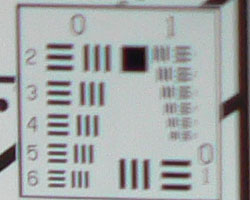
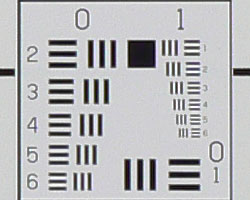


The Lumix DMC-FZ7 produced very soft corners in a few shots, with the most notable instance in the upper right corner of the frame at full wide angle. However, the lower left corner of the same shot is quite sharp. At telephoto, blurring is a little high, especially in the upper left corner, but better overall.
Viewfinder
Coverage
Excellent results with both the electronic optical viewfinder (EVF) and LCD monitor.


The DMC-FZ7's electronic optical viewfinder and LCD monitor produced identical results. Both showed about essentially 100% accuracy at both wide angle and telephoto.
The images above were taken from our standardized test shots. For a collection of more pictorial photos, see our Panasonic Lumix DMC-FZ7 Photo Gallery .
Exposure
Panasonic DMC-FZ7 Exposure
Color
Saturation & Hue Accuracy
Slightly oversaturated color (especially reds and blues), very typical of consumer digital cameras. Generally good hue accuracy, though often a hint of a warm cast.
 |
| In the diagram above, the squares show the original color, and the circles show the color that the camera captured. More saturated colors are located towards the periphery of the graph. Hue changes as you travel around the center. Thus, hue-accurate, highly saturated colors appear as lines radiating from the center. |
Most consumer digital cameras produce color that's more highly saturated (more intense) than found in the original subjects. This is simply because most people like their color a bit brighter than life. The Lumix DMC-FZ7 does get a little carried away with strong red and blue tones, although individual readers will have to judge for themselves from our test and "gallery" shots whether it's too much for their tastes or not. The FZ7 did fairly well with Caucasian skin tones under daylight lighting, but on our calibrated sRGB monitors they tended to look just slightly orange. (It's very easy for these "memory colors" to be seen as too bright, too pink, too yellow, etc.) Still, most consumers should find the DMC-FZ7's vibrant color appealing.
The other important part of color rendition is hue accuracy. Hue is "what color" the color is. Here, the DMC-FZ7 pulled reds toward orange, blues toward violets, and overall had a tendency toward a slightly warm color balance. That said, the camera produced pleasing results under common yet tricky lighting, such as indoor incandescent lighting.
The bottom line on the FZ7's color is that most consumers will probably like the very bright, vibrant tones, but people preferring a more understated approach to color rendering may find it a bit overdone.


Sensor
Exposure and White Balance
Indoors, incandescent lighting
Pretty good color with the Manual white balance setting, acceptable with Auto, about average exposure compensation required.


Color balance indoors under incandescent lighting was just a bit warm and reddish in Auto white balance mode, though still quite usable, and better than average among the cameras we've tested. We liked the results with the Manual setting the best, but an argument could certainly be made for the shot with Auto white balance being more faithful to the original scene. (The Incandescent setting resulted in a stronger warm cast.) The Lumix DMC-FZ7 required a +1.0 EV exposure compensation boost to get a good exposure, which is about average under this lighting. Overall color is pretty good, though skin tones are a bit orange and the blue flowers are quite purplish. (A very common outcome for this shot.) Our test lighting for this shot is a mixture of 60 and 100 watt household incandescent bulb, a pretty yellow light source, but a very common one in typical home settings here in the US.
Outdoors, daylight
Good color balance, with very bright colors. Good overall exposure accuracy.


Outdoor shots generally showed slightly better than average exposure accuracy, though with slightly blown out highlights under harsh lighting, even when using the camera's low contrast option. Shadow detail was also slightly limited, but not enough to cause real concern. The camera the same or slightly less exposure compensation than we're accustomed to seeing on consumer digital cameras.
See full set of test images with explanations
See thumbnails of all test and gallery images
Resolution
High resolution, 1,250 - 1,300 lines of strong detail.
Our laboratory resolution chart revealed sharp, distinct line patterns down to about 1,250 lines per picture height vertically, 1,300 horizontally, with extinction at around 1,850. (Some slight color artifacts were also noticeable in the lower line frequencies.) Use these numbers to compare with other cameras of similar resolution, or use them to see just what higher resolution can mean in terms of potential detail. Beware that while you might be able to make out what looks like distinct lines at numbers higher than those we've mentioned here, the camera is just doing its best to continue interpreting the lines. If you zoom in and follow them from the wider portions, you'll see the lines converge and reappear several times, so the lines you see at 1,600 and higher are really only artifacts generated by the camera's imaging system.


See full set of test images with explanations
See thumbnails of all test and gallery images
Sharpness & Detail
Fairly sharp images, with average blurring of detail from noise suppression, and about-right sharpening.


The Lumix DMC-FZ7's images are pretty crisp overall, thanks to in-camera sharpening that's just about right. (Edge enhancement creates the illusion of sharpness by enhancing colors and tones right at the edge of a rapid transition in color or tone.) High contrast subjects like the tree b ranches above show heightened contrast around the edges of details, but the effect isn't overpowering. There's even some edge enhancement in the highlighted strands of hair in the shot above right.
Noise-suppression systems in digital cameras tend to flatten-out detail in areas of subtle contrast. The effects can often be seen in shots of human hair, where the individual strands are lost and an almost "watercolor" look appears. The crop above right shows this in the darkest areas, which show limited detail. (The FZ7 appears to be about average in this regard.)
ISO & Noise Performance
Moderate noise at the normal sensitivity settings, stronger noise pattern with brighter pixels at the higher settings. Higher than average image noise at high ISOs.




The Lumix DMC-FZ7's lower ISO settings produced moderate noise (somewhat higher than average, but not objectionable even in fairly large prints), with only slightly blurred detail in the dark areas. At ISO 200, image noise pixels become much brighter, though detail still looks pretty good. At ISO 400, noise is much higher, with more blurring as well. Noise at ISO 400 is one of the FZ7's weakest characteristics: Shots taken at ISO 400 in daylight still look fairly crisp when printed at 8x10 inches, but most users will likely find the colored mottling from the noise objectionable. Shooting indoors under incandescent light (something of a worst case for digicam noise levels), the FZ7's shots really aren't usable for prints larger than 5x7 inches.
Extremes: Sunlit and low light tests
High resolution with good overall detail, but rather high contrast and limited shadow detail. Pretty good low-light performance, capable of capturing bright images under average city street lighting and slightly darker conditions.

Sunlight:
Because digital cameras are more like slide film than negative film (in that they tend to have a more limited tonal range), we test them in the harshest situations to see how they handle scenes with bright highlights and dark shadows, as well as what kind of sensitivity they have in low light. The shot above is designed to mimic the very harsh, contrasty effect of direct noonday sunlight, a very tough challenge for most digital cameras. (You can read details of this test here.)
The Lumix DMC-FZ7 produced slightly high contrast in response to the harsh lighting here, though midtone detail was still pretty good. Shadow detail was slightly limited, with some noise suppression contributing to the loss of detail. You could arguably stick with the +0.7 EV exposure here, though I personally felt the overall shot was just a little too dim, despite brighter highlights with the +1.0 EV shot. (In "real life" though, be sure to use fill flash in situations like the one shown above; it's better to shoot in the shade when possible.)
| 1 fc 11 lux |
1/2 fc 5.5 lux |
1/4 fc 2.7 lux |
1/8 fc 1.3 lux |
1/16 fc 0.67 lux |
1/16 fc 0.67 lux Low NR |
|
| ISO 80 |
 1 sec f2.8 |
 1.6 sec f2.8 |
 6 sec f2.8 |
 8 sec f2.8 |
 8 sec f2.8 |
 8 sec f2.8 |
| ISO 100 |
 1 sec f2.8 |
 1.6 sec f2.8 |
 6 sec f2.8 |
 8 sec f2.8 |
 8 sec f2.8 |
 8 sec f2.8 |
| ISO 200 |
 1/2 sec f2.8 |
 1/1 sec f2.8 |
 3.2 sec f2.8 |
 6 sec f2.8 |
 8 sec f2.8 |
 8 sec f2.8 |
| ISO 400 |
 1/4 sec f2.8 |
 1/2 sec f2.8 |
 1.6 sec f2.8 |
 3.2 sec f2.8 |
 8 sec f2.8 |
 8 sec f2.8 |
Low light:
The Panasonic Lumix DMC-FZ7 performed pretty well on the low-light test, capturing bright images at the lowest light level at the 400 ISO setting, although noise was quite high there. At the other ISO settings, images were bright and usable down to about 1/8 foot-candle, which is about 1/8 as bright as average city street lighting at night. Color balance was pretty good with the Auto white balance setting. The camera's autofocus system worked well also, as it was able to focus on the subject down to the 1/8 foot-candle light level unassisted, and down to the darkest light level with the AF assist enabled.
The FZ7 has three noise-reduction options available in its Record menu, we used the "Standard" setting for all our shots, but tried the "Low" option at the darkest light levels in the test above. The results in the "Low NR" column show a slight improvement in fine detail at the cost of a bit more noise, but the overall effect is slight.
NOTE: This low light test is conducted with a stationary subject, and the camera mounted on a sturdy tripod. Most digital cameras will fail miserably when faced with a moving subject in dim lighting. (For example, a child's ballet recital or a holiday pageant in a gymnasium.) For such applications, you may have better luck with a digital SLR camera, but even there, you'll likely need to set the focus manually. For information and reviews on digital SLRs, refer to our SLR review index page.Flash
Coverage and Range
Powerful flash at close range, though not a match for the camera's 12x optical zoom. Our standard shots required about average exposure compensation, coverage was pretty uniform.


Flash coverage was slightly uneven at wide angle, but but much better than average. At full telephoto, the target was too far away for the flash to illuminate it. In the Indoor test, the DMC-FZ7's flash underexposed our subject just a little at its default setting, requiring a +1.0 EV exposure compensation adjustment to get good results. The camera's Slow-Sync flash mode produced slightly brighter and more even results, though with a stronger pinkish-orange cast from the room lighting. In this mode, the best results were obtained with a +1.3 EV exposure compensation boost.
| 8 ft | 9 ft | 10 ft | 11 ft | 12 ft | 13 ft | 14 ft |
 1/30 sec f3.2 ISO 80 |
 1/30 sec f3.2 ISO 80 |
 1/30 sec f3.3 ISO 80 |
 1/30 sec f3.3 ISO 80 |
 1/30 sec f3.3 ISO 80 |
 1/30 sec f3.3 ISO 80 |
 1/30 sec f3.3 ISO 80 |
Flash power remained bright to about the 11 foot distance, diminishing slightly from there. The target is visible at 14 feet, but just a little dim. Better than average flash range overall.
Output Quality
Print Quality
Good print quality, great color, usable 13x19 inch prints. ISO 400 images are noisy with poor detail at 8x10, fine at 5x7 though.
Testing hundreds of digital cameras, we've found that you can only tell just so much about a camera's image quality by viewing its images on-screen. Ultimately, there's no substitute for printing a lot of images and examining them closely. For this reason, we now routinely print sample images from the cameras we test on our Canon i9900 studio printer, and on the Canon iP5000 here in the office. (See the Canon i9900 review for details on that model.)
The Panasonic FZ7 proved to have enough resolution to make slightly soft but entirely acceptable prints as large as 13x19 inches, and very crisp 8x10 inch ones. As usual, the real challenge for print quality comes at higher ISO settings, and here the FZ7 struggled a little. At ISO 400, its prints were noisy with poor detail at 8x10 inches. (Interestingly, high contrast details like fine branches against the sky were still very sharp, but the anti-noise processing made areas of subtle contrast very soft and mushy.) Colored blotches from the image noise were also quite evident. ISO 400 shots looked fine when printed at 5x7 inches though, and ISO 200 ones did fine as 8x10s.
Color from the Panasonic FZ7 was quite bright and vibrant when printed on the Canon i9900, actually not looking quite as overdone as when viewed on-screen. (It's possible that the i9900's own excellent color management may have been selectively toning things down a little.) Bottom line, bright, appealing color and excellent sharpness, but higher than average noise at ISO 400., we found that it had enough resolution to make very crisp 8x10 inch prints. At 11x14, its prints were a bit softer looking, but more than adequate for wall or table display. At high ISO, image noise levels are held in check, but at the cost of rather soft-looking images. ISO 200 photos look OK printed at 8x10 inches, but ISO 400 ones are marginal even at 5x7 inches, but look fine at 4x6. Color-wise, the Panasonic FZ7's images looked really great when printed on the i9900, with bright, vibrant color.
The images above were taken from our standardized test shots. For a collection of more pictorial photos, see our Panasonic Lumix DMC-FZ7 Photo Gallery .
Not sure which camera to buy? Let your eyes be the ultimate judge! Visit our Comparometer(tm) to compare images from the Panasonic Lumix DMC-FZ7 with those from other cameras you may be considering. The proof is in the pictures, so let your own eyes decide which you like best!
Performance
Panasonic DMC-FZ7 Performance
Timing and Performance
Average to excellent speed for a consumer camera.
| Operation |
Time (secs) |
Notes |
|
Power On -> First shot
|
2.5 |
LCD turns on and lens extends forward.
|
|
Shutdown
|
3.3 - 5 |
First time is time to retract lens, second time is worst-case buffer-clearing time.
|
|
Play to Record, first shot
|
1.58 |
Time until first shot is captured.
|
|
Record to play
|
2.1 / 1.1 |
First time is that required to display a large/fine file immediately after capture, second time is that needed to display a large/fine file that has already been processed and stored on the memory card.
|
|
Shutter lag, full autofocus
|
0.58 / 0.60 |
First time is at full wide-angle,
second is full telephoto.
|
|
Shutter lag, continuous autofocus
|
0.64
|
(Generally no increase in speed for static subjects, and we have no way to consistently measure performance with moving subjects.)
|
|
Shutter lag, manual focus
|
0.31
|
-
|
|
Shutter lag, prefocus
|
0.017 |
Time to capture, after half-pressing shutter button.
|
|
Cycle Time, TIFF, max resolution
|
3.59
|
Times are averages. Shoots this fast continuously, clearing the buffer after each shot.
|
|
Cycle Time, max/min resolution
|
0.83 /
0.91 |
First number is for large/fine files, second number is time for "TV" mode (640x480) images. Times are averages. In both modes, shoots this fast continuously, clearing the buffer after each shot.
|
|
Cycle Time, Flash exposures
|
4 |
(Flash at maximum power output)
|
|
Cycle Time, continuous High mode, max/min resolution
|
0.32
(3.16 fps) |
Shoots large/fine images or small/basic images at the same speed. Times are averages. Shoots this fast for 7 images in large/fine mode, or for 13 images with smallest file size. Buffer clears in about 1.5 seconds regardless of resolution.
|
|
Cycle Time, continuous Low mode, max/min resolution
|
0.44
(2.26 fps) |
Shoots large/fine images or small/basic images at the same speed. Times are averages. Shoots this fast for 7 images in large/fine mode, or for 13 images with smallest file size. Buffer clears in about 1.5 seconds regardless of resolution.
|
|
Cycle Time, continuous "infinite" mode, max/min resolution
|
0.44
(2.26 fps) |
Shoots large/fine images or small/basic images at the same speed. Times are averages. Shoots this fast continuously, clearing the buffer after each shot.
|
|
Download speed
|
||
|
Windows Computer, USB 2.0
|
747 KBytes/sec
|
Typical Values:
Less than 600=USB 1.1; 600-770=USB 2.0 Low; 771-4000=USB 2.0 High |
The Lumix DMC-FZ7's performance ranges from quite fast to about average, depending on what you're trying to do. It starts up fairly quickly considering its large 12x optical zoom lens, which extends forward on power-up. Shutter response is pretty good at both wide angle and telephoto, though "prefocusing" the camera by half-pressing and holding down the shutter button before the final exposure, results in a super-speedy time of only 0.017 second. Shot to shot cycle times are excellent, at about 0.83 seconds for large/fine JPEGs, and it can capture shots continuously in single-shot mode without having to stop and clear the buffer. Continuous-mode speed is also quite good, at both high and low speed settings, and an Infinite option captures frames at the slower 0.44-second rate without any limitation (apart from card capacity) on the number of files. The flash takes about four seconds to recharge after a full-power shot, better than average. Connected to a computer, download speeds are fast enough that you probably won't feel a need for a separate card reader, although they aren't as fast as those from cameras with a true High-Speed USB 2.0 interface. Bottom line, the DMC-FZ7 is a responsive camera, suitable for a wide range of shooting conditions from sporting events to family gatherings.
Battery and Storage Capacity
Battery
Very good battery life with both the EVF and LCD.
| Operating Mode | Battery Life |
| Still-image capture mode LCD on |
159 minutes
|
| Still-image capture mode LCD off |
167 minutes
|
| Image playback LCD on |
347 minutes
|
The Lumix DMC-FZ7 uses a custom rechargeable LiIon battery for power. The table above shows maximum run times based on our power measurements and the rated performance of its battery. In practice, with the camera "sleeping" between periods of use, we found we could shoot for a surprisingly long time on a single battery charge.
Storage
The Panasonic Lumix DMC-FZ7 stores images on SD/MMC memory cards, and comes with a 16MB starter card.
|
Image Capacity with 16MB Memory Card |
TIFF | Fine | Normal | |
| 2,816 x 2,112 | Images | 0 | 5 | 10 |
| File Size | 20.5 MB | 3.1 MB | 1.6 MB | |
| 2,304 x 1,728 | Images | 1 | 7 | 14 |
| File Size | 13.5 MB | 2.1 MB | 1.1 MB | |
| 2,048 x 1,536 | Images | 1 | 9 | 18 |
| File Size | 10.1 MB | 1.7 MB | 850 KB | |
| 1,600 x 1,200 | Images | 2 | 15 | 30 |
| File Size | 6.5 MB | 1.0 MB | 533 KB | |
| 1,280 x 960 | Images | 3 | 23 | 43 |
| File Size | 4.2 MB | 684 KB | 366 KB | |
| 640 x 480 | Images | 14 | 73 | 120 |
| File Size | 1.1 MB | 216 KB | 133 KB | |
We strongly recommend buying at least a 256MB card, preferably a 512MB one, to give yourself extra space for extended outings. (The included 16 MB card is just about useless for a camera of this resolution.)