




Overview
Nikon D300 Overview
by Shawn Barnett, Dave Etchells, and Siegfried Weidelich
Posted: 08/23/07
Updated: 02/06/08
02/12/08: Added Diary 1 and Diary 2 tabs to Mike Pasini’s two-part D300 diary
August 23, 2007 was a very good day for Nikon fans. For those who held onto their Nikon gear while others defected to other brands, their day had come. Though Nikon had long since re-established its prominence in the digital SLR market, the announcements of the D3 and D300 took the battle to a new level. If the D80, D40, and D40x were shots across the bow of their largest competitor, the D3 and D300 were broadsides, point-blank.
Both the D3 and D300 are pro-grade cameras, and share many of the same revolutionary features. While the D3 breaks new ground for Nikon with a full-frame sensor (called FX) at 12.1 megapixels, the D300 nearly matches that resolution at the old DX-size recording a 12.3 megapixel image with a 1.5x crop factor. They share so many features, we’ve come to think of the D300 as the build-it-yourself Nikon D3. You can almost achieve the D3’s performance by adding accessories to the D300; all but the larger frame size.
Nikon’s D300 displaces the D200 at the top of the prosumer DX lineup, but it does not replace it. The D200 will live on. But many D200 owners might take an interest in the D300’s new features. The Nikon D300’s increased resolution, 14-bit A/D conversion, and a frame rate of six frames-per-second will pique their interest. The new Scene Recognition System that merges data from the AF system with data from the 1,005-point metering system for greater accuracy and better tracking will draw them closer; but it’s probably the new 51-point AF system that fairly dominates the DX-sized frame and includes 15 cross-type sensors will entice them the most. The 920,000 pixel, 3-inch LCD is just gravy.
There are a few limitations to those D3-like features, namely in the autofocus and A/D conversion departments, but we’ll get to those soon enough.
The Nikon D300 also has Live View, in-camera Lateral Chromatic Aberration Correction, a self-cleaning sensor, and optic-by-optic autofocus fine-tuning, plus the ability to upgrade to eight-frames-per-second with the purchase of a battery grip, all sure to be popular with D200 fans.
Shipping as of November 2007, with an expected retail price of $1,800, D200 owners will be on familiar ground, investing a little more money for a lot more camera.
Nikon D300
User Report
by Shawn Barnett
Nikon’s D300 is a photographer’s camera. There are no Scene modes, not even a Green Auto mode to make the camera do it all for you. As such, the flash doesn’t have a mode where it pops up automatically. But if you know what you’re doing, there’s plenty that the Nikon D300 will do for you. It’ll adjust your ISO, find detail in the shadows, and track your subject even when it’s not in the autofocus area.
There are a few limitations to what it can do compared to what we heard when the Nikon D300 was first announced. For example, though it has 14-bit A/D conversion available in RAW mode for significantly more color information in each image file, the frame rate slows down from 6.13 frames per second in 12-bit mode to 2.66 seconds in 14-bit mode. That doesn’t happen with the D3, nor the Canon 40D (though the 40D is only 10 megapixels instead of the D300’s 12.3). And though the Nikon D300 has 51 autofocus points like the Nikon D3, it is much slower at acquiring focus than the D3 is when in Auto-area AF. It’s also slower than the competition, whose AF includes considerably fewer points.
But these aren’t reasons to discount the Nikon D300, which is one of the most capable and well-designed digital SLRs made. Like the D200 did, the Nikon D300 continually surprises me. When I encounter a new situation that requires a new setting or mode, I just take a look at the back and top of the D300 and usually find my answer readily available. Granted, in the beginning there were a few times when I just decided to make do with other settings rather than delve into the comprehensive menu system. Later I found the solution after a little investigation, but it’s clear that there’s a bit of learning curve to using the Nikon D300. Indeed, the Nikon D300’s manual is almost twice as thick, with just over double the pages of the D200’s: 421 pages compared to 210.
I’ll try to hit on a lot of the Nikon D300’s major points, but this is just the User Report, so there’s not as much room or time as this significant digital SLR camera deserves. For more of the in-depth detail, see the many tabs and sub-tabs which include pages of detail and analysis. We’ve taken hundreds of shots with the Nikon D300, and you’re welcome to download, tweak, and print any of them for your own individual camera research purposes.
Nikon D300 Look and Feel
The Nikon D300 is similar, but not identical to the Nikon D200. Contours are smoother, buttons and connector covers are reshaped, but most of the main controls are in familiar places.
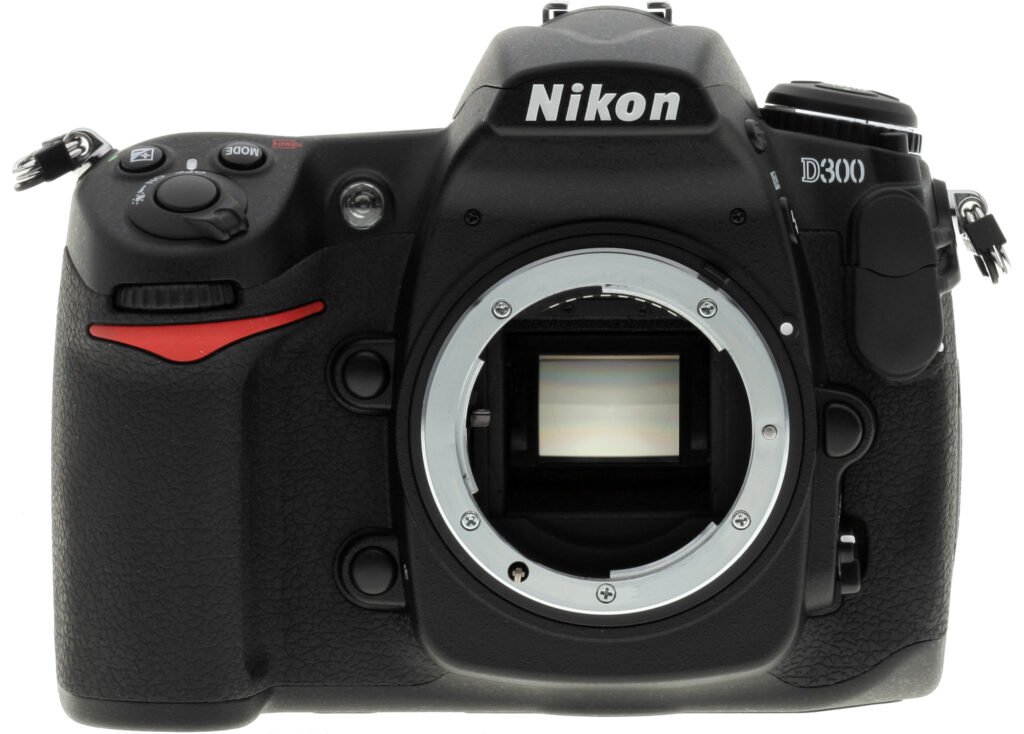
From the front we can see the slightly more organic curves and a restyled red accent on the grip. The Nikon logo looks slightly bolder, and the D300 logo has been moved up and left a bit to make room for the new tethered Flash Sync and Remote Terminal covers (top right). The grip is essentially the same, with a nice indented inner surface for the balls of your fingers to sink into. The rubberized surface is tacky and well-textured for a secure hold.
If you look in the lower right corner of this picture, you’ll see another thoughtful contour that makes it more comfortable as your left hand cradles the Nikon D300 to reach out to hold the lens body. It’s subtle, but it makes the Nikon D300 easier to hold. And more comfort while holding the Nikon D300 is not a bad idea, since this solid camera weighs in at around two pounds without a lens, but with a card and battery.
The back has the same number of components in familiar places, but the purpose and name of a few have changed. Starting at the upper left, what was once the Bracket button has been replaced with the Playback button, and the five buttons left of the LCD have been moved around a bit. Menu moves up one button to make room for more clearly marked zoom buttons, and the Enter button has changed to OK. On the right, the AF-area mode switch no longer includes the Group dynamic-AF option, and the memory card latch has a new design. Finally, the 3-inch LCD takes up more real estate on the back. A plastic screen cover is still included with the D300, but is not shown here. The LCD itself is reinforced with tempered glass.
On top we have only minor style changes, with a trend toward oval and round buttons on the D300 in place of the oblong buttons on the D200. The left strap lug has been moved from its far-forward position on the D200 to a spot more near the center of the body. There are also minor changes to the Status LCD.
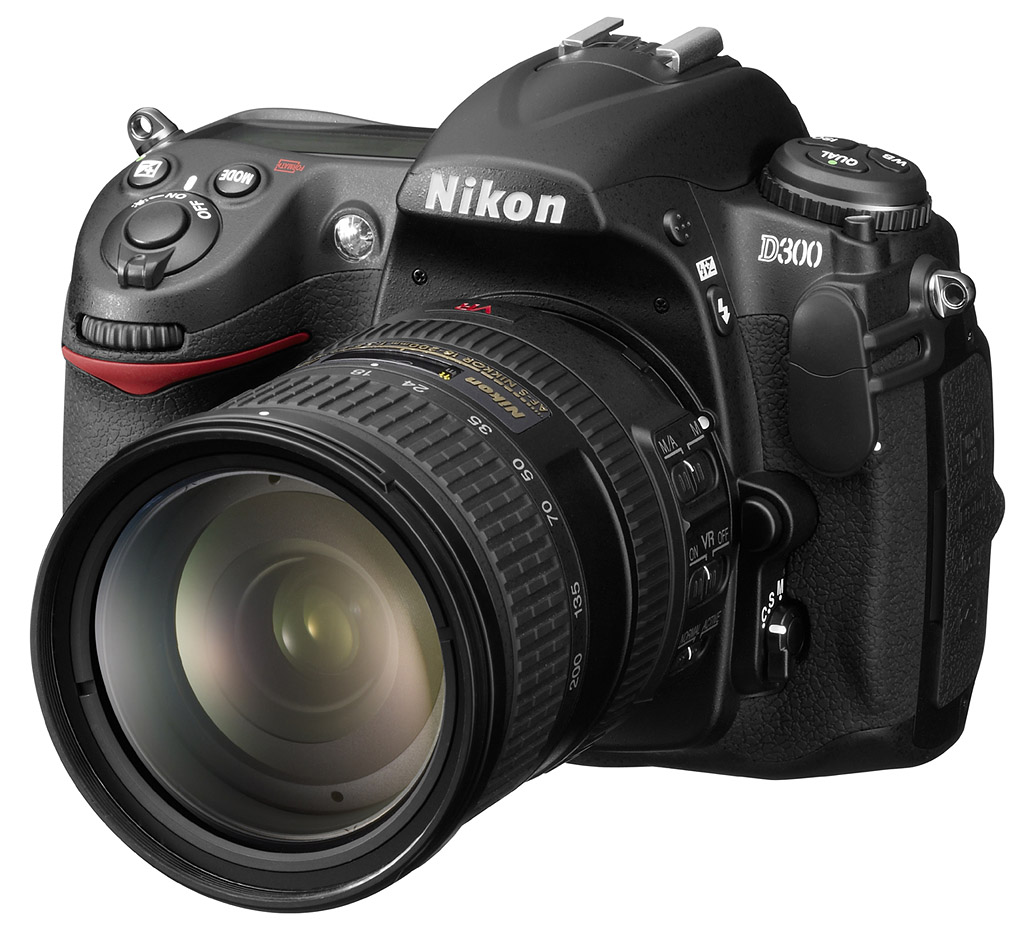
This 18-70mm f/3.5-4.5 lens, which first appeared on the Nikon D70, is a nice fit on the Nikon D300, with a good focal length range and good optical quality for the price, which is about $350. With this lens, the Nikon D300 combo weighs 2.9 pounds (1,353g). I shot most of the gallery images, however, with the superb 14-24mm f/2.8G IF-ED AF-S Nikkor, and the 24-70mm f/2.8G IF-ED AF-S Nikkor. They’re wonderful, but extraordinarily heavy. At about $1,700 each, these lenses are pricey, but are two compelling new reasons to buy a Nikon. With the 24-70mm f/2.8, the combo is 4.3 pounds (1,948g).
 Nikon D300 Body
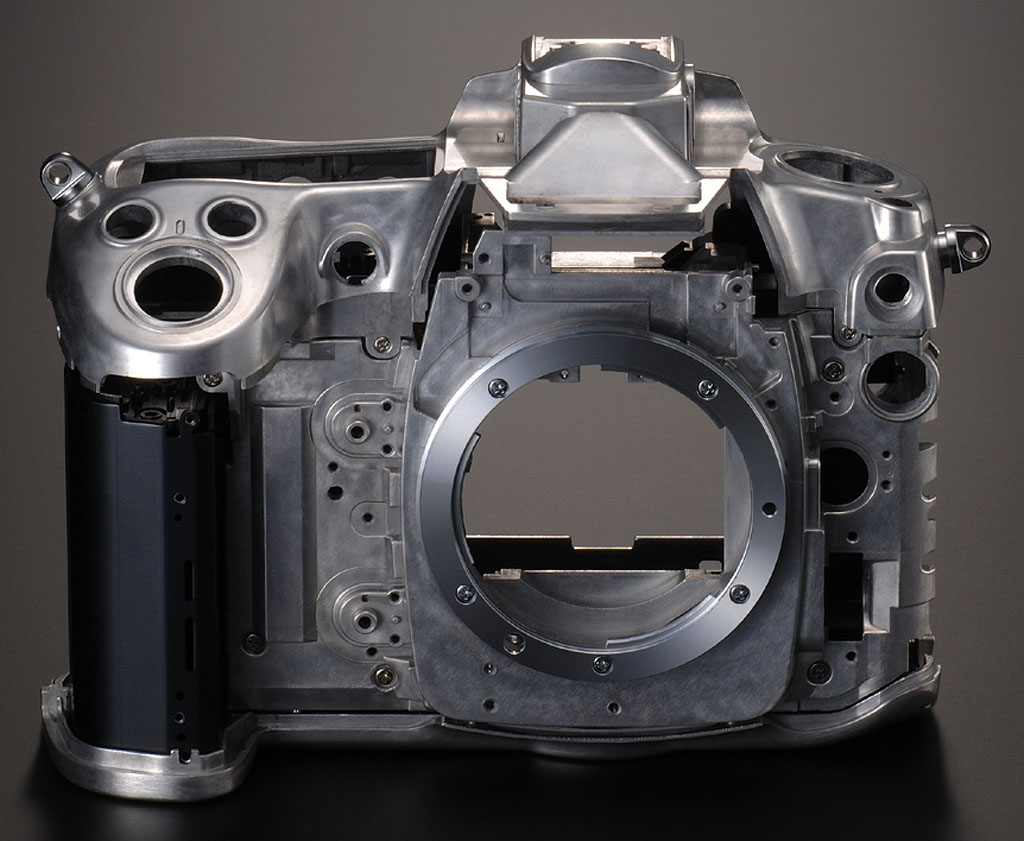
The D300 has a strong magnesium alloy body for a rock-solid feel. It is sealed to keep dust and moisture out, and the optional battery grip is built of the same material. The Nikon D300 is a handful, but its greater surface area allows more room for all the buttons and dials I find so useful when taking pictures. It may not be the best camera for portability or casual travel, but if your purpose for traveling includes photography, you won’t mind the extra bulk.
Controls. I like the control system on the Nikon D300. They used buttons and dials for just the right features. The Quality, White Balance, and ISO buttons are where they should be on the top deck, where you can press them and make the setting on the top Status LCD by turning the Main command dial. The Mode and EV compensation buttons are also on top, behind the shutter release. Having the power switch around the shutter button has always appealed to me, because if the camera’s been switched off, you can just flip it on without taking your eye from the viewfinder or your hand off the grip.
Only one control is cumbersome for me: the Sub-command dial. Used to set aperture and bracketing increments, among other things, for me it’s out of sight, and out of mind. Those accustomed to shooting high-end Nikons will have no trouble with this, but anyone moving up from most consumer SLRs might be a little lost at first. I prefer this dial on the top of the grip, as it is on Sony and Canon digital SLR cameras. Once you own the Nikon D300 and get used to the Sub-command dial’s location, however, this won’t be an issue at all. The Main command dial is recessed on the right side just enough to prevent frequent accidental activation, but it’s easy to turn when you want to.
The navigation disk on the back is really a pleasure to use once you get used to it. Whether moving around in zoomed photos or in menus, the disk comfortably rocks in whichever direction you want. It’s not as fast as buttons or dials, but it is easy on the fingers, and more difficult to activate accidentally. It’s also great for selecting from among the 51 AF points in a hurry. If you hit the Info button, you can look at the rear Status display and use the disk to select among the AF points without having to peer through the viewfinder.
Viewfinder. While the Nikon D300 has a new Live View mode, where you’ll find the real speed of an SLR is through the optical viewfinder. And though the Nikon D200’s viewfinder was big, bright, and beautiful, the Nikon D300’s viewfinder delivers nearly 100 percent frame coverage, something we specifically wished for in our D200 review. It’s here, and it’s glorious. Magnification is still a very good 0.94x.
Though I still prefer a bright LED over Nikon’s combination of LCD and LED, the new Multi-point AF array works well with the new 51-point AF system. The use of an LCD panel means that they can offer an optional grid in the optical viewfinder, something that requires you to change the viewscreen on other digital SLR cameras. Because this LCD serves as an electronic mirror in the pentaprism, it draws a very tiny amount of power even when the Nikon D300 is turned off. When the battery is removed or completely drained, the screen dims a bit, and all graphics disappear. Just charge the battery and it all comes back, never fear.
LCD. The Nikon D300 has an unusual high-resolution LCD. At 920,000 pixels, the D300’s LCD resolution is higher than any SLR currently on the market, with the exception of the Nikon D3 and Sony A700. As LCDs get bigger, the value of higher resolution becomes clear. You can more easily check focus, sometimes even without zooming in; but when you do zoom in, you can really check focus. The actual resolution in more familiar dimensional terms is 640×480, because they count each color in their calculation (RGB). But even if you count three horizontal pixels as one, that’s still 266 pixels per inch, which is a lot finer resolution than your computer screen. The result is a remarkably smooth, crisp, and sharp view of your images. Menus are so bright and crisp, they look like they’re printed on photographic paper.
The new LCD has a 170 degree viewing angle, and offers a 100% view, whether you’re looking at captured images or framing in Live View mode. The Nikon D300 includes a protective screen cover that isn’t as bad as previous models, but I still find the extra reflection and glare bothersome enough that I generally leave it in the camera bag.
Nikon D300 Autofocus
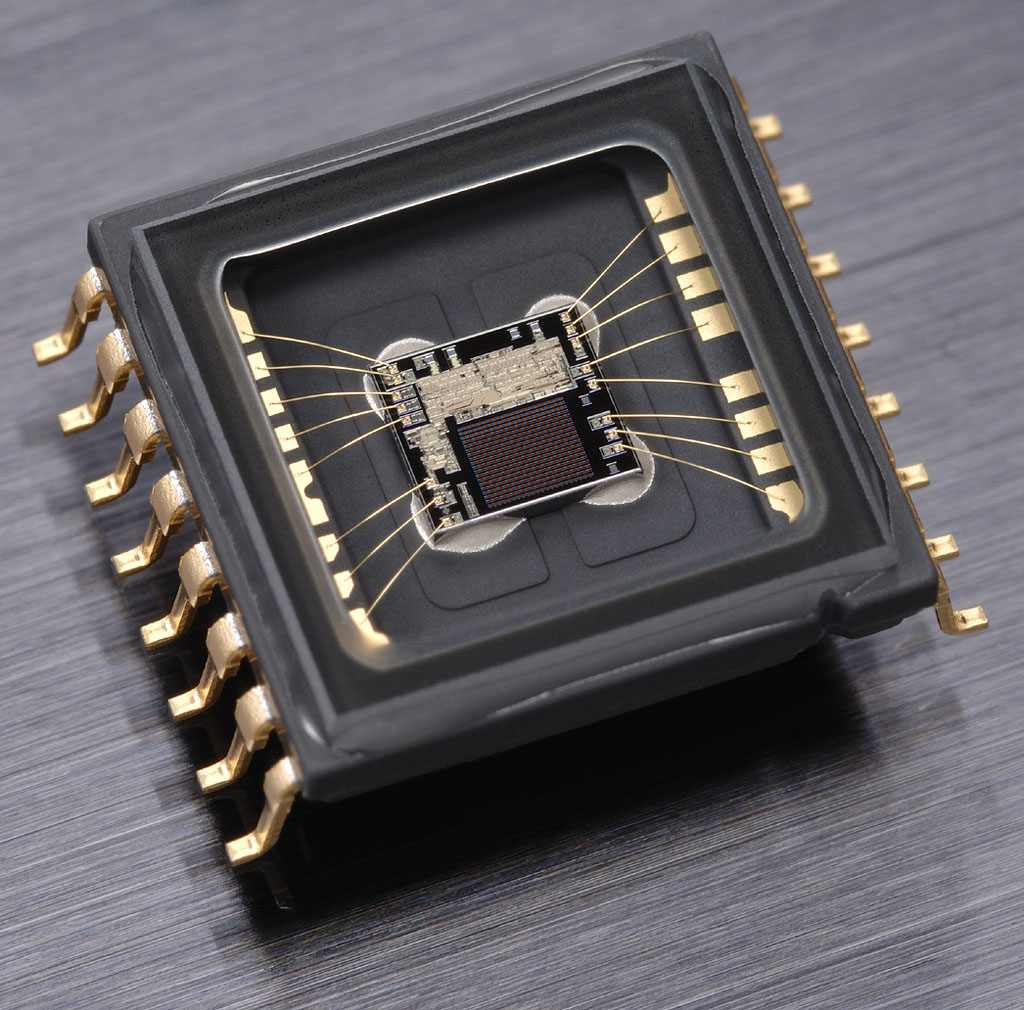
Metering sensor. Nikon brings its venerable 1,005-area metering sensor to bear on an old problem: AF tracking.
Though Nikon has been criticized by some for having fewer AF-points on their pro cameras when compared to Canon, Nikon’s new Multi-CAM 3500DX AF system will silence the critics. Its 51-point “precision focus” AF points include 15 cross-type points, sensitive to both horizontal and vertical lines. The Multi-CAM system can be set to five modes on the Nikon D300, including 9-area, 21-area, 51-area, and 51-area with 3D tracking. The fifth mode is an 11-area mode designed to mimic the D200’s AF system for those making the transition.
The big story with the new autofocus system, however, is its intelligent integration with data from the Scene Recognition System metering to enhance subject tracking. When in 51-area with 3D tracking mode, the EXPEED processor looks at data from both the AF sensor and the 1,005-area metering sensor. With this extra information, the AF system can better select and track a subject, even when it leaves the AF area. A red car moving toward the camera could conceivably be tracked from one side of the frame to the other, tracked more accurately through the AF zone.
Though having 51 AF points is great, focus acquisition in Auto-area AF mode on the Nikon D300 is quite a bit slower than it is on the Nikon D3. It’s also slower than I’m used to seeing on Canon cameras, which have fewer AF points. The useful side of so many AF points is that the camera can be very explicit about where it’s focusing. While shooting a sunrise with a flag pole in the shot, the Auto AF ran its point selection right up the flag pole.
Overall, I’ve found the 51-point AF to be quite useful, especially when handing the Nikon D300 to an amateur to take a shot of me with someone else. I mostly use the single-point mode, which is much faster at acquiring focus. At times in low light, the Nikon D300 does give up, so I think it’s AF system isn’t as sensitive as I’m used to, but our lab results show that it can focus down to below the 1/16 foot candle light level.
Fine-tuning. If we’ve discovered anything reviewing lenses on SLRgear.com, it’s that lenses and bodies don’t always match. Sometimes they focus in front of the subject, sometimes they focus in back of the subject. Camera companies are starting to acknowledge this, building in adjustments to compensate for front- and back-focusing problems. The Nikon D300 has a new system that just does that, but unlike the D200 it doesn’t just work for the body side of the equation. Sometimes it’s the lenses that are out of tune too, so adjusting just the camera’s AF to work well with one lens won’t solve the problem with another; indeed it can make other lenses worse.
So the Nikon D300 has a new system called AF fine tune, where the camera can store adjustments for up to 12 lenses. Not individual lenses by serial number, mind you, but at least by type. If you have only one of each type of lens, say a 50mm f/1.4 and a 100mm f/2.8, you’ll have no problem. But a photo team that has several of one type of lens, like a few 300mm f/2.8Gs for shooting road races, will have to be careful, because the camera will only load compensation information for the lens that was mounted when the compensation was initially set for that type of lens. Nikon has included a half-measure for such problems, allowing you to input the last two digits of your lens’s serial number so you can match the camera to the lens. Initially, we hoped this meant that you could put another lens on of the same type and enter that serial number so you could store two values, but it seems like the identifier number is only for reference: a note that allows you to make sure you’ve attached the right lens of a given type.
I ran into just such a problem when I got hold of the Nikon D300. Cameras very often come to me with all the settings the Lab used last still in memory. I do my best to clear them, but it turns out that AF fine tune doesn’t change when you reset all (which makes perfect sense). So I had a lot of trouble with back focusing issues on some family shots I took one weekend, and only discovered the following day that the particular lens I used had been adjusted to +20 in one of the Lab tests, and that setting was never cleared. I’m glad we discovered it, because I was about to spiral into a long analysis of what might be wrong with the AF system.
Nikon D300 Live View
Perhaps triggered by Olympus and Panasonic in the consumer SLR space, “Live View” on DSLRs has become a more common feature. Both the Nikon D3 and D300 now feature Live View modes of their own. What makes Nikon’s Live View mode unique are the two options it provides for autofocus operation. The first mode is the one used by everyone else. Because the traditional AF sensors are blocked when you flip up the mirror for Live View mode, you have to drop the mirror to focus, then flip it back for Live View. Canon, Nikon, and Olympus all have this mode.
Their second mode is the real charm, one we’ve been waiting for since the Olympus E-330: Called “Live View (Tripood mode),” this mode uses contrast detect autofocus, driven from the imaging sensor (note that contrast-detect AF in Live View first appeared on the Panasonic L10). Instead of flipping mechanical switches, the Nikon D300 simply reads data off the CMOS image sensor and evaluates how abruptly light to dark (or dark to light) transitions happen on the image plane. Contrast-detect AF isn’t nearly as fast as phase-detect (which is why the shutter response of most digicams is so much slower than most digital SLRs), but at least these new Nikons can focus without interrupting the Live View display. As an added benefit, because it’s working with data coming from the main image sensor, you can move the AF point anywhere you want within the frame area, right out to the extreme edges. AF operation in this mode is unfortunately quite slow, so they really mean it when they call it Tripod mode.
The D300 also provides up to a 10x zoom in Live View mode, providing excellent focus discrimination when focusing manually. This is pretty key, as less than 10x magnification really doesn’t do the trick for getting the focus set right, but at 10x we felt we could pretty well nail the focus every time.
Both the new Nikons and Canons include the ability to control the camera from a computer remotely, and that includes receiving a Live View image from the camera. You can focus, adjust settings, and fire, all from a computer. What’s more, you can do it via cable or WiFi connection, with the optional WiFi adapters. It’s a feature Olympus cameras do not yet have.
The new Nikons require optional Camera Control Pro software to enable this feature. Software for this feature is bundled with Canon cameras.
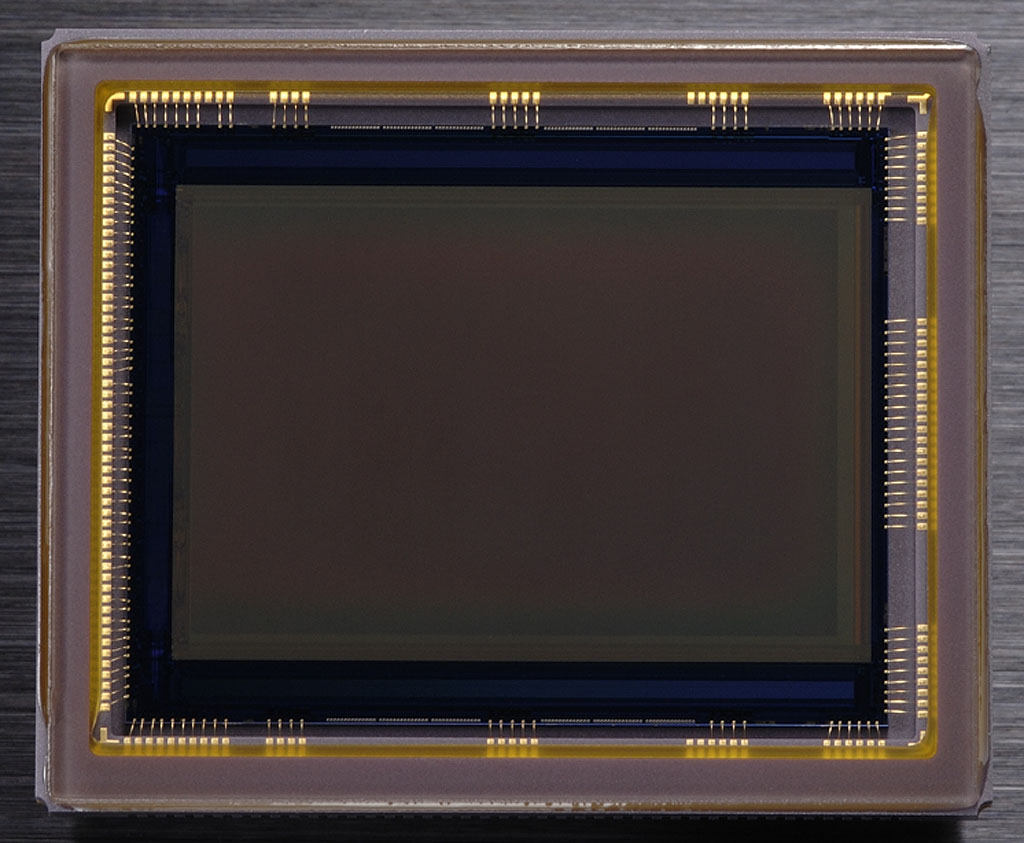 Sensor. Measuring 24x15mm, the Nikon’s new 12.3 megapixel CMOS sensor produces images with a slightly greater pixel count than its big brother, the full-frame D3. The D300’s images measure 4,320 x 2,888, compared to 4,256 x 2832 on the D3. Of course, the pixel pitch is a little smaller, at 5.49 microns, compared to the D3’s 8.45 microns. Generally, the larger the pixel, the more light-gathering ability, so it’s no surprise that the Nikon D3 has better low-light noise control.
Still, they’ve raised the ISO for the D300, ranging from 200 to 3,200, plus Lo-1 (100) and Hi-1 (6,400).
Also like the D3, you can switch between 12-bit and 14-bit analog-to-digital conversion. The latter mode avails you of far more color nuance than the traditional 12-bit mode. Though JPEG images are saved at 8-bits, NEF (RAW) images can contain the full 14-bits of data.
 Shutter. The D300 is capable of six frames-per-second, and up to eight fps when used with the new MB-D10 Multi-Power battery pack (more on this below). Shutter lag is 45 milliseconds, the viewfinder blackout time is 100 milliseconds, and expected shutter life is 150,000 cycles.
As I mentioned above, however, that six frames goes down to 2.66 when you shoot in 14-bit RAW mode. Since we haven’t tested the battery grip, we don’t know how fast the combination can shoot in 14-bit RAW with the extra battery. Since the limiting factor is likely the larger file size, however, it’s probably the same speed with or without the battery pack.
One of my favorite aspects of Nikon shutters is their sound, and the D300 doesn’t disappoint, sounding a lot like film cameras of old. More important, they don’t draw undue attention with whining sounds or loud clacking. They’re well-behaved. Competitors have noticed and are starting to make their shutter and mirror mechanisms quieter too.
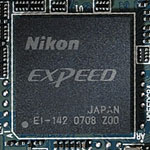
Expeed. Nikon’s new processor makes a number of sophisticated in-camera processes possible.
Processor. The Nikon D300 uses Nikon’s new EXPEED processor. We’re not sure if it’s the same as the one in the D3, but the slower frame rate makes that unlikely. It has a 16-bit pipeline and is the engine for processing the 14-bit color data from analog to digital at such a rapid rate. The buffer is sufficient to handle up to 100 shots at eight frames per second in JPEG Large/Normal mode. It also enables such impressive features as the Scene Recognition System, in-camera Lateral Chromatic Aberration Correction, and Active D-Lighting, detailed below. Nikon’s latest releases on the matter describe EXPEED as not necessarily a piece of specific hardware, but rather a method of processing images for a desired output, so it’s hard to know what kind of processor it is. It’s also interesting that unlike Canon’s DIGIC system, the EXPEED system doesn’t handle autofocus or exposure data, only the task of processing and compressing images. Dedicated processors handle these other tasks.
Scene Recognition System. Nikon’s old Matrix metering system has improved so much that they had to rename it Scene Recognition System. Matrix metering in general compares what it sees through the lens to a special database, one that’s created from several hundred thousand different possible scenes. The SRS version does a more complete analysis, improving white balance, focus tracking, and exposure. One of its chief benefits is highlight analysis, which is designed to prevent blown highlights in common situations by adjusting the tone curve to compensate.
The Nikon D300 also includes a new white balance tweaking tool, with x/y axis adjustment, as we’ve seen on a few other digital SLRs.
Active D-Lighting. D-Lighting is a popular post-processing feature in cameras like the Nikon D80 and D40, and even some of Nikon’s consumer digital cameras. It’s a quick software process that attempts to overcome underexposed images, and bring detail out of shadows. It’s seen as a solution to a number of common problems, including backlit images where fill lighting could have been applied, but wasn’t (hence the name, for digital lighting, and a play on “delighting”). Well, the system has been improved in the Nikon D300, to include optimization of image contrast. That’s a good tweak on their part, because often D-Lighting could overprocess the shadows and flatten the overall contrast in an image.
I’m cautious about leaving something like Active D-Lighting on at all times when shooting JPEG only, but looking at our test shots, I might be persuaded to leave it in Normal mode all the time on the D300. Rather than just tweaking shadow and highlight detail, it seems like the D300’s Active D-Lighting is looking at all portions of the image and making significant adjustments to the tone curve where it matters most. When we processed our dynamic range images from the Nikon D3, I saw exactly what I expected: a curve that didn’t flow evenly, instead wiggling at the ends in the dark and light ends of the curve.
|
Active D-Lighting Samples
|
|
 |
 |
|
Off
|
Low
|
 |
 |
|
Normal
|
High
|
Our daylight test shots show an increase in shadow detail and contrast with near objects, while maintaining highlight detail. I prefer the Normal setting, but the High setting sure does pop. Note how the highlight on Marti’s forehead comes under greater control in the Normal shot, and though to my eye the detail gets a little noisier in the shadows, the local contrast seems to be improved in and around shadow areas.
Lateral Chromatic Aberration Correction. While other cameras have had lens distortion processing built-in, notably the Olympus E-1, none have done the processing based on the distortion they see in the image like the D300 and D3 do with their Lateral Chromatic Aberration correction. The E-1 took its distortion-correction cues from whichever lens was mounted and applied a pre-set amount of correction; but no image analysis actually took place. That’s also the approach taken by most software applications. But the new Nikons have the power, thanks to the EXPEED processing system, to actually analyze each image after capture and fix the chromatic aberration before saving the JPEG file.
|
Chromatic Aberration: JPEG vs RAW
|
|
 |
 |
| Wide: From JPEG, Nearly undetectable, upper right @ 200% |
Wide: From RAW, Moderate and bright, upper right @ 200% |
As you can see above, the in-camera CA correction works quite well. Since it is applied only to JPEG images, we were able to just how well it works by comparing the shot at left with the one at right, extracted from a RAW image.
Picture Control. Nikon has standardized their Picture Control system so that camera settings for tone, saturation, brightness, and sharpening can be set and ported to other Nikon digital SLRs. Currently the only camera compatible with the option is the Nikon D3, and new models are set to follow the standard.
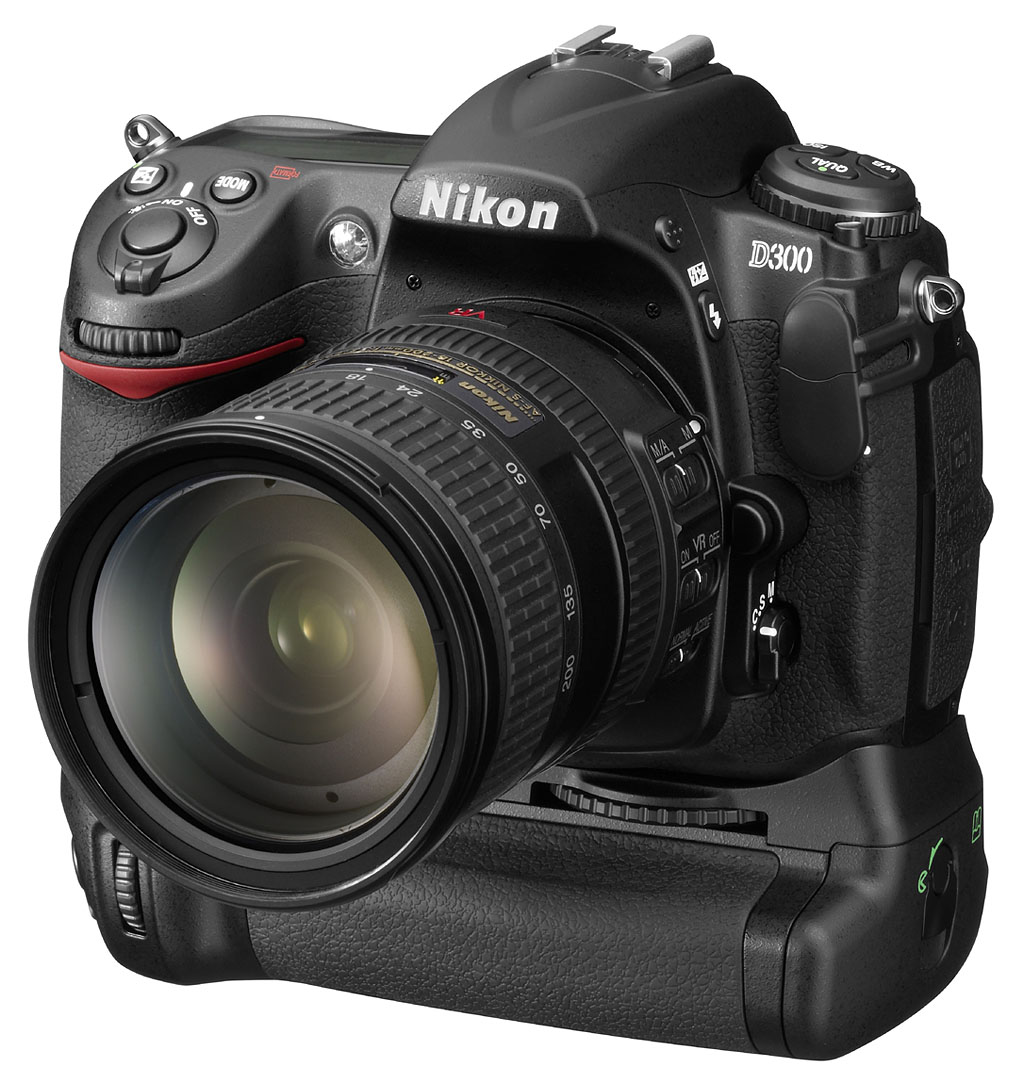 Storage and battery. The Nikon D300 uses an EN-EL3e battery, which will drive it through 1,000 shots on a single charge. The optional MB-D10 Multi-Power Battery Pack adds two frames per second (with a higher capacity lithium-ion battery or AA’s installed), taking the D300 to 8 fps, probably its most enticing feature. But it also allows a battery to be kept in the camera body to supplement the battery grip’s input. Other designs use a tower that goes up into the battery compartment, which introduces a few problems, including packing an L-shaped grip in a camera bag when it’s not in use. The MB-D10 is easier to use, and packs well.
The reason it’s called a Multi-Power Battery Pack is that takes other kinds of batteries, including 8 AA cells, and an EN-EL4a, the same lithium-ion battery that the Nikon D3 and D2x use. Now we’re talking power: 11.1v 2500mAh to be exact.
Dust cleaning. The D300 has a dust cleaning system that the D3 does not; it’s Nikon’s first dust reduction system. They’re careful to call it “reduction,” which is admirable, because we haven’t seen a single system that actually keeps all dust off the sensor. “Four different resonance frequencies vibrate the optical low pass filter,” according to Nikon, which is an interesting approach. Apparently dust reduction for their full resolution D3 will have to wait for the next revision, due to complications in vibrating such a large piece of glass at the necessary frequencies.
Despite the new dust cleaning system, many of my Gallery shots have some prominent hunks of dust after several weeks of shooting in the lab. So while this is a nice feature to have, don’t be fooled into thinking that you won’t have to either learn how to clean your sensor or send it in for cleaning.
WiFi. The new WT-4A wireless transmitter is compatible with both the D300 and D3, providing support for wired LAN (10BASE-T and 100BASE-TX), and 802.11a/b/g. A Live View image can be transmitted to a computer via wire or wireless using the optional Camera Control Pro 2 software.
Shooting with the Nikon D300
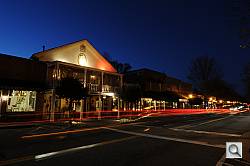
Dusk. F/22 and about a six second exposure gave good depth of field and a nice blue glow to the sky. There was plenty of rush-hour traffic to ensure a good selection of streaks.
The Nikon D300’s incredible sophistication kept it in the lab longer than most recent SLRs, because there are so many interesting and unique modes to explore and test. That meant I had less time with the camera, so it’s hard to do justice to a camera with such depth and ability.
Much like the D200, the Nikon D300 is a dream to work with. As I shot it in very different situations, I found it easy to make the camera adapt. Major functions like ISO, White Balance, and AF modes are assigned their own buttons and switches, and making these common changes are easy on the big Status LCD on the top deck. The big, bright viewfinder and its Status display make framing shots and adjusting settings a pleasure, rather than a squinty, eye-straining chore.
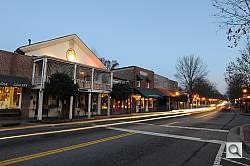
Morning light. The next morning was still dark enough to get my headlight/tail-light streaks, but with a different mood. You can do this with any other camera, but check out the resolution you get with the D300’s 12.3 megapixel sensor and the excellent optics.
I stayed out late one night, shooting at a local town, trying to find a decent sunset in the heavily-treed North Georgia area; then got up dark and early the next morning to explore how the same town looked at sunrise. It was a simple assignment I gave myself to see how the camera and I would function in an unusual situation (especially the morning shots). My D300 and I had a great time together. It didn’t hurt to have the heavy but fine 14-24mm f/2.8G and the 24-70mm f/2.8G Nikkors along, which I’ve already boasted about.
The Nikon D300 was an able companion, just the camera I’d want if my camera was my main source of income.
Autofocus. In candid people shooting, I had a little more trouble with the Nikon D300’s slow acquisition in 51-point mode. I’m just used to faster performance, and while the Nikon D3 delivers that performance, the D300 has to think a little too long for candids. But I was just trying out the 51-point system for the review; I prefer locking it to a single point, and either moving that point around or leaving it at the center and recomposing.
When it comes to focusing in single-point mode, the Nikon D300 is fast and capable, and the camera serves up images with great speed, and more flourish than even the D200, thanks to the gorgeous 900,000 pixel LCD.
I’m not as hot on how the Live View mode works. Although it’s fast, I haven’t gotten used to the requirement to fully press the shutter button to activate Live View between shots. It just seems counter-intuitive. I’d rather just have Live View come on, and let me press the shutter when I’m ready to take a picture.
It’s great that you can zoom in and check focus. The zoom automatically chooses your selected AF point if you’re shooting with just one point selected. If you’re shooting in multi-point mode, it zooms in on the general area covered, but you’ll have to move around a bit to see just what’s in focus. You don’t see which points are selected until after the shot is made (provided you have the Focus point option selected in the Display Mode dialog under the Playback menu, an option I recommend activating).
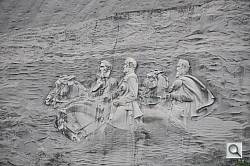
Detail. If you want another good example of the detail available on the Nikon D300, zoom in for a good view of the pigeons perched on the figures carved on Stone Mountain.
Menus. Getting lost in the Nikon D300’s gorgeous menu system is very easy. As with anything, you can get used to it eventually, but the submenus can make it complicated to remember under just what tab and submenu an important function is located. Though I didn’t bother to set up the My Menu function, I surely would for quicker access to commonly used functions, or else I’d go insane in high-pressure situations. I don’t think it’s a fault, because I can’t imagine how they could make such a complex and customizable camera’s menu any better than it is. Making the D300 so malleable requires a deep menu structure (we took over 1,000 screenshots of the D300’s menu and other functions), and understanding all those functions requires a 421 page manual, plain and simple. Well, plain anyway.

ISO 6,400. Illuminated by the television only, this shot looks like it could have been made in normal room light. Detail is soft, but it’s pretty darn good for what it is.
ISO. In real low light situations, the results are indeed pretty soft, but this shot of my son sleeping in front of the television was taken in near darkness. Only the light of the television contributed to this exposure at ISO 6,400. The Nikon D300 wasn’t able to focus in this light without the AF assist light (which is why his eyes are slightly open here), something the Canon 40D did achieve, but the shot’s impressive nonetheless. With an exposure time of 0.4 seconds, I had to use a tripod and the 2-second Self-timer. It was taken with the 18-70 f/3.5, so that’s probably why the D300 had trouble focusing, frankly. Regardless, having this kind of low light shooting capability is handy.
 |
 |
 |
 |
 |
 |
| Canon 40D @ 3,200 | Nikon D300 @ 3,200 | Nikon D300 @ 6,400 |
|
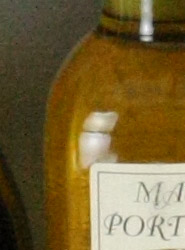
It’s not quite a fair comparison to put the 10-megapixel Canon 40D up against the 12-megapixel Nikon D300, but they are the two top contenders in this space. The approaches to noise suppression that the two companies employ are as similar to past models as they are different from each other. However, Nikon has gotten much better at suppressing chroma noise while preserving detail. Naturally you get more detail with a higher resolution sensor (hence the greater apparent magnification in the above shots), so evidence of noise suppression at 100% onscreen becomes negligible when printed. The 40D preserves more detail in the leaf shots, and even in the small fern pattern to the right of each swatch, but it’s more muddled and noisy, whereas the Nikon D300’s interpretation of the same fabric seems more accurate to the eye, even if the detail is lost. Though leaf detail is indeed lost on the ISO 6,400 red swatch, the fine text in the Mas Portel bottle is rendered well thanks to the higher resolution. They’re very close, and all include tradeoffs, but there’s no question that the ISO 6,400 setting on the Nikon D300 produces very usable images. |
||
Analysis. As I mentioned at the outset, the Nikon D300 is not a digital SLR camera for those who just want to dabble in photography. Neither is it for those who just like having the latest, coolest-looking camera hanging around their neck. Tyros need not apply. Seriously, snapshooters should steer clear. I hate to put it that way, but it’s the truth. You can lock it in program and get good shots much of the time, but the Nikon D300 will do the equivalent of bucking you to the dirt if you mess with it without checking the manual to understand what you’re doing.
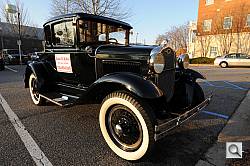
Scene Recognition System. The new SRS system had no trouble adjusting the exposure for this classic black 1931 Ford Model A Deluxe Coupe in the morning light.
However, if you’re willing to take the time to learn, just as I said about the D200, the Nikon D300 will be a faithful, eager, and ingenious servant to your photographic endeavors. It won’t just serve you, it will teach you. I’m not talking about help menus, I’m talking about image results. I love the Nikon D300 for how demanding it can be, as well as how forgiving in its RAW files. But for teaching, there’s no better tutor than the image you’ll see on the high-res LCD screen. That is, if you remove the screen protector. I found that when light came at it at an angle, it ruined my impression of the image, and I often underexposed shots that I didn’t later with the cover off. I believed the image I saw rather than checking the histogram during that sunrise shoot, and paid the price.
I am disappointed that the useful 51-point AF system isn’t as fast as it could be, but when you consider what it takes to look at 51 points with an affordable processor, you just forgive that and move on, switching to single point when speed is important. Having 51 points to choose from is nothing to sneeze at, offering greater positional accuracy than any other digital SLR camera in this price range. I also wish you could get 14-bit RAW at 6 fps instead of 2.66. I know many pros are going to want both, but it’s going to cost an additional $3.2K for the Nikon D3 to get it, I’m sorry to say.

Just good shots. Only minor levels adjustment is necessary to bring this unadjusted shot into compliance with what I saw. I trusted that the D300 would get this backlit portrait of Robert Hyden, the Model A’s owner, just as I saw it, and I was right.
We have spent a lot of time looking at the Nikon D300, taking over 2.5GB of photos that you can peruse in the Samples tab. Be sure to see our extensive analysis of the D300’s image quality in the Exposure section, whose subtabs also explore the D300’s high ISO noise reduction, its Imatest results, and allow you to download RAW files of our standard test shots so you can see for yourself how the D300’s NEF files work with your own RAW software.
My favorite part about taking pictures with the Nikon D300 is knowing that with just a quick check of the settings and careful attention to composition, I’m going to get a great shot. If you’ve done your homework, this fine camera will deliver just what you’re looking for, and can prove it to you with its fine LCD screen right there on the spot. It’ll even surprise you with more than you thought possible.
Nikon has established itself as the premier digital SLR manufacturer in just a few short years, and I’m hoping that the new optics I’ve mentioned are a sign of more to come. Nikon is now a better camera manufacturer than they’ve ever been in their long history. And that is saying something.
In the Box
Included in the box with the D300 are the following items:
- Nikon D300 body with body cap, eyepiece cap, eyecup, and LCD monitor cover.
- EN-EL3e lithium-ion battery and MH-18a quick charger.
- AN-D300 neck strap.
- UC-E4 USB cable.
- EG-D100 video cable.
- Nikon Software Suite CD-ROM.
- User’s Manual and Quick Guide.
- Registration kit.
Recommended Accessories
- Large capacity CF memory card
- Camera case for protection
- Accessory lenses
- Accessory flash: SB-600, SB-800
Nikon D300 Conclusion
| Pro: | Con: |
|---|---|
|
|
Saying that the Nikon D300 has a solid build and excellent design isn’t really necessary. Its D200 heritage is all you need to know about its construction and durability. The same goes for its utility. All of the controls are right where you want them to be for quick access and easy adjustment. There are a lot of great cameras on the market, but the D300 more than any of them is designed for the serious photographer. Though the menus are deep enough to get lost on occasion, the D300’s My Menu function helps you cluster the most important items where you can find them in a hurry.
The Nikon D300 acknowledges that all optics are not created equal with its Fine Tuning function, a welcome addition in a camera that seems to know the market better than others. 51 autofocus points cover almost as much area as the meter, allowing you to position your subject wherever you like. And the two systems work together to better track moving subjects in the frame. Chromatic aberration correction built right into the camera takes care of this common problem in every JPEG you save.
Active D-Lighting automatically adjusts the tone curve to rescue highlights and shadows without making the image look odd, and this too can be applied to each shot. In addition to fixing common problems, though, the Nikon D300 just performs better than any camera before it, especially in terms of high ISO performance. Its ISO 800 shots are not far different from its ISO 100 and 200 shots (with 200 being slightly better than 100). Low light performance was also excellent, with the Nikon D300 able to make good exposures at all ISOs down to 1/16 foot candle.
I could go on and on, but the bottom line is this: If you need a great digital SLR camera and the price is no issue, the Nikon D300 will exceed your needs. Those requiring a faster frame rate and greater autofocus speed should consider a D3, provided they can handle the extra size and weight. I won’t call it a compelling upgrade for happy D200 owners, but it sure wouldn’t hurt if you’re in the market for something even better than the D200. Nikon’s D300 is an amazing machine, well worth the $1,799 price tag, and a rare five-star Dave’s Pick.

Design
Nikon D300 Design
Roll-over the various controls and features with your mouse for a brief description.
Front View. Though the control locations are nearly identical to the D200, most of the buttons on the Nikon D300 have been rounded into circles, and all edges are slightly more curved. The bottom right of the image above shows a new tapered corner that makes holding the D300 by the lens much more comfortable. There’s a leather-textured rubbery grip surface left and right of the front panel that helps grip the camera better. The left side (when held) also has a nice lip to help hold the D300 while inspecting images or diving into the menus.
Left View. Here on the left of the Nikon D300 you see the camera strap eyelet, which Nikon moved back from its position on the D200. They’ve also created a single door to cover the connectors, instead of two.
Right View. Nothing new from this angle, but the CF card door is still properly springloaded for easy and flop-free card changes.
Top View. Though the buttons are restyled, they’re in the same postitions as on the D200. The one major addition is the Live View mode (Lv) on the drive mode dial. Note the large monochrome Status LCD.
Back View. The D300’s Playback button replaces the Bracket button on the Nikon D200, and the five buttons left of the LCD jumped around a bit. Mainly to get a zoom in and out button, the Menu button moves up; and the OK button replaces the D200’s Enter button (only the name has changed). On the LCD’s right, the AF-area mode switch no longer includes the Group dynamic-AF option, and the memory card latch is cosmetically different. The 3-inch LCD is just a bit bigger than the D200’s 2.5-inch screen, but the D300’s screen is of significantly higher resolution. You can see the plastic screen cover snapped in place (while it’s missing in the User Report’s image). The LCD itself is reinforced with tempered glass, making this screen cover less useful (hopefully).
Bottom View. The serial number and compliance logos have been moved over to make room for the battery pack’s contact cover.
Operation
Nikon D300 Operation
With its many buttons, knobs, and dials, the Nikon D300 looks intimidating to the unseasoned SLR user. But to the experienced shooter, the Nikon D300’s controls will quickly make this camera a photographer’s best friend. All key buttons for essential controls are on the Nikon D300’s surface skin, and several of the buttons can be reprogrammed to meet your needs. Probably the most valuable control cluster on the D300 is on the top deck, left of the pentaprism housing: the 3-button control for selecting White Balance, Quality and ISO.
Many functions can be changed using a button and the Main Command dial while looking at the Status LCD on the top deck. Other items are changed by pressing the Menu key and using the navigation disk on the back of the D300.
Nikon D300 Top Panel Status LCD
|
1
|
Color temperature indicator
|
14
|
Flash mode
|
|
2
|
Shutter speed
|
15
|
“Beep” indicator
|
|
Exposure compensation value
|
16
|
Aperture (f-number)
|
|
|
Flash compensation value
|
Aperture (number of stops)
|
||
|
Sensitivity (ISO equivalency)
|
Bracketing increment
|
||
|
White balance fine-tuning, color temperature, or preset number
|
Number of shots per interval
|
||
|
Number of shots in bracketing sequence
|
Maximum aperture (non-CPU lens)
|
||
|
Number of intervals for interval timer
|
PC mode indicator
|
||
|
Focal length (non-CPU lens)
|
17
|
Aperture stop indicator
|
|
|
3
|
Flash sync indicator
|
18
|
Flash compensation indicator
|
|
4
|
Flexible program indicator
|
19
|
Exposure compensation indicator
|
|
5
|
Exposure mode
|
20
|
Auto ISO sensitivity indicator
|
|
6
|
Image size
|
21
|
Flash value (FV) lock indicator
|
|
7
|
Image quality
|
22
|
Clock not set indicator
|
|
8
|
Auto-area AF indicator
|
23
|
Image comment indicator
|
|
AF-area mode indicator
|
24
|
Shooting menu bank
|
|
|
3D-tracking indicator
|
25
|
Custom menu bank
|
|
|
9
|
White balance fine-tuning indicator
|
26
|
Exposure, flash and WB bracketing Indicator
|
|
10
|
White balance mode
|
27
|
Electronic analog exposure display
|
|
11
|
Number of exposures remaining
|
Exposure compensation
|
|
|
Number of shots remaining before buffer fills
|
Exposure, flash and WB bracketing progress indicator
|
||
|
Capture mode indicator
|
PC connection indicator
|
||
|
Preset white balance recording indicator
|
28
|
MB-D10 battery indicator
|
|
|
Manual lens number
|
29
|
Multiple exposure indicator
|
|
|
12
|
“K” (appears when memory remains for over 1000 exposures)
|
30
|
GPS connection indicator
|
|
13
|
Battery indicator
|
31 |
Interval timer indicator
|
Nikon D300 Main LCD
|
1
|
Exposure mode
|
17
|
Release mode indicator
|
|
2
|
Flexible program indicator
|
Continuous shooting speed
|
|
|
3
|
Flash sync indicator
|
18
|
Exposure, flash and WB bracketing indicator
|
|
4
|
Shutter speed
|
19
|
Image size
|
|
Exposure compensation value
|
20
|
Electronic analog exposure display
|
|
|
Flash compensation value
|
21
|
FV lock indicator
|
|
|
Number of shots in exposure and flash bracketing sequence
|
22
|
ISO / Auto ISO sensitivity indicator
|
|
|
Number of shots in WB bracketing sequence
|
23
|
Exposure compensation indicator
|
|
|
Focal length (non-CPU lens)
|
24
|
Flash compensation indicator
|
|
|
Color temperature
|
25
|
GPS connection indicator
|
|
|
5
|
Color temperature indicator
|
26
|
Beep indicator
|
|
6
|
Aperture stop indicator
|
27
|
Flash mode
|
|
7
|
Aperture (f-number)
|
28
|
Multiple exposure indicator
|
|
Aperture (number of stops)
|
29
|
“K” (memory remains for over 1000 exposures)
|
|
|
Exposure and flash bracketing increment
|
30
|
Number of exposures remaining
|
|
|
WB bracketing increment
|
Manual lens number
|
||
|
Maximum aperture
|
31
|
White balance
|
|
|
8
|
Camera battery status
|
White balance fine-tuning
|
|
|
9
|
MB-D10 battery type display
|
32
|
Auto-area AF indicator
|
|
MB-D10 battery status
|
Focus points indicator
|
||
|
10
|
Shooting menu bank
|
AF-area mode indicator
|
|
|
11
|
Custom settings bank
|
3D-tracking indicator
|
|
|
12
|
Picture control indicator
|
33
|
Image quality
|
|
13
|
Color space indicator
|
34
|
Interval timer indicator
|
|
14
|
Active D-Lighting indicator
|
35
|
Image comment indicator
|
|
15
|
High ISO NR indicator
|
36
|
“Clock not set” indicator
|
|
16
|
Long exposure NR indicator
|
Nikon D300 Live View modes
In Live View (Handheld mode) the LCD display echoes the optical viewfinder. You can move the AF point around the screen in Single point or Dynamic AF area modes, but the 51-point AF does not reveal chosen AF points.
The Nikon D300 now features Live View, or the ability to see a live image from the camera’s sensor on the LCD. What makes Nikon’s Live View mode unique are the two options it provides for autofocus operation. The first Live View (Handheld mode) is the one used by everyone else. Because the traditional AF sensors are blocked when you flip up the mirror for Live View mode, you have to drop the mirror to focus, then flip it back for Live View. There’s significant delay in this mode, to be sure, and a blackout for as long as it takes for the D300 to focus.
In Live View (Tripod mode) you can move the AF point around the screen in small increments…
…and use the zoom buttons on the back of the camera to move in up to 10x to focus.
The Nikon D300’s second mode is the real charm: Called “Live View (Tripod mode),” this mode uses contrast detect autofocus, driven from the imaging sensor. Instead of flipping mechanical switches, the Nikon D300 simply reads data off the CMOS image sensor and evaluates how abruptly light to dark (or dark to light) transitions happen on the image plane. Contrast-detect AF isn’t nearly as fast as phase-detect (which is why the shutter response of most digicams is so much slower than most digital SLRs), but at least these new Nikons can focus without interrupting the Live View display.
As an added benefit, because it’s working with data coming from the main image sensor, you can move the AF point anywhere you want within the frame area, right out to the extreme edges. AF operation in this mode is unfortunately quite slow, so they really mean it when they call it Tripod mode. You can use it handheld, but you won’t get the best results.
The Nikon D300 also provides up to a 10x zoom in Live View mode, providing excellent focus discrimination when focusing manually. This is pretty important, as less than 10x magnification really doesn’t do the trick for getting the focus set right, but at 10x we felt we could pretty well nail the focus every time.
Both the new Nikons and Canons include the ability to control the camera from a computer remotely, and that includes receiving a Live View image from the camera. You can focus, adjust settings, and fire, all from a computer. What’s more, you can do it via cable or WiFi connection, with the optional WiFi adapters.
The new Nikons require optional Camera Control Pro software to enable this feature. Software for this feature is bundled with Canon cameras.
Nikon D300 Playback mode
To return the D300 to shooting mode, simply press the playback button again, or half-press the shutter button.
Optics
Nikon D300 Optics
Lenses
Like other Nikon SLRs, the D300 accommodates a wide range of Nikkor lenses, via the standard Nikon “F” lens mount. The D300’s lens mount includes both a mechanical AF coupling for older lenses, and AF electrical contacts for the latest AF-IF or AF-S Nikkor lenses with internal focus motors. With very few exceptions, you can use the D300 with any F Mount Nikkor lens ever made.
Like the D200, the D300’s lens mount includes an AI aperture ring connector, a little metal vane located just outside the lens mount flange (at about 1 o’clock), that interfaces with old AI Nikkor manual focus lenses. This engages with the aperture ring on AI-style Nikkor lenses, and lets the D300 support aperture-priority metering mode and provide manual-exposure metering with them.
See the table and notes below for detailed lens compatibility information extracted from the D300 User’s Manual (courtesy of Nikon USA):
Nikon AF-S 24-70mm f/2.8G ED Lens Optical Tests
Zoom
Excellent performance from the newly-announced 24-70mm lens.
 |
 |
| 24mm | 70mm |
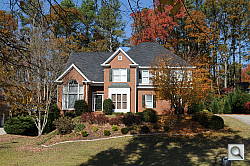
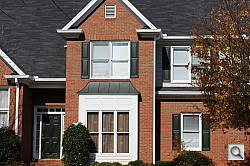
The Nikon AF-S 24-70mm f/2.8G ED lens was announced at the same time as the Nikon D300 and D3 digital SLRs were. It almost certainly won’t be a “kit” lens for the D300, but we thought readers would be interested in some sample images from this latest example of Nikon’s optical prowess. Along with the 14-24mm f/2.8 lens that was announced at the same time, Nikon aims to deliver prime-lens quality with zoom-lens flexibility. As of this writing, we haven’t completed our DxO Analyzer evaluation of these lenses, but they certainly appear to deliver impressive quality.
With an equivalent focal length range from 36 to 105mm on the D300, the 24-70mm covers a useful range from moderate wide angle to short telephoto, with a fast, constant f/2.8 aperture. Results were very good at 24mm, with minimal corner softness and strong detail throughout the frame. Coma distortion in the trees is very low, with very little chromatic aberration visible in the corners and edges (see the CA test results below to find out why). Results are also very good at the 70mm setting as well, with no signs of visible coma distortion or chromatic aberration. All in all, a great performance from this new lens.
Distortion
Low barrel distortion at wide angle and low pincushion distortion at telephoto as well.
| Barrel distortion at 24mm is 0.3% |
 |
| Pincushion at 70mm is less than 0.1% |
 |
This is the tendency for the lens to bend straight lines outward (like a barrel — usually at wide angle) or inward (like a pincushion — usually at telephoto). The Nikon 24-70mm lens produced about 0.3% barrel distortion at full wide angle, which is much lower than average. At the 70mm telephoto end, barrel distortion was just under 0.1%; also below average. An excellent performance.
Chromatic aberration
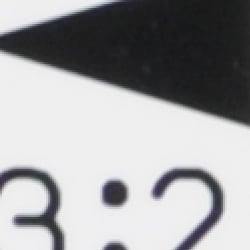
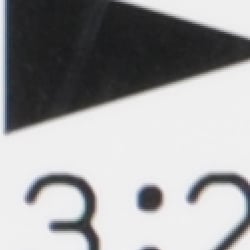
Virtually no chromatic aberration in JPEGs, as the D300 automatically applies C.A. reduction during JPEG processing. Moderate at wide angle when shooting NEFs.
|
Chromatic Aberration when shooting JPEG |
|
 |
 |
| Wide: Extremely low, upper left @ 200% |
Wide: Extremely low, upper right @ 200% |
 |
 |
| Tele: Extremely low, upper left @ 200% |
Tele: Extremely low, upper right @ 200% |
Chromatic aberration is extremely low, almost non existent at both wide angle and full telephoto. This isn’t really a surprise though, as the D300 (and D3) remove CA while processing JPEGs. Dave reported on this when he attended the Tokyo rollout for the D300 and D3, but this is the first opportunity we’ve had to get hands-on with the technology, to see how well it worked.
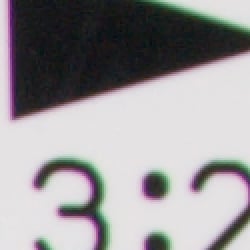
Below are crops from RAW files converted through Adobe Camera RAW, with no CA correction applied. (Properly treating the D300’s RAW files as exactly that (raw, unprocessed recordings of the actual sensor data), Nikon only applies CA correction to the camera-generated JPEGs.)
|
Chromatic Aberration when shooting RAW
|
|
 |
 |
| Wide: Moderate and bright, upper left @ 200% |
Wide: Moderate and bright, upper right @ 200% |
 |
 |
| Tele: Very low, upper left @ 200% |
Tele: Very low upper right @ 200% |
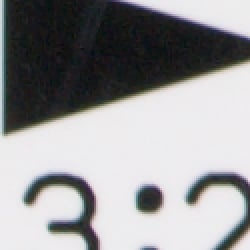
As you can see from the wide angle RAW crops above, the D300 does a very good job at removing CA from JPEGs (compare to the previous set of wide angle crops). In the uncorrected wide-angle image, the CA is pretty noticeable, but in the corrected version, the coloration is almost invisible. If you look carefully, you can see very slight tinges of color around the target elements in the corrected image, but keep in mind that these are 200% magnifications of 12-megapixel files. Depending on the pixel pitch of your monitor, this is roughly equivalent to squinting at a print roughly 100 inches (~2.6 meters) wide. Very impressive, particularly considering that the camera is figuring this all out on the fly (that is, without the benefit of any pre-recorded lens information) at up to 8 frames/second. (When shooting with the optional battery grip, maximum frame rate is 6 frames/second with the internal battery.)
As it turns out there wasn’t much CA to remove from the telephoto RAW file, so the improvement is not as dramatic there.
Corner Sharpness
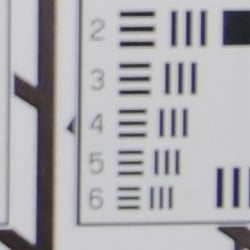
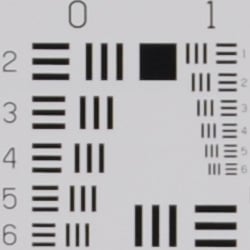
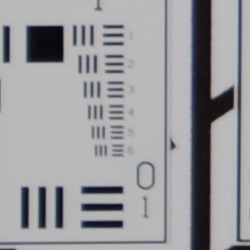
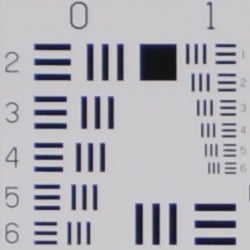
Minor softening in the corners of the frame with the 24-70mm lens.
 |
 |
| Wide: Moderately soft the corners (lower right). |
Wide: Sharp at center. |
 |
 |
| Tele: Slightly soft in the corners (lower left). |
Tele: Sharp at center. |
The Nikkor 24-70mm lens produced moderately soft corners at wide angle, with the lower right corner being the softest on our sample, but the softening didn’t extend very far into the frame at all, so the net effect was really quite minimal. At full telephoto, the corners were only slightly softer than the center of the frame. Again, very good performance.
The images above were taken from our standardized test shots. For a
collection of more pictorial photos, see our
Nikon D300 Photo Gallery
.
Exposure
Nikon D300 Exposure
Color
Saturation & Hue Accuracy
Slight oversaturation of strong red and blue tones, as well as some greens, but better than average accuracy and pleasing color overall.
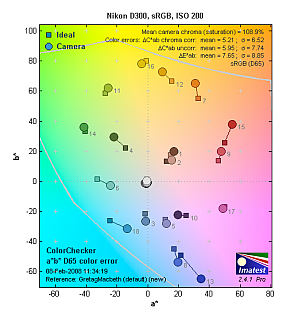 |
| In the diagram above, the squares show the original color, and the circles show the color that the camera captured. More saturated colors are located towards the periphery of the graph. Hue changes as you travel around the center. Thus, hue-accurate, highly saturated colors appear as lines radiating from the center. Click for a larger image. |
Saturation. The Nikon D300 oversaturates reds, blues and some greens a little. It also undersaturates some magentas very slightly, but results are still pleasing, and overall color accuracy is considerably better than that of much of the field. Some may find overall saturation somewhat subdued, but this is typical of semi-pro and professional SLRs. (And as you’ll see below, the D300’s saturation adjustment gives good control, if you’d like a bit brighter color.) Most consumer digital cameras produce color that’s more highly saturated (more intense) than found in the original subjects. This is simply because most people like their color a bit brighter than life.
Skin tones. In this case, the D300 did render skin tones slightly on the pink side in most cases. Still, results are quite reasonable, well within an acceptable range. Where oversaturation is most problematic is on Caucasian skin tones, as it’s very easy for these “memory colors” to be seen as too bright, too pink, too yellow, etc.
Hue. Overall results here are pretty accurate, though some reds are pushed toward orange, and cyan towards blue. Still, overall color is quite good, with an average hue error after correction for saturation variation of only 5.44 delta-E units. This is closer to accurate than many DSLRs on the market. The other important part of color rendition is hue accuracy. Hue is “what color” the color is.
 |
 |
 |
| See full set of test images with explanations See thumbnails of all test and gallery images |
||
Saturation Adjustment
The Nikon D300 lets you adjust the image saturation, contrast, and sharpness in seven steps each. As can be seen below, the saturation adjustment worked very well, providing a reasonably fine-grained adjustment over a useful range of control. (Although we’d personally like to see just slightly smaller steps.) The saturation adjustment also has almost no impact on contrast. That’s how it should work, but we’ve often found interactions between saturation and contrast (and vice versa) on the cameras we test.
| Saturation Adjustment Examples | ||
 -3 |
 -2 |
 -1 |
 Default |
 +1 |
 +2 |
 +3 |
||
Sensor
Exposure and White Balance
Indoors, incandescent lighting
Auto and Incandescent white balance settings were quite warm, but Manual white balance setting produced very good color; average positive exposure compensation required.
 |
 |
| Auto WB +1.0 EV |
Incandescent WB +1.0 EV |
 |
 |
| 2,700 Kelvin +1.0 EV |
Manual WB +1.0 EV |
Color balance indoors under incandescent lighting was very warm with the Auto white balance setting, with a strong yellow cast. The Incandescent setting was a bit better, but still quite warm. The 2,700 Kelvin setting produced a slight magenta cast. The warm cast in the Kelvin white balance results would normally suggest that the light source had a lower color temperature than the value the camera was set for, but these lights are typically about 2,800 Kelvin: Perhaps an area for further test & experimentation. I felt the Manual setting had the most pleasing overall results. The Nikon D300 required an average amount of positive exposure compensation here, at +1.0 EV. Overall color is quite good, Marti’s white shirt is almost perfectly neutral, although her face is a little pink, and the blue flowers looked purplish as they often do with this shot. Our test lighting for this shot is a mixture of 60 and 100 watt household incandescent bulbs, a very yellow light source, but a very common one in typical home settings here in the U.S.
Outdoors, daylight
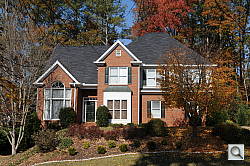
Good color overall, though a tendency toward a warm cast. Slightly high contrast under harsh lighting, but good highlight/shadow detail preservation. About average exposure accuracy outdoors.
 |
 |
| Auto White Balance, +0.7 EV |
Auto White Balance, Auto Exposure |
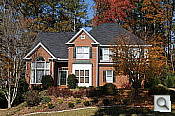
In the “Sunlit” test shot above, the Nikon D300 tended to lose highlight detail under harsh lighting while requiring a roughly average amount of positive exposure compensation of +0.7 EV. Contrast was slightly high, resulting in rather dark shadows when the highlights were well exposed, but the D300 does better than most in this regard, with almost no loss of detail in the strong highlights, and good detail present pretty far into the shadows. The outdoor house shot is slightly overexposed at default exposure, but with natural looking color.
Exposure accuracy?
Some Nikon D300 users have reported a tendency toward slight overexposure in web forums. We felt that some of the shots we took with the D300 showed this tendency as well, but the amounts we observed were pretty slight: Perhaps 1/4 of a stop of so. We don’t have a theory on this yet, haven’t found a consistent pattern to the overexposures that we observed.
See full set of test images with explanations
See thumbnails of all test and gallery images
Resolution
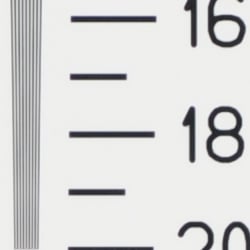
Very high resolution, 1,700 lines of strong detail.
 |
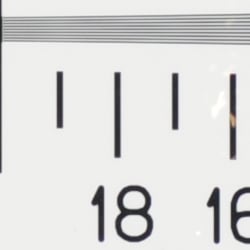 |
| Strong detail to 1,700 lines horizontal |
Strong detail to 1,700 lines vertical |
Our laboratory resolution chart revealed sharp, distinct line patterns down to about 1,700 lines per picture height in both the horizontal and vertical directions, with extinction past 2,000.
Use these numbers to compare with other cameras of similar resolution, or use them to see just what higher resolution can mean in terms of potential detail. Our interpretation of this standard is somewhat conservative. We watch for artifacts and color fringing then move back to the nearest pure part of the scale. In our opinion, detail with artifacts shouldn’t be considered detail. You may see other numbers quoted elsewhere, but across the site, our reviews judge this parameter by the same conservative standard.
See full set of test images with explanations
See thumbnails of all test and gallery images
Sharpness & Detail
Sharp images overall, with excellent detail. Some noise suppression visible in the deep shadows, but relatively little at low ISO settings.
 |
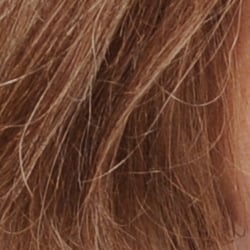 |
| Excellent detail overall, though slight evidence of edge enhancement visible. | Subtle detail: Hair Noise suppression tends to blur detail in areas of subtle contrast, as in the darker parts of Marti’s hair here. |
Sharpness. The Nikon D300 captured fairly sharp images, though details tend to be just slightly soft overall. In the high contrast shot above, there’s only slight edge enhancement visible along the edges of the white house trim and roof, as well as some of the larger branches This means that, while the D300’s JPEGs are a little soft straight from the camera, they tend to take sharpening in image editing applications pretty well. There are some minor artifacts from the in-camera sharpening though: Sharpening on the computer does tend to bring out the slight halos that are present in the original images, but generally not noticeable unless additional sharpening is applied. (Edge enhancement creates the illusion of sharpness by enhancing colors and tones right at the edge of a rapid transition in color or tone.)
Detail & Noise suppression. The crop above right shows little visible noise suppression in the shadows, with quite a bit of fine detail in the strands of hair visible. Noise-suppression systems in digital cameras tend to flatten-out detail in areas of subtle contrast. The effects can often be seen in shots of human hair, where the individual strands are lost and an almost “watercolor” look appears.
JPEG vs RAW
| JPEG vs RAW Comparison |
||
Mouse over the links in the box above to compare the difference in sharpness and detail from camera JPEG versus a 14-bit RAW file processed with Nikon’s Capture NX and Adobe Camera Raw 4.3. Camera settings for the JPEG settings were the defaults.
In our testing of many DSLRs, we’re finding that there is often more detail locked up a the camera’s RAW files than makes it out in the camera-produced JPEGs. This once again seems to be the case for the D300. It’s in-camera JPEG processing is actually pretty competent, but you can nonetheless produce a sharper, more finely-rendered image by manipulating the RAW files in a good third-party RAW converter.
ISO & Noise Performance
Low noise at the normal sensitivity settings, higher noise with some blurring at the higher settings. Excellent performance though, roughly an EV or so better than the D200, to our eyes.
 |
 |
 |
| ISO 100 | ISO 200 | ISO 400 |
 |
 |
 |
| ISO 800 | ISO 1,600 | ISO 3,200 |
 |
These crops taken from shots with High ISO NR set to “Normal”, the default. |
|
| ISO 6,400 | ||
Noise levels are quite low at the Nikon D300’s lower sensitivity settings, although some noise is visible already at ISO 400. At ISO 800, noise is still low, but we start to see some loss in fine detail due to the camera’s noise reduction. Noise levels increase at the 1,600 and 3,200 settings by quite a bit, with stronger blurring, “grain” and increased chroma noise, though results are still very good for a 12 megapixel sensor at such high sensitivity settings. ISO 6,400 is very noisy, and there’s not much detail left after the standard level of noise reduction gets through with it. See the High ISO Noise Reduction page though, to see how the D300’s high ISO NR settings impact image quality.
The Low and Off settings for High-ISO NR don’t flatten the image details nearly as much at ISO 3,200 and 6,400 as you can see in the crops above, shot at the Normal setting. We suspect a good noise-processing program (Neat Image, Noise Ninja, etc) could produce very good-looking images from the D300’s ISO 3,200 and 6,400 shots, if you just shot with the High-ISO NR turned off.
| D200 vs D300 High ISO Noise Reduction Simulated Daylight |
||||
| D200 Normal | D300 Off | D300 Low | D300 Normal | |
| I S O 1 |
 |
 |
 |
 |
 |
 |
 |
 |
|
 |
 |
 |
 |
|
| D200 Normal | D300 Off | D300 Low | D300 Normal | |
| I S O 3 |
 |
 |
 |
 |
 |
 |
 |
 |
|
 |
 |
 |
 |
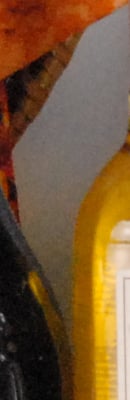
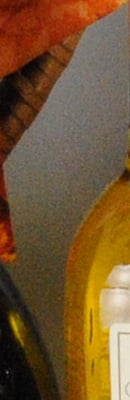
The comparison table above shows crops from the D200 next to some from the D300, comparing the Normal NR setting of the D200 to the NR Off, Low and Normal settings on the D300. (Sorry, we didn’t do as extensive a matrix of noise tests with the D200, so don’t have examples of different noise settings on it to show you here.) Nikon claims a full EV of noise improvement for the D300 over the D200. Noise is such a multi-variate sort of thing that it’s hard to reduce it down to a single number though, and the results also tend to vary somewhat with the subject matter and lighting. On some shots, we felt that there was definitely a full EV of improvement in the D300, in other circumstances we felt that it was a little less. There’s no question though, that the overall high-ISO performance of the D300 is a good step beyond what the D200 was capable of, and shots even at ISO 3,200 held up surprisingly well when printed at large sizes.
Extremes: Sunlit and low light tests
High resolution with good detail in both the highlights and shadows. Excellent low-light performance, capable of capturing bright images under average city street lighting and much darker conditions.
 |
 |
 |
| +0.3 EV | +0.7 EV | +1.0 EV |
Sunlight. The Nikon D300 performed well under the deliberately harsh lighting in the test above, and captured bright midtones without sacrificing too much detail in the highlights or shadows. Though Marti’s face still looks a little dark at +0.7 EV, I preferred it to the image at +1.0 EV, which had a few too many blown highlights for my preference. That said though, even the +1.0 EV example did an excellent job of preserving highlight detail, in that only a few areas were completely blown out. Shadow detail was also exemplary, there’s very good detail there, surprisingly far into the deep shadows. (In “real life” though, be sure to use fill flash in situations like the one shown above; it’s better to shoot in the shade when possible.)
| Contrast Adjustment Examples | ||
 -3 |
 -2 |
 -1 |
 Default |
 +1 |
 +2 |
 +3 |
||
The series of shots above show the results of the different contrast settings, all shots captured at an exposure setting of +1.0 EV. While it can be difficult to evaluate small differences in contrast on small thumbnails like these, it’s pretty easy to see the impact of the Contrast adjustment in the images above. At its lower settings, the D300 did a really excellent job of handling the deliberately horrific lighting of this shot. The deep shadows are a bit noisier than I’d like, but I’d also much prefer that the noise be left in there, rather than flattening it out and taking all the subject detail with it. It’s important to note too, that the areas where the noise becomes evident are way, way down at the extreme shadow end of the tone curve; RGB brightness levels of 20 and below. Like the Saturation adjustment, the control for Contrast is quite effective, and interacts very little with color saturation.
| Active D-Lighting Examples | ||
 Off |
 Low |
 Normal |
 High |
||
The series of shots above show the results of the available Active D-Lighting settings (once again, using a nominal exposure compensation of +1.0 EV), used to preserve highlight and shadow detail in high contrast images. This is different than the touch-up menu’s D-Lighting, as it is performed during image capture instead of after. (It does affect only JPEG images though, Nikon very properly leaves RAW file data strictly as it comes from the sensor.)
The results here are very interesting: At the highest D-Lighting setting, highlight and shadow detail is as about as well preserved as with the lowest contrast setting, but midtone values are richer, not as flattened-out looking as they are when the overall contrast is dialed down. See the two images below for a closer comparison between the effect of low contrast and Active D-Lighting.
| Low Contrast vs Active D-Lighting (Same exposure setting in both images, +1.0 EV) |
|
 Lowest Contrast Setting |
 Active D-Lighting, High Setting |
Note: Because digital cameras are more like slide film than negative film (in that they tend to have a more limited tonal range), we test them in the harshest situations to see how they handle scenes with bright highlights and dark shadows, as well as what kind of sensitivity they have in low light. The shot above is designed to mimic the very harsh, contrasty effect of direct noonday sunlight, a very tough challenge for most digital cameras. (You can read details of this test here.)
| 1 fc 11 lux |
1/2 fc 5.5 lux |
1/4 fc 2.7 lux |
1/8 fc 1.3 lux |
1/16 fc 0.67 lux |
1/16fc No NR |
ISO 100 |
 2 sec f2.8 |
 5 sec f2.8 |
 10 sec f2.8 |
 25 sec f2.8 |
 30 sec f2.8 |
 30 sec f2.8 |
|---|---|---|---|---|---|---|
| ISO 200 |
 1 sec f2.8 |
 2 sec f2.8 |
 6 sec f2.8 |
 10 sec f2.8 |
 20 sec f2.8 |
 20 sec f2.8 |
| ISO 400 |
 0.5 sec f2.8 |
 1.3 sec f2.8 |
 2.5 sec f2.8 |
 3 sec f2.8 |
 8 sec f2.8 |
 10 sec f2.8 |
| ISO 800 |
 1/4 sec f2.8 |
 0.5 sec f2.8 |
 1.3 sec f2.8 |
 2.5 sec f2.8 |
 5 sec f2.8 |
 2.5 sec f2.8 |
| ISO 1600 |
 1/8 sec f2.8 |
 1/4 sec f2.8 |
 0.6 sec f2.8 |
 0.8 sec f2.8 |
 1.3 sec f2.8 |
 2 sec f2.8 |
| ISO 3200 |
 1/15 sec f2.8 |
 1/6 sec f2.8 |
 0.3 sec f2.8 |
 0.6 sec f2.8 |
 0.6 sec f2.8 |
 0.8 sec f2.8 |
| ISO 6400 |
 1/30 sec f2.8 |
 1/13 sec f2.8 |
 1/6 sec f2.8 |
 1/5 sec f2.8 |
 0.3 sec f2.8 |
 0.3 sec f2.8 |
| ISO 1600 AWB |
 2.5 sec f2.8 |
Low light. The Nikon D300 performed well here, able to capture usable images down to the 1/16 foot-candle light level (about 1/16 as bright as average city street lighting at night), at all ISO settings. Oddly though, color balance had a strong purple cast with the Auto white balance setting, as can be seen in the “ISO 1600 AWB” image in the bottom row of the table above, but manual white balance produced excellent color.
Noise is quite low up to ISO 1600, and even at ISO 3200 and 6400, there’s still a lot of detail to work with when high ISO NR is set to “Off” (which still applies some filtering at ISOs over 3200). The D300 gives you 4 options for high ISO noise reduction: Off, Low, Normal and High, so you have some flexibility in deciding how much noise to trade for detail. Except for the “No NR” shots, these were all shot using the Normal NR setting, and Long Exposure NR was enabled, so was applied to exposures longer than 8 seconds. There are a few hot pixels visible at high ISOs and very low light levels when NR is set to Off, but not as many as we normally see.
The D300’s autofocus system also performed well here, able to focus on the subject down to below the 1/16 foot-candle light level with its AF assist light turned off, and in total darkness with it enabled. Keep in mind
that the longer shutter speeds here demand the use of a tripod to
prevent any blurring from camera movement. (A useful trick is to
just prop the camera on a convenient surface, and use its self-timer
to release the shutter. This avoids any jiggling from your finger
pressing the shutter button, and can work quite well when you don’t
have a tripod handy.)
(Note: Focusing — These shots were taken with the 24-70mm f/2.8 lens at 70mm and f/2.8. The depth of field was thus very shallow, so not all parts of the test box will be in focus at the same time.)
How bright is a foot-candle? The one foot-candle light level that this test begins at roughly corresponds to the brightness of typical city street-lighting at night. Cameras performing well at that should be able to snap good-looking photos of street-lit scenes.
NOTE: This low light test is conducted with a stationary subject, and the camera mounted on a sturdy tripod. Most digital cameras will fail miserably when faced with a moving subject in dim
lighting. (For example, a child’s ballet recital or a holiday pageant in a gymnasium.) Digital SLRs like the Nikon D300 do much better than point & shoots, but you still shouldn’t expect a quick autofocus lock with moving subjects.
Output Quality
Print Quality
Superb print quality, great color, good 20×30 inch prints, excellent 13×19 inch ones. ISO 1,600 images are surprisingly good at 8×10, even better at 5×7.
High ISO images were better than we’d expected, the D300 clearly has an edge on the D200 in terms of high-ISO performance (we’d estimate about a full f-stop’s worth of improvement), despite the new model’s smaller pixels. D300 images shot under incandescent lighting (always the tougher test) looked great when printed at 8×10 inches, all the way up to ISO 3200. At ISO 3200 and that size, there was a little bit of noise present, but we had to look close to see it (closer than you’d normally view a print of that size), and it was very fine-grained.
The Nikon D300’s noise processing at high ISOs varies quite a bit, depending on the setting you’re using. At the low setting (our personal preference), a little fine-grained noise creeps in at ISO 1,600 and 3,200, but it’s pretty minimal, and fine subject detail is preserved very well. The Normal noise reduction setting almost entirely eliminates the noise (even at ISO 3,200), but loses a lot of fine detail in the process. The High setting leaves images very clean, but also very soft, with most fine detail gone. As noted, the Low setting was our favorite, it produced surprisingly clean images that still contained loads of fine detail.
Shots under daylight lighting at high ISOs looked even better, you could arguably make 13×19 inch prints from ISO 3,200 shots. There’d definitely be noise present, but when seen from normal viewing distances, it’d be hard to see. Very impressive!
Color-wise, the Nikon D300 did very well. At its default settings, its color (particularly reds) was a bit more saturated looking than that of the D200, but we think it’d be in an acceptable range for most shooters. Green and orange shades in particular were brighter than the D200’s somewhat undersaturated handling of those colors, but the overall effect was pretty pleasing. (If you like less-saturated color, just take the saturation adjustment down a notch.) Hue accuracy was good, better than that of the D200 by a nose. A very good performance overall.
Testing hundreds of digital cameras, we’ve found that you can only tell just so much about a camera’s image quality by viewing its images on-screen. Ultimately, there’s no substitute for printing a lot of images and examining them closely. For this reason, we now routinely print sample images from the cameras we test on our Canon i9900 studio printer, and on the Canon iP5200 here in the office. (See the Canon i9900 review for details on that model.)
The images above were taken from our standardized test shots. For a
collection of more pictorial photos, see our
Nikon D300 Photo Gallery
.
Not sure which camera to buy? Let your eyes be the ultimate judge!
Visit our Comparometer(tm)
to compare images from the Nikon D300 with those from other
cameras you may be considering. The proof is in the pictures, so let
your own eyes decide which you like best!
Performance
Nikon D300 Performance
Timing and Performance
Average to above average speed for a moderately-priced pro SLR these days.
|
Startup/Shutdown
|
||
|
Power on
to first shot |
0.3 second
|
Time it takes for camera to turn on. (Very fast, difficult to measure.)
|
|
Shutdown
|
0.3 second
|
How long it takes to turn off. (Very fast, difficult to measure.)
|
|
(Timings with 266x CF Card)
|
||
|
Buffer clearing time
Large Fine JPEG |
12 seconds
(after 37 LF JPEGs) |
Worst case buffer clearing time. — This is the delay after a set of shots before you can remove the card. Some cameras won’t shut down until the buffer is cleared. (*See note about memory card speeds at bottom of cycle time table below.)
|
|
Buffer clearing time
Small Basic JPEG |
1 second
(after 20 SB JPEGs) |
|
|
Buffer clearing time
14-bit RAW (uncompressed) |
24 seconds
(after 16 RAW frames) |
|
Startup time is average for a semi-pro SLR. Buffer clearing time depends on the image size and quality, burst length and the speed of memory card used.
|
Mode switching
|
||
|
Play to Record,
first shot |
0.1 second
|
Time until first shot is captured.
|
|
Record to play
|
0.5 second
|
Time to display a large/fine file immediately after capture.
|
|
Display
recorded image |
0.2 second
|
Time to display a large/fine file already on the memory card.
|
Mode switching is quite fast.
|
Shutter response (Lag Time)
|
||
|
Full Autofocus
Single-point AF Optical Viewfinder |
0.227 second
|
Time from fully pressing shutter button to image capture using optical viewfinder, in Single-point AF mode (center), with Sigma 70mm f.2.8 EX DG Macro lens.
|
|
Full Autofocus
Auto-Area AF Optical Viewfinder |
0.419 second
|
Time from fully pressing shutter button to image capture using optical viewfinder, in Auto-Area AF mode, with Sigma 70mm f.2.8 EX DG Macro lens.
|
|
Full Autofocus
Single-point AF iTTL flash enabled Optical Viewfinder |
0.278 second
|
Time from fully pressing shutter button to image capture using optical viewfinder, built-in flash in iTTL mode enabled.
|
|
Full Autofocus
Single-point AF Live View Hand-Held Mode |
0.465 second
|
Time from fully pressing shutter button to image capture, using Live View “Hand-Held” (phase-detect) mode.
|
|
Full Autofocus
Auto-Area AF Live View Hand-Held Mode |
0.621 second
|
Time from fully pressing shutter button to image capture, using Live View “Hand-Held” (phase-detect) mode.
|
|
Full Autofocus
Live View Tripod Mode |
n/a
|
When using Live View “Tripod” (contrast-detect) mode, autofocus is performed using the AF-On button.
|
|
Prefocused
Optical Viewfinder |
0.057 second
|
Time to capture, after half-pressing and holding shutter button.
|
|
Prefocused
Live View Hand-Held Mode |
0.055 second
|
Time to capture, after half-pressing and holding shutter button, using Live View “Hand-Held” (phase-detect) mode.
|
|
Prefocused
Live View Tripod Mode |
0.419 second
|
Time from fully pressing shutter button to image capture, using Live View “Tripod” (contrast-detect) mode. Autofocus is performed using the AF-On button, and is not included in this number.
|
|
Continuous AF
Release Priority Optical Viewfinder |
0.056 second
|
This mode usually shows no speed increase with our static subject; we have no way to measure performance with moving subjects.
|
|
Manual focus
Optical Viewfinder |
0.054 second
|
For most cameras, shutter lag is less in manual focus than autofocus, but usually not as fast as when the camera is “prefocused”.
|
In terms of the D300’s ability to determine that it’s properly focused when shooting the same target multiple times, its speed is a bit below average for a semi-pro model. The D300 required about 0.23 second for full AF when using Single-point (center) AF mode (our default full AF lag test), and 0.42 second when using the 51-point Auto-area AF mode. When prefocused, in release priority continuous mode or manually focused, shutter lag was very fast though, at only 57, 56, and 54 milliseconds respectively.
The D300’s two Live View modes add considerable delay, but are faster than some other implementations we’ve tested recently. The “Hand-Held” mode which uses the same “mirror-down” phase difference AF method employed when using the optical viewfinder has full AF shutter lag of 0.47 second in Single-point AF mode, roughly double the optical viewfinder lag. Switching to Auto-area AF, that figure increases to 0.62 second. The “Tripod” Live View mode is a bit faster at 0.42 second, but focusing is performed separately using the AF-On button, so focusing time is not included in that figure. When prefocused, “Hand-Held” mode shutter lag is a very fast 55 milliseconds.
|
Cycle time (shot to shot)
|
||
|
Single Shot mode
Large Fine JPEG |
0.39 second
|
Time per shot, averaged over 20 shots.
|
|
Single Shot mode
Small Basic JPEG |
0.39 second
|
Time per shot, averaged over 20 shots.
|
|
Single Shot mode
12-bit RAW (lossless) + LF JPEG |
0.39 second
|
Time per shot, averaged over 20 shots.
|
|
Early shutter
penalty? |
No
|
Some cameras refuse to snap another shot if you release and press the shutter too quickly in Single Shot mode, making “No” the preferred answer.
|
|
Continuous mode
Large Fine JPEG |
0.16 second
(6.12 frames/sec); 37 frames total; 12 seconds to clear |
Time per shot, averaged over 37 shots.
|
|
Continuous mode
Small Basic JPEG |
0.16 second
(6.12 frames/sec); >20 frames total; 1 second to clear |
Time per shot, averaged over 20 shots, or buffer depth, whichever came first.
|
|
Continuous mode
12-bit RAW Lossless Compressed |
0.16 second
(6.11 frames/sec); 17 frames total; 17 seconds to clear |
(Compression doesn’t affect frame rate. Lossless compression doesn’t help buffer capacity though (at least with the hard-to-compress target we use for timing measurements.)
Time per shot, averaged over 17 shots. |
|
Continuous mode
12-bit RAW Compressed |
0.16 second
(6.12 frames/sec); 19 frames total; 17 seconds to clear |
(Lossy RAW compression helps buffer capacity slightly)
Time per shot, averaged over 19 shots. |
|
Continuous mode
12-bit RAW Uncompressed |
0.16 second
(6.13 frames/sec); 17 frames total; 21 seconds to clear |
Time per shot, averaged over 17 shots.
|
|
Continuous mode
12-bit RAW (Lossless) + LF JPEG |
0.16 second
(6.11 frames/sec); 15 frames total; 20 seconds to clear |
Time per shot, averaged over 15 shots.
|
|
Continuous mode
14-bit RAW Lossless compressed |
0.38 second
(2.66 frames/sec); 18 frames total; 17 seconds to clear |
(14-bit RAW greatly slows the continuous-mode frame rate.)
Time per shot, averaged over 18 shots. |
|
Continuous mode
14-bit RAW Compressed |
0.38 second
(2.67 frames/sec); 23 frames total; 19 seconds to clear |
(In our tests at least, lossy compression helped buffer capacity more in 14-bit mode than in 12-bit. (Oddly, compressed 14-bit capacity was higher than 12-bit.))
Time per shot, averaged over 23 shots. |
|
Continuous mode
14-bit RAW Uncompressed |
0.38 second
(2.66 frames/sec); 16 frames total; 24 seconds to clear |
Time per shot, averaged over 16 shots.
|
|
Continuous mode
14-bit RAW (Lossless) + LF JPEG |
0.38 second
(2.66 frames/sec); 15 frames total; 18 seconds to clear |
Time per shot, averaged over 15 shots.
|
|
Flash recycling
|
3.2 seconds
|
Flash at maximum output.
|
|
*Note: Buffer clearing times measured with a Kingston 266x Ultimate CompactFlash card. Slower cards will produce correspondingly slower clearing times. Slow cards may also limit length of bursts in continuous mode. ISO sensitivity can also affect cycle times and burst mode performance, with higher ISOs generally increasing JPEG cycle times and reducing burst performance.
|
||
Single-shot cycle time performance is about average for a semi-pro SLR model, at about 0.4 second between shots in any JPEG quality or RAW mode. Continuous mode is very fast when shooting JPEG or 12-bit RAW files, at 6.1 frames per second (actually slightly faster than Nikon’s spec of 6 fps), but slows to 2.7 frames per second when shooting 14-bit RAW. (So avoid 14-bit mode if you need the highest frame rates.) We didn’t have the optional battery grip for the D300, so couldn’t test the 8 fps maximum speed Nikon claims with it. Buffer depth in large/fine JPEG mode was 37 frames, and varied between 16 and 23 frames in RAW mode, depending on what bit depth and compression was used for the NEF files.
With the very difficult-to-compress target we use for measuring buffer capacity, lossless RAW compression had little or no effect on buffer capacity, but lossy compression helped some in 12-bit mode, quite a bit in 14-bit. (But lossy compression seems to defeat the whole purpose of a RAW file, in our opinion.) Flash recycling after a full power shot is fast at 3.2 seconds, which is quite good, especially considering how powerful the flash is.
Like other recent pro-level SLRs, the Nikon D300 makes good use of very fast memory cards. We don’t have specific numbers to publish here, but did note that slower cards definitely led to longer buffer-clearing times.
|
Download speed
|
||
|
Windows Computer, USB 2.0
|
8,765 KBytes/sec
|
Typical Values:
Less than 600=USB 1.1; 600-770=USB 2.0 Low; More than 770=USB 2.0 High |
Download speeds were extremely fast, fast enough that you probably won’t feel the need for a separate card reader.
Battery and Storage Capacity
Battery
Excellent battery life for an SLR lithium-ion design.
|
Test Conditions |
Number of Shots |
|
Lithium-ion rechargeable battery,
(CIPA standard) |
1,000 |
|
Lithium-ion rechargeable battery,
Live View |
n/a |
The Nikon D300 uses a custom rechargeable lithium-ion battery pack for power, and comes with both a single battery and charger. The rated 1,000 shots per charge using the optical viewfinder is well above average for an SLR, and the optional MB-D10 battery pack with an EN-EL4a battery doubles shooting capacity to 2,000 shots. Unfortunately, Nikon does not seem to publish battery life results for when Live View mode is used, but it’s a safe bet that it’s considerably shorter. (Again, we don’t have specific measurements, but did notice that the battery seemed to use up its charge much more rapidly when we were shooting in Live View mode. – And the remaining-capacity indicator would often dip noticeably when we switched Live View mode.)
The table above shows the number of shots the camera is capable of on fully-charged battery, based on CIPA battery-life and/or manufacturer standard test conditions.
(Interested readers can find an English translation of the CIPA DC-002 standards document here. (180K PDF document))
Storage
The Nikon D300 stores its photos on CompactFlash memory cards, and no card is included with the camera. The chart below shows how many images can be stored on a 2GB card at each size/quality setting. Notes: JPEG compression set to Optimal Quality, UC = uncompressed, C = compressed.
|
Image Capacity vs |
Fine | Normal | Basic |
14-bit
RAW (UC) |
14-bit
RAW (C) |
12-bit
RAW (UC) |
12-bit
RAW (C) |
|
| 4,288 x 2,848 |
Images
(Avg size) |
180 11.4 MB |
358 5.7 MB |
708 2.9 MB |
73 28 MB |
109 18.7 MB |
96 21.3 MB |
131 15.6 MB |
|
Approx.
Comp. |
3:1 | 6:1 | 13:1 | 0.8:1 | 1.1:1 | 0.9:1 | 1.2:1 | |
| 3,216 x 2,136 |
Images
(Avg size) |
317 6.4 MB |
621 3.3 MB |
1,268 1.6 MB |
– | – | – | – |
|
Approx.
Comp. |
3:1 | 6:1 | 13:1 | – | – | – | – | |
| 2,144 x 1,424 |
Images
(Avg size) |
708 2.9 MB |
1,440 1.4 MB |
2,644 775 KB |
– | – | – | – |
|
Approx.
Comp. |
3:1 | 6:1 | 12:1 | – | – | – | – | |
We strongly recommend buying a large capacity CompactFlash. You should probably consider at least a 2GB card, if not a 4GB one, to give yourself extra space for extended outings, especially if you plan on doing a lot of RAW shooting. (Check the shopping link above, cards are cheap these days, so there’s no reason to skimp — But do consider faster cards for this camera, to reduce buffer clearing times.)
Viewfinder
Nikon D300 Viewfinder
The biggest change of course, is the dramatic increase in the number of AF points, which now also extend a bit further out towards the sides of the frame that did those of the D200. Vertical coverage appears to be identical to that of the D200’s AF grid.
The graphic and table below shows what information is displayed in D300’s viewfinder.
|
1
|
On-demand grid
|
13
|
ISO sensitivity
|
|
2
|
Focus areas
|
14 |
Number of exposures remaining
|
|
Spot metering targets
|
Number of shots remaining before memory buffer fills
|
||
|
3
|
AF area brackets
|
White balance recording indicator
|
|
|
4
|
Battery status
|
Exposure / Flash compensation value
|
|
|
5
|
Focus indicator
|
PC mode indicator
|
|
|
6
|
Metering mode
|
15
|
Flash-ready indicator
|
|
7
|
Autoexposure (AE) lock
|
16
|
FV lock indicator
|
|
8
|
Shutter speed
|
17
|
Flash sync
|
|
9
|
Aperture value
|
18
|
Aperture stop
|
|
10
|
Exposure mode
|
19
|
Electronic analog exposure display
|
|
11
|
Flash exposure compensation indicator
|
20
|
Auto ISO indicator
|
| 12 |
Exposure compensation indicator
|
21
|
“K” (appears when memory remains for over 1000 frames)
|
Viewfinder Test Results
Coverage
Very good accuracy with the optical viewfinder, excellent with the LCD monitor’s Live View mode.
 |
 |
| 70mm, Optical | 70mm, Live View LCD |
The Nikon D300’s optical viewfinder proved quite accurate, with just over 97% coverage when measured with our Sigma 70mm f/2.8 test lens. This is very good, but just short of the 100% coverage Nikon claims. That said though, it’s tough to frame to within a percent or two when squinting through a viewfinder eyepiece, so the actual accuracy could be a shade higher than we measured here. The camera’s Live View LCD mode was extremely accurate however, with essentially 100% accuracy.
Flash
Nikon D300 Flash
Built into the D300 is an unusually capable pop-up flash unit, which operates in one of five main modes: Front-Curtain Sync, Red-Eye Reduction, Red-Eye Reduction with Slow Sync, Slow Sync, and Rear-Curtain Sync. Front-Curtain Sync fires the flash at the beginning of the exposure, with every shot. Red-Eye Reduction mode fires the (very bright) AF-assist light before the main flash exposure, to reduce the Red-Eye Effect in shots of people. Red-Eye Reduction with Slow Sync works in a similar fashion, but combines the flash with a slower shutter speed for night portraits. (This reduces the harsh effect of nighttime flash shots, allowing more of the ambient illumination into the picture.) Slow Sync mode works with shutter speeds as slow as 30 seconds to preserve color in night shots. Finally, Rear-Curtain Sync fires the flash at the end of the exposure, producing light trails that appear to follow (rather than precede) moving subjects. In all flash modes, the flash fires with every exposure. Closing the flash disables it completely. Holding down the Flash Mode button while turning the Sub-command dial adjusts the overall brightness of the flash from -3 to +1 EV in one-third-step increments.
Besides the main flash modes listed above, the D300’s onboard speedlight can also be used in manual mode, as a repeating flash, or as a commander in Nikon’s Creative Lighting System. (See below for more on that last item.) The D300’s internal flash is fairly powerful, with a guide number of 12 meters or 39 feet at ISO 100 in auto mode, extending slightly to 13 meters (43 feet) in manual mode. (The greater range in manual mode is because it doesn’t have to expend energy on the metering pre-flash.)
The built-in flash’s normal X-Sync speed is 1/250s, but there’s a new 1/320s (Auto FP) option at reduced range. FP flash sync speeds as high as 1/8000s are available with optional SB-800, SB-600 or SB-R200 external flash units.
Repeating Flash Options
While we’ve never personally felt a need for a stroboscopic flash on a camera, we can imagine it being used for a variety of creative effects, as well as being highly useful for scientific applications. The D300’s onboard speedlight can be used as a stroboscope, using the Repeating Flash option on custom setting menu e3. Through this menu, you can set the power level from 1/128 to 1/4 power, the number of flashes from 2-35, and the frequency of flash pops from 1 to 50 Hz (1-50 pops/second). As you might expect, the number of times you can have the flash fire varies inversely with the power of each pop: At the maximum 1/4 power, you can only get two pops in rapid succession. The maximum of 35 pops in sequence is only possible at the 1/128 power setting, moving up to 1/64 power decreases the maximum number to 25, and so on. Also note that you’ll of course have to have a long enough shutter time to accommodate your flash series, so you’ll likely have to visit custom setting menu e2, to change the maximum shutter time permitted with the flash.
Also included on the D300 is an external flash hot shoe, just behind the pop-up flash compartment, and a PC sync terminal on the left panel. The hot shoe accommodates Nikon accessory flash units, as well as a wide range of third party flashes. The full range of flash sync modes remains available for compatible flash units, but third-party models may not support all modes.
3D Color Matrix II Flash Metering
The “3D” aspect of the Nikon metering system is that it uses subject distance information from the lens (only available with lenses that contain CPUs) to guide its exposure decisions. This is particularly key with flash exposures, because flash illumination falls off quite strongly as the subject gets further from the camera. We at IR are huge fans of Nikon’s flash technology, it’s really a case of technology working perfectly in the service of creativity. The camera just quietly does its job, so you can focus on composition, color, interacting with your subjects, etc. It doesn’t remove the creative decisions of how you want to light your subject, it simply removes the technical legerdemain from the equation. It won’t by any means turn a duffer into a pro photographer, but it’ll certainly take an average shooter a long way in that direction.
The D300 with Nikon’s Creative Lighting System
Nikon has long been a leader in flash technology, but in late 2003, they significantly upped the ante, by announcing their Creative Lighting System. This system of flashes and supporting camera bodies lets the photographer control up to three separate groups of remote flash units, with an essentially unlimited number of individual strobes in each group. The exposure and operating mode of each group of flashes can be controlled independently, and exposure is metered through the lens (TTL) for all units.
Flash Commander Mode
On the D300, the internal strobe can both act as a controller and also contribute to the exposure, it can control two groups of remote strobes, and can use any of the four available channels to communicate on. The screenshots above give some idea of the options available. The built-in flash can operate in either TTL or Manual exposure mode. In TTL mode, you can vary its exposure over a range of -3 to +3 EV. In Manual mode, you can vary its power from full power (1/1) to 1/128 power. Each of the two groups of remote flash units can be operated in either TTL, AA (Auto Aperture), or Manual mode. Auto Aperture mode is the exposure mode that will be familiar to users of non-TTL metered autoexposure flash units, in which you set the camera at a given aperture setting, and then the flash measures the light reflecting back at it and adjusts its output to produce a given level of reflected light. The remote flash groups can be adjusted over the same +/- 3EV exposure level or 1/1 – 1/128 power levels as the built-in flash unit.
This degree of control directly from the camera is really remarkable, and can save you some serious money if you’re planning on taking advantage of Nikon’s Creative Lighting System. If you don’t need to control more than two groups of external strobes, you won’t need to buy an SB-800, saving you at least $300 at retail. If you’re interested in macro flash photography, you won’t need the SU-800 controller that comes as part of Nikon’s R1C1, going with the simpler R1 kit instead. – That’ll save you a good $200-250 at retail. Likewise, compared to Canon’s wireless flash system, there’s no need for a separate controller with the D300, again saving you several hundred dollars.
A full treatment of this system is beyond the scope of this review of the D300, but we have a bit more detail on it posted as a separate article: See our Nikon Creative Lighting System review for more info.
Flash Test Results
Coverage and Range
Average exposure compensation required, but a fairly powerful flash.
 |
 |
| Normal Flash, +1.0 EV | Slow-Sync Mode, +1.0 EV |
Coverage. We normally include images showing flash coverage (how evenly the flash illuminates the frame), but since that is lens dependent, they are not presented for the Nikon D300. We can, however, comment on flash exposure. In the Indoor test, the D300’s flash underexposed our subject somewhat at its default setting, requiring a +1.0 EV exposure compensation adjustment (about average for this shot, though this appears just a tad dim on the Nikon D300). The camera’s Slow-Sync flash mode produced a more balanced exposure at +1.0 EV, though with a stronger orange cast from the background incandescent lighting. Most cameras we test require a +1.0 EV flash exposure adjustment on this shot, so the Nikon D300’s performance here is average.
| Manufacturer-Specified Flash Range |
|---|
| 70mm |
 20 feet ISO 200 |
Manufacturer Specified Flash Range. The D300’s flash is rated with a GN of 17 (m) at ISO 200 in i-TTL mode. That works out to be about 20 feet at f/2.8, the maximum aperture of the Sigma 70mm lens we were using. In the shot above, the Nikon D300 seems to perform exactly to its specifications, producing a good exposure at the rated distance with its ISO set to 200.
Note: Our standard test method for flash range uses a fixed setting of ISO 100, to provide a fair basis of comparison between cameras. This wasn’t performed for the D300, as flash range is lens dependent and the 24-70mm f/2.8G will not be offered bundled with the camera. We have however also begun shooting using the manufacturer-specified camera settings, at the range the company claims for the camera, to assess the validity of the specific claims. The specified range has been adjusted for this specific lens, so the results are valid here.
High ISO Noise Reduction
Nikon D300 High ISO Noise Reduction
As noted elsewhere in this review, the Nikon D300 delivers a noticeable advance in high-ISO image quality over the former D200. Its different noise-reduction settings also allow you quite a bit of flexibility in choosing how you want to make the tradeoff between subject detail and noise levels. It’s not clear that the “off” setting truly eliminates the noise processing altogether, but it is true that it leaves a lot of fine/subtle subject detail there for you to work with. The combination of shooting with NR turned off and using a good noise-filtering program after the fact can produce very clean images with lots of fine detail in them. (And of course, the D300’s NEF files have no noise-reduction processing applied to them at all, adhering to the true philosophy of RAW shooting.)
See for yourself how the noise reduction works under both daylight and tungsten-balanced lighting. Click on any of the crops below to see the corresponding full-sized image.
| High ISO Noise Reduction Comparison Simulated Daylight |
||||
|
Off
|
Low
|
Normal
|
High
|
|
| I S O 8 |
 |
 |
 |
 |
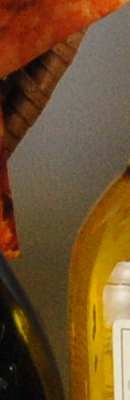 |
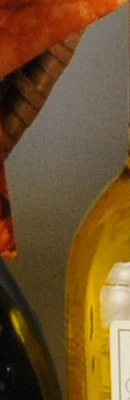 |
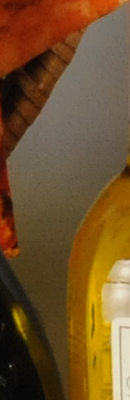 |
 |
|
 |
 |
 |
 |
|
|
Off
|
Low
|
Normal
|
High
|
|
| I S O 1 |
 |
 |
 |
 |
 |
 |
 |
 |
|
 |
 |
 |
 |
|
|
Off
|
Low
|
Normal
|
High
|
|
| I S O 3 |
 |
 |
 |
 |
 |
 |
 |
 |
|
 |
 |
 |
 |
|
|
Off
|
Low
|
Normal
|
High
|
|
| I S O 6 |
 |
 |
 |
 |
 |
 |
 |
 |
|
 |
 |
 |
 |
The above crops show the effects of the 4 levels of high ISO noise reduction, under our studio HMI lighting we use to simulate daylight. Note that some minimal NR is still performed at ISO 3,200 and above when High ISO NR set to “Off”.
| High ISO Noise Reduction Comparison Incandescent Light |
||||
|
Off
|
Low
|
Normal
|
High
|
|
| I S O 8 |
 |
 |
 |
 |
| I S O 1 |
 |
 |
 |
 |
| I S O 3 |
 |
 |
 |
 |
| I S O 6 |
 |
 |
 |
 |
The above crops show the effects of the 4 levels of high ISO noise reduction the D300 offers, under difficult incandescent lighting. (Image noise is much more of an issue under tungsten lighting, because the strong yellow cast requires the blue channel to be boosted considerably to achieve proper white balance. That boost increases noise along with the image data, so noise levels will generally be higher under tungsten lighting than daylight.)
Imatest Results
Nikon D300 Imatest Results
We routinely use Norman Koren’s excellent “Imatest” analysis program for quantitative, thoroughly objective analysis of digicam test images. I highly recommend it to our technically-oriented readers, as it’s far and away the best, most comprehensive analysis program I’ve found to date.
My comments below are just brief observations of what we see in the Imatest results. A full discussion of all the data Imatest produces is really beyond the scope of this review: Visit the Imatest web site for a full discussion of what the program measures, how it performs its computations, and how to interpret its output.
Here’s some of the results produced by Imatest for the Nikon D300:
| sRGB Accuracy Comparison |
|||
The Nikon D300 showed good color accuracy, though with saturation levels a little higher than competing models. Hue accuracy was quite good, with most of the hue shift occurring in the cyans, sky blues, reds and oranges. Average saturation was 108.9% (oversaturated by 8.9%, mostly in the reds, blues and some greens). Average “delta-C” color error was only 5.21 after correction for saturation, which is pretty good. (Delta-C is the same as the more commonly referred to delta-E, but delta-C takes into account only color differences, ignoring luminance variation.) All in all, a very good color response for an SLR. Mouse over the links below the illustration above to compare results with competing models.
| Adobe RGB Accuracy Comparison |
|||
Using the Adobe RGB color space (which provides a much wider gamut, or range of colors that can be expressed), the Nikon D300 delivers more highly saturated color, with an average saturation-corrected hue error of 5.61 “delta-C” units, and average saturation of 114.7%. Again, mouse over the links below the illustration above to compare results with competing models.
Nikon D300 Color Analysis
This image shows how the Nikon D300 actually rendered the colors of the MacBeth chart, compared to a numerically ideal treatment. In each color swatch, the outer perimeter shows the color as actually captured by the camera, the inner square shows the numerically ideal color, after correcting for the luminance of the photographed chart (as determined by a second-order curve fit to the values of the gray swatches), and the small rectangle inside the inner square shows the numerically ideal color, without any luminance correction. This image shows the very good hue accuracy, as well as a contrast curve that results in moderate overexposure of some of the highest-saturation swatches.
Nikon D300 Noise Analysis
There’s a lot in this particular graph, a lot more than we have room to go into here. (This set of plots has also changed a little in the more recent versions of Imatest. Some of the plots that were shown here previously are now shown in other Imatest output. Since we largely focus on the Noise Spectrum plot, we only show the graphic above, which includes that plot.)
In comparing these graphs with those from competing cameras, I’ve found that the Noise Spectrum graph at lower right is the most important. Cameras that manage to shift their noise spectrum to higher frequencies have much finer-grained noise structures, making their noise less visually objectionable. In the graph above, this would show up as a noise spectrum curve that remained higher on the right side, representing higher noise frequencies. The champion at this was the Canon EOS-1Ds Mark II, which produced remarkably fine-grained image noise, even at very high ISOs.
Here, we can see why ISO 100 is treated as a “LO” extension of the normal ISO range for the D300, as low frequency color noise levels are actually higher than at ISO 200. Below is the plot for ISO 200.
The D300’s noise performance at low ISO (100 & 200) is pretty similar to much of its competition, and the differences between it and the earlier D200 in this range are relatively minor. It is interesting to note though, that the high-frequency end of the noise spectrum tapers off to a higher level than that of the D200 (a noise power of perhaps 0.35, vs about 0.21 in the earlier camera). This points to Nikon having shaped the noise spectrum to favor higher frequencies more than previously. The red-channel noise is considerably higher at low frequencies than the other channels, but we’ve seen this recently in the Canon 40D as well. That said, the overall noise levels here are so low that these fine details of noise spectra really amount to hair-splitting.
Here’s the same set of noise data at ISO 3,200. It’s hard to tell because of the change in scale, but the Noise Spectrum graph looks to be shifted a bit more toward the left-hand, lower-frequency side than it was at ISO 200, further coarsening the “grain” of the image noise patterns, but it’s still a fairly gentle slope. Noise-reduction is also doing a good job of keep chroma noise down, as we can see from the R, G and B lines of the chart, although lower frequency components are more pronounced.
It’s interesting to look closely at the D300’s shots and see what those very low-frequency bumps in the red and blue noise spectra correspond to. We frequently look at the Still Life target when judging subtle image noise, looking between the Fiddler’s Elbow beer and Mas Portell olive oil bottles. In the D300’s ISO 3,200 shot, there’s surprisingly little chroma noise there, but slight “undulations” in the color channels can be seen. (Try boosting the color saturation in Photoshop, to make the chroma noise more apparent.) It turns out that the (very slight) red and blue blotches seem to span areas about 20 pixels wide. Their amplitude is so low and the change in coloration so slight that they’re all but invisible. All in all, a very nice job of “noise shaping.”
Comparing just the luminance portion of this curve (the black line) with that from the D200 shows much more high-frequency content in the D300’s image, as its curve is much flatter, and it bottoms out at a much higher level on the high-frequency side of the graph. This is borne out by examination of the D300’s high-ISO images, which show finer “grain” in the noise than did the D200. (Overall, Nikon’s claim that the D300’s ISO noise is a full stop lower than that of the D200 seems well-supported by our data and test images: The D300’s shots at ISO 3,200 look a lot like the D200’s at 1,600. – Although the D300 does a better job of retaining subtle detail at ISO 3,200 than the D200 did at 1,600.)
Here’s the same set of noise data at ISO 6,400. Very similar to ISO 3,200, but with slightly more area under the lower frequency portion of the graph.
This chart compares the Nikon D300’s noise performance over a range of ISOs against that of other cameras. While I continue to show noise plots of this sort because readers ask for them, I each time point out that the noise magnitude is only a small part of the story, the grain pattern being much more important. For example, take a look at the results for the Nikon D200. While the magnitude of its image noise is lower than essentially all of its competition, the dominance of low spatial frequencies gives it a coarser and therefore much more visible grain. In the case of the Nikon D300, the magnitude of the image noise starts out the same as most of the APS-C sized sensor competition at ISO 100, then increases at a faster rate until ISO 800, where fairly aggressive noise reduction kicks in, then remains lower between ISO800 and 3200. At ISO 6400, it increases above the Sony A700, the only other camera in this group with an ISO 6400 setting. (Keep in mind these are at default noise reduction settings, so the shape of the curve can be influenced by the noise-reduction settings you employ.) Where the D300 excels though, is in keeping its noise energy at higher spatial frequencies (producing a finer “grain” structure), and in managing to hold onto surprising amounts of subtle subject detail at very high ISOs.
Nikon D300 Dynamic Range Analysis
A key parameter in a digital camera is its Dynamic Range, the range of brightness that can be faithfully recorded. At the upper end of the tonal scale, dynamic range is dictated by the point at which the RGB data “saturates” at values of 255, 255, 255. At the lower end of the tonal scale, dynamic range is determined by the point at which there ceases to be any useful difference between adjacent tonal steps. Note the use of the qualifier “useful” in there: While it’s tempting to evaluate dynamic range as the maximum number of tonal steps that can be discerned at all, that measure of dynamic range has very little relevance to real-world photography. What we care about as photographers is how much detail we can pull out of the shadows before image noise becomes too objectionable. This, of course, is a very subjective matter, and will vary with the application and even the subject matter in question. (Noise will be much more visible in subjects with large areas of flat tints and subtle shading than it would in subjects with strong, highly contrasting surface texture.)
What makes most sense then, is to specify useful dynamic range in terms of the point at which image noise reaches some agreed-upon threshold. To this end, Imatest computes a number of different dynamic range measurements, based on a variety of image noise thresholds. The noise thresholds are specified in terms of f-stops of equivalent luminance variation in the final image file, and dynamic range is computed for noise thresholds of 1.0 (low image quality), 0.5 (medium image quality), 0.25 (medium-high image quality) and 0.1 (high image quality). For most photographers and most applications, the noise thresholds of 0.5 and 0.25 f-stops are probably the most relevant to the production of acceptable-quality finished images, but many noise-sensitive shooters will insist on the 0.1 f-stop limit for their most critical work.
The image below shows the test results from Imatest for an in-camera JPEG file from the Nikon D300 with a nominally-exposed density step target (Stouffer 4110), and the D300’s contrast setting at its default position.
These are excellent numbers for a current-model DSLR, well in the upper range of cameras we’ve tested. The tone curve shows excellent gradation in highlights, but the shadow end trails off more abruptly. This can be seen when closely inspecting shots captured by the D300, where detail is held very nicely in strong highlights, but somewhat less so in the deepest shadows.
Processing the D300’s RAW (NEF) files through Adobe Camera Raw (ACR) version 4.3.1 improved dynamic range by almost a full stop. Results were similar with both ACR’s automatic settings and when fiddling with the sliders manually. (Do note though, that the level of manipulation done to achieve the results above will result in severe color artifacts on color images: This level of dynamic range is really only achievable on monochrome images.)
Dynamic Range, the bottom line:
The net result was that the D300 came in ahead of most other current DSLR models, although the margin from some of its closest competition (the Canon EOS-40D) was negligibly small. We were able to eke out considerably greater dynamic range via Adobe Camera Raw, but as always, it must be pointed out that the manipulations performed to achieve that are really only applicable to monochrome subjects: If you pull back that much data from RAW files, you’ll inevitably end up getting color artifacts due to saturated sensor channels.
To get some perspective, here’s a summary of the Nikon D300’s dynamic range performance, and how it compares to other digital SLRs that we also have Imatest dynamic range data for. (Results are arranged in order of decreasing dynamic range at the “High” quality level.):
| Dynamic Range (in f-stops) vs Image Quality (At camera’s minimum ISO) |
||||
| Model | 1.0 (Low) |
0.5 (Medium) |
0.25 (Med-High) |
0.1 (High) |
| Fujifilm S3 Pro (Adobe Camera Raw 2) |
12.1 | 11.7 | 10.7 | 9.0 |
| Nikon D40x (Adobe Camera Raw 4.1) |
12.0 | 10.9 | 10.3 | 8.9 |
| Nikon D300 (Adobe Camera Raw 4.3.1) |
11.4 | 10.9 | 9.87 | 8.45 |
| Nikon D40 (Adobe Camera Raw 4.1) |
11.9 | 10.9 | 9.89 | 8.3 |
| Pentax K-100D (Adobe Camera Raw 3.6) |
11.3 | 10.3 | 9.51 | 8.23 |
| Pentax K10D (Adobe Camera Raw 3.7) |
10.6 | 10.0 | 9.29 | 8.19 |
| Canon EOS-1Ds Mark II (Adobe Camera Raw 3) |
11.2 | 10.3 | 9.4 | 8.14 |
| Nikon D40x | 10.8 | 10.0 | 9.42 | 8.04 |
| Fujifilm S3 Pro | — | 9.9 | 9.4 | 7.94 |
| Canon Digital Rebel XTi (Adobe Camera Raw 3.6) |
10.8 | 9.88 | 9.18 | 7.84 |
| Canon EOS-5D (Adobe Camera Raw 3) |
11.0 | 10.4 | 9.21 | 7.83 |
| Canon EOS-40D (Adobe Camera Raw 4.2) |
11.2 | 10.1 | 9.26 | 7.72 |
| Canon EOS-5D (Camera JPEG) |
10.2 | 9.68 | 8.82 | 7.65 |
| Nikon D200 (Adobe Camera Raw 3) |
10.6 | 9.65 | 8.96 | 7.61 |
| Nikon D80 (Adobe Camera Raw 3.6) |
11.1 | 10.4 | 9.42 | 7.51 |
| Olympus E510 (Adobe Camera Raw 4.1) |
10.0 | 9.43 | 8.64 | 7.46 |
| Nikon D300 (Camera JPEG) |
— | — | 8.70 | 7.44 |
| Pentax K10D | — | 9.49 | 8.88 | 7.44 |
| Canon EOS-40D (Camera JPEG) |
10.6 | 9.52 | 8.78 | 7.42 |
| Nikon D50 | 10.7 | 9.93 | 8.70 | 7.36 |
| Canon EOS 20D | 10.3 | 9.66 | 8.85 | 7.29 |
| Nikon D40 | 10.4 | 9.8 | 8.89 | 7.28 |
| Nikon D80 (Camera JPEG) |
10.1 | 9.43 | 8.48 | 7.12 |
| Canon Digital Rebel XT | 10.3 | 9.51 | 8.61 | 7.11 |
| Nikon D200 (Camera JPEG) |
— | 9.07 | 8.36 | 7.11 |
| Olympus EVOLT | 10.8 | 9.26 | 8.48 | 7.07 |
| Olympus E410 (Adobe Camera Raw 4.1) |
10.2 | 9.4 | 8.24 | 7.05 |
| Canon Digital Rebel XTi (Camera JPEG) |
9.83 | 9.10 | 8.27 | 7.04 |
| Canon EOS-1Ds Mark II (Camera JPEG) |
10.3 | 9.38 | 8.6 | 7.04 |
| Canon Digital Rebel | 10.1 | 9.11 | 8.47 | 6.97 |
| Panasonic DMC-L10 (Adobe Camera Raw 4.2) |
10.4 | 9.34 | 8.48 | 6.91 |
| Pentax *istDs | 10.2 | 10 | 8.87 | 6.9 |
| Pentax K-100D (Camera JPEG) |
10.3 | 9.3 | 8.39 | 6.73 |
| Nikon D2x | — | 8.93 | 7.75 | 6.43 |
| Panasonic DMC-L10 | — | 8.94 | 8.00 | 6.38 |
| Olympus E410 | — | — | 7.60 | 5.99 |
| Nikon D70s | 9.84 | 8.69 | 7.46 | 5.85 |
| Nikon D70 | 9.81 | 8.76 | 7.58 | 5.84 |
| Olympus E510 | 7.70 | 7.16 | 5.87 | 3.55 |
The results shown in the table are interesting. One of the first things that struck me when I initially looked at test data for a wide range of d-SLRs, was that here again, purely analytical measurements don’t necessarily correlate all that well with actual photographic experience. There’s no question that the Fuji S3 Pro deserves its place atop the list, as its unique “SR” technology does indeed deliver a very obvious improvement in tonal range in the highlight portion of the tonal scale. I was surprised to see the analytical results place the Olympus EVOLT as highly as they did, given that our sense of that camera’s images was that they were in fact noisier than those of many other d-SLRs that we looked at. In the other direction, I was quite surprised to see the Nikon D2x place as low on the listings as it did, given that we found that camera’s shadow detail to be little short of amazing.
One thing that’s going on here though, is that we tested each camera at its lowest ISO setting, which should produce best-case noise levels. This is in fact what many photographers will be most interested in, but it does perhaps place some of the Nikons (like the D300 and D40) at a disadvantage, as their lowest or base ISO setting is 200, as compared to the ISO 100 settings available on most other models.
Nikon D300 Resolution Chart Test Results
The chart above shows consolidated results from spatial frequency response measurements in both the horizontal and vertical axes. The “MTF 50” numbers tend to correlate best with visual perceptions of sharpness, so those are what I focus on here. The uncorrected resolution figures are 1,356 line widths per picture height in the horizontal direction (corresponding to the vertically-oriented edge), and 1,394 lines along the vertical axis (corresponding to the horizontally-oriented edge), for a combined average of 1,375 LW/PH. Correcting to a “standardized” sharpening with a one-pixel radius increased both vertical and horizontal resolution rather significantly, resulting in an average of 2,450 LW/PH.
To see what’s going on, refer to the plots below, which show the actual edge profiles for both horizontal and vertical edges, in both their original and corrected forms. Here, you can see that there is in fact very little in-camera sharpening applied (no noticeable bump at the top ends of the black curves), which explains why D300 JPEGs look a little soft at the default sharpening setting. This is good news though, for post-processing, as it means there are no artifacts to obscure fine detail or interfere with your sharpening methodology of choice.
Diary1
NIKON D300 DIARY
By MIKE PASINI
Editor
The Imaging Resource Digital Photography Newsletter
SAN FRANCISCO — Nikon offered to loan us a D300 on the (optional) condition we spend 10 hours with them to learn how to use it. We remember no such clause in Mephistopheles’ deal with Faust, so we jumped at the chance. We even got them to send it before Macworld so we could bring it with us to the Expo (see our Tuesday and Wednesday coverage).
|
|
When FedEx dropped it off on Saturday (we never take a day off), we opened the box to find two gold Nikon boxes: the D300 body and an 18-200mm VR II zoom lens.
We’re familiar with the 18-200mm zoom. It’s what we use on our D200. It’s so good, we only take it off to put on a macro lens. And we really miss its range when we leave the bunker with our Canon Rebel XTi with the 18-55mm kit lens.
You might say we’re familiar with the D300, too, inasmuch as it resembles the D200. But exactly how much is that? Same body size, similar controls (if not identical) but a whole new chemistry under the hood. That’s how much.
In our two-part diary, we’ll confine ourselves to discussing your setup options in the first installment and leave the 10 hour total immersion report for the second. This report is accompanied by an 18-image gallery showing the D300, D200 and even an FM2 in comparison.
UNPACKING | Back to Contents
The smaller the camera, the more aggravating the box. That’s our theory anyway. Some boxes actually require you to flip the documentation out to get to the camera. Clever origamists.
The D300 has a sanity about its box that was refreshing right from the start. There are just two compartments. The larger back one holds the camera body wrapped in plastic and suspended in an egg-carton sandwich. The front one holds the documentation and the accessories.
The documentation appears to have been written by Leo Tolstoy. The User’s Manual alone is a 422 page tome. It seems to have inspired the svelte 40 page Quick Guide. Forty pages for a Quick Guide? In a word, yes.
But there’s work to do before we curl up with the User’s Manual.
Like unpacking the camera and accessories. The camera was quick enough, but the accessories took some time. We quickly popped the battery into its charger before doing anything else. There is a charge on it when it arrives, but we wanted the full four bars. That took nearly a couple of hours. It takes two and quarter hours to do a full charge of an exhausted battery, according the manual. We peeked.
While the battery was charging, we calmed down. It’s undeniably exciting to get your mitts on a new dSLR and if we could have crammed a couple of AAs in it to take some test shots, we just might have. Instead, we distracted ourselves with the accessories.
ACCESSORIES | Back to Contents
They are few. And there’s something Zenlike about that. The included accessories are:
- The aforementioned battery and charger (which unfortunately is US-only and requires a long power cord)
- A shoulder strap (which we eschew in favor of a wrist strap or, as Peter iNova recommends in his eBooks, a simple cord)
- An eyepiece cover to block light from the sensor on long exposures
- A USB cable (which again we have no use for, preferring a card reader or the tentacle-like USB cable we always leave on our hub)
- And an AV cable (although note that the D300 has an HDMI port so you can cable your HDTV to it with one simple connection)
The lens has its own two compartments. In the accessory box on top, you’ll find the lens hood (bravo for including one) and soft pouch. The lens itself is wrapped in plastic and surrounded by papers.
Lens. The 18-200mm VR II. VR is set to “OFF” when it’s in the box.
It’s also worth noting how the lens ships. VR is set to the Off position. The floating lens element is, therefore, locked during transport, something to consider before you get on the plane.
We took a soft watercolor brush and dusted off the lens and the camera body before mating them. The less stuff in the air when you expose the sensor, the better.
Wrist Strap. We prefer a simple wrist strap to the included shoulder strap.
In a minute or two, we had managed to attach the lens to the camera body and enable VR. We then put our wrist strap on the body.
ABOUT THAT MANUAL | Back to Contents
It wasn’t actually written by Tolstoy. It’s in English, for one thing. And very nicely done, for another. But we can’t help stealing a paragraph from our second installment of this diary to reveal Nikon’s Lindsay Silverman’s secret manual-wrangling trick.
Lindsay, who is charged with knowing all about the new features of every Nikon dSLR and Coolpix digicam, tags their manuals with Post-it notes. Sure, that helps him find things — but so does an index. What it really does is help him learn things. He tags the sections that describe new features, the things he doesn’t know about.
It turns out there’s a hierarchy of those things. There are things you need to know right now, things you need to remember all the time and things you need to know some of the time. And Lindsay reads the manual in that order, rather than from front to back.
He also uses colored tabs to identify different subjects he’s interested in like flash settings or operating modes.
He doesn’t spend much time with the Quick Guide, though. They really don’t tell you how to customize the camera to suit your shooting style. And that’s one of the first things you want to do.
CUSTOM SETTINGS | Back to Contents
As Lindsay says, custom settings make the camera yours. So there’s no point in putting off a discussion of them. You should evaluate them while the battery is charging.
Diopter. You need the battery.
We did.
The very first custom setting that we focused on was the diopter adjustment. You can’t do this without the battery, however. The D300 focusing screen, like the D200’s, appears as just a plain, dim ground glass until it has some power. Then it brightens up and displays whatever targets you’ve enabled, and you can set the diopter so they (and the autofocused scene) are in focus.
That viewfinder display is really very nice. Nothing is etched on the glass. All the composition aids and focus indicators are drawn electronically. And they are quite unobtrusive.
All right, we can now see. We’ve got a lens with VR enabled. But there are a few things we’re used to on the D200 we want to migrate to the D300.
The first is to enable the grid display in the viewfinder. We have a tough time leveling shots and having a grid display of horizontal and vertical lines helps us line up the shot.
Of course, some “custom settings” are prerequisites. You have to select your language and set the date and time (and time zone) before fooling around with the other custom settings.
SHOOTING OPTIONS | Back to Contents
Then we were ready to dig into the Menu system to program the camera to behave as we expect it to. For the most part, this means setting things that do not have buttons associated with them. So ISO, image size and quality, and white balance are things that we like to change on the fly that do not alter the personality of the camera itself.
Folder Name. In lieu of cuff links.
We’re also not going to discuss settings like Saturation, Sharpening, and Color Mode. Whether you like to tweak these or leave them alone is a personal preference. They will alter your camera’s personality, but we have no recommendation. For what it’s worth, we leave them all untweaked.
Folder Name. The three-character prefix for a folder name can be changed on the Nikon D300 (like the D200 before it). There are several reasons to do this. You may, like us, never get tired of looking at your initials, whether they are on cuff links, handkerchiefs, or every image filename.
Or you may want to set up the D300’s shooting banks (collections of settings) to handle different shooting conditions (portraits, landscapes, sports, etc.). Part of that customization can be the filename, which can be set differently for each bank (POR, LAN, SPO, ETC).
Comment. Works for us.
Comment. We are among the secret society of shutter button pushers who attach a comment to the Exif header of every image we take. This comment is always the same. It’s a copyright notice. The D300 makes it pretty simple to key in a copyright notice (our name is so short we can even spell out “copyright” but you may have to resort to “(c)”). Just remember to update it every year. Or just upgrade your camera at Christmas.
This also makes an excellent excuse for never handing off your camera to those busy bodies who offer to take your picture with it. We just haven’t found a polite way of putting it.
Auto Image Rotation. We like this on even though the data itself isn’t rotated. But it does write the correct orientation to the orientation tags in the Exif header so we can see the image normally during slide shows.
Color Space. Our workflow uses AdobeRGB as the color space, so we set the D300 from sRGB to AdobeRGB. We handle everything here ourselves, but if you like to use a service for prints, you might prefer to leave the camera set to sRGB.
Focus Modes. There are three. Single point (bottom), 9-point (middle) and 51-point (top). We learned to trust 51-point.
Focus Mode. We’ll have more to say about this in the next installment, but we’re happy to tell you that you can set the D300 to focus on one spot that is, by default, at the center of the frame. You can move it around with the Navigator if the situation requires it, but you need learn no new tricks to autofocus with the D300. That may not have been where we ended up, but it’s where we started.
We should also point out that the 18-200mm zoom can be focused manually after it sets focus automatically. If set in the M/A focus mode on the lens itself (rather than just M for Manual), you can adjust focus with the focus ring after half-pressing the shutter button to find auto focus.
With our antique primes and even some ancient Nikkor zooms, we can only focus manually (as we always have). And there’s a great deal to be said for the pleasure of manual focus. Nikon never takes that away from you.
Release Mode. Our old FM2 was never without its MD-12 motor drive, but with the cost of film we always left it on Single mode. When we’re making friends with a new camera body, we still set the release mode to Single rather than one of the Continuous modes. After a little practice, we move up to Continuous, which is how we use every digicam we shoot with, oddly.
Flash Control. Four options.
Commander Mode. Control two remote groups.
Flash Mode. We use two Flash modes. In the bunker we take our product shots using a Photoflex Starflash monobloc that we trigger with a very low-powered flash from the pop-up flash on the camera in Manual mode. When we’re on the road, we use an SB-800 and the dSLR’s wireless flash Commander mode. Sort of a split personality there and one we check before shooting with either flash setup. But in the next installment we’ll get into detail on how we use the SB-800 and Nikon’s Creative Flash System. It’s really more like play than planning, very easy to use and adjust for results you might not have thought were within reach.
Standard. You can control just how standard Standard is.
Picture Controls. It’s important to note that the D300 has Picture Control settings of Standard, Neutral, Vivid, and Monochrome. You can also adjust each of these to your liking. They resemble Canon’s Picture Styles (which we’ve covered in the April 27 and May 11 newsletters last year).
Our personal preference is not to manipulate the image data in the camera. No doubt there are occasions that call for it, but our default setting is Standard.
D-Lighting. But we did take advantage of the D300’s built-in D-Lighting control. One problem amateur shooters have with dSLRs (and digital cameras in general) is adapting to the linear nature of a digital capture (yet another topic we’ve discussed at length in the newsletter).
“Why are all my pictures underexposed?” is the usual lament. Because half the data is devoted to the highlights is the usual answer. So do you overexpose and risk blowing out the highlights? Or expose and shoot Raw so you can recover the highlights? Or go back to your digicam, which processed the data so you never knew you had this problem?
Active D-Lighting. Four options.
Nikon has cleverly offered a better alternative, at least for your JPEGs. You can enable Nikon’s Active D-Lighting feature, which salvages detail in the shadows and highlights. There are four options: Off, Normal, Low or High. D-Lighting is still available in Playback mode as an Edit option but in the D300 it can be active. In fact look for it in the index as Active D-Lighting, rather than D-Lighting (which will take you to the Playback enhancement).
With D-Lighting set to Normal, we got very nice histograms on our JPEGs and never worried about underexposure. It’s more digicam-like behavior, certainly, but that isn’t always a bad thing.
Non-CPU Lens Data. One reason we bit on the Nikon D200 was it allowed us to use our old Nikkors while metering through the lens. It does that by asking you to tell it the focal length and widest aperture of the old lens you are using. You can then use Aperture Priority or Manual mode, the camera setting the shutter speed in Aperture Priority mode.
With the D300, you can still do that (and in just the same way) but the camera can store 10 settings not just one. All you have to do is enter them once and then select which one you want when you mount the lens. A small but nice convenience.
Our first shots with the D300, in fact, were taken with a 50mm f/1.4 Nikkor. It was a breeze to set up.
Live View. What gave us the temerity to think of using the D300 to shoot Macworld Expo was Live View mode. When we shoot on the show floor, we rarely have the camera at eye level. We’re usually angling the camera over the crowd or down low close to the product. You can’t shoot that way with a dSLR unless it has Live View, which lets you compose from the LCD rather than the viewfinder.
Live View. Just another mode.
The D300 has two ways of using Live View: hand-held and tripod. A menu option determines which is active when you move the Release mode dial to Live View, so we found it and set it to hand-held. We’d had a quick lesson at the Pepcom event before CES from Lindsay on the difference.
Hand-held, he explained, is for the Hail Mary shot. You’re in a crowd, holding the D300 up over your head, hoping to get the shot. With a traditional SLR, you zoom out to wide angle to make sure you cast a wide enough net to capture your subject, aim down and press the shutter.
But with Live View in hand-held mode on the D300, you press the shutter button all the way down to raise the mirror and display the live scene on the LCD. With a very wide 170-degree angle of view on the gorgeous 3.0-inch LCD, you can hold the camera over your head and still see what’s going on. In fact, at Macworld, we were able to zoom to compose our shot, too, a great time saver later.
To focus (which is really optional in Hail Mary mode), you half-press the shutter button or press the AF-On button. The mirror will flip down, the camera will focus and when you release the shutter button, you can check focus.
Once you’ve said your prayers, you simply press the shutter button all the way down to take the picture. And thanks to that LCD again, you can evaluate the results instantly.
Working quickly on the show floor, we switched to Live View mode on demand, pressed the shutter button down before we hoisted the camera up, half-pressed to focus on the scene so we could see it sharply in the LCD and waited for the right moment to depress the shutter button fully again. There wasn’t really much shutter lag, although it wasn’t as fast as Single or Continuous mode. But it did the trick. We never hesitated to use it when we needed to compose with the camera at arm’s length.
Tripod mode, on the other hand, uses a different focusing method: contrast detect. So it can focus with the mirror up. While you are viewing the scene, in other words.
Live View. Two modes, which you can shoot in Single or Continuous release modes.
You can get a head start on focusing by framing your shot in the viewfinder and pressing the AF-On button. But you press the shutter button all the way to lift the mirror and see the scene on the LCD. You can then focus with the AF-On button. As long as you hold it down, the D300 will focus using contrast detection. Press the magnifier button to see an enlargement up to 13x of the focus area (the OK button cancels it).
And you can move that focus point anywhere you want in the scene.
To take the shot, press the shutter button all the way down. The mirror will drop and the shutter will trip.
Lindsay said he uses this mode for macro shooting. You get two benefits. You can see the actual depth of field without pressing the DOF button to stop down the lens so you can see what’s in focus. And you can see what you’re focusing on.
There’s also a second setting in the Live View menu option for the Release mode. You can select Single, Continuous low-speed, or Continuous high-speed. With one of the continuous modes you can actually follow your subject as they move through the scene. And if you have 51-point autofocus in gear, all the better.
Our initial D300 report called Nikon’s implementation of Live View “the most useful and usable dSLR Live View mode yet.” Took the words right out of our mouth.
Bit Depth. 14-bit reduces frame rate to 2.5 fps.
NEF Bit Depth. The default bit-depth setting for NEF or Raw captures is 12-bit, like the D200. But the D300 can also record 14-bit channels. Our 12-bit captures ran about 11.1-MB while our 14-bit captures were about 13.7-MB. Nikon says you can expect an increase in file size of 1.3 times. You get more color data, but the maximum frame rate drops from 6 to 2.5 fps.
GPS. While you can enable or disable GPS recording (capturing your location in the Exif header) with a Menu option, you actually need to cable connect a Garmin GPS device to the D300 to get that data from the satellite. The Garmin eTrex and geko series devices connected to the D300’s 10-pin remote terminal do that.
One thing you don’t have to set is the D300’s automatic correction for chromatic aberration. Any zoom with the range of the 18-200mm VR II lens is going to have some of that and the D300 takes care of it automatically for you.
PLAYBACK MENU | Back to Contents
There are a few settings in Playback mode that we set, too.
Image Review. We always check to make sure this is on. It saves battery life to dispense with it, but the D300 gets great battery life and we always like to check the histogram of our images.
In fact, that’s one of the display options we set by pressing the Down arrow key until we get a display with a histogram. It tells us a lot more about the exposure than looking at the image.
Playback. Rotate Tall is on.
Rotate Tall. If you want to see all your images in the correct orientation without rotating the camera, enable Rotate Tall. This has the disadvantage of making portrait oriented images only as tall as the LCD is wide rather than full frame.
But if you plan to display your images on your HDTV through the D300’s HDMI port (which works very well, BTW), you’ll want Rotate Tall on.
Center Button. Configurable for both Shooting and Playback modes.
Navigator Center Button. A number of the camera’s buttons can be reassigned or set with custom functions. Remember that if you find yourself often digging through the menus. The one button we like to assign is the center button on the multi-selector.
In Playback mode, we like to press that button to zoom in to a 100 percent view of the image to check focus. You can also just press the magnifier button to zoom in bit by bit. But with the center button, you can select low, medium, or high magnification and get there in a jump. Other options include Thumbnail on/off, View histogram and Choose folder. And yes, you can assign a function for shooting mode, too (Select center focus point, Highlight focus point).
SETTINGS MANAGEMENT | Back to Contents
You may be a little annoyed with us for not listing the menu location for all these settings but don’t be. The D300’s menu system is superbly laid out. There’s a lot to look for and wrong turns are not unknown, but everything is really easy to find. One thing Nikon gets right is menus.
My Menu. Add, remove, rearrange.
Help. At any screen, just press the ? button.
My Menu. In fact, in the D300 they get it righter than the D200, which introduced the fabulous Recent Settings list that tracked the last few things you changed, making it easy to reset them. Instead of Recent Settings (which we do miss), the D300 uses a My Menu menu to which you can add, delete, or rearrange frequently accessed menu items.
Want to explore Active D-Lighting without being a slave to it? Add it to My Menu and quickly enable or disable it.
Managing Settings. And just to ice the cake, the D300 lets you save your settings to the memory card so you can reload them or share them. This is a binary file (although we can see our Comment clearly) stored in the root directory of your CompactFlash.
NEXT | Back to Contents
In our next installment, we’ll describe our day with Nikon during which we explored Auto ISO, White Balance tweaking, 51-point Autofocus, Live View, using Wireless Flash, TransferNX and even archiving. You should be able to read it in 20 minutes or less, a tremendous savings over our 10-hour investment.
Stay tuned!
Diary2
NIKON D300 DIARY
By MIKE PASINI
Editor
The Imaging Resource Digital Photography Newsletter
SAN FRANCISCO — Dogpatch is a nine-square block of San Francisco not frequented by tourists. It’s both too residential and too industrial for the limelight. But it’s one of those neighborhoods that make San Francisco what it is — a delightful surprise on any street.
|
|
And one such surprise is Dogpatch Studios (http://www.dogpatchstudios.com), a recently renovated building that houses print, film and event space. Nikon managed to snag the third floor photo studio with its wall of northern light and view of downtown for an all-day, intensive D300 boot camp.
The event was organized by Nikon’s Geoffrey Coalter who managed to drag Nikon’s Lindsey Silverman out of his sick bed to explain to a few journalists what’s so special about the D300. Joining your newsletter editor were PCWorld Senior Product Manager Melissa Perenson (http://www.pcworld.com), Rick Oldano of the Digital Tourist (http://www.thedigitaltourist.com) and Maximum PC Editor Gordon Mah Ung (http://www.maximumpc.com). Peter Gerba, Dogpatch studio manager, made us all feel at home in the cavernous studio.
A Perfect Day. So perfect, in fact, the sky blushed. These first shots were taken with a Coolpix S510.
Geoff had promised to include an actual, real live, working professional photographer (not to mention a model). And he delivered as promised with the affable John Blaustein (http://www.johnblaustein.com) of Berkeley. John’s clients include such luminaries as J. Walter Thomspon, Hal Riney & Partners, Pentagram Design, Saatchi & Saatchi Direct, Young & Rubicon and Apple Computer, among many others.
We were also enticed to Dogpatch by that promise of a model. The model, alas, turned out to be Rob, a fireman from the fire house next door. Not our cup of tea but quite photogenic all the same. And a pro to boot.
Fuel. We only had time for an espresso.
A PERFECT DAY | Back to Contents
Despite some pretty disastrous weather earlier in the week, the day broke clear. Our 10 a.m. start gave us just enough time to hitch a ride to Dogpatch with our better half, who happens to work just down the street from the studio. After enduring her coworkers’ Bring Your Husband to Work Day jokes for an hour, we gathered our gear and found the studio.
Geoff and Lindsay greeted us at the door and introduced us to Peter, Rick and John. We immediately thanked Lindsay for his quick tutorial on Live View mode at the Pepcom event before the Consumer Electronics Show. His five minute overview had demonstrated how we might use the D300 to shoot the Expo. With Active D-Lighting enabled, we were able to complete our photo coverage in much less time than usual, changing the white balance on only two of our dozens of images.
Firehouse. Next door to Dogpatch Studios, a very handy firehouse.
Our arrival had interrupted a discussion about the average life span of a new camera these days. Nikon’s first SLR, the Nikon F, was introduced in 1959. The F2 made its debut in 1971. The D200 was introduced in 2006 and, while still available, the D300 elbowed its way onto the scene just a year later. Rick shuddered at the investment a new dSLR must require.
Almost on cue, the rest of the crew arrived and Lindsay took the floor to give us an overview of what’s new and improved about the D300. We were all ears — and eyes.
Blue Sky. No rain. Firehouse and Dogpatch Studios buildings.
NEW FEATURES | Back to Contents
Lindsay has been with Nikon for 23 years. His job is to know every feature of every dSLR and Coolpix digicam in the lineup. We can’t imagine it’s really part of his job to evangelize them, but just try to interrupt him. He knows this stuff and he loves it.
He made a very astute observation about the tendency for pros to stick with what they know. You have to get the job done, so you don’t experiment with new features like 51-point autofocus with 3D tracking. Instead, you find the single point autofocus setting (or eschew even that for manual focusing) and get the job done. Just like you always have.
Dogpatch Studio. We didn’t know about the elevator.
Uwe Steinmueller of Digital Outback Photo (http://www.outbackphoto.com) is the patron saint of that approach. He shoots in Manual mode because that works on any camera.
But that was one of the reasons for calling this meeting, Lindsay said. Nikon wants to give harried journalists a chance to use these new features. And, of course, write about them.
We confess. Like Uwe, we’re in the FM school of photography. Give us an all-mechanical camera like the legendary Nikon FM (no battery will keep us from our appointed rounds) and let us set the shutter speed and aperture manually. We’ll get the job done. Focusing manually.
But today’s dSLRs are battling each other to the death with intelligence. Sensor size isn’t really the game, especially if you’re going to print. Ease of use impresses no pro. But give us a feature that lets us get a shot nobody else got and you’ve made a convert. Or, in our case, let us get to bed before Jay Leno signs off after a day of walking the Expo floor and we’ll evangelize for you.
Nikon. Third floor.
AUTOFOCUS REDEFINED | Back to Contents
Nikon’s 51-point autofocus with 3D tracking is a case in point. You read about it, you scratch your head, you’re maybe a bit embarrassed by your 9-point version (which you don’t use anyway, preferring the single point autofocus you know and love), but what the hey.
No, no, no. This is big, Lindsay says. The auto scene recognition built into the D300 can recognize a subject’s head and shoulders. So it can track the subject as it moves through space.
“It somehow knows,” John confirmed, what (and where) the subject is.
The usual reply to this is, “Sure, most of the time.” But who can risk missing the shot autofocus won’t get?
But, as John pointed out (affably), the D300 still works like every autofocus camera before you. You can point to the subject and half press the shutter button to focus. You can direct focus.
But you don’t have to. If, for some reason, 51 doesn’t hit the target you’re aiming at, just tap the shutter button a second time. It will refocus.
Well, OK, it was Nikon’s donut after all. We set the D300 to 51 point AF and left it there all day. We did not miss a single shot, try as we might. Subject split on either side of the frame? Got it (them, we should say). In fact, we kind of liked seeing all the focus confirmation spots light up every time we half-pressed the shutter button. Suddenly we had an intelligent assistant with us.
We’re usually pretty reliable when it comes to screwing things up. But we couldn’t trick the 51 point AF into looking at the wrong thing. We tried all day, too.
Hand Held Live View. At Macworld. We just aren’t this tall.
LIVE VIEW | Back to Contents
The D300 features Nikon’s first attempt at Live View, which lets you use the LCD rather than the viewfinder to compose your image in real time. The advantage, as with any digicam, is that you can position the camera away from your face, getting a unique (and sometimes the only) angle on the shot.
The problem with Live View technology generally is focusing. With the mirror up, the camera can’t focus. This has occasioned some strange camera behavior, flipping the mirror down to focus and then back up to take the shot.
Tripod Mode. You can move the green target anywhere with the multi-selector.
The D300 offers two different Live View modes. One keeps the mirror up and focuses quickly when you fully depress the shutter button. The other focuses with the mirror up — as long as you’re able to keep the camera still.
We used method one with great success for our Macworld Expo coverage and testified before the assembly. Method two really requires a tripod, but we can see using it to get more illuminating product shots.
MY MENU | Back to Contents
Being able to experiment with new features isn’t just a mind set. Nikon has provided a special menu on the D300 called My Menu that can be populated with the settings you’d like to experiment with (or just the ones you like to change a lot). Having them all on one handy menu makes it easy to enable and disable them.
My Menu. Add, remove, rearrange.
You don’t have to bother with autofocus modes, of course, because that’s just a switch on the back of the camera, easily changed from shot to shot if necessary. That’s the beauty of dSLR design to begin with: you have at your fingertips the controls you most often want to change.
The old film rewind crank position, for example, has buttons for image quality, white balance and ISO. Hold in a button and use one of the subcommand dials on the other side of the camera to scroll through the options. Later in the day, we found ourselves switching from NEF/JEG captures to JPEG captures just by scrolling through the image quality options. Piece of cake.
AUTO ISO | Back to Contents
The D300 departs from previous Nikons in using a CMOS instead of a CCD sensor (which apparently makes that 14-bit Raw capture option possible). Whereas before, the highest ISO you could use without risking a disturbing noise pattern was about ISO 800, the new sensor, Lindsay claimed, unleashed him. He can go to ISO 3200 without worry.
We worry about ISO 3200. We worry less at ISO 1600.
But how do you explain that to the D300? Ah, there’s a way. If you enable Auto ISO, you can set the base ISO and restrict any increase to the top limit you specify. So we can set the base ISO to 200 (the lowest the D300 offers, although it can simulate lower ISOs if forced to do so) and limit Auto ISO to 1600 max.
The LCD screen will warn you if conditions require the camera to raise the ISO from the base to an Auto setting. And it will tell you what that setting is. And it could be anything, not just whole stops, Lindsay said. You might go from ISO 200 to ISO 230. You can see that in operation if you look at the Exif data for our gallery images accompanying this story.
This is another one of those features we avoid in our prudence. We stick with the lowest ISO speed for the highest quality image. If that won’t get us the exposure we want, we gradually ratchet up the ISO until we get the shutter speed or aperture we need.
No, no, no. Let Auto ISO save the day. We set up the D300 to use ISO 200 unless it thought better. And it turned out we had a lot more latitude than we were used to. It’s a digicam approach, no question, but with a big sensor the results are a lot more rewarding. Noise wasn’t really an issue because we capped the expansion to ISO 1600 (and remember that we had an optically stabilized lens to give us about four stops to play with than normal). We had more latitude with no cost. What had we been thinking?
AUTO WHITE BALANCE | Back to Contents
It’s all new on the D300 and D3, Lindsay told us. You know how exposure metering depends on a database of metering patterns to tell if its looking at a landscape with a bright sky or a snow covered meadow? Well, Nikon has a white balance database that works much the same way, with 20,000 examples in its memory.
You can, in short, trust it. Unless you’ve got 30,000 in your memory.
This really flies in the face of recent wisdom. Recent wisdom suggest that if you know what the white balance of the scene is, you should just tell the poor camera so it can stop worrying about it. Daylight? Shoot daylight and forget it.
Our own feeling about this is that it’s hard to tell what lighting we’re shooting in. It isn’t just our Ray-Bans. Everything seems mixed. This is the one feature we do trust more than our own judgement, perhaps because film gave us little choice. And now we’re expected to tell Fluourescent 1 from Fluorescent 2.
John added an interesting, if sheepish, observation to the discussion. “No one ever got in trouble for warming up the daylight.” As on the D200, the D300 lets you fine tune even auto white balance. To do it, you hold down the White Balance button on the left of the camera and spin the front command dial. This takes you through a range of settings from a6 to 0 to b6. On the D200 they range from +3 to -3 mired (about 13 degrees K each). What’s that all about? Nikon’s engineers thought plus and minus would clearly indicate warm or cold when they designed the D200. By the time they were working on the D300, the theory had moved to “amber” and “blue.” We’re alone with the engineers on this one.
But we took John’s advice and warmed up Daylight to a2. That wasn’t ideal for scenes of the blue bay or bananas on display in the Ferry building, but it was great for portraits.
HITTING THE STREET | Back to Contents
In fact, that’s what we all did next. Hit the street. We climbed into a van and drove down the Embarcadero to a pier near the Ferry Building and walked along taking shot after shot at various settings with our D300s.
Paying the Pier. John and Geog negotiate with robotic parking lot attendant.
We’ve posted a selection of our favorites in a special gallery with links to the Exif data.
It’s one thing to sit in a cavernous studio in a hip part of town absorbing technical detail. It’s another to stumble over the poetry-strewn Embarcardero with a D300 in your hand trying to make photographs under the constant assault of curious seagulls. Fortunately we, too, were traveling in a group.
We asked John, just for fun, if there were certain f-stops we should avoid on the 18-200mm zoom lens. Were we liable to suffer chromatic aberration more severely at f4.5, say, than f5.6? Was f22 too soft?
He sighed. Hey, if f4.5 does what you want, shoot at f4.5. If you need f22, shoot at f22. You can get too caught up in the supposed tradeoffs and miss the effect you want if you don’t try it.
Practical advice. And the truth is that we spend so much energy making fine discriminations between one piece of gear and another that we box ourselves in to a narrow, safe set of options that limits us to the same old.
Along the Embarcadero. Peter, Gordon, Rick Lindsay, John, Melissa.
Of course, it doesn’t hurt that the D300 automatically corrects for chromatic aberration. “You don’t have to turn that on,” Lindsay confirmed. It’s always active.
Somehow that was liberating. We took some f22 shots that spanned a bay seal just a few yards in front of us and the other side of the bay far way, confident everything would be in focus. And later, in the Ferry Building, we opened the aperture wide to focus on one of a row of bottles of olive oil. We felt free to make extreme choices. Let the camera figure it out.
It figured it out, all right.
FLASH AFTER LUNCH | Back to Contents
After sandwiches, pizzas and DayQuil (well, for Lindsay), we picked up our D300s and popped the flash up. Not to shoot with direct flash, though. No, no, no. We were going to use the flash in Commander mode to control an SB-800 external flash (or two) as we shot Rob, the model.
Rick at Work. No toll.
This is, in small scale, Nikon’s Creative Lighting System. It turns your pop-up flash into an infrared remote control for any number of external flashes which you can, in turn, organize into one or two groups under the pop-up’s control (or three using an SB-800 or SU-800 mounted to the camera’s hot shoe).
And when we say remote control, we don’t just mean trigger. You can change the volume, not just the channel. Each group of flashes can be set to fire at different outputs and you can control that directly from the camera itself, without visiting each flash in your setup.
To get the hang of this, we started with a single SB-800 bounced into an umbrella to light Rob from the side with a softer light than the direct flash would have provided. Lindsay set up his D300 to wirelessly signal the SB-800 to fire under TTL (through the lens) control so the camera could tell the flash when enough was enough.
Geoff at Work. Saving the city from a giant spider attack.
He shot in Programmed Auto to start with, looked at the image, copied the aperture and shutter speed settings to Manual mode and made his exposure adjustments.
But the beauty of setting the pop-up flash to Commander mode is that you can ratchet down or up the amount of light the remote flash delivers. And, just to enhance the fun, you can do that for each group of flashes you are controlling.
CLS. Two SB-800s on this shot, one from the extreme right and another, less powerful, from the front to fill.
To illustrate that, Lindsay tapped into a VAL (Voice Activated Lightstand) to hold a second SB-800 (without blocking the infrared sensor). Melissa volunteered to be the VAL and Geoff spelled her.
That SB-800 was set up for Group B and configured with a different output than the original Group A SB-800. By adjusting the light output settings on the D300, he was able to adjust the light on Rob’s face until he got just what he wanted.
The interesting thing about this process was how much fun it was. We weren’t diagramming lighting schemes and measuring flash output with a meter and driving ourselves and Rob nuts. We were really just goofing around. But the results looked like we’d been working.
Bounced. John pointed the SB-800 at the huge window shade to the left and we got this effect.
In fact, we all set our D300s to different settings for Group A and Group B. The two flashes didn’t mind at all. We took a shot and looked at the results. Too much light from one or the other flash? We just made the adjustment on our D300, without affecting anyone else’s adjustment.
We’d take a shot, make a change, take a shot, evaluating the results in that gorgeous 3.0-inch LCD on the D300. And we quickly managed to get something we hadn’t planned or even seen, something dramatic that delighted us, just by making a few simple changes to the light output using the camera’s menu system.
(Our macro shots of the D300 in our earlier diary entry were shot using the D200 and an SB-800, in fact.)
Commander Mode. We’ve set the built-in flash off, Group A to be -0.3 EV measured through the lens and Group B to be +0.7 EV measured through the lens, all on channel 1.
John was impressed. It was a lot easier than it sounded, which is probably why Nikon calls it the Creative Lighting System. There’s really nothing quite like it.
BURNED OUT | Back to Contents
While it may not surprise you that shooting a fireman can burn you out, we found ourselves collapsing mid afternoon into actual chairs. John fired up his computer to demonstrate how Nikon’s TransferNX and ViewNX help streamline a workflow.
Here too we have different methods. But we have to admit an attraction to ViewNX at least. We’re charmed it can display the focus points on the images but we also like the layout. What we miss from our aging iView MediaPro is the ability to rotate the image data (and copy images to other folders). Lindsay didn’t think we really needed that (it was a defect of our applications) but that was the DayQuil talking. We need it to get images correctly oriented for the Web where Exif headers and orientation tags are meaningless.
Almost inadvertently (as these things happen), we stumbled on a discussion of how to evaluate apparent image sharpness.
It’s no small problem for us. As we evaluate 10 and 12 megapixel sensors we seem to be seeing less and less sharp images. But they should, by all reasonable indicators, be delivering higher resolution. And our resolution chart looks pretty sharp with these high resolution sensors. Why the contradiction?
Turns out this had puzzled Lindsay too. When he asked Nikon engineers about it they suggested the problem was really one of scale. When you look at a 12-Mp image on your screen at 72 dpi, you have your nose to the glass at the candy store and are fogging the window.
To properly evaluate 10-Mp images and larger on your screen, they suggested, you should view them at 50 percent rather than 100 percent.
We’ll have to try that.
SENSOR CLEANING | Back to Contents
Time flew (we were having fun) and before we knew it, it was time for dinner. We all jumped in the van and parked right in front of the place. Bacar (http://www.bacarsf.com) provided a comfortable table for us to finish the day discussing sensor cleaning and archiving.
The D300 Gang. Geoff, Rick, John, Lindsay.
Not one of us really does either task the same way. That was refreshing.
The sensor cleaning discussion was amusing. We, like Lindsay, use a blower when necessary. But he uses it to blow debris off the sensor cover while we use it to such the dust off. We’re fortunate in having pretty good control over the environment where we change lenses (that bunker of ours, usually), so we haven’t had to deal with the problem much.
But John has. He uses Copper Hills (http://www.copperhillimages.com/index.php?pr=Tutorials) wet cleaning solution, which is what the lab guys at Imaging Resource rely on. For those trips where you can’t bring your kit, we suggested Dust-Aid (http://www.dust-aid.com), a very simple adhesive-based product. It’s something you can take on an airplane, it’s a dry not wet method and it gets the corners just as well as the middle of the sensor cover.
We all agreed that the less cleaning, the better. And the less intrusive, the better, too.
The least intrusive on the D300, however is its anti-dust feature. The D300’s anti-dust feature can be set to vibrate the low-pass filter in front of the sensor when you turn the camera on, off, both time or on demand.
The D300 can also take a dust reference photo that Capture NX can use to retouch Raw captures. That would be our least favorite alternative, of help only after the fact.
ARCHIVING | Back to Contents
We all archive. Let there be no mistake about that. But we all find it overwhelming, too. Melissa, who brought up the subject, said she can easily come home from shooting athletic events with 16-GBs of images.
We talked about the Drobo (http://www.drobo.com) from Data Robotics, but it had some issues for Melissa. While you can mix and match drive sizes, its capacity is determined by the capacity of the smallest hard drive you install. And the file system is something of a mystery, she said. You can’t just pull out a drive, stick it in an external enclosure and be able to read your files.
External drives were the device most relied on, of course, but Melissa wondered if they would spin up if left on a shelf for a couple of years. Or, we wondered, if their electronics would need firmware updates to be compatible with modern busses.
In the end, we recommended renewing your archive every few years on new media. It may seem like your archiving your archive, but it’s really just a way to keep it fresh.
PARTING COMPANY | Back to Contents
We reluctantly said goodbye to our colleagues at the curb and jumped on a bus to get home in time to get the newsletter draft done. It was also hard to put the D300 down (and we have no idea how we’ll bring ourselves to part with it when the loan period is up). It’s not just a rethinking of what we loved about the D200, it’s a better camera in the same box.
We may have to change our identity and leave the country for a while to hang on to it until the D400 arrives some stormy November.
Rawindex
Digital Cameras – Nikon D300 RAW Test Images
The tables below show selected representative images from our test shot series that were shot in RAW mode.
Depending on your browser, you can download the images by clicking on the links, or by right-clicking on the links and selecting “Save Target As…”, or similar. Some browsers change the file extension to .TIFF. In that case, just rename to .NEF after downloading. You can see the full set of in-camera JPEG shots, including exposure information extracted from the EXIF file headers, on the Thumbnail index page.
NOTE: These are very large files (12+ megabytes each). They’re here for you to use, but please be considerate of our bandwidth; don’t just download everything willy-nilly. – Thanks!
Still Life
| Still Life ISO Series, RAW | |||
| ISO 100 | ISO 200 | ISO 400 | ISO 800 |
| ISO 1600 | ISO 3200 | ISO 6400 | |
Multi-Target
| Multi Target ISO Series, RAW | |||
| ISO 100 | ISO 200 | ISO 400 | ISO 800 |
| ISO 1600 | ISO 3200 | ISO 6400 | |
Indoor Portrait, No Flash
| Indoor Portrait ISO Series, RAW | |||
| ISO 100 | ISO 200 | ISO 400 | ISO 800 |
| ISO 1600 | ISO 3200 | ISO 6400 | |
Far-Field
| Far-Field ISO Series, RAW | |||
| ISO 100 | ISO 200 | ISO 400 | ISO 800 |
| ISO 1600 | ISO 3200 | ISO 6400 | |
Comparison
Nikon D300 Feature Comparison
The chart below compares the D300 with other current Nikon “prosumer” models. What we’ve done below is to present something of a hybrid comparison between these three models. A red cell means that a given camera performs below the other two, a green cell means that it performs better than the other two, and a yellow cell means it falls between the other two. In cases where two cameras share a superior capability, both their cells will be colored green. Sharp-eyed readers may find some areas where we haven’t chosen to highlight a particular difference. Those cases are simply ones that we don’t feel are significant in typical use of the camera.
| Nikon D300 vs other “prosumer” Nikon SLRs | ||||
|
Manufacturer
|
Nikon
|
Nikon
|
Nikon | |
|
Model
|
D80
|
D200
|
D300 | |
| Imaging System |
Sensor
Manufacturer |
Sony | Sony | Sony |
|
Sensor Type
|
CCD | CCD | CMOS | |
|
Color Filter
Array |
RGB | RGB | RGB | |
|
Total Megapixels
|
10.75
|
10.92
|
13.1 | |
|
Effective
Megapixels |
10.2 | 10.2 | 12.3 | |
|
Effective Sensor Size (mm)
|
23.6 x 15.8
|
23.6 x 15.8
|
23.6 x 15.8 | |
|
Focal Length Multiplier (approx.)
|
1.5x
(Nikon DX) |
1.5x
(Nikon DX) |
1.5x (Nikon DX) |
|
|
Ultrasonic Dust Reduction
|
No
|
No
|
Yes | |
|
Image Processor
|
Not stated
|
Not stated
|
EXPEED | |
| Viewfinder |
Type
|
Eye-level pentaprism
|
Eye-level pentaprism
|
Eye-level pentaprism |
|
Coverage
|
95%
|
95%
|
100% | |
|
Magnification
(-1 diopter with 50mm lens at infinity) |
0.94x
|
0.94x
|
0.94x | |
|
Eyepoint (mm)
|
19.5
|
19.5
|
19.5 | |
|
Dioptric Adjustment Range (diopters)
|
-2.0 to +1.0
|
-2.0 to +1.0
|
-2.0 to +1.0 | |
|
Focusing Screen
|
Type-B BriteView clear matte screen Mark II,
with on-demand grid lines |
Type-B BriteView clear matte screen Mark II,
with on-demand grid lines |
Type-B BriteView clear matte screen Mark II, with on-demand grid lines | |
|
Depth of Field Preview
|
Enabled with depth-of-field preview button
|
Enabled with depth-of-field preview button
|
Enabled with depth-of-field preview button | |
|
Live View
(on LCD) |
No
|
No
|
Yes (2 Modes: Hand-held mode uses conventional AF sensor; Tripod mode uses contrast detect AF from image sensor) |
|
| Recording System |
Recording Media / Quantity / Slot Type
|
Secure Digital card
(SDHC compatible) |
Type I or II CF card / Microdrive
|
Type I or II CF card / Microdrive (UDMA supported) |
|
Compatible File System
|
FAT 16 / FAT 32
|
FAT 16 / FAT 32
|
FAT 16 / FAT 32 | |
|
Recording Formats
|
RAW 12-bit (compressed NEF), JPEG
|
RAW 12-bit (uncompressed or compressed NEF), JPEG
|
RAW 12-bit or 14-bit (uncompressed, lossless compressed or compressed NEF), TIFF (32-bit), JPEG | |
|
Maximum Resolution
|
3872 x 2592
|
3872 x 2592
|
4288 x 2848 | |
|
Reduced Resolutions (JPEG only)
|
2896 x 1944;
1936 x 1296 |
2896 x 1944;
1936 x 1296 |
3,216 x 2,136; 2,144 x 1,424 |
|
|
RAW + JPEG Recording
|
Yes, selectable JPEG resolution / compression
|
Yes, selectable JPEG resolution / compression
|
Yes, selectable JPEG resolution / compression | |
| Color Space, Image Parameters & White Balance |
User-Selectable Color Space
|
Yes
sRGB (two variants) + Adobe RGB |
Yes
sRGB (two variants) + Adobe RGB |
Yes sRGB + Adobe RGB |
|
Processing Parameters
(Contrast, Sharpness, Saturation, Hue) / # of Increments |
7 options each for sharpness and contrast, 4 options for saturation. 7-step hue adjustment.
|
7 options for sharpening, 5 options for contrast, 4 options for saturation, 7-step hue adjustment.
|
7 options for sharpening, 5 options for contrast, 3 options for brightness, 5 options for saturation, 5-step hue adjustment. | |
|
Picture Control System
|
No | No | Yes | |
|
Active
D-Lighting |
No | No | Yes | |
|
Preset WB Settings
|
6 (Daylight, Cloudy, Shade, Incandescent,
Fluorescent, Flash) |
6 (Incandescent, Fluorescent, Direct
Sunlight, Flash, Cloudy, Shade) |
Seven presets with fine tuning; four Manual presets | |
|
Manual Color Temperature Setting Range
|
2,500 ~ 10,000K in increments of roughly 10
mired |
2,500 ~ 10,000K in increments of roughly 10
mired |
2,500 ~ 10,000K in increments of roughly 10 mired |
|
|
WB Adjustment Range
|
±3 steps in 1-step increments
10 mireds per step |
±3 steps in 1-step increments
10 mireds per step |
±6 steps in 1-step increments
5 mireds per step |
|
| Autofocus System |
Type
|
TTL phase detection by Nikon Multi-CAM1000
autofocus module |
TTL phase detection by Nikon Multi-CAM1000 autofocus module
|
TTL phase detection by Nikon Multi-CAM3500DX autofocus module contrast detection using LiveView Tripod mode |
|
# of Focusing Points (Focusing Point Type)
|
11 normal points or 1 wide point (1 cross-type, 2 horizontal-type, 8 vertical-type)
|
11 normal points or 7 wide points (1 cross-type, 2 horizontal-type, 8 vertical-type)
|
51 points (15 cross-type, 36 line type) | |
|
Superimposed
Focus Point Display |
Yes | Yes | Yes | |
|
AF Working Range
|
EV -1 ~ 19 (ISO 100)
|
EV -1 ~ 19 (ISO 100)
|
EV -1 ~ 19 (ISO 100) | |
|
AF Servo Modes
|
AF-S (single one-shot), AF-C (continuous
tracking), AF-A (for auto selection of AF-S or AF-C modes). |
AF-S (single one-shot), AF-C (continuous
tracking). |
AF-S (single one-shot), AF-C (continuous tracking). |
|
|
AF Area Modes
|
Single area, Dynamic area, Auto area.
|
Single area, Dynamic area, Group Dynamic
area, Dynamic area with closest subject priority. |
Single point (51 or 11), Dynamic Area [9 points, 21 points, 51 points, 51 points (3D-tracking)], Auto area. | |
|
AF-assist Beam
|
Yes
Bright incandescent lamp |
Yes
Bright incandescent lamp |
Yes Bright incandescent lamp |
|
|
Fine-tune Front/Back Focus Adjustment
|
No | No | Yes (settings for up to 12 lenses) | |
| Exposure Control |
Shooting Modes
|
11 – Program, shutter-priority AE,
aperture-priority AE, Manual, Auto, Portrait, Landcape, Close up, Sports, Night Landscape, Night Portrait. |
4 – Program, shutter-priority AE,
aperture-priority AE, manual mode. |
4 – Program, shutter-priority AE, aperture-priority AE, manual mode. |
|
Metering Zones
|
420
|
1,005
|
1,005 | |
|
Metering Modes
|
1) 3D Color Matrix Metering II (type G
and D lenses); Color Matrix Metering II (other CPU lenses); metering performed by 420-segment RGB sensor. 2) Center-weighted: Weight of 75% given to 6, 8, or 10 mm dia. circle in center of frame. 3) Spot: Meters 3.5 mm dia. circle (about 2.5% of frame) centered on active focus area. |
1) 3D Color Matrix Metering II (type G and D
lenses); Color Matrix Metering II (other CPU lenses); color matrix metering available with non-CPU lenses if user provides lens data; metering performed by 1,005-segment RGB sensor. 2) Center-weighted: Weight of 75% given to 6, 8, 10, or 13mm dia. circle in center of frame. 3) Spot: Meters 3mm dia. circle (about 2.0% of frame) centered on active focus area (on center focus area when non-CPU lens is used). |
1) 3D Color Matrix Metering II (type G and D lenses); Color Matrix Metering II (other CPU lenses); color matrix metering available with non-CPU lenses if user provides lens data; metering performed by 1,005-segment RGB sensor. 2) Center-weighted: Weight of 75% given to 6, 8, 10, or 13mm dia. circle in center of frame. 3) Spot: Meters 3mm dia. circle (about 2.0% of frame) centered on active focus area (on center focus area when non-CPU lens is used). |
|
|
Metering System Working Range
|
1) EV 0 ~ 20 (Matrix or
center-weighted metering) 2) EV 2 ~ 20 (spot metering) (ISO 100 equivalent, f/1.4 lens, 20°C/68°F) |
1) EV 0 ~ 20 (Matrix or
center-weighted metering) 2) EV 2 ~ 20 (spot metering) (ISO 100 equivalent, f/1.4 lens, 20°C/68°F) |
1) EV 0 ~ 20 (Matrix or center-weighted metering) 2) EV 2 ~ 20 (spot metering) (ISO 100 equivalent, f/1.4 lens, 20°C/68°F) |
|
|
Nikon Scene Recognition System
|
No | No | Yes | |
|
ISO Range / Extended
|
100 ~ 1600 / 3200
|
100 ~ 1600 / 3200
|
100 / 200 ~ 3200 / 6400 | |
|
Exposure Compensation
|
+/- 5EV in 1/2 or 1/3EV increments
|
+/- 5EV in 1, 1/2 or 1/3EV increments
|
+/- 5EV in 1, 1/2 or 1/3EV increments | |
|
Automatic Exposure Bracketing
|
2 or 3 shots, 1/3, 1/2, 2/3, 1 or 2 EV steps
|
2 to 9 exposures in increments of 1/3, 1/2,
2/3 or 1EV |
2 to 9 exposures in increments of 1/3, 1/2, 2/3 or 1EV |
|
| Shutter Speeds, Frame Rate, Shutter Lag |
Shutter Type
|
Electronically controlled mechanical
|
Electronically controlled mechanical
|
Electronically controlled mechanical |
|
Shutter Speed Range
|
1/4000 ~ 30 sec. in steps of 1/3 or 1/2 EV,
bulb |
1/8000 ~ 30 sec. in steps of 1/3 or 1/2 EV,
bulb |
1/8000 ~ 30 sec. in steps of 1/3 or 1/2 EV, bulb |
|
|
Maximum Frames Per Second / Buffer depth
|
3 fps / 9 JPEG large/fine or 6 RAW frames
|
5 fps / 31 JPEG large/fine or 21 RAW frames
|
6.1 fps / 37 JPEG large/fine or 17 (12-bit) RAW fames (up to 8 fps with optional MB-D10 battery pack) |
|
|
Shutter lag, full AF (sec.)
|
0.25
|
0.27
|
0.23 | |
|
Shutter lag, prefocus (sec.)
|
0.083 |
0.057
|
0.057 | |
|
Approx. startup time (sec.)
|
0.2
|
0.2
|
0.3 | |
| Flash |
Built-in Flash / Guide Number (m) at ISO 100
|
Yes
(12, manual 13) |
Yes
(12, manual 13) |
Yes (12, manual 13) |
|
Max flash x-sync speed. (sec.)
|
1/200
|
1/250
|
1/250 (up to 1/320 at reduced GN) |
|
|
Flash Exposure Compensation
|
-3 to +1 EV, 1/3 or 1/2 EV steps
|
-3 to +1 EV, 1/3 or 1/2 EV steps
|
-3 to +1 EV, 1/3 or 1/2 EV steps | |
|
Slow-sync Flash
|
1st or 2nd curtain
|
1st or 2nd curtain
|
1st or 2nd curtain | |
|
PC Sync Terminal
|
Hot shoe only
|
Yes
|
Yes | |
|
Nikon Advanced Wireless Lighting Support
|
Camera can act as wireless controller with multiple groups, modes and channels |
Camera can act as wireless controller with multiple groups, modes and channels |
Camera can act as wireless controller with multiple groups, modes and channels |
|
| Playback System |
LCD Size / Pixel Count
|
2.5 in LCD / 230,000 pixels
|
2.5 in LCD / 230,000 pixels
|
3.0 in LCD / 920,000 pixels |
|
Enlarged Playback / Scroll
|
1.1 – 25x for large images, 19x for medium images, or 13x for small ones / Yes
|
1.1 – 25x for large images, 19x for medium images, or 13x for small ones / Yes
|
1.1 – 27x for large images, 20x for medium images, or 13x for small ones / Yes | |
|
LCD Monitor Brightness Adjustment Range
|
5 steps
|
5 steps
|
7 steps | |
|
Automatic Rotation for Vertical Shots
|
Yes
|
Yes
|
Yes | |
|
Video Out
|
Analog NTSC/PAL | Analog NTSC/PAL | Analog NTSC/PAL, HDMI | |
| Other Features |
Computer Connection
|
Yes, USB 2.0 High-Speed, PTP-compliant
|
Yes, USB 2.0 High-Speed, PTP-compliant
|
Yes, USB 2.0 High-Speed, PTP-compliant |
|
Direct Printing (PictBridge-compliant printers)
|
Yes
|
Yes
|
Yes | |
|
Menu Languages
|
15 (Japanese, German, English, Spanish, Finnish,
French, Italian, Dutch, Polish, Portuguese, Russian, Swedish, Traditional Chinese, Simplified Chinese, Korean) |
13 (Japanese, German, English, Spanish,
French, Italian, Dutch, Portuguese, Russian, Swedish, Traditional Chinese, Simplified Chinese, Korean) |
15 (Japanese, German, English, Spanish, Finnish, French, Italian, Dutch, Polish, Portuguese, Russian, Swedish, Traditional Chinese, Simplified Chinese, Korean) |
|
|
Camera Default Reset
|
Yes
|
Yes
|
Yes | |
|
Custom Functions
(Quantity) |
Yes (32)
|
Yes (45)
|
Yes (48) | |
|
Multiple Exposures
|
Yes
(2~3 shots) |
Yes
(2~10 shots) |
Yes (2~10 shots) |
|
|
In-camera Image Retouching
|
Yes, D-lighting, Red-eye correction, Trim,
Monochrome, Filter effects, Small Picture, Image overlay |
No
|
Yes, expanded over D80 | |
|
Remote Control
|
Optional, compatible with MC-DC1 remote cord
or ML-L3 wireless remote |
Yes, 10-pin remote terminal for optional
MC-20/30/36 remote cords or WT-3 wireless remote |
Yes, 10-pin remote terminal for optional MC-20/30/36 remote cords or WT-4 wireless remote | |
|
Info LCD Panel / Illumination
|
Yes / Yes
(power switch) |
Yes / Yes
(power switch) |
Yes / Yes (power switch) |
|
|
Number of Command Dials
|
2
|
2
|
2 | |
|
Optional GPS Support
|
No | Yes, via optional GPS Adapter Cord MC-35 | Yes, via optional GPS Adapter Cord MC-35 | |
|
Programmable function button
|
Yes
|
Yes
|
Yes | |
|
In-camera Lateral C.A. Correction
|
No
|
No
|
Yes | |
| Body Structure |
Body Cover/Chassis
|
Largely Polycarbonate
|
Largely Magnesium Alloy
|
Largely Magnesium Alloy |
|
Environmental Seals
|
No | Yes | Yes | |
| Power System |
Battery Compatibility
|
EN-EL3e,
optional MB-D80 battery pack |
EN-EL3e,
optional MB-D200 battery pack |
EN-EL3e, optional MB-D10 battery pack |
|
Rated Shooting Capacity at 20C/68°F
(shots) |
100% AE: 2700
50% Flash: 600 |
100% AE: 1800
50% Flash: 340 |
CIPA: 1000 | |
| Dimensions & Weight |
Dimensions (WxHxD, mm)
|
132 x 103 x 77
|
147 x 113 x 74
|
147 x 114 x 74 |
|
Weight (body only)
|
585 g
|
830 g
|
825 g | |
| Operational Environment |
Operating Temperature Range
|
0 ~ 40°C
|
0 ~ 40°C
|
0 ~ 40°C |
|
Operating Humidity Range
|
< 85%
|
< 85%
|
< 85% | |
| Kit Lens |
Focal Length / Aperture
|
18-135mm
f/3.5-5.6G ED |
–
|
– |
| Lens Compatibility |
Lens Mount / Compatibility
|
|
|
|
|
Meter Coupling
|
CPU
|
Combined CPU and AI
|
Combined CPU and AI
|
|