
Overview
Nikon D3000 High ISO Noise Reduction
The Nikon D3000 offers just two noise reduction settings, On and Off, with Off being the default. The setting combines high ISOnoise reduction as well as dark frame noise reduction, the later only being applied to exposures longer than 8 seconds. High ISONR is applied to JPEG images at ISOs over 400 when On. Above ISO800, the Off setting still performs “minimal” noise reduction (according to Nikon), but leaves a lot of fine/subtle subject detail there for you to work with. The combination of shooting with NR turned off and using a good noise-filtering program after the fact can produce very clean images with lots of fine detail in them. (And of course, the D3000’s NEF files have no noise-reduction processing applied to them at all, adhering to the true philosophy of RAW shooting.)
See for yourself how the noise reduction works under both daylight and tungsten-balanced lighting. Click on any of the crops below to see the corresponding full-sized image.
| High ISO Noise Reduction Comparison Daylight-balanced illumination |
||
|
NR=Off
|
NR=On
|
|
| I S O 8 |
 |
 |
 |
 |
|
 |
 |
|
|
NR=Off
|
NR=On
|
|
| I S O 1 |
 |
 |
 |
 |
|
 |
 |
|
|
NR=Off
|
NR=On
|
|
| I S O 3 |
 |
 |
 |
 |
|
 |
 |
The above crops show the effects of the two levels of high ISO noise reduction, under our studio HMI lighting we use to simulate daylight. As you can see, the
On setting does a pretty good job a reducing noise, but it also reduces detail. We would be inclined to leave it Off, and reduce noise via post-processing, or better still, shoot RAW.
How does the Nikon D3000 compare with competing cameras? See the following table which compares at the default Noise Reduction setting.
| High ISO Comparison with Nikon D3000, Canon XS, Sony A230 Daylight-balanced illumination |
||||
|
Nikon D3000
(NR=Off) |
Nikon D3000
(NR=On) |
Canon XS
(NR=On) |
Sony A230
(NR=On) |
|
| I
S O 8 0 0 |
 |
 |
 |
 |
 |
 |
 |
 |
|
 |
 |
 |
 |
|
|
Nikon D3000
(NR=Off) |
Nikon D3000
(NR=On) |
CanonXS
(NR=On) |
Sony A230
(NR=On) |
|
| I
S O 1 6 0 0 |
 |
 |
 |
 |
 |
 |
 |
 |
|
 |
 |
 |
 |
|
|
Nikon D3000
(NR=Off) |
Nikon D3000
(NR=On) |
CanonXS
(NR=On) |
Sony A230
(NR=On) |
|
| I
S O 3 2 0 0 |
 |
 |
N/A
ISO 3,200 Not Supported |
 |
 |
 |
N/A
ISO 3,200 Not Supported |
 |
|
 |
 |
N/A
ISO 3,200 Not Supported |
 |
|
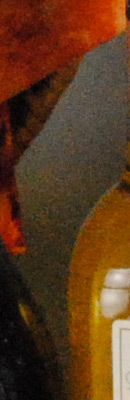
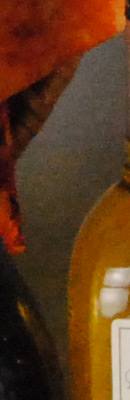
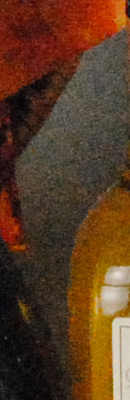
Using defaults puts the NikonD3000 at a bit of a disadvantage in the above table, since it defaults NR to Off while others default to On, so we’ve included images from both settings for it. As you can see, the Canon XS appears to have the lowest noise of the three. The Sony A230 applies stronger noise reduction, so while it’s images are a bit cleaner, they do not have the same level of detail.