
Overview

---
Special update: The Canon 5DS was named Best Professional Camera in our 2015 Camera of the Year awards!
---
When Canon released the 1D X back in 2012, it replaced both the high-speed, sports-shooting 1D Mark IV as well as the high-resolution 1Ds Mark III cameras. With an 18.1-megapixel sensor, it was only a marginal boost in resolution from the 1DMkIV, but a decrease from the 21.1MP 1DsIII. Studio, advertising and other photographers needing high-resolution images were left worried that a pro-level, full-frame camera with a large megapixel count was gone from Canon's repertoire.
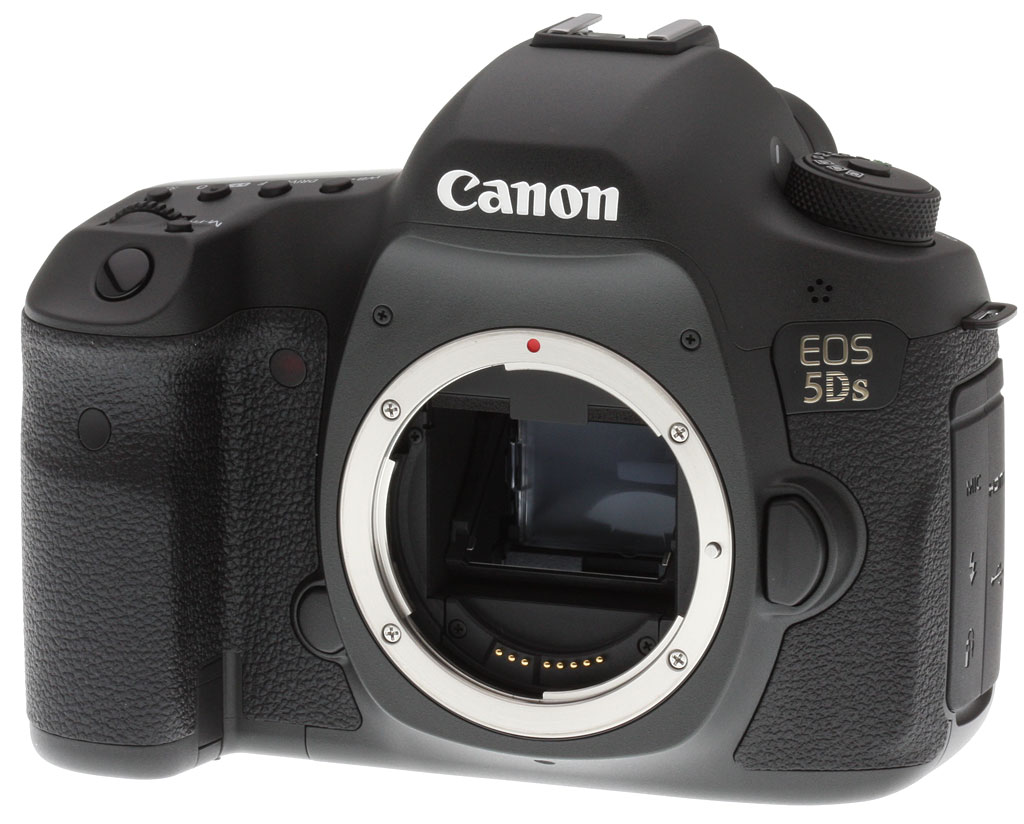
Fear not, though, as Canon has resurrected the "S" designation and introduced it to the 5D-series with the new Canon 5DS full-frame DSLR. Sporting a massive 50.6-megapixel, Canon-designed, full-frame sensor, the Canon 5DS is now the highest resolution full-frame DSLR in the world. Combined with dual DIGIC 6 processors like the new 7D Mark II, this new full-frame camera offers a substantial increase in sheer resolution horsepower over both the 22.3MP 5D Mark III and the previous 1Ds Mark III cameras. Targeting advanced amateurs and professionals that demand high image quality, the 5DS is also going after a chunk of the medium format market. Not only is the 5DS smaller and lighter than digital medium format cameras, but also the vast selection of lenses for the EF mount provides immense creative options.

Using a nearly identical body design as the 5D Mark III -- save for the model badging -- the big story lies under-the-hood with both hardware and software changes compared to the 5D Mark III. It should be pointed out, however, that the 5DS and simultaneously announced 5DS R do not replace the 5D Mark III. Each camera serves very different types of photographers with different use-cases and includes their share of advantages and disadvantages depending on the style of photography.
The 5DS has a pixel pitch of 4.14 microns, whereas the 5D Mark III's sensor has a pixel pitch of 6.25 microns giving the Mark III an advantage in terms of per-pixel noise. Given the massive 50-megapixel resolution is spread over the area of a 35mm full-frame CMOS chip, the pixel pitch of the sensor in the 5DS is actually comparable to that of the 20-megapixel APS-C 7D Mark II. This should give the 5DS a level of noise performance similar to that of the 7D Mark II. Interestingly, Canon is aware of this potential limitation, and as such, has limited the high ISO of the 5DS to 6400 (with an expandable high to 12,800 and low of 50).
The relatively limited ISO sensitivity range is indicative of the intended use-case of this type of camera, compared to a more general-purpose camera such as the 5D Mark III with its maximum ISO of 102,400. The Canon 5DS is designed for maximum performance in high resolution still images, particularly at lower ISOs. Landscape and architectural photography, where one would often use a tripod, are two primary use-cases for the 5DS. Also, studio, portraiture and advertising photography are other key areas for the 5DS, in which lighting conditions are more rigorously controlled and the need for high ISO performance is not as important. That being said, Canon states that the noise performance is still superior to that from the 5D Mark II, while the dynamic range performance is on the same level as the 5D Mark III.

The new Canon 5DS borrow heavily from the 7D Mark II in terms of under-the-hood technological improvements. In addition to the dual DIGIC 6 image processor configuration, the Canon 5DS utilizes the new 150,000-pixel RGB + IR metering sensor introduced on the 7D Mark II. This is a notable improvement from the iFCL 63-zone dual-layer metering sensor used on the 5D Mark III (and the 1D X's 100,000-pixel RGB sensor). The new system on the 5DS recognizes 252-zones, whereas the earlier 5D3 used a 63-zone system.
The Canon 5DS also shares the enhanced iTR AF (aka "Intelligent Tracking & Recognition AF") from the 7D Mark II, and is something not featured on the 5D3. Unlike the 7D Mark II, however, the 5DS uses the same 61-point AF point array as the 5D Mark III and 1D X, yet this is combined with the more robust metering system from the 7D2 for the enhanced iTR AF capabilities. The 5DS uses the 150K-pixel metering system to combine face detection and color information with the phase-detect AF sensor to help track subject movement.
The 5DS also introduces a host of new features, tweaks and improvements over the 5D Mark III, including the creation of timelapse movies in-camera, which itself is a first for the Canon EOS line. Within the menus, you can setup how many frames to capture and the interval between frame capture and the 5DS will produce a movie file right in the camera after all shots are recorded. According to Canon, the timelapse feature ranges from one second and up to a maximum of 99 hours, 59 minutes, 59 seconds. The playback rate of the resulting timelapse video depends on the video mode set in the menu. In NTSC mode, the playback rate is 29.97fps (30p), while in PAL mode, the playback rate is 25fps.

Given the massive 50-megapixel image files, it's no surprise that continuous burst performance is a bit lower than the more manageable 22.3MP 5D Mark III, for example. The 5DS can shoot up to five frames-per-second, whereas the 5D Mark III clocks-in at 6fps. See our Performance page for actual lab test results.
Also, in what we believe is another EOS camera first, Canon has added crop shooting modes for both 1.3x and 1.6x crop factors. It's an interesting addition to a camera that has not been specifically designed for wildlife or sports photography, in which a longer "reach" with the narrower field of view or smaller, quicker-to-write file sizes are potentially advantageous. Nevertheless, for a camera with such a massive resolution, it'll be pumping out huge file sizes -- especially when shooting RAW -- so, for situations were full resolution files are not needed, the option to crop down a bit for smaller files can be very useful. With the 1.3x crop mode -- effectively the FOV of the Canon's unique APS-H sensor size -- the images will be about 30.5-megapixels and the 1.6x crop for an APS-C FOV will be about 19.6-megapixels. As with other Canon EOS cameras, there are also variable quality/resolution sizes for JPEG files as well M-RAW (28MP) and S-RAW (12.4MP) options.
The Canon 5DS also adds a USB 3.0 port, a notable improvement to the USB 2.0 port on the 5D3. For studio and other tethered shooting situations, the significantly faster transfer rate that USB 3.0 offers will undoubtedly help speed up workflow with the 5DS' massive 50MP files.

The viewfinder itself also get a slight upgrade. While the focusing display with the 61-point AF system remains the same as the 5D Mark III, the 5DS R gains AF point illumination during AI Servo AF like the 1D X and the text display now matches that from the new 7D Mark II. Also with the new crop modes, framing guides will be displayed in the viewfinder to help with composition and framing.
For landscape photography, long exposures and other types of shots where detail is critical and the reduction of any sort of vibration is crucial, mirror lockup has been a key feature for photographers. The Canon 5DS, not surprisingly, includes the standard two-press method, in which you press the shutter button once to lock up the mirror and then a second time to capture the photo. However, there could still be some residual vibration in the camera or tripod from the shutter movement and from the photographer physically touching the camera, and so Canon has included a shutter delay feature. You can now set a timed delay between when you press the shutter button to lock up the mirror and when the camera takes the photo. You only have to press the shutter button once and you can allow the vibrations to calm down before the photo is captured.
Vibrations are further controlled with a newly designed mirror mechanism. In the 5D Mark III, the mirror mechanism was spring-driven, and as such, it could induce a lot of vibration at the top of its travel. With the 5DS, however, the mechanism is motor-driven, which allows the speed to be controlled, and the mirror's speed is actually slowed down just before it hits the top of the its travel. The chassis of the camera itself and the tripod socket has also been carefully tweaked for improved stability.


On the software side, the 5DS brings over the flicker detection from the 7D Mark II to help time shots properly to counteract the fluctuating brightness of certain types of artificial lighting. Canon has also improved Auto White Balance performance. Previously, the sensor was limited to color temperatures ranging from around 3000 Kelvin to 7000 Kelvin, and so extreme color temperatures were still captured incorrectly. With the 5DS, the ability to select ambience priority or white priority, the latter of which will give a much more neutral white balance at extreme color temps.
Fans of the "Q" Button for Canon's Quick Control interface now gain the ability to customize the layout and what settings and other information is displayed.
Canon has also introduced a new Picture Style adjustment option called Fine Detail, which expands the customizability of image sharpness, for both still and video. Essentially functioning similar to Photoshop's Unsharp Mask, you can now tweak and control the strength, fineness and threshold, rather than just having a simple 0-7 scale as on Canon's other DSLRs.

Speaking of video, this is an area with differs radically between the 5DS and the 5D Mark III. The short of it is: if you're serious about video or a multimedia producer who needs expanded video options, the 5DS is not the camera for you. The Canon 5DS is focused primarily as a still photography tool. And while it does have the ability to record video, its options for movie recording, such as resolution and frame rate, focus and audio recording are very limited compared to Canon other current line of HD-DSLRs. For example, video resolution is maxed out at 1080/30p, despite the DIGIC 6 processors that allows for 1080/60p in cameras like the 7D Mark II. Furthermore, the 50-megapixel sensor is not a Dual Pixel AF sensor, so Movie Servo AF will not be as fast and smooth as on the 7D Mark II and 70D. There is also no headphone jack, but at least there's an external microphone input.
Like the 5D Mark III, the 5DS includes dual card slots -- one CompactFlash and one Secure Digital -- however, unlike the Mark III, the SD slot in the 5DS is UHS-I compliant. Also, given the same body design as the 5D Mark III, all the standard Canon accessories, such as batteries and vertical grip, are compatible with the 5DS. And as with the 5D Mark III, the estimated shutter durability is rated at 150,000 cycles.
Available from June 2015, the Canon 5DS is priced as a body-only configuration at an MSRP of US$3,699.
However, if you're yearning for the utmost image resolution and sharpness, Canon has also released a sibling to the 5DS, appropriately called the 5DS R. This version keeps the same 50-megapixel sensor but cancels out the effect of the optical low-pass filter -- a la the Nikon D800E -- for maximum image resolution, sharpness and detail. Otherwise, the two siblings are identical.

Head over to our full Canon 5DS R Review which includes two Field Tests for our take on handling, operation, performance and features which also apply to the Canon 5DS, and be sure to check out our Image Quality Comparison to see how the 5DS compares to the 5DS R to decide which model is the one for you!
Optics
The Canon 5DS is usually sold body-only, so we have no "kit" lens optical test results to share here.
Below are our Canon 5DS viewfinder accuracy test results.
Viewfinder Test Results
Accuracy
Very good accuracy from the optical viewfinder, excellent from the LCD in Live View mode.


We measured the Canon 5DS' optical viewfinder's coverage at just over 98% which is pretty close to Canon's 100% coverage specification. (Note that the 5DS R tested a little better at 99%, the difference likely just due to sample variation combined with test tolerances.) The resulting image was very slightly titled and shifted with respect to the sensor, which is unfortunately quite common with optical SLR viewfinders. Live View mode using the LCD monitor in record mode resulted in 100% coverage.
The images above were taken from our standardized test shots. For a collection of more pictorial photos, see our Canon EOS 5DS Photo Gallery .
Exposure
Color
Saturation & Hue Accuracy
Fairly typical saturation levels with excellent hue accuracy.
 |
||
|
ISO Sensitivity
|
||
| In the diagram above, the squares show the original color, and the circles show the color that the camera captured. More saturated colors are located toward the periphery of the graph. Hue changes as you travel around the center. Thus, hue-accurate, highly saturated colors appear as lines radiating from the center. Mouse over the links above to compare ISOs, and click to load a larger version. | ||


Saturation. The Canon 5DS produces images with fairly typical saturation levels. Reds, oranges, dark greens and dark blues are pushed a little, while aqua and yellow are slightly muted. The mean saturation of 112.3% (12.3% oversaturated) at base ISO of 100 is close to average, and it remains close to average across ISOs, dipping only slightly to a minimum of 109.5% at ISO 6400. We found the 5DS' colors pleasing and vibrant, without being too overdone. Most consumer digital cameras produce color that's more highly saturated (more intense) than found in the original subjects. This is simply because most people like their color a bit brighter than life.
Skin tones. The Canon 5DS produces nice, natural-looking Caucasian skin tones in our tests when using Manual white balance, though with a bit of an orange push. When using Auto white balance, skin tones were a little too cool. Where oversaturation is most problematic is on Caucasian skin tones, as it's very easy for these "memory colors" to be seen as too bright, too pink, too yellow, etc.
Hue. As we've come to expect from Canon, the 5DS' hue accuracy is excellent when manual white balance is used (as it always is for these results), and much better than average. There are the usual shifts in cyan toward blue (though actually quite small), red toward orange, orange toward yellow, and yellow toward green, but all are quite minor. Average "delta-C" color error at base ISO is only 3.67 which is excellent (smaller numbers are better). Delta-C color error increases with ISO, but remains better than average even at the highest ISOs. Hue is "what color" the
color is.


Sensor
Exposure and White Balance
Indoors, incandescent lighting
Auto and Incandescent settings both struggled with household incandescent lighting, though Manual white balance worked well. Higher than average exposure compensation required.


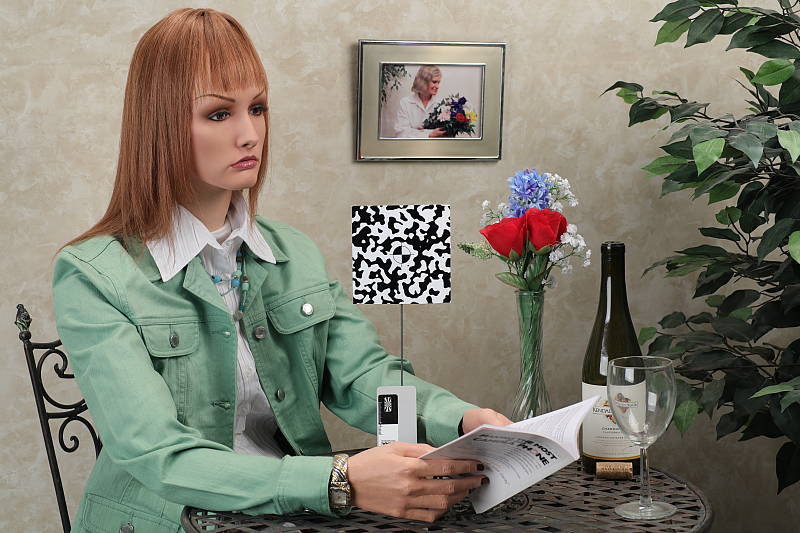
Indoors, under incandescent lighting, the Canon 5DS' Auto and Incandescent white balance settings struggled, producing very warm orange/yellow color casts. Unfortunately, this is not uncommon among cameras we've tested, but disappointing nonetheless especially for a pro model. The Canon 5DS does however have a White Priority option for Auto white balance that should result in more neutral color balance, however we did not test that mode in the lab. The Manual setting produced the most accurate results, though just slightly cool with a small nudge toward green. The Canon 5DS required +1.0 EV exposure compensation for this shot, which is higher than the +0.3 EV average among the cameras we've tested, though that could be because we use a third-party lens (Sigma 70mm f/2.8 Macro) for these shots. (Our test lighting for this shot is a mixture of 60 and 100 watt household incandescent bulbs, a pretty yellow light source, but a very common one in typical home settings here in the U.S.)
Outdoors, daylight
Great color, though a tendency towards slightly cool color balance with somewhat high contrast under harsh lighting. Average exposure accuracy.
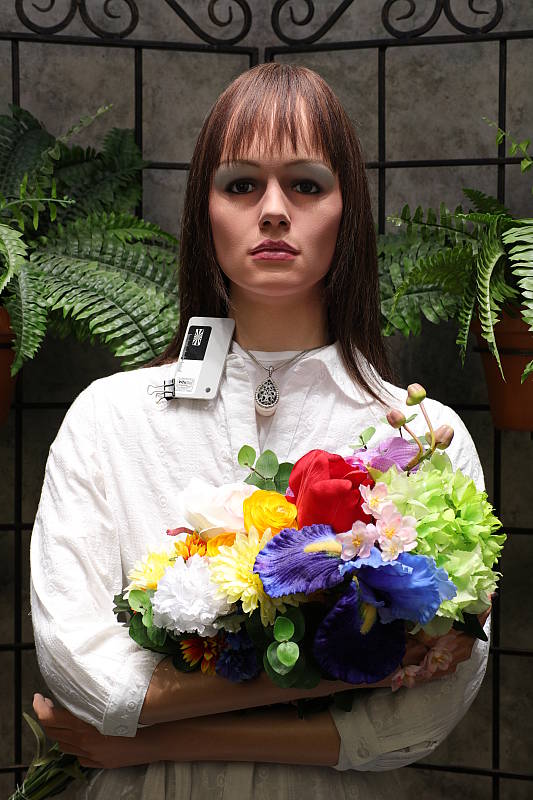
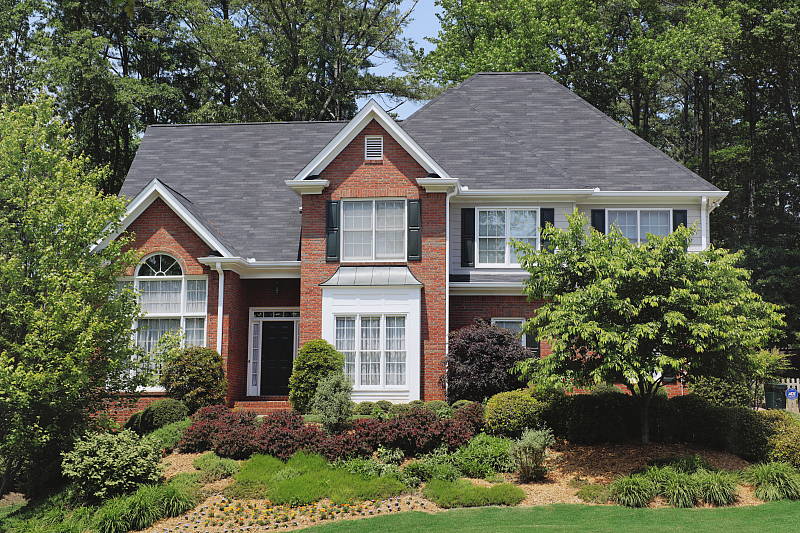
Outdoors, the Canon 5DS tended toward a slightly cool color balance with Auto white balance, though overall color is generally very good. We preferred Manual white balance for our "Sunlit" portrait shot above left, and the Canon 5DS required +0.7 EV exposure compensation to keep the mannequin's face bright, which is about average. The Canon 5DS' default contrast is a little high, producing some washed-out highlights and dark shadows under the deliberately harsh lighting of the shot above left, though the camera's Auto Lighting Optimizer and Highlight Tone Priority settings help with high contrast scenes like these. See below for examples of this. The Far-field shot (above right) is also a bit cool, and exposure is quite conservative, with the camera underexposing to avoid blowing highlights which resulted in some very dark shadows. Shadow detail is very good, though deep shadows are a bit noisy for a full-frame camera.
See full set of test images with explanations
See thumbnails of all test and gallery images
Resolution
Over 4,000 lines of resolution.



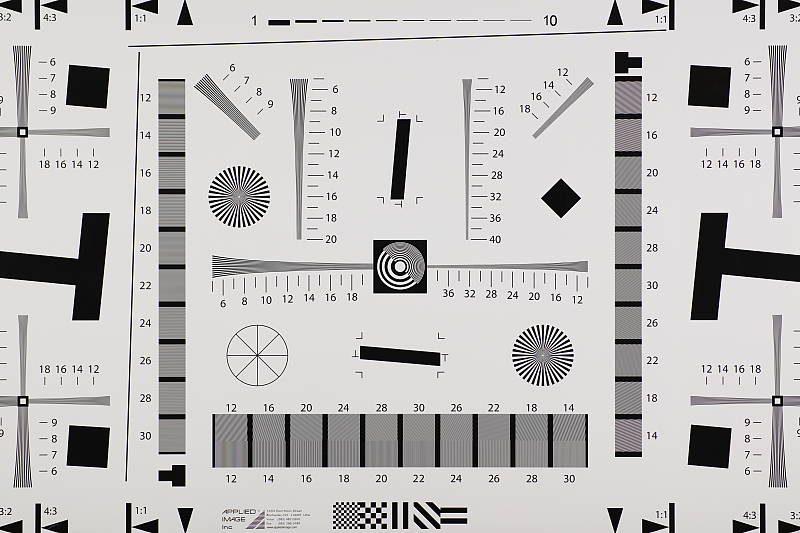
Our laboratory resolution chart shows the Canon 5DS' JPEG images contain sharp, distinct line patterns past the limits of our chart both horizontally and vertically, though some aliasing in the form of luminance moiré can be seen starting at about 3,300 to 3,400 lines per pixel height. Still, the aliasing is fairly minor and all lines in the pattern can be clearly distinguished at the 4,000 line limit of our chart. An Adobe Camera Raw converted .CR2 file shows similar resolution, but with more false colors than the camera produced (although less than the 5DS R produced). Use these numbers to compare with other cameras of similar resolution, or use them to see just what higher resolution can mean in terms of potential detail.
See full set of test images with explanations
See thumbnails of all test and gallery images
Sharpness & Detail
Very good sharpness with excellent detail with a sharp lens. Minor detail loss due to noise reduction processing even at low ISOs.


Sharpness. The Canon 5DS' 50.6-megapixel sensor captures excellent image detail when coupled with a good lens, though images are just a bit softer than the 5DS R's, due to the inclusion of an optical low-pass filter. As is usually the case with Canons, the 5DS' default sharpening settings generate obvious sharpening halos around high-contrast edges. But the 5DS allows much more control over sharpening than previous EOS models, so we've shot most of our lab shots with the new Fine Detail Picture Style preset, which, as you can see above left, produces very good sharpness with much fewer sharpening artifacts than the default Standard Picture Style. See below for a comparison between the two presets. Edge enhancement creates the illusion of sharpness by enhancing colors and tones right at the edge of a rapid transition in color or tone.
Detail. The crop above right shows some minor detail loss due to noise suppression in darker areas and in areas with low contrast, perhaps just a little more than we're accustomed to seeing from a full-frame digital SLR at base ISO. Still, a very good performance for a 50.6-megapixel model, with very low chroma noise. Noise-suppression systems in digital cameras tend to flatten-out detail in areas of subtle contrast. The effects can often be seen in shots of human hair, where the individual strands are lost and an almost "watercolor" look appears.


Fewer Aliasing Artifacts. As mentioned previously the Canon 5DS captures sharp, detailed images that are just a touch softer than its OLPF-less 5DS R brother.
As you can see in our Still Life shots, far more obvious moiré patterns can be seen in the Samuel Smith bottle label taken with the 5DS R (at right) than with the 5DS (left), and you can see more moiré in some other shots as well, such as in the window shades of our Far Field shots. Is the extra sharpness offered by the 5DS R worth the risk of increased aliasing? Only you can decide, as that depends a lot on the subject matter you typically shoot. Most natural subjects won't produce many aliasing artifacts due to their more random or irregular shapes. If on the other hand you shoot a lot of man-made subjects like buildings and clothing, you'll likely appreciate the 5DS' better resistance to aliasing.
In-Camera JPEGs: Standard vs Fine Detail Picture Style setting
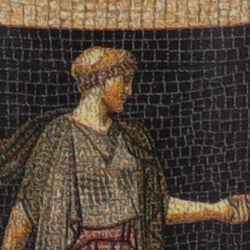
As mentioned, the Canon 5DS and 5DS R offer a new Picture Style preset called Fine Detail. Below is a comparison with the Standard, default Picture Style.
|
Base ISO (100)
|
|
 |
 |
 |
 |
 |
 |
|
Camera JPEG, defaults
|
Camera JPEG, Fine Detail
|
In the table above, we compare the Canon 5DS' default Standard Picture Style setting to its new Fine Detail preset at base ISO. The 5DS offers users much more flexibility in sharpening than prior EOS models, allowing you to adjust not only the "Strength" (from 0 to 7) but also the "Fineness" (1 to 5) and "Threshold" (1 to 5) operators. We believe these parameters correlate to unsharp mask options for strength, radius and threshold available in photo editing software such as Photoshop, although we don't know what the equivalent units might be.
The Fine Detail Picture Style preset boosts the Sharpness Strength operator one notch (to 4 out of 7) while dialing down the Fineness (1/5) and Threshold (1/5) operators to their minimum compared to Standard which defaults to Sharpness 3/7, Fineness 4/5 and Threshold 4/5. The result is significantly improved rendering of fine detail along with less obvious sharpening halos than the default Standard setting, however noise is more visible as well. There also appear to be minor differences in color and contrast, even though those settings are identical between these two Picture Styles presets.
RAW vs In-Camera JPEGs
As noted above the Canon 5DS produces sharp JPEG images with phenomenal detail, especially when using the Fine Detail Picture Style preset. Let's see how Adobe Camera Raw compares:
|
Base ISO (100)
|
|
|
 |
|
 |
|
 |
|
Camera JPEG, Fine Detail Picture Style
|
RAW via Adobe Camera Raw
|
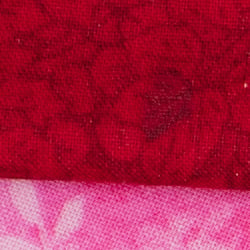
In the table above, we compare a best quality in-camera JPEG taken at base ISO using default noise reduction and the Fine Detail Picture Style preset (on the left) to the matching RAW file converted with Adobe Camera Raw 9.1 using default noise reduction with some moderate but tight unsharp masking applied in Photoshop (250%, radius of 0.3 pixels, and a threshold of 0).
Looking closely at the images, we can see the camera's Fine Detail Picture Style comes pretty close to matching the amount of detail offered by Adobe Camera Raw using its default noise reduction, though the Adobe Camera Raw conversion does still manage to eke out slightly better detail, likely due to more sophisticated demosaicing and higher default contrast. The conversion does however show higher noise in the shadows and flat areas, so overall the camera does a more balanced job. All in all, really excellent results, so much so that we're not sure why Canon doesn't make Fine Detail Picture Style the default, other than to remain consistent with other EOS models.
ISO & Noise Performance
Excellent noise versus detail tradeoff up to ISO 1600.
|
Default High ISO Noise Reduction
|
||
 |
 |
 |
| ISO 50 | ISO 100 | ISO 200 |
 |
 |
 |
ISO 400 | ISO 800 | ISO 1600 |
 |
 |
 |
ISO 3200 | ISO 6400 | ISO 12,800 |
Images are quite clean at ISOs 50 through 200, with just a tiny amount of luminance noise seen in the shadows, and very little chroma noise. Some minor blurring of fine low-contrast detail is already visible at base ISO, though, as mentioned previously. Noise "grain" is slightly more evident at ISO 400 in the shadows, but detail remains very strong despite some minor blurring due to noise reduction. ISO 800 and 1600 are of course a little noisier, but fine detail is still very good with a noise grain that's quite fine and chroma noise well under control. At ISO 3200 the image becomes noticeably grainier resulting in a more evident drop in image quality, though fine detail is still very good and chroma noise remains well-controlled. ISO 6400 is quite grainy with minor chroma noise, but there is still quite a bit of fine detail left because the noise grain is still quite tight and film-like. Noise and the effects of noise reduction working hard to keep it under control become more apparent at ISO 12,800 with heavier luminance noise, stronger blurring and some obvious chroma blotching. Still, detail is not too bad at this sensitivity.
Overall, high ISO performance is not bad considering the resolution. The camera does not however offer ISOs any higher than 12,800 equivalent, which is a stop or more lower than some competing models.
See the Print Quality section below (when available) for our evaluation of maximum print sizes at each ISO setting.
A note about focus for this shot: We used to shoot this image at f/4, however depth of field became so shallow with larger, high-resolution sensors that it was difficult to keep important areas of this shot in focus, so we have since started shooting at f/8, the best compromise between depth of field and sharpness.
Extremes: Sunlit, dynamic range and low light tests
Extremely high resolution with strong overall detail, but somewhat high default contrast and unremarkable dynamic range. HTP and ALO options do a great job of dealing with tough lighting. Very good low-light performance.


The Canon 5DS produced moderately high contrast with some washed-out highlights and deep shadows under the deliberately harsh lighting of the test above. The mannequin's face was too dim at the default and +0.3 EV settings and too many highlights were blown with +1.0 EV, so we preferred the image with +0.7 EV exposure compensation overall. This resulted in some clipped highlights in the shirt and flowers, a bit more than we're used to seeing from a full-frame sensor lately, indicating mediocre dynamic range compared to the best of recent competitors. Shadow detail was however pretty good, though very deep shadows have moderately high amounts of both chroma and luma noise. Bottom line: while dynamic range isn't bad, the Canon 5DS didn't do as well with this difficult shot compared to most recent state-of-the-art full-frame cameras, though its higher resolution should help to offset noise in the shadows when producing prints of equal size.
Because digital cameras are more like slide film than negative film (in that they tend to have a more limited tonal range), we test them in the harshest situations to see how they handle scenes with bright highlights and dark shadows, as well as what kind of sensitivity they have in low light. The shot above is designed to mimic the very harsh, contrasty effect of direct noonday sunlight, a very tough challenge for most digital cameras. (You can read details of this test here. In actual shooting conditions, be sure to use fill flash in situations like the one shown here; it's better to shoot in open shade whenever possible.)
Highlight Tone Priority
The Canon 5DS' Highlight Tone Priority (HTP) option did an excellent job of preserving highlight detail, though deep shadows were also affected, as shown below. (Mouse over the Off and On links to load the corresponding thumbnail, histogram and crops.)
|
Highlight Tone Priority (+0.3EV)
|
|
 |
|
| Highlights |  |
| Shadows (Levels boosted to reveal noise.) |
 |
| Histogram |  |
Both shots above were captured at the same exposure, the only difference being that HTP was enabled for the second shot which necessarily increases the ISO to 200; part of how HTP works. The result is evident in the crops, histograms and thumbnails above, clearly showing the superior highlight preservation when HTP is enabled, though shadow brightness is also affected somewhat.
If you look closely at shadows (the levels in shadow crops above are heavily boosted to reveal noise that would be difficult to see otherwise), you'll notice an increase in noise is the price you pay when ISO is boosted from 100 to 200. Except in the very deepest shadows, though, overall noise is low enough at ISO 200 that this is really a negligible trade-off for all but the most critical applications.
Automatic Lighting Optimization
Like previous Canon EOS models, the 5DS offers three selectable levels of Automatic Lighting Optimization (ALO), plus Off. In fully automatic mode (Scene Intelligent Auto) ALO is automatically enabled and it's available in P, Tv, Av, M and B exposure modes. Mouse over the links below to load the associated thumbnail and histogram, and click on the links to load full resolution images.
|
Automatic Lighting Optimization (+0.3 EV)
|
|
 |
|
 |
|
As you can see above, ALO has the effect of shifting shadows and mid-tones in the histograms to the right, brightening shadows and darker midtones without shifting the highlights as much. ISO sensitivity is not boosted for ALO so increased noise is not an issue, though it may be slightly more visible in shadows that have been boosted significantly.
High Dynamic Range
The Canon 5DS' in-camera HDR feature takes three continuous shots at different exposures and merges them together to create an image with wider tonal range than would be possible with a single exposure. There are three strength settings available (+/-1EV, +/-2EV,+/-3EV), plus Auto. And there are 5 possible Effect settings: Natural (default), Art Standard, Art Vivid, Art Bold and Art Embossed. The source images captured are not saved, and RAW mode is not supported. (Mouse over the links below to load the corresponding thumbnail.)
As you can see, the HDR shots above (Natural effect) have improved dynamic range with preserved highlights and shadows that have been opened up with lower noise, with the Auto setting producing results very similar to +/2 EV. Do however note that a significant part of the image has been cropped away in the alignment process, and that the resulting images aren't quite as detailed overall, because the cropped image is resampled to full 50-megapixel image size. Also be aware that ghosting can occur when elements of the scene move during the sequence capture, as can be seen with the moving flag and greenery in some of these shots.
Dynamic Range Analysis (RAW mode)
While we once performed our own dynamic range measurements based on in-camera JPEGs as well as converted RAW images (when the camera was supported by Adobe Camera Raw), we've switched to using DxO Labs' results from their DxOMark website. As technology advanced, the dynamic range of modern high-end cameras in some cases exceeded the range of the Stouffer T4110 density scale that we used for our own measurements. DxO's approach based on RAW data before demosaicing is also more revealing, because it measures the fundamental dynamic range of the sensor, irrespective of whatever processing is applied to JPEGs, or to RAW data by off-the-shelf conversion software.
In the following, we use DxO's "Print" dynamic range results, which are scaled based on camera resolution. As the name suggests, this scaling corresponds to the situation in which you print at a given size, regardless of how many megapixels the camera might have. (In other words, if you've decided to make a 13x19 inch print, that's the size you're printing, whether the camera's resolution is 16 or 300 megapixels.) For the technically-minded, you can find a discussion of the reasoning behind this here on the DxOMark website. Also note that DxO Labs uses a signal-to-noise (SNR) threshold of 1 when defining the lower boundary of acceptable luminance noise in their dynamic range measurements, which corresponds to the "Low Quality" threshold of the Imatest software we used to use for this measurement.

Here, we decided to compare the Canon 5DS' dynamic range to the Sony A7R II's and also to Nikon's top DSLR at time of writing, the D810. Note that the 5DS and 5DS R have identical dynamic range results, and you can always compare other models on DxOMark.com.
As you can see from the above graph (click for a larger version), the Canon 5DS' normalized dynamic range is significantly lower than both the A7R II and D810 at low ISO, with a peak range of about 12.4 EV versus 13.9 EV for the Sony and a whopping 14.8 EV for the Nikon at base ISO.
Interestingly, the 5DS' normalized dynamic range matches the D810 at ISO 800 and above, but the A7R II does significantly better than both, offering roughly a 3/4 to 1-1/2 stop advantage over the 5DS at most ISOs. Click here to visit the DxOMark page for the Canon 5DS for more of their test results and additional comparisons.
| 1 fc 11 lux |
1/16 fc 0.67 lux |
1/16 fc No NR |
|
|---|---|---|---|
| ISO 100 |
 2s, f2.8 |
 30s, f2.8 |
 30s, f2.8 |
| ISO 3200 |
 1/15s, f2.8 |
 1s, f2.8 |
 1s, f2.8 |
| ISO 12800 |
 1/64s, f2.8 |
 1/4s, f2.8 |
 1/4s, f2.8 |
Low Light. The Canon 5DS performed well in our low-light tests, capturing bright images at the lowest light level (1/16 foot-candle), even at base ISO (100). As expected, noise increases as ISO goes up and light levels go down, but noise is very fine-grained at ISO 3200. As you'd expect, noise is a little high at the maximum ISO of 12,800, particularly when noise reduction is minimized (extreme right column in the table above), however it's still quite fine-grained with a fairly ow chroma component (with default noise reduction enabled), leaving good detail for the sensitivity.
We noticed a few hot pixels here and there, but nothing out of the ordinary. We didn't see any signs of heat blooming though some minor horizontal banding (fixed pattern noise) appears in very deep shadows.
Color balance was once again a bit cool with the Canon's 5DS' Auto white balance setting, though white balance warmed up at lower light levels.
When using the optical viewfinder and phase-detect AF, the Canon 5DS' autofocus system was able to focus on the subject down to below our 1/16 foot-candle limit unassisted with an f/2.8 lens, which is excellent. And it was able to focus in complete darkness with AF assist enabled. In Live View mode, the Canon 5DS was able to focus down to just above the 1/16 foot-candle light level, which is also excellent for a DSLR in Live View mode.
As always, keep in mind that the longer shutter speeds here demand the use of a tripod to prevent any blurring from camera movement. (A useful trick is to just prop the camera on a convenient surface, and use its self-timer to release the shutter. This avoids any jiggling from your finger pressing the shutter button, and can work quite well when you don't have a tripod handy.)
How bright is this? The one foot-candle light level that this test begins at roughly corresponds to the brightness of typical city street-lighting at night. Cameras performing well at that level should be able to snap good-looking photos of street-lit scenes.
NOTE: This low light test is conducted with a stationary subject, and the camera mounted on a sturdy tripod. Most digital cameras will fail miserably when faced with a moving subject in dim lighting. (For example, a child's ballet recital or a holiday pageant in a gymnasium.) Digital SLRs like the Canon 5DS do much better than point & shoots, but you still shouldn't expect a quick autofocus lock with moving subjects.
Output Quality
Print Quality
 We haven't printed images from the Canon 5DS because image quality is so similar to the 5DS R that print sizes should be identical, just not quite as crisp but with fewer aliasing artifacts. See our Canon 5DS R Print Quality Analysis for recommended print sizes at each ISO.
The images above were taken from our standardized test shots. For a collection of more pictorial photos, see our Canon EOS 5DS Photo Gallery .
Not sure which camera to buy? Let your eyes be the ultimate judge! Visit our Comparometer(tm) to compare images from the Canon EOS 5DS with those from other cameras you may be considering. The proof is in the pictures, so let your own eyes decide which you like best!
Performance
Timing and Performance
Mixed performance for a prosumer DSLR.
| Startup/Play to Record | ||
|---|---|---|
|
Power on |
~0.5 second
|
Time it takes to turn on and capture a shot. |
|
Play to Record, |
~0.3 second
|
Time until first shot is captured. |
Powering on and taking a shot was fairly quick for a DSLR, at about 0.5 second. Switching from Play to Record mode and taking a shot was slightly faster, at about 0.3 second.
| Shutter Response (Lag Time) | ||
|---|---|---|
| Optical Viewfinder | ||
|
Full Autofocus |
0.268 second
|
Time from fully pressing shutter button to image capture. All AF timing measured with Sigma 70mm f/2.8 Macro lens. |
|
Full Autofocus |
N/A
|
Time to capture while forcing flash to fire. Preflash metering pulses from flash often slow shutter response. |
|
Manual Focus |
0.189 second
|
For most cameras, shutter lag is less in manual focus than autofocus, but usually not as fast as when the camera is "prefocused". |
|
Prefocused |
0.057 second
|
Time to capture, after half-pressing and holding shutter button. |
| Live View | ||
|
Prefocused |
0.092 second
|
Time to capture, after half-pressing and holding shutter button. |
In terms of the Canon 5DS' ability to determine that it's properly focused when shooting the same target multiple times using the optical viewfinder with our Sigma 70mm f/2.8 lens, its full autofocus shutter response was a little slow for a pro DSLR. We measured 0.268 second for full AF lag using single point (center) AF, which is closer to consumer DSLR AF speed.
Shutter lag using manual focus was fair at 0.189 second, also a little on the slow side. However, "Prefocusing" the camera by half-pressing and holding down the shutter button before the final exposure was quite fast at only 0.057 second.
The Canon 5DS' prefocused shutter lag time in Live View mode was 0.092 second, which is very fast for a DSLR. Note that we no longer test full AF lag in Live View mode for DSLRs, because the lens used makes such a huge difference that comparing is pointless. We'll try to comment on real-world Live View AF performance in our shooter's reports.
To minimize the effect of different lens' focusing speed, we test AF-active shutter lag with the lens already set to the correct focal distance.
| Cycle Time (shot to shot) | ||
|---|---|---|
|
Single Shot mode |
< 0.3 second
|
Time per shot, averaged over a few frames. |
|
Single Shot mode |
< 0.3 second
|
Time per shot, averaged over a few frames. |
|
Early shutter |
No
|
Some cameras don't snap another shot if you release and press the shutter too quickly in Single Shot mode, making "No" the preferred answer. |
|
Continuous High mode |
0.21 second (4.84 frames per second);
28 frames total; 6 seconds to clear* |
Time per shot, averaged over 28 shot buffer capacity, then slowed to an average of 0.31s or 3.21 fps when buffer was full. |
|
Continuous High mode |
0.21 second (4.86 frames per second);
15 frames total; 12 seconds to clear* |
Time per shot, averaged over 15 shot buffer capacity, then slowed to an average of 0.59s or 1.71 fps when buffer was full. |
|
Continuous High mode |
0.21 second (4.88 frames per second);
11 frames total; 14 seconds to clear* |
Time per shot, averaged over 11 shot buffer capacity, then slowed to an average of 0.75s or 1.34 fps when buffer was full. |
|
Flash recycling |
N/A
|
Flash at maximum output. |
|
*Note: Buffer clearing times measured with a SanDisk Extreme Pro 100MB/s UDMA 7 CompactFlash card. Slower cards may produce correspondingly slower clearing times. Slow cards may also limit length of bursts in continuous mode. ISO sensitivity and noise reduction settings can also affect cycle times and burst mode performance.
|
||
Single-shot cycle times were so fast that they were difficult to accurately measure as they depend on the tester's nimbleness and ability to maintain an optimum rhythm. (Note that we no longer test single-shot mode with just RAW files, as the results are usually somewhere in between JPEG and RAW+JPEG modes.)
Full-resolution continuous high mode speeds were decent for a full-frame DSLR with such high resolution, though the 5DS' burst speed certainly won't compete with sports-orientated DSLRs. We measured about 4.8 frames-per-second when shooting best quality JPEGs, and closer to 4.9 fps for RAW and RAW+JPEG files. That's pretty close to Canon's 5.0 fps spec. The 5DS also has low-speed and silent continuous shooting modes which are both rated by Canon at 3.0 fps, however we did not test those modes in the lab.
Buffer depth for best quality JPEGs was good at 28 frames before the camera started slowing down. When shooting RAW files, buffer depths dropped to 15 RAW frames and 11 RAW+JPEG frames.
Buffer clearing times were good considering the resolution, ranging from 6 seconds after 28 best quality JPEGs, to 14 seconds after a burst of 11 RAW+JPEG frames with a fast UDMA 7 CompactFlash card.
Bottom line, the Canon 5DS offers mixed performance, ranging from mediocre autofocus and burst speeds to very fast prefocused shutter lag. Still, decent performance overall for its intended market.
Battery
Battery Life
Below average battery life for pro DSLR.
| Operating Mode | Number of Shots |
|---|---|
|
Still Capture,
(CIPA standard, Optical Viewfinder) |
700
|
|
Still Capture,
(CIPA standard, Live View LCD) |
200
|
The Canon 5DS uses a custom LP-E6 rechargeable lithium-ion battery for power, and ships with a dedicated battery charger. Battery life is below average for a professional DSLR using the optical viewfinder, CIPA-rated at 700 shots per charge (and keep in mind the 5DS has no built-in flash, which is normally enabled for 50% of shots during CIPA battery life testing). And of course Live View mode draws more power reducing battery life considerably. We recommend you pick up a spare battery and keep it freshly charged and on-hand, or consider purchasing the BG-E11 battery grip which doubles battery life with a second battery installed.
The table above shows the number of shots the Canon 5DS is capable of (on a fully-charged rechargeable battery), based on CIPA battery-life and/or manufacturer standard test conditions.
(Interested readers can find an English translation of the CIPA DC-002 standards document here. (180K PDF document))
High ISO Noise Reduction
Canon 5DS High ISO Noise Reduction
The Canon 5DS's four High ISO Noise Reduction settings ("High, "Standard", "Low" and "Off") provide good flexibility in choosing how you want to make the trade-off between subject detail and noise levels. The camera also offers a Multi Shot Noise Reduction option which takes 4 shots, and then aligns and merges them into one image to average out noise.
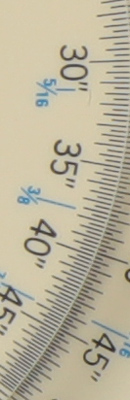
See for yourself how the Canon 5DS's "Standard" and "Off" High ISO NR settings compare to RAW without noise reduction under daylight-balanced lighting. (Note that these RAW images also have no sharpening applied, so they're a little softer than camera JPEGs at low ISOs.) Click on any of the crops below to see the corresponding full-sized image. Since the Canon 5DS user manual states noise reduction is applied at all ISOs, we've included crops from the base ISO on up.
| High ISO Noise Reduction Comparison Daylight-balanced illumination |
|||
|
"Standard"
|
"Off"
|
RAW (no NR)
|
|
|
I
S O 5 0 |
 |
 |
 |
 |
 |
 |
|
 |
 |
 |
|
|
"Standard"
|
"Off"
|
RAW (no NR)
|
|
|
I
S O 1 0 0 |
 |
 |
 |
 |
 |
 |
|
 |
 |
 |
|
|
"Standard"
|
"Off"
|
RAW (no NR)
|
|
|
I
S O 2 0 0 |
 |
 |
 |
 |
 |
 |
|
 |
 |
 |
|
|
"Standard"
|
"Off"
|
RAW (no NR)
|
|
|
I
S O 4 0 0 |
 |
 |
 |
 |
 |
 |
|
 |
 |
 |
|
|
"Standard"
|
"Off"
|
RAW (no NR)
|
|
|
I
S O 8 0 0 |
 |
 |
 |
 |
 |
 |
|
 |
 |
 |
|
|
"Standard"
|
"Off"
|
RAW (no NR)
|
|
|
I
S O 1 6 0 0 |
 |
 |
 |
 |
 |
 |
|
 |
 |
 |
|
|
"Standard"
|
"Off"
|
RAW (no NR)
|
|
|
I
S O 3 2 0 0 |
 |
 |
 |
 |
 |
 |
|
 |
 |
 |
|
|
"Standard"
|
"Off"
|
RAW (no NR)
|
|
|
I
S O 6 4 0 0 |
 |
 |
 |
 |
 |
 |
|
 |
 |
 |
|
|
"Standard"
|
"Off"
|
RAW (no NR)
|
|
|
I
S O 1 2 8 0 0 |
 |
 |
 |
 |
 |
 |
|
 |
 |
 |
|
The Canon 5DS's default "Standard" High ISO NR setting provides a very good tradeoff between noise and detail at low to moderate ISOs and does a great job at suppressing chroma noise, but it struggles to maintain lower contrast detail at higher ISOs, especially in our red-leaf fabric (as many cameras do). We'd probably shoot with lower settings at higher ISOs and reduce noise ourselves with post-processing (or just shoot RAW). Note how the "Off" setting doesn't disable noise reduction entirely even at low ISOs.