
Digital Cameras – Canon EOS 60D Test Images
Not sure which camera to buy? Let your eyes be the ultimate judge!
Visit our Comparometer(tm)
to compare images from the Canon EOS 60D with those from other
cameras you may be considering. The proof is in the pictures, so let
your own eyes decide which you like best!
|
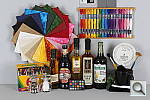
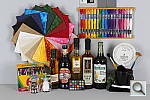
This is our new “Still Life” test target. We’re combining Here’s what to look for in this target:
|
||||||||||||||||||||||||||||||||||||||||||||||||||||||||||||||||||||||||||||||||||||||||||||||||||||||||||||||||||
|
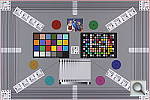
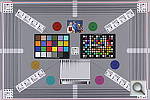
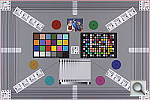
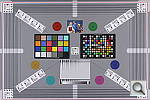
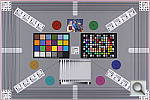
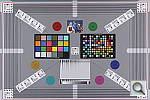
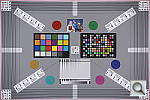
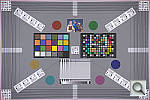
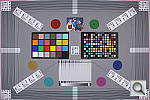
Our new “Multi Target” was first put into use in April, 2009, replacing the earlier “interim” design. This target incorporates a number of elements that combine aspects of the previous Multi target, as well as the previous Viewfinder Accuracy or “VFA” chart. Here’s some of what you’ll find in this target: Framing marks: This chart evolved from the earlier Viewfinder Accuracy chart, so one of its major uses is to measure viewfinder accuracy. (See notes in the Viewfinder Accuracy section, at the bottom of this page, for more information on this.) USAF resolution targets: An important use of this target is in evaluating lens quality, looking how well sharpness holds up as you move from the center to the corners of the frame. The little “USAF” resolution targets arranged at the center, in the corners, and along the diagonals are very useful for making fine judgements about blur, flare and aberrations in the image. We generally show crops of a USAF chip from a corner of the target and from the center, to show how lenses hold sharpness at wide and telephoto focal lengths. Alignment “bullseyes:” We find these graphics from the graphic arts world (used to align sheets of film in the old film-based prepress days) very useful for seeing chromatic aberration in lenses. The bold black/white elements are good for seeing the colored fringes caused by CA in the corners of the frame. MacBeth ColorChecker Chart: This is about as common a color standard as you can get these days, very widely available for only mildly exorbitant cost, and quite well controlled in its production. It thus serves as a good basis of comparison between cameras and between test setups. Imatest also understands the MacBeth colors very well, and uses them to produce its color accuracy map that we feature in all our reviews. MacBeth ColorChecker SG Chart: The ColorChecker SG chart provides a wider range of colors, to give a more detailed map of a camera’s color handling. We haven’t begun using this chart in the color-accuracy graphs we routinely offer, but expect to do so at some point in the future. In the meantime, we sometimes refer to this chart internally, to get a more complete idea of what a camera’s color map looks like. Log C/F Target: The progressive resolution pattern located just below the center of the target is a Log C/F (logarithmic contrast vs spatial frequency) chart. Digital camera noise reduction routines work by looking at levels of local contrast, flattening-out detail at progressively lower spatial frequencies as the local contrast decreases. (This is very commonly seen in human hair, grass, foliage, and other subjects with subtly-contrasting fine detail.) This chart lets Imatest analyze just how a camera makes the tradeoff between contrast, detail, and image noise. Color Starbursts: The six circular starburst elements arranged around the target are intended to reveal de-mosaicing artifacts and color-dependent resolution issues. The six starbursts provide examples of each combination of RGB colors intersecting each other. (That is, red, green, and blue against black, plus red against green, green against blue, and blue against red.) Given that the most common sensor RGB color filter pattern (the so-called Bayer) pattern has twice as many green pixels as red or blue, you’ll generally see that the green/black starburst shows the best resolution, while the blue/red one shows the worst. The effects of different sensor geometries and color filter array patterns will be revealed here. Musicians Image: Synthetic test patterns only tell you so much. While we have a lot of pictorial images in our other test targets, we thought it would be useful to include a small “natural” image here as well.
|
||||||||||||||||||||||||||||||||||||||||||||||||||||||||||||||||||||||||||||||||||||||||||||||||||||||||||||||||||
|
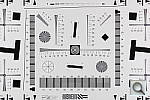
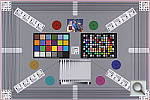
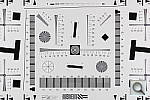
Part of the impetus in developing the new Multi Target in April 2009 was to switch to using a new 2x target for the resolution measurements, since the original ISO 12233 chart we’d used since the site first began in 1998(!) had become inadequate for testing the highest-resolution cameras. We’d for quite some time had a “homemade” 2x target, employing a shrunk version of the ISO 12233 chart, shot at 1/2 size. The resolution numbers on that chart all needed to be doubled to convert to the actual values, though, so we decided to go with a commercial 2x target to eliminate possible confusion on the part of our readers. Numbers on this new 2x resolution chart now read directly in hundreds of lines/picture height. (Because almost all of the area of this new resolution chart is now meaningful for resolution measurements, there was no longer space on it to overlay the MacBeth and other color targets on our prior Multi chart; hence the simultaneous change in our Multi target.)
|
||||||||||||||||||||||||||||||||||||||||||||||||||||||||||||||||||||||||||||||||||||||||||||||||||||||||||||||||||
|
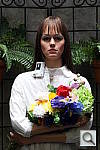
“Sunlit” Portrait: The lighting in this shot is deliberately awful, about what you’d expect The reason for the harsh lighting is to provide a real “torture Look for:
To view the entire exposure series from zero to +1.3 EV, see files E60DOUTAP0.HTM through E60DOUTBAP4.HTM on the thumbnail
|
||||||||||||||||||||||||||||||||||||||||||||||||||||||||||||||||||||||||||||||||||||||||||||||||||||||||||||||||||
Indoor Portrait, Flash:
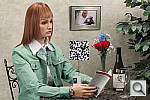
This shot duplicates indoor shooting conditions in most US homes, with Finally, exposure is important here, and frequently a tough challenge Note too, that the normal flash shot (as opposed to the slow sync one, To view the exposure series from zero to +1.0 EV in the normal flash mode, see files E60DINBFP0.HTM through E60DINBFP3.HTM on the thumbnail To view the same series in the Slow-Sync flash mode, see files E60DINBFSP0.HTM through E60DINBFSP3.HTM on the thumbnail index |
||||||||||||||||||||||||||||||||||||||||||||||||||||||||||||||||||||||||||||||||||||||||||||||||||||||||||||||||||
Indoor Portrait, No Flash:
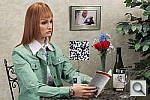
The incandescent lighting used in most US homes actually has a very The incandescent lighting used for this shot is thus not only very common Most cameras’ auto white balance systems have a great deal of difficulty If you intend to do much shooting indoors after dark, pay careful attention To view the entire exposure series from zero to +1.0 EV, see files E60DINBMP0.HTM through E60DINBMP3.HTM on the thumbnail ISO Series: One additional note about this particular test series though: Because
|
||||||||||||||||||||||||||||||||||||||||||||||||||||||||||||||||||||||||||||||||||||||||||||||||||||||||||||||||||
House Shot:
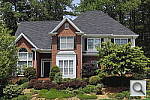
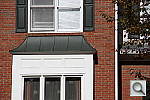
Like several of our tests, these images are actually photos of a high-resolution poster, shot under studio lighting. The shots for this camera were captured with our third-generation House poster, which was assembled from 45 separate 11-megapixel images, shot with a very high-quality lens, and then stitched together into a single image. The resulting image amounts to about 450 very high-quality megapixels. This should have sufficient detail to comfortably challenge cameras up to at least 80-100 megapixels. (And even with higher-resolution cameras, we believe that the camera lenses themselves would be more likely to limit resolution than would the detail in the poster.) Why did we choose to shoot a picture of a picture? The idea was to show a typical subject (a house and surrounding foliage) in a way that would be absolutely consistent from camera to camera. Any outdoor subject is going to vary considerably from day to day, as the lighting changes with the weather, atmospheric conditions, and season. Shooting a poster lets us compare images from cameras shot weeks, months, or even years apart, with the sure knowledge that nothing has changed from one shot to another. Things to look for here are fine detail, as seen in the foliage and tree limbs against the sky, sharpness in the corners, and the preservation of subtle detail in the shaded brick patterns. – Many cameras with overactive noise suppression severely blur the brick patterns that are in shadow. |
||||||||||||||||||||||||||||||||||||||||||||||||||||||||||||||||||||||||||||||||||||||||||||||||||||||||||||||||||
|
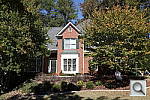
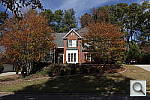
While the House poster in the shot above provides absolute repeatability from test to test, it doesn’t offer the range of brightness (dynamic range) that the original scene had, nor does it contain the nearly infinite range of fine detail found in nature. For these reasons, we still shoot the original house, even though the vagaries of nature mean that no two shots will ever be directly comparable. (In fact, over the eight or so years since we first shot this subject, the trees in front of the house have now grown so large that they obscure much of the subject. – We’re unfortunately going to have to switch to a different subject in the near future.) Things to look for here are how well the camera handles the range of light levels from very bright to quite dark, and how well it renders the very fine detail visible in various parts of the image. Note though, that because this is shot outdoors, the character of the light is unavoidably going to change quite a bit, depending on the atmospheric humidity and the time of year. – You thus shouldn’t rely on it for absolute comparisons between cameras, since it’s unlikely that conditions will be identical from one test to the next.
|
||||||||||||||||||||||||||||||||||||||||||||||||||||||||||||||||||||||||||||||||||||||||||||||||||||||||||||||||||
|
Kit Lens Zoom Range Simply reading “7.5x zoom range” doesn’t do a lot to help you visualize what that means. It also says nothing regarding just how wide the wide-angle end of that range is. To give you an idea of exactly what each camera’s zoom lens does, we shoot this series of images, showing results at maximum wide angle, and maximum telephoto, and telephoto with “digital zoom” enabled (if supported). (Note of course though, that so-called “digital zoom” just crops out and enlarges the central pixels of the image, achieving increased size at the cost of reduced resolution.)
|
||||||||||||||||||||||||||||||||||||||||||||||||||||||||||||||||||||||||||||||||||||||||||||||||||||||||||||||||||
|
“Davebox” Test Target
Because most of its various elements are now contained or represented in the combination of the Still Life and Multi Target shots, we no longer routinely shoot the Davebox by itself, as would normally appear in this space. (We do however, still use it for our low light test below.) |
||||||||||||||||||||||||||||||||||||||||||||||||||||||||||||||||||||||||||||||||||||||||||||||||||||||||||||||||||
Many are interested in close-up or “macro” photography. This test shows the best results we could obtain using the kit lens. What to look for:
|
||||||||||||||||||||||||||||||||||||||||||||||||||||||||||||||||||||||||||||||||||||||||||||||||||||||||||||||||||
|
Low-Light Tests Low light photography is an area where there are really enormous differences
(Note: If you’d like to use a light meter to check light levels
|
||||||||||||||||||||||||||||||||||||||||||||||||||||||||||||||||||||||||||||||||||||||||||||||||||||||||||||||||||
|
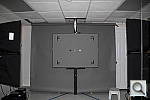
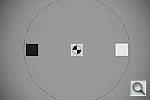
Flash Range Tests Digital camera makers have gotten better with their flash-range ratings. The test target here is our “new” flash range/uniformity target, first put into service in April, 2009. To avoid potential exposure problems caused by the target itself, we’ve gone to a mostly blank grey target, with a reflectance of 18% (matching the theoretical level that most exposure metering systems assume for average scene reflectance). The white and black chips let us check white and black points in addition to the mid-grey of the target itself. The concentric circles are a visual guide for flash falloff, marking points 25%, 50%, and 75% of the way from the center to the corners of the target. The bold black framing marks indicate the corners of either a 4:3 or 3:2 aspect ratio, for those shots in which we’re checking flash uniformity. (See below.) For consistency of exposure, the target is mounted in front of backdrop paper that also approximates a 18% grey.
Manufacturer-Specified Flash Range Lately, many manufacturers specify flash range with the camera set to Auto mode, in which the camera is free to boost its ISO setting to help increase the flash range. This does increase the range, but it’s easy to have too much of a good thing: Too high an ISO can leave you with too much image noise. The variable ISO setting also means that there isn’t an easy way to compare the range with the fixed-ISO shots in our standard flash range series. So now, we also test the flash under the manufacturer-specified conditions (whatever they may be, but frequently with the camera set to Auto mode), and the look at both how brightly the scene is lit, and how much image noise is present in the resulting images. Flash range for SLRs will vary with the lens used (depending on the maximum aperture), so their flash range is commonly expressed as a Guide Number, or GN for short. The guide number is a distance, in either feet or meters, at a given ISO. To find the maximum flash range at a given aperture, just divide the guide number by the aperture. For instance, a guide number of 56 feet would translate to a range of 10 feet with a lens set to an aperture of f/5.6. The range would be twice that if you had an f/2.8 lens (56/2.8 = 20).
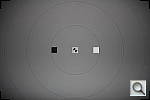
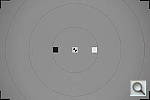
Flash Uniformity The flash units on many digital cameras don’t illuminate the scene very evenly, especially at wide angle focal lengths, so the photos here shows how uniform the flash coverage is. As noted earlier, this test uses the same target as our flash range test, but for the uniformity tests, we take care to frame the target the same from camera to camera. The concentric circles on the target mark distances 25%, 50%, and 75% of the way from the center to the corners. (Approximate, they roughly split the difference between the 4:3 and 3:2 aspect ratios.)
|
||||||||||||||||||||||||||||||||||||||||||||||||||||||||||||||||||||||||||||||||||||||||||||||||||||||||||||||||||
|
Viewfinder Accuracy Viewfinder accuracy is an important parameter, especially for shots Unlike the optical viewfinders, the LCD viewfinders on most digital Things to look for on this test chart are:
|
||||||||||||||||||||||||||||||||||||||||||||||||||||||||||||||||||||||||||||||||||||||||||||||||||||||||||||||||||










Digital Cameras – Canon EOS 60D Test Images
Not sure which camera to buy? Let your eyes be the ultimate judge!
Visit our Comparometer(tm)
to compare images from the Canon EOS 60D with those from other
cameras you may be considering. The proof is in the pictures, so let
your own eyes decide which you like best!
|
This is our new “Still Life” test target. We’re combining Here’s what to look for in this target:
|
||||||||||||||||||||||||||||||||||||||||||||||||||||||||||||||||||||||||||||||||||||||||||||||||||||||||||||||||||
|
Our new “Multi Target” was first put into use in April, 2009, replacing the earlier “interim” design. This target incorporates a number of elements that combine aspects of the previous Multi target, as well as the previous Viewfinder Accuracy or “VFA” chart. Here’s some of what you’ll find in this target: Framing marks: This chart evolved from the earlier Viewfinder Accuracy chart, so one of its major uses is to measure viewfinder accuracy. (See notes in the Viewfinder Accuracy section, at the bottom of this page, for more information on this.) USAF resolution targets: An important use of this target is in evaluating lens quality, looking how well sharpness holds up as you move from the center to the corners of the frame. The little “USAF” resolution targets arranged at the center, in the corners, and along the diagonals are very useful for making fine judgements about blur, flare and aberrations in the image. We generally show crops of a USAF chip from a corner of the target and from the center, to show how lenses hold sharpness at wide and telephoto focal lengths. Alignment “bullseyes:” We find these graphics from the graphic arts world (used to align sheets of film in the old film-based prepress days) very useful for seeing chromatic aberration in lenses. The bold black/white elements are good for seeing the colored fringes caused by CA in the corners of the frame. MacBeth ColorChecker Chart: This is about as common a color standard as you can get these days, very widely available for only mildly exorbitant cost, and quite well controlled in its production. It thus serves as a good basis of comparison between cameras and between test setups. Imatest also understands the MacBeth colors very well, and uses them to produce its color accuracy map that we feature in all our reviews. MacBeth ColorChecker SG Chart: The ColorChecker SG chart provides a wider range of colors, to give a more detailed map of a camera’s color handling. We haven’t begun using this chart in the color-accuracy graphs we routinely offer, but expect to do so at some point in the future. In the meantime, we sometimes refer to this chart internally, to get a more complete idea of what a camera’s color map looks like. Log C/F Target: The progressive resolution pattern located just below the center of the target is a Log C/F (logarithmic contrast vs spatial frequency) chart. Digital camera noise reduction routines work by looking at levels of local contrast, flattening-out detail at progressively lower spatial frequencies as the local contrast decreases. (This is very commonly seen in human hair, grass, foliage, and other subjects with subtly-contrasting fine detail.) This chart lets Imatest analyze just how a camera makes the tradeoff between contrast, detail, and image noise. Color Starbursts: The six circular starburst elements arranged around the target are intended to reveal de-mosaicing artifacts and color-dependent resolution issues. The six starbursts provide examples of each combination of RGB colors intersecting each other. (That is, red, green, and blue against black, plus red against green, green against blue, and blue against red.) Given that the most common sensor RGB color filter pattern (the so-called Bayer) pattern has twice as many green pixels as red or blue, you’ll generally see that the green/black starburst shows the best resolution, while the blue/red one shows the worst. The effects of different sensor geometries and color filter array patterns will be revealed here. Musicians Image: Synthetic test patterns only tell you so much. While we have a lot of pictorial images in our other test targets, we thought it would be useful to include a small “natural” image here as well.
|
||||||||||||||||||||||||||||||||||||||||||||||||||||||||||||||||||||||||||||||||||||||||||||||||||||||||||||||||||
|
Part of the impetus in developing the new Multi Target in April 2009 was to switch to using a new 2x target for the resolution measurements, since the original ISO 12233 chart we’d used since the site first began in 1998(!) had become inadequate for testing the highest-resolution cameras. We’d for quite some time had a “homemade” 2x target, employing a shrunk version of the ISO 12233 chart, shot at 1/2 size. The resolution numbers on that chart all needed to be doubled to convert to the actual values, though, so we decided to go with a commercial 2x target to eliminate possible confusion on the part of our readers. Numbers on this new 2x resolution chart now read directly in hundreds of lines/picture height. (Because almost all of the area of this new resolution chart is now meaningful for resolution measurements, there was no longer space on it to overlay the MacBeth and other color targets on our prior Multi chart; hence the simultaneous change in our Multi target.)
|
||||||||||||||||||||||||||||||||||||||||||||||||||||||||||||||||||||||||||||||||||||||||||||||||||||||||||||||||||
|
“Sunlit” Portrait: The lighting in this shot is deliberately awful, about what you’d expect The reason for the harsh lighting is to provide a real “torture Look for:
To view the entire exposure series from zero to +1.3 EV, see files E60DOUTAP0.HTM through E60DOUTBAP4.HTM on the thumbnail
|
||||||||||||||||||||||||||||||||||||||||||||||||||||||||||||||||||||||||||||||||||||||||||||||||||||||||||||||||||
Indoor Portrait, Flash:
This shot duplicates indoor shooting conditions in most US homes, with Finally, exposure is important here, and frequently a tough challenge Note too, that the normal flash shot (as opposed to the slow sync one, To view the exposure series from zero to +1.0 EV in the normal flash mode, see files E60DINBFP0.HTM through E60DINBFP3.HTM on the thumbnail To view the same series in the Slow-Sync flash mode, see files E60DINBFSP0.HTM through E60DINBFSP3.HTM on the thumbnail index |
||||||||||||||||||||||||||||||||||||||||||||||||||||||||||||||||||||||||||||||||||||||||||||||||||||||||||||||||||
Indoor Portrait, No Flash:
The incandescent lighting used in most US homes actually has a very The incandescent lighting used for this shot is thus not only very common Most cameras’ auto white balance systems have a great deal of difficulty If you intend to do much shooting indoors after dark, pay careful attention To view the entire exposure series from zero to +1.0 EV, see files E60DINBMP0.HTM through E60DINBMP3.HTM on the thumbnail ISO Series: One additional note about this particular test series though: Because
|
||||||||||||||||||||||||||||||||||||||||||||||||||||||||||||||||||||||||||||||||||||||||||||||||||||||||||||||||||
House Shot:
Like several of our tests, these images are actually photos of a high-resolution poster, shot under studio lighting. The shots for this camera were captured with our third-generation House poster, which was assembled from 45 separate 11-megapixel images, shot with a very high-quality lens, and then stitched together into a single image. The resulting image amounts to about 450 very high-quality megapixels. This should have sufficient detail to comfortably challenge cameras up to at least 80-100 megapixels. (And even with higher-resolution cameras, we believe that the camera lenses themselves would be more likely to limit resolution than would the detail in the poster.) Why did we choose to shoot a picture of a picture? The idea was to show a typical subject (a house and surrounding foliage) in a way that would be absolutely consistent from camera to camera. Any outdoor subject is going to vary considerably from day to day, as the lighting changes with the weather, atmospheric conditions, and season. Shooting a poster lets us compare images from cameras shot weeks, months, or even years apart, with the sure knowledge that nothing has changed from one shot to another. Things to look for here are fine detail, as seen in the foliage and tree limbs against the sky, sharpness in the corners, and the preservation of subtle detail in the shaded brick patterns. – Many cameras with overactive noise suppression severely blur the brick patterns that are in shadow. |
||||||||||||||||||||||||||||||||||||||||||||||||||||||||||||||||||||||||||||||||||||||||||||||||||||||||||||||||||
|
While the House poster in the shot above provides absolute repeatability from test to test, it doesn’t offer the range of brightness (dynamic range) that the original scene had, nor does it contain the nearly infinite range of fine detail found in nature. For these reasons, we still shoot the original house, even though the vagaries of nature mean that no two shots will ever be directly comparable. (In fact, over the eight or so years since we first shot this subject, the trees in front of the house have now grown so large that they obscure much of the subject. – We’re unfortunately going to have to switch to a different subject in the near future.) Things to look for here are how well the camera handles the range of light levels from very bright to quite dark, and how well it renders the very fine detail visible in various parts of the image. Note though, that because this is shot outdoors, the character of the light is unavoidably going to change quite a bit, depending on the atmospheric humidity and the time of year. – You thus shouldn’t rely on it for absolute comparisons between cameras, since it’s unlikely that conditions will be identical from one test to the next.
|
||||||||||||||||||||||||||||||||||||||||||||||||||||||||||||||||||||||||||||||||||||||||||||||||||||||||||||||||||
|
Kit Lens Zoom Range Simply reading “7.5x zoom range” doesn’t do a lot to help you visualize what that means. It also says nothing regarding just how wide the wide-angle end of that range is. To give you an idea of exactly what each camera’s zoom lens does, we shoot this series of images, showing results at maximum wide angle, and maximum telephoto, and telephoto with “digital zoom” enabled (if supported). (Note of course though, that so-called “digital zoom” just crops out and enlarges the central pixels of the image, achieving increased size at the cost of reduced resolution.)
|
||||||||||||||||||||||||||||||||||||||||||||||||||||||||||||||||||||||||||||||||||||||||||||||||||||||||||||||||||
|
“Davebox” Test Target
Because most of its various elements are now contained or represented in the combination of the Still Life and Multi Target shots, we no longer routinely shoot the Davebox by itself, as would normally appear in this space. (We do however, still use it for our low light test below.) |
||||||||||||||||||||||||||||||||||||||||||||||||||||||||||||||||||||||||||||||||||||||||||||||||||||||||||||||||||
Many are interested in close-up or “macro” photography. This test shows the best results we could obtain using the kit lens. What to look for:
|
||||||||||||||||||||||||||||||||||||||||||||||||||||||||||||||||||||||||||||||||||||||||||||||||||||||||||||||||||
|
Low-Light Tests Low light photography is an area where there are really enormous differences
(Note: If you’d like to use a light meter to check light levels
|
||||||||||||||||||||||||||||||||||||||||||||||||||||||||||||||||||||||||||||||||||||||||||||||||||||||||||||||||||
|
Flash Range Tests Digital camera makers have gotten better with their flash-range ratings. The test target here is our “new” flash range/uniformity target, first put into service in April, 2009. To avoid potential exposure problems caused by the target itself, we’ve gone to a mostly blank grey target, with a reflectance of 18% (matching the theoretical level that most exposure metering systems assume for average scene reflectance). The white and black chips let us check white and black points in addition to the mid-grey of the target itself. The concentric circles are a visual guide for flash falloff, marking points 25%, 50%, and 75% of the way from the center to the corners of the target. The bold black framing marks indicate the corners of either a 4:3 or 3:2 aspect ratio, for those shots in which we’re checking flash uniformity. (See below.) For consistency of exposure, the target is mounted in front of backdrop paper that also approximates a 18% grey.
Manufacturer-Specified Flash Range Lately, many manufacturers specify flash range with the camera set to Auto mode, in which the camera is free to boost its ISO setting to help increase the flash range. This does increase the range, but it’s easy to have too much of a good thing: Too high an ISO can leave you with too much image noise. The variable ISO setting also means that there isn’t an easy way to compare the range with the fixed-ISO shots in our standard flash range series. So now, we also test the flash under the manufacturer-specified conditions (whatever they may be, but frequently with the camera set to Auto mode), and the look at both how brightly the scene is lit, and how much image noise is present in the resulting images. Flash range for SLRs will vary with the lens used (depending on the maximum aperture), so their flash range is commonly expressed as a Guide Number, or GN for short. The guide number is a distance, in either feet or meters, at a given ISO. To find the maximum flash range at a given aperture, just divide the guide number by the aperture. For instance, a guide number of 56 feet would translate to a range of 10 feet with a lens set to an aperture of f/5.6. The range would be twice that if you had an f/2.8 lens (56/2.8 = 20).
Flash Uniformity The flash units on many digital cameras don’t illuminate the scene very evenly, especially at wide angle focal lengths, so the photos here shows how uniform the flash coverage is. As noted earlier, this test uses the same target as our flash range test, but for the uniformity tests, we take care to frame the target the same from camera to camera. The concentric circles on the target mark distances 25%, 50%, and 75% of the way from the center to the corners. (Approximate, they roughly split the difference between the 4:3 and 3:2 aspect ratios.)
|
||||||||||||||||||||||||||||||||||||||||||||||||||||||||||||||||||||||||||||||||||||||||||||||||||||||||||||||||||
|
Viewfinder Accuracy Viewfinder accuracy is an important parameter, especially for shots Unlike the optical viewfinders, the LCD viewfinders on most digital Things to look for on this test chart are:
|
||||||||||||||||||||||||||||||||||||||||||||||||||||||||||||||||||||||||||||||||||||||||||||||||||||||||||||||||||










All test shots
Canon EOS 60D Thumbnails
Not sure which camera to buy? Let your eyes be the ultimate judge!
Visit our Comparometer(tm)
to compare images from the Canon EOS 60D with those from other
cameras you may be considering. The proof is in the pictures, so let
your own eyes decide which you like best!
This page may take a long time to load, due to the many thumbnails!
All images copyright © 2010 by The Imaging Resource. All rights reserved.
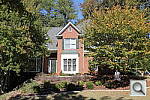 E60DFARALO_HIGH.JPG 13,477,417 bytes 5184×3456 1/256 sec f8.0 0.0 EV 28.0 mm focal length ISO 100 |
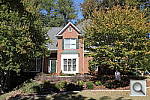 E60DFARALO_LOW.JPG 13,293,963 bytes 5184×3456 1/256 sec f8.0 0.0 EV 28.0 mm focal length ISO 100 |
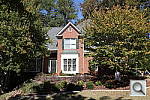 E60DFARALO_OFF.JPG 12,849,311 bytes 5184×3456 1/256 sec f8.0 0.0 EV 28.0 mm focal length ISO 100 |
 E60DFARALO_STD.JPG 13,536,851 bytes 5184×3456 1/256 sec f8.0 0.0 EV 28.0 mm focal length ISO 100 |
 E60DFARCON1.JPG 12,475,489 bytes 5184×3456 1/256 sec f8.0 0.0 EV 28.0 mm focal length ISO 100 |
 E60DFARCON2.JPG 12,453,243 bytes 5184×3456 1/256 sec f8.0 0.0 EV 28.0 mm focal length ISO 100 |
 E60DFARCON3.JPG 12,708,940 bytes 5184×3456 1/256 sec f8.0 0.0 EV 28.0 mm focal length ISO 100 |
 E60DFARCON4.JPG 12,754,272 bytes 5184×3456 1/256 sec f8.0 0.0 EV 28.0 mm focal length ISO 100 |
 E60DFARCON5D.JPG 12,791,548 bytes 5184×3456 1/256 sec f8.0 0.0 EV 28.0 mm focal length ISO 100 |
 E60DFARCON6.JPG 12,890,534 bytes 5184×3456 1/256 sec f8.0 0.0 EV 28.0 mm focal length ISO 100 |
 E60DFARCON7.JPG 12,939,006 bytes 5184×3456 1/256 sec f8.0 0.0 EV 28.0 mm focal length ISO 100 |
 E60DFARCON8.JPG 13,084,812 bytes 5184×3456 1/256 sec f8.0 0.0 EV 28.0 mm focal length ISO 100 |
 E60DFARCON9.JPG 13,175,958 bytes 5184×3456 1/256 sec f8.0 0.0 EV 28.0 mm focal length ISO 100 |
 E60DFARHTP_OFF.JPG 12,850,349 bytes 5184×3456 1/256 sec f8.0 0.0 EV 28.0 mm focal length ISO 100 |
 E60DFARHTP_ON.JPG 12,642,327 bytes 5184×3456 1/512 sec f8.0 0.0 EV 28.0 mm focal length ISO 200 |
 E60DFARI00100-DPP.JPG 18,922,800 bytes 5184×3456 1/256 sec f8.0 0.0 EV 28.0 mm focal length ISO 100 |
 E60DFARI00100-DPP5.JPG 20,140,972 bytes 5184×3456 1/256 sec f8.0 0.0 EV 28.0 mm focal length ISO 100 |
 E60DFARI00100.JPG E60DFARI00100.CR2 12,623,842 bytes 5184×3456 1/256 sec f8.0 0.0 EV 28.0 mm focal length ISO 100 |
 E60DFARI00100_ACRu300r03.JPG 21,240,654 bytes 5184×3456 1/250 sec f8.0 0.0 EV 28.0 mm focal length ISO 100 |
 E60DFARI00200.JPG E60DFARI00200.CR2 12,535,696 bytes 5184×3456 1/512 sec f8.0 0.0 EV 28.0 mm focal length ISO 200 |
 E60DFARI00400.JPG E60DFARI00400.CR2 12,647,666 bytes 5184×3456 1/1024 sec f8.0 0.0 EV 28.0 mm focal length ISO 400 |
 E60DFARI00800.JPG E60DFARI00800.CR2 12,564,100 bytes 5184×3456 1/2048 sec f8.0 0.0 EV 28.0 mm focal length ISO 800 |
 E60DFARI01600.JPG E60DFARI01600.CR2 12,270,167 bytes 5184×3456 1/4096 sec f8.0 0.0 EV 28.0 mm focal length ISO 1600 |
 E60DFARI03200.JPG E60DFARI03200.CR2 11,561,299 bytes 5184×3456 1/4096 sec f11.0 0.0 EV 28.0 mm focal length ISO 3200 |
 E60DFARI06400.JPG E60DFARI06400.CR2 11,166,439 bytes 5184×3456 1/4096 sec f16.0 0.0 EV 28.0 mm focal length ISO 6400 |
 E60DFARI12800.JPG E60DFARI12800.CR2 10,518,498 bytes 5184×3456 1/6317 sec f18.0 0.0 EV 28.0 mm focal length ISO 12800 |
 E60DFARWTM.JPG E60DFARWTM.CR2 11,038,735 bytes 5184×3456 1/512 sec f8.0 0.0 EV 26.0 mm focal length ISO 100 |
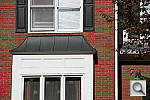 E60DFARWTT.JPG E60DFARWTT.CR2 6,786,648 bytes 5184×3456 1/664 sec f8.0 0.0 EV 135.0 mm focal length ISO 100 |
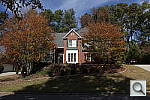 E60DFARWTW.JPG E60DFARWTW.CR2 10,469,603 bytes 5184×3456 1/512 sec f8.0 0.0 EV 18.0 mm focal length ISO 100 |
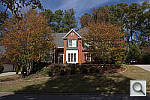 E60DFARWTW_ACR.JPG 10,551,280 bytes 5184×3456 1/500 sec f8.0 0.0 EV 18.0 mm focal length ISO 100 |
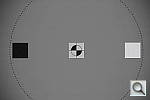 E60DFL06T.JPG 3,989,182 bytes 5184×3456 1/64 sec f5.6 0.0 EV 135.0 mm focal length ISO 100 |
 E60DFL06W.JPG 3,621,416 bytes 5184×3456 1/64 sec f3.5 0.0 EV 18.0 mm focal length ISO 100 |
 E60DFL07T.JPG 4,165,714 bytes 5184×3456 1/64 sec f5.6 0.0 EV 135.0 mm focal length ISO 100 |
 E60DFL07W.JPG 3,920,179 bytes 5184×3456 1/64 sec f3.5 0.0 EV 18.0 mm focal length ISO 100 |
 E60DFL08T.JPG 4,108,571 bytes 5184×3456 1/64 sec f5.6 0.0 EV 135.0 mm focal length ISO 100 |
 E60DFL08W.JPG 4,278,956 bytes 5184×3456 1/64 sec f3.5 0.0 EV 18.0 mm focal length ISO 100 |
 E60DFL09T.JPG 3,872,602 bytes 5184×3456 1/64 sec f5.6 0.0 EV 135.0 mm focal length ISO 100 |
 E60DFL09W.JPG 4,398,931 bytes 5184×3456 1/64 sec f3.5 0.0 EV 18.0 mm focal length ISO 100 |
 E60DFL10T.JPG 3,802,911 bytes 5184×3456 1/64 sec f5.6 0.0 EV 135.0 mm focal length ISO 100 |
 E60DFL10W.JPG 4,881,045 bytes 5184×3456 1/64 sec f3.5 0.0 EV 18.0 mm focal length ISO 100 |
 E60DFL11T.JPG 3,705,811 bytes 5184×3456 1/64 sec f5.6 0.0 EV 135.0 mm focal length ISO 100 |
 E60DFL11W.JPG 4,433,194 bytes 5184×3456 1/64 sec f3.5 0.0 EV 18.0 mm focal length ISO 100 |
 E60DFL12T.JPG 3,721,745 bytes 5184×3456 1/64 sec f5.6 0.0 EV 135.0 mm focal length ISO 100 |
 E60DFL12W.JPG 4,639,173 bytes 5184×3456 1/64 sec f3.5 0.0 EV 18.0 mm focal length ISO 100 |
 E60DFL13T.JPG 3,625,777 bytes 5184×3456 1/64 sec f5.6 0.0 EV 135.0 mm focal length ISO 100 |
 E60DFL13W.JPG 4,345,428 bytes 5184×3456 1/64 sec f3.5 0.0 EV 18.0 mm focal length ISO 100 |
 E60DFL14T.JPG 3,626,801 bytes 5184×3456 1/64 sec f5.6 0.0 EV 135.0 mm focal length ISO 100 |
 E60DFL14W.JPG 4,617,798 bytes 5184×3456 1/64 sec f3.5 0.0 EV 18.0 mm focal length ISO 100 |
 E60DFL15T.JPG 3,531,204 bytes 5184×3456 1/64 sec f5.6 0.0 EV 135.0 mm focal length ISO 100 |
 E60DFL15W.JPG 4,744,080 bytes 5184×3456 1/64 sec f3.5 0.0 EV 18.0 mm focal length ISO 100 |
 E60DFL16T.JPG 3,446,144 bytes 5184×3456 1/64 sec f5.6 0.0 EV 135.0 mm focal length ISO 100 |
 E60DFL16W.JPG 4,409,029 bytes 5184×3456 1/64 sec f3.5 0.0 EV 18.0 mm focal length ISO 100 |
 E60DFL_FCT.JPG 4,880,218 bytes 5184×3456 1/64 sec f5.6 0.0 EV 135.0 mm focal length ISO 400 |
 E60DFL_FCT_I400.JPG 4,908,994 bytes 5184×3456 1/64 sec f5.6 0.0 EV 135.0 mm focal length ISO 400 |
 E60DFL_FCT_I400_PIC.JPG 5,040,372 bytes 5184×3456 1/64 sec f5.6 0.0 EV 135.0 mm focal length ISO 400 |
 E60DFL_FCW.JPG 3,557,348 bytes 5184×3456 1/64 sec f3.5 0.0 EV 18.0 mm focal length ISO 100 |
 E60DFL_FCW_PIC.JPG 3,731,690 bytes 5184×3456 1/64 sec f3.5 0.0 EV 18.0 mm focal length ISO 100 |
 E60DFL_MFR077TM0100.JPG 4,037,502 bytes 5184×3456 1/64 sec f5.6 0.0 EV 135.0 mm focal length ISO 100 |
 E60DFL_MFR123WM0100.JPG 4,716,023 bytes 5184×3456 1/64 sec f3.5 0.0 EV 18.0 mm focal length ISO 100 |
 E60DFL_MFR153XM0100.JPG 3,668,828 bytes 5184×3456 1/41 sec f2.8 0.0 EV 70.0 mm focal length ISO 100 |
 E60DINBAP0.JPG 5,858,064 bytes 5184×3456 1/4 sec f4.0 0.0 EV 70.0 mm focal length ISO 100 |
 E60DINBAP1.JPG 6,064,772 bytes 5184×3456 0.3 sec f4.0 +0.3 EV 70.0 mm focal length ISO 100 |
 E60DINBAP2.JPG 6,169,475 bytes 5184×3456 0.4 sec f4.0 +0.7 EV 70.0 mm focal length ISO 100 |
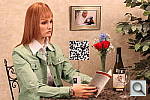 E60DINBAP3.JPG 6,369,073 bytes 5184×3456 0.5 sec f4.0 +1.0 EV 70.0 mm focal length ISO 100 |
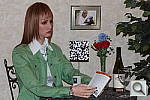 E60DINBFP0.JPG 6,237,763 bytes 5184×3456 1/64 sec f4.0 0.0 EV 70.0 mm focal length ISO 100 |
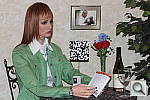 E60DINBFP1.JPG 6,417,939 bytes 5184×3456 1/64 sec f4.0 0.0 EV 70.0 mm focal length ISO 100 |
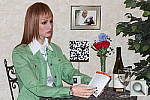 E60DINBFP2.JPG 6,658,574 bytes 5184×3456 1/64 sec f4.0 0.0 EV 70.0 mm focal length ISO 100 |
 E60DINBFP3.JPG 6,705,079 bytes 5184×3456 1/64 sec f4.0 0.0 EV 70.0 mm focal length ISO 100 |
 E60DINBFSP0.JPG 6,215,227 bytes 5184×3456 1/8 sec f4.0 0.0 EV 70.0 mm focal length ISO 100 |
 E60DINBFSP1.JPG 6,447,794 bytes 5184×3456 1/8 sec f4.0 0.0 EV 70.0 mm focal length ISO 100 |
 E60DINBFSP2.JPG 6,527,367 bytes 5184×3456 1/8 sec f4.0 0.0 EV 70.0 mm focal length ISO 100 |
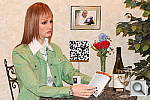 E60DINBFSP3.JPG 6,538,573 bytes 5184×3456 1/8 sec f4.0 0.0 EV 70.0 mm focal length ISO 100 |
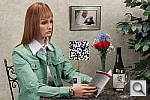 E60DINBI00100_P2.JPG E60DINBI00100_P2.CR2 6,095,204 bytes 5184×3456 0.4 sec f4.0 +0.7 EV 70.0 mm focal length ISO 100 |
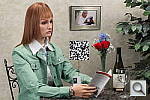 E60DINBI00200_P2.JPG E60DINBI00200_P2.CR2 6,321,382 bytes 5184×3456 1/5 sec f4.0 +0.7 EV 70.0 mm focal length ISO 200 |
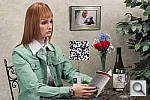 E60DINBI00400_P2.JPG E60DINBI00400_P2.CR2 6,715,644 bytes 5184×3456 1/10 sec f4.0 +0.7 EV 70.0 mm focal length ISO 400 |
 E60DINBI00800_P2.JPG E60DINBI00800_P2.CR2 6,783,048 bytes 5184×3456 1/21 sec f4.0 +0.7 EV 70.0 mm focal length ISO 800 |
 E60DINBI01600_P2.JPG E60DINBI01600_P2.CR2 6,713,581 bytes 5184×3456 1/41 sec f4.0 +0.7 EV 70.0 mm focal length ISO 1600 |
 E60DINBI03200_P2.JPG E60DINBI03200_P2.CR2 7,029,984 bytes 5184×3456 1/83 sec f4.0 +0.7 EV 70.0 mm focal length ISO 3200 |
 E60DINBI06400_P2.JPG E60DINBI06400_P2.CR2 8,084,450 bytes 5184×3456 1/166 sec f4.0 +0.7 EV 70.0 mm focal length ISO 6400 |
 E60DINBI12800_P2.JPG E60DINBI12800_P2.CR2 8,143,621 bytes 5184×3456 1/332 sec f4.0 +0.7 EV 70.0 mm focal length ISO 12800 |
 E60DINBK26P0.JPG 5,805,856 bytes 5184×3456 1/4 sec f4.0 0.0 EV 70.0 mm focal length ISO 100 |
 E60DINBK26P1.JPG 6,040,702 bytes 5184×3456 0.3 sec f4.0 +0.3 EV 70.0 mm focal length ISO 100 |
 E60DINBK26P2.JPG 6,218,024 bytes 5184×3456 0.4 sec f4.0 +0.7 EV 70.0 mm focal length ISO 100 |
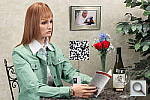 E60DINBK26P3.JPG 6,355,422 bytes 5184×3456 0.5 sec f4.0 +1.0 EV 70.0 mm focal length ISO 100 |
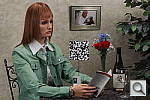 E60DINBMP0.JPG 5,718,431 bytes 5184×3456 1/4 sec f4.0 0.0 EV 70.0 mm focal length ISO 100 |
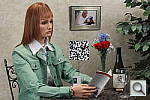 E60DINBMP1.JPG 6,049,589 bytes 5184×3456 0.3 sec f4.0 +0.3 EV 70.0 mm focal length ISO 100 |
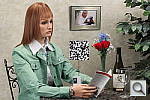 E60DINBMP2.JPG 6,230,665 bytes 5184×3456 0.4 sec f4.0 +0.7 EV 70.0 mm focal length ISO 100 |
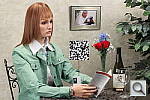 E60DINBMP3.JPG 6,300,728 bytes 5184×3456 0.5 sec f4.0 +1.0 EV 70.0 mm focal length ISO 100 |
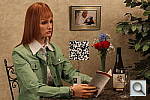 E60DINBTP0.JPG 5,784,740 bytes 5184×3456 1/4 sec f4.0 0.0 EV 70.0 mm focal length ISO 100 |
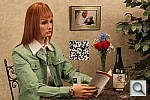 E60DINBTP1.JPG 6,042,177 bytes 5184×3456 0.3 sec f4.0 +0.3 EV 70.0 mm focal length ISO 100 |
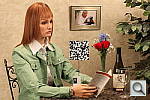 E60DINBTP2.JPG 6,217,103 bytes 5184×3456 0.4 sec f4.0 +0.7 EV 70.0 mm focal length ISO 100 |
 E60DINBTP3.JPG 6,363,717 bytes 5184×3456 0.5 sec f4.0 +1.0 EV 70.0 mm focal length ISO 100 |
 E60DLL001003.JPG E60DLL001003.CR2 5,437,502 bytes 5184×3456 2 sec f2.8 0.0 EV 70.0 mm focal length ISO 100 |
 E60DLL001004.JPG E60DLL001004.CR2 5,404,763 bytes 5184×3456 4 sec f2.8 0.0 EV 70.0 mm focal length ISO 100 |
 E60DLL001005.JPG E60DLL001005.CR2 5,391,944 bytes 5184×3456 8 sec f2.8 0.0 EV 70.0 mm focal length ISO 100 |
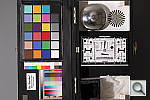 E60DLL001006.JPG E60DLL001006.CR2 5,411,090 bytes 5184×3456 16 sec f2.8 0.0 EV 70.0 mm focal length ISO 100 |
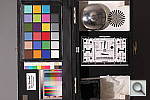 E60DLL001007.JPG E60DLL001007.CR2 5,481,368 bytes 5184×3456 32 sec f2.8 0.0 EV 70.0 mm focal length ISO 100 |
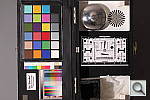 E60DLL001007_XNR.JPG E60DLL001007_XNR.CR2 5,585,250 bytes 5184×3456 32 sec f2.8 0.0 EV 70.0 mm focal length ISO 100 |
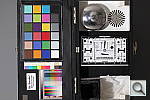 E60DLL002003.JPG E60DLL002003.CR2 5,504,446 bytes 5184×3456 1 sec f2.8 0.0 EV 70.0 mm focal length ISO 200 |
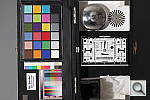 E60DLL002004.JPG E60DLL002004.CR2 5,473,905 bytes 5184×3456 2 sec f2.8 0.0 EV 70.0 mm focal length ISO 200 |
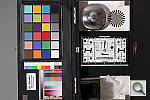 E60DLL002005.JPG E60DLL002005.CR2 5,477,344 bytes 5184×3456 4 sec f2.8 0.0 EV 70.0 mm focal length ISO 200 |
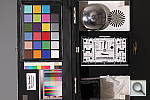 E60DLL002006.JPG E60DLL002006.CR2 5,495,481 bytes 5184×3456 8 sec f2.8 0.0 EV 70.0 mm focal length ISO 200 |
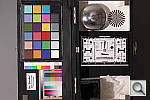 E60DLL002007.JPG E60DLL002007.CR2 5,564,644 bytes 5184×3456 16 sec f2.8 0.0 EV 70.0 mm focal length ISO 200 |
 E60DLL002007_XNR.JPG E60DLL002007_XNR.CR2 5,853,095 bytes 5184×3456 16 sec f2.8 0.0 EV 70.0 mm focal length ISO 200 |
 E60DLL004003.JPG E60DLL004003.CR2 5,809,729 bytes 5184×3456 0.5 sec f2.8 0.0 EV 70.0 mm focal length ISO 400 |
 E60DLL004004.JPG E60DLL004004.CR2 5,888,682 bytes 5184×3456 1 sec f2.8 0.0 EV 70.0 mm focal length ISO 400 |
 E60DLL004005.JPG E60DLL004005.CR2 5,886,309 bytes 5184×3456 2 sec f2.8 0.0 EV 70.0 mm focal length ISO 400 |
 E60DLL004006.JPG E60DLL004006.CR2 5,899,790 bytes 5184×3456 4 sec f2.8 0.0 EV 70.0 mm focal length ISO 400 |
 E60DLL004007.JPG E60DLL004007.CR2 5,980,344 bytes 5184×3456 8 sec f2.8 0.0 EV 70.0 mm focal length ISO 400 |
 E60DLL004007_XNR.JPG E60DLL004007_XNR.CR2 6,251,429 bytes 5184×3456 8 sec f2.8 0.0 EV 70.0 mm focal length ISO 400 |
 E60DLL008003.JPG E60DLL008003.CR2 5,994,788 bytes 5184×3456 1/4 sec f2.8 0.0 EV 70.0 mm focal length ISO 800 |
 E60DLL008004.JPG E60DLL008004.CR2 5,975,460 bytes 5184×3456 0.5 sec f2.8 0.0 EV 70.0 mm focal length ISO 800 |
 E60DLL008005.JPG E60DLL008005.CR2 6,091,227 bytes 5184×3456 1 sec f2.8 0.0 EV 70.0 mm focal length ISO 800 |
 E60DLL008006.JPG E60DLL008006.CR2 6,101,754 bytes 5184×3456 2 sec f2.8 0.0 EV 70.0 mm focal length ISO 800 |
 E60DLL008007.JPG E60DLL008007.CR2 6,175,689 bytes 5184×3456 4 sec f2.8 0.0 EV 70.0 mm focal length ISO 800 |
 E60DLL008007_XNR.JPG E60DLL008007_XNR.CR2 6,966,755 bytes 5184×3456 4 sec f2.8 0.0 EV 70.0 mm focal length ISO 800 |
 E60DLL016003.JPG E60DLL016003.CR2 6,273,699 bytes 5184×3456 1/8 sec f2.8 0.0 EV 70.0 mm focal length ISO 1600 |
 E60DLL016004.JPG E60DLL016004.CR2 6,256,980 bytes 5184×3456 1/4 sec f2.8 0.0 EV 70.0 mm focal length ISO 1600 |
 E60DLL016005.JPG E60DLL016005.CR2 6,247,646 bytes 5184×3456 0.5 sec f2.8 0.0 EV 70.0 mm focal length ISO 1600 |
 E60DLL016006.JPG E60DLL016006.CR2 6,388,389 bytes 5184×3456 1 sec f2.8 0.0 EV 70.0 mm focal length ISO 1600 |
 E60DLL016007.JPG E60DLL016007.CR2 6,455,084 bytes 5184×3456 2 sec f2.8 0.0 EV 70.0 mm focal length ISO 1600 |
 E60DLL016007_XNR.JPG E60DLL016007_XNR.CR2 8,007,207 bytes 5184×3456 2 sec f2.8 0.0 EV 70.0 mm focal length ISO 1600 |
 E60DLL032003.JPG E60DLL032003.CR2 6,840,186 bytes 5184×3456 1/16 sec f2.8 0.0 EV 70.0 mm focal length ISO 3200 |
 E60DLL032004.JPG E60DLL032004.CR2 6,841,249 bytes 5184×3456 1/8 sec f2.8 0.0 EV 70.0 mm focal length ISO 3200 |
 E60DLL032005.JPG E60DLL032005.CR2 6,820,331 bytes 5184×3456 1/4 sec f2.8 0.0 EV 70.0 mm focal length ISO 3200 |
 E60DLL032006.JPG E60DLL032006.CR2 6,819,241 bytes 5184×3456 0.5 sec f2.8 0.0 EV 70.0 mm focal length ISO 3200 |
 E60DLL032007.JPG E60DLL032007.CR2 7,047,127 bytes 5184×3456 1 sec f2.8 0.0 EV 70.0 mm focal length ISO 3200 |
 E60DLL032007_XNR.JPG E60DLL032007_XNR.CR2 9,372,901 bytes 5184×3456 1 sec f2.8 0.0 EV 70.0 mm focal length ISO 3200 |
 E60DLL064003.JPG E60DLL064003.CR2 8,149,465 bytes 5184×3456 1/32 sec f2.8 0.0 EV 70.0 mm focal length ISO 6400 |
 E60DLL064004.JPG E60DLL064004.CR2 8,157,322 bytes 5184×3456 1/16 sec f2.8 0.0 EV 70.0 mm focal length ISO 6400 |
 E60DLL064005.JPG E60DLL064005.CR2 8,166,046 bytes 5184×3456 1/8 sec f2.8 0.0 EV 70.0 mm focal length ISO 6400 |
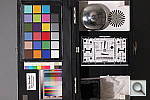 E60DLL064006.JPG E60DLL064006.CR2 8,147,625 bytes 5184×3456 1/4 sec f2.8 0.0 EV 70.0 mm focal length ISO 6400 |
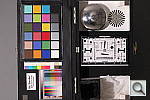 E60DLL064007.JPG E60DLL064007.CR2 8,162,727 bytes 5184×3456 0.5 sec f2.8 0.0 EV 70.0 mm focal length ISO 6400 |
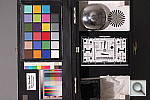 E60DLL064007_XNR.JPG E60DLL064007_XNR.CR2 11,054,806 bytes 5184×3456 0.5 sec f2.8 0.0 EV 70.0 mm focal length ISO 6400 |
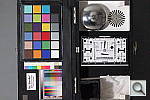 E60DLL128003.JPG E60DLL128003.CR2 8,387,937 bytes 5184×3456 1/64 sec f2.8 0.0 EV 70.0 mm focal length ISO 12800 |
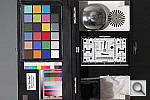 E60DLL128004.JPG E60DLL128004.CR2 8,400,505 bytes 5184×3456 1/32 sec f2.8 0.0 EV 70.0 mm focal length ISO 12800 |
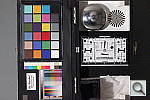 E60DLL128005.JPG E60DLL128005.CR2 8,420,881 bytes 5184×3456 1/16 sec f2.8 0.0 EV 70.0 mm focal length ISO 12800 |
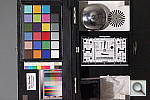 E60DLL128006.JPG E60DLL128006.CR2 8,450,206 bytes 5184×3456 1/8 sec f2.8 0.0 EV 70.0 mm focal length ISO 12800 |
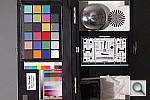 E60DLL128007.JPG E60DLL128007.CR2 8,419,879 bytes 5184×3456 1/4 sec f2.8 0.0 EV 70.0 mm focal length ISO 12800 |
 E60DLL128007_XNR.JPG E60DLL128007_XNR.CR2 12,234,922 bytes 5184×3456 1/4 sec f2.8 0.0 EV 70.0 mm focal length ISO 12800 |
 E60DMAC.JPG 5,961,353 bytes 5184×3456 1/49 sec f5.6 0.0 EV 135.0 mm focal length ISO 100 |
 E60DMACFL.JPG 6,410,653 bytes 5184×3456 1/64 sec f5.6 0.0 EV 135.0 mm focal length ISO 100 |
 E60DOUTBALO_HIGH.JPG 6,261,837 bytes 3456×5184 1/41 sec f8.0 +0.3 EV 70.0 mm focal length ISO 100 |
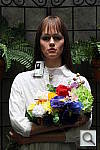 E60DOUTBALO_LOW.JPG 5,826,410 bytes 3456×5184 1/41 sec f8.0 +0.3 EV 70.0 mm focal length ISO 100 |
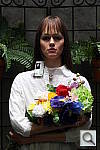 E60DOUTBALO_OFF.JPG 5,605,783 bytes 3456×5184 1/41 sec f8.0 +0.3 EV 70.0 mm focal length ISO 100 |
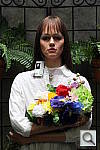 E60DOUTBALO_STD.JPG 6,005,757 bytes 3456×5184 1/41 sec f8.0 +0.3 EV 70.0 mm focal length ISO 100 |
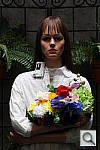 E60DOUTBAP0.JPG 5,313,499 bytes 3456×5184 1/49 sec f8.0 0.0 EV 70.0 mm focal length ISO 100 |
 E60DOUTBAP1.JPG 5,576,816 bytes 3456×5184 1/41 sec f8.0 +0.3 EV 70.0 mm focal length ISO 100 |
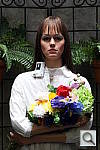 E60DOUTBAP2.JPG 5,817,717 bytes 3456×5184 1/32 sec f8.0 +0.7 EV 70.0 mm focal length ISO 100 |
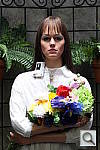 E60DOUTBAP3.JPG 5,960,264 bytes 3456×5184 1/25 sec f8.0 +1.0 EV 70.0 mm focal length ISO 100 |
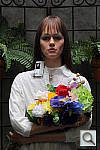 E60DOUTBCON1.JPG 5,670,065 bytes 3456×5184 1/41 sec f8.0 +0.3 EV 70.0 mm focal length ISO 100 |
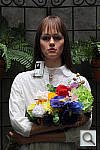 E60DOUTBCON2.JPG 5,671,090 bytes 3456×5184 1/41 sec f8.0 +0.3 EV 70.0 mm focal length ISO 100 |
 E60DOUTBCON3.JPG 5,664,285 bytes 3456×5184 1/41 sec f8.0 +0.3 EV 70.0 mm focal length ISO 100 |
 E60DOUTBCON4.JPG 5,610,572 bytes 3456×5184 1/41 sec f8.0 +0.3 EV 70.0 mm focal length ISO 100 |
 E60DOUTBCON5D.JPG 5,610,978 bytes 3456×5184 1/41 sec f8.0 +0.3 EV 70.0 mm focal length ISO 100 |
 E60DOUTBCON6.JPG 5,551,374 bytes 3456×5184 1/41 sec f8.0 +0.3 EV 70.0 mm focal length ISO 100 |
 E60DOUTBCON7.JPG 5,507,626 bytes 3456×5184 1/41 sec f8.0 +0.3 EV 70.0 mm focal length ISO 100 |
 E60DOUTBCON8.JPG 5,423,334 bytes 3456×5184 1/41 sec f8.0 +0.3 EV 70.0 mm focal length ISO 100 |
 E60DOUTBCON9.JPG 5,371,730 bytes 3456×5184 1/41 sec f8.0 +0.3 EV 70.0 mm focal length ISO 100 |
 E60DOUTBDP0.JPG 5,354,602 bytes 3456×5184 1/49 sec f8.0 0.0 EV 70.0 mm focal length ISO 100 |
 E60DOUTBDP1.JPG 5,608,778 bytes 3456×5184 1/41 sec f8.0 +0.3 EV 70.0 mm focal length ISO 100 |
 E60DOUTBDP2.JPG 5,848,789 bytes 3456×5184 1/32 sec f8.0 +0.7 EV 70.0 mm focal length ISO 100 |
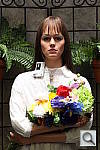 E60DOUTBDP3.JPG 6,014,762 bytes 3456×5184 1/25 sec f8.0 +1.0 EV 70.0 mm focal length ISO 100 |
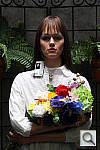 E60DOUTBHTP_OFF.JPG 5,609,038 bytes 3456×5184 1/41 sec f8.0 +0.3 EV 70.0 mm focal length ISO 100 |
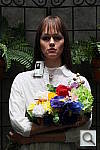 E60DOUTBHTP_ON.JPG 6,014,328 bytes 3456×5184 1/83 sec f8.0 +0.3 EV 70.0 mm focal length ISO 200 |
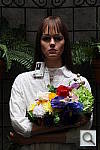 E60DOUTBK49P0.JPG 5,238,089 bytes 3456×5184 1/49 sec f8.0 0.0 EV 70.0 mm focal length ISO 100 |
 E60DOUTBK49P1.JPG 5,592,824 bytes 3456×5184 1/41 sec f8.0 +0.3 EV 70.0 mm focal length ISO 100 |
 E60DOUTBK49P2.JPG 5,820,303 bytes 3456×5184 1/32 sec f8.0 +0.7 EV 70.0 mm focal length ISO 100 |
 E60DOUTBK49P3.JPG 5,977,498 bytes 3456×5184 1/25 sec f8.0 +1.0 EV 70.0 mm focal length ISO 100 |
 E60DOUTBMP0.JPG 5,330,667 bytes 3456×5184 1/49 sec f8.0 0.0 EV 70.0 mm focal length ISO 100 |
 E60DOUTBMP1.JPG 5,602,158 bytes 3456×5184 1/41 sec f8.0 +0.3 EV 70.0 mm focal length ISO 100 |
 E60DOUTBMP2.JPG 5,831,609 bytes 3456×5184 1/32 sec f8.0 +0.7 EV 70.0 mm focal length ISO 100 |
 E60DOUTBMP3.JPG 5,978,446 bytes 3456×5184 1/25 sec f8.0 +1.0 EV 70.0 mm focal length ISO 100 |
 E60DOUTBSAT1.JPG 5,335,669 bytes 3456×5184 1/41 sec f8.0 +0.3 EV 70.0 mm focal length ISO 100 |
 E60DOUTBSAT2.JPG 5,399,879 bytes 3456×5184 1/41 sec f8.0 +0.3 EV 70.0 mm focal length ISO 100 |
 E60DOUTBSAT3.JPG 5,471,238 bytes 3456×5184 1/41 sec f8.0 +0.3 EV 70.0 mm focal length ISO 100 |
 E60DOUTBSAT4.JPG 5,580,194 bytes 3456×5184 1/41 sec f8.0 +0.3 EV 70.0 mm focal length ISO 100 |
 E60DOUTBSAT5D.JPG 5,605,908 bytes 3456×5184 1/41 sec f8.0 +0.3 EV 70.0 mm focal length ISO 100 |
 E60DOUTBSAT6.JPG 5,722,892 bytes 3456×5184 1/41 sec f8.0 +0.3 EV 70.0 mm focal length ISO 100 |
 E60DOUTBSAT7.JPG 5,785,873 bytes 3456×5184 1/41 sec f8.0 +0.3 EV 70.0 mm focal length ISO 100 |
 E60DOUTBSAT8.JPG 5,892,020 bytes 3456×5184 1/41 sec f8.0 +0.3 EV 70.0 mm focal length ISO 100 |
 E60DOUTBSAT9.JPG 5,967,410 bytes 3456×5184 1/41 sec f8.0 +0.3 EV 70.0 mm focal length ISO 100 |
 E60DOUTB_FACE.JPG 5,864,681 bytes 3456×5184 1/32 sec f8.0 0.0 EV 70.0 mm focal length ISO 100 |
 E60DhHOUSE.JPG E60DhHOUSE.CR2 10,815,135 bytes 5184×3456 1/32 sec f5.6 0.0 EV 70.0 mm focal length ISO 100 |
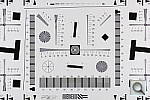 E60DhRES0720.JPG 171,296 bytes 720×480 1/41 sec f5.6 0.0 EV 70.0 mm focal length ISO 100 |
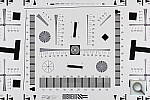 E60DhRES1920.JPG 782,572 bytes 1920×1280 1/41 sec f5.6 0.0 EV 70.0 mm focal length ISO 100 |
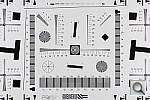 E60DhRES2592.JPG 1,326,847 bytes 2592×1728 1/41 sec f5.6 0.0 EV 70.0 mm focal length ISO 100 |
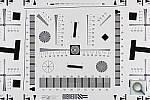 E60DhRES3456.JPG 2,231,647 bytes 3456×2304 1/41 sec f5.6 0.0 EV 70.0 mm focal length ISO 100 |
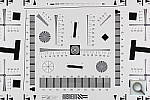 E60DhRES5184F.JPG 4,556,476 bytes 5184×3456 1/41 sec f5.6 0.0 EV 70.0 mm focal length ISO 100 |
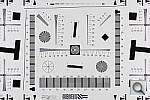 E60DhRES5184N.JPG 2,202,356 bytes 5184×3456 1/41 sec f5.6 0.0 EV 70.0 mm focal length ISO 100 |
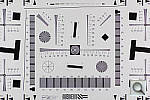 E60DhRES5184_ACRu300r03.JPG 8,338,987 bytes 5184×3456 1/40 sec f5.6 0.0 EV 70.0 mm focal length ISO 100 |
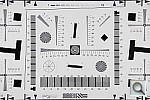 E60DhRESM.JPG E60DhRESM.CR2 4,575,711 bytes 5184×3456 1/41 sec f5.6 0.0 EV 50.0 mm focal length ISO 100 |
 E60DhREST.JPG E60DhREST.CR2 4,903,979 bytes 5184×3456 1/41 sec f5.6 0.0 EV 135.0 mm focal length ISO 100 |
 E60DhRESW.JPG E60DhRESW.CR2 4,819,626 bytes 5184×3456 1/41 sec f5.6 0.0 EV 18.0 mm focal length ISO 100 |
 E60DhSLALO_HIGH.JPG 6,881,235 bytes 5184×3456 1/12 sec f8.0 0.0 EV 70.0 mm focal length ISO 100 |
 E60DhSLALO_LOW.JPG 6,826,055 bytes 5184×3456 1/12 sec f8.0 0.0 EV 70.0 mm focal length ISO 100 |
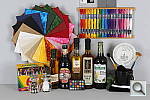 E60DhSLALO_OFF.JPG 6,724,714 bytes 5184×3456 1/12 sec f8.0 0.0 EV 70.0 mm focal length ISO 100 |
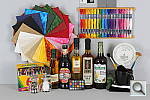 E60DhSLALO_STD.JPG 6,916,710 bytes 5184×3456 1/12 sec f8.0 0.0 EV 70.0 mm focal length ISO 100 |
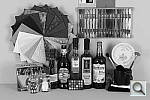 E60DhSLCOL_BNW.JPG 5,311,190 bytes 5184×3456 1/12 sec f8.0 0.0 EV 70.0 mm focal length ISO 100 |
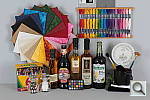 E60DhSLCOL_FAITHFUL.JPG 5,620,635 bytes 5184×3456 1/12 sec f8.0 0.0 EV 70.0 mm focal length ISO 100 |
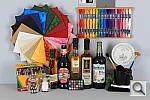 E60DhSLCOL_LANDSCAPE.JPG 7,199,408 bytes 5184×3456 1/12 sec f8.0 0.0 EV 70.0 mm focal length ISO 100 |
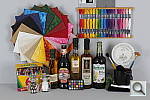 E60DhSLCOL_NEUTRAL.JPG 5,511,814 bytes 5184×3456 1/12 sec f8.0 0.0 EV 70.0 mm focal length ISO 100 |
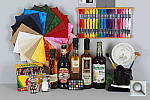 E60DhSLCOL_PORTRAIT.JPG 6,429,763 bytes 5184×3456 1/12 sec f8.0 0.0 EV 70.0 mm focal length ISO 100 |
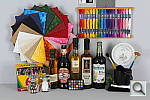 E60DhSLCOL_STD.JPG 6,630,313 bytes 5184×3456 1/12 sec f8.0 0.0 EV 70.0 mm focal length ISO 100 |
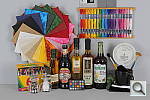 E60DhSLCON1.JPG 6,660,479 bytes 5184×3456 1/12 sec f8.0 0.0 EV 70.0 mm focal length ISO 100 |
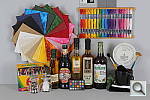 E60DhSLCON2.JPG 6,678,518 bytes 5184×3456 1/12 sec f8.0 0.0 EV 70.0 mm focal length ISO 100 |
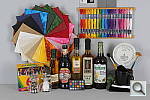 E60DhSLCON3.JPG 6,719,798 bytes 5184×3456 1/12 sec f8.0 0.0 EV 70.0 mm focal length ISO 100 |
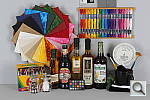 E60DhSLCON4.JPG 6,762,121 bytes 5184×3456 1/12 sec f8.0 0.0 EV 70.0 mm focal length ISO 100 |
 E60DhSLCON5D.JPG 6,790,036 bytes 5184×3456 1/12 sec f8.0 0.0 EV 70.0 mm focal length ISO 100 |
 E60DhSLCON6.JPG 6,765,278 bytes 5184×3456 1/12 sec f8.0 0.0 EV 70.0 mm focal length ISO 100 |
 E60DhSLCON7.JPG 6,861,811 bytes 5184×3456 1/12 sec f8.0 0.0 EV 70.0 mm focal length ISO 100 |
 E60DhSLCON8.JPG 6,843,916 bytes 5184×3456 1/12 sec f8.0 0.0 EV 70.0 mm focal length ISO 100 |
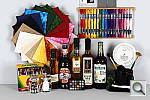 E60DhSLCON9.JPG 6,913,805 bytes 5184×3456 1/12 sec f8.0 0.0 EV 70.0 mm focal length ISO 100 |
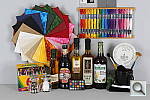 E60DhSLHTP_OFFD.JPG 6,779,422 bytes 5184×3456 1/12 sec f8.0 0.0 EV 70.0 mm focal length ISO 100 |
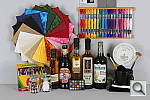 E60DhSLHTP_ON.JPG 7,113,856 bytes 5184×3456 1/25 sec f8.0 0.0 EV 70.0 mm focal length ISO 200 |
 E60DhSLI00100_ACR.JPG 12,079,749 bytes 5184×3456 1/13 sec f8.0 0.0 EV 70.0 mm focal length ISO 100 |
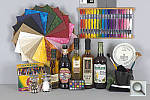 E60DhSLI00100_NR0_DCR.JPG 13,095,735 bytes 5202×3465 1/12 sec f8.0 Unreported EV 70.0 mm focal length ISO 100 |
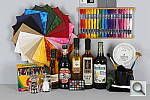 E60DhSLI00100_NR_HI.JPG E60DhSLI00100_NR_HI.CR2 6,645,023 bytes 5184×3456 1/12 sec f8.0 0.0 EV 70.0 mm focal length ISO 100 |
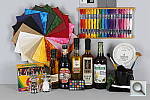 E60DhSLI00100_NR_LO.JPG E60DhSLI00100_NR_LO.CR2 6,929,811 bytes 5184×3456 1/12 sec f8.0 0.0 EV 70.0 mm focal length ISO 100 |
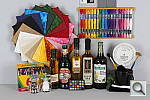 E60DhSLI00100_NR_OFF.JPG E60DhSLI00100_NR_OFF.CR2 6,981,424 bytes 5184×3456 1/12 sec f8.0 0.0 EV 70.0 mm focal length ISO 100 |
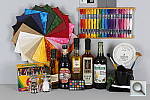 E60DhSLI00100_NR_STD.JPG E60DhSLI00100_NR_STD.CR2 6,791,669 bytes 5184×3456 1/12 sec f8.0 0.0 EV 70.0 mm focal length ISO 100 |
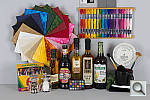 E60DhSLI00200_ACR.JPG 13,172,839 bytes 5184×3456 1/25 sec f8.0 0.0 EV 70.0 mm focal length ISO 200 |
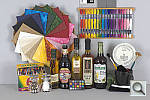 E60DhSLI00200_NR0_DCR.JPG 14,563,933 bytes 5202×3465 1/25 sec f8.0 Unreported EV 70.0 mm focal length ISO 200 |
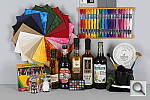 E60DhSLI00200_NR_HI.JPG E60DhSLI00200_NR_HI.CR2 6,681,254 bytes 5184×3456 1/25 sec f8.0 0.0 EV 70.0 mm focal length ISO 200 |
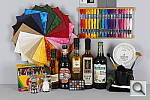 E60DhSLI00200_NR_LO.JPG E60DhSLI00200_NR_LO.CR2 6,964,258 bytes 5184×3456 1/25 sec f8.0 0.0 EV 70.0 mm focal length ISO 200 |
 E60DhSLI00200_NR_OFF.JPG E60DhSLI00200_NR_OFF.CR2 7,173,431 bytes 5184×3456 1/25 sec f8.0 0.0 EV 70.0 mm focal length ISO 200 |
 E60DhSLI00200_NR_STD.JPG E60DhSLI00200_NR_STD.CR2 6,875,675 bytes 5184×3456 1/25 sec f8.0 0.0 EV 70.0 mm focal length ISO 200 |
 E60DhSLI00400_ACR.JPG 14,623,033 bytes 5184×3456 1/50 sec f8.0 0.0 EV 70.0 mm focal length ISO 400 |
 E60DhSLI00400_NR0_DCR.JPG 16,440,590 bytes 5202×3465 1/49 sec f8.0 Unreported EV 70.0 mm focal length ISO 400 |
 E60DhSLI00400_NR_HI.JPG E60DhSLI00400_NR_HI.CR2 6,957,119 bytes 5184×3456 1/49 sec f8.0 0.0 EV 70.0 mm focal length ISO 400 |
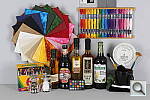 E60DhSLI00400_NR_LO.JPG E60DhSLI00400_NR_LO.CR2 7,286,916 bytes 5184×3456 1/49 sec f8.0 0.0 EV 70.0 mm focal length ISO 400 |
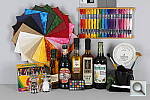 E60DhSLI00400_NR_OFF.JPG E60DhSLI00400_NR_OFF.CR2 7,470,609 bytes 5184×3456 1/49 sec f8.0 0.0 EV 70.0 mm focal length ISO 400 |
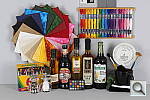 E60DhSLI00400_NR_STD.JPG E60DhSLI00400_NR_STD.CR2 7,198,696 bytes 5184×3456 1/49 sec f8.0 0.0 EV 70.0 mm focal length ISO 400 |
 E60DhSLI00800_ACR.JPG 16,507,292 bytes 5184×3456 1/100 sec f8.0 0.0 EV 70.0 mm focal length ISO 800 |
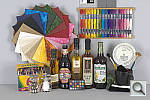 E60DhSLI00800_NR0_DCR.JPG 19,015,111 bytes 5202×3465 1/99 sec f8.0 Unreported EV 70.0 mm focal length ISO 800 |
 E60DhSLI00800_NR_HI.JPG E60DhSLI00800_NR_HI.CR2 7,041,252 bytes 5184×3456 1/99 sec f8.0 0.0 EV 70.0 mm focal length ISO 800 |
 E60DhSLI00800_NR_LO.JPG E60DhSLI00800_NR_LO.CR2 7,752,445 bytes 5184×3456 1/99 sec f8.0 0.0 EV 70.0 mm focal length ISO 800 |
 E60DhSLI00800_NR_OFF.JPG E60DhSLI00800_NR_OFF.CR2 8,018,733 bytes 5184×3456 1/99 sec f8.0 0.0 EV 70.0 mm focal length ISO 800 |
 E60DhSLI00800_NR_STD.JPG E60DhSLI00800_NR_STD.CR2 7,259,066 bytes 5184×3456 1/99 sec f8.0 0.0 EV 70.0 mm focal length ISO 800 |
 E60DhSLI01600_ACR.JPG 18,800,708 bytes 5184×3456 1/200 sec f8.0 0.0 EV 70.0 mm focal length ISO 1600 |
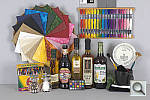 E60DhSLI01600_NR0_DCR.JPG 22,168,415 bytes 5202×3465 1/197 sec f8.0 Unreported EV 70.0 mm focal length ISO 1600 |
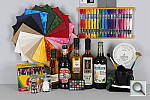 E60DhSLI01600_NR_HI.JPG E60DhSLI01600_NR_HI.CR2 7,046,727 bytes 5184×3456 1/197 sec f8.0 0.0 EV 70.0 mm focal length ISO 1600 |
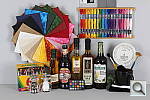 E60DhSLI01600_NR_LO.JPG E60DhSLI01600_NR_LO.CR2 8,227,893 bytes 5184×3456 1/197 sec f8.0 0.0 EV 70.0 mm focal length ISO 1600 |
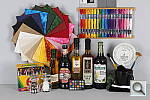 E60DhSLI01600_NR_OFF.JPG E60DhSLI01600_NR_OFF.CR2 8,802,344 bytes 5184×3456 1/197 sec f8.0 0.0 EV 70.0 mm focal length ISO 1600 |
 E60DhSLI01600_NR_STD.JPG E60DhSLI01600_NR_STD.CR2 7,271,613 bytes 5184×3456 1/197 sec f8.0 0.0 EV 70.0 mm focal length ISO 1600 |
 E60DhSLI03200_ACR.JPG 21,507,423 bytes 5184×3456 1/400 sec f8.0 0.0 EV 70.0 mm focal length ISO 3200 |
 E60DhSLI03200_NR0_DCR.JPG 25,543,689 bytes 5202×3465 1/395 sec f8.0 Unreported EV 70.0 mm focal length ISO 3200 |
 E60DhSLI03200_NR_HI.JPG E60DhSLI03200_NR_HI.CR2 6,787,374 bytes 5184×3456 1/395 sec f8.0 0.0 EV 70.0 mm focal length ISO 3200 |
 E60DhSLI03200_NR_LO.JPG E60DhSLI03200_NR_LO.CR2 9,188,886 bytes 5184×3456 1/395 sec f8.0 0.0 EV 70.0 mm focal length ISO 3200 |
 E60DhSLI03200_NR_OFF.JPG E60DhSLI03200_NR_OFF.CR2 9,794,407 bytes 5184×3456 1/395 sec f8.0 0.0 EV 70.0 mm focal length ISO 3200 |
 E60DhSLI03200_NR_STD.JPG E60DhSLI03200_NR_STD.CR2 7,502,093 bytes 5184×3456 1/395 sec f8.0 0.0 EV 70.0 mm focal length ISO 3200 |
 E60DhSLI06400_ACR.JPG 25,458,786 bytes 5184×3456 1/800 sec f8.0 0.0 EV 70.0 mm focal length ISO 6400 |
 E60DhSLI06400_NR0_DCR.JPG 29,111,629 bytes 5202×3465 1/790 sec f8.0 Unreported EV 70.0 mm focal length ISO 6400 |
 E60DhSLI06400_NR_HI.JPG E60DhSLI06400_NR_HI.CR2 7,334,889 bytes 5184×3456 1/790 sec f8.0 0.0 EV 70.0 mm focal length ISO 6400 |
 E60DhSLI06400_NR_LO.JPG E60DhSLI06400_NR_LO.CR2 10,441,452 bytes 5184×3456 1/790 sec f8.0 0.0 EV 70.0 mm focal length ISO 6400 |
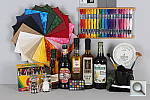 E60DhSLI06400_NR_OFF.JPG E60DhSLI06400_NR_OFF.CR2 11,021,428 bytes 5184×3456 1/790 sec f8.0 0.0 EV 70.0 mm focal length ISO 6400 |
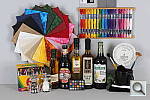 E60DhSLI06400_NR_STD.JPG E60DhSLI06400_NR_STD.CR2 8,378,569 bytes 5184×3456 1/790 sec f8.0 0.0 EV 70.0 mm focal length ISO 6400 |
 E60DhSLI12800_ACR.JPG 29,544,958 bytes 5184×3456 1/1600 sec f8.0 0.0 EV 70.0 mm focal length ISO 12800 |
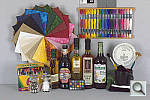 E60DhSLI12800_NR0_DCR.JPG 32,541,071 bytes 5202×3465 1/1580 sec f8.0 Unreported EV 70.0 mm focal length ISO 12800 |
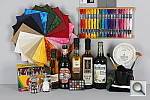 E60DhSLI12800_NR_HI.JPG E60DhSLI12800_NR_HI.CR2 7,283,670 bytes 5184×3456 1/1579 sec f8.0 0.0 EV 70.0 mm focal length ISO 12800 |
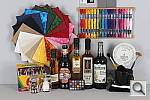 E60DhSLI12800_NR_LO.JPG E60DhSLI12800_NR_LO.CR2 10,967,785 bytes 5184×3456 1/1579 sec f8.0 0.0 EV 70.0 mm focal length ISO 12800 |
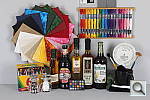 E60DhSLI12800_NR_OFF.JPG E60DhSLI12800_NR_OFF.CR2 11,708,174 bytes 5184×3456 1/1579 sec f8.0 0.0 EV 70.0 mm focal length ISO 12800 |
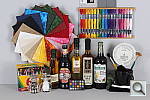 E60DhSLI12800_NR_STD.JPG E60DhSLI12800_NR_STD.CR2 8,308,679 bytes 5184×3456 1/1579 sec f8.0 0.0 EV 70.0 mm focal length ISO 12800 |
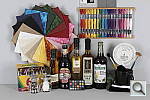 E60DhSLSAT1.JPG 6,450,963 bytes 5184×3456 1/12 sec f8.0 0.0 EV 70.0 mm focal length ISO 100 |
 E60DhSLSAT2.JPG 6,531,416 bytes 5184×3456 1/12 sec f8.0 0.0 EV 70.0 mm focal length ISO 100 |
 E60DhSLSAT3.JPG 6,574,566 bytes 5184×3456 1/12 sec f8.0 0.0 EV 70.0 mm focal length ISO 100 |
 E60DhSLSAT4.JPG 6,738,345 bytes 5184×3456 1/12 sec f8.0 0.0 EV 70.0 mm focal length ISO 100 |
 E60DhSLSAT5D.JPG 6,743,363 bytes 5184×3456 1/12 sec f8.0 0.0 EV 70.0 mm focal length ISO 100 |
 E60DhSLSAT6.JPG 6,932,668 bytes 5184×3456 1/12 sec f8.0 0.0 EV 70.0 mm focal length ISO 100 |
 E60DhSLSAT7.JPG 7,067,763 bytes 5184×3456 1/12 sec f8.0 0.0 EV 70.0 mm focal length ISO 100 |
 E60DhSLSAT8.JPG 7,159,297 bytes 5184×3456 1/12 sec f8.0 0.0 EV 70.0 mm focal length ISO 100 |
 E60DhSLSAT9.JPG 7,209,755 bytes 5184×3456 1/12 sec f8.0 0.0 EV 70.0 mm focal length ISO 100 |
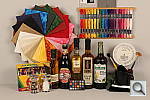 E60DhSLTAWB.JPG 6,840,896 bytes 5184×3456 1/4 sec f8.0 0.0 EV 70.0 mm focal length ISO 100 |
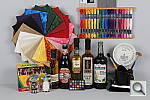 E60DhSLTMWB.JPG 6,684,465 bytes 5184×3456 1/4 sec f8.0 0.0 EV 70.0 mm focal length ISO 100 |
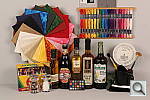 E60DhSLTTWB.JPG 6,747,835 bytes 5184×3456 1/4 sec f8.0 0.0 EV 70.0 mm focal length ISO 100 |
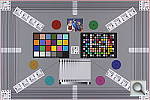 E60DhVFAI00100.JPG E60DhVFAI00100.CR2 6,699,820 bytes 5184×3456 1/32 sec f5.6 0.0 EV 70.0 mm focal length ISO 100 |
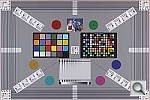 E60DhVFAI00200.JPG E60DhVFAI00200.CR2 7,003,435 bytes 5184×3456 1/64 sec f5.6 0.0 EV 70.0 mm focal length ISO 200 |
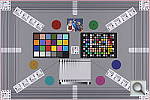 E60DhVFAI00400.JPG E60DhVFAI00400.CR2 7,582,800 bytes 5184×3456 1/128 sec f5.6 0.0 EV 70.0 mm focal length ISO 400 |
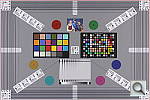 E60DhVFAI00800.JPG E60DhVFAI00800.CR2 7,857,547 bytes 5184×3456 1/256 sec f5.6 0.0 EV 70.0 mm focal length ISO 800 |
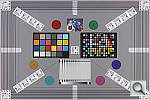 E60DhVFAI01600.JPG E60DhVFAI01600.CR2 8,036,961 bytes 5184×3456 1/512 sec f5.6 0.0 EV 70.0 mm focal length ISO 1600 |
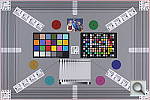 E60DhVFAI03200.JPG E60DhVFAI03200.CR2 8,403,921 bytes 5184×3456 1/1024 sec f5.6 0.0 EV 70.0 mm focal length ISO 3200 |
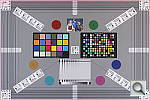 E60DhVFAI06400.JPG E60DhVFAI06400.CR2 9,249,684 bytes 5184×3456 1/2048 sec f5.6 0.0 EV 70.0 mm focal length ISO 6400 |
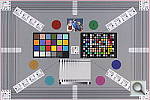 E60DhVFAI12800.JPG E60DhVFAI12800.CR2 9,074,004 bytes 5184×3456 1/4096 sec f5.6 0.0 EV 70.0 mm focal length ISO 12800 |
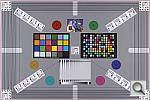 E60DhVFAL.JPG E60DhVFAL.CR2 6,761,830 bytes 5184×3456 1/32 sec f5.6 0.0 EV 70.0 mm focal length ISO 100 |
 E60DhVFAO.JPG E60DhVFAO.CR2 6,795,946 bytes 5184×3456 1/32 sec f5.6 0.0 EV 70.0 mm focal length ISO 100 |
 E60DhVFATB.JPG E60DhVFATB.CR2 6,533,294 bytes 5184×3456 1/25 sec f5.6 0.0 EV 135.0 mm focal length ISO 100 |
 E60DhVFATB_DCR.JPG 6,027,112 bytes 5184×3456 1/25 sec f5.7 Unreported EV 135.0 mm focal length ISO 100 |
 E60DhVFAWB.JPG E60DhVFAWB.CR2 6,683,197 bytes 5184×3456 1/64 sec f3.5 0.0 EV 18.0 mm focal length ISO 100 |
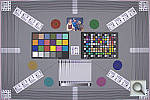 E60DhVFAWB_DCR.JPG 6,443,655 bytes 5184×3456 1/64 sec f3.5 Unreported EV 18.0 mm focal length ISO 100 |
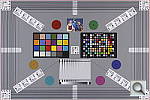 E60DhVFA_ADOBE.JPG 6,665,036 bytes 5184×3456 1/32 sec f5.6 0.0 EV 70.0 mm focal length ISO 100 |
|
All images copyright © 2010 by The Imaging Resource. All rights reserved.