Overview
by Mike Tomkins
Posted: 08/28/2019
Updates:
08/28/2019: Initial Gallery images posted
09/06/2019: First Shots added
09/12/2019: Performance posted
10/02/2019: Field Test Part I posted
10/25/2019: Field Test Part II posted
For those looking for our Overview of the camera's features and specs, please click here. For a real-world test, read on!
Hands-On with the Canon 90D and M6 Mark II |
Rounding out the real-world testing with sports, low-light, video and more
By Mike Tomkins | Posted: 10/25/2019

Click thumbnail for JPEG, or here for raw file
A couple of weeks ago, I published my first field test for the Canon EOS M6 Mark II. (If you've not already read that earlier article, I highly recommend starting there for the full story.) In that first report, I shared an in-depth look at the M6 II's handling and ergonomics, the selection of lenses available for its EOS M mount, and some of the accessories which can be used to extend its capabilities.
I also reported on its image quality when shooting in the daytime, but with that first article already getting pretty lengthy I reserved some further testing -- most notably night shooting and video capture -- for a second field test. And now, it's here!
What's on tap for this second field test
As well as offering my verdict on low-light and video image quality in this followup, I also want to discuss the M6 II's updated face and eye-detection autofocus capabilities both for stills and video capture. But before any of that, I'd like to quickly revisit daytime shooting for a look at how Canon's latest EOS M-series mirrorless camera performs with more active subjects like sports.
This is something which we've already discussed previously in our hands-on preview video, courtesy of senior editor WIlliam Brawley's experiences shooting at Canon's launch event, which was held quite near Imaging Resource headquarters at Michelin Raceway Road Atlanta. (You'll find that video embedded near the top of the first field test.)
Time for some go-karts to give the new raw burst mode a workout
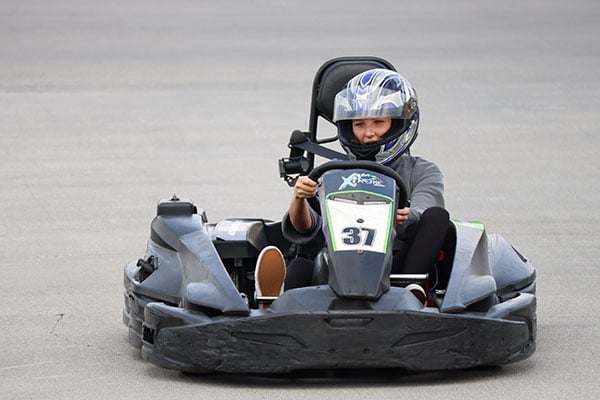
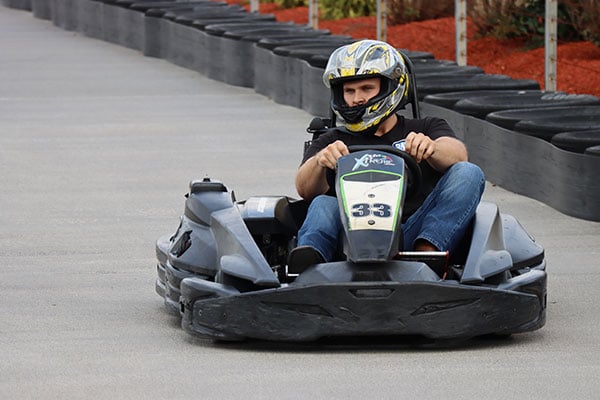
I wasn't present at that event, though, and so I sought out a sports subject of my own from which to form my own opinions, particularly for the new (and incredibly speedy) 30 frames per second raw burst mode which is making its debut in the EOS interchangeable-lens camera lineup with this model. And so it was that I found myself back at Xtreme Racing Center in Pigeon Forge, Tennessee, home to the fastest go-karts I've yet found in my area, and a reasonably sports subject I've shot a fair few times over the years with a variety of cameras.
Third-party software doesn't yet understand Canon's raw roll files
As its name would suggest, raw burst mode captures images only in a raw roll format with a .CR3 suffix, with a CSI instead of IMG file prefix indicating that it's not a standard raw file. Creation of JPEGs or individual raw files comes after the fact, either in-camera or in Canon's Digital Photo Professional software package on Windows or MacOS. (I used Windows, but the Mac version functions similarly.)
As of this writing, that's a significant limiting factor. Third-party software including as Adobe's Camera Raw plug-in for Photoshop, as well as Adobe Bridge, Photoshop Lightroom and DxO PhotoLab, all can't recognize and open these special raws directly. If you favor one of these third-party apps for your editing, you'll need to first extract raw or JPEG frames in-camera or with DPP, before switching to your app of choice.
Raw burst mode reduces resolution significantly, yet has spectacular file sizes
Raw burst mode comes with a 2.1x overall focal length crop which both limits wide-angle possibilities, and also reduces resolution to just 17.9 megapixels, significantly less than the EOS M6 II's full-sensor 32.5-megapixel resolution. Yet these multi-frame raw roll files can nevertheless be absolutely huge, sometimes clocking in at more than 900 megabytes per file in my own testing, because they can contain as many as ~70 frames in a single file.

That file size can vary wildly, though, for several reasons. Firstly, if you let off the shutter button early, fewer frames are captured and so the file size can potentially be significantly smaller, so long as you time your bursts carefully and keep them brief. Secondly, if you continue to hold the shutter button down after a burst completes, another burst will start as soon as the camera is able.
It takes just a fraction of a second for that to happen with a sufficiently fast flash card, but with a fast-moving subject captured at around 30 fps, even that fraction of a second means a sizeable gap mid-burst, so you need to be careful to avoid running out of buffer at a critical moment. And these subsequent bursts can then vary wildly in length from as many as ~20 to as few as just six or seven frames in each file. (All of these figures, incidentally, are based on my own real-world experience with a 64GB Sony SF-G series UHS-II memory card boasting a swift write speed of 299MB/s.)
Third-party software doesn't yet understand Canon's raw roll files
Rather than fiddle with extract single raw or JPEG files in-camera, I decided to stick mostly with Canon's Digital Photo Professional software, hoping for an easier experience as I prefer to do most of my image selection and editing in the aforementioned third-party apps. I nabbed a copy from Canon's website -- it's free of charge after you provide your camera's serial number which is hidden on the rear of the tilting LCD panel -- and installed it on my 2018-model year Dell XPS 15 9570 laptop.
Digital Photo Professional's installer doesn't play very nicely on 4K screens like that of my machine, with the smallest fonts being as little as just 1mm (0.04 inches) tall, but thankfully I could still navigate the installation process, as the buttons needed to do so were a bit more generous at 4mm (a bit less than 0.2 inches) tall. And once installed, the app itself seemed to work fine on high DPI screens like mine.

Extraction of individual frames en masse is unnecessarily painful
Once DPP is installed, you can then extract individual raw frames, or choose to extract multiple frames in one go. But annoyingly, the latter option requires that you select contiguous frames -- that is to say that you can't, for example, select the fifth, seventh and 12th thru 16th frames in a burst, and then extract them all in one go. And even more frustrating is the fact that you can't simply convert all frames -- or even just a contiguous range of them -- to standard raw files in a single operation. Instead, any range you select will just be exported as another multi-frame raw file that still can't be understood by popular third-party applications.
Hopefully third parties will integrate support for raw burst mode in the future and solve this problem, but Canon itself could also make things much simpler by providing a tool with which to convert a range of frames to standard raw files all with a single button-press. As is, you have to export, name and save every single frame you want to set free from its raw roll file individually. (And even on a reasonably swift, modern processor, just browsing the frames takes a fair while, with each taking a couple of seconds to render a full-resolution 1:1 preview.)
If you can live with its drawbacks, raw burst mode is a very useful tool
With all of that said, while it's a bit of a pain to use, burns through flash cards like there's no tomorrow, isn't useful for wide-angle shooting and has much lower resolution than the camera itself is capable of, the raw burst mode can still feel like something of a revelation. That level of performance in a camera so relatively compact as the M6 II is just spectacular, especially because the AF system is fast enough to really take advantage of that speed.
I found myself both surprised and impressed by what a good job the M6 II's autofocus system did of tracking the go karts as they raced towards me down Xtreme Racing's back straight. (I've previously estimated the karts at this particular circuit to have a top speed of around 25 miles per hour -- well down from their claimed 40 mph, but nevertheless the fastest karts I've found in my area, and plenty fast enough to provide a good challenge when headed directly towards the camera.)

Click thumbnail for JPEG, or here for raw file
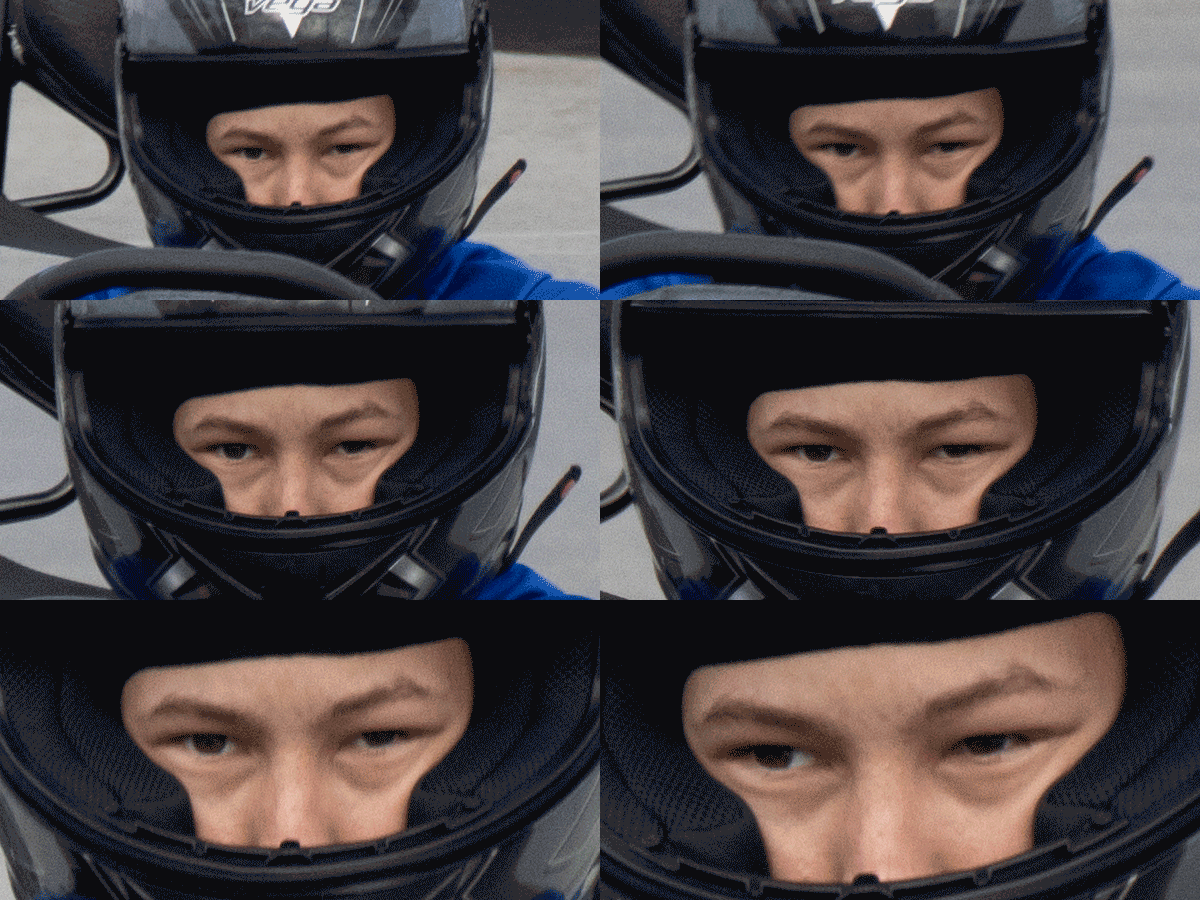
Burst after burst, the M6 II nailed the focus the overwhelming majority of the time. I have bursts as long as 70+ frames where the focus remains locked on the driver's helmet down almost the entire length of the back straight, with the kart literally filling the entire frame by the end of the sequence. Only a handful of those frames aren't spot on, focus-wise, and even when it did stray the AF system always corrected itself within just two or three frames, keeping losses to a minimum. (Extracting 71 raw frames in DPP so I could create the animation further up the page in Photoshop, however, did leave me feeling somewhat murderous.)
Rolling shutter is there, but its effect is fairly well-controlled
Since it relies on an electronic shutter, I did find that the raw burst mode was prone to rolling shutter effect, which can cause vertical subjects to appear as if slightly tilted to one side. I felt the effect was fairly well-controlled, though, and unlikely to be a big issue unless you're shooting very fast-moving subjects crossing the frame laterally. (And even then, depending upon the subject you're panning to follow, it may well not prove much of an issue.)
Since the file sizes are spectacular and you can't really open them with anything except Canon's own software, I'm not making a full raw burst roll file downloadable in this review. Instead, I've extracted both a raw and JPEG frame from a raw burst in-camera, and have linked them from the shot of the kart racer looking over his shoulder above, so you can get an idea of the results. (Since two operations were required to extract the images, the camera gave different names to both files, beyond just their difference in extension. I've renamed the JPEG to match the raw, just so that our image-handling system here at IR recognizes them as the same shot, and keeps them together in the gallery.)
I've also included a couple of full-resolution standard raw+JPEG pairs as well. As you'd expect, given that it can keep up with the much faster raw burst mode pretty well, the M6 II's AF system had no issues doing the same in standard shooting at its still-swift 14 fps burst rate. Both of the images I chose are from towards the end of a burst which had started at the other end of the straight, with the camera tracking and updating focus throughout the burst just fine.
Face and eye-detection are fast, accurate and easy to use
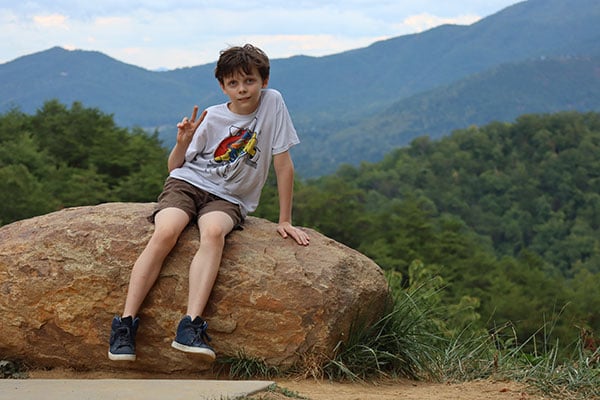
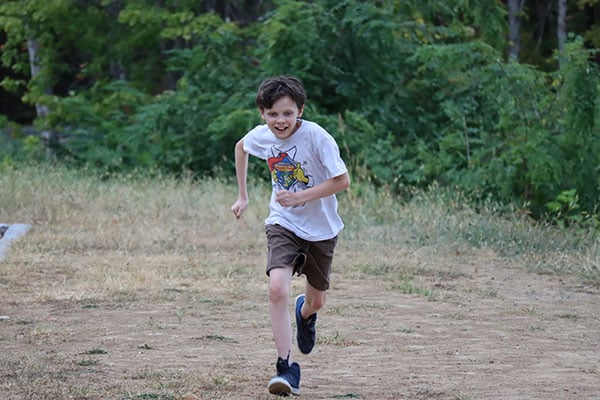
I also tested out the M6 II's updated face detection, which now sports eye-detection capabilities, both for static shots and tracking my son running around or even directly towards the camera, and found it did a good job of detecting and tracking faces, even when they were extremely out of focus to begin with.

The detected face is framed by a white box, while a smaller white box frames the selected eye. If you'd prefer the other eye to be focused on instead, it's as simple as just tapping on it on the touch screen. (Or if you're not a fan of the touch screen, you can instead press the AF point selection button, and then tap the left or right arrow to achieve the same thing.)
Unfortunately, I didn't have access to a really wide-aperture lens during my review to make the most of this and really test the accuracy of the eye-detection. As of right now, there are only two EF-M mount optics with an aperture wider than f/3.5, the EF-M 22mm f/2 STM (35mm equivalent) and EF-M 32mm f/1.4 STM (51mm equivalent). The latter will obviously be your better option for individual portraits, with both a larger aperture and a more flattering focal length, although the 22mm f/2 should still give nice results if you don't frame too tightly on a single person.

Click thumbnail for JPEG, or here for raw file
Based on the accuracy of the face and eye-detection and the AF system in other respects, though, I don't doubt that the M6 II will do just fine for portraiture, with a suitable lens attached.
Very usable image quality all the way to ISO 6400, or even 12,800 in a pinch
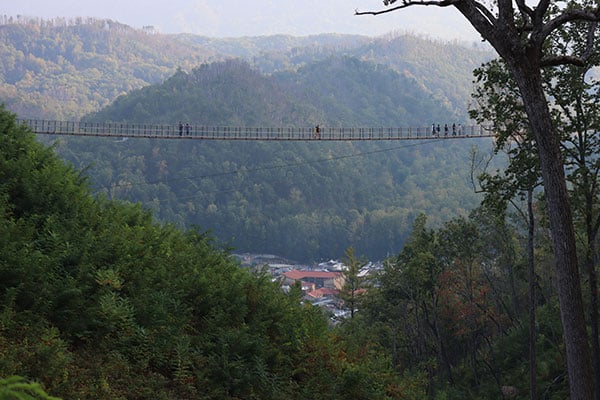
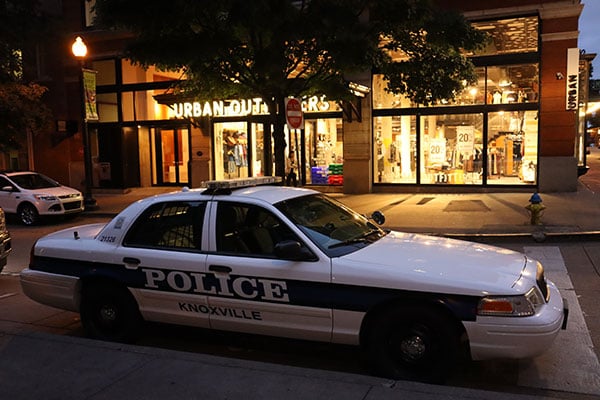
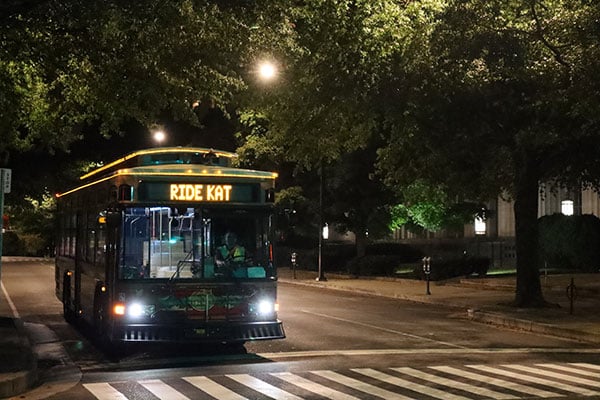
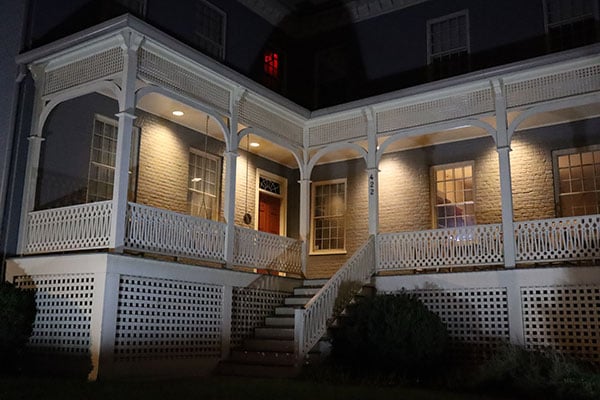
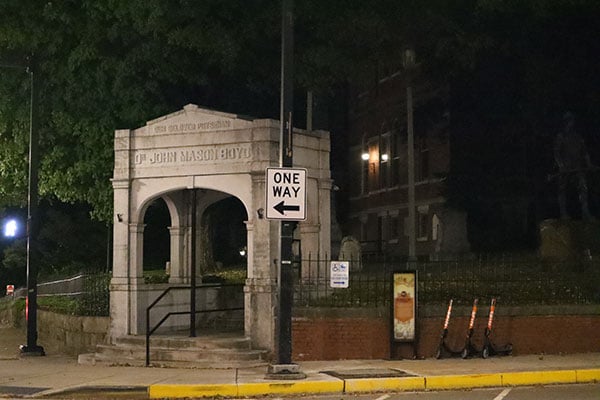
And with all of that out of the way, it's time to turn my attention to some night shooting. I shot with the Canon M6 II on a few different nights, both in nearby downtown Knoxville, Tennessee, and in the tourist resort town of Gatlinburg, in the Great Smoky Mountains, with my exposures spanning the entire sensitivity range.
As I mentioned in my first field test, I'd already shot at sensitivities as high as ISO 3200-equivalent, and did note the first signs of noise reduction starting to appear in real-world images by that point. I have to say, though, that I thought everything up to ISO 6400 was very usable, and would be happy enough with ISO 12,800 in a pinch, too.
White balance and autofocus systems all performed just fine in low light as well, although I did think there was still a slight tendency towards overexposure from the metering system. (But honestly, that's probably good news, because it means the behavior is similar to that in daytime shooting, making it easily resolved with just a slight 1/3EV touch of exposure compensation left dialed in, since you can't fine-tune the metering system instead.)
I'd personally try to avoid using ISO 25,600 or the extended ISO 51,200 setting unless there's no other option, though, as the shadows get rather muddy, the finer details are lost to both noise and the effects of noise reduction, and color gets more muted, as well. Although with that said, I thought color held up pretty well across the whole standard range, with only a modest decrease in saturation at the very highest sensitivity.
Even ISO 25,600 will likely be quite useful once DxO PhotoLab support arrives
And also, I have a feeling that once the M6 II is supported by DxO Labs' excellent PhotoLab application, its PRIME denoising engine will make even ISO 25,600 exposures fairly usable, too. Sadly, I can't yet test this, as DxO hasn't released raw support for this camera, given that it only started shipping about a month ago.
The PRIME engine typically outperforms anything else I've found in terms of noise reduction, though, simply by throwing a significant amount of desktop / laptop CPU power at the problem. It can take a bit of time to process each individual frame in this manner, but the results at high ISO often make doing so very worthwhile indeed.

Support for the M6 II is currently slated for December 2019 in the planned version 3.1.0, which sadly is around the same time as this site is currently slated to stop producing new content. If we're still live when the update is released, though, I'll try to drop back and update this review with an example shot or two processed with PhotoLab at the M6 II's highest sensitivities.
Be sure to check the gallery for more high ISO (and other) M6 II sample photos
In the meantime, you can see some of my high ISO results throughout this field test, and for even more spanning the entire sensitivity range, be sure to check the gallery. (You'll also find raw files to accompany just about every one of my shots, other than a multi-shot HDR exposure for which there's obviously not a raw equivalent since the M6 II can only save HDRs in JPEG format.)
And that just leaves video to discuss. I've included samples below of both ultra high-def 4K video shot at the sole capture rate of 29.97 frames per second, and high-def Full HD footage at the higher rate of 59.94 frames per second, with each shot from the same position. And the great news here is that even for 4K footage, the Canon M6 II can record with its full sensor width, so there's no penalty in terms of focal length for shooting ultra-high def video.
Download Original 3,840 x 2,160 pixels @ 29.970 frames per second |
Download Original 1,920 x 1,080 pixels @ 59.940 frames per second |
Download Original 1,920 x 1,080 pixels @ 29.970 frames per second, 119.9 fps record rate, 4x slow-motion effect |
Download Original 3,840 x 2,160 pixels @ 29.970 frames per second |
Download Original 1,920 x 1,080 pixels @ 59.940 frames per second |
(I say "can" because a focal length crop is still possible, but only if you enable the optional digital image stabilization, which necessarily involves a focal length crop to give some latitude to move the active "window" around the image sensor and counter the effects of camera shake -- but if your attached lens supports image stabilization that's going to yield better results anyway, so I recommend leaving digital IS disabled.
The other piece of good news is that 4K footage also allows use of Canon's Dual Pixel CMOS AF autofocus system, as well as the face / eye-detection tech we've previously discussed. What this means is that similarly accurate autofocus is available for movie capture as for stills, even when shooting ultra high-def content.
As well as these clips, I've also included one more shot with the Canon M6 II's high frame-rate mode. Here, there's only one resolution and frame-rate option. Your content is recorded at Full HD resolution at a capture rate of 119.9 frames per second, and then plays back at 29.97 frames per second for a 4x slow-motion effect.
4K video image quality is great, and Full HD is pretty good too, all things considered. I did notice some moiré / false color artifacts in the Full HD video, though. (It's most noticeable in the drain cover in the foreground of the go-kart videos, but can be seen elsewhere a bit too.)
And that brings me to the end of this field test. Watch this space for more as we work to complete our review in the coming weeks!
Canon EOS M6 II Review -- Overview
by Mike Tomkins
Preview posted: 08/28/2019
Seven years ago, Canon launched the EOS M, its first entry in the mirrorless camera market. Although it was small, sleek and offered great image quality, that initial model suffered from slow burst shooting and weak autofocus. The situation improved in the subsequent EOS M2 and M3 models, though, and things got even better with the arrival of the M5 and M6 over the next couple of years.

And now, the Canon EOS M6 Mark II is here to take things to the next level. Its performance promises to blow away even enthusiast-grade DSLR cameras like the EOS 90D, with which the M6 II shares its image sensor and processor, while providing a big savings in weight and bulk. The M6 II is, according to its maker, a followup to both the M5 and M6, although its clearly the latter camera which is the more closely-related to this new model.
Before we go any further, let's take a quick moment to compare the Canon M6 II to both of its nearest predecessors, as well as to the DSLR which shares its imaging pipeline.
Canon EOS M6 II vs EOS M6
Compared to its immediate predecessor, the EOS M6 II has grown just a little bit in both size and weight. For that increase, though, it's added both a configurable rear dial and a new focus mode switch, although it's also dropped the earlier model's infrared remote receiver from the spec sheet. The M6 II has significantly higher resolution than the M6, and is also much faster -- and that's even before you enable the new model's 30 frames-per-second raw burst mode. And the M6 gains more sophisticated autofocus with face tracking, eye detection, focus bracketing and much better low-light AF performance.
There's also new support for 4K, high frame-rate and high dynamic range video capture, a 1/16,000 electronic shutter and an expanded sensitivity limit of ISO 51,200. And Canon has also switched to more modern CR3 and C-Raw file formats, as well as USB-C connectivity with support for in-camera charging. Battery life is slightly better when shooting with the LCD monitor, but significantly lower than the M6 if you use their optionally-available electronic viewfinder accessories.

Canon EOS M6 II vs EOS M5
Compared to the M5, the Canon M6 II is both smaller and lighter, but that's no surprise as it lacks a built-in electronic viewfinder, and also uses a smaller and lower-resolution LCD monitor. It does, however, switch to a more sensible articulation mechanism for the display, which allows selfie shooting even when tripod-mounted or with the camera placed on a convenient flat surface.
As with the M6 comparison above, resolution, performance and autofocus are much better than those of the M5. The M6 II also bests the previous EOS M flagship with the same movie, electronic shutter, storage and connectivity improvements we mentioned previously. And as with the M6, the M5 will also best the M6 II significantly if shooting through the viewfinder, but will trail it just slightly if shooting on the LCD monitor.
Canon EOS M6 II vs EOS 90D
Compared to the EOS 90D with which it shares its imaging pipeline, the EOS M6 II is much smaller and lighter, but has fewer physical controls and no optical viewfinder. (You can mount an external electronic viewfinder accessory, though.) The M6 II's LCD articulation mechanism is less versatile than the tilt/swivel LCD of the 90D, and it will need an adapter to mount EF or EF-S lenses which could be mounted natively on its DSLR sibling. (But at the same time, the 90D can't shoot with EF-M lenses designed for mirrorless models like the M6 II.)
When it comes to burst-shooting performance, the Canon M6 II should outperform the 90D handily, but if you add autofocus tracking into the equation, Canon still predicts a slight edge for its DSLR model. (So depending on your subjects and focusing setup, that performance gap may well be narrower than the spec sheets might suggest.) And of course, the 90D's battery life is much better when using the optical viewfinder, and unlike the M6 II, the 90D supports an optional battery grip yielding even greater battery life.

A brand-new body with added and more customizable controls
But enough of the comparisons, what's new in the EOS M6 Mark II? Relative to the M6, the new model is about a third of an inch wider and a couple of tenths deeper than before, and weighs about a half-ounce more as well. The difference is enough to notice, certainly, but it's far from night and day.
As we mentioned in the comparison with the M6 previously, there's no longer a remote control sensor located in the handgrip, so you'll need to instead rely on Wi-Fi / Bluetooth remote control from your Android or iOS smartphone or tablet, or the new Bluetooth-equipped BR-E1 wireless remote (the wired RS-60E3 remote switch is still supported). Another change which is even more immediately obvious is that Canon has reworked the top-deck control dials so that they're the same height, giving the M6 II a somewhat sleeker look than its predecessor. And one of these two dials, previously dedicated solely to exposure compensation, is now configurable courtesy of a centrally-positioned dial function button.
On the rear deck, there's a new focus mode switch and button combo, and Canon has also tweaked the options available in record mode through the four-way controller pad. Since focus options now have their own dedicated control, the left arrow button can now be used to access drive modes instead of manual focus. And the up arrow can now be used to access exposure compensation instead of ISO sensitivity.
Other than these changes, the EOS M6 Mark II looks very similar indeed to its predecessor, with basically the same control layout as in the earlier model.

The new imaging pipeline offers much higher resolution
On the inside, though, things are very different indeed. There's a brand-new 32.5-megapixel, APS-C CMOS sensor with a total pixel count of 34.4 megapixels and a 3:2 aspect ratio. Each pixel on the sensor has dimensions of 3.2 x 3.2μm, giving them about one-quarter less surface area than the 3.72μm photodiodes of the M6's sensor. A self-cleaning system is included, and the camera can also record dust delete data which can be used to automatically fix dust specks in your images using Canon's provided software.
Output from the image sensor is fed to a DIGIC 8 image processor, a generation newer than the DIGIC 7 CPUs in the 24.2-megapixel EOS M5 and M6.
You can now extend the default sensitivity range
Despite the significant increase in sensor resolution (and the attendant decrease in pixel size), the standard sensitivity range offered by the Canon M6 II is unchanged from those of the M5 and M6. By default, everything from ISO 100 to 25,600-equivalents is available. However, you can extend the upper limit to ISO 51,200-equivalent, which you couldn't do on the earlier cameras.
Even better performance than an enthusiast-grade EOS 90D DSLR!
The performance gains unlocked in the DIGIC 8 image processor allow for some pretty spectacular performance in the EOS M6 II. Where the previous models were limited to seven frames per second with AF adjustments between frames, or 9 fps if AF was locked from the first frame, the M6 II doubles this with a manufacturer-claimed speed of 14 fps regardless of whether or not continuous autofocus is enabled. Claimed buffer depths are fairly healthy, too, at 23 raw, 36 C-Raw or 54 JPEG frames in a burst.
And as if that wasn't already plenty of speed, there's also a 30 frames-per-second raw burst mode that captures a reduced-resolution 17.9-megapixel image cropped from the center of the sensor, and pre-buffers 15 frames. (We've seen high-speed raw modes like this before in smaller-sensored PowerShot cameras, but this is an APS-C / EOS first.) This allows you to reach back in time up to half a second before you pressed the shutter button if your reflexes were too slow, potentially saving the day, and does so with the flexibility of a raw format as well.

The spectacularly-fast raw burst mode comes with a crop, but that's not a big deal
The downside is that there's another 1.3x focal length crop on top of the existing 1.6x crop that comes when shooting with an APS-C sensor-based camera from Canon. That takes you up to about a 2.1x crop overall, limiting your wide-angle possibilities. Even if you opted for the wider of the two kit lenses, for example, the 15mm focal length of the 15-45mm f3.5-6.3 IS STM lens would effectively become a 32mm wide-angle when shooting in raw burst mode.
But it's likely that this isn't a big deal, because the kinds of subjects most conducive to these shutter speeds -- sports, birds and the like -- are more likely to be shot at telephoto anyway, in which case the crop isn't such a big deal. After all, the telephoto position of the other kit lens, the EF-M 18-150mm f3.5-6.3 IS STM, effectively becomes about 315mm tele if you can live with the reduced resolution of raw burst mode.
The same lens mount as past Canon EOS M-series mirrorless cameras
Up front, the Canon M6 Mark II sports the same EF-M lens mount as its EOS M-series predecessors. As of this writing (August 2019), there are eight EF-M lenses to choose from, including five zoom lenses that together cover everything from 11-200mm, as well as 22mm, 28mm and 32mm prime lenses. Although that's not a huge selection, it does cover everything from about 18-320mm between the zooms, and gives you 35, 45 and 51mm-equivalent primes as well. And you can also mount Canon's vast selection of EF and EF-S lenses using the optional Mount Adapter EF-EOS M, which lists for about US$200.

A major upgrade in the autofocus department
The autofocus system in the EOS M6 II is still based on Canon's Dual Pixel CMOS AF technology, which splits every pixel on the sensor into two distinct halves. These can be read together as a single pixel when recording images, but can be read separately to allow for phase detection as well, effectively turning the entire sensor surface into a phase-detection AF sensor.
Although the basic technology is the same, the way in which the system operates has been upgraded considerably. Firstly, the system now has 143 autofocus points by default, up from just 49 in the previous-generation cameras. You can also manually select one of 5,481 different AF point locations to put focus just where you want it. And the M6 II is also capable of tracking human faces and locating their eyes, then focusing precisely on that point, even during 4K movie capture.
The system now has an expanded working range, too, able to function all the way from -5 EV to 18EV (at 23°C, ISO 100, with EF-M 32mm f/1.4 STM). The low-light limit was just -1 EV previously, so this is a pretty significant improvement, although do note that it's measured only for the centermost AF point and applies only to still imaging. For all but 4K movies, the lower limit is -3EV, and during 4K movie capture the limit is EV -2.5.
A few other things to note on the AF front: Smooth zone AF has been replaced by Zone AF, and there's a new Spot AF mode too. There's also a new focus bracketing function, and when using the EVF-DC2 viewfinder accessory, you can also use the LCD monitor as a touchpad for focus point adjustment while looking through the viewfinder.
There's still an AF+MF mode and one last addition will prove popular with movie shooters. You can now adjust servo AF speed and tracking sensitivity during movie capture, with 10-step speed control and seven-step tracking sensitivity control.

Same LCD and viewfinder accessories as before, but the EVF can be bundled
Canon offers a choice of not just one but two electronic viewfinder accessories for the EOS M6 II. Both viewfinders have the same 2.36 million dot resolution, 22mm eyepoint, -3 to +1m-1 dioptric adjustment and manufacturer-rated 100% coverage. Both with-lens kit versions of the EOS M6 II include the more affordable of the two EVF accessories in the product bundle.
The EVF-DC1 is the more expensive version at $300 list, is based around a larger 0.48-inch type LCD panel, and weighs 43 grams. It also has a 90-degree vertical tilt option, and has a tiny, fiddly dioptric adjustment dial tucked beneath the eyepiece. The EVF-DC2 is more affordable at $200 list, is based around a smaller 0.39-inch Organic LED panel, weighs about 29 grams, cannot be tilted and has a larger, much easier-to-adjust dioptric adjustment ring around the eyepiece.
Of course, most M6 II owners are likely to forgo a viewfinder altogether, and just frame on the main LCD at arm's length. Here, the LCD monitor looks to be completely unchanged. It's still based around a three-inch touch panel, and still has a vertical tilt-only articulation mechanism which allows it to be flipped upwards 180 degrees for selfie viewing (unless anything is mounted in the hot shoe, anyway), or downwards 45 degrees for shooting over your head. The only small change we could find in the LCD department is that there are now seven steps of manual brightness adjustment, versus five steps in the previous generation.

Some interesting additions on the creative front
The EOS M6 Mark II still offers mechanical shutter speeds ranging from 1/4,000 to 30 seconds, but can now shoot as fast as 1/16,000 second using an electronic shutter. Exposures are measured with a 384-zone evaluative metering system which also offers 4.5% partial, 2.6% spot and center-weighted evaluative metering modes. The metering system will now function in somewhat darker conditions though, with a working range of EV -2 to 20.
Some other changes of note are a new Flexible-priority AE exposure mode, the addition of interval and bulb timer functions, a choice of ambient-priority or white-priority for the auto white balance mode, a white-balance bracketing function, and new panning and continuous self-timer drive modes. There's still a built-in, manually-raised flash strobe, but it now has a slightly weaker guide number of 4.6 meters, down from 5 meters in the previous-generation cameras.
Ultra high-def with no crop, plus HDR and HFR video, but no 24p is a shame
The Canon M6 Mark II has gained both ultra high-definition 4Kp30 video capture without a sensor-width crop, as well as the ability to film in HDR and in Full HD at a high 120 frames-per-second capture rate, for up to a 5x slow-motion playback. It also retains the 1080p60, 1080p30 and 720p60 modes of its predecessors, but drops the cinematic 24 frames-per-second capture rate altogether, along with standard-definition VGA capture. Recording time is normally limited to 29:59 per clip but capped at 7:29 for high frame-rate clips.
Wi-Fi and Bluetooth wireless communication, just as before

Just as in its predecessors, the M6 Mark II includes both Wi-Fi and Bluetooth radios, allowing it to be controlled remotely or images transferred to an Android or iOS smartphone with a minimum of fuss, though NFC support has been dropped. Once the Bluetooth radio is paired, though, it can automatically raise and lower the Wi-Fi connection for you as needed to gain high-speed transfer or save power. You can also trigger the shutter by Bluetooth using the optional BR-E1 wireless remote, and can tag your images with the capture location by piggybacking off your phone's GPS receiver.
More modern storage, connectivity and file formats

Canon has also made some very worthwhile changes in the storage department. First, the EOS M6 II can now take advantage of the greater performance of UHS-II Secure Digital cards. It also boasts the newer Canon .CR3 raw file format instead of the older .CR2, and adds a lossily-compressed C-Raw file format which offers almost indistinguishable differences in image quality and the greater versatility of a raw file format, while significantly reducing the file sizes.

There's also a new USB-C terminal in place of the previous Micro-B USB terminal, meaning that you'll no longer need to check which way around the cable is before inserting it. It's still High-speed USB 2.0 (480 Mbps), but one piece of good news is that in-camera charging is now supported. A 3.5mm external microphone jack and a 2.5mm remote switch jack are still provided, but sadly there's still no headphone jack. The Type-D Micro HDMI port remains, but it can now output clean 4K or Full HD video for external recording
If you shoot predominantly with the LCD monitor, another piece of good news is that battery life has climbed by ten shots since the EOS M6, with the M6 Mark II said to be capable of 305 shots on a charge to CIPA testing conditions using the same LP-E17 battery pack. However, if you want to use the EVF accessories you'll need to carry extra batteries, as the battery life when using an EVF has plunged from 290 frames on the M6 to just 250 frames with the M6 II.

Canon M6 Mark II price and availability
Available from late September 2019 in black or silver, the Canon EOS M6 II will list for about US$850 body only, US$1,100 with EF-M 15-45mm f3.5-6.3 IS STM kit lens and EVF-DC2 viewfinder accessory, and US$1350 with EF-M 18-150mm f3.5-6.3 IS STM kit lens and EVF-DC2 viewfinder accessory.
Performance
Timing and Performance
Excellent overall performance for its class.
| Startup/Play to Record | ||
|---|---|---|
| Power on |
~0.9 second
|
Time it takes to turn on and capture a shot. |
|
Play to Record, |
~0.6 second
|
Time until first shot is captured. |
Powerup to first shot and switching from Play to Record mode & taking a shot were quite fast for a mirrorless camera.
| Shutter Response (Lag Time) Mechanical / Electronic Shutter |
||
|---|---|---|
|
Full Autofocus |
0.142 / 0.188
second |
Time from fully pressing shutter button to image capture. |
|
Full Autofocus |
0.200 / NA
second |
Time to capture while forcing flash to fire. Preflash metering pulses from flash often slow shutter response. |
|
Manual Focus |
0.105 / 0.123
second |
For most cameras, shutter lag is less in manual focus than autofocus, but usually not as fast as when the camera is "prefocused". |
|
Prefocused |
0.052 / 0.098
second |
Time to capture, after half-pressing and holding shutter button. |
In terms of the Canon M6 Mark II's ability to determine that it's properly focused when shooting the same target multiple times using the EF-M 15-45mm f/3.5-5.6 IS STM kit lens, its full autofocus shutter response was quite fast a mirrorless camera. We measured only 0.142 second for full AF lag using single point (center) AF-S in the default mechanical shutter mode. Full AF shutter lag with the internal flash enabled increased to 0.200 second to account for the pre-flash metering, but that's still quite fast.
Shutter lag using manual focus was lower at 0.105 second. When "prefocusing" the camera by half-pressing and holding down the shutter button before the final exposure, the M6 Mark II's shutter lag was low, at 52 milliseconds.
As you can see, switching to the all-electronic shutter yielded slower lag times, and note that flash is not supported.
To minimize the effect of different lens' focusing speed, we test AF-active shutter lag with the lens already set to the correct focal distance.
| Cycle Time (shot to shot) | ||
|---|---|---|
|
Single Shot mode |
< 0.3 second
|
Time per shot, averaged over a few frames. |
|
Single Shot mode |
< 0.3 second
|
Time per shot, averaged over a few frames. |
|
Early shutter |
No
|
Some cameras don't snap another shot if you release and press the shutter too quickly in Single Shot mode, making "No" the preferred answer. |
|
Continuous H+ |
0.07 second
(14.0 fps); 48 frames; 11.3 seconds to clear* |
Averaged time per shot, then slows down to an average of 0.27s or 3.7 fps when buffer is full with a lot of variation. |
| Continuous H+ |
0.07 second
(14.0 fps); 26 frames; 6.1 seconds to clear* |
Averaged time per shot, then slows down to an average of 0.29s or 3.5 fps when buffer is full with a lot of variation. |
|
Continuous H+ |
0.07 second
(14.0 fps); 25 frames; 8.0 seconds to clear* |
Averaged time per shot, then slows down to an average of 0.38s or 2.6 fps when buffer is full with a lot of variation. |
|
Continuous H+ |
0.07 second
(14.0 fps); 42 frames; 7.6 seconds to clear* |
Averaged time per shot, then slows down to an average of 0.32s or 3.1 fps when buffer is full with a lot of variation. |
|
Continuous H+ |
0.07 second
(14.0 fps); 42 frames; 9.3 seconds to clear* |
Averaged time per shot, then slows down to an average of 0.44s or 2.3 fps when buffer is full with a lot of variation. |
|
RAW Burst Mode (17.9MP images) |
0.03 second
(30.0 fps); 84 frames total; 2.3 seconds to clear* |
Average time per shot. Camera won't let you shoot again until buffer is cleared. |
| Flash recycling |
3.4 seconds
|
Flash at maximum output. |
|
*Note: Buffer clearing times measured with a Sony 64GB SF-G UHS-II SDXC card (R:300MB/s, W:299MB/s). Slower cards will produce correspondingly slower clearing times. Slow cards may also limit length of bursts in continuous mode. ISO sensitivity and noise reduction settings can also affect cycle times and burst mode performance.
|
||
Single-shot cycle times were very fast on average at below 0.3 second for best quality JPEGs or RAW+JPEG files, but varied a lot. (Note that we no longer test single-shot mode with just RAW files, as the results are usually somewhere in between JPEG and RAW+JPEG modes.)
The fastest full-res Continuous H+ mode burst rate was excellent for its class. We measured a consistent 14.0 frames-per-second for all file types, matching Canon's specifications. And that's with Servo AF (continuous autofocus) support. Continuous H and L modes are available as well, rated at 7.0 and 3.0 fps respectively.
The M6 Mark II also features a special RAW Burst Mode which captures cropped 17.9-megapixel raw images at a whopping 30.0 fps for 84 frames and saves them to a single CR3 file ("roll"), from which individual CR3 or JPEG files can be extracted in-camera or using Canon's Digital Photo Professional software. Note that focus is locked at the first frame in RAW Burst Mode.
Buffer depths at 14 fps were quite good with our fast Sony 64GB SF-G UHS-II SDXC card at 48 best quality JPEGs, 26 RAW or 42 C-RAW frames in our tests. With RAW/C-RAW+JPEG files the buffer depths were similar at 25 and 42 frames respectively. And shooting at slower speeds will yield even deeper buffers. When we tested the 7 fps mode, buffer depths were 86 JPEG, 45 RAW and 70 C-RAW files.
Buffer clearing times were decent considering the buffer depth and resolution, ranging from 6.1 seconds after shooting a max-length burst of standard RAW files, to 11.3 seconds for best quality JPEGs. The camera lets you adjust settings while the buffer is clearing, but you can't view just-shot photos until after the buffer clears.
The Canon M6 II's built-in flash took an average of 3.4 seconds to recharge after a full-power discharge, which is about average.
Bottom line, the Canon EOS M6 II offers excellent performance for its class, with quick startup, fast single-shot autofocus, low shutter lag, very fast cycle times, impressive burst speeds, generous buffer depths and reasonably quick buffer clearing. A very nice all-around performance in the lab, especially considering the resolution.
Battery
Battery Life
Below average CIPA battery life.
| Operating Mode | Number of Shots |
|---|---|
|
Still Capture
EVF, CIPA standard |
250
|
|
Still Capture
LCD Monitor, CIPA standard |
305
|
The Canon M6 II uses a custom LP-E17 rechargeable lithium-ion battery for power, and ships with a dedicated battery charger. In-camera charging via USB is also supported.
CIPA-rated battery life with 50% flash shots is poor for a mirrorless camera, at 250 shots per charge with the electronic viewfinder and 305 shots with the LCD monitor, though there is an Eco mode that boosts battery life with the monitor to up to 410 shots. We strongly recommend you pick up a spare battery for extended outings.
The table above shows the number of shots the camera is capable of on fully-charged battery, based on CIPA battery-life and/or manufacturer standard test conditions. While real-world battery life tends to be much better for mirrorless cameras, CIPA-rated battery life is still very useful for comparison purposes.
(Interested readers can find an English translation of the CIPA DC-002 standards document here. (180K PDF document))
Field Test Part I
Canon EOS M6 Mark II Field Test Part I
A real-world test for the M-mount speed demon!
 It’s been a little over seven years now since Canon first launched its EOS M mirrorless camera line with a camera of the same name. And although I’ve handled and shot with several models in the series, I’ve never field tested one — until now, that is. But boy, did I ever luck out with my first EOS M-series review, with the recently-launched Canon EOS M6 Mark II.
Announced just barely a month ago as I write this, the Canon M6 II looks to be a solid answer to the performance concerns of some earlier models. In fact, not only does Canon look to answer critics of its earlier mirrorless offerings with the burst capture speed and autofocus performance of the M6 II, it’s actually looking to best even enthusiast-grade DSLRs like its own EOS 90D, with which this interesting little camera shares its imaging pipeline.
Plenty of performance for sports and wildlife shooters, as we showed you recently
With an impressive 14 full-resolution frames per second burst capture with or without autofocus adjustment between frames, there’s no question that the EOS M6 Mark II is a swift camera. (And even more so if you enable its 30 frames per second raw capture mode, which can even pre-buffer a half-second’s worth of shots to reach back in time to a little before you pressed the shutter, if your reflexes aren’t as fast as you’d like.)
Field Test Part II
A real-world test for the M-mount speed demon!
By Mike Tomkins | Posted: 10/02/2019

Click thumbnail for JPEG, or here for raw file
It's been a little over seven years now since Canon first launched its EOS M mirrorless camera line with a camera of the same name. And although I've handled and shot with several models in the series, I've never field tested one -- until now, that is. But boy, did I ever luck out with my first EOS M-series review, with the recently-launched Canon EOS M6 Mark II.
Announced just barely a month ago as I write this, the Canon M6 II looks to be a solid answer to the performance concerns of some earlier models. In fact, not only does Canon look to answer critics of its earlier mirrorless offerings with the burst capture speed and autofocus performance of the M6 II, it's actually looking to best even enthusiast-grade DSLRs like its own EOS 90D, with which this interesting little camera shares its imaging pipeline.
Plenty of performance for sports and wildlife shooters, as we showed you recently
With an impressive 14 full-resolution frames per second burst capture with or without autofocus adjustment between frames, there's no question that the EOS M6 Mark II is a swift camera. (And even more so if you enable its 30 frames per second raw capture mode, which can even pre-buffer a half-second's worth of shots to reach back in time to a little before you pressed the shutter, if your reflexes aren't as fast as you'd like.)
With so much performance on tap, the M6 Mark II looks to make a very compelling option for sports and wildlife shooters in particular. And indeed, when we first published our M6 II preview, we also included a look at how it performed in a sports shooting scenario. Senior editor William Brawley shared a raft of his shots from Canon's launch event at the Michelin Raceway Road Atlanta circuit, where he got some great shots of high-powered sports cars practicing the fine art of drifting.
You can get Will's impressions from that event in the video above, but given that we'd already covered the M6 II from a sports shooting aspect, I wanted to start off with some non-sports shooting for a sense of its image quality with less active subjects.
The M6 II is quite nicely balanced, even when shooting with longer lenses
Before I do so, though, I want to discuss the M6 II's body and handling for a moment. As we noted in our preview, although it looks pretty familiar the M6 II's body design is actually brand new, and both a third-inch wider and half-ounce heavier than before. It's also just a tiny bit deeper than before. You're not likely to notice that difference much unless you're comparing it with the original M6 side by side, however.
At 6'1" tall, I have pretty large hands, but I nevertheless found the M6 II to be fairly comfortable to shoot with, especially when I had smaller and lighter lenses mounted. (It helps that all of the lenses are pretty light, and so most of the weight is concentrated in the body itself.)
With the longest and heaviest lens I had on hand -- the EF-M 55-200mm f/4.5-6.3 IS STM, which is the second-heaviest and the farthest-reaching model in the EF-M lens lineup -- the combination is heavy enough that I preferred a two-handed grip to reduce wrist strain, but it's still quite nicely balanced. (And far smaller and lighter than a similarly-equipped DSLR, mind you.)

Click thumbnail for JPEG, or here for raw file
The hand grip feels very secure, but also a little bit cramped for larger hands
The hand grip, while reasonably generous in its depth, is very narrow, though. Coupled with the relatively narrow gap between grip and lens mount, this meant that rather than wrapping around the grip, all but my index finger had to be angled downwards, with the bottom fingers curled beneath the bottom of the grip a little, and the camera's weight largely supported by its base pressing into the pad beneath my thumb.
While this works just fine, I felt it did get a bit tiring to hold for longer periods, and my middle finger tended to bump up against the side of the lens. When walking around, I found myself preferring to pop the camera back into a bag or to let it dangle from my hip on my Spider camera holster if I had a longer lens mounted. (Or I'd just swap back to a shorter, lighter lens when roaming around looking for subjects, popping a longer lens on only as my subjects dictated.)
Canon's native EF-M mount lens lineup is rather limited, and the zooms overlap
Incidentally, now seems like as good a time as any to discuss Canon's EF-M lens lineup. And I have to say that if the M6 Mark II has an Achilles heel, this is where it's to be found. We're fast approaching a decade since the launch of the original EOS M, yet Canon still offers just eight EF-M lenses in total, with five of them being zooms, and the remainder being prime lenses.
Together, these eight lenses cover everything from an 18mm-equivalent wide angle to a 320mm-equivalent telephoto, but there's some significant overlap between the coverage offered by the zooms. If you're looking to carry the least possible gear without limiting your options, you can cover the full range with as few as three models -- the EF-M 11-22mm f/4-5.6 IS STM, EF-M 18-150mm f/3.5-6.3 IS STM and EF-M 55-200mm f/4.5-6.3 IS STM.
The EF-M 18-55mm f/3.5-5.6 IS STM and EF-M 15-45mm f/3.5-6.3 IS STM, meanwhile, are a good bit smaller and lighter than the two tele zooms, but the entire range of both is already covered by the aforementioned trio of lenses, and they don't net you a brighter maximum aperture for their shorter reach, either.
The compact prime lenses offer brighter apertures and macro possibilities
As for the primes, you have the EF-M 22mm f/2 STM, EF-M 32mm f/1.4 STM and EF-M 28mm f/3.5 Macro IS STM to choose from. The 22mm is a 35mm-equivalent lens that's arguably a pancake, and so very compact indeed while offering a significantly brighter maximum aperture than you'll get from any of the zooms.
The other two primes are a bit bulkier, but not unduly so. At f/1.4, the 32mm is your brightest option, and with a 50mm-equivalent focal length will make for pleasing portraits with nicely-blurred backgrounds. And while the 28mm prime is no brighter than the zooms, it makes up for this with both a 1:1 reproduction ratio and a built-in, two-segment LED ring light for macro shooting. (You'll need to get right up on your subject, though, as its most powerful macro effect comes at a distance of just a little under four inches.)
During my own time with the Canon M6 II, I'll have access to three of these lenses, incidentally, all of them zooms: The 11-22mm, 15-45mm and 55-200mm. (That gives me coverage of all but focal lengths from 45-55mm, but sadly not to an aperture brighter than f/4.5 for most of the zoom range, and nor to a very powerful macro.)

Click thumbnail for JPEG, or here for raw file
Lens adapters and third-party optics help to fill out an otherwise limited lineup
As well as the first-party, native lens options for EF-M mount, you'll have some other possibilities as well. Firstly, there's Canon's Mount Adapter EF-EOS M, which will allow you to mount the company's EF and EF-S DSLR lenses on the EOS M6 II body. That will greatly expand your possibilities, as Canon has released literally dozens upon dozens of full-frame EF lens models over the past several decades, plus a good dozen or so EF-S models aimed specifically at the M6 II's smaller APS-C sensor size.
The drawback here, though, is that none of these lenses will offer the size advantage inherent to native EF-M mount lenses. In fact, not only will the lenses themselves be just as bulky as when using a DSLR camera, but the adapter itself will also add about an inch in length and almost four ounces in weight to the lens you're adapting to the M6 II, thereby negating some of the size and weight advantage of the camera itself.
And finally, there are your third-party options. Japanese optics manufacturer Sigma recently revealed that it is preparing to adapt several of its existing lens models to the EF-M mount, and a fair few other options are also available from the likes of Bower, Kipon, Meike, Opteka, Rokinon, Samyang, Tamron, Venus Optics,Yasuhara, Zhong Yi and 7artisans. Most of these will have been developed for other mounts, however, and so will not necessarily make the most of the EF-M mount's size and weight advantage. Most will also be capable of manual focus only.
The quick control dial and function button are incredibly versatile, but a bit complex to configure
With that elephant discussed and returned to its room, let's turn back to the Canon M6 II's handling. (And specifically, to its updated controls, which I think are a significant improvement upon the previous generation.)
Firstly, the dedicated exposure compensation dial on the top deck is gone, replaced by a new quick control dial whose function varies, and can quickly be changed by pressing the dial function button which sits at its center. By default, the dial function button lets you switch between ISO sensitivity, drive, autofocus, white balance and flash exposure compensation modes in still imaging, while the only options for movie capture are ISO sensitivity (if using manual exposure control) and white balance.

But that's just the default; you can separately configure up to five options each for still and video capture, and choose which order you want them to appear in. As well as the aforementioned options, you have a choice of enabling exposure compensation, autofocus targeting method, metering mode and picture style for stills, and for movies you can add exposure compensation, AF targeting method, picture style and movie digital image stabilization options.
And that's not even close to all: You can assign even more to this new control
And nor is that the whole story, either. If you prefer, you can instead choose from one of 40 different options to assign to the dial function button, from really obscure options like folder creation to things like focus peaking, touch-and-drag AF, depth-of-field preview and more to this button, and it will then be used to control only that specific item. It can even be configured to serve as a movie shutter button, or to reset exposure variables when using flexible program autoexposure, turning it into something akin to the green button on Pentax cameras.
And again, you can configure this separately for movies and stills, so you could have a choice of, say, your favorite five options for still imaging, but a single fixed function for the button in movie mode. There are really only a couple of downsides, and neither of them really strike me as a big deal. Firstly, it's quite complex to configure. (Or, for that matter, to describe.) In fact, button customization alone takes up no less than six pages of the user manual, although admittedly that also includes configuration of almost a dozen other buttons for still and movie imaging.
The other minor drawback is that the change does mean you'll need to check the display or (if you've bought it) the optional electronic viewfinder to see if you've got an exposure compensation value configured, instead of just being able to glance at the top of the camera body. But the payoff for this is a far more versatile control which can help keep you out of the menu system for many more operations.

The new rear-deck focus control is a great addition, but some buttons are still to hard to distinguish by touch
The other significant control change is on the rear deck, where the Canon M6 II adds a new focus mode selector switch with central AF on button. The switch is self-explanatory, simply switching autofocus on or off altogether, while the AF On button can instead be separately configured for still or movie capture with a single function from the same list of 40 different options. And since this is a new control, its addition didn't negate any existing functionality from the original M6, either.
And that's about it, as far as control changes go. That sadly does mean that the M6 II, like its predecessor, does suffer from some buttons that are too hard to locate by touch, and could really use either a slightly higher profile, varied shapes, and/or a surface texture or protrusion of some kind that would make them easier to feel, a concern we also raised with the previous generation. (The worst of the bunch, hands-down, is the top-deck M-Fn button, just to the right of the shutter button, but some of the rear-panel buttons including the one which defaults to movie capture can also be a bit tricky to locate by touch.)

Click thumbnail for JPEG, or here for raw file
The accessory viewfinder is pricey and a bit bulky, but could prove helpful in direct sunlight
I mentioned the accessory viewfinder which Canon offers for use with the EOS M6 Mark II just now, incidentally, but it's worthy of a little more discussion in its own right. It's the exact same EVF-DC2 viewfinder accessory which was offered for the earlier M3 and M6, and is a fairly pricey purchase with a street price on the order of about one-quarter the price of the camera itself. (As of right now, it's retailing around the US$200 mark.)
Not only is it a fairly expensive option whose price you'll want to factor into the equation if you're comparing the M6 II to viewfinder-equipped cameras, but it's also pretty bulky when mounted to the camera itself. While you can, of course, remove it and easily slip it in a pocket, once attached to the camera it stands proud of the top deck by a good inch and change, making the overall package rather more ungainly. It also blocks the flash hot shoe when mounted, and prevents the LCD monitor from being flipped up into selfie mode, too.
The rear-deck display is bright, crisp and fairly versatile, but prone to glare
Thankfully, the M6 II's built-in LCD monitor is fairly bright, so in most conditions it's pretty easy to see outdoors. It is very reflective and prone to glare, though, which sometimes makes it trickier to see under full sunlight without using your left hand to shade it. On balance, so long as you're not troubled by the more modern, arm's length shooting style, I'd recommend passing on the viewfinder accessory.
And while I'm discussing the LCD, it's articulation mechanism is the same as in the M6. That means you can flip it upwards 180 degrees for selfie shooting, and tilt it downwards 45 degrees when shooting over your head, but it's less versatile than side-mounted, tilt/swivel screens because its articulation is really only relevant for high or low-angle shots in landscape orientation. If you're shooting in portrait orientation, it'll still work fine for selfies but can't be angled towards you for over-the-head or from-the-hip shooting.

A new, more capable Bluetooth remote control adds remote AF support
There are a couple more hardware things I want to address just quickly, before returning to image quality as I promised earlier. Firstly, there's the remote control situation. The sharp-eyed amongst you may already have noticed -- or read in my preview -- that the M6 II no longer has an infrared receiver near the top of its handgrip. In the earlier M6, that was used to support Canon's optionally-available RC-6 remote control.
The new BR-E1 remote available for the M6 Mark II at a list price of around US$40 switches up the technology from infrared to Bluetooth. Although the claimed range of 16.4 feet (five meters) is unchanged, the new technology should make the updated remote more capable than its predecessor. As well as the earlier remote's standard or two-second delayed release options, the BR-E1 remote also supports movie capture, and has a button to trigger an autofocus cycle remotely.

There are also buttons for zoom control, but obviously these won't work with the M6 II's native EF-M mount lenses, since they lack support for power zooming. As far as I know, these buttons only function with a rather pricey PZ-E1 power zoom accessory which itself only works with the Canon 80D DSLR and EF-S 18-135mm f/3.5-5.6 IS USM zoom lens. I don't have the necessary hardware to test it with my review camera, however, so can't be certain it won't work with that lens mounted on the EF-EOS M mount adapter.
In-camera USB charging that might just as well be proprietary
Oh, Canon. I wanted to give you some kudos for this one, I really did. A positive change made since the original M6 is that while there's still a dedicated charger in the box with the EOS M6 II, you can also charge batteries in-camera via USB-C. That's the best of both worlds in my opinion, because it gives you the ability to go out and shoot while leaving a second battery on the charger (and without nickel-and-diming you for a separately-purchased charger), but also lets you leave the charger at home and rely on USB charging when you want to travel light, saving you carrying so much gear.
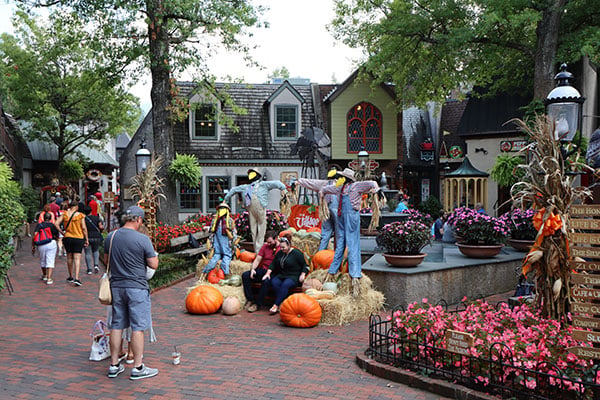
At least, that's the theory. Sadly, in practice it won't work out unless you're lucky, because the M6 II is rather finicky about what chargers it will accept. Officially, in-camera charging is only supported with Canon's own PD-E1 USB power adapter, but that rather defeats the purpose of in-camera charging in the first place, since you still have to take a dedicated adapter and cables with you everywhere you go, instead of a dedicated charger.
I tried several different USB-C cables and a variety of chargers of my own, and wasn't able to get the charging lamp to illuminate with any combination I tried. And we've heard the same thing from others, too on other cameras supporting the PD-E1 USB adapter such as the G7X Mark III. Thus far, the only charger other than Canon's own that I've seen reported to work is that for the MacBook Pro.

Click thumbnail for JPEG, or here for raw file
I can understand why a beefy charger might be needed if you want to charge the battery and use the camera at the same time, but to me it completely defeats the purpose if you are severely limited in terms of which chargers will work even just to trickle-charge your battery overnight while you sleep. The whole attraction of USB charging for most of us is that it lightens our load, but unless you're lucky enough to have a charger that happens to be compatible, the M6 II's in-camera charging won't scratch that itch.
Consider it to be proprietary or not even a feature of the camera, and you won't be disappointed. (And if you turn out to be lucky, well, you'll end up with a feature you weren't expecting to get!)
Time for some daytime image quality testing!
And with all of that out of the way, it's time to talk image quality -- in the daytime, at least. (Night shooting will come in my second field test, which I'm hoping will follow in the next week or so, so watch this space.) And as well as the images I've sprinkled throughout this field test, note that you'll find even more shot both by myself and William Brawley in the gallery, which you can find here.
Oh, and since I recently compared Canon's standard and lossily-compressed raw formats in my recent Canon SL3 field test and found them to be essentially indistinguishable save for file size, note that I've predominantly shot C-Raws for this review so as to save on file size and download times.
The increase in resolution is smaller than it might seem, but low ISO quality's good
To kick off my image quality testing, I headed to nearby downtown Knoxville, Tennessee for some shooting... only to realize when the camera died in short order that in my rush to get out the door, I'd grabbed the wrong battery pack off the wrong charger, and accidentally brought a near-flat battery from the SL3 with me, since both cameras use the same pack. Whoops!
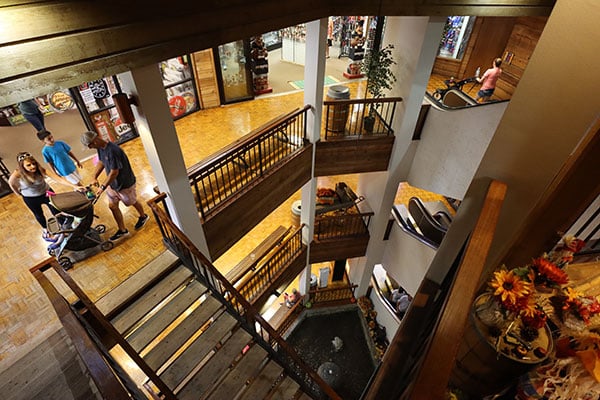
A day or two later, I headed out instead to Gatlinburg, Tennessee in search of some colorful and interesting subjects. And I have to say that at or near base sensitivity, I was quite satisfied with the EOS M6 II's image quality. I don't know that the step in resolution from 24.2 to 32.5 megapixels really feels necessary to me -- and nor as it as significant as those numbers might suggest, as even on paper we're only talking about a 16% increase in linear resolution -- but I don't think it significantly hinders image quality either, at the lower end of the sensitivity range.
With that said, some noise does become noticeable by ISO 800 and 1600-equivalents. At those sensitivities it's fine-grained enough that it didn't trouble me in the least, but the few shots I've captured thus far at even higher sensitivities suggest that noise levels increase noticeably by ISO 3200, and some noise reduction artifacts start to become noticeable as well. Rest assured that I'll be rolling up my sleeves and digging into this for my second field test.

A slight, fairly consistent (and easily corrected) tendency towards overexposure
Thus far, my only real concern with daytime image quality has been a slight but noticeable tendency to overexpose images just a tad, for my tastes. This is easily corrected by just dialing in a third-stop of negative exposure compensation or shooting in raw, so you can pull back any clipped highlights, but it's worth being aware of.
And while I've thus far only shot with relatively static subjects, I have to say that I found performance (both in terms of burst capture speed and autofocus speed / accuracy) to be great in the daytime. Thus far, the M6 II hasn't troubled me with AF hunting or accuracy issues, and nor has it ever felt like I had to wait on the camera.
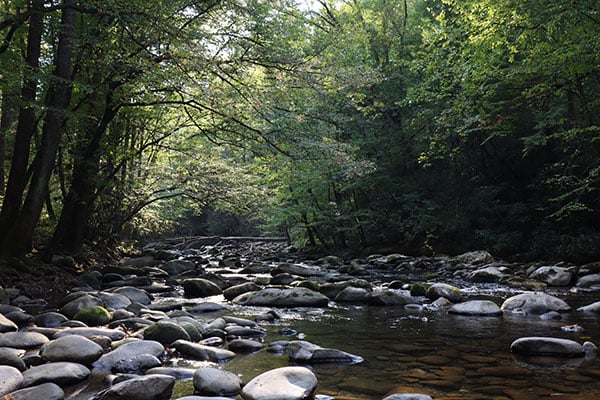
Watch this space for Part II of my Field Test!
For my second field test, I'm planning on seeking out some more active subjects myself to get a better feel for performance, though. I'm also intending to get some portraits and try out the M6 II's updated face / eye detection and tracking features. I'll also be taking a look at night shooting, both from a long exposure and high ISO perspective. And to round things out, I'll also be trying out the My II's overhauled 4K, Full HD and slow-motion video recording features.
Watch this space for part two of my field test, coming soon!