

Overview
Updates
06/21/2018: Field Test posted
07/19/2018: First Shots posted
07/30/2018: Performance posted
04/18/2019: Image Quality Comparison and Print Quality posted
04/28/2019: Review Conclusion posted

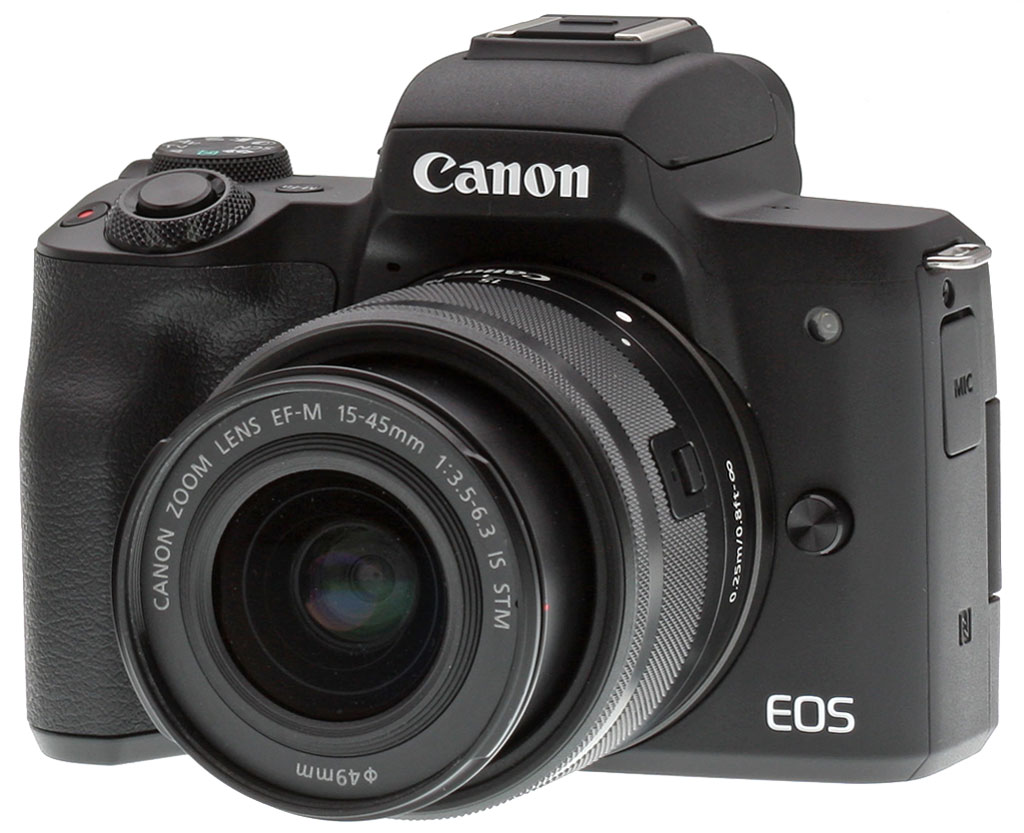
The Canon EOS M5 was released in November of 2016, and when we reviewed it, we asked if it was the mirrorless camera that Canon enthusiasts had been waiting for. For us, it came close and was certainly Canon's best, most well-rounded mirrorless camera yet. The new Canon EOS M50 continues the trend of M-series improvement, and addresses some of the M5's small list of issues, though it doesn't replace that camera, but instead slots below it in Canon's lineup.
The Canon M50 marks a couple of firsts for Canon. It is the first Canon camera with the new DIGIC 8 image processor. It's also the first Canon M camera to include 4K video recording. Further, the Dual Pixel CMOS AF has been improved, which is significant considering how good it already was. While these are notable additions, the M50 shares a lot with its more expensive sibling too, including the same 24-megapixel APS-C image sensor. Canon is still positioning it as an entry-level camera in general, though, but it's one which is more full-featured than prior entry-level M cameras. Let's take a closer look at what's new.
M50 Key Features
- 24.1-megapixel APS-C CMOS sensor
- Native ISO range of 100-25,600
- First Canon camera with new DIGIC 8 image processor
- Up to 10 frames per second continuous shooting
- Improved Dual Pixel CMOS AF
- 3-inch vari-angle touchscreen
- 0.39-inch OLED electronic viewfinder
- 4K UHD video recording
- Built-in Wi-Fi, NFC and Bluetooth
Camera Body and Design
There are stylistic similarities between the new Canon M50 and its bigger brother, but there are also many differences when you look closer. Starting on the rear of the camera, the M50 has a slightly smaller display than the M5 (three inches versus 3.2 inches), but this comes with the tradeoff that the M50 has a vari-angle display, whereas the M5 has just a tilting display. In both cases, they offer touch functionality. The M50's three-inch display has approximately 1.04 million dots while the M5's has 1.62 million. The M50 doesn't have a control dial around the four-way pad and the power switch has been relocated. Further, the dedicated movie record button has been moved from the back of the camera to the top deck on the M50.

Speaking of the top of the camera, this is where the two cameras vary the most. The M5 has a main dial around the shutter button, a multi-function button, an exposure compensation dial, a function dial with central button, a flash release button, and a locking mode dial. The M50 simplifies things greatly by removing the exposure compensation and function dials, and the flash release button (it now has a manual popup flash). There is a main dial, a multi-function button and a non-locking mode dial, but to the left of the electronic viewfinder, there are no dials or buttons whatsoever.

The M50 has dimensions (width x height x depth) of 4.6 x 3.5 x 2.3 inches (116.3 mm x 88.1 x 58.7 mm), and it weighs 13.7 ounces (387 g) with the battery and an SD memory card inserted. The white version weighs three grams more. By comparison, the M5 is 4.6 x 3.5 x 2.4 inches (115.6 x 89.2 x 60.6 mm), a little narrower despite having more dials, but a little taller and deeper. The M5 is around 1.3 ounces or 37 grams heavier as well.
Shooting Features
Sensor and image quality
The M50 employs the same 24.1-megapixel APS-C CMOS sensor as its sibling. It has the same native sensitivity range as the M5 of 100 to 25,600, however it can now be expanded to ISO 51,200 as well. Further, the M50 supports the next-generation CR3 raw format and it offers a new C-RAW lossy compression raw option. C-RAW image files are about 40 percent smaller in size when compared to losslessly-compressed raw files. This leads to some performance gains, as we can see in the next section.

Performance improvements driven by first DIGIC 8 processor
As the first camera with a DIGIC 8 processor, you might expect big performance improvements across the board for the M50. There are speed improvements, but they aren't massive. The camera can shoot at up to 10 frames per second with single-shot autofocus, and 7.4 frames per second with continuous autofocus. This is about a frame per second faster than the M5 for single-shot AF and 0.4 fps faster for continuous AF.

According to Canon, the M50 can shoot 10 raw or 33 JPEG images at 10 fps before it slows. (In our lab testing, the M50 did have a 10 frame raw or raw+JPEG buffer, but it managed 36 JPEGs before slowing.) However, by shooting in the new lossy compressed C-RAW format you can increase raw buffer depth to 16 frames at 10 fps.
By way of comparison, the M5 managed only 27 JPEGs in the lab at just over 9 frames per second, but its lossless raw buffer depth was still deeper than the M50's C-RAW buffer at 18 frames. (However, keep in mind the slightly slower frame rate.)

When looking at autofocus, the Dual Pixel CMOS AF system in the M50 has also been upgraded compared to its sibling. It now includes 143 selectable focus points, although there's a catch: Not every EF-M lens can utilize all 143 points.
The EF-M 18-150mm f/3.5-6.3 IS STM, EF-M 28mm f/3.5 Macro IS STM and EF-M 55-200mm f/4.5-6.3 IS STM lenses can all use 143 points, which covers 88% of the horizontal image area and 100% of the vertical image area. The rest of the EF-M lenses, including the standard EF-M 15-45mm kit lens, can only use 99 points which cover the same 80% width and 80% height of prior Dual Pixel CMOS AF cameras. There are also many EF and EF-S lenses which can use 143 points when adapted to the EOS M50 with the optional Canon-sold adapter.

The M50 also offers Eye Detection and touch-and-drag autofocus features, the latter operated via its rear touch-screen display. The working range of the autofocus system is manufacturer-rated as -2 to 18 EV (at ISO 100 with the EF-M 22mm f/2 STM lens), and the M50 has a built-in AF assist LED lamp. Further, if you want to use manual focus, the M50 does offer focus peaking.
Overall, the DIGIC 8 is an interesting update to the M50, and it does deliver some improved performance, although perhaps not quite as much as you might expect from a next-generation processor.

Shooting modes
The Canon M50 includes numerous shooting modes, and has been designed to be accessible for users new to photography, or at least new to an interchangeable-lens camera, but it also offers advanced users intuitive physical controls. In addition to standard program, aperture priority (Av), shutter speed priority (Tv) and manual shooting modes, there are also scene modes and the camera also includes a new silent mode as part of its scene mode selection. The silent mode results in there being no shutter sound whatsoever using an electronic shutter.
If you want to process your raw files in the camera, the M50 now offers that feature. If you'd like to transfer your images, you can do so via the M50's built-in Wi-Fi with NFC and Bluetooth. You can transfer images automatically, as well.
Canon EOS M50 Wi-Fi Demo Video |
With respect to shooting specs, the M50 has a shutter speed range of 30 to 1/4,000 second in program, aperture- or shutter-priority and manual modes, although some shooting modes have different limitations. The camera has a built-in manually-deployed flash which has a flash sync of 1/200s and a guide number of only 16.4 feet (5m) at ISO 100. The camera relies upon a 384-zone metering system and offers evaluative, partial, spot and center-weighted average metering modes.

Video: Canon EOS M50 is the first M-series camera with 4K video
4K video has been a long time coming to the Canon EOS M series, but it finally arrives with the M50. Let's look at the good news first: the camera can record 4K ultra-high definition video at 23.98 frames per second. Further, it can shoot Full HD video at up to 60 fps, and HD video at up to 120 fps.

When recording 4K ultra high-def video, which has four times the pixels of Full HD video, the M50 can still record for up to 29 minutes and 59 seconds, which is an impressive recording limit for 4K in this class. The bit rate of 4K video is 120 Mbps. There are some downsides, though. 4K is limited to a 24p capture rate, it's cropped from the center by a factor of about 1.6x on top of Canon's 1.6x APS-C crop, and autofocus is contrast-detect only.
When recording Full HD video, Dual Pixel AF is available, the bit rate drops to 60 Mbps at a 60p framerate, and the maximum clip length remains the same, at just under 30 minutes. For the high speed HD video mode at 120 fps, the clip length tops out at almost 7.5 minutes at 52 Mbps. Further, the M50 records stereo sound with its dual internal mics, and includes an external mic input, which is nice. It's worth noting that the maximum sensitivity during 4K video is ISO 6400 while for 1080p and below, the maximum is ISO 25,600.
While there are some drawbacks with the M50's implementation of 4K video, it's great that Canon has finally included it in an M-series camera.

Ports, storage and connectivity
The M50 has a Micro-B USB 2.0 port, a Micro HDMI Type-D port -- which supports HDMI output of the shooting screen without sound while recording -- and a 3.5mm stereo microphone jack. It does not, however, have the M5's wired remote jack. Images and video are stored on SD/SDHC/SDXC cards via a single card slot with support for UHS-I, just like the M5.
The M50 uses Canon's 7.2V 875mAh LP-E12 lithium-ion battery pack, which is CIPA-rated to 235 shots in regular shooting with either display, and 370 shots in Eco Mode. The M5 utilizes a larger 1040mAh LP-E17 battery, which is rated for 60 more shots in regular shooting modes.

Sibling Rivalry: Where does the M50 sit in Canon's lineup?
The M50 is an interesting camera for a number of reasons, not the least of which is that Canon is positioning it as an entry-level camera in its press materials. When you look at its specs and feature set, it's somewhat surprising to see it described as entry-level. It has a 24-megapixel APS-C sensor, 10 frames per second shooting, Dual Pixel CMOS AF, 4K video, Vari-angle touchscreen and a built-in electronic viewfinder. Build quality feels solid and despite losing some physical controls compared to its more expensive big brother, it is arguably the most capable M-series camera Canon has released to date.

For Canon shooters with an array of EF and EF-S lenses, the M50 will presumably work as well with the adapted lenses as other M-series cameras have, which will help alleviate the biggest weakness of the M system -- the lack of good native glass. There's a lot to like about the M50. If this is the new entry-level EOS M camera, we like where Canon appears to be headed with the line.

In the Box
The Canon EOS M50 15-45mm kit retail box (as tested) ships with the following items:
- Canon EOS M50 body
- EF-M 15-45mm f/3.5-6.3 IS STM lens
- Front and rear lens caps
- LP-E12 battery pack
- LC-E12 battery charger
- Hot shoe cover
- Body cap
- IFC-600PCU USB interface cable
- EM-200DB neck strap
- One-year warranty
Optics
Our Canon M50 came bundled with the EF-M 15-45mm f/3.5-6.3 IS STM lens. We have not done a full test on this kit lens yet, but to get an idea of how it performs see our Canon EOS M10 Optics page.
Below are our viewfinder accuracy test results.
Viewfinder Test Results
Accuracy
Excellent accuracy from the EVF and LCD in record mode.


The Canon M50's EVF and LCD were both quite accurate in terms of coverage in record mode, resulting in 100% coverage our tests. Excellent results here.
The images above were taken from our standardized test shots. For a collection of more pictorial photos, see our Canon EOS M50 Photo Gallery .
Exposure
Color
Saturation & Hue Accuracy
Slightly below mean saturation levels with excellent hue accuracy.
 |
||
| In the diagram above, the squares show the original color, and the circles show the color that the camera captured at base ISO. More saturated colors are located toward the periphery of the graph. Hue changes as you travel around the center. Thus, hue-accurate, highly saturated colors appear as lines radiating from the center. Click image to load a larger version. |
Saturation. The Canon M50 produces images with mean saturation levels that are a little below average these days. Dark reds are boosted the most, with dark orange, dark green and dark blues pushed just a little, while cyan, light green and yellow are slightly muted. The mean saturation of 105.1% (5.1% oversaturated) at base ISO is a bit lower than the 110% average we normally see, but colors appear natural-looking and pleasing to the eye. Most consumer digital cameras produce color that's more highly saturated (more intense) than found in the original subjects. This is simply because most people like their color a bit brighter than life.
Skin tones. The Canon M50 produces pleasing, natural-looking Caucasian skin tones in our tests when using auto white balance (manual WB was a bit warmer). Darker skin tones show a small nudge toward orange, but lighter tones are more pinkish. Very good results. Where oversaturation is most problematic is on Caucasian skin tones, as it's very easy for these "memory colors" to be seen as too bright, too pink, too yellow, etc.
Hue. As we've come to expect from Canon, the EOS M50's hue accuracy is excellent when manual white balance is used (as it always is for these results), and is much better than average. There are the usual shifts in cyan toward blue (though actually quite small), red toward orange, orange toward yellow, and yellow toward green, but all are fairly minor. Mean "delta-C" color error at base ISO is only 3.98 (lower is better) which is excellent, among the better scores we've recorded to date. Hue is "what color" the
color is.


Sensor
Exposure and White Balance
Indoors, incandescent lighting
Auto and Incandescent white balance settings both struggled with household incandescent lighting, though Manual worked well. Above average exposure compensation required.


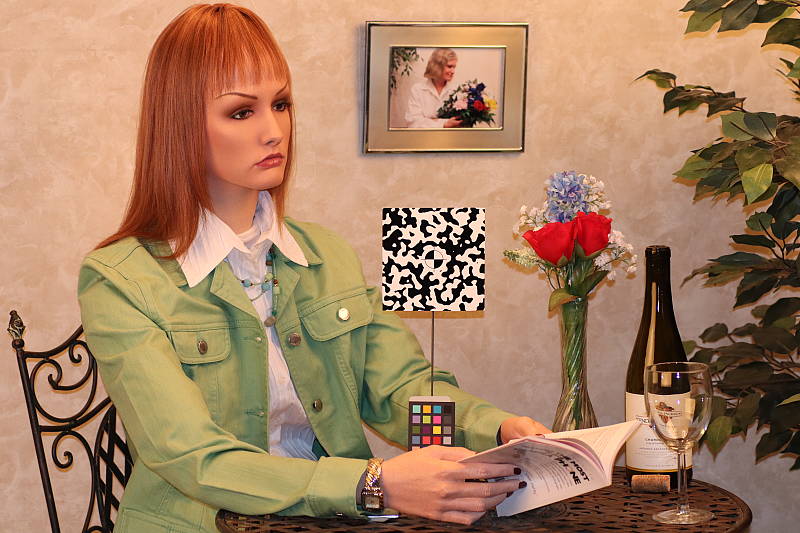
Indoors, under incandescent lighting, the Canon M50's default Auto and Incandescent white balance settings struggled quite a bit, producing very orange/yellow color casts. The M50's new White Priority Auto WB option produced better results, though with a magenta tint. The Manual setting produced the most accurate and neutral results. The M50 required +0.7 EV exposure compensation for this shot, which is a little higher than the average of +0.3 EV required among the cameras we've tested. (Our test lighting for this shot is a mixture of 60 and 100 watt household incandescent bulbs, a pretty yellow light source, but a very common one in typical home settings here in the U.S.)
Outdoors, daylight
Nice colors, though a tendency towards high contrast under harsh lighting. Slightly below average exposure accuracy.
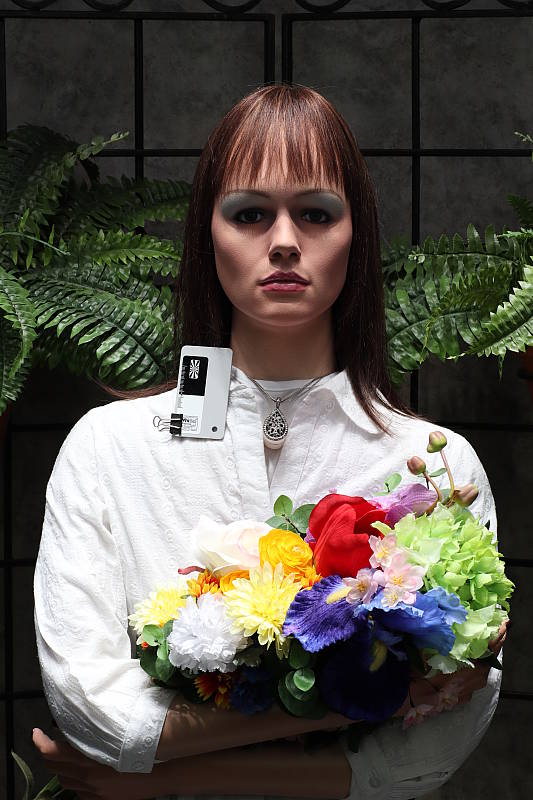
In simulated daylight, the Canon M50 produced pleasing skin tones with Auto white balance and overall color was generally very good. The Canon M50 required +1.0 EV exposure compensation to keep the mannequin's face reasonably bright, though the image is still a bit dim. That's a little higher than average for our "Sunlit" portrait shot. The Canon EOS M50's default contrast is pretty high, producing some washed-out highlights and dark shadows under the deliberately harsh lighting of the shot above, though the camera's Auto Lighting Optimizer and Highlight Tone Priority settings help with high contrast scenes like these. See below for examples of this.
Resolution
~2,800 lines of good detail from JPEGs, about the same from RAW.
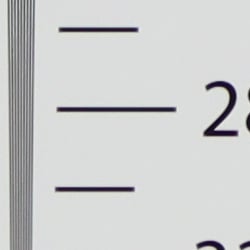
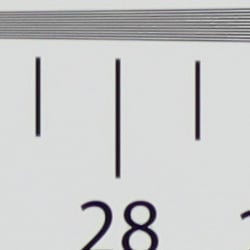
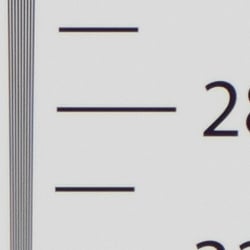
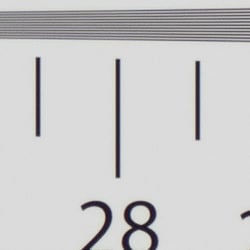
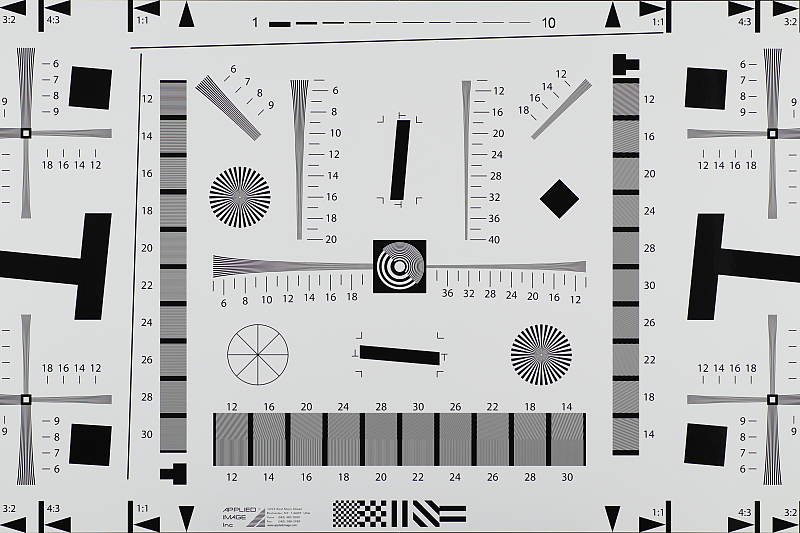
Our resolution chart showed fairly sharp, distinct line patterns up to just under 2,800 lines per picture height horizontally and to just under 2,800 lines vertically. Some may argue for higher numbers, but lines begin to merge at this resolution, and some aliasing artifacts in the form of moiré patterns can be seen even at lower resolutions. Extinction of the pattern occurred between 3,400 and 3,600 lines. An Adobe Camera Raw converted .CR3 file produced about the same resolution as the in-camera JPEG, though it contains more false colors. Use these numbers to compare with other cameras of similar resolution, or use them to see just what higher resolution can mean in terms of potential detail.
Sharpness & Detail
Somewhat soft images at default sharpening, but with visible sharpening artifacts. Minor to moderate detail loss due to noise reduction processing even at low ISOs.

Sharpness. The Canon M50's 24-megapixel sensor captures very good image detail when coupled with a good lens, though JPEG images are a bit soft at default settings. (Keep in mind Canon has decided to keep an optical low-pass filter in the EOS M50 to reduce aliasing artifacts at the cost of slightly reduced sharpness, unlike some competing models which have gone the other way.) Yet the EOS M50's default sharpening setting generates visible edge-enhancement artifacts in the form of visible though fairly minor sharpening haloes around high-contrast edges, as shown in the crop above left. Edge enhancement creates the illusion of sharpness by enhancing colors and tones right at the edge of a rapid transition in color or tone.
Detail. The crop above right shows some minor detail loss due to noise suppression in darker areas and in areas with low contrast, perhaps just a little more than we're accustomed to seeing from leading APS-C models at base ISO. Still, a good performance for a 24-megapixel model. Noise-suppression systems in digital cameras tend to flatten-out detail in areas of subtle contrast. The effects can often be seen in shots of human hair, where the individual strands are lost and an almost "watercolor" look appears.
In-Camera JPEGs: Standard vs Fine Detail Picture Style setting
The EOS M50 offers the relatively new Fine Detail Picture Style first seen on the Canon 5DS R and 5DS DSLRs. Below is a comparison with the default Standard Picture Style.
|
Base ISO (100)
|
|
 |
 |
 |
 |
 |
 |
|
Camera JPEG, defaults
|
Camera JPEG, Fine Detail
|
In the table above, we compare the M50's default Standard Picture Style setting (left) to its Fine Detail preset at base ISO. Like the 5DS/R, the Canon EOS M50 offers users much more flexibility in sharpening than other EOS models, allowing you to adjust not only the "Strength" (from 0 to 7) but also the "Fineness" (0 to 5) and "Threshold" (0 to 5) operators. We believe these parameters correlate to unsharp mask options for strength, radius and threshold available in photo editing software such as Photoshop, although we don't know what the equivalent units might be.
The Fine Detail Picture Style preset in the M50 keeps the Sharpness Strength operator the same (4 out of 7) while dialing down the Fineness (1/5) and Threshold (1/5) operators to their minimum compared to Standard which defaults to Sharpness: 4/7, Fineness: 2/5 and Threshold: 4/5. The result is slightly improved rendering of fine detail than the default Standard setting, though the difference isn't huge. Noise is however more visible in flatter areas, and contrast is lower, making the Fine Detail image appear to have less "pop". There also appear to be minor differences in color, even though Color Tone, Saturation and Contrast settings are identical between these two Picture Styles presets. Given the flexibility in settings, though, you may be able to find a better combination than the defaults compared above.
RAW vs In-Camera JPEGs
As noted above the Canon M50 produces JPEG images with very good detail, but that are somewhat soft yet with visible sharpening haloes. With a good RAW converter, additional detail can often be extracted with fewer sharpening artifacts. See below:
|
Base ISO (100)
|
|
|
 |
|
 |
|
 |
|
Camera JPEG, defaults
|
RAW via Adobe Camera Raw
|
In the table above, we compare a best quality in-camera JPEG taken at base ISO using default noise reduction and sharpening (on the left) to the matching CR3 file converted with Adobe Camera Raw 9.1 via DNG Converter 10.4 using default noise reduction with some strong but tight unsharp masking applied in Photoshop (300%, radius of 0.3 pixels, and a threshold of 0).
Looking closely at the images, we can see ACR extracts additional detail that isn't present in the default JPEG from the camera, particularly in the red-leaf and pink swatches where the fine thread pattern is likely treated as noise by the JPEG engine. Fine detail in the mosaic crop is also improved, but as is often the case, the conversion isn't as clean and smooth looking, with much more noise that can be seen in the flatter areas of the bottle crop for example. You can of course apply stronger noise reduction (default ACR NR used here) to arrive at your ideal noise versus detail tradeoff. And, as expected, sharpening haloes aren't as visible as the default camera output. Overall, in-camera default JPEG processing is not bad here at base ISO, but as usual you can do noticeably better by shooting in RAW mode and using a good RAW converter.
ISO & Noise Performance
Good high ISO performance for a 24-megapixel APS-C sensor.
|
Default High ISO Noise Reduction
|
||
 |
 |
 |
| ISO 100 | ISO 200 | ISO 400 |
 |
 |
 |
ISO 800 | ISO 1600 | ISO 3200 |
 |
 |
 |
| ISO 6400 | ISO 12,800 | ISO 25,600 |
 |
||
| ISO 51,200 | ||
M50 images are quite clean at ISOs 100 and 200, with just a tiny amount of luminance noise seen in the darker areas, and very little chroma noise. Some blurring of fine low-contrast detail is already visible at ISO 200, though. Noise "grain" is slightly more evident at ISO 400, but detail remains very strong despite some minor blurring due to noise reduction. ISO 800 is of course a little noisier, but fine detail is still very good with a noise grain that's quite fine and chroma noise remains low. At ISO 1600 blurring becomes stronger resulting in a more evident drop in image quality, though a fair amount of fine detail is still left. ISO 3200 is quite a bit softer and grainier with minor chroma blotching, though, but there is still some fine detail left. ISO 6400 shows stronger blurring and noise "grain", but the grain pattern is still fairly tight and not too obtrusive. Noise and the effects of noise reduction working hard to keep it under control really become apparent at ISOs 12,800 and above, with heavier luminance noise, strong blurring and more obvious chroma blotching.
Overall, good high ISO performance for a 24-megapixel APS-C sensor, though default JPEG noise reduction and sharpening is not as sophisticated as some rivals which tends to smudge fine details more than we'd like. See the Print Quality section below for our evaluation of maximum print sizes at each ISO setting.
Extremes: Sunlit, dynamic range and low light tests
Somewhat high default contrast and unremarkable dynamic range in JPEGs. HTP and ALO options do a good job of dealing with tough lighting. Good low-light AF performance.


The Canon M50 produces images with moderately high contrast with some washed-out highlights and deep shadows under the deliberately harsh lighting of the test above. The mannequin's face was much too dim at the default, +0.3 and +0.7 EV exposure compensation settings so we preferred the image with +1.0 EV, though even that one is a bit dim in the eyes. This resulted in some clipped highlights in the shirt and flowers, a bit more than we're used to seeing from an APS-C sensor lately, indicating mediocre dynamic range in JPEGs compared to the best of recent competitors. Shadow detail is however pretty good, though very deep shadows are a bit noisy and discolored. Bottom line: while dynamic range isn't bad, the Canon M50 didn't do as well with this difficult shot compared to some recent state-of-the-art peers. As expected, though, the blown highlights and dark shadows in the +1.0 EV were easily recoverable from the matching RAW file, indicating the sensor offers decent dynamic range, similar to prior EOS models like the M5 and M6.
Because digital cameras are more like slide film than negative film (in that they tend to have a more limited tonal range), we test them in the harshest situations to see how they handle scenes with bright highlights and dark shadows, as well as what kind of sensitivity they have in low light. The shot above is designed to mimic the very harsh, contrasty effect of direct noonday sunlight, a very tough challenge for most digital cameras. (You can read details of this test here. In actual shooting conditions, be sure to use fill flash in situations like the one shown here; it's better to shoot in open shade whenever possible.)
Highlight Tone Priority
The Canon M50 offers two Highlight Tone Priority (HTP) options, D+ and D+2. This is the first EOS M model to offer two HTP options. Mouse over the links below to load the associated thumbnails, and click on the links to load full resolution images.

All three shots above were captured at the same exposure, the only difference being that HTP was enabled for the HTP shots which necessarily increases the ISO to 200; part of how HTP works. Very few highlights were blown at default exposure so we cranked exposure compensation up to +0.7 EV to cause some minor highlight clipping, however we should have cranked exposure up even higher. Still, comparing the HTP shots to the one with it disabled, you can clearly show a reduction in highlights when HTP D+ is enabled, and a further reduction in highlights with the D+2 setting, although the latter setting reduced midtone and shadows a bit too. If you look closely at shadows, you'll notice an increase in noise is the price you pay when ISO is boosted from 100 to 200, although noise is pretty low in the shadows from the M50 at ISO 200.
Automatic Lighting Optimization
Like previous Canon EOS models, the M50 offers three selectable levels of Automatic Lighting Optimization (ALO), plus Off. In fully automatic (Scene Intelligent Auto) ALO is automatically enabled and it's available in P, Tv and Av exposure modes. Mouse over the links below to load the associated thumbnails, and click on the links to load full resolution images.
|
Automatic Lighting Optimization (0 EV)
|
|
 |
|
As you can see above with images taken with no exposure compensation, ALO has the effect of shifting shadows and mid-tones, brightening the overall image while preserving highlights, although in this case, it could have boosted overall exposure quite a bit more. ISO is not boosted for ALO so increased noise is not an issue, though it may be slightly more visible in shadows that have been boosted significantly.
Face Detection
Just like most cameras these days, the M50 has the ability to detect faces, and adjust exposure and focus accordingly.
| Face Detection | ||
 |
 |
 |
| Aperture Priority Face Detect: Off 0 EV |
Aperture Priority Face Detect: On 0 EV |
Auto Mode 0 EV |
As you can see from the examples above, it works quite well, as the center image with face detection enabled is much better exposed for the face than the left image where face detection was not employed without having to use exposure compensation. The camera did this by dropping the shutter speed from 1/60s to 1/30s. Full Auto mode (right) performed even better, producing a well-exposed, more balanced image. It selected a wider f/2.8 aperture with a much faster shutter speed of 1/250s, and used the standard Auto Lighting Optimizer setting for improved contrast.
|
HDR Modes
|
|
|
|
|
HDR Modes
The Canon EOS M50 includes a couple of High Dynamic Range modes, which take three continuous shots at different exposures and merge them together to create an image with wider tonal range than would be possible with a single exposure. There's an HDR Backlight Control scene mode, plus included in Image Effects (Creative Filters) there is an HDR mode that offers four Artistic effects: Art Standard, Art Vivid, Art Bold and Art Embossed. Mouse over the links above to compare the effects, and click on the links to access the full-res versions. This is a nice feature, but notice the resulting image is cropped compared to the standard (Off) off.
Dynamic Range Analysis (RAW mode)
While we once performed our own dynamic range measurements based on in-camera JPEGs as well as converted RAW images (when the camera was supported by Adobe Camera Raw), we've switched to using DxO Labs' results from their DxOMark website. As technology advanced, the dynamic range of modern high-end cameras in some cases exceeded the range of the Stouffer T4110 density scale that we used for our own measurements. DxO's approach based on RAW data before demosaicing is also more revealing, because it measures the fundamental dynamic range of the sensor, irrespective of whatever processing is applied to JPEGs, or to RAW data by off-the-shelf conversion software.
In the following, we use DxO's "Print" dynamic range results, which are scaled based on camera resolution. As the name suggests, this scaling corresponds to the situation in which you print at a given size, regardless of how many megapixels the camera might have. (In other words, if you've decided to make a 13x19 inch print, that's the size you're printing, whether the camera's resolution is 16 or 300 megapixels.) Also note that DxO Labs uses a signal-to-noise (SNR) threshold of 1 when defining the lower boundary of acceptable luminance noise in their dynamic range measurements, which corresponds to the "Low Quality" threshold of the Imatest software we used to use for this measurement.
Unfortunately, DxOMark has not yet tested the M50. We'll come back and fill in this section after they do. In the meantime, Photons to Photos reports that M50 dynamic range is very similar to that of the M5 and M6, which is good, but lags behind most recent APS-C rivals.
Low-light Autofocus
The Canon M50's autofocus system was able to focus on our legacy low-contrast AF target down to about -0.5 EV unassisted with an f/2.8 lens which is a bit disappointing, however it was able to focus on our newer high-contrast AF target down to -3.7 EV which is pretty good, and much better than its specification of -2.0 EV with an f/2 lens. Be aware we perform this test on a sturdy tripod, so hand-held results may be different. The Canon M50 also has an AF assist illuminator, which allows it to focus complete darkness when the subject is with in range and has sufficient contrast.
NOTE: This low light test is conducted with a stationary subject, and the camera mounted on a sturdy tripod. Most digital cameras will fail miserably when faced with a moving subject in dim lighting. (For example, a child's ballet recital or a holiday pageant in a gymnasium.) Large sensored cameras like the Canon EOS M50 do much better than point & shoots, but you still shouldn't expect a quick autofocus lock with moving subjects.
Built-in Flash
Weak built-in flash.


Exposure. Indoors under incandescent background lighting, the EOS M50's flash underexposed our standard indoor portrait scene at ISO 200 and f/4, even with +1.0 EV of flash exposure compensation applied. (An average of +0.7 EV is normally needed for this shot.) However with Auto ISO, the camera produced a good flash exposure with +0.3 EV of flash exposure compensation, though the camera boosted ISO to 1600. Both images above have a warm, orange cast from the tungsten ambient lighting.
Output Quality
Print Quality
Very nice 30 x 40 inch images at ISO 100/200/400; a good 11 x 14 inch print at ISO 3200; and a nice 5 x 7 at ISO 12,800.
 ISO 100 and 200 prints are quite good at 30 x 40 inches, showcasing nice fine detail and accurate color representation. At the 24-megapixel resolution, you can certainly print larger sizes at these low ISOs as well, and will only be constrained by the resolution itself at your desired viewing distance.
ISO 400 is also capable of delivering a solid print at 30 x 40 inches. Fine detail is not quite as crisp as the prints at base ISO and 200, but it's still a very natural-looking print. If your images need the ultimate in crispness and depending on your print settings and subject matter, it may be best to remain at 24 x 36 inches here, but again we can very much give our "good" seal to 30 x 40 inches at this ISO.
ISO 800 yields a good printed image up to 20 x 30 inches, which is still a fairly large size for this ISO given the class and cost of the camera. There is now a mild trace of noise in some flatter areas of our test target apparent on closer inspection, and a common reduction of contrast detail in our tricky red-leaf fabric swatch, but overall a good image at this size. Critical applications may warrant a size reduction to 16 x 20 inches here as needed depending on your subject matter.
ISO 1600 is capable of delivering a solid print up to a maximum of 16 x 20 inches, which yet again is par for the course for most of the better APS-C cameras these days at this sensitivity. There is a touch more noise apparent in some of the shadow areas behind our test target bottles, as the noise reduction and sharpening algorithms from the DIGIC 8 processor try and work the optimal compromise, but this is a common occurrence for most APS-C cameras at this ISO and print size. Once again, for your most critical applications, moving one size down to 13 x 19 inches will solve most issues you may have here.
ISO 3200 is often the turning point for APS-C cameras regarding image quality, and the EOS M50 is no exception, as we must go down two full sizes here to achieve a good print. The camera can deliver a nice 11 x 14 here, but there is still a mild amount of noise present in some flatter areas of the image. So while the 11 x 14 prints here do pass our good grade, remaining at ISO 1600 and below is your best bet for maximum print quality at this size of print.
ISO 6400 turns in an 8 x 10 inch print that just passes our good grade. There is still full color representation in the image overall, and decent fine detail throughout, but traces of noise are apparent in the flatter areas of our test target. The noise levels are acceptable for good prints, but not likely for your most critical applications.
ISO 12,800 delivers a solid 5 x 7 inch print, which is a fairly good size for an APS-C sensor. The images here won't win any awards, but nor will they be a letdown for gifts to family and friends, as the colors and detail at this size are still enough to earn a good seal.
ISO 25,600 yields a good 4 x 6 inch print, which is a nice feat. The image is similar to the 5 x 7 at ISO 12,800 in that it's not suited for critical applications, but is "good enough" for casual printing purposes.
ISO 51,200 does not deliver a usable print and is best avoided.
The Canon M50 delivers a good showing in the print quality department as expected. The print sizes don't exceed predecessors in the line per se, and the new processor seems to yield a bit more detail in some areas but at the expense of a bit more noise in others. Your mileage may vary depending on your in-camera sharpening and noise reduction settings (we used defaults) if using JPEGs, but for the most part you can expect solid printed images at large sizes up to ISO 1600. Shooting any higher in ISO and you'll need to pay close attention to your print sizes as relates to overall sharpness and noise, so we recommend remaining at ISO 1600 and below for critical printing purposes. But given the reasonable price of the camera and the ergonomically friendly size, this is a strong showing for overall print quality from the EOS M50.
The images above were taken from our standardized test shots. For a collection of more pictorial photos, see our Canon EOS M50 Photo Gallery .
Not sure which camera to buy? Let your eyes be the ultimate judge! Visit our Comparometer(tm) to compare images from the Canon EOS M50 with those from other cameras you may be considering. The proof is in the pictures, so let your own eyes decide which you like best!
Performance
Timing and Performance
Very good overall performance for its class, though buffer could be deeper.
| Startup/Play to Record | ||
|---|---|---|
|
Power on |
~1.6 seconds
|
Time it takes to turn on and capture a shot. |
|
Play to Record, |
~0.8 second
|
Time until first shot is captured. |
Powering on and taking a shot was about average for a mirrorless camera, taking about 1.6 seconds. Switching from Play to Record and taking a shot was almost twice as fast, at 0.8 second.
| Shutter Response (Lag Time) | ||
|---|---|---|
|
Full Autofocus |
0.069 second
|
Time from fully pressing shutter button to image capture. |
|
Full Autofocus |
0.140 second
|
Time to capture while forcing flash to fire. Preflash metering pulses from flash often slow shutter response. |
|
Manual Focus |
0.060 second
|
For most cameras, shutter lag is less in manual focus than autofocus, but usually not as fast as when the camera is "prefocused". |
|
Prefocused |
0.053 second
|
Time to capture, after half-pressing and holding shutter button. |
In terms of the Canon M50's ability to determine that it's properly focused when shooting the same target multiple times using the EF-M 15-45mm f/3.5-5.6 IS STM kit lens, its full autofocus shutter response was extremely fast a mirrorless camera. We measured only 0.069 second for full AF shutter lag using single point (center) AF-S mode. That's faster than most mirrorless cameras and faster than many pro DSLRs as well. Enabling the built-in flash added delay for the pre-flash metering resulting in a capture lag of about 0.14 second, though that's still very fast.
Shutter lag with manual focus was very good at 0.060 second. "Prefocusing" the camera by half-pressing and holding down the shutter button before the final exposure resulted in a lag time of only 0.053 second, also very good for a mirrorless camera.
To minimize the effect of different lens' focusing speed, we test AF-active shutter lag with the lens already set to the correct focal distance.
| Cycle Time (shot to shot) | ||
|---|---|---|
|
Single Shot mode |
0.35 second
|
Time per shot, averaged over a few frames. |
|
Single Shot mode |
0.38 second
|
Time per shot, averaged over a few frames, with a lot of variation. |
|
Early shutter |
No
|
Some cameras don't snap another shot if you release and press the shutter too quickly in Single Shot mode, making "No" the preferred answer. |
|
Continuous mode |
0.10 second
(10.0 fps); 36 frames total; 4.5 seconds to clear* |
Time per shot, averaged over 36 shot buffer capacity, then slowed to an average of 0.20s or 4.9 fps when buffer was full with a lot of variation. |
|
Continuous mode |
0.10 second
(10.0 fps); 10 frames total; 2.9 seconds to clear* |
Time per shot, averaged over 10 shot buffer capacity, then slowed to an average of 0.48s or 2.1 fps when buffer was full with a lot of variation. |
|
Continuous mode |
0.10 second
(10.0 fps); 10 frames total; 4.3 seconds to clear* |
Time per shot, averaged over 10 shot buffer capacity, then slowed to an average of 0.66s or 1.5 fps when buffer was full with a lot of variation. |
|
Flash recycling |
3.2 seconds
|
Flash at maximum output. |
|
*Note: Buffer clearing times measured with a 64GB Lexar Pro 2000x UHS-II SDXC card. Slower cards will produce correspondingly slower clearing times. Slow cards may also limit length of bursts in continuous mode. ISO sensitivity also affects cycle times and burst mode performance, with higher ISOs generally increasing cycle times and reducing burst performance.
|
||
Single-shot cycle times were quite good, taking an average of 0.35 second for best quality JPEGs or 0.38 second RAW+ L/F JPEG files, though occasionally the RAW+JPEG cycle time was much longer, as high as 2.2 seconds. (Note that we no longer test single-shot mode with just RAW files, as the results are usually somewhere in between JPEG and RAW+JPEG modes.)
Full-resolution continuous mode speeds were very good at exactly 10 frames per second no matter the file type, matching Canon's 10 fps spec, though keep in mind that's with AF and AE locked at the first frame. Canon says up to 7.4 fps is possible with continuous AF, however we don't test continuous AF mode in the lab.
Buffer depth for best quality JPEGs was decent at 36 frames, slightly exceeding Canon's spec of 33 even though our test target was designed to be difficult to compress. Also note that the buffer-full rate was pretty good at an average of almost 5 frames per second, but it varied a lot. When shooting RAW files, the buffer depth dropped to 10 frames for both RAW and RAW+JPEG frames, matching Canon's spec. Buffer-full rates were about 2.1 and 1.5 fps respectively, with a lot of variation. Canon says the new compressed C-RAW format will increase the buffer to 16 frames at 10 fps, however we did not confirm that in the lab.
Buffer clearing times were good with our fast Lexar Pro 2000x UHS-II despite the M50's lack of UHS-II support, ranging from 2.9 seconds after 10 RAW files, to 4.5 seconds after a max-length burst Large/Fine JPEG frames, but the camera doesn't let you change settings or view just-shot images while it's writing to the card.
The Canon M50's built-in flash took an average of 3.2 seconds to recharge after a full-power discharge, which is good.
Bottom line, the Canon M50 generally offers very good performance for its class with decent startup time, very fast autofocus, low shutter lag, quick single-shot cycle times and swift burst modes. However buffer depths at the highest burst speed could be better, particularly when shooting standard RAW files.
Battery
Battery Life
Poor battery life for mirrorless ILC.
| Operating Mode | Number of Shots |
|---|---|
|
Still Capture,
(CIPA standard, EVF or LCD) |
235
|
The Canon M50 uses a custom LP-E12 rechargeable lithium-ion battery for power, and ships with a dedicated battery charger. Battery life is well below average for a mirrorless camera, CIPA-rated at only 235 shots per charge when using either the EVF or LCD. The camera does however offer an Eco mode which can boost battery life to a more competitive 370 shots per charge. Still, we strongly recommend you pick up a second battery and keep it freshly charged and on-hand.
The table above shows the number of shots the Canon M50 is capable of (on a fully-charged rechargeable battery), based on CIPA battery-life and/or manufacturer standard test conditions.
(Interested readers can find an English translation of the CIPA DC-002 standards document here. (180K PDF document))
Image Quality
Below are crops from our laboratory Still Life target comparing the Canon M50's image quality at various ISOs to that of its bigger brother, the Canon M5, as well as to several other ILC competitors in its class or price range: the Fuji X-T100, Nikon D5600, Panasonic GX9 and Sony A6300.
NOTE: These images are from best quality JPEGs straight out of the camera, at default settings including noise reduction and using the camera's actual base ISO (not extended ISO settings). All cameras in this comparison were shot with our very sharp reference lenses. Clicking any crop will take you to a carrier page where you can click once again to access the full resolution image as delivered straight from the camera. For those interested in working with the RAW files involved, click these links to visit each camera's respective sample image thumbnail page: Canon M50, Canon M5, Fuji X-T100, Nikon D5600, Panasonic GX9 and Sony A6300 -- links to the RAW files appear beneath those for the JPEG images, wherever we have them. And remember, you can always go to our world-renowned Comparometer to compare the Canon M50 to any camera we've ever tested!
Canon EOS M50 vs Canon EOS M5 at Base ISO
 |  |
 |  |
 |  |
Canon EOS M50 at ISO 100 | Canon EOS M5 at ISO 100 |
Here at base ISO, we can see the M50's image quality is very similar to that of its slightly bigger and more expensive brother, the M5. Looking very closely, though, it appears the M50 applies slightly stronger noise reduction by default, as flatter areas appear a little smoother. | |
Canon EOS M50 vs Fujifilm X-T100 at Base ISO
|  |
|  |
|  |
Canon EOS M50 at ISO 100 | Fujifilm X-T100 at ISO 200 |
Above we compare the M50 to another 24-megapixel APS-C camera, the Fuji X-T100. Both images contain visible sharpening haloes along high-contrast edges, but the X-T100's are much more obtrusive, however the Fuji image is much crisper and more detailed. When looking closely at the images, you can see that the X-T100's image has higher luma noise than the M50's in the shadows, but keep in mind its higher base ISO. The X-T100's image however has lower chroma noise than the M50's. Contrast is much higher from the Canon in our tricky red-leaf swatch giving the impression of greater detail, however the two cameras capture about the same amount of subtle detail. Both cameras produce pleasing color but the Fuji's colors are warmer and generally more saturated. | |
Canon EOS M50 vs Nikon D5600 at Base ISO
|  |
|  |
|  |
Canon EOS M50 at ISO 100 | Nikon D5600 at ISO 100 |
The image from the Nikon D5600 is sharper, crisper and slightly more detailed than the M50's at base ISO, thanks to the D5600's lack of an AA filter, as well as more aggressive sharpening. We do see higher luminance noise from the Nikon, though, with more obvious sharpening haloes as well. Aliasing artifacts are more visible from the Nikon in general, however it did a pretty good job at avoiding visible moiré patterns we often see in our notorious red-leaf swatch, while still resolving more of the fine thread pattern. We do see indications that the M50's AA filter is fairly weak, though, as ironically moiré patterns are more visible from the Canon in the red-leaf swatch. The Nikon's colors are warmer and more saturated, but not as accurate overall as the Canon's. | |
Canon EOS M50 vs Panasonic GX9 at Base ISO
|  |
|  |
|  |
Canon EOS M50 at ISO 100 | Panasonic GX9 at ISO 200 |
The 24-megapixel APS-C Canon M50 has a slight resolution advantage over the 20-megapixel MFT Panasonic GX9, but it isn't resolving significantly more detail in most areas here. (The majority of the resolution advantage is in the width of the image because of its wider 3:2 aspect ratio, as we frame this shot vertically.) The GX9's image is however significantly sharper than the M50's, while containing thinner sharpening haloes. The Panasonic shows higher noise levels (but keep in mind its higher base ISO), yet it does show some minor artifacts from its area-specific noise reduction already here at base ISO; for example rougher edges. The GX9 tends to show more aliasing artifacts as well, thanks to the lack of an optical low-pass filter. Both cameras produce nice colors, though the Panasonic's are a bit brighter in general, while the Canon's are a little more accurate overall. | |
Canon EOS M50 vs Sony A6300 at Base ISO
|  |
|  |
|  |
Canon EOS M50 at ISO 100 | Sony A6300 at ISO 100 |
In this comparison, we pit the Canon M50 against Sony's popular 24-megapixel APS-C mirrorless, the A6300. The Sony has either a very weak or no AA filter which helps maximize sharpness and detail, and its processing produces a crisper, more detailed image without the obvious sharpening haloes produced by the Canon's default settings. However we do see stronger aliasing artifacts from the A6300, especially in the red-leaf fabric. Color is noticeably better from the Canon, though. | |
Canon EOS M50 vs Canon EOS M5 at ISO 1600
 |  |
 |  |
 |  |
Canon EOS M50 at ISO 1600 | Canon EOS M5 at ISO 1600 |
Here at ISO 1600, we can see that the M50's default noise reduction has been tweaked, and it's not necessarily for the better. As you can see, fine detail and contrast in our tricky red-leaf swatch has been noticeably reduced compared to the M5 and subtle detail in the mosaic crop is softer, though there are fewer artifacts around high-contrast edges, and noise "grain" in flatter areas appears slightly smoother and more consistent. | |
Canon EOS M50 vs Fujifilm X-T100 at ISO 1600
|  |
|  |
|  |
Canon EOS M50 at ISO 1600 | Fujifilm X-T100 at ISO 1600 |
The Fuji X-T100 produces a much sharper, crisper, cleaner and more detailed image here at ISO 1600 compared to the Canon M50, though with more obvious sharpening haloes. Colors continue to be brighter and more vibrant from the Fuji as well. | |
Canon EOS M50 vs Nikon D5600 at ISO 1600
|  |
|  |
|  |
Canon EOS M50 at ISO 1600 | Nikon D5600 at ISO 1600 |
The Nikon D5600 still manages to produce a sharper, crisper image at ISO 1600 though with more noticeable sharpening haloes, however the Canon M50 arguably does a bit better in our tricky red-leaf fabric, at least with contrast. Noise levels are similar, however the Nikon's more aggressive sharpening makes luminance noise somewhat more conspicuous in flatter areas. | |
Canon EOS M50 vs Panasonic GX9 at ISO 1600
|  |
|  |
|  |
Canon EOS M50 at ISO 1600 | Panasonic GX9 at ISO 1600 |
The GX9 continues to produce a much crisper image with better fine detail in most areas here at ISO 1600. The Panasonic's more sophisticated noise reduction also leaves behind much less noise in the flatter areas than the Canon's, however its area-specific algorithm does produce some unwanted artifacts in the form of rough edges and a "grain" that has a more "digital" look. Still, it's an easy win for the GX9 here. | |
Canon EOS M50 vs Sony A6300 at ISO 1600
|  |
|  |
|  |
Canon EOS M50 at ISO 1600 | Sony A6300 at ISO 1600 |
Like we saw at base ISO, the Sony A6300 delivers a much sharper image with better detail at ISO 1600, though aliasing artifacts are more visible. Noise levels are comparable, however the noise "grain" from the Canon is more consistent and film-like, while the Sony's noise reduction processing produces some darker pixels and other artifacts which give flatter areas a less natural look. | |
Canon EOS M50 vs Canon EOS M5 at ISO 3200
 |  |
 |  |
 |  |
Canon EOS M50 at ISO 3200 | Canon EOS M5 at ISO 3200 |
Similar to what we saw at ISO 1600, the M50 produces a softer image overall and it doesn't do quite as well as the M5 with our troublesome red-leaf swatch, though fine detail in our mosaic crop has fewer artifacts and the noise "grain" pattern is a little smoother. | |
Canon EOS M50 vs Fujifilm X-T100 at ISO 3200
|  |
|  |
|  |
Canon EOS M50 at ISO 3200 | Fujifilm X-T100 at ISO 3200 |
There's really no contest here at ISO 3200, with the X-T100 producing a much crisper, detailed image with better color and lower noise levels, at least in the shadows and mid-tones. In brighter areas, the Canon is actually cleaner, likely in part due to its far less aggressive sharpening. The M50 also produces better contrast in our troublesome red-leaf swatch, though fine detail is actually a bit better from the Fuji. | |
Canon EOS M50 vs Nikon D5600 at ISO 3200
|  |
|  |
|  |
Canon EOS M50 at ISO 3200 | Nikon D5600 at ISO 3200 |
Once again, the Nikon D5600 delivers a much sharper, slightly more detailed image than the M50 at ISO 3200. Overall noise levels appear just a bit lower from the Nikon, but its more aggressive processing means the "grain" pattern isn't quite as uniform as the Canon's. The Nikon renders a lot more fine detail in the red-leaf fabric, but some of it is distorted and false, and contrast is a little better from the Canon. | |
Canon EOS M50 vs Panasonic GX9 at ISO 3200
|  |
|  |
|  |
Canon EOS M50 at ISO 3200 | Panasonic GX9 at ISO 3200 |
Once again, the GX9 delivers a crisper, more detailed image than the M50 here at ISO 3200, while at the same time controlling luminance noise much more effectively in flatter areas. | |
Canon EOS M50 vs Sony A6300 at ISO 3200
|  |
|  |
|  |
Canon EOS M50 at ISO 3200 | Sony A6300 at ISO 3200 |
The Sony A6300 also continues to produce a much crisper, more detailed image than the M50 at ISO 3200, however its context-specific noise reduction generates more artifacts in flatter areas and along edges than Canon's more traditional approach to noise reduction. The M50 blurs our tricky red-leaf fabric lot more here at ISO 3200, but much of the Sony's apparent detail in that fabric is false. Still, the Sony easily wins this battle. | |
Canon EOS M50 vs. Canon EOS M5, Fujifilm X-T100, Nikon D5600, Panasonic GX9, Sony A6300
 |  |  |  |  |  |
 |  |  |  |  |  |
 |  |  |  |  |  |
| Canon EOS M50 ISO 100 ISO 3200 ISO 6400 | Canon EOS M5 ISO 100 ISO 3200 ISO 6400 | Fujifilm X-T100 ISO 200 ISO 3200 ISO 6400 | Nikon D5600 ISO 100 ISO 3200 ISO 6400 | Panasonic GX9 ISO 200 ISO 3200 ISO 6400 | Sony A6300 ISO 100 ISO 3200 ISO 6400 |
| Detail comparison. High-contrast detail is also important, pushing the camera in different ways, so we like to look at it, too. Here we see again that the M50 performs very similar to the M5 at base ISO, but higher ISOs are unfortunately a little softer compared to the M5, and indeed the rest of this group. The three other APS-C models, the X-T100, D5600 and A6300 all come out ahead, and while the Micro Four Thirds GX9 produced the lowest contrast of the group, detail and sharpness hold up better than the Canons' as ISO rises. | |||||
Canon M50 Print Quality Analysis
Very nice 30 x 40 inch images at ISO 100/200/400; a good 11 x 14 inch print at ISO 3200; and a nice 5 x 7 at ISO 12,800.
ISO 100 and 200 prints are quite good at 30 x 40 inches, showcasing nice fine detail and accurate color representation. At the 24-megapixel resolution, you can certainly print larger sizes at these low ISOs as well, and will only be constrained by the resolution itself at your desired viewing distance.
ISO 400 is also capable of delivering a solid print at 30 x 40 inches. Fine detail is not quite as crisp as the prints at base ISO and 200, but it's still a very natural-looking print. If your images need the ultimate in crispness and depending on your print settings and subject matter, it may be best to remain at 24 x 36 inches here, but again we can very much give our "good" seal to 30 x 40 inches at this ISO.
ISO 800 yields a good printed image up to 20 x 30 inches, which is still a fairly large size for this ISO given the class and cost of the camera. There is now a mild trace of noise in some flatter areas of our test target apparent on closer inspection, and a common reduction of contrast detail in our tricky red-leaf fabric swatch, but overall a good image at this size. Critical applications may warrant a size reduction to 16 x 20 inches here as needed depending on your subject matter.
ISO 1600 is capable of delivering a solid print up to a maximum of 16 x 20 inches, which yet again is par for the course for most of the better APS-C cameras these days at this sensitivity. There is a touch more noise apparent in some of the shadow areas behind our test target bottles, as the noise reduction and sharpening algorithms from the DIGIC 8 processor try and work the optimal compromise, but this is a common occurrence for most APS-C cameras at this ISO and print size. Once again, for your most critical applications, moving one size down to 13 x 19 inches will solve most issues you may have here.
ISO 3200 is often the turning point for APS-C cameras regarding image quality, and the EOS M50 is no exception, as we must go down two full sizes here to achieve a good print. The camera can deliver a nice 11 x 14 here, but there is still a mild amount of noise present in some flatter areas of the image. So while the 11 x 14 prints here do pass our good grade, remaining at ISO 1600 and below is your best bet for maximum print quality at this size of print.
ISO 6400 turns in an 8 x 10 inch print that just passes our good grade. There is still full color representation in the image overall, and decent fine detail throughout, but traces of noise are apparent in the flatter areas of our test target. The noise levels are acceptable for good prints, but not likely for your most critical applications.
ISO 12,800 delivers a solid 5 x 7 inch print, which is a fairly good size for an APS-C sensor. The images here won't win any awards, but nor will they be a letdown for gifts to family and friends, as the colors and detail at this size are still enough to earn a good seal.
ISO 25,600 yields a good 4 x 6 inch print, which is a nice feat. The image is similar to the 5 x 7 at ISO 12,800 in that it's not suited for critical applications, but is "good enough" for casual printing purposes.
ISO 51,200 does not deliver a usable print and is best avoided.
The Canon M50 delivers a good showing in the print quality department as expected. The print sizes don't exceed predecessors in the line per se, and the new processor seems to yield a bit more detail in some areas but at the expense of a bit more noise in others. Your mileage may vary depending on your in-camera sharpening and noise reduction settings (we used defaults) if using JPEGs, but for the most part you can expect solid printed images at large sizes up to ISO 1600. Shooting any higher in ISO and you'll need to pay close attention to your print sizes as relates to overall sharpness and noise, so we recommend remaining at ISO 1600 and below for critical printing purposes. But given the reasonable price of the camera and the ergonomically friendly size, this is a strong showing for overall print quality from the EOS M50.
Field Test
Canon's first 4K-capable M-series camera has many new tricks up its sleeve

More than an entry-level camera but not quite an enthusiast-grade one, the new Canon EOS M50 mirrorless camera includes a lot of very interesting features and in some ways tops every other Canon M-series camera despite not having the highest price. The M50 is the first M-series camera with 4K video, for example, but that's far from the only new feature it includes. Let's take a closer look at the Canon M50 and see how it performs in real-world shooting situations.
Key features and specs
- Compact APS-C mirrorless camera
- 24-megapixel CMOS sensor
- DIGIC 8 image processor
- Built-in electronic viewfinder
- Vari-angle rear display
- Dual Pixel CMOS AF
- Up to 10 frames per second continuous shooting
- 4K video recording
- Built-in Wi-Fi and Bluetooth

Camera body and design
The Canon EOS M50 is a well-designed camera that is quite easy to use. It may not have as many physical controls as the M5, but the M50 does have a very useful Vari-Angle touchscreen display. Further, the M50 also has an electronic viewfinder, something the Canon EOS M6 lacks. The viewfinder works well too, particularly in conditions when the light is too bright to easily see the rear display. With that said, thanks to the excellent fully articulating design of the rear display, it is not difficult to orient in such a way that you can eliminate the glare. The articulating display also makes working at unusual angles very easy, such as shooting from down low or holding the camera up high.
The button layout is quite good, too, and they feel nice to use. The shutter release has a good amount of travel distance and works well for focusing and shooting. The control dials are fine, although they rotate perhaps a bit too freely to easily make precise changes to shutter speed, aperture or other shooting parameters.
If you don't want to use many physical controls, the touchscreen user interface along with the Quick Menu works great. You can adjust a lot of settings, including shutter speed and aperture, right on the touchscreen display. When shooting in manual mode or adjusting exposure compensation, it's helpful to see the result of your changes via live view.
Overall, the Canon EOS M50 is a well-designed, easy-to-use camera. It offers the user a lot of control without being overwhelming. The built-in electronic viewfinder and articulating touchscreen work very well, too. The camera will feel familiar to DSLR users without being too much for photographers who are purchasing their first dedicated camera. This camera, like other M Series cameras before it, strikes a good balance between simplicity and functionality.
Image quality
The Canon EOS M50 utilizes a 24.2-megapixel APS-C CMOS sensor. The sensor has a native ISO range of 100 to 25,600 and is the same sensor used in the Canon EOS M5 camera.
Sharpness and color
While the sensor produces images with pretty good detail, nice colors and generally fine high ISO performance, the M50 does leave a bit to be desired with respect to pure sharpness and resolving power.


When paired with M Series lenses, the M50 simply doesn't produce images with overly impressive sharpness and resolution, at least not when viewing them close-up or making large prints. To get the most from the sensor, you will want to shoot raw and apply careful sharpening, otherwise images will look a bit soft.

High ISO
Although the Canon M50 doesn't blow you away with fine detail rendition, the nice trade-off is that it also doesn't suffer from unsightly noise. The camera performs quite well at higher sensitivities, given its APS-C sensor.

 |
EF-M 11-22mm f/4-5.6 IS STM: 13mm (21mm equiv.), f/7.1, 1/25s, ISO 6400. |

Raw file versatility
As mentioned, the M50 shoots raw images, and if you want to get the most from the camera, this is the way to go. However, the files are not as flexible as other APS-C cameras I've used recently, although they are on par with what you can expect from other Canon M Series cameras.
My primary issues with the raw file versatility relate to highlight and shadow recovery. You cannot rescue as much highlight detail as I would expect from an APS-C sensor. If you overexpose badly on the camera, the highlight data is basically gone. With respect to shadows, images with strong shadow recovery applied look a bit flat and fake, and it's not easy to make a natural-looking recovery. The sensor also produces a lot of noise when you try to recover shadow detail, leading me to believe it is an ISO-variant sensor. This means you are better off increasing ISO to get a good exposure than trying to fix it in post. Technicalities aside, the gist is that you don't want to push shadows too far with raw files from the M50 as you'll be introducing quite a lot of noise. Getting the exposure right in-camera is pretty important with the EOS M50. To that end, the camera does a good job of helping you nail accurate exposures.


C-RAW
With the EOS M50, Canon has introduced a new raw file format, .CR3, which replaces .CR2. With .CR3, there's a new "C-RAW" image quality option. The "C" stands for compressed. You save anywhere from roughly a quarter to around a half of the storage space per file, when shooting C-RAW compared to regular raw. What are you giving up? C-RAW is a lossy compressed raw file, but does this really matter in real-world use? I don't really think that it does. Even when underexposing an image at ISO 100 by three stops and then correcting the underexposure in a raw processor, the differences between the two files are hard to see. Obviously, there's a lot of noise introduced when you push an image by three stops, even at base ISO, but it's hard to choose which image looks better.
 |
|
EF-M 55-200mm f/4.5-6.3 IS STM lens: 200mm, f/8.0, various shutter speeds, ISO 100. |
|
| Click here for -3EV C-RAW file. | Click here for -3EV raw file. |
| Click here for 0EV C-RAW file. | Click here for 0EV raw file. |
| Click here for +3EV raw file. | Click here for +3EV C-RAW file. |
In the case of a properly-exposed image, I can't spot any significant difference, even at 100 percent. If you can't see a difference at 100 percent, then there's likely not a practical difference to worry about. For this reason, I think C-RAW is a fine choice. There's minimal quality drop-off, and you will save space. However, it is worth considering that a lossy compressed raw file may not offer you the same ability to repair a corrupted file. Granted, I've never had to deal with a corrupted image file, so I can't say with certainty if raw would offer better recoverability than C-RAW.
Shooting Experience
The Canon M50 is easy to use. If you want to use the automatic modes, that's fine and the camera will be successful much of the time. For those who want more creativity, it offers that as well. It's good as a point and shoot and as a manual camera.
Autofocus
As has often been the case, Dual Pixel CMOS AF works well with the M50. On the EOS M50, the autofocus covers a very impressive 100 percent of the vertical area and 88 percent of the horizontal area of the sensor. This allows you to focus, even when your subject is on the edge or near the edge of the frame. It's worth noting that this is only true with select compatible lenses, including the EF-M 18-150mm, 55-200mm and 28mm lenses. With these lenses, you have access to 149 autofocus points, compared to 49 points on other recent EOS-M cameras. With that said, EF-M lenses that are not compatible with the 149 points on the EOS M50 still have access to 99 AF points within the old 80 percent x 80 percent coverage area, so there are still improvements to autofocus even when not using one of the three aforementioned lenses.
Not only does the autofocus system work very well for still shooting in many situations, including in low light, it also works at up to 7.4 frames per second when shooting continuously. Dual Pixel CMOS AF is quick, decisive and one of the better features in the Canon EOS M series of cameras. The M50 also offers touch autofocus, including touch and drag AF, as well as face detection, all of which work quite well. All in all, the camera's autofocus is a strong suit.
 |
EF-M 55-200mm f/4.5-6.3 IS STM: 200mm (320mm equiv.), f/6.3, 1/500s, ISO 1250. |
Performance
Alongside the capable and improved Dual Pixel CMOS autofocus system, the Canon EOS M50 also comes equipped with a new Canon DIGIC 8 image processor. The camera can shoot at up to 10 frames per second, but as I mentioned above, with full autofocus the burst rate drops to 7.4 fps, which is still quite fast for a camera in this class.
 |
EF-M 55-200mm f/4.5-6.3 IS STM: 200mm (320mm equiv.), f/7.1, 1/500s, ISO 400. |
The buffer can be rather quick to fill up when shooting raw images, and is somewhat slow to clear. Further, the battery life is not very impressive, and it seemed to drain quite quickly in real-world use; you'll definitely want a spare battery. On the plus side, the menus are quick and easy to navigate, and the touchscreen interaction is fluid.
Wireless
The Canon EOS M50 has built-in Wi-Fi, Bluetooth and NFC and boasts a first for Canon cameras in that it allows you to transfer images automatically to a connected smartphone as you are shooting. The wireless functionality is simple to set up. You start a connection by pressing the dedicated wireless button on the right side of the camera. On an iPhone, I went to Settings and then chose the camera via the wireless access points. After connecting, you start up the dedicated Canon smartphone app and you're all set.
Once connected, you can view and transfer images, geotag, wirelessly control the camera and more. The app is easy to navigate and runs smoothly. When controlling the camera via your phone, the live view quality is good and you have a lot of control. You can change shooting parameters such as shutter speed and aperture, along with ISO, autofocus mode, white balance and more. You can double tap the display to zoom in as well, which is handy. Overall, the app provides a lot of control and is easy to use.

Video
First, the good news. The Canon EOS M50 is the first Canon M-series camera to capture 4K video. However, the 4K video recording is capped at 24 frames per second, includes a ~1.6x crop factor and does not utilize Canon's excellent Dual Pixel CMOS AF focusing system, instead relying upon contrast detect autofocus. Nonetheless, it records 4K video and that's a big deal for Canon shooters.
Canon EOS M50 4K Test Video |
Canon EOS M50 4K High ISO Test Video |
The 4K video quality itself is not particularly impressive, although it certainly looks better than Full HD video. Like with 4K shooting, however, the 1080p video quality itself is decent, but not great; the image quality looks a bit soft. Unlike 4K, 1080p video is available up to 60 frames per second and also makes use of the Dual Pixel CMOS AF system, which makes it a better choice for shooting fast subjects than 4K video.
Canon EOS M50 Full HD Video |
Ultimately, it is technically a 4K camera, but the 4K video is not as good as some of the competition. However, when compared to other EOS M cameras, being able to record 4K video is a welcome change. The overall user experience when recording video is quite nice, especially thanks to the vari-angle LCD touchscreen. It's very easy to record video with the EOS M50, and you can even shoot full manual video, which is nice. The EOS M50 is a capable video camera overall, and it's easy to use.

Canon EOS M50 Field Test Summary
A well-rounded, easy-to-use M-series camera that offers a lot of features for a low price
What I like:
- Good design
- Excellent Vari-angle touchscreen and touch-based user interface
- Easy to use
- Reliable and improved Dual Pixel CMOS AF
- Generally good image quality
What I dislike:
- Underwhelming battery life
- 4K video is heavily cropped and not particularly good
- EF-M lens selection is still a bit weak, although you can adapt other EF lenses to the M50

The biggest strengths of the EOS M50 are its good design, great touchscreen interface and strong autofocus performance. The camera is easy to pick up and use, which is important for a camera in this segment. However, that doesn't mean it's not a powerful and capable camera. You can easily take full control of the camera and get your creative juices flowing. The image sensor holds up well in many situations too, allowing for a good amount of versatility and flexibility in a wide array of shooting situations.
Conclusion
Canon's latest M-series mirrorless camera marks a couple of important firsts -- one of them for its series, and the other for a Canon camera of any kind. The first M-series model with 4K video capture, and the first Canon camera with a DIGIC 8 processor, the M50 is an affordable mid-range model aimed at smartphone photographers ready for a capable, interchangeable-lens upgrade.
The most affordable EOS mirrorless with DIGIC 8, 4K, or an EVF
Approachable yet versatile, the EOS M50 will fit the bill nicely for many photographers in need of a compact, affordable interchangeable-lens camera that'll give them plenty of room to grow. It's not quite the lowest-priced EOS mirrorless camera of the moment, but it's not far from it, with a current street price on the order of US$630 body-only. By way of comparison, the most affordable mirrorless model in Canon's lineup -- the EOS M100 -- has a street price of about US$450, although that admittedly includes a 15-45mm lens. But just another US$20 or so is enough to add that same optic to the M50 kit, for a final pricetag of just US$200 more than the entry-level model.

Good handling and a generous feature set for its price
So what do you get for your money? Quite a bit, as it turns out. For one thing, there's a clear, sharp and vibrant built-in electronic viewfinder, something you won't find on any other Canon mirrorless camera under the US$1,000 point. There's also a versatile side-mounted, tilt/swivel LCD screen, rather than the more basic top-mounted hinge used on more affordable models.
Handling is good, with the solidly-constructed Canon M50 providing a lot of control without overwhelming its users. There are a fair selection of dedicated, physical controls which are well laid out and feel good in use. There's also a sensitive and accurate touch-screen overlay on the monitor, which makes it quick and easy to select a subject, or to swiftly navigate the well-designed menu system.

Very good image quality overall, although raw shooters will get the best results
Image quality is also very good overall, with the M50's 24-megapixel sensor and DIGIC 8 processor together yielding pleasing color, plenty of detail and good high-sensitivity performance. Dynamic range does trail the best of the competition somewhat, though, so you may find it offers a little less latitude to recover blown highlights and blocked-up shadows in post processing.
And you'll want to shoot raws for the best results at higher sensitivities, because the in-camera JPEG processing has a tendency both to miss a little of the very finest detail that's present in raws at or near base sensitivity, and also has a tendency to smudge out some less-fine details at higher sensitivities with noise processing that's a bit too heavy-handed.
Further, we did note some issues with overly-warm white balance under incandescent light sources, both for the auto and incandescent white balance modes. It's easy enough to correct for this with either manual white balance or by tuning the other modes to your tastes, though, once you know of the behavior.

Excellent performance for its class, but the buffer's still a bit tight for raw
In most respects, the Canon M50 offers excellent performance for its class, but there is one caveat. Startup is swift, and so too is autofocus, with the M50's AF system capable of beating not only most mirrorless cameras, but also many professional DSLRs in this respect, too.
Shutter lag was also minimal, and with a lab-tested burst capture rate of 10 frames per second, the M50 actually bests the higher-priced M5 by around one frame each second. Its advantage over the M5 falls to just 0.4 fps if you enable autofocus and exposure adjustments between frames, but at 7.4 frames per second, is still very swift and manages to beat the pricier camera once again, even if only by a smaller margin. (We should note that we don't test burst rates with continuous autofocus enabled, however, and are hence relying on manufacturer ratings here.)
Really, the only fly in the ointment is a buffer that's still a bit on the small side for raw shooters, although things can certainly be mitigated somewhat if you can live with Canon's new lossy C-RAW file format, which provides a hybrid of the advantages offered by both JPEG and raw files. JPEG shooters will likely be fine with a burst depth of around 36 frames in our in-house testing, but at around ten frames for raws, those of you who need more versatility in post-processing will be limited to around a second of shooting before the buffer fills up.
Thankfully, buffer clearing speeds are good, so the M50 will be ready to shoot again after a pause of just a few seconds.
4K video is an EOS M-series first, but it comes with some big gotchas
One of the key changes in the Canon M50, as we noted at the outset, was the addition of 4K video capture to the feature set. Ultra-high definition video capture is an EOS M-series first for this model, and on paper it sounds like a great addition to the feature set. Unfortunately, the feature comes accompanied by some provisos that really limit its utility.
For one thing, there's a heavy 1.6x crop factor for 4K video, as the M50 can't offload data from its full sensor width quickly enough. And that's on top of the 1.6x focal length crop already applicable for an APS-C sub-frame Canon camera. What that means is that you'll have an effective 2.6x focal length crop for 4K video, which is going to seriously limit your wide-angle possibilities. For example, the ultra-wide angle EF-M 11-22 zoom becomes an effective 28-56mm zoom on the M50 when recording 4K video.
That in itself would be problem enough, but it's not all. The EOS M50 also limits 4K video capture to just 24 frames per second, far slower than the 60 fps maximum for Full HD and HD video. And worse still, the excellent Dual Pixel CMOS autofocus system of the M50, which is responsible for the swift performance we mentioned previously, cannot be used when recording 4K video. Instead, you're stuck with contrast-detection AF or focusing manually.
Nor did we find the M50's 4K video quality to be particularly impressive. It was certainly better than Full HD, but not as much so as the increase in resolution would suggest. On the plus side, fully manual exposure is possible and the process of recording video -- especially on the vari-angle touch-screen display -- is quite intuitive, so good artistic results are certainly possible, especially if you've not yet made the move to 4K and don't plan to do so soon.
Final thoughts on the Canon M50
Certainly, we wouldn't hold the limitations of its 4K mode against the little EOS M50 too much, because there's still a lot of camera here for the money. For less than US$800 street, you can get both the M50 body and a kit lens, and have yourself a very capable still shooter with good image quality out of the box, and the potential for even more from raw or C-RAW.
And you'll also find great performance and handling in the M50's relatively lightweight, compact body that pairs beautifully with Canon's EF-M lenses, and can also accept the company's many, many years of EF lenses via the optionally-available (and rather pricey) EOS M mount adapter, or more affordable third-party equivalents.
Sure, its 4K video capture -- while arguably still worthy of inclusion for those who can live with its limitations -- is a bit of a miss for more than casual use. But as a still shooter first and foremost, and with only occasional video capture required, the Canon EOS M50 gives you a lot of room to grow, without breaking either the bank or your back.
A worthwhile improvement on its M-series siblings under the US$1,000 point, the EOS M50 is a pretty clear Dave's Pick.
Pros
- Great handling and well-positioned controls
- Solid, quality build
- Versatile electronic viewfinder and side-mounted, tilt/swivel touch-screen display
- Good high ISO performance for its class
- Excellent color and hue accuracy
- HTP and ALO useful in high-contrast scenes
- In-camera HDR mode
- Improved Dual Pixel CMOS AF
- Fast startup
- Very fast single-shot autofocus
- Low prefocused shutter lag
- Quick single-shot cycle times
- Fast 10 fps burst mode
- Decent buffer clearing times with fast card
- Records 4K video at 24p, Full HD at up to 60p
- Built-in OLED EVF with very good coverage
- Vari-angle 3-inch touchscreen display
- Built-in flash and hot shoe
- Built-in Wi-Fi, NFC and Bluetooth
- External mic jack
- Supports smaller C-RAW files with minimal loss in image quality
Cons
- Dynamic range not as good as some APS-C rivals
- JPEG processing could be better, especially at higher ISOs
- Auto and Incandescent white balance settings too warm in tungsten lighting
- Poor battery life
- Shallow raw buffer (only 10 frames, though can be increased to 16 frames with C-RAW)
- Heavily cropped 4K video capture
- Dual Pixel AF not supported for 4K video
- Weak built-in flash (typical for class)
- No USB charging
- Limited native lens selection
Follow Imaging-Resource.com on Twitter!