
Overview
Canon PowerShot SD800 IS Digital ELPH Overview
by Mike Pasini
Hands-On Preview: 11/10/06
Full Review: 01/08/07
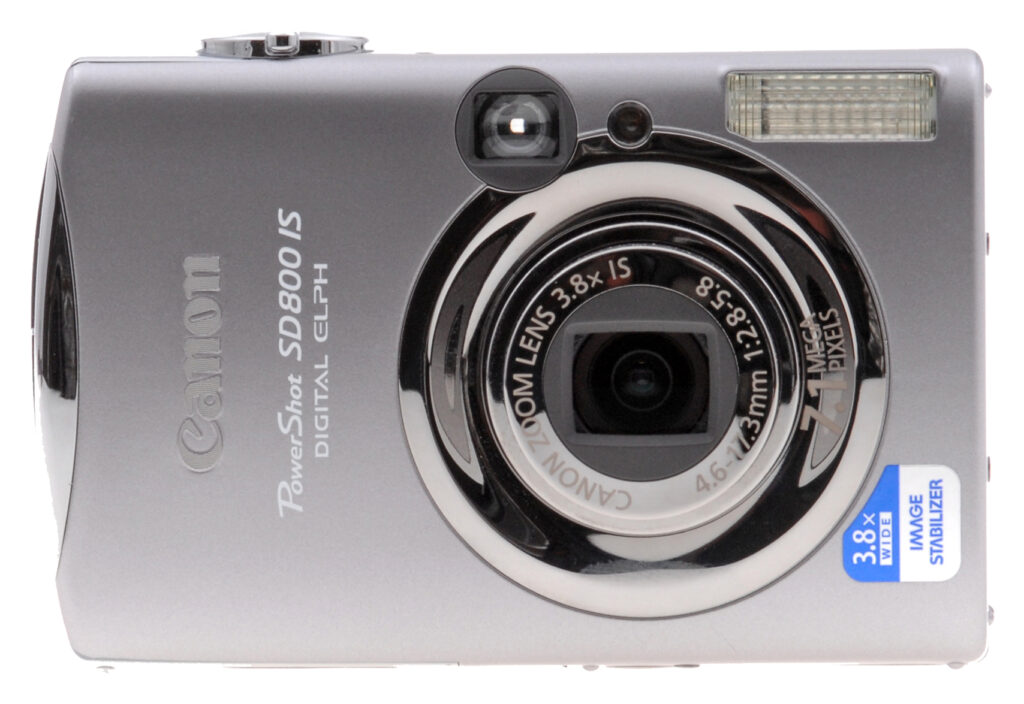
The Canon SD800 IS Digital ELPH features a compact, stylish case with rounded horizontal edges, and a retracting lens to make it pocket-friendly. The Canon SD800IS includes a 7.1 megapixel imager, and a Canon-branded 3.8x optical zoom lens covers an optimized range of 28-105mm equivalent, a good wide-angle to moderate telephoto.
What's really cool, though, is that the Canon ELPH SD800 IS incorporates Canon's excellent Image Stabilization (hence the "IS" in the model name) technology that drastically reduces the effects of camera shake at slow shutter speeds, or long zoom settings. This means that with the SD800 IS Digital ELPH, you can shoot in low light without having to put the camera on a tripod to avoid the camera shake. IS typically lets you take crisp shots under light conditions four times darker than you could manage without it.
Exposure is fully automatic, but the user can tweak it with 2.0 EV of exposure compensation, and three metering modes to handle difficult lighting, while 10 scene modes keep the camera approachable for beginners. A long-exposure mode in the Canon SD800 ELPH also lets you manually set exposure times up to 15 seconds long, and a large 2.5 inch LCD display plus an optical viewfinder -- rather rare on digicams these days -- gives you a choice when framing images. The Canon SD800 Digital ELPH also sports a rather wide ISO sensitivity range, from 100 to 1,600.
Canon also manufactures a line of photo printers, and prides itself on the level of integration between its cameras and printers. The Canon Digital ELPH SD800 IS is PictBridge capable, so is able to print to any printer that supports PictBridge directly, without the need for a computer in the middle. When connected to a Canon printer, though, you can set paper size, print quality, and a number of other parameters; capabilities lacking in basic PictBridge connections.
Canon SD800 IS
User Report
by Mike Pasini
Intro. The joy of taking pictures has been dampened since the beginning by the same annoying problem. Your eyes can see a lot better than any lens. In dim light, you can see things your camera can't capture.
There have been three technical assaults on that problem. The first was flash, and that worked pretty well when film was black and white. With color captures came red-eye. The second was increased sensitivity of the recording medium. Just as film got faster, sensors have become increasingly more sensitive, achieving ISO equivalents as high as 3,200. But those high ISOs come at a pretty steep price, including high noise, low detail, and desaturated color.
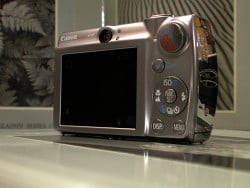
Back. A large LCD with an optical viewfinder, too.
The third approach was image stabilization. By breaking the rigid connection between your grip and the sensor, letting the lens float free, the lazy shutter speeds that inevitably captured camera movement along with the image were able to eliminate camera shake, delivering sharp images up to four stops slower. Without red-eye and with natural color.
Like Canon's A-Series A710 IS, its SD800 IS is an image stabilized solution. But it goes the A710 a stop better with a top ISO of 1,600. There's no reason you can't combine the two, after all.
The flagship Canon SD800 doesn't skimp on other features, either. Its 7.1 megapixel sensor has enough resolution for very large prints and its DIGIC III image processor makes it an unusually responsive camera while delivering exceptional image quality even in difficult situations.
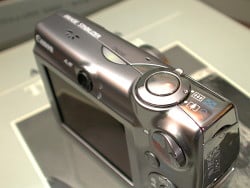
Top. The large shutter button and its surrounding Zoom control are easy to find. Note the new illuminated translucent Power button.
Like the SD900, the Canon SD800 also features Face Detect focusing in any mode. This is one of those gotta-have features. As soon as you try it, you won't want to be without it. Set the AiAF option to Face Detect, and the camera identifies the closest face, focusing on it when you half-press the Shutter button. You can even have the Canon SD800 automatically tag the images with a People category for easy retrieval during playback later.
Face Detect focusing is just one more example of why the SD series is the perfect solution for people who love taking pictures, but don't want to get into the fine points of apertures and shutter speeds. It takes care of that for you. And the Canon SD800 IS does it better than any SD-series Canon yet. Fortunately, its attractively small design means you'll never think twice about taking it with you.
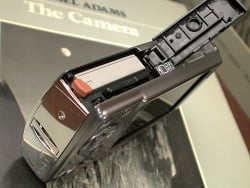
Bottom. Compact battery and SD card nestle together in the bottom compartment. Note the chrome edge with the flush wrist strap eyelet.
Design. Canon's Perpetual Curve design isn't the trimmest form factor around, but it's more comfortable in your hand than many of the ultra-thin designs I've played with. Part of that comfort is due to the SD800's heft. It isn't heavy but it isn't a feather-weight either. You won't forget you're holding it. It's a blend you grow to appreciate.
There is no obvious grip, but there are sensory clues your hand responds to like the slightly extended chrome edge and the raised lettering on the front that prevent the SD800 IS from slipping out of your grasp. On the back, there's no thumb grip but the Mode dial, with a small raised notch on its sculpted face that functions even better than a grip. You can easily switch from any of the Record modes to Playback without changing your grip.
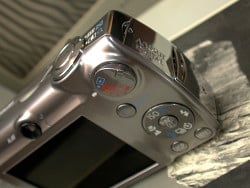
Buttons. The SD800 has only a few buttons that you use in an easy-to-remember scheme.
Like other ELPHs, the SD800 is comfortable not only to carry but to shoot with, easily managed with just your right hand. The Control dial icons are large and clear, and there are just four buttons to learn, two of which do the heavy lifting.
You'll never have to hunt for the large Shutter button or the Zoom lever surrounding it. And I even liked the new, large Power button that lights up green to remind you the Canon SD800 is on.
The SD series is small, relying on a small lithium-ion battery and small SD memory cards to make a compact package you can take anywhere in any pocket. The Canon SD800 is rugged enough you don't need to protect it in a case, but you'll probably want to anyway. And small as it is, it's still large enough for a big 2.5 inch LCD so you can enjoy your photos as soon as you take them.
Display/Viewfinder. That 2.5 inch LCD on the Canon SD800 has a little less resolution than the one on the SD900, but just a little at 207,000 pixels. It's big enough to show you detail even in Wide screen 16:9 shots, and big enough to let you know if image stabilization captured a sharp image even when you're using digital zoom.
But the SD800 IS also includes an optical viewfinder. The advantage of the optical viewfinder is undeniable. In bright sun when you can't see what's on the LCD or in darkened venues where a bright LCD is not welcomed, an optical viewfinder lets you get the shot. As Luke noted when shooting the test shots, the Canon SD800's optical viewfinder offers a quite limited and somewhat distorted view, but having one is better than not. True, it shows about 80 percent of what the sensor will capture, but that's enough to center the subject and get the shot. Just remember there's more to the image than what it shows, and crop later if you like.
If you rotate the camera during playback, the LCD is smart enough to turn the image upright. So if a quick twist of the wrist can fill the screen with a portrait shot instead of displaying it as tall as the screen is wide.
Performance. The SD800 IS ranks above average (and well above) for startup time, shutdown time, autofocus shutter lag, prefocus shutter lag, cycle time, and download speed.
The only categories it ranks average in are its flash cycle time, weight (which I find advantageous), and its 3.8x zoom (which is a bit better than the standard 3x zoom ratio these days). The Canon SD800's 3.8x optical zoom is buttressed with a very useable 4x digital zoom for a 15x total zoom ratio. That got me onto the field at a recent college football game.
And as for the flash, considering how powerful it is, having an average cycle time is a miracle. Luke's flash tests tell the whole story, but my informal shooting around the house impressed me by how well the flash lit up even large rooms.
But with image stabilization available, I avoided flash shots. I left IS on all the time except when I was shooting a comparison test. The only time you really should turn it off is when you have the camera mounted on a tripod. In full sunlight, IS helped stabilize the inevitable camera shake of a 15x digital zoom shot (and I took a lot of them). In dim lighting, it stabilized the slow shutter speeds that let me capture exactly what I was seeing. It did it so well, the Canon SD800 never had to increase ISO sensitivity above 100 when using IS.
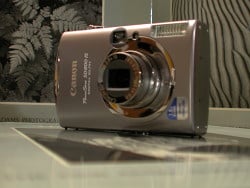
Fully Extended. A 28mm equivalent wide angle lens with a 3.8x range.
The lens tests below speak to the sharpness of this optic, slightly revised from previous ELPHs. The Canon SD800's lens isn't quite as sharp as the lens on the SD900, but it's still sharp. Chromatic aberration was there at wide angle, but this is a real wide angle at 28mm, not the barely wide 35mm or so you usually find. Distortion at wide angle was minimal, too. And at telephoto, neither were noticeable.
Macro performance was a delight, too. You don't have to get right on top of a subject to shoot macro. I engaged it for most of my full frame flower shots to capture the texture of the petals, for example.
Movie mode doesn't offer a 16:9 option (which only captures 15 fps on the SD900 anyway), but it does offer a Fast Frame Rate of 60 fps, twice the broadcast standard of 30 fps. That means you can shoot slow motion with the Canon SD800.
A 16:9 wide aspect ratio is available on the Canon SD800 for still shooting, however; although you can't tap into digital zoom when you're using it. It's somehow a more pleasing aspect ratio to me, more the shape of your two eyes than the 4:3 ratio (or even the traditional 3:2) that frames a print so well.
A full charge on the Canon SD800's battery delivers about 270 shots, according to Canon. If you turn off the LCD (an option since you have an optical viewfinder) that jumps up to 600. So if battery power is running low, turn off the LCD to extend shooting time. Playback is good for six hours, Canon claims. That far exceeds my performance for a day's shooting.
Shooting. With the Canon SD800's image stabilization, you can be a bit bolder about taking pictures than you ever have. For example, there are two dolls in the garage awaiting restoration that are lit only by a small window with diffused glass on the shady side of the house. I can barely see them myself and wouldn't bother turning on most cameras to take their picture.

Image Stabilized. These dolls were shot in near darkness at 1/15 second using the ISO High setting (about ISO 800).
But the SD800 IS didn't even budge from ISO 100 to capture them at a third of a second at f/2.9. Noise is at a minimum at ISO 100 yet the image is sharp enough at one-third a second shutter speed to show the eyelashes painted on the bottom doll's face. No tripod, remember.
But if you're daring enough to fudge the ISO up a bit yourself (or just set it to ISO High), you can do even better, as our second shot of the dolls shows. ISO High resulted in a 1/15 second shutter speed and very sharp eyelashes. The reported ISO 100 is probably not accurate (I'm guessing ISO 800). When set to ISO 1,600, the shutter speed was just 1/30, but we got more noise.
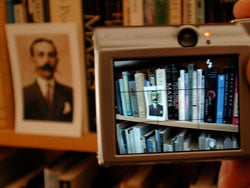
Face Detection. The target turns green when you half-press the shutter. Here the SD800 found the face in the print on the shelf.
We took the Canon SD800 IS to the Cal-UCLA football game in Berkeley on a lovely fall afternoon. Game time was 5 p.m. to appease the television gods, which meant I'd be shooting under the dim temporary lighting at Memorial Stadium, which doesn't have a lighting system.
I demonstrated Face Detection to my stadium buddies at Pyramid Brewery. Universal acclaim and delight. A bit of disbelief, too. But everybody's had this problem and everybody appreciated how well the Canon SD800 solved it. I did get tired of posing, but that's life.
I managed to get some blurry shots on the way to the stadium, probably because I was walking pretty fast and shooting away without trying to steady the camera. Where the shutter speed was fast enough, that wasn't a problem.

True Wide Angle. A full 28mm equivalent took in the whole stadium.

Digital Zoom. Surprisingly sharp at 15x range with image stabilization.

Galloping Ghosts. Image stabilization won't stop motion at slow shutter speeds, but it's often a nice effect.
The real test was in the stadium. The first thing I appreciated was the 28mm view, capturing the rim of Memorial Stadium as I walked down to my seat. The second thing I appreciated was how close the Canon SD800's 15x digital zoom could get. It was as if I was right on the field with the team during warmups. In the dying light of the late afternoon, these shots were taken at 1/60 second or so, not fast enough to stop motion.
But that was my third thrill. Mixing still subjects with blurred moving subjects was fun. The shots of the band dashing onto the field while people watched from the sidelines are just one example. The Cal Bears coming onto the field through a haze of dry ice was another.
I took some short movies with the Canon SD800, too, and was impressed later watching them on the computer. They were sharp with good sound. I'd wished I'd taken more, actually.
The Canon SD800 IS's Category feature seems, at first glance, like something no one needs. It's bad enough to have to keyword images to organize them on your computer (so nobody really does). Why let that nuisance into your camera too? Especially if no other software knows about it.
Well, the advantage -- which can be compelling -- is in organizing playback options in the camera. And those can include slide shows and PictBridge printing as well as image searching (using the Jump feature) and management (like erasing). The preset categories are People, Scenery, Events, Categories 1 to 3, and To Do. An image can be assigned more than one category, too. If you use the Auto Category option in the Record menu, this can happen as you shoot. Otherwise, you can assign categories during playback.
Another favorite feature on the Canon SD800, although an oldie, is Grid display. For some reason my gyroscope is off a bit and I have a hard time taking level shots. Having the grid display on the LCD helps a lot. The dark gray lines are really not obtrusive and help compose images too if you play by the Rule of Thirds.
But if I ever meet the guy who concocted Canon's rotation "feature," I will shake more than his hand. It "suggests" rotation, setting an obscure tag in the header, but doesn't actually do it, so sometimes your images look rotated and mostly they don't. It really wouldn't be a big deal to actually rotate the images. To avoid confusion, I leave this feature off.
And I can't help repeating that I miss a real Manual mode plus Shutter and Aperture Priority on the Canon SD800. But for that, I just have to go to Canon's A-Series. I do wish Canon would enable EV compensation in Auto mode, however. It was surprisingly easy to blow out the highlights even on an overcast day. Adjust EV would have helped.
Appraisal. The Canon SD800 IS is designed for the person who doesn't want to worry about shutter speeds and apertures to get good pictures. If Auto mode doesn't do the trick the Programmed Auto (M) accesses options like White Balance, EV compensation, and Metering. And if that's too much trouble, there's a healthy selection of 10 Scene modes to solve almost any problem.
That ease of use is reflected in the Canon SD800 IS's cleverly sculpted shell, which seems to have an invisible grip, and its simple control layout. And it extends to features like Face Detect autofocus and its excellent image stabilization that helps get sharp shots at its 15x digital zoom limit and in low light situations, too.
The Canon SD800 is an excellent performer no matter what aspect you consider, with superior focusing and low light performance matched with a powerful flash that doesn't make you wait all day to recharge. And with a day-long battery, you couldn't ask for a better companion no matter where you're going.
Basic Features
- 7.1-megapixel CCD
- 2.5-inch color TFT LCD monitor with 207,000 pixels
- 3.8x, 4.6-17.3mm lens, equivalent to a 28-105mm lens on a 35mm camera
- Maximum 4x digital zoom
- Automatic exposure control, with Long Shutter mode for longer exposures
- Shutter speeds from 1/1,600 to 15 seconds
- Maximum aperture of f/2.8 to f/5.8, depending on lens zoom position
- Spot, Center-Weighted, and Evaluative exposure metering
- White balance (color) adjustment with seven modes, including a Custom setting
- Built-in flash with seven modes
- SD memory card storage, 32MB card included
- Power supplied by a rechargeable lithium-ion battery pack (charger included) or optional AC adapter kit
- Canon Digital Camera Solution Software v29.0
- Print/Share button
Special Features
- Image stabilization
- Face Detect mode
- Category tagging
- Canon's attractive Perpetual Curve design
- DIGIC III image processor with face detection technology
- True 28mm equivalent wide angle focal length on zoom
- Adjustable ISO settings of up to 1600, plus Auto and ISO HI settings
- 16:9 Widescreen still image capture mode
- 10 preset Scene modes
- Five Movie modes with sound up to 640 x 480 at 30 fps or 60 fps at 320 x 240
- Continuous Shooting mode
- Stitch-Assist panorama mode
- Infinity, Macro and Digital Macro focus modes
- Customizable "My Camera" settings
- Two- or 10-second Self-Timer for delayed shutter release, plus custom timer with multi-shot feature
- Sound Memo option for recording captions
- My Colors menus for color adjustment
- Unusual Color Accent and Color Swap features for special effects in still images or movies - DPOF (Digital Print Order Format) and PictBridge compatibility
- USB cable for connection to a computer (driver software included)
- A/V cable for connection to a television set
In the Box
The Canon SD800 IS ships with the following items in the box:
- Canon SD800 IS digicam
- NB-5L lithium-ion battery pack with cover
- Battery charger CB-2LX
- 16MB SD memory card WSDC-16M
- Wrist strap WS-700
- Canon Digital Camera Solution Disk v29.0 software CD
- USB cable IFC-400PCU
- AV cable AVC-DC300
- Operating manuals and registration card
Recommended Accessories
- Large capacity SD/MMC memory card. These days, a 512MB or 1GB card is a good tradeoff between cost and capacity.
- Small camera case for outdoor and in-bag protection
Canon Accessories for the SD800 IS include:
- High Power Flash HF-DC1
- Side Pack PSC-1 carrying case
- Metal Neckstrap 1
Conclusion
| Pro: | Con: |
|---|---|
|
|
Featuring a 7.1-megapixel CCD, 3.8x optical zoom lens, image stabilization, and well-designed user interface, the Canon PowerShot SD800 IS updates the popular PowerShot line with a compact body style well suited for travel. Exposure remains under automatic control, something novices will appreciate, and the Canon SD800's 10 pre-programmed Scene modes help with more tricky subjects. The SD800 is a very responsive camera, with low shutter lag in daylight conditions, and excellent shot-to-shot speeds. It also sports very good battery life, a very capable Movie mode, and excellent download speed. The bright 2.5-inch color LCD monitor is excellent for framing and reviewing shots, and the overall design and layout of the SD800 IS is user-friendly and hassle-free. If you're looking for a good take anywhere camera with great versatility and good color and tonality, the Canon SD800 IS deserves a close look. No question, a Dave's Pick in its category.
Design
Canon SD800 IS Design
Canon's Perpetual Curve design, which has graced the Digital ELPH line for some time now, adds a chrome lip and cover to the top end of the image stabilized SD800 IS' smooth case. Its pocketable dimensions of 3.52 x 2.28 x 0.99 inches (89.5 x 58.0 x 25.1 millimeters) weigh just 6.17 ounces (175 grams) with its battery and a card, about average for its class. The Canon SD800 IS, which can stand on its side or its end, looks comfortable either way. It's not the slimmest digicam you can find, but it fits your hand like a bar of soap.

The front of the Canon SD800 IS will be familiar to fans of the ELPH line. The lens dominates on the right side with the flash tucked into the top right corner. Right above the lens is the self-timer lamp with the viewfinder window just to its left. The lens telescopes out and back in very quickly, above average for its class, extending about five-eighths of an inch from the body in two sections.

Controls are located nearest the right hand with the large Shutter button surrounded by the Zoom lever most prominent at the right side of the top panel. To their left and toward the front edge you'll see the small hole for the microphone. In the middle of the panel adjacent to the stylish swath cut by the edge of the two body panels is a plastic crescent-shaped Power button that lights up green when you press it to turn on the camera. The speaker grill is further to the left.

On the right side of the Canon SD800 IS (as viewed from the rear) are the AV Out and USB ports, protected by a hinged, chrome plastic door that swings out and downward to reveal the ports. Below the door is the wrist strap attachment eyelet that does not protrude from the body profile.

The opposite side of the camera is bare, showing only two screws and the four small feet that let you stand the Canon SD800 IS up vertically.

On the back panel, the 2.5 inch LCD dominates the left two-thirds just below two small indicator lamps and the tiny viewfinder eyepiece. The lamps indicate the camera's status (ready to shoot, recording, flash ready, camera shake for the green/orange upper indicator and focus mode, focus difficulty for the yellow bottom indicator). The controls aligned to the right of the LCD are topped by the Mode dial, with options for Playback, Auto, Manual (actually a Programmed Auto), Scene, and Movie modes. Below that is the Print/Share button, followed by the Four-way navigator with the usual four arrow keys and options for ISO/Jump, Flash, Erase/Continuous/Self-Timer, and Macro/Infinity settings. In the middle of the dial is the Function/Set button that brings up the shooting menu and confirms menu choices. Below the dial are the Display and Menu buttons.

The bottom of the SD800 IS has six feet to stand on, a metal tripod mount centered off the LCD but right next to the card/battery compartment cover, which has a small flap for the DC coupler terminal (or dummy battery). Inside the compartment, the battery and SD memory card slots line up next to each other. A small spring-loaded latch ensures the battery won't accidentally fall out when you open the compartment cover.
Canon SD800 IS External Controls

Shutter Button: Located on the top panel, this button sets focus, and exposure when halfway pressed, and fires the shutter when fully pressed. If the Self-Timer is activated, a full press of the Shutter button triggers the countdown.
Zoom Lever (see image above): Surrounding the Canon SD800 IS' Shutter button on the top panel, this lever controls the optical and digital zoom in any record mode. In Playback mode, the wide-angle end activates first a nine-image index display, and then a Jump mode that allows you to page through screens of nine thumbnails at once. The telephoto setting zooms in on captured images for closer inspection of fine details.

Power Button: To the left of the Shutter button on the Canon SD800 IS's top panel, this button turns the camera on, or off. When on, the opaque plastic button turns green.

Mode Dial: At the top of the right side of the back panel, this rotating dial controls the camera's operating mode, offering the following options:
- Playback Mode: Replays captured images, and movies, with options for image management, and printing.
- Auto Still Record Mode: Sets the camera for still image capture, with limited user options.
- Manual Still Record Mode: Sets the camera for still image capture (actually a Programmed Auto mode), with varying exposure options available through the Function menu (though still no direct aperture or shutter speed controls).
- Scene Mode: Accesses the 10 preset Scene modes, which include: Portrait, Night Snapshot, Kids & Pets, Indoor, Foliage, Snow, Beach, Fireworks, Aquarium, and Underwater modes.
- Movie Mode: Captures moving images with sound in several different modes.

Print/Share Button: Below and to the left of Mode Dial on the rear panel, the Print/Share button starts uploads to Windows computers, or connects to a variety of compatible printers, including those that understand the PictBridge protocol. The button glows blue when ready to print, or transfer images, and flashes blue when printing, or transferring images.

Four-way navigator: This four-way rocker ring is located to the right of the Canon SD800's LCD monitor, and serves multiple functions. Canon actually doesn't give it a name on the SD800, instead preferring to call out only the buttons. For continuity, we'll refer to it as the Four-way navigator.
In any settings menu, the ring navigates through menu selections depending on which section is pressed. In Record mode, the top part of the ring cycles through ISO speeds from Auto to Auto High, 80, 100, 200, 400, 800, or 1,600 equivalents. The left side cycles the focus modes between Macro, Infinity, and the normal AF mode. The right side accesses the camera's flash modes, cycling through Automatic, Red-Eye Reduction, Forced On, Forced On with Red-Eye Reduction, Forced Off, and Slow-Sync settings. Finally, the bottom portion activates the Self-Timer and Continuous Shooting modes, or returns to the normal exposure mode.
In Playback mode, the top of the ring calls the Jump menu, and the bottom calls the Delete menu, while the right and left sides scroll through captured images and movie files. When you zoom in on an image, all four directions pan within the view.
Function/Set Button (see image above): In the center of the Four-way navigator, this button activates the Canon SD800's Function menu in any Record mode, and confirms selections once any menu has been invoked. When used to activate the Function menu, the following options are available (not all options being available in all modes):
 Shooting Mode: Selects among the shooting options available in the Record mode selected on the Mode dial. Auto offers none. Manual offers Manual, Digital Macro, Color Accent, Color Swap, Stitch Assist Right, Stitch Assist Left. Scene offers Portrait, Night Snapshot, Kids&Pets, Indoor, Foliage, Snow, Beach, Fireworks, Aquarium, and Underwater. Movie offers Standard, Fast Frame Rate, Compact, Color Accent, and Color Swap.
- Exposure Compensation: Increases, or decreases the exposure from -2 to +2 exposure equivalents in one-third-step increments.
- Long Shutter Mode: If Long Shutter mode is enabled through the settings menu, this option lets you select the shutter speed from one to 15 seconds.
- White Balance: Controls the color balance of images. Options are Auto, Daylight, Cloudy, Tungsten, Fluorescent, Fluorescent H, and Custom (manual setting).
- My Colors: Enables Vivid Color (high color saturation), Neutral Color (low color saturation), Sepia, Black-and-White, Positive Film, Lighter Skin Tone, Darker Skin Tone, Vivid Blue, Vivid Green, Vivid Red, Custom Color, or turns My Colors off.
- Metering: Sets the camera's metering mode to Evaluative, Center-Weighted, or Spot.
- Compression (Still): Sets the JPEG compression to Superfine, Fine, or Normal.
- Frame Rate (Movie): Sets the movie frame rate to 30 or 15 frames per second.
- Resolution: Specifies the image resolution. Still image resolutions are 3,072 x 2,304, 2,592 x 1,944, 2,048 x 1,536, 1,600 x 1,200, and 640 x 480 pixels; a Postcard mode also takes the resolution to 1,600 x 1,200, and locks the resolution to Fine; a date stamp can be printed on the image in this mode, and the top and bottom of the screen are greyed out when you half-press the Shutter button, showing the portions of the image that won't fit on a 4 x 6 postcard. A Widescreen mode shoots in 16:9 format at 3,072 x 1,728. This mode is for playback on widescreen televisions, or printing on wide paper. Movie resolutions are 640 x 480, and 320 x 240 pixels.

Display Button: Below the Four-way navigator and to the left, this button cycles through the LCD image, and information displays. In Playback mode, it cycles through the image only, information display, and info display with histogram modes.

Menu Button: To the right of the Display button, this button accesses the LCD menu system in both Record and Playback modes.
Operation
Canon SD800 IS Operation
The Canon PowerShot SD800's user interface is straightforward and relatively uncomplicated, with a menu setup and basic control philosophy similar to the rest of the current ELPH series. Most of the camera's functions are controlled by buttons on the top and rear panels, while a handful of settings are controlled through the LCD-based Record menu. Buttons handle common functions like focus mode, ISO, and flash mode. The Function menu provides quick access to settings that might change every few images like exposure compensation, white balance, image size, and quality. The LCD menu system itself is concerned with setup options and is quite efficient, with menu items organized in tabs instead of a series of pages. Additionally, the Setup and My Camera menus are always available, regardless of the camera mode. With the instruction manuals handy, it shouldn't take more than a half an hour to an hour to get comfortable with the camera.
 Record Mode Display: In any Record mode, the PowerShot SD800's LCD display shows either the image area with no information or the image with a limited information display. Pressing the Display button cycles through the available display modes. When the information display is active, it reports resolution and image quality settings, the number of available images, Record mode, orientation, and a handful of exposure settings. In Manual mode, a half-press of the Shutter button reports the selected shutter speed if the camera deems it to be too slow, but not the aperture setting; and nothing appears if there's enough light. A grid and 3:2 crop can both be activated and displayed in both modes.
 Playback Mode Display: Playback mode also offers three display modes, including the image only, the image with information, and the image with expanded information and a histogram. You can display as many as nine thumbnail images at a time on-screen with the index display mode, or zoom in on captured images to check fine details, focus, or framing. You can also jump through nine images at a time by accessing the Canon SD800's Jump mode. This mode is accessed by hitting the wide angle side of the zoom toggle after entering the nine-frame preview mode. (You can set parameters for Jump behavior through the Jump menu, accessed by pressing the up arrow of the Four-way navigator dial.)
Canon SD800 IS Modes and Menus
Auto Record Mode: Sets the Canon SD800 IS for automatic still image capture, with only compression and image size options available from the Function menu.
Manual Record Mode: More a Programmed Auto shooting mode than a Manual mode (you have no direct control of the shutter or aperture), this mode offers a wide range of exposure and shooting options through the Function menu.
Scene Mode: In Scene mode, the Function menu offers Portrait, Night Snapshot, Kids&Pets, Indoor, Foliage, Snow, Beach, Fireworks, Aquarium, and Underwater preset modes.
Movie Mode: Records short movie clips with sound in several modes. Focus and optical zoom are fixed at the first frame. Movie modes include Standard (640 x 480 or 320 x 240), Fast Frame Rate (320 x 240 at 60 fps), Compact (160 x 120), Color Accent, and Color Swap (both at either of the Standard sizes). Fast Frame Rate is limited to one minute, Compact is limited to three minutes, the other options can fill up to 4GB.
Playback Mode: This mode allows you to scroll through captured images and movies, write-protect images, view a nine-image index display, zoom into a captured image, delete unwanted images, rotate images, set up images for printing on DPOF compatible devices, as well as play and crop movies.
Record Menu: Accessed by pressing the Menu button in any record mode (some options are not available in all modes), three menu tabs appear, one each for Record, Setup, and My Camera sub-menus. The main Record menu options are as follows:
 AiAF: Sets the AiAF focus system on or off, or switches it to Face Detect mode, which attempts to focus on heads facing the camera. If switched off, the camera bases autofocus on the center of the frame.
- Slow Synchro: Sets Flash slow synchro on or off. When on, more of the ambient light is recorded.
- Red-Eye: Sets red-eye reduction for flash on or off.
- Self-Timer: Sets the Self-Timer countdown to two or 10 seconds, or lets you specify a custom timer. The custom timer can have a delay of 0-10, 15, 20, or 30 seconds, and allows multiple shots (from one to 10 in total) to be captured. If the camera is set to capture multiple shots, these are captured with an interval of about one second between shots, enough time for the flash to recharge if required. Focus and exposure are locked from the first shot. (A very handy feature for getting good shots of groups, as someone invariably blinks right as the shutter goes off.)
- AF Assist Beam: Turns the Canon SD800 IS' AF assist light on or off. If on, the bright orange LED on the camera's front automatically illuminates in low lighting.
- Digital Zoom: Enables the SD800 IS' 4x digital zoom function, which is engaged by zooming past the optical zoom range. Also disables digital zoom.
 Review: Turns the instant review function on or off, sets the amount of time that the captured image is displayed on the screen from two to 10 seconds, or allows a "Hold" mode where the image remains on the screen until the shutter button is half-pressed. The instant review function applies to still images only.
- Save Original: Only available in Color Accent and Color Swap modes, this option lets you save a copy of the original image in addition to the altered one.
- Auto Category: Tags images with the category you select.
- Display Overlay: Activates additional LCD display modes, which include Gridlines, 3:2 Guide, Both, or Off. (Movie options only include Off or Gridlines).
- IS Mode: Disables or enables Image Stabilization in Shoot Only, Panning, or Continuous modes.
- Date Stamp: (Available in Post Card mode only.) This mode lets you determine whether the date or date and time are overlaid on the image.
- Long Shutter: Sets the long shutter option on (for up to 15 second exposures) or off.
Setup Menu:
 Mute: Turns the Canon SD800's beep sounds on and off.
- Volume: Individually sets Startup, Operation, Self Timer, Shutter, and Playback volumes. Five steps are available for each item, or the sound for each item can be disabled individually.
- LCD Brightness: Adjusts the brightness of the LCD backlight, with 15 steps of control available.
- Power Saving: Toggles the camera's automatic shutoff function, which turns off the camera after a length of inactivity. Also sets display shutdown time to10, 20, or 30 seconds, or to 1, 2, or 3 minutes.
- Time Zone: Sets both a Home and World (away) time zone, so you can simply select one or the other to record date and time settings for that location. Setting a time zone displays a world map with scrollable time zones and major city names for each zone, making it easy to select a location.
- Date/Time: Sets the camera's internal calendar and clock, as well as the format for dates (mm/dd/yy, dd/mm/yy, or yy/mm/dd).
 Clock Display: Controls the Canon SD800 IS' clock display option, which shows the current time (but not the date; for the date, the camera must be turned to vertical) for a period of 0-10, 20, or 30 seconds or for 1, 2, or 3 minutes when the Function key is pressed and held for two seconds. (Handy if you forgot your wristwatch, I guess.) If set to zero, the clock is displayed only while the Function button is held in.
- Format: Formats the SD card, erasing all files (even those marked for write-protection). An option is available to low-level format the card, for memory cards whose writing speed has slowed.
- File Numbering: Resets file numbering with each new SD card when set to Auto Reset. If set to Continuous, the camera continues numbering in sequence, regardless of memory card.
- Create Folder: Immediately creates a new folder on the memory card to store images or creates the folder at the day and time you specify.
- Auto Rotate: Toggles the Auto Rotate feature on and off. The camera can detect when the camera is held approximately level, or when it is rotated left or right beyond approximately 45 degrees. If you aim the camera vertically up or down, it will remember the orientation before you did so -- hence letting you control which orientation an image is tagged with even for shots where the camera is tilted enough vertically to prevent the sensor working.
 Lens Retract: Sets the timing of the lens retraction when you switch from the shooting to the playback mode to either one minute or zero second.
- Language: Sets the camera's menu language to one of a whopping 25 choices. English is the default setting.
- Video System: Sets the camera's video-out signal to conform to NTSC or PAL timing.
- Print Method: Lets you change the printer connection method from Auto to PictBridge mode.
- Reset All: Resets all non-custom camera settings to their default values.
My Camera Menu:
 Theme: Selects a common theme for each My Camera menu settings item. Four options are available, the first one being Off. When a theme is selected, all of the following settings automatically adjust to that theme. Users can also select and upload their own sounds to the camera.
- Start-Up Image: Sets the startup image when you turn on the camera to: Black screen, Canon logo, Canon logo with sunset, and nature scene. You can also apply your own image using the Canon software.
- Start-Up Sound: Sets the startup sound when you turn on the camera to: No sound, Musical tone (1), Musical tone (2), or Birds chirping. You can also apply your own sounds using the Canon software.
- Operation Sound: Sets the sound when any control or switch is use (except the Shutter button). Options include no sound, Beep, Musical tone, and Chirp.
- Self-Timer Sound: Sets the sound that signals you when the shutter release is two seconds away. Options include no sound, Fast beeps, Telephone ring, and Howling.
- Shutter Sound: Sets the shutter sound that you hear when you depress the Shutter button (there is no shutter sound in Movie mode). Options include no sound, Shutter sound, Musical Tone, and Bark.
Playback Menu: Accessed by pressing the Menu button in Playback mode, the Playback menu also has subject tabs for the Print, Setup, and My Camera menus.
 Slide Show: Automatically plays all captured images in a slide show, with the chance to set a number of options first. Transitions and various image selections are among the options.
- My Category: Allows you to tag images with People, Scenery, Events, Category 1-3, or To Do.
- Erase: Erases individually selected files, all files on a specific date, all files in a particular category, all files in a folder, or all files on the memory card, except protected ones.
- Protect: Marks the current image for write-protection, or removes write-protection. Protected images cannot be deleted or manipulated, except through card formatting, which erases all files.
- My Colors: Adds My Colors effects to your pictures and movies including Vivid, Neutral, Sepia, B/W, Positive Film, Lighter Skin Tone, Darker Skin Tone, Vivid Blue, Vivid Green, or Vivid Red.
- Sound Memo: Records a short sound clip to accompany a captured image.
 Rotate: Rotates the current image. The first press gives a 90 degree clockwise rotation; the second press rotates the image 90 degrees counterclockwise from the original position. On the third press, the image returns to its original orientation. The image data is not actually rotated; the camera actually sets a tag in the EXIF header, hence your software must recognize this tag to be able to recognize the orientation set in-camera.
- Transfer Order: Select images for downloading to your computer.
- Transition: Set the transition used by Playback (rather than Slideshow) to No transition, a quick Fade, or a Slide matching forward or backward sequencing.
Print Menu: This menu is available in Playback mode, simply by pressing the Menu button and selecting the Print tab. The bottom line of the display shows how many images are selected for printing and the print method that is active.
 Print: Sends images tagged for printing to the printer.
- Select Images & Quantity: Allows you select images for printing and set the number of prints for each image selected.
- Select by Date: Selects all images tagged with a particular date.
- Select by Category: Selects all images tagged with a particular category for printing.
- Select by Folder: Selects all images in a particular folder for printing.
- Select All Images: Selects all images on the memory card for printing.
 Clear All Selections: Clears all print selections.
- Print Settings: Brings up a menu of these options:
 Print Type: You can specify whether to print one image per page, an index of the images, or both.
- Date: Set printing of the date and time on or off.
- File No.: Set printing of the file number on or off.
- Clear DPOF data: Set the option to clear the DPOF tag on or off.
Optics
Canon SD800 IS Optics
Lens
Zoom
An unusual 3.8x optical zoom range that starts at 28mm, with good performance.


The Canon PowerShot SD800 IS zooms over the equivalent of a 28-105mm range, which is atypical for its class, offering greater wide angle than most small digicams. Overall performance is quite good, with good detail and sharpness at wide angle. The 4x Precision Digital zoom takes it out to 15x total, with the typical loss of resolution associated with Digital Zoom, although the SD800 IS arguably does a better than average job.
Macro
A very small macro area, but noticeable blurring in the corners. Closest focusing distance is too close for the flash.


The Canon PowerShot SD800's macro setting captures a small minimum area of only 1.54 x 1.15 inches (39 x 29 millimeters). While the macro area is quite small, details are soft in the corners of the frame. Most cameras have some softening in the corners in macro mode (evidence of the optical "curvature of field" characteristic).
The SD800's flash had trouble throttling down for the macro area and was partially blocked as well, resulting in a very uneven exposure. (Plan on using external lighting for any macro shots with the SD800.)
Distortion
Average barrel distortion at wide-angle, no pincushion at telephoto.
| Barrel distortion at 28mm is 0.91% |
 |
| Pincushion at 105mm is 0.0% |
 |
This is the tendency for the lens to bend straight lines outward (like a barrel -- usually at wide angle) or inward (like a pincushion -- usually at telephoto). The SD800's 0.91% barrel distortion at wide angle is average among the cameras we've tested (but its 28mm setting is wider than most), and not noticeable in most images. At the telephoto end, the SD800 showed no measurable distortion at all.
Chromatic aberration
Noticeable at wide angle (but small effect on images at edges, none at telephoto.
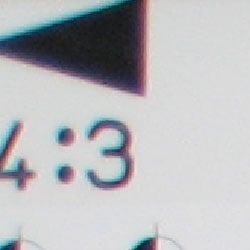
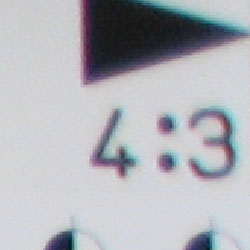
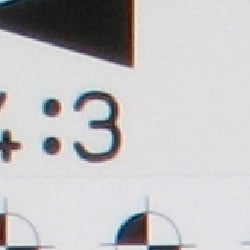
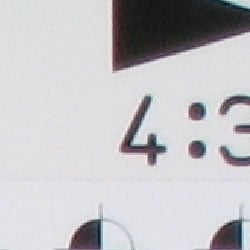
Chromatic aberration is noticable at wide angle, showing several pixels of medium coloration on either side of the target lines, but decreases to very low levels at telephoto focal lengths. (This distortion is visible as a colored fringe around the objects at the edges of the field of view on the resolution target.)
Corner Sharpness
Some softening in the corners of the frame, strongest effect in the lower right corner.
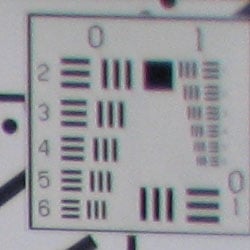
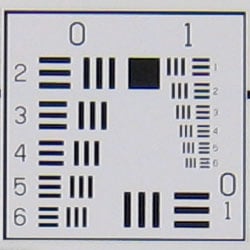
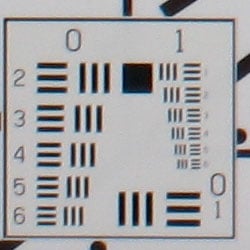
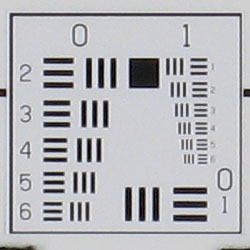
The SD800 IS produced soft corners at wide angle, the lower right corner showing the most significant effect. This is very common at wide angle in small cameras like this, and most comparable cameras don't have a 28mm wide angle setting. Telephoto performance is much improved, only mildly softer than the center shot.
Viewfinder
Coverage
Optical viewfinder is tight and skewed to the top. Excellent accuracy from the LCD monitor.


The SD800's optical viewfinder was quite tight, showing under 80% frame accuracy at both wide angle (78%) and telephoto (76%) lens settings. However, the LCD monitor showed at least 100% accuracy at both wide (103%) and telephoto (100%).
The images above were taken from our standardized test shots. For a collection of more pictorial photos, see our Canon PowerShot SD800 IS Photo Gallery .
Exposure
Canon SD800 IS Exposure
Color
Saturation & Hue Accuracy
Good overall color and hue accuracy, slight oversaturation in bright reds and blues, undersaturation in yellows and yellow-greens.
 |
| In the diagram above, the squares show the original color, and the circles show the color that the camera captured. More saturated colors are located towards the periphery of the graph. Hue changes as you travel around the center. Thus, hue-accurate, highly saturated colors appear as lines radiating from the center. |
Most consumer digital cameras produce color that's more highly saturated (more intense) than found in the original subjects. This is simply because most people like their color a bit brighter than life. The SD800 tends to leave the reds alone, unlike most Canons, but amps the blue tones skewing them toward cyan for more appealing skies. We found its color pleasing on a wide range of typical subjects though. Where oversaturation is most problematic is on Caucasian skin tones, as it's very easy for these "memory colors" to be seen as too bright, too pink, too yellow, etc. Here, the SD800 IS performed well, with only slight warmth.
The other important part of color rendition is hue accuracy. Hue is "what color" the color is. The SD800 IS showed small color shifts relative to the correct mathematical translation of colors in its subjects, and pulled oranges toward yellow, but overall had more hue-accurate color than most consumer cameras we test.


Sensor
Exposure and White Balance
Indoors, incandescent lighting
Warm casts with both Auto and Incandescent white balance settings. About average exposure compensation required.


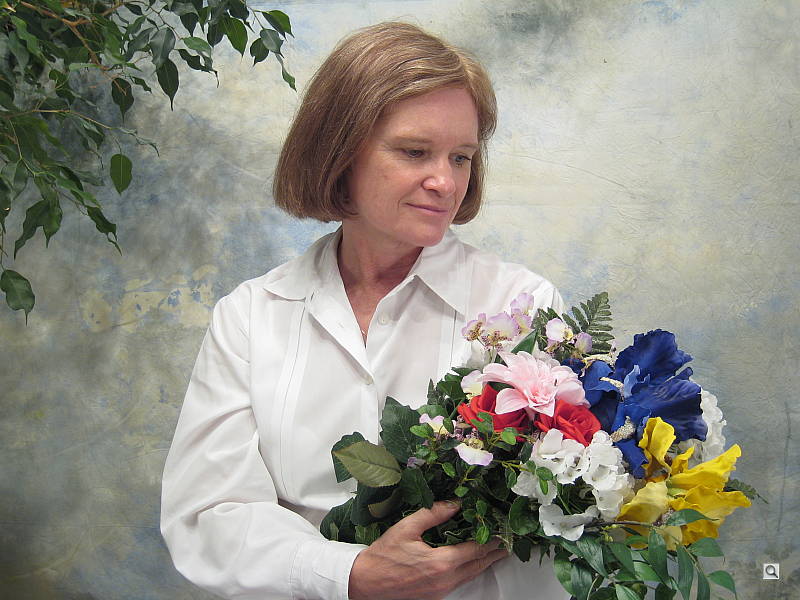
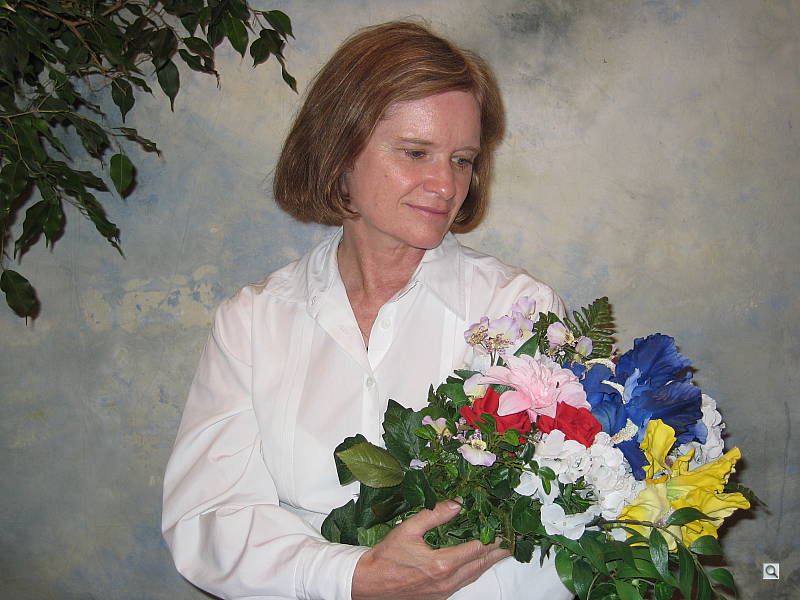
Color balance indoors under incandescent lighting was just a bit warm and reddish in Auto white balance mode, while the Incandescent setting resulted in a more yellow color balance that actually looked more pleasing overall. Manual white balance got it just about right. The SD800 IS required a +0.7 EV exposure compensation boost to get a good exposure, about average for this shot. Overall color is a bit dark and yellow in Auto mode, making the blue flowers very dark and purplish. (A very common outcome for this shot.) Our test lighting for this shot is a mixture of 60 and 100 watt household incandescent bulb, a pretty yellow light source, but a very common one in typical home settings here in the US.
Outdoors, daylight
Good color balance overall, with fairly bright colors. Heightened contrast under bright outdoor conditions.

Outdoor shots showed better than average exposure accuracy, though with notably high contrast under harsh sunlight. Strong highlights tended to produce slight underexposures, as in the house shot above, with a limited midtone range, but exposure accuracy was still better than average when compared to many other consumer digicams. Overall color looked pretty good, with bright reds and blues that nonetheless didn't look too overdone.
See full set of test images with explanations
See thumbnails of all test and gallery images
Resolution
High resolution, 1,250 lines of strong detail.
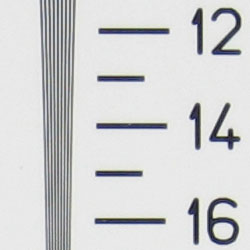
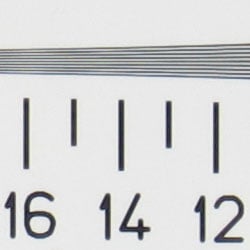
Our laboratory resolution chart revealed sharp, distinct line patterns down to about 1,250 lines per picture height, with extinction at around 1,900. (The camera produced slight color artifacts at lower line frequencies though, visible in the full-sized res target shots.) Use these numbers to compare with other cameras of similar resolution, or use them to see just what higher resolution can mean in terms of potential detail. Beware that while you might be able to make out what looks like distinct lines at numbers higher than those we've mentioned here, the camera is just doing its best to continue interpreting the lines. So the lines you see at 1,400 and higher are really only artifacts generated by the camera's imaging system.
See full set of test images with explanations
See thumbnails of all test and gallery images
Sharpness & Detail
Sharp images with excellent detail. Minor blurring of detail from noise suppression in areas of subtle contrast.


The Canon SD800's images are quite sharp with just a little softening in the corners. Very little evidence of edge enhancement. (Edge enhancement creates the illusion of sharpness by enhancing colors and tones right at the edge of a rapid transition in color or tone.)
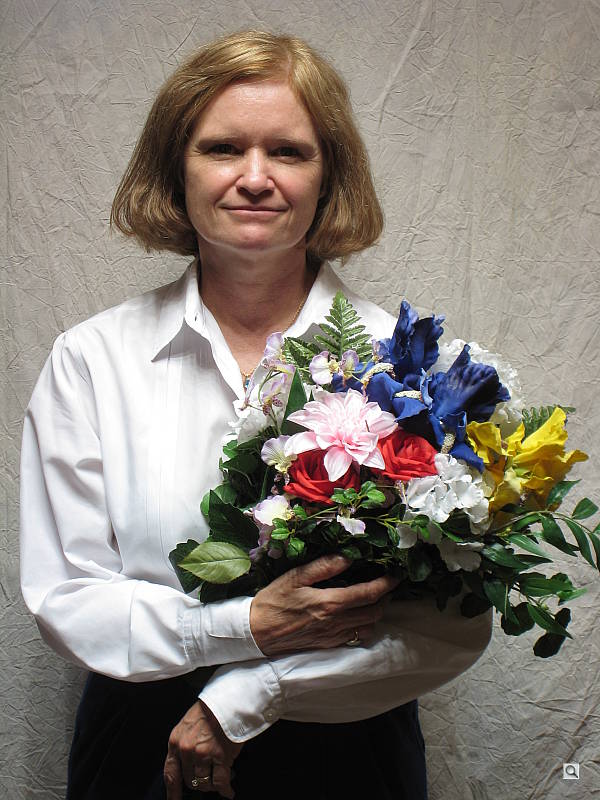
Noise-suppression systems in digital cameras tend to flatten-out detail in areas of subtle contrast. The effects can often be seen in shots of human hair, where the individual strands are lost and an almost "watercolor" look appears. The crop at far right shows this somewhat, with darker areas of Marti's hair showing limited, blurry detail, though individual strands are visible where a lighted strand passes in front of a darker shadow area. On balance, the SD800 IS shows less detail loss to noise reduction at low ISO settings than average, but more at high ISOs.
ISO & Noise Performance
Moderate noise at the normal sensitivity settings, but very high noise and strong blurring at the higher settings, especially at ISO 1,600.






The SD800's lower ISO settings produced low to moderate noise, with only slightly blurred detail in the dark areas. (As noted above, better than average in this respect.) However, starting at ISO 400, image noise begins to dominate areas of fine detail. At ISOs 800 and 1,600, noise is so strong and blurring so significant, that resulting images are practically useless for printing. Also, by ISO 800 skin colors start to deteriorate, taking on an unflattering purple cast.
Extremes: Sunlit and low light tests
High resolution with good overall detail, but high contrast limits both highlight and shadow detail. Limited low-light capabilities, but sensitive enough to capture bright images under typical city street lighting.


Sunlight:
Because digital cameras are more like slide film than negative film (in that they tend to have a more limited tonal range), we test them in the harshest situations to see how they handle scenes with bright highlights and dark shadows, as well as what kind of sensitivity they have in low light. The shot above is designed to mimic the very harsh, contrasty effect of direct noonday sunlight, a very tough challenge for most digital cameras. (You can read details of this test here.)
The Canon SD800 IS had a hard time with the deliberately harsh lighting in the test above, producing very high contrast with washed-out highlights and deep shadows. Shadow detail is limited, with the effects noise suppression very evident in the form of smudged detail in deep shadow areas. The camera required a slightly less than average amount of positive compensation at +0.7 EV, making its metering a bit more accurate than most in this particular test. (In "real life" though, be sure to use fill flash in situations like the one shown above; it's better to shoot in the shade when possible.)
| 1 fc 11 lux |
1/2 fc 5.5 lux |
1/4 fc 2.7 lux |
1/8 fc 1.3 lux |
1/16 fc 0.67 lux |
|
|---|---|---|---|---|---|
| ISO 79 |
 2.5 sec f2.9 |
 5 sec f2.9 |
 9.9 sec f2.9 |
 16 sec f2.9 |
 16 sec f2.9 |
| ISO 100 |
 2 sec f2.9 |
 4 sec f2.9 |
 8 sec f2.9 |
 12.6 sec f2.9 |
 16 sec f2.9 |
| ISO 200 |
 1 sec f2.9 |
 2 sec f2.9 |
 4 sec f2.9 |
 6.3 sec f2.9 |
 16 sec f2.9 |
| ISO 400 |
 0.5 sec f2.9 |
 1 sec f2.9 |
 2 sec f2.9 |
 3.2 sec f2.9 |
 8 sec f2.9 |
| ISO 800 |
 1/5 sec f2.9 |
 0.5 sec f2.9 |
 1 sec f2.9 |
 1.6 sec f2.9 |
 4 sec f2.9 |
| ISO 1600 |
 1/9 sec f2.9 |
 0.3 sec f2.9 |
 0.5 sec f2.9 |
 0.7 sec f2.9 |
 2 sec f2.9 |
Low light:
The Canon SD800 IS performed well on our low light test, with good color from the Auto white balance setting. At the lower ISO settings (79 and 100), images were bright down to 1/8 foot-candle, which is about 1/8 as bright as average city street lighting at night. From ISO 200 to 1,600, images were bright down to the lowest light levels we test. The camera's autofocus system also worked very well, able to focus on the subject down to the 1/8 foot-candle light level unassisted, and well past the darkest light level we test with the AF assist lamp enabled. Keep in mind that the long shutter times here absolutely demand the use of a tripod or other camera support to get sharp photos. (A useful trick is to just prop the camera on a convenient surface, and use its self-timer to release the shutter. This avoids any jiggling from your finger pressing the shutter button, and can work quite well when you don't have a tripod handy.)
Flash
Coverage and Range
A useful flash range, and moderate orange cast with incandescent lighting. Our standard shots required +0.7 EV compensation.


Flash coverage was rather uneven at wide angle, but more even at telephoto. In the Indoor test, the Canon SD800's flash underexposed our subject at its default setting, requiring use of +0.7 EV exposure compensation to get reasonably bright results. Even here, the exposure is a little dim, with a noticeable orange cast. The Slow-Sync flash mode also needed +0.7 EV exposure compensation, though it resulted in more even lighting (and a stronger orange cast).
| Flash Range: Wide Angle | |||||
|---|---|---|---|---|---|
| 6 ft | 7 ft | 8 ft | 9 ft | 10 ft | 11 ft |
 1/64 sec f2.9 ISO 100 |
 1/64 sec f2.9 ISO 100 |
 1/64 sec f2.9 ISO 100 |
 1/64 sec f2.9 ISO 100 |
 1/64 sec f2.9 ISO 100 |
 1/64 sec f2.9 ISO 100 |
| 12 ft | 13 ft | 14 ft | 15 ft | 16 ft | |
 1/64 sec f2.9 ISO 100 |
 1/64 sec f2.9 ISO 100 |
 1/64 sec f2.9 ISO 100 |
 1/64 sec f2.9 ISO 100 |
 1/64 sec f2.9 ISO 100 |
|
| Flash Range: Telephoto | |||||
|---|---|---|---|---|---|
| 6 ft | 7 ft | 8 ft | 9 ft | 10 ft | 11 ft |
 1/64 sec f5.9 ISO 100 |
 1/64 sec f5.9 ISO 100 |
 1/64 sec f5.9 ISO 100 |
 1/64 sec f5.9 ISO 100 |
 1/64 sec f5.9 ISO 100 |
 1/64 sec f5.9 ISO 100 |
| 12 ft | 13 ft | 14 ft | 15 ft | 16 ft | |
 1/64 sec f5.9 ISO 100 |
 1/64 sec f5.9 ISO 100 |
 1/64 sec f5.9 ISO 100 |
 1/64 sec f5.9 ISO 100 |
 1/64 sec f5.9 ISO 100 |
|
At ISO 100, flash power remained fairly bright to the 16 foot test distance at wide angle but falloff began about the 12 foot test distance with telephoto.
| Manufacturer-Specified Flash Range | |
|---|---|
| Wide Angle | Telephoto |
 13.0 feet Auto ISO |
 6.6 feet Auto ISO |
Our standard test method for flash range uses a fixed setting of ISO 100, to provide a fair basis of comparison between cameras. We also capture two shots using the manufacturer-specified camera settings, at the range the company claims for the camera, to assess the validity of their claims. In the shots above, the SD800 IS seems to perform exactly as Canon says it will, producing good exposures at the rated distances with its ISO set to Auto. While the range is rather limited, the good news here is that the camera isn't significantly boosting its ISO. This would produce greater flash range, but at the cost of higher image noise. In Auto ISO mode, the SD800's flash photos are nearly free of image noise; except at telephoto, which shows moderate chroma noise.
Output Quality
Print Quality
Great print quality, great color, crisp prints at 11x14 inches, usable ones at 13x19. ISO 400 images are usable to 11x14 inches, better at 8x10. ISO 800 is usable at 8x10, but ISO 1,600 is only good at 4x6.
Testing hundreds of digital cameras, we've found that you can only tell just so much about a camera's image quality by viewing its images on-screen. Ultimately, there's no substitute for printing a lot of images and examining them closely. For this reason, we now routinely print sample images from the cameras we test on our Canon i9900 studio printer, and on the Canon iP5000 here in the office. (See the Canon i9900 review for details on that model.)
The Canon SD800 IS produced crisp prints at 11x14 inches, and somewhat softer but still acceptable ones at 13x19. As always though, the real test of print size came at the higher ISO settings. Here, the SD800's ISO 400 images held up reasonably well at 11x14, but were quite good at 8x10 inches. The highest size we recommend using is ISO 800, which also turned in usable 8x10 images; not bad for such a small camera. 5x7 and 4x6 shots at 800 are quite good, with very good color. ISO 1,600 images are only good at 4x6, an then only when held about two feet away.
Color-wise, the Canon SD800 IS did quite well, with bright but natural-looking color and good-looking skin tones.
Bottom line, low-ISO shots from the SD800 IS look excellent and hold together well at large print sizes.
The images above were taken from our standardized test shots. For a collection of more pictorial photos, see our Canon PowerShot SD800 IS Photo Gallery .
Not sure which camera to buy? Let your eyes be the ultimate judge! Visit our Comparometer(tm) to compare images from the Canon PowerShot SD800 IS with those from other cameras you may be considering. The proof is in the pictures, so let your own eyes decide which you like best!
Performance
Canon SD800 IS Performance
Timing and Performance
Good to average speed for a consumer camera.
|
Startup/Shutdown
|
||
|
Power on
to first shot |
1.2 seconds
|
Time it takes for LCD to turn on and lens to deploy.
|
|
Shutdown
|
1.3 seconds
|
How long it takes to retract lens and stow in your pocket.
|
|
Buffer clearing time
|
0.59 second
(Large/SuperFine JPEG, Unlimited shots in continuous mode) |
Worst case buffer clearing time.* This is the delay after a set of shots before you can remove the card. Some cameras won't retract their lenses and shut down until the buffer is cleared.
|
|
Mode switching
|
||
|
Play to Record,
first shot |
1.4 seconds
|
Time until first shot is captured
|
|
Record to play
|
2.4 seconds
|
Time to display a large/superfine file immediately after capture
|
|
Display
recorded image |
1.8 second
|
Time to display a large/superfine file already on the memory card.
|
|
Shutter response (Lag Time):
|
||
|
Full Autofocus Wide
|
0.39 second
|
Time from fully pressing shutter button to image capture, zoom lens at wide angle position.
|
|
Full Autofocus Tele
|
0.44 second
|
Time from fully pressing shutter button to image capture, zoom lens at telephoto position.
|
|
Prefocused
|
0.077 second
|
Time to capture, after half-pressing and holding shutter button.
|
|
Cycle time (shot to shot)
|
||
|
Single Shot mode
Large SuperFine JPEG |
1.55 seconds
|
Time per shot, averaged over 20 shots
|
|
Single Shot mode
640 x 480 Normal JPEG |
1.50 seconds
|
Time per shot, averaged over 20 shots
|
|
Early shutter
penalty? |
No
|
Some cameras refuse to snap another shot if you release and press the shutter too quickly in Single Shot mode, making "No" the preferred answer
|
|
Continuous mode
Large SuperFine JPEG |
0.59 second (1.69 frames per second);
No limit w/fast card*; ~2 seconds to clear |
Time per shot, averaged over buffer length or 20 shots, whichever came first
|
|
Continuous mode
640 x 480 Normal JPEG |
0.60 second (1.68 frames per second);
No limit w/fast card*; ~2 seconds to clear |
Time per shot, averaged over buffer length or 20 shots, whichever came first
|
|
Flash recycling
|
6.5 seconds
|
Flash at maximum output
|
|
Download speed
|
||
|
Windows Computer, USB 2.0
|
1,295 KBytes/sec
|
Typical Values:
Less than 600=USB 1.1; 600-770=USB 2.0 Low; 771-4000=USB 2.0 High |
|
*Note: Buffer clearing times measured with a Kingston Ultimate 120x SD memory card. Slower cards will produce correspondingly slower clearing times. Slow cards may also limit length of bursts in continuous mode.
|
||
The Canon SD800's performance is generally above average. Startup and shutdown speeds are above average. Shutter response is above average, too. Shot-to-shot cycle times and continuous-mode speeds are also above average. The flash, which can light up an average-sized room, takes 6.5 seconds to recharge after a full-power shot, which is average for any digicam and better than average for such a powerful flash. Connected to a computer or printer with USB 2.0, download speeds are very fast, pretty much eliminating the need for an external reader. Bottom line, the Canon SD800 IS is responsive enough (particular at wide angle lens settings) to handle most family photo opportunities.
Battery and Storage Capacity
Battery
Surprisingly good battery life.
| Operating Mode | Battery Life |
| Still-image capture mode LCD on |
270 shots
|
| Still-image capture mode LCD off |
600 shots
|
The Canon SD800 IS uses a custom rechargeable Li-ion battery for power. The table above shows the number of shots the camera is capable of based on CIPA battery-life and/or manufacturer standard test conditions.
We normally recommend picking up a spare battery and keeping it freshly charged and on-hand for long outings, but the SD800 IS' battery life is good enough that few users are likely to feel the need for a second battery.
(Interested readers can find an English translation of the CIPA DC-002 standards document here. (180K PDF document))
Storage
A 16MB card is included with the Canon PowerShot SD800 IS.
|
Image Capacity with 16MB Internal Memory |
SuperFine | Fine | Normal | |
| 3,072 x 2,304 | Images | 4 | 7 | 16 |
| File Size | 3.2 MB | 2.0 MB | 984 KB | |
| 2,592 x 1,944 | Images | 5 | 10 | 20 |
| File Size | 2.7 MB | 1.5 MB | 762 KB | |
| 2,048 x 1,536 | Images | 9 | 16 | 32 |
| File Size | 1.7 MB | 966 KB | 491 KB | |
| 1,600 x 1,200 | Images | 14 | 26 | 49 |
| File Size | 1.0 MB | 610 KB | 322 KB | |
| 640 x 480 | Images | 55 | 85 | 134 |
| File Size | 288 KB | 186 KB | 119 KB | |
The Canon SD800 IS stores its photos on SD memory cards, and a 16MB card is included with the camera. We strongly recommend buying a large capacity SD/MMC memory card at least a 512MB card, preferably a 1- or 2GB one, to give yourself extra space for extended outings and videos. (Check the shopping link above, cards are really cheap these days, so no reason to skimp.)