


Overview
Fujifilm FinePix F30 Overview
Reviewed by: Dan Havlik
Review posted: 08/19/2006
Times have changed, though, and 6.3MP Super CCDs don't impress like they used to. With consumers now all too familiar with the perils of putting so much emphasis on pixel power, manufacturers have had to re-tune their camera's bells and whistles to attract savvy buyers considering an upgrade. In the case of the F30, Fujifilm is pushing the camera's extraordinary low-light shooting potential. Fujifilm is not alone in taking this tack. Several manufacturers have been emphasizing the expanded light sensitivity of their compact cameras with their ability to reduce blur thanks to new image stabilizer technology. (See my review of the Canon SD700 IS, for example.) The Fuji F30 ups the ante, however, by offering an eye-popping light sensitivity rating of up to ISO 3200 equivalent, a level not even seen on many digital SLR cameras; and as of this review, not on any competing compact digital cameras on the market. According to Fujifilm, the camera's "sixth generation Super CCD sensor" produces a lot less "noise" (i.e. that fuzzy stuff you see in some digital images) than its predecessor, especially when shooting a higher ISO settings.
But does the Fuji F30's ramped up light sensitivity and added features like Picture Stabilization technology, and an "intelligent" I-Flash -- all of which Fuji has marketed under the umbrella rubric of Real Photo Technology -- add up to better pictures? Read on and find out if there really is life beyond megapixels.
Fuji FinePix F30 User Report
Luxurious Finish. Though the Fuji F30 isn't the thinnest camera on the market in this compact category, its dimensions of 3.6 x 2.2 x 1.1 inches (92.7 x 56.7 x 27.8mm) make it small enough to slide into a bag or coat pocket and take along anywhere.

Soft grip. Nice raise rubber bumps serve as a soft, grippy place to rest your thumb.
One of the small touches I appreciated were the seven raised rubber bumps on the back of the camera below the zoom rocker which serve as a comfortable thumb grip with a nice tactile feel.
With an xD-Picture Card and its rather large proprietary rechargeable lithium-ion battery, the Fuji F30 weighs a substantial (but not quite hefty) 6.77 ounces (192 grams). There's a reason for the jumbo sized battery. According to CIPA ratings, the Fuji F30 can capture an impressive 580 pictures when this little brick is fully charged, which is a big plus if you're shooting out in the woods, for example, without access to an electrical outlet. The extra weight also gives the camera good balance, which helps keep it steady during shooting.

Cramped Mode dial. I found the dial a bit tough to read.
The Fuji F30's LCD screen is excellent, measuring 2.5 inches with 230,000 pixels of resolution, which renders sharp live preview and decent playback. Fuji's gone to lengths to have the LCD work well in a variety of lighting conditions with the display quickly adjusting its brightness in low light. The screen was made using Fuji's CV Film, which is designed to reduce glare and smudges. It was successful on both counts -- easy to use even in rather bright midday light and relatively smudge-resistant even when used with greasy fingers. (It's been a rather humid month here in New York City.) Since the Fuji F30's 2.5-inch display dominates most of the rear of the camera since there is no optical viewfinder on this model.
Very Responsive. As befitting a higher-end compact camera, the Fuji F30 was a very responsive all-around performer. Press the power button and it's ready to take its first shot in a lightning quick 1.7 seconds. The camera shuts down fast too, at just 1.6 seconds. The F30 switches nimbly from playback mode to image record in 0.5 seconds with just a tap of the shutter button. The camera was a little slow going the other way though, taking 4.4 seconds, according to our findings, to display a large/fine resolution image file immediately after capture. Shutter lag on the wide end of the zoom was short at just 0.56 second and a split second shorter on the telephoto end. When the Fuji F30 is prefocused, we found it took just 0.018 second till capture. The camera performed great shot to shot as well, taking just 1.96 seconds per shot in Large Fine JPEG capture. In Continuous Mode the camera could rattle off a Large Fine- JPEG picture every 2.02 seconds, or 0.5 frames per second. Overall, the F30's speed was just fine for me. Although I've tried cameras in this class that were slightly faster in certain areas, the F30 with its RP Processor II imaging engine was quick and reliable.
Spot On.
Vibrant action. The Fujifilm F30 handled action in daylight well.

Sharp. Images were crisp and refreshing, much like the water coming from these fountains.
One small gripe I had about the color -- and this seems to go for most of Fuji's compact cameras -- is the slightly oversaturated skin tones that the F30 produces. While pumping up the red channel just a tad will make your subject's skin look more fleshy and healthier, overdoing it will make skin seem pink and doll-like. This effect is especially prevalent if you switch the camera to Fuji's highly saturated "Chrome" setting. In its "Standard" color setting, the F30 is right on the edge.
While most compact digital cameras -- even at the low end -- can take good pictures in daylight settings at ISO 200 and below, the real test is how they fare in tricky low-light situations without flash. I don't know how many people have come up to me after they find out I review digital cameras and say: "This such-and-such 7 megapixel digital camera I bought is fantastic outdoors but when I took it to my friend's wedding reception, all the pictures looked horrible." When I asked them how they shot the reception, they usually say they tried some with the flash and then some without. The main complaints are typically that the flash shots make the faces look too washed out, and the shots without flash were blurred and full of all kinds of strange discolorations. These are the folks the F30 was made for.
Low-Light Options. Options abound for shooting in low-light and without a flash on the F30. For starters, there's that mind-blowing ISO range: 100 to 3200. Before anyone gets too excited about those numbers though, let me first get this out of the way -- in just about all circumstances, you're not going to want to touch that ISO 3200 setting. Furthermore, in most situations, you probably should stay away from ISO 1600 as well. This is not a slight at the camera's low-light capabilities. Fuji has made a strong effort in reducing noise in high ISO shots by improving the signal to noise ratio in its latest Super CCD HR sensor. Fuji has also implemented a new two-stage noise reduction system in this camera that is designed to break down and remove noise in low and high frequency bands in separate steps. While that might sound like a whole lot of technical jargon, for the most part it does a pretty good job.

ISO 1600 example. Not bad for a high ISO shot. Exposure was 1/35 at f/2.8

Closer look. Stippled effect is more noticeable, but most cameras would have introduced not only blurring but color noise at this point. There's slight motion blur from the 1/35 second exposure. Still, very impressive.

A little brighter. Even better at ISO 3200 due to less motion blur from a higher shutter speed of 1/75 second at f/2.8. See below for noise sample.

Still controlled. ISO 3200 was still well controlled, especially in terms of chroma noise. This is the best we've seen from a point-and-shoot, hands down.

ISO 800. Noise abatement efforts are more obvious in daylight, where you'd likely use a lower ISO anyway.
Ups & Downs. While I was thrilled with how well the camera performed at high ISOs, the F30's other low-light abilities were somewhat confusing and less consistent. For starters, adjustable ISO is limited to the camera's Manual (M), Aperture Priority/Shutter Priority (A/S) and Night + Long Exposure (Night + M) settings. Pressing the camera's F button (F-Mode Photography) while in one of these modes allows you to select ISO settings from a flyout menu. Considering that this is one of the camera's showcase functions, wouldn't it have been easier just to have put a dedicated ISO button on the camera and let you adjust it in any of the modes?
The problem might be that the F30 seems aimed at two users groups -- the novice shooter who wants the camera to do everything, and the photo enthusiast who might want more flexibility in a range of modes. What you have with the F30 is an attempt to present a lot of automatic and manual functions in a camera that's just a little bigger than a deck of cards. So instead of having a real clear mode dial, settings are clumped together and hard to read. At the same time, if you know what you're looking for -- and this takes some serious manual browsing -- a wealth of automatic and manual functions are opened to you.
Bugaboo. One annoying aspect in the Fuji F30 is a strange programming choice regarding the Playback button's function. With the camera on, press the Playback button to enter Playback mode. No problem so far. Look at your pictures, play with the menu, do what you want. When you're done, you naturally press the Playback button to go back to shooting mode, right? Not on the Fuji F30. Instead, the camera brings up a message admonishing you to press the shutter button to go back to shooting mode. Honestly, if they can program the camera to bring up an error message with instructions, surely they can just as easily make the camera go back to capture mode.
Au Naturale. One of my favorite Fuji functions -- which I explored and explained in my review of the Fujifilm Finepix V10 -- is the "Natural Light & With Flash" mode which takes two shots in succession, the first without flash and the second with flash. When shooting in moderate to good light, this feature is fabulous, offering a telling side-by-side comparison of what you gain and lose by using flash. In lower light situations, however, the flashless shot will boost to the higher end of the ISO scale (800 and above) producing a naturally lit image that on the V10 seemed noisy, but on the F30 was a bit cleaner. (There's also a Natural Light only mode that takes one shot with ramped up ISO and shutter speed.)
The flash on the F30 -- which Fujifilm has dubbed the "i-Flash" -- also did a better job of not blowing out the subject. Fujifilm's marketing information about i-Flash claims it can "detect more accurately the subtle lighting differences within a scene, and then light the subject accordingly with a range of flash intensities." While that would be perfectly lovely, it seems to be overstating the case on this camera.

Night mode. I was able to get a fun picture of a friend dressed as a pirate at a Pirate-themed birthday party on a Manhattan pier with Night mode.
The camera's Picture Stabilization/Anti-blur mode -- which is identified on the mode dial by an icon of a person with blurry lines around it -- automatically lets the camera choose the correct light sensitivity and matching shutter speed to decrease blur. This mode is similar to the Natural Light setting and my results with both were mixed. While automatically combining high shutter speeds with increased ISO did a good job of freezing the action in low light, it comes with a price. Since the camera will usually default to ISO 3200 in lower light situations, the uptick in noise rendered images a tad soft on the edges of the subject, and mottled in the shadows and brown areas of a shot. So while you are, in effect, stabilizing the picture, other digital artifacting in the shots due to the increased ISO will make images appear slightly off. It would be nice to somehow cap the ISO on this feature at 800 which is far less noisy than 3200.
The Bottom Line
Despite some inconsistencies, the Fujifilm Finepix F30 offers the latest bold leap into high ISO shooting in a stylish compact digital camera. In most cases I wouldn't recommend shooting at ISO 3200, but that setting functions as well as it does on the F30 is a tribute to the engineers behind this camera. Shots at ISO 800 were some of the best I've seen from a camera in this class, which means you will get more out of your pictures under a variety of conditions with the F30. While I've preferred competing models with dedicated optical image stabilizers to the Anti-Blur/Picture Stabilization mode offered in the F30, this camera breaks new ground in offering effective expanded light sensitivity in a compact product. That's worth the price of admission alone.
Basic Features
- 6.3-megapixel Super CCD HR delivering image resolutions as high as 2848 x 2136 pixels
- 2.5-inch color, low temperature polysilicon TFT LCD monitor with 230,000 pixels of resolution.
- 3x Fujinon 36-108mm zoom lens, with f/2.8 to f/5.0 maximum aperture.
- Autofocus with adjustable AF area.
- Digital zoom of up to 6.2x.
- Auto, Manual, Aperture & Shutter Priority, and 15 Scene modes
- Adjustable white balance with eight settings
- Adjustable ISO setting with Auto, 80, 100, 200, 400, 800, 1600 and 3200 equivalents.
- Shutter speeds from 1/2,000 to three seconds. (Long exposure mode permits exposures as long as 15 seconds.)
- Multi, Spot, and Average metering modes.
- Built-in flash with six modes.
- xD-Picture Card storage (No card included. 10MB internal storage).
- JPEG image format.
- Power supplied by proprietary rechargeable NiMH battery.
- Interface software and USB drivers included for Windows and Macintosh computers.
Special Features
- Movies (with sound) at 30 frames per second and resolution of 640 x 480 or 320 x 240
- High-speed shooting mode for increased focusing speed.
- Top 3 Frame, Final 3 Frame, and Long-period continuous shooting modes.
- 10- and two-second Self-Timer modes for delayed shutter release.
- Long exposure mode allows manual selection of shutter speeds from three to 15 seconds in Night scene mode.
- DPOF (Digital Print Order Format) compatibility.
- USB cable for connection to a computer (driver software included).
- Video cable for image playback on a television set.
In the Box
In the box with the Fuji F30 digital camera are the following items:
- Proprietary NP-95 Lithium-Ion rechargeable battery.
- Wrist strap.
- Terminal adapter
- AC power adapter
- USB cable.
- A/V cable.
- Software CD-ROM.
- Instruction manual, Quick Start guide, and registration card.
Recommended Accessories
- Larger capacity xD-Picture Card. (I'd recommend 128MB as a minimum.)
- Additional Lithium Ion rechargeable battery. (Perhaps not really necessary, given the excellent battery life, though.)
- Soft camera case.
Conclusion
| Pro: | Con: |
|---|---|
|
|
The Fujifilm Finepix F30 is the latest digital camera on the market to prove there's more to a great camera than just megapixels. Though the F30 has a very nice 6.3MP Super CCD HR sensor which takes vibrant images in daylight conditions, that's only a small part of the story. Fuji has been wise to emphasize the F30's range of excellent low-light options, its beautiful 2.5-inch LCD, and its superior battery life while marketing this camera because these are features that will genuinely improve someone's picture-taking experience. In terms of style, the camera has a subtly luxurious design to it that won't necessarily bowl you over at first glance, but will reveal its charms the more you try it out. The camera's new RP Processor II also proved to be very responsive in my testing and I never felt like the camera had trouble keeping up with my eye.
Though there are some inconsistencies with the Fuji F30's low-light abilities -- ISO 3200 is surprisingly good but not quite up to snuff beyond 5x7-inch prints -- and the new Picture Stabilization mode and i-Flash feature produced only mixed results -- as is clear from the long list of "pros" for this camera, the F30 has enough going for it on other levels to definitely warrant a Dave's Pick.
Design
Fujifilm FinePix F30 Design
 Though the F30 isn't the thinnest camera on the market in this compact category, its dimensions of 3.6 x 2.2 x 1.1 inches (92.7 x 56.7 x 27.8mm) make it small enough to slide into a bag or coat pocket and take along anywhere. While from a distance the camera might look like a rather ordinary silver box, on closer inspection you'll notice the F30's luxurious curved finish, with the smooth, light silver of the camera's back metal plate wrapping around the right and locking into the darker silver faceplate. With an xD-Picture Card and its rather large-size proprietary rechargeable lithium ion battery, the camera weighs a substantial (but not quite hefty) 6.77 ounces (192 grams).

The F30's metal front panel is nearly flat with the lens retracted, except for the small surfboard-like metal fingergrip, which extends slightly out from the middle right of the camera. Turning the F30 on extends the lens about an inch from the camera body. A shutter-like lens cover protects the front of the lens when closed, and quickly retracts when the camera is powered on. Near the top of the front panel are the flash, self-timer lamp, and an AF assist lamp. Two small holes below the lens barrel mark the location of the camera's microphone.

The right side of the camera (as viewed from the rear) holds only the recessed eyelet for the wrist strap.

The opposite side of the Fujifilm F30 is smooth and featureless, except for a small rubber flap covering the A/V Out, USB, and DC IN 5V power input sockets.

On the F30's top panel are the Power button, Mode dial, and Shutter button.

The remaining camera controls are on the rear panel, sharing space with the LCD monitor. Note that the Fuji F30 forgoes any form of optical viewfinder, in favor of a larger 2.5" LCD display, which dominates the left side of the camera's rear. The LCD does seem fairly easy to view in most lighting conditions (it's even surprisingly usable in full sunlight), so many users likely won't even miss the optical viewfinder. The zoom rocker is at the top right of the rear panel, and a small indentation in the center of the rocker and series of rubber dots below it that provide a reasonable thumb rest to counter the front fingergrip. The Playback and Photo Mode buttons (the latter marked with a stylized 'F' character in Fujifilm's FinePix logo font) are side by side, centered vertically on the camera's right rear. The Playback button doubles as a second power switch, allowing you to turn the camera on directly in Playback mode (without the lens extending) if you hold the Playback button in briefly.
A Four-way arrow pad next to the lower right corner controls macro and flash modes, the self-timer, the LCD brightness and the delete functions, and also provides navigation controls for the LCD menu system. In record mode, the left arrow doubles as a Macro button, and the right arrow cycles through Flash settings, while the up arrow boosts the LCD's backlight for better visibility, and the down arrow cycles through the camera's self-timer modes. Located in the center of the Four-way arrow pad, a Menu/OK button calls up the camera's Record or Playback-mode menu system, and acknowledges changes to menu items. Directly to the lower left of the Arrow pad is the Back/Display button, for backing out of menu screens, or cycling through the available LCD display modes. In Record mode, the display modes options are text overlay, image only, framing guidelines with text, or post-shot assist (which shows the last three images captured since switching the camera to record mode alongside a live view, to assist in framing shots with similar composition). To the lower right of the Four-way arrow pad, is an exposure compensation button that can only be operated in the Manual and Aperture/Shutter Priority modes.

The Fujifilm F30's bottom panel is flat, with the threaded plastic tripod socket on the left side. The shared xD-Picture Card and battery compartment is to the right of the tripod mount (as viewed from the rear), with a hinged door that slides over before opening. The door doesn't lock, but latches closed fairly firmly.
Between the tripod socket and shared xD-Picture Card and battery compartment door, nine holes in a three by three grid indicate the location of the speaker.
Fujifilm FinePix F30 External Controls

Mode Dial: In the middle of the camera's top panel, this dial controls the camera's exposure modes, offering the following options:
 Auto: Places the camera in control of all basic exposure settings. The user has control over zoom, macro mode, high-speed shooting, continuous shooting, color mode, and some flash settings.
 Manual: This mode provides the user with increased control, including ISO control, exposure compensation, metering mode, white balance, and AF mode, as well as all flash modes.
 Aperture Priority AE/Shutter Priority AE: This mode lets the user manually adjust either the Aperture setting or the Shutter Speed.
 Movie: Records moving images with sound, at either 640 x 480 or 320 x 240 pixels, both at 30fps.
 Picture Stabilization/Anti-blur: This mode automatically combines a higher ISO sensitivity with a faster shutter speed to reduce blur.
 Scene position: This mode gives the user some degree of control over the camera's setup, without the need to understand what the settings mean. Each scene mode biases the camera for a particular common photographic situation, and different scene modes allow a different subset of the camera's total manual controls to be accessed. The five available scene modes, selected through the menu system, are as follows:
- Natural Light: Locks ISO sensitivity to Auto, metering to Multi, white balance to Auto, and AF mode to Center. Exposure compensation is not available. The flash is disabled, as is Continuous mode.
- Natural Light & Flash: Takes two shots in succession, the first without flash but with a high ISO value, and the second with flash
- Portrait: Locks metering to Multi, white balance to Auto, and AF mode to Center. Exposure compensation is not available, nor is Continuous mode.
- Landscape: Locks metering to Multi, white balance to Auto, and AF mode to Center. Exposure compensation is not available. The flash is disabled, as is Continuous mode.
- Sports: Locks metering to Multi, white balance to Auto, and AF mode to Center. Exposure compensation is not available. Only the Auto and Forced flash modes are available. The camera gives priority to faster shutter speeds to freeze the action.
- Night: Locks ISO sensitivity to Auto, metering to Multi, white balance to Auto, and AF mode to Center. Exposure compensation is not available, and shutter speeds as long as three seconds are favored (so a tripod is recommended). If the long exposure mode setting is enabled in the Setup menu, the aperture is locked at wide open, and shutter speeds range from three to 15 seconds, which must be set manually using the four-way controller. Only the slow sync and red-eye reduction slow-sync flash modes are available, unless the camera is in long exposure mode, in which case only the forced and red-eye reduction flash modes are available.
- Fireworks: Uses a slow shutter to take more vivid photos of fireworks.
- Sunset: Makes colors more vivid when shooting a sunset.
- Snow: Helps prevent darkening images when shooting a snowy scene when the whole screen appears white.
- Beach: Helps prevent darkening images when shooting at the beach with strong sunlight.
- Underwater: Use this mode when shooting with a waterproof case. Helps capture vivid ocean blues.
- Museum: Flash and shutter sound are disabled in this mode to provide less disruptive shooting in places such as museums and churches.
- Party: Helps capture natural ambient lighting in low-light indoor conditions such as at a wedding or a party.
- Flower Close-Up: For capturing Macro shots of foliage and flowers. Improves detail and makes colors more vivid.
- Text: Use this mode to shoot documents and white board. Effective for taking clearer shots of letters.
 Auto: Places the camera in control of all basic exposure settings. The user has control over zoom, macro mode, high-speed shooting, continuous shooting, color mode, and some flash settings.
 Manual: This mode provides the user with increased control, including ISO control, exposure compensation, metering mode, white balance, and AF mode, as well as all flash modes.
 Aperture Priority AE/Shutter Priority AE: This mode lets the user manually adjust either the Aperture setting or the Shutter Speed.
 Movie: Records moving images with sound, at either 640 x 480 or 320 x 240 pixels, both at 30fps.
 Picture Stabilization/Anti-blur: This mode automatically combines a higher ISO sensitivity with a faster shutter speed to reduce blur.
 Scene position: This mode gives the user some degree of control over the camera's setup, without the need to understand what the settings mean. Each scene mode biases the camera for a particular common photographic situation, and different scene modes allow a different subset of the camera's total manual controls to be accessed. The five available scene modes, selected through the menu system, are as follows:

Shutter Button: Located on the right of the top panel this button sets focus and exposure when halfway pressed, and fires the shutter when fully pressed. When in Playback mode, half-pressing this button quickly returns the camera to Record mode.

Power Button: Located to the left of the Mode dial, this button turns the camera on and off.

Zoom Rocker: In the top right corner of the rear panel, this rocker controls the 3x optical and the up-to-6.2x digital zoom. In Playback mode, these buttons let you zoom in on captured images, for closer viewing.

Playback Button: Below the zoom rocker and immediately to the right of the LCD display, this button that toggles the camera between Record and Playback mode. If the camera is powered off, holding this button in briefly will power the camera on in Playback mode, so the lens doesn't extend.

Photo Mode Button: Marked with an F and located to the right of the Playback button, this button displays the Function menu when pressed in Record or Playback modes. The following options are available:
Record Mode
 ISO: When in Manual, A/S, or Night + Long Exposure modes, adjusts the camera's sensitivity to Auto, 80, 100, 200, 400, 800, 1600, 3200, or Auto (400) and Auto (1600) equivalents. The latter two allow automatic control of the ISO, yet limit the maximum setting to either 400 or 1600.
- Quality: Sets the image resolution to 6M F(fine) (2,848 x 2,136 pixels), 6M N(normal) (2,848 x 2,136 pixels), 3:2 (3,024 x 2,016 pixels), 3M (2,048 x 1,536 pixels), 2M (1,600 x 1,200 pixels), or 0.3M (640 x 480 pixels) for still images. In Movie mode, resolution options are 640 x 480 or 320 x 240 pixels.
- Color: Adjusts the color to Black and White, Chrome (high saturation and contrast), or Standard.
 ISO: When in Manual, A/S, or Night + Long Exposure modes, adjusts the camera's sensitivity to Auto, 80, 100, 200, 400, 800, 1600, 3200, or Auto (400) and Auto (1600) equivalents. The latter two allow automatic control of the ISO, yet limit the maximum setting to either 400 or 1600.
Playback Mode
- DPOF: Accesses the camera's DPOF menu, where you can browse images and set the number of copies of each image to be printed.

Four-way Arrow Pad and Menu/OK Button: Directly below the Playback and Photo Mode buttons, this large rocker button features four arrows for navigating through menu screens and captured images. The central Menu / OK button activates the menu system in any camera mode, and subsequently confirms menu selections. In playback mode, if a movie is playing the Menu button calls up the Playback volume menu. In Record mode, the left arrow turns Macro mode on or off, while the right arrow controls the flash mode. The up arrow brightens the LCD display's backlight, and the down arrow cycles through the self-timer options. In Playback mode, the right and left arrow keys scroll through captured images. All four arrow keys pan the view of an enlarged image.

Display/Back Button: Directly below the Four-way controller near the lower right corner of the LCD monitor, this button controls the LCD display in Record mode. Pressing the button cycles through the available display modes. In Record mode, these are text overlay, image only, framing guidelines with text, or post-shot assist (which shows the last three images captured since switching the camera to record mode alongside a live view, to assist in framing shots with similar composition). In Playback mode, they are text overlay, image only, nine-image index, or 11-image index by date. When menus are activated, the Display / Back button backs out of menu screens without making any changes.
Operation
Fujifilm FinePix F30 Operation
Given that the Fujifilm F30 offers a fair range of control over functions like ISO sensitivity, white balance, metering, and autofocus area, its user interface is pretty straightforward. The relatively few buttons on the camera, however, mean you will be scrolling through several menus to operate the finer functions of the camera. Some major paging through the manual will also be necessary to figure out the many features the Fuji F30 offers.
The Power button simply cycles the camera on or off, and the Mode dial sets it to one of four exposure modes - Auto, Manual, Scene Position (with 15 settings), Aperture/Shutter Priority AE, Picture Stabilization, and Movie mode. The camera's optical zoom, flash, macro mode, self-timer, and LCD backlight strength can all be adjusted in Record mode without entering the menu system. The Photo Mode button accesses a simplified menu for quickly adjusting Quality (image size), ISO equivalent, and Color (choices are Standard, B&W, and a Chrome setting for vivid color and contrast). Menus are accessed through the Menu/OK button. When you need to access these menus, screens are short and sweet, and require little navigation.
Record Mode LCD Screens In Record mode, the Fuji F30's LCD monitor reports the basic exposure settings, as well as other exposure settings such as flash mode, focus mode, ISO, etc. The number of images available, battery status, and the set resolution also appear. Pressing the Display button enables an alignment grid with the information overlay, turns the information overlay off, or enables the post-shot assist (which shows the last three images captured since switching the camera to record mode alongside a live view, to assist in framing shots with similar composition). The LCD display cannot be turned off, because there's no optical viewfinder. The camera reports the shutter speed and aperture that will be used when the shutter button is half-pressed. In A/S mode, shutter and aperture can be manually adjusted.
Playback Mode LCD Screens In Playback mode, the display includes an ample amount of information about your shots including the image number, the file size, the ISO, the date and time of capture, and the shutter speed and aperture the image was captured at. For a camera that does so much, it's nice that Fuji includes all this info in playback. The Display button cycles through several other options, where you can turn the information overlay off, enable a nine-image index display for seeing quickly what images are on the memory card, or sort images by date. This last is really a rather unusual feature, and could be quite useful if you have a large flash card and tend to keep images on it for weeks at a time. Up to 11 thumbnails are shown at once, alongside a bar which allows you to see the dates of all images on the flash card; you can then use the Four-way controller to select which day you want to see images from. When in playback mode, the zoom toggle lets you zoom in on the image to check small details, and the Four-way controller lets you pan around the image when zoomed in.
Fujifilm FinePix F30 Modes and Menus
Record Mode: Indicated by an icon on a red background at the top left of the LCD display (unless the display is in image only mode), this mode allows the camera to capture images. Exposure modes include Scene Program, Auto, Manual, and Movie (Manual mode does not allow user control of shutter speed or aperture). Pressing the Menu button displays the following options (not all options are available in all modes):
- Scene Position: Selects from the available Scene modes: Natural Light, Natural Light and Flash, Portrait, Landscape, Sports, Night, Fireworks, Sunset, Snow, Beach, Underwater, Museum, Party, Flower Close-Up and Text.
- Photometry: Metering can be set to Average, Spot, or Multi (Pattern).
- White Balance: Sets the white balance to Auto, Custom (manual setting), Fine, Shade, Fluorescent Light-1, Fluorescent Light-2, Fluorescent Light-3, or Incandescent.
- High-Speed Shooting: Increases autofocus speed (cuts full-autofocus shutter lag to about 0.3 second.) Battery life will be reduced when this is set to On.
- Continuous Shooting: Modes include Off, Top 3 (shoots and saves 3 frames), Final 3 (shoot up to 40 frames, camera saves last 3), or Long-period continuous (the camera shoots and saves up to 40 frames).
- Exposure Compensation: Allows for +/- 2.0EV of exposure compensation from the metered exposure, in steps of 1/3EV.
- AF Mode: Sets the autofocus mode to Center, Multi, or Continuous. Continuous mode increases battery drain, since the camera is focusing all the time between exposures, not just when the shutter button is half-pressed.
- Set-Up: Allows user to activate Setup Menu (see below).
- Setup Menu: Accessed from the Set-Up option in all Record or Playback menus (but not the Photo Mode or DPOF menus), the Setup menu offers the following options:
- Image Display: Turns the post-capture image review screen off, or sets it to a duration of 1.5 or 3 seconds.
- Frame Number: Renews frame numbering with each new memory card, or continues numbering from card to card.
- AF Illuminator: Enables or disables the camera's (extremely bright green) autofocus illuminator lamp.
- Digital Zoom: Enables or disables the camera's 6.2x digital zoom. If enabled, the camera will pause when crossing the boundary at which the optical zoom is at full telephoto and the digital zoom is enabled. You must let go of the zoom rocker briefly and then press it again to continue from the optical to digital zoom, or vice versa.
- LCD Mode: When enabled, dims the camera's backlights after ten seconds of inactivity, to save power. (A nice feature.)
- Long Exposure: Enables or disables the long exposure mode, which allows exposures from three to 15 seconds in length to be manually selected when in the Night scene mode.
- Date/Time: Sets the camera's internal clock and calendar.
- Beep Volume: Adjusts the volume of the camera's operating sounds in three steps, or disables it altogether.
- Shutter Volume: Adjusts the volume of the shutter noise in three steps, or disables it altogether.
- Playback Volume: Calls up the Playback volume menu, where you can disable playback sound altogether, or set the volume in ten arbitrary steps from 1 to 10.
- LCD Brightness: Calls up the LCD Brightness menu, where you can set LCD brightness to the default, or adjust it in arbitrary steps from -5 to +5. This adjustment is separate from the Record-mode LCD brightness adjustment option, so the effect of the two is added together.
- Format: Formats the xD-Picture Card, which erases all files, regardless of whether they've been "protected" via the Playback menu.
- Language: Sets the menu language to Simplified Chinese, English, French, German, Spanish, Italian, Portuguese, Dutch, Turkish, Russian, Korean, Chinese, or Japanese.
- Auto Power Off: Turns the power save option off, or sets it to shut down the camera after two or five minutes of inactivity.
- Time Difference: Allows a second date/time setting for another time zone.
- Background Color: Lets you select the color scheme for the camera's menus, with options being light / dark blue, light / dark purple, light / dark pink, light / dark orange, light / dark green, and grey / black.
- Video System: Sets the video output signal timing to match either the NTSC or PAL standard. (NTSC for the US and Japan, PAL for Europe.)
- Reset: Resets all camera settings to their defaults.
 Scene Position: Selects from the available Scene modes: Natural Light, Natural Light and Flash, Portrait, Landscape, Sports, Night, Fireworks, Sunset, Snow, Beach, Underwater, Museum, Party, Flower Close-Up and Text.
 Image Display: Turns the post-capture image review screen off, or sets it to a duration of 1.5 or 3 seconds.
 Date/Time: Sets the camera's internal clock and calendar.
 Language: Sets the menu language to Simplified Chinese, English, French, German, Spanish, Italian, Portuguese, Dutch, Turkish, Russian, Korean, Chinese, or Japanese.
Playback Mode: Indicated by an icon on a blue/green background at the top left of the LCD display (unless the display is in image only or thumbnail mode). Here, you can review captured images and movies, as well as manage files and set up images for printing. Pressing the Menu button displays the following options:
- Erase: Deletes the current frame or all frames.
- Image Rotate: Calls up the Image Rotate menu, where you can rotate the image clockwise (Down arrow) or anti-clockwise (Up arrow) in 90-degree increments. The OK button saves the change, or the Back button cancels.
- Protect: Write-protects the displayed image, preventing it from being accidentally erased or manipulated (except via card formatting). Also removes protection, and offers options to protect or unprotect all images on the card.
- Copy: Allows you to transfer saved images between the internal memory and an xD-Picture Card.
- Voice Memo: Allows you to record a 30 second audio clip to accompany the current image. The OK button starts and stops recording; the Back button restarts recording when it is under way, and cancels recording if you have not yet started it.
- Trimming: Allows you to crop a portion from the current image using the same controls as the Playback zoom function, and save it as a new file.
- Set-Up: Allows you to access the Setup Menu.
 Erase: Deletes the current frame or all frames.
 Set-Up: Allows you to access the Setup Menu.
Optics
Fujifilm FinePix F30 Optics
Lens
Zoom
Good results from the F30's 3x optical zoom lens.


The Fujifilm FinePix F30 optical zoom covers the equivalent of a 36-108mm range, which is fairly average among consumer digital cameras. Results were good at wide angle, though some corner softness and coma distortion was present. The 6.2x maximum digital zoom takes it out to 18.6x total, but with some loss of quality from the digital enlargement. Though details are a bit blurry with the digital zoom, there is still quite a bit of fine detail visible.
Macro
A small macro area with excellent detail and high resolution. Flash exposure was very uneven up close.


The Fujifilm FinePix F30's macro setting performed very well, capturing a very small minimum area of 1.88 x 1.41 inches (48 x 36 millimeters). Detail and resolution were both very good, though there's some softening in the corners from the lens. (Most cameras have some softening in the corners in macro mode.) The flash produced a very uneven exposure here, partially blocked by the lens with a strong overexposure in the top of the frame. (Plan on using external lighting for your closest macro shots with the F30.)
Distortion
Fairly low barrel distortion at wide angle, and no visible pincushion.
This is the tendency for the lens to bend straight lines outward (like a barrel -- usually at wide angle) or inward (like a pincushion -- usually at telephoto). The FinePix F30's 0.3% barrel distortion at wide angle is actually much lower than what we're accustomed to seeing on consumer digital cameras, which is quite good. At the telephoto end, I couldn't find a full pixel of either barrel or pincushion distortion.
| Barrel distortion at 36mm is 0.3% |
 |
| Pincushion at 108mm is virtually nonexistent |
 |
Chromatic aberration
Moderate, small effect on images at edges.
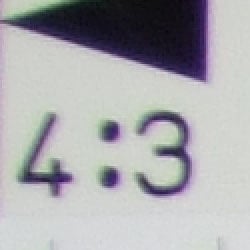
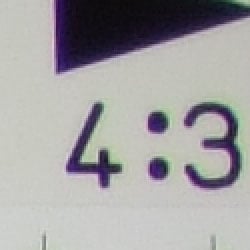
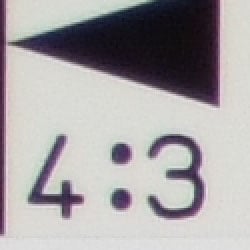
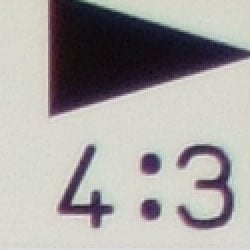
Chromatic aberration is moderate at wide angle, showing about 5-6 pixels of bright coloration on either side of the target lines in the worst case corner. At telephoto, the number decreases to 3-4 pixels, and the effect isn't quite as bright. (This distortion is visible as a very slight colored fringe around the objects at the edges of the field of view on the resolution target.)
Corner Sharpness
Strong blurring in the left corners of the frame at wide angle, though better results at telephoto.
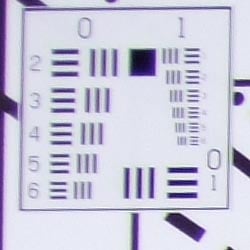
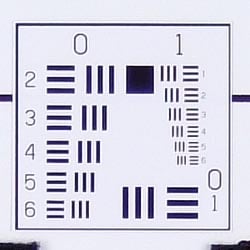
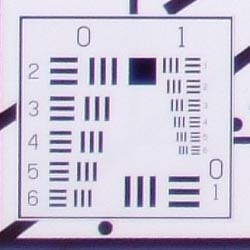
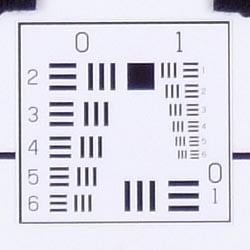
The Fujifilm FinePix F30 produced soft corners in a few shots. At wide angle, corners were very soft on the left side of the frame, compared to the center of the frame. At telephoto, the left corners showed some blurring, results were much better.
Viewfinder
Coverage
Good accuracy with the LCD monitor.


The Fujifilm FinePix F30's LCD monitor peformed well here, with just a little above 100% accuracy at both zoom settings. Good results overall.
The images above were taken from our standardized test shots. For a collection of more pictorial photos, see our Fujifilm FinePix F30 Photo Gallery .
Exposure
Fujifilm FinePix F30 Exposure
Color
Saturation & Hue Accuracy
Good overall color, though often a slight warm cast. Slight oversaturation of strong reds and blues, but very good results overall.
 |
| In the diagram above, the squares show the original color, and the circles show the color that the camera captured. More saturated colors are located towards the periphery of the graph. Hue changes as you travel around the center. Thus, hue-accurate, highly saturated colors appear as lines radiating from the center. |
The other important part of color rendition is hue accuracy. Hue is "what color" the color is. The F30 often produced a slightly warm color balance (especially outdoors), pushed reds toward orange slightly and cyan toward blue, though overall results were still fairly accurate.


Sensor
Exposure and White Balance
Indoors, incandescent lighting
Good color with the Manual white balance setting, though a slight warm tint. A little more positive exposure compensation required than usual.


Color balance indoors under incandescent lighting was pretty warm with both the Auto and Incandescent white balance settings, though the Manual option produced more accurate results. The FinePix F30 required a little more than the average amount of positive exposure compensation here, at +1.3 EV. Despite the very slight warm cast, overall color with the Manual white balance setting is pretty good, though the blue flowers are quite dark and purple. (Many digital cameras reproduce these flowers with a dark, purplish tint.) Our test lighting for this shot is a mixture of 60 and 100 watt household incandescent bulbs, a pretty yellow light source, but a very common one in typical home settings here in the U.S.
Outdoors, daylight
Slightly dark colors overall, and a tendency toward a warm cast and high contrast under harsh lighting. About average exposure accuracy.


Outdoors, the Fujifilm FinePix F30 tended toward a warmer color balance, with slightly dark hues. The F30 performed about average in terms of exposure, requiring the typical amount (or slightly less) of positive compensation we're accustomed to seeing among consumer digital cameras. Contrast is rather high, however, producing washed-out highlights and dark shadows under the deliberately harsh lighting of our "Sunlit" portrait test shown above left.
See full set of test images with explanations
See thumbnails of all test and gallery images
Resolution
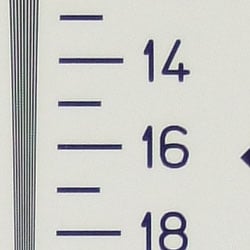
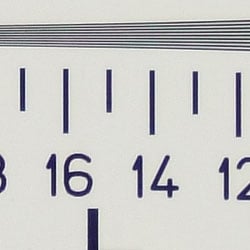
High resolution, 1,300 ~ 1,400 lines of strong detail.
Our laboratory resolution chart revealed sharp, distinct line patterns down to about 1,400 lines per picture height horizontally, and to about 1,300 lines vertically. Extinction didn't occur until past 2,000. Use these numbers to compare with other cameras of similar resolution, or use them to see just what higher resolution can mean in terms of potential detail. Beware that while you might be able to make out what looks like distinct lines at numbers higher than those we've mentioned here, the camera is just doing its best to continue interpreting the lines.
See full set of test images with explanations
See thumbnails of all test and gallery images
Sharpness & Detail
Reasonably sharp images overall, though some edge-enhancement on high-contrast subjects. Fairly low noise suppression in the shadows.


The Fujifilm FinePix F30 captures fairly sharp images, though some edge enhancement artifacts are visible on high-contrast subjects such as the crop above left. (Edge enhancement creates the illusion of sharpness by enhancing colors and tones right at the edge of a rapid transition in color or tone.)
Noise-suppression systems in digital cameras tend to flatten-out detail in areas of subtle contrast. The effects can often be seen in shots of human hair, where the individual strands are lost and an almost "watercolor" look appears. The crop above right shows fairly low noise suppression, with darker areas of Marti's hair showing limited detail. However, quite a bit of fine detail is visible in the strands of hair here.
ISO & Noise Performance
Low to moderate noise at the normal sensitivity settings, though a big jump in noise with strong blurring at the highest settings.






Noise levels are low to moderate at the Fujifilm FinePix F30's lower sensitivity settings, with only slightly high noise at ISO 400. Even at ISO 800, noise isn't as strong as you might expect. At ISOs 1,600 and 3,200, however, noise levels increase quite a bit, with a strong pattern and strong blurring.
Extremes: Sunlit and low light tests
High resolution with strong overall detail, but high contrast and limited shadow detail. Good low-light performance, capable of capturing bright images under average city street lighting and much darker conditions.


Sunlight:
Because digital cameras are more like slide film than negative film (in that they tend to have a more limited tonal range), we test them in the harshest situations to see how they handle scenes with bright highlights and dark shadows, as well as what kind of sensitivity they have in low light. The shot above is designed to mimic the very harsh, contrasty effect of direct noonday sunlight, a very tough challenge for most digital cameras. (You can read details of this test here.)
The Fujifilm FinePix F30 produced high contrast with washed-out highlights and deep shadows under the harsh lighting of the test above. Noise suppression is visible in the shadows, contributing to the loss of detail there. Though some areas look a little dark at +0.7 EV, I preferred it to the image at +1.0 EV, which appeared much too bright and washed out. (In "real life" though, be sure to use fill flash in situations like the one shown above; it's better to shoot in the shade when possible.)
| 1 fc 11 lux |
1/2 fc 5.5 lux |
1/4 fc 2.7 lux |
1/8 fc 1.3 lux |
1/16 fc 0.67 lux |
|
| ISO 100 |
 1.5 sec f2.8 |
 3 sec f2.8 |
 8 sec f2.8 |
 15 sec f2.8 |
 15 sec f2.8 |
| ISO 200 |
 1/1 sec f2.8 |
 1.5 sec f2.8 |
 4 sec f2.8 |
 8 sec f2.8 |
 15 sec f2.8 |
| ISO 400 |
 1/2 sec f2.8 |
 1/1 sec f2.8 |
 2 sec f2.8 |
 4 sec f2.8 |
 8 sec f2.8 |
| ISO 800 |
 1/5 sec f2.8 |
 1/2 sec f2.8 |
 1 sec f2.8 |
 2 sec f2.8 |
 4 sec f2.8 |
| ISO 1600 |
 1/10 sec f2.8 |
 1/5 sec f2.8 |
 1/1 sec f3.2 |
 1 sec f2.8 |
 2 sec f2.8 |
| ISO 3200 |
 1/20 sec f2.8 |
 1/10 sec f2.8 |
 1/4 sec f2.8 |
 1/2 sec f2.8 |
 1 sec f2.8 |
Low light:
The Fujifilm FinePix F30 captured bright images down to the 1/16 foot-candle light level (about 1/16 as bright as average city street lighting at night), at all ISO settings except 100. Here, images were bright to about 1/8 foot-candle, which is still quite good. The camera's autofocus system was able to focus on the subject down to the darkest light level, without any assistance. Do keep in mind though, that the very long shutter times necessary here absolutely demand the use of a tripod or other camera support to get sharp photos. (A useful trick is to just prop the camera on a convenient surface, and use its self-timer to release the shutter. This avoids any jiggling from your finger pressing the shutter button, and can work quite well when you don't have a tripod handy.)
NOTE: This low light test is conducted with a stationary subject, and the camera mounted on a sturdy tripod. Most digital cameras will fail miserably when faced with a moving subject in dim lighting. (For example, a child's ballet recital or a holiday pageant in a gymnasium.) For such applications, you may have better luck with a digital SLR camera, but even there, you'll likely need to set the focus manually. For information and reviews on digital SLRs, refer to our SLR review index page.
Flash
Coverage and Range
Fair flash intensity and coverage, though a slight pink cast indoors under incandescent lighting. Exposure compensation has no effect on flash exposures.


Flash coverage was a little uneven at wide angle, with some falloff at telephoto as well. In the Indoor test, the Fujifilm FinePix F30's flash underexposed our subject at its default setting, but the camera's exposure compensation adjustment had no effect on flash exposures. There's a very slight pink cast from the incandescent lighting, which is likely intensified by the dim exposure. The camera's Slow-Sync flash mode produced brighter, more even results, though again, exposure compensation had no effect. Shots with the Slow-Sync flash resulted in a warmer color balance.
| Flash Range: Wide Angle | ||||
| 6 ft | 7 ft | 8 ft | 9 ft | 10 ft |
 1/60 sec f2.8 ISO 100 |
 1/60 sec f2.8 ISO 100 |
 1/60 sec f2.8 ISO 100 |
 1/60 sec f2.8 ISO 100 |
 1/60 sec f2.8 ISO 100 |
| 16 ft | ||||
 1/60 sec f2.8 ISO 100 |
||||
| Flash Range: Telephoto | ||||
| 6 ft | 7 ft | 8 ft | 9 ft | 10 ft |
 1/100 sec f5.0 ISO 100 |
 1/100 sec f5.0 ISO 100 |
 1/100 sec f5.0 ISO 100 |
 1/100 sec f5.0 ISO 100 |
 1/100 sec f5.0 ISO 100 |
| 16 ft | ||||
 1/100 sec f5.0 ISO 100 |
||||
The F30's flash remains bright to about 10 feet at wide angle, and to about six feet at telephoto before intensity falls off. Fujifilm's specs list the F30's flash as effective to about 21 feet at wide angle, and to about 11 feet at telephoto.
Output Quality
Print Quality
Excellent print quality, great color, good 13x19 inch prints. ISO 400 images are excellent at 8x10, higher ISO shots are frankly amazing.
Testing hundreds of digital cameras, we've found that you can only tell just so much about a camera's image quality by viewing its images on-screen. Ultimately, there's no substitute for printing a lot of images and examining them closely. For this reason, we now routinely print sample images from the cameras we test on our Canon i9900 studio printer, and on the Canon iP5200 here in the office. (See the Canon i9900 review for details on that model.)
We were really quite impressed with the Fujifilm Finepix F30's printed output. At 13x19, its ISO 100 prints were excellent, quite impressive for a 6 megapixel camera. Even ISO 400 prints were very good at 13x19. ISO 800 images were very good at 8x10, and ISO 1600 images just started to decay, but were still acceptable at arm's length. Finally, at 3200, 8x10 images were a little too soft, but became acceptable at 5x7 and just fine at 4x6. This is an amazing performance from a point and shoot camera, the best we've seen from a camera this small.
The images above were taken from our standardized test shots. For a collection of more pictorial photos, see our Fujifilm FinePix F30 Photo Gallery .
Not sure which camera to buy? Let your eyes be the ultimate judge! Visit our Comparometer(tm) to compare images from the Fujifilm FinePix F30 with those from other cameras you may be considering. The proof is in the pictures, so let your own eyes decide which you like best!
Performance
Fujifilm FinePix F30 Performance
Fujifilm FinePix F30 Timing
Average to slightly slow speeds for a consumer digital camera.
Startup/Shutdown |
||
Power on to first shot |
1.7 seconds |
Time it takes for LCD to turn on and lens to deploy |
Shutdown |
1.6 seconds |
How long it takes to retract lens |
Buffer clearing time |
7 seconds |
Worst case buffer clearing time. -- This is the delay after a set of shots before you can remove the card. Some cameras won't retract their lenses and shut down until the buffer is cleared. |
Mode switching |
||
Play to Record, first shot |
0.5 seconds |
Time until first shot is captured |
Record to play |
4.4 seconds |
Time to display a large/fine file immediately after capture |
Display recorded image |
1.2 second |
Time to display a large/fine file already on the memory card. |
Shutter response (Lag Time): |
||
Full Autofocus Wide |
0.56 second |
Time from fully pressing shutter button to image capture, zoom lens at wide angle position. |
Full Autofocus Tele |
0.51 second |
Time from fully pressing shutter button to image capture, zoom lens at telephoto position. |
Prefocused |
0.018 second |
Time to capture, after half-pressing and holding shutter button. |
Continuous AF |
0.52 second |
This mode usually shows no speed increase with our static subject; we have no way to measure performance with moving subjects |
High-Speed focus |
0.33 second |
Battery life is reduced when using this mode. |
Cycle time (shot to shot) |
||
Single Shot mode Large Fine JPEG |
1.96 seconds |
Time per shot, averaged over 20 shots |
Single Shot mode 640x480 JPEG |
2.01 seconds |
Time per shot, averaged over 20 shots |
Early shutter penalty? |
YES |
Some cameras refuse to snap another shot if you release and press the shutter too quickly in Single Shot mode, making "No" the preferred answer |
Continuous mode Large Fine JPEG |
2.02 second (0.50 frames per second); 3 seconds to clear |
Time per shot, averaged over buffer length or 20 shots, whichever came first |
Continuous mode 640x480 JPEG |
1.82 second (0.55 frames per second); 1 second to clear |
Time per shot, averaged over buffer length or 20 shots, whichever came first |
Continuous "Top3" mode Large Fine JPEG |
0.44 second (2.3 frames per second); 3 frames total; 7 seconds to clear |
Time per shot, averaged over buffer length or 20 shots, whichever came first |
Continuous "Top3" mode 640x480 JPEG |
0.44 second (2.3 frames per second); 3 frames total; 5 seconds to clear |
Time per shot, averaged over buffer length or 20 shots, whichever came first |
Flash recycling |
4.4 seconds |
Flash at maximum output |
Download speed |
||
Windows Computer, USB 2.0 |
1164 KBytes/sec |
Typical Values: Less than 600=USB 1.1; 600-770=USB 2.0 Low; 771-4000=USB 2.0 High |
The Fujifilm FinePix F30's performance ranges from just average to slightly slow, depending on the task at hand. Start-up time is fair, at about 1.7 seconds for the lens to deploy and LCD to activate. Shutter lag at both wide angle and telephoto zoom settings are about a half-second, but "prefocus" times (half-pressing and holding down the shutter button before the final exposure) are blazingly fast, with a shutter delay of only 0.018 second. Shot-to-shot cycle times are on the slower side, at about 1.96 seconds for large/fine JPEGs, and the camera captures frames continuously at this rate. Continuous-mode speed is quite slow, at about 0.5 frames/second, though the camera captures as many as 20 frames at that speed. That said though, the "Top 3" modes capture at up to 2.3 frames per second, though only the top three shots are saved. Flash recycling is a little better than average however, at about 4.4 seconds. Connected to a computer, download speeds are quite fast, so you won't feel a need for a separate card reader. Bottom line, the Fujifilm FinePix F30 is responsive enough for most family photo opportunities, but its standard continuous shooting mode is a bit slow for sports or kids, and shutter response is a little sluggish. Still, overall performance is pretty good.
Battery and Storage Capacity
Battery
Pretty good battery life with the included custom LiIon battery.
| Operating Mode | Number of Shots |
|---|---|
| LiIon Rechargeable Battery | 580 |
The Fujifilm FinePix F30 uses a custom rechargeable LiIon battery for power, which is included with with the camera, along with a charger. Though battery life is quite good, travelers and heavy shooters should pick up a spare battery.
The table above shows the number of shots the camera is capable of (on either a fresh set of disposable batteries or a fully-charged rechargeable battery as appropriate), based on CIPA battery-life and/or manufacturer standard test conditions. A very impressive 580 shots approaches that of much larger digital SLRs.
(Interested readers can find an English translation of the CIPA DC-002 standards document here. (180K PDF document))
Storage
The F30 accepts xD Memory cards, though no card is included; 10 MB RAM is built into the camera.
| Image Capacity with 10MB Internal Memory |
Fine | Normal | |
|---|---|---|---|
| 2,848 x 2,136 | Images | 3 | 6 |
| File Size | 3.0 MB | 1.5 MB | |
| 2,048 x 1,536 | Images | - | 12 |
| File Size | - | 786 KB | |
| 1,600 x 1,200 | Images | - | 15 |
| File Size | - | 626 KB | |
| 640 x 480 | Images | - | 77 |
| File Size | - | 128 KB | |
We strongly recommend buying at least a 256MB card, preferably a 512MB one, to give yourself extra space for extended outings.