


Overview

The Fujifilm X30 follows in the footsteps of 2012's Fuji X10 and 2013's X20. While they had their quirks, both were well-received and quite popular with photographers who wanted a relatively compact, unassuming camera with a quality, fixed zoom lens, rather than the hassle of an interchangeable-lens kit. These earlier models also found fans among those who missed compacts of days gone by, thanks to classic styling, a fairly generous selection of physical controls, and -- *gasp* -- an optical viewfinder, something that features on very few compact cameras these days.
Like those cameras, the 12-megapixel Fuji X30 pairs its sensor with a 4x optical zoom, 28 to 112mm-equivalent lens that sports an f/2.0-2.8 maximum aperture across the zoom range. And like the X20 in particular, the sensor uses Fujifilm's proprietary X-Trans CMOS II design, with a color filter array that's intended to reduce the prevalence of moiré, allowing the design to skip a resolution-robbing optical low-pass filter. Output from the sensor is also handled by an EXR Processor II chip, just as in the X20.
So what differs from the earlier models, if we're using the same lens, sensor and processor triplet as in the Fuji X20? The key changes revolve around the camera's interface, with new controls, viewfinder and LCD monitor. There's also newly-added Wi-Fi wireless networking connectivity, making the X30 social networking-friendly.

Battery life is also said to have been increased significantly thanks to a new battery pack, the earlier models' external battery charger replaced by in-camera charging, and a new film simulation mode added. Not surprisingly, there's a slight tradeoff, though -- this new model is also 2.2 ounces (62g) heavier, and a scant tenth of an inch (2-3mm) larger in all dimensions.
The viewfinder, for our money, is probably the most interesting change. Gone is the somewhat flawed Advanced Optical Viewfinder of the Fuji X20, replaced with a more traditional electronic viewfinder. The X20's OVF was large and bright, but suffered from parallax with nearby objects since it didn't provide a thru-the-lens view, and was obscured by the camera's own lens at wide-angle, but the Fuji X30's Organic LED-based EVF has no such issues. Fujifim said it's "the largest, brightest, fastest and highest resolving viewfinder in its class" when it was released.

Also very interesting is the addition of a second control ring around the lens barrel, supplementing the existing manual zoom ring. This, coupled with the rear-panel control dial, makes the Fuji X30 a twin-dial camera that is more intuitive to use when shooting manually, allowing one control to handle shutter speed and the other the lens aperture. You can also assign other functions including ISO sensitivity, film simulation, white balance and drive mode to this dial, should you choose.

On the rear of the Fuji X30 is a tilting, 3.0-inch LCD display with 920k-dot resolution. That's both larger and higher-resolution than the 2.8-inch, 460k-dot LCD of the earlier cameras, and the possibility of tilting the screen is also new. Selfie fans need not apply, though -- this mechanism will be great for shooting over your head, from the waist, or low to the ground, but it doesn't flip all the way up and so can't be seen from in front of the camera. Still, it's a very worthwhile upgrade, and one that makes this a much more versatile shooter.

The increase in battery life is impressive, and we're guessing almost entirely down to the selection of a new, higher-capacity battery pack, given that the imaging pipeline is much the same as in the X20, and the LCD larger. Fuji rates the X30 as good for 470 shots on a charge when using the LCD monitor, up from 270 shots with the X20 or X10, an improvement of about 75%. The new battery pack is an 1,800mAh type NP95, in place of the earlier 1,000mAh NP50 pack.

The switch to a new battery is also accompanied by a change from an external battery charger to a USB charger that recharges the pack in-camera. That's good news if you want to travel light and won't be shooting extensively, but if you want to recharge a pack while using the camera with a second one, you'll now need to buy an external charger.

The Fuji X30 now also gets a 2.5mm jack that serves double duty as an external stereo microphone input and a wired shutter release input. (The X20 also supported an external mic, but it needed to connect to the USB multi port via a proprietary adapter.) And unlike the X20, the Fuji X30's USB port now supports Fuji's RR-90 remote cable release, in addition to data transfer and charging duties. To make room for the extra jack, the X20's Type-C mini HDMI connector has been replaced with a smaller Type-D micro HDMI connector.
And as we mentioned, there's also in-camera Wi-Fi wireless networking connectivity, which means that for the first time, the X30 works in concert with your smartphone or connected tablet to help you share your photos online. Even better, you're also able to shoot remotely, print wirelessly to compatible Instax photo printers, or have images automatically saved to your PC when within range of your network. Geotagging is also possible, but this is by piggybacking off your smart device's geolocation functionality, and so will likely reduce its battery life.
One last change of note is the new Classic Chrome film simulation mode, said to offer "muted tones and deep color reproduction".

The Fuji X30 began shipping in late September 2014, priced at US$600, the exact same price at which both earlier models first listed. Two color variants are offered: either black or silver.
Place your order with a trusted Imaging Resource affiliate now:
In the Box
The Fuji X30 retail box includes (may vary by region):
- Fujifilm X30 digital camera
- NP-95 Lithium-ion battery pack
- AC-5VT AC power adapter
- Plug adapter
- Shoulder strap
- Lens cap
- Metal strap clip
- Protective cover
- Clip attaching tool
- USB cable
- Owner's Manual (Basic Operations)
Recommended Accessories
- Large capacity SDHC/SDXC memory card. Speed Class 10 or faster is required for Full HD moving recording.
- Extra NP-95 battery pack (~US$30)
- Camera case
Comparison Shopping?
The premium compact camera market has heated up to the point you'll surely need our new camera comparison tool to help keep all the specs sorted out! Clicking on any of the following will take you there, where you can see features, specs, pros and cons listed for virtually any pair of cameras you'd like to compare. Here are a few obvious choices to compare to the Fuji X30 to get you started:
Fuji X30 vs Fuji X20 |
Fuji X30 vs Fuji X100S |
Fuji X30 vs Canon G7X |
Fuji X30 vs Panasonic LX100 |
Fuji X30 vs Sony RX100 III |
Optics
Lens Test Results
Zoom
A 4x zoom, with very good performance.


The Fuji X30 is equipped with a 7.1-28.4mm lens, offering an optical zoom ratio of 4x, translating to a 35mm-equivalent focal range of about 28-112mm. The lens is very fast (bright) for its type, with a maximum aperture ranging from f/2.0 at wide angle to f/2.8 at telephoto, which is excellent for low-light shooting and provides reduced depth-of-field for better subject isolation.
Far-field performance in general is quite good at f/4 as shown above, with good sharpness and contrast across most of the frame, low chromatic aberration (like most cameras, the X30 suppresses it in JPEGs) and only minor softening in the corners at full wide angle. A touch of flare can however be seen around some bright highlights. Performance at full telephoto is very good with excellent sharpness and contrast across almost the entire frame. See below for lab results on macro performance, geometric distortion, corner softness, etc.
Macro
A larger than average minimum coverage area in standard macro mode, but a very small area in Super macro mode, with very good detail. Flash exposure was uneven in standard mode, and flash is not supported in Super mode.


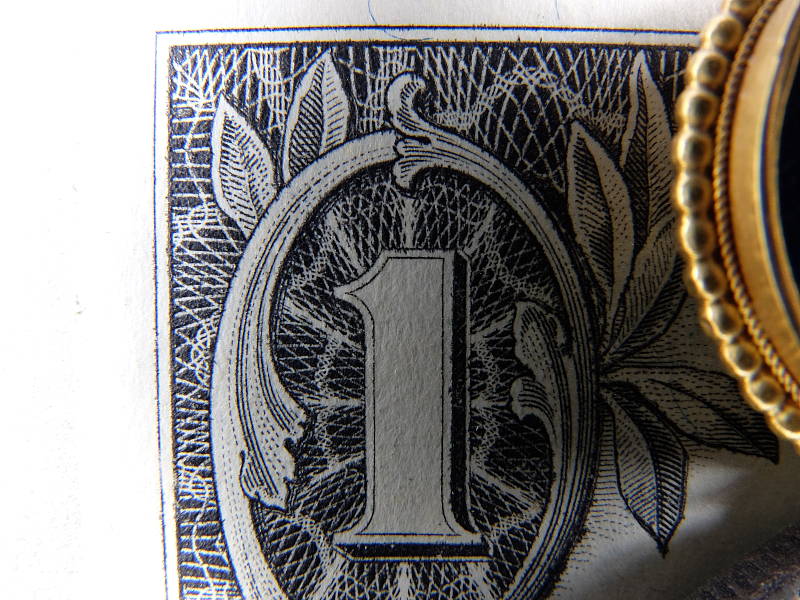
The Fuji X30 captured a larger than average sized minimum area measuring 3.34 x 2.51 inches (85 x 64 millimeters) in standard macro mode. Sharpness over much of the frame is very good, and corners only show a bit of softness at f/8 (most lenses show some softening in the corners at macro distances). Exposure with the flash is uneven with the top-left portion of the frame overexposed, and the lens cast a shadow in the bottom right making it very dark. In Super macro mode, the minimum area is much smaller at 1.21 x 0.90 inches (31 x 23 mm) with very good detail, however it's too close to support flash. You'll likely want to use external lighting for the closest X30 macro shots.
Geometric Distortion
Low distortion in camera JPEGs, but high in uncorrected RAW files at wide angle.
| Camera JPEGs |
| Barrel distortion at wide angle is about 0.5% |
 |
| Pincushion distortion at telephoto is less than 0.1% |
 |
| Uncorrected RAW |
| Barrel distortion at wide angle is about 2.1% |
 |
| Pincushion distortion at telephoto is about 0.4% |
 |
Thanks to in-camera distortion correction, there's relatively low geometric distortion in the X30's JPEG files at wide angle. At full wide angle, we measured just under 0.5% barrel distortion which is fairly low and not very noticeable. At full telephoto, distortion was negligible, at about 0.05% pincushion distortion. This is the tendency for the lens to bend straight lines outward (like a barrel -- usually at wide-angle) or inward (like a pincushion -- usually at telephoto).
To see how much correction is taking place in the camera, we converted RAW files from the above shots with RawDigger, which does not correct for distortion. As you can see at wide angle, barrel distortion much higher, at about 2.1%, while full telephoto shows about 0.4% pincushion distortion.
We expect to see fairly significant distortion in uncorrected RAW files in fast, compact lenses, as allowing this gives the lens designers greater flexibility in optimizing center sharpness and other aberrations, as well as in reducing cost, size, and weight. The downside is that strong distortion correction contributes to additional blurring in the corners of the frame where pixels are "stretched" during correction and where lenses are usually already a bit soft. Note that most RAW converters are capable of applying distortion correction automatically, though, as specified by the manufacturer in an embedded lens profile.
Chromatic Aberration and Corner Sharpness
Low to very low chromatic aberration in JPEGs. The lens produces some slightly soft corners wide-open, though corner sharpness improves stopped-down.
|
Aperture: maximum
|
|
 |
 |
| Wide at f/2.0: Upper left C.A.: Moderately low Softness: Slightly soft |
Wide at f/2.0 Center C.A.: Very low Softness: Sharp |
 |
 |
| Tele at f/2.8: Lower right C.A.: Low Softness: Slightly soft |
Tele at f/2.8: Center C.A.: Very low Softness: Sharp |
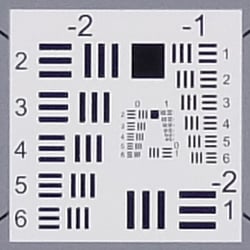
Chromatic Aberration. Thanks to in-camera chromatic aberration suppression, there's moderately low CA in the corners at wide angle, and CA is quite low at telephoto in JPEGs. As expected, though, uncorrected RAW files (see below) show more CA than seen above, particularly at wide angle.
Corner Softness. Wide-open at full wide angle, the X30's lens shows remarkable performance in the corners with just a bit of softness in all four corners despite the strong correction, while the center is quite sharp. At full telephoto, the lower right corner is also just slightly soft, while the other corners are sharper and the center is sharp.
Vignetting. There's no vignetting (corner shading) with corners actually slightly brighter than the center, a good indication it's corrected in firmware.
|
Aperture: f/4
|
|
 |
 |
| Wide at f/4.0: Upper left C.A.: Low Softness: Slightly soft |
Wide at f/4.0: Center C.A.: Very low Softness: Sharp |
 |
 |
| Tele at f/4.0: Lower right C.A.: Low Softness: Fairly sharp |
Tele at f/4.0: Center C.A.: Very low Softness: Sharp |
F4: As is often the case, stopping down a few clicks improves corner performance at both wide angle and telephoto, however corners are still a bit soft at wide angle though contrast is improved.
Chromatic Aberration Correction
| In-camera JPEG | Uncorrected RAW |
 |
 |
| Wide (f/4.0): Upper left CA: Moderately low |
Wide (f/4.0): Upper left CA: Moderately high |
 |
 |
| Tele (f/4.0): Upper left CA: Very low |
Tele: (f/4.0): Upper left CA: Moderately low |
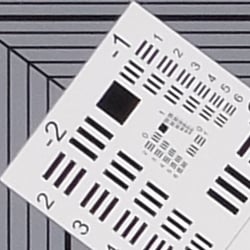
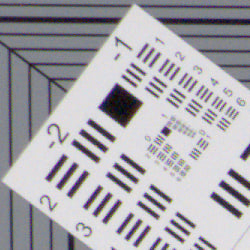
As you can see in the crops from uncorrected RAW images on the right (taken from RAF files converted with RawDigger), the X30's lens produces moderately high and bright lateral chromatic aberration at maximum wide angle but moderately low levels full telephoto. Thus, the X30's processor does a great job suppressing CA in camera JPEGs (crops on the left). Note that most RAW converters should automatically suppress CA when converting the X30's RAF files.
Overall, very good performance from the X30's lens, especially considering how fast (bright) it is, though it may be susceptible to flare when very bright objects are in or just outside the frame.
Fuji X30 Viewfinder
Viewfinder Test Results
Coverage
Good accuracy from the LCD monitor and electronic viewfinder.


The Fuji X30's LCD monitor and EVF both provide about 98% coverage at wide angle, and about 99% coverage at telephoto. This is good performance, especially considering the amount of geometric distortion correction taking place at wide angle.
The images above were taken from our standardized test shots. For a collection of more pictorial photos, see our Fujifilm X30 Photo Gallery .
Exposure
Color
Saturation & Hue Accuracy
About average saturation levels, with good hue accuracy.
 |
| In the diagram above, the squares show the original color, and the circles show the color that the camera captured. More saturated colors are located toward the periphery of the graph. Hue changes as you travel around the center. Thus, hue-accurate, highly saturated colors appear as lines radiating from the center. Click for a larger image. |
Saturation. Overall, saturations levels are about average from the Fuji X30 using default settings, at about 8.6% oversaturated. The X30 pushes dark reds a moderate amount, but most other colors are just slightly exaggerated, while yellow and aqua are somewhat muted. Most consumer digital cameras produce color that's more highly saturated (more intense) than found in the original subjects. This is simply because most people like their color a bit brighter than life.
Skin tones. Here, the Fuji X30 did well, producing natural-looking Caucasian skin tones that looked realistic and healthy. Where oversaturation is most problematic is on Caucasian skin tones, as it's very easy for these "memory colors" to be seen as too bright, too pink, too yellow, etc.
Hue. The Fuji X30 shifts cyan toward blue by a moderate amount, but other shifts in colors are fairly small. (The cyan to blue shift is very common among the digital cameras we test; we think it's a deliberate choice by camera engineers to produce better-looking sky colors.) The X30's handling of yellow is a weakness though: Yellows are significantly undersaturated, and shifted slightly toward green. But with a mean "delta-C" color error of 4.7 after correction for saturation, overall hue accuracy is actually pretty good. Hue is "what color" the color is.
Sensor
Exposure and White Balance
Indoors, incandescent lighting
Auto and Incandescent white balance were too warm, but manual was pretty accurate. No exposure compensation required.


Indoors, under normal incandescent lighting, color balance was warm and reddish with the Auto white balance setting, while results with the Incandescent setting were a bit warmer with more yellow. The Manual setting was quite accurate, perhaps just slightly on the cool side. The Fuji X30 required no exposure compensation while most cameras require about +0.3 EV for this scene, so the X30 performed better than average in terms of exposure here. (Our test lighting for this shot is a mixture of 60 and 100 watt household incandescent bulbs, a pretty yellow light source, but a very common one in typical home settings here in the U.S.)
Resolution
~2,100 to ~2,200 lines of strong detail.
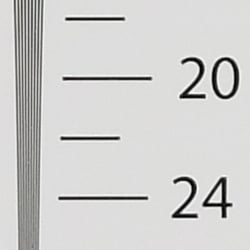


In-camera JPEGs of our laboratory resolution chart revealed sharp, distinct line patterns to about 2,200 lines per picture height in the horizontal direction, and to about 2,100 lines per picture height in the vertical direction. Some may argue for more, but lines began to merge at those resolutions. Complete extinction of the pattern occurred at about 2,500 lines. Adobe Camera Raw produced similar results though complete extinction of the pattern didn't occur before the limit of our chart horizontally, and at about 2,900 lines vertically. ACR also seemed to do a bit better at suppressing luminance moiré than the camera, but there was no color moiré from either. Use these numbers to compare with other cameras of similar resolution, or use them to see just what higher resolution can mean in terms of potential detail.
Sharpness & Detail
Slightly soft images with visible sharpening artifacts. Moderate noise reduction at base ISO.


Sharpness. The X30 produces slightly soft looking images despite some obvious sharpening halos around high contrast transitions, as can be seen around the lines and text in the crop above left. Still, pretty good results for its class. Edge enhancement creates the illusion of sharpness by enhancing colors and tones right at the edge of a rapid transition in color or tone.
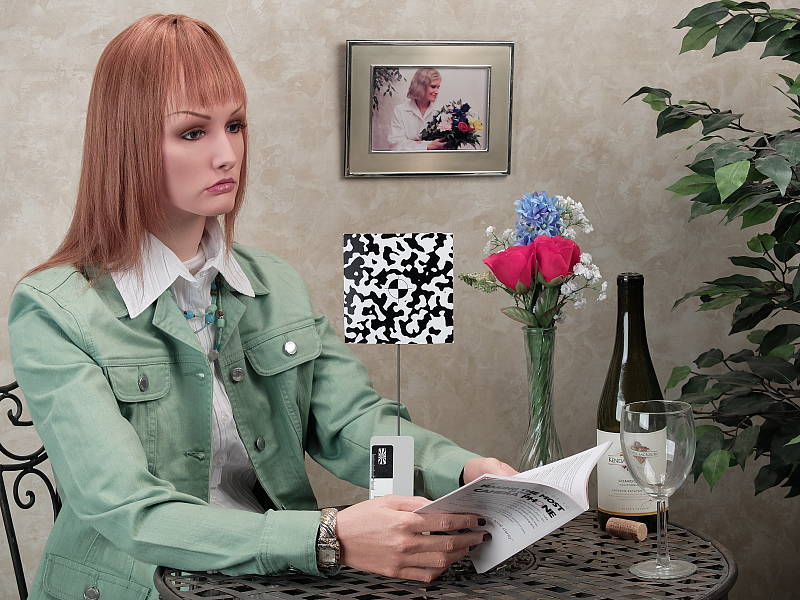
Detail. The crop above right shows good detail for the class of camera, with moderate levels noise suppression in the darkest areas of the mannequins's hair, and almost no chroma noise. A few individual strands are smudged together in areas of low contrast at base ISO, but performance here is actually quite good considering the size of the sensor. Noise-suppression systems in digital cameras tend to flatten-out detail in areas of subtle contrast. The effects can often be seen in shots of human hair, where the individual strands are lost and an almost "watercolor" look appears.
RAW vs In-Camera JPEGs
As noted above the Fuji X30 slightly soft but very clean images at base ISO. Let's see how an Adobe Camera Raw conversion compares.
|
Base ISO (100)
|
|
 |
 |
 |
 |
 |
 |
|
Camera JPEG, defaults
|
RAW via Adobe Camera Raw
|
In the table above, we compare an in-camera JPEG taken at base ISO using default noise reduction and sharpening (on the left) to a matching RAW file converted with Adobe Camera Raw 8.7 using default noise reduction with strong but tight unsharp masking applied in Photoshop (in this case 300% USM with a radius of 0.6 pixels and a threshold of 0).
As you can see, ACR was able to produce a bit more detail that isn't present in the JPEG from the camera, though the X30's JPEG rendering is pretty good. The biggest improvement is in the fabric crop, where ACR was able to produce finer detail with better contrast. But as is usually the case, more noise can be seen in the RAW conversion particularly in flat areas as shown in the bottle shoulder crop, thanks to the fairly aggressive sharpening required to produce crisp images. Bottom line: the Fuji's JPEG engine does an excellent job at rendering what the X30's X-Trans II sensor can capture, but in some areas, ACR actually does a bit better.
Contrast and Dynamic Range Settings
The Fuji X30 does not offer a traditional contrast adjustment. Instead, it offers Shadow and Highlight Tone settings, which let you adjust contrast in highlights and shadows independently. There are five settings each: "Soft", "Medium Soft", "Standard" (default), "Medium Hard", and "Hard."
| Highlight and Shadow Tone Comparison | ||
 |
||
Shadow and Highlight Tone. Above you can see the effects of three of the five settings for Highlight and Shadow Tone control on our high contrast Far-field shot. Mouse over the links to load the associated thumbnail, and click on the links to visit the full resolution image. Note how the Highlight settings affect only the brighter portions of the image, while the Shadow settings impact the darker areas. Both settings can be used simultaneously, giving more flexibility than a standard contrast adjustment.

D-Range is Fuji's name for their dynamic range enhancement technology. D-Range is designed to hold onto hot highlights while preserving shadows. The camera does this by essentially underexposing to reduce highlight clipping, then boosting mid-tones and shadows to compensate, similar to other manufacturers' single-shot dynamic range optimization systems.
There are three levels of D-Range available: DR100 100% (default), DR200 200% and DR400 400%, as well as an Auto mode which selects between 100% and 200% based on the scene. Mouse over the links above to load the corresponding thumbnail image. Click on the links to get to the full resolution images.
As you can see the images above, the Fuji X30's D-Range feature was effective at retaining clipped highlights without crushing shadows in our Far-field shot, though higher values can increase the appearance of noise.
ISO & Noise Performance
Good high ISO performance for its class.
|
Default High ISO Noise Reduction
|
 |
 |
 |
| ISO 100 | ISO 200 | ISO 400 |
 |
 |
 |
| ISO 800 | ISO 1600 | ISO 3200 |
 |
 |
ISO 6400 | ISO 12,800 |
ISO 100 and 200 produce similar results, with detailed though slightly soft images containing low levels of fine-grained luma noise and almost no chroma noise. ISO 400 shows a very minor drop in image quality as noise reduction ramps, but fine detail is still quite good. ISO 800 shows a larger drop in image quality with stronger blurring though luma noise is still fairly fine-grained and chroma noise continues to be well-controlled. ISO 1600 is of course softer thanks to higher noise and stronger noise reduction, though some fine detail is still left. At ISO 3200, image quality takes a larger hit with higher noise, both luma and chroma. Image quality drops off very quickly from here, with ISO 6400 and 12,800 quite noisy with strong luma noise and very ugly purple and yellow chroma blotching.
Overall, though, high ISO performance is better than average for a compact. We're of course pixel-peeping to an extraordinary extent here, since 1:1 images on an LCD screen have little to do with how those same images will appear when printed. See the Print Quality section below for our evaluation of maximum print sizes at each ISO setting.
| 1 fc 11 lux |
1/16 fc 0.67 lux |
1/16 fc No NR |
|
|---|---|---|---|
| ISO 100 |
 1s, f2.0 |
 15s, f2.0 |
 15s, f2.0 |
| ISO 3200 |
 1/30s, f2.0 |
 0.5s, f2.0 |
 0.5s, f2.0 |
| ISO 12800 |
 1/125s, f2.0 |
 1/8s, f2.0 |
 1/8s, f2.0 |
Low Light. The Fuji X30 did well in our low light tests. The X30's slowest shutter speed of 30 seconds and fast lens allowed it to capture bright images at the lowest light level we test at (1/16 foot-candle), even at ISO 100. ISO 3200 is fairly noisy as expected, but images are still usable. The top ISO of 12,800 on the other hand is very noisy and soft due to aggressive noise reduction.
Auto white balance did a very good job here, producing fairly neutral, just slightly cool color balance at all ISOs and light levels we tested.
We didn't notice any significant issues with hot pixels, banding (pattern noise) or heat blooming.
The Fuji X30's autofocus system performed well in our low light test thanks to its fast lens, able to focus down to just below the 1/8 foot-candle level which is very good for its class. And the X30 was able to focus in complete darkness with its built-in focus assist lamp enabled, but real-world performance will of course depend on subject distance and contrast.
How bright is this? The one foot-candle light level that this test begins at roughly corresponds to the brightness of typical city street-lighting at night. Cameras performing well at that level should be able to snap good-looking photos of street-lit scenes.
NOTE: This low light test is conducted with a stationary subject, and the camera mounted on a sturdy tripod. Most digital cameras will fail miserably when faced with a moving subject in dim lighting. (For example, a child's ballet recital or a holiday pageant in a gymnasium.) Thanks to their somewhat larger sensors, enthusiast cameras like the Fuji X30 tend to do better than point & shoots, but you still shouldn't expect a quick autofocus lock with moving subjects. (A useful trick is to just prop the camera on a convenient surface, and use its self-timer to release the shutter. This avoids any jiggling from your finger pressing the shutter button, and can work quite well when you don't have a tripod handy.)
Output Quality
Print Quality
High-quality prints up to 16 x 20 inches at ISO 100-200; Good 11 x 14 inch prints at ISO 800; and acceptable 4 x 6 inch prints are possible up to ISO 3200/6400.
 ISO 100 prints look great up to 16 x 20 inches with lots of detail and great colors. Past this size, you're really pushing the limits of the 12MP 2/3-inch sensor with larger print sizes. That said, while you can see visible pixelation with 20 x 30 inch prints, they'd be fine for wall display at this ISO.
ISO 200 images are also quite nice up to 16 x 20 inches. Upon close inspection, there is a slight drop in very fine detail, but not by nearly a significant enough amount to drop the maximum print size.
ISO 400 prints again show a progressive, minor drop in fine detail, but noise is still not an issue at this ISO, and as such prints as large as 13 x 19 inches are perfectly usable. Overall detail is great and colors are pleasing.
ISO 800 images display noticeable softening at sizes larger than 11 x 14 inches. At this size, and better yet, at 8 x 10 inches, details are still sharp. Colors overall, also, are still nice and vibrant.
ISO 1600 prints begin to display a more noticeable drop in resolution and detail due to noise and noise reduction, and anything larger than 5 x 7 inches is difficult to consider acceptable. An 8 x 10 inch print would be usable, however, for less critical applications.
ISO 3200 images really top-out at 4 x 6 inches. Noise is definitely making the images soft and lack detail, and colors at this point are beginning to look drab and less vibrant. As before, a print size larger -- 5 x 7 inches in this case -- would be doable for less critical purposes, however.
ISO 6400 prints just squeak by with an acceptable 4 x 6 inch print, though it's really on the cusp of being too soft and lacking in detail. We'd recommend, if possible, using a lower ISO for printing.
ISO 12,800 images are very noisy, soft and have very drab, dingy colors. This ISO level, on a sensor of this size, is really best avoided for printmaking.
The updated Fujifilm X30 packs an updated exterior design, but maintains the same imaging pipeline and lens as its predecessor, the X20. As such, the relatively large 12MP 2/3-inch-type sensor does quite well in print department at lower ISOs. At base ISO and up to ISO 200, the X30 manages great 16 x 20 inch prints, but you can really push the sensor at base ISO for a 20 x 30 wall display print. At ISO 800, detail has dropped a bit, but noise is nevertheless under control, which allows for nice 11 x 14 inch prints. At high ISOs, however, the X30 begins to struggle, with ISO 3200 really being the maximum sensitivity we're comfortable with in terms of printing, though an ISO 6400 image can just manage a decent 4 x 6 inch print as well. Any larger print sizes at this point or a higher ISO level should really be avoided for prints.
The images above were taken from our standardized test shots. For a collection of more pictorial photos, see our Fujifilm X30 Photo Gallery .
Not sure which camera to buy? Let your eyes be the ultimate judge! Visit our Comparometer(tm) to compare images from the Fujifilm X30 with those from other cameras you may be considering. The proof is in the pictures, so let your own eyes decide which you like best!
Performance
Timing and Performance
Generally excellent performance in our tests.
| Startup/Play to Record | ||
|---|---|---|
| Power on |
> 2.0 seconds
|
Time it takes to turn on and capture a shot. |
|
Play to Record, |
~1.0 second
|
Time until first shot is captured. |
The Fuji X30 is turned on by rotating the zoom lens from the Off position to the desired focal length. We aren't setup to measure this type of power-on sequence electronically, but it's safe to say it takes over 2 seconds, especially if you include removing the lens cap first. Switching from Play to Record mode is also somewhat slow, as it requires two presses of the shutter button.
| Shutter Response (Lag Time) | ||
|---|---|---|
|
Full Autofocus, |
0.284 second
|
Time from fully pressing shutter button to image capture, with the lens already at the proper focal distance setting, at the wide-angle end of the lens' range. |
|
Full Autofocus, |
0.172 second
|
Time from fully pressing shutter button to image capture, with the lens already at the proper focal distance setting, at an intermediate focal length. |
|
Full Autofocus, |
0.058 second
|
Time from fully pressing shutter button to image capture, with the lens already at the proper focal distance setting, at the telephoto end of the lens' range. |
|
Full Autofocus, |
0.179 second
|
Time from fully pressing shutter button to image capture, with the lens already at the proper focal distance setting, at a medium focal length, Auto flash enabled. |
| Manual Focus |
0.039 second
|
For most cameras, shutter lag is less in manual focus than autofocus, but usually not as fast as when the camera is "prefocused". |
|
Prefocused |
0.021 second
|
Time to capture, after half-pressing and holding shutter button. |
Looking at the Fuji X30's ability to determine that it's properly focused when shooting the same target multiple times using AF-S (single-shot AF) mode using the center AF point (our standard test), full autofocus shutter lag was interesting, in that the more we zoomed, the faster it became. Full AF lag was reasonably fast at wide angle at 0.284 second, fast at medium focal length at 0.172 second at incredibly fast at full telephoto, at only 0.058 second. And enabling the flash at medium focal length only added a small delay, for a lag of 0.179 second.
Manual focus lag was a incredibly fast at only 0.039 second, and prefocused shutter lag was 0.021 second, also very fast. (We've seen prefocused shutter lag this fast and even faster before for mirrorless and pocket cameras, but manual focus lag isn't usually this fast.)
To minimize the effect of different lens' focusing speed, we test AF-active shutter lag with the lens already set to the correct focal distance.
| Single-Shot Cycle Time, Burst Mode and Flash Recycling | ||
|---|---|---|
|
Single Shot mode |
0.71 second
|
Average time per shot. |
|
Single Shot mode |
0.71 second
|
Average time per shot. |
|
Early shutter |
Yes
|
Some cameras don't snap another shot if you release and press the shutter too quickly in Single Shot mode, making "No" the preferred answer. |
|
Continuous Super High mode |
0.09 second (11.4 frames per second);
15 frames total; 4 seconds to clear* |
Time per shot, averaged over buffer length of 15 frames, then slows to an average of 3.8 fps when buffer is full. |
| Continuous Super High mode |
0.11 second (9.0 frames per second);
11 frames total; 5 seconds to clear* |
Time per shot, averaged over buffer length of 11 frames, then slows to an average of 2.5 fps when buffer is full. |
|
Continuous Super High mode |
0.11 second (8.9 frames per second);
11 frames total; 7 seconds to clear* |
Time per shot, averaged over buffer length of 11 frames, then slows to an average of 1.8 fps when buffer is full. |
| Flash Recycling |
5.3 seconds
|
Flash at maximum output. |
|
*Note: Buffer clearing times measured with a SanDisk Extreme Pro 95 MB/sec UHS-I card. Slower cards will produce correspondingly slower clearing times. Slow cards may also limit length of bursts in continuous mode. ISO sensitivity and noise reduction settings can also affect cycle times and burst mode performance.
|
||
In single-shot mode, cycle times were good for its class, at an average of about 0.7 seconds for JPEGs or RAW+JPEG. (Note that we no longer test single-shot with just RAW files as results will be between JPEG and RAW+JPEG, and we no longer test buffer depth in single-shot mode either.)
In Continuous Top Super High mode (the X30's highest-speed full-res burst mode with deepest buffers), the X30 captured 15 Large/Fine JPEG frames at about 11.4 frames-per-second, 11 RAW frames at 9 fps, and 11 RAW+JPEG frames at 8.9 fps. Very good performance here, though slightly short of Fuji's 12 fps spec. There are also High (9 fps), Middle (6 fps) and Low (3 fps) settings, however we did not test those.
Buffer depths were decent but not great, ranging from 15 frames when shooting best quality JPEGs, to 11 frames when shooting RAW or RAW+JPEG before the camera slowed down. (Note that our target was designed to be difficult to compress, so buffer depths with real-world images may be greater, particularly when shooting JPEGs.) Clearing was reasonably fast with a fast card, even with RAW files.
The Fuji X30's flash recycled in about 5.3 seconds after a full-power discharge on average, which is slow for its size.
Bottom line, the Fuji X30's performance is generally excellent, with fast autofocus, very low shutter lag and very fast burst modes. Power-up and flash recycling are somewhat slow and buffers could be deeper, though.
Battery
Battery Life
Above average battery life for its class when using the LCD.
| Operating Mode | Battery Life |
|---|---|
|
Still Capture,
(CIPA standard, LCD monitor) |
470 shots
|
|
Still Capture,
(CIPA standard, EVF) |
Unknown
|
The Fuji X30 uses a custom rechargeable lithium-ion battery pack for power, and comes with a single battery and USB adapter for in-camera charging. Battery life is CIPA-rated for 470 shots per charge when using the LCD, which includes 50% flash shots. That's very good, however Fuji does not seem to publish battery life when using the EVF.
The table above shows the number of shots the camera is capable of (on a fully-charged rechargeable battery), based on CIPA battery-life and/or manufacturer standard test conditions.
(Interested readers can find an English translation of the CIPA DC-002 standards document here. (180K PDF document))
Image Quality
High-quality prints up to 16 x 20 inches at ISO 100-200; Good 11 x 14 inch prints at ISO 800; and acceptable 4 x 6 inch prints are possible up to ISO 3200/6400.
ISO 100 prints look great up to 16 x 20 inches with lots of detail and great colors. Past this size, you're really pushing the limits of the 12MP 2/3-inch sensor with larger print sizes. That said, while you can see visible pixelation with 20 x 30 inch prints, they'd be fine for wall display at this ISO.
ISO 200 images are also quite nice up to 16 x 20 inches. Upon close inspection, there is a slight drop in very fine detail, but not by nearly a significant enough amount to drop the maximum print size.
ISO 400 prints again show a progressive, minor drop in fine detail, but noise is still not an issue at this ISO, and as such prints as large as 13 x 19 inches are perfectly usable. Overall detail is great and colors are pleasing.
ISO 800 images display noticeable softening at sizes larger than 11 x 14 inches. At this size, and better yet, at 8 x 10 inches, details are still sharp. Colors overall, also, are still nice and vibrant.
ISO 1600 prints begin to display a more noticeable drop in resolution and detail due to noise and noise reduction, and anything larger than 5 x 7 inches is difficult to consider acceptable. An 8 x 10 inch print would be usable, however, for less critical applications.
ISO 3200 images really top-out at 4 x 6 inches. Noise is definitely making the images soft and lack detail, and colors at this point are beginning to look drab and less vibrant. As before, a print size larger -- 5 x 7 inches in this case -- would be doable for less critical purposes, however.
ISO 6400 prints just squeak by with an acceptable 4 x 6 inch print, though it's really on the cusp of being too soft and lacking in detail. We'd recommend, if possible, using a lower ISO for printing.
ISO 12,800 images are very noisy, soft and have very drab, dingy colors. This ISO level, on a sensor of this size, is really best avoided for printmaking.
The updated Fujifilm X30 packs an updated exterior design, but maintains the same imaging pipeline and lens as its predecessor, the X20. As such, the relatively large 12MP 2/3-inch-type sensor does quite well in print department at lower ISOs. At base ISO and up to ISO 200, the X30 manages great 16 x 20 inch prints, but you can really push the sensor at base ISO for a 20 x 30 wall display print. At ISO 800, detail has dropped a bit, but noise is nevertheless under control, which allows for nice 11 x 14 inch prints. At high ISOs, however, the X30 begins to struggle, with ISO 3200 really being the maximum sensitivity we're comfortable with in terms of printing, though an ISO 6400 image can just manage a decent 4 x 6 inch print as well. Any larger print sizes at this point or a higher ISO level should really be avoided for prints.
Field Test
Fujifilm's retro compact gets modern features, keeps great image quality
by Jeremy Gray | Posted: 12/23/2014

Introduction
The Fujifilm X30 shares many specifications with the X20, yet introduces numerous improvements. The X30 comes with built-in Wi-Fi, a larger tilting display, an electronic viewfinder, and improved battery life. While these features may not impact image quality, they certainly enhance the way you shoot with the X30.
Body and Handling
With its retro-inspired styling, the X30 looks great. More importantly, the X30 felt comfortable in my hands. Despite being smaller than the cameras I typically shoot with, the X30 was easy to grip. There are small handgrips on both the front and back of the camera that are coated with a rough surface that made me feel like I always had a firm grasp on the camera. The X30 weighs in at just under a pound (14.9 ounces, or roughly 422 grams) and balances nicely with the fixed 28-112mm equivalent f/2-2.8 lens. I like that there are clear focal length markings on the lens at 28, 35, 50, 85, and 112mm. The lens has a cap that has a soft material on the interior that grips the lens to ensure that the cap doesn't accidentally come off. However, I was disappointed to find that I couldn't attach the lens cap to the camera body or strap when I was shooting.
The X30 has many customizable buttons that are generally well organized and easy to reach. The camera's power is controlled using the zoom ring on the lens. The camera typically turns on fairly quickly and there is a built-in resistance when zooming out that prevents you from rotating too far beyond 28mm and accidentally turning the camera off. Conveniently, you can actually view images without turning the camera on via the zoom ring by holding down the Playback button.
The mode and exposure compensation dials on the top of the camera are easy to read and have great tactile feedback and grip. The command dial and control ring both lack tactile feedback and this limits their usefulness for various applications. The only feedback that the control ring offers is an electronic clicking sound. You can customize the control ring such that it adjusts settings such as aperture, ISO, WB, and various other context-dependent settings. The control ring is still useful overall, but without tactile feedback, I struggled to use it to adjust settings with any precision while shooting out in the field. When using the camera in its nearly silent 'quiet mode,' the control ring unfortunately loses its only form of feedback.
Despite having never shot with a Fujifilm camera before, the menu and user interface system is simple and intuitive enough that I was able to quickly learn how to operate the camera and access all the relevant settings. The buttons and directional pad on the back of the camera are easy to reach and use when navigating the camera's menu system, although the right directional button (which also serves as a function button for the camera's flash) is a bit harder to manipulate as it is located adjacent to the grip on the back of the camera. I used the camera with thin winter gloves and was able to manipulate many basic controls, such as the top dials, but navigating menus with the directional pad proved quite difficult. However, given the camera's small size and large display, the camera's usability is quite impressive.
Overall, the camera handles well and there are numerous useful handling features on the X30. The control ring, while not perfect, still offers quick and customizable access to various features. Additionally, the Q button brings up a customizable menu on the camera's display. The only complaint I have about button placement on the X30 is that the movie record button is small and in my opinion located too close to the exposure compensation dial.

New and Improved Features
Built-in Wi-Fi and Camera Remote app
The X30 has built-in Wi-Fi and is compatible with Fujifilm's Camera Remote app. To pair your phone with the camera, you have to press either the Wi-Fi (Fn) button on the back of the camera or access wireless connection options through the shooting menu. After selecting the camera as a Wi-Fi connection through my phone's settings, it was simple to connect to the X30 through the app. The app offers a lot of control over the camera, such as controlling shutter speed, aperture, ISO, film simulation mode, white balance, macro, flash mode, and the self-timer. The app is responsive, and there is minimal display lag with the live view stream. By tapping different areas on the screen, you can control where the camera focuses. Viewing and downloading captured images to my phone was easy and relatively quick for full-size files. You can also change the default download size to something more mobile-friendly, which makes downloading images remotely even faster. Overall, it's an impressive app that lets you control the camera's most important shooting options.
Display
Another important usability upgrade over the X20 is the X30's 3.0" tilting display, which has twice as many dots as the X20's non-tilting 2.8" display. The display is easy to move and has a good range, although it would be nice if the display tilted further down so that you could more easily use the camera when holding it up over your head. The display offers many customization options, including brightness, color balance, and even a sunlight viewing mode that makes the display brighter and easier to view in bright light. The X30 offers various live view display options, including a live histogram, a focus point grid, and various, useful shooting settings. Additionally, one of the live view display options gives you an electronic level and a few primary shooting settings displayed along the bottom.
Electronic Viewfinder
The X30 has an excellent, large XGA OLED viewfinder with about 100% coverage. This camera is my first experience with EVFs, and it is by and large a great introduction to the advantages of these types of viewfinders. In most lighting conditions, the EVF is clear and easy to use, with only the dimmest lighting conditions causing problems. In low light situations, I do miss an optical viewfinder. Additionally, the EVF occasionally stutters, which was most obvious when I had locked focus but then wanted to reframe the image. Once focus was attained, moving the camera too quickly made the image on the EVF shift with a disorienting delay. However, in most instances, I did not encounter difficulties with the EVF.
Compared to an optical viewfinder, the EVF offers the convenient ability to get a live preview of settings such as various filters, exposure compensation, and contrast and saturation adjustments right through the viewfinder as you're shooting. For shooting with manual settings, it was useful to get an accurate preview of the scene and to see the image I just captured played back through the viewfinder. Another nice touch on the X30 is an eye sensor to the right of the viewfinder, which worked very well at detecting whether or not I was looking through it or if I was trying to use the camera's display to take an image. The X30 also has a useful built-in electronic level that appears through the EVF. Overall, the X30's EVF vastly exceeded my expectations.
Shooting with the X30
The X30 uses the same 12-megapixel 2/3” X-Trans CMOS II sensor as the X20. While some competing cameras have moved to a 1” sensor, the X30's sensor is still relatively large for its class. The X30 produces impressive JPEG files with rich colors, nice sharpness, and smooth tones. With a variety of film simulation modes and controls over image parameters such as saturation, contrast, highlight tones, shadow tones, and sharpness, it is easy to get high quality images straight from the camera. Less impressive, however, is how the X30 handles RAW files. The X30 cannot shoot RAW past ISO 3200, it cannot shoot panoramas in RAW, and it cannot shoot RAW files when in filter mode. However, in the many situations that the X30 can record RAW files, they proved to be high quality.

Autofocus Performance
The X30 uses a hybrid AF system that uses both contrast and phase detection. I found the X30's autofocus to be quick and accurate in a wide variety of lighting situations. In good light, the X30 never missed a beat. I found that multi focus worked really well. Area autofocus was good too, although when I was trying to focus on an area that was relatively low contrast, the camera occasionally struggled to lock focus. That said, you can select among an impressive 49 different focus points across the entire sensor and can even control the size of the autofocus point. By pressing the center of the command dial, the camera zooms in on the focus point either through the EVF or on the camera's display, which is a useful option for getting critical focus. Regarding autofocus during burst shooting or fast motion, the X30 does a pretty good job of maintaining focus with subject tracking. It isn't a camera you could use to get consistently sharp images of high-speed subjects, though, but it works well for most situations and consistently produces sharp images.

Accurately focusing on close-up subjects is easy with the X30's Macro and Super Macro modes. Macro mode can be used at any focal length and allows a minimum focusing distance of 3.9 inches (9.9 centimeters) at 28mm eq. and 1.6 feet (48.8 centimeters) at 112mm eq. Super Macro mode is only available at maximum wide angle but allows the X30 to focus on a subject only 0.4 inches (1 centimeter) away from the lens. Autofocus is quick and accurate in both macro modes and the tilting display is helpful when doing macro work. The off-center tripod mount on the X30 can make tripod work a bit tricky, but it is still a perfectly usable camera on a tripod.

The X30's Metering and Auto Modes
The X30 meters images consistently well, faltering only on rare occasions. When I was shooting snow, I used exposure compensation to whiten the snow. Other than that, the X30 delivered expected results. Similarly, the X30's auto white balance is consistently accurate. To deal with particularly difficult lighting situations, the X30 allows easy access to shadow and highlight tone adjustments to help balance out the exposure. Unfortunately, in bright lighting, using the X30 with a wide-open aperture can become problematic. The X30 is limited to a maximum 1/1000 of a second shutter speed when the aperture is wide open, and there's no built-in ND filter. With smaller apertures, you get faster shutter speeds up to 1/4000s.
Auto ISO works well with the X30. The camera consistently chose a reasonable ISO sensitivity and shutter speed given the ISO range I had chosen. I found myself using Auto-ISO 800, which means that the camera will shoot at any ISO up to 800. With the aperture wide open in aperture priority mode, this was often a suitable choice. The X30 has built-in optical stabilization, which worked well enough to allow me to shoot sharp images at shutter speeds I would normally consider too slow. There are also Auto-ISO options up to Auto-ISO 3200, which is useful when you might be shooting in particularly low light, although the sensor size prevents noise-free images above about ISO 800.
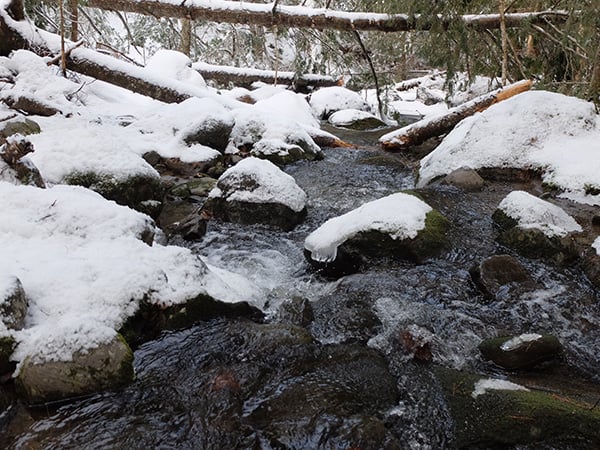
The X30 features several fully automatic shooting modes. There is a programmable auto mode, which allows some user control while still ensuring correct exposure. There is also an advanced SR auto mode. This mode allows the camera to determine what type of scene you are shooting and make adjustments accordingly. For example, if the camera senses that you taking a landscape image, the camera will make image adjustments such that you have a sharper, more vivid landscape image. Or, if you are shooting and the camera is focusing closely, the camera will go into macro mode automatically. SR+ mode worked well and I could see it being particularly helpful when shooting different scenes in quick succession. The standard automatic shooting mode offers minimal control yet delivers consistently solid results without any scene recognition processing.
Shooting in Low Light

Shooting in low light is no problem for the X30. The autofocus system and the sensor both deliver impressive results in low light situations. With acceptable files up to ISO 1600 and usable files up to ISO 3200, the X30 will serve most people well in any lighting situations. At around ISO 1600 you may observe some issues with false color and tonal transition becoming less smooth, and at ISO 3200 these issues can become more dramatic. Although autofocus can occasionally struggle to find the subject in very low light, the autofocus system surprised me with its ability to accurately focus in low light situations.

The X30 has a built-in flash that will only be used when you manually trigger the flash to pop up from the top left section of the camera body. The flash has various settings, such as forced flash, suppressed flash, slow sync flash, and red eye reducing flash modes. The flash also has a "commander" mode for use with off-camera flashes, though it's very rudimentary and just disables pre-flash metering so that remote flash units can sync to the exposure. Thus, it's basically just a trigger, with no TTL autoexposure or output control over the remote flashes. The flash is powerful for its size but the X30 also has a hot shoe that will accept larger external flash units. With the various flash settings, you can achieve the desired lighting for a particular situation.
Overall, the X30 is impressive in low light in many ways. The autofocus system, the sensor itself, and the built-in flash all work well to produce a camera that can be confidently used in low light situations. While it is disappointing that RAW images can be only be captured up to ISO 3200, this is a minor issue with what is an otherwise great compact camera in low light.

Shooting Manually
The control ring on the X30 also doubles as a focus ring when the camera is set to manual focus. The control ring works well in this capacity and manually focusing with the X30 is easy. Twisting the control ring faster or slower impacts how much acceleration there is to focus adjustments. In other words, a slow rotation results in fine-grained, precise focusing whereas a quick, fast rotation results in a coarse, large focus adjustment. It's an intuitive and smooth experience. While shooting in manual mode, the EVF reflects what the scene looks like given the camera's current settings. There is a focus peaking that highlights sharp edges in the EVF so as to better display the part of a scene currently in focus.
Adjusting the shutter speed manually is achieved by using the command dial and if you hold the function button on the front of the camera, the command dial changes the aperture. The camera's accurate metering and instant feedback via the EVF allowed me to get the correct exposure in manual mode easily. Combined with the smooth focusing of the control ring, using the X30 in full manual mode is enjoyable. Of course, you can still let the camera's reliable autofocus system handle the focusing while you control the shutter speed and aperture manually.
Speed

When shooting in JPEG, the X30 can capture around 15 or so images at about 12 frames per second. When shooting in RAW, the FPS is reduced to 9, which is still an impressive number. Beyond the buffer, the camera slows down but can still continue to capture images at a vastly reduced speed. Unfortunately, processing images, particularly RAW files, felt slow with the X30. Additionally, the camera was inconsistent in how quickly it would wake up from being idle, with it sometimes taking a few seconds to fully power back on. However, with the fast burst firing and good continuous autofocus capabilities of the X30, it is certainly an agile camera overall.
Film Simulation mode
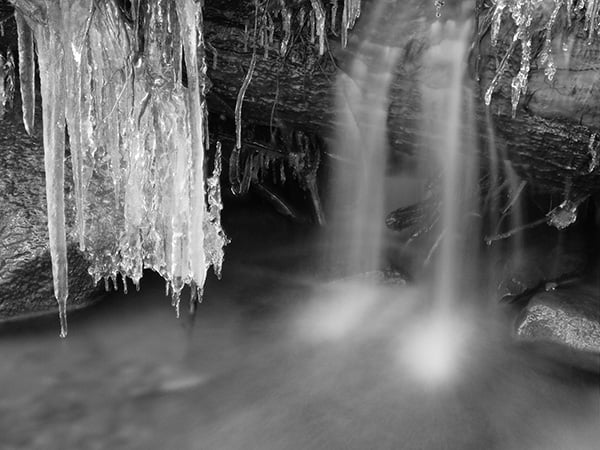
Film simulation mode provides numerous options that made shooting with the X30 more fun and allowed me to influence the final images in important ways right in the camera. I particularly enjoyed the different black and white filter options, and for color film simulation, the Velvia (Vivid) filter was my favorite. I shot with vivid a lot, especially when shooting colorful scenes. The X30 adds a new 'Classic Chrome' film simulation mode that softens colors and adds shadow contrast.

Digital Filters
There are a lot of digital filter options, but many of them are unappealing for most images, however 'Miniature' and 'Pop' are interesting and produce nice results. High key and low key could also be useful in certain situations. Which of these filters are used is a matter of personal preference, and it's never a bad thing to give people more options. Unfortunately, you cannot capture RAW files when using the digital filters -- the Filter mode does not allow for RAW+JPEG capture either. It is also worth noting that the X30 cannot accept screw-on physical filters without an additional accessory ring. It would be nice if there were some form of a graduated neutral density filter that could be applied to images as you capture them to make up for the lack of a built-in graduated neutral density filter option.

Shooting Video
The X30 can capture video up to 1080p and 60fps. Recording video with the X30 is as simple as hitting the 'record' button on the top of the camera. To capture video with autofocus, the camera has to be set to 'continuous focus' using the front dial. The video quality itself is fairly good, although the camera can be slow to make necessary exposure adjustments on the fly. The camera's overall operation is quiet when shooting video. There is also an external mic jack on the X30, which is yet another usability upgrade from the X20 which required a special USB multi-connector adapter to use an external mic. Still images can be captured while shooting video, but these stills are not high quality and are truly just snapshots. Overall, the camera records good quality video files.
Fujifilm X30 Daytime Sample Video 1,920 x 1,080, H.264, Progressive, 60 fps, MOV Download Original (183MB MOV) |
Conclusion
What I like most:
- Image quality at low ISOs is excellent
- The selection of film simulation modes are excellent, particularly the black and white filters
- Build quality, mode and exposure compensation dials, and overall button placement is very good
- The EVF is excellent
- Large tilting display is useful and sharp
- Camera performs well in all regards when shooting in automatic modes
- The buttons are highly customizable
- Hybrid AF system is quick and accurate
- Battery life rated for 470 shots compared to 270 shots for the X20
What I like less:
- No RAW past ISO 3200
- No RAW when using filters
- Standard noise reduction can be excessive at times
- EVF can be difficult to use in low light
- No way to attach the lens cap to the camera body
What I do not like:
- Top shutter speed is 1/1000s when aperture is wide open (and no built-in ND filter)
- Lack of physical feedback on the control ring

Overall, the X30 is an impressive compact camera that captures high quality images. The camera works well on both basic and advanced levels, allowing anyone to easily capture great images while giving more advanced users plenty of control when they want it. The X30's new features make shooting with the camera enjoyable and easy, and in general the camera handles very well. The new EVF in particular is very impressive, and along with the new larger tilting display and built-in Wi-Fi, the X30 is fun to use out in the field. Additionally, the larger battery ensures you can shoot with the camera for long periods of time, which I certainly found myself wanting to do.
Flash
Fuji X30 Flash
Built-in Flash Test Results
Coverage, Exposure and Range
Good flash performance overall.
| Coverage |
 |
| Wide Angle, f/2.0 |
Coverage. Flash coverage was a little narrow at wide angle, leaving slightly dim corners and edges in our flash coverage test image, but not as bad as some cameras we've tested. We no longer test flash coverage at telephoto, as it is invariably better, making wide angle the worst case scenario.


Exposure. Our Indoor Portrait test scene came out fairly bright with +0.3 EV of flash exposure compensation, about average for this shot at f/4 and ISO 200, however higher exposure compensation made no difference. And the X30 used a relatively quick shutter speed of 1/85s, which is very good. (Some cameras reduce shutter speed to below 1/40s, which can be problematic and lead to subject motion blur.) Slow-sync mode was also well-exposed at +0.3 EV, but quite a bit warmer due to the ambient lighting with a 1/8s shutter speed.
| Manufacturer-Specified Flash Range |
|---|
| Telephoto |
 16.4 feet f/2.8, ISO 3200 |
Manufacturer Specified Flash Range Test. The Fuji X30's flash range is rated at 7.0m or 22.9 feet at wide angle, and 5.0m or 16.4 feet at telephoto, with ISO sensitivity set to Auto. As you can see from the test shot at full telephoto above, the Fuji X30 produced a very bright flash target (it's actually overexposed) at 16.4 feet with Auto ISO, though it boosted ISO to 3200 to achieve that result. We shoot this test shot using the manufacturer-specified camera settings, at the range the company claims for the camera, to assess the validity of the specific claims.
Conclusion
| Pros: | Cons: |
|---|---|
|
|
Under the hood, the Fuji X30 compact camera shares same imaging pipeline as its predecessor, the X20 -- the same 12MP 2/3-inch X-Trans CMOS II sensor, the same, fast 28-112mm-eq. f/2-2.8 zoom lens, and the same EXR Processor II. What has changed, however, are some new external styling tweaks, updated controls, a larger, higher-res LCD screen that now tilts, and an EVF as well as built-in Wi-Fi networking capabilities and improved battery life.
The X30 takes on a bit more modern, more angular styling cues compared to the more X100-like design of its predecessor. More importantly, however, is the switch to an electronic viewfinder from the flawed optical viewfinder of the X20. The old model's OVF suffered from parallax issues and the fact that the lens blocked some of the view at wide-angle, but the new 0.39-inch, 2360K-dot OLED EVF in the X30 solves all that. The experience using the EVF was very positive for the most part, thanks to its bright, clear OLED display. The viewfinder feels large with crisp, easy to read text. We did experience a slight stutter or delay if you focus and re-focus quickly while composing shots. Also, in very dim lighting, the EVF's display can become quite noisy and grainy. Overall, though, the EVF is a much-welcomed change.
There are other usability improvements as well, including a well-built tilting LCD screen that is both larger and higher resolution than the X20's, at 3" vs 2.8" and 920K dots vs 480K dots, respectively. The X30 also adds an second customizable control ring on the lens barrel. Functioning similar to a sub-control dial in other cameras, this ring can be customized to adjust a number of different settings. It's a very handy feature, and one that's right there at your fingertips, though we wish it provided some tactile feedback when rotated as opposed to just an electronic click noise.
Performance-wise, the Fuji X30 is a highly capable little camera. Like the earlier X20, the X30 produces very good, high quality images for its type. While the sensor isn't the largest in this class of camera, it's still quite big compared to traditional "point-and-shoot" cameras. Low ISO images are highly detailed for the most part, and high ISO performance is great for this class of camera. If you shoot in RAW mode, the camera limits you to a maximum ISO of 3200, which can be frustrating, but it's probably a smart idea given the sensor size.
The X30 is also capable of recording 1080p video at up to 60 frames per second. The real-world video we saw from this camera looks quite good with lots of fairly crisp detail. Unlike what we've seen in videos from other X-trans sensor cameras, with various demosaicing issues and moiré artifacts, we did not come across this with our X30 videos. It is something to keep in mind as a potential issue, though.
The optical performance of the fast, fixed 4x optical zoom is also very good, with excellent sharpness and only very minor corner softness when wide-open. In-camera JPEG processing takes care of pesky things like distortion and chromatic aberration, but these issues are apparent when shooting RAW (though nothing a little post processing won't fix). And while we don't test for this in the lab, we did notice some issues with lens flare in our real-world shots. We noticed this issue in earlier X-series compacts, too, and more so than with some competing models, so it's something to be aware of when you're out shooting with this camera. Lastly, many competing compact cameras offer a wider, 24mm-equivalent focal length, so the 28mm-eq. wide-end on the X30 could be limiting to some.
In terms of speed, the X30 is nice and peppy. Thanks to its on-sensor hybrid phase-detect AF system, autofocus performance was generally quick, accurate, and great in low-light, though it can slow down noticeably with low-contrast subjects. Shutter lag was also very minimal, and burst mode was quick, though we would have liked a deeper buffer.
Overall, the X30 is an excellent camera. Fujifilm knew what to fix and what to leave well enough alone from their previous X20 model. The move to an EVF was a big improvement and the tweaks to the external controls and tilting LCD are welcomed changes. All in all, with superb image quality for its class and great performance, the Fuji X30 is a fantastic premium compact camera with a more unique twist to its styling and controls than its competitors. Combining these factors with a street price that's now dropped to around US$500, the Fujifilm X30 is an easy Dave's Pick and a great choice for those looking for a relatively small, capable secondary camera to their big rig, or for those simply looking for high performance "compact" camera that looks and feels is bit more unique than the typical point-and-shoot.
Follow Imaging-Resource.com on Twitter!
Pros
- Excellent image quality for its class
- Very good optical performance from the bright f/2-2.8 4x lens
- Quick autofocus, even in very low light
- Fast burst modes
- EVF fixes the flaws of optical viewfinder in X20
- Tilting high-res LCD screen
- Excellent feel in the hands
- Very good battery life.
Cons
- Top shutter speed is only 1/1000s when lens is wide open
- No built-in ND filter
- 28mm eq. may not be wide enough for some
- Shallow buffer depths
- Default NR processing a bit heavy-handed.