


Overview
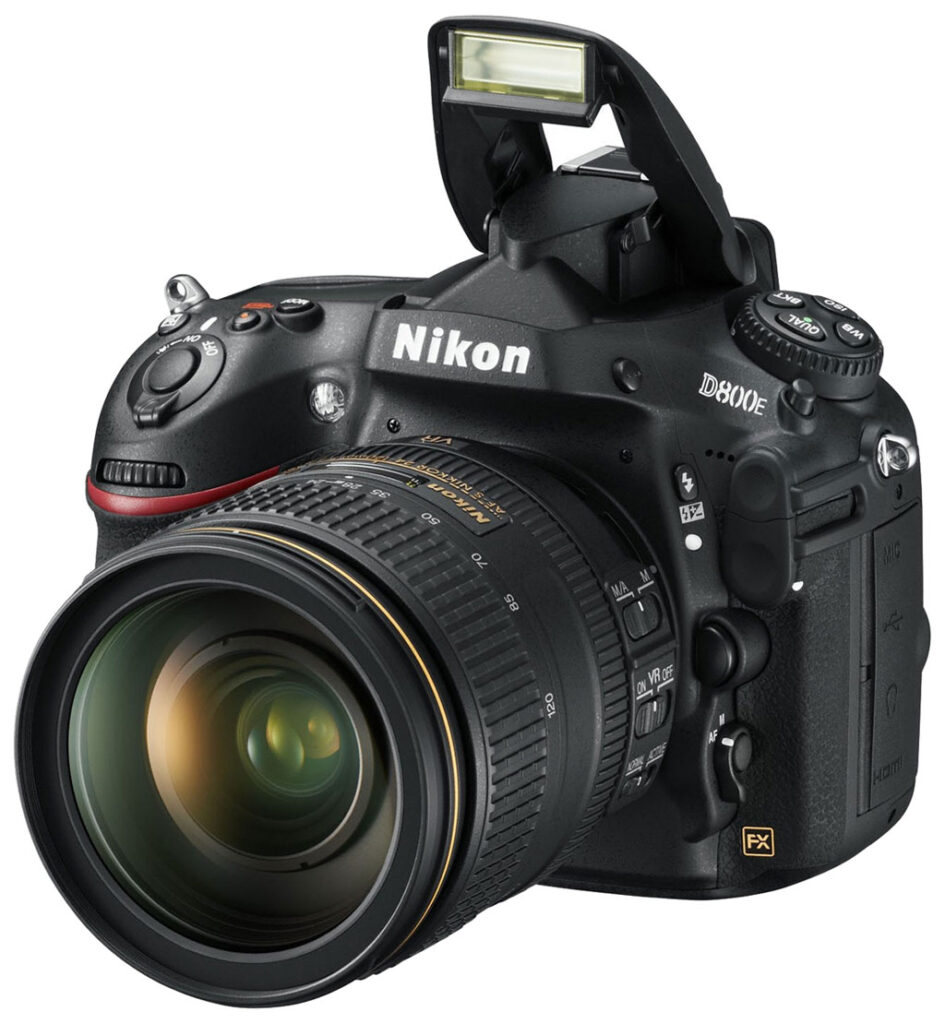
The Nikon D800E digital SLR is identical to the Nikon D800, except it's designed to remove the effects of the optical low-pass filter (OLPF) for slightly sharper images than normal. That puts it at risk of producing moiré patterns, false colors, and other aliasing artifacts. Our tests have found that to be true.
Because otherwise the D800E is so similar to the D800, this isn't a full review of the D800E. For a full review of the camera's other features, see our Nikon D800 review. For more on what makes the D800E unique, read on.

Anti-aliasing. Like almost all Bayer-filtered cameras, the standard Nikon D800 includes an optical low-pass filter (OLPF), sited just above the image sensor. The purpose of this filter is to blur incoming light just slightly, on the order of a pixel or less, thereby attempting to prevent aliasing patterns such as moiré and 'jaggies' from appearing in images. Unfortunately, this LPF also knocks out some subtle image detail, reducing per-pixel sharpness. In some types of photography such as landscapes or studio work, moiré is either less of an issue, or its effects can be taken into account by the photographer. If you're always shooting in these circumstances, the blurring is merely reducing image detail for no good reason. For this reason, some photographers either dismantle their cameras to remove the low-pass filters -- not a job for the faint of heart -- or pay to have somebody else do it for them. (There's been something of a cottage industry in this area for many years, now.)
With the introduction of the Nikon D800E, Nikon has acknowledged photographer desire for the maximum resolution -- even if potentially at the expense of moiré issues -- by offering two versions of the D800. The standard Nikon D800 includes a low-pass filter appropriate to the camera's resolution, while a more limited-edition Nikon D800E variant replaces the standard low-pass filter with a modified version, thus increasing image resolution. Nikon's approach is interesting, and was the subject of some confusion early after the D800E's announcement. The diagram below explains how the D800E's low-pass filter is set up.

First of all, it should be noted that the D800E does still include a low-pass filter, but Nikon has used the second layer of the LPF to undo the effects of the first.
In the illustration above, the top row shows the sequence of optical components as found in a conventional LPF, for instance that used in the standard D800. LPFs use birefringent materials to produce a slight doubling of the image in two directions. In the example above, the first LPF splits and shifts the image microscopically in the horizontal direction, the wave plate converts the polarized light into circularly polarized light, an IR cut-filter blocks infrared light, while a second LPF does the same as the first LPF except in the vertical direction. This results in four copies of the image slightly offset from each other on the sensor surface. As noted, the shift between the images is truly microscopic, typically less than a pixel. The net result is that the image is blurred slightly, hopefully by just the amount needed to avoid moiré patterns and jaggies. (There's some variation in the strength of the LPFs between manufacturers and models: Some are more conservative, introducing more blurring to protect against artifacts, while others cut it closer to the line, using weaker LPFs to give better detail, but at some increased danger of artifacts, something we still see in the D800.)
In the D800E, Nikon has moved the vertical LPF to the first position, substituted optical glass for the wave plate, and introduced an inverse vertical LPF as the second low-pass filter. In this way, the light has the same optical path through the LPF/IR filter stack as in the standard camera, but the effects of the first LPF layer are undone by the second. If the characteristics of the two LPFs are exactly opposite each other, the net result should be the same as if there were no LPF at all.

While the absence of a low-pass filter will make the Nikon D800E more prone to moiré, Nikon provides a color moiré correction tool in its Capture NX2 imaging suite to help cope with the problem. (It must be noted, though, that aliasing is a fundamental fact of life with undersampled digital data, and no amount of processing can guarantee to completely eliminate it.)
The natural question, of course, is why go to all this trouble; why not just eliminate the LPF altogether, as is done by third party LPF chop-shops? We've asked Nikon that question, and it turns out that removing the low pass filter would affect the focus enough that they needed to keep it in the optical formula. By using an inverse LPF layer to undo the effects of the first, the light refraction will be the same as in the standard D800, minus only the image-shifting that produces the low-pass filter behavior.

This also addresses the question some have had over why the Nikon D800E is slightly more expensive than the standard D800. It's not just a matter of not including the LPF, but rather that alternate components are substituted. The non-standard components would be low-volume, so they will have a higher cost. It's also possible that the LPF elements need to be more carefully screened and selected, so their image shifts will precisely cancel. Finally, the D800E requires a disruption of the normal production line, with cameras being pulled out for special treatment and then re-inserted. It's likely that the modified units also need to be tested separately, to insure that they meet the different sharpness specs for the E version. Each of these steps probably isn't terribly expensive in itself, but doubtless add up overall.
Studio Image Quality Comparisons
More thorough comparisons to other cameras appear below, but we left these few crops from the D800E and D800 so you can quickly see the difference.
Nikon D800E versus Nikon D800 via ISO 100 JPEGs
 |
 |
 |
 |
|
There's more crisp detail and slightly more vibrant color in the D800E files. Note that these are JPEGs, so we expect more detail from the RAW files below. (Click on the crops or links above to view the full resolution images.)
|
|
Nikon D800E versus Nikon D800 via ISO 100 ACR conversions
 |
 |
 |
 |
|
Same story here, with greater detail coming out of the Nikon D800E when converted via Adobe Camera Raw. See notes below. (Click on the crops or links above to view the full resolution images.)
|
|
RAW processing with ACR
To process the Nikon D800 and D800E NEFs in Adobe Camera Raw, we opened them using ACR 6.7 at its default settings, with the exception that we set sharpening to zero. (We like the results of unsharp masking in Photoshop better than those from the sharpening algorithm that's built into ACR.) We left luminance noise reduction sliders at zero, and left the Color and Color Detail sliders at their defaults of 25 and 50 respectively. We selected Medium Contrast curve, and used the "Adobe Standard" camera color profile. The Camera Calibration panel used the 2010 (current) process, as that's what we've been using for some time now in our ACR conversions.
Once opened in Photoshop, we applied unsharp masking at 200% and an 0.4 pixel radius. These settings gave us the best edge definition without causing overshoot or halos around strong contrast edges.
As you can see in the images here, the amount of detail the Nikon D800E can produce is quite astonishing, and the difference between it and the D800 is easily visible.
Nikon D800E Real-world Moiré Study
by Ellis Vener
The Nikon D800E is not the only camera that has moiré issues. But most digital cameras minimize the problem by incorporating a low-pass, or anti-aliasing filter that ever so slightly blurs the projected image as it reaches the sensor. It is a fine balancing act: too strong of a filter and the image doesn't have enough resolution -- no matter how many pixels the sensor has; too weak a filter and different types of aliasing problems -- like moiré -- become readily apparent. Almost all, if not all, medium format digital camera backs do not include an anti-aliasing filter in the optics that sit on the face of a sensor and the Foveon sensor designs Sigma uses in their SD and DP cameras lack one too. But as the D800E is the first popular DSLR to do away with an anti-aliasing filter, the moiré problem moves from being an obscure issue that specialists deal with to being closer to center stage.
If you are a landscape or wildlife photographer it is unlikely you'll ever see moiré. On the other hand if you photograph buildings, portraits and certain types of products -- any subject with a fine repeating pattern -- it is highly likely that moiré will show up, and sometimes in surprising places.
While this article deals with moiré and how to deal with it in the context of photographing architectural subjects, it applies to other genres of photography as well.
The first thing to understand about moiré is that it is caused by the interaction of fine repetitive subject detail projected on the sensor at a scale that causes it to interact with the grid of pixels. The same detail photographed with a longer lens or from a different angle or distance might not spring the moiré trap as the ratio between the size of the lens resolved detail and the pixel density on the sensor might not be right. On the other hand changing the camera to subject distance, the lens focal length -- both of which change the size of the image of the subject projected on the sensor, or the camera-to-subject angle may simply cause different moiré patterns to be created. Another way to change the probability of moiré formation is to either reduce optical resolution by using a lens that isn't great (a solution that has obvious drawbacks) or to use choose an aperture that slightly tips the resolution/diffraction balance in favor of the diffraction.
Examples of Moiré from the Nikon D800E and D800:
 |
 |
|
Nikon D800E
f/5.6, 1/1000s, ISO 125 24-70mm f/2.8G lens at 50mm |
Nikon D800
f/5.6, 1/800s, ISO 125 24-70mm f/2.8G lens at 50mm |
|
This first example is a typical building window with blinds shot with the same zoom range and settings on both cameras. Moiré is clearly present in images from both, but is noticeably more pronounced and obvious in the D800E. You can also see that while the settings and conditions are the same, the D800E produces warmer, more saturated colors than the D800. (Note: this is the same window but the blinds were moved during our shooting.)
|
|
 |
|
Nikon D800E
f/5.6, 1/800s, ISO 125, 24-70mm lens at 28mm |
 |
|
Nikon D800
f/5.6, 1/1000s, ISO 125, 24-70mm lens at 28mm |
|
These slats do not have the rainbow colors that the cameras are imposing upon them. Again, moiré is not as pronounced in the D800, but is still being created to a degree. In the D800E it is present in a large enough degree to be of genuine interest to anyone considering either camera who may be shooting subjects with certain repeating geometric patterns such as those shown in these images.
|
While the possibility of moiré formation may always be an issue with certain subjects, choice of raw converter also plays a supporting role.
According to Michael Tapes of PictureFlow llc., “The amount of moiré will be dependent on the raw converter in use as some designs favor sharpness while others favor smoothness.” Tapes goes on to point out that since “two-thirds of the color data for every pixel derived from a raw file has to be interpolated (guessed at) from surrounding pixels. How the demosaicing is done is a factor...in the end, the architect of the software has to decide how to balance the issues of sharpness, smoothness, and speed.”
Eric Chan of Adobe's Adobe Camera Raw and Lightroom team agrees and adds “Since demosaicing isn't perfect, there will be some false color artifacts, usually in fine detail areas. Different raw converters make different tradeoffs in their demosaic algorithms. This is part art, part science. Moiré also involves false colors, but is a somewhat different phenomenon.”
When testing for problems like moiré a brick wall is a handy subject, especially if it is very large; and even better, a brick wall with lots of other geometric patterns as well. Fortunately I had one handy. Using a Nikon AF-S 70-200mm f/2.8G ED VR II and an AF-S Nikkor 24-70mm f/2.8G ED I photographed it at 200, 165, 135, 120, 105, 95, 86, 78, 70, 60, 50, 42, 35, 32, 28, 26, and 24mm from a fixed position to demonstrate how changing the size of subject details on the sensor would affect moiré creation. The camera was triggered by a radio release system (LPA Design PocketWizard MultiMAX and cable). The tests were shot on an early morning in clear light on a day with minimal haze and pollution. Focusing was done using the camera's live view Contrast detecting autofocus mode with live view set to 100% (1:1 match between sensor pixels and camera monitor pixels).
The exposures were metered using the camera's 3D Color Matrix II metering system with the camera in aperture priority mode.
The raw NEF images were processed using Adobe Photoshop Lightroom 4.1 with all settings at Adobe's default except for the following:
- In the Detail panel: Sharpening was set to Amount 54, Radius 0.7, Detail 35, and Masking to 0.
- In the Lens Correction panel: Lens Profile corrections were enabled as was the Remove Chromatic Aberration (AKA “Defringe”) control, with the RCA default settings at Adobe's defaults of Amount 0, Purple Hue at 30/70, and Amount 0 and Green Hue at 40/60.
Lightroom 4.1 was used as it is my standard raw processing program and I believe I know it pretty well. As pointed out previously different raw processing programs may handle the formation of the moiré patterns differently, or possibly create new ones.
With the D800E some moiré was present at all focal length settings from 165 to 24mm. It was subtle at first, showing up faintly in the details of some of the mini-blinds, but as the view became progressively wider the moiré changed in intensity and location.
 |
|
Nikon D800E
f/5.6, 1/1000s, ISO 125, 24-70mm lens at 50mm |
 |
|
Nikon D800
f/5.6, 1/800s, ISO 125, 24-70mm lens at 50mm |
|
These images are interesting as the D800 shows no evident moiré effect in the window on the left, but the D800E does. Just as interesting, the D800E turned the right window shade into either Aztec artwork or a rainbow-colored computer chip, take your pick!
|
 |
|
Nikon D800E
f/5.6, 1/800s, ISO 125, 24-70mm lens at 28mm |
 |
|
Nikon D800
f/5.6, 1/1000s, ISO 125, 24-70mm lens at 28mm |
|
Shown here is a gray wall alongside the freeway. The rainbow pattern created from the moiré effect is again present in the D800, yet is noticeably more obvious in the D800E. We know the pattern is moiré and not weathering because it's not present at other focal lengths.
|
What to do about moiré?
There are a couple of different approaches. One path is physical: at the capture stage, use a different lens or aperture to reduce optical resolution, or if possible change the camera-to-subject distance.
The other path is processing-related. Beyond using a different raw processor, some raw processors now include tools to reduce or remove moiré. Nikon's Capture NX2 uses a global approach to attack the moiré, but this can result in other unwanted artifacts. Lightroom 4.1 uses an anti-moiré adjustment brush that allows you to vary area and intensity of treatment, while Phase One's Capture One 6 takes another targeted approach that employs local adjustment layers and brushes to apply an anti-moiré treatment (see http://blog.phaseone.com/2012/05/10/removing-color-moire-with-capture-one-6/). In all cases I prefer methods that target specific problem areas to global treatments. The Lightroom 4.1 treatment removes the color of the moiré, but not the luminance errors; for that you'll need Photoshop.
Both the Nikon D800 and D800E capture extraordinary detail, but they also both exhibit noticeable moiré in certain subjects. This is an important consideration when pondering the purchase of the Nikon D800E. Make sure you're prepared to deal with the consequences of moiré in clothing and other artificial subjects before proceeding.
Additional Moiré Examples
 |
 |
|
As we've discussed, the Nikon D800E is more prone to producing aliasing artifacts such as the color moiré seen in the Samuel Smith bottle label of our Still Life scene above, though the Nikon D800 still shows hints of it. (Click on the crops or links above to view the full resolution images.)
|
|
D800E JPEG versus Adobe Camera Raw 6, ViewNX 2, and Capture NX 2
|
 |
 |
 |
|
Above are crops comparing how the camera, Adobe Camera Raw 6.7, bundled Nikon ViewNX 2, and optional Nikon Capture NX 2 software handle moiré in the bottle label. As you can see, all the converters produced similar moiré interference patterns, though differences in color, sharpening and contrast make them a little more or less obvious. Note that ACR 6 and ViewNX 2 do not have moiré reduction tools. Capture NX 2 and ACR 7 do however offer moiré reduction capability -- see below for how well they work.
|
|
Nikon Capture NX 2 Color Moiré Reduction
 |
 |
 |
 |
 |
 |
 |
 |
 |
 |
 |
 |
 |
 |
 |
 |
|
Nikon's Capture NX 2 software (~$140) offers a Color Moiré Reduction option under the Camera & Lens Corrections menu when working with NEF/NRW files (it's not available for JPEGs). Four moiré reduction strengths are available: Off (default), Low, Medium and High, and we've made conversions at each of them (all other settings at defaults).
As can be seen above, Capture NX 2 (version 2.3.2) at the default Off setting shows a little less moiré than the camera JPEG, but it's still visible. All three active settings were quite effective at eliminating color moiré in the green bottle label, though there are still hints of a monochrome interference pattern left behind. Unfortunately all were also detrimental to some areas containing yellow in our Still Life image, especially the High setting. Notice the desaturation seen in the shoulders of the Mas Portell bottle, even at the Low setting. At the High setting, yellow and orange are sometimes displaced and bleed into adjacent areas. Very disappointing. We recommend trying the lowest setting first to see if it's sufficient while minimizing side effects. The Medium and especially High settings definitely need work. Unfortunately, Capture NX 2 automatically determines where to apply Color Moiré Reduction, so as far as we can tell, you can't apply it selectively like many other adjustments in the software. We'll try to find some more obvious examples of moiré, to get a better idea of how the software handles different cases, and whether the Medium and High settings are likely to be needed. |
|||
Adobe Camera Raw 7 Moiré Reduction
 |
 |
|
Adobe Camera Raw 7 and Lightroom 4 have moiré reduction capability, via the Adjustment Brush tool. Unlike Nikon Capture NX 2, you can apply it selectively to areas that need it. Here, we've applied it to just the label at strength set to 100 (above right). As you can see, it's effective at removing the color in our bottle label moiré, but it unfortunately leaves the luminance pattern making moiré even more obvious in this case. You can however tweak the strength of reduction to perhaps compromise between the chrominance and luminance pattern, but the tool isn't nearly as effective as Capture NX 2's moiré reduction. What's really needed is a hybrid of NX 2's moiré reduction algorithm combined with the capability of applying it locally as offered by ACR7/LR4.
|
|
A note about detail, focus, and depth of field
The combination of resolution, frame size, and the 70mm focal length of our standard lab lens resulted in a surprisingly shallow depth of field, even at f/8. On a full-frame camera, correct framing with the 70mm lens results in a camera-subject distance of about 5.5 feet. Shooting at f/8 at that distance, we discovered we could see differences in sharpness across just 3 inches or so (maybe even 2 inches) of subject depth. This meant we had to be exceptionally precise in our focusing to make sure all parts of the target were rendered as sharply as possible, and to insure that the shots we took with the D800 and D800E were focused precisely the same.
As it turned out, we got the focal distance with the two camera bodies within a half an inch of each other, plenty close enough to make valid comparisons between the two bodies. (Borne out by how well all parts of the shot are focused with both cameras.)
The fact that we had to labor this much to get the focus down to within a half an inch (or ± a quarter of an inch) is a little telling, and perhaps suggests where the natural markets for this camera lie. If you're shooting subjects at relatively close range in a studio, or shooting portraits, trivial focus differences are likely to completely override any difference between the D800E and the D800. The part of the image that's in sharpest focus will indeed show slightly more detail than it would on the D800, but it's going to be tricky to get the plane of focus exactly where you want it, even with manual focusing in Live View mode.
Combine the criticality of focus with the D800E's tendency to produce moiré, and it seems to us that the D800E's natural home will be in landscape and architecture photography (where the subject distances are likely to be greater), or in some kinds of scientific imaging. Overall, we agree with Nikon that the D800E probably isn't for the bulk of photographers, who'd be better served by the standard D800.
Nikon D800E Image Quality Comparison
Below are crops comparing the Nikon D800E to the Nikon D800, Nikon D3X, Canon 5D Mark III , Pentax 645D, and Sony A99. Note that the 645D only goes to ISO 1,600, so crops will be absent at ISO 3,200 and 6,400.
NOTE: These images are best quality JPEGs straight out of the camera, at default settings including noise reduction. All cameras in this comparison were shot with our very sharp reference lenses.
Nikon D800E versus Nikon D800 at ISO 100
 |
 |
 |
 |
|
 |
|
Nikon D800E at ISO 100
|
Nikon D800 at ISO 100
|
|
Image quality is very similar, but there's a little more detail in the D800E crops, as well as a little more color, yellow in particular. |
|
Nikon D800E versus Nikon D3X at ISO 100
|
 |
|
 |
|
 |
|
Nikon D800E at ISO 100
|
Nikon D3X at ISO 100
|
|
The Nikon D800E has a noticeable advantage over the 24.5-megapixel Nikon D3X, revealing the threads in the red leaf swatch, while the D3X only finds the leaf pattern. |
|
Nikon D800E versus Canon 5D Mark III at ISO 100
|
 |
|
 |
|
 |
|
Nikon D800E at ISO 100
|
Canon 5D MK III at ISO 100
|
|
Again, the Nikon D800E unsurprisingly finds a lot more detail in every aspect of the target, and gets the red leaf and pink swatch more correct by comparison. |
|
Nikon D800E versus Pentax 645D at ISO 100
|
 |
|
 |
|
 |
|
Nikon D800E at ISO 100
|
Pentax 645D at ISO 100
|
|
The 40-megapixel Pentax 645D reveals the colors between the grout lines on the mosaic image (they're really there; we looked), something the Nikon D800E suppresses as if it were chroma noise. Still, the D800E's rendering of the red leaf swatch is more appealing, and the pink swatch still looks pink, while the 645D renders it purple. |
|
Nikon D800E versus Sony A99 at ISO 100
|
 |
|
 |
|
 |
|
Nikon D800E at ISO 100
|
Sony A99 at ISO 100
|
|
Sony's 24-megapixel full-frame A99 does a lot of processing, and it's even apparent here at ISO 100, especially compared next to the D800E. Both look good -- indeed surprisingly similar renderings -- but the D800E shows so much more detail. |
|
Most digital SLRs and CSCs will produce an excellent ISO 100 shot, so we like to push them and see what they can do compared to other cameras at ISO 1,600, 3,200, and 6,400. Recent advances in sensor technology have made ISO 1,600 look a lot more like ISO 100, but there are still cameras whose quality starts to fall apart at this setting. We also choose 1,600 because we like to be able to shoot at least at this level when indoors and at night.
Nikon D800E versus Nikon D800 at ISO 1,600
 |
 |
 |
 |
 |
 |
|
Nikon D800E at ISO 1,600
|
Nikon D800 at ISO 1,600
|
|
There's very little difference between the D800E and D800 even at ISO 1,600, but it's easy to see slightly more softness in the D800's images, and yellows remain brighter in the D800E image. |
|
Nikon D800E versus Nikon D3X at ISO 1,600
|
 |
|
 |
|
 |
|
Nikon D800E at ISO 1,600
|
Nikon D3X at ISO 1,600
|
|
Contrast looks a little stronger in the D800E, and detail remains stronger, though there's a little more noise in the shadows. |
|
Nikon D800E versus Canon 5D Mark III at ISO 1,600
|
 |
|
 |
|
 |
|
Nikon D800E at ISO 1,600
|
Canon 5D MK III at ISO 1,600
|
|
Nikon's handling of noise is more even-handed than Canon's, with the D800E's images looking more like film, while the 5D Mark III's powerful processors go to work on the noise in the red leaf swatch and shadows, yet still retain the high-contrast detail in the mosaic image. |
|
Nikon D800E versus Pentax 645D at ISO 1,600
|
 |
|
 |
|
 |
|
Nikon D800E at ISO 1,600
|
Pentax 645D at ISO 1,600
|
|
At its highest ISO setting, the Pentax 645D is sharper than the D800E in the mosaic swatch, but the D800E does a little better with the red leaf and pink swatch, particularly the color rendering. |
|
Nikon D800E versus Sony A99 at ISO 1,600
|
 |
|
 |
|
 |
|
Nikon D800E at ISO 1,600
|
Sony A99 at ISO 1,600
|
|
The Sony A99 also does its selective processing, while the D800E really does a great job presenting a more even image. |
|
Here are ISO 3,200 comparisons.
Nikon D800E versus Nikon D800 at ISO 3,200
 |
 |
 |
 |
 |
 |
|
Nikon D800E at ISO 3,200
|
Nikon D800 at ISO 3,200
|
|
At ISO 3,200, the D800E still has an advantage, if only slight. The color difference is also still apparent. |
|
Nikon D800E versus Nikon D3X at ISO 3,200
|
 |
|
 |
|
 |
|
Nikon D800E at ISO 3,200
|
Nikon D3X at ISO 3,200
|
|
The D3X really smooths things out , while the D800E leaves a little more chroma noise in the shadows and captures more detail (owing mostly to its higher resolution) noticeable in the red leaf swatch. |
|
Nikon D800E versus Canon 5D Mark III at ISO 3,200
|
 |
|
 |
|
 |
|
Nikon D800E at ISO 3,200
|
Canon 5D MK III at ISO 3,200
|
|
The 5D Mark III's detail look bolder and more contrasty, all but the red leaf swatch, which is quite processed by comparison. |
|
Nikon D800E versus Sony A99 at ISO 3,200
|
 |
|
 |
|
 |
|
Nikon D800E at ISO 3,200
|
Sony A99 at ISO 3,200
|
|
Sony's anti-noise processing is shifted into high gear by comparison to the D800E, but it's still not bad; just very different. What's remarkable is how well the Nikon D800E does despite its smaller pixels. |
|
Detail: Nikon D800E versus D800, Nikon D3X, Canon 5D Mark III, Pentax 645D, and Sony A99
 |
 |
 |
 |
 |
 |
 |
 |
 |
 |
N/A
|
 |
 |
 |
 |
 |
N/A
|
 |
| Nikon D800E ISO 100 ISO 3,200 ISO 6,400 |
Nikon D800 ISO 100 ISO 3,200 ISO 6,400 |
Nikon D3X ISO 100 ISO 3,200 ISO 6,400 |
Canon 5D MK III ISO 100 ISO 3,200 ISO 6,400 |
Pentax 645D ISO 100 ISO N/A ISO N/A |
Sony A99 ISO 100 ISO 3,200 ISO 6,400 |
| Detail comparison. High-contrast details are often sharper as ISO rises, so they're worth a look as well. It's difficult to say much here, looking at all these high-performing cameras. The Canon 5D Mark III images pop a little more, but they also have more contrast and bright sharpening halos helping that effect. The Nikon D3X is a little softer, but maintains the red pretty well as ISO rises. The D800E might be a little sharper than the D800, but it's hard to tell. The most processed image is the Sony A99, with more artifacts as the ISO rises, particularly in the red letters. Overall, the Nikon D800E looks very strong, turning in more detail than most of the competition at these ISO settings. | |||||
In the Box
The retail package contains the following items:
- Nikon D800E body
- Body cap BF-1B
- Hot-shoe cover BS-1
- Lithium-ion battery (1900mAh) EN-EL15
- Quick Charger for EN-EL15 Battery MH-25
- USB cable UC-E14
- USB cable clip
- Camera strap
- LCD monitor cover BM-12
- CD-ROM
- One-Year Warranty
Recommended Accessories
- Large capacity, high-speed CompactFlash or SDHC/SDXC memory cards
- Lenses
- Accessory flash
- Extra battery
- Camera case
| Pro: | Con: |
|---|---|
|
|
As we said at the outset, this review is more about the single difference between the D800 and D800E: the absence of a low-pass filter and its effects. It's clear from our analysis that both the D800 and D800E have moiré issues, but the D800E's is much more apparent and challenging to address. What we also found was that the D800E indeed captures more detail than the D800, making it uniquely suited to landscape photography, or scientific applications where moiré won't be an issue.
Unfortunately, our review of our sample images revealed quite a few instances where moiré was a problem with both cameras, with amplified effects in the D800E that we think outweighs the resolution advantage for most photographers. In almost every instance of man-made items, from buildings to fabric, you're at risk of encountering moiré among repeating patterns. It's also easy to find rainbow colors in hair, both human and animal, that could be objectionable. There's no way to avoid it, so people without a special use for the D800E will do well to avoid the camera. Removing moiré from more than a few images is really more trouble than it's worth.
Moiré was also pronounced in video files from the D800E, which we think is more likely due to insufficient digital filtering in the D800E's firmware than from the lack of a low-pass filter. We had to send back the D800 before we were able to shoot any simultaneous subjects to test the theory, but we think it's safe to say the D800E offers no advantage for video capture, as its superior resolution is only seen at the full-resolution 7,360 x 4,912 level, not at the significantly reduced 1,920 x 1,080 resolution of Full HD video.
Read our review of the Nikon D800 for the rest of what we liked and didn't about the camera overall, or skim the Pro/Con list above. As we said of the Nikon D800, it's an excellent camera with a gentlemanly demeanor and just about everything a serious photographer could want, but the one feature that improves the D800E's resolution also proves a limiting factor that's a bad idea to ignore. If you'll be exclusively photographing natural landscapes or other subjects where you can be confident that moiré won't be a problem, or if you need to avoid the low-pass filter for scientific imaging, the D800E is a fine choice. In our opinion, though, the vast majority of photographers will be better off saving the US$300 difference in price and going with the excellent D800 instead.
Video
Check out the links below for more sample images, videos and image quality analysis:
- Nikon D800E Sample Images page (Index to all standard test shots, with explanations)
- Nikon D800E Thumbnails page (Thumbnails of all shots, including RAWs, with EXIF data)
- Nikon D800E Gallery page (Regular photos taken with the Nikon D800E)
Like most DSLRs these days, the Nikon D800E offers not just still imaging, but also high-definition video recording. The D800E's video system is very capable, offering both automatic and manual exposure control, single and full-time autofocus, audio levels control, internal and external microphone support, audio monitoring, uncompressed HDMI video output, index point marking, and more. There are still a few things absent that we've seen from competitors, such as the ability to use Auto ISO with manual exposure, capture still images during video, and to shoot standard-def video capture, but we're nitpicking. The Nikon D800E ticks almost all the boxes with its feature set, as you'd expect given its price point and target market. Here's a quick rundown of its video capabilities, along with our usual selection of sample videos at the bottom.
Nikon D800E Basic Video Specs
- 1,920 x 1,080 (Full HD / 1080p) or 1,280 x 720 (720p) recording
- TTL (through the lens) matrix metering using the main image sensor
- MOV file format, with H.264/MPEG-4 AVC encoding
- Choice of two compression levels; High or Normal quality
- Autofocus can be triggered during movie recording by pressing the shutter button, or continuous AF can be enabled
- Focus point can be set manually, set automatically over wide or normal area, or set via face detection
- Focus mode and point location can be set both before and during recording
- Manual focus also available
- Program, Aperture- or Shutter-priority, and Manual exposure are available, set before recording
- Exposure compensation can be controlled in Program or priority exposure modes, both before and during recording
- Aperture and/or shutter speed can be controlled in priority or Manual modes, both before and during recording
- ISO sensitivity can be controlled in Manual exposure mode, both before and during recording
- Color space and picture control can be set before recording; white balance can be adjusted before or during capture
- Built-in monaural microphone and external stereo 3.5mm microphone jack; also has a 3.5mm stereo headphone jack
- 20-step microphone sensitivity adjustment available, including level display with peak hold indication; levels can also be controlled automatically, or sound disabled
- 30-step headphone levels adjustment available, or sound can be disabled
- 11-step LCD brightness adjustment available, plus automatic brightness adjustment based on ambient light level sensor
- Microphone and headphone levels adjustments must be set before capture; LCD brightness can be adjusted before or during capture
- Optional virtual horizon, histogram, and framing guide displays can be enabled before or during capture
- Can simultaneously display video feed on monitor, and output uncompressed 8-bit 4:2:2 video feed without any overlays via HDMI
- Can interrupt movie capture to record a still image, but movie capture will not resume afterwards
- Movies can be "trimmed" in-camera, selecting just the portion you want and optionally saving it as a new file
- Single frames from a movie can be extracted and saved as JPEG still image files
- Up to 20 index points can be set during video capture by pressing depth-of-field preview button; you can jump straight to index frames in editing and playback
- Auto / 50 Hz / 60 Hz flicker reduction function
- No spec for it, but rolling shutter seems relatively slight (see rolling shutter section at the end of this page for examples)
- Video duration limited to 20 minutes for High quality, or 29 minutes, 59 seconds for Normal quality
- File size restricted to 4 GB maximum
- Dual card slots; can select which movies will be recorded to, but there is no overflow or mirroring capability for movies
Nikon D800E Video Speeds & Feeds: Image size, frame rate, and file format
The Nikon D800E offers two different video resolutions and five frame rates, although only three or four rates are available at any given resolution.
|
Nikon D800E Video Options
|
|||
|---|---|---|---|
|
AVCHD Format (H.264, .MOV files)
|
|||
|
Resolution |
Aspect Ratio |
Frame Rate
|
Average Bit Rate
|
1,920 x 1,080 |
16:9 |
29.97 frames per second |
24 Mbps |
12 Mbps |
|||
25 frames per second |
24 Mbps |
||
12 Mbps |
|||
23.976 frames per second |
24 Mbps |
||
12 Mbps |
|||
1,280 x 720 |
16:9 |
59.94 frames per second |
24 Mbps |
12 Mbps |
|||
50 frames per second |
24 Mbps |
||
12 Mbps |
|||
29.97 frames per second |
12 Mbps |
||
8 Mbps |
|||
25 frames per second |
12 Mbps |
||
8 Mbps |
|||
All of the D800E's video modes are progressive scan, meaning that every video line is scanned, one after the other, for every frame. Compared to interlaced scanning, progressive scan video is much better for viewing videos on a computer screen. (Interlaced works fine for high-definition TVs, but some computer video players that de-interlace poorly will produce bad tearing of moving objects.)
The 24 frames/second mode is popular with some people, who feel it gives a more "movie like" look to their videos because 24fps is the frame rate for cinema. The lower frame rate can look choppy, though, particularly when shooting in bright light with fast shutter speeds. Note also that you can't match the frame rate to the shutter speed for 24p capture; the slowest frame rate in this mode is still 25 frames per second; other modes allow you to match the frame rate to the shutter speed.
The 60 / 50 frames/second frame rates available in 1,280 x 720 mode are great for capturing smooth-looking action, but won't be as good in low-light situations, because the camera can't use a shutter speed longer than 1/60th or 1/50th second, respectively.
The Nikon D800E saves its video files in the MOV format, using H.264/MPEG-4 encoding. Pretty much any computer or editing program made within the last 5 years should be able to play its files with little problem, although the full 1,920 x 1,080 resolution files may strain older systems.
Nikon D800E video quality
Video quality from the Nikon D800E is excellent, with lots of fine detail, pleasing color, and relatively minimal rolling shutter artifacts. Our sample clips of Charlotte the wonder dog catching a frisbee show more subtle detail than is typical of most cameras, for example in the decorative grass. To our eye, the D800E matches or even betters the Canon 5D Mark III in terms of fine detail, which is an impressive feat given the higher compression of D800E videos. (Although file sizes for longer clips will still be hefty; expect around 2.5 to 3MB/second of video shot at the highest resolution.)
Even at higher ISOs, noise is quite well-controlled and fine-grained. Coupled with the ability to control exposure manually, this makes the Nikon D800E well-suited even for night shooting. For daytime shooting, the D800E biases automatic exposure in an attempt to attain a shallow depth of field. That can yield choppy-looking video, because the use of shorter shutter speeds means there's less motion blurring, something which our eyes interpret as being unnatural. Of course, you can override the D800E's chosen shutter speed by switching to Manual or Priority exposure, if you prefer to match your shutter speed and frame rate for more natural-looking video.
We did notice some tendency to aliasing, especially for 720p video at the 60p frame rate. For real-world shooting, you can see this in our rolling shutter and night videos in particular. The roof of the house exhibits aliasing in the rolling shutter videos, while in the night video it's present in the corrugated roof of the shop's porch, and in the lintel of the premises next door. The aliasing is significantly more prominent at 60p than at other rates, but it's present even in 1080p 24fps video to a lesser degree. We tried the same controlled test that we used with the Nikon D600, and thankfully didn't see anywhere near as severe an effect as we did with video from that camera.
 |
This 100% crop comes from a frame grab of Nikon D800E video. The sample represents about the worst case for 1080p video; we didn't see anything nearly this objectionable in real-world shooting. Still, we'd have liked to see the D800E handle this better. |
 |
Here, we've shot at 720p resolution with a 60p frame rate. With the exact same subject, camera position, and exposure variables, the moiré patterns are significantly more obtrusive, closer-spaced, and visible across a wider area of the frame. Interestingly, this happens only for 60p / 50p video. Drop the frame rate to 30p or below, and 720p video shows results more similar to the previous 1080p crop. |
Nikon D800E video focusing
- By default, the D800E uses single-servo AF, but you can disable this and opt for full-time servo autofocus instead
- Single-servo autofocus focuses when the shutter button is half-pressed or the or AF-ON button is pressed; full-time servo AF focuses as the camera deems necessary during recording
- Depending on the lens in use, on-camera audio will likely pick up significant autofocus drive noise. This can be minimized by using an external microphone, however.
- AF area mode options:
- Face-priority
- Wide-area
- Normal-area
- Subject-tracking
- Regardless of AF area mode, the point on which to focus can be selected by moving the focus point using the four-way controller. In face-priority AF mode, detected faces will override the specified point. In subject-tracking, the point is used only to specify the initial subject location, and the subject locked with a press of the central button in the four-way controller. The D800E will then follow its subject around the image frame.
- Shutter button can be assigned to start and stop movie capture; if this is assigned, autofocus with Shutter button is disabled and must be performed with AF-ON button.
- Manual focus is also available during movie recording
Nikon D800E video exposure control
- Defaults to fully automatic Program exposure
- Aperture and shutter priority modes give access to either shutter speed or aperture control
- Manual mode gives access to both shutter speed and aperture, but requires manual ISO control
- ISO sensitivity is controlled automatically in all other modes
- Exposure compensation adjustment is available with a +/-3EV range in 1/3 EV steps in Program or priority modes
- Adjustments to all exposure variables can be made either before or during recording, but they are applied immediately, so the effect is not subtle. The controls also make significant handling noise, so manual changes to exposure variables will be clearly audible in on-camera audio.
- Available shutter speeds range from 1/8,000s down to 1/60s for 60p, 1/50s for 50p, 1/30s for 30p, and 1/25s for 25p or 24p
- Apertures depend upon the lens in use
- Sensitivity vary from ISO 100 to Hi 2.0 (ISO 25,600)
- Full range of Picture Control settings apply to movie recording. (Standard, Neutral, Vivid, Monochrome, Portrait, Landscape, and Custom 1-9), and each can be adjusted. Picture Style adjustments include sharpness, contrast, and brightness, plus saturation and hue for color styles, and toning / filter effects for monochrome. Each control also has an overall quick adjust strength setting)
- Color space and white balance options applicable to still imaging can also be adjusted in movie mode
- AE (auto-exposure) lock is supported in video mode, both before and during recording
- Evaluative metering is always used for video recording, regardless of metering mode selected
Nikon D800E audio recording
- Internal monaural microphone
- Defaults to automatic level control
- Manual level control available via Movie Settings menu item, with 20 levels available
- VU (audio level) meter display also available via Movie Settings menu item, and includes peak hold indication
- External 3.5mm stereo mic input - use external mics for better sound quality, control over stereo effect / directionality, and to eliminate camera / lens noise
- Audio can be turned off entirely
- Audio can be monitored via a 3.5mm stereo headphones, with a 30-step volume adjustment available
- Mic sensitivity and headphone volume cannot be adjusted while recording
Here are some examples of video shot with the Nikon D800/D800E:
(The daytime videos below were taken with the Nikon D800
which has the same video quality as the Nikon D800E)
|
Nikon D800/D800E: Video Samples
|
|---|
| 1,280 x 720 MOV, Progressive, 30 frames per second, ISO 4000 Download Original |
Nikon D800E video rolling shutter artifacts ("Jello effect")
Pretty much every DSLR on the market distorts moving objects, or the entire scene, if the camera is being panned. The technical term for this is "rolling shutter artifacts," but many users simply call it the "Jello effect," because the image can jiggle and sway like Jello as the camera is moved. This occurs because the image is captured and read out line by line, so the bottom of an object may no longer be underneath the top of it by the time the camera gets around to capturing that part of the frame.
Rolling shutter artifacts can be very annoying if they're severe, but as noted, all digital SLRs show them to one extent or another. In the case of the D800E, rolling shutter is very slight; much less than we've seen with some cameras. Unless you have fast-moving subjects or pan rapidly while filming, you're not likely to notice them much, if at all.
(The rolling shutter videos below were taken with the Nikon D800
which has the same rolling shutter performance as the Nikon D800E)
|
Nikon D800: Rolling Shutter Artifacts
|
|---|
|
|
|
|
|
|
|
|
Pricing and availability
Available from mid-April 2012, the Nikon D800E costs an additional $300 over the D800, or US$3,300.