


Overview

In the spring of 2014, Nikon launched the J4 compact system camera. While the Nikon J4 had much to recommend it, especially in terms of size and performance, it also made some rather curious design choices, key among them a Mode dial that forewent the traditional program, priority and manual exposure modes even though the camera itself was quite capable of them.
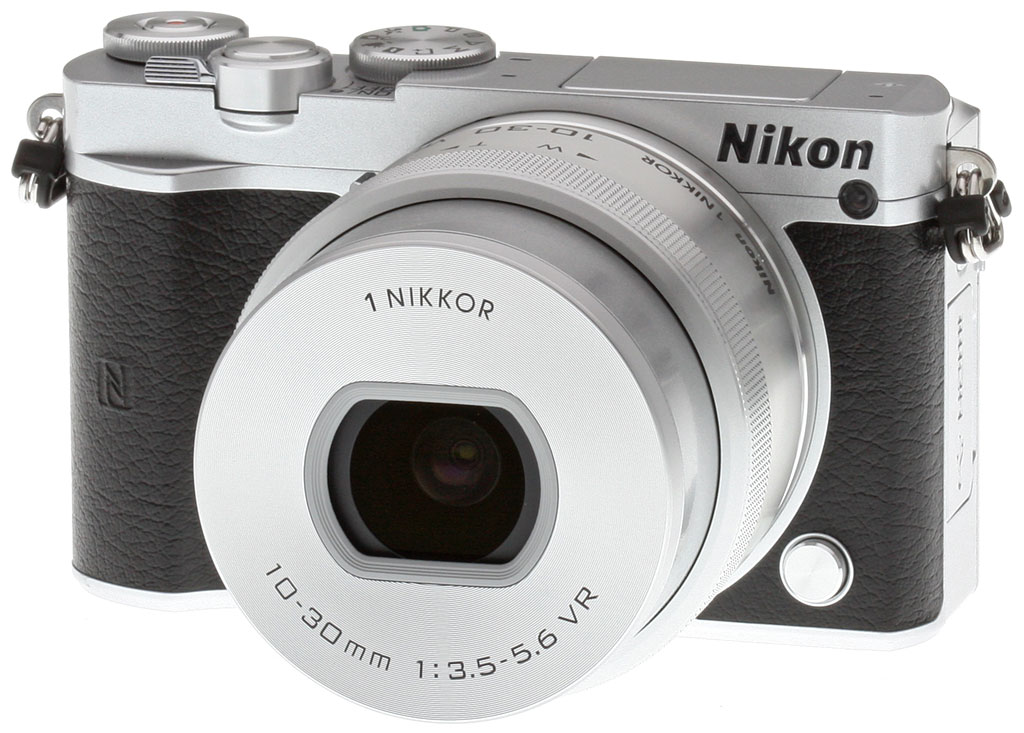
Now, the company follows up with the Nikon J5, a camera that addresses some of its forerunner's shortcomings with a more photographer-friendly design. The Mode dial now sports a full complement of PASM exposure modes, while a new function button on the front deck and an additional control dial at the back right corner of the top deck mean you'll spend less time digging around in the menu system.
Inside, there's a brand-new CX-format (1"-type) CMOS image sensor with a slightly higher resolution of 20.8 megapixels. As well as providing just a touch greater potential for capturing finer details, this should also yield better sensitivity thanks to a backside-illuminated design.
It's paired with a newer-generation EXPEED 5A image processor, and while the already-swift performance of 20 frames per second with autofocus is unchanged, and the ISO sensitivity range of 160 to 12,800 equivalents is also carried over, noise levels are noticeably better at higher sensitivities.
On its rear deck, the Nikon J5 now boasts a tilting LCD touch-screen, which can be flipped up 180 degrees for better visibility from in front of the camera -- a must for selfie fans -- or downwards almost 90 degrees for framing over your head. There's also a variety of new software features such as a robust interval timer, skin softening function for attractive portraits, and a variety of new effects modes.

And the in-camera Wi-Fi connectivity introduced on the earlier camera has been supplemented with near-field communications technology for quick-and-easy pairing on Android devices. As in other recent Nikon models, the combination of Wi-Fi and NFC is being branded as Nikon Snapbridge, and will work with either Android or iOS devices.
There are still some features which will cause enthusiasts to look elsewhere, such as a low 1/60 second flash sync speed and the use of MicroSD flash cards that are smaller, easily lost and need an adapter to be used in most other cameras. A ~17% reduction in battery life over that of the earlier camera is also a bit of a concern. Still, all things considered the Nikon J5 looks to be a much more attractive option than the camera it will replace.

The Nikon J5 began shipping in the US in April 2015, and sells for about US$500 with a 10-30mm f/3.5-5.6 PD-Zoom lens. Additional kits bundle either the 10-30mm and a 30-110mm f/3.8-5.6 lens for US$750, or a single 10-100mm f/4-5.6 lens for US$1,050. Body color options include black, two-tone silver and black, or two-tone silver and white.
In the Box
In the US market, the Nikon J5 10-30mm kit retail box ships with the following items:
- Nikon 1 J5 camera body (black, silver or white)
- Nikon 1 Nikkor VR 10-30mm f/3.5-5.6 zoom lens (black or silver)
- BF-N1000 body cap
- Front and rear lens caps
- EN-EL24 lithium-ion rechargeable battery pack
- MH-31 external battery charger
- AN-N1000 neck strap
- UC-E20 Micro USB cable
- User's manual
- Warranty card
Recommended Accessories
- Extra EN-EL24 lithium-ion rechargeable battery pack or two for extended outings
- Large capacity MicroSDHC / MicroSDXC memory card. Given the high resolution and large file sizes of the Nikon J5, 32GB is a good tradeoff between cost and capacity. If you plan to capture high-definition movie clips, shoot image bursts, or shoot in raw format, Nikon recommends you look for cards with markings indicating Class 6 or higher. (Smaller numbers are slower cards.)
- More lenses! ;-)
- Medium-sized camera bag (or a small one if you're only planning on using one or two lenses).
Optics
In the U.S., the Nikon J5 usually ships with the 1 Nikkor 10-30mm f/3.5-5.6 VR PD-Zoom lens. Please see our full test of the Nikkor 10-30mm lens on SLRGear.com, and see below for our Nikon J5 viewfinder accuracy test results.
Viewfinder Test Results
Coverage
Very good coverage from the LCD monitor.

In record mode, the Nikon J5's LCD monitor provided close to 101% coverage (with distortion correction enabled), which is very good, just a bit loose (it shows a bit more than what is captured).
The images above were taken from our standardized test shots. For a collection of more pictorial photos, see our Nikon J5 Photo Gallery .
Exposure
Color
Saturation & Hue Accuracy
Vibrant colors with slightly below average hue accuracy.
 |
|||
|
ISO Sensitivity
|
|||
| 12800 | |||
| In the diagram above, the squares show the original color, and the circles show the color that the camera captured. More saturated colors are located toward the periphery of the graph. Hue changes as you travel around the center. Thus, hue-accurate, highly saturated colors appear as lines radiating from the center. Mouse over the links above to compare ISOs, and click to view a larger version. | |||


Saturation. The Nikon J5 produces vibrant colors, yielding a mean saturation level of 115.5% (15.5% oversaturated) at base ISO in our tests. Mean saturation remains high up to ISO 1600, but falls off at higher sensitivities, to a minimum of 97.4% (undersaturated by 2.6%) at ISO 12,800. At lower ISOs, the J5 tends to push dark blues quite a bit, and dark green, orange and reds moderately, but most other colors are only pushed slightly, or are slightly undersaturated. You can always tweak saturation to your liking or select a different Picture Control option. Most consumer digital cameras produce color that's more highly saturated (more intense) than found in the original subjects. This is simply because most people like their color a bit brighter than life.
Skin tones. In simulated daylight, the Nikon J5 produced Caucasian skin tones that looked a bit too warm and orange when manual white balance was used. Auto white balance was a bit better, but still a touch warm. Where oversaturation is most problematic is on Caucasian skin tones, as it's very easy for these "memory colors" to be seen as too bright, too pink, too yellow, etc.
Hue. The Nikon J5 showed a number of color shifts relative to the mathematically precise translation of colors, and its overall color accuracy is a bit below average. Greens were shifted toward yellow, cyan was shifted toward blue, and there were slight shifts in some oranges and purples, but most shifts were relatively minor. (The cyan to blue shift is quite small, and very common among the digital cameras we test; we think it's a deliberate choice by camera engineers to produce better-looking sky colors.) With an average "delta-C" color error of 6.75 at base ISO after correction for saturation, overall hue accuracy isn't quite as good as most cameras though it's still not bad, but it gets a little worse at higher ISOs, reaching a peak of 8.91 at ISO 12,800 (lower numbers are better). Hue is "what color" the color is.


Sensor
Exposure and White Balance
Indoors, incandescent lighting
Warm results with Auto and Incandescent white balance, though good color with Manual white balance setting. No exposure compensation required.


Indoors, under normal incandescent lighting, color balance is warm and reddish with the Auto white balance setting. The Incandescent setting is also too warm, with a slightly more orange tint. The Manual white balance setting produced the most accurate results, if just a touch cool. The J5 required no exposure compensation for this shot, which is better than average. (The average needed among cameras we've tested for this shot is about +0.3 EV.) Our test lighting for this shot is a mixture of 60 and 100 watt household incandescent bulbs, a pretty yellow light source, but a very common one in typical home settings here in the U.S.
Outdoors, daylight
Bright colors with decent exposure outdoors.
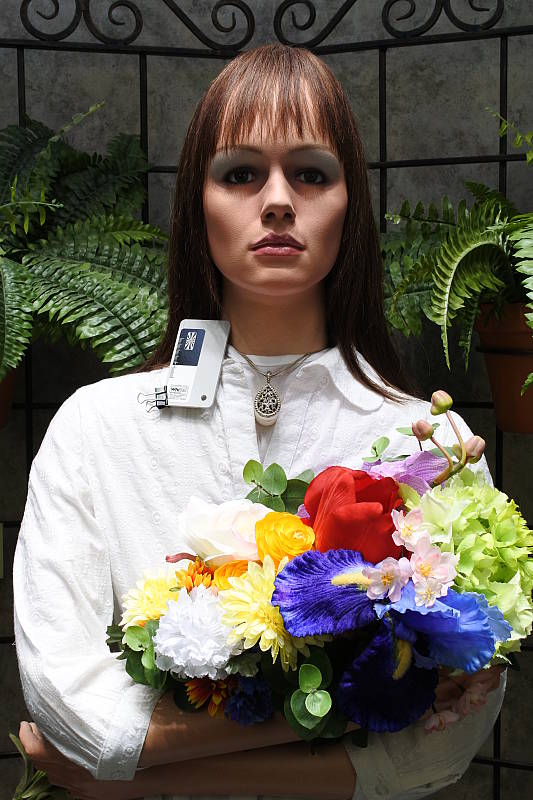
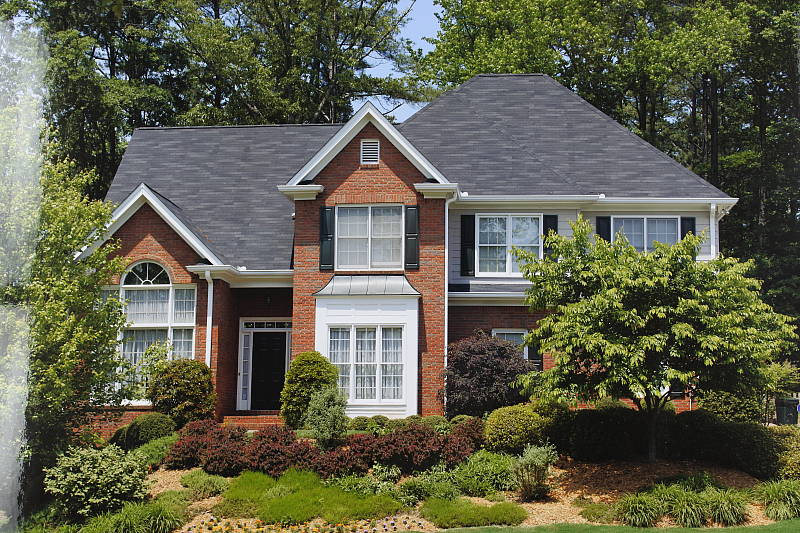
The Nikon J5 handled tough outdoor lighting under harsh sunlight fairly well in terms of color and exposure. We found skin tones a little too warm in our "Sunlit" Portrait shot with Manual white balance, preferring the Auto white balance results here, though Auto is still a bit warm. The +1.0 EV exposure compensation required to keep the mannequin's face reasonably bright is slightly higher than the +0.7 EV average for this scene. As a result, a moderate amount of highlights are clipped in the mannequin's shirt and flowers, though there are some dark shadows as well. Color is good in our far-field shot, just a touch cool. Default exposure is excellent with very few clipped highlights (just specular highlights), though again there are some deep shadows.
See full set of test images with explanations
See thumbnails of all test and gallery images
Resolution
~2,600 to ~2,700 lines of strong detail.


Our laboratory resolution chart reveals sharp, distinct line patterns up to about 2,700 lines per picture height in the horizontal direction, and to about 2,600 lines per picture height in the vertical direction in JPEGs, though there is some aliasing visible in the form of moiré as low as 1,400 lines. Complete extinction didn't occur until around 3,000 to 3,200 lines. Adobe Camera Raw 9.1 wasn't really able to extract more high-contrast resolution than the camera JPEG, though it produced more noticeable color moiré and false colors. Use these numbers to compare with other cameras of similar resolution, or use them to see just what higher resolution can mean in terms of potential detail.
See full set of test images with explanations
See thumbnails of all test and gallery images
Sharpness & Detail
Fairly sharp images at default settings, though edge-enhancement can be seen on high-contrast elements. Fairly strong noise suppression at base ISO.


Sharpness. The Nikon J5 produced fairly sharp JPEG images in our tests, a noticeable improvement over prior generations. Some edge enhancement artifacts are visible around high-contrast subject matter such as the halos around the lines and text in the crop above left, but default sharpening isn't too overdone. Edge enhancement creates the illusion of sharpness by enhancing color and tonal differences right at the edge of a rapid transition in color or tone.
Detail. The crop above right is a little mushy, showing fairly strong noise suppression that blurs out many individual strands of hair. The image is quite clean, but at a cost of reduced fine detail. Noise-suppression systems in digital cameras tend to flatten-out detail in areas of subtle contrast. The effects can often be seen in shots of human hair, where the individual strands are lost and an almost "watercolor" look appears.
RAW vs In-Camera JPEGs
As noted above, the Nikon J5 produces fairly sharp images at default settings, however default noise reduction is a little heavy-handed. More detail and crisper images can be obtained from carefully processing RAW file. See below:
|
Base ISO (160)
|
|
 |
 |
 |
 |
 |
 |
|
Camera JPEG, defaults
|
RAW via Adobe Camera Raw
|
In the table above, we compare an in-camera JPEG taken at base ISO using default noise reduction and sharpening (on the left) to a matching RAW file converted with Adobe Camera Raw 9.1 using default noise reduction with moderate but tight unsharp masking applied in Photoshop (in this case 250% USM with a radius of 0.3 pixels and a threshold of 0).
As you can see, the RAW conversion using Adobe Camera Raw produced results with significantly higher fine detail, but it also revealed a lot more noise (at default ACR NR settings), which indicates the camera applies fairly strong noise reduction even at base ISO. You can of course always increase noise reduction during conversion, but be aware that smaller 1"-type sensors like the J5's produce higher noise levels than the larger sensors usually found in mirrorless cameras, so be prepared to apply some additional noise reduction to obtain clean-looking images at 100% magnification.
ISO & Noise Performance
Images are bit soft even at base ISO here, however good high ISO performance for its class.
| High ISO Noise Reduction = On (default) | ||
 |
 |
 |
| ISO 160 | ISO 200 | ISO 400 |
 |
 |
 |
| ISO 800 | ISO 1,600 | ISO 3,200 |
 |
 |
|
| ISO 6,400 | ISO 12,800 | |
ISOs 160 and 200 are very similar, but as mentioned before, are a little soft due to aggressive default noise reduction. ISO 400 shows good detail, but stronger noise and noise reduction are already taking an additional toll. ISO 800 is noticeably softer, though some fine detail is still left. ISO 1600 is softer still, but not too bad for the class of camera. Image quality degrades more rapidly at ISO 3200 and above, with mushier details, stronger luma noise as well as some blotchy purple and yellow chroma noise.
Keep in mind this series is shot under fairly low incandescent lighting to simulate typical indoor lighting, so the camera has to boost its blue-channel signal quite a bit to get back to a neutral color balance. The blue and red channels are generally noisier than the green channel, making the hair in this ISO series a very challenging test of noise performance.
Bottom line, the Nikon J5's high-ISO performance shows an incremental improvement over the previous generation sensor including the V3's, and is very competitive with other cameras using a 1"-type sensor. But the aggressive default noise reduction is somewhat disappointing nonetheless, and to make matters worse, the J5 only offers two High ISO NR settings (On and Off). Shooting in RAW mode and processing yourself is definitely preferred for maximum image quality.
Of course, the impact of noise and detail loss are highly dependent on the size the photos are printed at, and pixel-peeping on-screen has surprisingly little relationship to how the images look when printed: See the Print Quality section below for recommended maximum print sizes at each ISO.
Note: We used to shoot this series at f/4 because of the relatively low light, but we now shoot it at f/8 for sensors larger than 1"-type and at f/5.6 for 1"-type sensors, as lens performance well away from center where we take the above crops is often not optimal at wider apertures. The added depth of field for a scene with this depth is also a better compromise than the potentially slightly sharper but shallower focus depth that a larger aperture would produce.
Multi-shot Noise Reduction
As mentioned, the Nikon J5 offers two conventional High ISO Noise Reduction options called On and Off, and as usually is the case, Off isn't really off, but applies less noise reduction than the default On setting. Interestingly, the J5 also offers a multi-shot noise reduction mode at ISO 6400 and ISO 12,800, which is enabled by selecting ISO 6400 (NR) and ISO 12800 (NR) ISO settings respectively.
With these two special ISO settings, the J5 takes 4 shots in rapid succession with each push of the shutter, and merges them to reduce noise. The table below shows the effect at ISO 6400, combined with both the standard High ISO Noise Reduction settings.
|
ISO 6400
|
|
 |
 |
| Single shot, Standard NR = On | Single shot, Standard NR = Off |
 |
 |
|
Multi shot NR, Standard NR = On
|
Multi shot NR, Standard NR = Off
|
As you can see, with the standard High ISO Noise Reduction setting set to On, the multi-shot image is (bottom left) is very clean, but also very soft, offering less detail that the standard single-shot mode. This made us initially think the multi-shot mode wasn't very useful. However, when used in conjunction with standard High ISO Noise Reduction set to Off (bottom right), the J5 does produce an image that is almost as clean as the single shot with standard High ISO Noise Reduction set to On, but with better detail than either single-shot image. Too bad Nikon only offer it at ISO 6400 and 12,800.
Extremes: Sunlit, dynamic range, and low light tests
High default contrast, but dynamic range is good, though of course not good as most DSLRs and some other mirrorless cameras. Very good low-light performance, capable of capturing bright images in near darkness.


Sunlight. The Nikon J5 struggled a bit with the deliberately harsh lighting in the above test, but perhaps not as much as you might expect from a relatively small camera. The +1.0 EV exposure did the best job here, as the mannequin's face is a bit too dim at lower compensation values, however a fair number of highlights were blown. Default contrast is high, and quite a few highlights were lost in the shirt and flowers when exposure was adjusted for the mannequin's face. There are some deep shadows as well, that are noisy compared to cameras with larger sensors, though detail in those shadows is actually pretty good. Note that these shots were captured with the Nikon J5's Active D-Lighting control set to "Off." See below for how Active D-Lighting and contrast settings help with highlights and shadows, and continue reading to see how the J5's sensor scored for dynamic range.
Because digital cameras are more like slide film than negative film (in that they tend to have a more limited tonal range), we test them in the harshest situations to see how they handle scenes with bright highlights and dark shadows, as well as what kind of sensitivity they have in low light. The shot above is designed to mimic the very harsh, contrasty effect of direct noonday sunlight, a very tough challenge for most digital cameras. (You can read details of this test here. In actual shooting conditions, be sure to use fill flash in situations like the one shown here; it's better to shoot in open shade whenever possible.)


Face Detection. Here, we can see the effects of the Nikon J5's Face Priority AF mode versus just Aperture Priority mode. As you can see from the shots above, Face Priority AF resulted in a brighter image without applying any manual exposure compensation with the camera selecting a slower shutter speed of 1/80s versus 1/160s at f/5.6. Full Auto selected Portrait scene mode with a much larger aperture of f/1.8 for better subject isolation and a fast shutter speed of 1/800s to avoid subject motion blur, and it also enabled Active D-Lighting for a more balanced, less contrasty exposure. Nice.
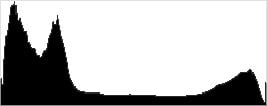
Active D-Lighting. Active D-Lighting attempts to preserve detail in both highlights and shadows in high-contrast situations, while maintaining moderate levels of contrast. The shots below show the effect of the Active D-Lighting setting available on the Nikon J5 on our high-contrast "Sunlit" Portrait scene. Unlike recent Nikon DSLRs, the J5 offers just On and Off settings for Active D-Lighting. Also note that Active D-Lighting is different from the Playback menu's D-Lighting option, as it is performed during image capture instead of after. (It does affect only JPEG images though, Nikon very properly doesn't apply tonal adjustments like this to RAW file data. NEF files, however, are tagged so that Nikon software can automatically apply the effect when converted.)
|
"Sunlit" Portrait Active D-Lighting (+0.3 EV)
|
|
 |
ADL Settings: Off On (Default) |
 |
|
Mouse over the links to see how Active D-Lighting affects our "Sunlit" Portrait shot at default exposure. Click on a link to get to the full-res image.
As you can see, shadows and darker midtones have been boosted with Active D-Lighting enabled while highlights have been preserved, however the overall exposure is still a bit dim.
| Far-field Active D-Lighting (0 EV) | |
 |
|
Here are the results with our Far-field shot. Mouse over the links to compare the effect.
We see somewhat different results here with Active D-Lighting enabled, with exposure reduced in highlights, midtones and shadows, though not in a linear fashion.
| Far-field HDR | |
 |
|
HDR. The Nikon J5 also offers a 2-shot in-camera HDR mode which combines highlights and midtones from an underxposed shot with shadows and midtones from an overexposed shot taken in quick succession. Mouse over the links to compare the effect.
We neglected to take an HDR shot our standard Far-field scene, however we do have a couple examples in the our Gallery shots, including the one above. As you can see it worked fairly well here, but because two shots are combined, be aware that ghosting and/or double images can occur if there is any fast movement within the frame during capture of the two images.
Dynamic Range Analysis (RAW mode)
While we once performed our own dynamic range measurements based on in-camera JPEGs as well as converted RAW images (when the camera was supported by Adobe Camera Raw), we've switched to using DxO Labs' results from their DxOMark website. As technology advanced, the dynamic range of modern high-end cameras in some cases exceeded the range of the Stouffer T4110 density scale that we used for our own measurements. DxO's approach based on RAW data before demosaicing is also more revealing, because it measures the fundamental dynamic range of the sensor, irrespective of whatever processing is applied to JPEGs, or to RAW data by off-the-shelf conversion software.
In the following, we use DxO's "Print" dynamic range results, which are scaled based on camera resolution. As the name suggests, this scaling corresponds to the situation in which you print at a given size, regardless of how many megapixels the camera might have. (In other words, if you've decided to make a 13x19 inch print, that's the size you're printing, whether the camera's resolution is 16 or 300 megapixels.) For the technically-minded, you can find a discussion of the reasoning behind this here on the DxOMark website. Also note that DxO Labs uses a signal-to-noise (SNR) threshold of 1 when defining the lower boundary of acceptable luminance noise in their dynamic range measurements, which corresponds to the "Low Quality" threshold of the Imatest software we used to use for this measurement.

Here, we compare the Nikon J5's dynamic range to its bigger brother, the V3, as well as to the Sony RX100 IV, the latest Sony enthusiast compact to use a 1"-type sensor (though with a fixed lens). You can always compare other models on DxOMark.com.
As you can see from the above graph (click for a larger image), the J5's dynamic range (in orange) is much improved over the V3's at low to moderate ISOs. At base ISO, the J5 managed just over 12 EV, while the V3 only scored 10.7 EV. The J5 offers higher dynamic range across the sensitivity range, though at ISO 800 and above, the two cameras are pretty similar.
The Sony RX100 Mark IV's dynamic range is on the other hand slightly better than the Nikon J5's, with up to about a 1/2 EV advantage (12.58 vs 12.04 at base ISO), though that may not be enough of a difference to be discernible in most real-world shots.
Overall, very good dynamic range test results for a 1"-type sensor from the Nikon J5, much improved over the V3 at low to moderate ISOs. Click here to visit the DxOMark page for the Nikon J5 for more of their test results and additional comparisons.
| 1 fc 11 lux |
1/16 fc 0.67 lux |
1/16 fc No NR |
|
|---|---|---|---|
| ISO 160 |
 1.3 s, f2.8 |
 20 s, f2.8 |
 20 s, f2.8 |
| ISO 3200 |
 1/15 s, f2.8 |
 1 s, f2.8 |
 1 s, f2.8 |
| ISO 12800 |
 1/60 s, f2.8 |
 1/4 s, f2.8 |
 1/4 s, f2.8 |
Low Light. The Nikon J5 performed well here, able to capture usable images down to the 1/16 foot-candle light level (about 1/16 as bright as average city street lighting at night), at even its lowest ISO setting.
Noise is low at ISO 160, fairly low and very well-controlled at ISO 3200, but high at ISO 12,800, as you'd expect. We did not detect any significant issues with banding (fixed pattern noise) or heat blooming, but we did spot a few hot pixels at base ISO (noise reduction masked them at higher ISOs).
Color balance with Auto white balance is just slightly cool at higher light levels, but takes on a strong magenta cast as the light level dropped.
The camera's hybrid autofocus system was able to focus on the subject to below the 1/16 foot-candle light level unassisted with the 10-30mm kit lens at f/3.5, which is excellent. And the Nikon J5 was able to autofocus in complete darkness with the AF assist enabled.
(Keep in mind that the longer shutter speeds here demand the use of a tripod to prevent any blurring from camera movement. A useful trick is to just prop the camera on a convenient surface, and use its self-timer to release the shutter. This avoids any jiggling from your finger pressing the shutter button, and can work quite well when you don't have a tripod handy.)
How bright is this? The one foot-candle light level that this test begins at roughly corresponds to the brightness of typical city street-lighting at night. Cameras performing well at that level should be able to snap good-looking photos of street-lit scenes.
NOTE: This low light test is conducted with a stationary subject, and the camera mounted on a sturdy tripod. Most digital cameras will fail miserably when faced with a moving subject in dim lighting. (For example, a child's ballet recital or a holiday pageant in a gymnasium.) Compact system cameras like the Nikon J5 do much better than point & shoots, but you still shouldn't expect a quick autofocus lock with moving subjects.
Output Quality
Print Quality
High-quality prints up to 24 x 36 inches at ISO 160-200; Nice 8 x 10 inch prints at ISO 3200; and usable 4 x 6 inch prints at ISO 12,800.
 ISO 160/200 prints look very nice all the way up to 24 x 36 inches. Both ISOs produce virtually identical images, with lots of fine detail and pleasing colors. At 24 x 36 inches, we're pushing the limits of the J5's 20-megapixel sensor, but at typical viewing distances for a large print such as this, detail looks great.
ISO 400 images begin to show the faintest hint of noise in the shadows. Fine detail is still very good and we're able to get prints up to a large 20 x 30 inches. A 24 x 36 inch print might be possible for less critical purposes.
ISO 800 prints show impressively mild noise up to 16 x 20 inches. The J5 does a great job at keeping noise under control here. At this ISO, prints up to this size still show lots of detail and pleasing colors. Understandably, there's a bit more noise than the previous ISO, but not by much, which makes a 20 x 30 inch print possible, in our opinion, for less critical applications.
ISO 1600 images display slightly stronger noise, as expected, and the tricky red-leaf fabric of our Still Life target is nearly devoid of all detail. However, the J5 still manages to produce a nice 13 x 19 inch print.
ISO 3200 prints take a dip down to 8 x 10 inches, as noise becomes noticeably stronger, making larger-sized prints unacceptable to our eyes. Colors still look okay, and detail is quite nice at this print size.
ISO 6400 images look great up to 5 x 7 inches, though we'd be okay with an 8 x 10 here too for less critical applications. Naturally, noise is stronger and more apparent at this ISO now, but there's still a good amount of detail. However, colors are slightly less vibrant than before.
ISO 12,800 prints top-out at 4 x 6 inches, and this is all rather impressive for a 1-inch sensor! At this size, detail is still quite visible, but it's clear than the increase in noise prevents acceptable prints at larger sizes.
The Nikon J5 is a big improvement all around for the Nikon 1-series, including a strong showing here in the print department. Base ISO and ISO 200 images show impressive detail and colors up to a large 24 x 36 inch print. You're pushing the 20 megapixel sensor's resolving power a bit here, but from normal viewing distances for such a large print, the camera can certainly handle it. Moving up the ISO scale, the noise increases, as expected, but it mostly stays contained to the shadows and at ISO 1600, for example, the camera still manages a nice 13 x 19 inch print. Though we cap it a 5 x 7 inches at ISO 6400, the Nikon J5 could certainly squeak by with an 8 x 10 here for less critical uses. Finally, even at the maximum ISO 12,800 level, prints up to 4 x 6 inches are usable.
The images above were taken from our standardized test shots. For a collection of more pictorial photos, see our Nikon J5 Photo Gallery .
Not sure which camera to buy? Let your eyes be the ultimate judge! Visit our Comparometer(tm) to compare images from the Nikon J5 with those from other cameras you may be considering. The proof is in the pictures, so let your own eyes decide which you like best!
Performance
Timing and Performance
Generally excellent performance for a mirrorless camera, though startup time is a bit sluggish and buffer clearing is slow.
| Startup/Play to Record | ||
|---|---|---|
|
Power on |
~2.0 seconds
|
Time it takes to turn on and capture a shot. |
|
Play to Record, |
~0.4 second
|
Time until first shot is captured. |
Startup time was a bit sluggish for a mirrorless camera, though switching from Play to Record mode and taking a shot was quick.
| Shutter Response (Lag Time) | ||
|---|---|---|
|
Full Autofocus, |
0.074 second
|
Time from fully pressing shutter button to image capture, with the lens already at the proper focal distance setting. (All timing performed with the Nikon 1 10-30mm kit lens) |
|
Full Autofocus, |
0.288 second
|
Time from fully pressing shutter button to image capture, with the lens already at the proper focal distance setting. Built-in flash enabled. |
|
Manual Focus |
0.053 second
|
For most cameras, shutter lag is less in manual focus than autofocus, but usually not as fast as when the camera is "prefocused". |
|
Prefocused |
0.052 second
|
Time to capture, after half-pressing and holding shutter button. |
The Nikon J5's full-autofocus shutter lag in single-point AF mode (center AF position) was incredibly fast, at only 0.074 second with the 10-30mm kit lens at medium focal length. That's faster than most professional DSLRs we've tested. Enabling the flash added some delay for preflash metering, however full AF shutter lag was still quite good at 0.288 second. When manually focused, the J5's shutter lag time was 0.053 second, also very fast. The Nikon J5's prefocused shutter lag time of 0.052 second was quite fast as well, faster than most DSLRs and mirrorless cameras, though many point & shoots are faster in this regard.
To minimize the effect of different lens' focusing speed, we test AF-active shutter lag with the lens already set to the correct focal distance.
| Cycle Time (shot to shot) | ||
|---|---|---|
|
Single Shot mode |
< 0.3 second
|
Time per shot, averaged over a few frames (we no longer test for buffer depths in single-shot mode). |
|
Single Shot mode |
< 0.3 second
|
Time per shot, averaged over a few frames (we no longer test for buffer depths in single-shot mode). |
|
Early shutter |
No
|
Some cameras don't snap another shot if you release and press the shutter too quickly in Single Shot mode, making "No" the preferred answer. |
|
Continuous 60fps mode |
0.02 second (59.4 frames per second);
20 frames total; 22 seconds to clear* |
Time per shot, averaged over buffer depth of 20 shots. |
|
Continuous 60fps mode |
0.02 second (59.4 frames per second);
20 frames total; 33 seconds to clear* |
Time per shot, averaged over buffer depth of 20 shots. |
|
Continuous 60fps mode |
0.02 second (61.3 frames per second);
20 frames total; 41 seconds to clear* |
Time per shot, averaged over buffer depth of 20 shots. |
|
Flash Recycling |
1.8 seconds
|
Flash at maximum output. |
|
*Note: Buffer clearing times measured with a SanDisk Extreme Pro UHS-I 95MB/s microSDHC card. Slower cards will produce correspondingly slower clearing times. Slow cards may also limit length of bursts in continuous mode. ISO sensitivity and noise reduction settings can also affect cycle times and burst mode performance.
|
||
Single-shot cycle times were so fast that they were difficult to accurately measure as they depend on the tester's dexterity and ability to maintain an optimum rhythm, so your results may vary. (Note that we no longer test single-shot mode with just RAW files, as the results are usually somewhere in between JPEG and RAW+JPEG.)
The Nikon J5 offers full-resolution continuous mode speeds up to 60 fps with AF locked at the first frame, and up to 20 fps with continuous AF. We tested the 60 fps mode in the lab, and the J5 met expectations, delivering between 59.4 and 61.3 full-resolution frames per second depending on the file type -- outstanding!
Buffer depths were decent at 20 frames for any file type, though keep in mind that's less than a third of a second burst at highest speed. Buffer clearing times were however quite slow even with our fast 95MB/s UHS-I microSDHC card, ranging from 22 seconds after 20 best quality JPEGs, to a lengthy 41 seconds after a 20-frame burst of RAW+JPEG files. The J5 is however still responsive while clearing the buffer, allowing you to adjust settings and take additional images while the camera is writing to the card. Still, be sure to use the fastest UHS-I card you can afford if buffer clearing time after long bursts is important to you.
The built-in flash recycled after full-power discharges in an average of 1.8 seconds, which is fast.
Bottom line, the Nikon J5's overall performance was generally good to outstanding. Autofocus speeds, cycle times and burst speeds were all exceptional. The only sluggish performance results we got were startup time and lengthy buffer clearing. Performance was very similar to the flagship V3 model, however buffer depths in burst mode were only half.
Battery
Battery Life
Below average battery life for a mirrorless ILC.
| Operating Mode | Number of Shots |
|---|---|
|
Still Capture,
(CIPA standard, LCD Monitor) |
250
|
The Nikon J5 uses a custom EN-EL24 rechargeable lithium-ion battery pack for power, and comes with both a single battery and dedicated charger. The rated 250 shots per charge is below average for a mirrorless interchangeable lens camera, so we strongly recommend getting a second battery for your J5 if you plan any extended outings.
The table above shows the number of shots the camera is capable of (on a fully-charged rechargeable battery), based on CIPA battery-life and/or manufacturer standard test conditions.
(Interested readers can find an English translation of the CIPA DC-002 standards document here. (180K PDF document))
Image Quality
Below are crops from our "Still Life" studio target comparing Nikon J5 image quality with its predecessor the J4, as well as to the Canon G7X, Olympus E-PL5, Sony A5100 and Sony RX100 II. The J4, G7X and RX100 II all have 1"-type sensors, the E-PL5 has a Four Thirds sensor and the Sony A5100 has an APS-C-sized sensor. All are in roughly the same price range.
NOTE: These images are best quality JPEGs straight out of the camera, at default settings including noise reduction and using the camera's actual base ISO (not extended ISO settings). Clicking any crop will take you to a carrier page where you can click once again to access the full resolution image as delivered straight from the camera. For those interested in working with the RAW files involved, click these links to visit each camera's respective sample image thumbnail page: Nikon J5, Nikon J4, Canon G7X, Olympus E-PL5, Sony A5100, and Sony RX100 II -- links to the RAW files appear beneath those for the JPEG images, wherever we have them. And remember, you can always go to our world-renowned Comparometer to compare the Nikon J5 to any camera we've ever tested.
Nikon J5 vs Nikon J4 at Base ISO
 |  |
 |  |
 |  |
Nikon J5 at ISO 160 | Nikon J4 at ISO 160 |
Here at the cameras' base ISO of 160, there's a noticeable improvement in image quality from the newer 20.8-megapixel J5 over its 18.4-megapixel predecessor, with slightly higher resolution, crisper detail, slightly lower noise and more vibrant colors. And the J5 does much better in the pink fabric, though only marginally better in our tricky red-leaf swatch. | |
Nikon J5 vs Canon G7X at Base ISO
|  |
|  |
|  |
Nikon J5 at ISO 160 | Canon G7X at ISO 125 |
The Canon G7X uses a 20.2-megapixel 1"-type sensor but has a fixed zoom lens. Fine detail from the Canon is a little better than the Nikon here at base ISO (which is rated a bit lower for the G7X at ISO 125), but the G7X's image is also a little noisier, though the noise "grain" is quite fine and tight. Colors from the Nikon are however more pleasing and vibrant. | |
Nikon J5 vs Olympus E-PL5 at Base ISO
|  |
|  |
|  |
Nikon J5 at ISO 160 | Olympus E-PL5 at ISO 200 |
The 16-megapixel E-PL5 produces about the same amount of detail the J5 -- if not a little more -- despite the lower pixel count. That's partially because of the different aspect ratios (the J5's extra resolution is mostly in the x-axis with vertical resolution only greater by 256 pixels), but also because the higher noise from the J5's 1-inch sensor requires stronger noise reduction. Noise is a little higher from the E-PL5 simply because its default noise reduction is not quite as aggressive, but both do well with our red-leaf and pink fabrics. | |
Nikon J5 vs Sony A5100 at Base ISO
|  |
|  |
|  |
Nikon J5 at ISO 160 | Sony A5100 at ISO 100 |
The 24-megapixel APS-C sensor in the Sony A5100 clearly resolves more detail while producing lower noise, and the Sony's processing also shows fewer sharpening artifacts. The Sony does however generate more false colors in the mosaic, however some of the coloration is actually present from the offset printing process. | |
Nikon J5 vs Sony RX100 II at Base ISO
|  |
|  |
|  |
Nikon J5 at ISO 160 | Sony RX100 II at ISO 160 |
Like we saw with the Canon G7X at base ISO, the 20-megapixel Sony RX100 II retains a little more detail than the J5, but noise is also a bit higher. Colors are once again more pleasing and vibrant from the Nikon. | |
Nikon J5 vs Nikon J4 at ISO 1600
 |  |
 |  |
 |  |
Nikon J5 at ISO 1600 | Nikon J4 at ISO 1600 |
The Nikon J5 continues to generate higher image quality than the J4 at ISO 1600, with better clarity, better detail and more vibrant colors, though noise levels in flat areas are a touch higher. Both cameras struggle with our difficult red-leaf swatch but the J5 manages to reproduce at least some of the fine, low-contrast pattern while the J4 reproduces a more vague and diffuse representation of the red-leaf pattern. | |
Nikon J5 vs Canon G7X at ISO 1600
|  |
|  |
|  |
Nikon J5 at ISO 1600 | Canon G7X at ISO 1600 |
The Nikon J5 arguably produces a better image overall at ISO 1600 than the Canon G7X, with lower noise, brighter colors and slightly better detail in most subject matter, however the J5's image is a little softer with more evident noise reduction artifacts. | |
Nikon J5 vs Olympus E-PL5 at ISO 1600
|  |
|  |
|  |
Nikon J5 at ISO 1600 | Olympus E-PL5 at ISO 1600 |
At ISO 1600, the Olympus E-PL5 produces a much clearer, crisper image with better detail, but some obvious noise reduction artifacts are visible. The Nikon actually does a little better with fine detail in our tricky red-leaf swatch, though contrast is higher from the Olympus. | |
Nikon J5 vs Sony A5100 at ISO 1600
|  |
|  |
|  |
Nikon J5 at ISO 1600 | Sony A5100 at ISO 1600 |
The Sony A5100 continues to hold onto more detail than the Nikon J5 at ISO 1600, while producing lower noise and fewer sharpening artifacts, though the advantage isn't a great as the relative sensor sizes imply, due to differences in image processing. The Sony does much better than the Nikon in the red-leaf swatch, though some of the apparent detail is quite distorted. | |
Nikon J5 vs Sony RX100 II at ISO 1600
|  |
|  |
|  |
Nikon J5 at ISO 1600 | Sony RX100 II at ISO 1600 |
Noise levels appear similar from these two cameras at ISO 1600, but the Sony manages to hold onto more low-contrast detail in general, while the Nikon produces better high-contrast detail, and renders a smoother, brighter image with more pleasing colors. | |
Nikon J5 vs Nikon J4 at ISO 3200
 |  |
 |  |
 |  |
Nikon J5 at ISO 3200 | Nikon J4 at ISO 3200 |
Both cameras struggle with fine detail and noise at ISO 3200, producing soft and fuzzy images, but the J5 gets the nod for better overall results at this sensitivity, particularly in subject matter with higher contrast. The J5 also does a bit better with the low-contrast red-leaf pattern, though there's little detail left from either camera. The J5's noise reduction does however produce more obvious color bleeding, though. | |
Nikon J5 vs Canon G7X at ISO 3200
|  |
|  |
|  |
Nikon J5 at ISO 3200 | Canon G7X at ISO 3200 |
The Canon G7X produces better detail and more defined edges at ISO 3200 in most areas, but its image is also quite a bit noisier. The Canon's noise grain is still fairly fine, though. Overall, the Nikon continues to produce a softer, smoother, brighter image with more pleasing colors. | |
Nikon J5 vs Olympus E-PL5 at ISO 3200
|  |
|  |
|  |
Nikon J5 at ISO 3200 | Olympus E-PL5 at ISO 3200 |
Here at ISO 3200, the Olympus produces a much crisper, more contrasty image that continues to retain better detail, but with much stronger noise reduction artifacts. Still, the E-PL5's larger sensor and aggressive processing easily comes out ahead at this sensitivity. | |
Nikon J5 vs Sony A5100 at ISO 3200
|  |
|  |
|  |
Nikon J5 at ISO 3200 | Sony A5100 at ISO 3200 |
At ISO 3200, the advantage of the A5100's much larger, higher resolution sensor is still evident, with much better detail in most subject matter, as well as lower noise levels. The Sony's image does however look a little more "processed" than the Nikon's, particularly in flatter areas. | |
Nikon J5 vs Sony RX100 II at ISO 3200
|  |
|  |
|  |
Nikon J5 at ISO 3200 | Sony RX100 II at ISO 3200 |
Similar to what we saw at ISO 1600, noise levels are comparable between these two cameras at ISO 3200, but the Sony manages to hold onto more detail in the mosaic crop, while the Nikon does better with high contrast detail and color. At this ISO, the Sony's noise reduction heavily smears the red-leaf pattern. | |
Nikon J5 vs. Nikon J4, Canon G7X, Olympus E-PL5, Sony A5100, Sony RX100 II
 |  |  |  |  |  |
 |  |  |  |  |  |
 |  |  |  |  |  |
| Nikon J5 ISO 160 ISO 3200 ISO 6400 | Nikon J4 ISO 160 ISO 3200 ISO 6400 | Canon G7X ISO 125 ISO 3200 ISO 6400 | Olympus E-PL5 ISO 200 ISO 3200 ISO 6400 | Sony A5100 ISO 100 ISO 3200 ISO 6400 | Sony RX100 II ISO 160 ISO 3200 ISO 6400 |
| Detail comparison. High-contrast detail is also important, pushing cameras in different ways, so we like to look at it too. At base ISO, the Nikon J5 performs very well, only surpassed by the Sony A5100 in this comparison. As is often the case, the Micro Four Thirds Olympus comes out on top at higher ISOs, barely dropping in image quality as sensitivity rises. The Canon G7X does well in terms of detail, but it suffers from discoloration at higher ISOs, as well as a drop in contrast. The Nikon J5 does noticeably better than its predecessor as well as the Sony RX100 II at ISO 3200 and 6400. | |||||
High-quality prints up to 24 x 36 inches at ISO 160-200; Nice 8 x 10 inch prints at ISO 3200; and usable 4 x 6 inch prints at ISO 12,800.
ISO 160/200 prints look very nice all the way up to 24 x 36 inches. Both ISOs produce virtually identical images, with lots of fine detail and pleasing colors. At 24 x 36 inches, we're pushing the limits of the J5's 20-megapixel sensor, but at typical viewing distances for a large print such as this, detail looks great.
ISO 400 images begin to show the faintest hint of noise in the shadows. Fine detail is still very good and we're able to get prints up to a large 20 x 30 inches. A 24 x 36 inch print might be possible for less critical purposes.
ISO 800 prints show impressively mild noise up to 16 x 20 inches. The J5 does a great job at keeping noise under control here. At this ISO, prints up to this size still show lots of detail and pleasing colors. Understandably, there's a bit more noise than the previous ISO, but not by much, which makes a 20 x 30 inch print possible, in our opinion, for less critical applications.
ISO 1600 images display slightly stronger noise, as expected, and the tricky red-leaf fabric of our Still Life target is nearly devoid of all detail. However, the J5 still manages to produce a nice 13 x 19 inch print.
ISO 3200 prints take a dip down to 8 x 10 inches, as noise becomes noticeably stronger, making larger-sized prints unacceptable to our eyes. Colors still look okay, and detail is quite nice at this print size.
ISO 6400 images look great up to 5 x 7 inches, though we'd be okay with an 8 x 10 here too for less critical applications. Naturally, noise is stronger and more apparent at this ISO now, but there's still a good amount of detail. However, colors are slightly less vibrant than before.
ISO 12,800 prints top-out at 4 x 6 inches, and this is all rather impressive for a 1-inch sensor! At this size, detail is still quite visible, but it's clear than the increase in noise prevents acceptable prints at larger sizes.
The Nikon J5 is a big improvement all around for the Nikon 1-series, including a strong showing here in the print department. Base ISO and ISO 200 images show impressive detail and colors up to a large 24 x 36 inch print. You're pushing the 20 megapixel sensor's resolving power a bit here, but from normal viewing distances for such a large print, the camera can certainly handle it. Moving up the ISO scale, the noise increases, as expected, but it mostly stays contained to the shadows and at ISO 1600, for example, the camera still manages a nice 13 x 19 inch print. Though we cap it a 5 x 7 inches at ISO 6400, the Nikon J5 could certainly squeak by with an 8 x 10 here for less critical uses. Finally, even at the maximum ISO 12,800 level, prints up to 4 x 6 inches are usable.
Field Test
A Worthy Contender in the Crowded Compact Camera Market

A Change in Direction
The Nikon J5 is a clear shift in focus for Nikon's J-series of CX-format cameras. Compared to the J4, the J5 has numerous features that make it more suited to photography enthusiasts without sacrificing the small size and ease of use that consumers expect from an affordable compact system camera. With a new, retro-inspired camera body, a tilting touchscreen, a new image processor, and a new 20.8-megapixel, backside-illuminated 1"-type sensor (referred to by Nikon as a CX format sensor), the J5 is an excellent option for many photographers.

Key Features
- New 20.8-megapixel BSI-CMOS sensor
- 160-12,800 ISO range
- Compact camera body with a front grip and P, S, A, M exposure modes on mode dial
- 3" tilt-able touchscreen
- 20fps continuous shooting with full AF, 60fps with locked AF
- Interchangeable lens system
- Compatible with many Nikon DSLR lenses via the Nikon FT1 adapter
- 4K resolution video
- EXPEED 5A image processor
- Built-in Wi-Fi and NFC

Small and Capable Camera Body
The Nikon J5 is small and light, but it still feels sturdy and is easy to hold. With a retro-styled appearance and multiple finish options (black, silver, and white), the J5 looks fantastic. Unlike the J4, the J5 has a small front grip, which allowed me to get a good hold on the camera body. The camera body weighs only 12.3 ounces (350 grams), including the battery and the 10-30mm kit lens. In the pursuit of a small camera body, the J5 uses MicroSD cards rather than the large, more common SD memory cards.
The multi selector on the back of the camera didn't feel quite as responsive as the individual buttons. When using the multi selector to navigate the camera's menu, there were a few occasions when I had to press multiple times to get the desired result because of its small size. I had a different issue with the dial surrounding multi selector, which is used for various adjustments such as aperture in aperture priority mode. It is very sensitive and is easy to accidentally rotate while using the camera. Considering the J5's impressively small form factor, there are bound to be a few compromises, but overall the camera handles well.

The back of the camera is dominated by a 3" tilting touchscreen that has 1,036,800 dots. The display is sharp and bright, but at times the menu system doesn't feel optimized for the touchscreen because some buttons are quite small and difficult to tap.
Impressive Image Quality from the New 20.8 BSI-CMOS Sensor
The 1"-type 20.8-megapixel backside-illuminated CMOS sensor of the J5 offers slightly more resolution than the J4's 18.4-megapixel sensor did. While this is not a very big jump in resolution in any practical sense, the backside-illumination should theoretically improve higher ISO performance and reduce noise levels compared to the traditional CMOS sensor found in the J4.

The J5 produces impressive high-quality images. The images from the J5 can certainly be used for large-format prints. As is often the case, the compressed 12-bit RAW files need a bit of sharpening and processing, but JPEG files with standard Picture Controls are sharp with accurate colors. With Vivid Picture Controls, images are vibrant and look great.
Picture Controls presets can be customized by selecting your preferred sharpness, contrast, brightness, saturation, and hue. In addition, there is an Active D-Lighting option in the shooting menu, which when turned on has the ability to increase the dynamic range of a single image file by adjusting shadows and highlights. Active D-Lighting is often a subtle effect that can work well, although it can increase visible noise compared to images taken at similar ISO speeds with Active D-Lighting turned off. The RAW images from the J5 contain a fairly impressive dynamic range for the sensor size, providing decent flexibility for making exposure adjustments.

Capable Kit Lenses Cover a Large Range
The Nikon J5 is available for purchase in multiple kits. I tested the Nikon J5 with the 10-30mm and 30-110mm kit lenses, which is currently on sale for $650 USD, but it is also available with only the 10-30mm lens for around $500 or with a Nikon 1 Nikkor VR 10-100mm f/4-5.6 lens for around $900 (at current prices). With the kit that I tested, you are able to cover a 35mm-equivalent focal length range of 27-297mm, which is a range capable of photographing a wide variety of subjects.

The Nikon 1 Nikkor VR 10-30mm f/3.5-5.6 PD-Zoom lens is very small, with a 58mm diameter and 28mm length when retracted. At 3oz (85g), the lens is lightweight as well. The weight is particularly impressive given that the 10-30mm lens has 9 elements in 7 groups, including 4 aspherical lens elements. The zoom ring has a plastic grip, and the ring itself doesn't rotate very smoothly. Unfortunately, by utilizing a cap-less design, there is no ability to attach filters to the lens.
Performance with the 10-30mm PD-Zoom kit lens is impressive. Autofocus is quick and accurate, the vibration reduction works well, and the optics deliver quality results. There is some noticeable distortion at 10mm (27mm equivalent), but the in-camera distortion correction handles it well. There are also vignetting issues when shooting the lens wide open. Nonetheless, the 10-30mm PD-Zoom is an impressive lens.
The Nikon 1 Nikkor VR 30-110mm f/3.8-5.6 kit lens is also pretty small considering its focal length range, being 2.4in (61mm) in both diameter and length and weighing 6.2oz (175g). Unlike the 10-30mm PD-Zoom lens, the 30-110mm has a lens hood and accepts 40.5mm screw-on filters. The 30-110mm has a button on the zoom ring (which has a comfortable rubberized grip) that unlocks the lens. By unlocking the zoom ring and turning it to 30mm, you can power on the camera. Likewise, you can turn the camera off by holding the button and zooming the lens out beyond 30mm. The 30-110mm lens has 18 elements in 12 groups and has vibration reduction.
The autofocus performance is quick and quiet. The lens is sharp wide open and doesn't have a lot of distortion nor vignetting, although there is some vignetting when using the lens at its wider focal lengths. Vibration reduction works really well with the lens and allows for handheld shooting at shutter speeds well below 1/100s when at 110mm (297mm equivalent focal length). Interestingly, vibration reduction is turned on via the camera's menus for both kit lenses rather than on the lenses themselves. Likewise, manual focus is handled via camera body controls rather than the lens as neither lens has a focus ring.

Both the Nikon 1 10-30mm f/3.5-5.6 PD-Zoom and Nikon 1 30-110mm f/3.8-5.6 kit lenses impressed me a lot in terms of their size and optical performance. Considering the usefulness of a 27-297mm equivalent focal length range, this kit provides an excellent value.
Nikon FT1 Adapter Provides Flexibility

By using Nikon's FT1 adapter (currently available for slightly less than $250 USD), you can attach Nikon F-mount lenses to the J5. Not all lenses are compatible with the FT1 or the J5, however, so you should consult Nikon's website for additional details. The adapter is fairly small and has a built-in tripod/monopod mount. Provided that the attached lens is an AF-S lens, autofocus is possible. There is a catch with the autofocus, however, as you can only utilize single-point AF mode and can only use the central AF point. This means that you cannot shoot in full-auto mode when using the FT1 because auto mode uses auto-area autofocus rather than single-point autofocus. With the lenses I tested on the FT1, autofocus was generally quick. However, lenses can become 'stuck' at certain focusing distances because the camera incorrectly thinks that a subject is in focus. In these instances, I had to manually override the focus on the lens and get the focus close to what was necessary for the camera to start focusing again. This issue happened most frequently with my Nikon 70-200mm f/2.8G lens, but it also happened with my Nikon 60mm f/2.8G macro lens on a couple of occasions. I found reference to this issue in the manual for the J5 (also see Nikon's site), but I cannot be sure how common it is with lenses I didn't test. Nonetheless, it is not a massive issue because as long as you're aware of it, it is easy to overcome. Most of the time, the FT1 provides quick and accurate autofocus, but the inability to use autofocus points beyond the most central one can be frustrating when trying to compose a moving subject away from the center of the frame.
 |
|
1080mm equivalent (400mm), f/10, 1/160s, ISO 1600, Nikon 70-200mm f/2.8G with Nikon TC-20E III.
Due to the J5's smaller sensor size, the 2.7x crop factor makes telephoto lenses have a much greater reach than they would on DX or FX cameras. This proves to be very useful for capturing images of small or distant subjects. This image has been modified slightly. Click for original image. |
Great Performance in the Field
The Nikon J5 is enjoyable to use out in the field. While I did have some minor issues with camera handling as I discussed above, the J5 delivers great performance when it comes to its most important task, taking photos. The J5 performs well in fully-automatic shooting modes, but it also feels like a camera that was designed with enthusiasts in mind. Unlike the J4, P, A, S, and M exposure modes are right on the mode dial, and the addition of a function button on the front of the camera make the J5 a more appealing option for enthusiasts.

Contributing to the impressive performance across the board is consistently accurate metering performance. The J5 offers matrix, center-weighted, and spot metering options where the spot is 2mm centered on the selected AF point. If the camera doesn't produce the expected exposure, by pressing right on the multi selector you can change exposure compensation by up to +/-3 stops. There's no auto exposure bracketing, or other bracketing with the J5, however. White balance metering is impressive, although I found that the J5 did have an inclination to produce slightly cool images in overcast conditions when using auto white balance. White balance can certainly be a case of personal preference, however.

In Auto Mode, the J5 determines the scene that you're photographing and chooses the optimum settings. Within this mode, the J5 utilizes auto-area autofocus and can record RAW images. Many cameras I've used record only JPEG files when in fully-automatic shooting modes, so it's nice to see the J5 buck this trend. By default, flash is set to auto, but it can be turned off by pressing down on the multi selector. Unfortunately, the camera doesn't save the selected flash setting after the camera has been shut off. When shooting in auto mode, there is an interesting Live Image Control feature that allows you to preview a chosen effect in real-time. The choices of effects include Active D-lighting, background softening, motion control, brightness control, and creative palette. The creative palette option allows for rotating through a wheel of different image effects such as various saturation levels and color tones.

The J5's Creative Mode offers a variety of special effects and scene modes. Standing out from the large group are HDR and Easy Panorama shooting modes. The HDR option isn't customizable, but it delivers a fairly natural-looking and subtle HDR image. The camera takes two images, and they're processed quickly. The Easy Panorama mode comes in standard and wide varieties and can be captured horizontally or vertically. I found that the camera did a good job at stitching together panoramas, but horizontal panoramas are only 920 pixels tall, however, so the quality isn't outstanding. There is also a high contrast monochrome option that I really liked. This mode allows you to customize settings like sharpness and contrast as well.
For the enthusiast photographer, or anyone who wants to take more control of their images, the J5's P, S, A, and M exposure modes work well, although there are a few things that took some getting used to. When shooting in fully manual mode, you manually focus the kit lenses by rotating the multi selector on the camera body. Given the small size of the kit zoom lenses, it makes sense that there wouldn't be a focus ring on the lenses themselves. However, this means that you have to press the OK button to make the multi selector the focus dial rather than the aperture control. Using the multi selector for focus is a somewhat slow and tedious process because the dial isn't a precise input device and the focus scale on the screen doesn't update precisely in real-time. The camera can zoom in while manually focusing, but it doesn't offer focus peaking.

When in aperture priority mode, rotating the multi selector changes the aperture and as I mentioned earlier, the multi selector dial is very sensitive and can be accidentally rotated during normal use of the camera. When in aperture priority mode, the command dial isn't being used, so it would be nice if there was an option to use the command dial for changing the aperture within aperture priority mode instead. In shutter priority mode, the command dial is used for changing the shutter speed. The command dial works well for making adjustments because it is practically impossible to accidentally rotate it. The command dial clicks as it moves, allowing for precise adjustments and good tactile feedback. All of the P, S, A, and M modes work well, but they could all benefit from a live histogram display option. However, you can toggle on a histogram during image playback, which is good although not a true substitute for a live histogram.

The touchscreen works better when taking photos than it does when navigating the menus. There are tap-to-shoot and tap-to-focus options available on the left-hand side of the display. Tap-to-shoot works well, and tap-to-focus is particularly useful when using single-point AF, which is what I most often use. Rather than having to press the OK button and then moving the AF point around using the multi selector, tap-to-focus allows you to quickly move the autofocus point around the screen. The large tilting range of the display proved useful, as well, because the display tilts a bit further than most of the tilting screens I've used.
By pressing up on the multi selector, you bring up the Feature Menu. The Feature Menu is context-dependent and can be brought up during shooting or during playback. It cannot be used in auto or sports mode, however. The Feature Menu shows important settings such as shutter speed, aperture, ISO, Picture Control, metering mode, and more. The Feature Menu can be used with either touch or the multi selector, and I found that touch works well as the different settings are in large enough boxes to easy to tap. Another nice usability feature, one that wasn't available on the J4, is the addition of a function button. The J5's function button is on the front of the camera and is easy to press. The function button is mapped to ISO speed by default, but it can also be set to provide quick access to exposure compensation, metering, white balance, Picture Control, AF-area mode, and focus mode.

Unfortunately, the battery life of the J5 is not great, so you might want to carry a spare battery if you intend to spend much time out with the J5. The battery life is rated for 250 shots, which is a 17% reduction compared to the J4. Nonetheless, the J5 impresses out in the field. It felt like I always had the option to take as much control of the camera as I wanted to, but could confidently rely on the camera's automatic shooting modes as well.
Autofocus Performance is Fast in Many Situations
Utilizing hybrid autofocus, the J5 is capable of very quick and accurate autofocus. When using single-point autofocus, there are 171 focus areas, the central 105 of which support phase detect autofocus. When using auto-area AF, there are 41 focus areas. There are subject tracking and face-priority autofocus modes as well. Servo options include single-servo (AF-S), continuous (AF-C), auto-select AF (AF-A), and full-time autofocus (AF-F). In AF-A servo mode, the camera attempts to determine if the subject is stationary or in motion and chooses AF-S or AF-C accordingly. In AF-F servo mode, the camera is always continuously focusing, whereas the camera continuously focuses only when the shutter button is pressed halfway in AF-C. In both AF-C and AF-F servo modes, images can be captured regardless of whether or not focus has been acquired.

Single-point AF works very well. All of the autofocus points provide fast and accurate focus, but the phase detect points seemed a bit quicker in lower light or when contrast was lower. While not as fast as phase detect autofocus, the J5 still autofocuses quickly and accurately when using the contrast detect AF points. When using single-point AF, utilizing the touchscreen made the camera much quicker to use. It can take some time to cycle through the numerous AF points using the multi selector, but moving a point around using my finger worked great. The autofocus area covers a large portion of the image frame, which is excellent when trying to focus a subject near the edge of the frame.
Auto-area autofocus works well, too. Although not quite as fast as using single-point AF, auto-area AF did a consistently good job at determining the correct subject in a scene, provided that the subject contrasted with its surroundings well and the light was good. With 41 focus areas -- instead of the 171 available when using single-point AF -- auto-area autofocus is not as good for autofocusing on fine details in a scene. However, auto-area AF works great when photographing varied situations in quick succession. Auto-area AF is the only autofocus area mode available in the J5's automatic shooting mode as well; a shooting mode that it is well-equipped for.
Continuous autofocus performance is impressive on the J5. While continuous autofocus is not available at drive modes beyond 20fps, the J5 is able to continuously focus well at 20fps -- which is certainly a fast burst rate! Provided that there is a good amount of available light, the J5 can maintain focus on a moving object throughout a 20-frame burst. Using single-point AF provides more consistent continuous autofocus results than does auto-area AF.
In addition to continuous autofocus, the J5 has subject tracking that utilizes the touchscreen. To use subject tracking, you tap on the subject on the display and then the camera will attempt to keep the focus point on the chosen subject. This works well when the subject doesn't move really quickly. So long as the subject stays inside the frame, the J5 was able to maintain focus during my testing. There is a slight delay between the subject moving throughout the frame and the autofocus point moving to stay on the subject, however, so it is not as consistent as single-point AF and continuous autofocus. However, subject tracking doesn't require you to move the camera around when photographing a moving subject like single-point AF does, so they can both usefully serve different purposes.
In general, the J5's autofocus is very quick and accurate. Even at f/5.6 with the two kit lenses I tested, the J5 handled many different situations and shooting conditions consistently well. During my time with the J5, I was very rarely frustrated with its autofocus performance and was often pleasantly surprised by how well it handled typically difficult situations like low light and relatively small subjects.

High ISO Performance Leaves Something to be Desired

Like the J4, the J5's ISO range is 160-12,800. Auto ISO options include Auto ISO 800, Auto ISO 3200, and Auto ISO 6400. An Auto ISO 1600 option would have been a nice inclusion because images taken at ISO 1600 offer a nice amount of detail and quality without excessive noise, whereas images taken at ISO 3200 have a bit too much noise for my taste. I found that RAW images start to display noticeable noise at ISO 800, but it isn't until ISO 1600 that it became noticeable when viewing images at less than 100%. At ISO 3200, false color becomes very noticeable, with shadow areas of a scene displaying a lot of noise and a decrease in contrast. At ISO 6400, RAW images are very noisy, and I wouldn't use them for anything more than web viewing. ISO 12,800 is completely unusable for all but the most desperate of situations and the smallest of viewing sizes.
Nikon J5 Noise Comparison 100% Crops from RAW images (Click images for full-size files) |
|
 |
|
ISO 160 Full Scene |
|
 |
 |
ISO 160 |
ISO 200 |
 |
 |
ISO 400 |
ISO 800 |
 |
 |
ISO 1600 |
ISO 3200 |
 |
 |
ISO 6400 |
ISO 12800 |
With noise reduction on, JPEG images have minimal noise until ISO 6400, and even then the noise levels are very low considering the ISO sensitivity. At ISO 12,800, noise gets fairly noticeable and images take on a low resolution appearance. There is a catch, however, as the noise reduction, while successful at keeping noise at low levels through much of the ISO range, also removes fine details from images at ISO 1600 and above.
Nikon J5 Noise Reduction Comparison at ISO 3200 (Click images for full-res) |
|
 |
 |
ISO 3200 NR On |
ISO 3200 NR Off |
Noise reduction is either set to be on or off with the J5, as the camera doesn't offer various levels of noise reduction. This is unfortunate because the noise reduction is pretty heavy-handed and noticeably reduces fine details in images. Without any noise reduction, JPEG files show considerable visible noise at ISOs above 3200. The J5 does actually still perform some noise reduction even when noise reduction is set to off, it's just considerably less noise reduction than is performed when noise reduction is turned on. With the J5 offering auto ISO up to ISO 6400, it's unfortunate that there isn't a middle ground noise reduction setting that would reduce noise to a lesser extent, but also keep more fine details in the images for those times when you need to shoot at high ISOs. There are also two noise reduction options available at ISO 6400 and 12,800 that stack four JPEG images taken at shutter speeds above 1/30s to reduce noise. If shutter speeds are below 1/30s, the J5 takes only one image, which is a bit odd because I'm much more likely to be using ISO 6400 or 12800 when light is very low and I need a slow shutter speed. You can't freeze action with this noise reduction mode either because it takes successive images and combines them.
Nikon J5 Noise Reduction ISO Comparison (Click images for full-res) |
|
 |
 |
ISO 6400NR (stacked) |
ISO 6400 (NR On) |
 |
 |
ISO 12800NR (stacked) |
ISO 12800 (NR On) |
The J5 doesn't have a hot shoe, but its built-in flash provides a good amount of power for its small size. The flash is rated with a guide number of 20.7 feet (6.3 meters) at ISO 160. The flash can be used automatically via the TTL option or its power can be manually controlled to provide 1/32 power or full power. There's also +/- 3 stops of flash exposure compensation available. While the power of the flash is impressive, it is limited by a disappointing maximum flash sync of 1/60s.

Fast Capture Rates Held Back by Small Buffer
The Nikon J5 utilizes a new Nikon EXPEED 5A image processor and delivers impressive high-speed performance. With fixed autofocus, the J5 can record up to 20 full-resolution images at 60fps. With continuous autofocus, the J5's burst rate tops-out at 20fps. The speed is very impressive, but the 20-image buffer size is disappointing, and it takes a while for the J5 to process a burst -- ranging from around 20 to 40 seconds depending on the file quality. When shooting RAW images at 60fps, you're only able to record 20 images (a third of a second of shooting time), and it takes over 30 seconds to clear the buffer. The impressive speed seems less impressive when you're waiting that long for the camera to process less than half a second's worth of action.

Utilizing an electronic shutter, the J5 is able to capture images with shutter speeds up to 1/16000s. This could prove extremely useful when shooting in bright light with one of Nikon's large aperture 1-series prime lenses. The camera is also speedy when changing modes and settings. Besides the processing of burst images, the J5 feels quick and nimble overall during most kinds of shooting.
Good Video Performance and Many Features
The J5's video features are impressive, headlined by the ability to record 4K video. Unfortunately, 4K video can only be recorded at 15fps. 15fps may work okay for some applications, but it's generally too choppy to be particularly useful or pleasing to view. I much prefer the J5's 1080/60p video recording option, as it strikes a good balance between sharpness and smoothness.
There are also slow-motion video recording options, albeit at fairly low resolutions. 720p video can be recorded at 120fps, 800 x 294 resolution video can be recorded at 400fps, and 400 x 144 resolution video can be recorded at 1200fps. All three of these options come with a 3-second clip length limit. Like with 4K video, you're making compromises, although in this case the compromise is higher frame rates for a lower resolution. And like with 4K video, it's a neat option to have but it doesn't deliver great overall results.
For those who enjoy time-lapse movies, the J5 has a built-in time-lapse feature. It's easy to use and the final video records at 1080/30p. It's as simple as choosing the mode in the Advanced Movie menu and pressing record. 25 minutes of recording in this mode results in about 10 seconds of time-lapse footage. It's a simple and fun way to get time-lapse footage without taking the images and compiling them yourself.
By default, the J5 utilizes the AF-F autofocus mode when recording video, which works quite well. Autofocus performance when recording video didn't seem to be as fast and accurate as it is when shooting still images, but the performance is still good. By tapping the display during movie recording, focus can also be quickly shifted manually. Exposure changes are also handled well by the J5. Fully-manual controls are also available, if desired. I really like that the J5 has a separate button on the top of the camera to begin and end movie recordings. This allows for you to capture full-resolution stills using the regular shutter release while recording video, except for when recording 4K, slow-motion, or time-lapse videos. There is a dedicated Advanced movie mode available as well which offers P, S, A, and M exposure mode options, in addition to a dedicated set of shooting menu options relevant to video recording. The built-in stereo mic performs okay, but it is very sensitive to wind noise, even with the wind cut option turned on.
Overall, the J5's video performance is good. The feature list is long, but features like 4K video and slow-motion video are held back by performance issues. In my opinion, the J5 provides the best quality when recording standard 1080p video at 60fps.
Nikon WMU Application
Connecting the J5 to my iPhone was simple, although it would be even simpler on NFC-enabled devices now that the J5 has NFC capabilities unlike the J4. Nikon's Wireless Mobile Utility application offers very limited control over the camera. You can trigger the shutter release, set the self-timer, and adjust exposure compensation, with exposure compensation being handled via a brightness slider rather than a scale of EVs. Unfortunately, there is no touch-to-focus, no manual adjustment of shutter speed, aperture, ISO, white balance, or Picture Controls available in the mobile app. In addition to remotely capturing photos, you can download images to your mobile device from the camera. For many, this might be the only wireless feature they need, and that feature works well.
Nikon Wireless Mobile Utility App Screenshots |
|
 |
 |
Nikon J5 Field Test Summary
The J5 Provides Flexibility and Impressive Performance in a Small Package

What I like:
- The camera body is small but easy to grip and use
- The new image sensor captures high-quality images
- 10-30mm and 30-110mm kit lenses work well
- Autofocus performance is fast and accurate in a wide variety of situations
What I dislike:
- Lack of viewfinder and hot shoe is disappointing
- Impressive continuous shooting speeds are held back by small buffer
- 4K video recording is capped at 15fps
The Nikon J5 is not just impressive for its small size or for its low price, but it is an impressive camera overall. The sensor is capable of capturing high-quality images in a wide array of conditions. The Nikon 1 series of lenses continues to grow and with access to many Nikon DSLR lenses via the FT1 adapter, the J5 is a camera that ought to be in consideration by anyone looking for a small, versatile camera that can deliver great images in many different situations and with varying levels of user control.
Flash
Nikon J5 Flash

Flash Test Results
Coverage and Range
A weak flash with narrow coverage. More than average exposure compensation needed.

Coverage. Flash coverage was very narrow at wide angle (10mm) as you can see from the dark corners and edges in the image above. Narrow coverage at wide angle isn't unusual, though, and some of the corner darkening may be from the lens itself. We no longer test flash coverage at telephoto, as it is invariably better, making wide angle the worst case scenario.


Exposure. For our Indoor Portrait scene test, the Nikon J5's flash produced a fairly bright image with +1.0 EV, a little more than the average +0.7 EV compensation needed for this shot. The camera's Slow-Sync flash mode also produced bright results at +0.3 EV, but resulted in a strong pinkish-orange cast from the ambient room lighting due to the slower 1/20s shutter speed.
| Manufacturer-Specified Flash Range |
|---|
 7.4 feet f/2.8, ISO 160 |
Manufacturer Specified Flash Test. The Nikon J5's flash Guide Number (GN) is 5 meters or 16 feet in auto flash mode at ISO 100, which translates to a range of only about 7.4 feet at f/2.8 and ISO 160. The target in our flash shot above was underexposed by almost a full stop at those settings, indicating Nikon's rating for the J5's flash power is perhaps quite optimistic.
Technical Info
by Mike Tomkins
Sensor
In place of its predecessor's 18.4-megapixel image sensor, the Nikon J5 opts instead for a slightly higher resolution 20.8-megapixel chip. As in the earlier camera, it's a 1"-type sensor, smaller than those used in all other mass-market mirrorless cameras with the exception of Ricoh's Pentax Q-series. (In Nikon parlance, cameras with a 1"-type sensor are referred to as "CX Format".)
The increase in resolution from the new CMOS chip is not as great as a glance at the two figures might suggest. With a maximum image size of 5,568 x 3,712 pixels, linear resolution would only increase around 6% over the J4's 5,232 x 3,488 pixel images. However, the new sensor is very worthwhile for another reason. It's now a backside-illuminated chip, a change that should increase sensitivity and reduce noise levels, all other things being equal.
Processor
Output from the new image sensor is handled by a proprietary Nikon EXPEED 5A image processor. A replacement for the J4's EXPEED 4A processor, it's making its first appearance in the J5, and is said to offer increased speed.
Performance
That holds true when you pay attention to the Nikon J5's performance. Sure, capture rates haven't increased from those of the already-swift J4. You can shoot either 20 frames per second with autofocus between frames, or 60 frames per second with focus locked from the first frame, and these are full-resolution figures that simply blow away the competition. And when you consider that the J5's sensor now sports 13% more pixels than that of the J4, even retaining the same speed as before is placing a greater demand on the processor.
Sensitivity
Also unchanged is the Nikon J5's sensitivity range, which spans everything from a low of ISO 160 to a high of ISO 12,800 equivalents. Nikon tells us to expect lower noise levels at the higher sensitivities, though, thanks to the use of a backside-illuminated image sensor. And if your subject is reasonably static, you can improve things still further by stacking up to four frames shot at ISO 6400 or 12,800 equivalents, yielding a single image with reduced noise levels.
Autofocus
One of the keys to the Nikon J5's swift burst-shooting performance is a hybrid autofocus system that couples both on-chip phase detection AF pixels with contrast-detection. This system is carried over basically unchanged from that in the J4, with a total of 171 contrast-detection autofocus areas, of which the central 105 areas also include phase-detection points.
By default, the system operates in 41-point auto-area mode, with the remaining points accessible only in single-point mode. Both face-priority and tracking functions are included, and autofocus servo modes include single-servo, continuous, auto, and full-time.
And of course, you can focus manually, should you prefer to do so.
Display
On its rear panel, the Nikon J5 retains the same 1,037k-dot, three-inch LCD panel featured in its predecessor, complete with the touch-sensitive electrostatic overlay that allows it to serve double-duty as an input device.
What's new here is that the display is now articulated, able to tilt upwards 180 degrees for selfie shooting, or downwards almost 90 degrees if you want to frame shots over your head or above a crowd.
Wireless connectivity
As in its predecessor, the Nikon J5 boasts in-camera Wi-Fi connectivity, capable of transferring your images to Android or iOS smartphones or tablets. There's a new feature here too, though -- the presence of near-field communications technology (or NFC) for fast-and-simple pairing with Android devices. (Though newer Apple devices include an NFC radio, third-parties like Nikon are not permitted to use the feature.)
As in other recent models, Nikon is branding this Wi-Fi plus NFC system as Nikon Snapbridge.
Exposure
Just as in its predecessor, the Nikon J5 offers a shutter speed range from 1/16,000 to 60 seconds, using an electronic shutter. Exposures are metered using the image sensor, with a choice of matrix, 4.5mm center-weighted and 2mm spot metering modes on offer. And should you wish to tweak the metered exposure, exposure compensation is available within a +/-3EV range, in 1/3EV steps.
A built-in popup flash strobe is included, but its flash sync speed is just 1/60th second. The flash has a guide number of five meters (16 feet) at ISO 100, and flash exposures use i-TTL metering with an exposure compensation range of -3 to +1EV in 1/3EV steps.
Creative
The Nikon J5 offers several new creative options not found on its predecessor. Among these are an interval timer that allows up to 999 images to be captured automatically at intervals ranging from five seconds to almost 100 minutes. There are also a variety of new effects on offer for still images, including Nostalgic Sepia, Pop, Retro, High-contrast Monochrome, Fisheye, Skin softening and Cross Screen.
Movie capture
The Nikon J5's movie capture capabilities are quite similar to those of the J4, with a couple of notable changes. Resolution now tops out at 4K, where the earlier camera was limited to Full HD capture, but it's not a 4K mode you're likely to use much given the slow frame-rate limit of 15 frames per second. Still, for certain subjects it may prove worthwhile to trade off smoothness of motion for resolution, so it's nice to see the option offered.
A variety of new effects are now available in movie mode, too, including Nostalgic Sepia, Pop, Retro, High-contrast Monochrome, Fisheye, Selective Color, and Cross Process. And Nikon has also just slightly tweaked the resolutions of the Nikon J5's high-speed 400 / 1,200 frames per second capture modes, likely due to the subtle change in sensor resolution.
In other respects, though, movie capture looks to be unchanged. If you want a reasonable frame rate, your best bet is still to shoot at Full HD (1,920 x 1080 pixel) resolution, where you'll find a progressive-scan rate of 60 frames-per-second mode. You can also opt for 1080p30 movie capture, should you prefer.
If you drop the resolution to HD (720p; 1,280 x 720 pixel), the Nikon J5 retains its predecessor's ability to shoot not just at 60p or 30p rates, but also at a fast 120p rate, albeit with a clip length of just three seconds. There are also 400fps and 1,200fps modes, as we mentioned earlier, and these too are subject to the same three-second clip length limit.
Nikon has also retained the J4's unusual jump cut function, which alternates between recording for one second, and pausing capture for one second, repeating until you stop the capture. The idea is to obtain a series of short clips in a single video. There's also a preset four-second clip function intended to generate short clips that you can manually edit into a longer video.
As in the J4, the Nikon J5 records stereo PCM audio from its onboard microphone, which has two ports on the top deck of the camera.
Power
The Nikon J5 draws power from a new EN-EL24 lithium-ion battery pack rated at 6.2Wh (7.2v, 850mAh) compared to 7.3Wh (7.2v, 1010mAh) for the J4's EN-EL22 pack, a roughly 15% drop in capacity. Combined with the new hardware, battery life has fallen by 50 shots (~17%), with the J5 yielding just 250 shots on a charge to CIPA testing standards, where the J4 managed 300 shots. An optional EH-5b AC adapter is available, requiring the use of a new EP-5F power supply connector (dummy battery).
Connectivity
Unchanged from the J4 are the Nikon J5's Type-D Micro HDMI connector for video output, and USB 2.0 High Speed data connector. Both live under a small rubber flap on the left side of the camera body.
Storage
And the Nikon J5 also retains its predecessor's rather unusual choice of a MicroSD card slot as commonly seen in smartphones, rather than the full-sized Secure Digital card slot typical of most standalone cameras. The MicroSD card slot is both MicroSDHC and MicroSDXC compatible and faster UHS-I types are supported, and while the cards themselves are fiddly and more expensive than their full-sized equivalents, you can at least take the card out of your camera and put it straight into your phone, assuming the latter has a MicroSD slot.
Tech2
by Mike Tomkins
Although there are plentiful changes throughout its design, the Nikon J5 is near-indistinguishable from its predecessor in terms of weight and size. Body height and width are just ever so slightly reduced, while the depth has increased by a scant 0.1 inch (3mm), likely due to the new tilting LCD monitor and reprofiled grips.

Looking at the Nikon J5 from the front, the most obvious change is a new leatherette wrap around all but the baseplate and topmost portion of the body. This is coupled with a new, gently-profiled handgrip, a worthwhile change that should make the J5 easier to hold than the J4, which had a smooth front deck with no grip whatsoever.
The lens mount release button and autofocus assist lamp sit just where they did in the J4, but they're joined by a couple of new details. First, just below and to the right of the lens mount (as seen from the rear) is a new user-configurable Function button, which can be set to provide fast access to variables such as ISO sensitivity and white balance.
And inset into the new handgrip is a logo indicating the location of the Nikon J5's near-field communications antenna. You'll want to place this within a short distance of the matching icon on your Android smartphone or tablet for quick and easy pairing. Although the latest-generation iOS devices also now support NFC, their implementation doesn't provide third-party access to the radio, so Apple fans will still need to pair manually.

Moving to the top deck, we see what (speaking as experienced photographers) is probably the single most important change on the J5: The Mode dial now includes Program, Aperture-priority, Shutter-priority and Manual positions.
The J4 was capable of shooting in all four modes, incidentally; you just had to select them on-screen, as they were absent from the Mode dial. The J5 also adds a new Sports position on the Mode dial.
These changes are accompanied by two others. Instead of the separate Power button of the earlier J4, the Nikon J5 opts for a Power lever encircling the Shutter button, a change that makes it easy to switch the camera on and off by feel, even when shooting single-handed. And there's also a new rear control dial, surrounding the video button which sits at the very right rear corner of the top deck.
It's the rear of the Nikon J5 that really separates it from its predecessor, though. For one thing, it's dominated by the new tilting, touch-screen monitor, and while the specifications of the LCD panel are unchanged, it's unquestionably more versatile thanks to its articulation mechanism. Selfie fans will appreciate the ability to flip it upwards 180 degrees for self-portrait framing, while the fact that you can tilt it downwards by almost 90-degrees will make light work of shooting over a crowd.

All of the controls are clustered tightly along the right side of the camera body, beneath a more prominent thumb grip that also sports a leatherette textured finish for increased friction. The Playback and Menu buttons now sit side by side, rather than one above the other. Beneath, the Four-way controller with control dial around its exterior is unchanged, and it's marked with the functions each button assumes in record mode. Finally, the Delete button now sits just right of a new Wi-Fi button.

While the layout of the Nikon J5's left side is quite similar to that of its predecessor, there's one noteworthy change. The Nikon J4 used a mechanical release switch for the popup flash strobe, but this has been changed to a small button for the J5, suggesting that the new camera releases its strobe electronically instead. The J5 continues to provide Micro (Type D) HDMI and Micro-B USB 2.0 ports, as did the J4.

Like the J4, the Nikon J5's right side has no controls or ports, but you can see a similar slot cover for an optional dummy battery cable for use with an AC adapter.

One final change of note can be found on the base of the Nikon J5. Where the earlier J4 used a proprietary EN-EL22 lithium-ion rechargeable battery pack, the J5 instead switches to a different EN-EL24 pack.
And that's it for the external tour. See our Tech Info page for what's new on the inside!
Conclusion
Correcting some disappointing design choices of the Nikon 1 J4, the updated Nikon 1 J5 camera features a more photographer-friendly layout, a brand-new CX-format 1"-type image sensor, and upgraded EXPEED 5A image processor. The end result of the wide variety of changes and improvements is a camera that performs well on its own, but is also well-suited to be a complementary compact camera for Nikon DSLR users.
Photographer-friendly design makes the J5 enjoyable to use
Whereas the Nikon J4 featured a limited mode dial setup, the J5 puts an expanded, more traditional PASM dial right on the top deck of the camera. The J5 also has a front grip, a function button on the front of the camera, an additional control dial on the back, and a tilting LCD display. The design is just generally more photographer-friendly and a big improvement over the J4. The J5 is also more comfortable to hold and easy to use.
Brand-new BSI CX-format sensor brings notable improvements
With a new 20.8-megapixel CX-format 1"-type sensor, the J5 beats out its predecessor, the J4, by 2.4 megapixels. While this isn't a big jump in overall resolving power, the J5's sensor is also backside-illuminated, which leads to an improvement in sensitivity. We found that the J5 produced fairly sharp images at default settings, but that its noise suppression was strong, even at the base ISO. Nonetheless, the J5 managed to outdo its predecessor in terms of JPEG sharpness. By carefully processing RAW files, we were able to get more detailed, sharper images, albeit with more noise.
Improvements to both ISO performance & dynamic range
Thanks in part to the backside-illuminated sensor design, the J5's ISO and noise performance is pretty good for a sensor of this size. Even at ISO 1600, the performance is not bad for this class of sensor. Beyond this sensitivity, image quality degrades rapidly, however. All in all, the J5 performs better at higher ISOs than the J4 and Nikon V3. An area of even larger improvement is with dynamic range. The J5 offers more dynamic range than the Nikon V3 across the entire ISO range, but the J5's advantage is very large at lower ISOs (over 1 EV in some cases). This is clearly Nikon's best 1-series sensor effort when considering sharpness, noise performance, and dynamic range.
Familiar autofocus system remains quick
The J5 uses the same hybrid autofocus system found in the J4. Offering 171 autofocus points with the central 105 being phase detect, we found the J5 to be a solid performer. The J5's 3" touchscreen proved useful with its touch-to-focus feature as well. Full autofocus, single-point AF shutter lag was a blazingly fast 0.074 seconds with the 10-30mm kit lens at medium focal length, which puts the J5 in the company of professional DSLRs.
Fast continuous shooting eats through moderate buffer in no time
With the ability to shoot at up to 60fps (with autofocus locked) and at up to 20fps with full autofocus, the J5 is fast. The camera can be slightly slow to startup and clear its acceptable 20-frame buffer, but its overall speed and performance is impressive. Depending on the burst mode, however, the J5's 20-frame buffer offers only 1/3 of a second or 1 second of total shooting time. The camera isn't fit for capturing long periods of action, but it does offer a lot of top-end speed.
4K video...with a catch
The J5 offers a lot of video-centric features, including 1080/60p as well as the ability to record both 4K and slow-motion video. However, performance issues hold it back in some key areas. 4K video is a nice ability to flaunt, but it's limited to a paltry 15fps. Slow-motion video is neat as well, but its resolution tops out at 720p and gets all the way down to just 400 x 144 for its highest-speed capture. However, the J5 gets high marks for including an in-camera time-lapse feature. Ultimately, the J5 is certainly capable when it comes to recording video, but not the strongest.
Expanded functionality with Nikon F-mount lens adapter
The Nikon FT-1 adapter allows you to attach many Nikon AF-S DSLR lenses and achieve autofocus capabilities, although we found that there were a few issues of slow autofocus with certain lenses. Further, you can only use the central autofocus point with the FT-1 adapter, which is a bit limiting. With that said, the 2.7x focal length multiplier can make even a regular telephoto zoom lens, such as the 70-200mm f/2.8, into a 190-540mm equivalent lens. If you're a Nikon shooter already, adding a 1-series camera like the J5 to your bag certainly can become more attractive when you consider its ability to use the Nikon full-frame and APS-C DSLR lenses that you already own.
A big step in the right direction for the Nikon 1 series
Improvements to the camera body, resolution, noise performance, and dynamic range help to make the J5 a good option for photographers looking for a compact camera system. While it doesn't offer the best performance in its class, it does provide good performance for the money and versatility with its interchangeable lens system and Nikon FT-1 adapter. When compared to its predecessor, the J5 is a big step up and a very capable compact camera and certainly gets the nod for a Dave's Pick.
Pros
- New 20.8-megapixel BSI sensor offers improved image quality over the previous generation
- Better high-ISO performance
- Much better dynamic range
- Vibrant colors
- Incredibly fast autofocus
- Able to focus in very low light
- Very quick shot to shot times
- Blistering 60fps full-resolution burst mode with focus locked (20fps with continuous AF)
- Decent buffer size of 20 frames (though that gets filled very quickly at 60fps!)
- Tilting touch-screen monitor
- PASM mode dial
- Multi-shot noise reduction option (but only at ISOs 6400 and 12,800)
- In-camera HDR mode
- Built-in Wi-Fi and NFC
- Newly-designed camera body is compact, but user-friendly
- Tilting touchscreen works well
- FT1 adapter gives Nikon DSLR shooters more lenses to use with the J5
Cons
- Below average battery life
- Image quality still not as good as competing mirrorless cameras with larger sensors
- Default noise reduction a little heavy-handed, and there are only two settings: On and Off
- Slow buffer clearing
- Weak pop-up flash, and no hot shoe for a more powerful external flash
- Slow flash x-sync speed (1/60s)
- Uses smaller microSD cards (may be a pro for some)
- No built-in EVF and no support for an external one
- Limited selection of native lenses (but the optional FT1 adapter provides access to a vast array of F-mount lenses)
- 4K video recording is limited to 15fps
Follow Imaging-Resource.com on Twitter!