



Overview
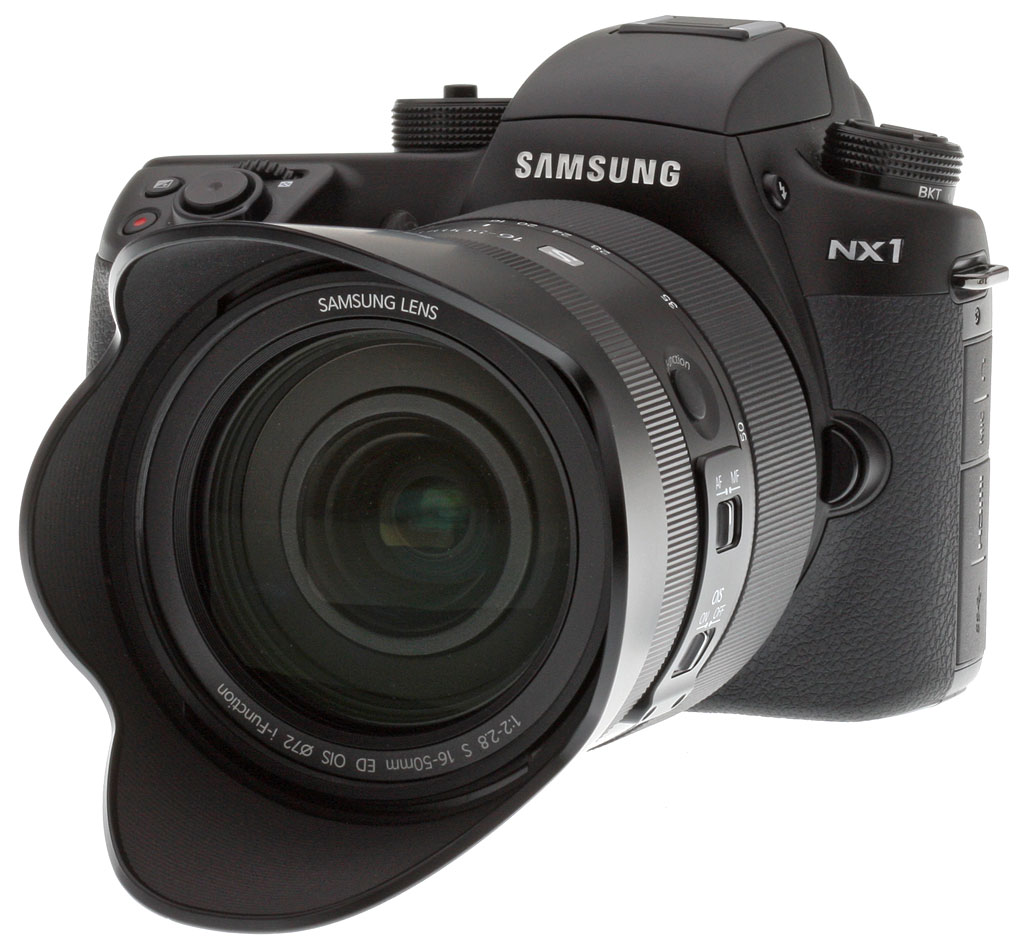
Samsung drops the gloves and fires a shot across the bow of more entrenched manufacturers like Canon, Nikon, Pentax and Sony with the introduction of the Samsung NX1, the company's first truly pro-level NX body.
Manufactured of thixotropic magnesium alloy, the NX1's body is tough, weather-sealed, and offers plenty of the controls and features pros expect, such as an LCD status display on the top panel, dual control dials for quick setting changes, and an optional battery grip, just to name a few.
Of course, being a mirrorless camera means it's not an SLR despite what looks like a pentaprism housing which actually contains a new XGA OLED electronic viewfinder with 100% coverage and 1.04x magnification (0.69x 35mm-equivelant). Also unlike most pro SLRs, the NX1 boasts a 3-inch Super AMOLED touchscreen monitor, using the same excellent display panel as its enthusiast-level sibling, the NX30, but with a more rugged tilting system in place of a more flexible but perhaps more delicate fully-articulated mechanism.

But the NX1's enhancements aren't just skin deep. Under the hood, you'll find a brand new backside-illuminated (BSI) 28.2-megapixel APS-C CMOS sensor with 205 embedded phase-detect AF sensors, coupled to a powerful new multi-core DRIMe V processor. And that pairing is capable of capturing full resolution stills at up to a whopping 15 frames-per-second with tracking autofocus, as well as recording 4K video. And the Samsung NX1 is not only equipped with built-in Wi-Fi and NFC, the faster IEEE 802.11ac standard is now supported, as well as "always-on" Bluetooth connectivity.
Available since November 2014, the Samsung NX1 ships in three configurations for the US market: body-only for about US$1,500, bundled with the Samsung 16-50mm f/3.5-5.6 Power Zoom ED OIS lens for US$1,700, or bundled with the Samsung 16-50mm f/2-2.8 "S" OIS lens, a battery grip, a second battery and a dedicated battery charger, all for about US$2,800.
Samsung also simultaneously announced the second optic in its "S" series of premium, dust and splash resistant lenses alongside the NX1: the Samsung 50-150mm f/2.8 "S" OIS, which retails for about US$1,600. The two "S" zooms roughly correspond to the very popular 24-70mm and 70-200mm f/2.8 full-frame zoom lenses much loved by pros and advanced amateurs alike.
Place your order with a trusted Imaging Resource affiliate now:
- Samsung NX1 body only: ADORAMA | AMAZON | B&H
- Samsung NX1 + 16-50 "S" OIS lens, grip, extra battery & charger: ADORAMA | AMAZON | B&H
- Samsung NX1 + 16-50 PZ OIS lens: ADORAMA | AMAZON | B&H
- Samsung 50-150 f/2.8 "S" OIS lens: ADORAMA | AMAZON | B&H
Has Samsung's new flagship NX mirrorless camera piqued your interest yet? Read on!
In the Box
The retail Samsung NX1 16-50mm f/2-2.8 kit contains the following items:
- Samsung NX1 body
- 16-50mm f/2-2.8 S ED OIS lens
- 2 x BP1410 rechargeable lithium-ion battery packs
- ED-BC4NX03 battery charger
- ED-VGNX01 vertical battery grip
- USB cable
- USB wall charger
- Body cap
- Hot shoe cover
- Lens cap
- Lens hood
- Strap
- Quick Start Guide
- Quick Reference Guide
- Software DVD (Includes Adobe Photoshop Lightroom 5)
- Warranty cards
Recommended Accessories
- Fast, large capacity SDHC/SDXC memory card. UHS Speed Class 3 (U3) recommended for recording best quality 4K movies.
- Medium DSLR/mirrorless bag
- Additional lenses
- External flash
Comparison shopping?
At the time of writing, the Samsung NX1 has no real peers as it's the first APS-C camera to offer in-camera 4K video recording, and is also the fastest camera in its class in terms of burst performance. Still, we're sure you would like to know how it compares to some other prosumer ILCs as well as to its less-expensive sibling. Clicking on any of the following links will take you to our new comparison pages where you can see features, pros and cons listed for virtually any pair of cameras you'd like to compare. Here are a few obvious choices to compare to the NX1:
Samsung NX1 vs Samsung NX30 |
Samsung NX1 vs Canon 7D Mark II |
Samsung NX1 vs Nikon D7200 |
Samsung NX1 vs Panasonic GH4 |
Samsung NX1 vs Sony A77 II |
Optics
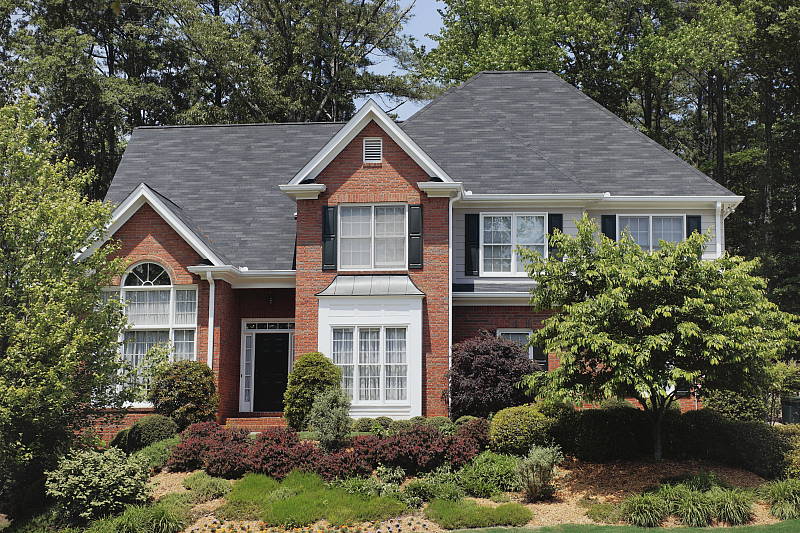
The Samsung NX1 is available body-only, or bundled with the 16-50mm f/2-2.8 S OIS lens. We've already tested this lens on SLRgear.com, so hop on over to our Samsung 16-50mm f/2/-2.8 review to see how it performs. Below, we have a few shots with the lens illustrating zoom range and far-field performance on the NX1; images shown on most other pages of these test results were taken with the very sharp Samsung 60mm f/2.8 Macro ED OIS SSA NX prime lens.
Kit Lens Zoom Range
16-50mm Zoom
Typical zoom range for a fast wide-to-normal zoom lens, with very good performance.


The Samsung NX1 is available bundled with the weather-resistant pro-quality Samsung 16-50mm f/2-2.8 S ED OIS NX lens, which has a 35mm equivalent focal range of about 24.6-77mm. Its ~3.1x zoom ratio is about average for a bundled lens, however it's much brighter than most.
The 16-50mm f/2-2.8 lens' far-field optical performance at f/8 appears to be well above average, with very good sharpness and contrast across most of the frame at all three focal lengths tested above.
Samsung NX1 Viewfinder
Viewfinder Test Results
Accuracy
Very good accuracy from the AMOLED monitor and EVF.


The Samsung NX1's AMOLED monitor and electronic viewfinder both proved to be very accurate, showing just over 100% coverage in our tests. Very good results here, though that's expected for a preview derived from the image sensor.
The images above were taken from our standardized test shots. For a collection of more pictorial photos, see our Samsung NX1 Photo Gallery .
Exposure
Note: Based on firmware version 1.3x images.
Color
Saturation & Hue Accuracy
Lower than average mean saturation levels with above average overall hue accuracy.
 |
||
| ISO Sensitivity | ||
| 100 | 200 | 400 |
| 800 | 1600 | 3200 |
| 6400 | 12800 | 25600 |
| 51200 | ||
| In the diagram above, the squares show the original color, and the circles show the color that the camera captured. More saturated colors are located toward the periphery of the graph. Hue changes as you travel around the center. Thus, hue-accurate, highly saturated colors appear as lines radiating from the center. Mouse over the links to see results across the ISO range, and click on the links for larger images. | ||


Saturation. The Samsung NX1 produces images with colors that are less saturated than most cameras at default settings. The NX1 pushes dark blues, reds, dark green and browns by small to moderate amount, while undersaturating yellow, light green, purples and darker cyans slightly. Default saturation is 104.4% (or 4.4% oversaturated) at base ISO, which is noticeably lower than the typical 110% mean saturation we normally see from modern cameras. Mean saturation generally falls fairly gradually as ISO rises, though it does bounce around a bit, reaching as low as 95.5% at extended ISO 51,200 (4.5% undersaturated), likely in an attempt to reduce chroma noise. You can of course tweak saturation or choose a different color mode than the defaults. Most consumer digital cameras produce color that's more highly saturated (more intense) than found in the original subjects. This is simply because most people like their color a bit brighter than life.
Skin tones. In simulated daylight using Manual white balance, the Samsung NX1 did a good job with Caucasian skin tones, producing healthy-looking pinkish flesh tones that weren't overdone, though darker skin tones had a slight orange push. With Auto and especially Daylight white balance, skin tones were too warm and yellow. Where oversaturation is most problematic is on Caucasian skin tones, as it's very easy for these "memory colors" to be seen as too bright, too pink, too yellow, etc.
Hue. The Samsung NX1 shifts cyan toward blue moderately, red toward orange and orange toward yellow a bit, but other shifts in color were very minor indeed. Mean "delta-C" color error at base ISO is 3.85 after correction for saturation, which is better than average, and remains better or close to average across the ISO range. Hue is "what color" the color is.


Sensor
Exposure and White Balance
Indoors, incandescent lighting
The Samsung NX1's Manual white balance setting worked well indoors, but other settings produced moderate to strong color casts. Average exposure compensation required.


Indoors, under normal incandescent lighting, color balance is too warm with the Auto setting, with a reddish cast, and the Incandescent setting resulted in a strong orange cast. Manual white balance produced very good results, though perhaps with a tiny bias toward green. The Samsung NX1 required +0.3 EV exposure compensation, which is the average amount required for this shot. (Our test lighting for this shot is a mixture of 60 and 100 watt household incandescent bulbs, a pretty yellow light source, but a very common one in typical home settings here in the U.S.)
Outdoors, daylight
Somewhat cool colors with slightly high contrast under harsh lighting. About average exposure accuracy.
The Samsung NX1 produced somewhat warm skintones with Auto and Daylight white balance settings, so we preferred Manual white balance in our "Sunlit" Portrait test above left. The NX1 required +0.7 EV exposure compensation to keep facial tones bright on the mannequin, which is average for this shot among cameras we've tested. Default contrast is a little high, though, so a few highlights in her shirt and flowers are blown, though there weren't many lost shadows. The NX1 did a good job with our Far-field shot, producing just a slightly dim exposure, though colors are somewhat cool. The Samsung NX1 preserved all but the brightest highlights here, though it did generate some very dark shadows. The dark shadows in the leaves for example are reasonably clean but become abruptly posterized at the lowest light levels. Still, that shouldn't be a problem unless you're trying to recover very underexposed shots.
See full set of test images with explanations
See thumbnails of all test and gallery images
Resolution
~3,050 lines of strong detail in JPEGs, about the same from ACR converted RAW files.


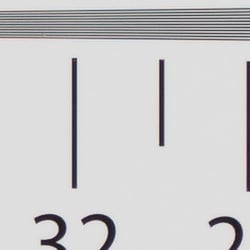
An in-camera JPEG of our laboratory resolution chart at the highest quality setting reveals sharp, distinct line patterns to about 3,050 lines per picture height in the horizontal direction, and to about 3,050 lines in the vertical direction, although there was some visible aliasing artifacts in the form of luminance moiré patterns at about 2,500 lines in both directions, and again at about 1,700 lines. False colors are well controlled, though, and complete extinction of the pattern doesn't occur before the limit of our chart (4,000 lines) in both directions. An Adobe Camera Raw conversion of the matching RAW file shows similar resolution limits, but with less luminance moiré and a lot more color moiré than in-camera JPEGs, as is often the case. Use these numbers to compare with other cameras of similar resolution, or use them to see just what higher resolution can mean in terms of potential detail.
See full set of test images with explanations
See thumbnails of all test and gallery images
Sharpness & Detail
Sharp and crisp images , with fairly minor edge-enhancement artifacts visible around high-contrast subjects. Fairly low levels of noise suppression generally leaves excellent detail at base ISO.


Sharpness. The Samsung NX1 captures sharp, crisp, detailed images with slightly less obvious edge enhancement artifacts than typical competitors. Yes, sharpening halos are still visible around high-contrast subjects such as the text and border in the crop above left, but they aren't quite as strong as earlier NX models and most competitors. Overall, excellent results here. Edge enhancement creates the illusion of sharpness by enhancing colors and tones right at the edge of a rapid transition in color or tone.
Detail. The crop above right shows relatively minor noise suppression in the darkest areas of the model's hair, as a lot of individual strands of hair are well defined except in very low contrast or dark areas. Overall, detail is pretty good for an APS-C sensor at base ISO especially one with 28 megapixels of resolution, and there are hardly any false colors in the hair, which can be a problem with AA-filterless cameras. Very good results here. Noise-suppression systems in digital cameras tend to flatten-out detail in areas of subtle contrast. The effects can often be seen in shots of human hair, where the individual strands are lost and an almost "watercolor" look appears.
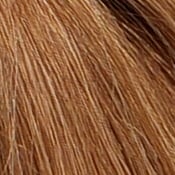
Aliasing Artifacts. There are what look to be aliasing artifacts and "jaggies" in areas of fine vertical detail and high local contrast, such as in the strands of hair on the model's forehead at lower ISOs (see ISO 100 crop at right). And you can also see a wavy moiré pattern in our red-leaf fabric below. We've seen similar artifacts in images from previous models with a weak or no optical low-pass filter. The aberrations are fairly subtle, but they're something to be aware of if you plan to make very large prints of similar subject matter.
RAW vs In-Camera JPEGs
As noted above, the Samsung NX1 produces sharp, very detailed in-camera JPEGs. Let's see how an Adobe Camera Raw conversion performs with the same image:
|
Base ISO (100)
|
|
 |
 |
 |
 |
 |
 |
|
Camera JPEG, defaults
|
RAW via Adobe Camera Raw
|
The Adobe Camera Raw 9.1 conversion on the right (which was sharpened in Photoshop using USM of 250% with a radius of 0.3) reveals better detail than the camera JPEG, particularly in our difficult red-leaf fabric swatch. Detail in mosaic crop also looks a bit more refined than the camera JPEG, which tends to look a little coarser. The ACR conversion also shows more noise at default settings, though noise levels are fairly low at base ISO for an APS-C sensor with this high resolution. Also notice the wavy moiré pattern in the red-leaf fabric, a result of the NX1's lack of an optical low-pass filter.
At low ISOs, the Samsung NX1 generally does a great job at capturing the excellent detail offered by its 28-megapixel sensor in its JPEGs, but like many cameras, it struggles with our red-leaf fabric, likely treating the fine thread pattern as noise and thus blurring much of it out (and turning down in-camera noise reduction doesn't help).
ISO & Noise Performance
Excellent detail vs noise tradeoff to ISO 1600, though default noise reduction gets a little heavy-handed at higher ISOs.
| Default High ISO Noise Reduction |
 |
 |
 |
| ISO 100 | ISO 200 | ISO 400 |
 |
 |
 |
| ISO 800 | ISO 1600 | ISO 3200 |
 |
 |
 |
| ISO 6400 | ISO 12,800 | ISO 25,600 |  |
| ISO 51,200 | ||
ISO 100 is very clean and extremely sharp and detailed, with just slight reductions in fine detail as sensitivity is increased to ISO 400. At ISO 800, noise reduction is a bit stronger which softens the image more noticeably, but fine detail is still very good. Image quality at ISO 1600 is almost as good, just slightly softer with more visible luminance noise, but we start to see more sharpening and noise reduction artifacts as the processor tries to maintain sharpness. At ISO 3200, a larger drop in fine or low-contrast detail occurs with stronger noise processing producing more obvious NR artifacts, while some blotchy chroma noise starts to become noticeable in darker area. ISO 6400 shows stronger smearing and chroma blotching as the processor struggles to keep noise in check, though there is some fine detail left. Image quality at ISO 12,800 and above falls off more rapidly, with a stippled, almost painted look and strong chroma blotching at 12,8,00 and 25,600. At ISO 51,200 the NX1 takes a different tack to noise reduction, producing a much grainier image with a strong peppered effect that is almost devoid of fine detail. (Note that 51,200 is expanded ISO.) There's also a noticeable drop in saturation at higher ISOs, as well as a prominent shift in color balance towards yellow/green.
Overall, the Samsung NX1 performs well up to ISO 1600 when viewing images at 100% like this, but falls behind some of its competitors at higher ISOs due to overzealous and somewhat clumsy noise reduction. The good news is that the NX1's RAW files appear to competitive with the best 24MP APS-C sensors in terms of high ISO performance, despite the higher resolution and smaller pixels.
As always, see the Print Quality section below for maximum recommended print sizes at each ISO, as printed results often don't correlate well to images viewed on a monitor at 100%.
A note about focus for this shot: We used to shoot this image at f/4, however depth of field became so shallow with larger, high-resolution sensors that it was difficult to keep important areas of this shot in focus, so we have since started shooting at f/8, the best compromise between depth of field and sharpness.
Extremes: Sunlit, dynamic range, and low light tests
Very high resolution with great detail. Good dynamic range, but somewhat high default contrast. Very good low-light performance.


Sunlight. The Samsung NX1 performed fairly well with the deliberately harsh lighting of this test. Overall, we preferred the +0.7 EV image, which is about the average amount of exposure compensation needed for this shot. The +1.0 EV shot has too many blown highlights, while the +0.3 EV is too dim in the face. As mentioned, default contrast is a little high (as it often is), and thus some highlights were blown in mannequin's shirt and flowers in the +0.7 EV shot. Some very deep shadows were lost as well, but shadow detail in general is pretty good with relatively low noise for a high-res APS-C sensor. Very good performance in this difficult lighting.
Because digital cameras are more like slide film than negative film (in that they tend to have a more limited tonal range), we test them in the harshest situations to see how they handle scenes with bright highlights and dark shadows, as well as what kind of sensitivity they have in low light. The shot above is designed to mimic the very harsh, contrasty effect of direct noonday sunlight, a very tough challenge for most digital cameras. (You can read details of this test here. In actual shooting conditions, be sure to use fill flash in situations like the one shown here; it's better to shoot in open shade whenever possible.)
Face Detection
Just like most point & shoot cameras these days, the Samsung NX1 has the ability to detect faces, and adjust exposure and focus accordingly.
| Face Detection | ||
 |
 |
 |
| Aperture Priority Face Detect: Off 0 EV |
Aperture Priority Face Detect: On 0 EV |
Auto Mode 0 EV |
Interestingly, face detection (above center) actually made the Aperture priority exposure a little dimmer by selecting 1/60s instead of 1/50s with it off. Full Auto mode (above right) is however much brighter, employing a larger aperture than we normally use for this shot (f/3.5 vs f/8), and a faster shutter speed (1/320s vs 1/50s). Contrast looks to be lower as well, however colors are a little too flat.
Dynamic Range Expansion settings
The Samsung NX1 now offers two dynamic range expansion options: Smart Range + and HDR. According to the NX1 user manual, Smart Range+ attempts to preserve highlights similar to other manufacturer's systems, while HDR mode captures two different exposures and merges them for greater tonal range than what is possible in a single exposure. The NX1 offers 3 HDR strength settings, but no control over the strength of Smart Range+.
|
Dynamic Range Expansion: Outdoor Portrait
|
|
 |
|
 |
|
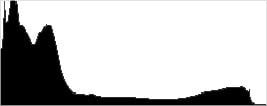
As you can see from the thumbnails and histograms, Smart Range+ worked reasonably well, boosting shadows and midtones without blowing any highlights (in fact, it slightly reduced highlights), though overall exposure is still too dim.
The HDR settings work differently by combining two exposures and as you can see from the images and histograms, both shadows and highlights are compressed towards the midtones. (HDR modes in general are not meant for portraits, though. We take them because lighting is better controlled in the lab versus our Far-field shots below.) Note that the HDR image is noticeably cropped as a result of the alignment process (even though these were taken on a sturdy tripod).
|
Dynamic Range Expansion: Far-field
|
|||
 |
|||
| Dynamic Range: |
|
||
| HDR High | |||
Here, you can see Smart Range+ and HDR at work with our Far-field shot. Smart Range+ boosted shadows and midtones while toning down highlights, though the results are a quite subtle.
The HDR modes also brought out a lot of shadow detail while brightening the overall exposure without blowing highlights, with the stronger settings only further reducing highlights slightly compared to the rest of the images. Interestingly, we don't see any ghosting from movement within the frame between the two exposures. When investigating this with prior NX models, we concluded Samsung's HDR mode actually does attempt to process movement out, similar to Sony's Anti Motion Blur technology. It's not always 100% successful though, so ghosting is still possible but is less likely or noticeable.
Dynamic Range Analysis (RAW mode)
While we once performed our own dynamic range measurements based on in-camera JPEGs as well as converted RAW images (when the camera was supported by Adobe Camera Raw), we've switched to using DxO Labs' results from their DxOMark website. As technology advanced, the dynamic range of modern high-end cameras in some cases exceeded the range of the Stouffer T4110 density scale that we used for our own measurements. DxO's approach based on RAW data before demosaicing is also more revealing, because it measures the fundamental dynamic range of the sensor, irrespective of whatever processing is applied to JPEGs, or to RAW data by off-the-shelf conversion software.
In the following, we use DxO's "Print" dynamic range results, which are scaled based on camera resolution. As the name suggests, this scaling corresponds to the situation in which you print at a given size, regardless of how many megapixels the camera might have. (In other words, if you've decided to make a 13x19 inch print, that's the size you're printing, whether the camera's resolution is 16 or 300 megapixels.) For the technically-minded, you can find a discussion of the reasoning behind this here on the DxOMark website. Also note that DxO Labs uses a signal-to-noise (SNR) threshold of 1 when defining the lower boundary of acceptable luminance noise in their dynamic range measurements, which corresponds to the "Low Quality" threshold of the Imatest software we used to use for this measurement.

Here, we decided to compare the Samsung NX1's dynamic range to the Canon 7D Mark II and the Nikon D7200, two flagship APS-C models from leading competitors. You can always compare other models on DxOMark.com.
As you can see from the above graph (click for a larger version), the Samsungs NX1's dynamic range at low ISOs is between the Nikon D7200 and the Canon 7D Mark II. The NX1's maximum dynamic range is about 13.2 EV at base ISO, compared to about 14.6 EV from the D7200 (which, by the way, is the APS-C leader in terms of dynamic range at time of writing), and about 11.8 EV from the 7D Mark II. The gap closes at moderate to high ISOs, though the D7200 still maintains a slight lead except at its highest ISO. Minimum dynamic range is about 5.7 EV at the ISO 51,200 setting, very similar to the 7D Mark II's result. (The D7200 tops out at ISO 25,600 for color images.)
Bottom line? With a maximum of 13.2 stops, the Samsung NX1 offers very good dynamic range (in fact, as of this writing it's the highest of any APS-C mirrorless camera tested), even though the outstanding dynamic range of the Nikon D7200 DSLR is significantly better.
Click here to visit the DxOMark page for the Samsung NX1 for more of their test results and additional comparisons.
| 1 fc 11 lux |
1/16 fc 0.67 lux |
1/16 fc Minimum NR |
|
|---|---|---|---|
| ISO 100 |
 2s, f2.8 |
 30s, f2.8 |
 30s, f2.8 |
| ISO 3200 |
 1/15s, f2.8 |
 1s, f2.8 |
 1s, f2.8 |
| ISO 51200 |
 1/250s, f2.8 |
 1/15s, f2.8 |
 1/15s, f2.8 |
Low Light. The Samsung NX1 performed fairly well in our low light tests. The NX1's slowest shutter speed of 30 seconds captured bright images at the lowest light level we test at (1/16 foot-candle) at ISO 100. Noise is of course low at ISO 100 and while visible at ISO 3200, it's fairly well-controlled. The maximum ISO of 51,200 however is very noisy and not recommended.
Auto white balance did a good job here, producing fairly neutral if slightly cool color balance at ISOs 100 and 3200, though ISO 51,200 shifted midtones and darker areas toward magenta.
We didn't notice any significant banding (fixed pattern noise), though there was a hint of it at the highest ISO, especially with noise reduction turned down. We did however spot a few hot pixels here and there, especially when long exposure noise reduction was disabled (rightmost column above).
The Samsung NX1's autofocus system was able to focus down to below the 1/16 foot-candle light level unassisted with an f/2.8 lens (albeit slowly), which is excellent for a mirrorless camera. And the NX1 was able to focus in complete darkness with its built-in focus assist lamp enabled.
How bright is this? The one foot-candle light level that this test begins at roughly corresponds to the brightness of typical city street-lighting at night. Cameras performing well at that level should be able to snap good-looking photos of street-lit scenes.
NOTE: This low light test is conducted with a stationary subject, and the camera mounted on a sturdy tripod. Most digital cameras will fail miserably when faced with a moving subject in dim lighting. (For example, a child's ballet recital or a holiday pageant in a gymnasium.) Thanks to their larger sensors, compact system cameras like the Samsung NX1 tend to do better than point & shoots, but you still shouldn't expect a quick autofocus lock with moving subjects. (A useful trick is to just prop the camera on a convenient surface, and use its self-timer to release the shutter. This avoids any jiggling from your finger pressing the shutter button, and can work quite well when you don't have a tripod handy.)
Output Quality
Print Quality
Fantastic prints up to 30 x 40 inches at base ISO through ISO 400; Very good 20 x 30 inch prints at ISO 1600; and acceptable 5 x 7 inches prints are possible all the way up to ISO 25,600.
 ISO 100/200/400 images make for excellent prints all the way up to 30 x 40 inches and larger; you're really only limited by the resolution of the sensor. At 30 x 40 inches, even at very close inspection, pixelation is practically nonexistent, and at normal viewing distances for these very large prints, details are nice and sharp, and colors are vibrant.
ISO 800 prints look great up to 24 x 36 inches. Images are very clean with hardly any visible luminance noise thanks to the noise reduction processing. There is some very minor softening of really fine details due to NR, however a 30 x 40 inch print would be suitable for wall display.
ISO 1600 images are not much different from ISO 800, however there's a bit more softening of very fine detail due to NR processing, so we're stopping at 20 x 30 inch prints here at ISO 1600. Overall, the detail is still very good, and the colors are pleasing.
ISO 3200 prints top out at 16 x 20 inches as shadow noise becomes slightly more evident and NR affects fine detail a little bit more. We'd be fine with 20 x 30 inch prints for less critical applications, though.
ISO 6400 images look nice up to 13 x 19 inches, as noise/NR processing effects further reduce fine detail resolution, however as with the earlier ISO, we'd be happy with bumping the print size up to 16 x 20 for less critical applications.
ISO 12,800 prints reach their limit at 8 x 10 inches. Noise, as well as noise reduction processing, is becoming more noticeable, and it's taking a toll on fine detail. Colors, as well, are beginning to appear a little on the dull side.
ISO 25,600 images max out at 5 x 7 inch prints. Detail loss due to noise and less pleasing colors really limit printing at larger sizes.
ISO 51,200 prints are too noisy with drab colors to consider acceptable at any size. However, 4 x 6 inch prints may be okay for less critical applications, though we'd recommend avoiding this ISO level for prints.
The high-powered, high-resolution Samsung NX1 brings a lot to table in terms of print quality performance. With its high-resolution 28.2MP APS-C image sensor, this camera's files can create some really large prints, especially at low to mid ISO sensitivities. Up to ISO 400, prints look fantastic all the way up to a massive 30 x 40 inches. You can print larger sizes too, as you're really only limited by how much you're willing to push the boundaries of the sensor's resolution. Fine detail is excellent as are the colors at these lower ISOs. At the mid-range ISOs, the NX1 still manages to produce some very good, large prints. At ISO 1600, the NX1 yields a nice 20 x 30 inch print, while ISO 3200 manages a solid 16 x 20. At the top end of the high ISO scale, the NX1 can still make acceptable prints, though we consider ISO 25,600 to be the maximum for usable prints at 5 x 7 inches. At ISO 51,200, images are too noisy and soft for acceptable prints. One point also worth mentioning is that in our initial print assessment using a then-current firmware, we found a subtle, yet noticeable greenish tint to shadow color in mid to higher ISO prints. However, with the latest firmware (v1.32 as of this publishing date), the color cast in the shadows has been corrected and now appears more natural.
The images above were taken from our standardized test shots. For a collection of more pictorial photos, see our Samsung NX1 Photo Gallery .
Not sure which camera to buy? Let your eyes be the ultimate judge! Visit our Comparometer(tm) to compare images from the Samsung NX1 with those from other cameras you may be considering. The proof is in the pictures, so let your own eyes decide which you like best!
Performance
Note: Re-tested with firmware version 1.32.
Timing and Performance
Good to outstanding performance.
| Startup/Play to Record | ||
|---|---|---|
| Power on |
~0.7 second
|
Time it takes to turn on and capture a shot. |
|
Play to Record, |
~0.7 second
|
Time until first shot is captured. |
Startup to taking a the first shot was fast for a mirrorless camera, at about 0.7 second. Switching from Play to Record mode and taking a shot also took about 0.7 second.
| Shutter Response (Lag Time) | ||
|---|---|---|
|
Full Autofocus, |
0.203 second |
Time from fully pressing shutter button to image capture, with the lens already at the proper focal distance setting. (All timing performed with Samsung 60mm f/2.8 Macro OIS SSA lens.) |
|
Full Autofocus, |
0.202 second
|
Time from fully pressing shutter button to image capture, with the lens already at the proper focal distance setting. (Electronic first curtain shutter enabled.) |
|
Full Autofocus, |
0.288 second
|
Time from fully pressing shutter button to image capture, with the lens already at the proper focal distance setting. Built-in flash enabled. |
|
Manual Focus |
0.079 second |
For most cameras, shutter lag is less in manual focus than autofocus, but usually not as fast as when the camera is "prefocused". |
|
Prefocused |
0.055 second
|
Time to capture, after half-pressing and holding shutter button. |
The Samsung NX1 produced full-autofocus shutter lag (with the subject at a fixed distance) of 0.203 second with a 60mm f/2.8 prime lens. This is very good performance for a mirrorless camera, though we have seen faster from prosumer models. Enabling the electronic first curtain shutter (it's disabled by default) yielded almost no improvement, producing a full AF shutter lag of 0.202 second. Enabling the flash increased shutter lag to 0.288 second to account for the preflash metering, though that's still quite fast.
We did however discover that autofocus speeds tested noticeably slower with the optional 16-50mm f/2-2.8 S OIS "kit" lens. With it, we measured full AF lag of 0.346 second for Single-area AF mode and 0.321 second with EFCS enabled, about 60-70% slower than with the prime lens.
When manually focused, the Samsung NX1's lag time dropped to 0.079 second, which is quite fast. The NX1's prefocused shutter lag time was 0.055 second, also quite fast.
To minimize the effect of different lens' focusing speed, we test AF-active shutter lag with the lens already set to the correct focal distance.
| Single-shot, Burst Mode and Flash Recycling | ||
|---|---|---|
|
Single Shot mode |
0.41 second
|
Average time per shot. |
|
Single Shot mode |
0.42 second
|
Average time per shot. |
|
Early shutter |
No
|
Some cameras don't snap another shot if you release and press the shutter too quickly in Single Shot mode, making "No" the preferred answer. |
| Continuous Hi Mode |
0.07 second (15.15 fps); 53 frames total; 14 seconds to clear* |
Time per shot, averaged over buffer length of 53 shots, then slows to an average of 0.23s or 4.37 fps when buffer is full. |
| Continuous Hi Mode |
0.07 second (15.11 fps); 22 frames total; 13 seconds to clear* |
Time per shot, averaged over buffer length of 23 frames, then slows to an average of 0.53s or 1.88 fps when buffer is full. |
| Continuous Hi Mode |
0.07 second (15.20 fps); 20 frames total; 19 seconds to clear* |
Time per shot, averaged over buffer length of 20 frames, then slows to an average of 0.98s or 1.02 fps when buffer is full. |
|
Flash Recycling |
3.7 seconds
|
Flash at maximum output. |
|
*Note: Buffer clearing times measured with a SanDisk Extreme Pro 280MB/sec UHS-II SDHC card. Slower cards will produce correspondingly slower clearing times. Slow cards may also limit length of bursts in continuous mode. ISO sensitivity and noise reduction settings can also affect cycle times and burst mode performance. |
||
Single-shot cycle times were very good, at just over 0.4 second for best quality JPEGs or RAW+ LSF JPEG files. (Note that we no longer test single-shot RAW mode only, as cycle time is usually somewhere between JPEG and RAW+JPEG cycle times.)
Continuous Hi mode set at 15 fps yielded class-leading performance, at just over 15 frames-per-second no matter the file type, slightly exceeding Samsung's specification.
Buffer depths were excellent at 53 Large Superfine JPEGs before the camera slowed, and good when RAW files were captured, at 22 RAW or 20 RAW + LSF JPEG frames. Note that our target for this test is designed to be difficult to compress, so burst lengths may be longer with typical subjects.
Buffer clearing times were decent considering the resolution and buffer depth, ranging from 14 seconds after a max-length burst of best quality JPEGs to 19 seconds after a burst of RAW+JPEG files. That's with a very fast 280MB/s UHS-II card.
We also tested the NX1 with a 95MB/s UHS-I card and buffer depths were only reduced by 2 or 3 frames. Buffer clearing times were also similar with the UHS-I card, so it appears the NX1 doesn't take full advantage of very fast USH-II cards, something to be aware of if you're considering spending the extra money for one. Either way, this is a big improvement over prior Samsung NX models which tended to be quite slow at buffer clearing.
Flash recycle was fair, taking an average of 3.7 seconds after a full power discharge.
Bottom line, the Samsung NX1's performance is excellent overall with reasonably fast startup and autofocus, incredibly fast burst speeds, good to excellent buffer depths and decent buffer clearing times.
Battery
Battery Life
Very good battery life for a mirrorless camera.
| Operating Mode | Battery Life |
|---|---|
| Still
Capture, (CIPA standard) |
500 shots |
The Samsung NX1 uses a custom rechargeable lithium-ion battery pack for power, and comes with a single battery and an AC adapter for in-camera charging via USB (when purchased body-only). When purchased with the 16-50mm f/2-2.8 S lens, a dedicated battery charger is included, as is a second battery and a battery grip.
Samsung rates the NX1's battery life at 500 shots per charge using CIPA standards, but doesn't state whether that's with the OLED monitor or EVF. While that's very good battery life for a mirrorless camera, it's much lower than most prosumer DSLRs, and we recommend having at least two batteries on-hand and fully charged during extended outings.
The table above shows the number of shots the camera is capable of (on a fully-charged rechargeable battery), based on CIPA battery-life and/or manufacturer standard test conditions.
(Interested readers can find an English translation of the CIPA DC-002 standards document here. (180K PDF document))
Image Quality
Below are crops from our laboratory Still Life target comparing the Samsung NX1's image quality to its predecessor, the NX30 as well as against several competing APS-C models at similar price points or in similar categories: the Canon 7D Mark II, Nikon D7200, Pentax K-3 II and Sony A77 II.
NOTE: These images are from best quality JPEGs straight out of the camera, at default settings including noise reduction and using the camera's actual base ISO (not extended ISO settings). All cameras in this comparison were shot with our very sharp reference lenses. Clicking any crop will take you to a carrier page where you can click once again to access the full resolution image as delivered straight from the camera. For those interested in working with the RAW files involved: click these links to visit each camera's respective sample image thumbnail page: Samsung NX1, Samsung NX30, Canon 7D II, Nikon D7200, Pentax K-3 II and Sony A77 II -- links to the RAW files appear beneath those for the JPEG images, wherever we have them. And remember, you can always go to our world-renowned Comparometer to compare the Samsung NX1 to any camera we've ever tested!
Samsung NX1 vs Samsung NX30 at Base ISO
 |  |
 |  |
 |  |
Samsung NX1 at ISO 100 | Samsung NX30 at ISO 100 |
The NX1 ups the resolution from 20 megapixels in the NX30 to 28 megapixels. The fine detail from the NX1 is more noticeable here at base ISO, especially in the fabric swatches, but both cameras resolve excellent fine detail at this ISO. | |
Samsung NX1 vs Canon 7D Mark II at Base ISO
|  |
|  |
|  |
Samsung NX1 at ISO 100 | Canon 7D Mark II at ISO 100 |
The higher-resolution 28MP sensor and lack of an optical low-pass filter on the NX1 really tips things in Samsung's favor here compared to the Canon 7D Mark II. While the 7D Mark II is not bad by any means, the NX1 manages to capture more fine detail. | |
Samsung NX1 vs Nikon D7200 at Base ISO
|  |
|  |
|  |
Samsung NX1 at ISO 100 | Nikon D7200 at ISO 100 |
With about 4 more megapixels of resolution as well as more aggressive default sharpening, the NX1 displays a bit more fine detail here at base ISO than does the D7200. | |
Samsung NX1 vs Pentax K-3 II at Base ISO
|  |
|  |
|  |
Samsung NX1 at ISO 100 | Pentax K-3 II at ISO 100 |
Both cameras here do very well at resolving fine, crisp detail, and again we have a slight difference in resolution. The Pentax seems to handle the low-contrast detail in the red fabric a bit better than the Samsung, but not so much with the pink fabric. | |
Samsung NX1 vs Sony A77 II at Base ISO
|  |
|  |
|  |
Samsung NX1 at ISO 100 | Sony A77 II at ISO 100 |
Again, lots of fine detail out of both cameras in all three crops here at base ISO, especially with the mosaic and fabric crops. | |
Samsung NX1 vs Samsung NX30 at ISO 1600
 |  |
 |  |
 |  |
Samsung NX1 at ISO 1600 | Samsung NX30 at ISO 1600 |
Bumping up the ISO here a bit, the NX1 displays a lot of detail in most areas, but also shows a bit more graininess in terms of noise, while the NX30's default NR processing is a bit heavier. The NX30 shows a bit more natural detail in mosaic than the NX1 and also handles the red fabric slightly better than the NX1, though the NX1 does better with the pink fabric. | |
Samsung NX1 vs Canon 7D Mark II at ISO 1600
|  |
|  |
|  |
Samsung NX1 at ISO 1600 | Canon 7D Mark II at ISO 1600 |
Apart from the resolution difference, the NX1 and 7D Mark II appear quite evenly matched at ISO 1600. Noise is well-controlled from both cameras, and both show lots of fine detail. The default NR processing from the NX1 seems a bit stronger compared to the 7D Mark II, as the mosaic crop detail looks a bit more distorted on the NX1 crop. | |
Samsung NX1 vs Nikon D7200 at ISO 1600
|  |
|  |
|  |
Samsung NX1 at ISO 1600 | Nikon D7200 at ISO 1600 |
The shadow noise characteristics from the Nikon appear cleaner and have a slightly finer-grained appearance. Both cameras resolve lots of detail, but as we saw with the Canon comparison previously, the lighter touch to NR processing from the D7200 keeps fine detail in the mosaic crop cleaner and more natural. The D7200, however, does struggle a bit more with the fabrics at this ISO compared to the NX1. | |
Samsung NX1 vs Pentax K-3 II at ISO 1600
|  |
|  |
|  |
Samsung NX1 at ISO 1600 | Pentax K-3 II at ISO 1600 |
Detail in the mosaic crop looks quite nice from the K-3 II, but the camera displays more noise in the bottle crop and really struggles to resolve detail in the red fabric compared to the NX1. | |
Samsung NX1 vs Sony A77 II at ISO 1600
|  |
|  |
|  |
Samsung NX1 at ISO 1600 | Sony A77 II at ISO 1600 |
At ISO 1600, the A77 II crops are looking quite a bit softer than the NX1's, especially with the default level of in-camera NR processing. The bottle and mosaic crops' finer details look much less crisp from the Sony. While both cameras struggle with the red fabric, the NX1 manages to pull more detail from the tricky pink fabric swatch. | |
Samsung NX1 vs Samsung NX30 at ISO 3200
 |  |
 |  |
 |  |
Samsung NX1 at ISO 3200 | Samsung NX30 at ISO 3200 |
The difference between NR processing is much more apparent now at ISO 3200. The NX30's NR does well to remove noise, but leaves behind visible artifacts, especially in the shadow areas. The NX1, conversely, displays a bit more noise, but resolves more fine detail. Both cameras, however, struggle with the fabric swatches. | |
Samsung NX1 vs Canon 7D Mark II at ISO 3200
|  |
|  |
|  |
Samsung NX1 at ISO 3200 | Canon 7D Mark II at ISO 3200 |
At ISO 3200, shadow noise looks quite similar between these two cameras, though the NX1 manages to pull out more detail in the mosaic crop, while the 7D Mark II handles the red fabric just a bit better (though both struggle to resolve any discernible leaf pattern). | |
Samsung NX1 vs Nikon D7200 at ISO 3200
|  |
|  |
|  |
Samsung NX1 at ISO 3200 | Nikon D7200 at ISO 3200 |
Like the 7D Mark II comparison, we have similar levels of noise, with a nice, finely-grained appearance. Both cameras resolve a lot of fine detail, and troublesome areas like the fabric swatches prove challenging for both cameras. | |
Samsung NX1 vs Pentax K-3 II at ISO 3200
|  |
|  |
|  |
Samsung NX1 at ISO 3200 | Pentax K-3 II at ISO 3200 |
Noise from the Pentax is more visible than in the NX1's crops. Both, however, display a lot of fine detail in the mosaic crop, though the NX1 looks sharper here than in the K-3 II's crops. The biggest difference is, again, with the fabric crops, with which the Pentax really struggles. | |
Samsung NX1 vs Sony A77 II at ISO 3200
|  |
|  |
|  |
Samsung NX1 at ISO 3200 | Sony A77 II at ISO 3200 |
The NX1 appears to be the winner here across the board. The A77 II's NR processing is even more apparent now at this higher ISO. Fine details are much softer from the Sony camera, which is particularly evident in the bottle and mosaic crops compared to the NX1's. The fabric swatches are more or less similar, with both struggling with the lower contrast patterns, though the A77 II's NR processing leaves more visible artifacts here. | |
Samsung NX1 vs. Samsung NX30, Canon 7D Mark II, Nikon D7200, Pentax K-3 II, Sony A77 II
 |  |  |  |  |  |
 |  |  |  |  |  |
 |  |  |  |  |  |
| Samsung NX1 ISO 100 ISO 3200 ISO 6400 | Samsung NX30 ISO 100 ISO 3200 ISO 6400 | Canon 7D Mark II ISO 100 ISO 3200 ISO 6400 | Nikon D7200 ISO 100 ISO 3200 ISO 6400 | Pentax K-3 II ISO 100 ISO 3200 ISO 6400 | Sony A77 II ISO 100 ISO 3200 ISO 6400 |
| Detail comparison. On high-contrast areas, all cameras do very well at resolving crisp, sharp details at base ISO. The NX1 really holds up well as the ISO rises, with noise not impacting image quality in these areas much at all. Against its peers, the NX1 is near the top of the pack; practically head-to-head with the D7200, with sharp, crisp detail and good contrast, while the others display varying degrees of softness, noise and/or a drop in contrast. | |||||
Overview: Fantastic prints up to 30 x 40 inches at base ISO through ISO 400; Very good 20 x 30 inch prints at ISO 1600; and acceptable 5 x 7 inches prints are possible all the way up to ISO 25,600.
ISO 100/200/400 images make for excellent prints all the way up to 30 x 40 inches and larger; you're really only limited by the resolution of the sensor. At 30 x 40 inches, even at very close inspection, pixelation is practically nonexistent, but at normal viewing distances for these very large prints, details are nice and sharp, and colors are vibrant.
ISO 800 prints look great up to 24 x 36 inches. Images are very clean with hardly any visible luminance noise thanks to the noise reduction processing. There is some very minor softening of really fine details due to NR, however a 30 x 40 inch print would be suitable for wall display.
ISO 1600 images are not much different from ISO 800, however there's a bit more softening of very fine detail due to NR processing, so we're stopping at 20 x 30 inch prints here at ISO 1600. Overall, the detail is still very good, and the colors are pleasing.
ISO 3200 prints top out at 16 x 20 inches as shadow noise becomes slightly more evident and NR affects fine detail a little bit more. We'd be fine with 20 x 30 inch prints for less critical applications, though.
ISO 6400 images look nice up to 13 x 19 inches, as noise/NR processing effects further reduce fine detail resolution, however as with the earlier ISO, we'd be happy with bumping the print size up to 16 x 20 for less critical applications.
ISO 12,800 prints reach their limit at 8 x 10 inches. Noise, as well as noise reduction processing, is becoming more noticeable, and it's taking a toll on fine detail. Colors, as well, are beginning to appear a little on the dull side.
ISO 25,600 images max out at 5 x 7 inch prints. Detail loss due to noise and less pleasing colors really limit printing at larger sizes.
ISO 51,200 prints are too noisy with drab colors to consider acceptable at any size. However, 4 x 6 inch prints may be okay for less critical applications, though we'd recommend avoiding this ISO level for prints.
The high-powered, high-resolution Samsung NX1 brings a lot to table in terms of print quality performance. With its high-resolution 28.2MP APS-C image sensor, this camera's files can create some really large prints, especially at low to mid ISO sensitivities. Up to ISO 400, prints look fantastic all the way up to a massive 30 x 40 inches. You can print larger sizes too, as you're really only limited by how much you're willing to push the boundaries of the sensor's resolution. Fine detail is excellent as are the colors at these lower ISOs. At the mid-range ISOs, the NX1 still manages to produce some very good, large prints. At ISO 1600, the NX1 yields a nice 20 x 30 inch print, while ISO 3200 manages a solid 16 x 20. At the top end of the high ISO scale, the NX1 can still make acceptable prints, though we consider ISO 25,600 to be the maximum for usable prints at 5 x 7 inches. At ISO 51,200, images are too noisy and soft for acceptable prints. One point also worth mentioning is that in our initial print assessment using a then-current firmware, we found a subtle, yet noticeable greenish tint to shadow color in mid to higher ISO prints. However, with the latest firmware (v1.32 as of this publishing date), the color cast in the shadows has been corrected and now appears more natural.
Field Test
Field Test Part II
Initial Impressions
 |
50-150mm f/2.8 S OIS lens: 150mm, f/3.2, 1/800s, ISO 3200, manual exposure |
| [Default ACR conversion • Edited version] |
[Writer's note: I shot exclusively in RAW format and created edited JPEG versions. We've also provided default conversions using Adobe Camera Raw for each image, and the RAW files are available for download in the gallery as well.]
Introduction
When Samsung first announced the NX1, I knew I wanted to get my hands on it. As a DSLR shooter who has been patiently watching the mirrorless game to see which company could pull me in, it seemed likely that if anyone was going to do it, it'd be Samsung. With a familiar form factor, an impressive spec sheet and overall appeal, I was smitten, and anxious to get my hands on it. After arriving here at Imaging Resource, that opportunity arose, and led to this first installment of a shooter's report.
Although I've shot a myriad of subject matter in my photography career, this shooter's report will be written through the eyes of a sports photographer, as Samsung's NX1, both in looks and specs, is an action photographer's camera. To properly put the NX1 through its paces, I spent a handful of days shooting it in two very different sporting environments: a hockey game and an indoor men's collegiate volleyball match.
Below are my thoughts on the camera, its capabilities and my overall experience shooting with it. This is just a brief initial hands-on, and we'll be bringing you more in-depth performance analysis in a follow-up report.

Design & Construction
In pictures, the Samsung NX1 looks like most any DSLR. It shows the signature bulge where the viewfinder and flash are typically located, it features a prominent, right-handed grip as is the norm and its overall control/button scheme is familiar to anyone who has shot a DSLR. Where it differentiates itself as a mirrorless amongst DSLRs is size. Comparing it to my full-frame Canon 5D Mark III, the Samsung is dramatically smaller (and lighter), despite looking similar in almost every regard.
This seemingly minor aspect of the camera has proven to be one of my favorites, as when compared to my 5D Mark III with a 70-200mm f/2.8 attached, the Samsung and its 50-150mm f/2.8 is beyond a breeze to carry around all day at a sporting event. So much so that I actually had to double-check my BlackRapid Double Strap multiple times to ensure it was still by my side.
Despite its small size, Samsung doesn't appear to have shrunken any of the conveniences DSLRs offer, such as plenty of physical controls and a top panel LCD. In fact, they managed to squeeze in even more, keeping only what's needed without any cruft.
Buttons, Dials and the OLED Touchscreen
Specifically, the buttons on the NX1 stand out to me amongst the options and capabilities other camera manufacturers offer at this price point. On top of the camera, you have two main dials. On the left-hand side, the dial serves a dual purpose, clicking into place to control the drive modes (single-shot, continuous normal, continuous high, self-timer and bracketing) and offering four buttons on the top to easily change AF, ISO, metering and WB settings.
The right-hand dial serves but one purpose -- to control what shooting mode you're in. As is familiar amongst prosumer cameras, it offers program, aperture priority, shutter priority, manual, two custom modes, Smart mode and full auto. In Smart mode -- which is Samsung's name for scene mode -- you can select from ten options including Panorama, Multiple Exposure and Samsung Auto Shot.
One aspect of these dials that can't go without mentioning is the manner in which they both 'snap' into place. It's a seemingly small aspect, but when you're changing settings without looking at the camera and you have your camera swinging around your shoulder while running from end-to-end of a sporting event, you want to know you're getting things right and that they'll stay that way.

Both dials feature a milled outer edge that gives a solid grip and nice tactile feel when snapping through their respective settings. On the right-hand dial, there's a dedicated button in the center to properly lock the dial into place, to make sure you're not bumping the camera from manual to auto when it's by your side. The only complaint I have there is that it can be difficult to tell when the button is locked or upright, as it's a small difference.
On the back of the camera, Samsung provides a fairly standard set of buttons -- eight to be exact (twelve if you count the four directional buttons on the rotating wheel). By default, the wheel does nothing in capture mode, however it can be programmed to adjust shutter speed, aperture, ISO, AF size, EV or mic level.
As has become standard for many prosumer cameras on the market, the NX1 also features two one-axis command dials located where your pointer finger and thumb rest, which are used to control adjustments such as shutter speed, aperture, ISO, exposure compensation and program shift depending on the current exposure mode and the customization options you've selected. You can even change the directions of the dials to match the system you're used to. Unlike the larger dials on the top, these two dials don't offer the same satisfying 'snap', which often led to me over-adjust when trying to make changes. This, of course, would likely change with extended use.
The NX1 provides an AF ON button as found on many pro cameras, but the behavior when using it is a little quirky here, especially if you want true back-button focusing. While the AF ON button can be set to initiate AF, AF lock as well as metering + AF start or AF lock, you can't program the shutter button to disable its AF start behavior when half-pressing. If you press the AF ON button to focus on a subject, let go of the rear button, and then recompose and press the shutter button halfway, the camera will re-focus again. However, if you press and hold the AF ON button down, the shutter button will not re-focus. It's a little tricky to get used to, and something, I think, Samsung could easily fix in a future firmware update.

Of course, I can't mention all of the buttons without talking about the most important one, the shutter release. The shutter button on the NX1 is quite prominent, especially compared with its larger, DSLR counterparts. This is partly due to the shutter release being surrounded by the on/off switch, but I feel it is also done to make it easy to locate when you're quickly grabbing your camera to take a shot. The button itself is quite springy compared to other cameras I've shot and features a decent 'trigger point' where you go from activating autofocus to actually triggering the shutter.
I'd be remiss to make note of all of the physical buttons without pointing out the OLED touchscreen. Bringing over Samsung's know-how from their smartphone lineup, the NX1's touchscreen is one of the best I've used. It's responsive and bright, and its tilting capabilities make it simple to use at almost any angle. As with all articulating screens, its ruggedness concerns me a little, as the hinge that holds it to the main camera body seems fragile and looks like it could be easily bent if bumped while opened.
Camera Body
As someone with a background in design, there's little I appreciate more than a well-designed piece of gear that looks and feels like it's built to last. Considering they're aiming for the more 'pro-level' market, Samsung opted for a magnesium, unibody design -- something both Canon and Nikon offer in their higher-end cameras.
This, along with intelligent placement of internal components gives the NX1 a very solid feeling in the hands, despite being much smaller than the DSLRs I'm used to shooting. The weight distribution from left-to-right is impressive and even with the longer, 50-150mm f/2.8 attached, the NX1 doesn't feel overly heavy in the front, as I was expecting to be the case.

What really caught me off guard with the NX1 was the ergonomics of the camera. As someone with larger hands, who is familiar with much larger cameras, I was expecting the NX1 to feel awkward in my hands and difficult to grip. But to my surprise, Samsung really pulled through. The grip seems almost sculpted for your fingers in the front and on the back, and Samsung cleverly designed the thumb-rest with a bulge to give you more stability when holding the camera.
Unfortunately I didn't get to try out the NX1 with its available battery grip, which likely would've further improved the gripping situation for my larger hands.
 |
50-150mm f/2.8 S OIS lens: 89mm, f/2.8, 1/800s, ISO 6400, manual exposure |
| [Default ACR conversion • Edited version] |
Autofocus & Speed
With the design of the camera covered, now comes the part I was most anxious to try out -- the actual performance, especially when put under pressure in a real-life sports environment.
Autofocus Performance
As previously mentioned, I took the NX1, the 16-50mm f/2-2.8 OIS and the 50-150mm f/2.8 OIS to both a minor league hockey game and indoor collegiate men's volleyball match. The logic behind shooting these two sports in their respective venues is that they offered up a diverse range of lighting and performance variations, letting me truly put the camera to the test.
From the get-go, I knew hockey would be the easier shoot. Not only is the lighting far better at the venue the hockey game was played at, but you also have the ice acting as a fill light, better lighting the players' faces and giving the autofocus a bit more to latch onto.
 |
Even with the players hustling up and down the ice, the NX1 had little struggle keeping up with their quick cuts and speedy sprints. 50-150mm f/2.8 S OIS lens: 150mm, f/3.2, 1/800s, ISO 3200, manual exposure |
| [Default ACR conversion • Edited version] |
As suspected, the autofocus performed quite well throughout the hockey game. (I shot with firmware version 1.20, and I used multi-point AF with Continuous High burst rate for the most part, though I popped down to Continuous Low burst rate briefly.) While shooting side-to-side from the stands and above the plexiglas, the autofocus nailed every shot I could throw its way. The true challenge though came when shooting at ice-level, from behind the glass (this particular venue doesn't have media holes for photographers). With a quarter-inch piece of plexiglas separating you from the ice and players flying in all directions, both towards and away from you, I wasn't sure how the autofocus would hold up.
Turns out, it held up quite well. Even with players criss-crossing each other, the autofocus stayed on target through the plexiglas and kept the players in focus. Where it seemed to struggle was when players came flying down the ice towards me. As is the case with a handful of other cameras I've shot with, the autofocus seemed to struggle with the subject quickly moving towards it. If I were to fire off a string of 15 shots, the first two or three would be in focus, while the middle ones slowly started fading out.
It's worth noting that the plexiglas plays a major role in this, as even my 5D Mark III and 70-200mm f/2.8 IS struggles with this at times. That being said, it was definitely noticeable that the NX1 struggled a great deal more than its larger, DSLR counterpart.
 |
This was shot through the plexiglas with the player coming towards me. Surprisingly, the NX1 didn't struggle much with this shot, which could partly be due to the fact I was in the slower normal continuous mode. 50-150mm f/2.8 S OIS lens: 150mm, f/2.8, 1/800s, ISO 3200, manual exposure |
| [Default ACR conversion • Edited version] |
Specifically, the NX1 seemed to struggle when it was at its full 15fps framerate. When turned down to its slower settings (accessible via the touchscreen menu), the NX1 felt as though it had more time to 'think' between each shot and adjust for the subject flying towards it at 15-20mph. This might not come as a surprise, as the 15fps burst gives little time for the camera to adjust, but it's definitely something that was noticeable as I adjusted the camera's fps setting.
Onto volleyball. Having previously shot in the venue where the volleyball match was being played, I knew this would truly test the NX1's low-light focusing capabilities. And my goodness, was I right!
For the sake of full disclosure, it's difficult to shoot anything in this environment. My 5D Mark III consistently struggles, even with the lights turned all the way up, so I knew the NX1 would probably break under the pressure (even though the NX1's AF is rated down to -4 EV versus the 5D Mark III's -2 EV rating). I just wanted to see how often it succumbed to the low-light and how fast or slow it was at recovering.
 |
This was the first serve of the game and, much to my surprise, the NX1 came out of the gate firing on all cylinders, with roughly 6 of the 10 shots I fired off being in focus. It's worth noting though, that EVF lag made it difficult to track the subject throughout the burst, while he was in the air. 50-150mm f/2.8 S OIS lens: 150mm, f/2.8, 1/500s, ISO 6400, manual exposure |
| [Default ACR conversion • Edited version] |
Volleyball is without a doubt one of the most difficult sports to shoot. Not only do you never truly have a good angle on the subject, but trying to guess where the ball will end up next is near impossible, even with a serve. This in mind, I was quite impressed with how well the NX1 kept up despite the unforgiving lighting and difficult subject matter.
 |
At full-size, you'll notice in this image the slight hesitation the NX1 shows when making minor autofocus adjustments – the player's foot and torso are in focus, while his heads and hands are slightly blurred. 50-150mm f/2.8 S OIS lens: 85mm, f/2.8, 1/640s, ISO 6400, manual exposure |
| [Default ACR conversion • Edited version] |
When quickly switching from one player to the next, I noticed a slight bit of lag when trying to confirm autofocus, but once it hit, it nailed it. That is, until the subject moved again. Even if only slightly, if the subject moved a foot closer or further away from me, the NX1 struggled to compensate in a time-appropriate manner. There were a handful of cases where small adjustments to return a serve were lost due to autofocus still focusing on a torso while a player's upper body was coming towards the camera.
To boil this phenomenon down, the autofocus seemed to perform well when moving the camera and focusing on new objects. However, when you're focused on one object and it starts moving around within the frame, the autofocus really struggles to keep up with it under low-light conditions. Yet again, stay tuned for more thorough overall AF testing still to come.
EVF Speed
Now to the speed of the NX1's electronic viewfinder.
For me as a sports shooter, one of the biggest concerns with switching to mirrorless was having to forgo the optical viewfinder. As impressive as electronic viewfinders have become, there's no denying that they can't keep up with an optical viewfinder in terms of consistently letting you see the action through the lens.
 |
Who doesn't love a little fisticuffs during a hockey game? This is one of the times when something more than a 50-150mm lens would've really come in handy. Unfortunately, Samsung doesn't offer anything longer in their current S-series "pro" lens line-up. 50-150mm f/2.8 S OIS lens: 150mm, f/2.8, 1/800s, ISO 3200, manual exposure |
| [Default ACR conversion • Edited version] |
Much to my surprise, the NX1 performed extremely well. Not only was the electronic viewfinder extremely clear, but it also managed to keep up with the live action very well, even in the low-light of the volleyball match. Where I noticed its weakness was after taking a burst of images.
 |
50-150mm f/2.8 S OIS lens: 100mm, f/2.8, 1/500s, ISO 6400, manual exposure |
| [Default ACR conversion • Edited version] |
When firing off a series of 15 shots, the electronic viewfinder lags briefly before returning to a live view of the scene. Even with instant image preview (aka Quick View in Samsung lingo) disabled, there's a noticeable pause between when the image of the last frame of the burst is seen in the EVF and when the scene returns to being a live image. It's only a fraction of a second, though; maybe only a tenth of a second if I were to put an unofficial timeframe on it. But in sports photography, where a hundredth of a second can make a difference, that short delay can cause you to completely lose track of the action -- by the time you're done firing off your burst, your subject matter might be completely out of frame, as was the case for me a few times in both hockey and volleyball.
If anything about the camera turned me off on using this as my full-time sports camera, this is it. I tried varying the burst rate between the full 15fps down to 8fps in Continuous High mode, and while there's some improvement in this EVF "lag" at a slower burst rate, it wasn't a significant improvement, I found. I also didn't notice a change in this behavior between varying light quality, both low-light and bright. It's but one major flaw, but in the demanding world of sports photography, it's a big one that can make or break whether you get the shot you need.
ISO Performance
Yet another aspect of the Samsung NX1 that I was anxious to test to the limits was high-ISO shooting. Considering Samsung brags about its maximum 25,600 ISO capabilities (up to 51,200 extended), I was curious to see if it lived up to the hype.
For the hockey game, I was shooting between ISO 1600 and 6400. For volleyball, I kept it at roughly 6400 the entire time.
 |
The Zamboni travels far slower than players do traveling down ice, so there was no trouble with keeping focused here. 50-150mm f/2.8 S OIS lens: 150mm, f/2.8, 1/800s, ISO 3200, manual exposure |
| [Default ACR conversion • Edited version] |
As is the case more often than not, when shooting in bright conditions, high ISO noise is hardly noticeable unless you're getting down to 100% magnification on the images. Even upon zooming in a great deal, Adobe Camera Raw renders high ISO images to have far more luminosity noise than color using default noise reduction settings, leaving an aesthetic akin to film grain.
As for shooting high ISO in dark environments, this is when the noise becomes far more prominent. In the dimly-lit venue of the volleyball game, noise became quite pronounced. Furthermore, when shooting in the full 15fps burst mode, the noise reduction options become unavailable, which is something we're currently looking into (though noise reduction settings should only apply to JPEGs).
 |
50-150mm f/2.8 S OIS lens: 100mm, f/2.8, 1/500s, ISO 6400, manual exposure |
| [Default ACR conversion • Edited version] |
Part I Summary
Overall, the Samsung NX1 is an impressive little camera. It won't be replacing my Canon 5D Mark III anytime soon, but considering it's Samsung's first entry into the professional market, it's one heck of a camera. I actually find myself wanting to use it over my 5D Mark III, but I just can't justify it, especially when I know the optical viewfinder is far more consistent in making sure I can see the important action as it happens.
On the other hand, if you're mainly shooting action that's passing in front of you in a fairly predictable manner (horse or car racing, or perhaps a baseball player running the bases), the NX1's responsive handling and high frame rates could constitute a big win. Likewise, in the specific case of shooting baseball, and catching the ball coming off the bat, there's literally nothing like Samsung's Auto-Shot feature anywhere in the market.
While it didn't quite (yet) bring me to give up my 5D Mark III, it's exciting to see Samsung stir up the market though. With a few more options in terms of glass, and continuous improvement on the autofocus and EVF front, Samsung could really and truly win over photographers who have long been embedded in the DSLR market. With its small form factor, thoughtful design and considerably impressive specs, the NX1 is a very impressive step in the right direction.
Stay Tuned
There's more to come in our Samsung NX1 Review. In the next installment of our Field Test, will tackle a more in-depth look at AF performance, as well as investigate the NX1's other major features including 4K video recording and wireless connectivity.
Field Test Part III
A solid first step for Samsung's professional camera system

Introduction
The Samsung NX1 mirrorless camera features speed and performance that aims to compete with more expensive, larger DSLR camera bodies. It offers many of the best aspects of a DSLR camera while also bringing some unique features that make it an attractive alternative to the traditional DSLR camera, so I've been eager to get my hands on one for a deeper dive.

Camera Body and Handling
The Samsung NX1, with its all-magnesium, weather-sealed body, is small and light compared to most prosumer DSLRs, weighing in at around 550g with the battery, but it is easy to grip and fits very nicely in my hands. Samsung has clearly put considerable thought into maintaining DSLR handling, but in a smaller mirrorless camera body. The button layout of the camera is familiar to anyone that has shot with a DSLR; the NX1 provides simplicity in its controls without sacrificing functionality, as all of the most important shooting controls are easily accessible.
The 3.0-inch tilting AMOLED touchscreen display on the NX1 is fantastic. All of my touches registered accurately, and the menu system is mostly touch-friendly, should you want to navigate that way. Some menu options are too small to easily touch, and I occasionally had to tap multiple times to get the desired result. Of course, the menu system can be operated traditionally with its navigation button to the right of the display (which is essentially a wheel with directional buttons built in) and center 'OK' button. The physical navigation controls work well, although the OK button is quite small and can be tricky to press without accidentally pressing a direction on the navigation button. The display has a fine tilting range, although a full 180-degree tilt would certainly be a welcome improvement. The display itself is bright, vibrant and sharp. One issue with the display being a touchscreen is that fingerprints build up on the display that can make it difficult to see in direct sunlight, so regularly cleaning the display becomes a necessity.

Connectivity
The NX1 features built-in Wi-Fi (802.11ac) and Bluetooth, as well as a USB 3.0 interface. Using the free downloadable Samsung Camera Manager smartphone app, the camera's built-in Wi-Fi is put to good use. The process of connecting a smartphone and the camera is quite simple. On iOS devices it involves pressing the 'Mobile' button on the back of the camera, then connecting to the camera's Wi-Fi network through the iOS internet settings, and then opening the application. The entire process can also be password-protected. The camera can also connect to Android phones using NFC if that handset includes such a feature, which simplifies the connection process.
The application itself offers a high level of control, from all of the basic camera features and shooting options to more in-depth camera settings. Image files can also be sent from the camera to your device. However, RAW files cannot be sent over a mobile connection. It is also easy to connect the camera over Wi-Fi to a DLNA-enabled television. While there is a slight delay between selecting an image on the camera to it popping up on the television, it is a neat and easy way to share and view images. You can even send image files via email by tapping the envelope icon on the display when playing back images.

Sensor
The NX1 features a unique APS-C image sensor. The sensor is backside-illuminated (BSI), which means that circuitry on the sensor is moved behind the light gathering part. By moving components behind the light gathering area, the sensor is capable of capturing more light, which should lead to improved low-light performance. As far as I am aware, the NX1 features the largest BSI sensor on the market.
Image Quality
The NX1 produces high quality files with a pleasing overall look. Images are sharp and detailed with smooth tones and accurate color reproduction, particularly at low ISOs. RAW files from the NX1 contain a wealth of information and many images can be salvaged even if images are underexposed by multiple stops. The NX1 produces good quality JPEG files as well, although default sharpening is a bit heavy for my taste, as is the default noise reduction. With the two lenses I used with the NX1, Samsung's S-series 16-50mm and 50-150mm lenses, the NX1 captures impressively detailed images.
Unfortunately, in automatic mode, the NX1 only records JPEG files. That said, the fully automatic mode performs well and the camera's good autofocus performance and metering ensure that it's easy to capture good images in a variety of situations with a a simple "point and shoot." The NX1 assesses the scene you are shooting from a wide variety of options and intelligently applies setting adjustments that are best for that sort of scene.

Shooting Experience
The NX1 is enjoyable to shoot with. Having a battery rated at 500 shots, you can shoot with the NX1 for an extended time period without worry. It features an excellent OLED EVF that has only a 5ms delay, 2.36 million dots, and in many regards, the EVF performs as well as an optical viewfinder -- and in some regards it even surpasses it. The depth and customizability of information you can see through the NX1's EVF is excellent, such as a live histogram on the bottom left corner of the viewfinder. Further, being able to see live previews of settings adjustments through the viewfinder is excellent. In low light, the viewfinder still works well, although it comes up short of an optical viewfinder in clarity and usability when light gets very low.

The tilting touch screen's utility becomes evident out in the field, particularly when shooting with a tripod. Using the touch screen to select a focus point is simple and intuitive. By holding down on the focus point, it is possible to separate the AF and AE points on the touch screen. While I typically prefer to keep the AF and AE points locked together, having the ability to separate them using a touchscreen opens up new shooting possibilities. To do so, simply tap to place the AF point, and then continue to drag your finger to separate the two points. To re-join them, just drag one point on top of the other.

When using the NX1's more traditional controls, the shooting experience remains excellent. The top display provides the same necessary information I expect from larger DSLR cameras. The mode dial to the left of the top display is sturdy and clicks into place nicely. There is also a center lock button so that the mode dial will not be accidentally adjusted, although I preferred to keep it unlocked so I could switch modes easier as I had no issue with accidentally switching modes. To the left of the viewfinder is the drive dial, which provides the same clicking feedback of the mode dial but doesn't have a locking mechanism. On the top of the drive dial are four buttons that adjust ISO, AF mode, Metering mode, and white balance. I enjoyed having quick access to these adjustments while shooting, however the buttons themselves are small and short.
Metering and White Balance
Using a 221-block segment system, the NX1 meters accurately. The NX1 can bracket +/- 5 EV for still photography and +/- 3 EV for video. There are standard multi, center-weighted, and spot metering modes that can be quickly adjusted using the metering button on the top left of the camera body and also can be accessed through the function (Fn) menu and touchscreen. When exposure compensation is necessary or desired, there is a dedicated exposure compensation button on the top right of the camera body. I found the NX1 to meter well in every situation I tested it in. Similarly, the NX1's auto white balance works well. For situations where a different white balance is desired, white balance adjustments are easy to make using the dedicated white balance button on the top left of the camera. There are all of your typical presets such as sunny, cloudy, and different indoor lighting presets. Additionally there is a customizable kelvin temperature setting and a custom white balance preset where you can adjust different color tints.

Smart Mode, Smart Filters, and other Shooting Options
There are a variety of Smart Modes available with the NX1 by setting the camera to Smart Mode and then selecting the shooting option you want to work with. The most interesting ones to me were Rich Tone (HDR) and Panorama. Rich Tone increases the tonal range of a JPEG file and increases saturation. Panorama is a neat idea and is easy to use, however, the image quality of the NX1's panorama mode is unimpressive. The detail and resolution of the in-camera-created panorama shots are much lower than a standard photo. Also, autofocus is locked at the beginning of the panorama process. You must keep the shutter button fully depressed for the duration of the panorama and focus does not adjust during the shot, so there's a risk of parts of the shot being out of focus depending on the scenario.


There are also Smart Filters that allow you to add a special effect to your photos. The Smart Filter options are vignette, miniature (horizontal), miniature (vertical), watercolor, red, green, blue, and yellow where the last four options desaturate all colors except the chosen one. To help expand the dynamic range of images and video, there is a Smart Range+ option. This option is available for RAW files as well. You can set Smart Range+ for video capture independently from the stills capture setting. The NX1 also has a built-in HDR recording option, but this works only with JPEG files. There are three HDR options, low, medium, and high. The HDR option works well and is a rather subdued effect.
Shooting with the 16-50mm and 50-150mm lenses
The Samsung 16-50mm f/2.0-2.8 OIS lens combines a useful focal range with an impressive maximum aperture. This performance comes at the cost of size, as the lens is fairly large relative to the NX1. The lens takes 72mm filters and weighs over 600 grams. For comparison, the NX1 weighs in at 550 grams. With that said, the lens balances nicely with the camera body. The lens looks excellent, with a very nice black finish and blue trim. The zoom and focus rings are smooth, although the ridges don't provide as much grip as I would like.
Performance with the 16-50mm lens is excellent. Optically, the lens is sharp wide open and throughout the focal range. There is moderate vignetting when shooting wide open at 16mm, but this is easy to fix using either the in-camera vignette correction or in post-processing. I found that stopping down the lens and avoiding the two focal length extremes solves this issue and provides very impressive optical performance. Autofocus is quick and quiet, and the optical image stabilization is quiet as well, and effective.

Samsung's new 50-150mm f/2.8 S ED OIS lens fills the role of a 70-200mm f/2.8 in Samsung's NX system and provides a 77-231mm equivalent focal length. Weighing in at just over 916 grams, the 50-150mm lens is surprisingly light for its size (15.39 centimeters in length with a 72mm filter thread). With the same styling and zoom/focus rings as the 16-50mm lens, the 50-150mm looks and feels great. The 50-150mm performs very well. It produces sharp images even when wide open throughout the focal range and has quick and accurate autofocus. At 150mm, the lens does seem to lose a bit of sharpness, but the sharpness loss is minimal and can be dealt with by stopping down the lens.
Neither lens has a physical focus scale, but there is a digital focus scale on the camera that worked very well when I was doing night photography, which is primarily when I need to use a focus scale. Additionally, the 50-150mm has a custom focus setting on the lens, which lets you customize the focus range that the lens will use for autofocus. For example, if you'll be shooting subjects that are more than 15 meters away, you can set the lens to not attempt to autofocus on any subject closer than 15 meters. This will help improve speed and accuracy when attaining focus.

i-Function
Both the 16-50mm and 50-150mm lens feature i-Function. By pressing the i-Function button on the lens barrels, you access a sub-menu of key options such as shutter speed, aperture, ISO speed, exposure compensation, and white balance, which appears on the right side of the screen or EVF. By rotating the focus ring, you can adjust the selected setting in this i-Function sub-menu. To move to the next setting, you press the i-Function button again. The menu disappears when you half-press the shutter. The i-Function button is fantastic, and I hope that more camera manufacturers start to look at this feature.
Autofocus Performance
The NX1 has a hybrid AF system with 205-point phase-detect autofocus, which covers an impressive 90% of the frame. Being able to select an AF point across nearly the entire frame or track a subject across more of the frame is very useful. Samsung claims that the NX1's NX AF System III has the fastest autofocus lock in the world at 55ms. While the autofocus can be very fast, it doesn't seem particularly fast in challenging situations, even with the latest firmware update I had (v1.20). For example, when I was trying to photograph birds as they moved around in branches, the camera sometimes failed to focus on the subject even when it was within the selected AF area and the amount of light was more than adequate. When using the NX1 in similar situations to the Canon 7D Mark II I tested earlier this year, it is my observation that the NX1's autofocus system isn't as accurate, particularly in lower light. With that said, the NX1's autofocus performance is very good overall in a wide array of other situations.
There are multiple ways to select different AF modes. The primary method to change the AF mode is to press the button on the top left of the camera. Additionally, AF mode can be changed through the "Fn" menu and also through the camera's main menu system. The camera has single shot autofocus (SAF), continuous autofocus (CAF), active AF (AAF), and manual focus. Active AF changes between single and continuous autofocus based on whether or not the subject is moving when the shutter is pressed halfway. There are multiple AF area modes to choose from as well. There is multi-area AF, select area AF, face detection AF, and self-portrait AF, which seems out of place for a camera like this (especially when the screen doesn't rotate all the way to a "selfie" orientation). Additionally, there is touch AF where you use the touchscreen to move the AF point around.

Multi-area AF is okay for general photography, but for wildlife photography I found it to be inconsistent and slow to focus on the desired subject, particularly when the subject filled a moderately small portion of the frame. Select area AF, on the other hand, works well as long as you can keep the subject within the AF point. The size of the AF point can be easily customized as well. To move the AF point, you have to press the OK button and then move the directional pad because by default the directional pad has various functions mapped to it. The OK button is sometimes difficult to use for this purpose because of its small size. With default settings, the selectable AF point resets to center whenever the camera is shut off. Changing this setting in the menu is highly recommended.
In bright light, the NX1's autofocus performs very well. Save for difficult situations or tracking fast-moving subjects, the NX1 captures very sharp images. When light got lower, however, the NX1 struggled to consistently capture sharp images. The speed and accuracy of the autofocus system noticeably decreases in lower light situations. To help combat difficulty autofocusing in very low light, the NX1 has an interesting AF assist lamp. The AF illuminator is a green striped light pattern that has an effective range up to 15m. The lamp has a concentrated beam of light, so your subject will have to be in the center of the frame while composing the image in low light for the illuminator to work well. While I was not impressed with the NX1's ability to autofocus in low light, when the NX1 focuses well, it focuses extremely well and delivers high-quality image files.

Camera's Speed
The NX1 is designed to capture images at a remarkably fast 15fps. This impressive ability is possible because of Samsung's DRIMe V image processor, Samsung's latest and fastest processor. This high speed shooting is only useful if the other aspects of the camera can maintain high performance throughout the burst. Fortunately, the continuous autofocus performance is solid, though not perfect, as I mentioned earlier. Where the NX1 falters slightly is in its buffer and its ability to quickly process image files, particularly when shooting RAW file bursts. The buffer depends on the speed of the card being used and the quality of files being recorded. In my experience shooting with RAW+JPEG, the buffer is expended rather quickly when shooting at 15fps. When the camera is processing image files, adjusting settings and navigating menus on the camera becomes marginally slower. There were also some instances when the camera would freeze while processing image files, particularly when I was shooting long exposure images. This happened only a few times and was easily fixed by turning the camera off.
The NX1's continuous autofocus performance falls short of being considered excellent. Samsung continues to update the camera's firmware to improve many features, including the autofocus performance, so it is possible that they may continue to improve autofocus performance. The NX1's multi-area AF struggled to find the subject I was trying to shoot at times and then struggled to maintain focus. The only way I could get consistently accurate autofocus performance during burst shooting was to use selectable AF and keep the autofocus point over the subject. Doing so while shooting at 15fps can become quite difficult, however, because the viewfinder stops providing a live view and starts displaying the images you're capturing. This might not always be an issue, but in situations where every split second matters, it can be problematic.
Continuous Shooting and High ISOs
The NX1 has a few interesting quirks involving continuous shooting and high ISOs. Firstly, when shooting in continuous high mode, the camera applies a more simplistic noise reduction process to JPEG files (with the camera even disabling the Noise Reduction adjustment option in the menus). Compared to high ISO images captured in continuous normal or in single shot mode, the images captured in continuous high mode have more visible noise. Secondly, when shooting in continuous normal mode, when the camera is shooting at higher than ISO 3200, the camera shoots at a slower FPS. This can be avoided by turning off noise reduction. Thirdly, the ISO sensitivity range that the camera allows you to use depends on the shooting drive mode. When shooting in continuous high mode, ISO cannot go above 6400. When shooting in continuous normal mode, ISO cannot go above 25,600.

Shooting in Low Light
Shooting in low light with the NX1 is generally fine. The NX1 can acquire autofocus of a still subject in low light quite well; it just takes the camera a few seconds. The NX1's AF illuminator helps when the subject is centered in the frame. The AF illuminator projects a green, striped beam of light up to 15m. The AF illuminator worked well for me after sunset, although it did sometimes take a few attempts for the camera to lock autofocus. The camera body itself handles well in low light. Pressing the illumination button just below the top display will light up the top display with an orange backlight.


With an ISO range of ISO 100-25,600 (expandable up to 51,200), the NX1 is poised to deal well with low light. However, I found RAW images should only be captured up to ISO 6400 and JPEGs beyond ISO 6400 are not really usable. The in-camera noise reduction feels excessive at the default setting of "Normal." A lot of detail is removed by the NX1's noise reduction at Normal and High. With low noise reduction, a good balance is struck between retaining detail and eliminating some of the noise.
Video
Samsung NX1 Cinema 4K Sample Video 4,096 x 2,160, 24 fps, H.264 Conversion (Pro quality setting) Download H.265 Original (189.8MB MP4) | Download H.264 Converted (710.5MB MP4) |
The video quality and features of the NX1 are impressive. With the ability to shoot up to Cinema 4K resolution at 24fps and Ultra HD resolution at 30fps, the NX1 surpasses many other cameras on the market. Beyond the high-resolution offerings, the NX1 can capture the standard assortment of resolutions, including 1080p at 60fps. Numerous bitrate options are also available, including Pro bit-rate recording, which is about double that of the HQ bit-rate option. The NX1 records video in the new H.265 codec, which leads to smaller file sizes, but there are not many video players that handle this codec yet. Samsung offers a free video converter, although there are other free and paid options available while standard video players are updated over time. Resolution is just a small part of the story, however, because the NX1 also includes user-friendly controls and features that make it a truly impressive video camera. The NX1 can capture uncompressed 4K video via the HDMI output, there are microphone and headphone ports, and the camera has focus peaking and zebra patterns.
There are numerous useful performance options available through the camera's menu system, such as AF responsiveness and AF shift speed adjustments that are maintained independently of still photography settings. Audio options include fader settings, wind cut options, and mic levels.
A unique aspect of the NX1 is that it is always ready to record video. A simple press on the right directional pad brings the camera into movie standby mode. The camera can start recording video immediately whenever you press the 'record' button on the top of the camera. The button is well-located and has a small circular indent that makes it easy to locate when looking through the viewfinder.
Video quality and performance is excellent. The sensor provides good detail through much of the ISO range. Smart Range+ options are also available when recording video to increase the dynamic range, although at the cost of increasing visual noise. Autofocus works quite well when recording video. With the two lenses I tested, autofocus was smooth and quiet.
Samsung NX1 1080p Sample Video 1,920 x 1,080, 60 fps, H.264 Conversion (Pro quality setting) Download H.265 Original (82MB MP4) | Download H.264 Converted (73.1MB MP4) |
Conclusion
- What I liked:
- DSLR-like controls on a small and light camera body
- The tilting touchscreen works well and looks great
- The wireless capabilities are impressive and easy to use
- OLED EVF is fantastic
- 15fps shooting
- i-Function buttons add unique controls to the lenses
- Video quality and features are excellent
- What I disliked:
- While autofocus operates quickly in many conditions, it struggles with accuracy in more difficult scenes and lighting conditions
- Some buttons are too small
- Noise reduction does not perform well, particularly during high speed continuous shooting
- Camera processes RAW files slowly
The Samsung NX1 has many interesting and useful features and delivers very good overall performance. While being a mirrorless camera, the NX1 generally feels like a DSLR with very few exceptions. While the autofocus performance can struggle at times, the NX1 remains a camera that I would feel confident in recommending to photographers who wants a small, capable camera with excellent controls and numerous features. Those who rely on sophisticated autofocus or optical viewfinders may want to look elsewhere. The NX1 is a solid first step for Samsung as they continue to develop their NX system and work on developing professional camera bodies and lenses.
Flash
Samsung NX1 Flash
Built-in Flash Test Results
Exposure and Range
Good flash range but with somewhat narrow coverage. Average exposure compensation required.
| Coverage |
|---|
 16mm, ISO 200, f/2 |
Coverage. Flash coverage from the Samsung NX1's built-in flash is a bit narrow at wide angle (16mm), leaving corners and vertical edges dim. The largish kit lens can also cast a fairly large shadow at wide angle, even without the hood as seen above. Narrow coverage isn't unusual, though (the flash's lens panel is usually optimized for a tradeoff between range and coverage), and some of the corner fall-off is from the lens itself. We no longer test coverage at telephoto, as wide angle is always worst-case.


Exposure. Our Indoor Portrait test scene is well-exposed with +0.7 EV exposure compensation, which is the average for this shot. (Actually, it's likely better than average performance as we accidently took this shot at an aperture of f/8 instead of our standard of f/4, which cuts flash range in half.) The NX1's Slow-Sync flash mode produced a bright image at the default exposure setting, with a strong pinkish cast from the ambient room lighting from the longer 1/10s exposure.
| Manufacturer-Specified Flash Range |
|---|
 10.3 feet ISO 100, f/3.5 |
Manufacturer Specified Flash Test. The Samsung NX1's built-in flash is rated at a Guide Number of 11 meters at ISO 100. That works out to a distance of about 10.3 feet at f/3.5 and ISO 100. In the shot above, the NX1 produced a bright target with those settings, so we'd say Samsung's Guide Number rating is credible.
High ISO Noise Reduction
Samsung NX1 High ISO Noise Reduction
The Samsung NX1's four noise-reduction settings ("High, "Normal", "Low" and "Off") imply good flexibility in choosing how you want to make the trade-off between subject detail and noise levels. The Samsung NX1 user manual doesn't state at which sensitivities high ISO noise reduction is applied, so we've included crops all the way from the base ISO on up.
See for yourself how the Samsung NX1's "Normal"and "Off" High ISO NR settings compare to RAW without noise reduction under daylight-balanced lighting. (Note that these RAW images also have no sharpening applied, so they're a little softer than camera JPEGs at low ISOs.) Click on any of the crops below to see the corresponding full-sized image.
| High ISO Noise Reduction Comparison Daylight-balanced illumination |
|||
|
"Normal"
|
"Off"
|
RAW (no NR)
|
|
|
I
S O 1 0 0 |
 |
 |
 |
 |
 |
 |
|
 |
 |
 |
|
|
"Normal"
|
"Off"
|
RAW (no NR)
|
|
|
I
S O 2 0 0 |
 |
 |
 |
 |
 |
 |
|
 |
 |
 |
|
|
"Normal"
|
"Off"
|
RAW (no NR)
|
|
|
I
S O 4 0 0 |
 |
 |
 |
 |
 |
 |
|
 |
 |
 |
|
|
"Normal"
|
"Off"
|
RAW (no NR)
|
|
|
I
S O 8 0 0 |
 |
 |
 |
 |
 |
 |
|
 |
 |
 |
|
|
"Normal"
|
"Off"
|
RAW (no NR)
|
|
|
I
S O 1 6 0 0 |
 |
 |
 |
 |
 |
 |
|
 |
 |
 |
|
|
"Normal"
|
"Off"
|
RAW (no NR)
|
|
|
I
S O 3 2 0 0 |
 |
 |
 |
 |
 |
 |
|
 |
 |
 |
|
|
"Normal"
|
"Off"
|
RAW (no NR)
|
|
|
I
S O 6 4 0 0 |
 |
 |
 |
 |
 |
 |
|
 |
 |
 |
|
|
"Normal"
|
"Off"
|
RAW (no NR)
|
|
|
I
S O 1 2 8 0 0 |
 |
 |
 |
 |
 |
 |
|
 |
 |
 |
|
|
"Normal"
|
"Off"
|
RAW (no NR)
|
|
|
I
S O 2 5 6 0 0 |
 |
 |
 |
 |
 |
 |
|
 |
 |
 |
|
|
"Normal"
|
"Off"
|
RAW (no NR)
|
|
|
I
S O 5 1 2 0 0 |
 |
 |
 |
 |
 |
 |
|
 |
 |
 |
|
As you can see, both the default "Normal" and "Off" high ISO noise reduction settings apply noise suppression at all ISOs, so the "Off" setting isn't truly off (which is the case for most cameras). Also note that there's practically no difference between "Normal" and "Off" settings until sensitivity is increased past ISO 3200, and even then the "Off "setting remains too aggressive. The "Off" setting does apply lower amounts of luminance noise suppression at high ISOs, but it still works fairly hard to suppress much of the chrominance noise, though it doesn't desaturate images as much as the "Normal" setting at the highest ISOs. Also notice how the noise grain changes dramatically between the two settings at the highest ISO, an indication vastly different noise reduction schemes are being used.
We'd personally like to see more of a difference between the settings, with lower amounts of noise reduction applied, especially with the "Off" setting. For those shooting high ISOs, RAW is definitely the way to go with the Samsung NX1.
Technical Info
by Zig Weidelich

Brand new sensor
The NX1 uses an all-new Samsung imaging sensor that's unique in a number of ways. It's an APS-C-sized backside-illuminated (BSI) CMOS chip with a total pixel count of 30.7 megapixels and an effective resolution of 28.2 megapixels, the highest yet for an APS-C sensor.
Maximum resolution of the Samsung NX1's images is 6,480 x 4,320 pixels, just over 8 megapixels more than from the APS-C chip found in prior models. And like more and more cameras these days including the NX30, the NX1's sensor forgoes an optical low-pass filter in the quest for maximum sharpness, although the trade-off is the risk of moiré and other aliasing artifacts.
As far as we know, Samsung's new APS-C chip is the largest sensor to date that uses backside illumination to improve light gathering, and it's built using copper metallization (instead of aluminum interconnects) for improved speed, power and noise characteristics.
As with prior enthusiast Samsung models, the NX1's imager includes on-chip phase detection pixels to allow fast and accurate hybrid autofocus, however the system has been improved over the previous generation, with greater speed and more PDAF points. We'll get into more detail on the NX1's AF system in just a moment.
Extended sensitivity
The Samsung NX1 offers a standard sensitivity range of ISO 100 to 25,600 equivalents, adjustable in 1/3 or 1 EV steps, but is extendable to ISO 51,200 equivalent. (The NX30 did not offer an extended ISO and topped out at 25,600.) There's an Auto ISO function which will raise sensitivity to a selectable limit from ISO 125 to 25,600 under automatic control, with ISO 6400 as the default and the highest available sensitivity when shooting in continuous high mode. There's also an option to specify a minimum shutter speed to maintain, including an Auto setting which will take the lens' current focal length into account. And Auto ISO is also supported in manual exposure mode.
On a related note, the NX1 also features new adaptive noise reduction technology, analyzing the scene first before applying noise reduction in an attempt to find a better balance between noise and detail. We're told the system does not apply area-specific noise reduction like some competitors do, however there is subject specific anti-moiré processing applied, needed because the sensor's lack of optical AA filtering.

Class-leading performance
The Samsung NX1 is based around an all-new DRIMe V-branded multi-core image processor, which the company says is the most powerful computing engine ever put into a camera. The pairing of processor and sensor combine to allow a stunning manufacturer-rated burst shooting speed of up to 15 frames per second at full resolution, with autofocus tracking!
We don't have an official spec for buffer depths, but it's essentially limited only by card capacity for Fine JPEGs when using a fast card. (In the lab, we managed 53 Super Fine JPEG frames, 22 RAW or 20 RAW+JPEG frames of our difficult to compress target with a fast UHS-II card. See our NX1 Performance page for details.)
Interestingly, though, in single-shot mode RAW files are 14-bit, but fall to 12-bit in continuous mode. Still, the 15 fps top frame rate (and we tested just over 15 fps in the lab) puts the NX1 ahead of all other APS-C cameras to date, and indeed ahead of all professional DSLRs as well, though some pro DSLRs come close.
The exceptional amount of processing power also allows the NX1 to offer a very unique AF tracking and trigger feature which we'll touch on below.
Awesome AF
As mentioned previously, the Samsung NX1 includes on-sensor phase detection pixels, allowing for hybrid autofocus that combines both phase and contrast detection to improve autofocus performance, particularly Continuous AF. The NX1's system -- dubbed NX AF System III -- is however said to be quicker and more advanced than previously seen in the NX30 and NX300, almost doubling the number of phase-detect AF sensors from 105 to 205, and covering about 90% of the frame instead of the less than 50% coverage in the prior generation. And a whopping 153 of those are cross-type sensors (versus what we think is only 5 for the previous generation). The number of contrast-detect AF areas has however dropped somewhat from 247 to 209.

The NX1's AF system also boasts an impressive autofocus detection range claimed to be -4 to 20 EV.
Active AF (subject tracking), Continuous AF, Single AF, Touch AF and Manual Focus (with magnification and peaking) modes are available, and of course face detection is also supported.
The Samsung NX1 also features a new AF illuminator, which projects a pattern consisting of a high frequency line structure in a circle with a grid of variable weighted lines for the AF system to lock onto even if the subject has no detail, and is said to be effective up to an amazing 15 meters!
Samsung Auto Shot
Especially intriguing is the new Samsung Auto Shot (SAS) mode, made possible by the NX1's enormous processing power. Samsung says it's the world's first "4A" system that not only automatically adjusts autofocus, white balance and exposure continuously, but can automatically trigger capture using motion detection and tracking at 240 fps (4.17ms intervals) to predict when to take the best shot.
There are currently two modes: Baseball and Jump Shot. In Baseball mode, you use the NX1's touch screen or dials to define the area on the monitor where the batter will hit the ball, and another area defining where the ball will arrive from. If all goes as planned, the NX1 will then automatically detect and track the ball across the screen and trigger the shutter to capture the ball being struck by the bat. When Jump Shot mode is selected, you just focus on the subject and the NX1 will capture when it detects the subject has reached the highest point in the jump. We may see additional modes added in future firmware updates, as Samsung gave other examples such as capturing the precise moment a golfer strikes the ball, or a runner crosses the finish line.
4K movies!
The Samsung NX1 can also shoot and internally record 4K movies at 4,096 x 2,160 resolution (Cinema 4K) at 24p, and 3,840 x 2,160 (Ultra HD) at 30p or 24p. Full HD (1080p) is offered at 60p, 30p or 24p, while HD (720p) and VGA (480p) resolutions are offered at 60p or 30p. 50p and 25p frame rates are supported in PAL mode, though as you'd expect Cinema 4K is always 24p.
Video compression used by the NX1 is the more efficient HEVC/H.265 (High Efficiency Video Coding) codec, with AAC stereo audio in MP4 format. (Motion JPEG in an AVI container is also offered as an option for VGA clips.) Samsung says the HEVC codec offers better image quality than H.264, yet requires only about half the storage space. Three quality options ("Normal", "HQ" and "Pro") are available for Full HD and higher resolutions, but we have no official info on bit rates. We are told the NX1 can actually record 4K video on a Speed Class 10 SD card, however Samsung documentation recommends using a memory card with 30MB/s (U3) or greater write speed when recording 4K DCI or UHD video.
Maximum clip length is limited to 29 minutes 59 seconds while maximum file size depends on the SD card's capacity and file system. For 32GB and lower capacity SDHC and SD cards, the card is formatted as FAT32 with a file size limit of 4GB. Larger SDXC cards are formatted as exFAT, with movie files sizes limited by the 29:59 time limit.
Unlike some cameras, there is no Intra frame (ALL-Intra) mode, however the NX1's HDMI port can stream clean, uncompressed 8-bit 4:2:2 4K video. You cannot however internally record and stream 4K simultaneously. When recording 4K to the memory card, HDMI output is limited to 1080p, and when streaming 4K you cannot record internally.
Continuous autofocus is of course supported while recording even in 4K mode, including Touch AF which lets you touch the screen where you want the camera to refocus, and Samsung notes that its phase-detect AF is functional during video recording which isn't always the case with other hybrid AF systems.
Videos can be recorded in Program, Aperture Priority, Shutter Priority, and Manual exposure modes as well as in Auto, Smart and even Custom modes.
Samsung's Multi Motion feature (now called Fast/Slow Movie for the NX1) is also supported for Full HD video and below, which allows you to adjust the capture rate from 4x (for a 0.25x slow motion effect when playing back) down to 0.05x for a 20x speed up effect. The fastest capture rate is 120p, applicable to Full HD, HD and VGA resolutions.

Optics
Like its NX-series siblings, the Samsung NX1 accepts all NX-mount lenses. As of this writing, the company currently offers 16 different lenses (excluding multiple variants of the 18-55mm kit lens), including its unusual 45mm 2D/3D lens, which works using two LCD shutters that swing into the optical path when the lens is switched to 3D mode.
Only two of the lenses are weather sealed thus far: the 16-50mm f/2-2.8 "S" OIS lens that is being offered in a kit, and the 50-150mm f/2.8 "S" OIS, which is available separately for around US$1,600.
Samsung's Super Sonic Drive dust reduction is provided, but there's no in-body stabilization system, so optical stabilization is available only if the lens supports it. You can also mount various third-party lens types using adapters, but this will typically mean relying on manual controls.

Tilting touchscreen
The Samsung NX1's monitor is a 3-inch Super AMOLED touch sensitive (capacitive) display with 1.04 million dot resolution (288 ppi) in a 720x480 S-Stripe array.
It's the same excellent display panel used on the NX30, but instead of being fully articulated like it is on that camera, the NX1's mechanism allows only for tilting, presumably for greater durability, with a tilt range of about 45 degrees down to 90 degrees up.
While still very handy for landscape orientation shots from high or low angles or for shooting video on a tripod, the tilting display is definitely not as flexible as a fully articulating design, and selfie addicts need not apply.

Larger, faster EVF
Of course, for those who prefer SLR-style framing, the NX1 also includes a built-in high-res electronic viewfinder.
This new EVF has a 2.4M-dot XGA resolution (1024 x 768) OLED display with approximately 1.04x magnification (APS-C, 50mm lens at infinity, -1m-1), 100% coverage, a 21mm eyepoint, and a -4.0 to +2.0 m-1 diopter adjustment. The rubberized eyecup is removable.
Although it's the same resolution as found on the NX30, other aspects have been improved such as magnification (up from 0.96x), eyepoint (up from 18.5mm) and correction range (from -4 to +1.0 diopters), however the EVF does not extend and tilt up as does the NX30's. That would make it a weak point in an otherwise robust body, and besides, the monitor already tilts.
There's also an eye sensor to automatically switch between using the EVF and monitor (though you can manually select the active display if you wish).
We're told the NX1's EVF has very low lag (on the order of only 5ms) and that the display compares nicely with competitors' recent high-end EVFs.

Exposure options
As you'd expect on an interchangeable-lens camera, the Samsung NX1 offers a full complement of Program (shiftable), Aperture- and Shutter-priority, and Manual exposure modes, as well as full Auto. There are also two Custom modes, where you can store your own settings for quick recall.
Unlike most pro-level bodies, there's also a scene mode position labelled "Smart" that provides access to the following modes: Action Freeze, Beauty Face, Fireworks, Landscape, Light Trace, Multi-Exposure, Night, Panorama (Live), Rich Tones, Samsung Auto Shot, Silhouette, Sunset, and Waterfall.
Shutter speeds range from 30 seconds to 1/8,000 second, adjustable in 1/3 EV steps, and there's a Bulb mode for long exposures, with no time limit (after upgrading to firmware v1.3+), according to Samsung. The NX1's shutter is rated for 150K actuations, and there's an optional electronic first curtain option.
Exposure compensation range for stills is +/-5.0 EV in 1/3 EV steps and the NX1 also supports exposure bracketing of five frames with intervals selectable from +/-0.3 EV to +/-3.0 EV, as well as 3 frame bracketing of white balance, Picture Wizard and depth-of-field.
And Samsung notes the NX1's 2-shot in-camera HDR mode can compensate for moving objects within the frame to avoid ghosting, doubling and other artifacts caused by motion occurring between the two frames.

Functional flash
The NX1 not only has a built-in flash strobe, but also hot shoe for external strobes. The internal strobe is a popup type, and the hot shoe has connectivity for intelligent strobes, as well as a hole for a locking pin. A PC Sync socket is not provided.
The built-in strobe has specs borrowed from the NX30. It has a Guide Number of 11 meters at ISO 100, offers a coverage of 28mm equivalent, and flash exposure compensation can be adjusted +/-3 EV in 1/3 EV steps. Flash modes include Smart Flash, Auto, Auto+Red-eye reduction, Fill-in, Fill-in+Red-eye reduction, 1st Curtain, 2nd Curtain and Off.
X-Sync speed is 1/250s (up from 1/200s), and Auto FP High-Speed Sync for shutter speeds above 1/250s is available when Samsung's new SEF580A external flash is mounted in the NX1's standard ISO 518 hot shoe. The NX1's built-in flash can also act as a wireless commander to multiple off-camera SEF580A flash units, with the system supporting up to 4 channels and 3 groups.

Getting a grip on power
Power comes courtesy of a 7.2v 1860mAh rechargeable lithium-ion battery pack. CIPA battery life is rated at 500 shots per charge but Samsung doesn't state whether that's with the OLED monitor or EVF. While excellent for a mirrorless camera, battery life is a bit low when compared to traditional DSLRs when using their optical viewfinders.
The NX1's battery is normally charged in-camera via USB from an AC power adapter that's provided, though there is a dedicated battery charger available for out-of-camera charging.

An available ED-VGNX01 vertical battery grip can double battery life by adding a second BP1900 battery pack (sorry, no support for AAs), and is included in one of the official kits along with a second battery, a dedicated battery charger and the Samsung 16-50mm f/2-2.8 S OIS lens. The Samsung ED-VGNX01 vertical battery grip also sells separately for about US$250.

As you would expect, the battery grip is also dust and water resistant, and gives an additional subset of controls handy for use when using the camera in portrait orientation, such as a shutter release with power switch, dual command dials, as well as EV, AF ON and AEL buttons. The grip's electrical contacts shown on the bottom of the camera below are normally protected by a rubber cover.

Enhanced connectivity
The NX1 offers 2.4GHz and 5GHz Wi-Fi wireless networking connectivity compatible with IEEE 802.11b/g/n, as well as the faster 802.11ac standard which has enough bandwidth to stream 4K video wirelessly to a Samsung UHD TV.
NFC is supported for easier pairing to compatible devices with "Tag & Go", but there's also a Bluetooth 3.0 radio for a continuous, low-power link to in-range mobile devices. The Bluetooth connection is persistent whenever the paired device is within range, and is used for transferring time and location data for automatically geotagging images, in addition to configuring and authenticating Wi-Fi setup, and triggering Wi-Fi transfers.

Wireless features supported by the NX1 include "Photo Beam" for transferring images or videos to your mobile device by just touching the two together, "MobileLink" which can send multiple images to 4 smart devices at one time for easier sharing, "AutoShare" which sends every photo you take to your mobile device and "Remote Viewfinder Pro", which gives you remote control including access to settings such as aperture and shutter speed.
Wired connectivity includes a 3.5mm stereo mic jack, a 3.5mm headphone jack, a USB 3.0 port for faster wired transfers (with support for a wired remote), and a Micro (Type-D) HDMI port for video out including clean 4K and 1080p streaming. The NX1's display stays active during streaming, but as mentioned previously, you can't stream 4K video and record 4K internally at the same time. When recording 4K video internally, the HDMI outputs 1080p, and when streaming 4K via HDMI, internal recording is disabled.
Fast storage but only one slot
The Samsung NX1 uses Secure Digital memory cards for storage of stills and videos, with SD, SDHC and SDXC types supported. It only has a single card slot, though, while some competing models offer dual slots.

Both UHS-I and UHS-II cards are supported, however Samsung says a non-UHS Class 10 card will technically suffice for recording 4K or Full HD video because of the more efficient H.265 compression, though they do recommend a 30MB/s or faster card. And for quickest buffer clearing, you'll likely still want to invest in a UHS card given prior NX models tended to be on the slow side when clearing RAW files. (In the lab, buffer clearing with a 280MB/s UHS-II card wasn't much faster than with a 95MB/s UHS-I card, however both produced clearing times that were improved over the NX30 despite the NX1's much faster burst rate and larger files. See our NX1 Performance page for details.)
Software bundle
Although we were initially told that Adobe Photoshop Lightroom was not included in the Samsung NX1's software bundle and that Samsung Raw Converter (which we believe is based on SILKYPIX) was included instead, it turns out that Samsung is indeed including Lightroom 5 with the camera, at least here in the US. Additional software included in the box consists of: i-Launcher (web version), Power Media Player, Samsung Movie Converter, and Samsung DNG Converter.
Walkaround
by Zig Weidelich

The Samsung NX1 is 5.5 inches wide, 4 inches tall and 2.6 inches thick (138.5 x 102.3 x 65.8mm). Compared to the Samsung NX30, that's half an inch taller and 0.5 inches wider, 0.2 inches taller, and 1 inch thicker. That's larger than most mirrorless cameras, but compared to pro-level APS-C DSLRs, it's smaller, sometimes by quite a bit. (Its closest APS-C competitor is probably the Sony A77 II, which is bigger at 5.6 x 4.1 x 3.2 inches.)
The body is made of magnesium alloy for durability and strength as befitting a pro-level model, weighing in about 640g with battery and card, approximately 160g heavier than the NX30. But that's quite a bit less than some pro-level APS-C DSLRs like the Nikon D300S (951g), and Canon 7D (945g) and even the Sony A77 II (732g). The full magnesium alloy body is also weather-sealed against "dust and minor splashes".
The front of the Samsung NX1 appears clean and uncluttered. The reasonably deep grip is sculpted to feel good in your hand, and the body is textured for better purchase. To the left of the NX lens mount (as viewed from the back), there's the lens release button where you expect it, and to the bottom right of the mount is a large, easy-to-find depth-of-field preview button that can be reprogrammed to activate custom white balance, RAW+ or HDR mode. And in case you're wondering, a speaker sits behind that narrow slit below the lens mount. The NX1's new patterned autofocus illuminator can be seen near the top just below the mode dial (read more about the AF illuminator in Tech Info).
The NX1's top panel is home to the controls and features you'd expect on a professional DSLR, and will be quite familiar to pros and enthusiasts currently using some other brands. But it also includes at least one feature not normally seen on pro-level models.
Starting from the right, we immediately notice the new illuminated LCD status display, a first on mirrorless models, but ubiquitous on enthusiast and pro DSLRs. It offers users a quick overview of current settings and status, without having to view the main monitor or EVF. To the front of the display on the slanted top of the grip is the first of two control dials (three if you count the wheel around the 4-way controller on the back), and to the front of that, the shutter release button surrounded by the power switch for easy one-finger access to both functions. To the right of the dial is the exposure compensation button, and in front of that is a dedicated movie record button. Just below the LCD, you can see its illumination button, as well an AE-Lock button which doubles as a protect button in playback mode.
To the left of the status LCD is a locking exposure mode dial. The locking mechanism is the toggle type, meaning you press the central button to lock or unlock, and don't need to hold it down while turning the dial. On the dial are the standard PASM exposure modes, two custom settings for quick access to favorite settings, a full auto setting, and Samsung's Smart mode which is just the company's name for their scene modes. (The latter is not usually associated with a pro-level camera, but it's handy to get to some of the camera's special features.) An ISO-standard flash hot shoe is above the EVF towards the back of the camera, and to the front of the hot shoe is the NX1's built-in flash. Flanking the pop-up flash near the front of the top panel are stereo microphones, and you can just make out the diopter adjustment dial to the right of the eyecup at the rear.
On the left side of the top panel we find a cluster of four buttons for quick access to the commonly used functions of autofocus mode, metering, white balance and ISO sensitivity. Surrounding those is a locking drive mode dial with single-shot, continuous normal, continuous high, self-timer and bracketing options. The lock for this dial is located nearby and is the press-and-hold type.
Moving the rear of the camera, we find the same 3-inch Super AMOLED touch panel used on the NX30. But unlike the NX30's fully-articulating mechanism, the NX1's just tilts, up to 90 degrees up and 45 degrees down, leaving enough space for access to the port cover doors on the left side of the camera.
To the top-left of the display panel is an EVF button for manually switching between the monitor and EVF, but as you can see just below the viewfinder eyepiece, there's an eye sensor to automatically switch between the two.
To the top right of the monitor is the Wi-Fi/Mobile button which is used to launch selectable Wi-Fi or Bluetooth features.
Continuing on to the right, at the top we see the status LCD illumination button again, and just below that is the much appreciated second control dial. A dedicated AF ON button (used to decouple autofocus from the shutter button) is provided just below the rear control dial; yet another pro-level feature. Both controls are next to a textured and ridged thumb rest for easy access, and to the bottom right of the AF ON button is the card access lamp, where it's more likely to be seen.
The rest of the controls are pretty standard, with menu, function, playback and delete buttons surrounding a 4-way pad with central OK/AF select button. The 4-way pad is used mainly for navigation, but its function is context sensitive with the top direction dedicated to display options, and the other three directions programmable. The 4-way pad is surrounded by a third control dial or wheel which can be programmed to adjust ISO, AF size, aperture or shutter speed when in shooting mode.

On the left side of the body we can see the flash button located on the side of the flash housing above the lens mount, the lens release button, as well as two doors protecting the ports. The top port cover conceals external mic and headphone jacks, while the bottom covers HDMI and USB 3.0 ports.

From the right side, we can see the single SD card slot compartment door, as well as the NFC logo.

And here's the view from the bottom, showing the battery compartment door, battery grip terminal (covered), and a nicely centered tripod socket.
Conclusion
The Samsung NX1 is an excitingly ambitious camera for Samsung, as they pretty much pulled out all the stops to make a high-performance, professional-level mirrorless camera. In a time when many camera makers are making smaller and smaller cameras, Samsung went the opposite direction with the NX1, which shares more in common with DSLRs in size, shape and physical controls, than with its mirrorless cousins.
Somewhat disappointing on day 1
On the other hand, the NX1 has proven to be difficult to review completely here at IR. We experienced numerous technical issues, particularly in continuous autofocus (C-AF) performance with version 1.0 firmware. The NX1's C-AF performance disappointed us, even when we tried focusing on someone walking slowly towards the camera.
The 15fps burst speed bests DSLR competitors, but the continuous focusing just couldn't keep up. In between crisply-focused frames we'd find out-of-focus or slightly back-focused shots. The keeper rate for in-focus shots was underwhelming and not really competitive with the best DSLRs. Given all the processing horsepower under the hood, we were expecting more from the NX1 in this area.
Rapid updates changed the story
We'd normally conclude our testing at this point and call it a day. However, Samsung is doing something unique with their latest NX cameras: Frequent, significant firmware updates. It wasn't long after our initial C-AF test that a new firmware update rolled in to address continuous focusing performance. Then came yet another version, and another.
Not just bug fixes. Awesome features too.
The cynical will argue that Samsung released an unfinished product and shouldn't get kudos for its post-release fixes. This criticism ultimately rings hollow for us: In a relatively short time, the NX1 gained an array of video features, interesting new modes and improvements to color reproduction and burst performance. The new functionality Samsung delivered goes way beyond mere bug fixes.
We think this strategy is a huge plus for consumers. Not only can NX1 users expect quick bug fixes, but they can also look forward to major new features that will prolong the life of their purchase.
Wonderful images, particularly in RAW
The NX1's 28.2-megapixel APS-C sensor produces outstanding, high-resolution images, especially at low to mid ISOs, with very good dynamic range for an APS-C camera. While the default level of noise reduction was a little heavy-handed in JPEG images, for those shooting RAW, the high ISO performance was very good for an APS-C camera.
Beautiful video, but a challenging file format
The NX1's 4K video output was stunning and highly-detailed. And thanks to the advanced compression of the H.265 video codec used by the NX1, memory requirements are more reasonable than with other cameras. Unfortunately, the format is not widely adopted at this point so most media players and video editing software struggle with the files. That means you'll spend a lot of time converting the H.265 files to better-supported formats, such as H.264.
Blazing performance
The Samsung NX1 is a peppy camera. The camera is very quick to start-up so you'll be ready to shoot in no time flat. The high-speed burst mode actually clocked in slightly faster than 15fps in our lab test. The buffer is also impressively deep: 50 frames for JPEGs and roughly 20 for RAW or RAW+JPEG. (If you don't want to fill your memory card quite so quickly, you can reduce the NX1's burst rate.)
|
50-150mm f/2.8 S OIS lens: 150mm, f/2.8, 1/800s, ISO 3200, manual exposure |
| [Default ACR conversion • Edited version] |
Autofocus: Better than at release, but not quite DSLR-level
Though it varies depending on the lens, single-shot autofocus is very quick on average thanks to the hybrid AF system with on-sensor focus pixels. Using the most recent firmware version as of this posting date (v1.32), we've found that Continuous AF performance has improved, even at the quickest 15fps burst rate, compared to version 1.0.
Unfortunately, even with the updated firmware, the NX1's C-AF accuracy still trails the best DSLRs in certain situations. Maintaining focus on moving subjects in low light environments was a challenge, even with the AF point placed directly over the subject. And smaller objects such as birds moving around on tree branches were also problematic. Sports and wildlife photographers will find more consistent, reliable performance from a tried-and-true DSLR, but the NX1 is certainly capable for most other situations.
Fantastic build quality and ergonomics
In terms of ergonomics, we'd go so far as to say the NX1 is one of the most comfortable cameras we've held in recent memory. For fans of physical controls, the NX1 has tons of buttons and dials just as you would on a DSLR. The NX1 also allows for deep customization of its controls to exactly fit your shooting style.
The body itself feels very robust and solidly built. It's also weather-sealed, as are the two current "S-series" lenses -- the 16-50mm and 50-150mm f/2.8 -- making this setup able to withstand the elements.
Good monitor and EVF, but lag is still perceptible
The rear Super AMOLED monitor is very nice, with responsive touch capabilities, and the EVF is large and bright with crisp detail and a fast refresh rate. For most subjects, the EVF is wonderful, but there is some lag when shooting a burst of frames, making it difficult to pan the camera to track a fast-moving subject.
A bumpy road for early adopters, but a winner in the end
Anyone who bought (or reviewed) an NX1 with version 1.0 firmware had a bumpy road in the beginning, but those who persevered now enjoy a stellar camera. The NX1's combination of top-notch image quality, high-res 4K video, impressive burst speeds and generally good AF performance -- not to mention its ever-improving firmware -- make it a Dave's Pick.
Pros
- Very good image quality at low to moderately high ISOs
- Very sharp, high resolution images
- Excellent high ISO performance for an APS-C camera in RAW files
- Very good dynamic range for APS-C sensor, though some DSLRs do better
- Above average hue accuracy
- Fast startup
- Blazing fast 15fps full-res burst mode
- Generous buffer depths
- Able to autofocus accurately in very low light (albeit slowly)
- Fast AF speeds (but speed can vary depending on lens)
- 4K video (Ultra HD & Cinema 4K) with simultaneous internal 4K recording with HDMI-out (at 1080p resolution)
- Clean, uncompressed 8-bit 4:2:2 4K video via HDMI (without internal recording)
- Very good video quality
- Excellent ergonomics, with comfortable, contoured grip
- Lots of external controls
- Tons of flexibility to customize control functions
- Very good battery life for a mirrorless camera
- USB 3.0 port means fast file transfers
- Sharp, bright wide-angle "kit" lens
- Built-in flash can act as a wireless master
Cons
- Heavy-handed and somewhat clumsy high ISO noise reduction in JPEGs
- Muted colors in JPEGs, and saturation falls as ISO rises
- Lack of optical low-pass filter means moiré and other aliasing artifacts can be an issue with certain subject matter
- Image quality drops slightly when shooting in high-speed continuous mode (though some competitors behave similarly)
- Continuous AF performance still not as robust as the best DSLRs (but improved with newer firmware)
- H.265 video codec not yet compatible with many media players & video editing software (processor intensive to playback natively)
- Single card slot
- Built-in flash is not very tall so the large-ish 16-50mm f/2-2.8 lens can cause a shadow in wide-angle flash shots