


Overview
Sigma SD1 Overview
Preview by Mike Tomkins and Zig Weidelich
Posted: 05/20/2011
Updated: 02/08/2012 - "Merrill" edition
Update, 8 February, 2012: Sigma's announced that they've finally achieved economies of scale for the sensor in the Sigma SD1 that permit them to drop the SD1's price to the level they'd hoped for all along. The drop is dramatic to say the least, with the new Minimum Advertised Price (MAP) coming in at just $2,299. That's quite a drop from the roughly $6,900 the camera was selling for the day before the announcement. We'd felt all along that the camera produced truly exceptional image quality at low ISOs, but the high price made it hard to recommend for all but a fanatical few. With the street price dropping to just $2,299, though, it's a whole different ballgame: This is now a camera that many landscape, architectural, and studio photographers can affordably fall in love with. The natural question is what's to be done for the people who just shelled out $6,900 for a camera that's now worth a third that. The precise details are still cloudy as we go to press, but it appears that Sigma is going to be offering a very generous "points" system whereby current SD1 owners can recoup at least some of the price differential (potentially quite a bit) in the form of other Sigma product. - So it looks like current SD1 owners are in line for a big kit of Sigma lenses for their cameras. (Kudos to Sigma for this level of customer care; we can't recall when a manufacturer has taken such an aggressive approach towards supporting their current users in the face of a price drop.)
One last point: The Sigma SD1 shall henceforth be known as the Sigma SD1 Merrill, in homage to the late co-founder of Foveon and the co-inventor of the Foveon sensor technology Dick Merrill. Despite the name change, there are no changes in the camera's electronics, body, optics, or firmware. (Unlike the fairly radical changes in the DP1 and DP2 Merrill editions.)
The Sigma SD1 is the company's first entry into the high-end DSLR market, and features a magnesium alloy body design that includes rubber o-ring seals on buttons and connectors, for weather and dust resistance. Body dimensions are 5.7" x 4.4" x 3.1" (145.5 mm x 113.5 mm x 80.0 mm) and the body weighs 24.7 ounces or 700 grams without battery and card.

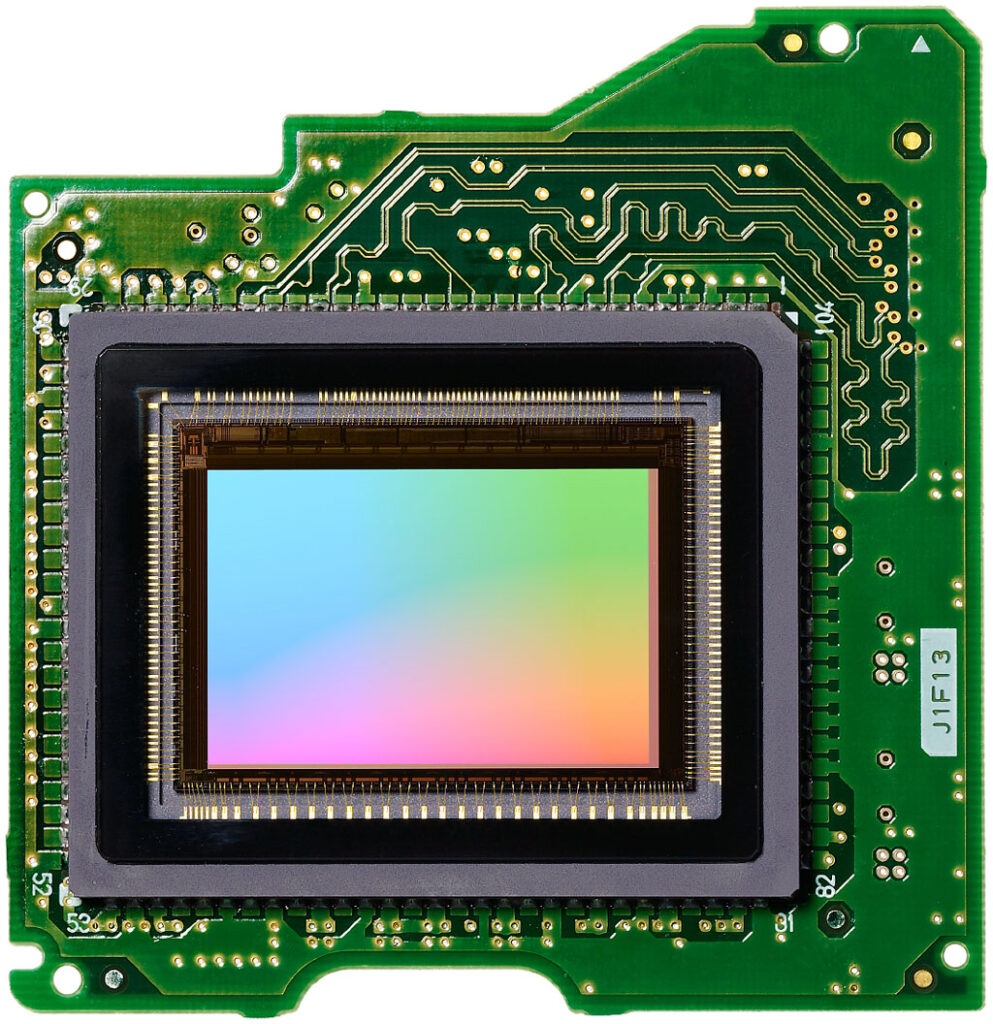
On the inside, the SD1 is based around a newly developed APS-C (23.5 x 15.7mm), Foveon X3, CMOS image sensor. That's quite a bit larger than the sensors used in past Foveon DSLRs, which have been in the region of 20.7 x 13.8mm. The crop factor for the new chip is approximately 1.5x, compared to 1.7x in previous Sigma DSLRs.
The new sensor has a 3:2 aspect ratio, and outputs images with 15.4 megapixel (4,704 x 3,136 pixel) resolution -- a 78% increase in linear resolution as compared to the previous generation Foveon chip used in Sigma's SD15 DSLR. As with all Foveon sensors, full color information is recorded at every pixel location, with the new chip including a total of just over 46 million effective photodiodes. Helping per-pixel sharpness further, Sigma doesn't use an optical low-pass filter in the Sigma SD1, since without a Bayer filter, color moire isn't an issue. (Of course, luminance moire is still possible with an X3 sensor.) To handle all the extra data, the SD1 is said to include a pair of TRUE II ("Three-layer Responsive Ultimate Engine") image processors, the same type used in the SD15, although that camera only needed one such processor. With dual processors and DDR3 SDRAM buffer memory, the SD1 is capable of full-resolution bursts of up to 5 frames per second for 7 RAW frames, and can record RAW and JPEG files simultaneously, a first for Sigma cameras.
On its front panel, the SD1 sports a Sigma SA bayonet lens mount compatible with more than 40 Sigma SA mount lenses. To assist in focusing, Sigma has specified a new 11-point, twin cross-type, phase detection autofocus sensor, rated at a working range of EV -1 to 18 at ISO 100. Focus modes include both single, and continuous with predictive capability. AF points can be selected both automatically and manually. Depth of field preview is available courtesy of a dedicated button.
For framing images, the Sigma SD1 offers up a pentaprism viewfinder with 98% coverage, and 0.95x magnification. The SD1's finder has an 18mm eye point, and provides -3 to +1.5 diopter correction. The SD1 viewfinder has a fixed matte screen, and provides a superimposed AF point display. On the rear panel, there's a 3.0-inch, 460,000 dot LCD panel with a wide viewing angle for reviewing captured images.
The Sigma SD1 also provides a built-in, manual popup flash strobe with a guide number of 11m, and 17mm coverage. There's also both a PC sync terminal, and a hot shoe for external strobes, compatible with the EM-140DG, EF-610 DG ST, and EF-610 DG SUPER flash guns. X-sync is at 1/180 second, and flash exposures are determined with Sigma's S-TTL metering system. +/- 3.0EV of flash exposure compensation is available, in 1/3 EV steps.
Designed for professionals and serious enthusiasts, the Sigma SD1's exposure options do not include any Scene modes, offering only Program AE (with Program Shift), Aperture Priority AE, Shutter Priority AE and Manual modes, though the exposure mode dial does offer three custom settings for quick recall. The Sigma SD1's exposure system features four metering modes: 77-segment Evaluative, Center Area, Center-Weighted Average and Spot metering with a working range of 1 EV to 20 EV (50mm f/1.4 lens at ISO 100). ISO sensitivity ranges from 100 to 6,400 equivalents and shutter speeds are available from 1/8000 to 30 seconds including a bulb mode that can be extended up to two minutes.
The Sigma SD1 stores images on Type-I CompactFlash cards, and its CF slot is UDMA compatible. It doesn't support Type-II cards, such as Microdrive. Power is derived from a proprietary BP-21 Lithium-ion battery pack, or from an optional PG-31 Power Grip which can hold two BP-21 battery packs. No word on battery life.
The Sigma SD1 does not offer any live view or movie recording capabilities. Still, the Sigma SD1 looks like a huge step forward for the company's unique Foveon-based DSLR lineup, and will likely prove of great interest to fans of X3 sensors.
As of February 8, 2011, the minimum advertised price (MAP; effectively the "street" price) for the Sigma SD1 has been reduced to US$2,299; basically a third of what it was selling for before that point. In an unusual move, Sigma has announced that they'll be providing compensation for prior SD1 owners in the form of "points" that can be redeemed for other Sigma products. Precise details of the points system weren't available at the time of announcement; we'll hopefully be able to come back and update this information soon, once it's available.
Optics
Sigma SD1 Optics
The Sigma SD1 is sold body-only, or bundled with one of three Sigma lenses: the 17-50mm f/2.8 EX DC OS zoom, 30mm f/1.4mm EX DG HSM prime, or 85mm EX DG HSM prime. The test results below are from the 17-50mm f/2.8.
Bundled Zoom Lens Test Results
Zoom
Very good far-field performance from the 17-50mm f/2.8 lens when stopped-down.


The SD1 is available bundled with a Sigma 17-50mm f/2.8 EX DC OS lens, which has a slightly lower zoom ratio compared to typical kit lenses, but this lens starts wider than most (17mm or about 26mm equivalent) and is also much faster than most (f/2.8 constant maximum aperture). Sharpness and contrast are quite good at wide-angle (17mm) and f/8, though corners and edges are a touch soft, particularly on the right side. Some noticeable chromatic aberration is also visible in the corners and edges. At medium focal length (~33mm), sharpness is very good across the frame when stopped-down to f/8. Very minor chromatic aberration can be seen at this focal length, but performance was still quite good. Performance was also quite good at full telephoto and f/8, with very good sharpness and negligible chromatic aberration.
Macro
A larger-than-average macro area for a standard zoom lens, with very good detail. Flash exposure was a bit dim, and the lens casts a large shadow at closest focus.


The Sigma SD1 captured a larger-than-average macro area with the 17-50mm zoom lens, measuring 4.62 x 3.08 inches (117 x 78 millimeters). Detail was very good but just a touch soft, and there was additional softening in the corners despite being stopped down to f/8. (Most lenses have some softening in the corners at macro distances, though.) The Sigma SD1's flash throttled down a bit too much at minimum distance and the lens cast a large shadow making the exposure with the built-in flash dim and very uneven.
Geometric Distortion
Moderate distortion at both wide-angle and full telephoto with the 17-50mm lens.
| Barrel distortion is about 0.5 percent at 17mm |
 |
| Pincushion distortion at is about 0.4 percent 50mm |
 |
The Sigma SD1's 17-50mm lens produced about 0.5 percent barrel distortion at wide-angle; lower than average but still slightly noticeable in its images. At the telephoto end, there was about 0.4% of pincushion distortion, which is about average and also noticeable in some shots. This is the tendency for the lens to bend straight lines outward (like a barrel -- usually at wide-angle) or inward (like a pincushion -- usually at telephoto).
Chromatic Aberration and Corner Sharpness
Low to moderate chromatic aberration from the 17-50mm lens. Very soft corners when wide-open, slightly soft when stopped down.
| Aperture: f/2.8 (maximum) | |
 |
 |
| Wide, f/2.8: Upper right C.A.: Moderate Softness: Strong blurring |
Wide, f/2.8: Center C.A.: Very low Softness: A touch soft |
 |
 |
| Tele, f/2.8: Lower left C.A.: Very low Softness: Strong blurring |
Tele, f/2.8: Center C.A.: Very low Softness: Very soft |
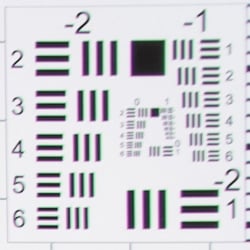
Chromatic Aberration. Chromatic aberration was moderate in the corners at the full wide-angle setting of the Sigma SD1's 17-50mm lens, exacerbated somewhat by the softness. At telephoto, chromatic aberration was very low and hardly detectable. (This distortion is visible as a slight colored fringe around the objects at the edges of the field of view on the resolution target.)
Corner Sharpness. The 17-50mm lens that came bundled with our SD1 produced some very soft corners at both full wide-angle and full telephoto. The upper right corner was the softest at wide-angle though the other corners were also soft, and blurring extended part way into the frame from the right, but less so from the left. The center was a touch soft. At full telephoto, the lower left corner was the softest, but again the other corners were also soft. The center was also quite soft, suffering from low contrast. There's also some minor vignetting (corner shading) at both ends of the zoom as indicated by the darker corner crops, though the amount of darkening is pretty low given the speed of the lens (f/2.8).
Stopped-down to f/8:
| Aperture: f/8 | |
 |
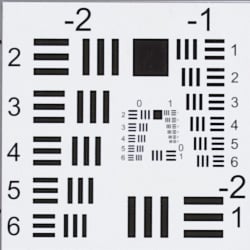 |
| Wide, f/8: Upper right C.A.: Moderate Softness: Slight blurring |
Wide, f/8: Center C.A.: Very low Softness: Sharp |
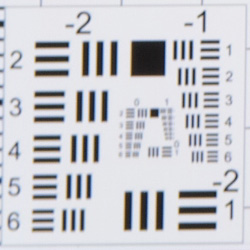 |
|
| Tele, f/8: Lower left C.A.: Very low Softness: Moderate blurring |
Tele, f/8: Center C.A.: Very low Softness: Sharp |
Corner softness improved dramatically when the lens was stopped down to f/8, but corners were still a bit soft. The center however was quite sharp at both wide-angle and telephoto. Chromatic aberration was about the same (the strong blurring wide-open made it seem a little worse), and vignetting was negligible
A second lens tested better wide-open, but wasn't as sharp stopped-down, so be aware of sample variation.
Sigma SD1 Viewfinder
Viewfinder Test Results
Coverage
Good accuracy from the optical viewfinder.

The Sigma SD1's optical viewfinder showed about 98% coverage in our test, matching Sigma's specification. This is good performance, though below average for an SLR in its price range. The SD1 does not support Live View mode, so its LCD monitor cannot be used to frame images.
The images above were taken from our standardized test shots. For a collection of more pictorial photos, see our Sigma SD1 Merrill Photo Gallery .
Exposure
Sigma SD1 Image Quality
Color
Saturation & Hue Accuracy
Muted color with slightly below average hue accuracy. Hue error increases and saturation falls rapidly at ISOs above 800.
 |
|||
| ISO 100 | ISO 200 | ISO 400 | ISO 800 |
| ISO 1600 | ISO 3200 | ISO 6400 | |
| In the diagram above, the squares show the original color, and the circles show the color that the camera captured. More saturated colors are located toward the periphery of the graph. Hue changes as you travel around the center. Thus, hue-accurate, highly saturated colors appear as lines radiating from the center. Mouse over the links to see results across the ISO range, and click the links for larger versions. | |||
Saturation. The Sigma SD1 undersaturates most colors by default, though reds and browns are slightly pumped. Overall, saturation is 97.6 percent, which is 2.4% undersaturated compared to the actual colors. You can of course adjust saturation, however we noticed saturation falls off rather rapidly at ISOs above 800 to the point where colors have lost almost 50% saturation at ISO 6,400. It's not unusual to see a drop in saturation at higher ISOs, but we're not used to seeing it as dramatic as this. (Mouse of the links at right to compare saturation over the entire range of ISOs, and click on the links for larger charts.) Most consumer digital cameras produce color that's more highly saturated (more intense) than found in the original subjects. This is simply because most people like their color a bit brighter than life.
Skin tones. The Sigma SD1's Caucasian skin tones looked fairly realistic in outdoor lighting using auto white balance, with a healthy-looking pink tint, though darker skin tones can be a little too red. Manual white balance produced flatter, warmer and more yellow skin tones, though reddish cast still exists in darker areas. Where oversaturation is most problematic is on Caucasian skin tones, as it's very easy for these "memory colors" to be seen as too bright, too pink, too yellow, etc.
Hue. The Sigma SD1 showed a lot of small color shifts relative to the mathematically precise translation of colors in its subjects, resulting in a Delta-C color error after correction for saturation of 5.51 at base ISO, which is a little higher (worse) than average these days. Like saturation, hue accuracy dropped significantly at higher ISOs. Hue is "what color" the color is.
Picture Control
The Sigma SD1 offers seven preset Color Mode options. Contrast, sharpness and saturation can be adjusted in eleven steps. (Note that B&W and Sepia are not supported when RAW or RAW+JPEG mode is selected.)

Mouse over the links above to see the effect of the presets on our Still Life target. Click on a link to load the full resolution image.
Saturation Adjustment
The Sigma SD1 lets you adjust the image saturation and contrast in 11 steps, from -5 to +5. As can be seen below, the saturation adjustment provides fine-grained adjustment over a useful range of control, however some colors are affected more than others. The saturation adjustment has almost no impact on contrast, though. That's how a saturation control should work, but we've often found interactions between saturation adjustments and image contrast (and vice versa) on the cameras we test.
| Saturation Adjustment Examples | ||||
 |
 |
 |
 |
 |
| -5 | -2 | 0 | +2 | +5 |
The series of shots above shows results with several different saturation adjustment settings including the two extremes. See the Thumbnails index page for more (look for the files named SD1OUTBSATxx.JPG). Click on any thumbnail above to see the full-sized image.


Sensor
Exposure and White Balance
Indoors, incandescent lighting
Very warm results with Auto white balance and the Incandescent setting was too red. Good color balance with Manual setting, though colors were muted. Negative exposure compensation required.


Indoors, under normal incandescent lighting, color balance was very warm and orange with the Auto white balance setting, while the Incandescent setting was too reddish. The Manual white balance setting by far produced the most accurate results, if just a touch cool. Colors were quite muted, though. The Sigma SD1 required negative exposure compensation for this shot (-0.3 EV) which is unusual since the average needed among cameras we've tested for this shot is about +0.3 EV. Our test lighting for this shot is a mixture of 60 and 100 watt household incandescent bulbs, a pretty yellow light source, but a very common one in typical home settings here in the U.S.
Outdoors, daylight
Good exposure but muted, slightly warm color outdoors.
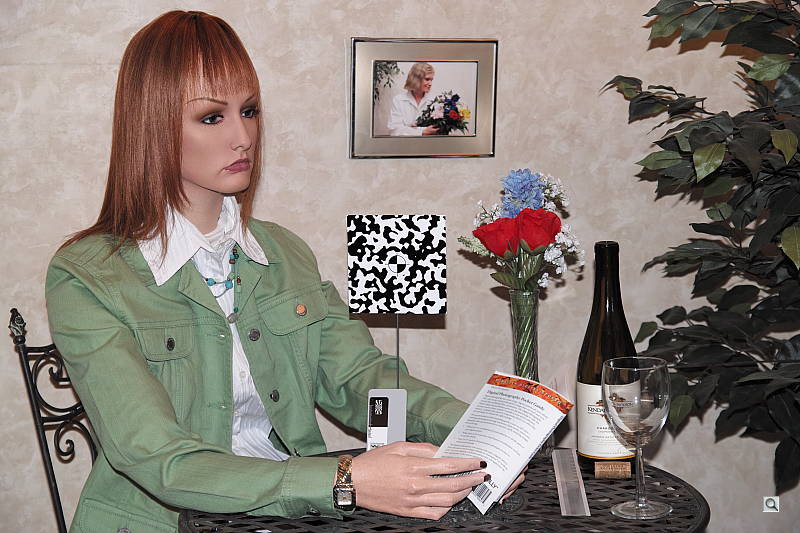
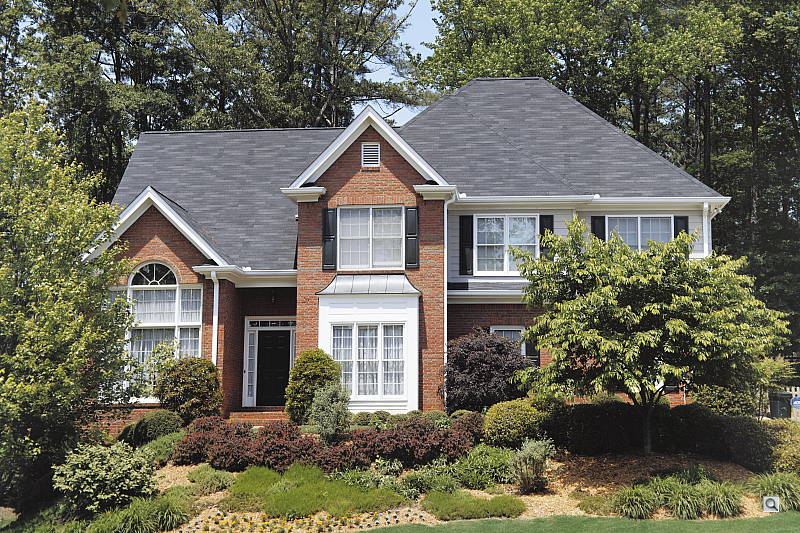
The Sigma SD1 struggled a bit under harsh sunlight, yielding muted colors as well as a lot of clipped highlights, though exposure accuracy was better than average. We needed to use +0.3 EV exposure compensation for a bright face in our "Sunlit" Portrait shot. That's less than the average of +0.7 EV normally require for this shot, but it did lead to a lot of clipped highlights in the model's shirt and flowers. We found skin tones just a touch yellow and flat in our "Sunlit" Portrait shot with Manual white balance, preferring the more pinkish skin tones Auto white balance provided here. Colors were a bit warm and muted in our Far-field outdoor shot with Auto white balance. Default exposure was a little hot, clipping some highlights in the white building, though shadow detail was quite good if a touch noisy.
See full set of test images with explanations
See thumbnails of all test and gallery images
Resolution
Very high resolution, ~2,200 lines of strong detail from JPEGs, about the same from converted RAW files.


Our laboratory resolution chart revealed sharp, distinct line patterns down to about 2,200 lines per picture height in both the horizontal and vertical directions in JPEGs. Complete extinction of the pattern didn't occur before the limits of our chart (4,000 lines) in both directions, and as expected, no color moiré was present (though some chroma noise can be seen if you look closely at some of the resolution patterns). There are some pixel defects that were not well corrected, but that's not unusual.
We weren't really able to extract any more resolution here using Sigma's Photo Pro RAW converter; in fact, the software's slightly aggressive default sharpening produced moiré patterns earlier than camera JPEGs. Note that Adobe Camera Raw does not yet support the SD1's RAW files at time of writing (mid-January 2012). Use these numbers to compare with other cameras of similar resolution, or use them to see just what higher resolution can mean in terms of potential detail.
Color Resolution
As expected, the Sigma SD1's spatial resolution isn't much higher than a traditional Bayer sensor producing images with similar dimensions, though the lack of an anti-alias filter does indeed result in higher per-pixel sharpness. To see how color resolution compares to a conventional sensor of similar pixel count (not photosite count), and even significantly higher, see below.


These color starburst patterns (variations on the Siemens Star target) found in our Multi target are useful for evaluating color-dependent resolution as well as demosaicing issues. The spokes in the starburst don't touch except at the very center, so where they touch in these images is an indication of the effective resolution limit. The green/black target provides the best resolution for standard Bayer filters used on most sensors, as they have twice as many green photosites as blue or red, while the blue/red target is worst-case, as there is only one of each in the repeating four-color Bayer pattern. The Foveon sensor on the other hand has a photosite for each primary color (RGB), stacked on top of each other similar to how film emulsion works. Color is not interpolated as it is with a Bayer filter, so color resolution is much better for the same number of pixels. Mouse over the links and compare how far into the starburst the spoke pattern remains intact. As you can see, the 14.8-megapixel SD1 easily outresolves the 16-megapixel K-5, especially in the blue/red target. Results are closer in the green/black target, but the SD1 still resolves noticeably more. (Note that the crops in these comparisons are from converted raw files.)
Here, we've taken a higher resolution Bayer camera (the 25-megapixel Sony NEX-7) and resized the image to roughly match the SD1's size for easier comparison. Again, mouse over the links and compare how far into the spoke pattern remains intact. As you can see, the Foveon sensor still outresolves the Bayer sensor, though black/green resolution is closer. The difference is especially evident in the blur/red target, where a lot of demosaicing artifacts and aliasing limit the NEX-7's resolution compared to the SD1. Unfortunately, we don't have a calibrated target with resolution scales to determine actual color resolution figures, but it's clear that Sigma SD1 outresolves significantly higher resolution Bayer sensors when it comes to color.
See full set of test images with explanations
See thumbnails of all test and gallery images
Sharpness & Detail
Excellent sharpness straight from the camera, with very minor edge-enhancement on high-contrast subjects. Moderate noise suppression artifacts at base ISO.


Sharpness. The Sigma SD1 produced images with excellent sharpness and very good detail, doing much better than a typical 16-megapixel Bayer sensor would do at base ISO. Very few edge enhancement artifacts are visible on high-contrast subjects in the crop above left, which is also excellent. Edge enhancement creates the illusion of sharpness by enhancing color and tonal differences right at the edge of a rapid transition in color or tone.
Detail. The crop above right shows some detail loss due to noise suppression, as darker areas and areas of low contrast in the model's hair show some smudging and loss of definition. Still, a pretty good performance at base ISO. (A sharper lens probably would have helped here, since we shoot the indoor portrait shot at f/4 and the 17-50mm lens isn't that sharp at wide apertures.) Noise-suppression systems in digital cameras tend to flatten-out detail in areas of subtle contrast. The effects can often be seen in shots of human hair, where the individual strands are lost and an almost "watercolor" look appears.
RAW vs In-Camera JPEGs
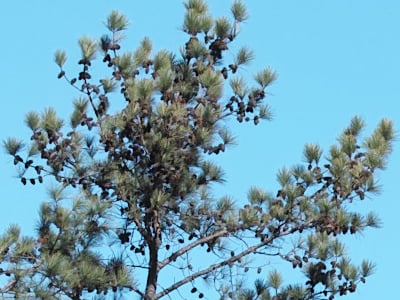
As noted above, the Sigma SD1 does a an excellent job capturing loads of detail in its JPEGs. As is usually the case, more detail can be obtained from carefully processing RAW files, though, without introducing additional artifacts. Take a look below, to see what we mean:
 |
||
In the table above, mousing over a link at the bottom will load the corresponding crop in the area above, and clicking the link will load the full resolution image. Examples are all shot at ISO 100, and include in-camera Fine JPEG, the matching RAW file processed through Sigma's Photo Pro 5.2 software using default settings, and another conversion with Photo Pro with ots sharpening and noise reduction set to the lowest settings, then sharpened in Photoshop with an Unsharp Mask of 200% and radius 0.3.
As you can see, Sigma's Photo Pro software produced an image very similar to the camera JPEG, though with slightly better detail. Reducing sharpening to a minimum in Photo Pro, then sharpening in Photoshop showed an improvement in fine detail, though turning noise reduction down did result very fine noise in the form of individual red pixels. We suspect processing the SD1's RAW files in Adobe Camera Raw would yield even better results, however ACR does not yet support the SD1's X3F RAW files at the time of writing (late-January, 2012). We'll try to come back and update this section when Adobe adds support for the SD1's RAW files.
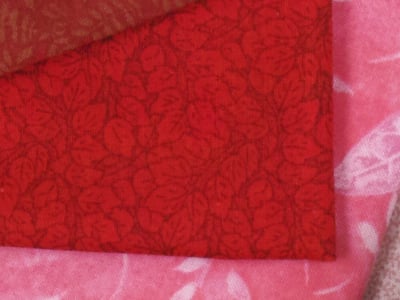


Here's another example of how Photo Pro can do better than the in-camera JPEG engine when sharpened in Photoshop. Notice how threads can be seen in the cloth in the RAW converted example. This is better performance than some ~25-megapixel DSLRs. The lack of an image-softening anti alias filter coupled with a sensor that requires no color interpolation allows the SD1 to resolve fine chromatic detail at low ISOs well beyond what most Bayer sensors with similar or even significantly higher resolutions can do.
ISO & Noise Performance
Very good handling of noise vs detail at low to moderate ISOs, but image quality quickly deteriorates at higher ISOs.







Images were reasonably clean at ISO 100 through 400, with just a touch of luminance and chrominance noise visible in the shadows. As mentioned, though, colors are already quite muted at base ISO. Chrominance noise becomes noticeably stronger at ISO 800 in the form of large pink and green blotches, though luminance noise was still pretty good. At ISO 1,600, luminance noise became quite a bit stronger, and chrominance noise also increased, though detail was still pretty good. Images were pretty ugly at ISO 3,200, though, with strong luminance and there were large areas of purple blotching. ISO 6,400 was very poor, with stronger noise, a strong shift of midtones and shadows toward green, and a drastic drop in saturation. ISOs 3,200 and 6,400 also showed noticeable horizontal banding in darker areas. Overall, below average high ISO noise performance for an APS-C sensor. Note that the Sigma SD1 offers no control over noise reduction strength, at least not with the latest firmware available at time of writing (version 1.04.0.6360).
Note that these shots were taken at f/4 with the bundled Sigma 17-50mm f/2.8 lens. This lens isn't as sharp as our reference Sigma 70mm lens at f/4 we normally use for these shots, however the 17-50mm was (ironically) the sharpest lens we could locate in the Sigma SA-mount. Below is an ISO crop table from our Still Life shots which are taken in brighter light at f/8 where the lens is quite sharp.

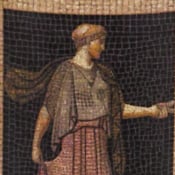


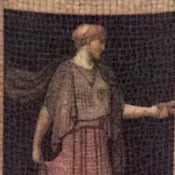
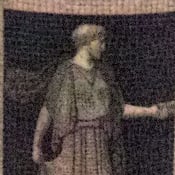

Here, we can see fine detail looks better than in the Indoor Portrait shots, however noise follows a similar trend with below average performance at ISOs above 1,600 along with a drastic reduction in saturation and a shift towards green.
Of course, the impact of noise and detail loss are highly dependent on the size the photos are printed at, and pixel-peeping on-screen has surprisingly little relationship to how the images look when printed: See the Print Quality section below for recommended maximum print sizes at each ISO.
Extremes: Sunlit, dynamic range and low light tests
Very high resolution but with poor highlight preservation. Fair low-light performance, capable of capturing bright images in near darkness at low ISOs, though autofocus struggled and higher ISOs were very noisy.


Sunlight:
The Sigma SD1 struggled with the deliberately harsh lighting in the above test. Though the camera only required +0.3 EV compensation to render a bright face in our "Sunlit" Portrait shot (the average for this shot is about +0.7 EV), the SD1 clipped quite a few highlights in the mannequin's shirt and flowers, though shadow detail was quite good if a bit noisy. We suspect much better dynamic range is available from the SD1's RAW files. It's also interesting to note that the 0 EV image is practically identical to the -0.3 EV image, using the same shutter speed (1/50s) in Aperture Priority (f/8) auto exposure mode, so the camera seemed to ignore the exposure compensation adjustment between -0.3 and 0 EV here.
Because digital cameras are more like slide film than negative film (in that they tend to have a more limited tonal range), we test them in the harshest situations to see how they handle scenes with bright highlights and dark shadows, as well as what kind of sensitivity they have in low light. The shot above is designed to mimic the very harsh, contrasty effect of direct noonday sunlight, a very tough challenge for most digital cameras. (You can read details of this test here. In actual shooting conditions, be sure to use fill flash in situations like the one shown here; it's better to shoot in open shade whenever possible.)
Contrast Adjustment
Just like saturation, the Sigma SD1's contrast setting offers 11 settings, between -5 and +5.
| Minimum Contrast | |
 |
 |
| Contrast set to lowest, 0 EV |
Contrast set to lowest, 0 EV |
At its lowest contrast setting, the SD1 did a pretty good job of preserving highlight detail while bringing nice detail out of the shadows.
| Contrast Adjustment Examples | ||||
|
 |
 |
 |
 |
| -5 | -2 | 0 | +2 | +5 |
The series of shots above shows results with several contrast adjustment settings, including both extremes. While you can see the extremes, it's hard to really evaluate contrast on small thumbnails like these, click on any thumbnail to go to the full-size image.
One very nice feature of Sigma's contrast adjustment is that it has very little effect on color saturation. Contrast and saturation are actually fairly closely coupled, it's a good trick to be able to vary one with out the other changing as well. Sigma did a good job here.
Dynamic Range
A key parameter in a digital camera is its Dynamic Range, the range of brightness that can be faithfully recorded. At the upper end of the tonal scale, dynamic range is dictated by the point at which the RGB data "saturates" at values of 255, 255, 255. At the lower end of the tonal scale, dynamic range is determined by the point at which there ceases to be any useful difference between adjacent tonal steps. Note the use of the qualifier "useful" in there: While it's tempting to evaluate dynamic range as the maximum number of tonal steps that can be discerned at all, that measure of dynamic range has very little relevance to real-world photography. What we care about as photographers is how much detail we can pull out of the shadows before image noise becomes too objectionable. This, of course, is a very subjective matter, and will vary with the application and even the subject matter in question. (Noise will be much more visible in subjects with large areas of flat tints and subtle shading than it would in subjects with strong, highly contrasting surface texture.)
What makes most sense then, is to specify useful dynamic range in terms of the point at which image noise reaches some agreed-upon threshold. To this end, Imatest computes a number of different dynamic range measurements, based on a variety of image noise thresholds. The noise thresholds are specified in terms of f-stops of equivalent luminance variation in the final image file, and dynamic range is computed for noise thresholds of 1.0 (low image quality), 0.5 (medium image quality), 0.25 (medium-high image quality) and 0.1 (high image quality). For most photographers and most applications, the noise thresholds of 0.5 and 0.25 f-stops are probably the most relevant to the production of acceptable-quality finished images, but many noise-sensitive shooters will insist on the 0.1 f-stop limit for their most critical work. A full discussion of all the data Imatest produces is really beyond the scope of this review: Visit the Imatest website for details of what the program measures, how it performs its computations, and how to interpret its output.
 JPEG. The graph at right (click for a larger version) was generated using Imatest's dynamic range analysis for an in-camera SD1 JPEG file with a nominally-exposed density step target (Stouffer 4110). At default settings and base ISO, the graph shows 9.76 f-stops of total dynamic range, with 6.1 f-stops at the "High" quality level. These are below average results for an APS-C sensor. Compared to the Nikon D7000, the SD1 scored much lower at the "High" quality level (6.1 vs 7.97 f-stops), while total dynamic range was slightly lower (9.76 vs 10.0 f-stops). The SD1's higher than average noise levels is mainly to blame for low high quality score. Note though that this measurement has a margin of error of about 1/3 f-stop, so differences of less than 0.33 can be ignored.
 RAW. It'll probably be some time before Adobe Camera Raw supports the SD1, so we'll make an exception and use Sigma's Photo Pro RAW conversion software to see if we can improve upon its JPEG dynamic range scores. The graph at right is from the same Stouffer 4110 stepchart image captured as a RAW (.X3F) file, processed with Sigma's software. The Sigma SD1's RAW file scored essentially the same in total dynamic range compared to the JPEG (9.78 vs 9.76 f-stops) however the score at the highest quality level increased about 1.8 f-stops from 6.1 to 7.92 f-stops. This is still a below average score, though, and it's worth noting here is that Photo Pro's default noise reduction settings reduced overall noise relative to the levels in the in-camera JPEG (compare the noise plots in the graphs), which tends to boost the dynamic range numbers for the High Quality threshold.
| 1 fc 11 lux |
1/2 fc 5.5 lux |
1/4 fc 2.7 lux |
1/8 fc 1.3 lux |
1/16 fc 0.67 lux |
|
|---|---|---|---|---|---|
| ISO 100 |
 2 s f2.8 |
 4 s f2.8 |
 8 s f2.8 |
 15 s f2.8 |
 30 s f2.8 |
| ISO 200 |
 1 s f2.8 |
 2 s f2.8 |
 4 s f2.8 |
 8 s f2.8 |
 15 s f2.8 |
| ISO 400 |
 0.5 s f2.8 |
 1 s f2.8 |
 2 s f2.8 |
 4 s f2.8 |
 8 s f2.8 |
| ISO 800 |
 1/4 s f2.8 |
 0.5 s f2.8 |
 1 s f2.8 |
 2 s f2.8 |
 4 s f2.8 |
| ISO 1600 |
 1/8 s f2.8 |
 1/4 s f2.8 |
 0.5 s f2.8 |
 1 s f2.8 |
 2 s f2.8 |
| ISO 3200 |
 1/15 s f2.8 |
 1/8 s f2.8 |
 1/4 s f2.8 |
 0.5 s f2.8 |
 1 s f2.8 |
| ISO 6400 |
 1/30 s f2.8 |
 1/15 s f2.8 |
 1/8 s f2.8 |
 1/4 s f2.8 |
 0.5 s f2.8 |
Low Light. The Sigma SD1 was able to capture usable images down to the 1/16 foot-candle light level (about 1/16 as bright as average city street lighting at night) at all ISO settings, though noise was an issue at higher ISOs and lower light levels. As is often the case, the SD1's metering system struggled a bit with getting the exposure right at the lowest levels though, so we used manual exposure for these shots. Color balance with auto white balance was fairly neutral, just slightly cool, but shifted toward magenta at higher ISOs. Noise was low to moderate up to ISO 800, though a hint of horizontal banding can already be seen in the red channel at this ISO. ISO 1,600 and above were quite grainy with obvious chroma noise, color shifts, desaturation and banding.
The camera's phase-detection autofocus system was only able to focus on the subject down to just below the 1/2 foot-candle level with the 17-50mm f/2.8 lens unassisted. That's quite poor for an SLR, especially one costing as much as the SD1, though the lens' softness at f/2.8 may have impeded low-light AF performance. The camera was however able to autofocus in complete darkness with the AF assist enabled.
(Keep in mind that the longer shutter speeds here demand the use of a tripod to prevent any blurring from camera movement. A useful trick is to just prop the camera on a convenient surface, and use its self-timer to release the shutter. This avoids any jiggling from your finger pressing the shutter button, and can work quite well when you don't have a tripod handy.)
How bright is this? The one foot-candle light level that this test begins at roughly corresponds to the brightness of typical city street-lighting at night. Cameras performing well at that level should be able to snap good-looking photos of street-lit scenes.
NOTE: This low light test is conducted with a stationary subject, and the camera mounted on a sturdy tripod. Most digital cameras will fail miserably when faced with a moving subject in dim lighting. (For example, a child's ballet recital or a holiday pageant in a gymnasium.) Digital SLRs like the Sigma SD1 do much better than point & shoots, but you still shouldn't expect a quick autofocus lock with moving subjects.
Output Quality
Print Quality
Very nice 24 x 36 inch prints at ISOs 100/200; ISO 800 shots are better at 11 x 14; ISO 6,400 shots are unusable at 4 x 6.
 ISO 100 shots are excellent at 24 x 36, and suitable for wall display up to 36 x 48.
ISO 200 shots are also quite good at 24 x 36, with nice color detail and contrast; and fine for wall display at 30 x 40.
ISO 400 prints are very good at 20 x 30, with the only exception being low contrast in our target's red swatch.
ISO 800 prints are usable at 13 x 19, but color darkens in the mids, making for an odd antiqued look. There were also odd, desaturated splotches in green areas. We will call 11 x 14 inch prints good here.
ISO 1,600 shots look a little scorched for lack of a better term; colors are dimmed to almost brown, and purple and green blotches appear in the shadows. The blotchy desaturation we saw at ISO 800 was much worse here. Detail is dulled at 8 x 10 inches, and we preferred the 5 x 7 inch print.
ISO 3,200 prints are severely faded at any size. Blobs of purple and green chroma noise are more prominent in the shadows. The 4 x 6 inch print does not pass as good but could be usable in certain situations.
ISO 6,400 prints have color so badly faded that we don't recommend shooting at this setting at all. Prints might look OK if reduced to black and white for an aged, grainy film-noir look.
Overall, the Sigma SD1 performs well from ISO 100 to 400, with amazing detail for its 14.8-megapixel output resolution. Also know that images from a Foveon sensor generally respond to significant upsizing better than images generated from a Bayer sensor due to the lack of color interpolation artifacts, so with some careful manipulation during post-processing, you should be able to make great-looking low ISO prints much larger than those straight from the camera. From ISO 800 and up, though, color fades and darkens badly, with an antiqued look that's nostalgic at first, fading to disappointing. There's nothing wrong with keeping ISOs low to enjoy the astonishing color resolution, but it's important to know this limitation when considering the Sigma SD1. The rapid degradation of image quality from ISO 1,600 up is a perfect illustration of this point, as it goes from 11 x 14 at ISO 800 down to 5 x 7 at ISO 1,600.
Testing hundreds of digital cameras, we've found that you can only tell just so much about a camera's image quality by viewing its images on-screen. Ultimately, there's no substitute for printing a lot of images and examining them closely. For this reason, we now routinely print sample images from the cameras we test on our Canon Pro9000 Mark II studio printer, and on the Pixma MP610 here in the office. (See the Canon Pixma Pro9000 Mark II review for details on that model.)
The images above were taken from our standardized test shots. For a collection of more pictorial photos, see our Sigma SD1 Merrill Photo Gallery .
Not sure which camera to buy? Let your eyes be the ultimate judge! Visit our Comparometer(tm) to compare images from the Sigma SD1 Merrill with those from other cameras you may be considering. The proof is in the pictures, so let your own eyes decide which you like best!
Performance
Sigma SD1 Performance
Timing and Performance
Generally slow to very slow speeds for a prosumer SLR.
| Startup/Shutdown |
||
| Power on |
~4.5 seconds
|
Time it takes for camera to turn on and take a shot. |
| Shutdown |
~2.5 seconds
|
How long it takes to turn off. |
| Buffer clearing time |
24 seconds*
after 7 Large Fine JPEGs |
Worst case buffer clearing time. -- This is the delay after a set of shots before you can remove the card. Some cameras won't shut down until the buffer is cleared. See Cycle-Time table below for more buffer clearing times. |
|
74 seconds*
after 7 Large RAW frames |
||
|
76 seconds*
after 7 Large RAW + Large Fine JPEGs |
||
| * Note: Buffer clearing times measured with a SanDisk Extreme Pro 90MB/s 32GB UDMA 6 CompactFlash card. Slower cards will produce correspondingly slower clearing times. Slow cards may also limit length of bursts in continuous mode. ISO sensitivity and noise reduction settings can also affect cycle times and burst mode performance. |
||
Startup and shutdown times were very slow for an SLR, probably the slowest we've measured in recent memory. Buffer clearing is slow for JPEGs despite the shallow buffers, and extremely slow when RAW files are present -- and that's with fast card rated at up to 90MB/s read/write speed. To make matter worse, the camera is unresponsive during writes.
| Mode Switching | ||
|---|---|---|
|
Play to Record, |
~0.5 second
|
Time until first shot is captured. |
|
Record to Play |
~13 seconds
|
Time to display a Large/Fine quality JPEG file immediately after capture. |
|
Display |
~0.4 second
|
Time to display a Large/Fine quality JPEG file already on the memory card. |
Time to switch from play to record mode is pretty good, as is displaying a previously captured image, but switching from record to play after taking a shot takes a very long 13 seconds with our fastest CompactFlash card (22 seconds with a slower card we tried).
| Shutter Response (Lag Time) | ||
|---|---|---|
|
Full Autofocus |
0.382 second
|
Time from fully pressing shutter button to image capture. (All AF timing measurements taken with a Sigma 17-50mm F2.8 EX DC OS HSM lens. |
|
Full Autofocus |
0.466 second
|
Time from fully pressing shutter button to image capture. |
|
Full Autofocus |
0.521 second
|
Time from fully pressing shutter button to image capture. Auto Flash enabled. |
|
Continuous AF
|
0.243 second
|
This mode is release priority so subject may be out of focus; we have no way to measure performance with moving subjects.
|
|
Manual focus
|
0.244 second
|
For most cameras, shutter lag is less in manual focus than autofocus, but usually not as fast as when the camera is "pre-focused."
|
|
Pre-focused |
0.088 second
|
Time to capture, after half-pressing and holding shutter button. |
The shutter lag numbers above measure time from shutter button press to image capture, with the lens already set to the correct focal distance. This largely removes the issue of differences in lens focusing speed, and measures how fast the camera can measure and act on focus information. In this metric, the Sigma SD1 was quite a bit slower than most prosumer SLRs, and indeed slower than some Point & Shoots. The SD1 required 0.382 second for full AF and capture when using Single-point (center) AF mode (our default full AF lag test). The lag increased to 0.466 second when using the 11-point Auto-area AF mode, also slower than most SLRs. Enabling the flash further increased lag to 0.521 second. Continuous AF and Manual focus lag times were similar to each other and also slower-than-average, at 0.243 and 0.244 second respectively. When pre-focused, shutter lag was 0.088 second which is good, but not as fast as some prosumer models.
| Cycle Time (shot-to-shot) | ||
|---|---|---|
|
Single Shot mode
Large Fine JPEG |
0.78 second
|
Time per shot, averaged over buffer depth of 9 shots. |
|
Single Shot mode |
0.78 second
|
Time per shot, averaged over buffer depth of 7 shots. |
|
Single Shot mode
Large RAW + Large Fine JPEG |
0.84 second
|
Time per shot, averaged over buffer depth of 7 shots.
|
|
Early shutter |
Yes
|
Some cameras refuse to snap another shot if you release and press the shutter too quickly in Single Shot mode, making "No" the preferred answer. |
|
Continuous mode Large Fine JPEG |
0.25 second
(4.08 fps); 7 frames total; 24 seconds to clear* |
Time per shot, averaged over the buffer length of 7 shots, then slows to an average of 2.73 seconds (0.37 fps) for subsequent shots, with about 32% variation in cycle times when buffer is full.
|
|
Continuous mode |
0.25 second
(4.08 fps); 7 frames total; 74 seconds to clear* |
Time per shot, averaged over the buffer length of 7 shots, then slows to an average of 11.97 seconds (0.08 fps) for subsequent shots, with about 12% variation in cycle times when buffer is full. |
|
Continuous mode |
0.25 second
(4.08 fps); 7 frames total; 76 seconds to clear* |
Time per shot, averaged over the buffer length of 7 shots, then slows to an average of 12.49 seconds (0.08 fps) for subsequent shots, with about 7% variation in cycle times when buffer is full. |
| Flash recycling |
4.0 seconds
|
Flash at maximum output. |
| * Note: Buffer clearing times measured with a SanDisk Extreme Pro 90MB/s 32GB UDMA 6 CompactFlash card. Slower cards will produce correspondingly slower clearing times. Slow cards may also limit length of bursts in continuous mode. ISO sensitivity and noise reduction settings can also affect cycle times and burst mode performance. |
||
Shot-to-shot cycle times were sluggish for an SLR, at 0.78 second for Large ("High") Fine quality JPEGs or Large RAW files. Cycle time increased slightly to 0.84 second for Large RAW + Large Fine JPEGs.
Continuous mode speed was slower-than-average for a prosumer SLR, at a very consistent 4.08 frames per second no mater the image type. The Sigma SD1's buffer depths were quite shallow for a prosumer SLR, at only 7 frames for Large Fine JPEG, Large RAW, or Large RAW + Large Fine JPEG files. The Sigma SD1's full resolution RAW files are quite large though (they can be over 50MB each), so we're not really surprised here, though we were surprised continuous mode buffer depths didn't improve when shooting just Large Fine JPEGs.
The Sigma SD1's flash took 4.0 seconds to recharge after a full-power shot, which is a bit slower than average for an SLR.
| Download speed | ||
|---|---|---|
|
Windows Computer, USB 2.0 |
829 KBytes/sec
|
Typical Values: |
Connected to a computer or printer with USB 2.0, downloads are quite slow compared to most SLRs these days. You'll definitely want to invest in a fast card reader if you don't have one already, especially given the large RAW files the SD1 produces.
Bottom line, the Sigma SD1 is pretty slow for a prosumer SLR at almost everything it does, especially buffer clearing. Using it requires a lot of patience at times, but stellar image quality at low ISOs will no doubt be worth the wait for Foveon fans.
Battery
Battery Life
Unpublished battery life.
| Operating Mode | Number of Shots |
|---|---|
|
Optical Viewfinder,
(CIPA standard) |
Unpublished
|
The Sigma SD1 uses a custom BP-21 rechargeable lithium-ion battery for power, and ships with a charger. Battery life apparently has not been published by Sigma, however our lab technician noted battery life seemed to be pretty good.
The table above shows the number of shots the camera is capable of (on either a fresh set of disposable batteries or a fully-charged rechargeable battery as appropriate), based on CIPA battery-life and/or manufacturer standard test conditions.
(Interested readers can find an English translation of the CIPA DC-002 standards document here. (180K PDF document))
Flash
Sigma SD1 Flash
Flash Test Results
Coverage and Range
Good power from the flash, though uneven and narrow coverage. Our standard shots required a slightly above average amount of compensation.


Coverage. Flash coverage was rather uneven at wide-angle (17mm) showing rather dark corners (though some of the fall-off is from the lens itself), and the upper half of the flash beam is brighter than the lower. There's also a shadow from the 17-50mm f/2.8 lens at wide-angle, though that's not unusual. Flash coverage was much more even at full telephoto (50mm).
Exposure. The Sigma SD1's flash required +1.0 EV exposure compensation adjustment to produce bright results in our Indoor Portrait test, which is a little higher than average among the cameras we've tested. (The average is +0.7 EV for this shot.) The camera's Slow-Sync flash mode produced very bright results without any compensation, though with a stronger orange cast from the ambient room lighting.
| Flash Range: Wide Angle | |||||
|---|---|---|---|---|---|
| 6 ft | 7 ft | 8 ft | 9 ft | 10 ft | 11 ft |
 1/30 sec f2.8 ISO 200 |
 1/30 sec f2.8 ISO 200 |
 1/30 sec f2.8 ISO 200 |
 1/30 sec f2.8 ISO 200 |
 1/30 sec f2.8 ISO 200 |
 1/30 sec f2.8 ISO 200 |
| 12 ft | 13 ft | 14 ft | 15 ft | 16 ft | |
 1/30 sec f2.8 ISO 200 |
 1/30 sec f2.8 ISO 200 |
 1/30 sec f2.8 ISO 200 |
 1/30 sec f2.8 ISO 200 |
 1/30 sec f2.8 ISO 200 |
|
| Flash Range: Telephoto | |||||
|---|---|---|---|---|---|
| 6 ft | 7 ft | 8 ft | 9 ft | 10 ft | 11 ft |
 1/60 sec f2.8 ISO 200 |
 1/60 sec f2.8 ISO 200 |
 1/60 sec f2.8 ISO 200 |
 1/60 sec f2.8 ISO 200 |
 1/60 sec f2.8 ISO 200 |
 1/60 sec f2.8 ISO 200 |
| 12 ft | 13 ft | 14 ft | 15 ft | 16 ft | |
 1/60 sec f2.8 ISO 200 |
 1/60 sec f2.8 ISO 200 |
 1/60 sec f2.8 ISO 200 |
 1/60 sec f2.8 ISO 200 |
 1/60 sec f2.8 ISO 200 |
|
ISO 200 Range. Exposures were quite inconsistent in our flash range series test. At wide-angle, flash exposures were very dim at 6, 7 and 8 feet, but abruptly became overly bright at 9 feet. Exposure at 10 feet was dim, but 11 feet wasn't too bad with brightness dropping off from there. We got inconsistent results at full telephoto too, with 15 feet being the brightest, while brightness at other distances varied. You may need to experiment with exposure compensation to get good flash exposures with the SD1 in the real-world.
| Manufacturer-Specified Flash Range |
|---|
 18.2 feet ISO 200 |
Manufacturer Specified Flash Test. The Sigma SD1's flash Guide Number (GN) is 11 meters in auto flash mode at ISO 100, which translates to a range of about 18.2 feet at ISO 200 and f/2.8, the maximum aperture of our zoom lens (it's a constant aperture lens, so we don't have separate telephoto results.) Exposure is bright in the flash shot above, indicating the flash range specification is accurate. Our standard test method for flash range now uses a fixed setting of ISO 200, to provide a fair basis of comparison between cameras. We also shoot using manufacturer-specified camera settings, at the range the company claims for the camera, to assess the validity of specific claims.
Press Release
Sigma Corporation of America to ship SD1 camera in early June
46-megapixel DSLR creates new market for medium-format photographers
Ronkonkoma, NY, May 20, 2011 – Sigma Corporation of America, a leading researcher, developer, manufacturer and service provider of some of the world's most impressive lines of lenses, cameras and flashes, is pleased to announce that its flagship DSLR, the Sigma SD1, will be available for purchase for the MSRP of $9,700 in early June.
This 46-megapixel DSLR is delivered in a splash-proof, easy-to-handle build that is similar to that of a classic 35mm camera. Professional and high-end enthusiast photographers will utilize the SD1’s exclusive Foveon 23.5x15.7mm APS-C X3 direct image sensor to capture exceptionally rich and detailed images that have a film-like quality. Users will also benefit from Sigma’s wide selection of interchangeable lenses that are compatible with the SD1.
“The SD1 will carve out a new category in the marketplace by providing high-end photographers with an alternative to very expensive medium-format cameras and digital backs, while offering unrivaled image quality,” said Mark Amir-Hamzeh, president of Sigma Corporation of America. “By embracing the SD1, serious photographers will also be able to take advantage of Sigma’s extensive lineup of affordable lenses, which are compatible with this new camera. The selections of lenses for medium-format cameras on the market are somewhat limited, so this will be a huge advantage for SD1 users. This is undoubtedly a very special camera, and we’re thrilled to share it with the photo community.”
In addition to the 23.5x15.7mm APS-C X3 direct image sensor, the Sigma SD1 features dual “Three-layer Responsive Ultimate Engine (TRUE) II” image processing engines, which improves processing speed, provides high resolution power and produces high-definition images with richly graduated tones. It also allows simultaneous RAW and JPEG recording, which is a first for Sigma cameras. Additionally, the photographer has the option to select full-size, half-size or quarter-size RAW files making it a more versatile camera for a wide range of photographers. The Foveon sensor uses three silicon-embedded layers of photo detectors, stacked vertically to take advantage of silicon’s ability to absorb red, green and blue light at different respective depths. This technology efficiently reproduces color more accurately and offers sharper resolution, pixel for pixel, than any conventional image sensor. Since color moiré is not generated, the use of a low-pass filter is not required.
The optical format of the Foveon sensor has been upgraded from that which was used in previous SD cameras, and has increased from 1.7x focal length to the 1.5x focal length multiplier. The SD1 also benefits from improved image processing and noise reduction algorithms, with an ISO sensitivity range from 100 to 6400. This is two full stops more sensitivity than the SD15, which has a maximum 1600 ISO. An intuitive user interface and an impressive lightweight, yet solid magnesium alloy body and O-ring sealing connections that make the camera durable and splash proof are also key feature upgrades of the flagship SD1.
The SD1 adopts the TYPE 1 Compact Flash Card, and is UDMA-compatible enabling fast processing of large amounts of data. The autofocus system features an 11-point shifted twin cross type sensor, which improves AF accuracy. The SD1 features a 3.0 inch TFT color monitor. This 460,000 pixel resolution LCD monitor benefits from a wide viewing angle, making it easy to check focusing and composition. The SD1 can be used with more than 40 Sigma SA mount lenses such as ultra-wide, ultra-telephoto, macro and fisheye.
Sigma’s image processing software, Photo Pro 5.0, comes bundled with the camera and its simple operation allows quick and easy capture of the desired imaged. Additional functions such as Loupe, Slideshow, Print, Convert to JPEG file and Batch White Balance settings are also incorporated into this software.
The Sigma SD1 will be available for the MSRP of $9,700 through select authorized Sigma dealers. For information about Sigma Corporation of America, visit www.sigmaphoto.com. For more information about the Sigma SD1 DSLR, visit http://www.sigmaphoto.com/shop/sd1-dslr-sigma or view the camera’s special page at www.sigma-sd.com/SD1.
About Sigma Corporation
For 50 years, Sigma Corporation’s expertise and innovation has driven the company’s core philosophy of “knowledge, plus experience, plus imagination,” with an emphasis on producing high-quality, high-performance photographic technology at moderate prices. This family-owned organization is the largest, independent SLR lens manufacturer in the world, producing more than 50 lenses that are compatible with most manufacturers, including Sigma, Canon, Sony, Nikon, Olympus and Pentax. Sigma Corporation also produces digital SLR cameras and high-definition digital compact cameras. The company is headquartered in Japan, with offices strategically located throughout Europe, Asia and North America. For information, please visit www.sigmaphoto.com.