
Video: Nigel Danson looks at how different landscape photos succeed and struggle

Imaging Resource is reader-supported. When you buy through links on our site, we may earn an affiliate commission. How this works.
A photo that tells an amazing story is one someone will want to view multiple times. A powerful image is one that people come back to time and again. But how do you tell a compelling story with your photography? Landscape photographer Nigel Danson has a few techniques to share in his latest video to help you compose stronger, more interesting photos that captivate an audience.
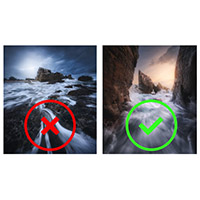
Before discussing what makes an image “work,” Danson lists different elements in an image that make it worse. Some of these include distracting elements, poor light, not telling a story, a lack of atmosphere, color casts, and a lack of a subject. These are all characteristics of photos that fail to hold a viewer’s attention. Having recently judged his World Landscape Photographer contest, Danson saw a lot of images. Many of them are incredible – click the link above to see the winning photos – but not every image can be a winner. Some photos are so close to being really fantastic but are held by a compositional decision or two.
Danson is quick to point out that many of the mistakes he noticed in some entry photos are the same mistakes he has made throughout his journey to become a better photographer. We all make photographic mistakes. The first step to improvement is recognizing where we come up short. In the video below, Danson goes through some of the entry photos and discusses ways they could be improved or ways that they were extremely successful. Danson covers compositional topics include distractions, balance, lack of a subject, cropping, and more. It’s great to have so many photographers from the World Landscape Photographer contest agree to be part of the video and help others learn.
When discussing photo editing near the end of his video, Danson offers a great trick to help you check the overall tonal balance of your image. When viewing your image normally, it can be tricky to see where your eye goes because you’re looking at the subject, there are many colors, and you have a preconceived idea about your photo. The two-step process for checking luminosity can be done in Photoshop. You first go to Image > Mode > Grayscale and then add a new layer and set it to Posterize. You then set Posterize to Levels: 4. This will make your image look weird, but it helps you see what areas of the image are bright, and you can better get a sense of how the tonal values of your photo will lead the viewer’s eye through the scene.
There were a lot of amazing photos in the World Landscape Photographer contest this year, so be sure to check them out. To see more from Nigel Danson, visit his website and YouTube channel.
(Via Nigel Danson)
More in News
 NewsThypoch Sculptor AF 23mm F1.4 Debuts With Compact Design and Autofocus20 Nov 2026
 NewsNew vs used cameras: Where can photographers get the best value this Black Friday?20 Nov 2026
 NewsFujifilm Confirms December X Summit as X-T6 Announcement Speculation Grows19 Nov 2026
 NewsInstagram Now Lets Users Edit Stories Within 15 Minutes of Posting19 Nov 2026
 NewsMitakon Updates Speedmaster 65mm F1.4 With Lighter Mark II Version18 Nov 2026
 NewsXiaomi 18 Pro Series Launches Globally With Dual Displays and Leica Cameras18 Nov 2026