Canon EOS-1DCanon leaps into the professional SLR arena, with the fastest digital SLR on the planet!<<Reference: Datasheet :(Previous) | (Next): Print-Friendly Review Version>> EOS-1D SAMPLE IMAGES!Review First Posted: 12/08/2001 |
NOTE: UPDATED 12/8/2001
(These shots are now all taken with a full production model EOS-1D.)
| I've begun including links in our reviews to a Thumber-generated index page for the test shots. The Thumber data includes a host of information on the images, including shutter speed, ISO setting, compression setting, etc. Rather than clutter the page below with *all* that detail, we're posting the Thumber index so only those interested in the information need wade through it! |
Click here for a mini-gallery of random, "non-test" images!
| Outdoor
Portrait: (1487 k)
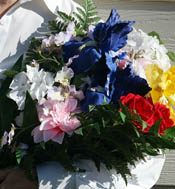
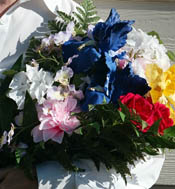
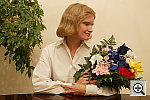
The shot above has no exposure compensation adjustment, another change relative to the prototype cameras, both of which required slight positive compensation. (Actually, this is a great testimony to the power of the 1D's post-exposure exposure adjustment: I'd only shot an exposure series running from 0EV compensation upward, since this shot almost invariably requires positive compensation. After the shooting was done (and the sun moved on for the day), I realized that even the 0EV shot was a bit overexposed. Fortunately, I'd saved RAW files along with the JPEGs, and so could use Canon's Photoshop plug-in to dial in some negative adjustment and save a new JPEG. Pretty slick!) For white balance, I shot with the Auto (1561 k), Daylight (1558 k), 5,200 Kelvin (1564 k), and Manual (1484 k) white balance settings, choosing the Auto setting for the main shot (the Manual, Daylight, and 5,200 Kelvin images were slightly warm). Shot using Color Matrix 1, overall color is really excellent, with good saturation. The blue flowers are just right, with no trace of the purplish coloration they tend to pick up with many digicams. The skin tones are a little yellowish, but not too bad. (Perhaps underscoring the reason Canon included Color Matrix 2, which adds a little pink to Caucasian skin tones, at some slight cost in the blues.) Resolution and detail are excellent throughout the image, with crisp details in the flower bouquet in particular. (This was what the AF system picked to focus on.) Shadow detail is great as well, with very low noise. To see the results of a range of exposure settings on this, see files E1DOUTAM1.HTM through E1DOUTAP2.HTM on the thumbnail index page. These show a range from -0.3 to +0.7 EV exposure compensation. Here's a series of shots showing the effect of different Color Matrix settings. Color Matrix Settings:
The differences between Color Matrix one (default) and two (optimized for skin tones) are pretty subtle, but the slightly larger crops below show the effect more clearly. The skin-tone-optimized Color Matrix two renders Caucasian skin tones just a bit pinker and more natural looking, without overdoing it. The cost is some weakness in the blues, which you can see in the full-sized pictures, in the model's pants and the blue flowers. (Both of which pick up a little yellow, to shift toward green slightly.
|
|||||||||||||||||||||||
| Closer
Portrait: (1450 k)
To see the results of a range of exposure settings, see files E1DFACAP0.HTM
through E1DFACAP2.HTM on the thumbnail index page. These show a range
from zero to +0.7 EV exposure compensation. |
|||||||||||||||||||||||
Indoor
Portrait, Flash:
Because the EOS-1D is not equipped with a built-in flash, I thought
I'd at least snap one image with the accessory speedlight that accompanied
our evaluation unit. (A Canon 550EX) I diffused the flash and bounced
it to produce an even lighting, which did a good job illuminating the
subject without any harsh shadows. Color is good, though overall color
balance is just slightly warm from the relatively strong room lighting.
(I shot this at ISO 200, 1/64, f/4.0 - A shorter shutter time would
have reduced the effect of the room lighting quite a bit.) The lighting
is remarkably natural though, a testimony to the pleasures of shooting
with a decent speedlight. (The combination of the 550EX speedlight and
the EOS-1D gave me excellent control over the balance between ambient
and flash exposure, as both can be controlled independently, and the
1D provides true TTL (through the lens) flash metering.) |
|||||||||||||||||||||||
Indoor
Portrait, No Flash: (1210 k)
This shot is always a very tough test of a camera's white balance capability, given the strong, yellowish color cast of the household incandescent bulbs used for the lighting, and the EOS-1D's white balance system faced a bit of a challenge. The Auto (1243 k), Incandescent (1189 k), and 2800 Kelvin (1199 k) white balance settings each produced varying degrees of warmth. However, the Manual (1237 k) setting resulted in a more accurate color balance, without any strong color casts. (A slight greenish tinge, but not too bad.) As with most digicams we test, the EOS-1D's "tungsten" setting is balanced to 3200K professional studio lighting. In the case of the 1D, this is appropriate: It isn't for consumer cameras, since household lighting has a much lower color temperature. The Canon's white balance setting in degrees K stops at 2800, which is still a bit high for most household incandescent lighting, which is actually closer to 2400-2600K. I did find that the EOS-1D needed a *lot* of exposure compensation
to expose this shot properly: I selected a +1.7 EV exposure adjustment
for the main shot, enough to brighten the image without losing highlight
detail. Color accuracy and saturation are both good, though the blue
flowers do show some purplish tints. Resolution is excellent, and noise
is exceptionally low. To view the entire exposure series, see files
E1DINMP0.HTM through E1DINMP7.HTM on our thumbnail index page. ISO Series:
|
|||||||||||||||||||||||
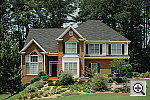
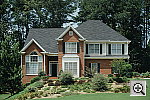
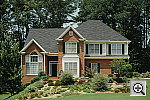
House Shot:
(3285 k)
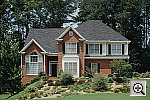
I chose the Auto (2393 k) white balance setting for the main selection here, as I felt it produced the most accurate color and white value. The Manual (2304 k) produced similar results, while the Daylight (2203 k) and 5200 Kelvin (2292 k) settings were slightly warm. Resolution is very high, with crisp details throughout the frame. Even
the fine foliage details in front of the house, a common problem area
among digicams, are clear and sharp. (Really, the EOS-1D is pushing
the limits of the high-resolution poster I use for a test subject in
this shot. - Just to give you some idea of how a high-end digicam stacks
up against film camera + scanner, this poster was made from a 500MB
scan from a 4x5 film transparency.) I shot the main shot with the camera's
JPEG quality set to 10 (maximum setting), and a moderate in-camera sharpness
boost to capture the most detail. To my eye, it could still stand a
little unsharp masking in Photoshop, but the detail recorded is excellent
nonetheless. (Unless otherwise noted, the other test images here were
captured with the camera's default settings. This shot was one of the
few I captured with the sharpness and JPEG quality boosted.) |
|||||||||||||||||||||||
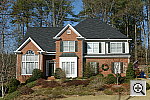
| Far-Field
Test (3531 k)
This is my ultimate "resolution shot," given the infinite range of detail in a natural scene like this. The EOS-1D turned in a stellar performance here, capturing great detail throughout the frame. The finest details of the tree limbs and pine needles against the sky are clear and sharp (usually a tough area for digicams), and the house details are crisp as well. (I think the 1D really outdid itself on this shot: The detail in the twigs and pine needles is really exceptional, very delicate and precise. - A testimony to the importance of conservative in-camera sharpening in high-end cameras.) The EOS-1D has a large dynamic range, but was tricked a little here by the extreme brightness of the trim on the bay window. (I must say though, that I once again greatly prefer the production camera's tone curve and exposure behavior to what I saw in the prototype units.) The shadow area under the porch shows strong detail as well, with the brick pattern and porch light fairly distinct, and low noise even in the deepest shadows. The table below shows our resolution and quality series, followed by ISO and color matrix series. Resolution Series:
ISO Series:
Color Matrix Series:
|
|||||||||||||||||||||||
| Lens Zoom Range
Given that the EOS-1D accommodates Canon's full series of EF mount lenses, the "lens zoom range" test really has little relevance, so I've left it out here...
|
|||||||||||||||||||||||
Musicians
Poster (2903 k)
(This test target is really a bit long in the tooth for cameras with the EOS-1D's resolution: Although the poster target was printed from a 20 MB image file, the 1D and similar cameras are really capable of picking up more detail than the target has to offer. It's still useful though, as a 100% consistent basis for comparing rendering of skin tones.) For this test, I shot with the Auto (2803
k), Daylight (3248 k), 5,200
Kelvin (3028 k), and Manual (2903 k)
white balance settings, choosing the Manual setting as the most accurate.
Both Daylight and 5,200 Kelvin white balances produced similar, slightly
warm images, while the Auto setting resulted in a very cool color balance,
and the Manual setting a slightly more neutral one. Overall, I decided
I liked the results of the Daylight setting the most, the slight warmth
contributing to better skin tones. The blue of the Oriental model's
robe is about right, with only a hint of a purplish tint in the darker
areas (this is a common problem among digicams). Resolution is again
very high, with great detail throughout the frame. |
|||||||||||||||||||||||
Macro Shot
(2440 k)
Using the 100mm f/2.8 Canon Macro lens, the EOS-1D performed exceptionally well in the macro category, capturing a minimum area of just 1.10 x 0.74 inches (28.05 x 18.76 millimeters). Color and resolution are both excellent, and details are sharp. I shot with the camera's default, normal sharpening (1714 k), as well as with a minor sharpness adjustment (2440 k). (The latter being 3 sharpness units on the scale in the EOS-1D's driver software.) (NOTE though, that I evidently didn't have the subject perfectly perpendicular
here, and also was shooting with an overly-wide aperture. The result
is some softness at the top and left side of the image. I'll try to
get back to reshoot this but have an exceptionally heavy schedule over
the next week (until the 1D has to go back to Canon), so may not manage
that...) |
|||||||||||||||||||||||
| "Davebox"
Test Target (1407 k)
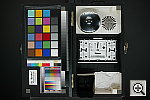
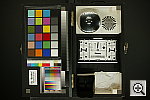
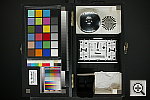
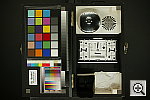
I shot samples of this target using the Auto (1407 k), Daylight (1388 k), 5,200 Kelvin (1421 k), and Manual (1422 k) white balance settings, choosing the Auto setting for the main shot. Manual produced nearly accurate results, though with a slight warm cast, while the 5,200 Kelvin and Daylight settings resulted in warmer images. Tonal distribution is excellent on the Q60 chart and in the grayscales, showing an accurate exposure. Color also looks great, with good saturation in the large color blocks, although the greens are slightly weak. The shadow area shows strong detail, with moderately low noise, and the highlight areas are in check with good detail as well.
Once again, I shot this target using each of the Color Matrix settings of the EOS-1D, with the results seen below. (This is probably the best series of shots to see in detail what the various Color Matrix settings actually do. Download the full-sized images to your hard drive to experiment with them in Photoshop.) - All images shot at ISO 200, auto white balance. Color Matrix series:
|
|||||||||||||||||||||||
| Low-Light Tests
Thanks to its large CCD pixels, "quiet" electronic design, and unusually effective noise-reduction system, the EOS-1D is an outstanding low-light shooter. The EOS-1D produced beautiful images the 1/16 foot-candle (or 0.67 lux) limit of my standard low-light test, even at ISO 100. Color is accurate and well-saturated, even at this very low light level. The EOS-1D's Noise Reduction system does a superb job of reducing image noise, producing a noticeable improvement even at ISO 3200. (Random noise really dominates the exposure at ISO 3200: The camera's noise reduction system primarily works by reducing the effect of so-called "fixed pattern" noise from the CCD.) The table below shows the best exposure I was able to obtain at the 1/16 foot-candle illumination level, at a variety of ISO settings. I also included the same series of images, shot without the Noise Reduction system. Images in this table (like all of our sample photos) are untouched, exactly as they came from the camera. (Click on a thumbnail to see the full-sized image.)
|
|||||||||||||||||||||||
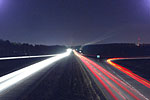
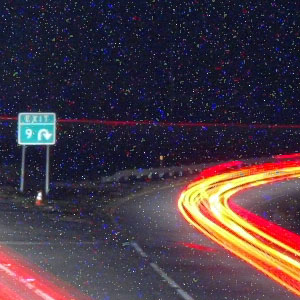
| REALLY Low Light Test
As just a spot test of the EOS-1D in this regard, I took it to a nearby highway overpass one night and grabbed a few of the "river of lights" that have become a photographic cliche. (But a fun one at that.) To get a long enough exposure time without blowing out the scene, I stopped the lens down to f/18, and used one of Canon's wired remotes to hold the shutter open for about 2 1/2 minutes (154 seconds according to the file's EXIF header information.) The result is as you see above right and below in detail. (Click on either to see the full-sized image exactly as it came from the camera.)
I noticed two things in these images. First, the EOS-1D has some sort of increased charge leakage in both the upper right and upper left corners of the image. This is doubtless related to the charge-readout circuitry, which is located on both sides of the chip to increase data readout speed. (Part of how the 1D gets its incredible continuous shooting speed. I'd never seen this before, and it's rather distracting. You could get rid of it with a post-exposure dark frame subtraction (see Mike Chaney's excellent Qimage program for a nicely automated way of doing this), but it'd of course be nice to not have to do this in the first place. The second thing I observed (as in the standard low-light shots above), was that the hot-pixel noise is very fine-grained, really looking like single pixels across the frame. The level of this is a bit higher than I'd expected, even with the long exposure, since (a) the Noise Reduction option was turned on, and (b) it was a fairly cool night when I shot these, at least by Georgia standards. I didn't have a thermometer along, but guess it was probably about 50 degrees F at the time. Other cameras I've shot with recently under similar conditions (see the ultra-long time exposure shots from my (boring) backyard for the Nikon 5000 and Olympus E20 on those cameras picture-index pages) showed considerably less noise than this. Still, pretty amazing, who'd have imagined we'd be talking about time exposures measured in minutes for digicams a few years back...
|
|||||||||||||||||||||||
| Flash Range Test
Because the EOS-1D accepts a variety of external flash units rather
than in internal flash, I didn't perform this test.
|
|||||||||||||||||||||||
ISO-12233
(WG-18) Resolution Test  (1265
k) (1265
k)
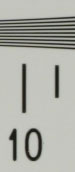
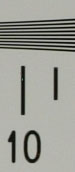
The EOS-1D performed very well on my "laboratory" resolution test chart. It started showing barely-perceptible artifacts in the test patterns at resolutions as low as 600-800 lines per picture height, in both horizontal and vertical directions, but I found "strong detail" out to at least 1,100 lines of resolution horizontally, and 900 - 1,000 lines vertically. "Extinction" of the target patterns didn't occur until about 1,500 lines. I shot this test with both the camera's default sharpness settings and a slightly boosted sharpness setting (which I chose as the default image for this test above), but have included a partial series showing sharpness variations below. The main images here were shot with Canon's very sharp 100mm f/2.8 macro lens, to provide the best basis of comparison against the Nikon D1x and D1h res target images, which were shot with a Nikkor 105mm, f/2.8 macro lens. (A lens aperture of f/10 was used here for the 1D tests, as that was the aperture that seemed to produce the sharpest results withthat lens.) It's always a breath of fresh air when I test pro cameras, and get to see what decent lenses really look like! As you'd expect from a pro-level lens, the 28-70mm f/2.8 and 100mm f/2.8 lenses I used for this test showed virtually no chromatic aberration, as I found only the slightest hint of red coloration around the target lines at the very extreme corners of the frame. (This distortion is visible as a very slight colored fringe around the objects at the edges of the field of view on the resolution target.) The 100 mm fixed focal-length macro lens showed even lower distortion. I usually include samples of a range of size/quality settings for this test, and have done so again for the 1D, as shown in the table below. (These shots were taken with the 28-70mm lens, except for the RAW format file.) Also, the RAW file was shot with the production camera, but the others were from the last prototype I tested. - Sorry, I really didn't have time to reshoot these, as I considered them of secondary importance to the 100 mm shots. - You can see how the camera does with its lower resolution settings, despite the CCD pixel-mapping artifacts from the prototype.) Resolution Series
The EOS-1D offers an unusual range of adjustments for its in-camera sharpening. You can adjust the amount of sharpening applied from zero through five (arbitrary units), and the radius of the effect from Fine to Rough. Below are two sharpness series. The first has the radius set to Normal shows the result of each of the setting for sharpness amount. The second shows the sharpening adjustment set at three, at each of the radius settings. Clicking on any of the small images will load a full-sized resolution target shot with those settings. (Note though, I was lazy and didn't reshoot these series with the production camera, so you'll see some dead-pixel artifacts here and there in these prototype-model images.) Sharpness Series
Sharpness-Radius Series
|
|||||||||||||||||||||||
|
Viewfinder Accuracy/Flash Uniformity
The EOS-1D's optical SLR viewfinder is very accurate, showing about 99 percent frame accuracy in my test. The difference between my measurement and Canon's claimed 100% is so slight I could attribute it to measurement uncertainty, but I did seem to consistently find a tiny sliver of extra image at the bottom of each frame. Small enough that it was easy to compensate for, not enough to lead me to say that the viewfinder accuracy was anything less than excellent.
|
|||||||||||||||||||||||
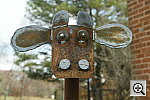
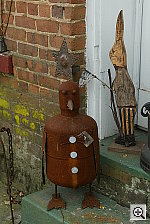
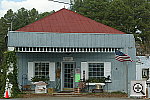
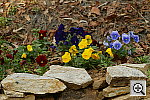
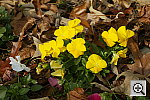
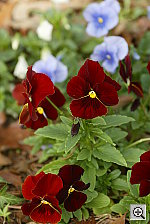
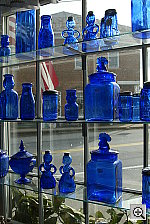
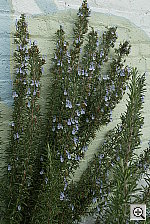
Photo GalleryHere are some shots writer/photographer gal Stephanie snapped with the EOS-1D production model, so our readers could see examples of more "normal" photography, in addition to our standardized test shots. Exposure info is beneath each photo. - The series of flag shots at the bottom were to show noise in sky areas as a function of the ISO setting. (I found it interesting that the color suffered somewhat once you got outside Canon's "official" ISO range of 200-1600. - This probably has something to do with why Canon chose to not make ISO 100 or 3200 "official" ISO options, but rather relegated them to special LCD Menu options.) Click on each image to view the full-sized, unaltered image straight
from the camera.
|




































Follow Imaging Resource: