Digital Cameras - Pentax Optio S5i Test Images
| I've begun including links in our reviews to a Thumbnail index page for the test shots. The data on this page includes a host of information on the images, including shutter speed, ISO setting, compression setting, etc. Rather than clutter the page below with all that detail, we're posting the thumbnail index so only those interested in the information need wade through it! |
| "Sunlit" Portrait:
The extreme tonal range of this image makes it a tough shot for many digicams, which is precisely why I set it up this way, and why I shoot it with no fill flash or reflector to open the shadows. The object is to hold both highlight and shadow detail without producing a "flat" picture with muddy colors, and the Optio S5i performed fairly well, though with high contrast and slightly flat color. The shot at right was taken with a +1.0 EV exposure compensation adjustment and the camera's contrast adjustment at its lowest setting. Despite the reduction in contrast, the highlights are blown out, while midtones and shadows are dark. The camera's contrast adjustment did lower contrast slightly, but it could really stand to go lower yet. All three of the S5i's white balance settings produced good results here, though I chose the Auto setting as the most accurate overall. The Daylight and Manual settings had only a trace of a stronger red cast. Overall color is just a hint reddish (most obvious in the white shirt), though Marti's skin tones are still pretty good. However, the blue flowers in the bouquet are darker and more purple-colored than in real life. (Many digicams have trouble with this blue, which is in reality a pretty light navy blue with just hints of purple in it.) Though slightly dark, color looks good elsewhere. Resolution is high, and a lot of fine detail is visible throughout the frame, but the image as a whole is softer than those produced by the best full-sized 5-megapixel cameras. (There's also some evidence of reduced detail in areas of subtle contrast, due to anti-noise processing.) Shadow detail is pretty good, and image noise is low. To view the entire exposure series from zero to +1.3 EV, see files S5IOUTAP0.HTM
through S5IOUTAP4.HTM on the thumbnail index page.
Saturation Series:
|
||||||||||||||||||||||||||||||||||||||||||||||||||||||||||||||
| Closer Portrait: 
Excellent resolution and detail, but again, high contrast. Contrast is again high from the deliberately harsh lighting, with dark midtones and very dark shadows. The shot at right was taken with a +0.7 EV exposure compensation adjustment, which is slightly dark overall, but the highlights on Marti's face become much too bright with any further adjustment. Detail is limited in the deepest shadows, but image noise is low. The Optio S5i's 3x zoom lens helps prevent geometric distortion in Marti's features, and captures fairly sharp details. Resolution and detail are much stronger in this close-up shot, with excellent definition in Marti's face and hair. Shadow detail is also surprisingly good, with low noise levels. To view the entire exposure series from zero to +1.3 EV, see files S5IOUTFACAP0.HTM
through S5IOUTFACAP4.HTM on the thumbnail index page.
|
||||||||||||||||||||||||||||||||||||||||||||||||||||||||||||||
| Indoor Portrait, Flash:
A dim exposure with the normal flash mode, better results with the Slow-Sync setting (but a stronger orange cast). The Optio S5i's built-in flash proved a little weak at its normal setting. The exposure compensation control appears to have no effect on flash exposures, as exposures were dim at both the default exposure and with a +1.3 EV exposure compensation adjustment. Color balance is slightly cool from the flash, with slight traces of a warm cast on the back wall and Marti's hair from the background incandescent lighting. The camera's Slow-Sync flash setting produced much better results, in terms of exposure, though with a much stronger orange cast, since the longer exposure allowed more of the ambient lighting in to balance the exposure. I found the best results in this mode with a +1.0 EV exposure compensation adjustment. While the warm cast is stronger, I preferred the brighter exposure and more balanced lighting. To view the entire exposure series from zero to +1.3 EV in the normal flash mode, see files S5IINFP0.HTM through S5IINFP4.HTM on the thumbnail index page. To view the same exposure series in the Slow-Sync flash mode, see files
S5IINFSP0.HTM through S5IINFSP4.HTM on the thumbnail
index page. |
||||||||||||||||||||||||||||||||||||||||||||||||||||||||||||||
| Indoor Portrait, No Flash:
Slight color casts with all three white balance settings, but all were very good. Slightly higher than average exposure compensation required. This shot is always a very tough test of a camera's white balance capability, given the strong, yellowish color cast of the household incandescent bulbs used for the lighting. The Optio S5i had only slight difficulty here, with all three white balance settings producing acceptable results. The S5i's Incandescent white balance setting produced the best results to my eye, despite the slight reddish cast. The Auto setting resulted in a stronger warm cast and the Manual setting resulted in a pale, slightly greenish image. Though slightly pink, I preferred Marti's skin tone in the Incandescent mode to the paler results of the Manual setting. Color is pretty good in the flower bouquet, though the blue flowers have strong purple tints. (Typical for this light source.) The main shot was taken with a +1.3 EV exposure compensation adjustment, slightly higher than the average required for this shot among the cameras I test. To view the entire exposure series from zero to +1.3 EV, see files S5IINTP0.HTM
through S5IINTP4.HTM on the thumbnail index page. ISO Series:
|
||||||||||||||||||||||||||||||||||||||||||||||||||||||||||||||
| House Shot:
Good color, and very high resolution with strong detail. Some blurring in the corners of the frame, however. While all three of the Optio S5i's white balance settings tested performed
pretty well here, I chose the Manual setting
as the most accurate overall, based on the white value of the house trim.
The Daylight and Auto
settings resulted in slight reddish casts, but results were still pretty
good. Exposure is a little dark, as is overall color. Resolution is very
high, and detail is strong in the tree limbs, front shrubbery, and house
front. Details are reasonably sharp in the center of the frame, but soften
a fair amount in the corners from some lens distortion. |
||||||||||||||||||||||||||||||||||||||||||||||||||||||||||||||
| Far-Field Test 
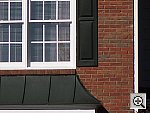
High resolution and strong detail, but high contrast limits the dynamic range. This image is shot at infinity to test far-field lens performance. NOTE that this image cannot be directly compared to the other "house" shot, which is a poster, shot in the studio. The rendering of detail in the poster will be very different than in this shot, and color values (and even the presence or absence of leaves on the trees!) will vary in this subject as the seasons progress. In general though, you can evaluate detail in the bricks, shingles and window detail, and in the tree branches against the sky. Compression artifacts are most likely to show in the trim along the edge of the roof, in the bricks, or in the relatively "flat" areas in the windows. This is my ultimate "resolution shot,"
given the infinite range of detail in a natural scene like this, and the
Optio S5i captures excellent detail for a subcompact digital camera. The
leaf patterns in the front shrubbery and in the tree limbs above the roof
show a lot of fine detail, as do the tree trunks themselves and the brick
pattern on the house front. Details are fairly sharp throughout the majority
of the frame, though the right corners of the frame are somewhat softer.
(Overall though, there seems to be less softness in the corners of the
frame than I see with many digital cameras, particularly subcompact models.)
The bright sunlight causes the camera to lose essentially all detail in
the bright white paint surrounding the bay window, a trouble spot for
many digicams. Detail is only marginal in the shadow area above the front
door as well, further evidence of a limited dynamic range. (This shot
was taken with the S5i's contrast set to its normal level. The low contrast
setting would almost certainly have helped, at least a little bit.) The
table below shows a standard resolution and quality series, followed by
ISO, sharpness, contrast, and saturation series. Resolution Series:
ISO Series:
Sharpness Series:
Contrast Series:
Saturation Series:
|
||||||||||||||||||||||||||||||||||||||||||||||||||||||||||||||
|
Lens Zoom Range A good 3x zoom range. I routinely shoot this series of images to show the field of view for each camera, with the lens at full wide angle, at maximum telephoto (3x, in this case), and at full telephoto with the digital zoom enabled. The Optio S5i's lens is equivalent to a 35.6-107mm zoom on a 35mm camera. That corresponds to a moderate wide angle to a pretty good telephoto. Following are the results at each zoom setting.
|
||||||||||||||||||||||||||||||||||||||||||||||||||||||||||||||
| Musicians Poster
Slightly reddish color, but overall good results. High resolution and strong detail. This shot is often a tough test for digicams, as the abundance of blue
in the composition frequently tricks white balance systems into producing
a warm color balance. In this case, the Optio S5i's Auto
and Manual settings actually produced very
cool color balances, with magenta tints. However, the Daylight
setting produced a warmer, slightly reddish image. I preferred the warmer
(though red) skin tones of the Daylight setting, so I chose it for the
main shot. Though the red cast creates purplish tints in the blue background
and in the deep shadows of the blue robe, overall color still looks reasonably
good. Resolution is very high, and detail is strong in the embroidered
bird wings on the blue robe, as well as in the models' accessories and
instruments. (The original data file for this poster was only 20MB though,
so cameras like the S5i are capable of showing more detail than the poster
has in it.) |
||||||||||||||||||||||||||||||||||||||||||||||||||||||||||||||
| Macro Shot
Very nice results with both macro settings, and great detail. Details soften in the corners though. Flash throttles down fairly well, but is off-center for close shots, is disabled in Super Macro mode. The Pentax Optio S5i performed very well in the macro category, most
notably in the Super Macro mode, where it captured a minimum area of only
1.36 x 1.02 inches (34 x 26 millimeters). In the normal macro mode, the
minimum area measured 3.16 x 2. 37 inches (80 x 60 millimeters). Resolution
is very high, showing a lot of fine detail in the dollar bill. The coins
and brooch are soft in the Super Macro shot due to the close shooting
range (a depth of field issue, not the camera's fault), and are slightly
soft in the wider shot, but still show good detail in the wider shot.
Details soften toward the corners of the frame, but are fairly sharp on
the dollar bill. (Most digicams produce images with soft corners when
shooting in their Macro modes, the S5i is typical in this regard.) The
S5i's flash throttled down fairly well for
the macro area, though the overall exposure is low and the brooch creates
a bright reflection. (You'll be able to use the flash for some macro shots,
but best results will be with external lighting.) |
||||||||||||||||||||||||||||||||||||||||||||||||||||||||||||||
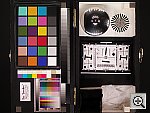
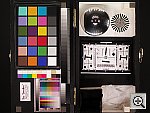
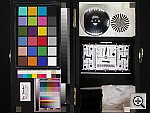
| "Davebox" Test Target
Slight underexposure and high contrast, but very good overall color. This shot is one instance where the slightly cooler color balance of
the Manual white balance setting paid off,
as it produced the most believable color and white values. The Auto
and Daylight settings both produced warmer,
reddish color balances. Exposure is slightly dim, and contrast is high,
but the S5i just distinguishes the subtle tonal variations of the Q60
target. Looking at the large blocks of the MacBeth(tm) color chart, the
S5i's color is more accurate than that of most cameras I test. It tends
to slightly oversaturate reds and blues, but hue is quite accurate, and
all the other colors are very close to their true values. (Most consumer
digital cameras have oversaturated color, since that's what is most appealing
to the greatest number of people. The S5i's color will be a little more
subdued than average for colors other than reds and blues, but the overall
effect should be appealing to most users.) The shadow area of the charcoal
briquettes shows marginal detail, with fairly low noise.
Contrast Series:
Saturation Series:
|
||||||||||||||||||||||||||||||||||||||||||||||||||||||||||||||
|
Low-Light Tests Pretty good low-light performance, with reasonably bright exposures under the equivalent of average city street lighting at night. Reddish color balance, but moderate noise. Autofocus works down to ~1/4 foot-candle. (One-quarter the brightness of typical city street lighting.) The Optio S5i produced clear, bright, usable images only down to the 1/8 foot-candle (1.3 lux) limit of my test, at the 400 ISO setting. At ISO 200, images were bright down to the 1/4 foot-candle (2.7 lux) light level, and at ISO 80 and 100, images were bright only to the 1/2 foot-candle (5.5 lux) light level. Color balance was warm and reddish, with an increasing red cast at the lower exposures. The autofocus system works down to about 1/4 foot-candle, a good performance also. Since city street-lighting at night generally corresponds to a light level of about one foot-candle, the S5i should do pretty well for after-dark photography in typical outdoor settings, though you'll need the flash for darker situations. Image noise is moderate at the lower ISO settings, but increases at ISO 400, with a large grain pattern. The table below shows the best exposure I was able to obtain for each of a range of illumination levels. Images in this table (like all sample photos) are untouched, exactly as they came from the camera. (Note: If you'd like to use a light meter to
check light levels for subjects you might be interested in shooting, a
light level of one foot-candle corresponds to a normal exposure of two
seconds at f/2.8 and ISO 100.)
|
||||||||||||||||||||||||||||||||||||||||||||||||||||||||||||||
|
Flash Range Test A weak flash, dim even at eight feet, and with significant falloff from nine feet on. In my testing, the Optio S5i's flash only barely illuminated the test
target at 14 feet, showing significant decreases in intensity from the
nine-foot distance on. Below is the flash range series, with distances
from eight to 14 feet from the target.
|
||||||||||||||||||||||||||||||||||||||||||||||||||||||||||||||
|
ISO-12233 (WG-18) Resolution Test
High resolution, 1,200 lines of "strong detail." High barrel distortion at wide angle. Very little chromatic aberration, but soft corners, particularly with close-in subjects. The Optio S5i performed pretty well on the "laboratory" resolution test chart. It started showing artifacts in the test patterns at resolutions as low as 800 lines per picture height in both directions. I found "strong detail" out to at least 1,200 lines. "Extinction" of the target patterns didn't occur until about 1,600 lines. Geometric distortion on the Optio S5i is high at the wide-angle end,
where I measured approximately 1.05 percent barrel distortion. The telephoto
end fared quite a bit better, as I measured approximately 0.01 percent
barrel distortion (about two pixels' worth) there. Chromatic aberration
is pretty low, as there's only very faint color visible around the res
target lines in the corners of the frame. (This distortion is visible
as a very slight colored fringe around the objects at the edges of the
field of view on the resolution target.) As seen in the res target images,
the S5i tends to get rather soft in the corners at closer distances, although
this effect appears to diminish significantly as the subject gets farther
away. (Many subcompact digicams share this issue of softness in the corners
of their images.) Resolution Series, medium focal length
Sharpness Series:
|
||||||||||||||||||||||||||||||||||||||||||||||||||||||||||||||
|
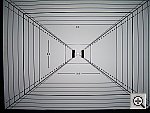
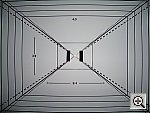
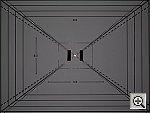
Viewfinder Accuracy/Flash Uniformity A very tight optical viewfinder, but very accurate LCD monitor. The Optio S5i's optical viewfinder is very tight, showing only 72 percent of the final image area at wide angle, and about 74 percent at telephoto. The LCD monitor proved much more accurate, showing about 98 percent of the image area at wide angle, and about 99 percent at telephoto. Given that I like LCD monitors to be as close to 100 percent accuracy as possible, the S5i's LCD monitor performed pretty well here, but its optical viewfinder could really use some help. Flash distribution is slightly uneven at wide angle, with some falloff at the corners and edges of the frame. At telephoto, flash distribution is more uniform but very dim. |
||||||||||||||||||||||||||||||||||||||||||||||||||||||||||||||

































S5i Test Images
S5i Specifications
S5i "Picky Details"
Up to Imaging Resource digital cameras area


Follow Imaging Resource: