


Overview
Overview and Tech Info by Mike Tomkins,
Hands-on Preview by Dan Havlik
Field Test by Tim Barribeau
Preview posted: 06/20/2013
Review finalized: 06/24/2014
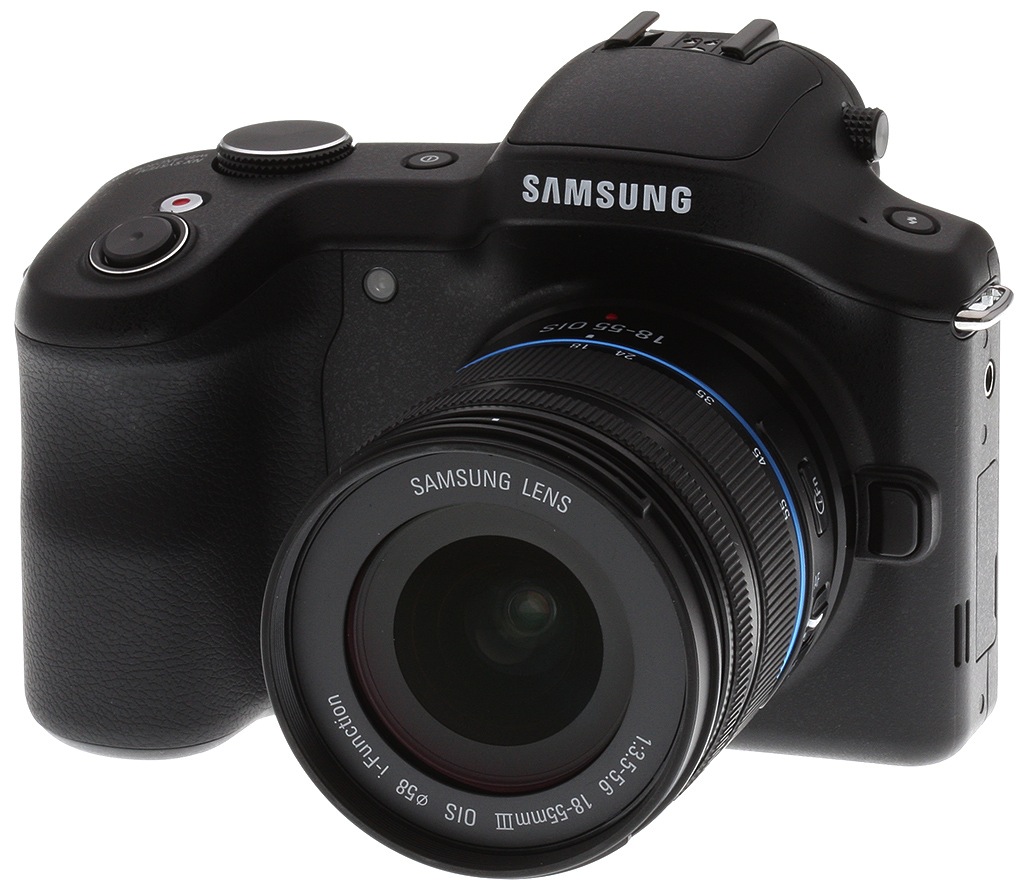
It's long been rumored, and it's finally happened: the interchangeable-lens camera has just stepped into the modern, connected world and become a smart device! With the Samsung Galaxy NX, Korean consumer electronics powerhouse Samsung has taken the smarts of a smartphone and the expandability of a mirrorless camera to create a single, coherent product.

Building on experience. The Samsung Galaxy NX, not surprisingly, draws much from the company's experience not only with smartphones -- a section of the market in which it has a dominant presence -- but also from 2012's fixed-lens Galaxy Camera. Like that model, the Galaxy NX runs Google's Linux-based Android 4.2 Jelly Bean operating system, which offers not only a powerful, connected feature set of its own, but can also be extended to do almost anything courtesy of a vast array of third-party apps.
It's that extendability, along with the Samsung Galaxy NX's built-in 3G / 4G LTE and Wi-Fi wireless connectivity that make it exciting. Sure, you could probably slap an Eye-Fi card in your current SLR or mirrorless camera, and pair it to your existing smartphone, and many of us do -- but the experience is clumsy, and that makes it far too easy to leave a photo on your camera that might otherwise have been tweaked and shared with friends and family on social networks.

An all-in-one imaging powerhouse. The Galaxy NX is an all-in-one device that takes away the hurdle of working with multiple devices. Whatever your Android smartphone can do -- at least, with the exception of standard voice calling -- the Galaxy NX should be able to do as well. A bundled Photo Suggest app lets the Galaxy NX recommend popular photo spots and guide you to them. When you're there, you can grab your photo using Samsung's camera interface, or if you prefer you can opt for a third-party app that provides the features and layout you need. And unlike Nikon's Coolpix S800c, which didn't provide access even to basics like the full camera resolution or optical zoom, the Galaxy NX lets third part apps get at its full camera feature set, via an interface called Camera Studio, though depending on the app used, it might down-res the image (for example, Snapseed resizes images to 2,736 x 1,824 pixels.)

And then, once you've shot your photo, you can view it, tweak it, and share it to the likes of Facebook or Instagram. Ditto videos, which can be uploaded to YouTube straight from the camera, so long as you're in range of a mobile data connection or Wi-Fi network. There's also a Story Album tool which creates digital photo books from your shots, which can be shared with and viewed on other devices. And when you're done, you can use the Galaxy NX check your email or browse the web.
Extendability. And that's just a snippet of what you can do with the bundled apps. Hop onto the Google Play store or Samsung's AllShare Play, and an endless selection of apps extend that functionality still further. Want to navigate your way to the location of a past photo? You can. Perhaps you'd like to translate some text in one of your images? Not a problem. That's the delight of working with a smart device: new uses crop up almost on a daily basis -- you're not limited to the feature-set your camera had the day you bought it.

Think back to the likely reasons why you chose an interchangeable-lens camera in the first place -- the ability to build a system of lenses and accessories which would extend the capabilities of your camera beyond that of a mere fixed-lens model -- and you realize that a similar degree of expandability on the inside could prove to be a very exciting thing. And if past experience is anything to go by, you may even be able to look forward to third-party ROMs that could restyle or even radically alter the entire user interface of your camera. It happens on Android smartphones, and Samsung has proven uncommonly supportive of such efforts by releasing the necessary source code to make life easier for the hacker types amongst us.

Pricing and availability. When originally released in October 2013, the suggested list price was US$1,599.99 body-only, and US$1,699.99 for the kit with 18-55mm OIS lens. MSRP has since dropped $300 to US$1,299.99 for the body and US$1,399.99 for the kit.
That still makes the Galaxy NX the most expensive NX-series camera by quite some margin, but it was only to be expected: You're essentially purchasing a complex camera and smart device in one, and although Google doesn't charge for its Android operating system, the hardware needed to run it is not inexpensive. Take a look at the pricetag of even a fairly basic smartphone without carrier subsidy, and it was clear that just the smarts of the Galaxy NX were going to come at a cost.
Optics
We've already tested the Samsung 18-55mm f/3.5-5.6 III OIS kit lens on the NX300 which shares the same sensor and processor, so hop on over to our Samsung NX300 Optics page to see how it performs.
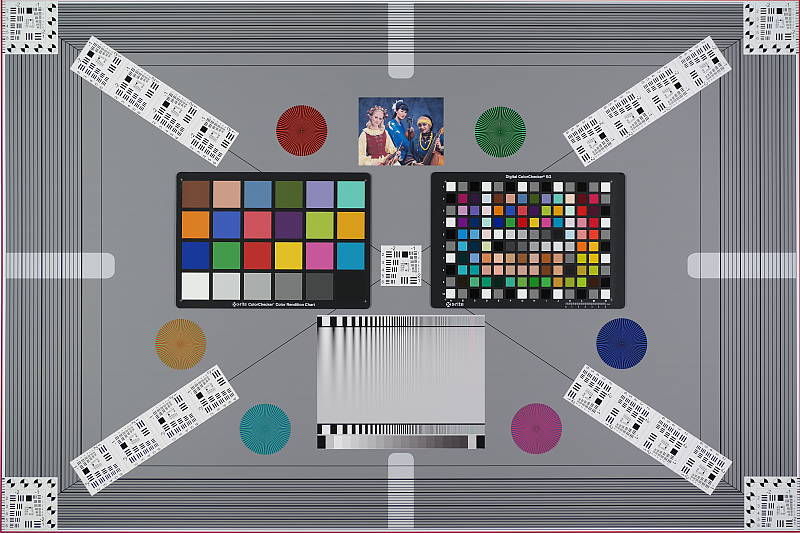
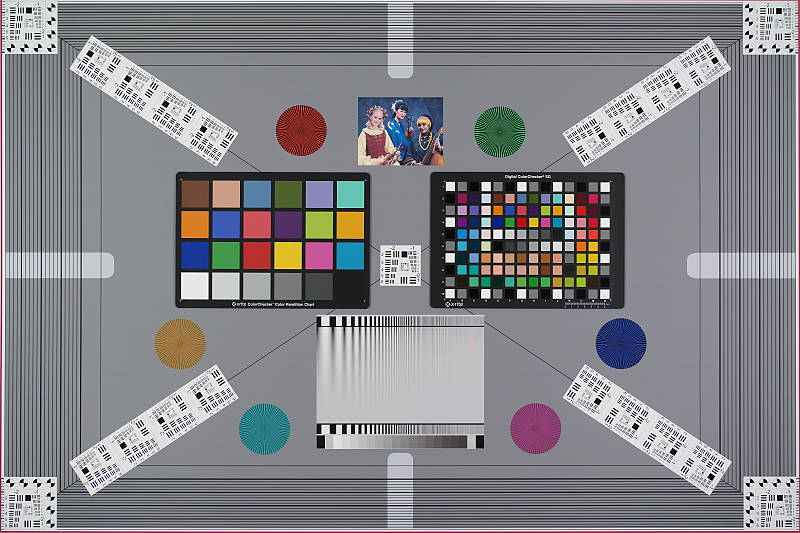
Viewfinder Accuracy: The Samsung Galaxy NX's electronic viewfinder and LCD monitor both showed just a touch over 100% coverage, which is excellent.
The images above were taken from our standardized test shots. For a collection of more pictorial photos, see our Samsung Galaxy NX Photo Gallery .
Exposure
Note: Since its imaging pipeline is shared with the Samsung NX300 (same sensor and image processor), we've given the Galaxy NX a lighter treatment than we normally would here. See the Samsung NX300 review for more in-depth image quality test results.

Color: The Samsung Galaxy NX's default mean saturation at base ISO is lower than most cameras. Mean saturation is 105.8% or only 5.8% oversaturated, which is lower than the average of about 10% oversaturation from most cameras. Dark reds and blues are pumped moderately, while dark greens and browns are pushed just slightly. Yellows are undersaturated, while most other colors are pretty close to accurate. There are only minor shifts in hue, such as small shifts in cyan toward blue and orange toward yellow. The NX's average "delta-C" color error after correction for saturation is only 3.71 at base ISO, which is much better than average. The Galaxy NX does pretty well with skin tones under sunlight, showing a healthy-looking pinkish tint, though darker tones can be a little orange. Overall, color performance is realistic and accurate, though some may consider default saturation a bit muted.
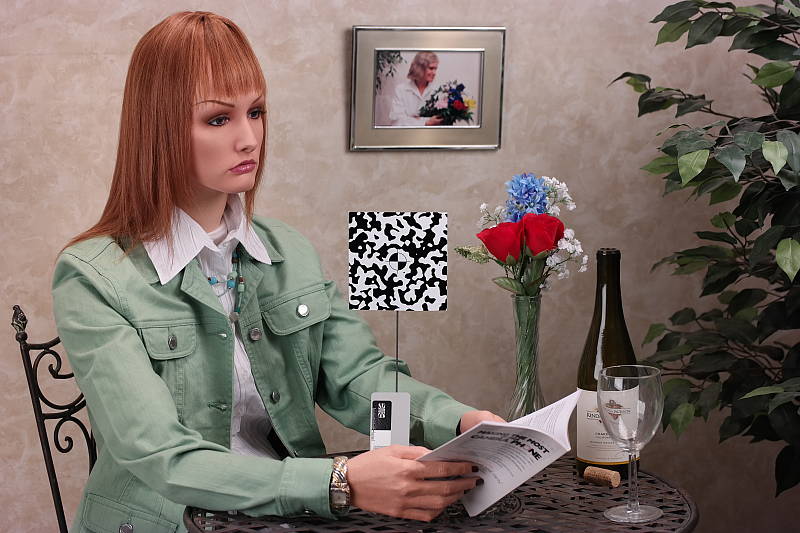
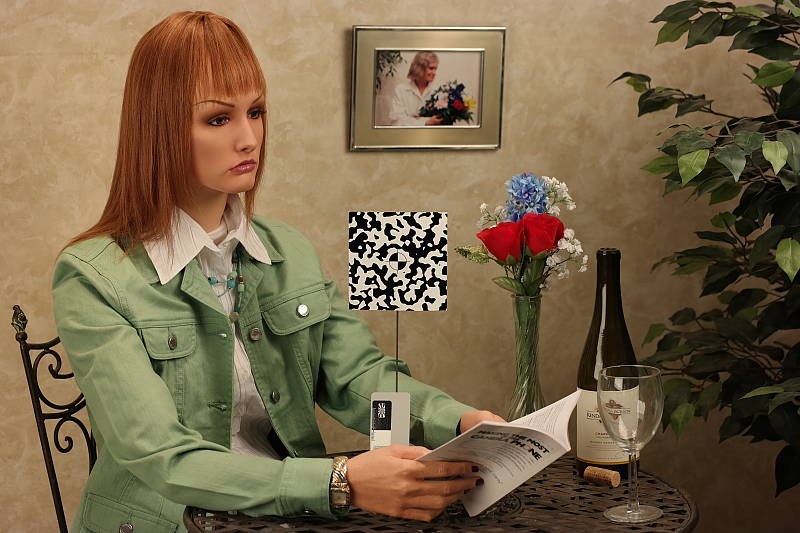
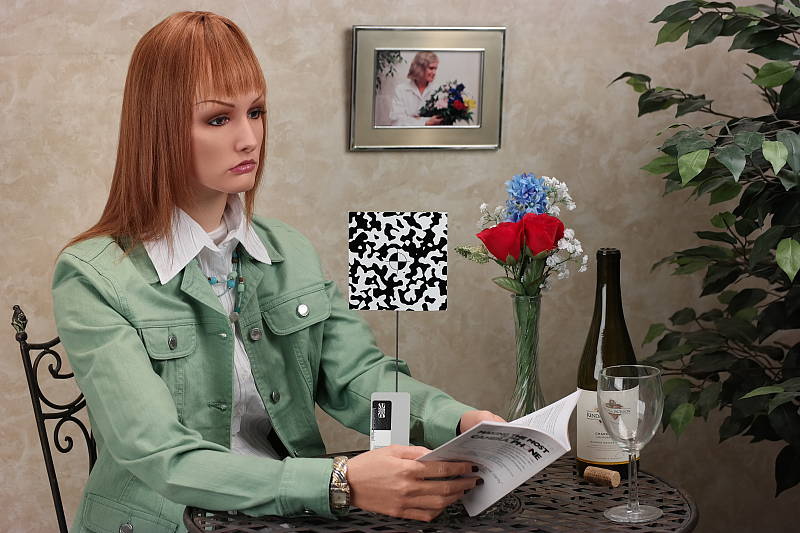
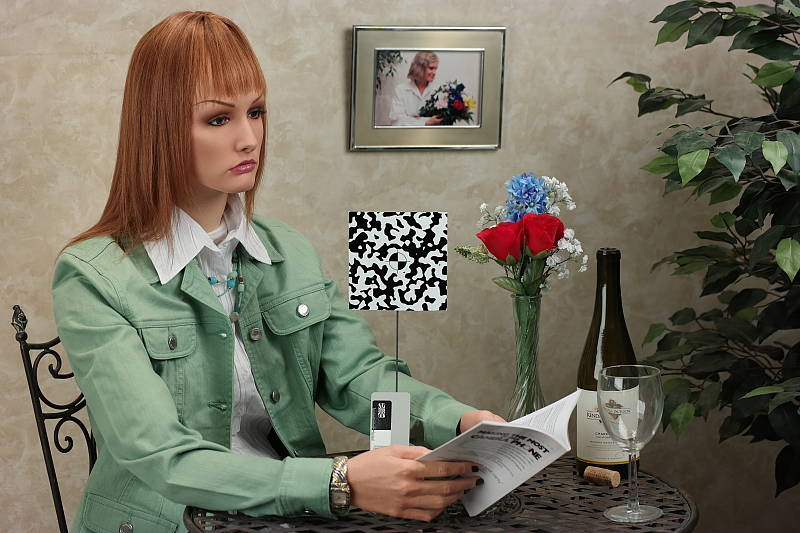
Incandescent: Indoors, under typical incandescent lighting, Auto white balanced produced a reddish cast, the Incandescent setting resulted in a strong orange cast, while the 2,600 Kelvin setting which should match our lights was just slightly greenish. Manual white balance handled our incandescent lighting best, with very good, neutral results.
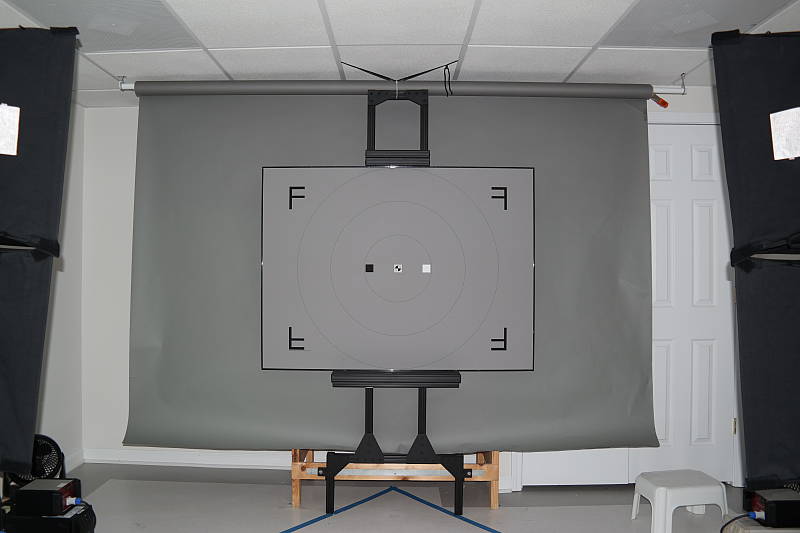
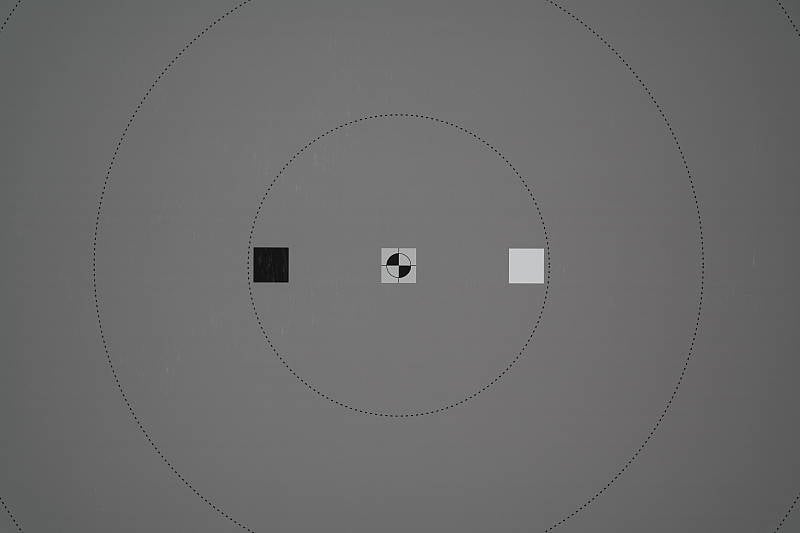
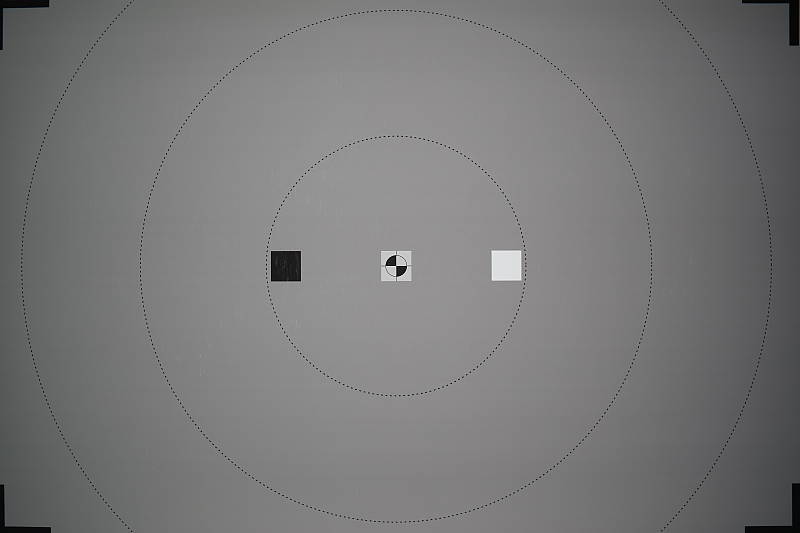
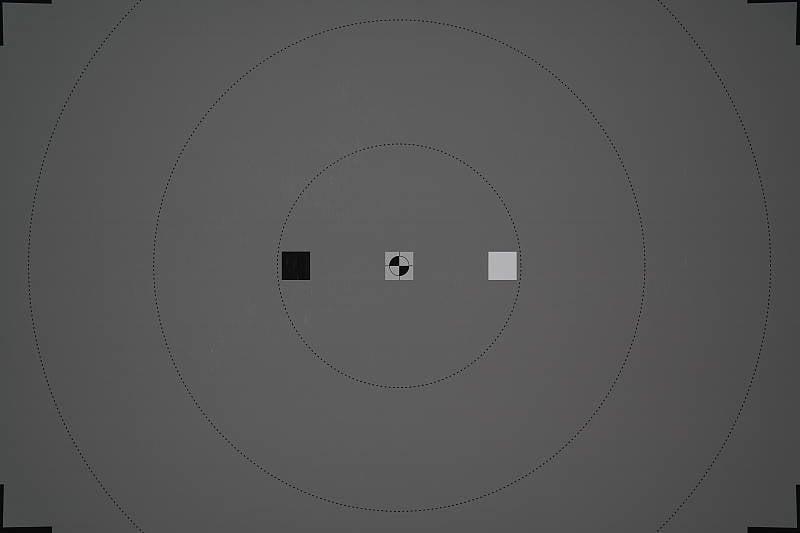

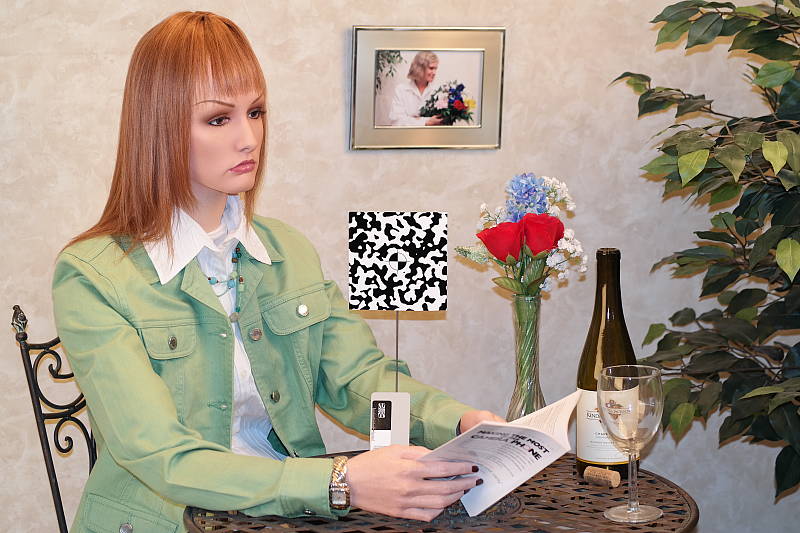
Flash: Our manufacturer-specified testing (shown at right in the top row) shows a well-exposed target area at the rated wide-angle distance of 10.3 feet at ISO 100 and maximum kit lens aperture. Results at the rated telephoto distance of 6.4 feet are a little dim at ISO 100.
Flash coverage was pretty good a wide angle, just a touch narrow, but better than many cameras. At full telephoto, flash coverage was more even as it usually is.
Normal flash mode required +0.3 EV flash exposure compensation for a bright scene, which is a bit better than average for the cameras we've tested (most cameras need about +0.7 EV compensation for this scene), and the NX used a fairly fast 1/00s shutter speed, which should help avoid any subject motion blur for typical portraits. Slow sync mode produced a very bright exposure at 1/6s without any flash exposure compensation, along with a warm orange cast from the ambient lighting. Shot taken at ~5 feet (~1.5m) on a stable tripod.
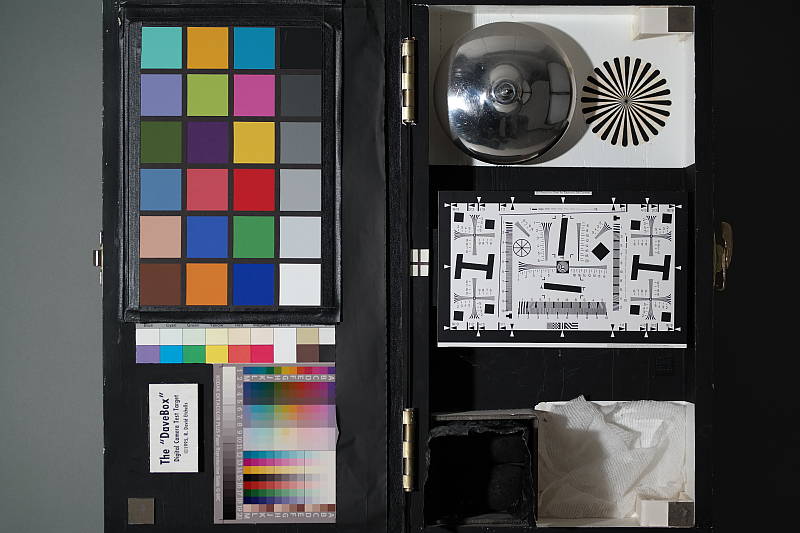
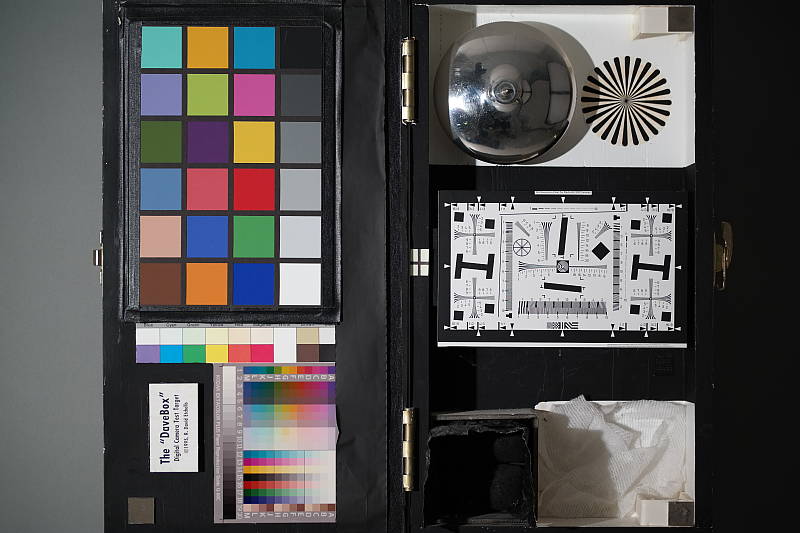
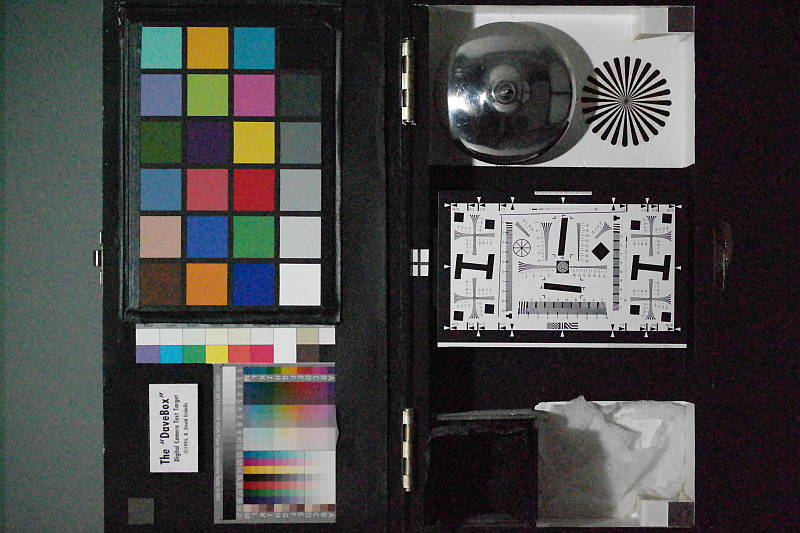
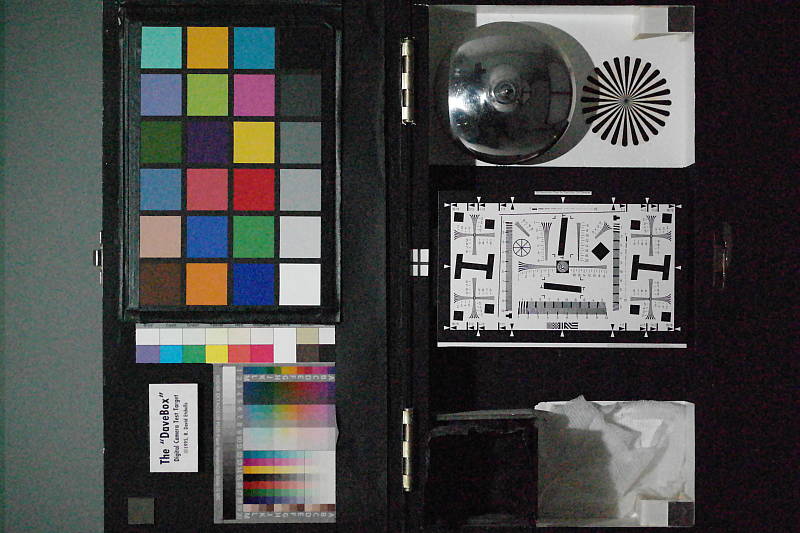
Low Light: The Galaxy NX was able to capture bright, clean images at the lowest light level we test at (1/16 foot-candle, about 4 stops down from typical city street lighting at night), even at its lowest ISO setting. Auto white balance performed well, producing a slightly cool color balance.
At its top ISO of 25,600, noise is much too high for it to be usable for anything other than small web images even at 1 foot-candle, and images took on a greenish tint.
Still, pretty good performance here, but we'd avoid ISOs higher than 6,400 except in emergencies.
The camera's AF system was only able to focus down to about the 1/3 foot-candle light level without AF assist enabled, though, which is poor for a CSC. The Galaxy NX was however able to focus in complete darkness with the AF assist lamp enabled, when the subject was in range.

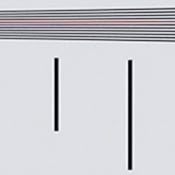
Resolution: Our laboratory resolution chart revealed sharp, distinct line patterns down to about 2,500 lines per picture height horizontally and to about 2,500 lines vertically. Extinction of the pattern occurred at about 3,600 lines per picture height in the vertical direction, and not before the limit of our chart (4,000 lines) horizontally.
Also notice the red horizontal line in our vertical resolution crop, an artifact from the NX's on-chip phase-detect AF pixels. We saw similar artifacts from the NX300.
 |
|
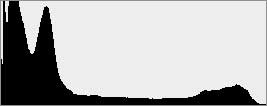 |
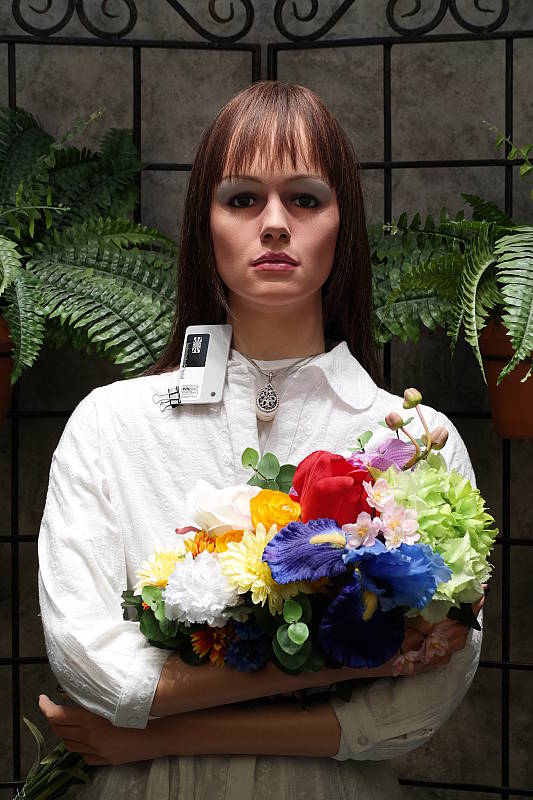
Sunlit: The thumbnails and associated histograms at right compare "sunlit" exposures using Aperture Priority with no exposure compensation, Aperture Priority with exposure adjusted to provide a reasonably bright face (+0.7 EV in this case), Full Auto, Smart Range+ and HDR modes. Mouse over the links to the right to compare.
Aperture Priority, f/8 at ISO 100. As you can see, the default exposure is quite dim, with very dark shadows and midtones. Applying +0.7 EV exposure compensation produced a much better exposure overall, but as seen in the histogram, quite a few highlights are blown (in the shirt and flowers), while deep shadows remain dark and clipped.
Full Auto. In fully automatic mode, the Galaxy NX did a pretty good job, producing a pleasant exposure without requiring any exposure compensation, using an aperture of f/2.8, a fast shutter speed of 1/400s and selecting an ISO of 200. And as you can see from the histogram, the camera managed to preserve most highlights even though shadows and midtones were boosted.
Smart Range+ works similar to Canon's Highlight Tone Priority, preserving highlights at the expense of noisier shadows. It produced a better image than Aperture Priority without exposure compensation, but overall the exposure was still a bit dim, and skin tones too exaggerated. We preferred the Full Auto exposure.
HDR mode captures three different exposures and merges them for greater tonal range than what is possible in a single exposure. Here, it produced a good exposure, however the image looks a little too artificial. HDR modes in general are not meant for portraits, though, because any movement between shots can cause ghosting. We take them with our "sunlit" portrait scene because lighting is better controlled in the lab versus random outdoor shots.
Note that there is no control over the strength of Smart Range+ and HDR settings.









ISO: Noise and Detail: As expected, ISO performance is similar to the NX300 which is to say very good, if not quite as good as the best APS-C mirrorless models. ISOs 100 through 400 are very clean and detailed, with just a slight uptick in luminance noise as ISO rises. At ISO 800, noise reduction is a bit stronger which softens the image slightly, but fine detail is still very good, and there's no sign of chroma noise though subtle detail in reds is noticeably reduced. Naturally, noise is higher at ISO 1,600 so the processor is working harder blurring away more fine detail in the process, but a lot is still intact, and chroma noise is still not an issue. At ISO 3,200, a larger drop in find detail occurs with stronger noise processing, however we don't see the chroma noise that was so objectionable in previous generation Samsung APS-C models. But as a consequence, detail in our red-leaf fabric is already almost gone. ISO 6,400 shows more luminance noise as well as minor chroma noise in the shadows, thought there is some fine detail left. At 12,800, it seems Samsung has dialed back on the chroma noise reduction significantly, leaving blotches of green and red in the shadows, and luminance noise is stronger as well, giving images a stippled look. ISO 25,600 is very noisy and impressionistic, leaving obvious blotches of strong green and red chroma noise, as well as dark spots in reds. See Printed results below for more on how this affects prints.
Print Quality Analysis: Overall, impressively large 36 x 48 inch prints at ISOs 100 and 200; ISO 1600 capable of a nice 16 x 20; ISO 6400 prints a good 8 x 10.
 ISO 100 and 200 images are excellent at 36 x 48 inches, with accurate colors and fantastic detail, which is very impressive. Even still, the Galaxy NX is capable of producing very large 40 x 60 inch prints for wall display, and while those will show some minor pixelation upon close inspection (and the 36 x 48 prints, as well, to a lesser extent), at normal, comfortable viewing distances these prints look crisp and detailed.
ISO 400 prints look very good at 30 x 40 inches, with wall display prints easily possible up to 36 x 48 inches. Colors look excellent and fine detail is impressive, but you can start to see some aggressive noise reduction in the shadow areas.
ISO 800 yields a nice 20 x 30 inch print. Colors still look accurate, and the camera still has the ability to resolve lots of fine detail in most of the image, with nary a hint of noise thanks to noise reduction. Difficult areas like the low-contrast red fabric swatch of our test image have started to lose a bit of fine detail, however.
ISO 1600 is capable of a good 16 x 20 inch print. The troublesome red fabric swatch in our test target is losing more fine detail, but there's very little noise in the entire image -- even in the shadows -- and color still looks great at this ISO.
ISO 3200 prints are good at 13 x 19 inches, with some minor softness in the shadows due to the heavy default noise reduction. Colors still look good and fine detail elsewhere in the image is still strong.
ISO 6400 produces a nice 8 x 10. Noise is starting to show up more, particularly in the shadow areas and noise reduction as a whole is starting to take its toll on fine detail. However, colors are holding strong and remain pleasing to the eye.
ISO 12,800 prints are acceptable at 4 x 6, and although colors look fine, the noise reduction produces some splotchiness as it tries to combat the high ISO noise.
ISO 25,600 does not produce a usable print and is best avoided, though for less critical applications a 4 x 6 may be acceptable.
Wow. The Samsung Galaxy NX is an impressive camera when it comes to print quality and resolution. At base ISO and 200, the Galaxy NX's 20MP APS-C sensor is able to handle prints all the way up to 36 x 48 inches and wall-mountable at 40 x 60! Highly detailed with excellent color reproduction, the prints at these low ISOs are fantastic. Even at the mid-range higher ISOs, like 1600 and 3200, the Galaxy NX produces very good 16 x 20 and 13 x 19 inch prints, respectably. While noise reduction, by default, is quite aggressive, it does very well at removing practically any and all hints of grain, while leaving most of the fine detail intact (NR is most noticeable in the shadow areas). It's only at the very high ISOs levels that the noise and heavy NR take their toll on fine detail, making ISO 12,800 the maximum sensitivity with an acceptable print at 4 x 6 inches.
The images above were taken from our standardized test shots. For a collection of more pictorial photos, see our Samsung Galaxy NX Photo Gallery .
Not sure which camera to buy? Let your eyes be the ultimate judge! Visit our Comparometer(tm) to compare images from the Samsung Galaxy NX with those from other cameras you may be considering. The proof is in the pictures, so let your own eyes decide which you like best!
Performance
Timing and Performance
Generally slower than most mirrorless cameras, though burst mode is fast.
|
Startup/Play to Record/Buffer Clearing |
||
| Power on |
~2.7 seconds
|
Time it takes to wake up from sleep mode and capture a photo. |
|
Play to Record, |
~3.0 seconds
|
Time until first shot is captured. |
| Buffer clearing time |
27 seconds
after 16 LSF JPEGs* 16 seconds after 5 RAW files* |
Worst case buffer clearing time after a burst. -- This is the delay after a set of shots before you can remove the card. Some cameras won't retract their lenses and shut down until the buffer is cleared. |
|
*Note: Buffer clearing times measured with a Samsung Class 10 UHS-I microSD memory card. Slower cards may produce correspondingly slower clearing times.
|
||
The Samsung Galaxy NX takes about 2.7 seconds to wake-up and take a shot from sleep mode, and there's a pre-press penalty if you press the shutter button before it's ready. That's pretty slow for a dedicated CSC, but perhaps understandable for one that's Android based. From a cold boot, it takes about 30 seconds, and there's no lightweight camera-only mode to speed that up. Switching from Playback to Record mode and taking a shot takes about 3 seconds and requires 2 presses of the shutter button, quite slow. Buffer clearing was sluggish with a Samsung Class 10 UHS-I microSD card considering the relatively shallow buffers.
|
Shutter Response (Lag Time)
|
||
|---|---|---|
| Full Autofocus |
0.334 second
|
Time from fully pressing shutter button to image capture, with the lens already at the proper focal distance setting. (All timing performed with Samsung 18-55mm kit lens at medium focal length.) |
| Full Autofocus |
0.422 second
|
Time from fully pressing shutter button to image capture, with the lens already at the proper focal distance setting. |
|
Full Autofocus |
0.553 second
|
Time from fully pressing shutter button to image capture, with the lens already at the proper focal distance setting. Built-in flash enabled. |
Manual Focus |
0.201 second
|
For most cameras, shutter lag is less in manual focus than autofocus, but usually not as fast as when the camera is "prefocused". |
| Prefocused |
0.146 second
|
Time to capture, after half-pressing and holding shutter button. |
Full autofocus shutter lag was on the slow side in Single-shot Center-AF mode, at 0.334 second. In Wide-area AF mode, that increased to 0.422 second. With the flash enabled, Center-AF mode shutter lag increased to 0.553 second. Manual focus required 0.201 second, also on the slow side. Prefocused shutter lag was 0.146 second which while still responsive, is one of the slower prefocused shutter lags we've tested in recent history.
To minimize the effect of different lens' focusing speed, we test AF-active shutter lag with the lens already set to the correct focal distance.
|
Cycle Time (shot to shot)
|
||
|---|---|---|
| Single Shot mode |
1.12 seconds
|
Time per shot, averaged over 20 shots, 2 seconds to clear.* |
| Single Shot mode |
1.33 seconds
|
Time per shot, averaged over 20 shots, 36 seconds to clear.* |
| Early shutter |
Yes
|
Some cameras don't snap another shot if you release and press the shutter too quickly in Single Shot mode, making "No" the preferred answer. |
| Continuous High mode |
0.12 second (8.19 frames per second);
15 frames total; 27 seconds to clear* |
Time per shot, averaged over buffer of 15 shots, then slows to an average of 0.66 second or 1.52 fps. |
| Continuous High mode |
0.13 second (7.84 frames per second);
5 frames total; 16 seconds to clear* |
Time per shot, averaged over buffer of 5 shots, then slows to an average of 1.30 seconds or 0.77 fps. |
| Flash recycling |
6.3 seconds
|
Flash at maximum output. |
| *Note: Buffer clearing times measured with a Samsung Class 10 UHS-I microSD memory card. Slower cards will produce correspondingly slower clearing times. Slow cards may also limit length of bursts in continuous mode. ISO sensitivity also affects cycle times and burst mode performance, with higher ISOs generally increasing cycle times and reducing burst performance. |
||
Cycle time in single-shot mode was a bit slow for a mirrorless camera, capturing a best quality JPEG frame every 1.12 seconds, though there is a early press penalty (if you press the shutter button too soon after a previous shot, it is ignored). Cycle time increased slightly to 1.33 seconds for RAW files. The Galaxy NX also has a RAW+JPEG capture mode with unspecified JPEG quality, however we did not test that mode.
Full-resolution Continuous High mode was quite fast, at 8.19 frames per second for 15 best quality JPEGs. Buffer clearing took at rather lengthy 27 seconds (with a Class 10 Samsung UHS-I Micro SD card). When shooting RAW files, burst speed dropped only slightly to 7.84 frames per second, but buffer depth was quite shallow at 5 frames, taking 16 seconds to clear. The NX also offers a Continuous Normal mode rated at 5 fps, and a 5-megapixel Burst mode that shoots up to 30 JPEGs at 10, 15 or 30 fps, however we did not test those modes.
The Samsung Galaxy NX's flash recycles in about 6.3 seconds after a full-power discharge, which is on the slow side for an interchangeable lens camera.
|
Download Speed
|
||
|---|---|---|
| Windows Computer, USB 2.0 |
10,407 KBytes/sec*
|
Typical Values: |
Connected to a computer or printer with USB 2.0, the Samsung Galaxy NX's download speeds were reasonably fast. Note that we used fast Samsung Class 10 UHS-I microSD, so slower cards may result in slower download speeds.
Bottom line, the Samsung Galaxy NX's timing performance is slower than most compact system cameras apart from burst speed, probably because of the added overhead of running Android instead of an operating system optimized for cameras.
Battery Life
Very good battery life.
|
Operating Mode
|
Number of Shots
|
|---|---|
|
Lithium-ion Rechargeable Battery,
(CIPA standard) |
440
|
The Galaxy NX's battery life has a CIPA rating of 440 shots per charge, which is well above average for a mirrorless model, and impressive for one running Android and with such a massive screen (though Samsung doesn't state if that's when using the EVF or the LCD).
The table above shows the number of shots the camera is capable of (on a fully-charged rechargeable battery as appropriate), based on CIPA battery-life and/or manufacturer standard test conditions.
(Interested readers can find an English translation of the CIPA DC-002 standards document here. (180K PDF document))
Image Quality
Below are crops from our laboratory Still Life target comparing the Samsung Galaxy NX against the Samsung NX30, Canon 70D, Fujifilm X-T1, Nikon D7100 and Sony A6000. All of these models sit at relatively similar price points and/or category in their respective product lineups. The only exception is the A6000, but it uses Sony's latest 24-megapixel APS-C sensor and BIONZ X processor, shared with the similarly priced A77 II.
These comparisons were somewhat tricky to write, as the cameras vary a great deal in resolution, so bear that in mind as you're reading and drawing your own conclusions. (We generally try to match cameras in these comparisons based on price, given that most of us work to a budget, rather than setting out to buy a given number of megapixels.)
NOTE: These images are best quality JPEGs straight out of the camera, at default settings including noise reduction and using the camera's actual base ISO (not extended ISO settings). All cameras in this comparison were shot with our very sharp reference lenses. Clicking any crop will take you to a carrier page where you can click once again to access the full resolution image as delivered straight from the camera. For those interested in working with the RAW files involved: click these links to visit each camera's respective sample image thumbnail page: Samsung Galaxy NX, Samsung NX30, Canon 70D, Fujifilm X-T1, Nikon D7100 and Sony A6000 -- links to the RAW files appear beneath those for the JPEG images, wherever we have them. And remember, you can always go to our world-renowned Comparometer to compare the Samsung Galaxy NX to any camera we've ever tested.
Samsung Galaxy NX versus Samsung NX30 at Base ISO
 |
 |
 |
 |
 |
 |
Samsung Galaxy NX at ISO 100 |
Samsung NX30 at ISO 100 |
Sharing the same 20.3MP CMOS sensor and Samsung's latest DRIMe IV image processor, it's not surprising that the image quality from these two cameras looks very similar. Interestingly, at default shooting settings, the Galaxy NX handles the pink fabric a bit better than the NX30, while the NX30 handles the red a bit better in terms of contrast. But the NX actually renders some of the fine thread pattern in the red-leaf fabric more faithfully, which points to slight differences in default noise reduction. The mosaic tile crop is also nearly identical, with the Galaxy NX looking a hair sharper. |
|
Samsung Galaxy NX versus Canon 70D at Base ISO
|
 |
|
 |
|
 |
Samsung Galaxy NX at ISO 100 |
Canon 70D at ISO 100 |
The Samsung wins hands-down in this comparison with lots of crisp, clean fine detail. The difference is most obvious in the mosaic and fabric areas, where the Samsung is noticeably sharper and more finely detailed despite the Canon's more conspicuous sharpening halos, though the Canon's smoother rendition of the red-leaf pattern does retain a bit more detail in the leaves. |
|
Samsung Galaxy NX versus Fujifilm X-T1 at Base ISO
|
 |
|
 |
|
 |
Samsung Galaxy NX at ISO 100 |
Fujifilm X-T1 at ISO 200 |
There's a slight resolution difference here (20MP vs 16), but both do very well with fine detail at base ISO. Even at ISO 100, you can see the Samsung's default noise reduction at work smoothing out shadow detail slightly. The mosaic tile pattern from the Samsung is incredibly sharp and detailed with higher contrast compared to the Fujifilm. With the fabric swatches, the Samsung does much better with the pink fabric, although the Fuji easily wins in the red fabric comparison. |
|
Samsung Galaxy NX versus Nikon D7100 at Base ISO
|
 |
|
 |
|
 |
Samsung Galaxy NX at ISO 100 |
Nikon D7100 at ISO 100 |
Again, another resolution difference (20MP vs 24), however, the sharpening on the Samsung is noticeably stronger than the Nikon's. Both are excellent at producing clean, crisp fine detail, however, the Nikon has the edge with fine detail in the fabric swatches. We can also see how the Samsung's default noise reduction is more aggressive, even at ISO 100, with our textured background smoothed-out in the shadows. |
|
Samsung Galaxy NX versus Sony A6000 at Base ISO
|
 |
|
 |
|
 |
Samsung Galaxy NX at ISO 100 |
Sony A6000 at ISO 100 |
Another tough comparison here between the Samsung and the Sony. Again, both cameras display excellent performance at producing crisp, finely detail images at base ISO. The sharpening of the Sony is not as strong as the Samsung's, which is evident in the mosaic comparison, though both show a lot of fine detail. The fabric crop comparison is a tough one, but the edge goes to the Sony with better reproduction of the leaf pattern in the red fabric. |
|
Most digital SLRs and CSCs will produce an excellent ISO 100 shot, so we like to push them and see what they can do compared to other cameras at ISO 1600, 3200, and 6400. Recent advances in sensor technology have made ISO 1600 look a lot more like ISO 100, but there are still cameras whose quality starts to fall apart at this setting. We also choose 1600 because we like to be able to shoot at least at this level when indoors and at night.
Samsung Galaxy NX versus Samsung NX30 at ISO 1600
 |
 |
 |
 |
 |
 |
Samsung Galaxy NX at ISO 1600 |
Samsung NX30 at ISO 1600 |
Like we saw with the ISO 100 comparison, these two cameras are very similar at ISO 1600, with low noise and still a lot of fine detail. Where they differ, again, is in the fabric swatches with the Galaxy NX doing better at the pink fabric, while the NX30 is better with the red. |
|
Samsung Galaxy NX versus Canon 70D at ISO 1600
|
 |
|
 |
|
 |
Samsung Galaxy NX at ISO 1600 |
Canon 70D at ISO 1600 |
It's clearer now to see the effect of the more aggressive noise reduction processing from the Galaxy NX, as most of the noise, particularly in the shadows, has been removed, unlike the 70D, which shows a bit of grain. Nevertheless, the Samsung still does better with fine detail in mosaic crop and the pink fabric, while the Canon handles the red fabric a bit better. |
|
Samsung Galaxy NX versus Fujifilm X-T1 at ISO 1600
|
 |
|
 |
|
 |
Samsung Galaxy NX at ISO 1600 |
Fujifilm X-T1 at ISO 1600 |
Both cameras do very well here at ISO 1600 to balance noise reduction and fine detail, however their approaches are quite different. The Samsung's NR looks much stronger in the bottle crop while the Fuji leaves more luminance noise, however the mosaic crop is very detailed from both cameras. The biggest difference is in the fabric, where the Fuji blows away the Samsung in the leaf pattern of the red fabric. Still though, the Samsung does better with the pink fabric. |
|
Samsung Galaxy NX versus Nikon D7100 at ISO 1600
|
 |
|
 |
|
 |
Samsung Galaxy NX at ISO 1600 |
Nikon D7100 at ISO 1600 |
While the Nikon is still nicely detailed at ISO 1600, the Samsung does better with lower noise and crisper details in mosaic crop. However, the Samsung struggles with red fabric pattern, while the Nikon handles that tricky area much better. |
|
Samsung Galaxy NX versus Sony A6000 at ISO 1600
|
 |
|
 |
|
 |
Samsung Galaxy NX at ISO 1600 |
Sony A6000 at ISO 1600 |
Both the Samsung and Sony do fairly well with noise reduction in the shadows, as well as fine detail, though the Samsung's mosaic crop appears just a hair crisper and more natural than the Sony's. There's a noticeable difference in the fabric swatches, though, with the Sony reproducing a better semblance of the leaf pattern on the red fabric, while the Samsung handles the pink much better (and the Sony noticeably struggles there). |
|
Today's ISO 3200 is yesterday's ISO 1600 (well, almost), so below are the same crops at ISO 3200.
Samsung Galaxy NX versus Samsung NX30 at ISO 3200
 |
 |
 |
 |
 |
 |
Samsung Galaxy NX at ISO 3200 |
Samsung NX30 at ISO 3200 |
Just like the other two ISO comparisons between these cameras, the bottle crops and mosaic tile crops look remarkably similar. At ISO 3200, both show relatively low noise and a nice amount of fine detail for an APS-C sensor. The fabric swatches are where they differ most: the Galaxy NX handles the pink better, while the NX30 does a slightly better job at reproducing the leaf pattern in the red fabric, though noise and NR processing take their toll. |
|
Samsung Galaxy NX versus Canon 70D at ISO 3200
|
 |
|
 |
|
 |
Samsung Galaxy NX at ISO 3200 |
Canon 70D at ISO 3200 |
It's even clearer now to see the effect of the more aggressive noise reduction processing in flatter areas from the Galaxy NX, as most of the noise, particularly in the shadows, has been removed, unlike the 70D, which shows a bit of grain. Nevertheless, the Samsung still does better with fine detail in mosaic crop and the pink fabric, while the Canon handles the red-leaf fabric better. |
|
Samsung Galaxy NX versus Fujifilm X-T1 at ISO 3200
|
 |
|
 |
|
 |
Samsung Galaxy NX at ISO 3200 |
Fujifilm X-T1 at ISO 3200 |
The Fujifilm shows its prowess at high ISO shooting with only minor -- if almost pleasant -- luminance noise in the shadows, very low chroma noise, and lots of fine detail. There is a fairly big resolution difference, but the mosaic pattern from the Fujifilm looks a bit more natural, while the Samsung's shows a bit of artifacting from the noise reduction (though still displaying a nice amount of fine detail). The starkest comparison, again, is the fabric swatches, with the Fujifilm doing a fantastic job with fine detail, even in the troublesome red fabric. The Samsung does show an advantage with the pink fabric, however. |
|
Samsung Galaxy NX versus Nikon D7100 at ISO 3200
|
 |
|
 |
|
 |
Samsung Galaxy NX at ISO 3200 |
Nikon D7100 at ISO 3200 |
Like we saw with the previous Fujifilm comparison, the Nikon D7100 trades off more aggressive noise reduction for better fine detail handling, which in this case only works in certain areas, notably the red fabric. In the mosaic crop, the black tile pattern from the Nikon looks a bit more natural while the Samsung's shows a little distortion from the NR processing. |
|
Samsung Galaxy NX versus Sony A6000 at ISO 3200
|
 |
|
 |
|
 |
Samsung Galaxy NX at ISO 3200 |
Sony A6000 at ISO 3200 |
While both cameras here at ISO 3200 show some aggressive noise reduction processing, the Sony's looks heavier and more patchy in the bottle crop, with less detail in the mosaic crop as well. The big difference, as we've seen with many of these comparisons, is in the fabric crops, where the Samsung still handles the pink fabric quite well, whereas the Sony does a slightly better attempt at reproducing the leaf pattern in the red fabric. |
|
Detail: Samsung Galaxy NX vs. Samsung NX30, Canon 70D, Fujifilm X-T1, Nikon D7100 and Sony A6000.
 |
 |
 |
 |
 |
 |
 |
 |
 |
 |
 |
 |
 |
 |
 |
 |
 |
 |
| Samsung Galaxy NX ISO 100 ISO 3200 ISO 6400 |
Samsung |
Canon 70D ISO 100 ISO 3200 ISO 6400 |
Fujifilm X-T1 ISO 200 ISO 3200 ISO 6400 |
Nikon D7100 ISO 100 ISO 3200 ISO 6400 |
Sony A6000 ISO 100 ISO 3200 ISO 6400 |
| Detail comparison. This lettering allows us to really examine fine, high-contrast detail. At base ISO, all cameras are able to produce sharp, crisp detail, though the Canon and Nikon are a little on the softer side. Both the Galaxy NX and NX30 do great with very fine, high-contrast detail. As the ISO rises, we see a little drop in contrast pretty much across the board with all cameras, with the exception of the Canon and Sony, but very fine detail on the Samsung Galaxy NX remains visible and undistorted for the most part, even with the aggressive noise reduction. | |||||
Overall, impressively large 36 x 48 inch prints at ISOs 100 and 200; ISO 1600 capable of a nice 16 x 20; ISO 6400 prints a good 8 x 10.
ISO 100 and 200 images are excellent at 36 x 48 inches, with accurate colors and fantastic detail, which is very impressive. Even still, the Galaxy NX is capable of producing very large 40 x 60 inch prints for wall display, and while those will show some minor pixelation upon close inspection (and the 36 x 48 prints, as well, to a lesser extent), at normal, comfortable viewing distances these prints look crisp and detailed.
ISO 400 prints look very good at 30 x 40 inches, with wall display prints easily possible up to 36 x 48 inches. Colors look excellent and fine detail is impressive, but you can start to see some aggressive noise reduction in the shadow areas.
ISO 800 yields a nice 20 x 30 inch print. Colors still look accurate, and the camera still has the ability to resolve lots of fine detail in most of the image, with nary a hint of noise thanks to noise reduction. Difficult areas like the low-contrast red fabric swatch of our test image have started to lose a bit of fine detail, however.
ISO 1600 is capable of a good 16 x 20 inch print. The troublesome red fabric swatch in our test target is losing more fine detail, but there's very little noise in the entire image -- even in the shadows -- and color still looks great at this ISO.
ISO 3200 prints are good at 13 x 19 inches, with some minor softness in the shadows due to the heavy default noise reduction. Colors still look good and fine detail elsewhere in the image is still strong.
ISO 6400 produces a nice 8 x 10. Noise is starting to show up more, particularly in the shadow areas and noise reduction as a whole is starting to take its toll on fine detail. However, colors are holding strong and remain pleasing to the eye.
ISO 12,800 prints are acceptable at 4 x 6, and although colors look fine, the noise reduction produces some splotchiness as it tries to combat the high ISO noise.
ISO 25,600 does not produce a usable print and is best avoided, though for less critical applications a 4 x 6 may be acceptable.
Wow. The Samsung Galaxy NX is an impressive camera when it comes to print quality and resolution. At base ISO and 200, the Galaxy NX's 20MP APS-C sensor is able to handle prints all the way up to 36 x 48 inches and wall-mountable at 40 x 60! Highly detailed with excellent color reproduction, the prints at these low ISOs are fantastic. Even at the mid-range higher ISOs, like 1600 and 3200, the Galaxy NX produces very good 16 x 20 and 13 x 19 inch prints, respectably. While noise reduction, by default, is quite aggressive, it does very well at removing practically any and all hints of grain, while leaving most of the fine detail intact (NR is most noticeable in the shadow areas). It's only at the very high ISOs levels that the noise and heavy NR take their toll on fine detail, making ISO 12,800 the maximum sensitivity with an acceptable print at 4 x 6 inches.
Field Test
An awkward convergence of ILC and smartphone
by Tim Barribeau | Posted: 06/24/2014

The Samsung Galaxy NX is in many ways the pinnacle of smartphone photography -- it's literally an ILC (Interchangeable Lens Camera) with essentially a fully functional Samsung smartphone embedded in it. (Standard voice calls are not supported, however VoIP calls are of course possible.) Yes, that means SIM card (T-Mobile Data SIMs only in the U.S.), lenses, exposed sensor, Android, the whole nine yards. The problem? It's an awkward marriage of styles, which I had hoped would combine the best features of both, but instead left me feeling distinctly dissatisfied on both fronts.
Samsung Galaxy NX 18-55mm Kit Lens Wide & Telephoto Comparison |
|
 |
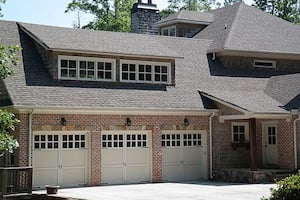 |
18mm, f/6.3, 1/250s, ISO 100 |
55mm, f/5.6, 1/200s, ISO 100 |
At its core, the Galaxy NX is a pair of brilliant devices. Fundamentally, the camera side of the equation is excellent. Samsung makes good use of its APS-C sensor for sharp, low-noise images that are on par with a solid entry to mid-level mirrorless or DSLR camera. It has a great grip that most photographers will love for long shooting sessions. The touchscreen is huge, bright, and extremely high quality. You can see it clearly even in bright sunlight, and the inclusion of the full Android operating system means that you can tap into an untold number of alternative apps to edit, share, and use your images -- plus you can use it for all manner of non-photography related tasks.

The problem is that it's too much camera for someone who wants a smartphone, and too much smartphone for someone who wants a camera; an awkward combination of both that leaves you with the worst of either side, but paying for a device that's as expensive as buying one of each.
Let's tackle the price thing quickly. The Samsung Galaxy NX kit initially had a list price of $1,700 (currently $1,400). For that kind of money you could get a Sony A6000 and a Samsung Galaxy phone free of contract, and have enough left over for a nice bit of glass. Even at the $1,400 it's going for now, the Galaxy NX would only make sense if it perfectly replaced both your camera, and your phone. And, to put it bluntly, it doesn't.

The reason it fails as a smartphone replacement should be pretty obvious -- it's way too big. The huge handle is absolutely fantastic for long periods of shooting, but means there's no way it's going into your pocket. For actual phone calls, you could leave the Galaxy NX in your bag and utilize a Bluetooth earpeice and an app, but of course that requires you to purchase an accessory gadget. You're not going to use a camera hanging around your neck to read an e-book on the train, to check Twitter while waiting in line at the store, to get GPS directions to a hotel, or to get some sports scores at the beach. (Well, technically, you could, but you're not likely to leave your smartphone at home just because you have the Galaxy NX with you, especially since it doesn't support standard voice calling, and in the U.S., only T-Mobile Data SIM cards are supported.)

Bursting. When ready, the Galaxy NX's burst shooting capabilities are quick for fast-moving sports and action.
The problems as a camera aren't as immediately obvious, but are still pretty substantial, and they're mostly to do with the camera embodying some of the flaws of a smartphone -- but also embracing the wrong strengths of it.
By far the feature that will utterly ruin the Galaxy NX for most people is the speed. Don't get me wrong, when it's warmed up and ready to go, the AF speed felt decently quick, and it's capable of firing off images at a more than respectable speed (around 8 fps, though it's a bit slow to crunch RAW files afterwards). But it's slow to start up. Not just slow, but glacial. Because each time it powers up, it has to boot up like a smartphone does, from scratch.
What that amounts to, is that if it's fully powered down, it takes around 25-30 seconds to turn on and be ready to shoot. In that amount of time, anything that you're trying to capture will have likely wandered off, leaving you frantically waiting for your camera to be ready to take a photograph, and completely missing the moment. It's appallingly bad, and possibly the slowest start you could imagine.
To mitigate this, the Galaxy NX rarely shuts down fully, instead going into a sleep mode -- similar to what your smartphone or tablet does while it's locked. Waking up from this is much better, averaging 2-3 seconds, but it's still not as lighting fast as some of the competition. And if it's asleep for long enough, it'll shut down entirely.
The result? As I walked around the city with the camera in my bag, if I saw something going on I wanted to shoot, I'd pull out the camera, quickly hit the power button, and be left waiting for it to turn on, feeling utterly gormless.
Samsung Galaxy NX Start Up Timing Test |
Because of the enormous touchscreen, almost the entire interface has been moved onto it; there are next to no buttons to speak of. There's the shutter button, a movie button, power/lock, flash pop up, and that's it. No dial for PASM. Only a single multi-function control dial for adjusting settings -- that both rotates and clicks inwards via a thumb press. No quick buttons to change metering, WB, or ISO. And this is a $1400 camera.
If you've ever spent much time with a mid-level system camera or better, you know that you quickly get a muscle memory of the button layout, and you can change things on the fly without having to pull your face away from the camera, and pore through menus. For the same price as the NX (body-only), you could get a Fujifilm X-T1 body, which has all the dials and knobs you could dream of, but with the Galaxy NX, you're out of luck. And since the primary interface point is the touchscreen, you can't change much looking through the EVF, and need to chimp to change many of the settings. If you love externals controls, buttons and dials, the Galaxy NX is probably not the camera for you.
The large LCD screen itself -- as you can see from the product images -- is absolutely massive, and beautiful. The screen is bright with great colors and sharp, crisp text. It's not difficult to see in full sunlight thanks to the gapless Super LCD panel, though you can still run into some reflections thanks to the glossy glass covering. For super-bright moments, there's also the EVF. Sadly it feels a bit cramped, has noticeable lag, and displays an RGB "tearing" effect around the edges of displayed text.

By relying on the touchscreen, the Galaxy NX has a flexibility of interface that's unparalleled -- but unfortunately, that primarily manifests as inconsistency. The interface radically changes depending on shooting mode, and the UI looks completely different menu to menu.

For example, if you're in auto mode, you have access to an extremely limited number of settings, which expand from a collapsed menu at the top of the screen. A similar menu at the bottom of the screen gives you shooting effects (which are only present in auto mode).
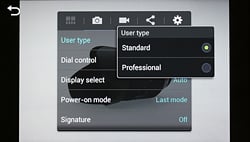
Standard vs Professional user type selector.
What's actually available on the mode "dial" on the right edge of the screen is dependent on whether you're in "Standard" mode or "Professional" mode, which is an option that's hidden in a totally different menu system. If you're in Standard mode, you're limited to just Auto, Smart, Expert, and My mode, whereas Professional mode also includes individual positions for PASM. But it gets even more confusing.
If you're in Standard mode, and select Expert, you get PASM controls, but they're this weird skeuomorphic style, designed to mimic physical dials on a camera, and take up a full third of the screen. If you're in Professional mode, exposure and shooting options are shown in a little special menu accessed from the gear icon at the top of the screen.

That's only the tip of the iceberg. Say you're shooting in Professional mode, where you can change your exposure mode (aperture in A, shutter speed in S, etc.) by using the control wheel, but that's also used to switch between controlling exposure compensation, and ISO, so you have to frequently click through all of them to get back to where you want.

Professional Mode main shooting screen (top), with other settings accessed via the expandable ">" menu (middle). Even more settings and full exposure controls are also accessible in the "gear" menu (bottom).
By default, in Standard mode, the control dial is assigned primarily as a mode dial -- both rotating and clicking -- and any exposure changes are adjusted via the touchscreen UI. It's similar for Professional mode as well, however, the clicking behavior is different -- now you can click the control dial to activate exposure settings, and then rotate the dial to adjust accordingly. In both Standard and Professional modes, you can, however, change the behavior of the control dial -- Option 3, for instance, enables a little more familiar behavior, letting the control dial quickly change exposure settings without clicking or making you go into a menu.
There are shortcut icons on the main screen for a number of common settings, but more are under an expandable menu at the top, as shown in the graphic on the left. For even more controls, there's a gear icon, which has two totally different UIs, depending on which sub-menu you're in.
Changing just about any setting requires multiple clicks and menus, and the inconsistent layout makes it difficult to know your way around the camera as quickly as you potentially could. It's harder to learn, and because you're faced with many different layouts, it frequently feels jarring.
There are a couple of other annoyances that have made their way over from the world of smartphones to this camera. You're meant to unmount the memory card before taking it out. Also, it uses MicroSD, which are extremely easy to misplace given their small size. And because it's a fully functional Android device, the majority of the user manual is actually about Android, rather than the camera itself.
Shooting with the camera feels a bit sluggish as shot-to-shot performance isn't very fast. I could, however, still keep taking shots, while the camera kept writing them to the memory card. In good lighting, single-shot Center AF was decently quick, though nothing to write home about, and Continuous AF did a decent job of locking onto targets, though you can still see some characteristic contrast-detect AF "wobble" as it attempts to adjust focus or keep a subject sharp despite the hybrid AF system. Tracking AF seemed to work decently well, especially locking onto a desired subject before shooting. When used in conjunction with continuous burst shooting, I did find a few out of focus shots in a burst of frames as the camera couldn't re-focus fast enough. Sometimes it worked well, for instance with a slow-moving subject with normal-speed burst mode, I was able to get 6 out of 6 shots all in focus. In another scenario, however, using the faster burst mode ("continuous high"), where I moved the camera toward the subject, I got 6 out of 10 frames in focus.

For fans of RAW+JPEG shooting, while the Galaxy NX includes this feature, its filenaming protocol is quite odd. Unlike a typical camera that uses some system of sequential numbering for each photo, the Galaxy NX uses a long timestamp in its filenaming. It puts year, month and day at the beginning, as YYYYMMDD, and then appends the exact time in hours, minutes and seconds (00:00:00 -- without the colons, of course). Now, when taking separate JPEG or RAW exposures this isn't a problem, but if you're taking a RAW+JPEG pair, it's possible for the RAW and matching JPEG to have different filenames. Normally, other cameras keep the same filename and just change the extension, so they're easily paired when browsing photos on the computer, but with the Galaxy NX, it creates the RAW file, and then the JPEG a fraction of a second later, which can give them different filenames. Sometimes I found the pair named the same, as if I timed it right, other times I got a mis-matched pair.
There are also an absurd number of scene modes in the "Smart" mode, which vary from the extremely useful (in-camera panorama), to those that mimic what someone with decent skills would be able to do manually (like the waterfall or silhouette modes), to some that are just frustrating.


I spent a good 30 minutes trying to record a bird landing on a lake with the "Dramatic" mode, which overlays multiple shots of the same object in motion across the frame. But unless your subject is exactly the right size, moving at the right speed, and taking up just the right amount of the frame, you're out of luck for it actually working. I finally managed to snap one of a cyclist, but it was still a frustrating experience.

That's not to say it's all bad! There are a bunch of features that come from the Galaxy NX's smartphone heritage that are actually incredibly useful. For instance, when you're in Android land, you can pull up just about any photography or editing app, and shoot using the camera. Even though it's slightly limited in shooting controls, and the file will often be downsized, this is a really great feature.

With Android running the show, you can use your favorite camera and photo apps, like Instagram, just as you would with a normal smartphone.
The ability to use swiping and pinching gestures can greatly speed up flicking through photos during playback. And it's nice that when you rotate the camera, the icons reorient themselves for vertical display.
With built-in Wi-Fi, there are also remote shooting capabilities with the Galaxy NX, which is very handy and works well, though the companion app is a bit basic on features. Like many other cameras, the Galaxy NX turns into a Wi-Fi hotspot to which you connect your smart device (iOS or Android) and then launch Samsung's "Samsung SMART CAMERA App."
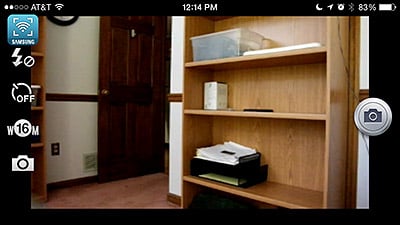
Once connected, you have a live view of what the camera sees, with the ability to trigger the shutter, as well as adjust flash settings, self-timer, image resolution and the option to save images to the camera or both the smartphone and camera. Unfortunately, there are no options to adjust exposure, exposure modes, tap-to-focus or record video with the app.
The Galaxy NX also has 16GB of onboard storage with about 10GB free when it arrives from the factory, which is extremely handy if you run over your memory card -- and you can opt to save to one or the other. There's also a haptics system, where the camera will give a little vibration at certain times -- like when you hit the bottom of a menu that you're scrolling through.
Samsung has also used the power of a smart mobile device to introduce an almost bewildering array of built-in editing tools, including cropping, color adjustments, stickers, drawing on top, adding frames, a wide array of filters and portrait retouching tools. You can also share your image over just about any digital service you can possibly imagine, instantly beaming it to email, Dropbox, share over Bluetooth, Facebook, Twitter, Google Hangouts, Picasa and more. (Note: We did not fully test the Android "side" of this camera, such as standard smartphone features like web browsing or email, nor did we purchase a T-Mobile data plan to test its cellular connectivity.)

Video recording is pretty simplified and straightforward on the Galaxy NX, as there's no standalone video mode, just simply point and start recording from any exposure or shooting mode. If you're in one of the specialized scene modes like panorama, golf swing or waterfall mode, pressing the record button or on-screen icon will jump into a simple auto-exposure video recording mode. Although you have the same PASM exposure controls used for stills, you aren't given any exposure control during recording, including exposure compensation. You can adjust exposure manually before recording, which, in essence, is simply adjusting exposure for stills, but the shutter speed will be automatically adjusted depending on video frame rate (i.e. 1/30s minimum for 30fps video). Manually setting the aperture or ISO will however be maintained for video recording. If your lens includes optical image stabilization, it can be used for video recording (it can also be disabled, which is nice when shooting on a tripod).
According to the user manual, a Class 10 or faster memory card is require for high-resolution video. The Samsung-supplied memory card that came with this review unit was actually a Class 4 card, and although I was able to shoot an initial video clip at Full HD resolution, any subsequent attempts to shoot video were interrupted by a "Warning: Recording Failed" error. So, if you want to record videos in HD resolutions, be sure to get a fast card.

Summary. In the end, what it boils down to is that the Galaxy NX is very good at taking photos. But its downsides are so frustrating and many that they really overwhelm that fact. While the images may look great, the glacial startup speed, confusing interface, slowness of changing settings, and high price will give anyone pause for thought. A comfortable grip and low image noise will only do so much when you could buy an Olympus E-M1 for about the same price. Then there's also Samsung's new NX30, which offers a smaller size, similar feel, but without the Android operating system and cellular connectivity. With similar image quality and better performance, the NX30 is more of a traditional camera with lots of external controls, and it's less expensive at around $1,000 with a kit lens.
While there's a lot of promise with combining a mirrorless camera with a fully featured Android device, haphazardly bringing the most frustrating features of each into one device hardly seems to be the way to do it. Samsung has a good bit more experience than most to bring about the convergence of smart device and camera, and they're uniquely positioned to do so. (Given that they're a major manufacturer of both phones and cameras.) The Galaxy NX is an interesting device, and if you're looking for maximum integration between Android and a full-featured camera, it might be for you. For the rest of us, though, it's more of a step along the road to whatever the ultimate "convergence" product will look like.
Technical Info
by Mike Tomkins | Posted: 06/20/2013
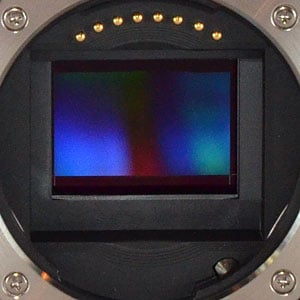
Sensor. The Samsung Galaxy NX uses the exact same image sensor as in the NX300. It's an APS-C sized CMOS chip with an effective resolution of 20.3 megapixels, but what's more important is that it provides 105 on-chip phase detection points to allow for a hybrid autofocus system.
Maximum resolution of the Samsung NX's image sensor is 5,472 x 3,648 pixels.
Processor. Also like the NX300, the Samsung NX is based around a DRIMe IV-branded image signal processor that is distinct from the 1.6 GHz quad-core processor used to power the camera's smart functionality.
Performance. The pairing of sensor and processor combine to allow a swift manufacturer-rated burst shooting performance of 8.6 frames per second. (It wasn't quite that fast in our lab tests, but it managed 8.2 fps for JPEGs and 7.8 fps for RAW files.)
Sensitivity. The Samsung Galaxy NX has a base sensitivity of ISO 100 equivalent, and tops out at a maximum of ISO 25,600 equivalent. There's also an Auto ISO function which will raise sensitivity to a selectable limit of up to ISO 3200 under automatic control, however there's no option to specify a minimum shutter speed to maintain as offered on some other cameras.
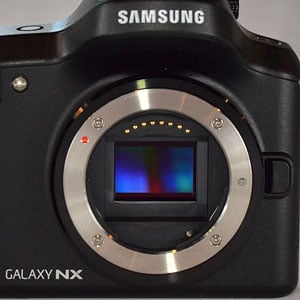
Optics. Like its NX-series siblings, the Samsung Galaxy NX accepts all NX-mount lenses. As of this writing, the company currently offers 15 different lenses (excluding multiple variants of the 18-55mm kit lens), including its unusual 45mm 2D/3D lens, which works using two LCD shutters that swing into the optical path when the lens is switched to 3D mode.
Samsung's Super Sonic Drive dust reduction is provided, but there's no in-body stabilization system, so optical stabilization is available only if the lens supports it. You can also mount various third-party lens types using adapters, but this will typically mean relying on manual controls.
Autofocus. As we mentioned previously, the Samsung NX includes on-sensor phase detection pixels, allowing for hybrid autofocus that combines both phase and contrast detection. It's the same system -- and indeed, the same sensor -- seen previously in the NX300, and it helps improve autofocus performance, particularly Continuous AF. Single AF, Touch AF and Manual Focus (with magnification and peaking) are also available. A total of 105 phase-detect AF points and up to 247 contrast-detect AF points (depending on the display) are available. Face detection is also supported, with up to 10 faces max.
Body. There are no two ways around it: the Samsung Galaxy NX is large, by mirrorless camera standards. It's only an inch thick, but a full 5.4 inches wide and 4 inches tall. Compared to the Samsung NX20, that's half an inch taller and 0.6 inches wider, but the body is about a third slimmer. That's only if you ignore the popup flash housing and handgrip, however. Measure at the handgrip, and the Galaxy NX is around a third thicker than the NX20.
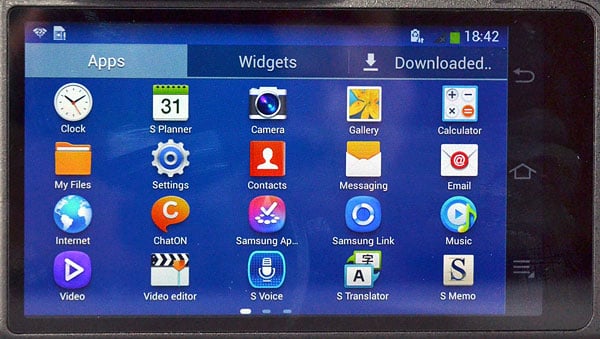
Display. That size comes in no small part thanks to the NX's truly vast capacitive touchscreen LCD panel, without which its Android operating system wouldn't be usable. It's a 4.8-inch panel with a high-definition resolution of 1,280 x 720 pixels. By way of comparison, the NX20 has a 3.5-inch panel, and the NX300 has a 3.3-inch panel. That puts the Galaxy NX's screen at close to double the area of that on the NX20, and more than double that of the NX300.
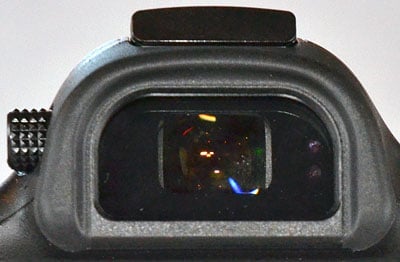
Viewfinder. For those who prefer SLR-style framing, the Galaxy NX also includes a built-in electronic viewfinder, another significant contributor to its size. It has SVGA resolution (800 x 600), approximately 0.68x magnification (equivalent to a 50 mm lens on a 35 mm camera), 100% coverage, an 18mm eyepoint, and a -4.0 to +2.0 m-1 diopter adjustment.
Exposure. As you'd expect on an interchangeable-lens camera, the Samsung Galaxy NX offers a full complement of Program, Aperture- and Shutter-priority, and Manual exposure modes. There's also an Auto mode, 30 Smart modes that take into account the scene you're framing before deciding on appropriate camera setup automatically, and a User mode where you can store your own settings.
There's also a My mode which lets you access not just favorite camera modes, but also specific third-party apps for instant access from camera mode. For example, you could configure an option to launch Instagram's app, from which you could then capture a photo, edit, and upload it.
Shutter speeds range from 30 seconds to 1/6,000 second, adjustable in 1/3 EV steps, and there's a Bulb mode for exposures up to 4 minutes. Exposure compensation range is +/-3 EV in 1/3 EV steps.
Flash. The Samsung Galaxy NX is also unique among Android-based digicams in including not only a built-in flash strobe, but also a hot shoe for external strobes. The internal strobe is a popup type, and the hot shoe has connectivity for intelligent strobes, as well as a hole for a locking pin.
The built-in strobe has a Guide Number of 11 meters at ISO 100, and flash exposure compensation can be adjusted +/-2 EV in 1/2 EV steps. Flash modes include Smart Flash, Auto, Auto+Red-eye reduction, Fill-in, Fill-in+Red-eye reduction, 1st Curtain, 2nd Curtain and Off. X-Sync speed is 1/180 second.
Creative. There are also a variety of more specialized creative options in the Samsung NX. These include Multi Exposure mode which merges two shots into a single image, a 3-shot in-camera HDR mode, Panorama, Animated Photo which creates a five-second animated GIF file, and Sound & Shot which stores a brief audio clip alongside each photo captured.
Movies. The Galaxy NX can also shoot movies at up to Full HD (1920 x 1080 pixel; 1080p) resolution. Full HD movies are captured at a rate of 30 frames per second (NTSC; 25 fps for PAL mode), and use H.264 compression with AAC stereo sound in MP4 format. In addition, there's a 24p 1920x810 cinematic 2.35:1 aspect-ratio mode, as well as HD 1280x720 and VGA (640x480), both at 60p or 30p. Maximum clip length is 20 minutes.
Also offered are a number of "Fast Motion" modes which record at a slower framerate so playback appears sped-up (2x, 4x or 8x up to Full HD resolution), as well as slow-motion modes recorded at higher frame rates (VGA at up to 240 fps).
PASM exposure control is available for movies, as well as effects such as Vignette, Gray-scale, Sepia, Vintage, Faded Colours, Turquoise, Tint, Cartoon, Moody, Rugged, Oil pastel, and Fish Eye, though we don't know what impact the effects have on frame rate.
Apps. Bundled apps include Google's Chrome web browser, plus Gmail, Local, Maps, Messenger, Navigation, Plus, both Search (including Voice Search), Talk, and YouTube. You also get the full suite of Play media apps, including Books, Magazines, Movies & TV, and Music. And then there's the Google Play Store, providing access to a world of content and apps, although not all will necessarily be available for download on the Galaxy NX. (That's up to the app developer to decide.) And there's no word on whether Samsung will offer updates to Android 4.2.2 to newer versions like KitKat (4.4).
There are also an array of Samsung-specific apps. These include Samsung ChatON, Group Play, Link, S Translator, S Voice, Photo Suggest, and Trip Advisor.

Power. With such a large screen and a powerful smartphone-like processor -- not to mention its array of radios and sensors -- the Samsung Galaxy NX requires lots of power. That comes courtesy of a huge 4,360 mAh battery which resides in the generously-sized handgrip, explaining its size. CIPA battery life is rated at 440 shots per charge, which is excellent for a mirrorless camera. Samsung also claims up to 190 minutes for video recording, 14 hours for video playback, 104 hours for audio playback, 13 hours for 3G or LTE connectivity, or 16 hours for Wi-Fi internet usage on a charge. The battery is charged in-camera via USB, and you can use the camera while charging (though charging time will of course be longer).
Storage. Perhaps surprisingly, for a camera this big, the Samsung Galaxy NX opts for the tiny MicroSD card format used in many smartphones, rather than the full-sized SD cards that are more common in dedicated cameras. Cards up to 64GB are accepted, and there's also 16GB of internal memory in which to store apps and data.

Connectivity. An important area of differentiation for the Samsung Galaxy NX is its built-in 3G (HSPA+ 42Mbps) and 4G (LTE Cat3 100/50Mbps) wireless data connectivity, which allows instant photo sharing direct from the camera whenever you're within range of a cell tower. Frequencies will vary by market, but will include 850/900/1900/2100 MHz for 3G, and 800/850/900/1800/2100/2600 MHz for 4G LTE.
Cellular connectivity in the U.S. is quite limited, though, as only T-Mobile Data SIM cards are said to be supported. The SIM slot resides in the base of the camera directly behind the battery, and alongside the MicroSD card slot.
It's a good thing the Galaxy NX also offers 2.4GHz and 5GHz Wi-Fi wireless networking connectivity, compatible with 802.11a/b/g/n networks, as well as a short-range Bluetooth 4.0 LE radio.
Wired connections include a Micro USB port, a Micro (Type-D) HDMI port, and a 3.5mm stereo headphone jack. An external mic is not supported.
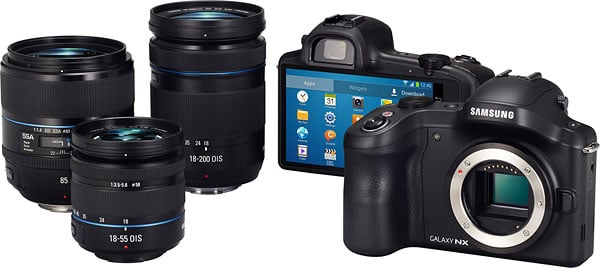
And the rest. There are also an array of sensors and receivers you'd expect to find a typical smartphone. These include an accelerometer, compass, gyro, proximity sensor, and a GPS receiver with support for both GLONASS and A-GPS.
Software bundle. The Samsung Galaxy NX comes bundled with a copy of Adobe Photoshop Lightroom, an extremely popular and capable photographer-centric imaging app. There's also a copy of Samsung Kies, an app used to transfer data between your camera and a Windows or Mac PC. (The same app comes bundled with many of Samsung's other products.)
In the Box
The Samsung Galaxy NX with Samsung 18-55mm lens package (as reviewed) contains the following items:
- Samsung Galaxy NX body
- Samsung 18-55mm f/3.5-5.6 III OIS Compact Zoom Lens, with lens hood
- Samsung Kies Software
- Adobe Lightroom Software
- 1x Rechargeable Lithium-Ion Battery Pack, 3.8VDC, 4360mAh
- Micro-USB 2.0 data/charging cable and AC adapter
- Neck strap
- Warranty card
Recommended Accessories
- Large capacity MicroSDHC/SDXC memory card. 16GB Class 10 should be a minimum.
- Spare Samsung battery and dedicated charger (~US$70)
- Small to Medium DSLR-style bag
Hop
by Dan Havlik | Posted: 06/20/2013

Look at the 20.3-megapixel Samsung Galaxy NX from the front and you may think it's a DSLR, but once you turn it around and see its impressive, 4.8-inch high-definition screen, you'll know it's something different all together. Of course, the Galaxy NX is not a DSLR at all. It's a mirrorless, compact system camera with cellular connectivity -- both 3G and 4G LTE -- and that massive touchscreen on back has its roots in smartphones. It's also the first interchangeable lens camera to run Google's Android 4.2.2 (Jelly Bean) operating system, making the Galaxy NX a truly unique device. And working with the camera, too, is a unique experience.
I got some hands-on time with a prototype Samsung Galaxy NX yesterday and I found it to be both wonderful, and at the same time a bit confounding. But first off, it's important to emphasize that the camera I shot with was not a finished model, and all early impressions should be taken with a grain of salt. It's also worth noting that I'm an iPhone user, although I have used and reviewed Android smartphones in the past. I'm also quite well versed in Samsung's "traditional" NX-series compact system cameras, which the Galaxy NX is partially based on, having reviewed several of them for Imaging Resource.

Either way, the Galaxy NX and its operating systems -- which not only includes Android but a dedicated, touch-based, camera interface as well -- takes a little getting used to. There are only a few external controls on the Galaxy NX and several layers of menus to choose from to make basic changes. If you're new to the set up, it's fairly easily to get lost in the various screens and dual operating systems. For instance, the Android apps and modes are entirely separate from the dedicated touch-based camera controls, although there is a camera app when you're in Android-land and the built-in Camera Studio feature makes it easy to customize Android photography apps to automatically use the Galaxy NX for their camera, with various user-created configurations of the NX's settings
There's a physical control wheel on top of the camera that helps you scroll through some of the Galaxy NX's functions but it was only later that I was informed that if you press the wheel it also functions as a button for confirming commands on the screen. At one point while playing with the camera I ended up in some kind of "factory mode" and the entire 4.8-inch screen turned into a giant calculator. Like I said, it takes some getting used to.
After a few minutes of touching and swiping (and poking and prodding) the Galaxy NX, I was able to get the hang of it, however. Early adopters, who are likely to be the initial buyers of this camera, will probably enjoy figuring it all out. Also, since Android is an "open" system, there will, no doubt, be many users out there creating and sharing their own custom user interface "skins" for the Galaxy NX. In the case of the Galaxy NX, this openness has been taken a good bit further than usual, in that Samsung has taken the unusual step of open-sourcing all of their mirrorless camera firmware, giving developers deep access to the camera's functionality. Either way, an Android-loaded, interchangeable lens camera with cellular connectivity is an exciting step forward and Samsung deserves kudos for bringing easy sharing features to a high-end shooter.

We've already reviewed the point-and-shoot style, cellular Samsung Galaxy Camera on Imaging Resource. That model also runs Android, and the new Galaxy NX seems like its natural extension; anyone who's used a Galaxy Camera will find the Galaxy NX's user interface immediately familiar. Holding the Galaxy NX in your hand, its large, comfortable grip makes it feel like a solid but modern, mirrorless compact system camera, much like the Samsung NX20. (Along with some design cues, both models share the same 20.3 megapixel APS-C CMOS sensor.) I shot with the Galaxy NX using the 18-55mm OIS kit lens, which gives the camera a serious but still portable presence.
While the Galaxy NX shares the general body and system design of the NX20 (all NX20-compatible accessories should also work with the Galaxy NX), the sensor and processor have been updated to those found in the NX300. The sensor's resolution is still the same 20.3 megapixels as that in the NX20, but now also incorporates on-chip phase-detect elements for faster and more sure-footed focusing. Given the excellent test results we've seen from the Samsung NX300, we hold high hopes for the Galaxy NX's image quality and performance.
The lack of external controls on the Galaxy NX does seem a bit strange, but there's a hot shoe on top if you want to add an external flash, along with well-placed shutter and movie record buttons. The idea being that once you configure the camera the way you want it, you just shoot and share you images or video via the camera's cellular connectivity. The large screen on its back reinforces the idea of this connectivity, making you think it actually contains an Android phone which you can pull out from the camera and make a call with. You can't do that, but using Skype or a similar app, you will be able to make a video or voice call easily with the Galaxy NX. One other thing that struck me about the Samsung Galaxy NX while playing with it yesterday: you shut it down as you would an Android phone, not as you would a camera. There's a small power button on top which you hold for a few seconds, triggering a prompt on the touchscreen that asks you if you would like to shut it down. But as we do with our phones, it's best to just leave the Galaxy NX on, so it's always ready to shoot and share.

Bottom line, the Samsung Galaxy NX is a true quantum leap in photographic capability on the Android platform, finally bringing serious camera functionality to a segment previously limited to small-sensor image quality and very restricted options for optics or other accessories. I liked what I saw of the camera integration with Android-based apps, and think the ability to automatically upload high-quality images directly to Dropbox will be a boon to many event photographers and certainly family memory-keepers as well. As noted, the user interface takes a little getting used to for someone coming from the more conventional camera world, but one of the most exciting aspects of the Galaxy NX is the extent to which programmers will be able to play with and tweak the interface on their own. Huge kudos to Samsung for being so open with their source code, especially for exposing elements of the image-processing chain, an area of camera operation manufacturers normally treat as highly proprietary. The Galaxy NX looks like a photo-hackers dream product, and I wouldn't be surprised to see a rich ecosystem develop around it, as the most programmable, open camera system to date. I don't think it will be very long at all before we see the first third-party user interfaces appear for it. Regardless of all that, though, it's already a powerful tool for truly connected imaging, just as it stands.
There's no question that Samsung is cutting a wide swath in the interchangeable-lens system camera market; the new Galaxy NX will only further expand their reach.
Video tour of Android-based Samsung Galaxy NX mirrorless camera. |
Conclusion
| Pro: | Cons: |
|---|---|
|
|
In this day and age, the popularity of the smartphone being used as the camera-of-choice for many people continues to skyrocket. As a result, many camera manufacturers are feeling the squeeze as sales decline in favor of these multi-purpose, pocketable devices. Camera companies have started adding Wi-Fi and NFC features to their cameras to help bridge the gap between dedicated cameras and smartphones. The aim is to make it quicker and easier for photographers to transfer their work from their more advanced camera onto their social network of choice.
With the Galaxy NX, Samsung's gone in a different direction. Instead of enhancing the connection between your smartphone and your dedicated large-sensor, interchangeable lens camera, Samsung has pretty much put a full-on smartphone right inside the camera. Right off the bat, Samsung deserves some praise for attempting such a bold device. Unfortunately, this marriage between the ILC and the smartphone is a bit of an awkward affair.
There are some great qualities to the Galaxy NX, however: image quality is very good with excellent high-resolution images at low to mid ISOs; the impressively large LCD screen is bright, colorful and easy to see in bright sunlight; and the use of the Android OS expands the functionality of the camera with all sorts of powerful apps for editing, sharing, and even capturing images. If you're an Instagram addict or a mobile photography power-user, the workflow has never been more streamlined to use an interchangeable-lens camera for sharing photos on the go.
However, there are number of downsides and frustrations with the Galaxy NX. Since the camera runs a full version of the Android operating system, startup time is excruciatingly slow compared to dedicated cameras -- about 25-30 seconds. So if your camera is not powered up and ready to go, be prepared to miss a lot of photographic opportunties. Even the standby "sleep mode" takes about 2-3 seconds before it's ready to take a picture.
The lack of external controls can also be frustrating for fans of the physical buttons and dials that adorn the typical DSLR. With a single, unmarked multi-function control dial, the primary interaction with the camera leans heavily on the touchscreen. And sadly, the software-based user interface is all over the place, radically changing depending on the shooting mode. The UI looks completely different menu to menu, making it difficult to know your way around the camera.
Other issues such as aggressive noise reduction for JPEGs at higher ISOs, slower than average shutter lag and AF performance (especially in low light), a shallow RAW buffer and slow buffer clearing make the camera part of this chimera quite underwhelming. And then on the smart device side of things, with standard Android features like web browsing, text messaging and email, the Galaxy NX feels like it's trying to replace your smartphone or tablet, but given its design, size and limited cellular connectivity, that just seems impractical.
Perhaps some slack should be given, though. This is Samsung's first attempt at such a radical device -- apart from the initial forays into "smartphone cameras" with the Galaxy Camera and Galaxy Camera 2 -- and, who knows, perhaps the next iteration of the Galaxy NX will address many of the performance shortcomings. However, as it stands now, as our reviewer Tim put it, the Galaxy NX feels like too much camera for someone who wants a smartphone, yet too much smartphone for someone who wants a camera, so we can't award the Galaxy NX a Dave's Pick.