
Overview
Pentax 645D Review
by Michael R. Tomkins, Zig Weidelich, and Shawn Barnett
December 3, 2010; Updated October 18, 2011
Pentax aroused quite some interest when it first announced that it was working on the design of a medium format digital SLR, dubbed the Pentax 645D, way back in March 2005. Harkening back to 1984's Pentax 645 film camera, the 645D would feature a high-resolution Kodak CCD image sensor, a 645 AF mount, and compatibility with existing Pentax 645 interchangeable lenses. The development process was lengthy, and the specifications were subsequently updated to keep pace with a rapidly developing digital camera market, before the company's merger with optics giant Hoya Corp. led to the project being placed on indefinite hold. In March 2010, Pentax revealed that it had continued development of the camera, which was now nearing launch after another overhaul had placed a 40-megapixel Kodak KAF-40000 image sensor at its heart.

Available in Japan since May 2010, the medium format Pentax 645D digital SLR attracted strong demand in that market from 645 owners who'd patiently waited through the development process, and were finally rewarded with the combination of mighty resolution and a weather-sealed medium format body. Photographers in other global markets have had to wait a little longer, as Japanese-market demand kept the production line busy, but this delay provided Pentax with time in which to prepare an after-sales service strategy for the camera. In October 2010, Pentax USA announced that the 645D would ship in the US market by the end of the year, priced at around US$10,000, and that this price tag would include automatic enrollment in Pentax's Professional Services Program, which offers access to a dedicated team of 645D specialists on weekdays (excepting holidays), from 7:30am to 4:30pm Mountain Time. The wait for US-market Pentaxians was finally at an end.
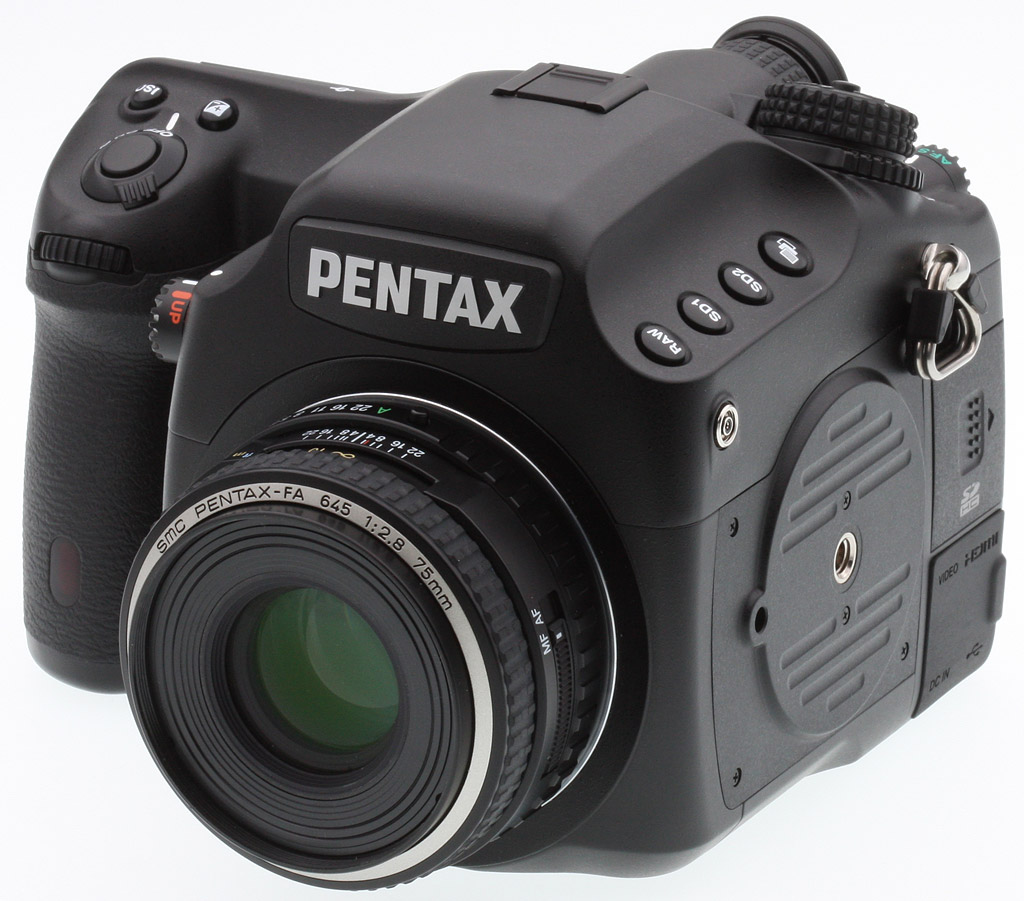
Look and feel. Though the Pentax 645D is a very large camera, it's not quite as heavy as you'd expect, and it's surprisingly comfortable to hold and use. Body-only with battery the 645D weighs 3.26 pounds (52.2 ounces; 1480g). It's hefty, but the weight is well distributed, and the grip is just right for comfortable carry. Now, I don't recommend you take it to an amusement park for snapshots, nor wear it around your neck for a casual stroll. Its $10,000 price tag warrants that you treat it more like a Katana sword, leaving the Pentax 645D in its case until you're ready to use it.
Looking at the Pentax 645D from the upper right, you can see it's no ordinary SLR. Buttons are aligned on the left of the prism housing, and there's a vertical tripod mount on the left of the camera. You don't want to be hanging this two-pound camera sideways on a ball head, to be sure, and you also don't want to have to buy an L-bracket, so Pentax built it right in.

From the front, you see the gaping hole created by the large lens mount on the 645D. The large tapered grip includes an infrared remote port, the front dial, and the same set of controls as you'll find on a Pentax SLR, including the Power switch surrounding the shutter release backed up by the EV and ISO buttons. Mounted on the upper left of the lens housing is the Mirror Lockup dial. Moving the dial doesn't lock up the mirror as it once did on old mechanical cameras, but when you press the shutter release the mirror locks up and the camera beeps waiting for you to press the shutter release again. It's a really big mirror, so it's good they gave the control its own physical switch. Lower left of the lens mount is the lens release button, again following other bayonet-mount Pentax cameras. Just inside the mount on the lower right you can see the screw-drive coupling for the autofocus motor. With our review camera, we received one older screw-drive lens and one SDM lens, which I mention so that you know the 645D is state of the art.

From the top it quickly becomes clear that this is a photographer's camera, replete with dials and buttons. The four buttons on the left have some interesting functions, including adding a RAW shot to the next image, setting what kind of file you're recording on each of the 645D's two SD cards, and selecting a bracketing mode (you hold down the button and use the front dial to choose the mode, with the rear dial adjusting the magnitude).
You can make most of these adjustments via the top Status display or the rear LCD. The Status display is angled backward sufficiently that I preferred it most of the time for such adjustments.
The large mode dial locks with a button in the middle. The metering mode dial is on the same axis, with only part of a ring jutting out on the left side of the camera. It seems difficult to adjust at first, but using the side of my left thumb makes it very easy. Surrounding the optical viewfinder is a large knurled ring for adjusting the diopter. It moves in huge steps that nevertheless make very fine adjustments, ranging from -3.5 to +2.0 in 35 steps! There is no center indicator, so you just have to look through the viewfinder and make your image clear.
Left and right of the viewfinder are dials for the focus mode and AF point mode. The latter dial is particularly important for a camera like this, as quickly moving this dial is better than looking to a display to switch between selective points and center point. Admittedly, though, the AF points are clustered so tightly in the center of the frame that there's little difference from one setting to another.

The back view shows just how aggressively canted is the Status LCD. Among the more obvious buttons are buttons like the Custom image button second from left below the Rear LCD. In Playback mode, you can also switch easily between the two SD cards with the press of a button. A remote release port is covered by a rubber flap just beneath that, and the rear infrared remote control sensor is just to the right. Note that the AF button is probably better positioned than on most SLRs, and the AE-L button is just a quick motion away in the other direction.

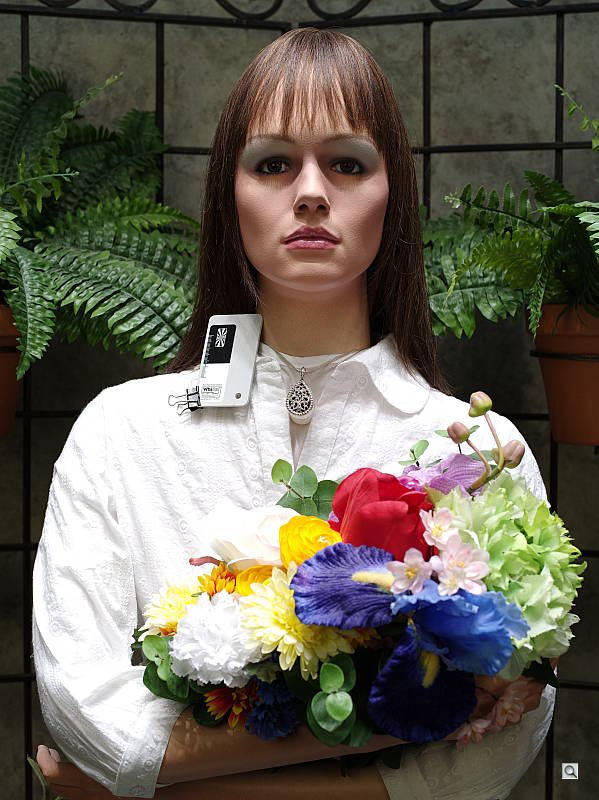
Dirt to Art. Had my boys pause for a portrait while playing in the dirt. It can't been seen in this thumbnail, but they fairly pop from the background and foreground with an almost 3D effect. Shadow detail is easy to rescue and you can even see the hair on their arms and legs.
Shooting. Though it's big, holding the Pentax 645D is really easy. Something about its shape and balance makes its weight easier to take, and it even feels natural to one-hand for a short time. That's great for photographers who also work off-tripod. We were particularly impressed with the 645D's finger-relief just inside the grip. I gave the camera to Dave to try, whose longer fingers typically bottom out on most SLRs, but the finger cutout is so deep his tips didn't even touch. Yet neither Rob nor I had any trouble with the rather substantial grip. Pentax seems to have struck the perfect balance for most hand sizes. Cradling the camera in the left hand is also comfortable thanks to the large underbelly and chamfered left edge. Weight is evenly distributed, and though the bulk of the body surrounds the mirror box, it's a largely hollow space, which helps offset the weight of the lens.

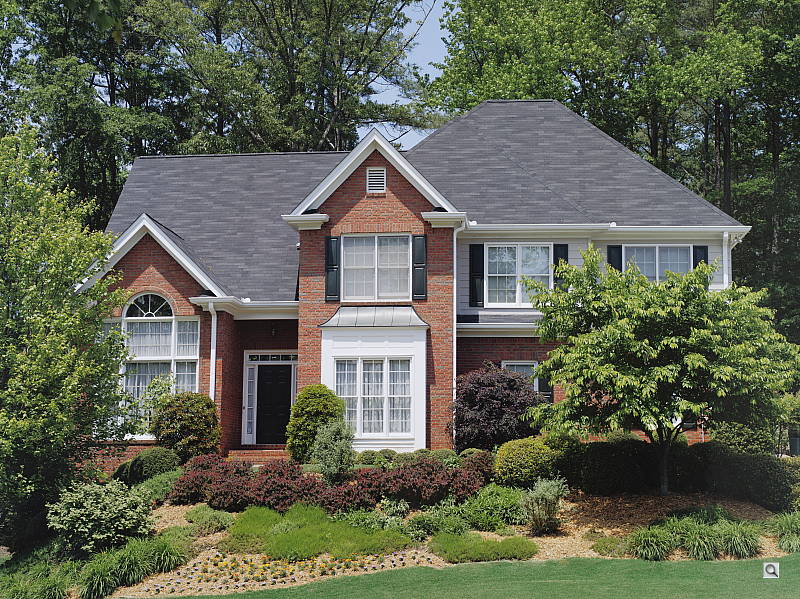
Counting game. Though it's in shadow, the front of this building is so detailed you can count the bricks with verifiable ease.
It was a nice diversion walking around town with the 645D capturing gallery shots, just as I do with considerably smaller cameras. I just love hearing that massive mirror flipping up and down with each shot. It's comical at first, but reassuring as you go along, because you know you've done something more than just make a snapshot. You've made an incredibly detailed photograph. The pressure is to make it worthy of the camera, and that's a good pressure to have.
The interface is very similar to other Pentax offerings, and the controls are all a photographer could want, with so much available via a dial or button, it's as if the camera wants to work as much as you do.

Bokeh. Again, difficult to see in this shot at this size, the 645D can make large objects seem small. (Click to enlarge to 800px; click again for full size, but get ready!)
By far the greatest pleasure is bringing that unusual round viewfinder up to your eye. It's a nice big, bright image, and you can easily see the Status display below the image without having to press your eye in too tight (my glasses do touch, but I don't have to press them into my eye socket, as I usually must).
Half-pressing the shutter button focuses like any other AF camera, and squeezing it the rest of the way releases the camera's necessarily slow mirror and shutter mechanisms. The sound is what you'd expect a giant's camera to sound like: slower, more deliberate. Depending on card speed, saving to the dual cards can take some time, but I didn't even notice because I wasn't shooting rapid fire. Naturally, you'll want the fastest card and reader you can find to copy the RAW files to a computer, since their size ranges from 50 to 70MB each.
When working on a tripod you have a little more time to consider your options, and they're all clearly laid out before you. One of the more modern options on the 645D is the Digital Level function, allowing you to ensure that the camera is level even when the horizon isn't visible.

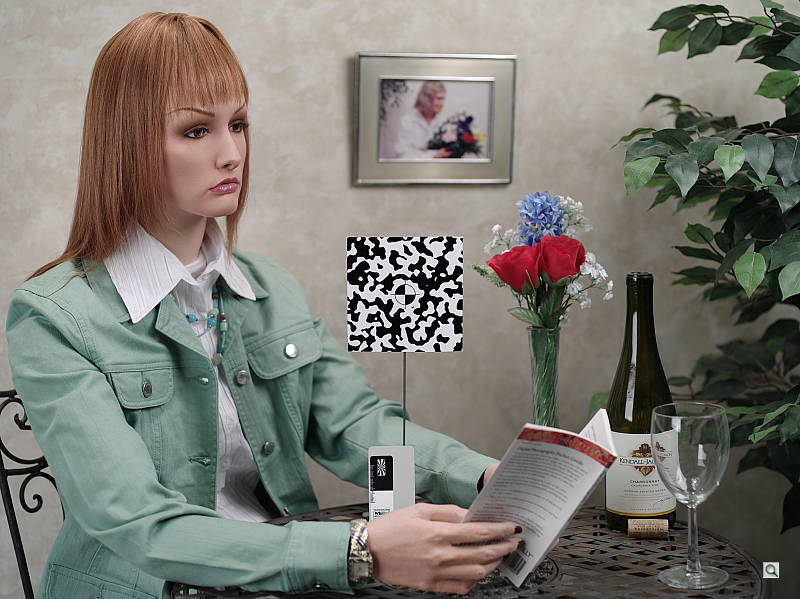
Archival. Keeping track of the details is a lot easier with so much resolution, great for archivists.
We did a nearly full test suite on the Pentax 645D, including timing. It starts up quickly, about 0.7 second, and shuts down a little faster. The buffer fills after 19 large fine JPEGs, taking 27 seconds to clear with a SanDisk Extreme III SDHC card. 16 large RAW files take 53 seconds to clear, and 15 large RAW + JPEG images take 71 seconds to clear. Those are fairly long times, but thankfully you can continue to adjust the camera while the buffers are clearing, which is not true of some cameras.
Shutter lag is very good, with the Pentax 645D in single-area autofocus mode able to focus and capture an image in 0.164 second. Auto-area AF mode raises the time to a still impressive 0.180 second. Prefocusing reduces the time to 0.142 second. In single-shot drive mode, the Pentax 645D captures a shot every 1.1 second. Switch to Continuous mode and you can get a Full JPEG or RAW+JPEG shot every 0.9 second, for a 1.1 frame per second capture rate. That's not fast, but remember that big mirror and huge sensor and it's not bad at all.
The transfer speed also moves along at quite a clip. 11,194 KBytes per second to be exact, which is handy considering the massive file sizes. Battery life, for its part, doesn't drain too fast, capable of capturing up to 800 shots per charge; that, of course, does not include flash as CIPA tests usually do, because the 645D doesn't include one.
High ISO performance is also quite good from the 645D, which is not too surprising given its 6 micron pixel pitch. Print size is phenomenal, with ISO 100 and 200 images making excellent 36x48-inch prints, and ISO 1,600 shots making crisp 16x20-inch prints, which only have a little luminance noise in the shadows. Quite astonishing what 40 megapixels can do, especially on such a large sensor.
 |
 |
| ISO 100 | ISO 200 |
 |
 |
| ISO 400 | ISO 800 |
 |
The Pentax 645D maintains very impressive image quality as ISO rises, and though noise does increase, we were still able to produce large prints from its images. |
| ISO 1,600 |
Obviously, the Pentax 645D isn't made for everyday photography, and is only for a select few who are very serious about their photography. It certainly is a wonderful tool for documenting just about anything that will stand still long enough to be captured with it, and you'll get tons of detail.
Pentax 645D Technical info
Sensor. Based around a Kodak KAF-40000 CCD image sensor, the flagship Pentax 645D offers 40 megapixel resolution, and a 4:3 aspect ratio. As compared to a 35mm full-frame image sensor with 3:2 aspect ratio, the 645D's sensor provides 1.68 times more surface area. Seeking maximum image detail, Pentax has forgone an optical low-pass filter overlying the sensor, a decision that removes the subtle blurring used to prevent moire in most cameras, but means that the 645D must instead combat such image defects using software techniques and lens design.

The Pentax 645D includes many features previously seen in the company's APS-C prosumer K-7 model, as well as the Pentax K-5. These include a fully sealed body that resists dust, weather and cold to -10° Celsius, a PENTAX Real Image Engine II (PRIME II) image processor, Dust Removal II (DR II) mechanism using piezoelectric vibration of the UV/IR cut filter, 3.0" LCD display with 921,000 dot resolution (using a glass cover plate like the Pentax K-7 Limited Silver), power from a D-LI90 lithium-ion rechargeable battery pack, and a selection of USB, HDMI Type-C and NTSC / PAL composite video connectors.

Other features previously seen in the K-7 include copyright tagging, in-camera HDR, dynamic range expansion and distortion / aberration correction, as well as the Color Temperature Enhancement white balance mode that helps emphasis color of sunsets, etc. Like the K-5, there's also a dual-axis digital level function (but without automatic level correction, since the sensor isn't mounted on a movable platter).
Like the K-7 and K-5, the Pentax 645D meters exposures with a 77-segment sensor offering three modes -- multi-segment, center-weighted or spot. There's also an 11-point phase detection AF system with continuous and single operation, and the ability to select points automatically or manually, and the AF sensor chip carries the same SAFOX IX+ designation as in the K-5.

Like the company's APS-C flagship models, the 645D's images are stored on SD or SDHC cards (firmware 1.01 adds support for SDXC cards), but the Pentax 645D differs from its more compact siblings in offering two SD card slots to allow either automatic overflow, simultaneous backup or segregation of images by file type.

Eight creative modes like those in the K-7 and K-5 allow tuning of parameters like contrast, saturation, hue, sharpness, and more. The 645D's on-screen interface also looks to bear more than a passing resemblance to that of the K-7 and K-5, although with some rearrangement to cater to pro use and the camera's differing feature set.
Many points where the Pentax 645D varies significantly from its prosumer siblings - beyond the medium format lens mount and sensor, and the pro-friendly body with features such as a mirror lock-up knob - is in its variables relating to exposure. Burst shooting is possible at 1.1 frames per second for 15 JPEG or 13 RAW frames. (We managed a few more frames in our testing.) Shutter speed ranges from 1/4,000 to 30 seconds plus bulb (with noise reduction after 30 seconds), where the APS-C models have a maximum 1/8,000 second shutter speed.

Shutter life is rated at 50,000 cycles, half that of the K-7 and K-5. Sensitivity ranges from ISO 200 to 1,000 equivalents ordinarily, and can be expanded to a range of ISO 100 to 1,600. As you'd expect given the target market (and the much greater sensor size and weight), there's also no in-body image stabilization. There's likewise no live view or movie functionality, due to the choice of a CCD image sensor rather than a CMOS chip, with images being framed on a trapezoid prism viewfinder offering 98% field of view.
Only one notable function really appears may be absent for the Pentax 645D's target market: like all of Pentax's recent models, the 645D lacks any provision for tethered shooting. As we've noted in past reviews and news coverage, this is something we'd hope to see the company rectify in the future. Tethering can add significant convenience in studio shooting, as an alternative to "sneakernet" transportation of flash cards between camera and computer. With a greater selection of third-party software such as Adobe's Photoshop Lightroom beginning to offer provision for tethered shooting from other brands, awareness of the feature -- and of its absence in Pentax's cameras -- will likely continue to grow.
Pentax 645D Comparison Photos
Pentax 645D versus Nikon D3X


Pentax 645D versus Pentax Q


Pentax 645D Image Quality
As you'd expect from its 40-megapixel resolution and medium format sensor size (actually, 44 x 33mm; somewhat smaller than the 56 x 41.5mm 645 film frame), the Pentax 645D captures phenomenal amounts image of detail. Below are some JPEG crops at default settings comparing the Pentax 645D to the current 35mm, full-frame resolution champs, the 21.1-megapixel Canon EOS-1Ds Mark III and the 24.5-megapixel Nikon D3X. We don't post these, by the way, to tout one camera over another, but rather to show what 40 megapixels and the physically larger sensor can do. It's also interesting to see just how high quality the Pentax glass appears to be (the 75mm f/2.8 medium-format lens), because as resolutions increase, optical quality becomes even more important.
Pentax 645D versus Canon EOS-1Ds Mark III at base ISO
 |
 |
 |
 |
 |
 |
|
Pentax 645D at ISO 200 |
Canon 1Ds Mark III at ISO 100
|
|
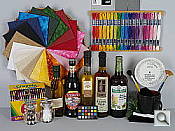
We're going to have to start reusing superlatives at some point here, so bear with us. At their base ISOs, both cameras turn out impressive results, but both also have trouble in the red channel--the Canon considerably more so than the Pentax. We've never seen so much detail from any camera we've tested, of course, including on the olive oil bottle, which appears to have much more texture than other cameras can reveal. Indeed, we had to go down to the lab and inspect the Still Life test target again to verify the incredible detail that the Pentax 645D finds from several feet away with the 75mm lens. The mosaic bottle label is from an offset press with a fairly fine halftone pattern that we've never noticed before. As such, the purples, blues, yellows and greens that appear between the black tiles in the 645D's image are really there, as are the slight color patterns in the character's cloak. For the first time, all of the fabric swatches show clearly visible threads, whereas only a few do on the 1Ds Mark III and D3X. At its base ISO of 200, the 40-megapixel Pentax 645D does better with our most troublesome red leaf fabric swatch than any camera to date. Clearly the Pentax 645D outresolves the 21.1-megapixel Canon 1Ds Mark III at ISO 100, but that's really no surprise given the 2x higher megapixel count. We weren't expecting to see so much more detail, though. |
|
Pentax 645D versus Nikon D3X at base ISO
|
 |
|
 |
|
 |
|
Pentax 645D at ISO 200 |
Nikon D3X at ISO 100
|
|
Naturally the 24.5-megapixel Nikon D3X turns in a better performance than the 21.1-megapixel Canon 1Ds Mark III, but it's also clearly bested by the Pentax 645D. It's interesting to note that the Nikon D3X actually seems to remove the colors between the mosaic tiles that are actually present in the subject. This creates a bit crisper-looking image, if one that's less true to the almost microscopic detail captured by the Pentax 645D. And while the D3X makes a crisper rendering of the red leaf swatch that beats that of the 1Ds, the Pentax 645D reveals the very threads that cause other cameras so much trouble as noise suppression systems struggle to separate the dark reddish lines from the underlying fabric texture. |
|
Pentax 645D versus Canon EOS-1Ds Mark III at ISO 1,600
 |
 |
 |
 |
 |
 |
|
Pentax 645D at ISO 1,600 |
Canon 1Ds Mark III at ISO 1,600
|
|
At ISO 1,600, the Pentax 645D still manages to output more detail than the 1Ds Mark III, including the slight color noise between the black mosaic tiles. While it starts to have trouble resolving the thread pattern of the red leaf swatch, it's still able to see the pattern in the pink cloth below it. Very impressive. |
|
Pentax 645D versus Nikon D3X at ISO 1,600
|
 |
|
 |
|
 |
|
Pentax 645D at ISO 1,600 |
Nikon D3X at ISO 1,600
|
|
Up against the D3X at 1,600, the Pentax 645D still holds onto crisper, truer detail, as one might expect. (The 645D's pixels are actually almost the same size as those of the D3x, but there are more of them to cover a given subject area, so the camera has more to work with, in separating image noise from subject texture.) |
|
As you can see, the Pentax 645D is capturing details in our Still Life shots never seen before on screen. Check the Samples page for full resolution images. As always, we encourage readers to download and view our camera-direct files for their personal use -- but you might want to consider making a donation toward bandwidth costs using the buttons on the image-carrier pages; these are huge files! (The JPEGs run 15-20MB each; the DNGs are 50-70MB.)
Pentax 645D Print Quality
ISO 100 shots make excellent 36x48 inches; ISO 400 shots are sharp at 30x40 inches; and ISO 1,600 shots make great 16x20-inch prints.
 We had to establish new maximum print sizes for the Pentax 645D, as it's the first 40-megapixel camera we've reviewed. Something tells us it won't be the last, but for now the maximum tested print size is 40x60 inches.
ISO 100 images are what we'd call usable at 40x60 inches, certainly for wall display with some sharpening applied. Straight out of the camera, though, they look better printed at 36x48 inches. That's 3x4 feet. Detail is excellent at this size, as is color.
ISO 200 shots are also quite good printed at 36x48. Very sharp, excellent detail.
ISO 400 images are slightly soft at 36x48, but return to crispness at 30x40.
ISO 800 images print beautifully at 24x36.
ISO 1,600 shots take the first (and last) noticeable hit in quality, requiring more noise suppression. While they're usable at 30x40 and quite a bit better at 20x30, they don't quite measure up to the standard of the others until 16x20, still a gigantic print.
Overall the Pentax 645D turns in a stellar performance worthy of a medium-format camera. Image quality is amazingly good, and we were quite conservative of our judgments on print quality. Lowering noise suppression or processing RAW images would likely achieve even larger print sizes with ease.
(Minor) Sensor Issue
 |
 |
Pentax 645D, ISO 200 default NR |
Pentax 645D, ISO 200, no NR |
Sometimes, our test targets show minor sensor defects that are virtually invisible in real-world images. For example, the sharp black/white contrast of the resolution chart often shows artifacts from the pixel-substitution used to fill in for faulty sensor pixels. In the case of the 645D, an artifact of this sort appears in our Viewfinder Accuracy test target images, at pixel column 2799. The crop above left shows the effect, a slight blurring of the edges in the red rosette pattern. We call this a "minor" sensor defect, because the results are actually incredibly hard to see in images of real-world subjects: If we didn't know what we were looking for and exactly where to look for it, we'd almost certainly never notice it. To demonstrate this, check out the crop from our Still Life target above right, shot with noise reduction turned off to minimize the chance that the NR processing would hide the issue. Can you see the artifacts? We didn't think so. (If you look really closely, you might be able to make out the errant pixel or two in the black drop-shadow under the gold trim, and again in the drop-shadow from the vertical stroke of the "F".) We call attention to this mainly to save on bandwidth: Someone would be bound to notice the issue on the VFA chart eventually and note it on an internet forum, after which thousands of other people would hit our server, downloading multiple 20-MB files to see whether they could see it or not. Hopefully the above examples will save all of you the time and our servers the bandwidth. Bottom line, this is pretty much of a non-issue, unless your business is photographing test charts. |
|
Pentax 645D Conclusion
| Pro: | Con: |
|---|---|
|
|
Given that the Pentax 645D is out of the realm of cameras we normally test, we went back and forth on whether to do a full image analysis, but we've decided to go forward. We wanted to flesh out what we posted late last year with a little more experiential writeup and final thoughts before sending the 40-megapixel 645D back to Pentax. It's really an amazing camera, with plenty of pixels to spare, and very high-quality optics.
Aside from all that "gee-wiz look at all the pixels," it's clear that for anyone doing high-end portrait, graphic reproduction, landscape and architectural photography should be giving the relatively affordable Pentax 645D a look, as it's priced just a little higher than a Nikon D3X, and considerably lower than the Hasselblad H4D-40.
We especially appreciated its easy demeanor and ready controls that made us even more comfortable making adjustments than we are with 35mm and APS-C SLRs. Having all that extra body real estate allowed Pentax to give us the extra control we like to have.
We strongly recommend the Pentax 645D to anyone in need of a medium format camera.
Follow Imaging-Resource.com on Twitter!
Optics
Pentax 645D Optics
The Pentax 645D is sold body-only, so no “kit” lens results here. We do however have viewfinder coverage results below.
Viewfinder Test Results
Coverage
Very good accuracy from the optical viewfinder.
 |
|
75mm, Optical
|
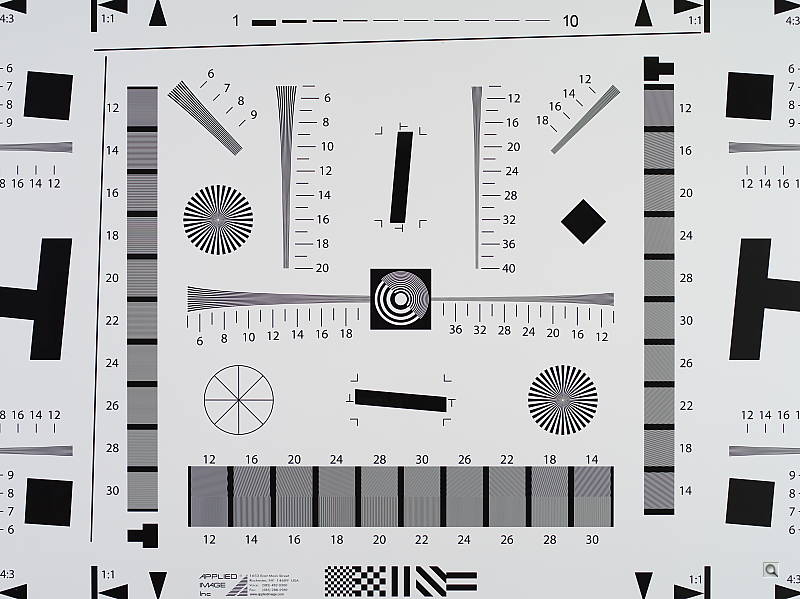
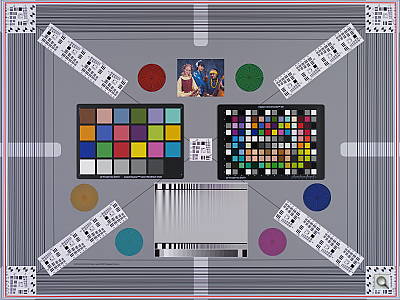
The Pentax 645D’s optical viewfinder showed about 98% coverage in our test, matching the specification. This is very good performance considering the size of the sensor. The 645D does not support Live View mode, so its LCDÂ monitor cannot be used to preview images.
The images above were taken from our standardized test shots. For a
collection of more pictorial photos, see our
Pentax 645D Photo Gallery
.
Exposure
Pentax 645D Image Quality
Color
Saturation & Hue Accuracy
Very accurate default saturation with good hue accuracy.
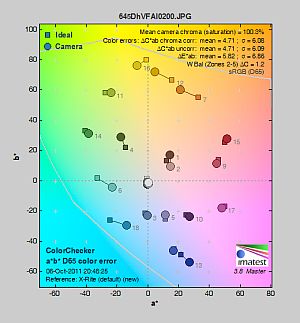 |
| In the diagram above, the squares show the original color, and the circles show the color that the camera captured. More saturated colors are located toward the periphery of the graph. Hue changes as you travel around the center. Thus, hue-accurate, highly saturated colors appear as lines radiating from the center. Click for a larger image. |
Saturation. The Pentax 645D’s default “Natural” image tone setting produces images with very accurate saturation, just slightly oversaturated by only 0.3% overall. Dark blue, dark green and dark brown are pushed just slightly, while most other colors are practically dead-on or slightly desaturated. Some may think the 645D’s colors are a bit dull, but they are more faithful than most cameras. You can of course always select a different image tone preset (see below) and/or adjust settings such as saturation and contrast to suit your own tastes. Most consumer
digital cameras produce color that’s more highly saturated (more intense)
than found in the original subjects. This is simply because most people
like their color a bit brighter than life.
Skin tones. Caucasian skin tones from the Pentax 645D were a touch yellow using auto white balance, while manual white balance produced a more pinkish, “healthier” appearance. Where
oversaturation is most problematic is on Caucasian skin tones, as it’s very
easy for these “memory colors” to be seen as too bright, too pink,
too yellow, etc.
Hue. The Pentax 645D showed a few color shifts relative to the correct mathematical translation of colors in its subjects, but had good accuracy overall when using default settings. Most noticeable were shifts in orange toward yellow and cyan towards blue, with some very minor shifts to other colors. (The cyan to blue shift is very common among the digital cameras we test; we think it’s a deliberate choice by camera engineers to produce better-looking sky colors.) The 645D’s “delta-C” hue error after correction for saturation is 4.71, which is slightly better than average. Some SLRs have scored in the mid-3’s (lower numbers are better), so the 645D’s hue accuracy isn’t outstanding, but it’s still pretty good. Hue is “what color” the color is.
Custom Image
The Pentax 645D offers nine preset “Custom Image” options. You can adjust Saturation, Hue, High/Low Key, Contrast, Sharpness, Filter Effects and Toning parameters from -4 to +4 (9 steps). Some adjustments are not available depending on the Custom Image type.
Mouse over the links above to see the effect of the presets on our Still Life target. Click on a link to load the full resolution image.
Saturation Adjustment
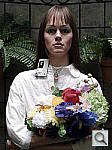
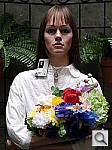
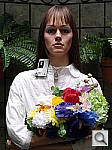
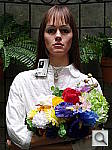
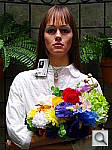
The Pentax 645D lets you adjust image Saturation in nine steps. As can be seen below, the saturation adjustment worked well, providing a reasonably fine-grained adjustment over a useful range of control. The saturation adjustment also has almost no impact on contrast. That’s how a saturation control should work, but we’ve often found interactions between saturation adjustments and image contrast (and vice versa) on the cameras we test.
| Saturation Adjustment Examples | ||||
 |
 |
 |
 |
 |
| -4 | -1 | 0 | +1 | +4 |
The series of shots above shows results with several different saturation adjustment settings, showing the minimum step size around the default, as well as both extremes. See the Thumbnails index page for more (look for the files named 645DOUTBSATx.JPG). Click on any thumbnail above to see the full-sized image.
 |
 |
 |
| See full set of test images with explanations See thumbnails of all test and gallery images |
||
Sensor
Exposure and White Balance
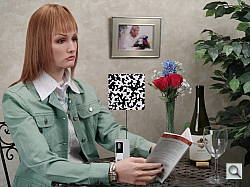
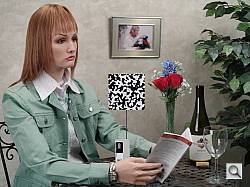
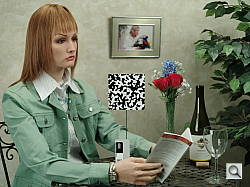
Indoors, incandescent lighting
Very warm results with Auto white balance, though good color with Incandescent and Manual white balance settings. Slightly above average exposure compensation required.
 |
 |
| Auto White Balance +0.7 EV |
Incandescent White Balance +0.7 EV |
 |
 |
| Manual White Balance +0.7 EV |
2,600 Kelvin +0.7 EV |
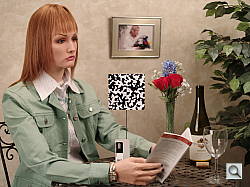
The Pentax 645D’s default Auto white balance had a difficult time with the very warm color balance of the household incandescent bulbs used in this shot. Like other more recent Pentax SLRs, the 645D offers two settings for Auto white balance correction in Tungsten light: Subtle which is the default setting, and Strong. We unfortunately don’t have results with Strong correction, but it helped on other Pentax bodies. Results with the Incandescent setting were pretty good, just bit on the cool side. The 2,600 Kelvin setting which should match our tungsten lamps produced a strong greenish cast. The Manual setting produced the most accurate results, though still a touch cool. Note that the 645D also has a Color Temperature Enhancement (CTE) white balance mode, which strongly intensified the orange/yellow cast in our indoor test shot on other Pentax bodies. We didn’t try that option for the 645D. The Pentax 645D required +0.7 EV exposure compensation for a bright image, which is a little higher than the +0.3 EV average required for this shot.Ã Our test lighting for this shot is a mixture of 60 and 100 watt household incandescent bulbs, a pretty yellow light source, but a very common one in typical home settings here in the U.S.
Outdoors, daylight
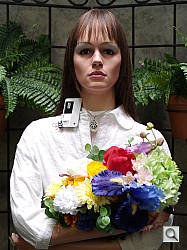
Good color with very good exposure, though somewhat high default contrast.
 |
 |
| Manual White Balance, +0.3 EV |
Auto White Balance, 0 EV |
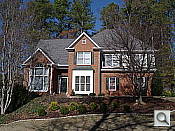
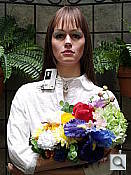
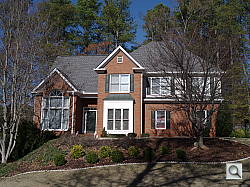
The Pentax 645D handled tough outdoor lighting under harsh sunlight fairly well, producing bright images with fairly accurate exposure. Default contrast was a bit on the high side (as most users prefer), leading to some clipped highlights. +0.3 EV exposure compensation was required to keep the model’s face bright (the default exposure was a tad dim), which is better than the average of +0.7 EVÃ usually required for this scene. Skin tones were just a touch yellow using auto white balance, so we preferred manual white balance for outdoor portraits. The house shot was also well exposed at 0 EV, but also with quite a few clipped highlights in the white trim, though shadows were very good. Color was just a touch cool using Auto white balance. Still, fairly good results here.
See full set of test images with explanations
See thumbnails of all test and gallery images
Resolution
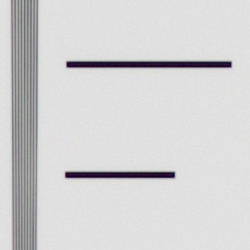
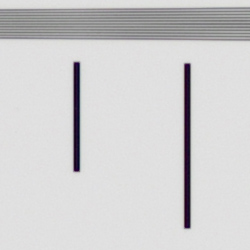
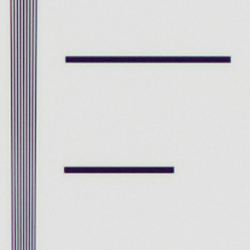
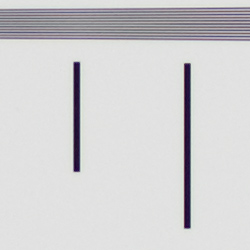
Extremely high resolution, ~3,700 lines of strong detail from JPEGs, about the same from converted RAWÃ files.
 |
 |
| Strong detail to ~3,700 lines horizontal Camera JPEG |
Strong detail to ~3,700 lines vertical Camera JPEG |
 |
 |
| Strong detail to ~3,700 lines horizontal ACRprocessed RAW |
Strong detail to ~3,700 lines vertical ACRprocessed RAW |
Our laboratory resolution chart revealed sharp, distinct line patterns down to about 3,700 lines per picture height in the horizontal direction about 3,7000 lines per picture height in the vertical direction in JPEGs. Complete extinction didn’t occur before the 4,000 line limit of our chart. RAW files processed through Adobe Camera RAW showed more distinct lines, but color moire was much higher. Color moire is even more of a concern with the 645D as it doesn’t have an anti-alias filter, though its JPEG engine does a great job at suppressing it here. Use these numbers to compare with other cameras of similar resolution, or use them to see just what higher resolution can mean in terms of potential detail.
See full set of test images with explanations
See thumbnails of all test and gallery images
Sharpness & Detail
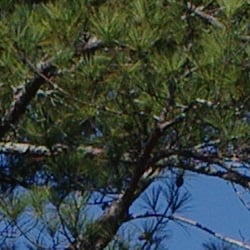
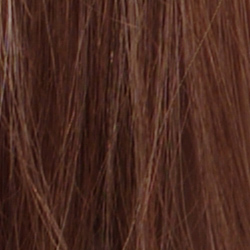
Sharp images with exquisite detail, though with minor edge-enhancement on high-contrast subjects. Minor noise suppression visible at base ISO.
 |
 |
| Excellent definition of high-contrast elements, though with minor evidence of edge enhancement. |
Subtle detail: Hair Noise suppression tends to blur detail in areas of subtle contrast, though detail remains strong in the darker parts of the model’s hair here. |
Sharpness. The Pentax 645D produced sharp images with phenomenal detail at default settings. Some minor edge enhancement artifacts are visible on high-contrast subjects such as some of the branches in the crop above left, but overall results are quite amazing. Edge enhancement creates the illusion of sharpness by enhancing color and tonal differences right at the edge of a rapid transition in color or tone.
Detail. The crop above right shows some minor detail loss due to noise suppression, as the darker areas of the model’s hair still show very good detail. Individual strands are distinguishable even in the lighter shadows, though they begin to merge as shadows deepen, and in places where the tone and color of adjacent strands is very close. Still, very good results here. (Remember, we’re looking at a 40-megapixel image at 100% here.)Ã Noise-suppression
systems in digital cameras tend to flatten-out detail in areas of subtle
contrast. The effects can often be seen in shots of human hair, where the
individual strands are lost and an almost “watercolor” look appears.
 |
 |
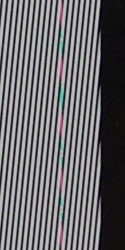
Aliasing. The Pentax 645D’s CCD sensor is not covered with an optical anti-aliasing (low-pass) filter that is normally used to intentionally introduce subtle blurring to reduce moire and other aliasing artifacts in most Bayer color filter cameras. This of course means per-pixel sharpness of the 645D’s images is superb, but it also means that aliasing artifacts are more likely. Pentax says the 645D instead combats such image defects using software techniques and lens design, and indeed we didn’t find aliasing to be as big of an issue as we expected. That’s not to say we didn’t notice some aliasing artifacts in a number of 645D images we shot. The 100% crops at right for instance show obvious moire patterns and aliasing, and there are instances of aliasing artifacts in other 645D lab and gallery images. (See the orange fencing in this gallery shot for a real-world example.) To be fair, we’ve seen similar artifacts from other high resolution cameras with weak low-pass filters, so it’s not something unique to the 645D. It’s just something that’s more likely to occur with the 645D, especially when shooting with sharp lenses stopped-down a bit from maximum aperture.
 |
 |
Minor pixel column defects. As mentioned elsewhere in our 645D review, sometimes our test targets show minor sensor defects that are virtually invisible in real-world images. For example, the sharp black/white contrast of the resolution chart often shows artifacts from the pixel-substitution used to fill in for faulty sensor pixels. In the case of the 645D, an artifact of this sort appears in our resolution and our viewfinder accuracy test target images, at pixel column 2799. The 100% crops at right show the effect of this defect. We call this a “minor” sensor defect, because the results are actually incredibly hard to see in images of real-world subjects. This is pretty much of a non-issue, unless your business is photographing test charts. Note that a second 645D we tested showed similar defects in different columns, so Pentax must also believe this is a very minor issue.
RAW vs In-Camera JPEGs
As noted above, the Pentax 645D does an excellent job at capturing gobs of detail in its JPEGs, but believe it or not, more detail can be obtained from carefully processing RAW files, without introducing additional artifacts. Take a look below, to see what we mean:
In the table above, mousing over a link at the bottom will load the corresponding crop in the area above, and clicking the link will load the full resolution image. Examples are shot at ISOÃ 200, and include in-camera Premium JPEG as well as the matching RAW file processed through Adobe Camera Raw (ACR) version 6.3, then sharpened in Photoshop. For the Pentax 645D’s RAWÃ files, we found best results with fairly light but tight 250% unsharp masking with a 0.3 pixel radius.
As is frequently the case, the demosaicing and sharpening in Adobe Camera and Photoshop deliver finer detail than the camera. Looking very closely at the images, ACR extracts more detail that wasn’t present in the JPEGs, but renders colors and contrast differently than the default camera settings, and there’s also a bit more noise visible. You can always adjust RAWÃ image rendering to your liking, though, which is one of the advantages of shooting RAW and processing the images yourself.
ISO & Noise Performance
Very good handling of noise vs detail across the entire ISOÃ range.
| High ISOÃ Noise Reduction = Medium (Default) | ||
 |
 |
 |
| ISO 100 | ISO 200 | ISO 400 |
 |
 |
|
| ISO 800 | ISO 1,600 | |
The Pentax 645D’s images were very clean at ISO 100 and 200, with excellent detail. ISO 400 shows just a touch of softening due to stronger noise reduction, but detail is still excellent. ISO 800 shows a little more luminance noise as well as some additional blurring, though results are still very good. ISO 1,600 also shows an increase in blurring along with higher levels of luminance and chroma noise, but fine detail was still quite good with a tight, film-like noise “grain”. Note that these images were shot using the Pentax 645D default “Medium” High ISOÃ Noise Reduction setting.
The Pentax 645D offers very good control over noise reduction applied to its JPEGs. In addition to how much noise reductionà is applied (“Off”, “Low”, “Medium” or “High”), or you can select at what ISOà sensitivity it starts (ISOà 200, 400, 800, or 1600). The default High-ISOà NR Start Level is ISOà 400. Of course, the impact of noise and detail loss are highly dependent on the size the photos are printed at, and pixel-peeping on-screen has surprisingly little relationship to how the images look when printed: See the Print Quality section below for recommended maximum print sizes at each ISO.
Extremes: Sunlit, dynamic range and low light tests
Extremely high resolution, though with some clipped highlights. Excellent low-light performance, capable of capturing bright images in near darkness.
 |
 |
 |
| 0 EV | +0.3 EV | +0.7 EV |
Sunlight:
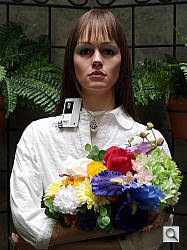
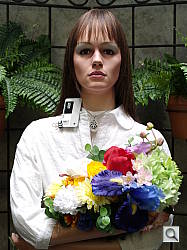
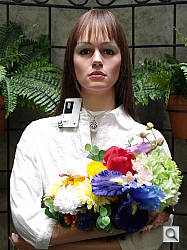
The Pentax 645D struggled a bit in the harsh lighting of the above test. Default contrast is a little high and dynamic range is somewhat limited, so quite a few highlights are clipped in the model’s shirt and some of the flowers. Shadow detail is quite good though, if a touch noisy. The +0.3 EV exposure did the best job here, as the default exposure was a bit too dim in the face, and too many highlights were lost at +0.7 EV. Note that these shots were captured with the Pentax 645D’s D-Range controls set to their defaults of “Off.” (See below for D-Range examples.)
Because digital cameras are more like slide film than negative film (in that they tend to have a more limited tonal range), we test them in the harshest situations to see how they handle scenes with bright highlights and dark shadows, as well as what kind of sensitivity they have in low light. The shot above is designed to mimic the very harsh, contrasty effect of direct noonday sunlight, a very tough challenge for most digital cameras. (You can read details of this test here. In actual shooting conditions, be sure to use fill flash in situations like the one shown here; it’s better to shoot in open shade whenever possible.)
Dynamic Range Analysis
A key parameter in a digital camera is its Dynamic Range, the range of brightness that can be faithfully recorded. At the upper end of the tonal scale, dynamic range is dictated by the point at which the RGB data “saturates” at values of 255, 255, 255. At the lower end of the tonal scale, dynamic range is determined by the point at which there ceases to be any useful difference between adjacent tonal steps. Note the use of the qualifier “useful” in there: While it’s tempting to evaluate dynamic range as the maximum number of tonal steps that can be discerned at all, that measure of dynamic range has very little relevance to real-world photography. What we care about as photographers is how much detail we can pull out of the shadows before image noise becomes too objectionable. This, of course, is a very subjective matter, and will vary with the application and even the subject matter in question. (Noise will be much more visible in subjects with large areas of flat tints and subtle shading than it would in subjects with strong, highly contrasting surface texture.)
What makes most sense then, is to specify useful dynamic range in terms of the point at which image noise reaches some agreed-upon threshold. To this end, Imatest computes a number of different dynamic range measurements, based on a variety of image noise thresholds. The noise thresholds are specified in terms of f-stops of equivalent luminance variation in the final image file, and dynamic range is computed for noise thresholds of 1.0 (low image quality), 0.5 (medium image quality), 0.25 (medium-high image quality) and 0.1 (high image quality). For most photographers and most applications, the noise thresholds of 0.5 and 0.25 f-stops are probably the most relevant to the production of acceptable-quality finished images, but many noise-sensitive shooters will insist on the 0.1 f-stop limit for their most critical work.
JPEG.
RAW.
Contrast Adjustment
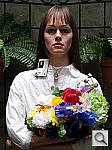
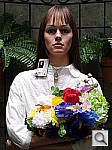
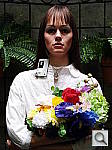
Just as with its saturation adjustment, the Pentax 645D’s contrast adjustment offers a fairly wide range of settings (-4 to +4), and the contrast steps are actually a little finer than those for saturation, which is even more to our liking.
| Minimum Contrast | |
 |
 |
| Contrast set to lowest, 0 EV |
Contrast set to lowest, 0 EV |
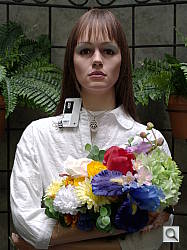
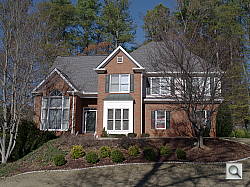
At its lowest contrast setting, the 645D did a really excellent job of bringing nice detail out of the shadows as well as preserving a bit more highlight detail in the model’s shirt and flowers, but skin tones in the “Outdoor” Portrait were a bit too flat for our tastes, and colors in general in the Far-field House shot were noticeably less saturated.
| Contrast Adjustment Examples | ||||
 |
 |
 |
 |
 |
| -4 | -1 | 0 | +1 | +4 |
The series of shots above shows results with several different contrast adjustment settings, showing the minimum step size around zero, as well as both extremes. The camera’s contrast adjustment had quite an effect on color saturation, reducing it along with contrast. Contrast and saturation are actually fairly closely coupled, so this is unfortunately not unusual. While you can see the extremes, it’s hard to really evaluate contrast on small thumbnails like these, click on any thumbnail to go to the full-size image.
D-Range Settings
The Pentax 645D offers three Shadow Correction levels (Low, Medium, and High) as well as one Highlight Correction setting (On/Off). As the name implies, Shadow Correction works to raise shadow levels while attempting to keep highlights and midtones as they are, and likewise, Highlight Correction attempts to reduce highlights without darkening shadows and midtones. Both can be used simultaneously. See the images below to see their effect on our high contrast “Outdoor” Portrait test shot.
|
Outdoor Portrait D-Range Examples (0 EV)
|
|||
|
|
D-Range Off (Default) |
||
| Shadow Correction Low |
|||
| Shadow Correction Medium |
|||
| Shadow Correction High |
|||
| Highlight Correction On |
|||
Mouse over the links to see how the various settings for D-Range affects our “Outdoor” Portrait shot. Click on a link to get to the full-res image. (The effect can be a little subtle in shots like those above, so we decided to use a mouse-over to better show how each setting compares to Off.)
Shadow Correction. Above, we see in the images and histograms a gradual lightening of shadows as the Shadow Correction setting is increased, with little impact to highlights.
Highlight Correction. As you can see, Highlight Correction has the opposite effect, toning-down the highlights so that virtually none are clipped, with minimal impact to shadows and midtones.
Note as mentioned above, both Shadow and Highlight Correction can be used simultaneously.
|
Far-field D-Range Examples
|
||
|
|
||
|
|
||
Here are the results with our Far-field House shot. Again, we see a lightening of shadows as the Shadow Correction setting is increased, and a decrease in hot highlights with Highlight Correction.
HDR Capture
The Pentax 645D has a High Dynamic Range (HDR) capture mode where the camera takes three images (underexposed, normal, and overexposed) in quick succession and combines them in-camera into one image. Ã If performed properly, this method should result in much higher dynamic range, without the additional noise penalty that comes with boosting shadows when using the D-Range option. (In fact, it can reduce shadow noise by combining shadows from the overexposed shot.) There are two HDR settings available: Standard and Strong.
|
Far-field HDR Examples
|
||
|
|
||
As you can see from the above images, HDR Standard worked reasonably well on our Far-field House test shot, reducing both clipped highlights and bringing out shadow detail. The Strong setting was too much for this scene, though, resulting in very flat and unnatural looking images with reduced saturation. Also keep in mind that your subject needs to be perfectly still during HDR capture, or you’ll end up with double images and blurring as can be seen in some of the tree branches in the images above.
| Ã | 1 fc 11 lux |
1/2 fc 5.5 lux |
1/4 fc 2.7 lux |
1/8 fc 1.3 lux |
1/16 fc 0.67 lux |
1/16fc No NR |
|---|---|---|---|---|---|---|
| ISO 100 |
 2 s f2.8 |
 4 s f2.8 |
 8 s f2.8 |
 15 s f2.8 |
 30 s f2.8 |
 30 s f2.8 |
| ISO 200 |
 1 s f2.8 |
 2 s f2.8 |
 4 s f2.8 |
 8 s f2.8 |
 15 s f2.8 |
 15 s f2.8 |
| ISO 400 |
 0.5 s f2.8 |
 1 s f2.8 |
 2 s f2.8 |
 4 s f2.8 |
 8 s f2.8 |
 8 s f2.8 |
| ISO 800 |
 1/4 s f2.8 |
 0.5 s f2.8 |
 1 s f2.8 |
 2 s f2.8 |
 4 s f2.8 |
 4 s f2.8 |
| ISO 1600 |
 1/8 s f2.8 |
 1/4 s f2.8 |
 0.5 s f2.8 |
 1 s f2.8 |
 2 s f2.8 |
 2 s f2.8 |
Low Light. As expected, the Pentax 645D performed well here, easily able to capture usable images down to the 1/16 foot-candle light level (about 1/16 as bright as average city street lighting at night), at all ISOÃ settings. (Our apologies for the slightly soft images above, however they are still useful for judging low-light performance.)Ã The 645D’s metering system struggled a bit with getting the exposure correct at the lowest levels though, as do most cameras, so we used manual exposure for these shots. Color balance with Auto white balance was pretty good with a slightly cool bias at lower ISOs that shifted to a magenta cast at ISO 800 and 1,600 at lower light levels. Noise was quite low all the way up to maximum ISO with default noise reduction, though moderate amounts of luminance and chroma noise were visible when noise reduction was turned off at higher ISOs, but that’s to be expected. We did not detect any issues with hot pixels, heat blooming or banding even with long exposure noise reduction disabled.
The Pentax 645D’s phase-detection autofocus system was able to focus on our subject down to below the 1/16 foot-candle light level with the smc PENTAX-D FA 645 55mm f/2.8 SDM lens, without the aid of an AF assist lamp. (Keep in mind that the longer shutter speeds here demand the use of a tripod to prevent any blurring from camera movement. A useful trick is to just prop the camera on a convenient surface, and use its self-timer to release the shutter. This avoids any jiggling from your finger pressing the shutter button, and can work quite well when you don’t have a tripod handy.)
How bright is this? The one foot-candle light level
that this test begins at roughly corresponds to the brightness of typical
city street-lighting at night. Cameras performing well at that level should
be able to snap good-looking photos of street-lit scenes.
NOTE: This low light test is conducted with a stationary subject, and the camera mounted on a sturdy tripod. Most digital cameras will fail miserably when faced with a moving subject in dim
lighting. (For example, a child’s ballet recital or a holiday pageant in a gymnasium.) Digital SLRs like the Pentax 645D do much better than point & shoots, but you still shouldn’t expect a quick autofocus lock with moving subjects.
Output Quality
Print Quality
ISO 100 shots make excellent 36×48 inches; ISO 400 shots are sharp at 30×40 inches; and ISO 1,600 shots make great 16×20-inch prints.
ISO 100 images are what we’d call usable at 40×60 inches, certainly for wall display with some sharpening applied. Straight out of the camera, though, they look better printed at 36×48 inches. That’s 3×4 feet. Detail is excellent at this size, as is color.
ISO 200 shots are also quite good printed at 36×48. Very sharp, excellent detail.
ISO 400 images are slightly soft at 36×48, but return to crispness at 30×40.
ISO 800 images print beautifully at 24×36
ISO 1,600 shots take the first (and last) noticeable hit in quality, requiring more noise suppression. While they’re usable at 30×40 and quite a bit better at 20×30, they don’t quite measure up to the standard of the others until 16×20, still a gigantic print.
Overall the Pentax 645D turns in a stellar performance worthy of a medium-format camera. Image quality is amazingly good, and we were quite conservative of our judgments on print quality. Lowering noise suppression or processing RAW images would likely achieve even larger print sizes with ease.
Testing hundreds of digital cameras, we’ve found that you can only tell just so much about a camera’s image quality by viewing its images on-screen. Ultimately, there’s no substitute for printing a lot of images and examining them closely. For this reason, we now routinely print sample images from the cameras we test on our Canon Pro9000 Mark II studio printer, and on the Pixma MP610 here in the office. (See the Canon Pixma Pro9000 Mark II review for details on that model.)
The images above were taken from our standardized test shots. For a
collection of more pictorial photos, see our
Pentax 645D Photo Gallery
.
Not sure which camera to buy? Let your eyes be the ultimate judge!
Visit our Comparometer(tm)
to compare images from the Pentax 645D with those from other
cameras you may be considering. The proof is in the pictures, so let
your own eyes decide which you like best!
Performance
Pentax 645D Performance
Timing and Performance
|
Startup/Shutdown
|
||
|
Power on to first shot |
~0.7 second
|
Time it takes for camera to turn on and take a shot. |
|
Shutdown |
~0.6 second
|
How long it takes to turn off. |
|
Buffer clearing time |
27 seconds*
after 19 Large Fine JPEGs |
Worst case buffer clearing time. See Cycle-Time table below for more buffer clearing times. |
|
53 seconds*
after 16 Large RAW frames |
||
|
71 seconds*
after 15 Large RAW + Large Fine JPEGs |
||
|
* Note: Buffer clearing times measured with a SanDisk Extreme III SDHC card. Slower cards will produce correspondingly slower clearing times. Slow cards may also limit length of bursts in continuous mode. ISO sensitivity and noise reduction settings can also affect cycle times and burst mode performance. |
||
Startup and shutdown times were a tad slow for a DSLR, but not too bad at about 0.7 and 0.6 second respectively. Buffer clearing is very slow, but no surprise given the 40-megapixel files the 645D produces.
| Mode Switching | ||
|---|---|---|
|
Play to Record, |
~0.3 second
|
Time until first shot is captured. |
|
Record to Play |
~6.0 seconds
|
Time to display a Large/Fine quality JPEG file immediately after capture. |
|
Display |
~0.2 second
|
Time to display a Large/Fine quality JPEG file already on the memory card. |
Time to switch from play to record mode is fast, as is displaying a previously captured image, but switching from record to play after taking a shot takes about 6 seconds, which is quite slow.
| Shutter Response (Lag Time) | ||
|---|---|---|
|
Full Autofocus |
0.164 second
|
Time from fully pressing shutter button to image capture. (All AF timing measurements taken with a Pentax 55mm f/2.8 D FA SDM lens.) |
|
Full Autofocus |
0.180 second
|
Time from fully pressing shutter button to image capture. |
|
Continuous AF |
0.138 second
|
This mode is release priority so subject may be out of focus; we have no way to measure performance with moving subjects. |
|
Manual focus |
0.141 second
|
For most cameras, shutter lag is less in manual focus than autofocus, but usually not as fast as when the camera is “pre-focused.” |
|
Pre-focused |
0.142 second
|
Time to capture, after half-pressing and holding shutter button. |
The shutter lag numbers above measure time from shutter button press to image capture, with the lens already set to the correct focal distance. This largely removes the issue of differences in lens focusing speed, and measures how fast the camera can measure and act on focus information. In this metric, the Pentax 645D was quite fast. The 645D required only 0.164 second for full AF and capture when using Single-point (center) AF mode (our default full AF lag test). The lag increased slightly to 0.180 second when using 11-point Auto-area AF mode. Continuous AF and Manual focus lag times were faster at 0.138 and 0.141 second respectively. When pre-focused, shutter lag was about the same as manual focus at 0.142 second, which is slower than most DSLRs.
| Cycle Time (shot-to-shot) | ||
|---|---|---|
|
Single Shot mode |
1.09 seconds
|
Time per shot, averaged over buffer depth of 21 shots. |
|
Single Shot mode |
1.10 seconds
|
Time per shot, averaged over buffer depth of 17 shots. |
|
Single Shot mode |
1.09 seconds
|
Time per shot, averaged over buffer depth of 16 shots. |
|
Early shutter |
Yes
|
Some cameras refuse to snap another shot if you release and press the shutter too quickly in Single Shot mode, making “No” the preferred answer. |
|
Continuous mode |
0.90 second
(1.11 fps); 19 frames total; 27 seconds to clear* |
Time per shot, averaged over the buffer length of 19 shots, then slows to an average of 2.07 seconds (0.48 fps) for subsequent shots while buffer is full. |
|
Continuous mode |
0.90 second
(1.11 fps); 16 frames total; 53 seconds to clear* |
Time per shot, averaged over the buffer length of 16 shots, then slows to an average of 3.79 seconds (0.26 fps) for subsequent shots while buffer is full. |
|
Continuous mode |
0.90 second
(1.11 fps); 15 frames total; 71 seconds to clear* |
Time per shot, averaged over the buffer length of 15 shots, then slows to an average of 5.27 seconds (0.19 fps) for subsequent shots while buffer is full. |
|
Flash recycling |
N/A
|
Flash at maximum output. |
|
* Note: Buffer clearing times measured with a SanDisk Extreme III SDHC card. card. Slower cards will produce correspondingly slower clearing times. Slow cards may also limit length of bursts in continuous mode. ISO sensitivity and noise reduction settings can also affect cycle times and burst mode performance. |
||
Shot-to-shot cycle times were quite sluggish for a DSLR, at about 1.1 seconds for Large/Fine JPEGs or DNG RAW files.
As you’d expect given the class of camera, continuous mode speeds were also quite slow at a very consistent 1.11 frames per second no mater the image type. This matches Pentax’s claim of 1.1 fps quite nicely. The Pentax 645D’s buffer depths were quite good for its file sizes, though the relatively slow burst speed probably helped a lot here. Buffer clearing is also quite slow, as you’d expect. The camera does not appear to take advantage of faster UHS-I cards.
| Download speed | ||
|---|---|---|
|
Windows Computer, USB 2.0 |
11,194 KBytes/sec
|
Typical Values: |
Connected to a computer or printer with USB 2.0, downloads are quite fast. That’s a good thing, given the huge file sizes.
Bottom line, the Pentax 645D is pretty fast at some things like autofocus and switching to record mode, but cycle times, burst mode, and buffer clearing are quite slow compared to “full frame” (35mm) and APS-C DSLRs. That’s probably no surprise to most potential 645D customers given the class of the camera, though. The 645D is not intended for high-speed photography like photo-journalism and sports, afterall.
Battery
Battery Life
Good battery life.
| Operating Mode | Number of Shots |
|---|---|
|
Still Capture
|
800
|
The Pentax 645D uses a custom D-LI90 rechargeable lithium-ion battery for power, and ships with a charger. Battery life appears to be pretty good, though keep in mind the Pentax 645D does not have a built-in flash, which is normally enabled for 50% of shots when determining battery life to the CIPA standard.
The table above shows the number of shots the camera is capable of (on either a fresh set of disposable batteries or a fully-charged rechargeable battery as appropriate), based on CIPA battery-life and/or manufacturer standard test conditions.
(Interested readers can find an English translation of the CIPA DC-002 standards document here. (180K PDF document))
Pricing and availability
The Pentax 645D is available from select retailers in the US market from December 2010, priced at around US$10,000. That's really not so bad when you consider that 1Ds Mark III or D3x body starts at around $8,000.