


Overview
Last edited: 02/07/2017
Special Update: The Nikon D750 was awarded a well-deserved Camera of Distinction in the Enthusiast DSLR category in our Camera of the Year awards!

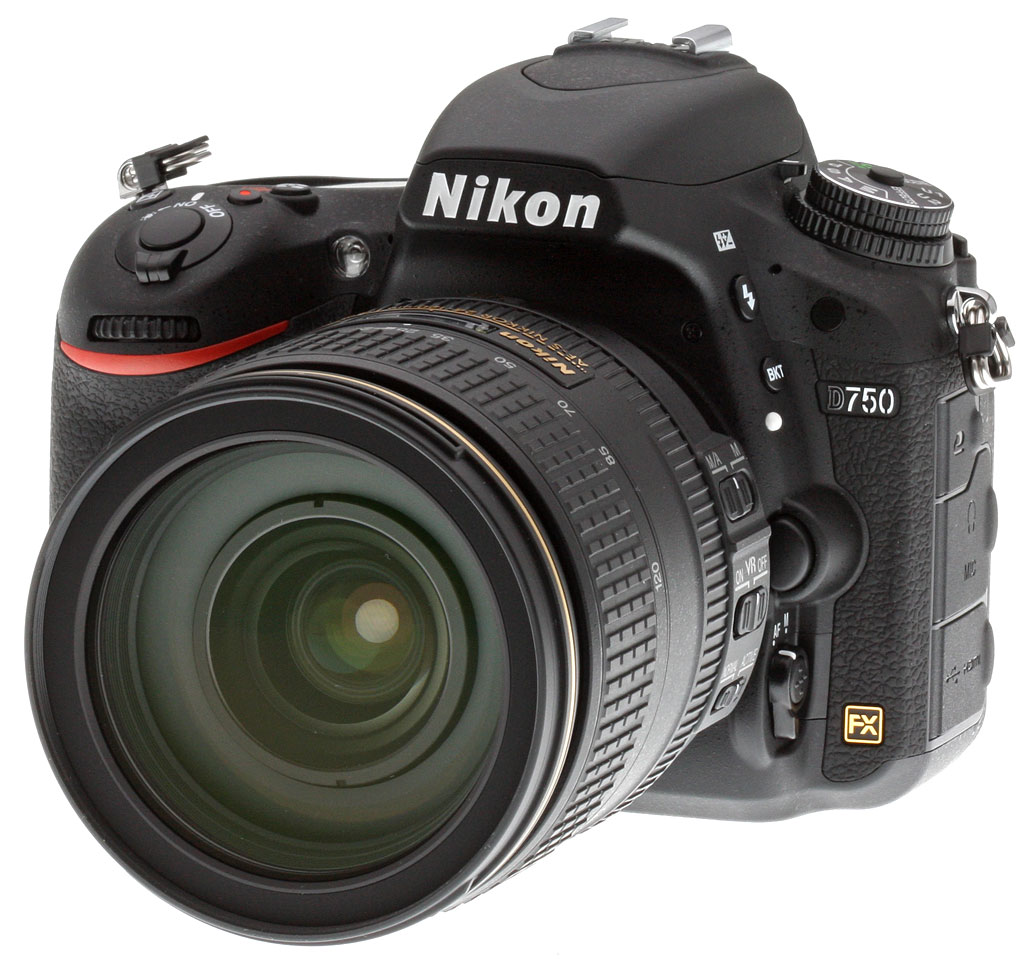
It's been a long time coming, but the spiritual successor to the much-loved Nikon D700 is finally here. A lot has changed in the market since the D700 was introduced as Nikon's first truly affordable full-frame enthusiast DSLR back in 2008, and likewise, the brand-new D750 is replete with new features that bring it right up to date. Not surprisingly, given that it arrives on the scene some six years after the D700's debut (and almost three years after it was discontinued), the D750 is a new camera from the ground up.
Even its place within the line has changed: No longer is it the most affordable full-frame option in Nikon's DSLR lineup. Instead, the D750 now sits in between the existing Nikon D610 and D810, although its US$2,300 pricetag is closer to that of the former. And its specification is also something of a hybrid of the two, although in some areas it treads its own path. (In fact, at least one feature is completely unique among Nikon's FX-format line.)
The D750's 24.3-megapixel, full-frame sensor is similar to that in the Nikon D610, but it's paired to the more powerful EXPEED 4 processor from the D810. Full-resolution performance is just slightly better than either camera at 6.5 frames per second, while the sensitivity range falls somewhere in between.
Also borrowed from the D810 are the D750's high-res 91,000-pixel RGB metering sensor and 51-point Multi-CAM 3500FX autofocus module, although the latter has been refined and now works in even lower light down to -3EV. (That's a record for a Nikon DSLR of any format.)
However, its exposure system is more akin to that of the D610, with the same 1/4,000th second top shutter speed, 1/200th second flash sync speed, and 150,000 cycle shutter life. The highlight-weighted metering mode of the D810 does make the cut, though.

The D750's pentaprism viewfinder is similar to those of the D610 and D810, but its large, high-res 3.2-inch LCD monitor is now articulated, which is a first for a Nikon FX-format camera. Also new is in-camera Wi-Fi wireless networking, although you can still use the external Wi-Fi dongle if you need wired connectivity or to maximize battery life, since the UT-1 Communication Unit has its own separate battery pack. And speaking of battery life, that's better than ever before: The D750 is rated as good for 1,230 shots on a charge, surpassing both the D610 and D810.
Add in a brand-new body with a unique design that allows it to constructed both slimmer and lighter than ever before, while maximizing handgrip depth for a comfortable hold in the process, and the D750 looks to offer a lot of camera for the money. Available at a list price of US$2,300 or thereabouts body-only, the D750 is also sold in a kit with the AF-S NIKKOR 24-120mm f/4 VR zoom lens for about US$3,600. A MB-D16 battery grip is also available with a suggested list price of US$485.
If you're ready to order now, you can use one of our trusted affiliates and help support Imaging Resource by using the links below.
- Nikon D750 Body-Only, $2,296.95: ADORAMA | AMAZON | B&H
- Nikon D750 with AF-S NIKKOR 24-120mm f/4G ED VR Lens, $3,596.95: ADORAMA | AMAZON | B&H
- Nikon MB-D16 Multi Power Battery Pack for D750, $369.95: ADORAMA | AMAZON | B&H
Let's take a closer look at the D750, and see how it compares to its siblings!
Nikon D750 Walkaround
by Mike Tomkins
Although spiritually it's a successor to Nikon's original enthusiast full-frame camera, the D700, in terms of its design and control layout the D750 is more closely-related to the slightly more affordable D610, which now forms the entry-point to the company's FX-format DSLR line. For that reason, we'll be drawing our comparisons against that model.
Although the two look quite similar externally, the D750 is the more futuristic beneath the skin. The reason? A brand-new construction method using what Nikon is referring to as a "monocoque" structural skin for the front panel, which wraps around to most of the camera's base as well.

This front skin, constructed from a carbon-fiber composite, is capped with magnesium-alloy panels on top and at the rear, completing an overall shell that, says Nikon, is "unprecedentedly slim" for an FX-format camera, and which allows a deeper handgrip without increasing the camera's size.
In fact, the D750 is about 0.1 inches (4mm) slimmer than its entry-level sibling. The light carbon-fiber panels also help keep weight to a minimum, with a result that the D750 is around 0.3 ounces (10g) lighter than the D610.
But switching to a carbon-fiber composite front deck isn't the only change that Nikon had to make to provide the deeper handgrip -- our understanding is that the camera's internals have also been significantly rearranged. Motors for the shutter mechanism and aperture control, for example, had to be relocated. The battery slot, too, was redesigned to place the battery pack parallel with the camera's rear deck, rather than the more typical position spanning the depth of the handgrip.
Pick the camera up and you notice that it's relatively compact and lightweight for the class, and that the handgrip is more comfortable with slightly more generous room for your fingertips, wrapped around the grip and nestled beside the lens mount. It still feels solid and like a quality piece of kit, though -- and of course, it's still weather-sealed, with an array of dust and water-resistant seals throughout.

Seen from the front, the D750 looks very similar indeed to the D610. All controls are in approximately the same places, but the new model is just slightly less rounded-off than its sibling, and the base beneath the mirror box a little wider. Really, though, there's not much to call between the pair.

Moving to the top deck, the difference in depth is immediately noticeable when you compare both cameras side by side. The D750's handgrip protrudes just a little less, and yet thanks to the reduction in body depth on both sides of the mirror box, it provides quite a bit more room for your fingers. It also angles inwards towards the body more steeply, so the grip doesn't feel quite so thick. The controls, though, are all in essentially the same locations.

It's once you move to the rear that a greater difference becomes apparent. For one thing, the brand-new, articulated LCD of the D750 is obvious, thanks both to the seam around its edges that shows it can be moved, and to two small protrusions that serve to give your fingernail grip to pull out the top of the monitor.
And while at first glance the column of buttons lining the LCD looks similar, once you take a closer look you realize that the Retouch / Picture Control button of the D610 is gone, making way for the Help / Protect / White Balance, Playback Zoom In / Quality, and Playback Zoom Out / ISO Sensitivity buttons each to move up one spot. At the bottom of the column, space is freed up for an i-button as seen in cameras like the D7100, which can be used to pull up the information display, or to adjust settings in live view and movie modes.
Jumping across to the other side of the LCD monitor, the changes are simpler. Nothing has been removed, it's just been rearranged, with the Info button moving above the Four-way Controller pad with its locking switch, and the Live View button surrounded by the Still / Movie switch. The small three-hole grille between these latter two controls is the speaker, and just right of this, the card access lamp. Otherwise, everything else is much where it was located on the D610.

Switching to the left-hand side (as seen from the rear), the selection of controls and access panels is much the same, but the arrangement of the latter has changed. Where the D610 had, top to bottom, a flap for the headphone and microphone jacks, another for the USB and HDMI ports, and finally one for the remote control, the D750 shuffles everything downwards so that the remote control terminal can be moved to the top. There's also a tiny little logo above the topmost access panel cover, hinting at the presence of Wi-Fi wireless networking connectivity in-camera. But we'll come back to that in a moment.

Next, we move to the right side, where the only thing we really have to say is that yes, that handgrip is definitely less deep overall. It protrudes a little less both from the front and rear of the camera, and should make for a little easier fit in smaller camera bags, at least without a lens attached.

And finally, we move to the base of the camera. Although there's not a huge amount to see here, there are several things worth noting. Firstly, the tripod mount has moved forwards a little, and in the process rather further from the sensor plane. Secondly, as noted previously you can see that the battery pack now faces across the camera, rather than sideways to sit inside the handgrip. And thirdly, with the battery compartment door now further back, the connector for the optional portrait / battery grip has jumped across the camera to the other side.
Nikon D750 Flare Issue & Repair
A few months after the D750 began to arrive in customers' hands, reports began surfacing of strange flare and dark banding problems in certain shooting conditions, such as with strong overhead, studio lighting directed towards the camera, or shooting towards the sun. In our investigation of the issue, we found that the issue was due to internal reflections from the autofocus sensor optics. We covered this phenomenon in-depth, and you can read about it here, where we tested the D750 along with other full-frame DSLRs in both studio and natural lighting conditions.
It wasn't long before Nikon issued an official response that it was investigating the problem, and soon thereafter, they instigated an official repair program for affected cameras -- which were limited to a certain range of serial numbers -- free of charge. We ended up with two review samples of the D750, and one of our review samples happened to be in this particular range of serial numbers. We sent our unit for the fix, and after it was returned, the flare issue was gone. The images below show the difference between an unmodified early D750 and the second D750 after the fix was applied:


It's important to note that our discussion here is now just for historical reference; all currently-shipping D750s are constructed using the updated design and components.
So what was actually repaired or changed inside the camera? We took some close-up shots of the original and updated D750s to find out...
 |
Original AF sensor housing structure. |
 |
Updated AF sensor housing structure. Notice the additional anti-reflective coating applied to the front of the AF housing. It's a little harder to see in this image, but it also appears that the openings in the top of the AF housing are a bit narrower (the rectangular openings don't extend quite as far back as on the original). |
 |
When the mirror is raised, a light-baffle flap drops partially over and behind the AF assembly. Here, we've (gently!) tugged the baffle upright on the original body, to show its shape. Note in particular the little lip that protrudes at the top. When the baffle is in its normal position during an exposure, this extension ends up behind the AF assembly, between it and the bottom of the sensor. |
 |
Here's the upgraded light baffle structure. Notice the larger protruding lip at the top of the flap structure. During exposures, this projection extends further into the gap between the AF assembly and image sensor, to better block any stray light refracted or reflected by the AF optics. |
Optics
The Nikon D750 is available body-only, or bundled with the Nikkor AF-S 24-120 f/4G ED VR lens. For test results of that lens, please see our full SLRgear review.
Below are our Nikon D750 viewfinder accuracy test results.
Viewfinder Test Results
Coverage
Good accuracy from the optical viewfinder and excellent coverage from the LCD monitor in Live View mode.


The Nikon D750's optical viewfinder displayed just over 97% coverage in our test in FX mode, which is good for a compact full-frame DSLR, but falls a little short of Nikon's ~100% spec. (We probably have the D750's compact design to thank for that as the slightly larger and less expensive D600/D610 have noticeably better coverage.) LCD coverage in Live View mode was just over 100% in our tests, which is excellent.
The images above were taken from our standardized test shots. For a collection of more pictorial photos, see our Nikon D750 Photo Gallery .
Exposure
Color
Saturation & Hue Accuracy
Fairly vibrant colors with slightly below average hue accuracy.
 |
|||
|
ISO Sensitivity
|
|||
| 100 | 400 | ||
| 1600 | 6400 | ||
| 25600 | |||
| In the diagram above, the squares show the original color, and the circles show the color that the camera captured. More saturated colors are located toward the periphery of the graph. Hue changes as you travel around the center. Thus, hue-accurate, highly saturated colors appear as lines radiating from the center. Mouse over the links above to compare ISOs, and click to load a larger version. | |||


Saturation. The Nikon D750 pumps dark blues a lot, dark greens moderately, quite a few colors slightly, but actually undersaturates yellow, light green, aqua and cyan tones. Overall, mean saturation levels are just a little higher than average at 11.7% oversaturated at ISO 100. The D750's default mean saturation is fairly consistent across ISOs, ranging from a minimum of 107.5% at ISO 12,800 to 113.7% at extended low ISO 50. Most consumer digital cameras produce color that's more highly saturated (more intense) than found in the original subjects. This is simply because most people like their color a bit brighter than life.
Skin tones. The Nikon D750's rendering of Caucasian skin tones looked a little too warm and yellow in our "sunlit" outdoor lighting test when using auto white balance. (Likely in part because the camera doesn't pump reds as much as most.) Manual white balance produced more healthier-looking pinkish skin tones. Where oversaturation is most problematic is on Caucasian skin tones, as it's very easy for these "memory colors" to be seen as too bright, too pink, too yellow, etc.
Hue. As with most cameras, the Nikon D750 produces a few color shifts relative to the mathematically precise translation of colors in its subjects. Reds are shifted slightly toward orange, light orange toward yellow and cyan toward blue, but there are only very slight shifts in yellow, green and purple. (The cyan to blue shift is very common among the digital cameras we test; we think it's a deliberate choice by camera engineers to produce better-looking sky colors.) Mean "delta-C" color error at base ISO was 6.19 after correction for saturation, which is a little higher than average (lower numbers are better), but still considered good, and remained below 7 across the ISO range. Hue is "what color" the color is.


Sensor
Exposure and White Balance
Indoors, incandescent lighting
Warm results with Auto and Incandescent white balance, though excellent color balance with Manual white balance. About average exposure compensation required.


Indoors, in common incandescent lighting, color balance is warm and reddish with the Auto white balance setting. The Incandescent setting is also warm, but with a strong yellow tint. (Some users may prefer this look, though, as being more representative of the original lighting.) The Manual white balance setting produced accurate results, just a touch cool. The D750 required +0.3 EV exposure compensation, which is about average for this shot. Our test lighting for this shot is a mixture of 60 and 100 watt household incandescent bulbs, a pretty yellow light source, but a very common one in typical home settings here in the U.S.
Outdoors, daylight
Vibrant color, but with mixed exposure accuracy. Options like Active D-Lighting and contrast adjustment would help when faced with harsh lighting conditions like these.
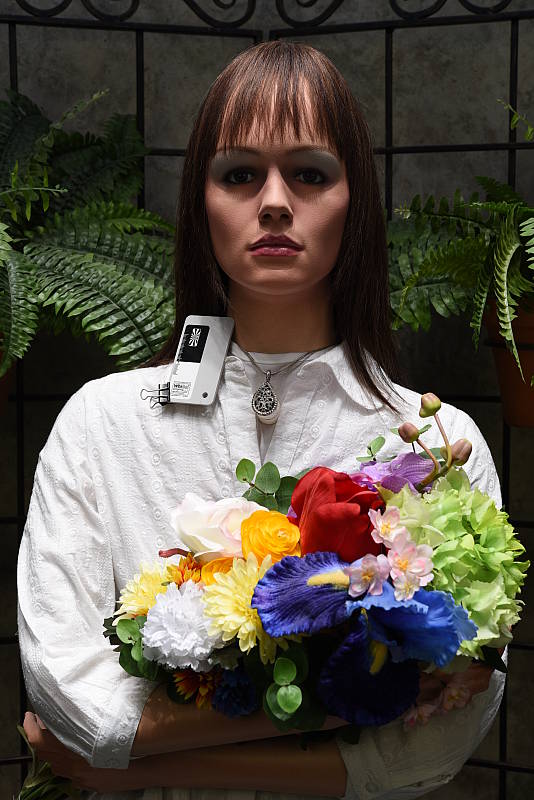
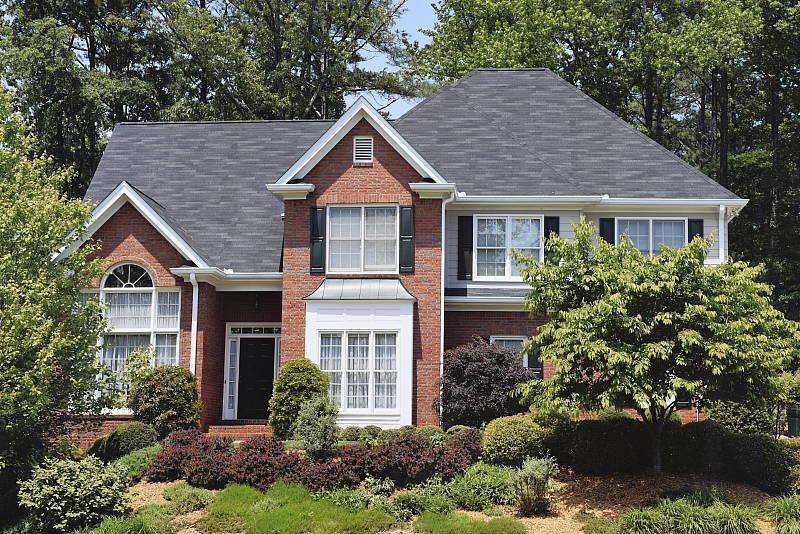
The Nikon D750 handled tough outdoor lighting under harsh sunlight fairly well in terms of color, but it struggled a bit with exposure. We found skin tones a touch too yellow in our "Sunlit" Portrait shot with Auto white balance, preferring results with Manual WB. The D750 also underxposed our standard "Sunlit" Portrait shot more than most cameras, and even with +1.0 EV exposure compensation, the mannequin's eyes are a bit dim due to relatively high default contrast. (Most cameras need about +0.7 EV for this shot, so the Nikon is below average here). On the plus side, even with +1.0 EV compensation, few highlights were clipped in the mannequin's white shirt, while dark shadows are very detailed and relatively clean. The Far-field image on the right was just slightly overexposed with a few clipped highlights in very bright white areas (and in specular highlights where you'd expect). Again, detail in the shadows is excellent, and shadow noise is remarkably low. Color here with Auto white balance is very pleasing and vibrant.
See full set of test images with explanations
See thumbnails of all test and gallery images
Resolution
Very high resolution, ~2,850 to ~2,900 lines of strong detail.



Our laboratory resolution chart revealed sharp, distinct line patterns down to about 2,900 lines per picture height in the horizontal direction in JPEGs, and perhaps a touch less in the vertical direction, at about 2,850 lines per picture height. Complete extinction of the pattern didn't occur before the 4,000 line limit of a chart. We weren't able to extract any more resolution with RAW files processed through Adobe Camera Raw 8.7, though complete extinction of the pattern was extended somewhat, and the ACR conversion showed stronger color moiré. Use these numbers to compare with other cameras of similar resolution, or use them to see just what higher resolution can mean in terms of potential detail.
See full set of test images with explanations
See thumbnails of all test and gallery images
Sharpness & Detail
Very good sharpness and detail, though default sharpening and contrast are a bit high. Minimal noise suppression artifacts at base ISO.


Sharpness. The Nikon D750 produces very sharp and detailed images at default settings, though edge enhancement artifacts are more visible compared to previous generations around high-contrast subjects, such as the sharpening halos around the lines and lettering in the crop above left. Default sharpening is a little higher than we're used to seeing for a prosumer Nikon DSLR, but you can always turn it down if you prefer. (And you can always adjust sharpening to your liking.) Edge enhancement creates the illusion of sharpness by enhancing color and tonal differences right at the edge of a rapid transition in color or tone.
Detail. The crop above right shows only minimal detail loss due to noise suppression, as the darker areas of the mannequin's hair show a lot of detail. Individual strands are still distinguishable even in the lighter shadows, though some begin to merge as shadows deepen, and in places where the tone and color of adjacent strands is very close. The hair is also virtually free from chroma noise, which is often not the case. An excellent performance here. Noise-suppression systems in digital cameras tend to flatten-out detail in areas of subtle contrast. The effects can often be seen in shots of human hair, where the individual strands are lost and an almost "watercolor" look appears.


Aliasing Artifacts. As mentioned previously the Nikon D750 captures sharp, detailed images thanks to its high resolution and weak optical low pass filter, but that means it's also susceptible to moiré and other aliasing artifacts when used with a sharp lens.
As you can see in our Still Life shots, moiré patterns can for instance be seen in the red-leaf fabric. Compared to another 24-megapixel full-frame camera with a stronger anti-alias filter (the Sony A99 in the table above for example, though its transmissive mirror may also be contributing a slight low-pass filter effect), you'll immediately notice the D750's crop contains aliasing artifacts in the form of a wavy moiré pattern that the A99's crop does not contain (both images are at ISO 100 taken with our very sharp Sigma 70mm f/2.8 Macro lenses at f/8).
With the increasing trend of using either a very weak or no optical low pass filter, quite a few cameras produce similar artifacts these days, and the Nikon D750's JPEG processing engine actually does a good job at suppressing aliasing-related false colors in our Resolution target. But it's not fool proof, and luminance moiré is much more difficult to deal with. That's something to be aware of especially if you shoot a lot of man-made subjects with repeating patterns, such as buildings, fabrics, etc. Techniques than can be used to reduce aliasing include shooting at a smaller aperture so that lens diffraction acts as an anti-alias filter, defocusing slightly, shooting at higher ISOs, and post-processing particularly with RAW files.
RAW vs In-Camera JPEGs
As noted above, the Nikon D750 does a great job at capturing lots of fine detail in its JPEGs. Let's see how a RAW conversion using our standard converter (Adobe Camera Raw) at base ISO does:
| Base ISO (100) | |
 |
 |
 |
 |
 |
 |
|
Camera JPEG, defaults
|
RAW via Adobe Camera Raw
|
In the table above, we compare an in-camera JPEG taken at base ISO using default noise reduction and sharpening (on the left) to the matching RAW file converted with Adobe Camera Raw 8.7 using default noise reduction with some fairly strong but tight unsharp mask sharpening applied in Photoshop (300%, radius of 0.3 pixels, and a threshold of 0).
Here, we can see that Adobe Camera Raw combined with sharpening in Photoshop delivers slightly finer detail than the camera JPEG, with fewer sharpening halos around high-contrast edges. It's also able to resolve some of the individual thread pattern in the red-leaf pattern that the JPEG engine partially obscures. Note that you can however see the moiré pattern in the red-leaf fabric mentioned earlier in both the camera JPEG and the ACR conversion.
Bottom line: the D750's in-camera JPEGs at default settings contain excellent detail and crispness at base ISO, though as is usually the case, you can extract even more detail without obvious sharpening artifacts with careful processing of RAW files.
ISO & Noise Performance
Very good detail versus noise up to ISO 6400.
| Noise Reduction = Default | ||
 |
 |
 |
| ISO 50 | ISO 100 | ISO 200 |
 |
 |
 |
| ISO 400 | ISO 800 | ISO 1600 |
 |
 |
 |
| ISO 3200 | ISO 6400 | ISO 12,800 |
 |
 |
|
| ISO 25,600 | ISO 51,200 | |
Nikon D750 JPEG images are very clean at lower ISOs, and show a nice, very gradual increase in luminance noise as ISO rises with minimal drop-off in image quality up to ISO 1600 (except in low-contrast reds which show more significant blurring -- see our High ISO NR crop page for more). ISO 3200 shows some stronger blurring due to noise reduction, but luminance noise is very fine-grained and detail is still very good with continued low chroma noise. ISO 6400 shows another small decline in image quality, but fine detail is still pretty good and noise well-controlled. Image quality drops off more rapidly at ISO 12,800 and above, though, with stronger blurring and more obvious luminance noise, while chroma noise finally starts to become an issue with fairly obvious yellow and purple blotching by the time ISO 51,200 is reached. Still, excellent high ISO performance overall.
Of course, the impact of noise and detail loss are highly dependent on the size the photos are printed at, and pixel-peeping on-screen has surprisingly little relationship to how the images look when printed: See the Print Quality section below for recommended maximum print sizes at each ISO.
A note about focus for this shot: We shoot this image at f/4, using one of three very sharp reference lenses. To insure that the hair detail we use for making critical judgements about camera noise processing and detail rendering is in sharp focus at the relatively wide aperture we're shooting at, the focus target at the center of the scene is on a movable stand. This lets us compensate for front- or back-focus by different camera bodies, even those that lack micro-focus adjustments. This does mean, though, that the focus target itself may appear soft or slightly out of focus for bodies that front- or back-focused with the reference lens. If you click to view the full-size image for one of these shots and notice that the focus target is fuzzy, you don't need to email and tell us about it; we already know it. :-) The focus target position will simply have been adjusted to insure that the rest of the scene is focused properly.
Extremes: Sunlit, dynamic range and low light tests
Very high resolution with high default contrast, though excellent dynamic range. Excellent low-light performance, capable of capturing bright images in near complete darkness.


Sunlight:
Tthe Nikon D750 required +1.0 EV exposure compensation to keep the mannequin's face reasonably bright, but even then her eyes are a bit dim. Pros would likely prefer that, though, or even the +0.7 EV exposure to preserve all highlights and then balance the image in post (or just shoot RAW). Apart from the underexposure, performance here was excellent with only a few highlights clipped even at +1.0 EV, while shadows are very detailed but do contain some noise, though it's fairly low and very fine-grained. (We prefer this to no noise at the cost of smudged detail.) Note that these shots were captured with the Nikon D750's Active D-Lighting control set to its default of "Off." See below for how Active D-Lighting helps with hot highlights and deep shadows.
| Face Detection | ||
 |
 |
 |
| Off Aperture-priority 0 EV |
Auto mode (Portrait) 0 EV |
Live View with Face-priority AF 0 EV |
Here, we can see the effect of the Nikon D750's full Auto mode as well as face detection enabled in Live View mode. As you can see from the shots above, full Auto did a much better job than Aperture-priority, selecting Portrait Scene mode which produced a well-exposed subject and background by boosting ISO to 400 and using an aperture of f/5.0 with a shutter speed of 1/400s. It also enabled Active D-Lighting (Auto mode) which reduced overall contrast. In Live View mode using Aperture-priority, Face-priority AF mode also dramatically improved the exposure versus Aperture-priority with the optical viewfinder, selecting a slower shutter speed of 1/40s versus 1/100s (since the other two exposure variables of aperture and ISO were fixed) to better expose for the face. Excellent results here.
Because digital cameras are more like slide film than negative film (in that they tend to have a more limited tonal range), we test them in the harshest situations to see how they handle scenes with bright highlights and dark shadows, as well as what kind of sensitivity they have in low light. The shot above is designed to mimic the very harsh, contrasty effect of direct noonday sunlight, a very tough challenge for most digital cameras. (You can read details of this test here. In actual shooting conditions, be sure to use fill flash in situations like the one shown here; it's better to shoot in open shade whenever possible.)
Active D-Lighting
Active D-Lighting attempts to preserve detail in both highlights and shadows in high-contrast situations, while maintaining moderate levels of contrast. The series of shots below show the effect of the various Active D-Lighting settings (Off (default), Low, Normal, High, Extra High and Auto) available on the Nikon D750 on our high-contrast "Sunlit" Portrait scene.
Note that Active D-Lighting is different from the Retouch menu's D-Lighting, as it is performed during image capture instead of after. (It does affect only JPEG images, though, Nikon very properly doesn't apply tonal adjustments like this to RAW file data. NEF files are however tagged so that Nikon software can automatically apply the effect when converted.)
|
"Sunlit" Portrait Active D-Lighting (+0.7 EV)
|
|
 |
ADL Settings: Off (Default) Auto Low Normal High Extra High |
 |
|
Mouse over the links to see how the various levels of Active D-Lighting affects our "Sunlit" Portrait shot with +0.7 EV exposure compensation, and click on any link to get to the full-res image. (Active D-Lighting's effect can be a little subtle in shots like those above, so we decided to use a mouse-over with matching histograms to better show how each setting compares. However as mentioned previously, default exposure was too dim and even +0.7 EV isn't enough of a boost to really show Active D-Lighting's effectiveness at highlight protection.)
As you can see from the thumbnail images and histograms above, the Auto setting did a good job, booting shadows and midtones without clipping highlights. And you can see the manual settings did progressively boost shadows and tone-down highlights as the strength was increased. It's also interesting to note that the default ADL setting for the D750 is Off for most exposure modes (with some scene modes being exceptions), while in more consumer-oriented models, the default setting is Auto.
| Far-field Active D-Lighting (0 EV) | ||
|
|
||
| Normal | ||
Here are the results with our Far-field shot. As you can see, Active D-Lighting reduced highlights while boosting or maintaining shadows. The Auto setting did a pretty good job here.
HDR Mode
Like other recent Nikon DSLRs, the D750 offers an in-camera high-dynamic-range imaging function. When enabled, the D750 captures two images with one push of the shutter button -- one underexposed and one overexposed -- and combines them in-camera to produce a high-dynamic-range JPEG. (RAW format is not supported.) Unlike some other recent high-end Nikon bodies like the D810, though, there are no exposure differential or smoothing options on the D750. There are just Low, Normal, High, Extra High and Auto settings. You can however still elect to do a series of HDR shots without having to re-enable the mode each time, or select a Single Photo option.
| Far-field HDR mode | ||
|
|
||
Mouse over the links to see how the available settings affect our Far-field shot at default exposure. Click on a link to get to the full-res image.
Obviously moving subjects should be avoided, as you can see from the ghosting in the leaves and branches in some of HDR shots above. But aside from the noticeable halos and "glowing" caused by the High and Extra High settings, we think Nikon D750's in-camera HDR is one of the better implementations, though it would have been nice to have included the smoothing strength options some other Nikon bodies have, as well as the option to combine more exposures than just two.
Dynamic Range Analysis (RAW mode)
While we once performed our own dynamic range measurements based on in-camera JPEGs as well as converted RAW images (when the camera was supported by Adobe Camera Raw), we've switched to using DxO Labs' results from their DxOMark website. As technology advanced, the dynamic range of modern high-end cameras in some cases exceeded the range of the Stouffer T4110 density scale that we used for our own measurements. DxO's approach based on RAW data before demosaicing is also more revealing, because it measures the fundamental dynamic range of the sensor, irrespective of whatever processing is applied to JPEGs, or to RAW data by off-the-shelf conversion software.
In the following, we use DxO's "Print" dynamic range results, which are scaled based on camera resolution. As the name suggests, this scaling corresponds to the situation in which you print at a given size, regardless of how many megapixels the camera might have. (In other words, if you've decided to make a 13x19 inch print, that's the size you're printing, whether the camera's resolution is 16 or 300 megapixels.) For the technically-minded, you can find a discussion of the reasoning behind this here on the DxOMark website. Also note that DxO Labs uses a signal-to-noise (SNR) threshold of 1 when defining the lower boundary of acceptable luminance noise in their dynamic range measurements, which corresponds to the "Low Quality" threshold of the Imatest software we used to use for this measurement.

Here, we compare the Nikon D750's dynamic range to the Canon 5D Mark III and Sony A99, all full-frame interchangeable cameras with similar resolution and in the same ballpark in terms of pricing at time of writing.
As you can see from the above graph (click for a larger image), the D750's dynamic range is almost a full stop better than the Sony A99 at their ISO 100 settings (14.53 vs 13.65 EV), and the Nikon D750 continues to have an advantage that varies between 1/3 stop to about 1-1/3 stop depending on the sensitivity.
The D750's dynamic range is almost a whopping 3 stops better than the Canon 5D III's at their lowest ISOs (14.53 vs 11.74 EV) but the 5D III almost catches up at about ISO 1600 and offers essentially the same dynamic range as the D750 at higher ISOs. Comparing the D750 to a camera with a more recent and very similar sensor, the Sony A7, we see its dynamic range results are more similar, with the Nikon edging out the A7 at most ISOs with up to about a 2/3 stop advantage, while producing practically the same DR at a couple of ISOs.

Click here to visit the DxOMark page for the Nikon D750 for more of their test results and additional comparisons.
| 1 fc 11 lux |
1/16 fc 0.67 lux |
1/16fc No NR |
|
|---|---|---|---|
| ISO 100 |
 2 s f2.8 |
 30 s f2.8 |
 30 s f2.8 |
| ISO 3200 |
 1/15 s f2.8 |
 1 s f2.8 |
 1 s f2.8 |
| ISO 51200 |
 1/250 s f2.8 |
 1/15 s f2.8 |
 1/15 s f2.8 |
Low Light. The Nikon D750 performed very well here, able to capture usable images down to our lowest 1/16 foot-candle light level (about 1/16 as bright as average city street lighting at night) at even the base ISO of 100. However 1/16 fc would likely be a bit dim below ISO 100 because of the 30 second shutter speed limit (Bulb mode is required for longer exposures).
Color balance with Auto white balance is fairly neutral at one foot-candle, just a touch cool, but took on a strong magenta cast at 1/16 foot-candle, as we've seen with other Nikon DSLRs.
Noise isn't an issue at ISO 100 even with NR minimized, and is well-controlled at ISO 3200 though some fine-grained luminance noise as well as chroma noise is visible when NR is turned down to a minimum (right-most column). The top ISO of 51,200 on the other hand is rather noisy and soft, and is probably best avoided except for very small prints or web images.
Some very minor horizontal banding (pattern noise) is visible at ISO 51,200, and there's also a slight reddish tint emanating from the bottom of the frame at the top ISO, indicating some heat blooming. Longer exposures at lower ISOs may show similar heat-blooming discoloration. We didn't notice any issues with hot pixels.
The camera's phase-detection autofocus system was able to focus on our test subject down to below the 1/16 foot-candle light level unassisted with an f/2.8 lens, which is excellent, and in total darkness with the built-in AF illuminator enabled. In Live View mode, the D750's contrast-detect autofocus was able to focus down to just above the 1/4 foot-candle, which is fair.
(Keep in mind that the longer shutter speeds here demand the use of a tripod to prevent any blurring from camera movement. A useful trick is to just prop the camera on a convenient surface, and use its self-timer to release the shutter. This avoids any jiggling from your finger pressing the shutter button, and can work quite well when you don't have a tripod handy.)
How bright is this? The one foot-candle light level that this test begins at roughly corresponds to the brightness of typical city street-lighting at night. Cameras performing well at that level should be able to snap good-looking photos of street-lit scenes.
NOTE: This low light test is conducted with a stationary subject, and the camera mounted on a sturdy tripod. Most digital cameras will fail miserably when faced with a moving subject in dim lighting. (For example, a child's ballet recital or a holiday pageant in a gymnasium.) Digital SLRs like the Nikon D750 do much better than point & shoots, but you still shouldn't expect a quick autofocus lock with moving subjects.
Flash Test Results
Exposure and Range
A fairly powerful pop-up flash. Less than average exposure compensation required.


Exposure. When it came to exposure, the D750's built-in flash underexposed our Indoor Portrait subject slightly at its default setting, requiring +0.3 EV flash exposure compensation (which is actually less than the average of +0.7 EV required for this shot). The camera's Slow-Sync flash mode produced a bright exposure without flash exposure compensation (0 EV), though with a strong orange cast from the background incandescent lighting.
| Manufacturer-Specified Flash Range |
|---|
 7 feet ISO 100 |
Manufacturer Specified Flash Range. The Nikon D750's flash is rated with a Guide Number of 12/39 (m/ft) at ISO 100. That works out to about 7 feet at f/5.6. As you can see in the flash range test shot above, the Nikon D750 produced a slightly dim exposure (about -0.5 EV lower than ideal), indicating the flash output rating is reasonably accurate.
Note: Here we shoot with manufacturer-specified camera settings, at the range the company claims for the camera, to assess the validity of the specific claims. The specified range has been calculated for the lens and aperture used in the test shot above.
Output Quality
Print Quality
Excellent prints at 30 x 40 inches and above for all ISOs up to 400; an impressively large 24 x 36 inches at ISO 800; and acceptable prints are viable at all ISOs with ISO 51,200 topping out at 4 x 6 inches.
 ISO 50 through 400 images easily allow for prints at 30 x 40 inches or larger. Despite the range of ISOs here, the prints all look practically indistinguishable and all display crisp, sharp detail and excellent colors.
ISO 800 prints safely top out at 24 x 36 inches. We saw a very slight drop in fine detail when looking really closely. Prints at 30 x 40 could work in certain situations, especially for wall display. Noise at this ISO is very low, even in the shadow areas.
ISO 1600 images look practically identical to ISO 800 shots, only with a subtle increase in some shadow noise, but with the similar excellent level of fine detail and color rendition. Therefore, we’re calling 20 x 30 inch prints the size limit at this ISO, but a 24 x 36 inch print would certainly do for wall display.
ISO 3200 prints at sizes larger than 16 x 20 begin to make noise visible. However at 16 x 20 inches, noise is practically imperceptible and the prints at this size display excellent colors and fine detail.
ISO 6400 images are slightly noisier, but overall very well-controlled for this ISO level and therefore can make prints up to 13 x 19 quite easily. A 16 x 20 inch print could be usable for less critical applications.
ISO 12,800 prints can go as large as 8 x 10 inches easily. Very fine detail is becoming reduced by noise and noise reduction processing. Colors are still vibrant and pleasing, though.
ISO 25,600 images are still impressively capable at producing usable prints up to 5 x 7 inches, and perhaps even 8 x 10 inches for less critical applications. Noise and lack of detail prevents anything larger, however.
ISO 51,200 prints max out at 4 x 6 inches, which is nonetheless very impressive, as noise itself appears quite well controlled. Fine detail is a bit lacking and "mushy" preventing us from recommending larger prints sizes.
The latest full-frame Nikon DSLR certainly does not disappoint in the printing department. All the way up to ISO 400, images from the Nikon D750 are practically noise-free and full of crisp, sharp fine detail and great colors, which allow for prints up to 30 x 40 inches, or higher -- depending on how comfortable you’re willing to push the resolution limits of the 24.3-megapixel sensor. At the mid-range to higher ISOs, prints remain very pleasing to the eye with minimal noise. ISO 800 images can print as large as 24 x 36 inches, and even ISO 6400 files produce a nice 13 x 19 inch print. At the extreme end of the ISO scale, the D750 still manages acceptable prints with a 4 x 6 print at ISO 51,200.
The images above were taken from our standardized test shots. For a collection of more pictorial photos, see our Nikon D750 Photo Gallery .
Not sure which camera to buy? Let your eyes be the ultimate judge! Visit our Comparometer(tm) to compare images from the Nikon D750 with those from other cameras you may be considering. The proof is in the pictures, so let your own eyes decide which you like best!
Performance
Timing and Performance
Good to very good performance for its class.
|
Startup/Play to Record
|
||
|
Power on |
~0.5 second
|
Time it takes for camera to turn on. |
|
Play to Record, |
~0.5 second
|
Time until first shot is captured. |
Startup including taking a shot was fast, as was switching from Record to Play and taking a shot. (See below for buffer clearing.)
|
Shutter Response (Lag Time)
|
||
|
Optical Viewfinder
|
||
|
Full Autofocus |
0.206 second
|
Time from fully pressing shutter button to image capture using optical viewfinder. All timing performed with a Sigma 70mm f/2.8 Macro lens. |
|
Full Autofocus |
0.247 second
|
Time from fully pressing shutter button to image capture. Auto Flash enabled. |
|
Full Autofocus |
0.228 second
|
Time from fully pressing shutter button to image capture using optical viewfinder. |
|
Manual focus |
0.055 second
|
For most cameras, shutter lag is less in manual focus than autofocus, but usually not as fast as when the camera is "prefocused". |
|
Prefocused |
0.054 second
|
Time to capture, after half-pressing and holding shutter button. |
|
Live View
|
||
|
Full Autofocus |
1.769 seconds
|
Time to capture, after half-pressing shutter button, waiting for focus confirmation, then fully pressing shutter button in Live View mode. |
|
Prefocused |
0.174 second
|
Time to capture, after half-pressing and holding shutter button in Live View mode. |
In terms of the Nikon D750's ability to determine that it's properly focused when shooting the same target multiple times (with no change of focus setting between iteration, to remove the impact of lens AF speed), its speed was good for an enthusiast model. The D750's AF shutter lag measured at 0.206 second using single-area (center) AF mode, 0.247 second with flash enabled, and 51-point Auto Area AF lag measured 0.228 second.
Manual focus shutter lag was only 55 milliseconds. And when prefocused, shutter lag was only 54 milliseconds, which is quite good for a DSLR.
As expected, the Nikon D750's Live View mode adds considerable AF shutter lag. We measured 1.769 seconds for full autofocus lag which is quite slow, but the lens used will make a big difference here. Once prefocused, shutter lag in Live View mode was 0.174 second which is pretty good but still quite a bit slower than using the optical viewfinder.
To minimize the effect of different lens' focusing speed, we test AF-active shutter lag with the lens already set to the correct focal distance.
|
Cycle Time (shot to shot)
|
||
|
Single Shot mode |
< 0.3 second
|
Time per shot, averaged over a few frames (we no longer test for buffer depths in single-shot mode). |
|
Single Shot mode |
< 0.3 second
|
Time per shot, averaged over a few frames (we no longer test for buffer depths in single-shot mode). |
|
Early shutter |
No
|
Some cameras don't snap another shot if you release and press the shutter too quickly in Single Shot mode, making "No" the preferred answer. |
|
Continuous Hi mode |
0.15 second
(6.60 frames/sec); 40 frames total; 7 seconds to clear* |
Time per shot, averaged over buffer length of 40 shots, then slowed to an average of 0.27s or 3.65 fps with a full buffer, but with a lot of variation. |
|
Continuous Hi mode |
0.15 second
(6.63 frames/sec); 14 frames total; 5 seconds to clear* |
Time per shot, averaged over 14 shot buffer, then slowed to an average of 0.44s or 2.29 fps with a full buffer. |
|
Continuous Hi mode |
0.15 second
(6.67 frames/sec); 10 frames total; 8 seconds to clear* |
Time per shot, averaged over 10 shot buffer, then slowed to an average of 0.72s or 1.39 fps with a full buffer. |
|
Continuous Hi mode |
0.15 second
(6.65 frames/sec); 22 frames total; 6 seconds to clear* |
Time per shot, averaged over 22 shot buffer, then slowed to an average of 0.30s or 3.31 fps with a full buffer. |
|
Continuous Hi mode |
0.15 second
(6.63 frames/sec); 14 frames total; 9 seconds to clear* |
Time per shot, averaged over 14 shot buffer, then slowed to an average of 0.67s or 1.50 fps with a full buffer. |
|
Continuous Hi |
0.15 second
(6.64 frames/sec); 100 frames total; 1 second to clear* |
Time per shot, averaged over set buffer length of 100 shots. |
|
Continuous Hi |
0.15 second
(6.65 frames/sec); 42 frames total; 4 seconds to clear* |
Time per shot, averaged over 42 shot buffer, then slowed to an average of 0.22s or 4.55 fps with a full buffer, with a lot of variation. |
|
Continuous Hi |
0.15 second
(6.64 frames/sec); 18 frames total; 5 seconds to clear* |
Time per shot, averaged over 18 shot buffer, then slowed to an average of 0.37s or 2.748 fps when buffer was full, with a lot of variation. |
|
Flash recycling |
2.4 seconds
|
Flash at maximum output. |
|
*Note: Buffer clearing times measured with a SanDisk Extreme Pro 95MB/s UHS-I SDHC card except where otherwise noted. Slower cards will produce correspondingly slower clearing times. Slow cards may also limit length of bursts in continuous mode. ISO sensitivity and noise reduction settings can also affect cycle times and burst mode performance.
|
||
Single-shot cycle times were so fast that they were difficult to accurately measure as they depend on the tester's nimbleness and ability to maintain an optimum rhythm, so your results may vary. (Note that we no longer test single-shot mode with just RAW files, as the results are usually somewhere in between.)
Continuous Hi burst mode was very good considering the resolution and sensor size, slightly exceeding Nikon's 6.5 frames per second spec in all the modes we tested.
Buffer depths we good, though not great. In best quality JPEG mode, we managed 40 frames before the D750 slowed down which is pretty good. You'll likely do better with typical scenes as our target for this test was designed to be difficult to compress. (Also note that Nikon's spec of 87 large/fine JPEGs uses the Size Priority compression setting, instead of Optimal Quality we used.) Buffer depth however fell to 14 frames in 14-bit lossless compressed RAW mode, and 10 frames in RAW+JPEG mode.
Switching to 12-bit RAW files made quite a difference, increasing buffer depth to 22 frames for RAW and 14 for RAW+JPEG. The D750 also has a lossy compression option for RAWs, however we did not test that. We also tested DX crop mode and while the frame rate didn't change, buffer depths increased significantly.
The D750's flash took 2.4 seconds on average to recycle after full-power discharge, which is good.
Bottom line, the Nikon D750 is pretty fast in most respects for its class, with fast startup, good AF speeds (when using the optical viewfinder) and excellent burst speeds for a full-frame 24-megapixel sensor. Buffer depths are good when shooting JPEGs but only fair when shooting 14-bit RAW files, however reducing bit-depth helps.
Battery
Battery Life
Excellent battery life.
| Test Conditions | Number of Shots |
|
Lithium-ion rechargeable battery,
Optical Viewfinder (CIPA Standard) |
1,230 |
|
Lithium-ion rechargeable battery,
Live View LCD (CIPA standard) |
Unknown |
The Nikon D750 uses a custom rechargeable lithium-ion battery pack for power, and comes with both a single battery and charger. The CIPA-rated 1,230 shots per charge using the optical viewfinder is excellent for its class. Unfortunately, Nikon does not seem to publish battery life results for when Live View mode is used, but it's a safe bet that it's considerably lower.
The table above shows the number of shots the camera is capable of on fully-charged battery, based on CIPA battery-life and/or manufacturer standard test conditions.
(Interested readers can find an English translation of the CIPA DC-002 standards document here. (180K PDF document))
Image Quality
Below are crops comparing the Nikon D750 with the Nikon D810, Canon 5D Mark III, Fujifilm X-T1, Pentax K3 and Sony A7. All of these models sit at relatively similar price points and/or categories in their respective product lineups as advanced enthusiast or professional-level cameras.
NOTE: These images are best quality JPEGs straight out of the camera, at default settings including noise reduction and using the camera's actual base ISO (not extended ISO settings). All cameras in this comparison were shot with our very sharp reference lenses. Clicking any crop will take you to a carrier page where you can click once again to access the full resolution image as delivered straight from the camera. For those interested in working with the RAW files involved: click these links to visit each camera's respective sample image thumbnail page: Nikon D750, Nikon D810, Canon 5D Mark III, Fujifilm X-T1, Pentax K3 and Sony A7 -- links to the RAW files appear beneath those for the JPEG images, wherever we have them. And remember, you can always go to our world-renowned Comparometer to compare the Nikon D750 to any camera we've ever tested.
Nikon D750 versus Nikon D810 at base ISO
 |
 |
 |
 |
 |
 |
Nikon D750 at ISO 100 |
Nikon D810 at ISO 64 |
Despite the resolution difference here -- 24.3 for D750 and 36.3 for D810 -- both cameras display an impressive level of fine detail at base ISO. Details are very crisp, though not surprisingly the D810 by sheer resolution displays more fine detail. Although slightly different in appearance, both camera display some minor moiré in the red fabric. |
|
Nikon D750 versus Canon 5D Mark III at base ISO
|
 |
|
 |
|
 |
Nikon D750 at ISO 100 |
Canon 5D Mark III at ISO 100 |
The Nikon D750 here edges out the Canon in all three crops, though the biggest difference can be seen in the fabric swatches, where the Nikon produces much crisper fine details. Detail on the bottle surface and the mosaic tile pattern both look just bit crisper and sharper than on the Canon image. |
|
Nikon D750 versus Fuji X-T1 at base ISO
|
 |
|
 |
|
 |
Nikon D750 at ISO 100 |
Fuji X-T1 at ISO 200 |
Again, here's another comparison with quite a noticeable resolution difference. There's a bit more detail in the bottle crop from the Nikon, however both do very well with natural-looking fine detail in the mosaic. The starkest difference is with the fabric crops. While the X-T1 does an amazing job with the red fabric pattern, the D750 displays more contrast on the red and much more fine detail on the pink fabric. |
|
Nikon D750 versus Pentax K3 at base ISO
|
 |
|
 |
|
 |
Nikon D750 at ISO 100 |
Pentax K3 at ISO 100 |
Pentax bumped up the resolution of their flagship APS-C DSLR to 24.3MP with the K-3, and compared to the similarly-spec'd D750, it performs very well and quite similarly in a lot of areas at base ISO. The bottle crops look very similar with sharp detail as does the mosaic crop. Like other cameras, the defining difference is in the fabric. The K-3 handles the red fabric well enough, like the D750, but the color accuracy and some fine detail on the pink fabric is the Pentax's weak spot. |
|
Nikon D750 versus Sony A7 at base ISO
|
 |
|
 |
|
 |
Nikon D750 at ISO 100 |
Sony A7 at ISO 100 |
The Nikon D750 faces stiff competition against the Sony A7 here at base ISO. The default in-camera JPEG processing of the A7 creates a noticeably sharper image, which is particularly noticeable on the mosaic crop. Overall, both cameras display excellent fine detail (and a little moiré on the red fabric on the Sony, too), and there's not really a clear "winner" with this comparison. |
|
Most digital SLRs and CSCs will produce an excellent ISO 100 shot, so we like to push them and see what they can do compared to other cameras at ISO 1,600, 3,200, and 6,400. Recent advances in sensor technology have made ISO 1,600 look a lot more like ISO 100, but there are still cameras whose quality starts to fall apart at this setting. We also choose 1,600 because we like to be able to shoot at least at this level when indoors and at night.
Nikon D750 versus Nikon D810 at ISO 1,600
 |
 |
 |
 |
 |
 |
Nikon D750 at ISO 1,600 |
Nikon D810 at ISO 1,600 |
Both cameras here do exceptionally well at ISO 1600. There's very little noise from both cameras. Grain is a little more noticeable from the D810, but that's due to the larger resolution. Fine detail, overall, is very good from the D750 at this ISO, though the red fabric's leaf pattern looks ever so slightly better from the D810 (if you look past the moiré-induced "striped" look of the fabric). |
|
Nikon D750 versus Canon 5D Mark III at ISO 1,600
|
 |
|
 |
|
 |
Nikon D750 at ISO 1,600 |
Canon 5D Mark III at ISO 1,600 |
At ISO 1600, ISO noise in shadows is less evident in the 5D Mark III bottle crop, however, the fine detail in the mosaic looks a bit more natural in the D750 crop. The fabric crops, again, display the biggest difference. The D750 struggles more with the leaf pattern in the red fabric more so than the 5D Mk III, however the Canon struggles more than the Nikon does with the pink fabric. |
|
Nikon D750 versus Fuji X-T1 at ISO 1,600
|
 |
|
 |
|
 |
Nikon D750 at ISO 1,600 |
Fuji X-T1 at ISO 1,600 |
The APS-C-sensored Fujifilm is able to hold its own very well against the full-frame Nikon here at ISO 1600. Noise is well-controlled from both cameras (though, indeed, slightly lower in the Nikon). Differences in fine detail is a little difficult to call, given the big resolution difference, though both cameras are stellar performers at this ISO sensitivity. As for the fabric, the Fuji is clear winner for the red fabric, though it struggle more than the Nikon at the pink. |
|
Nikon D750 versus Pentax K3 at ISO 1,600
|
 |
|
 |
|
 |
Nikon D750 at ISO 1,600 |
Pentax K3 at ISO 1,600 |
At ISO 1600, we can see the advantage that a full-frame sensor can have at higher ISOs. The Nikon D750 displays less noise, more fine detail and handles our notoriously difficult fabric swatches much better than the Pentax K-3. |
|
Nikon D750 versus Sony A7 at ISO 1,600
|
 |
|
 |
|
 |
Nikon D750 at ISO 1,600 |
Sony A7 at ISO 1,600 |
While the A7 appears to display less noise than the D750 at ISO 1600, it also shows more evident noise reduction processing at its default setting. The NR processing of the Sony affects the fine detail in places like the mosaic and fabric swatches, while the Nikon's ISO 1600 image looks much more natural. |
|
Today's ISO 3,200 is yesterday's ISO 1,600, so below are the same crops at ISO 3,200.
Nikon D750 versus Nikon D810 at ISO 3,200
 |
 |
 |
 |
 |
 |
Nikon D750 at ISO 3,200 |
Nikon D810 at ISO 3,200 |
Like the previous comparisons of these cameras, both here at ISO 3200 are again very similar -- and similarly very good -- despite the resolution disparity. Noise is very low from both cameras at default NR strength, and fine detail is still very crisp with only minor degradation from NR processing. The D810 is still able to produce a slightly better leaf pattern on the red fabric and handles the pink fabric a bit better as well. |
|
Nikon D750 versus Canon 5D Mark III at ISO 3,200
|
 |
|
 |
|
 |
Nikon D750 at ISO 3,200 |
Canon 5D Mark III at ISO 3,200 |
Another mixed comparison here at ISO 3200. The Canon 5D Mark III shows slightly less noise in the shadows than the Nikon D750, while the Nikon's mosaic crop looks more natural where the Canon's looks a bit mottled due to NR processing. The Canon also shows a more defined pattern in the red fabric, though it struggles more at the pink fabric than the Nikon. |
|
Nikon D750 versus Fuji X-T1 at ISO 3,200
|
 |
|
 |
|
 |
Nikon D750 at ISO 3,200 |
Fuji X-T1 at ISO 3,200 |
The Fuji X-T1 is displaying its high ISO performance here, and is definitely able to hang with the "big boys" of the full-frame world. Fine detail from both cameras look very clean, crisp and natural even at ISO 3200. Even on the red fabric, the X-T1 is still able to produce the leaf pattern while the Nikon struggles. The D750, however, produces more detail in the pink fabric. |
|
Nikon D750 versus Pentax K3 at ISO 3,200
|
 |
|
 |
|
 |
Nikon D750 at ISO 3,200 |
Pentax K3 at ISO 3,200 |
While the K-3 is able to produce a good amount of fine detail at ISO 3200 -- especially in the mosaic crop -- the D750 comes out on top in terms of lower noise, better detail and better handling of the fabric swatches. |
|
Nikon D750 versus Sony A7 at ISO 3,200
|
 |
|
 |
|
 |
Nikon D750 at ISO 3,200 |
Sony A7 at ISO 3,200 |
It's evident here that the A7 has stronger default noise reduction processing. It does well to remove lots of noise, while the D750 shows a subtle film grain-like noise pattern in the shadows. The A7's NR processing, nevertheless, affects fine detail somewhat, particularly in the mosaic and pink fabric, which have taken on a stronger mottled appearance. |
|
Detail: Nikon D750 versus Nikon D810, Canon 5D Mark III, Fuji X-T1, Pentax K3 and Sony A7.
 |
 |
 |
 |
 |
 |
 |
 |
 |
 |
 |
 |
 |
 |
 |
 |
 |
 |
| Nikon D750 ISO 100 ISO 3,200 ISO 6,400 |
Nikon D810 ISO 64 ISO 3,200 ISO 6,400 |
Canon 5D Mark III ISO 100 ISO 3,200 ISO 6,400 |
Fujifilm X-T1 ISO 200 ISO 3,200 ISO 6,400 |
Pentax K-3 ISO 100 ISO 3,200 ISO 6,400 |
Sony A7 ISO 100 ISO 3,200 ISO 6,400 |
| Detail comparison. High-contrast detail is also important, pushing the camera in different ways, so we like to look at it, too. At base ISO, the Nikon D750, along with the other cameras here, displays sharp, crisp high contrast detail, but as the ISO rises, it's quite clear that the two APS-C cameras are at a disadvantage. The D750 maintains very high image quality at higher ISOs on high contrast details. though the D810 and A7 take top honors in this table. | |||||
Nikon D750 Print Quality
Overview: Excellent prints at 30 x 40 inches and above for all ISOs up to 400; an impressively large 24 x 36 inches at ISO 800; and acceptable prints are viable at all ISOs with ISO 51,200 topping out at 4 x 6 inches.
ISO 50/100/200/400 images easily allow for prints at 30 x 40 inches or larger. Despite the range of ISOs here, the prints all look practically indistinguishable and all displaying crisp, sharp detail and excellent colors.
ISO 800 prints safely top out at 24 x 36 inches. We saw a very slight drop in fine detail when looking really closely. Prints at 30 x 40 could work in certain situations, especially for wall display. Noise at this ISO is very low, even in the shadow areas.
ISO 1600 images look practically identical to ISO 800 shots, only with a subtle increase in some shadow noise, but with the similar excellent level of fine detail and color rendition. Therefore, we’re calling 20 x 30 inch prints the size limit at this ISO, but a 24 x 36 inch print would certainly do for wall display.
ISO 3200 prints at sizes larger than 16 x 20 begin to make noise visible. However at 16 x 20 inches, noise is practically imperceptible and the prints at this size display excellent colors and fine detail.
ISO 6400 images are slightly noisier, but overall very well-controlled for this ISO level and therefore can make prints up to 13 x 19 quite easily. A 16 x 20 inch print could be usable for less critical applications.
ISO 12,800 prints can go as large as 8 x 10 inches easily. Very fine detail is becoming reduced by noise and noise reduction processing. Colors are still vibrant and pleasing, though.
ISO 25,600 images are still impressively capable at producing usable prints up to 5 x 7 inches, and perhaps even 8 x 10 inches for less critical applications. Noise and lack of detail prevents anything larger, however.
ISO 51,200 prints max out at 4 x 6 inches, which is nonetheless very impressive, as noise itself appears quite well controlled. Fine detail is a bit lacking and "mushy" preventing us from recommending larger prints sizes.
The latest full-frame Nikon DSLR certainly does not disappoint in the printing department. All the way up to ISO 400, images from the Nikon D750 are practically noise-free and full of crisp, sharp fine detail and great colors, which allow for prints up to 30 x 40 inches, or higher -- depending on how comfortable you’re willing to push the resolution limits of the 24.3-megapixel sensor. At the mid-range to higher ISOs, prints remain very pleasing to the eye with minimal noise. ISO 800 images can print as large as 24 x 36 inches, and even ISO 6400 files produce a nice 13 x 19 inch print. At the extreme end of the ISO scale, the D750 still manages acceptable prints with a 4 x 6 print at ISO 51,200.
Field Test
Field Test Part II
In the hand & in the field: physical features and general shooting
By Jeremy Gray | Posted: 10/30/2014

Introduction
The Nikon D750 is Nikon's newest full-frame (FX) camera body, and it packs numerous features into a compact and lightweight form. Featuring a 24.3 megapixel sensor and Nikon's latest EXPEED 4 image processing the D750 produces excellent images across much of its ISO range (the native range is 100-12,800). The D750 also contains an improved version of the autofocus sensor found in the D810. In Nikon's ever-growing FX camera line-up, the D750 slides in between the Nikon D610 and D810 camera bodies released earlier this year. The D750 combines various specifications from both cameras, but it also offers some unique features that really shine out in the field, such as a tilting LCD and built-in Wi-Fi -- both firsts for a Nikon FX camera body.
Camera Body and Handling

The D750 feels sturdy and is comfortable to grip. The grip is noticeably deeper than the camera I primarily shoot with, a Nikon D800E. This increased depth allowed me to get a solid grip on the camera even though it's relatively small. The main command dials are easy to reach and give nice tactile feedback as adjustments are made. However, the function ('Fn') button, is not easily reached when gripping the camera. Similarly, both the 'Mode' and the 'Release Mode' dials require precision to release and adjust, which slowed me down out in the field. I found myself missing the dedicated 'Mode' button on my D800E that allows me to make quick mode adjustments with my right hand while shooting.
Moving to the bottom of the camera, I use a tripod for most of my work, so it is disappointing that the D750 is not rubberized near the tripod mount. I needed to re-tighten the tripod mount to the bottom of the camera several times, which is something I have never had to do with any of my other Nikon cameras. Additionally, to ensure that the LCD screen can tilt through its full range, I had to affix the tripod mount further forward than usual, which negatively impacted stability with my heavier lenses.


Both ISO and white balance adjustments are made using buttons on the back of the camera and the camera's 3.2" display. ISO adjustments can also be viewed on the camera's top display and through the viewfinder, but WB changes are selected primarily using the rear display. Although I would prefer to make all WB adjustments using the top display, it's not big enough to show the same amount of information you find on the D800-series or D4-series. On the plus side, I found both auto ISO and auto WB to be consistently good with the D750, so I didn't need to make frequent adjustments while shooting.
The viewfinder is big and bright with an impressive 100% coverage spec. The viewfinder displays information in a bright white format and has an orange flash icon along the bottom edge, which is easy to read and I prefer this to the green I'm used to seeing. To cover the viewfinder, you have to take the rubber eye-cup off and slide in the included eyepiece cap. This solution isn't ideal for me out in the field, as there's an additional piece I have to remember to carry with me. I prefer a built-in switch to close the viewfinder. This is especially helpful when shooting in low light when Live View cannot be used and I need to look through the viewfinder frequently.
Another issue I noted when doing long exposure photography is that the D750 is not compatible with the Nikon MC-36 remote cord. I use the MC-36 for most of my night photography, so it is disappointing to me that the D750 does not have a 10-pin remote terminal. That said, the D750 is compatible with Nikon's more basic MC-DC2 remote release cord as well as the ML-3, WR-R10, and WR-1 wireless remote controllers, and has a built-in intervalometer, allowing much of the MC-36's functionality to be replaced in alternative ways.
The D750's user interface is familiar to anyone who has used a Nikon DSLR in the past. With my primary camera being a Nikon, the menu system and settings options were immediately familiar. The menu system and navigation is fine and you can register your most frequented options to the My Menu which is discussed further below.
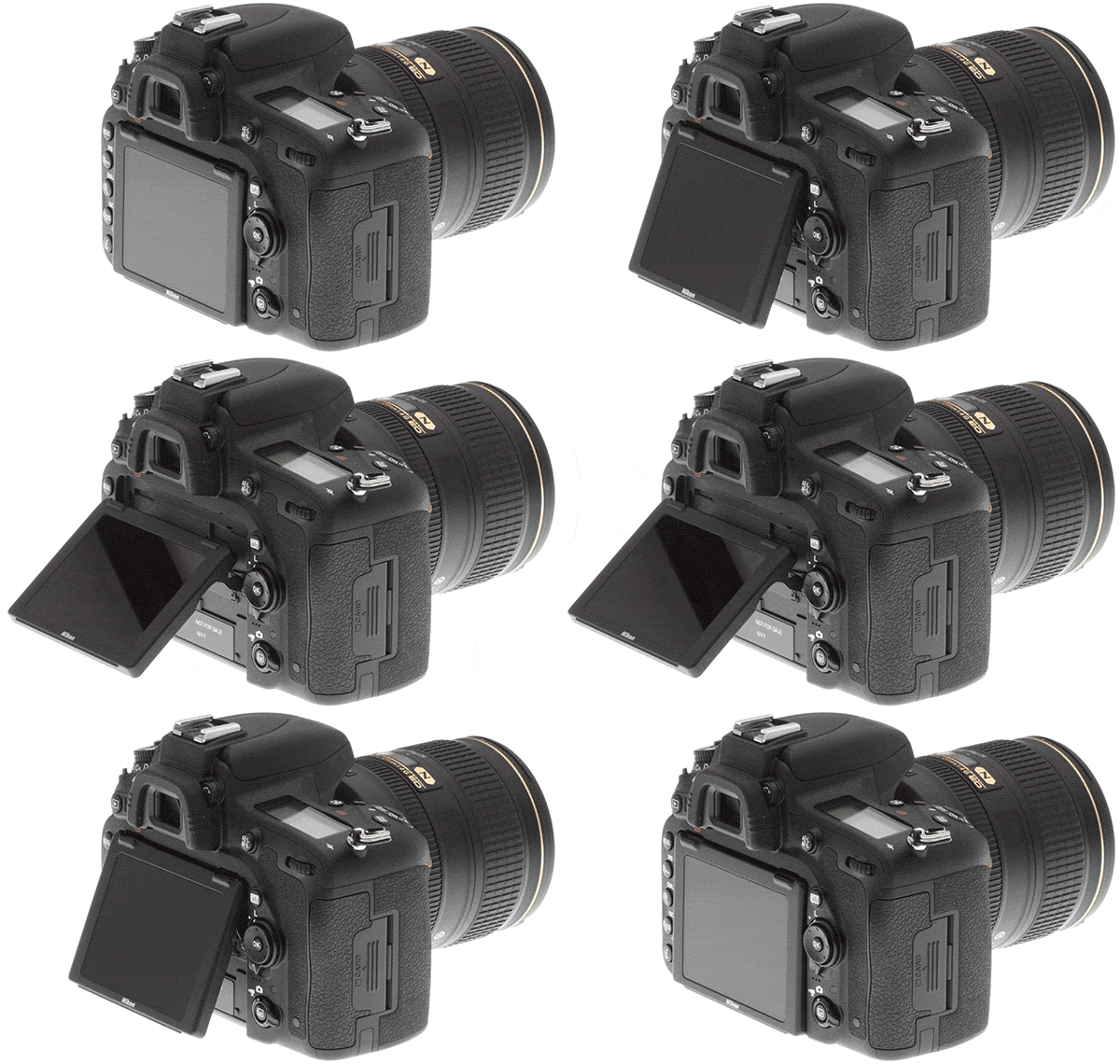
Tilting Display
The D750 is Nikon's first FX camera with a tilting display, and this new tilting 3.2" LCD display is very useful out in the field. In my very first day shooting with the D750, I regularly found myself tilting the display to more easily make adjustments and use Live View. As a result of Live View being more versatile due to the tilting display, the camera's built-in virtual horizon is also more usable. The virtual horizon in the D750 is excellent, providing roll and pitch feedback in an intuitive and easy to read diagram.
As someone who shoots primarily landscapes while using a tripod, the tilting display is quickly becoming my favorite feature of the D750. The display itself is sharp, bright, and vibrant, even when I was shooting in bright light. When the ambient light was particularly bright, I was able to tilt the display to reduce glare. The camera also offers many fine-tuning options for the display so that you can match it to an external display, which is especially useful if you do a lot of tethered shooting or studio work. A potential downside of a tilting display is that it creates an additional place for dirt and debris to collect, particularly when shooting in difficult environments. I have had no issues with the tilting display, but it is a new aspect of the camera that requires attention and care and I would plan on cleaning this area on a regular basis.
Built-in Wi-Fi and WMU app

The D750 is also the first FX camera Nikon offers with built-in Wi-Fi. This is a nice feature to have if you want to easily download and share your images out in the field or capture images remotely. However, the Wireless Mobile Utility (WMU) app is hampered by limited shooting options. I tested the WMU app on my iOS device. To connect the D750 to an iPhone, you have to go into the camera's settings and enable Wi-Fi and then set it up as a Wi-Fi connection in the iPhone's Wi-Fi settings. After establishing the connection, you can set a password to secure the connection. Once you have the camera connected, you can utilize the iOS app to remotely capture, view, and download images.
Taking photos remotely through the app is a cool feature. The in-app Live View has a slight delay, but it is perfectly usable for non-action photography. However, you have no remote control over the camera's settings or to make exposure adjustments -- the app serves primarily as a trigger for the shutter. You can, however, touch different areas on your iOS or Android device's display to select an area for the camera to focus, but that is the extent of your control. You can also use a self-timer through the app, which works well. One interesting and potentially useful feature that can be enabled through the app is including location data in the images, but this location data is dependent on when the actual transfer between camera and app takes place.
I liked being able to view all of the camera's images on my phone and download the files so I could easily share them online. To download the original size files you have to manually select the option as the default download size is smaller and more mobile-friendly. Transfers did not take very long, but I would not want to download a lot of original size files out in the field. Having built-in Wi-Fi also means that the camera's battery is drained quicker when viewing and sharing images over Wi-Fi. This can be avoided by attaching a Nikon WT-1 Wi-Fi transmitter, which is still fully compatible with the D750. Overall, the built in Wi-Fi is neat and functional, but it isn't something I would use regularly and would not play a major role for me in a purchasing decision.
 |
Without access to a remote, I used Nikon's WMU app to trigger the camera in Mirror-Up mode to ensure sharpness at a slow shutter speed. D750 + 400mm f/2.8: 400mm, f/8, 1/15s, IS0 100, -0.7EV (Note: This image has been edited/re-touched. Click image to see the original.) |
General Shooting Experience
In conjunction with the EXPEED 4 image processing, the D750's 24.3 MP sensor is impressive. I am very satisfied with the quality of the D750's files. The sensor produces sharp images with smooth transitions. Even more impressive than the image sensor is the new Multi-Cam 3500 II autofocus sensor. The autofocus sensor is an improved version of the one found in the D810 with the ability to now autofocus down to -3EV. I will discuss the D750's autofocusing further in Part II of my Field Test, but the general takeaway is that the autofocusing is very fast and accurate, even in low light. Rated to autofocus from -3 to 20 EV, I was able to autofocus accurately in a wide range of conditions.
The D750 also boasts a great battery life, and I was able to shoot for an entire morning, even when heavily utilizing Live View and capturing some video. The camera's battery is rated at 1,230 shots, beating that of the D610 (900 shots) and D810 (1,200 shots). The D750's battery life can be extended with the optional MB-D16 battery grip, though I didn't have one of those to test.
 |
The camera was able to autofocus on the rocks in the foreground before the sun had risen, which is impressive. D750 + 24-120mm f/4: 75mm, f/8, 10s, IS0 100, -0.7EV (Note: This image has been edited/re-touched. Click image to see the original.) |
As I discussed above, the main and secondary command dials are well placed and easy to use. As a Nikon shooter, the controls feel familiar, and it didn't take me long to adjust to the button placement. What took more adjustment, however, is seeing less information on the camera's top display than I do on my D800E. A feature that alleviates the need for some of this adjustment is the dedicated 'i' button on the back of the camera. This gives immediate access to a customizable My Menu that allows you to quickly access your most frequently used settings. Similarly, the mode dial has U1 and U2 options that allow you to utilize programmable auto settings. While certain adjustments, like ISO, WB, and Mode are not as quick to make on the D750 as they are on my D800E, there are numerous alternative options such as the My Menu and U1 and U2 programmable settings that can compensate somewhat when out in the field.
Shooting with the Kit Lens

The Nikon D750 is available in a kit with the Nikon AF-S 24-120mm f/4G ED VR lens. The kit lens balances nicely with the D750 body and is surprisingly compact considering its focal range and constant f/4 aperture. The lens is sharp wide open across most of its focal range and autofocuses quickly, faltering only slightly at each end of its range. The lens displays a minor vignette at 24mm, even when stopped down to f/8, but this is easily corrected in post or with the in-camera vignette correction turned on. The lens' VR is great and combined with the D750's excellent low-light performance, the 24-120 is an excellent general walk-around lens. The lens feels solid, but not too heavy, and has sturdy switches for focus and VR modes. The lens' focus ring is closer to the body than the focal length ring, which took me some getting used to, but both rings are smooth and easily fine-tuned. If the D750 is your first foray into Nikon's FX camera line, then the kit is an excellent place to start as the 24-120mm lens offers good performance across a wide range.
 |
The kit lens performs well at 120mm and an aperture of f/4. This image shows the pleasing bokeh pattern of the lens. D750 + 24-120mm f/4: 120mm, f/4, 1/250s, IS0 100, -0.7EV (Note: This image has been edited/re-touched. Click image to see the original.) |
Conclusion of Part I
What I like most so far:
- The camera is small and light, but its deep grip makes the camera easy to hold
- The new tilting display proved to be very useful in the field
- The 'i' button provides easy access to customizable settings that might otherwise be buried in the camera's menu system
- The image sensor is very good
- The autofocus sensor is very fast and accurate across a wide range of lighting conditions
What I don't like so far:
- The 'Mode' dial is slower to use than a dedicated 'Mode' button and command dial
- No rubber around the tripod mount
- Not being able to switch between white balance presets on the top display
- Having to cover the viewfinder with a separate cap rather than a built-in switch
- No 10-pin remote connector
- Quiet Mode is not significantly quiet
Overall, I'm impressed with the D750. The D750 packs great performance into a relatively small camera body and offers a lot of customization. The sensor is excellent, and the new EXPEED 4 image processing helps make the D750 an agile camera body with great speed and low-light performance. In the second part of my Field Test I'll cover shooting in low or otherwise difficult light, the camera's overall speed, the autofocus sensor and the D750's video features and performance.
[Note: The images above have been post-processed to some degree. Click on any image to take you to a carrier page from which you can access EXIF data as well as the full resolution image as delivered straight from the camera. To see even more images -- all un-edited -- please visit our Nikon D750 gallery images page!]
Field Test Part III
Performance deep-dive: AF, high ISO, HDR, exposure and more
By Jeremy Gray | Posted: 11/13/2014

Introduction
In Part I of my Nikon D750 Field Test, I discussed the camera's handling, usability, and performance in good lighting conditions. The greater challenge for a camera, however, occurs in difficult lighting conditions, and the D750 delivers excellent results in these situations.
Autofocus Performance
The D750 features a new Multi-Cam 3500 II autofocus sensor, which is an improved version of the autofocus sensor found in the D810. It has a 91k-pixel RGB sensor to offer excellent scene recognition. The D750 is able to detect and accurately autofocus with numerous subjects in various lighting conditions. For dynamic area AF, the D750 can focus with 9, 21, or 51 autofocus points and also 51 points in 3D tracking AF mode. In instances where the camera cannot accurately focus on your desired subject, you can set the autofocus to individual points or group-area AF (a small cluster of points). Changing autofocus mode is easily done by pressing the AF mode button on the front of the camera body and using the command dials. You can change focus modes when shooting as the information is displayed in the viewfinder. Likewise, focus points are illuminated in the viewfinder when shooting.
Given the autofocus combined with the D750's strong auto-exposure performance, I felt comfortable leaving a lot of control up to the camera. There are situations when I don't have the time to manually expose and focus an image, and the D750 delivers quite well in these situations.

Autofocus in Low Light
The Multi-Cam 3500 II autofocus sensor found in the D750 is an excellent autofocus sensor for low light photography. The D750's autofocus is the best I've experienced, especially in low light. Even in dark early morning conditions with a teleconverter attached to my telephoto lens, the camera was able to quickly and accurately autofocus. As I mentioned in Part I, the D750 could even autofocus on a dark foreground before sunrise when I was shooting on the coast, and helped me quickly capture images that would normally take trial and error and patience to accurately focus manually. This manual focus time adds up, and the D750's autofocus capabilities allowed me to capture more images and spend more of my time concentrating on lighting and composition.
 |
The D750 was able to accurately and quickly autofocus on the desired area of the moose in low light with a teleconverter attached to the lens. The camera managed to keep focus as well while the moose moved through the frame. [400mm f/2.8 with TC 1.4III at 550mm f/4, ISO 800 and 1/320s, -0.7EV. This image has been edited. Please click image for original.] |
High ISO Performance
The D750's sensor performs very well in low light. The noise performance is great, but what I have found most impressive about the noise performance on the D750 is its consistency. There is minimal banding and false color at high ISOs. Also, the sensor provides high contrast and deep blacks even at high ISOs. The noise has a quality to it that looks fine in prints but is also easy to correct in post-processing. For my night photography, I rarely need to go past ISO 4000, and I can confidently say that the D750 provides good quality files all the way up to and beyond ISO 4000. Good high ISO performance with the D750 also makes shooting with auto-ISO an attractive option when working in varying lighting conditions.
 |
Taken at ISO 4000 with noise reduction turned "Off." While there is a moderate level of noise, the noise pattern is generally smooth. The image exhibits a good level of detail for this high of an ISO. I would feel comfortable shooting at ISO 4000 for many applications. |
 |
A 100% crop from the un-retouched straight-out-of-camera JPEG with noise reduction turned "Off." Notice the very low noise, even at ISO 4000. |
The in-camera noise reduction is satisfactory, but it can sometimes eliminate an image's fine details along with the noise. With in-camera noise reduction off, there is a lot of detail contained within the image files. On the other hand, I recommend shooting with long exposure noise reduction enabled. The D750, like any camera sensor, is prone to exhibiting hot pixels during long exposures and long exposure noise reduction does a good job handling the issue.



Shooting in Auto: Auto Exposure & Auto WB
A camera's metering and autofocus system are critical to a camera's ability to be used successfully in full-auto mode. The D750's autofocus system is outstanding, and its metering is very good. With the D750, you can operate the camera in auto mode with or without the flash being used. In my time with the D750, I tried it in auto mode in different conditions and found the camera to perform well overall. However, there were a few instances where the camera's auto WB system creates images that were too cool in color temperature, particularly in low light.
Introduced on the D810, and carried over into the D750, is a new highlight-weighted metering option, which biases the exposure to help protect highlights and retain detail in those areas. I experimented with the highlight-weighted metering some, but found using exposure compensation will give similar, but slightly more consistent results. However, I feel that highlight-weighted metering would work well in very high contrast situations where the subject is itself within the highlight area. I liked using Active D-Lighting in high contrast situations too, as I discuss further down.
In my own shooting, I always purposefully underexpose as to ensure that I'm not losing any highlight details to clipping. I often shoot in rapidly changing conditions, so I try particularly hard to avoid missing the shot. When out in the field with the D750, I was often using my standard approach of excessive cautiousness that regularly leads to underexposed files out of the camera, which is why a number of my unedited gallery photos appear underexposed. On shots without using exposure compensation or otherwise purposefully underexposing, the D750 captured well-exposed images with excellent dynamic range.

Speed
Capable of shooting up to 6.5 fps, the D750 is a fast full-frame camera, being bested in fps shooting only by the flagship D4 series in Nikon's current lineup. For most purposes 6.5 fps is sufficient. In our IR testing, we found this burst speed to be accurate, at around 6.6 - 6.7 fps for Best Quality JPEG to even 14-bit RAW+JPEG. However, this speed is only useful if the camera can quickly and accurately autofocus, and as discussed above, the D750 is excellent in that regard. Shooting in AF-C mode, the D750 maintained autofocus well throughout a burst, and regaining focus quickly if focus was lost. The group-area AF mode, using a cluster of five AF points, works well for slow-moving subjects. I also found the D750's 3D tracking autofocus area to perform well when a subject was moving too fast to use a single point or group-area autofocus. I would prefer the autofocus area to be a bit wider though, especially when tracking fast subjects that may move in and out of the focus area during tracking.

The D750 has a somewhat small buffer of 14 images when shooting in the highest quality 14-bit lossless compressed RAW files, which echoes what we found in our lab results. However, when the buffer is full, the D750 can still shoot at a respectable 4 fps. In my own experience, this buffer is big enough. However, if I knew in advance that I would need a larger buffer, decreasing RAW quality to lossless-compressed 12-bit would nearly double the buffer to 25 images (22 in IR's testing) and compressed 12-bit would increase the buffer further to 33 images. Considering the size of RAW files, the buffer is both acceptable and impressive. The EXPEED 4 image-processing engine keeps things moving quickly when shooting.
Shooting with the SB-500 Flash

I was also able to try out Nikon's new SB-500 flash. The SB-500 is small but packs a nice punch and is fully compatible with Nikon's Creative Lighting System. I tested the SB-500 on the camera and was pleased with its ability to provide fill light on a sunny day. The small size means there's no room on the flash for a display, but there are still your standard mode options available via a switch. The SB-500 looks great and has a wide range of motion, more than enough for any bouncing application. On a standard pair of AAs, the SB-500 is rated to fire 100 times on average, which should be okay for most outings. The flash unit does not recycle very quickly, though. The SB-500 is rated to recycle between 3.5-4.0 seconds, depending on the type of battery used. With that said, the SB-500 is a great alternative to the on-camera flash without adding a lot of weight to the camera.

Active D-Lighting and In-Camera HDR
When faced with difficult and high-contrast lighting situations, Active D-Lighting works really well on the D750, and the camera is able to salvage a lot of detail in the shadows while still controlling the highlights. To achieve a similar end, there is a new 'Flat' Picture Control option -- easily accessed in the My Menu by default -- that tries to maintain shadow detail in high contrast lighting situations. The 'Flat' setting does achieve the desired effect, but it tends to remove too much contrast from the scene for my taste, and I quickly returned to using Active D-lighting instead. Also new is the 'Clarity' adjustment in the Picture Control options, which increases detail in the mid-range tones. With Active D-lighting and improved Picture Control options, it is easy to capture detail from shadows to highlights with the D750, and I felt confident shooting in high contrast situations.
The D750 also offers an in-camera HDR mode, although disappointingly only available if RAW file recording is disabled. The HDR works well, and the 'Auto' HDR option creates final images with a subtle HDR effect. I also tried the highest HDR strength option, and it does what it is supposed to, although with too much glow around fine edges for my own preferences. In general, given the D750's ability to bracket 9 frames at EVs of less than 2, creating your own HDR images would be preferred to utilizing the in-camera HDR option.



Shooting with Other Lenses
While the 24-120mm f/4 kit lens performs well for a lens of its type, I captured a lot of images with my own lenses. All of the lenses I tested performed well with the D750. I didn't need to fine-tune the focus of any of my lenses, but the D750 does offer focus fine-tuning options. A standout lens was my Nikon 14-24mm f/2.8G. The D750 has built-in distortion and vignette correction that helps wide-angle lenses deliver their best image quality. I also tested my 400mm f/2.8 lens with an attached TC-14EIII teleconverter. As stated earlier, the autofocus with this combination was quick and accurate, even in low light.

Video Performance
The D750 includes many of the D810's video features, including the useful Power Aperture control function that provides smooth exposure transitions when adjusting aperture and also auto ISO when shooting video in manual exposure mode. The D750 can shoot up to 60 fps at 1080p resolution. For time-lapse photography, the D750, like the D810, allows you to capture up to 9,999 frames with time-lapse exposure smoothing for blended, smooth transitions between images should the exposure shift during capture. While I'm not a videographer by any stretch, the D750 made it easy for me to shoot high-quality video, even in low light situations.
Stay tuned for an in-depth look at the D750's video recording features and performance soon!
Conclusion of Part II
While most cameras perform well in good lighting conditions, finding a camera that performs well in poor and low light is more challenging. The D750 strikes an excellent balance between high megapixels and great high ISO performance, and coupled with the good image sensor is an even more impressive autofocus sensor. The D750 outperforms the D4s in low-light autofocus performance on paper, focusing down to -3 EV compared to the D4s' -2 EV. While the D750 is not the overall fastest FX camera in Nikon's lineup, it remains a very agile camera out in the field.
What I like most:
- Accessible video features
- Great high ISO performance
- Excellent autofocus capabilities
- Active D-Lighting works well
What I like least:
- Autofocus area feels narrow at times
- In-camera HDR doesn't seem worthwhile
- Small buffer when shooting in lossless 14-bit RAW
Final Thoughts
Fitting an FX sensor into a relatively compact camera body means that there will be some compromises that have to be made, but the D750 delivers high quality, particularly in critical performance areas. The image sensor and processing deliver high quality image files at both low and high ISOs. The autofocus sensor is very fast and accurate over a wide range of lighting conditions. On the handling side of the equation, the D750 features a deep grip and a very useful tilting screen. For many different types of shooting, the D750 offers versatility and excellent performance. The D750 not only performs and handles well, but it also provides a great value. Overall, I highly recommend the D750 for anyone looking for a compact full-frame camera that does not skimp in critical performance areas.
[Note: Most images above have been post-processed to some degree. Click on any image to take you to a carrier page from which you can access EXIF data as well as the full resolution image as delivered straight from the camera. To see even more images -- all un-edited -- please visit our Nikon D750 gallery images page!]
High ISO Noise Reduction
Nikon D750 High ISO Noise Reduction
Like most Nikon pro and prosumer DSLRs, the D750 offers four High ISO Noise Reduction settings: Off, Low, Normal (default), and High, allowing you quite a bit of flexibility in choosing how you want to make the trade-off between subject detail and noise levels in JPEGs. The Nikon D750 manual doesn't say at what ISO High ISO Noise Reduction begins to be applied, so we've included crops from ISO 50 on up here. Note that the Nikon D750 user manual says when Off is selected, the amount of noise reduction is always less than the Low setting, but doesn't provide any additional details.
See for yourself how the Normal and Off settings work compared to RAW files with no noise reduction (or sharpening) applied. Click on any of the crops below to see the corresponding full-sized image.
| High ISO Noise Reduction Comparison In-Camera JPEGs vs RAW with no NR Simulated Daylight |
|||
|
Normal
|
Off
|
RAW (no NR)
|
|
| I S O 5 0 |
 |
 |
 |
 |
 |
 |
|
 |
 |
 |
|
|
Normal
|
Off
|
RAW (no NR)
|
|
| I S O 1 0 0 |
 |
 |
 |
 |
 |
 |
|
 |
 |
 |
|
|
Normal
|
Off
|
RAW (no NR)
|
|
| I S O 2 0 0 |
 |
 |
 |
 |
 |
 |
|
 |
 |
 |
|
|
Normal
|
Off
|
RAW (no NR)
|
|
| I S O 4 0 0 |
 |
 |
 |
 |
 |
 |
|
 |
 |
 |
|
|
Normal
|
Off
|
RAW (no NR)
|
|
| I S O 8 0 0 |
 |
 |
 |
 |
 |
 |
|
 |
 |
 |
|
|
Normal
|
Off
|
RAW (no NR)
|
|
| I S O 1 6 0 0 |
 |
 |
 |
 |
 |
 |
|
 |
 |
 |
|
|
Normal
|
Off
|
RAW (no NR)
|
|
| I S O 3 2 0 0 |
 |
 |
 |
 |
 |
 |
|
 |
 |
 |
|
|
Normal
|
Off
|
RAW (no NR)
|
|
| I S O 6 4 0 0 |
 |
 |
 |
 |
 |
 |
|
 |
 |
 |
|
|
Normal
|
Off
|
RAW (no NR)
|
|
| I S O 1 2 8 0 0 |
 |
 |
 |
 |
 |
 |
|
 |
 |
 |
|
|
Normal
|
Off
|
RAW (no NR)
|
|
| I S O 2 5 6 0 0 |
 |
 |
 |
 |
 |
 |
|
 |
 |
 |
|
|
Normal
|
Off
|
RAW (no NR)
|
|
| I S O 5 1 2 0 0 |
 |
 |
 |
 |
 |
 |
|
 |
 |
 |
|
As you can see by comparing the Normal and Off high ISO noise reduction settings, the D750 applies noise reduction at all ISOs. You can also see the Off setting still applies some minimal noise reduction, just as Nikon says. Note that noise in low to moderate ISO JPEGs appears higher at the Low setting than noise in the converted RAW images with no noise reduction because no sharpening was applied to the RAW files. Also note that ISO 50 is an extended low ISO, and ISOs 25,600 and 51,200 are high extensions.
The Nikon D750's default high ISO noise reduction generally does a good job at reducing luminance noise and a very good job at reducing chrominance noise, however as you can see, there can be quite an impact to areas with subtle tone on tone contrast, particularly in our red-leaf fabric already at moderately low ISOs. This is often the case with more aggressive chroma noise reduction and something to mindful of. You may want to try the Low setting if you're finding too much detail is lost at high ISOs.
Still, really excellent high ISO performance overall for its resolution.
Technical Info
Nikon D750 Technical Info
by Mike Tomkins
A full-frame sensor and speedy processor
The core of the Nikon D750 is a 24.3-megapixel, FX-format CMOS image sensor that, while identical to that in the D610 in terms of resolution, is described by Nikon as being newly-developed. And as in the D610, the sensor sits under an optical low-pass filter that helps fight moiré, aliasing and false color.
Unlike that camera, though, the Nikon D750 pairs its sensor with the same next-generation EXPEED 4 image processor seen previously in the D810. This allows a slightly swifter burst-shooting rate of 6.5 frames per second according to Nikon's in-house testing. By way of contrast, the D610 and D810 top out at rates of 6fps and 5fps respectively, albeit with the Nikon D810 having to handle a much greater quantity of data for each frame.
The sensor and processor pairing of the Nikon D750 also best the D610 with a wider sensitivity range of ISO 100 to 12,800 equivalents, expandable to encompass everything from 50 to 51,200 equivalents. The D610's standard sensitivity range is ISO 100 to 6400 equivalents, expandable to cover ISO 50 to 25,600, so the D750 wins out at the top end in both standard and expanded ranges. The D810, meanwhile, offers a standard range of ISO 64 to 12,800 equivalents, expandable to ISO 32 to 51,200, so that camera is matched by its more affordable new sibling at the top end, but can offer even lower sensitivity at the bottom end of the range.

A first for Nikon full-frame: Display articulation!
Although its 100% pentaprism viewfinder is very similar to that of the D610, beneath it the Nikon D750 boasts a first for a Nikon FX-format camera. A tilting LCD monitor will help when framing shots over your head, from the hip, or low to the ground, and despite its inclusion the D750 is still dust and moisture-resistant thanks to an array of seals and gaskets.
The display itself is based around a 3.2-inch TFT LCD panel with a high resolution of 1,229k-dots, which translates to a 640 x 480 pixel array with four dots per pixel. The panel has wide viewing angles of around 170 degrees, and looks to be the same type used on the Nikon D810.
Nikon doesn't specifically refer to this as being a WhiteMagic display -- that's a brandname used by LCD panel maker Sony -- but based on the dot count that's likely what it is. WhiteMagic displays add an extra white dot alongside the red, green and blue dots found on most displays. By adding the white dot, brightness can be increased outdoors for better visibility, or the power consumption decreased while retaining a certain brightness level indoors.

Even better low-light focusing
The Nikon D750's autofocus system, too, is derived from that in the Nikon D810, but it's been further refined.
Based around a Multi-CAM 3500FX phase detection autofocus sensor module with 51 focus points (of which 15 are cross types), it will now focus all the way down to -3EV, a full EV lower than in the D810 -- and that improvement has been made without changing the upper limit of 19EV. The take home: You'll be able to focus in lower ambient light than ever before. And of the 15 cross-type sensors, 11 of these are sensitive to apertures as narrow as f/8.
As well as allowing the camera to select automatically from among all 51 points (with optional 3D tracking), the Nikon D750 will let you opt for an array of 9 or 21 points, if you don't need the full point density, or you can simply lock the focus system to a single point. Auto-area AF and Group-area AF modes are also provided, the latter being primarily for action photography. When enabled, the camera can switch to a point surrounding your chosen one if subject distance for your chosen point suddenly changes but that for the surrounding point doesn't, the assumption being that you've probably just slipped off the subject slightly.
Autofocus servo modes include single-servo, continuous-servo, and in live view or movie modes, full-time servo or face-priority. You can also focus manually, of course, with a digital rangefinder function provided.
The aforementioned focus tracking function is predictive, making educated guesses about the motion of your subject based on its past history. If needed, you can also fine-tune autofocus for specific lenses. An autofocus assist illuminator is included, and has a working range of 20 inches to almost ten feet (0.5-3m).

Helping you hold onto those highlights
The Nikon D750's exposure system is similar to that of the Nikon D610, but with a few important changes.
There's still a straightforward Mode dial, rather than the slightly less intuitive Exposure Mode button of the D810. Available exposure modes include fully Automatic, Program, Aperture-priority, Shutter-priority and Manual, and there are also two User modes, a Flash Off mode, and a Scene position. (This might not be a camera aimed at amateurs, but if you let a friend or family member use your camera, having these simple modes to help set up the shot might still be worthwhile.)
As well as all of the above, there's also a new addition to the Mode dial, however: a new Effects position that gives quick access to a variety of image effect types.
Shutter speeds range from 1/4,000 to 30 seconds plus Bulb, just as they do in the D610, so the D810's top speed of 1/8,000 second still serves to differentiate the pricier camera. So, too, does its greater shutter life of 200,000 cycles, where the Nikon D750 follows the path trodden by the more affordable D610, with a shutter life of 150,000 cycles.
However, where the D610 opted for a less sophisticated metering system based around a 2,016 pixel RGB metering sensor, the Nikon D750 uses the same 91,000 pixel RGB metering system found on the Nikon D810. Metering modes include 3D Color Matrix Metering III / Color Matrix Metering III / Color Matrix Metering, depending on lens type mounted, as well as Center-weighted, Spot, and one new option. Inherited from the D810, Highlight-weighted metering does what it says on the can: It will aim to hold on to highlights at the expense of some shadow detail. This can be useful when you have strong highlights that you need to hold onto -- the bride's wedding dress, for example.
As in the other cameras we're comparing it to, the Nikon D750 has a generous exposure compensation range of +/-5EV in 1/3 or 1/2 EV steps, and an exposure lock function is provided, just as you'd expect. Where the D610 could only bracket two or three frames, though, the Nikon D750 will please HDR fans by providing 2 to 9 frame bracketing, just as did the D810.
In one respect, though, the D750's metering system is bested by both the Nikon D610 and D810. Although it shares the same working range as those cameras in most modes -- 0 to 20EV -- when you switch to Spot metering the range is curtailed at the bottom end somewhat, encompassing everything from 2 to 20EV. Nikon rates the other two cameras at 0 to 20EV in all metering modes.

Throwing more light on the subject
Pros might turn their noses up at in-camera flash, but truth be told, it can be a handy feature if for no other reason than that it's always there. With the best planning in the world, you're inevitably going to find yourself without your flash strobe when you need it one day, having convinced yourself to travel light with no expectation of the difficult subject that has just presented itself.
In-camera flash might be wimpier than an external strobe, and the light it throws might be less flattering too, but it's probably better than no shot at all. Like the D610 and D810 before it, the Nikon D750 recognizes that fact, and includes a built-in, popup flash strobe that just might save your bacon one day. Of course, if you remember your external strobe you can mount that too, and Nikon's Creative Lighting System is fully supported.
The built-in flash itself and related features are much as they were in the D810, save for differences dictated by the D750's exposure system. The built-in flash has a range of 39 feet at ISO 100, provides -3 to +1EV of flash exposure compensation, and supports front- and rear-curtain sync with or without slow-sync and red-eye reduction. Flash sync is at up to 1/200 second, or 1/4,000 second max. in Auto FP mode, and two to nine-frame bracketing of flash exposures is possible.
One omission in this department: Althought the Nikon D810 includes a flash sync terminal, the Nikon D750 lacks this feature, just as does the D610. Given the ready availability of hot shoe to sync terminal adapters, that's not something which should sway your decision, however.

Tweaks to creative functions
There are a couple of important tweaks to Nikon's Picture Control settings in the D750. Firstly, there's a new Clarity setting, which adjusts contrast of midtones to emphasize or obscure image detail to your tastes. There is also a new Flat picture control as seen in a couple of other recent models, which gives you maximum scope for adjusting images yourself post-capture. And Nikon's Picture Controls are now adjustable in quarter-step arbitrary increments, providing more scope for fine-tuning precisely to your own tastes.

The more affordable full-frame movie camera
Videographers will be thrilled by the fact that the Nikon D750 provides much the same movie capture feature set as did the D810, but at a much lower price point. (And it bests the D610 for movie shooting by quite some margin, despite costing only a little more.) If shooting videos is important to you, it's definitely worth the step up.
First, the basics: You can shoot at up to Full HD (1,920 x 1,080 pixel; 1080p) resolution, with frame rates of 60, 50, 30, 25, or 24 frames per second, so whatever your intended purpose -- European or US TV, cinema, and so on -- you should be covered without the need to degrade quality or change playback speed by converting the frame rate. HD (1,280 x 720 pixels; 720p) capture is also provided, but with only a choice of 60p or 50p frame rates.
Movies are compressed using MPEG-4 AVC / H.264 encoding and stored in a .MOV container, along with stereo Linear PCM audio from either a built-in or external stereo microphone. (A headphone jack is also provided for levels monitoring.) More importantly for those who crave the highest possible quality, though, uncompressed 8-bit, 4:2:2 HDMI output is possible at the same as recording 8-bit compressed 4:2:0 video to an internal card, allowing you to save uncompressed video to an external capture device. (Or if you prefer, simply control the compression type used as allowed by the external device.)

Program, priority and manual exposure is possible, and if you want to control both shutter speed and aperture without having to worry about scene brightness, Auto ISO sensitivity is also available in manual mode. And the aforementioned highlight-priority metering mode of the D750 is also available for movie capture. Better still, aperture adjustment is possible during video capture courtesy of a Power Aperture feature that smoothly, steplessly changes the aperture using the aperture preview and function buttons on the camera's front deck, or optionally, the AF selector on the back. (The latter will adjust the aperture in steps, however.)
And that's not all, either. You can also switch between FX-format and DX-format (full-frame and APS-C cropped) modes for video capture, just as you can for stills, increasing your telephoto reach as needed. There's also a zebra striping function to indicate overexposure, a time lapse / intervalometer movie mode with exposure smoothing to take account of changes in scene brightness, and even the ability to select frequency ranges for capture by the internal microphone. Oh, and picture controls on offer include flat, allowing you to color correct and grade to your heart's desire.
Wi-Fi where it belongs -- rejoice!
Nikon has long offered Wi-Fi wireless networking connectivity for its DSLRs, but it's typically been outside the camera, relying on an external accessory. That approach has several drawbacks -- the need to buy the separate device and to bring it with you, as well as the fact that when connected, it disturbs the camera's clean lines and ergonomics, as well as disrupting its weather-sealed nature.
Now, the Nikon D750 puts Wi-Fi where it truly belongs: inside the camera. There's nothing extra to buy, nor to remember to bring with you. It's always there when you need it, and that applies even when you're shooting in dusty or rainy environments. And when you don't need it, you can simply forget it's there: There's no clumsy Wi-Fi dongle to keep track of. Best of all, the D750's in-camera Wi-Fi functions just as did the external accessory, working with the very same Wireless Mobile Utility apps for Android and iOS devices, so if you already own another Nikon DSLR and Wi-Fi accessory, you know what to expect in terms of the basics.
There are, of course, a couple of drawbacks to the in-camera Wi-Fi approach. (Isn't that always the way?) For one thing, the Wi-Fi radio piggybacks off the camera's battery, so the number of shots you'll get on a charge will be reduced when using in-camera Wi-Fi. And Nikon's UT-1 Communication Unit allows connection to a wired ethernet network, not just a Wi-Fi network. It also provides support for FTP transfer, and more remote control features. Wi-Fi connectivity is also said to be more robust, likely because the external device has more room for an antenna, and less shielding getting in its way.
The good news? If any of these are of the least concern for you, the D750 will still work with the UT-1 unit, so you can continue working with it just as you would have done in the past.

Storage and connectivity
Like the D610, the Nikon D750 opts for two Secure Digital card slot, rather than the one-apiece SD and CompactFlash card slots of the D810. We don't yet know whether it can take advantage of high-speed UHS-I cards, but high-capacity SDHC and SDXC cards are certainly compatible.

Connectivity options include USB 2.0 data, Type-C Mini HDMI, 3.5mm microphone / headphone jacks, and an eight-pin accessory terminal. The latter is compatible with Nikon's MC-DC2 remote cord, as well as the GP-1 GPS unit. You can also use the ML-L3 infrared remote with the D750.
Even better battery life
The Nikon D750 draws power from the same EN-EL15 lithium-ion rechargeable battery pack as did the D610 and D810, but battery life is better than in either earlier model. Where the D610 is rated as good for 900 shots to CIPA testing standards, and the D810 for 1,200 shots, the D750 bests both its siblings with a rated life of 1,230 shots.) And the aforementioned MB-D16 battery grip should be able to double battery life with a second EN-EL15 installed, or you can use six AA batteries with the included MS-D14 AA battery holder.
In the Box
The Nikon D750 retail kit with 24-120mm lens package (as reviewed) contains the following items:
- Nikon D750 camera body
- AF-S NIKKOR 24-120mm f/4G ED VR Lens
- EN-EL15 Lithium-Ion Battery (1900mAh)
- MH-25A Battery Charger for EN-EL 15 Li-Ion Battery
- UC-E17 USB Cable
- AN-DC14 Neck Strap for Nikon D750 DSLR Camera (Black)
- BF-1B Body Cap
- DK-5 Eyepiece Shield (Replacement)
- DK-21 Rubber Eyecup for Nikon D80, D90, D200, D600 & D7000 Digital Cameras
- Software CD-ROM
- Limited 1-Year Warranty
Recommended Accessories
- Large capacity SDHC/SDXC memory card. 16GB Class 10 should be a minimum.
- Extra EN-EL15 battery pack (~US$47)
- Nikon MB-D16 Multi Power Battery Pack for D750 (~US$370)
- Nikon Speedlight flash
- Medium/Large DSLR bag
Conclusion
| Pro: | Cons: |
|---|---|
|
|
The much-loved Nikon D700 finally gets its long-awaited upgrade as the Nikon D750. With the 2008 debut of the D700, Nikon finally had an affordable, more compact, enthusiast-level full-frame camera alternative to the large and expensive D3. Now, Nikon has a trio of such cameras, with the D750 squeezing in above the D610 and below the D810, and forms a hybrid camera of sorts by borrowing features and specs from both the D610 and D810.
Featuring a similar high-resolution 24.3-megapixel full-frame sensor as in the D610, the D750, on the other hand, pairs it with the faster EXPEED 4 image processor from the D810. The metering sensor and autofocus system are also borrowed from the D810 (though the AF system here is tweaked for better low-light AF), while the exposure system -- like maximum shutter speed and flash sync -- as well as life span of the shutter is shared with the lower-end D610. Of course, the D750 has a few unique tricks up its sleeve too, such as being the first full-frame Nikon DSLR with a tilting rear LCD, a slimmer body design with a deeper handgrip, and built-in Wi-Fi connectivity. The battery life is also rated better than both the D610 and the D810.
What this all boils down to is a very impressive, very capable camera. In both our lab and real-world tests, the D750 produced outstanding high-quality images. The dynamic range at lower ISOs was fantastic with nice colors, though hue accuracy was a bit below average. The D750 also displays excellent high ISO performance with well-controlled noise levels and great fine detail performance up to ISO 6400. And, while the sensor does have an anti-aliasing filter, it's relatively weak, leading to very highly-detailed images, however there can be visible moiré with certain subjects.
The D750 is also a rather speedy camera, and our tests of its Continuous Hi burst rate actually slightly exceeded Nikon's stated 6.5fps rate, which is quite impressive for a high-resolution full-frame DSLR. Buffer depths were also good, especially when shooting JPEG-only, however, RAW format fills the buffer much more quickly. At full, 14-bit RAWs, the D750 managed just 14 frames over the 40 JPEG frames we managed in our lab tests. Dropping the bit-depth to 12-bit RAWs improved buffer capacity to around 22 frames.
Autofocus performance is very good for its class as a high-end enthusiast model. In our real-world testing, the D750 was able to quickly and accurately autofocus on a variety of subject in multiple lighting conditions, including very low light conditions. The 51-point AF system allows for lots of customizability and flexibility with composition as well as tracking moving subjects, however it would be nice if the AF points covered a wider area of the frame. Live View AF, for both photos and video, is still lacking, as the D750 uses much slower contrast-detect AF.
Altogether, the Nikon D750 is another excellent full-frame DSLR from Nikon. Sitting comfortably in their camera lineup above the "entry-level" full-frame D610 and beefy, high-res 36.6MP D810, the D750 offers photographers a bit more in the performance category like a higher-end model, but more control in the megapixel department with high-res -- but not too high-res -- 24MP files. For videographers, too, the D750 offers a host of pro-level amenities, such as an articulated LCD, uncompressed HDMI out and stepless aperture adjustment, to make a great all-in-one multimedia camera.
And while, yes, a batch of early production models had issues with flare and dark banding, Nikon was quick to recognize this and address affected customers' concerns with free repairs. Repaired models and subsequent production models no longer display this issue, including one of the samples we had repaired.
For its impressive image quality, performance and features, the Nikon D750 is a well-rounded, all-in-one multimedia machine and a solid choice for a Dave's Pick.
Follow Imaging-Resource.com on twitter!
Pros
- Outstanding image quality with great dynamic range and high ISO performance
- Class-leading burst rate
- Very good 51-pt AF system
- AF system works in very low light
- Deep, comfortable handgrip
- Articulated LCD monitor
- Excellent battery life
- Uncompressed 4:2:2 HDMI video output
- Built-in Wi-Fi.
Cons
- Buffer fills quickly with 14-bit RAW
- Sluggish Live View AF
- Shutter speed tops out at 1/4000s
- OVF coverage closer to 97%
- Weak low-pass filter is great for detail but higher risk of moire.