


Overview
Nikon S700 Overview
by Stephanie Boozer
Review Date: 03/26/08
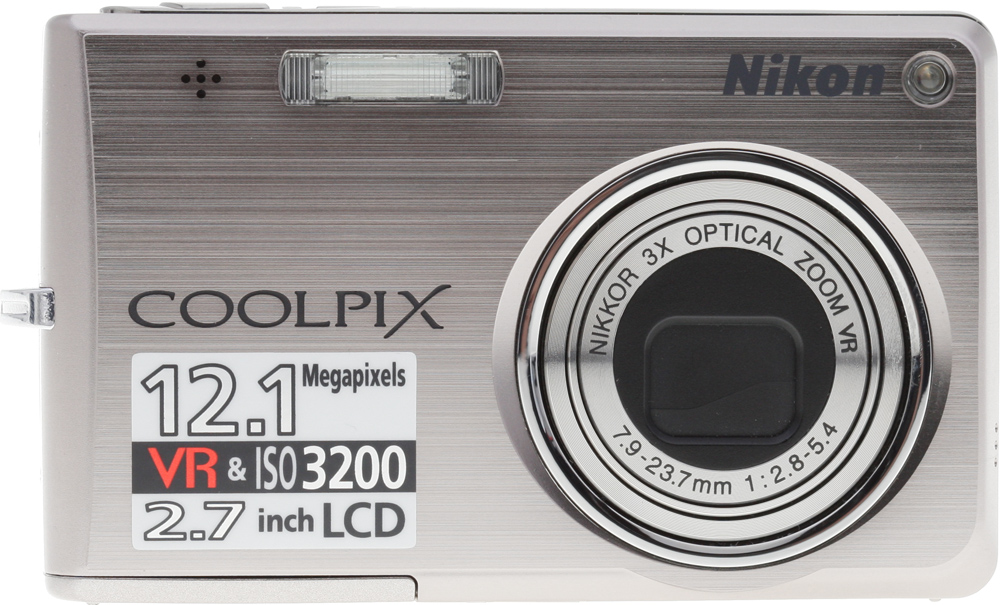
Slim and compact, the Nikon Coolpix S700 is a capable, well-featured addition to the Coolpix line. Its 12.1-megapixel CCD captures high resolution images with excellent detail, and its 3x optical zoom lens produces clear, sharp images. A selection of preset Scene modes rounds out the standard Auto exposure mode, and the user has control over important features such as White Balance, Exposure Compensation, Color, etc. A unique Distortion Control setting practically eliminates strong optical distortion, and features like Vibration Reduction, Face-Priority AF, and D-Lighting are useful tools for common mistakes and exposure troubles.
Best of all, the Nikon Coolpix S700 offers all of these features in a very compact, very sturdy, metal case that slips easily in and out of pockets (even small ones, like the front pocket of a pair of jeans). The camera's large and bright 2.7-inch color LCD monitor is great for composing and reviewing images, with accurate framing and a useful brightness adjustment. Camera controls are minimal and easy to understand, making the Nikon S700 quick to learn and simple to operate.
The Coolpix S700 appeals to a wide audience. Novices will appreciate its automatic features and ease of use, and more advanced amateurs will love its simple design and capable handling. All in all, the Nikon Coolpix S700 is a good bet for quality, size, performance, and price.
Nikon S700
User Report
by Stephanie Boozer
In the race to be the smallest, most compact, most fully-loaded, most user-friendly, most everything digital camera, the Nikon Coolpix S700 certainly tries hard to win in all categories. Very small and compact, yet with a sturdy metal body, the Nikon S700 offers a lot of what consumers are looking for these days. Namely, a high-resolution sensor, good optics, a healthy range of preset and automatic features, and a nice complement of useful creative tools as well. With its 12.1-megapixel CCD, the Coolpix S700 certainly delivers the resolution. It also offers the benefit of true Vibration Reduction, a wide range of sensitivity settings, and a large and bright LCD monitor.
 The camera's 3x optical zoom lens covers a zoom range equivalent to a 37-111mm zoom on a 35mm camera, and is balanced by an additional 4x digital zoom that actually performs well enough to be considered usable.
Look and feel. From the outset, it's clear that the Coolpix S700 is meant to go places. Its small size, rugged metal body, and low-profile controls make it a pocket-friendly choice. Measuring 3.5 x 2.1 x 0.9 inches (89 x 54 x 23mm) and weighing about 5.2 ounces (147g) with battery and memory card, the Nikon S700 is definitely not a burden to carry around. The tiny wrist strap keeps it securely attached in precarious situations, and the brushed-metal panels should hide minor scratches. Though small, the Nikon S700 fit my medium-sized hand well, and despite the lack of a front-panel fingergrip, I found it comfortable to hold and shoot one-handed. Setting adjustment will most likely need a two-handed grip, but that's just par for the course with most compact digital cameras these days.
 Control placement was good, I liked the new design of the Nikon S700's top shutter and power buttons with their tapered edges that stand out among the crowd. I did find that it was quite easy to accidentally turn the rotary multi-selector while holding the camera, but since it doesn't call up any settings when turned outside of a menu screen, this really wasn't a problem. You have to actually press on one of the dial's sides to enable any adjustments. I also noticed a tendency for my thumb to slip over the top right corner of the LCD display, resulting in a few extra thumbprints. Again, not a big issue, I just hate gumming up my display with smudges.
Perhaps because most real-image optical viewfinders are so inaccurate, Nikon opted for a large, bright, clear 2.7-inch color LCD monitor on the Nikon S700. Through the Setup menu, you can control the amount of information displayed on the LCD monitor, as well as the overall brightness. Unfortunately, the information display does not include the aperture and shutter speed settings, so you don't have much of an idea of what the camera is up to exposure-wise. On the upside, though, there is an available framing grid, which can help frame linear subjects by dividing the image area into thirds horizontally and vertically.
The Nikon S700's 3x lens is of good quality, made up of glass with seven elements in five groups. The 7.9-23.7mm zoom range equates to a 37-111mm zoom on a 35mm camera. Zoom motion is fluid in the optical range, but I found the camera a little reluctant to transition into the digital range. I had to hold down the telephoto portion of the Zoom lever a little harder than usual, and the movement through the digital zoom range was a bit sluggish. To combat minor blurring from slight camera movement, Nikon included optical VR (Vibration Reduction) image stabilization technology, which is a true sensor-shift design in still-photography mode. (In Movie mode, the camera uses digital stabilization.)
Interface. In general I found the Coolpix S700's interface quite usable, without any major problems with any of the controls. The Power and Shutter buttons are well-placed on the top panel, and the rest of the controls neatly arranged on the rear panel. I liked the rotary multi-selector, which not only spun like a mode dial, but also actuated up and down, left and right, serving as arrow keys. Taking the place of a standard mode dial, the rotary controller was useful for multiple functions, always a bonus in small cameras like the Nikon S700.
 Likewise, I found the camera's menu system to be straightforward, getting right to the point. Pressing the Menu button called up the settings menu for the mode in use, and the rotary controller cycled through the available options quickly and efficiently. A Mode button on the rear panel calls up the virtual mode dial on the LCD display, and you use the rotary controller to move through the available modes.
The only function that wasn't straightforward was switching from Playback to Record mode. To access Playback mode, you simply press the Playback button. A second press returns you to Record mode. But I kept forgetting and trying to hit the Mode button, which only displays the available settings for Playback, but no link to Record mode. Not a major issue, just a minor quibble that I kept running into. Overall, though, the Nikon S700 was simple to operate, and I found that I barely needed the manual for reference.
Modes. The Nikon Coolpix S700 keeps exposure under automatic control, and really only offers one standard Program AE still photography mode. The dial on the rear panel acts as a virtual dial, in that it doesn't directly change camera modes until you press the Mode button and the virtual mode dial appears on the LCD monitor. Here, you can choose between Shooting, High Sensitivity, Scene, Voice Recording, Movie, and Setup modes by turning the rotary multi-controller, then pressing "OK" to select.
Shooting mode is the camera's Program AE option, which provides a few shooting options for the user's control, but keeps aperture and shutter speed under automatic control. The camera does not report the settings it chooses, so you really have no idea outside of the sensitivity and exposure compensation settings of what the camera is doing. Still, you can control white balance, AF mode, color mode, ISO, exposure compensation, flash, and the type of shooting (continuous, single-shot, etc.).
The High Sensitivity mode essentially raises the ISO setting for darker conditions, with a maximum of 1,600 ISO in an effort to control image noise.
The Coolpix S700's Scene mode offers 15 preset modes, which include Portrait, Landscape, Sports, Night Portrait, Party/Indoor, Beach/Snow, Sunset, Dusk/Dawn, Night Landscape, Close-up, Museum, Fireworks Show, Copy, Backlight, and Panorama Assist. Each of the modes is pretty self-explanatory, designed to optimize the camera for special conditions.
For moving subjects, the Coolpix S700 features a Continuous Shooting mode, as well as a Movie mode. Within the Continuous options are standard Continuous, Best Shot Selector (BSS), Multi-shot 16, and Interval Timer. BSS mode captures as many as 10 images, then automatically selects and saves the sharpest image, an excellent idea when trying to photograph kids. Multi-shot 16 mode captures 16 small frames at approximately one frame per second, and displays them as a single 2,592 x 1,944-pixel index image. Finally, Interval Timer mode captures a series of images at preset intervals, anywhere from 30 seconds to 60 minutes, a little like time-lapse photography.
For movies, the Nikon S700 offers a range of options as well. Within the Movie menu, you can choose from 640 x 480, 320 x 240, and 160 x 120-pixel resolutions, or opt for Time-lapse or Stop-motion movie modes. In Time-lapse mode, the camera opens and closes the shutter at specified intervals (from 30 seconds to 60 minutes, as with Interval Timer mode), and strings the images together as a movie file. Stop-motion mode shoots a number of still images, then also strings them together as a movie file, but you manually press the Shutter button to make the exposures. After the first shot is captured, it is superimposed over the framed image so you can line up your next shot. Available in Movie mode is an Electronic VR setting, which digitally reduces blurring from camera vibrations.
Special Features. One of the more interesting and useful features of the Nikon Coolpix S700 is its Distortion Control setting. Tucked away in the main camera menu, Distortion Control corrects barrel and pincushion distortion before you snap the picture. I found this incredibly useful with the camera's full wide angle setting, which created a rather high 0.9% barrel distortion without any correction. This much distortion is quite noticeable in images of buildings or anything with straight lines near the edges of the frame. In our testing, we found that the Distortion Control setting reduced the amount of distortion at wide angle to about 0.1% pincushion, actually pushing slightly in the other direction.


Though it does create a tiny amount of pincushion, the results are much better with the adjustment enabled, as you can see in the images above, which were shot at full wide angle. But because this is a record mode setting rather than a post-capture editing tool, you'll have to remember to switch it on when shooting buildings, railings, and any other linear subjects at full wide angle. You also lose a little of the image, since some cropping is required.

The Coolpix S700 also features Nikon's practically standard D-Lighting adjustment, which enhances contrast and brightness in dark images. Accessed through the Playback menu as a post-capture editing tool, D-Lighting comes in quite handy when you've snapped a portrait in less than ideal conditions, and forgot to switch over to one of the scene modes or didn't have a tripod around for a longer exposure.
Like many consumer digital cameras out these days, the Coolpix S700 features Face-Priority technology for better results in both focus and exposure when shooting portraits. Automatically enabled in any of the S700's portrait modes, Face-Priority seeks out the face in the image and bases focus and exposure on that portion of the frame. You can also choose Face-Priority as an AF mode through the camera menu. In this mode, the camera places a yellow border around any detected face or faces, and can detect as many as 12 faces in a frame. If you have multiple faces, focus is based on the closest one.
 Storage and battery. The Coolpix S700 uses a custom rechargeable lithium-ion battery for power, and comes with a charger. A separate AC adaptor is available as an optional accessory, and might be useful for more time consuming tasks like downloading images. Nikon estimates that a fully-charged battery will capture about 150 frames, below-average battery life. I recommend picking up an additional battery and keeping it freshly-charged and on-hand for longer outings.
For image storage, the camera offers about 52MB of internal memory, but also has an SD card slot. No card comes with the camera. The internal memory will hold about nine full-resolution images, or about 416 of the lowest resolution. (Compare this to about 40 full-resolution files on a 256MB memory card.) For movies, the internal memory can hold about 47 seconds of the highest resolution setting, though a 256MB card can hold a lot longer at 3 minutes, 40 seconds. Thus, you definitely have some flexibility to grab images with the camera straight out of the box, but I'd recommend picking up a a large capacity SD/SDHC memory card pretty quickly so you don't get caught trying to erase files to make room for new ones on the spot. 2 to 4GB should do.
Shooting. Overall, shooting with the Coolpix S700 was fun and straightforward. Zoom speed through the optical zoom range was pretty good and fluid, though zooming past full telephoto and into digital zoom was a bit slow. Overall timings were slow to average to fast (prefocus timing), depending on the camera settings. AF performance seemed pretty good as well, though I did get some blurry images when shooting at full telephoto without the Vibration Reduction setting enabled, even in bright daylight while standing braced against a dock railing. Still, my overall experience with the Nikon S700 was quite good.
The LCD monitor was fairly bright out in the sunshine. However, as with most LCD monitors with a shiny surface, reflections do make it a little more difficult to see tiny details in the frame, and I found I needed to shield the display with my hand to more accurately see what I had in the frame. For image review, the LCD monitor was bright enough, and I found it to be fairly close to what I saw on my computer screen after downloading images.
I liked the camera's small size and control layout, and loved that I could easily slip it into my front jeans pocket. If I didn't need to make any adjustments or change mode settings, the camera's Auto settings streamlined shooting so that I could literally point and shoot. Overall the Nikon Coolpix S700 is a fun, easy to use camera.
Nikon S700 Image quality
The Nikon Coolpix S700 performed well in our testing, producing good overall color and exposure in a variety of settings. Details were sharp and clear in most cases, though there was some blurring in the corners of the frame in a few shots. Color saturation is good, as the Nikon S700 holds the strong reds in check. The bright yellows are a little undersaturated, but overall color looks very nice here.


The Nikon S700 did a great job with fine detail, as you can see in the ISO 64 crops above. The crop on the left is a mosaic pattern that many digital cameras struggle to capture with all of the detail. Though there is a small amount of noise suppression visible, the Nikon S700 still manages to hold onto a lot of detail here. Likewise for the subtle drawing in the crop above right, where the Nikon S700 captures the gradual shadings in the shirt sleeve and hat quite well.
 |
 |
 |
ISO 64 |
ISO 100 |
ISO 200 |
 |
 |
 |
ISO 400 |
ISO 800 |
ISO 1,600 |
 |
 |
ISO 2,000 |
ISO 3,200 (2,592 x 1,944 pixels) |
The Nikon S700 produced fairly low noise at its 64 and 100 ISO settings, though there's a noticeable jump at ISO 200, where the image darkens slightly and fine details begin to blur. At ISO 400 and 800, noise is high, with strong blurring. ISOs 1,600 and 3,200 show a big jump in noise, with a much stronger noise pattern and large losses of fine detail. It appears the camera attempts to hold onto detail rather than suppress the noise, but the stronger noise pattern is very distracting here. At ISO 3,200, resolution is limited to the 2,592 x 1,944 pixel setting, and the camera's attempts at noise suppression are more evident, as the image is quite soft overall.



The Nikon S700's 3x optical zoom lens performed well, capturing good detail at full wide angle. Digital zoom also performed well, and much better than average, holding onto a lot of fine detail.

Outdoors, the Coolpix S700 performed well, though contrast is a little high. Still, highlight detail is pretty well preserved. Shadow detail is quite limited, both from noise pixels and some smudging from noise suppression. Overall, though, pretty good results under bright sunlight.
For more on optical and image quality, see the Optics and Exposure tabs.
Appraisal. Overall, the Nikon Coolpix S700 is a good bet. It captures good-looking images under a variety of conditions, performing well indoors and out. The camera's exposure system was a bit limited in low lighting in its normal Auto exposure mode, but the night photography options and adjustable ISO should help in darker situations. Granted, higher ISOs do translate into higher noise levels, something the Nikon S700 struggles with at sensitivities higher than ISO 400, but that's a common trade-off among consumer pocket digital cameras with automatic-only exposure control. In general though, the Coolpix S700 did a good job under common tough exposure conditions, such as bright sunlight bouncing off water, dim incandescent lighting, and harsh midday sun, without compromising color and exposure greatly. With its Face-Priority AF mode, available Distortion Control setting, and host of other unique features, the Nikon S700 is definitely an excellent option for travelers and family photographers, novices and advanced amateurs. Pocket-friendly and a breeze to operate, the Coolpix S700 is a fun point-and-shoot with wide appeal at a fair price.
Basic Features
- 12.1-megapixel CCD delivers image resolutions as high as 4,000 x 3,000 pixels
- 3x optical zoom lens, equivalent to 37-111mm zoom on a 35mm camera
- As much as 4x digital zoom
- 2.7-inch LCD monitor
- Automatic exposure control
- Shutter speeds from 1/2,000 to 4 seconds
- f/2.8 maximum aperture
- Built-in flash with five modes
- USB interface and cable for connecting to a computer
- AV cable for connection to a television set
- Power from one custom rechargeable lithium-ion battery pack, charger included
- Images stored in 52MB internal memory or to SD memory cards (not included)
Special Features
- Vibration Reduction using image-sensor shift for still images (electronic VR for movies)
- Adjustable AF mode with manual selection and face-priority options
- 15 preset Scene modes
- Movie mode with sound
- Audio recording mode
- Adjustable metering mode with three settings
- User adjustable white balance setting with seven modes, including a manual option
- Continuous and Interval Timer shooting modes
- ISO settings from 64 to 3,200 equivalents
- High Sensitivity shooting mode (maximum of ISO 1,600)
- Color menu option for special effects
- Distortion Control menu option to reduce visible lens distortion
- D-Lighting Playback option to correct contrast and brightness post-capture
In the Box
- UC-E12 AV/USB Cable
- EN-EL10 Rechargeable Li-ion Battery
- MH-63 Battery Charger
- AN-CP14 Strap
- PV-17 Dock Insert
- Nikon Software Suite CD-ROM
Recommended Accessories
- Soft leather case
- Additional battery pack
- AC adaptor
- A large capacity SDHC/SD memory card
Conclusion
| Pro: | Con: |
|---|---|
|
|
Small, compact, and very capable, the Nikon Coolpix S700 will please many consumers with its good color, exposure, and resolution. The Nikon S700 captures great images under a variety of conditions, thanks to its range of preset Scene modes and useful tools such as D-Lighting and Distortion Control. Face-Priority AF technology helps get the best focus on portraits, even of large groups. The 12.1-megapixel CCD captures excellent resolution and detail in good light an at low ISO, and the 3x optical zoom lens is sharp and clear. High ISOs extend the camera's low-light shooting capabilities, though strong image noise becomes a factor. Printed results show that ISO 800 is capable of getting a good 5x7. Higher ISOs aren't a good idea unless you don't mind a noisy 4x6, but that's not a big surprise on a very high resolution pocket camera. The lower-than-average battery life will require purchase of an extra battery for long outings, unfortunately. Overall though, the Nikon Coolpix S700 won't disappoint.
Optics
Nikon Coolpix S700 Optics
Lens
Zoom
Good performance with the Nikon S700's 3x optical zoom lens. Digital zoom also performs well.


The Nikon Coolpix S700's 3x optical zoom lens covers a range equivalent to a 37-111mm zoom on a 35mm camera, fairly standard among consumer digital cameras. Details are reasonably sharp at full wide angle, with low levels of coma distortion and moderate blurring in the top corners of the frame. Results at full telephoto are also quite good. The camera's 4x digital zoom also performed well, and though resolution and detail are compromised with the digital enlargement, there's still a lot of fine detail visible.
Macro
Good detail and high resolution up close, though an average-size macro
area. Flash exposure is uneven.


The Nikon Coolpix S700's macro setting performed well, capturing an average-sized minimum area measuring 2.42 x 1.81 inches (61 x 46 millimeters). Detail and resolution were fairly sharp in the center, though there's a significant amount of softening in the corners from the lens. (Most cameras have some softening in the corners in macro mode.) The Nikon S700's flash produced an uneven exposure with strong shadows in the bottom of the frame. External lighting will yield the best results with the S700's macro setting.
Distortion
High barrel distortion at wide angle, a small amount at telephoto. Distortion
Control setting definitely tames the amount of distortion visible.
| Wide-angle Barrel distortion at 37mm is 0.9% with Distortion Control Off |
 |
| Wide-angle Pincushion at 37mm is 0.1% with Distortion Control On |
 |
| Telephoto Barrel distortion at 111mm is 0.3% with Distortion Control Off |
 |
| Telephoto Barrel distortion at 111mm is 0.03% with Distortion Control On |
 |
The Nikon Coolpix S700's 0.9% barrel distortion at wide angle is higher than average, and quite noticeable. Activating the Distortion Control setting eliminates the barrel distortion, though it pushes just a hair too far and creates 0.1% pincushion, though results are still more favorable here. At the telephoto end, the S700's 0.3% barrel distortion is modest, and again, Distortion Control does a good job, resulting in only 0.03% barrel distortion. Note that quite a bit of the 12-megapixel image is "cropped" in the Distortion Control process, though the image size remains the same. Distortion is the tendency for the lens to bend straight lines outward (like a barrel -- usually at wide angle) or inward (like a pincushion -- usually at telephoto).
Chromatic aberration
High at wide angle, though less noticeable at telephoto. Strongest on
right side of the frame, due to stronger blurring in the upper right corners.




Chromatic aberration is high at wide angle, showing fairly bright coloration on either side of the target lines. The effect appears stronger in the top right corner, due in part to stronger blurring in the corner here. At telephoto, the effect is less noticeable and less bright, showing about 11 pixels. Here again, the effect is stronger in the right corner, due to blurring. (This distortion is visible as a slight colored fringe around the objects at the edges of the field of view on the resolution target.)
Corner Sharpness
Moderate blurring in the right corners of the frame at wide angle, fairly soft corners at full telephoto as well.

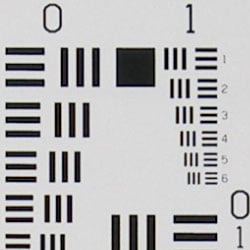
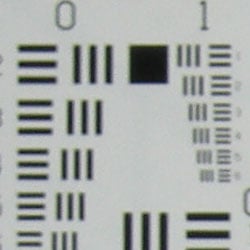

The Nikon Coolpix S700 produced soft corners on the right side of the frame at full wide angle, compared to sharper results at center. The left corners showed a small amount of blurring, but nothing too strong. At full telephoto, blurring was noticeable in all four corners of the frame compared to the center.
Viewfinder
Coverage
Good accuracy from the S700's LCD monitor.


The Nikon Coolpix S700's LCD monitor showed about 97% frame accuracy at wide angle and telephoto. Slightly tight, but still pretty good results.
The images above were taken from our standardized test shots. For a collection of more pictorial photos, see our Nikon Coolpix S700 Photo Gallery .
Exposure
Nikon Coolpix S700 Exposure
Color
Saturation & Hue Accuracy
Very good overall color and hue accuracy, with minor undersaturation
of some colors.
 |
| In the diagram above, the squares show the original color, and the circles show the color that the camera captured. More saturated colors are located towards the periphery of the graph. Hue changes as you travel around the center. Thus, hue-accurate, highly saturated colors appear as lines radiating from the center. |
Saturation. The Nikon Coolpix S700 oversaturates red tones slightly, but undersaturates bright yellows, greens, and some blue tones just a bit. The strongest undersaturation is in the bright yellows, but overall color was still quite pleasing across a range of subjects. (For those consumers wanting brighter color, the Nikon S700 does offer a Vivid Color mode.) Most consumer digital cameras produce color that's more highly saturated (more intense) than found in the original subjects. This is simply because most people like their color a bit brighter than life.
Skin tones. The Coolpix S700 produced slightly pinkish skin tones, but overall results were still fairly natural. Where oversaturation is most problematic is on Caucasian skin tones, as it's very easy for these "memory colors" to be seen as too bright, too pink, too yellow, etc.
Hue. The Nikon S700 showed fairly small color shifts relative to the correct mathematical translation of colors in its subjects, pushing cyan toward blue and some yellows toward green. True green hues were nearly dead-on, and any other color shifts were really quite small. Overall color is much better than average. Hue is "what color" the color is.


Sensor
Exposure and White Balance
Indoors, incandescent lighting
Good color with Manual white balance, though slight color shifts
with the Auto and Incandescent options. Slightly less than average positive
exposure compensation required.


Color balance indoors under incandescent lighting was slightly reddish in Auto white balance mode, while the Incandescent setting had a warmer yellow cast. Manual mode was the most accurate overall. The Coolpix S700 required a +0.7 EV exposure compensation boost to get a good exposure, a little less than average for this shot. Overall color with the Manual white balance setting is quite good, with only a hint of a pinkish tint to the white shirt. The blue flowers in the bouquet are dark with some purplish tints, which is a common problem among digital cameras with this shot. Our test lighting for this shot is a mixture of 60 and 100 watt household incandescent bulbs, a pretty yellow light source, but a very common one in typical home settings here in the U.S.
Outdoors, daylight
Slightly high contrast, but still good overall exposure under bright
conditions. Good color as well.
Outdoors, the Nikon Coolpix S700 performed well, despite slightly high contrast. The camera holds onto a fair amount of detail in the bright highlights, though shadow detail falls apart a little due to high noise, as well as some blurring from noise suppression. Overall color looks pretty good, if a tad undersaturated. Still, results are quite good here, even with the higher contrast.
See full set of test images with explanations
See thumbnails of all test and gallery images
Resolution
Very high resolution, 1,700 ~ 1,800 lines of strong detail.

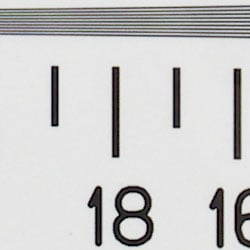
Our laboratory resolution chart revealed sharp, distinct line patterns down to about 1,800 lines per picture height in the horizontal direction, and about 1,700 lines in the vertical direction. Extinction didn't really occur, though lines show dramatic color errors around 1,900 lines. Use these numbers to compare with other cameras of similar resolution, or use them to see just what higher resolution can mean in terms of potential detail.
See full set of test images with explanations
See thumbnails of all test and gallery images
Sharpness & Detail
Fairly sharp images overall, with only minor edge-enhancement on high-contrast
subjects. Noise suppression limits detail in the shadows, however.


Sharpness. The Nikon Coolpix S700 captures a lot of fine detail, with good definition overall. Slight enhancement artifacts are visible on high-contrast subjects such as the crop above left, but results are quite good. There's also evidence of chroma noise in the shadows in this shot, odd to see in this crop. Edge enhancement creates the illusion of sharpness by enhancing colors and tones right at the edge of a rapid transition in color or tone.
Detail. The crop above right shows fairly high noise suppression, as well as some chroma noise, resulting in limited detail in the darker areas of Marti's hair. Bright individual strands are evident, but definition is fuzzy. Noise-suppression systems in digital cameras tend to flatten-out detail in areas of subtle contrast. The effects can often be seen in shots of human hair, where the individual strands are lost and an almost "watercolor" look appears.
ISO & Noise Performance
Low to moderate noise at the normal sensitivity settings, though stronger
noise at the middle settings and very high noise with strong blurring at
the highest levels.
|
|
|
| ISO 64 | ISO 100 | ISO 200 |
|
|
|
ISO 400 | ISO 800 | ISO 1,600 |
|
|
ISO 2,000 | ISO 3,200 (2,592 x 1,944 pixels) |
The Nikon Coolpix S700 produced fairly low noise at its 64 and 100 ISO settings, though there's a noticeable jump at ISO 200, where the image darkens slightly and fine details begin to blur. At ISO 400 and 800, noise is high, with strong blurring and a cool color shift. ISOs 1,600 and 2,000 show a big jump in noise, with a much stronger noise pattern and large losses of fine detail. It appears the camera attempts to hold onto detail rather than suppress the noise, but the stronger noise pattern is very distracting here. At ISO 3,200, resolution is limited to the 2,592 x 1,944 pixel setting, and the camera's attempts at noise suppression are much more evident, as the image is quite blurry overall.
Extremes: Sunlit and low light tests
High resolution with strong detail, but slightly high contrast and limited
shadow detail. Limited low-light performance at the normal sensitivity settings,
capable of capturing bright images in near darkness at the highest settings.


Sunlight. The Nikon Coolpix S700 produced fairly high contrast under the deliberately harsh lighting in the test above, with deep shadows and bright highlights. Still, overall exposure is pretty good, with reasonable midtone detail. Shadow detail is limited, both from noise suppression efforts and noise pixels. The camera required about average compensation to get proper exposure of skin tones, at +0.7 EV, and manages to hold onto detail in the white shirt. Though the overall image is a hint dim at +0.7 EV, the highlights in the shirt and face were much too bright with the +1.0 EV setting. In real life, be sure to use fill flash in situations like the one shown above; it's better to shoot in the shade when possible.
Because digital cameras are more like slide film than negative film (in that they tend to have a more limited tonal range), we test them in the harshest situations to see how they handle scenes with bright highlights and dark shadows, as well as what kind of sensitivity they have in low light. The shot above is designed to mimic the very harsh, contrasty effect of direct noonday sunlight, a very tough challenge for most digital cameras. (You can read details of this test here.)
| 1 fc 11 lux |
1/2 fc 5.5 lux |
1/4 fc 2.7 lux |
1/8 fc 1.3 lux |
1/16 fc 0.67 lux |
|
|---|---|---|---|---|---|
| ISO 64 |
 1 sec f2.8 |
 1 sec f2.8 |
 1 sec f2.8 |
 1 sec f2.8 |
 1 sec f2.8 |
| ISO 100 |
 1 sec f2.8 |
 1 sec f2.8 |
 1 sec f2.8 |
 1 sec f2.8 |
 1 sec f2.8 |
| ISO 200 |
 1 sec f2.8 |
 1 sec f2.8 |
 1 sec f2.8 |
 1 sec f2.8 |
 1 sec f2.8 |
| ISO 400 |
 0.8 sec f2.8 |
 1 sec f2.8 |
 1 sec f2.8 |
 1 sec f2.8 |
 1 sec f2.8 |
| ISO 800 |
 0.4 sec f2.8 |
 0.8 sec f2.8 |
 1 sec f2.8 |
 1 sec f2.8 |
 1 sec f2.8 |
| ISO 1600 |
 1/6 sec f2.8 |
 0.4 sec f2.8 |
 0.5 sec f2.8 |
 0.8 sec f2.8 |
 1 sec f2.8 |
| ISO 2000 |
 1/8 sec f2.8 |
 0.3 sec f2.8 |
 0.4 sec f2.8 |
 0.5 sec f2.8 |
 0.8 sec f2.8 |
| ISO 3200 |
 1/11 sec f2.8 |
 1/6 sec f2.8 |
 0.3 sec f2.8 |
 0.4 sec f2.8 |
 0.6 sec f2.8 |
Low light. The Nikon Coolpix S700 proved to be limited in low lighting, capturing bright images at the lowest light level only as low as ISO 800. At the normal sensitivity settings, images were just a little dim even at the one foot-candle light level, which is equivalent to average city street-lighting at night. Color balance was pretty good with the Auto white balance setting. The camera's autofocus system worked well enough for its exposure system, as it was able to focus on the subject almost down to the 1/8 foot-candle light level unassisted, and down to the darkest light level with the AF assist enabled. (A useful trick under these conditions is to just prop the camera on a convenient surface, and use its self-timer to release the shutter. This avoids any jiggling from your finger pressing the shutter button, and can work quite well when you don't have a tripod handy.)
How bright is this? The one foot-candle light level that this test begins at roughly corresponds to the brightness of typical city street-lighting at night. Cameras performing well at that level should be able to snap good-looking photos of street-lit scenes.
NOTE: This low light test is conducted with a stationary subject, and the camera mounted on a sturdy tripod. Most digital cameras will fail miserably when faced with a moving subject in dim lighting. (For example, a child's ballet recital or a holiday pageant in a gymnasium.) For such applications, you may have better luck with a digital SLR camera, but even there, you'll likely need to set the focus manually. For information and reviews on digital SLRs, refer to our SLR review index page.
Flash
Coverage and Range
A fairly powerful flash at close range, though not a match for the camera's
3x optical zoom. Our standard shots required slightly lower than average
exposure compensation, coverage was slightly uneven.


Coverage. Flash coverage was uneven at wide angle, and still uneven (as well as dim) at full telephoto. In the Indoor test, the Nikon Coolpix S700's flash underexposed our subject just a little at its default setting, requiring a +0.7 EV exposure compensation adjustment to get good results. The camera's Slow-Sync flash mode produced much brighter results at the default exposure setting, but with strong highlights that are too hot. The longer exposure results in a moderate orange-pink cast from the background incandescent lighting, an unflattering result.
| Flash Range: Wide Angle | |||||
|---|---|---|---|---|---|
| 6 ft | 7 ft | 8 ft | 9 ft | 10 ft | 11 ft |
 1/60 sec f2.8 ISO 100 |
 1/60 sec f2.8 ISO 100 |
 1/60 sec f2.8 ISO 100 |
 1/60 sec f2.8 ISO 100 |
 1/60 sec f2.8 ISO 100 |
 1/60 sec f2.8 ISO 100 |
| 12 ft | 13 ft | 14 ft | 15 ft | 16 ft | |
 1/60 sec f2.8 ISO 100 |
 1/60 sec f2.8 ISO 100 |
 1/60 sec f2.8 ISO 100 |
 1/60 sec f2.8 ISO 100 |
 1/60 sec f2.8 ISO 100 |
|
| Flash Range: Telephoto | |||||
|---|---|---|---|---|---|
| 6 ft | 7 ft | 8 ft | 9 ft | 10 ft | 11 ft |
 1/120 sec f5.4 ISO 100 |
 1/120 sec f5.4 ISO 100 |
 1/120 sec f5.4 ISO 100 |
 1/120 sec f5.4 ISO 100 |
 1/120 sec f5.4 ISO 100 |
 1/120 sec f5.4 ISO 100 |
| 12 ft | 13 ft | 14 ft | 15 ft | 16 ft | |
 1/120 sec f5.4 ISO 100 |
 1/120 sec f5.4 ISO 100 |
 1/120 sec f5.4 ISO 100 |
 1/120 sec f5.4 ISO 100 |
 1/120 sec f5.4 ISO 100 |
|
ISO 100 Range. At wide angle, flash shots at ISO 100 remained fairly bright out to a distance of about 9-10 feet, decreasing in brightness from that point on. At full telephoto and ISO 100, the target at 6 feet was actually a little dim, getting darker from there.
| Manufacturer-Specified Flash Range | |
|---|---|
| Wide Angle | Telephoto |
 15.8 feet Auto ISO 615 |
 10.0 feet Auto ISO 474 |
Manufacturer Specified Flash Test. In the wide angle shot above, the Coolpix S700 performs about as Nikon says it will, producing a good exposure at the rated distance with its ISO set to Auto, though the camera raised the ISO to 615 to get good results, resulting in increased noise. At telephoto, the image is a bit dim, despite the camera boosting sensitivity to ISO 474. Our standard test method for flash range uses a fixed setting of ISO 100, to provide a fair basis of comparison between cameras. We've now also begun shooting two shots using the manufacturer-specified camera settings, at the range the company claims for the camera, to assess the validity of the specific claims.
Output Quality
Print Quality
Good print quality, good color, sharp 16x20-inch prints at ISO 64 and 100. ISO 400 images are soft but usable at 11x14, ISO 800 shots are better at 5x7.
 The Nikon S700 had enough resolution to make quite good 16x20-inch prints, though with chroma noise in the shadows. 13x19-inch prints were better, but chroma noise doesn't disappear until 8x10. ISO 200 shots are too soft at 13x19, better at 11x14, but detail is soft and chroma noise is strong. ISO 400 shots are soft at 11x14. At 8x10 detail is better. ISO 800 images are soft and smudgy at 8x10, better at 5x7. ISO 1,600 images are bad at 5x7 with increased contrast and high chroma noise. 4x6 images are a little better, but the chroma noise is still strong. ISO 3,200 images are almost passable at 4x6, but very soft.
It's better to shoot no higher than 400, 800 at the outside, even if all you're making are 4x6-inch prints.
Testing hundreds of digital cameras, we've found that you can only tell just so much about a camera's image quality by viewing its images on-screen. Ultimately, there's no substitute for printing a lot of images and examining them closely. For this reason, we now routinely print sample images from the cameras we test on our Canon i9900 studio printer, and on the Canon iP5200 here in the office. (See the Canon i9900 review for details on that model.)
The images above were taken from our standardized test shots. For a collection of more pictorial photos, see our Nikon Coolpix S700 Photo Gallery .
Not sure which camera to buy? Let your eyes be the ultimate judge! Visit our Comparometer(tm) to compare images from the Nikon Coolpix S700 with those from other cameras you may be considering. The proof is in the pictures, so let your own eyes decide which you like best!
Performance
Nikon Coolpix S700 Performance
Timing and Performance
Good to average speed for a consumer camera.
| Startup/Shutdown |
||
| Power on |
2.5 seconds | Time it takes for LCD to turn on and lens to deploy. |
| Shutdown |
1.1 seconds | How long it takes to retract lens. |
| Buffer clearing time |
3.5 seconds (3.5 seconds buffer clearing in LF JPEG) |
Worst case buffer clearing time. -- This is the delay after a set of shots before you can remove the card. Some cameras won't retract their lenses and shut down until the buffer is cleared. |
The Nikon Coolpix S700's performance ranges from good to about average, depending on what you're trying to do. It starts up a little slowly, at 2.5 seconds to turn on and deploy the lens.
| Mode switching | ||
|---|---|---|
| Play to Record, |
1.9 seconds | Time until first shot is captured. |
| Record to play |
0.9 second | Time to display a large/fine file immediately after capture. |
| Display |
0.6 second | Time to display a large/fine file already on the memory card. |
Mode switching times are a bit on the slow side of average.
| Shutter response (Lag Time) | ||
|---|---|---|
| Full Autofocus Wide |
0.61 second | Time from fully pressing shutter button to image capture, zoom lens at wide angle position. |
| Full Autofocus Tele |
0.77 second | Time from fully pressing shutter button to image capture, zoom lens at telephoto position. |
| Prefocused |
0.009 second | Time to capture, after half-pressing and holding shutter button. |
Shutter response is pretty good at both wide angle and telephoto, at 0.61s and 0.77s respectively. "Prefocusing" the camera by half-pressing and holding down the shutter button before the final exposure results in an impressive lag time of only 0.009 second (among the fastest on the market).
| Cycle time (shot to shot) | ||
|---|---|---|
| Single Shot mode Large Fine JPEG |
2.36 seconds | Time per shot, averaged over 20 shots. |
| Single Shot mode |
1.67 seconds | Time per shot, averaged over 20 shots. |
| Early shutter |
No | Some cameras don't snap another shot if you release and press the shutter too quickly in Single Shot mode, making "No" the preferred answer. |
| Continuous mode |
1.40 seconds (0.71 frames per second); 3 frames total; 3.5 seconds to clear |
Time per shot, averaged over buffer length or 20 shots, whichever came first. |
| Continuous mode |
0.75 second (1.33 frames per second); 20+ frames total; 1.5 seconds to clear |
Time per shot, averaged over buffer length or 20 shots, whichever came first. |
| Flash recycling |
5.62 seconds | Flash at maximum output. |
| *Note: Buffer clearing times measured with a Kingston Ultimate 133x SD memory card. Slower cards will produce correspondingly slower clearing times. Slow cards may also limit length of bursts in continuous mode. ISO sensitivity also affects cycle times and burst mode performance, with higher ISOs generally increasing cycle times and reducing burst performance. |
||
Shot-to-shot cycle times are slightly slower than average, at about 2.36 seconds for large/fine JPEGs, and the camera appears to capture shots continuously in single-shot mode without having to stop and clear the buffer. Continuous mode is a little slower than average, at 0.71 frames-per-second for 3 large/fine JPEG frames before slowing down, but a little better at the lower resolution setting at 1.33 frames per second for over 20 frames. The flash takes 5.62 seconds to recharge after a full-power shot, which is about average.
| Download speed | ||
|---|---|---|
| Windows Computer, USB 2.0 |
680 KBytes/sec | Typical Values: |
Connected to a computer or printer with USB 2.0, download speeds are slower than most digital cameras on the market today.
Overall, the Coolpix S700 is about average in terms of speed, but fast enough for most family and travel photo opportunities. It is not recommended for fast action shots.
Battery and Storage Capacity
Battery
Lower than average battery life for a lithium-ion design.
| Operating Mode | Number of Shots |
|---|---|
|
Lithium-ion Rechargeable Battery,
(CIPA standard) |
150
|
The Nikon Coolpix S700 uses a custom rechargeable lithium-ion battery for power, and ships with a charger. Since battery life is below average, we recommend you pick up a spare battery and keep it freshly charged and on-hand for extended outings.
The table above shows the number of shots the camera is capable of (on either a fresh set of disposable batteries or a fully-charged rechargeable battery as appropriate), based on CIPA battery-life and/or manufacturer standard test conditions.
(Interested readers can find an English translation of the CIPA DC-002 standards document here. (180K PDF document))
Storage
The Nikon Coolpix S700 accepts SDHC/SD/MMC memory cards, and includes about 52MB of internal memory.
| Image Capacity with 52MB Internal Memory |
Fine | Normal | |
|---|---|---|---|
| 4,000 x 3,000 |
Images |
8 |
16 |
| File Size |
6.3 MB |
3.1 MB |
|
| 3,264
x 2,448 |
Images |
24 |
- |
| File Size |
2.1 MB |
- |
|
| 2,592
x 1,944 |
Images |
38 |
- |
| File Size |
1.3 MB |
- |
|
| 2,048
x 1,536 |
Images |
60 |
- |
| File Size |
864 KB |
- |
|
| 1,024
x 768 |
Images |
204 |
- |
| File Size |
254 KB |
- |
|
| 640
x 480 |
Images |
383 |
- |
| File Size |
136 KB |
- |
|
We strongly recommend buying a large capacity SDHC or SD memory card at least a 1GB card, preferably a 4GB one, to give yourself extra space for extended outings and video. (Check the shopping link above, cards are really cheap these days, so no reason to skimp.)