

Overview
Canon PowerShot G11 Overview
Reviewed by Shawn Barnett, Zig Weidelich, and Dave Etchells
Review Date: 11/21/09
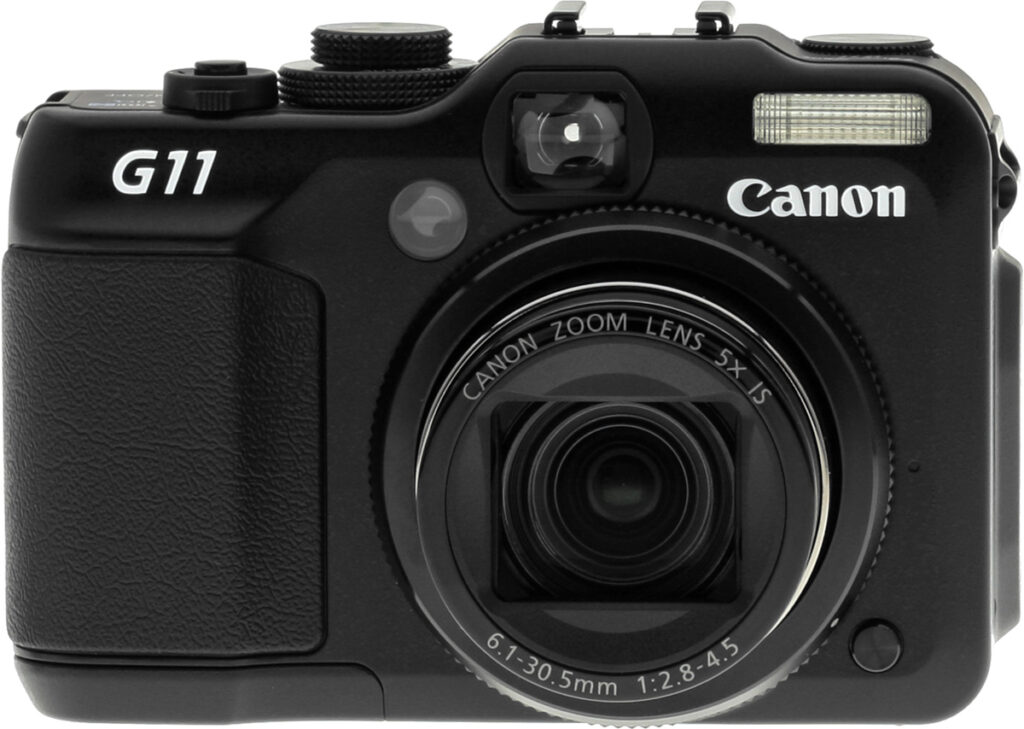
Canon's PowerShot G11 digital camera is a direct successor to last year's PowerShot G10 model, and external styling of the two cameras remains fairly similar. Probably the most notable difference when comparing the cameras side-by-side is that the PowerShot G11 now has a tilt/swivel LCD display in place of the G10's fixed LCD panel. To achieve this, the size of the panel has been decreased from a 3.0-inch diagonal to 2.8 inches, while retaining the same dot count. The Canon G11's body size has also grown just slightly since the G10, with an extra tenth of an inch (2-3mm) added to the width and depth, although a similar amount has been trimmed from the height.
Perhaps the most significant change in the Canon G11 is to be found under the skin, though. While it retains the same 1/1.7-inch CCD image sensor size as its predecessor, the G11 reduces the sensor resolution from 14.7 to 10.0 effective megapixels. This marks the first time we've seen resolution being reduced as a camera lineup progresses, and it's an important step in the direction of sanity. With the megapixel war now thankfully in its death throes, we'd like to see a few more manufacturers dialling back their sensor resolutions in the interests of improved dynamic range, image noise and low-light performance. Canon says the G11 offers a two-stop improvement in noise performance as compared to the G10. The lower end of the ISO range is slightly expanded from the previous camera, with the Canon G11 offering sensitivities from a minimum of ISO 80 through to a maximum of ISO 3,200 equivalent. A special high sensitivity scene mode allows images to be shot at as high as ISO 12,800 at a reduced resolution of 2.5 megapixels.
The Canon PowerShot G11 retains the same 5x optical zoom lens from the PowerShot G10, which offers 35mm-equivalent focal lengths ranging from a useful 28mm wide angle to a 140mm telephoto. Maximum aperture varies from f/2.8 to f/4.5 across the zoom range, and as with its predecessor, the Canon G11 includes true optical image stabilization to help combat blur from camera shake. The Canon G11 is based around the same DIGIC 4 processor that featured in the G10. This allows an autofocus system with both face detection and subject-tracking capabilities. Available shutter speeds for the PowerShot G11 range from 1/4,000 to 15 seconds, and metering modes include evaluative, center-weighted and spot. Exposure modes are also unchanged, with the Canon G11 including program, aperture- or shutter-priority, or a fully manual mode. Flash sync speed has been improved to 1/2000 second, and the range when set to Auto ISO has also increased, with the PowerShot G11 rated at 1.6 to 23 feet (50cm to 7m) at wide angle, and 1.6 to 13 feet (50cm to 4m) at telephoto.
Like the G10 before it, the Canon G11 can record 30 frames per second movies with monaural sound at resolutions up to 640 x 480 pixels (VGA), and opts for H.264 MOV compression. The Canon PowerShot G11 is unchanged from its predecessor in storing its Raw or JPEG images and movies on Secure Digital cards, including the higher-capacity SDHC types. The G11 supplements the G10's NTSC / PAL video output with a high-definition HDMI connector, and retains the USB 2.0 High Speed computer connectivity. Power comes from an NB-7L lithium-ion rechargeable battery, the same type used in the G10.
The Canon PowerShot G11 began shipping in the USA from October 2009. Just like the G10 a year earlier, the Canon G11 has a US$500 pricetag.
Canon PowerShot G11 User Report
by Shawn Barnett The much-beloved Canon G-series has been around for a very long time in digital camera years. The first model, the Canon G1, had a 3.3-megapixel sensor -- a big deal back in 2000. It also had a 3x zoom, a 1.8-inch swiveling LCD, a maximum aperture of f/2.0, a max shutter speed of 1/1,000 second, and a high ISO setting of 400. This is the G1 to the right here.
Fast forward nine years and eight models later (there were no G4 or G8 models), and the Canon G11 takes the scene with a 10-megapixel sensor and the triumphal return of the swivel screen, whose LCD now measures 2.8 inches. Both of those measurements are down from the G10's 14-megapixels and 3.0-inch LCD, but it's the emphasis on quality and utility that has returned. The maximum aperture is the one unfortunate omission in this return to the G-series roots, as it remains at f/2.8 rather than the severely missed f/2.0 optic that reigned up through the Canon G6. Shutter speed and ISO have increased, though, to 1/4,000 second and 3,200 thanks to the continuing advance of sensor and image processing technology.
 For me, the most important aspects are lens quality and sensor output. The good news is that both seem up to snuff -- if you do some important relative comparisons that consider high ISO performance and price, not to mention versatility. Canon's claims of gaining major advantage by dropping back from 14 to 10-megapixels seems a little suspect at first, until you print the images. That's our major benchmark here at Imaging-Resource.com. The Canon G11's printed images hold up quite well.
Will you get digital-SLR quality across the ISO range? No, not really. But you do get excellent optical quality with very sharp corners, and the ability to print high quality 16x20-inch images that are on par with 10-megapixel digital SLR cameras up to ISO 800, and get to carry a smaller camera.
Canon's own ad campaign with the VII Photo Agency photographers has forced me to look at the Canon G11 as I would if I were a war correspondent. Would I be pleased with the G11 if I were in a foreign country with bullets flying around, needing to carry less hardware? I'm also driven to compare the G11 to the Olympus E-P1 and Panasonic GF1, two Micro Four Thirds cameras that like-minded enthusiasts are considering as their next "everywhere" camera. You have to imagine that photojournalists are also looking at this emerging form factor, because it is similarly more stealthy than the typical digital SLR camera, yet has a larger sensor than the G11.
So does the Canon G11 measure up to its predecessors, competitors, and rivals in this price and size range? That really depends on your needs, but I think it's a compelling camera for a wide range of users, and offers a lot that sophisticated users will appreciate. There are plenty of compromises here, but when you're talking about a tweener camera, the Canon G11 meets an impressive array of needs.
Look and feel. When I look at the Canon G11, words like burly, gnarly, rugged, and even ugly come to mind. It's a kind of ugly that's beautiful, though: Ugly like you want your body guard to be, because he has a job to do, and that's scare bad guys away. Well, the Canon G11 has a job to do, too, and that's to get a good shot quickly, but fit into a reasonably small space so that you're more likely to bring it along.
Though it is a good chunk of camera, it's a little smaller than the Olympus E-P1, and larger than the Panasonic LX3. Its swiveling LCD adds some functionality, though, something neither of these rivals offers. Weight is 14.1 ounces (400g) with an SD card and the Canon G11's lithium-ion battery.

Normally I'd show the lens open in the front shot, but I wanted to show the impressive-looking integrated lens cover that opens automatically when the lens deploys. Lens covers like this are not new, but they are increasingly rare on larger digital cameras, which have mostly defaulted to plastic lens caps. Integration has many benefits, but be aware that this door is springloaded plastic, not gear-driven steel as its design would suggest, so it can be easily forced open by a wayward finger or a nasty set of keys if the Canon G11 is dropped carelessly into a bag or pack without a proper case.
A release button to the lower right of the lens allows removal of the knurled ring so you can mount the 1.4x accessory teleconverter lens TC-DC58D via the required LA-DC58K adapter.
Upper left of the lens is a very bright AF assist lamp, of the type I'd love to see Canon add back to their SLRs (I imagine VII Agency photographer types would want to disable this lamp in a Custom mode so they don't look like some kind of rifle ranging device). Above right of this is the optical viewfinder, whose accuracy is extremely poor and image very small despite its relatively large objective. The flash seems smaller than the G10's, and the grip is good for a camera of this size and weight, with a low profile and a textured rubber surface. The camera feels enough like a small SLR or the E-P1 that I'm continually tempted to grab it around the grip with my left hand hold it by the lens. This is not a good idea, of course, since the lens is motorized and holding it might damage the gears inside.

From the top you get a better view of Canon G11's thickness. It's a chunk. I actually like its size and weight, though, and it's still a lot thinner overall than a Rebel or other small SLR. But check out the dials: One for Exposure compensation, one for ISO, and one for the Mode setting. Each is quite hard to turn, which is just right. You don't want them to turn accidentally in a bag or while you're shooting; these won't. Markings are white on black, too, making them easy to see in more lighting conditions. The only color markings are the green Auto selections.
The zoom control is a small toggle that surrounds the shutter button above right. It seems a little small for the Canon G11's overall size, but it works well enough. The zoom only moves at one speed, unfortunately, and it doesn't work at all when shooting video (zoom is digital telephoto only in Movie mode); worse, it's slow to start moving once you've activated it. It reminds me of luxury sedan: press on the gas and the car's computer has to check all sensors to see if you really mean it, then it goes. I'd rather not have the G11 second guess my choice.
The Power button has a slight forward cant to it, which you cannot see, but can feel with your finger. Power on the Canon G11 and a green LED lights up inside. Orange LEDs also clearly indicate which setting is active on each dial.
Just off to the left of the ISO 100 setting on the dial are two long slots for the microphone; the speaker is on the left side just below the camera strap lug.

The back of the Canon G11 looks very similar to the G10, but it's different, mostly to make room for the articulating screen. I don't have a G10 to compare with, but it seems that the Control dial is a lot smaller, with a lot less space on the right side. Canon actually added a bit of room for the hinge to articulate on the right side without changing too much. All of the buttons, though, are still in the same basic locations, so it's an easy upgrade. The Shortcut/Direct Print button also lost the illumination that the G10 used to show connectivity with a computer or printer. And from here you can also see that the Mode dial is also about a millimeter shorter than the G10's dial.
 The four buttons above and below the Control dial are also canted for easier activation and tactile differentiation. The AE/FE Lock button is also raised above the back surface and juts out on a slope, requiring slightly more deliberate effort to activate. Unfortunately it's when shooting vertically that I accidentally pressed many of these buttons, including the ones integrated into the Control dial navigator.
Slim and sturdy, the articulating screen works like most Canon screens of this type: very well. I can't tell for sure whether the LCD's shell is metal like the rest of the body, partially because magnesium alloys feel too like plastic at certain densities. The feel is pretty sturdy, though.
I also like how the Control dial works. It seems to take each click of the dial into account, which is more than most Canon control dials do. The dial also rocks in four directions, to serve as buttons, activating Manual Focus, Flash, Drive, and Macro modes. The screen is a little close to the dial to scroll as easily as you could with the G10's dial, which often slows my progress until I get my thumb in just the right position.
 On the right side you can see the hard plastic port door that is released with a pull at the thumb notch. When opened, it springs shut, but you have to snap it back into place. Now's a good time to mention that no matter how rugged it looks, the Canon PowerShot G11 is not sealed against water, dust, or sand, and that includes this door, so be careful using the G11 in rugged conditions.
Sensor. As I mentioned in my preview writeup of the Canon S90, I'm thankful that Canon has seen the light and for the first time reduced the resolution of a camera line, not following the pack into a world of ever-shrinking pixel sizes that gather fewer and fewer photons per pixel as resolutions rise. Higher pixel density also has the effect of revealing what once seemed to be minor flaws in a camera's optics, making lens design more difficult and therefore expensive.
One reason that cameras like the Canon G11 are smaller than an SLR is that their sensors are smaller, and the lens can be smaller while still achieving the same relative magnification as a much longer lens on an SLR. Though many people think a camera like the G11 should easily rival an SLR's image quality, I've prepared a little graphic to show why it's a considerable challenge to match the light-gathering capability of a Micro Four Thirds, APS-C, or full-frame camera in a small body. Likewise, you can also see why the 1/1.7 sensor in the G11 can gather more light than the typical digital camera, whose sensor is only 1/2.5.

Imagine that each of these blue rectangles is a sensor, and that each is divided into 10 million pixels. The light gathering ability of the 1/1.7 sensor is indeed going to be better than the 1/2.5 design. But the Micro Four Thirds sensor is considerably bigger, so it's obvious why a camera like the Olympus E-P1 would have less trouble gathering enough light at ISO 1,600 to best the G11's equivalent setting. It's a lot like handing three kids three different containers, and asking them to catch as many jelly beans as they can. One gets a dixie cup, one a quart jar, and the other a bucket. When the jelly beans start flying, who's going to catch the most? The kid with the bucket. Transform your jellybeans into light particles, and your containers into sensors -- or pixels on a sensor -- and it's easier to see why bigger pixels are better.
So the Canon G11 is generally better than most small cameras with 1/2.5 sensors when it comes to low-noise image output, but not quite as good as Micro Four Thirds or larger cameras, which each have considerably bigger buckets. But the sensor isn't the only factor to consider.

Barrel distortion is a about average at wide-angle, but it's noticeable if you take any shots of buildings or other objects with straight lines in them.
Autofocus. Canon autofocus is usually excellent, but the G11 gave me some trouble. I'm more of a center-point AF kind of guy, rather than letting the camera pick what's important to focus on. The Canon G11 failed to focus too often for my taste. I had the same problem with the Canon S90. Low-contrast objects almost always give cameras trouble, but the G11 and S90 do it more often than I'm used to.
The Canon G11 has something that's been with the G-series for a long time, which Canon calls Flexizone AF. You get a single autofocus box in the middle of the screen, and when you press the AF selection point button, you can use the arrows or Control dial to move the box around the screen. It's especially useful when you're working on a tripod and intend to focus on a particular spot repeatedly, or when working with a model on a portrait where the eye will be in the same area shot after shot.
When it's working, the Canon G11's autofocus system is about average for the class, acquiring focus and capturing an image in 0.54 second at wide-angle, and 0.75 second at telephoto. It can also focus down to 1/8 footcandle unassisted by its AF-assist lamp when trained on a high-contrast subject, and can focus in total darkness with the AF-assist lamp enabled.
The Canon G11 also has some special autofocus features, in addition to the now ubiquitous Face detection. The feature I thought I'd appreciate the most just got in the way, which was AF-point zoom. This enlarges the AF point, overlaying the enlarged image over the center of the screen, such that you really can't compose your image anymore. If it's a face, you might be able to see that the eyes are in focus, but you'll have little idea of the expression, so you'll have to go into the menu to turn the feature off. Perhaps if the Shortcut button could be set to toggle the feature off and on it would be more useful.
Manual focus also uses the zoom function, but it doesn't work very well. If I half-press the shutter button to set the focus at about four feet, I notice essentially no difference in the zoomed image as I move focus to infinity. Nowhere along the path do I see focus "pop," so I consider manual focus out of the question on the Canon G11.
Still, Continuous and Servo AF modes are interesting options, which allow you to track subjects before and after you press the shutter halfway, respectively. The Servo mode would be especially useful when taking pictures of children who can seldom keep still.
Image stabilization. Canon's optical image stabilization system is excellent, as always. Best to just leave it on except when you have the Canon G11 mounted on a tripod. I prefer to leave it in Continuous mode so that I can see how well it's working, but if you're in a rough situation where you need all the stabilization you can get, set it to Shoot only, and the G11 will be able to do the greatest amount of correction when you press the shutter button. There's also a Panning option, which you can turn on when tracking objects that are moving horizontally past you.


DPP vs ACR. Canon's own Digital Photo Professional software (top image) did a better job of reproducing what I saw on the Canon G11's screen than Adobe Bridge and Adobe Camera Raw 5.5 (bottom image). The top image is what the G11's vibrant LCD told me I'd get, and DPP delivered. Turns out the latest beta of ACR supports the G11 and does quite a bit better (it's still a bit more yellow). I'm leaving this in just in case you experience the same thing.
LCD. The Canon G11's LCD is vibrant, perhaps to a fault. I used its exaggerated view of the world to capture what I thought were some beautiful images of some sunlight glowing on orange Fall leaves. When I got home to Bridge, though, I was disappointed by the washed out yellow leaves I saw, especially among the RAW images, and started to look askance at the LCD's integrity.
When I opened the images in Canon's DPP software (Digital Photo Pro), though, I remembered instead to look askance at Photoshop's Adobe Camera Raw engine. DPP's renderings were quite a bit better than ACR's, revealing the bright orange leaves amidst the darker orange ones, while ACR showed bright yellow leaves against mildly orange/yellow leaves. Quite a difference.
Still, the Canon G11's LCD is a little more vibrant than what I see on my computer monitor, and what I get from the printer, so beware of that; more importantly, though, be aware of how you view your thumbnails onscreen, because until it's tuned properly, programs like ACR will make your images look very different from what you remember.
And wouldn't you know it, right after writing all that, Adobe announced ACR 5.6 release candidate, and images look much more like they should. Usually if ACR doesn't support a camera, it won't interpret the RAW file at all, but not in this case. Be careful how you view your images from any new camera, especially RAW files. Canon's DPP does a pretty good job.
Flash. Flash coverage was uneven at wide-angle in our test shots, and in some of my informal shots as well. But I try not to use flash much with a camera like this. Flash range is good, though, reaching out all the way to 16 feet and also to between eight and nine feet at telephoto, again not bad for an on-camera design with a 5x zoom. These results were not quite as good as the Canon G10 in our lab tests, but it was also a different target when we tested that camera. To reach Canon's maximum stated ranges of 23 and 13 feet, the G11 has to boost the ISO to 500, while the G10 reached the specified 15 and 9 feet with a boost to only ISO 250.

Sample movie. The Canon G11's movie mode is just okay. Here you can see highlights are blown out, and the digital zoom is very soft. (Click on the image to download .MOV file.)
Movie mode. Movie mode is probably the least impressive feature on the Canon G11. With even digital SLRs able to turn out HD video, let alone many pocket cameras, it's something of a disappointment to be limited to SD (Standard Definition). Well, it would be to most folks; I'm still plenty happy with VGA resolution for most videos I shoot, but the competition (Panasonic LX3, for example) is shooting 720p HD. Neither the LX3 nor the G11 can zoom optically once recording has started, another disappointment. So video's still a mixed bag in this category, with few players offering everything in one camera.
The Canon G11's movie resolutions include 640x480 and 320x240, both at 30 frames per second. An 8GB card will give you one hour and four minutes of video recording depending on your subject, but the camera will stop recording when the file size reaches 4GB, or one hour in length, whichever comes first. They also spec a Class 4 SDHC card for these numbers, or else the recording might start earlier.


Function and Main menus.
Menus. Like most Canon PowerShots, the Canon G11's settings are split between a Function menu, reached by pressing the FUNC/SET button, and the Main menu, accessed with the MENU button. Many companies have begun to emulate the system, because it puts the most-accessed parameters where you can find them quickly. The Function menu includes White balance, Color mode, Bracketing, Flash EV, Neutral Density filter, Drive mode, and Image Size/Compression.
The Main menu is a pretty standard three-tab design, but with Canon's new semi-animated scheme with 3D touches here and there. The third tab is reserved for My Menu settings, something the individual sets up for himself with his most oft-accessed settings. You can move between the tabs at any time using the zoom toggle, and move up and down in the menus with the rear Control dial. Left and right arrows can also move you between the tabs, but you have to scroll all the way to the top. When on a menu item, they change the settings for that menu. Boring to read, but it works well, allowing quick changes to camera settings most of the time.

Modes. The Mode dial has the usual complement of Auto, Program, Time value, Aperture value, and Manual, and there are a few Scene modes, which I won't list here. But my favorite two settings are C1 and C2. With these, you can make the kind of camera you want appear at a moment's notice without making a lot of adjustments. I made two modes that would fit two individuals: one, a dad taking pictures of the kids, the other a photojournalist operating in stealth mode. The first, C1, snaps the Canon G11 into Av mode, so I can blur the background as much as I like depending on the subject with an eye toward faster shutter speeds. Color is set to Vivid, compression to JPEG L, AF to Face AiAF, IS to Continuous, etc.
C2, my photojournalist mode, captures in Program mode, with black and white as the color setting, Compression set to JPEG L, AF to center point, IS to Shoot only, and so on. Shooting in Black and White mode puts the photographer's mind into that gritty luminance-only mode, and lets him see what his publisher will eventually publish, a vision photographers had to imagine before digital cameras. If I had my way, I'd set the camera to RAW+JPEG with black and white mode on, but as soon as you switch to RAW capture you lose all color options and see just the RAW that the G11 sees. Pity.
 I keep finding uses for the Custom modes, so I'm only wishing more cameras had them. The only things that can't be set with the Custom modes as far as I can tell are the two items whose controls have become analog: EV compensation and ISO. They're on the dials on the top deck, and can't be overridden electronically.
One feature I particularly like in Playback mode comes into play when you've shot a RAW+JPEG image: Hit the Delete button, and you can choose whether to delete both the RAW and the JPEG, or just the JPEG, or just the RAW. Very slick, a feature long needed on many cameras.
Storage and battery. The Canon G11 uses a lithium-ion battery, the NB-7L, a 7.4 volt, 1050mAh cell. Next to it is the SD/SDHC card slot. The battery door locks down better than most PowerShot cameras, even though the design is essentially the same. The tripod mount is right next to the battery door, so card and battery changes require removal from the tripod.
When using the Canon G11's LCD monitor to frame images, which most will use, the NB-7L gives a pretty high 390 shots per charge. If you turn off the LCD, though, you get up to 1,000 shots.
Shooting with the Canon G11


5x zoom. Ranging from a respectable 28mm equivalent to 140mm, the Canon G11's lens is not only versatile, but good quality.
Whether to take the Canon G11 out for a walk is a tough call. That's the way it is with 'tweener cameras. You either need big pockets, a pack, or a tolerance for a camera strap around your neck. Bottom line, though, if you want good pictures from a medium-size camera, the Canon G11 will deliver, so you'll want to bring it along now and then.
Despite my misgivings about the Canon G11's image quality (based on our first shots out of the lab), I really enjoyed my first outing with the camera. It's made with the involved photographer in mind. While digital controls are useful for many things, and considerably cheaper to program, physical controls are still better for certain functions; and big dials are great for visual thinkers -- like photographers. No, it's not a big deal to have ISO and EV compensation on a dial, but it helps with the fun factor, and adds a sense of immediacy to your actions. I also know that two clicks counter clockwise will dim the shot by -0.67 stop without even looking at the dial, let alone the LCD screen, so I can concentrate on my subject, rather than try to finesse some button or dial while watching characters on the LCD.
That optical viewfinder is really way too tight, and doesn't show much of the frame. It's not unexpected, though, and is at least a decent pointing device to get the camera somewhat on target.
The Canon G11's LCD is quite good, though, and great in sunlight, so I used it most of the time. I didn't use the articulating LCD much, but it was nice to have when I needed it. As I mentioned, the colors are a little more pumped than they'll look on a calibrated monitor, but just keep that in mind when you're shooting.

My Color. I used the function menu to adjust the My Color setting to Vivid, giving these Fall colors a bit more pop.
Since I shoot mostly vertically, one problem I had with the Canon G11 was accidentally pressing the AE/FE Lock button, the AF-point Selector button, or the Metering mode selection button. Sometimes I pressed the Manual Focus button too. The only way around it is to control the camera more with my left hand, and just use the right hand to stabilize and emphasize my pressure on the shutter button only. I tend to tilt most often to the right, so it's still a problem for me when shooting the recent G-series cameras.
Slow. My biggest problems with the Canon G11, though, are its autofocus and shot-to-shot speeds. Compared to others in this class, it's about average in all of these areas, but its performance is closer to that of my SD1000, not my SLR. First, the screen stays blacked out for a long time after you press the shutter. That cuts my contact with my subject, which is not good. It also takes too long to return control to the shooter as it tries to playback the image. I turned image playback off in my photojournalist mode, and was much happier, but I still think the G11 takes too long to get the follow-up shot. In our tests it scored 2.29 seconds between shots in JPEG mode, and 2.80 seconds between shots in RAW. That rises to 2.88 seconds in RAW+JPEG mode. A lot can happen in 2.88 seconds, my journalistic friends.
Put the Canon G11 into Continuous drive mode, and you'll get 1.11 JPEGs per second, but only 0.84 frames per second in RAW mode. Nobody ever said this was a camera for action, though; it's more for the thinking, storytelling photographer who has time to think about his shots and anticipate them. Once you learn the Canon G11's moment of capture, you'll do just fine. If you're not the type to ever learn that, though, consider a camera with shorter shutter lag, like an SLR.
Zoom is also slow to start, taking what seems like half a second before it starts to move after I've pulled the toggle all the way to the end.
Making adjustments in the various exposure modes is easier in some than in others. In Program mode, it's fairly easy to enter Program shift, by pressing the AE-L button, then turning the Control dial. In Shutter and Aperture priority modes, you're only controlling the one aspect, so you just turn the dial. Manual mode, though, gets a little weird. You have to press the Metering mode button. What's weird about it is that it doesn't just switch between shutter and aperture controls, but goes from aperture to Metering mode. It all happens onscreen, so it's not hard to follow, but strange to encounter at first, and just a little annoying. SLRs like the Rebel use the EV Compensation button to shift the Command dial for aperture adjustment, but since there's a cool EV Compensation dial on the G11 no such button is available.
Remote capture? Some things are missing from the Canon G11, including the ability to capture images remotely from a computer, a little-used feature that was included for nearly all PowerShots for a few years, but now seems to have disappeared. Though the software actually installs on my Mac, I can't access it at all, and the manuals don't mention it either. I endeavored to install it on my netbook as well, and that required an update to the .Net Framework 3.0 (which of course required another update to 3.5), yet the Remote Capture Task seemed to do nothing. Unfortunately I have no time to investigate further, so let's just say it seems to be a dead feature that for some reason still installs. The manuals do not mention it at all.


Camera Window. Canon's image transfer program is greatly simplified, and looks and works the same on Mac or Windows.
What's nice to note is that Canon simplified the Camera Window software, with yet another interface, but at least it's identical on both Macs and PCs.
Also missing from the Canon G11 is a depth-of-field preview, which is a shame. Not much more to say about that, but it's something photographers appreciate. I guess with a digital camera you can just take a shot and see what it looks like.
Printed results. Regardless what I thought of the images at 100 percent onscreen, resolutions are high enough that what matters is how well these images print. Print quality is excellent from the Canon G11's images, with good color. Cameras generally save their files with a default ppi (pixels per inch) setting: The Canon G11's default of 180 ppi would result in a print size of 20.3x15.2 inches, and that represents about the limit at ISO 80 and 100. JPEG images straight from the camera are slightly soft, so you can print a little bigger if you sharpen the G11's images carefully in Photoshop or other retouching software. Unmodified, though, ISO 80, 100, and 200 shots are just about right at 13x19 inches. Even ISO 400 shots are usable at 13x19 but are a tad soft, getting back their snap at 11x14. ISO 800 shots are usable at 11x14 when viewed from a distance, but appear soft on close inspection. They come back into usefulness at Letter size (8.5x11).
Output quality takes a noticeable drop at ISO 1,600, though, with prints looking really soft at Letter size (8.5 x 11 inches). Comparing shots from the Canon G11 with those from the Panasonic LX3, we discovered just how the LX3 gets such impressive printed results at this ISO setting. The LX3's high-ISO shots actually look pretty bad on-screen, with quite a bit of noise and very coarse-looking details. Printed, though, they look surprisingly good. What became apparent as we studied images from the two competing cameras was that the LX3's files had a lot of pretty large-radius sharpening applied to them. On-screen, they look really over-sharpened, but printed at 8x10 inches or so, they looked quite good. Applying similar over-sharpening to the Canon G11's images (1.0 pixel radius, 220%) produces similar-looking results on-screen, but excellent results on the prints as well, producing great-looking Letter size prints that actually edged out those from the LX3. With no processing, the Canon G11's ISO 1,600 images make acceptable-looking 5x7 inch prints.
This trick of deliberate over-sharpening turned out to be an important discovery, because performing the same trick on the G10's 14-megapixel images didn't produce anything like the same results, revealing much more chroma noise. The LX3's images likewise show some pretty distinct blotchiness that ends up more noticeable primarily because the LX3's saturation is also boosted a bit relative to that of the G11. While we seldom do this deep an analysis of print quality, it was an interesting exercise that showed how different sharpening strategies can get very different results. Because Canon's main reason for dropping the G11's resolution was to get better high ISO performance, we felt it was worth investigating why it its ISO 1,600 shots seemed so little improved when printed. This sort of issue often comes down to a matter of personal preference, but we think most G11 owners will be happier with their ISO 1,600 photos if they take the time to "oversharpen" them.
Leaving ISO 1,600 aside, it's worth noting that the ability to print ISO 800 images at 11x14 with only minimal softness is quite an accomplishment for a compact camera, particularly when you consider how much smaller the Canon G11's sensor is compared to those of APS-C cameras like the Canon Rebel XS or XSi.
Summary. Overall, the Canon G11 is another great G-series digital camera with plenty to excite the photo enthusiast. The step back in resolution does seem to have made a difference in the overall picture quality, improving the lens's apparent performance as well as the Canon G11's printed image quality. It's not perfect, and it does leave a few standards behind, but the Canon G11 makes a great everywhere camera, if you're okay with its size. See below for the full conclusion, and check out the tabs above and below for our deeper analysis of the Canon G11.
Canon G11 Features
- 10-megapixel CCD
- 5x zoom lens (equivalent to a 28-140mm lens on a 35mm camera)
- 4x digital zoom
- Optical viewfinder
- 2.8-inch color LCD monitor
- Full Manual through Automatic exposure available, including Aperture and Shutter priority and 20 Scene modes
- Built-in flash with three modes and an intensity adjustment, plus red-eye reduction
- SD/SDHC memory card slot (no card included)
- USB 2.0 computer connection
- HDMI out
- Lithium-ion battery
- Software for Mac and PC
In the Box
The retail package contains the following items:
- Canon PowerShot G11
- Neck strap NS-DC9
- Battery charger CB-2LZ
- Battery pack NB-7L
- AV cable AVC-DC400
- Interface cable IFC-400PCU
- Software CD
Recommended Accessories
- Extra battery pack NB-7L
- Large capacity SDHC memory card. (These days, 8GB is a good trade-off between cost and capacity.)
Canon G11 Conclusion
| Pro: | Con: |
|---|---|
|
|
Camera enthusiasts get more of what they expect from the Canon G-series with the Canon G11: High image quality, good lens quality, and a swiveling LCD screen. We still don't have the f/2.0 lens back, but instead we have a 5x zoom that starts at a useful wide-angle of 28mm equivalent, and has a still-respectable f/2.8 maximum aperture. The Canon G11 is built sturdily, and has excellent controls. The three dials on the top deck are tightly sprung, making them difficult to turn, which is just right. The Canon G11's swiveling LCD screen is beautiful and convenient, but you do well to be aware that it's a little too beautiful at times, exaggerating some colors a bit. It's also wise to note that despite its rugged appearance, the Canon G11 is not necessarily well-sealed against water or dust; though Canon does offer a waterproof/dustproof case for this fine little machine.
Shooting with the Canon G11 is very enjoyable. Though they are few, the dials add a tactile sense back into your photography, especially the EV compensation dial. What I like most is the machine-like feel of the G11: it doesn't try to be beautiful; instead it seems designed and built to get the job done. I have to adjust my hold on the Canon G11, though, to shoot in my normal mode, which is vertical. It's too easy to press one of the many buttons that are clustered right where my thumb needs to rest. Instead I have to hold most of the Canon G11's weight in my left hand when shooting vertically.
Optical quality really is quite good, with remarkable corner sharpness at all focal lengths, which is one of the main reasons to consider the G11. Zoom is a little slow to start, which bugs when you're trying to compose shots quickly. And shutter lag and shot-to-shot times, while average for the category, could still be faster for a deluxe camera released here in 2009. The drop to 10 megapixels should have resulted in some speed increase, but we think it could be the more aggressive noise suppression that's keeping speeds low. The drop to 10-megapixels was also supposed to result in less noise overall, which we do see, but it's not mind-blowingly better. It's the chroma noise that's most significantly reduced, resulting in smoother shadows and less detail lost to noise suppression that brings the G11's image quality up, which requires less post-processing on the photographer's part. We'd like to see more noise reduction options, as well, as we currently see on most mid-range digital SLRs, rather than the all-or-RAW approach that the G11 takes. As for viewfinder accuracy, it's as bad as ever at only 79 percent coverage, so just use it as a pointer, knowing that you're doing to capture a lot more than you see in the viewfinder. At least the LCD view is a true 100%.
Ultimately, the Canon PowerShot G11 is the G10 done better, with better low-light performance, better control over noise, an articulating screen, great battery life, and the same great lens. It's a sure Dave's Pick.
Optics
Canon PowerShot G11 Optics
Lens
Zoom
A fairly wide, 5x optical zoom lens with very good performance. Average digital zoom performance.


The Canon PowerShot G11's lens covers the equivalent of a 28-140mm zoom on a 35mm camera, which is slightly more zoom ratio than most consumer digital cameras. While the G11 maintains the same lower 5x zoom ratio that the G10 had relative to the 6x zoom on the G9, we again welcome the gain at the wide-angle end, even at the cost of losing some telephoto reach in the bargain. Results are quite good at wide-angle, with minimal blurring and coma distortion, though some minor chromatic aberration can be seen in the corners and edges, as well as some flare around the brighter areas of the scene. Performance at full telephoto was also very good, with only a small amount of chromatic aberration and flare. The camera's 4x digital zoom did a pretty good job of maintaining fine detail despite the typical blurring and loss of resolution associated with digital zoom.
Macro
A very small macro area, with excellent detail and resolution. Flash is blocked by lens.


The Canon PowerShot G11's macro setting captured a very tiny minimum area of just 1.21 x 0.91 inches (31 x 23 millimeters). Exposure is rather uneven, due to the very close shooting range, and the three dimensional structure of the target (the brooch and one of the coins are shading the dollar bill). Detail and resolution were both excellent, particularly in the center of the frame. There's some softening in the corners from the lens, although it's hard to tell how much, because the lighting is so uneven, as well as some chromatic aberration. (Most cameras have some softening in the corners in macro mode. What we can see here, within the limits defined by the lighting, is about typical) The Canon G11's flash throttled down for the macro area fairly well, but the exposure was again quite uneven, as the flash is blocked by the lens when this close.
The three-dimensional nature of our macro target reveals what might not be evident with the flat targets used by some testers: The Canon G11 does indeed let you get very close to your subject, but the working distance is shorter than average; to the point that it can be difficult getting light onto your subjects. Plan on using external lighting for the closest macro shots with the G11, and even then, you may have trouble enough light in around the lens barrel without blowing out parts of the image. A very good performance, but the short working distance could be a problem with some subjects.
Distortion
Average barrel distortion at wide-angle, very low pincushion at telephoto.
| Barrel distortion at 28mm is 0.8% |
 |
| Pincushion distortion at 140mm is less than 0.1% |
 |
The Canon G11's 0.8% barrel distortion at wide-angle is about average among the cameras we've tested, but that's actually pretty good considering its 28mm equivalent focal length. Still, we'd like to see lower, as this distortion is quite noticeable in some of its images. At the telephoto end, the G11's less than 0.1% pincushion distortion is almost nonexistent. Distortion is the tendency for the lens to bend straight lines outward (like a barrel -- usually at wide-angle) or inward (like a pincushion -- usually at telephoto).
Chromatic Aberration
Moderately bright at wide-angle, very low at telephoto.

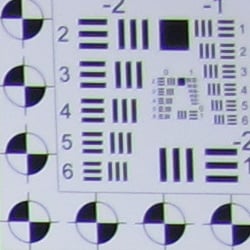


Chromatic aberration is moderate at wide-angle, showing about 6-8 pixels of moderately bright coloration on either side of the target lines. The color extends a ways into the frame, but the width of the fringes narrows rapidly as you move toward the center, so is less objectionable than it might be otherwise. At telephoto, the extent of the chromatic aberration is about the same, but it's not nearly as bright and therefore much less noticeable. Chromatic aberration is a type of distortion visible as a slight colored fringe around the objects at the edges of the field of view on the resolution target.
Corner Sharpness
Minor blurring in the corners of the frame at wide-angle and telephoto.


The Canon PowerShot G11's lens produced only minor corner softness at full wide-angle and telephoto. Blurring was strongest in the upper left corner, for both wide-angle and telephoto, but didn't extend very far into the frame: By the time you've moved 15% (tele) or 25% (wide-angle) toward the center, the blurring largely disappears. Overall results are very good, especially considering that these shots were taken at maximum aperture, as sharpness generally improves as the lens is stopped down to smaller apertures.
Viewfinder
Coverage
A rather inaccurate optical viewfinder, but excellent accuracy from the LCD monitor.


The Canon PowerShot G11's optical viewfinder was very tight, at around 79% coverage at wide-angle and at telephoto. It's also tilted and offset with respect to the CCD. This is not unusual for this type of optical viewfinder, though. The LCD monitor was much more accurate, showing about 100% coverage accuracy at both wide-angle and telephoto.
The images above were taken from our standardized test shots. For a collection of more pictorial photos, see our Canon PowerShot G11 Photo Gallery .
Exposure
Canon PowerShot G11 Exposure
Color
Saturation & Hue Accuracy
Good overall color and hue accuracy, with moderate oversaturation of some colors.
 |
| In the diagram above, the squares show the original color, and the circles show the color that the camera captured. More saturated colors are located towards the periphery of the graph. Hue changes as you travel around the center. Thus, hue-accurate, highly saturated colors appear as lines radiating from the center. |
Saturation. The Canon G11 produced good saturation overall, with moderate oversaturation in reds, greens and blues. Some other colors such as bright yellows and cyans were actually undersaturated a small amount. Overall, the Canon G11's images appeared to have natural looking color that wasn't too vivid, but you can always adjust saturation to your liking. Most consumer digital cameras produce color that's more highly saturated (more intense) than found in the original subjects. This is simply because most people like their color a bit brighter than life.
Skin tones. Here, with the color balanced properly for the light source, the Canon G11's skin tones did have a slightly reddish cast, but should still be pleasing to most consumers. Where oversaturation is most problematic is on Caucasian skin tones, as it's very easy for these "memory colors" to be seen as too bright, too pink, too yellow, etc.
Hue. The Canon PowerShot G11 produced a few color shifts relative to the correct mathematical translation of colors in its subjects, most visibly pushing cyan way towards blue (for better-looking skies), red toward orange, and yellow toward green. The yellow toward green shift is particularly evident in the yellow yarn of our Still Life test shots, and is a problem we're now seeing in cameras from multiple manufacturers. While the G11's yellows do have a slightly greenish hue, though, it does manage to maintain good separation among hues as you progress from yellow to red. Still, despite the shifts in orange through yellow and cyans, overall hue accuracy was pretty good. Hue is "what color" the
color is.
Saturation Adjustment
The Canon G11 lets you adjust the image Saturation, Contrast, and Sharpness (as well as Red, Green, Blue, and Skin Tone settings) in five steps each. As can be seen below, the saturation adjustment was pretty effective. It also leaves the image contrast relatively unaffected, which is as it should be.
| Saturation Adjustment Examples | ||
 |
 |
 |
| -2 | 0 | +2 |
The table above shows results with the default as well as the two "extreme" saturation settings. Click on any thumbnail above, then click again to see the full-sized image.


Sensor
Exposure and White Balance
Indoors, incandescent lighting
Good color with both Auto and Manual white balance settings. About average positive exposure compensation required.


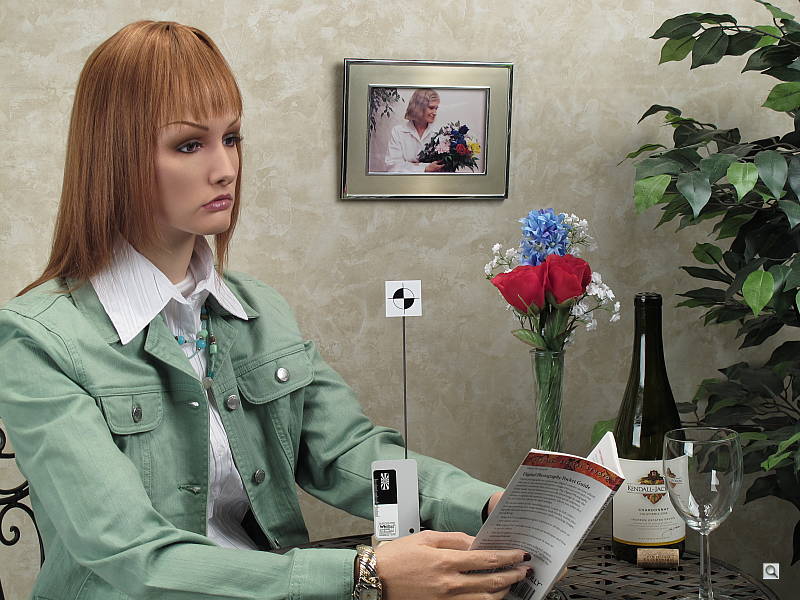
Color balance indoors under incandescent lighting had a slight magenta cast with the Auto white balance setting, but the Canon G11 did better here than the majority of digital cameras we test. The Incandescent white balance option resulted in a fairly strong reddish cast, while the Manual setting produced the most accurate color overall. (Some users may actually prefer the slight warmth the Auto setting produced, as being more representative of the original lighting.) The G11's exposure system handled this lighting well, producing good results with an average amount of exposure compensation, + 0.3 EV. Overall color looks good, though the blue flowers look a touch purplish, probably due to the G11's tendency to punch up reds a little. (Many digital cameras reproduce the blue flowers here with more of a purplish tint, so the Canon G11 actually performs a good bit better than average here.) Our test lighting for this shot is a mixture of 60 and 100 watt household incandescent bulbs, a pretty yellow light source, but a very common one in typical home settings here in the U.S.
Outdoors, daylight
Good overall performance outdoors, though high contrast and hot highlights. Good color as well.
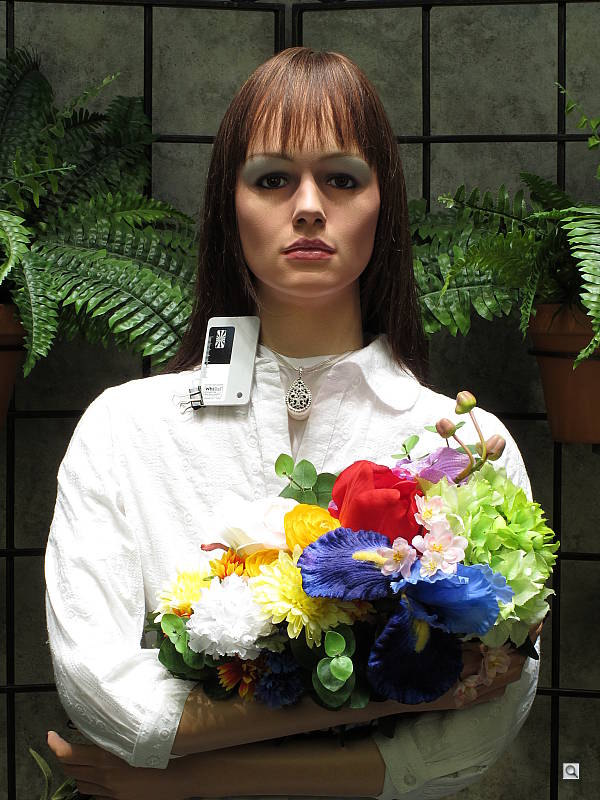
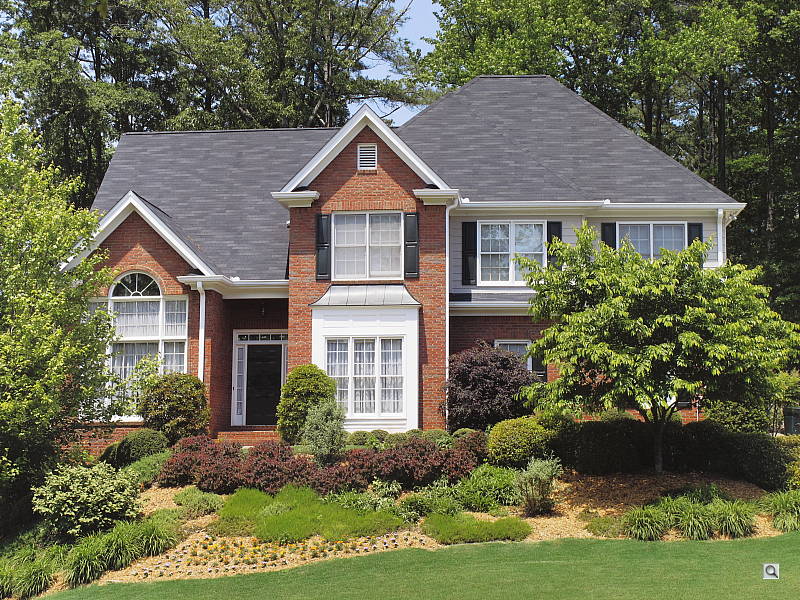
The Canon PowerShot G11 performed reasonably well under harsh outdoor lighting, though contrast was quite high. Slightly higher than average exposure compensation (+1.0 EV) was needed to keep the model's facial skin tones bright, resulting in a lot of blown highlights in her shirt and flowers. There was slight overexposure in the outdoor far-field house shot at the default exposure. Overall color is good though, if slightly reddish, with the Manual white balance setting on the portrait (the Auto and Daylight settings were just a touch too cool). Though overall contrast is high, the shadows hold onto a fair amount of detail. Fortunately, there's a contrast adjustment to help tame the highlights a bit, though it works better at bringing out shadows.
See full set of test images with explanations
See thumbnails of all test and gallery images
Resolution
High resolution, 1,400 ~ 1,500 lines of strong detail from JPEGs, 1,600 from converted RAW files.


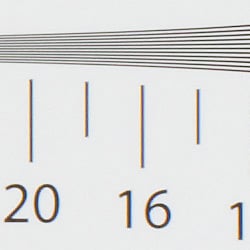
Our laboratory resolution chart revealed sharp, distinct line patterns down to about 1,500 lines per picture height in the horizontal direction, and 1,400 lines per picture height in the vertical direction. (Some might argue for over 1,800 lines, but artifacts begin to appear at much lower resolutions.) Extinction of the pattern occurred between 2,200 and 2,400 lines. We were able to extract a bit more resolution from Adobe Camera Raw 5.5 converted RAW files, about 1,600 lines both horizontally and vertically. Use these numbers to compare with other cameras of similar resolution, or use them to see just what higher resolution can mean in terms of potential detail.
See full set of test images with explanations
See thumbnails of all test and gallery images
Sharpness & Detail
Sharp, detailed images overall, with only minor edge-enhancement on high-contrast subjects. Noise suppression limits definition in low contrast areas, even at relatively low ISO settings.
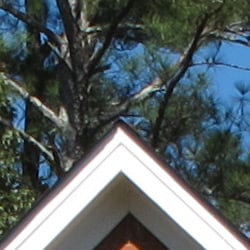

Sharpness. The Canon PowerShot G11 captures very good detail and reasonably sharp JPEG images. Slight enhancement artifacts are visible on high-contrast subjects such as the crop above left. Edge enhancement creates the illusion of sharpness by enhancing colors and tones right at the edge of a rapid transition in color or tone.
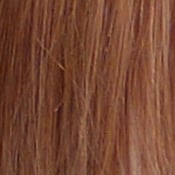
Detail. The crop above right shows moderate noise suppression, as the low contrast areas of hair show less distinct detail. Many individual strands remain fairly well defined, but the PowerShot G11's handling of subtle detail at low ISOs isn't notably improved over that of the earlier G10, despite its larger sensor pixels. Noise-suppression systems in digital cameras tend to flatten-out detail in areas of subtle contrast. The effects can often be seen in shots of human hair, where the individual strands are lost and an almost "watercolor" look appears.
RAW vs In-Camera JPEGs
As noted above, the Canon G11 produces fairly sharp, detailed in-camera JPEGs. We saw quite a bit more detail on the strongly contrasting geometric patterns of our resolution target when we converted images from RAW files using Adobe's Camera Raw plugin for Photoshop. In the natural image below, though, processing from RAW brought relatively little improvement in visible detail. Take a look below, to see what we mean:

In the table above, mousing over a link at the bottom will load the corresponding crop in the area above, and clicking on the link will load the full resolution image. Canon's Digital Photo Professional (version 3.7.1.1) software was able to extract slightly more detail, as was Adobe Camera Raw 5.5, though they both produced more sharpening artifacts than the camera's default settings, and neither resulted in the sort of dramatic improvement we see with some cameras. For ACR converted RAW files, we found that Canon G11 files required strong but tight sharpening. We used Photoshop to sharpen, with USM of 500% and Radius of 0.3 pixels.
ISO & Noise Performance
Low noise at the normal sensitivity settings, with pretty good results up to ISO 400. Strong noise and loss of detail at higher settings, however.
 |
 |
 |
| ISO 80 | ISO 100 | ISO 200 |
 |
 |
 |
ISO 400 | ISO 800 |
ISO 1,600
|
 |
ISO 3,200 |
The Canon PowerShot G11 produced low to moderate noise at the lower sensitivity settings, though the effects of noise reduction such as smudging and loss of fine detail can already be seen even at the lowest ISO. Fine detail holds pretty strong up to ISO 200, though. At ISO 400, noise is still reasonable and a lot of fine detail remains intact, but additional smudging is evident. Noise grain isn't really more apparent as you move to ISO 800, but stronger noise reduction results in additional detail loss. Yellow and purple blotches (chroma noise) begin to appear in darker tones and hair at ISO 800, and worsen as ISO goes up. At ISOs 1,600 and 3,200, artifacts from noise reduction and increased chroma noise dominate, blurring out most fine detail. On-screen crops like this tell you only part of the story with a camera, though: To see how these images held up when printing at various sizes, read the Output Quality section below.
Many readers will no doubt be curious how the 10-megapixel G11 compares to its predecessor, the 14.7-megapixel G10, as well as to Panasonic's 10-megapixel LX3. See the crops and graph below. (Also see our Canon G11 JPEG Image Quality and Canon G11 RAW Image Quality pages for expanded comparison crops from our Still Life shot.)
| Incandescent Lighting | |||
| ISO | Canon G11 | Canon G10 | Panasonic LX3 |
| 80 | |
 |
 |
| 100 | |
 |
 |
| 200 | |
 |
 |
400 | |
 |
 |
| 800 | |
 |
 |
| 1600 | |
 |
 |
| 3200 | |
 |
 |
As you can see from the crops above, the Canon G11 does offer noticeably lower noise levels relative to the previous G10, capturing a bit more detail with slightly fewer noise reduction artifacts. The Panasonic LX3 applies less noise reduction than either of the Canons, and while its images are noisier, they also hold more detail at higher ISOs, at least in these on-screen views. (Note that, unlike the other two, the G10 does not provide full resolution at ISO 3200.)
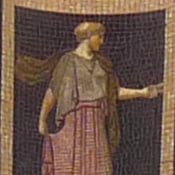
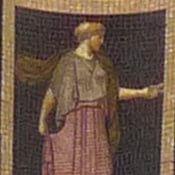
One thing that's very clearly going on here is that the LX3 is applying much more in-camera sharpening to its images than does the Canon G11. This both increases apparent detail and emphasizes noise. Let's take a look at what happens when we sharpen the G11's images to a roughly equivalent level:


The Canon PowerShot G11's high-iso images take quite a lot of sharpening, at a fairly large radius, to match the appearance of the LX3's files. At 270% and a 1 pixel radius in Adobe Photoshop, the G11 crop above now shows arguably better detail than the LX3, but with considerably finer-grained image noise.
This result was borne out by our printed tests. See the Print Quality section below for the details, but we found the Canon G11's high-ISO images straight from the camera very soft. Applying strong, large-radius sharpening to its ISO 1,600 images made for really surprisingly good prints at 8x10 inches, though. On that basis, the Canon G11's printed output was vastly better than that of the earlier G10, and in our view also significantly edged out the LX3 as well. (It's worth repeating here that it's virtually impossible to judge print quality with any reliability without studying actual prints: Images that look horrible on-screen 1:1 often appear just fine when printed at 8x10 or below. Likewise, other images may look pretty good on-screen, but display glaring flaws in print. As always, we encourage our readers to download our test images (for their own personal use), and print them out themselves, to obtain a true sense of each camera's image quality.)
The crops above are from images shot under incandescent lighting, a particularly difficult light source for achieving low noise images at high ISOs. Let's see how detail compares under simulated daylight:
| Simulated Daylight | |||
| ISO | Canon G11 | Canon G10 | Panasonic LX3 |
| 80 |  |
 |
 |
| 100 |  |
 |
 |
| 200 |  |
 |
 |
400 | 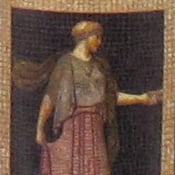 |
 |
 |
| 800 | 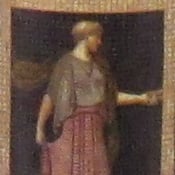 |
 |
 |
| 1600 |  |
 |
 |
| 3200 |  |
 |
 |
The story is similar under simulated daylight. The Canon PowerShot G11 has a noticeable noise advantage over both the G10 and Panasonic LX3 at higher ISOs, but the Panasonic LX3 shows more visible detail in its camera-generated JPEGs. Sharpening the G11's images to overcome the softness of the original camera JPEGs brings its noise levels way up, but the noise is also very fine-grained, so modest-sized prints (8x10 inches at ISO 1,600, 5x7 inches at ISO 3,200) end up looking very nice.


The crops above show a different part of the image, to reveal both fine detail and shadow noise. The softness of the Canon G11's unaltered JPEG images at ISO 1,600 is quite evident in the leftmost crop. The center crop shows better fine detail than the LX3, yet noise levels are somewhat lower. We wouldn't use nearly this much sharpening for an image viewed solely on-screen, but when printed at ~8x10 inches, the results are really excellent.
A nice feature of the LX3 is adjustable NR, so you can make the trade-off between noise and detail yourself. The shots above were all captured with the LX3's default noise reduction setting. When we tested the LX3, we shot a noise reduction series (showing results from all available settings) at ISO 800; feeling that that was about its limit for reasonable-sized prints.
If you want to control the noise/detail/sharpness trade-offs with the Canon G11 or G10, you'll ultimately need to work from its RAW files using software. (Which does give you a lot more control than any in-camera settings, albeit with the added work of using RAW conversion software.) As seen above, though, you actually have a fair range of choice in that trade-off, simply by choosing how much post-capture sharpening you want to apply to its JPEG files.
(As mentioned above, also see our Canon G11 JPEG Image Quality and Canon G11 RAW Image Quality pages for expanded comparison crops from our Still Life shot. And definitely refer to our Print Quality section below, because image noise and detail can appear very differently in printed results than when viewed 1:1 on-screen.)

The plot above shows how the three cameras discussed above compare in terms of luminance noise across their full-resolution ISO ranges in daylight-balanced lighting, as reported by Imatest. As you can see, noise levels from the 10MP G11 are a good bit lower than those of the G10 across the board (not surprising, since the G10 has a 14.7MP sensor with smaller photosites). The LX3 is also 10MP and has similar noise levels up to ISO 400. At higher ISOs, the LX3 shows much higher noise, but also more detail.
Extremes: Sunlit and low light tests
High resolution with strong detail, but high contrast. Very good low-light performance, capable of getting bright images in near darkness.


Sunlight. The Canon PowerShot G11 performed reasonably well under the deliberately harsh lighting in the test above, but with washed-out highlights and deep shadows. Despite some noise suppression in the shadow areas, detail is still good in the shadows. Highlight detail is compromised, with clipping occurring in the shirt and some flowers. At +0.7 EV, the face, background and some shadow areas are just a little dark, so we preferred the +1.0 EV exposure, though it resulted in a lot of blown highlights. The G11's adjustable contrast setting did a good job of decreasing the overall contrast and bringing up the shadows and midtones, without creating any strange color gradations on the face. Be sure to use fill flash in situations like the one shown above; and it's better to shoot in the shade when possible.
Contrast Adjustment
As mentioned previously, the camera's contrast adjustment helped in handling dark shadows, but was less effective with strong highlights.
|
Minimum Contrast
|
|
 |
 |
| Contrast set to lowest, +0.3 EV |
Contrast set to lowest, Auto Exposure |
At its lowest contrast setting, the Canon G11 did a better job of holding more detail in the shadows while maintaining fairly natural-looking skin tones in the portrait shot above. It did not help much with the blown highlights in the far-field house shot, though shadow detail is better.
| Contrast Adjustment Examples | ||
|
 |
 |
| -2 | 0 | +2 |
The shots above show the results of the minimum, default and maximum contrast settings. While you can see the extremes, it's pretty hard to evaluate small differences in contrast on small thumbnails like these, click on any thumbnail to go to the full-size image.
| i-Contrast Example | |
 |
 |
| Off, +0.3EV | Auto, +0.3EV |
The above images show the effect of the Canon G11's Intelligent Contrast (i-Contrast) feature. The Auto mode did brighten the model's face quite a bit, though there appears to be sightly more clipping of highlights in her shirt and flowers. Still, pretty good results here.
| Face Detection Example | |
 |
 |
| Off, 0 EV | On, 0 EV |
The above images show the effect of the Canon G11's face detection autofocus mode (Face AiAF), which also adjusts exposure and white balance to optimize exposure for faces. The G11's face detection AF mode did adjust exposure so that the model's face is much brighter than with it Off, but as a result the rest of the scene became a bit too bright overall, losing a lot of detail in the highlights. Still, a handy feature, if you're dealing with strong backlighting, etc.
Because digital cameras are more like slide film than negative film (in that they tend to have a more limited tonal range), we test them in the harshest situations to see how they handle scenes with bright highlights and dark shadows, as well as what kind of sensitivity they have in low light. The shot above is designed to mimic the very harsh, contrasty effect of direct noonday sunlight, a very tough challenge for most digital cameras. (You can read details of this test here.)
| 1 fc 11 lux |
1/2 fc 5.5 lux |
1/4 fc 2.7 lux |
1/8 fc 1.3 lux |
1/16 fc 0.67 lux |
|
|---|---|---|---|---|---|
| ISO 80 |
 2 sec f3.0 |
 4 sec f3.0 |
 8 sec f3.0 |
 16 sec f3.0 |
 16 sec f2.9 |
| ISO 100 |
 1.6 sec f3.0 |
 3.2 sec f3.0 |
 6.3 sec f3.0 |
 12.6 sec f3.0 |
 16 sec f2.9 |
| ISO 200 |
 0.8 sec f3.0 |
 1.6 sec f3.0 |
 3.2 sec f3.0 |
 6.3 sec f3.0 |
 12.6 sec f3.0 |
| ISO 400 |
 0.4 sec f3.0 |
 0.8 sec f3.0 |
 1.6 sec f3.0 |
 3.2 sec f3.0 |
 6.3 sec f3.0 |
| ISO 800 |
 1/5 sec f3.0 |
 0.4 sec f3.0 |
 0.8 sec f3.0 |
 1.6 sec f3.0 |
 3.2 sec f3.0 |
| ISO 1600 |
 1/10 sec f3.0 |
 1/5 sec f3.0 |
 0.4 sec f3.0 |
 0.8 sec f3.0 |
 1.6 sec f3.0 |
| ISO 3200 |
 1/20 sec f3.0 |
 1/10 sec f3.0 |
 1/5 sec f3.0 |
 0.4 sec f3.0 |
 0.8 sec f3.0 |
Low light. The Canon PowerShot G11 performed well on the low-light test, capturing reasonably bright images at the lowest light level all the way down to ISO 200, close to the lowest sensitivity setting. At ISOs 80 and 100, the images at 1/16 foot-candle are a bit dim, due to the G11's maximum exposure time of 15 seconds (reported in the EXIF file header as 16s), but still usable. Color balance was pretty good with the Auto white balance setting. Images were reasonably clean up to ISO 400 at the lowest light levels, but naturally, noise increases along with. In addition to applying high ISO noise reduction by default, the G11 automatically applies dark-frame subtraction for exposures 1.3 seconds or slower.
The camera's autofocus system worked well also, as it was able to focus on the subject down to about the 1/8 foot-candle light level unassisted, and in complete darkness with the AF assist enabled. (A useful trick when shooting under dim lighting is to just prop the camera on a convenient surface, and use its self-timer to release the shutter. This avoids any jiggling from your finger pressing the shutter button, and can work quite well when you don't have a tripod handy. With its ability to focus in very dim lighting, the G11 should do quite well in such situations.)
How bright is this? The one foot-candle light level that this test begins at roughly corresponds to the brightness of typical city street-lighting at night. Cameras performing well at that level should be able to snap good-looking photos of street-lit scenes.
NOTE: This low light test is conducted with a stationary subject, and the camera mounted on a sturdy tripod. Most digital cameras will fail miserably when faced with a moving subject in dim lighting. (For example, a child's ballet recital or a holiday pageant in a gymnasium.) For such applications, you may have better luck with a digital SLR camera, but even there, you'll likely need to set the focus manually. For information and reviews on digital SLRs, refer to our SLR review index page.
Flash
Coverage and Range
A powerful flash, with somewhat uneven coverage at wide-angle. About average exposure compensation required.


Coverage and Exposure. Flash coverage was somewhat uneven at wide-angle (not surprising, given the wider-than-average 28mm equivalent focal length), with more uniform results at full telephoto. In the Indoor test, the G11's flash underexposed our subject at its default setting, requiring a boost in exposure to +0.7 EV, a typical value for this scene. The camera's Slow-Sync flash mode produced slightly dim results at the default exposure, so we chose +1.0 EV for the best exposure, though it has a strong yellow-orange cast from the room lighting.
| Flash Range: wide-angle | |||||
|---|---|---|---|---|---|
| 6 ft | 7 ft | 8 ft | 9 ft | 10 ft | 11 ft |
 1/64 sec f2.9 ISO 100 |
 1/64 sec f2.9 ISO 100 |
 1/64 sec f2.9 ISO 100 |
 1/64 sec f2.9 ISO 100 |
 1/64 sec f2.9 ISO 100 |
 1/64 sec f2.9 ISO 100 |
| 12 ft | 13 ft | 14 ft | 15 ft | 16 ft | |
 1/64 sec f2.9 ISO 100 |
 1/64 sec f2.9 ISO 100 |
 1/64 sec f2.9 ISO 100 |
 1/64 sec f2.9 ISO 100 |
 1/64 sec f2.9 ISO 100 |
|
| Flash Range: Telephoto | |||||
|---|---|---|---|---|---|
| 6 ft | 7 ft | 8 ft | 9 ft | 10 ft | 11 ft |
 1/64 sec f4.6 ISO 100 |
 1/64 sec f4.6 ISO 100 |
 1/64 sec f4.6 ISO 100 |
 1/64 sec f4.6 ISO 100 |
 1/64 sec f4.6 ISO 100 |
 1/64 sec f4.6 ISO 100 |
| 12 ft | 13 ft | 14 ft | 15 ft | 16 ft | |
 1/64 sec f4.6 ISO 100 |
 1/64 sec f4.6 ISO 100 |
 1/64 sec f4.6 ISO 100 |
 1/64 sec f4.6 ISO 100 |
 1/64 sec f4.6 ISO 100 |
|
ISO 100 Range. At wide-angle and ISO 100, flash shots gradually lost intensity as distance increased, but were still reasonably bright all the way out to 16 feet, the limit of our test. At telephoto, flash shots were fairly bright to about 9 feet, decreasing in brightness from that point on. Excellent results here.
| Manufacturer-Specified Flash Range | |
|---|---|
| wide-angle | Telephoto |
 23.0 feet Auto ISO 500 |
 13.0 feet Auto ISO 500 |
Manufacturer Specified Flash Test. In the shots above, the Canon G11 performs as Canon says it will at full wide-angle and telephoto, however it boosted sensitivity by quite a bit to ISO 500 to achieve these results. Our standard test method for flash range uses a fixed setting of ISO 100, to provide a fair basis of comparison between cameras. We've now also begun shooting two shots using the manufacturer-specified camera settings, at the range the company claims for the camera, to assess the validity of the specific claims.
Output Quality
Print Quality
Good print quality, good color, sharp 13x19-inch prints. ISO 400 images are soft but usable at 13x19, ISO 800 shots are usable at 11x14, and ISO 1,600 shots are usable at 5x7.
 Print quality is excellent from the Canon G11's images, with good color. Cameras generally save their files with a default ppi (pixels per inch) setting: The Canon G11's default of 180 ppi would result in a print size of 20.3x15.2 inches, and that represents about the limit at ISO 80 and 100. JPEG images straight from the camera are slightly soft, so you can print a little bigger if you sharpen the G11's images carefully in Photoshop or other retouching software. Unmodified, though, ISO 80, 100, and 200 shots are just about right at 13x19 inches. Even ISO 400 shots are usable at 13x19 but are a tad soft, getting back their snap at 11x14. ISO 800 shots are usable at 11x14 when viewed from a distance, but appear soft on close inspection. They come back into usefulness at Letter size (8.5x11).
Output quality takes a noticeable drop at ISO 1,600, though, with prints looking really soft at Letter size (8.5 x 11 inches). Comparing shots from the Canon G11 with those from the Panasonic LX3, we discovered just how the LX3 gets such impressive printed results at this ISO setting. The LX3's high-ISO shots actually look pretty bad on-screen, with quite a bit of noise and very coarse-looking details. Printed, though, they look surprisingly good. What became apparent as we studied images from the two competing cameras was that the LX3's files had a lot of pretty large-radius sharpening applied to them. On-screen, they look really over-sharpened, but printed at 8x10 inches or so, they looked quite good. Applying similar over-sharpening to the Canon G11's images (1.0 pixel radius, 220%) produces similar-looking results on-screen, but excellent results on the prints as well, producing great-looking Letter size prints that actually edged out those from the LX3. With no processing, the Canon G11's ISO 1,600 images make acceptable-looking 5x7 inch prints.
This trick of deliberate over-sharpening turned out to be an important discovery, because performing the same trick on the G10's 14-megapixel images didn't produce anything like the same results, revealing much more chroma noise. The LX3's images likewise show some pretty distinct blotchiness that ends up more noticeable primarily because the LX3's saturation is also boosted a bit relative to that of the G11. While we seldom do this deep an analysis of print quality, it was an interesting exercise that showed how different sharpening strategies can get very different results. Because Canon's main reason for dropping the G11's resolution was to get better high ISO performance, we felt it was worth investigating why it its ISO 1,600 shots seemed so little improved when printed. This sort of issue often comes down to a matter of personal preference, but we think most G11 owners will be happier with their ISO 1,600 photos if they take the time to "oversharpen" them.
Leaving ISO 1,600 aside, it's worth noting that the ability to print ISO 800 images at 11x14 with only minimal softness is quite an accomplishment for a compact camera, particularly when you consider how much smaller the Canon G11's sensor is compared to those of APS-C cameras like the Canon Rebel XS or XSi.
Testing hundreds of digital cameras, we've found that you can only tell just so much about a camera's image quality by viewing its images on-screen. Ultimately, there's no substitute for printing a lot of images and examining them closely. For this reason, we now routinely print sample images from the cameras we test on our Canon Pro9000 Mark II studio printer, and on the Canon Pixma MP610 here in the office. (See the Canon Pixma Pro9000 Mark II review for details on that model.)
The images above were taken from our standardized test shots. For a collection of more pictorial photos, see our Canon PowerShot G11 Photo Gallery .
Not sure which camera to buy? Let your eyes be the ultimate judge! Visit our Comparometer(tm) to compare images from the Canon PowerShot G11 with those from other cameras you may be considering. The proof is in the pictures, so let your own eyes decide which you like best!
Performance
Canon PowerShot G11 Performance
Timing and Performance
Slow to average speed for a consumer camera.
| Startup/Shutdown |
||
| Power on |
2.5 seconds | Time it takes for LCD to turn on and lens to deploy and capture a picture. |
| Shutdown |
1.5 seconds | How long it takes to retract lens. |
| Buffer clearing time |
1 second* (after 20 LF JPEG frames) 2 seconds* (after 20+ RAW or 20+ RAW+JPEG frames) |
Worst case buffer clearing time. -- This is the delay after a set of shots before you can remove the card. Some cameras won't retract their lenses and shut down until the buffer is cleared. |
|
*Note: Buffer clearing times measured with a SanDisk Extreme III 8GB SDHC memory card. Slower cards will produce correspondingly longer clearing times.
|
||
About average startup and shutdown times here (a bit slower than the G10, though), but pretty fast buffer clearing with a fast card.
| Mode Switching | ||
|---|---|---|
| Play to Record, |
1.7 seconds | Time until first shot is captured. |
| Record to play |
2.5 seconds | Time to display a large/fine file immediately after capture. |
| Display |
1.9 seconds | Time to display a large/fine file already on the memory card. |
Mode switching times are about average, except for Play to Record which is a good bit slower than average. (You could easily miss a shot, if you'd been viewing images and needed to quickly switch to Record mode again, to catch some fast-breaking action.) Again, slower than the G10 except for displaying a recorded image (G10 has larger files).
| Shutter Response (Lag Time) | ||
|---|---|---|
| Full Autofocus Wide |
0.54 second | Time from fully pressing shutter button to image capture, zoom lens at wide-angle position. |
| Full Autofocus Tele |
0.75 second | Time from fully pressing shutter button to image capture, zoom lens at telephoto position. |
|
Full Autofocus
Flash enabled |
0.81 second
|
Time from fully pressing shutter button to image capture, zoom lens at wide-angle position, Auto flash enabled.
|
| Prefocused |
0.072 second | Time to capture, after half-pressing and holding shutter button. |
| Continuous AF |
0.56 second |
This mode usually shows no speed increase with our static subject; we have no way to measure performance with moving subjects. |
| Manual Focus |
0.47 second |
For most cameras, shutter lag
is less in manual focus than autofocus, but usually not as fast as
when the camera is "prefocused." |
Full AF shutter response in the default AF mode is about average at both wide-angle and telephoto, for digicams with zoom lenses matching the G11's, at 0.54s and 0.75s respectively. Enabling the flash increases lag to 0.81s, due to the preflash metering involved. "Prefocusing" the camera by half-pressing and holding down the shutter button before the final exposure results in a lag time of 0.072 second, which while quite fast, isn't quite as fast as some. Times for continuous and manual focus are also about average. The Canon G11's performance here is similar to the G10, with some times being slightly slower and some slightly faster.
| Cycle Time (shot to shot) | ||
|---|---|---|
|
Single Shot mode Large Fine JPEG |
2.29 seconds | Time per shot, averaged over 20 shots. |
| Single Shot mode |
2.80 seconds | Time per shot, averaged over 20 shots. |
| Single Shot mode |
2.88 seconds | Time per shot, averaged over 20 shots. |
| Early shutter |
No
|
Some cameras don't snap another shot if you release and press the shutter too quickly in Single Shot mode, making "No" the preferred answer. |
| Continuous mode |
0.90 second (1.11 frames per second); 20+ frames total; 1 second to clear* |
Time per shot, averaged over buffer length or 20 shots, whichever came first. |
| Continuous mode |
1.19 seconds (0.84 frames per second); 20+ frames total; 2 seconds to clear* |
Time per shot, averaged over buffer length or 20 shots, whichever came first. |
| Continuous mode |
1.27 second (0.79 frames per second); 20+ frames total; 2 seconds to clear* |
Time per shot, averaged over buffer length or 20 shots, whichever came first. |
| Flash recycling |
4.5 seconds | Flash at maximum output. |
| *Note: Buffer clearing times measured with a SanDisk Extreme III 8GB SDHC memory card. Slower cards will produce correspondingly slower clearing times. Slow cards may also limit length of bursts in continuous mode. ISO sensitivity also affects cycle times and burst mode performance, with higher ISOs generally increasing cycle times and reducing burst performance. |
||
Shot-to-shot cycle times are a bit on the slow side, and surprisingly, slightly slower than the G10, at about 2.29 seconds for large/fine JPEGs. We found this surprising, because the Canon G11 has fewer pixels to deal with than did the G10, but perhaps the G11's improved noise-reduction processing is the cause. When shooting RAW, cycle time slows to 2.80 seconds per frame, and for RAW + large/fine JPEG it stretches to 2.88 seconds. The camera does seem to capture frames indefinitely at these rates, though. (That is, given a fast enough memory card, it doesn't have to pause every few frames to wait for the card to catch up.) The Canon G11's continuous shooting modes were also slower than the G10, capturing large/fine JPEGs at about 1.11 frames per second vs the G10's 1.37 fps. This rate slows to 0.84 frames per second with RAW, and 0.79 frames per second with RAW + large/fine JPEG. Buffer sizes were good, though, at over 20 frames in any quality with a fast card. (Note that slow memory cards may force the camera to stop and wait for them after fewer frames.) The flash takes 4.5 seconds to recharge after a full-power shot, which is good, about twice as fast as was the case with the G10.
| Download Speed | ||
|---|---|---|
| Windows Computer, USB 2.0 |
6,393 KBytes/sec | Typical Values: |
Connected to a computer or printer with USB 2.0, download speeds are very good. (A bit faster than the G10.)
Bottom line, the Canon G11 won't be a good choice for fast-paced action, especially if shooting RAW, but should handle typical non-speed-critical shooting situations fairly well. Oddly though, the G11 was slightly slower than the G10 in many respects, despite having smaller file sizes. As noted, this may be the result of its enhanced noise reduction processing, but we found it surprising all the same.
Battery and Storage Capacity
Battery
Excellent battery life for a lithium-ion design.
| Operating Mode | Number of Shots |
|---|---|
|
Lithium-ion Rechargeable Battery,
Optical Viewfinder (CIPA standard) |
1,000
|
|
Lithium-ion Rechargeable Battery,
LCD Monitor (CIPA standard) |
390
|
The Canon PowerShot G11 uses a custom rechargeable lithium-ion battery for power, and ships with a charger. Although battery life is excellent, especially when using the optical viewfinder instead of the LCD to frame, we recommend you pick up a spare battery and keep it freshly charged and on-hand for extended outings.
The table above shows the number of shots the camera is capable of (on a fully-charged rechargeable battery as appropriate), based on CIPA battery-life and/or manufacturer standard test conditions.
(Interested readers can find an English translation of the CIPA DC-002 standards document here. (180K PDF document))
Storage
The Canon PowerShot G11 accepts SDHC/SD/MMC memory cards, and does not include any built-in memory or a starter card. Canon recommends using a card with Speed Class 4 or faster for capturing VGA movies.
| Image Capacity with 1GB Memory Card |
Fine | Normal | RAW | RAW + LF JPEG |
|
|---|---|---|---|---|---|
|
3,648 x 2,736 |
Images (Avg Size) |
387 2.7 MB |
805 1.3 MB |
69 14.8 MB |
58 17.7 MB |
|
Approx.
Comp. |
11:1 | 23:1 | 1:1 | - | |
|
2,816 x 2,112 |
Images (Avg Size) |
608 1.7 MB |
1,256 815 KB |
- |
- |
|
Approx.
Comp. |
11:1 | 22:1 | - | - | |
|
2,272 x 1,704 |
Images (Avg Size) |
884 1.2 MB |
1,745 587 KB |
- |
- |
|
Approx.
Comp. |
10:1 | 20:1 | - | - | |
|
1,600 x 1,200 |
Images (Avg Size) |
1,745 587 KB |
3,307 310 KB |
- |
- |
|
Approx.
Comp. |
10:1 | 19:1 | - | - | |
|
640 x 480 |
Images (Avg Size) |
5,713 179 KB |
8,978 114 KB |
- |
- |
|
Approx.
Comp. |
5:1 | 8:1 | - | - | |
We strongly recommend buying a large capacity SD/SDHC memory card at least a 2GB card, preferably a 4 or 8GB one, to give yourself extra space for extended outings, RAW files or video. (Check the shopping link above, cards are really cheap these days, so no reason to skimp.)
Jpegquality
Canon PowerShot G11 JPEG Image Quality
In our SLR reviews, we commonly compare high-ISO performance between cameras, using standard crops from our Still Life test shot that show rendering of subtly contrasting detail, shadow noise, and fine high-contrast detail. We don't normally do this sort of comparison for non-interchangeable lens cameras, but felt it was justified here, given the Canon G11's strong appeal to the "enthusiast" photographer. Because small-sensor cameras also require trade-offs in noise vs detail even at base ISOs, we've also extended our comparison to cover the full ISO range of the Canon G11.
Below are crops from Canon G11's in-camera JPEG files compared to JPEG files from the earlier Canon G10, the Panasonic LX3, the Panasonic GF1, and the Canon T1i, all using the camera's default noise-reduction setting (for cameras that provide such an option: The G11 itself has no on/off option for high-ISO noise reduction). We chose these models to compare, as the first four all compete in the "enthusiast pocket camera" market, while the last is an exemplar of an enthusiast SLR that's about 50% more expensive at street price than the G11. (Yes, the Panasonic GF1 is more expensive at street prices than even the T1i, but we think many people considering a camera like the G11 may also be looking at a Micro Four Thirds model like the GF1 as well, weighing the higher price as part of the equation.)
|
JPEG Image Quality
Canon G11 vs G10, Panasonic LX3, Panasonic GF1, Canon T1i (JPEG files shot with default NR settings, Simulated Daylight) |
|||||
|
|
Canon G11
|
Canon G10
|
Panasonic LX3
|
Panasonic GF1
|
Canon T1i
|
| I S O 1 0 0 |
 |
 |
 |
 |
 |
 |
 |
 |
 |
 |
|
 |
 |
 |
 |
 |
|
|
Canon G11
|
Canon G10
|
Panasonic LX3
|
Panasonic GF1
|
Canon T1i
|
|
| I S O 2 0 0 |
 |
 |
 |
 |
 |
 |
 |
 |
 |
 |
|
 |
 |
 |
 |
 |
|
|
Canon G11
|
Canon G10
|
Panasonic LX3
|
Panasonic GF1
|
Canon T1i
|
|
| I S O 4 0 0 |
 |
 |
 |
 |
 |
 |
 |
 |
 |
 |
|
 |
 |
 |
 |
 |
|
|
Canon G11
|
Canon G10
|
Panasonic LX3
|
Panasonic GF1
|
Canon T1i
|
I
S O 8 0 0 |
 |
 |
 |
 |
 |
 |
 |
 |
 |
 |
|
 |
 |
 |
 |
 |
|
|
|
Canon G11
|
Canon G10
|
Panasonic LX3
|
Panasonic GF1
|
Canon T1i
|
|
I
S 0 1 6 0 0 |
 |
 |
 |
 |
 |
 |
 |
 |
 |
 |
|
 |
 |
 |
 |
 |
|
|
|
Canon G11
|
Canon G10
|
Panasonic LX3
|
Panasonic GF1
|
Canon T1i
|
I
S O 3 2 0 0 |
 |
N/A
|
 |
 |
 |
 |
N/A
|
 |
 |
 |
|
 |
N/A
|
 |
 |
 |
|
Here, we see clear differences between the Canon G11 and its predecessor the G10, especially at higher ISOs. These images do show a trade-off that Canon has chosen to make in the JPEGs, in that they've worked very hard at noise suppression (particularly of chroma noise), but that comes at the cost of some softness in the images. There's no questioning the overall improvement over the G10, though, and on-screen noise levels are markedly superior to those of the Panasonic LX3, it's closest competitor in the category. (The LX3's noise isn't nearly as evident when printed at sizes up to about 8x10 inches as it appears on-screen, though, so we found that its printed results still bested those of the G11 at ISOs of 1,600 and higher.) See our Canon G11 RAW file comparison page for a better idea of the underlying subtle detail that is available in its RAW images: This looks like a camera that would reward a RAW converter with good noise-reduction algorithms quite nicely.
Rawquality
Canon PowerShot G11 RAW Image Quality
In many of our SLR reviews, we've recently been looking at RAW files converted with dcraw, an excellent freeware raw converter. dcraw usually offers timely support for the latest cameras, but more importantly, it does not apply any noise-reduction, sharpening or other corrections such as geometric distortion correction to the output files. (We found that Adobe Camera Raw still applies some limited noise-reduction when its NR settings are set to zero, and it also applies other corrections depending on the make and model of the camera). There will always be differences between RAW converters, in terms of the sort of demosaicing algorithms they use (the processes by which they convert the separate Red, Green, and Blue data sets to an array of full-color RGB pixels), but dcraw seems to use a fairly generic algorithm that delivers good sharpness with relatively few artifacts, and can be counted on to not apply any noise reduction if you don't want it to.
While we don't normally spend the time with RAW comparisons on non-interchangeable lens cameras, given the "enthusiast" slant of the G11's audience, we thought it would be worthwhile to look at RAW results from it vs other cameras potential purchasers might be considering.
Below are crops from Canon G11's RAW files compared to RAW files from the earlier Canon G10, the Panasonic LX3, the Panasonic GF1, and the Canon T1i, converted with dcraw. We chose these models to compare, as the first four all compete in the "enthusiast pocket camera" market, while the last is an exemplar of an enthusiast SLR that's about 50% more expensive at street price than the G11. (Yes, the Panasonic GF1 is more expensive at street prices than even the T1i, but we think many people considering a camera like the G11 may also be looking at a Micro Four Thirds model like the GF1 as well, weighing the higher price as part of the equation.)
|
RAW Image Quality
Canon G11 vs G10, Panasonic LX3, Panasonic GF1, Canon T1i (RAW files converted with dcraw, no NR, no sharpening, Simulated Daylight) |
|||||
|
|
Canon G11
|
Canon G10
|
Panasonic LX3
|
Panasonic GF1
|
Canon T1i
|
| I S O 1 0 0 |
 |
 |
 |
 |
 |
 |
 |
 |
 |
 |
|
 |
 |
 |
 |
 |
|
|
Canon G11
|
Canon G10
|
Panasonic LX3
|
Panasonic GF1
|
Canon T1i
|
|
| I S O 2 0 0 |
 |
 |
 |
 |
 |
 |
 |
 |
 |
 |
|
 |
 |
 |
 |
 |
|
|
Canon G11
|
Canon G10
|
Panasonic LX3
|
Panasonic GF1
|
Canon T1i
|
|
| I S O 4 0 0 |
 |
 |
 |
 |
 |
 |
 |
 |
 |
 |
|
 |
 |
 |
 |
 |
|
|
Canon G11
|
Canon G10
|
Panasonic LX3
|
Panasonic GF1
|
Canon T1i
|
I
S O 8 0 0 |
 |
 |
 |
 |
 |
 |
 |
 |
 |
 |
|
 |
 |
 |
 |
 |
|
|
|
Canon G11
|
Canon G10
|
Panasonic LX3
|
Panasonic GF1
|
Canon T1i
|
|
I
S 0 1 6 0 0 |
 |
 |
 |
 |
 |
 |
 |
 |
 |
 |
|
 |
 |
 |
 |
 |
|
|
|
Canon G11
|
Canon G10
|
Panasonic LX3
|
Panasonic GF1
|
Canon T1i
|
I
S O 3 2 0 0 |
 |
N/A
|
 |
 |
 |
 |
N/A
|
 |
 |
 |
|
 |
N/A
|
 |
 |
 |
|
A cautionary note when examining the crops above: The dcraw raw conversion program produces markedly lower color saturation for the Canon G11 than it did for the other cameras shown, and one natural outcome of this would be lower noise levels; particularly lower chroma noise.
Lower saturation from the RAW converter aside, we see a really dramatic difference between RAW output from the Canon G11 and its predecessor the G10: It's well more than an f-stop's worth of difference, and could easily be a stop and a half, even when allowing for the saturation difference. The G11's RAW output also easily bests that of the Panasonic LX3, long a leader in the compact "prosumer" category. (Although, in fairness, the LX3 is now fully two years old, as of this writing, so one would expect technology to have advanced in the interim.) What's surprising to us is that the Canon G11's RAW output is very competitive with that of the Panasonic GF1, a camera with a good bit bigger sensor.
Bottom line, the Canon G11 represents a fairly dramatic step forward in RAW image quality for a compact enthusiast-level camera.