


Overview
by Shawn Barnett, Mike Tomkins and Zig Weidelich
Hands-on Preview posted: 01/09/2012
Image comparison and print quality added: 02/03/2012
Review posted: 05/15/2012

Every major camera manufacturer save one has entered the market for compact system cameras, digital cameras with small bodies, mostly larger sensors, and interchangeable lenses, all without a complicated mirror box system. That one hold-out continues to wait, but Canon drops a few hints in the design and choice of sensors with the new flagship of the G-series, the G1 X. With a sensor that's just a little larger than Four Thirds, and just a little smaller than APS-C, the G1 X could be a hint of things to come.
Canon emphasizes that the G1 X does not replace the G12, instead representing the apex of the line. Coming in at a considerably higher price point of $799 MSRP, a full $300 more than the G12, it is indeed a departure.
While it's clearly related to recent G-series cameras, the Canon G1 X is a little more of a commitment than the G12, as well as most compact system cameras. At 18.8 ounces (534g) it weighs more than a pound, noticeably more than the G12's 12.4 ounce weight (351g). It's also larger in all dimensions, measuring 4.6 x 3.2 x 2.5 inches (117 x 81 x 65mm), compared to the G12's 4.4 x 3.0 x 1.9 inches (112 x 76 x 48mm). It goes from an under-two-inch body to a 2.5 inch thick one, or about 17mm thicker, and also gains 5mm in width and height. Much of that thickness, however, is for the lens ring, with the grip sticking out quite a bit less.
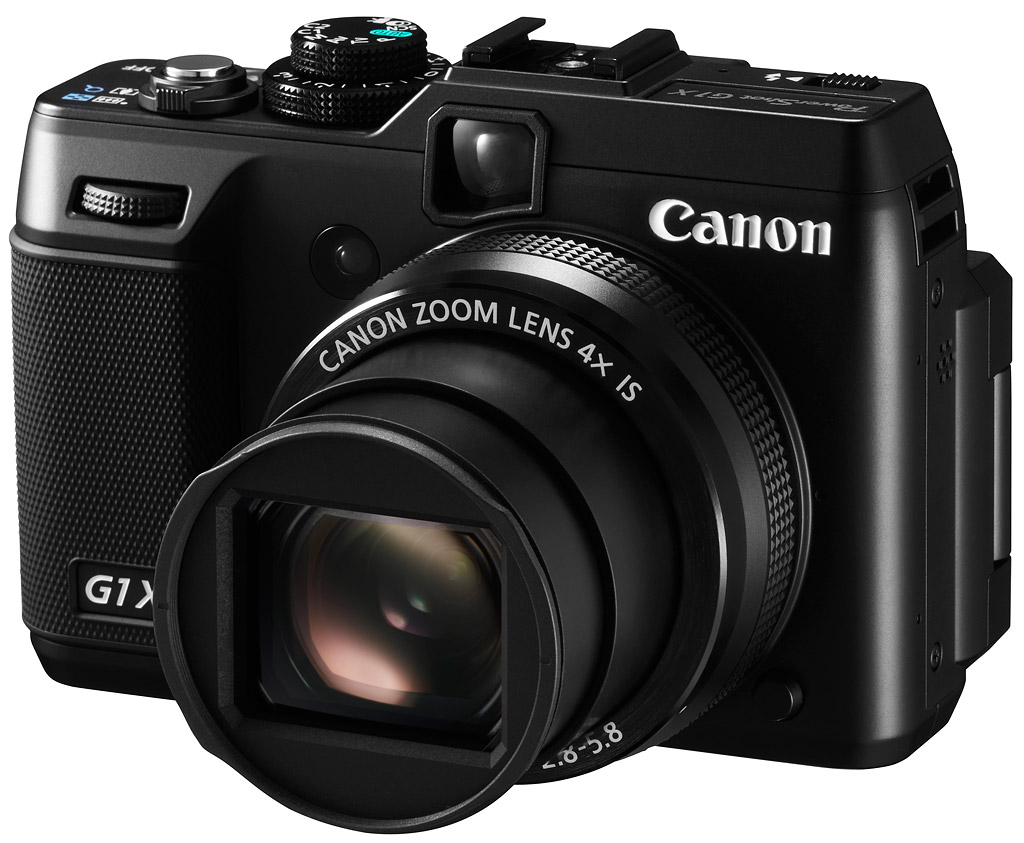
It's nice to see the Canon G1 X's substantial knurled grip and similarly knurled control dial perched above it. Even more lovely to behold is the comparatively large lens element. Looks like a lens we could fall in love with. Its 4x zoom covers the equivalent of a 28-112mm zoom lens, and ranges from f/2.8 to f/5.8 from wide to tele.

The Canon G1 X's optical viewfinder peeks out from beneath the hot shoe, and the Self-timer/AF-Assist Lamp appears just left of that. Below right of the lens is the ring release button, to make room for accessory lenses. Missing from the scene is the G12's embedded flash. That's because they've finally included a pop-up flash, which adds a bit more distance between the flash and lens.

It certainly pops up higher than the Nikon P7100's little pop-up flash. A knurled slider releases the flash; it's not motorized as on the S100, so it won't be popping up into your finger unexpectedly. Because they added the pop-up flash, however, they had to lose a dial, and I'm sure it was a hard decision which one to ditch. The ISO dial lost out, unfortunately, and the Exposure Compensation dial takes its place under the smaller Mode dial. Then it's just the power button (labeled ON/OFF as on the G12), and the Shutter release/Zoom toggle combination.
Also note the recessed metal strap slot, a discrete solution, connecting straps without noisy D-rings as we've seen on so many other compact system cameras. Nice.

A look at the back of the Canon G1 X tells you that the company is exploring a new direction for the camera line. The organic lines of the Canon G12 are replaced by more edges, bevels, and straight lines. No bezel bulges around the articulating LCD; instead it lies against a flat back. It's a clean look, more utilitarian, probably reducing cost and weight. The LCD itself is a 3-inch size, larger than the G12's 2.8-inch LCD. A substantial knurled thumb rest drives home the new aesthetic, bringing to mind the diamond-plating on the sides of my truck bed, cut to fit, there to serve a purpose more than to look pretty.
The AE-Lock button moves down to make room for the dedicated Movie Record button. AF-point selection and Metering buttons are still given top billing, though, and ISO now appears where Manual Focus used to be. Again, it's a shame about the ISO dial, but this is a workable solution that still gives the creative photographer plenty of control.
Canon PowerShot G1 X Live Q&A
Excited by the possibilities of Canon's first large-sensor, fixed-lens compact camera? So were we! That's why we conducted a Q&A session with Chuck Westfall, Technical Advisor with the Professional Engineering & Solutions Division at Canon U.S.A., Inc., live from the show floor at the Consumer Electronics Show in Las Vegas, Nevada. The session took place on Monday, January 9th, 2012, so unfortunately it's too late to ask your own questions, but read on--there's every chance somebody else already asked it for you!
Canon G1 X Technical Information

Sensor. The Canon PowerShot G1 X is based around a brand-new, Canon-developed CMOS image sensor that's closely related to those featured in some of its EOS-series SLR cameras, but with a slightly smaller size and a narrower aspect ratio. With dimensions of 18.7 x 14mm, it's the largest image sensor ever featured in a Canon PowerShot camera. Compared to a typical Canon APS-C sensor, the new chip is very close to the same height, but with a 4:3 aspect ratio, about 11% narrower than a 3:2 aspect ratio chip would be. Effective resolution is 14.3 megapixels, and we understand that on the pixel level, the new chip has a similar pixel structure to the 18-megapixel CMOS sensor featured in several current Canon SLRs.
Compared to the 1/1.7-inch sensor featured in Canon's previous G-series flagship, the PowerShot G12, the G1 X's sensor has about six times greater surface area, and according to Canon, should yield about nine times greater light sensitivity. That's not the only area where the larger sensor will show an advantage, however. The Canon G1 X should also offer wider dynamic range, and be capable of producing a much shallower depth-of-field, making it easier to isolate your subjects from their backgrounds.
Aspect ratio options other than the native 4:3 include 4:5, 3:2, 16:9, and 1:1.

Processor. Output from the Canon G1 X's new image sensor is processed by a DIGIC 5 image processor, as seen previously in the Canon PowerShot S100 and SX40 HS, which were announced last fall. Compared to previous generations, DIGIC 5 is said to offer improved burst shooting performance and better noise reduction. It also enables better white balance for flash exposures, thanks to an ability to take account of both the flash and ambient light in the scene, and compensate for these separately.
The Canon G1 X has a 14-bit image processing pipeline.
Optics. On the front panel of the Canon PowerShot G1 X is a feature that sets it apart from other large-sensor fixed-lens camera models. Where in the past, we've only seen prime lenses on cameras like this, Canon has gifted the G1 X with a 4x optical zoom lens, covering 35mm-equivalent focal lengths from 28 to 112mm-equivalents. Maximum aperture varies from f/2.8 at wide angle to f/5.8 at telephoto, while the minimum aperture is f/16, and there's a built-in neutral density filter.

The G1 X's lens looks to offer an interesting alternative to system cameras. At 4x optical zoom, it provides more range than is typical of the kit lenses bundled with system cameras, and it does so in a depth of only about 2.5 inches (64.7mm) when retracted, giving it a slight advantage over even the tiny Pentax Q, let alone larger system cameras. Of course, with no way to change lenses, the G1 X is more limiting than a system camera should you wish for a little more at either end of the 4x zoom's range, but arguably the G1 X's lens offers enough range (and a small enough size) to make it an attractive solution as a second camera for an SLR owner.
The Canon G1 X also includes the same Intelligent IS image stabilization system which we saw previously in Canon PowerShot models announced last fall. This now offers six different modes of operation, which take account of different shooting situations such as shooting macro photos, panning to follow action, or shooting with the camera mounted on a tripod, and configures the IS system appropriately. It also provides for a greater range of correction when shooting movies.
It's also possible to attach standard 58mm filters to the Canon G1 X, but unfortunately this requires an optional body adapter that attaches to a bayonet around the base of the lens, under a removable trim piece.

Electronic level
Sensitivity. The Canon PowerShot G1 X offers an ISO sensitivity range of 100 to 12,800 equivalents. As you'd expect given the larger sensor, that's a much wider range than the 80 to 3,200 equivalents offered by the G12, although it doesn't quite reach as far at the lower end of the range. As noted previously, the new DIGIC 5 image processor also plays its part in the G1 X's wider sensitivity range.
Note that where ISO sensitivity was set with a physical dial on the camera's top panel in the G12, that's no longer the case on the G1 X, likely due to the greater number of sensitivity options available, as well as the addition of a pop-up flash on the top deck. ISO sensitivity is now set as a secondary function of the Up Arrow button on the G1 X's rear panel four-way multi controller.
Performance. Canon's DIGIC 5 processor also allows a noticeable increase in the G1 X's burst shooting performance when compared to the G12, at around a manufacturer-rated 4.5 frames per second in High-speed Burst HQ mode. Unfortunately, the burst depth of just six frames means that you'll fill the buffer in just 1.3 seconds or so. By contrast, although the G12 was limited to a rather pedestrian two frames per second, it could keep shooting for as long as ten seconds or more in a single burst. In standard continuous mode, the G1 X is rated at 1.9 frames per second, slowing to 0.7 fps with autofocus.
Focusing. As with almost all mirrorless cameras, the Canon G1 X focuses using contrast detection, which operates on data streamed by the image sensor.
Viewfinder. The Canon G1 X has an optical viewfinder located directly beneath the flash hot shoe, but as a mirrorless camera, the viewfinder has a completely separate optical path. It sights through a small window on the camera's front, above the top right quadrant of the lens, and zooms to roughly match the field of view of the main lens. Like any such arrangement, it will work better with distant subjects, with an increasing degree of parallax error the nearer your subject becomes. Catering to those with less than perfect eyesight, it does have a diopter adjustment function, although the corrective range wasn't available at press time.

Display. Although the viewfinder provides a handy backup under bright sunlight or when trying to conserve battery, there's a whole generation of photographers who've been brought up taking their photos at arm's length, and indeed even us curmudgeonly types have pretty-much begrudgingly accepted this shooting style ourselves. Most photographers will likely be doing their shooting on the PowerShot G1 X's LCD panel, then, and so it's good news that Canon has selected a high-res 3.0-inch display with 922,000 dots, whose resolution equates to approximately VGA (640 x 480) pixel resolution, with each pixel comprising separate red, green and blue dots.
The LCD itself is mounted on a tilt / swivel mechanism--Vari-Angle, in Canon parlance--similar to that on the Canon Rebel T3i. This allows for viewing from almost all angles including in front of the camera, even when tripod-mounted. It's a design that's particularly handy for shooting self-portraits, a fairly common use-case for a compact camera, and also makes it easy to shoot low to the ground, or high over your head. As an added bonus, the design allows the LCD to be closed facing inwards towards the camera body, providing a modicum of protection against knocks, scratches and smudges on the panel itself.

Exposure. As you'd expect, the Canon G1 X includes a full complement of Program, Aperture-priority, Shutter-priority and Manual exposure modes, plus both Auto and Scene modes. There's also a Creative Filters position on the Mode dial, along with two Custom positions that allow the photographers' chosen camera settings to be saved for quick recall.
With ISO sensitivity control now having been moved to the rear panel, the lower ring of the double-decked, "wedding cake"-style dial on the G1 X's top panel is now given over to exposure compensation control, freeing up the space occupied by the G12's separate exposure compensation dial for a popup flash strobe. Exposure compensation is available in 1/3 EV steps, within a +/- 3.0 EV range.
White balance. As mentioned previously, the Canon G1 X includes the company's Multi-area White Balance feature, a function of its DIGIC 5 image processor. This applies only for flash exposures captured in Smart Auto mode, but in these circumstances, allows more natural and accurate white balance. It works by taking account of--and correcting for--flash and ambient light white balance separately.

Flash. The Canon G1 X's flash strobe is positioned at top left of the camera body, adjacent to the full-sized hot shoe. It's a popup flash, but doesn't deploy automatically under any circumstances. Instead, it's released with a mechanical slider located directly behind the flash head itself.
The G1 X's hot shoe, meanwhile, is compatible with Canon's Speedlite flash strobe lineup, as well as other shoe-mounted accessories such as the Macro Twin Lite and Macro Ring Lite.
HDR. To help out in high-contrast shooting situations (or just when you want to use it for effect), the Canon G1 X includes a high dynamic range shooting mode that combines three separate shots into a single output image. The difference in exposure level is not user-adjustable, and Canon doesn't state the step size used by the camera. It doesn't include microalignment capability, though, and hence is of use only with the camera tripod-mounted and shooting relatively static subjects.

Familiar menus
Video. Like almost all large-sensor cameras these days, the Canon PowerShot G1 X offers not only still image capture, but can also record high-def movies. The G1 X's movie mode is accessed via a dedicated position on the Mode dial, and there's also a separate Movie record button on the rear panel, within convenient reach of your right thumb. The G1 X can shoot progressive-scan movies at resolutions up to Full HD (1,920 x 1,080 pixels; 1080p), at a rate of 24 frames per second. Movies include stereo sound, and both optical zoom and continuous autofocus are available during movie capture.
Visit the G1 X Video page for sample clips and more details.
The G1 X also offers an upgraded variant of Canon's Movie Digest function, which first arrived in a number of PowerShot models at the start of 2011. Movie Digest is used to automatically capture up to four seconds of video from immediately before the moment of capture of each still image, by simply buffering video continuously from the moment the shutter button is half-pressed, and then saving the last few seconds of video once the shutter is tripped. The Movie Digest videos are stored by the camera, and at the end of a day's shooting, are automatically stitched together into a single video showing all of the day's clips in sequence. Compared to the Movie Digest function in earlier cameras, it now operates at higher resolution in the Canon G1 X. Last year's models saved Movie Digests at VGA (640 x 480 pixel) standard-definition resolution; this year the G1 X will do so at 720p (1,280 x 720 pixel) high-definition resolution.

Connectivity. The Canon G1 X is equipped with a combined AV OUT/USB 2.0 port, a remote terminal for use with an optional RS60-E3 Remote Switch, and a mini HDMI terminal. A USB interface cable is included in the bundle, but the stereo AV and HDMI cables are optional.
Storage. The Canon PowerShot G1 X stores images in either raw or JPEG formats, or in both formats simultaneously. Movies are recorded using H.264 compression, and stored in a .MOV container. Both stills and movies are saved on Secure Digital cards, including the higher-capacity SDHC and SDXC types.

Power. The PowerShot G1 X shares its power source with last year's SX40 HS model, accepting a proprietary NB-10L lithium-ion rechargeable battery pack. Battery life is manufacturer-rated at 250 shots on a charge, when using the LCD panel to frame images, and with no flash usage. (Note that this cannot be directly compared with CIPA-standard battery life figures for other cameras, which are measured with 50% flash usage.) With the LCD off, as many as 700 shots can be captured on a charge.
Canon G1 X Field Test
by Mike Tomkins

Straight out of the camera, I was quite pleased with the G1 X's images. The colors were typically pleasing and quite natural, and there was just enough punch without straying into oversaturation. I did frequently find myself opting for a little negative exposure compensation, though.
When Canon announced the PowerShot G1 X earlier this year, I found myself rather excited. It's been rather a while since I've owned a fixed-lens camera, because--like many folks these days, it seems--I've found that small-sensor models no longer offer a sufficient advantage over my smartphone for throwaway snapshots, yet typically bring a decided disadvantage when it comes to the ease and immediacy of sharing those same images on social networks. Mirrorless cameras thus far haven't offered a sufficient size advantage over my SLR, and the only large-sensor compacts have been hobbled with prime lenses, when I'm a photographer who prefers to zoom with my fingertip, rather than my feet. Hence I've found myself with a large gap in my imaging tools, between a basic smartphone for the snapshots, and an SLR for the more important photos where quality is a must.
On paper at least, the G1 X looked to be a camera I'd long hoped for: a fixed-lens, compact model with a large sensor that gave little away in comparison to typical SLRs and system cameras, but which included a useful zoom range, and did so in a significantly smaller overall package than an interchangeable-lens camera with similar zoom range. The G1 X, it struck me, seemed to have been made specifically to fill the hole in my arsenal. It also looked to offer an interesting alternative for those who didn't want small-sensor image quality, but who also didn't want to deal with the complexity of an interchangeable-lens camera. Until now, that photographer would have bought an SLR or mirrorless model, and then simply attached the kit lens, never to take it off again.

Shots like this one of the American and Bridal Veil falls at Niagara with the light show under way are where the G1 X plays its trump card. Typical fixed-lens compacts fare poorly when you lose daylight; this ISO 400 shot is well after dark, but the little remaining noise would clean up nicely. (Note: I traveled light and had no tripod, so the camera was simply braced against a convenient post.)
Of course, I knew that compromises would have been made to achieve the G1 X's design goals; that had to be the case, or every manufacturer on the market would be offering similar products. My brief for this review, then, was twofold: to decide if this was a camera that could serve as a second camera and daily shooter for the SLR owner, and as a replacement for an interchangeable-lens camera for the photographer stepping up from a point-and-shoot model. Or would the compromises simply be a step too far?
Straight out of the box, the Canon G1 X presented me with my first surprise. It's definitely smaller than an SLR or CSC with equivalent lens and sensor, but it's not as compact as it might appear in the product photos. "Chunky," is the word that springs immediately to mind, and I began to question my belief that it would offer sufficient advantage in terms of bulk over the alternatives. I'm glad to say that a few weeks with the camera, though, my earlier hopes have been borne out. The G1 X has accompanied me on a quite a few day trips, including a long weekend in Niagara Falls and Toronto, where size and weight were at a premium. (I was traveling very light, with only what I could fit in a single carry-on bag.) My SLR, of course, didn't make the grade. While I could've jammed in a typical system camera and kit lens, I'd likely have ended up leaving something else at home to free up a little bulk. The G1 X cut a good balance, and for the most part didn't leave me feeling that I'd lost any photo opportunities on my first visit to both Canada's largest city, and one of North America's best-known landmarks.

The Vari-Angle LCD was often a lifesaver, letting me get shots from unusual angles--here, I had the camera only an inch or so off the ground--without struggling to see what I was framing..
Although it's styling is rather angular, I found the G1 X pretty comfortable to shoot with, and greatly appreciated the inclusion of control dials both front and rear. The vari-angle LCD display was also a great feature, whether I was crouched trying to get a worm's eye view of the CN Tower, or simply wanted reassuring that the LCD panel was safe from harm with the G1 X thrown in a shoulder bag as I ran around town. Simply turn the LCD to face inwards, and nothing can touch it. The overall control layout felt reasonably intuitive as well. I did find the exposure compensation dial much too easy to bump, though, something that almost cost me a series of blown exposures at Niagara. (Fortunately, after the fourth or fifth frame, I realized my mistake--I'd bumped in two thirds of a stop of positive exposure compensation--and quickly backtracked to reshoot the affected images.)
I'd still like to see Canon work on getting the size down, though. My first suggestion would be to simply get rid of the optical viewfinder. The view it provides is tunnel-like, and I found it far too loose to be of anything more than a vague guide to framing. Doubly so at wide angle, when something like an eighth of the frame at bottom left is obscured by the G1 X's own lens. It simply didn't feel like a useful feature, and after some initial experiments with shots that appeared little like what I saw through the viewfinder, I simply stopped using it altogether.
I also felt the G1 X's performance to be something of a disappointment. I'm a full-time raw shooter these days, although when I'm working on reviews, I shoot in raw+JPEG so I can provide both formats. (Note that the JPEGs shot in Canada in this review are raws converted with Canon's Digital Photo Professional though; I needed to economize on card space, since I was away from home.) In addition to shooting all those heavy raws, I also frequently bracket exposures for review purposes, to be sure of a JPEG that's in the ballpark. That is simply not an enjoyable combination with the G1 X, for a number of reasons. The burst rate falls from an already fairly pedestrian two frames per second in JPEG mode to just 1.1 fps as soon as you enable raw mode, and adding raw+JPEG takes you down to just barely over 0.8 fps. Add in a bracketed exposure as well, and you find that the G1 X shoots all three exposures with a single press of the shutter button, and doesn't give any live preview once shooting starts. Holding a camera steady without a tripod for at least 3.6 seconds, without anything except the small, inaccurate viewfinder to rely on is a frustrating experience, to say the least. If you shoot solely in JPEG mode, or you seldom bracket exposures, this will be less of an issue, but it's one to which I'm rather sensitive.

As you zoom towards the tele end, the G1 X's aperture narrows significantly, and you don't get the soft, creamy bokeh you might expect with a larger aperture. The ISO sensitivity also has to ramp up a bit to compensate.
Several points that I think will be of more concern to the average shooter are related to the G1 X's lens. Macro photography is a pretty common need in a compact camera; whether it's the occasional pictures of a pretty flower or interesting bug that you want to show the family, or you're the kind of person who likes to share images of your every meal on Facebook, chances are good that you shoot close-up more than every once in a while. Unfortunately, the G1 X really doesn't get you that close, as you can see in the results of our macro test; anything much smaller than a dinner plate is not going to come anywhere near to filling the width of the frame. Its focusing is also sedate compared to most recent cameras, including mirrorless models that rely on contrast detection AF (as does the G1 X). For relatively static scenes, the slow AF is something you can live with, but coupled with the rather modest burst shooting performance, it can make shooting unpredictable, moving subjects--kids or animals, say--a pretty painful experience.
Also, while you can manage some nice bokeh at wide angle, the G1 X's aperture quickly narrows as you stray even a little way towards telephoto, which quickly reduces its advantage in terms of both shallow depth-of-field and light gathering capability. That's a bit of a shame. And battery life is fairly modest if you use the LCD display for framing, which given the viewfinder's issues, you almost certainly will. (Although with that said, I found it sufficed on my day trips, and with overnight charging. Add an extra battery or two, and you'd likely be fine even with a couple of days away from a power point.)

Noise suppression first starts to be somewhat noticeable at ISO 800, as you can see in the subtler brick patterns in this shot. That said, I was happy shooting at ISO 1,600 frequently, and even the occasional ISO 3,200 shot was very good compared to what you'd expect from cameras with smaller sensors. ISO 6,400 and beyond was a step too far for my tastes, but might help in a pinch.
These complaints aside, though, I really did enjoy shooting with the G1 X, by and large. Macro performance aside, its lens really hit a sweet spot for me, with enough coverage on both ends of the range so as not to feel that I was making a sacrifice. (It actually offers about the same wide angle as the typical 18-55mm kit lens on an APS-C DSLR, and some worthwhile extra reach at the telephoto end.) Better still, despite its relatively compact size, it manages to yield pretty good image quality, with good sharpness across the frame (although the corners are a bit soft at wide angle). Noise handling is also fairly good, and I found myself happy to roam as high as the occasional ISO 3,200 shot, although most of my shooting was at ISO 1,600 or below. (By the time you get to ISO 3,200, you can certainly see the effects of noise reduction in finer details at 1:1 resolution.) In terms of image quality, I felt the G1 X was in a completely different league to small-sensor cameras--as you'd expect, given the sensor size.
And so I come back to the questions I posed myself: does it make a good accompaniment to an SLR or system camera, and can it serve as a replacement for either?
Well, as an SLR owner who's looking for a second camera myself, I believe the answer to the first question is a fairly enthusiastic "Yes"! Certainly, there are things I'd like to see improved in a future model, most notably in terms of size and weight, and performance. I think those shortcomings are easier to overlook when you have an SLR to fall back on, though. When the SLR has to stay at home though, the G1 X can give you results you really can't rival with a small-sensor camera, and you don't feel overly burdened with the G1 X on a neckstrap or in a shoulder bag. I don't think I'd have felt the same with a typical compact system camera, as I'd have needed either a much larger lens, or a couple of lenses to cover the same focal lengths. (And I really did find myself using everything from wide angle to telephoto on a pretty regular basis.) Sure, I could've taken the typical compact travel zoom with me, and had even more zoom range, but I wouldn't have been as happy with the images when I got back home.
 |
 |
| Wide Angle (28mm equiv.) | Telephoto (112mm equiv.) |
I frequently took advantage of the G1 X's entire zoom range, and appreciated the extra reach beyond that offered by the typical SLR or mirrorless kit lens. (Note: These shots were made from the same place, through a plate glass window at the top of the CN Tower. They're indicative of zoom range, not of ultimate image quality. I'm not particularly scared of heights, but didn't much feel like climbing out and washing the windows!) |
|
As a alternative to an interchangeable lens camera for the photographer stepping up from a point-and-shoot, I think the Canon G1 X is a harder sell, though. Here, I think the limited autofocus and burst performance coupled with the limited macro capabilities are too often going to lead to frustration and missed photos. That's fine if you have a better camera you can switch to on those occasions, but if this is your only camera... well, that leaves you in something of a pickle. I think if I were to choose only one camera, I'd have to give the G1 X a pass, and go for a mirrorless camera or a DSLR, even if that brought some extra bulk.
One final note from me: if you read the whole of our review, you'll see that we discovered an issue which we believe to be a light leak, referred to by Canon as the "glow dots" phenomenon. While it's unquestionably repeatable in certain circumstances, as described below, I have to say that it seems unlikely to present an issue in real-world shooting. Certainly, in having captured probably somewhere on the order of a thousand shots or more in my time with the G1 X, I've yet to see the problem once in a real world shot of my own. If you're considering the G1 X, I wouldn't let this issue dissuade you: I'd suggest that you make your decision based on the camera's other merits and shortcomings, which are likely to have a far greater impact on your day-to-day shooting.
Canon G1 X Image Quality
The crops below compare the Canon G1 X to the Canon G12 as well the Canon T3i digital SLR, and a couple of Compact System Cameras (Olympus E-P3 and Sony NEX-5N). Though we normally start with ISO 1,600 here, we thought we'd start with base ISO to show the best that each camera can do.
Note that these images are best quality JPEGs straight out of the camera, at default settings including noise reduction. Each camera was shot with the sharpest lens on hand, though the "point and shoot" cameras we've included here obviously used their fixed lenses.
Canon G1 X versus Canon G12 at base ISO
 |
 |
 |
 |
 |
 |
Canon G1 X at ISO 100 |
Canon G12 at ISO 80 |
There's a noticeable difference between the G1 X at the G12, due somewhat to the sensor resolution, but also the resolving power of the lens and larger sensor. Contrast is better, detail is sharper, and you can even see threads in the pink fabric below the red leaf fabric on the G1 X shot. |
|
Canon G1 X versus Canon T3i at base ISO
|
 |
|
 |
|
 |
|
Canon G1 X at ISO 100
|
Canon T3i at ISO 100
|
There's a difference in aspect ratio between the two cameras. The G1 X is 4:3, while the T3i is 3:2. But the G1 X looks a little sharper overall, including in the red leaf swatch. |
|
Canon G1 X versus Nikon J1 at base ISO
|
 |
|
 |
|
 |
|
Canon G1 X at ISO 100
|
Nikon J1 at ISO 100
|
Comparing the 14.3-megapixel Canon G1 X to the 10.1-megapixel Nikon J1 doesn't seem quite fair at base ISO, but what happens as ISO rises is still relevant. At ISO 100, though, the advantage goes to the Canon G1 X. |
|
Canon G1 X versus Olympus E-P3 at base ISO
|
 |
|
 |
|
 |
|
Canon G1 X at ISO 100
|
Olympus E-P3 at ISO 200
|
Compared to the 12-megapixel E-P3, the G1 X looks pretty good, with the E-P3 turning in a much softer red leaf swatch, though the colors of the E-P3 look a little richer overall. Detail in both is pretty good. |
|
Canon G1 X versus Sony NEX-5N at base ISO
|
 |
|
 |
|
 |
|
Canon G1 X at ISO 100
|
Sony NEX-5N at ISO 100
|
We expected a different result pitting the 16-megapixel NEX-5N against the 14.1-megapixel G1 X, but the G1 X looks sharper overall. The rendering of the red swatch is a littler darker on the G1 X, but the detail is pretty accurate and not soft as on the Sony. |
|
Most decent cameras produce very good results at base ISO, so we like to see what they can do at higher settings. Recent advances in sensor technology have made ISO 1,600 look a lot more like ISO 100, but there are still cameras whose quality starts to fall apart at this setting. We also choose 1,600 because we like to be able to shoot at least at this level when indoors and at night.
Canon G1 X versus Canon G12 at ISO 1,600
 |
 |
 |
 |
 |
 |
|
Canon G1 X at ISO 1,600
|
Canon G12 at ISO 1,600 |
Raise the ISO to 1,600, and the advantage of the G1 X's larger sensor becomes clear. |
|
Canon G1 X versus Canon T3i at ISO 1,600
|
 |
|
 |
|
 |
|
Canon G1 X at ISO 1,600
|
Canon T3i at ISO 1,600
|
We were told that the pixel pitch of the G1 X's new sensor was similar to the T3i. The different aspect ratios prevent a perfect comparison, but it's still pretty close. The G1 X seems to handle the red swatch a little better, perhaps indicating a new approach to noise processing. |
|
Canon G1 X versus Nikon J1 at ISO 1,600
|
 |
|
 |
|
 |
|
Canon G1 X at ISO 1,600
|
Nikon J1 at ISO 1,600
|
Though the Nikon J1's image is fairly clean for a 10-megapixel sensor, the chroma noise in the shadows and overall softness can't quite stand up to the G1 X's larger sensor approach. |
|
Canon G1 X versus Olympus E-P3 at ISO 1,600
|
 |
|
 |
|
 |
|
Canon G1 X at ISO 1,600
|
Olympus E-P3 at ISO 1,600
|
Sensor size again prevails against the E-P3, with more detail lost to noise processing, particularly in the mosaic and red leaf image. |
|
Canon G1 X versus Sony NEX-5N at ISO 1,600
|
 |
|
 |
|
 |
|
Canon G1 X at ISO 1,600
|
Sony NEX-5N at ISO 1,600
|
And despite its higher resolution, the Sony NEX-5N prevails with better noise handling overall, resulting in greater detail than the Canon G1 X. The NEX-5N appears to be applying a little more sharpening to its files, though, with noticeable halos where the G1 X doesn't have much. |
|
Today's ISO 3,200 is yesterday's ISO 1,600 (well, almost), so below are the same crops at ISO 3,200.
Canon G1 X versus Canon G12 at ISO 3,200
 |
 |
 |
 |
 |
 |
|
Canon G1 X at ISO 3,200
|
Canon G12 at ISO 3,200 |
Though both are pretty soft at ISO 3,200, the G1 X shows that it can be depended upon in low light quite a bit more than the G12. |
|
Canon G1 X versus Canon T3i at ISO 3,200
|
 |
|
 |
|
 |
|
Canon G1 X at ISO 3,200
|
Canon T3i at ISO 3,200
|
Surprisingly the Canon G1 X does a little better than the T3i at ISO 3,200, in almost every aspect. |
|
Canon G1 X versus Nikon J1 at ISO 3,200
|
 |
|
 |
|
 |
|
Canon G1 X at ISO 3,200
|
Nikon J1 at ISO 3,200
|
The Nikon J1 keeps a pretty decent control on noise in most areas, but the G1 X does better overall. |
|
Canon G1 X versus Olympus E-P3 at ISO 3,200
|
 |
|
 |
|
 |
|
Canon G1 X at ISO 3,200
|
Olympus E-P3 at ISO 3,200
|
The Canon G1 X continues to do just a bit better than the E-P3 at ISO 3,200, with the one exception being the Mas Portel label top right, where the high-contrast label unnaturally pops from the background, while the G1 X's image looks more even from element to element in the image. |
|
Canon G1 X versus Sony NEX-5N at ISO 3,200
|
 |
|
 |
|
 |
|
Canon G1 X at ISO 3,200
|
Sony NEX-5N at ISO 3,200
|
Sony's approach to noise suppression and sharpening are more evident in these images, with the background of the Mas Portel bottle seeming artificially processed, while label pops almost artificially. The mosaic label looks a lot better on the Sony NEX-5N, and the color tends to pop more on the 5N, while the G1 X looks a little flat. |
|
Detail: Canon G1 X vs. Canon G12, Canon T3i, Nikon J1, Olympus E-P3, and Sony NEX-5N
 |
 |
 |
 |
 |
 |
 |
 |
 |
 |
 |
 |
 |
N/A |
 |
 |
 |
 |
| Canon G1 X ISO 100 ISO 3,200 ISO 6,400 |
Canon G12 ISO 80 ISO 3,200 ISO 6,400 |
Canon T3i ISO 100 ISO 3,200 ISO 6,400 |
Nikon J1 ISO 100 ISO 3,200 ISO 6,400 |
Olympus E-P3 ISO 200 ISO 3,200 ISO 6,400 |
Sony NEX-5N ISO 100 ISO 3,200 ISO 6,400 |
| Detail comparison. High-contrast details are often sharper as ISO rises, so they're worth a look as well. Fine detail on the G1 X looks quite good, though it's bested by the T3i and NEX-5N, an outcome we'd expect. As ISO rises, contrast and saturation tend to decrease in the G1 X, while it stays stronger in the T3i, E-P3, and NEX-5N. The J1 and G12 appear to be out of the running for this contest, barely resolving the lines inside the letters even at ISO 100. At ISO 6,400, though the contrast is faded, the G1 X actually does the best at maintaining the lines inside the letters, while they're more of a blur in the T3i and NEX-5N images. Overall, a pretty impressive performance from the G1 X, and a vindication of the concept. | |||||
Canon G1 X Print Quality
Good 24x36-inch prints at ISO 100 and 200; ISO 800 shots make good 16x20-inch prints; even 12,800 make usable 4x6s!
 ISO 100 images are good at 24x36 inches, but perhaps a little "loose." They tighten up at 20x30, looking very good with sharp detail and good color. We need to qualify that, though, because the yellows are uncharacteristically subdued for a Canon camera, something we saw in the crops as well.
ISO 200 shots also look good printed at 24x36.
ISO 400 shots look great at 20x30, with the slightest hint of softening in some textures, but it's only noticeable on close inspection.
ISO 800 images look better at 16x20 inches, with excellent detail and good color. Our red leaf swatch still looks quite good at ISO 800, a nice surprise.
ISO 1,600 images have a more processed look at 16x20, but very little actual chroma or luminance noise is left behind. We prefer 13x19 prints.
ISO 3,200 shots are usable at 11x14, but that processed look has become more pronounced, so we prefer the 8x10-inch prints.
ISO 6,400 images seem a little too loose at 8x10, and the red leaf swatch has sporadic detail, the first time we've seen something other than total blur from a Canon camera. They're much better printed at 5x7.
ISO 12,800 shots are a bit too smudgy and dark for printing at 5x7, but detail looks better at 4x6. I think you'd want to brighten the images a bit, as the darks are really dark at this point.
Overall, the Canon G1 X does well, though not quite as well as SLRs as the ISO rises. An impressive performance nonetheless.
Canon G1 X Light Leak
by Shawn Barnett and Dave Etchells
During the normal course of our testing, we discovered an issue with the Canon G1 X, where at high ISO settings and a medium focal length (~50mm equivalent) a bright light source near the center or toward the bottom of the frame will produce a bright artifact in the center and right side of the image.
The cause is likely a light leak or reflection through the lens assembly that makes its way around the shutter, allowing light to fall on the sensor either before or after the shutter opens and closes to make its exposure. Since the effect is most pronounced at 1/4,000 second, it seems that extra light is allowed to fall on the sensor after the shutter has closed to end its exposure, but while the sensor is still powered up to record light.
We sent our images to Canon and they came back with a response, calling the phenomenon "Glow Dots," though what we see does not resemble dots at all. Canon further says, "Due to the limited circumstances under which the PowerShot G1X 'Glow Dots' phenomenon can occur, Canon does not plan to change the camera's specifications or offer repair service for this issue."
We want to note up front that this phenomenon is not very likely to show up in average everyday shooting situations, because most of us don't shoot bright objects at ISO 1,600 to 12,800 at high shutter speeds. But those trying to achieve a special effect or even simply forgetting to change from a high ISO to a lower one when entering bright light might encounter the defect, just as we did.
We first saw the issue in our Far Shot series, as seen below. Look at the top set of windows beneath the City Hall sign, as well as the right window. It's most dramatic in the ISO 12,800 shot:


We did some more experimentation, and saw it when a very bright subject, not necessarily a point light source, was in the frame. A light-colored garage door and sunlight bouncing off the concrete driveway provided sufficient light, as did a white car in bright sunlight.


In the two garage door shots above, the brightest object in or out of the frame is the sunlit door itself, and the concrete less so. This light is sufficient to show the light leak. Alarmingly, the wispy clouds in this sky shot also revealed the leak. The reflection from the car also captures the leak (note that the sun's reflection in the shot is not the likely cause of the light leak, as we show in the shots below, taken with a very bright (1,200 lumen) LED flashlight).


The light leak appears when the light source is in the bottom of the frame with the camera is held horizontally, and can appear even if light is directed into the lens from beneath, without the light source itself appearing in the picture. It also occurs when light is coming straight into the lens from the center, at just the right angle, but no light leak occurs when the light source is to the left or the top of the image. It is not visible in live view or during movie recording.
We also determined through considerable experimentation that the light leak comes in through the lens, not through the optical viewfinder, or any other opening in the camera body, as we shined both a high-powered flashlight and sunlight into every possible crevice with the lens covered, and found no evidence of the leak.
Again, the conditions where the light leak is most noticeable is:
- Lens set to ~50mm equivalents (most of the shots above were taken at 26.8mm actual focal length)
- ISO 1,600 and above (we have seen it as low as ISO 800)
- >1/400 second shutter speed
- Light entering the lens from the center and below
Canon, for its part, defines the Glow Dots phenomenon thus:
Glow Dots occur on the condition of "ISO setting higher than ISO1600 (ISO 1600 ~ 12800)" and "Specific Shutter Speed (1-4)". [Shot by TV Mode]
Shutter Speed ISO setting
- 1/4000 second and higher than ISO1600
- 1/2000 second and Higher than ISO3200
- 1/1000 second and Higher than ISO6400
- 1/500 second and ISO12800
*** Other conditions ***
- Zoom Range: The Glow Dots occur only in Middle zoom range. (f=20-40mm). The Glow Dots do "not" occur at the Wide / Tele side.
* This Glow Dots phenomenon will have an extremely low incidence level because the ISO default setting does not increase to more than ISO 1600 other than when set to manual mode. Due to the limited circumstances under which the PowerShot G1X 'Glow Dots' phenomenon can occur, Canon does not plan to change the camera's specifications or offer repair service for this issue.
Canon also noted that all G1 X models seem to exhibit this behavior.
So what might be happening to cause this? While we can't tell for sure, we think that light is bouncing off the shutter itself after it closes, but while the sensor is still sensitive to light. We think it's happening after the shutter closes, because the effect doesn't appear to be visible at slower shutter speeds: Our hypothesis is that the artifact is being recorded during a very short interval after the main exposure occurs. If the light levels are such as to produce a proper exposure with a shutter speed of, say, 1/60 second, the brief interval during which light from the leak accumulates after the exposure would represent a very small portion of the total exposure time, and so not be noticeable. Further supporting this theory is that the artifact fades relative to the main exposure as you move to lower ISO sensitivities, suggesting that the leak is being recorded for a relatively short, fixed duration.
However it occurs, it's worth reiterating that aside from the FAR shots we captured, we have not seen the phenomenon in any real-world shots as of yet. It's hard to imagine anyone wanting to shoot a bright light source at high ISO with such a fast shutter speed, aside from capturing a test image, as we routinely do. (Perhaps if someone needed both a very fast shutter speed and a tiny aperture to capture fast sports action with high depth of field?) The only time we can imagine it coming up during normal shooting is if you accidentally left the ISO set high and then tried to shoot outdoors in Program or Aperture priority modes we've done that more than once ourselves. It might also appear when shooting at ISO 1,600 and push-processing a RAW image.
In the Box
The Canon PowerShot G1 X ships with the following items in the box:
- Canon G1 X digital camera
- Lens cap with cord
- NS-DC9 neck strap
- NB-10L lithium-ion rechargeable battery pack with cover
- CB-2LC or CB-2LCE battery charger
- IFC-400PCU USB cable
- Digital Camera Solutions CD-ROM version 101.1
- Instruction manual
- Warranty card
Recommended Accessories
- Extra battery pack (or two)
- RS60-E3 Remote Switch
- External flash strobe (Speedlite 270EX II, 320EX, 430EX II, or 580EX II; MT24-EX Macro Twin Lite; Macro Ring Lite MR-14EX)
- WP-DC44 waterproof case if you want to shoot up to 130 feet underwater
- ACK-DC80 AC adapter kit if you plan to shoot in a studio often
- Protective case (Canon has a dedicated case, the SC-DC75)
- Large capacity, high-speed SDHC/SDXC memory card. 8-16GB or larger makes sense if you plan on shooting lots of HD video. Look for a speed grade of at least Class 6 for HD video capture.
Canon G1 X Conclusion
| Pro: | Con: |
|---|---|
|
|
For several years now I've waited in anticipation, wondering how much longer Canon could ignore the burgeoning compact system camera market, and finally make a splash with a mirrorless model of its own. The Canon PowerShot G1 X is not that camera, but it's exciting for much the same reason that those very first mirrorless models were: It's a brand-new approach from a well-established and respected name in the industry, and it offers a worthwhile size advantage over most competing designs. (It actually goes a bit better even than current compact system cameras as well, when you bear in mind the lens and sensor sizes.) To my mind, the G1 X offers appeal for two distinct markets. Photographers looking to supplement their existing interchangeable-lens camera will likely find it interesting because it's a bit smaller and more travel-friendly, but doesn't sacrifice on image quality with a postage-stamp sized imager, and still makes shallow depth-of-field effects attainable. At the same time, consumers looking to step up from a point and shoot camera to something more capable may find it attractive as an alternative to an SLR or mirrorless camera, if they don't feel the need for an interchangeable-lens design.
Unfortunately, the Canon G1 X is also reminiscent of the early mirrorless cameras in another way. It feels like a first-generation product, one that's not yet had sufficient life for the design to be honed and refined. Once the edges are taken off, a followup will very likely shine. In fact, in the right situation and for the right photographer it already offers an attractive proposition, even bearing in mind the drawbacks. There are definitely some things I'd like to see Canon work on, however. For one thing, it seems like there's a fair opportunity to reduce the size and weight of the G1 X still further, and thereby offer a clearer advantage over SLR and CSC cameras. Although the chunky body is fairly satisfying in terms of control layout (with the exception of the easily-bumped exposure compensation dial, anyway), it just doesn't feel small enough. A prime candidate for space saving is the viewfinder: it's small and inaccurate enough that I found it of very little use, and I'd rather have seen some height shaved off the design, instead.
The Canon G1 X can also feel frustratingly slow, something that leads to missed shots when unexpected opportunities crop up, especially if you're trying to shoot active subjects like kids or pets. It's macro performance could be better, and its battery life is a rather below par. Were those quirks resolved, it'd be so much easier to recommend as a camera for the step-up shooter. Many mirrorless and SLR camera buyers will never change their lens anyway, and for them an integrated design like the G1 X could well be a smarter solution. As is, though, I think it represents a better option for somebody who already has a capable SLR or CSC, which they can rely on for those times when the G1 X isn't up to the job. The shortcomings will likely prove too frustrating for the inexperienced shooter who doesn't have another large-sensor camera option they can rely upon.
The image quality is undeniably in a different class to most fixed-lens cameras, however. Not just that, but as a large-sensor, fixed-lens compact camera with a zoom, the G1 X stands in a class of its own: it genuinely offers something completely different to any other camera on the market. And honestly, quirks or not, I had a lot of fun shooting with it, and found it rewarded my patience with a lot of shots I really liked. I'd have missed a lot of those shots with an SLR or mirrorless camera because the added bulk would've seen them left at home on my desk. Sure, I could probably have gotten something resembling them with a typical compact camera, but the pictures wouldn't have been anywhere near as easy on my eye as those from a large-sensor camera. For that, I think that the Canon G1 X deserves a Dave's Pick, even if some of it's failings mean it's not the ideal camera for everyone.
Follow Imaging-Resource.com on Twitter!
Optics
Lens
Zoom
Very good optical performance from the 4x optical zoom.


The Canon PowerShot G1 X's 4x lens covers the equivalent of about 28-112mm zoom on a 35mm camera, compared to 28-140mm (5x) for the G12. Maximum aperture ranges from f/2.8 at wide-angle, to f/5.8 at telephoto. Sharpness is pretty good across most of the frame at full wide-angle and f/8, with some minor blurring in the corners, though very little chromatic aberration is visible. Some flare is evident around the bright white elements of this shot, though. At medium focal length (~56mm eq.), overall sharpness quite good across the frame, and flare isn't an issue. Results at full telephoto are also very good, with very good sharpness and minimal flare. Again, chromatic aberration is negligible because the G1 X suppresses it. The Canon G1 X's digital zoom (up to 4x) does a better than average job because of lower noise levels compared to most digicams, though we wouldn't recommend using higher magnifications due to the loss of fine detail that usually comes with strong digital enlargement.
Light Leak/Internal Lens Reflections

While shooting our Far-field ISO series, we noticed what looked to be internal lens reflections in high ISO shots, and we were able to replicate them in the lab. During our investigation, we determined the reflections are sensitive to focal length but do not depend on aperture or shutter speed. They are most apparent at around 50mm equivalent, and need a bright light or subject near the center or just below the frame. The reflections are quite noticeable at ISO 12,800, barely discernible at ISO 800 and all but invisible at lower ISOs. (Mouse over the ISO links above to compare thumbnails and crops. The crops above are from near the center of the image, but there's an even larger reflection in the center-right of the frame, and also some smaller ones near the top that are difficult to see. This lab image taken at ISO 12,800 shows where they are more clearly. For more details, click here.

Macro
A much larger than average macro area, with very good detail and resolution. Flash did well, but is partially blocked by the lens.


The Canon PowerShot G1 X's macro setting captured a much larger-than-average area of 8.79 x 6.59 inches (223 x 167 millimeters). Detail and resolution were both pretty good, and there's only minor softening in the extreme corners from field curvature of the lens. (Most cameras have some softening in the corners in macro mode. What we see here is better than average.) The Canon G1 X's flash did a good job throttling down, but the lens casts a shadow and flash coverage isn't even.
Distortion
Lower than average barrel distortion in JPEGs; very high at wide-angle in uncorrected RAW files.
| In-camera JPEG |
| Barrel distortion at 28mm eq. is about 0.5% |
 |
| Barrel distortion at 112mm eq. is about 0.4% |
 |
JPEG: The Canon G1 X's just under 0.5% barrel distortion at wide-angle is actually fairly low compared to the average digital camera, especially considering its moderately wide 28mm equivalent focal length (see below for the explanation). The ~0.4% barrel distortion at the telephoto end is a bit higher than the average amount of pincushion distortion we normally see at telephoto, and is noticeable in some images. This is the tendency for the lens to bend straight lines outward (like a barrel -- usually at wide angle) or inward (like a pincushion -- usually at telephoto).
| Uncorrected RAW |
| Barrel distortion at 28mm eq. is about 3.5% |
 |
| Barrel distortion at 112mm eq. is unchanged at about 0.4% |
 |
RAW: When converting RAW files using DxO Optics Pro 7 with lens correction disabled, barrel distortion at wide-angle was much higher, at about 3.5%. Distortion at full telephoto is about the same as the in-camera JPEG, so no correction was performed by the camera at the telephoto end. Canon's bundled Digital Photo Professional software automatically reduces geometric distortion, producing distortion results very similar to in-camera JPEGs, though it stretches extreme corners a little more than the camera does.
We expect high distortion at wide-angle for smaller lenses though, so it's nothing to be overly concerned about unless you are using a RAW converter which does not understand the embedded "opcodes" to perform distortion corrections automatically. There is however going to be some loss of resolution and interpolation artifacts as a result of such strong correction, because pixels in the corners of the frame are being "stretched" to correct for the distortion. If you look closely at the corners in G1 X shots, detail is a little rough with normally straight edges in the resolution target looking jagged. Obviously, a lens that doesn't require such correction and is also sharp in the corners to begin with would be preferable, but relaxing constraints on distortion brings other benefits in the lens design, such as a compact, lower cost design.
Chromatic Aberration and Corner Softness
CA is low at wide-angle, and even lower at telephoto. Moderate blurring in the corners of the frame at wide-angle, but good corner sharpness at full telephoto.
| Maximum Aperture | |
 |
 |
| Wide (f/2.8): Upper right CA: Low Softness: Moderately soft |
Wide (f/2.8): Center CA: Very low Softness: Sharp |
 |
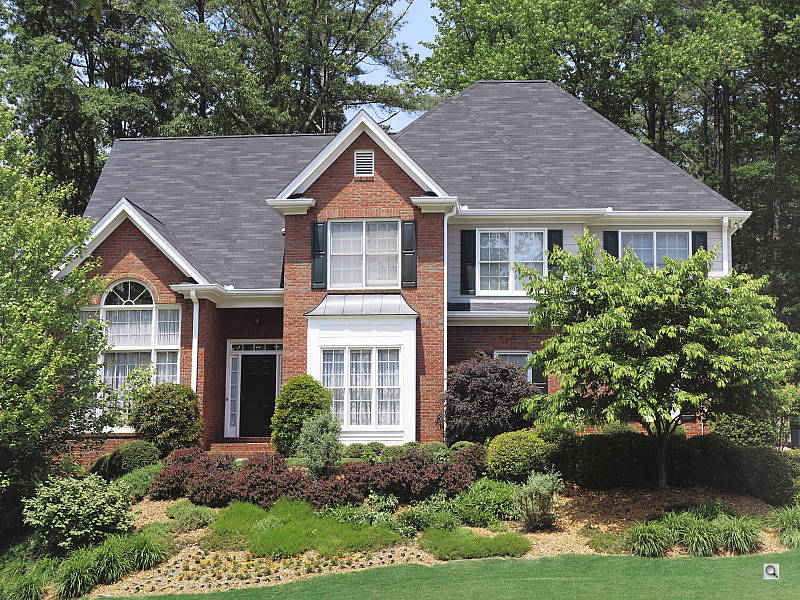
 |
| Tele (f/5.8): Upper right CA: Very low Softness: Sharp |
Tele: (f/5.8): Center CA: Very low Softness: Sharp |
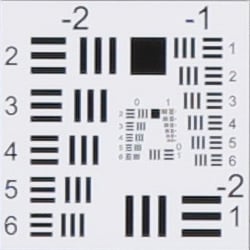
Chromatic Aberration. Chromatic aberration is quite low at both wide-angle and full telephoto, because the G1 X's DIGIC 5 processor removes most of it. See below for examples of uncorrected C.A. Chromatic aberration is a type of distortion visible as a slight colored fringe around the objects at the edges of the field of view on the resolution target.
Corner Softness. The Canon G1 X's lens produced moderately soft corners at full wide-angle when wide-open. Blurring was about the same in all for corners, but softness didn't extend very far into the frame, and the center was sharp. We suspect some of the blurring is due to the geometric distortion and CA correction taking place at wide-angle. Corners at full telephoto were pretty sharp but not quite as contrasty as the center. Vignetting was not a problem at either end of the zoom.
| Aperture f/8 | |
 |
 |
| Wide (f/8): Upper right CA: Low Softness: Slightly soft |
Wide (f/8): Center CA: Very low Softness: Sharp |
 |
 |
| Tele (f/8): Upper right CA: Very low Softness: Sharp |
Tele (f/8): Center CA: Very low Softness: Sharp |
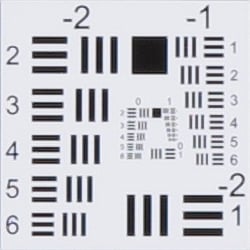
When the lens was stopped-down to f/8, corner sharpness improved at wide angle, though you can still see some softness and rough edges due to the distortion correction applied.
Chromatic Aberration Correction
| In-camera JPEG | Uncorrected RAW |
 |
 |
| Wide (f/2.8): Upper left CA: Low |
Wide (f/2.8): Upper left CA: Moderately high |
 |
 |
| Tele (f/5.8): Upper left CA: Low |
Tele: (f/5.8): Upper left CA: Moderate |
As you can see, the Canon G1 X's DIGIC 5 processor does a great job suppressing most of the chromatic aberration in JPEGs (crops on the left) versus uncorrected RAW files (on the right). Canon's DPP software also suppresses CA similarly.
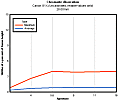
SLRgear-style Test Results. A lot of readers are no doubt interested in how the G1 X's lens performs at a number of focal lengths and apertures, so we ran the Canon G1 X through our SLRgear.com test suite:

|
 |
) |
|
C. A.
|
Vignetting
|
|
) |
||
|
Blur Index
|
Distortion
|
Results here confirm pretty good, consistent optical performance across the focal length range.
Note that these results are not calibrated for accurate comparison to other cameras or lenses, and are only of value as a comparison from one aperture or focal length to another on the Canon G1 X. Also note that these results were obtained from camera JPEGs, so keep in mind that the distortion and chromatic aberration reduction the G1 X applies to JPEGs is reflected here.
Viewfinder
Coverage
Very poor accuracy from the optical viewfinder, but excellent accuracy from the LCD monitor.


The Canon PowerShot G1 X's optical viewfinder showed only about 73% coverage at wide-angle, and 74% coverage at full telephoto, and was shifted from the captured image (no parallax correction). The poor accuracy is no surprise for a non-TTL optical viewfinder, though. The LCD monitor had excellent accuracy, though, showing essentially 100% coverage at both wide-angle and full telephoto.
The images above were taken from our standardized test shots. For a collection of more pictorial photos, see our Canon PowerShot G1 X Photo Gallery .
Exposure
Color
Saturation & Hue Accuracy
Fairly accurate saturation levels with about average hue accuracy, though yellows were a little problematic.
 |
| In the diagram above, the squares show the original color, and the circles show the color that the camera captured. More saturated colors are located towards the periphery of the graph. Hue changes as you travel around the center. Thus, hue-accurate, highly saturated colors appear as lines radiating from the center. |
Saturation. The Canon G1 X produced fairly accurate saturation levels overall, with only minor oversaturation in reds, greens, browns, and purples, and moderate overstaturation in blues. Bright yellow, aqua, and cyan were undersaturated by a small to moderate amount. Average saturation is 107.4%, or 7.4% oversaturated, which is more true to life than most cameras these days. Overall, the Canon G1 X's images appeared to have natural looking color that was a touch muted compared to other cameras, though you can always adjust saturation to your liking. Most consumer digital cameras produce color that's more highly saturated (more intense) than found in the original subjects. This is simply because most people like their color a bit brighter than life.
Skin tones. Here, with Auto white balance in simulated daylight, the Canon G1 X rendered lighter Caucasian skin tones a little yellow and flat, while darker ones were more pinkish. Where oversaturation is most problematic is on Caucasian skin tones, as it's very easy for these "memory colors" to be seen as too bright, too pink, too yellow, etc.
Hue. The Canon PowerShot G1 X produced a few color shifts relative to the correct mathematical translation of colors in its subjects, most visibly pushing cyan toward blue (probably for better-looking skies), red toward orange, and yellow toward green. Mean "delta-C" color error after correcting for saturation was 5.32; about average compared to most cameras, though the shift and reduced saturation in yellows was noticeable in some of our shots. Hue is "what color" the
color is.


Sensor
Exposure and White Balance
Indoors, incandescent lighting
Very good color balance with Auto and Manual white balance settings. Average exposure accuracy.


Color balance indoors under incandescent lighting was very good with the Auto white balance setting, with just a hint of a magenta tint. The Canon G1 X did much better here than the majority of digital cameras we've tested. The Incandescent white balance option resulted in a pinkish cast, while the Manual white balance setting was pretty accurate if a touch cool, with just a slight blue/green bias. The PowerShot G1 X's exposure system handled this lighting well, requiring an average amount of exposure compensation of + 0.3 EV for this shot. Our test lighting for this shot is a mixture of 60 and 100 watt household incandescent bulbs, a pretty yellow light source, but a very common one in typical home settings here in the U.S.
Outdoors, daylight
Slightly cool colors, with high default contrast.
The Canon PowerShot G1 X struggled a bit under harsh outdoor lighting of our "Sunlit" Portrait shot, as default contrast was quite high. Slightly above average exposure compensation of +1.0 EV was needed to keep the model's facial skin tones bright, resulting in a lot of blown highlights in her shirt and flowers. Most cameras require about +0.7 EV. On the other hand, overall exposure was very good in the outdoor far-field shot at the default exposure, with surprisingly few clipped highlights and few lost shadows. Color outdoors was good with the Auto white balance setting, just a touch cool and muted, though the camera rendered some skin tones a little too flat and yellow.
See full set of test images with explanations
See thumbnails of all test and gallery images
Resolution
Very high resolution, ~2,400 lines of strong detail from in-camera JPEGs, ~2,300 lines from DPP converted RAW files.


Our laboratory resolution chart revealed sharp, distinct line patterns down to about 2,400 lines per picture height in the horizontal direction and to about 2,400 in the vertical direction in JPEGs straight out of the camera, though moiré made worse by generous default sharpening makes it difficult to call. Extinction of the pattern occurred between 2,600 and 2,800 lines in the horizontal direction, and between 2,800 to 3,000 lines in the vertical direction. Canon's Digital Photo Professional wasn't able to extract more resolution and actually produced slightly less, but applying less sharpening than the camera avoided some of the stronger aliasing artifacts seen near the limits of resolution. Use these numbers to compare with other cameras of similar resolution, or use them to see just what higher resolution can mean in terms of potential detail.
See full set of test images with explanations
See thumbnails of all test and gallery images
Sharpness & Detail
Fairly sharp, detailed images overall, though with some visible sharpening artifacts on high-contrast subjects. Noise suppression limits detail in low contrast areas, though much better than average results here.


Sharpness. The Canon PowerShot G1 X captures fairly sharp JPEG images at default settings, though some edge enhancement artifacts are visible on high-contrast subjects such as the halos around the pine cones and branches in the crop above left. Still, pretty good results here. Edge enhancement creates the illusion of sharpness by enhancing colors and tones right at the edge of a rapid transition in color or tone.
Detail. The crop above right shows some smudging of low contrast detail due to noise suppression, as individual strands of hair are blurred together in midtones and shadows, but performance here is much better than average for a compact digicam and compares well to some DSLRs. Noise-suppression systems in digital cameras tend to flatten-out detail in areas of subtle contrast. The effects can often be seen in shots of human hair, where the individual strands are lost and an almost "watercolor" look appears.
RAW vs In-Camera JPEGs
As noted above the Canon G1 X produces fairly sharp, detailed in-camera JPEGs. With a good RAW converter, more detail can often be extracted, though. See below:
 |
|||
In the table above, mousing over a link at the bottom will load the corresponding crop in the area above, and clicking twice will open the full resolution image.
The image loaded by the left-most link is a crop from an in-camera Fine JPEG taken with default settings. The next image is a RAW file processed using Canon's included Digital Photo Professional software, using default settings. The third image was converted with DxO Optic Pro 7, using default settings. The right-most image was converted with Adobe Camera Raw 6.7, then sharpened in Photoshop using Unsharp Mask of 300%, radius 0.3. As you can see, Canon's Digital Photo Professional software wasn't really able to extract more detail than the in-camera JPEG, and it applies significantly more sharpening than the camera default leaving more noticeable sharpening halos. DxO Optics Pro 7 did a better job at retaining fine detail than DPP with far fewer sharpening artifacts, though it tended to introduce a few more demosaicing errors. We preferred the Adobe Camera Raw conversion for its more natural looking rendering of fine detail, though it does show more noise than the others (you can always adjust noise reduction to your taste, though). The ACR conversion also shows more chromatic aberrations, however we did not attempt to reduce it during conversion.
ISO & Noise Performance
Very good high ISO performance up to ISO 800, and even ISO 1,600 is quite good.
| Default Noise Reduction | ||
 |
 |
 |
| ISO 100 | ISO 200 | ISO 400 |
 |
 |
 |
ISO 800 |
ISO 1,600
|
ISO 3,200 |
 |
 |
ISO 6,400 | ISO 12,800 |
The PowerShot G1 X performed well here, with very good noise performance up to ISO 800. There's a bit of softening in the hair at ISO 800, as well as some fine-grained luminance noise and some chroma noise in the shadows, but fine detail is really quite good. ISO 1,600 is a little softer from more aggressive noise reduction, but detail is still pretty good. ISO 3,200 is noticeably softer, though, with chroma noise becoming quite evident in darker areas, though much of the luminance noise is smoothed away. Luminance noise is much stronger at ISO 6,400, making the image look less processed than ISO 3,200. ISO 12,800 is pretty noisy as you'd expect, with little fine detail and noticeable chroma noise in the form of green and purple blotches. Still, high ISO performance is much better than compact cameras, though not as good as the best APS-C DSLRs. Note that the G1 X offers three levels of noise reduction (Low, Standard and High). These shots were taken using the default Standard setting.
Of course, the impact of noise and detail loss are highly dependent on the size the photos are printed at, and pixel-peeping on-screen has surprisingly little relationship to how the images look when printed: See the Print Quality section below for recommended maximum print sizes at each ISO.
Extremes: Sunlit and low light tests
High resolution with strong detail, though limited dynamic range. Excellent low-light performance, capable of capturing bright images in near darkness at all ISOs.


Sunlight. The Canon PowerShot G1 X struggled a bit under the deliberately harsh lighting in the test above. To keep facial tones bright, +1.0 EV compensation was require, but that led to a lot of washed-out highlights, more than we're used to seeing. Detail was pretty good in the shadows, though. Some may prefer the +0.7 EV setting for its reduced highlight clipping, but we found the face a bit too dim. Consider using fill flash in situations like the one shown above; and it's better to shoot in the shade when possible.
Because digital cameras are more like slide film than negative film (in that they tend to have a more limited tonal range), we test them in the harshest situations to see how they handle scenes with bright highlights and dark shadows, as well as what kind of sensitivity they have in low light. The shot above is designed to mimic the very harsh, contrasty effect of direct noonday sunlight, a very tough challenge for most digital cameras. (You can read details of this test here.)
Dynamic Range Analysis
A key parameter in a digital camera is its Dynamic Range, the range of brightness that can be faithfully recorded. At the upper end of the tonal scale, dynamic range is dictated by the point at which the RGB data "saturates" at values of 255, 255, 255. At the lower end of the tonal scale, dynamic range is determined by the point at which there ceases to be any useful difference between adjacent tonal steps. Note the use of the qualifier "useful" in there: While it's tempting to evaluate dynamic range as the maximum number of tonal steps that can be discerned at all, that measure of dynamic range has very little relevance to real-world photography. What we care about as photographers is how much detail we can pull out of the shadows before image noise becomes too objectionable. This, of course, is a very subjective matter, and will vary with the application and even the subject matter in question. (Noise will be much more visible in subjects with large areas of flat tints and subtle shading than it would in subjects with strong, highly contrasting surface texture.)
What makes most sense then, is to specify useful dynamic range in terms of the point at which image noise reaches some agreed-upon threshold. To this end, Imatest computes a number of different dynamic range measurements, based on a variety of image noise thresholds. The noise thresholds are specified in terms of f-stops of equivalent luminance variation in the final image file, and dynamic range is computed for noise thresholds of 1.0 (low image quality), 0.5 (medium image quality), 0.25 (medium-high image quality) and 0.1 (high image quality). For most photographers and most applications, the noise thresholds of 0.5 and 0.25 f-stops are probably the most relevant to the production of acceptable-quality finished images, but many noise-sensitive shooters will insist on the 0.1 f-stop limit for their most critical work.
JPEG. The graph at right (click for a larger version) was generated using Imatest's dynamic range analysis for an in-camera Canon G1 X JPEG file with a nominally-exposed density step target (Stouffer 4110). At the base ISO of 100 (the optimal ISO) and with default settings, the graph shows 9.96 f-stops of total dynamic range, with 7.25 f-stops at the "High" Quality level. Roll-off at the highlight end of the curve was fairly gradual, but for shadows it wasn't as gradual.
We don't normally use Imatest to measure dynamic range for compact cameras, but these results compare well to most Micro Four Thirds cameras, however they're not as good as most APS-C models. Compared to the Canon 60D (which lags behind most SLRs and CSCs based on Sony's latest APS-C sensors in terms of dynamic range), the G1X scored similarly at the High Quality level (7.25 vs 7.46 f-stops) when you take margin of error into account (about 1/3 f-stop for this test), but lower in total dynamic range (9.96 f-stops vs 10.5).
 RAW. The graph at right is from the same Stouffer 4110 stepchart image captured as a RAW (.CR2) file, processed with Adobe Camera Raw using the Auto setting. (Slightly better results are likely possible with manually tweaking, but we weren't able to do much better.) As can be seen, the score at the highest quality level was only slightly better than the in-camera JPEG, at 7.56 vs 7.25 f-stops, though total dynamic range increased about 1.3 f-stop, to 11.3 versus 9.96 f-stops; usable dynamic range will be somewhere in between. Again, these results aren't bad compared to a Micro Four Thirds sensor, but they lag current APS-C sensors, especially at the High Quality threshold. The Canon 60D managed a score of 7.75 f-stops at the High Quality level while total dynamic range was 11.9 f-stops, and Sony-based APS-C sensors do much better. It's worth noting here is that ACR's default noise reduction settings reduced overall noise somewhat (see the plot in the lower left-hand corner) relative to the levels in the in-camera JPEG, which would tend to boost the dynamic range numbers for the higher quality thresholds.
|
Outdoor Portrait i-Contrast Series
|
|
 |
i-Contrast Setting: DRC Off (Default) DRC 200% DRC 400% DRC Auto |
 |
|
As part of the G1 X's Intelligent Contrast (i-Contrast) feature, the camera has "Dynamic Range Correction" to help tame highlights, and "Shadow Correct" to bring out more shadow detail.
Above are examples of our challenging "Sunlit" Portrait scene shot with the G1 X's three available Dynamic Range Correction settings. Mouse over the links about right to compare, and click on the links to get to the full-resolution images. The resulting images are a little dim at default exposure (in hindsight, it would have been better to shoot these at +0.7 or +1.0 EV compensation), but you can see that highlights were toned-down progressively with the DR 200% and DR 400% settings. The results with DR Auto were practically identical to being set to Off, since few highlights were blown to begin with. We didn't test the G1 X's Shadow Correction, but in prior Canon models it boosted shadows without impacting highlights, leading to the best overall exposure for this shot.
Note that Dynamic Range Correction may boost ISO depending on your current setting, so more noise and/or stronger NR may be visible with it enabled. (In our samples above, DR 200% used ISO 200 and DR 400% used ISO 400, while DR Auto left ISO at 100.)
| Face Detection Examples | ||
 |
 |
 |
| Aperture Priority 0 EV |
Face Detection 0 EV |
Smart Auto 0 EV |
The table above shows results with the default exposure using Aperture Priority AE, as well as Face Detection enabled and Smart Auto. As you can see, the G1 X's face detection and Smart Auto mode both improved exposure automatically compared to the default exposure in Aperture Priority mode, going from very underexposed to usable images. Face detection dropped the shutter speed from 1/50s to 1/25s to improve the exposure for the face, while keeping ISO (100) and aperture (f/8.0) the same as before. Smart Auto also detected the face, but boosted ISO to 400, used a larger aperture (f/5.6) and a faster shutter speed (1/60s). Overall, we preferred the Smart Auto image as the camera also seemed to apply Intelligent Contrast resulting in far fewer blown highlights as well as more open shadows.
| 1 fc 11 lux |
1/2 fc 5.5 lux |
1/4 fc 2.7 lux |
1/8 fc 1.3 lux |
1/16 fc 0.67 lux |
1/16fc No NR |
|
|---|---|---|---|---|---|---|
| ISO 100 |
 2 s f2.8 |
 4 s f2.8 |
 8 s f2.8 |
 16 s f2.8 |
 32 s f2.8 |
 32 s f2.8 |
| ISO 200 |
 1 s f2.8 |
 2 s f2.8 |
 4 s f2.8 |
 8 s f2.8 |
 16 s f2.8 |
 16 s f2.8 |
| ISO 400 |
 0.5 s f2.8 |
 1 s f2.8 |
 2 s f2.8 |
 4 s f2.8 |
 8 s f2.8 |
 8 s f2.8 |
| ISO 800 |
 1/4 s f2.8 |
 0.5 s f2.8 |
 1 s f2.8 |
 2 s f2.8 |
 4 s f2.8 |
 4 s f2.8 |
| ISO 1600 |
 1/8 s f2.8 |
 1/4 s f2.8 |
 0.5 s f2.8 |
 1 s f2.8 |
 2 s f2.8 |
 2 s f2.8 |
| ISO 3200 |
 1/16 s f2.8 |
 1/8 s f2.8 |
 1/4 s f2.8 |
 0.5 s f2.8 |
 1 s f2.8 |
 1 s f2.8 |
| ISO 6400 |
 1/32 s f2.8 |
 1/16 s f2.8 |
 1/8 s f2.8 |
 1/4 s f2.8 |
 0.5 s f2.8 |
 0.5 s f2.8 |
| ISO 12800 |
 1/64 s f2.8 |
 1/32 s f2.8 |
 1/16 s f2.8 |
 1/8 s f2.8 |
 1/4 s f2.8 |
 1/4 s f2.8 |
Low Light. The Canon PowerShot G1 X performed well on the low-light test, capturing bright images at the lowest light level (1/16 foot-candle), even with the lowest sensitivity setting (ISO 100). As expected, noise increases as ISO goes up and light levels go down, but noise remains remarkably low up to ISO 1,600, and even ISO 3,200 looks pretty good. Noise is a little high at ISOs 6,400 and 12,800, but that's to be expected and much better than most compact cameras. Color balance was pretty good with Canon G1 X's Auto white balance setting, just a touch cool, even at high ISOs and low light levels. There are a few bright pixels visible at all ISOs, but nothing to be concerned about. We did notice some faint horizontal chroma banding at lower light levels and very high ISOs, but that's not unusual.
The camera's AF system was able to focus unassisted to below the 1/16 foot-candle light level in our tests, which is very good, and the G1 X was able to focus in complete darkness with the aid of its AF assist lamp.
How bright is this? The one foot-candle light level that this test begins at roughly corresponds to the brightness of typical city street-lighting at night. Cameras performing well at that level should be able to snap good-looking photos of street-lit scenes.
NOTE: This low light test is conducted with a stationary subject, and the camera mounted on a sturdy tripod. Most digital cameras will fail miserably when faced with a moving subject in dim lighting. (For example, a child's ballet recital or a holiday pageant in a gymnasium.) For such applications, you may have better luck with a digital SLR camera, but even there, you'll likely need to set the focus manually. For information and reviews on digital SLRs, refer to our SLR review index page.
Flash
Coverage and Range
A fairly powerful flash for its size, with uneven coverage at wide-angle. Good exposures in our indoor portrait test shots, but watch out for slow shutter speeds.


Coverage. Flash coverage was quite uneven at wide-angle (not unusual), with much more uniform results at full telephoto.
Exposure. Given that a lot of small cameras have difficulty with our Indoor Portrait flash shots at ISO 100, we've switched to shooting them at ISO 200. Here, the G1 X's flash performed well, requiring +0.7 EV of exposure compensation which is about average for this scene. The camera selected 1/60 second shutter speed, which is good. Slow-sync flash mode produced a more evenly lit image, but needed a bit more exposure compensation at 1.0 EV, even though it used a slow shutter speed of 1/8 second which requires the use of a tripod and a very still subject. The white balance here is actually pretty good, as slow-sync mode normally produces quite an orange cast from the ambient lighting. We can attribute the improved flash white balance to the new DIGIC 5 processor. Auto mode produced a bright image at ISO 400 (automatically selected), but it used a fairly slow shutter speed of 1/20 second, which could lead to some issues with subject motion blur.
| Flash Range: Wide Angle | |||||
|---|---|---|---|---|---|
| 6 ft | 7 ft | 8 ft | 9 ft | 10 ft | 11 ft |
 1/64 sec f2.8 ISO 200 |
 1/64 sec f2.8 ISO 200 |
 1/64 sec f2.8 ISO 200 |
 1/64 sec f2.8 ISO 200 |
 1/64 sec f2.8 ISO 200 |
 1/64 sec f2.8 ISO 200 |
| 12 ft | 13 ft | 14 ft | 15 ft | 16 ft | |
 1/64 sec f2.8 ISO 200 |
 1/64 sec f2.8 ISO 200 |
 1/64 sec f2.8 ISO 200 |
 1/64 sec f2.8 ISO 200 |
 1/64 sec f2.8 ISO 200 |
|
| Flash Range: Telephoto | |||||
|---|---|---|---|---|---|
| 6 ft | 7 ft | 8 ft | 9 ft | 10 ft | 11 ft |
 1/64 sec f5.8 ISO 200 |
 1/64 sec f5.8 ISO 200 |
 1/64 sec f5.8 ISO 200 |
 1/64 sec f5.8 ISO 200 |
 1/64 sec f5.8 ISO 200 |
 1/64 sec f5.8 ISO 200 |
| 12 ft | 13 ft | 14 ft | 15 ft | 16 ft | |
 1/64 sec f5.8 ISO 200 |
 1/64 sec f5.8 ISO 200 |
 1/64 sec f5.8 ISO 200 |
 1/64 sec f5.8 ISO 200 |
 1/64 sec f5.8 ISO 200 |
|
ISO 200 Range. At wide-angle and ISO 200, flash shots were bright to about 14 feet, though images at 15 and 16 feet were still usable. At full telephoto, flash shots were bright to 8 feet, and got darker from there.
| Manufacturer-Specified Flash Range | |
|---|---|
| Wide Angle | Telephoto |
 23.0 feet Auto ISO 400 |
 10.2 feet Auto ISO 400 |
Manufacturer Specified Flash Test. Canon rates the PowerShot G1 X's flash range at 7 meters / 23 feet at wide-angle and 3.1 meters / 10.2 feet at telephoto, when using Auto ISO. In the shots above, the PowerShot G1 X's flash performed to Canon's specifications, producing bright images at wide-angle and full telephoto, though the camera boosted ISO to 400 in both cases.
Our standard test method for flash range uses a fixed setting of ISO 100, to provide a fair basis of comparison between cameras. We now also shoot two shots using the manufacturer-specified camera settings, at the range the company claims for the camera, to assess the validity of the specific claims.
Output Quality
Print Quality
Good 24x36-inch prints at ISO 100 and 200; ISO 800 shots make good 16x20-inch prints; even 12,800 make usable 4x6s!
 ISO 100 images are good at 24x36 inches, but perhaps a little "loose." They tighten up at 20x30, looking very good with sharp detail and good color. We need to qualify that, though, because the yellows are uncharacteristically subdued for a Canon camera, something we saw in the crops as well.
ISO 200 shots also look good printed at 24x36.
ISO 400 shots look great at 20x30, with the slightest hint of softening in some textures, but it's only noticeable on close inspection.
ISO 800 images look better at 16x20 inches, with excellent detail and good color. Our red leaf swatch still looks quite good at ISO 800, a nice surprise.
ISO 1,600 images have a more processed look at 16x20, but very little actual chroma or luminance noise is left behind. We prefer 13x19 prints.
ISO 3,200 shots are usable at 11x14, but that processed look has become more pronounced, so we prefer the 8x10-inch prints.
ISO 6,400 images seem a little too loose at 8x10, and the red leaf swatch has sporadic detail, the first time we've seen something other than total blur from a Canon camera. They're much better printed at 5x7.
ISO 12,800 shots are a bit too smudgy and dark for printing at 5x7, but detail looks better at 4x6. I think you'd want to brighten the images a bit, as the darks are really dark at this point.
Overall, the Canon G1 X does well, though not quite as well as SLRs as the ISO rises. An impressive performance nonetheless.
Testing hundreds of digital cameras, we've found that you can only tell just so much about a camera's image quality by viewing its images on-screen. Ultimately, there's no substitute for printing a lot of images and examining them closely. For this reason, we now routinely print sample images from the cameras we test on our Canon Pro9000 Mark II studio printer, and on the Canon Pixma MP610 here in the office. (See the Canon Pixma Pro9000 Mark II review for details on that model.)
The images above were taken from our standardized test shots. For a collection of more pictorial photos, see our Canon PowerShot G1 X Photo Gallery .
Not sure which camera to buy? Let your eyes be the ultimate judge! Visit our Comparometer(tm) to compare images from the Canon PowerShot G1 X with those from other cameras you may be considering. The proof is in the pictures, so let your own eyes decide which you like best!
Performance
Timing and Performance
Generally slow speeds compared to most digicams and CSCs these days.
| Startup/Shutdown |
||
| Power on |
~1.9 seconds
|
Time it takes for LCD to turn on and lens to deploy and capture a picture. |
| Shutdown |
~2.7 seconds
|
How long it takes to retract lens and turn off. |
| Buffer clearing time |
~2 seconds
(after 20 LF JPEGs)* ~2 seconds (after 20 RAW files)* ~3 seconds (after 20 RAW + LF JPEG files)* ~4 seconds (after 6 LF JPEGs in HS HQ mode )* |
Worst case buffer clearing time. -- This is the delay after a set of shots before you can remove the card. Some cameras won't retract their lenses and shut down until the buffer is cleared. |
|
*Note: Buffer clearing times measured with a SanDisk Extreme Pro 45MB/sec UHS-I SDHC memory card. Slower cards will produce correspondingly slower clearing times.
|
||
Faster startup than the G12 (which took 2.7s), but slower than most Compact System Cameras (though most CSCs don't have a zoom lens to deploy). Shutdown was quite slow at 2.7s. Good buffer clearing times, though standard burst speeds are quite slow and the buffer in High Speed Burst HQ mode is shallow (see below).
| Mode Switching | ||
|---|---|---|
| Play to Record, |
~2.2 seconds
|
Time until first shot is captured. |
| Record to Play |
~1.8 seconds
|
Time to display a large/fine file immediately after capture. |
| Display |
~0.9 second
|
Time to display a large/fine file already on the memory card. |
The Canon G1 X's mode switching performance was a bit sluggish. It's interesting to note that switching from Play to Record mode and taking a shot was actually slower than powering up and taking a shot, as the camera paused after switching modes before focusing.
| Shutter Response (Lag Time) | ||
|---|---|---|
| Full Autofocus Wide |
0.697 second
|
Time from fully pressing shutter button to image capture, zoom lens at wide angle position. |
| Full Autofocus Tele |
0.681 second
|
Time from fully pressing shutter button to image capture, zoom lens at telephoto position. |
|
Full Autofocus |
1.164 seconds
|
Time to capture while forcing flash to fire, zoom lens at wide angle position. |
|
Manual Focus |
0.412 second
|
For most cameras, shutter lag is less in manual focus than autofocus, but usually not as fast as when the camera is "prefocused". |
| Prefocused |
0.094 second
|
Time to capture, after half-pressing and holding shutter button. |
Full autofocus shutter response in the default AF mode tested a bit slower than the G12 at wide-angle, at 0.697 versus 0.656s. At full telephoto, the G1 X was a bit faster than the G12 at 0.681s versus 0.754s, but that's still pretty sluggish by today's standards. Enabling the flash increased shutter lag quite a bit to 1.164s due to the preflash metering involved, also slower than the G12's 0.984s. Shutter lag in manual focus mode was 0.412s. We didn't test that on the G12, but that's quite sluggish compared to most CSCs. "Prefocusing" the camera by half-pressing and holding down the shutter button before the final exposure resulted in a lag time of 0.094s which is reasonably quick, but slower than the G12's 0.076s, and slower than most CSCs.
Overall, the Canon G1 X's autofocus speed and shutter lag are much slower than most recent digicams and CSCs.
| Cycle Time (shot to shot) | ||
|---|---|---|
| Single Shot mode |
2.67 seconds
|
Time per shot, averaged over 20 shots. |
|
Single Shot mode |
3.46 seconds
|
Time per shot, averaged over 20 shots. |
| Single Shot mode |
3.57 seconds
|
Time per shot, averaged over 20 shots. |
| Early shutter |
No
|
Some cameras don't snap another shot if you release and press the shutter too quickly in Single Shot mode, making "No" the preferred answer. |
| Continuous mode |
0.50 second (1.99 frames per second);
20+ frames total; ~2 seconds to clear |
Time per shot, averaged over 20 shots with no signs of slowing. |
| Continuous mode |
0.92 second (1.09 frames per second);
20+ frames total; ~2 seconds to clear |
Time per shot, averaged over 20 shots with no signs of slowing. |
|
Continuous mode |
1.19 second (0.84 frames per second);
20+ frames total; ~3 seconds to clear |
Time per shot, averaged over 20 shots with no signs of slowing. |
|
High Speed Burst HQ mode |
0.22 second (4.50 frames per second);
6 frames total; ~4 seconds to clear |
Time per shot, averaged over buffer length of 6 frames. |
| Flash recycling |
5.9 seconds
|
Flash at maximum output. |
| *Note: Buffer clearing times measured with a SanDisk Extreme Pro 45MB/sec UHS-I SDHC memory card. Slower cards will produce correspondingly slower clearing times. Slow cards may also limit length of bursts in continuous mode. ISO sensitivity also affects cycle times and burst mode performance, with higher ISOs generally increasing cycle times and reducing burst performance. |
||
Shot-to-shot cycle times were quite slow, ranging from about 2.7s for Large/Fine JPEGs to 3.6s for RAW+LF JPEG files. These results are slower than the G12's 2.4 to 2.7s range, and again much slower than most CSCs which average under 1 second.
The PowerShot G1 X's standard continuous shooting mode rate was similar to the G12's for LF JPEGs, at about 2 frames per second with apparently no buffer limit when using a fast card. In RAW mode (which is 14-bits), burst rate fell to 1.09 fps, again with apparently no buffer limit, however we stopped testing at 20 frames. (Note that we didn't test just RAW mode with the G12, so we can't compare here.) When shooting RAW+LF JPEGs, burst rate further reduced to only 0.84 fps, even slower than the G12's 0.96 fps. These results are also much slower than most CSCs, which range between 3 and 10 fps.
The Canon G1 X's High Speed Burst HQ mode was however much faster at 4.5 LF JPEGs per second (though still slower than average compared to recent CSCs), but buffer depth was limited to only 6 frames which is quite shallow these days. Unfortunately, only JPEGs are supported in this mode.
We should also mention continuous autofocus is not supported for any of the above burst modes. The G1 X offers "AF" and "LV" continuous shooting modes, but burst rates fall to 0.7 fps according to Canon.
The built-in flash took 5.9 seconds to recharge after a full-power shot, which is on the slow side. The G12 took 4.1 seconds.
| Download Speed | ||
|---|---|---|
| Windows Computer, USB 2.0 |
9,417 KBytes/sec
|
Typical Values: |
Connected to a computer or printer with USB 2.0, download speeds were pretty good, so you probably won't feel the need to use a card reader.
Bottom line, the Canon PowerShot G1 X's overall timing performance was disappointing. It can't really compete with most Compact System Cameras when it comes to speed, and is slower than most digicams as well. Think of it as a G12 with a large sensor.
Battery
Battery Life
Shorter battery life than the G12, and shorter than a typical CSC.
| Operating Mode | Number of Shots |
|---|---|
|
Optical Viewfinder
(CIPA standard) |
700
|
|
LCD Monitor
(CIPA standard) |
250
|
The Canon PowerShot G1 X uses a custom NB-10L rechargeable lithium-ion battery for power, and ships with a charger. CIPA battery life is well below average for a mid-sized camera at only 250 shots when using the LCD (much lower than the G12's 370 shot rating, and lower than most CSCs as well), though using the optical viewfinder instead of the LCD to frame almost triples battery life. Still, we recommend you pick up a spare battery for extended outings.
The table above shows the number of shots the camera is capable of (on a fully-charged rechargeable battery as appropriate), based on CIPA battery-life and/or manufacturer standard test conditions.
(Interested readers can find an English translation of the CIPA DC-002 standards document here. (180K PDF document))
Pricing and availability
The Canon PowerShot G1 X went on sale in the US market from February 2012. List pricing is in the region of US$800.