



Overview
Recapturing a classic. In recent years we've seen manufacturers back off from the megapixel race for the sake of image quality, and now we're seeing Panasonic back off from the race toward miniaturization. Since the Sony NEX-5, we've seen successively smaller designs like the Olympus E-PM1 and Panasonic's own GF2 and GF3 that moved away from the rangefinder ethos of the GF1 for the sake of fitting into the silhouette of the NEX-5. These smaller cameras worked quite well for the Japanese domestic market, we're told, but it's still primarily enthusiasts buying compact system cameras in the United States and Europe. Panasonic read the writing on the wall and took heed, wisely returning to the GF1 design, giving it a new name: Lumix GX1.
With a slightly more refined air, the Panasonic Lumix GX1 is indeed a better fit for enthusiasts who like a little more control. I know this enthusiast is pleased. I do miss a control or two, but two new function buttons help make up for that. I also miss the very Japanese minimalism of the GF1, which I hailed in that review. It's still there, I suppose, but it seems to have some more American big-handedness about it, with its larger grip and two-tone paint scheme. We got the silver version, which contributes to the effect.

The grip is pretty nice, with a good leather-like texture. It's hard rubber, but still soft to the touch, and warm. Just the right blend for a camera likely to get a lot of use. Panasonic moved the AF-assist lamp from the left to the right, a good move that makes it less likely to be blocked by a finger. I did find my thumb blocking it on occasion, as I worked the zoom control, but I still prefer this position.
Panasonic also went with a simpler design for the pop-up flash than appeared in the GF1. That design was precise with a scissors-like mechanism, but was more difficult to stow; this design allows a clever photographer to pull the flash back to bounce it off a wall for unique close-quarters lighting, though I doubt it would have enough power to illuminate well enough for ceiling bounce.

Stereo microphones sit right in front of the hot shoe. The hot shoe itself was abandoned in the GF3, so we're glad to see it back on the GX1. Note the locking protective cover. Intelligent Auto moved from the Mode dial to the now-standard button on the top deck. Retained on the Mode dial are two Custom settings, items that disappeared with the Mode dial on the GF2 and GF3 (at least one was available in the touchscreen Mode menu, but to visual people who like to see and activate their primary controls regardless of the LCD's status, it may as well have been deleted).
The power switch is nested under the Mode dial, a neater solution than the simple slider on the GF1. And both the Shutter and Record buttons are about where we'd expect them, more in-line left to right than in past designs. Gone, sadly, is the Drive-mode switch that was nested under the Mode dial on the GF1, jutting out toward the front.
Panasonic also stuck with the wide-loop metal strap lugs, thankfully, rather than D-rings, a quieter cloth-to-metal solution that I prefer, particularly for video. These lugs aren't as nice as the GF1's, which are rounded chrome that's a little softer on the hands, but the thinner stainless steel on the GX1 looks like it might be stronger.

The hot shoe's protective cover also conceals the rear accessory port, used for an electronic viewfinder. To the left is the release button for the Pop-up flash, with a little raised dot to the left, probably to reduce the likelihood of accidental activation in a bag. It's further left on the GX1 than on the GF1, another decision I like.
For GF1 owners, it's worth noting that Panasonic shuffled buttons a bit, adding a dedicated function button for a total of two, while moving the Drive mode that was once addressed by the switch on the top deck to the bottom navigation button. This is where the control is on the GF2 and GF3, so those users will find it familiar.
The Rear dial is great for making quick exposure adjustments, particularly Program Shift, which launches a graphical scale to help you visualize the resulting changes to aperture and shutter speed. Pressing on the dial switches to exposure compensation, making quick control of exposure really easy to execute on the GX1. In Aperture and Shutter priority, the behavior is the same, adjusting the named value and pressing the dial switches to EV. In Manual mode, pressing the dial switches between aperture and shutter speed values, again, a very quick interface. In all cases, the LCD displays an exposure preview, critical for photographers.
Panasonic GX1 Live Q&A
Below is the transcript of a live Q&A session held on December 12th 2011 between IR readers and our writers and editors. Click here to see answers to some reader questions we asked Panasonic after the Q&A. Thanks to everyone for their participation, and the high quality of the questions submitted!
Panasonic GX1 Technical Info
by Mike Tomkins

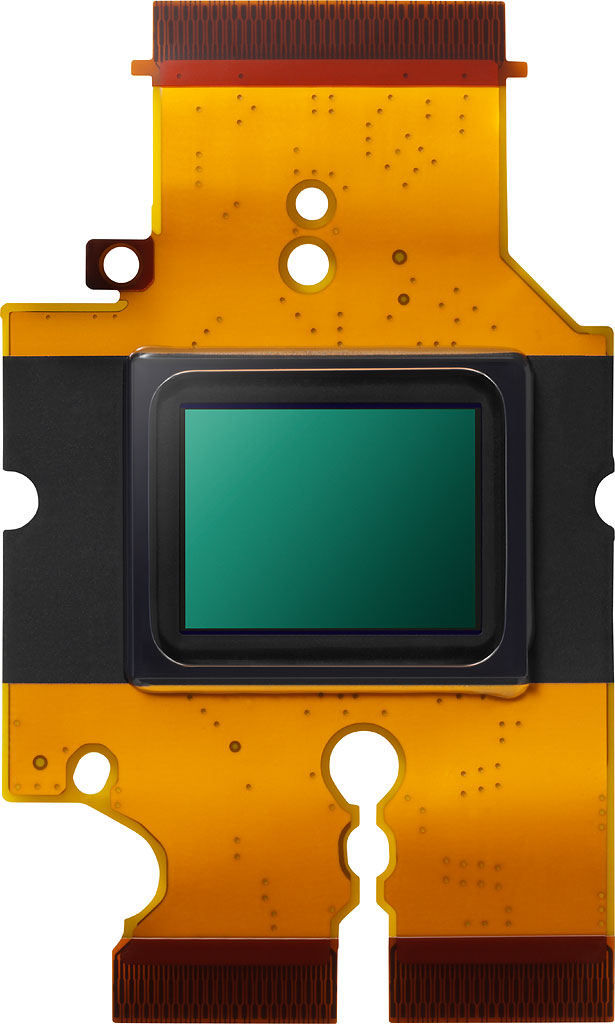
Sensor and processor. The Panasonic GX1 features a Micro Four Thirds-format, 4:3 aspect ratio Live MOS image sensor with an effective resolution of 16.0 megapixels. It's the same sensor that features in the Panasonic G3, which started shipping last June, and total pixel count is 16.68 megapixels. Compared to the previous-generation twelve megapixel chip, the GX1's sensor not only has slightly higher resolution, but also offers better noise performance. According to Panasonic, this was achieved through noise reduction at the pixel level, along with improved signal amplifiers. When the G3 was launched, the company claimed a 6dB improvement at ISO 3,200, and 9dB at ISO 6,400, and indeed our own review of that model found significantly improved noise levels, which bodes well for the GX1.
The GX1's maximum image resolution is 4,592 x 3,448 pixels (15.8 megapixels), and it also allows shooting at two reduced resolutions of approximately eight and four megapixels. It also offers aspect ratio options of 3:2, 16:9, and 1:1, in addition to the sensor's native 4:3 ratio. Base sensitivity for the GX1's imager is ISO 160 equivalent, while maximum sensitivity has now been expanded to ISO 12,800 equivalent, double that of the earlier G3 and GF3 models.

Data from the GX1's image sensor is handled by the same Venus Engine FHD image processor as seen previously in the Panasonic GF3, although we're told that the noise reduction processing has been tweaked slightly, likely in order to take account of the different sensor used in the GX1. Panasonic's full range of advanced features is supported by the processor, including Intelligent Auto, Intelligent Resolution, and Intelligent Dynamic Range Control.
Performance. The GX1 is rated by Panasonic as capable of shooting around 4.2 full-resolution frames per second, an improvement of 5% from the 4.0 fps figure claimed for the G3, and up almost 11% better than the GF3's 3.8 fps rating.
JPEG shooters will be happy to see that burst depth is still restricted only by available space and battery life when shooting typical subjects, given a fast enough flash card. For RAW shooters, though, Panasonic rates burst shooting depth at nine frames.

Optics. Between those from Panasonic and its Micro Four Thirds partner Olympus, some 25 lens models are now available for the system. Panasonic itself offers a healthy selection of eight zoom lenses and six primes, including its unusual 3D lens, all compatible with the GX1. Olympus, meanwhile, offers eight zooms and three primes, and several other lenses are available or soon to ship in Micro Four Thirds-mount form from the likes of Cosina, Samyang, Noktor, SLR Magic, and Wanderlust. In addition, courtesy of mount adapters, it's possible to attach all sorts of current and historic glass to any Micro Four Thirds camera body--at least, as long as you're willing to live with limitations such as completely manual focusing.
It's worth noting that the Panasonic GX1 includes support for the company's Power Zoom lenses out-of-the-box, and offers two-step control over zoom speed. The Power Zoom function can also be controlled using the GX1's touch screen.
Dust reduction. For interchangeable-lens cameras in general, and especially for mirrorless models which must leave the image sensor exposed to provide for a live view feed, it's important that some method is provided to remove dust that enters the camera during lens changes. Panasonic's GX1 includes a Supersonic Wave Filter dust reduction system, which vibrates the filter glass overlying the sensor at around 50kHz so as to shake dust particles free.

Touch-panel display. Like several of the company's earlier Micro Four Thirds models, the GX1's rear-panel display includes a touch-panel overlay, allowing it to be used both for camera setup, and to control features such as setting exposure and focus points, controlling the power zoom, and even triggering the shutter release. The touch-screen user interface has now been updated so that rather than being persistent, the soft buttons can be 'docked' to hide them to reduce on-screen clutter, then restored as needed with a simple touch on the dock button.
The three-inch LCD panel itself appears to be unchanged from that featured in the GF3. The Lumix GX1's LCD has a total resolution of about 460,000 dots, which equates to somewhere in the region of 153,600 pixels, commonly known as HVGA (Half-size VGA). Each pixel is comprised of adjacent red, green, and blue-colored dots. The panel has a 3:2 aspect ratio, approximately 100% coverage, seven-step brightness / contrast / saturation / red and blue tint adjustment, and a wide viewing angle (although Panasonic doesn't specify the actual horizontal / vertical viewing range).

Viewfinder. Like quite a few other compact system cameras, the GX1 forgoes a built-in viewfinder in the interests of keeping body size and cost down, but caters to those who want an alternative to the LCD with an external viewfinder accessory. Courtesy of a small connector beneath its hot shoe, the Panasonic's optional electronic viewfinder derives a live view feed from the camera body. It's not, however, the same EVF model seen in earlier cameras. Instead, there's a new DMV-LVF2 viewfinder accessory which still has a 100% field of view, but with a much higher resolution of 480,000 pixels, and 1.4x magnification. (By way of comparison, the earlier LVF1 model had somewhere in the region of 67,000 pixel resolution, and 1.04x magnification.)
You'll notice that we list a pixel count, rather than the more typical dot count. That's because the new EVF accessory is based around the same LCOS display that featured previously as the built-in viewfinder in the Panasonic G3. Unlike transmissive LCDs, this is reflective, allowing the circuitry to be placed on the rear, and in the process eliminating the gaps between pixels. It also forgoes the typical RGB dot structure of LCD viewfinders, in favor of a time-multiplexed design that shows red, green, and blue sequentially at every pixel location. We don't know the refresh rate, but the end result is a viewfinder that, says Panasonic, offers resolution equivalent to a 1,440,000 dot LCD viewfinder. As with the LVF1 model, the DMW-LVF2 has adjustable tilt angle (0 to 90 degrees). Eyepoint is 17.5mm from the eyepiece lens, and there's a diopter adjustment with a generous -4.0 to +4.0m-1 range.
Since it mounts in the hot shoe, use of the DMW-LVF2 accessory precludes use of an external flash strobe. That's perhaps less of an issue thanks to the inclusion of a built-in flash strobe, but it's still a compromise worth bearing in mind. The DMW-LVF2 is priced at around US$240. We don't know whether it will be compatible with other Panasonic Micro Four Thirds cameras.

Focusing. The Panasonic GX1 features a 23-point TTL contrast detection autofocusing system, dubbed 'Light Speed AF'. Focusing speed has been increased still further over earlier models, by increasing the lens control rate to 120 frames per second, matching the AF sensor cycle rate of 120 fps that was introduced in the G3, GF3 and GH2. The level of improvement varies by the lens, but can be on the order of around 10%, according to Panasonic's figures. With the LUMIX G X VARIO PZ 14-42mm / F3.5-5.6 ASPH. / POWER O.I.S (H-PS14042) lens, changing the focus from two meters to infinity at the wide position is said to take some 0.09 second.
There's also a new AF Flexible focusing mode, which locks focus when the shutter button is half-pressed, but continues to monitor the subject for motion. If the camera detects subject movement, another single AF cycle will be performed as necessary to regain focus lock.
The GX1 has an autofocus working range of EV 0 to 18 at ISO 100, and includes an autofocus assist lamp that helps when focusing on nearby subjects in low ambient lighting conditions. As well as multi-point focusing, the GX1 also provides single, pinpoint, tracking, and face detection autofocus modes. In single-point mode, the focus point can be placed anywhere within the image frame, by simply dragging it on the touch-panel display.
Of course, you can also focus manually, and the GX1 offers a manual focus assist zoom that enlarges the display around the focus point, allowing precise focus tuning. Three zoom levels are available -- either 4x, 5x, or 10x. As in the G3, the lowest zoom level shows an enlargement only at the center of the screen, overlaid on the full image, providing a reasonably intuitive way to focus while retaining your desired framing.
Exposure. The Lumix GX1 offers still image shutter speeds ranging from 1/4,000 to 60 seconds. Images are metered with the Live MOS image sensor, using a 144-segment multi-pattern metering system, and the GX1 also provides both center-weighted and spot metering modes. +/-5.0 EV of exposure compensation is available, set in 1/3 EV steps, and the metering system has a working range of EV 0-18 (with an f/2.0 lens at ISO 100 equivalent.) The GX1's Program autoexposure mode does include a program shift function that allows the user to bias exposure towards their favored shutter speed or aperture while leaving exposure in the camera's hands, and a One Push AE function in the PASM exposure modes automatically returns the camera to a metered exposure.

Flash. The GX1 includes a built-in popup flash, located at the left-hand end of the camera body. The popup flash strobe is released with a mechanical switch at the top of the rear panel, and has a guide number of 7.6 meters at ISO 160 equivalent. That's just a little stronger than the flash in the GF3, which has a guide number of 6.3 meters at ISO 160, but still trails the 10.5m @ ISO 160 of the G3's flash.
In addition to the built-in flash, the Panasonic GX1 provides for the optional DMW-FL220, FL360 or FL500 flash strobes, courtesy of a dedicated hot shoe.

Level Gauge. Panasonic has added a new dual-axis level gauge function to the GX1, making it easy to get the camera level, ensuring tilt-free horizons, and making for easier tripod-mounted panoramic shooting. The tilt sensor display function has two parts: two curved outer brackets, and two centrally located bars. Rotation around the lens' central axis (roll) is indicated by a gauge shown on the outer brackets. Front / back pitch is shown on the inner two bars. In both cases, when the camera is level, the indication changes color to green.
Creative controls. The GX1 retains Panasonic's two main creative control function groups: Creative Control (known in earlier models as My Color), and Photo Style (aka Film Mode).

The Creative Color mode provides access to eight effects, two more than in the GF3. Choices are Expressive (pop-art style), Retro (soft, tarnished effect), High Key (brighter image), Low Key (darker image), Sepia, High Dynamic (localized color and contrast enhancement), Toy Effect (vignetting), and Miniature Effect (linear graduated blur towards the edges of the image).
The Photo Style function offers a selection of six presets, plus a custom mode, each of which can be tweaked in terms of contrast, sharpness, saturation (except in Monochrome mode, where it is replaced with a color tone adjustment), and noise reduction. Presets include Standard, Vivid, Natural, Monochrome, Scenery, and Portrait.
There are also 17 Scene modes that help amateurs get the results they're looking for without the need to understand shutter speeds, apertures, and the like, as well as Intelligent Auto and Intelligent Auto+ modes that both offer maximum ease of use, but differ in their level of control over the look of images. Finally, four Custom modes let the photographer store camera setups for specification shooting conditions, ready for later recall.

Video. The Panasonic GX1 offers not only still image capture, but also allows standard or high-definition movie clips to be recorded. The maximum movie resolution is 1,920 x 1,080 pixels, while reduced-resolution offerings include 1,280 x 720 pixel, and 640 x 480 pixel. All three resolutions are available when using MP4 compression, captured at bit rates of 20, 10, and 4 Mbps respectively. In the default AVCHD format, only the two high-definition modes are available, with a bitrate of 17 Mbps for both resolutions. The frame rate of captured video depends on the camera's TV encoding and video compression type. For NTSC with AVCHD compression, the highest resolution 1,920 x 1,080 pixel mode is recorded at 60 interlaced fields per second (aka 1080i), while the 1,280 x 720 pixel mode is recorded at 60 progressive-scan frames per second (720p). For PAL recording in AVCHD, the rates are 50 fields per second for 1080i, and 50 frames per second for 720p. In MP4 format, all resolutions are captured at 30 fps in NTSC, or 25 fps in PAL. Regardless of the resolution and compression type used, the actual sensor data is clocked off at 30 frames per second for NTSC, or 25 frames per second for PAL. All videos include stereo audio from the GX1's internal microphone.

Full HD. 1920x1080i60 AVCHD video. Click to download 26.7MB .MTS file.
Exposure during video recording is fully automatic, though aperture can be adjusted while recording using the Defocus Control slider in Intelligent Auto or Intelligent Auto+ modes, and a flicker reduction feature lets you force the shutter speed to 1/50, 1/60, 1/100, or 1/120 second. Exposure compensation and white balance can be adjusted before recording starts in Intelligent Auto+ mode. Creative Control effects, Photo Styles, and some scene modes are also available for videos.
Of course, continuous autofocus is available during movies, complete with Touch AF. Other video recording features include an optional wind cut filter, and a four-step microphone level adjustment.
See the GX1 Video page for more details and video samples.

Connectivity. The Lumix GX1 includes a mini HDMI Type C high-definition video output with VIERA Link compatibility, which allows the camera to be controlled by the remote control of a Panasonic VIERA Link-enabled HDTV. (VIERA Link is Panasonic's brand name for the HDMI Consumer Electronics Control standard, although compatibility with devices made by other companies is not guaranteed.)
A socket for an optional DMW-RSL1 wired remote shutter release is provided.
The GX1 also includes a proprietary connector that provides for both USB 2.0 High Speed data transfer, and standard definition NTSC/PAL composite video output with monaural audio (although US-market models are limited to only NTSC video output). The USB port has PTP (for PictBridge compatible printers) and Mass Storage modes.
Storage. The Panasonic GX1 stores its data on Secure Digital cards, including not only the higher-capacity SDHC and SDXC types, but also the higher-speed UHS-I types. As well as storing still images in JPEG compressed format, the G3 can also write RAW files, either alone or alongside a JPEG copy of each image. When using Panasonic's unusual 3D lens, the GX1 saves images in MPO (Multi Picture Object) format, with each MPO file containing two JPEG images with differing perspective. As noted previously, movies can be stored with either AVCHD or MP4 compression, depending on the resolution.

Power. The Panasonic GX1 draws power from a proprietary 7.2V, 1,010mAh DMW-BLD10 battery pack, the same as that used in the DMC-G3. The GX1 is rated as good for 300 shots on a charge when using the 14-42mm lens (non-Power Zoom version), based on CIPA testing standards, down a little over 6% from the GF3 despite a 7% increase in the pack's capacity compared to that camera. With the Power Zoom version of the lens, this increases just slightly to 310 shots. With the 14mm lens--which lacks optical image stabilization--battery life improves still further, to 340 images, unchanged from the GF3. The Lumix GX1's battery/card door features a covered pass-through, for use with optional DC coupler and AC adapter.
Panasonic GX1 Field Test
by Shawn Barnett
Here's a challenge: write a Field Test on a camera that in most ways has returned to a former design. Finding unique things to report on will be difficult. In many ways, though, that's the story. Panasonic did the right thing starting back at the GF1, especially for the US and European markets. I'm sure camera enthusiasts around the world will appreciate it. Most hobbyists prefer fast, easy control over a camera, not a camera that does everything automatically. That's what the GF3 had morphed into. Though the GF3 still has manual controls and modes available via the dial, a few buttons, and the touchscreen, they aren't enough, lacking tactile control over major settings.

It's not just speculation on my part that Panasonic returned to the GF1 to create the GX1; they plainly told us they did, and they also told us why: the GF2 and GF3 turned off too many enthusiast buyers.
While I mention the controls, only one thing put me off buying a GF1, GF2, or GF3: the JPEG engine. It just didn't do well with oranges, yellows and greens, a problem that increased as ISO rose. Otherwise, I loved the small, tight, minimalist designs, particularly the GF1. I still think it's a unique example of Japanese minimalism at its finest, one that could stand alone to illustrate the concept. I don't quite think that of the GX1 in terms of its look, but they really did get the ergonomics right. The grip is almost as good as the grip on the G3, a deeper, tapering design that gives a solid feel to the lightest fingertip hold; I just let the bottom right corner of the camera settle into my palm and it's a very natural fit.

As much as I like the gunmetal gray on the silver GX1 we have, I prefer the black model. Fitted with a pancake prime, it's a pocket camera dream. I prefer the 20mm -- equivalent to a 40mm -- but the 14mm (equivalent to 28mm) is also excellent, even a little smaller. I'm more of a people photographer, so the 40mm-equivalent appeals to me. I also like the image-stabilized 14-42mm kit lens, a no-nonsense design that sticks out quite a bit more than the new 14-42mm X Vario, but I also prefer the physical zoom control for most of my shots.
There's no question, though, that the X Vario would be tempting for everyday carry, offering the small package you get with a pancake prime and the full 28-84mm equivalent zoom. Its electronic zoom control isn't as tactile as I like, but it is better for smooth zooming in videos.
Unfortunately, we ran into trouble with the Lumix G X Vario lens at our near full telephoto, finding the same characteristic image doubling that we found with the Olympus E-P1 (for exhaustive detail on that camera's problem, see Blur Anomaly write-up here). Because both companies use different image stabilization strategies, we suspect the cause is slightly different, but the doubling appears whether the X lens's stabilization is on or off.
 |
 |
 |
| 1/80s, IS off | 1/200s, IS off | 1/320s, IS off |
 |
 |
 |
| 1/80s, IS on | 1/200s, IS on | 1/320s, IS on |
The above image blur occurs on both the GX1 and E-P1 cameras with the Lumix G X Vario PZ 14-42mm lens, though the angle of blur is more vertical on the E-P1 than the diagonal motion we see here in images from the GX1 images. The blur is most noticeable at shutter speeds where it should not occur, 1/160 and 1/200 second, at or near full telephoto. We think the opening motion of the first curtain is vibrating an element inside the lens with a motion that the image stabilization system can't fix, since it occurs whether IS is on or off. (Initially, we thought it was worse with IS on, but additional testing revealed that turned out not to be the case.) At 1/320 second, the second curtain has started its closing motion before the first curtain hits the bottom of its stroke, so no vibration occurs during the exposure. Our best suggestion is to either avoid the lens or avoid these shutter speeds with this lens at our near 42mm, because the blur occurs in almost every shot. |
||
Autofocus. The Lumix GX1 has incredibly fast contrast-detect autofocus. Olympus wowed us with the autofocus system in their latest cameras, but Panasonic's wowed us again. It's incredibly fast, enough to make your pulse quicken. It's also so fast that once you're used to it, just about everything else seems slow. After testing, turns out the Olympus tests a little faster still. The GX1 turns in a 0.259 second lag, while the E-P3 managed 0.222. Still, a dead heat with contrast-detect autofocus competing down in SLR phase-detect territory, so we're pretty impressed.
I also tried the Panasonic 25mm f/1.4 ASPH Leica DG Summilux lens. It's a mouthful of a name, but a small, unassuming lens design. I enjoyed shooting with it in extreme low light, and I also made an effort to show its nice, buttery bokeh. Micro Four Thirds cameras are a little more challenged to produce any bokeh at all when compared to APS-C and full-frame cameras, so it's nice when a lens design can give you that big-camera look. Below are a few examples.


Also included in the Gallery is one image where shooting at f/1.4 for effect ran up against the GX1's 1/4,000 second shutter speed limit. With the ISO set to 160, I was unable to get a shot of a shirt that was quite blown out even though I set -1 EV. And unfortunately I continued to shoot at -1 for the rest of the session. That's not a fault of the camera, but the photographer.
The GX1 performed about as well as the G3 in terms of auto white balance and color rendition, which you'll see in the comparison crops below. As ISO rises, color tends to desaturate a bit, but it's not bad. If I owned the GX1, I'd shoot in RAW + JPEG to have a backup in most cases, giving me more control over color, saturation, noise processing, and sharpening, among other things.
Touchscreen. It's a shame to have to say it yet again, but I'm not a fan of touchscreens. The good news is that it seems manufacturers are getting the message and in some cases limiting just how the touchscreen is used. In the case of the GX1, Panasonic has created a little virtual tray that slides out from the right of the screen. Touching it just right isn't that easy, but because I'll seldom use it, I'm glad the icons it conceals are not cluttering up my view. Slide it open and by default you get the Touch shutter option and two additional Function buttons (Fn3 and Fn4). Again by default, the two buttons activate the built-in Level function, which is very fast and slick, and the Histogram, which can be moved around the screen with your finger. Notice that I'm not complaining about either of those features; in fact, I'm glad they're there. Having a level image means less tweaking after the fact, preserving your framing, and seeing the histogram before capturing the photo also allows you to fine-tune exposure before you commit to pressing the shutter.

Buddies. Shot with the GX1 at about waist level, the LCD made it easy to compose and snap this shot of my daughter hanging with her favorite puppy.
Touchscreen capability is also present in the Quick Menu, making adjustments ridiculously easy; actually a little easier than using the navigation buttons, because you don't have to remember to use the up arrow to access the options. Instead, you just touch the button you want.
Touch control disappears in the main Menu, though, which is probably for the best. Touch control in Playback mode is problematic, not working as well as it should. This didn't get better with the shipping version, unfortunately.

Bzzzz. My little bumblebee stood still for this shot and it's reasonably sharp.
Running around shooting with the Panasonic GX1, I found it to be as enjoyable and capable as its predecessor, the GF1. Fast autofocus is joined by a easy-to-master interface, and reasonably fast capture.
I ventured to try a few of the GX1's more interesting options, like Autofocus Tracking. As I was shooting, it seemed to work great, locking onto my little running subject and following her better than I could as she ran down a big hill. Looking at the 460K-dot screen, I was pretty pleased with the results, but back at the computer they didn't look as good. Tracking in videos looked a little better, so that's comforting.
Though it lacks an articulating screen, I found composing from low and high angles with the GX1 pretty easy thanks to the LCD's wide viewing angle.

Detail at high ISO. I was impressed with the relatively clean file I got from this handheld ISO 1,600 shot.
In its first iteration on another camera, I found the Intelligent Auto button annoying, but Panasonic quickly made an option to keep it from activating with a single touch -- requiring a press and hold -- and now I appreciate the mode more. Why? Well, I too often get a camera from the lab with some unknown mode set, thanks to the many tests we run on the cameras, and the iA button allows me to quickly set it to dummy mode and get some kind of shot before the moment's gone, after which I can find the offending setting and fix it.
Conversely, I'm more likely to want to switch into some custom mode, then right back out into Program or Aperture Priority modes, so I'm grateful for the return of the Mode dial. I've programmed the C1 position on the dial to black and white, capturing RAW+JPEG. That allows me to see and compose in black and white, but also captures a RAW image so I can reprocess it from scratch if I want to. And rather than having to reset two menu items to get those items set, I just spin the dial.
I was pleased shooting the Panasonic GX1. It was nimble, stealthful, and gave me easy access to basic controls. I'd like to see discrete controls for aperture and shutter settings on a future version, but for now the simple press on the rear dial is sufficient for a small camera like this. We weren't very happy with the new 14-42mm G X Vario lens, so we recommend the standard zoom kit over the G X Vario until Panasonic can address this serious issue.
I'm glad Panasonic saw the light and made a camera for people who love photography and want a smaller tool to work with--but not too small. I also like that they put the G3's sensor into this format. Some of us want the smallest camera possible, while maintaining physical controls, yet don't see the value in an EVF, so the GX1 answers those needs better than the G3, whose rear EVF housing juts quite dramatically out the back.
Panasonic GX1 Image Quality Comparison
Most CSCs will produce a reasonable ISO 100 shot, so we like to push them and see what they can do at ISO 1,600 and 3,200 in terms of low-contrast detail, and from 100 to 6,400 in high-contrast detail. Recent advances in sensor technology have made ISO 1,600 look a lot more like ISO 100, but there are still cameras whose quality starts to fall apart at this setting. Don't forget that these are JPEG images, and you're likely to get better performance out of the GX1's RAW files.
Panasonic GX1 versus Olympus E-P3 at ISO 1,600
 |
 |
 |
 |
 |
 |
|
Panasonic GX1 at ISO 1,600
|
Olympus E-P3 at ISO 1,600
|
|
The GX1's 16 megapixels are a little smoother than the E-P3's 12, with a little more detail, but noise suppression works to reduce the benefit. We imagine RAW files would be better on the GX1, though.
|
|
Panasonic GX1 versus Panasonic GF3 at ISO 1,600
|
 |
|
 |
|
 |
|
Panasonic GX1 at ISO 1,600
|
Panasonic GF3 at ISO 1,600
|
|
Image processing is remarkably similar between the GX1 and GF3, but color and overall resolution is different. The GX1 resolves more detail and has less noise overall. It also retains yellows a little better, but reds are less vibrant.
|
|
Panasonic GX1 versus Panasonic G3 at ISO 1,600
|
 |
|
 |
|
 |
|
Panasonic GX1 at ISO 1,600
|
Panasonic G3 at ISO 1,600
|
|
Comparing the GX1 and G3, we see a little more noise suppression haze in the GX1, but that could be due to a tweak in the noise processing algorithm. There's also more texture in the pink cloth beneath the red leaf swatch, but the GX1 has the color a little closer to the original pink.
|
|
Panasonic GX1 versus Samsung NX200 at ISO 1,600
|
 |
|
 |
|
 |
|
Panasonic GX1 at ISO 1,600
|
Samsung NX200 at ISO 1,600
|
|
The 20-megapixel Samsung NX200 takes a very different approach to noise and detail, erring on the side of sharpening and suppressing detail less than the GX1. The jaggy noise left behind, though, is generally handled well by printers. Ultimately, the NX200 does a better job capturing more detail, if retaining a bit more chroma noise. Color is also a little better on the NX200.
|
|
Panasonic GX1 versus Sony NEX-5N at ISO 1,600
|
 |
|
 |
|
 |
|
Panasonic GX1 at ISO 1,600
|
Sony NEX-5N at ISO 1,600
|
|
Sony's NEX-5N has better color rendition and much better detail than the GX1 at ISO 1,600, thanks largely to its APS-C size. It also leaves more detail in the red leaf swatch. Contrast is better, but the Sony also uses more aggressive sharpening.
|
|
Today's ISO 3,200 is yesterday's ISO 1,600 (well, almost), so below are the same crops at ISO 3,200.
Panasonic GX1 versus Olympus E-P3 at ISO 3,200
 |
 |
 |
 |
 |
 |
|
Panasonic GX1 at ISO 3,200
|
Olympus E-P3 at ISO 3,200
|
|
At ISO 3,200 we see Olympus using more sharpening and increasing contrast, and more luminance and chroma noise appear in the shadows. Detail retention, however, is about even between the two.
|
|
Panasonic GX1 versus Panasonic GF3 at ISO 3,200
|
 |
|
 |
|
 |
|
Panasonic GX1 at ISO 3,200
|
Panasonic GF3 at ISO 3,200
|
|
The GX1's ISO 3,200 performance clearly outdoes the GF3, with more detail, better color, and a smoother overall image.
|
|
Panasonic GX1 versus Panasonic G3 at ISO 3,200
|
 |
|
 |
|
 |
|
Panasonic GX1 at ISO 3,200
|
Panasonic G3 at ISO 3,200
|
|
Again the G3 and GX1 are close enough to call even, but with a few obvious tweaks to noise suppression, effectively increasing it on the GX1.
|
|
Panasonic GX1 versus Samsung NX200 at ISO 3,200
|
 |
|
 |
|
 |
|
Panasonic GX1 at ISO 3,200
|
Samsung NX200 at ISO 3,200
|
|
At ISO 3,200, the story changes fairly dramatically, with the NX200's strategy of leaving in noise distracting from the image quality. Large blotches of chroma noise really affect the integrity of the image, while the overall detail captured isn't that much better than the GX1.
|
|
Panasonic GX1 versus Sony NEX-5N at ISO 3,200
|
 |
|
 |
|
 |
|
Panasonic GX1 at ISO 3,200
|
Sony NEX-5N at ISO 3,200
|
|
The Sony NEX-5N once again turns out more detail and better color than the GX1 at ISO 3,200, and the red leaf swatch is noticeably better.
|
|
Detail: Panasonic GX1 versus Olympus E-P3, Panasonic GF3, Panasonic G3, Samsung NX200, and Sony NEX-5N
 |
 |
 |
 |
 |
 |
 |
 |
 |
 |
 |
 |
 |
 |
 |
 |
 |
 |
|
Panasonic GX1 ISO 160 ISO 3,200 ISO 6,400 |
Olympus E-P3 ISO 200 ISO 3,200 ISO 6,400 |
Panasonic GF3 ISO 160 ISO 3,200 ISO 6,400 |
Panasonic G3 ISO 160 ISO 3,200 ISO 6,400 |
Samsung NX200 ISO 100 ISO 3,200 ISO 6,400 |
Sony NEX-5N ISO 100 ISO 3,200 ISO 6,400 |
| Detail comparison. High-contrast details are often sharper as ISO rises, so they're worth a look as well. When it comes to fine, high-contrast detail, the Panasonic GX1 does surprisingly well at higher ISO settings, effectively matching or beating even the larger sensors in the NX200 and NEX-5N, though again, it doesn't do quite as well as the G3. | |||||
Panasonic GX1 Print Quality
 ISO 160 shots look great printed at 20 x 30 inches, with nice color and detail.
ISO 200 shots are almost identical, being nearly the same exposure, so 20 x 30 inch prints look just fine.
ISO 400 images are a little softer at 20 x 30, if still usable; but they look better at 16 x 20, which is still quite large.
ISO 800 shots are not usable at 20 x 30, as low-contrast detail looks a bit too hazy. 16 x 20 inch prints look better, but are still just a bit hazy in a few areas.
ISO 1,600 images start to show a bit too much of a green cast in yellows, and noticeable noise in flatter areas, requiring a reduction to 11 x 14 inches.
ISO 3,200 images are usable for less critical applications at 11 x 14 inches, though the red leaf swatch in our Still Life image is a total blur, and yellows continue toward green. We have to prefer the image printed at 8 x 10.
ISO 6,400 image are too noisy at 8 x 10 inches, but look fairly good at 5 x 7.
ISO 12,800 images are a little flatter overall than the other settings and this ISO is best avoided for most applications.
Overall, the GX1 does quite well, with a large starting size of 20 x 30, easily maintaining good quality all the way down to 5 x 7 at ISO 6,400. Oddly, as ISO rises, at around 3,200 printed quality is not quite as high as we saw on the Panasonic G3, even when comparing the printed images side-by-side. It might have to do with a slightly different exposure at those settings.
In the Box
The Panasonic GX1 ships with the following items in the box:
- Panasonic GX1 body
- Kit lens if bundled (G VARIO 14-42mm F3.5-5.6 with lens caps and hood, or G X VARIO PZ 14-42mm F3.5-5.6 with lens caps)
- Body cap
- Hot shoe cover
- Lithium-ion battery
- Battery charger
- USB cable
- Shoulder strap
- CD-ROM (includes PHOTOfunSTUDIO 7.0 HD Edition, SILKYPIX Developer Studio 3.1 SE, Super Loilo Scope trial version, and USB driver)
- Quick Start manual
- Warranty card
Recommended Accessories
- Extra battery pack
- Protective case
- Large capacity, high-speed SDHC/SDXC memory card. 8-16 GB or larger makes sense if you plan on shooting lots of HD video. Look for a speed grade of at least Class 4 for video capture.
Panasonic GX1 Conclusion
| Pro: | Con: |
|---|---|
|
|
With the Lumix GX1, Panasonic addresses several crucial complaints from enthusiasts about their Micro Four Thirds cameras, particularly the rangefinder-style class once represented by the GF series. They've returned to a larger size that's a better tradeoff between a large SLR and a small pocket camera. They've added back the mode dial, hot shoe, and a few more controls, while maintaining the touchscreen. Even the touchscreen is less of a nuisance, though, with major components hidden an easy-to-ignore, virtual sliding tray.
Though they missed a few key features users were hoping for, like dual manual control dials as seen on the Sony NEX-7, the Panasonic GX1 is a good start toward making a camera that enthusiasts will appreciate. An increase in resolution comes with an improvement in high ISO performance too, as is evident from the crops above. There are tradeoffs here and there when compared to the competition, but the GX1 still performs admirably.
We were disappointed to find the motion blur issue again, initiated by the Micro Four Thirds shutter mechanism's vibration. As such, we can only recommend the longer, manual zoom 14-42mm kit, at least until Panasonic issues a fix to the X lens that solves the problem.
Otherwise, though, we found the Panasonic GX1 quite a pleasure to use, with excellent image quality, surprisingly fast autofocus, and generally reliable results. The ever-growing list of lenses compatible with the Panasonic GX1, like the Leica 25mm, make the camera an easy choice for enthusiasts who like to carry quality glass without taking up too much space. We think it's a clear Dave's Pick.
Optics
Panasonic Lumix DMC-GX1 Optics
The Panasonic GX1 is available bundled with the new collapsible Lumix G X VARIO PZ 14-42mm f/3.5-5.6 ASPH. POWER O.I.S. (H-PS14042) lens, or bundled with the older Lumix G VARIO 14-42mm f/3.5-5.6 ASPH MEGA O.I.S. (H-FS014042 ) lens. The test results on this page are from the new 14-42mm X lens.
14-42mm X Lens Test Results
Zoom Lens
A typical zoom ratio for a kit lens, with fair performance.
 |
 |
| 14mm @ f/8 | 25mm @ f/8 |
 |
 |
| 42mm @ f/8 | 4x Digital Zoom |
The above shots were taken with the Lumix G X VARIO PZ 14-42mm f/3.5-5.6 Power O.I.S. Micro Four Thirds zoom lens. The 35mm equivalent focal length is about 28-82mm, a result of the GX1’s 2x “crop factor.” Results at full wide-angle were pretty good at f/8, but detail was just a touch soft across most of the frame, with hints of flare around bright objects. Extreme corners exhibited mild to moderate blurring and minor coma distortion. Chromatic aberration is well controlled at all focal lengths (the GX1 suppresses C.A.). Performance at medium focal length was also good, but again with a hint of softness across the frame. At full telephoto, the lens was a little softer across the frame, and there was some noticeable vignetting (shading) in the corners. The GX1’s digital zoom mode showed typical loss of fine detail for such a high magnification.
Overall, a fair performance for a kit lens, but the X lens is pricier than most 3x kit lenses (it lists for about US$400 when bought separately), so we were hoping for better optical performance at this price point, despite its compact size and power zoom feature.
Note: be sure to read our discussion of the blur issue we ran into at telephoto with this lens, induced by shutter vibrations at certain shutter speeds.
Macro
A larger than average minimum area, with somewhat soft detail and strong corner shading. Flash throttled down well, though.
 |
 |
| Macro 42mm @ f/8 |
Macro with Flash 42mm @ f/8 |
The Panasonic Lumix DMC-GX1’s macro performance will depend entirely on the lens in use. However, with the 14-42mm X kit lens, the Panasonic GX1 captured a much larger than average minimum area measuring 3.79 x 2.85 inches (96 x 72 millimeters). Detail was good but a little soft across the frame at f/8, with additional softening in the corners. (Most lenses have some additional softening in the corners at macro distances.) There was also some fairly strong vignetting or corner shading in the extreme corners, much more than we’re used to seeing especially stopped-down to f/8. The popup flash had no trouble throttling down at this distance, resulting in a pretty good exposure, though corner shading was still visible. However, sharpness in the center of the frame was better in the flash shot.
Geometric Distortion
Low geometric distortion with the 14-42mm X kit lens in JPEGs, though strong distortion in uncorrected RAW files.
| In-Camera JPEG: Barrel distortion at 14mm is 0.3 percent |
 |
| In-Camera JPEG: Pincushion distortion at 42mm is 0.2 percent |
 |
When shooting JPEGs, the Panasonic GX1’s 14-42mm kit lens produced just over 0.3 percent barrel distortion at wide-angle, which is much less than average and hardly noticeable in its images. Pincushion distortion at full telephoto was about 0.2 percent, also lower-than-average and not very noticeable. This is the tendency for the lens to bend straight lines outward (like a barrel — usually at wide-angle).
| Uncorrected RAW: Barrel distortion at 14mm is 2.0% |
 |
| Uncorrected RAW: Pincushion distortion at 42mm is 0.8% |
 |
To see how much correction is taking place in the camera, we converted a RAW file from the above shot with dcraw, which does not correct for distortion. As can be seen above, the actual barrel distortion at wide-angle is quite high at about 2.0%, while pincushion at telephoto was also fairly high, at about 0.8%. We expect this for smaller interchangeable lenses though, so it’s nothing to be concerned about unless you are using a RAW converter which does not understand the embedded “opcodes” to perform distortion corrections automatically. Most RAW converters these days (including Adobe Camera Raw and SilkyPix) are capable of applying distortion correction automatically, as specified by the manufacturer. There is however going to be some loss of resolution in the corners as a result of such correction, because pixels in the corners of the frame are being “stretched” to correct for the distortion. Obviously, a lens that doesn’t require such correction, and is also sharp in the corners to begin with would be preferable, but relaxing constraints on distortion brings other benefits in the lens design, such as a very compact design.
Chromatic Aberration and Corner Sharpness
Low to moderate levels of chromatic aberration from the kit lens in JPEGs. Uncorrected RAW files show higher amounts. Corners at wide-angle were soft wide-open, but improve when the lens is stopped-down. Our copy of the lens was soft at full telephoto, even stopped-down to f/8.
| Maximum Aperture | |
 |
 |
| 14mm @ f/3.5: Upper left C.A.: Moderate Softness: Moderate blurring |
14mm @ f/3.5: Center
C.A.: Very low |
 |
 |
| 42mm @ f/5.6: Upper left C.A.: Low Softness: Stronger blurring |
42mm @ f/5.6: Center C.A.: Very low Softness: Quite soft |
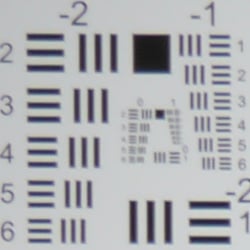
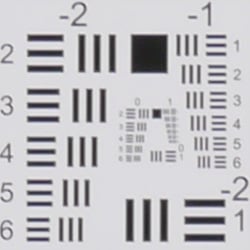
Chromatic Aberration. Chromatic aberration in the corners with the Panasonic Lumix DMC-GX1’s 14-42mm X kit lens is low to moderate in terms of pixel count in JPEGs, being somewhat exacerbated by the blurring, but coloration is fairly dull and bluish. The camera’s processor does a pretty good job of reducing CA in JPEGs (see below for uncorrected RAW). As usual, color fringing gradually reduces in brightness and width as it approaches the center of the image, where it is almost non-existent.
Corner Softness. The Panasonic GX1’s 14-42mm X kit lens produced moderate blurring in all four corners wide-open at f/3.5, though softness doesn’t extend very far into the frame. The center was fairly sharp. Corners were even softer at full telephoto, and the center was quite soft as well. (This is not focus error as multiple trials with manual focus didn’t improve sharpness.) Some moderate corner shading (“vignetting”) is also noticeable from the difference in brightness of the center versus corner crops above.
| f/8 Aperture | |
 |
 |
| 14mm @ f/8: Upper left C.A.: Moderate Softness: Moderate blurring |
14mm @ f/8: Center
C.A.: Very low |
 |
 |
| 42mm @ f/8: Upper left C.A.: Low Softness: Soft |
42mm @ f/8: Center C.A.: Very low Softness: Soft |
Stopped down to f/8, corner sharpness improved somewhat, but full telephoto was still soft across the frame, with slightly softer corners. Vignetting (corner shading) improved quite a bit, but is still slightly noticeable.
 |
 |
| 14mm @ f/3.5: Upper left: Camera JPEG |
14mm @ f/3.5: Upper left: Uncorrected RAW |
 |
 |
| 42mm @ f/5.6: Upper left: Camera JPEG |
42mm @ f/5.6: Upper left: Uncorrected RAW |
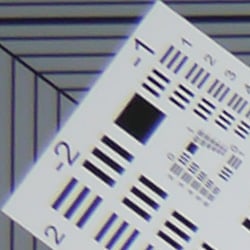
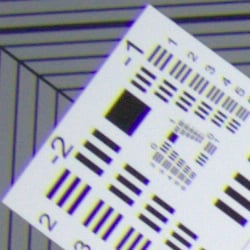
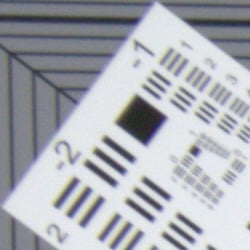
Chromatic Aberration Correction. As mentioned above, the Panasonic GX1 applies chromatic aberration correction to its JPEGs, as uncorrected RAW files show much more distinct green and magenta coloration. RAW files converted with the bundled SilkyPix software or Adobe Camera RAW are automatically corrected for CA and geometric distortion, so we used dcraw for the uncorrected conversions above right.
Shading Compensation
The Panasonic GX1 features optional Shading Compensation to reduce vignetting in JPEG images.
 |
||
| Shading Compensation: (14mm @ f/3.5) |
Off | On |
Mouse over the links above to compare thumbnails, and click on the links to load the full resolution images.
As you can see, the Panasonic GX1’s Shading Compensation reduces corner shading with the 14-42mm X kit lens, so it’s a useful feature. Shading Compensation is off by default, not available when shooting video or when burst rate is set to SH, and is not available with all lenses. It may also produce more visible noise in the periphery at higher ISOs.
Panasonic GX1 LCD Viewfinder
Viewfinder Test Results
Accuracy
Excellent coverage accuracy from the LCD monitor.
 |
| 50mm, LCD |
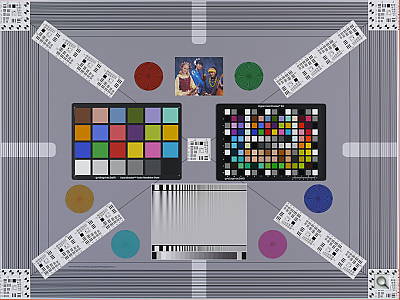
The Panasonic GX1’s LCD monitor proved quite accurate in record mode, showing just a touch over 100% coverage with our low-distortion Olympus 50mm f/2 reference lens. Excellent results here.
The images above were taken from our standardized test shots. For a
collection of more pictorial photos, see our
Panasonic Lumix DMC-GX1 Photo Gallery
.
Exposure
Panasonic GX1 Image Quality
Color
Saturation & Hue Accuracy
Fairly accurate saturation levels over most of the spectrum. Some issues with hue accuracy, primarily in orange through yellows.
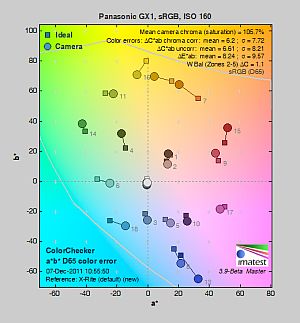 |
| In the diagram above, the squares show the original color, and the circles show the color that the camera captured. More saturated colors are located toward the periphery of the graph. Hue changes as you travel around the center. Thus, hue-accurate, highly saturated colors appear as lines radiating from the center. Click for a larger image. |
Saturation. The Panasonic GX1 produced fairly accurate saturation levels at default settings. The camera pushes dark red, and dark green very slightly, darker blues a fair bit, while slightly undersaturating light green, yellow, and cyan. Average saturation is 105.7% (only 5.7% oversaturated). That’s a bit lower than the ~110% average most cameras saturate these days. Some people may feel default colors are muted, especially yellows. Most consumer digital cameras produce color that’s more highly saturated (more intense) than found in the original subjects. This is simply because most people like their color a bit brighter than life.
Skin tones. Here, the Panasonic GX1 did fairly well, producing natural-looking Caucasian skin tones with a noticeable push towards pink, giving a healthy appearance. Darker skin tones had a small nudge toward orange and red, but overall results were pretty good here. Where oversaturation is most problematic is on Caucasian skin tones, as it’s very easy for these “memory colors” to be seen as too bright, too pink, too yellow, etc.
Hue. The Panasonic GX1 pushed cyan toward blue, red toward orange, orange toward yellow and yellow toward green. As is often the case with Panasonic models, the yellow through orange shifts were especially apparent in the yarn of our Still Life test image. The camera’s average “delta-C” color error of 6.2 for JPEGs is below average, a little worse than the G3’s 5.53 score (lower scores are better). The good news is the orange-yellow shifts are significantly mitigated by shooting in RAW format and using a good-quality RAW converter. The bundled SilkyPix software as well as Adobe Camera RAW do better with hue accuracy than JPEGs produced in-camera. Click here to see a Adobe Camera RAW conversion of the same Still Life shot. Hue is “what color” the color is.
Color Modes
The Panasonic GX1 offers six preset color modes or “Photo Styles” as the company calls them. You can adjust contrast, saturation (color tone for Monochrome), sharpness, and noise reduction for any of the modes, and then save the settings as a single custom option. There are also eight Creative Control filter effects available (Expressive, Retro, High Key, Low Key, Sepia, High Dynamic, Toy Effect and Miniature Effect), however we didn’t test those in the lab.
| Preset “Photo Styles“ | ||
 |
||
Mouse over the links above to see the effect of the Photo Style presets on our Still Life target. You can click on a link to load the full resolution image.
Saturation Adjustment
The Panasonic GX1 lets you adjust the image saturation, contrast, and sharpness in five steps each. As can be seen below, the saturation adjustment was very subtle, and worked mainly on reds. We usually argue in favor of more subtle adjustments for saturation on the cameras we test, but the Panasonic GX1 goes a bit too far in that direction; we’d like to see a wider range here (more steps), but still with the fine steps the GX1 currently offers.
| Saturation Adjustment Examples | ||
 |
 |
 |
| -2 | 0 | +2 |
The table above shows results with the default as well as the two “extreme” saturation settings. Click on any thumbnail above, then click again to see the full-sized image.
Sensor
Exposure and White Balance
Indoors, incandescent lighting
Slightly warm with Auto and very warm with the Incandescent white balance setting. Good color balance with the Manual setting, but a little too cool with 2,600 Kelvin. Average positive exposure compensation required.
 |
 |
| Auto White Balance +0.3 EV |
Incandescent White Balance +0.3 EV |
 |
 |
| Manual White Balance +0.3 EV |
2,600 Kelvin +0.3 EV |
Indoors, under normal incandescent lighting, color balance was just slightly warm with the Auto white balance setting, though the Panasonic GX1 did much better than most cameras in this regard. (While slightly warm results with the Auto setting were quite acceptable, many users in fact may prefer a slightly warm look in situations like this, to better represent the mood of the original lighting.) Results with the Incandescent setting where much too warm for our tastes, with a strong orange-yellow cast. The Manual setting produced the most accurate results, while the 2,600 Kelvin setting which should match our lights was slightly cool with a blue cast. The Panasonic GX1 required +0.3 EV exposure compensation here, which is about average for this shot. (Our test lighting for this shot is a mixture of 60 and 100 watt household incandescent bulbs, a pretty yellow light source, but a very common one in typical home settings here in the U.S.)
Outdoors, daylight
Slightly cool colors overall, with a tendency toward high contrast under harsh lighting. About average exposure accuracy.
 |
 |
| Auto White Balance, +0.7 EV |
Auto White Balance, Auto Exposure |
Outdoors, the Panasonic GX1 performed pretty well, with good though slightly cool color in the Far-field shot. Skin-tones are fairly realistic in our “Sunlit” Portrait shot, with a healthy-looking pink tint. Exposure accuracy was about average, as the camera required +0.7 EV compensation for our “Sunlit” Portrait shot to keep facial tones reasonably bright. That’s average for this shot, but it led to some blown highlights while leaving some dark shadows. The default exposure was a little dim for the Far-field shot, but there are very few blown highlights, though some shadows are very dark and noisy. Default contrast is on the high side, but that’s how most consumers prefer their photos.
See full set of test images with explanations
See thumbnails of all test and gallery images
Resolution
Very high resolution, 2,100 ~ 2,200 lines of strong detail.
 |
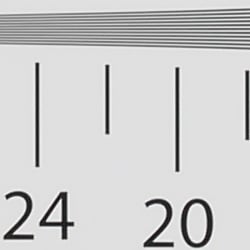 |
| Strong detail to ~2,200 lines horizontal Camera JPEG |
Strong detail to ~2,100 lines vertical Camera JPEG |
 |
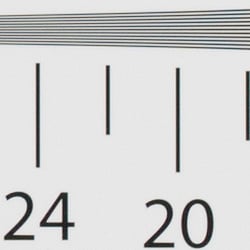 |
| Strong detail to ~2,200 lines horizontal ACR converted RAW |
Strong detail to ~2,100 lines vertical ACR converted RAW |
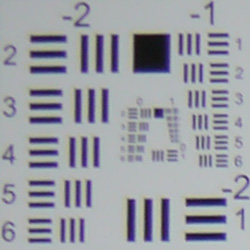
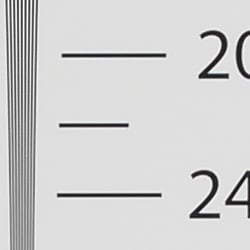
In camera JPEGs, our laboratory resolution chart revealed sharp, distinct line patterns down to about 2,300 lines per picture height horizontally, and about 2,100 lines in the vertical direction. (Some might argue for over 2,200 lines, but aliasing artifacts begin to appear before that.) Complete extinction of the pattern didn’t occur until about 3,000 to 3,200 lines horizontally and vertically. We weren’t able to extract significantly more high-contrast resolution by processing the Panasonic GX1’s RW2 files using Adobe Camera RAW 6.6, though complete extinction of the pattern was extended beyond 3,400 lines. ACR also showed a lot more color moiré than the camera JPEG.
Use these numbers to compare with other cameras of similar resolution, or use them to see just what higher resolution can mean in terms of potential detail.
See full set of test images with explanations
See thumbnails of all test and gallery images
Sharpness & Detail
Very good sharpness overall, though some visible edge-enhancement artifacts on high-contrast subjects. Mild to moderate noise suppression visible in the shadows even at base ISO.
 |
 |
| Good definition of high-contrast elements, though some visible sharpening artifacts. |
Subtle detail: Hair Noise suppression tends to blur detail in areas of subtle contrast. |
Sharpness. The Panasonic GX1 captures sharp, detailed images overall, though edge enhancement artifacts are visible on high-contrast subjects such as the “halos” along the thicker branches and pin cones in the crop above left. The sharpening isn’t nearly as evident on lower-contrast elements, such as the pine needles and smaller branches. Given its target market, the default sharpening applied is appropriate, as we think most users printing camera JPEGs would be pleased. And of course, you can always tweak the sharpness setting to your liking, or shoot RAW and sharpen for yourself. Edge enhancement creates the illusion of sharpness by enhancing colors and tones right at the edge of a rapid transition in color or tone.
 |
|
Detail. The crop above right shows the effect of noise suppression in the form of smudging of individual strands together in the darker areas of the model’s hair, as well as in areas with low local contrast. This is quite common, though, and we’ve certainly seen stronger noise reduction from other models. There are also some bluish color blotches, that we believe may be the result of insufficient anti-aliasing filtering, and the demosaicing problems that produces. (We also saw these with previous G series cameras, but only in the very fine, reddish detail of the mannequin’s hair. This is something that we’ve also seen with a number of other cameras in the past, including several SLRs, so it’s not unusual. Processing RAW files in a good RAW converter usually minimizes or eliminates the issue, as can be seen in the ACR converted RAW crop at right.) Noise-suppression systems in digital cameras tend to flatten-out detail in areas of subtle contrast. The effects can often be seen in shots of human hair, where the individual strands are lost and an almost “watercolor” look appears.
Intelligent Resolution
The Panasonic GX1 offers four levels of “Intelligent Resolution”, which essentially sharpens fine detail and outlines, while reducing noise in areas with little or no detail (such as a cloudless sky). To see how well it works, compare the crops below at each setting.

In the table above, mousing over a link at the bottom will load the corresponding crop in the area above, and clicking on the link will load the full resolution image.
As you can see, fine detail contained in and around the lettering on the bottle has progressively stronger local sharpening applied as the setting is increased, while noise in flatter areas that would normally be emphasized with standard, global sharpening is actually reduced. Sharpening halos are however more visible at higher settings. According to Panasonic, the Extended setting is designed to produce more natural results when making large prints.
RAW vs In-Camera JPEGs
As noted above, the Panasonic GX1 produces sharp in-camera JPEGs. As is almost always the case, though, quite a bit more detail can be obtained from carefully processing RAW files than can be seen in the in-camera JPEGs, with fewer artifacts to boot. The Panasonic GX1’s JPEGs are pretty good in terms of detail straight from the camera, but it’s often surprising how much more detail is visible after processing in a good RAW converter. Take a look below, to see what we mean:
 |
|||
In the table above, mousing over a link at the bottom will load the corresponding crop in the area above, and clicking on the link will load the full resolution image.
The first crop on the left is from an in-camera Fine JPEG at default settings. The second is a RAW file converted with SilkyPix 3.1 SE (the RAW converter Panasonic bundles with their RAW-capable cameras), using default settings. The third crop is also a RAW conversion done with SilkyPix but with noise reduction and sharpening set as low as they go within the editor, and then sharpened using SilkyPix’s output unsharp masking feature set to 250%, a radius of 0.3 pixels, and a threshold of 0. Adobe Camera Raw 6.6 was used for the ACR conversion at right. Default settings were used for conversion, though no sharpening was applied in ACR. The image was then sharpened in Photoshop using USM of 250% with a radius of 0.3 pixel.
As you can see, the in-camera JPEG contains pretty good fine detail. SilkyPix however had trouble with the pine needles, flattening them out, even with noise reduction turned all the way down. It’s likely doing some NR under the hood which can’t be disabled. The results we got using SilkyPix were a bit disappointing, but we must confess we didn’t experiment with different settings for very long, so you may be able to do better. The ACR conversion extracted the most detail, but also shows more noise, especially in areas with little detail such as the sky. You can always turn up the luminance noise reduction (default of zero was used here), or process the files in your favorite noise reduction program or plugin if you find the noise objectionable. Bottom line: as is usually the case, the Panasonic DMC-GX1 rewards RAW shooters with better detail (and better color) when used with a good RAW converter.
ISO & Noise Performance
Very good detail vs noise trade-off up to ISO 400, stronger noise and noise reduction at higher ISOs.
|
Default Noise Reduction
|
||
 |
 |
 |
| ISO 160 | ISO 200 | ISO 400 |
 |
 |
 |
| ISO 800 | ISO 1,600 | ISO 3,200 |
 |
 |
|
| ISO 6,400 | ISO 12,800 | |
The Panasonic Lumix DMC-GX1’s images are pretty clean at ISOs 160 and 200, with only minor luminance and chrominance noise visible in the shadows, but as mentioned previously, there is already some smudging visible from slightly over-zealous default noise reduction. The effects of noise reduction become stronger as ISO increases, and a moderate amount of detail is already lost at ISO 400, where there is more visible chroma noise as well. The effects of noise reduction are more evident at ISO 800 where there’s additional blurring, though stronger chroma noise reduction has kicked-in, removing a lot of color noise including the blue botches we mentioned previously. At ISO 1,600 we see additional detail loss and stronger luminance noise, though chroma noise is still well controlled. At ISO 3,200, fine detail takes a bigger hit, with shadow areas taking on a stronger purple tint. Sharpening artifacts around noisier pixels are also much more noticeable. Noise gets quite ugly at ISO 6,400 and especially 12,800: there’s very little fine detail left, strong color blotches, and the camera’s noise reduction coupled with sharpening artifacts produce a peppering effect. Still, the Panasonic GX1’s JPEG high ISO performance is pretty good for a Micro Four Thirds model. High ISO performance is very similar to the G3 as they share very similar if not identical sensors (RAW files are practically indistinguishable in terms of noise), but the GX1’s default noise reduction is stronger, yielding smoother images.
We’re of course pixel-peeping to an extraordinary extent here, since 1:1 images on an LCD screen have little to do with how those same images will appear when printed. See the Print Quality section below for our evaluation of maximum print sizes at each ISO setting.
A note about focus for this shot: We shoot this image at f/4, usually using one of three very sharp reference lenses (70mm Sigma f/2.8 macro for most cameras, 60mm f/2.8 Nikkor macro for Nikon bodies without a drive motor, and Olympus Zuiko 50mm f/2.0 for Four Thirds and Micro Four Thirds bodies). To insure that the hair detail we use for making critical judgements about camera noise processing and detail rendering is in sharp focus at the relatively wide aperture we’re shooting at, the focus target at the center of the scene is on a movable stand. This lets us compensate for front- or back-focus by different camera bodies, even those that lack micro-focus adjustments. This does mean, though, that the focus target itself may appear soft or slightly out of focus for bodies that front- or back-focused with the reference lens. We know this; if you click to view the full-size image for one of these shots and notice that the focus target is fuzzy, you don’t need to email and tell us. 🙂 The focus target position will have been adjusted to insure that the rest of the scene is focused properly.
Extremes: Sunlit, dynamic range and low light tests
Somewhat high default contrast and limited dynamic range. Very good low-light performance.
 |
 |
 |
| +0.3 EV | +0.7 EV | +1.0 EV |
Sunlight. The Panasonic Lumix DMC-GX1 struggled a bit with the deliberately harsh lighting of this test. Contrast was a little high at its default setting, and dynamic range limited, with quite a few blown-out highlights in the mannequin’s shirt and flowers and deep, somewhat noisy shadows. Although skin tones around the eyes are a bit dark at +0.7 EV exposure, we preferred it to the +1.0 EV exposure overall, because there were fewer clipped highlights. It’s really the photographer’s choice here as to which direction to go in. For those Panasonic GX1 owners that are going to want to just print an image with little or no tweaking, the +1.0 image would probably produce a better-looking face uncorrected. The bottom line though, is that the Panasonic GX1 had difficulty with the wide dynamic range of this shot, at least with its default settings.
Because digital cameras are more like slide film than negative film (in that they tend to have a more limited tonal range), we test them in the harshest situations to see how they handle scenes with bright highlights and dark shadows, as well as what kind of sensitivity they have in low light. The shot above is designed to mimic the very harsh, contrasty effect of direct noonday sunlight, a very tough challenge for most digital cameras. (You can read details of this test here.)
Dynamic Range Analysis
A key parameter in a digital camera is its Dynamic Range, the range of brightness that can be faithfully recorded. At the upper end of the tonal scale, dynamic range is dictated by the point at which the RGB data “saturates” at values of 255, 255, 255. At the lower end of the tonal scale, dynamic range is determined by the point at which there ceases to be any useful difference between adjacent tonal steps. Note the use of the qualifier “useful” in there: While it’s tempting to evaluate dynamic range as the maximum number of tonal steps that can be discerned at all, that measure of dynamic range has very little relevance to real-world photography. What we care about as photographers is how much detail we can pull out of the shadows before image noise becomes too objectionable. This, of course, is a very subjective matter, and will vary with the application and even the subject matter in question. (Noise will be much more visible in subjects with large areas of flat tints and subtle shading than it would in subjects with strong, highly contrasting surface texture.)
What makes most sense then, is to specify useful dynamic range in terms of the point at which image noise reaches some agreed-upon threshold. To this end, Imatest computes a number of different dynamic range measurements, based on a variety of image noise thresholds. The noise thresholds are specified in terms of f-stops of equivalent luminance variation in the final image file, and dynamic range is computed for noise thresholds of 1.0 (low image quality), 0.5 (medium image quality), 0.25 (medium-high image quality) and 0.1 (high image quality). For most photographers and most applications, the noise thresholds of 0.5 and 0.25 f-stops are probably the most relevant to the production of acceptable-quality finished images, but many noise-sensitive shooters will insist on the 0.1 f-stop limit for their most critical work. A full discussion of all the data Imatest produces is really beyond the scope of this review: Visit the Imatest website for details of what the program measures, how it performs its computations, and how to interpret its output.
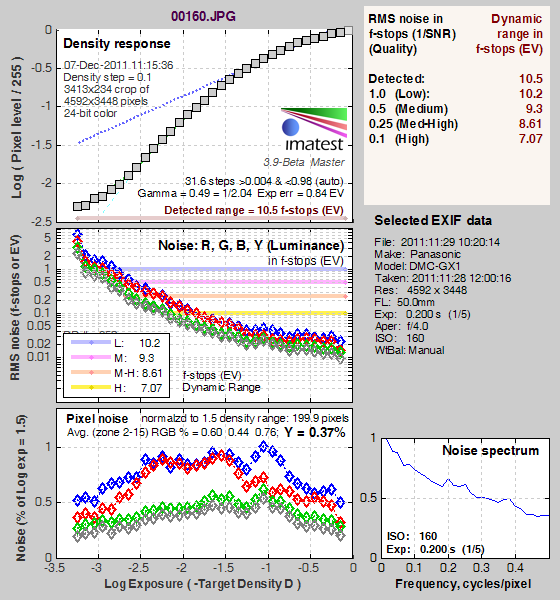 JPEG. The graph at right (click for a larger version) was generated using Imatest’s dynamic range analysis for an in-camera Panasonic GX1 JPEG file with a nominally-exposed density step target (Stouffer 4110). At default settings and base ISO of 160, the results show 10.5 f-stops of total dynamic range, with 7.07 f-stops at the “High” quality level. From the graph at top left, we can see gradation tapers-off fairly smoothly in both the highlight and shadow ends. These are pretty good results for a Micro Four Thirds sensor, but fall short compared to more recent APS-C sensors. Note, though, that this measurement has a margin of error of about 1/3 f-stop, so differences of less than 0.33 can be ignored when comparing results to other models.
 RAW. The graph at right is from the same Stouffer 4110 stepchart image captured as a RAW (.RW2) file, processed with Adobe Camera Raw using the Auto setting. (Slightly better results are likely possible with manually tweaking, but we weren’t able to do much better.) As can be seen, the score at the highest quality level was only slightly better than the in-camera JPEG, at 7.25 vs 7.07 f-stops, while total dynamic range only increased about 1/2 f-stop, to 10.9 versus 10.5 f-stops. Again, these results aren’t bad for a Micro Four Thirds sensor, but they lag current APS-C sensors, especially at the High Quality threshold. It’s worth noting here is that ACR’s default noise reduction settings reduced overall noise somewhat (see the plot in the lower left-hand corner) relative to the levels in the in-camera JPEG, which would tend to boost the dynamic range numbers for the higher quality thresholds.
Contrast Adjustment
The camera’s contrast adjustment was at least some help in handling the harsh lighting.
|
Minimum Contrast
|
|
 |
 |
| Contrast set to lowest, +0.7 EV |
Contrast set to lowest, Auto Exposure |
The Panasonic Lumix DMC-GX1’s lowest contrast setting did a good job bringing out detail in the shadows and darker midtones, but it did little did little to preserve clipped highlight detail in the Sunlit Portrait shot. (The Far-field shot had few highlights clipped to begin with.) Overall, the camera’s limited dynamic range makes it perform a bit below average in this situation.
| Contrast Adjustment Examples | ||
 |
 |
 |
| -2 | 0 | +2 |
The table above shows results with the default as well as the two “extreme” contrast settings. Click on any thumbnail above, then click again to see the full-sized image. The control for contrast was not quite as subtle as saturation was in its effect, though it appeared to leave the strongest highlights at about the same values, then applied a proportional boost to tones as it moved down the tone curve. To make the most of it in a shot like this, you’ll want to expose for the highlights and apply a good amount of contrast reduction (probably the maximum).
The Panasonic GX1’s contrast adjustment doesn’t help with strong highlights here, and we’d really like to see more steps, covering a slightly greater range. Even with the lowest contrast setting, the dynamic range isn’t terribly impressive.
|
Outdoor Portrait Intelligent Dynamic Range
|
|
 |
iD-Range Setting: |
 |
|
Panasonic’s Intelligent Dynamic Range
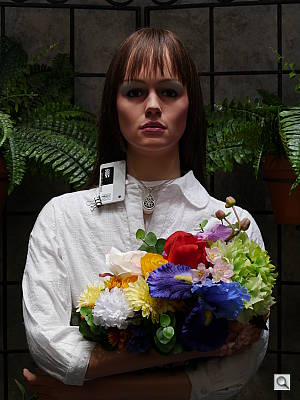
The above shots are examples of Panasonic’s Intelligent Dynamic Range Control (or iD-Range) at work, with no exposure compensation. iD-Range appears to be a more advanced version of iExposure found on older models, capable of boosting shadows and preserving highlights, whereas iExposure worked mostly on shadows. Note that the camera does not take multiple shots and merge as some cameras’ high dynamic range modes do. It’s a system that adjusts local contrast and exposure more akin to Nikon’s Active D-lighting, Canon’s Automatic Lighting Optimization or Sony’s Dynamic Range Optimization.
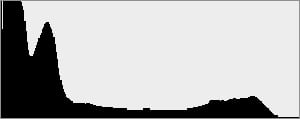
There are three levels of iD-Range available on the Panasonic GX1: Low, Standard and High, plus Off. It’s automatically invoked in iAuto and some scene modes and manually selectable in PASM modes. For our Sunlit Portrait shot, all three settings were an improvement over the Off setting, lightening shadows and delivering a better exposure overall, while doing a very good job at holding on to highlight detail. (The histogram does a good job at showing how shadows were boosted while highlights were kept roughly the same.) However, noise is more visible in the shadows (as expected when boosting them), and the higher settings look a little unnatural, at least in these portrait shots. Still, iD-Range can provide a useful extension to the practical dynamic range of the Panasonic GX1. (It’s not likely increasing the technically defined dynamic range of the sensor any, but it can make for much more usable/printable images when working under tough lighting conditions.)
| Face Detection | ||
 |
 |
 |
| Aperture Priority, 0 EV, f/8 | iAuto, 0 EV, f/2.2 | Portrait, 0 EV, f/2.0 |
Face Detection
Like most cameras these days, the Panasonic Lumix DMC-GX1 has the ability to detect faces (up to 15 in a scene), and adjust exposure and focus accordingly. The GX1 does it automatically in Intelligent Auto (iAuto) and iAuto Plus modes, when Portrait scene mode is selected, or when Face Detection AF mode is enabled. As you can see from the examples above, it made a difference in both iAuto and Portrait scene modes, though the camera selected different apertures and shutter speeds resulting in very different exposures. In both cases, the camera also automatically applied Intelligent D-range Correction as well (Standard level for iAuto, Low for Portrait).
| 1 fc 11 lux |
1/2 fc 5.5 lux |
1/4 fc 2.7 lux |
1/8 fc 1.3 lux |
1/16 fc 0.67 lux |
1/16fc No NR |
|
|---|---|---|---|---|---|---|
| ISO 160 |
 1.3 s f2.8 |
 2.5 s f2.8 |
 5 s f2.8 |
 10 s f2.8 |
 20 s f2.8 |
 20 s f2.8 |
| ISO 200 |
 1 s f2.8 |
 2 s f2.8 |
 4 s f2.8 |
 8 s f2.8 |
 15 s f2.8 |
 15 s f2.8 |
| ISO 400 |
 0.5 s f2.8 |
 1 s f2.8 |
 2 s f2.8 |
 4 s f2.8 |
 8 s f2.8 |
 8 s f2.8 |
| ISO 800 |
 1/4 s f2.8 |
 0.5 s f2.8 |
 1 s f2.8 |
 2 s f2.8 |
 4 s f2.8 |
 4 s f2.8 |
| ISO 1600 |
 1/8 s f2.8 |
 1/4 s f2.8 |
 0.5 s f2.8 |
 1 s f2.8 |
 2 s f2.8 |
 2 s f2.8 |
| ISO 3200 |
 1/15 s f2.8 |
 1/8 s f2.8 |
 1/4 s f2.8 |
 0.5 s f2.8 |
 1 s f2.8 |
 1 s f2.8 |
| ISO 6400 |
 1/30 s f2.8 |
 1/15 s f2.8 |
 1/8 s f2.8 |
 1/4 s f2.8 |
 0.5 s f2.8 |
 0.5 s f2.8 |
| ISO 12800 |
 1/60 s f2.8 |
 1/30 s f2.8 |
 1/15 s f2.8 |
 1/8 s f2.8 |
 1/4 s f2.8 |
 1/4 s f2.8 |
Low Light. The Panasonic Lumix DMC-GX1 performed fairly well in our low light test, capturing bright images down to the lowest light level we test at, at all ISO settings. This darkest level equates to about 1/16 the brightness of average city street lighting at night, so the Panasonic GX1 should be able to take well-exposed photos in almost any environment in which you can see well enough to walk around in. The GX1’s metering system struggled a bit at lower levels, as do many cameras, so these shots were taken in manual exposure mode. Automatic color balance was pretty good (just slightly cool), something that’s not a given at such low light levels. Using default noise reduction setting, noise was low fairly up to ISO 800. At ISOs 1,600 and above, noise was a little higher at lower light levels compared to most recent cameras with APS-C sensors, but pretty good for a MFT model. Some minor horizontal banding was visible in the shadows at higher ISOs and lower light levels, but nothing unusual. We didn’t see any issues with hot or stuck pixels, though when noise reduction is turned down and long shutter NR disabled at the lowest light level, there were quite a few red and blue speckles visible at ISO 200 and 400. There’s also a hit of some very minor heat blooming in the bottom right-hand corner at very high ISOs, but again, that’s not unusual.
The camera’s autofocus system was able to focus on the subject down to below 1/16 foot-candle light level unassisted with an f/2.8 lens which is excellent, especially for a camera with contrast-detect autofocus. The Panasonic Lumix DMC-GX1 does have a focus-assist light option which allows it to autofocus in total darkness, as long as the subject is within range and has sufficient contrast.
How bright is this? The one foot-candle light level that this test begins at roughly corresponds to the brightness of typical city street-lighting at night. Cameras performing well at that level should be able to snap good-looking photos of street-lit scenes.
NOTE: This low light test is conducted with a stationary subject, and the camera mounted on a sturdy tripod. Most digital cameras will fail miserably when faced with a moving subject in dim lighting. (For example, a child’s ballet recital or a holiday pageant in a gymnasium.) Thanks to their phase-detect AF systems, digital SLRs tend to do much better than point & shoots, but you still shouldn’t expect a quick autofocus lock with moving subjects. The GX1 uses contrast-detect autofocus, as is found in most point & shoot cameras, so its low-light focusing ability is less than that of some SLRs with phase-detect systems. That said, though, the larger, more sensitive pixels of the GX1’s sensor do better under dim lighting than do the tiny pixels of most point & shoots, (A useful trick is to just prop the camera on a convenient surface, and use its self-timer to release the shutter. This avoids any jiggling from your finger pressing the shutter button, and can work quite well when you don’t have a tripod handy.)
Output Quality
Print Quality
ISO 160/200 shots look great at 20×30 inches; ISO 1,600 shots made good 11×14-inch prints; and we found good 5×7-inch prints from ISO 6,400.
 ISO 160 shots look great printed at 20 x 30 inches, with nice color and detail.
ISO 200 shots are almost identical, being nearly the same exposure, so 20 x 30 inch prints look just fine.
ISO 400 images are a little softer at 20 x 30, if still usable; but they look better at 16 x 20, which is still quite large.
ISO 800 shots are not usable at 20 x 30, as low-contrast detail looks a bit too hazy. 16 x 20 inch prints look better, but are still just a bit hazy in a few areas.
ISO 1,600 images start to show a bit too much of a green cast in yellows, and noticeable noise in flatter areas, requiring a reduction to 11 x 14 inches.
ISO 3,200 images are usable for less critical applications at 11 x 14 inches, though the red leaf swatch in our Still Life image is a total blur, and yellows continue toward green. We have to prefer the image printed at 8 x 10.
ISO 6,400 image are too noisy at 8 x 10 inches, but look fairly good at 5 x 7.
ISO 12,800 images are a little flatter overall than the other settings and this ISO is best avoided for most applications.
Overall, the GX1 does quite well, with a large starting size of 20 x 30, easily maintaining good quality all the way down to 5 x 7 at ISO 6,400. Oddly, as ISO rises, at around 3,200 printed quality is not quite as high as we saw on the Panasonic G3, even when comparing the printed images side-by-side. It might have to do with a slightly different exposure at those settings.
Testing hundreds of digital cameras, we’ve found that you can only tell just so much about a camera’s image quality by viewing its images on-screen. Ultimately, there’s no substitute for printing a lot of images and examining them closely. For this reason, we now routinely print sample images from the cameras we test on our Canon Pro9000 Mark II studio printer, and on the Canon Pixma MP610 here in the office. (See the Canon Pixma Pro9000 Mark II review for details on that model.)
The images above were taken from our standardized test shots. For a
collection of more pictorial photos, see our
Panasonic Lumix DMC-GX1 Photo Gallery
.
Not sure which camera to buy? Let your eyes be the ultimate judge!
Visit our Comparometer(tm)
to compare images from the Panasonic Lumix DMC-GX1 with those from other
cameras you may be considering. The proof is in the pictures, so let
your own eyes decide which you like best!
Performance
Panasonic GX1 Performance
Timing and Performance
Generally very good speed for a Compact System Camera, though a few sluggish numbers.
|
Startup/Shutdown
|
||
|
Power on |
~1.4 seconds
|
Time it takes to turn on and capture a shot. |
|
Shutdown |
~3.1 seconds
|
How long it takes camera to turn off before you can remove the memory card. |
|
Buffer clearing time
|
2 seconds after
20 Large/Fine JPEGs* |
Worst case buffer clearing time. — This is the delay after a set of shots before you can remove the card.
|
|
17 seconds after
10 RAW files* |
||
|
18 seconds after
8 RAW+ L/F JPEG files* |
||
|
*Note: Buffer clearing times measured with a SanDisk Extreme Pro 45MB/sec SDHC card. Slower cards will produce correspondingly slower clearing times. Slow cards may also limit length of bursts in continuous mode. ISO sensitivity and noise reduction settings can also affect cycle times and burst mode performance.
|
||
Startup time wasn’t bad for a Compact System Camera, but shutdown was sluggish. Numbers for the G3 were 1.4 and 2.2 seconds respectively. Buffer clearing times were good with JPEGs, but slow with RAW files. Buffer sizes were similar to the G3.
| Mode Switching | ||
|---|---|---|
|
Play to Record, |
~0.6 second
|
Time until first shot is captured. |
|
Record to Play |
~2.0 seconds
|
Time to display a large/fine file immediately after capture. |
|
Display |
~0.3 second
|
Time to display a large/fine file already on the memory card. |
Mode switching was reasonably fast. Play to Record was a hair faster than the G3’s 0.8 second. Record to play was slower at 2.0 seconds, but a bit faster than the G3’s 2.2 seconds. Displaying a recorded image took slightly longer than the G3, at about 0.3 second versus the G3’s 0.2 second.
| Shutter Response (Lag Time) | ||
|---|---|---|
|
Full Autofocus,
Single-area AF mode |
0.259 second
|
Time from fully pressing shutter button to image capture, with the lens already at the proper focal distance setting. (All AF timing done with new Panasonic 14-42mm X PZ kit lens.)
|
|
Full Autofocus,
Multi-area AF mode |
0.260 second
|
Time from fully pressing shutter button to image capture, with the lens already at the proper focal distance setting.
|
|
Full Autofocus,
Single-area AF mode, Flash enabled |
0.477 second
|
Time from fully pressing shutter button to image capture, with the lens already at the proper focal distance setting, auto flash enabled.
|
|
Continuous AF
|
0.250 second
|
This mode usually shows no speed increase with our static subject; we have no way to measure performance with moving subjects.
|
|
Manual Focus
|
0.082 second
|
For most cameras, shutter lag is less in manual focus than autofocus, but usually not as fast as when the camera is “prefocused”.
|
|
Prefocused |
0.072 second
|
Time to capture, after half-pressing and holding shutter button. |
The Panasonic GX1’s autofocus was very fast for a camera that uses contrast detection. The GX1 produced full-autofocus shutter lag (with the subject at a fixed distance) of 0.259 second using 1-area (center) AF with the 14-42mm X kit lens. 23-area AF was very slightly slower at 0.260 second. These times are still just a touch slower than the average consumer SLR, but faster than the G3, which took about 0.29 second to focus with the older 14-42mm kit lens. (The new X lens likely makes a difference here.) Enabling the flash increased lag quite a bit to 0.477 second, but that’s still faster than the G3 which took 0.567 second. Shutter lag was 0.250 second compared 0.318 second for the G3 in continuous mode AF. When manually focused, the GX1’s lag time dropped to 0.082 second, which is a touch faster compared to the G3’s 0.091 second lag. The GX1’s prefocused shutter lag time of 0.072 second was also a bit faster than the G3’s 0.080 second lag.
To minimize the effect of different lens’ focusing speed, we test AF-active shutter lag with the lens already set to the correct focal distance.
| Cycle Time (shot to shot) | ||
|---|---|---|
|
Single Shot mode |
0.56 second
|
Time per shot, averaged over 20 shots with no signs of slowing, 2 seconds to clear*. |
|
Single Shot mode |
0.53 second
|
Time per shot, averaged over 12 shots, 17 seconds to clear*. |
|
Single Shot mode
RAW + L/F JPEG |
0.54 second
|
Time per shot, averaged over 9 shots, 21 seconds to clear*. |
|
Early shutter |
No
|
Some cameras don’t snap another |
|
Continuous H |
0.24 second (4.13 frames per second);
20+ frames total; 2 seconds to clear* |
Time per shot, averaged over 20 shots, with no signs of slowing. |
|
Continuous H |
0.24 second (4.13 frames per second);
10 frames total; 17 seconds to clear* |
Time per shot, averaged over buffer length of 10 frames, then slows to an average of 1.38s or 0.72 fps. |
|
Continuous H |
0.24 second (4.12 frames per second);
8 frames total; 18 seconds to clear* |
Time per shot, averaged over buffer length of 8 frames, then slows to an average of about 1.71s or 0.59 fps. |
|
Super HS mode |
0.05 second (20.41 frames per second);
40 frames total; 13 seconds to clear* |
Time per shot, averaged over buffer size of 40 shots. |
|
Flash Recycling |
5.8 seconds
|
Flash at maximum output. |
|
*Note: Buffer clearing times measured with a SanDisk Extreme Pro 45 MB/sec SDHC card. Slower cards will produce correspondingly slower clearing times. Slow cards may also limit length of bursts in continuous mode. ISO sensitivity and noise reduction settings can also affect cycle times and burst mode performance.
|
||
Single-shot cycle times were pretty good, and a bit faster than the G3. We measured 0.56 second for large/fine JPEGs, 0.53 second for RAW and 0.54 second for RAW+L/F JPEGs. The G3’s results ranged from 0.64 to 0.67 second.
Continuous High Speed “H” mode was faster than the G3’s, at about 4.1 frames per second for JPEG, RAW or RAW+JPEG files, compared to the G3’s 3.4 frames per second. Please note that Live View is not available during a burst in H mode. In Super HS mode, we managed 20.4 frames-per-second (about the same as the G3), though resolution is only 4 megapixels in that mode.
Full resolution buffer depths were generous for large/fine JPEGs, at over 20 frames (we suspect there is no limit with a fast card), but when shooting RAW files buffer size dropped to 10 frames, and 8 for RAW+L/F JPEGs. This is on the shallow side for an enthusiast model, but a bit better than the G3’s 7 frame buffer for RAW and RAW+L/F JPEGs. Buffer depth in Super HS mode was very good, at 40 frames. Buffer clearing was a little sluggish when RAW files are present, though.
The flash recycled after a full discharge in 5.8 seconds, which is a bit slower than average for its class, and a bit slower than the G3’s 5.5 seconds.
| Download Speed | ||
|---|---|---|
|
Windows Computer, USB 2.0 |
9,234 KBytes/sec
|
Typical Values: |
Download speeds were fast, quick enough that you probably won’t feel the need for a separate card reader, even with large memory cards. (Note that this test was performed with a SanDisk Extreme Pro 45 MB/sec SD card: Slower cards would likely show slower transfer times.)
Bottom line, the Panasonic GX1’s performance is very good overall for a CSC. Autofocus is very fast, and full resolution burst speed quite good, competitive with most consumer SLRs. Startup, shutdown, some mode switching, and buffer clearing times were a little sluggish, but reasonable for its class.
Battery Life
Slightly below average battery life for a Compact System Camera.
| Operating Mode | Battery Life |
|---|---|
|
Still Capture, CIPA standard
(H-FS014042 lens) |
300 shots
|
|
Still Capture, CIPA standard
(H-PS14042 lens) |
310 shots
|
|
Still Capture, CIPA standard
(H-H014 lens) |
340 shots
|
The Panasonic GX1 uses a custom rechargeable lithium-ion battery pack for power, and comes with both a single battery and charger. The CIPA rated 300-340 shots per charge depending on the lens is a touch below average for a Compact System Camera, and much lower than a typical digital SLR when using the SLR’s optical viewfinder. We strongly recommend getting a second battery for your GX1 if you plan any extended outings.
The table above shows the number of shots the camera is capable
of (on a fully-charged rechargeable battery), based on CIPA battery-life
and/or manufacturer standard test conditions.
(Interested readers can find an English translation of the CIPA DC-002 standards document here. (180K PDF document))
Video
Check out the links below for more sample images, videos and image quality analysis:
-
Panasonic Lumix DMC-GX1 Optics page
(Crops from images shot with the camera’s kit lens, if sold as a kit) -
Panasonic Lumix DMC-GX1 Sample Images page
(Index to all standard test shots, with explanations) -
Panasonic Lumix DMC-GX1 Thumbnails page
(Thumbnails of all shots, including RAWs, with EXIF data) -
Panasonic Lumix DMC-GX1 Gallery page
(Regular photos taken with the Panasonic Lumix DMC-GX1)
High-definition video capture is now a must-have feature in interchangeable-lens cameras, and essentially all the major manufacturers now provide some form of video capture in their compact system cameras. Although it’s positioned as a mid-range camera, the Panasonic GX1 lacks some features of competitors such as manual control of exposure, external microphone connectivity, and the wide selection of frame-rates that a professional videographer would expect. One feature it does offer that’s still relatively less common is support for Power Zoom lenses, which make it easier to adjust zoom during capture without shaking the camera, although at the current time there are only a few choices of compatible lens models. It also provides full-time autofocus–something that is arguably more important than manual exposure in a camera at this level–as well as manual audio levels control.
Still, the combination of Full HD recording and full-time autofocus will likely be plenty for those looking for an alternative to bringing a separate camcorder, but who don’t need precise control over exposure. Most consumers and quite a few enthusiasts will likely count themselves in this number.
Panasonic GX1 Basic Video Specs
- Interlaced 60 fields-per-second Full HD / 1080i (1,920 x 1,080) or progressive scan 60 frames-per-second 720p (1,280 x 720) high-def recording in AVCHD format (50 fields / frames per second in PAL mode)
- Progressive-scan 30 frames-per-second Full HD / 1080p (1,920 x 1,080), 720p (1,280 x 820), or standard-def VGA (640 x 480 recording
in MP4 format (25 frames per second in PAL mode) - All videos are derived from 30 fps sensor output
in NTSC mode, or 25 fps output in PAL mode (US models are NTSC-only) - Autofocus is possible during recording, with variable results depending on the lens used (best results with ‘HD’-branded lenses)
- Programmed-only exposure (that is, no true aperture-priority or shutter-priority, nor manual control), with two slight exceptions as below
- Aperture control is possible in iAuto mode, but this disables many other options such as white balance, all but standard / mono photo styles, etc.
- Flicker Reduction does let you choose shutter speeds of 1/50, 1/60, 1/100, 1/120 second, providing (very) limited shutter control. (As the name suggests, this is intended primarily for avoiding video flicker from fluorescent lights.)
- EV adjustment is available in all movie recording modes, but can’t be adjusted during recording.
- Stereo audio recording via built-in microphone.
- Automatic or four-step manual audio levels control, or disable audio altogether
- Still image capture possible during video recording
Panasonic GX1 Video: Image Size, Frame Rate, and Encoding
The Panasonic GX1 records a variety of resolutions and frame rates, using either the more space-efficient AVCHD or the more broadly compatible MPEG-4 file formats. The capture rate for AVCHD movies is always 60 fields per second at 1080i or 60 frames per second at 720p in the US and 50 fields / frames per second in Europe, but note that, regardless of the capture rate, the sensor is capturing at 30 or 25 fps respectively, and the additional frames are created by interlacing or doubling the frames coming from the sensor. In MPEG-4 mode, a rate of 30 frames per second is always used, matching the sensor rate. No spec is provided for the sampling rate of the audio track during movie recording, though video players report 16-bit 48 kHz AC-3 stereo at 192 kbps for AVCHD.
The table below shows the specs for various video recording options.
|
Panasonic Lumix DMC-GX1 Video Options
|
|||
|---|---|---|---|
|
AVCHD Format (.MTS files)
|
|||
|
Menu Designation
|
Resolution
|
Frame Rate
|
Approx. Bitrate
|
|
FSH (1080i / Full HD) |
1,920 x 1,080 |
60 fields per second |
17 Mbps
|
|
SH (720p) |
1,280 x 720 |
60 frames per second |
17 Mbps
|
|
MPEG-4 Format (.MP4 files)
|
|||
|
Menu Designation
|
Resolution
|
Frame Rate
|
Approx. Bitrate
|
|
FHD (1080p) |
1,920 x 1,080 |
30 frames per second |
20 Mbps
|
|
HD (720p) |
1,280 x 720 |
30 frames per second |
10 Mbps
|
|
VGA |
640 x 480 |
30 frames per second |
4 Mbps
|
As noted above, the Panasonic GX1 offers two video recording formats, either the HD-only AVCHD format or the less space-efficient but more widely-recognized MPEG-4 The latter format is a bit less efficient in its use of memory card space, but of the two, it’s the more likely to be recognized by your computer. AVCHD is the best choice if smaller files are your main aim, but MPEG-4 offers better quality, easier editing, and wider compatibility.
In AVCHD mode, two resolutions are available, but both offer the same bit rate of 17 Mbps (megabits per second), so essentially you’re trading compression level versus resolution. No lower compression levels are offered, but that’s not necessarily a negative. In our experience with cameras recording in the AVCHD format, we’ve generally found that the video artifacts associated with quality settings below 17 Mbps generally weren’t worth the savings in file size anyway. Note that Panasonic doesn’t include a switchable video output mode in North American cameras, but those intended for sale in other markets may allow a choice of either NTSC or PAL video encoding. For NTSC mode, AVCHD files generated by the GX1 are always recorded at a rate of either 60 fields-per-second interlaced for 1080i, or 60 frames per second progressive-scan for 720p, but the source data provided by the sensor is read off at a rate of 30 frames per second. If a PAL mode is available, then when set to this, the 60 fields / frames per second rates are replaced with 50 fields / frames per second rates, deriving from 25 frames per second sensor data.
MPEG-4 offers a choice of three file sizes, as detailed in the table above, all recorded at 30 frames/second, with the sensor capturing data at that same rate.
Panasonic recommends use of at least a Class 4 Secure Digital card to avoid issues with write speeds during video capture.
Here are some examples of video shot with our sample of the Panasonic DMC-GX1:
Panasonic GX1 Video-Mode Focusing
As in other Lumix compact system cameras, consumers will doubtless find the Panasonic GX1’s live autofocus during recording to be a very important feature. Pros and advanced amateurs can “pull focus” (adjust the focus manually) while filming video, and indeed may well prefer to do so, considering focus to be another means of expressing their artistic vision. Doing it well is very much a learned skill, though, and something few people ever learn to do really well. Without live AF, consumers for the most part are reduced to only shooting subjects at a constant distance from the camera, or to having to settle for a lot of poorly-focused video. A lot of video-capable SLRs are certainly being sold to consumers these days, and having some video capability is certainly better than none, but for most consumers to make full use of a video camera, it really needs to be able to focus on the fly.
Panasonic’s engineers really had video recording in mind from the very beginning of Micro Four Thirds development. As a result, Panasonic compact system cameras have offered quite capable video-mode focusing, and the GX1 is no exception. For the most responsive video focus-tracking, you’ll need a special video-specific lens, badged with “HD” video support branding. Most current Panasonic Micro Four Thirds lenses are now HD-capable, but there are still a few models that lack the quieter AF of newer models, and of course if you have older glass, this may lack the HD badge.
We continue to find that we appreciate Panasonic’s touch-select movable focus point in the GX1 as much or more for video recording than we did when shooting still images. We’ve honestly never been particularly big fans of touch-screen interfaces on cameras, but the way Panasonic implemented theirs on the is very fluid and natural, and really makes a lot of sense. We especially liked that we could use the touch-select focus to change the point of focus in the frame while video recording was in progress, at least with the AF control set to the 23-point option: We could start with the camera focused on a foreground object on one side of the frame, and then have it transition smoothly to focusing on a background object on the other side of the frame, simply by touching the other side of the LCD screen. The advantage of this is that our finger caused no noise on the audio track, other than the operation of the focus motor itself. This is a nice contrast to systems where shifting the focus would require either manual manipulation of the lens or pressing buttons on the camera’s user interface, either of which would produce clearly audible noise on the audio track. The newer Power Zoom lenses promise to make things even better, with a gentle push on two rocker control making shake- and (handling) noise-free adjustments to either focus or zoom position even easier, and allowing variable speed on both controls.
Panasonic GX1 Video Exposure Control
While the Panasonic GX1 lets you record movies directly from any of its still-image exposure modes, including aperture-priority, shutter-priority, and full manual exposure modes, the shutter speed, aperture, and ISO settings for video recording are always automatically controlled. Thus, while the controls might suggest full PASM (programmed, aperture-priority, shutter-priority, and full manual exposure) exposure control for videos, no direct control over lens aperture is available, and nor is full control over shutter speed. With that said, at least a little control is indirectly available in both areas. An option on the Motion Picture menu enables or disables Flicker Reduction, which lets you choose shutter speeds of 1/50, 1/60, 1/100, and 1/120 second for movie recording. These are intended to help in controlling video flicker caused by fluorescent lighting, but can also be used to gain at least a measure of direct control over shutter speed. Switching to iAuto mode, meanwhile, provides the ability to bias the lens aperture in your chosen direction, although this also dictates some other compromises. Specifically, if you’re using iAuto mode, you’re restricted to either Standard or Monochrome photo styles, and can’t change any settings except picture mode, metering mode, Intelligent Resolution, Intelligent Dynamic-range Control, digital zoom, and flicker reduction.
In addition to the conventional exposure modes, the Panasonic GX1 offers many of its still-image scene modes for video recording as well. The Creative Control function is available for both stills and movies, and offers sub-options of Expressive, Retro, High Key, Low Key, Sepia, High Dynamic, Toy Effect, and Miniature Effect. This last option causes a significant reduction in capture frame rate, and rather than playing back with this same, rather jerky frame rate, videos recorded with the Miniature Effect function active will instead play back at a greatly accelerated speed with no sound. Photo Styles also apply to both stills and videos, and options here include Standard, Vivid, Natural, Monochrome, Scenery, Portrait, and a Custom option which lets you adjust Contrast, Sharpness, Saturation, and Noise Reduction levels to your liking.
Panasonic GX1 Movie-Mode Image Stabilization
Panasonic’s image stabilization technology is lens-based, so IS effectiveness and impact on the audio track will depend on the lens you’re using. We felt that the base kit 14-42mm lens’s IS worked well, and had relatively little impact on the audio, but we could definitely hear it working in quiet passages: When recording in quiet settings, you’ll probably want to turn it off, but it’s still quieter than typical body-based IS systems.
Panasonic GX1 Video: Audio recording
Panasonic doesn’t publish specs for the GX1’s audio recording capability, but video players report 48 kHz AC-3 Dolby Digital stereo at 192 kbps for AVCHD. Audio recorded with the camera’s internal mic seemed plenty clear, but we do no tests to measure frequency response or sensitivity. We did notice that there was audible hiss in audio tracks recorded with the in-camera mic in very quiet environments. On a positive note, though, we didn’t hear any audible “breathing” from the auto-gain system adjusting sensitivity as sound levels got louder or softer.
The GX1 is unusual in being able to provide not only for manual audio level control, but also an on-screen levels display that lets you see if you need to adjust the levels to correctly capture your subject. It’s perhaps not the finest-grained control, as the microphone level is controlled in four arbitrary steps, but nonetheless this is more than is offered by some competing cameras. The on-screen levels display offers an eight-step indication, meanwhile.
Unfortunately, it doesn’t offer external microphone connectivity, and although the internal microphone has been upgraded to a stereo mic, there is little separation between the mic ports for the left and right channels, leading to a weak stereo effect. Of course, like any camera you can simply use an inexpensive, external digital audio recorder to record a separate soundtrack, and then replace the stock camera audio in post processing, a relatively straightforward process.
Panasonic GX1 Movie Recording User Interface
The Panasonic GX1 makes movie recording very easy, as you can initiate it at any time, regardless of the mode-dial setting: Simply press the prominent Movie Record button with the red dot at its center on the GX1’s top panel, and the camera will start recording video. Video resolution and file format are available via the rear-panel LCD, and you can change these settings at any time via the Quick menu or Motion Picture menu, using either the touch interface or physical buttons. The result is a camera that feels like it was intended to shoot video from the start, rather than one with movie recording grafted on as an afterthought. The quick access to video recording makes it much more likely that you’ll use the Panasonic GX1 to record little “video snapshots,” rather than it being a big production to switch in and out of video mode.
We’ve generally favored use of the shutter button to start and end video recording, but found ourselves really liking the convenience of the GX1’s dedicated record button. Having it on the rear panel, right behind the shutter button also made it very quick to access with our thumb, so our index finger could remain on the shutter button at all times, ready to capture a spontaneous still image. The touch screen was also nicely integrated into the video recording interface; we found it especially handy for moving the focus point, and used the Quick Menu quite a bit for changing the video recording mode and/or resolution.
One thing to be aware of in recording movies is that the aspect ratio can change immediately after capture starts, if the video and still-capture mode options are set differently. This can be a little disconcerting the first few times it happens. The solution is to either just learn to expect it, or to check ahead of time to see that you’re using the same aspect ratio for both still and video capture. There is an option in page four of the Custom menu that determines whether the GX1 should default to showing the aspect ratio set for still or movie capture on its LCD, so if you predominantly shoot one or other media type, you can at least ensure you’re surprised as seldom as possible.
A much larger issue is that we discovered there to be a combination of significant lag and anticipation (for lack of a better word) when starting/stopping movie recording. When starting a recording, we found that the recording didn’t start until about a second after pressing the Movie Record button. While we haven’t tracked this “movie shutter lag” with other cameras, we’ve seen varying amounts of delay in the video-capable SLR/SLD cameras we’ve tested in this regard. Somewhat more disconcerting, though was that, as we’ve seen in some past Panasonic models, the GX1 stopped recording early, with the end of the recorded video coming about a half-second before the point at which we’d pressed the Movie Record button to stop it. This was rather odd in our experience, and led to us chopping off a number of video clips short, ending them before we intended to.
Setting adjustments in movie mode are made via the Motion Picture Menu, which for convenience shares a few items with the main Record Menu. A full list of options can be found below:
Panasonic GX1 Motion Picture Menu 1:
| Motion Picture Menu 1 Options | ||
|
Top-Level
Selection |
Second-Level
|
Notes
|
|
Photo Style
|
– Standard
– Vivid – Natural – Monochrome – Scenery – Portrait – Custom |
|
|
Record Mode
|
– AVCHD
– MP4 |
|
|
Record Quality
|
– AVCHD FSH
– AVCDHD SH – MP4 FHD – MP4 HD – MP4 VGA |
FSH and FHD are 1,920 x 1,280 pixels; SH and HD are 1,280 x 720 pixels; VGA is 640 x 480
|
|
Picture Mode
|
– Motion Picture priority
– Still Picture priority |
Motion priority captures low-res image without interruption to video; still priority captures full-res image, but interrupts video capture
|
|
Continuous AF
|
– Off
– On |
|
Panasonic GX1 Motion Picture Menu 2:
| Motion Picture Menu 2 Options | ||
|
Top-Level
Selection |
Second-Level
|
Notes
|
|
Metering Mode
|
– Multi-pattern
– Center-Weighted – Spot |
|
|
I.Resolution
|
– Off
– Low – Standard – High – Extended |
|
|
I. Dynamic
|
– Off
– Low – Standard – High |
|
|
Extended Tele Conversion
|
– On
– Off |
Crops video from center of image frame to achieve a zoom effect without interpolation
|
|
Digital Zoom
|
– Off
– 2x – 4x |
|
Panasonic GX1 Motion Picture Menu 3:
| Motion Picture Menu 3 Options | ||
|
Top-Level
Selection |
Second-Level
|
Notes
|
|
Wind Cut
|
– Off
– Auto |
|
|
Mic Level Display
|
– Off
– On |
|
|
Mic Level Adjust
|
– Level 1
– Level 2 – Level 3 – Level 4 |
|
|
Flicker Reduction
|
– Off
– 1/50 – 1/60 – 1/100 – 1/120 |
|
Rolling Shutter Artifacts (“Jello Effect”)
Essentially every video capable digital SLR/SLD currently on the market exhibits motion-related distortions called rolling shutter artifacts. These are caused because the image data is captured and then read off the chip sequentially by rows, rather being captured all at once. In the case of the Panasonic, this means that image data for the last row of a given frame is captured and read out anywhere from 1/25th to 1/30th second after the data for the top row was captured. The effect on moving objects is similar to that of a focal plane shutter in an SLR, but more pronounced, because the video frame is read out much more slowly than the slit of a focal plane shutter moves across the sensor.
For a camera that scans video frames vertically (as all do that we’re aware of), rolling shutter artifacts will be most noticeable for subjects that are moving rapidly side to side, or when the camera itself is being panned horizontally. Verticals in the scene will appear tilted to the right or left, depending on the direction of camera motion. As an example, consider the case of a camera being panned from left to right, with a flagpole or other vertical object in the middle of the scene when recording for a particular frame begins: If the top of the object was centered horizontally when the first line of the video frame is acquired, by the time the last line of the frame has been captured, the bottom of the object will have shifted to somewhere left of center: As a result, the vertical object would appear to be leaning to the right.
Computer Requirements for Viewing HD Video
A typical computer these days has little trouble dealing with still images, but high-definition video can be another matter. Depending on the file format involved, it can take a pretty beefy computer to handle HD-resolution video playback without stuttering or dropping frames. The Panasonic GX1 supports both AVCHD and MPEG-4 recording formats. The AVCHD format is slightly more space-efficient on the memory card, and displays well on HD television sets, but is one of the more compute-intensive formats, and its 1,920 x 1,080 (1080i) resolution means there’s a lot of data in each frame to deal with at full resolution. The net result is that you’ll want a relatively recent and powerful computer to play full-res high-def video files from the GX1 on your computer. At lower resolutions, and for MPEG-4 video, the requirements will be somewhat more modest. You can, of course, view your movies on an HDTV via the Type-C Mini HDMI output.
Flash
Panasonic GX1 Flash

The Panasonic GX1's built-in flash has a Guide Number rating of 7.6 meters (24.9 feet) at ISO 160. With the 14-42mm kit lens, that translates to a range of 7.1 feet at f/3.5, or 4.5 feet at f/5.6. The GX1 doesn't offer an ISO 100 setting, but since most cameras don't provide an ISO 160 guide number, it's worth noting that its flash offers a strength equivalent to 6 meters at ISO 100. That's much weaker than most digital SLRs, which are typically rated at 12 or 13 meters, but not unusual for a compact system camera.
The Panasonic GX1's flash is released by pressing the Flash Open open button on the rear of the camera. Raising the flash enables it. It never pops up automatically like some models, which can be good or bad, depending on your point of view. A novice would probably appreciate an auto-pop-up flash, but someone with experience might think it a nuisance.
When open, the flash doesn't extend very high, so at wide angle longer Micro Four Thirds lenses could cast a shadow when the lens hood is attached. The Panasonic GX1's flash is disabled by pressing down until it clicks shut.

The Panasonic GX1's built-in flash has seven modes: Auto, Auto with Red-Eye Reduction, Forced On, Forced On with Red-Eye Reduction, Slow Sync, Slow Sync with Red-Eye Reduction, and Forced Off. Flash modes are changed via either the Quick menu, or an option on Page 2 of the Record menu, and available settings vary depending on exposure mode. The flash is forced off when closed. A Digital Red-Eye Reduction feature is also offered, which when enabled, will attempt to remove red-eye after the photo is taken, via post-processing. For slow-sync exposures, both first and second curtain synchronization modes are provided. X-Sync (the maximum shutter speed with the flash enabled) is 1/160 second, a bit below average these days, and there is no mention of a higher-speed FP (focal plane) mode. There's also no wireless flash support in the Panasonic GX1.
The Panasonic GX1 allows you to adjust flash and ambient exposure independently of each other, by providing flash exposure compensation between -2 and +2 EV in one-third EV increments. Flash exposure bracketing is not supported, and there is no manual flash mode where output level can be set as a percentage of full power.

Like an SLR, the Panasonic GX1 also has a dedicated hot shoe for mounting external flash units, like Panasonic's DMW-FL500, FL360, and FL220. Olympus flash units such as the FL-50, FL-36, FL-20, and FL-14 should also work, and non-dedicated units can also be used provided they have a compatible trigger voltage and polarity. (Panasonic does not seem to mention the trigger voltage or polarity in the GX1's user manual, though they do warn against using an external flash with "high-voltage" or reverse polarity.)
The advantages of a good external flash are many: more power for increased range, faster recycle times, longer battery life, reduced red-eye, auto zoom to match coverage to the current focal length, and the ability to adjust the tilt and swivel of the head to allow light from the flash to be bounced off nearby surfaces such as a ceiling, for a diffuse effect. Most external flash units have a more powerful AF assist illuminator built-in than the one on the body, and other useful features such as modeling flash are common on higher end models.
Flash Test Results
Coverage and Range
A small, weak flash with uneven coverage at wide angle. Above average positive exposure compensation required.


Coverage. Flash coverage is rather uneven at wide-angle, leaving the corners of our flash target image darker at 14mm, thought that's not unusual. Some of the corner shading can also attributable to the lens itself. Coverage is more uniform at full telephoto (42mm).
Exposure. Indoors under incandescent background lighting, the Panasonic GX1's flash underexposed our indoor portrait scene at ISO 160, despite the +1.0 EV flash exposure compensation used. (An average of +0.7 EV is normally needed for this shot.) You'll likely need to boost ISO (or enable Auto ISO) for typical indoor shots. The camera's slow-sync flash mode required no compensation, though the longer shutter time results in a much warmer cast from the ambient background lighting.
| Flash Range: Wide Angle | |||||
|---|---|---|---|---|---|
| 6 ft | 7 ft | 8 ft | 9 ft | 10 ft | 11 ft |
 1/60 sec f3.5 ISO 160 |
 1/60 sec f3.5 ISO 160 |
 1/60 sec f3.5 ISO 160 |
 1/60 sec f3.5 ISO 160 |
 1/60 sec f3.5 ISO 160 |
 1/60 sec f3.5 ISO 160 |
| 12 ft | 13 ft | 14 ft | 15 ft | 16 ft | |
 1/60 sec f3.5 ISO 160 |
 1/60 sec f3.5 ISO 160 |
 1/60 sec f3.5 ISO 160 |
 1/60 sec f3.5 ISO 160 |
 1/60 sec f3.5 ISO 160 |
|
| Flash Range: Telephoto | |||||
|---|---|---|---|---|---|
| 6 ft | 7 ft | 8 ft | 9 ft | 10 ft | 11 ft |
 1/60 sec f5.6 ISO 160 |
 1/60 sec f5.6 ISO 160 |
 1/60 sec f5.6 ISO 160 |
 1/60 sec f5.6 ISO 160 |
 1/60 sec f5.6 ISO 160 |
 1/60 sec f5.6 ISO 160 |
| 12 ft | 13 ft | 14 ft | 15 ft | 16 ft | |
 1/60 sec f5.6 ISO 160 |
 1/60 sec f5.6 ISO 160 |
 1/60 sec f5.6 ISO 160 |
 1/60 sec f5.6 ISO 160 |
 1/60 sec f5.6 ISO 160 |
|
ISO 160 Range. At 14mm wide-angle, flash exposure was bright out to 7 feet, which agrees with Panasonic's GN rating. Brightness decreased gradually with distance from there. At full telephoto, flash exposures started out quite dim at 6 feet (as expected), and brightness fell off rapidly from there. Keep in mind the GX1's base ISO is 160, so flash range is not directly comparable to cameras that have a base ISO of 100. (We may change this test to use ISO 200 going forward, as a number of cameras don't offer ISO 100.)
| Manufacturer-Specified Flash Range | |
|---|---|
| Wide Angle | Telephoto |
 22.3 feet Auto ISO 1000 |
 13.8 feet Auto ISO 800 |
Manufacturer-Specified Flash Range Test. Panasonic specifies a flash range of 22.3 feet at wide-angle, and 13.8 feet at full telephoto with the kit lens, with ISO set to Auto. As you can see above, the Panasonic GX1 produced a good flash exposure at the rated distance at wide-angle (the flash target is just slightly overexposed), but results at 42mm were quite dim. What's odd here is using the GN to calculate the theoretical flash range at ISO 800 results in 9.9 feet at telephoto (f/5.6), not 13.8 feet, so we're not surprised the telephoto shot is underexposed. Our standard test method for flash range uses either a fixed setting of ISO 100 (ISO 160 for the GX1), to provide a fair basis of comparison between cameras. We've now also begun shooting two shots using the manufacturer-specified camera settings, at the range the company claims for the camera (at Auto ISO if so specified), to assess the validity of the specific claims.
Pricing and availability
The Panasonic LUMIX DMC-GX1 started shipping in mid-December 2011 in black and silver body colors. Body-only pricing was set at around US$700. Two kit versions were available: the DMC-GX1-K with the LUMIX G VARIO 14-42mm F3.5-5.6 ASPH. MEGA O.I.S. (H-FS014042) zoom lens for about US$800, or the DMC-GX1-X, which includes the LUMIX G X VARIO PZ 14-42mm F3.5-5.6 ASPH. POWER O.I.S (H-PS14042) zoom lens for around US$950.