


Overview
Sony H2 Overview
by Stephanie Boozerand Shawn Barnett
Review Posted: 05/19/2006
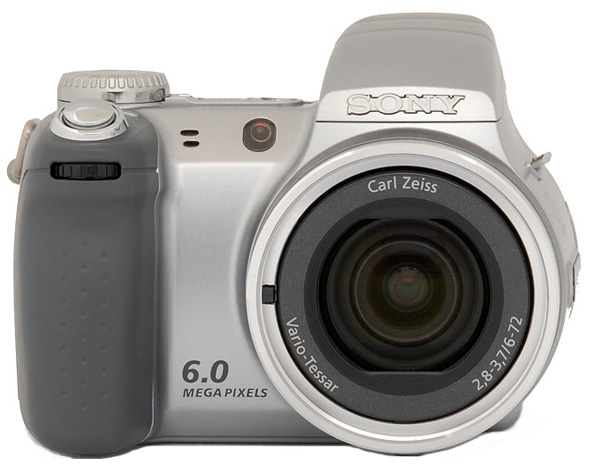
Last year, Sony released the Cyber-shot DSC-H1 as a new form factor addition to its long and very broad line of digital cameras reflecting the company's commanding position in the digital camera marketplace. Like many other long zoom cameras, the Sony H1's miniature SLR look and feel immediately instilled confidence, with the big grip and large lens barrel housing the excellent 12x optical zoom lens. The newly-released DSC-H2 model updates the H1 with a larger CCD at 6.0-megapixels, and extends a few capabilities as well, with a wider ISO range and an optional function guide for onscreen help. Most of the H2's functions will be familiar to users of other Sony digital cameras, and newcomers to the line will appreciate the camera's simplicity. The Sony H2 features the same 12x optical zoom lens and Image Stabilization technology as the H1, and offers full manual to full auto exposure control, with a nice selection of creative tools at the user's disposal. Read on for all of the details!
Sony H2 User Report
Like its predecessor, the Sony Cyber-shot DSC-H1, the new Sony DSC-H2 digital camera takes direct aim at the Long Zoom Family Camera market, offering an impressive 12x optical zoom lens along with full manual exposure control, while not getting too complicated for novice users. For the most part, the H2 is an update of the H1, with a larger, 6.0-megapixel CCD, expanded ISO options (80 to 1,000 equivalents), and expanded partial manual exposure control modes (Aperture and Shutter Priority shooting options). Control layout is slightly different from the previous model, as are the overall dimensions (just slightly), but the most noticeable physical difference is the smaller 2.0-inch LCD display. We loved the large, bright 2.5-inch LCD display on the H1 model, and do miss its presence on the H2. That said, the H2's 2.0-inch LCD monitor is fairly bright, even outdoors in bright daylight.
Though a large lens barrel and fairly large LCD monitor dominates a large portion of the camera body, Sony managed to keep all the necessary functions close at hand and easy to operate. The grip area offers a firm hold on the camera, with rubbery texture that really grabs your fingers as they wrap around the camera. The lens is large enough that you'll want to support the camera with your left hand and wrap your right hand down to cup the camera's bottom. Your thumb finds a decent resting place on the back, slightly overlapping the zoom buttons. A series of raised bumps helps keep your thumb from slipping off. The Five-way navigator is below and within easy reach, but the buttons are firm enough that they're not easily activated by accident. It is not impossible, though, so you should be careful, especially when shooting vertically, because your thumb can move and press a button unintentionally.
A half-press on the shutter begins the focus operation. In low light, a very bright orange LED illuminates the scene when necessary, reaching impressively far for effective autofocus even in near- or total darkness. The fast Multi-point AF determines the closest object and focuses quickly, showing brackets around the areas that will be in focus. Everything about the camera feels quality and performs competently. When necessary, a pop-up flash deploys automatically, or the user can pop it up by switching to either of the forced flash modes.
The Sony DSC-H2's zoom is fast and smooth, not to mention quiet. With some experience and finesse, you can move the zoom either slowly or quickly, by varying the pressure applied to the buttons. If it's more comfortable in bright daylight, the EVF offers a good view, at the same 354 x 240 resolution that the back-panel LCD displays; it's a little small, but serves its purpose. The Super SteadyShot image stabilization system is activated with the press of a button. It can be set to "Shooting" or "Continuous" mode in the Setup menu. In Shooting mode, the stabilization only becomes active when the shutter is pressed, but if you want to see the effect of the stabilization, put the camera in Continuous mode.


I was able to capture some great baseball shots from pretty far away via the digital zoom, and I was impressed with the results, especially at night. Though it has high ISO settings, I'd avoid them in all but the most urgent situations; the baseball shots were set by the camera to ISO 320, and turned out great.
Typical of consumer digicams, the Sony DSC-H2 does tend to oversharpen its image a bit, but exposure is usually quite good, with or without flash. Sharpness can be adjusted in the menu, as can contrast and saturation, so the user has some control over how the camera renders its images. Actually, "control" is probably the best way to describe the Sony H2, because it offers a very simple interface, yet perhaps the most control over light gathering of any camera in Sony's lineup. It's that huge focal range that gives you such a feeling of power: With just the press of a button, you're suddenly all the way across the house to where junior is making a silly face, and you're more likely to get a sharp shot with the help of the Super SteadyShot.
One favorite feature of mine is the intelligently designed battery/Memory stick door. It is hinged in the middle, so you can get to the Memory stick without having to turn off the camera or remove the batteries. Just pull to release the Memory Stick half of the door, or slide to the right to release the whole thing, exposing both batteries and memory card. That the Sony DSC-H2 is designed to work with only two standard AA batteries is impressive indeed.
Included with the camera are two Sony NiMH AA Stamina batteries, delivering 2100 mAh at 1.2V. They'll last about 400 full-resolution shots with the LCD enabled, which is pretty good. Alkaline, Manganese, Lithium, and NiCd batteries are not recommended. Unlike most current manufacturers that use AAs, Sony includes a charger and two batteries right in the box with the H2, a valuable addition. I suggest you buy at least two more, even though the battery life on this camera is pretty good (though less so than other Sony cameras due to the zoom lens and Super SteadyShot mode). Read my NiMH battery shootout page to see which batteries currently on the market are the best.
The Sony DSC-H2 is an impressive offering, and should do well against other long-zoom cameras and as I've often pointed out, optical image stabilization is a huge benefit for long-zoom cameras. It is handsomely constructed, with a feel of quality. It also has reasonable heft offering a more stable shooting platform. Its flexible exposure modes and quality lens should give most users a great experience.
Basic Features
- 6.0-megapixel CCD.
- 12x zoom lens (equivalent to a 36-432mm lens on a 35mm camera).
- Max 16-52x digital Smart Zoom (depending on res), plus 24x Precision Digital zoom.
- Electronic optical viewfinder.
- 2.0-inch color LCD monitor.
- Full Manual through Automatic exposure available, including Aperture and Shutter priority and seven Scene modes.
- Built-in flash with five modes and an intensity adjustment.
- 32MB internal memory.
- Sony Memory Stick Duo storage (no card included), compatible with Memory Stick Pro Duo.
- USB 2.0 computer connection.
- 2 AA NiMH rechargeable batteries and charger included.
- Software for Mac and PC.
Special Features
- Super Steady Shot optical image stabilization for steady shots at telephoto focal lengths.
- High Sensitivity, Twilight, Twilight Portrait, Beach, High-speed shutter, Landscape, and Portrait preset modes.
- Movie recording mode (with sound).
- Multi-Burst slow motion mode and Burst continuous shooting mode.
- Email (VGA) modes.
- Shutter speeds from 1/2,000 to 1/4 sec in Auto mode; 1/2,000 to one second in Program mode; and 1/1,000 to 30 seconds in Manual mode.
- Aperture range from f/2.8 to f/8, depending on zoom position.
- Image Sharpness and Contrast adjustments, plus Image Color options.
- Self-timer for delayed shutter release.
- Macro (close-up) lens adjustment.
- Spot, Center-Weighted, and Multi-Metering modes.
- Adjustable AF area and four AF modes.
- Auto ISO setting or 80, 100, 200, 400, 800, and 1,000 ISO equivalents.
- White balance (color) adjustment with seven options, including a manual setting.
- DPOF (Digital Print Order Format) and PictBridge printing compatibility.
In the Box
Included with the Sony DSC-H2 digital camera are the following items:
- Neck strap..
- Two NiMH AA batteries and charger..
- USB cable.
- AV cable.
- Lens Adapter ring.
- Lens Hood.
- Lens Cap and retainer cord.
- Software CD containing Picture Package (ver.1.6 for Windows), Pixela ImageMixer VCD2 (for Mac), a PC-based tutorial, and USB drivers.
- Quick-guide manuals and registration information.
Recommended Accessories
- Extra NiMH batteries. (Read my NiMH battery shootout page to see which batteries currently on the market are the best.)
- Large capacity Memory Stick Duo or Large capacity Memory Stick Duo PRO. (Memory Stick PRO versions can handle high-res movie data and give faster download times.) This should be used for all current Sony cameras.
Conclusion
| Pro: | Con: |
|---|---|
|
|
Like the preceding Sony Cyber-shot DSC-H1, the Sony DSC-H2 offers optical image stabilization with a very long zoom lens. The Sony H2 provides more manual exposure control than many other long zoom digital cameras, yet is easy to use in full-auto mode, and its seven preprogrammed scene modes help with tricky subjects. The design and layout of the H2 is very user-friendly, and the camera boasts accurate EVF and LCD displays. Occasionally modes can get confusing to those more familiar with Sony's other point-and-shoot models, but a brief look at the manual will quickly make it all clear. The Sony DSC-H2 is fairly fast on the draw, with faster than average shutter response, a smooth and responsive zoom, and very good shot to shot cycle times. Optical quality is very good, but we were disappointed with the high chromatic aberration and softness in the corners at telephoto; that's part of the tradeoff found in a very long zoom that we think most will find acceptable. In use, the camera was great for a day at the stadium, as well as chasing the family around the yard. As I mentioned, though, I'd avoid the high ISO settings completely, relying instead on the Super SteadyShot to handle low light. That the Sony H2 does all its tricks with two AA batteries is impressive, and two spare NiMH AA's will give you another 400 shots. Overall, given the low price and good performance, the Sony H2 is a bargain in a 6 megapixel 12X zoom, and a clear Dave's Pick.
Design
Sony H2 Design
Similar in style and design to the original Sony DSC-H1 digital camera, the Sony DSC-H2 is compact, stylish, and ready to go anywhere, with a somewhat chunky body style similar to other long zoom digital cameras on the market. Its silvery metal body is big enough for easy control with either one hand or two. Measuring 4.5 x 3.38 x 3.75 inches (113 x 83 x 94 millimeters) and weighing 18.9 ounces (537 grams) with the batteries and memory card installed, the Sony H2 is not exactly pocketable, but it fits into larger coat pockets and small packs with ease. When not in use, the telescoping zoom lens retracts neatly inside the body, and a substantial lens cap is provided for very secure protection. (Like the H1, this cap is arguably one of the most substantial out in the market, with a mechanism that controls four spring-loaded retractable cap retention cams. The heft of the cap reminds me more of a manhole cover than a lens cap.) Despite the Sony H2's heft, it is well-balanced and easy to hold, though its protrusions are likely to snag a bit in a coat pocket, so I recommend a camera bag to give this camera the protection it deserves.

The Sony DSC-H2 has a good grip up front and a reasonably clear area for your thumb on the back. The 12x, 6-72mm zoom lens (equivalent to a 36-432mm zoom on a 35mm camera) dominates the camera's left side (when held from the back), with a small and very bright orange lamp on the upper right of it, to help with focusing in low-light conditions. (This lamp also blinks less brightly when the self-timer is in use, flashing faster to let you know when the camera is about to snap the picture.) Left of the orange lamp are two holes for the microphone. The flash is above the lens, concealed in a pop-up assembly. The Jog dial is located under the Shutter button on the handgrip.

The right side of the camera (as viewed from the rear) has a small plastic door that opens to reveal a small opening into the battery compartment to accommodate the AC adapter cord. Above that is one of the neckstrap eyelets. You can also see the edge of the battery compartment door at the bottom of the panel.

The left side has a large plastic door that flips out toward the front and reveals the A/V and USB jacks. A second neckstrap eyelet is located above the curve of the lens barrel.

The camera's top panel includes a smattering of controls, including the Shutter button, Focus and Continuous/Bracketing buttons, and the Mode dial. To the left of the Mode dial are the Power and Steady Shot buttons, with the Finder/LCD and Playback buttons behind these, angled down toward the rear panel.

The Sony DSC-H2's rear panel holds the remaining camera controls and function buttons, along with a 2.0-inch color LCD monitor for previewing and playing back images, and the electronic viewfinder (EVF) window. The LCD display reports a variety of camera and exposure settings, including the aperture and shutter speed settings (a nice bonus for those interested in how the camera will expose the image) and a three-stage battery gauge. The EVF is located above the LCD monitor, with the Finder Adjustment Lever beneath the eyepiece for dioptric adjustment. The camera's Zoom control is in the upper right corner, and the Display and Menu buttons are down and right of it. In the lower right corner is a Five-way Arrow pad, with small arrows pointing in four directions (Up, Down, Left, and Right) and a set button in the middle. Each serves multiple functions, navigating onscreen menus scrolling between captured images in playback mode, or activating different camera functions (Flash, Exposure Compensation, Self-Timer, and Macro). Below and left of the Arrow pad is the Image Resolution/Erase button, and in the very bottom right corner is a tiny LED that lights whenever the camera is accessing the memory.

Finally, the Sony H2's flat bottom holds the threaded (metal, kudos for that) tripod screw mount, a speaker for audio playback, and the shared Memory Stick/battery compartment with a clever door arrangement. While most users of the H2 probably won't care, it is possible to change the batteries while the camera is mounted on most tripods.
The Sony DSC-H2 has two items that are not commonly included: an Accessory extension tube for attaching accessory lenses, and a lens hood that attaches to the extension tube. Unfortunately, the lens hood blocks the flash when shooting at wide angle, but it could still be useful at longer portrait distances, helping eliminate glare and lens flare.
Sony H2 External Controls

Shutter Button: Placed at an angle out on the grip's leading edge, this button sets focus and exposure when halfway pressed, and fires the shutter when fully pressed.

Front Jog Dial: This ridged dial on the very front of the handgrip controls aperture and shutter speed settings in Aperture and Shutter Priority exposure modes. In Manual mode, turning the dial highlights either the aperture or shutter speed setting, while pressing the dial selects the setting for adjustment (by turning the dial again). This dial also works in conjunction with the Exposure Compensation adjustment.
Focus Button: Behind and to the left of the Shutter button, this button selects the focus method, choosing among Multi point AF, Center AF, Flexible Spot AF, and Manual Focus.
Continuous/Bracket Button: Selects among Burst, Exposure Bracketing, and Multi Burst modes. Multi Burst fires 16 frames and saves them as a matrix of 16 images in one frame.

Mode Dial: Perched high on the right side of the camera's top, this ribbed dial sets the camera's operating mode, offering Auto, Program, Shutter Priority, Aperture Priority, Manual, High Sensitivity, Twilight, Twilight portrait, Beach, High-speed shutter, Landscape, Portrait, and Movie modes. (See menus and descriptions below.)

Power Button: Located just left of the Mode dial on the camera's top panel, this well-recessed button turns the camera on and off.

Steady Shot Button: To the left of the Power button, this button cancels and re-activates Super SteadyShot mode.

Finder/LCD Button: Angled down toward the rear panel, this button switches the display between the 2.0-inch LCD and the electronic viewfinder.

Playback Button: To the right of the Finder/LCD button, this button puts the camera into Playback mode.
Zoom Control: Positioned in the top right corner of the rear panel, this two-way rocker button controls optical zoom and, when enabled via the Setup menu, Sony's "Smart Zoom" or Precision Zoom options.
In Playback mode, this button controls the digital enlargement of a captured image, which can go as high as 5x. (Very handy for checking focus or the expressions on people's faces in group shots.) Also in Playback mode, the wide-angle end of the button activates the Index Display mode, which displays either nine or 16 thumbnail images on the screen at one time. (Pressing the "W" end once pulls up the nine-image display, and a second press pulls up the 16-image display.)

Display / LCD On/Off Button: Below right of the Zoom control, this button controls the LCD display, cycling through the image with information display, the image with information and live histogram display, the image with limited information display (in all Record modes). In Playback mode, it cycles through the same series.

Menu Button: Below the Display button, this button activates the settings menu in any camera mode. The Menu button also turns off the menu display.
Five-Way Arrow Pad: Located in the lower right corner of the rear panel, this four-way rocker button features four arrow buttons, each pointing in a different direction (up, down, left, and right), with a Set or OK button in the middle. In all settings menus, these arrow keys navigate through menu options. Pressing the center button confirms selections.
In any record mode, the Up button controls the Flash mode, cycling through Auto, Forced, Slow-Sync, and Suppressed modes. The Right arrow turns the Macro (close-up) mode on and off, and the Left arrow accesses the Exposure Compensation adjustment. The Down arrow accesses the Self-Timer mode.
In Playback mode, the Right and Left arrows scroll through captured images. When Playback zoom is enabled, all four arrows scroll around within the enlarged view, while pressing the center button returns to the normal, 1x display. In Manual mode, the four arrows can control aperture and shutter speed after the middle button is pressed.
Image Resolution / Erase Button: Lower left of the Five-way Arrow pad, this button displays the available resolutions in any record mode. Choices are 6M (2,816 x 2,112), 3:2 (2,816 x 1,872), 3M (2,048 x 1,536), 2M (1,632 x 1,224), VGA (640 x 480), and 16:9 (1,920 x 1,080). Movie resolutions are MPEG VX Fine 640 x 480 at 30fps (requires Memory Stick Pro), MPEG VX Standard 640 x 480 at 17fps, and 160 x 112 at 8fps.
In Playback mode, this button lets you erase the currently displayed image or movie.
Operation
Sony H2 Operation
Operating the Sony DSC-H2 in any of its automatic modes is straightforward, with only two additional controls when you enter Aperture, Shutter, or Manual modes. The Mode dial on top of the camera controls the main operating modes, with options for Auto, Program, Aperture, Shutter, Manual, High Sensitivity, Twilight, Twilight Portrait, Beach, High-speed shutter, Landscape, Portrait, and Movie modes. A button visible from both the rear and top panel accesses Playback mode. In all image capture modes, the DSC-H2 provides an onscreen LCD menu (activated by the Menu button), with a variety of options for adjusting image quality or adding special effects. An optional Function Guide displays short help information if desired. The four arrows of the arrow pad are used to scroll through menu options, while the button in the center of the pad functions as the OK button to confirm selections. When in shooting mode, the arrows adjust flash, macro, and self-timer, and exposure compensation modes. In Aperture, Shutter, or Manual modes, turning the Jog Dial on the front of the grip allows you to select between shutter, aperture, and EV adjustments, and pressing the dial in makes the selection so you can adjust it with the dial. When in Manual mode, information on the LCD to the right of these values tells you by how many EV units it thinks your exposure is off, up to plus or minus 2EV.
An Image Resolution button calls up the available resolution settings, removing this item from the main menu system, thereby making it much quicker to access when needed. The Zoom control in the top right corner of the back panel adjusts both optical and digital zoom (when the latter is activated through the Setup menu). Overall, I was impressed by Sony's judicious use of space, especially with the large number of external controls provided, the extremely large LCD, and the relatively short learning curve that the H2's user interface entails. Along with Sony's other recent cameras, the H2 has one of the cleanest user interfaces I've seen, and will present few challenges to even the most novice user.
Record Mode Display In record mode, the LCD monitor displays the subject with a fair amount of information, indicating approximate battery life remaining (graphically), flash mode, focus mode (macro or normal), autofocus mode setting, any currently-selected exposure compensation setting, ISO setting, the current size/quality setting, and number of images that can be stored on the remaining Memory Stick space at the current size/quality. It also warns when Super SteadyShot is off. Half-pressing the Shutter button causes the camera to display the shutter speed and aperture setting it has chosen for the current lighting conditions. Pressing the Display button once adds a small "live" histogram display to the information, pressing it again removes most of the information overlay, and pressing it a third time restores the default display. Pressing the Finder/LCD button right of the EVF switches between the LCD and EVF.
Playback Mode Display In Playback mode, the default image display shows the most recently captured image, with a modest information overlay present. Pressing the display button once adds the exposure information and a small histogram to the overlay, pressing it again removes the information overlay entirely, and pressing it a third time returns to the default view. Pressing the wide-angle side of the zoom lever takes you to a display showing images on the Memory Stick in groups of nine small thumbnails. (You can navigate a yellow outline cursor over these thumbnails by using the four arrow keys. Pressing the telephoto side of the zoom lever will bring the currently-selected image up full-screen.) Pressing the telephoto side of the zoom lever when viewing an image full-size on the LCD screen will zoom in on the image, in 17 variable-sized increments up to a maximum magnification of 5x.
Sony H2 Modes and Menus
 Scene Modes: Marked on the Mode dial with a series of black icons representing each mode's function, these modes are for capturing images in specific situations. Seven "scenes" are available, including High Sensitivity, Twilight, Twilight Portrait, Beach, High-speed shutter, Landscape, and Portrait. High Sensitivity mode raises the camera's ISO setting to 1,000, while enabling a noise reduction setting to reduce the effect of image noise. Both Twilight modes capture images in low light, although the Twilight Portrait mode automatically enables the Red-Eye Reduction flash mode, combining it with a slower shutter speed to let ambient lighting brighten the background as well. Because the camera employs a slower shutter speed in both Twilight modes, a tripod is highly recommended to prevent blurring from camera movement. Beach mode optimizes the camera for bright situations and prevents color loss from overexposure. High Speed Shutter mode biases the shutter speed to better capture action. Landscape mode sets the focus at infinity and uses a smaller lens aperture to capture sharp details both near and far away. Portrait mode biases exposure toward wider apertures for sharp subjects isolated against a blurred background.
 Manual Mode: This mode provides total control over the exposure, as you're able to select both aperture and shutter speed independently of each other. Apertures range from f/2.8 to f/8 (depending on the zoom position), and the camera is capable of shutter speeds from 30 seconds to 1/2,000.
Aperture Priority Mode: Marked with an "A," this mode gives user control of aperture from f/2.8 to f/8 using the Jog Dial, while the camera selects the shutter speed.
Shutter Priority Mode: Marked with an "S," this mode allows the user to control the shutter speed, from 30 seconds to 1/2,000 second.
Program Mode: This mode is marked on the Mode dial with a black camera icon and a "P." In this mode, the camera selects shutter speed and aperture, while you control all other exposure variables.
Automatic Mode: Indicated on the Mode dial with a green camera icon, this mode puts the camera in control over the exposure and everything except Macro, Image Size and Quality, Zoom, Flash, and the Self-Timer.
Playback Mode: Playback mode is noted on the Mode dial with the traditional Playback symbol (a triangle enclosed within a black rectangle outline). In this mode, you can scroll through captured images, delete them, write-protect them, and set them up for printing on PictBridge-compatible printers. You can also copy, resize, and rotate images.
Movie Mode: A filmstrip icon marks this mode on the Mode dial. In Movie mode, you can record moving images and sound, for as long as the Memory Stick or internal memory has space. Resolution and quality choices are 640 x 480 Fine (30fps), 640 x 480 Normal (17fps), or 160 x 112 (8fps). While recording, a timer appears in the LCD monitor to let you know how many minutes and/or seconds are remaining on the Memory Stick, and how long you've been recording, so you'll have some idea of how much time you have left. Recording in 640 x 480 Fine (30fps) mode is only available with a Memory Stick Duo Pro card.
The H2 offers a Multi Burst mode separate from the movie mode and selected in the menu in Auto, Program, Shutter, Aperture, Manual, and Scene modes, which captures an extremely rapid 16-frame burst of images, at a selectable rate of 7.5, 15, or 30 frames per second. Multi Burst shots are played back as a slow-motion animation on the camera, but appear as a single large file with 16 sub-images in it when viewed on a computer. (This would be a fun way to catch someone crossing a finish line during a race, or to analyze golf and tennis swings.) A Burst mode is also available, and captures a rapid series of images for as long as the Shutter button is held down. Frame rates and the maximum number of images depends on the image quality and resolution settings, as well as the amount of available memory space.
Record Menu: Available in all Record modes but Auto by pressing the Menu button, the Record menu offers the following options (some options are not available in all modes):
 Color Mode: Adjusts the saturation and brightness of color, with a couple of special effects options. Choices include Normal (default), Vivid, Natural, Sepia, and Black & White.
- Metering Mode: Chooses between Multi-Metering, Center-Weighted, and Spot modes. Spot metering reads the exposure from the very center of the frame (identified by a cross hair target on the monitor). Spot metering is handy for backlit subjects, or any time the subject and background have very different brightness levels. Center-Weighted also reads from the center of the frame, but from a larger area than Spot. Multi-Metering mode reads the entire frame to determine exposure.
- White Balance: Adjusts the overall color balance of the image, to suit the light source. Options are Auto, Daylight, Cloudy, Fluorescent, Incandescent, Flash, One-Push, and Set One-Push. The last item takes a reading from whatever the camera is viewing when selected and saves it as the setting for "One-Push." (Use it with a white or neutral gray object to set the white balance for your current light source.)
- ISO: (Not available in Scene modes.) Adjusts the camera's light sensitivity. Options are Auto, or 80, 100, 200, 400, 800, and 1,000 ISO equivalents.
- P.Quality: Sets image compression/picture quality to either Standard or Fine.
- Bracket Step (BRK): Sets exposure step size when Bracketing mode is in use. Options are +/- 0.3, 0.7, or 1.0 EV. Bracketing is handy as a way to quickly get three different exposures, for times when you're not sure what the best exposure might be.
 Interval: When Multi Burst mode is selected, sets the interval between shots, with choices of 1/30, 1/15, and 1/7.5 second.
- Flash level: Sets flash power to Normal, or adjusts the intensity to +/- 2 EV.
- Contrast: Alters the level of contrast in images with plus, normal, and minus settings.
- Sharpness: Controls the overall image sharpness or softness with plus, normal, and minus settings.
- Setup: Takes you to the Setup Menu.
Playback Menu:
 Folder: Selects the folder for recording and playing back images.
- Protect: Write-protects the current image (or removes protection), preventing it from being deleted or manipulated in any way except with card formatting.
- DPOF: Marks the current image for printing on a DPOF-compatible printer. Also removes the print mark.
- Print: Prints images if the camera is connected to a PictBridge-compatible printer. Options are All images in the folder, DPOF-marked images, a selected image, or the current image.
- Slide: Plays back images in an automatic slide show. You can set the time interval, whether or not the sequence of images repeats, and choose between different folders on the Memory Stick or in the internal memory, if multiple folders exist.
- Resize: Resizes the image to 6M (2,816 x 2,112); 3M (2,048 x 1,536); 2M (1,632 x 1,224); or VGA (640 x 480 pixels). (When an image is resized, the original image is left in place, and a new copy is made at the selected size.)
- Rotate: Rotates the image 90 degrees clockwise or counterclockwise.
- Divide: Allows you to trim material from the beginning or end of a recorded movie, or to extract an interesting bit of action from the middle of a longer clip.
- Setup: Takes you to the setup menu.
- Trimming (only available during playback zoom): This option lets you crop an image and save the cropped section as a separate file.
Setup Mode: This mode allows you to change a variety of camera settings, and is accessible through each of the camera menus.
- Camera 1:
 AF Mode: Sets the focus mode to Single, Monitor, or Continuous. Monitor continuously adjusts the focus until you half-press the shutter button. Continuous does the same, but continues to adjust focus after the shutter button has been half-pressed and held.
- Digital Zoom: Switches between the Smart Zoom and Precision Zoom, or turns digital enlargement off. Smart Zoom restricts the digital zoom range to that which can be achieved without interpolating the image data. No Smart Zoom is available at the full six-megapixel resolution, progressively more is available as you reduce the image size. Precision Zoom interpolates the image as needed to fill the currently selected pixel dimensions with the subject.
- Function Guide: Enables or disables an onscreen function guide that appears on the LCD display, offering short help text for the operation at hand.
- Red Eye Reduction: Enables or disables the Red Eye Reduction flash mode, affecting both Auto and Forced flash modes.
- AF Illuminator: Sets the AF Assist light Auto or off. If set to Auto, the light automatically illuminates in dark shooting conditions to help the camera focus.
- Auto Review: Immediately plays captured image onscreen for two seconds.
- Camera 2:
 Expanded Focus: Zooms the view on the LCD screen by 2x when focusing in Manual Focus mode.
- Flash Sync: Sets the flash sync to the front or rear curtain. Front curtain sync fires the flash at the beginning of the exposure, while rear curtain sync fires at the end.201
- Steady Shot: Selects between Shooting and Continuous SteadyShot modes. Shooting mode activates SteadyShot only when shutter is pressed. Continuous mode leaves the SteadyShot active at all times, which results in increased battery consumption, but may make it easier to see what's going on in the viewfinder at long telephoto settings.
- Conversion Lens: Must be set according to the accessory lens that is attached to the camera, to permit the camera to focus properly with the conversion lenses in place. Choices are Close-up, Tele, Wide, or Off.
- Internal Memory Tool (no screenshot, appears only when no Memory Stick is present):
- Format: Formats the internal memory, erasing all files (even protected ones).
- Memory Stick Tool:
 Format: Formats the Memory Stick, erasing all files (even protected ones).
- Create REC Folder: Creates a new folder for recording images.
- Change REC Folder: Changes the folder that images are recorded to.
- Copy: Copies images from the internal memory to a Memory Stick.
- Setup 1:
 EVF Backlight: Adjusts the electronic viewfinder's brightness setting, offering Bright and Normal.
- Beep: Controls the camera's beep sounds, turning them on or off. A Shutter option enables only the shutter noise.
- Language: Selects the language for the LCD menu display.
- Initialize: Resets the camera to its default settings.
- Setup 2:
 File Number: Chooses between Series (continuing the shot number indefinitely, between cards or between memory format operations) or Reset, which resets the frame number by folder or whenever the Memory Stick or internal memory is reformatted.
- USB Connect: Sets the USB connection type to PictBridge, PTP, Mass Storage, or Auto.
- Video Out: Sets the timing of the video output signal to either NTSC or PAL.
- Clock Set: Sets the camera's internal clock and calendar.
Optics
Sony H2 Optics
Ranging from a 36-432mm equivalent (12x), the Sony H2's Carl Zeiss Vario-Tessar strikes a good balance between wide and telephoto. We'd prefer a little wider, but designing a very long zoom with a wide angle whose image quality doesn't fall apart is difficult.
Power-on time isn't exactly quick, with the lens thinking for a moment before it decides to peek outside the threaded silver metal ring; but once the lens is deployed, the zoom is buttery smooth. It's still a little slow to start, but you can use less or more pressure on the zoom toggle to move slow or fast. Focus acquisition is very quick.
Most powered zooms don't offer very fine control over what percent they move with each press. The Sony H2 seems to offer finer control, though the camera will somewhat randomly decide whether to move a scant or great amount, even when I press it for the briefest of moments. At least it doesn't default to gigantic movements with each press.
Long zooms can yeild blurry images if you don't use a tripod, so the Sony H2 employs the company's Super SteadyShot optical image stabilization technology to reduce that problem. It also allows for shooting in lower light, which means you can actually use that zoom indoors more often. We generally advise against purchasing a 10-12x zoom without some kind of optical image stabilization. The Sony H2's Super SteadyShot is reasonably effective, helping me get quite a few shots I'd have otherwise missed.
Lens
Zoom
An amazing 12x optical zoom range, with excellent performance.
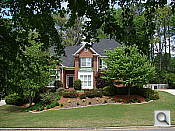
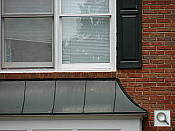
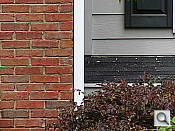
The Sony Cyber-shot DSC-H2 zooms over the equivalent of a 36-432mm range, outstanding among consumer digital cameras. Results are quite good at wide angle, though some corner softness and coma distortion is present. Sony's Precision Digital Zoom did an excellent job of holding onto detail, which is often greatly compromised with digital enlargement. Though fine details are a little soft with digital zoom, overall results are well above average.
Macro
A tiny macro area with excellent detail and high resolution. Flash exposure was very uneven up close.


The Sony Cyber-shot DSC-H2's macro setting performs well, capturing a very small minimum area of 1.47 x 1.10 inches (37 x 28 millimeters). Detail and resolution are both very good, though there's a fair amount of softening in the corners from the lens. (Most cameras have some softening in the corners in macro mode.) The flash produced a very uneven exposure here, partially blocked by the lens with a strong overexposure in the top of the frame. (Plan on using external lighting for your closest macro shots with the DSC-H2.)
Distortion
Moderate barrel distortion, though very low pincushion.
| Barrel distortion at 36mm is 0.8% |
 |
| Pincushion at 432mm is less than 0.04% |
 |
This is the tendency for the lens to bend straight lines outward (like a barrel--usually at wide angle) or inward (like a pincushion--usually at telephoto). The Cyber-shot DSC-H2's 0.8% barrel distortion at wide angle is average among the cameras we've tested, although I personally feel that this level is too high. At the telephoto end, the H2's nearly 0.04% pincushion is very low. (It's really less than a full pixel of pincushion here.)
Chromatic aberration
High, noticeable effect on images at edges.


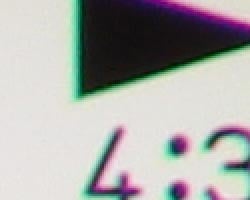
Chromatic aberration is rather high at both wide angle and telephoto, showing about 7-8 pixels of very bright coloration on either side of the target lines. (This distortion is visible as a very slight colored fringe around the objects at the edges of the field of view on the resolution target.) The effect is pretty noticeable in several test shots.
Corner Sharpness
Some softening in the left and right corners of the frame, strongest effect in the upper right corner.


The Sony DSC-H2 produced slightly soft corners in a few shots. At wide angle, corners were only slightly soft, compared to the center of the frame. At telephoto, corners showed stronger blurring, with the strongest effect in the upper right corner.
Viewfinder
Coverage
Good accuracy with both the EVF and LCD monitor.
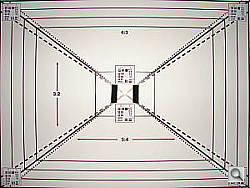
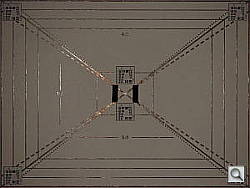
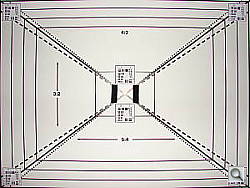
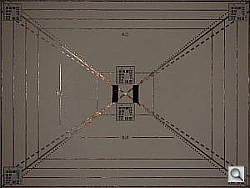
The Sony DSC-H2's electronic optical viewfinder (EVF) and LCD monitor produced identical results here (not surprising since they're essentially the same view), with right about 100% accuracy at both zoom settings. Actually, both were slightly loose at telephoto, showing closer to 101% accuracy. Still, good results overall.
The images above were taken from our standardized test shots. For a collection of more pictorial photos, see our Sony Cyber-shot DSC-H2 Photo Gallery .
Exposure
Sony H2 Exposure
Color
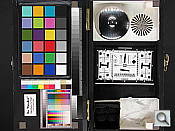
Saturation & Hue Accuracy
Good overall color, though often a slight warm cast. Some oversaturation in the strong reds and yellows, but still good results.
 |
| In the diagram above, the squares show the original color, and the circles show the color that the camera captured. More saturated colors are located towards the periphery of the graph. Hue changes as you travel around the center. Thus, hue-accurate, highly saturated colors appear as lines radiating from the center. |
Most consumer digital cameras produce color that's more highly saturated (more intense) than found in the original subjects. This is simply because most people like their color a bit brighter than life. The Sony DSC-H2 does oversaturate the strong red tones, and certain blues, but results are still pleasing. Where oversaturation is most problematic is on Caucasian skin tones, as it's very easy for these "memory colors" to be seen as too bright, too pink, too yellow, etc. Here, the H2 did render skin tones a bit on the warm, orange side in most cases, but many consumers may find this pleasing. (Warmer skin tones are definitely more pleasing than those on the cool or magenta side.)
The other important part of color rendition is hue accuracy. Hue is "what color" the color is. Though the DSC-H2 often produced a slightly warm color balance (especially outdoors), and pushed reds toward orange, overall results were pretty pleasing.


Sensor
Exposure and White Balance
Indoors, incandescent lighting
Good color with the Manual white balance setting, though a hint warm. A little more positive exposure compensation required than usual.



Color balance indoors under incandescent lighting was pretty warm with the Auto and Incandescent white balance settings, though the Manual option produced more accurate results. The Sony DSC-H2 required a little more than the average amount of positive exposure compensation here, at +1.3 EV. Despite the slight warm cast, overall color is good, without strong purple tints in the blue flowers. (Many digital cameras reproduce these flowers with a dark, purplish tint, so the H2 performs well here.) Our test lighting for this shot is a mixture of 60 and 100 watt household incandescent bulbs, a pretty yellow light source, but a very common one in typical home settings here in the US.
Outdoors, daylight
Bright colors overall, though a tendency toward a warm cast. Fairly average exposure accuracy.

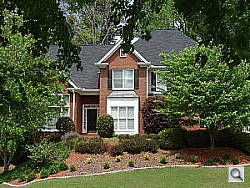
Outdoors, the Sony DSC-H2 tended toward a warmer color balance, though overall color was generally pretty good. The H2 performed about average in terms of exposure, requiring the typical amount of positive compensation we're accustomed to seeing among consumer digital cameras. The H2 captured bright highlights and slightly high contrast under harsh lighting, though detail overall was still pretty good.
See full set of test images with explanations
See thumbnails of all test and gallery images
Resolution
High resolution, 1,300 lines of strong detail.
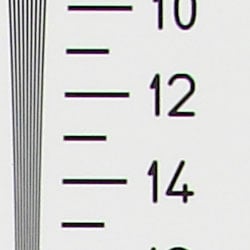

Our laboratory resolution chart revealed sharp, distinct line patterns down to about 1,300 lines per picture height, with extinction at around 1,700. Use these numbers to compare with other cameras of similar resolution, or use them to see just what higher resolution can mean in terms of potential detail. Beware that while you might be able to make out what looks like distinct lines at numbers higher than those we've mentioned here, the camera is just doing its best to continue interpreting the lines. If you zoom in and follow them from the wider portions, you'll see the lines converge and reappear several times, so the lines you see at 1,600 and higher are really only artifacts generated by the camera's imaging system.
See full set of test images with explanations
See thumbnails of all test and gallery images
Sharpness & Detail
Reasonably sharp images overall, though some edge-enhancement on high-contrast subjects. Noise suppression limits detail in the shadows.


The Sony DSC-H2 captures fairly sharp images, though with some visible edge enhancement on high-contrast subjects such as the crop above left. (Edge enhancement creates the illusion of sharpness by enhancing colors and tones right at the edge of a rapid transition in color or tone.)
Noise-suppression systems in digital cameras tend to flatten-out detail in areas of subtle contrast. The effects can often be seen in shots of human hair, where the individual strands are lost and an almost "watercolor" look appears. The far right crop shows this, with darker areas of Marti's hair showing only limited detail.
ISO & Noise Performance
Low to moderate noise at the normal sensitivity settings, though a big jump in noise with strong blurring at the high settings.




Noise levels are low to moderate at the Sony DSC-H2's lower sensitivity settings, with higher noise at ISO 400 (as you'd expect). At ISOs 800 and 1,000, however, noise level increases dramatically, with a strong pattern and strong blurring, and a genral desaturation of colors.
Extremes: Sunlit and low light tests
High resolution with strong overall detail, though high contrast and limited shadow detail. Good low-light performance, capable of capturing bright images under average city street lighting and much darker conditions.


Sunlight:
Because digital cameras are more like slide film than negative film (in that they tend to have a more limited tonal range), we test them in the harshest situations to see how they handle scenes with bright highlights and dark shadows, as well as what kind of sensitivity they have in low light. The shot above is designed to mimic the very harsh, contrasty effect of direct noonday sunlight, a very tough challenge for most digital cameras. (You can read details of this test here.)
The Sony DSC-H2 produced high contrast with washed-out highlights and deep shadows under the harsh lighting of the test above. Noise suppression is visible in the shadows, contributing to the loss of detail there. Though the overall exposure is a hint bright at +1.0 EV, I preferred it to the slightly dim image at +0.7 EV. (In "real life" though, be sure to use fill flash in situations like the one shown above; it's better to shoot in the shade when possible.)
| 1 fc 11 lux |
1/2 fc 5.5 lux |
1/4 fc 2.7 lux |
1/8 fc 1.3 lux |
1/16 fc 0.67 lux |
|
| ISO 80 |
 2.5 sec f2.8 |
 4 sec f2.8 |
 10 sec f2.8 |
 20 sec f2.8 |
 30 sec f2.8 |
| ISO 100 |
 2 sec f2.8 |
 3 sec f2.8 |
 8 sec f2.8 |
 15 sec f2.8 |
 25 sec f2.8 |
| ISO 200 |
 1 sec f2.8 |
 1.6 sec f2.8 |
 4 sec f2.8 |
 8 sec f2.8 |
 13 sec f2.8 |
| ISO 400 |
 1/2 sec f2.8 |
 1/1 sec f2.8 |
 2 sec f2.8 |
 4 sec f2.8 |
 7 sec f2.8 |
| ISO 800 |
 1/4 sec f2.8 |
 1/2 sec f2.8 |
 1 sec f2.8 |
 2 sec f2.8 |
 3 sec f2.8 |
| ISO 1000 |
 1/5 sec f2.8 |
 1/3 sec f2.8 |
 1/1 sec f2.8 |
 1.6 sec f2.8 |
 2.5 sec f2.8 |
Low light:
The Sony DSC-H2 captured bright images down to the 1/8 foot-candle light level (about 1/8 as bright as average city street lighting at night). Though images are fairly bright at the lowest light level, the dimmer exposure resulted in a strong pink color cast. The camera's autofocus system was able to focus on the subject down to just above the 1/8 foot-candle light level, which works out well for its exposure system. Do keep in mind though, that the very long shutter times necessary here absolutely demand the use of a tripod or other camera support to get sharp photos. (A useful trick is to just prop the camera on a convenient surface, and use its self-timer to release the shutter. This avoids any jiggling from your finger pressing the shutter button, and can work quite well when you don't have a tripod handy.)
Flash
Coverage and Range
Dim exposures at the default exposure setting; the camera required slightly more positive exposure compensation than average for flash exposures. Pretty good range though.


Flash coverage was slightly uneven at wide angle, and the flash actually useless at telephoto (thanks to the long 12x optical zoom range). Indoors, under incandescent background lighting, the DSC-H2's flash underexposed our subject quite a bit at its default setting, requiring a +1.3 EV exposure compensation adjustment to get bright results. The camera's Slow-Sync flash mode required a little more positive compensation at +1.7 EV, though overall coverage is more even. However, the longer shutter speed results in a stronger orange cast from the background lighting.
| 8 ft | 9 ft | 10 ft | 11 ft | 12 ft | 13 ft | 14 ft |
 1/60 sec f3.5 ISO 100 |
 1/60 sec f3.5 ISO 100 |
 1/60 sec f3.5 ISO 100 |
 1/60 sec f3.5 ISO 100 |
 1/60 sec f3.5 ISO 100 |
 1/60 sec f3.5 ISO 100 |
 1/60 sec f3.5 ISO 100 |
The DSC-H2's flash was bright and powerful, with good intensity all the way to 14 feet.
Output Quality
Print Quality
Good print quality, great color, very usable 11x14 inch prints. ISO 400 images are very soft at 8x10, acceptable at 5x7, great at 4x6.
Testing hundreds of digital cameras, we've found that you can only tell just so much about a camera's image quality by viewing its images on-screen. Ultimately, there's no substitute for printing a lot of images and examining them closely. For this reason, we now routinely print sample images from the cameras we test on our Canon i9900 studio printer, and on the Canon iP5000 here in the office. (See the Canon i9900 review for details on that model.)
With the Sony DSC-H2, we found that it had enough resolution to make very crisp 8x10 inch prints. At 11x14, its prints were a bit softer looking, but more than adequate for wall or table display. At high ISO, image noise levels are held in check up to ISO 400, but the jump to ISO 800 and 1,000 produces unacceptable images at any size. Even 4x6 are so grainy and colorless, making subjects look tired and washed out. ISO 400 photos look great printed at 8x10 inches, but are too grainy at 11x14.
The images above were taken from our standardized test shots. For a collection of more pictorial photos, see our Sony Cyber-shot DSC-H2 Photo Gallery .
Not sure which camera to buy? Let your eyes be the ultimate judge! Visit our Comparometer(tm) to compare images from the Sony Cyber-shot DSC-H2 with those from other cameras you may be considering. The proof is in the pictures, so let your own eyes decide which you like best!
Performance
Sony H2 Performance
Timing and Performance
Sony Cyber-shot DSC-H2 Timing
Good to average speed for a consumer camera.
|
Startup/Shutdown |
||
|
Power on to first shot |
2.8 seconds |
Time it takes for LCD to turn on and lens to deploy. |
|
Shutdown |
2.3 seconds |
How long it takes to retract lens and stow in your pocket. |
|
Buffer clearing time |
5.6 seconds (Large/Fine JPEG, Seven shots in continuous mode) |
Worst case buffer clearing time. This is the delay after a set of shots before you can remove the card. Some cameras won't retract their lenses and shut down until the buffer is cleared. |
|
Mode switching |
||
|
Play to Record, first shot |
1.0 second |
Time until first shot is captured |
|
Record to play |
1.3 seconds |
Time to display a large/fine file immediately after capture |
|
Display recorded image |
0.6 second |
Time to display a large/fine file already on the memory card. |
|
Shutter response (Lag Time): |
||
|
Full Autofocus Wide |
0.45 second |
Time from fully pressing shutter button to image capture, zoom lens at wide angle position. |
|
Full Autofocus Tele |
0.90 second |
Time from fully pressing shutter button to image capture, zoom lens at telephoto position. |
|
Continuous Autofocus |
0.67 second |
Typically no advantage to Continuous AF mode, and we have no way of reliably measuring performance with moving ones. |
|
Manual Focus |
0.46 second |
Usually a bit faster than AF. In the case of the H2, brings telephoto shutter lag times down to the same level as wide angle ones. |
|
Prefocused |
0.012 second |
Time to capture, after half-pressing and holding shutter button. |
|
Full AF with Flash (Wide Angle) |
0.72 second |
When the flash is enabled, the need for a metering pulse often slows shutter response slightly. |
|
Cycle time (shot to shot) |
||
|
Single Shot mode Large Fine JPEG |
1.64 seconds |
Time per shot, averaged over 20 shots. This fast all the time with a Memory Stick PRO Duo card. (No limit due to buffer capacity.) |
|
Single Shot mode 640x480 JPEG |
1.49 seconds |
Time per shot, averaged over 20 shots. This fast all the time with a Memory Stick PRO Duo card. (No limit due to buffer capacity.) |
|
Early shutter penalty? |
No |
Some cameras won't snap another shot if you release and press the shutter too quickly in Single Shot mode, making "No" the preferred answer. |
|
Continuous mode Large Fine JPEG |
0.77 second (1.3 frames per second); 7 shot buffer capacity; ~5.6 seconds to clear |
Time per shot, averaged over buffer length of 7 shots. After buffer fill, a pause of 5.6 seconds, then back to 0.77 second/shot. |
|
Continuous mode 640x480 JPEG |
0.65 second (1.54 frames per second); No apparent limit |
Time per shot, averaged over 20 shots. No apparent buffer limit. |
|
Multiburst mode (320x240 pixel sub-frames) |
0.033 second (30 frames per second); 16 shots then wait a second or so. |
Time per shot, averaged over 16 shots. In this mode, 16 low-resolution images are captured very rapidly and stored in a single full-size image. Frame rates of 7.5, 15, and 30 frames/second can be set via a menu option. |
|
Flash recycling |
16 seconds |
Flash at maximum output. (This is very slow, but the H2's flash is much more powerful than average.) |
|
Download speed |
||
|
Windows Computer, USB 2.0 |
4,644 KBytes/sec |
Typical Values: Less than 600=USB 1.1; 600-770=USB 2.0 Low; Greater than 770=USB 2.0 High |
The Sony DSC-H2's performance ranges from quite fast to just average, though some timings, such as flash recycle and continuous speed, are actually a little bit slow. Start-up time is good considering the long lens. Shutter lag at both wide angle and telephoto zoom settings is good as well, and "prefocus" times (half-pressing and holding down the shutter button before the final exposure) are blazingly fast, with a shutter delay of only 0.012 second. Shot to shot cycle times are a little better than average, at about 1.6 seconds for large/fine JPEGs, and the camera captures frames continuously at this rate. Continuous-mode speed is on the slower side, at a bit over one frame/second, for up to seven shots in succession. Though, the Multiburst mode captures 16 frames at about 30 frames per second (0.33 second cycle time), though at the 320 x 240 resolution. The flash is quite slow to recycle at 16 seconds after a full-power shot, however. Connected to a computer, download speeds are quite fast, so you won't feel a need for a separate card reader. Bottom line, the DSC-H2 is responsive enough for most family photo opportunities, but its standard continuous shooting mode is a bit slow for sports or wiggly kids. That aside, results overall are pretty good.
Battery and Storage Capacity
Battery
Short battery life with standard AA alkaline cells, but much better life with NiMH rechargeables.
| Operating Mode | Number of Shots |
| AA alkaline batteries |
60 |
| AA NiMH rechargeable batteries |
400 |
The Sony Cyber-shot DSC-H2 uses two AA batteries for power, and a pair of NiMH batteries and a charger are included with the camera. Though runtimes are increased with the NiMH batteries over alkalines, I heartily recommend picking up a spare set and keeping them freshly charged and on-hand for extended outings
The table above shows the number of shots the camera is capable of (on either a fresh set of disposable batteries or a fully-charged rechargeable battery as appropriate), based on CIPA battery-life and/or manufacturer standard test conditions.
Storage
The DSC-H2 accepts Memory Stick Duo cards, though no card is included; 32MB RAM is built into the camera.
|
Image Capacity with 32MB Internal Memory |
Fine | Normal | |
| 2,816 x 2,112 | Images | 9 | 18 |
| File Size | 3.2 MB | 1.7 MB | |
| 2,048 x 1,536 | Images | 19 | 33 |
| File Size | 1.6 MB | 554 KB | |
| 1,632 x 1,224 | Images | 30 | 57 |
| File Size | 1.0 MB | 548 KB | |
| 640 x 480 | Images | 183 | 459 |
| File Size | 171 KB | 68 KB | |
I strongly recommend buying at least a 256MB card, preferably a 512GB one, to give yourself extra space for extended outings.