



Overview
Reviewed by Mike Tomkins, Shawn Barnett and Zig Weidelich
Review posted: 04/11/2011
With a brand-new 16-megapixel sensor, seven frames per second burst rate, and an unusually wide expanded ISO sensitivity range of 80 to 51,200 equivalents, the Pentax K-5 takes over the flagship position in Pentax's APS-C digital SLR lineup, replacing 2009's K-7 model.
While it's nearly identical to its predecessor externally, the Pentax K-5 sports a number of under-the-skin improvements beyond those enabled by its updated CMOS image sensor, some of them seen previously in the recently-announced mid-range Pentax K-r DSLR.
The Pentax K-5 includes the latest generation of Pentax's SAFOX phase-detection autofocus module, which debuted in the 645D. The 11-point SAFOX IX+ module combines features of the SAFOX VIII+ module from the K-7, and the SAFOX IX module from the K-r, and is intended to yield improved low-light focusing, as well as more accurate and stable AF overall.
The Pentax K-5 also inherits the dual-axis level gauge function from the 645D, giving an indication of both side-to-side roll, and front-to-back pitch, where the K-7 offered only a single-axis roll gauge. The K-5 inherits its sensor shift stabilization system unchanged from the K-7. Uniquely able to correct for rotation around the lens barrel axis, the K-5's sensor shift mechanism also allows it to automatically correct for slightly tilted horizons at capture time.
Pentax has updated its high dynamic range mode in the K-5, enabling handheld HDR shooting, and providing a greater degree of control over the look of the HDR effect that can be achieved in-camera. Other creative additions include the latest Custom Image and Filter effects from the K-r, such as an overhauled Cross Process function, Bleach Bypass effect, and more.
Also updated is the Pentax K-5's movie recording function, which now captures videos at up to Full HD (1,080p) resolution, and like its predecessor, the K-5 still includes both an external stereo microphone jack, plus the ability to control the aperture used for video recording. For creative types, the Pentax K-5 now allows use of some of its filter effect functions during movie recording.
The Pentax K-5 uses Secure Digital memory cards (including the latest SDHC and SDXC types) for storage, with the SDXC support having arrived thanks to a firmware update released shortly after the camera shipped. All accessories compatible with the K-7, including Pentax's battery / portrait grip, tethered and infrared remotes, and lithium ion battery pack, will also work with the Pentax K-5, making it rather easier for current K-7 owners to justify upgrading to the newer model.
Available from October 2010, the Pentax K-5 comes body-only, or with a weather-sealed 18-55mm kit lens. Body-only pricing is set at around US$1,600, while the 18-55 WR kit costs about US$1,750.
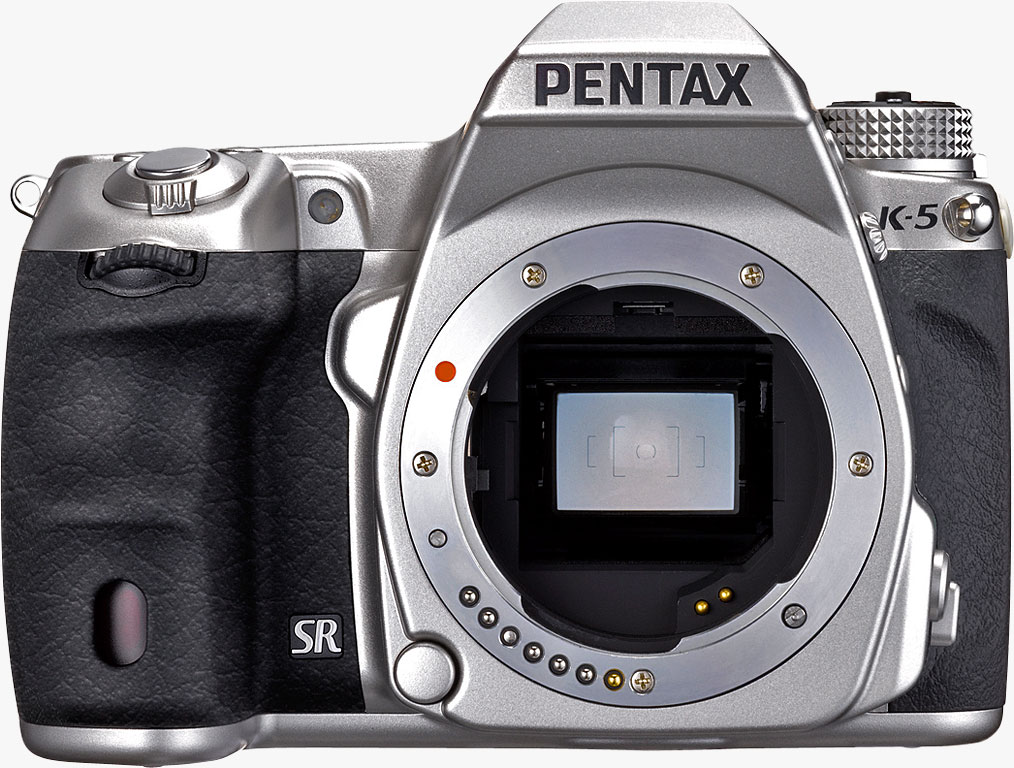
A limited edition silver-bodied version of the K-5 is also available, featuring a reprofiled hand grip, and a shock-resistant and scratchproof reinforced glass cover over the rear LCD panel, in place of the plastic cover used for the standard K-5. In most other respects, the Pentax K-5 Limited Silver is identical to the black-bodied K-5. Pricing for the silver variant is set at around US$1,700.
Pentax K-5 User Report
by Mike Tomkins
 With the introduction of its previous K-7 model, Pentax aimed to position itself as a leader in the rugged camera category, offering a camera that was well-sealed against the elements, but without the price tag and tank-like proportions of the typical professional SLR. Just a year later, though, Pentax found itself with burgeoning competition in the segment, with Nikon in particular clearly positioning its aggressively-priced D7000 to compete head-on with Pentax's flagship model. Pentax's design still had an edge in terms of compactness, and in its class-leading ability to keep shooting down to 14 degrees Fahrenheit, but in other areas, the gauntlet had been laid down -- and it wasn't to take long for a response. Just days after Nikon launched the D7000 in the runup to the Photokina tradeshow in Cologne, Germany, Pentax brought forth their answer, in the form of the K-5.
Externally, the K-5 is nearly identical to its predecessor, with just a couple of subtle tweaks that only the keen-eyed will notice. That's no bad thing -- the K-7 had surprisingly good ergonomics given its compact size, and its handling earned pretty-much universal kudos among IR staffers. The real changes are all to be found under the skin, where the Pentax K-5 aims to improve performance in a number of specific areas. Key among these are a new image sensor, a refined phase detection autofocus module, improved burst-shooting speed, greatly expanded ISO sensitivity range, and improved high-def movie capture. There are also numerous smaller tweaks to features that carry over from the K-7, building on that camera's DNA, but making some very worthwhile improvements to its usability.
While the Pentax K-5 doesn't represent quite the same leap forwards as did the K-7 over Pentax's earlier K20D model, we must confess we're pleased to see the K-5 retaining its predecessor's heritage. If you've read our review of the K-7, though, our tour of the body design is definitely going to elicit a sense of deja vu...

The Pentax K-5's external dimensions are absolutely unchanged from those of the K-7, and although it's just ever so slightly lighter, only a weighing scale is going to pick up the difference. Built with a steel and polycarbonate chassis underlying a body that's largely sculpted out of magnesium alloy, the Pentax K-5 is just as tight and solid as its predecessor. Compared to the K-7, the Pentax K-5 weighs in at almost 0.4 ounces (10g) less, tipping the scales at just 26.1 ounces (740g) including battery and memory card. Exterior dimensions are 5.1 x 3.8 x 2.9 inches (130.5 x 96.5 x 72.5mm).
Compared to the competing Nikon D7000, Pentax's design features a lesser proportion of plastic on the outside, although both cameras mix metal and plastic underneath their skin. For the K-5, the only polycarbonate exterior panel is that which surrounds the LCD display and wraps part way around the camera's sides, while front, top, and bottom are all magnesium alloy. Nikon's camera, although it feels similarly sturdy in-hand, features magnesium alloy only on its top and rear panels, while front, sides and bottom are all polycarbonate-clad. If you extend the comparison to the optionally available portrait / battery grips for each camera, though, Pentax's D-BG4 grip is largely plastic with a metal top plate, while Nikon's grip is largely scuplted from magnesium alloy.
Readers with a keen eye for the details will doubtless already have picked up on at least one of the tweaks to the K-5's design in the photo above, but for mere mortals, we'll point it out nonetheless. ;-) The Mode dial is now around 1/16th of an inch (~2mm) taller, and has four rows of knurling, where previously there were three. While it's only a very slight change, if you compare the K-5's dial side-by-side with that on the K-7, it actually makes a surprising degree of difference to how easy it is to turn. It's a welcome change, given that the mode dial locks in position, and so requires a three-fingered grip to simultaneously press down the central lock release button while turning it. (Lockable Mode dials have been a source of debate in the IR offices of late, with some of us favoring them for their added security, and others preferring a standard Mode dial for the slight reduction in time taken to change operating modes.)
Unfortunately, Pentax hasn't yet taken our advice regarding its choice of strap attachments on the K-5, and remain one of several manufacturers still using tiny metal D-rings to interface between the camera body and strap. While the design perhaps has a slight advantage in terms of durability, and has something of a retro feel that nicely matches the look of the camera, there's a definite downside for videographers -- a market Pentax is clearly seeking to attract with the improved video capture functionality of the K-5. Metal-on-metal noise created with every movement of the strap transmits easily through the camera body, where it can be picked up by the internal microphone, leaving its imprint on the audio portion of your video clips. For this reason, we still prefer a more modern strap loop design, which allows a noise-free fabric-on-metal interface. While Pentax does include small leatherette pads that surround the D-rings (not shown in the image above), note that these aren't really designed to reduce the strap noise, but rather are intended to prevent the rings from leaving scratches on the camera body.

Seen from above, the Pentax K-5 is almost indistinguishable from its predecessor. Beyond the product branding, there's only one visual cue as to which camera you're looking at, and it's visible only when the camera is switched on, with the sensitivity set to ISO 10,000 equivalent or higher. Since the K-7 was limited to a maximum of ISO 6,400 equivalent even when using its expanded sensitivity range, a fifth digit was required to accommodate the K-5's available ISO sensitivities up to the 51,200 equivalent expanded maximum. Since there wasn't room to fit a whole extra digit without significantly rearranging the LCD panel, a half digit was added, and ISO sensitivities beyond ISO 8,000 all use half-sized 'zero' digits to match. (Of course, the very fact you were using an ISO sensitivity greater than 6,400 would in itself be a tipoff that you were shooting with the K-5...)

From the rear, the only clue that you're looking at the Pentax K-5 is the taller Mode dial, discussed previously. The rear-panel control layout is absolutely identical to the older camera, making it instantly familiar to K-7 owners stepping up to the new model. Despite packing in a large number of controls into a relatively compact body, everything is easy to reach, and very intuitive, once you've familiarized yourself with the camera's operation.
Since we published our earlier K-7 review, one slight change has been made to operation of the four-way controller when the AF-point switching dial is set to the 'SEL' position, and this carries over to the K-5. Where the original K-7 defaulted to selecting white balance, drive mode, custom image mode, and flash mode with the four-way controller buttons, the K-5 behaves in the same way as the K-7 does when upgraded to current firmware. Since using the 'SEL' mode indicates you're intended to manually change focus point location, the four-way controller instead defaults to this purpose, and you must briefly press and hold the 'OK' button to access the alternate button functions. (Unlike the K-7, the K-5 beeps when you change the button functions, though.)
Another point worthy of note is that the Pentax K-5 still includes an infrared receiver and self-timer lamp not only in its hand grip, but also a duplicate, rear-facing IR receiver and self-timer lamp to the right of the green button, a very helpful duplication when you're standing behind the camera, but want to avoid camera shake by shooting on a tripod.

Only two other external changes differentiate between the Pentax K-5 and its predecessor, and both can be seen in the view above. One of our favorite features on the K-7 was the Raw button, which drops you into Raw capture mode for one shot, or can be made to act as a toggle between Raw, JPEG, and Raw+JPEG capture. If that capability isn't of interest to you, though, you can now have this control serve instead as a Function (Fx) button, activating your choice of Exposure bracketing, Digital preview, Electronic level, and Composition correction. (A screen-printed 'Fx', below the button, indicates this change.) This is a very useful tweak for those of us who always shoot in one particular file format, and for whom this button was basically unused on the K-7, although we'd like to see Pentax allow users a greater number of functions from which to select their chosen assignment. In particular, we think it'd be very handy if it could be configured to serve as a secondary shutter button, allowing movie capture when in still image exposure modes, and vice versa. As is, that's not currently possible, though.
The last remaining tweak is much more subtle -- the focus mode selector dial has been redesigned, with the lever now both longer and taller, placed off center, and angled, all allowing much better leverage. Like the aforementioned tweak to the Mode dial, it's a subtle change that you'll only notice if you're looking very closely, but it makes a surprising degree of difference to how easy this dial is to locate and turn with the tip of a finger, especially without removing the viewfinder from your eye.
Sensor. The Pentax K-5 is based around a new 16.28 effective megapixel, APS-C sized (23.7 x 15.7mm), RGB CMOS image sensor, with a total resolution of 16.93 megapixels. The new chip increases linear resolution by a modest 5%, as compared to the 14.6 effective megapixel CMOS sensor that was featured in the K-7. It also has ever so slightly larger surface area, versus the previous 23.4 x 15.6mm chip. The new sensor design features on-chip analog-to-digital conversion, which has helped Pentax to reduce noise levels across the board.

A limited edition silver-colored K-5 with reprofiled hand grip and reinforced glass LCD cover was announced in the US in February of 2011, with availability from April onwards. No indication was given of how many of these would be shipped, but evidently far fewer than the black model.
The Pentax K-5 offers a maximum image resolution of 4,928 x 3,264 pixels, in place of the K-7's maximum size of 4,672 x 3,104 pixels. Three lower-resolution options are also available, all unchanged from the K-7 -- 3,936 x 2,624, 3,072 x 2,048, and 1,728 x 1,152 pixels.
Processor. Output from the Pentax K-5's new image sensor is processed by the same PRIME II (PENTAX Real Image Engine II) imaging engine that's previously been featured in the K-7, K-x, and K-r, but the combination offers significant improvements over the K-7 in terms of both sensitivity and burst speed. When it came to high ISO shooting, the K-7 was little changed from Pentax's earlier K20D model, with a standard sensitivity range of ISO 100 to 3,200 equivalents, which could be expanded to reach as high as ISO 6,400 equivalent. The Pentax K-5 provides a significantly wider standard range of ISO 100 to 12,800 equivalents, adjustable in 1/3, 1/2 or 1 EV steps. The expanded range goes even further, providing everything from an ISO 80-equivalent minimum to a maximum of ISO 51,200 equivalent.

An interesting feature of the Pentax K-5 is that noise reduction settings can be specified on a per-ISO basis -- at least, for full-stop ISO sensitivities. (The intermediate 1/2 stop or 1/3 stop sensitivities, if enabled, share a setting with the full-stop sensitivity immediately below them.) That is to say, you could for example set one specific ISO sensitivity to use higher noise reduction than those surrounding it, and as you switch between those sensitivities in future, the camera will remember those preferences. This provides a rare level of user control over the tradeoff between noise levels and subject detail across the sensitivity range.
There is two things worth noting, both related to Bulb-mode exposures. Although the available ISO sensitivity range has expanded greatly since the K-7, bulb mode exposures still face the same maximum sensitivity limitation of ISO 1,600 equivalent. However, Pentax has made another change that will doubtless prove very popular with astrophotographers, who frequently shoot extremely long bulb exposures. Where the K-7 used dark frame noise subtraction on all exposures over 30 seconds in length, the K-5 now allows dark frame subtraction to be disabled entirely, regardless of exposure length. When one considers that dark frame subtraction requires a second dark frame exposure (captured with the shutter closed) that has roughly equal duration to the actual exposure, this change will greatly reduce the time spent waiting for the K-5 to return to life after long bulb exposures..
Burst speed. The improvement in burst speed, while perhaps not as big a step forward as that made in terms of sensitivity, is still very worthwhile -- and thankfully, it no longer comes accompanied by a reduction in burst depth. (When the K-5 first hit the market, early firmware had a burst depth limit of just eight raw frames -- slightly over half the burst depth of its predecessor, and likewise bested by the mid-range Pentax K-r model. With firmware v1.01 installed, the K5 is now capable of as many as 20 frames in a single burst, restoring the rightful order of things inside the company's own APS-C lineup, with the K5 earning its flagship status by handily besting its siblings.
Perhaps more importantly, the updated firmware placed the K-5 ahead of a couple of important rivals from other manufacturers in terms of burst performance. In our own testing, we found the K-5 capable of 23 .DNG format, 14-bit Raw frames, 31 large/premium JPEGs, or 22 DNG+large/premium JPEG frames, at a rate of 6.5 frames per second. While that doesn't quite meet the advertised 7 frames per second rate, it bests Nikon's D7000 slightly in terms of burst speed, and significantly when considering burst depth, with the D7000 managing 5.9 fps in our own testing, for up to 10 .NEF 14-bit Raw, 19 large/fine JPEG, or 10 Raw+JPEG frames. Canon's EOS 60D, meanwhile, betters the K-5's large/fine JPEG burst depth at 34 frames, but trails slightly in 14-bit .CR2 Raw shooting with a 15-frame depth, and lags a long way behind in Raw+JPEG with a depth of just 7 frames. This, despite having the slowest burst shooting rate of the group, at 5.3 frames per second.
It's only one metric, of course, but nonetheless impressive to see Pentax now offering not only a higher burst speed, but also a greater burst depth than the two cameras likely to be considered direct rivals by many potential customers. (Note that all of our lab figures below are set with a difficult-to-compress target image, and so in the real world, burst depths will likely be somewhat higher with all three cameras.)
For subjects where a little less speed is required, the K-5's Continuous Lo mode captures Best-quality JPEG images at a rather sedate 1.6 frames per second for as long as there's available card space. This reduced rate is significantly slower than the 3.3 frames-per-second Continuous Lo burst shooting available in the K-7, and frankly, we'd like to see Pentax offer the ability to select from additional burst shooting rates between its existing extremes. There's simply too much of a gap between the Continuous Hi and Continuous Lo speeds, and as a result, we found we frequently tended to leave the camera set to Continuous Hi mode all the time during burst shooting.

Shake Reduction. Pentax has retained the K-7's in-body stabilization system unchanged for its follow-up camera. The K-5's image sensor assembly is mounted on a ball-bearing supported moveable platter, allowing for sensor-shift image stabilization -- which Pentax brands Shake Reduction -- compatible with all Pentax interchangeable lenses produced to date. The Pentax K-5 shares the K-7's unique ability to correct not only for horizontal and vertical motion, but also for rotation around the axis of the lens barrel. Two degrees of rotational correction on either side of the central position is possible, and Pentax is claiming 2.5 to 4 stops of correction can be derived from its sensor shift system. (Though we'd earlier reported that rotational correction was a feature of Shake Reduction back to the K100D, Pentax later informed us that this was a misunderstanding resulting from a translation error back in 2006).
The drawback to Pentax's Shake Reduction technology is that you can't see its effects as you look through the optical viewfinder, as you can with Canon and Nikon's lens-based stabilization systems. But thanks to the Pentax K5's Live View mode, you can indeed see the effect on the LCD, and SR seems to be pretty solid and effective.

Dust removal. The Pentax K-5 also includes Pentax's DR II dust removal system, which has previously featured in the K-7 and 645D models. Where other Pentax DSLRs rely on the sensor shift mechanism to remove dust from the sensor -- rather ineffectively according to our tests -- the K-5's DR II system includes a piezo-ceramic element to vibrate the low-pass filter. A dust alert system can check for the presence of dust on the low-pass filter, at the user's prompting.
Lens mount. On its front panel, the Pentax K-5 features a KAF2 Lens mount, which is also compatible with KAF3, KAF, and KA mount lenses. Both in-body and in-lens AF mechanisms are supported, as is power zoom with compatible lenses. Pentax K mount lenses can also be attached, as can 35mm screwmount and 645/67 medium format lenses using optional adapters, although there may be restrictions depending on the lens type used.

Lens distortion correction. The Pentax K-5 can correct for lens distortion and lateral chromatic aberration in-camera when using DA and DFA lenses, as well as with several of the company's FA Limited lenses. It's a feature that was fairly unusual when the previous K-7 model was introduced, but which has gradually become more commonplace. When enabled, these corrections do have a significant negative impact on burst shooting speed, but if you shoot in Raw mode, you can choose to apply the correction after the fact, and so needn't worry about enabling the corrections pre-capture.
Autofocus. Pentax has also upgraded the K-5's autofocus system to its latest SAFOX IX-series module, a designation which has only previously been applied to the company's medium format 645D and K-r models. Compared to the previous-generation SAFOX VIII+ system used in the K-7, SAFOX IX+ has the same point count and arrangement, but several important differences. There are a total of eleven points, of which all but two are cross-type, sensitive to both horizontal and vertical detail. The cross-type points are arranged in a three by three grid towards the center of the image frame, while on either side of this grid there's one linear sensor.

The SAFOX IX+ AF module's optics have improved transparency, along with better controlled aberration, two changes which translates to noticeably improved performance and accuracy in low light. Although we don't currently have a test for this, ambient temperature is also said by the company to have less of an impact on the SAFOX IX+ module. Sharp-eyed readers will note that the K-5's SAFOX module adds the "+" designation, which has only previously been featured in the 645D and K-7. This hints at one important feature that's included in the prosumer K-5, but not in the mid-range K-r. Like the K-7 and 645D models before it, the Pentax K-5's AF system includes a secondary light color sensor dedicated to determining the light source type, which is then taken into account when determining focus, a capability the K-5's more affordable sibling lacks.

Beyond the change of phase detection module, Pentax has made several other important changes to autofocus in the K-5. The K-7's somewhat fiddly focus mode selection dial has been redesigned for better leverage, and is now much easier to adjust without removing your eye from the viewfinder. Pentax has also incorporated the 5-point selection mode from the K-x and K-r models, which mirrors the point arrangement of earlier models such as the K2000 / K-m. Perhaps most importantly, though, Pentax has added the ability to select the priority for single and continuous focus modes. For single AF, K-5 users can opt for either focus priority, which mirrors the K-7's behavior in requiring an AF lock before the shutter can fire, or shutter-release priority, which starts exposure immediately that the shutter button is fully depressed, even if an AF lock hasn't been achieved. In continuous AF mode, the options are focus priority, or frame rate priority. The former requires an AF lock for each individual frame in the burst, while the latter replicates the K-7's behavior by emphasizing frame rate for each shot in the burst, even if this means a lock can't be achieved for individual frames in the burst.
Metering. Automatic exposure is achieved courtesy of the same 77-segment metering sensor that debuted in the K-7, replacing Pentax's previous 16-segment metering system. Options include Matrix, Center-weighted, and Spot metering, selectable via the switch beneath the Mode dial. A full 5.0EV of exposure compensation is available in either 1/3 or 1/2 EV steps.
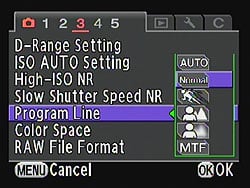
Exposure Modes. Exposure modes in the Pentax K-5 include Green (fully automatic), Manual, Bulb, Shutter- and Aperture-priority, and a Hyper Program mode which allows shutter or aperture to be instantly adjusted around a predetermined Program exposure. The Pentax K-5 also allows you to select, via a custom menu, the program line the camera uses, which tells the camera to prioritize for higher shutter speeds, shallow or deep depth-of-field, MTF (best aperture setting for image quality), or to use the default, normal program line. There's also Sensitivity Priority, plus Shutter-and-Aperture Priority, where the user defines both shutter speed and aperture, and the camera selects an appropriate sensitivity. Finally, a User mode allows settings to be saved for later reuse -- and this has been updated from that in the Pentax K-7. Where previously only one group of settings could be saved, the K-5 will now allow five different settings groups to be noted for future recall, and each can be given a unique name as a memory aid. Since there's still only one User position on the Mode dial, the choice of which user preset to apply is made through the K-5's menu system.

Drive Modes. In addition to the previously described 7 frames-per-second Continuous Hi and 1.6 fps Continuous Lo modes, the Pentax K-5 offers a variety of other drive mode options. These include the ability to bracket multiple exposures with anywhere up to 2.0 EV between each exposure, set in 1/3 or 1/2 EV steps. Where the K-7 allowed either 3 or 5 exposures in each bracketed sequence, the K-5 now also allows two-frame bracketed exposures (with the ability to choose whether the extra frame should be over- or underexposed, with respect to the metered exposure). To prevent vibration issues in long exposures, the Pentax K5 offers a mirror lockup function that also functions during continuous shooting in Live View mode. The K-5 also includes a 2 and 12-second self-timer, with self-timer indicator LEDs provided on both the front and back of the camera.
There are also several remote control modes, taking advantage of the optional cabled or infrared remote units, and again, there are infrared receivers both on the front and rear of the K-5. Remote modes include standard remote shooting, remote with a three-second delay, and continuous burst remote capture, and in addition, you can also set bracketed or mirror lockup exposures to be initiated with the remote control. Two infrared remote control units are compatible with the K-5: the tiny Remote Control F, and the larger (but waterproof) Remote Control WP. The former has only one button, which trips the shutter (optionally, after performing an AF operation), functioning identically with both cameras. The Remote Control WP, though, has an added advantage beyond its waterproofing, if you're a K-5 owner. The only button that functions when used with the K-7 is the orange shutter release (which again, can also be configured to first perform an AF operation). With the K-5, though, on top of this behavior, the Remote Control WP's Zoom button serves as an autofocus button, effectively decoupling AF and shutter operation. This helpfully lets you prep focus ahead of tripping the shutter release, so you can be confident you've left enough time to complete focusing before you want to trip the shutter.
Shutter. Like that in the K-7, the Pentax K-5's shutter unit is capable of a maximum 1/8,000 second shutter speed, and has a rated lifetime of 100,000 cycles. Minimum shutter speed is 30 seconds, and a Bulb position is also available. Note, though, that Bulb exposures are limited to ISO 1,600 max. As mentioned previously, they no longer are required to have dark frame subtraction on exposures over 30 seconds, though.
White balance. The K-5 offers a wide range of white balance settings: as well as Automatic and Manual modes, there are no less than ten white balance presets (Daylight, Shade, Cloudy, Daylight Color Fluorescent, Daylight White Fluorescent, Cool White Fluorescent, Warm White Fluorescent, Tungsten, Flash, and Color Temperature Enhancement). This last option is used to retain and enhance the lighting tone - for example, to enhance a sunset. White balance can also be measured from a neutral target -- either by capturing a new image, or selecting an existing one on the K-5's flash card -- and a specific color temperature can also be manually dialed in, using either Kelvin or Mired values. Where the K-7 only had four custom white balance storage positions (one for a measured white balance, and three for kelvin / mired white balance), the K-5 now has three storage positions for each white balance type, for a total of six custom white balance values stored in-camera.

Flash. As well as a hot shoe and PC socket for external flash and studio lighting connection, the Pentax K-5 includes a built-in popup flash. Rated at 13 meters / ISO 100, the K-5's onboard flash is unchanged from that of the K-7, and offers 28mm coverage plus red-eye removal capability. The K-5 still has X-sync at 1/180 second, offers -2 to +1EV of flash exposure compensation, and can offer both first- and second-curtain flash. In Wireless mode, the built-in flash can be used as a controller to multiple wireless slave flashes (including the Pentax AF540FGZ and/or AF360FGZ flash units). The built-in flash can be set to contribute to the exposure, or to act only as a controller. The Pentax wireless flash system offers four control channels, so up to four camera/flash setups can be used in the same area without interfering with each other.
Viewfinder. Pentax has retained the K-7's glass prism-type TTL optical viewfinder unchanged for its new flagship Pentax K-5 model. This viewfinder offers a 100% field of view and 0.92x magnification. Four interchangeable focusing screens are available, with the default being the same Natural-Bright-Matte III screen that came bundled with the K-7. The K5's viewfinder offers -2.5 to +1.5 diopter adjustment to cater for eyeglass wearers, and has an eyepoint of 21.7mm from the eyepiece frame, or 24.5mm from the exit pupil. The only difference in the viewfinder is the addition of an extra half digit on the ISO sensitivity portion of the viewfinder info display, mirroring the change made to the top-panel LCD display, and catering for the much greater ISO sensitivity range of the K-5 versus its predecessor.
LCD. Also carried over unchanged from the K-7's design is the Pentax K5's 3.0-inch LCD display, which offers 921,000 dots of resolution. This equates to an array of roughly 640 x 480 pixels, with each pixel comprising separate red, green, and blue dots. The display is an in-plane switching TFT type, which offers wide 170 degree horizontal and vertical viewing angles, and includes an anti-reflective coating. Depth-of-field preview is possible in both the optical viewfinder and on the LCD display. If you opt for the limited edition Pentax K-5 Limited Silver, the LCD panel is overlaid with a scratchproof, shock-resistant hardened glass cover plate, rather than the plastic cover plate of the standard K-5.

Live View. Although the basic operation of the Pentax K-5's live view mode is little-changed from that of the K-7, there are a few tweaks that make it generally more cohesive experience. The Live View menu has been reordered so as to place more frequently accessed items at the top of the list, as well as increasing the size of the icons for those items that don't have a simple on/off checkbox. Autofocus methods include a choice of either contrast detection AF or phase detection AF, and provides face detection capable of recognizing up to 16 individual faces in a scene when using the former. When in live view mode, the display can be magnified from two to six times if using autofocus, up to a maximum of 10x magnification in manual focus mode. During AF operations, the camera automatically zooms in on the active AF point, a function that's something of a mixed blessing. It's great for giving an intuitive view of where the point of focus lies in relatively static scenes, but makes it very difficult to frame moving subjects in live view mode, and unfortunately this AF zoom can't be disabled -- even when using functions such as Continuous AF that would imply you're shooting a moving subject.
Just like in the K-7, optional histogram and over / underexposure highlight displays are available in live view mode, as well as a grid display function. There is now a choice of three grid overlays, two more than in the K-7. Additional grid displays in the Pentax K-5's live view mode include a scale display, and a rule-of-thirds / golden section overlay, both useful for precise image alignment.

Movie mode. The Pentax K-5 has several changes to its Movie mode, compared to the K-7. The previous model's non-standard high-definition resolution of 1,536 x 1,024 pixels has been replaced by a standard 1,920 x 1,080 pixel, 25 frames-per-second mode, commonly known as "Full HD" or "1080p". The K-7's alternate 720p (1,280 x 720 pixel) high-def mode is retained, while the non-standard 640 x 416 pixel mode has been replaced with a standard-def VGA (640 x 480 pixel) mode. The 720p and VGA modes both offer a choice of either 25 or 30 frames per second recording, but note that there's no 30fps option in Full HD shooting. All three types are recorded using Motion JPEG compression, in an AVI container. Maximum clip length is 25 minutes or 4GB, whichever limit is reached first, but given the huge file sizes for high-def video, there's realistically little chance of reaching the time limit without exceeding a 4GB file size even in 720p mode, let alone 1080p. Like competing DSLRs, the Pentax K-5 also monitors sensor temperature during recording, and will halt capture if the temperature rises beyond a certain threshold.
Like that in the Pentax K-7, the K-5's movie mode still doesn't offer autofocus during movie recording, unlike competing cameras from the likes of Canon and Nikon. It also lacks manual control of movie exposure, offering only a choice of Program or Aperture-priority exposure modes for movie shooting. It does, however, allow exposure compensation and autoexposure lock, which can be used together with aperture-priority mode to provide some control over the look of videos. The ultimate decision as regards frame rate and ISO sensitivity is always left in the camera's hands, though. Note that in Aperture-priority movie shooting, the aperture is fixed from the start of video recording. Movie audio is recorded either from an internal monaural microphone, or from an external mic via a 3.5mm stereo jack. As with the K-7, the Pentax K-5 offers no manual control over audio levels during recording. Audio capture can, if desired, be disabled altogether.
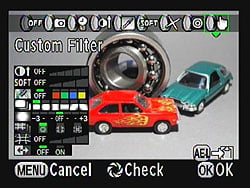
Like the recently-announced K-r, the Pentax K-5 also now allows use of some of the company's various filter functions when recording movies, including Cross Processing, Toy Camera, Retro, High-Contrast, Extract Color, and Color. Unlike those offered by some competing cameras, these don't seem to impact frame rate of captured movie clips, or at least, not substantially so.
The Pentax K-5 also includes limited in-camera movie editing functionality, something that wasn't present in the K-7 at launch, but was later made available via a firmware update. It's possible to specify start or end points in a video clip, and then split the file at those points, providing the ability to record for a little longer than necessary so as to be sure you don't miss the action, without then wasting valuable storage space storing the unwanted portions of the video. This is perhaps more important for the K-5 than some competing cameras, given its choice of the relatively less space-efficient Motion JPEG compression. In addition, you can extract still frames from movie clips, which is certainly enough for many web / social media uses, and might sometimes be enough to provide reasonable 4" x 6" prints, given that the Full HD mode equates to a resolution of roughly two megapixels. If you're not confident of your timing (even bearing in mind the speedy burst shooting), and you don't need high resolution, this could prove a lifesaver for capturing fleeting moments.
Dual-axis level gauge. The Pentax K-5's leveling sensor is upgraded from that in the K-7, matching the capabilities of the company's medium format Pentax 645D. Instead of the K-7's single-axis roll sensor, the K-5 sports dual-axis (side-to-side roll and front-to-back pitch) sensors, enabling the camera to be leveled on both axes. (By way of comparison, Nikon's D7000 only has a single-axis roll sensor, but Canon's 60D has dual-axis sensors like those of the K-5). Note that while the K-5 can display the roll level on both the viewfinder and top panel status displays, as well as the rear LCD panel, the pitch level can only be displayed on the rear panel. Unlike some competing cameras, you can't calibrate the tilt sensors manually.

Composition correction. One of the more unusual features of the K-7 is retained for the Pentax K-5, and relies on its sensor-shift image stabilization mechanism. When shooting on a tripod, it is possible to fine-tune your framing by manually controlling the position and rotation of the image sensor. Like the K-7, with Shake Reduction enabled, a total of two degrees rotation and three millimeters of horizontal or vertical adjustment (one degree and 1.5mm on either side of the centered position) are available. If the sensor is tilted, the available horizontal / vertical adjustment range may be reduced by as much as 1mm on either side of the centered position, potentially restricting the adjustment range to 2mm total on either axis.
Self-leveling function. Also thanks to the sensor-shift mechanism and internal roll sensor, the K-5 also offers an electronic level function that actually rotates the sensor to a level position when enabled. As with the K-7, this system can correct for errors of one degree in either direction if Shake Reduction is enabled. Unlike the earlier camera, though, if you disable Shake Reduction, you double the level of correction possible to two degrees in either direction.. Like the K7 before it, the Pentax K5 performs this unique trick whether framing portrait or landscape-orientation shots, although the function is automatically disabled if the camera is tilted forwards / backwards beyond a certain threshold.

Connectivity. Interface options in the Pentax K-5 are unchanged since the K-7, and include high definition mini-HDMI video output, standard definition NTSC / PAL switchable composite video output, and USB 2.0 high speed data connectivity. Unfortunately, like the K-7 before it, the Pentax K-5 lacks any official, Pentax-authorized tethered shooting capability, a feature that was present on the company's earlier flagship models. However, a third party solution now exists that provides tethered shooting support for the K-5, K-7, K-r, K-x, and several other of Pentax's historic SLR models. Dubbed 'PK_Tether', this doesn't allow a remote live view feed, but it does allow a variety of camera settings including all the main exposure variables to be changed remotely, both autofocus and shutter to be triggered from the attached PC, and full resolution images to be downloaded directly to the PC's hard drive, providing a viable tethered shooting solution for studio use. Developed by Polish electronics engineer Tomasz Kos, PK_Tether isn't officially approved by Pentax, and is still relatively early in its development process, but we've found it to be a very useful tool for Pentax shooters. With all this said, we'd still like to see Pentax offer an official tethered shooting solution for its cameras, given that the hardware is clearly capable of this.
There's also an 8.3 volt DC input, a terminal for the wired CS-205 cable release, a PC sync terminal for external flash strobes, a 3.5mm stereo microphone jack for recording movie audio from an external microphone, and a proprietary contact on the camera's base for an optional battery / portrait grip, which accepts the same D-BG4 model that was used with the earlier Pentax K-7. The Pentax K-5 also includes two infrared remote receivers -- one each on the front and rear of the camera body, allowing for the shutter to be released wirelessly from most angles, using the optional Remote Control F, or the waterproof Remote Control WP (aka O-RC1) remote. The latter allows not only shutter operation, but also provides for autofocus operation via a separate button when used with the K-5; this feature doesn't work with the earlier K-7.

Power. The Pentax K-5 accepts the exact same D-LI90 lithium ion battery pack as its predecessor, the K-7. The D-LI90 is a 7.2V pack rated at 1,860 mAh / 14Wh. Battery life is rated at 980 shots without flash usage, 740 shots with 50% flash usage, or 440 minutes of playback on a charge -- unchanged from the figures for the K-7 despite the increased resolution and burst rate. For studio shooting, or while offloading data via USB, the K-5 can also draw power from Pentax's K-AC50 AC adapter.
Battery grip. The D-BG4 battery grip for the Pentax K5 is the same model compatible with the K7, and comes with two trays -- one for six AA batteries, and one for a single D-LI90 battery. The K5's battery grip transfers power through a dedicated, proprietary connection, so you can leave a battery in the camera to double the battery life, and needn't fiddle to remove the battery door, as in some competing designs that use a dummy battery. While this design is nice because you don't have to worry about the cumbersome tower that goes up into the battery compartments of other camera designs, you will have to remove the entire grip to change the K7's internal battery. (Of course, you can leave the internal battery compartment empty, and simply place your battery pack in the portrait grip, so this is of little import in real-world use unless you intend to use both battery bays simultaneously.)
The D-BG4 is weather sealed like the camera body, although rather than the magnesium build of the body itself, the grip is largely made from plastic, with a metal top plate. (By contrast, Nikon's portrait grip for the D7000 is largely crafted from magnesium alloy). Pentax's portrait grip duplicates several controls from the camera's main interface, including the shutter release, front and rear e-dials, the AE-Lock, and the AF button, and while the control size / layout isn't identical to those on the camera body, it's similar enough to retain familiarity. There's also an On/Off switch, which controls not the camera body, but rather the portrait grip's controls. The D-BG4 also includes an insert in which to store the protective caps from the body and grip terminals when in use, and the lithium ion battery tray further includes space to store a spare SD card inside the grip. (Sadly, it lacks the space from Pentax's earlier grips in which the tiny Remote Control F could be stored.)

Storage. Similarly to the recently-announced K-r, the Pentax K-5 supports not only Secure Digital and SDHC memory cards, but also supports the latest generation SDXC cards if running current firmware. (The initial firmware release didn't include this support). Note, though, that this support is for the extended capacity of SDXC cards, which are already available in significantly higher capacities than their other SD brethren. The Pentax K-5 doesn't gain any benefit from high speed UHS-type SDXC cards. With that said, use of SDHC Class 6 or higher cards is recommended for video capture, or shooting high-speed still image bursts. Lower-speed cards can be used, but may reduce the movie clip length or still image buffer depth.
Although dual media slots are becoming somewhat more common these days, the Pentax K-5 only has a single card slot, like its predecessor. One other storage-related change is that the Pentax K-5 now uses 14-bit raw files for both Adobe DNG and Pentax PEF raw formats, rather than the 12-bit files of previous Pentax digital SLRs.
Helpfully, given the lack of official tethered shooting capability in the K-5, it does support Eye-Fi's WiFi-capable Secure Digital cards. While not as fast as a USB 2.0 tether, the feature does at least provide an officially approved means to get data off the camera in studio shooting without having to repeatedly swap cards around. Unlike Pentax's current compact cameras, the K-5 isn't an Eye-Fi Connected device, and so doesn't provide the ability to adjust card settings, etc. in-camera. Instead, setup must be done first on your computer -- but once that's been done, the K-5 can transmit JPEG and raw data wirelessly to your PC, either with a backup on the Eye-Fi card, or deleting data from the card when it's been successfully transmitted.

Custom image modes. The majority of other differences between the Pentax K-5 and its predecessor are also found in its firmware functionality. Pentax has added an additional custom image mode to the existing eight found in the latest K-7 firmware, emulating the look of Bleach Bypass images. Even if you've not previously heard the term, it's likely you're familiar with the effect, as bleach bypass has been a popular technique in the movie industry for many years. With film, the effect was achieved by skipping or abbreviating the bleaching stage of processing, leaving some silver in the emulsion alongside the color dyes. The effect is a grainy, high-contrast look with reduced saturation and exposure latitude.
Filters. There are also two new Playback-mode filter functions not found in the K-7, both of which debuted in the recent K-r, and whose effects are self-explanatory. The sketch filter mimics the look of a hand-drawn image, while the posterization filter causes abrupt transitions in tone. The color extraction filter has also been updated, and now allows two color ranges to be highlighted in an image, with colors outside these ranges desaturated.
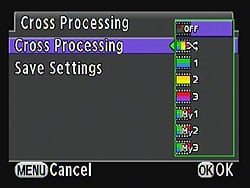
Cross Process. The Pentax K-5 also inherits an updated version of the cross-process function that debuted in the K-x, which is intended to offer a similar effect to the film processing technique. Cross processing of film involves intentionally using processing chemicals with a film type for which they weren't intended, with unpredictable but sometimes eyecatching effect. In the K-x, the function -- accessed through its own option in the record menu, rather than as a filter or custom image mode -- could only be switched on and off, and yielded a random effect that couldn't be previewed ahead of time. In the Pentax K-5, it's still possible to use the cross process function in this manner, but there are also three preset cross process modes that offer a consistent look from shot to shot. In addition, there are three user favorite presets, which allows the look to be tailored to the photographer's needs. These can't be directly configured -- instead, you copy the settings from an earlier image, so you'll need to shoot with the random filter until you get an effect you like, before copying the settings used to the cross process preset.

HDR. The Pentax K-5 also updates the high dynamic range function that debuted in the K-7, and was retained for the K-x. HDR photography allows capture of images with greater dynamic range than the sensor is capable of detecting, by taking multiple images with varied exposure, and then combining them to produce a single shot with increased dynamic range. Since it involves multiple exposures, it's only useful for relatively static subjects. At the time of the K-7's launch, the feature was unique in the digital SLR market, but it's since been mirrored -- and improved upon -- by rivals.
As in the recent K-r announcement, the K-5's HDR function includes several changes. The most significant of these is that the K-r now microaligns images before combining them, making it possible to shoot handheld HDRs. (Previously, even a slight camera movement would cause artifacts throughout the image, rendering it unusable -- and hence HDR mode was limited to tripod use.) The K-5 now has Auto, Standard, and three Strong effect modes, providing further control over the look of the HDR effect applied.

Time-lapse. Pentax has retained the time lapse mode from the K-7, and the camera can also shoot multiple exposures with an overlay of the previous image on the LCD to assist in alignment. Unlike that of the K-7, which was limited to just 99 shots, the K-5 will now allow as many as 999 shots in a single time lapse burst, if card space and power allow. However, it's worth noting that with an expected shutter life of 100,000 shots, it's now possible to use up as much as 1% of your shutter life in a single burst, and so you may want to consider the implications carefully before taking advantage of this change.
Copyright. Another K-7 feature retained for the K-5 allows you to specify a copyright holder for storage in the EXIF header of photographs. This is entered via the camera's menu system, unlike some competing cameras, which require it to be set via an attached computer.
Software. The Pentax K-5 ships with a newer version of Pentax's software CD than that included with the K-7. Where the previous model included the S-SW90 CD, the K-5 now ships with the S-SW110 disc. The actual software bundle is unchanged, and still includes Pentax's Silkypix-derived Digital Camera Utility 4 package. The newer version of the CD simply includes more current versions of the software with support for the latest Pentax DSLR bodies and lenses
Pricing for the Pentax K-5 is set at approximately US$1,600 for the camera body alone, and the camera began shipping in the US market from October 2010. In addition, a kit bundle with the 18-55mm WR lens will also be available, priced at about US$1,750, and a limited edition K-5 Limited Silver version, featuring a reprofiled hand grip and a shock-resistant and scratchproof reinforced glass cover over the rear LCD panel, can be purchased for around US$1,700.
New lens. Alongside the launch of the camera, Pentax also announced another new WR lens, bringing the total number of the company's weather-resistant consumer lenses to four models. The smc PENTAX-DA18-135mm F3.5-5.6 ED AL [IF] DC WR lens has a built-in Direct Current autofocus motor which operates near-silently, and a focus ring that doesn't move during AF operation. Pricing for this lens is set at US$530, and it also shipped from October 2010.
In addition to its WR lens models, note that all six lenses in Pentax's current DA * lineup are weather-sealed. This means that K-5 owners have a total of ten lenses from which to choose, all including weather sealing matching that of their camera body. (Of course, in most conditions you can also use non-sealed lenses with the K-5 body, but these could potentially allow dust and water to enter the camera body if used in adverse conditions.).
Pentax K-5 Field Test
by Mike Tomkins

The K-5 shares the same chassis design as that used in the K-7, and like that camera, the construction is largely magnesium alloy over a stainless steel frame. The rear panel and mirror box are both polycarbonate.
A little under two years ago, we published our review of the original Pentax K-7, a groundbreaking model for the company, which focused on jamming as many features as possible -- some of them unique -- into a body that was reasonably trim even by consumer DSLR standards, and decidedly compact when compared to competing weatherproof, magnesium-bodied SLRs. In the interests of full disclosure, let's confess at the get-go -- I switched to Pentax and purchased a K-7 myself just a few weeks later, having come away extremely impressed both by that camera's feature set, and its ergonomics. That's not to say it was perfect, but it ticked many of the boxes most important to me.
In the ~18 months that I've spent with the K-7, I've found myself remaining quite satisfied with my choice, on balance, but I've also found a few interface quirks, and have often wished for an improvement in both high ISO capability, and perhaps more importantly, in dynamic range. I'm now almost exclusively a .DNG raw shooter, except for throwaway shots, and I appreciate as much latitude as possible to recover blown highlights and blocked-up shadows caused by my own occasional photographic misadventures. Dynamic range was one area in particular where the original K-7 -- while not terrible -- was perhaps not quite up to the same level as the rest of the camera.

Image quality. Overall, I found the K-5's images pretty pleasing, with plenty of detail. The auto white balance occasionally produced rather warmer results than I'd have liked, though in this golden hour shot the warm glow matches my memory of the scene quite well.
When I learned of the upcoming release of the Pentax K-5, you can be sure I was at the front of the line to ensure that once it reached in our offices, the camera landed on my desk. As you can see, I made the right noises, and I've since enjoyed a number of weeks with my poor daily shooter languishing in semi-retirement, while I was out and about with the K-5 in hand. With the two cameras being so nearly identical in terms of body design, it was as an incredibly comfortable transition. All my K-7's accessories work with the Pentax K-5, which is potentially a huge bonus for anyone in my shoes, pondering the upgrade -- and I'll admit, I've definitely been considering doing just that, in these past weeks.
At 6' 1" tall, I have fairly large hands, but I've always found the original K-7 to be an exceptionally comfortable camera to shoot with, regardless of whether or not I've had my D-BG4 portrait / battery grip mounted. Barring the noise-inducing neckstrap D-rings that we've mentioned in so many reviews of cameras from Pentax and its rivals, there's not a lot I'd have changed about the K-7's body design. Shooting on a cold and drizzly day at the launch of a new tourist attraction in Tennessee's Smoky Mountains earlier this year, I did find myself wishing that the Focus Mode dial and AF Point Switching dial were just a little easier to adjust, though, as neither presents a lot of purchase for slippery, numb fingers. While the latter control is unchanged, Pentax have answered at lease one of my prayers with an updated Focus Mode lever that --while it looks only slightly different -- now provides much better leverage. They've also changed the K-5's Mode dial, with which I must admit I'd not noticed any particular issues on my K-7. Having shot with both cameras side by side, though, I don't think I'd want to return to the earlier design. Again, it's a tiny change, but actually makes a surprisingly big difference to how easy the dial is to turn.

The K-5 design includes a total of 77 waterproof, dustproof seals, shown in red in the rendering above. The optional D-BG4 portrait / battery grip (not shown) includes another 43 seals, and all of Pentax's DA Star and WR-branded lenses are also sealed, as is the optional Remote Control WP.
Environment-proof. One of the most important features that attracted me to the original Pentax K-7 was its thorough environmental sealing. I wanted a camera that I could take anywhere, focusing on my shooting, and confident in the knowledge that if I could handle the weather, my camera surely could too. I'm glad I made that decision, because while I've yet to go far beyond freezing, I've taken advantage of the K-7's water resistant body quite a few times. There are quite a few weather-sealed SLRs on the market, but before the K-7, they'd largely been marketed towards professionals and those with deep pockets. Where Pentax's solution differed was in the availability of affordable, weather-sealed lenses, each being a variant of an existing product from the company's consumer lens lineup. This lowered the bar to entry, making it possible for mere mortals to afford an environmentally sealed system from day one, with room to grow from the consumer-oriented lenses to more sophisticated models in the future. The K-7 also offered class-leading ability to shoot in sub-freezing conditions, with a design allowing use in temperatures as low as 14°F (-10°C).
The Pentax K-5 retains the exact same level of weather-sealing and freeze-proofing as its predecessor, with weather seals throughout the camera body, and also in its optional D-BG4 portrait / battery grip. Of course, it's compatible with the same selection of weather-sealed lenses, as well. Currently, there's a selection of four 'WR'-branded lens models -- three consumer zooms, and a 100mm macro prime -- plus the entire range of DA * lenses, each of which includes full weather sealing. This is now extended to the remote control as well, thanks to compatibility with the same waterproof remote control introduced with the Optio W90 compact, leaving external flash as the most important area where Pentax has yet to offer a weather-sealed solution.
Pentax's Shake Reduction system is unique in being able to correct not only for horizontal / vertical shake, but also for rotation around the lens axis.
Shake reduction. One of the first things that struck me when shooting with the Pentax K-5 was completely unexpected. I'm a big fan of Pentax's in-body Shake Reduction, especially now that Sigma offers some stabilized lenses in Pentax K-mount form, letting me choose which stabilization system to use depending on the merits of either for any given shot. (In-body stabilization saves cost and ensures that all my glass is stabilized, but in-lens IS seems to me to offer better results at longer focal lengths.)
Something it took me a little while to realize with my own K-7, though, is that the stabilization system doesn't fire up instantly. It takes a little while for the system to come to life, with its readiness indicated by a small 'hand' icon in the viewfinder -- and if you take a shot before that appears, it isn't stabilized. I've found it rather difficult to get myself to remember to wait for that icon to pop up, and so with the K-7, I've accidentally taken more than a few shots without stabilization active. The Pentax K-5 makes a slight change to the IS system behavior, but it makes a big difference to the percentage of my shots that are stabilized.
With the K-7, as soon as you released the shutter button, the stabilization system went back to sleep. Let off the shutter button for a quarter of a second, then half press again, and you had to wait all over for the system to ready itself. The K-5's stabilization system, by contrast, stays active for a good few seconds after you let go of the shutter button. Since I tend to bring the camera to my eye and half-press the shutter button to get a focused view, then let go, re-frame and finally take my picture, the result is that the system is now almost always ready immediately that I'm done framing. No more waiting, and no more blurry shots because I wasn't paying attention. It's a much better behavior.
Horizon correction. Pentax has used its in-body stabilization system to offer a couple of truly unique features that debuted in the previous K-7 model, and which are carried over with some tweaks for the K-5. Perhaps the most useful of the pair is horizon correction, which applies solely to still image shooting, and relies on the SR mechanism's rotational correction capability. I've found myself simply leaving this switched on all the time with my K-7, and did the same with the K-5. When active, the camera will attempt to correct for slightly tilted horizons, and the only real downside of this is that the precise framing of the final image won't quite match what you see in the viewfinder -- but that's a small price to pay for a level horizon.
The K-5's correction feature has a very useful improvement over that of the earlier camera, but it's only available when shooting with shake reduction disabled. With SR active, the K-5 offers the same one degree of correction on either side of level that was possible with the K-7, regardless of whether shooting in portrait or landscape orientation. For the K-5, though, you can double this to a +/- two degree correction when SR is disabled, meaning an even greater ratio of perfectly level shots.
Composition Adjustment. The other completely unique feature of the Pentax K-5 and its predecessor that's enabled by the shake reduction system is composition adjustment. This is applicable to both still and movie shooting, and is useful when shooting on a tripod (and hence, with shake reduction disabled). The position and rotation of the image sensor can be tweaked within the SR system's available range, fine tuning the precise image framing in the process. I must be honest, it's not something I use very often, but when I do, it's incredibly helpful. I'm sure anybody who's ever tried to adjust their tripod positioning on a rough surface well knows how difficult it can be to make fine adjustments to a tripod's position to precisely tweak framing. Composition adjustment makes this much easier -- you only have to get the tripod close, and it's then easy to fine-tune your way to near-perfect framing. Unlike the equivalent function in the K-7, the K-5 now provides a helpful indication of how much you've adjusted the sensor position, and hence, an idea of how much more adjustment is available if needed.
The K-5's level gauge now displays not only side-to-side roll, but also front-to-back pitch. It also works in portrait orientation, and the roll gauge is replicated on the top and viewfinder LCD panels.
Dual-axis level. Horizon correction might be a great way to help get level horizons, but it does rely on your at least being in the ballpark, and so I always try to get the camera level (unless, of course, I'm intentionally shooting at an angle for effect.) The built-in level sensor in the K-5 and K-7 -- which the horizon correction function also relies upon -- helps me do so with indications in the top and viewfinder LCDs, and optionally on the main LCD too. All of this might not be unique, but it is nonetheless a great aid in getting horizons and verticals square, regardless of whether you're shooting handheld, or on a tripod.
Where the K-7 offered only single-axis (roll) information, the K-5 now provides an indication of pitch (front to back tilt) as well, a change I'm thrilled with. I love shooting 360-degree panoramas, but doing so well generally relies on getting the camera level in both axes. There are only two slight downsides to the K-5's implementation. The first is that the pitch indication is only available on the rear-panel LCD display, where I'd have liked to have seen it added to the viewfinder display as well. Secondly, there's no way for the user to calibrate the system. That's not actually something I've needed to do myself with either my own K-7 or the review sample K-5, but I've heard from other Pentax shooters who've felt their level sensors to be slightly out of calibration, and so it'd be helpful to be able to correct this. While rare, we've seen cameras in the past which allow user calibration.

RAW / Fx button. The RAW button was something we praised in our review of the original K-7, and for those who frequently change modes, or for JPEG shooters who want to grab the occasional spontaneous raw snapshot, it makes a lot of sense. For those like myself who are nearly exclusive raw shooters, though, it's something of a waste of real estate. (On the K-7, I've set mine to be disabled in raw mode to prevent accidental changes, so its only purpose has been to return me to raw shooting after I enter the menu to grab a throwaway JPEG shot.) It's great, then, to see the Pentax K-5 give me the option to do something with that button which I've until now ignored.
With the K-5, I found myself generally leaving the button set to either exposure bracketing, or the electronic level function, in part because they were the only options that seemed to make much sense. Digital preview can already be assigned to the Power switch in place of optical preview, and frankly, it's not much more hassle to just capture a still image, then delete it after I've looked at it, if I decide not to keep it. Composition adjustment is a feature I'd only ever use when shooting a relatively static subject from a tripod, a time when saving a couple of button presses is likely not crucial -- my subject isn't going anywhere, after all.
I'd like to see the ability to assign a lot more functions to this button -- lens correction, cross processing, digital filters, HDR capture, and even multi exposure seem like they might be good candidates to add, and doubtless there are others. Likewise, it might be a good way to access program line adjustments, which currently takes at least five clicks to locate nested inside Record menu screen 3. Perhaps most appealing to me, though, would be to use this button as a dedicated, secondary shutter button. Without any change to the physical design of the camera, it could serve to allow spontaneous movie capture from within still image shooting modes, and still capture from within the movie mode, saving the valuable seconds that it takes to adjust the Mode dial when you see an unexpected shooting opportunity.
So... long story short, the Fx button is a great idea, and a worthwhile addition to what's already a fairly customizable camera, but so far the available choices which it presents seem somewhat uninspired.

Where the K-7 had one User mode, the K-5 sports five renameable modes accessed from a single position on the Mode dial.
User modes. Perhaps another reason that I didn't take advantage of the RAW button on the K-7 was the presence of the camera's User mode. About the only time I shoot JPEGs is for throwaway shots, and for those, I seldom wanted the full resolution of the K-7, nor the utmost image quality. Hence, I set the User mode up as my "Throwaway / Ebay picture" mode when I first got the camera, then never touched it apart from to capture those short-lived shots. It saved me accidentally leaving the camera set up to capture low-res photos when I returned to it later, as -- lockable or not -- the first thing I do when I pick the camera up is to glance at the Mode dial.
A small part of me always felt that I was somewhat wasting the User mode, though. It seemed like it could be so much more useful, but I never dared find out, because I knew eventually I'd capture a low-res throwaway shot in another mode, get sidetracked, and forget to set everything back. Hey presto, my next important shot would be lost to a tiny JPEG.
The K-5 solves that for me, with no less than five User modes, all accessed quickly and easily through the single mode dial position. Each User mode can store a raft of settings, including the exposure mode (other than Green or Movie), drive mode, program line, exposure compensation, bracketing, filters and effects, and plenty else besides. Now with a quick spin of the Mode dial I can, for example, configure the K-5 to capture raws with a reasonably high ISO sensitivity, Program exposure using the Hi-speed priority program line, Portrait custom image mode, horizon correction enabled, and shake reduction disabled to give me the maximum two-degree horizon correction. Perfect for crawling around on my hands and knees trying to get decent snapshots of my hyperactive toddler!
The icing on the cake is the ability to rename each of the five user modes, so I remember what they are. I've already chosen the names for my first two modes: "Ebay", and "Toddler". What can I say? I'm just creative like that. ;-)
Built-in time machine. I believe I've already mentioned that I'm a raw shooter; might even have done so twice. This function struck me as so cool, though, that I'm almost tempted to change my routine. For JPEG shooters, the nightmare scenario is that you capture a once-in-a-lifetime image, then excitedly jump into playback mode, only to find that you blew the highlights. Euphoria gone -- you know it's going to take you hours in Photoshop to fix, and the picture will never look quite right. Even if nobody else knows which bit isn't real, you do, after all. Will it even be worth the effort?
Pentax has come up with the answer, and we're surprised nobody thought of it sooner. They've built a time machine of sorts into the K-5, and it will let you roll back the clock to capture your image all over again in raw format.
Well, maybe not quite, but if you haven't captured, deleted, or edited any other photos since, and the camera hasn't been automatically or manually powered off, the raw data from which your irreplaceable photo was created is still sitting there in the K-5's buffer. A quick press of the AE-L button while viewing the image in playback mode will take that data, and save it as a raw file after the fact. (You'll actually end up with a Raw+JPEG, since the K-5 won't presume to delete the existing copy of the photo without your asking it to.)

Dynamic range. The K-5's sensor captures an impressively wide dynamic range, but you'll want to shoot in raw to take full advantage. The default JPEG version of this shot clips much of the area around the train's wheels, but pretty much all the detail is still to be found in the corresponding raw frame.
Live view. The basic functionality of the Pentax K-5's live view mode is relatively similar to that of the K-7, although the dedicated Live View menu has been reordered to place frequently accessed items nearer the top of the list, and the contrast detection autofocus is significantly swifter than that of the earlier camera (even when updated to the most current firmware). There's one fairly significant change to the K-5's user interface, though, and my feelings towards it are rather ambivalent. During contrast-detection autofocus operation, the K-5's live view feed smoothly zooms in on the location of the focus point, then shortly after a lock is achieved, gradually zooms back out again. This zoom function is great for relatively static scenes, providing a useful 6x magnified view that helps you confirm whether the camera achieved a proper lock on your intended subject. The smooth manner in which the zoom is initiated, rather than just instantly switching to a magnified view, also helps reinforce in your mind exactly which part of the image you're looking at.
The problem is that the function can't be manually disabled, and it applies even when you'd expect to be framing a moving subject -- for example, if you're using continuous-servo AF, or shooting a movie. If your subject is moving, and especially if you're trying to track an erratically moving subject with the camera, this AF point zoom function can make it nearly impossible to keep them in the frame. Although I appreciated the zoom during shooting of relatively static scenes, I found it extremely frustrating the rest of the time. At the very least, I'd like to see future K-5 firmware exhibiting more intelligence in disabling the function automatically if your settings imply you're likely shooting a moving subject. Better still, though, would be to simply allow the photographer to disable the function altogether when desired.
That annoyance aside, I found the K-5's live view to be pretty useful. The increase in contrast detection focus speed obviously varies depending on the focus throw and AF drive speed of the particular lens, but it was very easily noticeable with the majority of lenses I tried, regardless of drive mechanism. (During my time with the K-5, I had a variety of review lenses plus those from my personal stock, including lenses based around screwdrive, SDM, and DC focusing.) The improvement appears to lie in two areas. If the lens is significantly out of focus to start with, the K-5 seems to require far less pauses to check focus enroute to a focus lock than is the case with the K-7. It also shows much less tendency to sail straight past the point of focus in lower ambient light or with difficult subjects, something that I noticed quite often with my K-7. I did rarely find that the K-5 indicated that it had locked focus when it was clearly some distance from doing so, but this was always obvious on the live view feed, and generally resolved with a second focusing attempt.
There's certainly still room for improvement: contrast detection autofocus isn't fast enough to deal with a moving subject, but it is now up to handling with a subject that briefly pauses in position, such as a bird coming to rest on a feeder. That's a night-and-day difference from the K-7, where I found in my real-world usage that contrast detection simply wasn't suitable for anything but static subjects.
With current firmware, the K-5 supports high-capacity SDXC cards, but sadly doesn't benefit from the speedier UHS-I types.
Burst shooting. The earlier K-7 model's swift burst shooting performance was a major factor in my purchase decision, as I wanted a camera capable of keeping up with shooting motorsports. Unfortunately, I've not had the chance to get to a race since buying that camera, but with a hyperactive two year old, my K-7's burst mode has been kept busy regardless. While the Pentax K-5's burst mode doesn't quite match the company-provided specifications, it nonetheless offers a useful 1.3 frames per second gain over the K-7. Perhaps more importantly, it roughly doubles the continuous burst shooting depths, meaning more photos of my son (and better odds of one of them coming out acceptably), with less time spent waiting for the camera. With the K-5, I could capture shots continuously without the camera slowing down for as long as 4.8 seconds in JPEG mode, or 3.5 seconds in raw shooting -- a full second longer than the K-7 regardless of file type, despite the increase in frame rate and resolution.
Once the buffer was filled, though, I did find myself wishing the K-5 could take advantage of the latest-generation high-speed UHS-I flash cards. The K-5 could easily spend twice as long writing data to the flash card after a full burst than was the case in the K-7, due to all the extra data captured. It's great that support has been added for SDXC cards, but this only allows the K-5 to take advantage of the extra capacity. UHS-I cards used in the K-5 will revert to the same speeds as standard SDHC and SDXC cards.
Movie. Video is perhaps something of an Achilles heel for the Pentax K-5, although I'm still not entirely convinced that DSLR video in general is ready for prime-time yet. To be sure, there are advantages of interchangeable lenses when shooting video, and the large sensor of a DSLR compared to your typical camcorder can translate to significantly a better picture. Unfortunately the great majority of SLR lenses haven't been designed with video usage in mind, meaning that compromises abound, especially when it comes to autofocus. Although prototypes of the earlier K-7 model included in-video autofocus capabilities, Pentax has yet to offer this in shipping cameras, and this is likely due to the combination of objectionable noise induced in videos, and the fact that contrast detect AF tends to hunt somewhat around the point of focus. Still, the competition are now offering various flavors of in-video contrast detection autofocus, not only in prosumer models competing head-on with the K-5, but also in affordable, consumer-oriented cameras. I'd really like to see Pentax step into the ring as well, and let its customers decide whether the trade-offs are worthwhile.
Also an issue is the lack of manual controls. Unlike competing cameras, neither exposure nor audio levels can be controlled manually. The K-5 offers only the same Program Auto or Aperture-priority movie shooting modes as its predecessor. Nor is rolling shutter -- the jello-like effect noticeable in side-to-side motion -- as well-controlled as in Nikon's recent D7000 model, although that is mitigated to some extent by the K-5's built-in stabilization system. The addition of 1,080p capture in the K-5 is welcome, but Pentax still offers only Motion JPEG compression, meaning file sizes can be monumental -- as much as 600MB per minute. That's despite the 1,080p mode having a fixed 24 frames per second rate.
As I've mentioned previously, I think the K-5's video capture user interface could also bear some more thought. The dedicated Mode dial position robs spontaneity, making it unnecessarily awkward to switch between still and video capture. This interface was most likely retained due to the lack of a dedicated Movie shutter button, but it seems to me that the Raw / Fx button on the camera's left side is ideally situated to serve as an optional, secondary shutter button, initiating Movie capture from still modes, and vice versa. As-is, video capture is probably my least favorite feature of the K-5, and one that I feel doesn't live up to the standard of design that the rest of the camera exhibits.

High ISO... The K-5's high ISO capabilities open up new possibilities. This available-light shot might not seem like much, until you consider it was shot handheld, ten minutes after sunset, in an already surrounded by buildings that block the light.
High ISO. On the other end of the scale, one of my favorite features of the Pentax K-5 is its high ISO capability. While the K-7 was capable of shooting as high as ISO 6,400 equivalent, I seldom allowed myself to shoot above ISO 1,600. In a pinch, ISO 3,200 from the K-7 was usable if flash wasn't possible, but generally required that I spend a little time in the "digital darkroom", trying to minimize the effects of the noise, while retaining detail. The ISO 6,400 position in my K-7 was available only as a last resort, and one I've only taken advantage of a handful of times in the last year.
With the K-5, the game plan has been written anew. I've found myself regularly and quite happily shooting at up to ISO 6,400. Yes, there's some noise with the sensitivity raised to this level, but I've found it quick and easy to control with the standard controls in Photoshop or Lightroom, my imaging applications of choice. For shots where I'm willing to put some time and energy into post-processing, ISO 12,800 can offer reasonable results with a little work, and I'll step up to it if necessary. Beyond that, I'd only use ISO 25,600 if there was no other way to get the shot, and ISO 51,200 is simply a step too far for my own personal tastes, although both are certainly capable of small prints.
In my time with the K-5, this step forward in noise performance has had a profound effect on my shooting style. I've found myself happy to leave my AF-540FGZ flash strobe at home, and have hardly touched the internal flash strobe either. Available-light shooting has been perfectly acceptable even in dimly-lit restaurants and the like. That's not to say I wouldn't want my flash strobe as well, but the ability to stick with available light in a raft of new environments has brought an entirely different, more natural feel to my shots that I've really appreciated.

...or insane ISO. Even pushing things further to ISO 12,800, the K-5 yielded some reasonably usable images, although color noise begins to intrude. I played with this shot for a while in Lightroom, but couldn't completely squash the color noise -- particularly noticeable in the bike tire -- without the orange bike frame bleeding into the background. As is, it's still perfectly usable for a small to medium print, though.
Multiple Exposure. The K-5's multiple exposure feature is held over essentially unchanged from the original K-7 design, with only a very slight tweak to one of the fonts used in its menu. It's a feature that doesn't attract a lot of attention, perhaps because the effects therein can largely be achieved in post-processing on a PC. That said, it's nonetheless an interesting tool that can provide some cool creative possibilities for photographers, and is something I've enjoyed using with my K-7.
Through the multiple exposure menu, you can opt to stack up to nine sequential frames into a single image, and surprisingly, you're not just limited to saving the result as a JPEG. You can also opt for a raw file, and even choose to save this after the fact from playback mode, just like with still-image shooting. The raw file contains the combined result of your multiple exposures in a single file that you can post-process just like any other raw image. You can mix and match exposures shot through the viewfinder and with live view, and change quite a few settings between each exposure (and while switching exposure modes between shots isn't possible, you can roll the front or rear e-dials to use the K-5's Hyper Program mode, so it's effectively possible to switch between Program and Priority modes for each individual shot). If you're using live view mode, a translucent overlay is shown over the current live view feed, letting you precisely align your next exposure to the cumulative effect of your previous shots.
The multiple exposures can either be additive (mimicking the effect achieved by winding back and re-exposing a film camera), or they can be averaged. The additive effect can be fun in some circumstances, for example allowing you to superimpose a giant moon in the dark night sky over a city shot, but it's the averaging that I've found really useful. If your subject is relatively static, by averaging multiple frames you can effectively cancel out random noise in the image, allowing remarkably clean high ISO captures. Perhaps even cooler, though, is the ability to blur motion by averaging exposures. It's not useful in every circumstance -- if your subject is strongly illuminated and moves slowly across the frame (for example, a single car's headlights or star trails), you'll get brief interruptions in their motion trail where the shutter was cycled. For subjects where there's continuous motion in the same areas, though, you can effectively achieve much the same result as if you'd shot with a neutral density filter. Flowing waterfalls and rivers, the churning sea, or crowds in a street scene can be blurred with what's effectively a multi-shot long exposure, beyond what's possible with a correct exposure at the K-5's base ISO sensitivity. Cool trick!

The K-5 includes a generous selection of digital filter effects, plus a Cross Processing function, an HDR mode, and a healthy selection of Custom Image presets -- and that's just the pre-exposure creative options!
HDR, digital filters, cross processing. Of course, the K-5 also offers a huge selection of digital filter effects applicable either before or after exposure (or in many cases, both). In addition, there's an overhauled variant of the high dynamic range imaging function that Pentax introduced with the K-7, which has subsequently been mimicked by several competitors, as well as a variant of the unusual cross processing function that we first saw on the consumer K-x model. If you prefer to do your editing on the PC, as I do, you may seldom touch these functions, but if you like to make prints straight from the camera, they offer a very wide range of creative possibilities.
The ability to microalign images shot using the high dynamic range function is a great change, and one that makes this a genuinely useful handheld tool for photographers shooting in difficult lighting, such as when shooting home interiors, where you can't easily balance indoor and outdoor lighting levels. It's a shame that unlike the multi-exposure function, HDR imaging is available only for JPEG shooters, though. I also found the K-5's interface when applying digital filters in playback mode to be frustratingly slow. The camera prioritizes completing its preview of each effect over responding to control presses, with the result that if you want to step several items down through the available filters, you spend a fair bit of time waiting to see the effect of each filter on the way to your destination, even if you have no intention of using them.

The K-5's on-screen interface might not be as flashy as some cameras, but it does a good job of communicating info, nonetheless. The small indications of whether the front or rear e-dial is used to adjust a given variable are a nice touch.
User interface. That's a criticism I have not only in relation to digital filters, either. There are a number of areas in which relatively subtle tweaks to the K-5 could make it feel like a significantly more responsive camera. For example, if you shoot a large number of frames in burst mode, then want to enter the camera's menu system to make a quick settings change before your next burst, you have to wait for the K-5 to first finish processing its buffer, which can take a while when shooting raw files. The camera isn't completely locked up at this point -- it will still allow you to shoot further frames if buffer space remains, and to adjust exposure variables such as shutter speed, aperture, ISO sensitivity, exposure compensation, and the like. If you want to change something more obscure, though -- say, the program line, which is accessible only from the menu system -- you have to wait for buffer processing to complete, rather than being able to make the change straight away. That could result in a missed shot, or being forced to capture your next shot with settings different to those you'd have preferred. To my mind, a camera should always respond to its controls immediately, even when busy, letting the photographer decide whether clearing the buffer or making a settings change is the higher priority.
All things considered, the Pentax K-5's user interface design is fairly good, if perhaps not as pretty as those from some of the company's competitors. A lot of small tweaks have been made since the K-7 to subtleties such as the ordering of menu items, the individual fonts used, and so forth, and these changes have gone a long way towards making the K-5's interface more intuitive than that of its predecessor. Among these changes, the one most worthy of kudos in my opinion is the ability for the K-5 to remember which menu tab was last accessed, then return you immediately to this tab when you next enter the menu. This can save a huge amount of button pressing, if you're using a little trial-and-error to determine which setting yields the best result for one specific menu item.
Overall. My time spent with the Pentax K-5 has served two ends: allowing me to write this review, and also giving me the chance to see whether it was time to upgrade from my own personal Pentax K-7. Given that the K-5 follows on from -- and retains much of the core feature set of -- a camera that fits me like a glove, I am not surprised to have found myself greatly enjoying shooting with the newer camera. What floored me was the Pentax's K-5's improvement in image quality. It's incredible just how much has been possible in just a couple of years since the debut of the K-7. The Pentax K-5 is in a different ballpark in terms of both dynamic range -- at least, when shooting raw, as I do -- and also when one looks at its high ISO noise levels. The raft of other improvements in terms of shooting speed and burst depth, dual-axis leveling, extra User modes, Full HD movie capture, fine-grained JPEG noise reduction, etc. add a generous helping of icing to the cake. Pentax shooters who skipped the K-7 will find the step forwards to the K-5 to be dramatic, but even K-7 owners like myself will find a lot to recommend the company's new flagship, and the ability to keep their existing accessories will prove to be a nice bonus.
Would I consider moving to the Pentax K-5 from another system? That's a harder question to answer. There's a lot to recommend the Pentax K-5, but some of its competitors -- notably the Nikon D7000 -- come close, and manage to do so with a more affordable price tag, to boot. There are still some points on which the K-5 lags its closest competitors, especially in terms of autofocus sophistication and movie capture capabilities, but there are also a lot of areas where the K-5 surpasses its rivals: a really compact, weather-sealed body that still offers great ergonomics, a greater proportion of magnesium alloy construction, class-leading burst shooting performance, dual-axis level gauge, horizon correction, and in-body shake reduction with all available lenses. If video capture wasn't my priority, and I was still shooting another platform without a large investment in glass and accessories, I'd definitely consider making the switch. If I planned to do a lot of movie shooting, or had a larger investment in another platform, it'd be a harder move to make.
Speaking personally, I've made a decision of my own during the writing of this review. Eighteen months ago, I promised myself that the K-7 would be the last camera body I'd be buying for some time. I've now decided that's a resolution I can't keep. Even though my K-7 is still relatively new, the step forwards in dynamic range and high ISO noise performance are such that I've already gone ahead and placed an order for my very own Pentax K-5. I can't offer much higher praise than that!
Pentax K-5 Image Quality Comparison
Most digital SLRs will produce a reasonable ISO 100 shot, so I like to push them and see what they can do at ISO 1,600. Recent advances in sensor technology have made ISO 1,600 look a lot more like ISO 100, but there are still cameras whose quality starts to fall apart at this setting. It's arguable that ISO 3,200 is the new 1,600, so we've included those crops as well.
Pentax K-5 versus Pentax K-7 at ISO 1,600
 |
 |
 |
 |
 |
 |
|
Pentax K-5 at ISO 1,600
|
Pentax K-7 at ISO 1,600
|
|
The Pentax K-7 didn't do as well at higher ISOs, but it's clear that the K-5 does quite a bit better with detail and contrast. Both still handle the red swatch poorly, but that's a fairly common outcome. It comes closer than some cameras, at least representing the lines of the leaves more accurately, just dimming them too much. The K-5 renders the color of the pink swatch beneath the red quite a bit more purple than it ought to, as you'll see in the crops from other cameras below.
|
|
Pentax K-5 versus Canon 60D at ISO 1,600
|
 |
|
 |
|
 |
|
Pentax K-5 at ISO 1,600
|
Canon 60D at ISO 1,600
|
The Canon 60D has a higher resolution sensor, but the cameras are still closely matched. Noise suppression in the Canon is probably a bit more active, as is sharpening, which is visible around the letters in the Mas Portel bottle. And the red swatch is a poor fabrication of what the swatch actually looks like. Ultimately, though, both cameras do quite well at ISO 1,600. |
|
Pentax K-5 versus Nikon D7000 at ISO 1,600
|
 |
|
 |
|
 |
|
Pentax K-5 at ISO 1,600
|
Nikon D7000 at ISO 1,600
|
The exposure is slightly different between the Pentax K-5 and the Nikon D7000, so that complicates the comparison somewhat, but the sensor is likely the same Sony design in both cameras. The Pentax seems to deal with chroma noise in the gray background better than the Nikon does, and I prefer the K-5's rendering of the mosaic label, though the slightly darker exposure from the Nikon could be egging on the noise suppression system a bit more. The red swatch is where Nikon SLRs typically strike a better balance between noise suppression and detail. |
|
Pentax K-5 versus Panasonic GH2 at ISO 1,600
|
 |
|
 |
|
 |
|
Pentax K-5 at ISO 1,600
|
Panasonic GH2 at ISO 1,600
|
The Panasonic GH2's tendency to render yellows quite green works against it in this JPEG-only comparison, but it nevertheless seems clear that the Pentax K-5 does a better job with detail, color and noise suppression. |
|
Pentax K-5 versus Sony A580 at ISO 1,600
|
 |
|
 |
|
 |
|
Pentax K-5 at ISO 1,600
|
Sony A580 at ISO 1,600
|
|
Here again, it's probably the same sensor, but a very different style of processing noise between the K-5 and Sony A580. The A580 blurs everything that looks doubtful, like that background and the bottle, while oversharpening the letters and lines on the Mas Portel bottle label, creating an odd disconnect between the two elements. There's also a little too much noise suppression at work on the very detailed mosaic label, which the K-5 handles quite well. The red swatch is handled better, though it's soft and blurry, it's a truer representation than the K-5 manages. |
|
Today's ISO 3,200 is yesterday's ISO 1,600 (well, almost), so below are the same crops at ISO 3,200.
Pentax K-5 versus Pentax K-7 at ISO 3,200
 |
 |
 |
 |
 |
 |
|
Pentax K-5 at ISO 3,200
|
Pentax K-7 at ISO 3,200
|
|
Here's where the difference between the K-5 and K-7 really shows. There's way to much false data, in those random black dots scattered on the background and even the yellow bottle. Your eyes can pretty much tell the rest of the story. The K-5 is an improvement.
|
|
Pentax K-5 versus Canon 60D at ISO 3,200
|
 |
|
 |
|
 |
|
Pentax K-5 at ISO 3,200
|
Canon 60D at ISO 3,200
|
I'd call this a fairly even match, except on the mosaic label, where more of the detail is disappearing in the grout lines between tiles on the Canon 60D. |
|
Pentax K-5 versus Nikon D7000 at ISO 3,200
|
 |
|
 |
|
 |
|
Pentax K-5 at ISO 3,200
|
Nikon D7000 at ISO 3,200
|
The Pentax K5 seems to come up with more detail in most areas, but not in the troublesome red swatch, and purple is chosen instead of pink in the nearby swatch. |
|
Pentax K-5 versus Panasonic GH2 at ISO 3,200
|
 |
|
 |
|
 |
|
Pentax K-5 at ISO 3,200
|
Panasonic GH2 at ISO 3,200
|
Again, the size difference between these two is more about aspect ratio and sensor size vs. resolution, as they're both 16-megapixel sensors. The Pentax K-5 clearly has the edge in both detail and color rendition. |
|
Pentax K-5 versus Sony A580 at ISO 3,200
|
 |
|
 |
|
 |
|
Pentax K-5 at ISO 3,200
|
Sony A580 at ISO 3,200
|
|
I prefer the Pentax K-5's more conservative approach to noise suppression over the Sony A580, resulting in a more "photographic" appearance. |
|
Detail: Pentax K-5 vs K-7, Canon 60D, Nikon D7000, Panasonic GH2 and Sony A580
 |
 |
 |
 |
 |
 |
 |
 |
 |
 |
 |
 |
 |
 |
 |
 |
 |
 |
|
Pentax
K-5 ISO 100 ISO 3,200 ISO 6,400 |
Pentax
K-7 ISO 100 ISO 3,200 ISO 6,400 |
Canon 60D ISO 100 ISO 3,200 ISO 6,400 |
Nikon
D7000 ISO 100 ISO 3,200 ISO 6,400 |
Panasonic GH2 ISO 160 ISO 3,200 ISO 6,400 |
Sony A580 ISO 100 ISO 3,200 ISO 6,400 |
|
Detail comparison. Digital cameras generally do better with a black and white target, so we also look at that closely, here at ISO 100, 3,200, and 6,400. The two images whose detail pops the most are the Canon 60D and Sony A580. Sharpening halos on both are quite a bit more dramatic in both, and of the two, the Canon seems to have the most contrast overall. It also has a much narrower dynamic range. I look at the rendering of the red text and the lines in-between the letters to judge performance here, and the Pentax does fairly well against most of these cameras, as in equalling their performance, except for the Pentax K-7. Even the GH2 holds up fairly well here, all the way up to ISO 6,400.
Also bear in mind that we shoot these shots with the best lenses we have available for each platform. In this case, they are all shot with a Sigma 70mm f/2.8; all but the GH2, which uses the very sharp Olympus 50mm f/2 lens. |
|||||
Overall, the Pentax K-5 is a very strong contender in the 16 to 18-megapixel market. Its superb image quality matches its excellent handling and smart construction, making what was already a very good camera, the K-7, quite excellent in the K-5.
Pentax K-5 Print Quality
 ISO 80/100/200 looks very crisp at 24 x 36 inches, with good color and detail.
ISO 400 images look great at 20 x 30 inches, with little loss of detail.
ISO 800 prints are quite good at 16 x 20 inches.
ISO 1,600 loses detail in our red leaf swatch, but other areas still look good at 11 x 14 inches.
ISO 3,200 looks better printed at 8 x 10 inches, with some luminance noise in the shadows, but still good.
ISO 6,400 images are usable for less critical applications at 8 x 10 inches, but the luminance noise warrants a reduction to 5 x 7, where the whole image looks tighter and sharper. Detail in reds is quite soft now.
ISO 12,800 shots are way too noisy for 5 x 7 inch prints, but come right back to acceptable quality when printed at 4 x 6.
ISO 25,600/51,200 images are not usable and best avoided.
Overall, a good performance for the Pentax K5. It retains excellent detail for quite a run of large print sizes, which makes for easy cropping from lower ISO settings and the ability to squeeze a 4 x 6 out of ISO 12,800, great for indoor low-light snapshots.
See below for our conclusion; be sure to check the other tabs for detailed test results.
In the Box
The retail package contains the following items:
- Pentax K-5 SLR digital camera
- smc PENTAX DA 18-55mm F3.5-5.6 AL WR lens (for 18-55mm kit version only)
- Lens cap (for 18-55mm kit version only)
- Rear lens cap (for 18-55mm kit version only)
- Shoulder strap (O-ST53)
- Rechargeable 7.2V, 1,860mAh, 14Wh lithium-ion battery (D-LI90)
- Battery charger (K-BC90)
- AC cord
- USB cable (I-USB7)
- Standard definition, composite A/V cable (I-AVC7)
- Body cap
- Sync socket 2P cap
- AF Frame Matte focusing screen (MF-60, installed)
- Eyecup FR
- Eyepiece cap
- Hotshoe cover FK
- Software CD-ROM (S-SW110, includes Pentax Digital Camera Utility 4)
- Operating manual (~375 pages)
- Serial number card(s)
- Worldwide service network leaflet
Recommended Accessories
- Extra D-LI90 battery pack for extended outings
- Large capacity, class 6 SD/SDHC/SDXC memory card. These days, 8GB Class 4 is a good tradeoff between cost and capacity, but if you plan to capture many high definition movie clips, shoot in Raw format, or take advantage of the K-5's burst shooting capabilities, look for larger cards with Class 6 or faster ratings. (Note that you'll need to update the body's firmware for SDXC compatibility, and the K-5 doesn't derive any speed benefit from UHS-type cards.)
- Camera case
- Portrait / battery grip (D-BG4, especially if you have large hands, shoot a lot of portrait-orientation photos, or want AA battery compatibility)
- Infra-red Remote Control F (if you favor small size) or Remote Control WP (if you prefer waterproofing and the ability to remotely trigger autofocus without immediately capturing an image)
- Cable switch CS-205 (if you prefer a physical remote release, rather than infra-red)
- Diopter correction lens adapter M (if you have a strong eyeglass prescription, beyond the camera's built-in -2.5 to +1.5 diopter correction)
- AF Divided Matte (ML-60), AF Scale Matte (MI-60), or Plain Matte (ME-60) interchangeable focusing screens, if you favor them to the standard AF Frame Matte (MF-60) that ships with the camera
Pentax K-5 Conclusion
| Pro: | Con: |
|---|---|
|
|
With the launch of the K-7 two years ago, Pentax played to its strengths by creating a digital SLR that was not only feature-rich, but also surprisingly compact for a weather-sealed, magnesium alloy-bodied camera. The K-7 was an important product for the company, providing some truly unique features, and its rugged, coldproof body reinforced Pentax's reputation for catering to the needs of sporty, outdoors types. As the followup to that camera, the Pentax K-5 has some very big shoes to fill.
The K-5 retains much of what made its predecessor great, with a nearly identical body that's solid and comfortable in the hand, despite being absolutely packed with external controls. Like the earlier camera, the Pentax K-5 is designed to cope with the elements, with full weather and cold proofing throughout its design. Key among its new features is an upgraded image sensor, and there's also a healthy increase in burst shooting speed and depth, an uprated autofocus module, dual-axis level gauge, and Full HD movie capture capability, plus a variety of other minor improvements throughout.
The new image sensor is the really big news, though. While it only boosts resolution ever so slightly, it provides dramatic improvements in both sensitivity / noise performance, and in dynamic range over that used in the K-7. The result is a camera that's very well suited to shooting in difficult ambient lighting situations, without the need to resort to flash photography. Raw shooters also gain a degree of post-exposure correction that's unprecedented, but JPEG shooters will find that the default settings don't yield a similar improvement.
Pentax has also put some work into improving the K-5's autofocus performance, although the 11-point AF sensor design is starting to show its age, with rivals offering more sophisticated chips that have much greater focus point density. The improvements in phase detection autofocus are subtle but noticeable, although we found that the K-5 still has some difficulty in low ambient light. A much bigger step forwards has been made in live view mode, where contrast detection autofocus is now much faster than in the K-7, and rivals that found on other recent DSLRs. While still not fast enough to handle focusing on a moving subject, the K-5's contrast detection autofocus is no longer limited to still life use.
Although it's a commonplace feature these days, we still have mixed feeling about the utility of DSLR movie capture, so it's not yet area where we're inclined to judge a camera harshly. If you're an enthusiastic videographer, though, you may find the K-5's movie recording functionality a little more limiting than that of competing SLRs. Pentax has yet to offer full manual exposure or audio levels control, and nor does it provide for autofocus during movie capture. With that said, there's still a useful improvement over the previous K-7 model. The Pentax K-5 does away with the non-standard recording resolutions used by its predecessor and now outputs video at a variety of common standards, with a choice of frame rates at all but the highest resolution Full HD (1,080p) mode. It also now allows use of a variety of effects functions during movie capture.
Compared to its predecessor, one change for the Pentax K-5 has provoked some debate amongst IR staffers since it was first announced. With a price tag of US$1,600 body-only, the K-5 is significantly more expensive than its predecessor, the K-7 (US$1,300 at launch). Thankfully street pricing is a little lower, with some retailers just breaking below the $1,500 point, bringing the K-5 closer to important rivals such as Nikon's D7000 ($1,200 street). For videographers, the Nikon is likely the better choice, but for still imaging the Pentax K-5 likely offers enough of an advantage to justify the remaining difference in the minds of photographers. For example, despite a slightly higher burst speed, the K-5 offers more than double the burst shooting depth of Nikon's rival. It also offers a much greater proportion of magnesium alloy body panels in its construction. Had Pentax been able to retain pricing closer to that of the K-7 though, it would have been even easier to recommend the K-5 over its rivals.
Overall, the Pentax K-5 is an extremely capable digital SLR, matching or besting its peers in many key areas, including image quality, performance, and handling. It's all the more impressive that it manages to do all this in a body that's significantly more compact than those of its main rivals. The in-depth weather sealing and cold proofing positively inspires confidence, and while the initial learning curve might be a little steep, the K-5's body fits like a glove once you've taken the time to familiarize yourself with its many controls. Although we still have some slight reservations over its pricing, we think that just like the camera it follows, the Pentax K-5 is more than worthy of a Dave's Pick.
Optics
Pentax K-5 Optics
Lens Compatibility
 The Pentax K-5 features a Pentax KAF2 bayonet lens mount which is also compatible with KAF3, KAF, and KA mount lenses, and according to Pentax, is compatible with the company's entire series of K lenses. While not all functions will be available with every lens, particularly with older lenses without AF contacts, die-hard Pentax fans who already have a large collection of lenses will doubtless be pleased with the K-5's broad range of lenses. (The camera's Custom menu offers a handful of options for older lenses, such as allowing shutter release without the aperture ring in the 'A' position, and catch-in-focus shooting for manual focus lenses.) The latest DA and DA * lenses with ultrasonic SDM and DC motors, and FA zoom lenses with power zoom are also supported, although not necessarily with all functionality that was once offered in the company's film cameras. (Pentax discontinued its last power zoom lens models in 2004, and we don't have access to any with which to confirm operation ourselves.)
The Pentax K-5 has an APS-C sized sensor which is smaller than 35mm film, so it's designed to work with DA lenses as well as full-frame lenses. DA lenses tend to be smaller and lighter than full-frame models with the same focal length and maximum aperture. The sub-frame sensor on the Pentax K-5 means that it has a smaller angle of view (by a factor of approximately 1/1.5x) than a full-frame camera with any given lens. While most properly called a "crop factor," the ~1.5x ratio is most commonly referred to as the "focal length multiplier," since that's how it works in practice: Any lens used on the Pentax K-5 will have the same field of view as one with a ~1.5x greater focal length will when attached to a 35mm camera. For example, a 100mm lens on the K-5 will show about the same field of view as a 150mm lens on a camera with a 35mm frame size.
The table below (courtesy of Pentax USA), details the K-5's lens compatibility with the various types of Pentax lenses.

Autofocus System
Phase Detection. Pentax has upgraded the K-5's autofocus system to its latest SAFOX IX-series module, a designation which has only previously been applied to the company's medium format 645D and K-r models. Compared to the previous-generation SAFOX VIII+ system used in the K-7, SAFOX IX+ has the same point count and arrangement, but with several important differences. There are a total of eleven points, of which all but two are cross-type, sensitive to both horizontal and vertical detail. The cross-type points are arranged in a three by three grid towards the center of the image frame, while on either side of this grid there's one linear sensor.
The SAFOX IX+ AF module's optics have improved transparency, which the company says translates to improved performance in low light. The AF module's optics also have better controlled aberration, improving autofocus accuracy. Ambient temperature, says Pentax, has less of an impact on the SAFOX IX+ module. Sharp-eyed readers will note that the K-5's SAFOX module adds the "+" designation, which has only previously been featured in the 645D and K-7. This hints at one important feature that's included in the prosumer K-5, but not the mid-range K-r. Like the K-7 and 645D models before it, the Pentax K-5's AF system includes a secondary light color sensor dedicated to determining the light source type, which is then taken into account when determining focus, a capability the K-5's more affordable sibling lacks.
Beyond the change of phase detection module, Pentax has made several other important changes to autofocus in the K-5. The K-7's somewhat fiddly focus mode selection dial has been redesigned, and is now noticeably easier and more comfortable to adjust without removing your eye from the viewfinder. Pentax has also incorporated the 5-point selection mode from the K-x and K-r models, which mirrors the point arrangement of earlier models such as the K2000 / K-m.
Perhaps most importantly, though, Pentax has added the ability to select the priority for single and continuous focus modes. For single AF, K-5 users can opt for either focus priority or shutter-release priority. Focus priority which mirrors the K-7's behavior in requiring an AF lock before the shutter can fire, while release priority starts exposure immediately that the shutter button is fully depressed, even if an AF lock hasn't been achieved. In continuous AF mode, the options are focus priority, or frame rate priority. The former requires an AF lock for each individual frame in the burst, while the latter replicates the K-7's behavior by emphasizing frame rate for each shot in the burst, even if this means a lock can't be achieved for individual frames in the burst.
Live View AF. The Pentax K-5 offers three autofocus modes during Live View: Face Detection, Contrast Detection and Phase Matching. Face Detection and Contrast Detection analyze data streaming off the CMOS imaging sensor, while Phase Matching uses the same autofocus module as when you're using the optical viewfinder. In Face Detection mode, the camera gives priority to detected faces. A yellow frame is placed around the main face, while white frames appear for other faces. Up to 16 faces can be detected. If no faces are present, contrast detection is used. Of course, manual focus is also available.
When using autofocus, you can magnify the image 2x, 4x, or 6x by pressing the INFO button, and this defaults to being centered around the autofocus point. The four-way controller can be used to move the magnified area around the frame, and if set to Contrast Detection AF, the focus point moves so as to remain in the center of the view. The green button is used to immediately return the view to the center, and for Contrast Detection AF, likewise resets the AF point to the center of the frame. Unless already zoomed in to the maximum 6x, when using Contrast Detection or Face Detection AF, the view will smoothly zoom in to a 6x view centered on the point of focus during AF operation, and then return to a full image view shortly after an AF lock is achieved. This is great for static scenes, providing an intuitive view of where the point of focus lies, but unfortunately it can't be disabled, and applies even when you'd expect a moving subject -- such as when continuous autofocus is enabled -- making it quite tricky to keep moving subjects within the image frame during Contrast Detect AF operation.
When manual focus is used, an even higher degree of magnification is available, up to a maximum of 10x zoom, as an aid to focusing. This defaults to the center of the image frame, but can again be positioned anywhere within the image.
 Dedicated AF-Assist Lamp. Like the K-7, the Pentax K-5 has a dedicated AF-assist light: a small, very bright green LED located just to the right of and below the shutter button, as you look at the front of the camera. Because of its close proximity to the lens barrel, some larger lenses and those with wide lens hoods may block the light from reaching the subject, but you can generally dispense with lens hoods for available-light photography, and when we did so, we found that the AF-assist light worked fine with lenses ranging from the 15mm f/4 Limited model to the 17-70mm f/4 DA SDM. (The latter being one that required removal of its lens hood, though.) Long tele zooms might not work with it, but then the AF-assist lamp's light won't project far enough for telephoto subjects anyway.
Although the AF assist lamp can be enabled or disabled through the Custom Function menu, enabling it doesn't guarantee that it will illuminate in all shooting conditions. Instead, it's left up to the camera to decide whether or not it needs help from the assist lamp to determine focus. In our experience, we found it only illuminated in relatively low light conditions.
 AF Adjustment. If we've discovered anything reviewing lenses on SLRgear.com, it's that lenses and bodies don't always match. Sometimes they focus in front of the subject, sometimes they focus behind the subject, and sometimes they'll nail the point of focus. Sometimes it's the lenses that are out of tune too, so adjusting just the camera's AF to work well with one lens won't solve the problem with another; indeed, that approach could make other lenses worse. Camera companies are acknowledging this, building in adjustments to compensate for front- and back-focusing problems. The Pentax K-5 has the same system as the K-7, which corrects not only for the body itself, but for up to 20 individual lenses too, albeit with adjustments for the latter applying to the specific lens model, not the individual lens' serial number. The Pentax K-5 allows either the body or lens to be adjusted within a range of +/-10 arbitrary steps, and the body and lens corrections are additive, so there's the potential to make an adjustment as far away as 20 steps from the default position, if your entire lens stock would allow you to set a +/-10 correction for the body while attaining proper focus.
Shake Reduction
Pentax has retained the K-7's in-body stabilization system unchanged for its follow-up camera. The K-5's image sensor assembly is mounted on a ball-bearing supported moveable platter, allowing for sensor-shift image stabilization -- which Pentax brands Shake Reduction -- compatible with all Pentax interchangeable lenses produced to date. The Pentax K-5 shares the K-7's unique ability to correct not only for horizontal and vertical motion, but also for rotation around the axis of the lens barrel. (Though we'd earlier reported that rotational correction was a feature of Shake Reduction back to the K100D, Pentax later informed us that this was a misunderstanding resulting from a translation error back in 2006). One degree of rotational correction on either side of the central position is possible, and Pentax is claiming 2.5 to 4 stops of correction can be derived from its sensor shift system.
The drawback to Pentax's Shake Reduction technology is that you can't see its effect as you look through the optical viewfinder, as you can with Canon and Nikon's lens-based stabilization systems. But thanks to the Pentax K5's Live View mode, you can indeed see the effect on the LCD, and SR seems to be pretty solid and effective. In exchange for this tradeoff, however, you get a couple of features not available on any other system. The Pentax K-5's Shake Reduction system can be used to automatically correct for tilted horizons within a range of up to +/- 2.0 degrees, regardless of whether you're shooting through the optical viewfinder or in live view mode. When in the latter mode, it can also be used to fine-tune image framing by manually adjusting the sensor position and rotation.
Dust Reduction
The Pentax K-5 also includes Pentax's DR II dust removal system, which has previously featured in the K-7 and 645D models. Where other Pentax DSLRs rely on the sensor shift mechanism to remove dust from the sensor -- rather ineffectively according to our tests -- the K-5's DR II system includes a piezo-ceramic element to vibrate the low-pass filter. Dust removal can be triggered manually, or set to run at each time the camera is turned on (enabled by default). A dust alert system can check for the presence of dust on the low-pass filter, at the user's prompting.
While dust removal systems can increase the interval between manual cleanings, it bears noting that no such system system can completely eliminate the need to occasionally clean the sensor manually. Copper Hill Images is an advertiser of ours, but we'd recommend their wet/dry cleaning system even if they weren't (it's what we use in our own lab): See the Copper Hill website for details.
Pentax K-5 Optical Test Results
The Pentax K-5 is sold body-only, or bundled with the DA 18-55mm f/3.5-5.6 AL WR kit lens. Below are the results of our optical tests on the Pentax K-5 with the optional kit lens. The studio test shots on other pages of this review (apart from the flash range shots) use a very sharp, reference prime lens (Sigma 70mm f/2.8 EX DG Macro).
Lens
Zoom
Acceptable performance with the Pentax 18-55mm WR kit lens at wide-angle, but poor performance at full telephoto.


As mentioned previously, the Pentax K-5 is usually sold body-only, or bundled with the Pentax 18-55mm f/3.5-5.6 AL WR kit lens. WR stands for "Weather Resistant", which is also true of the K-5 body. The Pentax 18-55mm WR lens offers a typical optical zoom range of ~3.1x for an inexpensive kit lens. Sharpness is fairly good across the frame at full wide-angle (stopped down to f/8), with low levels of coma distortion, but some strong chromatic aberration is visible in the corners. Results at full telephoto are quite soft particularly in the top-right, but with much lower levels of chromatic aberration. (Note: The non-WR "AL II" version of this lens performed quite well with the K-5, so we requested a second sample of WR lens for testing, thinking our first was one was defective. Unfortunately, the second copy was no better.)
Macro
Average sized macro area with the 18-55mm WR lens, with soft detail. Flash has trouble up close.


Like zoom range, macro performance will depend entirely on the lens being used. With the Pentax 18-55mm WR lens, the K-5 captured an average sized macro area (for an SLR kit lens), measuring 2.58 x 1.71 inches (66 x 43 millimeters). Detail was a little soft in the center of the frame, and even softer in the corners. (Most lenses have some softening in the corners at macro distances.) The Pentax K-5's built-in flash didn't throttle down well for our standard macro shot in auto mode, overexposing it by quite a bit, though some negative flash exposure compensation may have helped here.
Geometric Distortion
Slightly above average distortion at wide-angle, about average at telephoto with the 18-55mm WR lens.
| Barrel distortion at 18mm is 0.9 percent |
 |
| Pincushion distortion at 55mm is 0.2 percent |
 |
The Pentax 18-55mm WR lens produced about 0.9 percent barrel distortion at wide-angle, which is slightly above average and noticeable in some of its images. At the telephoto end, there was about 0.2% pincushion distortion which about average, but still noticeable in some shots. Geometric Distortion is the tendency for the lens to bend straight lines outward (like a barrel -- usually at wide-angle) or inward (like a pincushion -- usually at telephoto).
Distortion Correction
The Pentax K-5 offers optional Distortion Correction when using DA, DA L, and DFA lenses, as well as several of the company's FA Limited lenses.
| Distortion Correction Off: Barrel distortion at 18mm is 0.9 percent | |
 |
Distortion Correction On: Pincushion distortion at 18mm is ~0.1 percent |
 |
|
The Pentax K-5 does not apply any geometric distortion correction to JPEGs by default. There is however a menu option to turn Distortion Correction on. RAW files are not corrected, but are tagged to have the same correction applied when using a RAW converter that supports the embedded parameters. The crops above show JPEGs taken with the kit lens at wide-angle with Distortion Correction disabled and enabled. As you can see, the 0.9% barrel distortion in the uncorrected file has been eliminated, with a slight over-correction to about 0.1% complex (slightly moustache-shaped) pincushion distortion.
Chromatic Aberration and Corner Sharpness
Moderately high levels of chromatic aberration from the 18-55mm WR lens at wide-angle, though much lower at full telephoto. Soft corners at wide-angle and somewhat soft through-out the frame at telephoto.

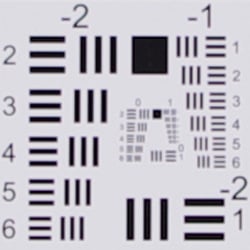


Chromatic Aberration. Chromatic aberration is moderately high and quite bright at the full wide-angle setting of the Pentax 18-55mm WR lens. At full telephoto, chromatic aberration is much lower and hardly noticeable. (This distortion is visible as a slight colored fringe around the objects at the edges of the field of view on the resolution target.) The Pentax K-5 does not apply any chromatic aberration correction to JPEGs by default, as uncorrected RAW files have similar amounts. There is however a menu option to turn Lateral Chromatic Aberration Adjustment on (see below).
Corner Sharpness. The Pentax 18-55mm WR lens produced soft corners at full wide-angle. The bottom corners were very soft and the blurring extended far into the frame. The top corners were only slightly soft, while the center was reasonably sharp. At telephoto, the entire frame was somewhat soft, with the corners slightly softer. As mentioned above, we requested a second 18-55mm WR lens for testing, thinking our first was a bad sample, but the second lens was no better.
Chromatic Aberration Reduction
The Pentax K-5 offers optional lateral chromatic aberration reduction for the same lenses that are supported for distortion correction.
| Camera JPEGs, Lateral Chromatic Aberration Reduction | |
 |
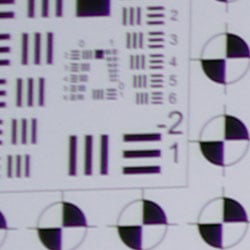 |
 |
 |
| 18mm@f/3.5: Disabled | 18mm@f/3.5: Enabled |
As illustrated in the crops above, the Pentax K-5 was removed much of color fringing from the 18-55mm WR kit lens with Lateral Chromatic Aberration Adjustment enabled, though it still leaves some visible chromatic aberration behind, especially along diagonal edges. It also seems to reduce resolution slightly, but that could have been caused by a minor difference in focus.
Overall, this is a poor performance even for an inexpensive kit lens. If you're interested in purchasing the Pentax K-5 with the kit lens, make sure to buy from a retailer that allows hassle-free returns and test the lens thoroughly within the exchange period.
The images above were taken from our standardized test shots. For a collection of more pictorial photos, see our Pentax K-5 Photo Gallery .
Live View
Pentax K-5 live view
 Like the K-7, the Pentax K-5 has a live view mode, for framing subjects on the LCD instead of using the optical viewfinder. Where the K-7's live view functionality was a fairly major upgrade from that of its predecessor, the Pentax K-5's live view mode provides a smaller -- but still quite worthwhile -- step. The live view menu is now accessed from the fourth tab of the record menu, rather than the third tab, and has been rearranged slightly to place the most important options -- autofocus type and grid overlay -- at the top of the list. Unfortunately, accessing the menu system -- even to visit the live view menu -- still immediately causes the K-5 to terminate live view mode, causing unnecessary wear and tear on the shutter and mirror mechanism if you intended to immediately return to live view upon exiting the menu, not to mention inconvenience to the photographer. This is something we'd like to see changed in future firmware.
Live view mode is still accessed from any exposure mode by pressing a dedicated LV button,upon which the K-5 raises its mirror, and initiates live view. Pressing LV again disables it. Like its predecessor, the K-5 automatically shuts live view off after five minutes to prevent the sensor from overheating, and if the internal temperature threshold has been reached, won't let you resume live view mode until the sensor has cooled to an acceptable level. When using autofocus, you can magnify the image 2x, 4x, or 6x by pressing the INFO button. The four-way controller can be used to move the magnified area around the frame, and the green button is used to return to the center. When manual focus is used, higher magnification levels are available to a maximum of 10x, as an aid to precise focusing. Options are available in the Record menu to toggle information overlay on or off, or to add a grid displays and a live histogram, and to blink clipped highlights or lost shadows.
Contrast detection autofocus is noticeably faster than the K-7, even when the older camera is running the latest v1.11 firmware update, which improves contrast detection speed significantly over the original K-7 firmware, and subjectively, tracking also seems to be more precise. A new function of the K-5's contrast detection AF is that during the AF operation the K-5's live view feed automatically zooms in on the focus point -- whether it is manually selected, or set using face detection -- making it much easier to see if the lock was accurate. The zoom isn't performed instantly, but rather the view gradually zooms in to help reinforce where within the frame the camera is focusing. This function is something of a mixed blessing, however, in that it can't be disabled, and operates even when in AF-C mode, where you'd expect to be shooting a moving subject. (It does return to a normal view shortly after the initial focus lock, so you do at least see the full image view during focus tracking.) The zoomed view can still make it very tricky to continue to follow your subject and keep them inside the image frame while focusing, though, and we'd really like to see the option to disable this otherwise useful feature -- at the very least when Continuous AF is disabled, and preferably at any time of the photographer's choosing.
 Also new are a selection of three different grid types in live view mode, versus the one grid type of the K-7. The K-7's 3x3 grid is still available as the first option on the list, but there's now also a 2 x 2 grid with diagonals indicated (useful for rule of thirds framing), and a scale overlay that is reminiscent of the MI-60 AF Scale Matte focusing screen, with horizontal and vertical bars crossing at the center of the image frame. The horizontal bar has 30 scale markings along its length, while the vertical bar has 20, and each has larger markings for every fifth tick on the scale.
One final tweak of note is enabled solely because of new hardware in the K-5, but is worth noting anyway. Unlike the K-7, the K-5 has dual-axis electronic level sensors, and so it is now possible to view indications of both roll and pitch when in live view mode, making it easier to ensure the camera is level in both axes. The K-7 offered only a roll sensor, with no pitch indication available.
The illustration below (courtesy of Pentax) shows the selection of information that's available on the Pentax K-5's LCD display during live view mode.

1 |
Exposure Mode
|
10 |
Temperature warning |
|
2
|
Flash Mode
|
11 |
Electronic Level |
|
3
|
Drive Mode
|
12 |
Contrast AF Frame |
|
4
|
White Balance
|
13 |
Phase Difference AF frame / AF point |
|
5
|
Custom Image
|
14 |
EV Compensation |
|
6
|
Extended Bracketing
|
15 |
Histogram |
Multi-exposure |
16 |
AE Lock |
|
Interval Shooting |
17 |
Shutter Speed |
|
Digital Filter |
18 |
Aperture Value |
|
HDR Capture |
19 |
EV Bar |
|
|
7
|
Number of shots using Multi-exposure
|
20 |
ISO Sensitivity |
Cross Processing |
21 |
Remaining Image Storage Capacity |
|
8 |
Battery Level |
22 |
Main Face Detection Frame |
9 |
Adjusting Composition |
23 |
Face Detection Frame |
Composition Adjustment

Move the sensor, not the camera Here's an unexpected consequence of a body-based IS system: You can use the IS actuators to shift the sensor for fine-tuning your composition when on a tripod!
Compared to the K-7, the Pentax K-5 allows an even greater range of adjustment, so long as you don't use the rotational correction -- as far as 1.5mm (24 steps) away from centered in either the horizontal or vertical axes. If the sensor is rotated even by one step, the adjustment range reverts to the same as that of the K-7 -- 1mm (16 steps) in any direction.The level of rotational adjustment is unchanged, at approximately one degree (8 steps) on either side of level. A nice touch is that the K-5 now indicates the level of adjustment that you've made, allowing you to remain aware of how much further adjustment is possible.
The animation at right shows how much you can shift the image, relative to the overall frame area. It's a surprisingly large amount, more than you might expect. (We haven't tried it, but this should also work like a shift-lens does for shooting tall subjects without tilting the camera -- and producing converging verticals -- although the range of motion relative to what a dedicated shift lens can achieve is relatively small.)
Of course, nothing in this world comes entirely free of compromises, so there are naturally some involved with the Pentax K5's Composition Adjustment feature as well. The extent of the issue will depend on the particular lens in use, but any lens will have poorer optical characteristics (blur, chromatic aberration, coma distortion, etc.) the closer you get to the edges of its "image circle." Tilt-Shift lenses are designed to have unusually large image circles, and many ordinary lenses do better than you might expect as you move away from the center of the frame, but keep this in mind when using the Composition Adjustment feature with a digital-specific lens. (With Pentax lenses designed for the 35mm film frame, the image circle will be so much larger than the K-5's sensor that there shouldn't be any significant loss of image quality relative to having the sensor centered.)
(As an aside, note that this same trade-off between image quality and sensor displacement also comes into play with digital-specific lenses used with a body-based shake reduction system: Shots snapped with the sensor near the limits of its excursion will show poorer image quality on the edge of the frame that's closest to the edge of the image circle. -- And conversely, image quality may actually improve somewhat on the opposite edge.)
Video
Check out the links below for more sample images, videos and image quality analysis:
- Pentax K-5 Optics page (Crops from images shot with the camera's kit lens, if sold as a kit)
- Pentax K-5 Sample Images page (Index to all standard test shots, with explanations)
- Pentax K-5 Thumbnails page (Thumbnails of all shots, including RAWs, with EXIF data)
- Pentax K-5 Gallery page (Regular photos taken with the Pentax K-5)
Pentax K5 Video Recording
When Pentax launched its preceding K-7 model, video capture was still a relatively new feature in the digital SLR market, and the company stood out by offering what was -- at the time -- a pretty leading-edge feature set. In just a couple of years, though, the video-capable SLR market has seen rapid development, and the bar has been raised to new heights, leaving the K-7's video capabilities looking a little dated.
With the debut of the Pentax K-5, the company has added a number of new video capture features that make it quite a bit more capable than its predecessor. Unfortunately in a few areas the K-5 hasn't kept up with its prosumer competitors, and in some cases it even lags behind lower-cost consumer DSLRs from the likes of Canon and Nikon. Most notably, the K-5 lacks the ability to use autofocus during movie capture, or to control exposure and audio levels manually.
The result is something of a mixed bag. The K-5 offers up a feature set that would've seemed great just a couple of years ago, but now feels like something of an afterthought, an impression which is somewhat reinforced by the distinct separation between the camera's still and video capture functionality. That's not to say you can't get great movies out of the K-5 -- indeed, even the previous K-7 model is capable of seriously impressive things, in the hands of a talented videographer. (Futuristic Films' short film "Uncle Jack", shot with the earlier K-7, is a nice example of what's possible, as are several other videos available on Pentax's official YouTube channel.)
Professional videographers may find themselves wishing for more manual control, though, and amateurs may find it challenging learning to pull focus manually.
Pentax K-5 Video: Image Size, Frame Rate, and Encoding

Full HD video. The Pentax K-5 offers three resolution levels for video recording, including Full HD for the first time. Unlike the K-7, all three resolutions match existing standards -- 1080p, 720p, and VGA / 480p.
Like its predecessor, the Pentax K5 records its movies as Motion JPEG-compressed .AVI files, rather than the AVCHD format favored by most manufacturers these days. The AVCHD format used by most of the K-5's rivals is a subset of the broader H.264 video compression spec, which places fairly heavy constraints on the recorded bitrate, hence allowing smaller file sizes. Unfortunately, these constraints also conspire to cause a severe loss of image quality in AVCHD video when a lot of the image changes from one frame to the next, as is the case when panning or in closely-cropped video of a rapidly-moving subject. Some cameras with sufficient processing power instead use H.264 encoding at higher bitrates to avoid some of the limitations of AVCHD, but as well as increasing file sizes, this comes with the requirement of greater processing power to encode and decode. Compared to these formats, Motion JPEG is much less processor-intensive than H.264, and avoids AVCHD's compression-related quality loss during panning. The downside, though, is that the Pentax K-5 yields extremely large file sizes: just one minute of 1080p video can very easily produce file sizes on the order of 600MB or so, depending on subject matter.
Recording is only part of the story, of course: editing and playback are equally important aspects to be considered. When it comes to editing, the Pentax K5's AVI format is much easier to deal with than H.264-encoded video (including AVCHD), at least currently. The more sophisticated encoding used in the H.264 standard requires quite a bit of processor power to pull it apart and put it back together again, so frame-accurate editing of H.264 requires a fast processor and capable editing program. When it comes to playback, it's perhaps a bit of a toss-up between the two main formats: AVI plays back much better on computers with relatively modest processors, while AVCHD files can be read directly by some television sets, and played back with better quality on HDTVs through the Pentax K5's HDMI port.
Here's a list showing what to expect for file sizes with the Pentax K-5's video recording:
|
Pentax K-5 Video Options
|
|||
|---|---|---|---|
|
Motion JPEG Format (.AVI files)
|
|||
|
Menu Designation
|
Resolution and
Frame Rate |
Quality Level
|
File Size
|
|
Full HD 25 |
1,920 x 1,080 |
Best (***) |
500 - 600 MB/minute
|
|
Better (**) |
420 - 450 MB/minute
|
||
|
Good (*) |
320 - 330 MB/minute
|
||
HD 30 |
1,280 x 720 |
Best (***) |
330 - 375 MB/minute |
Better (**) |
235 - 245 MB/minute |
||
Good (*) |
170 - 175 MB/minute |
||
|
HD 25 |
1,280 x 720 |
Best (***) |
245 - 310 MB/minute
|
Better (**) |
180 - 200 MB/minute
|
||
Good (*) |
140 - 145 MB/minute
|
||
VGA 30 |
640 x 480 |
Best (***) |
115 - 130 MB/minute |
Better (**) |
45 - 85 MB/minute |
||
Good (*) |
55 - 60 MB/minute |
||
|
VGA 25 |
640 x 480 |
Best (***) |
80 - 110 MB/minute
|
Better (**) |
40 - 70 MB/minute
|
||
Good (*) |
45 - 50 MB/minute
|
||
|
(Measurements were made with a hard-to-compress digital noise image, and a blank white screen, to show the extremes in terms of high and low bitrate, respectively.) |
|||
Compared to the K-7, our tests of the K-5's frame size and compression levels showed a more even reduction in file sizes as compression levels ramped up, although the Medium and Low quality settings yielded barely any difference with highly compressible subjects at the lowest frame size. In fact, while less compressible subjects yielded smaller file sizes with the lowest 'Good' quality setting in VGA mode, we actually achieved slightly smaller files with the 'Better' setting with a more compressible subject than we did using the 'Good' setting.
The file-size results correspond to what we found in the K-5's video files: The best image quality is definitely achieved in its Full HD mode, but you'll need to pay the piper in terms of flash card space. Stepping up from 720p to 1080p while retaining the same frame rate and compression level literally doubles file sizes, and at the maximum quality setting, 1080p capture will chew through 2GB of card space in somewhere from 100 to 120 seconds. While the Better quality setting offered a reasonable balance between file sizes and compression artifacts in the Full HD mode, there was certainly a noticeable loss in detail, and at lower resolutions we felt that recording at anything less than the highest quality setting simply produced too many JPEG artifacts for our tastes.
Here are some examples of video from the Pentax K-5, showing typical results under daylight and night conditions.
|
Pentax K-5 Video Samples
shot with smc PENTAX DA 17-70mm F4 AL (IF) SDM lens |
|
|---|---|
Daytime Videos |
|
|
|
|
 |
 |
 |
 |
 |
|
Night Videos |
|
Note: The popping / clicking noise on the Vimeo versions of the night clips below is not present in the original videos. We're currently in communication with Vimeo to resolve this issue. Apologies for the inconvenience! |
|
 |
|
 |
 |
 |
 |

Pentax K-5 Video-Mode Focusing
When we first saw a prototype of the earlier K-7 model prior to its announcement, were excited to see that it supported contrast-detect autofocus during movie recording, something that would've been unique among prosumer DSLRs at the time. Unfortunately, this feature was absent in final production models of the K-7, and the K-5 retains the status quo in this regard. Unfortunately, digital SLR video capture has come a long way since the launch of the K-7, and many competing cameras do now offer this feature. Notably, Canon introduced the ability to perform single AF operations with its Rebel T2i in February 2010, and Nikon followed suit with full-time AF in the D3100 from August 2010, and both companies have since introduced the same in-movie AF options in their prosumer models as well. Hence, where the omission of in-video AF was merely a shame in the K-7, it now stands out as an area where the K-5 lags its main rivals.
While the absence of in-video AF isn't likely of any importance to professionals, a significant portion of the K-5's target market is made up of enthusiastic amateurs, and for many, the requirement to focus manually is a step too far. It takes significant practice and no small dose of talent to pull focus manually, and doubly so if you're also having to pay attention to image framing, etc. Even bearing in mind that the earlier Pentax K-7 prototype's contrast-detect AF cycle was rather slow, visible in the video, and quite audible via the built-in microphone with most lenses, we think that many enthusiast videographers would welcome its presence in Pentax's DSLR lineup all the same. Audio issues can be solved by using an external mic, and for those who can't master the arts of pulling focus manually, brief moments of contrast-detect "hunting" would likely still prove more acceptable than blurry video -- or no video at all.
As it is, focusing in movie mode with the Pentax K-5 is much the same as used to be the case with most other video-capable DSLRs last year: You can trigger a contrast-detect AF cycle prior to the beginning of a recording by hitting the AF button on the camera's rear panel, but there's no autofocus during recording. You can manually focus the lens during a recording, though, and the true manual operation of AF on Pentax's lenses means you can do this more or less silently, simply by being careful about turning the focus ring. (Some cameras we've tested, such as the Olympus E-P1, use "fly by wire" focusing, whereby the focus ring only instructs the camera to move the lens elements rather than moving them directly via a mechanical coupling. This means that small clicks can be heard on the audio track every time the camera changes the focus setting, regardless of how slowly you turn the focus ring. With true manual operation of its lenses, the Pentax K-5 doesn't have this problem.)
As is the case in Live View mode, pressing the Info button on the camera's rear panel lets you zoom in up to 6x when AF is enabled, or as far as 10x when set to manual focus mode, to assist with precise focusing, but note that this is only possible before recording has started: Once the camera has begun recording, only the normal 1:1 view is available. A new function of the K-5's pre-capture contrast detection autofocus is that during the AF operation, the live view feed automatically zooms in on the focus point -- whether it is manually selected, or set using face detection -- making it much easier to see if the lock was accurate. The zoom isn't performed instantly, but rather the view gradually zooms in to help reinforce where within the frame the camera is focusing. This function is something of a mixed blessing, however, in that it can't be disabled, and operates even when in AF-C mode, where you'd expect to be shooting a moving subject. (It does return to a normal view shortly after the initial focus lock, so you do at least see the full image view in between AF operations.) The zoomed view can make it very tricky to continue to follow your subject and keep them inside the image frame while focusing, though, and we'd really like to see the option to disable this otherwise useful feature -- at the very least when Continuous AF is disabled, and preferably at any time of the photographer's choosing.
As we've noted in other SLR reviews, the good news with focusing for video is that you can get surprisingly good depth of field in video mode by stopping the lens down, thanks to the relatively low resolution of the video image. With a pixel resolution of only 2.1 megapixels in the Pentax K-5's Full HD mode, 0.9 megapixels in 720p mode, and just 0.3 megapixels in VGA mode, images that would be unacceptably blurred as 16 megapixel still shots look perfectly fine as video frames. This not only provides greater depth of field at any given aperture, but is also more forgiving of diffraction limiting at very small lens apertures. Diffraction at small apertures means you'd usually want to avoid f/16 or f/22 for still images, but again, the results generally look perfectly fine at video resolutions. Bottom line, with the K-5's lens set to f/16 or f/22 (assuming you're shooting under fairly bright conditions), you'll be surprised by how little focus adjustment is needed during a typical video recording.
Pentax K-5 Video Exposure Control
|
Pentax K-5 Aperture Control / Depth-of-Field
shot with smc PENTAX DA 17-70mm F4 AL (IF) SDM lens |
|---|
Aperture-priority, f/4.0 |
|
|
Aperture-priority, f/22.0 |
|
|


The level of exposure control available when shooting video with current SLRs varies widely. Many cameras -- especially those aimed at consumer use -- still opt to keep things simple with fully automatic exposure control. Manual exposure control is also now a reasonably common option, though, especially in prosumer and professional models. Like its predecessor, the Pentax K-5 offers somewhere in between these extremes, giving you a choice of either automatic or aperture-priority exposure modes. In Auto aperture mode, the camera adjusts the aperture as needed, but just like the K-7, doesn't report the current value on the LCD screen. (We'd still like to see Pentax change this behavior to allow aperture display regardless of exposure mode, at the videographer's option.) In aperture priority mode -- referred to in the menu system as Fixed Movie Aperture Control -- the current aperture is displayed in the lower left corner of the LCD screen, and can be changed by rotating the rear command dial. You can't adjust it during recording, but whatever value you set before you begin your clip is the one the camera will use. This is a great feature that gives a fair degree of creative control over the look of videos, although it doesn't go as far as some cameras in allowing direct control over shutter speed or aperture.
In common with most other video-capable SLRs, the Pentax K-5 offers the full range of white balance settings in movie mode, including four different options for fluorescent lighting, and Kelvin values ranging from 2,500 to 10,000. You can also select any of the K-5's Custom Image modes, including Bright, Natural, Portrait, Landscape, Vibrant, Muted, Bleach Bypass, Reversal Film, and Monochrome. As with still-image shooting, settings for saturation, hue, high/low key adjustment and contrast can be adjusted independently for each mode. A sharpness setting is available as well, which affects the sharpness of the video images to a very noticeable degree. (Note that turning the sharpness up too high will make the JPEG compression artifacts much more evident, though.) Unlike its predecessor, the K-5 now allows a subset of its digital filter modes -- and one filter specific to the Movie mode -- to be used during video capture. Modes available for both stills and movies include the Toy Camera, Retro, High Contrast, and Extract Color, with each offering varying degrees of control over the look of the effect. The still-image Soft, Starburst, Fish-eye, and Custom filters are not available in Movie mode, but you gain a Color filter mode that allows a red, magenta, blue, cyan, green, yellow filter effect at either light, standard, or dark intensity levels. The K-5's Cross Processing function, which is also available for stills, can be used in Movie mode as well, and its effect -- which emulates a technique from the days of film photography -- can also be combined with the digital filters. If Cross Processing is active, both white balance and custom image mode must be controlled automatically, however.
Two movie-mode exposure parameters that the Pentax K-5 unfortunately doesn't let you control are its shutter speed and ISO sensitivity. The shutter speed appears to be tied to the frame rate: regardless of the light level involved, rapid motion is always blurred to about the level you'd expect with a 1/25th - 1/30th second exposure time, with the ISO sensitivity being used to maintain the metered exposure level. You can, however, attempt to bias the camera's exposure towards your desired result with judicious use of the exposure compensation, auto-exposure lock, and metering mode controls, all of which are applicable not only before, but also during video capture. (Although the metering mode lever in particular is extremely difficult to move without jostling the camera, unless you're using a rock-solid tripod.) Of course, all of these control adjustments -- if made during video capture -- are likely to result in objectionable camera handling noise on the audio track, to varying degrees.
Pentax K5 Video: Image Stabilization
The Pentax K-5's body-based image stabilization can be used when recording movies. Not only does this make any lens you're recording with into an IS model, but we found that the image stabilization worked exceptionally well when recording videos. We've recorded videos with other SLRs using IS lenses, but the level of stabilization available in Pentax's flagship K5 (and its predecessor) seemed better than we're average. Because the Pentax K-5's Shake Reduction system provides such a high degree of stabilization, there's a bit of a "floating" feeling when recording videos with IS enabled: As you move and pan the camera, the video image tends to lag a little behind your motions, "catching up" when you come to a rest. A related IS effect is that the subject can drift up or down or from side to side slightly during recording. This can be slightly disconcerting, but the upside is that your videos will be much more stable than otherwise, even holding the camera at arm's length, or when shooting with a long telephoto lens.
Note, however, that while image stabilization is available for movie capture, one of the unique aspects of Pentax's Shake Reduction design available in still image shooting -- automatic horizon leveling -- doesn't carry over to Movie mode. You can, however, use the composition adjustment function in Movie mode, allowing you to fine-tune image framing in both horizontal and vertical axes, as well as rotationally, but should you choose to do so this will disable image stabilization -- which makes sense, given you'd be unlikely to use composition adjustment unless you were shooting on a tripod.
Pentax K-5 Video: Audio recording
Like the vast majority of SLRs with video recording capability, the Pentax K5 sports an internal microphone that can record an audio track. Internal mics can be somewhat problematic, in that they're prone to picking up noise produced by moving your hands on the camera or actuating any controls while recording. In the case of the Pentax K-5, the issue can be exacerbated if you choose to use the body-based image stabilization system during movie recording, depending on the degree to which the system is operating. You can hear the IS in the audio track if the camera is jostled a good bit during recording, but not when it's being held relatively steadily: The light clacking sound audible in the face of significant camera movement seems to be the result of the sensor unit bumping up against its stops. If the camera is held even reasonably carefully, you're unlikely to hear any IS-related noise at all, even in a quiet office environment. In normal usage, you thus shouldn't face any problems using the IS system during video capture, unless you're panning quite a bit, or if unstable footing results in a lot of camera movement.Like that of the K-7 before it, we found that the Pentax K-5's built-in mic does a good job of picking up ambient sound, with good sound quality and sensitivity. At the same time, it seemed to be less sensitive to sounds picked up from focus adjustment or hand movement on the body than some other cameras we've tested. As with that of its predecessor, the built-in mic in the K-5 is monaural, rather than the stereo mics that are becoming more common these days. It's also not directional, so it will pick up noise from behind or alongside the camera body, not just from in front, but for many purposes where a degree of ambient noise is desirable, that can be a good thing.
Of course, if you need a stereo or more directional mic, the Pentax K-5 sports a microphone jack on its left side, to which you can attach an external microphone of your choice. This capability is now rather more common -- especially among prosumer SLRs -- than was the case when the earlier K-7 model debuted, and it's a very worthwhile feature. Although we didn't have an external mic on hand during our testing of the K-5, Pentax provided a Røde Stereo VideoMic shoe-mounted stereo microphone for us to use with the earlier K-7 model, and we found it to be an excellent addition. Røde has since announced a smaller model aimed at use with DSLRs and camcorders, the VideoMic Pro, which seems like it would pair nicely with the K-5's relatively compact body, and of course other notable names in audio such as Sennheiser also offer a variety of options for shoe-mount and other microphone types. If you plan to use the Pentax K-5 for any serious video recording, we strongly suggest that you invest in a quality external mic.
Unfortunately, the K-5 does lack one feature that pros in particular would find desirable. Unlike some of its competitors, Pentax hasn't gifted the K-5 with any manual control over audio recording levels -- instead, the camera will determine these automatically, and may adjust them on the fly, resulting in the levels ramping up and down in response to sudden changes in ambient noise levels. For amateur use, this might well be desirable, helping reduce complexity and ensuring that at least the majority of the audio is recorded at roughly the right level. For professional use, though, the lack of any way to adjust the recording levels manually, or to lock them at a particular level, will likely mean that pro videographers will want to rely on an external device for audio capture, simply replacing the camera's own audio in post-processing. This is easy enough to do, and a variety of relatively affordable, compact, high quality external audio recorders from the likes of Zoom make this possible even for enthusiastic amateurs, but it's nonetheless an extra step in the process which could likely be avoided courtesy of a firmware update.
Pentax K-5 Movie Recording User Interface
The Pentax K-5's movie mode is still accessed via a separate position on the camera's mode dial, rather than being initiated from within still-picture Live View mode, and just like in the K-7, there's still no separate control button to start/stop movie recording:. Instead, pressing the shutter button begins recording, and pressing it again stops it. Many DSLRs these days have a dedicated button to start/stop movie recording, and while newcomers will likely find the K-5's use of the shutter button more intuitive, it draws a very clear dividing line between the camera's still imaging and movie capture functionality. This takes away somewhat from the ability to quickly grab spontaneous, unanticipated video clips, as you have to pay attention to changing the camera's operating mode before you can switch from still to video capture, or vice versa.
Our feelings about having a separate mode for video capture do depend somewhat on the rest of the camera's user interface. On some cameras, combining video capture with normal still-capture mode would increase menu complexity too much, but that wouldn't be an issue with the K-5, given its menu layout. Providing video direct from Live View mode would require the addition of one more button to the rear of the camera to control video recording, though, and the K-5's tight control layout leaves little or no room for that. However, with the functionality of the Raw / Fx button on the camera's left panel now available for the use to change, it seems like that would be an ideal way in which to offer movie capture from the standard live view mode. For that reason, we'd really like to see Pentax provide the ability to access video capture functionality from other modes, at the user's option.
Setting adjustments in movie mode are made via screen 4 of the Record Menu, where the Movie option leads to a whole sub-menu. We found this a little awkward when making frequent adjustments to video settings, as the extra level of menu selection meant more button-pressing to make the changes than would have been required if they'd been available from the main shooting screen via a "quick menu," as some cameras have. That said, the more commonly accessed options for white balance and Custom Image settings were easily accessible via the 4-way control buttons on the camera's back panel, and the K-5 can at least be configured to remember which menu tab was most recently accessed, saving a few button presses over the earlier K-7 model.
The Pentax K-5's Record Menu options for video recording are:
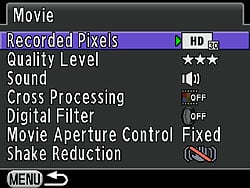
| Pentax K-5 Record Mode Menu Movie Options | ||
|
Top-Level
Selection |
Second-Level
|
Notes
|
Recorded Pixels |
- Full HD 25 (1,920 x 1,080, 25 fps) - HD 30 (1,280 x 720, 30 fps) - HD 25 (1,280 x 720, 25 fps) - VGA 30 (640 x 480, 30 fps) - VGA 25 (640 x 480, 25 fps) |
No 30fps mode is available when recording at Full HD (1080p), but at the lower 720p and VGA resolutions, you have a choice of frame rate, unlike in the K-7.
|
Quality Level |
- *** (Best) - ** (Better) - * (Good) |
Although three quality levels are available, we found the lowest 'Good' setting introduced too many artifacts across the board, and felt the 'Better' setting only provided an acceptable trade-off at Full HD resolution.
|
Sound |
- On - Off |
Audio capture with internal or external microphones can be disabled altogether, if desired.
|
Cross Processing |
- Off - Random - Preset 1 - Preset 2 - Preset 3 - My1 (Favorite 1) - My2 (Favorite 2) - My3 (Favorite 3) |
New since the K-7, this functions identically to its still-image equivalent, and allows color and contrast effects similar to those achieved by cross-processing traditional film. If enabled, you won't be able to control white balance or custom image modes, however. |
Digital Filter |
- Toy Camera - Retro - High Contrast - Extract Color - Color |
Also new since the K-7, the K-5 now allows use of several of its digital filter functions during movie capture. Note that the still image Soft, Starburst, Fish-eye, and Custom filters are not available in Movie mode. The Color filter is an additional option not available in still image mode, and allows either a red, magenta, blue, cyan, green, yellow filter effect at either light, standard, or dark intensity levels. |
Movie Aperture Control |
- Auto - Fixed |
"Fixed" lets you set aperture via the rear-panel control dial before -- but not during -- video capture.
|
Shake Reduction |
- On - Off |
Shake reduction can be disabled if you're shooting on a tripod, or if the level of shake would be likely to cause too much objectionable noise in your audio track. Note that if you're using the Composition Adjust feature, shake reduction is disabled regardless of this setting.
|
Rolling Shutter Artifacts
|
Pentax K-5: Rolling Shutter Artifacts
shot with smc PENTAX DA 17-70mm F4 AL (IF) SDM lens |
|
|---|---|
|
|
|
 |
 |
 |
 |

Essentially every video capable DSLR currently on the market exhibits motion-related distortions called rolling shutter artifacts. These are caused because the image data is captured and then read off the chip sequentially by rows, rather being captured all at once. In the case of the Pentax K-5, with its variable frame rate, this means that image data for the last row of a given frame is captured and read out anywhere from 1/25th - 1/30th second after the data for the top row was captured. The effect on moving objects is similar to that of a focal plane shutter in an SLR, but more pronounced, because the video frame is read out much more slowly than the slit of a focal plane shutter moves across the sensor.
For a camera that scans video frames vertically (as all do that we're aware of), rolling shutter artifacts will be most noticeable for subjects that are moving rapidly side to side, or when the camera itself is being panned horizontally. Verticals in the scene will appear tilted to the right or left, depending on the direction of camera motion. As an example, consider the case of a camera being panned from left to right, with a flagpole or other vertical object in the middle of the scene when recording for a particular frame begins: If the top of the object was centered horizontally when the first line of the video frame is acquired, by the time the last line of the frame has been captured, the bottom of the object will have shifted to somewhere left of center: As a result, the vertical object would appear to be leaning to the right.
The visual impact of rolling shutter artifacts on the Pentax K-5, like those of the K-7 before it, seemed greater than those from some other cameras with similar frame rates, leading us to wonder whether some cameras actually capture and transfer each frame of video somewhat faster than the frame rate itself would indicate. (That is, while some cameras might have a 30fps frame rate, each frame might actually be acquired and read out in less than 1/30 second.) Whatever the case, while this isn't a scientific test, we felt that the K-5's movies were somewhat more subject to rolling shutter artifacts than those from some other 25-30fps video systems we've seen.
The upside for the K-5 relative to rolling shutter artifacts is its excellent IS system. While you can avoid the worst effects of a rolling shutter by panning slowly, even minor jiggling of the camera due to hand-holding can produce a jelly-like appearance in the video output from some models. The K-5's IS system stabilized the video well enough that we experienced no such effects when the camera wasn't being panned. If our shooting required both stationary shots and rapid panning in the same segment, though, we had to shoot with the IS system disabled to avoid clacking noise in the audio track from the internal mic. With an external mic, this was much less of an issue.
Computer Requirements for Viewing HD Video
A typical computer these days has little trouble dealing with still images, but high-definition video can be another matter. Depending on the file format involved, it can take a pretty beefy computer to handle HD-resolution video playback without stuttering or dropping frames. The Motion JPEG image compression used by the Pentax K-5 is one of the less compute-intensive formats, but its uprated 1,920 x 1,080 pixel resolution means there's a good bit more data to deal with in each video frame than there was with the K-7's non-standard 1,536 x 1,024 pixel maximum resolution, let alone its standard high-def 720p mode. As long as it's a relatively recent and reasonably powerful model, you should have no problem playing video files from the K-5 on your computer. We don't have a specific benchmark for this, but if your computer is less than 3 years or so old, it should have no problem with the K-5's video streams. (By contrast, to play AVCHD or other keyframe-encoded video formats at full 1,920 x 1,080 resolution can demand a very powerful CPU and video card, to keep up.)
That said, the Pentax K-5's video codec doesn't appear to be particularly efficient, as it produces extremely large file sizes at its best quality setting, even though the compression level seems a little higher than that of the K-7. (And as noted earlier, its lower quality settings introduce a significant enough level of JPEG artifacts into the image stream that you'll likely want to use the highest quality setting almost exclusively.) So, while you might be able to play its videos on an older computer, you'll almost certainly need to increase your hard drive capacity. With video files occupying up to 600 MB/minute, it's a good thing that terabyte hard drives are so cheap these days. (At that pace, a terabyte hard drive could hold about 30 hours of video footage. That's a lot of footage if you primarily use the K-5 for casual "video snapshots," but if you're a serious video user, it can go by very quickly.)
Flash
Pentax K-5 Flash

The Pentax K-5 features a built-in, pop-up flash, which operates in either Auto, Flash On (forced flash), Auto + Red-eye reduction, Flash On + Red-eye reduction, or Wireless mode. First and Second Curtain sync modes are available, as well as Slow-sync. The flash modes available depends on the current exposure mode. The flash is not auto pop-up. To release the flash from its compartment, press the Flash button on pentaprism housing. Close it again by pushing the flash head back down.
The Pentax K-5's built-in flash has a guide number rating of 13 meters (43 feet) at ISO 100, translating to a range of about 15 feet at ISO 100 with an f/2.8 lens. Flash coverage is rated by Pentax at 28mm equivalent. A Flash Exposure Compensation feature controls the flash exposure -2.0 to +1.0 stops in 1/2 or 1/3-stop increments. Maximum sync speed is 1/180 second, though if an external flash that supports high-speed sync is used, such as the Pentax AF540FGZ or AF360FGZ, maximum shutter speed with flash is 1/8,000 second.
In Wireless mode, the built-in flash can be used as a controller to multiple wireless slave flashes (including the Pentax AF540FGZ and/or AF360FGZ flash units). The built-in flash can be set to contribute to the exposure, or to act only as a controller. The Pentax wireless flash system offers four control channels, so up to four camera/flash setups can be used in the same area without interfering with each other. The K-5 can connect on any of the four control channels: You program it by setting a flash unit to the desired channel, attaching that flash to the camera and then half-pressing the shutter button. This sets the camera to the channel the flash was set up for. After this, the flash may be removed and used as a remote unit, controlled by the camera.
Normally, all flashes used (whether on-camera or remote) contribute equally to the exposure, however each external flash can be set to one of the following ratios: 1/1, 2/3, 1/2 or 1/3. Additionally, each flash can be adjusted to under- or overexpose in 0.5 stop increments from -3.0 stops to +1.0 stop. All of this is relative to the overall flash exposure that can be adjusted on the camera by from -2.0 stops to +1.0 stop. Alternately, the Pentax flash units offer a Contrast-Control-Sync mode (CCS for short), which drops a flash's power. Units set to CCS mode can thus be used to provide "fill" illumination. When used with the K-5, and when the K-5's internal flash is also contributing to the exposure, the external flash in CCS mode will cut its output to two-thirds, while the K-5's built-in flash will cut its exposure contribution to one-third.
The Pentax K-5 also has a top-mounted hot shoe for attaching an external flash unit. A dedicated PC-sync terminal is also provided.
Flash Test Results
Coverage and Range
A fairly powerful flash, with uneven coverage at wide-angle. Lower than average exposure compensation required.


Coverage and Exposure. Flash coverage was rather uneven at wide-angle (18mm) with the 18-55mm WR kit lens, though that's not unusual. Coverage was much more uniform at telephoto (70mm), if a bit dim. In the Indoor test, the Pentax K-5's flash required a less than average +0.3 EV exposure compensation adjustment to get bright results. (Most cameras we've tested required about +0.7 EV for this scene.) We did notice that increasing the flash exposure compensation above +0.7 EV had little effect. The camera's Slow-Sync flash mode produced slightly brighter and more even results with no exposure compensation, though with a stronger pinkish-orange cast from the room lighting.
| Flash Range: Wide Angle | |||||
|---|---|---|---|---|---|
| 6 ft | 7 ft | 8 ft | 9 ft | 10 ft | 11 ft |
 1/50 sec f3.5 ISO 100 |
 1/50 sec f3.5 ISO 100 |
 1/50 sec f3.5 ISO 100 |
 1/50 sec f3.5 ISO 100 |
 1/50 sec f3.5 ISO 100 |
 1/50 sec f3.5 ISO 100 |
| 12 ft | 13 ft | 14 ft | 15 ft | 16 ft | |
 1/50 sec f3.5 ISO 100 |
 1/50 sec f3.5 ISO 100 |
 1/50 sec f3.5 ISO 100 |
 1/50 sec f3.5 ISO 100 |
 1/50 sec f3.5 ISO 100 |
|
| Flash Range: Telephoto | |||||
|---|---|---|---|---|---|
| 6 ft | 7 ft | 8 ft | 9 ft | 10 ft | 11 ft |
 1/100 sec f5.6 ISO 100 |
 1/100 sec f5.6 ISO 100 |
 1/100 sec f5.6 ISO 100 |
 1/100 sec f5.6 ISO 100 |
 1/100 sec f5.6 ISO 100 |
 1/100 sec f5.6 ISO 100 |
| 12 ft | 13 ft | 14 ft | 15 ft | 16 ft | |
 1/100 sec f5.6 ISO 100 |
 1/100 sec f5.6 ISO 100 |
 1/100 sec f5.6 ISO 100 |
 1/100 sec f5.6 ISO 100 |
 1/100 sec f5.6 ISO 100 |
|
ISO 100 Range. At 18mm, f/3.5 and ISO 100, flash shots started out bright at 6 feet, peaked in brightness at about 8 feet, and remained reasonably bright out to about 14 feet. At 55mm and f/5.6, flash exposure started out slightly dim at 6 feet, and decreased in brightness from there, falling off more rapidly at 9 feet and beyond.
| Manufacturer-Specified Flash Range | |
|---|---|
| Wide Angle | Telephoto |
 12.2 feet ISO 100 |
 7.6 feet ISO 100 |
Manufacturer Specified Flash Test. The Pentax K-5's flash is rated with a GN of 13 meters at ISO 100. That translates to 12.2 feet at f/3.5 and about 7.6 feet at f/5.6, the maximum aperture of the 18-55mm kit lens at wide-angle and telephoto respectively. In the shots above, the K-5's flash under-performed somewhat compared to Pentax's specifications, producing slightly dim (but usable) exposures at the rated distances. The above flash shots are approximately 1/3 to 1/4 f-stop underexposed. Our standard test method for flash range uses a fixed setting of ISO 100, to provide a fair basis of comparison between cameras. We've now also begun shooting two shots using the manufacturer-specified camera settings, at the range the company claims for the camera, to assess the validity of the specific claims.
Shooting Modes
Pentax K-5 Modes and Menus
Capture Modes

 Green mode: In this mode, almost all settings are controlled automatically, including the shutter speed, aperture, and ISO sensitivity. Auto-exposure lock, exposure compensation and bracketing, multiple exposures, and flash compensation cannot be set in Green mode. Nor can you shoot in Raw or Raw+JPEG formats, although there is a way around this for the last frame captured: you can visit playback mode before capturing another image or powering off the camera, and press the AE-L button to save a copy of the Raw data for the last frame, which is still resident in the camera's buffer.
The only options remaining under user control in Green mode are image resolution and quality, live view autofocus method, self-timer and remote control, whether the flash is disabled or fires automatically (as it must be manually raised), whether red-eye reduction should be used, and whether to use Single-servo AF or focus manually. Regardless of external control positions and settings made in other modes, Green mode exposures always use the auto program line, JPEG file format, auto sensitivity, multi-segment metering, single-servo automatic AF point selection across all 11 points if autofocus is enabled, single-frame drive mode, automatic white balance, the Bright custom image setting, automatic high ISO and slow shutter noise reduction, shake reduction, and an sRGB color space. It's also only possible to use the optical depth-of-field preview function, not the digital preview.
 Program mode (P): Dubbed Hyper-program mode by Pentax, in this mode the K-5 automatically selects shutter speed, aperture, and (optionally) ISO sensitivity, while you control all other exposure variables. The Hyper-program functionality is reminiscent of a feature called Program Shift or Flexible Program that's available in many competing DSLRs, but with an important difference. Where Program Shift only allows you to bias the exposure towards either a wider aperture / faster shutter speed (or vice versa), with the camera itself still retaining control over both aperture and shutter speed, Hyper-program gives you complete control over one or other variable as soon as you turn either e-dial. Turning the front e-dial immediately switches the K-5 to Tv-Hyper mode, and the camera provides direct control over the shutter speed, just as it would in Shutter Priority mode. Likewise, turning the rear e-dial switches the camera to Av-Hyper mode, with direct control over the aperture. To return to Hyper-program, you simply press the Green button on the K-5's rear panel, restoring the Program mode's default choice for shutter speed and aperture.
The Pentax K-5 also allows you to select, via an option in the Record menu, which program line the camera should use in Hyper-program mode. The selected program line tells the camera either to use the default (normal) program line, or to prioritize for higher shutter speeds, shallow or deep depth-of-field, or at the best best aperture setting for image quality (based on the MTF curve of the attached lens, so long as you're using a relatively recent lens model). Alternatively, the K-5 can be set to automatically choose between the program line choices as it deems appropriate.
 Sensitivity Priority mode (Sv): While a couple of cameras can now achieve something similar with a little careful configuration, Pentax's Sv mode is still pretty uncommon as a standalone mode, meriting its own position on the Mode dial. As the name would suggest, you set the ISO sensitivity manually, by turning the rear e-dial. The camera then picks the appropriate combination of aperture and shutter speed, so as to obtain the metered exposure. As in Program mode, you can select which program line the K-5 should abide by when determining these variables: normal, higher shutter speeds, shallow or deep depth of field, best MTF value, or an automatic selection between these types. If you're already in Hyper-program mode, you can achieve the same thing as Sv mode by hitting the Green button to clear Av-Hyper or Tv-Hyper modes if active, then pressing the ISO button and simply dialing in a manual ISO sensitivity.
 Shutter Priority mode (Tv): Marked with the letters "Tv," for Time value, this mode allows the user to control the shutter speed, from 30 seconds to 1/8,000 second. The shutter speed can be adjusted in 1/2 or 1/3 EV steps. ISO sensitivity can be controlled automatically or manually.
 Aperture Priority mode (Av): Marked with an "Av," this mode gives the user control of aperture within the range offered by the currently attached lens, while the camera selects the corresponding shutter speed. ISO sensitivity can be controlled automatically or manually.
 Shutter and Aperture Priority mode (TAv): Another mode that's pretty much unique to Pentax cameras, this is the opposite of the Sv mode described previously. You specify both the aperture and shutter speed, and then the camera adjusts the ISO sensitivity as necessary to achieve the metered exposure. To achieve finer-grained control over the exposure level, the K-5 will ignore the Sensitivity Steps setting in the custom menu, and will instead match the EV step size configured for exposure compensation -- either 1/3 or 1/2 EV steps. You can press the Green button to have the K-5 suggest an appropriate shutter speed and aperture, and if you make adjustments beyond the ability of the camera to gain a metered exposure with ISO sensitivity alone, the sensitivity value will flash in the viewfinder, top panel, and (if active) rear panel displays. If you use the autoexposure lock function, then when you adjust the shutter speed, the aperture will be automatically adjusted correspondingly, and vice versa.
 Manual mode (M): Dubbed Hyper-manual mode, this setting provides complete control over the exposure, with independent settings for aperture and shutter speed. Shutter speeds range from 1/8,000 to 30 seconds, and the full range of apertures available depends upon the attached lens. There are two main differences between this mode and the previous TAv mode. In Manual mode, the K-5 only allows manual ISO sensitivity, while TAv mode requires ISO sensitivity be controlled automatically. Also, since the exposure is controlled entirely automatically in Manual mode, the EV bar indicates how your configured exposure compares to that recommended by the camera's metering system.
 Bulb mode (B): Marked with a "B" on the Mode dial, this mode offers unlimited exposure times, holding the shutter open for as long as the Shutter button is held down (and the batteries last, unless you're using the optional K-AC50 AC adapter kit). Since it's a fairly logical assumption that you're using a tripod, Shake Reduction is automatically disabled in this mode. As with Manual mode, ISO sensitivity must be controlled manually. However, in Bulb mode it is also limited to a maximum of ISO 1,600 equivalent. Use of an optional infrared remote control or cable release is recommended, and to further minimize camera shake, you can couple these with either a self-timer or mirror lockup.
 Flash X-sync mode (X): Sets shutter speed to 1/180 second, for use with manual strobes that can't automatically set the X-sync speed. ISO sensitivity must be set manually in this mode, and although page 117 of the user manual states that pressing the green button will automatically reset the aperture value to that recommended by the camera, we found that not to be the case with our production-level camera running firmware version 1.03 (the current release at the time of this writing.)
 User mode (USER): This mode lets the user quickly recall sets of favorite settings including exposure mode, drive mode, flash mode, flash exposure compensation value, white balance, sensitivity or ISO auto setting, exposure compensation value, program line, exposure bracketing, extended bracketing amount and type, JPEG resolution and quality, file format, AUTO AF point setting, high ISO and slow shutter noise reduction, D-Range setting, HDR capture, custom image mode, cross processing, digital filters, shake reduction, horizon correction, lens correction, color space, e-dial programming, button customization, and all custom menu settings.
Where the Pentax K-7 offered only one User mode position, the K-5 provides access to five separate groups of settings. They're saved by configuring the camera appropriately, including placing the Mode dial in your chosen position, and then accessing the Save USER Mode option in the Record menu. You can rename each of the five modes using an on-screen keyboard, controlled with the arrow buttons, OK button, and rear e-dial. Each User mode can comprise 18 characters from a selection of upper and lower case letters, numbers, plus a space, and 26 different punctuation marks. This name is then used everywhere the User mode is referenced, with the exception of the Save Settings confirmation dialog. To activate a stored User mode, you turn the Mode dial to the User position, and then use the left and right arrow keys to browse between available modes, while the up and down arrow keys switch between two pages of information on the settings saved in the currently selected user mode. Pressing the OK button or half-pressing the shutter button selects the currently displayed user mode for use.
It's not possible to create a user mode that saves only certain settings, but you can make changes to settings as desired after recalling your chosen user mode (and if desired, you can then resave these new settings -- either over the top of the current mode, or in one of the other four available mode positions.) Since the Mode dial position is one of the settings stored in a User mode profile, the K-5 adds an extra item to the Record menu when the mode dial is set to User. This allows you to change the exposure mode to anything except User or Movie. An additional item added to the Record menu allows you to switch between stored user modes without needing to first switch the mode dial out of, and then back to, the user mode position.
 Movie mode: This mode allows the user to record videos with sound. Resolution options consist of 1,920 x 1,080 (16:9 aspect, 25 frames per second), 1,280 x 720 (16:9 aspect, 30 or 25 fps) or 640x480 (4:3 aspect, 30 or 25 fps) pixels, all with monaural sound if using the internal microphone, or stereo sound when using an external stereo mic. There are three quality (compression ratio) options available, and you can choose to have the aperture fixed, or under automatic control. You can also enable or disable shake reduction and / or sound recording if desired, and use a subset of the digital filter and cross processing functionality that's available for still images. The nonstandard 3:2 aspect, 1,536 x 1,024 pixel and 640 x 480 pixel movie modes from the K-7 have both been dropped from the K-5. See the Video tab for more details as well as sample videos.
Playback Mode
 Playback mode is entered by pressing the Playback button on the camera's rear panel. In this mode, you can scroll through captured images, delete them, write-protect them, and set them up for printing on devices capable of recognizing DPOF print orders specified on the flash card. Like the K-7 before it, the Pentax K-5 is not PictBridge compatible, so the printer and camera can't be directly attached, however. You can also process Raw files, apply digital filters for creative effects, and watch or perform basic processing on movie clips.
When in Playback mode, the rear e-dial is used to zoom into and out of images, and to switch from viewing a single image to either thumbnails or a calendar view. When viewing a single image, the left and right arrow keys scroll forward and backward one image or movie at a time, and turning the front e-dial has the same effect. Pressing the down arrow key calls up the Playback Mode Palette, from which you can perform basic image processing functions such as rotation, cropping, resizing, and digital filters, process Raw images, start an image slideshow, compare images side by side, trim movies, protect images and movies, set up print orders, create index images, and save a manual white balance preset from an image.
When playback zoom is active, the arrow keys pan around the zoomed image, and the front e-dial switches between images while maintaining the playback zoom level. In thumbnail and folder views, the arrow keys are used to move around the columns and rows to make a selection, while the front e-dial steps backwards or forwards through pages of thumbnails or folders. In Calendar view, the up and down arrow keys select from available dates, while the left and right arrow keys step between images from any specific date, and the front e-dial has no effect.
Pentax K-5 Menu Details
Below are Pentax K-5 menu options and their descriptions. Pressing the Menu button provides access to the camera's full menu system. The arrow pad is used to navigate between menu tabs and options, and to make selections. In the main menu system, the rear e-dial can be used to switch between menu tabs one at a time, and the front e-dial to switch between the four main tab groups. In the Control Panel menu, the same dials are used to quickly make adjustments to the currently selected item. Neither dial has any effect in the Playback Mode Palette menu. Although the Pentax K-5 doesn't immediately return to the last selected item when the Menu button is first pressed, it can at least be configured to start off at the top of the most recently used tab, potentially saving a few button presses for frequently used options. (The K-7, by contrast, always started on the first tab of the menu system.)
Record Menu 1:

|
Record Menu Options: Screen 1
|
|||
|
Top-Level
Selection |
Second-Level
|
Third-Level
|
Notes
|
|
File Format
|
- JPEG
- RAW - RAW+ |
|
Specifies the file type of images. Raw files are always recorded at maximum resolution, ignoring the Recorded Pixels setting. When using RAW+ mode, the K-5 captures each image in both Raw and JPEG formats, and you have full control over JPEG resolution / quality.
|
|
JPEG Recorded Pixels
|
- 16M (4,928 x 3,264)
- 10M (3,936 x 2,624) - 6M (3,072 x 2,048) - 2M (1,728 x 1,152) |
|
Sets the pixel dimensions of captured JPEG still images. This setting doesn't apply to Raw files. All resolutions except the highest 16 megapixel mode are unchanged from the K-7.
|
|
JPEG Quality
|
- **** (Premium)
- *** (Best) - ** (Better) - * (Good) |
|
Specifies the compression level of JPEG images. Doesn't apply to Raw files. Defaults to *** Best quality.
|
Auto AF Point Setting |
- Auto 11 - Auto 5 |
When the K-5 is set to use Phase Detect autofocus and select the focus point automatically, this determines whether it can use all eleven points, or should mimic the five point array of the *ist DL2 and K2000 / K-m., |
|
|
Lens Correction
|
- Distortion Correction
|
- Off
- On |
Corrects geometric distortion caused by lens, when using either DA (except 10-17mm Fish-Eye), DA L, D FA, or some FA lenses without any accessories between the lens and camera body. Applied in-camera to JPEGs, and tagged to RAW files.
|
|
- Lateral Chromatic Aberration Adjustment
|
- Off
- On |
Corrects lateral chromatic aberration caused by lens, when using either DA, DA L, D FA, or some FA lenses without any accessories between the lens and camera body. Applied in-camera to JPEGs, and tagged to RAW files.
|
|
Record Menu 2:

|
Record Menu Options: Screen 2
|
|||
|
Top-Level
Selection |
Second-Level
|
Third-Level
|
Notes
|
Cross Processing |
- Cross Processing |
- Off - Random - Preset 1 - Preset 2 - Preset 3 - My1 (Favorite 1) - My2 (Favorite 2) - My3 (Favorite 3) |
Enables or disables an effect intended to be reminiscent of cross-processing, a technique from film photography. As well as three presets, the effect can also be randomized. In addition, you can save the settings used for a previous image as a Favorite for later reuse. This defaults to taking the settings from the most recently captured image, however you can also copy the settings from any other cross processed image on the flash card, including those which have been cropped, resized, or had filters applied. Not available unless shooting in JPEG-only mode. Precludes use of multi-exposure, extended bracketing, HDR capture, white balance, or custom image functions. |
- Save Settings |
- Save as favorite 1 - Save as favorite 2 - Save as favorite 3 |
||
|
Extended Bracketing
|
- Off
|
Allows bracketing of various variables unrelated to exposure. Not available unless shooting in JPEG-only mode. Precludes use of interval shooting, multi-exposure, cross processing, pre-capture digital filters, or HDR capture. Can be used with exposure bracketing, though.
|
|
- White Balance |
- Bracketing amount (Either blue / amber or green / magenta, +/-1 to +/-3) |
||
- Saturation |
- Bracketing amount (+/-1 to +/-4) |
||
- Hue |
|||
- High/Low Key Adj |
|||
- Contrast |
|||
- Sharpness |
|||
Digital Filter |
- Off |
Selects which digital filter to apply in capture mode (additional filters can be applied and combined in playback mode). Not available unless shooting still images in JPEG-only mode. Precludes use of interval shooting, multi-exposure, continuous shooting, extended bracketing, or HDR capture. Some of these filters are also available separately in Movie mode through the Movie menu, along with one additional optional not available for still images -- the Color filter. |
|
- Toy Camera |
- Shading level (1-3) - Blur (1-3) - Tone break (Red, green, blue, yellow) |
||
- Retro |
- Toning (Blue-amber, 7 steps) - Frame composite (None, thin, medium, thick) |
||
- High Contrast |
- Contrast (1 to 5) |
||
- Extract Color |
- Extracted color 1 (Red, magenta, blue, cyan, green, yellow) - Extractable range of color 1 (-2 to +2) - Extracted color 2 (Red, magenta, blue, cyan, green, yellow) - Extractable range of color 2 (-2 to +2) |
||
- Soft |
- Soft focus (1 to 3) - Shadow blur (Off or on) |
||
- Starburst |
- Shape (Cross, star, snowflake, heart, musical note) - Effect density (Small, medium, large) - Size (Small, medium, large) - Angle (0°, 30°, 45°, 60°) |
||
- Fish-eye |
- Strength (Weak, medium, strong) |
||
- Custom Filter |
- High contrast (Off, +1 to +5) - Soft focus (Off, +1 to +3) - Tone break (Off, red, green, blue, yellow) - Shading Type (6 types) - Shading Level (-3 to +3) - Distortion Type (3 types) - Distortion Level (Off, weak, medium, strong) - Invert Color (Off, on) |
||
|
HDR Capture
|
- HDR Capture
|
- HDR Off
- HDR Auto - HDR (Standard) - HDR 1 (Strong 1) - HDR 2 (Strong 2) - HDR 3 (Strong 3) |
Captures 3 frames (metered exposure, -3EV, +3EV) and combines them in-camera into 1 HDR image. Doesn't save the three source images separately. Auto Align function allows handheld shooting, and requires use of Hi-Speed Priority program line and Fast auto ISO parameter. If Auto Align is disabled, shake reduction cannot be activated and a tripod must be used. Not available unless shooting in JPEG-only mode. Precludes use of bulb, x-sync, drive modes except single-frame, self-timer, remote control, or remote control (3s delay). Also prevents use of interval shooting, multiple exposure, extended bracketing, pre-capture digital filters, or cross processing.Requires significant processing time post-capture to create final image.
|
- Auto Align |
- Off - On |
||
|
Multi-exposure
|
- Number of Shots
|
- 2 to 9
|
Allows anywhere from two to nine frames to be combined in-camera into a single exposure.
|
|
- Auto EV Adjust
|
- Off
- On |
Selects whether multi-exposures are additive (Off), or averaged (On).
|
|
|
Interval Shooting
|
- Interval
|
- 1s to 24 hrs
|
Allows automatic capture of images on a predetermined schedule (interval, number of frames, and start time). Identical to the K-7, except that the shot limit has been raised from 99 to 999 frames.
|
|
- Number of Shots
|
- 1 to 999 shots
|
||
|
- Start
|
- Now
- Set Time |
||
- Start Time |
- 00:00 to 23:59 |
||
|
Composition Adjust
|
- Start Adjustment
|
Initiates live view - Vertical (-24 to +24) |
Allows user to adjust X and Y position of image as well as rotation, using the shake reduction mechanism. Rotational adjustment is only possible when the horizontal and vertical adjustment are less than +/-16 steps. New since the K-7 is the ability to recall the last composition adjustment used. Requires use of live view mode for image framing, and resets to the center / level position when live view ends. Useful for making fine adjustments to framing when shooting on a tripod.
|
- Recall Previous Position |
- Off - On |
||
Record Menu 3:

|
Record Menu Options: Screen 3
|
|||
|
Top-Level
Selection |
Second-Level
|
Third-Level
|
Notes
|
|
D-Range Setting
|
- Highlight Correction
|
- Off
- On |
Corrects for clipping in highlight areas of images. When set on, the minimum ISO sensitivity is 200, unless Expanded Sensitivity is enabled, in which case the minimum is ISO 160. Highlight correction cannot be disabled in the Stage Lighting and Night Snap scene modes. Applies to both Raw and JPEG files.
|
|
- Shadow Correction
|
- Off
- Low - Medium - High |
Corrects for blocking up of shadow areas in images, with three steps of adjustment available, plus the ability to disable the effect altogether. Applies to both Raw and JPEG files, but can be also be enabled / disabled / adjusted post-exposure when shooting Raw.
|
|
ISO AUTO Setting |
- Low Limit (80-40,000) - High Limit (100-51,200) |
Sets the lower and upper limits for Auto ISO. Obeys the Expanded ISO Sensitivity and Sensitivity Steps settings in the Custom Function menu. |
|
- Parameters |
- Slow - Standard - Fast |
Slow increases the sensitivity as little as possible; Fast does the opposite |
|
High ISO NR |
- Auto - Off - Low - Medium - High |
As well as allowing automatic control over high ISO noise reduction, the K-5 lets you disable it altogether, or fix it at one of three levels across the board. In addition, there's an uncommonly fine-grained control over High ISO NR via the custom option, which allows a separate Off / Low / Medium / High setting for every stop of sensitivity increase. If the sensitivity steps are set to 1/2 or 1/3 EV, these extra steps share settings with the full-stop sensitivities. The extra sensitivities are only shown in this menu when they're active, but the settings for the expanded ISO sensitivities are always shown, even when they're not enabled through the custom menu. |
|
- Custom |
- ISO 80 - ISO 100 / 125 / 140 / 160 - ISO 200 / 250 / 280 / 320 - ISO 400 / 500 / 560 / 640 - ISO 800 / 1,000 / 1,100 / 1,250 - ISO 1,600 / 2,000 / 2,200 / 2,500 - ISO 3,200 / 4,000 / 4,500 / 5,000 - ISO 6,400 / 8,000 / 9,000 / 10,000 - ISO 12,800 / 16,000 / 18,000 / 20,000 - ISO 25,600 / 32,000 / 40,000 - ISO 51,200 |
||
Slow Shutter Speed NR |
- Auto - On - Off |
Sets whether Noise Reduction is applied when shooting at low shutter speeds. When enabled, the exposure time for shots longer than one second is roughly doubled, so the camera can capture a second 'dark current' exposure with the shutter closed. Regardless of this setting, slow shutter speed NR is not applied on shots of less than one second duration. |
|
|
Program Line
|
- Auto
- Normal - Hi-speed Priority - DOF Priority (deep depth-of-field) - DOF Priority (shallow depth-of-field) - MTF Priority |
|
Biases the exposure towards either high shutter speeds, larger (shallow) or smaller (deep) apertures, or the best apertures for the attached lens (most effective with DA, D, D FA, FA, and FA J lenses). Applicable when shooting in Program mode. Also applies when the Green button is set to Program Line in Sv, TAv, or M modes and the Green button is pressed to have the camera suggest appropriate exposure variables.
|
|
Color Space
|
- sRGB
- Adobe RGB |
|
Selects which color space should be used for JPEG images. The sRGB color spaces has a narrower gamut, but can be displayed without conversion on most PC displays. The Adobe RGB color space has a wider gamut and is better suited to color space-aware printing, etc.
|
|
RAW File Format
|
- PEF
- DNG |
|
Selects whether Raw data should be saved in Pentax's proprietary .PEF format, or Adobe's open Digital Negative (.DNG) format.
Note that some programs don't treat DNG files created in-camera the same as those created using Adobe's DNG Converter, and so for some software it may be preferable to shoot in PEF mode and then convert formats on your computer after capture.
|
Record Menu 4:

|
Record Menu Options: Screen 4
|
|||
|
Top-Level
Selection |
Second-Level
|
Third-Level
|
Notes
|
|
Movie
|
- Recorded Pixels
|
- Full HD 25 (1,920 x 1,080, 25 fps)
- HD 30 (1,280 x 720, 30 fps) - HD 25 (1,280 x 720, 25 fps) - VGA 30 (640 x 480, 30 fps) - VGA 25 (640 x 480, 25 fps) |
Sets movie recording parameters. 25 fps framerates and Full HD / VGA resolutions are new for K-5, as are Cross Processing and Filter effects. Nonstandard ,1536 x 1,024 and 640 x 416 pixel modes from K-7 are gone. Somewhat confusingly, the Cross Processing and Digital Filter options are greyed out unless the Mode dial is set to the Movie position, but all other settings can be changed regardless of Mode dial position. Cross Processing and Filter options function identically to their still image mode counterparts, with a couple of exceptions. The user presets for Cross Processing can be accessed in Movie mode, but they must first be setup in still image mode. Soft, Starburst, Fish-eye, and Custom filters are not available in Movie mode. The Color filter is an additional option not available in still image mode, and allows either a red, magenta, blue, cyan, green, yellow filter effect at either light, standard, or dark intensity levels.
|
|
- Quality Level
|
- ***
- ** - * |
||
|
- Sound
|
- On
- Off |
||
- Cross Processing |
- Off - Random - Preset 1 - Preset 2 - Preset 3 - My1 (Favorite 1) - My2 (Favorite 2) - My3 (Favorite 3) |
||
- Digital Filter |
- Toy Camera - Retro - High Contrast - Extract Color - Color |
||
|
- Movie Aperture Control
|
- Auto
- Fixed |
||
|
- Shake Reduction
|
- On
- Off |
||
|
Live View
|
- Autofocus Method |
- Face Detect - Contrast Detect - Phase Detect |
Sets parameters for the Live View mode. Three AF modes can be selected - Phase Difference AF (interrupts Live View during AF operation, uses dedicated AF sensor), Contrast AF (doesn't interrupt live view, allows focus point anywhere in frame, but is much slower to achieve focus lock), and Face Detection (similar to Contrast AF, but automatically detects dominant face in scene and sets AF on that face). Overlays containing basic exposure info, three framing grids, live histogram, and blinking highlight / shadow clipping warning can be enabled or disabled.
|
- Show Grid |
- Off - 3 x 3 grid - 2 x 2 grid + diagonals - Horizontal / vertical scale |
||
- Info Overlay |
- On - Off |
||
|
- Histogram
|
- On
- Off |
||
|
- Bright/Dark Area
|
- On
- Off |
||
|
Electronic Level
|
- On
- Off |
|
Displays bar graph indicating if camera is level in viewfinder and on LCD. Level is now dual axis (roll / pitch), unlike single-axis (roll) level in K-7.
|
|
Horizon Correction
|
- On
- Off |
|
Automatically corrects for camera tilt (roll) up to two degrees if SR is disabled, or one degree if SR is enabled.
|
|
Shake Reduction
|
- On
- Off |
|
Enables or disables the sensor-shift type Shake Reduction function, which corrects for blur caused by camera shake, but should be disabled when the camera is on a tripod.
|
|
Input Focal Length
|
- 8mm
- 10mm - 12mm - 15mm - 18mm - 20mm - 24mm - 28mm - 30mm - 35mm - 40mm - 45mm - 50mm - 55mm - 65mm - 70mm - 75mm - 85mm - 100mm - 120mm - 135mm - 150mm - 180mm - 200mm - 250mm - 300mm - 350mm - 400mm - 450mm - 500mm - 550mm - 600mm - 700mm - 800mm |
|
Only available if Shake Reduction switch is on and lens in use does not support automatic lens information communication. Allows the user to specify an approximate focal length, which is used to determine the level of correction needed by the shake reduction system. For zoom lenses, the value should be changed whenever the zoom position is changed. DA, DA L, D FA, FA J, FA, and F lenses already provide this information automatically.
|
Record Menu 5:

|
Record Menu Options: Screen 5
|
|||
|
Top-Level
Selection |
Second-Level
|
Third-Level
|
Notes
|
Instant Review |
- Display Time
|
- 1 sec. - 3 sec. - 5 sec. - Off |
Controls length of time the most recently captured image appears post capture, whether a histogram is shown, whether areas of over / underexposure are flashed, and whether the instant review can be enlarged using the rear e-dial. |
- Histogram |
- On - Off |
||
- Bright / Dark Area |
- On - Off |
||
- Enlarge Instant Review |
- On - Off |
||
Digital Preview |
- Histogram |
- On - Off |
Selects whether the optional Digital Preview function on the camera's LCD monitor should include a histogram, whether areas of over / underexposure should flash, and whether the instant review can be enlarged using the rear e-dial |
- Bright / Dark Area |
- On - Off |
||
- Enlarge Instant Review |
- On - Off |
||
E-Dial Programming |
- P |
- Front: Tv Rear: Av Green: P - Front: Av Rear: Tv Green: P - Front: Exposure compensation Rear: Program shift Green: Program line - Front: Program shift Rear: Exposure compensation Green: Program line - Front: Disabled Rear: Disabled Green: Disabled |
Selects the functionality of the front and rear e-dials, and the Green button, with each operating mode configured separately. Somewhat confusingly, in most modes you select from a variety of presets that combine both e-dial and Green button functions, but in a few modes you must specify these separately. |
- Sv |
- Front: Disabled Rear: ISO Green: Disabled - Front: ISO Rear: Disabled Green: Disabled - Front: Program shift Rear: ISO Green: Program line - Front: ISO Rear: Program shift Green: Program line - Front: Exposure compensation Rear: ISO Green: Disabled - Front: ISO Rear: Exposure compensation Green: Disabled |
||
- Tv |
- Front: Tv Rear: Disabled Green: Disabled - Front: Disabled Rear: Tv Green: Disabled - Front: Tv Rear: Exposure compensation Green: Disabled - Front: Exposure compensation Rear: Tv Green: Disabled - Front: Tv Rear: ISO Green: ISO Auto - Front: ISO Rear: Tv Green: ISO Auto |
||
- Av |
- Front: Disabled Rear: Av Green: Disabled - Front: Av Rear: Disabled Green: Disabled - Front: Exposure compensation Rear: Av Green: Disabled - Front: Av Rear: Exposure compensation Green: Disabled - Front: ISO Rear: Av Green: ISO Auto - Front: Av Rear: ISO Green: ISO Auto |
||
- TAv |
e-dials |
||
- M |
e-dials - Front: Tv Rear: Av - Front: Av Rear: Tv Green button - Program line - Tv shift - Av shift - Disabled |
||
- B |
- Front: Disabled Rear: Av Green: Disabled - Front: Av Rear: Disabled Green: Disabled - Front: ISO Rear: Av Green: Disabled - Front: Av Rear: ISO Green: Disabled |
||
- X |
e-dials - Front: Disabled Rear: Av - Front: Av Rear: Disabled - Front: ISO Rear: Av - Front: Av Rear: ISO Green button - Av shift - Disabled |
||
- Movie |
e-dials - Front: Disabled Rear: Av - Front: Av Rear: Disabled - Front: Exposure compensation Rear: Av - Front: Av Rear: Exposure compensation Green button - Av shift - Disabled |
||
|
Button Customization
|
- RAW / Fx Button
|
- One Push File Format
- Exposure Bracketing - Digital Preview - Electronic Level - Composition Adjust When One Push File Format selected -- Cancel after 1 shot: - Yes - No JPEG -> - JPEG - RAW - RAW+ RAW -> - JPEG - RAW - RAW+ RAW+ -> - JPEG - RAW - RAW+ |
|
- AF Button |
- Enable AF - Cancel AF |
||
- Preview Dial |
- Optical preview - Digital preview |
||
- Shutter Button Half Press |
- Enable AF - Off - Off (Live View only) |
||
Memory |
- Flash mode - Drive mode - White Balance - Custom Image - Sensitivity - EV Compensation - Flash Exposure Comp. - Cross Processing - Extended Bracketing - Digital Filter - HDR Capture - Playback Display - File No. |
- On - Off |
Allows you to select what settings are saved when you turn the camera off. All except cross processing, digital filter, and HDR capture are selected by default. |
Save USER Mode |
- Save Settings - Rename USER Mode - Check Saved Settings - Reset USER Mode |
- User 1 - User 2 - User 3 - User 4 - User 5 |
Saves current settings as settings for USER on Mode dial. Five groups of settings can be saved, and each can be given a unique 18 character name using an on-screen keyboard with a selection of upper and lower case letters, numbers, as well as a space, and 26 different punctuation marks. |
Playback Menu:

| Playback Menu Options | |||
|
Top-Level
Selection |
Second-Level
|
Third-Level
|
Notes
|
|
Slideshow
|
- Interval
|
- 3 sec
- 5 sec - 10 sec - 30 sec |
Sets slideshow interval, transition effects, and whether or not the slideshow should start over after the last image is shown.
|
|
- Screen Effect
|
- Off
- Fade - Wipe - Stripe |
||
|
- Repeat Playback
|
- Off
- On |
||
Quick Zoom |
- Off - 2x - 4x - 8x - 16x - 32x |
Sets initial magnification when enlarging images |
|
Bright / Dark Area |
- Off
- On |
Over/underexposed areas flash on playback |
|
|
Auto Image Rotation
|
- Off
- On |
If enabled, images that were recorded with rotation info, or which were rotated manually in playback mode, will be shown in their correct orientation in playback. |
|
|
Delete All Images
|
- Delete All Images
- Cancel |
|
Allows all images to be deleted simultaneously, including protected images. Deletion proceeds after acknowledgement of a confirmation screen noting the number of images to be deleted, and whether or not there are any protected images amongst these.
|
Setup Menu 1:

| Setup Menu Options: Screen 1 | |||
|
Top-Level
Selection |
Second-Level
|
Third-Level
|
Notes
|
|
Language
|
- English
- French - German - Spanish - Portuguese - Italian - Dutch - Danish - Swedish - Finnish - Polish - Czech - Hungarian - Turkish - Greek - Russian - Korean - Chinese (Traditional) - Chinese (Simplified) - Japanese |
||
|
Date Adjustment
|
- Date Style
|
- mm/dd/yy
- dd/mm/yy - yy/mm/dd - 12h - 24h |
|
|
- Date
|
- Set date
|
||
|
- Time
|
- Set time
|
||
|
World Time
|
- Setting the Time
|
- Home |
When selecting the cities for destination and hometown, rolling the rear e-dial will switch between regions, while the left and right arrow keys step between cities one at a time.
|
- Destination |
North America South America Europe Middle East / Africa Asia Oceania DST |
||
|
Text Size
|
- Std.
- Large |
|
Selects menu system text size. Only affects the currently selected item in the menu, which increases in height, but not width. The remainder of the menu doesn't change size until selected.
|
Beep |
-Volume |
- Disabled - 1 - 2 - 3 - 4 - 5 |
Sets whether the camera beeps or not by category, and adjusts the overall volume. |
- In-focus - AE-L - Self-timer - Remote Control - Mirror Up - One Push File Format - Press OK for 1 sec. |
- On - Off |
||
|
Guide Display
|
- 3 sec
- 10 sec - 30 sec - Off |
Activates display guides on LCD when the exposure mode is changed or camera is switched on for set amount of time
|
|
|
Status Screen
|
- Enable
- Auto Screen Rotation |
- On
- Off |
Enables or disables the K-5's status display screen, sets whether it should rotate to match the camera orientation, and selects the color scheme to be used.
|
- Display Color |
- 1 (blue / grey) |
||
Setup Menu 2:

| Setup Menu Options: Screen 2 | |||
Top-Level Selection |
Second-Level |
Third-Level |
Notes |
Brightness Level |
- 15 arbitrary units from -7 to +7 |
Adjusts overall brightness of LCD display |
|
LCD Color Tuning |
- 2D grid with Blue/Amber axis, Green/Magenta axis |
Adjust the LCD color in 15 levels for each direction. Turning the front e-dial selects either a photo for the background of the adjustment screen, or a standard screen showing luminance scale from black to white. |
|
Video Out |
- NTSC - PAL |
Selects composite video signal |
|
HDMI Out |
- Auto - 1080i - 720p - 480p |
Selects HDMI video signal |
|
USB Connection |
- MSC - PTP |
Selects USB mode (Mass Storage Class or Picture Transfer Protocol) |
|
Folder Name |
- Date - PENTX |
"Date" names files xxx_MMDD "PENTX" sets file naming in form of xxxPENTX, sequentially from 100 to 999 |
|
Create New Folder |
- Create folder - Cancel |
Creates a new folder for data storage, following the current folder naming convention |
|
Setup Menu 3:

| Setup Menu Options: Screen 3 | |||
Top-Level Selection |
Second-Level |
Third-Level |
Notes |
File Name |
- Change - Reset File Name |
You can define a four character prefix for sRGB JPEGs. The first three characters will also be used as a prefix for Adobe RGB JPEGs, prepended with an underscore. |
|
Copyright Information |
- Embed Copyright Data |
- Off - On |
Embeds name and copyright strings into EXIF headers of captured images. The name and copyright string can each include 32 characters, entered using an on-screen keyboard with a selection of upper and lower case letters, numbers, as well as a space, and 26 different punctuation marks. |
- Photographer |
- Enter alphanumeric string |
||
- Copyright Holder |
|||
Auto Power Off |
- 1 min - 3 min - 5 min - 10 min - 30 min - Off |
Sets time before camera shuts off after inactivity. |
|
Select Battery |
- Auto Select - Body First - Grip First |
Sets which battery is used first when two are present. |
|
Reset |
- Reset - Cancel |
"Reset" returns all settings except those in the Custom Settings menu to their defaults. |
|
Setup Menu 4:

| Setup Menu Options: Screen 4 | |||
Top-Level Selection |
Second-Level |
Third-Level |
Notes |
Pixel Mapping |
- Pixel Mapping - Cancel |
For remapping bad pixels, allowing the camera to automatically correct them as photos are captured. |
|
Dust Alert |
- Press the shutter release button |
For taking a high contrast image to detect dust on the sensor. Camera should be aimed at a uniformly bright subject. Focus mode must be set to Single or Continuous Autofocus, and Mode dial to any mode other than Movie. |
|
Dust Removal |
- Dust Removal |
First option activates Dust removal, which shakes the sensor to free dust particles when you press OK from this menu. Start-up action determines whether the camera should perform dust removal on every startup. |
|
- Start-up Action |
- On - Off |
||
Sensor Cleaning |
- Mirror Up - Cancel |
"Mirror Up" locks the mirror up for sensor cleaning. This should only be performed with fully charged batteries. The camera will attempt to sound a beep if it detects the battery charge is running low, which is a final warning to remove tools from the camera before the shutter closes and is damaged. |
|
Format |
- Format - Cancel |
"Format" erases all images, even protected ones |
|
Custom Menu 1:

| Custom Menu Options: Screen 1 | |||
|
Top-Level
Selection |
Second-Level
|
Third-Level
|
Notes
|
|
1. EV Steps
|
- 1: 1/3 EV Steps
- 2: 1/2 EV Steps |
|
Determines whether the exposure compensation function should use a step size of 1/3 or 1/2 EV.
|
|
2. Sensitivity Steps
|
- 1: 1 EV Step
- 2: As EV Steps |
|
"As EV Steps" adjusts ISO based on what variable is set in the previous Custom menu item (EV Steps). Alternatively, ISO sensitivity can be set to use a 1 EV step size.
|
|
3. Expanded Sensitivity
|
- 1: Off
- 2: On |
|
By default, the ISO sensitivity range is 100 to 12,800 equivalents. When set to On, this option expands the range at both ends: 80 to 51,200 equivalents.
|
|
4. Meter Operating Time
|
- 1: 10 sec
- 2: 3 sec - 3: 30 sec |
|
Determines how long the metering system should wait before powering down during inactivity. Longer values reduce battery life.
|
|
5. AE-L with AF locked
|
- 1: Off
- 2: On |
|
If set to "On" exposure is also locked when a focus lock is achieved.
|
|
6. Link AE to AF Point
|
- 1: Off
- 2: On |
|
"On" links the AE and AF points during multi-segment metering only, so that both values are set from the same point.
|
|
7. Auto EV Compensation
|
- 1: Off
- 2: On |
|
When set to "On", the K-5 will automatically correct your exposure if the metering system predicts an incorrect exposure level with the configured settings.
|
Custom Menu 2:

| Custom Menu Options: Screen 2 | |||
Top-Level Selection |
Second-Level |
Third-Level |
Notes |
8. Auto Bracketing order |
- 1: 0 - + - 2: - 0 + - 3: + 0 - - 4: 0 + - |
Sets shooting order for bracketed exposures, with zero being the metered shot, '-' being underexposed, and '+' being overexposed. |
|
9. One-Push Bracketing |
- 1: Off - 2: On |
"Off" requires the shutter button to be pressed for each image in the bracketing sequence. On captures all shots in the sequence with a single press of the shutter button. |
|
10. WB Adjustable Range |
- 1: Auto Adjustment - 2: Fixed |
Auto Adjustment automatically performs fine tuning of selected WB. |
|
11. WB when using Flash |
- 1: Auto White Balance - 2: Unchanged - 3: Flash |
When flash is used, white balance can be auto, stay as set, or switch to Flash white balance. |
|
12. AWB in Tungsten Light |
- 1: Subtle Correction - 2: Strong Correction |
Adjusts strength of automatic WB correction in tungsten light. |
|
13. Color Temperature Steps |
- 1: Kelvin - 2: Mired |
Color temp can be set in steps of 100 Kelvin or 20 Mired with the front e-dial, or 1,000 Kelvin / 100 Mired with the rear e-dial. |
|
14. Superimpose AF Area |
- 1: On - 2: Off |
If switched on, highlights the AF point in red in the viewfinder |
|
Custom Menu 3:
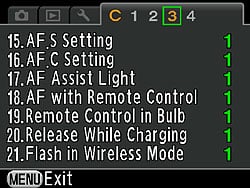
| Custom Menu Options: Screen 3 | |||
Top-Level Selection |
Second-Level |
Third-Level |
Notes |
15. AF.S Setting |
- 1: Focus-priority - 2: Release-priority |
When set to focus priority and using autofocus, a focus lock must be achieved before the shutter can be fired. When set to release priority, the shutter will be released immediately that the button is fully depressed, regardless of whether the camera has determined a focus lock. |
|
16. AF.C Setting |
- 1: Focus-priority - 2: FPS-priority |
When set to focus priority and using autofocus, the K-5 gives priority to achieving a focus lock, rather than maximizing frame rate. When set to FPS priority, the shutter will be released immediately that the mechanism has recycled and the buffer capacity is available, regardless of whether the camera has determined a focus lock. |
|
17. AF Assist Light |
- 1: On - 2: Off |
"On" enables the built-in AF assist lamp, although it will still only operate as the camera deems necessary. |
|
18. AF with Remote Control |
- 1: Off - 2: On |
If on, performs an autofocus operation when the remote control is used to trigger the shutter release. If off, photo is taken immediately without focus adjustment, regardless of position of AF/MF slider. |
|
19. Remote Control in Bulb |
- 1: Mode1 - 2: Mode2 |
Mode 1 is push to start, push again to stop; Mode 2 is push and hold |
|
20. Shutter Release While Charging |
- 1: Off - 2: On |
"On" allows shutter release while flash is charging. The flash may fire at reduced strength, or not at all. |
|
21. Flash in Wireless Mode |
- 1: On - 2: Off |
When set to "On", the built-in flash fires as master in wireless mode, and participates in the exposure. When set to "Off", the built-in flash operates as a controller. It still fires to provide timing for the slave flash during the exposure, but at greatly reduced strength, minimizing its effect on the flash balance. |
|
Custom Menu 4:

| Custom Menu Options: Screen 4 | |||
Top-Level Selection |
Second-Level |
Third-Level |
Notes |
22. LCD Panel Illumination |
- 1: High - 2: Low - 3: Off |
Default value illuminates LCD panel at maximum brightness when exposure metering. Option 2 uses a lower brightness. Option 3 disables illumination altogether. |
|
23. Saving Rotation Info |
- 1: On - 2: Off |
If set to on, the K-5 embeds rotation tags in the EXIF headers of image files, which can be used by the camera and some software to automatically orient images correctly. |
|
24. Save Menu Location |
- 1: Reset Menu Location - 2: Save Menu Location |
When set to 1, the first press of the Menu button always brings up the first tab of the Record menu. When set to 2, the K-5 remembers which menu tab was last accessed, and starts from the top of this tab when the Menu button is first pressed. |
|
25. Catch-in Focus |
- 1: Off - 2: On |
If using a manual focus lens in single autofocus mode, the K-5 can trip the shutter release automatically when it determines that the subject is in focus. |
|
26. AF Fine Adjustment |
- 1: Off |
Autofocus can be fine-tuned +/- 10 steps for the K-5 body, and separately within the same range for up to 20 lens types. The K-5 can't recognize individual lens serial numbers, so the adjustment made for one specific lens model will apply to all other lenses of the same model. |
|
- 2: On (adjust) |
- Apply All - Apply One |
||
27. Using Aperture Ring |
- 1: Prohibited - 2: Permitted |
Setting one prevents image capture when the aperture ring isn't set to A. |
|
Reset Custom Functions |
- Reset - Cancel |
Resets all Custom Functions to default. |
|
Pricing and availability
Available from October 2010, the Pentax K-5 comes body-only, or with a weather-sealed 18-55mm kit lens. Body-only pricing is set at around US$1,600, while the 18-55 WR kit costs about US$1,750.