




Overview
Panasonic Lumix DMC-LZ7 Overview
by Stephanie Boozer
Review Date: 01/14/07
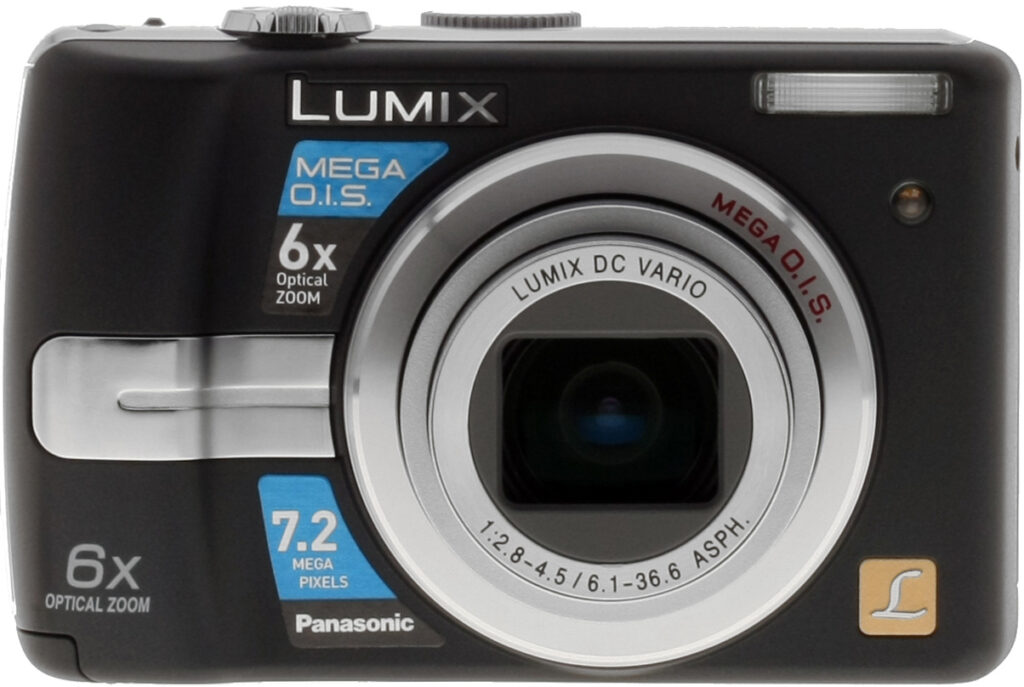
Similar in shape, size, and style to preceding Panasonic Lumix models, most notably the DMC-LZ5, the DMC-LZ7 is a little boxy, yet still fairly compact. The DMC-LZ7 offers many of the same features as the LZ5, but updates the line with a 7.2-megapixel CCD, improved "Mega O.I.S." (Optical Image Stabilization), a new High Sensitivity mode offering ISOs up to 3,200 with Intelligent ISO Control, and a new blur warning. Offering more features to help you get better shots in common situations where lighting is bad and the subjects are moving, such as kids in a classroom, in a play, etc., the DMC-LZ7 is aimed at the family photographer. Panasonic has included a large selection of scene modes for just about any situation you can think of, and optimized the automatic exposure system to do just about everything for you except press the shutter button.
In addition to its almost dummy-proof exposure modes, the DMC-LZ7 offers a generous 6x optical zoom lens, equivalent to a 37-222mm lens on a 35mm camera. As much as 4x digital zoom is available, and there's also a 9x "Extended Optical Zoom" option, which limits the resolution to the 3.0-megapixel size to minimize quality loss. A unique feature here is the DMC-LZ7's Easy Zoom, a button on top of the camera (next to the Shutter button) which jumps between main zoom settings with one touch. The Lumix DMC-LZ7 also features a 2.5-inch color LCD monitor for framing and image review, with a High Angle option that brightens the view so you can see it better when holding the camera overhead, such as shooting over a crowd.
The Lumix DMC-LZ7 will easily fit into larger coat pockets and purses with its 3.88 x 2.45 x 1.30-inch size (99 x 62 x 33 millimeters). It's also fairly light weight at 8.4 ounces (239 grams) with the card and batteries, thanks to plastic body panels. The DMC-LZ7 comes in black or silver, and both models feature shiny silver accents around the lens barrel and on the side and top of the camera. Novice consumers will find the DMC-LZ7 quite simple to operate with just a quick read of the manual, since the camera primarily operates in automatic mode, but you'll need to read through the preset scene mode descriptions to fully understand what each mode does. It does provide user control of basic exposure tools such as EV compensation, white balance, color mode, ISO, etc., but is geared mainly toward automatic operation. Retailing online anywhere from $150 to $200, the DMC-LZ7 actually offers a lot for the money, with its long zoom and range of modes. We noticed high image noise in many cases, but if your intentions with the DMC-LZ7 are to capture small snapshots and images for email use, then the Lumix DMC-LZ7 is a good candidate to consider.
Panasonic Lumix DMC-LZ7 User Report
by Stephanie Boozer
Introduction. With the Lumix DMC-LZ7, Panasonic attempts to address the most challenging area of average consumer digital photography: family and children shots. Because many consumers are simply trying to get great (or even just good) images of their wiggly kids, the DMC-LZ7 offers a range of scene modes and automatic settings to optimize exposures for dim lighting and moving subjects. With its range of scene modes, the DMC-LZ7 handles just about any common exposure situation you can think of. It has two Baby scene modes, each of which offers the option to record a child's age, automatically calculating how old the child is with each image to help you keep track of milestones. And because family photos and bad lighting seem to go hand in hand (think dance recitals, birthday parties, etc.), Panasonic also improved its ISO system, with an Intelligent ISO Control mode. That, combined with the camera's Mega O.I.S. (Optical Image Stabilization) mode, should help many consumers get practically blur-free shots in dim lighting. However, with a maximum ISO of 3,200, expect to see noise in the images. Even under normal daylight, in bright, sunny conditions, I noticed a fair amount of image noise. Still, it's impressive that Panasonic is trying so hard to resolve common consumer concerns in digital photography.
At under $200, you get a 6x optical zoom lens with image stabilization, a 7.2-megapixel CCD, a host of preset shooting modes, and really high ISO. On the downside, I consistently noticed high noise in the DMC-LZ7's images. But if you're interest is purely in creating snapshots, and keeping prints around 5x7 or so, noise artifacts shouldn't pose too much of a problem. Indeed, our test prints show that ISO 100 shots from the Panasonic LZ7 are quite good at 11x14, though with slight luminance noise that isn't so bad because it has the look of film grain.
Look and feel. Boxy yet still compact, the Panasonic Lumix DMC-LZ7 should find its way into larger coat pockets and purses with no trouble. Measuring 3.88 x 2.45 x 1.30-inch size (99 x 62 x 33 millimeters) and weighing in at 8.4 ounces (239 grams) with the memory card and batteries, the DMC-LZ7 is definitely travel worthy. The plastic body panels have a textured surface to help resist minor scratches, but might crack if dropped onto hard concrete, so keep the wrist strap in place. A good-sized bump on the front panel provides a nice handgrip, balanced by a sculpted ridge on the rear panel that secures your thumb as you hold the camera one-handed.

For most applications, I found I could easily shoot one-handed, and though I thought it a little frivolous at first, the Easy Zoom button did simplify zooming while shooting one-handed (especially as I was wielding a grasping 10-month-old on one hip and taking pictures with the other hand). Control layout is good and well-thought-out, with the main needs on the top panel, and easily accessible with a thumb or index finger. On the rear panel, the camera's minimal controls serve double-duty, giving you instant access to exposure compensation, flash mode, etc., without needing the LCD menu. I also liked the Review button, which let me quickly check an image post-capture without enabling instant review or delving into full Playback mode.
 Lens. The Panasonic LZ7 offers a 6x optical zoom lens, equivalent to a 37-222mm lens on a 35mm camera, which is quite generous considering the camera's low price point. An Easy Zoom button on the top panel provides one-touch zooming between full wide angle, telephoto, full digital zoom, and Extended Optical Zoom (9x), useful when you don't have a lot of time to wait on the zoom lever to scoot through the full range. The Extended Optical Zoom option is a variation of digital zoom, as the camera is essentially cropping the center portion of the frame at full resolution and limiting the size to the 3-megapixel resolution (2,048 x 1,536 pixels), so keep that in mind if sharp detail is important.
The DMC-LZ7 also offers as much as 4x digital zoom, which not only crops the central portion of the CCD, but enlarges it. Resolution size is not limited, thus image quality and detail suffers. However, the camera did hold onto a lot of detail with digital zoom, despite fuzzy definition. The DMC-LZ7 automatically controls focus, but you can set the AF area through the Record menu. Options are Normal, Macro, 5-area AF, 3- and 1-area AF with High Speed, and Spot modes. The Spot and 1-area AF modes differ mainly by focusing speed and the area size, which is a little larger in 1-area mode. The camera's macro setting focuses as close as 0.16 feet, or five centimeters, and in our testing, captured a minimum area measuring 2.04 x 1.53 inches (52 x 39 millimeters).
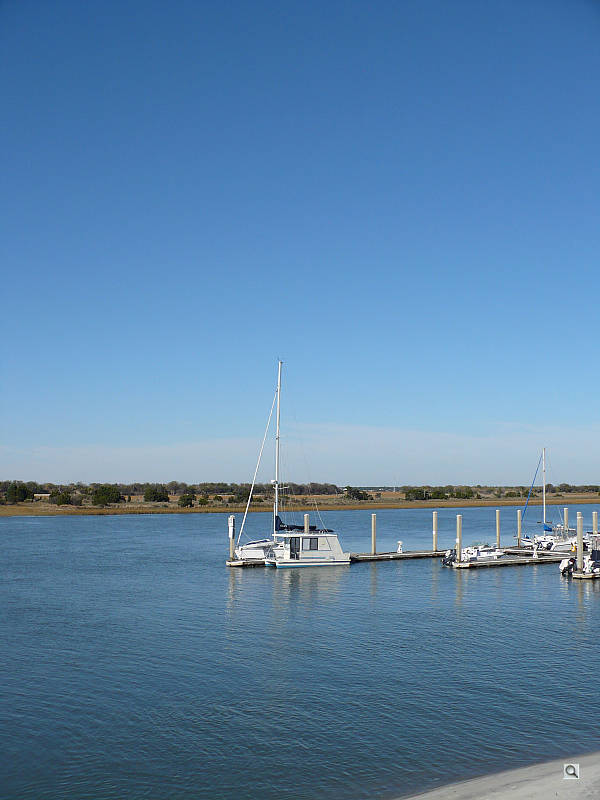


The Lumix DMC-LZ7 features a 2.5-inch color LCD monitor for framing and image playback, and omitted the typically inaccurate optical viewfinder. In most instances, I found the LCD monitor bright enough for framing, though I still had a little trouble seeing the image clearly in bright sunlight. Even in bright shade, the display was a tad difficult to see, thanks to the highly reflective window. Still, the camera's High Angle framing mode did brighten the display and enhance it for viewing overhead, which would be useful for shooting over crowds. A range of display modes are available, including limited or full information displays, a gridline option and a histogram. The gridline divides the image area into thirds vertically and horizontally, and is helpful in lining up subjects using the rule of thirds or to simply make sure you've got a linear surface straight. The histogram is useful as well, but tiny and really only easy to read if an exposure is really out of whack.
Modes. The Mode dial on top of the camera accesses the main camera modes, which include Normal, Simple, Playback, Intelligent ISO, Macro, Scene, Motion Picture, and Print modes. Normal mode is like a standard Program AE mode, keeping the camera in control of the exposure but letting you adjust a handful of other options. Simple mode is more like a full auto mode, and limits user options to a reduced offering of resolutions and minor setup utilities.
ISO. Intelligent ISO mode bases the sensitivity on the movement and conditions of the subject. The camera analyzes the amount of movement near the center of the screen, then sets the optimal ISO and shutter speeds. You can set the ISO limit to 400, 800, or 1,250 through the Record menu.
Scene modes. Finally, under the Scene option, the DMC-LZ7 offers an exceptional selection of preset modes: Portrait, Soft Skin, Scenery, Sports, Night Portrait, Night Scenery, Food, Party, Candlelight, Sunset, Baby 1, Baby 2, Pet, High Sensitivity, Beach, Starry Sky, Fireworks, Snow, and Aerial Photo. A good selection of modes, which addresses everyday--and some not-so-everyday exposure conditions. High Sensitivity mode sets ISO to 3,200, which sounds like it would be a real help, but resolution is significantly cut down, making for a smudgy image.



Because the DMC-LZ7 appears to be oriented toward capturing snapshots of family and kids, I tested a few of the camera's preset modes in a common situation. All of the above were taken in normal window light, and I kept the Mega O.I.S. setting enabled. The first image, captured in the Baby scene mode, utilized the Red-eye flash, and looks pretty much like any normal auto flash exposure. The camera automatically enabled the flash, so no ambient lighting was allowed in to balance the exposure. In High Sensitivity mode, the camera instead raised the ISO all the way to 3,200, which resulted in very strong image noise. The final two images were captured in Intelligent ISO mode, with and without the flash. In both modes, I set the maximum ISO to 1,250 (you can choose between 400, 800, and 1,250), but the camera opted to go only as high as 400, minimizing noise. It did slow down the shutter speed however, to 1/8 second, which is hard to hand-hold, and though Mega O.I.S. was enabled, the image is slightly blurry. Still, I like that the camera opted to slow down the shutter rather than crank up the ISO all the way, saving the image from too much noise. And even though the shot is slightly soft, the image stabilizer did a good job considering the long shutter time.
Movie Mode. In addition to its range of still photography modes, the DMC-LZ7 also offers a Motion Picture mode for capturing short movie clips with sound. You can choose the frame rate, either 30 or 10 frames per second depending on the resolution, as well as the aspect ratio, either 4:3 or 16:9 for HD televisions. There's also a Burst mode for capturing a rapid sequence of images. Both speed and the total number of sequential images depends on the resolution and quality settings. Also buried in the Record menu is a Slow Shutter setting, which lets you manually select a slower shutter speed for shooting in low light, from 1/8 to one second. You can access the feature in Night Portrait mode as well.
Storage and battery. The Panasonic Lumix DMC-LZ7 has 27MB of internal memory, so you can start snapping images right out of the box. An SD card slot on the side of the camera lets you increase your storage space, but a card does not come with the camera. The camera's internal memory should hold about seven large/fine JPEGs, and about 53 seconds of the lowest resolution movie file at 30 frames per second, so you'll definitely want to purchase a large-capacity memory card right away to make sure you don't miss anything.
For power, the DMC-LZ7 accepts two AA-type batteries, and ships with a set of alkaline single-use cells. Runtimes are limited with the alkaline batteries, at about 150 shots according to CIPA standard, but jump to 450 shots with NiMH rechargeables. The Panasonic Oxyride alkaline cells that come with the camera are slightly above average alkalines, at 250 shots. Still, we strongly recommend you pick up a couple of sets of good-quality NiMH rechargeable batteries and a good-quality charger, as they'll save you many times their cost over the life of the camera.
Shooting. With its automatic exposure control and range of preset shooting modes, the Panasonic Lumix DMC-LZ7 handles most average shooting situations fairly well. Zoom speed is a little sluggish with the Zoom lever, but the Easy Zoom button jumps to full telephoto pretty quickly. Overall performance times are a little slow, however, beginning with a slow startup time of 2.75 seconds for the camera to power on and extend the lens. Shot-to-shot cycle times are also on the slow side, at about 2.61 seconds for large/fine JPEGs and 1.87 seconds for the lowest resolution and quality. Really quite slow, especially given the camera's bias toward family photos.
The Panasonic LZ7's Burst mode is also a bit slower than average, capturing only 0.7 frames per second at the highest quality and resolution. However, things pick up at the lowest settings, at 1.54 frames per second. Autofocus performance is also on the slower side, though closer to average, at about 0.84 second for operation at full wide angle (time is from a full press of the Shutter button to image capture).
As I mentioned earlier, the 2.5-inch LCD monitor is bright and good for framing, though it was a little difficult to see in bright sunlight. The High Angle mode was effective when holding the camera overhead and even pointing down slightly. In Playback mode, the LCD monitor display was about accurate in terms of what the actual exposure was, as I wasn't surprised when viewing the images on my computer. The small histogram was somewhat useful in determining any over- or underexposure, but the small size did limit its usefulness.


Image quality. The Lumix DMC-LZ7's 7.2-megapixel CCD captured a lot of fine detail, with reasonably good sharpness and good overall color. Detail definition is slightly soft overall, but you can still distinguish a lot of fine details throughout the frame. Noise and noise suppression are both evident, however, limiting detail in shadows and gray areas.


As you can see in the crops above, the DMC-LZ7 produces a fair amount of image noise even as low as ISO 100. Noise becomes quite obtrusive at ISO 400, and dominates the image at ISOs 800 and 1,250. At ISO 3,200, the camera lowers the resolution to reduce noise through "pixel binning," and then samples the image back up, resulting in a very blurry image. (Pixel binning, put simply, is the practice of combining four or more pixels into one, and averaging the value.)

Tele: Higher but still only moderate,
top left @200%
Chromatic aberration isn't too bad with the Lumix DMC-LZ7. At wide angle, there's about 2-3 pixels of moderately bright coloration along either side of the target lines. The effect intensifies slightly at telephoto, though some blurring may be enhancing the distortion.

Auto Exposure
Auto White Balance

Auto Exposure
Auto White Balance
The Panasonic Lumix DMC-LZ7 produced slightly soft corners at wide angle, though the effect was stronger on the left side of the frame. At full telephoto, the effect was again stronger on the left side, most notably in the lower left corner.
Outdoors, the Lumix DMC-LZ7 performed fairly well. I noticed moderately high noise (and some noise suppression), which limited detail a bit even in brighter exposures, but the camera produced good-looking exposure and color overall. Despite the noise and noise suppression, detail was still fair in the shadowed areas of the tree trunk above. Highlight detail was almost obliterated in the brightest areas, but I still found both images pleasing.
See the Optics and Exposure tabs for more detail on the Panasonic LZ7's performance.
Appraisal. Ultimately, the Lumix DMC-LZ7 is a good snapshot camera. It has an impressive array of features, and a definite bent toward improving family photography, but high image noise will limit print size. That said, if you plan on making small prints (8x10 inches or less on average) or simply posting photos on the Web, the DMC-LZ7 offers a lot for its small price. Its 6x optical zoom provides greater flexibility, and options like image stabilization and high ISO help you in difficult lighting. The Lumix DMC-LZ7's images are reasonably sharp with good color, and the camera's auto-exposure system handles most conditions well. But if you're after lower image noise and slightly better image quality, you might skip this one. Alternatively, if you need something simple that does a lot of thinking for you, produces pretty good images, and isn't a major splurge financially, the DMC-LZ7 should suit your needs just fine.
Basic Features
- 7.2-megapixel CCD delivering image resolutions as large as 3,072 x 2,304 pixels
- 2.5-inch color TFT LCD monitor
- 6x, 6.1-36.6mm lens, equivalent to a 37-222mm lens on a 35mm
- Maximum 4x digital zoom
- "Extended Optical Zoom" up to 9x at 3 megapixels
- Automatic exposure control
- Shutter speeds from 1/2,000 to 8 seconds (To 60 seconds in "Starry Sky" scene mode)
- Maximum aperture of f/2.8 to f/4.5, depending on lens zoom position
- Built-in flash with four modes
- AF assist lamp
- 5 selectable autofocus modes
- SD/SDHC memory card slot for storage
- Approximately 27MB internal memory
- Power supplied by two AA batteries, or optional AC adapter kit
- Software CD included for both Windows and Mac platforms
Special Features
- Optical Image Stabilization with two modes
- 14 programmed automatic scene modes
- Movie mode with sound
- Economy mode for conserving battery life
- Simple mode for full automation
- Macro mode
- 3 Continuous Shooting modes
- Two- or 10-second Self-Timer for delayed shutter release
- Burst option in Self-Timer mode
- Audio annotation option
- White balance (color) adjustment with five modes, including a Custom setting
- Color Effects including Cool, Warm, Black and White, and Sepia
- Adjustable image sharpening
- Adjustable ISO setting
- Selectable shutter speeds with slow-sync flash
- DPOF (Digital Print Order Format) and PictBridge compatibility
- USB cable for connection to a computer (driver software included)
- A/V cable for connection to a television set
Recommended Accessories
- Set of NiMH rechargeable batteries and charger
- AC adapter
- Soft case
- Large capacity SD/SDHC memory card
Conclusion
- Compact size
- Wide array of preset shooting modes
- Mega O.I.S. (Optical Image Stabilization)
- Large 2.5-inch LCD monitor
- 6x optical zoom
- Generally good overall exposure and performance
- Good prefocused shutter lag
- Good macro performance
- Good viewfinder accuracy
- Good Auto White Balance performance in incandescent lighting
- Good resolution for a 7.2 megapixel camera
- Produces good quality prints up to 11x14 inches, and its ISO 1,250 shots are usable at 4x6 inches
- Good battery performance with NiMH AA cells
- High image noise and noise suppression
- Slow startup, cycle times, and shutter lag
- Moderate blurring in the corners from the lens
- Strong contrast under harsh lighting
- High barrel distortion at wide-angle
- Flat, clay-like skin tones
- Poor flash performance indoors, requiring +1.3EV to get a good exposure
- Low flash range at ISO 100
| Pro: | Con: |
|---|---|
Compact, stylish, and affordable, the Panasonic Lumix DMC-LZ7 is priced right at under $200, offers a 6x optical zoom lens, a load of great preset shooting modes and optional controls, image stabilization, and high ISOs. On the downside, image noise is a bit high and timing is sluggish. The Panasonic LZ7's highest ISO mode, ISO 3,200, is really not usable at all, but its ISO 1,250 still delivers good quality 4x6-inch prints. Flash performance is a little weak, so be careful shooting indoors, especially at full telephoto zoom. Among mid-size digital cameras, the Panasonic LZ7 is small, though a little thick, thanks to the 6x zoom lens. Overall, the Panasonic DMC-LZ7 is capable under a range of conditions and should suit basic photography needs well, provided you give its lens enough light.
Optics
Panasonic Lumix DMC-LZ7 Optics
Lens
Zoom
A generous 6x optical zoom with good performance. Digital zoom performance
is a little better than average.


The Panasonic Lumix DMC-LZ7's optical zoom covers the equivalent of a 37-222mm lens, about double the range of the average consumer digital camera. Details are reasonably sharp at full wide angle, with moderate coma distortion and some noticeable blurring in the corners. Results at full telephoto are sharper with better detail, though some noticeable chromatic aberration toward the edges of the frame around the high contrast details. The camera's 4x digital zoom did a much better job of holding onto detail and resolution than average, as a lot of fine detail remained visible. Resolution was definitely decreased, but results were still pretty good considering the digital enlargement.
Macro
A small macro area with good detail and high resolution. Closest focusing
distance is too close for the flash.


The Panasonic DMC-LZ7's macro setting performed quite well, capturing a small minimum area of 2.04 x 1.53 inches (52 x 39 millimeters). Detail and resolution were both very good, with surprisingly little softening in the corners from the lens. (Most cameras have some softening in the corners in macro mode.) The Panasonic LZ7's flash had trouble throttling down for the macro area, however, and was partially blocked by the camera's lens, resulting in a very uneven, severely blown-out exposure. Plan on using external lighting for any macro shots with the Lumix LZ7.
Distortion
High barrel distortion, though very low pincushion.
| Barrel distortion at 37mm is 0.9% |
 |
| Pincushion at 222mm is less than a pixel. |
 |
This is the tendency for the lens to bend straight lines outward (like a barrel -- usually at wide angle) or inward (like a pincushion -- usually at telephoto). The Panasonic DMC-LZ7's 0.9% barrel distortion at wide angle is a lot higher than average, and quite noticeable in many of its full wide angle images. At the telephoto end, the DMC-LZ7's pincushion distortion was quite low, about half a pixel.
Chromatic aberration
Low at wide angle, higher at telephoto. Slightly noticeable effect on
some images in the corners toward full telephoto.

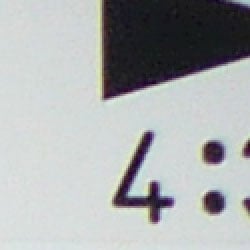
Chromatic aberration is low at wide angle, showing only a couple of pixels of faint coloration on either side of the target lines. However, at telephoto, the effect is stronger and a little brighter, noticeable in some images with high-contrast elements near the corners. It's actually not bad for a 6x zoom. (This distortion is visible as a slight colored fringe around the objects at the edges of the field of view on the resolution target.)
Corner Sharpness
Strong blurring in the corners of the frame at wide angle, a fair amount
at telephoto as well.


The Panasonic Lumix DMC-LZ7 produced quite soft corners of the frame at full wide angle and telephoto. At full telephoto, blurring encompassed a slightly larger area, whereas at full wide angle, the blurring was strongest in the extreme edge compared to the lower right portion of the box outline in the crop above left. Notice also the sharpening halo around the black elements in the center shot.
Viewfinder
Coverage
Very good accuracy from the LZ7's LCD monitor.


The Panasonic Lumix DMC-LZ7's LCD monitor showed about 101% coverage accuracy at wide angle, and about 98% at telephoto. Very good results.
The images above were taken from our standardized test shots. For a collection of more pictorial photos, see our Panasonic Lumix DMC-LZ7 Photo Gallery .
Exposure
Panasonic Lumix DMC-LZ7 Exposure
Color
Saturation & Hue Accuracy
Very good overall color and hue accuracy, with minor oversaturation of some colors.
 |
| In the diagram above, the squares show the original color, and the circles show the color that the camera captured. More saturated colors are located towards the periphery of the graph. Hue changes as you travel around the center. Thus, hue-accurate, highly saturated colors appear as lines radiating from the center. |
Saturation. The Panasonic DMC-LZ7 oversaturates strong red and blue tones slightly, but undersaturates bright yellows. This is quite typical of consumer models, but we found its colors pleasing on a wide range of typical subjects. Most consumer digital cameras produce color that's more highly saturated (more intense) than found in the original subjects. This is simply because most people like their color a bit brighter than life.
Skin tones. Here, with the color balanced properly for the light source, the LZ7's skin tones were a little flat and clay-like, with only slight warmth. However, in some lighting, skin tones appeared a little pink. Where oversaturation is most problematic is on Caucasian skin tones, as it's very easy for these "memory colors" to be seen as too bright, too pink, too yellow, etc.
Hue. The Panasonic LZ7 showed small color shifts relative to the
correct mathematical translation of colors in its subjects. Cyan is pushed
slightly toward blue, red toward orange, and yellow toward green, but overall
color is actually pretty accurate. Hue is "what color" the
color is.


Sensor
Exposure and White Balance
Indoors, incandescent lighting
Good overall color with Manual white balance, though pinkish skin
tones. Slightly higher positive exposure compensation than average.


Color balance indoors under incandescent lighting was actually pretty good in Auto white balance mode, though overall color was a little pinkish. In the opposite direction, the Incandescent setting produced a very warm cast. Manual mode was the most accurate overall, though skin tones are just a little pink. The LZ7 required a +1.3 EV exposure compensation boost to get a good exposure, a little higher than average for this shot. Overall color with the Manual white balance setting is good, though the blue flowers are dark and purplish. (Many digital cameras reproduce these flowers with a dark, purplish tint, so the DMC-LZ7 struggled a bit here.) Our test lighting for this shot is a mixture of 60 and 100 watt household incandescent bulbs, a pretty yellow light source, but a very common one in typical home settings here in the U.S.
Outdoors, daylight
Slightly flat color, good exposure, though with high contrast in harsh lighting.
Outdoors, the Panasonic Lumix DMC-LZ7 did reasonably well, with pretty good exposure in the outdoor house shot, except that shadows are too deep and highlights too bright. Though the shirt is almost completely blown out in the +0.3 EV portrait shot, this is the closest it gets to good skin tones without excessive highlights taking over the face. Shadow detail is limited, both from noise and some noise suppression. Overall color looks pretty good, though greens are a hint dark in the house shot, and skin tones are flat and clay-like.
See full set of test images with explanations
See thumbnails of all test and gallery images
Resolution
High resolution, 1,400 to 1,500 lines of strong detail.


Our laboratory resolution chart revealed sharp, distinct line patterns down to about 1,400 lines per picture height horizontally and 1,500 lines vertically. Extinction occurred around 2,000 lines. Use these numbers to compare with other cameras of similar resolution, or use them to see just what higher resolution can mean in terms of potential detail.
See full set of test images with explanations
See thumbnails of all test and gallery images
Sharpness & Detail
Reasonably sharp images, though noise and noise suppression contribute
to loss of definition. Some edge-enhancement is also visible in high contrast
subjects.


Sharpness. Noise pattern and some noise suppression decreases definition even in bright subjects like the house shot above. Edge enhancement artifacts are also visible along the high contrast areas. Edge enhancement creates the illusion of sharpness by enhancing colors and tones right at the edge of a rapid transition in color or tone.
Detail. The crop above right shows fairly high noise suppression, with darker areas of Marti's hair showing limited detail, where the individual strands eventually become lost in the blurred shadow areas. Noise-suppression systems in digital cameras tend to flatten-out detail in areas of subtle contrast. The effects can often be seen in shots of human hair, where the individual strands are lost and an almost "watercolor" look appears.
ISO & Noise Performance
Low to moderate noise at the normal sensitivity settings, though a jump in noise with strong blurring at the higher settings.
 |
 |
 |
| ISO 100 | ISO 200 | ISO 400 |
 |
 |
ISO 800 | ISO 1,250 |
Noise levels and efforts to suppress noise are quite evident at the Panasonic DMC-LZ7's lower sensitivity settings, with much higher noise at ISO 400 and up. Even at ISO 200, noise reduction artifacts are fairly strong, with blurry fine detail and some blotchiness, with soft yellow and purple patches (though these are less pronounced than we normally see). At ISO 1,250, noise is so strong that the color balance shifts to violet and practically all fine detail is lost.
Extremes: Sunlit and low light tests
High resolution with strong overall detail, but slightly high contrast and limited shadow detail. Good low-light performance, capable of capturing bright images under average city street lighting at night, and darker conditions using Scene modes.


Sunlight:
The Panasonic Lumix DMC-LZ7 had some difficulty dealing with the deliberately
harsh lighting in the test above, producing very high contrast with washed-out
highlights and deep shadows. Shadow detail is quite limited, with an interesting
noise grain pattern that loses all fine detail here. Noise is also visible
in the lighter parts of the image, also obscuring fine detail. The camera
required a little less than average compensation to get proper exposure
of skin tones, at +0.3 EV, but unfortunately blows the detail in the shirt,
a clear indication of excessive contrast preventing capture of a good sunlit
image. In the real world, be sure to use fill flash in situations like the
one shown above; it's better to shoot in the shade when possible.
Because digital cameras are more like slide film than negative film (in that they tend to have a more limited tonal range), we test them in the harshest situations to see how they handle scenes with bright highlights and dark shadows, as well as what kind of sensitivity they have in low light. The shot above is designed to mimic the very harsh, contrasty effect of direct noonday sunlight, a very tough challenge for most digital cameras. (You can read details of this test here.)
| 1 fc 11 lux |
1/2 fc 5.5 lux |
1/4 fc 2.7 lux |
1/8 fc 1.3 lux |
1/16 fc 0.67 lux |
|
|---|---|---|---|---|---|
| ISO 100 |
 1 sec f2.8 |
 1 sec f2.8 |
 1 sec f2.8 |
 1 sec f2.8 |
 1 sec f2.8 |
| ISO 200 |
 0.8 sec f2.8 |
 1 sec f2.8 |
 1 sec f2.8 |
 1 sec f2.8 |
 1 sec f2.8 |
| ISO 400 |
 0.4 sec f2.8 |
 0.6 sec f2.8 |
 1 sec f2.8 |
 1 sec f2.8 |
 1 sec f2.8 |
| ISO 800 |
 1/5 sec f2.8 |
 0.3 sec f2.8 |
 0.5 sec f2.8 |
 1 sec f2.8 |
 1 sec f2.8 |
| ISO 1250 |
 1/8 sec f2.8 |
 1/5 sec f2.8 |
 0.3 sec f2.8 |
 1 sec f2.8 |
 1 sec f2.8 |
| High Sens. (ISO 3200) |
 1/20 sec f2.8 |
 1/13 sec f2.8 |
 1/8 sec f2.8 |
 0.5 sec f2.8 |
 1 sec f2.8 |
| Night Scene (ISO 100) |
 1.6 sec f2.8 |
 2.5 sec f2.8 |
 4 sec f2.8 |
 8 sec f2.8 |
 8 sec f2.8 |
| Starry Sky (ISO 100) |
 15 sec f2.8 |
 30 sec f2.8 |
Low light:
The Panasonic Lumix DMC-LZ7 performed about average on the low-light test in Auto mode, capturing bright images almost down to the lowest light level, but only at the highest (and noisiest) sensitivity setting (ISO 1,250). At the lowest sensitivity setting, images are still a bit dim even at one foot-candle, which is about the same as average city street lighting at night. Noise is high, especially at the higher sensitivity settings, but this is expected. There are however several scene modes that improve on this performance. Night Scene mode was able to capture clean, reasonably bright images down to about 1/4 foot-candle at ISO 100, and the Starry Sky scene mode (which offers 15, 30 and 60 second exposures at ISO 100), was able to capture bright, clean images all the way down to 1/16 foot-candle, the lowest level we test at. High Sensitivity mode was also able to capture bright images down to 1/16 fc, but detail was quite limited and noise was high. Color balance was pretty good with the Auto white balance setting. The camera's autofocus system worked well also, as it was able to focus on the subject down to the 1/16 foot-candle light level unassisted, and to much darker with the AF assist enabled. Keep in mind that the longer shutter speeds here demand the use of a tripod to prevent any blurring from camera movement. In general, anything slower than 1/30 second is hard to hand-hold without blurring, though the LZ7's optical image stabilization will allow 2-4x slower shutter speeds while still getting sharp results hand-held. (A useful trick for really slow shutter speeds is to just prop the camera on a convenient surface, and use its self-timer to release the shutter. This avoids any jiggling from your finger pressing the shutter button, and can work quite well when you don't have a tripod handy.)
How bright is this? The one foot-candle light level that this test begins at roughly corresponds to the brightness of typical city street-lighting at night. Cameras performing well at that level should be able to snap good-looking photos of street-lit scenes.
NOTE: This low light test is conducted with a stationary subject, and the camera mounted on a sturdy tripod. Most digital cameras will fail miserably when faced with a moving subject in dim lighting. (For example, a child's ballet recital or a holiday pageant in a gymnasium.) For such applications, you may have better luck with a digital SLR camera, but even there, you'll likely need to set the focus manually. For information and reviews on digital SLRs, refer to our SLR review index page.
Flash
Coverage and Range
Modest flash power at close range, and not a match for the camera's 6x
optical zoom. Our standard shots required more than average exposure compensation,
coverage was pretty uniform.


Coverage. The Panasonic Lumix DMC-LZ7's flash couldn't quite keep up with its zoom range, as the telephoto shot above was very dark. Coverage was a bit uneven at wide angle, but not too bad. On the Indoor Portrait, the camera required more than the average amount of positive exposure compensation at +1.3 EV. Even here, the exposure is just slightly dim, but anything brighter resulted in highlights that are too strong. Results were better in Night Portrait mode, though the camera required even more positive compensation at +1.7 EV. The longer exposure resulted in an orange cast from the background incandescent lighting, but results here were more pleasing to my eye than the cooler color of the standard flash shot.
| Flash Range: Wide Angle | |||||
|---|---|---|---|---|---|
| 6 ft | 7 ft | 8 ft | 9 ft | 10 ft | 11 ft |
 1/30 sec f2.8 ISO 100 |
 1/30 sec f2.8 ISO 100 |
 1/30 sec f2.8 ISO 100 |
 1/30 sec f2.8 ISO 100 |
 1/30 sec f2.8 ISO 100 |
 1/30 sec f2.8 ISO 100 |
| 12 ft | 13 ft | 14 ft | 15 ft | 16 ft | |
 1/30 sec f2.8 ISO 100 |
 1/30 sec f2.8 ISO 100 |
 1/30 sec f2.8 ISO 100 |
 1/30 sec f2.8 ISO 100 |
 1/30 sec f2.8 ISO 100 |
|
| Flash Range: Telephoto | |||||
|---|---|---|---|---|---|
| 6 ft | 7 ft | 8 ft | 9 ft | 10 ft | 11 ft |
 1/30 sec f4.5 ISO 100 |
 1/30 sec f4.5 ISO 100 |
 1/30 sec f4.5 ISO 100 |
 1/30 sec f4.5 ISO 100 |
 1/30 sec f4.5 ISO 100 |
 1/30 sec f4.5 ISO 100 |
| 12 ft | 13 ft | 14 ft | 15 ft | 16 ft | |
 1/30 sec f4.5 ISO 100 |
 1/30 sec f4.5 ISO 100 |
 1/30 sec f4.5 ISO 100 |
 1/30 sec f4.5 ISO 100 |
 1/30 sec f4.5 ISO 100 |
|
ISO 100 Range. At wide angle, flash shots at ISO 100 remained fairly bright out to a distance of about 8 or 9 feet, decreasing in brightness from that point on. At full telephoto and ISO 100, the target at 6 feet was already dim.
| Manufacturer-Specified Flash Range | |
|---|---|
| Wide Angle | Telephoto |
 6.9 feet ISO 100 |
 4.3 feet ISO 100 |
Manufacturer Specified Flash Test. In the wide angle shot above, the DMC-LZ7 seems to perform exactly as Panasonic says it will, producing a good exposure at the rated distance with its ISO set to Auto (which selected ISO 100). At telephoto, the image is also fairly bright, without an ISO boost. Our standard test method for flash range uses a fixed setting of ISO 100, to provide a fair basis of comparison between cameras. We've now also begun shooting two shots using the manufacturer-specified camera settings, at the range the company claims for the camera, to assess the validity of the specific claims.
Output Quality
Print Quality
Good print quality, good color, sharp 11x14 inch prints. ISO 400 images are soft at 8x10, ISO 400 and 800 shots are better at 5x7, and ISO 1,250 shots are usable at 4x6. ISO 3,200 images are soft and smudgy at 4x6.
 The Panasonic Lumix DMC-LZ7 had enough resolution to make good looking 11x14 inch prints, though there was some luminance noise in the shadows. ISO 200 shots are soft at 11x14, too much anti-noise processing that blurs detail. This effect was lessened at 8x10 inches. ISO 400 shots are soft at 8x10, and colors are starting to run together like a watercolor painting. At 5x7, however, both ISO 400 and 800 images look pretty good. ISO 1,250 images are smudgy but acceptable at 5x7, but surprisingly good at 4x6. Some noise is evident in the larger of the two, but it's handled well enough that most people won't notice. ISO 3,200 is probably fine for Web display at small sizes, but don't use it for important work that you'd want to print, because images are very soft even at 4x6. ISO 3,200 images are soft and cartoon-like at 4x6, so avoid this Scene mode for everything but very small Web-based photos.
Testing hundreds of digital cameras, we've found that you can only tell just so much about a camera's image quality by viewing its images on-screen. Ultimately, there's no substitute for printing a lot of images and examining them closely. For this reason, we now routinely print sample images from the cameras we test on our Canon i9900 studio printer, and on the Canon iP5200 here in the office. (See the Canon i9900 review for details on that model.)
The images above were taken from our standardized test shots. For a collection of more pictorial photos, see our Panasonic Lumix DMC-LZ7 Photo Gallery .
Not sure which camera to buy? Let your eyes be the ultimate judge! Visit our Comparometer(tm) to compare images from the Panasonic Lumix DMC-LZ7 with those from other cameras you may be considering. The proof is in the pictures, so let your own eyes decide which you like best!
Performance
Panasonic Lumix DMC-LZ7 Performance
Timing and Performance
Average to slightly slow speed for a consumer camera.
| Startup/Shutdown |
||
| Power on |
2.8 seconds | Time it takes for LCD to turn on and lens to deploy. |
| Shutdown |
1.4 seconds | How long it takes to retract lens. |
| Buffer clearing time |
2 seconds (2 seconds buffer clearing in LF JPEG) |
Worst case buffer clearing time. -- This is the delay after a set of shots before you can remove the card. Some cameras won't retract their lenses and shut down until the buffer is cleared. |
| Mode switching | ||
|---|---|---|
| Play to Record, |
1.8 seconds | Time until first shot is captured. |
| Record to play |
0.7 second | Time to display a large/fine file immediately after capture. |
| Display |
0.9 second | Time to display a large/fine file already on the memory card. |
| Shutter response (Lag Time) | ||
| Full Autofocus Wide |
0.84 second | Time from fully pressing shutter button to image capture, zoom lens at wide angle position. |
| Full Autofocus Tele |
0.59 second | Time from fully pressing shutter button to image capture, zoom lens at telephoto position. |
| Prefocused |
0.085 second | Time to capture, after half-pressing and holding shutter button. |
| Cycle time (shot to shot) | ||
| Single Shot mode Large Fine JPEG |
2.61 seconds | Time per shot, averaged over 20 shots. |
| Single Shot mode |
1.87 seconds | Time per shot, averaged over 20 shots. |
| Early shutter |
Yes | Some cameras refuse to snap another shot if you release and press the shutter too quickly in Single Shot mode, making "No" the preferred answer. |
| Continuous mode |
1.42 seconds (0.70 frames per second); >20 frames total; 2 seconds to clear |
Time per shot, averaged over buffer length or 20 shots, whichever came first. |
| Continuous mode |
0.65 second (1.54 frames per second); >20 frames total; 1 second to clear |
Time per shot, averaged over buffer length or 20 shots, whichever came first. |
| Flash recycling |
4 seconds | Flash at maximum output. |
| Download speed | ||
| Windows Computer, USB 2.0 |
753 KBytes/sec | Typical Values: |
| *Note: Buffer clearing times measured with a Kingston Ultimate 133x SD memory card. Slower cards will produce correspondingly slower clearing times. Slow cards may also limit length of bursts in continuous mode. ISO sensitivity also affects cycle times and burst mode performance, with higher ISOs generally increasing cycle times and reducing burst performance. |
||
The Lumix DMC-LZ7's performance ranges from good to about average to a little slow, depending on what you're doing. Start-up is a little pokey, but not too bad at 2.75 seconds considering the 6x zoom lens. Shutter response is pretty good at both wide angle and telephoto, at 0.84s and 0.59s respectively, though just a teensy bit slow at wide angle. The 3-area and 1-area high-speed AF modes should improve on those numbers, but unfortunately we didn't test those modes. "Prefocusing" the camera by half-pressing and holding down the shutter button before the final exposure results in a lag time of only 0.085 second (slower than average, but still fair). Shot-to-shot cycle times are slow, at about 2.61 seconds for large/fine JPEGs, and the camera appears to capture shots continuously in single-shot mode without having to stop and clear the buffer. Continuous mode is sluggish for full resolution files, at 0.70 frames-per-second for over 20 large/fine JPEG frames, though at the smallest resolution things speed up to about 1.54 frames-per-second. The flash takes 4 seconds to recharge after a full-power shot, which is a little above average. Connected to a computer or printer with USB 2.0, download speeds are slower than most cameras these days. Bottom line, the DMC-LZ7 is responsive enough to handle most family photo opportunities, and even some sporting events, but not the fastest on the market.
Battery and Storage Capacity
Battery
Good battery life with NiMH rechargeable batteries, average for alkalines.
| Operating Mode | Number of Shots |
|---|---|
| AA Alkaline Batteries, (CIPA standard) |
150 |
| AA NiMH Rechargeables, (CIPA standard) |
460 |
| AA Alkaline
Oxyride Batteries, (CIPA standard) |
250 |
The Panasonic Lumix DMC-LZ7 uses two AA-type batteries for power, and does not come with alkalines or rechargeables. Although battery life is good with NiMH rechargeable batteries, we strongly recommend keeping a spare set freshly charged and on-hand for extended outings. As always, we strongly recommend you pick up a couple of sets of good-quality NiMH rechargeable batteries and a good-quality charger, as they'll save you many times their cost over the life of the camera.
The table above shows the number of shots the camera is capable of (on either a fresh set of disposable batteries or a fully-charged rechargeable battery as appropriate), based on CIPA battery-life and/or manufacturer standard test conditions.
(Interested readers can find an English translation of the CIPA DC-002 standards document here. (180K PDF document))
Storage
The Panasonic Lumix DMC-LZ7 accepts SDHC/SD/MMC memory cards, and includes
about 29MB of internal memory.
| Image Capacity with 29MB Internal Memory |
Fine | Normal | |
|---|---|---|---|
| 3,072
x 2,304 |
Images |
7 |
15 |
| File Size |
3.7 MB |
1.8 MB |
|
| 2,560
x 1,920 |
Images |
11 |
21 |
| File Size |
2.6 MB |
1.3 MB |
|
| 2,048
x 1,536 |
Images |
17 |
33 |
| File Size |
1.7 MB |
865 KB |
|
| 1,600
x 1,200 |
Images |
27 |
53 |
| File Size |
1.0 MB |
542 KB |
|
| 1,280
x 960 |
Images |
41 |
77 |
| File Size |
695 KB |
373 KB |
|
| 640
x 480 |
Images |
131 |
213 |
| File Size |
220 KB |
136 KB |
|
We strongly recommend buying a large capacity SDHC or SD memory card at least a 1GB card, preferably a 4GB one, to give yourself extra space for extended outings and video. (Check the shopping link above. Cards are really cheap these days, so no reason to skimp.)