



Overview

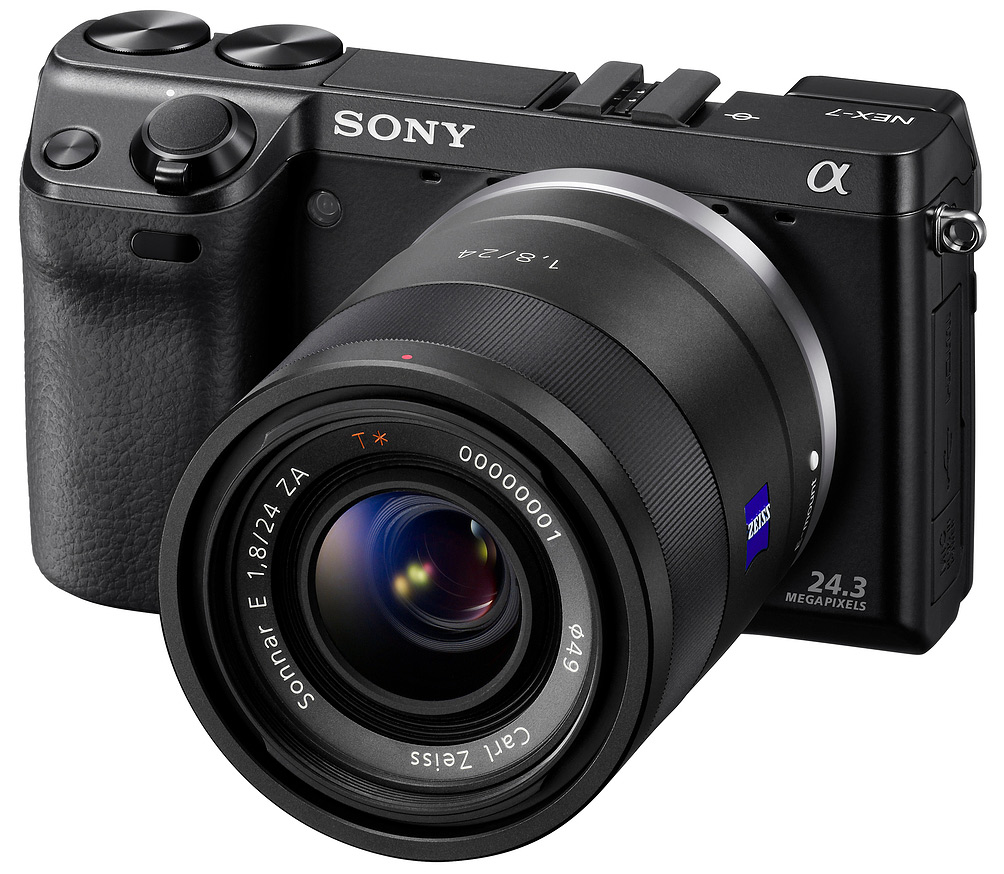
Sony NEX fans have been waiting for more controls to quickly adjust various exposure settings in a hurry, rather than dig into the menu, and I'm sure many had a wish list for this or that extra feature to make the existing NEX design just a little better. I say "just a little" because the satisfaction level with the existing NEX series is pretty high. But Sony took the NEX series to another level, adding not just more control, but also an OLED electronic viewfinder, a 24.3-megapixel sensor, and an impressively fast frame rate. The new combination of features exceeds what the average enthusiast digital SLR can do, and does it in a significantly smaller package.
Adding all these features required a slight size increase over other NEX designs, but not significantly so. It's a little taller, a little wider and a little thicker, but noticeably heavier than most other NEX cameras. Quoting the company's specs of 12.3 ounces (350g), that's almost a third heavier than the 9.5 ounce (269g) NEX-5N, which was announced at the same time. The feeling is very solid and high quality.

From the front, the appearance is very similar to the NEX-5, but with a more sculpted grip and a slightly taller profile. The camera also uses lugs for D-rings, rather than the wide metal lugs found on all the other NEX cameras. Pictured just left of the shutter button is the new Navigation button, which cycles through the options available to the user through the Tri-Navi camera control system.

The NEX-7 includes the same 18-55mm kit lens as in other NEX-series models, but dressed in black to better match the body. The NEX-7 is the first to be fitted with a conventional Sony-proprietary hot shoe rather than the Smart Accessory Terminal found on other NEX cameras. The power switch has moved yet again, this time ringing the shutter button as it did on the NEX-3, but facing the front. This matches what a great many SLRs do, so it's by far the best power switch location on the NEX so far.

The XGA-resolution OLED electronic viewfinder peeks out from the upper left corner, a great location to avoid nose smudges on the LCD, at least for right-eye-dominant folks. The 3-inch LCD has 921,600 dots of resolution, and tilts up and down like all NEX cameras. A clever switch/button combo changes between AF/MF function and AE Lock, and then there's the usual NEX control cluster below that. The Movie Record button takes up a better position than past designs, just atop the leather-like thumb grip.
It's the two dials nestled into the camera's top deck where the NEX-7's true value emerges for the enthusiast shooter. Used in combination with the NEX-7's rear dial and the front Navigation button, the three form a unique camera control system driven by visuals on the LCD, whose changes you can see applied to the scene in real time. We'll have (much) more to say about this new "Tri-Navi" interface below, in the Field Test.
Sony NEX-7 Technical Info
by Mike Tomkins and Dave Etchells
Sensor and processor. The Sony NEX-7 features an impressively high-resolution 24.3 megapixel Exmor APS HD CMOS image sensor, the same as that featured in the company's flagship SLT-series camera, the simultaneously-announced Alpha SLT-A77. This new imager is coupled to the latest version of Sony's proprietary Bionz image processing engine. Total resolution is some 24.7 megapixels, and the sensor's dimensions are 23.5 x 15.6mm, yielding a 1.5x focal length crop when compared with 35mm lenses. The NEX-7's sensor has a standard RGB Bayer color filter.
With a 3:2 aspect ratio, the NEX-7 can provide maximum image dimensions of 6,000 x 4,000 pixels at full resolution. Two further 3:2 aspect ratio resolutions are available: 4,240 x 2,832 pixels, or 3,008 x 2,000 pixels. The NEX-7 also provides a choice of three 16:9 aspect ratio shooting modes, each of which has the same pixel width as its 3:2 aspect counterpart, but with heights of 3,376, 2,400 or 1,688 pixels respectively.
The Sony NEX-7 offers a wide sensitivity range of ISO 100 to 16,000 equivalents, and includes an Auto ISO function. High ISO noise reduction cannot be disabled altogether, but provides three adjustable operating strengths: High, Normal, or Low.

Optics. Like all of the company's NEX-series cameras, the NEX-7 natively accepts only Sony E-mount lenses, although it can also accept an unusually wide range of lenses via mount adapters provided by Sony and third parties. As with its siblings in the NEX-series, the NEX-7 doesn't provide in-body image stabilization, and instead relies on optical image stabilization in the lens, if available.
Five Sony E-mount lenses are already shipping in the US market: a 16mm f/2.8 prime, a 30mm f/3.5 macro prime, an 18-55mm f/3.5-5.6 stabilized zoom (available in a kit with the NEX-7 body), an 18-200mm f/3.5-6.3 stabilized zoom, and a 55-210mm f/4.5-6.3 stabilized zoom. Two additional models are slated to ship imminently: a Carl Zeiss Sonnar T* E 24mm f/1.8 prime, and a Sony 50mm f/1.8 stabilized prime. The company's roadmap further calls for a Sony G-branded standard zoom, a wide angle zoom, and a mid-telephoto prime during 2012.
As well as Sony's own Alpha-mount SLR lenses (and the Minolta / Konica-Minolta Alpha-mount lenses which predate Sony's purchase of Konica-Minolta's SLR business), the NEX-7 can also be adapted to shoot with Alpa, C-mount, Canon EF-, EF-S, and FD, Contax G, Contarex, Contax / Yashica, Exakta, Fujica X, Hasselblad Xpan, Leica M, M39, or R-mount, M42 mount, Micro Four Thirds, Minolta A or SR-mount, Nikon F-mount, Olympus OM or PEN F, Pentax K-mount, Rollei, or T2-mount lenses. An impressive list indeed, although, it should be noted that each adapter will have differing limitations, and the majority will be manual-focus only.
Another item announced alongside the NEX-7 makes the NEX-series unique among mirrorless cameras in providing support for phase detection autofocus from a dedicated AF sensor. The LA-EA2 adapter will provide phase detection autofocusing with tracking, predictive control, and AF micro adjustment for all AF-capable Alpha-mount lenses, but cannot be used with a teleconverter. Available in the US since November 2011, the Sony LA-EA2 mount adapter is priced at around US$400.

Lens correction. When shooting in JPEG mode, the Sony NEX-7 includes the ability to automatically correct lens shading (vignetting), lateral chromatic aberration, and distortion in-camera, as images are captured. We don't currently have any information as to which specific lens models are supported for this feature, though the manual states only E-mount lenses are supported.
Focusing. Of course, when you're not using the LA-EA2 mount adapter, the Sony NEX-7 is limited to contrast detection autofocusing, just like any other compact system camera would be (with the sole exception of Nikon's 1-series cameras, which feature phase detect AF points on the main image sensor). Sony says that it has implemented a new autofocus algorithm that improves focusing performance and speed. The NEX-7's AF system offers 25-point autofocusing, and has a working range of EV 0-20 at ISO 100 equivalent, with an f/2.8 lens. As well as the 25-point mode, the NEX-7's autofocus system can be configured to operate either with a single point at the center of the image frame, or a flexible point that can be moved around the frame (within an 11 x 17 grid) to focus on a specific off-center subject. The NEX-7 provides both single-servo and continuous-servo autofocus operation. A built-in LED autofocus illuminator helps the NEX-7 to achieve a focus lock on nearby subjects in low ambient lighting conditions. Working range for this AF assist lamp varies depending on the specific lens in use, but with the 18-55mm kit lens, has a working range of 1.6 - 9.8 feet (0.5 - 3.0 m).

As you'd expect, it's also possible to focus manually with the Sony NEX-7, either after an autofocus operation has been performed (Direct Manual Focus, in Sony parlance), or without any prior autofocus operation. When focusing manually, Sony offers two Focus Magnifier zoom levels to aid in determining the precise point of focus, either 5.9x or 11.7x. Also included is the "focus peaking" display which was introduced in the NEX-C3. This makes it easier to identify the point of focus by highlighting the areas of strongest image contrast. When enabled, three highlight colors are available (white, red, or yellow), and the peaking function can operate at one of three sensitivity levels (high, mid, or low.)
Performance. The NEX-7 offers significantly improved performance over the NEX-5 in a couple of key areas. Sony claims prefocused shutter release lag of just 0.02 seconds (we measured 0.022s in the lab), which it says is not only five times faster than that of the NEX-5, but the fastest of any interchangeable lens camera.
Burst shooting is equally swift, with a maximum rate of ten frames per second (manufacturer spec) possible in the Speed Priority Continuous burst mode, which locks focus and exposure from the first frame. Burst depth in this mode is rated by Sony as 17 fine or 18 standard JPEG frames, 13 RAW frames, or 11 RAW+JPEG frames. In the lab, it performed even better with longer bursts.
Dust reduction. As with the NEX-5 before it, the Sony NEX-7 includes a two-pronged dust reduction strategy, with a charge protection coating on its low-pass filter that aims to prevent dust adhering in the first place, and the ability to vibrate the filter to shake free any stubborn particles that manage to adhere despite the coating. Sony describes the latter system as being new, although it hasn't detailed precisely what changes have been made. (We do note that it is now using the term "ultrasonic vibration" in its marketing materials for the NEX-5N, however, and given that the dust reduction cycle is no longer clearly audible, that suggests that it has probably increased the vibration frequency.)
The NEX-7's dust reduction system operates when the camera is switched off, which helps to reduce the startup time, while not relying entirely on the user remembering to manually trigger a dust reduction cycle. It is, however, possible to perform a cycle manually through the menu, if desired.

Sony NEX-7 OLED Viewfinder. A major feature of the NEX-7 is its OLED (Organic Light-Emitting Diode) electronic viewfinder. In fact, this is the first rangefinder-style camera that we're aware of anywhere near its size that has a fully electronic viewfinder tucked up in the corner of the body with 'nary a bulge or dimple to mark its presence. Sony tells us that the significantly smaller size of the OLED viewfinder module is what let them shoehorn an EVF into the NEX-7 while still maintaining its very svelte lines.
For old-school types like ourselves, the charm of putting a compact, sleek rangefinder camera up to your eye is a pleasure in itself; the fact that the view through the eyepiece is so crisp, detailed and accurate is icing on the cake. You don't have to be an old-timer to appreciate this, though; we expect that the Sony NEX-7 will find a lot of very happy users among the new-school crowd as well.
Long time IR readers will know that we've never been big fans of electronic viewfinders (EVFs). Thus far the tonal range, clarity, brightness, resolution, and update lag/refresh rates of EVFs have generally made them poor substitutes for the tried and true optical versions. As technology continues to advance, though, many limitations of earlier EVFs are being addressed, and the OLED technology used in the "TruFinder" found in these latest Alpha and NEX models makes another large step in the right direction. Overall, we liked the TruFinder quite a bit, but there are still some limitations: See Dave's comments below in the Field Test section for a more in-depth discussion.

Display. On the rear panel of the Sony NEX-7 is an articulated TFT LCD panel. Like that of its predecessor, the NEX-7's panel can be tilted approximately 80 degrees upwards, for waist-level or low-to-the-ground shooting, or around 45 degrees downwards for shooting over a crowd. The panel's basic specifications are also unchanged, with a three-inch diagonal, 16:9 aspect ratio, total resolution of 307,200 pixels (921,600 dots), and Sony's TruBlack anti-glare design. There's also still an automatic brightness control with five-step manual override, plus a Sunny Weather mode which increases brightness still further for better visibility under bright ambient lighting.
As well as its built-in LCD panel, the Sony NEX-7 is compatible with the company's optional CLM-V55 LCD panel accessory, a five-inch, 800 x 480 pixel display that attaches via the HDMI port, and includes a detachable hood to improve daylight visibility.

Exposure. The Sony NEX-7 offers a choice of nine basic operating modes, unchanged from the NEX-5: Intelligent Auto (iAuto), Programmed AE, Aperture-priority AE, Shutter-priority AE, Manual, Sweep Panorama, 3D Sweep Panorama, Anti Motion Blur, and Scene Selection. This last will automatically set the camera up for one of eight common scene types, as selected by the photographer. Available scene modes are Portrait, Landscape, Macro, Sports Action, Sunset, Night Portrait, Night View, and Hand-held Twilight.
As in Sony's recent cameras, the Hand-held Twilight and Anti Motion Blur modes are similar in that they capture six sequential frames with higher sensitivity / shutter speeds to prevent blurring, and then combine them in-camera to yield a single frame with reduced noise levels. They differ from each other in that Hand-held Twilight mode will generally opt for lower (but still hand-holdable) shutter speeds than in Anti-Motion Blur mode. The Sweep Panorama modes each capture a burst of images for as long as the shutter button is held down, then automatically stitch them into a panorama. (The 3D mode generates a single image with separate left-eye and right-eye views of the scene, as the subject passes across the field of view).
As with all compact system cameras, the NEX-7's performs exposure metering using its image sensor. The metering system in the NEX-7 assesses the metered scene as 1,200 separate zones, and has a working range of EV 0 - 20 at ISO 100 equivalent, with an f/2.8 lens attached. Available metering modes include Multi-segment, Center-weighted, and Spot. As well as locking the metered exposure along with the focus when using multi-segment metering, there's also a dedicated Auto Exposure Lock button. Exposure compensation is available within a range of 5.0 EV on either side of the metered exposure, in 0.3 EV steps, and the NEX-7 can also perform three-frame bracketed exposures with a step size of either 0.3 or 0.7 EV.
The Sony NEX-7 offers a generous selection of ten white balance modes, including Auto, six presets (Daylight, Shade, Cloudy, Incandescent, Fluorescent, and Flash), a direct color temperature setting (2,500 to 9,900 Kelvin), a color filter setting (15-steps of green to magenta bias, and 15-steps of blue to amber bias), plus a Custom white balance mode. There's also a white balance fine adjustment function available.
Available drive modes include Single-shot, Continuous, Speed Priority Continuous, Self-timer (with a delay of two or ten seconds), Continuous Self-timer (shoots three or five exposures, after a ten second delay), Bracketing, and Remote Commander (for use with the optional RMT-DSLR1 infrared remote control unit).

Shutter speeds from 1/4,000 to 30 seconds are possible, and the NEX-7 also offers a bulb shutter function that will hold the shutter open for as long as the shutter button is depressed. Flash sync is at 1/160 second. An optional long-exposure noise reduction function is available for exposures shot with shutter speeds longer than 1 second.
The NEX-7 focal-plane shutter has the same exposure specs as for the earlier NEX-5, but the NEX-7 has obviously been goosed up some to get its amazing 10 frames per second at full 24-megapixel resolution.
The most noticeable change in the NEX-7's exposure system is its use of an "electronic first curtain." This improves performance while reducing noise and vibration, and overall is a very welcome addition.
Sony NEX-7 Electronic First Curtain: Fast and quiet. A key technology in all Sony's August 2011 Alpha and NEX announcements is the "electronic first curtain" exposure capability. This greatly speeds the shutter release on live-view cameras, and significantly reduces shutter-generated vibration as well. A little explanation is perhaps in order.
In a conventional SLR, the focal-plane shutter is composed of two leaves or "curtains" that work together to control the exposure time. Think of your camera's sensor as a window with two window shades; one rolling up from the bottom, the other rolling down from the top. The first curtain starts the exposure by dropping down to uncover the sensor. The second curtain ends the exposure by dropping down to cover it again. After each exposure, the shutter curtains are returned to their original positions in preparation for the next shot. Very short exposures are made by having the two curtains move together, moving a small slit across the focal plane.
To help you visualize, here are a couple of animations showing the action described above, one for a longer exposure, the other for a short one; once the graphic loads, click the button to see the shutter animation. (These animations are from Photocourse.com; check out their excellent Textbook of Digital Photography.)
In a live-view camera, the shutter curtains are initially open, so light can reach the sensor to create the live viewfinder display. In live view mode with a conventional mechanical shutter, the bottom curtain has to be raised first, before the exposure can begin. This of course takes time, increasing the shutter lag before the exposure can begin. The closing of the first curtain can also introduce additional vibration, affecting image sharpness at some shutter speeds. (See our detailed discussion of the blur anomaly in the original Olympus E-P1 for an example. The same issue exists to a greater or lesser degree in most mirrorless cameras, though it's all but invisible in some.)

What's new in this latest crop of Sony cameras is that the "first curtain" function can be performed electronically, via a Setup option. Rather than having to raise the shutter curtain before the exposure, the NEX-7, NEX-5N, A65, and A77 all can begin the exposure electronically, manipulating voltage levels on the sensor array to enable light-gathering in a progressive wave, sweeping down the sensor's surface.
The most noticeable result of this is that shutter lag in live view mode is very brief: Sony claims only 20 milliseconds (0.02 second), a number closely matching the 22 milliseconds we measured electro-optically in our lab. The reduced curtain movement also reduces shutter-induced camera vibration, and makes for a much quieter shutter release as well: All Sony's new cameras with this shutter setup are unusually quiet in operation.
This isn't the first time we've seen an electronic first-curtain on an APS-C sensor: The Canon 40D SLR introduced the concept back in August of 2007, and as far as we know, Canon live-view-capable SLRs still employ the technology. There's a significant difference in what we call prefocused release lag, though, with Canon's SLRs in Live View mode measuring in the range of 80-90ms, vs the astonishing 20ms for the NEX-5N and NEX-7. A 20ms release time is actually quite a bit faster than even very high-end professional SLRs can manage. (The Nikon D3s is one of the very fastest, with a release lag of 43ms, measured on the same test equipment we used for the NEX-5N and NEX-7.)

Tilt level. The Sony NEX-7 includes a dual-axis level gauge, which helps ensure level horizons and prevent converging verticals in photos. The gauge is displayed in a style reminiscent of an aircraft attitude indicator, but with a separation of the roll and pitch indicators. When the camera is perfectly level, the pitch indicators and markings at the end of the roll indicator are illuminated in green.
Face detection. Even among SLRs, face detection during live view is a fairly common feature these days, and for compact system cameras its pretty much standard. The Sony NEX-7 goes a step further, though, in offering the ability to register the faces of eight specific individuals, who will then be automatically recognized and prioritized over other faces when determining focus, exposure, and flash output, as well as during post-exposure image processing. The NEX-7 is capable of simultaneously detecting and accounting for up to eight faces in any given scene, and also includes a Smile Shutter function with three-step sensitivity, which will automatically capture an image when your subject is smiling. Of course, face detection can be disabled, should you wish.

Flash. The Sony NEX-7 includes an auto-popup flash strobe, a first for a NEX-series camera. The guide number is 6 meters at ISO 100, and coverage is 18mm, with a maximum recycle time of around four seconds. In another first for a NEX-series camera, the NEX-7 also includes Sony's proprietary flash hot shoe, as seen on its Alpha SLRs (as well as on Minolta and Konica Minolta models manufactured before Sony acquired their DSLR business). The addition of the full-sized hot shoe and popup flash means that the NEX-7 doesn't include Sony's Smart Accessory Terminal, seen on other recent NEX-series models, and hence isn't compatible with accessories dependent upon this. Although the NEX-7 doesn't include a built-in sync terminal, Sony is offering an FA-ST1 sync terminal adapter which mounts on the camera's hot shoe, allowing connection to studio strobes.

The NEX-7 uses pre-flash TTL metering, and offers +/- 3.0 EV of flash exposure compensation, in 0.3 EV steps. Available flash modes include Flash Off, Auto Flash, Fill Flash, Slow Sync, and Rear Sync, and an optional red-eye reduction function is available. Some external strobes including the HVL-F36AM, HVL-F42AM, HVL-F56AM, and HVL-F58AM support high-speed sync and wireless shooting.
Creative. The Sony NEX-7 includes quite a range of creative controls to help photographers get the look they're after, with a minimum of time spent in the digital darkroom. A selection of eleven Picture Effect modes are available, five of them new since the NEX-5 (with one mode having been removed.) The new modes include Soft High-key (which replaces the NEX-5's High-key mode), plus Soft Focus, HDR Painting, Rich-tone Monochrome, and Miniature. The Posterization (color or black & white), Pop Color, Retro Photo, Partial Color (red, green, blue , or yellow), High Contrast Mono, and Toy Camera are all held over from the earlier camera.
In addition, the NEX-7 provides an enlarged selection of Creative Style choices as compared to the NEX-5, each of which offers +/- three-step control over contrast, saturation, and sharpness. New Creative Style modes include Neutral, Clear, Deep, Light, Night Scene, Autumn Leaves, and Sepia, in addition to the existing Standard, Vivid, Portrait, Landscape, Sunset, and Black & White modes from the NEX-5.
A Dynamic Range Optimizer function aims to open up the shadows while maintaining highlight detail, and can be left under automatic control, or set to one of five preset levels. There are also several multi-shot modes, including Hand-held Twilight and Anti Motion Blur (both of which allows faster shutter speeds with reduced image noise), and an Auto HDR mode. This last creates a single high dynamic range image from three sequential shots, whose exposure level varies anywhere from 1 - 6 EV in 1 EV steps, controlled automatically or manually.
The NEX-7 also offers an in-camera Sweep Panorama function, which captures and stitches together multiple images as you sweep your lens across a panoramic scene. When set to Wide mode, Sweep Panorama can create a horizontal scene with a resolution of 12,416 x 1,856 pixels, or a vertical scene with a resolution of 2,160 x 5,536 pixels. In standard mode, the horizontal dimensions are 8,192 x 1,856 pixels, while vertical panoramas occupy 2,160 x 3,872 pixels.
3D Imaging. In addition to the standard Sweep Panorama function, the NEX-7 includes a 3D Sweep Panorama mode, which was added to the earlier NEX-5 model via a post-launch firmware update. Since the NEX-7 only has one objective lens, the stereo effect is created using some clever mathematics to reconstruct a 3D image as the subject passes across the lens' field of view. The result is saved as a single multi-picture object file that contains two separate JPEG images, one for each eye, allowing it to be viewed on 3D-capable Sony Bravia displays In Wide mode, 3D Sweep Panoramas occupy 7,152 x 1,080 pixels, while in Standard mode the resolution is 4,912 x 1,080 pixels. There's also a 16:9 mode, which saves a 1,920 x 1,080 pixel panorama suitable for full-screen HDTV viewing.

Video. The Sony NEX-7 also offers Full HD (1,920 x 1,080 pixel) video capture capabilities, and according to Sony, is the world's first interchangeable-lens camera (along with other Sony models simultaneously announced) able to record Full HD off the sensor at 60 frames per second. (We've seen cameras previously which recorded 60 interlaced fields per second at Full HD resolution, but these either clocked the data off the sensor at 30 frames per second and then split each frame across two interlaced fields, or they clocked the data at 60 frames per second but discarded alternating fields, to be compliant with the original AVCHD 1080 60i specification.)
The NEX-7's Full HD video is recorded using AVCHD Version 2.0 compression, with Dolby Digital (AC-3) audio, and a wide range of progressive-scan and interlaced frame rates are available. When set to NTSC mode, the available progressive-scan rate are 60 fps (28 Mbps) or 24 fps (24 Mbps or 17 Mbps), and you can also opt for an interlaced 60 fps (24 Mbps or 17 Mbps). If you switch to PAL mode, the options are the same, except that the 60 fps rates are replaced by 50 fps equivalents, and the 24 fps rates by 25 fps ones.
It's also possible to record at a reduced bitrate resolution of 1,440 x 1,080 pixels (12 Mbps) that's still 16:9 aspect ratio (using rectangular pixels), or a standard-definition 4:3 VGA (640 x 480 pixel, 3 Mbps) resolution. 1,440 x 1,080 mode is available at 30 fps for NTSC, or 25 fps for PAL, while 640 x 480 mode is 30 fps regardless of region. All are captured using MPEG-4 AVC (H.264) compression with MPEG-4 AAC-LC audio. Note that no 720p recording mode is available on the NEX-7.
Unlike many competing cameras, the Sony NEX-7 provides full control over movie exposure--even allowing adjustment during recording--with a choice of Program, Aperture-priority, Shutter-priority, or fully Manual recording. It also allows Tracking autofocus, as well as use of Creative Style and some Picture Effect modes during movie capture. Recording is started and stopped with a dedicated Movie Record button on the NEX-7's rear panel, and audio is captured by default with a built-in stereo microphone. There's also an external stereo microphone jack, compatible with microphones including Sony's own ECM-CG50 Shotgun Mic and ECM-ALST1 Stereo Mic. A built-in monaural speaker caters to movie playback, and has an eight-step adjustable volume setting.
Playback. To let you immediately judge composition, exposure, and the like, the Sony NEX-7 provides an optional Auto Review function that can display images on-screen for two, five, or ten seconds immediately post capture. After capture, Playback mode lets you review single images, with optional shooting information, RGB histogram, or blinking highlight/shadow warning. In addition, images can be enlarged up to 16.7x to confirm fine details. Two index views are available, showing either six or twelve frames at once.

Connectivity. The Sony NEX-7 includes a USB 2.0 High Speed data connection, allowing for transfer of images and movies to a personal computer. Two operating modes are available for the USB connection, either USB Mass Storage Class, or Microsoft's Media Transfer Protocol. Catering for high-definition video output, the NEX-7 also provides a Type-C Mini HDMI connection, with support for Bravia Sync, Sony's brand name for the Consumer Electronics Control standard. This allows certain playback functions such as switching between images to be performed using the attached display's remote control unit. There's no standard-definition video output on the NEX-7, though, so photographers who've yet to switch to a high-def display will need a third-party device with which to view images on a standard TV.
Although the NEX-7 doesn't have a dedicated power input, it can accept external power via the AC-PW20 AC adaptor kit. This includes a dummy battery which feeds power to the camera from the AC adaptor, with a small flap in the battery compartment door providing ingress for the dummy battery cable. With the exception of the aforementioned flash hot shoe, and jack for an external stereo microphone, there is no other external connectivity on the NEX-7.

Storage. As well as Sony's proprietary Memory Stick PRO Duo and Memory Stick PRO-HG Duo flash cards, the NEX-7 can also write images and movies to Secure Digital cards, including the higher-capacity SDHC and SDXC types. The Sony NEX-7 doesn't take advantage of high-speed UHS-I cards, but it is compatible with Eye-Fi's WiFi-capable SD cards, although "Endless Memory Mode" is not supported. 2D images can be saved either in Sony ARW 2.3 raw format, or as standard JPEG files (DCF Ver. 2.0, Exif Ver. 2.3, MPF Baseline compliant). 3D images are saved as Multi Picture Object files (MPF Extended compliant).
Battery. The Sony NEX-7 draws power from a proprietary NP-FW50 lithium-ion battery pack, which is rated by Sony for 430 shots to CIPA testing standards when using the LCD display, an improvement of 30% over the battery life of the previous NEX-5 model. When using the built-in electronic viewfinder, rated battery life falls to 350 shots.
Sony NEX-7 Field Test
by Dave Etchells

I had an opportunity to shoot with a prototype NEX-7 at a press event Sony held in San Diego, and we've since been able to test a full-production sample back at IR headquarters. Just to get it out of the way at the outset, I have to say that the NEX-7 is my new favorite camera: I can't say enough about how great the new "Tri-Navi" interface is (although I'll certainly try to below), the image quality is truly exceptional, and Sony addressed many of the foibles of the earlier NEX-series user interfaces, although some still remain. It's one heck of a package, and as such, I'm afraid this is going to be an unusually long Field Test.
Since the biggest single change in the NEX-7's controls is its "Tri-Navi" interface, I'll begin there. In my opinion, it's a pretty significant advance in camera control, and there's a lot to describe, so this will be an unusually long review section.
Ergonomics

I'll start with how the NEX-7 generally feels in the hand, which is very good indeed. I found the front grip quite comfortable, despite the camera's small overall size: The shape of the grip encourages your middle finger to lay down parallel to the camera body, and there's enough space there for even relatively large fingers. Held like that, your index finger is perfectly positioned over the shutter button, and drawing it back slightly positions it directly above the top-panel function button. (Here's an example of the subtleties of camera design: The function button is located towards the front of the grip, rather than centered front to back on the grip as the shutter button is. It turns out that it's positioned right on the line that your index finger most naturally follows when withdrawing from the shutter button. Further back on the body would have meant a more awkward reach and a cramped feeling: One of those things you don't think about, but that can make the difference between a camera's being a pleasure or pain to use.)

On the back panel, the slight protrusion of the thumb rest leaves your thumb roughly centered between the two top Tri-Navi control wheels, and it's a short, comfortable reach to hit the dedicated movie recording button. The reach down to the rear-panel control dial isn't as easy, really requiring a two-handed grip on the camera. We didn't find this a problem, though, as the most frequently-accessed functions were mapped to the top dials, and we almost always find ourselves holding cameras with both hands anyway.

With all the buttons and dials located on the right side of the camera, your left hand can be dedicated to providing support and adjusting the zoom or focus settings. In practice, this made accessing all the right-side controls very natural and fluid. We also found it relatively easy to manipulate the various settings with our eye held to the eyepiece: The combination of the front function button and the Tri-Navi controls on top and back let us adjust things like HDR settings or white balance tweaks without losing sight of our subject. Very nice.
Enthusiast's Prayers Answered: The Sony NEX-7 "Tri-Navi" Interface
As wildly successful as the NEX-5 was, it's no secret that many enthusiast users were frustrated by its "beginner-friendly" user interface. With the NEX-7 aimed squarely at the enthusiast crowd, Sony went out to develop an entirely new user interface better matched to enthusiast's desires. Calling the result the "Tri-Navi" interface, I think they've done a pretty good job.
At the core of the NEX-5's interface problems was a simple paucity of buttons. Feeling that too many buttons would confuse the novices and digicam-upgraders the NEX-3 and NEX-5 were aimed at, Sony gave users only three to control the camera with. That was probably fine for the point & shoot set, but it made accessing the cameras' many capabilities a teeth-gnashing, thumb-reddening exercise. (Everyone at IR had sore thumbs the day after the NEX-5 arrived, from incessant fiddling with the single control wheel.) With the NEX-7, Sony has decisively addressed this problem, adding two more control dials on top of the camera and extra button and lever on the rear panel.
At the heart of the Tri-Navi interface are three control dials; the two new ones mounted edge-on at the camera's top, plus the rear dial familiar from earlier NEX models. Together they form a very convenient and flexible user interface that turned out to be even more effective in live shooting than was conveyed in pre-release presentations. In our NDA briefings, Sony made quite a big deal out of the Tri-Navi interface, to which we frankly had a somewhat jaundiced view: After all, we've heard many times about some "revolutionary" feature or interface that turned out to be considerably less so in practice. In the case of the Tri-Navi control scheme, though, once we got down to live shooting with the camera, we realized that the hyped presentations actually didn't do it justice.

Tri-Navi Interface. The two dials on the top right of the camera (seen here edge-on) and the familiar control dial on the rear panel form the heart of the new "Tri-Navi" user interface. Shown here in Aperture Priority mode, the two top dials control aperture and exposure compensation (Av and Ev), while the rear dial manages ISO and the center button switches between exposure modes. (Click on the image for a larger version.) |
By default, the two top dials control exposure; aperture, shutter speed, or exposure compensation, depending on the exposure mode you're working in. You can cycle through a total of five different sets of control parameters, though, simply by pressing the Navigation/Function button located on the camera's top front panel, just to the right of the shutter button.
 Many Options. You can quickly choose between five different sets of controls for the Tri-Navi interface. In the shot above, the DRO/HDR set has been chosen, with the top left dial controlling HDR exposure range, the top right dial exposure compensation, while the rear dial selects the type of tonal adjustment desired (DRO, HDR, or off). |
As noted, you can cycle through five different sets of options for the Tri-Navi controls. Exposure settings are always at the top of the list, but the others are programmable. The diagram below shows the defaults for the other four option sets.
 Option Round Robin. This illustration (courtesy Sony US, from their NDA briefing deck) shows the default sequence of options, accessed by successive presses of the Navigation/Function button. This particular shot shows the D-Range settings seen in the photo above, in their place in the rotation. You can choose from a total of six options, to fit into the four non-exposure "slots" in the rotation. (Click the picture to see the larger version of this image; it just didn't crunch down to 500 pixels wide all that well.) |
Sony's done a great job of making the Tri-Navi interface configurable. You can select from a total of six different options for each "slot" in the round-robin of choices accessed via the Navigation button, and one available option is "none." If you select None for one or more of the option slots, it shortens the selection cycle accordingly. For instance, if you didn't often use the D-Range or Creative Style settings, you could eliminate them from the rotation, so you'd only have three options to cycle through to get to any one of them. This may seem like a small point, but it impressed us with the thought Sony into the interface design. Sometimes less is more, and recognizing this speaks to a deeper understanding of how people actually shoot than we often see expressed in many product designs.
The default assignments for the three Tri-Navi dials change depending on the shooting mode you're in. Here's a table listing assignments for each dial in each major camera mode:
| Sony NEX-7 Default Tri-Navi Dial Assignments | |||
Shooting Mode |
Left Dial |
Right Dial |
Rear Dial |
| iAuto | No Function | No Function | No Function |
| Program Auto | Program Shift | Exposure Compensation | ISO |
| Aperture Priority | Aperture Value | Exposure Compensation | ISO |
| Shutter Priority | Shutter Speed | Exposure Compensation | ISO |
| Manual | Shutter Speed | Aperture Value | ISO |
| 3D Sweep Panorama | Right/Left direction | Exposure Compensation | Right/Left direction |
| 2D Sweep Panorama | Right/Left-Up/Down direction | Exposure Compensation | Right/Left-Up/Down direction |
| Anti Motion Blur | No Function | Exposure Compensation | No Function |
Here are the dial assignments for each of the optional settings groups:
| Sony NEX-7 Optional Tri-Navi Dial Assignments | |||
Settings Group |
Left Dial |
Right Dial |
Rear Dial |
| Focus Settings | Focus Area Select | Left/Right focus position | Up/Down focus position |
| White Balance | White Balance Preset | A/B color adjust | G/M color adjust |
| D-Range (DRO) | Level (1-5) | Exposure Compensation | DRO Off/DRO/HDR |
| D-Range (HDR) | EV Spread | Exposure Compensation | DRO Off/DRO/HDR |
| Creative Style | Creative Style Selection | Amount (+/-3) of parameter selected by rear dial | Sharpness, Saturation, Contrast |
| Picture Effects | No Function | Select among options for current Picture Effect | Choose Picture Effect (Miniature, Partial Color, etc.) |
| Custom | (see below) | (see below) | (see below) |
In Custom mode, you can assign any of 9 functions plus "Not Set" to any of the three dials. The only restriction is that you can't assign the same function to more than one dial. The nine functions that can be assigned to the control dials via the Custom option are:
- Exposure Compensation
- Autofocus Mode
- ISO
- Metering Mode (pattern)
- White balance preset (Auto, Daylight, etc.)
- DRO/Auto HDR mode (Off/DRO/HDR, but also Off/DRO Level 1-5, Auto HDR/HDR EV spread 1-6)
- Creative Style preset
- Picture Effect
- Quality (JPEG Fine/JPEG Standard/RAW/JPEG+RAW)
- "Not Set" (in case you don't want to assign any function to that dial)
In actual practice, we found ourselves most often using (and loving) the basic exposure adjustments available in the Tri-Navi settings by default. As we became more familiar with the camera, though, we ventured deeper into the Tri-Navi world and were deeply appreciative of how quickly and easily we could do things like white balance tweaking or HDR setup that formerly would have required an extended trip into the menu system.
Thanks to the flexibility of the Tri-Navi system, the NEX-7 is a camera that richly rewards extended use and familiarity: As easy as the various options are to get to, it can take a little time to wrap your brain around all that's available. As you spend time with it, though, you come to really appreciate the power it puts at your fingertips. In some ways, the extent to which the NEX-7 rewarded time spent with it harkened back to its distant roots in the Minolta line, particularly the Konica Minolta Maxxum 7D.
I think I first realized just how impactful the Tri-Navi interface was during a long day of shooting with both the NEX-7 and Sony Alpha A65. While the A65 has a great user interface (very much in the upper tier of digital SLRs I've shot with), as the day wore on, I found I had to force myself to take an equal number of pictures with the A65. It was almost like when I was first transitioning to digital, and the immediacy of the digital experience made it hard for me to continue with my film bodies, even though at the time film held the quality edge. (This was in the distant prehistory of digital photography.) The Tri-Navi interface was such a liberating, creatively productive interface that I was loathe to return to the more conventional DSLR world after using it. (Fair warning; once you try it, Tri-Navi may well spoil you for any other camera.)
Lest I sound entirely like a commercial for Tri-Navi, I should point out that there are still areas where there's room for improvement. They're all relatively minor niggles, but a typical example is the screen for tweaking color balance. In this mode, the upper left wheel selects the white balance mode (Auto, Daylight, etc.), the right wheel controls the Amber/Blue adjustment axis, and the rear dial controls the Green/Magenta axis. My niggling complaint comes in there being no way to quickly restore the tweak adjustments to their neutral values; you have to adjust the setting of each axis back to zero using the dials. At the same time, the function button below and left of the rear dial is completely unused. Why not use it as a "return to zero" button? (It has exactly this sort of use when setting Flexible Spot autofocus.)
Sony NEX-7 Viewfinder
After the Tri-Navi interface, the aspect of the NEX-7 that most affected my shooting was its OLED viewfinder.
On the positive side, the NEX-7's viewfinder really sets a new bar for EVF excellence. (The same viewfinder element is used in the Sony Alpha A77 and A65 models.) It has a reasonably high eyepoint, so is usable with eyeglasses, despite the huge image it presents. If you've become accustomed to the relatively tiny images projected by typical APS-C DSLRs, the NEX-7 will amaze you the first time you look through its eyepiece. The viewfinder image itself is huge, yet there's still room around the edges for very clear data readouts.
Long time IR readers will know that we've never been big fans of electronic viewfinders (EVFs). Thus far the tonal range, clarity, brightness, resolution, and update lag/refresh rates of EVFs have generally made them poor substitutes for the tried and true optical versions.
As technology continues to advance, though, many limitations of earlier EVFs are being addressed, and the OLED technology used in the "TruFinder" found in these latest Alpha and NEX models makes another large step in the right direction.

Less Info than A77. We liked the huge amount of information you could display in the Sony A77's EVF, so were a little disappointed by how much less the NEX-7 had on offer. Not bad, but not the wealth of info found in the A77. (The histogram and grid displays seen here are optional.)
Big, Sharp, Accurate
The first thing that strikes you about the TruFinder is how big it is. If you're used to shooting with normal subframe SLRs, you're in for a pleasant surprise the first time you look through the one. It's really more a size you'd expect to see on a high-end full-frame SLR selling for thousands of dollars more. It's also incredibly sharp; the first EVF we've seen with XGA (1,024 x 768) resolution; a staggering 2.4 million RGB dots. It also shows 100% of the frame area that the camera will capture; another feature more commonly associated with very high-end professional cameras.
Other Improvements, a couple of gripes
One of our biggest EVF gripes has been poor handling of highlight detail: It's often impossible to see what's going on with sky detail if you're shooting a landscape. The TruFinder has some of the best highlight handling we've seen to date, but unfortunately gets into trouble at the other end of the tonal scale, with a tendency to plug dark areas of the image badly. (Why can't Sony use the DRO dynamic range optimization technology that's a standard feature in their cameras to make an EVF that'll display a more useful tonal range?) Also, even at maximum brightness, the TruFinder isn't nearly as bright as a sunny day, so we found that our eyes sometimes took a few moments to adapt when we first looked through it when the surroundings were very bright.
We did feel that the TruFinder's update lag and refresh rate were considerably better than we saw on last year's Alpha A33 and A55 models, although it's still not quite up to the zero millisecond lag provided by an optical finder.
Finally, of course there are the things no optical viewfinder can do: For one, provide a true preview of the shot you're about to capture (including white balance and exposure), and for another offer an enhanced in-finder information display. This last was another minor disappointment, though: Where the SLT-A77's EVF information display was incredibly rich, that in the NEX-7 has been stripped down quite a bit. You can enable a pretty complete information display on the rear-panel LCD, but that same display isn't an option in the EVF. That said, it's pretty quick to cycle through the different control options via the function button next to the shutter button, and doing so shows you the current settings in the process.
Bottom line, while we still like the visual experience of looking through an optical viewfinder, Sony's new TruFinder addresses a number of traditional EVF issues, and brings such a host of other benefits that we'd be happy to make the optical/EVF switch with it.
Optics
Optics are really the weakest link in the NEX product line: The 18-55mm kit lens is OK, but decidedly unspectacular, and even primes haven't been very impressive. (The new Carl Zeiss 24mm f/1.8 lens is very good, but it also carries a list price of a thousand dollars. See our review on SLRgear.com.) When Sony announced the SLT-A77, the A-mount world got a beautiful 16-80mm Carl Zeiss zoom at a list price of $850; why not something like that for the NEX line? With the resolution the NEX-7 is capable of, it's a shame not to have a high-quality mid-range zoom to use with it.


On a positive note, we loved how easy it was to achieve accurate focus manually, with the combination of the high resolution LCD and EVF, plus the optional high-magnification focus-assist display available in manual-focus mode. We also found the "peaking" function to work quite well - This option puts a colored border around sharply-focused objects, and makes it quite easy to find the correct focus setting. You can choose the highlight color and also adjust the sensitivity. These features will be particularly welcome to the huge community of enthusiasts who mount foreign manual-focus lenses on NEXs via the myriad mount adapters available.
One other minor niggle in the Sony NEX-7's user interface, though: As noted, the camera can optionally switch to a high-magnification viewfinder display to help with manual focus. The camera also has a "DMF" focus mode, in which the camera will first focus automatically, and then let you tweak the focus manually. We find this very handy when working with difficult-to-focus subjects, but were annoyed to find that the high-magnification display wasn't available in DMF mode. (?!) Why on earth not? - The whole reason you'd use DMF mode is because you want to achieve more precise focus than the AF system is capable of: Why then handicap the user by not offering a magnified viewfinder image to focus with? We've raised this issue with Sony, are crossing our fingers (but not holding our breath) that a fix for this might make it into a future firmware update.
Unique modes
The exceptional shooting speed attainable with Sony's high-speed CMOS sensor technology enables a lot of special multi-shot exposure modes. Sony pioneered these several years ago, and while other manufacturers are starting to copy some of them, from what we've seen, Sony's implementations work the best.
I'd have a hard time saying just which multi-exposure mode I like the most. Handheld Twilight and Anti-Motion Blur work at low light levels, Sweep Panorama is great for taking in huge swaths of your surroundings in brighter light, and Sony's HDR (High Dynamic Range) options are among the best we've seen for taming subjects with a huge brightness range.
 |
 |
 |
 |
 |
 |
 |
 |
|
Handheld Twilight mode
|
Conventional shot at ISO 16,000
|
The NEX-7's Handheld Twilight mode is incredibly useful in dim lighting. The shots and crops above were captured with a prototype sample in really dim lighting; It was dark enough that I had to squint a little to read the labels on the wine bottles. The camera actually chose a slightly smaller aperture in the conventional ISO 16,000 (!) shot on the right, but even allowing for that, the version shot in Handheld Twilight mode is amazingly clean. |
|
Handheld Twilight mode is a Sony-specific feature I find myself using very often. The idea is that the camera very rapidly captures 6 shots, and then micro-aligns them and "stacks" them together to produce a single final image with much-improved noise, and much less blur than you'd get trying to hand-hold an exposure as long as the 6 shots combined. Basically, if the lighting and aperture called for a 6/10 second exposure, Handheld Twilight mode would grab six 1/10 second shots. Combine that the very good SteadyShot image stabilization available in some of their lenses (the 18-55mm kit lens is one of them), and you can shoot handheld down to crazy-low light levels. Other manufacturers have begun to copy this feature, but so far they haven't seemed to be able to micro-align the shots with each other the way Sony does, so the resulting images are more blurred. Extremely impressive, and very handy whenever you're in a low-light situation.
Anti-Motion Blur does much the same thing as Handheld Twilight, but the aim is more to provide short shutter speeds and somewhat brighter light levels, and it also looks for any motion in the scene. If it finds a part of the subject moving, it uses its image from just one of the frames, boosting the brightness to match the rest. The result is that moving subjects are noisier than their static surroundings, but much less blurred. Anti-Motion Blur works well for crowd scenes at night: Think rock concerts and the like.

Other companies are beginning to experiment with "sweep" panoramas, but in our experience Sony's Sweep Panorama feature works the best. You do need to watch for moving subjects, though: Note the ghostly, chopped-up image of a person on the right side of this shot. |
Of course, the big crowd-pleaser is Sweep Panorama: Start at one edge of the very wide (or tall) subject you want to shoot, hold down the shutter button, and "sweep" the camera across the scene. The NEX-7 will snap a large number of shots and assemble them into a single panoramic image. The results are quite spectacular: The stitching of the individual frames is generally pretty good (you'll occasionally find a few stitch errors, but not too often), and you don't get the perspective distortion that an ultra-wide angle lens would produce. This is probably the special Sony feature I use more than any other: My wife and I enjoy hiking, and Sweep Panorama is great for taking pictures of waterfalls. (Panoramas don't just need to be horizontal!)
Image Quality
Fancy features are nice, but ultimately a camera's worth comes down to its image quality. Fortunately this is an area where the Sony NEX-7 excels. We were particularly impressed with its resolution and sharpness; all the more so because it's visibly sharper than the SLT-A77, which uses the same sensor.
 |
 |
|
Sony NEX-7 at ISO 100
|
Sony A77 at ISO 100
|
While both cameras share the same 23.4 megapixel sensor, the NEX-7 slightly edges out the SLT-A77 in the sharpness department. It's not dramatic, but the difference is clear in the crops above, taken from our Still Life target, shot at ISO 100 with both cameras. We found this level of difference quite consistently, so it's not a matter of differences in focus. |
|

It appears that the Sony NEX-7 uses a weaker low-pass filter in front of its sensor than does the A77, or perhaps it's the lack of a transmissive mirror. Whatever the reason, the result is an amazing level of crispness and detail in its images. The A77 figuratively knocked our socks off with its resolution and detail, but the NEX-7 kicks it up another notch.
The downside of the weaker or absent low-pass filter is that you can get aliasing in subjects with fine repeating patterns. Given the NEX-7's 24 megapixel resolution, though, such repeating detail has to be pretty fine indeed to alias. (The fix, by the way, is to shoot in DMF focus mode, and slightly defocus the subject before snapping the shot.)

When it came to color accuracy, the Sony NEX-7 was slightly better than average for a compact system camera, but not dramatically so: There were some minor hue shifts in a swatch of colors, ranging from cyans through purples to reds and yellows. Saturation was higher than neutral at 111% on average, but again, that's in line with most other cameras in its general class. - And it must be noted that you can pretty easily tweak the saturation up and down to suit your personal preferences. (For our part, despite the lukewarm-sounding technical observations above, we found the NEX-7's color very appealing.)
The Sony NEX-7 also does very well in the area of image noise: We expected to see a noticeable jump in image noise, what with the tiny pixels of its 24 megapixel sensor, but it's really quite well-behaved, to the point that we'd put it in the top tier of APS-C SLRs, even those with somewhat lower sensor resolutions (16-18 megapixels, for instance). It doesn't do quite as good as the NEX-5N at very high ISOs, so there's some cost to the smaller pixels, but the difference isn't large, and overall we approve of Sony's decision to go with the 24-megapixel sensor in the NEX-7.

Sony NEX-7 Shooter's Summary
In case you hadn't noticed, I really liked the NEX-7 shooting experience. The Tri-Navi user interface literally was a revelation: The true measure of its game-changing nature is how hard I now find it to shoot with cameras having conventional control arrangements. In a very real sense, the Sony NEX-7 has spoiled me for other cameras.
The new TruFinder EVF is another breakthrough in terms of resolution and improved tonal gradation, even if there are still some areas for future improvement.
And then, of course, there's the photos themselves: The resolution, low noise, and appealing color left me very pleased with pretty much everything I shot. (Well, at least everything that was a decent picture to begin with: Let's just say that none of the non-keepers were the camera's fault.) The bottom line is simple: The Sony NEX-7 is my new favorite camera.
Sony NEX-7 Image Quality
Below are crops comparing the Sony NEX-7 to the Canon 60D, Nikon D3X, Panasonic G3, Samsung NX200 and Sony A77. Though we normally start with ISO 1,600 here, we thought we'd start with the base ISO to show the best each camera can do.
NOTE: These images are best quality JPEGs straight out of the camera, at default settings including noise reduction. All cameras in this comparison were shot with our very sharp reference lenses.
Sony NEX-7 versus Canon 60D at ISO 100
 |
 |
|
 |
 |
 |
Sony NEX-7 at ISO 100 |
Canon 60D at ISO 100 |
The NEX-7 does very well against the Canon 60D, which is not a huge surprise at ISO 100 considering what happens when you pit a 24.3-megapixel sensor against an 18-megapixel design. Both look great, but the Sony resolves noticeably more. You can see hints of a thread pattern in the Canon 60D, but it's much better defined from the NEX-7. |
|
Sony NEX-7 versus Nikon D3X at ISO 100
|
 |
|
 |
|
 |
Sony NEX-7 at ISO 100 |
Nikon D3X at ISO 100 |
The Sony NEX-7 does surprisingly well against the $8,000 full-frame Nikon D3X at ISO 100. The Sony's noise is a little higher as is default sharpening, but both resolve tons of detail. In terms of fine detail, the D3X suppresses the slight colors found between the dark tiles, but the NEX-7 preserves them (see the Pentax 645D images to see what we're talking about; the offset printing process leaves some bright colors between the tiles, something we had to verify when the 645D picked them up and the D3X did not). The pink swatch below the red swatch is rendered more accurately in the D3X image, while the NEX-7 is too purple. We give the edge to the D3X, but it's pretty close. |
|
Sony NEX-7 versus Panasonic G3 at base ISO
|
 |
|
 |
|
 |
Sony NEX-7 at ISO 100 |
Panasonic G3 at ISO 160 |
The NEX-7 outresolves the Panasonic G3's 16-megapixel sensor, but not by much. The Sony's color is just a little more accurate, too. Both struggle with the pink swatch, however. |
|
Sony NEX-7 versus Samsung NX200 at ISO 100
|
 |
|
 |
|
 |
Sony NEX-7 at ISO 100 |
Samsung NX200 at ISO 100 |
The 20.3-megapixel Samsung NX200 is the closest compact system camera to the NEX-7 in terms of resolution, and it shows with similar resolving power. However the Samsung's JPEG engine isn't as refined when it comes to noise reduction, especially in the red channel. Default sharpening is also on the high side. This is a very poor performance on the otherwise excellent NX200, rendering the red swatch this soft, while the pink swatch below it shows fine thread. |
|
Sony NEX-7 versus Sony A77 at ISO 100
|
 |
|
|
|
 |
Sony NEX-7 at ISO 100 |
Sony A77 at ISO 100 |
Here, you can see that NEX-7 produces slightly sharper and more detailed images than the A77, despite theoretically using the same sensor. It's also using the same lens for these shots. In a recent interview, a Sony executive couldn't characterize a probable cause for this, suggesting that it might just be that both cameras were developed by different teams. |
|
Most digital SLRs and CSCs will produce an excellent ISO 100 shot, so we like to push them and see what they can do compared to other cameras at ISO 1,600, 3,200, and 6,400. Recent advances in sensor technology have made ISO 1,600 look a lot more like ISO 100, but there are still cameras whose quality starts to fall apart at this setting. We also choose 1,600 because we like to be able to shoot at least at this level when indoors and at night.
Sony NEX-7 versus Canon 60D at ISO 1,600
 |
 |
 |
 |
 |
 |
Sony NEX-7 at ISO 1,600 |
Canon 60D at ISO 1,600 |
ISO 1,600 confirms the reason we do these crops, as the Sony NEX-7 starts to struggle with detail at this setting thanks to aggressive noise suppression, particularly in the mosaic crop. Still, the NEX-7 maintains more high-contrast detail than the 60D, but not a lot. Both struggle with the red leaf swatch. |
|
Sony NEX-7 versus Nikon D3X at ISO 1,600
|
 |
|
 |
|
 |
Sony NEX-7 at ISO 1,600 |
Nikon D3X at ISO 1,600 |
The Sony NEX-7 really struggles to keep up with the Nikon D3X here, with aggressive noise reduction blurring away more fine detail than the D3X, particularly in the red leaf fabric. Remember that the D3X, though, is a full-frame sensor. |
|
Sony NEX-7 versus Panasonic G3 at ISO 1,600
|
 |
|
 |
|
 |
Sony NEX-7 at ISO 1,600 |
Panasonic G3 at ISO 1,600 |
The NEX-7 pulls farther ahead of the Panasonic G3 at ISO 1,600 with its higher resolution more than compensating for the G3's slightly less aggressive noise reduction. It also bears mentioning that the NEX-7 is an APS-C sensor compared to the Panasonic G3's smaller Micro Four Thirds sensor. |
|
Sony NEX-7 versus Samsung NX200 at ISO 1,600
|
 |
|
 |
|
 |
Sony NEX-7 at ISO 1,600 |
Samsung NX200 at ISO 1,600 |
Here again, the Samsung NX200's sensor is let down by its JPEG engine, leaving more luminance noise and much more chrominance noise behind, while blurring the red leaf fabric more than the Sony. Both maintain reasonably good high-contrast detail, though the NX200 shows more sharpening halos. Both are APS-C sensors. |
|
Sony NEX-7 versus Sony A77 at ISO 1,600
|
 |
|
 |
|
 |
Sony NEX-7 at ISO 1,600 |
Sony A77 at ISO 1,600 |
Again, we can see the NEX-7 does noticeably better than the A77 at ISO 1,600, despite using the same sensor. The loss of light through the transmissive mirror may be making the A77's noise reduction work harder at keeping noise levels in check, and/or there might be a different low-pass filter, tough to say. |
|
Today's ISO 3,200 is yesterday's ISO 1,600 (well, almost), so below are the same crops at ISO 3,200.
Sony NEX-7 versus Canon 60D at ISO 3,200
 |
 |
 |
 |
 |
 |
Sony NEX-7 at ISO 3,200 |
Canon 60D at ISO 3,200 |
Except for color, it seems both cameras render similar levels of detail at ISO 3,200, though the NEX-7 does a better job with the red swatch. The Canon retains a little bit more subtle color, if it's a little pumped by comparison. Fairly close. |
|
Sony NEX-7 versus Nikon D3X at ISO 3,200
|
 |
|
 |
|
 |
Sony NEX-7 at ISO 3,200 |
Nikon D3X at ISO 3,200 |
The Nikon D3X's lower noise and less aggressive noise reduction leaves more fine detail and subtle color variations intact than the NEX-7, and as usual the Nikon does a much better job at rendering the red leaf pattern, a Nikon specialty. |
|
Sony NEX-7 versus Panasonic G3 at ISO 3,200
|
 |
|
 |
|
 |
Sony NEX-7 at ISO 3,200 |
Panasonic G3 at ISO 3,200 |
Here, we can see the Panasonic G3 can't keep up with the NEX-7 in terms of detail or color, though its high contrast detail is still pretty good. |
|
Sony NEX-7 versus Samsung NX200 at ISO 3,200
|
 |
|
 |
|
 |
Sony NEX-7 at ISO 3,200 |
Samsung NX200 at ISO 3,200 |
Again, the Sony's more sophisticated noise reduction and JPEG rendering preserves more detail and leaves less noise than Samsung's JPEG engine. |
|
Sony NEX-7 versus Sony A77 at ISO 3,200
|
 |
|
 |
|
 |
Sony NEX-7 at ISO 3,200 |
Sony A77 at ISO 3,200 |
As we saw before, the NEX-7 image has less noise and better detail than the A77 image at the same ISO. |
|
Detail: Sony NEX-7 versus Canon 60D, Nikon D3X, Panasonic G3, Samsung NX200 and Sony A77
 |
 |
 |
 |
 |
 |
 |
 |
 |
 |
 |
 |
 |
 |
 |
 |
 |
 |
Sony NEX-7 ISO 100 ISO 3,200 ISO 6,400 |
Canon 60D ISO 100 ISO 3,200 ISO 6,400 |
Nikon D3X ISO 100 ISO 3,200 ISO 6,400 |
Panasonic G3 ISO 160 ISO 3,200 ISO 6,400 |
Samsung
NX200 ISO 100 ISO 3,200 ISO 6,400 |
Sony A77 ISO 100 ISO 3,200 ISO 6,400 |
Detail comparison. High-contrast details are often sharper as ISO rises, so they're worth a look as well. Base ISO detail looks pretty good from all six cameras, with all of them easily resolving the lines inside the larger letters, though the NX200 looks way oversharpened compared to the rest. At ISO 3,200 you can see some decay in quality from the NEX-7, though not quite as much as the A77. At ISO 6,400 the Sony NEX-7 doesn't do as well as the Nikon D3X (as expected) and even the Panasonic G3 gives it a run for the money, but it does better than A77 and much better than the NX200. In terms of color, the Canon, Nikon, and Samsung maintain the red better than the Sonys and Panasonic. |
|||||
Sony NEX-7 Print Quality
 Astonishing print quality, with surprisingly good prints as large as 30 x 40 inches.
ISO 100 shots look quite good at 30 x 40, with razor sharp detail and good color.
ISO 200 shots also look good at 30 x 40, with only a slight bit of softening here and there that is difficult to see.
ISO 400 images are quite good at 24 x 36, and tack sharp at 20 x 30.
ISO 800 shots look good at 20 x 30 inches.
ISO 1600 shots are usable at 20 x 30, but look better at 16 x 20.
ISO 3,200 shots look good at 13 x 19, with only minor softening in the red channel. Noise in the shadows looks overly blurred thanks to the camera's default efforts to reduce noise.
ISO 6,400 images are a little too soft at 11 x 14, particularly in the red channel, but in enough other areas that they look better printed at 8 x 10.
ISO 12,800 images are soft and fuzzy at 8 x 10, but look remarkably good at 5 x 7.
ISO 16,000 shots are good, but shadow areas look strangely blurry. 4 x 6-inch prints look pretty good though.
Astonishingly good printed performance from the Sony NEX-7. Just amazingly big prints with truly sharp detail. It doesn't quite achieve the heights of the considerably more expensive Nikon D3X, but it does well enough that we're not complaining for less than a third the price. In many cases the NEX-7's prints are slightly sharper than its sibling, the A77's. It is not a big enough difference to bump the NEX-7 higher or the A77 lower in print sizes, but just as we pointed out with the crops above it is still worth noting. As we noted with the A77, with the Sony NEX-7, if you're in a hurry, just grab a shot at wide angle, and then go back to crop out whatever your subject was later: One way of thinking of it is that you can "digitally zoom" after the fact up to 4x or more, and still have adequate detail to make a nice-looking 8x10 print. Really exceptional.
In the Box
The Sony NEX-7 ships with the following items in the box:
- Sony NEX-7 body
- E 18-55mm F3.5-5.6 OSS lens zoom lens (in kit version; other kits may be available outside the US market)
- Body cap
- Front and rear caps for lens
- NP-FW50 rechargeable lithium-ion battery pack
- BC-VW1 battery charger (separate power cord included in some markets)
- USB cable
- Shoulder strap
- Body Cleaning cloth
- Application Software for Alpha Camera CD-ROM
- Alpha Handbook CD-ROM
- Instruction manual
- Warranty card
Recommended Accessories
- Extra battery pack
- LA-EA1 or LA-EA2 mount adapter (if you want to use Alpha-mount lenses)
- Protective case
- Large capacity, high-speed SDHC/SDXC memory card. 8-16GB or larger makes sense if you plan on shooting lots of HD video. Look for a speed grade of at least Class 6 for HD video capture.
Sony NEX-7 Conclusion
| Pro: | Con: |
|---|---|
|
|

Back when we first saw the original Sony NEX-5, we knew Sony had something big on their hands. When we posted our review of the NEX-5, WOW, were we ever right: The NEX-5 was the most popular camera on the entire IR site for months on end.
Now comes the Sony NEX-7; the camera many of us wish had shipped first, instead of the NEX-5. The NEX-7 is a NEX body designed from the ground up for the enthusiast photographer. We understand Sony's deciding to wait on the NEX-7, though, until they could ship it with the incredible 24.3 megapixel APS-C sensor and super-fast BIONZ processor it's built around.
This same 24.3-megapixel sensor wowed us in the Sony A77, but in the NEX-7 it's even better, producing some of the best images we've ever seen from an APS-C camera, regardless of price.
There's a whole lot to the NEX-7 besides a nifty sensor, though, including the best EVF we've seen to date, a hot shoe for the first time on an NEX body, greatly expanded movie recording capabilities, and Sony's breakthrough "Tri-Navi" user interface.
It's hard to overstate just how big a breakthrough the Tri-Navi control system is: The NEX-7 is by far the most fluid camera we've used to date. Perhaps the truest measure of our affection for Tri-Navi is how difficult it's become for us to step back to shooting with any camera with a conventional control design. It's really a night-and-day difference; don't shoot with an NEX-7 unless you're prepared to buy one.
As we write this, Sony (along with many other electronics manufacturers) are working to recover from the devastating Thai floods of September, 2011, which literally submerged their main Alpha/Cyber-shot camera factory. The most recent word is that they've converted a mobile audio factory that escaped the flooding to camera production, with first production there already underway. The net result is there were at least some NEX-7s available to fill preorders in the US during December 2011, but that will probably be followed by a shortage of unknown duration. Accordingly, if you're reading this in January of 2012 and decide you want an NEX-7, you'd better run out and grab one as soon as possible.
The bottom line: Sony NEX-7 is one of the most exciting cameras of 2011, and a real breakthrough product in a number of key areas. We predict this will be one of the most popular cameras Sony's ever manufactured. If you've been considering a camera purchase anywhere near its price range, you owe it to yourself to give the Sony NEX-7 a serious look. A resounding Dave's Pick.
Follow Imaging-Resource.com on twitter!
Optics
Sony NEX-7 Optical Test Results
Below are the results of our optical tests of the Sony NEX-7 with the E 18-55mm f/3.5-5.6 OSS kit lens. The test images shown on most other pages of this review were taken with very sharp references lenses, so we use this page to explore kit lens quality.
Lens Test Results
Zoom
Typical zoom range with fair performance.


The Sony NEX-7 is available bundled with an E 18-55mm f/3.5-5.6 OSS lens. This lens possesses a typical optical zoom ratio of about 3x, with a 35mm equivalent focal range of about 27-83mm because of the NEX-7's 1.5x "crop factor." Performance at wide-angle was good though overall detail is just a little soft at f/8. A small amount of blurring is visible in the corners, as well as some minor coma distortion, though chromatic aberration is very low because the camera suppresses it. There's also a small amount of flare around the building's white surfaces. Results at the 55mm setting were a little sharper in the center of the frame, though still just a hint soft, with mild blurring in the corners as well. Overall, not a bad performance from an inexpensive kit lens, especially considering the NEX-7's 24-megapixel resolution. See below for comments on macro performance, geometric distortion, corner softness, etc.
Macro
A larger than average sized minimum coverage area, with good detail. Flash was a bit bright but throttled down reasonably well.


As with zoom performance, the Sony NEX-7's macro performance will depend entirely on the lens in use. However with the 18-55mm kit lens set to 55mm, the NEX-7 captured a larger than average sized minimum area measuring 2.97 x 1.98 inches (75 x 50 millimeters). Detail was fairly good in the center of the frame at f/5.6, if soft (f/8 would have likely been sharper), though the corners were noticeably softer. (Most lenses have some softening in the corners at macro distances.) The flash did a pretty good job throttling down and clearing the lens (no shadow), though overall exposure was a little too bright.
Geometric Distortion
Higher than average geometric distortion at wide-angle and telephoto.
| Barrel distortion at 18mm is 1.1 percent |
 |
| Pincushion distortion at 55mm is 0.5 percent |
 |
The Sony NEX-7's 18-55mm kit lens produced about 1.1 percent barrel distortion at wide-angle, which is higher than average and noticeable in some of its images. At the telephoto end, we saw about 0.5% pincushion distortion, which is also noticeable in some images. This is the tendency for the lens to bend straight lines outward (like a barrel -- usually at wide-angle) or inward (like a pincushion -- usually at telephoto).
Chromatic Aberration and Corner Sharpness
Low chromatic aberration at telephoto, though more at wide angle. The lens produced some soft corners at both zoom settings.
| Aperture: maximum | |
 |
 |
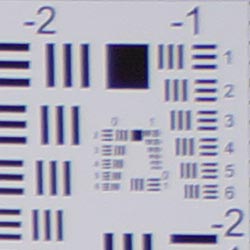
| 18mm@f/3.5: Upper right C.A.: Moderate and a bit bright Softness: Moderate blurring |
18mm@f/3.5: Center C.A.: Slight Softness: Sharp |
 |
 |
| 55mm@f/5.6: Upper right C.A.: Low Softness: Stronger blurring |
55mm@f/5.6: Center C.A.: Very low Softness: Sharp |
Chromatic Aberration. Chromatic aberration in the corners with the NEX-7's 18-55mm kit lens at wide-angle (18mm) and maximum aperture was moderate in terms of the number of pixels, but a little bright, so the effect was noticeable in some shots. At full telephoto (55mm) and maximum aperture, chromatic aberration was less noticeable, with only faint coloration. Color fringing was actually a little more visible at the center of the image, though still quite low.
Corner Softness. Wide-open at full wide-angle, the NEX-7's 18-55mm kit lens was moderately soft in all but the bottom-left corner, and softness did extend pretty far into the frame. The center of the image was sharp with good contrast. At full telephoto, the kit lens was soft in the top corners and actually a little more so than wide-angle, made worse by lower contrast. The bottom corners were also a hint soft, though not as soft as the top. Softness from the left side extended pretty far into the frame, though less so from the right side. Results at center were much sharper.
| Aperture: f/8 | |
 |
 |
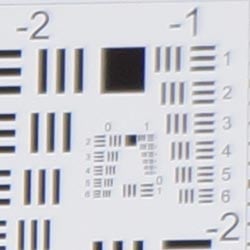
| 18mm@f/8: Upper right C.A.: Moderate but not very bright Softness: Moderate blurring |
18mm@f/8: Center C.A.: Low Softness: Sharp |
 |
 |
| 55mm@f/8: Upper right C.A.: Low Softness: Moderate blurring |
55mm@f/8: Center C.A.: Very low Softness: Sharp |
Chromatic Aberration. With the lens stopped down to f/8, chromatic aberration in the corners at wide-angle (18mm) was moderate in terms of the number of pixels, but pixels weren't bright, so the effect was mild in most shots. At full telephoto (55mm), chromatic aberration was even lower in terms of pixels and brightness.
Corner Softness. Corner sharpness improved at both wide-angle and telephoto at f/8, though some corners were still a bit soft. At wide-angle, the top-right corner was the softest while the other three were fairly sharp. Interestingly, at telephoto, the left corners were fairly sharp, though some blurring occurred a little further in toward center before details sharpened back up. Detail was sharpest at the center of the frame in both images, as expected.
Overall, fair performance for a kit lens.
Lens Corrections
When shooting in JPEG mode, the Sony NEX-7 includes the ability to automatically correct for geometric distortion, chromatic aberration, and lens shading (vignetting), as images are captured. Only E-mount lenses are supported, and RAW files are not corrected.
Geometric Distortion
| Barrel distortion at 18mm is 0.4 percent |
 |
| Pincushion distortion at 55mm is <0.1 percent |
 |
Above, you can see with Distortion Correction enabled (set to Auto), the kit lens shows significantly less distortion (+0.4% at wide-angle, <-0.1% at telephoto) than with it disabled (+1.1% at wide-angle, -0.5% at telephoto). The default setting is Off.
Chromatic Aberration
| CA Correction Auto | CA Correction Off |
|
 |
| 18mm@f/3.5: Upper right C.A.: Moderate, slightly bright |
18mm@f/3.5: Upper right C.A.: Higher and brighter |
|
 |
| 55mm@f/5.6: Upper right C.A.: Low |
55mm@f/5.6: Upper right C.A.: Also low |
Above, you can see a significant increase in CA at wide-angle with CA Correction disabled, though the difference at telephoto is minimal because CA is low at telephoto to begin with. The default setting is Auto.
Lens Shading
 |
|
| 18mm @ f/3.5 | |
| Auto | Off |
Mouse-over the links above to see the difference Lens Shading correction makes at wide-angle when wide-open at f/3.5 (the worst-case scenario for most lenses). The default setting is Auto.
Sony NEX-7 Viewfinder
Viewfinder Test Results
Coverage
Excellent viewfinder accuracy.


The Sony NEX-7's electronic viewfinder and LCD monitor both showed essentially 100% coverage with our reference Sigma 70mm f/2.8 prime lens, which is excellent.
The images above were taken from our standardized test shots. For a collection of more pictorial photos, see our Sony Alpha NEX-7 Photo Gallery .
Exposure
Sony NEX-7 Image Quality
Color
Saturation & Hue Accuracy
Good overall accuracy and saturation, with mostly minor shifts in hue and intensity.
 |
| In the diagram above, the squares show the original color, and the circles show the color that the camera captured. More saturated colors are located toward the periphery of the graph. Hue changes as you travel around the center. Thus, hue-accurate, highly saturated colors appear as lines radiating from the center. Click for a larger image. |
Saturation. Like many cameras, the Sony NEX-7 pushes strong reds, dark blues and some oranges, greens, purples and browns just a little, but undersaturates yellow, light green and cyan tones slightly. The NEX-7's overall color saturation is about average for its class, and the camera allows you to tweak saturation to your liking, or choose a different color mode. Most consumer digital cameras produce color that's more highly saturated (more intense) than found in the original subjects. This is simply because most people like their color a bit brighter than life.
Skin tones. Here, when adjusted for the correct white balance, the Sony NEX-7 did well, producing natural-looking lighter skin tones, though darker skin tones show a slight push toward red-orange. Where oversaturation is most problematic is on Caucasian skin tones, as it's very easy for these "memory colors" to be seen as too bright, too pink, too yellow, etc.
Hue. The Sony NEX-7 did push cyan toward blue, red toward orange, orange toward yellow and yellow toward green, but shifts were relatively minor. (The cyan to blue shift is very common among the digital cameras we test; we think it's a deliberate choice by camera engineers to produce better-looking sky colors.) With an average "delta-C" color error of 5.28 after correction for saturation, overall hue accuracy was slightly better than average for a compact system camera. Hue is "what color" the color is.
Creative Style
The Sony NEX-7 offers 13 preset "Creative Style" options. You can adjust contrast, saturation (except for B&W and Sepia), and sharpness for any of the settings.
| Creative Style Options | ||
 |
||
Mouse over the links above to see the effect of the presets on our Still Life target. Click on a link to load the full resolution image.
Saturation Adjustment
The Sony NEX-7 has a total of seven saturation settings available, three above and three below the default saturation. The fine steps between settings mean you can program the camera to just the level of saturation you prefer, a feature we look for in cameras. Saturation also had little effect on contrast, which is ideal.
| Saturation Adjustment Examples | ||||
 |
 |
 |
 |
 |
| -3 | -1 | 0 | +1 | +3 |
The table above shows results with the seven saturation settings. Click on any thumbnail above, then click again to see the full-sized image.


Sensor
Exposure and White Balance
Indoors, incandescent lighting
Very warm cast with the Auto white balance setting and slightly warm with Incandescent, but good color with the Manual setting. About average amount of positive exposure compensation required.


Indoors, under normal incandescent lighting, color balance was overly warm and orange with the Auto white balance setting and quite disappointing. Results with the Incandescent setting were quite good, though, just slightly warm and yellow. The Manual setting was very accurate, but some may prefer Incandescent because it conveys a touch more of the warmth of the original lighting. The 2,600 Kelvin setting which matches the color temperature of our lights resulted in a slightly cool, bluish image. The Sony NEX-7 required +0.3 EV positive exposure compensation here, which is average for this shot. (Our test lighting for this shot is a mixture of 60 and 100 watt household incandescent bulbs, a pretty yellow light source, but a very common one in typical home settings here in the U.S.)
Outdoors, daylight
Excellent results under harsh lighting, with good handling of contrast, color, and exposure.
Outdoors, the Sony NEX-7 performed very well. +0.3 EV exposure compensation was required to keep the model's face reasonably bright in our "Sunlit" Portrait shot. The average among the cameras we've tested is +0.7 EV, so the NEX-7 performed better than average here. Contrast is somewhat high, as you might expect under such harsh lighting, but the camera does an excellent job of holding onto detail in both the deep shadows and bright highlights, even without the help of Dynamic Range Optimization (DRO was off for these shots). Color balance was quite good, though Auto white balance rendered the model's face a touch warm, so we preferred Manual white balance here. Default exposure was quite good for our Far-field shot as well, again with pretty good detail in the highlights and shadows. The Far-field shot using Auto white balance had very good color. Overall, very good performance in harsh lighting.
See full set of test images with explanations
See thumbnails of all test and gallery images
Resolution
Very high resolution, about 2,750 to 2,850 lines of strong detail.


In camera JPEGs of our laboratory resolution chart revealed sharp, distinct line patterns down to about 2,850 lines per picture height in the horizontal direction, and about 2,750 in the vertical direction (some might argue for over 2,850 lines, but aliasing artifacts begin to interfere before then), with extinction of the pattern occurring between 3,400 and 3,600 lines. Adobe Camera Raw 6.6 showed similar results, perhaps slightly higher vertical resolution, but produced more color moire. Use these numbers to compare with other cameras of similar resolution, or use them to see just what higher resolution can mean in terms of potential detail.
See full set of test images with explanations
See thumbnails of all test and gallery images
Sharpness & Detail
Sharp images with very good detail, but some edge-enhancement artifacts are visible on high-contrast subjects. Low to moderate noise suppression visible in the shadows and areas of low contrast.


Sharpness. The Sony NEX-7 captures sharp images with very good detail overall, though fine detail is somewhat soft at default settings even at base ISO, despite fairly obvious sharpening halos visible around high-contrast subjects such as the larger branches and pine cones in the crop above left (which was shot with a very sharp Carl Zeiss 24-70mm f/2.8 SSM lens at f/8). Fine detail such as the smaller branches and pine needles show minimal edge enhancement, but appear a touch soft and feathery. Remember, though, that we're looking at a 24-megapixel image on screen at 100%, so results here are pretty good. See the bottom of this page for our analysis of printed results. Edge enhancement creates the illusion of sharpness by enhancing colors and tones right at the edge of a rapid transition in color or tone.
Detail. The crop above right shows low to moderate noise suppression in the darkest areas of the model's hair. Some individual strands are smudged together, though quite a few strands are still visible despite the low contrast subject. We saw similar results with fine detail in the pine needles. Still, pretty good results here especially considering the resolution. Noise-suppression systems in digital cameras tend to flatten-out detail in areas of subtle contrast. The effects can often be seen in shots of human hair, where the individual strands are lost and an almost "watercolor" look appears.
RAW vs In-Camera JPEGs
As noted above, the Sony NEX-7 produces sharp in-camera JPEGs, though fine detail is a touch soft and sharpening halos are visible around high-contrast elements. Better detail with fewer sharpening artifacts can often be obtained from carefully processing RAW files with a good RAW converter.
 |
|||
In the table above, mousing over a link at the bottom will load the corresponding crop in the area above, and clicking on the link will load the full resolution image. Examples include (from left to right): an in-camera Fine JPEG, RAW file processed through Sony's Image Data Converter SR version 4.0 software at default settings, the same ARW file converted with dcraw then tweaked and sharpened in Photoshop with unsharp mask of 150%, radius 0.6 pixels, and finally the same file converted with Adobe Camera Raw 6.6 and sharpened equally in Photoshop.
Sony's IDC 4.0 software produces images with slightly stronger sharpening halos around high-contrast subjects, while rendering fine detail softer than the camera's default JPEG processing. We weren't able to extract much more detail by fiddling with IDC's noise reduction and sharpening settings. The dcraw conversion on the other hand showed more fine detail with fewer sharpening artifacts, but also revealed more noise as you'd expect (since it doesn't apply any noise reduction, though the darker sky rendering also makes noise more visible). The Adobe Camera Raw conversion shows similar amounts of detail compared to dcraw, though color and contrast are more similar to the JPEG's, making noise less visible. ACR also applies some subtle default color noise reduction that draw doesn't. Either way, it's clear that using a good RAW converter can render fine detail better than in-camera JPEGs while simultaneously reducing sharpening artifacts, though the camera does a pretty good job.
ISO & Noise Performance
Very good noise performance with the NEX-7's 24-megapixel sensor up to ISO 1,600, though somewhat strong default noise reduction at higher ISOs.
|
Default High ISO Noise Reduction
|
 |
 |
 |
| ISO 100 | ISO 200 | ISO 400 |
 |
 |
 |
| ISO 800 | ISO 1,600 | ISO 3,200 |
 |
 |
 |
| ISO 6,400 | ISO 12,800 | ISO 16,000 |
The Sony NEX-7's images are quite clean and detailed at ISO 100 and 200, and even ISO 400 looks quite good. There are some visible demosaicing errors in the hair above the mannequin's forehead as well as a hint of moire patterns in the jacket at low ISOs, though that's pretty common and not really something to be concerned with. Some noise "grain" is noticeable at ISO 800, as well as a small amount of smudging in lower contrast areas, but the camera did a good job of holding on to fine detail here. There's some stronger smudging of fine detail at ISO 1,600, but the NEX-7 still did very well at this ISO. At ISO 3,200, fine detail more noticeably suffers from higher luminance noise and more aggressive noise reduction, though some detail remains. Chroma noise starts to become more noticeable at ISO 3,200 as well, but it's not too bad. As you might expect, detail disintegrates further ISO 6,400 and especially at 12,800 and 16,000, where chroma noise also becomes much more noticeable. Overall though, these are very good results and noticeably better than the Sony A77 at higher ISOs, which also uses a similar if not identical 24-megapixel CMOS sensor. As always, see the Print Quality section below for maximum recommended print sizes at each ISO.
A note about focus for this shot: We shoot this image at f/4, usually using one of three very sharp reference lenses (70mm Sigma f/2.8 macro for most cameras, 60mm f/2.8 Nikkor macro for Nikon bodies without a drive motor, and Olympus Zuiko 50mm f/2.0 for Four Thirds and Micro Four Thirds bodies). To insure that the hair detail we use for making critical judgements about camera noise processing and detail rendering is in sharp focus at the relatively wide aperture we're shooting at, the focus target at the center of the scene is on a movable stand. This lets us compensate for front- or back-focus by different camera bodies, even those that lack micro-focus adjustments. This does mean, though, that the focus target itself may appear soft or slightly out of focus for bodies that front- or back-focused with the reference lens. We know this; if you click to view the full-size image for one of these shots and notice that the focus target is fuzzy, you don't need to email and tell us. :-) The focus target position will have been adjusted to insure that the rest of the scene is focused properly.
Extremes: Sunlit, dynamic range and low light tests
Very high resolution with good dynamic range. Very good low-light performance, capable of capturing bright images in near darkness.


Sunlight. The Sony NEX-7 handled the deliberately harsh lighting in the test above very well. We preferred the +0.3 EV exposure here, as the mannequin's face was a little dark at default exposure. Contrast is a little high, but highlight detail is actually very good. Despite the apparent brightness, there are very few clipped highlights in the model's face and shirt. There were some pretty deep shadows though, and noise is a little high in the shadows but a lot of fine detail is intact. Overall, pretty good results here. Still, be sure to use fill flash in situations like the one shown above; it's better to shoot in the shade when possible. See below for results with Dynamic Range Optimization and High Dynamic Range features enabled.
Because digital cameras are more like slide film than negative film (in that they tend to have a more limited tonal range), we test them in the harshest situations to see how they handle scenes with bright highlights and dark shadows, as well as what kind of sensitivity they have in low light. The shot above is designed to mimic the very harsh, contrasty effect of direct noonday sunlight, a very tough challenge for most digital cameras. (You can read details of this test here. In actual shooting conditions, be sure to use fill flash in situations like the one shown here; it's better to shoot in open shade whenever possible.)
Dynamic Range Analysis
A key parameter in a digital camera is its Dynamic Range, the range of brightness that can be faithfully recorded. At the upper end of the tonal scale, dynamic range is dictated by the point at which the RGB data "saturates" at values of 255, 255, 255. At the lower end of the tonal scale, dynamic range is determined by the point at which there ceases to be any useful difference between adjacent tonal steps. Note the use of the qualifier "useful" in there: While it's tempting to evaluate dynamic range as the maximum number of tonal steps that can be discerned at all, that measure of dynamic range has very little relevance to real-world photography. What we care about as photographers is how much detail we can pull out of the shadows before image noise becomes too objectionable. This, of course, is a very subjective matter, and will vary with the application and even the subject matter in question. (Noise will be much more visible in subjects with large areas of flat tints and subtle shading than it would in subjects with strong, highly contrasting surface texture.)
What makes most sense then, is to specify useful dynamic range in terms of the point at which image noise reaches some agreed-upon threshold. To this end, Imatest computes a number of different dynamic range measurements, based on a variety of image noise thresholds. The noise thresholds are specified in terms of f-stops of equivalent luminance variation in the final image file, and dynamic range is computed for noise thresholds of 1.0 (low image quality), 0.5 (medium image quality), 0.25 (medium-high image quality) and 0.1 (high image quality). For most photographers and most applications, the noise thresholds of 0.5 and 0.25 f-stops are probably the most relevant to the production of acceptable-quality finished images, but many noise-sensitive shooters will insist on the 0.1 f-stop limit for their most critical work.
 JPEG. The graph at right (click for a larger version) was generated using Imatest's dynamic range analysis for an in-camera Sony NEX-7 JPEG file with a nominally-exposed density step target (Stouffer 4110). At the base ISO of 100 (the optimal ISO) with DRO and HDR settings turned off, the graph shows 11.9 f-stops of total dynamic range, 7.52 f-stops at the "High" Quality level, and fairly gradual roll-offs at both the highlight and shadow ends of the tone curve, though there is a slight discontinuity near the shadow end. These are are pretty good results, especially total dynamic range, though not quite as good as the best APS-C sensors to date. The 7.52 f-stops at the High Quality level is a function of the slightly higher than average noise, a natural result of the higher pixel density compared to 16-megapixel APS-C models. Note though that this measurement has a margin of error of about 1/3 f-stop, so differences of less than 0.33 can be ignored when comparing to other models.
 RAW. The graph at right is from the same Stouffer 4110 stepchart image captured as a RAW (.ARW) file, processed with Adobe Camera Raw using the Auto setting. (Slightly better results are likely possible with manually tweaking, but we weren't able to do much better.) As can be seen, the score at the highest quality level increased from 7.52 to 9.38 f-stops, which is almost a two f-stop improvement, while total dynamic range increased just over one f-stop, to 13 from 11.9. The High Quality results are very good, though not quite as good as the best APS-C sensors we've tested, hampered somewhat by slightly higher noise levels from the NEX-7's denser sensor. (The Nikon D7000 for example scored 10.1 f-stops at the highest quality level, while the Pentax K-5 scored 10.2 f-stops.) It's also worth noting here is that ACR's default noise reduction settings reduced overall noise somewhat (see the plot in the lower left-hand corner) relative to the levels in the in-camera JPEG, which would tend to boost the dynamic range numbers for the higher quality thresholds. Total dynamic range however is excellent, one of the highest scores we've recorded to date.
Contrast Adjustment
We really like it when a camera gives us the ability to adjust contrast and saturation to our liking. It's even better when those adjustments cover a useful range, in steps small enough to allow for precise tweaks. Just as with its saturation adjustment, the Sony NEX-7's contrast setting meets both challenges.
|
Minimum Contrast
|
|
 |
 |
| Contrast set to lowest, 0 EV |
Contrast set to lowest, 0 EV |
At its lowest contrast setting, the NEX-7 did a really excellent job of preserving highlight detail, maintaining natural-looking skin tones, and holding nice detail in the shadows. Overall, very good results here. (This is a really tough shot; the Sony does a much better than average job handling it.)
| Contrast Adjustment Examples | ||||
|
 |
 |
 |
 |
| -3 | -1 | 0 | +1 | +3 |
The table above shows five of the seven contrast settings, including the default and two extremes. It's pretty hard to evaluate small differences in contrast on small thumbnails like these, so click on any thumbnail to go to the full-size image.
Sony's contrast adjustment has very little effect on color saturation, which is always a plus. Contrast and saturation are actually fairly closely coupled, so it's a good trick to be able to vary one with out the other changing as well.


Dynamic Range Optimization is Sony's name for their dynamic range enhancement technology. DRO divides the image into small areas, analyzes the range of brightness of each area, and adjusts the camera's image processing parameters accordingly to make the best use of the available dynamic range. Auto DRO is enabled by default on the Sony NEX-7. You can also set the level manually, from 1 ("weak") to 5 ("strong"), or turn it off. As one would expect, DRO is only available for JPEG files.
The above thumbnails and histograms show the effects of the various levels of DRO on our "Sunlit" Portrait shot with no exposure compensation. Mouse over the links to load the associated thumbnail and histogram, and click on the links to visit the full resolution image. As you can see from the thumbnails and associated histograms, DRO had only a slight effect on the highlights in this shot, though few highlights were clipped to begin with. The bulk of the difference between different levels of DRO is found in the shadows and darker midtones. The stronger the DRO level, the more boost is applied to darker areas. Boosting shadows does reveal more visible noise, but the NEX-7 does a good job at holding on to detail in the shadows, as opposed to blurring it away with strong noise reduction. The default Auto DRO setting did a pretty good job here.

Above, you can see the effect of DRO settings on our Far-field shot. The default Auto setting produced a good exposure overall, despite the harsh lighting.

High Dynamic Range. The Sony NEX-7's HDR mode takes three images in rapid succession, one nominally exposed, one underexposed, and one overexposed, then combines them into one high dynamic range JPEG automatically. Lighter areas from the underexposed image are combined in-camera with darker areas from the overexposed image to produce an image with increased dynamic range. The camera then saves a single composite image, as well as the nominally exposed image. The overlaid images are micro-aligned by the camera, but it can only correct for so much movement. If it can't micro-align successfully, an icon indicating HDR capture failed will appear. For best results, the subject should not move or blink, so it's not really intended for portraits. There is also a manual mode where you can select 1 EV ("weak") to 6 EV ("strong") difference in exposures.
Mouse over the links to load the associated thumbnail and histogram, and click on the links to visit the full resolution image. As you can see, the highest settings produce images that looked flat and unnatural with this scene, however Auto and the lower manual settings did a pretty good job at boosting shadows. reducing highlights, while still retaining enough contrast.

Above, you can see the effect of HDR settings on our Far-field shot. As mentioned above, merging multiple images to generate a composite HDR image is really meant for completely static images. Here, you can see some ghosting in the flag, leaves, people, etc., caused by motion between the captures, so watch out for that when using this feature.
| 1 fc 11 lux |
1/2 fc 5.5 lux |
1/4 fc 2.7 lux |
1/8 fc 1.3 lux |
1/16 fc 0.67 lux |
1/16fc No NR |
|
|---|---|---|---|---|---|---|
| ISO 100 |
 1.6 s f2.8 |
 3.2 s f2.8 |
 6 s f2.8 |
 13 s f2.8 |
 25 s f2.8 |
 25 s f2.8 |
| ISO 200 |
 0.8 s f2.8 |
 1.6 s f2.8 |
 3.2 s f2.8 |
 6 s f2.8 |
 13 s f2.8 |
 13 s f2.8 |
| ISO 400 |
 0.4 s f2.8 |
 0.8 s f2.8 |
 1.6 s f2.8 |
 3.2 s f2.8 |
 6 s f2.8 |
 6 s f2.8 |
| ISO 800 |
 1/5 s f2.8 |
 0.4 s f2.8 |
 0.8 s f2.8 |
 1.6 s f2.8 |
 3.2 s f2.8 |
 3.2 s f2.8 |
| ISO 1600 |
 1/10 s f2.8 |
 1/5 s f2.8 |
 0.4 s f2.8 |
 0.8 s f2.8 |
 1.6 s f2.8 |
 1.6 s f2.8 |
| ISO 3200 |
 1/20 s f2.8 |
 1/10 s f2.8 |
 1/5 s f2.8 |
 0.4 s f2.8 |
 0.8 s f2.8 |
 0.8 s f2.8 |
| ISO 6400 |
 1/40 s f2.8 |
 1/20 s f2.8 |
 1/10 s f2.8 |
 1/5 s f2.8 |
 0.4 s f2.8 |
 0.4 s f2.8 |
| ISO 12800 |
 1/80 s f2.8 |
 1/40 s f2.8 |
 1/20 s f2.8 |
 1/10 s f2.8 |
 1/5 s f2.8 |
 1/5 s f2.8 |
| ISO 16000 |
 1/100 s f2.8 |
 1/50 s f2.8 |
 1/25 s f2.8 |
 1/13 s f2.8 |
 1/6 s f2.8 |
 1/6 s f2.8 |
Low Light. The Sony NEX-7 performed well in our low light test, producing bright images down to the lowest light level we test at (1/16 fc) at all ISO settings. The NEX-7's metering system struggled a bit at very low light levels though, so we used manual exposure for these shots as we often need to do. Noise is very well controlled up to ISO 1600, though as expected, at higher ISOs there are moderate to high amounts of fine luminance noise and some blotchy chroma noise. Auto white balance did a very good job here, producing a fairly neutral, just slightly cool color balance at all ISOs and light levels. There were a few bright pixels at higher ISOs and lower light levels, and some minor horizontal banding visible at very high ISOs, but that's not uncommon.
The camera's autofocus system was able to focus on the subject down to just below the 1/4 foot-candle light level unassisted with the Sony Zeiss 24-70mm f/2.8 lens, and AF assist isn't supported when using the A-mount lens adapter. With the E 18-55mm f/3.5 kit lens, the camera focused down to a slightly lower light level without AF assist despite the "slower" (dimmer) lens, and in complete darkness with AF assist enabled.
How bright is this? The one foot-candle light level that this test begins at roughly corresponds to the brightness of typical city street-lighting at night. Cameras performing well at that level should be able to snap good-looking photos of street-lit scenes.
NOTE: This low light test is conducted with a stationary subject, and the camera mounted on a sturdy tripod. Most digital cameras will fail miserably when faced with a moving subject in dim lighting. (For example, a child's ballet recital or a holiday pageant in a gymnasium.) Thanks to their larger sensors, compact system cameras like the Sony NEX-7 tend to do better than point & shoots, but you still shouldn't expect a quick autofocus lock with moving subjects. (A useful trick is to just prop the camera on a convenient surface, and use its self-timer to release the shutter. This avoids any jiggling from your finger pressing the shutter button, and can work quite well when you don't have a tripod handy.)
Output Quality
Print Quality
Astonishing print quality, with surprisingly good prints as large as 30 x 40 inches.
 ISO 100 shots look quite good at 30 x 40, with razor sharp detail and good color.
ISO 200 shots also look good at 30 x 40, with only a slight bit of softening here and there that is difficult to see.
ISO 400 images are quite good at 24 x 36, and tack sharp at 20 x 30.
ISO 800 shots look good at 20 x 30 inches.
ISO 1600 shots are usable at 20 x 30, but look better at 16 x 20.
ISO 3,200 shots look good at 13 x 19, with only minor softening in the red channel. Noise in the shadows looks overly blurred thanks to the camera's default efforts to reduce noise.
ISO 6,400 images are a little too soft at 11 x 14, particularly in the red channel, but in enough other areas that they look better printed at 8 x 10.
ISO 12,800 images are soft and fuzzy at 8 x 10, but look remarkably good at 5 x 7.
ISO 16,000 shots are good, but shadow areas look strangely blurry. 4 x 6-inch prints look pretty good though.
Astonishingly good printed performance from the Sony NEX-7. Just amazingly big prints with truly sharp detail. It doesn't quite achieve the heights of the considerably more expensive Nikon D3X, but it does well enough that we're not complaining for less than a third the price. As we noted with its sibling the A77, with the Sony NEX-7, if you're in a hurry, just grab a shot at wide angle, and then go back to crop out whatever your subject was later: One way of thinking of it is that you can "digitally zoom" after the fact up to 4x or more, and still have adequate detail to make a nice-looking 8x10 print. Really exceptional.
Testing hundreds of digital cameras, we've found that you can only tell just so much about a camera's image quality by viewing its images on-screen. Ultimately, there's no substitute for printing a lot of images and examining them closely. For this reason, we now routinely print sample images from the cameras we test on our Canon Pro9000 Mark II studio printer, and the Canon Pixma MP610 here in the office. (See the Canon Pixma Pro9000 Mark II review for details on that model.)
The images above were taken from our standardized test shots. For a collection of more pictorial photos, see our Sony Alpha NEX-7 Photo Gallery .
Not sure which camera to buy? Let your eyes be the ultimate judge! Visit our Comparometer(tm) to compare images from the Sony Alpha NEX-7 with those from other cameras you may be considering. The proof is in the pictures, so let your own eyes decide which you like best!
Performance
Sony NEX-7 Performance
Timing and Performance
Generally good to excellent performance in our tests.
| Startup/Shutdown |
||
| Power on |
~1.2 seconds
|
Time it takes to turn on and capture a shot. |
| Shutdown |
~0 to 8.0 seconds
|
How long it takes camera to turn off before you can remove the memory card. |
|
Buffer clearing time
|
10 seconds after 21 Large/Fine JPEGs*
|
Worst case buffer clearing time. -- This is the delay after a set of shots before you can remove the card.
|
|
17 seconds after 18 Large/Fine JPEGs, Speed Priority mode*
|
||
|
20 seconds after 17 RAW files*
|
||
|
25 seconds after 14 RAW+ L/F JPEG files*
|
||
|
*Note: Buffer clearing times measured with a SanDisk Extreme Pro 45MB/sec UHS-I SDHC card. Slower cards will produce correspondingly slower clearing times. Slow cards may also limit length of bursts in continuous mode. ISO sensitivity and noise reduction settings can also affect cycle times and burst mode performance.
|
||
Startup time was much slower than an SLR, but reasonable for a CSC. Shutdown was sometimes instantaneous, but other times took up to 8 seconds even with an empty buffer, which is a little odd. Buffer clearing times were a little slow, but not a surprise given the large files. The Sony NEX-7 isn't UHS-I compliant, so a faster UHS-I card won't likely help.
| Mode Switching | ||
|---|---|---|
| Play to Record, |
~1.2 seconds
|
Time until first shot is captured. |
| Record to Play |
~1.7 seconds
|
Time to display a large/fine JPEG file immediately after capture. |
| Display |
~0.4 second
|
Time to display a large/fine JPEG file already on the memory card. |
Mode switching performance was a little sluggish, though displaying a recorded image is pretty fast.
| Shutter Response (Lag Time) | ||
|---|---|---|
|
Full Autofocus,
Single-area AF mode |
0.223 second
|
Time from fully pressing shutter button to image capture, with the lens already at the proper focal distance setting. (AF timing performed with the Sony E18-55mm kit lens.)
|
|
Full Autofocus,
Multi-area AF mode |
0.225 second
|
Time from fully pressing shutter button to image capture, with the lens already at the proper focal distance setting.
|
|
Full Autofocus,
Single-area AF mode Auto Flash Enabled |
0.402 second
|
Time from fully pressing shutter button to image capture, with the lens already at the proper focal distance setting, TTL Auto flash enabled. |
|
Continuous AF |
0.323 second
|
This mode usually shows no speed increase with our static subject; we have no way to measure performance with moving subjects. |
|
Manual Focus |
0.073 second
|
For most cameras, shutter lag is less in manual focus than autofocus, but usually not as fast as when the camera is "prefocused". |
|
Prefocused |
0.022 second
|
Time to capture, after half-pressing and holding shutter button. |
Looking at the Sony NEX-7's ability to determine that it's properly focused when shooting the same target multiple times, its autofocus speed is very fast for it class. The Sony NEX-7's full-autofocus shutter lag (with the subject at a fixed distance) was only 0.223 second in Single-area AF mode. This increased slightly to 0.225 second in Multi-area AF mode. That's much faster than the average CSC, and competitive with digital SLRs.
With the flash enabled, the NEX-7's full AF shutter lag increased to 0.402s, to account for the preflash metering. Shutter lag was 0.323 second in continuous AF mode. When manually focused, the Sony NEX-7's lag time dropped to 0.073 second, which is quite fast. The Sony NEX-7's prefocused lag time was only 0.022 second thanks to its electronic first curtain shutter (enabled by default). That's easily the fastest interchangeable lens camera we've tested (other than the NEX-5N which had the same lag), including professional DSLRs.
To minimize the effect of different lens' focusing speed, we test AF-active shutter lag with the lens already set to the correct focal distance.
| Cycle Time (shot to shot) | ||
|---|---|---|
| Single Shot mode |
0.59 second
|
Time per shot, averaged over 20+ shots*. |
|
Single Shot mode |
0.65 second
|
Time per shot, averaged over 5 shots*. |
|
Single Shot mode
RAW + L/F JPEG |
0.69 second
|
Time per shot, averaged over 5 shots*. |
| Early shutter |
No
|
Some cameras don't snap another shot if you release and press the shutter too quickly in Single Shot mode, making "No" the preferred answer. |
|
Continuous mode |
0.29 second (3.49 frames per second);
20+ frames total; 10 seconds to clear* |
Time per shot, averaged over 21 shots, with no signs of slowing. |
| Continuous mode |
0.31 second (3.21 frames per second);
17 frames total; 20 seconds to clear* |
Time per shot, averaged over buffer length of 17 frames, then slows to an average of about 1.43s or 0.70 fps when buffer is full. |
|
Continuous mode |
0.28 second (3.51 frames per second);
14 frames total; 25 seconds to clear* |
Time per shot, averaged over buffer length of 14 frames, then slows to 2.07s or 0.48 fps when buffer is full. |
|
Speed Priority Continuous mode |
0.10 second (10.00 frames per second);
18 frames total; 17 seconds to clear* |
Time per shot, averaged over buffer length of 18 shots. |
| Flash Recycling |
1.8 seconds
|
Flash at maximum output. |
|
*Note: Buffer clearing times measured with a SanDisk Extreme Pro 45MB/sec UHS-I SDHC card. Slower cards will produce correspondingly slower clearing times. Slow cards may also limit length of bursts in continuous mode. ISO sensitivity and noise reduction settings can also affect cycle times and burst mode performance.
|
||
Single-shot cycle times were not bad with Large/Fine JPEGs at 0.61 second, 0.65 second when shooting RAW files, and 0.69 second when shooting RAW + Large/Fine JPEG files. Standard continuous mode performance was about average ranging from 3.2 to 3.5 frames per second depending on the file type, but Speed Priority Continuous mode was outstanding at 10 frames per second, though autofocus and exposure are fixed at the first frame of a burst in that mode.
Buffer depths were quite good, at over 20 frames large/fine JPEGs, 17 for RAW and 14 for RAW+Large/Fine JPEGs in standard continuous mode. In Speed Priority mode with Large/Fine JPEGs, buffer depth was still very good at 18 frames. Note, though, that our target for this test was designed to be difficult to compress, so JPEG burst lengths should be longer with typical subjects.
The flash was able to recycle from a full discharge in 1.8 seconds which is quite fast, though it's a small and relatively weak flash.
| Download Speed | ||
|---|---|---|
| Windows Computer, USB 2.0 |
12,184 KBytes/sec
|
Typical Values: |
Download speeds were very fast, quick enough that you won't feel the need for a separate card reader, even with large memory cards. (Note that this test was performed with a SanDisk Extreme Pro 45MB/sec UHS-I SDHC card: Slower cards would likely show slower transfer times.)
Bottom line, the Sony NEX-7's performance was generally excellent for a Compact System Camera. Autofocus is on par with most SLRs, prefocused shutter lag is faster than any SLR we've ever tested, and Speed Priority burst mode was faster than most professional SLRs (though the NEX-7 won't track focus or adjust exposure in that mode). Buffer depths are also quite good despite the large files, though buffer clearing is understandably a little slow. Startup and mode switching were a little sluggish when compared to most SLRs, though, and frame rate in standard continuous mode wasn't impressive.
Battery Life
Very good battery life for a Compact System Camera.
| Operating Mode | Battery Life |
|---|---|
|
Still Capture,
(CIPA standard, LCD Monitor) |
430 shots
|
|
Still Capture,
(CIPA standard, EVF) |
350 shots
|
The Sony NEX-7 uses a custom rechargeable lithium-ion battery pack for power, and comes with both a single battery and charger. The battery is rated for 430 shots per charge when using the LCD monitor, and 350 shots when using the electronic viewfinder, according to the CIPA standard which includes 50% flash shots with built-in flash. Battery life is above average for a CSC, but we do recommend getting a second battery for your NEX-7 if you plan any extended outings or shoot a lot of video.
The table above shows the number of shots the camera is capable of (on a fully-charged rechargeable battery), based on CIPA battery-life and/or manufacturer standard test conditions.
(Interested readers can find an English translation of the CIPA DC-002 standards document here. (180K PDF document))
Video
Check out the links below for more sample images, videos and image quality analysis:
- Sony Alpha NEX-7 Optics page (Crops from images shot with the camera's kit lens, if sold as a kit)
- Sony Alpha NEX-7 Sample Images page (Index to all standard test shots, with explanations)
- Sony Alpha NEX-7 Thumbnails page (Thumbnails of all shots, including RAWs, with EXIF data)
- Sony Alpha NEX-7 Gallery page (Regular photos taken with the Sony Alpha NEX-7)
Sony NEX-7 Video Recording
High-definition video capture has become a must-have feature in this year's interchangeable-lens cameras, and essentially all the major manufacturers now provide some form of video capture in their compact system cameras. Being positioned as Sony's flagship compact system camera, the Sony NEX-7 includes some more advanced features including full manual exposure control and standard external microphone support, along with consumer-friendly options such as full-time autofocus, and a wind noise filter.
Although it does lack audio levels control, fine-grained control over framerates, and lower-res 720p high-def capture mode that are sometimes found on competing models, the NEX-7 otherwise provides an unusually richly-featured video feature set.
Sony NEX-7 Basic Video Specs
- 1,920 x 1,080 (Full HD), 1,440 x 1,080 (Anamorphic HD) and 640 x 480 (VGA) recording
- MPEG-4 AVC / H.264 compression, either High Profile (AVCHD) for Full HD, or Main Profile for lower-res video
- AVCHD recorded at 60p, 60i or 24p on NTSC models; 50p, 50i or 25p on PAL models
- MPEG-4 1,440 x 1,080 recorded at 30p on NTSC models, 25p on PAL models; VGA is 30p regardless of region
- Autofocus functions during movie recording, with any NEX-series lenses
- Essentially silent autofocus and aperture operation on NEX-series lenses
- Auto, shutter/aperture-priority or full manual exposure, set before or during recording
- EV adjustment is available in all auto and semi-auto recording modes
- Stereo audio recording via built-in microphones or via a standard external mic jack on the left side of the camera body
- Compatible with a wide range of Sony Alpha-mount lenses, via an accessory adapter (Depending on adapter and lens in use, autofocus may be possible, but is likely to produce audible noise and perhaps untoward focus changes in captured video.)
- Some scene modes carry over into video recording, adjusting parameters for color and tone to match specific subject types
Sony NEX-7 Video: Image Size, Frame Rate, and Encoding
The Sony NEX-7 records at three different video resolutions, with a choice of three frame rates and two quality levels at the higher resolution. Full HD (1,920 x 1,080 pixel) movies are recorded in AVCHD format, while lower resolutions are also recorded with MPEG-4 compression, but using the Main rather than High profile setting. Unless audio capture is disabled, AVCHD movies include Dolby Digital (AC-3) stereo audio, while MPEG-4 movies include AAC-LC stereo audio. No spec is provided for the sampling rate of the audio tracks, though video players report 48 kHz at either 256 kbps for AVCHD clips, or 128 kbps for standard MPEG-4 clips.
The table below shows the specs for various video recording options.
|
Sony NEX-7 Video Options
|
||
|---|---|---|
|
AVCHD Format (MPEG-4 AVC/H.264 High Profile, .MTS files)
|
||
|
Resolution |
Frame Rate
|
Average Bit Rate
|
1,920 x 1,080 |
NTSC: 60 fps (progressive) |
28 Mbps |
NTSC: 60 fps (interlaced) |
24 Mbps |
|
17 Mbps |
||
NTSC: 24 fps (progressive) |
24 Mbps |
|
17 Mbps |
||
MPEG-4 Format (MPEG-4 AVC/H.264 Main Profile, .MP4 files) |
||
|
1,440 x 1,080 |
NTSC: 30 fps (progressive) |
12 Mbps
|
|
640 x 480 |
30 fps (progressive) |
3 Mbps
|
As noted above, the Sony NEX-7 offers two video recording formats, although the choice of format is made for you, depending on whether you're shooting at Full HD, or a lower resolution. The NEX-7's Full HD video is recorded using the newer AVCHD format, which is based upon MPEG-4 AVC / H.264 High Profile compression. At 1,440 x 1,080 pixels or below, the NEX-7 still uses MPEG-4 AVC / H.264 compression, but abiding by the Main Profile type. Note that 1,440 x 1,080 mode uses rectangular pixels (1.33:1), so movies are 16:9 aspect ratio. Compared to AVCHD, the vanilla MPEG-4 files are a bit less efficient in their use of memory card space for a given image quality level, but are more widely supported, and seem to be a bit easier for older computers to read. Continuous movie recording is limited to approximately 29 minutes regardless of file format, and maximum MP4 movie file size is 2GB. Sony recommends use of at least a Class 4 Secure Digital card, or a Memory Stick Pro Duo Mark 2 / Memory Stick PRO-HG Duo card to avoid issues with write speeds during video capture.
Here are some examples of video shot with our sample of the Sony NEX-7:
|
Sony NEX-7: Video Samples
|
|
|---|---|
 |
|
 |
 |
 |
 |
 |
|
 |
|
 |
 |
 |
 |
Sony NEX-7 Video-Mode Focusing
As with previous NEX-series cameras, consumer videographers will appreciate the Sony NEX-7's live autofocus during recording. Although pros and many advanced amateurs can "pull focus" (adjust the focus manually) while filming video, and indeed may well prefer to do so, considering focus to be another means of expressing their artistic vision, it's very much a learned skill, and something few people ever manage to do really well. Without live AF, consumers for the most part are reduced to only shooting subjects at a constant distance from the camera, or to having to settle for a lot of poorly-focused video. A lot of video-capable interchangeable-lens cameras are sold to consumers these days, and while having some video capability is certainly better than none, for most consumers to make full use of a video-capable camera it really needs to be able to focus on the fly.
With the NEX series, Sony's engineers had video recording in mind from the earliest stages of development. E-mount lenses use low-mass focusing elements and high-speed stepper motors to give the rapid response required for live contrast-detect focusing during video recording. (They also employ a continuously-variable aperture mechanism, to provide stepless exposure control, another key issue for video recording.)The result is a fairly competent autofocus system that should meet the demands of most consumers, especially considering the NEX-7's affordable pricing.
Sony NEX-7 Video Exposure Control
|
Sony NEX-7: Aperture Control / Depth-of-Field
|
|---|
|
Aperture control, adjusted from f/5.6 to f/32 during video capture |
 |
The Sony NEX-7 lets you record movies directly from any of its still-image exposure modes, including aperture-priority, shutter-priority, and full manual exposure modes, and unlike many competitors, it does actually provide direct control over the shutter speed, aperture, ISO, and exposure compensation settings for video recording, as appropriate to the current exposure mode. Perhaps even more unusually, it also provides these controls not only before capture starts, but actually during capture.
There are, of course, some provisos. The ISO sensitivity range is reduced to ISO 100 to 3,200 equivalents during video capture, and Auto ISO isn't available in Manual mode. The slowest available shutter speed is 1/4 second, and if a shutter speed below the video framerate is selected, this obviously has an effect on the perceived frame rate. (The actual video frame rate isn't reduced to match the shutter speed, however.) It's also worth noting that while Program Shift is available for still imaging, it isn't applicable to video capture. Also, with the built-in microphone, handling noise is clearly audible when changing any of these exposure variables, and they do cause clear shifts in image brightness if adjusted during capture. Still, the ability to quickly make adjustments to exposure settings without first having to stop video recording is pretty cool, and any unwanted portions can always be edited out of the video in post-processing, should handling noise or exposure level changes prove too objectionable.
White balance settings also carry over to video mode, as do the tone/color aspects of the camera's various scene modes.
Sony NEX-7 Movie-Mode Image Stabilization
Sony's unique among camera manufacturers, in having both body-based and lens-based image stabilization technology in their product lines. In the case of the NEX-7, image stabilization happens in the lens, so its availability will be a function of the particular lens used. Among the company's E-mount lens lineup, all of the zoom lenses offer nearly silent lens-based IS. Among the primes, only the 50mm lens offers stabilization. Using the 18-55mm kit lens, even in extremely quiet scenes, we were unable to hear any trace of the IS system in the NEX-7's captured sound track.
Sony NEX-7 Video: Audio recording

External Mic. The Sony NEX-7 can accept a standard external microphone straight out of the box, where past NEX-series models could accept only an optional, proprietary external stereo mic accessory.
Sony's only published spec for the NEX-7's audio recording capability simply says "MPEG-4 AAC", so we don't officially know the sampling rate or number of bits of A/D resolution employed, although third-party MPEG players suggest a 48 KHz sample rate at either 256 kbps for AVCHD clips, or 128 kbps for MPEG-4 clips. Audio recorded with the camera's internal mic sounded exceptionally clear, but we do no tests to measure frequency response or sensitivity, so can't comment quantitatively. We noticed almost no audible hiss in audio tracks recorded with the in-camera mic, even in very quiet environments, where competing models often introduce a noticeable level of hiss. The camera's auto-gain system also did a good job of adjusting sensitivity as sound levels got louder or softer, with no evident "breathing" in transitions from high to low sound levels.
As noted above, the AF and iris-control systems on the 18-55mm kit lens were effectively silent, in that their operation couldn't be heard on the audio track, even with no background noise. Zooming the lens could produce audible noise, as could changing our handhold on the camera or using the physical controls, but these issues could likely be mitigated significantly with the external mic accessory.
As with most of its competitors, the Sony NEX-7 doesn't have any provision for manual audio level control, whether working from the internal or optional external mic. While we don't think this will be an issue for most potential NEX-7's buyers, it's perhaps something of a shame given the exceptional level of control elsewhere. It is, however, possible to disable audio capture altogether, and there's also an optional Wind Cut filter function.
Sony NEX-7 Movie Recording/Playback User Interface
The Sony NEX-7 makes movie recording very easy, as you can initiate it at any time, regardless of the mode-dial setting: Simply press the prominent Movie Record button with the red dot at its center at the top of the camera's rear panel, and the camera will start recording video.
Normally, this is where we'd list the Movie-mode menu items, but the NEX-7 has no separate movie menu. In fact, the only menu items exclusively related to video recording are the choice of file format (AVCHD or MP4), image size (1,920 x 1,080, 1,440 x 1,080, or 640 x 480 pixels), and frame rate / compression level (if recording at the higher resolution), as well as options to disable audio recording, and to enable the wind cut filter.
Playback mode on the Sony NEX-7 is decidedly odd; actually a little more so even than past NEX-series models. The NEX-7's playback is an either/or proposition, relative to stills and videos, and relative to the two video formats: If you've just shot a video and press the playback button, you'll see only movies of the same type last recorded that are stored on the card; not the still images. Likewise, if you've just shot a still image, you'll only see other stills when you hit the playback button. To switch between still, AVCHD, and MPEG-4 modes, you're expected to either navigate to an option on the Playback menu, or drop into thumbnail view and scroll over to the left, to select the correct tab on that screen. Alternatively, you can simply grab a throwaway exposure of the type you want to view, something we actually found much more convenient than either of the designers' intended methods. The playback mode works similarly on all of Sony's NEX-series models, although previously there was only one video format, and so there were only two disparate playback modes previously. Although we're now very familiar with this somewhat infuriating design, it initially caused us quite some consternation. We can only imagine the dismay many new NEX-series users must experience (if only until they read the manual), when they think their once-in-a-lifetime photos disappeared after they decided to try shooting a video.
We continue to mourn the absence of a playback option that's become increasingly common on video-capable cameras; namely the "trim" function. Whenever you record a short video clip, it's almost inevitable that you'll start earlier and keep recording longer than the action you're interested in. (If you don't do this, you're almost certainly going to miss action you're interested in.) While "padding" like this is important and necessary, we like to keep our videos concise by trimming away the extraneous material at the beginning or end of the clip after they're recorded. Many cameras support doing this in-camera these days, but the NEX-7 does not. You can certainly still import the video clips to your computer and do the trimming there, but for consumers, that's awfully cumbersome.
Rolling Shutter Artifacts ("Jello Effect")
|
Sony NEX-7: Rolling Shutter Artifacts
|
|
|---|---|
 |
|
 |
|
Essentially every video capable digital SLR/CSC currently on the market exhibits some level of motion-related distortion called rolling shutter artifacts. These are caused because the image data is captured and then read off the chip sequentially by rows, rather than each frame's data being captured all at once. In the case of the Sony NEX-7, this means that image data for the last row of a given frame is captured and read out anywhere from 1/24th to 1/60th second after the data for the top row was captured. The effect on moving objects is like that of a focal plane shutter in an SLR, but more pronounced, because the video frame is read out much more slowly than the slit of a focal plane shutter moves across the sensor.
For a camera that scans video frames vertically (as all do that we're aware of), rolling shutter artifacts will be most noticeable for subjects that are moving rapidly side to side, or when the camera itself is being panned horizontally. Verticals in the scene will appear tilted to the right or left, depending on the direction of camera motion. As an example, consider the case of a camera being panned from left to right, with a flagpole or other vertical object in the middle of the scene when recording for a particular frame begins: If the top of the object was centered horizontally when the first line of the video frame is acquired, by the time the last line of the frame has been captured, the bottom of the object will have shifted to somewhere left of center: As a result, the vertical object would appear to be leaning to the right.
Computer Requirements for Viewing HD Video
A typical computer these days has little trouble dealing with still images, but high-definition video can be another matter. Depending on the file format involved, it can take a pretty beefy computer to handle HD-resolution video playback without stuttering or dropping frames. The AVCHD image compression used by the Sony NEX-7 is one of the more compute-intensive formats, and its high maximum resolution of 1,920 x 1,080 pixels resolution means there's a lot of data in each frame to deal with. The net result is that you'll need a reasonably recent computer to play the NEX-7's Full HD video files smoothly, and will want a pretty powerful machine for Full HD video editing.
You can of course view your movies on a high definition TV via the HDMI output. If you're still on a standard-def TV, though, you're out of luck, as the NEX-7 doesn't offer any form of standard-def video output connectivity.
Flash
Sony NEX-7 Flash
Flash Test Results
Coverage and Range
A weak flash with narrow coverage at wide-angle. EV compensation had little to no effect on flash exposures, so our standard shot is a bit dark.


Coverage. Flash coverage was quite uneven at wide-angle (18mm), leaving very dark corners in our flash coverage test image. Narrow coverage at wide-angle isn't unusual, though, and some of the corner darkening is likely from the lens itself. Coverage was much more uniform at telephoto (55mm), though exposure is much darker.
Exposure. Our Indoor Portrait test scene was dim even with +1.0 EV flash exposure compensation at ISO 100, and adjusting the flash exposure compensation had little to no effect on brightness here. That's no surprise given the size of the flash, though. We'd recommend boosting ISO to help with the flash's range for scenes like this (or using an external flash). The camera's Slow-Sync flash mode produced a much brighter image at the default setting, though with a stronger orange cast from the room lighting from the longer exposure.
| Flash Range: Wide Angle | |||||
|---|---|---|---|---|---|
| 6 ft | 7 ft | 8 ft | 9 ft | 10 ft | 11 ft |
 1/60 sec f3.5 ISO 100 |
 1/60 sec f3.5 ISO 100 |
 1/60 sec f3.5 ISO 100 |
 1/60 sec f3.5 ISO 100 |
 1/60 sec f3.5 ISO 100 |
 1/60 sec f3.5 ISO 100 |
| 12 ft | 13 ft | 14 ft | 15 ft | 16 ft | |
 1/60 sec f3.5 ISO 100 |
 1/60 sec f3.5 ISO 100 |
 1/60 sec f3.5 ISO 100 |
 1/60 sec f3.5 ISO 100 |
 1/60 sec f3.5 ISO 100 |
|
| Flash Range: Telephoto | |||||
|---|---|---|---|---|---|
| 6 ft | 7 ft | 8 ft | 9 ft | 10 ft | 11 ft |
 1/60 sec f5.6 ISO 100 |
 1/60 sec f5.6 ISO 100 |
 1/60 sec f5.6 ISO 100 |
 1/60 sec f5.6 ISO 100 |
 1/60 sec f5.6 ISO 100 |
 1/60 sec f5.6 ISO 100 |
| 12 ft | 13 ft | 14 ft | 15 ft | 16 ft | |
 1/60 sec f5.6 ISO 100 |
 1/60 sec f5.6 ISO 100 |
 1/60 sec f5.6 ISO 100 |
 1/60 sec f5.6 ISO 100 |
 1/60 sec f5.6 ISO 100 |
|
ISO 100 Range. With the 18-55mm kit lens, flash exposure started out bright at 6 feet at wide-angle and slowly decreased in brightness out to 16 feet. We'd say the usable range is 7 to 8 feet. At full telephoto, flash exposure was already a little dark at 6 feet, and only continued to decrease in brightness from that point on.
| Manufacturer-Specified Flash Range | |
|---|---|
| Wide Angle | Telephoto |
 5.6 feet ISO 100 |
 3.6 feet ISO 100 |
Manufacturer Specified Flash Test. The Sony NEX-7's built in flash is rated with a Guide Number of 6m at ISO 100. In the shots above, the NEX-7 performs as Sony says it will, producing bright exposures at the rated distances with its ISO set to 100 at both wide-angle and telephoto. Our standard test method for flash range uses a fixed setting of ISO 100, to provide a fair basis of comparison between cameras. We've now also begun shooting two shots using the manufacturer-specified camera settings, at the range the company claims for the camera, to assess the validity of the
High ISO Noise Reduction
Sony NEX-7 High ISO Noise Reduction
The Sony NEX-7 offers three high ISO noise reduction settings: Low, Normal and High, with Normal being the default. The NEX-7 user manual does not say at what ISO noise reduction kicks in, so we've included crops starting from the base ISO of 100.
See for yourself how the three levels of noise reduction works under daylight-balanced lighting. Click on any of the crops below to see the corresponding full-sized image.
| High ISO Noise Reduction Comparison Daylight-balanced illumination |
|||
|
Low
|
Normal
|
High
|
|
| I S O 1 0 0 |
 |
 |
 |
 |
 |
 |
|
 |
 |
 |
|
|
Low
|
Normal
|
High
|
|
| I S O 2 0 0 |
 |
 |
 |
 |
 |
 |
|
 |
 |
 |
|
|
Low
|
Normal
|
High
|
|
| I S O 4 0 0 |
 |
 |
 |
 |
 |
 |
|
 |
 |
 |
|
|
Low
|
Normal
|
High
|
|
| I S O 8 0 0 |
 |
 |
 |
 |
 |
 |
|
 |
 |
 |
|
|
Low
|
Normal
|
High
|
|
| I S O 1 6 0 0 |
 |
 |
 |
 |
 |
 |
|
 |
 |
 |
|
|
Low
|
Normal
|
High
|
|
| I S O 3 2 0 0 |
 |
 |
 |
 |
 |
 |
|
 |
 |
 |
|
|
Low
|
Normal
|
High
|
|
| I S O 6 4 0 0 |
 |
 |
 |
 |
 |
 |
|
 |
 |
 |
|
|
Low
|
Normal
|
High
|
|
| I S O 1 2 8 0 0 |
 |
 |
 |
 |
 |
 |
|
 |
 |
 |
|
|
Low
|
Normal
|
High
|
|
| I S O 1 6 0 0 0 |
 |
 |
 |
 |
 |
 |
|
 |
 |
 |
|
It's a little difficult to tell from these crops, but it appears that the NEX-7 already applies "High ISO Noise Reduction" at the base ISO, as there are subtle differences in fine detail between the settings already at ISO 100. It starts to become more obvious at ISO 800 and above.
RAW Files
Sony NEX-7 RAW Comparison
We often look at RAW files converted with dcraw, an excellent freeware raw converter. dcraw usually offers timely support for the latest cameras, but more importantly, it does not apply any noise-reduction, sharpening or other corrections such as geometric distortion correction to the output files. (We found that Adobe Camera Raw still applies some limited noise-reduction when its NR settings are set to zero, and it also applies other corrections depending on the make and model of the camera). There will always be differences between RAW converters, in terms of the sort of de-mosaicing algorithms they use (the processes by which they convert the separate Red, Green, and Blue data sets to an array of full-color RGB pixels), but dcraw seems to use a fairly generic algorithm that delivers good sharpness with relatively few artifacts, and can be counted on to not apply any noise reduction if you don't want it to. (That said, looking at the ISO 6,400 and above examples below, it's clear that dcraw's de-mosaicing approach does have some tendency to produce rectilinear artifacts in response to high noise levels.)
See crops below to compare the NEX-7's RAW image quality to some leading SLT/SLRs: the Sony A77, Canon 60D and Nikon D3X.
| RAW Comparison with Sony A77, Canon 60D and Nikon D3X RAW files converted with dcraw, no NR, no sharpening Daylight-balanced illumination |
||||
|
Sony NEX-7
|
Sony A77
|
Canon 60D
|
Nikon D3X
|
|
| I S O 1 0 0 |
 |
 |
 |
 |
 |
 |
 |
 |
|
 |
 |
 |
 |
|
|
Sony NEX-7
|
Sony A77
|
Canon 60D
|
Nikon D3X
|
|
| I S O 2 0 0 |
 |
 |
 |
 |
 |
 |
 |
 |
|
 |
 |
 |
 |
|
|
Sony NEX-7
|
Sony A77
|
Canon 60D
|
Nikon D3X
|
|
| I S O 4 0 0 |
 |
 |
 |
 |
 |
 |
 |
 |
|
 |
 |
 |
 |
|
|
Sony NEX-7
|
Sony A77
|
Canon 60D
|
Nikon D3X
|
|
| I S O 8 0 0 |
 |
 |
 |
 |
 |
 |
 |
 |
|
 |
 |
 |
 |
|
|
Sony NEX-7
|
Sony A77
|
Canon 60D
|
Nikon D3X
|
|
| I S O 1 6 0 0 |
 |
 |
 |
 |
 |
 |
 |
 |
|
 |
 |
 |
 |
|
|
Sony NEX-7
|
Sony A77
|
Canon 60D
|
Nikon D3X
|
|
| I S O 3 2 0 0 |
 |
 |
 |
 |
 |
 |
 |
 |
|
 |
 |
 |
 |
|
|
Sony NEX-7
|
Sony A77
|
Canon 60D
|
Nikon D3X
|
|
| I S O 6 4 0 0 |
 |
 |
 |
 |
 |
 |
 |
 |
|
 |
 |
 |
 |
|
|
Sony NEX-7
|
Sony A77
|
Canon 60D
|
Nikon D3X
|
|
| I S O 1 2 8 0 0 |
 |
 |
 |
N/A,
ISO 12,800 not supported. |
 |
 |
 |
||
 |
 |
 |
||
|
Sony NEX-7
|
Sony A77
|
Canon 60D
|
Nikon D3X
|
|
| I S O 1 6 0 0 0 |
 |
 |
N/A,
ISO 16,000 not supported. |
N/A,
ISO 16,000 not supported. |
 |
 |
|||
 |
 |
|||
Here, we can see the Sony NEX-7 does produce RAW files with less noise than the SLT-A77 which we assume uses the identical sensor, so we conclude the light lost through the A77's transflective mirror is to blame, requiring the A77 to amplify its sensor output more than the NEX-7 at the same ISO. The NEX-7 doesn't perform as well as the 18-megapixel Canon 60D at the pixel level, though that's not a surprise given the 60D's larger photosites (4.3µm vs 3.9). The Nikon D3X which was included here because it has similar resolution (24.5MP) also does quite a bit better than the NEX-7, but at over six times the cost, it's not exactly a fair comparison. The D3X is also the only full-frame camera here, giving it the advantage of the largest photosites of the group at 5.9µm. (Note that the D3X is capable of ISOs as low as 50, not shown here.)
See crops below to compare the Sony NEX-7's RAW image quality to a few recent compact system cameras.
| RAW Comparison with Olympus E-P3, Panasonic G3 and Samsung NX200 RAW files converted with dcraw, no NR, no sharpening Daylight-balanced illumination |
||||
|
Sony NEX-7
|
Olympus E-P3
|
Panasonic G3
|
Samsung NX200
|
|
| B a s e I S O |
|
N/A,
ISO 100 not supported. |
 |
 |
|
 |
 |
||
|
 |
 |
||
|
Sony NEX-7
|
Olympus E-P3
|
Panasonic G3
|
Samsung NX200
|
|
| I S O 2 0 0 |
|
 |
 |
 |
|
 |
 |
 |
|
|
 |
 |
 |
|
|
Sony NEX-7
|
Olympus E-P3
|
Panasonic G3
|
Samsung NX200
|
|
| I S O 4 0 0 |
|
 |
 |
 |
|
 |
 |
 |
|
|
 |
 |
 |
|
|
Sony NEX-7
|
Olympus E-P3
|
Panasonic G3
|
Samsung NX200
|
|
| I S O 8 0 0 |
|
 |
 |
 |
|
 |
 |
 |
|
|
 |
 |
 |
|
|
Sony NEX-7
|
Olympus E-P3
|
Panasonic G3
|
Samsung NX200
|
|
| I S O 1 6 0 0 |
|
 |
 |
 |
|
 |
 |
 |
|
|
 |
 |
 |
|
|
Sony NEX-7
|
Olympus E-P3
|
Panasonic G3
|
Samsung NX200
|
|
| I S O 3 2 0 0 |
|
 |
 |
 |
|
 |
 |
 |
|
|
 |
 |
 |
|
|
Sony NEX-7
|
Olympus E-P3
|
Panasonic G3
|
Samsung NX200
|
|
| I S O 6 4 0 0 |
|
 |
 |
 |
|
 |
 |
 |
|
|
 |
 |
 |
|
|
Sony NEX-7
|
Olympus E-P3
|
Panasonic G3
|
Samsung NX200
|
|
| I S O 1 2 8 0 0 |
|
 |
N/A,
ISO 12,800 not supported. |
 |
|
 |
 |
||
|
 |
 |
||
|
Sony NEX-7
|
Olympus E-P3
|
Panasonic G3
|
Samsung NX200
|
|
| I S O 1 6 0 0 0 |
|
N/A,
ISO 16,000 not supported. |
N/A,
ISO 16,000 not supported. |
N/A,
ISO 16,000 not supported. |
|
||||
|
||||
Above, we can see that the NEX-7 doesn't do quite as well as the Olympus E-P3 at the pixel level, at least up until ISO 1,600 where the Sony starts to pull ahead. Keep in mind the E-P3 uses a 12.3MP sensor with a pixel pitch of about 4.2µm versus the NEX-7's 3.9. The Sony's nearly double pixel count will certainly help it print much larger than the E-P3 at the same ISO. The NEX-7 clearly does better than the Panasonic G3 at all ISOs. That's not a surprise given the G3's smaller 3.8µm photosites. The 20-megapixel Samsung NX200 does quite well, though, performing at least as well if not better than the Sony in terms of noise, with its larger 4.3µm photosites.
Pricing and availability
The Sony NEX-7 compact system camera started shipping in the US market from December 2011, after a short delay caused by widespread flooding in Thailand, though it's difficult to find in stock online as of this writing (mid-January 2012). Body-only pricing is set at approximately US$1,200, while a kit version including a special black variant of the Sony E 18-55mm F3.5-5.6 OSS lens is priced at around US$1,350. The LA-EA2 Alpha mount adapter with phase-detection autofocus capability costs about US$400, and was available from November 2011.