


Overview
Samsung NX100 Overview
by Dan Havlik, Zig Weidelich, Shawn Barnett, and Stephanie Boozer
Review Date: 03/18/2011
Even casual observers of the digital camera market have to be surprised by the flood of compact system camera (CSC or mirrorless) models that have hit stores in the past year. One of the most recent CSC bodies is the 14.6-megapixel Samsung NX100, a handsome, slim model that uses an APS-C size CMOS image sensor. While that image sensor is about the size of imaging chips in most digital SLRs, the NX100's camera body is decidedly smaller than Samsung's other two entries in the CSC category: the DSLR-like NX5 and NX10 from last year.
The design of the Samsung NX100, which ships with a small 20-50mm (f/3.5-5.6) lens, is more akin to diminutive compact system cameras such as Olympus' PEN-series models, and the Panasonic Lumix GF1 and GF2, which use smaller Micro Four Thirds sensors. Interestingly, the tiniest SLR on the market right now is Sony's petite NEX-5 which, like the NX100, uses an APS-C size sensor.
But while it fits into the general CSC category, the Samsung NX100 is distinctly its own camera. For one, though it vaguely resembles rangefinder-style models such as the Olympus PENs and the Panasonic GFs, its curving polycarbonate body has a different look and feel than its competitors. Less stylishly retro, perhaps, but classic (and classy) in its own right.
Of course, there's a whole lot more to a digital camera than its body. As mentioned already, the Samsung NX100 is based around a 14.6 MP CMOS sensor like its siblings the NX5 and NX10. It also retains the 3-inch, VGA-resolution AMOLED display on back like that of the NX10. To reduce its size, the NX100 ditches the built-in electronic viewfinder of the NX5 and NX10. Instead, it adopts an optional hotshoe-mounted electronic viewfinder that mates into an accessory port just below the shoe -- an innovation pioneered by the Panasonic Lumix GF1, and later mimicked by the Olympus E-P2 and subsequent models, making Samsung the latest to join the party.
Also intriguing is the i-Function feature on the NX100's 20-50mm f/3.5-5.6 ED kit lens, which lets you quickly change important settings such as White Balance, ISO, and exposure with the touch of a button on the lens barrel. The camera offers a range of shooting modes including Smart Auto, Lens Priority, Program, Shutter Priority, Aperture Priority, Manual, Scene, and Movie, with the latter capturing H.264 clips at up to 720p (1,280 x 720 pixel) resolution. On the downside, the camera has no built-in flash, though an optional external flash can be mounted on the hotshoe.
Scene modes include Beauty shot, Children, Close Up, Text, Sunset, Dawn, Backlight, Fireworks, Beach & Snow, Night, Portrait, Landscape, Sports, and Sound Picture. Lens Priority mode automatically selects scene modes and chooses camera settings based on the lens type attached -- for example, a telephoto lens might prompt higher ISO sensitivity and shutter speeds automatically to help prevent blur from camera shake.
Data is stored on Secure Digital cards, including SDHC types, with a maximum capacity of 32GB supported. Battery life is rated at 420 shots or 210 minutes of playback, to Samsung's testing standards. When recording movies, battery life is rated at 130 minutes. Body dimensions are 120.5 x 71 x 34.5mm, and the Samsung NX100 weighs 282g body only.
The Samsung NX100 has a street price of about US$499.99 which includes the 20-50mm kit lens.
Samsung NX100 User Report
 by Dan Havlik
Even if you've seen other compact system cameras before, the Samsung NX100 may make you go "wow." That's just what happened when I pulled the camera out at a bar recently and placed it on the counter. "Wow!' a friend of mine exclaimed as she reached over to touch the silver metallic top of the NX100. "It's so...it's so..." And then the words escaped her. That's an understandable response since the Samsung NX100 doesn't really look like much else on the market right now. It doesn't have the retro rangefinder style of the Olympus PEN cameras, nor does it sport the utilitarian edginess of Panasonic's LUMIX GF models. It also looks a lot different from the diminutive Sony NEX-5, which is one of the strangest looking models we've seen. The Samsung NX100 is not just unique in its design, it also offers a host of shooting features and options exclusive to Samsung's latest imaging products. Let's take a look in the User's Report below.
Look and feel. According to Samsung's press release for the NX100, the design of the camera was "inspired by the simple shape of dew forming on a leaf, which can been seen on the camera's shutter button and curved body." I have no idea what this means exactly but it sounds nice and the Samsung NX100 is a very nice camera to look at and shoot with. It's available in black or brown, both of which retain the silver top plate, giving the Samsung NX100 a subtle duo-tone look.

The slightly curving body is functional as well as aesthetically pleasing, giving you a place to grip the camera in lieu of an actual handgrip. While a rubberized grip may have ruined the smooth polycarbonate surface of the camera, it would have made it easier to hold. This is definitely a camera you'll want to keep a firm grip on at all times even if you're wearing the neckstrap. It's a bit slick but not unwieldy.
The dimensions of the Samsung NX100, 4.7 x 2.8 x 1.4 inches (121 x 71 x 35mm), are about on par with the Olympus EP-2, but since it's not made of stainless steel like that model, it's quite a bit lighter at 9.9 ounces (282 grams). In terms of direct competitor in design and build, I'd match it against the Olympus EPL-2, a lower priced PEN camera that has a polycarbonate build.
Though the E-PL2 is an easier camera to hold thanks to its more pronounced rubber handgrip, I liked the clean look and feel of the slightly larger Samsung NX100 better, though I'm not exactly sure why. It must be all those smooth curving lines in the NX100 that brings out the minimalist in me. Though that sleek, stripped down look is more pronounced because, as mentioned already, the camera has no built-in flash. Add an external flash to the Samsung NX100's hotshoe and everything changes.

Controls. The controls on the Samsung NX100 continue with the camera's Spartan but functional design. The first thing that draws your attention, as well it should, is the generously sized silver shutter button that's positioned on the right curving shoulder of the camera. I have big hands and would've liked the button to be a scooch further towards the lens so my forefinger could extend more fully, but that's a minor quibble. Those with smaller hands will probably be fine with the shutter being right where it is.
Also on the silver top panel is the large and easy-to-read mode dial. Half of the knurled dial is inset in the top panel, letting you make adjustments on it with your thumb. The Samsung NX100's mode dial includes settings for Smart Auto, Lens Priority, Program, Shutter Priority, Aperture Priority, Manual, Scene, and Movie. Next to the mode dial is a small silver jog dial that lets you adjust shutter speed in some shooting modes and the frame size when selecting a focus area manually. In Playback mode, it lets you zoom in on images to inspect detail or pull back to view your shots in a grid of thumbnails.

Most of the Samsung NX100's controls are on the rear of the camera including small buttons for Playback, Delete, Menu and all the various top-line functions. The circular navigation wheel on back gives you access to other important features such as AF-MF, WB, ISO, and the Self-timer and Continuous mode. While this set-up is pretty standard, there are no conspicuously absent controls, unlike some competing models such as the Sony NEX-5 and NEX-3, which force you to dive into menus to change ISO.

The Samsung NX100's 3-inch, VGA-resolution AMOLED is similar to the screens on the NX5 and NX10 and its fairly decent if not particularly sharp. To make the NX100 smaller than its DSLR-like stablemates, Samsung has ditched the built-in electronic viewfinder so you're dependent on the AMOLED display to compose your shots. There is an optional hotshoe-mounted electronic viewfinder for the Samsung NX100 that mates into an accessory port just below the shoe but that costs $199 extra and makes the camera larger.
A hinged plastic port door on the left covers the AV Out/USB, remote, DC-IN, and HDMI ports, and just behind it is a Custom White Balance button, quite oddly placed. Pressing this button brings up a dialog to set Custom White Balance. Pressing the shutter button takes a reading and sets the white balance to the custom setting.
And finally, the one other control you'll be accessing a lot isn't even on the Samsung NX100 itself; it's on the 20-50mm kit lens that comes with the camera. Called i-Function, the button resides on the lens barrel and lets you quickly change important settings such as White Balance, ISO, and exposure.
Sensor. The Samsung NX100 is based around an APS-C size, 14.6-megapixel CMOS image sensor we suspect is the same one used in the NX5 and NX10. Maximum image resolution is 4,592 x 3,056 pixels and while for most compact cameras that high resolution would likely lead to poor image quality in low light, the DSLR-size sensor in the NX100 should be able to keep noise levels down at high ISOs. (More about our test results later.)
Lens. The kit lens that ships with the Samsung NX100 is a 20-50mm f/3.5-5.6 ED with the aforementioned i-Function button on the barrel that lets you quickly change basic camera settings. Otherwise, the design of this relatively compact lens is similar to the kit lens on the Olympus PEN models in that it you can retract and lock it down via a switch on the barrel, which helps make it smaller for transport.
At first only the 20-50mm lens was available for the Samsung NX100, but recently others started shipping a including a small and light 20mm Pancake lens, a 60mm Macro lens, and a 18-200mm Super Zoom lens. Samsung says it will expand the line-up further in the second half of this year with three more lens introductions for the NX100.
Modes. The Samsung NX100 is chock full of specialty modes and features, some familiar and some new and different. Available on the mode dial are Smart Auto, Lens Priority, Program, Shutter Priority, Aperture Priority, Manual, Scene, and Movie, with the latter capturing H.264 clips at up to 720p (1,280 x 720 pixel) resolution. Lens Priority mode is something we haven't exactly seen before. It automatically selects scene modes and chooses camera settings based on the lens type attached -- for example, a telephoto lens might prompt higher ISO sensitivity and shutter speeds automatically to help prevent blur from camera shake. In the Scene Mode menu accessible via the mode dial, you can choose between Beauty shot, Children, Close Up, Text, Sunset, Dawn, Backlight, Fireworks, Beach & Snow, Night, Portrait, Landscape, Sports, and Sound Picture.

Filters and Fixes. One thing I really enjoyed about shooting with the Samsung NX100 is its many user-friendly correction and enhancement tools. You can call up the various filters and fixes by hitting the Function (Fn) button on the back of the camera while in Playback mode, which then presents a menu of options at the bottom of the screen. Choices include Red-eye fix, Backlight correction, Photo Style Selector (more about this later), Resize, Rotate, Face Retouch, and Smart Filter (more about this later too).
The process of running your images through these editing tools with the Samsung NX100 is about as simple and clear as I've seen on a consumer camera, giving you the effect of the enhancements in real time on the display and then automatically keeping the original and saving the edited image as a separate file on the memory card. Meanwhile, when you hit the Samsung NX100's Function button in shooting mode, you can adjust a range of settings as well including Photo Size, Quality, AF Area, Metering, Smart Range, Optical Image Stabilization, and Picture Wizard. Overall, I found Samsung's menu system to be one of the easiest I've tried for making quick and often robust changes to my images. I'll discuss this more in the Shooting section below.

Storage and battery. The Samsung NX100 stores data on Secure Digital cards, including SDHC types, with a maximum capacity of 32GB supported. The Samsung NX100 draws its power from a proprietary rechargeable BP1310 battery. Battery life is rated at 420 shots or 210 minutes of playback, to Samsung's testing standards. When recording movies, battery life is rated at 130 minutes.
Connectivity. For viewing images and movies on the latest high-def displays, the Samsung NX100 includes HDMI high-definition video output, plus a standard AV Out/USB port. There's also an accessory port for the optional electronic viewfinder (mentioned earlier) and GPS module (GPS10, $199) for geo-tagging your images.
Shooting with the Samsung NX100
by Dan Havlik
Though I've enjoyed shooting with the recent crop of compact system cameras, I haven't found one yet that gives me the combination of speed and image quality I get with even an entry-level DSLR. And while the stylish and relatively compact Samsung NX100 ($499), which boasts a DSLR-size APS-C 14.2MP CMOS sensor, came close to the DSLR experience for me during a month of testing, it's a different animal altogether; as well it should be.
CSC cameras such as the Samsung NX100, Olympus PEN cameras, Panasonic LUMIX GF series, and Sony's NEX models have caught on with photographers, in large part because of how much they're unlike DSLRs. Where even consumer-level DSLRs take their cues from imposing, serious professional models such as Canon's celebrated 1D line or Nikon's popular D3 models, CSC cameras harken back to the loose, candid appeal of rangefinders with their discreet rectangular bodies and unobtrusive picture-taking demeanor.
CSCs are also smaller than most DSLRs making them easier to tuck into a bag or backpack for a day of shooting. So what you may give up in autofocus speed and image quality with a CSC camera, you make up in style, attitude, and pure whimsy. These cameras can be a blast to shoot with and the Samsung NX100 was one of the most fun models I've tried yet.
As mentioned earlier in this report, the Samsung NX100 has just the right combination of retro and future styling for me, giving it a classic (and classy) appeal. Though I tested a black version of the camera, I think I prefer the distinctive dark brown option, which is in keeping with the nature theme Samsung's designers said they were going for with this camera.
Street Shooting. Since traditional rangefinder cameras have always appealed to street photographers--I think the term is self-explanatory--I brought the Samsung NX100 along for several recent photo jaunts through New York City. Unfortunately, winter storms pummeled the New York City area just while I was working on this review so my street shooting trips were short and cold.

Dynamic Range. The Samsung NX100 produced images with great color and what looks like good dynamic range, but turns out to be a well-crafted tone curve (see Sunlight section on Exposure tab).
The dimensions of the Samsung NX100, 4.7 x 2.8 x 1.4 inches (121 x 71 x 35mm) were well suited to my large hands, made even larger by the wool Etre Touchy Gloves--with exposed thumb and forefingers for gadgets--I like to use for winter shooting. As I mentioned earlier in this review, while I appreciated the clean, uninterrupted curved surface of the NX100, it's a bit slick especially in cold weather. Since there's no rubberized handgrip, this is a camera you have to keep a firm hold on at all times. Its polycarbonate body also feels a lot flimsier than the stainless steel Olympus PEN EP-1 and EP-2.
The Samsung NX100's slippery body is offset by the i-Function button on the 20-50mm lens. Though it's not exactly a revolutionary feature, i-Function is a smart one in that it allows you to change key settings without adjusting your hold on the camera. The ability to quickly adjust a range of creative functions is why I think the NX100 will appeal to more advanced photographers compared to competing models which offer a camera-controlled photographic experience on the surface and then ask you to dig through menus to make manual changes.
The Samsung NX100's recessed knurled mode dial was easy to turn with my thumb as I strode down 23rd Street on an overcast, snowy day. As an experiment, I decided to hold the camera at my chest, point it to the crowds of pedestrians coming my way, and just click away inconspicuously to see if I could capture any "happy accidents."

Fast Performer. The NX100's autofocus was faster than average for a CSC camera. Though sometimes the camera had trouble freezing action, I was able to snare this image of a group of dancers in mid-move.
Autofocus Speed. I didn't capture anything too noteworthy using this shoot-from-the-hip method -- lots of backs of heads and off-kilter shots -- but I was pleasantly surprised with how fast the camera could autofocus. Slow contrast detection-based autofocus systems have been the bugaboo for many CSC cameras. In my field testing -- which jibed with Imaging Resource's lab results -- I found the Samsung NX100's AF to be on the fast side of average. Lab test results rated full autofocus shutter lag using Selection AF mode (single AF point) at 0.43 second and Multi AF lag to be 0.44. Not bad.
Cycle times, however, were a bit slow. Single shot was rated at 1.06 seconds per frame in our lab testing with the buffer clear in three seconds. In high-speed continuous mode, the Samsung NX100 could capture 30 images at 30fps but image size dropped down to 1.4MP and it took 8 seconds for the buffer to clear. In full resolution continuous mode, the Samsung NX100 could capture eight large/fine JPEGs at 2.87fps with the buffer clearing in four seconds; in RAW mode, four frames at 2.94 fps with the buffer clearing in a slow 12 seconds.
I played with several of the main settings including the three manual modes -- Aperture Priority, Shutter Priority, and full Manual (nice!). I also enjoyed the Smart Auto function that lets the Samsung NX100 automatically pick a setting based on the type of scene it detects. Like most cameras with this type of "smart" or "intelligent" mode, results weren't always accurate -- sometimes it would choose landscape for a close-up -- but it was on target about 60 percent of the time. Be forewarned, though: if you keep it in Smart Auto the camera will continue to adjust itself as you carry it, which can drain the battery more rapidly.

Dancing Feet. The Samsung NX100's 720p HD video mode can produce crisp clips even of fast moving action such as this group of performers. Pan too quickly, though, and your footage will get wobbly.
Video and Special Effects. The Samsung NX100's 720p, HD video mode is accessed on the Mode dial, though I wish it could be engaged just by hitting a button on the camera as with some competing cameras. The Mode dial turn takes a little extra time, but it didn't cause me to miss shooting some HD footage of a group of lively street dancers in Madison Square Park who were performing to promote a local gym.
I panned slowly in this clip so the distracting jello effect that comes from recording HD off a CMOS sensor using a "rolling shutter" is minimal. (Rolling shutter is common in cameras that use CMOS sensors to record video but the severity of the effect ranges from model to model.) Pan too quickly with the Samsung NX100 when you're shooting HD and you'll see some seriously wobbly rolling shutter effects that might make you seasick. As with the Samsung NX10, this occurred both in live view and playback of the image clips. Other than that, I found the NX100's HD video clips to be crisp and full of detail. On the downside, there is only a monaural mic built in and no port to add a stereo microphone.

Flat Iron. The NX100's in-camera Autumn effect turned a generic shot of New York's Flat Iron building into a classic-looking photo.
Later, I captured some images of the classic Flatiron Building on the corner 5th Avenue and 23rd Street and while the shots looked, ahem, flat because of the dull overcast light, I ran one through the Autumn filter in the Photo Style Selector in Playback mode and got a very stylish, retro look.


Chelsea Morning. The Samsung NX100's 20-50mm (31-77mm, equivalent) lens was almost wide enough to capture the entire Chelsea Hotel with just enough zoom to zero in on the famous sign.
Further down 23rd Street, I captured stills of the ornate (and infamous) Chelsea Hotel, which has been home to many writers, artists , and rock musicians over the years. When pulled back to 20mm on the kit lens--which converts to 31mm because of the approximately 1.5x magnification of the APS-C sensor--I could capture some but not all of the hotel. Zooming in to 77mm equivalent allowed me to shoot snaps of the hotel's famous sign and New Orleans-style iron lattice work.
Later, I ran some of my images through the Samsung NX100's Smart Filter feature in image playback and got interesting results. Options include Vignetting, Miniature (which simulates the effect of a tilt-shift lens), Fish-Eye, Sketch (which transforms an image into a black-and-white etching), Defog, Halftone Dots (sort of an arty pixelization), and Soft Focus.
Images I captured from the window of my office looking down on the street after a snowstorm were quite dramatic after I ran them through the Miniature filter, making the people and the snow plows look like toys while defocusing the surrounding area.

In Miniature. The NX100's in-camera miniature filter produced a dramatic tilt-shift effect on this snowstorm scene in New York City.
While certainly not as impressive as using a digital SLR with a real tilt-shift lens (which costs an arm and a leg, by the way), the Samsung NX100's Miniature filter was the best approximation of this effect I've seen on a consumer camera.
Image Quality. Overall image quality from the Samsung NX100 was quite good but with some bumps here and there. Let's start with the good points: The color, tone curve, and detail from images shot with the NX100 in good lighting were quite good from a camera in this class.
Even though I shot with the Samsung NX100 on dreary, wintry days, images popped without being oversaturated. I thought the same about the 720p HD video clips I shot despite the heavy incidence of wobbly rolling shutter effects, as mentioned earlier, during aggressive panning.

Low Light. Low light images shot at ISO 3,200 were noisier than we had hoped for in a camera with an APS-C size sensor.
In my testing in low light, image quality was only so-so when shooting at ISO 1,600. Noise levels from the NX100 at ISO 1,600 were only a bit better than what I found from smaller-sensored Micro Four Thirds camera such as the Olympus EP-2 and Panasonic GF-1 when it really should have blown those cameras away because of its APS-C size imaging chip. Indeed, noise levels from the NX100 are actually higher than they are from the Olympus E-PL2. Even ISO 100 shots are very soft in the camera JPEGs, while RAW images at the same setting have a good deal of detail.

Sketch Book. I was able to save this crunchy bar shot by running it through the Samsung NX100's Sketch filter.
Images I shot at ISO 3,200 with the Samsung NX100 were only fair; chroma noise in the shadow areas was much higher than what you'd find with most entry-level DSLRs; while ISO 6,400 shots were pretty bad.

Cat Nip. This was one of the cleaner shots I captured at ISO 3,200. In lower light though, images got noisy. Note the extreme noise suppression that makes everything look like a painting.
Our lab reported much worse results at both ISO 3,200 and 6,400, with the images so riddled with noise they were described as almost "freakish." This is a shame because, as mentioned previously in this review, the Samsung NX100 has no built-in flash so you're dependent on the camera's ability to shoot in low light at high ISOs.
Compared to a DSLR. Again, it's an apples-to-oranges comparison when you're stacking a CSC camera against a DSLR, but with such a large sensor in the Samsung NX100, you'd expect it to do better. The kit lens was about on par with what you'd get with a digital SLR, a little better than most at this price point. Images were slightly soft in corners, less at telephoto, but not bad at all. Chromatic aberration was almost non-existent at both the wide and telephoto lengths and geometric distortion was negligible, thanks to post-capture in-camera processing.

Times Square. The NX100 did a good job in adding some visual pop on a dreary winter day in this shot of Times Square.
Our lab tests show the Auto White Balance was a little warm, though in my shooting experience I didn't find the effect too noticeable. Incandescent White Balance seemed about right while Manual was slightly blue. We were all disappointed with the Macro image results we got with the Samsung NX100 and 20-50mm lens; images were soft and the point of focus seemed off a smidge. Noise suppression was quite overactive, even at ISO 100, blurring images unnecessarily, but printing those same images showed it not to be as big a factor. What we learned, though, was that images processed through Adobe Camera RAW look considerably better, such that we can recommend the camera to those willing to shoot and develop RAW through at least Adobe Camera RAW via Photoshop or Lightroom.
In a Nutshell. There's a lot to like in the Samsung NX100 but there also a few things that seem a bit off. In terms of looks, speed and features, the NX100 is one of the best compact system cameras on the market; fun to shoot with and easy to use in a stylish camera package. While image quality in good light is among the best we've seen in a camera in this class, the NX100 is not the most versatile performer, stumbling in dim conditions at high ISOs. We got disappointingly soft results when shooting close-ups in Macro mode, but otherwise the lens was pretty good for a kit lens. As you'll see in the crops below, high ISO image quality doesn't compare that well against today's competition, but high-ISO JPEGs nonetheless print pretty well. And we found a hidden gem for those willing to shoot RAW: as with many of these cameras, enthusiasts will be disappointed with high-ISO JPEG output, but since they're more likely to shoot RAW, we think they'll be quite happy, so long as they're invested in suitable RAW conversion software.
Samsung NX100 Image Quality
Most digital SLRs will produce a reasonable ISO 100 shot, so we like to push them and see what they can do at ISO 1,600. Recent advances in sensor technology have made ISO 1,600 look a lot more like ISO 100, but there are still cameras whose quality starts to fall apart at this setting. I also choose 1,600 because I like to be able to shoot at least at this level when indoors and at night.
Samsung NX100 versus Olympus E-PL2 at ISO 1,600
 |
 |
 |
 |
 |
 |
|
Samsung NX100 at ISO 1,600
|
Olympus E-PL2 at ISO 1,600
|
|
Noise in the shadows is noticeably worse in the Samsung NX100 images, despite the camera's tendency toward excessive noise suppression. Nevertheless, the NX100 does seem to have better detail overall, with the exception of our difficult red leaf swatch. Still, it's not the best performance when you consider that the NX100 is an APS-C sensor, while the E-PL2 has a Micro Four Thirds sensor, which is quite a bit smaller. The higher resolution of the NX100's sensor (14.6 vs 12.3 megapixels) might explain the heavier noise suppression, but the Sony NEX-5 (below) does better as well.
|
|
Samsung NX100 versus Panasonic GF2 at ISO 1,600
|
 |
|
 |
|
 |
|
Samsung NX100 at ISO 1,600
|
Panasonic GF2 at ISO 1,600
|
|
The Samsung NX100 again shows more noise in the shadows, but the Panasonic GF2's image is very soft from noise suppression. Colors are also quite desaturated in the GF2's ISO 1,600 shot, while they remain more vivid in the NX100.
|
|
Samsung NX100 versus Samsung NX10 at ISO 1,600
|
 |
|
 |
|
 |
|
Samsung NX100 at ISO 1,600
|
Samsung NX10 at ISO 1,600
|
|
Performance is quite comparable to the NX100's predecessor, the NX10, which is why we think they're using the same sensor.
|
|
Samsung NX100 versus Sony NEX-5 at ISO 1,600
|
 |
|
 |
|
 |
|
Samsung NX100 at ISO 1,600
|
Sony NEX-5 at ISO 1,600
|
|
The Sony NEX-5 demonstrates a little better how an APS-C image should look, though it's a bit overaggressive in its noise suppression, particularly in the shadows behind the bottle, which appear blurred. We prefer the Sony's rendering of the mosaic image as well. And though they both blur the red leaf swatch, it's a lot closer to the pattern than the NX100.
|
|
Samsung NX100 versus Nikon D5000 at ISO 1,600
|
 |
|
 |
|
 |
|
Samsung NX100 at ISO 1,600
|
Nikon D5000 at ISO 1,600
|
|
The Nikon D5000's ISO 1,600 image quality is a little better, if softer, thanks to the less aggressive noise suppression. Its sensor is also lower res than the NX100. Detail is better most noticeably in the red leaf swatch.
|
|
Detail: Samsung NX100 versus Olympus E-PL2, Panasonic GF2, Samsung NX100, Sony NEX-5, Nikon D5000
 |
 |
 |
 |
 |
 |
 |
 |
 |
 |
 |
 |
|
Samsung
NX100 ISO 100 ISO 3,200 |
Olympus
E-PL2 ISO 200 ISO 3,200 |
Panasonic
GF2 ISO 100 ISO 3,200 |
Samsung
NX10 ISO 100 ISO 3,200 |
Sony
NEX-5 ISO 200 ISO 3,200 |
Nikon
D5000 ISO 100 ISO 3,200 |
|
Detail comparison. Looking at high-contrast detail can also be informative, so we prepare these crops from the lowest ISO and ISO 3,200 in this case. Again the Samsung NX100 appears to be most similar to its predecessor, the NX10. It outperforms the 12-megapixel Nikon D5000 at ISO 100, but is bested by the E-PL2 and Sony NEX-5 at both ISO 100 and 3,200. For an APS-C sensor, detail isn't quite up to where we'd expect.
|
|||||
Overall, results are disappointing for an APS-C camera in 2011, with quality just a little lower than the competition. The shame is that you can't adjust the noise suppression in the output files, and RAW files processed through Samsung's RAW converter aren't much better; only when using Adobe Camera RAW do we get the results below, which are admirable. We see noticeably better image quality than is evident in the JPEGs. See the crops below for a sample of ISO 100 images processed through Adobe Camera RAW (taken from our Image Quality section).



The above crops compare in-camera JPEGs to ACR converted RAW files. Both sets of shots were taken at ISO 100, and the converted RAW files have default noise reduction applied. A lot of digital cameras struggle with reproducing hair and fine detail in the red fabric's leaf pattern at higher ISOs, but usually not quite to this extent for a camera with an APS-C sensor at base ISO. To make matters worse there are no noise reduction adjustments offered, except at ISO 3,200 and above, where On and Off are the only choices.
Samsung NX100 Print Quality
 Peeping at pixels onscreen worked for lower resolution cameras, but today's high-resolution cameras require printing. It's when we print the JPEG images that we get to the truly relevant performance of a camera's lens, sensor, and processor.
ISO 100 shots are a little soft at 20x30. Some high-contrast detail is pretty good, but low-contrast detail is softened noticeably at this size, just as we saw onscreen. Printing at 16x24 looks a little better, averaging out high and low-contrast detail reasonably well.
ISO 200 images likewise look soft at 20x30, but much better at 16x24.
ISO 400 shots look about the same, better at 16x24, but usable at 20x30 inches.
ISO 800 shots are still quite good at 16x24 inches, except for the low-contrast detail, which looks better printed at 13x19 inches.
ISO 1,600 images are a little rough at 13x19 inches, but still usable. Things tighten up quite a bit at 11x14, save for a little noise in the shadows.
ISO 3,200 files lose image quality rather abruptly, becoming usable at 8x10 for wall display, and better at 5x7. The image exposure is also darker overall.
ISO 6,400 shots are not usable at 8x10, but acceptable at 5x7, if a little dark.
All told, shots from the Samsung NX100 follow a good pattern, producing quality printable images from ISO 100 to 800 at very large sizes, with quality falling off rapidly after 1,600. Still, even its highest ISO files can make a good 5x7-inch print with only a little adjustment when necessary. Printed results, in short, go a long way toward redeeming the JPEG performance of the Samsung NX100 compared to what we saw in our crops.
In the Box
The retail package contains the following items:
- Samsung NX100 digital camera
- 20-50mm f/3.5-5.6 ED kit lens
- Strap
- Rechargeable battery (AD43-00192A)
- Battery cradle/AC power cable
- USB cable
- Software CD-Rom (full user manual included)
- User's manual (basic operation)
- Warranty and registration card
Recommended Accessories
- Extra battery pack for extended outings
- Large capacity SD/SDHC memory card. These days, 4GB is a good tradeoff between cost and capacity, but if you plan to capture many movie clips, 8GB should be a minimum.
- Medium camera case
Samsung NX100 Conclusion
| Pro: | Con: |
|---|---|
|
|
At first it was hard to know what to make of the Samsung NX100 digital camera. On the one hand, this stylish CSC (compact system camera) model is one of the best cameras we've seen in this class with an attractive, simple design that's comfortable to shoot with, not to mention the "wow" factor of its sleek good looks. The smart design of the Samsung NX100 extends to its smart interface that's easy to read and a pleasure to navigate. (We wish all camera manufacturers would take a page from Samsung's user-friendly playbook.) The Samsung NX100 also has one of the fastest autofocus systems in the CSC market, which is saying a lot since slow contrast detection-based AF has plagued some competing models. We also liked the helpful i-Function button the 20-50mm kit lens, which lets you change important camera settings without removing your hand from the lens. In-camera Smart Filters and Photo Styles were clever additions with the Miniature setting offering one of the best canned tilt-shift effects we've seen.
The Samsung NX100 is not with out its problems, especially in regards to JPEG image quality. For one, though the camera excels in good light, it struggles at high ISOs in low light, which is a shame since it uses a large APS-C sensor. When shooting 720p HD, the Samsung NX100 produced crisp high-def footage that suffered from a wobbly rolling shutter effect when we panned aggressively; indeed, rolling shutter also affects the live view image while you're composing your shots, so beware of motion sickness. We also weren't too pleased with the kit lens's Macro mode, though the overall performance of the kit lens was actually decent once we looked at the RAW images. The key negative with the Samsung NX100 is its heavy-handed noise suppression even at its lowest ISO setting, compounded by the inability to adjust the noise-suppression settings. Nevertheless, printed results from these disappointingly soft JPEGs are reasonably good, so most users will be happy with the output. Enthusiasts wanting the greater sharpness--often significantly greater--should absolutely shoot RAW with the Samsung NX100.
It took a little more work to reach this conclusion, given the very soft images we saw onscreen, but following our usual procedures revealed a camera with hidden qualities that cannot be denied. Fast autofocus, good industrial design, an innovative interface, and good RAW and printed image quality combine to overcome the Samsung NX100's few shortcomings, making it a Dave's Pick.
Optics
Samsung NX100 Optics
Lens Test Results
20-50mm Zoom
Very good performance with the 20-50mm kit lens.


The Samsung NX100 is available bundled with the Samsung 20-50mm f/3.5-5.6 ED NX lens, with a 35mm equivalent focal range of about 31-77mm. Its 2.5x zoom ratio is lower than average for a kit lens, and it doesn't go as wide as most kit lenses either. Optical performance was however quite good at 20mm, with strong detail across most of the frame and only minor softness in the corners (at f/8). Coma distortion in the trees was low, and chromatic aberration was very well controlled. Results were excellent at the 50mm setting, with very good sharpness across the frame and negligible chromatic aberration.
Macro
A larger than average area, with somewhat soft detail.

As with zoom performance, the Samsung NX100's macro performance will depend entirely on the lens in use. However with the 20-50mm kit lens set to 50mm, the Samsung NX100 captured a larger than average minimum area measuring 3.44 x 2.29 inches (87 x 58 millimeters). Resolution was pretty consistent across the frame, though detail was a little soft overall. The corners didn't show significant softening compared to the center. Most lenses show some softening in the corners at macro distances, so the 20-50mm kit lens performed better than most in this regard, though we found it too soft overall.
Geometric Distortion
Very low geometric distortion at both wide-angle and telephoto in JPEGs, high barrel distortion at wide-angle in uncorrected RAW.
| In-Camera JPEG: Virtually no distortion at 20mm, less than a pixel |
 |
| In-Camera JPEG: Pincushion distortion at 50mm is 0.1 percent, barely visible |
 |
| Uncorrected RAW: High barrel distortion at 20mm, about 1.7% |
 |
| Uncorrected RAW: Pincushion distortion at 50mm is 0.1 percent, barely visible |
 |
The Samsung NX100's 20-50mm kit lens produced less than a pixel of pincushion distortion at wide-angle, which is much better than average and not even noticeable in its images. At the telephoto end, there's about 0.1 percent pincushion distortion, which is low and only slightly perceptible. This is the tendency for the lens to bend straight lines outward (like a barrel -- usually at wide-angle) or inward (like a pincushion -- usually at telephoto).
Not surprisingly, uncorrected RAW files converted with dcraw show a lot of geometric distortion at wide-angle (about 1.7 percent). There was hardly any geometric distortion at full telephoto. That's not unusual for a compact system camera lens, though the Samsung NX100's in-camera JPEGs do show more artifacts as a result of the correction than most other compact system cameras that correct for high amounts of barrel distortion. Artifacts such as jagged edges on horizontal and vertical edges are visible if you look closely (see magnified crop at right). The bundled Samsung RAW Converter 4 software as well as Adobe Camera Raw automatically correct for geometric distortion in the NX100's RAW files, and they both don't generate these artifacts seen in the in-camera JPEGs.
Chromatic Aberration and Corner Sharpness
JPEGs have low and not very bright chromatic aberration at wide-angle and full telephoto. The lens produced some slightly soft corners, mainly in the lower corners.
| 20-50mm kit lens | |
 |
 |
| 20mm @f/3.5: Lower left C.A.: Low and not very bright Softness: Minor blurring |
20mm @f/3.5: Center C.A.: Very low Softness: Sharp |
 |
 |
| 50mm @ f/5.6: Lower right C.A.: Very low Softness: Very slight blurring |
50mm @ f/5.6: Center C.A.: Very low Softness: Sharp |
Chromatic Aberration. Chromatic aberration in the corners with the NX100's 20-50mm kit lens at wide-angle (20mm) is fairly low in terms of the number of pixels, and not very bright, so the effect is not that noticeable. At full telephoto (50mm), C.A. is quite low.
Corner Softness. The Samsung NX100's 20-50mm kit lens produced some slightly soft corners in a few shots, but corner sharpness was generally pretty good. At full wide-angle, the lower left corner was softest overall, though modest blurring was also present in the other corners. The center of the image was sharp with good contrast. At full telephoto, the corners were again only slightly soft, while the center was sharp. There doesn't appear to be much corner shading ("vignetting"), which is very good. A much better than average performance for a kit lens here, especially considering these shots were taken "wide-open" at maximum aperture, though keep in mind this lens does not go as wide or as long as most kit lenses.
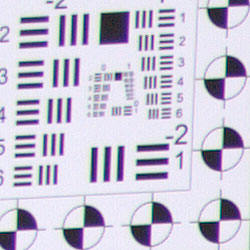

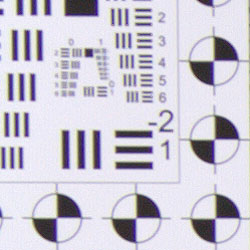
C.A. Reduction in JPEGs. As you can see from the crops above comparing an in-camera JPEG (left) to a dcraw converted SRW file (right) taken with the 20-50mm lens, the Samsung NX100 does appear to be applying chromatic aberration reduction during its processing of JPEG files. In the second set of crops at 50mm, C.A. was pretty low to begin with, so there's not as much difference between the JPEGs and uncorrected RAW crops.
Samsung NX100 Viewfinder
Viewfinder Test Results
Accuracy
Very good accuracy from the AMOLED monitor.


The Samsung NX100's AMOLED monitor proved to be quite accurate, showing about 99% coverage with the 20-50mm kit lens at wide-angle, and about 100% at full telephoto. The slightly lower accuracy at wide-angle is likely the result of the geometric distortion correction applied for the kit lens. Still, very good results here.
The images above were taken from our standardized test shots. For a collection of more pictorial photos, see our Samsung NX100 Photo Gallery .
Exposure
Samsung NX100 Image Quality
Color
Saturation & Hue Accuracy
Bright color, but with fairly good hue accuracy overall.
 |
| In the diagram above, the squares show the original color, and the circles show the color that the camera captured. More saturated colors are located toward the periphery of the graph. Hue changes as you travel around the center. Thus, hue-accurate, highly saturated colors appear as lines radiating from the center. Click for a larger image. |
Saturation. The Samsung NX100 produces images with vibrant color using the standard, default settings. The camera pushes bright reds and blues, as well as some greens, dark brown and purples. Default saturation is 114.9% (14.9% oversaturated), which is higher than most recent competitors, but not dramatically so. You can of course tweak saturation to your liking, or choose a different color mode. See the comparison of alternate "Picture Wizard" options below. Most consumer digital cameras produce color that's more highly saturated (more intense) than found in the original subjects. This is simply because most people like their color a bit brighter than life.
Skin tones. Here, when adjusted for the correct white balance, the Samsung NX100 did well on lighter skin tones, which were only slightly on the pinkish side conveying a healthy looking glow. Darker skin tones, however, showed a very strong shift toward orange. Where oversaturation is most problematic is on Caucasian skin tones, as it's very easy for these "memory colors" to be seen as too bright, too pink, too yellow, etc.
Hue. The Samsung NX100 did shift cyan toward blue, dark red toward orange, orange toward yellow and yellow toward green, but shifts were relatively minor to moderate. With an average "delta-C" color error of 4.63 after correction for saturation, overall hue accuracy was pretty good. Hue is "what color" the color is.
Picture Wizard
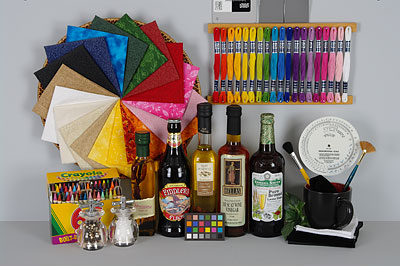
The Samsung NX100 offers nine preset "Picture Wizard" options,
plus three custom options. You can adjust contrast, saturation, sharpness
and color tone for any of the settings.
| Picture Wizard Options | |||
 |
|||
Mouse over the links above to see the effect of the presets on our Still Life target. You can click on a link to load the full resolution image.
Saturation Adjustment
Samsung NX100 lets you adjust image saturation (as well as contrast and sharpness) in nine steps. As can be seen below, the saturation adjustment was quite effective and covers a useful range, but it does impact contrast somewhat, at least for some colors. This is not uncommon though, as it's pretty tricky not to impact contrast when adjusting saturation so much.
| Saturation Adjustment Examples | ||||
 |
 |
 |
 |
 |
| -4 | -2 | 0 | +2 | +4 |
The table above shows results with every other saturation setting, including the default and the two extremes. Click on any thumbnail above, then click again to see the full-sized image.


Sensor
Exposure and White Balance
Indoors, incandescent lighting
Noticeable pink casts with Auto, Incandescent and 2,600 Kelvin settings,
though better performance with Manual. Average amount of positive exposure
compensation required.


Indoors, under normal incandescent lighting, color balance was quite pink with the Auto, Incandescent and 2,600 Kelvin settings. Manual mode produced more accurate overall color, though it was a hint cool. The Samsung NX100 required an average amount of positive exposure compensation here, at +0.3 EV. Overall color looks fairly good, though you can see that oranges and reds are pushed. (Our test lighting for this shot is a mixture of 60 and 100 watt household incandescent bulbs, a pretty yellow light source, but a very common one in typical home settings here in the U.S.)
Outdoors, daylight
Vibrant colors overall, though with a tendency toward a cool cast and slightly high contrast under harsh lighting. Better than average exposure accuracy in our Portrait shot, but our Far-field House shot was slightly overexposed.


Outdoors, the Samsung NX100 tended toward a slightly cool color balance when set to Auto white balance. The Manual setting does warm things up a little, and personal preference will come into play here. The NX100 required + 0.3 EV exposure compensation to keep facial tones reasonably bright on the model. The average for this shot is +0.7 EV, so that's pretty good. Still, there were quite a few blown highlights in her shirt and flowers. The NX100 overexposed our Far-field House shot at default exposure, leading to quite a few blown highlights in the white trim. Color balance was also a bit on the cool side. Default contrast is high, but fortunately, there's Smart Range and a contrast adjustment to help compensate. Overall, fair results here. See the Extremes section below.
See full set of test images with explanations
See thumbnails of all test and gallery images
Resolution
Very high resolution, 1,900 to 2,100 lines of strong detail in JPEGs, a bit more from ACR converted RAW files.
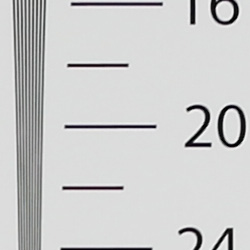

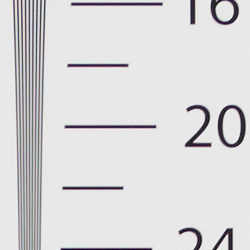
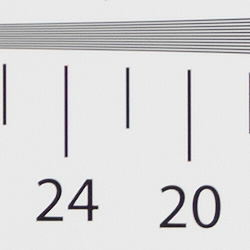
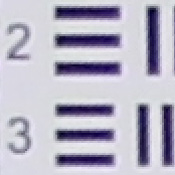
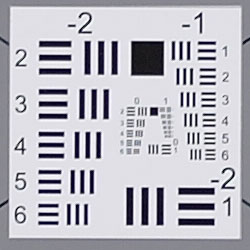
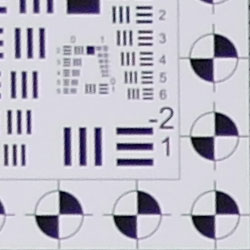
In-camera JPEGs of our laboratory resolution chart at the highest quality settings revealed sharp, distinct line patterns down to about 1,900 lines per picture height in the horizontal direction, and about 2,100 lines per picture height in the vertical direction. Complete extinction of the pattern didn't occur until a little over 3,000 lines in both directions. An Adobe Camera RAW 6.3 conversion of our resolution chart showed slightly improved horizontal resolution but didn't really show significantly higher resolution in the vertical direction, though there were fewer artifacts near the limits. Use these numbers to compare with other cameras of similar resolution, or use them to see just what higher resolution can mean in terms of potential detail.
See full set of test images with explanations
See thumbnails of all test and gallery images
Sharpness & Detail
Pretty good sharpness overall, though fine detail is a little soft and
there are minor edge-enhancement artifacts on some high-contrast subjects.
Moderate noise suppression visible in the shadows.

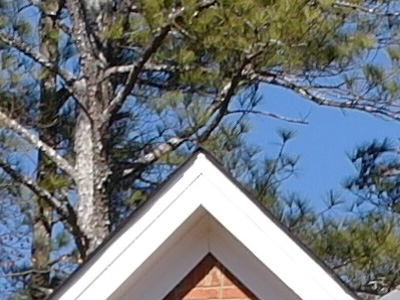
Sharpness. The Samsung NX100 captures fairly sharp images overall, though some edge enhancement artifacts are visible on high-contrast subjects such as the thicker branches, roof and trim in the crop above left. (Most noticeable on edges of white trim against the brick; note the light halo there.) Fine detail such as the smaller branches and twigs show very little edge enhancement, but are also appear a little soft. The NX100 offers nine levels of sharpening though, so you can always tweak JPEG output to your taste. Edge enhancement creates the illusion of sharpness by enhancing colors and tones right at the edge of a rapid transition in color or tone.
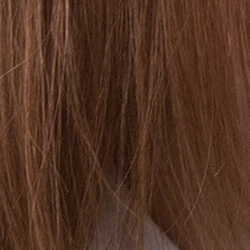
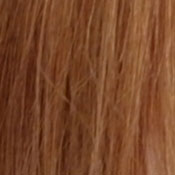
Detail. The crop above right shows some moderate noise suppression artifacts in the darkest areas of the model's hair, smudging individual strands together in the shadows and where local contrast is low. Overall, results are a bit below average for a modern APS-C sensor, and there is no way to reduce noise reduction at low ISOs with the NX100, unless you shoot RAW. Noise-suppression systems in digital cameras tend to flatten-out detail in areas of subtle contrast. The effects can often be seen in shots of human hair, where the individual strands are lost and an almost "watercolor" look appears.
RAW vs In-Camera JPEGs
As noted above, the Samsung NX100 produces fairly sharp in-camera JPEGs, though fine detail can be a little soft. Often, more detail can be obtained from carefully processing RAW files than can be seen in the in-camera JPEGs. Take a look below, to see what we mean:
 |
|||
In the table above, mousing over a link at the bottom will load the corresponding crop in the area above, and clicking on the link will load the full resolution image.
It's a little difficult to tell because the camera JPEG is slightly overexposed, but you can see that the Samsung RAW Converter 4 conversion at default settings resulted in an image that is softer than the in-camera JPEG. (Normally, manufacturer provided converters produce results very similar to in-camera JPEGs at default settings, but Samsung RAW Converter 4 is a rebadged version of SilkyPix, so it probably doesn't implement the exact same image processing algorithms as the camera.) The bundled RAW converter has quite a few features and presets, but we found very good results by turning off sharping in the editor itself, and then applying strong unsharp masking of 500% with a radius of 0.3 when generating the output JPEG. (There's no interactive preview at 100% doing it that way, though, so it does take some experimentation.) A bit more detail can be seen with the sharpened version, but not much, probably due to noise reduction. The Adobe Camera Raw conversion (which was sharpened in Photoshop using unsharp masking of 400% with radius 0.3) revealed more fine detail than the camera JPEG and SilkyPix conversions, but it also shows a bit more noise at default settings, which is often the case. One of the advantages of shooting RAW is being able to decide for yourself the optimism trade-off between detail and noise, especially when the camera provides no or very limited control over noise reduction like the Samsung NX100.
ISO & Noise Performance
Low to moderate noise with good detail up to ISO 800, high noise at higher ISOs.
| Default High ISO Noise Reduction (On) |
 |
 |
 |
| ISO 100 | ISO 200 | ISO 400 |
 |
 |
 |
| ISO 800 | ISO 1,600 | ISO 3,200 |
 |
||
| ISO 6,400 | ||
The Samsung NX100's images are quite clean at ISO 100, and ISO 200 is almost as clean, but there is subtle detail loss in low contrast areas even at base ISO. A more noticeable noise grain pattern emerges at ISO 400, though fine detail is very good, with just a hint of chroma noise creeping into the shadows. The grain pattern and chroma noise become stronger at ISO 800 and 1,600, though detail still remains relatively strong. At ISO 3,200, there is a noticeable increase in noise reduction which reduces chroma noise but flattens out a lot of fine detail in the hair, giving the image a stippled appearance. By ISO 6,400, noise and noise suppression efforts are very strong and the image is quite blurry with lots of chroma noise. Exposure levels dropped a bit as well at the higher ISOs. As always, see the Print Quality section below for maximum recommended print sizes at each ISO.
A note about focus for this shot: We shoot this image at f/4, using one of three very sharp reference lenses (70mm Sigma f/2.8 macro for most cameras, 60mm f/2.8 Nikkor macro for Nikon bodies without a drive motor, Olympus Zuiko 50mm f/2.0 for Four Thirds and Micro Four Thirds bodies). Unfortunately, Samsung doesn't have an NX prime lens with sufficient focal length for this shot, so we had to use the kit 20-50mm lens here. Luckily, it's pretty sharp at telephoto. To insure that the hair detail we use for making critical judgements about camera noise processing and detail rendering is in sharp focus at the relatively wide aperture we're shooting at, the focus target at the center of the scene is on a movable stand. This lets us compensate for front- or back-focus by different camera bodies, even those that lack micro-focus adjustments. This does mean, though, that the focus target itself may appear soft or slightly out of focus for bodies that front- or back-focused with the reference lens. If you click to view the full-size image for one of these shots and notice that the focus target is fuzzy, you don't need to email and tell us about it; we already know it. :-) The focus target position will simply have been adjusted to insure that the rest of the scene is focused properly.
As mentioned previously, the Samsung NX100's default noise reduction can be a little heavy-handed depending on the subject, even at base ISO. To make matters worse there are no noise reduction adjustments offered, except at ISO 3,200 and above, where On and Off are the only choices. Have a look at the crops below to see how much detail is lost to noise reduction at ISO 100:
The above crops compare in-camera JPEGs (left) to ACR converted RAW files (right). Both sets of shots were taken at ISO 100, and the converted RAW files have default noise reduction applied. A lot of digital cameras struggle with reproducing hair and fine detail in the red fabric's leaf pattern at higher ISOs, but usually not quite to this extent for a camera with an APS-C sensor at base ISO.
Extremes: Sunlit and low light tests
Very high resolution with good overall detail, but somewhat high default contrast and limited dynamic range. Improved low-light performance with new firmware.

Sunlight. The Samsung NX100 struggled a bit with the deliberately harsh lighting of this test, as do a lot of cameras. Strong highlights were clipped in the white shirt and flowers, which unfortunately is common. Shadow detail is pretty good, albeit a bit noisy. We preferred the +0.3 EV exposure overall, because the exposure of the skin tone in the face was better than 0 EV, without blowing out nearly as many highlights as with +0.7 EV. Depending on the photographer, you could lean one way or the other. Advanced users will want to shoot darker, to hold highlight detail. For those NX100 owners that are going to want to just print an image, the +0.3 image would probably produce the best-looking print with little or no tweaking. The bottom line though, is that the NX100 struggled in harsh lighting, producing ether a slightly dim face with good highlight retention in the shirt, or an well-exposed face with a lot of blown highlights in her shirt, suggesting low dynamic range.
Looking at the images more closely and running our dynamic range tests reveal extremely low dynamic range, but the tone curve masks that fact somewhat, with increased gradation in the shadows. Our eyes can see a wider range on the test chart, but it's an area that includes more image noise, which the program looks for and excludes.
Because digital cameras are more like slide film than negative film (in that they tend to have a more limited tonal range), we test them in the harshest situations to see how they handle scenes with bright highlights and dark shadows, as well as what kind of sensitivity they have in low light. The shot above is designed to mimic the very harsh, contrasty effect of direct noonday sunlight, a very tough challenge for most digital cameras. (You can read details of this test here. In actual shooting conditions, be sure to use fill flash in situations like the one shown here; it's better to shoot in open shade whenever possible.)
Contrast Adjustment
The Samsung NX100's contrast adjustment wasn't much help in taming blown highlights in this harsh lighting.
|
Minimum Contrast
|
|
 |
 |
| Contrast set to lowest, Auto Exposure |
Contrast set to lowest, Auto Exposure |
At its lowest contrast setting, the Samsung NX100 didn't do much better at preserving highlight detail. (It may look like it helped in the "Sunlit" Portrait shot above, but the better highlight retention is because of the lower exposure used in our Contrast series than the image we picked for best exposure of the face. You can see what we mean by looking at the Far-field House shot on the right, which still has about the same amount of highlights clipped as the default contrast using same exposure.) However, at the lowest contrast setting midtones and shadows were boosted quite a bit. The odd-looking coloration in the mannequin's face is due to drop in saturation where contrast was reduced, which is an unfortunate interaction.
| Contrast Adjustment Examples | ||||
|
 |
 |
 |
 |
| -4 | -2 | 0 | +2 | +4 |
The table above shows results with every other contrast setting, including the default and two extremes. It's pretty hard to evaluate small differences in contrast on small thumbnails like these, click on any thumbnail to go to the full-size image. It's nice that Samsung offers such a wide range of settings, but as mentioned previously, the NX100's contrast adjustment helps very little with strong highlights here, working mostly in the midtones and shadows. Also mentioned previously, there is some interaction with saturation, most noticeable in the facial tones and flowers at the lower contrast settings.
| Outdoor Portrait Smart Range Example | ||
 |
 |
|
| Off, ISO 100, 0 EV | On, ISO 200, 0 EV | |
 |
 |
|
| Highlights | ||
 |
 |
|
| Shadows (Levels adjusted equally in Photoshop to show noise) |
||
Smart Range is Samsung's name for their dynamic range enhancement technology. It works similar to Canon's Highlight Tone Priority, preserving highlights at the expense of noisier shadows. In the bright highlights, we do see much better detail handling. Despite the apparent brightness, very few highlights were clipped with Smart Range on in our Outdoor Portrait shot above. Smart Range doesn't seem to affect levels in the shadows much, darkening them just a touch in this example, but because it uses ISO 200 there is more noise visible. The NX100 attempts to compensate by applying stronger noise reduction, which leads to additional loss of detail and some blotchiness in the shadows.
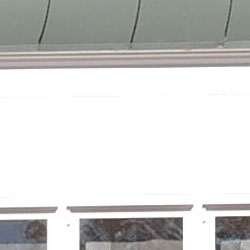
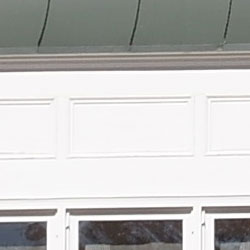
| Far Field Smart Range Example | ||
 |
 |
|
| Off, ISO 100, 0 EV | On, ISO 200, 0 EV | |
 |
 |
|
| Highlights | ||
 |
 |
|
| Shadows | ||
This is a another example of Smart Range at work. Here again we can clearly see better highlight retention in the white trim with it enabled, though shadows are darker with less detail because of the higher ISO and increased noise reduction.
| Face Detection | ||
|
 |
 |
| Off at 0 EV | On at 0 EV | Portrait Mode, 0 EV |
Face Detection
Like most Point & Shoot cameras these days (and many DSLRs in Live View mode), the Samsung NX100 has the ability to detect faces, and adjust exposure and focus accordingly. The NX100 does it automatically in Portrait and Beauty Shot scene modes, or when Face Detection AF mode is selected. As you can see from the examples above, face detection worked fairly well, as the image with face detection enabled (center) was better exposed for the face without having to use exposure compensation, and white balance was a little warmer. Switching to Portrait Mode (from Aperture Priority) resulted in a slightly different exposure, though still brighter than the default exposure. Here, the camera boosted shutter speed to 1/80s (from 1/30s) presumably to help prevent subject motion blur, opened the aperture (from f/8 to f/5.6) for less depth-of-field to help make the subject stand out from the background, and raised ISO to 160 (from 100). The face is also noticeably softer, probably to reduce the appearance of blemishes.
Because digital cameras are more like slide film than negative film (in that they tend to have a more limited tonal range), we test them in the harshest situations to see how they handle scenes with bright highlights and dark shadows, as well as what kind of sensitivity they have in low light. The shot above is designed to mimic the very harsh, contrasty effect of direct noonday sunlight, a very tough challenge for most digital cameras. (You can read details of this test here.)
| 1 fc 11 lux |
1/2 fc 5.5 lux |
1/4 fc 2.7 lux |
1/8 fc 1.3 lux |
1/16 fc 0.67 lux |
1/16fc No NR |
|
|---|---|---|---|---|---|---|
| ISO 100 |
 4 s f3.5 |
 8 s f3.5 |
 15 s f3.5 |
 30 s f3.5 |
 30 s f3.5 |
 30 s f3.5 |
| ISO 200 |
 2 s f3.5 |
 4 s f3.5 |
 8 s f3.5 |
 15 s f3.5 |
 30 s f3.5 |
 30 s f3.5 |
| ISO 400 |
 1 s f3.5 |
 2 s f3.5 |
 4 s f3.5 |
 8 s f3.5 |
 15 s f3.5 |
 15 s f3.5 |
| ISO 800 |
 0.5 s f3.5 |
 1 s f3.5 |
 2 s f3.5 |
 4 s f3.5 |
 8 s f3.5 |
 8 s f3.5 |
| ISO 1600 |
 1/4 s f3.5 |
 0.5 s f3.5 |
 1 s f3.5 |
 2 s f3.5 |
 4 s f3.5 |
 4 s f3.5 |
| ISO 3200 |
 1/8 s f3.5 |
 1/4 s f3.5 |
 0.5 s f3.5 |
 1 s f3.5 |
 2 s f3.5 |
 2 s f3.5 |
| ISO 6400 |
 1/15 s f3.5 |
 1/8 s f3.5 |
 1/4 s f3.5 |
 0.5 s f3.5 |
 1 s f3.5 |
 1 s f3.5 |
Low Light. The Samsung NX100 performed reasonably well in our low light test, though exposure metering was not reliable at the lowest light level, so we used manual exposure mode for these shots. The NX100's slowest shutter speed of 30 seconds combined with the kit lens' maximum aperture of f/3.5 resulted in slightly dim (but still usable) images at the lowest light level we test at (1/16 foot-candle) at ISO 100.


Firmware fix. Top is with original v1.01 firmware. Bottom with new v1.10 firmware. Both are ISO 800 at 1/16 fc, 8s, f/3.5.
With the original v1.01 firmware the camera shipped with, the Samsung NX100 was able to produce bright images down to the lowest light level at ISOs 200 and 400, but produced some very dark, odd-looking JPEG images at ISO 800 and above at the lowest light level. The matching RAW files looked okay for these odd-looking shots, so it appeared to be an issue with the image processing and not the sensor itself. We let Samsung know of this strange phenomenon. They were able to duplicate the issue, and provided us with v1.10 firmware that corrected the issue. See thumbnails at right. Kudos to Samsung for being so responsive. We've reshot all our low-light images above with this new firmware.
Noise is pretty well controlled up to ISO 400, though at higher ISOs there are moderate amounts of fine luminance noise and some blotchy chroma noise in the shadows. Auto white balance did a good job here, producing fairly neutral color balance, though there's a loss of overall color saturation at higher ISOs. Some horizontal banding is also visible at lower light levels and higher ISOs. We didn't notice any hot/dead pixels.
The camera's autofocus system was able to focus on the subject down to between the 1/4 and 1/8 foot-candle light level unassisted with the 20-50mm kit lens, which isn't as good as most SLRs using phase-detection AF, but reasonable for a compact system camera with a relatively slow (dim) kit lens. The NX100 was able to focus in complete darkness with its built-in focus assist lamp enabled.
How bright is this? The one foot-candle light level that this test begins at roughly corresponds to the brightness of typical city street-lighting at night. Cameras performing well at that level should be able to snap good-looking photos of street-lit scenes.
NOTE: This low light test is conducted with a stationary subject, and the camera mounted on a sturdy tripod. Most digital cameras will fail miserably when faced with a moving subject in dim lighting. (For example, a child's ballet recital or a holiday pageant in a gymnasium.) Thanks to their phase-detect AF systems, digital SLRs tend to do much better than point & shoots, but you still shouldn't expect a quick autofocus lock with moving subjects. The NX100 uses contrast-detect autofocus, as is found in most point & shoot cameras, so its low-light focusing ability is less than that of most SLRs with phase-detect systems. That said, though, the larger, more sensitive pixels of the NX100's sensor do better under dim lighting than do the tiny pixels of most point & shoots, (A useful trick is to just prop the camera on a convenient surface, and use its self-timer to release the shutter. This avoids any jiggling from your finger pressing the shutter button, and can work quite well when you don't have a tripod handy.)
Output Quality
Print Quality
Good 20x30-inch prints from ISO 100-400; ISO 1,600 images are good at 11x14; ISO 6,400 shots are usable at 5x7.

ISO 100 shots are a little soft at 20x30. Some high-contrast detail is pretty good, but low-contrast detail is softened noticeably at this size, just as we saw onscreen. Printing at 16x24 looks a little better, averaging out high and low-contrast detail reasonably well.
ISO 200 images likewise look soft at 20x30, but much better at 16x24.
ISO 400 shots look about the same, better at 16x24, but usable at 20x30 inches.
ISO 800 shots are still quite good at 16x24 inches, except for the low-contrast detail, which looks better printed at 13x19 inches.
ISO 1,600 images are a little rough at 13x19 inches, but still usable. Things tighten up quite a bit at 11x14, save for a little noise in the shadows.
ISO 3,200 files lose image quality rather abruptly, becoming usable at 8x10 for wall display, and better at 5x7. The image exposure is also darker overall.
ISO 6,400 shots are not usable at 8x10, but acceptable at 5x7, if a little dark.
All told, shots from the Samsung NX100 follow a good pattern, producing quality printable images from ISO 100 to 800 at very large sizes, with quality falling off rapidly after 1,600. Still, even its highest ISO files can make a good 5x7-inch print with only a little adjustment when necessary. Printed results, in short, go a long way toward redeeming the JPEG performance of the Samsung NX100 compared to what we saw in our crops.
Testing hundreds of digital cameras, we've found that you can only tell just so much about a camera's image quality by viewing its images on-screen. Ultimately, there's no substitute for printing a lot of images and examining them closely. For this reason, we now routinely print sample images from the cameras we test on our Canon Pro9000 Mark II studio printer, and the Canon Pixma MP610 here in the office. (See the Canon Pixma Pro9000 Mark II review for details on that model.)
The images above were taken from our standardized test shots. For a collection of more pictorial photos, see our Samsung NX100 Photo Gallery .
Not sure which camera to buy? Let your eyes be the ultimate judge! Visit our Comparometer(tm) to compare images from the Samsung NX100 with those from other cameras you may be considering. The proof is in the pictures, so let your own eyes decide which you like best!
Performance
Samsung NX100 Performance
Timing and Performance
The Samsung NX100 was generally slower than average compared to most consumer SLRs, but performance was good for a compact system camera.
| Startup/Shutdown |
||
| Power on |
~1.1 seconds
|
Time it takes to turn on and capture a shot. (Without sensor cleaning.) |
| Shutdown |
~1.6 seconds
|
How long it takes camera to turn off before you can remove the memory card. |
|
Buffer clearing time
|
4 seconds after 8 large/superfine JPEGs*
|
Worst case buffer clearing time. -- This is the delay after a set of shots before you can remove the card.
|
|
12 seconds after 4 RAW files*
|
||
|
13 seconds after 4 RAW+ LSF JPEG files*
|
||
|
*Note: Buffer clearing times measured with a SanDisk Extreme III 30MB/sec 8GB SDHC card. Slower cards will produce correspondingly slower clearing times. Slow cards may also limit length of bursts in continuous mode. ISO sensitivity and noise reduction settings can also affect cycle times and burst mode performance.
|
||
Startup and shut-down times were slower than those for most SLRs, but good for a compact system camera. Sensor cleaning can be enabled on start-up. The default is off, which is what we tested with. Buffer clearing will depend on image size and quality, as well as card speed. Here, the Samsung NX100 was a bit sluggish, considering the shallow buffers.
| Mode Switching | ||
|---|---|---|
| Play to Record, |
~0.7 second
|
Time until first shot is captured. |
| Record to Play |
~2.4 seconds
|
Time to display a large/superfine JPEG file immediately after capture. |
| Display |
~0.5 second
|
Time to display a large/superfine JPEG file already on the memory card. |
Mode switching was pretty good for its class, except Record to Play which was sluggish.
| Shutter Response (Lag Time) | ||
|---|---|---|
| Full Autofocus, Single-area AF mode Wide Angle |
0.431 second |
Time from fully
pressing shutter button to image capture, with the lens already
at the proper focal distance setting. (All timing performed with Samsung 20-50mm kit lens at 20mm.) |
| Full Autofocus, Multi-area AF mode |
0.444 second |
Time from fully pressing shutter button to image capture, with the lens already at the proper focal distance setting. |
| Prefocused |
0.107
second |
Time to capture, after half-pressing and holding shutter button. |
| Continuous AF |
0.422 second |
This mode usually shows no
speed increase with our static subject; we have no way to measure
performance with moving subjects. |
| Manual Focus |
0.122 second |
For most cameras, shutter lag
is less in manual focus than autofocus, but usually not as fast
as when the camera is "prefocused". |
The Samsung NX100 showed full-autofocus shutter lag (with the subject at a fixed distance) that ranged from 0.431 second in single-area AF mode at wide-angle to 0.444 second in multi-area AF mode at wide-angle when using the 20-50mm kit lens. The size of the focus area made little difference.
Shutter lag was 0.422 second in continuous mode AF, though your subject may not be in focus in this mode. When manually focused, the Samsung NX100's lag time dropped to 0.122 second, which is reasonably fast. The NX100's prefocused shutter lag time was similar, at 0.107 second, a little slower than most cameras.
To minimize the effect of different lens' focusing speed, we test AF-active shutter lag with the lens already set to the correct focal distance. We also use the same Sigma 70mm f/2.8 macro with every camera (on all platforms except Four Thirds/Micro Four Thirds, Samsung NX, and Nikon consumer models lacking an in-body focus motor), to further reduce variation, and because our tests showed that focus-determination time with this lens was close to the fastest, across multiple camera bodies from different manufacturers. Being an older design with a non-ultrasonic motor, it wouldn't be the fastest at slewing from one focus setting to another, but that's exactly the reason we measure focus determination speed, which is primarily a function of the camera body, vs focus adjustment speed, which is primarily a function of the lens.
| Cycle Time (shot to shot) | ||
|---|---|---|
| Single Shot mode |
1.06 seconds |
Time per shot, averaged over 20 shots, 3 seconds to clear*. |
| Single Shot mode |
1.05 seconds |
Time per shot, averaged over 6 shots, 12 seconds to clear*. |
| Single Shot
mode RAW + LSF JPEG |
1.08 seconds |
Time per shot, averaged over 6 shots, 13 seconds to clear*. |
| Early shutter |
Yes |
Some cameras don't snap another shot if you release and press the shutter too quickly in Single Shot mode, making "No" the preferred answer. |
| Continuous Mode |
0.35 second (2.87 frames
per second); 8 frames total; 4 seconds to clear* |
Time per shot, averaged over 8 shots, then slows to an average of about 0.65s or 1.55 fps when buffer is full, with a lot of variation. |
| Continuous Mode |
0.34 second (2.94
frames per second); 4 frames total; 12 seconds to clear* |
Time per shot, averaged over buffer length of 4 frames, then slows to an average of about 2.23s or 0.45 fps when buffer is full. |
| Continuous Mode |
0.32 second (3.13
frames per second); 4 frames total; 13 seconds to clear* |
Time per shot, averaged over buffer length of 3 frames, then slows to 2.67s or 0.38 fps when buffer is full. |
| Burst Mode
1.4MP JPEG |
0.03 second (30.3 frames per second); 30 frames total; 8 seconds to clear* |
Time per shot,
averaged over buffer length of 30 frames. |
| *Note:
Buffer clearing times measured with a SanDisk Extreme III 30 MB/sec
8GB SDHC card. Slower cards will produce correspondingly slower
clearing times. Slow cards may also limit length of bursts in continuous
mode. ISO sensitivity and noise reduction settings can also affect
cycle times and burst mode performance. |
||
Single-shot cycle times are a bit on the slow side, ranging from 1.06 second for large/superfine JPEGs to 1.08 seconds for RAW + LSF JPEG files.
Continuous mode at full resolution was slightly slower to average for its class, at around 2.9 frames-per-second for large/superfine JPEGs or RAW files. Oddly, continuous mode rate increased slightly to 3.13 frames-per-second for RAW + LSF JPEGs. Buffer depths were pretty limited though, at only 8 large/superfine JPEGs, and only 4 RAW or RAW + LSF JPEGs before the NX100 slowed down. Note that our test target for this is designed to be difficult to compress, so JPEG burst lengths may be longer with typical subjects.
| Download Speed | ||
|---|---|---|
| Windows Computer, USB 2.0 |
6,342 KBytes/sec
|
Typical Values: |
Download speeds were pretty fast, quick enough that you probably won't feel the need for a separate card reader, even with large memory cards. (Note that this test was performed with a SanDisk Extreme III 30 MB/sec SD card: Slower cards would likely show slower transfer times.)
Bottom line, the Samsung NX100 performance is pretty good for a compact system camera overall. Full autofocus is a bit slow compared to most SLRs, but good for CSC and on par or better than most digicams. Cycle times are a bit sluggish, but also better than most digicams. Burst speed is about average, but buffer depths are pretty shallow, especially with those large RAW files.
Battery and Storage Capacity
Battery
Fair battery life for a compact system camera.
| Operating Mode | Battery Life |
|---|---|
| Still
Capture, (Samsung standard) |
420 shots |
The Samsung NX100 uses a custom rechargeable lithium-ion battery pack for power, and comes with both a single battery and charger. Samsung rates battery life at 420 shots per charge. This may seem good for a compact system camera at first glance, but keep in mind the NX100 has no built-in flash, and the CIPA standard specifies 50% flash shots for their rating. We recommend getting a second battery for your NX100 if you plan any extended outings.
The table above shows the number of shots the camera is capable of (on a fully-charged rechargeable battery), based on CIPA battery-life and/or manufacturer standard test conditions.
(Interested readers can find an English translation of the CIPA DC-002 standards document here. (180K PDF document))
Storage
The Samsung NX100 accepts SD/SDHC memory cards, and does not ship with a card. The user manual doesn't specify minimum card speed for movies, but we recommend cards with at least a Class 4 speed rating for 720p H.264 video, and it doesn't hurt to get a faster one.
| Image Capacity with 1GB Memory Card |
Super Fine |
Fine | Normal | RAW | RAW + LSF JPEG |
|
|---|---|---|---|---|---|---|
|
4,592 x 3,056 |
Images (Avg Size) |
141
7.3 MB |
282
3.6 MB |
423
2.4 MB |
35
29.3 MB |
25
41.1 MB |
|
Approx.
Comp. |
6:1
|
12:1
|
17:1
|
0.7:1
|
-
|
|
|
3,872 x 2,592 |
Images (Avg Size) |
195
5.3 MB |
391
2.6 MB |
587 1.7 MB |
-
|
-
|
|
Approx.
Comp. |
6:1
|
12:1
|
17:1
|
-
|
-
|
|
|
3,008 x 2,000 |
Images (Avg Size) |
320
3.2 MB |
640
1.6 MB |
961 1.1 MB |
-
|
-
|
|
Approx.
Comp. |
6:1
|
11:1
|
17:1
|
-
|
-
|
|
|
1,920 x 1,280 |
Images (Avg Size) |
732
1.4 MB |
1,465
699 KB |
2,198 466 KB |
-
|
-
|
|
Approx.
Comp. |
5:1
|
11:1
|
16:1
|
-
|
-
|
|
We strongly recommend buying a large capacity SDHC memory card at least a 4GB card, preferably a 8 or 16GB one, to give yourself extra space for extended outings, or when shooting RAW or video files. (Check the shopping link above, memory cards are really cheap these days, so no reason to skimp.)