


Overview
Sony DSC-T100 Overview
by Mike Pasini
Review Date: 4/30/07
The Sony Cyber-shot DSC-T100 -- a replacement for the DSC-T50 -- features an eight megapixel sensor which is coupled to a Zeiss-branded 5x optical zoom and a large 3.0-inch LCD display. The DSC-T100's 35 to 175mm equivalent lens incorporates Sony's Super SteadyShot optical image stabilization to minimize blur caused by camera shake at slow shutter speeds. Other T100 features include ISO sensitivity to a maximum of ISO 3,200, in-camera photo editing, a Memory Stick Duo/PRO Duo card slot plus 31MB of built in memory, and power from a proprietary lithium-ion rechargeable battery. The T100 also offers high definition component video output, via an optional proprietary cable or cradle.
The Cyber-shot T100 includes Sony's new face detection technology, capable of detecting up to eight faces simultaneously. Sony's system is apparently linked not only to the T100's auto exposure, and autofocus systems as in most similar systems, but also to white balance and flash metering as well -- allowing the camera to ensure proper flash exposure, and pleasing flesh tones. Also, the T100 marks one of the first applications of Sony's Bionz image processor in their compact camera models. Sony says Bionz will offer improved image quality, faster response times, and better battery life in its compact cameras.
The Sony Cyber-shot DSC-T100 ships from March 2007, is priced at U.S. $400, and will debut in red, black, and silver.
Sony DSC-T100 User Report
by Mike Pasini

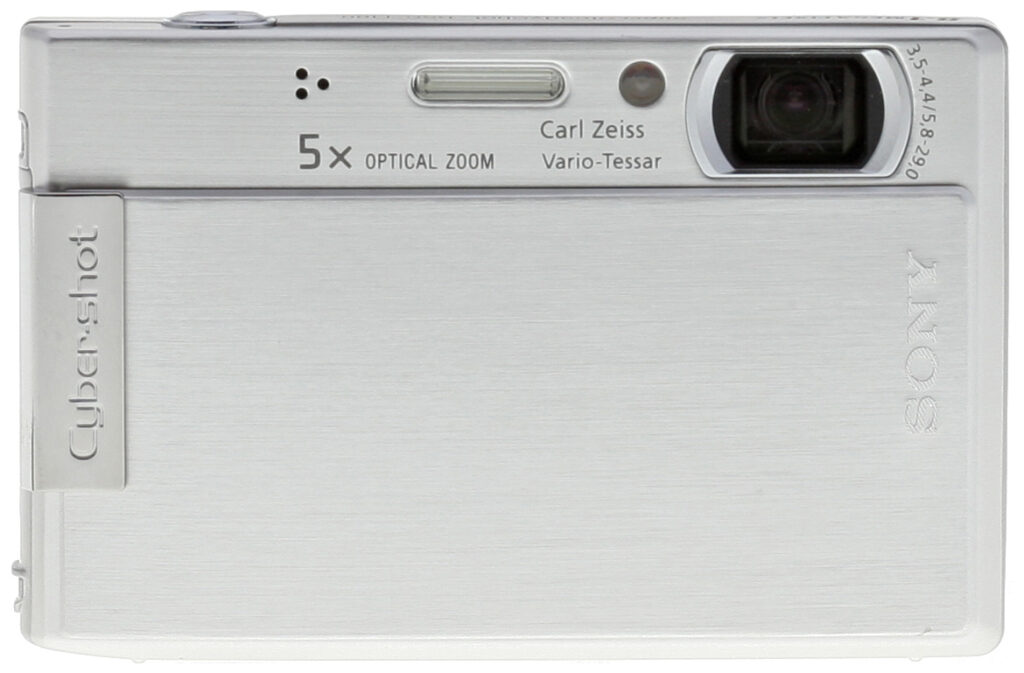
Front. Lens cover closed.

Front. Lens cover opened.
Intro. Sony's T-Series has been one of the most attractive compact digicams since it was introduced. And this year's model is no exception. Gone is the T50's touch screen, but the 3-inch LCD that wins you over in a second is still there. So is the sliding lens cover that makes powering the camera on as simple as it gets.
But this year's T adds a more powerful 5x zoom to the package, along with face detection technology and that swift Bionz image processor from the Alpha digital SLR line. Toss in its high ISO performance, face detection, and Super SteadyShot image stabilization, and the T100 stands up to any compact out there.
That's not the whole story, though. The T100 has started Sony's digicam transition to HDTV, offering high resolution output of still images through either an optional cable, dock, or printing station. I've reviewed the $79.99 station separately (https://www.imaging-resource.com/ACCS/CSS/HD1.htm), with video of the instant, but sophisticated slide shows it produces.
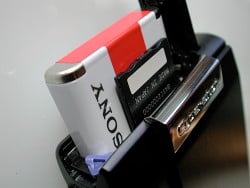
Side Compartment. Both the battery and memory card fit in the side compartment.
Design. Stylish, ultra compact, sophisticated design -- which you can have in silver, black, or red. I had a silver preproduction model, and a black production model here, and both were stunners.
The T100 is just a bit taller and wider than a credit card, but it's about as thick as a deck of playing cards. That makes it easy to take anywhere, either in a pocket or a purse (but you'll want to protect that shiny LCD in a small camera case).

Grip. Easy to zoom.
The Sony T100 isn't heavy, but it isn't a featherweight either. That helps steady it for picture taking without making it a drag to take along. There's a thumb well on the back, and a chrome bar on the front for your middle finger to hug while your forefinger tap dances on the Shutter button. I found it easiest to run my thumb up the back of the T100, along the LCD, rather than across the side. You can easily shoot pictures using one hand, but the T100 is so small, you're well advised to use two when you explore the menu system. Your thumb can dance around the very small command pad more easily that way.
In fact, the command pad is very simple -- and simple means easy to learn. You probably won't spend any time having to learn anything on the T100. At the top of the back panel you'll find the Zoom rocker, just where you'd expect to find it. And below the thumb well, you'll find the Menu button (which you'll use frequently). Just below that is the cropped four-way navigator, its left and right sides sliced off to fit the narrow column next to the LCD, with an OK button in the middle. And below that is the Home button, which gets you to the camera's top level shooting, playback, printing, memory management, and setup modes.

Controls. You're right-handed, right?
There are just three other controls: a Power button, and Playback toggle on the top panel, which bevels toward the back panel, and the Shutter button.
There! You already know how to use it.
Display/Viewfinder. There's no optical viewfinder on the T100, but the 3-inch LCD will distract you from the real world with its 230,400 pixels in a 920 x 240 display.
I'm glad to see that Sony gives you the option to overlay the T100's display with a 3 x 3 grid. It helps you keep horizons straight, as well as laying out the rule of thirds for your compositional pleasure.

Battery charger. The prongs fold neatly into the charger. You'll have to buy that memory card, though (the silver jacket is a Memory Stick Duo adapter).
It also makes a very comfortable Menu system experience. All the goodies are in the Menu system, whether you want to adjust the Exposure Compensation, change the white balance, switch to that irresistible 16:9 aspect ratio, or shoot at high ISO.
Performance. While the T100 is a snap to use, there's a surprising amount of performance stuffed into its all-metal shell. Thanks to the Bionz image processor, the T100 is quick to start up and shut down, and the shutter is responsive, too (particularly when you half press it to set focus).
But the T100 is not only quick, it's doing a lot more in that shorter period of time, too. Its D-Range Optimizer minimizes blown highlights that are the bane of other digicams, while capturing a wider range of tones. Some of my more intense flower shots were actually overexposed instead of underexposed (as I normally do).
It also has the horsepower to handle nine-point autofocus, and face detection of up to eight people in portrait shots.
The T100 is also in a league of its own when it comes to transferring images from the camera to your computer over the included USB cable. I mean 10 times faster than other cameras. That's sizzling speed.

Included cable. Proprietary connector (right) runs to the USB, video, and audio connectors.
In-camera image editing is another place the T100 shines. It can automatically detect and remove red-eye, a real blessing if you're printing flash shots directly from the camera at a party, say. The other editing tools are a lot of fun too.
With the Partial Color option you can pinpoint an object in your scene to hold its color, and watch as the T100 turns everything else into monochrome. Then you can use the Zoom lever to expand or contract the color effect, great for images of flowers.


In-Camera Edits. Partial color (top) and fish-eye.
You can also apply a fish-eye lens effect with nine levels of control, or blur the periphery with five levels. These aren't just fun, but they can minimize composition problems, too.
Including the optical image stabilization of Super SteadyShot is something I've applauded in past T Series reviews, and I'm glad to see Sony has retained it on the T100. But the T100 also offers extremely high ISO performance, up to ISO 3,200 at a reduced image size (averaging pixel data to reduce noise). Super SteadyShot and High ISO combine to make what Sony calls its double anti-blur technology.

Doll in the Dark. High ISO Scene mode took this at f/4.4, 1/8 second and ISO 2,500.
But is it really usable high ISO? Or just unprintable, noisy snapshots?
I test high ISO options by taking pictures of a couple of old dolls awaiting restoration in the garage. It's so dark in there that it takes your eyes a minute to adjust. The last thing you'd think of doing there is taking a picture. You can barely see anything yourself.
But quite a few cameras feature high ISO settings. So I take test shots with stabilization on (optical, digital, or both) so slower shutter speeds are available and I select the highest ISO settings on the cameras. If there's a High ISO Scene mode (as there is on the T100), I test that, too, to see if I can do better with the manual settings.
I usually can't. And the T100 was no exception. I used an image size reduced to 1,920 x 1,080 because I was shooting with a 16:9 aspect ratio. My shots at ISO 3200, 1/20 second, and f/4.4 were dark, soft, and quite noisy. But with High ISO Scene mode, the shutter speed dropped to 1/8 and ISO to 2500, delivering a brighter shot with less noise.

Night Shot. Enough detail, good color. Let's call it High ISO Poetry.
These weren't the sharpest shots of the dolls I've gotten, but it's a pretty extreme situation. My impression is that Sony is keen to retain color information at the expense of detail. And while a sharp-eyed reviewer may bemoan the loss of detail in Sony's high ISO images (especially when it comes to making big prints), I can't help but recall how people loved their Sony Mavicas, which could only save 1.3 megapixel images to a floppy disk. They certainly didn't have the detail of competing 3-megapixel models, but people loved the color.
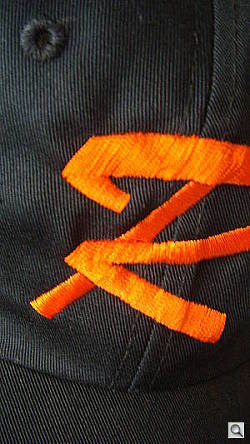
Macro. You can see the threads.
High ISO shots are a different kind of photograph; different from the ISO 200 and under shots on most digicams. But I'm glad to have them.
Shooting. The T100 is such an elegant and compact companion, I took it everywhere (not just the garage). Whenever something caught my attention, I slipped it out of my jacket, slid the lens cover down, and framed my shot.
If I was really close, I just tapped the navigator's left arrow to switch into one of the Macro modes. I tapped it twice if I was even closer, otherwise just once. I did this for the stitching on a baseball cap, for a flower shot, for a bike glove; you can see all of them in the sample gallery.
If the subject was a street scene, I just composed with the Zoom lever. But I really like composing with a 16:9 aspect ratio, so I looked for some tall and wide scenes too. I knew they'd fill up the HDTV's wide screen when I put the T100 on the Station for a slide show.
Zooming took the most work, actually.



Zoom Range. I had propped the T100 on an abandoned scope stand, so I turned off Super SteadyShot for these. The first is at wide angle, the second at 5x optical (no digital is available at the 8-Mp image size with Smart Zoom). The last image is VGA size, so Smart Zoom can really get there.
Take Smart Zoom, for example, which enlarges the image with "almost no distortion," according to Sony. At full resolution, optical zoom at 5x is all you get because there are no extra pixels to Smart Zoom with. That's really pretty good. As my cityscape shows, it can get you to City Hall faster than the light rail system. Change the image size from 8 megapixels to 5 megapixels, and you get 6.3x digital zoom to get downtown, at 3 megapixels you get 8.0x. And switch to VGA (640x480) to wander the alleys at 25x digital zoom.
Precision Zoom, on the other hand, let me tap into digital zoom out to 10x no matter the image size. But image quality deteriorates.
Shooting with Smart Zoom, and a 16:9 aspect ratio, I got 8.5x digital zoom with little image distortion, so I stuck with that.
The Gallery shows another set of the zoom images you see at right, taken just prior to these but with Super SteadyShot active. The ones you see here have Super SteadyShot turned off. You'll notice a slight difference in file size, but I found the image drifting in the LCD as I composed the shot when SteadyShot was on. Not only was that annoying, but you generally get sharper results turning image stabilization off when you're shooting from a stable support, as I was.
I'm a sucker for high ISO shooting, and just couldn't resist one night as I wandered around North Beach taking a few shots at ISO 1,600 and 3,200 at the full 1,920 x 1,080 pixels of a 16:9 image size. Color was dead on. Detail left something to be desired, and you could detect noise when enlarged. But I was happy with the shots. They captured a scene I otherwise would not have been able to shoot.
Connections. I was not happy to find no way to connect the camera to a high definition television right out of the box. After all, one of the highlights of the T100 is that it can output an HD signal for its stills. But you have to buy an optional cable or dock to actually take advantage of that feature.
Sony quickly sent me a Cyber-shot Station, happy someone was interested in reviewing the new output format. And when I connected it to an HDTV, I was wowed. The images themselves have quite a bit more resolution than any HDTV, and Sony's built-in slide show software takes advantage of that with pans and zooms that bring out all the detail of the originals.
The cable that ships with the T100 has a video out plug and monaural sound out. But I discovered that you can see a very nice presentation on your standard TV as well, including the slide shows. Detail was really quite crisp and all the special effects were in the slide shows, too.
Movies. Though the 1080p slideshows were impressive, one of the Sony T100's odd inconsistencies is that it only takes 640x480 movies, not HD movies. The Cyber-shot Station has two cables: a composite video cable for HD output and a stereo audio cable that also has standard video (yellow) output. If you attach both video cables to your set, the composite cable takes precedence and the VGA signal is ignored. But the T100 only outputs a VGA signal for video. So you see the station report: "Invalid operation. HD (1080i) output in progress." It can't send the VGA signal out the composite cable. You see the first frame of the movie on the TV but that's it. The error message is overlaid. The trick is to pull the composite connection out of the back of the Station so the VGA connection (assuming you've made it) is live. Then the movie plays.
Appraisal. If the attractive compact design doesn't win you right over, the large, gorgeous LCD will. And you won't regret it because the T100 is a very capable camera, making it easy to get great shots without too much contrast or saturation. A couple of editing tricks just add to the fun. And the payoff is a glorious slide show in high definition.
Basic Features
- 8.1 megapixel Super HAD CCD
- Carl Zeiss 5x optical zoom lens equivalent to 35-175mm on a 35mm camera
- 2x Precision Digital Zoom, 25x Smart Zoom (VGA resolution)
- Aperture range of f/3.5-5.6 (wide-angle), and f/4.4-10 (telephoto)
- Shutter speeds from 1/4 to 1/1000 second (Auto), and 1 to 1/1000 (Program Auto)
- 3.0-inch LCD with 230K pixels
- Microphone and speaker
- Nine-point autofocus
- Scene Modes: Beach, Fireworks, High Speed Shutter, High Sensitivity, Landscape, Snow, Soft Snap, Twilight, Twilight Portrait
- Sony Bionz image processor with dynamic range optimization
- 31MB internal memory
- Flash Modes: Auto, Forced On, Forced Off, Slow Synch
- Self-timer with 10 and 2 second options
- Memory Stick Duo, and Memory Stick PRO Duo image storage (no card included)
- Powered by a NP-BG1 lithium ion battery for 340 shots
- Picture Motion Browser software
Special Features
- Super SteadyShot optical image stabilization
- 16:9 aspect ratio perfect for HDTV playback
- High ISO: Auto, 80, 100, 200, 400, 800, 1600, 3200
- High Definition output with optional composite cable, dock or printer
- HD slide show with music
- Face Detection
- In-camera retouching: soft edge filer, cross filter, partial color filter, fish-eye filter
- Color modes: B&W, Natural, Sepia, Vivid
- Exposure bracketing
- In-camera red-eye reduction
- Burst mode of 100 shots at 2.2 frames per second at all resolutions
- Macro focusing (3-3/16 inch), and Magnifying Macro (3/8 inch)
- Available in silver, black, and red body colors
In the Box
The Sony DSC-T100 ships with the following items in the box:
- Sony DSC-T100 camera
- Wrist strap
- USB/AV multiconnector cable
- NP-BG1 Info-Lithium battery pack
- Battery charger
- Software CD
- Instruction manual, and registration card
Recommended Accessories
- We strongly recommend buying a large-capacity Memory Stick PRO Duo; at least a 1GB card, preferably a 2GB one, to give yourself extra space for extended outings. (We recommend the PRO version of the Memory Stick Duo, because it supports non-stop video as well as longer sequences of continuous still-image shooting. You may want to pick up a Memory Stick Duo adapter, in case your card reader only accepts normal-size Memory Sticks.)
- Additional NP-BG1 battery pack
- Small camera case to protect the LCD
- HD Output adapter cable to provide composite video connectors for HD playback
- CSS-HD1 Cyber-shot Station dock to view images on standard, or HD televisions using a wireless remote control, and to charge the battery 30 percent faster than the included charger.
Conclusion
| Pro: | Con: |
|---|---|
|
|
If the attractive compact design doesn't win you over at once, the large, gorgeous LCD will. And you won't regret it because the T100 is a very capable camera, making great shots easy, without too much contrast or saturation. Thanks to the Alpha's Bionz image processor and Super SteadyShot, there isn't much this slim digicam with its 5x Carl Zeiss Vario-Tessar lens can't do.
Detail does fall apart at high ISO, but that appears to be a tradeoff Sony makes to salvage color. I was able to shoot street scenes with credible results despite the high level of noise. The Sony T-series is the ultimate "party" camera, a popular take-along for parties and evening events, but make sure you stick to the low ISO settings and shoot with flash in about the six foot range, as the T100's noise suppression will obliterate detail otherwise.
The Sony T100's in-camera editing tricks are actually pretty fun and useful, producing good quality images, and the high definition slideshow feature is impressive, working on a standard TV out of the box. It's a shame that you have to buy the Cyber-station to take advantage of the slideshow feature with an HDTV. Though we want to warn you about the high ISO softness with the Sony T100, we still think it's a great camera, worthy of a Dave's Pick.
Design
Sony DSC-T100 Design
Ultra-thin, stylish, and compact, the Sony DSC-T100 features the slim dimensions and large LCD panel distinctive of the T-series, stretching the LCD to a full 3.0-inch diagonal dimension. Because the camera has an internal lens, the front panel remains smooth all the time, and very pocket friendly. Measuring 3.5 x 2.25 x 0.825 inches (91.8 x 59.2 x 22.3mm), the DSC-T100 will fit easily into most shirt pockets, and even tiny evening bags. Though it sports an almost all-metal body, the Sony T100 is still lightweight, at just 6.1 ounces (172 grams) with batteries and a Memory Stick card aboard.

The front of the Sony DSC-T100 is flat, the main body panel mostly covered by the large lens cover that slides under a stationary chrome finger grip. The text on both the cover and grip reads sideways when the camera is set down but is correctly oriented when the camera is swung from its strap. The lens cover slides downward to reveal the lens and power on the camera (you can also power it on without exposing the lens by using the Playback button). Because the lens design is all internal, the zoom lens doesn't telescope outward when the camera is powered on. Instead, it lines up vertically inside like a periscope, using a mirror to reflect the view. This also makes the camera quick on the draw. You don't have to wait for the lens to crank out into position before you can shoot. Next to the lens, the self-timer/AF illuminator lamp, flash, and microphone line up right to left, keeping the exposed area very narrow.

The right side of the Sony DSC-T10 hosts the compartment where the Memory Stick Duo and battery reside, covered by a sliding, hinged door with a small pop-out panel for a power adapter. Above it is the hook to attach the included wrist strap.

The opposite side of the camera is featureless.

The Sony T100's top panel features the large Shutter button; and the Power and Playback mode buttons appear on the rear beveled edge. The power button includes a small LED that turns green when power is on.

The remaining few camera controls are on the back panel, along with the very large, 3.0-inch LCD monitor. A zoom control is in the top right corner. The Five-way Navigator is next to the lower right corner of the LCD monitor, with the Menu button above it, and the Home button below it.

The Sony DSC-T100 has a flat bottom panel, which holds the multi-connector jack, tripod screw mount, and speaker. Thanks to the T100's side memory card and battery compartment access, you can easily swap out cards and batteries without removing the camera from most tripods.
Sony DSC-T100 External Controls

Lens Cover: Dominating the camera's front panel, this sliding cover moves downward to uncover the lens, simultaneously powering on the camera.

Shutter Button: Located on the far right side of the top panel, this button sets focus and exposure when halfway pressed, and fires the shutter when fully pressed. Half-pressing the Shutter button also causes the camera to display the shutter speed and aperture setting its exposure system has chosen for the current scene, as well as the autofocus area. Even though you can't control the shutter speed or aperture manually, being able to see what the camera has selected can be a useful guide for experienced photographers to judge depth of field or anticipate motion blur.

Power Button: On the beveled edge of the top panel, this button turns the camera on and off.

Playback Button: To the right of the Power button, this button switches to Playback mode and, optionally, turns the camera on without exposing the lens. Use the Power button to turn the camera off, if you do that, because pressing the Playback button to power the camera off instead warns you that the lens cover is closed.

Zoom Rocker Button: Located in the top right corner of the back panel, the rocker lever controls the optical, and digital zoom in any Record mode. In Playback mode, it controls digital enlargement of captured images, and can also accesses the index display mode, as well as a detailed information display. (The "T" side zooms in, the "W" side zooms out. Zooming out from the normal-sized single image view brings up an index display of tiny "thumbnail" images.)

Menu Button: Located just above the Five-way navigator, this button displays, or dismisses the settings menu in Record, or Playback mode.

Five-way Navigator: The largest control in the lower right corner of the rear panel, this round but clipped ring features four arrow keys, and a center button. The arrow keys navigate through any settings menu, and the center button confirms menu selections.
The Up arrow cycles through Display options. The Down arrow activates the Self-Timer option, with choices of either 2 or 10 seconds, while the Right arrow controls the Macro mode. Macro mode options include normal Macro mode (3.25 inches, or farther at wide-angle) and "Magnifying Glass" Close Focus mode (0.325 inch, or farther at wide-angle). The Right arrow cycles through the Flash modes: Auto, Forced On, Forced Off, and Slow Sync.
In Playback mode, the Left, and Right keys scroll through captured images. When an image has been enlarged, all four arrow keys move around within the enlarged view.

Home Button: Below left of the Five-way navigator, this button accesses the camera's basic functions in a set of menus: Shooting, View Images, Printing/Other, Manage Memory, and Settings.
Operation
Sony DSC-T100 Operation
The user interface on the Sony DSC-T100 has evolved with the large screen to include helpful explanations of the various options. The new Function Guide, which displays a text explanation in a bubble as you navigate Menu options, can be turned off, but it's unobtrusive, and even helpful in deciphering what one or another icon controls.
There's no touch screen and a lot fewer buttons on the T100, too, with most functions available from the menu system. That's disappointing when it comes to something essential like Exposure Value settings, and even Scene modes, although the system does remember which option you last changed so you can go right back to it. Why the Self-Timer gets one of the coveted spots on the navigator controller, one can only guess. And where EV usually is, the Display toggle sits.
The Home button is particularly unintuitive, displaying the main menus for Shooting, View Images, Printing/Other, Manage Memory, and Settings. But trying to select and set options using the arrow keys, and the center button just takes you out of the menu system, and the only way to get back to select another option is to leave the menu system completely and re-enter it. The animations also make navigation slow. Frustrating.
The menu system is more attractive than it has been in past models, and the beeps that accompany selections are actually delightful. There are also some fun things tucked inside the menu. Although you can certainly just slide the T100 on and shoot (relying on the Bionz image processor to save the day), you should investigate the menus for exposure options and the various Scene modes that are the cure for difficult situations.
 Record Mode Display. The DSC-T100's 3.0-inch LCD monitor reports a healthy amount of data in Record mode, including a live histogram, the battery level, image resolution, and quality, exposure mode, flash mode, autofocus mode, and other basic settings. A set of focus brackets in the center of the frame highlight in green when the shutter is half-pressed to indicate what portions of the subject are in focus. A half-press of the Shutter button also adds the shutter speed and aperture settings to the bottom of the display. Even though you can't change them directly, we always like seeing how the camera has been set, so we can know whether to expect motion blur, what the depth of field is likely to be, etc. The Display button cycles through a range of display modes, starting with indicators on, bumping up the brightness of the LCD, turning on the histogram, and turning off the indicators.
 Playback Mode Display. In Playback mode, the LCD monitor can report basic information such as the image resolution, battery level, folder number, image series number, file name, and the date and time the image was captured. Pressing the Display button cycles through a range of display modes, including nothing but the image, the image with indicators, bumping up the brightness of the LCD, and turning on the histogram with exposure information. Pressing the wide-angle side of the zoom control brings up a nine-image thumbnail display of previously-captured images, handy for times when you want to scroll through the images quickly. The display shows only six full thumbnails with half the row above, and half the row below, so you can get a hint of 12 images rather than just nine. Pressing the telephoto side of the zoom control reverses the process, and continued pressing smoothly zooms in on the currently-displayed image, to a maximum 5x magnification. When zoomed, the arrow keys scroll the enlarged view around the image as a whole.
Sony DSC-T100 Modes and Menus
Record Mode. Activated by sliding the lens cover down, Record mode has three still shooting modes (Auto, Scene Selection, and Program Auto), and one movie mode. Pressing the Menu button displays the Record settings menu, with options varying depending on the exposure mode selected: Image Size. Options include 8MB (3,264 x 2,448), 3:2 (3,264 x 2,176), 5MB (2,592 x 1,944), 3MB (2,048 x 1,536), VGA (640 x 480), 16:9 (1,920 x 1,080). Movie images sizes include 640 Fine (640 x 480 at 30 fps), 640 Standard (640 x 480 at 17 fps), and 320 (320 x 240 at 8 fps).
- Face Detection: Turns Face Detection mode on or off. (Only available in Auto adjustment mode).
- REC Mode. In Auto mode: Selects between Normal (single shot) or Burst (continuous). In Program mode: Selects the continuous shooting method whose options include Normal (no continuous shooting), Burst (up to 100 images while the Shutter button is held down), Bracket (three images exposed with values shifted 0.3, 0.7, or 1.0 EV plus or minus).
- Color Mode. Offers Normal, Vivid, Natural, Sepia, and Black and White color mode options.
- ISO. Sets the camera's sensitivity to Auto or to 80, 100, 200, 400, 800, 1600, or 3200 ISO equivalents.
- EV. Sets the exposure value from -2.0 EV to +2.0 EV in one-third step increments.
 Metering Mode. Sets the metering mode to Multi-Pattern (default), Center-Weighted, or Spot.
- Focus. Options include Multi AF to find focus anywhere in the frame, Center AF to focus on the center of the frame, and Spot AF to select a particular area of the frame. In Movie mode, options include Multi AF, 1.0m, 3.0m, 7.0, and Infinity. The fixed focus settings are also available in Programmed Auto.
- White Balance. Sets the color balance to Auto, or adjusts for Daylight, Cloudy, Fluorescent 1 (white), Fluorescent 2 (natural white), Fluorescent 3 (day white), Incandescent, or Flash (except Movie mode) light sources.
- Flash Level. When the flash is enabled, this option sets the flash intensity to Normal, Low, or High.
- Red Eye Reduction. Sets the Red-Eye Reduction flash (which will fire with all flash modes) to Auto (when faces are detected), On (always firing a pre-flash), or Off.
 SteadyShot. Puts the Steady Shot option into Shooting, Continuous, or Off modes. Shooting mode means that pressing the Steady Shot button enables the anti-blur function, while Continuous mode activates Steady Shot at all times.
- Setup. Accesses the camera's setup menu (see below).
Playback Mode. This mode lets you review captured images on the memory card or internal memory, erase them, protect them, set them up for printing, etc. Pressing the Menu button displays the following options:
 Delete. Options include This Image, Multiple Images, and All in This Folder.
- Slide Show. Starts a sophisticated slide show with several options of its own. These include Image (select a folder), Effects (Simple, Nostalgic, Stylish, Active, Normal), Music (Options 1-4, or Off), Interval, and Repeat. A Start, and Exit option let you proceed.
- Retouch. Options include Soft Focus (blur the periphery around a chosen point), Partial Color (surround a chosen point in monochrome), Fisheye lens (apply a fisheye effect around a chosen point), Cross Filter (add a starburst effect to bright points in the image), Trimming (crop the image), and Red Eye Correction (to remove red eye).
- Protect. Write-protects the current image, or removes protection.
- DPOF. Marks the current image for printing on a DPOF device, or removes the print mark.
 Print. Allows printing to PictBridge printers.
- Rotate. Rotates the current image 90 degrees clockwise, or counterclockwise.
- Select Folder. Allows selection of different folders on the memory card.
Setup Mode. There are two Shooting Settings menus, which are simply just two pages of options.
 Shooting Settings 1:
- AF Illuminator. Puts the AF Illuminator into Auto mode, or simply turns it off.
- Grid Line. Enables, or disables display of a 3 x 3 grid.
- AF Mode. Sets the autofocus to Single or Monitor (continuous) modes.
- Digital Zoom. Sets the digital zoom to Smart Zoom or Precision Zoom modes or turns it off.
 *Shooting Settings 2:
- Auto Orientation. Enables or disables recording of orientation (landscape, or portrait).
- Auto Review. Activates the Auto Review function, which automatically displays the most recently captured image for a few seconds post-capture.
Home Menu. Activated by pressing the Home button in any mode, this menu provides access to the main operating menus.
 Shooting: From this menu, you can select among the still, and video capture modes:
- Auto Adjustment: Sets the camera in Auto mode, letting the camera make all the exposure decisions. Advanced features like Exposure Bracketing, ISO, and Flash Level are disabled in this mode, but EV and Red Eye Reduction are still available.
- Scene Selection: Sets the camera to one of its Scene modes, including Beach, Fireworks, High Speed Shutter, High Sensitivity, Landscape, Snow, Soft Snap, Twilight, and Twilight Portrait.
- Program Auto: Sets the camera for auto exposure adjustment but allows you to select various settings enabled in the menu system to fine-tune the results.
- Movie Mode: Sets the camera to record movies with zoom and audio.
 View Images: This menu switches to Playback mode, offering three basic options:
- Single Image: Displays a single image on the LCD.
- Index Display: Displays the index of images on the LCD.
- Slide Show: Displays a slide show on the LCD.
 Printing, Other: This menu provides access to print, and music options:
- Print: Accesses the print options for the current image, or multiple images.
- Music Tool: Lets you download music from your CDs or MP3 files and format music for playback during a slide show. Up to four tunes of 180 seconds each can be stored in the camera.
 Manage Memory: The DSC-T100 has 31MB of internal memory on which you can store favorite images. You manage that memory from this menu:
- Memory Tool: The Memory Tool menu lets you Format, Create, or Change the active folder where captured images are stored, and Copy images to, and from internal memory, and a memory card.
 Settings: The Settings menu accesses the camera's various settings, all from one menu:
- Main Settings: This option takes you to two screens of menus, the first offering Beep on/off, Function Guide on/off, and Initialize (or reset, without erasing internal memory) options, and the second offering USB Connect (PictBridge, Mass Storage, or Auto behavior), Component (HD (1080i) or SD (standard) output), and Video Out (NTSC, or PAL).
- Shooting Settings: Takes you to the Shooting Settings 1, and 2 menus (cf. above).
- Clock Settings: Sets the time and date stored internally.
- Language Setting: Selects the language used to display menus, warnings, and messages.
Optics
Sony DSC-T100 Optics
Lens
Zoom
A 5x optical zoom range equivalent to 35-175mm on a 35mm camera.



The Sony Cyber-shot DSC-T100 zooms over the equivalent of a 35-175mm range, which is atypical for its class, offering greater telephoto than most small digicams. Overall performance is quite good, with good detail and sharpness at wide angle. The 2x Precision Digital zoom takes it out to 10x total, with the typical loss of resolution associated with Digital Zoom. But by using the Smart Zoom option, you can eliminate image deterioration by restricting zoom based on the image size. Using full resolution, there is no digital zoom, but at VGA resolution, zoom goes to 25x.
Macro
A below average Standard Macro, but a very small Super Macro area. Closest focusing distance is too close for the flash.
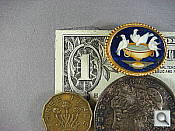


The Sony Cyber-shot T100's Super Macro setting captures a small minimum area of only 0.82 x 0.62 inches (20.9 x 15.6 millimeters). In normal Macro mode, the T100 captures an image that is below average. In both modes, however, there's only a little softening in the corners, while most cameras have some softening in the corners in macro mode.
The T100's flash had trouble throttling down for the macro area and was partially blocked as well, resulting in a very uneven exposure. (Plan on using external lighting for any macro shots with the T100.)
Distortion
Average barrel distortion, higher than average pincushion.
| Barrel distortion at 35mm is 0.9% |
 |
| Pincushion at 175mm is 0.4% |
 |
This is the tendency for the lens to bend straight lines outward (like a barrel -- usually at wide angle) or inward (like a pincushion -- usually at telephoto). The T100's 0.9% barrel distortion at wide angle is average among the cameras we've tested (even though its 35mm wide angle setting isn't very demanding), but not objectionable in most images. At the telephoto end, the DSC-T100 showed 0.4% pincushion distortion, which is a bit higher than average.
Chromatic aberration
Noticeable at wide angle, some at telephoto.
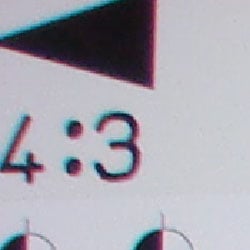


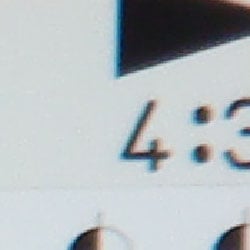
Chromatic aberration is noticeable and bright at wide angle, showing several pixels of medium coloration on either side of the target lines. It is also visible at telephoto focal lengths, though not as bright. (This distortion is visible as a colored fringe around the objects at the edges of the field of view on the resolution target.)
Corner Sharpness
Some softening in the corners of the frame.


The DSC-T100 produced soft corners at wide angle, which is very common at wide angle in small cameras like this. Telephoto performance wasn't much better, even mildly softer in the center -- but this T model has a 5x zoom (rather than the 3x zoom of earlier models), so the extra softening isn't that severe.
Viewfinder
Accuracy
The Sony T100's LCD monitor was very accurate. The camera does not have an optical viewfinder.
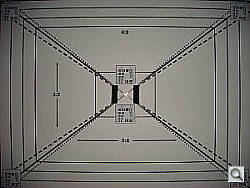
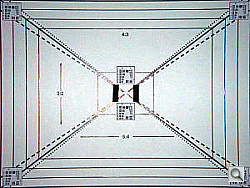
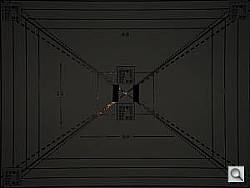
The T100's LCD monitor showed about 103% coverage at wide angle and 99% at telephoto. (The image at right was modified in Photoshop to show the lines more clearly; the original shot appears in the Flash table.)
The images above were taken from our standardized test shots. For a collection of more pictorial photos, see our Sony Cyber-shot DSC-T100 Photo Gallery .
Exposure
Sony DSC-T100 Exposure
Color
Saturation & Hue Accuracy
Good overall color and hue accuracy with slight oversaturation in bright reds and blues.
 |
| In the diagram above, the squares show the original color, and the circles show the color that the camera captured. More saturated colors are located towards the periphery of the graph. Hue changes as you travel around the center. Thus, hue-accurate, highly saturated colors appear as lines radiating from the center. |
Most consumer digital cameras produce color that's more highly saturated (more intense) than found in the original subjects. This is simply because most people like their color a bit brighter than life. The Sony DSC-T100 does oversaturate the strong red tones, and some blues a little, but the results are still quite pleasing.
Where oversaturation is most problematic is on Caucasian skin tones, as it's very easy for these "memory colors" to be seen as too bright, too pink, too yellow, etc. Here, the DSC-T100 did render skin tones slightly on the warm side in most cases, but many consumers find slightly warm skin tones more pleasing than cooler ones.
The other important part of color rendition is hue accuracy. Hue is "what color" the color is. Here, the DSC-T100 performed well, though it pushed cyan tones toward blue and some reds toward orange. Still, very good results.


Sensor
Exposure and White Balance
Indoors, incandescent lighting
Warm casts with both Auto and Incandescent white balance settings. About average exposure compensation required.


Color balance indoors under incandescent lighting was quite warm, with shades of yellow and red in Auto white balance mode, while the Incandescent setting, though still somewhat yellow, looked more pleasing overall. There is no Manual white balance setting on the T100, so the Incandescent setting is the best you'll do indoors. The DSC-T100 required a +0.7 EV exposure compensation boost to get a good exposure, about average for this shot. Overall color is a bit dark and yellow in Auto mode, making the blue flowers very dark and purplish. (A very common outcome for this shot.) Our test lighting for this shot is a mixture of 60 and 100 watt household incandescent bulb, a pretty yellow light source, but a very common one in typical home settings here in the US.
Outdoors, daylight
Good color balance overall, with fairly bright colors. Heightened contrast under bright outdoor conditions.

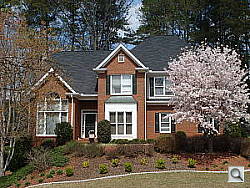
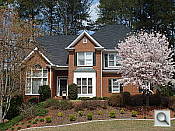
Outdoor shots showed better than average exposure accuracy, though with notably high contrast under harsh sunlight. Strong highlights tended to produce slight underexposures, as in the house shot above, with a limited midtone range, but exposure accuracy was still better than average when compared to many other consumer digicams. Overall color looked pretty good, with bright reds and blues that nonetheless didn't look too overdone.
See full set of test images with explanations
See thumbnails of all test and gallery images
Resolution
High resolution with about 1,400 lines of strong detail.


Our laboratory resolution chart revealed sharp, distinct line patterns down to about 1,400 lines per picture height horizontally, and about 1,400 lines vertically. Lines began to merge around 1,900-2,000 vertically. Use these numbers to compare with other cameras of similar resolution, or use them to see just what higher resolution can mean in terms of potential detail.
See full set of test images with explanations
See thumbnails of all test and gallery images
Sharpness & Detail
Mostly sharp images with good detail. Noise suppression softens detail in areas of subtle contrast.


The Sony T100 captures relatively sharp images at low ISO with good detail definition, though some edge enhancement artifacts are visible on high-contrast subjects such as the crop above left. (Edge enhancement creates the illusion of sharpness by enhancing colors and tones right at the edge of a rapid transition in color or tone.)
Noise-suppression systems in digital cameras tend to flatten-out detail in areas of subtle contrast. The effects can often be seen in shots of human hair, where the individual strands are lost and an almost "watercolor" look appears. The crop at far right shows this, with darker areas of Marti's hair showing limited detail, with large "brushstrokes" of blur; though individual strands are visible where a lighted strand passes in front of a darker shadow area. This is a lot of detail lost at the lowest ISO setting.
ISO & Noise Performance
Moderate noise at the normal sensitivity settings, but very high noise and strong blurring at the higher settings, especially above ISO 800.




The T100's lower ISO settings produced low to moderate noise, with blurred detail in the dark areas. However, starting at ISO 200, image noise begins to dominate areas of fine detail. At ISOs 800 and above, noise is strong and blurring significant. It's not only detail that suffers at these high ISOs: color also shifts, first with yellow, then purple-gray highlights. For more on whether this output is usable, see the Output Quality section below.
Extremes: Sunlit and low light tests
High resolution with good overall detail, but high contrast limits both highlight and shadow detail. Limited low-light capabilities, but sensitive enough to capture bright images under typical city street lighting.


Sunlight:
Because digital cameras are more like slide film than negative film (in that they tend to have a more limited tonal range), we test them in the harshest situations to see how they handle scenes with bright highlights and dark shadows, as well as what kind of sensitivity they have in low light. The shot above is designed to mimic the very harsh, contrasty effect of direct noonday sunlight, a very tough challenge for most digital cameras. (You can read details of this test here.)
The Sony DSC-T100 had a hard time with the deliberately harsh lighting in the test above, producing very high contrast with washed-out highlights and deep shadows. Shadow detail is limited, with the effects noise suppression very evident in the form of smudged detail in deep shadow areas. The camera required a slightly less-than-average amount of positive compensation at +0.7 EV, making its metering a bit more accurate than most in this particular test. (In "real life" though, be sure to use fill flash in situations like the one shown above; it's better to shoot in the shade when possible.)
| 1 fc 11 lux |
1/2 fc 5.5 lux |
1/4 fc 2.7 lux |
1/8 fc 1.3 lux |
1/16 fc 0.67 lux |
|
|---|---|---|---|---|---|
| ISO 80 |
 1 sec f3.5 |
 1 sec f3.5 |
 1 sec f3.5 |
 1 sec f3.5 |
 1 sec f3.5 |
| ISO 100 |
 1 sec f3.5 |
 1 sec f3.5 |
 1 sec f3.5 |
 1 sec f3.5 |
 1 sec f3.5 |
| Twilight Scene (ISO 100) |
 2 sec f3.5 |
 2 sec f3.5 |
 2 sec f3.5 |
 2 sec f3.5 |
 2 sec f3.5 |
| ISO 200 |
 1 sec f3.5 |
 1 sec f3.5 |
 1 sec f3.5 |
 1 sec f3.5 |
 1 sec f3.5 |
| ISO 400 |
 0.6 sec f3.5 |
 1 sec f3.5 |
 1 sec f3.5 |
 1 sec f3.5 |
 1 sec f3.5 |
| ISO 800 |
 0.3 sec f3.5 |
 0.6 sec f3.5 |
 1 sec f3.5 |
 1 sec f3.5 |
 1 sec f3.5 |
| ISO 1600 |
 1/6 sec f3.5 |
 0.3 sec f3.5 |
 0.6 sec f3.5 |
 1 sec f3.5 |
 1 sec f3.5 |
| ISO 3200 |
 1/13 sec f3.5 |
 1/6 sec f3.5 |
 0.3 sec f3.5 |
 0.8 sec f3.5 |
 1 sec f3.5 |
Low light:
The Sony DSC-T100 performed poorly on our low light test. At the lower ISO settings (80 and 100), images were not bright at any level. At ISO 200, it took one foot-candle of illumination to get a borderline bright image. At 400, it took 1/2 fc, and so on. The camera's autofocus system worked well, able to focus on the subject down to the 1/8 foot-candle light level unassisted, and well past the darkest light level we test with the AF assist lamp enabled. Keep in mind that the long shutter times here absolutely demand the use of a tripod or other camera support to get sharp photos. (A useful trick is to just prop the camera on a convenient surface, and use its self-timer to release the shutter. This avoids any jiggling from your finger pressing the shutter button, and can work quite well when you don't have a tripod handy.)
Flash
Coverage and Range
Poor flash range at normal ISO settings.


Flash coverage was rather uneven at wide angle, and way too dark at telephoto. In the Indoor test, the Sony T100's flash underexposed our subject at its default setting with a noticeable orange cast; images only became acceptable with the High Intensity adjustment. The Slow-Sync flash mode also needed the "+" or High Intensity setting, though it resulted in more even lighting (and a stronger orange cast).
| Flash Range: Wide Angle | |||||
|---|---|---|---|---|---|
| 6 ft | 7 ft | 8 ft | 9 ft | 10 ft | 11 ft |
 1/40 sec f3.5 ISO 100 |
 1/40 sec f3.5 ISO 100 |
 1/40 sec f3.5 ISO 100 |
 1/40 sec f3.5 ISO 100 |
 1/40 sec f3.5 ISO 100 |
 1/40 sec f3.5 ISO 100 |
| 12 ft | 13 ft | 14 ft | 15 ft | 16 ft | |
 1/40 sec f3.5 ISO 100 |
 1/40 sec f3.5 ISO 100 |
 1/40 sec f3.5 ISO 100 |
 1/40 sec f3.5 ISO 100 |
 1/40 sec f3.5 ISO 100 |
|
| Flash Range: Telephoto | |||||
|---|---|---|---|---|---|
| 6 ft | 7 ft | 8 ft | 9 ft | 10 ft | 11 ft |
 1/50 sec f4.4 ISO 100 |
 1/50 sec f4.4 ISO 100 |
 1/50 sec f4.4 ISO 100 |
 1/50 sec f4.4 ISO 100 |
 1/50 sec f4.4 ISO 100 |
 1/50 sec f4.4 ISO 100 |
| 12 ft | 13 ft | 14 ft | 15 ft | 16 ft | |
 1/50 sec f4.4 ISO 100 |
 1/50 sec f4.4 ISO 100 |
 1/50 sec f4.4 ISO 100 |
 1/50 sec f4.4 ISO 100 |
 1/50 sec f4.4 ISO 100 |
|
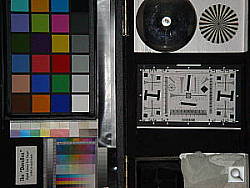
At ISO 100, flash power was inadequate even at six feet for both wide angle and telephoto settings. Sony apparently has decided to rely on its high ISO capability to capture flash shots, as suggested by the results below at ISO 800 and 3200.
| Manufacturer-Specified Flash Range | |
|---|---|
| Wide Angle | Telephoto |
 12.2 feet Auto ISO 500 |
 9.5 feet Auto ISO 400 |
Our standard test method for flash range uses a fixed setting of ISO 100, to provide a fair basis of comparison between cameras. We also capture two shots using the manufacturer-specified camera settings, at the range the company claims for the camera, to assess the validity of their claims. In the shots above, the DSC-T100 doesn't quite cut it with its ISO set to Auto, despite the camera's boosting the ISO to 500 in the Wide and 400 in the Tele shots. There's significantly higher image noise at this distance, so be sure to use the T100 at six feet or less to keep the ISO down.
Output Quality
Print Quality
Good print quality, great color, crisp prints at 11x14 inches, usable ones at 13x19. ISO 400 images are usable to 8x10 inches, better at 5x7. ISO 1600 images are usable at 4x6; ISO 3200 is not usable at all.
Testing hundreds of digital cameras, we've found that you can only tell just so much about a camera's image quality by viewing its images on-screen. Ultimately, there's no substitute for printing a lot of images and examining them closely. For this reason, we now routinely print sample images from the cameras we test on our Canon i9900 studio printer, and on the Canon iP5000 here in the office. (See the Canon i9900 review for details on that model.)
The Sony DSC-T100 at ISO 80 produced crisp prints at 11x14 inches, and somewhat softer but still acceptable ones at 13x19. As always though, the real test of print size came at the higher ISO settings. Unfortunately, quality begins to degrade at ISO 200, backing the acceptable print size to 8x10. T100's ISO 400 images were still somewhat usable at 8x10, but ISO 800 images are only good for 5x7. ISO 1,600 images are only good at 4x6, an then only when held about two feet away. ISO 3200 images are only usable for Web display and don't hold up even to 4x6 inch prints.
Color-wise, the Sony DSC-T100 did quite well, with bright but natural-looking color and good-looking skin tones. Clearly they worked hard to keep color under control in favor of maintaining detail as ISO goes up.
The images above were taken from our standardized test shots. For a collection of more pictorial photos, see our Sony Cyber-shot DSC-T100 Photo Gallery .
Not sure which camera to buy? Let your eyes be the ultimate judge! Visit our Comparometer(tm) to compare images from the Sony Cyber-shot DSC-T100 with those from other cameras you may be considering. The proof is in the pictures, so let your own eyes decide which you like best!
Performance
Sony DSC-T100 Performance
Timing and Performance
Above average speed for a consumer camera.
|
Startup/Shutdown
|
||
|
Power on
to first shot |
1.8 seconds
|
Time it takes for LCD to turn on and lens to deploy.
|
|
Shutdown
|
1.4 seconds
|
How long it takes to retract lens and stow in your pocket.
|
|
Buffer clearing time
|
1.0 second
(Large/Fine JPEG, Unlimited shots in continuous mode) |
Worst case buffer clearing time.* This is the delay after a set of shots before you can remove the card. Some cameras won't retract their lenses and shut down until the buffer is cleared.
|
|
Mode switching
|
||
|
Play to Record,
first shot |
3.2 seconds
|
Time until first shot is captured
|
|
Record to play
|
0.8 seconds
|
Time to display a large/fine file immediately after capture
|
|
Display
recorded image |
1.2 second
|
Time to display a large/fine file already on the memory card.
|
|
Shutter response (Lag Time):
|
||
|
Full Autofocus Wide
|
0.37 second
|
Time from fully pressing shutter button to image capture, zoom lens at wide angle position.
|
|
Full Autofocus Tele
|
0.68 second
|
Time from fully pressing shutter button to image capture, zoom lens at telephoto position.
|
|
Prefocused
|
0.008 second
|
Time to capture, after half-pressing and holding shutter button.
|
|
Continuous AF
|
0.37 second
|
This mode usually shows no speed increase with our static subject; we have no way to measure performance with moving subjects.
|
|
Manual focus
|
0.36 second
|
For most cameras, shutter lag is less in manual focus than autofocus, but usually not as fast as when the camera is "prefocused"
|
|
Cycle time (shot to shot)
|
||
|
Single Shot mode
Large Fine JPEG |
1.34 seconds
|
Time per shot, averaged over 20 shots
|
|
Single Shot mode
640 x 480 JPEG |
1.32 seconds
|
Time per shot, averaged over 20 shots
|
|
Early shutter
penalty? |
No
|
Some cameras refuse to snap another shot if you release and press the shutter too quickly in Single Shot mode, making "No" the preferred answer
|
|
Continuous mode
Large Fine JPEG |
0.46 second (2.21 frames per second);
No limit w/fast card*; ~1 seconds to clear |
Time per shot, averaged over buffer length or 20 shots, whichever came first
|
|
Continuous mode
640 x 480 JPEG |
0.45 second (2.20 frames per second);
No limit w/fast card*; ~1 seconds to clear |
Time per shot, averaged over buffer length or 20 shots, whichever came first
|
|
Flash recycling
|
5.5 seconds
|
Flash at maximum output
|
|
Download speed
|
||
|
Windows Computer, USB 2.0
|
10,605 KBytes/sec
|
Typical Values:
Less than 600=USB 1.1; 600-770=USB 2.0 Low; Over 770=USB 2.0 High |
|
*Note: Buffer clearing times measured with a SanDisk Memory Stick Pro Duo memory card. Slower cards will produce correspondingly slower clearing times. Slow cards may also limit length of bursts in continuous mode.
|
||
The Sony T100's performance is generally above average. Startup and shutdown speeds are above average. Shutter response is above average, too. Shot-to-shot cycle times and continuous-mode speeds are also above average. The flash, which can light up an average-sized room at high ISO, takes 5.5 seconds to recharge after a full-power shot, which is average for any digicam. Connected to a computer or printer with USB 2.0, download speeds are unusually fast, pretty much eliminating the need for an external reader. Bottom line, the Sony DSC-T100 is responsive enough to handle most family photo opportunities.
Battery and Storage Capacity
Battery
Surprisingly good battery life.
| Operating Mode | Battery Life |
| Still-image capture mode Li-ion rechargeable battery |
340 shots
|
The Sony DSC-T100 uses a custom rechargeable Li-ion battery for power. The table above shows the number of shots the camera is capable of based on CIPA battery-life and/or manufacturer standard test conditions. We normally recommend picking up a spare battery and keeping it freshly charged and on-hand for long outings, but the DSC-T100's battery life is good enough that few users are likely to feel the need for a second battery.
(Interested readers can find an English translation of the CIPA DC-002 standards document here. (180K PDF document))
Storage
No memory card or adapter is included with the Sony Cyber-shot DSC-T100, but the camera does have about 31MB of internal memory.
|
Image Capacity with 31MB Internal Memory |
Fine | |
|
3,264 x 2,448
|
Images
|
6 |
|
File Size
|
3.4 MB | |
|
2,592 x 1,944
|
Images
|
8 |
|
File Size
|
2.6 MB | |
|
2,048 x 1,536
|
Images
|
13 |
|
File Size
|
1.6 MB | |
|
640 x 480
|
Images
|
128 |
|
File Size
|
171 KB | |
The Sony DSC-T100 stores its photos on Memory Stick Duo memory cards or in approximately 31MB of internal memory, and no card is included with the camera. We strongly recommend buying a large capacity Memory Stick Duo memory card at least a 1GB card, preferably a 2GB one, to give yourself extra space for extended outings and videos. (Check the shopping link above, cards are really cheap these days, so no reason to skimp.)