


Overview
Canon EOS Rebel T1i
EOS 500D
Overview
by Shawn Barnett, Dave Etchells, and Zig Weidelich
Hands-On Preview: 03/25/09
Updated to final production-level review: 10/05/09
Canon's consumer SLR line has a new flagship: the 15.1-megapixel Canon EOS Rebel T1i. Once again, we see a new SLR from Canon in less than 18 months from the last in a given line. It's actually only eight months since the XS was announced, and about 14 since the XSi; either way you look at it, competition has shortened product cycles in the digital SLR space.
Now at the top of the Rebel line, the Canon T1i takes on the Nikon D90, with its video mode, while the XS and XSi are left to challenge the Nikon D3000 and D5000. With the Rebel T1i, Canon is answering the pincer move that Nikon's put on it in the past few years, now matching them model-to-model at the low end, because the XS and XSi will remain in the lineup.
Canon Rebel T1i Features
While the new HD movie mode is the gee-whiz feature on the Canon Rebel T1i, the important feature for most photographers is the still image quality at 15.1 megapixels. According to our tests, its only rival even near this price point is the Canon EOS 50D or the more recently-announced Pentax K-7, both of which are considerably more expensive at retail. (But both of which are also more ruggedly constructed, particularly the Pentax, which has a die-cast body and significant environmental sealing.)
Controls and body styling are nearly identical (differences are broken down in the User Report below); the main changes are internal. The Canon T1i's new sensor is ever slightly larger at 22.3 x 14.9mm compared to the 22.2 x 14.8mm measurement of the XSi's sensor, but the bigger change is the new sensor's high ISO capabilities, running from 100 to 3,200, with two expanded settings: 6,400 and 12,800.
Canon's new DIGIC 4 processor handles the larger 4,752 x 3,168 at a slightly reduced speed of 3.4 frames per second (at 1/500 second or greater -- down from the XSi's 3.5 fps), with a maximum JPEG burst of 170 frames or 9 RAW frames. You can also now capture RAW images in all of the Canon T1i's modes, whether Basic or Creative Zone.
The Canon T1i's 3-inch LCD is a 640x480 design with 920,000 dots, making for a noticeably sharper onscreen image, great for focusing and confirming sharpness after capture. The Canon T1i is the first Rebel to have such a high-res screen.
Other features come to the Canon T1i from the 50D, including the Peripheral Illumination Correction and multiple noise reduction settings. Auto Lighting Optimizer and Highlight Tone Priority were already brought over with the XSi, but Creative Auto is now included, a unique mode that endeavors to bring creative control to the amateur shooter.
Movie mode comes to the Rebel T1i with quite similar capabilities to the Canon 5D Mark II, though it's highest complete HD resolution is 720p at 30fps. It can capture 1080p videos, but only at 20fps, which isn't technically fully up to spec. Standard 640x480 movies are also available at 30fps. You can manually focus or autofocus via contrast detect by pressing the Canon T1i's rear AE/AF-Lock button.
The Canon Rebel T1i accepts EF and EF-S lenses, and uses SD/SDHC cards, including Eye-Fi wireless cards. The battery is the same as the XSi, and it uses the same battery grip.
 Also introduced at the same time is the very small Speedlite 270EX, a new flash that is easy to pocket and gives cameras like the Rebel T1i and the PowerShot G10 an accessory flash that won't threaten to flip these lightweight cameras over. The flash head zooms manually from 28mm to 50mm coverage, and flips up to 90 degrees. Like other EX Speedlites, the 270EX transmits color temperature information to the camera. Power comes from two AA batteries.
Canon EOS Rebel T1i Pricing and Availability
Body-only, the Canon EOS Rebel T1i lists for $800, and the kit with the 18-55mm IS lens carries an estimated retail price of $900; both started shipping in May 2009. The Canon Speedlite 270EX has a retail price of $219.99, but is selling for around $149 online.
Canon EOS Rebel T1i
EOS 500D User Report
by Shawn Barnett
Canon's new flagship consumer SLR, the Rebel T1i, gathers the best from its more expensive brethren into a more affordable, compact package. The Rebel T1i now sports a 15.1-megapixel sensor like the EOS 50D, and records HD video like the 5D Mark II. Naturally, a few features are also missing from the Canon Rebel T1i, most of which consumers will not know to want at all, but that enthusiasts should consider when deciding from among these three cameras.
The prospect of capturing video with a wide array of lenses, from super-wide-angle to long telephoto is what makes capturing video with Canon Rebel T1i interesting. Before now, you'd have to save a pile of cash and join the long waiting-lists at camera retailers to get a Canon 5D Mark II to explore these new video features, but the availability of the Rebel T1i should shorten those lines for many aspiring videographers. There are a few shortcomings, however, which we'll get to soon.
Look and feel. Physically, the Canon T1i is very similar to the Canon XSi, with a few minor cosmetic changes as well as the addition of holes for a microphone on the front and a speaker on the back. Heft is good, not much heavier than the XSi's 25.4 ounces (720.3g) with lens, battery, and card: just 25.6 ounces (725.9g). Without the lens, the Canon Rebel T1i plus battery and card weighs 18.5 ounces (526g).

From the front you can see that the grip improvements continue. The textured rubber surface of the Canon Rebel T1i's grip feels more tacky than the more worn-in surface on our copy of the XSi, and our fingertips get to enjoy a little more of the grip, since it now extends further toward the lens of the camera; while on the XSi, it stops just right of the grip and your fingertips touch more of the painted surface of the camera than the grippy area. There's a slightly larger bump in front of the Canon T1i's knurled Command dial, and off the right shoulder we find holes for the new microphone, and below that there's a new raised pad for the EOS logo (on the XSi, this logo is pad-printed directly on the surface). From here you can also see that the knurl on the Canon T1i's Mode dial is cut both horizontally and vertically, rather than the coarse vertical lines found on the XSi.

The only major difference on the top of the Canon Rebel T1i is on the Mode dial. As was the case with the 50D vs the 40D, the silver bezel is the main cosmetic feature to set the Canon T1i apart from the XSi, with its black Mode dial. On the mode dial you'll find two new icons, one for Creative Auto and one for Movie mode. On the Canon 5D Mark II, you access the Movie mode via Live View mode, but setting the Mode dial is the only way you can enter Movie mode on the Canon T1i, which dedicates all functions to movie capture, something that will be more familiar to digicam users, and which is more straightforward. You can capture stills in Movie mode, though, which is nice.
The Rebel T1i's ISO button is in the same place here on the top deck, but it sticks up from the surface more, making for easier activation, especially when changing ISO while looking through the optical viewfinder.

What stands out the most from the rear of the Canon T1i is the 920,000-pixel LCD (to better appreciate the increase in resolution, click on the above image to see a very large version). The layout of the Status display has changed a bit thanks to the greater resolution, but the only addition to the available display is the D+ icon that appears right of the ISO number when Highlight Tone Priority is enabled via the Custom functions (you can't actually turn this on or off via the Quick menu, however). The Quick menu that was new to the Canon 50D has made its way over to the Rebel T1i as well, activated with the SET button. On the XSi, the SET button takes you in the Live View mode if it's active, but pressing the Print/Share button now activates Live View on the Rebel T1i. This is also a different location than is found on the 50D, where the DISP/Print/Share button turns on Live View. It's unfortunate that there are so many ways to enter this relatively new mode depending on which EOS you're using, but it's not uncommon to Canon cameras to change a bit with each generation. Other remappings on the Canon T1i include putting White Balance on the up arrow, replacing the Metering mode option (which can now be changed with the Quick menu or the Main menu).
Upper right on the thumb grip you can see the holes for the Canon T1i's speaker. The textured thumb pad is identical to the XSi, offering an attractive, leather-like surface that's comfortable to the touch.
(I've mostly focused on differences here in the overview section; for more on the Canon T1i's controls, see the Design section, where you can hover over each control for a more detailed explanation.)
Size comparison: Canon Rebel T1i vs Canon Rebel XSi


Few differences: The Rebel T1i is almost identical to the XSi, with only a few cosmetic changes. The main distinguishing feature is the silver Mode dial. (Note: these shots were made with the pre-production camera, but nothing has changed cosmetically from that camera, save the addition of the Rebel T1i logo.)

DIGIC 4. Canon uses the new DIGIC 4 image processor in the Rebel T1i. The new processor is said to offer improvements in processing speed necessary to handle the 15.1-megapixel files with reasonable speed. The Canon T1i's DIGIC 4 processor also keeps the noise down when compared to the Canon XSi, according to our tests, despite the smaller pixels. DIGIC 4's greater power is the reason the T1i can incorporate many of the following improvements, from menu animations to expanded ISO.

Menu changes. Flash control has been moved from the Rebel T1i's second Settings menu to the first Record menu, a sensible change, and a second Playback menu has been added to allow for the Jump settings menu item. Flash Exposure compensation is now buried in the Flash control menu, as it is on the 50D and 5D Mark II, unfortunately. And Peripheral illumination correction is now on the Rebel T1i's first Record menu. As with all recent Canon digital SLRs, pressing the right or left arrows navigates among the menu screens without requiring you to scroll to the tab at the top of the screen, a much faster way to work. The last item highlighted in each of the Rebel T1i's screens also remains highlighted, which is great when you're consistently changing two specific items. Moving between items and screens is also animated with a quick fade out and in with each press of the navigation buttons.

Peripheral illumination correction. Brought over from the 50D, the Rebel T1i's Peripheral illumination correction compensates for vignetting in the corners of a lens. Correction changes depending on which lens is mounted; selecting this menu item brings up a screen where you can see which lens the camera has detected and either enable or disable this function.

ISO Expansion. For the first time, a Rebel-series camera has ISO expansion available, and in this case the amount of expansion is significant. Not only is the Canon T1i the first Rebel to offer ISO 3,200, but the two expansion settings enable ISOs 6,400 and 12,800, offering the consumer Canon enthusiast greater opportunities in low light than ever before. Also included in the series at left is a screenshot that shows the D+ indicator for Highlight Tone Priority mode. When activated, the Canon T1i is limited to a range from ISO 200 to 3,200, with no High ISO options.

Creative Auto mode. First introduced on the Canon 50D, Canon's Creative Auto mode has come to the Rebel T1i. Marked with a "CA" on the Mode dial, this mode is a cross between the Auto and Program modes. When set to CA mode, the Canon 50D allows the user to adjust the Flash, resolution, drive mode, and Picture Style. Setting aperture and exposure are converted to easier concepts of background blur (blurred or sharp), and exposure level (darker or brighter) with a slider that's adjusted with the Quick Control dial. The more complex exposure decisions remain under the Canon T1i's control in CA mode. The exposure slider is the more useful, standing in as a more comprehensible EV adjustment. Sometimes the blur or depth-of-field slider isn't available, as when shooting indoors, because the Rebel T1i's flash is deployed automatically. Turning on the flash brings this control back, though, so it's handy that you can actually disable the Rebel T1i's flash in a full-auto mode.

Live view sample. Click on the image above for a sample video that will give you an idea of how long it takes to autofocus, as well as how navigation works in Live View mode. Video size: 41.1MB.
Live View mode. The Canon T1i's Live view mode works pretty much the same as Live View on the Canon 50D, with Quick mode, Live mode, and Live Face Detect mode. The latter mode was not included on the XSi. Live View mode is only available, surprisingly, in the Rebel T1i's Creative zone modes, namely Program, Shutter, Aperture, Manual, and A-DEP. The order of these modes has been inverted on the Rebel T1i, starting with Live Mode, then Live Face Detect, and finally Quick mode.
Before anyone complains, I'll point out that none of the Rebel T1i's live view autofocus modes is particularly fast. If you're used to using a digicam, however, you'll be most accustomed to the two Live modes, which are contrast-detect. You can see the camera focusing onscreen, and the Canon T1i will tell you where it's decided to focus; or if you've selected a focus area with the floating box, that area will turn green once focus is achieved. Thanks to the new high-resolution LCD, you'll be able to tell roughly whether the area is indeed in focus. If it's important enough, you can even check by pressing the Canon T1i's Magnify button on the upper right of the camera back and zoom in by five or 10 times.

Select Live Face Detect mode, and the Canon T1i can find and set both exposure and focus based on the faces in finds, up to 35 faces.
If you'd like to more precisely select an autofocus point, you can switch to Quick mode and use one of the Canon T1i's nine phase-detect autofocus points (phase-detect vs face-detect: there's a near homophone that linguistic historians will have to explain). Phase-detect is the same method that the Canon T1i uses when you're looking through the optical viewfinder, so it's arguable that it will be more familiar to most experienced digital SLR users. It's also historically faster and more accurate than contrast-detect systems; but that's not true here in Live View mode. To use phase-detect autofocus, SLRs have to leave Live-view mode because their autofocus sensors are dependent on having the mirror down for the light to reach them. So when you press the star button on the back of the Canon T1i, you're going to lose Live view for a moment while the camera does it's phase-detect operation. Live view will come back, and the selected autofocus points will light up to tell you which areas are in sharp focus.
Of course, exposure simulation is also part of the Canon T1i's Live View capabilities. The camera will show you onscreen what the image will look like when you press the shutter release, at least for non-flash shots. This is a great feature, especially when you're shooting in Shutter, Aperture, or Manual modes, because you can see what each setting adjustment will give you in terms of exposure.

The Canon T1i's Live view mode also offers a choice of two grids: one that divides the screen into 3x3 blocks, and another that divides the screen into 4x6 blocks. Grids are great for lining up horizon lines and buildings to keep things looking straight.
Movie mode. Capturing movies with the Canon Rebel T1i is not as easy as using a camcorder. It's still really for "artist" videographers, rather than casual users. The primary reason is that the Canon T1i can't autofocus as quickly as we're used to our camcorders doing, and it won't autofocus continuously; you have to press the AE-Lock/AF-Lock button (marked with an asterisk or star) on the back to activate it. When you do, the Canon T1i's exposure will gain up a bit to let in more and less light, perhaps to help the processor find the best contrast, and the focus will move around until it locks on something. You can do this while recording, but both the exposure and focus changes will be recorded in the movie.

AF in Movie mode. Autofocus behaves somewhat differently in the Canon T1i's Movie mode, which can be a bit confusing. Click on the image above for a video that explains the interface. Video size: 28.5MB. MPEG4 player required.
If you can wrap your mind around the concept of setting up and capturing video snapshots, however, you can begin to use the Canon T1i's Movie mode the way it was intended. I was trained early on by Canon camcorders that have a 10 second timer in the viewfinder. I recall the manual suggesting that I use the snapshot method, recording only 10 seconds of a scene and moving on, to avoid making a boring video. I also edit my videos on the computer, so it doesn't bother me too much if I have to refocus a scene while recording, because I'll just cut it out of the video on the computer. Following action while focusing is out of the question, though, which isn't ideal.
The enthusiast videographer will enjoy the Canon T1i's Movie mode, but there are some shortcomings for them as well. One is that they can't control shutter speed, aperture, or ISO, nor can they know what the camera is setting. Most camcorder users don't expect to be able to select fast or slow shutter speeds, except perhaps a sports mode, but from a camera where you can set both aperture and shutter speed for stills you can be forgiven for expecting a little more control in Movie mode. Many 5D Mark II users have learned to trick the camera by locking the exposure, but it's unclear how to achieve this with the Rebel T1i (the 5D Mark II has since been updated, but not the Rebel T1i).
Shutter speed for movies in Movie mode is limited to 1/30 to 1/125 second, and from there the Canon T1i varies the aperture and ISO to adjust exposure.
Not having an external microphone jack on the Canon T1i is another real downer for the enthusiast videographer, because capturing direct audio is essential in many situations, especially outdoors. The Rebel T1i also has no wind filter, another common feature of the average camcorder.

Pulling focus. This video illustrates a common video technique made easier on the Rebel T1i. Click the image above to launch the video. This video, shot on the Rebel T1i, is also a good test of whether your computer can handle HD playback; if it doesn't play smoothly, you might need to upgrade your computer before investing in a Rebel T1i. Video size: 31.7MB. MPEG4 player required.
There's a lot of beauty still to be had in the Canon T1i's Movie mode, including the use of all of Canon's EF and EF-S lenses, from super-wide-angle to long telephoto, which allow you to see the world in a way that few camcorders will let you. And though you can't control aperture with the Canon T1i, you can still take advantage of the bokeh available with prime lenses so long as you can control the light and movement of your subject for the duration of each video snapshot. (Bokeh is the out-of-focus area in front of or in back of the in-focus area, which many photographers use to set their subjects apart from the background; usually more blurring occurs with the lens wide open, and decreases as you stop down.)
Just like the Canon long zoom PowerShot S-series cameras, you can capture a full-resolution still image in the midst of recording a movie on the Rebel T1i. The video stream is interrupted with a still image while the full-res image is saved to the card, taking a little over two seconds. That's regardless whether you capture a low-res JPEG or a RAW+JPEG (at least in the pre-release camera). Incidentally, the artificial shutter sound recorded into the video, consisting of a light clicking sound, is much quieter than the Canon T1i's actual shutter sound, which is still fraught with a stamping and winding noise. At least you don't hear that in the video.

Sensor technology. The Canon T1i's 15.1-megapixel CMOS design is apparently not identical to the Canon 50D's sensor, though it does raise the resolution from the XSi's 12.1 megapixels. The sensor and processor combination in the Canon T1i seems to be a little better overall, producing sharper images with greater detail. Judging from our test images, Canon has indeed managed to improve image quality while raising ISO and increasing resolution at the same time.
Where the Canon T1i's sensor differs is in the data path and the microlens array: whereas the 50D's sensor has a four-channel readout, the Rebel T1i's sensor uses a 2-channel readout, which means that the image data will come off the T1i's sensor more slowly. Since the Canon T1i has a slower framerate, the four-channel readout may have been deemed unnecessary. As for the microlens array, we initially assumed that is was the same as the 50D's gapless microlenses, as we were told that the only difference between the two sensors was the data path; now it seems that the microlenses in the Canon T1i's sensor do indeed have "gaps," which should mean that the sensor will let in less light overall. The Rebel T1i's sensor still looks remarkably close to the 50D's.
14-bit A/D conversion. Just like the Rebel XSi, the Canon Rebel T1i uses 14-bit Analog-to-Digital conversion when creating JPEGs, for smoother color transitions, and RAW files are saved as 14-bit files. Converting from 14-bits worth of data means that the saved images are theoretically formed from four times the color information than was available to the Canon XTi, which was only able to generate 4,096 colors per channel. The Canon Rebel T1i can recognize 16,384 colors per channel, which should mean smoother tones and more accurate color overall. Though JPEGs will still be saved as 8-bit color, RAW images will benefit more fully from the 14-bit depth, making for more accurate 16-bit images in programs like Photoshop.
Auto Lighting Optimizer. The Auto Lighting Optimizer introduced on the Rebel XSi allows the photographer to expose for the highlights, and then the camera adjusts the image to open up the shadows during image capture. On the Canon T1i, ALO now has four settings, including Off, Low, Medium, and Strong.

AE Bracketing. HDR (High Dynamic Range) shooters have a new tool in the Canon T1i's enhanced AE Bracketing feature. The feature allows you to bracket images starting from four stops darker or ending four stops brighter than the meter's selected exposure value, over a two-stop range, when combining exposure compensation with AE Bracketing. A new display makes it easier to understand the feature (see animation at left).
HDMI output. The Canon T1i includes an HDMI (High-Definition Multimedia Interface) port, for displaying images and movies on a high-definition television.
Missing. One of the key reasons I'd buy a Canon 50D is its AF Microadjustment feature, which allows me to adjust the autofocus system for various lenses in my collection. That's missing on the Rebel T1i, unfortunately. This omission locks Canon enthusiasts into either the Canon 50D or 5D Mark II, which both have the AF Microadjustment feature. Canon Rebel T1i owners will need to turn to a Canon service center if they think a lens has a back or front-focus problem that needs to be addressed. It's such a no-brainer to include this function, likely requiring no extra hardware, that it's tough to understand why they'd leave it out -- except, of course, to avoid cannibalizing sales of the EOS 50D.
Silent shutter mode is also unavailable on the Canon T1i. Though it's useful in certain wildlife situations, it would not deter me from buying the Canon Rebel T1i, despite its loud shutter mechanism, mostly because I don't shoot much wildlife; if you shoot wildlife often, though, the 50D wins again.
The Rebel T1i also doesn't have multiple RAW formats, nor the dozens of permutations when saving RAW+JPEG files. This really isn't a terrible loss either, since so many options are likely to confuse the average consumer photographer into making a critical error. The only RAW options are RAW or RAW plus Large Fine JPEG. You can still choose all the standard JPEG resolution and compression options when not shooting RAW with the Canon T1i.

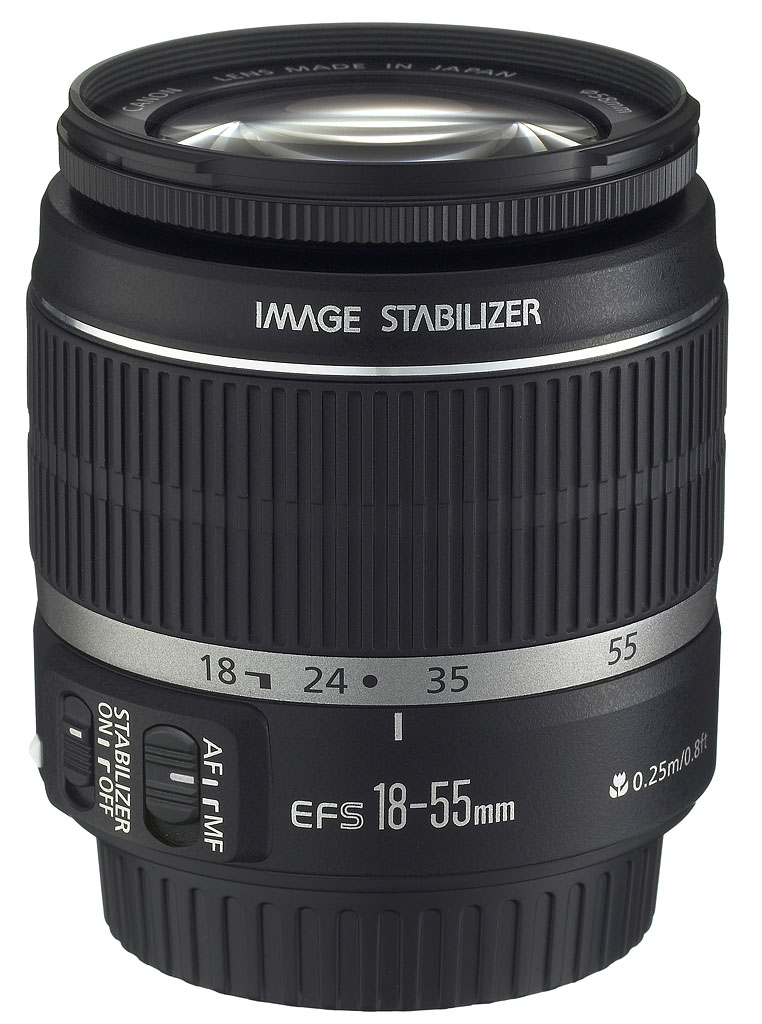
Lens. The Rebel T1i comes with the same kit lens that shipped with the XSi: the image-stabilized 18-55mm EF-S lens that so impressed us at its debut. Equivalent to a 29-88mm lens on a full-frame 35mm camera, this is a good mid-range zoom lens that is quite light. Optical image stabilization technology delivers sharper shots even in low light. Canon claims you can shoot at up to four stops slower than normal and still get a stable shot. That means that if you can normally get a stable shot at 1/60 second, you should be able to squeeze off a 1/4 second shot and have it come out sharp. If you're a fairly steady shooter, it seems to be true. Your results may vary, and remember that image stabilization compensates for camera movement, not for subject movement, so tell your subject to hold very still or shoot with a faster shutter speed at a higher ISO.

Storage and battery. Like its predecessor, the Canon Rebel T1i uses SD and SDHC memory cards. It's a shame that they're not compatible with Canon's higher-end digital SLRs, which use CompactFlash cards (except the very expensive professional 1D-series cameras, which use both). The simpler design of the SD card means there should be no problems with bent pins on the Canon T1i, as occasionally happened on the XTi and older models when users accidentally inserted the CF card sideways.
The Canon T1i also uses the same battery as the XSi, the LP-E5, a 1080 mAh lithium-ion battery with concealed electrical contacts. The XSi's battery grip, the BG-E5, also works with the Canon T1i, and duplicates the shutter release and control wheel, as well as AE lock and focus point buttons for vertical-format shooting. Those who have trouble with the smaller grip on the Canon Rebel series will find that the battery grip makes the camera more satisfying to use; and those who shoot vertical frequently will enjoy the vertical shutter release, which allows you to shoot with less strain.

New flash. A new small flash was announced with the Canon T1i, the Speedlite 270EX. We're betting it's going to be quite popular thanks to its easy pocketability, light weight (5 ounces), and reasonable range. Though it's powered by only two AA batteries, the 270EX has the same range as the older Speedlite 220EX that requires four AAs (charging time is increased, however, taking 4.5 seconds instead of 3). It also has a manual zoom from 28mm wide-angle coverage to 50mm coverage, and a guide number of 22 meters / 72 feet wide-angle, and 27 meters / 89 feet telephoto, both at ISO 100. Even better, its head can tilt up and lock in three positions: 60, 75, and 90 degrees.
Unfortunately, it doesn't tilt down for macro shots, and it doesn't go back beyond 90 degrees for more face-filling bounce shots. It also doesn't work to control other flashes, nor can it be controlled. However, the Canon Rebel T1i's menu can control the flash for manual exposure adjustments; indeed, it's the only way you can control the 270EX (it's unclear which other cameras will be able to control the flash at this time). Otherwise, the camera controls the flash's exposure via E-TTL II, Canon's excellent through-the-lens exposure system. If you want to bounce flash off the ceiling when shooting in vertical mode, you'll still require at least the 430EX, but for basic snapshots, the Speedlite 270EX looks like a handy accessory.
Shooting with the Canon Rebel T1i

Otters. These guys were nearly inseparable and seldom stopped moving, but this was one rare moment where they stayed relatively still. What's interesting is that I made this shot while capturing this movie. Note that the movie is compressed, and takes up about 20.9MB; the compression process darkens the color and increases contrast. You'll see both what the Canon T1i's autofocus operation and photo capture look like in this video. (Note: shots in this section were made with the prototype T1i, but we found so little difference between the two in our lab shots that we're fine displaying these samples.)
Since it is so similar to the XSi, I found the Canon Rebel T1i easy and fun to shoot with. Though I am weary of Canon moving the Live View activation button around, I do like its current location on the Print/Share button. It's more natural to transition with this button than having to hit the Display button on the left side as on the Canon 50D.
Other controls are well-placed and easy to access. The Canon T1i's ISO button sticks up more from the top deck, making it easier to activate. The optical viewfinder is still quite small, making the Live View mode on the 640x480 screen that much more useful, especially with the camera mounted on a tripod.
Though the Canon T1i's 18-55mm IS kit lens is of good quality and light, I chose to take the far more expensive and heavy 70-200mm f/2.8 IS lens to the zoo for our test shots. I also tried the Canon T1i with the 18-200mm f/4.5 IS lens. It was easy to see which I was using, of course, especially once I got back to the computer. The Rebel T1i didn't feel too tiny behind the large pro lens, and I managed to squeeze off a few good shots. Zoo Atlanta features a lot of glass to protect the visitors, which made shooting a little more difficult, so some of the shots you see in the Gallery would need to be post-processed to compensate for the glare and focus before printing.

Misjudging exposure. This shot looked properly exposed on the LCD after I tweaked the exposure a bit to -0.7EV, but on the computer it's clear that the background is still too bright and the shadow portions could be darker. It was easy to rescue in Photoshop, however.
I was mostly impressed with the Canon Rebel T1i's handling of the scenes. What threw me at times was trying to judge the exposure based on what I saw on the Canon T1i's LCD. Though the coating does cut the glare significantly, the blue cast can sometimes hide the overall contrast captured in an image. I had shots where the default exposure looked quite dim, often due to backlighting, so I made an exposure adjustment to compensate. The results on the LCD looked fine, but when I got them back to the computer, the ones that looked dark to me were actually properly exposed, and the ones I'd tweaked were over-exposed. (I should have believed the histograms.)
Another problem I ran into with the Canon T1i was not unexpected, but nonetheless a limitation for shooters like me. Whether shooting animals or people, I take many shots in rapid succession as my subject moves, in hopes of catching that perfect pose or expression. Not just holding down the shutter, mind you, but grabbing each shot as a new pose presents itself. I quickly ran into the Rebel T1i's buffer limitation when shooting in RAW + JPEG, and had to wait way too long for it to clear, even with a Class 6 SDHC card, as my subject often continued to present interesting poses I wasn't happy to miss.
Part of the problem is that SDHC isn't as fast as a fast CompactFlash card, but the bigger problem is just moving the Canon T1i's 15 megapixels of RAW data. Switching to Large Fine JPEG eliminated the problem, but I lost the post-processing flexibility that RAW gives me, which was a shame. Casual consumer snapshooters won't likely come up against this limitation, with the ability to hold up to nine RAW + JPEG images in the buffer, but anyone shooting models, kids, or animals for work will not enjoy this limitation.
Of course, put a consumer camera in the hands of a more aggressive shooter and he's likely to find the limits pretty quickly. But since I know that quite a few of my readers are similarly aggressive, I have to mention the boundaries I met with the Canon T1i. I also have to remember that more amateur shooters will be surprised by these limitations if I don't mention them, and hold me accountable for not educating them, which is precisely why I mentioned many of the potential pitfalls of the Rebel T1i's Movie mode. Like Live View, Movie mode in digital SLRs is an evolving feature, and the next model is likely to have a more advanced version.
So my advice with the Canon T1i's cutting-edge features like Live View and Movie mode is to learn to use them as they are, and don't expect too much. Know that though the Canon Rebel T1i has some digicam-like features, it's still a digital SLR, and it should be judged primarily on how it performs as such.
In that arena, I have some very good news. The Rebel T1i's images look as good as the Canon 50D's images, and in some cases better.
Canon T1i Image Quality
Overall, the Canon T1i's image quality is among the best on the market: That was our conclusion based on what we saw in the prototype unit, and it was confirmed by our testing of a full production sample as well.
Canon T1i vs Canon 50D at ISO 1,600
 |
 |
 |
 |
 |
 |
|
Canon Rebel T1i at ISO 1,600 |
Canon 50D at ISO 1,600
|
|
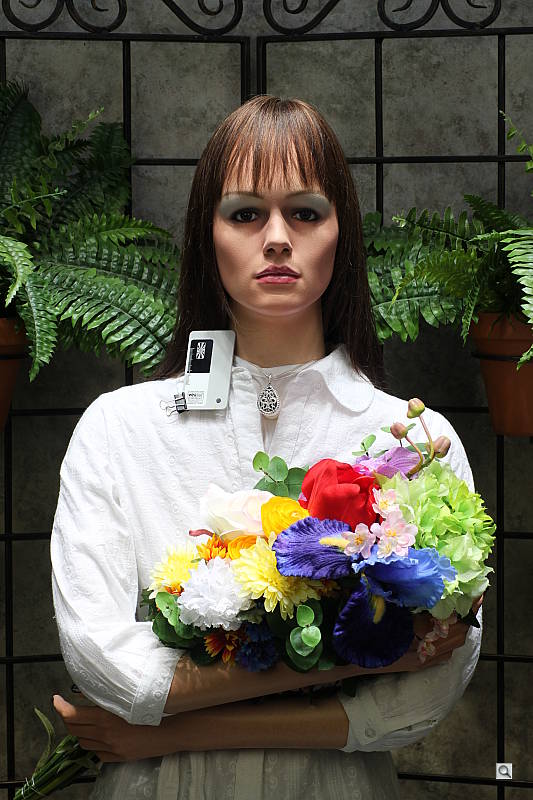
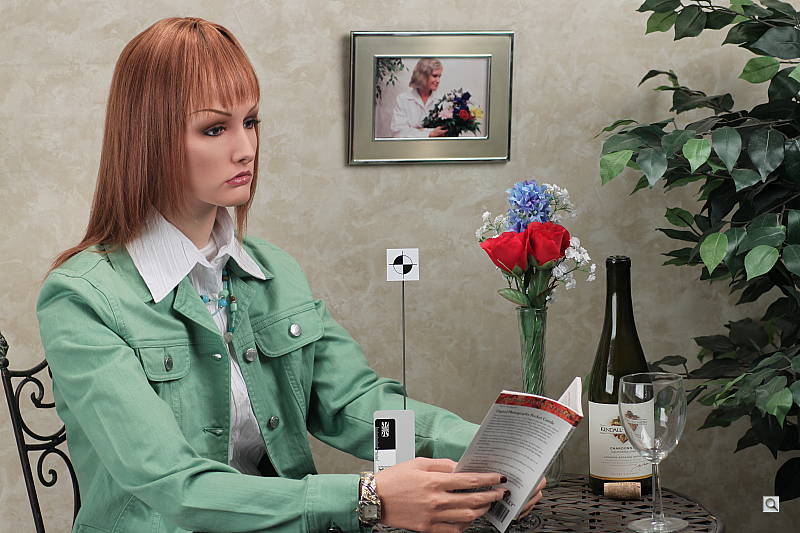
I've been doing this ISO 1,600 test for some time, so there's no reason to stop now. With either the 50D or Canon T1i, you can see that ISO 1,600 is a good safe place to run when shooting in low light. Default settings will yield good results that will take to unsharp masking quite well. It's clear that Canon has more fully transitioned into the Nikon way of thinking when it comes to noise suppression, however, as chroma noise is completely expunged in both images. The Canon T1i has slightly more sharpening as well, which accounts for the random grain in the shadow behind the bottle in the image at top. Slightly more sharpness and greater contrast shows in the Rebel T1i, just right for consumers. But the noise suppression's zeal really badly distorted the red leaves in what has turned out to be one of our ultimate low-contrast noise suppression torture tests. See below for how the Rebel T1i compares to the XSi.
|
|
Canon T1i vs XSi at ISO 1,600
|
 |
|
 |
|
 |
|
Canon Rebel T1i at ISO 1,600 |
Canon Rebel XSi at ISO 1,600
|
|
It's clear from the top two images that the Canon T1i has made a few leaps in terms of detail and noise suppression, but the cost is also evident, again in the red leaf fabric. The image from the XSi is much closer to the true look of the fabric than you get from the Canon T1i at left. This result is partly due to the higher resolution, which means that smaller pixels are producing the overall image. With less light on each pixel, the processor has more noise to deal with, which results in a loss of detail in low-contrast areas. This is actually a worse performance than even the Nikon D300 turned in on this fabric. I should also note, however, that this quality degradation doesn't start until ISO 1,600. From ISO 800 on down this fabric swatch looks quite good. |
|
Canon T1i vs Canon 50D, Nikon D700, Nikon D90, and Canon XSi
 |
 |
 |
 |
 |
 |
 |
 |
 |
 |
|
Canon T1i |
Canon 50D
ISO 100 ISO 3,200 |
Nikon D700
ISO 100 ISO 3,200 |
Nikon D90
ISO 100 ISO 3,200 |
Canon XSi
ISO 100 ISO 1,600 |
|
Detail comparison. This comparison pits the $900 Canon T1i against the $1,500 Canon 50D, the $2,700 Nikon D700, the $1,200 Nikon D90, and the $700-900 Canon XSi. This detail-only shot tells quite a bit about the Canon T1i's image quality. On top are ISO 100 images, below ISO 3,200 images, with the exception of the XSi whose ISO only goes to 1,600. Both the Canon T1i and 50D are pretty similar, with the T1i a little more contrasty. There are also sharpening artifacts, or halos around especially the ISO 100 images on all three Canon cameras. Still, of the three cameras, the Canon T1i seems to offer the greatest detail from a consumer perspective, and its images print very well, even at ISO 3,200. Once could easily argue that the $2,500, 12.1-megapixel Nikon D700 does quite well at 3,200, which is true, but the story really is that the far less expensive Canon T1i does so well with an APS-C sensor against this full-frame camera with larger pixels. |
||||
Analysis. So it's pretty clear that the Canon Rebel T1i's image quality is at least as good as the Canon 50D, delivering more detail than most of the 12-megapixel cameras on the market for less money. Noise suppression is a bigger factor, but you can also turn that noise reduction down or off completely, or shoot 14-bit RAW. (See below for conclusion.)
Canon T1i Basic Features
- 15.5-megapixel, 22.3 x 14.9mm, 14-bit RGB Canon CMOS sensor delivering 4,768 x 3,174-pixel images. Effective pixel count is 15.1 megapixels with a 3:2 aspect ratio
- DIGIC 4 processor
- 14-bit analog-to-digital conversion
- Kit lens: EF-S 18-55mm f/3.5-5.6 IS lens
- 1.6x focal length multiplier
- 3-inch LCD with 920,000 dots (or 640 x 480)
- Variable ISO: 100, 200, 400, 800, 1,600, 3,200, plus two optional high ISO modes: 6,400 and 12,800
- 35-zone evaluative metering system
- 3.4 frames per second
- Adjustable exposure compensation from -2 to +2 EV in 1/3 or 1/2 EV increments in all exposure modes
- Auto exposure bracketing (AEB) from -2 to +2 EV in 1/3 or 1/2 EV increments in all autoexposure modes
- Shutter speeds from 1/4,000 to 30 seconds, and a Bulb setting for longer exposures
- Electronic self-timer with a fixed duration of 10 or two seconds
- Image storage on SD or SDHC memory cards
Canon T1i Special Features
- Live View mode includes three focusing modes: Live, Live Face-detect, and Quick
- Dust reduction and automatic sensor cleaning
- HTP Highlight Tone Priority
- ALO Automatic Lighting Optimizer
- Creative Auto mode
- Movie mode captures 1080p at 20 fps, 720p at 30 fps, and 640x480 at 30 fps
- Mini-HDMI out port for connection to HD televisions
- High ISO noise reduction
- Peripheral illumination correction corrects for vignetting on a per-lens basis
- Picture Style menu offers six presets plus three user-defined settings for contrast, saturation, sharpness, and tone
- Continuous Shooting mode capturing as many as 170 images as fast as 3.4 frames per second (with shutter speeds of 1/500 second or faster)
- TTL autofocus with nine focusing points, manually or automatically selectable; One-shot AF, Predictive AI Servo AF, AI Focus AF, and manual focus with AF assist strobe, depending on exposure mode selected; working range of EV -0.5 to 18 at ISO 100
- Built-in E-TTL II retractable-type flash with red-eye reduction; guide number is 13/43 at ISO 100, m/ft, flash angle said to cover the field of a 17mm lens (27mm in 135 format); topside hot shoe for external flash connection of EX Speedlite flashes
- E3 remote control socket and IR remote control window
- Red-eye Reduction via pulse flash
- Optional external hand grip/battery pack adds secondary shutter release and control wheel, as well as AE lock and focus point buttons for vertical-format shooting
- NTSC/PAL selectable video out connectivity
- DPOF (Digital Print Order Format) and DCF (Design Rule for Camera File System) compliant
- PictBridge; Direct Print capability to selected Canon photo printers
- USB 2.0 connectivity with TWAIN driver for PC and Adobe Photoshop plug-in for Macintosh
In the Box
The Canon EOS Digital Rebel T1i Kit comes with the following items in the box:
- Canon Rebel T1i digital SLR camera body
- EF-S 18-55mm f/3.5-5.6 IS lens
- Body cap
- Lens caps (front and back)
- Neck strap
- Eye cup
- LP-E5 battery pack and charger
- Video cable
- USB cable
- Software CD
- Instruction manuals and registration information
Canon Rebel T1i Conclusion
| Pro: | Con: |
|---|---|
|
|
Our experience with the Canon T1i was excellent, and shows that Canon is taking its digital SLR challengers quite seriously. Indeed, our test results show that the Canon T1i is one of the best values on the market, offering Canon 50D quality in a significantly less expensive package. Though the Canon T1i doesn't challenge the Nikon D90 on all fronts, it does take it on in the still resolution and movie mode department, and beats them in the price war, coming in $100 to $200 cheaper (depending on how soon and where you buy) in the body-only category.
More than ever, the Rebel T1i will serve as a consumer's first camera, or a pro's secondary body in a pinch. And again, if you can learn to shoot video snapshots of 10-20 seconds, remember to focus first, and learn how to cut your snapshots together with a good video editing program, you can use the Canon T1i's Movie mode to good effect (you might need to upgrade your computer, too, to handle the HD video).
The Canon Rebel T1i is well built, smartly designed, and easy to use. Its Live View modes offer more than previous Canon designs, and include face detection for better-exposed portraits. Its included 18-55mm IS lens performs well with the new camera, and the new sensor really impresses, with greater -- and cleaner -- detail than we've seen at this price point. Shooting at higher ISOs has never been safer, with ISO 1,600 looking more like ISO 400 from two years ago, and the astonishing ISO 12,800 producing a decent 5x7, here exceeding the abilities of the EOS 50D.
Enthusiasts will be pleased with most aspects of the Canon T1i, but there are a few items missing that are worth noting, including the lack of an AF microadjustment feature, a smaller buffer when shooting in RAW mode, and the slightly louder shutter, which should only bother those shooting in quiet settings. But beyond those items, the Canon Rebel T1i offers quite a lot, and it has an attractive, smart interface that we think most will find quite easy to learn and use. We've come to expect Canon's top Rebel to be quite good, but the Canon T1i really pulls out all the stops, serving up a great user experience and excellent image quality, making it an easy five-star Dave's Pick.
See our other tabs that go into greater detail about the Design, Operation, Optics, Exposure, Image Quality, and Performance of the Canon EOS Rebel T1i.

Design
Canon T1i Design
Roll-over the various controls and features with your mouse for a brief description. Note: Rollovers are best viewed with the latest versions Firefox, Safari, or Opera browsers, or Internet Explorer 6 or earlier.

Front. The new Canon T1i follows the design of the previous XSi almost exactly. The view from the front is identical, with the same controls in the same positions as on its predecessor. The body has the same slightly taller stature adopted by the XSi relative to the earlier XTi. On the grip you can see the shutter button and the infrared sensor for use with the RC-1 remote controller. The rubber material on the Canon T1i's grip has been extended to cover more of the camera's front, giving the fingertips more surface to grip. To the right of Canon T1i's lens mount is the lens release button.

Left. From the left you can see the AF/MF and Stabilizer switches on the kit lens, the flash pop-up button, and the Canon T1i's Depth-of-field Preview button. The strap lug is recessed into the shoulder and the port cover is below that. (One of the few design changes we found between the Canon T1i and XSi is the position of the fingernail recess for the port cover, which has been moved upward a half-inch or so.)

Right. On its left side, the Canon T1i sports the same control placements and functions as are found on the XSi.

Top. The top deck of the Canon T1i retains the styling of the XSi, the only notable differences being the addition of the movie-mode and CA icons to the mode dial. (CA stands for Creative Auto, brought over from the 50D.)

Back. The back of the Canon T1i is very similar to that of the XSi, with the same bright, sharp 3-inch LCD, but control assignments have been modified slightly to accommodate using what was formerly the White Balance/PictBridge Printing button to start and stop video recording (in movie mode) or to toggle Live View on/off (in still capture mode). The Canon T1i's operating display has also been redesigned somewhat, following the layout of the 50D's screen more closely than that of the XSi. (More on this under the Operation tab of this review.) The Canon T1i's card write LED is in the same location, right next to the SD card door, where it's easily seen, and therefore more likely to prevent you from accidentally removing a card in mid-write.

Bottom. The Canon T1i's bottom is again the same as the XSi's, with the same simplified battery door and metal tripod socket.
Operation
Canon T1i Operation
Like the XSi before it, the Canon T1i relies on its large, color LCD screen for all user interaction. This makes for a very clear, highly visible user interface, but probably does contribute to slightly shorter battery life, since the large LCD has to be fired up any time you want to change a setting. One feature we do like very much is the infrared proximity sensor that turns off the LCD screen when you hold the Canon T1i up to your eye.
Overall, the control layout places a few main controls (Power, Shutter button, Command dial, and Mode dial) on the right side of the Canon T1i's top panel, with most of the other controls on the back of the camera. Let's take a closer look at some of the user-interface elements:
Canon T1i Rear-Panel LCD Display
Let's take a closer look at the Canon T1i's rear-panel display: The image below shows callouts for all the information shown in the default display. (Illustration courtesy Canon USA.)


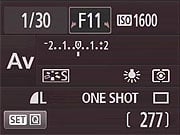

There are four Screen color options on the Status display, adjustable in the first Settings menu, under Screen color. The color choices on the Canon T1i are different from those on the XSi; we found ourselves liking some more, some less than those on the XSi, but generally found the redesigned layout on the Canon T1i a bit more readable. We found the color scheme shown at bottom right in the group of shots above particularly useful for shooting at night. The lower contrast was a bit easier on our eyes in dim lighting.

Whatever exposure parameter is currently being controlled by the Canon T1i's Main Dial is highlighted with arrows in the corners of its box, to indicate that it can be changed by rotating the dial. Here, we're adjusting the exposure compensation, marked by the outlined box. Note the arrows. (They're pretty subtle; we would have liked to see them a bit more prominent.)

One marked difference between the new Canon T1i and the previous XSi is that the rear-panel display on the Canon T1i is part of a Quick Menu system. Whereas the SET button served to toggle Live View on and off on the XSi, pressing the SET button on the Canon T1i while in capture mode takes you to the Quick Menu system, where you can adjust various settings shown on the rear-panel display. You navigate between the various setting options with the arrow keys, and the chosen setting will be highlighted as shown above. Once a setting has been selected, you can change it either by rotating the Canon T1i's Main Dial, or by pressing the SET button again, and then using the arrow keys to choose from the available options.

Pressing any of the arrow keys to the right of the Canon T1i's LCD screen immediately brings up a screen for the exposure parameter associated with that button. Once the option screen is displayed, you can use either the arrow keys or the Main Dial to scroll the cursor highlight through the options presented. When you've made the choice you want, pressing Canon T1i's Set confirms it and returns you to the main shooting display. Alternately, you can just continue to press the same arrow-key button and the highlight will scroll through all the options, wrapping around when it gets to the end of the list.

The AF-point selection screen is also very clear and straightforward. When you press the AF-point selection button in the upper right corner of the back panel, the display shown above appears. The arrow keys let you select one of the available points manually, while the Canon T1i's SET button selects the center point. With the center point already selected, the SET button toggles between Manual and Auto AF point selection. Lightly pressing the Canon T1i's shutter button returns you to the main shooting display.
Canon T1i Playback & Record Review Displays
Like the Rebel XSi, the Canon T1i shows each image as it's captured, though you can turn off this function through the Camera menu. The display mode in Record Review defaults to the same as was last used in Playback mode, or you can hit the DISP button to cycle to a different mode. Likewise, in Playback mode, you can cycle between the available display options by pressing the Canon T1i's DISP button repeatedly. (Display mode selection is persistent across both record and playback modes, no matter which mode you make the selection in.) You can also select between the normal luminance-based histogram and the RGB histogram option via a Playback-mode menu item. The screenshots below show the various displays and options available.
| Canon T1i Image Display Options | |
 |
 |
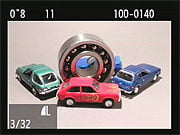
This is the default display in playback mode. The file number is displayed upper right, the shutter speed and aperture in the upper left, and file sequence number and quality are shown below left. |
Pressing the DISP button cycles through the three available displays. This is the second option, image with no overlay. |
 |
 |
The Canon T1i's third playback display option shows a histogram and more detailed exposure information. If there are any blown highlights, they'll blink in this mode. |
A Custom Settings Menu option lets you choose between a conventional luminance-only histogram, or the separate red, green, and blue displays as seen above. |
 |
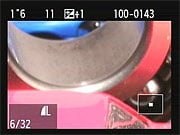 |
You can also zoom in on an image, up to 10x at the highest resolution. The small navigator window in the lower right-hand corner shows you what part of the larger image you're currently viewing. The arrow keys let you navigate around the full image, and the zoom in / zoom out keys increase or decrease the magnification level. |
|
 |
 |
If you press the Zoom Out button while viewing a single image on the LCD screen, it'll take you first to a 4-image thumbnail display, and then to a 9-image one, if you press it once again. The arrow keys let you navigate among the thumbnail images. The text above the thumbnails displays the same basic exposure info for the currently-selected image as does the default single-image display. Pressing the DISP button in this mode overlays the image size/quality and file number for the currently selected image, as in normal playback mode. |
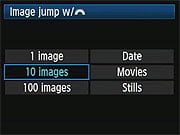
The Canon T1i handles "jumping" through images differently from the XSi. On the XSi, you'd press the JUMP button to switch between options of 1, 10, or 100 images for scrolling through the images on a card. On the Canon T1i, rapid scrolling through images is accomplished via the Main Dial (on the camera's top panel), and an option on the Playback menu sets options of jumping through images 1, 10, or 100 images at a time, or on jumping between shots captured on different dates, between groups of movies, or groups of still shots.
|
 |
 |
The jump menu setting only applies when we were in single-image playback mode, displaying a screen like that above when we used the Main Dial to scroll between stored images. In thumbnail display mode, the Main Dial always jumped ahead one screen of thumbnails at a time, regardless of the menu setting for the Jump option. |
Pressing the Delete button brings up this display, giving you the option to erase the current image, or cancel out of the delete option. The Delete display will show either the full image or a thumbnail plus histogram, depending on the playback mode you've selected. In thumbnail display mode, the current thumbnail is highlighted, but won't be shown full-screen. |
Optics
Canon EOS Rebel T1i Optics
Kit Lens
 First introduced with the previous XSi model, the EF-S 18-55mm IS lens that's bundled with the Canon T1i is of unusually high quality. Though this light, compact image-stabilized lens sells for $200 on its own, the Canon T1i kit will sell for only $100 more than the body-only price. In our testing over at SLRgear.com, this lens was quite impressive when compared to past versions of the standard Digital Rebel kit lens, with improved sharpness and reduced chromatic aberration. It's Canon's answer to the competing SLRs from Olympus, Pentax, Samsung, and Sony that use body-based, sensor-shift image stabilization, while Nikon and Canon use optical image stabilization. Serious shooters are often well-advised to just buy an SLR as body-only, and purchase a good-quality lens separately. With the Canon T1i and its EF-S 18-55mm IS lens, even picky photographers will find much to love.
Lens Compatibility
Like other Canon DSLRs with sub-frame sensors (currently, the Canon Rebel XSi, Rebel XS, and Canon EOS-50D), the Canon Rebel T1i will work with pretty much any EF-mount lens ever made, as well as with the special EF-S lenses designed for cameras with APS-C size sensors. Designed with a smaller image circle (the area covered by the image on the film/sensor plane), EF-S lenses tend to be smaller and lighter than full-frame models with the same focal length and maximum aperture. EF-S lenses can't be used on full-frame Canon cameras (nor on their models with 1.3x crop factors, like the current EOS-1D Mark III), but small-sensor cameras like the Canon T1i can use any full-frame lenses in Canon's arsenal.
The sub-frame sensor on the Canon Rebel T1i means that it has a smaller angle of view (by a factor of 1/1.6) than a full-frame camera with any given lens. While most properly called a "crop factor," the 1.6x ratio is more commonly referred to as the "focal length multiplier" since that's how it works in practice: Any lens used on the Canon T1i will have the same field of view as one with a 1.6x greater focal length would when attached to a 35mm camera. (For example, a 100mm lens on the XSi will show the same field of view as a 160mm lens on a camera with a 35mm frame size.) This means that the 18-55mm kit lens for the XSi has a coverage roughly equivalent to that of a 29-88mm lens on a 35mm camera.
The 18-55mm f/3.5-5.6 IS lens that ships with the Canon T1i is of only modest quality in terms of build, like most kit lenses, but optically it's pretty impressive, producing good focus fields from wide open to f/16. Still, a better lens is one of the first accessories new SLR owners typically buy. (See our sister site SLRgear.com for in-depth lab tests and user reviews of SLR lenses.)
Image Stabilization
The "IS" in the new kit lens's name stands for "Image Stabilization." This is a handy and increasingly common feature of both lenses and some camera bodies. The idea is that a motion sensor, computer chip, and movable optical element are built into the lens barrel. The motion sensor detects motion that could lead to blurred images with long exposure times. This data is processed by the computer chip, which in turn moves the floating optical element in such a way as to counteract the motion of the lens, thereby keeping the image stationary on the camera's image sensor. The net result is that you can shoot at much slower shutter speeds than you'd otherwise be able to, without getting blurred images as a result.
Image stabilization technology generally works very well, and Canon has been making IS equipment longer than most competing manufacturers. The net result is that the Canon T1i's IS-enabled kit lens does a great job of delivering sharp photos under dim lighting: In the case of the 18-55mm f/3.5-5.6 IS lens, you should be able to shoot at shutter speeds up to 16x (4 stops) slower than you can normally hand-hold without IS.
As mentioned above, some manufacturers have begun building sensor-shift image stabilization capability into their camera bodies, rather than their lenses. The advantage of this is obvious: Every lens you put on a camera with body-based stabilization becomes similar to an IS lens. A body-based IS system makes for a much less expensive lens collection, since you don't have to pay for IS technology in every lens you buy. There is a downside to body-based IS, though. Because their IS systems only affect the captured image, body-based systems don't stabilize the image seen in the optical viewfinder. (Of course, this limitation doesn't apply when using a Live View camera that captures its viewfinder image from the camera's main sensor.) In extreme cases, having a stabilized view through the viewfinder, like you get with the Canon T1i, can be a great aid to accurate framing and improving your own stability for sharper pictures.
So neither IS technology (lens-based or body-based) wins over the other on all points. If you plan on assembling a large collection of lenses, body-based IS will save you money, but at some possible cost in performance, and without the benefit of a stabilized view through the viewfinder. Lens-based IS can work better (not all IS systems are created equal), but will cost you more if you end up buying a lot of lenses. For the casual user who doesn't plan on acquiring a large lens collection, either approach will work, now that IS-enabled kit lenses are appearing as part of consumer-level SLR bundles.
Canon T1i Autofocus
 The Rebel T1i uses the same AF sensor as the previous XSi, which features enhanced precision at the center point. This AF sensor design achieves more precise focus when used with lenses with apertures of f/2.8 or larger.
SLR autofocus accuracy is governed in part by how far apart you can space the sensor elements for a single AF point from each other. The wider this "baseline," the more accurately the AF point can determine focus. What limits the AF baseline spacing in a camera system is the lens aperture. You can build sensors with wider baselines, but that also restricts the range of lenses they can be used with. By and large, camera manufacturers have set f/5.6 as the minimum aperture their AF systems will work with. Lenses with wide-open apertures smaller than f/5.6 just won't focus. But once the baseline spacing is set, using a faster lens doesn't improve focus accuracy any. That is, unless you add a larger baseline sensor, as is built into the Canon T1i's center AF point. (Note that only the center AF point shows this increased accuracy at f/2.8: The surrounding AF points are all conventional f/5.6 ones.)

The AF points on the Canon T1i cover about 60% of the frame width, and about 50% of the frame height. The illustration above shows the relative spacing between the various AF points, with the distances between them marked in millimeters, at the focal plane. (Illustration courtesy Canon USA.)
While the AF sensor used in the Canon T1i appears to be the same as in the XSi, Canon did tell us that the Rebel T1i's AF system is better at handling extreme out-of-focus conditions than was its predecessor. They didn't have (or couldn't share) details as to how this was accomplished, but there should be fewer situations in which the Canon T1i will have to rack the lens across its entire focus range to figure out where optimum focus is.
While the image sensor in the Canon T1i appears to be nearly identical to that in the 50D (the principle difference being fewer readout channels, yielding a lower continuous-mode frame rate), the AF system is one area where the 50D justifies its higher price. In the 50D, there's an additional cross-type (diagonal) f/2.8 AF sensor for the central point, and all points are cross-type, meaning they're sensitive to both horizontal and vertical detail. Other than its central point, all of the Canon T1i's AF points are line-type, with most being sensitive to horizontal detail, but the top-center and bottom-center ones being sensitive to vertical lines.
AF-Assist Illuminator
Like previous digital Rebels, the Canon T1i uses the built-in flash head as its AF-assist illuminator, rather than a bright light built into the camera's body. This works well because the flash is quite bright, and probably has a greater range than do typical on-body incandescent illuminator bulbs. Following the lead of the XSi, you can disable the internal flash, yet still have the benefit of the flash-based AF-assist illuminator. You do this via the Flash Control menu, but note that this AF-illuminator-only setting for the flash head means you lose flash exposure capability until you explicitly turn it back on. If you attach a 550EX external flash unit to the Rebel T1i, its internal AF-assist illuminator can be used instead of the flash head itself, providing a useful working range of about 50 feet with a less obtrusive light source. For non-flash photography, Canon's ST-E2 wireless sync transmitter can also be used for AF assist, a handy trick. The ST-E2's AF-assist light has a useful range of about 25 feet. (Note though, that we haven't tested the ST-E2 ourselves, so we can't verify this performance independently.)
Canon T1i Anti-Dust Technology
The Rebel T1i digital SLR camera includes Canon's EOS Integrated Cleaning System, first introduced on the EOS Rebel XTi camera. The camera's Self-Cleaning Sensor Unit shakes dust particles off of the low-pass filter in front of the sensor. The dust is then trapped by an adhesive along the base, preventing it from causing further nuisance. Cleaning is engaged each time the camera is powered up or shut down, or manually through the "clean now" function.
The second part of the cleaning system involves post processing with a compatible personal computer and the supplied Digital Photo Professional software. Here (via a menu option) the camera maps any spots that may remain on the sensor, saving it as Dust Delete Data and subsequently subtracting dust spots from the final image during post processing. A third option includes a manual sensor cleaning function which raises the mirror and allows users to clean dust that may have stuck to the low-pass filter.
Despite the new dust cleaning features, we haven't seen an automatic system capable of removing all dust. So while this is a nice feature to have, don't be fooled into thinking that you won't have to either learn how to clean your sensor or send it in for cleaning.
Everyone understands that lenses sometimes get dust on them and need to be cleaned, and there are a lot of lens-cleaning cloths, solutions and other accessories on the market that work well. But what do you do when your sensor gets dusty? Dust specks on the sensor tend to show up when shooting at very small apertures, appearing as dark blobs on your images. They're distracting at best, a terrible nuisance at worst, if you end up having to retouch every image to be rid of them.
Most of us are naturally leery of the idea of poking around inside the delicate innards of our DSLRs to wrestle with recalcitrant dust specks. Gently blowing the sensor surface (actually, the surface of the anti-aliasing filter) with compressed air gets rid of some dust, but there's invariably a lot that just stays stuck, no matter what. So what do you do?
If you've got dust specks on your sensor (and sooner or later you will), you're going to need to clean it. There are a lot of products out there intended to address this need, but a distressing number of them work poorly (if at all), and many are grossly overpriced. Advertising hype is rampant, with bogus pseudo-scientific jargon and absurd product claims. And prices - Did we mention prices? How about $100 for a simple synthetic-bristle brush?
So how do you know which product to use?
We don't pretend to have used everything currently on the market, we but can tell you about one solution that worked very well for us. The "Copper Hill" cleaning method is straightforward and safe, and in our routine usage here at Imaging Resource, very effective. Better yet, the products sold by Copper Hill Imaging are very reasonably priced. Best of all, Nicholas R (proprietor of Copper Hill) has put together an amazingly detailed tutorial on sensor cleaning, free for all.
Sensor cleaning is one of the last things people think about when buying a DSLR, but it's vital to capturing the best possible images. Take our advice and order a cleaning kit from Copper Hill right along with your DSLR, so you'll have it close at hand when you need it: You'll be glad you did!
(While they've advertised on our sister site SLRgear.com from time to time, we receive no promotional consideration from Copper Hill for this note. We just think their sensor cleaning products are among the best on the market, and like their way of doing business. -- We think you will too. Check them out.)
Kit Lens Test Results
Zoom
Good performance with the 18-55mm IS (Image Stabilized) kit lens.


The Canon Rebel T1i digital SLR accommodates a wide range of EF and EF-S lenses. Here, we tested the performance of the EF-S 18-55mm IS kit lens, which has a very typical (for an inexpensive kit lens) optical zoom range of ~3x. Stopped down to f/8, details are quite good at wide-angle, with very good corner-to-corner sharpness (only slight softness in the extreme corners) and relatively low levels of coma distortion and blurring in the corners. Chromatic aberration in the corners is a bit on the high side, though. Results at full telephoto are also very good, with good sharpness across the frame and lower levels of chromatic aberration. All in all, the Canon 18-55mm IS, does well for a kit lens on a 15-megapixel sensor, and the added image stabilization will come in handy for low-light shooting.
Macro
A small area (for an SLR kit lens), with good detail and resolution. Flash throttles down well.


The Canon T1i's macro performance will of course depend entirely on the lens in use. With the 18-55mm IS kit lens set to 55mm, the Canon T1i captured a small (for a non-macro SLR lens) minimum area measuring just 2.5 x 1.6 inches (62 x 41 millimeters). Resolution was high and detail strong, and the image didn't soften as much in the corners as we are accustomed to seeing. (Most lenses have some softening in the corners at macro distances.) The Canon T1i's flash also throttled down for the macro area very well, and there was no detectable shadow from the lens barrel, resulting in a good exposure with the flash, although there was some light falloff toward the bottom of the frame.
Geometric Distortion
Slightly higher than average barrel distortion, virtually no pincushion.
| Barrel distortion at wide angle is 0.9% |
 |
| Pincushion at telephoto is 0.1% |
 |
The Canon T1i's kit lens shows higher than average barrel distortion at the wide-angle end of its zoom range, at about 0.9%. At the telephoto end, though, pincushion distortion is very low, at 0.1%.
This is the tendency for the lens to bend straight lines outward (like a barrel -- usually at wide angle) or inward (like a pincushion -- usually at telephoto).
Chromatic Aberration
Moderate and fairly bright at wide angle, less pronounced at telephoto.


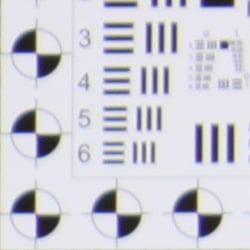
Chromatic aberration in the corners with the Canon T1i's kit lens is fairly evident (we'd call it on the high side of "moderate," or "noticeable") at the 18mm setting, and it extends fairly deep into the frame. It's less distinguished by its width (6-8 pixels) and more by its brightness. Remember, though, that this is at 15 megapixels, so it really becomes pretty narrow in reasonable size enlargements. When we printed the Multi chart image at 8x10 inches, we could still see the colored fringes, but they weren't overpowering. At 55mm telephoto, this distortion is lower and less noticeable. (This distortion is visible as a slight colored fringe around the objects at the edges of the field of view on the resolution target.)
Corner Sharpness
Better than average sharpness in the corners of the frame for a kit lens at wide angle, soft at telephoto.
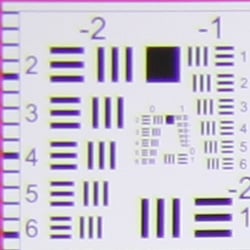


The Canon T1i's 18-55mm IS kit lens (the same kit lens as sold with the earlier XSi) produced slightly soft corners in a few shots. At wide angle, corners on our test targets were a slightly soft when compared to the center, but much less so than we've come to expect from kit lenses. At telephoto, the corners as well as the center showed moderate to strong softness. A very good performance at wide angle here, especially considering these shots were taken at maximum aperture (corner softness usually improves when the lens is stopped-down a few f-stops), but telephoto was disappointing. Note that the production level lens that shipped with our prototype sample of the T1i had much better sharpness at telephoto, which goes to show there can be a lot of sample variation when it comes to lenses, especially inexpensive kit lenses.
The images above were taken from our standardized test shots. For a collection of more pictorial photos, see our Canon EOS Rebel T1i (EOS 500D) Photo Gallery .
Exposure
Canon T1i Exposure
The Canon T1i provides a great deal of control functionality, leaving you the choice of going on fully automatic settings, or making fine-tuned adjustments as desired. Standard exposure modes include the usual Program, Aperture-Priority, Shutter-Priority, and full Manual modes, as well as some "Image Zone" (scene-based preset) modes. The "Image Zone" exposure modes include Portrait, Landscape, Close-up (macro), Sports, Night Portrait, and Flash Off modes. These modes preset a variety of camera parameters to make it easier for non-expert photographers to achieve good exposures in a variety of standard shooting situations. The Canon T1's Flash Off mode simply disables the flash and external Speedlite (if attached), and puts the camera under automatic exposure control. The full Auto mode takes over all camera functions, turning the Canon T1i into a very easy to use point-and-shoot camera, albeit a very capable one.
The Canon T1i also offers the relatively new "Creative Auto" mode, which attempts to make complex photographic functions like depth-of-field easier to use. The camera controls focus and general exposure, but leaves it up to the user to adjust the level to which background elements are in focus, and whether to freeze or blur motion. By expressing changes in terms of focus or freezing/blurring motion, this mode also helps to de-mystify aperture and shutter speed for the Canon T1i's entry-level users.
The Aperture Priority and Shutter Priority modes work much the same as on any other camera, allowing you to adjust one exposure variable while the Canon T1i selects the other for the best exposure. Program mode keeps both variables under automatic control, while Manual mode gives you full control over everything. The Automatic Depth-of-Field mode (A-DEP) uses all nine autofocus zones to determine the depth of field in the active subject area. Once the Canon T1i has determined the range of focusing distances present across the nine zones, it automatically computes the combination of aperture and shutter speed needed to render the nearest and furthest points in sharp focus.
Metering Options
Exposure metering options include Evaluative, Partial (8% of viewfinder at center), Spot (3.5% of viewfinder at center), and Center-weighted options. The Canon T1i's Exposure Compensation setting allows the user to increase or decrease the metered exposure by up to two stops positively or negatively, in one-third or one-half EV increments.

ISO Sensitivity Options
 The Canon T1i offers regular ISO equivalents of 100, 200, 400, 800, 1,600, and 3,200, with the option to use fractional settings in 1/3-EV increments (100, 125, 160...). The Canon T1i also offers two additional high-range ISO settings enabled when ISO?Expansion is turned on: ISO 6,400 and "H", which takes the camera to 12,800 equivalent. An Auto ISO mode adjusts the ISO as the camera thinks necessary, from 100 to 1,600.
An automatic exposure bracketing feature lets you set the Canon T1i's total exposure variation (across three shots) at anywhere from +/- one-third or one-half EV, all the way up to +/- 2 EV. The nice part is that the automatic variation is centered around whatever level of manual exposure compensation you have dialed in. Thus, you could manually set a positive exposure compensation of 0.7 EV, and then have the camera give you a variation of +/- 2/3 EV around that point.
AE/FE Lock (" * " button)
The Canon T1i has the simplified AE Lock button, which unbundles the AF Lock feature from the old button on the older EOS cameras like the 20D and 30D. Marked with an asterisk (*) symbol, the AE Lock button simply holds the exposure at one setting while you recompose the image. It's very useful when spot metering, but also when dealing with subjects where you want to draw your exposure from one place, while autofocusing on another. Pressing the button with the pop-up flash activated or with an external flash mounted activates the FE Lock (Flash Exposure) function, which fires the flash and locks the proper exposure for the following frame. (Note that this button's default function changes in Live View and Movie modes, where it triggers an AF cycle vs locking the exposure.)
White Balance Options
 The Canon T1i offers a full range of White Balance settings, including six presets, an Auto setting, and a Custom setting. The six presets include Daylight, Shade, Cloudy, Tungsten, Fluorescent, and Flash. The Custom setting bases color balance on a previous exposure, meaning you can snap an image of a white card and then base the color temperature on that image. There is no support for directly entering a color temperature in Kelvin though, a feature more commonly found on professional models.
A White Balance bracketing option snaps only one image, but then writes three successive files from that single capture. Bracketing steps are from -/+ 3 stops in whole-stop increments. (Each stop corresponds to five mireds of a color conversion filter, for a total range of +/- 15 mireds. This corresponds to about a +/- 500K shift at a normal daylight color temperature of 5,500K.)
 The Canon T1i's WB Bracketing is set on the same grid as the White Balance correction control. Fairly sophisticated, the white balance correction tool lets you shift the color balance toward more or less green vs magenta or blue vs amber, using a +/-9 step grid format. You move a highlighted square through the grid to adjust the color balance, and bracketing adjustments spread the single square into a cluster of three. It's a slightly more advanced interface than I'm used to seeing on consumer digital cameras, but a useful one that greatly extends the camera's color corrective abilities.
Picture Styles
 As with other recent Canon DSLRs, the Rebel T1i also offers a Picture Style option through the LCD menu, which lets you select from Standard, Portrait, Landscape, Neutral, Faithful, Monochrome, or three User Defined settings. In each of the preset modes, the contrast, saturation, sharpness, and tone are set for specific conditions. The three User Defined options let you manually adjust each variable, then save it as a custom parameter. Finally, you can set the camera's color space to sRGB or Adobe RGB.
Auto Lighting Optimizer (ALO)
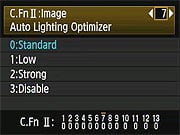 First seen on the XSi, and carried forward to the EOS-50D and now the Rebel T1i, Canon's Auto Lighting Optimizer (ALO) function lets you expose for the highlights, preserving detail there, while the camera adjusts the image to open up the shadows. This happens on the fly, as the files are being written to the memory card, so there's no post-capture intervention by the user required to take advantage of this function. We weren't terribly impressed with ALO on the XSi, but the 50D and Rebel T1i offer four different settings for it, and the control on the 50D and T1i was quite effective. The ALO setting is made via Custom Function 7, where you can select options of Standard (the default), Low, Strong, or Disable.
Highlight Tone Priority (HTP)
 Also included on the Canon T1i is Highlight Tone Priority (HTP for short), a feature that's been on Canon SLRs for some time now, and it's one that works quite well when dealing with subjects with important detail in strong highlights. (Think of the standard wedding dress shot, and you'll get the idea.) Digital cameras normally expose more like slide film: Once you hit a certain exposure level, detail just vanishes. This really becomes an issue when you're dealing with contrasty lighting and a subject with lots of highlights in it.
HTP's action is pretty subtle, but the results are very evident when dealing with strong highlights under harsh lighting. The way it works is to set the camera's base ISO up one notch, to 200, so it's only half-filling the sensor's pixels with charge during the exposure. The Canon T1i then alters its tone curve, basically compressing the top half (that would normally be blown out) into a smaller range, thereby preserving the highlight detail. You can do this yourself when working from RAW files, you just need to significantly underexpose most of the scene, and then fiddle with the tone curve to drastically reduce the contrast, but only in the extreme highlights. If that sounds difficult, it is; it can be a real time-sink, and very difficult to make the end result look natural. Canon's HTP does this for you automatically, though, and the results look just great: You have no sense that the camera has been making radical adjustments to its tone curve; you just see all the detail in the highlights that otherwise would be missing. HTP is controlled via Custom Function 6, giving you options to Disable (the default) or Enable it.
Continuous Shooting Mode and Self-Timer
 The Canon T1i's Continuous Shooting mode is rated by Canon at 3.4 frames per second in high speed mode, for a total of 170 Large/Fine JPEG shots or 9 RAW before the buffer fills (at 1/500 sec. or faster). When shooting JPEGs of a very complex scene with a lot of sharp, fine detail may also compress less and result in lower buffer capacities, as was seen in our testing.
The Canon T1i's Drive setting also accesses three Self-Timer modes, which open the shutter 10 or 2 seconds after the Shutter button is pressed, giving you time to dash around in front of the camera. The third mode will take a programmable amount of shots (2 to 10 shots), after a 10 second delay. A Remote Control mode works with the dedicated and wireless remote units as well.
The images above were taken from our standardized test shots. For a collection of more pictorial photos, see our Canon EOS Rebel T1i (EOS 500D) Photo Gallery .
Not sure which camera to buy? Let your eyes be the ultimate judge! Visit our Comparometer(tm) to compare images from the Canon EOS Rebel T1i (EOS 500D) with those from other cameras you may be considering. The proof is in the pictures, so let your own eyes decide which you like best!
Performance
Canon T1i Performance
Timing and Performance
Very good speeds for a consumer digital SLR.
| Startup/Shutdown |
||
| Power on |
0.3 second
|
Time it takes to turn on and capture a shot. (Short enough that it's hard to measure.) |
| Shutdown |
~0 second
|
How long it takes camera to turn off before you can remove the memory card. Enabling sensor cleaning on shut-down will increase delay. |
|
Buffer clearing time
|
7 seconds
after 20 large/fine JPEGs* |
Worst case buffer clearing time. -- This is the delay after a set of shots before you can remove the card.
|
|
1 second
after 20 small/normal JPEGs* |
||
|
14.5 seconds
after 8 RAW files* |
||
|
12.7 seconds
after 5 RAW+L/F JPEG files* |
||
|
*Note: Buffer clearing times measured with a SanDisk Extreme 8GB SDHC card. Slower cards will produce correspondingly slower clearing times. Slow cards may also limit length of bursts in continuous mode. ISO sensitivity and noise reduction settings can also affect cycle times and burst mode performance.
|
||
The Canon T1i turned in fast startup and shut-down times, fast enough that they're difficult to measure. Enabling sensor cleaning on shut-down will add some delay, but we didn't test that. The Canon T1i's buffer clearing times are quite good, but depend on the image quality and size, as well as the speed of the memory card.
| Mode Switching | ||
|---|---|---|
| Play to Record, |
0.3 second
|
Time until first shot is captured. |
| Record to play |
1.3 second
|
Time to display a large/fine file immediately after capture. |
| Display |
0.5 second
|
Time to display a large/fine file already on the memory card. |
The Canon T1i's mode switching times are good, though Record to play is a bit sluggish.
| Shutter Response (Lag Time) | ||
|---|---|---|
| Full Autofocus |
0.159 second
|
Time from fully pressing shutter button to image capture. (Except where otherwise noted, all AF timing measured with Sigma 70mm f/2.8 Macro lens. - One that cameras seem able to judge focus very quickly with, even if its mechanical AF drive is slower when it actually comes to changing the focus.) |
|
Full Autofocus
Single-point AF TTL flash enabled Optical Viewfinder |
0.273 second
|
Time to capture while forcing flash to fire. Metering pulses from flash sometimes slow shutter response. In the case of the Canon T1i, using the built-in flash in TTL mode increases shutter lag about 0.11 second.
|
| Prefocused |
0.089 second
|
Time to capture, after half-pressing and holding shutter button. |
|
Continuous AF Optical Viewfinder |
0.208 second
|
This mode usually shows no speed increase with our static subject; we have no way to measure performance with moving subjects. |
|
Manual Focus Optical Viewfinder |
0.111 second
|
For most cameras, shutter lag is less in manual focus than autofocus, but usually not as fast as when the camera is "prefocused". |
|
Full Autofocus
Live View "Quick Mode" (Phase Detect) |
1.342 seconds
|
This is phase-detect autofocus, the camera drops the mirror to focus, then raises it to grab the shot.
|
|
Full Autofocus
Live View "Live Mode" (Contrast Detect) |
2.591 seconds
|
This is contrast-detect autofocus, the camera reads Live View data from the image sensor to determine focus.
|
The Canon T1i's full autofocus shutter response is very good at 0.159 second using our standard single-point AF test. Enabling the built-in flash increased full AF lag just slightly to 0.273 second: that small an increase is excellent. "Prefocusing" the camera by half-pressing and holding down the shutter button before the final exposure results in a lag time of only 0.089 second. Manual focus was slower, at 0.111 second, and Continuous focus was slower still, at 0.208 second.
The Canon T1i's AF lag time in Live View mode was longer, as expected. We measured 1.342 seconds using "Quick Mode" (phase-detect AF), and 2.591 seconds using Live Mode (contrast-detect). The "*" button is used to autofocus in the Canon T1i's Live View mode, so it must be pressed first before the shutter release. The above times include pressing the "*" button and waiting for focus confirmation before tripping the shutter.
| Cycle Time (shot to shot) | ||
|---|---|---|
| Single Shot mode |
0.40 second
|
Time per shot, averaged over 20 shots, 7 seconds to clear. |
| Single Shot mode |
0.42 second
|
Time per shot, averaged over 20 shots, 1 second to clear. |
|
Single Shot mode |
0.38 second
|
Time per shot, averaged over 8 shots, 14.5 seconds to clear. |
|
Single Shot mode
RAW + Large/Fine JPEG |
0.41 second
|
Time per shot, averaged over 5 shots, 12.7 seconds to clear. |
| Early shutter |
No
|
Some cameras don't snap another shot if you release and press the shutter too quickly in Single Shot mode, making "No" the preferred answer. |
|
Continuous mode |
0.30 second (3.39 frames per second);
20+ frames total; 5 seconds to clear* |
Time per shot, averaged over 20 shots (buffer capacity was more than 20 shots). |
|
Continuous mode |
0.30 second (3.38 frames per second);
20+ frames total; 1 second to clear* |
Time per shot, averaged over 20 shots (buffer capacity was more than 20 shots). |
| Continuous mode |
0.29 second (3.40 frames per second);
8 frames total; 12 seconds to clear* |
Time per shot, averaged over buffer length of 8 frames, then slows to about 1.49s or 0.67 fps. |
|
Continuous mode |
0.30 second (3.37 frames per second);
4 frames total; 7 secs to clear* |
Time per shot, averaged over buffer length of 4 frames, then slows to 2.18s or 0.46 fps. |
| Flash recycling |
3.2 seconds
|
Flash at maximum output. |
|
*Note: Buffer clearing times measured with a SanDisk Extreme 8GB SDHC card. Slower cards will produce correspondingly slower clearing times. Slow cards may also limit length of bursts in continuous mode. ISO sensitivity and noise reduction settings can also affect cycle times and burst mode performance.
|
||
Shot-to-shot cycle times in the Canon T1i's single-shot mode were quite good, at about 0.4 second for any quality. Buffer length was more than 20 shots for JPEGs, but dropped to 8 for RAW and 5 for RAW+JPEG.
Continuous mode speeds were good, especially considering the large files, at about 3.4 frames/second in any mode. Measured buffer depths were more than 20 frames for large/fine or small/normal JPEGs, 8 frames for RAW mode and 4 frames for RAW+JPEG. (Note that in our cycle time testing we shoot a target consisting of a fine-grained digital noise pattern, designed to be very hard to compress. This gives us worst-case buffer capacity numbers: You're likely to see greater buffer capacity when shooting more normal subjects.)
The Canon T1i's flash took 3.2 seconds to recharge after a full-power pulse, which is also good.
| Download Speed | ||
|---|---|---|
| Windows Computer, USB 2.0 |
6,786 KBytes/sec
|
Typical Values: |
Connected to a computer or printer with USB 2.0, the Canon T1i's download speeds are fast.
Bottom line, the Canon T1i is pretty fast in just about every aspect of its operation. While continuous mode speeds aren't state-of-the-art, they are fast enough for most moving subjects, and shutter lag and cycle times are quite fast. Very good performance overall for a consumer model.
Battery and Storage Capacity
Battery
Below average battery life for a lithium-ion SLR design.
| Operating Mode | Number of Shots |
|---|---|
|
Lithium-ion Rechargeable Battery,
(CIPA standard, Optical Viewfinder) |
400
|
|
Lithium-ion Rechargeable Battery,
(CIPA standard, Live View LCD) |
170
|
The Canon T1i uses a custom rechargeable lithium-ion battery for power, and ships with a charger. Battery life is below average, even when using the optical viewfinder, so we recommend you pick up a spare battery and keep it freshly charged and on-hand for extended outings.
The table above shows the number of shots the Canon T1i is capable of (on a fully-charged rechargeable battery), based on CIPA battery-life and/or manufacturer standard test conditions.
(Interested readers can find an English translation of the CIPA DC-002 standards document here. (180K PDF document))
Storage
The Canon T1i accepts SD/SDHC memory cards, and does not ship with a card.
| Image Capacity with 1GB Memory Card |
Fine | Normal | RAW | RAW + L/F JPG |
|
|---|---|---|---|---|---|
|
4,752 x 3,168 |
Images (Avg Size) |
186
5.5 MB |
372
2.8 MB |
46
22.2 MB |
36
27.7 MB |
|
Approx.
Comp. |
8:1
|
16:1
|
1.2:1
|
-
|
|
|
3,456 x 2,304 |
Images (Avg Size) |
311
3.3 MB |
598
1.7 MB |
-
|
-
|
|
Approx.
Comp. |
7:1
|
14:1
|
-
|
-
|
|
|
2,352 x 1,568 |
Images (Avg Size) |
545
1.9 MB |
1020
1.0 MB |
-
|
-
|
|
Approx.
Comp. |
6:1
|
11:1
|
-
|
-
|
|
We strongly recommend buying a large capacity SD/SDHC memory card for the Canon T1i: at least a 1GB card, preferably a 4 or 8GB one, to give yourself extra space for extended outings, or when shooting RAW files. (Check the shopping link above, cards are really cheap these days, so no reason to skimp.)
Imaging
Canon T1i Image Quality
Color
Saturation & Hue Accuracy
Very good hue accuracy, reds through oranges oversaturated somewhat.
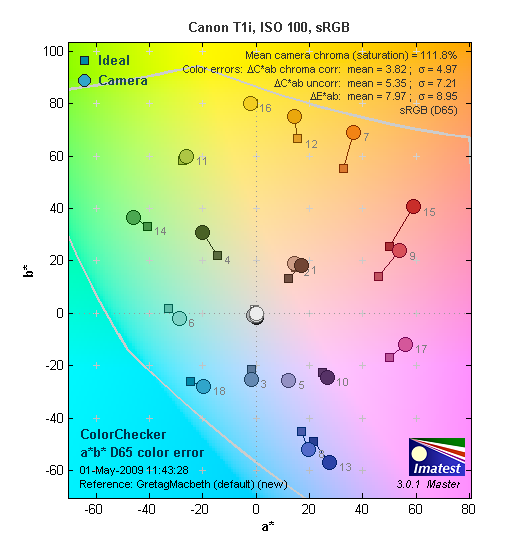 |
| In the diagram above, the squares show the original color, and the circles show the color that the camera captured. More saturated colors are located towards the periphery of the graph. Hue changes as you travel around the center. Thus, hue-accurate, highly saturated colors appear as lines radiating from the center. Click for a larger image. |
Saturation. The Canon T1i produces somewhat more saturated images than did the XSi before it. This is most noticeable in the reds through oranges, with most of the cooler-hued colors very close to technically accurate saturation levels. Most consumer digital cameras produce color that's more highly saturated (more intense) than found in the original subjects. This is simply because most people like their color a bit brighter than life.
Skin tones. Flesh tones shot with the Canon T1i appeared quite natural, with appropriate saturation levels and accurate color. Where oversaturation is most problematic is on Caucasian skin tones, as it's very easy for these "memory colors" to be seen as too bright, too pink, too yellow, etc.
Hue. The Canon T1i's hue accuracy is among the best on the market: Differences between its hue accuracy and other top SLR models amounts to hair-splitting; they're all very good. Hue is "what color" the
color is.
Saturation Adjustment
The Canon T1i offers a total of nine saturation settings, four above and four below the default saturation. This covers a very wide range of saturation levels, about as wide a range as you're likely to find photographically useful, apart from special effects that are arguably better achieved in software. The fine steps between settings mean you can program the camera to just the level of saturation you prefer. Well done.
| Saturation Adjustment Examples | ||
 |
 |
 |
| -4 | 0 | +4 |
The table above shows results with the default as well as the two extreme saturation settings. Click on any thumbnail above, then click again to see the full-sized image.
Sensor
Exposure and White Balance
Indoors, incandescent lighting
Auto and Incandescent settings both struggle somewhat with household incandescent lighting. Manual white balance produces almost completely neutral images.


Indoors, under incandescent lighting, the Canon T1i's Auto white balance setting really struggled to produce a decent-looking image. Unfortunately, this is quite common among cameras we've tested, but disappointing nonetheless, particularly in a premium-grade enthusiast SLR. The Canon T1i's Incandescent setting did a little better, but the resulting image was still a little warm for our tastes. (Some may feel that it successfully conveys the warmth of the original lighting, but we'd personally like a slightly more neutral treatment.) The Manual white balance option completely neutralized the very warm-hued lighting of this shot, resulting in an almost cool-looking image. The good news here is that the Canon T1i's very flexible white balance adjustment controls would let you tweak the color balance in (for instance) the Incandescent white balance option to exactly suit your personal preferences, without disturbing the operation of the other white balance options.
The Canon T1i required a positive exposure compensation of 0.3 EV for this shot, a fairly typical response to this scene among cameras we've tested. Color in the Manual white balance case is surprisingly accurate, given the strong warm cast of the set lighting. (Our test lighting for this shot is a mixture of 60 and 100 watt household incandescent bulbs, a pretty yellow light source, but a very common one in typical home settings here in the U.S.)
Outdoors, daylight
Color and saturation are right on, though a tendency towards slightly high contrast under harsh lighting. About average exposure accuracy.


Outdoors, the Canon T1i tended toward a cooler color balance, though overall color was generally excellent. The Canon T1i performed about average in terms of exposure, requiring the typical amount of positive compensation we're accustomed to seeing among digital cameras. The Rebel T1i's default contrast is a little high, producing some washed-out highlights and dark shadows under the deliberately harsh lighting of our "Sunlit" portrait test shown above left, though the camera's contrast and highlight tone priority settings do help tame the highlights quite a bit. See below for examples of this.
See full set of test images with explanations
See thumbnails of all test and gallery images
Resolution
Very high resolution, 1,900 ~ 2,000 lines of strong detail.


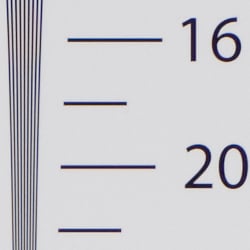

Our laboratory resolution chart showed the Canon T1i's images with distinct line patterns down to about 2,000 lines per picture height horizontally and 1,900 lines vertically. Extinction occurred at about 2,800 lines. We got about the same resolution from an Adobe Camera Raw processed .CR2 RAW file. Use these numbers to compare with other cameras of similar resolution, or use them to see just what higher resolution can mean in terms of potential detail.
See full set of test images with explanations
See thumbnails of all test and gallery images
Sharpness & Detail
Good sharpness and loads of detail. Some detail loss to noise reduction processing even at low ISOs, but better than most in this regard.


Sharpness. The Canon T1i's 15-megapixel sensor captures loads of image detail. Only very minor edge-enhancement artifacts are visible around high-contrast edges in the shot of the house gable above, but we did still find the evidence of moderate over-sharpening in portions of our Still Life shot where a larger light/dark areas abut each other. This is a very interesting and generally favorable development: Canon seems to have improved their in-camera sharpening algorithms to provide the desired contrast boost in larger areas of already-strong contrast, but it's more restrained in areas of fine detail, so doesn't coarsen delicate elements like the twigs and pine needles against the sky in the image above. Edge enhancement creates the illusion of sharpness by enhancing colors and tones right at the edge of a rapid transition in color or tone.
Detail. The crop above right shows some detail loss due to noise suppression, but less than we're accustomed to seeing, and perhaps even less than the Canon 50D, which the Canon T1i's sensor is derived from. Very impressive. Noise-suppression systems in digital cameras tend to flatten-out detail in areas of subtle contrast. The effects can often be seen in shots of human hair, where the individual strands are lost and an almost "watercolor" look appears.
RAW vs In-Camera JPEGs
As noted above, the Canon T1i produces fairly sharp in-camera JPEGs using the kit lens. As is almost always the case, a bit more detail can be obtained from carefully processing RAW files than can be seen in the in-camera JPEGs. Take a look below, to see what we mean:

In the table above, mousing over a link at the bottom will load the corresponding crop in the area above. Examples include in-camera Fine JPEG, RAW file processed through Canon's Digital Photo Professional (DPP) software, and RAW file processed through Adobe Camera Raw version 5.4, then sharpened in Photoshop using USM=300%, radius=0.3.
Not surprisingly, Canon's Digital Photo Professional (which comes bundled with the T1i), produced results very similar to the in-camera JPEG using the default settings. The Adobe Camera Raw conversion shows a bit more detail, but also shows more noise. You can however adjust noise reduction in ACR, Photoshop or use third-party software such as Neat Image, Noise Ninja or Noiseware for more sophisticated noise reduction, preferably before sharpening.
ISO & Noise Performance
Low noise and excellent detail at the lowest ISO settings, ISO 1,600 is very usable. Noise vs detail performance is essentially on-par with that of the Canon EOS-50D, except for ISO 12,800, where the T1i actually appears better.
|
Default High ISO Noise Reduction
|
||
 |
 |
 |
| ISO 100 | ISO 200 | ISO 400 |
 |
 |
 |
ISO 800 | ISO 1,600 | ISO 3,200 |
 |
 |
ISO 6,400 | ISO 12,800 |
The Canon T1i's high-ISO performance seems very similar to that of the EOS 50D, which is no surprise, as the two cameras' sensors apparently are close to identical. We did find some difference at the very highest ISO setting, though, actually favoring the T1i.
The Canon T1i's images are very clean at ISOs 100 and 200. We start to see a very fine, tight "grain" pattern at ISO 400, but detail is still excellent, with no signs of chroma noise. The grain is slightly more evident at ISO 800, but detail remains strong. At ISO 1,600, we begin to see some minor detail loss as noise reduction blurs subtly contrasting detail, however results are still quite good. At ISO 3,200, noise grain becomes coarser and blurring stronger, resulting in a noticeable drop in detail. Noise and the effects of noise reduction really become a problem at ISO 6,400 and especially at ISO 12,800, although the Canon T1i's ISO 12,800 doesn't show the very bright noise pixels we saw in the 50D's shots. Overall, an excellent performance, particularly for a camera with a 15-megapixel APS-C size sensor. As always, see the Print Quality section below to learn what we recommend for maximum print sizes at each ISO setting.
Extremes: Sunlit and low light tests
Very high resolution with strong overall detail, but slightly high default contrast. Excellent low-light performance, great exposure to the lowest limits of our test, and the autofocus worked that low, even without the AF-assist light.


The Canon T1i did an OK job here with its default exposure settings, but did lose quite a bit of highlight detail at any setting that produced acceptable midtones. The default exposure holds good detail, but the shadows on the model's face are too dark. +0.3EV of exposure compensation gives good midtone values and more open shadows. +0.7EV had too many highlights are blown out. This shot is taken under our Daylight Simulator, duplicating the harsh contrast of mid-day sunshine. As such, it's a very tough test of a camera's ability to hold highlight detail. You'd never want to shoot like this if you could avoid it: At the very least, you'd want to use a fill flash to open the shadows, and then dial down the overall exposure a good bit. That isn't always possible, though, so this subject is a good test of how a camera would handle mid-day sunlight.
|
Highlight Tone Priority Examples
|
|
 |
 |
|
Off (default)
|
On
|
 |
 |
 |
 |
|
Highlight Retention
|
|
 |
 |
|
Shadow Detail, Noise
|
|
Highlight Tone Priority
Fortunately, The Canon T1i's Highlight Tone Priority (HTP) option did an excellent job of preserving highlight detail, as shown above. Both shots above were captured at the default exposure, the only difference being that HTP was enabled for the shot on the right. (Which necessarily increases the ISO to 200, part of how HTP works.) The result is evident even in the histograms and thumbnails above; the full-size images show very clearly the superior highlight preservation when HTP is enabled, while shadow detail is left relatively untouched. The right side of the Shadow Detail crops have had levels adjusted equally in Photoshop to reveal the increase noise in the HTP-On case. The increase in noise is because the ISO is boosted from 100 to 200. Overall noise is so low at ISO 200, though, that this is really a negligible trade-off for all but the most critical applications.
| Contrast Adjustment Examples | ||
 |
 |
 |
| -4 | 0 | +4 |
The Canon T1i's contrast-adjustment control also does an excellent job with very difficult lighting like this. It offers a very broad range of control in usefully fine gradations, and does a good job of adjusting contrast without affecting color saturation in the process. (Something that not all cameras manage to do.) For those interested, here are some additional links showing this same shot taken with intermediate settings of Contrast -2 and Contrast +2.
| Automatic Lighting Optimization Examples | ||
 |
 |
 |
 |
 |
 |
| Low | Standard | High |
 |
||
 |
||
| Off | ||
Automatic Lighting Optimization
Like the Canon 50D, the Canon Rebel T1i offers three levels of ALO, plus "Off" All four shots above were taken with same exposure settings. As you can see, ALO has the effect of shifting shadows and mid-tones in the histograms to the right, lightening the overall image without clipping too many additional highlights.
| Face Detection | ||
|
 |
|
| Off at 0 EV | On at 0 EV | |
Face Detection
Just like most Point & Shoot cameras these days, the Canon T1i has the ability to detect faces in Live View mode, and adjust exposure and focus accordingly. As you can see from the examples above, it really works, as the image with face detection enabled is better exposed for the face, even though both images were shot without any exposure compensation.
Because digital cameras are more like slide film than negative film (in that they tend to have a more limited tonal range), we test them in the harshest situations to see how they handle scenes with bright highlights and dark shadows, as well as what kind of sensitivity they have in low light. The shot above is designed to mimic the very harsh, contrasty effect of direct noonday sunlight, a very tough challenge for most digital cameras. (You can read details of this test here.)
| 1 fc 11 lux |
1/2 fc 5.5 lux |
1/4 fc 2.7 lux |
1/8 fc 1.3 lux |
1/16 fc 0.67 lux |
1/16fc No NR |
|
|---|---|---|---|---|---|---|
| ISO 100 |
 2 sec f2.8 |
 4 sec f2.8 |
 8 sec f2.8 |
 16 sec f2.8 |
 24.7 sec f2.8 |
 24.7 sec f2.8 |
| ISO 200 |
 1 sec f2.8 |
 2 sec f2.8 |
 4 sec f2.8 |
 8 sec f2.8 |
 12.3 sec f2.8 |
 12.3 sec f2.8 |
| ISO 400 |
 0.5 sec f2.8 |
 1 sec f2.8 |
 2 sec f2.8 |
 4 sec f2.8 |
 6.2 sec f2.8 |
 6.2 sec f2.8 |
| ISO 800 |
 1/4 sec f2.8 |
 0.5 sec f2.8 |
 1 sec f2.8 |
 2 sec f2.8 |
 3.1 sec f2.8 |
 3.1 sec f2.8 |
| ISO 1600 |
 1/8 sec f2.8 |
 1/4 sec f2.8 |
 0.5 sec f2.8 |
 1 sec f2.8 |
 1.5 sec f2.8 |
 1.5 sec f2.8 |
| ISO 3200 |
 1/16 sec f2.8 |
 1/8 sec f2.8 |
 1/4 sec f2.8 |
 0.5 sec f2.8 |
 0.8 sec f2.8 |
 0.8 sec f2.8 |
| ISO 6400 |
 1/32 sec f2.8 |
 1/16 sec f2.8 |
 1/8 sec f2.8 |
 1/4 sec f2.8 |
 0.4 sec f2.8 |
 0.3 sec f2.8 |
| ISO 12800 |
 1/64 sec f2.8 |
 1/32 sec f2.8 |
 1/16 sec f2.8 |
 1/8 sec f2.8 |
 1/5 sec f2.8 |
 1/5 sec f2.8 |
Low light. The Canon T1i performed very well on the low-light test, capturing bright images at the lowest light level (1/16 foot-candle), even with the lowest sensitivity setting (ISO 100). As expected, noise increases as ISO goes up and light levels go down, but remains quite low up to ISO 1,600, though there are a few bright pixels at ISO 1,600 at the lowest light level. At ISO 3,200 and above, bright pixels appear more frequently, but there is very little of the horizontal banding that we saw from the EOS 50D at high ISOs. Color balance looked a bit warm with the Canon T1i's Auto white balance setting, resulting in a reddish cast at the lowest light level.
The Canon T1i's autofocus system was able to focus on the subject at less than the 1/16 foot-candle light level unassisted, and in complete darkness with the AF assist enabled. Keep in mind that the longer shutter speeds here demand the use of a tripod to prevent any blurring from camera movement. (A useful trick is to just prop the camera on a convenient surface, and use its self-timer to release the shutter. This avoids any jiggling from your finger pressing the shutter button, and can work quite well when you don't have a tripod handy.)
How bright is this? The one foot-candle light level that this test begins at roughly corresponds to the brightness of typical city street-lighting at night. Cameras performing well at that level should be able to snap good-looking photos of street-lit scenes.
NOTE: This low light test is conducted with a stationary subject, and the camera mounted on a sturdy tripod. Most digital cameras will fail miserably when faced with a moving subject in dim lighting. (For example, a child's ballet recital or a holiday pageant in a gymnasium.) Digital SLRs like the Canon T1i do much better than point & shoots, but you still shouldn't expect a quick autofocus lock with moving subjects.
Output Quality
Print Quality
Great print quality, good color, sharp 13x19 inch prints from in-camera JPEGs very sharp ones from RAW files. Even 20x30 prints would be usable for wall display (especially those from RAW files), where they wouldn't be viewed closely.

The production-level Canon T1i confirmed the strongly favorable impression we developed from our testing of the prototype unit, and processing images from RAW files produced the expected increase in detail and acuity in the final output. Overall, the Canon T1i's images appear to be just slightly sharper than those from the EOS-50D, even though the two cameras use nearly identical sensors. The slightly improved resolution in the Canon T1i's images could result from different in-camera image processing (sharpening), a slightly less aggressive low-pass filter, or a combination of both. The difference isn't great, but it's discernible when closely examining areas of fine detail. Overall, the 50D and T1i show Canon as having noticeably stepped up their game in the area of image detail and acuity, as well as high-ISO noise handling.
We found that default JPEG images straight from the Canon T1i at minimum ISO made very crisp-looking prints at 13 x 19 inches, and felt that even 20 x 30 inch prints would be considered usable for wall display by most photographers. Prints at that size were soft when viewed closely, but people generally don't squint at 20 x 30s from a distance of a few inches: At a normal, arms-length viewing distance, 20 x 30 inch prints were plenty sharp-looking. When we converted images from RAW files and sharpened them carefully in Photoshop, the resulting prints held up quite well to even fairly close inspection.
At higher ISOs, the Canon T1i's images held together quite well, and looked pretty similar to what we saw from the 50D before it. While pretty messy-looking on-screen, even maximum-ISO (12,800) images made prints as large as 5 x 7 inches that would be quite usable for non-critical applications.
It's important to note, though, the effect of the Canon T1i's high-ISO noise processing on its images: At ISOs above 1,600, the Standard noise processing does an admirable job of limiting image noise, but at some cost to sharpness and the rendering of subtle image details, particularly in reds and other warm hues. Dropping to the Low setting for high-ISO noise reduction resulted in somewhat more noise in shadow areas, but also a considerable gain in sharpness and acuity, particularly for the problematic warm tones. The ultimate choice of either setting will depend a good bit on your personal preferences, and also on the subject matter you're shooting. We felt that the Standard setting produced a softer, more natural and filmlike feeling in the images, but images shot with the Low setting were considerably more crisp. Bottom line, we highly recommend that T1i owners experiment with the high-ISO NR settings on the camera, to see which best suits their personal preferences and typical subject matter: The differences are significant enough to warrant some time spent exploring the NR settings and their impact. (As always, we also encourage our readers to download samples from the huge library of unaltered straight-from-the-camera images we've posted, and output them on your own printer (for your personal, non-commercial evaluation only): As we've so often noted, the only way to evaluate print quality is by looking at prints, especially when it comes to high-ISO images.)
As usual for our SLR reviews, we printed a large number of images from the Canon T1i, covering a wide range of ISOs and print sizes. Looking at the results we felt that most photographers would be satisfied with 13 x 19 inch prints (technically, 13 x 19.5 inches without cropping) shot at ISOs as high as 1,600. Our test prints at that size were slightly soft, but still quite good looking when shot with the Standard noise reduction setting. With the Low setting, there was more noise in shadow areas, but the prints were noticeably sharper. At a print size of 11 x 14 inches (11 x 16.5 without cropping), the limit seemed to be about ISO 3,200, rising to 6,400 at 8 x 10 inches (8 x 12 uncropped). At these very high ISO levels, chroma noise became much more of an issue, particularly in shadow areas, and there's definitely a personal-preference trade-off to be made between chroma noise and acceptable print size. We had some difference of opinion in our own evaluations, with Shawn finding the chroma noise at 8 x 12 inches acceptable, but Dave feeling that 5 x 7 was a more appropriate limit for ISO 6,400 shots. (Both of us felt that the sharpness and acuity was surprisingly good at ISO 6,400 and 8 x 12 inch output size, though.) At ISO 12,800, 5 x 7 inch prints would be acceptable to many users for non-critical applications, although chroma noise was visible in shadow areas even at 4 x 6 inches.
Color-wise, the Canon T1i's output was very pleasing: Color was on the bright side (as most consumers prefer it), but still believable, and the T1i's excellent hue accuracy was quite apparent in the printed output. Those preferring less-saturated color can easily dial down the saturation via the Picture Style menu option, while still maintaining the cameras excellent tonality and hue accuracy.
All in all, the Canon T1i delivered excellent quality throughout our extensive test printing, providing exceptional detail rendering (especially in carefully processed RAW images), with very good color and noise characteristics. Year by year, camera manufacturers are raising the bar on image quality, and the T1i (together with its higher-priced sibling the EOS-50D) marks a new level of achievement for Canon at the APS-C sensor size.
Testing hundreds of digital cameras, we've found that there's often surprisingly little correlation between image quality when viewed on-screen and that seen in printed output. This is particularly the case when it comes to the effect of image noise in high-ISO prints. Ultimately, there's no substitute for actually printing a lot of images and examining them closely. For this reason, we now routinely print sample images from the cameras we test on our Canon Pro9000 Mark II studio printer, and on the Canon Pixma MP610 here in the office. (See the Canon Pixma Pro9000 Mark II review for details on that model.)
Viewfinder
Canon T1i Viewfinder
 The Canon T1i is a digital SLR design, so the optical viewfinder offers a true, through-the-lens (TTL) display. A dioptric adjustment dial accommodates eyeglass wearers, letting them adjust the viewfinder optics between -3.0 to +1 diopters. Coverage and magnification are rated the same as the previous XSi model at 95% and 0.87x for a 50mm lens and -1 diopter, giving a larger viewfinder image than did the earlier XTi's 0.83x magnification. The viewfinder eyepiece has an eyepoint of approximately 19mm from the eyepiece lens center, also the same as the XSi, but a little lower than the XTi's 21mm eyepoint, and a little tighter than we'd like for eyeglass wearers.
A pair of horizontal infrared sensors just below the Canon T1i's viewfinder, which we've highlighted with a green rectangle in the image at right, detect your eye as it approaches the viewfinder, and deactivate the LCD information display if you have the LCD Auto-off option enabled. (The Auto-off option is found on setup menu screen 1.)
Like most other entry-level DSLRs, the Canon T1i viewfinder uses a pentamirror design. The advantage of a pentamirror is that it is light and inexpensive, but an all-glass pentaprism design delivers more light to the viewfinder eyepiece, thanks to its more efficient internal reflection. As a result, the Canon T1i's viewfinder image is not as bright as that of the EOS 50D, which uses a true pentaprism. However, Canon says they've used a more efficient coating on the mirrors in the pentamirror, which makes for a brighter image when compared to the earlier XTi model. At 130ms, viewfinder blackout on the Canon T1i is the same as that of the XSi.
The illustration below shows all the elements in the Canon T1i's viewfinder. The extensive information available appears beneath the image area in a small strip, and reports all of the major camera settings, such as shutter speed, aperture, flash mode, EV compensation, etc. Compared to the XSi, the Canon T1i's viewfinder info adds an indicator ("D+") for Highlight Tone Priority mode.

Viewfinder Test Results
Coverage
Good accuracy from the optical viewfinder, excellent accuracy from the LCD in Live View mode.


Testing with a low-distortion mid-focal length macro lens to avoid the effect of lens distortion, we found the Canon T1i's optical viewfinder about as accurate as those of most consumer SLRs, with about 95% frame coverage. Live View mode using the LCD was more accurate, at almost exactly 100% coverage.
Live View
Canon T1i Live View Mode
Canon T1i Live View Displays
The Canon T1i's rear-panel LCD screen can be used as a live viewfinder, which is enabled by pressing the Print/Share/LiveView/Movie button outside of a menu or settings screen. Live View mode is only available, surprisingly, in the Rebel T1i's Creative zone modes, namely Program, Shutter, Aperture, Manual, and A-DEP. In Live View mode, the default display reports the current shutter speed, aperture, exposure compensation setting, ISO setting and number of available images at the bottom of the screen. Pressing the Canon T1i's DISP button enables a more detailed information display, and a third press displays a small histogram. Through a Setup menu option, you can also enable a gridline display. (Illustration courtesy Canon USA.)

The Canon T1i's Live View LCD display is virtually identical to that of its XSi predecessor, the most noticeable change being the substitution of the Live-View focus mode indicator replacing the drive-mode icon at the top of the Quick Menu. Here's a quick look at some of the Canon T1i's Live View display options:
| Canon T1i Live View Display Options | |
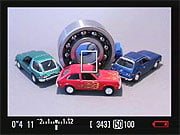 |
 |
|
This is the default display in Live View mode. The current exposure variables (shutter speed and aperture) are shown at left, as well as an exposure scale, shots-remaining, ISO, and a battery indicator. (The battery was running low when Rob captured these screen shots.)
|
This shot shows the Quick Menu overlay at left, which gives you rapid access to settings for AF mode, Picture Style, White Balance, shooting mode, and image size/quality. The little badge at lower right says "Exp. SIM", indicating that the Exposure Simulation feature has been enabled, approximating the brightness of the final image on the rear panel LCD screen.
|
 |
 |
|
Two different grid options are available to help you line up your shots. The 3x3 option is shown above.
|
The finer-grained grid option provides a 4x6 overlay.
|
 |
 |
|
There's also a luminance histogram display available as an option, although it covers a good part of the image area when it's active.
|
When "Live" (contrast-detect) autofocus is active, the camera indicates focus lock by changing the focus-area rectangle to green. The focus-area rectangle can be moved around the frame, so you can set focus anywhere you like. There's also a face-detect mode, a popular and useful feature ported from Canon's PowerShot point & shoot line.
|
 |
 |
|
Mix and match, you can combine the various Live View display options in multiple ways.
You can also zoom into the image up to 10x, for a very accurate focus check. (Sorry, we didn't grab the zoomed views while we had the camera, we'll update once we get a production sample; or see the User Report in the overview section for a video that includes a sample of the zoom feature.) |
Here's a look at the items on the Quick Menu in Live View mode. The fourth item down is the setting for movie resolution, which also shows you the maximum recording time left on the memory card at the chosen resolution.
|
Flash
Canon T1i Flash

The Rebel T1i's built-in flash has a guide number rating of 43 feet (13 meters) at ISO 100, translating to a range of about 15 feet at ISO 100 with an f/2.8 lens. The Canon Rebel T1i gives you a great deal of control over flash exposure, allowing you to adjust flash and ambient exposure independently of each other, in one-half or one-third EV increments. This makes it easy to balance flash and ambient lighting for more natural-looking pictures. The Rebel T1i also uses E-TTL II control for both the built-in and compatible external flashes (according to Canon this includes the older 550EX flash, as well as the newer models), a standard that promises, and seems to deliver, better, more balanced exposures. (TTL refers to "Through The Lens" metering.)
Another nice touch is the Canon T1i's Flash Exposure Lock button, which fires the flash under manual control before the actual exposure, to determine the proper exposure setting. This struck us as very handy, akin to the more conventional autoexposure lock function for handling difficult ambient lighting conditions. A Flash Exposure Compensation feature controls the flash exposure +/- 2 stops in 1/2 or 1/3-stop increments.
As you'd expect, there is a dedicated flash hot-shoe on the Canon T1i's pentamirror housing, for use with external flash units. Like most consumer SLRs, the Canon T1i offers no PC-Sync connector for triggering studio strobes, etc.
Several of the more impressive features of the Canon flash system depend on the dedicated 430EX II, 580EX, and 580EX II Speedlites. Among these are true FP (focal plane, referred to as HS) flash sync, flash exposure bracketing with external flash units, flash modeling, and E-TTL II exposure control. FP sync requires a flash unit to provide uniform light output for a relatively long period of time, long enough for the focal plane shutter curtain to fully traverse the sensor plane. On the Canon Rebel T1i, this requires a flash duration of 1/200-second. Uniform, long-duration flash pulses like this permit use of shutter speeds as high as the 1/4,000-second maximum that the Canon Rebel T1i is capable of. This can be invaluable when you want to exclude ambient light from the exposure.
New Dedicated Flash Unit: Canon 270EX
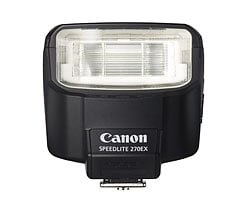 The Canon T1i can also use the new too-cute-for-words 270EX flash unit that was announced at the same time as the new camera. Despite it's diminutive outline, the new 270EX packs a noticeably bigger punch than the Canon T1i's built-in strobe (wide-angle guide number of 72 vs 43 feet, 22 vs 13 meters), but it also can set itself for either wide-angle or telephoto coverage. In telephoto mode, it has a coverage angle roughly equal to that of a 50mm lens, and the concentration of its light output increases its guide number to a remarkable 89 feet / 27 meters. The new strobe also sports a rotating head, that can tilt up to angles of 60, 75, and 90 degrees, for bounce-flash operation. A pretty neat set of features and capabilities from such a compact and inexpensive dedicated strobe unit.
Flash Test Results
Coverage and Range
Good flash performance, but rather uneven coverage at wide angle. About average positive exposure compensation required.


Coverage and Exposure. Flash coverage was very uneven at wide angle with the Canon T1i, with falloff in the corners of the frame extending deep into the frame. Coverage at telephoto is more even. Indoors, under incandescent background lighting, the Canon T1i's flash performed quite well, requiring about average positive exposure compensation of +0.7 EV for a reasonably bright image. With the camera's slow-sync flash mode only required a +0.3 EV boost, though the longer shutter time results in a warmer cast from the ambient background lighting.
| Flash Range: Wide Angle | |||||
|---|---|---|---|---|---|
| 6 ft | 7 ft | 8 ft | 9 ft | 10 ft | 11 ft |
 1/64 sec f3.5 ISO 100 |
 1/64 sec f3.5 ISO 100 |
 1/64 sec f3.5 ISO 100 |
 1/64 sec f3.5 ISO 100 |
 1/64 sec f3.5 ISO 100 |
 1/64 sec f3.5 ISO 100 |
| 12 ft | 13 ft | 14 ft | 15 ft | 16 ft | |
 1/64 sec f3.5 ISO 100 |
 1/64 sec f3.5 ISO 100 |
 1/64 sec f3.5 ISO 100 |
 1/64 sec f3.5 ISO 100 |
 1/64 sec f3.5 ISO 100 |
|
| Flash Range: Telephoto | |||||
|---|---|---|---|---|---|
| 6 ft | 7 ft | 8 ft | 9 ft | 10 ft | 11 ft |
 1/64 sec f5.7 ISO 100 |
 1/64 sec f5.7 ISO 100 |
 1/64 sec f5.7 ISO 100 |
 1/64 sec f5.7 ISO 100 |
 1/64 sec f5.7 ISO 100 |
 1/64 sec f5.7 ISO 100 |
| 12 ft | 13 ft | 14 ft | 15 ft | 16 ft | |
 1/64 sec f5.7 ISO 100 |
 1/64 sec f5.7 ISO 100 |
 1/64 sec f5.7 ISO 100 |
 1/64 sec f5.7 ISO 100 |
 1/64 sec f5.7 ISO 100 |
|
ISO 100 Range. The Canon T1i's flash was bright and powerful. Set to its maximum 18mm wide angle setting, the test shots showed no falloff in brightness all the way to the 16-foot limit of our test. At full telephoto, flash intensity started out a little dim, but maintained good brightness until about 10 feet at 55mm.
| Manufacturer-Specified Flash Range | |
|---|---|
| Wide Angle | Telephoto |
 12.0 feet ISO 100 |
 7.5 feet ISO 100 |
Manufacturer Specified Flash Test. The Canon T1i's built in flash has a rated Guide Number of 13 meters at ISO100. That works out to 12 feet at f/3.5 and 7.5 feet at f/5.6. In the two shots above, we can see that the Canon T1i's flash performs to specification, producing bright images at both zoom settings.
Note: Our standard test method for flash range uses a fixed setting of ISO 100, to provide a fair basis of comparison between cameras. We've now also begun shooting two shots using the manufacturer-specified camera settings, at the range the company claims for the camera, to assess the validity of the specific claims.
High ISO Noise Reduction
Canon T1i High ISO Noise Reduction
The Canon T1i delivers similar high-ISO image quality compared to the EOS 50D. Like the 50D, the T1I's different noise-reduction settings allow you quite a bit of flexibility in choosing how you want to make the trade-off between subject detail and noise levels. It's not clear that the "off" setting truly eliminates the noise processing altogether, but it is true that it leaves a lot of fine/subtle subject detail there for you to work with. The combination of shooting with NR turned off and using a good noise-filtering program after the fact can produce very clean images with lots of fine detail in them. (And of course, the Rebel T1i's CR2 RAW files have no noise-reduction processing applied to them at all, adhering to the true philosophy of RAW shooting.)
See for yourself how the noise reduction works under daylight-balanced lighting. Click on any of the crops below to see the corresponding full-sized image.We've include low ISOcrops at default noise reduction for reference.
| High ISO Noise Reduction Comparison Simulated Daylight |
||||
|
ISO 100
|
ISO 200
|
ISO 400
|
ISO 800
|
|
| L O W I S O |
 |
 |
 |
 |
 |
 |
 |
 |
 |
 |
 |
 |
|
Off
|
Low
|
Normal
|
High
|
|
| I S O 1 6 0 0 |
 |
 |
 |
 |
 |
 |
 |
 |
|
 |
 |
 |
 |
|
|
Off
|
Low
|
Normal
|
High
|
|
| I S O 3 2 0 0 |
 |
 |
 |
 |
 |
 |
 |
 |
|
 |
 |
 |
 |
|
|
Off
|
Low
|
Normal
|
High
|
|
| I S O 6 4 0 0 |
 |
 |
 |
 |
 |
 |
 |
 |
|
 |
 |
 |
 |
Off
|
Low
|
Normal
|
High
|
| I S O 1 2 8 0 0 |
 |
 |
 |
 |
 |
 |
 |
 |
|
 |
 |
 |
 |
The above crops show the effects of the 4 levels of high ISO noise reduction, under our studio HMI lighting we use to simulate daylight.
But how does the Canon T1i compare to the more expensive EOS50D with a very similar sensor? See the crops below.
| High ISO Noise Reduction T1I vs EOS50D Comparison Simulated Daylight |
||||
|
High ISONoise Reduction
|
||||
|
Off
|
Low
|
Normal
|
High
|
|
|
Canon Rebel T1i
|
||||
| I S O 1 6 0 0 |
|
|
|
|
|
Canon EOS50D
|
||||
 |
 |
 |
 |
|
|
Canon Rebel T1i
|
||||
|
|
|
|
|
|
Canon EOS 50D
|
||||
 |
 |
 |
 |
|
|
Canon Rebel T1i
|
||||
|
|
|
|
|
|
Canon EOS 50D
|
||||
 |
 |
 |
 |
|
|
Canon Rebel T1i
|
||||
| I S O 3 2 0 0 |
|
|
|
|
|
Canon EOS50D
|
||||
 |
 |
 |
 |
|
|
Canon Rebel T1i
|
||||
|
|
|
|
|
|
Canon EOS50D
|
 |
 |
 |
 |
|
Canon Rebel T1i
|
||||
|
|
|
|
|
|
Canon EOS50D
|
||||
 |
 |
 |
 |
|
|
Canon Rebel T1i
|
||||
| I S O 6 4 0 0 |
|
|
|
|
|
Canon EOS50D
|
||||
 |
 |
 |
 |
|
|
Canon Rebel T1i
|
||||
|
|
|
|
Canon EOS50D
|
 |
 |
 |
 |
Canon Rebel T1i
|
|
|
|
|
|
|
Canon EOS50D
|
||||
 |
 |
 |
 |
|
|
|
Canon Rebel T1i
|
|||
| I S O 1 2 8 0 0 |
|
|
|
|
|
Canon EOS50D
|
||||
 |
 |
 |
 |
|
|
Canon Rebel T1i
|
||||
|
|
|
|
|
|
Canon EOS50D
|
||||
 |
 |
 |
 |
|
|
Canon Rebel T1i
|
||||
|
|
|
|
|
|
Canon EOS 50D
|
||||
 |
 |
 |
 |
|
The above crops compare the Rebel T1i (top row) versus the EOS 50D (bottom row) of each set. It looks as though high ISO performance is very similar, with the T1i sometimes having a slight edge over the 50D, and vice versa. That's no surprise, since they use very similar sensors and processors.
Unfortunately, dcraw does not support Canon T1i RAW files at the time of writing (early May 2009), so we can't compare RAW noise performance. (Yet.)
Imatest Results
Canon T1i Imatest Results
We routinely use Norman Koren's excellent "Imatest" analysis program for quantitative, thoroughly objective analysis of digicam test images. I highly recommend it to our technically-oriented readers, as it's far and away the best, most comprehensive analysis program I've found to date.
My comments below are just brief observations of what we see in the Imatest results. A full discussion of all the data Imatest produces is really beyond the scope of this review: Visit the Imatest web site for a full discussion of what the program measures, how it performs its computations, and how to interpret its output.
Here's some of the results produced by Imatest for the Canon T1i:
| sRGB Accuracy Comparison |
||||
The Canon T1i showed pretty good color accuracy overall. Hue accuracy was really excellent (among the very best we've seen), with what little hue shift occurred taking place in the cyans, sky blues, and reds. Average saturation was slightly high at 111.8.3% (oversaturated by 11.8%, mostly in the blues, oranges and dark greens), but not unusually so for a consumer model. Average "delta-C" color error was an very low 3.82 after correction for saturation, which is excellent. All in all, a very good color response for an SLR. Mouse over the links below the illustration above to compare results with competing models.
Adobe RGB Accuracy Comparison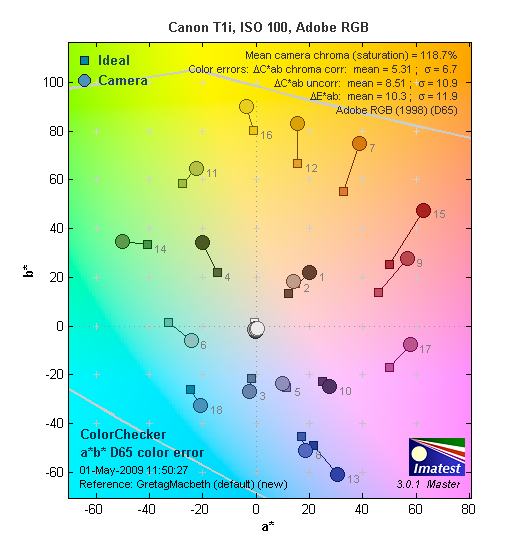 |
||||
Using the Adobe RGB color space (which provides a much wider gamut, or range of colors that can be expressed), the Canon T1i delivers more highly saturated color, as is usually the case. The average saturation was 118.7% and average saturation-corrected hue error of 5.31 "delta-C" units, which in this case is slightly less accurate than most of the competition here. Again, mouse over the links below the illustration above to compare results with competing models.
Color Analysis

This image shows how the Canon T1i actually rendered the colors of the MacBeth chart, compared to a numerically ideal treatment. In each color swatch, the outer perimeter shows the color as actually captured by the camera, the inner square shows the numerically correct color after correcting for the luminance of the photographed chart (as determined by a second-order curve fit to the values of the gray swatches), and the small rectangle inside the inner square shows the numerically correct color, without the luminance correction. This image shows the Canon T1i's excellent hue accuracy, as well as a gamma curve that results in some overexposure of highly saturated swatches. (This seems to be a fairly common tactic, to produce "bright" color that's appealing to consumers, without further overdoing the saturation.)
Noise Analysis

There's a lot in this particular graph, a lot more than we have room to go into here. (This set of plots has also changed a little in the more recent versions of Imatest. Some of the plots that were shown here previously are now shown in other Imatest output. Since we largely focus on the Noise Spectrum plot, we'll only show the graphic above, which includes that plot.)
In comparing these graphs with those from competing cameras, I've found that the Noise Spectrum graph at lower right is the most important. Cameras that manage to shift their noise spectrum to higher frequencies have much finer-grained noise structures, making their noise less visually objectionable. In the graph above, this would show up as a noise spectrum curve that remained higher on the right side, representing higher noise frequencies. The champion at this was (and still is) the Canon EOS-1Ds Mark II, which produced remarkably fine-grained image noise, even at very high ISOs.
Above, we see the results at ISO 100, which is the Canon T1i's base ISO. The luminance curve is reasonably flat except for the red, blue and green color channels, which exhibit much higher noise values at lower frequencies. While the overall noise levels are very low, the dominance of low frequencies in the color channels point to some low-level blotchiness.

Above is the same set of noise data at ISO 3,200. Here, we can see the overall noise energy has gone up somewhat (the area under the curves is larger), and the Noise Spectrum graph is still shifted toward the left-hand, lower-frequency side. This time, the color channels more closely matched than at ISO 100, an effect of the Canon T1i's default high ISO noise reduction. The spike in chroma noise at low frequency is limited to the very lowest frequencies, rather than the broader spike we saw at ISO 100: This corresponds to the soft, undulating, cloud-like character of the T1i's chroma noise at high ISOs. (It's laudably subtle, but when you look closely at large areas of flat tint shot with the T1i at ISO 3,200, you can see color noise with a soft, rounded appearance to it, with about 30-40 pixels between peaks.) Looking at the curve in the lower left, the total noise is higher than some competitors in the deepest shadows (far left side of the curve), but pretty competitive otherwise.

Here's the same set of noise data at ISO 6,400. Very similar to ISO 3,200, but overall noise levels are about doubled.

Here's the same set of noise data at ISO 1,2800, the Canon?T1i's maximum ISO. Very similar to ISO 6,400, but even higher noise levels overall. There's also a large shift to the left, indicating a coarser grain pattern, and the low-frequency spike is more pronounced. (What doesn't show in these graphs is how badly low-contrast resolution suffers, especially for red and blue-colored objects.)

This chart compares the Canon T1i's noise performance over a range of ISOs against that of other competing cameras, using default settings. While we continue to show noise plots of this sort because readers ask for them, we each time point out that the noise magnitude is only a small part of the story, the grain pattern being much more important. In the case of the Canon T1i, the noise magnitude starts out slightly higher than most of the competition at ISO 100, and remains higher than all the competition except for the Sony A350 at ISO 800 and the Canon XSi (barely) at ISO 1,600. Keep in mind these are at default settings, so the shape and positions of the curves will be influenced by your settings.
Canon T1i Dynamic Range Analysis
A key parameter in a digital camera is its Dynamic Range, the range of brightness that can be faithfully recorded. At the upper end of the tonal scale, dynamic range is dictated by the point at which the RGB data "saturates" at values of 255, 255, 255. At the lower end of the tonal scale, dynamic range is determined by the point at which there ceases to be any useful difference between adjacent tonal steps. Note the use of the qualifier "useful" in there: While it's tempting to evaluate dynamic range as the maximum number of tonal steps that can be discerned at all, that measure of dynamic range has very little relevance to real-world photography. What we care about as photographers is how much detail we can pull out of the shadows before image noise becomes too objectionable. This, of course, is a very subjective matter, and will vary with the application and even the subject matter in question. (Noise will be much more visible in subjects with large areas of flat tints and subtle shading than it would in subjects with strong, highly contrasting surface texture.)
What makes most sense then, is to specify useful dynamic range in terms of the point at which image noise reaches some agreed-upon threshold. To this end, Imatest computes a number of different dynamic range measurements, based on a variety of image noise thresholds. The noise thresholds are specified in terms of f-stops of equivalent luminance variation in the final image file, and dynamic range is computed for noise thresholds of 1.0 (low image quality), 0.5 (medium image quality), 0.25 (medium-high image quality) and 0.1 (high image quality). For most photographers and most applications, the noise thresholds of 0.5 and 0.25 f-stops are probably the most relevant to the production of acceptable-quality finished images, but many noise-sensitive shooters will insist on the 0.1 f-stop limit for their most critical work.
The image below shows the test results from Imatest for an in-camera JPEG file from the Canon T1i with a nominally-exposed density step target (Stouffer 4110), and the Canon T1i's settings at their default positions, where Auto Lighting Optimization is set to Standard.

These are good results for in-camera JPEGs, though a notch below the top performers when comparing numbers for the High quality threshold (7.43 f-stops). The tone curve shows excellent gradation in highlights but tails-off more abruptly in the shadow end. This can be seen when closely inspecting shots captured by the Canon T1i, where detail is held very nicely in strong highlights, but somewhat less so in the deepest shadows.

The results with Auto Lighting Optimization set to Off are a bit higher at lower quality levels, but identical at the highest level (7.43 f-stops). The total dynamic range figure (irrespective of noise levels) has increased slightly, from 9.96 to 10.3 f-stops.
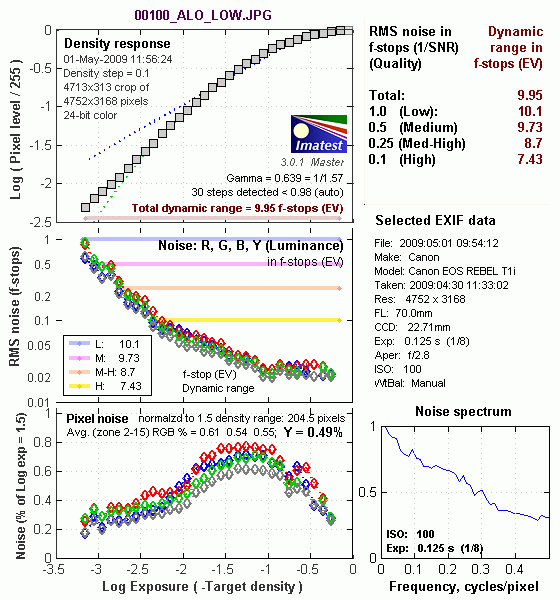
The Auto Lighting Optimization Low setting had very similar results to the Standard setting.
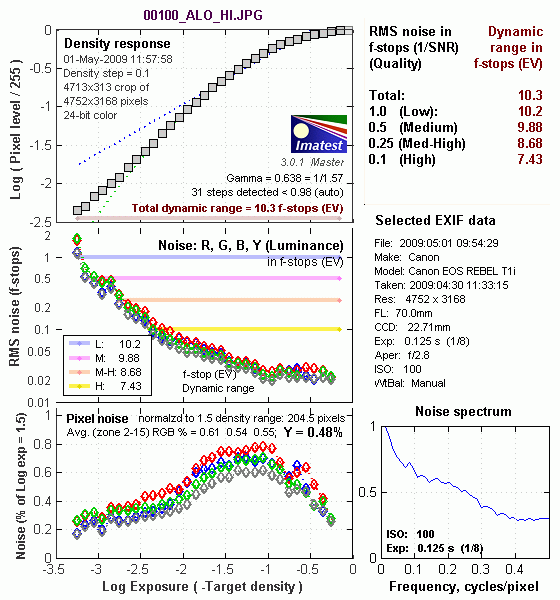
The Auto Lighting Optimization Strong setting also had very similar results to the other ALO settings, with the same high quality score of 7.43 f-stops but slightly higher overall dynamic range of 10.3 f-stops versus 9.96 f-stops at the default setting.

Processing the T1is RAW (CR2) files through Adobe Camera Raw (ACR) version 5.4 (beta) improved dynamic range by about 1/3 f-stop at the best quality level, and almost 2 stops overall. ACR's automatic settings were used., tweaking the sliders manually may result in slightly better results, but in our own fiddling with curves, we didn't manage to obtain any significant improvement. The response curve here has a more ideal "S" shape to it, where the shadow end of the curve trails off much more gradually than in-camera JPEGs. (Although the highlight side ends a bit more abruptly than we'd prefer.) Worth noting here is that ACR's default noise reduction settings also reduced the pixel noise relative to the levels in the in-camera JPEG. Also important to note is that the degree of manipulation performed by ACR here would likely result in color errors in strong highlights in real-world photographs. (The best performance you're likely to see in a real-world environment will likely be somewhere between the in-camera results and those from Adobe Camera Raw.)
Dynamic Range, the bottom line:
The net result was that the Canon T1i JPEG files came in about average compared to other DSLR models we've tested recently at the highest quality level, and RAW results were a little below average, perhaps hampered by the smaller than average pixel size compared to most current competitors.
To get some perspective, here's a summary of the Canon T1i's dynamic range performance, and how it compares to other digital SLRs that we also have Imatest dynamic range data for. (Results are arranged in order of decreasing dynamic range at the "High" quality level.) Overall, dynamic range for the Canon T1i's in-camera JPEGs is about 2/3 stop below the best consumer-level digital SLRs, while its results from RAW files came up a stop or more low:
| Dynamic Range (in f-stops) vs Image Quality (At camera's base ISO) (Blue = RAW via ACR, Yellow=Camera JPEG, Green=Current Camera) |
||||
| Model | 1.0 (Low) |
0.5 (Medium) |
0.25 (Med-High) |
0.1 (High) |
| Nikon D3X (Adobe Camera Raw 5.3b) |
-- | -- | 11.1 | 9.64 |
| Nikon D700 (Adobe Camera Raw 4.5) |
12.1 | 11.6 | 10.6 | 9.51 |
| Nikon D5000 (Adobe Camera Raw 5.4b) |
-- | 11.6 | 10.8 | 9.50 |
| Sony A900 (Adobe Camera Raw 4.6b) |
-- | 12.1 | 10.7 | 9.36 |
| Nikon D90 (Adobe Camera Raw 4.6b) |
12.1 | 11.8 | 10.7 | 9.27 |
| Fujifilm S3 Pro (Adobe Camera Raw 2) |
12.1 | 11.7 | 10.7 | 9.00 |
| Nikon D40x (Adobe Camera Raw 4.1) |
12.0 | 10.9 | 10.3 | 8.90 |
| Canon 5D Mark II (Adobe Camera Raw 5.2) |
-- | 10.8 | 10.0 | 8.89 |
| Canon EOS-1Ds Mark III (Adobe Camera Raw 4.5) |
11.5 | 10.7 | 9.96 | 8.84 |
| Nikon D3 (Adobe Camera Raw 4.5) |
11.7 | 11.0 | 10.0 | 8.75 |
| Canon EOS-1D Mark III (Adobe Camera Raw 4.5) |
11.7 | 10.7 | 9.99 | 8.73 |
| Pentax K20D (Adobe Camera Raw 4.5) |
11.4 | 10.6 | 9.82 | 8.56 |
| 8.5 Stops | ||||
| Nikon D300 (Adobe Camera Raw 4.3.1) |
11.4 | 10.9 | 9.87 | 8.45 |
| Sony A200 (Adobe Camera Raw 4.3.1) |
11.6 | 10.4 | 9.82 | 8.43 |
| Nikon D60 (Adobe Camera Raw 4.4.1) |
11.6 | 10.5 | 9.74 | 8.31 |
| Nikon D40 (Adobe Camera Raw 4.1) |
11.9 | 10.9 | 9.89 | 8.30 |
| Canon EOS-1Ds Mark III (Camera JPEG) |
10.9 | 10.2 | 9.71 | 8.23 |
| Pentax K100D (Adobe Camera Raw 3.6) |
11.3 | 10.3 | 9.51 | 8.23 |
| Pentax K200D (Adobe Camera Raw 4.4.1) |
-- | 10.5 | 9.54 | 8.19 |
| Pentax K10D (Adobe Camera Raw 3.7) |
10.6 | 10.0 | 9.29 | 8.19 |
| Sony A100 (Adobe Camera Raw 3.4) |
11.3 | 10.5 | 9.69 | 8.16 |
| Canon EOS-1Ds Mark II (Adobe Camera Raw 3) |
11.2 | 10.3 | 9.40 | 8.14 |
| Canon EOS 50D (Adobe Camera Raw 4.6) |
11.2 | 10.5 | 9.49 | 8.06 |
| Nikon D40x (Camera JPEG) |
10.8 | 10.0 | 9.42 | 8.04 |
| Olympus E-P1 (ISO 200, Adobe Camera Raw 5.5) |
11.5 | 10.4 | 9.26 | 8.04 |
| Canon Rebel XSi (Camera JPEG) (ALO on by default) |
11.3 | 10.1 | 9.34 | 8.01 |
| 8.0 Stops | ||||
| Fujifilm S3 Pro (Camera JPEG) |
-- | 9.90 | 9.40 | 7.94 |
| Nikon D3X (Camera JPEG) Advanced D-Lighting=Low) |
-- | -- | -- | 7.91 |
| Sony A350 (Adobe Camera Raw 4.4) |
11.6 | 10.5 | 9.61 | 7.89 |
| Canon EOS-1D Mark III (Camera JPEG) |
-- | 10.2 | 9.70 | 7.88 |
| Canon Rebel XS (Adobe Camera Raw 4.5) |
-- | 10.3 | 9.27 | 7.88 |
| Nikon D3 (Camera JPEG) |
-- | -- | -- | 7.87 |
| Canon Digital Rebel XTi (Adobe Camera Raw 3.6) |
10.8 | 9.88 | 9.18 | 7.84 |
| Canon EOS 5D (Adobe Camera Raw 3) |
11.0 | 10.4 | 9.21 | 7.83 |
| Canon EOS 50D (Camera JPEG) (ALO Off ) |
-- | 9.64 | 9.17 | 7.83 |
| Nikon D90 (Camera JPEG) |
-- | -- | -- | 7.77 |
| Panasonic DMC-GH1 (Adobe Camera Raw 5.4b) |
9.88 | -- | 9.30 | 7.76 |
| Panasonic DMC-GH1 (Camera JPEG iExposure=Standard) |
8.76 | -- | -- | 7.76 |
| Nikon D5000 (Camera JPEG), (Advanced D-Lighting=Low ) |
-- | -- | 9.28 | 7.75 |
| Canon Rebel T1i (Adobe Camera Raw 5.4b) |
11.2 | 10.2 | 9.16 | 7.73 |
| Canon EOS 40D (Adobe Camera Raw 4.2) |
11.2 | 10.1 | 9.26 | 7.72 |
| Canon Rebel XSi (Adobe Camera Raw 4.4.1) |
10.6 | 9.95 | 9.10 | 7.68 |
| Canon EOS 50D (Camera JPEG) (ALO STD by default) |
-- | -- | 8.90 | 7.68 |
| Nikon D700 (Camera JPEG) |
-- | -- | 9.05 | 7.67 |
| Canon 5D Mark II (Camera JPEG) (ALO STD) |
10.6 | 9.68 | 8.98 | 7.66 |
| Nikon D5000 (Camera JPEG), (Advanced D-Lighting=Off) |
-- | -- | 8.96 | 7.65 |
| Canon EOS-5D (Camera JPEG) |
10.2 | 9.68 | 8.82 | 7.65 |
| Olympus E-3 (Adobe Camera Raw 4.3) |
10.3 | 10.1 | 9.29 | 7.64 |
| Canon 5D Mark II (Camera JPEG) (ALO Off) |
-- | 9.67 | 8.96 | 7.62 |
| Nikon D60 (Camera JPEG) |
10.5 | 9.62 | 8.89 | 7.62 |
| Nikon D200 (Adobe Camera Raw 3) |
10.6 | 9.65 | 8.96 | 7.61 |
| Nikon D80 (Adobe Camera Raw 3.6) |
11.1 | 10.4 | 9.42 | 7.51 |
| 7.5 Stops | ||||
| Olympus E-500 (Adobe Camera Raw 3) |
10.7 | 9.97 | 8.90 | 7.46 |
| Olympus E-510 (Adobe Camera Raw 4.1) |
10.0 | 9.43 | 8.64 | 7.46 |
| Pentax K10D (Camera JPEG) |
-- | 9.49 | 8.88 | 7.44 |
| Nikon D300 (Camera JPEG) |
-- | -- | 8.70 | 7.44 |
| Olympus E-420 (Adobe Camera Raw 4.1.1) |
10.0 | 9.61 | 8.65 | 7.44 |
| Canon Rebel T1i (Camera JPEG) (ALO=STD by default) |
11.3 | 10.1 | 9.34 | 7.43 |
| Nikon D2Xs (Adobe Camera Raw 3.6) |
10.6 | 9.90 | 8.93 | 7.42 |
| Canon EOS 40D (Camera JPEG) |
10.6 | 9.52 | 8.78 | 7.42 |
| Nikon D3X (Camera JPEG) (Advanced D-Lighting=Off) |
-- | -- | -- | 7.37 |
| Nikon D50 (Camera JPEG) |
10.7 | 9.93 | 8.70 | 7.36 |
| Panasonic DMC-G1 (Adobe Camera Raw 5.2) |
10.7 | 9.78 | 8.70 | 7.32 |
| Sony A900 (Camera JPEG) (DRO off by default ) |
10.2 | 9.75 | 8.49 | 7.31 |
| Sony A200 (Camera JPEG) (DRO on by default) |
10.4 | 9.43 | 8.91 | 7.29 |
| Canon EOS 20D (Camera JPEG) |
10.3 | 9.66 | 8.85 | 7.29 |
| Canon EOS 30D (Camera JPEG) |
10.3 | 9.50 | 8.57 | 7.29 |
| Nikon D40 (Camera JPEG) |
10.4 | 9.80 | 8.89 | 7.28 |
| Sony A900 (Camera JPEG) (DRO on) |
10.1 | 9.76 | 8.47 | 7.26 |
| Canon Rebel XS (Camera JPEG) |
10.3 | 9.4 | 8.61 | 7.22 |
| Olympus E-520 (Adobe Camera Raw 4.5) |
11.0 | 9.46 | 8.70 | 7.20 |
| Sony A350 (Camera JPEG) (DRO on by default) |
10.3 | 9.55 | 8.85 | 7.19 |
| Nikon D80 (Camera JPEG) |
10.1 | 9.43 | 8.48 | 7.12 |
| Canon Digital Rebel XT (Camera JPEG) |
10.3 | 9.51 | 8.61 | 7.11 |
| Nikon D200 (Camera JPEG) |
-- | 9.07 | 8.36 | 7.11 |
| Panasonic DMC-G1 (Camera JPEG, iExposure = Low) |
-- | 9.29 | 8.50 | 7.09 |
| Panasonic DMC-G1 (Camera JPEG, iExposure = Standard) |
-- | 9.30 | 8.54 | 7.07 |
| Olympus E-300 (Camera JPEG) |
10.8 | 9.26 | 8.48 | 7.07 |
| Olympus E-410 (Adobe Camera Raw 4.1) |
10.2 | 9.40 | 8.24 | 7.05 |
| Olympus E-500 (Camera JPEG) |
10.0 | 9.14 | 8.16 | 7.05 |
| Canon Digital Rebel XTi (Camera JPEG) |
9.83 | 9.10 | 8.27 | 7.04 |
| Canon EOS-1Ds Mark II (Camera JPEG) |
10.3 | 9.38 | 8.60 | 7.04 |
| Panasonic DMC-G1 (Camera JPEG, iExposure = High) |
10.3 | 9.23 | 8.54 | 7.04 |
| Panasonic DMC-G1 (Camera JPEG, iExposure = Off) |
-- | 9.33 | 8.52 | 7.03 |
| Pentax K200D (Camera JPEG) |
-- | 9.50 | 8.30 | 7.01 |
| 7.0 Stops | ||||
| Canon Digital Rebel (Camera JPEG) |
10.1 | 9.11 | 8.47 | 6.97 |
| Nikon D2Xs (Camera JPEG) |
9.82 | 8.98 | 8.23 | 6.97 |
| Panasonic DMC-L10 (Adobe Camera Raw 4.2) |
10.4 | 9.34 | 8.48 | 6.91 |
| Sigma DP1 (Camera JPEG) |
-- | 8.95 | 8.13 | 6.91 |
| Pentax *istDs (Camera JPEG) |
10.2 | 10.0 | 8.87 | 6.90 |
| Sony A100 (Camera JPEG) |
10.2 | 9.24 | 8.39 | 6.89 |
| Pentax K100D (Camera JPEG) |
10.3 | 9.30 | 8.39 | 6.73 |
| Pentax K20D (Camera JPEG) |
10.2 | 9.21 | 8.09 | 6.66 |
| 6.5 Stops | ||||
| Nikon D2x (Camera JPEG) |
-- | 8.93 | 7.75 | 6.43 |
| Olympus E-3 (Camera JPEG) |
9.32 | 9.06 | 8.50 | 6.42 |
| Panasonic DMC-L10 (Camera JPEG) |
-- | 8.94 | 8.00 | 6.38 |
| Olympus E-420 (Camera JPEG) |
9.18 | 8.82 | 7.93 | 6.37 |
| 6.0 Stops | ||||
| Olympus E-410 (Camera JPEG) |
-- | -- | 7.60 | 5.99 |
| Nikon D70s (Camera JPEG) |
9.84 | 8.69 | 7.46 | 5.85 |
| Nikon D70 (Camera JPEG) |
9.81 | 8.76 | 7.58 | 5.84 |
| Olympus E-520 (Camera JPEG) |
9.32 | 8.68 | 7.74 | 5.74 |
| Olympus E-P1 (Camera JPEG, ISO 200, Gradation = Normal) |
-- | 8.85 | 7.74 | 5.47 |
| < 5.0 Stops | ||||
| Olympus E-510 (Camera JPEG) |
7.70 | 7.16 | 5.87 | 3.55 |
The results shown in the table are interesting. One of the first things that struck me when I initially looked at test data for a wide range of d-SLRs, was that here again, purely analytical measurements don't necessarily correlate all that well with actual photographic experience. There's no question that the Fuji S3 Pro deserves its place atop the list, as its unique "SR" technology does indeed deliver a very obvious improvement in tonal range in the highlight portion of the tonal scale. I was surprised to see the analytical results place the Olympus E-300 as highly as they did, given that our sense of that camera's images was that they were in fact noisier than those of many other d-SLRs that we looked at. In the other direction, I was quite surprised to see the Nikon D2x place as low on the listings as it did, given that we found that camera's shadow detail to be little short of amazing.
One thing to note here, though, is that we tested each camera at its lowest (base) ISO setting, which should produce best-case noise levels. This is in fact what many photographers will be most interested in, but it does perhaps place some of the Nikons (like the D40 and D5000) at a disadvantage, as their base ISO setting is 200, as compared to the ISO 100 settings available on most other models.
Canon T1i Resolution Chart Test Results

The chart above shows consolidated results from spatial frequency response measurements in both the horizontal and vertical axes. The "MTF 50" numbers tend to correlate best with visual perceptions of sharpness, so those are what I focus on here. The uncorrected resolution figures are 2,183 line widths per picture height in the horizontal direction (corresponding to the vertically-oriented edge), and 2,207 lines along the vertical axis (corresponding to the horizontally-oriented edge), for a combined average of 2,195 LW/PH. Correcting to a "standardized" sharpening with a one-pixel radius increased both vertical and horizontal resolution significantly, resulting in an average of 2,163 LW/PH, a little lower than the uncorrected value, indicating the default in-camera sharpening is a bit on the aggressive side.
To see what's going on, refer to the plots below, which show the actual edge profiles for both horizontal and vertical edges, in both their original and corrected forms. Here, you can see that the Canon T1i's default in-camera sharpening is fairly strong (a large bump at the top ends). Imatest reports that the horizontal direction (vertical edge) is "oversharpened" by 3.88% while the vertical direction (horizontal edge) is "undersharpened" by only 1.93%. These numbers are pretty close to ideal, which is probably a good default for the intended target market for the Canon T1i. (That said, you should be able to extract more fine detail if you begin with a RAW file, rather than a JPEG.)
.


RAW Files
Canon T1i High ISO RAW Image Quality
We've recently started looking at RAW files converted with dcraw, an excellent freeware raw converter. dcraw usually offers timely support for the latest cameras, but more importantly, it does not apply any noise-reduction, sharpening or other corrections such as geometric distortion correction to the output files. (We found that Adobe Camera Raw still applies some limited noise-reduction when its NR settings are set to zero, and it also applies other corrections depending on the make and model of the camera). There will always be differences between RAW converters, in terms of the sort of demosaicing algorithms they use (the processes by which they convert the separate Red, Green, and Blue data sets to an array of full-color RGB pixels), but dcraw seems to use a fairly generic algorithm that delivers good sharpness with relatively few artifacts, and can be counted on to not apply any noise reduction if you don't want it to.
Below are crops from Canon T1i high ISO RAW files compared to RAW files from the Nikon D5000, Olympus E-620 and Panasonic GH1, converted with dcraw.
| High ISO Image Quality Canon T1i vs Nikon D5000, Olympus E-620 and Panasonic GH1 RAW Comparison RAW files converted with dcraw, no NR, no sharpening Simulated Daylight |
||||
|
|
Canon T1i
|
Nikon D5000
|
Olympus E-620
|
Panasonic GH1
|
I
S O 8 0 0 |
 |
 |
 |
 |
 |
 |
 |
 |
|
 |
 |
 |
 |
|
|
|
Canon T1i
|
Nikon D5000
|
Olympus E-620
|
Panasonic GH1
|
|
I
S 0 1 6 0 0 |
 |
 |
 |
 |
 |
 |
 |
 |
|
 |
 |
 |
 |
|
|
|
Canon T1i
|
Nikon D5000
|
Olympus E-620
|
Panasonic GH1
|
I
S O 3 2 0 0 |
 |
 |
 |
 |
 |
 |
 |
 |
|
 |
 |
 |
 |
|
|
|
Canon T1i
|
Nikon D5000
|
Olympus E-620
|
Panasonic GH1
|
|
I
S 0 6 4 0 0 |
 |
 |
N/A
ISO 6400 not supported |
N/A
ISO 6400 not supported |
 |
 |
N/A
ISO 6400 not supported |
N/A
ISO 6400 not supported |
|
 |
 |
N/A
ISO 6400 not supported |
N/A
ISO 6400 not supported |
|
|
|
Canon T1i
|
Nikon D5000
|
Olympus E-620
|
Panasonic GH1
|
|
I
S 0 1 2 8 0 0 |
 |
N/A
ISO 12800 not supported |
N/A
ISO 12800 not supported |
N/A
ISO 12800 not supported |
 |
N/A
ISO 12800 not supported |
N/A
ISO 12800 not supported |
N/A
ISO 12800 not supported |
|
 |
N/A
ISO 12800 not supported |
N/A
ISO 12800 not supported |
N/A
ISO 12800 not supported |
|
As you can, the Four Thirds sensors of the Olympus E-620 and Panasonic GH1 lag behind the APS-C sized sensors of the Canon T1i and Nikon D5000 in terms of noise at all ISOs above about 800. The Nikon D5000 seems to have a slight edge over the CanonT1i, however keep in mind the T1i has 15.1-megapixels, while the D5000 has 12.3-megapixels, so it's no surprise that the D5000's larger pixels do a bit better when it comes to noise.
Shooting Modes
Canon Rebel T1i Modes and Menus
 The mode dial on the right side of the Canon T1i's top panel lets you select various exposure modes, with the same range of options presented as on the preceding Rebel XSi, but with two additions, and borrowing the black-on-silver color scheme from the EOS-50D. Canon divides the dial into "Basic" and "Creative" zones, the Basic range encompassing the Full Auto setting and the six scene modes in what Canon refers to as the "Image" zone. The Canon T1i's Creative zone includes the new setting for Creative Auto, plus Programmed exposure, Shutter priority, Aperture priority, full Manual control, and the Automatic Depth of Field mode. The new Movie mode is at the "Basic" end of the mode dial's range, but we'll consider it to be an entirely separate mode, rather than part of the Canon T1i's Basic set.
Here's a description of each of the Canon T1i's shooting modes:
 Movie Recording Mode: The first option on the Canon T1i's Mode dial is the new Movie mode. When Movie mode is selected, the camera's mirror and shutter open, as in Live View mode, but the Print/Share/LiveView/Movie button on the camera's back functions as the start/stop button for movie recording. Like other movie-capable SLR cameras on the market, the Canon T1i can't autofocus during movie operation, so you must use the AF/AE lock button on the rear panel to set focus before you begin recording. Movie recording capacity varies based on the size of memory card you're using, but is in all cases limited to a maximum of 29 minutes and 59 seconds. (That's thanks to European tax regulations, but as it turns out, the 4GB limit on video file sizes will in practice restrict you to shorter movie clips anyway.)
 Flash Off Mode: Proceeding around the Mode Dial in a clockwise direction, Flash Off mode disables both the internal flash head and any external flash unit connected. Focus is set to AI Focus mode, drive mode is set to Single, and metering is set to Evaluative. The camera controls ISO and Auto white balance as well. In a nice touch, the ISO that the Canon T1i has chosen is displayed on the rear-panel display, something you don't always see in auto-ISO modes.
 Night Portrait Mode: This mode is for taking pictures of people at sunset or at night, letting the flash illuminate the subject, while the longer exposure provides a brighter view of the surroundings. The Canon T1i's autofocus mode is automatically set to One Shot. Drive mode is set to Single Shot, and metering mode is set to Evaluative. Since slower shutter speeds will be used, a tripod is recommended to prevent movement from the camera. The Canon T1i's built-in flash is automatically enabled and synched with the slower shutter speed, so subjects will need to remain still for a few moments after the flash fires to avoid ghost-like after-images. ISO is automatically adjusted by the Canon T1i. (For night exposures without the flash, Canon recommends shooting in Landscape mode.)
 Sports Mode: This mode uses a faster shutter speed to capture fast-moving subjects. The autofocus mode is automatically set to AI Servo. Drive mode is set to Continuous Shooting, ISO is set to Auto (and biased towards higher settings, to give faster shutter speeds), and metering mode is set to Evaluative. The Canon T1i's onboard flash isn't available in this mode because it can't cycle fast enough to keep up with the continuous exposure mode.
 Close-up Mode (Macro Mode): Turning the Canon T1i's Mode dial to the macro flower symbol sets the camera for capturing smaller subjects such as flowers, jewelry, and other small details. The autofocus mode is automatically adjusted to One Shot, the drive mode is set to Single Shot, and the metering mode is set to Evaluative. ISO is set to Auto. Close-up mode takes advantage of the current lens's minimum focal distance. However, an EOS dedicated macro lens and the Macro Ring Lite MR-14EX are recommended for better close-up photography. Also, note that unlike the macro mode on most consumer digicams, Macro mode on the Canon T1i has no effect on lens focusing range, as that parameter is entirely determined by the lens being used.
 Landscape Mode: Landscape mode combines slower shutter speeds with smaller aperture settings to increase the depth of field when shooting broad vistas and sweeping landscapes. This mode is also good for night scenes without people in them. The Canon T1i's built-in flash is automatically disabled, even if it's already raised. Because this mode uses slower shutter speeds, a tripod may be needed in less-bright lighting conditions. Metering is again set to Evaluative and ISO to Auto.
 Portrait Mode: This mode uses a large aperture setting to decrease the depth of field, which blurs the background to emphasize the subject. The Canon T1i's ISO is set to Auto, metering to Evaluative, and AF mode to One Shot. Drive mode is set to Continuous Shooting.
 Full Automatic Mode: The final mode in the Basic Zone, Full Automatic is indicated on the Canon T1i's Mode dial by a green rectangular outline. In this mode, the camera makes all exposure decisions with the exception of image quality. Autofocus mode is set to AI Focus. (AI Focus evaluates subject movement, sets either one-shot AF or AI Servo AF automatically.) Drive mode is set to Single Shot, ISO is set to Auto, and the metering mode is set to Evaluative.
 Creative Auto Mode: For the first mode in the Creative Zone, Canon borrowed the Creative Auto (or "CA") we first saw on the 50D for the new Canon T1i. The CA mode is something of a cross between the green zone and program mode.
When set to CA mode, the Canon T1i allows the user to adjust the flash mode, picture style, motor drive, and exposure compensation, as well as to use the program shift function and select between RAW or JPEG file formats (including several image size/quality options for JPEGs), but the rest of the more complex features remain under automatic control. The Canon T1i's rear-panel LCD display offers text help for each setting while in CA mode, for example prompting the user as to whether they want to blur the background with program shift, or make the picture brighter / darker with exposure compensation, etc. The exposure steps shown on the rear-panel display appear to represent 1/3-stop increments/decrements.
 Program AE: The second mode in the Creative Zone of the Mode Dial, Program AE works similarly to the Full Automatic and Creative Auto exposure modes, but allows more control over the exposure variables than does Auto mode. The Canon T1i's aperture and shutter speed are automatically selected by the camera, but you can bias the exposure to larger or smaller apertures by turning the Main dial, which will change the combination of aperture and shutter speed so as to maintain the same exposure value, but with a different combination of aperture/shutter speed. (Personally, I find this sort of vari-program mode more useful than the usual shutter- or aperture-priority modes when I'm wanting to adjust the aperture or shutter speed to control depth of field or subject motion blur. The camera won't let you select a combination of exposure parameters that doesn't work, but you retain all the flexibility of shutter- or aperture-priority exposure modes.)
 Shutter-Priority AE: This mode allows you to manually set the shutter speed anywhere from 1/4,000 to 30 seconds, while the Canon T1i chooses the best corresponding aperture setting. You have control over all other exposure variables, including exposure compensation.
 Aperture-Priority AE: The opposite of Shutter-Priority mode, Aperture-Priority AE allows you to set the lens aperture (with available apertures depending on the lens in use), while the Canon T1i selects the most appropriate shutter speed. Again, you have control over all other exposure variables, including exposure compensation.
 Manual Exposure: This mode provides the same range of exposure control as the other Creative Zone exposure modes (except for exposure compensation), but lets you control both shutter speed and lens aperture independently. The shutter speed range is extended to include a Bulb setting, allowing long exposures for as long as you hold the Canon T1i's Shutter button down. (The rear display reports the elapsed time in minutes and seconds as the exposure progresses.) A display in the viewfinder reports whether the Canon T1i thinks your settings will result in under, over, or correctly exposed photos.
 Automatic Depth of Field AE: This is the final mode in the Creative Zone, and is meant for taking pictures of large groups of people, landscapes with foreground detail, or any subject with elements of interest at varying distances from the camera. This mode puts the Canon T1i in control of both the shutter speed and aperture values, but you can adjust the other exposure variables. (Note that this mode cannot be used if the lens focus mode is set to manual.) When shooting in Automatic Depth of Field AE, the Canon T1i sets both the lens aperture and focus distance to achieve a sharp focus over a wide depth of field. It uses the autofocus system to measure the distance to the subjects covered by each of the nine autofocus zones, and then attempts to set the focusing distance and lens aperture so as to render all subject areas in sharp focus.
 Playback Mode: Activated by pressing the Play button on the back panel. Playback mode lets you erase images, protect them, or set them up for printing on DPOF and PictBridge-compatible devices. You can also view images in an index display, enlarge images to 10x, view a slide show of all captured images, or rotate an image. The Canon T1i's DISP button activates an information display, which reports the exposure settings for the image; a second press graphs the exposure values on a small luminance histogram, and another press displays both the luminance and separate Red, Green, and Blue histograms.
Canon T1i Menu Layout
The Canon T1i's menus are quite similar to those of the XSi, but there are a few changes. Since many readers may already be familiar with the XSi's menu system, we'll take a quick look at the primary differences.
One thing that will be apparent here is that many menus on the Canon T1i have more items on them than we saw on the XSi. Despite the increased density, we found the menus of the Canon T1i to be wonderfully readable: The super-high resolution of its LCD makes even small menu text very crisp.
| Shooting Menu 1 | |
| Rebel XSi | Rebel T1i |
 |  |
| Changes here include the addition of Peripheral Illumination Correction (by which the Canon T1i can compensate for shading or vignetting in images), and a flash control sub-menu, which holds an extended range of options for flash operation. The ordering of some items has also been changed. | |
| Shooting Menu 2 | |
| Rebel XSi | Rebel T1i |
 |  |
| Auto Exposure Bracketing (AEB) has been changed to Expo.comp./AEB, and Flash exposure compensation is gone (moved to the Flash Control submenu of the first Shooting menu screen). Metering Mode has also been added here. | |
| Playback Menu | |
| Rebel XSi | Rebel T1i |
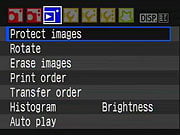 |  |
| The Playback menu on the Canon T1i actually became somewhat simpler, as Histogram, Brightness, and Auto Play functions have been moved elsewhere. | |
| Setup Menu 1 | |
| Rebel XSi | Rebel T1i |
 | 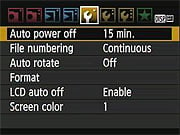 |
| The Canon T1i's Setup Menu 1 is essentially identical, the only difference being that the four color schemes available under the Screen Color option are different from those on the XSi. | |
| Setup Menu 2 | |
| Rebel XSi | Rebel T1i |
 |  |
| The Canon T1i's Setup Menu 2 is also essentially identical, the only obvious change being that Flash Control has moved to the first Shooting Menu screen. A speech bubble graphic now accompanies the Language menu item, making it easier to find if you accidentally change to a language that you cannot read. | |
| Setup Menu 3 | |
| Rebel T1i | |
 |  |
| The Canon T1i's third Setup Menu page is identical to that of the XSi. | |
| Custom Function Menu | |
| Rebel XSi | Rebel T1i |
 |  |
The Canon T1i has 13 custom function settings, as did the XSi before it, but the T1i's C.Fn. menu incorporates two changes relative to the earlier model:
| |
| My Menu | |
| Rebel XSi | |
 |  |
| The Canon T1i's My Menu, where you can define and access your own most commonly used settings, is the same as on the XSi. | |
Canon Rebel T1i Menu Details
Record Menu 1:
| Record Menu Options: Screen 1 | |||
| Top-Level Selection | Second-Level | Third-Level | Notes |
|
Quality
|
- 4752 x 3168, Fine
- 4752 x 3168, Normal - 3456 x 2304, Fine - 3456 x 2304, Normal - 2352 x 1568 Fine - 2352 x 1568, Normal - RAW + L/F JPEG - RAW |
|
Select image size and quality combination.
|
|
Beep
|
- On
- Off |
Turns camera beep sounds on or off.
|
|
|
Release shutter without card
|
- Enable
- Disable |
If enabled, the camera will fire the shutter even without a memory card installed.
|
|
|
Review time
|
- Off
- 2 sec. - 4 sec. - 8 sec. - Hold |
Enables an automatic image review after each shot. "Hold" keeps the image displayed until you half-press the shutter button.
|
|
|
Peripheral illumination correction
|
-Enable
-Disable |
If on, the camera corrects for corner shading "vignetting" in JPEGs, depending on which lens is detected (therefore, probably won't work with third-party lenses).
|
|
|
Red-eye On/Off
|
- On
- Off |
|
If On, Red-eye reduction lamp illuminates with every flash exposure.
|
|
Flash control
|
-Flash Firing
|
- Enable
- Disable |
Controls a vast array of flash settings for both the internal flash and any attached external flash unit.
|
|
- Built-in Flash Func. Setting
|
- Flash Mode
- Shutter Sync - Flash Exp. Comp. - E-TTL II |
||
|
- External Flash Func. Setting
|
- Flash Mode |
||
|
- External Flash C.Fn. Setting
|
- Enable
- Disable |
||
|
- Clear Ext. Flash C.Fn. Set
|
|
||
Record Menu 2:
| Record Menu Options: Screen 2 | |||
| Top-Level Selection | Second-Level | Third-Level | Notes |
|
Exposure compensation / AEB (Auto Exposure Bracketing)
|
- Select EV variable
|
|
+/-2 EV in 1/3 or 1/2 steps; +/-4 EV scale for AEB.
|
|
Metering mode
|
- Evaluative
- Partial - Spot - Center-weighted |
|
|
|
Custom WB
|
- Choose image for reference, then set white balance
|
|
|
|
White Balance SHIFT/BKT
|
- Set the color shift on a 2-dimensional grid (Green/Magenta, Blue/Amber)
- Choose bracket (+/-3 Magenta and Green, +/-3 Blue and Amber) |
|
One level of correction is equal to 5 mireds of a color temperature conversion filter.
|
|
Color space
|
- sRGB
- Adobe RGB |
|
|
|
Picture Style
|
- Standard
- Portrait - Landscape - Neutral - Faithful - Monochrome - User Def. 1 - User Def. 2 - User Def. 3 |
- Sharpness (arbitrary units from 0 to 7)
- Contrast (9 units from - to +) - Saturation (9 units from - to +) - Color Tone (9 units from - to +) |
|
|
Dust Delete Data
|
- Cancel
- OK |
|
Captures a reference image for the dust reduction system, showing where dust is present on the sensor. Dust shadows can then be automatically removed from the images when they're processed through Canon's software.
|
Playback Menu 1:
| Playback Menu Options: Screen 1 | |||
| Top-Level Selection | Second-Level | Third-Level | Notes |
|
Protect images
|
- Set
|
|
Sets or removes protection mark. Protected images can only be deleted by reformatting the memory card.
|
|
Rotate
|
- Set
|
|
Rotates selected image clockwise, either 90 or 270 degrees.
|
|
Erase images
|
- Select and erase images
- All images on card |
|
|
|
Print order
|
- Sel. Image
- All image - Set up |
|
Marks images on the memory card for later printing on a DPOF (Digital Print Order Format) compatible printer.
|
|
Transfer order | - Sel. Image - All image | | For transferring images to a computer. (Computer must be running Canon's EOS Utility software.) |
Playback Menu 2:

| Playback Menu Options: Screen 2 | |||
|
Top-Level
Selection |
Second-Level
|
Third-Level
|
Notes
|
|
Histogram
|
- Brightness
- RGB |
|
RGB option displays individual histograms for each color channel, brightness shows only a single graph.
|
|
Slide show
|
- Select images
|
- All images
- Folder - Date |
Sets up Slide Show feature. Users can choose to play all folders, one folder, or just photos taken on a particular date. The Menu button stops playback.
|
|
- Setup
|
- Play time
- Repeat |
||
|
- Start
|
|
||
|
Image jump w/ dial
|
- 1 image
- 10 images - 100 images - Date - Movies - Stills |
Selects how image jump works using the Main Dial.
|
|
Setup Menu 1:
| Setup Menu Options: Screen 1 | |||
| Top-Level Selection | Second-Level | Third-Level | Notes |
|
Auto power off
|
- 30 sec.
- 1 min. - 2 min. - 4 min. - 8 min. - 15 min. - Off |
|
Amount of time to wait before automatically turning off to save power.
|
|
File numbering
|
- Continuous
- Auto Reset - Manual Reset |
|
Continuous numbers image files sequentially.
Auto Reset resets the numbering every time a card is formatted or a new card inserted. Manual Reset resets numbering at any time to 0001. |
|
Auto rotate
|
- On (Record, Display)
- On (Display) - Off |
|
Record, Display - vertical images are rotated on both the camera's LCD and on the computer. (In applications that understand "Rotate" tags in the files' EXIF headers.)
Display - vertical images are only rotated on the computer. |
|
Format
|
- Cancel
- OK - option for Low level format |
|
Erases all files on card, even protected ones.
|
|
LCD auto off
|
- Enable
- Disable |
|
Controls the sensor that turns off the LCD display when you bring the camera up to your eye.
|
|
Screen color
|
- Select from 4 screen color schemes
- OK |
|
|
Setup Menu 2:
| Setup Menu Options: Screen 2 | |||
| Top-Level Selection | Second-Level | Third-Level | Notes |
| LCD brightness | - Set brightness level from darkest to brightest | Seven brightness settings. | |
| Date/Time | - Set Date - Set Time - Set Display Format | ||
| Language | - English - German - French - Dutch - Danish - Portuguese - Finnish - Italian - Norwegian - Swedish - Spanish - Greek - Russian - Polish - Hungarian - Czech - Simplified Chinese - Traditional Chinese - Korean - Japanese -Arabic - Romanian - Turkish - Ukrainian - Thai | | |
|
Video system
|
- NTSC
- PAL |
|
|
|
Sensor cleaning
|
- Auto cleaning
|
- Enable
- Disable |
Auto cleaning options determines if sensor cleaning occurs automatically when power switch is turned off or on.
|
|
- Clean now
|
- Cancel
- OK |
|
|
|
- Clean manually
|
- Cancel
- OK |
OK triggers mirror to lock up so you can clean the sensor manually.
|
|
|
Live View function settings
|
- Live View shoot
|
- Enable
- Disable |
Along with three types of autofocus ("Live" mode uses contrast-detect AF from image sensor data, "Face detect" mode adds face-detection, while "Quick" mode uses the dedicated phase-detect AF module), you can manually focus in Live View mode. Up to 10x magnification is available to assist in critical manual focusing.
|
|
- Grid display
|
- Off
- Grid 1 - Grid 2 |
||
|
- Metering timer
|
- 4 sec
- 16 sec - 30 sec - 1 min. - 10 min. - 30 min. |
||
|
- AF mode
|
- Live mode
- Face detect live mode - Quick mode |
||
Setup Menu 3:
| Setup Menu Options: Screen 3 | |||
| Top-Level Selection | Second-Level | Third-Level | Notes |
| Custom Functions | - Goes to Custom Function menu (See Below) | | |
| Clear Settings | - Clear all camera settings - Clear all Custom Func. (C.Fn) - Cancel | | |
| Firmware Version | - Update firmware version | | Updates firmware version if a properly-prepared SD card is in place. |
Custom Functions Sub-Menu:

| Custom Functions | |||
| Top-Level Selection | Second-Level | Third-Level | Notes |
|
C.Fn I: Exposure
1: Exposure level increments |
- 0: 1/3 stop
- 1: 1/2 stop |
|
|
| C.Fn I: Exposure 2: ISO Expansion |
- 0: Off - 1: On |
When enabled, options of 6,400 and H are added, the H setting corresponding to an ISO level of 12,800. | |
|
C.Fn I: Exposure
3: Flash sync. speed in AV mode |
- 0: Auto
- 1: 1/200-1/60sec Auto - 2: 1/200 sec. (fixed) |
|
Auto: Shutter speed may vary from 30 to 1/200 second.
1/200: Shutter speed is fixed at this setting. |
|
C.Fn II: Image
4: Long exp. noise reduction |
- 0: Off
- 1: Auto - 2: On |
|
Controls additional noise-reduction processing for exposures 1 second and longer.
|
|
C.Fn II: Image
5: High ISO speed noise reduct'n |
- 0: Standard
- 1: Low - 2: Strong - 3: Disable |
|
Enables additional noise-reduction. Applied at all ISOs, but particularly effective at reducing chroma noise at higher ISOs, or shadow noise at lower ISOs.
|
|
C.Fn II: Image
6: Highlight tone priority |
- 0: Disable
- 1: Enable |
|
Enables Highlight tone priority, which helps retain highlight detail in JPEGs. ISO range is 200-1600.
|
|
C.Fn II: Image
7: Auto Lighting Optimizer |
- 0: Standard
- 1: Low - 2: Strong - 3: Disable |
|
Enables Auto Lighting Optimizer which optimizes brightness and contrast for JPEGs automatically.
|
|
C.Fn III: Auto focus / Drive
8: AF assist beam firing |
- 0: Enables
- 1: Disable - 2: Only external flash emits |
|
Turns AF assist beam on or off, determines whether it comes from the built-in flash or from an external strobe unit.
|
|
C.Fn III: Auto focus / Drive
9: Mirror lockup |
- 0: Disable
- 1: Enable |
|
Raises the mirror with the first press of the shutter button, releases the shutter with the second. (Useful for reducing mirror shake when using a tripod and remote release with a long telephoto or macro lens.)
|
|
C.Fn IV: Operation / Others
10: Shutter/AE lock button |
- 0: AF/AE lock
- 1: AE lock/AF - 2: AF/AF lock, no AE lock - 3: AE/AF, no AE lock |
|
Determines the effect of the Shutter and AE lock buttons:
0: * button locks AF and exposure. 1: * button autofocuses, shutter half-press locks exposure. 2: * button stops AF operation momentarily in AI Servo mode, exposure set when the shutter is released. 3: * button stops/starts AI Servo operation in AI Servo mode, exposure set when the shutter is released. |
|
C.Fn IV: Operation / Others
11: SET button when shooting |
- 0: Quick Control Screen
- 1: Image quality - 2: Flash exposure comp. - 3: LCD monitor On/Off - 4: Menu display - 5: Disabled |
|
Controls the functions of the SET button in record mode.
|
|
C.Fn IV: Operation / Others
12: LCD display when power on |
- 0: Display
- 1: Retain power OFF status |
|
Controls whether the LCD active state is remembered or forces it on when camera is powered-up.
|
|
C.Fn IV: Operation / Others
13: Add original decision data |
- 0: Off
- 1: On |
|
Add original decision data On option appends data to verify an original image. Original Data Security Kit (OSK-E3) required to verify image is original is sold separately
|
My Menu:

| My Menu Options | |||
| Top-Level Selection | Second-Level | Third-Level | Notes |
| Register | - (Full list of options that can exist in My Menu) | | Register your own frequently used menu items and custom functions to appear in My Menu. |
| Sort | | | Changes the order of registered items in My Menu. |
| Delete | | | |
| Delete all items | | | |
| Display from My Menu | - Enable - Disable | | When Enabled, the My Menu tab is displayed first when pressing the Menu button. |
Movies
Canon T1i Video
We're seeing more and more video recording options on DSLRs, to the point that we expect it to become a relatively standard feature over the next year or two. The Canon T1i's video capabilities put it in serious competition with the more expensive Nikon D90, while at the same time falling short of the superior abilities of Canon's own EOS-5D Mark II. Here's a summary of what we found with the Canon T1i's video recording:
A Few Examples (Warning, large file downloads!)
Before getting into all the speeds and feeds, let's lead off with a few sample videos from the Canon T1i. The videos linked below were shot with a prototype T1i. As with still images, though, we've seen no discernible differences in video quality between the prototype and production samples we've tested. (NOTE that these are extremely large files: If you think you'll be inclined to want to refer back to them, please download copies to your local hard drive, to save our bandwidth!)
| Canon EOS-T1i Video Samples | ||
|---|---|---|
|
|
||
|
1920 x 1080, 20fps |
1280 x 720, 30fps |
640 x 480, 30fps |

Resolution and Recording Time
The Canon T1i's movie resolutions include 1920 x 1080 (16:9), 1280 x 720 (16:9), and 640 x 480 (4:3). Assuming you're using a fast (class 6 or better) SD card, recording times are limited by file size, up to a maximum of 3.99GB. Recording time within this file-size limit will depend on both the resolution you're recording at and the amount of detail and/or motion in the scene you're shooting. Scenes with lots of fine detail compress poorly, which will shorten the maximum recording time. The same is true for scenes with a lot of motion, because MPEG encoding attempts to record only parts of the image that change from frame to frame.
We performed a very informal measurement of the Canon T1i's maximum recording times, shooting a scene with lots of detail but relatively little motion (the trees outside our office). This will probably be a reasonable indication of typical recording times consumers might see, as this subject had much more fine detail than average, but relatively little movement. To check the limiting case of a very simple, static subject, we also shot a movie of a blank, white wall, but only at the highest video quality setting. Here's a table showing what we found:
| Canon EOS-T1i Maximum Video Recording Times | ||
|---|---|---|
| Resolution | Max time, High-Detail Subject |
Max Time, No-Detail Subject |
|
1,920 x 1,080 |
12:30
|
14:30 |
|
1,280 x 720 |
18:05
|
- |
|
640 x 480 |
24:24
|
- |
Regardless of resolution or file size, though, there's an absolute limit on the Canon T1i's movie length of 29 minutes and 59 seconds. This odd limitation actually has nothing to do with the capabilities of the camera hardware, but is rather the result of European import tariffs: Cameras capable of recording 30 minutes or more of video are designated "video cameras" and subjected to a substantially higher tax rate. As a result, we're not likely to see many DSLRs capable of recording more than a half hour of video per clip anytime soon.
The Canon T1i records its videos as .MOV files, using MPEG-4 compression. The monaural audio track is encoded as PCM data, sampled at 44KHz. Where the 5D Mark II has both a built-in mic and a jack for connecting an external microphone, the Canon T1i offers only an internal mic, located on the front left side of the body (as viewed from the rear).
Shooting Stills While Recording Video
The Canon T1i has the (relatively) unique capability to shoot still images while the video is being recorded. If you press the shutter button while recording a video, the video recording will pause while the still image is captured, continuing seamlessly once the still image has been stored on the memory card. The video is saved in a single file, rather than breaking the recording into separate before/after segments. When you play back the resulting movie, you'll hear a simulated shutter sound on the video's audio track, and the video will pause for a couple of seconds, displaying a video-resolution version of the captured still image during the paused interval. The length of the pause is variable; several informal timings, we measured pause intervals ranging from 1.6 to 2.3 seconds, with longer pauses associated with higher resolution videos and still captures saved as RAW files. We found the pauses a little distracting visually, but were actually surprised that they measured as long as they did: When watching the movies, our sense was that they only lasted a second or so. We suspect that these brief pauses are something that we could get somewhat accustomed to, and might view them as an acceptable trade-off for being able to have both video and full-resolution still images simultaneously.
Quality, Frame Rate, and Motion Artifacts
At the highest resolution the Canon T1i's video frame rate is a somewhat sluggish 20 frames/second; fine for landscapes or scenes with relatively little movement in them, but really rather slow for any sort of action. Fortunately, both lower-resolution modes record at a much more usable 30 frames/second, and the 1,280 x 720 option still delivers excellent resolution. The Canon T1i's video mode also uses a rather slow shutter speed: We were told that it ranges from 1/25 to 1/30 second. You'll thus see a fair bit of blurring in videos with rapid motion, even at the higher 30 fps frame rate. (Rather than seeing a slightly jumpy stream of sharp images, you'll see a more or less continuous blur, as the subject essentially moves during the entire frame time.)
It appears to be a bit of a challenge to both capture and clock the video data off a DSLR-size sensor chip, as witness that we're seeing varying degrees of "rolling shutter" artifacts on video-capable DSLRs. What this refers to is that the DSLR captures video images one horizontal slice at a time, proceeding from top to bottom of each frame, taking one full frame time (e.g., 1/20 or 1/30 second, in the case of the Canon T1i) to capture and read out each frame. By contrast, most video cameras capture the entire frame in one relatively quick shot, and then transfer its data to memory while the active area of the sensor is gathering the light for the next frame.
The upshot of this rolling shutter is that the top of each frame is captured a full frame time before the bottom of that frame is. If part of the subject moves during that interval, there'll be an offset from top to bottom. If you pan too rapidly or jiggle the camera slightly while shooting, the subject will appear to sway or jiggle in the frame. This can be unsettling to your viewers; or humorous, if you're so inclined and the subject lends itself.
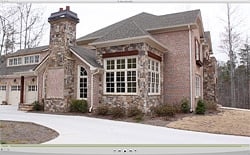
Click on the thumbnail above to see a brief segment of video from the Canon T1i, showing the rolling shutter artifact in the camera's highest quality video mode. (NOTE: 33MB download!) With a frame rate of 20 fps, the artifact is quite noticeable, but we think not quite as pronounced as that of the Nikon D90, where we first noticed this effect. At its lower resolution settings, the frame rate increases to 30 fps, and the "jiggle factor" decreases quite a bit. (Here are similar examples of rolling shutter artifacts at 1,280 x 720 (19.2 MB) and 640 x 480 (12.9 MB) - Please go easy on our bandwidth, with these...)
There's some argument over how much of an issue these rolling-shutter artifacts actually are, during normal recording. You'd certainly never want to pan a video camera as quickly as we did in the examples above: You'd make your audience sea-sick! On the other hand, you may need to pan that quickly if you're tracking a very fast-moving subject. Less-experienced users may also have trouble with minor jiggles and twitches as they hold the Canon T1i and pan; it takes some skill and practice to be able to pan really smoothly with a hand-held camera. There's a reason pros use expensive fluid heads on monster tripods, to get smooth panning! Wherever you come down on the issue, the Canon T1i's 720p video does relatively well in this area. (And the slow frame rate of its 1080p video pretty much mandates slow, careful panning, if you don't want to end up with significantly blurred or jumpy video.)
User Interface

Improved interface. With video stop/start moved off the SET button, pressing the Canon T1i's SET button now brings up this very useful Quick Menu, giving you options for AF mode, Picture Style, White Balance, Video Resolution, and Still Capture resolution & quality settings.
In-camera image adjustment
When capturing still images, the Canon T1i offers a sophisticated array of image processing to correct for lens limitations (Lens Peripheral Correction) or help with difficult lighting (Advanced Lighting Optimizer and Highlight Tone Priority). It also has very sophisticated algorithms for reducing noise in high-ISO images. Of these, only Lens Peripheral Correction is available when shooting videos. This feature corrects for the shading (more commonly but less accurately called "vignetting") that often darkens the corners of images shot with wide-angle lenses. The LPC feature in the Canon T1i almost entirely eliminates this effect, and it's applied in real time to both Live View viewfinder images and videos.
ALO and HTP would both be very welcome features in videos, as harsh lighting is every bit as problematic for videos as still images. Both of these enhancements appear to require considerable processing, though; too much to be done on the fly during video recording.
More disappointing was the lack of any control over either shutter speed, lens aperture, or ISO during video recording. As Shawn pointed out in the User Report section of this review, the lack of autofocus during video recording makes depth of field all the more important. Shooting the clips of Marti throwing the Frisbee for IR mascot Charlotte, I found myself greatly wishing that I could just stop down a little to get more depth of field. It was bright daylight, there was plenty of light around, but with no control over the aperture, I had to just accept the fact that Charlotte was going to go in and out of focus somewhat as she chased and retrieved the toy.
Happily, the Canon T1i does give you control over at least one critical image parameter during video recording: The exposure adjustment control remains active during video recording, so you can adjust exposure up or down as needed. (Note, though, that the sound of you manipulating the camera's controls will almost certainly be heard on the video soundtrack.)
Computer Requirements for Viewing HD Video
Fair warning: Purchasing a Canon T1i may very well be lead to you buying a new computer, or at least a new graphics card! Viewing 1080p MPEG-4 compressed video on a computer demands a surprising amount of processing horsepower: If you notice hiccups and jerks while playing back either 1,920 x 1,080 or 1,280 x 720 video on your computer, don't blame the camera! My day-to-day work computer is a 2.3 GHz dual-processor Power Mac G5, certainly no slouch in the CPU department. When I first played back a 1,920 x 1,080 video on it, though, I was convinced that the Canon T1i had problems with its video encoding. The particular scene I was looking at had some slowly waving tree branches in the foreground. When played back on my G5, the branches would move smoothly for a little bit, then suddenly jerk to a new position, moving slowly again afterward. This would happen perhaps a couple of times per second, and was very distracting. Fortunately, the problem had nothing to do with the Canon T1i, but proved to be merely a case of an aging computer struggling to cope with modern technology. Played back on my MacBook Pro (also aging now, but with a 2.16 GHz Core 2 Duo processor), or on Shawn's iMac (2.4 GHz Core 2 Duo), the videos were perfectly smooth.
Comparison
EOS 500D / Rebel T1i vs Other Canon SLRs
The chart below compares the Rebel T1i with other current Canon cameras. What we've done below is presented something of a hybrid comparison between these three models. A red cell means that a given camera performs below the other two, a green cell means that it performs better than the other two, and a yellow cell means it falls between the other two. In cases where two cameras share a superior capability, both cells will be colored green.
| EOS 500D / Rebel T1i vs other Canon SLRs | ||||
|
Manufacturer
|
Canon
|
Canon
|
Canon | |
|
Model
|
EOS 400D
Digital Rebel XTi |
EOS 450D
Digital Rebel XSi |
EOS 500D Digital Rebel T1i |
|
| Imaging System |
Sensor
Manufacturer |
Canon | Canon | Canon |
| Sensor Type |
CMOS | CMOS | CMOS | |
| Color Filter
Array |
RGB | RGB | RGB | |
|
Total Megapixels
|
10.5
|
12.4
|
15.5 | |
Effective
Megapixels |
10.1 | 12.2 | 15.1 | |
|
Effective Sensor Size (mm)
|
22.2 x 14.8
|
22.2 x 14.8
|
22.3 x 14.9 | |
|
Focal Length Multiplier (approx.)
|
1.6x
|
1.6x
|
1.6x | |
|
Image Processor
|
DIGIC II
|
DIGIC III
|
DIGIC 4 | |
|
A/D Resolution
|
12-bit
|
14-bit
|
14-bit | |
| Viewfinder |
Type
|
Eye-level pentamirror
|
Eye-level pentamirror
|
Eye-level pentamirror |
|
Coverage
|
95%
|
95%
|
95% | |
|
Magnification (-1 diopter with 50mm lens at
infinity)
|
0.83x
|
0.87x
|
0.87x | |
|
Eyepoint (mm)
|
21
|
19
|
19 | |
|
Dioptric Adjustment Range (diopters)
|
-3.0 to +1.0
|
-3.0 to +1.0
|
-3.0 to +1.0 | |
|
Focusing Screen
|
Fixed, precision matte screen
|
Fixed, precision matte screen
|
Fixed, precision matte screen | |
|
Viewfinder
Info Display |
AF information (AF points, focus confirmation light), Exposure (shutter speed, aperture, exposure level, AE lock, exposure compensation, AEB level, bulb), Flash (flash ready, red-eye reduction lamp on, high-speed sync, FE lock, FEB shooting, flash exposure compensation, insufficient flash warning during FE lock), White balance correction, Maximum burst, CF card information
|
AF information (AF points, focus confirmation light), exposure information (shutter speed, aperture, AE lock, exposure level, ISO speed, exposure warning), flash information (flash ready, high-speed sync, FE lock, flash exposure compensation), monochrome shooting, white balance correction, maximum burst, SD memory card information
|
AF information (AF points, focus confirmation light), exposure information (shutter speed, aperture, AE lock, exposure level, ISO speed, exposure warning), flash information (flash ready, high-speed sync, FE lock, flash exposure compensation), monochrome shooting, white balance correction, Highlight Tone Priority (D+), maximum burst, SD memory card information | |
|
Depth of Field Preview
|
Enabled with depth-of-field preview button
|
Enabled with depth-of-field preview button
|
Enabled with depth-of-field preview button | |
| Recording System |
Recording Media / Quantity / Slot Type
|
Type I or II CF card / Microdrive
|
SD / SDHC
|
SD / SDHC including Eye-Fi |
|
Compatible File System
|
FAT 16 / FAT 32
|
FAT 16 / FAT 32
|
FAT 16 / FAT 32 | |
|
Recording Formats
|
RAW (12-bit CR2), JPEG
|
RAW (14-bit CR2), JPEG
|
RAW (14-bit CR2), JPEG | |
|
Maximum Resolution
|
3,888 x 2,592
|
4,272 x 2,848
|
4,768 x 3,174 | |
|
Reduced Resolutions (JPEG only)
|
2,816 x 1,880;
1,936 x 1,288 |
3,088 x 2,056;
2,256 x 1,504 |
3,456 x 2,304; 2,352 x 1,568 |
|
|
RAW + JPEG Recording
|
Yes,
JPEG large/fine only |
Yes,
JPEG large/fine only |
Yes, JPEG large/fine only |
|
| Color
Space & White Balance |
User-Selectable Color Space
|
Yes
sRGB + Adobe RGB |
Yes
sRGB + Adobe RGB |
Yes sRGB + Adobe RGB |
|
Processing Parameters
(Contrast, Sharpness, Saturation, Color Tone) / # of Increments |
8 options for sharpness, 9 options for contrast, saturation, and color tone.
6 Picture styles (Standard, Portrait, Landscape, Neutral, Faithful, Monochrome), plus 3 user defined |
8 options for sharpness, 9 options for
contrast, saturation, and color tone.
6 Picture styles (Standard, Portrait, Landscape, Neutral, Faithful, Monochrome), plus 3 user defined |
8 options for sharpness, 9 options for
contrast, saturation, and color tone. 6 Picture styles (Standard, Portrait, Landscape, Neutral, Faithful, Monochrome), plus 3 user defined |
|
|
Preset WB settings
|
6 (Daylight, Cloudy, Shade, Tungsten, White Fluorescent, Flash)
|
6 (Daylight, Cloudy, Shade, Incandescent,
Fluorescent, Flash)
|
6 (Daylight, Cloudy, Shade, Incandescent, Fluorescent, Flash) | |
|
Manual Color Temperature Setting Range
|
Not available
|
Not available
|
Not available | |
|
WB Adjustment Range
|
±9 steps in 1-step increments
5 mireds per step |
±9 steps in 1-step increments
5 mireds per step |
±9 steps in 1-step increments 5 mireds per step |
|
| Autofocus System |
Type
|
TTL-CT-SIR with a CMOS sensor
(TTL secondary image registration, phase detection) |
TTL-CT-SIR with a CMOS sensor
(TTL secondary image registration, phase detection) |
TTL-CT-SIR with a CMOS sensor (TTL secondary image registration, phase detection) |
|
# of Focusing Points (Focusing Point Type)
|
9 points
(1 cross-type, 8 single-axis) |
9 points
(1 enhanced cross-type, 8 single-axis) |
9 points (1 enhanced cross-type, 8 single-axis) |
|
| Superimposed
Focus Point Display |
Yes | Yes | Yes | |
|
AF Working Range
|
EV -0.5 ~ 18
|
EV -0.5 ~ 18
|
EV -0.5 ~ 18 | |
|
AF-assist Beam
|
Yes, stroboscopic flash (Range: Approx. 4.0m / 13.1ft. at center, approx. 3.5m/11.5ft. off-center)
|
Yes, stroboscopic flash (Range: Approx. 4.0m
/ 13.1ft. at center, approx. 3.5m/11.5ft. off-center)
|
Yes, stroboscopic flash (Range: Approx. 4.0m / 13.1ft. at center, approx. 3.5m/11.5ft. off-center) | |
|
One-shot AF
|
Enabled in Portrait, Landscape, Close-up (Macro), Night Portrait, and A-DEP modes.
Selectable in Program, Shutter Priority, Aperture Priority and Manual modes. |
Enabled in Portrait, Landscape, Close-up (Macro), Night Portrait, and A-DEP modes.
Selectable in Program, Shutter Priority, Aperture Priority and Manual modes. |
Enabled in Portrait, Landscape, Close-up (Macro), Night Portrait, and A-DEP modes. Selectable in Program, Shutter Priority, Aperture Priority and Manual modes. |
|
|
AI Servo (Tracking) AF
|
Enabled in Sports mode.
Selectable in Program, Shutter Priority, Aperture Priority and Manual modes. |
Enabled in Sports mode.
Selectable in Program, Shutter Priority, Aperture Priority and Manual modes. |
Enabled in Sports mode. Selectable in Program, Shutter Priority, Aperture Priority and Manual modes. |
|
|
AI Focus AF
|
Enabled in Full Auto and Flash Off modes.
Selectable in Program, Shutter Priority, Aperture Priority, and Manual modes. |
Enabled in Full Auto, CA, and Flash Off modes.
Selectable in Program, Shutter Priority, Aperture Priority, and Manual modes. |
Enabled in Full Auto, CA, and Flash Off modes. Selectable in Program, Shutter Priority, Aperture Priority, and Manual modes. |
|
| Exposure Control |
Shooting Modes
|
12 - Program AE (Full Auto, Portrait, Landscape, Close-up, Sports, Night Portrait, Flash Off, Program), Shutter-priority AE, Aperture-priority AE, Depth-of-field AE, Manual exposure, ETTL-II autoflash
|
12 - Program AE (Full Auto, Portrait, Landscape, Close-up, Sports, Night Portrait, Flash Off, Program), Shutter-priority AE, Aperture-priority AE, Depth-of-field AE, Manual exposure, ETTL-II autoflash
|
14 - Program AE (Creative Auto, Full Auto, Portrait, Landscape, Close-up, Sports, Night Portrait, Flash Off, Program), Shutter-priority AE, Aperture-priority AE, Depth-of-field AE, Manual exposure, ETTL-II autoflash, Movie |
|
Metering Zones
|
35
|
35
|
35 | |
|
Metering Modes
|
Evaluative (linked to any AF point), center weighted average,
9% partial |
Evaluative (linked to any AF point), center
weighted average,
9% partial, 4% center spot |
Evaluative (linked to any AF point), center
weighted average, 8% partial, 3.5% center spot |
|
|
Metering System Working Range
|
EV 1 ~ 20
|
EV 1 ~ 20
|
EV 1 ~ 20 | |
|
ISO Range / Extended
|
100 ~ 1600 / --
|
100 ~ 1600 / --
|
100 ~ 3200 / 6400, 12800 | |
|
Exposure Compensation
|
±2 EV in 1/2 or 1/3 EV increments
|
±2 EV in 1/2 or 1/3 EV increments
|
±2 EV in 1/2 or 1/3 EV increments | |
|
Automatic Exposure Bracketing
|
±2 EV in 1/2 or 1/3 EV steps
|
±2 EV in 1/2 or 1/3 EV steps, ±4 EV offset, 3 shots
|
±2 EV in 1/2 or 1/3 EV steps, ±4 EV offset, 3 shots | |
|
Auto Lighting Optimization
|
No
|
Yes
|
Yes (4 levels) | |
|
Highlight Tone Priority
|
No
|
Yes
|
Yes | |
| Shutter
Speeds, Frame Rate, Shutter Lag |
Shutter Type
|
Mechanical, all speeds electronically controlled
|
Mechanical, all speeds electronically
controlled
|
Mechanical, all speeds electronically controlled |
|
Shutter Speed Range
|
1/4000 ~ 30 sec. (1/2 or 1/3EV increments) and bulb
|
1/4000 ~ 30 sec. (1/2 or 1/3EV increments) and bulb
|
1/4000 ~ 30 sec. (1/2 or 1/3EV increments) and bulb | |
|
Maximum Frames Per Second / Buffer depth
|
3 fps / 8 large/fine
JPEG frames |
3.5 fps / 13 large/fine JPEG frames
|
3.4 fps / 170 large/fine JPEG frames | |
|
Shutter lag, full AF (sec.)
|
0.20
|
0.16
|
0.16 | |
|
Shutter lag, prefocus (sec.)
|
0.105
|
0.089
|
0.089 | |
|
Startup time (sec.)
|
0.4
(2.5 including sensor cleaning) |
0.4
|
0.3 | |
| Flash |
Built-in Flash / Guide Number at ISO 100.
|
Yes (13 meters / 43 feet)
|
Yes (13 meters / 43 feet)
|
Yes (13 meters / 43 feet) |
|
Max flash x-sync speed. (sec.)
|
1/200
|
1/200
|
1/200 | |
|
Flash Exposure Compensation
|
±2 EV in 1/2 or 1/3 EV steps
|
±2 EV in 1/2 or 1/3 EV increments
|
±2 EV in 1/2 or 1/3 EV increments | |
|
Slow-sync flash
|
1st or 2nd curtain
|
1st or 2nd curtain
|
1st or 2nd curtain | |
|
PC Sync Terminal
|
Hot shoe only
|
Hot shoe only
|
Hot shoe only | |
| Playback System |
LCD Size / Pixel Count
|
2.5 in. LCD / 230,000 pixels
|
3.0 in. LCD / 230,000 pixels
|
3.0 in. LCD / 920,000 pixels |
|
Enlarged Playback / Scroll
|
1.5~10x / Yes
|
1.5~10x / Yes
|
1.5~10x / Yes | |
|
LCD Monitor Brightness Adjustment Range
|
7 steps
|
7 steps
|
7 steps | |
|
Automatic Rotation for Vertical Shots
|
Yes
|
Yes
|
Yes | |
| Other Features |
Computer Connection
|
USB 2.0 High-Speed, PTP-compliant
|
USB 2.0 High-Speed, PTP-compliant
|
USB 2.0 High-Speed, PTP-compliant |
|
Direct Printing (PictBridge-compliant printers)
|
Yes
|
Yes
|
Yes | |
|
Menu Languages
|
15 (English, German, French, Dutch, Danish, Finnish, Italian, Norwegian, Swedish, Spanish, Simplified Chinese, Russian, Traditional Chinese, Korean,and Japanese.)
|
20 (English, German, French, Dutch, Danish, Portuguese, Finnish, Italian, Norwegian, Swedish, Spanish, Greek, Russian, Polish, Hungarian, Czech, Simplified / Traditional Chinese, Korean and Japanese.)
|
20 (English, German, French, Dutch, Danish, Portuguese, Finnish, Italian, Norwegian, Swedish, Spanish, Greek, Russian, Polish, Hungarian, Czech, Simplified / Traditional Chinese, Korean, Japanese, Arabic, Romanian, Turkish, Ukrainian, Thai | |
|
Camera Default Reset
|
Yes
|
Yes
|
Yes | |
|
Custom Functions (Quantity)
|
Yes (11)
|
Yes (13)
|
Yes (13) | |
|
Remote Control
|
Compatible with Remote Switch RS-60E3, Wireless Remote Controllers RC-5 / RC-1
|
Compatible with Remote Switch RS-60E3, Remote Controller RC-5 / RC-1
|
Compatible with Remote Switch RS-60E3, Remote Controller RC-5 / RC-1 | |
|
Info LCD Panel / Illumination
|
No / n/a
|
No / n/a
|
No / n/a | |
|
Ultrasonic CCD dust-removal function
|
Yes
|
Yes
|
Yes | |
|
Anti-Shake
(CCD shift) |
No
|
No
|
No | |
|
Live View
|
No
|
Yes
|
Yes | |
|
Movie Mode
|
No | No | Yes (MPEG4) 1920x1080@20fps, 1280x720@30fps, 640x480@30fps |
|
|
HDMI Output
|
No
|
No
|
Yes | |
|
Peripheral Illumination Correction
|
No
|
No
|
Yes | |
| Body Structure |
Body Cover/Chassis
|
Largely plastic / stainless steel frame
|
Largely plastic / stainless steel frame
|
Largely plastic / stainless steel frame |
| Power System |
Battery Compatibility
|
Main: NB-2LH
Backup: CR2016 |
Main: LP-E5
Backup: Built-in |
Main: LP-E5 Backup: Built-in |
|
Rated Shooting Capacity at 20°C/68°F
|
100% AE: 500
50% Flash: 370 |
100% AE: 600
50% Flash: 500 |
100% AE: 500 50% Flash: 400 |
|
| Dimensions & Weight |
Dimensions (WxHxD, mm)
|
126.5 x 94.2 x 65
|
128.8 x 97.5 x 61.9
|
128.8 x 97.5 x 61.9 |
|
Weight (body only)
|
510 g / 18 oz.
|
475 g / 16.8 oz.
|
480 g / 16.9 oz. | |
| Operational Environment |
Operating Temperature Range
|
0 ~ 40°C / 32 ~ 104°F
|
0 ~ 40°C / 32 ~ 104°F
|
0 ~ 40°C / 32 ~ 104°F |
|
Operating Humidity Range
|
< 85%
|
< 85%
|
< 85% | |
| Kit Lens |
Focal length/aperture
|
EF-S 18-55mm f/3.5-5.6
|
EF-S 18-55mm f/3.5-5.6 IS
|
EF-S 18-55mm f/3.5-5.6 IS |
| Lens Compatibility |
Lens Mount / Compatibility
|
EF / All EOS lenses, plus EF-S lenses
|
EF / All EOS lenses, plus EF-S lenses
|
EF / All EOS lenses, plus EF-S lenses |
Press Release
Canon Breaks the $1,000 Mark Again with the First EOS Rebel Camera to Feature HD Movie Recording Capabilities, DIGIC 4 Imaging Processor and 15.1 Megapixel Resolution
LAKE SUCCESS, N.Y., March 25, 2009 – Canon U.S.A., Inc., a leader in digital imaging, today introduced a new addition to its Rebel lineup, the EOS Rebel T1i Digital SLR camera, the first in the Rebel line to feature Full HD video capture. The new Canon Rebel T1i SLR incorporates some of the best technologies from the EOS 50D and EOS 5D Mark II models into an entry-level juggernaut. With a 15.1 megapixel CMOS sensor and HD video capture, along with the DIGIC 4 Imaging Processor, the Rebel T1i gives aspiring photographers plenty of reason to step-up to the latest and greatest model in the Rebel lineup.
The new Canon EOS Rebel T1i raises the entry-level bar with a host of enhanced Canon technologies now available in an entry-level DSLR. Along with the boost in megapixels and Canon’s most advanced imaging processor to-date, this latest Rebel camera has also been enhanced with HD video capture, a 3.0-inch Clear View LCD (920,000 dots/VGA) monitor and user-friendly functions such as Auto Lighting Optimizer, Creative Auto Mode and Canon’s Live View modes, all the right tools to open new doors for imaging enthusiasts. From high-resolution to high-definition, the new EOS Rebel T1i Digital SLR camera helps to give creative consumers a jumpstart on the next evolution in digital imaging.
“We are witnessing the emergence of a new phase in digital imaging history, as high-resolution still images and HD video can now both be produced in a hand-held device, for under $1,000. This is truly a great time to be involved in digital imaging as the advent of online communities are helping usher in this next great era in imaging,” stated Yuichi Ishizuka, senior vice president and general manager, Consumer Imaging Group, Canon U.S.A.
The muscle behind Canon’s new EOS Rebel T1i camera is the DIGIC 4 Imaging Processor with 14-bit analog-to-digital conversion and the ability to process full HD video. The Canon EOS Rebel T1i Digital SLR offers continuous shooting at 3.4 fps for up to 170 large/fine JPEG images or up to nine RAW images in a single burst when using a class 6 or higher SD or SDHC memory card. Whether capturing wildlife on the run or a child mid-stride on the soccer field, users will appreciate the fast shooting capabilities of the Rebel T1i Digital SLR camera.
With the combination of its 15.1-megapixel APS-C size CMOS image sensor and the powerful new DIGIC 4 image processor, the Canon EOS Rebel T1i camera provides ISO speeds from ISO 100 up to ISO 3200 in whole stop increments, along with two additional high-speed ISO settings – H1: 6400 and H2: 12800.
The EOS Rebel T1i Digital SLR utilizes a precise nine-point Autofocus (AF) system and AF sensor for enhanced subject detection. The new EOS Rebel T1i DSLR provides a cross-type AF measurement at the center that is effective with all EF and EF-S lenses, while providing enhanced precision with lenses having maximum apertures of f/2.8 or faster. The cross-type AF measurement reads a wider variety of subject matter than conventional single-axis AF sensors and thus increases the new camera’s ability to autofocus quickly and accurately when shooting still images.
The EOS Rebel T1i camera is compatible with Canon’s complete line of over 60 Canon EF and EF-S lenses, to help provide an incredible variety of visual effects to both still and video imaging capture, including ultra-wide-angle and fish-eye to macro and super-telephoto. This includes all of Canon’s large-aperture EF L-series professional lenses.
HD and SD Video Capture After the introduction of the EOS 5D Mark II in September 2008, the Company’s first HD video DSLR, Canon has integrated this must-have feature into the new entry-level flagship EOS Rebel T1i camera. The camera features 16:9 720p HD video capture at 30 fps as well as a Full HD 1080p video capture at 20 fps, and a third option to record 4:3 standard TV quality (SD) video capture at 640 x 480 pixels and 30 fps. The video capture mode is part of the camera’s Live View function, using the Picture Style that has been set for Live View still image shooting. The camera allows skilled photographers and enthusiasts to adjust image sharpness, contrast, color saturation and white balance, and have those settings apply to the movie image as well. When recording video, the camera’s rear LCD screen is letter-boxed by a semi-transparent border to match the aspect ratio of the movie recording size.
Like the EOS 5D Mark II model, the EOS Rebel T1i camera will record video up to 4GB per clip equaling approximately 12 minutes of Full HD video, 18 minutes of 720p HD video, or 24 minutes of SD video depending on the level of detail in the scene.i Video clips are recorded in .MOV format using an MPEG-4 video compression and sound is recorded using linear PCMii without compression. The camera features a built-in monaural microphone to record sound. To help show off those fantastic movies as well as still photos, the EOS Rebel T1i camera includes an HDMI (High-Definition Multimedia Interface) output to display crisp, clear images on a High-Definition TV.
Live View Shooting Much like the EOS 5D Mark II, the Canon EOS Rebel T1i camera features Live View for both still images as well as video. The Rebel T1i features the Company’s three Live View AF modes – Quick, Live and Face Detection Live mode – which can be used to capture still photos or video images. Quick mode automatically sets One-Shot AF using the camera’s phase detection AF system. It also allows users to select the AF point, even while the Live View image is displayed. Although the camera’s reflex mirror must be lowered briefly to take an AF measurement in Quick mode, it is the fastest way to set focus automatically when the Rebel T1i camera is set for Live View.
Live mode uses contrast-detection AF with the image sensor and here, as with Quick mode, users can change the location of the active AF point using the Multi-controller. Face Detection Live mode uses contrast AF to recognize human faces. When multiple faces are detected, the largest face closest to the center of the frame is targeted as the AF point. While Live View is engaged, users can still change settings including the AF mode (Quick, Live, Face Detection Live mode), drive mode, ISO speed, Picture style, White Balance and more.
Auto Lighting Optimizer Canon’s Auto Lighting Optimizer technology helps ensure that the subject of each picture is clearly visible by analyzing image brightness and automatically adjusting dark areas in images so they appear brighter. This is ideal when shooting high-contrast situations that include harsh shadow areas, such as landscape images where the foreground is brightly lit and the background detail blanketed in dark shadow. In a scene such as this, the EOS Rebel T1i camera’s Auto Lighting Optimizer technology maintains exposure of the highlight areas while lightening shadow areas for a more enjoyable and evenly illuminated image. The EOS Rebel T1i also supports Peripheral Illumination Correction for up to 40 Canon EF and EF-S lenses.
Canon’s Creative Auto Mode Canon’s “CA” Creative Full Auto setting available on the EOS Rebel T1i, EOS 50D and EOS 5D Mark II cameras allows users to make image adjustments such as exposure compensation, aperture or shutter speed through a simple navigation screen on the camera’s LCD screen, allowing them to “blur the background” or “lighten or darken the image” with ease. These easy-to-understand image options allow learning-photographers to experiment with image options while still shooting in an automatic mode.
EOS Integrated Cleaning System With the introduction of the EOS Rebel T1i camera, the entire Canon EOS system is now equipped with the highly acclaimed EOS Integrated Cleaning System. The Self-Cleaning Sensor Unit for the Canon EOS Rebel T1i has been upgraded with a fluorine coating on the low-pass filter for better dust resistance.
Pricing and Availability The Canon EOS Rebel T1i Digital SLR Camera is scheduled for delivery by early May and will be sold in a body-only configuration which includes a rechargeable battery pack and charger, USB and video cables, a neckstrap, an EOS Solutions Disk CD and a 1-year Canon U.S.A., Inc. limited warranty at an estimated retail price of $799.99iii. It will additionally be offered in a kit version with Canon’s EF-S18-55mm f/3.5-5.6 IS zoom lens at an estimated retail price of $899.99iv.
Canon Speedlite 270EX The new Canon Speedlite 270EX, the successor to the 220EX Speedlite model, is a compact, lightweight external flash option for Canon cameras including select Canon PowerShot models. Ideal for use with the new EOS Rebel T1i, the new Speedlite 270EX uses only two AA batteries and enables bounce flash shooting with four position steps from 0 degrees to 90 degrees. Like Canon’s high-end Speedlite flash models, the 270EX allows users to control flash functions and input settings using the camera’s LCD monitorv. The flash also features a quick-lock mechanism and a metal mounting foot for secure and easy attachment and reliable contact.
About Canon U.S.A., Inc. Canon U.S.A., Inc., is a leading provider of consumer, business-to-business, and industrial digital imaging solutions. Its parent company, Canon Inc. (NYSE:CAJ), a top patent holder of technology, ranked third overall in the U.S. in 2008†, with global revenues of US $45 billion, is listed as number seven in the computer industry on Fortune Magazine's World’s Most Admired Companies 2008 list, and is on the 2008 BusinessWeek list of "Top 100 Brands." At Canon, we care because caring is essential to living together in harmony. Founded upon a corporate philosophy of Kyosei - - “all people, regardless of race, religion or culture, harmoniously living and working together into the future” - - Canon U.S.A. supports a number of social, youth, educational and other programs, including environmental and recycling initiatives. Additional information about these programs can be found at www.usa.canon.com/kyosei. To keep apprised of the latest news from Canon U.S.A., sign up for the Company's RSS news feed by visiting www.usa.canon.com/RSS .
# # #
†Based on weekly patent counts issued by United States Patent and Trademark Office.
All referenced product names, and other marks, are trademarks of their respective owners.
*Prices are estimated retail prices. Actual selling prices are set by dealers and may vary.
HDMI, the HDMI logo and High-Definition Multimedia Interface are trademarks or registered trademarks of HDMI Licensing LLC.
Prices, specifications and availability are subject to change without notice.
According to Canon’s standard test methods.
A method of converting audio and other analog signals into digital data. It is recorded without any compression.
Prices are estimated retail prices and subject to change at any time. Actual prices are determined by individual dealers and may vary.
Prices are estimated retail prices and subject to change at any time. Actual prices are determined by individual dealers and may vary.
When using the EOS-1Ds Mark III, EOS-1D Mark III, EOS 40D, EOS Rebel XSi, EOS Rebel XS, EOS Rebel T1i, PowerShot G9, PowerShot G10, PowerShot SX1 IS, PowerShot SX10 IS, PowerShot SX200 IS or PowerShot S5 IS.