

Overview
Player Three has entered the game. Yes folks, here it is, as Japanese camera giant Canon follows Nikon into the modern full-frame mirrorless fray, debuting the all-new Canon EOS R camera and RF lens mount. Also new are four RF lenses -- two zooms and two primes -- to kick off the new Canon R system.
(A quick side note: Yes, the Leica SL and M series are full-frame mirrorless cameras, but they are basically in a class all their own, especially when it comes down to pricing. And so we're not grouping them into this "mainstream" full-frame mirrorless arena dominated now by Sony, Nikon and Canon.)
Main Specs & Features
- New RF lens mount
- 30.3 megapixel full-frame CMOS sensor
- Dual Pixel CMOS AF with 5,655 selectable AF points
- ISO range: 100 - 40,000 expandable to 50 - 102,400
- Up to 8fps continuous shooting rate; 5fps with Servo AF
- 4K UHD video at up to 30fps at 480Mbps
- HD video: 1080p60 & 720p120
- OLED EVF with 0.76x magnification
- Single SD card slot with UHS-II compatibility
- Weight: 660g (1.5 lbs.) with battery and memory card
- Uses LP-E6N battery pack (same as 5D Mark IV)
- CIPA-rated for 350 shots with EVF or 370 with LCD, higher in power saving modes
- Optional BG-E22 battery grip
- 3 mount adapters for EF and EF-S lenses (excluding EF-M)
- USB 3.1 with in-camera charging support

Optics
The Canon EOS R features a new lens mount dubbed RF mount, which features a 54mm inner diameter and a flange-back distance of 20mm. That's the same throat diameter as EF mount, but it's some 24mm shorter in flange depth which should allow for better illumination in the corners and lenses with fewer elements. The Canon RF mount also features a new high-speed 12-pin electrical interface that provides faster and more in-depth communication between the camera and lens over existing Canon mount systems. Unlike the Sony A7 II/III and Nikon Z-series, the Canon EOS R does not offer in-body sensor-shift image stabilization, however electronic IS is available for video which can be combined with a lens' optical image stabilization.
Alongside the EOS R body, Canon has announced four new RF lenses, two of which are primes:
All four of these lenses have customizable control rings that let you assign features and quickly change settings without having to use the dials on the camera body.
To make full use of your existing EF, EF-S, TS-E and MP-E lenses (EF-M lenses are not supported, since they are designed for a shorter flange-back distance of 18mm), Canon has developed an EF-EOS R mount adapter; three of them, in fact. There's a basic one, plus two variants that have a control ring or support a drop-in filter between the body and lens. The Canon R has a 1.6x crop mode which produces 11.6-megapixel files and supports JPEG, RAW and C-RAW capture.

Design
Much like the Sony Alpha and Nikon Z-series mirrorless cameras, the Canon R sports a streamlined, angular and an all-around significantly smaller body design than a traditional full-frame DSLR. Compared to a typical EOS DSLR, such as the 5D Mark IV, the EOS R is much more compact and lightweight, yet still provides a nice, large handgrip for a comfortable and secure hold. As expected, in pretty much all aspects, the Canon R is smaller and lighter than a full-frame EOS DSLR, even the 6D Mark II -- Canon's most compact and lightest full-frame DSLR model yet. The EOS R weights 660g (1.5 lbs) whereas the 6D Mark II tips the scales at 765g (1.7 lbs), yet it still features a magnesium alloy chassis and weather resistance.
Design-wise, the Canon EOS R takes a more angular and "smooth" approach compared to the Sony A7 III or Nikon Z6, or even the Canon EOS M5, for example, when it comes to external buttons and dials. Looking at the front of the camera, there's very little in the way of protruding buttons and dials; everything's nicely recessed into the camera body itself, which creates a sleek, minimal appearance. From the top and back, however, the story is entirely different; there is, in fact, quite an array of physical controls, including dual command dials, a rear multi-directional control, AF-On button and a dedicated video record button.
There are a few unorthodox-looking controls on the EOS R. For starters, there isn't a standard PASM mode dial. Instead, the "MODE" selection is assigned to a button located inside the top/rear thumb control dial, and there's a separate lock button. With this, you simply press the mode button once and then rotate the dial to change shooting modes. Press it again, and the dial's function returns to a second control dial. Although a bit different than your standard "PASM" dial, it allows Canon to keep the controls smaller while still providing a locking mode dial that isn't prone to accidental changes if you bump the camera.


Speaking of the mode dial, there's a new “Fv” (Flexible-priority) shooting mode. It basically lets you switch rapidly between Tv, Av, exposure compensation and ISO using the top/rear dial, then make adjustments within each via the front/top dial. (Thing is, though, it seems like if you adjust Tv and Av separately, you’re basically in M mode; it doesn't auto-switch the discarded parameter back to auto when you leave it.)
Also, on the rear of the camera, there's a new touch bar-style "M-Fn Bar" control to the right of the EVF. You can swipe left or right to control or adjust various settings and simply tap to select/confirm. This button is customizable, too, allowing for quick control of a number of settings, such as ISO speed, white balance, movie shooting, AF and more.
Much like many of Canon's EOS DSLRs -- and a differentiating point compared to Sony's Alpha mirrorless cameras -- the EOS R sports a top-deck status display that shows shooting modes and exposure information. Unlike the current Sony Alpha and Nikon Z-series mirrorless cameras, the Canon R also features a flip-out, fully articulating rear LCD screen instead of an up/down tilting display. The EOS R uses a 3.15-inch touchscreen TFT LCD that offers approximately 2.1-million dots of resolution and provides 100% field of view coverage.
The electronic viewfinder, meanwhile, has an 0.5-inch OLED display with 3.69 million dots. The EVF features 100% field of view coverage, 0.76x magnification, an eye point of approximately 23mm and an eye sensor.

Sensor and Image Quality
The new Canon R centers around a 30.3-megapixel full-frame CMOS sensor, which puts it on-par resolution-wise with the 5D Mark IV and above the 26MP 6D Mark II. When it comes to mirrorless competitors, namely the Sony A7 III and Nikon Z6, these two cameras sport 24MP sensors, so the EOS R bests both of these at least when it comes to pure megapixel count. Of course, as many are aware, pixel-power isn't the end-all and be-all of image quality, so the real test is comparing output from all these cameras side by side in our test lab, which you can do here.
The image processor used inside the EOS R is the DIGIC 8, a first for a full-frame camera, though it has been used on the EOS M50 crop-sensor mirrorless camera. (The latest-generation DIGIC processor used for a full-frame EOS DSLR camera is the DIGIC 7, which powers the Canon EOS 6D Mark II as well as a whole slew of current APS-C cameras, from the M100 to the 77D.)
Regarding ISO performance, the EOS R has a native range of 100-40,000, which is similar to that of the 6D Mark II. The ISO range can be expanded down to ISO 50 or up two levels to 51,200 and 102,400.
In addition to standard RAW file capture, the EOS R offers Dual Pixel RAW functionality, a feature that debuted in the 5D Mark IV. With Dual Pixel RAW, you have the ability to make subtle micro-adjustments post-capture to focus, bokeh and ghosting properties. (To read more about what Dual Pixel RAW is and what you can do with it, check out our in-depth Dual Pixel RAW Insights page of our 5D Mark IV review!)

Autofocus and Performance
Similar to the recent Nikon Z-series introduction, the Canon R's autofocus system is a critical feature if it has any hope to compete against the mirrorless juggernaut that is the Sony Alpha series, especially the A7 III and A7R III -- both of which have fantastic, high-performance autofocus systems. Given Canon's legacy with their DSLR cameras and vast EF lens lineup, the EOS R's ability to perform with adapted EF lenses is a key aspect to this new camera system for advanced photographers, and real world shooting situations will soon begin to answer the question of how good AF will be from this new line.
As for the EOS R camera itself and its native RF lenses, Canon's already proven itself quite capable of top-notch mirrorless AF performance with its Dual Pixel CMOS AF technology, so we expect great AF performance from the Canon R, for both stills and video. The EOS R’s Dual Pixel CMOS AF system features a maximum of 5,655 manually selectable AF points and its focus area covers about 88% of the frame horizontally and 100% vertically when using RF lenses and select EF lenses. AF working range is said to be -6 to 18 EV at ISO 100, but that's with an f/1.2 lens.
Shutter speeds range from 1/8000 to 30 seconds, plus bulb. X-sync speed is 1/200 sec. The Canon R also features a silent shutter option when shooting in single-shot mode, and an upcoming firmware update will enable silent shutter in continuous shooting mode as well.
When it comes to burst shooting performance, the Canon EOS R is relatively quick, but not class-leading by any means, with only 5 frames per second continuous shooting with Servo AF (continuous AF). You can ramp-up the burst rate to 8fps if you don't need continuous autofocus. By comparison, the Nikon Z6 offers up to 12fps with full continuous AF functionality. However, the Z6 drops down to a similar 5.5fps rate if you want continuous AF and auto-exposure functionality. Further, the Sony A7 III offers a 10fps rate with full-time AE/AF.

When it comes to buffer capacity, the EOS R offers respectable performance based on Canon's specs, besting the 6D Mark II's specs for example. With RAW shooting at the highest burst speed, the EOS R has a claimed buffer depth of 47 frames with a fast UHS-II card, while C-RAW (Canon's lossy compressed raw format) increases that to 78 frames. For JPEG, RAW+JPEG and C-RAW+JPEG shooting, the maximum buffer depths are 100, 39 and 56 frames respectively. (In our lab tests, the EOS R managed deeper buffers. See our Performance page for details.) As mentioned, the Canon R offers a Dual Pixel RAW mode (in both RAW and C-RAW) with an unlimited (card capacity) buffer depth, but that's because the camera slows down when shooting Dual Pixel RAW, similar to the 5D Mark IV.
Video
For video shooters, the Canon EOS R offers a host of advanced features, including 4K UHD capture, but it doesn't go all-out with professional-level specs. Unlike the 5D Mark IV which captured 4K DCI (4096 x 2160) video using Motion JPEG, the EOS R offers 4K UHD (3840 x 2160) recording using H.264 but still only up to 30fps -- no 4Kp60 unfortunately, and there is still an approximately 1.7x crop factor (even higher with digital IS enabled) when shooting 4K video. 4K bitrate is rather decent, though, at 480Mbps. However, the EOS R does offer C-Log recording internally and externally to an HDMI recorder. Clean HDMI output is 10-bit 4:2:2 and uses the BT.2020 color matrix rather than BT.709.
Full HD recording is also, of course, supported and offered in frame rates up to 60p (59.94). For higher-speed shooting at up to 120fps (119.9fps) you'll have to drop down to 720p HD resolution. For all video resolutions and frame rates except 720p30, the EOS R offers a choice of compressions schemes: higher-quality ALL-I or space-saving IPB compression. Internal video recording format is limited to MPEG-4 AVC / H.264, while audio is recorded in Linear PCM for ALL-I or AAC for IPB.

A UHS-II V60 (Video Speed Class 60) SD card is required for ALL-I recording at 4K, while a UHS-I U3 card is sufficient for IPB or lower resolutions. The maximum sustained video recording time is limited to 29:59, after which point video recording will stop and must be restarted manually.
Connectivity, Storage and Power

When it comes to wireless functionality, the EOS R provides the standard array of modern features, including both Wi-Fi and Bluetooth connectivity, though no NFC nor built-in GPS. Using a connected smartphone, you can transfer images as well as remotely control the camera using the Camera Connect app. Images can also be transferred wirelessly to a computer using the EOS Utility application.

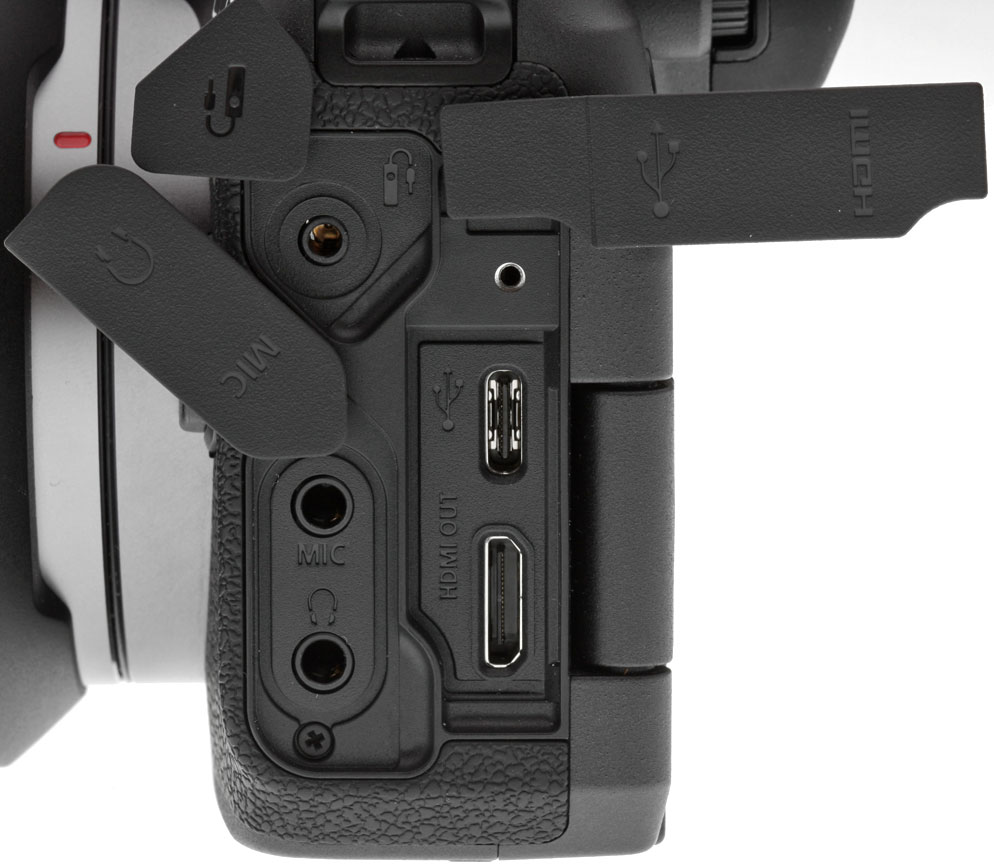
Wired connections include a USB-C SuperSpeed USB 3.1 Gen 1 port that supports in-camera battery charging with the optional PD-E1 USB Power Adapter, a Mini Type-C HDMI port that outputs clean 10-bit 4:2:2 4K video, a remote release jack compatible with the RS-60E3 remote switch, and of course, a flash hot shoe. The camera also provides 3.5mm stereo microphone and headphone jacks. A PC sync terminal is not located on the body, but is provided on the optional battery grip.
Images and videos are stored on SD cards in a single slot, with support for SDHC, SDXC, UHS-I and UHS-II types.

The EOS R derives its power from an LP-E6N battery pack (LP-E6 battery packs are also supported, but in-camera charging via USB is not supported with the older battery). CIPA battery life with the LP-E6N is rated at 350 shots per charge with the EVF and 370 shots with the LCD, though a Power Saving mode can boost those figures to 430 and 450 shots respectively by reducing the displays' refresh rate from 60 to 30fps. There is also an Eco mode which further boosts battery life to between 540 and 560 shots per charge when using the LCD by dimming the display after 2 seconds and turning it off after 10 seconds when the camera is not in use.
An optional BG-E22 battery grip doubles battery life with two LP-E6N battery packs installed. And with an AC adapter and DC coupler the EOS R can be continuously powered. (The PD-E1 USB Power Adapter cannot power the camera.)
Canon EOS R Pricing and Availability
The Canon EOS R began shipping in October 2018 at a suggested retail price of US$2,299 for the body only. It is also sold in a body-and-lens kit with the new RF 24-105mm f/4 L IS USM lens for US$3,399.
The Canon RF 50mm f/1.2 L USM is available for a suggested retail price of US$2,299. The RF 28-70mm f/2 L USM, RF 24-105mm f/4 L IS USM and RF 35mm f/1.8 Macro IS STM lenses began shipping in December 2018 for a retail price of US$2,999, US$1,099 and US$499 respectively.

The Canon Mount Adapter EF-EOS R and Control Ring Mount Adapter EF-EOS R became available for purchase in October 2018 for a retail price of US$99.99 and US$199.99 respectively. The EF-EOS R Drop-in Filter Mount Adapter will be available for purchase in February 2019 for an estimated retail price of US$399.99 with a variable ND filter, or US$299.99 with a circular polarizing filter.
Also announced is the new Canon Speedlite EL-100 flash unit which features a GN of 85 ft./26m at ISO 100, tilt/swivel, 24mm coverage and an optical wireless flash function (sender and receiver). The EL-100 became available for purchase in October 2018 for a suggested retail price of US$199.99.
In the Box
The Canon EOS R 24-105mm kit retail box (as tested) ships with the following items:
- Canon EOS R body
- RF 24-105mm f/4L IS USM lens
- Front and rear lens caps
- Lens hood
- Lens case
- LP-E6N battery pack
- LC-E6 battery charger
- Body cap
- Neck strap
- IFC-100U Interface cable
- Cable protector
- Camera Instruction Manual booklet
Optics
Viewfinder Test Results
Accuracy
Excellent accuracy from the electronic viewfinder and LCD in record mode.


The Canon R's electronic viewfinder and LCD monitor coverage accuracy are excellent, both showing essentially 100% coverage in record mode in our tests.
The images above were taken from our standardized test shots. For a collection of more pictorial photos, see our Canon EOS R Photo Gallery .
Exposure
Color
Saturation & Hue Accuracy
Realistic saturation levels though with pumped reds; above average hue accuracy.
 |
|||
|
ISO Sensitivity
|
|||
|
|
|
|
|
| In the diagram above, the squares show the original color, and the circles show the color that the camera captured. More saturated colors are located toward the periphery of the graph. Hue changes as you travel around the center. Thus, hue-accurate, highly saturated colors appear as lines radiating from the center. Mouse over the links above to compare ISOs, and click to load a larger version. | |||
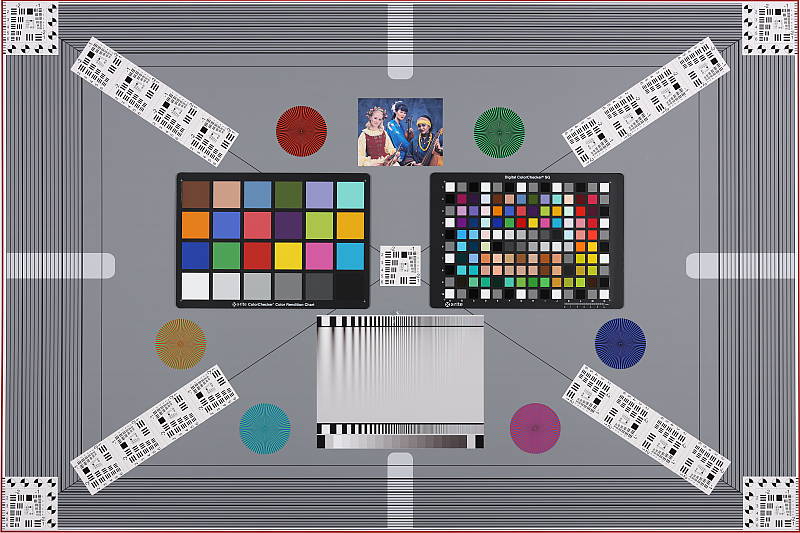
Saturation. The Canon EOS R produces images with saturation levels that are slightly less pumped (ie., more accurate) than most cameras at default settings. Dark reds are boosted quite a bit, with orange, dark greens, dark browns and dark blues pushed a little, while cyans, yellow and light green are slightly muted. Mean saturation is 108.4% (8.4% oversaturated) at base ISO, a little lower than average these days, though still quite pleasing. Mean saturation is pretty stable across the ISO range, varying from a minimum of 106.5% at ISO 12,800 to a maximum of 109.1% at ISO 40,000 which is a fairly tight range. Most consumer digital cameras produce color that's more highly saturated (more intense) than found in the original subjects. This is simply because most people like their color a bit brighter than life.
Skin tones. The Canon EOS R produces pleasing, natural-looking Caucasian skin tones in our tests when using manual white balance in simulated daylight. Darker skin tones show a small nudge toward orange, but lighter tones are more pinkish and healthy-looking. Excellent results. Where oversaturation is most problematic is on Caucasian skin tones, as it's very easy for these "memory colors" to be seen as too bright, too pink, too yellow, etc.
Hue. The EOS R's hue accuracy is quite good when manual white balance is used (as it always is for these results). There are the usual shifts in cyan toward blue (though it's actually quite small), red toward orange, orange toward yellow and yellow to green, but all are quite minor. Average "delta-C" color error at base ISO is 4.12 which is better than average. Delta-C color error increases with sensitivity, but remains better than average at all but the highest ISOs. Hue is "what color" the
color is.


Sensor
Exposure and White Balance
Indoors, incandescent lighting
Default Auto and Incandescent settings both struggled with household incandescent lighting, though Manual white balance worked well. Slightly higher than average exposure compensation required.


Indoors, under incandescent lighting, the Canon EOS R's default Auto white balance as well as Incandescent settings struggled, producing very warm orange/yellow color casts. The Canon EOS R's White Priority option for Auto white balance resulted in a much more neutral color balance, however it has a slightly magenta tint. The Manual (custom) white balance setting produced the most accurate results, but has a slightly green bias. The Canon EOS R required +0.7 EV exposure compensation for this shot, which is slightly higher than the +0.3 EV average among the cameras we've tested. (Our test lighting for this shot is a mixture of 60 and 100 watt household incandescent bulbs, a pretty yellow light source, but a very common one in typical home settings here in the U.S.)
Outdoors, daylight
Very good color and good dynamic range. Higher than average exposure compensation required.
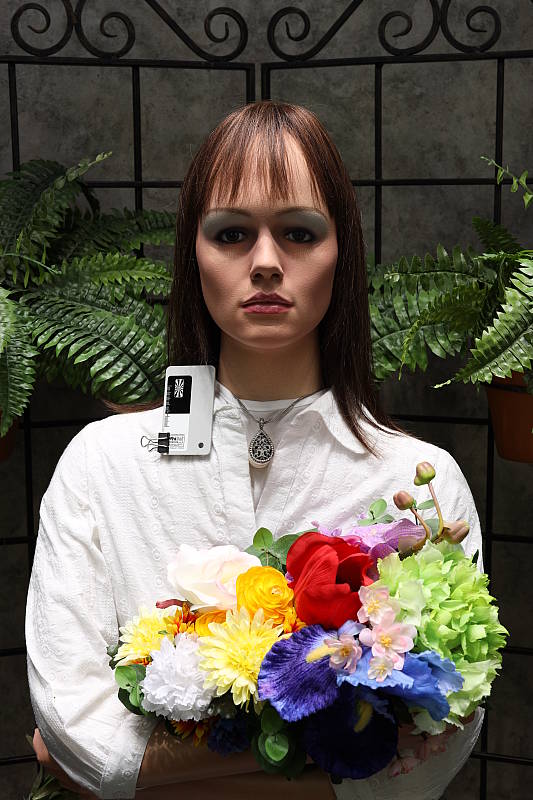
The Canon EOS R required +1.0 EV exposure compensation to keep the mannequin's face reasonably bright in our"Sunlit" portrait shot, while the average needed for this shot is about +0.7 EV. We preferred skin tones with Manual white balance slightly better than Auto, as they were a little pinker and healthy-looking, but both settings were quite good. Despite the deliberately bright and harsh lighting, relatively few highlights were blown in the mannequin's white shirt, and shadows are quite detailed with relatively low noise, indicating pretty good dynamic range.
Resolution
~3,200 lines of strong detail from a JPEG, about the same from RAW.


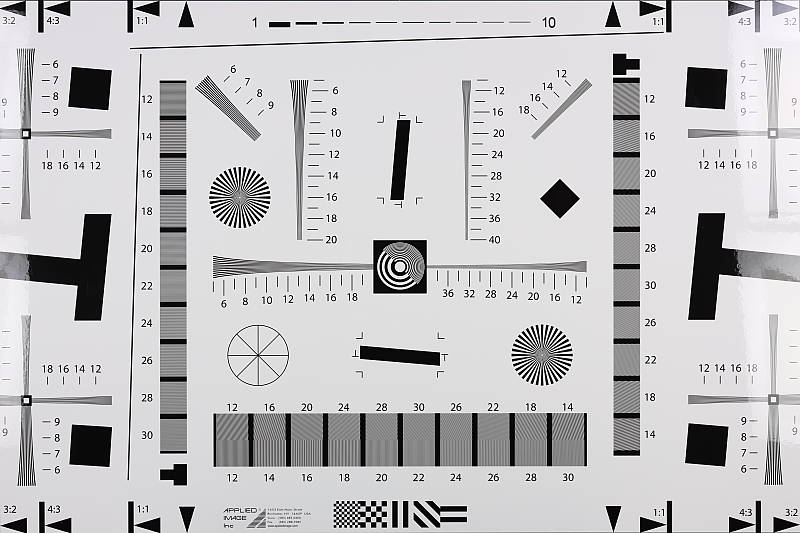
A best quality JPEG of our resolution chart showed sharp, distinct line patterns up to just over 3,200 lines per picture height horizontally and to just under 3,200 lines vertically. Some may argue for higher numbers, but lines begin to merge at this resolution, and some aliasing artifacts in the form of moiré patterns can be seen as low as about 2,600 lines. Complete extinction of the pattern did not occur before the 4,000 line limit of our chart. An Adobe Camera Raw converted .CR3 file shows similar resolution as the in-camera JPEG, but it also contains more moiré patterns and false colors. Use these numbers to compare with other cameras of similar resolution, or use them to see just what higher resolution can mean in terms of potential detail.
Sharpness & Detail
Improved sharpness with default settings, and with less noticeable sharpening artifacts around high-contrast elements. Minor detail loss due to noise reduction processing at low ISOs.


Sharpness. The Canon EOS R produces slightly sharper JPEG images than the 5D IV at default settings, though images are still a bit soft compared to most competitors. (Keep in mind Canon has decided to keep an optical low-pass filter in the EOS R to reduce aliasing artifacts at the cost of slightly reduced sharpness, unlike most competing models which have gone the other way.) The EOS R's default sharpening has been tweaked compared to prior models (see below for more), producing slightly sharper images while generating smaller but brighter haloes around high-contrast edge. We think it's a nice improvement at low ISOs, however competing models from Sony for example continue to do a better job at sharpening JPEGs without producing obvious halo artifacts. Edge enhancement creates the illusion of sharpness by enhancing colors and tones right at the edge of a rapid transition in color or tone.
Detail. The crop above right shows some minor detail loss due to noise suppression in darker areas and in areas with low contrast, but performance here appears slightly improved over the 5D Mark IV as well. A very good performance for a 30-megapixel full-frame camera, with very low chroma noise. Noise-suppression systems in digital cameras tend to flatten-out detail in areas of subtle contrast. The effects can often be seen in shots of human hair, where the individual strands are lost and an almost "watercolor" look appears.
Aliasing Artifacts. The Canon EOS R is equipped with an optical low-pass filter, however it must be pretty weak as some aliasing artifacts such as moiré patterns can be seen in some of our test shots. This is quite common these days, though, as a lot of ILCs no longer include optical low-pass filters or use weak ones to increase per-pixel sharpness and resolution at the risk of increased aliasing artifacts.
In-Camera JPEGs: Standard vs Fine Detail Picture Style setting
The EOS R offer Canon's Fine Detail Picture Style first seen on the Canon 5DS R and 5DS DSLRs. Below is a comparison with the default Standard Picture Style.
|
Base ISO (100)
|
|
 |
 |
 |
 |
 |
 |
|
Camera JPEG, Standard Picture Style
|
Camera JPEG, Fine Detail
|
In the table above, we compare the Canon EOS R's default Standard Picture Style setting (left) to its Fine Detail preset at base ISO. Like other recent Canons, the EOS R offers users much more flexibility in sharpening than older models, allowing you to adjust not only the "Strength" (from 0 to 7) but also the "Fineness" (1 to 5) and "Threshold" (1 to 5) operators. We believe these parameters correlate to unsharp mask options for strength, radius and threshold available in photo editing software such as Photoshop, although we don't know what the equivalent units might be.
As you can see from the crops above, unlike the 5DS/R in which Fine Detail was first introduced and was a huge improvement over the Standard Picture Style, the EOS R's Fine Detail Picture Style doesn't offer as much of an improvement over the default, as Canon has tweaked the default values of the operators for the Standard Picture Style. In the 5D IV, Standard Picture Style's Sharpness, Fineness and Threshold defaults were 3,4,4 respectively, while in the EOS R, the defaults are now 4,2,4, increasing Sharpness a notch while emphasizing finer detail with Fineness reduced by two. Fine Detail remains at 4,1,1 respectively, the same as the 5D IV.
Overall, we like the change to the Standard Picture Style defaults, however it does have the side-effect of making noise more visible, especially at higher ISOs.
RAW vs In-Camera JPEGs
As noted above the Canon EOS R produces JPEG images with very good detail. With a good RAW converter, additional detail can often be extracted with fewer sharpening artifacts. See below:
|
Base ISO (100)
|
|
|
 |
|
 |
|
 |
|
Camera JPEG, defaults
|
RAW via Adobe Camera Raw
|
In the table above, we compare a best quality in-camera JPEG taken at base ISO using default noise reduction and sharpening (on the left) to the matching RAW file converted with Adobe Camera Raw 9.1 via DNG Converter 11.0 using default noise reduction with some strong but tight unsharp masking applied in Photoshop (300%, radius of 0.3 pixels, and a threshold of 0).
Looking closely at the images, we can see ACR extracts additional detail that isn't present in the default JPEG from the camera, particularly in the red-leaf and pink swatches where some of the fine thread pattern is likely treated as noise by the JPEG engine and thus blurred away. Fine detail in the mosaic crop is also slightly improved, but as is often the case, the conversion isn't as clean and smooth looking, with more noise that can be seen for instance in the flatter areas of the bottle crop. You can of course apply stronger noise reduction (default ACR NR used here) to arrive at your ideal noise versus detail tradeoff. Also notice that sharpening haloes aren't as visible as the default camera output, and overall contrast is lower. Not bad in-camera default JPEG processing, but as usual you can do better by shooting in RAW mode and using a good RAW converter.
ISO & Noise Performance
Pretty good high ISO performance for a full-frame sensor.
|
Default High ISO Noise Reduction
|
||
 |
 |
 |
| ISO 50 | ISO 100 | ISO 200 |
 |
 |
 |
ISO 400 | ISO 800 | ISO 1600 |
 |
 |
 |
| ISO 3200 | ISO 6400 | ISO 12,800 |
 |
 |
 |
| ISO 25,600 | ISO 40,000 | ISO 51,200 |
 |
||
| ISO 102,400 | ||
EOS R images are clean and detailed up to ISO 800, with a only a minor loss in image quality as ISO rises within this range. At ISO 1600 luminance noise and blurring become noticeable resulting in a more evident drop in image quality, though fine detail is still excellent and chroma noise is well-controlled. ISO 3200 is a bit grainier and softer, but chroma noise remains low and fine detail is still quite good. ISO 6400 is of course noisier with noticeably stronger blurring due to noise reduction, but a lot of fine detail remains intact and chroma noise is still low. ISO 12,800 is still pretty detailed with reasonable luma noise and low chroma noise, but ISO 25,600 and higher show a more rapid decline in image quality, with progressively stronger luma noise and blurring, although chroma noise remains well-controlled up to the maximum native ISO of 40,000. Extended ISO of 51,200 is pretty noisy but the noise grain is still fairly tight and chroma noise is only an issue in darker areas and shadows. The top ISO of 102,400 is very grainy and contains a lot of ugly chroma blotching in darker areas though overall color and saturation remain surprisingly good for the sensitivity.
Overall, high ISO performance is pretty good for a full-frame camera, though noise is a little more visible than in the past with Canon's revised default processing. And while image quality at lower ISOs is now more competitive, high ISO performance is not quite as good as from some competing models from Nikon and Sony.
See the Print Quality section below for our evaluation of maximum print sizes at each ISO setting.
Extremes: Sunlit, dynamic range and low light tests
Somewhat high default contrast yet pretty good dynamic range in JPEGs. Excellent low-light AF performance.


The Canon R produces images with moderately high contrast. The mannequin's face was far too dim at the default exposure requiring quite a bit of positive exposure compensation. On the other hand, a few too many highlights were blown with +1.3 EV compensation, so we preferred the image with +1.0 EV overall, even though the face is still a touch dim. But despite the bright appearance, +1.0 EV resulted in only a few clipped highlights in the shirt and flowers, indicating good dynamic range inherited from its DSLR predecessor. Shadow detail is excellent as well, with relatively low noise levels. Bottom line: While the Canon EOS R's default evaluative metering and tone curve still results in a darker face than we'd like to see in this shot, its sensor and processing delivers pretty good dynamic range.
Because digital cameras are more like slide film than negative film (in that they tend to have a more limited tonal range), we test them in the harshest situations to see how they handle scenes with bright highlights and dark shadows, as well as what kind of sensitivity they have in low light. The shot above is designed to mimic the very harsh, contrasty effect of direct noonday sunlight, a very tough challenge for most digital cameras. (You can read details of this test here. In actual shooting conditions, be sure to use fill flash in situations like the one shown here; it's better to shoot in open shade whenever possible.)
Highlight Tone Priority
The Canon EOS R's Highlight Tone Priority (HTP) option did an excellent job of preserving highlight detail, as shown below. (Mouse over the Off and On links to load the corresponding thumbnail, histogram and crops.)


Both shots above were captured at the same exposure with +1.3 EV exposure compensation to intentionally blow some highlights, the only difference being that HTP was enabled for the second and third shots which necessitates increasing the ISO to 200; part of how HTP works. As you can see, the thumbnails and histograms above clearly show superior highlight preservation when HTP is enabled, with very little impact to the brightness of shadows and midtones. If you look closely at shadows in the full-res images, you'll notice an increase in noise is the price you pay when ISO is boosted from 100 to 200, though as mentioned previously, noise in the shadows is pretty low.
Automatic Lighting Optimization
Like previous Canon EOS models, the EOS R offers three selectable levels of Automatic Lighting Optimization (ALO), plus Off. In fully automatic (Scene Intelligent Auto) ALO is automatically enabled and it's available in P, Tv and Av exposure modes. Mouse over the links below to load the associated thumbnail and histogram, and click on the links to load full resolution images.
|
Automatic Lighting Optimization (0 EV)
|
|
 |
|
 |
|
As you can see above, ALO has the effect of shifting shadows and mid-tones in the histograms to the right, brightening them while leaving highlights pretty much as is, though even the High setting still produced an underexposed image with no exposure compensation. ISO is not boosted for ALO so increased noise is not an issue, though it may be slightly more visible in shadows that have been boosted significantly.
HDR Mode
The Canon EOS R's HDR feature takes three continuous shots at different exposures and merges them together to create an image with wider tonal range than would be possible with a single exposure. There are three strength settings available (+/-1EV, +/-2EV,+/-3EV), plus Auto, and there are also 5 effects possible (Natural, Art Standard, Art Vivid, Art Bold and Art Embossed). The source images captured are not saved, and RAW mode is not supported.


Above are in-camera HDR Natural results of our "Sunlit" Portrait scene at default exposure (mouse over the links above to load the corresponding thumbnail). As you can see Auto produced very similar to +/-3 EV, and all settings produce a slightly cropped image which is resampled to full resolution, so details are a little softer than the non-HDR image, but quality is otherwise quite good with no noticeable haloing even at the highest setting. Be aware that ghosting can occur when elements in the scene move during the sequence capture, though. (Apologies for the dim images; we should have used some positive exposure compensation here.)
| High Dynamic Range (0 EV) | ||||
 |
||||
Above are in-camera HDR results of our "Sunlit" Portrait scene comparing Natural to the various Art modes using default exposure (mouse over the links above to load the corresponding thumbnail). Again, apologies for the dim images; we should have used some positive exposure compensation here.
Dynamic Range Analysis (RAW mode)
While we once performed our own dynamic range measurements based on in-camera JPEGs as well as converted RAW images (when the camera was supported by Adobe Camera Raw), we've switched to using DxO Labs' results from their DxOMark website. As technology advanced, the dynamic range of modern high-end cameras in some cases exceeded the range of the Stouffer T4110 density scale that we used for our own measurements. DxO's approach based on RAW data before demosaicing is also more revealing, because it measures the fundamental dynamic range of the sensor, irrespective of whatever processing is applied to JPEGs, or to RAW data by off-the-shelf conversion software.
In the following, we use DxO's "Print" dynamic range results, which are scaled based on camera resolution. As the name suggests, this scaling corresponds to the situation in which you print at a given size, regardless of how many megapixels the camera might have. (In other words, if you've decided to make a 13x19 inch print, that's the size you're printing, whether the camera's resolution is 16 or 300 megapixels.) Also note that DxO Labs uses a signal-to-noise (SNR) threshold of 1 when defining the lower boundary of acceptable luminance noise in their dynamic range measurements, which corresponds to the "Low Quality" threshold of the Imatest software we used to use for this measurement.

Here, we compare the Canon EOS R's dynamic range to its more expensive DSLR sibling's, the 5D Mark IV, and to the Sony A7 Mark III's, which is a 24-megapixel full-frame mirrorless.
As you can see, the EOS R's dynamic range is practically identical to that of the 5D Mark IV, which isn't a surprise given they share very similar if not identical sensors.
The Sony A7 III offers significantly better dynamic range than the Canon R across the ISO range, though, with over a 1.1 EV advantage at base ISO (14.65 vs 13.51 EV), which then varies between a minimum of about 0.4 EV higher at low ISOs, gradually increasing to over a 1.1 EV advantage again at the highest common sensitivity.
Bottom line: Good dynamic range for a full-frame camera as we'd expect from the best performing Canon sensor to date, however rival full-frame models from Sony (and Nikon) offer significantly higher dynamic range. Click here to visit the DxOMark page for the Canon EOS R for more of their test results and additional comparisons.
AF low-light limit:
The Canon EOS R's autofocus system was able to focus on our legacy low-contrast AF target down to about -6.0 EV unassisted with an f/2.8 lens, which is excellent. With our newer high-contrast AF target, though, the EOS R was able to focus down to about -7.0 EV, which is outstanding.
The Canon EOS R has a built-in AF assist lamp, and so it can focus in complete darkness as long as the subject is within range and has sufficient contrast.
How bright is this? The one foot-candle light level that this test begins at roughly corresponds to the brightness of typical city street-lighting at night. Cameras performing well at that level should be able to snap good-looking photos of street-lit scenes.
NOTE: This low light test is conducted with a stationary subject, and the camera mounted on a sturdy tripod. Most digital cameras will fail miserably when faced with a moving subject in dim lighting. (For example, a child's ballet recital or a holiday pageant in a gymnasium.) Mirrorless cameras like the Canon EOS R do much better than point & shoots, but you still shouldn't expect a quick autofocus lock with moving subjects.
Output Quality
Print Quality
Very nice 30 x 40 inch prints all the way up to ISO 800; a pleasing 8 x 10 inch print at ISO 12,800; and usable 4 x 6 prints up to ISO 102,400.
 ISO 50 through 800 prints look nearly identical, with crisp, fine detail and vibrant, pleasing colors, which all easily make for excellent prints up to our maximum test print size of 30 x 40 inches. With a 30MP full-frame sensor, the EOS R easily makes prints up to this large size; an extremely minimal amount of pixelation is visible at close inspection, but for a typical viewing distance, it's hardly an issue. Overall, in terms of a maximum print size at these lower ISOs, you're only limited to how much you want to push the camera's resolving power, otherwise print quality is excellent at 30 x 40 inches and smaller.
ISO 1600 prints begin to show some visible noise, and we see a slight softening of fine detail, although the image overall still displays very good fine detail. Here, we capped prints at a still-respectable 24 x 36 inches, which is still very large. Overall, noise is very minimal, and careful post-processing might get you cleaner images that are capable of even larger prints at this sensitivity.
ISO 3200 images begin to display stronger noise -- stronger than the noise we see at this ISO from the 5D Mark IV at default settings -- and as such, we're calling it at 16 x 20 inches for good prints here for the EOS R. Fine detail is similar to the 5D IV, however the EOS R displays somewhat stronger noise in the background and shadow areas, thus slightly limiting print size at this ISO. That being said, with careful post processing or for less critical applications, a 20 x 30-inch print could be acceptable.
ISO 6400 prints, interestingly, match up nicely against the 5D IV's performance at this ISO level, topping out at a nice 13 x 19 inches. Noise is, of course, stronger, but still very well controlled for the most part. Higher contrast details are still crisp, and colors are still rich and pleasing.
ISO 12,800 images show stronger noise, both in the shadow areas and on print detail throughout, reducing print size to 8 x 10 inches. 11 x 14-inch prints appear too noisy at this ISO for critical applications.
ISO 25,600 prints top-out at 5 x 7 inches. An 8 x 10 print at this ISO shows nice detail, even a hint more fine detail in some areas of our test scene compared to that from the 5D Mark IV. However, noise is simply too strong for our liking at this larger print size, so we're calling it at 5 x 7 inches for the EOS R.
ISO 40,000 images, the EOS R's maximum native ISO, are just hitting the cut-off mark for a good 5 x 7-inch print. Noise is definitely strong here at this sensitively and its taking a toll on fine detail.
ISO 51,200 prints are usable up to 4 x 6 inches, or perhaps 5 x 7 inches for less critical applications. Noise has become quite strong now, preventing acceptable prints at larger sizes.
ISO 102,400 images, much like the previous ISO, top-out at 4 x 6 inches. This ISO is barely usable for prints, especially for anything larger, but we don't see the splotchy chroma noise artifacts that are visible on the 5D Mark IV's max ISO prints. Therefore, we're considering ISO 102,400 usable for 4 x 6-inch prints from the EOS R, which is quite impressive.
Much like its DSLR sibling, the 5D Mark IV, the new Canon EOS R full-frame mirrorless camera has a solid showing here in our print quality analysis, particularly at lower ISOs. Up to ISO 800, the EOS R does remarkably well, with sharp, vibrantly-colored prints that work very nicely all the way up to 30 x 40 inches and beyond, depending on how far you want to push the resolving power of its 30-megapixel sensor. At ISO 1600 and beyond, we start to see noise becoming increasingly stronger, particularly with lower contrast area and shadow regions. Canon has tweaked the default JPEG processing of the EOS R compared to that of the 5D Mark IV, and while fine detail can look a bit better from the EOS R, it does show slightly stronger noise than the 5D Mark IV at the same ISOs. Still, for the Canon EOS R, ISO 1600 images can still be printed at impressively large sizes, at up 24 x 36 inches, and even if you crank the ISO up to 12,800, you're still capable of a pleasing 8 x 10 print. What's more, despite the slight difference in high ISO/noise performance between the EOS R and 5D Mark IV, the EOS R edges out the Mark IV just a bit, producing a usable 4 x 6 inch print at its maximum expanded ISO of 102,400, whereas the 5D Mark IV did not.
The images above were taken from our standardized test shots. For a collection of more pictorial photos, see our Canon EOS R Photo Gallery .
Not sure which camera to buy? Let your eyes be the ultimate judge! Visit our Comparometer(tm) to compare images from the Canon EOS R with those from other cameras you may be considering. The proof is in the pictures, so let your own eyes decide which you like best!
Performance
Timing and Performance
Pretty good performance for its class with generous buffer depths, but slow buffer clearing.
| Startup/Play to Record | ||
|---|---|---|
| Power on |
~2.1 seconds
|
Time it takes to turn on and capture a shot. |
|
Play to Record, |
~0.9 second
|
Time until first shot is captured. |
Powerup to first shot was sluggish compared to DSLRs, and a bit slower than most mirrorless cameras we've tested. Switching from Play to Record mode and taking a shot was faster, at about 0.9 second, but also slower than most DSLRs. The 5D Mark IV for instance powered up and took a shot in about 0.5 second, and switched modes and took a shot in only about 0.2 second.
| Shutter Response (Lag Time) EFCS / E-shutter / M-shutter |
||
|---|---|---|
|
Full Autofocus |
0.104/0.159/0.182
second |
Time from fully pressing shutter button to image capture. All AF timing measured with a Canon RF 24-105mm f/4 kit lens at ~50mm. |
|
Manual Focus |
0.076/0.127/0.150
second |
For most cameras, shutter lag is less in manual focus than autofocus, but usually not as fast as when the camera is "prefocused". |
|
Prefocused |
0.052/0.099/0.123
second |
Time to capture, after half-pressing and holding shutter button. |
In terms of the Canon R's ability to determine that it's properly focused when shooting the same target multiple times (with no change of focus setting between iteration, to remove the impact of lens AF speed), its full autofocus shutter response was quite good for a mirrorless camera, and competitive with most prosumer DSLRs. Using the Canon RF 24-105mm f/4 kit lens, we measured 0.104 second for full AF lag using single point (center) AF-S with the default electronic first curtain shutter (EFCS) mode, which is quite fast.
Shutter lag using manual focus was also quite good at 76 milliseconds. When "prefocusing" the camera by half-pressing and holding down the shutter button before the final exposure, the EOS R's shutter lag was quite low, at only 52 milliseconds.
As you can see, switching to the all-electronic shutter (Silent Shutter mode) yielded somewhat slower lag times, and using the fully mechanical shutter mode is slower still, though still fairly quick.
To minimize the effect of different lens' focusing speed, we test AF-active shutter lag with the lens already set to the correct focal distance.
| Cycle Time (shot to shot) | ||
|---|---|---|
|
Single Shot mode |
0.31 second
|
Time per shot, averaged over a few frames. |
|
Single Shot mode |
0.30 second
|
Time per shot, averaged over a few frames. |
|
Early shutter |
No
|
Some cameras don't snap another shot if you release and press the shutter too quickly in Single Shot mode, making "No" the preferred answer. |
|
Continuous High |
0.13 second
(8.0 fps); 126 frames; 17.2 seconds to clear* |
Averaged time per shot, then slowed to an average of 0.25s or 4.0 fps when buffer was full with a lot of cycle variation. |
| Continuous High |
0.13 second
(8.0 fps); 65 frames; 12.8 seconds to clear* |
Averaged time per shot, then slowed to an average of 0.26s or 3.9 fps when buffer was full with a lot of cycle variation. |
|
Continuous High |
0.13 second
(8.0 fps); 51 frames; 15.2 seconds to clear* |
Averaged time per shot, then slowed to an average of 0.42s or 2.4 fps when buffer was full with a lot of cycle variation. |
|
Continuous High |
0.13 second
(8.0 fps); 118 frames; 19.3 seconds to clear* |
Averaged time per shot, then slowed to an average of 0.29s or 3.4 fps when buffer was full with a lot of cycle variation. |
|
Continuous High |
0.13 second
(8.0 fps); 77 frames; 20.8 seconds to clear* |
Averaged time per shot, then slowed to an average of 0.24s or 4.1 fps when buffer was full with a lot of cycle variation. |
|
Continuous Low |
0.41 second
(2.4 fps); Unlimited (?); 1.3 seconds to clear* |
Time per shot, averaged over 40 frames with no apparent limit. |
|
Continuous Low |
0.42 second
(2.4 fps); Unlimited (?); 2.4 seconds to clear* |
Time per shot, averaged over 40 frames with no apparent limit. |
| Flash recycling |
N/A
|
Flash at maximum output. |
|
*Note: Buffer clearing times measured with a 64GB Lexar Pro 2000x UHS-II SDXC card. Slower cards will produce correspondingly slower clearing times. Slow cards may also limit length of bursts in continuous mode. ISO sensitivity and noise reduction settings can also affect cycle times and burst mode performance.
|
||
Single-shot cycle times were quite fast on average at about 0.3 second for best quality JPEGs or RAW+JPEG files, but cycle times varied somewhat. (Note that we no longer test single-shot mode with just RAW files, as the results are usually somewhere in between JPEG and RAW+JPEG modes.)
Continuous High mode speed was good for a full-frame mirrorless camera. We measured a consistent 8.0 frames-per-second for all file types other than Dual Pixel RAW, matching Canon's specifications. With Servo AF enabled (continuous autofocus), Canon claims the EOS R's max burst speed is 5.0 fps, however we didn't test that in the lab. When shooting Dual Pixel RAW files, the camera drops down to Continuous Low mode which is rated at 3.0 fps for standard files and 2.2 fps for Dual Pixel RAW files. In the lab, the Canon R managed a slightly higher 2.4 fps when shooting DP-RAW or DP-RAW+JPEG files.
Buffer depth for best quality JPEGs was quite good with our fast Lexar Pro 2000x UHS-II card, at 126 frames before the camera slowed down. When shooting standard RAW files, buffer depths were still generous at 65 RAW frames and 51 RAW+JPEG frames before the camera slowed. With smaller C-RAW (Compressed RAW) files, buffer depths increased to 118 C-RAW and 77 C-RAW+JPEG files. There didn't appear to be a buffer limit when shooting DP-RAW files, thanks to the much slower frame rate.
Buffer clearing times were often slow, though, ranging from 12.8 seconds after a burst of 65 RAW files to 20.8 seconds after 77 C-RAW+JPEG frames, though the camera lets you adjust settings, view just-shot photos or shoot additional images while clearing. Buffer clearing when shooting Dual Pixel RAW mode was quick though, because of the much slower frame rate.
Bottom line, the Canon R offers pretty good performance for its class, with swift autofocus, low shutter lag, good burst speed and generous buffer depths, however startup time is sluggish and buffer clearing can be slow.
Battery
Battery Life
Mediocre CIPA-rated battery life.
| Operating Mode | Number of Shots Smooth (default) / Power Saving |
|---|---|
|
Still Capture
(CIPA standard, EVF) |
350 / 430
|
|
Still Capture
(CIPA standard, LCD Monitor) |
370 / 450
|
The Canon R uses a custom LP-E6N rechargeable lithium-ion battery for power, and ships with a dedicated battery charger though in-camera charging is also supported with the optional PD-E1 USB Power Adapter. (LP-E6 battery packs can also be used, but in-camera charging via USB is not supported with the older battery.)
CIPA-rated battery life is only fair for a mirrorless camera, at 350 shot per charge with the EVF and 370 with the LCD monitor using default settings, however Power Saving mode can boost those figures to 430 and 450 shots respectively by reducing the displays' refresh rate from 60fps ("Smooth") to 30fps. There is also an Eco mode which further boosts battery life to between 540 and 560 shots per charge when using the LCD by dimming the display after 2 seconds and turning it off after 10 seconds when the camera is not in use. Still, we recommend you pick up a spare battery and consider purchasing the BG-E22 battery grip which doubles battery life with a second battery installed.
The table above shows the number of shots the Canon R is capable of (on a fully-charged rechargeable battery), based on CIPA battery-life and/or manufacturer standard test conditions. While real-world battery life tends to be much better for mirrorless cameras, CIPA-rated battery life is still very useful for comparison purposes.
(Interested readers can find an English translation of the CIPA DC-002 standards document here. (180K PDF document))
Image Quality
Below are crops from our laboratory Still Life target comparing the Canon EOS R's JPEG image quality to its more expensive DSLR sibling, the Canon 5D Mark IV which uses a very similar sensor, and to the 6D Mark II DSLR which is less expensive and closer to the EOS R in build quality. We've also compared the EOS R to its closest full-frame mirrorless competitors, the Nikon Z6 and Sony A7 Mark III, and have included the Fuji X-T3, the only crop-sensor (APS-C) mirrorless camera in this comparison. Remember, you can always use our Comparometer to compare the Canon R to any camera we've tested.
NOTE: These images are from best quality JPEGs straight out of the camera, at default settings including noise reduction and using the camera's actual base ISO (not extended ISO settings). All cameras in this comparison were shot with our very sharp reference lenses. Clicking any crop will take you to a carrier page where you can click once again to access the full resolution image as delivered straight from the camera. For those interested in working with the RAW files involved: click these links to visit each camera's respective sample image thumbnail page: Canon EOS R, Canon 5D IV, Canon 6D II, Fuji X-T3, Nikon Z6 and Sony A7 III -- links to the RAW files appear beneath those for the JPEG images, wherever we have them. And remember, you can always go to our world-renowned Comparometer to compare the Canon EOS R to any camera we've ever tested!
Canon EOS R vs Canon 5D Mark IV at Base ISO
 |  |
 |  |
 |  |
Canon EOS R at ISO 100 | Canon 5D Mark IV at ISO 100 |
Here we compare the Canon R to the 5D Mark IV DSLR, which uses a very similar sensor but older processor. As you can see, default image quality at base ISO has improved somewhat, as Canon has increased sharpening strength a notch while at the same time sharpening finer detail and reducing the width of sharpening haloes. More of the individual thread patterns in our notorious red-leaf swatch are now visible, while on the 5D IV the rendering of fabrics is smoother with less detail. Contrast appears a little higher from the EOS R as well. Some of the EOS R's IQ improvements can likely be attributed to the new RF 50mm lens, though. (Comparing raw images with no sharpening applied, it appears the new Canon RF 50mm lens may be a tiny bit sharper and contrastier than the Sigma 70mm we used for the 5D IV, but not by as much as is shown in the JPEGs.) Colors look very similar, though reds appear to be a little more saturated from the EOS R. | |
Canon EOS R vs Canon 6D Mark II at Base ISO
|  |
|  |
|  |
Canon EOS R at ISO 100 | Canon 6D Mark II at ISO 100 |
Above we compare the EOS R to the less expensive 26-megapixel 6D Mark II DSLR. As you can see, the 30-megapixel EOS R does resolve a bit more detail, while sharpness and contrast are improved for the same reasons mentioned previously. Luminance noise levels do appear a little higher from the EOS R in flatter areas, though, so it'll be interesting to see how they compare at high ISOs below. | |
Canon EOS R vs Fujifilm X-T3 at Base ISO
|  |
|  |
|  |
Canon EOS R at ISO 100 | Fujifilm X-T3 at ISO 160 |
Here, we've decided to compare the EOS R to Fujifilm's latest premium APS-C mirrorless camera, the 26-megapixel X-T3. The EOS R does resolve more fine detail than the Fuji thanks to its higher resolution as well as its Bayer color filter. However, as you can see, the EOS R also generated some moiré patterns in the red-leaf fabric which the X-T3 did not, thanks to the Fuji's more "random" X-Trans color filter pattern. Luminance noise is lower from the EOS R as well. The X-T3 image appears just a little crisper yet both appear to apply similar levels of sharpening, but keep in mind the X-T3 has no image softening anti-aliasing filter. Colors are warmer from the Fuji, and overall contrast is lower as well. | |
Canon EOS R vs Nikon Z6 at Base ISO
|  |
|  |
|  |
Canon EOS R at ISO 100 | Nikon Z6 at ISO 100 |
Above we compare the EOS R to one of its closest competitors, the 24-megapixel Nikon Z6. As you can see, the EOS R does resolve slightly more detail thanks to its higher pixel count. The Nikon image is crisper and more contrasty, but sharpening haloes are more visible as well. Interestingly, moiré patterns are more visible from the Nikon in the red-leaf fabric though the Canon shows some too, even though both cameras have anti-aliasing filters. We suspect the filter on the Nikon is a little weaker than the Canon's. Colors are more vibrant and punchy from the Nikon though generally warmer, while noise levels in flatter areas appear lower. | |
Canon EOS R vs Sony A7 III at Base ISO
|  |
|  |
|  |
Canon EOS R at ISO 100 | Sony A7 III at ISO 100 |
Here's another comparison to a direct competitor, the 24-megapixel Sony A7 Mark III. Once again, the Canon has a resolution advantage, though perhaps not as much as the relative pixel counts would imply, as the Sony's AA filter is either very weak or nonexistent (Sony has been quite coy about stating whether the A7 III has an AA filter or not). And despite the improvements in the Canon's default sharpening, the Sony still produces a crisper image while keeping sharpening haloes to a minimum. The A7 III offers pretty good color reproduction too, but we still prefer color from the EOS R overall. | |
Canon EOS R vs Canon 5D Mark IV at ISO 1600
 |  |
 |  |
 |  |
Canon EOS R at ISO 1600 | Canon 5D Mark IV at ISO 1600 |
Here at ISO 1600, we see improved detail retention from the EOS R's revised standard processing, but luminance noise appears to be a little higher as a result. However, keep in mind you can always set the two cameras to use the same sharpening parameters (defaults used here) which should yield very similar results. | |
Canon EOS R vs Canon 6D Mark II at ISO 1600
|  |
|  |
|  |
Canon EOS R at ISO 1600 | Canon 6D Mark II at ISO 1600 |
The EOS R's slight resolution advantage and improved default processing are still evident here at ISO 1600, but as expected, luminance noise is higher as well. | |
Canon EOS R vs Fujifilm X-T3 at ISO 1600
|  |
|  |
|  |
Canon EOS R at ISO 1600 | Fujifilm X-T3 at ISO 1600 |
Above at ISO 1600, we can see the EOS R continues to resolve a bit more detail than the X-T3, while producing much lower luminance noise. The X-T3 image is arguably a little crisper, but the EOS R produces better contrast, and does a much better job at retaining detail in our tricky red-leaf swatch despite interference from moiré patterns. | |
Canon EOS R vs Nikon Z6 at ISO 1600
|  |
|  |
|  |
Canon EOS R at ISO 1600 | Nikon Z6 at ISO 1600 |
Here at ISO 1600, the EOS R still manages to hold onto more detail than the Z6 while producing similar noise levels, however the Nikon produces a crisper, more vibrant and contrasty image, but with more noticeable sharpening haloes as well. The Canon easily bests the Nikon in our troublesome red-leaf fabric, even though both show moiré patterns. | |
Canon EOS R vs Sony A7 III at ISO 1600
|  |
|  |
|  |
Canon EOS R at ISO 1600 | Sony A7 III at ISO 1600 |
The A7 III's image is much crisper than the EOS R's here at ISO 1600. Fine detail is much better from the Sony as well, despite the slightly lower resolution. Noise levels in flatter areas are higher from the Sony, though, and the "grain" pattern is a little less consistent and natural than the Canon's. The Sony's context-specific noise reduction also produces some unnatural-looking artifacts in our red-leaf swatch, and moiré patterns are more evident, too. Color continues to be a bit more accurate and pleasing from the Canon. | |
Canon EOS R vs Canon 5D Mark IV at ISO 3200
 |  |
 |  |
 |  |
Canon EOS R at ISO 3200 | Canon 5D Mark IV at ISO 3200 |
Fairly similar image quality from these two siblings here at ISO 3200. The EOS R holds onto a touch more detail than the 5D IV, but luminance noise continues to be higher as well. | |
Canon EOS R vs Canon 6D Mark II at ISO 3200
|  |
|  |
|  |
Canon EOS R at ISO 3200 | Canon 6D Mark II at ISO 3200 |
The EOS R's resolution advantage and improved default processing compared to the 6D II are again still evident here at ISO 3200, but luminance noise is significantly higher from the EOS R as well. | |
Canon EOS R vs Fujifilm X-T3 at ISO 3200
|  |
|  |
|  |
Canon EOS R at ISO 3200 | Fujifilm X-T3 at ISO 3200 |
The EOS R's image quality continues to best the X-T3's here at ISO 3200, with better detail, higher contrast, lower noise and fewer noise reduction artifacts, though the X-T3's image does look a bit crisper around some high-contrast elements. | |
Canon EOS R vs Nikon Z6 at ISO 3200
|  |
|  |
|  |
Canon EOS R at ISO 3200 | Nikon Z6 at ISO 3200 |
The EOS R continues to deliver more detail here at ISO 3200, while the Z6 image is contrastier, a little crisper and more vibrant. Luminance noise is lower from the Nikon, though its sharpened "grain" pattern doesn't look quite as consistent and film-like as the Canon's. | |
Canon EOS R vs Sony A7 III at ISO 3200
|  |
|  |
|  |
Canon EOS R at ISO 3200 | Sony A7 III at ISO 3200 |
The Sony A7 III continues to produce a much crisper and more detailed image here at ISO 3200. Luminance noise levels are similar, but the Sony's "grain" pattern is less consistent and natural-looking than the Canon's in flatter areas, while chroma noise appears to be a little higher from the Sony in the shadows as well. | |
Canon EOS R vs. Canon 5D Mark IV, Canon 6D Mark II, Fujifilm X-T3, Nikon Z6, Sony A7 III
 |  |  |  |  |  |
 |  |  |  |  |  |
 |  |  |  |  |  |
| Canon EOS R ISO 100 ISO 3200 ISO 6400 | Canon 5D Mark IV ISO 100 ISO 3200 ISO 6400 | Canon 6D Mark II ISO 100 ISO 3200 ISO 6400 | Fujifilm X-T3 ISO 160 ISO 3200 ISO 6400 | Nikon Z6 ISO 100 ISO 3200 ISO 6400 | Sony A7 III ISO 100 ISO 3200 ISO 6400 |
| Detail comparison. High-contrast detail is also important, pushing the camera in different ways, so we like to look at it separately here. As you can see above, the EOS R performs a little better than the 5D Mark IV at base ISO, however at higher ISOs, the 5D IV appears to produce slightly better results. The EOS R performs similar to the 6D Mark II as well, though with slightly higher resolving power and higher noise. The Fuji X-T3 produced the lowest contrast of the group yet with nice sharpness. It struggled a bit with accurately rendering fine detail such as the small red text even at base ISO, though, while noise was the highest at high ISOs. Keep in mind it's an APS-C camera, though. The Z6 produced the highest contrast with very good detail, though sharpening haloes are arguably the most evident in this group. The A7 III produced good contrast and very good detail, while yielding very crisp images with the least degradation as ISO climbed. | |||||
Very nice 30 x 40 inch prints all the way up to ISO 800; a pleasing 8 x 10 inch print at ISO 12,800; and usable 4 x 6 prints up to ISO 102,400.
ISO 50 through 800 prints look nearly identical, with crisp, fine detail and vibrant, pleasing colors, which all easily make for excellent prints up to our maximum test print size of 30 x 40 inches. With a 30MP full-frame sensor, the EOS R easily makes prints up to this large size; an extremely minimal amount of pixelation is visible at close inspection, but for a typical viewing distance, it's hardly an issue. Overall, in terms of a maximum print size at these lower ISOs, you're only limited to how much you want to push the camera's resolving power, otherwise print quality is excellent at 30 x 40 inches and smaller.
ISO 1600 prints begin to show some visible noise, and we see a slight softening of fine detail, although the image overall still displays very good fine detail. Here, we capped prints at a still-respectable 24 x 36 inches, which is still very large. Overall, noise is very minimal, and careful post-processing might get you cleaner images that are capable of even larger prints at this sensitivity.
ISO 3200 images begin to display stronger noise -- stronger than the noise we see at this ISO from the 5D Mark IV at default settings -- and as such, we're calling it at 16 x 20 inches for good prints here for the EOS R. Fine detail is similar to the 5D IV, however the EOS R displays somewhat stronger noise in the background and shadow areas, thus slightly limiting print size at this ISO. That being said, with careful post processing or for less critical applications, a 20 x 30-inch print could be acceptable.
ISO 6400 prints, interestingly, match up nicely against the 5D IV's performance at this ISO level, topping out at a nice 13 x 19 inches. Noise is, of course, stronger, but still very well controlled for the most part. Higher contrast details are still crisp, and colors are still rich and pleasing.
ISO 12,800 images show stronger noise, both in the shadow areas and on print detail throughout, reducing print size to 8 x 10 inches. 11 x 14-inch prints appear too noisy at this ISO for critical applications.
ISO 25,600 prints top-out at 5 x 7 inches. An 8 x 10 print at this ISO shows nice detail, even a hint more fine detail in some areas of our test scene compared to that from the 5D Mark IV. However, noise is simply too strong for our liking at this larger print size, so we're calling it at 5 x 7 inches for the EOS R.
ISO 40,000 images, the EOS R's maximum native ISO, are just hitting the cut-off mark for a good 5 x 7-inch print. Noise is definitely strong here at this sensitively and its taking a toll on fine detail.
ISO 51,200 prints are usable up to 4 x 6 inches, or perhaps 5 x 7 inches for less critical applications. Noise has become quite strong now, preventing acceptable prints at larger sizes.
ISO 102,400 images, much like the previous ISO, top-out at 4 x 6 inches. This ISO is barely usable for prints, especially for anything larger, but we don't see the splotchy chroma noise artifacts that are visible on the 5D Mark IV's max ISO prints. Therefore, we're considering ISO 102,400 usable for 4 x 6-inch prints from the EOS R, which is quite impressive.
Much like its DSLR sibling, the 5D Mark IV, the new Canon EOS R full-frame mirrorless camera has a solid showing here in our print quality analysis, particularly at lower ISOs. Up to ISO 800, the EOS R does remarkably well, with sharp, vibrantly-colored prints that work very nicely all the way up to 30 x 40 inches and beyond, depending on how far you want to push the resolving power of its 30-megapixel sensor. At ISO 1600 and beyond, we start to see noise becoming increasingly stronger, particularly with lower contrast area and shadow regions. Canon has tweaked the default JPEG processing of the EOS R compared to that of the 5D Mark IV, and while fine detail can look a bit better from the EOS R, it does show slightly stronger noise than the 5D Mark IV at the same ISOs. Still, for the Canon EOS R, ISO 1600 images can still be printed at impressively large sizes, at up 24 x 36 inches, and even if you crank the ISO up to 12,800, you're still capable of a pleasing 8 x 10 print. What's more, despite the slight difference in high ISO/noise performance between the EOS R and 5D Mark IV, the EOS R edges out the Mark IV just a bit, producing a usable 4 x 6 inch print at its maximum expanded ISO of 102,400, whereas the 5D Mark IV did not.
Field Test
Canon starts new full-frame mirrorless system off on the right foot

After many rumors, Canon finally jumped into the world of full-frame mirrorless with the EOS R camera. The company already has the Canon EOS M series of APS-C mirrorless cameras and while they are good, they haven't scratched the itch of enthusiast or professional photographers due to a general lack of high-end features and lenses. The new Canon R might may leave something to be desired for professionals in terms of the camera's features and specifications. However, the new RF lenses launching alongside the camera are certainly high-end and signal that the EOS R is not like the EOS M, but rather is the beginning of a new generation for Canon, which will definitely include pro-oriented mirrorless cameras.
The primary marketing term for the new EOS R is "Be the Revolution." I'm not sure I buy the notion that the new system is revolutionary, but it's at least a meaningful evolution and I'm optimistic that it is setting the stage for many great cameras and lenses to come. However, I can't speak to specific upcoming future products, as there are no public details regarding future lenses or cameras in the new EOS R system, so let's take a look at what we do have in the EOS R camera.
Key Features
- 30.3-megapixel full-frame image sensor
- Tilt/swivel touchscreen display
- Large, high-resolution electronic viewfinder
- New DIGIC 8 image processor
- Dual Pixel CMOS AF
- 4K/30p video recording
Camera Body Design and Real-World Handling
I had the chance to chat with the lead designer of the EOS R. Our conversation shed light on the objectives of the camera's design and how much consideration goes into every aspect of the camera body, from the shape of body details all the way down to the materials used for buttons and dials. The team at Canon responsible for this new full-frame mirrorless camera and lenses went through numerous revisions, including many sculptures and 3D printings, before settling on the production models. The camera and lenses were designed in conjunction with one another and their look evokes this. The materials used for the EOS R and new RF lenses are consistent, and the final look is stylish, modern and familiar.
The primary design language of the Canon R is compact and familiar. The camera is not what I would call small, but for a full-frame camera, it certainly is quite compact, especially compared to Canon's full-frame DSLR cameras. With this decrease in size and weight comes a decrease in ease-of-use. At the same time, the camera feels quite similar to an EOS DSLR. There are common design elements between the two cameras, including the shape of the front grip and how the camera feels to hold. A driving force of the design was making it so that the gap between the front grip and lens mount was the same distance on the EOS R as it is on the 6D Mark II, so the familiarity is no coincidence. It's a little detail, but it's something that makes the camera feel very good to hold.
On the less positive side, a smaller camera body means less room for buttons. Gone are handy row of buttons on the top of the camera, including a dedicated ISO button, and there are less buttons on the rear of the camera. While you retain control over all settings, there have been compromises in terms of the speed with which you can access and change settings. The touchscreen has become increasingly important as a way to interact with the camera. The touchscreen does looks nice, and the tilting mechanism is very good. Changing ISO and other exposure settings is as simple as touching that section of the display, so that is certainly nice. It's not as good as large, dedicated buttons and dials, especially when wearing gloves, but it works fine in most cases to use the touchscreen for these settings.
Alternatively, you can use the new Touch Bar control. Located just to the left of the thumb rest, the new Touch Bar is a highly customizable touch-sensitive control. For example, I have mine set up so that I can tap the left side to go to ISO 100 and the right side to set the camera to Auto ISO. It's a great idea in theory, less so in practice, however. By default, you must hold your finger down for a few seconds to "charge" the bar before you can use it.; in a sense "unlocking" the control. That's a bit frustrating. On the other hand, the alternative is having it work instantly when you touch it, making it far too easy to accidentally touch. I have yet to find a perfect way to integrate the Touch Bar into my workflow, but I have to say that it's a solid idea and the customization you can do with it is impressive. I'm confident some people will find a way to utilize it well within their workflow.
|
| With less space on the camera, the EOS R has fewer buttons. In some cases, this is not a problem. However, in other cases, it can take an extra step to change a setting when compared to a full-frame Canon DSLR. Further, the camera can, at times, feel cramped. |
If you are used to shooting with a digital SLR camera, then switching to an electronic viewfinder can sometimes be a jarring experience. However, Canon has done a nice job with the EOS R's EVF. It's large, sharp and vibrant with an impressive refresh rate. Specs aside, the viewfinder experience is smooth and natural. It may not be quite as good as an optical viewfinder when following subjects and shooting continuously, due to occasional lag and stuttering, but it does offer the advantage of showing you a preview of how a specific exposure will look given your settings. There's a tradeoff, but more so than EOS M cameras, the EOS R delivers an enjoyable and natural shooting experience through the viewfinder.
As mentioned, the compact camera body has fewer buttons and can feel a bit cramped in use. For example, I accidentally hit the AF-ON button on numerous occasions with my thumb. I ultimately customized the camera's buttons to alleviate the issue. When you shrink a camera, you can't have everything work exactly the way you're used to, at least not compared to a full-frame DSLR camera. Another frustration in the field was the ON/OFF switch being located to the left of the viewfinder. I want to be able to turn the camera on and off with my right hand. The menu button is on the left of the viewfinder as well, meaning I needed to use my second hand to access the menus. On the plus side, the "Quick Menu" is accessible using my right hand, and that offers access to many useful settings.
Considering the right side of the camera, the top display is nice. It's easy to read and by pressing the backlight button – which you can also hold to enable the backlight for the display – you can cycle through information on the display. By default, you see basic shooting settings, but you can switch between that display or being able to see an array of additional camera settings, such as focus mode, metering mode, drive mode, Picture Style, image quality, video quality and more. When you power down the camera, you continue to see the shooting mode, but not basic shooting settings. It's nitpicky of me, but I'd like to be able to see shutter speed, aperture and ISO settings even when the camera is off. I've been told this display takes up very little battery power, so I don't think adding a little more information would greatly affect battery life.
A bit further to the right is the mode dial, although calling it the mode dial is a bit disingenuous. It's more like a typical rear command dial except you also use it to change the shooting mode. To do this, you must press down on the "mode" button in the center of the top of the dial. I find difficult to press using my right index finger, which is a slight annoyance. And if you want to switch from a still shooting mode to a video shooting mode, you have to press the mode button and then press the "Info" button on the back before you can access the different video modes. You can press the dedicated record button on the top of the camera at any time, but you won't have the same level of control in that case.
It may seem like I've mostly been noting aspects of the camera's design and handling I don't particularly like, so I'd like to finish this section with a quick recap of my favorite aspects of the design. The front grip is great. It feels large without actually being massive. A lot of thought went into the design of the grip and it shows when using the camera. The EVF and rear display are sharp and vibrant, and the tilt/swivel mechanism for the display is top-notch. There's a lot to like about the EOS R's design, and overall it definitely feels like a Canon camera.
Image Sensor and Image Quality
Equipped with a similar 30-megapixel CMOS image sensor as the Canon 5D Mark IV, you can expect a lot of similarities between the EOS R and the 5D IV in terms of image quality. With the new DIGIC 8 image processor, though, Canon states that there should be improved imaging performance, but I haven't noticed any significant change.


The native ISO range is 100 to 40,000 and is expandable to 50-102,400. That's a lot of flexibility, and the 30-megapixel files offer a good amount of detail throughout a large portion of the ISO range. The EOS R performs well in low light and when shot in good light at or near base ISO, the files are very high-quality and flexible.


An aspect of Canon cameras that get a lot of praise, and rightfully so, is the way the cameras reproduce colors. The EOS R continues this trend by delivering pleasing colors and tones that are not overly-saturated by modern standards.
For a fuller analysis of the Canon EOS R's image quality, stay tuned for our image and print quality analyses.

Autofocus
When using Canon's EOS M cameras – which are certainly not in the same league as the new EOS R – a common praise I've given to various models is that the Dual Pixel CMOS AF focusing system works well in a wide variety of situations. With the EOS R, Dual Pixel CMOS AF is even more impressive. The system covers approximately 88 percent of the horizontal area of the image sensor and 100 percent of the vertical area, although it can be a bit less than this if you are adapting a lens depending on which specific lens you are adapting. Nonetheless, with native lenses and some adapted lenses, this amount of coverage is superb, especially for a full-frame camera.
The strengths don't stop there, the EOS R and its up to 5,655 manually-selectable autofocus points have a native working range from -6 EV to 18 EV, which is very good. While in the real-world, my experience in low light might not have been quite that good, but the EOS R did do well in pre-sunrise shooting conditions. When I needed to manually focus, that worked well too, especially with focus peaking and being able to zoom in on a selected area to verify focus.

The touchscreen implementation for autofocus is another strong point with the EOS R. When shooting using the rear display, the touchscreen is quite responsive and it's easy to move the focus point around nearly the entire frame thanks to the extensive coverage area. When shooting through the electronic viewfinder, you can enable Touchpad AF, which is off by default, to allow you to use your thumb to move the focusing point around the frame while you're looking through the viewfinder. It works well and is very useful, especially considering that the camera doesn't have a dedicated AF joystick subselector. In case you're wondering, you can set the directional pad to directly control the autofocus point, at the cost of default shortcut functions, but it takes a very long time to move across the frame due to a combined slow movement speed and the bevy of points. A dedicated AF controller would be ideal, but the touchpad AF function does work well.
It is not a perfect system, however, as there are some weaknesses. The EOS R has good continuous autofocus performance in terms of accuracy, but the camera can't shoot with servo AF beyond 5 frames per second so it isn't an ideal camera for action and sports. Further, the face detect and eye detect autofocus features don't consistently work well and eye detect autofocus is limited to single shot AF mode (does not work with Servo AF).

The Dual Pixel CMOS AF system is very quick in many situations, though, and made few mistakes during my extended time with the camera. Perhaps the best thing I can say about the autofocus capabilities of the EOS R is that while shooting, I very rarely thought about the focusing system at all. It performed very well, allowing me to concentrate on simply shooting, knowing that the camera would take care of autofocus in a consistent and reliable way.
Performance
The Canon EOS R has a new DIGIC 8 image processor and delivers pretty good overall performance. However, the camera is not a speed demon. The EOS R can shoot at up to 8 frames per second with a RAW buffer of 47 shots or 78 C-RAW frames according to Canon (the camera managed 65 RAW or 118 C-RAW frames in our lab tests). The catch is that these speeds are only available with locked autofocus. If you want continuous autofocus performance, the speed drops to 5 fps and drops further to 3 fps in Tracking Priority.
In real-world testing, the speeds occasionally proved a bit limiting and buffer clearing was somewhat sluggish, but otherwise the camera overall felt quite snappy and responsive during use. It isn't going to replace a 1DX-style camera for sports or wildlife shooters, but the EOS R offers enough speed and performance for many different situations.
Shooting Experience
Flying somewhat under the radar is the EOS R's new Fv shooting mode. This "Flexible-priority AE" mode allows the user to adjust shutter speed, aperture and ISO to automatic or manual values on the fly. You may be wondering about the relative advantages of this mode, after all, it doesn't necessarily sound different at first. It's different from manual in that you can set some or all of the settings to automatic. It's different from aperture priority, even with some shutter speed controls applied through menus as you can do with certain cameras, because you can manually set a shutter speed at any given time. Ultimately, it is not significantly different, nor did I find myself wanting to use it very often. It is an additional and very flexible option that may fit into some users' workflows well.
In the Field
Without a long lens to use with the Canon EOS R, I mostly used it as a landscape camera. Ultimately, landscape photography is my favorite type of photography, and I was anxious to put the camera to work. There is a lot to like from a landscape photographer's point of view, but there are also some issues.

Starting with the positive aspects, the image quality from the EOS R is quite nice, and I have found that the RAW files are flexible enough for most needs. The dynamic range from the 30-megapixel Canon sensor is good, although not quite up to par with Nikon and Sony's latest full-frame cameras. With that said, the Canon is close, and the image quality overall is very good. I would prefer a camera without an anti-aliasing filter, however, as I appreciate the very fine details which get lost when a camera employs an AA filter.
Another nice aspect of the EOS R in the field is the touchscreen. It looks good, even in bright light, and the tilt/swivel mechanism is great, especially when working on a tripod. I frequently utilized the camera's rear display when composing shots and being able to tilt it was excellent. Further, the low-light autofocus generally worked quite well.

Without a mirror and with a greater emphasis on compact and lightweight design, the EOS R and accompanying 24-105mm f/4 kit lens – which is a great all-around lens, including for landscapes – were easy to carry and worked nicely on my small lightweight tripod. While I am not opposed to carrying heavy gear if it means capturing a better shot, it is nice to have something lightweight that works very well and offers great full-frame image quality.
No camera is perfect, not even for a singular type of photography, and the EOS R is no exception. There are a couple of big issues for me as a landscape photographer based in Maine. I frequently wear gloves while shooting and even with thin gloves, the small buttons of the EOS R are very hard to use. This means that not only is it hard to feel when I press a button, but finding a button, particularly in low light, is difficult as well. Further, the Touch Bar and touchscreen are nearly impossible to use with gloves, which is not an uncommon issue but still a frustration in the field.

As a landscape camera, the EOS R is a good option and could be a great option for those with existing full-frame Canon EF lenses. Plus, when you consider the upcoming EF adapter with a drop-in filter, you will be able to easily use filters with ultra-wide lenses, so that's another positive aspect to consider.
New RF Lens Mount and Lenses
The new RF lens mount has the same 54mm inner diameter but has reduced the flange distance from 44 millimeters to 20mm and increased the number of pin connections from 8 to 12. Optically, a shorter flange distance and shorter back focus distance has many advantages. The closer you can get the rear lens element to the image sensor, the more freedom you have when designing lenses and also you are able to reduce the size and weight of lenses while simultaneously maintaining or even improving image quality. Basically, Canon can produce smaller lenses that are better. The increase of pins from 8 to 12 is something of a future-proofing move, and it allows for more information to travel between the lens and the camera, which can provide improved performance with respect to changing aperture quickly and perhaps even better focus and image stabilization performance. As of now, the increased data throughput is not really being utilized.
The primary takeaway is that Canon has been able to maintain performance with all adapted EF and EF-S lenses while also laying the groundwork for more creative, compact and improved native RF lenses. Existing types of lenses can be made lighter and smaller like in the case of the RF 24-105mm f/4 zoom. They will also be sharper as in the case of the RF 50mm f/1.2 portrait prime. Also, new lens designs are possible with the revised RF mount design, including the new RF 28-70mm f/2 zoom.
Canon RF 50mm f/1.2 L
The Canon RF 50mm f/1.2 L USM is a great example of how the new RF mount allows for existing types of lenses to be better than ever before. With the shorter flange distance, the rear element of the RF 50mm f/1.2 L can get closer to the image sensor than the EF 50mm f/1.2 L lens, which allows for better optical performance across the frame. In terms of sharpness, the difference between the EF 50mm f/1.2 and the RF 50mm f/1.2 is stark. Further, the RF 50mm f/1.2 L is quite light for a lens of its type, and it balances nicely on the EOS R. Plus, it has the new programmable Control Ring, which is awesome.


Canon RF 24-105mm f/4
The new RF 24-105mm f/4 L IS USM fills a very similar role as the EF 24-105mm f/4 L IS lens. It offers a versatile focal length, a reasonably quick constant aperture and is an excellent kit lens. The RF 24-105mm f/4 L in particular is compact and lightweight, thanks to the new RF lens mount. It also includes a new smaller Nano USM focusing actuator. The difference in optical quality between the EF 24-105mm and the new RF 24-105mm is not as large as it is when comparing 50mm f/1.2 lenses, but to be able to offer similar – and probably slightly better – imaging performance in a smaller lens is certainly nice. The EOS R and RF 24-105mm f/4 L make an excellent pairing.


Who is the Canon EOS R best for?
It's important to note that the Canon EOS R is the first camera in a fledgling new system, so it's unreasonable to expect the camera to have a large variety of native lenses. With that said, for whom does the Canon EOS R make the most sense? People already invested in a full-frame Canon DSLR system.
With the three different EF to RF adapters available, including one with a Control Ring and another with a drop-in filter slot, the EOS R is clearly best for people with existing EF lenses. This lets you to compensate for what the current RF lens lineup is missing, including wide-angle and telephoto lenses. If you don't own Canon lenses already, you are jumping into a new system that has room to grow, but currently doesn't offer a lot of variety in terms of optics. It's similar to the situation with the new Nikon Z6 and Z7 cameras, which are definitely aimed at existing Nikon shooters.

Having established that caveat, let's consider what the EOS R can do and what it's best at. It's great for traveling and doing landscape photography. The titling screen is excellent in general, but particularly good when working on a tripod. The Dual Pixel CMOS AF system and its excellent frame coverage works very well, and the camera with the new 24-105mm f/4 L kit lens is a pretty compact and lightweight full-frame setup. With the new RF 50mm f/1.2 L lens and the EOS R's good autofocus, the EOS R is also well-suited to portrait photography.

Areas where the EOS R comes up a bit short include sports and wildlife photography. There simply aren't the native lenses available yet, and the EOS R is not a super-fast or high-performing camera. AF is good, but the continuous shooting speeds are not up to the standards of something like a 5D Mark IV or 1DX Mark II. Canon has been quick to point out that the EOS R is not really aimed at professionals despite offering good image quality and the same weather sealing as the 5D IV. It may be a nice second camera for a pro, and it certainly can work well in certain professional scenarios, but it's more of an enthusiast camera.
The Canon EOS R is great for:
- Those with good full-frame Canon EF lenses
- Photographers wanting a compact and lightweight Canon full-frame camera
- Photographers who shoot travel, landscape and portrait images
The Canon EOS R is not the best choice for:
- Sports and wildlife photographers due to the lack of speed and lack of native telephoto optics
- Photographers who enjoy ample physical controls on their cameras
- People needing full-frame 4K video recording

Canon EOS R Field Test Summary
A promising start to the next chapter in Canon cameras
What I like:
- Compact and lightweight camera body
- Excellent tilt/swivel touchscreen display
- Very good electronic viewfinder
- Fast Dual Pixel CMOS autofocus with a lot of frame coverage
- Good image quality
- Impressive native lenses
What I don't like:
- Continuous shooting performance is not very impressive
- Not a lot of native lens variety yet
- The smaller size raises some usability concerns
There is a lot to like about the Canon EOS R. Even with some issues of usability due to its compact size, the camera is thoughtfully-designed and generally feels very nice to use. It has that "Canon" look and feel, but it may be a camera that is more likely to be added to a bag alongside another Canon camera and lenses, rather than attracting brand-new customers. I'm not a daily Canon shooter, but I get the appeal of their camera systems, especially after using the Canon EOS R. It produces nice images with a certain je ne sais quoi, and the lenses are top-notch.

The new lens mount has already produced the highly-interesting RF 28-70mm f/2 lens and a very sharp 50mm f/1.2 prime. I will be very interested to see what else Canon can do with the new engineering possibilities afforded by the RF lens mount. The Canon EOS R feels like a promising start to Canon's next chapter.
Video
This is not the video camera you've been told it is
by Jaron Schneider | Posted: 10/22/2018
There seems to be this pervasive belief that in order for a camera to be good, it has to be somehow life-changing, industry-shattering, and future proof. Though these things are nice, they should not be considered a necessity. We've gotten to the point where we've been spoiled by technological achievements, and if a new product doesn't take us beyond the best that is out there, then it is a failure. This seems odd to me, as there are very few industries where we hold this kind of a standard over the manufacturers. The Nissan Leaf is not a Tesla Model S, but it sells well. Same for the Chevy Volt. They're different takes on a wholly game-changing idea, but they are not ridiculed for those takes. They work for a large group of people, and that is exactly what Nissan and Chevrolet were going for.
When we look at the Canon EOS R, the immediate reaction is to compare it to the Sony line, and I understand that and did it myself. But where things get dicey is when someone is willing to say that the EOS R is a "bad camera" because it may not stack up to what the Sony Alpha does. I've even heard that it's "not a professional camera."
Stop it. The EOS R is not a bad camera. And what does that second part even mean? That a professional would never buy it? How would you know? I'm a professional, and I used it successfully on three separate commercial video shoots.
I'll say it again: The EOS R is not a bad camera. Far from it. Is it game-changing and future proof? No, it's not. But those are not mutually exclusive descriptors. There are photographers who shoot full time who make beautiful work with cameras from five, ten, even thirty years ago. So while I do agree that the EOS R lacks in places compared to its competition, it is by no means a bad camera. It has its place, and when used in that place it does a very good job.
Aside from photography, where there is quite a lot to be pleased with as we've noted, the EOS R is a very solid video-making device. It has quite a lot that works well, and I'm going to discuss just what you can do with simply the camera and a lens. It does have the ability to record even higher quality footage to an external recorder, but let's just focus on what you can expect by spending the least amount of money as possible and only using what comes in the box.

Main Video Features
- 3840 x 2160p at 23.98/24/29.97 fps (No DCI 4K 4096 x 2160)
- 1920 x 1080p at 23.98/24/29.97/59.94 fps
- 1280 x 720p at 29.97/59.94/120 fps
- ALL-I and IPB quality options
- MP4 video format instead of MOV
- C-Log profile option, with either internal and external recording
- Clean HDMI output at 10-bit 4:2:2
- 4:2:0 8-bit internal recording
- 1.7x crop factor with 4K
- 29:59 continuous video recording limit
- UHS-II V60 (Video Speed Class 60) SD card required for ALL-I recording at 4K
- UHS-I U3 card okay for IPB video and HD resolutions
The EOS R is a good video camera
As a commercial filmmaker, I use the cameras that work best for certain situations. When my team, and that means more than just me, are hired for a large job, we go all out. We shoot with full-size camcorders in log profiles to external recorders. We truck in cases upon cases of cameras, lenses, adapters, tripods, audio equipment and gimbals, as well as grip and lighting equipment. And this setup makes for truly spectacular video.
But these setups take time and a crew. Working quickly, a team can get this setup in place and ready to go in about an hour and a half. For larger sets, the setup can take a full day.
As you can imagine, the costs for these larger set pieces is high. Yes, the final product is exceptional, but it is often out of reach even for larger companies. Part of that is an education issue that falls on us as videographers, and part of it that there will always be different tiers of customers. An "Apple" is going to spend a lot more money on ads than your local credit union, but both have marketing goals that require video. This is a difference of $500K multi-day, large crew job, and a one man, half-day $2K shoot.
When I'm shooting for the latter, I'll do it as a one-man-show, on location and in four hours or less. Recently I was asked by a client why I prefer to shoot these jobs on my Canon 1DX II, 5D Mark IV and Panasonic GH5, as the other videographer they use brings in a Canon C-series camera for all his jobs. I responded that while his camera certainly has advantages, I prefer the small profile of the cameras I use. I can fit four cameras, 10 lenses and my audio kit into one small rolling bag, while if I used his setup I would have to make concessions somewhere in order to keep using this same rolling bag. Otherwise, I'm carrying additional bags and when I'm out on the road, running-and-gunning by myself, that just doesn't seem like an attractive option.
And not to toot my own horn, but I do good work with this setup. I've shot more than 25 commercials using this method, and it continues to work.

Back to the EOS R, its size is exactly what I'm looking for when I do those smaller, less formal jobs. I still love my 1DX II, but after using the R for three shoots, I could very easily see myself just using two or three of those and fully trusting them. The quality is indistinguishable from the 1DX II, and it's a quarter the weight and half the physical size. I've actually preferred using the R over the 5D IV lately, for no other reason other than it has a fully articulating screen and it's smaller and lighter. And it's exactly the same! Well, almost. The EOS R is actually better.
Strictly from a video shooter's perspective, there is no reason to pick the 5D IV over the EOS R. The 5D IV is $3100, and the R is $2300. Both cameras feature C-Log and an internal capture of 4:2:0 8-bit, but only the EOS R can do 4:2:2 10-bit HDMI out. Both cameras share the exact same sensor, but the EOS R has a larger, nearly edge to edge autofocus system using Dual Pixel AF. The EOS R also shoots to a more manageable file type than the 5D IV. The 5D IV shoots cinema 4K 4096x2160 at 500 MB/s in Motion JPEG, while the R captures UHD 3840x2160 at 480 MB/s in MP4. Some might complain that the EOS R can't capture the more cinematic, wider 4096x2160 video, but I actually like that it captures UHD instead. Most televisions and YouTube aren't displaying that wider format, and UHD is a far more common frame size from my clients. Yes, you can always scale the cinema 4K down, but it's one more step and more data captured than I need.
If that inability to capture cinema 4K is a complaint of yours about the R, I won't say it's not valid. It definitely is. I'm just saying I personally prefer what Canon has done here. Would it be better if you could choose to capture either? Yes of course, and that is a knock on all Canon SLR-style cameras (style, as in look and feel and not actually having a physical SLR build). None of them let you pick one or the other, and that's a problem.
Side by side, the EOS R beats the 5D IV in every capacity when it comes to video capture in a smaller body with an articulating screen. You can probably see why I love shooting with it now.
But wait, that crop! Don't I just despise the massive crop factor of 1.7x? Isn't it "really bad" and "awful" and "just the worst?" Doesn't it make me smack my forehead and raise my fists to the sky in exasperation?
No, not really. I honestly don't care.
Look, I come from shooting Super 35 and Micro Four Thirds. I'm used to huge crop factors. Does that make it OK? No. Do I wish the EOS R was capable of full frame video capture with all the same specs it currently has? Yeah, I do. But not having that ability doesn't make it a bad camera.


This is a subject for a wider conversation at another time, but having a crop on video footage honestly means very little to video professionals. From an on-paper perspective, it's annoying sure, but from a "I'm using this on set" perspective, you quickly just don't notice, nor care. If I'm using the EOS R or the 1DX II for video, I understand their limitations going into it. I don't pull the camera out, start shooting and then suddenly get upset at my camera. I know what I've gotten myself into, and I choose to shoot Canon for video for a reason.
What's that reason?
Color science. Looking at how Canon color science treats skin melts my heart every time I look at it! I just cannot get enough of how good Canon footage looks when shooting people.


Earlier I mentioned that up until a month or so ago (before I got the EOS R), I shot 1DX II, 5D IV and GH5. Why that combination? For b-roll, I love the GH5 because of the stabilized sensor, internal 4:2:2 10-bit V-Log, and the compact, lightweight body. I also like that I can swap over to 4Kp60 without sacrificing too much in terms of quality to gain 4K slow motion. But when it comes to the interview portion of my shoots, I always reach for the Canon bodies. Without using Log, Canon Standard Profile just looks so. Damn. Good.
If I have to take a crop factor to have access to that kind of goodness, that's absolutely a sacrifice I'll make. No other camera on the market makes me mentally fist pump in joy quite like the Canons. The EOS R continues that legacy, and it's 1.7x crop means nothing to me if it means I can have their color science in exchange.
And hey, thanks to that crop, I can use great cinema lenses designed for Super 35 on the EOS R, or just great lenses period like the Sigma 18-35mm f/1.8.
One other thing: The fact that the shutter closes over the sensor when the camera is off is a boon. I don't struggle with dust on the sensor at all, which is in stark, stark contrast to my life shooting with Sony. I feel like with Sony cameras, I'm constantly in dust hell, and it's not what I want to be thinking about when I'm shooting. I just want to focus on capturing a scene, not whether or not there is a giant speck of dust on my sensor or not.
Problems with the EOS R
I've heaped a lot of praise on the EOS R to this point, but the camera's not without fault. Look, the EOS R sucks for handheld work. The lack of any stabilization on the sensor and no stabilization on lenses like the 28-70mm f/2 or the 50mm f/1.4 means that the second you take a step with this camera off a tripod, you notice. I've noticed a lot of shake when you use the EOS R off a tripod, and I know that IBIS isn't something that has been around that long and that I've grown weak/soft/complacent with it on my equipment, and I accept that. But I personally can't go back now. I'll keep using my GH5 or a Sony when it comes to b-roll just because I can't run around with a tripod for all my b-roll shots... or any of them for that matter. Shoulder rigs, handheld or gimbal-mounted rigs still, for me, require the use of some kind of stabilization on the sensor to make up for the kinds of lenses we put on bodies. I don't want to feel like I can't use a certain lens because it doesn't have IS and I'm afraid of the shake.
Also, the EOS R has some pretty bad rolling shutter. Things get kind of jello-y when you move it around too fast, especially when panning. I'm really not one to complain about rolling shutter because it so often doesn't matter, but you can see it in tracking shots, and if it's bad enough to see in moves like that, I just can't recommend it. Just a light, slow pan from left to right will make everything lean a bit left or right in the frame, and it looks pretty weird.
No, for me, the EOS R finds its home right next to my 1DX II on a tripod as Camera 2 during an interview. And there, it does an outstanding job.

This next note isn't just something the EOS R struggles with, but something all compact full frame mirrorless cameras have to deal with: sometimes its small size is a problem. Because the space between the bottom of the lens mount and the base of the camera is so small, larger, bulkier lenses actually stick down below the EOS R. That means that when I'm mounting it on my video tripods, the plate can't actually fit properly. I have to mount the plate under the camera very far forward, and then mount it on a smaller video head that doesn't' get in the way of this small distance. A battery grip would fix the problem immediately, but if you don't have one it can be kind of tricky to properly mount the R.

This next note is not just an EOS R problem, it's a problem for a lot of companies. Only Panasonic really has this solved, in my opinion. When you shoot in 4K, the quality of the footage is just spectacular. Sharp, crisp, and high quality. But when you drop down to 1080p, it just feels... lesser. If you want the best quality 1080p footage, you need to capture in 4K and then scale down to 1080p. Natively captured 1080p video is less sharp and colors are less vibrant. I personally don't know why this happens to everyone, but it does. The GH4 had this problem, but Panasonic stepped their game up and the GH5 looks great regardless of what resolution you're shooting. Canon should strive to offer the same. For me, I have to always shoot in 4K in order to keep the quality of my footage high.

Other little things that the EOS R does that bother me:
- I really don't like not having a dedicated ISO button. With the native RF glass, I have mapped the new front ring to be ISO, but it's a new thing to remember and train my muscle memory on, and it doesn't translate to any other Canon camera ever made. So it's slightly slower for me to do anything on the R because its operation is different from any other camera I have or have shot with. I have to actually stop and think about changing a setting whereas I don't need to do that on my other Canon cameras.
- Speaking of operation, switching modes between photo and video is a pain. I hate that I have to hit the Mode button, then press the Info button, then select my shooting mode. It's ridiculously clunky. Luckily, I am usually just shooting video with it so I don't really struggle going back and forth with this as much as others might.
- The new Touch Bar control is completely useless to me. I do not like how you have to pick between always accidentally hitting it, or having to wait a second to activate it. I've turned it off entirely on my R and that seems like a huge waste of space back there.
- It's hard to describe, but I don't like how the EOS R displays its EVF only when in video mode. In photo mode it's totally awesome, but something about video mode always looks a bit laggy to me. I don't notice it if the camera is locked down, but moving it around is unsettling. It might have something to do with the rolling shutter.
- Not giving me 4Kp60 is really disappointing, but not something Canon alone hasn't done on their video cameras. Sony and Nikon are guilty of this too. The lack of other slow motion frame rates even in 1080p though is a head scratcher. No 1080p120? That's pretty lame.
The EOS R is not the perfect camera for every situation, but it does have its place. Personally, I love it for my smaller jobs because it fits into a bag (several of them could fit in the same space a C300 would take up) and the quality of the footage is wonderful. Sure, it has problems but, when used specifically and with an understanding of its limitations, there is a lot to like about it. It's cheaper than the 5D IV, which I actually liked using for video (you can read about that here), and as mentioned the EOS R better in every way than the 5D IV for video production.
Look, it's not going to change the industry in any meaningful way. It's just not that kind of a product. But it is a far, far cry from being a "bad" camera. The Canon EOS R is a very good camera with a lot of advantages that should not be overlooked. It's not for everyone, and that's OK. It works well for me and for those who shoot like I do.
Weather Testing
A very well-sealed, full-frame mirrorless camera
by Dave Etchells | Posted: 05/19/2019
Imaging Resource's weather-testing approach
This is one of an ongoing series of weather-resistance tests of camera systems. Manufacturer claims about weather resistance are all over the map, in part because there's no established standard that's relevant to how photographers actually use cameras. Our aim is to establish a consistent basis for comparing weather resistance between cameras in a way that makes sense for photographers. If you're interested in the details behind the tests, you can read the loooong article I wrote about the rationale behind our camera weather-testing approach.
Camera tested: The Canon EOS R

The Canon EOS R was announced in early September 2018, as Canon's first full-frame mirrorless model. Based on the sensor and electronics of the EOS 5D Mark IV DSLR, it's a roughly mid-range mirrorless model in the current market. Nonetheless, it's presented as a well-built model, in the solid traditional of Canon's professional camera bodies.
We performed our tests with the Canon RF 50mm F1.2 L USM and RF 24-105mm F4 L IS USM lenses attached. Both lenses have sealing gaskets on their mounts, and presumably have internal weather seals as well. In any case, we felt they could be trusted to not allow any water ingress through their seals..
Visible weather seals on the EOS R
We don't currently disassemble the cameras we test, so we can only comment on the weather seals that are visible when you open the various compartments and peel back the port covers.
Lens flange
This is more a function of the lens in use than of the camera itself, but in the case of the EOS R system, all the lenses have similar sealing, namely a thin gasket made of a rubbery plastic material that surrounds the lens flange and seals against a flat part of the camera flange itself. The gasket flares out slightly, so it will deform as the lens is attached to the body flange, making a secure seal against it.

This shot shows a side view of the lens mount on the Canon 24-105mm f/4L IS USM lens. It's interesting to see the different approaches taken by various manufacturers when it comes to weather-sealing their cameras and lenses. As you can see here Canon's RF-mount lenses have a thin, angled gasket made of a rubbery plastic. It feels like a medium-stiff silicone rubber, although I have no idea of its actual composition.
 |
The EOS R's lens mount has five screws holding it securely to the body, but there's a narrow ring of uninterrupted metal surface and a continuous side profile for the lens seal to bear against. We found we could almost entirely avoid water getting sucked onto the mount flange when we removed the lens, if we were just careful to dry the crevice between the lens barrel and camera body thoroughly. |
When the lens is mounted to the camera, the seal is pressed tightly against the camera's flange, appearing to provide a very tight seal. (This does bring up an important issue, though: Normally, scratches on a body flange aren't of any particular concern, as long as they don't interfere with the lens attaching properly. They do become a concern, though, if they cross the area where the lens seal presses against the flange. A large-enough scratch could break the seal between lens and body, and allow water in. (Practically speaking, though, it would have to be pretty deep with a softer rubber gasket of the sort on Canon RF lenses, but some lenses with stiffer seals could be more susceptible to scratches on the mating surface.)
While the RF lens gaskets do seem to seal very well against the body flange, as always, it can be tricky to remove a wet lens without water that's caught in the crevice between the lens barrel and body flange from being drawn in and onto the camera's flange. You can see an example of this in the photo below.
 |
This shot shows the lower-left area of the body flange (as viewed from the front), after removing the 24-105mm lens following a 35-minute weather test. This area had the most water on it, although that's probably just down to how I tilted the lens as I was pulling it off. It's almost certain that the water here was wicked-in from what was caught in the crevice between the lens and camera body; I'm pretty confident that it didn't result from any leakage while the lens was attached. As noted above, being more careful when removing the lens after the second, longer test resulted in almost no moisture on the flange at all. |
This is a very common issue with many lens/camera sealing systems. If the lens and camera have recently gotten wet, removing the lens will almost always draw at least some water up and onto the body flange, if not into the interior of the camera itself. This can make it a little dicey swapping lenses if you're out in the weather, even if you can shield the camera while you're making the change.
With some designs (like that of the EOS R), you can minimize the amount of water drawn inside by carefully drying the crevice between the lens and the body with something like a microfiber cloth, and then removing the lens very sloooowly. The reason for doing it slowly is that pulling the lens off unavoidably creates a bit of suction, which can draw any wicked moisture inside. If you remove the lens too quickly, this suction could be enough to pull the water into the camera's shutter box. The amount of water is slight, and I've never really experimented with yanking the lenses off quickly, to see where the water might get to (can it make it all the way down onto the shutter?), but my advice is to be very careful opening a wet camera.
 |
The EOS R's battery door has a rubber gasket around about 70% of its perimeter. The hinge area appears to rely upon close mechanical fits and circuitous paths to keep water out of the interior. (Pardon the big fingerprint on the metal part of the door; I need to do a better job of wiping down the cameras before I weather-test them!) |
Battery compartment
The EOS R's battery compartment seems to be reasonably well sealed, although it doesn't have the complete, continous gasket I've seen on some other bodies. The silicone rubber gasket extends around perhaps 70% of the circumference of the compartment, with gaps at the latch and hinge area. (And as always, we don't know anything about the sealing within the sliding latch itself, because we don't currently disassemble the cameras we weather test.)

It looks like the hinge area relies on a tight fit between the door and camera body and a convoluted path between them for water to travel to reach the inside. The latch area seems similar, with the latch itself creating a torturous path for water to travel to reach the inside, although it does look like the rubber gasket continues under the latch slider. It's hard to tell without disassembling the door whether the gasket maintains positive pressure against the latch elements, though, or if there's a small gap.
 |
The EOS R's memory card compartment has the generally U-shaped gasket arrangement used on many camera bodies. Two strips of gasket material run down the sides, with another along the front. Ribs on the door itself press against these gaskets, the one in front being contacted and compressed when the door is slid shut. |
Memory card compartment
The EOS R's memory card compartment has the generally U-shaped gasket arrangement we've seen on a number of other camera bodies. Two strips of foam gasket material run down the sides, with another along the front. Ribs on the door itself press against these gaskets, the one in front being contacted and compressed when the door is slid shut. The rear of the door presses against another foam strip on the camera body when it's slid into its locked position.
 |
This shows a better view of the front edge of the card compartment. There's a foam gasket along the edge that a rib on the door presses against when it's in a closed position. The "teeth" that hold the card door closed fit into the two rectangular sockets you can see on either side. These areas don't have gasket material protecting them, but the close fit of the plastic parts and the circuitous path they present make it difficult for water to enter the body via this route. |

The card compartment area doesn't have a perfect, continuous gasket, but like other cameras using this design, the sealing seems up to the task, even for pretty significant amounts of precipitation.
 |
At left above is an overall view showing the port cover layout. At right is a closeup of the remote port with its rubber flap held open. The EOS R's various I/O ports are protected by stiff, rubbery flaps. Ridges along the edges of the flaps press into grooves in the camera body to provide a little sealing, but the real work is done by the projections that plug into the connectors themselves. With a tight fit between the projections and the connector openings, this looks like a very robust sealing approach. Do be careful to press the flaps firmly when you're closing them, though, because it takes a little force to ensure that the little nubs are in fact fully inserted into the connector openings. |
|
At left above, the USB and HDMI ports. At right above, a closeup of the rubber flap which covers them both. At left below are the microphone and headphone ports. At right below is a closeup of the rubber flap which covers them both, once again being held open. |
 |
Port covers
The port covers on the EOS R consist of three flaps that fit pretty tightly over the ports. The rubbery flaps have projections on them that fit snugly down into the ports themselves. It seems like a pretty secure and positive sealing system, but we did note that it takes a little force to ensure that the flaps are pressed fully into the ports. If you don't take care to apply a little extra pressure, the projections won't be pressed all the way into the ports, which could cause leaks.
 |
We've sometimes seen problems with hot shoes that have a lot of electrical contacts in them to connect to accessories, as rainwater can be conductive enough to fool the camera into thinking there's an unknown accessory attached. The Canon EOS R had no such problem, though, since it has only the few large contacts on the floor of the shoe mount. Somewhat unusually, Canon doesn't ship hot shoe covers with their cameras these days, but in fairness, they offer little to no protection against rain anyway. (Note that we don't test with a flash attached.) |
Hot shoe/other
The EOS R's flash hot shoe is a pretty standard design, with only the relatively large electrical contacts that connect to the bottom of the flash's shoe, and it doesn't seem to have any problem with the slight conductivity of rainwater. Somewhat oddly, Canon's ILCs don't seem to ship with covers for their hot shoes. On the one hand, this seems like an odd place to economize on a part that must cost less than a penny, but on the other hand, I invariably lose my hot shoe covers in fairly short order, so maybe leaving them off their cameras is just a concession to reality. :-)
Water exposure tests performed on the EOS-R
Our baseline weather testing protocol currently involves exposing cameras to simulated rainfall at a rate of 1 cm/hour for 35 minutes, while actuating the camera controls according to a set script. (Our thought being that seals around moving components are more likely to leak when the parts they're sealing are moving relative to each other.) For cameras that successfully pass this test, we give them a double-dose of 70 minutes the following day, to see if they can withstand what most people would consider very heavy exposure.
(For reference, meteorologists refer to rainfall rates greater than 0.75 cm/hour (0.3 in/hour) as "heavy rain". So our current test at 1 cm/hour represents a significant level of rainfall, although it's far from what you'd see in the tropics or a thunderstorm. I suspect that few amateur photographers would be likely to stand out in a rainstorm like this for more than 30 minutes at a time, so it seems like a good test for cameras that claim weather-resistance, and in fact does seem a good level for separating levels of resistance in higher-end camera models. We plan to extend our tests to cover lower-end cameras at lower precipitation rates in a system using custom-designed dripper nozzles, but that's some ways off in the future yet.)
In the case of the EOS R, we exposed it to the 35-minute protocol, and found that it did extremely well. We put it in our drybox overnight, and then gave it an additional 50-minute exposure the next day.
Functional observations
The EOS R did pretty well in the tests, with no problems at the 35-minute level, and ultimately failing about 50 minutes into the 70-minute round the next day. (This isn't at all uncommon. The foam gaskets used in essentially all digital cameras don't actually seal against water, they just slow it down. So if your camera gets wet one day, it's that much more likely to leak the day after. It's quite possible that a dry EOS R could survive 70 minutes in a single run, if it were completely dry at the outset.)
One thing that impressed us was how usable the EOS R remained even when wet. It's almost universal that camera touch screens don't work when your fingers are wet, and that the eye sensors used to switch between LCD and EVF displays are often fooled by water drops. This didn't seem to be the case with the EOS R. Here are our observations from these tests:
-
Touch-screen works when wet(!)
As mentioned, this seemed like a standout feature of the EOS R. The touch-screens on essentially all other cameras we've tested to date having the feature become either unresponsive or very unreliable when wet. This is likely because the water greatly changes the capacitance of your fingertip, so the electronics have a hard time telling where you're pressing, if they're able to detect a touch at all. The EOS R's touch-screen, though, seemed to have no problem with wet fingers whatsoever. Touch-select for autofocus points worked perfectly throughout the testing, as did using the touch-screen for menu operation.
 |
Most cameras with electronic viewfinders these days have a sensor to detect when you raise the camera to your eye, which is used to automatically switch the display from the rear-panel LCD to the EVF. You can see the EOS R's eye-detection sensor here. (It's the small black rectangle beneath the eyepiece.) Most such sensors are easily confused by drops of water on them, making the camera think you're looking through the EVF when you're not. The EOS R was unusual in this regard, as it seemed to have very little problem with false triggering caused by water on the sensor. |
-
Viewfinder eye-detect sensor very rarely false-triggered due to water
This was also unusual. Many cameras use a small infrared sensor next to the viewfinder eyepiece to automatically switch between the rear LCD and electronic viewfinder when you hold the camera to your eye. A drop of water on the surface can reflect light back into the sensor, fooling it into thinking that you're looking through the eyepiece. Different cameras are more or less sensitive to this, but the EOS R seemed almost entirely immune to it. It only triggered incorrectly once or twice when the camera got wet in the face-down position, and immediately cleared when the camera was held vertically again. Pretty complete when it finally gets too wet
In noting this, I want to underscore that the EOS R actually did very well in our weather-sealing tests. It passed the standard 35-minute heavy rain test with absolutely no problems, and in fact was more controllable than virtually any other camera we've weather-tested, because its touch-screen remained fully functional, and the eye sensor on the electronic viewfinder was largely unaffected by the precipitation.It took 50 minutes of additional drenching the following day before it showed any problems at all, but when it finally did give up the fight, it was pretty obvious, as most of the rear- and top-panel control buttons just stopped working altogether. But note that this was after 85 minutes of being fully exposed to heavy rain with no protection whatsoever, an impressive performance compared to many other cameras we've tested so far.
Problems go away quickly when the camera dries out again
Also to its credit, the problems cleared up pretty quickly, once it had a chance to dry out. We toweled it off, put it in our 80-liter Ruggard dry box overnight, and when we checked in the middle of the following day, it was fully functional again. (Do note that it can take quite a long time for cameras' foam gaskets to fully dry, so it's a good idea to leave your gear in a low-humidity environment for a good week or so after it's gotten wet.)
That's pretty much it, from a functional standpoint. The EOS R held up very well in our "heavy rain" test scenario, passing the 35-minute baseline test with flying colors, and withstanding an additional, extended soaking of 50 minutes the following day. Let's take a look at what we found on opening the various body compartments. (The short version: We found no evidence of water anywhere inside the body after the standard 35-minute test, but unsurprisingly found several signs that water had entered the body after the extended 35 + 50 minute exposure.)
Post-Test Analysis
I've separated the results here into two sections: One for our standard 35-minute test, the other for the results of the second extended soaking the second day. My reason for doing so is that our standard test is actually a pretty rigorous one. It's more rain than most casual users would likely be willing to endure themselves, and it's enough to cause poorly-sealed cameras to fail. The longer soaking a day after the first one is intended as a very rigorous test, and deliberately one that very few cameras would survive.
Standard 35-minute "heavy rain" exposure: 100% success
As noted above, the EOS R performed flawlessly throughout the standard 35-minute test, and we found no trace of water anywhere inside the body that we could access without disassembly. It was a 100% perfect score, because not only did the camera not show any adverse signs, but very unusually, its touch screen interface worked perfectly for choosing autofocus points, operating menus, etc., and the eye sensor on the electronic viewfinder was almost never fooled by drops of water on its surface. (And if water did get on it while hanging face-down, it immediately beaded off when the camera was brought upright again.) You could hardly ask for better behavior.
Given that we found absolutely no water anywhere, I won't bother running through all of the individual sections normally included here.
Extended soaking the second day: Full functionality for 50 minutes of "heavy rain"
As noted above, the EOS R survived for 50 minutes on its second soaking, which is a very good performance, given that its gaskets were likely still pretty wet from the first day's torture test. When viewing the alarming-looking images below, keep in mind that this was after very severe water exposure, and that the camera returned to full functionality after drying overnight.
Lens flange and shutter/sensor box
As noted earlier, we've learned to remove lenses verrry slooowly after a weather test, to minimize water trapped in the crevice between the lens and body getting pulled further onto the flange due to the slight suction that happens as the lens is pulled off. We also try to remove as much of the wicked water as possible before opening, by pressing a paper towel or microfiber cloth tightly into the lens barrel/body gap.
In the case of the EOS R, while it was easy to get water sucked in and onto the mounting flange if we weren't careful, we found that the problem could be almost entirely avoided by a little extra diligence in drying out the crevice between the lens and body with a microfiber cloth. Bottom line, we're confident that the lens/body seal on Canon's R-series models is a very good one, and unlikely to leak under any reasonable rainfall scenario.
 |
We saw no water at all in the EOS R's memory card compartment after the shorter test, and only a very small amount after the 50-minute run the following day. It's possible that what you see here was introduced as we opened the card slot, but even if it made its way there past the seals, it was a pretty small amount given the extensive soaking, and the card itself was totally dry. |
Memory card slot
We saw no signs of any water at all in the memory card compartment or on the card itself after the standard 35-minute test run. We did see a few small droplets there after the second, longer run, but it's hard to say whether they were the result of water creeping through the previously-dampened foam gaskets or if they just splashed there as we opened the compartment door. In any case, it was a small amount of water, and there was no sign of any water at all on the card itself, even after the second extended soaking.
|
Here's a closer look at the mic and headphone jacks and the flap which covers both, taken after the second day's soaking. Note that there are indications of water at the base of the nubs that plug into the connector openings. This suggests that water made its way under the flap itself, but the tight seal between the rubbery plugs and the connector openings prevented any water from making its way inside. |
Port flaps and covers
As noted in the photo caption above, the port-protection flaps seem to seal very well with the ports themselves, since the soft rubber protrudes down into the connector slots. We saw a bit of water around the edges of the port area, and a few small drops under the central area under some flaps, but they might have just been flicked there as we pulled the flaps open. The flaps are fairly stiff, so it's likely that a little of the water wicked around the edges will get flicked up you you pry a flap open. On the other hand, though, if you look carefully at the shot of the port flap above, you can see a bit of moisture around the plugs that fit into the connectors. That suggests that water might have made its way to the inner parts of the flap, but given the way the projections on the flaps fit down inside the connectors themselves, we're pretty confident that they're up to the task of protecting against even extreme amounts of rain.
Battery compartment
The battery compartment is where we usually find signs of water, if a camera leaked during a test. The top-right control cluster on most cameras is where the most-used controls are located, including the shutter button, various quick-access buttons for things like exposure compensation, sensitivity or other frequently-used functions, and typically front/top and rear control dials for setting things like aperture or shutter speed, or scrolling through menu entries. There are a lot of interfaces between things that have to move and the camera body, so a lot of seals are needed, and ones that can handle motion between the surfaces they're sealing against. When water gets in through one of those routes, it often ends up in the battery compartment.


With the EOS R, we found no signs of water whatsoever in the battery compartment after the standard 35-minute soaking, but quite a bit of it there after the longer 50-minute session the following day. (As mentioned several times already, it's important to note that a camera's seals will behave very differently once they've gotten wet and water has soaked into them than they do when they're dry. That's why our most severe test is a two-step one, with the camera initially exposed for 35 minutes one day and then left to sit overnight before re-exposing it the second day. Even though it's left in a dry box, it's likely that water that has wicked into the foam gaskets will penetrate further in the intervening time. I can't say it enough; if you get your photo gear wet, be sure to give it a good opportunity to dry out before exposing it again.)
As you can see above, we found a fair bit of water on the battery compartment door when we opened it after the extended second soaking. This is far from the worst we've seen, though, especially after such an extended exposure. Some cameras have more water than this in them, even partway through the standard 35-minute exposure. The water on the compartment door had to get there somehow, so it's no surprise that we found traces along the side of the battery itself as well.
 |
You probably noticed the little "clouds" in the viewfinder eyepiece in the shot showing the eye sensor above; here's a closer look at them. It was condensation on the inside of the eyepiece after the second, 50-minute drenching. As noted in the text below, this is less of a problem itself than it is an indication that water did get into the camera body somewhere. |
Viewfinder
We've seen several cases now in which water that got into the camera evaporated from warmer parts of the body, and then condensed on cooler ones. This was the case after the second exposure of the Nikon Z7, where we found tiny amounts of condensation on the battery compartment door, even though the camera itself never showed any malfunction. With the EOS R, we saw a little condensation on the inside of the viewfinder eyepiece. This isn't surprising, given that we know a fair bit of water got in during the extended soaking, but we always report on anything we see, so here's that report. :-) (Also note that water that's condensed from internal evaporation like this is pretty much guaranteed to not be a problem, because it will be perfectly-pure distilled water and so not conductive, were it on circuit elements. It will dry with absolutely no residue left behind, so it's only an indication of water incursion elsewhere, not a problem in and of itself.)
Summary: How weather-resistant is the Canon EOS R?
Overall, the EOS R seems quite well-sealed against the weather. It passed our standard 35-minute "heavy rain" test with flying colors, and even maintained full functionality of its touch-screen and the eye-detection sensor for its electronic viewfinder throughout. Beyond that, it stood up to 50 minutes of the same soaking the day after, impressive given that its gaskets would already have been pretty wet from the first day's test. And even after this extreme soaking, it returned to full functioning after just overnight drying.
Bottom line, the Canon EOS R has very good weather-sealing, and we'd have no qualms about using it for short intervals in heavy rain, and for longer periods of time in light rain or drizzle.
Conclusion
"Full-frame frenzy" seems to be the theme for 2018, especially for the latter half of the year, as Canon, at last, joins the ranks among Sony and Nikon with its first full-frame mirrorless camera: the EOS R. Sporting a 30MP full-frame sensor like its 5D Mark IV DSLR sibling, but coupled to a new DIGIC 8 image processor within a sleek and compact design, the Canon EOS R may not have all the latest bells and whistles nor the most innovative new features, but it is still a solid camera in most regards.
Design & Handling
Svelte, angular and modern-looking, the Canon EOS R, like most full-frame mirrorless cameras, is much lighter and more compact than a full-frame DSLR counterpart, yet it still retains characteristic Canon styling and a superbly comfortable handgrip. However, the smaller size does impact usability in some regards. Compared to a full-size DSLR, the EOS R is fairly sparse when it comes to physical buttons, and the buttons that are there can feel a bit cramped. It still has front and rear control dials as well as a directional control pad on the back, but the smaller body size has forced Canon to remove buttons or re-think how to change settings or operate certain functions.
For instance, there's no dedicated ISO button like there is on the 5D Mark IV, and the familiar and traditional mode dial has been replaced. You now press the "Mode" button and rotate the front dial to change shooting modes, similar to Canon's 1D line of pro DSLRs. Further, to switch back and forth between Photo and Video modes, you have to press the "Mode" button and then the "Info" button, which feels very unintuitive and confusing. And we'd be remiss not to mention the new Touch Bar control slider on the back of the EOS R. While it's certainly unique and allows for various function customizations, it feels awkward to use in practice. To avoid accidental touches, you have to hold your finger on the Touch Bar to "unlock" it, which is frustrating and slows you down in the field. But if you disable this "lock," it is indeed very easily to accidentally touch the bar, which also isn't great. We wish Canon had instead simply added a couple of customizable Function buttons there and perhaps a joystick-style control on the back for added operability.
On the plus side, however, the EOS R's build quality is fantastic. Again, the grip feels great, and the whole camera's fit and finish is top-notch. The camera feels extremely solid and very durable, and the weather-sealed construction did its job during our testing. Furthermore, the EVF and rear touchscreen display are both really nice, though we weren't expecting anything less. The EVF is large, bright and crisp with no discernible lag or quality issues. The rear touchscreen, much like on other modern Canon cameras, is sharp with accurate and responsive touch functionality. The LCD also works well in bright, sunny conditions, and the tilt-swivel display feels solid and helps avoid any noticeable glare. Plus, the articulated design is great for video shooters.
Image Quality
Overall, the image quality from the EOS R is very good and in-camera JPEGs are slightly improved over the 5D Mark IV thanks to revised default sharpening. However, the image quality isn't all that different from the 5D IV, as the EOS R shares a very similar sensor. The 30MP full-frame sensor captures sharp, detail-rich images with pleasing colors. Canon's color-rendering is excellent; it's a characteristic of Canon cameras that earns praise model after model. Colors appear accurate and rich without feeling overly saturated, which we like.
Fine detail looks nice, but keep in mind that the EOS R still employs an optical low-pass filter to combat moiré and other aliasing artifacts, which reduces the level of super-fine detail ever so slightly. More and more cameras nowadays are doing away with an OLPF in favor of increased resolving power. Aliasing artifacts are tricky to remove in post-processing, but depending on the types of subjects you shoot, these artifacts might be few and far between. If you want the utmost in fine detail, the EOS R might be a bit underwhelming in that regard.
Dynamic range is good, and our field tester found the raw files offered plenty of flexibility for tonal adjustments. However, like the 5D Mark IV, the EOS R's dynamic range falls short of most competing full-frame cameras from the likes of Nikon and Sony.
When it comes to high ISOs, the EOS R is an excellent camera, with great low-light and high sensitivity performance, particularly when shooting in raw format. The native ISO range is slightly expanded from that of the 5D Mark IV, despite the similar sensor, but overall both cameras offer a similar level of high ISO performance. The EOS R is capable of excellent image quality at higher ISOs, with a good balance of fine detail with well-controlled noise levels.
Performance
Despite some design quirks, the build quality and construction of the EOS R is excellent. Image quality, too, is impressive. However, when it comes to performance, this is the area where the EOS R struggles, especially compared to its rivals, not so much in terms of autofocus, but rather with continuous shooting speeds.
On the positive side, the AF performance is wonderful, thanks to its impressive Dual Pixel CMOS AF system, resulting in fast AF speeds that are competitive with most prosumer DSLRs. Much like on previous Dual-Pixel-powered Canon cameras, the EOS R's AF is both fast and accurate and didn't show any noticeable hunting or wobbling. The AF system on the EOS R is particularly great, since AF point coverage spans the vast majority of the image sensor's area, which lets you pinpoint focus where you want, or track subjects easily.
Now, while AF is great, the EOS R's continuous shooting performance leaves something to be desired. With single-shot AF, the EOS R shoots at up to 8fps, which is fine, but far from ground-breaking or industry-leading. However, if you want to shoot sequentially with continuous AF, the camera slows down to 5fps, or even to a measly 3fps with "Tracking Priority" AF mode. That's quite sluggish by today's standards, particularly for a full-frame camera that's not an ultra-high-res model. In the end, the EOS R is a fine camera for general photographers, landscapes, travel and other still subjects, but its slow burst shooting speeds with C-AF really limit its usefulness for sports and wildlife subjects.

Video
Video, too, is an area where the Canon EOS R does quite well, but there's sadly nothing ground-breaking here. The EOS R does offer video features that the 5D Mark IV doesn't have while being much less expensive, such as 4:2:2 10-bit HDMI out and, obviously, the flip-out LCD screen.
Quality-wise, the EOS R offers very good 4K UHD video (and includes the C-Log profile option, too). Much like with stills, 4K video has good detail as well as very pleasing, natural colors. The main downside to 4K in the EOS R is the lack of 60p; 4K here only goes up to 30fps. There's still no 4Kp60 in a full-frame Canon camera unless you go up to the 1D X Mark II.
Full HD is offered as well, but there's a noticeable drop in image quality with 1080p footage compared to 4K that's down-res'ed to 1080p. This is similar to what we observed with the 5D Mark IV. If possible, we recommend always shooting in 4K. However, 4K video on the EOS R has a ~1.7x crop-factor, which is a disappointment to a degree, but we think many video shooters will be able to work around this limitation.
The main two downsides to shooting video with the EOS R is rolling shutter, which is pretty strong, unfortunately, and the lack of in-body image stabilization. Many of the faster lenses, including the upcoming RF 28-70mm f/2 lens, aren't optically stabilized, which make handheld video shooting difficult without additional support gear, and lens-based stabilization can't correct for roll.
Summary
By itself, the Canon EOS R is a very nice camera. It feels great in the hand, it's compact, it offers solid weather-sealed construction, and it takes excellent photos and very good 4K video. But it's not a ground-breaking camera. Perhaps future EOS R models will bring more exciting features to the table. Right now, the EOS R feels somewhat limited, especially when it comes to performance. And some of the design choices feel under-utilized or downright confusing or awkward.
The Canon EOS R, much like its Nikon Z7/Z6 rivals, feels very much like a full-frame mirrorless camera for current full-frame Canon DSLR owners, rather than trying to bring in new customers or even pull former customers back from other brands. We understand that the EOS R is an all-new system with an all-new lens mount and new lenses, so in some ways it makes sense for Canon to take a slower, more calculated approach to this new full-frame mirrorless R system. However, competition is fierce, especially in the full-frame market, and the EOS R feels out-gunned and out-paced from the start. Right now, it seems that Canon has an uphill battle ahead of them.
All said, however, despite some notable drawbacks, the Canon EOS R is still a very nice camera, and it certainly earns a spot on our Dave's Pick list.
Pros
- Very good overall image quality
- Good dynamic range and very good high ISO performance
- Pleasing "Canon color" in both stills and video
- Improved default JPEG processing over the 5D IV (but mostly just a default settings change)
- Dual Pixel RAW allows for post-capture tweaks to focus, bokeh and ghosting
- Durable weather-sealed body
- Compact and lightweight (but see Cons)
- Very comfortable grip
- Optional BG-E22 battery grip
- Large, high-res OLED EVF
- Fully articulating touchscreen
- Swift single-shot autofocus
- Good top burst speed of 8fps (but drops to 5fps and below with continuous AF)
- Generous buffer depths
- Compressed C-RAW support
- Impressive Dual Pixel CMOS AF system
- Able to autofocus in extremely low light in the lab
- Excellent 24-105mm f/4 kit lens
- Adapted EF and EF-S lenses work well
- 4K video capture up to 30p
- Clean HDMI out with 10-bit 4:2:2 color and C-Log
- USB 3.1 Type-C port
- Built-in Wi-Fi and Bluetooth
- In-camera battery charging supported
Cons
- No IBIS (In-Body Image Stabilization)
- Limited native lens selection
- Aging sensor lags behind the competition in terms of dynamic range and high ISO performance
- Revised JPEG processing makes noise more visible at higher ISOs (but again just a default settings change)
- Top 8fps burst speed, while good, is not as fast as Nikon Z6's (12fps) and Sony A7 III's (10fps)
- Burst speed slows to 5fps with C-AF, 3fps in "Tracking Priority" mode
- Evaluative metering tended to underexpose in the lab
- No interval timer for stills (but in-camera Time-lapse Movies are supported)
- Single card slot
- Buffer clearing can be slow
- Mediocre CIPA battery life rating
- Large ~1.7x 4K video crop
- Pretty bad rolling shutter distortion in 4K video
- Ergonomics could be better
- Limited physical controls
- Non-traditional Mode Dial control slower to use, more difficult than regular PASM dial
- Awkward mode switching between still & video modes
- New Touch Bar control feels over-engineered & isn't very practical
- Touch controls can be limiting when using gloves
Follow Imaging-Resource.com on Twitter!