

Overview
Last edited: 02/07/2017
---
Update: The Canon G7X has been replaced by the Canon G7X Mark II, which gets an updated exterior design as well as a faster DIGIC 7 image processor. The result is a faster, more capable premium compact and one worthy of a Camera of Distinction honor in our 2016 Camera of the Year Awards. The G7X Mark II has also been the most popular camera on our website for most of 2016 and into 2017 as well, and is very much a camera to be reckoned with. For all the details, read our Canon G7X Mark II review, or to see how the original G7X stacks up against the new model, check out our side-by-side comparison here: Canon G7X vs. Canon G7X Mark II.
---
Back in the spring of 2012, Canon launched a camera which got us incredibly excited. The industry's first large-sensor, fixed-lens zoom digital camera, the Canon G1X was something we'd been requesting for years, and while it was larger than we'd hoped, we were thrilled. Until, that is, the Sony RX100 stole Canon's thunder. That camera compromised on sensor size, but it still provided a significant advantage over existing camera phones and compacts -- even enthusiast models -- and yet was small enough to fit in a pants pocket.

We weren't alone. Despite a relatively high pricetag for a compact camera, the RX100 and its subsequent siblings have sold in droves, and until now, Sony has had the market pretty much to itself.
And yet suddenly, with the Canon G7X and the near-simultaneously launched Panasonic LX100, Sony has a battle on its hands. These two cameras each have some fairly important differences from the RX100-series cameras, but they also share much of what made Sony's cameras so popular: the advantages of a fairly large sensor, a fairly compact body and an optical zoom lens that helps get the framing you're after.
Of the two new models, it is Canon's which is closest to the Sony formula in size. In fact, the Canon G7X is nearly indistinguishable from the Sony RX100 III in terms of its dimensions, and only slightly heavier. It looks to have a very similar 20.2-megapixel image sensor, if not perhaps even the same one, and yields the same maximum sensitivity of ISO 12,800.

Yet despite having near-identical dimensions, Canon packs in almost 50% more zoom reach than in the RX100 III while retaining the same maximum aperture range. Essentially, the Canon G7X pairs the wide-angle possibilities of the RX100 III with the telephoto possibilities of the RX100 and RX100 II, and somehow manages to cram in the brighter aperture of the former. We're not sure how they've managed it, but in one fell swoop Canon has brought forth a convincing rival for all three cameras in a single model, at least on paper.
And the Canon G7X shoots significantly faster than Sony's rivals with autofocus enabled, too, even if it still trails them in performance with focus locked. Better still, it has a touch screen that makes it easier and quicker to focus precisely where you want, so you can really take advantage of that greater AF speed.
Let's take a closer look at Canon's first large-sensor enthusiast compact camera that can actually slip inside a pants pocket!
Canon G7X Walkaround
by Mike Tomkins
With dimensions of 4.1 x 2.4 x 1.6 inches (103 x 60.4 x 40.4mm) the Canon G7X is near-indistinguishable in size from its nearest competitor, the Sony RX100 III. It's just fractionally taller and wider, but despite its longer-reaching lens, just microscopically slimmer than the Sony.
At a weight of 10.7 ounces (302g) loaded and ready to shoot, it's a little heavier, though. By way of comparison, the Sony RX100 III weighs about a half-ounce (15g) less, with battery and flash card loaded.
Its lightest and smallest competitor in the class is the original Sony RX100. Although that model has a shorter, less-bright lens and lacks quite a few of the G7X's features -- most notably, its tilting screen and Wi-Fi connectivity -- it's about 0.2 inches slimmer and weighs 2.2 ounces (62g) less while retaining the same 1"-type sensor size.

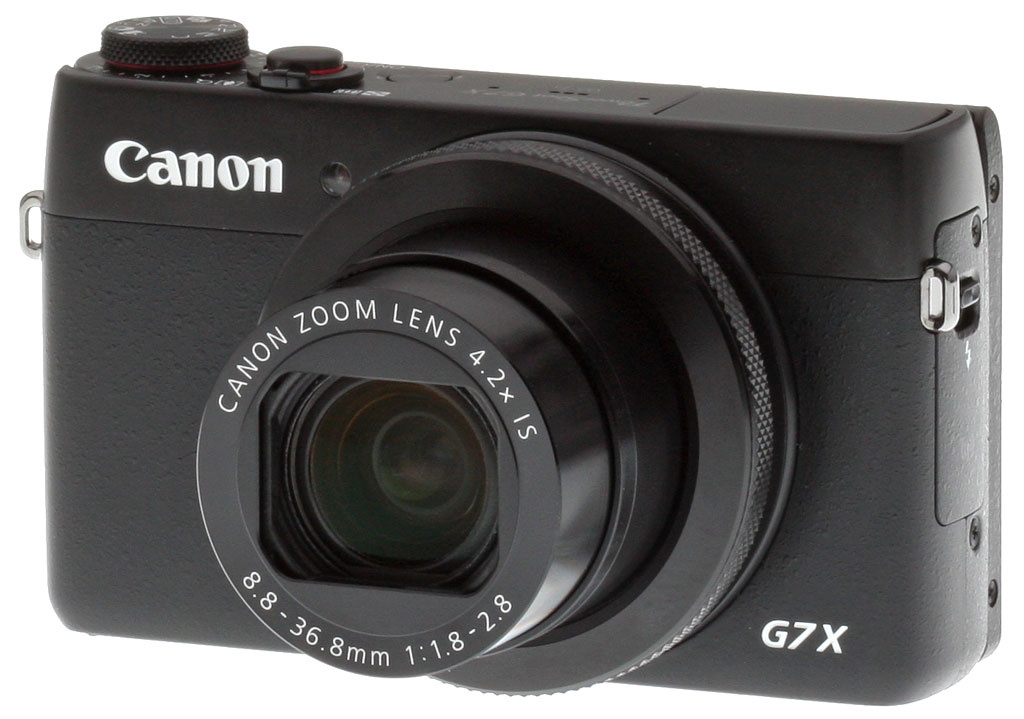
Seen from the front, the Canon G7 X cuts a clean, unassuming profile. With the exception of a ring surrounding the 4.2x optical zoom lens, there are no controls on the front deck.
Nestled above and to the right of the lens (as seen from the rear) is a small LED that serves double-duty as an autofocus illuminator and self-timer lamp. And as you can see, the lens itself includes a built-in, sliding lens barrier that negates the need for an easily-lost lens cap.

From above, the G7X shows its colors as an enthusiast camera with a dedicated Exposure Compensation dial, stacked wedding cake-style beneath the Mode dial at the right end of the camera body. Both dials are diamond-knurled around the outside, just as is the dial that surrounds the lens ring, providing plenty of grip.
Just a little to the left of the Exposure Compensation and Mode dials sits the Shutter button, surrounded by a Zoom rocker that functions both in Record and Playback modes. Left of and behind this is the Power button, while a popup flash strobe can be seen at the far left end of the top deck. In between are two ports for the stereo microphone, and a single three-hole port for the speaker.

The rear of the PowerShot G7X is also quite clean and straightforward, although the controls are clustered very near to the edge of the camera. With no protruding front grip, a two-handed hold is required to reach and use most of these controls with your thumb. A modest thumb grip at the top right corner helps secure your purchase when shooting stills single-handed, though.
Left of the control cluster is the 3.0-inch LCD monitor, surrounded by a fairly large bezel. The monitor is mounted on a hinge that allows it to swing upwards 180 degrees for shooting selfies or from the hip, but since it's a fixed hinge, no downward tilt is possible. That means it won't help out when shooting over your head, and nor can the screen be turned to face inwards for protection, unlike side-mounted tilt/swivel types.

With that said, none of the G7 X's nearest competitors have a tilt/swivel screen either, although Sony's RX100 II, III and IV all provide for overhead or waist-level shooting, and the latter two are also selfie-friendly. At least there's nothing obscuring the bottom of the G7X's LCD when in selfie mode, unless you raise the flash.
As for the controls, there are four buttons surrounding the four-way controller, which sits at the center of the rear dial and has a central Function / Set button. Above the Four-way controller are a Ring Func. button that switches which variable will be controlled by the lens ring, as well as a Video Record button. The latter is close enough to the edge of the camera that you'll want to shoot videos two-handed to avoid shake.
Beneath the Four-way controller are Playback and Menu buttons, as well as a small card access lamp that sits just above and left of the Playback button. The four-way controller itself also offers controls for Drive mode / Wi-Fi, Focus mode, Flash and Display on its cardinal directions.

Switching to the right-hand side of the Canon PowerShot G7X, you can see that the lens telescopes out an inch or more from the front of the barrel when in use.
There is but one control on this side: The Mobile Device Connect Button, for quick connection to smartphones or tablets. It sits beneath a small flap that covers the connectivity compartment. Beneath are the G7X's combined standard-definition A/V output and digital USB data port, and a Micro HDMI port for connection to high-definition displays.

Switching to the left-hand side, there's only one control: a mechanical release for the built-in, popup flash strobe that sits above on the top deck.

And finally, we come to the base of the camera. There's not a lot to see here, but it's worth noting that the release on the card / battery compartment door and the base of the tilting LCD monitor both share the same diamond-knurling as the various control dials and lens ring.
The metal tripod mount sits off the central axis of the lens, which isn't ideal for tripod-mounted panorama shooting, but it'd be easy enough to correct for with a short bracket if you plan to shoot a lot of panos. And finally, a small logo imprinted into the bottom of the camera indicates the location of its NFC antenna. (Sadly, this remains Android-only, as Apple doesn't allow third-parties to access the NFC radios built into its latest devices.)
In the Box
The Canon PowerShot G7 X retail box includes (may vary by region):
- Canon PowerShot G7 X digital camera
- NB-13L Lithium-ion battery pack
- CB-2LH battery charger
- WS-DC12 wrist strap
- 1-Year Limited Warranty
Recommended Accessories
- Large capacity SDHC/SDXC memory card. We recommend 16GB as a minimum capacity. Speed Class 6 or higher is required for recording Full HD movies.
- Extra NB-13L battery pack (~US$50)
- Camera case
Comparison Shopping?
The premium compact camera market has heated up to the point you'll surely need our new camera comparison tool for helping keep all the specs sorted out!. Clicking on any of the following will take you there, where you can see features, specs, pros and cons listed for virtually any pair of cameras you'd like to compare. Here are a few obvious choices to compare to the Canon G7X to get you started:
Canon G7X vs Sony RX100 III |
Canon G7X vs Panasonic LX100 |
Canon G7X vs Canon G1X II |
Canon G7X vs Fuji X30 |
Canon G7X vs Nikon V3 |
Optics
Lens
Zoom
A generous zoom ratio for its size and speed, with mixed optical performance.


The Canon PowerShot G7 X's 4.2x zoom lens covers the equivalent of about 24-100mm on a 35mm camera, offering a more generous zoom ratio than most cameras in its class. Maximum aperture is a very fast f/1.8 at wide angle to a fast f/2.8 at full telephoto.
The following table reflects the maximum and minimum apertures as reported by the camera:
|
Focal length (eq.)
|
24mm |
28mm
|
35mm
|
42mm
|
56mm
|
100mm
|
|
Maximum aperture
|
f/1.8 |
f/2.0
|
f/2.2
|
f/2.5
|
f/2.8
|
f/2.8
|
|
Minimum aperture
|
f/11 at all focal lengths | |||||
Sharpness is very good in the center of the frame at full wide angle and f/5.6, but corners are somewhat soft, likely because of the strong distortion correction applied (see below). Little chromatic aberration is visible as it is effectively suppressed in JPEGs, though some minor flare is evident around the bright white elements of this shot. At medium focal length (~50mm eq.), far-field performance appears to be very good at f/5.6 with excellent sharpness and contrast, and flare doesn't appear to be an issue. Results at full telephoto and f/5.6 are quite good, with good sharpness and contrast across the frame. Again, chromatic aberration is negligible because the G7 X suppresses it in JPEGs, though we have seen some significant purple or red fringing around strongly backlit subjects in some shots.
The G7 X also offers digital zoom up to 4x, and what Canon calls a "digital teleconverter" at preset magnifications of 1.6x and 2.0x, however we did not test those modes.
Overall, very good far-field performance at f/5.6 at medium to telephoto focal lengths, but the lens does not perform that well in the corners at maximum wide angle. See below for more.
Macro
A larger than average macro area, with very good detail in the center. Flash overexposed and is partially blocked by the lens at closest focus.


The Canon PowerShot G7 X's lens captured a larger-than-average minimum area of 3.26 x 2.18 inches (83 x 55 millimeters). Sharpness is very good in the central area of the frame, though corners and edges are very soft from field curvature. (Most cameras have some softening in the corners in macro mode, but usually not this much.) The Canon G7 X's built-in flash is partially blocked by the lens at closest focus distance, resulting in a very dark shadow in the bottom right and overexposure in the top left. You'll likely want to use external lighting for close macro shots with the G7 X.
Distortion
Lower than average distortion in JPEGs; very high at wide angle in uncorrected RAW files.
| In-camera JPEGs |
|---|
| Barrel distortion at 24mm eq. is about 0.3% |
 |
| Barrel distortion at 100mm eq. is less than 0.1% |
 |
JPEG: The Canon G7 X's just under 0.3% barrel wide angle is low compared to the average digital camera, especially considering its generously wide 24mm-equivalent focal length (see below for the explanation). The less than 0.1% barrel distortion at the telephoto end is very low and not the pincushion type of distortion we normally see at telephoto. This is the tendency for the lens to bend straight lines outward (like a barrel -- usually at wide angle) or inward (like a pincushion -- usually at telephoto).
| Uncorrected RAW |
|---|
| Barrel distortion at 24mm eq. is about 4.8% |
 |
| Pincushion distortion at 100mm eq. is about 0.3% |
 |
Uncorrected RAW: When converting RAW files using RawDigger (no corrections applied), we see that actual barrel distortion at wide angle is extremely high, at about 4.8%. Also note how the image circle does not cover the corners of the sensor at maximum wide angle, leaving them very dark. Uncorrected distortion at full telephoto is 0.3% pincushion, so the in-camera JPEG was overcorrected slightly. Canon's bundled Digital Photo Professional and Adobe Camera Raw automatically reduce geometric distortion, producing distortion measurements similar to in-camera JPEGs.
High distortion is quite common at wide angle in smaller lenses these days, and most RAW converters will automatically correct for it. There is however going to be a loss of resolution as well as possible interpolation artifacts as a result of such strong correction, because pixels in the corners of the frame are being "stretched" to correct for the distortion. And in the case of the G7X, the image circle does not cover the entire sensor at wide angle (we also saw this with the Canon G1X II), requiring even more interpolation back to full 20-megapixel image dimensions. If you look closely at the corners in the G7 X's wide-angle JPEGs, they are soft and detail is a little rough with straight edges in the resolution target looking jagged. Obviously, a lens that doesn't require such correction and is also sharp in the corners to begin with would be preferable, but relaxing constraints on distortion brings other benefits in the lens design, such as a compact, lower-cost design.
Chromatic Aberration and Corner Softness
CA is low to moderate at wide angle, and lower at telephoto in JPEGs. Mild to moderate blurring in the corners of the frame at wide angle, but good corner sharpness at full telephoto.
| Maximum Aperture | |
 |
 |
| Wide (f/1.8): Upper left CA: Moderately low Softness: Moderately soft |
Wide (f/1.8): Center CA: Very low Softness: Sharp |
 |
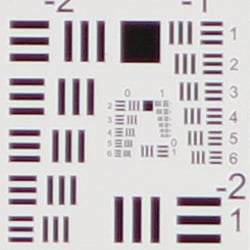 |
| Tele (f/2.8): Lower right CA: Moderately low Softness: Fairly sharp but lower contrast |
Tele: (f/2.8): Center CA: Moderately low Softness: Fairly sharp |
Chromatic Aberration. Lateral chromatic aberration is moderate in the corners at wide angle, but not very bright and there's very little CA in the center. At full telephoto, lateral chromatic aberration is moderately low in the corners, but some axial chromatic aberration can be seen in the center, though it's fairly low. We have however seen some relatively bright purple or red fringing around bright objects in real-world shots. See below for examples of uncorrected C.A. Chromatic aberration is a type of distortion visible as a slight colored fringe around the objects at the edges of the field of view on the resolution target.
Corner Softness. The Canon G7 X's lens produces moderately soft corners at full wide angle when wide open. Blurring is about the same in all for corners, but softness doesn't extend very far into the frame though there is some loss of definition, but the center is quite sharp. Rough edges and much of the softness are due to the strong geometric distortion and CA correction taking place at wide angle. Corners at full telephoto are fairly sharp but not as contrasty as the center with clear signs of CA suppression, and the center is not quite as sharp as at wide angle.
Corner Shading. Vignetting is fairly low at either end of the zoom, even wide open.
| Aperture f/5.6 | |
 |
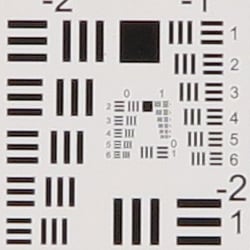 |
| Wide (f/5.6): Upper left CA: Low Softness: Soft |
Wide (f/5.6): Center CA: Very low Softness: Sharp |
 |
 |
| Tele (f/5.6): Lower right CA: Very low Softness: Fairly sharp |
Tele (f/5.6): Center CA: Very low Softness: Fairly sharp |
F5.6. When the lens is stopped-down to f/5.6, corner sharpness actually degraded a bit at wide angle, with lower contrast, while the center remained quite sharp. At full telephoto, corner sharpness and especially contrast improved, while sharpness in the center remained about the same. And vignetting is not apparent at either end of the zoom range.
Chromatic Aberration Correction
| In-camera JPEG | Uncorrected RAW |
 |
 |
| Wide (f/1.8): Upper left CA: Moderately low |
Wide (f/1.8): Upper left CA: Moderately high |
 |
 |
| Tele (f/2.8): Upper left CA: Moderately low |
Tele: (f/2.8): Upper left CA: Moderately high |
Not surprisingly, chromatic aberrations are much higher in uncorrected RAW files than in camera JPEGs. As you can see, the Canon G7 X's DIGIC 6 image processor does a pretty good job suppressing most of the chromatic aberration in JPEGs (crops on the left) versus RAW files converted in RawDigger (on the right), which does not correct for C.A. Note that most commercial converters like Adobe Camera Raw will automatically correct for C.A, as the G7 X's .CR2 RAW files have a built-in lens profile.
Localized Flare at Maximum Aperture






When we reviewed the Canon G1X II, we noticed its lens produced what looked like localized flare that can also be described as a glowing softness or a halo effect that is sometimes accompanied by axial chromatic aberration. The defect was most noticeable in high-contrast subjects that were slightly outside and usually behind the plane of focus, and diminished as you stopped down. The aberration appeared to be worst-case at wide angle and closest focus, however, we also saw it in shots at more normal subject distances, and at other focal lengths.
As you can see from the above crops, the G7X's lens also seems to exhibit a similar trait, although perhaps not quite as severe as the G1X II's. We haven't fully characterized at what apertures, focal lengths and focus distances this issue appears, but as you can see, it happens at both wide angle and telephoto when wide open (left crops), as well as at macro and non-macro distances, though it diminishes with distance. You may want to stop down a click or two to avoid or reduce this effect when shooting close distances, particularly for high-contrast or bright subjects that have some depth to them. Of course, having to stop down unfortunately negates the value of a fast lens in some circumstances.
Viewfinder
Coverage
Very good accuracy from the LCD monitor.


The Canon PowerShot G7 X's LCD monitor displayed very good accuracy in record mode, showing just over 100% coverage at wide angle, and close to 101% coverage at full telephoto.
The images above were taken from our standardized test shots. For a collection of more pictorial photos, see our Canon PowerShot G7 X Photo Gallery .
Exposure
Color
Saturation & Hue Accuracy
Typical saturation levels with good hue accuracy, though yellows were a little problematic.
 |
| In the diagram above, the squares show the original color, and the circles show the color that the camera captured. More saturated colors are located towards the periphery of the graph. Hue changes as you travel around the center. Thus, hue-accurate, highly saturated colors appear as lines radiating from the center. Click chart for a larger image. |
Saturation. The Canon G7 X produced fairly accurate saturation levels overall, with only mild to moderate oversaturation in reds, greens, browns, purples and blues. Bright yellow, aqua and cyan were undersaturated by relatively small amounts. Mean saturation at base ISO is 111.4%, or 11.4% oversaturated, which is about average these days. Overall, the Canon G7 X's images appear to have pleasing saturation levels and you can always adjust saturation using the camera's "My Colors" options. Most consumer digital cameras produce color that's more highly saturated (more intense) than found in the original subjects. This is simply because most people like their color a bit brighter than life.
Skin tones. With Auto white balance in simulated daylight, the Canon G7 X rendered lighter Caucasian skin tones just a touch yellow and flat. Manual white balance produced more pleasant, pinkish skin tones. Where oversaturation is most problematic is on Caucasian skin tones, as it's very easy for these "memory colors" to be seen as too bright, too pink, too yellow, etc.
Hue. The Canon PowerShot G7 X produced a few color shifts relative to the correct mathematical translation of colors in its subjects, most visibly pushing cyan toward blue (probably for better-looking skies), red toward orange, and yellow toward green. Mean "delta-C" color error after correcting for saturation at base ISO was 4.57 which is better than average, though the shift and reduced saturation in yellows was noticeable in some of our test shots. Hue is "what color" the
color is.


Sensor
Exposure and White Balance
Indoors, incandescent lighting
Better than average color balance with Auto, much too warm with Incandescent, but very good with Manual white balance setting. Average exposure accuracy.


Color balance indoors under incandescent lighting was pretty good with the Auto white balance setting, with just a hint of a magenta tint. The Canon G7 X did much better here than the majority of digital cameras we've tested. The Incandescent white balance option was much too warm, though, resulting in a strong orange cast. The Manual white balance setting was pretty accurate, but a touch cool with a slight bias towards cyan. The PowerShot G7 X's exposure system handled this lighting well, requiring a typical amount of exposure compensation (+ 0.3 EV) for this shot. Our test lighting for this shot is a mixture of 60 and 100 watt household incandescent bulbs, a pretty yellow light source, but a very common one in typical home settings here in the U.S.
Outdoors, daylight
Slightly cool colors, with high default contrast. Above average exposure compensation required.
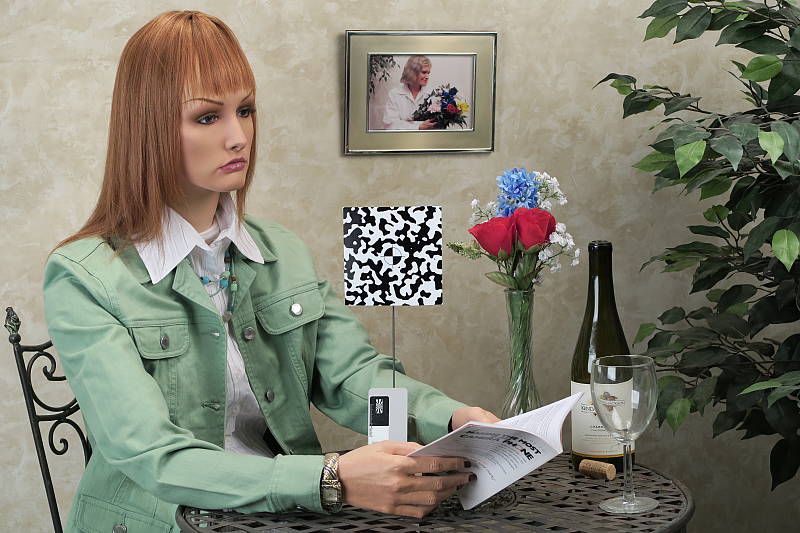
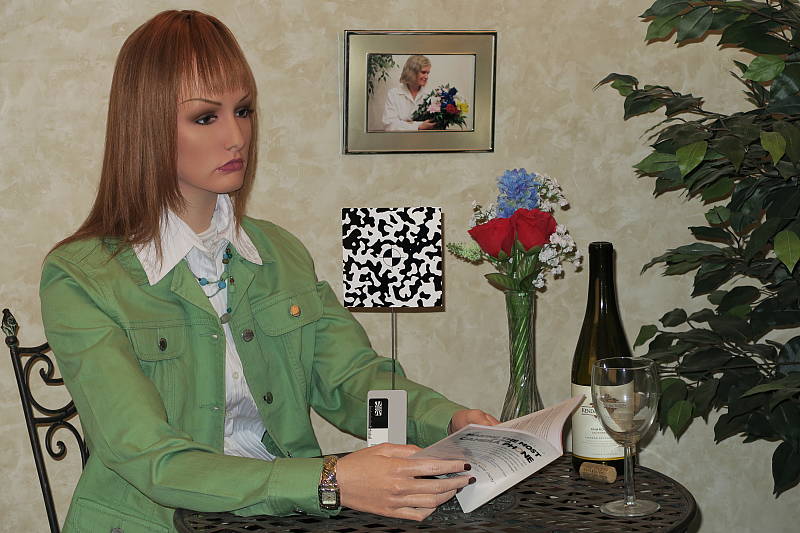
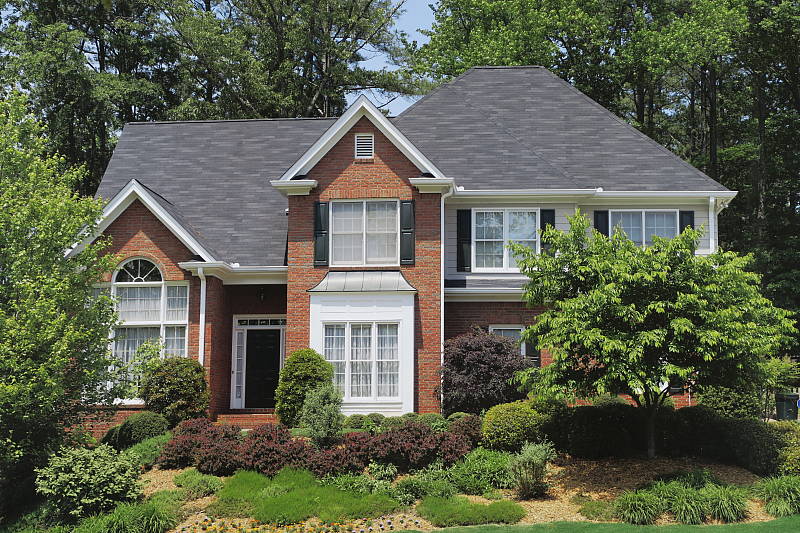
The Canon PowerShot G7 X performed fairly well in the simulated outdoor lighting of our "Sunlit" Portrait shot. Although above average exposure compensation of +1.0 EV was needed to keep the mannequin's facial skin tones bright, the number of blown highlights in her shirt and the flowers is actually not bad for such a compact camera, and detail in the shadows is pretty good. The G7X underexposed our outdoor far-field shot at default exposure a bit producing some very deep shadows, but as a result very few highlights were blown. Luminance noise is a bit high in deep shadows, however chrominance noise is well controlled. Color outdoors was good with the Auto white balance setting, just a touch cool, though the camera rendered skin tones a little too flat and yellow, so we preferred Manual white balance here for our "Sunlit" Portrait shot.
See full set of test images with explanations
See thumbnails of all test and gallery images
Resolution
About 2,500 lines of strong detail from in-camera JPEGs, a little higher from converted RAW files.


Our laboratory resolution chart revealed sharp, distinct line patterns down to about 2,500 lines per picture height in the horizontal direction, and to about the same in the vertical direction in JPEGs straight out of the camera. Extinction of the pattern occurred just past 3,000 lines in the horizontal direction, and past 3,200 lines in the vertical direction. Adobe Camera Raw was able to extract perhaps 100 extra lines of resolution in both directions as well as extend total extinction to between 3,500 and 3,600 lines. Use these numbers to compare with other cameras of similar resolution, or use them to see just what higher resolution can mean in terms of potential detail.
See full set of test images with explanations
See thumbnails of all test and gallery images
Sharpness & Detail
Fairly sharp, detailed images overall, though with some visible sharpening artifacts on high-contrast subjects. Noise suppression limits detail in low contrast areas.


Sharpness. The Canon PowerShot G7 X captures fairly sharp JPEG images at default settings, though some edge enhancement artifacts are visible on high-contrast subjects such as the noticeable halos around lines and text in the crop above left. Sharpening isn't as overdone as some cameras, but enthusiasts might want to shoot with a lower sharpening setting and apply additional sharpening in post processing, or shoot RAW for complete control over sharpening. Edge enhancement creates the illusion of sharpness by enhancing colors and tones right at the edge of a rapid transition in color or tone.
Detail. The crop above right shows some significant smudging of low contrast detail due to noise suppression, as individual strands of hair are blurred together in midtones and shadows, but performance here is still better than average for a compact digicam. Noise-suppression systems in digital cameras tend to flatten-out detail in areas of subtle contrast. The effects can often be seen in shots of human hair, where the individual strands are lost and an almost "watercolor" look appears.
RAW vs In-Camera JPEGs
As noted above the Canon G7 X produces fairly sharp, detailed in-camera JPEGs at base ISO. But with a good RAW converter, more detail can often be extracted with fewer sharpening artifacts. See below:
|
Base ISO (125)
|
|
 |
 |
 |
 |
 |
 |
|
Camera JPEG, defaults
|
RAW via Adobe Camera Raw
|
In the table above, we compare an in-camera JPEG taken at base ISO using default noise reduction and sharpening (on the left) to the matching RAW file converted with Adobe Camera Raw 8.7 using default noise reduction with some strong but tight unsharp masking applied in Photoshop (300%, radius of 0.3 pixels, and a threshold of 0).
Looking closely at the images, ACR extracts additional detail that isn't present in the JPEG from the camera, particularly in the red-leaf swatch where the thread pattern is likely treated as noise by the JPEG engine. Fine detail in the mosaic crop is also slightly improved, but as is often the case, more noise can be seen in the bottle crop. You can of course apply stronger noise reduction (default ACR NR used here) to arrive at your ideal noise versus detail tradeoff. Color was improved as well, with ACR removing much of the yellow-to-green shift in the JPEG. And, as expected, sharpening haloes aren't nearly as strong as the default camera output. Still, in-camera default JPEG processing isn't too bad, but as usual you can do noticeably better with a good RAW converter.
ISO & Noise Performance
Very good high ISO performance for a camera its size.
| Default Noise Reduction | ||
 |
 |
 |
| ISO 125 | ISO 200 | ISO 400 |
 |
 |
 |
ISO 800 |
ISO 1,600
|
ISO 3,200 |
 |
 |
ISO 6,400 | ISO 12,800 |
The PowerShot G7 X performed well here for its size, though not as well as some direct competitors, however that's mostly due to JPEG processing. ISO 125 and 200 are pretty clean and detailed but lack crispness, and ISO 400 already shows some significant softening due to strong noise reduction. ISO 800 is noisier and softer from more aggressive noise reduction, and ISO 1600 is softer still. Image quality drops off rapidly above ISO 1600, with increasing luma noise as well as stronger blurring from noise reduction, though chroma noise is fairly well-controlled.
High ISO performance is better than most compact cameras with smaller sensors, but the G7 X's JPEG engine does not appear to make the most of its larger, 1-inch type sensor producing somewhat soft images already at moderate ISOs. Note that the G7 X offers three levels of noise reduction (Low, Standard and High), and these shots were taken using the default Standard setting. The good news is that noise in the G7 X's RAW files is very competitive with other 1-inch sensor models, so for better high ISO performance, we recommend shooting in RAW format.
Of course, the impact of noise and detail loss are highly dependent on the size the photos are printed at, and pixel-peeping on-screen has surprisingly little relationship to how the images look when printed: See the Print Quality section below for recommended maximum print sizes at each ISO.
Extremes: Sunlit and low light tests
Pretty good dynamic range for its class. Good low-light performance, capable of capturing bright images in near darkness at all ISOs.


Sunlight. The Canon PowerShot G7 X did fairly well under the deliberately harsh lighting in the test above. To keep facial tones bright, +1.0 EV compensation was required, which led to some clipped highlights in the mannequin's shirt and flowers, but not as many as expected for its size. Some may prefer the +0.7 EV setting for its reduced highlight clipping, but we found the face a bit too dim. Detail is quite good in the shadows at +1.0 EV, though very deep shadows are a little grainy and posterized, though chroma noise is well controlled. Very good results in harsh lighting for such a compact camera, but consider using fill flash in situations like the one shown above; and it's better to shoot in the shade when possible.
Because digital cameras are more like slide film than negative film (in that they tend to have a more limited tonal range), we test them in the harshest situations to see how they handle scenes with bright highlights and dark shadows, as well as what kind of sensitivity they have in low light. The shot above is designed to mimic the very harsh, contrasty effect of direct noonday sunlight, a very tough challenge for most digital cameras. (You can read details of this test here.)
|
Outdoor Portrait i-Contrast Series (+0.7 EV)
|
|
 |
i-Contrast Setting: DRC Off (Default) DRC 200% DRC Auto Shadow Correct |
 |
|
As part of the G7 X's Intelligent Contrast (i-Contrast) feature, the camera has "Dynamic Range Correction" to help tame highlights, and "Shadow Correct" to bring out more shadow detail.
Above are examples of our challenging "Sunlit" Portrait scene shot with the G7 X's two available Dynamic Range Correction settings, plus Shadow Correct. Mouse over the links to the right to compare, and click on the links to get to the full-resolution images.
As you can see, highlights were toned-down with the DR 200% setting but results with DR Auto were practically identical to the Off setting, perhaps because relatively few highlights were blown to begin with. Shadow Correct also worked as expected, boosting shadows without impacting highlights too much, leading to the best overall exposure for this series.
Note that Dynamic Range Correction may boost ISO depending on your current setting, so more noise and/or stronger NR may be visible with it enabled. (In our samples above, DR 200% used ISO 250, while DR Auto and Shadow Correct left ISO at 125.)
| Far-field i-Contrast Comparison | |
 |
|
Above, you can see the effect of the available i-Contrast settings on our Far-field shot. Here, DRC Auto and 200% both made a difference, but it was pretty subtle. Shadow Correct on the other hand made quite a difference, boosting midtones and shadows while maintaining highlights.
| Face Detection Examples | ||
 |
 |
 |
| Aperture Priority 0 EV |
Portrait Mode 0 EV |
Smart Auto 0 EV |
The table above shows results with the default exposure using Aperture Priority AE, as well as with Portrait mode, and Smart Auto. As you can see, the G7 X's face detection in Portrait and Smart Auto modes both increased exposure dramatically compared to the default exposure in Aperture Priority mode, going from very underexposed to bright images. Portrait mode selected an aperture of f/2.8 instead of f/5.6 we used in Aperture Priority but kept the ISO at 125, while Smart Auto selected f/4 with a boost in ISO to 250.
Dynamic Range Analysis (RAW mode)
While we once performed our own dynamic range measurements based on in-camera JPEGs as well as converted RAW images (when the camera was supported by Adobe Camera Raw), we've switched to using DxO Labs' results from their DxOMark website. As technology advanced, the dynamic range of modern high-end cameras in some cases exceeded the range of the Stouffer T4110 density scale that we used for our own measurements. DxO's approach based on RAW data before demosaicing is also more revealing, because it measures the fundamental dynamic range of the sensor, irrespective of whatever processing is applied to JPEGs, or to RAW data by off-the-shelf conversion software.
In the following, we use DxO's "Print" dynamic range results, which are scaled based on camera resolution. As the name suggests, this scaling corresponds to the situation in which you print at a given size, regardless of how many megapixels the camera might have. (In other words, if you've decided to make a 13x19 inch print, that's the size you're printing, whether the camera's resolution is 16 or 300 megapixels.) For the technically-minded, you can find a discussion of the reasoning behind this here on the DxOMark website. Also note that DxO Labs uses a signal-to-noise (SNR) threshold of 1 when defining the lower boundary of acceptable luminance noise in their dynamic range measurements, which corresponds to the "Low Quality" threshold of the Imatest software we used to use for this measurement.

Here, we decided to compare the Canon G7 X's dynamic range to two competing enthusiast compacts, the Sony RX100 III and the Panasonic LX100 (though some will likely argue the LX100 is a bit too big to be a direct competitor). You can always compare to other models on DxOMark.com.
As you can see from the above graph (click for a larger image), all three cameras have similar dynamic range when normalized. The G7 X's maximum dynamic range is 12.7 EV at base ISO, with a minimum of 6.5 EV at the top ISO. Interestingly, the Canon actually bests the Sony slightly at low to moderate ISOs, but they perform almost identically at higher ISOs, except at 6400 where the Sony does a bit better. The Panasonic does a little better except at base ISO, where it scores about 12.5 EV. As mentioned, though, the normalized dynamic range is so similar between these three cameras that for most purposes they can be considered equal, though at the pixel level (on screen), the LX100 does noticeably better with about a 3/4 EV advantage thanks to its larger pixels.
Click here to visit the DxOMark page for the Canon G7 X for more of their test results and additional comparisons.
| 1 fc 11 lux |
1/16 fc 0.67 lux |
1/16 fc No NR |
|
|---|---|---|---|
| ISO 125 |
 0.5s, f1.8 |
 8s, f1.8 |
 8s, f1.8 |
| ISO 3200 |
 1/50s, f1.8 |
 0.3s, f1.8 |
 0.3s, f1.8 |
| ISO 12800 |
 1/202s, f1.8 |
 1/13s, f1.8 |
 1/13s, f1.8 |
Low Light. The Canon PowerShot G7 X performed very well in our low-light tests thanks to its fast lens, capturing bright images at the lowest light level (1/16 foot-candle), even at the lowest sensitivity setting (ISO 125). As expected for a 1"-type sensor, luma noise is a little high at ISO 3200, but fairly fine-grained, while chroma noise is well controlled. The G7X's highest ISO of 12,800 is quite grainy with strong blurring, but that's no surprise.
Color balance is pretty good with Canon G7 X's Auto white balance setting, just a touch cool, even at highest ISO and lowest light level. We didn't notice any significant issues with hot pixels, pattern noise or heat blooming.
The camera's AF system was able to focus unassisted to below the 1/16 foot-candle light level in our tests, which is excellent, and the G7 X was able to focus in complete darkness with the aid of its AF assist lamp.
How bright is this? The one foot-candle light level that this test begins at roughly corresponds to the brightness of typical city street-lighting at night. Cameras performing well at that level should be able to snap good-looking photos of street-lit scenes.
NOTE: This low light test is conducted with a stationary subject, and the camera mounted on a sturdy tripod. Most digital cameras will fail miserably when faced with a moving subject in dim lighting. (For example, a child's ballet recital or a holiday pageant in a gymnasium.) For such applications, you may have better luck with a digital SLR camera, but even there, you'll likely need to set the focus manually. For information and reviews on digital SLRs, refer to our SLR review index page.
Output Quality
Print Quality
High-resolution prints up to 20 x 30 inches at ISO 125-200; Good 11 x 14 inch prints at ISO 1600; and acceptable 4 x 6 inch prints are possible up to ISO 6400.
 ISO 125 images are able to produce pleasing, vibrant prints up to 20 x 30 inches. There's lots of fine detail upon close inspection at this print size and any larger would be pushing the limits of the sensor's resolution, but we'd certainly be happy to take it up a notch for 24 x 36 inch prints for wall display in this case.
ISO 200 prints look extremely similar to base ISO prints, and we're calling it here at 20 x 30 inches as well. Examining the prints very closely, there's ever-so-slightly less very fine detail in some areas compared to ISO 125, but not nearly enough to cause a drop in print size.
ISO 400 images print up to 16 x 20 inches with no problem. There's a slight reduction in fine detail compared to a similar-sized print at the previous ISO level, but visible noise is very well controlled and colors also remain vibrant.
ISO 800 prints look great up to 13 x 19 inches. We see a subtle increase in visible noise at this ISO and a further reduction in very fine detail, but contrast, colors and overall detail still look very nice and pleasing. Troublesome areas, such as many of our fabric swatches, begin to display a notable decline in detail, though.
ISO 1600 images have become noticeably softer overall, though prints still look good up to 11 x 14 inches.
ISO 3200 shots still display enough detail and low enough noise for pleasing 8 x 10 inch prints.
ISO 6400 images have become quite soft and lacking in fine detail, though there's enough detail as well as pleasing colors and contrast for a usable 4 x 6 inch print. A 5 x 7 inch print may be usable, though, for less critical applications.
ISO 12,800 is overall too soft and lacking in detail for us to comfortably consider any size a usable print. However, for less critical applications, we'd be okay with a 4 x 6 inch print.
With a larger 1-inch-type sensor, the Canon G7X does a solid job in the print quality department, especially a lower ISOs, with nice, large 20 x 30 inch prints at both base ISO and 200. In the middle ISO range, images become softer in detail, though visible noise is still well-controlled. Prints as large as 13 x 19 and 11 x 14 are acceptable at ISO 800 and 1600, respectively. At the extreme end of the ISO scale, prints become very soft due to noise and NR processing, with 4 x 6 inch prints topping out at ISO 6400.
The images above were taken from our standardized test shots. For a collection of more pictorial photos, see our Canon PowerShot G7 X Photo Gallery .
Not sure which camera to buy? Let your eyes be the ultimate judge! Visit our Comparometer(tm) to compare images from the Canon PowerShot G7 X with those from other cameras you may be considering. The proof is in the pictures, so let your own eyes decide which you like best!
Performance
Timing and Performance
Mixed performance.
| Startup/Play to Record | ||
|---|---|---|
| Power on |
~1.7 seconds
|
Time it takes for LCD to turn on and lens to deploy and capture a picture. |
|
Play to Record, |
~1.4 seconds
|
Time until first shot is captured. |
Good startup to first shot time for its class. Switching from Play to Record and taking a shot was a bit faster.
| Shutter Response (Lag Time) | ||
|---|---|---|
|
Full Autofocus |
0.200 second
|
Time from fully pressing shutter button to image capture, zoom lens at wide angle position. |
|
Full Autofocus |
0.184 second
|
Time from fully pressing shutter button to image capture, zoom lens at telephoto position. |
|
Full Autofocus |
0.888 second
|
Time to capture while forcing flash to fire, zoom lens at medium focal length. |
|
Manual Focus |
0.219 second
|
For most cameras, shutter lag is less in manual focus than autofocus, but usually not as fast as when the camera is "prefocused". |
| Prefocused |
0.097 second
|
Time to capture, after half-pressing and holding shutter button. |
The Canon G7 X's full autofocus shutter lag when shooting the same target multiple times was a bit faster than average for a fixed-lens enthusiast camera. The G7 X's full AF shutter lag clocked in at about 0.2 second at wide angle using center (1-point) AF, which is fast for a compact, however some recent competitors are a bit faster. Full AF shutter lag was a little faster at full telephoto, at about 0.18 second. Enabling the flash raised shutter lag to a rather lengthy 0.89 seconds though, to account for the metering preflash. Manual focus shutter lag was oddly a little slower than with autofocus at 0.22 second. When prefocused, shutter lag dropped to 97 milliseconds which is slower than average these days, but still pretty responsive.
| Cycle Time (shot to shot) | ||
|---|---|---|
| Single Shot mode |
0.90 second
|
Average time per shot. |
| Single Shot mode |
1.25 seconds
|
Average time per shot. |
| Early shutter |
No
|
Some cameras don't snap another shot if you release and press the shutter too quickly in Single Shot mode, making "No" the preferred answer. |
|
Continuous mode |
0.15 second (6.60 frames per second);
14 frames total; 3 seconds to clear |
Time per shot, averaged over 14 frames, then slows to 0.26 second or 3.83 fps when buffer is full. |
|
Continuous mode |
0.83 second (1.20 frames per second);
4 frames total; 3 seconds to clear |
Time per shot, averaged over 4 frames, then slows to 1.05 second or 0.95 fps when buffer is full, with a lot of variation. |
|
Continuous mode |
0.96 second (1.04 frames per second);
2 frames total; 3 seconds to clear |
Time per shot, averaged over 2 frames, then slows to a steady 1.28 second or 0.78 fps when buffer is full. |
| Continuous AF mode |
0.23 second (4.39 frames per second);
65+ frames total; 3 second to clear |
Time per shot, averaged over 65 shots with no signs of slowing. |
|
Continuous AF mode |
1.40 second (0.71 frames per second);
20+ frames total; 1 second to clear |
Time per shot, averaged over 20 shots with no signs of slowing. |
|
Continuous AF mode |
1.40 second (0.71 frames per second);
20+ frames total; 1 second to clear |
Time per shot, averaged over 20 shots with no signs of slowing. |
| Flash recycling |
6.2 seconds
|
Flash at maximum output. |
| *Note: Buffer clearing times measured with a SanDisk Extreme Pro 95MB/sec UHS-I SDHC memory card. Slower cards will produce correspondingly slower clearing times. Slow cards may also limit length of bursts in continuous mode. ISO sensitivity also affects cycle times and burst mode performance, with higher ISOs generally increasing cycle times and reducing burst performance. |
||
Shot-to-shot cycle times were fair in single shot mode, ranging from about 0.9 second for Large/Super Fine JPEGs to about 1.3 seconds for RAW+LSF JPEG files. We no longer test just RAW file cycle time in single-shot mode, as it's usually somewhere in between JPEG and RAW+JPEG.
The PowerShot G7 X's fastest full-res continuous shooting mode rate was below average these days at 6.6 frames per second for Large/Super Fine JPEGs, however be aware that focus and exposure are locked at the first frame of a burst in this mode, and Live View is not supported. When shooting RAW files, the G7 X slowed down to only 1.2 frames per second for RAW, and to only about one frame per second for RAW+LSF JPEG files.
In Continuous AF mode, the frame rate dropped to about 4.4 fps for Large/Super Fine JPEGs, and burst speed with RAW or RAW+JPEG files was very slow, at only about 0.7 frames per second in our tests.
Buffer depth was fair at 14 frames when shooting best quality JPEGs in the fastest continuous mode, but the G7 X continued shooting at about 3.8 fps when the buffer was full. Buffer depths with RAW files in the fastest burst mode were however very shallow at only 4 RAW frames or 2 RAW+JPEG frames before slowing down even further.
Buffer depths were essentially limited only by card capacity in the slower Contunious AF mode for both JPEGs and RAW files. Buffer clearing was swift with a fast 95MB/s UHS-I card, never taking more than 3 seconds in our tests.
The built-in flash took an average of 6.2 seconds to recharge after a full-power discharge, which is very slow.
Bottom line, the Canon PowerShot G7 X's timing performance was mixed, ranging from very slow burst speeds when shooting RAW files to reasonably fast autofocus.
Battery
Battery Life
Poor battery life.
| Operating Mode | Number of Shots |
|---|---|
|
LCD Monitor
(CIPA standard) |
210
|
The Canon PowerShot G7 X uses a custom NB-13L rechargeable lithium-ion battery for power, and ships with a dedicated charger. CIPA battery life is well below average for its class at only 210 shots per charge, though there is an Eco mode which improves battery life to a more competitive 310 shots by dimming and then shutting off the LCD more quickly than normal in shooting mode. Still, we strongly recommend you pick up a spare battery for extended outings.
The table above shows the number of shots the camera is capable of (on a fully-charged rechargeable battery as appropriate), based on CIPA battery-life and/or manufacturer standard test conditions.
(Interested readers can find an English translation of the CIPA DC-002 standards document here. (180K PDF document))
Image Quality
Below are crops comparing the Canon G7X with the Canon G1X II, Canon S120, Fuji X30, Panasonic LX100, and Sony RX100 III. The Canon G1X II and S120 are both siblings with larger and smaller sensors respectively, and the others are a few competitors to the G7X.
NOTE: These images are best quality JPEGs straight out of the camera, at default settings including noise reduction and using the camera's actual base ISO (not extended ISO settings). Clicking any crop will take you to a carrier page where you can click once again to access the full resolution image as delivered straight from the camera. For those interested in working with the RAW files involved, click these links to visit each camera's respective sample image thumbnail page: Canon G7X, Canon G1X II, Canon S120, Fuji X30, Panasonic LX100, and Sony RX100 III -- links to the RAW files appear beneath those for the JPEG images, wherever we have them. And remember, you can always go to our world-renowned Comparometer to compare the Canon G7X to any camera we've ever tested.
Canon G7X vs Canon G1X II at Base ISO
 |
 |
 |
 |
 |
 |
|
Canon G7X at ISO 125
|
Canon G1X II at ISO 100 |
Here, we compare the G7X to its larger sibling, the Canon G1X II. The 20-megapixel G7X offers significantly more resolution than the 13-megapixel G1X II and thus is able to resolve fine detail better here at base ISO, however it is also a little noisier when viewed at 100% like this. Default noise reduction also blurs the red-leaf fabric more than the G1X II. (Note that although the exposures look different, middle gray levels are closely matched between the two, so the apparent exposure difference is due to slightly different tone curves and color mapping.) | |
Canon G7X vs Canon S120 at Base ISO
|
 |
|
 |
|
 |
|
Canon G7X at ISO 125
|
Canon S120 at ISO 80
|
Above, we decided to compare the G7X to its little brother, the Canon PowerShot S120 which features a much smaller 12-megapixel 1/1.7"-type sensor, to see if the G7X is worth the $200-300 premium. Again, the resolution advantage the G7X has is obvious, but the S120 otherwise holds its own at base ISO, and even does a little better in the red-leaf fabric. We'll see how this changes at higher ISOs below. | |
Canon G7X vs Fuji X30 at Base ISO
|
 |
|
 |
|
 |
|
Canon G7X at ISO 125
|
Fuji X30 at ISO 100
|
As expected, we see the 20-megapixel G7X easily out-resolve the 12-megapixel Fuji X30 with its 2/3" X-Trans CMOS II sensor, though the X30 otherwise does quite well for its class with clean, refined-looking images at base ISO, though sharpening is a bit high. | |
Canon G7X vs Panasonic LX100 at Base ISO
|
 |
|
 |
|
 |
|
Canon G7X at ISO 125
|
Panasonic LX100 at ISO 200
|
|
Above, we compare the 20-megapixel 1"-type sensored Canon G7X to the 12.7-megapixel "4/3" sensored Panasonic LX100. The resolution difference is apparent here in both the relative element sizes and the higher detail from the G7X in all three crops at base ISO. But while the Canon's resolution is higher, noise is also a little higher, as you can see in the background of the bottle shoulder crop. The G7X applies slighter stronger sharpening, though, which tends to exacerbate noise. Still, the Panasonic's larger pixels pay off in terms of slightly lower noise already at base ISO when compared at 100% like this, but the G7X still wins with better detail. | |
Canon G7X vs Sony RX100 III at Base ISO
|
 |
|
 |
|
 |
|
Canon G7X at ISO 125
|
Sony RX100 III at ISO 125 |
|
Here's a comparison to another 20-megapixel 1-inch sensor, this time from the company that started the category. Here we see both cameras do very well at base ISO, but while the Sony RX100 III's image looks a little cleaner and more vibrant, it also looks somewhat more "processed", with some minor artifacts visible from its area-specific noise reduction. | |
Canon G7X vs Canon G1X II at ISO 1600
 |
 |
 |
 |
 |
 |
|
Canon G7X at ISO 1600
|
Canon G1X II at ISO 1600 |
At ISO 1600, we see the G1X II start to pull ahead of the G7X with better detail all around despite the lower resolution, as well as lower noise. | |
Canon G7X vs Canon S120 at ISO 1600
|
 |
|
 |
|
 |
|
Canon G7X at ISO 1600
|
Canon S120 at ISO 1600
|
Here at ISO 1600, we see the G7X easily best the S120, with much better detail and somewhat lower noise, however both struggle with the red-leaf fabric. | |
Canon G7X vs Fuji X30 at ISO 1600
|
 |
|
 |
|
 |
|
Canon G7X at ISO 1600
|
Fuji X30 at ISO 1600
|
Again, the Canon G7X comes out ahead in this battle, with better detail and lower noise, but colors are a little better from the Fuji. At this ISO, the X30 renders almost no detail in the red-leaf fabric, though the G7X's rendering is only a rough facsimile at this sensitivity. | |
Canon G7X vs Panasonic LX100 at ISO 1600
|
 |
|
 |
|
 |
|
Canon G7X at ISO 1600
|
Panasonic LX100 at ISO 1600
|
At ISO 1600, we see the LX100 start to pull ahead of the G7X with better detail despite the lower resolution, as well as lower luma noise. The Canon does a little better with controlling chroma noise, though. Both struggle with the red-leaf fabric. | |
Canon G7X vs Sony RX100 III at ISO 1600
|
 |
|
 |
|
 |
|
Canon G7X at ISO 1600
|
Sony RX100 III at ISO 1600 |
Similar to base ISO, both the Canon and Sony 1" sensored cameras do fairly well at ISO 1600 considering their size, but again Canon's processing looks more natural with fewer artifacts and slightly better detail while the Sony displays higher contrast and saturation, producing an image with more "pop". | |
Canon G7X vs Canon G1X II at ISO 3200
 |
 |
 |
 |
 |
 |
|
Canon G7X at ISO 3200
|
Canon G1X II at ISO 3200 |
At ISO 3200, the G7X's resolution advantage starts to give way to the G1X II's pixel size advantage, with the latter producing comparable detail with less noise. | |
Canon G7X vs Canon S120 at ISO 3200
|
 |
|
 |
|
 |
|
Canon G7X at ISO 3200
|
Canon S120 at ISO 3200
|
Once again, the G7X easily comes out on top in this contest, with much better detail and lower noise, but both struggle to reproduce any fine detail in our troublesome red-leaf fabric. | |
Canon G7X vs Fuji X30 at ISO 3200
|
 |
|
 |
|
 |
|
Canon G7X at ISO 3200
|
Fuji X30 at ISO 3200
|
While the X30 does fairly well for such a high ISO in a compact, the G7X comes out ahead in terms of detail and noise, though color is still better from the Fuji. | |
Canon G7X vs Panasonic LX100 at ISO 3200
|
 |
|
 |
|
 |
|
Canon G7X at ISO 3200
|
Panasonic LX100 at ISO 3200
|
Once again, the LX100 comes out on top in this contest, with better detail, lower noise, and better color, but both struggle to reproduce any fine detail in our difficult red-leaf fabric. | |
Canon G7X vs Sony RX100 III at ISO 3200
|
 |
|
 |
|
 |
|
Canon G7X at ISO 3200
|
Sony RX100 III at ISO 3200 |
Here again the Canon comes out on top overall, with a more natural rendering and slightly better detail. The Sony's image is a little cleaner and more saturated, but noise reduction artifacts distort fine detail, while noise grain from the Canon is more consistent and less obtrusive. | |
Canon G7X vs. Canon G1X II, Canon G7X, Fuji X30, Panasonic LX100, Sony RX100 III
 |
 |
 |
 |
 |
 |
 |
 |
 |
 |
 |
 |
 |
 |
 |
 |
 |
 |
| Canon G7X ISO 125 ISO 3200 ISO 6400 |
Canon G1X II ISO 100 ISO 3200 ISO 6400 |
Canon S120 ISO 80 ISO 3200 ISO 6400 |
Fuji X30 ISO 100 ISO 3200 ISO 6400 |
Panasonic LX100 ISO 200 ISO 3200 ISO 6400 |
Sony RX100 III ISO 125 ISO 3200 ISO 6400 |
| Detail comparison. High-contrast detail is also important, pushing cameras in different ways, so we like to look at it too. At base ISO, the two 20-megapixel cameras come out ahead, easily resolving the fine lines inside the lettering as well as producing very good contrast, though sharpening is a little more obvious from the G7X versus the RX100 III. The G1X II produces excellent contrast as well, but its 13-megapixel resolution struggles to fully resolve the fine lines. This is also true of the 12.7-megapixel LX100, though contrast isn't quite as good. The S120 and X30 both struggle to fully resolve the lines even at base ISO, but offer good contrast. At ISO 3200, the G7X pulls ahead of the Sony, resolving more detail, but contrast isn't as good and there's also some discoloration. The G1X II and LX100 continue to do well, but their contrast has dropped as well. The S120 and X30 fail to resolve any fine detail within the lettering at this sensitivity, and the Fuji's saturation has dropped so much that the small red lettering is monochrome. At ISO 6400, the two larger sensors in the G1X II and LX100 are clearly on top. The G7X does a bit better than the Sony in terms of detail, but the Sony has better contrast and color. And once again, the S120 and X30 trail the pack with mushy detail and funky color. | |||||
High-resolution prints up to 20 x 30 inches at ISO 125-200; Good 11 x 14 inch prints at ISO 1600; and acceptable 4 x 6 inch prints are possible up to ISO 6400.
ISO 125 images are able to produce pleasing, vibrant prints up to 20 x 30 inches. There's lots of fine detail upon close inspection at this print size and any larger would be pushing the limits of the sensor's resolution, but we'd certainly be happy to take it up a notch for 24 x 36 inch prints for wall display in this case.
ISO 200 prints look extremely similar to base ISO prints, and we're calling it here at 20 x 30 inches as well. Examining the prints very closely, there's ever-so-slightly less very fine detail in some areas compared to ISO 125, but not nearly enough to cause a drop in print size.
ISO 400 images print up to 16 x 20 inches with no problem. There's a slight reduction in fine detail compared to a similar-sized print at the previous ISO level, but visible noise is very well controlled and colors also remain vibrant.
ISO 800 prints look great up to 13 x 19 inches. We see a subtle increase in visible noise at this ISO and a further reduction in very fine detail, but contrast, colors and overall detail still look very nice and pleasing. Troublesome areas, such as many of our fabric swatches, begin to display a notable decline in detail, though.
ISO 1600 images have become noticeably softer overall, though prints still look good up to 11 x 14 inches.
ISO 3200 shots still display enough detail and low enough noise for pleasing 8 x 10 inch prints.
ISO 6400 images have become quite soft and lacking in fine detail, though there's enough detail as well as pleasing colors and contrast for a usable 4 x 6 inch print. A 5 x 7 inch print may be usable, though, for less critical applications.
ISO 12,800 is overall too soft and lacking in detail for us to comfortably consider any size a usable print. However, for less critical applications, we'd be okay with a 4 x 6 inch print.
With a larger 1-inch-type sensor, the Canon G7X does a solid job in the print quality department, especially a lower ISOs, with nice, large 20 x 30 inch prints at both base ISO and 200. In the middle ISO range, images become softer in detail, though visible noise is still well-controlled. Prints as large as 13 x 19 and 11 x 14 are acceptable at ISO 800 and 1600, respectively. At the extreme end of the ISO scale, prints become very soft due to noise and NR processing, with 4 x 6 inch prints topping out at ISO 6400.
Field Test
Field Test Part II
The contender for Sony's throne goes toe-to-toe in the real world!
By Michael Tomkins | Posted: 12/18/2014
 42mm-equivalent, 1/100 sec. @ f/2.5, ISO 125
It's no secret that Sony's RX100-series enthusiast compact cameras, with their pocket-friendly bodies and larger-than-average sensors, have been among my favorite cameras in the last couple of years. After two years with no direct competition for the RX100 series, Sony finally has a rival in the form of the Canon G7X, and you'd better believe I wanted to get my hands on one posthaste!
In part, my eagerness to review the Canon G7X comes thanks to the fact that in almost the same footprint as the flagship RX100 III, it offers a clear advantage over Sony's camera in terms of telephoto reach. (Yet at the same time, it provides the same f/1.8-2.8 maximum aperture across the zoom range.) On paper at least, that's a pretty big deal, because it allows you to bring your subjects quite a bit closer -- handy when you can't frame with your feet.
But how would the Canon G7X and its impressive-sounding lens perform in the real world? To find out, I took Canon's first entry in the large sensor, pocket camera out for a side-by-side shoot with its main rival, the Sony RX100 III, as well as the even larger-sensored (but most definitely not pants-pocket friendly) Panasonic LX100.
You can find matching shots from the rival models in my Panasonic LX100 gallery, and my updated Sony RX100 III gallery. To learn what I thought of the G7X in comparison to those cameras, read on!
A pocket-friendly camera with good handling
On taking the Canon G7X out of its packaging and comparing it side-by-side with the Sony RX100 III, RX100 II and RX100, all of which I was fortunate to have at the same time, I found myself pretty amazed by what Canon has managed with this ambitious design.
Sure, in a lot of ways the control layout is very similar to that of the RX100-series cameras, but then there's only so much you can do with a small, pocket-friendly chassis with a lens on the front. But in a body that's barely distinguishable from the Sony RX100 III in terms of size, Canon has managed to pack in most of that camera's features other than its popup electronic viewfinder. Yet somehow, the G7X sports a lens with the same 24mm f/1.8 wide angle, but almost 50% greater telephoto reach, taking you out to a handy 100mm f/2.8 telephoto.

And Canon also gives you a dedicated exposure compensation dial, a photographer-friendly touch that makes it very quick to tweak exposure on the fly. It sits beneath the Mode dial, stacked wedding cake-style, and has a firm enough click detent that the dial is never accidentally bumped. Wherever you set your exposure compensation, you can be confident that it will still be set the same the next time you pull your camera out of your pocket or bag.
The ring around the lens, too, has a good click detent. It's a compromise -- and the opposite one to that of Sony's clickless lens ring -- but there's no denying that it feels great when adjusting the lens' aperture using the ring. Sony's free-spinning lens ring, by contrast, feels very detached and fly-by-wire when adjusting aperture. The downside of Canon's choice is that if you use the ring for focus adjustment, and a significant adjustment is needed, there's a whole lot of clicking as you spin the dial to bring the point of focus nearer or further.
 47mm-equivalent, 1/100 sec. @ f/2.5, ISO 125
More zoom to bring subjects closer
As you can probably tell, my favorite feature of the Canon G7X compared to its rivals is its significantly greater zoom reach. With the Sony RX100 series, I was happy to put up with a relatively limited zoom range, simply because there was no competing camera with a similar body and sensor size, but a more powerful zoom lens. That's no longer the case.
There's no question about it -- having access to a more powerful telephoto means you can bring your subjects closer, and so you don't have to be right in the middle of the action to capture it. And that it does so while actually offering a brighter aperture across most of the zoom range makes this an even more impressive feat.
Starting at the 24mm-equivalent wide-angle position, both cameras provide a maximum aperture of f/1.8. Zoom to the 28mm position, though, and the RX100 III's aperture falls to f/2.5, while the Canon G7X still offers f/2.0. At 35mm, Sony has already dropped all the way to f/2.8, where it will remain until the telephoto position, while Canon has an f/2.2 aperture.
The G7X stops down to f/2.5 by 50mm, and doesn't finally reach f/2.8 until you get to somewhere around 56mm. From there, its aperture remains unchanged all the way to the 100mm-equivalent telephoto, matching Sony's brightness but with significantly more reach.
Of course, if the RX100 III's lens doesn't bring your subjects close enough, you can simply crop the image -- and with its high 20.2-megapixel resolution, you can do quite a bit of cropping while still retaining a reasonable print size. But that's true of the Canon G7X as well, given that it shares the same resolution.


There are no two ways about this: If you want the brightest possible aperture in a pocket camera with a 1"-type sensor, and you want to frame your subjects as tightly as possible, the Canon G7X is your best bet. And as I wandered around downtown Knoxville, shooting with these cameras side by side, I found shooting with the G7X rather liberating.
Compromises to achieve a more powerful zoom
That's not to say that it's perfect, however. Canon is subject to the same laws of physics as any other manufacturer, and there are some definite compromises that have been made to achieve this impressive lens. That becomes most startlingly obvious when you open a Canon G7X raw file shot at or near wide-angle in an application that doesn't automatically provide Canon's default lens corrections.
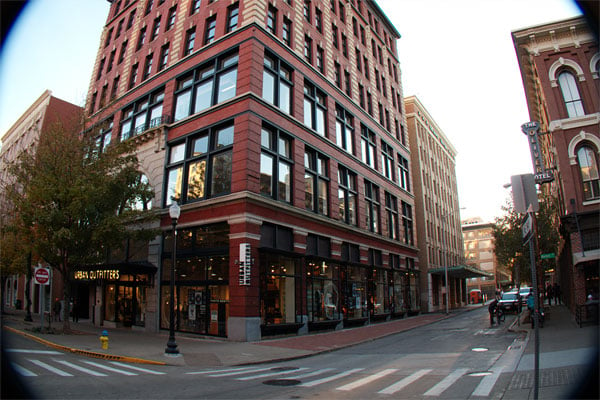
Apps like Adobe's Photoshop Lightroom and Camera Raw will provide those corrections even at their default settings, so if you restrict yourself to those, you might not notice this aspect of the design. (Or at least, you may notice its aftereffects -- some pretty dubious image quality in the corners towards wide-angle -- but not their underlying cause.)
The reason becomes blindingly obvious in programs like FastRawViewer, my image culling app of choice, however. Look at an uncorrected raw file from the Canon G7X shot near wide-angle, and you realize that the lens' image circle doesn't cover the entire sensor area.
 24mm-equivalent, 1/125 sec. @ f/1.8, ISO 1600
It's normal for uncorrected raws from pocket-friendly, large-sensor cameras to have strong distortion and corner vignetting, but this is nevertheless a pretty extreme example. To provide a usable image, it has to first be stretched to reach the corners -- and that means each pixel captured by the sensor in the corners ends up spanning a greater area in the final image.
That's done automatically in-camera for JPEGs, and for raw files most mainstream apps will also handly it transparently for you. There's no getting around the fact that image quality is degraded in the corners, though, with a greater reduction in sharpness than we're used to seeing. If you're shooting a relatively central subject against a nicely-blurred background, you won't notice. If your image has strong detail even in the corners -- a landscape, say -- it can be pretty obvious at larger print sizes if you're paying attention.
I also noticed almost immediately when shooting a few random macros of objects on my desk, shortly after first unpacking the camera, that significant flare and reduced contrast can rear their head, giving macros a rather lo-fi look that's noticeable even on the camera's own LCD, and even more so once you get images on a larger display, or print them out.
No viewfinder and a less versatile LCD
Physically speaking, I also noticed pretty quickly that the Canon G7X had a couple of shortcomings, compared to the similarly-sized Sony RX100 III. First, it has a rather less sophisticated articulation mechanism for the LCD monitor.
Neither camera has a full tilt/swivel design, but Sony's can at least tilt both upwards and downwards, allowing for shooting from the hip, low to the ground, or over your head. Canon's top-mounted hinge only allows for an upwards tilt, so you can't use it for shooting over your head.

Or at least, doing so will require holding the camera upside down, and pressing the shutter button with your thumb. That doesn't present the best of ergonomics, but it's better than missing the shot altogether because you couldn't frame it.
Perhaps more importantly, though, there's also no electronic viewfinder, nor any way to attach an external accessory finder. I don't find myself using the Sony RX100 III's built-in, popup viewfinder that often, but when I do, it's typically because it's difficult to see the screen well enough to frame or review my shot because of harsh sunlight.
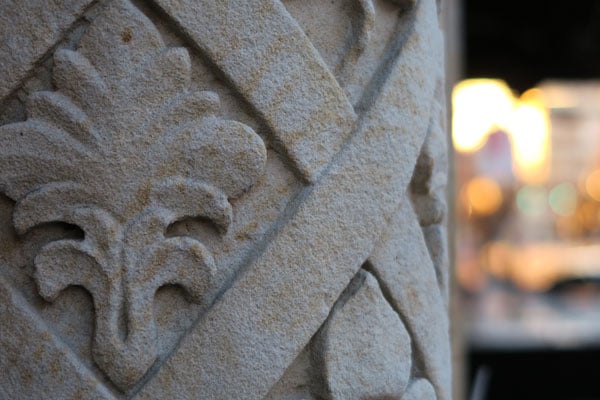
The Canon G7X's screen is just a little less bright than that of the Sony, so if anything, it's slightly more prone to the problem -- but provides no solution other than trying to shade the screen with your hand.
A mixed bag in terms of performance
The Canon G7X turns in something of a mixed performance compared to the Sony RX100 III, showing good speed in some respects, and less so in others. Both cameras were outperformed by the Panasonic LX100, but that's perhaps an unfair comparison given its significantly greater size.

Out of the box, the Canon G7X shot image bursts about one-third faster than the RX100 III, but that's in JPEG mode and with autofocus enabled between shots. Disable autofocus, and the G7X improves still further, but not by as much as the RX100 III, which in turn was now one-third faster than its rival. And the Sony also provided much greater buffer depths, although both cameras managed dozens of shots before slowing in JPEG mode.
The real problem came with raw shooting enabled, either as the sole file type or when combined with simultaneous JPEG capture. Here, performance plunged from pretty good to absolutely pedestrian, managing less than a frame per second. By contrast, the Sony RX100 III was now some three to six times faster, depending on whether autofocus was enabled. This, clearly, is not a camera a raw shooter will enjoy.

The Canon G7X's autofocus performance was also not quite as swift as that of the RX100 III, although here the difference was much more modest. Both cameras seemed about equally reliable at managing to achieve a focus lock, handling relatively low light before failure to achieve a lock became frequent. (And even here only with more distant subjects beyond the reach of the AF illuminator.)
However, the Canon G7X was noticeably faster to start up and grab a quick snapshot when an unexpected photo opportunity presented itself than was the Sony RX100 III. I also found Canon's menus quicker to navigate than those of the Sony, which spreads its options across many separate pages, causing lots of side-to-side scrolling through tabs, then up-and-down scrolling to get to the option you want, whereas with the Canon I simply had to choose a single tab and then hold the down-arrow until I got to the right option.
On balance, I think I'd probably give this one to the Canon G7X, of the pair, but only if you're a JPEG shooter. If you shoot raws more than just very occasionally, you'll want the Sony RX100 III instead.

Generous creative options, with one bizarre exception
In terms of their creative options, both the Canon G7X and Sony RX100 III struck me as pretty similar to each other, offering the ability to bracket exposures, tweak colors, contrast and sharpening to your liking in JPEG mode, and offering built-in ND filters as well as tools to control dynamic range. One omission on the Canon surprised me a bit, however, as it's so all-pervasive these days.
While the Sony RX100 III and Panasonic LX100 both offer consumer-friendly panorama functions that rattle off a burst of shots as you sweep the lens across your subject while holding the shutter button, and then automatically stitch them in camera to create the finished panoramic image, there's no such tool in the Canon G7X. If you want to shoot panoramas, you'll have to do so completely manually with this camera, capturing each shot in succession and then manually stitching them on your computer.
Will you get more control that way, and probably a better final result? Yes, but you'll also have to put a lot more work into it -- and you could've gained that control by simply not using the panorama function of the competing camera. But if all you want is a quick, spontaneous panorama without any hassle, that's simply not an option here.
It's a bit of a shame, really, in a camera that I'd imagine more than a few less experienced consumers will pick up. I'd have expected it to be missing from the Panasonic LX100, whose controls make clear that this is a camera for experienced photographers, but not from the G7X. In fact, I found myself browsing the PDF user guide on my phone in the middle of downtown Knoxville when a panorama opportunity presented itself, absolutely convinced I must have been missing something. Sadly, I wasn't.
Attractive color from the Canon, but not as much detail as rivals
And so we come to the image quality comparison, with the proviso that so far I've only compared the two cameras in daytime shooting through to the end of sunset.

For the most part, I found Canon's color rendition more pleasing, and closer to how I remembered the actual scenes. Sony's white balance system, in particular, seemed to want to neutralize the golden hour warmth of my photos, where Canon retained just enough of that warmth to match my memory.
In terms of exposure, there really wasn't much in it. Both cameras exposed similarly most of the time, and neither seemed to have any problems, except with predominantly dark or light subjects that most any camera will struggle with a little.
Images from the Sony seemed to have just slightly better sharpness at the center of the frame, and especially when shooting wide open, the Canon G7X suffered from rather weak corners due to the stretching required to correct for its slightly curtailed image circle.

In this department, I definitely have to give the edge to Sony so far, but that's perhaps just a little unfair to Canon, given that they're packing in so much more zoom range. Still, both cameras have the same wide angle, and Sony definitely provides better results at this end of the zoom range.
And there's more still to come...
I've yet to shoot much at higher sensitivities, so I'll reserve judgement in this area for my next Field Test. However, my initial gut feeling from the few high ISO shots I've tried was that the Canon G7X seems to show more chroma noise in its images than does the RX100 III. More on that, though, once I've had the opportunity to make a more detailed comparison of the two cameras in low light. I'm also planning to compare movie capture.
If there's anything in particular that you'd like to see me take a look at, drop me a note in the comments below, and I'll do my best to answer your requests, too!

Field Test Part III
After sunset, the enthusiast compact head-to-head continues!
By Michael Tomkins | Posted: 05/06/2015
 73mm-equivalent, 1/100 sec. @ f/2.8, ISO 2500
In the first part of my Canon G7X Field Test, I shot with the company's first pants pocket-friendly, large-sensor compact in a three-way head to head with its nearest rivals: The Sony RX100 III and Panasonic LX100. Admittedly, the Panasonic is rather larger than the Canon G7X and Sony RX100-series models, but it's also quite a lot smaller than the only other offerings in the market segment -- the Canon G1 X and G1 X Mark II.
Want to see how all of these cameras compare to the G7X? Read our comparisons below:
- Canon G7X vs. Canon G1 X
- Canon G7X vs. Canon G1 X Mark II
- Canon G7X vs. Panasonic LX100
- Canon G7X vs. Sony RX100 III
In the course of preparing that first report, I found more than a few features I found extremely attractive, especially when compared against the similarly-sized Sony RX100 III. I liked the Canon's controls, and especially its dedicated exposure compensation dial. I was also a fan of its color rendering, and of its JPEG-mode performance, especially with continuous autofocus enabled. And its more powerful zoom lens -- which, amazingly, was also brighter across much of the zoom range than that in the Sony RX100 III -- also struck me as a very nice bonus.
That's not to say that I didn't have any concerns: Image quality in the corners at wide-angle could be pretty dubious thanks to the fact that the lens' image circle didn't cover the entire sensor surface, necessitating stretching to generate the final image. And as I noted in that first report, I also had concerns about flare and reduced contrast well into the image, which was especially noticeable on macros. Performance when shooting raw images was also pretty pedestrian, and the lack of an electronic viewfinder or a better articulation mechanism for the LCD monitor was a bit of a shame.
But first and foremost for me in a comparison of cameras like these was to consider their image quality, and here, my job wasn't yet done. I'd looked at all three cameras in the daytime and approaching sunset, but what of their performance once the sun went down? I headed back to downtown Knoxville in search of the answer, and once again, I brought all three cameras along with me.
(Want to see more on how the LX100 fared? You'll find info on its night-shooting abilities in my Panasonic LX100 Field Test Part II.)
Out and about before the rain comes
Actually managing to get out and shoot turned out to be a bit of a problem, as every time I was free, the heavens decided to open. I finally managed it, though. Spotting a break in the weather, I made a mad dash for my car, tripod and cameras in hand. And while the rain soon returned, I managed to get out long enough for some side-by-side comparisons.

All three cameras were set to their default configuration, with a few exceptions. I opted for Aperture-priority mode with a fixed f/5.6 aperture, figuring that this would give a fair basis for comparison. I also enabled the step zoom function on all three cameras so that I could more quickly bring their focal lengths to parity with each other, and manually dialed in the ISO sensitivity, allowing each camera to select the shutter speed itself for a metered exposure. And since their metering systems might well handle a given subject differently, I set all three cameras to enable exposure bracketing, as well as raw+JPEG storage.


I made my first comparison at ISO 6400 equivalent, shooting the pavilion in Knoxville's Market Square. Comparing the Canon G7X to its rivals, it was clearly a little noisier than the RX100 III, but its grain was reasonably film-like. And with a lower level of noise reduction, it also held onto some detail that the RX100 III had lost. The LX100, meanwhile, turned in the cleanest image of the group, and largely erased its resolution deficit. All three cameras rendered the scene quite warmly, but Canon's result was a touch less so than its rivals.
Switching to FastRawViewer, my raw-file culling app of choice, I took a look at the images before significant processing had taken place. (Of course, FastRawViewer is still performing demosaicing and so forth, but it gets you a lot closer to seeing what's in the raw file than, say, an app like Lightroom or Photoshop would.) Here, too, the Canon G7X showed higher noise levels than its Sony rival. Interestingly, its default contrast was also much greater, with the dark night sky in Sony's version instead rendered as a deep gray.
Stepping up to ISO 12,800 equivalent, the Canon G7X needed a little kick of positive exposure compensation, with the metered image being a bit on the underexposed side. (This would be a trend throughout the rest of my nighttime shooting, with the G7X often turning in a very dark result compared to its rivals, often to a surprising degree. In fact, for some shots it was out by a large enough margin that even my bracketed +0.7EV exposure was still a bit on the dark side.)


Again, the Canon G7X turned in a noisier result than did its nearest rival, the RX100 III, but likewise I still preferred this slight graininess to the overprocessed look of shots from the Sony. This time, though, Canon's image showed less fine detail, and had a rather sickly greenish hue. Sony's shot was equally too warm, with the shot from the LX100 probably having the most pleasant color.
Looking at the raw files, noise levels between the two cameras were much closer. While Sony still looked to have a slight edge on detail, it wasn't anywhere near as significant as in the JPEG comparison, suggesting that the Canon G7X hadn't extracted the most from its JPEG conversion. And again, Canon's raw file showed much higher contrast.
Really, though, I thought that ISO 12,800 was simply a step too far for both of the 1"-type sensored cameras. I'd personally stick to ISO 6400 or below for both the Canon G7X and Sony RX100 III, as beyond this point their colors were muted, white balance a bit dubious, and the images started to look a bit too processed for my liking.

Dialing back the sensitivity to ISO 3200 equivalent still gave me hand-holdable shutter speeds with the aperture stopped down a little, so really there's no need to roam so high anyway unless it's really dark or your subject is moving. Again, the Canon G7X underexposed this shot to my tastes -- the image shown above has 0.7EV of positive exposure compensation -- and also got the white balance a tad on the cold side.
But a few seconds of tweaking in Lightroom or Photoshop fixes that quite easily, and again I think the Canon G7X does a better job of balancing noise levels against detail than does the Sony RX100 III. (Although in fairness to the latter, viewed 1:1 it seems there's just a tiny bit of motion blur in its shot.)
With rain on the way -- and frankly, being a little tired of shooting the same image over and over with three cameras, trying to remember to keep settings matched between all three -- I headed home for the night, leaving the remainder of my night shooting for a separate trip.
One more time with feeling
For my final shoot with the Canon G7X, I left the Sony RX100 III at home, opting for a slightly easier to manage pairing of the G7X and Panasonic LX100. (You can see my shots with that camera in our Panasonic LX100 gallery, if you want to make further side-by-side comparisons for yourself.)
Changing gears a little, I started off in Knoxville's Old City district. The bars, nightclubs and coffee shops there can make for some quite interesting subjects, and as I noted in the second Field Test of my Panasonic LX100 review, I quite like the tartan pattern in the logo of one particular bar as it's quite a test of fine detail.
 |
This 1:1 crop nicely shows off the detail-gathering capabilities of the Canon G7X. For a pocket-friendly camera shooting at ISO 6400 equivalent, I'd say the result is pretty impressive. Sadly, the G7X struggled to neutralize the complex mixture of light sources, leaving a fairly strong green cast, so I didn't include the full image in my gallery.
|
I didn't include the full shot in my gallery because, once again, the G7X had trouble with the city street lights and the result was a rather unattractive green color cast. However, if you want to compare against the LX100's result shot moments earlier, you'll find a 100% crop from the G7X's image above.
You can get a good idea of what the sign looks like up close if you quickly pause this promotional video on YouTube, and make sure you're viewing it at 1080p resolution. I'd say the G7X did a pretty good job, detail-wise, capturing almost all of the fine detail of the diagonal striping in the tartan!
Walking up towards the center of town, I spotted a cute sign for a new hot dog joint, and raised the camera over my head for a snapshot. Lit only by the streetlamps behind my shoulder, a high sensitivity of ISO 5000 equivalent was called for. Once again, the G7X required 0.7EV of exposure compensation to manage the shot above, and once again there was an unattractive, cold cast to the image.
The Panasonic LX100's shot, while a bit warm, was much closer in both exposure and white balance, but the lack of an articulated display on that camera made framing a little trickier. If I'd had the Sony RX100 III with me, its more sophisticated articulation mechanism would have been ideal. The Canon G7X's display, which only tilts upwards, didn't help out with this shot.
(I could, of course, have framed upside down and then flipped the image in post if the camera didn't do so for me. That would've allowed the screen to tilt towards me, but it's a kludge that ruins the ergonomics, forcing you to trip the shutter with your thumb.)

Moving on to Market Square, I took a shot of this bicycle with delightfully retro whitewall tires. Yet again, I had to opt for the +0.7EV bracketed exposure, and found myself wishing I'd bracketed by a full stop. And again, the resulting shot had a slightly cool color cast, although much less so than many of my images from that evening. In terms of detail, though, the Canon G7X did a pretty good job, although the lower-res LX100 actually bested it slightly.
A tendency to underexpose and leave color casts
You've doubtless spotted a trend by now. Throughout my evening's shooting, I found that the Canon G7X tended to underexpose its images and leave cool / green color casts in its images. Fully two-thirds of the images I've selected for my gallery needed positive exposure compensation, and almost a quarter of them had a fairly strong color cast.
And that's the ones I felt most presentable and representative of what the camera can do. Out of the 120 images I shot in low light that evening, probably three quarters were underexposed, sometimes quite dramatically so. Look, for example, at the shot below, which was the metered exposure for its particular scene.

Again, the full-res shot doesn't appear in the gallery because it simply wasn't usable. You can see, though, that the Canon G7X has based its exposure on the very small area of bright lights from the window of the pizza restaurant, the colorful lights over the outdoor seating area, and the spotlight on the archway to the right. Most of the image is greatly underexposed at the expense of those few highlights.
While you can, of course, bring the shadow areas back up if you shoot raw (and put up with the glacially slow frame-rate when doing so), the result would be pretty noisy -- much more so than if the camera had just used a more reasonable exposure to start off with. And it's not that it didn't have latitude to do so: In that particular shot, the camera selected a shutter speed of 1/125 second, when I'd have expected something closer to 1/30th to 1/60th second. (Anything down to 1/80th second wouldn't even have broken the reciprocal rule, which the G7X's image stabilization system is more than capable of allowing you to do.)

Of course, you have access to full manual exposure control, exposure compensation and a bracketing function (or some combination of the above) to get around this problem, and with the G7X, Canon is clearly aiming at more experienced photographers who would likely have the experience to know this. I'm just a bit surprised because I can't remember a recent camera that underexposed this consistently at night, especially not one that had no such problems in the daytime.
Update: I missed sharing my videos!
When I first published this Field Test back in May, it seems I was suffering from brain fade. Although I shot a fair few videos with the Canon G7X during my time with the camera, I somehow missed uploading them, a point which I've only just realized as I'm now finalizing the review. (Sincere apologies for any of you who've been waiting to see what videos from the G7X looked like!)
Unfortunately, in the time between my Field Test going live and the last t's being crossed and i's dotted so we could conclude the review, I managed to misplace the videos I'd shot. (Doubtless they're somewhere in my archives, but at a certain point, it makes no sense to keep hunting when we still have the camera in-house.)
Hence, rather than my own videos which have gone astray, Associate Editor William Brawley popped out with the Canon G7X for me, and shot a new video. You can see it below, along with links to download the original file, straight from the camera. The result pretty much speaks for itself. The lens's power zoom mechanism is impressively quiet, in fact I'd go so far as to say it's almost silent. Image stabilization takes care of the worst of the shakes, and focus shifts smoothly with little noticeable hunting.
See our sample video below, and if you want to see the original file (since YouTube compresses content for quicker playback), click the link beneath for the original file!
Full HD video: This final clip was shot at 1,920 x 1,080 pixels with a rate of 59.940 frames per second. As you can see, the optical zoom remains active during video capture, allowing you to bring your subject a bit closer if you want to focus the viewer's attention. |
If you're willing to put up with the limited speed shooting in raw mode (and to nursemaid the camera a little when choosing exposure variables), I wouldn't see either metering or white balance as a showstopper. If you're looking for a point-and-shoot experience that gets you good photos most of the time, and you do much night shooting, I'd probably suggest looking at the Sony RX100 III instead. (Or the Panasonic LX100, should you not need pants-pocket size.)
If you think either of those cameras might be right for you, head over to their reviews and read my Field Tests for the full story:
Flash
Canon G7 X Flash

Built-in Flash Test Results
Coverage and Range
A weak flash (common in compacts), with uneven coverage at wide angle.
| Coverage |
|---|
 24mm eq. |
Coverage. Flash coverage was quite uneven and narrow at wide angle (not unusual, though, especially for a wider-than-average lens). We no longer test this at full telephoto, as wide angle is invariably the worst case.
| Exposure | |
|---|---|
 |
 |
| Normal Flash, ISO 200 (+1.0 EV) | Slow-sync Flash, ISO 200 (+1.0 EV) |
Exposure. Here with our standard Indoor Portrait scene at ISO 200 and f/4, the G7 X's flash struggled, producing a slightly dim image even with +1.0 EV flash exposure compensation (most cameras need +0.7 EV for this shot). The camera selected 1/60 second shutter speed, which is good, and you can always shoot at a wider aperture, but f/4 is our standard for this test. Slow-sync flash mode produced a brighter, more evenly lit image with the same flash exposure compensation, with the camera selecting 1/20 second shutter speed.
| Manufacturer-Specified Flash Range |
|---|
 13.0 feet ISO 640, 1/60s, f/2.8 |
Manufacturer Specified Flash Test. Canon rates the PowerShot G7 X's flash range at 7 meters or 23 feet at wide angle and 4 meters or 13 feet at telephoto, when using Auto ISO. In the test shot above, the PowerShot G7 X's flash performed to Canon's specifications, producing a well-exposed flash target image wide-open at full telephoto, with the camera boosting ISO to 640.
We shoot at manufacturer-specified camera settings, at the range the company claims for the camera, to assess the validity of the specific claims.
Technical Info
by Mike Tomkins | Posted: 09/15/2014
Sensor

Canon hasn't revealed the manufacturer of the image sensor used in the PowerShot G7X digital camera, but we note with interest that its specifications look a whole lot like the Sony-manufactured silicon used in the competing RX100 II and III. (And from the announcement of the DxO One, we know that sensor is available to third-parties for their own designs.)
Like that chip, the Canon G7 X's imager is a 1.0"-type, backside-illuminated CMOS image sensor. Where Sony refers to its chip as an Exmor R type, though, Canon refers to that in the G7X simply as being "High-Sensitivity CMOS".
And resolution, too, is essentially identical. The G7X sensor has a 3:2 aspect ratio and an effective resolution of 20.2 megapixels from a total of 20.9 megapixels. Maximum image dimensions are 5,472 x 3,648 pixels, all identical to the Sony.
Could it be that Canon is using its main rival's sensor in the G7X? It seems possible, but unless somebody does a teardown of the Canon camera, there's simply no way to be sure.

Processor
Output from the Canon G7X's image sensor is handled by a DIGIC 6 image processor. That's the same generation used in the larger-sensored Canon G1 X Mark II, as well as in the smaller-sensored Canon S120, the two models between which the G7X sits in Canon's enthusiast compact camera lineup.
Sensitivity
Together, the G7X's sensor and processor pair to allow a working sensitivity range of ISO 125 to 12,800 equivalents. That's identical to the range provided by the Sony RX100 III and IV by default, but on the Sony camera it can be extended to ISO 80 at the bottom end, or ISO 25,600 at the top end. Canon does not provide any ISO expansion capability on the G7X.
You can, of course, achieve the same thing as Sony's lowest ISO sensitivity with the G7X by simply overexposing and then dialing back the exposure post-capture, but you'll reduce dynamic range and potentially lose highlight detail in the process, just as you will with in-camera expansion. (That's why the RX100 III and IV's expanded range isn't available by default.)
Performance
In terms of burst-shooting performance, the sensor/processor pairing of the Canon G7X looks to win against Sony's BIONZ X in one respect, but trails in others. With autofocus enabled, Canon says you'll extract 4.4 JPEG frames per second with its camera, where Sony pledges just 2.9 fps in the same condition.
Lock focus and exposure from the first frame, though, and the Canon G7 X is said to yield 6.6 fps when shooting JPEGs, where the Sony RX100-series cameras can all manage at least 10 fps.
However our lab testing has revealed an Achilles heel: The G7X's burst rate slows considerably when shooting RAW files, to only about 0.7 fps with continuous autofocus enabled, or between 1.0 and 1.2 fps with autofocus and exposure locked. See our Canon G7X Performance page for details.
It's worth noting that in this respect, the little G7X bests its bulkier siblings, the G1 X and G1 X Mark II, at least when shooting JPEGs. Both figures are blown away by another enthusiast compact, however, albeit one that sits somewhere between the G7X and G1X-series cameras in size. The simultaneously-announced Panasonic LX100 can draw 6.5 frames per second from its much larger 4/3-inch sensor with autofocus, and 11 fps without.
Fixed zoom lens
Although we've found much to love in Sony's RX100-series cameras, one thing we've long bemoaned is their relatively short zoom reach, something that has only become more restrictive as the company traded focal range for a brighter aperture in the most recent RX100 III model. If you've been right there along with us, begging for more reach, you're going to be thrilled by the Canon G7X -- on paper at least.

It might not bear the Zeiss Vario-Sonnar T* branding of Sony's cameras, nor the Leica DC Vario-Summilux badge of the Panasonic LX100, but this Canon-branded optic nevertheless looks impressive. (To see how it performed in our tests, see our G7X Optics page.)
The reason? In a body barely any larger -- and actually just microscopically slimmer -- than the Sony RX100 III and IV, the Canon G7X packs in almost 50% more zoom range, and it doesn't even compromise on maximum aperture to do so!
Where the Sony RX100 III and IV sport a 2.9x, 24 to 70mm-equivalent zoom, the earlier RX100 and RX100 II shared a 3.6x, 28-100mm equivalent optic, and the Panasonic LX100 has a 3.1x, 24 to 75mm lens, Canon blows them away with a 4.2x, 24-100mm optic. That gives you greater telephoto reach than the RX100 III or IV, or the Panasonic LX100, all while matching their wide-angle. And simultaneously, it beats the RX100 and RX100 II for wide-angle shooting while matching their telephoto.
And best of all, it does so while providing an f/1.8 aperture at wide angle or f/2.8 at telephoto, matching the aperture range of the RX100 III and IV despite all that extra tele reach. Compared to the RX100 and RX100 II, the difference is stark: Canon gives you a bright f/2.8 at telephoto, while Sony can manage only f/4.9. Panasonic, meanwhile, has a slight edge at wide angle with an f/1.7 maximum aperture, but only matches the Canon G7 X at telephoto, despite a significantly larger, thicker body.
Another plus for the Canon G7X's lens is that it has a nine-bladed, rounded aperture diaphragm that should help it to yield more attractive bokeh, compared to the 7-bladed, rounded apertures of Sony's RX100 siblings. Panasonic's LX100 has the advantage here, though, thanks to its sensor size and the fact that it, too, has a 9-bladed, rounded aperture. The 1"-type sensors of the Canon and Sony models simply won't provide the same opportunities for depth-of-field blur that you'll get with the larger 4/3"-type sensor in the Panasonic, even if the LX100 doesn't use the entire sensor area in any given aspect ratio.
Oh, and one last great piece of news for potential Canon G7 X customers: a built-in 3-stop neutral density filter is provided. Among its main rivals, only the Sony RX100 III and IV have a built-in ND filter, also good for a 3-stop reduction in incoming light.
Stabilization
As you'd expect in this class of camera, the Canon G7X includes true optical image stabilization. Canon rates its effectiveness at 3 stops of correction at full telephoto, and notes that it has eight different working modes which can be accessed automatically in Intelligent IS mode.

Focusing
Canon brands the autofocus system of the G7 X as "High Speed AF", and as we've already mentioned, continuous AF performance looks handy compared to the RX100-series cameras.
Canon's AF system also bests Sony in another metric, though, providing a selection of 31 autofocus points that cover most of the image frame, where the RX100 trio all share the same 25-point AF system. According to Canon, the G7 X's AF points encompass 80% of the frame height and 84% of the width, leaving bands of just 10% at the top and bottom uncovered, along with 8% bands at frame left and right.
Face detection is also included, as is an autofocus assist lamp. Although we don't know the working range of the G7X's AF system, nor the camera's maximum magnification, we do know that it can focus down to just 2.0 inches at wide-angle, almost as close as the 1.9 inches of Sony's cameras at wide-angle.
Monitor
Like the original Sony RX100 and RX100 II (unless you count the latter's expensive, optional accessory, anyway), the Canon G7 X forgoes an electronic viewfinder. It's a decision that doubtless helps save some size, but means that you'll be limited to shooting at arm's length -- unlike those shooting with the RX100 III or IV, or Panasonic LX100.

Thankfully, the Canon G7X's rear-panel, 3.0-inch LCD monitor matches the 3:2 aspect ratio of its image sensor, so unlike its RX100-series rivals which all use 4:3 screens, you'll see a larger preview / review image with no black borders if you're shooting in the native sensor aspect ratio.
(Things are more complicated with the LX100, because none of its aspect-ratio options precisely match the sensor aspect, so if you prefer shooting 4:3-aspect images then that model's screen makes sense.)
The G7X's display also bests its rivals in pixel count thanks to its wider 720 x 480 pixel array, where the LX100 and RX100-series all sport 640 x 480 pixel screens. Coverage is 100%, so you'll be able to take advantage of those extra pixels for accurate framing, too, not just when chimping your shots post-capture.
In terms of dot count, though, the G7X has only red, green, and blue subpixels at each pixel location, where the RX100-series cameras all use WhiteMagic displays that include an additional white subpixel. Without that fourth dot per pixel, the G7X has a lower dot count, and its screen will either be dimmer than a WhiteMagic screen at equal power consumption, or use more power for equal brightness.
Touchscreen interface
But there's one respect in which the Canon G7X bests all its rivals. The Canon G7 X is far and away the most compact large-sensor, fixed-lens zoom camera with a touch screen display. In fact, the only other camera in the category with a touch screen is the much larger G1 X Mark II.
Specifically, the Canon G7X monitor is a capacitive touch screen, just like you'd find on a smartphone.
Exposure
The Canon PowerShot G7X offers most if not all of the main exposure features you'd expect of an enthusiast camera, plus a selection of consumer-friendly options which acknowledge that it's not just experienced photographers who want the versatility of a pocket camera coupled with the image quality of a far larger sensor than a typical compact or camera phone.

Exposure modes on offer include Auto, Hybrid Auto, Program (with Program Shift), Aperture-priority, Shutter-priority, Manual, Custom, Scene, Creative Shot, Creative Filters, and Movie. There are a relatively restrained total of seven scene modes -- Portrait, Smart Shutter, Star, Handheld Night Scene, Underwater, Snow, and Fireworks.
Exposures are determined using evaluative, center-weighted or spot metering, but like Sony before it, Canon hasn't disclosed the number of areas into which its evaluative system breaks down the scene, nor its metering system working range. We can confirm, however, that both autoexposure lock and exposure compensation are provided, with the latter having a working range of +/-3EV in 1/3 increments set using a dedicated dial on the top deck. A 3-shot exposure bracketing mode is also availble with a range up to +/2EV in 1/3 increments.
Shutter speeds range from 1/2,000 to 250 seconds, a very wide range that does have some limits: Beyond 1.3 seconds, you can't roam past ISO 3,200 equivalent, and once you reach 40 seconds you're limited to ISO 125 max. The fastest shutter speed of 1/2,000s is identical to those of the RX100-series cameras, but bested by the Panasonic LX100's 1/4,000s top speed. And unlike the LX100, the G7X offers no electronic shutter function.
A generous selection of white balance modes are provided. These include Auto, Multi Auto, eight white balance presets, two custom positions, and the ability to fine-tune white balance.
Flash
Like all of its closest rivals except for the Panasonic LX100, the Canon G7X includes a built-in popup flash strobe. It's deployed using a mechanical release on the left side of the camera body, and when raised, sits just a little above and forwards of the camera body. There's no hot shoe, unlike in the competing Panasonic LX100 and Sony RX100 II.

Flash modes include Auto, On, Slow Sync Synchro and Off, with red-eye reduction as well as 1st and 2nd curtain options. A Manual flash mode with 3 output levels is also available.
Maximum flash sync speed is 1/2000 second and the built-in strobe is said to have a working range of 20 inches to 23 feet (50cm to 7m) at wide angle, or 16 inches to 13 feet (40cm to 4m) at telephoto. The ISO speed isn't stated, so can probably be assumed to be using Auto ISO, just as Panasonic and Sony do in their own specs. The range at base ISO will thus be quite a bit shorter.
The flash has a rather lengthy manufacturer-rated recycle time of ten seconds (we measured 6.2 seconds with a fully-charged battery in the lab), +/- 2.0EV of flash exposure compensation is provided, and FE Lock is supported.
Creative
Photo effects options include My Colors Off, Vivid, Neutral, Sepia, Black & White, Positive Film, Lighter Skin Tone, Darker Skin Tone, Vivid Blue, Vivid Green, Vivid Red, and Custom Color. Possible adjustments (as relevant to the effects mode) include contrast, sharpness, saturation, red, green, blue and skin tone, so you can tweak results to your taste.
Creative Filters are accessed through their own Mode dial position, and include High Dynamic Range, Nostalgic, Fisheye Effect, Miniature Effect, Toy Camera Effect, Background Defocus, Soft Focus, Monochrome, Super Vivid and Poster Effect.
A self-timer function is provided with preset durations of two or ten seconds plus a custom option, and a dual-axis level gauge helps to get horizons level and verticals parallel.
There's no built-in panorama function, but otherwise the selection of creative tools seems pretty complete.
Movie
Like most cameras these days, the Canon G7X can shoot high-definition or standard-definition videos, not just stills. Movies are recorded with MPEG-4 AVC / H.264 compression and include MPEG-4 AAC-LC stereo audio from an internal microphone; there is no external mic jack. A wind filter is available with Auto and Off settings.

Resolution options include Full HD (1,920 x 1,080 pixels; 1080p), HD (1,280 x 720 pixels; 720p) and VGA (640 x 480 pixels; 480p). At Full HD resolution you have a choice of 30p or 60p progressive-scan frame rates, while at lower resolutions you're restricted to 30p only. Sorry, no 24p support. Maximum clip length is 29 minutes and 59 seconds, or up to 4GB file size.
Exposure modes available for videos include: Smart Auto (21 scenes detected), Standard, Program, Portrait, Nostalgic, Monochrome, Super Vivid, Poster Effect, Underwater, Snow, and Fireworks. A Manual movie mode allows you to select aperture, shutter speed (1/30s and above) and ISO (up to 3,200), and even allows adjustments on-the-fly.
+/-3EV exposure compensation is available, but must be set before recording begins, and exposure lock is supported. Optical zoom is available during recording, as is continuous AF and touch focus. Some high-end video features such as levels control, zebra striping, uncompressed HDMI output, or high-res stills during video capture are however not supported unlike some of the G7X's rivals.
One option Canon offers that its rivals don't, is a special Star Time-Lapse Movie mode. This allows only Full HD resolution at a playback rate of 30 or 15 frames per second, and captures only one frame every 30 seconds. (You have no control over the interval.) In other words, you're playing back at either 450x or 900x real-time. You can choose whether or not the stars should have "tails" -- that is, that as they move across the frame their earlier positions should remain bright or return to darkness. If the tail is enabled, you can choose how long it should remain for in three levels.
Other special movie options include iFrame (intended for use with Apple software like iMovie or Final Cut), Miniature Effect (HD or VGA at 1.5, 3, or 6 fps), and Digest Movie (HD at 30fps; records a brief movie clip before each still, then assembles a single digest movie per day from all the clips.)
Wireless Networking
Ensuring that it stays relevant in the smartphone age, the Canon G7X includes built-in Wi-Fi wireless networking technology (IEEE 802.11b/g/n), as well as support for Near-Field Communications technology.

NFC is something that came to Android about four years ago now, and has since become widespread on Blackberry, Symbian and Windows Phone devices too. It's also included in the latest-generation iPhone 6 models, but sadly locked down so that it can only be used for Apple Pay payment.
With NFC on an Android 4.0+ device, all you do is simply bump the devices to be paired together briefly, ensuring the locations of their antennas are near each other. (NFC has a very, very short range that acts as a security feature.) Once the devices see each other via NFC, they can then automatically negotiate a much faster, longer-range Wi-Fi connection, and the NFC tech can also be used to have the smartphone run the relevant app for you automatically, saving you launching it yourself.
The requirement for a specific app invariably rules out platforms other than the big two -- Android and iOS -- though, and that's the case here too, leaving Blackberry, Symbian and Windows Phone users looking on with jealousy. Those photographers using iOS 6.0+ or Android 2.3.3+, though, can look forward to quick and easy sharing through their phone or connected tablet on social networks and the like, as well as support for wireless remote shooting and geotagging images.

Connectivity
Connectivity options in the Canon PowerShot G7X include standard-definition video output in NTSC or PAL formats (a feature Sony's RX100-series cameras lack), as well as high-definition video output and USB for data transfer.
The HD output is a Micro HDMI port, and the SD video / USB outputs share a single connector. As mentioned previously, the G7X's HDMI port is not capable of providing a clean, uncompressed video feed for external recording and is meant only for playback.
Storage
The Canon G7 X stores images on Secure Digital cards, as do almost all higher-end cameras these days. Both the higher-capacity SDHC and SDXC types are supported, and so are the higher-speed UHS-I types. (Sony only recently added support for the latter in its RX100 III model; earlier Sony models will simply fall back to standard speeds with UHS-I cards, likely making read / write times longer than in the Canon G7 X.)
Still images can be stored in 12-bit raw or compressed JPEG formats, or both simultaneously.

Power
The G7X draws power from a proprietary NB-13L lithium-ion battery pack. With a rated 3.6 volts, 1,250 mAh, and 4.5 Wh capacity, the pack is near-indistinguishable from that in the RX100-series cameras, but Canon specifies significantly lower battery life.
Where the RX100-series cameras will manage 280-350 shots on the LCD monitor right out of the box, Canon's camera is rated as good for 210 shots ordinarily, or 310 shots in ECO mode which dims and then turns off the LCD more quickly when the camera is not in use.
An optional ACK-DC110 AC adapter kit which includes a dummy battery is available.
Charging
The good news is that while battery life is perhaps shorter, charging batteries is less troublesome. Unless you pay extra for an external charger, Sony's RX100 cameras charge in-camera via USB, meaning you can't charge a second battery while you're out shooting. Canon, though, gives you that option by simply including a standalone charger.
The downside is that you'll need to bring an extra piece of gear with you on trips, rather than simply sharing the same USB charger between devices.
Conclusion
| Pro: | Cons: |
|---|---|
|
|
Finally, there's a direct competitor for the Sony RX100-series cameras! Sure, there have been other large-sensor enthusiast compact cameras with zoom lenses -- the Panasonic LX100, for example, or Canon's own G1X-series -- but none has come quite so close to Sony's pants pocket-friendly formula as does the Canon G7X. And it doesn't just mimic the RX100-series cameras, but rather tries to better them, taking Sony on in its own turf with some notable advantages to its well-entrenched rival.
Key among these is clearly the Canon G7X's lens, which at once offers both a more powerful zoom and an equal or brighter aperture across the entire zoom range. And there are other important differences, too -- for example, a touchscreen interface that the G7X's rivals lack.
During my review of the Canon G7X, I was fortunate to be able to compare it side-by-side with its rivals, and more than once I definitely found myself appreciative of the G7X's extra zoom reach. It's remarkable what Canon has done with this lens, and I often marveled at it, as I reached into a pants-pocket for the camera.
Still, there were inevitably some compromises made to achieve this optic. Canon is subject to the same laws of physics and optics as are its rivals, and the G7X's lens not perfect, by any means. Images shot with this lens are quite soft in the corners wide-open, almost certainly due to the significant image stretching required to make up for the fact that the image circle doesn't cover the entire sensor surface. And while it's an amazingly bright lens, it has some issues with flare and fringing when shooting wide-open. That's especially noticeable if you're shooting nearby or macro subjects at the wide-angle end of the range.
A bigger concern for me, though, was performance -- and performance in one very specific area which strikes me as an important one for an enthusiast camera. While the Canon G7X is quite a swift camera in many respects, enabling its raw file format absolutely demolishes its otherwise-swift burst-capture speed. That takes the G7X from being enjoyable to shoot with to being quite frustrating, especially if you're a fan of bracketing your exposures: With raw files enabled, you'll face more than a second's delay between frames, by which time your subject may be long gone.
And this one performance failing is doubly frustrating because with a little work, you can definitely manage to improve the G7X's image quality by shooting in raw. Not just that, either -- the Canon G7X's raw format also offers very good dynamic range that could give you the chance to restore blown highlights or blocked shadows after the fact, if you missed the correct exposure. In other words, even though the G7X's JPEG image quality is still very good -- save for the shortcomings mentioned previously, which really only rear their head when you're wide-open, shooting a nearby subject at wide-angle -- you still feel you're sacrificing something by not shooting raw.
That's a great shame, because in many other ways I greatly enjoyed shooting with the Canon G7X, and I especially liked its touch-screen interface, which all of its rivals lack. Tapping the screen just as you would on your smartphone is intuitive, and makes focus point selection in particular just incredibly easy. And as I said at the outset, I really, really liked the extra zoom reach of the Canon G7X compared to the shorter zooms provided by the competition.
In fact, if you know for sure that you won't bother fiddling with raw files, I'd probably still recommend that you buy the Canon G7X. Its lens issues can be worked around by stopping down a little, or shooting from further away and then zooming or cropping post-capture. And while exposure metering was a bit iffy in low light, that again can be worked around with generous bracketing.
But for the enthusiast shooter this camera is really aimed at, raw shooting is likely to be an important feature, and its performance a very significant Achilles' heel. If, like many enthusiasts, you often or even exclusively shoot raw, I'd have to recommend you consider the Sony RX100-series or Panasonic LX100 over the G7X, at least unless zoom reach is the main factor in your buying decision.
Sadly, the Canon G7X doesn't quite merit a Dave's Pick this time around. It's a very promising first effort from Canon, though, and were it not for the fact that it already has a strong rival it would have been huge. (Just a few short years ago, this camera could have set the market on fire!) I'm certainly holding high hopes for the next generation, and I really can't wait to see what Canon will bring to the enthusiast compact market next time around.
Follow Imaging-Resource.com on Twitter!
Pros
- Very compact body fits in a pants pocket
- Zoom lens is both brighter and further-reaching than anything offered by its enthusiast compact rivals
- Selfie-friendly tilting LCD monitor
- Intuitive touch-screen interface
- Very good image quality for its class
- Wi-Fi connectivity gets photos on your phone
Cons
- No electronic viewfinder
- Soft corners at wide-angle
- Flare issues and fringing shooting wide-open
- Weak performance when shooting raw files
- Tendency to underexpose in low light
- Limited battery life