


Overview

Take a look at the market for fixed-lens cameras based around 1"-type image sensors, and you'll spot a trend. Ever since Sony created the market with the original RX100, way back in 2012, these cameras have been putting on weight. Now, the Canon G9X is here to change all that.
If you think about it, the trend has run counter to what these cameras are actually about. The original goal was to maximize image quality, while opting for a sensor size that was small enough to allow a pocket-friendly body. And while you can technically fit newer RX100-series models in a pants pocket, that fit has gotten tighter over time.
The Canon G9X is a return to the original ideals behind the Sony competitor that created the category. And perhaps not so coincidentally, its styling also harkens back to that oh-so-popular camera.
Like the Sony RX100 before it, the Canon G9X has a narrow, notched "shelf" lining the edge of its top deck, something that helps give room to roll the side of the mode dial with the tip of your thumb. (At the other end of the body, the flash release lever also sits inside this notch.)
With dimensions of 3.9 x 2.3 x 1.2 inches, the Canon G9X is about 0.2 inches less wide, 0.1 inches less tall and an impressive 0.4 inches less thick than the nearest previous model in the company's lineup, the Canon G7X. (That model, incidentally, has since been followed by the G7X II, so the lineup now features no less than six large-sensored, G-series camera models, with five of them being at the 1-inch sensor size.)
Compared to the original Sony RX100, the difference in size is more modest, but still noticeable. Canon's G9X is about 0.1 inches less wide, the same height, and 0.2 inches less thick. That latter difference in particular gives it a more pants pocket-friendly feel, as does an impressive 1.1 ounce reduction in ready-to-shoot weight, as compared to Sony's camera.

But enough of the body, what does the Canon G9X give you inside that trim package? Well, you get the exact same 20.2-megapixel, backside-illuminated CMOS image sensor as used in the Canon G3X and G7X, widely reported -- but never officially confirmed -- to be a Sony chip as featured in the RX100 II and RX100 III.
Output from this chip is handled by the same DIGIC 6 image processor as in the G3X and G7X, too. And just as in those cameras, the pairing yields a sensitivity range of ISO 125 to 12,800 equivalents. (That's also the same native sensitivity range as provided by the RX100 III and IV, although Sony's cameras do allow a slight ISO expansion at either end of the range, which the Canon G9X doesn't do.) JPEG burst shooting is also quite capable with speeds rated up to 6fps, however burst speed when shooting raw files is considerably less. See our Performance page for details.

Perhaps the most significant difference between the Canon G9X and the earlier G7X is the switch to a 3x optical zoom lens with 28-84mm equivalent focal length range, and a maximum aperture that falls from f/2.0 to f/4.9 across that range. It is both less wide and less far reaching, as well as dimmer than the 24-100mm f/1.8-2.8 lens of the G7X, but that's a big part of what has allowed Canon to pare the new model's body down to the smallest possible size. And when you stop to think about it, it's not that far from matching the 28-100mm equivalent, f/1.8-4.9 lens of the original Sony RX100, despite being noticeably slimmer. The lens also features a built-in neutral density filter for extra exposure control in bright environments.
The other big departure from the G7X in the interests of reducing size is the Canon G9X's LCD panel. Just as in that camera, it's a high-resolution 720 x 480 pixel array with a three-inch diagonal, but in the G9X it's mounted firmly in place, unable to be tilted or swiveled in any direction. That makes it rather less versatile than the flip-up display of the G7X, especially for selfie fans, but it undoubtedly helped enable the greater pocketability of the new camera.

Another more minor difference between the two siblings is a simpler control scheme for the G9X. Where the G7X had a "wedding-cake style" stack of mode and exposure compensation dials, the G9X forgoes the latter. Nor does it include the four-way controller of the G7X, which doubled as a rear control dial. Instead, there are just four rear-panel buttons and a single ring around the lens barrel, plus a handful of top-deck controls.
Like the G7X before it, the Canon G9X forgoes a hot shoe, a feature that would likely seldom have been used by most owners anyway. (If you can justify carrying around a separate strobe, you'll probably also be able to manage a larger camera with a higher-quality sensor.) Instead, the sole provision for flash is the aforementioned top deck popup strobe.

Storage is on standard Secure Digital cards, and both JPEG and raw formats are provided. And also like the G7X, the Canon G9X features both Wi-Fi and NFC wireless connectivity to help get your photos off the camera and onto your smartphone.
You can, of course, shoot movies in-camera, but the Canon G9X doesn't attempt to rival the bulkier Sony RX100 IV in this department: 4K capture isn't possible. Instead, Canon opts for 1080p60 or below. You will, however, be able to control both focus and exposure of your movies manually, should you wish. Both NTSC and PAL frame rates are included, incidentally, so if you want to shoot for relatives overseas the G9X should also support their TVs.

And for charging, Canon is giving the best of both worlds with a standalone bundled charger that lets you leave a second pack charging while you're out shooting with your camera, while also supporting in-camera USB charging for those who want to pack light. (You'll need to supply your own USB cable, though, as there isn't one in the product bundle.)
Available since November 2015 priced at US$530, the Canon G9X is sold in both black and silver variants.
In the Box
The Canon PowerShot G9 X retail box includes (may vary by region):
- Canon PowerShot G9 X digital camera (black or silver/brown)
- NB-13L Lithium-ion battery pack
- CB-2LH battery charger
- WS-DC12 wrist strap
- 1-Year Limited Warranty
Recommended Accessories
- Large capacity SDHC/SDXC memory card. We recommend 16GB as a minimum capacity. Speed Class 10 or higher is required for recording Full HD movies.
- Extra NB-13L battery pack (~US$50)
- Small camera case
Optics
Lens
Zoom
Limited 3x optical zoom ratio, but with decent far-field performance for its class.


The Canon G9X's 3x optical zoom lens covers the equivalent of about 28-84mm on a 35mm camera. That's a fairly limited zoom ratio and not as wide as most compacts go these days, but that's how Canon kept the G9X's size so small. Maximum aperture varies from a pretty fast f/2.0 at wide angle to a somewhat slow f/4.9 at full telephoto.
The following table reflects the maximum and minimum apertures as reported by the camera:
|
Focal length (eq.)
|
28mm | 30mm | 33mm |
35mm
|
46mm
|
55mm
|
70-84mm
|
|
Max. aperture
|
f/2.0 | f/2.2 | f/2.8 |
f/3.2
|
f/4.0
|
f/4.5
|
f/4.9
|
|
Min. aperture
|
f/11 at all focal lengths | ||||||
Sharpness and contrast are actually not bad across much of the frame at maximum wide angle and f/5.6, though corners show some softness because of the strong distortion correction applied (see below). Little chromatic aberration is visible as it is effectively suppressed in JPEGs, though some minor flare is evident around the bright white elements of this shot. At medium focal length (~50mm eq.), far-field performance appears to be quite good at f/5.6 with excellent sharpness and contrast, and although some CA is visible, it's still fairly well controlled. Results at full telephoto and f/5.6 are quite good, with good sharpness and contrast across the frame. Again, chromatic aberration is low because the G9X suppresses it in JPEGs.
The G9X also offers digital zoom up to 4x, and what Canon calls a "digital teleconverter" at preset magnifications of 1.6x and 2.0x which can be used at any optical focal length. We've included images using those modes above, since optical zoom ratio is limited.
See below for our studio test shots.
Macro
About average size macro area, with very good detail in the center. Flash overexposed and is partially blocked by the lens at closest focus.


The Canon G9X's lens captured an average size minimum area of 2.78 x 1.85 inches (71 x 47 millimeters). Sharpness is very good in the central area of the frame, though corners and edges are quite soft from field curvature. (Most cameras have some softening in the corners in macro mode.) The Canon G9X's built-in flash is partially blocked by the lens at closest focus distance, resulting in a very dark shadow in the bottom right and overexposure in the top left. You'll likely want to use external lighting for close macro shots with the G9X.
Distortion
Very low to moderately low distortion in JPEGs; very high at wide angle in uncorrected RAW files.
| In-camera JPEGs |
|---|
| Mixed distortion at 28mm eq. is less than 0.1% |
 |
| Barrel distortion at 84mm eq. is about 0.4% |
 |
JPEG: The Canon G9X's JPEGs show less than 0.1% of wavy complex distortion at wide angle, a sure sign of in-camera correction (see below). The nearly 0.4% barrel distortion at the telephoto end is moderately low and not the pincushion type of distortion we normally see at telephoto. This is the tendency for the lens to bend straight lines outward (like a barrel -- usually at wide angle) or inward (like a pincushion -- usually at telephoto).
| Uncorrected RAW |
|---|
| Barrel distortion at 28mm eq. is about 4.2% |
 |
| Barrel distortion at 84mm eq. is about 0.4% |
 |
Uncorrected RAW: When converting RAW files using RawDigger (no corrections applied), we see that actual barrel distortion at wide angle is extremely high, at about 4.2%. Uncorrected distortion at full telephoto is still about 0.4% barrel, so the in-camera JPEG wasn't corrected for geometric distortion a full telephoto. Canon's bundled Digital Photo Professional and Adobe Camera Raw automatically correct for geometric distortion, yielding distortion measurements similar to in-camera JPEGs.
High distortion is quite common at wide angle in smaller lenses these days, and most raw converters will automatically correct for it. There is however going to be a loss of resolution as well as possible interpolation artifacts as a result of such strong correction, because pixels in the corners of the frame are being "stretched" to correct for the distortion. And it's not just the extreme corners as the G9X's sensor captures much more than the viewfinder shows requiring significant cropping and interpolation back to full 20-megapixel image dimensions. If you look closely at the corners in the G9X's wide-angle JPEGs, they are not only soft but detail is a little rough with straight edges in the resolution target looking jagged. Obviously, a lens that doesn't require so much correction and is also sharp in the corners to begin with would be preferable, but relaxing constraints on distortion brings other benefits in the lens design, such as a very compact, lower-cost design.
Chromatic Aberration and Corner Softness
CA is low to moderately low at wide angle, and lower at telephoto in JPEGs. Mild to moderate blurring in the corners of the frame at wide angle, but good corner sharpness at full telephoto.
| Maximum Aperture | |
 |
 |
| Wide (f/2.0): Lower right CA: Moderately low Softness: Moderately soft |
Wide (f/2.0): Center CA: Very low Softness: Sharp |
 |
 |
| Tele (f/4.9): Upper left CA: Low Softness: Fairly sharp but lower contrast |
Tele: (f/4.9): Center CA: Very low Softness: Sharp |
Chromatic Aberration. Lateral chromatic aberration is moderately low in the corners at wide angle at maximum aperture, with some wide but faint purple fringing, and there's very little CA in the center. At full telephoto wide open, lateral chromatic aberration is low in the corners, and very low in the center. See below for examples of uncorrected C.A. Chromatic aberration is a type of distortion visible as a slight colored fringe around the objects at the edges of the field of view on the resolution target.
Corner Softness. The Canon G9X's lens produces moderately soft corners at full wide angle when wide open. Blurring is about the same in all for corners and some softness extends fairly deep into the frame, but the center is quite sharp. Rough edges and much of the softness are due to the strong geometric distortion and CA correction taking place at wide angle. Corners at full telephoto are fairly sharp but not as contrasty as the center with clear signs of CA suppression, while the center is sharp.
Corner Shading. Vignetting is fairly low at either end of the zoom, even wide open.
| Aperture f/5.6 | |
 |
 |
| Wide (f/5.6): Lower right CA: Low Softness: Moderately soft |
Wide (f/5.6): Center CA: Very low Softness: Sharp |
 |
 |
| Tele (f/5.6): Upper left CA: Very low Softness: Fairly sharp |
Tele (f/5.6): Center CA: Very low Softness: Sharp |
F5.6. When the lens is stopped-down to f/5.6, sharpness actually degraded a bit at wide angle, although contrast improved and CA levels were a little lower. At full telephoto, performance remained about the same at f/5.6 which is to say quite good across the entire frame, as the aperture didn't change very much (wide-open is f/4.9). Vignetting is not significant at either end of the zoom range.
Chromatic Aberration Correction
| In-camera JPEG | Uncorrected RAW |
 |
 |
| Wide (f/2.0): Upper left CA: Moderately low |
Wide (f/2.0): Upper left CA: Moderately high |
 |
 |
| Tele (f/4.9): Upper left CA: Moderately low |
Tele: (f/4.9): Upper left CA: Moderately high |
Unsurprisingly, chromatic aberrations are much higher in uncorrected RAW files than in camera JPEGs. As you can see, the Canon G9X's DIGIC 6 image processor does a pretty good job suppressing most of the lateral chromatic aberration in JPEGs (crops on the left) versus RAW files converted in RawDigger (on the right), which does not correct for CA. Note that most commercial converters like Adobe Camera Raw will automatically correct for CA, as the G9X's .CR2 RAW files have a built-in lens profile.
Overall, not a bad performance for such a compact lens coupled to 1"-type sensor, however optical zoom range is rather limited and there are inevitable tradeoffs at wide angle which need a lot of digital correction. Note that we did not run into the "localized flare issue" at wide apertures we reported on with the G7X and G1X II.
Viewfinder
Coverage
Very good accuracy from the LCD monitor.


The Canon PowerShot G9X's LCD monitor displayed very good coverage accuracy in record mode, showing very close to 100% coverage at wide angle, and about 99% coverage at full telephoto.
The images above were taken from our standardized test shots. For a collection of more pictorial photos, see our Canon PowerShot G9 X Photo Gallery .
Exposure
Color
Saturation & Hue Accuracy
Typical saturation levels with good hue accuracy, though yellows were a little problematic.
 |
| In the diagram above, the squares show the original color, and the circles show the color that the camera captured. More saturated colors are located towards the periphery of the graph. Hue changes as you travel around the center. Thus, hue-accurate, highly saturated colors appear as lines radiating from the center. Click chart for a larger image. |
Saturation. The Canon G9X produced fairly typical saturation levels overall, with only mild to moderate oversaturation in reds, greens, purples and blues. Bright yellow, aqua and cyan were undersaturated by relatively small amounts. Mean saturation at base ISO is 110.7%, or 10.7% oversaturated, which is about average these days. Overall, the Canon G9X's images appear to have pleasing color and saturation levels, and you can always adjust saturation using the camera's "My Colors" options. Most consumer digital cameras produce color that's more highly saturated (more intense) than found in the original subjects. This is simply because most people like their color a bit brighter than life.
Skin tones. With Auto white balance in simulated daylight, the Canon G9X rendered lighter Caucasian skin tones just a touch yellow and flat. Manual white balance produced better, slightly more pinkish skin tones. Where oversaturation is most problematic is on Caucasian skin tones, as it's very easy for these "memory colors" to be seen as too bright, too pink, too yellow, etc.
Hue. The Canon PowerShot G9X produced a few color shifts relative to the correct rendering of colors in its images, most visibly pushing cyan toward blue (probably for better-looking skies), orange toward yellow, and yellow toward green. Mean "delta-C" color error after correcting for saturation at base ISO was 4.68 which is a bit better than average, though the shift and reduced saturation in yellows was noticeable in some of our test shots. Hue is "what color" the
color is.


Sensor
Exposure and White Balance
Indoors, incandescent lighting
Strong color casts with Auto and Incandescent settings, but very good with Manual white balance setting. Average exposure accuracy.


Color balance indoors under incandescent lighting was pretty awful with Auto white balance setting, producing a strong red/magenta cast. The Incandescent white balance option was better, but too warm, with a strong yellow/orange cast. The Manual white balance setting was pretty accurate, though, but a touch cool. The PowerShot G9X's exposure system handled this lighting well, requiring a typical amount of exposure compensation (+ 0.3 EV) for this shot. Our test lighting for this shot is a mixture of 60 and 100 watt household incandescent bulbs, a pretty yellow light source, but a very common one in typical home settings here in the U.S.
Outdoors, daylight
Slightly cool colors, with high default contrast. Above average exposure compensation required.
The Canon PowerShot G9X performed fairly well in the simulated outdoor lighting of our "Sunlit" Portrait shot. Although above average exposure compensation of +1.0 EV was needed to keep the mannequin's facial skin tones bright, the number of blown highlights in her shirt and the flowers is actually not bad for such a compact camera, and detail in the shadows is pretty good. The G9X underexposed our outdoor far-field shot a bit producing some very deep shadows, but as a result very few highlights were blown. Luminance noise is a bit high in deep shadows, however chrominance noise is fairly well controlled, though very deep shadows are discolored. Color outdoors was good with the Auto white balance setting, just a touch cool, though the camera rendered skin tones just a little more yellow than Manual white balance in our "Sunlit" Portrait shot.
See full set of test images with explanations
See thumbnails of all test and gallery images
Resolution
2,500 ~ 2,550 lines of strong detail from in-camera JPEGs, about the same from converted RAW files.


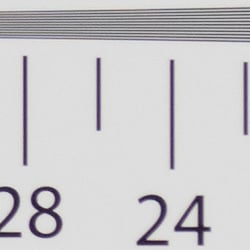
Our laboratory resolution chart revealed sharp, distinct line patterns up to about 2,550 lines per picture height in the horizontal direction, and to about 2,500 lines in the vertical direction in a JPEG straight out of the camera, though there was some aliasing visible as low as 2,100 lines in both directions. Extinction of the pattern occurred just past 3,000 lines in the horizontal direction, and just past 3,200 lines in the vertical direction. Adobe Camera Raw wasn't really able to extract more resolution, however it did generate more false colors than the in-camera JPEG. Use these numbers to compare with other cameras of similar resolution, or use them to see just what higher resolution can mean in terms of potential detail.
See full set of test images with explanations
See thumbnails of all test and gallery images
Sharpness & Detail
Fairly sharp, detailed images overall, though with some visible sharpening artifacts on high-contrast subjects. Noise suppression limits detail in low contrast areas.


Sharpness. The Canon PowerShot G9X captures fairly sharp JPEG images at default settings, though some edge enhancement artifacts are visible on high-contrast subjects such as the halos around lines and text in the crop above left. Sharpening isn't as overdone as some cameras, but enthusiasts might want to shoot with a lower sharpening setting and apply additional sharpening in post processing, or shoot RAW for complete control over sharpening. Edge enhancement creates the illusion of sharpness by enhancing colors and tones right at the edge of a rapid transition in color or tone.
Detail. The crop above right shows some significant smudging of low contrast detail due to noise suppression, as individual strands of hair are blurred together in midtones and shadows, but performance here is still better than average for a compact digicam. Noise-suppression systems in digital cameras tend to flatten-out detail in areas of subtle contrast. The effects can often be seen in shots of human hair, where the individual strands are lost and an almost "watercolor" look appears.
RAW vs In-Camera JPEGs
As noted above the Canon G9X produces fairly sharp, detailed in-camera JPEGs at base ISO. But with a good raw converter, more detail can often be extracted with fewer sharpening artifacts. See below:
|
Base ISO (125)
|
|
 |
 |
 |
 |
 |
 |
|
Camera JPEG, defaults
|
RAW via Adobe Camera Raw
|
In the table above, we compare an in-camera JPEG taken at base ISO using default noise reduction and sharpening (on the left) to the matching RAW file converted with Adobe Camera Raw 9.1 via DNG Converter 9.3 using default noise reduction with some strong but tight unsharp masking applied in Photoshop (300%, radius of 0.3 pixels, and a threshold of 0).
Looking closely at the images, ACR did extract additional detail that isn't present in the JPEG from the camera, particularly in the red-leaf swatch where the thread pattern is likely treated as noise by the JPEG engine. Fine detail in the mosaic crop is also slightly improved, but as is often the case, a lot more noise can be seen in the bottle crop. You can of course apply stronger noise reduction (default ACR NR used here) to arrive at your ideal noise versus detail tradeoff. Color was improved as well, with ACR removing the slight yellow-to-green shift in the JPEG. And, as expected, sharpening halos aren't nearly as strong as the default camera output. Still, in-camera default JPEG processing isn't bad, but as usual you can do better with a good RAW converter however you'll likely need to experiment with noise reduction and sharpening.
ISO & Noise Performance
Very good high ISO performance for a camera its size.
| Default Noise Reduction | ||
 |
 |
 |
| ISO 125 | ISO 200 | ISO 400 |
 |
 |
 |
ISO 800 |
ISO 1,600
|
ISO 3,200 |
 |
 |
ISO 6,400 | ISO 12,800 |
The PowerShot G9X's high ISO performance is quite good for its size, though oddly its images are a little noisier than ones from its larger siblings sharing the same sensor and processor, the G7X and G5X. ISOs 125 and 200 are detailed and pretty clean, but ISO 400 already shows some significant softening due to strong noise reduction. ISO 800 is noisier and softer from more aggressive noise reduction, and ISO 1600 is of course softer still. Image quality drops off rapidly above ISO 1600, with increasing luma noise as well as stronger blurring from noise reduction, though chroma noise is reasonably well-controlled.
Note that the G9X offers three levels of noise reduction (Low, Standard and High), and these shots were taken using the default Standard setting.
Of course, the impact of noise and detail loss are highly dependent on the size the photos are printed at, and pixel-peeping on-screen has surprisingly little relationship to how the images look when printed: See the Print Quality section below for recommended maximum print sizes at each ISO.
Extremes: Sunlit and low light tests
Pretty good dynamic range for its class. Good low-light performance, capable of capturing bright images in near darkness at all ISOs.


Sunlight. The Canon PowerShot G9X did fairly well under the deliberately harsh lighting in the test above. To keep facial tones bright, +1.0 EV compensation was required, which led to some clipped highlights in the mannequin's shirt and flowers, but not as many as expected for its size. Some may prefer the +0.7 EV setting for its reduced highlight clipping, but we found the face a bit too dim. Detail is quite good in the shadows at +1.0 EV, though very deep shadows are a little grainy and posterized, however chroma noise is well-controlled. Very good results in harsh lighting for such a compact camera, but consider using fill flash in situations like the one shown above; and it's better to shoot in the shade when possible.
Because digital cameras are more like slide film than negative film (in that they tend to have a more limited tonal range), we test them in the harshest situations to see how they handle scenes with bright highlights and dark shadows, as well as what kind of sensitivity they have in low light. The shot above is designed to mimic the very harsh, contrasty effect of direct noonday sunlight, a very tough challenge for most digital cameras. (You can read details of this test here.)
|
Outdoor Portrait i-Contrast Series
|
|
 |
i-Contrast Setting: DRC Off (Default) DRC 200% DRC Auto Shadow Correct |
 |
|
As part of the G9X's Intelligent Contrast (i-Contrast) feature, the camera has "Dynamic Range Correction" to help tame highlights, and "Shadow Correct" to bring out more shadow detail.
Above are examples of our challenging "Sunlit" Portrait scene shot with the G9X's two available Dynamic Range Correction settings, plus Shadow Correct. Mouse over the links to the right to compare, and click on the links to get to the full-resolution images.
Because the G9X underexposed this scene, DRC made little difference no matter the setting. 200% did increase highlights slightly, but it's a pretty subtle change. Shadow Correct worked better, boosting shadows without impacting highlight, leading to the best overall exposure for this series, although it's still a bit dim. Check out our G7X results where we applied to +0.7 EV exposure compensation to these shots.
Note that Dynamic Range Correction may boost ISO depending on your current setting, so more noise and/or stronger NR may be visible with it enabled. (In our samples above, DR 200% used ISO 250, while DR Auto and Shadow Correct left ISO at 125.)
| Far-field i-Contrast Comparison | |
 |
|
Above, you can see the effect of the available i-Contrast settings on our Far-field shot. Here, DRC 200% made a significant difference actually boosting highlights, while the Auto setting made little difference. Shadow Correct also made quite a difference, boosting midtones and shadows while maintaining highlights.
| Face Detection Examples | ||
 |
 |
 |
| Aperture Priority 0 EV |
Aperture Priority Face-Detection Enabled 0 EV |
Smart Auto 0 EV |
The table above shows results with the default exposure using Aperture Priority AE with Face Detection disabled and then enabled, as well as Smart Auto. As you can see, the G9X's face detection in Aperture Priority and Smart Auto modes both increased exposure dramatically compared to the default exposure in Aperture Priority mode, going from very underexposed to bright images. Smart Auto mode selected an aperture of f/4.9 instead of f/5.6 we used in Aperture Priority and it boosted ISO to 250 as well.
Dynamic Range Analysis (RAW mode)
While we once performed our own dynamic range measurements based on in-camera JPEGs as well as converted RAW images (when the camera was supported by Adobe Camera Raw), we've switched to using DxO Labs' results from their DxOMark website. As technology advanced, the dynamic range of modern high-end cameras in some cases exceeded the range of the Stouffer T4110 density scale that we used for our own measurements. DxO's approach based on RAW data before demosaicing is also more revealing, because it measures the fundamental dynamic range of the sensor, irrespective of whatever processing is applied to JPEGs, or to RAW data by off-the-shelf conversion software.
In the following, we use DxO's "Print" dynamic range results, which are scaled based on camera resolution. As the name suggests, this scaling corresponds to the situation in which you print at a given size, regardless of how many megapixels the camera might have. (In other words, if you've decided to make a 13x19 inch print, that's the size you're printing, whether the camera's resolution is 16 or 300 megapixels.) For the technically-minded, you can find a discussion of the reasoning behind this here on the DxOMark website. Also note that DxO Labs uses a signal-to-noise (SNR) threshold of 1 when defining the lower boundary of acceptable luminance noise in their dynamic range measurements, which corresponds to the "Low Quality" threshold of the Imatest software we used to use for this measurement.

Here, we've decided to compare the Canon G9X's dynamic range to its larger sibling, the G7X, as well as to another enthusiast compact, the Sony RX100 IV, as all three use a 1"-type 20-megapixel sensor. You can always compare to other models on DxOMark.com.
As you can see from the above graph (click for a larger image), all three cameras have fairly similar dynamic range, though the G9X generally lags the others slightly. The G9X's (orange) maximum dynamic range is 12.3 EV at base ISO, with a minimum of 6.3 EV at the top ISO. The G7X (yellow) managed 12.7 EV at base ISO and 6.5 at maximum ISO. This difference agrees with our observation that the G9X produces slightly noisier images than the G7X at the same ISOs. At base ISO the Sony RX100 IV is in between the two Canons at 12.6 EV, but does a little better as ISO climbs, however do note that DxOMark has detected some smoothing (noise reduction) in the raw data at the top two ISOs from the Sony.
Bottom line, the Canon G9X produces very good dynamic range for a camera its size, even if it slightly lags its somewhat larger and more expensive rivals.
Click here to visit the DxOMark page for the Canon G9X for more of their test results and additional comparisons.
| 1 fc 11 lux |
1/16 fc 0.67 lux |
1/16fc No NR |
|
|---|---|---|---|
| ISO 125 |
 0.8s, f2.0 |
 12.6s, f2.0 |
 12.6s, f2.0 |
| ISO 3200 |
 1/32s, f2.0 |
 0.5s, f2.0 |
 0.5s, f2.0 |
| ISO 12800 |
 1/128s, f2.0 |
 1/8s, f2.0 |
 1/8s, f2.0 |
Low Light. The Canon PowerShot G9X performed very well in our low-light tests thanks to its fast lens at wide angle, capturing bright images at the lowest light level (1/16 foot-candle), even at the lowest sensitivity setting (ISO 125). Keep in mind the lens gets a little slow (dim) as you zoom towards the telephoto end (f/4.9), so try to use as short a focal length as possible for best low-light results.
As expected for a 1"-type sensor, luma noise is a little high at ISO 3200, but fairly fine-grained, while chroma noise is well-controlled. The G9X's highest ISO of 12,800 is quite grainy with strong blurring, but that's no surprise.
Color balance is pretty good with Canon G9X's Auto white balance setting, just a touch cool, even at highest ISO and lowest light level. We didn't notice any significant issues with hot pixels, pattern noise or heat blooming.
The camera's AF system was able to focus unassisted to below the 1/16 foot-candle light level in our tests, which is excellent, and the G9X was able to focus in complete darkness with the aid of its AF assist lamp.
How bright is this? The one foot-candle light level that this test begins at roughly corresponds to the brightness of typical city street-lighting at night. Cameras performing well at that level should be able to snap good-looking photos of street-lit scenes.
NOTE: This low light test is conducted with a stationary subject, and the camera mounted on a sturdy tripod. Most digital cameras will fail miserably when faced with a moving subject in dim lighting. (For example, a child's ballet recital or a holiday pageant in a gymnasium.) For such applications, you may have better luck with a digital SLR camera, but even there, you'll likely need to set the focus manually. For information and reviews on digital SLRs, refer to our SLR review index page.
Output Quality
Print Quality
Very good 24 x 36 inch prints at ISO 125/200; a nice 8 x 10 at ISO 1600; a good 4 x 6 at ISO 6400.
 ISO 125/200 prints look quite good up to 24 x 36 inches before sensor resolution limits the size from going higher. The images show nice colors and crisp fine detail throughout the print. ISO 125 is the slightest bit sharper than ISO 200, but the latter still holds up nicely at this size.
ISO 400 yields 20 x 30 inch prints that are fine to use for less critical applications, but are just a bit too soft to warrant our "good" rating here. Stepping down in size to 16 x 20 inch prints resolves this issue, and the images have a nice amount of fine detail and "pop".
ISO 800 produces a 13 x 19 inch print that just passes our good rating. Colors remain quite good here, sharpness is above the acceptable threshold and noise is well-controlled as well. A reduction in size to 11 x 14 inches is recommended for the most critical applications where sharpness is concerned.
ISO 1600 prints introduce a bit too much noise at 11 x 14 inches to pass our good grade, but are fine for less critical applications. We can safely recommend the 8 x 10 inch prints here for yielding good printed image quality across the board.
ISO 3200 images are also good at 8 x 10 inches, with just enough fine detail to warrant our good rating. All contrast detail is now lost in our tricky target red swatch, but that's typical of all but the higher-end cameras we test at this and higher sensitivities.
ISO 6400 prints display a marked decrease in overall image quality. We can rate the 4 x 6 inch prints here as "good" and displaying enough color saturation and detail to be usable for most applications, but we don't recommend using this setting unless 4 x 6 inches is sufficient, as anything lager exhibits too much in the way of noise and muted colors.
ISO 12,800 is not usable and we recommend avoiding this setting.
The Canon G9X produces printed images at base ISO that look terrific, and ISO 200 images are quite good as well. The G9X manages a print size larger than the G7X at 125/200 while matching the G5X, but critical sharpness does decline a bit faster than we found in the G5X, which allowed for a good 20 x 30 inch print at ISO 400, where the G9X is only sufficient at 16 x 20 inches. Similarly, we found this camera only capable of a good 8 x 10 inch print at ISO 1600, as compared to a good 11 x 14 from the G7X and G5X. Otherwise, the three siblings perform similarly at the other ISO settings, and images are capable of going to 8 x 10 inch prints up to ISO 3200, which is a useful size for that setting in general. Beyond this image quality deteriorates rather markedly, so remaining at ISO 3200 and below is certainly recommended for your critical printing purposes.
The images above were taken from our standardized test shots. For a collection of more pictorial photos, see our Canon PowerShot G9 X Photo Gallery .
Not sure which camera to buy? Let your eyes be the ultimate judge! Visit our Comparometer(tm) to compare images from the Canon PowerShot G9 X with those from other cameras you may be considering. The proof is in the pictures, so let your own eyes decide which you like best!
Performance
Timing and Performance
Mediocre performance for its class.
| Startup/Play to Record | ||
|---|---|---|
| Power on |
~2.3 seconds
|
Time it takes for LCD to turn on and lens to deploy and capture a picture. |
|
Play to Record, |
~1.9 seconds
|
Time until first shot is captured. |
About average startup to first shot time for its class. Switching from Play to Record and taking a shot was only a bit faster.
| Shutter Response (Lag Time) | ||
|---|---|---|
|
Full Autofocus |
0.289 second
|
Time from fully pressing shutter button to image capture, zoom lens at wide angle position. |
|
Full Autofocus |
0.289 second
|
Time from fully pressing shutter button to image capture, zoom lens at telephoto position. |
|
Full Autofocus |
0.724 second
|
Time to capture while forcing flash to fire, zoom lens at medium focal length. |
|
Manual Focus |
0.374 second
|
For most cameras, shutter lag is less in manual focus than autofocus, but usually not as fast as when the camera is "prefocused". |
| Prefocused |
0.066 second
|
Time to capture, after half-pressing and holding shutter button. |
The Canon G9X's full autofocus shutter lag when shooting the same target multiple times was a bit slower than average for a fixed-lens enthusiast camera. The G9X's full AF shutter lag clocked in at about 0.29 second at wide angle and full telephoto using center (1-point) AF, which is decent speed for a pocket camera, however most competitors are faster these days. Enabling the flash raised shutter lag to 0.72 seconds, to account for the metering preflash. Manual focus shutter lag was oddly a little slower than with autofocus at 0.37 second. When prefocused, shutter lag dropped to 66 milliseconds which while quick, is also a bit slower than average.
| Cycle Time (shot to shot) | ||
|---|---|---|
| Single Shot mode |
0.88 second
|
Average time per shot. |
| Single Shot mode |
1.63 seconds
|
Average time per shot. |
| Early shutter |
No
|
Some cameras don't snap another shot if you release and press the shutter too quickly in Single Shot mode, making "No" the preferred answer. |
|
Continuous mode |
0.15 second (6.52 frames per second);
10 frames total; 3 seconds to clear |
Time per shot, averaged over 10 frames, then slows to 0.35 second or 2.83 fps when buffer is full. |
|
Continuous mode |
1.31 second (0.76 frames per second);
20+ frames total; 2 seconds to clear |
Time per shot, averaged over 20 frames with no signs of slowing. |
|
Continuous mode |
1.63 second (0.61 frames per second);
20+ frames total; 2 seconds to clear |
Time per shot, averaged over 20 frames with no signs of slowing. |
| Flash recycling |
6.7 seconds
|
Flash at maximum output. |
| *Note: Buffer clearing times measured with a SanDisk Extreme Pro 95MB/sec UHS-I SDHC memory card. Slower cards will produce correspondingly slower clearing times. Slow cards may also limit length of bursts in continuous mode. ISO sensitivity also affects cycle times and burst mode performance, with higher ISOs generally increasing cycle times and reducing burst performance. |
||
Shot-to-shot cycle times were fair in single shot mode, ranging from about 0.9 second for Large/Super Fine JPEGs to about 1.6 seconds for RAW+LSF JPEG files. We no longer test just RAW file cycle time in single-shot mode, as it's usually somewhere in between JPEG and RAW+JPEG.
The PowerShot G9X's fastest full-res continuous shooting mode rate was below average these days at 6.5 frames per second for Large/Super Fine JPEGs, however that's a bit faster than Canon's 6 fps spec. Be aware that focus and exposure are locked at the first frame of a burst in this mode. Like we've seen with other Canon compacts, the G9X slows to a crawl when shooting RAW files in burst mode, at only 0.76 frames per second for just RAW files, and 0.61 frames per second for RAW+LSF JPEG files.
In Continuous AF mode, Canon says the frame rate drops to about 4.3 fps, which is probably only for JPEGs (it is likely much slower with RAW files), however we did not test that mode in the lab.
Buffer depth was fair at 10 frames when shooting best quality JPEGs in the fastest continuous mode, but the G9X continued shooting at about 2.8 fps when the buffer was full. Buffer depths with RAW files in the fastest burst mode were limited only by the speed and capacity of the memory card, but keep in mind the frame rate is under one frame per second.
Buffer clearing was swift with a fast 95MB/s UHS-I card, never taking more than 3 seconds in our tests.
The built-in flash took an average of 6.7 seconds to recharge after a full-power discharge, which is very slow.
Bottom line, the Canon PowerShot G9X's timing performance is mediocre for an enthusiast compact, though certainly still serviceable especially if you don't shoot RAW files.
Battery
Battery Life
Poor battery life.
| Operating Mode | Number of Shots |
|---|---|
|
LCD Monitor
(CIPA standard) |
220
|
The Canon PowerShot G9X uses a custom NB-13L rechargeable lithium-ion battery for power, and ships with a dedicated charger. CIPA battery life is well below average for its class at only 220 shots per charge, though there is an Eco mode which improves battery life to a more competitive 335 shots by dimming and then shutting off the LCD more quickly than normal in shooting mode. Still, we strongly recommend you pick up a spare battery for extended outings.
The table above shows the number of shots the camera is capable of (on a fully-charged rechargeable battery as appropriate), based on CIPA battery-life and/or manufacturer standard test conditions.
(Interested readers can find an English translation of the CIPA DC-002 standards document here. (180K PDF document))
Image Quality
Below are crops comparing the Canon G9X with the Canon G7X, Canon S120, Fuji X30, Nikon J5, and Sony RX100 II. We chose to compare to the Canon G7X and Sony RX100 II as they both use the same 1"-type sensor but aren't as expensive as the latest G5X and RX100 IV models, the S120 to show what you get by stepping up from 1/1.7" sensor, the Fuji X30 which has a 2/3" sensor, and the Nikon J5 which also uses a 1"-type sensor. We wouldn't normally compare the J5 to the G9X as it's a larger camera with interchangeable lenses, but as of this writing it's currently available with kit lens for almost the same price as the G9X.
NOTE: These images are best quality JPEGs straight out of the camera, at default settings including noise reduction and using the camera's actual base ISO (not extended ISO settings). Clicking any crop will take you to a carrier page where you can click once again to access the full resolution image as delivered straight from the camera. For those interested in working with the RAW files involved, click these links to visit each camera's respective sample image thumbnail page: Canon G9X, Canon G7X, Canon S120, Fuji X30, Nikon J5, and Sony RX100 II -- links to the RAW files appear beneath those for the JPEG images, wherever we have them. And remember, you can always go to our world-renowned Comparometer to compare the Canon G9X to any camera we've ever tested.
Canon G9X vs Canon G7X at Base ISO
 |  |
 |  |
 |  |
Canon G9X at ISO 125 | Canon G7X at ISO 125 |
As expected, we see similar image quality from the Canon G9X and G7X, since they share a similar if not identical sensor and the same processor, but do keep in mind they have different lenses. The G9X did however produce slightly more pleasing colors, likely due to better custom white balance performance here. | |
Canon G9X vs Canon S120 at Base ISO
|  |
|  |
|  |
Canon G9X at ISO 125 | Canon S120 at ISO 80 |
The 20-megapixel G9X has a clear resolution advantage over the 12-megapixel S120, and it also produced better colors but the S120 with its much smaller 1/1.7" sensor holds it own in terms of noise at base ISO. Do keep in mind base ISO is lower for the S120, though (ISO 80 vs 125). | |
Canon G9X vs Fujifilm X30 at Base ISO
|  |
|  |
|  |
Canon G9X at ISO 125 | Fujifilm X30 at ISO 100 |
Unsurprisingly, we see the 20-megapixel G9X easily out-resolves the 12-megapixel Fuji X30 with its smaller 2/3" X-Trans CMOS II sensor, though the X30 otherwise does quite well for its class at base ISO. The X30's default sharpening is however higher than the G9X's with more noticeable sharpening halos. | |
Canon G9X vs Nikon J5 at Base ISO
|  |
|  |
|  |
Canon G9X at ISO 125 | Nikon J5 at ISO 160 |
Fine detail from the Canon is a little better than the Nikon here at base ISO 160 (which is rated a bit lower for the G9X at ISO 125), but the G9X's image is also a little noisier, though the noise "grain" is quite fine and tight. Colors from the Nikon are however more pleasing and vibrant. | |
Canon G9X vs Sony RX100 II at Base ISO
|  |
|  |
|  |
Canon G9X at ISO 125 | Sony RX100 II at ISO 160 |
Here's a comparison to another 20-megapixel 1-inch type sensor, this time from the company that started the category. Here we see both cameras do very well at base ISO, but the RX100 II's image looks smoother with more contrast while the G9X's is a bit noisier but with better detail. Again, be aware the Sony's base ISO is rated a little higher. | |
Canon G9X vs Canon G7X at ISO 1600
 |  |
 |  |
 |  |
Canon G9X at ISO 1600 | Canon G7X at ISO 1600 |
Image quality at ISO 1600 is again similar from these two siblings, however the G9X is a touch noisier though it continues to produce slightly better color. | |
Canon G9X vs Canon S120 at ISO 1600
|  |
|  |
|  |
Canon G9X at ISO 1600 | Canon S120 at ISO 1600 |
The advantages of a larger sensor are more evident at ISO 1600, with the G9X outperforming the S120 in terms of better detail and lower noise, however both struggle with our tricky red-leaf fabric. | |
Canon G9X vs Fujifilm X30 at ISO 1600
|  |
|  |
|  |
Canon G9X at ISO 1600 | Fujifilm X30 at ISO 1600 |
Again, the Canon G9X comes out ahead in this battle, with better detail, color and lower noise. At this sensitivity, the Fuji X30 renders almost no detail in the red-leaf fabric, though the G9X's rendering is only a rough facsimile. | |
Canon G9X vs Nikon J5 at ISO 1600
|  |
|  |
|  |
Canon G9X at ISO 1600 | Nikon J5 at ISO 1600 |
The Nikon J5 arguably produces a better image overall at ISO 1600 than the Canon G9X, with lower noise, brighter colors, higher contrast, and slightly better detail in most subject matter, however the J5's image is generally softer with more obvious noise reduction artifacts. | |
Canon G9X vs Sony RX100 II at ISO 1600
|  |
|  |
|  |
Canon G9X at ISO 1600 | Sony RX100 II at ISO 1600 |
Both the G9X and RX100 II do fairly well at ISO 1600 considering their size, but the Canon's image is noisier while the Sony's image looks smoother and more contrasty, but more "processed" as well. Overall, though, we give the win to Sony. | |
Canon G9X vs Canon G7X at ISO 3200
 |  |
 |  |
 |  |
Canon G9X at ISO 3200 | Canon G7X at ISO 3200 |
Very similar results here at ISO 3200, though the G9X continues to produce slightly higher noise which interferes with fine detail a bit more than the G7X. It's pretty close, though. | |
Canon G9X vs Canon S120 at ISO 3200
|  |
|  |
|  |
Canon G9X at ISO 3200 | Canon S120 at ISO 3200 |
The G9X continues to best the S120 at ISO 3200 with better detail, lower noise, as well as better color, but both really struggle with fine detail when viewed at 100% at this sensitivity. | |
Canon G9X vs Fujifilm X30 at ISO 3200
|  |
|  |
|  |
Canon G9X at ISO 3200 | Fujifilm X30 at ISO 3200 |
While the Fuji X30 does fairly well for such a high ISO sensitivity from a 2/3"-type sensor, the Canon G9X comes out ahead in detail, noise and color at ISO 3200. | |
Canon G9X vs Nikon J5 at ISO 3200
|  |
|  |
|  |
Canon G9X at ISO 3200 | Nikon J5 at ISO 3200 |
The Canon G9X produces more defined edges at ISO 3200 in most areas, but its image is also quite a bit noisier than the Nikon J5's. The Canon's noise grain is still fairly fine, though. Overall, the Nikon continues to produce a softer, smoother, brighter image with more pleasing colors. | |
Canon G9X vs Sony RX100 II at ISO 3200
|  |
|  |
|  |
Canon G9X at ISO 3200 | Sony RX100 II at ISO 3200 |
Here we see more clearly the different approaches to noise reduction used by Canon versus Sony. The Canon's image is very grainy, but the grain is quite fine and tight, giving the image more of a film-like appearance. The Sony on the other hand looks cleaner but more heavily processed. Both struggle with fine detail at this sensitivity, but overall we'd give the edge to the Sony. | |
Canon G9X vs. Canon G7X, Canon S120, Fujifilm X30, Nikon J5, Sony RX100 II
 |  |  |  |  |  |
 |  |  |  |  |  |
 |  |  |  |  |  |
| Canon G9X ISO 125 ISO 3200 ISO 6400 | Canon G7X ISO 125 ISO 3200 ISO 6400 | Canon S120 ISO 80 ISO 3200 ISO 6400 | Fujifilm X30 ISO 100 ISO 3200 ISO 6400 | Nikon J5 ISO 160 ISO 3200 ISO 6400 | Sony RX100 II ISO 160 ISO 3200 ISO 6400 |
| Detail comparison. High-contrast detail is also important, pushing cameras in different ways, so we like to look at it too. At base ISO, we can see the G9X produces very good detail, but contrast is lower than its larger sibling, the G7X, and edges are less distinct because of chromatic aberration. The different lenses are likely to blame here. Performance is quite similar to the RX100 II, though. The Nikon J5 leads the pack at base ISO, but it was shot with a prime lens which is another variable to consider. The Canon S120 and Fuji X30 both offer good contrast, but their lower pixel count can't fully resolve the fine lines within the lettering. As ISO sensitivity climbs, the G9X's contrast and detail drops off more quickly than the G7X's. This is also true of all the other cameras in the comparison except for the Nikon J5, though fine detail at ISO 6400 suffers more from heavy-handed noise reduction than the G7X and G9X. | |||||
Very good 24 x 36 inch prints at ISO 125/200; a nice 8 x 10 at ISO 1600; a good 4 x 6 at ISO 6400.
ISO 125/200 prints look quite good up to 24 x 36 inches before sensor resolution limits the size from going higher. The images show nice colors and crisp fine detail throughout the print. ISO 125 is the slightest bit sharper than ISO 200, but the latter still holds up nicely at this size.
ISO 400 yields 20 x 30 inch prints that are fine to use for less critical applications, but are just a bit too soft to warrant our "good" rating here. Stepping down in size to 16 x 20 inch prints resolves this issue, and the images have a nice amount of fine detail and "pop".
ISO 800 produces a 13 x 19 inch print that just passes our good rating. Colors remain quite good here, sharpness is above the acceptable threshold and noise is well-controlled as well. A reduction in size to 11 x 14 inches is recommended for the most critical applications where sharpness is concerned.
ISO 1600 prints introduce a bit too much noise at 11 x 14 inches to pass our good grade, but are fine for less critical applications. We can safely recommend the 8 x 10 inch prints here for yielding good printed image quality across the board.
ISO 3200 images are also good at 8 x 10 inches, with just enough fine detail to warrant our good rating. All contrast detail is now lost in our tricky target red swatch, but that's typical of all but the higher-end cameras we test at this and higher sensitivities.
ISO 6400 prints display a marked decrease in overall image quality. We can rate the 4 x 6 inch prints here as "good" and displaying enough color saturation and detail to be usable for most applications, but we don't recommend using this setting unless 4 x 6 inches is sufficient, as anything lager exhibits too much in the way of noise and muted colors.
ISO 12,800 is not usable and we recommend avoiding this setting.
The Canon G9X produces printed images at base ISO that look terrific, and ISO 200 images are quite good as well. The G9X manages a print size larger than the G7X at 125/200 while matching the G5X, but critical sharpness does decline a bit faster than we found in the G5X, which allowed for a good 20 x 30 inch print at ISO 400, where the G9X is only sufficient at 16 x 20 inches. Similarly, we found this camera only capable of a good 8 x 10 inch print at ISO 1600, as compared to a good 11 x 14 from the G7X and G5X. Otherwise, the three siblings perform similarly at the other ISO settings, and images are capable of going to 8 x 10 inch prints up to ISO 3200, which is a useful size for that setting in general. Beyond this image quality deteriorates rather markedly, so remaining at ISO 3200 and below is certainly recommended for your critical printing purposes.
Field Test
The smallest large-sensor pocket zoom heads out for a real-world test!
By Mike Tomkins | Posted: 02/06/2016
 47mm-equivalent, 1/500 sec. @ f/4, ISO 125
Ever since the launch of the Sony RX100 back in mid-2012, I've been a big believer in the concept of an enthusiast-oriented pocket zoom camera based around a 1"-type sensor. The RX100's form factor provided a compelling advantage in terms of image quality over a smartphone, thanks both to its larger sensor and the fact that it could zoom optically. At the same time, it was so much more compact than even larger-sensored, interchangeable-lens cameras that it could easily be slipped into a pants pocket.
For a year and a half or so, Sony's RX100 and its more feature-rich siblings, the RX100 II and III, had the category to themselves. Canon's nearest rival was its G1X-series, which offered an even bigger sensor, but with the best will in the world couldn't be described as a pants pocket-friendly camera. Once Sony's image sensor division offered a 1"-type sensor to third parties, though, the game was truly on and Canon was quick to field its own 1"-type camera.
Last year, I reviewed that camera -- the Canon G7X -- and while there were a few rough edges, I found much to like. Calling it a "very promising first effort", I nevertheless had to concede that Sony's RX100-series cameras were still more impressive. In one respect, the original RX100 continued to rule the roost, besting not just the Canon G7X, but also its own siblings. The RX100-series cameras grew slightly with each generation, and although it could fit in a pants pocket, the G7X too was not as compact as the Sony RX100.
With the Canon G9X, the spirit (and biggest selling point) of the 1"-type enthusiast pocket zoom camera is restored once more. The G9X forgoes some of the lesser-used features found in its rivals -- and in the earlier G7X -- and instead focuses on providing the smallest, most pocket-friendly design possible. Sharing the same height as the RX100, Canon's camera was a tenth of an inch less wide, and even more importantly for comfortable pocketability, a full two tenths of an inch less deep. For bonus points, it was also a full 1.1 ounces lighter, loaded and ready to shoot.

This is one very compact camera
As a Sony RX100 owner who'd resisted upgrading to its somewhat bulkier siblings, my interest was piqued to say the least. I really wanted to get my hands on this camera, and when the time came for it to leave our lab for a real-world test, I found myself at the front of the queue. A couple of all-too-long days later, and UPS brought a treat to my doorstep. Pretty much the first thing I did on taking the Canon G9X out of its box was to compare it side-by-side with my own RX100, to get a feel for how noticeable the size difference might be.
The answer was one which I found to be very satisfying. The difference in weight and depth were both immediately noticeable, and not just when holding the cameras in my hands. Even with them slipped in my pants pocket, I could easily tell which camera was the more compact. The Canon G9X could accompany me all day long, and I could just about forget that I was even carrying it -- right up until the moment I needed it, that is!
 60mm-equivalent, 1/200 sec. @ f/4.5, ISO 125
Perhaps the most obvious difference with the two cameras side-by-side and powered off, their lenses retracted, was how much further the original RX100's lens barrel protrudes from the front of the body than does that on the G9X. The actual body thickness of the two cameras is near-indistinguishable, but the Canon's shorter lens barrel gave it a smoother, cleaner profile that was noticeably more comfortable in my pocket.
A more comfortable grip than that of the RX100
On first picking up the Canon G9X, I immediately noticed that it felt more secure in-hand than did my Sony RX100. The reason for that is pretty simple: There are some well-positioned, textured grips on the front and rear of the body right where your fingers and thumb fall, as well as at the front left corner of the body for your left hand, should you choose to shoot two-handed. (It probably also helps that the body isn't quite as thick as that of the Sony.)
I was expecting these grips to be a little more tactile than they actually are, incidentally. They appeared to be rubber or perhaps leatherette in the photos I saw prior to receiving the camera, but in actual fact they're hard plastic. That's probably more durable long-term, though, and they certainly still do a good job of providing purchase for your fingers.
By way of contrast, the RX100 has only a small grip for your thumb, and with a much less grippy texture to it. The remainder of the body is smooth and quite slippery. I had far less concern about dropping the Canon G9X than I do when shooting with my Sony.
Build quality of the two cameras is otherwise very similar. Both have a premium feel, with not a hint of flex or panel creak anywhere.

Two very different lens ring designs
Prior to receiving the camera, I'd had concerns that the shorter lens barrel might adversely impact handling. Both the Sony RX100 and Canon G9X have rings encircling their lens barrels, after all, and it seemed that with a shorter barrel it might be less comfortable to spin the Canon's lens ring. I needn't have worried: As it turned out, the Canon G9X's lens ring is the better of the pair. Although the lens barrel is shorter, the G9X's ring is actually deeper than that on the RX100, since Sony has placed its ring in front of a fairly deep trim piece that's fixed in place.
I should note here that unlike the RX100's stepless ring, the G9X's lens ring also has a click detent as it is turned. Which is the better choice really depends on what function you're intending to use that ring for. If you prefer to use it to focus manually or control the optical zoom, you'll probably favor the Sony's stepless ring.
 28mm-equivalent, 1/1,250 sec. @ f/4, ISO 125
In fact, belay that: You'll definitely prefer the Sony's ring if you want to use it for focus, because rather bizarrely, manual focus can't be assigned to the lens ring at all! That struck me as a bit of an odd decision; even with the modest click detent of the G9X's ring, I'd still have preferred it to adjusting manual focus using the touch screen, which is your only option.
If you're using it to control exposure variables (shutter speed, lens aperture, ISO sensitivity) or for a stepped zoom control, though, then the G9X's stepped ring is preferable. And while it's customizable to control a variety of other settings, I found exposure control to be the most useful task for the G9X's ring.
Oh, and one last point in favor of Canon's ring: When shooting with the cameras tripod-mounted, I've found that I have to be very careful with how I position my Sony RX100. Otherwise, the lens ring has a tendency to bind up on the tripod head or quick-release plate. I had no such issues with the G9X, though. Its ring remained freely-rotating even with the camera tightly screwed down onto my tripod.
A fundamental difference in design philosophy elsewhere, too
With so much to fit into an even smaller body than that of the Sony RX100, Canon had its work cut out to come up with a sensible, intuitive control scheme for the G9X. Space on the rear panel, in particular, was at a premium -- in part because the LCD monitor has a rather wider bezel than it does on the RX100. But there's an ace up Canon's sleeve here: A touch screen overlay on the LCD which allows it to double as an input device.
That allows for far fewer physical controls, and indeed, where the Sony RX100 has 16 controls (including the four quadrants of the four-way controller), there are just 12 controls on the G9X. And that's despite the Canon offering a mechanical release for the flash strobe, something the Sony RX100 forewent.

Four buttons line the right side of the display in a single column, one sits on the left side of the camera, and the remainder of the controls bar the lens ring can be found on the top deck. Two of these seem, to my mind, to be back to front. Pretty consistently during my time with the Canon G9X, I found that when I went to switch the camera off without paying attention, the lens never retracted. As soon as I took a closer look, I realized that I'd pressed the playback button, rather than the power button.
Why I couldn't get this through my head, I'm not entirely sure. If I was consciously thinking about it, I'd get the right button every time. (And indeed, the Sony RX100's power button sits in much the same place as that on the G9X, although its playback button is on the rear panel instead.) But for whatever reason, the Canon G9X's button placement for these two controls still seemed back-to-front to me, even after shooting with the camera for quite some time, and so I mention it here. If the G9X is your primary camera, though, you'll likely learn the correct placement pretty quickly even if you face the same initial confusion that I did.
 84mm-equivalent, 1/800 sec. @ f/4.9, ISO 125
Pros and cons for the touch screen display
I found myself developing a little bit of a love/hate relationship with the Canon G9X's touch screen. On balance, though, the positives outweigh the negatives.
The touch panel used is very sensitive and responsive, much like that on a modern smartphone. Unlike some such panels, it won't react until your finger actually touches the surface of the screen, but when it does the location is detected accurately and swiftly. And it supports gestures you're doubtless already familiar with from your smartphone, like pinch-to-zoom (in playback mode only; not for operating the zoom lens in record mode) and swiping left or right (to switch between images in playback mode, or screens in the menu system.)
I really, really liked the touch screen for focus point selection, and liked it quite a bit in playback mode as well, although here the camera sometimes lagged behind my gestures just a little when I first zoomed an image, or if I made a sudden gesture while already zoomed. But I found the menus a bit less enjoyable to use.
It's in the menus that I felt the touch screen a bit limiting
In part, that was because with as many as nine rows of touch-responsive elements on screen at once in any given menu, the targets are quite small. I found myself moving just a little more slowly than normal to be sure I was touching the right place, and so spent a bit longer navigating menus than I would with a more traditional four-way controller. (Although with that said, probably 95% of the time I got the right menu item on the first try.)
The second point I found a bit more bothersome, though. It simply took too many taps to make selections in the menu. Usually you have to tap to select a menu item, then you have to tap on it a second time to see the options for that item. (Although that's not always the case; some menu items open immediately on the first tap.)

And once you have accessed a menu item, you frequently have to not just tap on the option that you want, but also tap on a soft button to return to the menu again if you want to change other settings. And that's true even when there are just two options to choose from, with each having a large soft button that wouldn't easily be selected by mistake.
Yet again, some menu items instead open a drop-down listing their options (with the rest of the screen darkened, to focus your attention). And when this happens, a single-tap is enough to make your selection and return you to the menu. It all feels a bit inconsistent, and the endless double-taps to access the options you're after slow you down quite a bit.
 59mm-equivalent, 1/1,250 sec. @ f/4.5, ISO 125
I mentioned previously that you can swipe between menu pages with a swipe left or right, incidentally, but I don't recommend using the menu system in this manner. I found it quicker to tap on the tabs at the top of each menu page, for one thing. For another, if you don't swipe far enough before you let go, the menu snaps back to the page you started from rather than the one you intended to switch to. And finally, if you are touching the screen a little too gently, the camera can make a selection of the menu item beneath your fingertip, rather than switching pages.
The menu system can feel a bit disorganized
One last thought regarding the menus, incidentally. There are a whole lot of pages in the Canon G9X's menu system -- by my count, around 20 of them in total. Yet each has a rather non-descriptive name shown at top right of the screen, for example "SHOOT1", "SHOOT2", etc. Some of these pages disappear in certain operating modes, and the menu items on a given screen vary from mode to mode. Many of them also have fewer menu items than would fill the screen. (For example, in almost every operating mode, the SHOOT7 screen has just a single item -- blink detection -- even though that item could easily have fitted onto one of the other pages.)
I could understand this if the menu system was grouped more logically, but when the contents of a given menu page can bear no relation to each other in different operating modes it makes less sense. For example, that SHOOT7 menu I referenced previously consists solely of movie-related items in movie mode, and the blink detection option that was the sole inhabitant of that page in other modes vanishes when you're in movie mode. Plus if the pages were supposed to show a hierarchy of some kind in the menu, I'd expect them to have more descriptive names.
As is, the menus just feel a bit disorganized to me. I'd like to see either more consistency, or less wasted space on-screen to allow for larger touch targets on each menu item.

The touch screen isn't ideal when you're shooting in extreme cold
I do have just one last thought about the touch screen, and then we'll move on to other things. As it happens, we've had some pretty cold weather here lately in East Tennessee, courtesy of the polar vortex. (We've been down to as low as 12°F / -11°C at night, and I've been out shooting more than once in those conditions.)
When it came time to head out in this weather with the Canon G9X for the first time, I quickly realized that it presented me with something of a dilemma. The cold weather demanded gloves to protect my hands, but with any of my regular gloves on, the touch screen wasn't able to detect my gestures at all.
Fortunately, I remembered getting a gag gift some time ago of a pair of gloves specifically intended for use with touch screens. The fingertips of these are coated in some kind of conductive material, allowing them to be detected by a capacitive touch screen like that in the G9X. Unfortunately, these were rather thin gloves -- as are all of the touch-capable gloves I've seen in stores -- so they didn't really give me a whole lot of warmth. They were better than the alternative, though, which was either fingerless gloves (brr!) or no gloves at all (double-brr and ouch!)
 62mm-equivalent, 1/250 sec. @ f/4.5, ISO 125
If you live somewhere that's often very cold, the Canon G9X's deep focus on the touch screen will probably make it a less-than-ideal camera for this reason. With so few physical controls, there are a lot of things you'll be relying on that screen for. Even the ability to delete images relies on the touch screen, as there's no physical delete button, nor any way to browse the menus to get to the "Erase" option without using the touch screen.
Weak battery life, but in-camera charging and a dedicated charger!
Moving on from the touch screen, I do have one more thought to share on the physical design of the Canon G9X, and then we'll move onto my shooting experiences. On taking the camera out of the box, I was thrilled to see that Canon has included a dedicated charger.
That's doubly handy because the Canon G9X's battery life was not great, even for this form factor. A single battery would usually be close to discharged after just an afternoon's shooting. Still, the batteries are small and it's easy enough to slip one or two spares in your pocket if you have a good way to charge them.
Far too many cameras these days forgo a dedicated charger in favor of charging the battery in-camera -- and if you want to charge a spare battery, that means you need buy a charger separately (increasing your outlay in the process), or that you can't be out and about shooting while your spare battery is charging, since the camera itself is the charger.
But that's not the case with the Canon G9X: Right out of the box, you have a separate, standalone charger. Buy a spare battery or two and you can be charging them while you're shooting with the camera. And you also get the best of both worlds, because if you want to travel light, you can still use a standard USB charger to recharge your battery in-camera.

That means you can share a single USB charger between the camera and your other devices if you don't want to deal with the extra weight and bulk of separate chargers. It also means you can grab a quick charge from recent cars, or at coffee shops, libraries etc. that offer USB charging points, so long as you've got a USB cable handy. And Canon has thoughtfully used a standard Micro USB cable, too, so chances are good that if you've forgotten yours, you'll be able to borrow one.
I really, really wish more manufacturers would follow Canon's lead on this. Of course, the standalone charger will add a little bit to the cost of the camera itself, but given that the G9X costs just $31 more than the now rather long-in-the-tooth Sony RX100 as of this writing, I really doubt it adds that much.
Good performance so long as you're not a raw shooter
I've touched on performance in playback mode briefly already, but to get a feel for how the Canon G9X handled in the real world, I headed to downtown Knoxville, Tennessee for an afternoon's shooting shortly after getting my hands on the camera.

Performance struck me as fairly good overall, but only if you're predominantly a JPEG shooter. Burst shooting when capturing JPEG files was reasonably fast by pocket camera standards, if still not as swift as Sony's RX100-series models. Our lab testing found the capture rate to be 6.5 frames per second with focus locked from the first frame, slightly better than Canon's spec. Enabling autofocus between frames slows this by around a third.
Just as I found with the Canon G7X last year, though, the G9X slowed to an absolute crawl as soon as I enabled raw capture. Compared to the 6.5 fps JPEG burst, the raw+JPEG or solely raw capture rates of around 0.6-0.8 fps respectively left me rather frustrated. My aged Sony RX100 manages triple this speed, after all, and that's with AF adjustment between frames!
Bracketing exposures in raw format is a real pain
This reduced performance for raw files was a particular pain point when shooting bracketed exposures as I do when reviewing cameras. (I'm ordinarily a raw shooter, but for reviews I switch to bracketed raw+JPEG, both to be sure of getting a good exposure and to allow you to view either raw or out-of-camera JPEG for any given gallery photo.)


With raw+JPEG bracketed exposures, the Canon G9X wasn't quite as slow as it was for straight burst shooting, perhaps because it didn't need to meter between frames since the subsequent bracketed exposure would be based off that of the first, metered exposure frame. Still, it took a good two to three seconds to capture each set of three bracketed frames, and since the live view vanishes as soon as the first frame is captured, that makes it very difficult to maintain your framing handheld for the whole series.
The bizarre thing is that when shooting HDR images, the Canon G9X is quite capable of shooting all three frames in less than a second. Why that same performance isn't available for bracketed shooting I'm not quite sure, but it's something I'd like to see Canon address in future models. As-is, I think I'd find myself using bracketing on the G9X very seldom outside of a review scenario, because it's just so frustrating to do.

The good news is that although buffer depths for JPEG bursts were only fair, once I'd filled the buffer the G9X still kept shooting JPEGs at around three frames per second. Raw buffer depths weren't an issue, simply because raw capture itself was so slow in the first place.
Great image quality, especially in the daytime
Looking back over the images I've shot during my time with the Canon G9X -- you'll find a selection of 32 real-world shots spanning the entire sensitivity range in my gallery -- I have to say that I'm pretty pleased with the Canon G9X's image quality, especially for low-sensitivity shots in the daytime. Shots outdoors in the sunlight are for the most part well-exposed, and by default have pleasing color that's a reasonably accurate reflection of the real world, albeit with boosted saturation for the punchier look that many people favor.

The G9X's daytime images also show good dynamic range, and are packed with lots of detail. And for out-of-camera JPEGs or raws processed with most common apps, distortion and aberrations are fairly well-controlled. (It's typical for 1"-type pocket cameras like these to show some pretty extreme distortion before the image is processed, as that's part and parcel of achieving such compact optics in the first place.) Of course, fixing that distortion does lead to rather soft corners, but that's par for the course.
And once the sun sets, the Canon G9X performs pretty well in low-light conditions, too. It might trail its Sony RX100-series rivals a bit, but it's certainly head-and-shoulders above what you'd manage with a small-sensor compact or your smartphone. I felt that images up to ISO 3200-equivalent were very usable, although noise (and the effects of noise processing) do start to show from as low as ISO 1600-equivalent.

And even ISO 6400-equivalent was pretty usable, especially for smaller print sizes, although viewed 1:1 things are starting to get a bit noisy, and saturation falls off quite a bit. Beyond that point, noise levels were higher than I'd like, and I'd consider the maximum sensitivity of ISO 12,800-equivalent to be a last resort if there's no way of throwing a bit more light on your subject.
Auto white balance in the day time was generally great, but at night and towards the upper end of the sensitivity range, there was a tendency towards a somewhat sickly greenish color cast.

Autofocus is quite accurate in the day, but less so at night
One surprisingly frequent concern in my night shots was the autofocus system. Perhaps once in every five shots or so, the Canon G9X indicated a focus lock for me even when it hadn't managed to set focus correctly. On the LCD monitor, some of these shots were visibly out of focus even when viewed full-screen, let alone if I zoomed in. Sometimes, though, the focus was at least close, and I didn't spot the problem either until I zoomed in on the image in playback mode, or once I got back to my PC.
I tried, but couldn't figure any rhyme or reason to when, precisely, the camera was going to indicate a focus lock when it hadn't been achieved. It seemed more common if there were bright point light sources in the frame, and simply trying a second or third time was usually enough to get a proper focus lock without reframing. You'll want to pay attention to focus in low light or even consider focusing manually for the best results, though. (Unfortunately, the touch-screen interface for manual focus is a bit obtuse, and you can't simply assign focus control to the lens ring, as I mentioned previously.)

A few weird glitches in other respects, too
I did also notice a couple of very intermittent issues in my time with the Canon G9X. I'm guessing these can likely be resolved with firmware updates, presuming they weren't just bad luck on my part or restricted to my review camera specifically.
Twice, I inserted an SD card into the camera and it completely failed to register its presence, insisting there was no card inserted. Simply removing and reinserting the card was enough to fix the issue both times, so it's easy enough to work around if the problem occurs.
Also, just a small handful of shots -- perhaps four or five in total -- that I'd captured with the Canon G9X showed wildly incorrect white balance, with very strong color casts across the entire image. Again, this problem was so infrequent that I couldn't really figure out a cause. Taking the exact same shot again yielded an image with more reasonably-balanced color, and the white balance on the initial shot was so far out of whack that it was immediately obvious the photo needed to be reshot.

Since these issues could be easily resolved, and were very infrequent in their nature, I don't consider either to be a significant problem.
In-camera Wi-Fi gets photos onto your phone with ease
I really appreciated the Canon G9X's in-camera Wi-Fi wireless networking. For a camera like this, getting your photos onto your phone (and from there, onto social networks) is a big deal: Many G9X owners will be buying their camera to share photos with friends and family, after all. The easier it is to accomplish that -- and as soon as possible after capturing your photos, while they're still fresh -- the better.
For Android users like myself, the connection process really couldn't be much more simple and elegant. There's an NFC antenna for automatic pairing; it takes a moment to spot on the base of the camera, but its location is marked clearly with the standard NFC logo. And it's not just passive NFC, either -- it's an active connection which allows the camera to communicate intent. Tap the NFC logo on your phone against that on the camera for the first time, and you'll be taken to Google Play to install the required Camera Connect app. Do so again with the app already installed, and it will open automatically.

If your phone doesn't support NFC -- and that includes all Apple iOS devices, as the company has so far refused to open up the NFC hardware in its newer devices to third-parties -- then you''ll instead pair with the camera using the mobile device connect button on the left side of the body. This is also a pretty straightforward process, and once paired it's equally easy to transfer your creations to the phone.
After pairing, you're presented with three choices: Browse the images on your camera, control it remotely, or record location information. Select to browse images and you're presented with a thumbnail view very quickly. Tap an image and you see a larger version, although still much smaller than your phone's screen regardless of orientation. It's plenty to get an idea of what the image contains, though, and optionally is displayed with basic exposure and file information.
You can then tap a button to transfer the image to your phone, and from there you can share it. By default, the image will be transferred at reduced resolution. You can instead opt for the full image to be transferred, and can have your phone prompt you for which to do at the start of every transfer, if you want. You can't choose the size for the downsampled version, though. Instead, it's fixed at the G9X's four-megapixel "M2" size, although this is only stated on the camera itself. In the phone app, you're just told that it will be a reduced size.

Even at full size, I found transfers to be fairly swift, taking perhaps eight to 10 seconds per image. If you want to transfer a larger batch of images at once, you can also do this from the thumbnail view, tapping the transfer icon and then tapping on the thumbnails of all the images you wish to transfer.
And as I mentioned previously, you can also control the camera remotely. A live view feed is shown, and I found it to be very responsive indeed up close to the camera. Range is fairly good for a camera of this size, with a fairly usable connection up to perhaps 30 feet away and thru a wall. Beyond that, the live view feed became rather too stuttery for active subjects, but I could still control the camera for perhaps another 20 feet. (All of this will be somewhat reliant on the phone too, of course; I used my own Sony Xperia Z2 smartphone.)
All of the on-camera controls other than the power, shutter, movie record and (sometimes) playback buttons are disabled while the Wi-Fi connection is active, so all setup has to happen from the phone. The power and playback buttons will power off the camera and drop the Wi-Fi connection in the process. (The playback button does this only when browsing already-captured images, or if in the main screen of the app.) Pressing the shutter or movie buttons will cause the camera to ask if you want to drop the connection, rather than doing so instantly as the other two will do.

The live view feed shown in remote shooting mode, much like the image previews shown in image transfer mode, sadly can't fill the whole screen on your phone, or anything approaching it. On my phone's 5.2-inch screen, the live view area was actually just a bit smaller than the camera's own 3.0-inch screen, which is a bit of a pity.
You're also a bit limited in terms of what you can control: Lens zoom, focus point, aperture and shutter speed (if the camera's mode dial is set to the relevant mode to enable these), sensitivity, exposure compensation, burst mode / self-timer, focus mode, and flash. You can optionally separate the remote shutter button control from the autofocus, too. The exposure mode can't be controlled remotely, and nor can you control things like metering modes, file types, etc. The basics are all here though, so unless you need any more obscure settings you should be fine.

I did find the layout of the app itself a bit wanting, though. Not only is the live view feed a bit small, but the controls aren't terribly well-arranged or marked. (In fact, there's one button at the bottom right of the screen which I couldn't find a way to use. In every mode I tried, it had no icon and did nothing when tapped. Nor are the shutter or optional focus button labeled. The remaining controls are all hidden in a soft menu that replaces the zoom control. Only the basic exposure controls are shown here, even though there's room to show more. You then have to tap an arrow button to access the remaining controls.
I also had some issues with reconnecting my phone to the camera. Even with the Wi-Fi connection established, the camera and phone app would both tell me that there was no connection. Resetting Wi-Fi on the camera did nothing, but after a short while I figured out that this could be resolved by simply force-closing the app on my phone and then reopening it.

All things considered though, I was pretty happy with the camera's Wi-Fi connectivity and its related app, and used them quite a bit -- especially just for transferring images.
A fairly robust movie mode, but no 4K
With the exception of 4K Ultra High-Def capture, which isn't supported by this model, the Canon G9X has a pretty comprehensive movie mode for such a small camera. You can record at up to Full HD resolution with a frame rate of up to 60 fps, and exposure can be controlled automatically or manually. Both an exposure lock and compensation function are available before or during capture.
The Canon G9X's movie image stabilization works fairly well, although I didn't notice a huge difference between its various adjustable strength levels in my real-world usage.
|
The latter adjusts exposure gradually rather than instantly, which is nice. The lens zoom and auto / manual focus are also available during video capture, including switching between auto and manual focus. These too adjust more slowly than they would for still image capture, to make them less obtrusive. And to help steady the video, there's also a Dynamic Image Stabilization function which has greater corrective power than the standard image stabilizer in still image mode. Throw in both an auto slow shutter function for low-light movies, and wind filter / attenuator functions to help correct for audio issues.
By way of comparison with the previous sample, this clip shows how the Canon G9X performs when stabilization is entirely disabled. As you can see, there's a lot more motion from my footsteps.
|
For a camera that slips in a pocket, it's about as comprehensive as you could hope for -- all that's really missing is 4K capture or slow-motion video, both features offered in Sony's latest rival cameras. Given that 4K isn't widely adopted yet, though, that's not a huge omission, and slow-mo while handy isn't yet a must-have feature, so it's easy to overlook these omissions.
Nighttime image quality with the Canon G9X is pretty good, especially for such a compact camera.
|
Doubly so because video image quality is pretty good, by Full HD standards. Between that, the stabilization and the smooth focus / zoom transitions it really does give a very nice feel to the clips.

Final thoughts
And that brings me to the conclusion of my field test. Although it has some shortcomings -- especially its raw file performance, low-light autofocus issues and limited battery life -- the Canon G9X strikes me as an altogether more mature offering than the earlier G7X. I found myself really rather enjoying shooting with it, and really appreciated the good image quality from such a compact camera. If keeping size and weight to a minimum are among your primary goals for your next camera purchase, but you also want better image quality than a smartphone or small-sensor compact, I really recommend giving the Canon G9X a closer look!
Flash
Canon G9X Flash

Flash Test Results
Coverage, Exposure and Range
A weak flash (very common in compacts), with uneven coverage at wide angle.
| Coverage |
|---|
 28mm eq. |
Coverage. Flash coverage was quite uneven and a little narrow at wide angle (that's not unusual, though). We no longer test this at full telephoto, as wide angle is invariably the worst case.
| Exposure | |
|---|---|
 |
 |
| Normal Flash f/4, 1/60s, +0.7 EV, Auto ISO (ISO 640) |
Slow-Sync f/4, 1/50s, +0.7 EV, Auto ISO (ISO 640) |
Exposure. When it came to exposure, the G9X's pop-up flash underexposed our Indoor Portrait subject at its default setting, requiring +0.7 EV flash exposure compensation which is about the average required for this shot. But to achieve this exposure, the camera boosted ISO to 640 and the resulting image was quite warm and orange because of the ambient lighting. The camera's slow-sync flash mode continued to boost ISO to 640 which only had a minor effect on shutter speed, dropping it to 1/50s and brightening the image slightly.
| Manufacturer-Specified Flash Range |
|---|
 7.9 feet ISO 640, 1/60s, f/4.9 |
Manufacturer Specified Flash Test. Canon rates the PowerShot G9X's flash range at 2.4 meters or 7.9 feet at telephoto and maximum aperture, when using Auto ISO. In the test shot above, the PowerShot G9X's flash performed to Canon's specifications, producing a well-exposed flash target image wide-open at full telephoto, with the camera boosting ISO to 640.
We shoot at manufacturer-specified camera settings, at the range the company claims for the camera, to assess the validity of the specific claims.
Conclusion
by Mike Tomkins
As I noted when the Canon G9X was announced some months back, this camera strikes me as a very interesting one indeed. It is, in essence, a return to form for the 1-inch sensored compact camera. Revisiting the original values of the large-sensor compact, it gives you a roomy, light-loving imager paired with the smallest possible body, and it's noticeably smaller even than the original RX100, let alone the cameras which have followed both from Sony and its rivals.
A pocket-friendly companion to your smartphone
What that means for you is that the Canon G9X is a camera which can remain forgotten in your pants pocket until you need it, yet offer image quality and versatility that will utterly outclass your smartphone's camera. And then once you've got the shot, it's a snap to get it offloaded to your phone, and from there to social networks.
Small size means pared-back feature-set
Of course, making the Canon G9X so small means that there have had to be some sacrifices made. You won't find as many features as in some other 1-inch sensor-shod cameras, including the G9X's own siblings. There's no articulated LCD or electronic viewfinder, for example, and the lens isn't as generous at the wide-angle end as some, either. (Although with that said, the Canon G9X does offer one trick which most rivals lack: A touch-screen display which makes light work of selecting your subject for autofocus, and also allows you to use intuitive gestures like pinch-to-zoom in playback mode, just as you would on your smartphone.)
Great image quality produces good print sizes
If you're willing to live without a few features like those, though, there's quite a lot to recommend the Canon G9X beyond just its small size. It offers great image quality, producing good 8x10 prints all the way to ISO 3200, and 4x6 prints as high as ISO 6400. And while -- like most any camera in this class -- the corners are a bit soft thanks to distortion correction, images towards the lower end of the sensitivity range are packed with detail, especially if stopped down and zoomed in just a little.
A noticeably more mature design than was the G7X
The last time I reviewed one of Canon's 1-inch sensor-based compacts -- the original G7X -- I found that while there was much to love, it was also quite apparent that this was a first-generation product. Now that Canon is fielding a broader line of cameras in this category, are there still any rough edges in the G9X? Well, yes, but they're definitely fewer and further between than they were in the earlier camera. I found myself enjoying shooting with the Canon G9X a whole lot more, and also found it easier to be forgiving of the occasional flaw every time I slipped it in a pocket and almost forgot it was even there.
Not a camera for raw shooters, though
If you're a raw shooter, it's a little harder to recommend the Canon G9X, because its performance becomes quite sedate when shooting in this more versatile format. If your subjects aren't fast-moving and you don't frequently bracket shots, it will likely still suffice, but for more active shooting you'll want to stick to JPEG format or live with a somewhat larger body for a higher-performing camera.
The occasional rough edge, offset by a smartphone-like touch-screen
Auto white balance was an occasional issue both in the lab and in the real world, especially when shooting under warm incandescent lighting or at higher sensitivities, but this is pretty easily worked around with the array of white balance settings on offer. And while I didn't find the G9X's touch-screen display so fun when navigating the weighty and occasionally disorganized menu system, I absolutely loved using it to set focus on my subjects while shooting, or when reviewing images in playback mode.
The tiny G9X presents a strong challenge to its rivals
For what it is -- a companion to your smartphone that will be there when you need it and which will give you much better photographic results -- the Canon G9X is an altogether better camera than was the G7X, and it presents a much stronger challenge to the best offerings from rivals. Especially with the inclusion of a really easy-to-use Wi-Fi mode that gets your photos onto your smartphone in short order. (And doubly so for Android users, who can also take advantage of quick-and-easy NFC pairing.)
Final thoughts on the smallest 1-inch compact to date
Would I buy the Canon G9X, were I in the market for a pocket-friendly compact camera today? So long as I wasn't a raw shooter, and didn't predominantly shoot in cold climates where gloves would be an issue with the touch screen, then yes, I think I would. And if you, too, find yourself in search of a camera that can provide excellent JPEG photos and get them on your phone with a minimum of fuss, then magically disappear in your pocket until the next time you need it, you should definitely take a close look at the Canon G9X.
It's a worthy addition to our Dave's Pick list, even if it isn't ideal if you're predominantly a raw shooter. Let's face it: There's a world of photographers out there who will never want to shoot raws, and for them this is a really great little camera!
Pros
- Generally very good image quality, even better from RAW
- Very good high ISO performance and dynamic range for its size
- Good hue accuracy with manual white balance
- Swift 6.5 frames-per-second burst mode when shooting JPEG images
- Able to focus in very low light at wide angle
- Great movie mode features
- Good movie image quality
- Smallest 1-inch sensored camera to date
- Exceptionally compact for a 1"-sensor pocket zoom camera
- Excellent build quality with no hint of creak or panel flex
- Comfortable in-hand with a good, secure grip, especially when compared to the next-smallest 1-inch camera, Sony's original RX100
- Short lens barrel (when retracted) provides good in-pocket comfort
- Lens ring with subtle click-detents feels better than a stepless ring for adjusting most exposure variables
- Touch screen with smartphone-like pinch-to-zoom and swipe control
- Standalone charger included in the product bundle
- In-camera charging is also possible via USB
- Fast, reasonably far-ranging in-camera Wi-Fi with very easy NFC pairing
- Fast lens at wide angle
- Decent optical performance for a lens of its class
- Macro mode focuses quite close to the subject
- Manufacturer-specified flash range is accurate
Cons
- Slightly noisier high-ISO images than G5X/G7X
- Poor auto white balance indoors under tungsten lighting or at high sensitivities
- 6.5fps JPEG buffer is limited to 10 frames
- Burst mode slows to a crawl (<1 fps) when shooting RAW files
- Slow bracketing, especially for raw, and no live view after the first frame, either
- Mediocre autofocus speeds compared to recent enthusiast compact competitors
- Too often indicates a focus lock when it doesn't have one
- No 4K or slow-motion video capture, unlike some rivals
- Menu system feels disorganized, and requires too much touch-screen tapping
- Manual focus can't be assigned to the lens ring
- Limited physical controls mean more time in menus or fiddling with touch screen
- Touch-screen operation isn't ideal in the cold (most gloves won't work with it)
- No LCD articulation (but the RX100 didn't have this either, and it would add to size)
- Poor battery life (though Eco mode helps, batteries are small and a standalone charger is included)
- Remote live view via Wi-Fi uses a very small window on your phone screen
- Remote control provides access only to a fairly limited subset of camera features
- 3x lens has limited zoom range and doesn't go as wide as most (28mm-equivalent vs. 24mm-equivalent)
- Lens isn't very bright at telephoto (f/4.9)
- Soft corners at wide angle even stopped down (due to strong distortion correction, but that's typical of cameras in this class)
- Weak flash (common in compact cameras)