



Overview

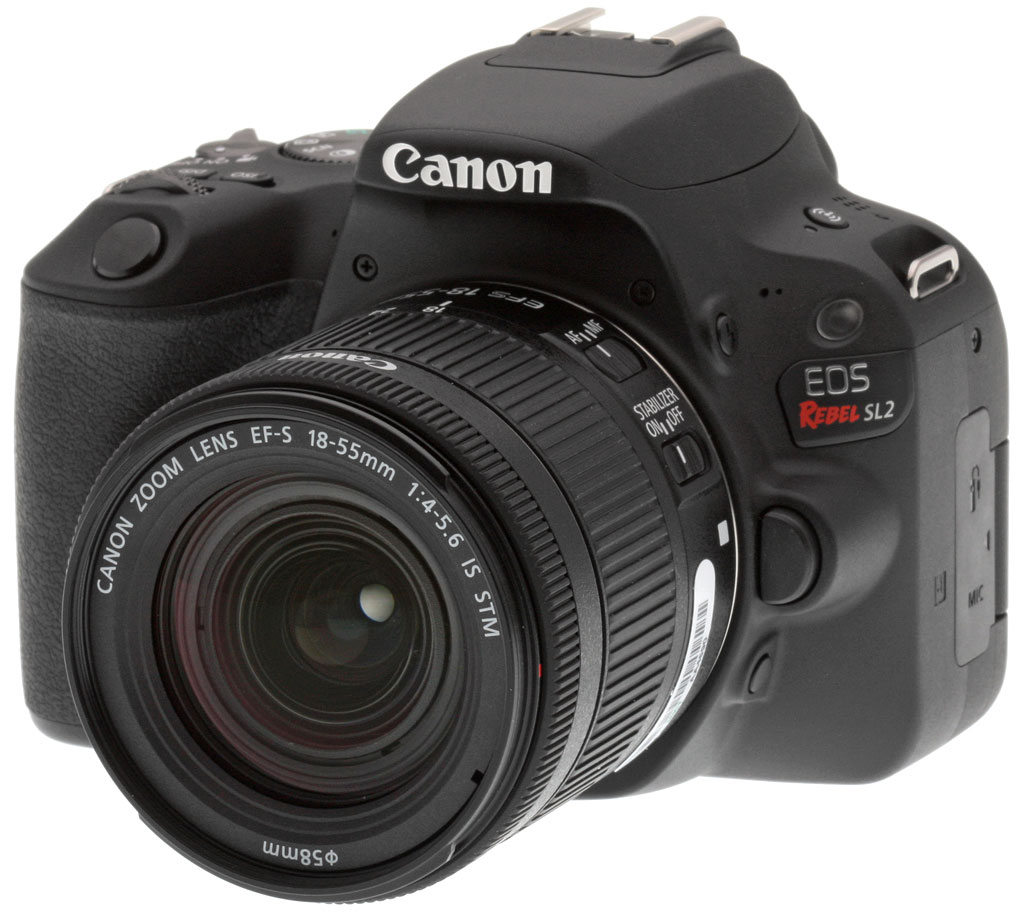
In 2013, Canon released a very small, light DSLR, the Rebel SL1. In fact, at the time, it was the smallest and lightest DSLR we’d ever reviewed. In conjunction with National Camera Day 2017, Canon unveiled the Canon Rebel SL2, which retains the spirit of its predecessor, but changes almost everything else. The camera has been redesigned inside and out. Let's take a look at everything that is new and what has stayed the same.
Key Features and Specifications
- Redesigned compact and lightweight camera body
- 3-inch vari-angle touchscreen display
- 24.2-megapixel image sensor
- Native ISO range of 100 to 25,600, expandable to 51,200
- 9-point optical viewfinder autofocus system
- Dual Pixel CMOS AF during Live View and video recording
- Continuous shooting up to 5 frames per second
- DIGIC 7 image processor
- Full HD video recording at up to 60 fps
- Built-in Wi-Fi, NFC and Bluetooth
Larger than the SL1, but the SL2 is still a very compact DSLR
With a refined design, the Canon Rebel SL2 does look considerably different from the SL1, and it feels different too. The SL2 has a sleeker design than its predecessor with fewer indentations and protrusions. The shutter release has been designed to feel better too. The grip has been redesigned, it is now deeper and has a grain finish. The control dial on the top of the camera has additional knurling to give it more texture. Further changes to the top of the camera include the addition of a ’DISP’ button, a slightly different power/video mode switch and an embedded mode dial. An additional change includes the addition of a Wi-Fi button on the top left area of the SL2 body.

The SL2 continues to be a small camera with dimensions of 4.82 x 3.65 x 2.75 inches (122.4 x 92.6 x 69.8 millimeters). This is slightly wider, taller and deeper than the SL1, but not by much. The SL2 weighs 15.98 ounces (453 grams) with a battery and memory card. Interestingly, the white version of the SL2 which is a Canon Online Store exclusive weighs slightly more at 16.08 ounces (456 grams).
Part of the reason for the larger dimensions, in addition to the redesigned grip and refined design, is the addition of a vari-angle display. The 3-inch display has the same touchscreen capabilities as the SL1 and the same number of dots 1,040,000 but it now swivels and tilts. Besides the vari-angle display, the rear of the SL2 looks like the rear of the SL1. The viewfinder remains the same 0.87x magnification (0.54x 35mm equivalent) pentamirror with approximately 95% frame coverage, which is pretty typical for an entry-level DSLR.

Image sensor: SL2 ups the megapixel count with 24-megapixel sensor
One of the big new features of the Canon Rebel SL2 is its new image sensor. The SL1 used an 18-megapixel sensor and the SL2 ups its resolving power with a 24-megapixel APS-C image sensor. The CMOS sensor has been seen in many recent Canon cameras, including the Canon Rebel T7i.
The sensor has a low-pass filter and self-cleaning capabilities. For any hard to shake dust, the camera also has Dust Delete Data acquisition and appending. The sensor records JPEG and RAW images, the latter of which can be recorded at up to 14-bit depth. Images can be recorded in the sRGB and Adobe RGB color space.

In addition to offering more megapixels than its predecessor, the DIGIC 7-paired 24-megapixel sensor also has a higher native ISO setting of 25,600 compared to 12,800 on the SL1. There will be more information on shooting features and modes further down.
Autofocus and Metering: Dual Pixel CMOS AF comes to the Canon SL series
As is the case with many recent Canon cameras, the Rebel SL2 now incorporates Dual Pixel CMOS AF. The impressive autofocus system covers 80% of the width and height of the image sensor when using Live View. In other recent Canon DSLRs we’ve been impressed with the system so we expect it will also work well on the Rebel SL2. As is the case with the T7i and 77D, the Live View autofocus promises to be the world's fastest at a claimed 0.03 seconds with the kit lens.
When shooting through the viewfinder, the SL2 relies on a 9-point autofocus system, as did the SL1. The center autofocus point is an AF cross-type point supporting f/5.6. Other autofocus points are vertical line-sensitive or horizontal line-sensitive AF points supporting f/5.6. The central AF point is rated to work in light levels down to -0.5 EV whereas the other eight points are rated for 0.5 EV. Autofocus drive modes include One-Shot AF, Predictive AI Servo AF and AI Focus AF.

When looking at metering, the SL2 relies on a 63-zone metering sensor, the same as the SL1. The metering range is 1-20 EV and the SL2 offers evaluative (linked to all autofocus points), partial metering (the central 9% of the frame), spot metering (the central 4% of the frame) and center-weighted average metering. In Live View, the camera uses a 316-zone metering system which utilizes the image sensor in real-time and has a working range of 0-20 EV.
All in all, the introduction of Dual Pixel CMOS AF to the Canon SL2 is the highlight in this section. Otherwise, users should expect much of the same in terms of autofocus and metering performance, particularly when shooting still images through the viewfinder.
Processor and Performance: DIGIC 7 processor promises faster shooting speeds
With its new DIGIC 7 image processor, the Canon Rebel SL2 is poised to offer improved performance over its predecessor. Continuous shooting speeds are specified to top out at 5 frames per second with One-Shot and AI Servo AF modes. Silent continuous shooting speeds top out at half that, at 2.5 fps. According to Canon, when shooting highest-quality JPEG images, the SL2 is said to be capable of shooting at 5 fps until the card fills up. Recording RAW or RAW+JPEG cuts that number dramatically with the buffer filling up after six frames. In our lab tests, the Canon easily met the 5 fps spec, but the buffer depth was lower. When shooting best quality JPEGs, the buffer depth was 22 frames with a fast UHS-I, and when shooting RAW or RAW+JPEG, the buffer depth was only five frames. See our Performance page for details.
By comparison, the SL1 was able to continuously record images at just under 4 fps in our lab tests, so there is a definite speed improvement for the SL2. However, the buffer depth for RAW images tested at a more generous eight frames but only four for RAW+JPEG.

Shooting modes
The Canon SL2 has a variety of Picture Styles, including an automatic Picture Style which adjusts image parameters depending on your subject. Other Picture Styles include Standard, Portrait, Landscape, Fine Detail, Neutral, Faithful, Monochrome and three customizable user defined Picture Styles. The camera includes Special Scene shooting modes as well, such as: Portrait, Group Photo, Landscape, Sports, Kids, Close-up, Food, Candlelight, Night Portrait, Handheld Night Scene and HDR Backlight Control. There is also an assortment of creative shooting effects, including: Grainy B/W, Soft Focus, Fish-eye effect, Water painting effect, Toy camera effect, Miniature effect, HDR art standard, HDR art vivid, HDR art bold and HDR art embossed.
Regarding exposure, the SL2’s fastest shutter speed is 1/4000s. Further, it offers exposure compensation of +/- 5 EV in 1/2 and 1/3 stops.
To help budding photographers, particularly those for whom the SL2 is their first camera, the new Feature Assistant user interface is designed to ease the transition. Feature Assistant shows on the vari-angle touchscreen how different camera settings such as aperture and exposure compensation will affect the image you are preparing to capture. This helps photographers determine which settings they need to freeze or blur a subject or have a shallow depth of field.
Video: Still only Full HD video recording, but the frame rate is improved
The Canon Rebel SL2 can record Full HD (1920 x 1080) video at up to 60 frames per second. Video is recorded as .MP4 files using H.264 codec. The bit rate when recording 1080/60p video is 60 Mbps. The maximum clip length is 29 minutes and 59 seconds. The camera also includes a time-lapse recording mode, which creates a final Full HD video that plays back at up to 30 fps. Like its predecessor, the SL2 has an external microphone input but no headphone jack.

Given that the SL2 includes Dual Pixel CMOS AF, video autofocus performance is impressive. That alone will provide a substantial upgrade for its video features over the SL1, in addition to the faster frame rate.
Connectivity and Power
With built-in Wi-Fi, NFC and Bluetooth -- none of which the SL1 had -- the SL2 has more connectivity than its predecessor. You can connect the Rebel SL2 to your smartphone through Canon’s app and transfer images through a continuous low-power Bluetooth connection in addition to being able to transfer images and control the camera over Wi-Fi. The Canon SL2 did however lose the SL1's infra-red remote receiver, but it is compatible with Canon's BR-E1 Bluetooth remote control.

Further connections include a 3.5mm stereo microphone jack, as mentioned above, a wired remote jack, a Hi-Speed USB 2.0 port, and a Mini HDMI Type-C video output. Composite A/V out has been dropped. The SL2 writes media to SD/SDHC/SDXC cards and is UHS-I compatible.
The Rebel SL2 uses the same lithium-ion battery pack and charger as the Canon T7i and 77D cameras, an LP-E17 ( 7.2v 1040mAh) battery and LC-E17 charger. Battery life is substantially improved over the SL1 as the SL2 is CIPA-rated for up to 650 shots versus the 380 shots the SL1 offered via its lower capacity 875mAh LP-E12 battery.
What is new with the Canon Rebel SL2?
There are many new features in the Canon Rebel SL2 compared to the SL1. We have discussed many of them throughout this overview, but let’s take a moment to recap the biggest changes:
- Redesigned and refined camera body, including a new grip and new button design
- A new user interface with Feature Assistant
- Higher resolution 24-megapixel image sensor, compared to the 18-megapixel sensor found in the SL1
- Higher native ISO 25,600 versus 12,800
- Faster DIGIC 7 image processor
- Dual Pixel CMOS AF for Live View shooting and video recording
- Faster continuous shooting performance
- Vari-angle display
- Built-in Wi-Fi, NFC and Bluetooth
- No IR receiver (but supports BR-E1 Bluetooth remote control)
- Improved battery life with bigger battery
- Slightly more powerful flash (GN=9.8 vs 9.4 meters at ISO 100)
- Full HD video recording at 60 frames per second versus the 30 fps limit on the SL1
- New kit lens

What has stayed the same?
While there are a lot of new features, there are some aspects of the camera which have not been changed for the new SL2:
- Optical viewfinder with 95% frame coverage and 0.54x (35mm equivalent) magnification
- Same limited 9-point autofocus system when shooting through the viewfinder
- The SL2 still uses a 63-zone metering system when shooting through the viewfinder
- There is no headphone jack, which is pretty standard for this price point
- Shallow RAW buffer depth
- Video resolution continues to top out at 1920 x 1080, but the higher frame rate on the SL2 is a welcome improvement nonetheless
Canon SL2 Pricing and Availability
The Canon Rebel SL2 started shipping in late July 2017 at a retail price of just under US$550 for the body only. The SL2 is also available in a kit with the new EF-S 18-55mm f/4-5.6 IS STM lens for about US$700. When purchased as a kit, a white body and lens combination is also available in addition to all black.

In the Box
The Canon SL2 retail kit as tested ships with the following items in the box:
- Canon EOS Rebel SL2 DSLR camera body
- EF-S 18-55mm f/4-5.6 IS STM lens (if in a kit)
- E-58 II 58mm Lens cap
- E Lens dust cap
- LP-E17 Lithium-ion battery pack
- LC-E17 Battery charger
- Ef Eye cup
- R-F-3 Camera body cap
- EW-400D Wide camera strap
- Camera instruction manual
- Warranty card
Optics
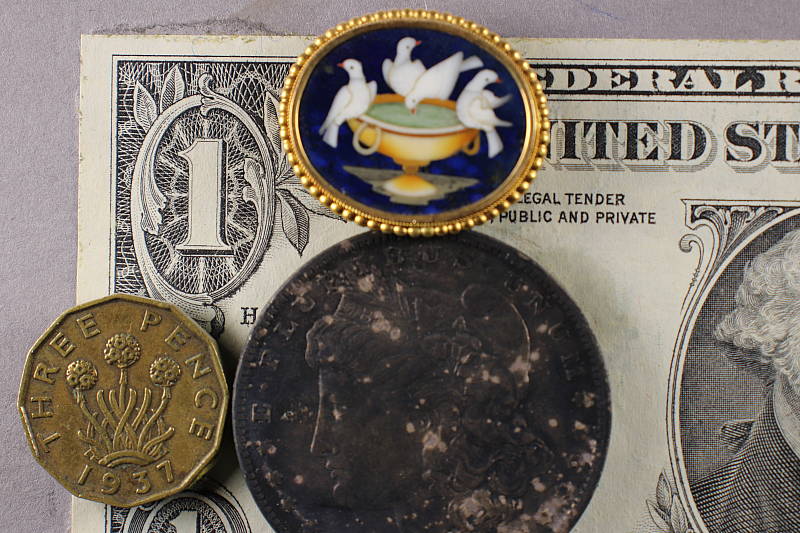
The Canon Rebel SL2 is available bundled with the new, more compact Canon EF-S 18-55mm f/4-5.6 IS STM lens. Note that other shots in the review are taken with our very sharp reference lenses, but this section is used to explore kit lens performance.
Kit Lens Test Results
Zoom
The new Canon EF-S 18-55mm f/4-5.6 IS STM kit lens offers a typical zoom range, with decent performance for its class.


The new and more compact Canon EF-S 18-55mm f/4-5.6 IS STM lens offers a typical optical zoom range for a kit lens of about 3.1x (about 29-88mm eq.). Optical performance is pretty good for an inexpensive kit lens across most of the frame at maximum wide angle (18mm), medium focal length (35mm) and full telephoto (55mm) at f/8, however it's not going to win any contests for sharpness and contrast against most pricier options. Still, it appears to perform better than the average kit lens. The above shots aren't very good for judging corner performance, distortion, etc., though, as they are meant mostly to illustrate zoom range; see below for how the lens performed in the lab.
Macro
An average minimum area (for an SLR kit lens), with very good detail. Flash throttled down fairly well.


The Canon Rebel SL2's macro performance will of course depend entirely on the lens used. With the new 18-55mm IS STM kit lens set to 55mm, the SL2 captured an average-sized minimum area for an SLR kit lens, measuring 3.17 x 2.12 inches (81 x 54 millimeters). Details are quite strong near the center of the frame, though corners are a little soft. (Most lenses have some softening in the corners at macro distances, though.) The Canon SL2's flash throttled down fairly well, producing a bright but even exposure with no detectable shadow from the lens barrel.
Geometric Distortion
Higher than average distortion at maximum wide angle and full telephoto from the 18-55mm IS STM kit lens.
| Barrel distortion at 18mm is about 1.0 percent |
 |
| Pincushion distortion at 55mm is about 0.6 percent |
 |
The Canon EF-S 18-55mm f/4-5.6 IS STM lens produced images with just under one percent barrel distortion at wide angle, which is higher than average and noticeable in some shots. At the telephoto end, there was just under 0.6 % pincushion distortion, which is also higher than average and noticeable. The Canon SL2 does however offer built-in distortion correction. See below. Geometric Distortion is the tendency for the lens to bend straight lines outward (like a barrel -- usually at wide-angle) or inward (like a pincushion -- usually at telephoto).
Chromatic Aberration and Corner Sharpness
Low to moderately high chromatic aberration in the corners with the 18-55mm IS STM lens. The lens produces soft corners at wide angle and telephoto.
|
Aperture: Maximum
|
|
 |
 |
| Wide, f/4: Lower right C.A.: Moderately high Softness: Soft |
Wide, f/4: Center C.A.: Very little Softness: Sharp |
 |
 |
| Tele, f/5.6: Lower right C.A.: Low Softness: Slightly soft |
Tele, f/5.6: Center C.A.: Very low Softness: Fairly sharp |
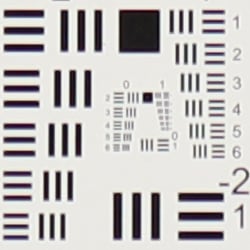
Chromatic Aberration. Chromatic aberration in the corners with our sample of the Canon 18-55mm f/4-5.6 IS STM lens is a little high at wide angle (18mm) but low at full telephoto (55mm), however most of it at wide angle is longitudinal (axial), which is difficult to correct. See below for how well the Canon SL2's lateral chromatic aberration correction works.
Corner Softness. Our sample of the 18-55mm f/4-5.6 IS STM lens produced some soft corners when wide-open at maximum aperture. At full wide angle, all four corners are a little soft and have lower contrast, though blurring doesn't extend very far into the frame and the center is quite sharp. At full telephoto, the bottom right corner is softest while sharpness in the other corners is similar or better though contrast still suffers. As is often the case, the lens isn't quite sharp in the center at full telephoto as it is at wide angle.
Vignetting. Vignetting or corner shading is only slightly noticeable when wide open at wide angle, but that's because the Canon SL2's Peripheral Illumination Correction is enabled by default. See below for comparisons with it disabled.
|
Aperture: f/8
|
|
 |
 |
| Wide, f/8: Lower right C.A.: Low Softness: Fairly sharp |
Wide, f/8: Center C.A.: Very little Softness: Sharp |
 |
 |
| Tele, f/8: Lower right C.A.: Low Softness: Fairly sharp |
Tele, f/8: Center C.A.: Very low Softness: Sharp |
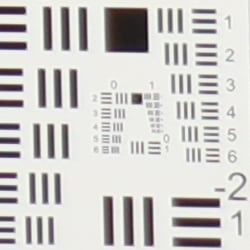
f/8: Chromatic aberration in the corners when stopped down to f/8 is low even at wide angle, while sharpness in the corners is improved, though corners are still not quite as sharp and contrasty as the center. Corner shading is all but eliminated at f/8 as well.
Overall, a better-than-average optical performance for an inexpensive kit lens.
Lens Aberration Corrections
The Canon SL2 offers a full range of digital lens aberration corrections.
Chromatic Aberration Correction
Chromatic Aberration Correction is enabled by default.
|
C.A. Correction Off
|
C.A. Correction On
|
 |
 |
| Wide, f/4: Upper left C.A.: High |
Wide, f/4: Upper left C.A.: Very low |
 |
 |
| Tele, f/5.6: Upper left C.A.: Low |
Tele, f/5.6: Upper left C.A.: Very low |
As you can see, the Canon SL2's Chromatic Aberration Correction feature was very effective at removing almost all the lateral chromatic aberration in our 18-55mm f/4-5.6 IS STM wide-angle test shot above. There wasn't much chromatic aberration to remove at full telephoto. Like most cameras, though, it's not very good at removing longitudinal (axial) chromatic aberration.
Diffraction Correction
Diffraction Correction is enabled by default.
|
Diffraction Correction Off
|
Diffraction Correction On
|
 |
 |
| Wide, f/8: Center | Wide, f/8: Center |
 |
 |
| Tele, f/8: Center | Tele, f/8: Center |
Diffraction Correction simply applies stronger sharpening as the lens is stopped down to counteract softening from diffraction. There's not much diffraction to begin with at f/8 but if you look very closely, you'll see that slightly lower sharpening was applied with it disabled. Note that Diffraction Correction also increases sharpness slightly when shooting wide open as well, to help counteract the slight softening caused by the SL2's optical low-pass filter.
Distortion Correction
Distortion Correction is disabled by default.
| Barrel distortion at 18mm is about 0.1 percent |
 |
| Barrel distortion at 55mm well under 0.1 percent |
 |
While geometric distortion is higher that average from the new 18-55mm f/4-5.6 IS STM lens, with Distortion Correction enabled, it is greatly reduced. At wide angle, barrel distortion was only about 0.1% and at full telephoto, pincushion distortion was slightly overcorrected to only about a pixel's worth of barrel distortion.
Peripheral Illumination Correction
Peripheral Illumination Correction is enabled by default.
 |
 |
||
| 18mm @ f/4 | 55mm @ f/5.6 | ||
| Peripheral Illumination Correction: | On (default) | Off | |
Peripheral Illumination Correction corrects for lens shading (commonly called "vignetting"), producing a more uniform exposure across the frame by compensating for the light fall-off seen with some lenses in the corners of the frame. Mouse over the On and Off links above to see the effect on the 18-55mm kit lens at wide angle and telephoto at maximum aperture. As you can see, there's quite a bit of corner shading with PIC disabled at both wide and telephoto at maximum aperture.
Notee that lens aberration correction is supported for Canon lens models, in both raw and JPEG workflows. For JPEG shooting, the correction is made at capture time, while raw shooters can access the function in Canon's Digital Photo Professional software. When using third-party lenses, Canon recommends disabling lens aberration corrections.
Viewfinder Test Results
Accuracy
Below average accuracy from the optical viewfinder, very good accuracy from the LCD in Live View mode.


Testing with a low-distortion mid-focal length macro lens to minimize the effects of lens distortion, we measured the Canon SL2's optical viewfinder's coverage at close to 94%. This is a little lower than Canon's 95% specification, and the image is offset both vertically and horizontally with respect to the sensor, which is unfortunately quite common with optical viewfinders in consumer-oriented DSLRs (and even many prosumer models). Live View mode using the LCD is much more accurate, resulting in just over 99% coverage.
The images above were taken from our standardized test shots. For a collection of more pictorial photos, see our Canon EOS Rebel SL2 (EOS 200D) Photo Gallery .
Exposure
Color
Saturation & Hue Accuracy
Slightly below average saturation levels but very good hue accuracy.
 |
||
|
ISO Sensitivity
|
||
| In the diagram above, the squares show the original color, and the circles show the color that the camera captured. More saturated colors are located toward the periphery of the graph. Hue changes as you travel around the center. Thus, hue-accurate, highly saturated colors appear as lines radiating from the center. Mouse over the links above to compare ISOs, and click to load a larger version. | ||
Saturation. The Canon SL2 produces images with mean saturation levels that are a little below average these days. Dark reds are boosted the most, with dark orange, dark greens and dark blues pushed just a little, while cyan, yellow and light green are slightly muted. The mean saturation of 106.8% (6.8% oversaturated) at base ISO is a bit lower than the ~110% average we typically see, but colors are quite natural-looking and pleasing to the eye. Mean saturation levels are fairly stable across the ISO range except at maximum extended ISO, where it drops to a minimum of 103% at ISO 51,200. Most consumer digital cameras produce color that's more highly saturated (more intense) than found in the original subjects. This is simply because most people like their color a bit brighter than life.
Skin tones. The Canon SL2 produced pleasing, natural-looking Caucasian skin tones in our tests when using Manual white balance (Auto white balance was very similar). Darker skin tones show a small nudge toward orange, but lighter tones are more pinkish. Very good results. Where oversaturation is most problematic is on Caucasian skin tones, as it's very easy for these "memory colors" to be seen as too bright, too pink, too yellow, etc.
Hue. As we've come to expect from Canon, the SL2's hue accuracy is much better than average when Manual white balance is used (as it always is for these results). There are the usual shifts in cyan toward blue (though actually quite small), red toward orange, orange toward yellow, and yellow toward green, but all are fairly minor. Average "delta-C" color error at base ISO is only 3.75 (lower is better) which is very good. Delta-C color error varies slightly with sensitivity, but remains better than average even at the highest ISOs. Hue is "what color" the
color is.
See full set of test images with explanations
See thumbnails of all test and gallery images
Sensor
Exposure and White Balance
Indoors, incandescent lighting
Auto and Incandescent white balance settings both struggled with household incandescent lighting, though Manual worked well. Average exposure compensation required.


Indoors, under incandescent lighting, the Canon SL2's default Auto and Incandescent white balance settings struggled, producing very reddish or orange/yellow color casts. Like other recent Canon EOS models, the SL2 has a "White Priority" Auto white balance mode, which worked better, but it produced a magenta cast. The Manual setting produced the most accurate results that were just slightly cool. The Canon SL2 required +0.3 EV exposure compensation for this shot, which is about average among the cameras we've tested. (Our test lighting for this shot is a mixture of 60 and 100 watt household incandescent bulbs, a pretty yellow light source, but a very common one in typical home settings here in the U.S.)
Outdoors, daylight
Very good color, though a tendency towards slightly cool color balance with somewhat high contrast under harsh lighting. Slightly above average exposure accuracy.

In simulated daylight, the Canon SL2 produced pleasing skin tones with both Auto and Manual white balance, and overall color was generally very good. The Canon SL2 required only +0.3 EV exposure compensation to keep the mannequin's face reasonably bright, a little lower than average for our "Sunlit" portrait shot above. The Canon SL2's default contrast is a little high, producing some washed-out highlights and dark shadows under the deliberately harsh lighting of the shot above, though the camera's Auto Lighting Optimizer and Highlight Tone Priority settings help with high contrast scenes like these. See below for examples.
See full set of test images with explanations
See thumbnails of all test and gallery images
Resolution
~2,800 lines of strong detail from JPEGs, about the same from RAW.


Our resolution chart showed sharp, distinct line patterns up to just over 2,800 lines per picture height horizontally and to just over 2,800 lines vertically. Some may argue for higher numbers, but lines begin to merge at this resolution, and some aliasing artifacts in the form of moiré patterns can be seen at lower resolutions. Extinction of the pattern occurred between 3,400 and 3,600 lines. An Adobe Camera Raw converted .CR2 file produces about the same resolution as the in-camera JPEG, though complete extinction of the pattern was extended a bit. While ACR was able to extract more detail, it also produced more false colors. Use these numbers to compare with other cameras of similar resolution, or use them to see just what higher resolution can mean in terms of potential detail.
See full set of test images with explanations
See thumbnails of all test and gallery images
Sharpness & Detail
Somewhat soft images at default sharpening, but with noticeable sharpening artifacts. Minor to moderate detail loss due to noise reduction processing even at low ISOs.


Sharpness. The Canon SL2's 24-megapixel sensor captures very good image detail when coupled with a good lens, though its JPEG images are a bit soft at default settings. Yet the SL2's default sharpening setting generates visible edge-enhancement artifacts in the form of obvious sharpening halos around high-contrast edges, as shown in the crop above left. (Keep in mind Canon has decided to keep an optical low-pass filter in the SL2 to reduce aliasing artifacts at the cost of slightly reduced sharpness, unlike some competing models which have gone the other way. However much of the softness is just due to unsophisticated default processing.) Edge enhancement creates the illusion of sharpness by enhancing colors and tones right at the edge of a rapid transition in color or tone.
Detail. The crop above right shows some detail loss due to noise suppression in darker areas and in areas with low contrast, perhaps just a little more than we're accustomed to seeing from an APS-C sensor at base ISO. Still, a decent performance for a 24-megapixel consumer model. Noise-suppression systems in digital cameras tend to flatten-out detail in areas of subtle contrast. The effects can often be seen in shots of human hair, where the individual strands are lost and an almost "watercolor" look appears.
In-Camera JPEGs: Standard vs Fine Detail Picture Style setting
The SL2 offers Canon's Fine Detail Picture Style first seen on the Canon 5DS R and 5DS DSLRs. Below is a comparison with the default Standard Picture Style at base ISO.
|
Base ISO (100)
|
|
 |
 |
 |
 |
 |
 |
|
Camera JPEG, defaults
|
Camera JPEG, Fine Detail
|
In the table above, we compare the Canon SL2's default Standard Picture Style setting (left) to its Fine Detail preset at base ISO. Like the 5DS/R, the Canon SL2 offers users much more flexibility in sharpening than older EOS models, allowing you to adjust not only the "Strength" (from 0 to 7) but also the "Fineness" (1 to 5) and "Threshold" (1 to 5) operators. We believe these parameters correlate to unsharp mask options for strength, radius and threshold available in photo editing software such as Photoshop, although we don't know what the equivalent units might be.
The Fine Detail Picture Style preset boosts the Sharpness Strength operator one notch (to 4 out of 7) while dialing down the Fineness (1/5) and Threshold (1/5) operators to their minimum compared to Standard which defaults to Sharpness: 3/7, Fineness: 4/5 and Threshold: 4/5. The result is improved, more natural-looking rendering of fine detail along with less obvious sharpening halos than the default Standard setting. However, noise is more visible in flatter areas, and contrast is lower, making the Fine Detail image appear to have less "pop". There also appear to be minor differences in color, even though Color Tone, Saturation and Contrast settings are identical between these two Picture Styles presets. Given the flexibility in settings, though, you may be able to find a better combination than the defaults compared above.
RAW vs In-Camera JPEGs
As noted above the Canon SL2 produces JPEG images with very good detail, but that are somewhat soft yet have visible sharpening halos when viewed on-screen at 100%. With a good RAW converter, additional detail can often be extracted with fewer sharpening artifacts. See below:
|
Base ISO (100)
|
|
 |
 |
 |
 |
 |
 |
|
Camera JPEG, defaults
|
RAW via Adobe Camera Raw
|
In the table above, we compare a best quality in-camera JPEG taken at base ISO using default noise reduction and sharpening (on the left) to the matching RAW file converted with Adobe Camera Raw 9.1 via DNG Converter 10.2 using default noise reduction with some strong but tight unsharp masking applied in Photoshop (300%, radius of 0.3 pixels, and a threshold of 0).
Looking closely at the images, we can see ACR extracts additional detail that isn't present in the default JPEG from the camera, particularly in the red-leaf and pink swatches where the fine thread pattern is likely treated as noise by the JPEG engine. Fine detail in the mosaic crop is also improved, but as is often the case, the conversion isn't nearly as clean and smooth looking, with more noise as easily seen in the flatter areas of the bottle crop. You can of course apply stronger noise reduction (default ACR NR used here) to arrive at your ideal noise versus detail tradeoff. And, as expected, sharpening halos aren't nearly as strong as the default camera output. Bottom line: As is usually the case with Canons, you can do noticeably better by shooting in RAW mode and using a good RAW converter than the camera's default JPEG processing.
ISO & Noise Performance
Good high ISO performance for a 24-megapixel APS-C sensor.
|
Default High ISO Noise Reduction
|
||
 |
 |
 |
| ISO 100 | ISO 200 | ISO 400 |
 |
 |
 |
ISO 800 | ISO 1600 | ISO 3200 |
 |
 |
 |
ISO 6400 | ISO 12,800 | ISO 25,600 |
 |
ISO 51,200 | |
Images are quite clean and detailed at ISOs 100 through 400, with just a tiny amount of luminance noise seen in the darker areas, and very little chroma noise. Some blurring of fine low-contrast detail is already visible at base ISO, though, as mentioned previously. ISO 800 is of course a little noisier and softer, but fine detail is still very good with a noise grain that's quite fine while chroma noise remains low. At ISO 1600 blurring becomes noticeably stronger resulting in a more evident drop in image quality, though a fair amount of fine detail is still left. ISO 3200 is quite a bit softer and grainier, but chroma noise is well-controlled and there is still some fine detail left. ISO 6400 is quite soft and grainy with some minor chroma blotching as well, but the noise grain is still fairly tight and not too obtrusive. ISO 12,800 is quite soft and grainy, though some fine detail is still preserved Noise and the effects of noise reduction working hard to keep it under control really become apparent at ISOs 25,600 and 51,200, with heavy luminance noise, stronger blurring and more obvious chroma blotching.
Overall, good high ISO performance for a 24-megapixel APS-C sensor and a noticeable improvement over its predecessor, though not quite as good as most modern rivals. See the Print Quality section below (when available) for our evaluation of maximum print sizes at each ISO setting.
A note about focus for this shot: We used to shoot this image at f/4, however depth of field became so shallow with larger, high-resolution sensors that it was difficult to keep important areas of this shot in focus, so we have since started shooting at f/8, the best compromise between depth of field and sharpness.
Extremes: Sunlit, dynamic range and low light tests
Somewhat high default contrast and unremarkable dynamic range. HTP and ALO options do a great job of dealing with harsh lighting. Good low-light performance.


The Canon SL2 produces images with moderately high contrast with some washed-out highlights and deep shadows under the deliberately harsh lighting of the test above. The mannequin's face is too dim at the default exposure and +0.7 EV has far too many blown highlights, so we preferred the image with +0.3 EV exposure compensation overall. This still resulted in some clipped highlights in the shirt and flowers, a bit more than we're used to seeing from an APS-C sensor lately, indicating mediocre dynamic range compared to the best of recent competitors. Shadow detail is however pretty good, though very deep shadows are a bit noisy and discolored. Bottom line: while dynamic range in JPEGs isn't bad, the Canon SL2 didn't do as well with this difficult shot compared to some recent state-of-the-art peers. Almost all highlights and shadows were however recoverable from the +0.3 EV CR2 file, indicating much better dynamic range is possible from the SL2's base ISO RAW files.
Because digital cameras are more like slide film than negative film (in that they tend to have a more limited tonal range), we test them in the harshest situations to see how they handle scenes with bright highlights and dark shadows, as well as what kind of sensitivity they have in low light. The shot above is designed to mimic the very harsh, contrasty effect of direct noonday sunlight, a very tough challenge for most digital cameras. (You can read details of this test here. In actual shooting conditions, be sure to use fill flash in situations like the one shown here; it's better to shoot in open shade whenever possible.)
Highlight Tone Priority
The Canon SL2's Highlight Tone Priority (HTP) option did a good job of preserving highlight detail as shown below. (Mouse over the Off and On links below to load the corresponding thumbnail and histogram, and click on the links to access full resolution images.)

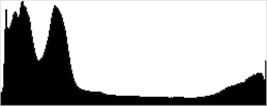
Both shots above were captured at the same exposure, the only difference being that HTP was enabled for the second shot which required ISO to be increased to 200; part of how HTP works. As you can see, the thumbnails and histograms clearly show a reduction in highlights while mid-tones and shadows remained roughly the same with HTP enabled. If you look closely at shadows, you'll notice an increase in noise is the price you pay when ISO is boosted from 100 to 200, although noise is still pretty low in the shadows at ISO 200.
Automatic Lighting Optimization
Like previous Canon EOS models, the SL2 offers three selectable levels of Automatic Lighting Optimization (ALO), plus Off. In fully automatic (Scene Intelligent Auto) ALO is automatically enabled and it's available in P, Tv and Av exposure modes. (Mouse over the links below to load the associated thumbnail and histogram, and click on the links to access full resolution images.)
|
Automatic Lighting Optimization
|
|
 |
|
 |
|
As you can see above, ALO has the effect of shifting shadows and mid-tones in the histograms to the right, brightening shadows and indeed most of the image while attempting to keep highlights the same. ISO does not need to be boosted for ALO so increased noise is not an issue, though it may be slightly more visible in shadows that have been boosted significantly.
HDR Backlight Control
The Canon SL2 includes a couple of High Dynamic Range modes, which take a burst of three shots at different exposures and merges them together to create an image with wider tonal range than would be possible with a single exposure. There's an HDR Backlight Control scene mode, plus included in Image Effects (Creative Filters), there is an HDR mode that offers four Artistic effects: Art Standard, Art Vivid, Art Bold and Art Embossed, as well as a Natural setting.


Because it is a scene mode, HDR Backlight Control does not offer any control over aperture, shutter speed or ISO. In this case, the camera chose ISO 500, f/2.8 and 1/800s with HDR Backlight Control selected. As you can see above, it produced an image with much higher dynamic range, much better shadow and midtone detail, and fewer blown highlights, however the resulting image does look rather flat as overdone HDR images often do. Because it takes multiple images and merges them together, it is not recommended for portraits as any motion between frames would result in ghosting or double images. Also notice how the HDR image is noticeably "cropped" and then enlarged during the alignment and compositing process.
We did not test the Creative Filter modes in the lab, however there are some examples in our Gallery shots.
Face Detection
Just like most point & shoot cameras these days, the Canon SL2 has the ability to detect faces, and adjust exposure and focus accordingly.
| Face Detection | ||
 |
 |
 |
| Aperture Priority Face Detect: Off 0 EV |
Aperture Priority Face Detect: On 0 EV |
Auto Mode 0 EV |
As you can see in the examples above, the center image with face detection enabled is much better exposed for the face compared to the left image where face detection was not employed, as using it dropped the shutter speed from 1/30s to 1/25s. Full Auto mode (right) is a little better exposed than without Face Detect enabled, though still a bit dim. It selected a much wider aperture of f/3.2, a faster shutter speed of 1/320s, and used the standard Auto Lighting Optimizer setting for lower contrast.
Dynamic Range Analysis (RAW mode)
While we once performed our own dynamic range measurements based on in-camera JPEGs as well as converted RAW images (when the camera was supported by Adobe Camera Raw), we've switched to using DxO Labs' results from their DxOMark website. As technology advanced, the dynamic range of modern high-end cameras in some cases exceeded the range of the Stouffer T4110 density scale that we used for our own measurements. DxO's approach based on RAW data before demosaicing is also more revealing, because it measures the fundamental dynamic range of the sensor, irrespective of whatever processing is applied to JPEGs, or to RAW data by off-the-shelf conversion software.
In the following, we use DxO's "Print" dynamic range results, which are scaled based on camera resolution. As the name suggests, this scaling corresponds to the situation in which you print at a given size, regardless of how many megapixels the camera might have. (In other words, if you've decided to make a 13x19 inch print, that's the size you're printing, whether the camera's resolution is 16 or 300 megapixels.) Also note that DxO Labs uses a signal-to-noise (SNR) threshold of 1 when defining the lower boundary of acceptable luminance noise in their dynamic range measurements, which corresponds to the "Low Quality" threshold of the Imatest software we used to use for this measurement.

Above we compare dynamic range results from the SL2 (known as the 200D in Europe, in orange), with that of its predecessor's, the SL1 (or 100D in yellow), and to the 24-megapixel APS-C Nikon D5600 (in red), a class-leading competitor when it comes to dynamic range.
As you can see from the above graph (click for a larger version), the Canon SL2's dynamic range is significantly improved over the SL1's at low to moderate ISOs, however at ISOs above 400, the improvement is quite minor. The SL2's peak dynamic range at base ISO tested at 13.4 EV versus just under 11.3 EV for the SL1, which is just over a two stop advantage. At ISOs above 400, the SL2's advantage is less than 0.5 EV which would be a little difficult to see in real-world images.
The Nikon D5600 however performed better across the board, with a peak dynamic range of just over 14 EV at base ISO, which is about 0.6 EV advantage over the SL2, and the Nikon manages to keep a sizeable lead up to about ISO 3200, where its lead narrows.
Bottom line, dynamic range has improved significantly over its predecessor at low to moderate ISOs, however the SL2 still lags behind leading APS-C rivals. Click here to visit the DxOMark page for the Canon SL2 for more of their test results.
| 1 fc 11 lux |
1/16 fc 0.67 lux |
1/16 fc No NR |
|
|---|---|---|---|
| ISO 100 |
 2s, f2.8 |
 30s, f2.8 |
 30s, f2.8 |
| ISO 3200 |
 1/15s, f2.8 |
 1s, f2.8 |
 1s, f2.8 |
| ISO 25600 |
 1/125s, f2.8 |
 1/8s, f2.8 |
 1/8s, f2.8 |
Low Light. The Canon SL2 performed well in our low-light tests for an APS-C camera, capturing bright images at the lowest light level (1/16 foot-candle), even with the lowest sensitivity setting (ISO 100). As expected, noise increases as ISO goes up and light levels go down, but luminance noise remains fairly low and fine-grained at ISO 3200. Some chroma noise in the form of subtle color blotching in the shadows and dark areas is visible at lower light levels, though it's effectively suppressed by default noise reduction. As you'd expect, noise is quite high at the maximum native ISO of 25,600, particularly when noise reduction is minimized (rightmost column in the table above).
Color balance was very good with the Canon SL2's Auto white balance setting, just a touch cool even at 1/16 foot-candle.
We didn't see any significant issues with hot pixels or heat blooming, and banding (fixed pattern noise) appears to be very low in the shadows.
LL AF: The Canon SL2's dedicated optical viewfinder AF system was able to focus on our legacy low-contrast AF target down to about -2.5 EV unassisted with an f/2.8 lens using the center AF point. That's not bad for the class, and it was able to focus on our newer high-contrast AF target down to -2.8 EV. Note that both these results are significantly better than Canon's -0.5 EV spec. When using Dual Pixel AF in Live View mode, the SL2 was about to focus down to -2.2 and -4.1 EV respectively, which is pretty good. The Canon SL2 has an AF assist feature which strobes its built-in flash while focusing and is thus able to focus in complete darkness with it enabled, though it only works when using the optical viewfinder.
As always, keep in mind that the longer shutter speeds here demand the use of a tripod to prevent any blurring from camera movement. (A useful trick is to just prop the camera on a convenient surface, and use its self-timer to release the shutter. This avoids any jiggling from your finger pressing the shutter button, and can work quite well when you don't have a tripod handy.)
How bright is this? The one foot-candle light level that this test begins at roughly corresponds to the brightness of typical city street-lighting at night. Cameras performing well at that level should be able to snap good-looking photos of street-lit scenes.
NOTE: This low light test is conducted with a stationary subject, and the camera mounted on a sturdy tripod. Most digital cameras will fail miserably when faced with a moving subject in dim lighting. (For example, a child's ballet recital or a holiday pageant in a gymnasium.) Large sensored cameras like the Canon SL2 do much better than point & shoots, but you still shouldn't expect a quick autofocus lock with moving subjects.
Output Quality
Print Quality
Very good 30 x 40 inch prints up to ISO 400; a good 16 x 20 inch print at ISO 1600, and a nice 5 x 7 at ISO 12,800.
 ISO 100 and 200 printed images are quite good at 30 x 40 inches, displaying rich colors and very good fine detail. Larger sizes may certainly be fine as well, depending on your viewing distance, as the only real limit is resolution at these sensitivities.
ISO 400 is also capable of a quality 30 x 40 inch print. There is perhaps a touch of fine detail loss if you view close enough, and if you squint you may yet see a mild trace of noise in a few flatter areas of the print, but overall still very good.
ISO 800 produces a solid 20 x 30 inch print, still quite a nice size at this ISO given the class of camera. There is a mild softening that begins to occur in the red channel here, pretty common for APS-C cameras by this ISO, and just a mild trace of noise appearing in the shadowy areas of our target, but otherwise a good print to be sure.
ISO 1600 allows for a nice 16 x 20 inch print, with only mild issues similar to the 20 x 30 inch print at ISO 800. This is still a generous size and it allows a lot of flexibility in gain for low-light shooting to know you can achieve a large print size at this sensitivity.
ISO 3200 is usually the turning point for APS-C cameras in general, and the SL2 is no exception, displaying much more noise in general in the larger print sizes, while aggressive noise reduction begins to take a toll in various ways. We are confident calling the 11 x 14 inch prints good here, giving them our stamp of approval for all but the most critical printing purposes.
ISO 6400 prints are suitable at 8 x 10 inches, which is not bad considering how high this ISO is. Pretty much all subtle detail is now lost in our tricky red-leaf fabric swatch, but that's a pretty standard occurrence across APS-C camera models at this sensitivity. Colors are still nice and full, and there's enough detail at this size still remaining to achieve a solid print.
ISO 12,800 produces a surprisingly good 5 x 7 inch print, considering this lofty sensitivity. This is definitely a suitable ISO for all but the most critical printing purposes at this size, and will definitely work for things like good family prints.
ISO 25,600 images can be printed to our smallest analyzed size of 4 x 6 inches, and once again the print is actually fairly good for this camera class -- colors are not muted as we find with some models at this gain setting.
ISO 51,200 does not provide a usable print and this gain setting is best avoided, though you may be able to get away with a 4 x 6 inch print here for less critical applications.
The Canon SL2 bests its predecessor, the popular Canon SL1, at every ISO by a print size or more. The higher resolution combined with improved noise reduction processing is evident, and anyone looking to upgrade for larger prints will be pleased in that regard. In addition, the camera matches stride in the print quality department with the larger and pricier Canon 77D, giving interested buyers more than one reason to choose this little gem based on image and print quality.
The images above were taken from our standardized test shots. For a collection of more pictorial photos, see our Canon EOS Rebel SL2 (EOS 200D) Photo Gallery .
Not sure which camera to buy? Let your eyes be the ultimate judge! Visit our Comparometer(tm) to compare images from the Canon EOS Rebel SL2 (EOS 200D) with those from other cameras you may be considering. The proof is in the pictures, so let your own eyes decide which you like best!
Performance
Timing and Performance
Generally good to very good performance for an entry-level DSLR, though shallow buffer when shooting RAW files.
| Startup/Play to Record | ||
|---|---|---|
| Power on |
~0.6 second
|
Time it takes to turn on and capture a shot. |
|
Play to Record, |
~0.4 second
|
Time until first shot is captured. |
Powering on and taking a shot was quite fast for an entry-level DSLR, at about 0.6 second. Switching from Play to Record mode and taking a shot was faster, at about 0.4 second.
| Shutter Response (Lag Time), Optical Viewfinder | ||
|---|---|---|
|
Full Autofocus |
0.079 second
|
Time from fully pressing shutter button to image capture. (All timing tested with a Canon 50mm f/1.8 STM lens.) |
|
Full Autofocus |
0.292 second
|
Time to capture while forcing flash to fire. Preflash metering pulses from flash often slow shutter response. |
|
Manual Focus |
0.069 second
|
For most cameras, shutter lag is less in manual focus than autofocus, but usually not as fast as when the camera is "prefocused". |
|
Prefocused |
0.061 second
|
Time to capture, after half-pressing and holding shutter button. |
| Shutter Response (Lag Time), Live View | ||
|
Prefocused |
0.094 second
|
Time to capture, after half-pressing and holding shutter button. |
In terms of the Canon SL2's ability to determine that it's properly focused when shooting the same target multiple times using the optical viewfinder with our 50mm f/1.8 STM lens, its full autofocus shutter response was very fast for a consumer DSLR. We measured only 0.079 second for full AF lag using single point (center) AF, which is close to pro DSLR speeds. Enabling the flash added considerable delay for the pre-flash metering resulting in a capture lag of about 0.29 second, though that's still quite fast.
Shutter lag with manual focus was excellent at 0.069 second. "Prefocusing" the camera by half-pressing and holding down the shutter button before the final exposure resulted in a lag time of only 0.061 second, also excellent for a consumer DSLR.
The Canon SL2's prefocused shutter lag time in Live View mode was 0.094 second, which is excellent. Note that we no longer test full AF lag in Live View mode for DSLRs, because the lens used makes such a huge difference that comparing is pointless. We'll try to comment on real-world Live View AF performance in our field tests.
To minimize the effect of different lens' focusing speed, we test AF-active shutter lag with the lens already set to the correct focal distance.
| Cycle Time (shot to shot) | ||
|---|---|---|
|
Single Shot mode |
< 0.3 second
|
Time per shot, averaged over a few frames. |
|
Single Shot mode |
< 0.3 second
|
Time per shot, averaged over a few frames. |
|
Early shutter |
No ✢
|
Some cameras don't snap another shot if you release and press the shutter too quickly in Single Shot mode, making "No" the preferred answer. (✢The SL2 does not penalize an early press of the shutter release, but it doesn't always recognize the shutter release being pressed when it is buffering.) |
|
Continuous mode |
0.20 second
(5.03 fps); 22 frames total; 2.7 seconds to clear* |
Time per shot, averaged over 22 shot buffer capacity, then slowed to an average of 0.31s or 3.26 fps when buffer was full. |
| Continuous mode |
0.20 second
(5.06 fps); 5 frames total; 5.7 seconds to clear* |
Time per shot, averaged over 5 shot buffer capacity, then slowed to an average of 1.07s or 0.93 fps when buffer was full. |
|
Continuous mode |
0.20 second
(5.00 fps); 5 frames total; 6.2 seconds to clear* |
Time per shot, averaged over 5 shot buffer capacity, then slowed to an average of 1.11s or 0.90 fps when buffer was full. |
| Flash recycling |
2.4 seconds
|
Flash at maximum output. |
|
*Note: Buffer clearing times measured with a SanDisk Extreme Pro 95MB/s UHS-I SDHC card. Slower cards will produce correspondingly slower clearing times. Slow cards may also limit length of bursts in continuous mode. ISO sensitivity and noise reduction settings can also affect cycle times and burst mode performance.
|
||
Single-shot cycle times were so fast that they were difficult to accurately measure as they depend on the tester's nimbleness and ability to maintain an optimum rhythm. (Note that we no longer test single-shot mode with just RAW files, as the results are usually somewhere in between JPEG and RAW+JPEG modes.)
Full-resolution continuous mode speeds were about average for the class and resolution, at about 5.0 frames-per-second, no matter the file type.
Buffer depth for best quality JPEGs was good at 22 frames before the camera slowed, and the buffer-full rate was still a decent 3.3 frames-per-second with a fast UHS-I card. However when shooting RAW files, buffer depths were quite shallow at only 5 frames with or without JPEGs. Very shallow buffers when shooting RAW files isn't uncommon for the class, though. (Note that in our cycle time testing we shoot a target consisting of a fine-grained digital noise pattern, designed to be very hard to compress. This gives us worst-case buffer capacity numbers for compressed files: You're likely to see greater buffer capacity when shooting more normal subjects. Canon claims no limit other than card space for large/fine JPEGs, 6 RAW or 6 RAW+JPEG files using their test methods.)
Buffer clearing times were quite good considering the resolution, ranging from 2.7 seconds after 22 best quality JPEGs, to 6.2 seconds after a burst of RAW+JPEG frames. The Canon SL2 does let you change settings and view just-shot JPEGs while the buffer is clearing, but you can't review RAW images until after the buffer clears.
The Canon SL2's flash took an average of 2.4 seconds to recharge after a full-power discharge, which is quite fast.
Bottom line, the Canon SL2 generally offers good to very good performance for an entry-level DSLR, with fast start-up and mode switching, very fast autofocus, low shutter lag, quick single-shot cycle times, and a decent burst speed. Buffer depths when shooting RAW files were however very shallow at only 5 frames, which is a little disappointing but not unheard of for the class.
Battery
Battery Life
Average battery life for a consumer DSLR.
| Operating Mode | Number of Shots |
|---|---|
|
Still Capture,
Optical Viewfinder (CIPA Standard) |
650
|
|
Still Capture,
Live View LCD (CIPA Standard) |
260
|
The Canon SL2 uses a custom LP-E17 rechargeable lithium-ion battery for power, and ships with a dedicated battery charger. Battery life is about average for a compact DSLR using the optical viewfinder, CIPA-rated at 650 shots with 50% using flash, but of course Live View mode draws more power reducing battery life considerably to 260 shots. Although this is much improved over the SL1's 380 and 150 shots respectively, we still recommend you pick up a spare battery and keep it freshly charged and on-hand for extended outings.
The table above shows the number of shots the Canon SL2 is capable of (on a fully-charged rechargeable battery), based on CIPA battery-life and/or manufacturer standard test conditions.
(Interested readers can find an English translation of the CIPA DC-002 standards document here. (180K PDF document))
Image Quality
Below are crops from our laboratory Still Life target comparing the Canon SL2's image quality to its predecessor's, the SL1, as well as against several competing ILC cameras which all sit at similar price points or product categories: the Fuji X-A3, Olympus E-M10 Mark III, Nikon D5600 and Sony A6000.
NOTE: These images are from best quality JPEGs straight out of the camera, at default settings including noise reduction and using the camera's actual base ISO (not extended ISO settings). All cameras in this comparison were shot with our very sharp reference lenses. Clicking any crop will take you to a carrier page where you can click once again to access the full resolution image as delivered straight from the camera. For those interested in working with the RAW files involved: click these links to visit each camera's respective sample image thumbnail page: Canon SL2, Canon SL1, Fuji X-A3, Olympus E-M10 III, Nikon D5600 and Sony A6000 -- links to the RAW files appear beneath those for the JPEG images, wherever we have them. And remember, you can always go to our world-renowned Comparometer to compare the Canon SL2 to any camera we've ever tested!
Canon SL2 vs Canon SL1 at Base ISO
 |  |
 |  |
 |  |
Canon SL2 at ISO 100 | Canon SL1 at ISO 100 |
The Canon SL2 features a new, higher-resolution 24-megapixel APS-C sensor compared to the older 18-megapixel sensor in the SL1. The increase in resolution is definitely visible, as the SL2 displays better detail than its predecessor here at base ISO, with improved color and contrast as well. The SL1 does a little better in our tricky red-leaf swatch, though, however that's partially because the SL2's higher resolution resolves more of the individual threads which it likely treats as noise and tries to suppress, blurring the subtle leaf pattern more in the process. | |
Canon SL2 vs Fujifilm X-A3 at Base ISO
|  |
|  |
|  |
Canon SL2 at ISO 100 | Fujifilm X-A3 at ISO 200 |
Both these cameras use 24-megapixel Bayer-filtered APS-C sensors, so resolving power is closely matched. The X-A3 image is however sharper and crisper, although sharpening halos around high-contrast edges are even more obvious than from the Canon. While noise is quite low from both cameras at base ISO, chroma noise is a bit higher from the SL2, however luma noise is higher from the X-A3, though keep in mind the Fuji's higher base ISO of 200. Colors are generally a bit warmer and brighter from the Fuji. | |
Canon SL2 vs Nikon D5600 at Base ISO
|  |
|  |
|  |
Canon SL2 at ISO 100 | Nikon D5600 at ISO 100 |
Here we compare the Canon SL2 to possibly its closest rival, the Nikon D5600. Both cameras have 24-megapixel APS-C sensors but the Canon's sensor has an optical low-pass filter which the Nikon does not, giving the Nikon an edge in per-pixel sharpness. However, much of the Nikon's crispness above is due to different approaches to processing, with the Nikon sharpening more effectively by default, though it does generate slightly more obvious sharpening halos. Noise is a little more visible from the Nikon, and both cameras offer pleasing default color reproduction. | |
Canon SL2 vs Olympus E-M10 III at Base ISO
|  |
|  |
|  |
Canon SL2 at ISO 100 | Olympus E-M10 III at ISO 200 |
Above we compare the 24-megapixel APS-C SL2 DSLR to the 16-megapixel Micro Four Thirds Olympus E-M10 III mirrorless camera, which both sell for about the same price at time of writing. As you can see, the higher resolution SL2 does resolve a bit more detail, however the E-M10 III image is much crisper, with better contrast and somewhat brighter colors. Sharpening halos are also quite visible from the Olympus, but it uses a tighter radius than the Canon, arguably making them less objectionable. Noise levels are similar, despite the E-M10 III's higher base ISO. | |
Canon SL2 vs Sony A6000 at Base ISO
|  |
|  |
|  |
Canon SL2 at ISO 100 | Sony A6000 at ISO 100 |
Although we believe the Sony A6000's 24-megapixel APS-C sensor has an optical low-pass filter, it must be a fairly weak one. Again, the big difference here is in processing, as the Sony's default sharpening is more advanced than the Canon's, producing a crisper, more detailed image with almost no sharpening artifacts, though noise appears to be a little higher. We prefer the color from the Canon, though, as it is more accurate with less of a yellow to green shift. | |
Canon SL2 vs Canon SL1 at ISO 1600
 |  |
 |  |
 |  |
Canon SL2 at ISO 1600 | Canon SL1 at ISO 1600 |
Here at ISO 1600, we can see the SL2 continues to deliver better detail, contrast and color than the SL1. The SL2 displays just slightly higher luminance noise levels, however the noise "grain" is a little more consistent than from the SL1. Both cameras blur our troublesome red-leaf swatch pretty heavily, though. | |
Canon SL2 vs Fujifilm X-A3 at ISO 1600
|  |
|  |
|  |
Canon SL2 at ISO 1600 | Fujifilm X-A3 at ISO 1600 |
The Fuji X-A3 comes out ahead here at ISO 1600, producing a cleaner, crisper image with better detail, although interestingly, chroma noise is actually a little higher from the Fuji, and more noise reduction and edge enhancement artifacts are visible. | |
Canon SL2 vs Nikon D5600 at ISO 1600
|  |
|  |
|  |
Canon SL2 at ISO 1600 | Nikon D5600 at ISO 1600 |
The Nikon D5600 retains more fine detail in the mosaic crop, with fewer noise reduction artifacts as well. Overall, the D5600 continues to produce a sharper, crisper image, and the noise grain from the Nikon in the shadows is also tighter. The SL2 does a better job with our difficult red-leaf pattern, though. | |
Canon SL2 vs Olympus E-M10 III at ISO 1600
|  |
|  |
|  |
Canon SL2 at ISO 1600 | Olympus E-M10 III at ISO 1600 |
The E-M10 III produces a cleaner, crisper, brighter image here at ISO 1600, though its more aggressive default noise reduction has introduced some distracting artifacts in the form of small clusters of black pixels in the mosaic crop. Overall, though, we prefer the E-M10 III's image quality here, despite the lower resolution. | |
Canon SL2 vs Sony A6000 at ISO 1600
|  |
|  |
|  |
Canon SL2 at ISO 1600 | Sony A6000 at ISO 1600 |
The Sony A6000 continues to hold onto more fine detail here at ISO 1600, while producing a sharper image with lower luminance noise, however its anti-noise processing produces a grain pattern that doesn't look quite as natural and film-like as the SL2's, and the SL2 continues to produce better color. | |
Canon SL2 vs Canon SL1 at ISO 3200
 |  |
 |  |
 |  |
Canon SL2 at ISO 3200 | Canon SL1 at ISO 3200 |
Once again, the SL2 delivers better detail, higher contrast and more pleasing color than its predecessor here at ISO 3200. Luma noise appears a little higher from the SL2 in flat areas, however chroma noise is lower, and the noise "grain" appears more consistent. | |
Canon SL2 vs Fujifilm X-A3 at ISO 3200
|  |
|  |
|  |
Canon SL2 at ISO 3200 | Fujifilm X-A3 at ISO 3200 |
The Fuji X-A3 continues to pull away from the SL2 here at ISO 3200, delivering much better fine detail, lower noise levels, higher sharpness (albeit with more noticeable sharpening halos along high-contrast edges) and better contrast (except in our tricky red-leaf swatch where the Canon produces slightly higher contrast). An easy win for the Fuji. | |
Canon SL2 vs Nikon D5600 at ISO 3200
|  |
|  |
|  |
Canon SL2 at ISO 3200 | Nikon D5600 at ISO 3200 |
The Nikon continues to deliver much crisper details here at ISO 3200, though sharpening halos and other edge artifacts are more obvious. The images have similar noise levels in flatter areas however the D5600's noise pattern is a bit more fine-grained if not quite as consistent. This time the SL2 blurs our red-leaf fabric more than the D5600, but offers slightly higher contrast. Overall, it's a fairly close race here but we'd give the edge to the Nikon here at ISO 3200. | |
Canon SL2 vs Olympus E-M10 III at ISO 3200
|  |
|  |
|  |
Canon SL2 at ISO 3200 | Olympus E-M10 III at ISO 3200 |
Similar to what we saw at ISO 1600, the Olympus E-M10 III still manages to deliver a much crisper, cleaner, sharper image here at ISO 3200, and those clusters of black pixels in our mosaic crop are much less obvious. Impressive performance for a Micro Four Thirds camera. | |
Canon SL2 vs Sony A6000 at ISO 3200
|  |
|  |
|  |
Canon SL2 at ISO 3200 | Sony A6000 at ISO 3200 |
The Sony's noise reduction processing does well to remove more noise than the Canon's, but it appears more aggressive and less natural, and is particularly noticeable in flatter areas such as in the bottle crop. Very fine detail in the mosaic crop looks better from the Sony, though both cameras produce smudging and other noise reduction artifacts. Our infamous fabric swatches prove troublesome for both cameras with NR impacting detail in different ways from each camera. The Sony appears to hold onto more detail in our red-leaf fabric, however much of that apparent detail is heavily distorted and false. | |
Canon SL2 vs. Canon SL1, Fujifilm X-A3, Nikon D5600, Olympus E-M10 III, Sony A6000
 |  |  |  |  |  |
 |  |  |  |  |  |
 |  |  |  |  |  |
| Canon SL2 ISO 100 ISO 3200 ISO 6400 | Canon SL1 ISO 100 ISO 3200 ISO 6400 | Fujifilm X-A3 ISO 200 ISO 3200 ISO 6400 | Nikon D5600 ISO 100 ISO 3200 ISO 6400 | Olympus E-M10 III ISO 200 ISO 3200 ISO 6400 | Sony A6000 ISO 100 ISO 3200 ISO 6400 |
| Detail comparison. High-contrast detail is also important, pushing the camera in different ways, so we like to look at it separately. Here the SL2 clearly offers a major improvement over the SL1, not only in resolving power, but also in noise performance as the SL1 obviously resolves less detail at base ISO, and degrades much more quickly as ISO climbs. The SL2 does well against the other APS-C contenders in this group in terms of resolution as sensitivity increases, however it doesn't quite offer the same amount of crispness as the Fuji, Nikon or Sony. The Olympus E-M10 III performs very well in terms of contrast and sharpness, but detail can't quite compete with the 24-megapixel APS-C models. The Sony A6000 does very well at base ISO and ISO 3200 in terms of detail and sharpness, and its sharpening algorithm produces the least amount of haloing, however image quality falls off noticeably at ISO 6400, and it also suffers from the most false colors. | |||||
Very good 30 x 40 inch prints up to ISO 400; a good 16 x 20 inch print at ISO 1600, and a nice 5 x 7 at ISO 12,800.
ISO 100 and 200 printed images are quite good at 30 x 40 inches, displaying rich colors and very good fine detail. Larger sizes may certainly be fine as well, depending on your viewing distance, as the only real limit is resolution at these sensitivities.
ISO 400 is also capable of a quality 30 x 40 inch print. There is perhaps a touch of fine detail loss if you view close enough, and if you squint you may yet see a mild trace of noise in a few flatter areas of the print, but overall still very good.
ISO 800 produces a solid 20 x 30 inch print, still quite a nice size at this ISO given the class of camera. There is a mild softening that begins to occur in the red channel here, pretty common for APS-C cameras by this ISO, and just a mild trace of noise appearing in the shadowy areas of our target, but otherwise a good print to be sure.
ISO 1600 allows for a nice 16 x 20 inch print, with only mild issues similar to the 20 x 30 inch print at ISO 800. This is still a generous size and it allows a lot of flexibility in gain for low-light shooting to know you can achieve a large print size at this sensitivity.
ISO 3200 is usually the turning point for APS-C cameras in general, and the SL2 is no exception, displaying much more noise in general in the larger print sizes, while aggressive noise reduction begins to take a toll in various ways. We are confident calling the 11 x 14 inch prints good here, giving them our stamp of approval for all but the most critical printing purposes.
ISO 6400 prints are suitable at 8 x 10 inches, which is not bad considering how high this ISO is. Pretty much all subtle detail is now lost in our tricky red-leaf fabric swatch, but that's a pretty standard occurrence across APS-C camera models at this sensitivity. Colors are still nice and full, and there's enough detail at this size still remaining to achieve a solid print.
ISO 12,800 produces a surprisingly good 5 x 7 inch print, considering this lofty sensitivity. This is definitely a suitable ISO for all but the most critical printing purposes at this size, and will definitely work for things like good family prints.
ISO 25,600 images can be printed to our smallest analyzed size of 4 x 6 inches, and once again the print is actually fairly good for this camera class -- colors are not muted as we find with some models at this gain setting.
ISO 51,200 does not provide a usable print and this gain setting is best avoided, though you may be able to get away with a 4 x 6 inch print here for less critical applications.
The Canon SL2 bests its predecessor, the popular Canon SL1, at every ISO by a print size or more. The higher resolution combined with improved noise reduction processing is evident, and anyone looking to upgrade for larger prints will be pleased in that regard. In addition, the camera matches stride in the print quality department with the larger and pricier Canon 77D, giving interested buyers more than one reason to choose this little gem based on image and print quality.
Field Test Part I
Field Test Part II
New SL2 offers a user-friendly experience & good all-around performance

The Canon SL1 was released in 2013 and at the time was the smallest and lightest DSLR camera available. This summer, Canon released the successor, the Rebel SL2, and while the SL2 is slightly larger than the SL1, it is still the smallest current generation DSLR available. Despite the similarly compact shape, the Canon SL2 has essentially been redesigned from the ground up. The compact entry-level spirit lives on, but the SL2 is a very different camera from its predecessor.
We will be tackling the SL2 in a two-part Field Test to see how its new features work in the real-world. The highlights include a redesigned camera body, new sensor, Dual Pixel CMOS AF and DIGIC 7 image processor.
- Entry-level compact DSLR camera
- Redesigned camera body
- 3-inch vari-angle touchscreen
- 24.2-megapixel APS-C sensor
- DIGIC 7 image processor
- 5 frames per second continuous shooting
- Dual Pixel CMOS AF
- Full HD video at up to 60 frames per second
- Built-in Wi-Fi, Bluetooth and NFC
- US$550 for the body only
Camera Body & Handling: The SL2 is compact & comfortable
The Canon SL2 channels its predecessor's lightweight spirit, although it is a bit larger than the SL1. The SL2 may not wear the smallest DSLR crown, technically, but it is nonetheless a very compact DSLR camera. However, its small stature does not come at the cost of comfort. The redesigned camera body has a pretty deep grip for its size that is narrow and offers a good experience in the hand.
Further, controls do not feel cramped. Buttons are generally a bit small across the board, but the mode dial is easily accessed with the right hand, and the top command dial feels quite nice, especially with its new, more aggressive texture. The shutter release button feels a bit stiff for my tastes, but it's fine. The camera does not have a lot of buttons, but the ones it does have easy to use and positioned comfortably. The directional pad works well too, not that you necessarily have to use it all that frequently if you don't want to thanks to the touchscreen.
On the topic of the vari-angle touchscreen, it is a 3-inch display with 1,040,000 dots of resolution. It is fairly bright at default settings and works well in bright conditions thanks to its tilt/swivel capabilities. It is easy to manipulate the display such that you reduce glare. The touchscreen functionality works quite nicely, and Canon has done a good job of integrating touch functionality into normal camera use and menu navigation.
The optical viewfinder is usable, although quite small with only 0.54x magnification (35mm equivalent) and around 95% frame coverage. For an entry-level DSLR, these are pretty typical specifications, but it remains the case that a less than 100% frame coverage can occasionally cause issues with small objects sneaking into the edges of the frame if you're not careful.
With respect to the built-in flash, it has decent range for its compact form factor, with a guide number of 32.2 feet (9.8 meters) at ISO 100. The maximum flash sync is a quite standard 1/200s. The built-in flash is capable of providing fill flash, even outdoors, but a hot shoe flash will be necessary for those needing a lot of flash power.


Overall, the Canon SL2 has a compact and comfortable camera body that does not sacrifice usability while maintaining a small stature. A DSLR, all else equal, cannot match an APS-C mirrorless camera in terms of overall size, but the SL2 has a few nice things going for it that its mirrorless counterparts often do not, such as its deep grip and optical viewfinder. Add in the vari-angle touchscreen and you have a camera body that is quite well-equipped, despite its entry-level DSLR status.
Canon SL2 Image Quality
Offering about six megapixels more than its predecessor, the SL2 now offers similar resolving power as much of Canon's APS-C camera lineup; the SL2's 24-megapixel sensor is the same one as is found in cameras like the T7i and 77D. The sensor has a focal length multiplier of 1.6x, as is standard for Canon APS-C cameras. There is a fixed anti-aliasing filter, which removes some very fine detail from photos, but helps prevent moiré and other artifacts. The native ISO range is a pretty impressive 100 to 25,600 and it is expandable to ISO 51,200.
I've always been a big fan of how Canon cameras render color straight from the camera and the SL2 is no exception. Images are not necessarily going to pop right off the bat, as colors can be a bit subdued compared to cameras from some other manufacturers, but they look good and RAW files in particular offer good flexibility.

The Canon SL2 includes a wide range of "Picture Styles," which allow the user to augment the look of the image through a variety of parameters, such as saturation and contrast. The SL2 also includes an "Automatic" Picture Style. During my time with the SL2 so far, Fine Detail and Natural Picture Styles have been my go-to options. You can see the different Picture Styles in our SL2 Gallery.
I find that the SL2's JPEGs are a bit soft straight from the camera. This could be in part due to the anti-aliasing filter, but no matter the reason, the files lack punch when viewed up close. That is not to say that the camera cannot capture detailed images, because it certainly can, but a good RAW processing technique and sharpening approach will be needed to bring the most out of the SL2's sensor.
Overall, at lower ISOs, image quality is generally pretty good. Colors are nice and the sensor is capable of delivering high-quality images. Let's take a look at how the SL2 does at higher ISOs.

 |
| Canon EF-S 10-18mm f/4.5-5.6 IS STM: 14mm (22mm eq.), f/8, 1s, ISO 100. 100% crop from original JPEG. Click for full-size image. Click here for RAW image. As you can see, the Canon SL2 can resolve pretty nice detail. However, the anti-aliasing filter does remove some of the very fine details, which the camera tries to compensate for with somewhat heavy-handed sharpening. This leads to some artifacts around edges in particular. Overall though, the SL2 captures sharp images. |
At high ISOs, the SL2 does fairly well straight from the camera, although the noise reduction processing can be a bit heavy-handed at times. In the image below, captured at ISO 6400, we can see that the camera removes quite a bit of fine detail. However, the noise levels are not too bad considering it is an APS-C camera.


Dynamic Range
In the sample images below, we look at the types of RAW processing you can do with images captured in challenging lighting. First, looking at shadow recovery, I found the SL2 to be a bit lacking in this department. There is not as much latitude with shadow recovery as I am used to seeing with APS-C sensors from competing brands.
 |
| Canon EF-S 10-18mm f/4.5-5.6 IS STM: 10mm (16mm eq.), f/5, 1/250s, ISO 125. This image has been modified through the use of shadows and highlights sliders in Adobe Camera Raw. No other modifications except for lens corrections. Click for full-size image. Click here for RAW image. |

On the other hand, highlight recovery was quite good. When you combine highlight recovery and shadow recovery, the camera does produce pretty flexible files overall. Dynamic range performance is not great, but it's acceptable.
 |
| Canon EF 100-400mm f/4.5-5.6L IS II: 340mm (544mm eq.), f/5.6, 1/500s, ISO 1250. This image has had highlight recovery performed in Adobe Camera Raw. No other modifications except for lens corrections. Click for full-size image. Click here for RAW image. |

Autofocus: SL2's Dual-Pixel CMOS AF steals the show
Dual-Pixel CMOS AF is definitely the main feature in the autofocus department for the Canon SL2 as its optical viewfinder autofocus system feels quite dated. When shooting through the viewfinder, you have a mere nine autofocus points to work with, which while not particularly small for an entry-level DSLR camera is still quite limiting at times, particularly when trying to precisely focus on a small subject or when tracking a moving one. You can utilize all nine points through an automatic full-area autofocus mode or manually select a single point. You can also use the touchscreen while selecting points, which is nice, but you do need to press a dedicated autofocus area button first.

When you are using a single point, all 9 of the dots are always visible in black in the viewfinder, but you can't see which point is active until you at least half-press the shutter, at which time the selected point illuminates with a small red dot. I would like a way to see which point is active without needing to press the shutter. However, you can see which AF point you've selected on the camera's rear display, as shown in the screenshot on the right. Further, the red dot can sometimes obstruct the subject slightly, although that was not often an issue.
You have access to one-shot, AI-Focus (automatic switching between one-shot and C-AF mode) and a standard continuous autofocus drive (AI-Servo) modes. In one-shot AF, the autofocus performance felt fairly snappy and precise, at least in good light. The SL2 does not perform particularly well in low light. Continuous autofocus is serviceable when photographing a slow-moving subject but the entry-level SL2 is not a sports camera, so it's a bit extreme to ask too much of it with respect to subject tracking, especially considering its 9-point autofocus system.

Dual-Pixel CMOS AF is available when shooting in Live View or when recording video, and this is a feature that feels truly modern. While it is now featured in many Canon cameras, it continues to impress. The Dual-Pixel CMOS AF system covers about 80% of the width and 80% of the height of the image sensor and serves double-duty for autofocus and metering. You can get very precise focus in Live View and speeds are pretty good overall, very good with some lenses such as the 18-55mm kit lens, which Canon claims can acquire focus in as little as 0.03 seconds.
 |
| Canon EF 100-400mm f/4.5-5.6L IS II: 135mm (216mm eq.), f/7.1, 1/800s, ISO 100. This image has been cropped. Click for full-size image. Click here for RAW image. I heard the jets and rushed outside to capture an image, but I didn't have time to zoom in further or set the camera up differently. Nonetheless, the SL2 was able to lock focus on the fast-moving distant jets. |
Overall, while the through-the-viewfinder autofocus is fine, it does not wow in the same way that the Dual-Pixel CMOS AF does when shooting in Live View. The SL2 is a good autofocusing camera, although it is not particularly well-suited for moving subjects or for shooting in low light.
Performance: Faster processor makes SL2 faster, but buffer depth is limited
The Canon SL2 includes a DIGIC 7 image processor, which is considerably faster than the one found in the SL1. Of course, with this faster processor also comes a higher-megapixel sensor, which means that the SL2's images place a greater demand on the camera's processing. With that said, the SL2 offers generally good, and at times very good, performance for an entry-level DSLR.
You can see the full lab results by heading over to our Canon SL2 Performance page, and in real-world use, the camera felt snappy and delivered good speed for its class. The camera can shoot at around 5 frames per second and is pretty quick to clear its buffer. This latter aspect is appreciated, as the RAW buffer depth is a low five frames. This is not unusual for a camera at this price point, but it is still disappointing for users who want to shoot sports or wildlife with RAW image quality.
The battery life, at least when using the optical viewfinder, is good as the SL2 is rated for around 650 shots. This is plenty for most scenarios. If you want to use Live View, which works well with this camera, you might want to carry a second battery because the battery life rating drops to about 260 shots, which is not nearly enough for a day of shooting for most people.
Overall, the only time I ever felt limited by the SL2's performance was when shooting bursts of RAW images, but otherwise, the camera felt quick in real-world use.
One of the best aspects of the SL2 in the field proved to be its Vari-angle touchscreen display. It make it easier to shoot from difficult angles, which is a common occurrence for me when doing landscape photography. Plus, the addition of Dual Pixel CMOS AF is a very welcomed improvement. In particular, the Dual Pixel CMOS AF gave me much more flexibility to move the autofocus point around the frame compared to limited 9-point AF system used with the viewfinder.

The touchscreen user interface works very well too. While I do not consider myself a beginner, I left all the assistant functionality enabled so that I could get a sense of how the camera would perform for someone who has purchased their first DSLR, or perhaps their first dedicated camera in general, and I think that the SL2's user experience is very well-suited to beginners. There are very nice illustrations and notes that help showcase what different shutter speeds and apertures will accomplish. I think these will be helpful for those new to photography, but they can be disabled as well.


So far, the Canon SL2 has been rather impressive in the field due to its good usability. While the image sensor does leave a bit to be desired, especially at higher ISOs and with respect to dynamic range, it has still proven to be capable and is definitely sufficient for many shooting situations and applications.
Canon's new compact entry-level DSLR offers great usability
What I liked:
- Compact and comfortable camera body
- Very good Vari-angle touchscreen
- Intuitive user interface
- Helpful shooting assist displays
- Dual-Pixel CMOS AF works well
What I disliked:
- in-camera image processing is only fair
- Camera struggles at high ISOs
- Only 9 autofocus points when shooting through the viewfinder
The Canon SL2's biggest strengths so far are its compact size, its usability and excellent touchscreen interface. The camera is easy to use and it works very well in Live View. The image quality is not quite up to par with some other modern APS-C cameras, but it is still impressive -- the camera makes it easy to capture good-looking images with nice detail and color.

In my next Field Test for the Canon SL2, I will be looking at the camera's video features and functionality, discuss the shooting experience further, address wireless features and summarize my overall time with the SL2. Look forward to that in the coming weeks.
Field Test Part III
Good stills shooting features but underwhelming video

In my first Canon SL2 Field Test, I looked at the camera body itself, the image sensor and image quality, autofocus, performance and touched on usability in the field. In Part II, I'll start with a section discussing the shooting experience further, look at wireless shooting functionality and cover video features and performance.
Canon SL2 Shooting Experience
As I discussed in my first Field Test, the camera offers a very good user experience thanks in large part to its touchscreen and user-friendly interface. There's more to the experience of shooting with a camera than that, though, things such as exposure metering and shooting modes.
Metering
On the exposure metering side of things, the SL2 performs quite well. It is not as adept at handling complex scenes as a higher-end Canon DSLR, but it does a good job with most scenes and doesn't often miss the mark. With that said, in lower light, the SL2's metering accuracy drops off, particularly with respect to white balance, which often trends on the cooler side as it is and especially so when working in lower light. This is not unusual performance and is not a large concern. It is important that a camera meters consistently, such that you can adjust as needed once you're familiar with how the automatic exposure metering behaves, and the SL2 does well in that regard.

Shooting Modes
There are a lot of shooting modes you can use with the Canon Rebel SL2. In addition to the standard program auto, aperture priority (Av), shutter speed priority (Tv) and full manual shooting modes, there are also creative filters you can apply to your photos in camera. These creative filters include grainy black and white, soft focus, fish-eye effect, water painting effect, toy camera effect, miniature effect, HDR art standard, HDR art vivid, HDR art bold and HDR art embossed. There are also "scene modes," which adjust camera settings for specific shooting situations. These include portrait, group photo, landscape, sports, kids, close-up, food, candlelight, night portrait, handheld night scene and HDR backlight control.
When considering HDR in particular, the SL2 does a decent job of making in-camera HDR images. These are, of course, JPEG files, but they work well in a pinch and alleviate the need to do processing on a computer at home. Something worth noting about the HDR images in the camera is that the camera does crop a bit when processing JPEG files.


Wireless Modes
The SL2 has built-in Wi-Fi, Bluetooth and NFC. Using my iPhone and Wi-Fi, I was able to quickly connect the camera to my phone via the Canon Camera Connect app. The application allows for remote viewing, transfer and capturing of images.
Once connected, the connection proved moderately stable, although there were times when the live view feed on my phone would freeze briefly, for a few seconds. The live view quality itself was good when it was stable. You do need to go through the reconnection process each time you want to use the app, but if you turn off the password protection, it's pretty simple on iOS. An aspect of the wireless functionality I liked a lot is that you can change settings on the camera body and these changes, such as switching shooting mode, are reflected in the app without needing to reconnect the camera. This is not always the case with other cameras, so I'm glad that the SL2 works this way.

When controlling the camera remotely, moving the autofocus point around using my phone was a bit delayed at times, but the app does offer a good amount of control over the camera. You can change settings such as white balance, metering mode, autofocus mode, drive mode, shooting quality and you can even manually focus using on-screen arrows (Note that remote manual focusing doesn't seems to work with every lens. For example, it works on the 15-45mm STM kit lens, but not the EF-M 55-200mm STM lens).
Overall, the SL2's wireless functionality doesn't break any new ground, but it offers multiple connectivity features, a good wireless app and does what most users would want it to do.
Canon SL2 Video
The Canon SL2's video features are not the camera's greatest strengths, but that doesn't mean that the camera isn't a competent one with respect to video. The SL2 records 1080p video at up to 60 frames per second. For an entry-level DSLR, Full HD video recording about par for the course. So, no, there's no 4K, but that would be a big ask in this camera class. What the SL2 does do particularly well is offer Dual Pixel CMOS AF.
Canon SL2 General Video 1920 x 1080, 24p, recorded in Automatic Exposure with the 18-55mm kit lens Download Original (80.7 MB .MP4 File) |
The Dual Pixel CMOS AF is excellent and easy to use. By default, the camera utilizes Servo AF during movie recording, which works quite well in most situations. Naturally, very dark scenes pose more of a challenge, as is the case when using the camera's regular autofocus system, but in good light, the autofocus is fast and accurate and shows none of annoying micro adjustments which are common with contrast-detect AF systems.
Canon SL2 Autofocus Test Video 1920 x 1080, 24p, recorded with the 18-55mm kit: ISO 400, 1/64s, f/5.7. Download Original (95.7 MB .MP4 File) |
You can move the autofocus point around the frame using the touchscreen, which is great, or you can use a fully automatic (with face detect) autofocus mode which works well, too. I prefer handling the autofocus point myself, but it's nice to have a fully automatic autofocus mode that is reliable.
Canon SL2 ISO 3200 Video 1920 x 1080, 24p, recorded with the 10-18mm kit: 1/49s, f/5.7, ISO 3200. Download Original (39.7 MB .MP4 File) |
With respect to the video quality itself, it is sufficient for a camera like the SL2. It is not particularly outstanding, but it looks okay at most ISO speeds and the exposure and color is good straight from the camera. At lower ISOs, Full HD video is not very detailed, but it looks okay, with the camera is applying acceptable processing to the video. At higher ISOs, such as ISO 3200, the video is soft. Further, the dynamic range is quite limited at higher ISOs. The SL2 can record video at up to ISO 25,600, which is nice when you need a really high ISO, but it is very noisy and not worth using in most cases.
Canon SL2 ISO 100 Video 1920 x 1080, 24p, recorded with the 18-55mm kit: 1/49s, f/5.7, ISO 100. Download Original (47.3 MB .MP4 File) |
One of the best aspects of the SL2's video performance is that the camera makes it easy to capture fine-looking video. While it is not a videographer's camera, it's competent and easy to use, and for an entry-level DSLR, that's the most important thing.
As I discussed quite a bit in my first Canon SL2 Field Test, the camera is enjoyable to use in the field. It may not offer the best image quality in its class, nor does it include a lot of great video features or performance, but the camera is very easy to pick up and use and it offers an approachability that is very important for this camera class. As an entry-level DSLR, the SL2 has to be easy to use yet still offer a good amount of control and flexibility for users who want to learn more about photography. It's a camera that I think a beginner could use comfortably while still being able to grow with the camera as their skills progress.

A big aspect of the SL2's appeal for a new photographer is the touchscreen, which continued to impress me during my time with the camera. The user interface is good, and the camera's wireless features are easy to use, which makes sharing images very simple.

With extended time with the SL2, some aspects of the camera remained frustrating, including the limited autofocus point coverage when shooting through the viewfinder. I am a big proponent of using a viewfinder while shooting, but I would recommend using Live View with the SL2 whenever possible because its autofocus coverage is much better than when shooting through the viewfinder. Plus, you'll have access to nice on-screen controls for shooting parameters and the Quick Menu.
The SL2's image quality, particularly at higher ISOs, is something of a disappointment. However, its image quality is significantly improved over its predecessor and that's noteworthy in a camera segment where manufacturers often utilize the same imaging pipeline year after year.
Overall, the SL2's biggest strength is its usability, which truly shines when out in the field. Its biggest weakness, which also shows up most in the field, is an underwhelming autofocus system when shooting through the viewfinder.

Canon SL2 Field Test Part II Summary
A versatile entry-level DSLR
What I liked:
- Wide variety of shooting modes
- Good wireless functions
- Easy to use video features
What I disliked:
- Instability when remotely shooting in wireless app
- Soft video at higher ISOs
The Canon SL2 proved easy to use in Field Test Part I and it's much the same story in Part II. This time the focus was on shooting modes, wireless features and recording video. The SL2 has a wide variety of shooting modes making it easy to capture nice images in a wide variety of situations. This is true with video as well, although the video quality itself is not great; the camera's video features are fine and the Dual Pixel CMOS AF works very well, allowing users to easily capture pretty good 1080p video at up to 60 frames per second.

Overall, the Canon SL2 is a good entry-level DSLR camera. It introduces a number of nice improvements over its predecessor, produces generally nice images, has great Dual Pixel CMOS AF and can record decent Full HD video. What the SL2 does particularly well is allow beginner photographers to easily use the camera across its wide variety of shooting modes. It is not an intimidating camera for beginners but has significant features for users as they advance. It does not have the same physical controls you'd find on a higher-end DSLR, but it still puts a good amount of control in the hands of photographers, new and seasoned ones alike.
Flash
Canon SL2 Flash

Flash Test Results
Coverage and Range
Good range for its size, but with uneven coverage. Above average flash exposure compensation required.
|
Coverage
|
 |
| 18mm @ f/4 |
Coverage. Canon rates the EOS SL2's internal flash coverage at approximately 17mm, though as you can see in the above shot taken at 18mm, we've found manufacturers' coverage ratings are usually quite optimistic. Peripheral Illumination Correction was on (by default) for this shot, so the fall-off seen here in the corners and vertical edges is mostly from the flash itself. Coverage is also a little uneven vertically, with a couple of dimmer horizontal bands. We doubt you'd notice this in most real-world flash shots, though.
|
Exposure
|
 |
| Normal Flash ISO 200, f/4, +0.7 Flash EV |
Exposure. Indoors, under incandescent background lighting, the Canon SL2's flash required +0.7 EV flash exposure compensation for our standard shot at f/4 at ISO 200, and it used a shutter speed of 1/60s which is good. Auto white balance was however quite cool. Letting the camera choose the ISO produced a very warm image at ISO 1250 because of the stronger influence of the ambient lighting at the higher sensitivity.
|
Manufacturer-Specified Flash Range
|
 8.0 feet ISO 200, f/5.6 |
Manufacturer Specified Flash Test. The Canon SL2's built in flash has a rated Guide Number of 9.8 meters or 32.2 feet at ISO 100. That works out to a distance of about 8.0 feet at ISO 200 and f/5.6. In the shot above at those settings, we can see that the Canon SL2's built-in flash performed close to Canon's specification, producing a fairly well-exposed flash target at the rated distance.
Conclusion
After over four years in the market, Canon finally refreshed their most-diminutive DSLR with the aptly named EOS Rebel SL2. Following in the footsteps of the SL1, the successor model maintains the notably compact design, but brings some much-needed imaging pipeline updates, performance upgrades, ergonomic improvements and modern features.
Design
Much like its other Rebel compatriots, the Canon SL2 is very much aimed at beginner and entry-level photographers. The ultra-compact nature of the SL2's design, however, makes it an enticing option for those looking to get their first DSLR, or upgrading from a compact fixed-lens camera, and who want that tried-and-true DSLR experience without a lot of bulk. In a way, the compact Rebel SL2 serves as an alternative to the generally small, svelte mirrorless cameras; those who want an easy-to-carry DSLR, one that gets them into the vast Canon ecosystem, should look no further than the Canon SL2.
As for the design details, the Canon SL2 is still constructed mostly from polycarbonate plastic, but it nevertheless feels very solid in the hands. The build quality is very nice, despite the entry-level category. The SL2, in fact, features an improved grip that's slightly larger than the SL1's grip, so the camera fits better in the hand. Plus, the grip has a more "grippy" texture, one that's more similar to other EOS DSLRs. The increased size, if ever so slight, gives the controls a bit more breathing room, while the layout of the buttons and dials are, more or less, unchanged. The SL2 also gains an articulated LCD screen, a nice upgrade from the fixed LCD of the SL1, as well as improved battery life and, finally, comprehensive wireless connectivity.
Image Quality
The more significant upgrades come to the imaging pipeline. The SL2 gains a 24MP APS-C sensor, much like most other crop-sensor EOS models nowadays, plus it gets a notable image processor upgrade, going from a DIGIC 5 to a DIGIC 7 chip. The image quality, in and of itself, is quite good and is a noticeable improvement over the SL1. The new 24MP sensor helps put the SL2 up on a more level playing field compared to other modern APS-C cameras. However, compared to many rivals, the SL2's image quality isn't quite as good, though still not bad by any means. Sharpness, dynamic range and high ISO performance still lag behind some others in this class of camera.
Like most Canons, straight-from-camera JPEGs at default settings tend to be on the softer side, likely due in part to the optical low-pass filter in-place over the sensor, yet images display visible sharpening artifacts. Thankfully, the SL2 now includes Canon's newer "Fine Detail" Picture Style, which offers more refined sharpening and detail processing, but for optimal quality, processing from RAW is the best choice. For high ISOs, the SL2's 24MP sensor is pretty similar to other 24MP crop-sensor Canon cameras; good performance, but, again, lagging behind some rival cameras.
Video, too, is underwhelming in some ways, as it is yet another Canon camera that doesn't offer 4K video. The SL2 does, however, gain 60p recording at Full HD, whereas the SL1 topped-out at 30p. Quality-wise, Full HD footage is decent for this class of camera, though nothing eye-popping. Fine detail is lacking, especially at higher ISOs, and the dynamic range appears limited.
Performance
Overall, despite the entry-level classification, the Canon SL2 is a fairly nimble camera with really good overall performance on most counts. Standard, through-the-viewfinder autofocus is rather bare-bones at only 9 AF points with a single cross-type point, but despite that, the AF system is very fast. Shot-to-shot times are also quick, and the top continuous burst rate is decent at 5fps. It's far from the fastest camera around, but for an entry-level camera, it's quite good and should suffice for capturing most general-purpose action moments. Buffer depth for JPEGs is pretty good for this class of camera, at 22 frames in our testing. However, RAW buffer depth is quite shallow, at a paltry five frames when shooting RAW or RAW+JPEG.
While video quality may not top the charts, what does work extremely well for video (as well as Live View shooting, in general), is the Dual Pixel CMOS AF -- another new upgrade for the Rebel SL2. Dual Pixel AF has worked very well in other Canon cameras we've reviewed, and the SL2 is no exception. Live View focusing is fast, accurate and the touchscreen interface makes it a breeze to put focus right where you want it.
Summary
The Canon Rebel SL2 is an interesting model among Canon's family of easy-to-use, entry-level DSLRs. It shares many of the features, particularly the imaging pipeline, with the more expensive Canon T7i but comes in at about $200 less and remains uniquely more compact. But the SL2 is a much more full-featured camera than the recently-announced Canon T7, which comes in at the same price point (though the T7 includes a lens). The T7 uses an older DIGIC 4+ processor instead of the SL2's DIGIC 7, it doesn't offer Dual Pixel AF, and the T7 has a lower-res, non-articulating LCD, among other differences.
Overall, the improvements to the SL2 over the predecessor are significant, though perhaps not groundbreaking compared to the current camera market as a whole. The higher-res sensor, Dual Pixel AF, faster processor as well as design and ergonomic improvements make for better image quality and a better shooting experience compared to the SL1. As the mirrorless world continues to gain steam, though, the SL2 does feel a little stale, lacking some key features like 4K video and super-fast burst shooting, and having image quality that, overall, isn't as good as some rival cameras. Plus, since it's still a DSLR, the SL2 is not as svelte and compact as some competing mirrorless cameras.
That being said, the Canon EOS ecosystem is vast, with lenses for pretty much any subject matter. If you're wanting to move up in the photography world without breaking the bank (or your back), the Canon SL2 is a nice entry point into the EOS family. It's comfortable, easy to use, and is extremely small and lightweight for a DSLR. Plus, it captures pleasing photographs, all things considered. Keeping in mind the entry-level category and compact size, the Canon SL2 is a nice little DSLR, and one that deserves a thumbs-up as a Dave's Pick.
Pros
- Higher resolution and better image quality than SL1
- Much improved dynamic range over its predecessor
- Accurate and pleasing color
- Supports Fine Detail Picture Style for better JPEG sharpening than default settings
- "White Priority" Auto White Balance options helps avoid overly warm colors in incandescent lighting
- Quick power-up
- Swift cycle times
- Fast AF speeds
- Low shutter lag
- Decent 5 fps burst speed for its class
- Dual Pixel CMOS AF provides excellent live view/movie autofocus
- Compact body with good ergonomics for the size
- Slightly larger grip for better comfort & security
- Tilt-swivel touchscreen LCD
- Decent optical performance from new kit lens
- In-camera HDR modes
- Full HD movies up to 60p
- In-camera time-lapse movies
- External mic input
- Wired remote jack
- Built-in Wi-Fi, NFC and Bluetooth
- Much improved battery life
- New "Feature Assist" user interface helpful for beginners
Cons
- Dynamic range and high ISO performance still not quite as good as leading competitors
- Shallow buffer depth when shooting RAW images (5 frames)
- Default JPEGs a bit soft
- Small pentamirror optical viewfinder not very accurate
- OVF only offers 9 AF points (with only 1 cross-type)
- No 4K video
- Video quality is okay overall, but soft at higher ISOs
- No clean HDMI out
- No headphone jack
- No IR receiver (but supports BR-E1 Bluetooth remote control)