



Overview
Updates:
04/23/2019: First Shots posted
06/17/2019: Performance posted
07/31/2019: Field Test Part I posted
09/23/2019: Field Test Part II posted
For those looking for our Overview of the camera's features and specs, please click here.
A real-world night shoot, plus the crippled flash, better battery, 4K video and more!
By Mike Tomkins | Posted: 09/23/2019

Click thumbnail for JPEG, or here for raw file
Recently, I posted my first field test for the EOS Rebel SL3, a camera that, in an increasingly mirrorless world, proves Canon nevertheless still sees demand for DSLRs even at the entry-level end of the market. For that first test, I took the SL3 along with its kit lens and three other optics for an impromptu roadtrip to Kingsport and Jonesborough, Tennessee.
In my earlier report, I compared the SL3 to its nearest rivals from Nikon and Pentax, the only other companies still making affordable, sub-frame DSLR cameras like this one. I also discussed its build and handling, including its pentamirror-based optical viewfinder and some of the control changes since the previous generation.
On the road with an unusually compact DSLR
I also took a look at daytime image quality and performance, tested the SL3's Wi-Fi and remote capture functionality, and looked at its friendly new Creative Assist mode, too.
And I have to say that I quite enjoyed shooting with the Rebel SL3 in the daytime. It proved to offer good image quality and decent performance for its class. It's also pretty light and compact enough to fit in a small camera bag, along with lenses covering everything from 16mm to 400mm-equivalents. Three were zooms, while an additional prime lens added both a 1:1 macro with a built-in ringlight and a portrait-friendly 50mm-ish focal length with a bright f/2.8 maximum aperture.
I didn't have room to look at everything in that first field test, however. In this second test, I'll be looking at a few things in particular. I promised a side-by-side comparison of raw and C-Raw file formats, and also promised to give eye-detection autofocus a whirl. I also saved high-sensitivity and long-exposure shooting in low light for the second test, as I usually do, and likewise video capture both day and night. And finally, I also want to talk about both the Canon SL3's flash hot shoe, and its battery and charging setup.

C-Raw offers a significant file size saving but doesn't noticeably impact quality
But first of all, it's time for that C-Raw versus raw comparison. Let's dive right in and see how the two file formats compare!
(For those of you who're not already familiar with the difference, C-Raw is essentially a standard raw file which has had lossy compression applied to it to reduce the file size, trading off some image quality in the process while retaining unique advantages of raw like the ability to restore clipped highlights, change white balance without a loss of quality, etc.)
Compared: Uncompressed raw (left) vs. lossy C-RAW (right) |
|
 |
|
The full scene: I shot this same scene twice, once each in standard raw and C-RAW formats. Below, you'll find a series of 1:1 crops from each version, with lossless raws in the left column, and lossy C-RAWs in the right column. Clicking on any of the thumbnails will take you to the full image. The overview image above, as well as the crops below, were all made using Adobe Camera Raw at its defaults, but with all noise reduction and sharpening sliders at the bottom end of their respective ranges. Since we're concerned about raw here, specifically, the out-of-camera JPEGs aren't our primary concern, but you can see the out-of-camera raw + JPEG exposures here, and the C-RAW + JPEG exposures here. |
|
 |
 |
Crop 1: There's really nothing in it here. Even in the finest details of the bricks and stonework, I'm struggling to see any difference between the two raw file formats other than their size. |
|
 |
 |
Crop 2: Again, I'm seeing no real discernible difference between raw and C-RAW. Even rapidly switching back and forth between the two on-screen, the only noticeable change I can detect between the two versions is some subtle motion in the foliage. |
|
 |
 |
Crop 3: Same story for crop three. Even looking at the very lightest scuff marks in the painted walls, or the slightly brighter areas in the black tar paper roofing material, I can't see any significant difference at all. |
|
As you can see, there's really nothing to choose between the two, other than the fact that the C-RAW format offers significantly smaller file sizes, and thereby longer buffers too.
By way of comparison, the unprocessed raw image above weighs in at 28.0MB, whereas the C-RAW version is just 17.3MB, a savings of 10.7MB or close to 40%. Effectively, you can almost double your raw storage capacity, for little if any noticeable difference in image quality. Nice!

Live view eye-detection is good for portraits, but can lag behind moving subjects
Moving along to the eye-detection autofocus which Canon has added to live view mode, I gave it a whirl with some quick snapshots of my 10-year old son Geoffrey, who gamely agreed to play along as Dad fiddled with settings and had him walk towards the camera repeatedly.
For static or relatively slow-moving subjects, such as the portrait of my son sitting at the dining table in the shot above, eye-detection AF performed very well, indicating the location of the detected face with a white box on the live view display, and the location of the primary eye with another, smaller white box. (Only the latter remains once you press the shutter button halfway and focusing begins.) As your subject moves, the box moves quickly to follow them.

But once my son was up and moving about, I found the SL3's live view mode just wasn't fast enough to keep up with tracking faces at longer focal lengths. I still got a good few frames where focus was in the right place, but about as many frames where the camera failed to keep up with his motion and put the point of focus anywhere from a few inches to a few feet behind him.
I still think it's a very handy addition to the SL3's toolbox, as it's likely going to be used mostly for portraits of people staying still anyway, but it's worth knowing that it's of less utility for moving subjects.

Time for some high ISO / long exposure shooting around Knoxville and Art Alley
Although its resolution and sensor size are unchanged from the previous generation, the SL3 has both a newer image sensor and processor, so I was hopeful there would be some image quality improvements, and if I was going to see those anywhere it was likely to be at higher sensitivities. Looking at our initial lab shots, it seemed that there was a noticeable advantage for the SL3 at ISO 6400 and above, and so that was where I initially focused my efforts.

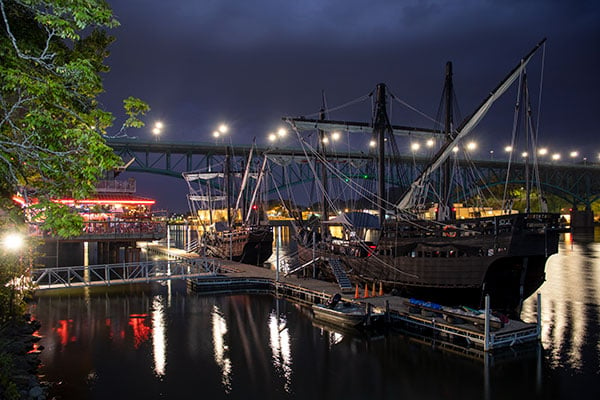
Seeking some colorful subjects for high-sensitivity and long-exposure shooting in low light, I headed to nearby downtown Knoxville, Tennessee, and made a beeline for Art Alley. A constantly-evolving selection of graffiti-style artworks that always has something new to offer my lens, it which tends to be dimly lit at the best of times, and hence makes for a great source of high ISO shots.
Remember, there's plenty more in the gallery too!

Click thumbnail for JPEG, or here for raw file
You'll see a selection of my efforts throughout this page as I can find space for it, but if you want more you'll find it in my Canon SL3 gallery, which now weighs in at around a hundred frames. I'd suggest right-clicking (or on mobile, long-holding) here to open the gallery in a new tab, which you can return to when you're done reading.
Pleasing results at ISO 6400 and below, or even ISO 12,800-ish in a pinch
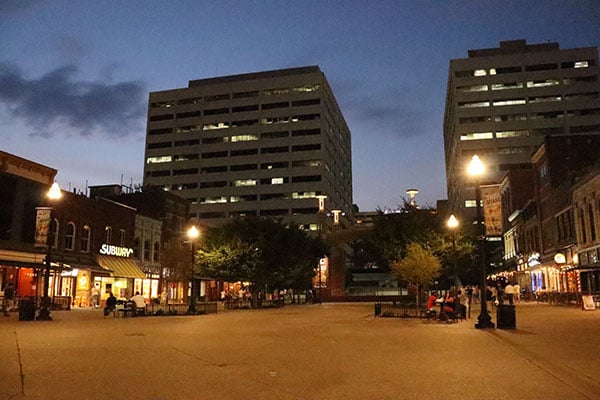
So what did I think of the Canon SL3 after getting out for a sunset shoot that extended through the blue hour into total darkness, or at least, as close to that as you can hope to get in an urban setting? I found the image quality fairly pleasing overall, although I think that much like the previous generation, it still trails the best competition by just a little.
Noise starts to become noticeable from about ISO 1600-equivalent, although it has a fine, fairly film-like and unobtrusive grain that I didn't find troubling in the least. By ISO 3200, noise levels increase to the point where some of the finer details in images are lost either to the noise or the processing required to combat it.
Post-processed raw can be your friend for high ISO shots, but you still won't want to use the highest settings
Most of the time, I wouldn't want to take things much further than ISO 6400, as noise starts to become more prominent from that point onwards, and colors feel a touch more muted as well. But with that said, I'd consider ISO 12,800 or maybe just a bit higher to be usable in a snip, for on-screen viewing or smaller print sizes. Especially if you shoot raw, and you're willing to put in a bit of work in post-processing with something like the Prime denoising engine in DxO Labs' PhotoLab 2.
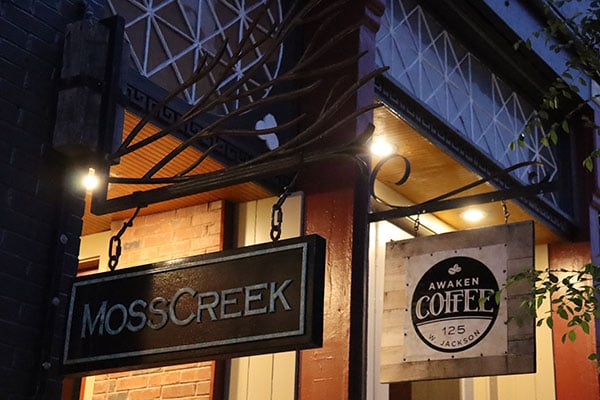
ISO 25,600 and above didn't feel wildly useful to me. It's just too noisy, and even with DxO's Prime denoising, the results can be a bit on the ugly side. As for long-exposure shots, results were very nice.

You can see a few several-second examples towards the end of this field test below; please note that I accidentally underexposed both shots because I forgot I'd bumped the LCD brightness to the maximum a bit earlier, then didn't change it back. (A check of the histogram post-capture would've saved me, but I was rushing and neglected to do so.)
Before we move along to video, there are just a couple more points I want to address on the still imaging front. Firstly, there's the matter of the SL3's hot shoe, which has one rather disappointing feature subtraction as compared to the SL2. But perhaps offsetting that piece of bad news, there's also some good news on the battery life front.

The SL3 won't let you use many third-party strobes and hot shoe adapters
We'll start off with that hot shoe. The change Canon has made is pretty subtle visually, but it makes a world of difference in terms of the SL3's compatibility with third-party strobes and adapters. There's no longer a metal contact at the center of the hot shoe, a change that will have absolutely no impact on you so long as you shoot only with Canon's own strobes, or third-party strobes compatible with its E-TTL system that can be triggered off one of Canon's proprietary contact which sit just behind the now-plastic ghost of that missing central pin.
But if you're shooting a third-party strobe (or via a third-party adapter) which requires that central pin to function, well... you're out of luck. That rules out a mass of dirt-cheap third-party strobes, and it also means that you can't use even quality, name-brand strobes that don't support E-TTL. For example, my Pentax AF540FGZ flash works just fine with my other non-Pentax cameras so long as I'm willing to control its output manually, but when mounted to the SL3 there's simply no way to make it fire, even if I manually configure the flash strength.

Even E-TTL-compatible third-party strobes may need updates or fail to work
And even for E-TTL compatible strobes from third parties, you may well find the SL3 either prevents use or requires updated firmware. For example, Chinese lighting manufacturer Godox has had to issue updated firmware for some of its strobes and accessories to explicitly re-add support for the SL3 and other recent Canon models that also forgo the center pin. (That includes the EOS Rebel T7 and the T100, a model which hasn't yet been launched in the US market.)
This feels like it's more about reducing third-party strobe use than costs
It seems pretty unlikely that Canon made this change in the interests of reducing costs. The value of that one missing contact and the little additional circuitry required to connect it up will have very little impact on the bill of materials cost for the camera, after all.
But other than the slim cost savings and putting on our most charitable hats, we can't come up with a good reason for the change other than simply to prevent Canon SL3 owners from opting for cheaper third-party strobes.

Click thumbnail for JPEG, or here for raw file
Canon really needs a more affordable Speedlite if it's dead-set on this path
That's a bit of a shame, because it's going to result in fewer SL3 owners deciding to try an external flash in the first place. Instead of having access to an array of external strobes costing as little as $30 with which to get their feet wet, before deciding to shell out $170 for the most affordable Canon Speedlite model, they'll have to reach much deeper in their wallets to start off with.
Remember, we're talking about a camera which costs just US$650 or thereabouts (as of this writing in September 2019) -- and that's with a lens which ordinarily costs about US$250. Expecting a customer who just spent $400 on a camera to spend close to another $200 on a flash strobe feels like a big ask.
If Canon is dead-set on this path -- and we really hope they reconsider, because they're not going to prevent third-party strobe use in the long run, just make third-party offerings slightly more expensive -- then there really needs to be a more affordable first-party Speedlite option aimed at entry-level shooters.
Good news: Battery life is significantly better than before!
And with that said, we'll move on to a piece of news that's rather more welcome. (Canon may taketh away, but it also giveth.) For the second straight generation, Canon has significantly improved battery life for the SL3. As compared to the line-starting Canon SL1, battery life has gone from being a significant weak point to a total non-issue.
Back when the SL1 launched in 2013, it had a battery life of just 380 frames through the viewfinder, which remember is optical, so uses almost no power in operation. (It's not quite none, though, because technically a little power is required to run and backlight the small status display beneath the viewfinder, as well as to illuminate the relevant autofocus point(s) when a focus lock is achieved.) Switch to framing on the power-hungry LCD monitor instead, and battery life plunged to just 150 frames on a charge.
For two generations in a row, Canon has come close to doubling battery life
In the followup SL2, Canon improved battery life significantly in both circumstances. Shooting through the viewfinder, that model was capable of 650 frames on a charge, a full 71% more than its predecessor was capable of managing. And even on the LCD monitor with live view, battery life was rated at 260 shots to CIPA testing standards, an improvement of 73%. This was achieved by switching from the earlier 875mAh-rated LP-E12 battery pack to a higher-capacity 1,040mAh LP-E17 pack.
This time around, the Canon SL3 vaults past even the SL2 with a viewfinder battery life of 1,070 shots on a charge, an improvement of almost 65% over the SL2, and a staggering 2.8x as many frames as you'd have managed with the SL1. Even if you switch to shooting on the LCD monitor instead, battery life is still rated at 320 frames. That's just 16% less than the SL1 was capable of when shooting through the viewfinder, and almost a quarter more frames than the SL2 could manage in the same circumstances!
Even better news: The improvement didn't require a new battery this time!
And if you're considering an upgrade from the Canon SL2, the news gets even better. This time around, no new, higher-capacity battery was needed to gain a step up in battery life. In fact, Canon has come close to doubling battery life while retaining the exact same LP-E17 battery pack as used in the previous model, and so you'll be able to keep your old batteries as well, for even more frames in a shoot.

(Of course, if you're upgrading from the SL1 there's no way around the fact you'll need to upgrade your batteries too, but then you'd likely need to anyway, as unless they've already been replaced, existing batteries for the six-year old SL1 are likely to be nearing the end of their lives by now.)
A charger's included in the bundle, but you won't want to leave it at home
One final point I want to mention before moving along to video capture is the Canon SL3's charging setup. Like the SL2 before it, the Rebel SL3 ships with both an LP-E17 battery pack and an LC-E17 charger in the product bundle, in the US market at least. (The precise charger model will likely vary in other markets.)

While we like to see an external charger included (or at least available) so that you can continue shooting with your camera while charging spare batteries, we prefer that it's not the only option. Unfortunately, that's not the case in the SL3. Once again, the new model lacks support for in-camera charging via USB, just as did its predecessors.
Once again, the SL-series lacks support for in-camera charging via USB
That's a bit inconvenient if you're a fan of traveling light. Essentially, your choices if you're planning more than a day or perhaps overnight trip are either to pack and bring Canon's somewhat-bulky charger -- even though you're doubtless already going to be bringing a USB charger for your other devices -- or you could just pre-charge and bring a few spare battery packs, and then accept that once you run out of charge it's game over.
Don't get us wrong, we'd rather see a dedicated charger alone than see no option but to charge the batteries in-camera, turning your expensive camera into a useless paperweight until your battery's topped off. But we'd much rather see both USB charging support and an external charger.
Finally, 4K video -- but with some significant catches to be aware of
Among our (admittedly, relatively short) list of cons for the previous SL2 model was the lack of support for ultra-high definition 4K video capture. The Canon SL3 addresses this shortcoming, but the newly-added 4K video capture mode comes with some gotchas of its own that you'll want to be aware of.
Firstly, and perhaps most importantly, the SL3's 4K video capture mode comes with a significant 1.65x focal length crop, and that's on top of the 1.6x focal length crop inherent in a Canon DSLR with an APS-C sized sensor. Together, those combine for a whopping 2.64x focal length crop, which will seriously limit your wide-angle possibilities, as you can see in both the day and night videos below. (All of these were shot at the same focal length from the exact same position, so the difference in framing is entirely down to the 4K crop.)
Because of that severe crop, the SL3's 18-55mm kit lens is, effectively, a 48-145mm lens for 4K video. Even the EF-S 10-18mm f/4.5-5.6 IS STM, the widest rectilinear lens Canon offers -- as opposed to a fisheye, which curves straight lines in the final image -- works out to be a not-so-wide 26-48mm zoom for 4K capture. And that focal length crop will also weaken the effectiveness of the SL3's software-based Movie Digital IS stabilization, as well as the optical stabilization of any attached lens.
Download Original 3,840 x 2,160 pixels @ 23.976 frames per second |
Download Original 1,920 x 1,080 pixels @ 59.94 frames per second |
Download Original 1,920 x 1,080 pixels @ 29.97 frames per second (IPB Standard) |
Download Original 1,920 x 1,080 pixels @ 29.97 frames per second (IPB Light) |
Download Original 1,280 x 720 pixels @ 29.97 frames per second (IPB Standard) |
And that's not all, either. The Canon SL3's video mode also doesn't support the company's on-sensor Dual Pixel CMOS AF phase-detection autofocus system, instead dropping back to a choice of either single-point or face+tracking autofocus using contrast-detection. The ISO sensitivity range is also curtailed to ISO 100-6400 for 4K capture, and you have a sole capture rate choice of 24 frames per second.
Good video image quality, but with limited frame-rate choices
With all of that said, once you get past the limitations, 4K video capture quality is good, with lots of crisp, sharp detail and pleasing color. And Full HD / HD video quality is good too, within the limits imposed by their much lower resolution. Note, though, that while 4K video has a fixed 24 fps capture rate, that isn't available at any lower resolution. Instead, you have a choice of 60p or 30p capture at Full HD, or 30p capture for HD video.
Download Original 3,840 x 2,160 pixels @ 23.976 frames per second |
Download Original 1,920 x 1,080 pixels @ 59.94 frames per second |
Download Original 1,920 x 1,080 pixels @ 29.97 frames per second (IPB Standard) |
Download Original 1,920 x 1,080 pixels @ 29.97 frames per second (IPB Light) |
Download Original 1,280 x 720 pixels @ 29.97 frames per second (IPB Standard) |
Video AF, Video stabilization -- lens dependent?
Time-lapse videos are now 4K too, and add some preselected capture rates
Time-lapse videos are technically not new for the SL3, but there have been a few changes nevertheless. For one thing, Canon has added a choice of three "Scene" types: Scene 1 (90x fast-motion for subjects like people walking), Scene 2 (150x fast-motion for slower action like clouds moving), and Scene 3 (450x fast-motion for very slow-changing scenes.)
Of course, there's still a custom mode which allows you to dial in your own frame rate and number of frames, instead. Time-lapse movie mode also adds choice of 4K or Full HD capture, where previously it was Full HD only. (And since it's effectively just capturing and combining a succession of still images, there's no crop for 4K video in time-lapse mode.)
You can see 4K samples for all three scene presets below:
Download Original Shot using Scene 1 preset, 300 frames, 3 sec. interval 15-minute record time, 10 seconds playback, 90x fast-motion 3,840 x 2,160 pixels @ 29.97 frames per second |
Download Original Shot using Scene 2 preset, 240 frames, 5 sec. interval 20-minute record time, 8 seconds playback, 150x fast-motion 3,840 x 2,160 pixels @ 29.97 frames per second |
Download Original Shot using Scene 3 preset, 240 frames, 15 sec. interval. 60-minute record time, 8 seconds playback, 450x fast-motion. 3,840 x 2,160 pixels @ 29.97 frames per second |
Closing thoughts on my time with the Canon SL3
If you're already a Canon shooter looking to upgrade from an earlier entry-level model, and you don't need third-party strobe support, the Canon SL3 looks to be a solid if unremarkable option. If you're not a Canon shooter already and you're set on buying a DSLR rather than a mirrorless camera, though, you have a choice to make.
Are you better off going with the dominant brand (Canon) and accepting a little lesser image quality and features than are available from the nearest rivals, but with the best chance of being able to share lenses, gear and knowledge with other DSLR owners, and the broadest availability of second-hand gear? If so, you'll want to go for the safety of Canon's leading market share.

But if you want the best image quality and feature-set at the pricepoint, and you're not so concerned about what others are shooting? Well, then Canon's certainly still worth a close look, but I'd personally suggest also taking a look at Nikon or, perhaps, even Ricoh's Pentax brand, which while dwarfed by the other two offers the most feature-rich cameras of the bunch.
And that brings me to the end of my second and final field test. Watch this space for the remainder of our review including our final verdict, coming soon!

Canon SL3 Review -- Overview
by Mike Tomkins
Preview posted: 04/10/2019
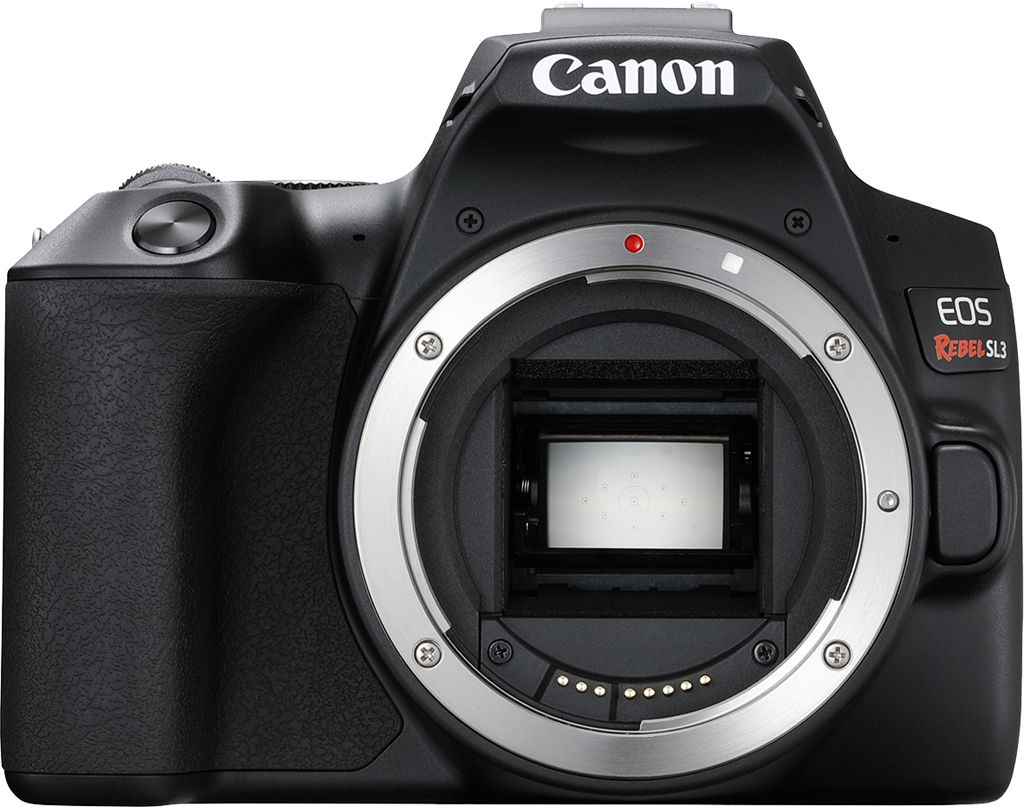
Two years after the debut of its tiny SL2 DSLR, Canon has just answered some of our concerns in that camera -- and pared down its manufacturing costs at the same time -- by launching the smallest and lightest EOS camera of the moment, the Canon Rebel SL3 (also known as the 250D and Kiss X10 in some markets). Situated just below the T7i in Canon's current lineup, the SL3 has a slightly less-sophisticated autofocus system than its elder sibling offers, but it's still rather more advanced than that provided by the Canon T7.
(Slightly) more aggressive styling, and fewer controls than before
Although it looks a whole lot like the camera in whose footsteps it follows -- and indeed, its dimensions are identical, while weight has fallen by just a scant few grams -- the Canon SL3 nevertheless debuts a brand-new body with slightly more aggressive styling. Sharper angles at the transition from top to side panels are mirrored by more angular shapes for some of the buttons. At the same time as these changes, Canon has also removed several controls completely, although those which remain are all in the same positions as before.
We doubt that the top-deck Wi-Fi button and its adjacent lamp will be missed by many, but the lack of flash and depth-of-field preview buttons is a bit of a shame. You can however still assign depth-of-field preview to the display button. And while we're mentioning customizability, you can now also change the function of the shutter button during video capture. You can also switch the functions of the AF point and AE lock buttons, if you'd prefer the pair the other way around.

Several other exterior features didn't make the cut, too
Since the flash must now be raised manually, there are new ridges on either side of its popup flash head, to help give your finger and thumb a little purchase when doing so. Another subtraction that's more obvious at a glance is the absence of a red-eye reduction / self-timer lamp, which sat above the EOS logo on the SL2 body. Also gone is the hot shoe's ISO-standard center sync contact, as it's now designed to be used only with Canon EL/EX-series Speedlites. You can no longer trigger older or non-dedicated strobes without some sort of an adapter.
Canon has also removed the NFC antenna which allowed for quick-and-easy pairing with Android devices, and has simplified the Mode dial by removing both the Flash Off and Creative Auto positions. The former, obviously, isn't included any more since the flash can no longer raise itself when needed. The latter is still available, but through the menu system instead. One last, more minor change is that the front-facing, stereo microphone ports now each have one hole apiece, rather than the two-hole grilles of the SL2.

Brand-new sensor and processor allow 4K, much better battery life
Doubtless, trimming some of these features has helped Canon to save some cost in a shrinking DSLR market (and an even faster-shrinking sub-frame DSLR market). In some respects, though, they do make the Canon SL3 feel like a lesser camera than that which it replaces. That is, until you take a closer look at the spec sheet, because there are certainly some important ways in which the Canon SL3 bests its predecessor significantly. (And a few more in which it ekes out a more modest lead over that earlier model.)
Key among the changes are a new 24.1-megapixel image sensor and DIGIC 8 processor pairing, a combination which might not yield any higher resolution than before, but have allowed for major improvements elsewhere. For one thing, the Canon SL3 now boasts in-camera 4K video capture, answering one of our main criticisms of its predecessor. And it also promises a really significant step forward in battery life, as well.

Cropped 4K and better creative controls, but no Dual Pixel AF for 4K
Looking at the movie-mode upgrades, first of all, the Canon SL3 bests its predecessor's Full HD video capture with ultra-high def 4K recording capabilities, though unfortunately it's heavily cropped like we saw with the M50. And not just normal 4K is supported, but also 4K time-lapse videos at a wide range of capture rates. There are also new creative controls on offer, as in addition to the program auto and manual exposure options of the SL2, the SL3 now brings both aperture-priority and shutter-priority video capture options to the table.
Sadly, the SL3's Dual Pixel CMOS AF doesn't extend to 4K capture. Instead, the new model relies solely on contrast-detection autofocus for 4K footage, and uses phase-detection only for stills and for movies shot at Full HD resolution or below. The record rate is fixed at 23.98 frames per second for both capture and playback of standard 4K content, which also has a bitrate of around 120Mbps. At Full HD resolution, you have a choice of either 59.94 fps capture with a 60Mbps bitrate, or 29.97 fps capture at either 30 or 12Mbps. HD footage is fixed at 59.94 fps with a 26Mbps bitrate. (These are NTSC mode frame rates; the SL3 also supports PAL at corresponding 50 and 25 fps frame rates.)

Time-lapse 4K too, albeit with a much narrower range of capture rates
Time-lapse videos, however, have a fixed 29.97 fps (or 25 fps for PAL) playback rate, but can be captured at anywhere from an interval of one frame every second, to one frame per hour, for anywhere from two to 3600 frames. That's plenty slow enough to capture and accelerate playback of events which take place even over a period of weeks, like flowers growing and blooming, for example. Admittedly, the SL2's much lower-res time-lapse mode could roam even slower, to as little as one frame every hundred hours or so, although we're struggling to think of many subjects which would take advantage of this difference.
All of the above is for the custom time-lapse mode, incidentally, where you can dial in rates across the board manually. Canon has apparently also added several preset time-lapse modes which will have a narrower range of capture rates, or perhaps just fixed ones. (We're not quite sure which, yet.) Oh, and if you don't need 4K resolution, you can also shoot time-lapse movies at Full HD. Regardless of which resolution you choose, your time-lapse clips will use ALL-I compression. However, where the SL2 placed its time-lapse clips in a MOV container, the Canon SL3 will output its time-lapses in MP4 format, just as for its standard video clips.

Two-thirds better battery life means more time shooting, less fiddling
Returning to the other major advantage of the Canon SL3 over its predecessor, let's take a quick look at battery life figures. This was an area in which the SL2 itself had already made some improvements over the original SL1, but the newest model in the line goes much, much farther. Where the SL2 was rated as capable of around 650 shots on a charge when using the optical viewfinder (and with 50% flash usage), the SL3 should be capable of around 1,070 shots before its battery is depleted.
That's a pretty spectacular ~65% increase in the number of frames that can be captured on a charge. With zero flash usage, Canon suggests you might see as many as 1,630 frames. And even shooting in freezing conditions, the company's testing indicates a reduction in battery life of just five to ten percent. Of course, shooting in live view mode on the rear-panel, touch-screen LCD monitor will greatly reduce these figures, with a claimed 320 frames of battery life to CIPA standards, or 350 frames with zero flash usage.

Eye Detection AF in Live View makes its EOS-series DSLR debut
These are pretty worthwhile gains, we're sure you'll agree, but there have also been a fair few other important -- if less attention-grabbing improvements since the SL2. For one thing, Canon is proudly calling this the "first DSLR in the Canon EOS line to feature Dual Pixel CMOS AF with Eye Detection AF in Live View shooting mode". That's quite a mouthful; so let's unpack it, shall we?
For those of you not already familiar with the name, Dual Pixel CMOS AF is Canon's name for a system which splits each pixel into two halves to form millions of phase-detection autofocus pixels across most of the image sensor's surface. There's approximately 88% coverage horizontally, and 100% vertically, just as in the EOS M50 mirrorless camera. In total, 3,975 phase-detection autofocus positions can be addressed manually.
Dual Pixel CMOS AF isn't new to the SL-series, as a somewhat smaller area of the SL2's image frame was also covered by Dual Pixel CMOS AF points. What's new here is the availability of eye-detection autofocus in live view mode, specifically. That does mean you'll need to make do with the much lesser battery life of live view mode to take advantage of this feature, but when you're able to live with that compromise, you'll be able to have the SL3 focus not just on your subject's face, but specifically on their eyes for more pleasing portraits.

Creative Assist is another EOS-series DSLR first for the SL3
Another function making the leap from Canon mirrorless to DSLR is Creative Assist, which we've seen in mirrorless cameras all the way back to 2015's EOS M3. It's a function which seems ideally-suited to the target customer for the SL3, which is aimed first at foremost at the family market. The family documentarian likely has an idea of the look of the image they're trying to achieve, but perhaps a more limited knowledge of how to achieve that with the exposure variables and other creative tools on-hand.
In steps Creative Assist with the ability to preview shooting conditions in real-time on the LCD monitor. As you tweak white balance, say, or adjust the exposure level, and so on, the effect of that change will be immediately visible on-screen, allowing you to get the results you're after in a more visual way that's less dependent on your camera know-how.
Spot AF and better exposure metering for live view, too
Speaking of live view, this has also received a couple of other important upgrades since the SL2. Firstly, Canon has switched from a 315-zone exposure metering system to a finer-grained 384-zone system for the SL3. The company has also reduced its partial metering circle from a 6.0 to a 5.5% coverage, and the spot metering circle has grown from a 2.6 to a 3.7% coverage. At the same time, the metering system has also had its working range extended to -2EV at the lower end, while the 20EV top end figure.
We also understand that there's a new spot autofocus function for live view mode, although we don't yet have any details as to specifics.

A deeper raw buffer, but depth is still fairly limited
We do, however, have figures for the improvement in the buffer depth department, and while it's a relatively modest one it's still a very worthwhile gain. Shallow raw file buffer depths were noted as a con in our review of the preceding SL2, which was capable of just five or six raw or raw+JPEG frames in a burst. That meant you could fill its buffer in just a fraction more than a second's worth of holding down the shutter button.
With a raw buffer depth of 10 frames, or a raw+JPEG depth of nine frames, the Canon SL3 might still be able to fill its buffer in around two seconds of shooting, but that extra second could easily be the difference between a once-in-a-lifetime shot captured or missed, so we'll take it!
Canon's C-RAW format brings significantly better buffer depths
And if that's not enough, Canon has added the C-RAW (aka Compact RAW) file format from the EOS M50 mirrorless camera to the SL3. That means you can gain most of the benefits of raw capture without the hefty file sizes typical of raw capture, and with a significant increase in buffer depths. By lossily compressing the raw sensor data, the C-RAW format allows about a 40% reduction in file sizes. In turn, that results in an almost-quadrupling of buffer depths, from 10 to as many as 37 C-RAW or 17 C-RAW+JPEG frames in a burst.
Oh, and JPEG file sizes have increased by around 10% for high-res images, and by as much as 40% for low-res ones. That doesn't affect buffer depths, though, as JPEGs were already capable of shooting until your flash card space or battery life ran out. Meanwhile, raw (as opposed to the new C-RAW) file sizes have decreased by around 10%.

A miscellany of more minor modifications
And that, for the most part, is what's new in the Canon SL3. In most other respects, the new model looks to be very similar to that which it replaces, save for more minor changes here or there. As we wrap up our preview, let's hit a few of these which stood out from the crowd somewhat.
There's a new "smooth skin" scene mode with five-step control over its skin-smoothing effect, and a preview of its efficacy available in live view mode. (This is another feature inherited from the EOS M50, incidentally.)
Canon has also reduced its rating of Wi-Fi range for the SL3 by about one-third to ten meters (33 feet), and says it has removed the ability to transfer images directly between multiple camera bodies via Wi-Fi.
And while the company has retained an HDMI video output in the new camera, this is no longer compatible with the Consumer Electronics Control standard (or HDMI-CEC), which allowed the preceding SL2 to be controlled from the remote control unit of the display to which it was attached. On the plus side, clean 4K and Full HD HDMI out is now supported even with autofocus enabled (unlike the SL2), and HDR output is also possible with an HDR compatible TV or monitor.
Finally, Canon has switched to the latest version 2.31 of the EXIF standard, which adds additional tags for keeping tabs of time-zone information, as well as adding support for a few new on-screen menu languages: Vietnamese, Hindi, Malay and Indonesian.

Canon SL3 pricing and availability
The Canon SL3 is currently slated to go on sale in the US market from the end of April 2019. A choice of either black or white body colors will be available, with a suggested list price of US$600 body-only, or US$750 with an EF-S 18-55 f/4-5.6 IS STM lens. Both prices are around $50 more than those of their SL2 equivalents at launch, although as of this writing our affiliates are offering $50 and $100 instant rebates respectively.
Performance
Timing and Performance
Generally very good performance for an entry-level DSLR, with much improved buffer depths over its predecessor.
| Startup/Play to Record | ||
|---|---|---|
| Power on |
~0.5 second
|
Time it takes to turn on and capture a shot. |
|
Play to Record, |
~0.3 second
|
Time until first shot is captured. |
Powering on and taking a shot was quite fast for an entry-level DSLR, at about 0.5 second. Switching from Play to Record mode and taking a shot was faster, at about 0.3 second.
| Shutter Response (Lag Time), Optical Viewfinder | ||
|---|---|---|
|
Full Autofocus |
0.094 second
|
Time from fully pressing shutter button to image capture. (All timing tested with a Canon 50mm f/1.8 STM lens.) |
|
Full Autofocus |
0.346 second
|
Time to capture while forcing flash to fire. Preflash metering pulses from flash often slow shutter response. |
|
Manual Focus |
0.088 second
|
For most cameras, shutter lag is less in manual focus than autofocus, but usually not as fast as when the camera is "prefocused". |
|
Prefocused |
0.072 second
|
Time to capture, after half-pressing and holding shutter button. |
| Shutter Response (Lag Time), Live View | ||
|
Prefocused |
0.086 second
|
Time to capture, after half-pressing and holding shutter button. |
In terms of the Canon SL3's ability to determine that it's properly focused when shooting the same target multiple times using the optical viewfinder with our 50mm f/1.8 STM lens, its full autofocus shutter response was faster than average for a consumer DSLR. We measured only 0.094 second for full AF lag using single point (center) AF-S mode, which is excellent. Enabling the flash added considerable delay for the pre-flash metering resulting in a capture lag of about 0.35 second, though that's still fairly quick.
Shutter lag with manual focus was excellent at 0.088 second. "Prefocusing" the camera by half-pressing and holding down the shutter button before the final exposure resulted in a lag time of 0.072 second, which is good for an entry-level DSLR.
The Canon SL3's prefocused shutter lag time in Live View mode was 0.086 second, which is excellent. Note that we no longer test full AF lag in Live View mode for DSLRs, because the lens used makes such a huge difference that comparing is pointless. We'll try to comment on real-world Live View AF performance in our field tests.
To minimize the effect of different lens' focusing speed, we test AF-active shutter lag with the lens already set to the correct focal distance.
| Cycle Time (shot to shot) | ||
|---|---|---|
|
Single Shot mode |
0.40 second
|
Time per shot, averaged over a few frames. |
|
Single Shot mode |
0.40 second
|
Time per shot, averaged over a few frames. |
|
Early shutter |
No
|
Some cameras don't snap another shot if you release and press the shutter too quickly in Single Shot mode, making "No" the preferred answer. |
|
Continuous mode |
0.20 second
(5.0 fps); Unlimited(?) frames 1.0 second to clear* |
Time per shot averaged over 40 frames, with no apparent limit. |
| Continuous mode |
0.20 second
(5.0 fps); 15 frames total; 2.8 seconds to clear* |
Time per shot averaged over 15 shot buffer capacity, then slowed to an average of 0.37s or 2.7 fps when buffer was full with a lot of variation. |
|
Continuous mode |
0.20 second
(5.0 fps); 11 frames total; 5.2 seconds to clear* |
Time per shot averaged over 11 shot buffer capacity, then slowed to an average of 0.63s or 1.6 fps when buffer was full with a lot of variation. |
|
Continuous mode |
0.20 second
(5.0 fps); 40 frames total; 2.4 seconds to clear* |
Time per shot averaged over 40 shot buffer capacity, then slowed to an average of 0.29s or 3.4 fps when buffer was full with a lot of variation. |
|
Continuous mode |
0.20 second
(5.0 fps); 20 frames total; 6.5 seconds to clear* |
Time per shot averaged over 20 shot buffer capacity, then slowed to an average of 0.55s or 1.8 fps when buffer was full with a lot of variation. |
| Flash recycling |
3.6 seconds
|
Flash at maximum output. |
|
*Note: Buffer clearing times measured with a 64GB Lexar Pro 2000x UHS-II SDXC card. Slower cards will produce correspondingly slower clearing times. Slow cards may also limit length of bursts in continuous mode. ISO sensitivity also affects cycle times and burst mode performance, with higher ISOs generally increasing cycle times and reducing burst performance.
|
||
Single-shot cycle times were very fast, at 0.4 second. (Note that we no longer test single-shot mode with just RAW files, as the results are usually somewhere in between JPEG and RAW+JPEG modes.)
Full-resolution continuous mode speed was about average for the class and resolution, at a consistent 5.0 frames-per-second, no matter the file type, about the same as the SL2. Like the SL2, the SL3 also includes a Silent shooting mode, which was tested at 2.5 frames-per-second.
Continuous mode buffer depth for best quality JPEGs was excellent, essentially only limited by available capacity when using a fast card, versus 22 frames tested for the SL2. When shooting losslessly compressed RAW files, buffer depth was pretty good for its class at 15 frames, and the buffer depth increased to 40 frames when shooting compressed RAW (C-RAW) files, exceeding Canon's spec of 10 and 37 frames respectively. Buffer depths when shooting RAW + Large/Fine JPEG files were pretty good for its class as well, at 11 frames with uncompressed RAW files and 20 with C-RAW files, also exceeding Canon's spec of 9 and 17 frames respectively. This is a huge improvement over the SL2 which was limited to only 5 RAW or RAW+JPEG frames in a burst, and didn't offer a C-RAW option.
Buffer clearing times were quite good considering the class, ranging from 1 second after 40 best quality JPEGs to 6.5 seconds after a 20 C-RAW+JPEG frames. And the Canon SL3 lets you change settings and view just-shot images while the buffer is clearing.
The Canon SL3's built-in flash took an average of 3.6 seconds to recharge after a full-power discharge, which is fair.
Bottom line, the Canon SL3 exhibited very good performance for an entry-level DSLR in the lab, with fast start-up and mode switching, fast autofocus, low shutter lag, quick single-shot cycle times, and a decent 5 fps burst speed. Buffer depths are much improved over its predecessor, and raw buffer depths can be further improved by using the SL3's new compressed raw (C-RAW) option.
Battery
Battery Life
Excellent battery life for an entry-level DSLR.
| Operating Mode | Number of Shots |
|---|---|
|
Still Capture,
Optical Viewfinder (CIPA Standard) |
1070
|
|
Still Capture,
Live View LCD (CIPA Standard) |
320
|
The Canon SL3 uses a custom LP-E17 rechargeable lithium-ion battery for power, and ships with a dedicated battery charger. Battery life is excellent for a compact DSLR using the optical viewfinder, CIPA-rated at 1070 shots with 50% using flash, but of course Live View mode draws more power reducing battery life considerably to 320 shots. Although this is much improved over the SL2's 650 and 260 shots respectively with the same battery, we still recommend you pick up a spare battery and keep it freshly charged and on-hand for extended outings.
The table above shows the number of shots the Canon SL3 is capable of (on a fully-charged rechargeable battery), based on CIPA battery-life and/or manufacturer standard test conditions.
(Interested readers can find an English translation of the CIPA DC-002 standards document here. (180K PDF document))
Field Test Part I
Field Test Part II
The tiny, record-making EOS DSLR gets its first real world test!
By Mike Tomkins | Posted: 07/31/2019

Click thumbnail for JPEG, or here for raw file
Mirrorless cameras might be where it's at these days, but what if you prefer an optical viewfinder to an electronic one or, worse still, to shooting at arm's length on the LCD? Well, DSLRs might not be as compact as their mirror-free brethren, but that's not to say they have to be big, bulky behemoths either.
A little EOS SL-series history to set the stage
Back in 2013, Canon decided to gift its long-running EOS camera series with a new model, aimed at taking on its mirrorless rivals by paring away all the fat. The lean-as-could-be Canon SL1 was the result, and not only was it the world's lightest DSLR at the time, it actually remains the world's smallest DSLR to this day.
A couple of years later in 2015, Nikon responded to its rival with the D5500, which it announced as the world's smallest and lightest DSLR with an articulated LCD monitor, a handy convenience the SL1 lacked. Fast-forward two years to 2017, though, and Canon took both titles from its rival with the Canon SL2. While not as small and light as its predecessor, it was more feature-rich in general than was its predecessor, and boasted better image quality and performance to boot.
Last year, Nikon's answer was the D3500, an entry-level model which while identical in stature to the D5500, was nevertheless lighter even than was the SL1, thanks to a fixed-position screen. (And as of this time, it remains the lightest DSLR that money can buy.)
The world's smallest, lightest DSLR with 4K or an articulated display
And now, the Canon SL3 (also known in some markets as the EOS 250D or EOS Kiss X10) is here. While it's not quite as light as the D3500 or even the SL1 before it, it nevertheless bests the D5500 in terms of weight, earning it the title of world's lightest DSLR with an articulated display. It's also the world's smallest and lightest DSLR to offer 4K video capture, and ties with the SL2 for world's smallest DSLR with an articulated display.

That's not to say it can rival the smallest mirrorless cameras money can buy. For example, it positively dwarfs the recently-announced Sigma fp mirrorless camera, despite that camera featuring a much larger full-frame image sensor. But by SLR standards, make no mistake: The Canon SL3 is really compact and amazingly lightweight, especially given the fact it includes both a viewfinder and a versatile articulated display.
How the Canon SL3 stacks up against its nearest rivals
Before I go any further, I thought it might be informative to take a very quick look at how the Canon SL3 stacks up against its nearest current-generation rivals. Compared to Nikon, the nearest two cameras are the D3500 and D5600, with the SL3 sitting in the middle in terms of pricing (but just a little closer to that of the D5600.) For Ricoh's Pentax brand, meanwhile, the nearest camera would be the company's entry-level option, the Pentax K-70.

Looking first at the Canon SL3 vs. Nikon D5600 matchup -- you can click that link for a more detailed comparison -- we see that while the Nikon lists for about US$100 more body-only, both cameras have similar sensor size, resolution, sensitivity range and maximum burst capture speed. Nikon's camera has a more sophisticated dedicated autofocus sensor and is ready to shoot faster after powering on, but the Canon SL3 has much better video (including both 4K and on-sensor phase detection AF), shoots faster when using a raw file format, and has a significantly more generous buffer.

Click thumbnail for JPEG, or here for raw file
As for the Canon SL3 vs. Pentax K-70 comparison, the list pricing is a bit closer here, with Ricoh's model clocking in at just $50 more than the Canon. Again, both cameras have similar sensor size and resolution, but the Pentax K-70 shoots a bit faster, has a much larger and higher-quality glass pentaprism viewfinder, in-camera image stabilization, a more sophisticated dedicated AF sensor, a higher fastest shutter speed of 1/6,000 sec., and a higher maximum sensitivity, too. (On paper, at least.) But the Canon SL3 bests the Pentax in its own ways, with far more capable video and wireless communications, a touch-screen display, faster startup and much better battery life. It's also far lighter than the Pentax.
Strikingly lightweight, and yet still very solid as well
On first taking the Canon SL3 from its packaging, I was struck more than anything by just how light it felt. Even loaded up with a battery and flash card and with its optional 18-55mm kit lens mounted, it's still quite startling just how light it feels. Walking around town, I occasionally caught myself carrying it suspended by the handgrip from a couple of fingertips.
Yet while it's obvious just from that first touch that it's made of plastic, the quality still feels good. There's not even the slightest hint of panel flex or creak anywhere. The reason for this is probably that it's more than just plastic -- it's actually a composite material comprising both polycarbonate resin and a mixture of glass and conductive fibers, the same construction used for its predecessor. (It's a brand-new body design, though.)
As well as the kit lens, I chose three other optics that pair nicely
The EF-S 18-55mm f/4-5.6 IS STM kit lens I just mentioned is the same as that bundled with the previous SL2 model, incidentally. It has 35mm-equivalent focal lengths ranging from ~29-88mm. We've yet to review it separately, but in our Canon SL2 review called it "better than the average kit lens" with "decent performance for its class." Also on-hand for my review, as well as the camera body and kit lens, I chose three other EF-S mount lenses which seemed like they'd pair well with the SL3's extra-compact body.

For really wide-angle shots I have the EF-S 10-18mm f/4.5-5.6 IS STM ($300; 16-29mm eq.), which we called "quite the solid performer" and "one of the best deals for Canon APS-C shooters". For more distant subjects, I have the EF-S 55-250mm f/4-5.6 IS STM ($300; 88-400mm eq.), a lens we said you "really can't go wrong [with]" and "impressively sharp for a 'kit' lens, even [at] its widest apertures". And finally, for some macro fun in a small package, I opted for the EF-S 35mm f/2.8 Macro IS STM ($300; 56mm eq.), an unusual and rather fun lens which we've yet to review. It's not only the widest macro lens in the EF-S lineup, but also has a built-in dual LED ringlight.
These four lightweight lenses give you great versatility in a pretty small package
Between the SL3 body and these four lenses above -- click the links for our reviews -- you can cover every focal length from a very generous 16mm-equivalent wide angle to a 400mm-equivalent telephoto, and optical image stabilization is available across the board. You also have a bright f/2.8 aperture available at a touch over 50mm for shooting attractive portraits. And you have decent macro possibilities, too, so long as you can get close enough to your subject, as there's a 1:1 reproduction ratio at a distance of 5.1 inches (13cm).

And doubtless because they were designed for the sensor size, all four lenses are (for their respective classes) relatively compact and very lightweight. Together with the camera, they make for a nice little kit that weighs just under 3.5 pounds, including a battery, flash card, all front lens caps and three rear caps, and the lot fits easily along with a charger and a spare battery or two inside even a quite modestly-sized camera bag.

Click thumbnail for JPEG, or here for raw file
To tote this kit around town, I borrowed an equally-lightweight and cheap-as-chips $30 Altura sling that my son scored last Christmas, as all of my own bags seemed unnecessarily large and hefty by comparison. The whole kit complete with camera packed up with plenty of room to spare in the 8 x 8 x 5-inch section at the bottom of the bag, with the entire upper portion of the bag completely empty. If you were happy carrying the camera and one of the lenses on a neckstrap, you could easily fit the three unmounted lenses inside an even smaller camera bag or perhaps even a moderately-sized purse.
Decent handling, but big hands may feel a bit cramped
The Canon SL3 handles very nicely with all of these lenses, incidentally. It's a bit light to balance well with heavier, higher-end Canon glass, but that's not a likely use case in a camera of this class. With the lighter EF-S lenses for which its best suited, the camera feels well-balanced and pretty comfortable in-hand.
Those of you like me with large hands -- I'm 6'1" tall -- will almost certainly have to curl your little finger under the handgrip, and will find your fingertips do press into the camera body inside the grip. However, while this can be uncomfortable with some cameras, I really didn't find it bothersome with the SL3. My guess is that's down to a combination of its light weight, the gentle curve between handgrip and body surfaces, and the soft-touch rubber material that wraps both surfaces. It's about as comfortable as an SLR this small can be, honestly!
Loads of controls, and they're mostly great to use
The SL3's body sports a reasonably generous selection of controls for its market segment, and most of them are easy to locate and use by feel once you're familiar with the camera. There's not enough feedback from the buttons to comfortably use them while wearing gloves unless they're very thin, but it's sufficient for bare fingertips to tell quite easily when most buttons have been pressed. The mode dial and front dial also have a strong-enough click detent with enough resistance to prevent accidental changes, without being unduly hard to turn.

Really, my only complaint on the controls front is the power switch, which I found to be a little small and fiddly. It has a very short throw between the leftmost and rightmost of its three positions, so you can't really tell the current position by touch, either. Its small size coupled with, again, a pretty decent detent click as it moves between positions probably helps to prevent it being accidentally bumped and switched on or off, though.
The removal of the depth-of-field preview button isn't a big deal
Compared to its immediate predecessor, the SL2, Canon has removed a few controls for the followup SL3. All three controls used to sit on the left side of the SL3, two of them at the base of the lens mount, and the third atop the SL2's left shoulder: The flash, depth-of-field preview and Wi-Fi buttons respectively. While a bit of a shame -- I usually prefer more external controls to keep me out of menus, especially if they can be customized -- I can see the reasoning for all three changes.

Most consumers likely forgot the SL2's depth-of-field preview button was even there, what with it being tucked away in an easily-missed location under the lens mount button. In its absence, you can easily configure the display button to provide depth-of-field preview anyway, so long as you don't mind not having that control available to turn the display on and off. The display still turns on as needed for menus or playback anyway, so it's not a big inconvenience.

Click thumbnail for JPEG, or here for raw file
Doubly so because you can also set the screen to remember your chosen display state through power cycles. And even if you need ti confirm setup after the screen is disabled, you can press the 'Q' button instead, to call up the Quick Control screen in interactive mode. You can then either wait a few seconds for it to go away by itself without any settings changes, or half-press the shutter button to dismiss it instantly. (You can also tap the on-screen back button when you've checked your setup, if the touch screen is enabled.)
The flash and Wi-Fi buttons won't be missed by many, either
As for the flash button, there's been a simultaneous change to a manually-raised flash which removes that control's primary purpose. For newbies, the older auto popup strobe was nice because it could potentially save you a blurry, noisy or underexposed image, until you learned when flash was necessary yourself. For experienced photographers, though, the removal is a blessing because the flash can't annoy you by popping up unexpectedly.
And while you can't access the flash control menu as quickly now -- that was a secondary function of the SL2's flash button, once the strobe had popped up -- the most important functionality is still possible without having to visit the first page of the menu to open the flash control page. You can enable or disable the flash simply by raising or lowering it manually, and flash exposure compensation is just a button press away in the quick control menu. All of the remaining functionality from the SL2 can still be found in the aforementioned flash control page -- including an auto flash mode which functions only after you first manually raise the strobe.
Finally, Canon has also removed the SL2's Wi-Fi button, and frankly I see this as the least significant change of the trio. Once you've paired via Bluetooth, which we'll come back to later in this field test, there's no really need to access the W-Fi menu at all, other than to disable Wi-Fi and Bluetooth when traveling by air. (Even though small electronic devices can typically be used throughout flights these days, Bluetooth and Wi-Fi use are typically still forbidden during taxi, takeoff and landing.) More on wireless communications in a bit.

The pentamirror finder is a bit small and dim, but unlike an EVF, lag-free
Of course, the most important difference between the SL3 and most other similarly compact interchangeable-lens cameras is its viewfinder. Since it's an SLR camera, it's a true optical viewfinder which lets you frame your images without any lag and using the same lens through which your photo will be captured.
However, it also means that you won't get any preview of your images beyond their framing and (if you use the relevant control to preview this) the depth-of-field you can expect. Your image's brightness and color won't necessarily match what you're seeing through the viewfinder, and nor will you be able to see most setup information, zoom the view for easier focusing, etc.

The Canon SL3, like its predecessor, uses a pentamirror viewfinder that's much less bright than the glass pentaprism viewfinders used by higher-end Canon and Nikon DSLRs. (And in all DSLRs from rival company Ricoh's Pentax brand, even at almost the same price-point as the SL3.) Compared to a pentaprism viewfinder, the SL3's pentamirror finder is smaller, dimmer and more tunnel-like, and not as useful for judging manual focusing accuracy.
Whether you'll prefer it is down to personal taste, but I wish it used a pentaprism

Click thumbnail for JPEG, or here for raw file
But while some really great electronic viewfinders are available these days, at the pricepoint and in the market segment we're discussing here, EVFs tend not to be so spectacular either, with graininess and lag between what happens in the real world and what's shown on the viewfinder being common pain points. And while the SL3 isn't really intended as a sports shooter, affordable mirrorless cameras can often be challenging for sports shooting as they aren't showing a live view, but rather a slideshow of the shots just captured, making it harder to track your subject. The SL3's viewfinder does have noticeable blackout as frames are captured, but what you see in between is the real world in real-time, and that makes panning with subjects easier.
Really, the viewfinder versus EVF debate largely comes down to personal preference. At this point, you can't expect the best of either. I think the SL3's viewfinder merits the description "good enough for the price", even if I'd really like to see Canon and Nikon take Pentax's lead and just standardize on pentaprism viewfinders in all of their SLRs. In an increasingly mirrorless world, if you're opting for a DSLR camera, you probably care about the viewfinder quality, after all. And it can't be that expensive, because Pentax DSLRs have offered pentaprisms at similar price points for years now.
Creative Assist mode is a great, friendly way to give newbies some control
Canon's Creative Assist mode isn't entirely new, but it's new to the EOS-series, and to me personally. It first popped up in the EOS M3 some four years back, and has appeared in every EOS M-series model since. Reviews Editor Jeremy Gray has handled almost all of our EOS M-series field testing, though, so I've not personally had much more than a brief exposure to the function.
I have to say that after giving it a whirl in the EOS SL3, I think it's a handy addition to a roster of features which already do much to make the complexities of shooting with a DSLR simpler for beginners. The SL2 before it already defaulted to a simplified, guided menu structure and quick control screen, and by default also gave handy on-screen hints when choosing exposure modes or browsing menu and quick control screen items, and had a friendly green "A+" icon on its mode dial to access an Auto+ mode that'd try to get you the best possible results with little to no effort.

The SL3 retains all of this intact (and with some subtle refinements to the on-screen UI), then adds a Creative Assist function both pre-capture in the Auto+ mode whether shooting through the viewfinder or in live view mode, as well as a post-capture Creative Assist tool for processing of raw files. You can interact with the Creative Assist tool either using the touch-screen user interface or the four-way controller pad, and can either select from one of 11 preset image styles, or tweak variables like background blur, brightness, contrast, saturation and more with handy on-screen controls and then save up to three user styles of your own. It makes light and relatively easily-understood work of functionality most beginners would otherwise likely ignore if only surfaced in the standard menu system.
Great daytime image quality and good performance; after-dark testing coming soon!
And now for the bit we're sure you're keen to know: How's the image quality? Well, with the proviso that I've yet to shoot with the Canon SL3 much after sunset, I have to say I'm pretty pleased so far. You can see the results of my shooting throughout this field test, and all images are straight as they came out of the camera, with no editing of any kind -- click through each image to see the full-sized original, or the link in the caption to download the raw file for local editing and review.

Images shot with the SL3 in the daytime have pleasing color straight out of the camera, and while saturation feels a tad high to me personally -- I tend to favor more realistic color -- it's probably not pushed quite as far as by some rivals. (And truth be told, most consumers prefer saturated and contrasty images anyway, which is why manufacturers tend to skew in this direction with their defaults, especially in consumer-oriented cameras like this.)

Click thumbnail for JPEG, or here for raw file
Exposures have been very accurate so far, too, with relatively few shots needing a little exposure compensation, and only in conditions where most any camera would struggle. And so far, performance has been decent for the class too, with reasonable burst performance, swift focusing, minimal shutter lag and quick startup.
Note, though, that I've thus far only captured relatively few shots at ISO 2000 or above, with almost all of my exposures at ISO 1600 or below thus far. Noise has yet to trouble me, but I wouldn't expect that at ISO 1600 these days. Watch this space for more thoughts on performance, noise and the effects of noise reduction in my second field test, after I've tried some more extensive high ISO and long-exposure shooting.
Good Wi-Fi performance and decent range, too
In discussing the absence of a Wi-Fi button on the Canon SL3 earlier in this field test, I promised I'd return to wireless communications later -- well, that moment is here!
Once you've paired and established a Bluetooth connection, basically everything Wi-Fi related can be done through the Canon Camera Connect app on your phone, with Wi-Fi connections being raised and dropped again automatically, as needed. (Or just rarely, unnecessarily. For example, accessing the camera settings option in the app raises a Wi-Fi connection, even though the only info therein is date/time, time zone and daylight savings information, plus an option to keep the camera's time in sync with your phone. All of these would seem to me to be good candidates for transfer of small amounts of data via Bluetooth.)
But for the most part, if you see a brief delay while a Wi-Fi connection is established, it's genuinely because the camera needs to transfer significant amounts of data at high speed. Once connected, the Wi-Fi hookup seems quite robust. Range is pretty decent -- at least 50 feet or more indoors, even with the signal passing through a wall or floor between the camera and phone. Performance was good, too, clocking in at around 3.3MB/sec. to my Google Pixel 2 XL smartphone, excluding conversion time if downsampling JPEGs or videos on the camera before transfer.

Canon has made using your phone with your camera simple and straightforward
And getting connected in the first place is about as simple as it could be, other than the lack of NFC for bump functionality with Android devices. (Sadly, the industry is moving on from NFC bump-to-share functionality for anything but payment processing services, probably because Apple refused to open up the NFC hardware in its devices for other purposes.)
Both app and camera guide you through the process of pairing via Bluetooth, including obtaining the necessary Canon Camera Connect app from Google or Apple's stores as appropriate. Getting a Bluetooth connection set up was quick and easy, and once that was done, raising a Wi-Fi connection from my phone took just ten seconds or so start to finish when necessary, providing the camera was already switched on.

JPEG images can be transferred from camera to phone at either the original resolution or at a reduced resolution of around 1.7 megapixels, and movies are transferred at a maximum resolution of Full HD, even if shot in 4K. Raw files are silently converted to JPEG for you before transfer to your phone, again at either full or 1.7-megapixel resolution.

Click thumbnail for JPEG, or here for raw file
Comprehensive remote capture, but live view magnification won't yet work
And on top of all of this, you can also control the camera remotely with a live view feed and a generous array of remotely-controllable settings, including all of the main exposure variables plus options like metering and autofocus. (The list of options available depends on whether you're in still or movie-capture modes and what the current exposure mode is set to on the camera itself, however.)
Remote control functionality worked superbly for me, with the sole exception of the live view magnification function. It's supposed to be accessed by double-tapping on the live view feed, a gesture I'm thus far unable to get to work. All things considered, though, with a couple of very minor quirks it's an exceptionally comprehensive and well-considered Wi-Fi implementation that makes it simple to get your photos and videos on your camera and online. Kudos, Canon!
Still to come in part two
That about wraps things up for this first field test, but there's still plenty to come in part two.
As well as looking at nighttime image quality both for long-exposure and high-sensitivity capture, I also want to take a look at video shooting both day and night. And I'm planning to get some more side-by-side testing of Canon's lossily-compressed C-Raw file format against the standard raw format, so I can take a look at what tradeoffs if any it involves. I also want to discuss the SL3's battery life and charging setup, and I'd like to get some more portraits for the gallery while testing out the new eye-detection AF in live view mode, as well.
If there's anything you'd like to see discussed which I've not already mentioned, please do sound off in the comment section below!
