




Overview
In early 2012, Nikon started a trend with the launch of the D800E, a full-frame digital SLR which did without a resolution-robbing optical low-pass filter in the quest for maximum resolution. That’s a change which has since swept the industry, with OLPF-free cameras available at all levels — professional, enthusiast, and even the entry-level.
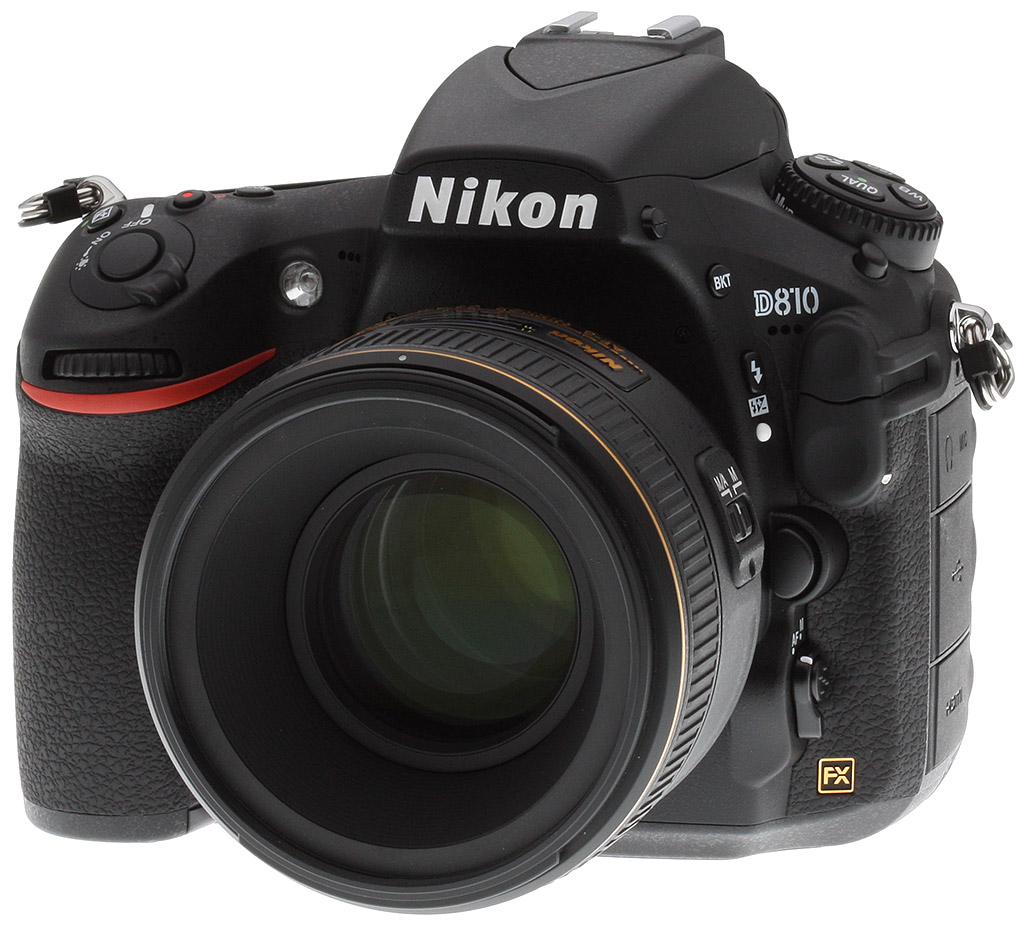
Now, Nikon follows up with the D810, a camera which shares much with its predecessor — but there are some very important differences. Perhaps the most important of the bunch is one of strategy. The Nikon D800E’s move away from a low-pass filter was a bold one at the time, and the company hedged its bets with the Nikon D800, a simultaneously-launched model that was near-identical, save for the inclusion of a low-pass filter.
This time around, there is no such equivalent for the Nikon D810. With a refinement of the same 36.3-megapixel image sensor from the D800 and D800E, along with a next-generation EXPEED 4 image processor — not to mention a market populated by photographers who now have a better handle on the moiré and false-color implications of foregoing that OLPF — Nikon is clearly confident in the D810’s ability to stand alone.
So what’s new in the Nikon D810? We’ve already mentioned that both image sensor and processor are new, but specifically, the Nikon D810’s FX-format CMOS image sensor has improved microlenses for better light-gathering capabilities, yet is also said to have a lower base sensitivity of ISO 64 equivalent. Coupled with the new EXPEED 4 image processor, which is said to offer 30% greater performance and superior noise-reduction processing, the Nikon D810 bests its predecessors for sensitivity not only at the bottom end of the range, but also at the top. The standard range is now ISO 64 to 12,800 equivalents, expandable to encompass everything from ISO 32 to 51,200 equivalents.
Nikon also promises even greater resolution from the newly-designed sensor than it managed with that in the D800E, perhaps because of the fact that it no longer needed to take into consideration an OLPF-equipped variant of the camera. And the new EXPEED 4 processor also allows a one frame per second improvement in burst performance across the board, to a maximum of five frames per second at full resolution, or 7 fps with a DX-format crop and the optional MB-D12 Multi Power Battery Pack attached.
And there are other important differences in the Nikon D810’s components. There’s a new mirror sequencer / balancer unit, for example, that’s designed to better-control vibration, and the rear-panel LCD monitor now has four dots per pixel, adding an extra white dot to the existing red, green and blue. That allows either a brighter, better-visible display when shooting outdoors, or power savings when shooting in lower ambient light. And the TTL pentaprism optical viewfinder has also been revisited, gaining a new prism coating for better clarity, along with an Organic LED status display panel that’s brighter and easier to read.
The body itself has also been redesigned, featuring a deeper, more comfortable grip and some minor tweaks to controls. And smaller improvements like these abound throughout: there’s a new electronic first-curtain shutter function when shooting in live view or mirror lockup modes, for example. Nikon has also added a new highlight-weighted exposure metering option, as well as a new Picture Control called “Flat”, aimed at those who want to color-grade and match output from multiple different cameras. There’s even a space-saving, reduced-resolution raw format.
Videographers get plenty of love, too, with lots of new features that will make the Nikon D810 an even more interesting proposition for video capture. (And Nikon is clearly banking on significant sales in this area, offering two specific product bundles aimed specifically at video shooters.) Changes include the ability to record video to the camera’s own memory cards at the same time as outputting uncompressed HDMI for capture with an external device, and to use the Power Aperture function while recording to internal cards.
There’s also a new stereo built-in mic, a wind cut filter function, zebra stripes, and more. And those new highlight-weighted metering and flat Picture Control functions we mentioned previously? They apply to video, too.
The Nikon D810 had a list price at introduction of around US$3,300 body-only, and started shipping in late July 2014, however that price has since dropped to about US$2,800. It can also be purchased bundled with the Nikkor AF-S 24-120mm f/4G VR lens for about US$3300.
Order the Nikon D810 from one of Imaging Resource’s trusted affiliates:
- Nikon D810 Body-only, US$2,800 ADORAMA | AMAZON | B&H
- Nikon D810 24-120mm Kit, US$3,300 ADORAMA | AMAZON | B&H
Let’s take a closer look at the Nikon D810!
Nikon D810 Walkaround
At first glance, the new Nikon D810 is not altogether that dissimilar from the Nikon D800 or D800E models that preceded it. In fact, without the D810 emblem on the front, you’d be hard-pressed to tell them apart. As they say, if it ain’t broke, don’t fix it — and the ergonomics and design of the D800 / D800E were already quite pleasant and well regarded, so not much needed changing with this new model.
However, there are a few more subtle tweaks and adjustments, as well as a couple new features added to the D810, the first of which is a slightly slimmer and deeper contoured handgrip. While the original model was certainly comfortable, the handgrip was quite substantial, and perhaps those photographers with smaller hands wished for a camera that was easier to hold.
With the D810, Nikon has carved out a bit more space between the lens mount and inner side of the handgrip, making it easier to wrap your hand around the camera. Not a striking change, but it’s definitely noticeable when comparing the old and new cameras side-by-side.
Looking along the front face of the camera, nothing has really changed from the older model. The forward-angled On/Off switch and shutter release button sit atop the newly-contoured handgrip, with the familiar front control dial sitting comfortably at your fingertip. Nikon has kept the two customizable function buttons next to the lens mount for easy access, though the top-most is now labeled as a depth-of-field preview button.
Looking closely along the upper section from the face of the camera, to the right of the AF assist lamp you can see a row of microphone holes. Nikon has added built-in stereo mics to the D810, where the D800 and D800E had monaural mics. The left-channel mic port is in its normal spot under the “D810” logo on the left-hand side of the lens mount.
Also on the right-hand side of the front is the standard flash sync terminal cover and 10-pin remote terminal cover. Then we have the obvious lens-release button, and Nikon’s familiar AF-mode switch/button at the left-facing base of the lens mount area.
Moving to the top plate of the camera, things are nearly identical to the previous model. The major changes are that the Metering Mode button gets a promotion to the main four-button cluster atop the Drive Mode dial on the left. It takes the spot of the Bracketing Mode button, which has a new location on the left side of the camera, above the Flash Mode button. The locking Drive Mode dial’s release button sits in its usual spot right in front of the dial.
Everything else about the top plate of the camera will be familiar territory to D800 and D800E owners. There’s the large Info LCD screen on the right side, with Exposure Mode button, Movie Record button and Exposure Compensation button out in front, along with Shutter release and On/Off switch. Then, of course, there’s the built-in pop-up flash and standard hot-shoe for Speedlights, remote triggers and external mics.
The rear face of the Nikon D810 has a few minor tweaks, the most prominent of which is the inclusion of Nikon’s “i” button. As seen on other recent DSLRs like the D5300 and D7100, the “i” button allows for quick visual access to a whole host of settings and exposure adjustments, both when shooting with the optical viewfinder or in live view mode.
In live view, pressing the “i” button activates a side panel along the right side of the screen for quick access to things like crop mode, picture profile, and image bitrate, among other things. If you’re shooting video, you can make changes in real-time during recording for various settings using the “i” menu.
The other change seen at the rear of the camera is the addition of the Quiet Continuous mode to the Drive Mode dial, just as Nikon did on the D610 and D7100 cameras. This mode allows photographers to get a burst of photos more quietly than standard continuous mode (albeit at a slower frame rate) for sound-sensitive subjects such as skittish wildlife, live performances or press conferences.
The Nikon D810 keeps the D800’s large 3.2-inch TFT-LCD screen, but it’s been upgraded to a 1,229K-dot resolution RGBW panel. The RGBW display — which includes white subpixels, as well as the traditional red, green and blue — can be brighter than standard screens, but can also emphasize efficiency instead, saving power from the backlight.
And finally for the rear panel, there’s the optical eye-level pentaprism viewfinder, which provides approximately 100% vertical and horizontal coverage of the frame in FX mode and 97% coverage in DX or 1.2x crop mode. Inside the OVF, Nikon has upgraded the info display screen to an OLED display for increased visibility, like that on the D7100. It has also changed prism coatings for better clarity through the viewfinder.
Moving to the sides of the camera, the memory card door on the right-hand side of the camera — which still houses dual Secure Digital and CompactFlash card slots — is now coated in the same rubberized grip material as the rest of the camera body. On the left-side of the camera, while the D810 still sports the same array of ports — a 3.5mm mic jack, 3.5mm headphone jack, USB 3.0 port and Type-C Mini HDMI port — the covers for these ports are now individualized, whereas the D800 and D800E kept these ports under one large rubbery-plastic flap.
On the left side of the camera, you can better see the re-positioned Bracketing Mode button, just under the pop-up flash. Below this new button is the standard Flash Mode button, then the AF Mode switch/button further below at the base of the lens mount. Near the tip-top of the pop-up flash is the Flash Activation button, for raising the flash unit.
In the Box
The retail package contains the following items:
- Nikon D810 digital camera body
- Body cap BF-1B
- Finder eyepiece DK-17
- LCD monitor cover BM-12
- USB cable UC-E22
- USB cable clip
- Camera strap AN-DC12
- Hot shoe cover BS-1
- Lithium-ion battery EN-EL15
- Quick Charger MH-25
- ViewNX 2 CD-ROM
- Warranty and manuals
Recommended Accessories
- Large capacity, high-speed CompactFlash or SDHC/SDXC memory card
- Lenses
- Accessory flash
- Extra battery
- Camera case
Optics
The Nikon D810 does not ship with a standard “kit” lens, so we don’t have any lens test results. We do however have viewfinder accuracy test results below.
Viewfinder Test Results
Coverage
Excellent accuracy from the optical viewfinder; very good from the LCD monitor in Live View mode.
 |
 |
| 70mm, Optical | 70mm, Live View LCD |
The Nikon D810’s optical viewfinder displayed just over 99% coverage in our test in FX mode with virtually no tilt or offset with respect to the sensor, which is excellent for a full-frame DSLR. Interestingly, LCD coverage in Live View mode was closer to 101% in our tests, which is still very good.
The images above were taken from our standardized test shots. For a
collection of more pictorial photos, see our
Nikon D810 Photo Gallery
.
Exposure
Color
Saturation & Hue Accuracy
Fairly vibrant colors with slightly below average hue accuracy.
 |
|||
|
ISO Sensitivity |
|||
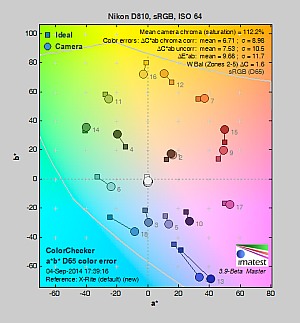
| In the diagram above, the squares show the original color, and the circles show the color that the camera captured. More saturated colors are located toward the periphery of the graph. Hue changes as you travel around the center. Thus, hue-accurate, highly saturated colors appear as lines radiating from the center. Mouse over the links above to compare ISOs, and click to load a larger version. | |||
Saturation. The Nikon D810 pumps dark blues a lot, dark greens moderately and quite a few colors slightly, but actually undersaturates yellow, light green and cyan tones, when using default settings. Overall, mean saturation levels are a little higher than average at 12.2% oversaturated at the base ISO of 64 versus a more typical 10%. And the D810’s mean saturation is fairly consistent across ISOs, ranging from a minimum of 111.4% at ISO 800 to 113% at ISO 25,600.
Most consumer digital cameras produce color that’s more highly saturated (more intense) than found in the original subjects. This is simply because most people like their color a bit brighter than life.
Skin tones. The Nikon D810’s rendering of Caucasian skin tones looks realistic in “sunlit” outdoor lighting when using auto white balance, but just slightly on the warm, yellow side. (Likely because the camera doesn’t pump reds as much as most.) Manual white balance produces slightly healthier-looking pinkish tones. Where oversaturation is most problematic is on Caucasian skin tones, as it’s very easy for these “memory colors” to be seen as too bright, too pink, too yellow, etc.
Hue. The Nikon D810 produces a few color shifts relative to the mathematically precise translation of colors in its subjects, as do almost all cameras. Reds are shifted slightly toward orange, light orange toward yellow and cyan toward blue, but there are only very slight shifts in yellow, green and purple. (The cyan to blue shift is very common among the digital cameras we test; we think it’s a deliberate choice by camera engineers to produce better-looking sky colors.) Mean “delta-C” color error at base ISO was 6.71 after correction for saturation, which is a little higher than average (lower numbers are better), but still considered good, and remained around 7 across the ISO range. Hue is “what color” the color is.
 |
 |
 |
| See full set of test images with explanations See thumbnails of all test and gallery images |
||
Sensor
Exposure and White Balance
Indoors, incandescent lighting
Warm results with Auto and Incandescent white balance, though excellent color balance with Manual white balance. About average exposure compensation required.
 |
 |
| Auto White Balance | Incandescent White Balance |
 |
|
| Manual White Balance |
Indoors, in common incandescent lighting, color balance is warm and reddish with the Auto white balance setting. The Incandescent setting is very warm with a strong yellow tint. (Some users may prefer this look, though, as being more representative of the original lighting.) The Manual white balance setting on the other hand produced very accurate results. The D810 required +0.3 EV exposure compensation, which is about average for this shot. Our test lighting for this shot is a mixture of 60 and 100 watt household incandescent bulbs, a pretty yellow light source, but a very common one in typical home settings here in the U.S.
Outdoors, daylight
Good color and exposure outdoors, but high default contrast.
 |
 |
| Manual White Balance +0.3 EV |
Auto White Balance, 0 EV |
The Nikon D810 handled tough outdoor lighting under harsh sunlight well in terms of color and exposure. We found skin tones a touch yellow in our “Sunlit” Portrait shot with Auto white balance though, so we preferred Manual WB. Default contrast is on the high side, so quite a few highlights were clipped in the mannequin’s shirt, pendant and some of the flowers, though shadows aren’t too deep. The D810 required +0.3 EV exposure compensation to keep the eyes relatively bright, which is a bit better than the +0.7 EV average for this shot. The Far-field image on the right a little hot at default exposure, with some clipped highlights in bright white areas and of course in specular highlights. Again, detail in the shadows is very good, and shadow noise is remarkably low. Color here with Auto white balance is very pleasing.
See full set of test images with explanations
See thumbnails of all test and gallery images
Resolution
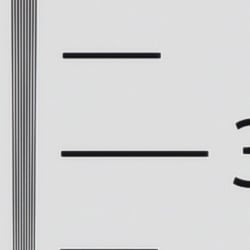
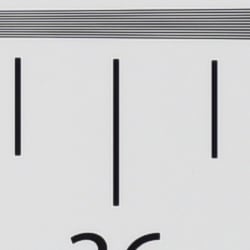
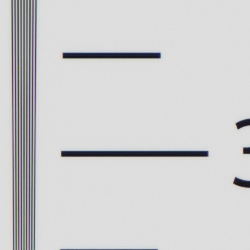
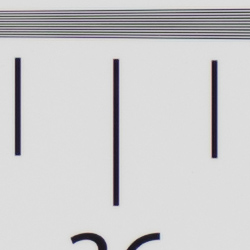
Extremely high resolution, ~3,500 to ~3,600 lines of strong detail.
 |
 |
| Strong detail to ~3,600 lines horizontal Camera JPEG |
Strong detail to ~3,500 lines vertical Camera JPEG |
 |
 |
| Strong detail to ~3,600 lines horizontal ACR processed RAW |
Strong detail to ~3,500 lines vertical ACR processed RAW |
Our laboratory resolution chart revealed sharp, distinct line patterns to about 3,600 lines per picture height in the horizontal direction, and to about 3,500 lines per picture height in the vertical direction in JPEGs. Complete extinction of the pattern didn’t occur before the 4,000 line limit of our chart. We weren’t able to extract any more resolution with RAW files processed through Adobe Camera Raw 8.6, and the ACR conversion contained more color moiré and false colors than the in-camera JPEG images, so the camera’s processing is doing a pretty good job suppressing those artifacts. The D810 does however show some luminance moiré, which is exacerbated by somewhat high default sharpening. Use these numbers to compare with other cameras of similar resolution, or use them to see just what higher resolution can mean in terms of potential detail.
See full set of test images with explanations
See thumbnails of all test and gallery images
Sharpness & Detail
Fantastic sharpness and detail, though default sharpening and contrast are a bit higher than the D800/E. Minimal noise suppression artifacts at base ISO.
 |
 |
| Excellent definition of high-contrast elements, but with some evidence of edge enhancement. |
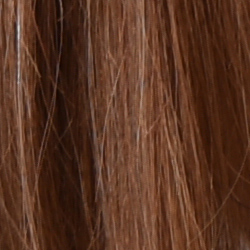
Subtle detail: Hair Noise suppression tends to blur detail in areas of subtle contrast, though detail remains strong in the darker parts of the model’s hair here. |
Sharpness. The Nikon D810 produced very sharp, incredibly detailed images at default settings, though edge enhancement artifacts are more visible compared to the D800/E around high-contrast subjects, such as the fairly obvious sharpening halos around the lines and lettering in the crop above left. Default sharpening is a little higher than we’re used to seeing for a pro Nikon DSLR, but you can always turn it down if you prefer. Edge enhancement creates the illusion of sharpness by enhancing color and tonal differences right at the edge of a rapid transition in color or tone.
Detail. The crop above right shows only minimal detail loss due to noise suppression, as the darker areas of the mannequin’s hair show a lot of detail. Individual strands are still distinguishable even in the lighter shadows, though some begin to merge as shadows deepen, and in places where the tone and color of adjacent strands is very close. The hair is also virtually free from chroma noise, which is often not the case, but some strands do show signs of the “jaggies” (see below for more on aliasing artifacts). Still, an excellent performance here. Noise-suppression
systems in digital cameras tend to flatten-out detail in areas of subtle
contrast. The effects can often be seen in shots of human hair, where the
individual strands are lost and an almost “watercolor” look appears.
 |
Aliasing Artifacts. As mentioned previously the Nikon D810 captures incredibly sharp, detailed images thanks to its very high resolution and lack of an optical low pass filter, but that means it’s also more susceptible to moiré, “jaggies” and other aliasing artifacts than cameras with an appropriate OLPF when used with a sharp lens.
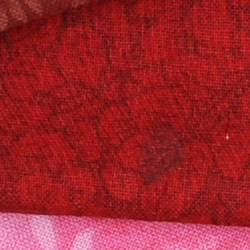
As you can see in our Still Life shots, moiré patterns can be seen in the red-leaf fabric (below) and in the Samuel Smith bottle label (at right), and you can see moiré in some other shots as well, such as in the artificial roses of our Indoor Portrait test shots.
With the increasing trend of using either a very weak or no optical low pass filter, quite a few cameras produce similar artifacts these days, and the Nikon D810’s JPEG processing engine actually does a pretty good job at suppressing aliasing-related false colors in our Resolution target. But it’s not fool proof, and luminance moiré is much more difficult to deal with. That’s something to be aware of especially if you shoot a lot of man-made subjects with repeating patterns, such as buildings, fences and fabrics, etc. Techniques than can be used to reduce aliasing include shooting at a smaller aperture so that lens diffraction acts as an anti-alias filter, defocusing slightly, shooting at higher ISOs, and post-processing particularly with RAW files.
RAW vs In-Camera JPEGs
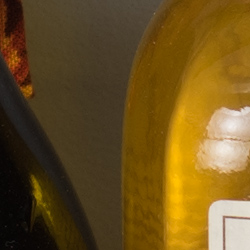
As noted above, the Nikon D810 does a fantastic job at capturing lots of fine detail in its JPEGs. Let’s see how a RAW conversion using our standard converter (Adobe Camera Raw) at base ISO does:
| Base ISO (64) | |
 |
 |
 |
 |
 |
 |
|
Camera JPEG, defaults
|
RAW via Adobe Camera Raw
|
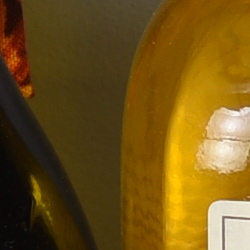
In the table above, we compare an in-camera JPEG taken at base ISO using default noise reduction and sharpening (on the left) to the matching RAW file converted with Adobe Camera Raw 8.7 using default noise reduction with some fairly light unsharp mask sharpening applied in Photoshop (150%, radius of 0.3 pixels, and a threshold of 0).
Here, we can see that Adobe Camera Raw combined with light sharpening in Photoshop delivers slightly finer detail than the camera JPEG, with fewer sharpening halos around high-contrast edges. (The D810’s lack of an anti-aliasing filter means its images don’t need much sharpening when shot with a sharp lens, but as mentioned previously, it also means moiré patterns may be seen on some subject matter, such as in the red-leaf fabric above.) Noise is slightly more visible in the conversion (default ACR NR used), but is still very low and not an issue.
Bottom line: The Nikon D810’s revised JPEG processing produces excellent detail and crispness at base ISO and default settings, though you can still do a bit better with lower sharpening artifacts when carefully processing RAW files.
ISO & Noise Performance
Very good detail versus noise up to ISO 6,400
| Noise Reduction = Default | ||
 |
 |
 |
| ISO 32 | ISO 64 | ISO 100 |
 |
 |
 |
| ISO 200 | ISO 400 | ISO 800 |
 |
 |
 |
| ISO 1600 | ISO 3200 | ISO 6400 |
 |
 |
 |
| ISO 12,800 | ISO 25,600 | ISO 51,200 |
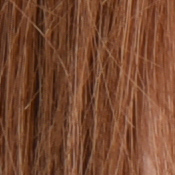
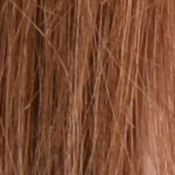
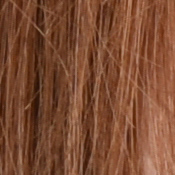
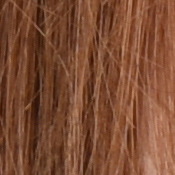
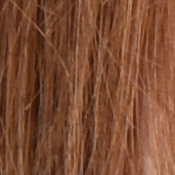
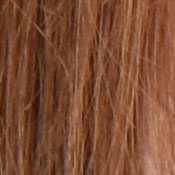
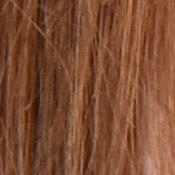
Nikon D810 images are very clean at ISOs 32 through 400, with just a touch of noise becoming more visible in the shadows as ISO increases. ISO 800 shows a bit more luminance noise, but is still quite clean. ISO 1600 is probably the first sensitivity where there is noticeable noise at 100% magnification, though it’s very fine-grained and not in the least objectionable. ISO 3200 loses another small step in image quality, but is still very detailed with low chroma noise. ISO 6400 shows some stronger smudging and more visible luminance noise, but fine detail is still pretty good. Image quality drops off more rapidly at ISO 12,800 and above with stronger blurring and luminance noise, and chroma noise finally starts to become an issue with fairly obvious yellow and purple blotching by the time ISO 51,200 is reached.
The Nikon D810’s high ISO JPEG noise performance is slightly improved compared to its predecessor in most respects (it struggles a little more with low-contrast detail in reds, though), however that’s mostly due to more refined noise reduction processing as sensor performance appears to be essentially the same. The new lower base ISO of 64 does however offer a slight advantage.
Of course, the impact of noise and detail loss are highly dependent on the size the photos are printed at, and pixel-peeping on-screen has surprisingly little relationship to how the images look when printed: See the Print Quality section below for recommended maximum print sizes at each ISO.
A note about focus for this shot: We shoot this image at f/4, using one of three very sharp reference lenses (70mm Sigma f/2.8 macro for most cameras, 60mm f/2.8 Nikkor macro for Nikon bodies without a drive motor, and Olympus Zuiko 50mm f/2.0 for Four Thirds and Micro Four Thirds bodies). To insure that the hair detail we use for making critical judgements about camera noise processing and detail rendering is in sharp focus at the relatively wide aperture we’re shooting at, the focus target at the center of the scene is on a movable stand. This lets us compensate for front- or back-focus by different camera bodies, even those that lack micro-focus adjustments. This does mean, though, that the focus target itself may appear soft or slightly out of focus for bodies that front- or back-focused with the reference lens. If you click to view the full-size image for one of these shots and notice that the focus target is fuzzy, you don’t need to email and tell us about it; we already know it. 🙂 The focus target position will simply have been adjusted to insure that the rest of the scene is focused properly.
Extremes: Sunlit, dynamic range and low light tests
Extremely high resolution with high default contrast. Excellent low-light performance, capable of capturing bright images in near darkness.
 |
 |
 |
| 0 EV | +0.3 EV | +0.7 EV |
Sunlight. Surprisingly, the Nikon D810 struggled a little with the deliberately harsh lighting in the above test, because of its somewhat high default contrast. We felt +0.3 EV exposure compensation was required to keep the mannequin’s face reasonably bright, but that led to some blown highlights in her shirt and flowers. Pros would likely prefer 0 EV and brighten the image in post (or just shoot RAW), thereby holding on to highlight detail that the +0.3 EV exposure lost. There are also some dark shadows at +0.3 EV, but shadow noise is quite low for the resolution, and what’s there is fine-grained and not very objectionable. Note that these shots were captured with the Nikon D810’s Active D-Lighting control set to its default of “Off.” See below for how Active D-Lighting helps with hot highlights and deep shadows.
Because digital cameras are more like slide film than negative film (in that they tend to have a more limited tonal range), we test them in the harshest situations to see how they handle scenes with bright highlights and dark shadows, as well as what kind of sensitivity they have in low light. The shot above is designed to mimic the very harsh, contrasty effect of direct noonday sunlight, a very tough challenge for most digital cameras. (You can read details of this test here. In actual shooting conditions, be sure to use fill flash in situations like the one shown here; it’s better to shoot in open shade whenever possible.)
Active D-Lighting
Active D-Lighting attempts to preserve detail in both highlights and shadows in high-contrast situations, while maintaining moderate levels of contrast. The series of shots below show the effect of the various Active D-Lighting settings (Off (default), Low, Normal, High, Extra High and Auto) available on the Nikon D810 on our high-contrast “Sunlit” Portrait scene.
Note that Active D-Lighting is different from the Retouch menu’s D-Lighting, as it is performed during image capture instead of after. (It does affect only JPEG images, though, Nikon very properly doesn’t apply tonal adjustments like this to RAW file data. NEF files are however tagged so that Nikon software can automatically apply the effect when converted.)
|
“Sunlit” Portrait Active D-Lighting (0 EV)
|
|
 |
ADL Settings:
Low Normal High |
 |
|
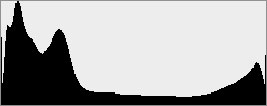
Mouse over the links to see how the various levels of Active D-Lighting affects our “Sunlit” Portrait shot at default exposure, and click on any link to get to the full-res image. (Active D-Lighting’s effect can be a little subtle in shots like those above, so we decided to use a mouse-over with matching histograms to better show how each setting compares.)
As you can see from the thumbnail images and histograms above, higher Active D-Lighting settings did a good job at preserving highlights while bringing up shadows and deeper midtones, without making the image look too flat. However, Auto and Low actually blew a few more highlights in process, producing very similar results. It’s also interesting to note that the default ADL setting for the D810 is Off, while in more consumer-oriented models, the default is Auto.
| Far-field Active D-Lighting (0 EV) | ||
 |
||
| Normal | ||
Here are the effects of Active D-Lighting on our Far-field shot. As you can see, Active D-Lighting brought up shadow detail while holding on to highlights. The Auto setting did a pretty good job here by opening up shadows, but the higher settings again did a better job at preserving highlights.
HDR Mode
Like other recent Nikon DSLRs, the D810 offers an in-camera high-dynamic-range imaging function. When enabled, the D810 captures two images with one push of the shutter button — one underexposed and one overexposed — and combines them in-camera to produce a high-dynamic-range JPEG. (RAW format is not supported.) There are three exposure differentials available: 1, 2 and 3 EV, as well as an Auto option, and there are three Smoothing options: Low, Normal and High. You can also elect to do a series of HDR shots without having to re-enable the mode each time, or select a Single Photo option.
| Far-field HDR mode | |||
 |
|||
|
3 EV:
|
|||
Mouse over the links to see how the Auto, 1 EV and 2 EV levels of HDR with default Normal Smoothing as well as 3 EV with Low, Normal and High Smoothing affect our Far-field shot at default exposure. Click on a link to get to the full-res image.
Obviously moving subjects should be avoided, as you can see from the ghosting in the flags and person in some of HDR shots above. Aside from the noticeable halos and “glowing” caused by the Low Smoothing option, we think Nikon D810’s HDR feature is one of the better in-camera implementations, however you can likely do better by bracketing more exposures and combining images yourself.
Dynamic Range Analysis (RAW mode)
While we once performed our own dynamic range measurements based on in-camera JPEGs as well as converted RAW images (when the camera was supported by Adobe Camera Raw), we’ve switched to using DxO Labs’ results from their DxOMark website. As technology advanced, the dynamic range of modern high-end cameras in some cases exceeded the range of the Stouffer T4110 density scale that we used for our own measurements. DxO’s approach based on RAW data before demosaicing is also more revealing, because it measures the fundamental dynamic range of the sensor, irrespective of whatever processing is applied to JPEGs, or to RAW data by off-the-shelf conversion software.
In the following, we use DxO’s “Print” dynamic range results, which are scaled based on camera resolution. As the name suggests, this scaling corresponds to the situation in which you print at a given size, regardless of how many megapixels the camera might have. (In other words, if you’ve decided to make a 13×19 inch print, that’s the size you’re printing, whether the camera’s resolution is 16 or 300 megapixels.) For the technically-minded, you can find a discussion of the reasoning behind this here on the DxOMark website. Also note that DxO Labs uses a signal-to-noise (SNR) threshold of 1 when defining the lower boundary of acceptable luminance noise in their dynamic range measurements, which corresponds to the “Low Quality” threshold of the Imatest software we used to use for this measurement.
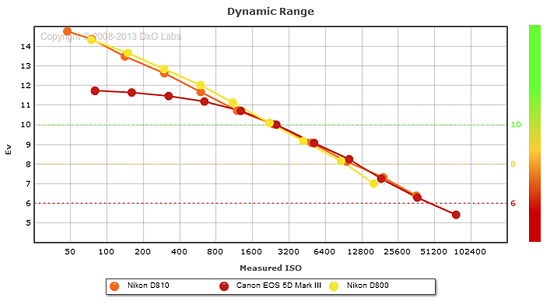 |
Here, we compare the Nikon D810’s dynamic range to that of its predecessor, the D800 (the D800E is essentially the same), and to a competitor, the Canon 5D Mark III.
As you can see from the above graph (click for a larger image), the D810’s dynamic range at its new base ISO of 64 is slightly better than the D800 at the ISO 100 setting (14.76 vs 14.33 EV), but otherwise, the two Nikons are pretty much neck-and-neck, with one just slightly higher than the other at some ISOs.
The D810’s dynamic range is however more than 3 stops better than the Canon 5D III’s at their base ISOs (14.76 vs 11.74 EV) and about 2.6 EV better at ISO 100 settings. But the 5D III catches up at about ISO 800 and offers essentially the same dynamic range as the D810 at higher ISOs, even surpassing it slightly at ISO 12,800. Comparing the D810 to a camera with a more recent and very similar sensor, the Sony A7R, we see its dynamic range results are quite similar as expected, though the D810’s lower ISO 64 setting does give it a useful advantage. Click here to visit the DxOMark page for the Nikon D810 for more of their test results and additional comparisons.
| 1 fc 11 lux |
1/16 fc 0.67 lux |
1/16 fc No NR |
|
|---|---|---|---|
| ISO 100 |
 2 s f2.8 |
 30 s f2.8 |
 30 s f2.8 |
| ISO 3200 |
 1/15 s f2.8 |
 1 s f2.8 |
 1 s f2.8 |
| ISO 51200 |
 1/250 s f2.8 |
 1/15 s f2.8 |
 1/15 s f2.8 |
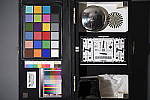
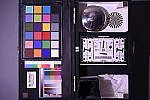
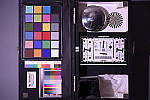
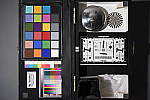
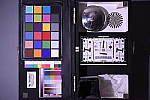
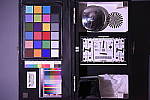
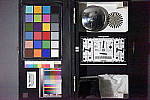
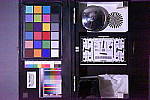
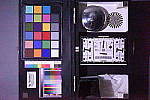
Low Light. The Nikon D810 performed very well here, able to capture usable images down to the 1/16 foot-candle light level (about 1/16 as bright as average city street lighting at night) at ISO 100, though our lowest light level would likely be a bit dim below ISO 100 because of the 30 second shutter speed limit (Bulb mode is required for longer exposures).
Color balance with Auto white balance was fairly neutral at one foot-candle, just a touch cool, but took on a strong magenta cast at 1/16 foot-candle, as we’ve seen with other Nikons.
Noise isn’t an issue at ISO 100, and is well-controlled at ISO 3200 though some fine-grained luminance noise as well as chroma noise is visible when NR is turned down to a minimum (right-most column). The top ISO of 51,200 on the other hand, is quite noisy and is probably best avoided except in emergencies.
Some minor horizontal banding (pattern noise) is visible at ISO 51,200, and there’s also a reddish tint emanating from the bottom of the frame at the top ISO, indicating some heat blooming. Longer exposures at lower ISOs may show similar heat-blooming discoloration. We didn’t notice any issues with hot pixels.
The camera’s phase-detection autofocus system was able to focus on our test subject down to the 1/16 foot-candle light level unassisted with an f/2.8 lens, which is very good, and in total darkness with the built-in AF illuminator enabled. In Live View mode, the D810’s contrast-detect autofocus was able to focus down to just above the 1/8 foot-candle, which is also good.
(Keep in mind that the longer shutter speeds here demand the use of a tripod to prevent any blurring from camera movement. A useful trick is to just prop the camera on a convenient surface, and use its self-timer to release the shutter. This avoids any jiggling from your finger pressing the shutter button, and can work quite well when you don’t have a tripod handy.)
How bright is this? The one foot-candle light level
that this test begins at roughly corresponds to the brightness of typical
city street-lighting at night. Cameras performing well at that level should
be able to snap good-looking photos of street-lit scenes.
NOTE: This low light test is conducted with a stationary subject, and the camera mounted on a sturdy tripod. Most digital cameras will fail miserably when faced with a moving subject in dim
lighting. (For example, a child’s ballet recital or a holiday pageant in a gymnasium.) Digital SLRs like the Nikon D810 do much better than point & shoots, but you still shouldn’t expect a quick autofocus lock with moving subjects.
Flash Test Results
Coverage and Range
A fairly powerful pop-up flash. Less than average exposure compensation required.
 |
 |
| Normal Flash, f/4, 1/60s, +0.3 EV | Slow-Sync Mode, f/4, 1/13s, 0 EV |
Coverage. Since the Nikon D810 doesn’t ship with a kit lens, we didn’t take our usual flash coverage shot.
Exposure. When it came to exposure, the D810’s flash underexposed our Indoor Portrait subject a bit at its default setting, requiring a +0.3 EV exposure compensation adjustment (which is actually less than the average of +0.7 EV required for this shot). The camera’s Slow-Sync flash mode produced a good exposure without flash exposure compensation (0 EV), though with a strong orange cast from the background incandescent lighting.
| Manufacturer-Specified Flash Range |
|---|
 7 feet ISO 100 |
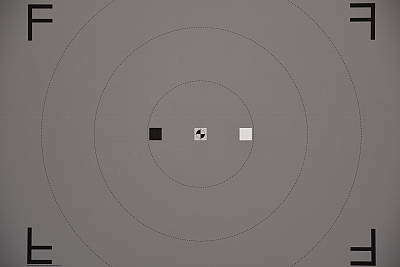
Manufacturer Specified Flash Range. The Nikon D810’s flash is rated with a Guide Number of 12/39 (m/ft) at ISO 100. That works out to about 7 feet at f/5.6. As you can see in the flash range test shot above using those parameters, the Nikon D810 produced an exposure that’s just slightly dim (less than -0.2 EV lower than ideal), indicating the flash output rating is credible.
Note: Here we shoot with manufacturer-specified camera settings, at the range the company claims for the camera, to assess the validity of the specific claims. The specified range has been calculated for the lens and aperture used in the test shot above.
Output Quality
Print Quality
Outstanding 30 x 40 inch prints and higher at ISO 32-400; a very good 24 x 36 at ISO 3200; and a good 8 x 10 at ISO 25,600(!)
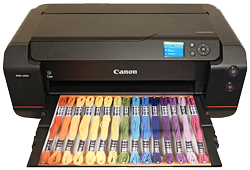 ISO 32-400 prints are excellent at 30 x 40 inches and higher until you run out of resolution, with terrific color reproduction and nice detail for such a large print. Wall display prints are also possible at much larger sizes until individual pixels become too obvious.
ISO 800 images are also good at 30 x 40 inches, with an amazing level of sharpness for this ISO, and only a marginal amount of softness apparent in a few of the more finely detailed areas of our test target.
ISO 1600 begins to introduce minor noise in flatter areas of our target, but is usable for general purpose printing at 30 x 40 inches. For critical applications we’ll call our official size 24 x 36 inches for this ISO, as the noise is virtually unnoticeable at that size.
ISO 3200 prints are good up to 24 x 36 inches. There is now a bit of fine-grained noise apparent in some shadowy areas of our test target, and some of the contrast detail is lost in our tricky red fabric swatch, but still an amazing print for this ISO setting.
ISO 6400 is where the D810 begins to appear mortal, requiring a reduction in print size to a “minuscule” 16 x 20 inches (just kidding of course, as this is still larger than most people ever print!). There is some mild chroma noise apparent and some general softness in detailed areas, but nothing that will be too obvious for most printing situations.
ISO 12,800 yields a good 11 x 14 inch print with yet again only a few minor issues here and there, and is a large print at this setting compared to the general camera population. For the most critical applications 8 x 10’s are even better, so for professional level work this is the highest ISO advisable for critical printing.
ISO 25,600 produces a fairly good 8 x 10 inch print, surprisingly usable and showing only minor “film-grain-like” noise in flatter areas of our test target, while losing most all contrast detail in our red swatch. To achieve a “good” print at this size is a rare feat indeed and not achievable by many cameras in this class as yet.
ISO 51,200 prints are good at 4 x 6 inches. The 5 x 7’s are usable for less critical applications as well, and certainly most family photos, especially in dim environments where you need the high gain to avoid motion blur.
The Nikon D810 follows in the hallowed footsteps of its forebears the D800 and D800E in delivering the cream of the crop for print quality in the full-frame DSLR world. As of this printing Nikons are the only bodies we’ve yet to award a “good” 8 x 10 at ISO 25,600, and that’s something worth noting. The stellar performance continues as the ISO gets lower, and to be able to print up to two by three feet at ISO 3200 is, well…choose your favorite superlative and insert it here! If you make prints in your line of work or photographic hobby and require good performance as ISO rises from a full-frame camera body, the Nikon D810 outshines all others, save for a tie with a few other Nikon kin.
The images above were taken from our standardized test shots. For a
collection of more pictorial photos, see our
Nikon D810 Photo Gallery
.
Not sure which camera to buy? Let your eyes be the ultimate judge!
Visit our Comparometer(tm)
to compare images from the Nikon D810 with those from other
cameras you may be considering. The proof is in the pictures, so let
your own eyes decide which you like best!
Performance
Timing and Performance
Good performance for its class, with improved burst modes.
| Startup/Play to Record | ||
|---|---|---|
|
Power on |
~0.5 second
|
Time it takes for camera to turn on. |
|
Play to Record, |
~0.8 second
|
Time until first shot is captured. |
Startup including taking a shot was fast, but Play to Record and taking a shot was oddly a bit slower. Still pretty fast, though. (See below for buffer clearing.)
| Shutter Response (Lag Time) | ||
|---|---|---|
| Optical Viewfinder | ||
|
Full Autofocus |
0.212 second
|
Time from fully pressing shutter button to image capture using optical viewfinder. All timing performed with a Nikkor AF-S 60mm f/2.8 Micro lens. |
|
Full Autofocus |
0.235 second
|
Time from fully pressing shutter button to image capture. Auto Flash enabled. |
|
Full Autofocus |
0.302 second
|
Time from fully pressing shutter button to image capture using optical viewfinder. |
|
Manual focus |
0.056 second
|
For most cameras, shutter lag is less in manual focus than autofocus, but usually not as fast as when the camera is “prefocused”. |
|
Prefocused |
0.054 second
|
Time to capture, after half-pressing and holding shutter button. |
| Live View | ||
|
Full Autofocus |
0.875 second
|
Time to capture, after half-pressing shutter button, waiting for focus confirmation, then fully pressing shutter button in Live View mode. |
|
Prefocused |
0.158 second
|
Time to capture, after half-pressing and holding shutter button in Live View mode. |
In terms of the Nikon D810’s ability to determine that it’s properly focused when shooting the same target multiple times (with no change of focus setting between iteration, to remove the impact of lens AF speed), its speed was good for an enthusiast model and very similar to the D800/D800E, but a little slow compared to professional models. The D810’s AF shutter lag measured 0.212 second using single-area (center) AF mode, 0.235 second with flash enabled, and 51-point Auto Area AF lag measured 0.302 second. Some consumer DSLRs are actually faster in this test.
Manual focus lag was 56 milliseconds, a bit slower than the D800’s 44ms. When prefocused, shutter lag was only 54 milliseconds, which is very good though again a bit slower than the D800/D800E’s 43ms.
As expected, the Nikon D810’s Live View mode adds considerable AF shutter lag, though it tested quite a bit faster than the D800/D800E. We measured 0.875 second for full autofocus lag, compared to 1.735 seconds for the D800/D800E.
Once prefocused, shutter lag in Live View mode was 0.158 second, also faster than the D800/D800E’s 0.184 second, which is pretty good but still quite a bit slower than using the optical viewfinder.
To minimize the effect of different lens’ focusing speed, we test AF-active shutter lag with the lens already set to the correct focal distance.
| Cycle Time (shot to shot) | ||
|---|---|---|
|
Single Shot mode |
< 0.3 second
|
Time per shot, averaged over a few frames (we no longer test for buffer depths in single-shot mode). |
|
Single Shot mode |
< 0.3 second
|
Time per shot, averaged over a few frames (we no longer test for buffer depths in single-shot mode). |
|
Early shutter |
No
|
Some cameras don’t snap another shot if you release and press the shutter too quickly in Single Shot mode, making “No” the preferred answer. |
|
Continuous Hi mode |
0.20 second
(5.09 frames/sec); 57 frames total; 12 seconds to clear* |
Time per shot, averaged over buffer length of 57 shots, then slowed to an average of 0.39s or 2.54 fps with a full buffer, but with a lot of variation. |
|
Continuous Hi mode |
0.20 second
(5.09 frames/sec); 23 frames total; 10 seconds to clear* |
Time per shot, averaged over 23 shot buffer, then slowed to an average of 0.54s or 1.84 fps with a full buffer. |
|
Continuous Hi mode |
0.20 second
(5.03 frames/sec); 18 frames total; 14 seconds to clear* |
Time per shot, averaged over 18 shot buffer, then slowed to an average of 0.92s or 1.09 fps with a full buffer. |
|
Continuous Hi |
0.17 second
(6.06 frames/sec); 100 frames total; 3 seconds to clear* |
Time per shot, averaged over set buffer length of 100 shots. |
|
Continuous Hi |
0.16 second
(6.12 frames/sec); 57 frames total; 7 seconds to clear* |
Time per shot, averaged over 57 shot buffer, then slowed to an average of 0.27s or 3.68 fps with a full buffer. |
|
Continuous Hi |
0.16 second
(6.12 frames/sec); 31 frames total; 10 seconds to clear* |
Time per shot, averaged over 31 shot buffer, then slowed to an average of 0.42s or 2.38 fps when buffer was full, with a lot of variation. |
|
Flash recycling |
2.2 seconds
|
Flash at maximum output. |
|
*Note: Buffer clearing times measured with a SanDisk Extreme Pro 128GB 100MB/s UDMA 7 CompactFlash card except where otherwise noted. Slower cards will produce correspondingly slower clearing times. Slow cards may also limit length of bursts in continuous mode. ISO sensitivity and noise reduction settings can also affect cycle times and burst mode performance.
|
||
Single-shot cycle times were so fast that they were difficult to accurately measure as they depend on the tester’s dexterity and ability to maintain an optimum rhythm, so your results may vary. (Note that we no longer test single-shot mode with just RAW files, as the results are usually somewhere in between JPEG and RAW+JPEG.)
Continuous Hi burst mode has improved over the D800/D800E. We measured just over five frames per second, compared to 4 fps for the D800/D800E. In DX Crop mode which captures 15.4MP images, frame rate increased from almost 5 frames per second from the D800/D800E to just over 6 fps. According to Nikon, DX Crop mode performance can be increased up to 7 frames per second when using the optional MB-D12 Multi-Power Battery Pack equipped with AA batteries, however we did not confirm that.
Buffer depths have also improved over its predecessor. We captured 57 versus 54 Large/Fine JPEG frames before the camera started to slow, and that’s with a difficult-to-compress target. You’ll likely do much better with typical scenes. In 14-bit lossless compressed RAW mode, we captured 23 versus 18 frames per burst, and with 14-bit lossless RAW + Large/Fine JPEGs we captured 18 versus 14 frames. (Switching to 12-bit lossless RAW increased buffer depths to 36 for RAW and 25 for RAW+JPEG.) In DX Crop mode, buffer depths also improved over the D800/D800E.
Buffer clearing was pretty fast given the file sizes, but can be lengthy. We measured 12 seconds after 57 JPEG frames to 14 seconds after a 18 RAW+JPEG burst, versus 9 and 20 seconds for the D800/D800E respectively, but keep in mind the latter’s slower burst mode and shallower buffers.
Bottom line, the Nikon D810 is pretty fast in most respects for its class, with noticeably improved burst mode performance over its predecessor, though AF speeds are still a bit slow compared to pro models.
Battery
Battery Life
Excellent battery life.
| Operating Mode | Number of Shots |
|---|---|
|
Lithium-ion rechargeable battery,
Optical Viewfinder (CIPA Standard) |
|
|
Lithium-ion rechargeable battery,
Live View LCD (CIPA Standard) |
|
The Nikon D810 uses a custom rechargeable lithium-ion battery pack for power, and comes with both a single battery and charger. The CIPA-rated 1,200 shots per charge using the optical viewfinder is excellent for its class, and a significant improvement over the 900 shots per charge from its predecessor. Unfortunately, Nikon does not seem to publish battery life results for when Live View mode is used, but it’s a safe bet that it’s considerably shorter.
The table above shows the number of shots the camera is capable of on fully-charged battery, based on CIPA battery-life and/or manufacturer standard test conditions.
(Interested readers can find an English translation of the CIPA DC-002 standards document here. (180K PDF document))
Image Quality
Below are crops from our laboratory Still Life target comparing the Nikon D810 vs. the Nikon D800E, Nikon D800, Sony A7R, Nikon D750 and Canon 5D Mark II. These models include both of the D810’s direct predecessors, a mirrorless camera of similar resolution, a more affordable option from Nikon, and a DSLR that’s proven particularly popular with video shooters — a market segment that Nikon is targeting with the D810.
NOTE: These images are best quality JPEGs straight out of the camera, at default settings including noise reduction and using the camera’s actual base ISO (not extended ISO settings). All cameras in this comparison were shot with our very sharp reference lenses. Clicking any crop will take you to a carrier page where you can click once again to access the full resolution image as delivered straight from the camera. For those interested in working with the RAW files involved: click these links to visit each camera’s respective sample image thumbnail page: Nikon D810, Nikon D800E, Nikon D800, Sony A7R, Nikon D750 and Canon 5D III — links to the RAW files appear beneath those for the JPEG images, wherever we have them. And remember, you can always go to our world-renowned Comparometer to compare the Nikon D810 to any camera we’ve ever tested.
Nikon D810 vs Nikon D800E at Base ISO
 |
 |
 |
 |
 |
 |
|
Nikon D810 at ISO 64
|
Nikon D800E at ISO 100
|
|
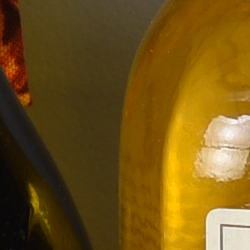
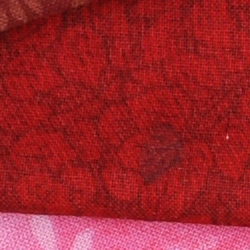
With a refined version of the image sensor used in the Nikon D800-series, along with a next-generation EXPEED 4 image processor, the Nikon D810 offers a lower base sensitivity of ISO 64 equivalent, versus the ISO 100 of its predecessors. At base sensitivity, the D810 has a slight advantage over the D800E in terms of per-pixel detail, perhaps due to its complete lack of a low-pass filter. (The D800E still retained a low-pass filter, but with its design changed to cancel out its anti-aliasing effect as explained here.) Both cameras show significant moiré in the red fabric swatch, a side-effect of that greater per-pixel sharpness, however. (The moiré appears as wavy bands in the red swatch that at first glance appear to be threads, but are actually aliasing artifacts not seen in cameras with a suitably strong low pass filter.) |
|
Nikon D810 vs Nikon D800 at Base ISO
 |
 |
 |
 |
 |
 |
|
Nikon D810 at ISO 64
|
Nikon D800 at ISO 100
|
|
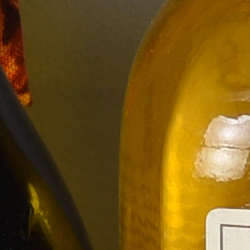
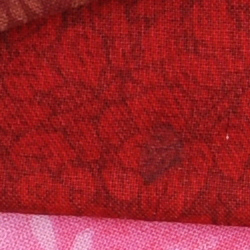
Compared to the OLPF-equipped D800, the Nikon D810 provides a very noticeable difference in per-pixel sharpness. You can see that difference most obviously in the finer details of the mosaic label, and the thread patterns in the pink fabric swatch. Note, though, that the D810 shows significant moiré in the red fabric swatch, which the D800 somewhat tames. Like any OLPF-free interchangeable-lens camera (and that’s most of them, these days), you’ll want to watch out for moiré patterns when you’re shooting. |
|
Nikon D810 vs Sony A7R at Base ISO
 |
 |
 |
 |
 |
 |
|
Nikon D810 at ISO 64
|
Sony A7R at ISO 100
|
|
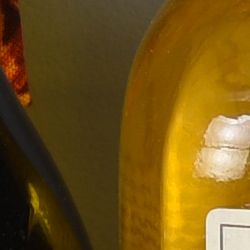
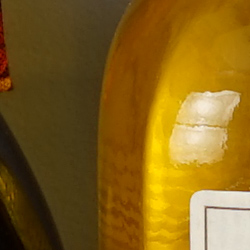
The Sony A7R has, as near as makes no difference, the same sensor size and resolution as that of the D810, and like Nikon’s camera, lacks a low-pass filter. The result is a very close performance indeed at base sensitivity, with both cameras delivering a similar level of detail. Both cameras show moiré in the red swatch, although it’s stronger in that from the D810. |
|
Nikon D810 vs Nikon D750 at Base ISO
 |
 |
 |
 |
 |
 |
|
Nikon D810 at ISO 64
|
Nikon D750 at ISO 100
|
|
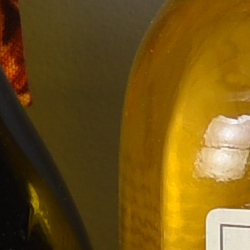
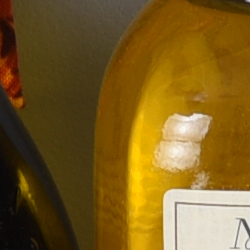
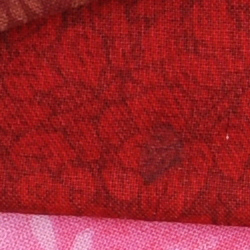
Comparing the D810 side-by-side with the more affordable — but lower-resolution — Nikon D750, there is not surprisingly a pretty significant difference. With almost 50% more pixels than the D750, the Nikon D810 does a much better job with the finer details. That’s especially noticeable in the pink fabric swatch, where the D810 clearly renders threads that the D750 only hints at. The flip side of the coin, though, is that the D810 shows a significant moiré pattern in the red fabric swatch that’s quite a bit more pronounced than that from the D750, which does have an optical low-pass filter (albeit a weak one). |
|
Nikon D810 vs Canon 5D Mark III at Base ISO
 |
 |
 |
 |
 |
 |
|
Nikon D810 at ISO 64
|
Canon 5D Mark III at ISO 100
|
|
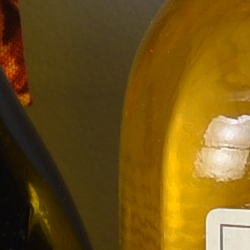
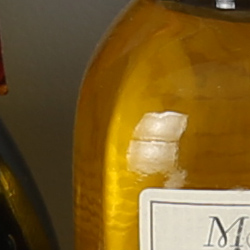
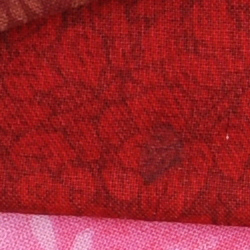
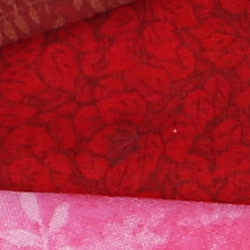
Among other uses, Nikon is clearly aiming to persuade videographers to step up to the D810, with quite a few feature upgrades in this area. For that reason — and the fact that Canon’s 50-megapixel EOS 5DS R hasn’t yet been through our lab in production-level form — we’ve decided to make a comparison against the Canon 5D III, a model much beloved by videographers. Like the D750, which has similar resolution, the 5D III lags the Nikon D810 by quite some way in terms of detail at base sensitivity. In the fabric swatches, the 5D III’s red swatch lacks the moiré present in the D750’s crop, but there’s even less detail in its pink swatch. |
|
Nikon D810 vs Nikon D800E at ISO 1600
 |
 |
 |
 |
 |
 |
|
Nikon D810 at ISO 1600
|
Nikon D800E at ISO 1600
|
|
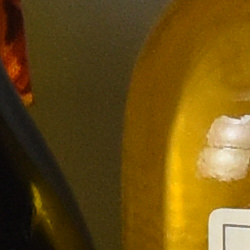
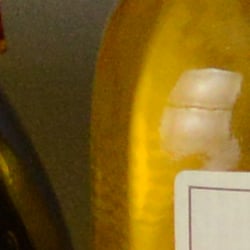
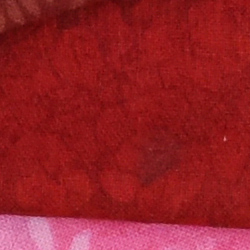
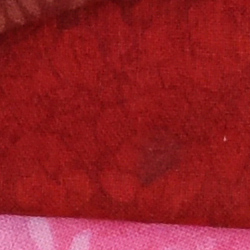
Stepping up to ISO 1600 equivalent, the Nikon D810 again bests its predecessor overall, even though it struggles with low contrast in the difficult-to-render red fabric swatch. There’s noticeably more detail visible in the D810’s portrayal of the mosaic label, and less unsightly mottling in the bottle crops at top, likely thanks to the greater sensitivity of the tweaked image sensor in the Nikon D810. |
|
Nikon D810 vs Nikon D800 at ISO 1600
 |
 |
 |
 |
 |
 |
|
Nikon D810 at ISO 1600
|
Nikon D800 at ISO 1600
|
|
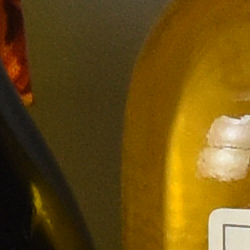
Not surprisingly, the story is much the same against the Nikon D800, although the Nikon D810’s edge in the detail department is still slightly greater than that against the D800E at ISO 1600 equivalent. |
|
Nikon D810 vs Sony A7R at ISO 1600
 |
 |
 |
 |
 |
 |
|
Nikon D810 at ISO 1600
|
Sony A7R at ISO 1600
|
|
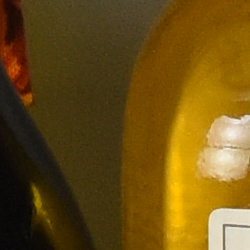
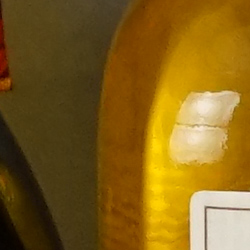
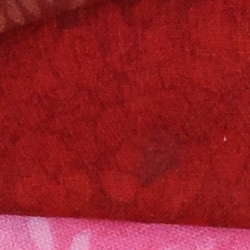
At ISO 1600 equivalent, there’s a more noticeable difference between the Nikon D810 and Sony A7R. In the bottle crop, the A7R’s noise processing is more aggressive, but leaves a slightly mottled effect. Stronger sharpening from the Sony gives the mosaic label a crisper appearance, although Nikon arguably captures a little more detail. |
|
Nikon D810 vs Nikon D750 at ISO 1600
 |
 |
 |
 |
 |
 |
|
Nikon D810 at ISO 1600
|
Nikon D750 at ISO 1600
|
|
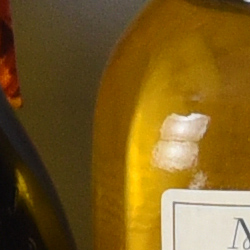
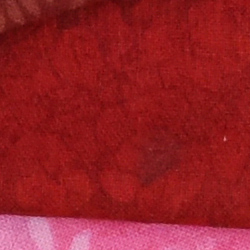
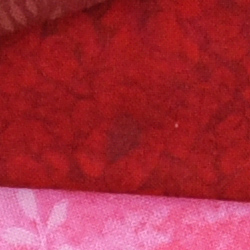
Despite larger pixels, the Nikon D750 turns in noise levels that are not dissimilar to those from the higher-resolution D810. There’s still a pretty clear edge for the Nikon D810 in the detail department, especially noticeable in the mosaic label. |
|
Nikon D810 vs Canon 5D Mark III at ISO 1600
 |
 |
 |
 |
 |
 |
|
Nikon D810 at ISO 1600
|
Canon 5D Mark III at ISO 1600
|
|
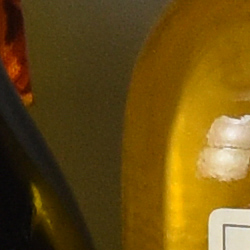
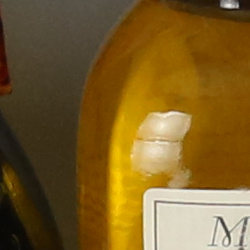
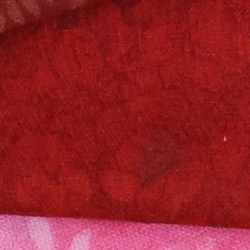
At ISO 1600 equivalent, the Canon 5D III yields images that are cleaner than those from the Nikon D810, as you can see in the bottle crop at top, and with relatively little of the blotchiness we see from noise reduction. However, take a look at the mosaic label or fabric swatches, and it’s clear that Nikon is extracting much more of the finer details. The pink swatch, in particular, shows clear thread patterns for the D810, where the 5D III’s corresponding swatch suffers from noise reduction, and as a result has an almost painted look to it. |
|
Nikon D810 vs Nikon D800E at ISO 3200
 |
 |
 |
 |
 |
 |
|
Nikon D810 at ISO 3200
|
Nikon D800E at ISO 3200
|
|
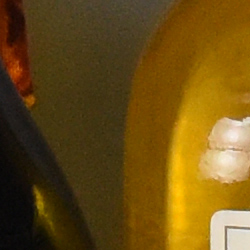
Of course, ISO 1600 isn’t really that much of a challenge for modern cameras, so we take a look at ISO 3200 equivalent as well. Here, the Nikon D810 manages much better than its predecessor overall, with a cleaner result in the bottle crop, and significantly more detail in the mosaic label. Interestingly, though, the D800E bests its successor once more on the red fabric swatch, showing more contrast than in the D810’s image, albeit with more prominent moiré. |
|
Nikon D810 vs Nikon D800 at ISO 3200
 |
 |
 |
 |
 |
 |
|
Nikon D810 at ISO 3200
|
Nikon D800 at ISO 3200
|
|
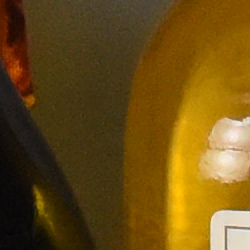
And once again, the original D800 turns in a similar — but not quite as crisp — entry as that from the D800E, giving the newer Nikon D810 a slightly larger edge. |
|
Nikon D810 vs Sony A7R at ISO 3200
 |
 |
 |
 |
 |
 |
|
Nikon D810 at ISO 3200
|
Sony A7R at ISO 3200
|
|
At ISO 3200, Sony’s greater levels of noise reduction and sharpening give the impression of more detail in the A7R’s images, but realistically there’s no more detail than that in the D810’s shot. For our money, the D810’s bottle crop — while slightly noisier — is easier on the eye than that from the A7R, looking more like film grain and rather less mottled. Sony has certainly done a better job of squashing the chroma noise, however. |
|
Nikon D810 vs Nikon D750 at ISO 3200
 |
 |
 |
 |
 |
 |
|
Nikon D810 at ISO 3200
|
Nikon D750 at ISO 3200
|
|
Once again, the more affordable Nikon D750 is left trailing the D810 by quite some distance in the detail department, showing that you do indeed get what you pay for. Noise levels are just a touch lower from the D750 thanks to its larger pixels, however. |
|
Nikon D810 vs Canon 5D Mark III at ISO 3200
 |
 |
 |
 |
 |
 |
|
Nikon D810 at ISO 3200
|
Canon 5D Mark III at ISO 3200
|
|
And finally, we come to the Canon 5D III. Here, the bottle crop is clearly much cleaner than in the D810’s crop, and again with relatively little blotchiness. Look at the mosaic label, though, and the finer details are being lost to smudging. And in the pink fabric swatch, there’s almost no trace of the thread pattern any more, where it’s still fairly noticeable in the the D810’s corresponding crop. |
|
Nikon D810 vs. Nikon D800E, Nikon D800, Sony A7R, Nikon D750, Canon 5D Mark III
 |
 |
 |
 |
 |
 |
 |
 |
 |
 |
 |
 |
 |
 |
 |
 |
 |
 |
| Nikon D810 ISO 64 ISO 3200 ISO 6400 |
Nikon D800E ISO 100 ISO 3200 ISO 6400 |
Nikon D800 ISO 100 ISO 3200 ISO 6400 |
Sony A7R ISO 100 ISO 3200 ISO 6400 |
Nikon D750 ISO 100 ISO 3200 ISO 6400 |
Canon 5D Mark III ISO 100 ISO 3200 ISO 6400 |
| Detail comparison. The Nikon D810 turns in a very nice performance in this comparison, with excellent detail and not too much processing. Look at the edges — especially in the red lettering — though, and it does seem to be applying a bit more sharpening than did the earlier D800 and D800E. Still, sharpening seems better controlled than in the 5D III and especially the Sony A7R’s crops. | |||||
Nikon D810 Print Quality
Outstanding 30 x 40 inch prints and higher at ISO 32-400; a very good 24 x 36 at ISO 3200; and a good 8 x 10 at ISO 25,600(!)
ISO 32-400 prints are excellent at 30 x 40 inches and higher until you run out of resolution, with terrific color reproduction and nice detail for such a large print. Wall display prints are also possible at much larger sizes until pixels become too obvious.
ISO 800 images are also good at 30 x 40 inches, with an amazing level of sharpness for this ISO, and only a marginal amount of softness apparent in a few of the more finely detailed areas of our test target.
ISO 1,600 begins to introduce minor noise in flatter areas of our target, but is usable for general purpose printing at 30 x 40 inches. For critical applications we’ll call our official size 24 x 36 inches for this ISO, as the issues are virtually unnoticeable there.
ISO 3,200 prints are good up to 24 x 36 inches. There is now a bit of fine grain noise apparent in some shadowy areas of our test target, and some of the contrast detail is lost in our tricky target red swatch, but still an amazing print for this ISO setting.
ISO 6,400 is where the D810 begins to appear mortal, requiring a reduction in print size to a minuscule 16 x 20 inches (just kidding of course, as this is still larger than most people ever print!). There is some mild chroma noise apparent and some general softness in detailed areas, but nothing that will be too obvious for most printing situations.
ISO 12,800 yields a good 11 x 14 inch print with yet again only a few minor issues here and there, and is a large print at this setting compared to the general camera population. For the most critical applications 8 x 10’s are even better, so for professional level work this is the highest ISO advisable for critical printing.
ISO 25,600 produces a fairly good 8 x 10 inch print, surprisingly usable and showing only minor “film-grain-like” noise in flatter areas of our test target, and losing most all contrast detail in our red swatch. To achieve a “good” print at this size is a rare feat indeed and not achievable by many cameras in this class as yet.
ISO 51,200 prints are good at 4 x 6 inches. The 5 x 7’s are usable for less critical applications as well, and certainly most family photos, especially in dim environments where you need the high gain to avoid motion blur.
The Nikon D810 follows in the hallowed footsteps of its forebears the D800 and D800E in delivering the cream of the crop for print quality in the full frame DSLR world. As of this printing Nikons are the only bodies we’ve yet to award a “good” 8 x 10 at ISO 25,600, and that’s something worth noting. The stellar performance continues as the ISO gets lower, and to be able to print up to two by three feet at ISO 3200 is, well… choose your favorite superlative and insert it here! If you make prints in your line of work or photographic hobby and require good performance as ISO rises from a full frame camera body, the Nikon D810 outshines all others, save for a tie with a few other Nikon kin.
Field Test
Nikon D810 Field Test Part I
The quest for sunshine and razor-sharp detail
 Although I’ll happily shoot with just about any camera you care to hand me, I am first and foremost an SLR shooter. I’m a big fan of the optical viewfinder, and I like a camera body that feels molded to my hands. Although I haven’t yet gone full-frame — I can’t personally justify the cost, in part because I spend a lot of time shooting with the cameras I’m reviewing, rather than my own personal cameras — I’d love to switch to a full-frame camera at some point.
The Nikon D810, then, is a camera whose design speaks to me.
As far as I’m concerned, you just can’t can’t beat a big, bright through-the-lens viewfinder image for the sense of attachment it gives to your subject. (I find it doubly nice when shooting active subjects, as I can keep both eyes open, framing with one and anticipate my subject with the other. That doesn’t work as well with an EVF, because the lag inherent in an electronic view of the world means both eyes aren’t seeing quite the same thing.)
On paper at least, the Nikon D810 is a camera made after my own heart. What did I think after spending some time shooting with it? Read on and find out!
Read Field Test Part I
Nikon D810 Field Test Part II
The high-res full-frame shooter heads into the Knoxville night
 It’s been a little while since I started my Nikon D810 review late last year. Shortly after the first Field Test went live, our review sample camera body had to be returned to Nikon as it was covered by a service program — and then once it returned, we were hit by a triple-whammy of holidays, trade shows, and personal life intervening. I was pleased, recently, to finally get back hands-on with the D810, though.
After so long without the camera, a period of relearning was needed. I took the D810 around town with me, then brought it along to an ice hockey game and got some pretty nifty shots. Sports shooting isn’t really this camera’s niche, though, and its epic resolution was robbed by having to shoot through the dirty, scratched-up plexiglass around the rink. Nor, with a 14-24mm zoom and 85mm prime, did I have the best lenses on hand for getting up close to the action.
Want to know how the Nikon D810 takes to low-light shooting?
Read Field Test Part II
Field Test Part II
The quest for sunshine and
razor-sharp detail
By Mike Tomkins | Posted: 08/25/2014

Although I’ll happily shoot with just about any camera you care to hand me, I am first and foremost an SLR shooter. I’m a big fan of the optical viewfinder, and I like a camera body that feels molded to my hands. Although I haven’t yet gone full-frame — I can’t personally justify the cost, in part because I spend a lot of time shooting with the cameras I’m reviewing, rather than my own personal cameras — I’d love to switch to a full-frame camera at some point.
The Nikon D810, then, is a camera whose design speaks to me.
As far as I’m concerned, you just can’t can’t beat a big, bright through-the-lens viewfinder image for the sense of attachment it gives to your subject. (I find it doubly nice when shooting active subjects, as I can keep both eyes open, framing with one and anticipating my subject with the other. That doesn’t work as well with an EVF, because the lag inherent in an electronic view of the world means both eyes aren’t seeing quite the same thing.)
The first thing I did after taking the Nikon D810 out of the box, once I’d mounted a lens and removed the caps, of course, was to bring the camera to my eye and revel in the view through its finder. It’s big, bright and — for full-frame shooting, at least — accurate. Score one for the D810, and I’d only had it unpacked for a matter of seconds!
I found its nice, clear on-demand viewfinder markings to be a very nice touch, as well. They didn’t distract me from my subject, but they appeared when I needed them. When focusing, for example, black outlines appeared indicating the points which had achieved a lock, rather than the more distracting red illumination typical of most cameras. (The D810’s viewfinder can still add red illumination, but by default does so only in low-light or against dark backgrounds, where the on-demand displays would be hard to see.)
Switching over to one of the sensor-cropped image modes, an on-demand viewfinder frame appeared, making it quite clear what portion of the image would be captured. Accuracy of these markings could be a little better — although the viewfinder itself has 100% coverage, the crop lines have just 97% coverage — but they do the job. Pretty quickly, though, I realized they do have two shortcomings.
 |
|
Accurately framing against a darker background like this one, in a shaded alley, would be tricky if I were using one of the sensor-crop modes, which adds an on-demand guideline that is only illuminated very briefly.
|
If you’re framing against a dark background, the frame area is visible only briefly after half-pressing the shutter button, as it shares the same light source used to illuminate AF points.) And there’s an option to gray the entire area outside that used for image capture, rather than just to add a border — but while I personally preferred this option, it was available only with illumination completely disabled, something I wasn’t willing to live with.
As it happens, neither of my lenses is a DX-format optic, so the only reason for me to shoot with a crop would be to save editing later on my PC, if my subject was distant and I couldn’t get close enough for the framing I wanted. If you plan to switch back and forth between FX-format and DX-format lenses, though, it’s something to be aware of.

Those quirks aside, though, I immediately fell in love with the D810’s physical design. It’s just a little larger and heftier than my own DSLR — a Pentax K-5 — but very comfortable and reassuringly solid, and exudes quality, with not a hint of creak or panel flex. Its many buttons and controls all had good feel, and most were very well positioned, as well, although I’d prefer the rear dial to be a little further from the edge of the camera. (As-is, you have to reach past the thumb grip a little to roll the dial, which isn’t easy to do single-handed with anything more than the lightest of lenses mounted.)
Initial familiarization done, I couldn’t wait to get outdoors and shoot with the D810 — but weather made me do so for a fair few days, during which I had to content myself with just fiddling around with random shots at home, and continuing to get to know the camera. Finally, I spotted some sun in the afternoon of a day which had been predicted to rain nearly non-stop. (I don’t envy weather forecasters their jobs one iota!) Cognizant of the fact that the sunshine likely wouldn’t last long, I ran for the door and headed to the nearest reasonably-photogenic place: downtown Knoxville, Tennessee.
Take a look at Nikon’s marketing materials and its clear that the key feature of this camera is clearly image quality, and especially its high resolution, with the possibilities that brings for detail capture. Hence, that was first and foremost what I wanted to get a feel for. I checked on our sister site, SLRgear.com, and selected the sweet spot of both lenses I have access to for this review, the AF-S Nikkor 14-24mm f/2.8G ED and AF-S Nikkor 85mm f/1.8G.
It looked like both lenses should provide good results around f/5.6, so I simply camped out at that setting in Aperture-priority mode, using Auto ISO sensitivity. I also enabled a minimum shutter speed of around double the reciprocal of the focal length (1/160th second for the 85mm lens, 1/50th for the 14-24mm) for whichever lens was currently mounted, just to be on the safe side, and then got right down to some shooting.
 |
|
Does the Nikon D810 love detail? Does it ever! This shot of a colorfully-painted brick wall is packed full of fine details, and it really pops with just the slightest touch of unsharp masking.
|
The result, as you can see in the gallery — and in the images I’ve highlighted throughout this Field Test — were some very finely-detailed photos, even when viewed 1:1 on-screen. And that’s when looking at results straight out of the camera, too. Add just a very slight touch of unsharp mask, and these photos really pop, even at 1:1 resolution. My photo printer isn’t capable of very large, poster-sized prints, but if it was, this camera would certainly be up to the task of providing the source material: Consider that even at a fine 300 pixels per inch, a full-resolution D810 image would print at approximately 24.5 x 16.4 inches.
 |
|
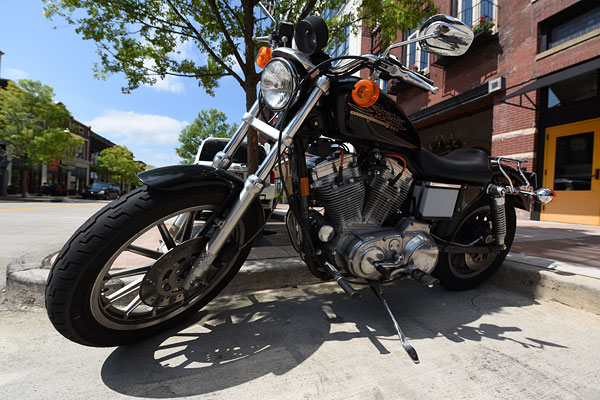
I found it tricky to see the LCD live view so low to the ground, and would have preferred shooting this scene with an articulated LCD, or perhaps a remote Wi-Fi live view. As was, it was hard to get the framing as I wanted it.
|
For almost two hours that afternoon, until the weather finally faltered, both camera and I were one, roaming around town shooting everything in sight. There was but one time that I found myself wishing for any features the D810 lacks. That moment came when I spotted a cool-looking motorcycle for which I wanted to get a low-to-the-ground shot. Because of where it was parked, and the lenses I had on hand, the only way to get that angle was to position myself in the edge of the road. Unless I was willing to actually lie down — which I wasn’t, given that there was a fair bit of traffic — there was no way I was going to get my eye to the viewfinder with the D810 as low as I wanted it, so I opted for live view instead.
It helped, and focus seemed reasonably fast and confident too, but even seeing the LCD monitor from an angle so low to the ground was a tough task. Time and again, I thought I had successfully framed as I wanted it — a nice, tight composition with the bike just a little above center — but when I looked at my shots, I realized I’d clipped just a little out of almost every shot. That experience left me wishing for either an articulated screen or a Wi-Fi live view function, neither of which the D810 offers.

I should note that Wi-Fi with remote live view is at least possible, with an accessory, but it negates the camera’s weather-sealing when in use, and adds close to US$600 to your purchase price for the camera itself. You’d need to use it pretty regularly for the cost to be worthwhile. But then realistically, neither Wi-Fi nor LCD articulation are commonplace yet in higher-end cameras, so while I’d like to see them added I won’t complain too strongly.
I’m finding color quite pleasing and representative of what I saw in person, as well, although for my tastes the defaults tend just slightly high on contrast and saturation. But that’s easily adjusted in-camera, something I’d do if I were a JPEG shooter. Typically I shoot raw, however, and for reviews like this one, raw+JPEG, usually with three-shot bracketing. Although to be honest, I could probably have skipped the bracketing for the D810, because so far I’m finding its metering system to be uncannily accurate. Only a handful have shots needed any exposure compensation, and of those few that did, they were all ones with difficult subjects that would confuse any metering system out there.
I’ve yet to shoot any long exposures or high-sensitivity images — and as it turns out, our D810 review sample needs to go back to Nikon for a recent service advisory, so I won’t be able to do so until its return — but I will say that the few images I’ve shot beyond ISO 1600 so far look quite good in terms of noise and detail. (The highest-sensitivity images I shot were in a shaded, narrow alley filled with graffiti-style murals that I’d been meaning to check out, and you can see a few examples in the gallery, although the highest of these so far is at just ISO 2000.) I’ll check on high sensitivity and long-exposure shooting in a later report.
Although this isn’t really a camera aimed at sports shooters, with its five frames-per-second limit at full resolution, performance is pretty good and the Nikon D810 feels quite snappy. I never really found myself waiting for the camera, shooting regular, short bursts of raw+JPEG frames as I wandered all over town. Focus also seemed swift and responsive, although I’ve yet to try it in very low-light conditions.
 |
|
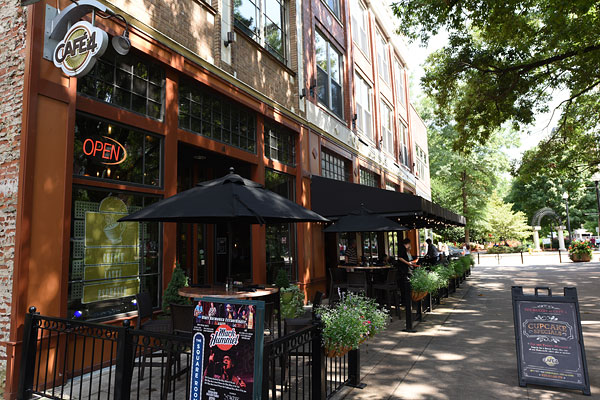
The D810 did a nice job with this extremely contrasty scene. I focused off the sign board in the foreground.
|
I have, however, had a few shots that were just ever so slightly blurred when viewed 1:1, and I’ve yet to determine whether that was down to focus being just slightly off, or a very subtle motion blur. (It has a look more like the latter, but that would surprise me given my intentional safety margin on shutter speeds.) I’ll be trying to replicate this on a tripod, to see if I can get an answer either way, but even for those shots where it happened, the softness was only noticeable when viewed 1:1 on a 24-inch, Full HD display. (And honestly, it was only a small minority of shots in the first place.)
 |
|
Another very contrasty scene nicely handled by the Nikon D810. Shooting with this camera is lots of fun!
|
So in terms of handling, image quality and performance, although it’s early days yet, I’m definitely enjoying shooting with the Nikon D810. I’m eager to see how it handles in low-light or some more active subjects, now I know what I can expect under ideal conditions in terms of real-world sharpness and detail. I’m also looking forward to trying out some of the camera’s more advanced features, but I can say for certain that the Nikon D810 is a whole lot of fun to shoot with, and well worth getting your hands on — especially if you’re already a Nikon shooter with full-frame glass.
Watch this space for more in my next Field Test, and if you have any particular features you want to see tested, sound off in the comments below!
 |
|
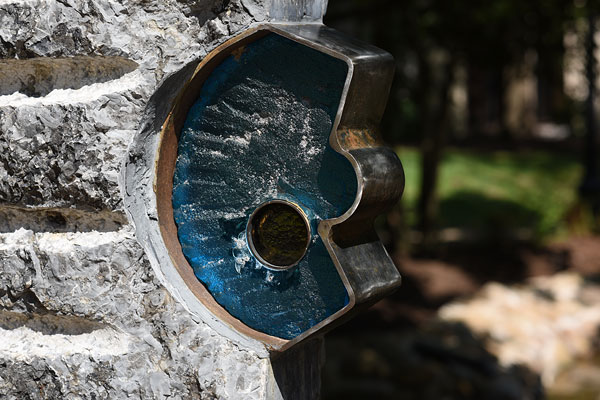
Detail where you want it, creamy bokeh where you don’t. (And now that Adobe’s Camera Raw and Lightroom support the D810, you can play with the raw files I’ve provided in our Nikon D810 gallery to see how much latitude for bringing up the shadows or restoring lost highlight detail.)
|
Field Test Part III
The high-res full-frame shooter heads into the Knoxville night
By Mike Tomkins | Posted: 01/28/2014

It’s been a little while since I started my Nikon D810 review late last year. Shortly after the first Field Test went live, our review sample camera body had to be returned to Nikon as it was covered by a service program — and then once it returned, we were hit by a triple-whammy of holidays, trade shows, and personal life intervening. I was pleased, recently, to finally get back hands-on with the D810, though.
After so long without the camera, a period of relearning was needed. I took the D810 around town with me, then brought it along to an ice hockey game and got some pretty nifty shots. Sports shooting isn’t really this camera’s niche, though, and its epic resolution was robbed by having to shoot through the dirty, scratched-up plexiglass around the rink. Nor, with a 14-24mm zoom and 85mm prime, did I have the best lenses on hand for getting up close to the action.
Time for some night shooting
Having already shot pretty extensively in the daytime, it was low light and night shooting that I was really keen to try. And once I was familiar with the camera again, I headed out on a cold winter night for some low-light shooting in downtown Knoxville.
First off, I wanted to get a baseline for the Nikon D810’s high ISO noise characteristics — and so I started in Knoxville’s Market Square with an ISO sensitivity series to get a feel for where I stood.
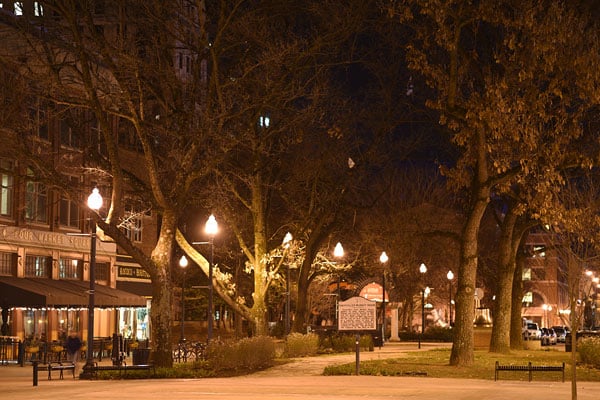 The full scene (ISO 32, aka L 1.0) |
|
 (ISO 32, aka L 1.0) |
 (ISO 64) |
 (ISO 100) |
 (ISO 200) |
 (ISO 400) |
 (ISO 800) |
 (ISO 1600) |
 (ISO 3200) |
 (ISO 6400) |
 (ISO 12,800) |
 (ISO 25,600, aka H 1.0) |
 (ISO 51,200, aka H 2.0) |
|
A quick ISO series in Knoxville’s Market Square. It’s pretty clear that noise isn’t an ssue until the very highest sensitivities. Ignore the slight difference in depth of field between shots; I missed switching to Aperture-priority. At top, you’ll see the full image from which these 100% crops were taken. |
|
Results from in-camera JPEG were pretty impressive, as you can see in the 1:1 crops above. (Ignore the slight difference in depth of field between shots; I missed switching to Aperture-priority before the series.)
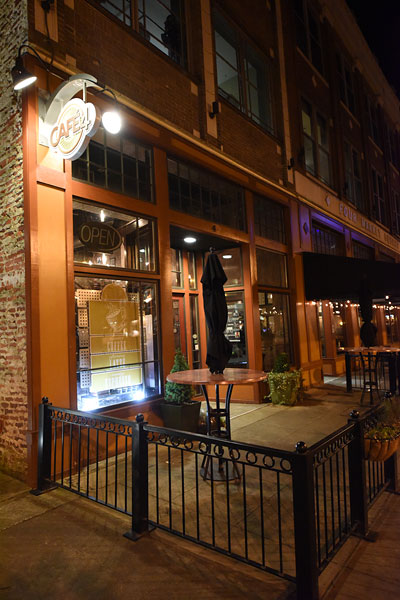 |
|
(ISO 6400, 1/80 sec., 14-24mm f/2.8 lens @ 24mm f/3.2) |
Detail and noise levels all the way up to ISO 12,800 equivalent were very good, and even ISO 25,600 equivalent was pretty usable straight out of the camera. ISO 51,200 felt like a step too far for my personal tastes, but even that would prove handy in a pinch.
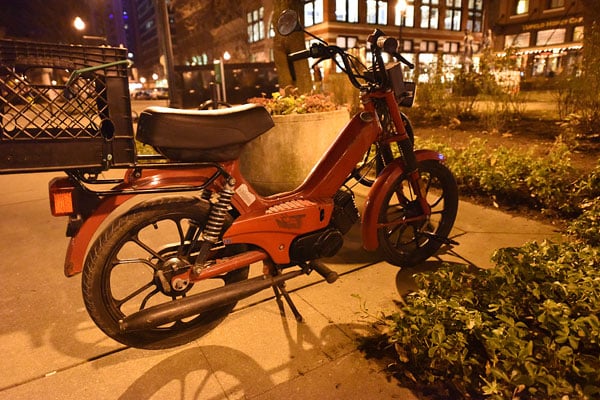 |
|
I felt that the Nikon D810’s auto white balance system favored a rather too warm result under the (admittedly rather difficult) mixed lighting in downtown Knoxville. That’s easily fixed when shooting raw, though. |
And with that range of sensitivities available, I could get great photos in impressively low light. The shot of the soldier’s statue below, for example, was shot handheld in low-enough light that I actually gave up on trying to focus manually. The Nikon D810’s phase-detection autofocus system, too, struggled in such low light, but did manage to lock focus on the third or fourth try.
 |
|
This shot of a statue was taken in low-enough light that I couldn’t see well enough — even despite the Nikon D810’s bright thru-the-lens viewfinder — to focus manually. Phase-detection did the trick after a few tries. |
Unfortunately, the point where it managed to lock focus was just below the statue’s waist, and with relatively shallow depth of field even stopped down a little to f/3.2, the top of the statue was a bit out of focus. It’s still a perfectly usable shot, though, and a little trial and error would’ve gotten focus where I needed it. It’s quite impressive what can be shot handheld with the Nikon D810 well after the sun has set.
The biggest struggle shooting in such low light, honestly, was the D810’s white balance system. Admittedly, what light there was around downtown Knoxville tended to be rather mixed from a variety of sources, but auto white balance yielded consistently very warm results.
 (Out-of-camera JPEG crop at ISO 51,200, aka H 2.0) |
 (DXO Optics Pro 9-processed raw file crop ISO 51,200, aka H 2.0) |
 (Out-of-camera JPEG crop at ISO 25,600, aka H 1.0) |
|
Shooting in raw format expands your possibilities at the higher sensitivities. By throwing lots of processor power at the problem, DxO Optics Pro 9 has extracted quite a bit more detail than the ISO 51,200 out-of-camera JPEG, while providing noise levels quite similar to an ISO 25,600 shot from the camera itself. |
That’s a pretty minor knock, though, as I could have used preset or manual white balance, or simply adjusted white balance post-capture from my raw files. I just wanted to see how the D810 would manage by itself — and to my taste, it kept rather too much warmth in these low-light handheld shots.

Speaking of raw shooting, even better results were possible here, with sufficient desktop processor power thrown at the problem. I tried DxO Labs’ Optics Pro, which features the company’s impressive PRIME denoising engine, and you can see a side-by-side comparison above. My ISO 51,200 shots were not dissimilar from what the camera itself managed at ISO 25,600 in JPEG mode.
Great results with long-exposure photography
Having enjoyed giving the D810’s high ISO chops a workout, I switched to some long-exposure photography. Here, I tried a variety of exposures with shutter speeds as long as 30 seconds, and again got some very nice results.
With that said, I was glad to have chosen a reasonably sturdy tripod. With these long exposures, it turned out that just the slight vibrations from light traffic crossing Knoxville’s Gay Street Bridge were enough to destroy the finest detail in a shot, and I’m not convinced my travel tripod would’ve been up to the task, even though the D810 plus lens were well within its capacity limit.
Once I’d realized that traffic was going to be a problem shooting from the bridge as I wanted to, I spent a little while trying shots over and over until I hit a long-enough pause in traffic. And I’m glad I did so, because the result was one of my favorite shots of the night — a brightly-lit downtown Knoxville with Sunsphere peeking in at the background, and the whole lot reflected in the Tennessee River in the foreground.
 |
|
Once I realized that vibrations in the bridge I was shooting from were going to be a problem — and managed to time my shots between the traffic — I got some very nice long-exposure shots of downtown Knoxville. |
Zoom in, and you can make out every brick in the structure that connects Volunteer Landing to the pedestrian footbridge behind it. (That’s the little structure just left of center at the bottom of the photo.) And yes, there’s just a little moire visible in some of the bricks too, although you really do have to get up close to notice it. But boy, is it ever accompanied by a whole lot of detail!
Looking for some motion to add to the photo, I turned my camera to the bridge itself, and moved near enough to one end so that the traffic vibrations were minimized. With the traffic tapering off in the late evening, the results out-of-camera weren’t as visually interesting as I’d hoped, but in one particular shot I managed some fairly neat light trails. (Zoom in all the way on the headlights at the bottom left corner, and you can see the sidelights actually show up as a tight cluster of parallel trails, which was a bit of a surprise!)
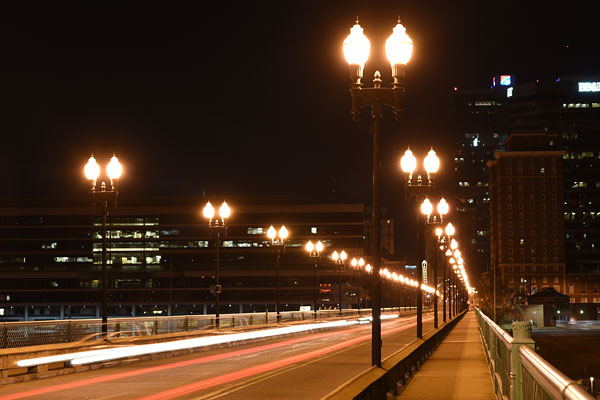 |
|
Playing with light trails: This shot could use the shadows brought up a bit so you can see the distant buildings, but we mostly show out-of-camera results in our reviews, for obvious reasons. Both raw and JPEG versions are available in the gallery if you want to give it a bit of a play yourself, though!. |
All in all, quite a fun evening’s shooting was had, but there was still one more item on my checklist: Video. I headed back towards the Tennessee Theatre for some quick night clips of traffic passing in front of the buildings, which you can see below alongside daytime clips from a different day.
Stills done, it’s time for movies!
The first thing I realized was that the lenses available to me were less than ideal for video shooting. I had a choice of an 85mm prime lens that was too tight — and I didn’t have enough room to get back from my subject — or a 14-24mm zoom. The latter is what I went with for the night shoot, but it’s not well suited to full-time AF, both being rather slow to respond and making quite a bit of audible noise on the soundtrack of my test videos.
That’s a shame, though, because detail was pretty good. Not the best I’ve seen, and obviously not the equal of 4K-capable cameras, but the D810’s video was sharp and clear, with relatively little noise even in fairly low light, and little noticeable moiré or false color either.
The 85mm prime lens, too, left quite a bit of audible noise in my videos when adjusting focus automatically, and it too took quite some time to make focus adjustments. But then, a camera at this pricepoint is going to be used by pros and enthusiasts, who will doubtless pull focus manually or simply arrange their shot so that a focus adjustment isn’t necessary.
That being the case, while I was a bit underwhelmed with the full-time AF with the lenses I had available, I don’t consider it a knock against the D810, just something to be aware of.
Final thoughts on my time with the Nikon D810
Although the end of my review has been rather too long coming, I’ve definitely enjoyed shooting with the Nikon D810. There’s no question that this is a camera aimed at pros: The ergonomics and handling are superb, and quickly become second nature. And the D810 can turn out some truly spectacular images, absolutely jam-packed with razor-sharp detail.
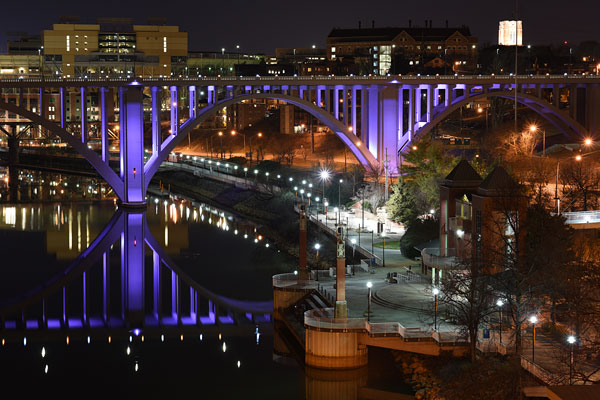 |
|
(ISO 64, 13 sec., 85mm f/1.8 lens @ f/7.0) |
With a burst capture rate of five frames per second at full resolution, it’s not a camera you’ll turn to for sports or other subjects where performance is the be-all and end-all, but for landscapes, studio work, or any other subject where the maximum detail is key, the D810 offers it in spades — and with a much more compact, go-anywhere body than a medium-format camera.
High ISO Noise Reduction
Like most Nikon pro and prosumer DSLRs, the D810 offers four High ISO Noise Reduction settings: Off, Low, Normal (default), and High, allowing you quite a bit of flexibility in choosing how you want to make the trade-off between subject detail and noise levels in JPEGs. The Nikon D810 manual doesn’t say at what ISO High ISO Noise Reduction begins to be applied, so we’ve included crops from ISO 32 on up here. Note that the Nikon D810 user manual says when Off is selected, the amount of noise reduction is always less than the Low setting, but doesn’t provide any additional details.
See for yourself how the Normal and Off settings work compared to RAW files with no noise reduction (or sharpening) applied. Click on any of the crops below to see the corresponding full-sized image.
| High ISO Noise Reduction Comparison In-Camera JPEGs vs RAW with no NR Simulated Daylight |
|||
|
Normal
|
Off
|
RAW (no NR)
|
|
| I S O 3 |
 |
 |
 |
 |
 |
 |
|
 |
 |
 |
|
|
Normal
|
Off
|
RAW (no NR)
|
|
| I S O 6 |
 |
 |
 |
 |
 |
 |
|
 |
 |
 |
|
|
Normal
|
Off
|
RAW (no NR)
|
|
| I S O 1 |
 |
 |
 |
 |
 |
 |
|
 |
 |
 |
|
|
Normal
|
Off
|
RAW (no NR)
|
|
| I S O 2 |
 |
 |
 |
 |
 |
 |
|
 |
 |
 |
|
|
Normal
|
Off
|
RAW (no NR)
|
|
| I S O 4 |
 |
 |
 |
 |
 |
 |
|
 |
 |
 |
|
|
Normal
|
Off
|
RAW (no NR)
|
|
| I S O 8 |
 |
 |
 |
 |
 |
 |
|
 |
 |
 |
|
|
Normal
|
Off
|
RAW (no NR)
|
|
| I S O 1 |
 |
 |
 |
 |
 |
 |
|
 |
 |
 |
|
|
Normal
|
Off
|
RAW (no NR)
|
|
| I S O 3 |
 |
 |
 |
 |
 |
 |
|
 |
 |
 |
|
|
Normal
|
Off
|
RAW (no NR)
|
|
| I S O 6 |
 |
 |
 |
 |
 |
 |
|
 |
 |
 |
|
|
Normal
|
Off
|
RAW (no NR)
|
|
| I S O 1 |
 |
 |
 |
 |
 |
 |
|
 |
 |
 |
|
|
Normal
|
Off
|
RAW (no NR)
|
|
| I S O 2 |
 |
 |
 |
 |
 |
 |
|
 |
 |
 |
|
|
Normal
|
Off
|
RAW (no NR)
|
|
| I S O 5 |
 |
 |
 |
 |
 |
 |
|
 |
 |
 |
|
As you can see by comparing the Normal and Off high ISO noise reduction settings, the Nikon D810 applies noise reduction at all ISOs, though it’s pretty subtle at ISO 100 and below. You can also see the Off setting still applies some minimal noise reduction, just as Nikon says. Note that noise in low to moderate ISO JPEGs appears higher at the Low setting than noise in the converted RAW images with no noise reduction because no sharpening was applied to the RAW files. Also note that ISO 32 is an extended low ISO, and ISOs 25,600 and 51,200 are high extensions.
Like other EXPEED 4 based Nikons, the D810’s default high ISO noise reduction generally does a good job at reducing luminance noise and a very good job at reducing chrominance noise, however as you can see, there can be quite an impact to areas with subtle tone on tone contrast, particularly in our red-leaf fabric already at moderately low ISOs. This is often the case with more aggressive chroma noise reduction and something to mindful of, especially if you’re used to Nikon’s previous generation models which tended to preserve more detail in low-contrast reds at moderate to high ISOs. You may want to try the Low setting if you’re finding too much detail is lost at high ISOs.
Conclusion
| Pro: | Cons: |
|---|---|
|
|
In late 2012, Nikon took its camera line to a new resolution high with the D800 and D800E, a pair of closely-related cameras based around a 36-megapixel full-frame image sensor. As we said in our reviews at the time, both cameras impressed mightily, and they went on to be very well-received by photographers seeking the maximum possible detail from their 35mm lenses. The Nikon D810 has some pretty big shoes to fill, as it replaces not one but both of those earlier cameras with a single model.
In terms of its physical design, the Nikon D810 is even better than ever. Its hand grip is noticeably more comfortable, and its tweaked control layout is very well considered, too. The new i-button, in particular, means you’ll spend less time fiddling in menus, and more shooting great photos. And whether you shoot through the viewfinder or in live view mode on the rear-panel LCD monitor, there have been some very worthwhile improvements.
Beneath the skin there might seem to be less change, with the same effective resolution as before, provided courtesy of a refinement of the same sensor used in both earlier cameras. That’s not necessarily a bad thing, though, because the D800 and D800E stood in a class of their own, unchallenged by archrival Canon in their lifetimes. If you were hooked on the quest for more resolution, the D800E gave it to you in spades — and the Nikon D810 is, if anything, just a little more detail-hungry than its predecessors. It’s also more capable than before as a video shooter, which is a good thing given that still photographers are more likely than ever these days to be asked to provide video from their shoots.
Of course, the D810 does now, finally, have full-frame competition in the form of the Sony A7R mirrorless camera and Canon’s EOS 5DS and 5DSR DSLRs. But if you need a thru-the lens optical viewfinder, then the Sony is ruled out, while Canon’s offerings have, as of this writing, not yet hit the market and are hence something of an unknown quantity. Nor can these new rivals offer the same broad ISO sensitivity range provided by the D810, leaving it the sole option if both sensitivity and resolution are your primary goals.
And that is where the D810 truly delivers. Not only do you have the superb handling you’d expect of a Nikon DSLR, coupled with the spectacular resolution of the D800 and D800E — the Nikon D810 gives you all of this plus truly usable high-sensitivity options that, in our testing, bested the Sony A7R to produce usable 8″ x 10″ prints at all the way up to ISO 25,600. Even at ISO 51,200, we found the D810 quite capable of good 4″ x 6″ prints — perhaps even larger, for your less critical shots.
If you’re looking for the maximum possible resolution without stepping up to a medium-format camera, and you’re not willing to compromise on ISO sensitivity to achieve it, make no bones about it: The Nikon D810 is the camera for you. Like the D800 before it, the Nikon D810 is a clear Dave’s Pick!
Follow Imaging-Resource.com on twitter!
Pros
- Handles even better than its predecessors
- Absolutely spectacular images from the 36-megapixel image sensor
- Unusually wide sensitivity range for its resolution
- Improved performance and buffer depths
- Improved video feature set
- Impressive low-light autofocus
Cons
- Prone to moire and false color with some subjects
- No longer available with a low-pass filter
- Demands excellent lenses for the best detail
- White balance tends warm under tungsten lighting