



Overview
02/13/2018: First Shots
02/13/2018: Gallery Images
02/13/2018: Performance
02/13/2018: Field Test (Updated)
10/31/2018: Review Conclusion

A smaller, lighter body
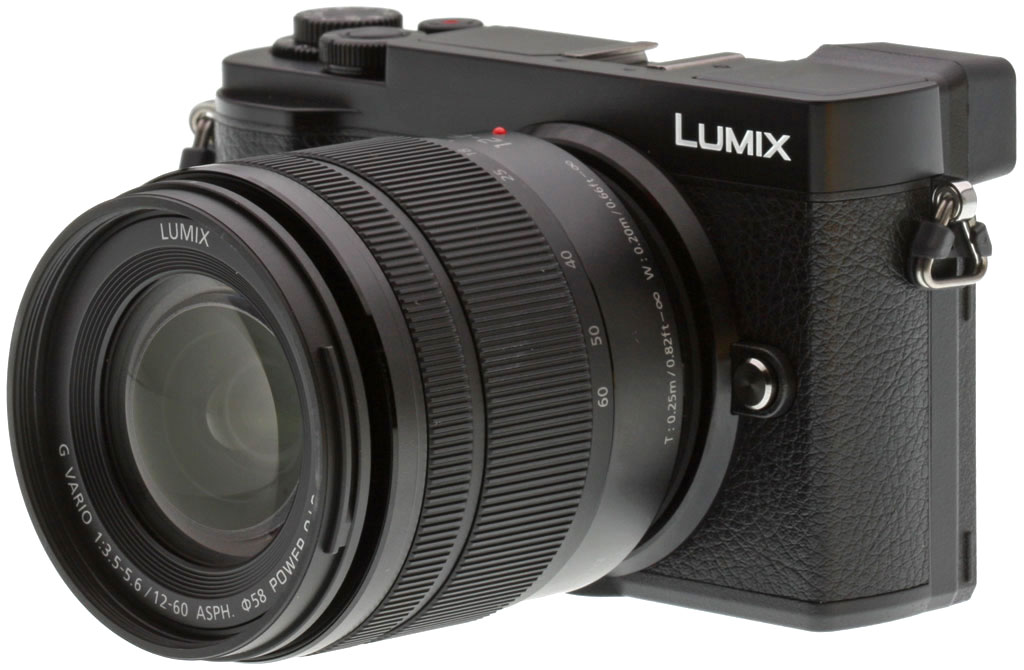
Micro Four Thirds fans: Do you love shooting stealthily, and catching your subjects at their most candid? If so, the 20.3-megapixel Panasonic GX9 is aimed at you! A followup to 2015's popular GX8 that, first and foremost, looks to be focused on reducing size and cost, the GX9 nevertheless includes a fair few new features of its own... but admittedly, also brings a few areas in which features had to be dialed back a little too.
The Panasonic GX9 debuts a brand-new body that's significantly smaller than that of its predecessor, the GX8. Interestingly, the overall body design and layout is more strongly reminiscent of the more recent (and even more affordable) GX85, suggesting a common design ethos (and team) behind the pair.
Compared to that of its direct predecessor, the GX9's body is much smaller, especially in terms of depth, thanks to a much shallower handgrip. A full 0.6" (13mm) has been trimmed off the depth of the camera, as well as 0.4" (9.2mm) off the depth, and 0.2" (5.8mm) off the height. Dimensions are 4.9 x 2.8 x 1.8 inches (124 x 72.1 x 46.8mm). Weight has also fallen by some 1.3 oz. (37g), enough to be noticeable with the lightest of lenses mounted. Loaded and ready to shoot (but without a lens), the GX9 weighs around 0.99 pounds (450g).

Compared to the GX85
Although it bears a strong similarity to that of the GX85, the GX9's body is just fractionally larger and heavier than that model, but you'd probably not be able to notice that difference, even comparing side by side. There are also a couple of minor control differences: The GX9 adds an exposure compensation dial, mounted wedding cake-style underneath the mode dial, as well as an AF mode switch above the LCD, and puts its power switch in a different location And it places the mode and exposure compensation dial tower to the very rightmost end of the top deck.
Compared to the GX8
The difference in size between the GX85 and GX9 is little enough to be unnoticeable, but that between the GX8 and the other pair is vast. The GX9 is a significantly smaller camera than that which precedes it, and with smaller size comes lesser surface area on which to place controls. Yielding to reality, the GX9 drops several less-important controls -- the dedicated Quick Menu button, as well as the front deck, top deck, and rear deck dedicated Function buttons have all vanished, with their functions subsumed by other controls.
The front dial and the shutter button which it encircles now sit atop the body itself, rather than the top of the now much-shallower handgrip. There's also a new rear dial, while the mode dial which sits like a layered cake above the exposure compensation dial now has one fewer mode for reduced clutter. (Where the GX8 had three Custom modes on the mode dial, the GX9 has but one.) One of the remainder was ditched, and the other replaced with a new Scene position on the dial.

A new flash, but less versatile screen articulation
Continuing the control differences, the video record button now sits inside the power switch, and there's a new flash button just to the left of the AF/AE lock button on the rear deck. And as if that wasn't plenty, there's a new popup flash. (Albeit, a rather weak one with a guide number of just 6 meters at ISO 200, equivalent to 4.2 meters at ISO 100.) On the rear panel, the side-mounted, tilt-swivel screen (hands down, our favorite articulation type!) has been dropped in favor of a vertically-tilting mechanism that allows tilting upwards some 80 degrees, or downwards by up to 45 degrees. (Still better than a fixed screen, but definitely a downgrade from the earlier tilt/swivel unit.)
And there are still a few more changes. The tilting electronic viewfinder design of the GX8 remains, but the GX9's AF assist lamp moves down and closer to the lens mount, its speaker jumps from the top deck to the rear thumbgrip, and its access panel jumps across the camera from left to right. This last has a new sliding cover design which slips back into the camera body for safekeeping when open. It covers Micro USB and Micro HDMI connectors, but not a remote/external mic jack, as the GX9 no longer supports them.

A familiar sensor stripped of its low-pass filter, paired with a next-gen Venus Engine
Although the 20.3-megapixel Digital Live MOS image sensor used in the GX9 looks much the same as that used in the earlier GX8, image quality is improved. This has been accomplished thanks to newer algorithms in the current-generation Venus engine used by the GX9, coupled with the fact that Panasonic has decided to remove the resolution-sapping optical low-pass filter from atop the image sensor. Removal of the OLPF in particular allows better microcontrast and capture of finer details, albeit with an increased risk of false color or other moiré-induced artifacts.

Little change on the sensitivity or performance fronts
Given that the sensor itself looks to be unchanged, it's perhaps not surprising to see that the sensitivity range and burst capture performance is also similar. Panasonic rates the GX9 as capable of shooting with single autofocus at rates of up to nine frames per second using either the mechanical or electronic shutter. By way of contrast, the GX8 was said to be one frame per second slower with the mechanical shutter, but one frame per second faster with the electronic shutter.
With continuous autofocus active, capture slows to a maximum of six frames per second, and burst depths are unchanged at upwards of 30 raw or 100 JPEG frames. ISO sensitivity remains 200 to 25,600 by default, with the ability to expand the lower end to ISO 100, and with a reduced maximum of ISO 6400 for video capture.

A more sophisticated stabilization system
The GX9's five-axis image stabilization system is an upgrade over the previous four-axis system, and by functioning in parallel with the optical image stabilizer in some lenses, the GX9 can provide even more effective Dual I.S. stabilization. (Although not the more sophisticated Dual I.S. 2 type.) To our recollection, Panasonic didn't provide a rating for the corrective strength of the GX8's Dual I.S. system, but the GX9's newer one is rated at four stops of correction when shooting at a 120mm-equivalent focal length with the 12-60mm kit lens.
A field-sequential LCD viewfinder replaces the high-res OLED one
In place of the 2360k-dot organic LED viewfinder of the GX8, the GX9 uses to an LCD-based, 2760k-dot-equivalent electronic viewfinder. As before, it's mounted in a 90-degree vertically tilting articulation mechanism, handy for shooting from low angles. You'll note we said "equivalent" the second time just now in reference to the dot count. Why is that? Well, the GX9's EVF is what's commonly called a field-sequential type, just as was used in the earlier GX7, meaning that it only shows one color -- red, green or blue -- at any given moment, for every pixel on the screen. To achieve full color display, it cycles through all three colors at high speed, one after another and repeatedly.
The advantage of this is that you see full color at every pixel location. The disadvantages are that there's the potential for rainbow-colored artifacts on fast motion, and that spatial resolution is much lower than the "equivalent" figure would suggest on a standard display. Don't misunderstand, resolution is still pretty high, at 1,280 x 720 pixels. But it's not as high as it would seem to be from the dot count figures, once compared to the 1,024 x 768 pixels of the GX8's 4:3-aspect OLED viewfinder. Of course, the newer camera can display full color at every pixel location where the GX8's viewfinder relied on adjacent red, green and blue subpixels, so it will make better use of each pixel location... but not three times better!

The GX9's viewfinder has an approximate 1.39x magnification (35mm equivalent: 0.7x), and a manufacturer-claimed 100% field of view. That magnification is down from 1.54x (35mm: 0.77x) on the GX8. And eyepoint has fallen from 21mm to the eyepiece lens in the GX8, to just 17mm from the eyepiece lens in the GX9. Thankfully, both the eye sensor used to automatically disable the EVF, as well as the built-in -4 to +3 diopter correction capability are retained unchanged from the GX8.
A slight increase in LCD resolution but a less versatile display
As we mentioned previously, the side-mounted, tilt-swivel screen of the GX8 has been dropped. Instead, the GX9 uses a vertically-tilting mechanism that allows tilting upwards by around 80 degrees, or downwards by as much as 45 degrees. It's better than a fixed screen, but most of us at IR see this as a downgrade, albeit one likely made in the name of saving size and weight. Side-mounted tilt/swivel screens are just more versatile, catering to a wider range of photographic options than can tilt-only screens. And that includes selfie capture: You won't be able to see the GX9's screen from in front of the camera.
But while the articulation mechanism is a bit of a shame, the GX9's new 1,240k-dot, 3.0-inch LCD monitor does have a little higher resolution than that which it replaces. And while, sure, OLED displays typically have more vivid color and better contrast than LCDs, they also tend to live shorter lives. We wouldn't be too worried about this particular change, ourselves. Like that of its predecessor, Panasonic rates the GX9's touch-sensitive screen as having approximately 100% field of view.

A new live view boost function brightens the display in low light, slowing the frame rate as necessary. There's also a manual focus assist function with 20x magnification.
A built-in flash strobe and optional wireless support too
We already mentioned the new built-in flash of the GX9, but we'll quickly recap here. It's pretty weak, with a guide number of just six meters at ISO 200. (Most cameras typically quote this at ISO 100, where it equates to 4.2 meters). And x-sync has fallen to 1/200 second, down from 1/250. Although the built-in flash doesn't support it, the GX9 continues to support wireless flash with the optionally-available FL200L, FL360L or FL580L flash strobes.
Improved tracking for an otherwise-unchanged autofocus system
Panasonic tells us that it has worked on improving autofocus tracking in the GX9, and we're guessing it had some performance on tap to play with, courtesy of the updated Venus Engine image processor. We understand that it now uses a 3D measurement across the entire image when determining subject motion, and can not only avoid focusing on obstacles that come between camera and subject, but can even track subjects beyond the standard autofocus areas, so long as the subject was under the selected AF point when tracking began.
But in other respects, the Lumix GX9's autofocus system is basically unchanged from that of the GX8. It's still solely a contrast-detection system supplemented by Panasonic's clever Depth From Defocus technology when using the company's own lens line. And it still has a total of 49 autofocus points to choose from. Focus acquisition speed is said to be unchanged from the GX8, too, at around 0.07 seconds to detect and confirm a focus lock. All the usual features you'd expect are present and accounted for, including both face and eye detection, as well as pinpoint AF for greater precision.

A new shutter mechanism that's gentler, quieter, but also slower
The GX9 sports a brand-new shutter drive mechanism which is in most respects a significant upgrade, but which does have a couple of potential drawbacks. Based around an electromagnetic drive, it's said to have only one-tenth the shutter shock of the previous system, helping photographers to maximize per-pixel sharpness. It's also noticeably quieter than the old mechanism. But one downside is that it now tops out at a fastest shutter speed of 1/4,000 second, where the GX8 could shoot at 1/8,000 second. Yes, you can shoot with an electronic shutter all the way up to 1/16,000 second, but you'll likely find the results impacted by rolling shutter effect on certain subjects. And as we mentioned previously, X-sync has also fallen from 1/250 to 1/200 second.
Cinelike photo styles replaced by L.Monochrome ones
Panasonic has made a couple of tweaks to its photo styles for the GX9, courting black and white fans with new L.Monochrome and L.Monochrome D modes. These replace the Cinelike D and Cinelike V modes with which the GX8 wooed videographers, and all monochrome modes on the GX9 are also compatible with a new, very film-like grain effect if you're after that look. You can apply the effect at one of three preset strength levels.
4K and Full HD video are unchanged, but 4K Photo gets an overhaul

Like the GX8 before it, the Panasonic GX9 can capture Full HD or 4K video footage, the latter at up to 30 frames per second with a 100Mbps bitrate. But while video capture is basically unchanged, the capabilities of the related 4K Photo mode have come in for a big overhaul.
4K Photo mode does record video, but not with the intention of you actually watching it. Instead, each video frame is captured with settings more akin to what you'd want for still photography -- a high shutter speed, first and foremost -- and then you extract individual still frames at a high 8.3-megapixel resolution in-camera.
4K Photo in the GX9 now includes an auto-marking function which identifies the frame from a sequence which is most different to the rest, presuming it more likely to be a keeper. It can also account for motion and faces in 4K Photo sequences, and uses these, too, to mark key frames you're likely to want to check manually. The result is lighter work made of the process of sorting through hundreds of 4K frames for the keepers.
Sequence Composition can create cool multiple exposures in-camera, with some work
The new sequence composition function is potentially even cooler. It allows you to take anywhere from three to 40 frames in a row, and then automatically combine the subject from multiple frames into a single shot, allowing you to see its progression over time. Ghosts of previously-captured frames are shown on-screen, so you can see when the subject has moved enough. That's key, because results can be poor if your subject overlaps in multiple frames. Also, you'll need to shoot on a tripod when using this mode.

Also new for the GX9's 4K Photo mode are Post Focus, Focus Stacking, Light Composition and 4K Live Cropping tools. The first two do just as it says on the label, allowing you to choose the correctly-focused frame post-capture, or to stack multiple frames for increased depth of field. The light composition tool, meanwhile, is reminiscent of Olympus' Live Composite mode, saving the brightest value for any given pixel location to help record light trails. 4K Live Cropping, meanwhile, allows you to crop a window as low as Full HD resolution from a 4K feed, moving it around the image frame so as to provide motion as if shot on a slider or racking zoom, even when the camera itself is completely static.
Bluetooth connectivity supplements Wi-Fi for an always-on connection
If there is but one connectivity trend in the industry at the moment, it's always-on wireless connections. And like many other cameras recently, the GX9 adopts a secondary Bluetooth Low Energy radio with which to supplement the already-extant Wi-Fi radio in the GX8. The Bluetooth 4.2 LE radio uses minimal power and remains active all of the time. It's then used to raise the much faster Wi-Fi connection automatically as needed to allow for remote capture and image sharing with your smartphone or tablet. It's also used to remotely wake the camera from your phone, and to piggyback off your phone's GPS for geolocation information.

A smaller battery translates to a big reduction in battery life
With a smaller body and a smaller battery to fit, it's probably not surprising that the GX9's battery life has taken a plunge. Doubly so when one considers the use of a field-sequential LCD instead of the traditionally more efficient Organic LED display in the viewfinder, plus the presence of a more powerful processor and a built-in flash.
The result is that you can expect almost a 25% reduction in battery life versus the GX8. With a little math, the new 7.2V, 1025mAh, 7.4Wh battery would suggest around a 15% reduction in battery life from the previous 7.2V, 1,200mAh, 8.7Wh pack, so the rest presumably comes from a more power-hungry camera.
Using the bundled Lumix 12-60mm f/3.5-5.6 (H-FS12060) kit lens, Panasonic rates the GX9's battery as capable of just 260 frames with the LCD panel or 250 frames with the EVF, down from 340 or 320 frames with the GX8. This can be hugely improved to a claimed 900-frame battery life if you're willing to make the most of an aggressive power-saving function that can put the camera to sleep one, two, three, five or 10 seconds after you take your eye from the viewfinder, and then power it back up only once you half-press the shutter button.

Accessory options
Available accessories for the GX9 include the DMW-EC5 eyecup (US$19.99) and the DMW-HGR2 hand grip (US$59.99), the latter also being compatible with the GX85. The hand grip doesn't include any provision for extra power or controls, as some do, but is instead just an ergonomic/cosmetic accessory.
Panasonic GX9 price and availability
In other respects, the GX9 is a whole lot like its predecessor, with similar resolution, sensitivity range, and much the same autofocus, exposure and video capture capabilities, but with improved performance and for a whole lot less money. Where the GX8 sold for US$1,200 body-only, the GX9 sells for US$1,000 in a kit with Lumix 12-60mm f/3.5-5.6 lens. (A rather nice deal, as the lens itself lists for US$500 separately, making the kit a $300 savings.)
In the Box
The Panasonic GX9 retail kit w/12-60mm lens package (as reviewed) contains the following items:
- Panasonic Lumix DC-GX9 Camera Body (in black or silver)
- Panasonic Lumix G Vario 12-60mm f/3.5-5.6 ASPH Power OIS Lens
- Lens hood and caps
- Hot Shoe Cover
- Body Cap
- DMW-BLG10 Rechargeable Lithium-Ion Battery Pack (7.2V, 1025mAh)
- AC/USB Adapter
- USB Cable
- Shoulder Strap
- Limited 1-Year Warranty
Optics
The Panasonic GX9 is normally sold with the Lumix G-Vario 12-60mm f/3.5-5.6 Power OIS kit lens. We haven't tested that lens in the lab yet, so we have no lens test results to share with you here.
Below, we present our GX9 viewfinder accuracy test results.
Viewfinder Test Results
Accuracy
Excellent coverage from the EVF and LCD monitor.

The Panasonic GX9's electronic viewfinder and LCD monitor both proved very accurate in terms of coverage in record mode, showing essentially 100% coverage in our tests. Excellent results here.
The images above were taken from our standardized test shots. For a collection of more pictorial photos, see our Panasonic Lumix DC-GX9 Photo Gallery .
Exposure
Color
Saturation & Hue Accuracy
Typical mean saturation levels, with about average hue accuracy.
 |
||
| In the diagram above, the squares show the original color, and the circles show the color that the camera captured at base ISO. More saturated colors are located toward the periphery of the graph. Hue changes as you travel around the center. Thus, hue-accurate, highly saturated colors appear as lines radiating from the center. Click for a larger image. |
Saturation. The Panasonic GX9 produced a default mean saturation of about 109.8% (9.8% oversaturated) at the base ISO of 200, which is typical. The Lumix GX9 pushes dark blues and dark red moderately and some other colors slightly, but undersaturates yellow a bit more than we'd like. Still, overall saturation levels are pleasing. Most consumer digital cameras produce color that's more highly saturated (more intense) than found in the original subjects. This is simply because most people like their color a bit brighter than life.
Skin tones. The Panasonic GX9 does fairly well here, producing reasonably natural-looking Caucasian skin tones with a slight boost to pinks with either Auto or Manual white balance in simulated daylight. Where oversaturation is most problematic is on Caucasian skin tones, as it's very easy for these "memory colors" to be seen as too bright, too pink, too yellow, etc.
Hue. The Panasonic GX9 shifts orange toward yellow moderately and yellow toward green mildly, while cyan is shifted toward blue by quite a bit (for better-looking skies), but most other hue shifts are quite minor. The typical Panasonic yellow to green shift and desaturation still exists producing slightly dingy yellows, but it's not as pronounced as some earlier models. The GX9's mean "delta-C" color error after correction for saturation is 5.6 for JPEGs at the base ISO of 200 (100 is an extended ISO). That's about average hue accuracy these days. Hue is "what color" the color is.


Sensor
Exposure and White Balance
Indoors, incandescent lighting
Warm color casts with default Auto and Incandescent white balance settings. Very good color balance with the Manual setting. Average positive exposure compensation required.


Indoors, under normal incandescent lighting, color balance is warm with the default Auto white balance (AWB) setting, however when AWBc is selected, colors are more neutral though with a slight magenta tint. Results with the Incandescent setting are much too warm, with a stronger orange-yellow cast. The Manual (Custom) white balance setting produced very neutral results. The Panasonic GX9 required +0.3 EV exposure compensation here, which is about average for this shot. (Our test lighting for this shot is a mixture of 60 and 100 watt household incandescent bulbs, a pretty yellow light source, but a very common one in typical home settings here in the U.S.)
Outdoors, daylight
Natural colors overall, with a tendency toward high contrast under harsh lighting. About average exposure accuracy.
In simulated daylight, the Panasonic GX9 performed quite well. Skin tones are fairly realistic in our "Sunlit" Portrait shot, with a healthy-looking pinkish tint. Exposure accuracy is about average, as the camera required +0.7 EV compensation to keep facial tones reasonably bright. That's typical for this shot. Despite the bright appearance of the mannequin's white shirt, very few highlights are actually blown which is quite good, though there are some very deep shadows that contain very good detail, but are discolored with a green tint.
Resolution
~ 2,700 to 2,750 lines of strong detail.



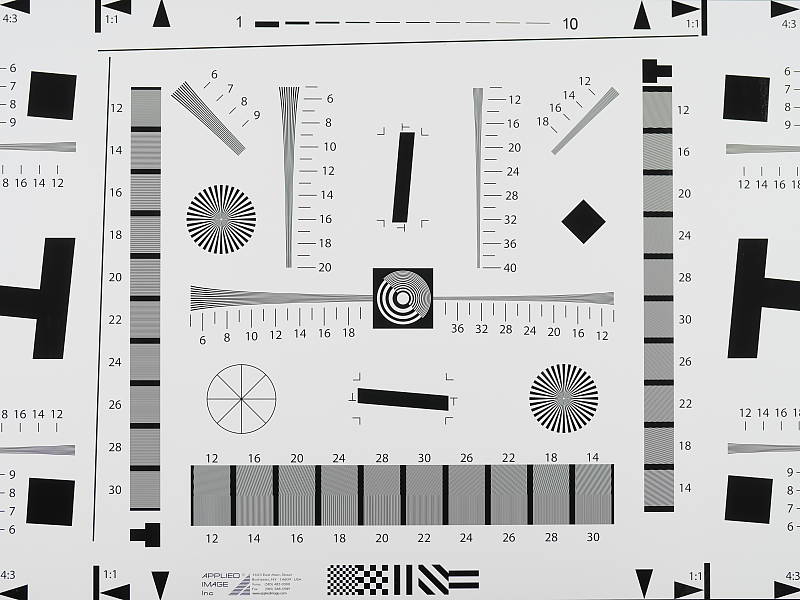
In a best-quality camera JPEG, our laboratory resolution chart reveals sharp, distinct line patterns to just over 2,700 lines per picture height horizontally, and to about 2,750 lines in the vertical direction. (Some might argue for higher, but lines begin to merge and aliasing artifacts begin to interfere at these limits.) Complete extinction of the pattern occurs between 3,500 and 3,600 lines per picture height in both directions. We weren't able to extract significantly more resolution by processing the Panasonic GX9's RW2 file using Adobe Camera Raw, and the ACR conversion also shows much higher color moiré which is practically nonexistent in the camera JPEG.
Use these numbers to compare with other cameras of similar resolution, or use them to see just what higher resolution can mean in terms of potential detail.
Sharpness & Detail
Very good sharpness overall, with only minor edge-enhancement artifacts on high-contrast subjects. Mild to moderate noise suppression visible in the shadows even at base ISO.


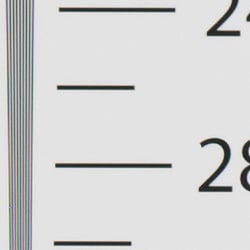
Sharpness. The Panasonic GX9 captures sharp, detailed images with a sharp lens. Sharpness appears to be higher than the GX8, thanks to the lack of an anti-aliasing filter (although some of the increase in sharpness in our images is because we switched lenses and reduced aperture from f/8 to f/5.6 since the GX8 was shot). Some minor edge enhancement artifacts are visible on high-contrast subjects such as the sharpening "haloes" along the lines and text in the crop above left, but default sharpening is well judged and not too overdone. Edge enhancement creates the illusion of sharpness by enhancing colors and tones right at the edge of a rapid transition in color or tone.
Detail. The crop above right shows the effect of noise suppression in the form of smudging of individual strands together in the darker areas of the mannequin's hair, as well as in areas with low local contrast. This is pretty good noise versus detail processing performance for a 20-megapixel Micro Four Thirds model, leaving plenty of detail intact instead of blurring much of it away in an attempt to hide noise. Do however notice the aliasing artifacts and demosaicing errors in the hair. This is unfortunately quite common, especially from cameras without an anti-aliasing filter. Noise-suppression systems in digital cameras tend to flatten-out detail in areas of subtle contrast. The effects can often be seen in shots of human hair, where the individual strands are lost and an almost "watercolor" look appears.
RAW vs In-Camera JPEGs
As noted above, the Panasonic GX9 produces sharp in-camera JPEGs with very good detail. As is almost always the case, better detail can be obtained from carefully processing RAW files than can be seen in the in-camera JPEGs, with fewer sharpening artifacts to boot. Take a look below, to see what we mean:
|
Base ISO (200)
|
|
 |
 |
 |
 |
 |
 |
|
Camera JPEG, defaults
|
RAW via Adobe Camera Raw
|
In the table above, we compare an in-camera JPEG taken at base ISO using default noise reduction and sharpening (on the left) to a matching RAW file converted with Adobe Camera Raw 9.1 via DNG Converter 10.4 using default noise reduction with some fairly strong but tight unsharp masking applied in Photoshop (300%, radius of 0.3 pixels, and a threshold of 0).
As you can see, the in-camera JPEG contains very good detail (among the highest we've seen from a MFT camera thus far) with better contrast, however as is usually the case, ACR extracted additional detail, particularly in the red-leaf fabric where it managed to resolve more of the fine thread pattern. However, the ACR conversion also contains much higher luminance noise after sharpening, especially noticeable in flatter areas with little detail. You can always turn up the luminance noise reduction (default of zero was used here), or process the files in your favorite noise reduction program or plugin if you find the noise objectionable.
Bottom line, though, while the GX9's JPEG engine does a pretty good job, shooting in raw mode produces better detail and provides more control than in-camera JPEGs when using a good converter.
ISO & Noise Performance
Very good high ISO performance for a Micro Four Thirds model.
|
Default Noise Reduction
|
||
 |
 |
 |
| ISO 100 | ISO 200 | ISO 400 |
 |
 |
 |
| ISO 800 | ISO 1600 | ISO 3200 |
 |
 |
|
| ISO 6400 | ISO 12,800 | ISO 25,600 |
The Panasonic GX9's images are very detailed and clean at ISOs 100 (extended) through 400, with only minor luminance and chrominance noise detectable in the shadows, although as mentioned previously, it is a little prone to aliasing artifacts. ISO 800 shows slightly higher luminance noise and stronger noise reduction, blurring some very fine detail in the process, though overall detail remains quite good. ISO 1600 is of course a little noisier and softer, but fine detail is still very good. ISO 3200 is a bit of a turning point, with stronger blurring and loss of detail from stronger noise reduction, producing a bit of a "crystalline" effect in flatter areas. However chroma noise remains well controlled.. At ISO 6400 and above, the "crystalline" noise reduction artifacts become progressively stronger while fine detail is reduced to the point where very little fine detail is left in the hair at ISO 25,600. Chroma noise and blotching also become progressively stronger and objectionable at ISO 6400 and above, and there's a peppered effect at ISO 12,800 and 25,600 from darker pixels as well. There's also a noticeable drop in saturation as well as a color shift at the highest ISOs.
Still, high ISO performance appears to be very good and quite competitive with 20-megapixel 4/3" rivals. We're of course pixel-peeping to an extraordinary extent here, since 1:1 images on an LCD screen have little to do with how those same images will appear when printed. See the Print Quality section below for our evaluation of maximum print sizes at each ISO setting.
Extremes: Sunlit, dynamic range and low light tests
Somewhat high default contrast but with very good dynamic range. Very good low-light performance.


Sunlight. The Panasonic GX9 performed well with the deliberately harsh lighting of this test. Contrast is a little high at its default setting, but dynamic range is quite good in JPEGs. We felt the +0.7 EV exposure is the best compromise here. Although shadows around the eyes are a bit dark, we prefer it to the +1.0 EV exposure overall, as the latter is a bit too bright, although surprisingly few highlights are blown even at +1.0 EV. It's really the photographer's choice here as to which direction to go in. For those Panasonic GX9 owners that are going to want to just print an image with little or no tweaking, the +1.0 image would probably produce a better-looking face uncorrected. The bottom line though, is that the Panasonic GX9 performed well with the wide dynamic range of this shot even without the use of Intelligent D-Range or Highlight/Shadow tweaks (see below), especially for a Four Thirds sensor.
Because digital cameras are more like slide film than negative film (in that they tend to have a more limited tonal range), we test them in the harshest situations to see how they handle scenes with bright highlights and dark shadows, as well as what kind of sensitivity they have in low light. The shot above is designed to mimic the very harsh, contrasty effect of direct noonday sunlight, a very tough challenge for most digital cameras. (You can read details of this test here.)
| Face Detection | ||
 |
 |
 |
| Off at 0 EV Aperture priority, f/8 |
On at 0 EV Aperture priority, f/8 |
Full Auto f/2 |
Face Detection. Like most cameras these days, the Panasonic GX9 has the ability to detect faces, and adjust exposure and focus accordingly. As you can see from the examples above, it worked well, as the center image with face detection enabled is much better exposed for the face without having to use exposure compensation, though some highlights were blown. The Full Auto setting chose Portrait scene mode which selected a larger aperture (f/1.6) for much less depth-of-field and better subject isolation. It too was much brighter than Aperture Priority without face detection, though again, quite a few highlights are blown.

Panasonic's Intelligent Dynamic Range
The above shots are examples of Panasonic's Intelligent Dynamic Range Control (or iD-Range) at work, with no exposure compensation. Note that the camera does not take multiple shots and merge them as HDR mode does (see below). It's a system that adjusts local contrast and exposure more akin to Nikon's Active D-lighting, Canon's Automatic Lighting Optimization or Sony's Dynamic Range Optimization.
There are three levels of iD-Range available on the Panasonic GX9: Low, Standard and High, plus Auto and Off. It's automatically invoked in iAuto and manually selectable in PASM modes. Here, you can see enabling iD-Range made a huge difference to the exposure without requiring any exposure compensation (it appears to use smarter metering and detected a face). Auto did a good job here, and darker midtones and shadows were progressively boosted as the strength was increased, although some highlights were blown in the process. As a result, though, noise is a little more visible, especially noticeably in areas with little detail.
|
Highlight/Shadow Comparison
|
|||
 |
|||
Highlight/Shadow Adjustment
Above, we can see the GX9's preset Highlight and Shadow control options at work on our "Sunlit" Portrait test shots. This feature lets you adjust the tone curve using 4 preset options (Standard, Higher Contrast, Lower Contrast and Brighten Shadows), plus it gives you 3 Custom settings which let you adjust the curve on a grid. This gives you individual control of the highlight, midtone and shadow portions of the tone curve, unlike the regular contrast adjustment. Mouse over the links to load the associated thumbnail, and click on the links to visit the full resolution image. (Apologies for the dim images, we should have applied some positive exposure compensation here.)
|
HDR Comparison
|
||||
|
|
||||
HDR mode
Here, you can see the Panasonic GX9's High Dynamic Range mode at work. HDR mode takes three images at different exposures and combines them to increase dynamic range. Four settings are available, ranging from Auto to up to +/-3 EV of exposure difference. Mouse over the links, and click on them the view the full resolution files.
Auto and +/-2 EV produced very similar results, while +/-3 dimmed the entire image, so the feature did not work very well for these shots. (Again, we should have used some positive exposure compensation here.) Be aware that double images and ghosting are possible when elements in the scene move between frames. Also notice the angle of view is narrower in the HDR images, likely because the images have been cropped and upsized during the optional auto alignment process.
Dynamic Range Analysis (RAW mode)
While we once performed our own dynamic range measurements based on in-camera JPEGs as well as converted RAW images (when the camera was supported by Adobe Camera Raw), we've switched to using DxO Labs' results from their DxOMark website. As technology advanced, the dynamic range of modern high-end cameras in some cases exceeded the range of the Stouffer T4110 density scale that we used for our own measurements. DxO's approach based on RAW data before demosaicing is also more revealing, because it measures the fundamental dynamic range of the sensor, irrespective of whatever processing is applied to JPEGs, or to RAW data by off-the-shelf conversion software.
In the following, we use DxO's "Print" dynamic range results, which are scaled based on camera resolution. As the name suggests, this scaling corresponds to the situation in which you print at a given size, regardless of how many megapixels the camera might have. (In other words, if you've decided to make a 13x19 inch print, that's the size you're printing, whether the camera's resolution is 16 or 300 megapixels.) Also note that DxO Labs uses a signal-to-noise (SNR) threshold of 1 when defining the lower boundary of acceptable luminance noise in their dynamic range measurements, which corresponds to the "Low Quality" threshold of the Imatest software we used to use for this measurement.
Unfortunately, DxOMark has not yet tested the Panasonic GX9 (also known as the GX7 Mark III in Japan) as of this writing, but we'll come back and update this section once they do.
Low-light Autofocus
The GX9's autofocus system was able to focus on our legacy low-contrast AF target down to -3.4 EV unassisted with an f/2.8 lens, and down to -4.2 EV with our newer high-contrast target. This is very good, especially for a camera with contrast-detect autofocus. The Panasonic GX9 also has a focus-assist light which allows it to autofocus in total darkness, as long as the subject is within range and has sufficient contrast.
NOTE: This low light test is conducted with a stationary subject, and the camera mounted on a sturdy tripod. Most digital cameras will fail miserably when faced with a moving subject in dim lighting. (For example, a child's ballet recital or a holiday pageant in a gymnasium.) Thanks to their phase-detect AF systems, digital SLRs tend to do much better than point & shoots, but you still shouldn't expect a quick autofocus lock with moving subjects. The GX9 uses contrast-detect autofocus, as is found in most point & shoot cameras, so its low-light focusing ability may be less than that of some cameras with phase-detect systems. That said, though, the larger, more sensitive pixels of the GX9's sensor do better under dim lighting than do the tiny pixels of most point & shoots.
Built-in Flash
Decent performance for a tiny pop-up flash.


Exposure. Indoors under incandescent background lighting, the GX9's flash underexposed our standard indoor portrait scene at ISO 200 and f/4, even with +1.0 EV of flash exposure compensation applies. (An average of +0.7 EV is normally needed for this shot.) However with Auto ISO, the camera produced a good flash exposure requiring just +0.3 EV of flash exposure compensation, though the camera boosted ISO to 500. Both images above have a warm, orange cast from the tungsten ambient lighting.
Output Quality
Print Quality
Excellent 30 x 40 inch prints at ISO 100/200; a good 16 x 20 inch print at ISO 1600 and a solid 8 x 10 at ISO 6400.
 ISO 100/200 prints are excellent across the board at 30 x 40 inches, delivering rich, vibrant colors and crisp detail throughout. Wall display prints are possible at even larger sizes, depending on your viewing distance, until you run out of available resolution. The prints here at base ISO and extended low from the GX9 are really quite superb and worth printing large!
ISO 400 images are quite good at 24 x 36 inches, displaying crisp fine detail and excellent color reproduction. 30 x 40 inch prints are fine here for wall display purposes and less critical applications as well, but it's best to remain at 24 x 36 inches for your most critical prints.
ISO 800 yields a very good 16 x 20 inch print, with only a minor loss in fine detail crispness and showing very little in the way of apparent noise. The 20 x 30 inch prints here are not bad at all and can definitely be used for less critical applications, though anything higher reveals a bit too much noise in certain areas of the print.
ISO 1600 is also capable of delivering a good print at 16 x 20 inches! This is a nice feat for a Four Thirds sensor system at this ISO. There is a minor trace of chroma noise in flatter areas of our test target, and yet fine detail is still rendered nicely at this size as well as good color reproduction throughout. For the most critical printing at this ISO we recommend a size reduction to 13 x 19 inches, but the 16 x 20 does indeed pass our "good" grade.
ISO 3200 delivers a solid 11 x 14 inch print. There is some obvious softening in the red channel at this point, which is a fairly common theme as ISO rises in modern digital cameras, but noise is well-controlled at this print size overall, and there's still plenty of definition in the finely detailed areas of our Still Life target.
ISO 6400 prints an 8 x 10 image that just passes our good seal of approval, and this is yet again a high bar for a Four Thirds sensor to pull off. All contrast detail is now lost in our tricky target red-leaf swatch, but again this is very common for all but full frame sensors and larger by this ISO. Good color reproduction remains, and generally good fine detail, so we are confident in calling this print size "good."
ISO 12,800 yields a 5 x 7 that almost passes our good grade, and can definitely be used for general purpose printing and less critical applications. For anything important we recommend the 4 x 6 inch prints here.
ISO 25,600 comes close to passing our good grade at 4 x 6 inches, and like the 5 x 7 above can certainly be used for casual printing at this size, but for anything important we recommend shying away from this ISO entirely.
The GX9 continues the excellent tradition of this line from Panasonic in the print quality department, even pushing usable print sizes a notch higher at a few critical ISOs than its (numerical) predecessor, the GX8. Indeed, to be able to produce a good 8 x 10 inch print at ISO 6400 is a nice feat for this sensor size, and we therefore feel confident recommending the Panasonic GX9 for higher-end printing purposes. In addition, everything from ISO 1600 and lower is really quite good, and your prints will thank you for it.
The images above were taken from our standardized test shots. For a collection of more pictorial photos, see our Panasonic Lumix DC-GX9 Photo Gallery .
Not sure which camera to buy? Let your eyes be the ultimate judge! Visit our Comparometer(tm) to compare images from the Panasonic Lumix DC-GX9 with those from other cameras you may be considering. The proof is in the pictures, so let your own eyes decide which you like best!
Performance
Timing and Performance
Generally very good performance for a mirrorless ILC.
| Startup/Play to Record | ||
|---|---|---|
|
Power on |
~1.0 second
|
Time it takes to turn on and capture a shot. |
|
Play to Record, |
~0.5 second
|
Time until first shot is captured. |
Startup time was faster-than-average for a mirrorless camera, and switching from Play to Record and taking a shot was also fairly quick.
| Shutter Response (Lag Time) | ||
|---|---|---|
| Mechanical Shutter | ||
|
Full Autofocus, |
0.145 second
|
Time from fully pressing shutter button to image capture, with the lens already at the proper focal distance setting. |
|
Full Autofocus |
0.360 second
|
Time from fully pressing shutter button to image capture. Auto Flash enabled. |
|
Manual Focus |
0.060 second
|
For most cameras, shutter lag is less in manual focus than autofocus, but usually not as fast as when the camera is "prefocused". |
|
Prefocused |
0.050 second
|
Time to capture, after half-pressing and holding shutter button. |
| Electronic Shutter | ||
|
Full Autofocus, |
0.188 second
|
Time from fully pressing shutter button to image capture, with the lens already at the proper focal distance setting. |
|
Full Autofocus |
N/A
|
Flash not supported with electronic shutter |
|
Manual Focus |
0.080 second
|
For most cameras, shutter lag is less in manual focus than autofocus, but usually not as fast as when the camera is "prefocused". |
|
Prefocused |
0.060 second
|
Time to capture, after half-pressing and holding shutter button. |
The Panasonic GX9's autofocus speed was very good our tests, especially for a camera that uses contrast detection only. The GX9 produced full-autofocus shutter lag (with the subject at a fixed distance) of 0.145 second using 1-area (center) AFS mode with the Panasonic Leica DG 12-60mm f/2.8-4 at 25mm. That's quite good for a mirrorless camera and competitive with most prosumer DSLRs.
Enabling the built-in flash raised shutter lag to an average of about 0.36 second to account for the metering preflash.
When manually focused, the GX9's lag time dropped to 0.060 second, also quite good. The GX9's prefocused shutter lag time was 0.050 second, which is quite fast.
As you can see, using the electronic shutter increases lag time slightly, and flash photography is not supported.
To minimize the effect of different lens' focusing speed, we test AF-active shutter lag with the lens already set to the correct focal distance.
| Cycle Time (shot to shot) | ||
|---|---|---|
|
Single Shot mode |
< 0.3 second
|
Time per shot, averaged over a few frames (we no longer test for buffer depths in single-shot mode). |
|
Single Shot mode |
< 0.3 second
|
Time per shot, averaged over a few frames (we no longer test for buffer depths in single-shot mode). |
|
Early shutter |
No
|
Some cameras refuse to snap another shot if you release and press the shutter too quickly in Single Shot mode, making "No" the preferred answer. |
|
Continuous H |
0.11 second
(9.16 fps); 140 frames total; 18 seconds to clear* |
Time per shot, averaged over buffer length of 140 frames, then slows to an average of 0.18s or 5.43 fps with a lot of variation. |
|
Continuous H |
0.11 second
(9.15 fps); 32 frames total; 17 seconds to clear* |
Time per shot, averaged over buffer length of 32 frames, then slows to an average of 0.87s or 1.15 fps with a lot of variation. |
|
Continuous H |
0.11 second
(9.14 fps); 29 frames total; 29 seconds to clear* |
Time per shot, averaged over buffer length of 29 frames, then slows to an average of 0.90s or 1.11 fps with a lot of variation. |
|
4K Burst |
0.03 second
(30.00 fps); Unlimited(?); 1.2 seconds to clear* |
Time per shot, with no apparent limit other than card space or video recording limits. |
|
Flash Recycling |
1.49 seconds
|
Flash at maximum output. |
|
*Note: Buffer clearing times measured with a 64GB Lexar Pro 2000x UHS-II SDXC card. Slower cards will produce correspondingly slower clearing times. Slow cards may also limit length of bursts in continuous mode. ISO sensitivity also affects cycle times and burst mode performance, with higher ISOs generally increasing cycle times and reducing burst performance.
|
||
Single-shot cycle times were so fast that they were difficult to accurately measure as they depend on the tester's dexterity and ability to maintain an optimum rhythm, so your results may vary. (Note that we no longer test single-shot mode with just RAW files, as the results are usually somewhere in between JPEG and RAW+JPEG.)
Continuous High Speed "H" mode burst rate was quite good for its class at between 9.1 and 9.2 frames per second depending on the file type, slightly exceeding Panasonic's 9 fps spec. Note that these burst rates are with single-shot AF mode (AFS) and with Live View (viewfinder updates between captured frames during the burst) disabled. Panasonic claims up to 6 fps with continuous autofocus (AFC). The GX9 also offers Middle Speed (rated at about 6 fps) and Low Speed (rated at 2 fps) modes both with Live View, however we did not test those modes in the lab.
The GX9 has an all-electronic shutter mode, however its continuous mode specs are identical to using the mechanical shutter above, so we did not test electronic shutter mode in the lab. We did however test 4K Burst mode, and it captured 8-megapixel JPEGs at the expected 30 fps.
Full-resolution buffer depth when shooting Large/Fine JPEGs was excellent at 140 frames in Continuous H mode, and the buffer full rate was a very respectable 5.4 frames per second. When shooting RAW files buffer depth was 32 frames, and 29 frames when shooting RAW+JPEG files, which is pretty good, however the buffer full rates dropped to just above one frame per second with a lot of variation when shooting with RAW files.
Buffer clearing was pretty sluggish when capturing full-resolution images, even with a fast UHS-II card, ranging from 17 seconds after a max-length burst of RAW files to 29 seconds after a max-length burst of RAW+JPEG files. You can however take additional photos and adjust settings while the buffer is clearing. Note that the GX9 is not UHS-II compliant, but it does take advantage of the card's UHS-I mode.
Bottom line, the Panasonic GX9's performance is very good for its class. Startup and mode switching are relatively fast, while autofocus speed and shutter lag are very good. Burst performance is quite good, buffer depths are good to excellent, however buffer clearing is sluggish.
Battery Life
Poor CIPA battery life rating.
| Operating Mode | Battery Life |
|---|---|
|
Still Capture, CIPA standard
(Monitor with H-FS12032 or H-FS12060 lens) |
260 shots
|
|
Still Capture, CIPA standard
(EVF with H-FS12032 or H-FS12060 lens) |
250 shots
|
The Panasonic GX9 uses a custom rechargeable lithium-ion battery pack for power, and comes with an AC adapter and USB cable for in-camera charging. The CIPA-rated 260 shots per charge when using the monitor and 250 shots with the EVF are well below average for a mirrorless ILC, and much lower than a typical DSLR when using its optical viewfinder. The GX9 does however have a Power Save LVF mode that increases battery life up to a whopping 900 shots per charge when the time to sleep is set to one second. Still, we strongly recommend getting a second battery for your GX9 if you plan any extended outings.
The table above shows the number of shots the camera is capable of (on a fully-charged rechargeable battery), based on CIPA battery-life and/or manufacturer standard test conditions.
(Interested readers can find an English translation of the CIPA DC-002 standards document here. (180K PDF document))
Image Quality
Below are crops from our laboratory Still Life target comparing the Panasonic GX9's image quality at a few ISOs to its "numerical" predecessor's, the GX8, as well as against several competing models at similar price points or in similar categories: the Canon M5, Fuji X-T20, Olympus PEN-F and Sony A6300.
NOTE: These images are from best quality JPEGs straight out of the camera, at default settings including noise reduction and using the camera's actual base ISO (not extended ISO settings). All cameras in this comparison were shot with our very sharp reference lenses. Clicking any crop will take you to a carrier page where you can click once again to access the full resolution image as delivered straight from the camera. For those interested in working with the RAW files involved, click these links to visit each camera's respective sample image thumbnail page: Panasonic GX9, Panasonic GX8, Canon M5, Fuji X-T20, Olympus PEN-F and Sony A6300 -- links to the RAW files appear beneath those for the JPEG images, wherever we have them. And remember, you can always go to our world-renowned Comparometer to compare the Panasonic GX9 to any camera we've ever tested!
Panasonic GX9 vs Panasonic GX8 at Base ISO
 |  |
 |  |
 |  |
Panasonic GX9 at ISO 200 | Panasonic GX8 at ISO 200 |
Here we compare the GX9 to its (numerical) predecessor, the GX8, at base ISO. As you can see, the GX9 image is sharper and slightly more detailed, however be aware we have since changed lab lenses and aperture for Micro Four Thirds cameras since the GX8 was shot, moving from a Zuiko 50mm f/2 at f/8 to a Leica Nocticron 42.5mm f/1.2 at f/5.6 which results in slightly sharper images with less diffraction. Still, some of the increase in sharpness is due to the GX9 dropping the optical low-pass filter the GX8 has. We also see improved contrast, what appears to be slightly stronger default sharpening, and more pleasing color from the GX9's revised processing, though there's also an increase in aliasing artifacts. | |
Panasonic GX9 vs Canon EOS M5 at Base ISO
|  |
|  |
|  |
Panasonic GX9 at ISO 200 | Canon EOS M5 at ISO 100 |
The 24-megapixel Canon M5 has a slight resolution advantage over the 20-megapixel MFT Panasonic GX9, but it isn't resolving significantly more detail in most areas here (the majority of the resolution advantage is in the width of the image because of its wider 3:2 aspect ratio, as we frame this shot vertically). The GX9's image is however significantly sharper than the M5's, while containing narrower sharpening haloes. The Panasonic shows higher noise levels (but keep in mind its higher base ISO), yet it does show some minor artifacts from its area-specific noise reduction already here at base ISO, for example rougher edges. The GX9 also shows more aliasing artifacts, thanks to the lack of an optical low-pass filter. Both cameras produce nice colors, though the Panasonic's are a bit brighter in general, while the Canon's are a little more accurate overall. | |
Panasonic GX9 vs Fujifilm X-T20 at Base ISO
|  |
|  |
|  |
Panasonic GX9 at ISO 200 | Fujifilm X-T20 at ISO 200 |
Above we compare the Bayer-filtered MFT Panasonic GX9 to the X-Trans-filtered APS-C Fuji X-T20. Again, you would expect the 24-megapixel X-T20 would have a noticeable resolution advantage over the 20-megapixel GX9 here, but both cameras have similar resolutions on the vertical axis (4000 vs 3888 pixels) which is how this scene is framed, so the resolution difference is very minor and mostly boils down to different demosaicing algorithms and processing. Noise appears higher from the GX9 in flatter areas, but the Panasonic also produces a crisper image with slightly better detail, though default sharpening also appears to be a little higher. The GX9 does noticeably better in both the red-leaf and pink fabrics, but it also shows more aliasing artifacts. Both cameras produce pleasing colors. | |
Panasonic GX9 vs Olympus PEN-F at Base ISO
|  |
|  |
|  |
Panasonic GX9 at ISO 200 | Olympus PEN-F at ISO 200 |
The Panasonic GX9 and Olympus PEN-F share very similar if not identical sensors, so the differences we see here are mostly down to different approaches in processing. The Olympus image is a little more contrasty with more "pop", but the Panasonic one retains a bit more detail in many areas, preserves more of the coloration caused by offset printing in the mosaic label, and contains less noticeable sharpening haloes around high-contrast edges. However, the GX9 image is a little noisier. Both produce pleasing color, though the PEN-F's is a little more accurate overall. | |
Panasonic GX9 vs Sony A6300 at Base ISO
|  |
|  |
|  |
Panasonic GX9 at ISO 200 | Sony A6300 at ISO 100 |
Again, the 20-megapixel Panasonic GX9 is fairly closely matched in terms of resolution here, because its 4/3" sensor has only 112 fewer pixels than the A6300's 3:2 APS-C sensor on the vertical axis and we frame this shot vertically. Still, its smaller sensor and higher base ISO means noise is higher from the Panasonic, which does impact fine detail. Sony's default processing also produces a slightly sharper, crisper image with higher contrast, giving its image more "oomph." Overall, we prefer the Panasonic's colors here, though, as the A6300 has a more pronounced yellow to green shift. Both cameras produce aliasing artifacts such as the moiré patterns in the red-leaf fabric. | |
Panasonic GX9 vs Panasonic GX8 at ISO 1600
 |  |
 |  |
 |  |
Panasonic GX9 at ISO 1600 | Panasonic GX8 at ISO 1600 |
Here at ISO 1600, we see the GX9 holds onto more fine detail and provides better sharpness, contrast and color than the GX8, while noise levels in flatter areas remain comparable. Both blur our troublesome red-leaf swatch quite a bit, however the GX9 retains a bit more detail, but also shows higher luminance noise. | |
Panasonic GX9 vs Canon EOS M5 at ISO 1600
|  |
|  |
|  |
Panasonic GX9 at ISO 1600 | Canon EOS M5 at ISO 1600 |
The GX9 continues to produce a crisper image with better fine detail in most areas than the M5 here at ISO 1600. The Panasonic's default noise reduction also leaves behind much less noise in the flatter areas than the Canon's, however its area-specific algorithm does produce some unwanted artifacts in the form of rough edges and a "grain" that has a more "digital" look. | |
Panasonic GX9 vs Fujifilm X-T20 at ISO 1600
|  |
|  |
|  |
Panasonic GX9 at ISO 1600 | Fujifilm X-T20 at ISO 1600 |
The GX9 continues to hold its own against the X-T20 here at ISO 1600, with lower noise in flatter areas and slightly crisper detail, though noise reduction artifacts are a little more evident. The X-T20 image has higher luma noise but lower chroma noise, and while not as crisp-looking, fine detail looks smoother and more refined. Subtle detail is actually a little better in the tricky red-leaf swatch from the X-T20, however contrast is higher from the GX9 giving the Panasonic the advantage, however aliasing artifacts continue to be visible from the GX9. | |
Panasonic GX9 vs Olympus PEN-F at ISO 1600
|  |
|  |
|  |
Panasonic GX9 at ISO 1600 | Olympus PEN-F at ISO 1600 |
Wow, what a difference here at ISO 1600. The Panasonic GX9 easily comes out ahead here, with much better detail and only slightly higher noise levels in flatter areas. Fine detail in the PEN-F image looks smudged and overprocessed in comparison. | |
Panasonic GX9 vs Sony A6300 at ISO 1600
|  |
|  |
|  |
Panasonic GX9 at ISO 1600 | Sony A6300 at ISO 1600 |
This is actually a difficult comparison to call. The GX9 retains similar amounts of fine detail in the mosaic crop, but the Sony's has higher contrast. Luma noise from the GX9 is lower in flatter areas and it also has a tighter grain pattern, however chroma noise is higher. Both show noise reduction artifacts, but the Sony's noise "grain" is a little coarser and more objectionable in flatter areas. Contrast and detail are better from the Sony in our tricky red-leaf fabric, however the GX9 is able to continue to resolve more of the fine thread pattern. | |
Panasonic GX9 vs Panasonic GX8 at ISO 3200
 |  |
 |  |
 |  |
Panasonic GX9 at ISO 3200 | Panasonic GX8 at ISO 3200 |
The GX9 shows significantly improved image quality over the GX8 here at ISO 3200, with better detail, contrast and color. Noise appears better controlled in flatter areas from the GX9 as well, though both really struggle to retain any fine detail in our tricky red-leaf swatch. | |
Panasonic GX9 vs Canon EOS M5 at ISO 3200
|  |
|  |
|  |
Panasonic GX9 at ISO 3200 | Canon EOS M5 at ISO 3200 |
Once again, the GX9 delivers a crisper, more detailed image than the M5 here at ISO 3200, while at the same time controlling luminance noise much more effectively in flatter areas. | |
Panasonic GX9 vs Fujifilm X-T20 at ISO 3200
|  |
|  |
|  |
Panasonic GX9 at ISO 3200 | Fujifilm X-T20 at ISO 3200 |
Here at ISO 3200, the X-T20 starts to catch up the GX9 in most respects. The GX9 remains a little bit crisper with lower noise, however you can tell it's working harder to squeeze out a good image, generating more noise reduction and sharpening artifacts in the process. Still, it's quite a feat for a MFT camera to produce an image that is competitive with the APS-C X-T20 at this ISO. | |
Panasonic GX9 vs Olympus PEN-F at ISO 3200
|  |
|  |
|  |
Panasonic GX9 at ISO 3200 | Olympus PEN-F at ISO 3200 |
The Panasonic GX9 pulls ahead further from the PEN-F at ISO 3200, with superior detail retention and sharpness, though contrast remains higher from the Olympus. Still, an easy win for the Panasonic here as the Olympus image begins to look like a painting in comparison. | |
Panasonic GX9 vs Sony A6300 at ISO 3200
|  |
|  |
|  |
Panasonic GX9 at ISO 3200 | Sony A6300 at ISO 3200 |
Another tough call here at ISO 3200, thanks to very different approaches to processing. Both cameras do a good job hanging onto fine detail, however the Sony produces higher, almost exaggerated contrast, but higher noise as well. Detail in our red-leaf swatch looks much better from the Sony, but much of it is badly distorted and false. Which is better overall really boils down to personal preference, but it's nice to see a MFT camera like the GX9 compete so well with a leading APS-C model at this ISO. | |
Panasonic GX9 vs. Panasonic GX8, Canon EOS M5, Fujifilm X-T20, Olympus PEN-F, Sony A6300
 |  |  |  |  |  |
 |  |  |  |  |  |
 |  |  |  |  |  |
| Panasonic GX9 ISO 200 ISO 3200 ISO 6400 | Panasonic GX8 ISO 200 ISO 3200 ISO 6400 | Canon EOS M5 ISO 100 ISO 3200 ISO 6400 | Fujifilm X-T20 ISO 200 ISO 3200 ISO 6400 | Olympus PEN-F ISO 200 ISO 3200 ISO 6400 | Sony A6300 ISO 100 ISO 3200 ISO 6400 |
| Detail comparison. High-contrast detail is also important, pushing the camera in different ways, so we like to look at it separately. As you can see, the Panasonic GX9 offers improved contrast and color across ISOs, as well as slightly better detail compared to the GX8. At higher ISOs, the GX9 easily bests the only other Micro Four Thirds camera in this group, the Olympus PEN F. Contrast isn't has high as the Canon M5 at base ISO, however the GX9's doesn't drop off quite as much as ISO climbs. The GX9's performance is competitive with the X-T20's even as ISO climbs, however the Sony A6300 comes out ahead of the pack here. | |||||
Excellent 30 x 40 inch prints at ISO 100/200; a good 16 x 20 inch print at ISO 1600 and a solid 8 x 10 at ISO 6400.
ISO 100/200 prints are excellent across the board at 30 x 40 inches, delivering rich, vibrant colors and crisp detail throughout. Wall display prints are possible at even larger sizes, depending on your viewing distance, until you run out of available resolution. The prints here at base ISO and extended low from the GX9 are really quite superb and worth printing large!
ISO 400 images are quite good at 24 x 36 inches, displaying crisp fine detail and excellent color reproduction. 30 x 40 inch prints are fine here for wall display purposes and less critical applications as well, but it's best to remain at 24 x 36 inches for your most critical prints.
ISO 800 yields a very good 16 x 20 inch print, with only a minor loss in fine detail crispness and showing very little in the way of apparent noise. The 20 x 30 inch prints here are not bad at all and can definitely be used for less critical applications, though anything higher reveals a bit too much noise in certain areas of the print.
ISO 1600 is also capable of delivering a good print at 16 x 20 inches! This is a nice feat for a Four Thirds sensor system at this ISO. There is a minor trace of chroma noise in flatter areas of our test target, and yet fine detail is still rendered nicely at this size as well as good color reproduction throughout. For the most critical printing at this ISO we recommend a size reduction to 13 x 19 inches, but the 16 x 20 does indeed pass our "good" grade.
ISO 3200 delivers a solid 11 x 14 inch print. There is some obvious softening in the red channel at this point, which is a fairly common theme as ISO rises in modern digital cameras, but noise is well-controlled at this print size overall, and there's still plenty of definition in the finely detailed areas of our Still Life target.
ISO 6400 prints an 8 x 10 image that just passes our good seal of approval, and this is yet again a high bar for a Four Thirds sensor to pull off. All contrast detail is now lost in our tricky target red-leaf swatch, but again this is very common for all but full frame sensors and larger by this ISO. Good color reproduction remains, and generally good fine detail, so we are confident in calling this print size "good."
ISO 12,800 yields a 5 x 7 that almost passes our good grade, and can definitely be used for general purpose printing and less critical applications. For anything important we recommend the 4 x 6 inch prints here.
ISO 25,600 comes close to passing our good grade at 4 x 6 inches, and like the 5 x 7 above can certainly be used for casual printing at this size, but for anything important we recommend shying away from this ISO entirely.
The GX9 continues the excellent tradition of this line from Panasonic in the print quality department, even pushing usable print sizes a notch higher at a few critical ISOs than its (numerical) predecessor, the GX8. Indeed, to be able to produce a good 8 x 10 inch print at ISO 6400 is a nice feat for this sensor size, and we therefore feel confident recommending the Panasonic GX9 for higher-end printing purposes. In addition, everything from ISO 1600 and lower is really quite good, and your prints will thank you for it.
Field Test
A compact, high-performance and versatile travel-friendly camera
*Updated with Monochrome Picture Style and new Grain Effect comparisons. See below.

As the model name suggests, the new GX9 is the replacement model for 2015's impressive GX8 rangefinder-style mirrorless camera. The new GX9 maintains that characteristic shape and overall style, including its unique tilt-up electronic viewfinder, while offering some pleasing usability changes, including improvements to its control layout, an updated body shape, and new features. Plus, on the inside, there are a lot of exciting new goodies and advancements to the camera's image quality, high ISO noise performance, as well as fun and rather clever in-camera tricks revolving around Panasonic's 4K PHOTO technology.
Before the announcement, I was able to spend some time with this new rangefinder-esque Micro Four Thirds camera and wanted to share my experience with the camera's design, image quality, and some performance features. Don't forget to check our Samples Page for our First Shots series of lab images as well as our Gallery Page for an even more in-depth look at the GX9's image quality.
OK, onto the details...

Design and Ergonomics
As mentioned, the GX9 replaces the GX8 and keeps the same rangefinder-style body design with top-left corner-mounted EVF -- as opposed to a central "hump" viewfinder as on DSLR-styled models like the GH5 and G9. The GX8 was rather beefy and almost chunky with a thick body and fairly full handgrip. For the GX9, Panasonic slimmed things down a bit, although it's little difficult to tell unless you have both cameras side-by-side.

The GX9's body is slimmer than the GX8's thanks in part to a new rear LCD touchscreen. The GX8 used a fully articulated, vari-angle LCD panel, while the GX9 opts for a more straightforward tilting screen. The GX8 used a fairly chunky articulating hinge mechanism, while the GX9's tilt screen can sit more flush up against the camera body. Now, I know there are two camps of people, those who like tilt screen and those who prefer vari-angle ones. Not many cameras give you the option of both styles, so compromises have to be made. For me, personally, I love the fact that they switched to a tilting display. I don't shoot a lot of videos -- where a vari-angle screen makes more sense -- thus the tilting screen on the GX9 is a welcomed change. The tilt-screen lets me easily shoot low or high without having to flip out a screen, which feels more prone to breaking and takes more time to maneuver.
The GX9 body is not only thinner, but its handgrip is also less pronounced. The thinness is a nice change, I think -- I'm all for compactness when it comes to travel- and street-centric cameras -- but the smaller grip might be frustrating for those with larger hands. There's still some "purchase" for your fingers to grip around, but you can't really let the camera "hang" from your fingers as you can with the GX8. Overall, in fact, the GX9 feels much more akin to the GX85 in terms of size and shape.
Thankfully, to compensate for the smaller size, Panasonic introduced an add-on grip base-plate (that's also compatible with the GX85), and while it's an additional accessory you'd have to buy, it does add a substantial grip to the camera as well as a little more height. If you often shoot with bigger, heavier lenses, then this accessory is close to a must-have. Pet-peeve warning, however: The base plate screws into the camera's tripod socket (though pleasingly has its own tripod socket), but it completely blocks the battery/SD card door, forcing you to unscrew the baseplate to replace the battery or memory card.


Overall, my initial impressions after shooting with the camera are overwhelmingly positive. The camera is lightweight and very solid-feeling (despite no longer being weather-sealed like its GX8 predecessor). The grip is actually a bit more substantial-feeling than I had expected, especially thanks to the rear thumb grip that provides some extra security. The textured leatherette material, however, can feel a bit slippery, especially if your hands get sweaty. To me, the GX9 strikes a nice balance of remaining small and compact, yet offering enough of a grip for it to feel comfortable and secure, whether you're snapping shots with one hand or two.

As with the GX8, the GX9 also includes the clever tilting electronic viewfinder. Personally, I often just used the tilting LCD if I wanted a top-down shooting position, but it's nice to have the option of a top-down EVF, too. The screen inside the GX9's EVF uses a field-sequential LCD panel rather than the nicer OLED screen of the GX8 (it's the same EVF as in the GX85). Nevertheless, images in the EVF are sharp, but it's not quite as good as the GX8's. I also noticed some minor RGB tearing artifacts on the EVF screen if I blinked or moved my eye around.
Out of the box, the GX9 doesn't have much an eye-cup around its EVF, and it hardly blocks any stray light. Thankfully, Panasonic sells an add-on eye-cup that's much wider and deeper -- also nice for those using glasses. Unluckily for me, I didn't have the add-on eye-cup, which means out in the bright sun, I often found myself using my hand to block out light while shooting.
My one main "gripe" with the GX9 is the lack of a joystick control, or at least some other directional pad control that lets me immediately move the AF point while the camera it up at my eye. I've really come to rely on this type of control, and I get frustrated when cameras don't have this functionality. The G9, GH5, and GH5S all feature joysticks, but Panasonic has yet to implement this on their lower-tier models. Neither the GX8 nor GX85 has joystick controls, and the GX9 follows the same path.

Now, to be fair, you can use the rear touchscreen LCD simultaneously with the EVF -- a feature called Touch Pad AF. It keeps the touchscreen portion of the rear screen active while you use the EVF, letting you slide your finger around the screen to move the AF point precisely where you want it. This works quite well, except if you're left-eye dominant like I am. Since I use my left eye with the corner-positioned EVF, my nose ends up touching the screen, inadvertently moving the AF point. Therefore, if I want to reposition the AF point quickly, I have to bring the camera down from my eye and use the LCD panel to tap where I want the AF point.
Another "missing" feature I encountered was a dedicated drive mode dial. I understand that there really isn't room on the camera for this extra dial, but I really appreciate the physical, easily-visible indicator of what drive mode you're in and ability to quickly change shooting modes.


Image Quality - Initial Impressions
Overall, the image quality from the GX9 is very good. I've shot primarily at lower ISOs, and the fine detail is excellent. (Update: there are now some higher ISO images in the Gallery Page) The GX9 uses a 20MP Four Thirds sensor like its predecessor, yet foregoes the optical low-pass filter for some extra resolving power. I shot a lot around the city of Atlanta, with lots man-made subjects like buildings, bricks, fences, and screens that would be notorious for showing moiré and aliasing artifacts. The GX9 does a great job at avoiding or combating these artifacts with its in-camera JPEG processing, though I did manage to find some moiré artifacts in a few images, so it's not perfect.

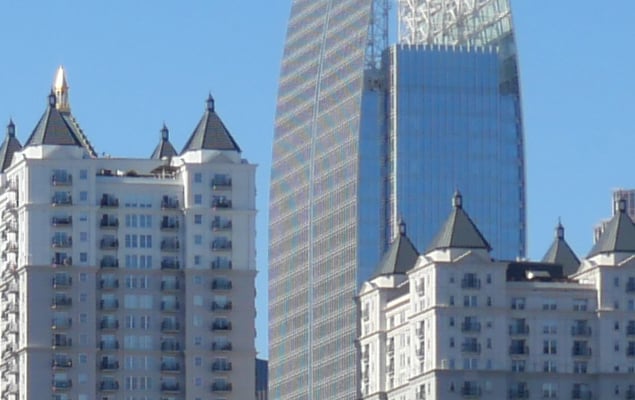
Panasonic also put a big emphasis on the GX9's color accuracy with its JPEGs, particularly when it comes to blue skies. So far, from the images I've seen, colors (in the "Standard" picture style) look pleasingly vibrant without looking oversaturated. Dynamic range seems impressive, as well, even from the JPEG images I've seen. I was shooting in sunny, daylight conditions with harsh shadows, and for the most part, the resulting high-contrast photos show lots of shadow detail and good highlight retention.

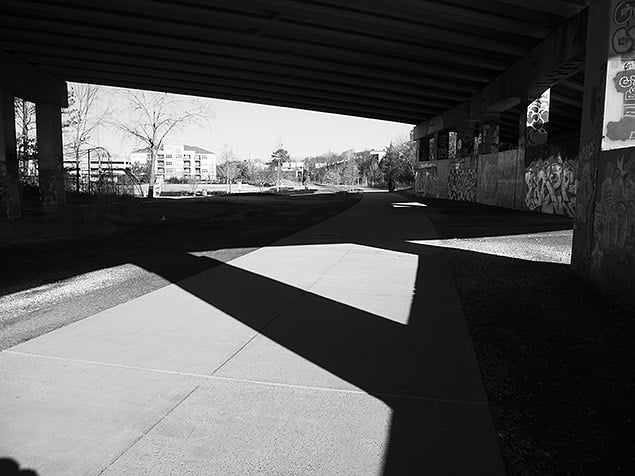
Although I assume more advanced photographers will likely shoot in RAW and post-process images after the fact, Panasonic does a lot for those who simply want to capture and create images in-camera. As such, they've introduced another Monochrome picture style, as well as a pretty realistic Grain Effect filter, for film-like grain. The GX85 introduced the "L. Monochrome" black-and-white picture style, and the GX9 goes one further with a more dynamic "L. Monochrome D" style. L. Monochrome D style tweaks the black level and tonal gradation compared to the standard Monochrome style; you'll get deeper blacks and enhanced contrast.


I enjoyed shooting in the Monochrome picture styles. I don't often shoot in black-and-white, so it was fun stylistic change. One cool trick (that's not exclusive to the GX9) is that if you are shooting in RAW+JPEG, your view on the LCD and EVF is black and white while set to the Monochrome styles. This can help focus your eye on seeing lines, patterns, light, and shadow in black and white without the distractions of color, and should help improve your monochrome photos.

Plus, you then have a full-color RAW file should you want a color image later on. Even better is that the GX9 offers in-camera RAW processing, so if you happen to find yourself shooting tons and tons of monochrome images like I was, you can easily go back and re-process the RAW file to make a new photo with any picture style and with numerous image quality adjustments.
 |
 |
Panasonic 25mm f/1.7: 25mm, f/1.7, 1/100s, ISO 200, L. Monochrome Picture Style (top); Standard Picture Style (bottom) |
After photographing the initial shot as a black-and-white (above), I went back an processed a color version using the GX9's in-camera RAW processing. |
Monochrome Picture Styles Comparison
In this section I'll compare the "Monochrome," "L.Monochrome" and the new "L.Monochrome D" Picture Style presets. In these comparisons, the RAWs were all processed in-camera into each of the different monochrome picture styles.





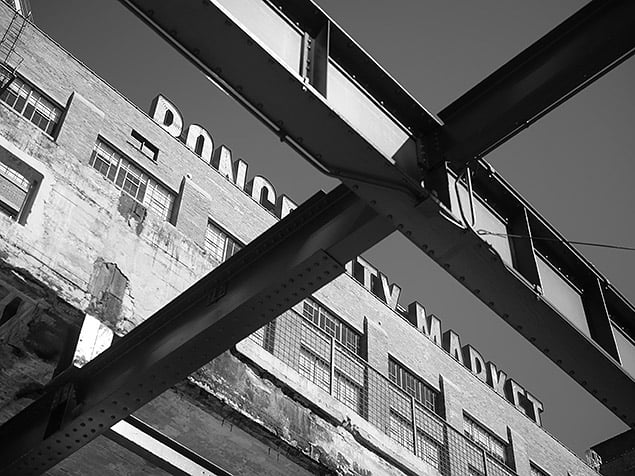


In both of these comparisons, you can see how the L.Monochrome presets increase the overall contrast compared to the standard, flatter "Monochrome" preset. You'll also notice in the second comparison set how the L.Monochrome presets darken the blue sky more noticeably than the standard Monochrome style. The new "L.Monochrome D" style tweaks the contrast compared to the regular L.Monochrome picture style, with a subtle increase in shadow detail yet with a noticeable boost to highlights and other bright areas.
"Grain Effect" Filter Comparison
The GX9 introduces a new Grain Effect filter preset, which aims to emulate the fine grain appearance of film. Below is a quick comparison between the different strengths of the Grain Effect filter, processed from an original RAW file in-camera. Be sure to check back here later, as I hope to be able to compare the GX9's film grain effect against other notable competitors to see how they all stack up.


Performance & Autofocus - Initial Impressions
Although we've already tested the GX9's performance in the lab, we need to field test the camera more thoroughly, however I still wanted to touch briefly on the camera's real-world performance so far. Overall, the GX9 is very nimble and responsive. Start-up time is quick, so you can pull the camera out and be ready to shoot in no time. Menus and settings changes feel responsive, much like other recent Panasonic mirrorless cameras I've used.

Like other Lumix models, the GX9 doesn't use phase-detect autofocus, but rather Panasonic's own DFD (Depth From Defocus) technology to provide quick, accurate and nearly wobble-free contrast-detect AF. Panasonic's made big strides regarding the speed and overall performance of their DFD autofocus technology, and on the GX9, it performs remarkably well from what I've seen so far. Single-shot AF is very fast, especially for a camera that doesn't support phase-detect. In my experience, the camera locked onto subjects quickly without any hunting or missed focus. Granted, this was mostly in the daytime and on subjects with decent lighting and contrast. However, I did shoot some indoor photos, and the GX9 performed admirably.

I did briefly test 4K PHOTO and the new in-camera Sweep Panorama modes. 4K Photo is super-quick and can capture a lot of images in a short span of time. To be fair, I was using a fast 95MB/s SanDisk Extreme Pro memory card, but I didn't feel like I had to wait much for the camera to finish buffering all these images before I could either start reviewing frames or shoot more. The GX9 can however be a little sluggish at clearing a long burst of full-res images, as shown in our lab results.



Similarly, the Sweep Panorama mode is simple to operate, and the camera generates the resulting pano shot in just a few seconds. Like a smartphone, to begin the panorama shot (you'll need to switch to Panorama mode, of course), you simply press the shutter button down fully, the GX9 will then automatically rapid-fire multiple frames as you pan the camera. To complete the panorama image, however wide you want it, just press the shutter release once more. Then the camera composites the final image right away. The camera doesn't give you any warnings about panning too quickly or slowly, but the resulting image quality is usually quite good. For the most part, the stitching looks pretty seamless, although I did notice some compositing errors, such as repeating objects and textures, which you can see in the example below.
Lastly, as for battery life, the GX9 uses the same rechargeable lithium ion pack as the GX85. The GX9 is CIPA-rated for just 260 shots/charge (LCD) or 250 shots/charge (EVF), which is pretty underwhelming and not as good as the GX8's rating. Before taking it out to shoot, our lab technician also warned me that the battery life wasn't very good. In my experience, though, it felt decent. I was able to get through about half a day of shooting (approximately 9:30am to 2:00pm), testing still images, a few 4K PHOTO sequences and panoramas (but not videos), and did not deplete my single battery pack. I took about 380 RAW+JPEG images on a single charge in standard mode (non-Eco Mode). I was, however, pretty judicious about turning the camera off if I wasn't using for a few minutes, so your mileage may vary. In the end, I do recommend picking up a spare battery just in case.
Field Test Summary
Overall, the Panasonic GX9 is a fun, lightweight and solid little camera. The image quality observed is quite nice, with the camera's new OLPF-less sensor capturing lots of fine detail, pleasing colors and good dynamic range for a Four Thirds chip. Its performance is quite nimble, as well, making it an ideal companion for the street or travel photographer needing something quick, discrete and speedy.

Although it technically replaces the GX8, it seems more like a beefed-up GX85 rather than a direct successor the GX8. The GX8 featured weather-sealing, had a larger and nicer OLED EVF, mag-alloy chassis, better battery life, an external mic/remote jack, and was offered in a body-only configuration, while the GX9 makes no claims for weather resistance, uses a smaller field-sequential LCD for the EVF, is mostly polycarbonate plastic (though it feels very solid), and is being sold kitted with a zoom lens. But, at US$999, it's also a bit more affordable than the GX8's body-only launch price, and this is with a 12-60mm lens, so it's a fairly high-performance, full-featured camera setup at a good price point.


The GX9, nevertheless, offers some new tricks and features that the GX8 did not have, such as faster AF-S burst speed, the new 4K PHOTO Sequence Composition feature, a built-in flash, and a tilting rear LCD (good or bad, depending on your personal preference). Overall, despite sitting between the GX85 and GX8 in a sense, the GX9 is shaping up to be an excellent mirrorless camera for the advanced or enthusiast photographer looking for a compact, high-performance and versatile travel-friendly camera.
Video
Panasonic GX9 Sample Video #1 4K UHD (3840 x 2160, 30 fps, 12-32mm f/3.5-5.6 OIS Lens Download Original (290.6MB MP4) |
Panasonic GX9 Sample Video #2 4K UHD (3840 x 2160, 30 fps, 12-32mm f/3.5-5.6 OIS Lens Download Original (455.1MB MP4) |
Panasonic GX9 Sample Video #3 4K UHD (3840 x 2160, 30 fps, 12-32mm f/3.5-5.6 OIS Lens Download Original (469.1MB MP4) |
Panasonic GX9 Sample Video #4 4K UHD (3840 x 2160, 30 fps, 12-32mm f/3.5-5.6 OIS Lens Download Original (309.8MB MP4) |
Conclusion
The Panasonic GX9. Is it the successor to the GX8 or the GX85? The model name suggests one thing, but the design and features suggest another. The GX9 shares a lot with the GX85, including overall size and shape, though it incorporates some nice design features from the GX8. Inside, it sports a new 20MP Four Thirds sensor, updated Venus Engine processor, Dual I.S. and 4K UHD video up to 30fps.
Read on below to see how the camera fared in our testing, and whether or not it's the right fit in your camera bag...
Image Quality
When it comes to image quality, there's a lot to love from the Panasonic GX9. Thanks to its higher-resolution 20-megapixel Four Thirds sensor, the GX9 offers more resolving power than the 16MP GX85. At 20MP, the GX9 offers all-around excellent image quality, with sharp, detailed images and very good dynamic range for a Micro Four Thirds camera. To date, we've not yet seen a higher-resolution Micro Four Thirds camera, so the Lumix GX9 is right up there with modern standards. Compared to the GX8, which also used a 20MP sensor, the GX9 captures finer detail and sharper images thanks to the lack of an optical low-pass filter as well as improved JPEG processing. Color and contrast have also improved. As with other OLPF-less cameras, however, the GX9 is more prone to unsightly moiré and other aliasing artifacts on subjects/objects like buildings and certain fabrics.
The GX9 offers great performance at higher ISOs and is as good or better than other 20MP Micro Four Thirds cameras we've tested. We found excellent detail and well-controlled noise up to around the ISO 1600 mark, with detail loss and stronger noise reduction becoming more noticeable at ISO 3200 and beyond. Further, around ISO 6400 chroma noise become an issue as well. In terms of physical print quality performance, the GX9 does a really nice job, even besting its GX8 "predecessor" at some ISOs. At ISO 6400, for example, the GX9 can produce a good 8 x 10-inch print, whereas the GX8 topped-out at a 5 x 7.
For fans of JPEG shooting, the GX9 introduces a new Photo Style presets aimed at black and white photography. The new L.Monochrome presets (L.Monochrome and L.Monochrome D to be exact) replace the video-centric Cinelike D and Cinelike V Photo Styles of the GX8. Combined with the existing "Monochrome" picture style, the GX9 offers lot of flexibility when it comes to creating pleasing monochrome photos. Plus, the all-new Grain Effect filter gives photographers an extra level of creativity, offering three levels of film-like grain that can be added to your images. And with the GX9's in-camera RAW processing, you can easily go back and tweak your shot and apply whatever Photo Style or film grain filter you want.
Like most Panasonic Lumix cameras, the GX9 offers a healthy dose of video features, including 4K UHD video up to 30fps with a 100Mbps bitrate and no recording limit (although longer videos may be split up into separate files depending on the format and SD card used). Spec-wise, it provides similar video features as found in the GX85. Quality-wise, video looks really nice, especially 4K video. There's a lot of crisp, fine detail, good dynamic range, and colors look realistic and pleasing without over-saturation when using the default "Standard" Photo Style. The camera's Dual I.S. image stabilization technology does wonders for smoothing out handheld shooting, which is very convenient.
Despite good video quality, the GX9 feels aimed more at casual video shooters. The camera lacks many of the advanced video features seen on higher-end Lumix cameras, including higher bitrate options, Log profiles and more, plus the body lacks both microphone and headphone jacks. There's also no NTSC/PAL switching (it's NTSC-only for the North American model we tested), and 4K video resolution has a noticeable crop compared to Full HD video.
Performance
In terms of speed and performance, the Panasonic GX9 is a nimble and responsive camera. Autofocus, especially in single-shot AF mode, is extremely quick and when combined with a very low shutter lag, the GX9 can be at the ready and able to fire off shots at a moment's notice. AF-S autofocus performance in our lab testing proved very quick and was competitive with even prosumer-level DSLRs. Continuous AF performed fairly well in our testing as well. It didn't have a perfect C-AF keeper rate, though not many cameras do. It did reasonably well at keeping pace with a moving subject, though the camera's focus sometimes had trouble keeping up with each frame and focused slightly behind from time to time.
Continuous mode speed is impressive for its class as well, with AF-S burst rate testing just a hair faster than Panasonic's own 9fps spec. With continuously active AF, the burst rate drops down to around 6fps, which is decently quick for general shooting, but the GX9 is not designed for super-fast action or sports photography. That said, the GX9 does incorporate Panasonic's 4K Photo technology, allowing for fast 30fps image capture, but at a reduced 4K (aka 8-megapixel) image size. The GX9 does introduce a couple of new 4K Photo features, one of which is an Auto-Marking feature that lets you scrub through your 4K Photo sequence and mark keeper shots for easier image processing and sorting later. There's also a new Sequence Composition feature, which lets you shoot a burst of 4K Photos and then build a composite image in-camera. As Dave Pardue found out, the feature works quite well and can yield some interesting results. However, you need to be careful to watch your backgrounds and which frames you select to composite together, as stitching errors and other artifacts can occur.

If you do happen to shoot bursts, the GX9 will let you capture a lot of frames thanks to its generous buffer depths, particularly with JPEGs (RAW and RAW+JPEG modes will fill up the buffer much more quickly, but the GX9 still does quite well). What it does less well is clearing that buffer full of images. Even with a super-fast SD card, the GX9 will, for example, take around 29 seconds to empty a full buffer of RAW+JPEGs. Unfortunately, the GX9 is not UHS-II compatible, which would likely have helped dump those images out of the buffer faster. Some good news, though, is that you can still take more photos while the buffer is clearing as well as access menus and adjust settings. (Some cameras lock you out while the buffer is clearing.)
Handling & Design
As mentioned earlier, the GX9 is more of a GX85 successor than it is to the GX8, and the most telling evidence of that is in the camera's design. In terms of size and shape, the GX9 is very similar to the GX85. Whereas the GX8 offered a more substantial grip, beefier body with rugged weather-sealing and an articulated LCD screen, the GX9, on the other hand, is more compact with fewer controls, a tilting LCD and, unfortunately, no weather-sealing. The GX9 does borrow some features of the GX8 that the GX85 doesn't have, including a tilting EVF, a physical AF mode switch and a dedicated exposure compensation dial, so it is a bit of a hybrid beast all around.
The touchscreen on the GX9 works well and feels responsive, both for moving the AF point around and when navigating on-screen menus and buttons (the GX9's main menu system is also full touch-interactive). The EVF itself gets a downgrade from the OLED viewfinder in the GX8 to a "field-sequential type" LCD. The resolution isn't as good, and visible RGB tearing or rainbow-colored artifacts can be seen on fast motion or when blinking, which is pretty distracting. Plus, the EVF feels a bit cramped, and the display is somewhat small. It's a similar EVF experience to that of the GX85, with added tilting feature. Still, having an EVF is better than not having one at all, that's for sure!
Image stabilization works really well for both stills and video, helping with usability in low-light situations, slower shutter speeds and handheld video shooting.
Summary
The Panasonic GX9 is an interesting little camera. It's small, lightweight and gets a lot of things right, including image quality, autofocus, and performance. On the other hand, it's a bit of a confusing situation knowing just which Panasonic camera this GX9 replaces, who it's for, and whether or not you should upgrade to it.
First and foremost, the naming of the camera model is cause for confusion. In most markets, including North America and Europe, Panasonic calls this camera the Lumix GX9, which makes you think it's the logical successor to the GX8. However, the GX8 was Panasonic's highest-end "rangefinder-style" mirrorless camera, sporting a larger weather-sealed body with more physical controls and buttons and no built-in flash. Instead, look to the GX9's Japanese market name: the Lumix GX7 Mark III. Here, it seems to be the logical update to the GX7 Mark II, which for us here in North America is the GX85. When comparing the GX9 between the GX85 or the GX8, it appears to be more of a successor to the GX85 than the GX8. Based on feature set, build quality and size, the Panasonic GX9 can be thought of as the update to the GX85.
And that's not a bad thing. The GX85 is a great camera, and the GX9 provides a lot of nice upgrades over that particular model. But it feels unfortunate to those who are waiting for a new flagship "rangefinder-style" Lumix camera, one to take the reins over from the GX8 that debuted all the way back in 2015. Sadly, it seems that a true GX8 successor is either not coming at all, or we'll just have to wait a bit longer.
All in all, regardless of which camera it replaces, on its own the Panasonic GX9 is really nice and solid little camera. It's small, lightweight and feels nice in the hand. It takes excellent photos, right up there with some of the best Micro Four Thirds cameras. And it shoots pleasing 4K video as well as offers a host of nifty 4K Photo shooting modes. It packs a lot into a small package -- exactly what many of us expect from a "Micro" Four Thirds camera. Kitted out with a versatile 12-60mm lens, the GX9 comes in right at $1000. It's not the best value around, but it's a fair price for a solid camera and cheaper than the GX8's original body-only price. Indeed, the Panasonic GX9 definitely earns a Dave's Pick.
Pros
- Great image quality for a Micro Four Thirds camera
- Good high ISO performance for its class
- Sharper images thanks to the lack on an optical low-pass filter
- Improved JPEG processing compared to it predecessor
- New shutter mechanism is said to reduce shutter shock by 90%
- In-camera RAW processing
- Very good dynamic range
- Fast autofocus
- Low shutter lag
- Very fast single-shot cycle times
- Fast ~9fps burst mode with deep buffers
- Autofocuses in very low light
- 4K PHOTO features, including new Sequence Composition mode and Auto-Marking feature
- Tilting EVF
- EVF feels small but offers accurate frame coverage
- Accurate LCD monitor coverage
- Built-in Wi-Fi now with added Bluetooth LE connectivity
- Dual I.S. system works great
- Lightweight build with solid construction & comfortable ergonomics
- Responsive and handy tilt touchscreen LCD
- Good video quality with full-time AF
- In-camera battery charging
Cons
- Not really a GX8 successor
- Sluggish buffer clearing (and does not support UHS-II cards)
- Below average battery life, but ECO Mode can greatly extend battery life
- Images more prone to moiré and other aliasing artifacts
- Sequence Composition can show compositing artifacts if you're not careful
- RGB artifacts visible in EVF
- No weather-sealing
- No headphone or mic jacks
- 4K video is cropped