



Overview
Updates:
02/18/2016: Technical Info posted!
05/03/2016: First Shots posted!
05/06/2016: Pixel Shift Resolution analysis posted!
05/17/2016: Performance test results posted!
06/28/2016: Image Quality Comparison and Print Quality posted!
06/29/2016: Real-world Field Test posted!
07/18/2016: Conclusion posted!
– – –
Review Update:
The long-awaited Pentax K-1 is, hands-down, the most exciting digital camera that Ricoh has ever made! Sitting above the K-3 II sub-frame DSLR and below the larger, pricier 645Z medium format DSLR, the feature-rich and high-performing Pentax K-1 earned itself high-praise in our 2016 Camera of the Year awards in the Professional DSLR category.
– – –
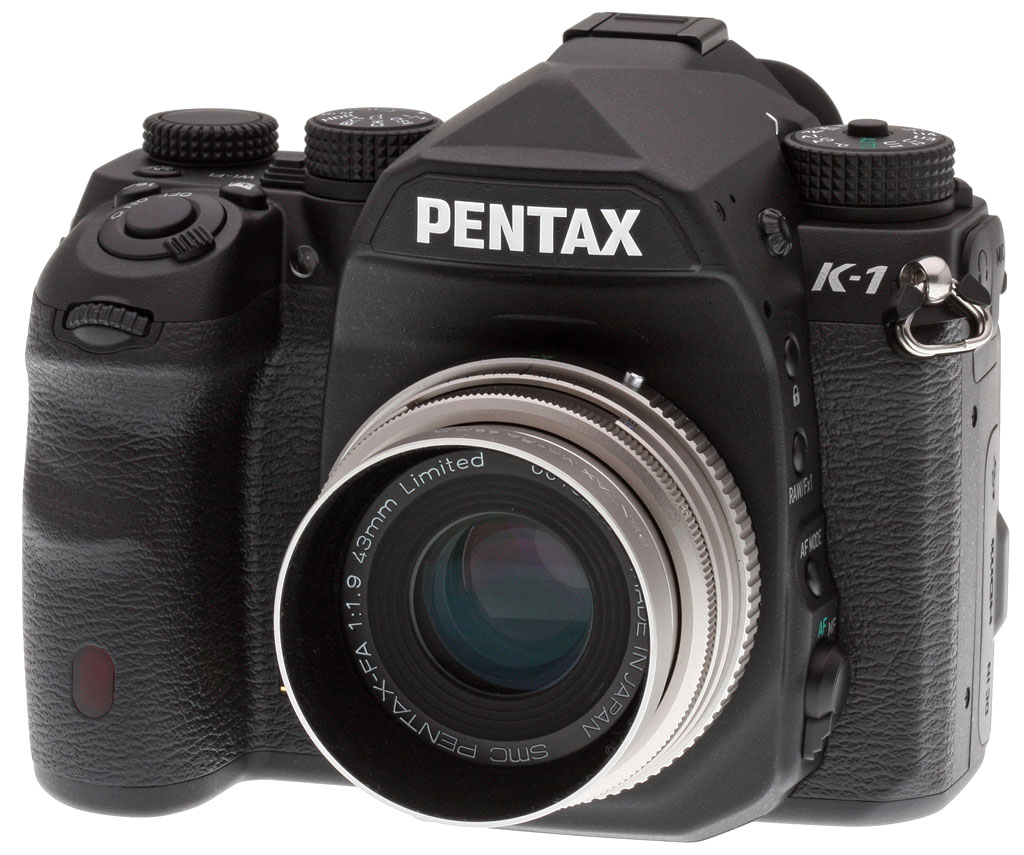
Pentaxians, your wait is finally at its end! After years of rumors, Ricoh has answered the pleas of its customers and brought its K-series DSLR lineup into a new era with the Pentax K-1, its first full-frame digital camera. Bridging the gap between its epic medium-format cameras and its affordable APS-C DSLRs, the K-1 is one very impressive full-frame camera indeed — and it ships at a pricetag that should be easy for many to justify!
The Pentax K-1 is Ricoh’s new flagship K-mount camera
It might be affordable, but that doesn’t mean Ricoh has skimped on features in the least. On the contrary, this is a clear flagship model which debuts a brand-new, comprehensively weather-sealed body design. Crafted from magnesium alloy, the Pentax K-1 is freezeproof to 14°F (-10°C), and thanks to a generous array of 87 different seals, it’s also dustproof and weather-resistant. (And if you opt to purchase the available battery grip, you’ll find that this has a further 47 seals.)
The Pentax K1’s body is very comfortable
The Pentax K-1’s brand-new body feels very good in-hand, with a nice grip that’s both deep enough that your fingers don’t press uncomfortably into the camera body if you have large hands, yet thin enough that those of you with smaller hands should be able to hold it comfortably as well. The thumbrest on the top right rear corner of the camera is nicely curved, and sticks out enough to contribute to what is, overall, a very secure-feeling grip on the body.
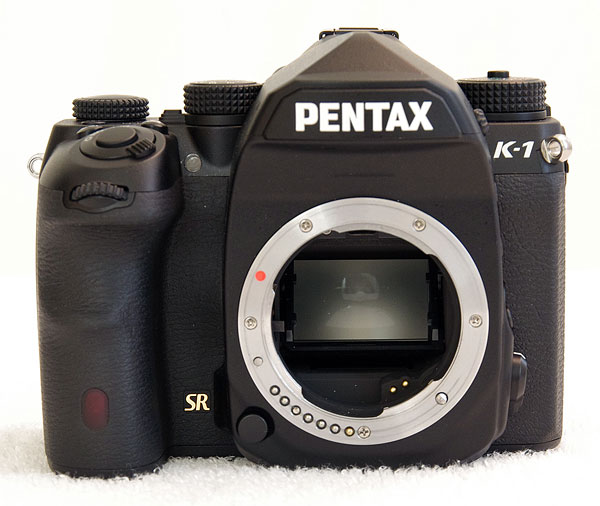
The Pentax K1 is also pretty compact for a full-frame DSLR
The top and rear-panel controls on the Pentax K-1 are arranged very conveniently, although operating some of the latter will necessitate a two-handed grip. The K-1’s body is relatively compact compared to cameras like the Nikon D810 or Canon EOS 5DS R, but it’s obviously larger than a full-frame mirrorless camera like, say, the Sony A7R II.
A bright, roomy viewfinder and unique LCD monitor for the K1
As you’d expect, there’s a newly-designed pentaprism viewfinder which boasts near-100% coverage and a generous 0.7x magnification. In a departure from past models, focus points are no longer simply illuminated with LEDs, but instead there is now an illuminated LCD overlay in the viewfinder. This also provides a customizable grid display, an indication of the crop area if applicable, and a dual-axis level gauge function.
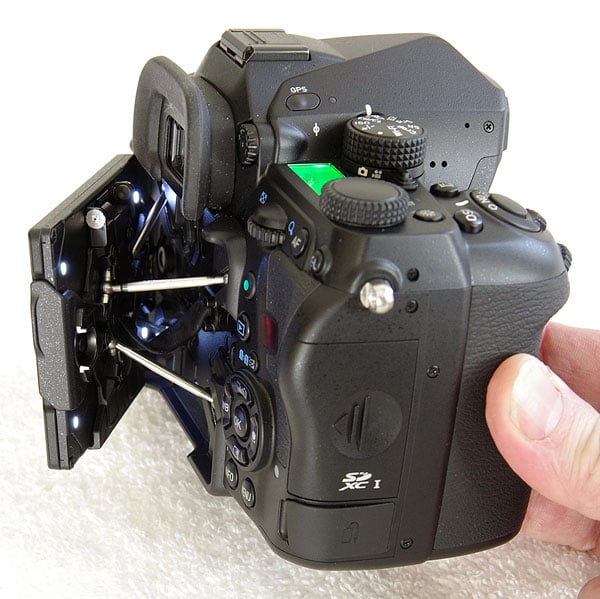
There’s also a 3.2-inch LCD monitor which has a unique articulation mechanism, something we’d seen when the camera was shown under glass a few times over the last year or so, and which we’d been keen to get our hands on.
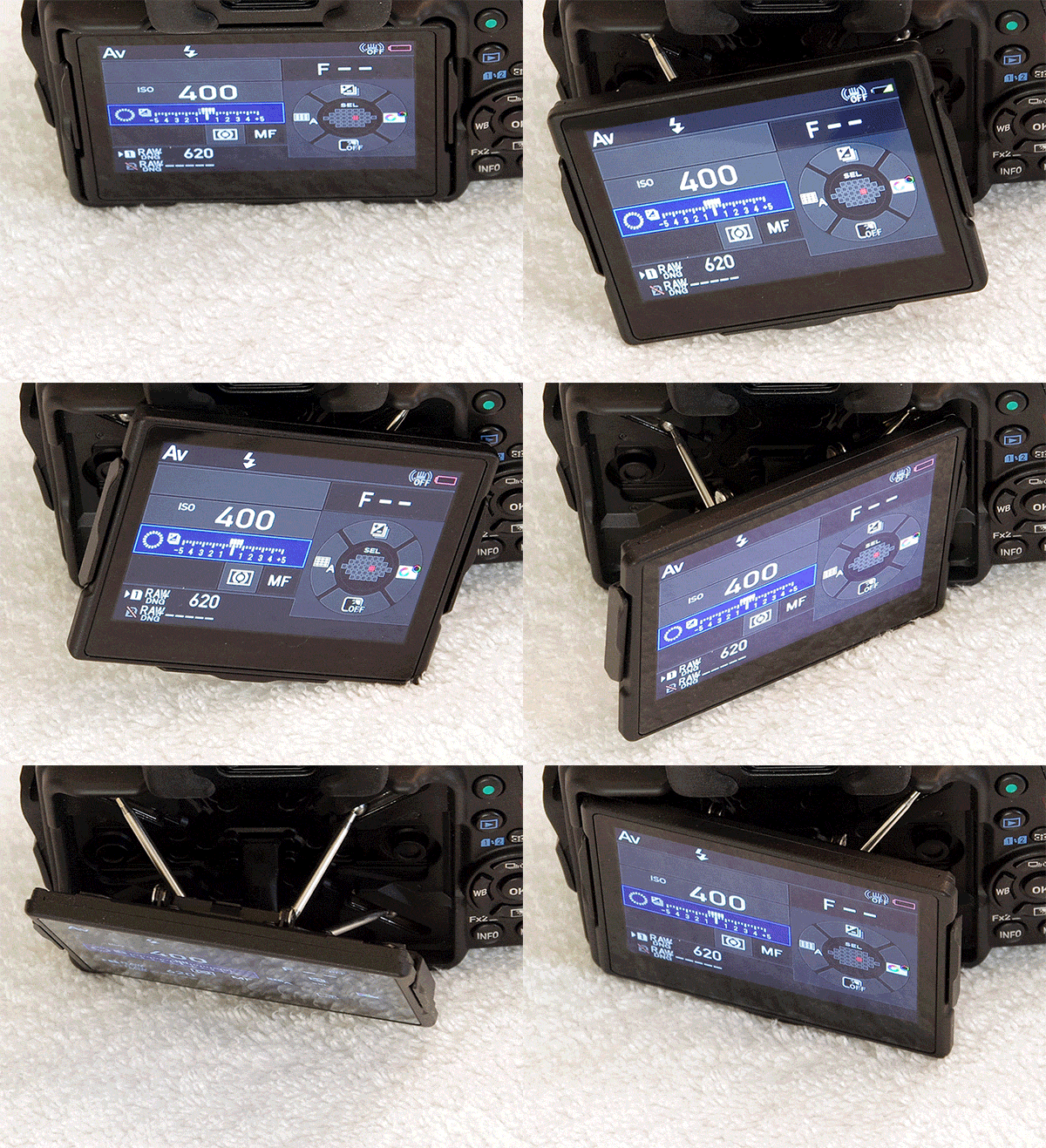
The monitor itself sits atop four struts which allow it not only to be angled to face up, down, left or right, but even swiveled somewhat. These struts provide for +/-35 degrees of side-to-side adjustment, and +/-44 degrees of vertical tilt. Once they reach their maximum extent, a secondary hinge allows the screen tilt to continue upwards to the 90-degree position for waist-level or low-to-the-ground shots. It’s a bit tricky to describe, but certainly provides a much wider range of motion than competing designs.
Of course, it can’t be angled forwards for selfie shooting, but that’s hardly a major use case for a full-frame camera. The one obvious downside compared to a more traditional tilt/swivel mechanism is that the display can’t be closed facing inwards for added protection.
The Pentax K-1’s on-demand lighting helps see what you’re doing
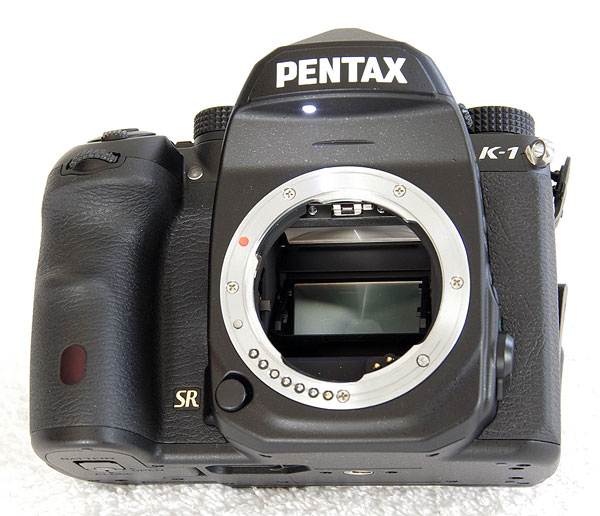
But that’s pretty easy to overlook once you see another unique feature of the Pentax K-1. On the outside of the body are an array of lights, but unlike those on the entry-level Pentax K-S1, these are no mere fashion accent. Instead, they illuminate the camera body to help make it easier to see what you’re doing when fiddling with controls, changing lenses and so forth after dark.
One such LED sits beneath the pentaprism assembly on the front of the camera, providing illumination for the lens mount. More can be found on the rear of the LCD monitor, and light up the rear-panel controls once the display is tipped or pulled outwards from the camera body. Further LEDs cast some light on the K-1’s flash card slots and cable connectors. It’s a really nice detail which makes it much easier to handle the K-1 at night. Hindsight is 20/20, but we can’t help wondering why nobody thought of this before now.
The K-1’s Smart Function Dial keeps you out of the menu system
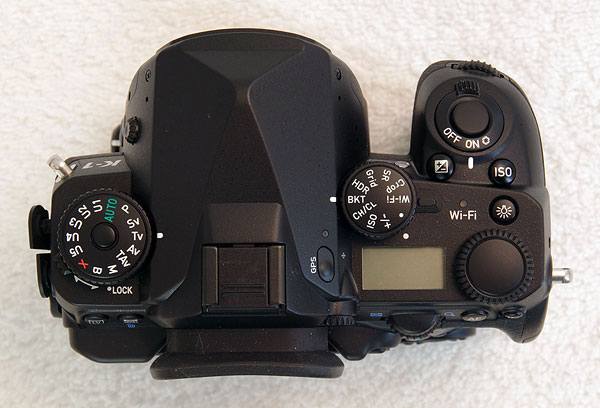
Another rather unusual touch is the Pentax K-1’s new Smart Function dial, which is paired with a new Set dial on the camera’s top deck. This supplements the existing twin control dials — one apiece on the front and rear of the body as in almost all enthusiast-oriented cameras at this price point — and helps to keep you out of the menus. Spin the Smart Function dial, and the Set dial will be reconfigured to control features like exposure compensation, bracketing, sensitivity, cropping, high dynamic range imaging, and plenty else besides, and all without having to enter the menu system at all.
We found ourselves mostly leaving the Smart Function dial set to the crop function, occasionally switching it to control bracketing or drive modes as needed. (And when we did need to access one of the other settings, it took just a moment to tweak both dials appropriately and then return the Smart Function dial to crop mode when we were done.) Why didn’t we opt for ISO sensitivity or exposure compensation, you might ask? Well, both of these are already quick to change by simply holding down the relevant top-deck button and then spinning the rear dial.
36 megapixels means the Pentax K-1 compares well to rivals
But enough of the new body, what about the components housed beneath its skin? There’s some pretty impressive tech to be found inside the Pentax K-1, as well. Based around a 36.4-megapixel image sensor, the K-1 matches Nikon’s D800 / D810 for resolution, but at a much lower pricetag. (The D800 is discontinued these days, but the D810 currently lists for US$3,300, and even after a generous US$500 instant discount is a full US$1,000 more expensive than its Pentax rival, body-only.)
Sure, the K-1 still trails Canon’s EOS 5DS and 5DSR by quite some way in terms of sensor resolution, but it’s also much more affordable than either model. (The Canon siblings list for US$3,700 and US$3,900 respectively, with a $200 instant discount available. That put them at around twice the cost of the Pentax K-1. And Ricoh would doubtless point out that its medium-format Pentax 645D and 645Z are worthy challengers to Canon’s high-res 5DS-siblings, while the Pentax K-1 bests the rest of Canon’s DSLR lineup for maximum sensor resolution. The 645D even lists at around the same price as the much smaller-sensored Canon models, these days.)
Perhaps the Pentax K-1’s nearest rivals in terms of cost and resolution are to be found in Sony’s Alpha A7 series, but these mirrorless cameras all lack the K-1’s optical viewfinder. Chances are that you’ve already made your mind up whether or not you’re willing to live with an electronic viewfinder as in those cameras. If you don’t need their size advantage, there’s a lot to be said for the lag-free feeling of connection to your subject that an optical viewfinder can give you — and that tips the balance in the K-1’s favor.
The Pentax K1 sports even better Shake Reduction
Creating a brand-new full-frame camera from scratch is no small task. As well as its image sensor, the Pentax K-1 sports a variety of brand-new technology aimed at extracting the best from the sensor. They might resemble features of the company’s APS-C sensored cameras, but the K-1’s in-body Shake Reduction and autofocus systems, too, are newly-designed.
We’ll come back to autofocus in a moment, and discuss Shake reduction first. Despite needing to deal with a much larger, heavier sensor assembly, the Pentax K-1’s five-axis Shake Reduction system now has an even greater corrective ability than ever, now being rated by its maker as capable of a five-stop correction.

The K-1 gives you crisper images with Pixel Shift Resolution
Ricoh has retained its Pixel Shift Resolution feature, which debuted on the Pentax K-3 II, for the new Pentax K-1. As in that camera, the function captures four sequential images, shifting the Shake Reduction sensor-shift assembly by one pixel between shots. The result is both full color capture at every pixel location, and reduced noise levels as well. But where the K-3 II could only use the function for completely static subjects — at least officially — the Pentax K-1 can now detect and account for subjects that moved between frames.
In a nutshell, the camera is now doing what I did manually in my field test of the K-3 II by only applying the pixel-shift technique to static areas, while ignoring those areas where there was subject motion. This technique can give you the best of both worlds, boosting resolution for most of your scene while avoiding artifacts for the moving subjects. Although as you’ll see in my field test, it’s better able to deal with larger moving subjects than with the subtle motion you’ll find in foliage, water, and so forth.
Want to know a whole lot more? Read my in-depth Pentax K-1 Pixel Shift Resolution analysis!
Fight moire with the Pentax K1’s Anti-Aliasing Filter Simulator
Also retained from Ricoh’s APS-C DSLR lineup is the Pentax K-1’s Anti-Aliasing Filter Simulator function. It’s no longer completely unique, as Sony has achieved the same thing in hardware in some of its latest cameras, but it’s still pretty special. There’s no resolution-sapping optical low-pass filter over the image sensor — something most interchangeable-lens cameras also lack these days — but unlike the competition, the K-1 can emulate it by moving the image sensor just slightly during the exposure. This can slightly soften the image as the low-pass filter would have done, and in the process help to prevent moiré and false-color effects.
The K-1’s autofocus has been updated, too
And while the K-1’s new 33-point SAFOX 12 autofocus system does bear a strong resemblance to the SAFOX 11 system in recent APS-C cameras, it too has been updated. For one thing, it has been redesigned to better-cover a 35mm image frame, instead of simply providing a dense cluster of points towards the center of the frame. It also sports an additional six focus points that fill the gaps between the main focus array and the two outermost points in the previous-generation SAFOX chip.
As in the earlier design, though, all 25 points in the central array are cross-types, while the centermost point and those directly above or below it are also capable of working at f/2.8 for more accurate focusing with wide-aperture lenses. (These three points are also now more light-sensitive than ever before, working all the way down to -3EV.) The six new points, as well as the existing leftmost and rightmost points are still linear sensors, meanwhile.
Unlock the potential of your Pentax full-frame lenses
While making the leap to full-frame clearly required a significant investment on Ricoh’s part — and we’d guess that’s why it has taken a while to accomplish — it was clearly very worthwhile because it unlocks the full potential of a great many full-frame optics, both old and new. In total, there are a dozen Pentax full-frame lenses which are either available currently or on the way in the not-too-distant future, and many, many more from years gone by will doubtless be used on Pentaxians’ cameras once they get a hold of the K-1.
Of course, not everybody has a big collection of full-frame glass, nor would they necessarily want to use it all the time if they did. Over the last decade, a great many Pentax lenses have been released with sub-frame sensors in mind, and these, too, can be used on the Pentax K-1. Mount a lens designed for an APS-C body on your Pentax K-1, and the sensor data will be cropped automatically, yielding a 15.3-megapixel image. (And you can save this cropped image in raw format too, should you desire.)
You can, however, choose to enable or disable the crop manually, should you prefer. That means you can still use your full-frame glass in cropped mode if you’re shooting a distant subject and want to crop in more tightly to reduce file sizes, improve the burst capture rate and depth, and save yourself time in editing later. It also means that you can use the full image circle of your sub-frame lenses, if they happen to provide noticeably greater than APS-C coverage. (Of course, not all will, and even for those which do you may notice degraded quality outside the intended image circle of the lens. Still, it’s nice to have the option.)
The Pentax K-1’s sensitivity and performance are good for the class
As you’d expect of a full-frame camera, the K-1 offers a wide sensitivity range and delivers good low-light shooting potential. For its class, performance is also reasonably swift. Ricoh rates the K-1 as capable of 4.4 frames-per-second burst shooting at full resolution, or 6.5 frames in APS-C crop mode — and this with a burst depth of 23 or 50 raw frames depending on your crop mode. ISO sensitivity ranges from 100 to 204,800 equivalents.
Shutter speeds range from 1/8,000 to 30 seconds plus bulb, and exposures are determined with an 86,000-pixel RGB metering sensor, just as in the company’s recent APS-C sensored cameras. All of the exposure modes you’d expect on a Pentax camera are present and accounted for, including not just the typical PASM (Program, Aperture-priority, Shutter-priority or Manual) found on almost all DSLRs, but also Sensitivity-priority and Shutter-and-Aperture-priority as found on Pentax DSLRs. There are also bulb, X-sync and a very generous five user modes.
The Real Time Scene Analysis system of the Pentax K-1 has been upgraded compared to those of earlier models, and is said to allow even better automatic exposures when shooting in the new Scene Analyze Auto mode using the Auto Select custom image mode. There are also some new technologies derived from Ricoh’s labs in the K-1, including clarity control and skin-tone correction.
No built-in flash, as you’d expect in a full-frame flagship like the K1
One important point to note if you’re coming from a subframe Pentax DSLR is that unlike most of the company’s DSLRs, the Pentax K-1 lacks a built-in flash. That’s a common design choice in higher-end cameras aimed at more experienced shooters, where popup flash strobes are seen as a potential breakage concern, and of limited use due to their unflatteringly-harsh light. As in the Pentax K-3 II, the location that would have been occupied by a popup flash strobe is instead given over to the GPS radio.
With the high sensitivity of the camera itself — and the opportunities for available-light shooting that it brings — we rather doubt too many photographers will mourn the absence of a popup flash, but one time where you might find yourself wishing for an internal flash is if you’re planning on wireless flash photography. Where most other Pentax DSLRs allow this out of the box, using the internal flash as a controller, this isn’t possible with the Pentax K-1. Instead, you’ll need to supply an extra strobe on the camera to control your wireless setup, even if that strobe won’t be taking part in the final exposure.
The Pentax K-1 boasts instant sharing, and geotagging too
We mentioned that the Pentax K-1 includes a built-in GPS receiver, just as did the K-3 II before it, but the new model goes a step further in its radio connectivity than did that earlier camera. Where the K-3 II had to rely on a rebranded Trek FluCard flash card to provide for wireless data transfer, the Pentax K-1 now sports built-in Wi-Fi. That’s big news if you need to get your photos off the camera and uploading as quickly as possible, whether to social networks or to put them into the hands of your client, ASAP.
The GPS, meanwhile, allows your photos to be tagged with their capture location. And thanks to an electronic compass, the K-1 will also record the direction you’re facing. You can also take advantage of these features to access the K-1’s AstroTracer function, which freezes the motion of stars to help you capture a longer exposure without visible star trails.
If there’s a weak point in the Pentax K1, it’s probably video
Although its cameras have long offered video capture capability — and indeed, were among the very first DSLR models to do so — Ricoh continues not to put a big emphasis on video capture with the Pentax K-1. If you’re planning on infrequent video capture, you’ll doubtless still appreciate the availability of Full HD capture at up to 30p / 60i frame rates, as well as a stereo microphone, mic input jack, headphone jack for levels monitoring, and the ability to adjust audio levels manually. If video is a primary goal, though, the Pentax K-1 likely won’t tick the right boxes for you, as it lacks 4K video capture, high framerate video at above HD resolution, or clean HDMI output.
The K-1 sports a familiar battery and dual card slots
In a rather nice touch for Pentaxians, Ricoh has retained the exact same battery pack for the Pentax K-1 as have been used in all of the company’s higher-end DSLRs (even medium-format models) dating right back to the Pentax K-7. That’s right, you can share packs with your Pentax K-3, K-5, K-7, K-01 or (if you’re lucky enough to own one) your 645-series digital camera!
When used with a Pentax K-1, the D-LI90 battery pack is rated as good for 760 shots on a charge, or 390 minutes of playback. That’s just slightly better than the K-3 II in record mode, as that model was rated for 720 shots on a charge. Note that when comparing with other models, you’ll need to account for the lack of a flash strobe in the K-1. (The standard CIPA test uses the flash for every other shot if the camera has one, increasing power consumption.)
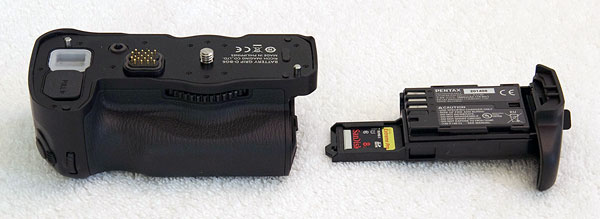
Add on the optional portrait / battery grip, and you’ll be able to put a second battery pack in the camera for double the battery life. (You’ll also be able to use six standard AA batteries in the grip if you can’t get to a charger, and a spare flash card can be stored in one of the two battery inserts that are supplied with it.)
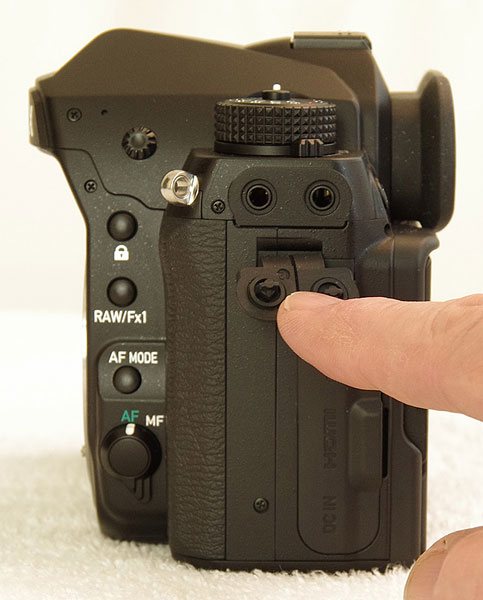
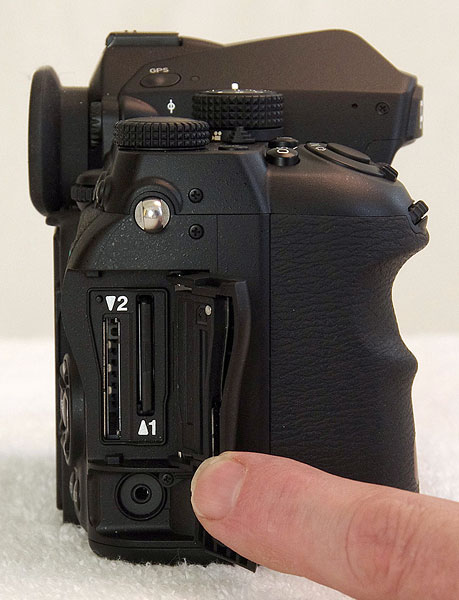
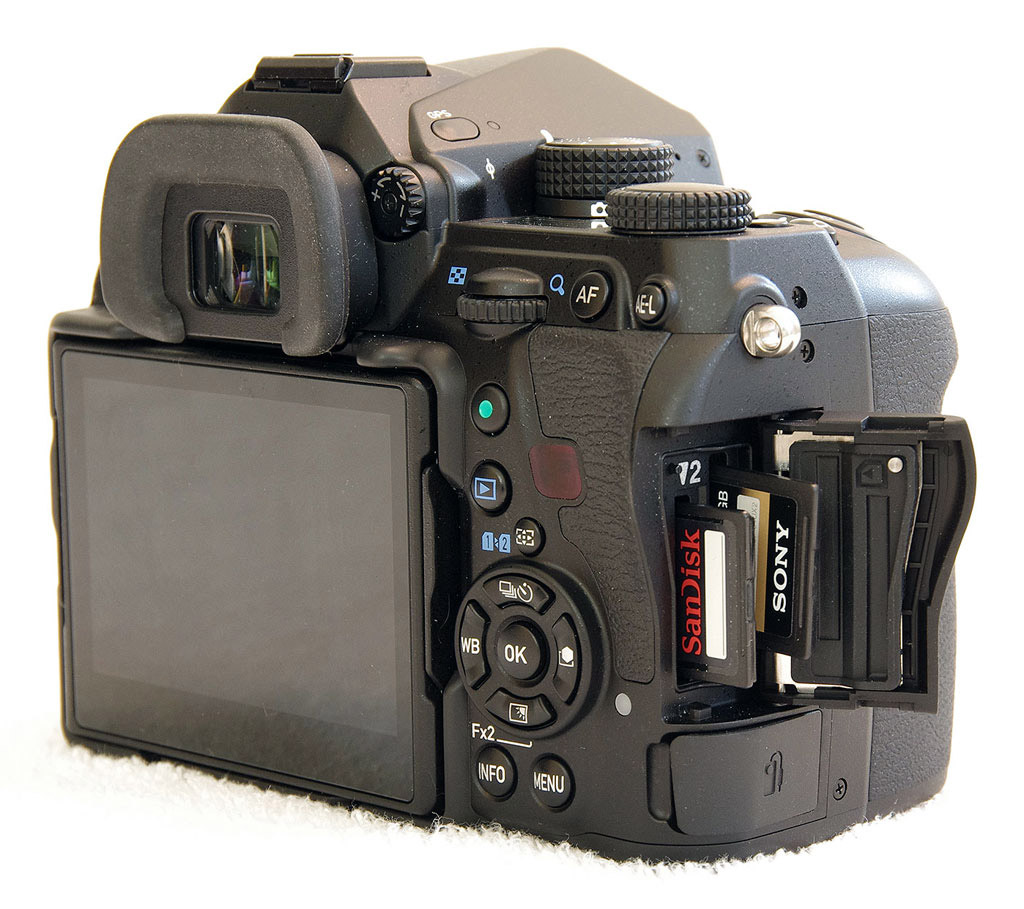
Storage is catered for with dual SD card slots. These are compatible with both the higher-capacity SDHC and SDXC cards, as well as the higher UHS-I cards, the latter up to the maximum bus speed of 104MB/second.
No more SuperSpeed USB for the flagship Pentax
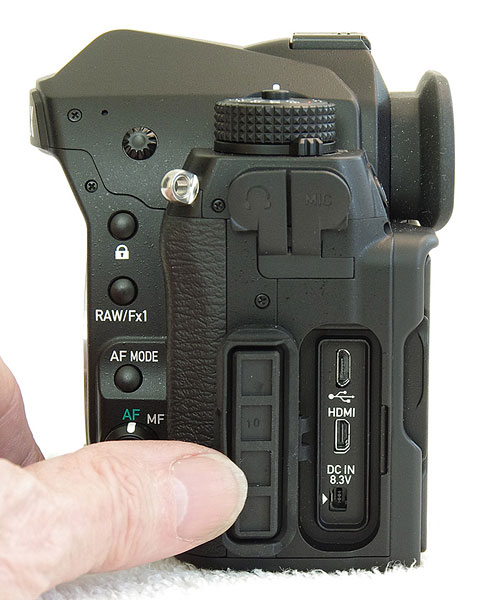
One feature present in recent Pentax flagship DSLRs is surprisingly absent from the K-1, perhaps suggesting that the company feels it doesn’t see sufficient use to justify the cost. Where the earlier K-3 and K-3 II sported USB 3.0 SuperSpeed data connectivity, the K-1 reverts back to the far more common — but rather slower — USB 2.0 High Speed. If you prefer to swap your SD card to another device instead of transferring data through a cable, then you’ll not even notice the change. If you appreciated the higher transfer rates possible with the K-3 siblings, though, it might be time to invest in a fast card reader and change your habits.
In the Box
The Pentax K-1 retail box ships with the following items:
- Pentax K-1 camera body
- Body cap
- D-LI90 lithium-ion rechargeable battery pack
- K-BC90 battery charger kit
- Hot shoe cover FK
- Eyepiece cup FT
- Shoulder strap O-ST162
- Finder cap ME
- PC socket cap
- Instruction manual
- Software CD-ROM S-SW162 with Digital Camera Utility 5 software (based on Silkypix)
Recommended Accessories
- Extra D-LI90 lithium-ion rechargeable battery pack for extended outings
- D-BG6 battery grip (if you want portrait-orientation controls, and extended battery life with a second pack)
- Large capacity SDHC/SDXC memory cards. Given the high resolution and large file sizes of the K-1, 32GB is a good tradeoff between cost and capacity. If you plan to capture HD movie clips, shoot image bursts, or shoot in RAW format, look for cards with UHS-I markings. And remember there are two card slots, for double the storage.
- External shoe mount flash / video light (AF540FGZ II, AF540FGZ, AF360FGZ II, AF360FGZ) or other accessory flash
- K-AC132 power supply kit with DC coupler
- External stereo microphone
- O-RC1 or F remote controls
- CS-205 cable switch
- Medium to large camera bag
Optics
The Pentax K-1 is usually sold body-only, so we have no “kit” lens test results to share.
Below are our Pentax K-1 viewfinder accuracy test results.
Viewfinder Test Results
Coverage
Excellent accuracy from both the optical viewfinder and LCD.
 |
 |
|
70mm, Optical
|
70mm, LCD (Live View)
|
The Pentax K-1’s optical viewfinder and LCD both exhibited essentially 100% coverage in our tests. Excellent performance here.
The images above were taken from our standardized test shots. For a
collection of more pictorial photos, see our
Pentax K-1 Photo Gallery
.
Exposure
Color
Saturation & Hue Accuracy
Vibrant colors with default Bright Color Tone setting, with average hue accuracy.
 |
|||
|
ISO Sensitivity |
|||
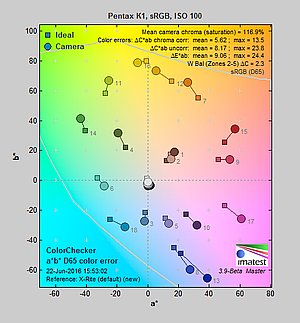
| In the diagram above, the squares show the original color, and the circles show the color that the camera captured. More saturated colors are located toward the periphery of the graph. Hue changes as you travel around the center. Thus, hue-accurate, highly saturated colors appear as lines radiating from the center. Mouse over the links to compare ISOs, and click the links for larger versions. | |||
Saturation. The Pentax K-1’s default image tone setting of “Bright” pushes most colors by quite a bit at base ISO, especially blues, dark greens, dark reds and purples. Mean saturation at ISO 100 is 116.9% or 16.9% oversaturated. That’s about 7% higher than most other brands at default settings. Overall, colors are very bright and punchy, a trait we’ve come to expect from Pentax. Mean saturation gradually declines as sensitivity increases, to 109.8% at ISO 102,400, but it makes a more sudden drop at maximum ISO, to 101.6% . You can of course always select a different image tone preset and/or turn down saturation and contrast settings to suit your own tastes. Most consumer
digital cameras produce color that’s more highly saturated (more intense)
than found in the original subjects. This is simply because most people
like their color a bit brighter than life.
Skin tones. Caucasian skin tones from the Pentax K-1 were pleasing using Manual white balance in our test shots, however Auto white balance produced an overly pinkish appearance. Good results here. Where
oversaturation is most problematic is on Caucasian skin tones, as it’s very
easy for these “memory colors” to be seen as too bright, too pink,
too yellow, etc.
Hue. The Pentax K-1’s mean “delta-C” color error of 5.62 after correction for saturation at ISO 100 is about average for a DSLR these days. Most noticeable were moderate shifts in orange toward yellow and cyan toward blue, with smaller shifts in some reds, yellows, and greens. (The cyan to blue shift is very common among the digital cameras we test; we think it’s a deliberate choice by camera engineers to produce better-looking sky colors.) Color error remains fairly stable as ISO climbs up to 25,600, but increases at the highest ISOs, however that’s to be expected . Hue is “what color” the color is.
Note: Most of our K-1 lab shots were taken with Natural color tone instead of the default Bright setting (our standard is to use the default), however our Far-field (white building) shots used Bright, and we’ve retaken our Still Life ISO series using the default Bright color tone as well. (Our previous single-shot Still Life ISO series now has a -NAT filename suffix and our PSR Still Life series is still Natural since we’ve already written up an in-depth analysis comparing them.)
 |
 |
 |
| See full set of test images with explanations See thumbnails of all test and gallery images |
||
Sensor
Exposure and White Balance
Indoors, incandescent lighting
Very warm results with Auto white balance, but good color with Incandescent and Manual white balance settings. Average exposure compensation required.
 |
 |
| Auto White Balance Strong +0.3 EV |
Incandescent White Balance +0.3 EV |
 |
|
| Manual White Balance +0.3 EV |
The Pentax K-1’s Auto white balance setting had a difficult time with the household incandescent bulbs used in this shot, producing a very warm image with a strong orange tint when using the default “Strong” Correction option; a “Subtle” Correction setting is also available, which would produce even warmer results. Results with the Incandescent setting are actually pretty good, though, just slightly on the warm side. The Manual setting produced very accurate color balance, perhaps just a touch cool. Note that a Kelvin setting is available, as well as Color Temperature Enhancement (CTE) white balance option which exaggerates the temperature of ambient light. The Pentax K-1 required +0.3 EV exposure compensation for a good exposure, which is about average for this shot. Our test lighting for this shot is a mixture of 60 and 100 watt household incandescent bulbs, a pretty yellow light source, but a very common one in typical home settings here in the U.S.
Outdoors, daylight
Bright colors with high contrast; very good exposure accuracy.
 |
 |
| Manual White Balance, 0 EV |
Auto White Balance, 0 EV |
The Pentax K-1 produced very good overall exposures without the need for exposure compensation for both our “Sunlit Portrait” and Far-field shots, producing a good balance between highlights and shadows. This is much better than average in terms of exposure accuracy, however default contrast is quite high, leading to significant highlight clipping in both shots. We preferred Manual white balance for the Portrait shot as Auto white balance produced overly pinkish skin tones, however Daylight white balance also performed well. Color in the Far-field shot is quite pleasing, if a bit pumped.
See full set of test images with explanations
See thumbnails of all test and gallery images
Native Resolution
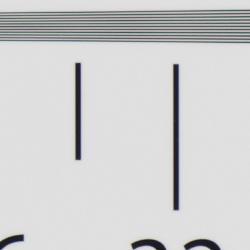
~3,350 lines of strong detail from JPEGs, a little higher from ACR converted RAW files.
 |
 |
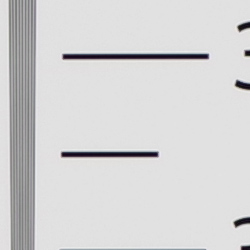
| Strong detail to ~3,350 lines horizontal Camera JPEG |
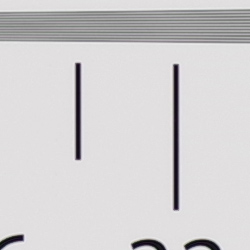
Strong detail to ~3,350 lines vertical Camera JPEG |
 |
 |
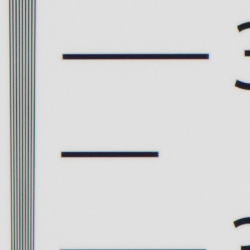
| Strong detail to ~3,450 lines horizontal ACR processed RAW |
Strong detail to ~3,450 lines vertical ACR processed RAW |
Our laboratory resolution chart reveals fairly distinct line patterns up to about 3,350 lines per picture height in the horizontal direction, and to about 3,350 lpph in the vertical direction in a best quality JPEG before lines begin to merge, though individual lines are somewhat faint and some aliasing can be seen as early as 2,200 lpph. Complete extinction of the pattern didn’t occur before the 4,000 line limits of our chart in both directions. An Adobe Camera Raw conversion yielded slightly higher numbers, with individual lines that were more crisp and distinct. The ACR processed RAW image does however show a lot more color moiré, as they often do. (Note that AA Simulation was set to its default of off, for maximum resolution.) Use these numbers to compare with other cameras of similar resolution, or use them to see just what higher resolution can mean in terms of potential detail.
Pixel Shift Resolution Mode
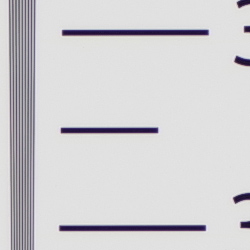
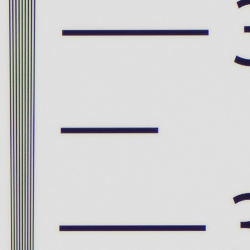
~3,450 lines of strong detail from JPEGs, about the same from converted RAW files.
 |
 |
| Strong detail to ~3,450 lines horizontal Camera JPEG |
Strong detail to ~3,450 lines vertical Camera JPEG |
 |
 |
| Strong detail to ~3,450 lines horizontal ACR processed RAW |
Strong detail to ~3,450 lines vertical ACR processed RAW |
The Pentax K-1’s Pixel Shift Resolution mode yielded slightly higher resolution from in-camera JPEGs at about 3,450 lines both horizontally and vertically but with much crisper lines, however there were still aliasing artifacts in the form of luminance moiré patterns starting as early as 2,300 lines. Adobe Camera Raw wasn’t really able to produce higher results, and interestingly, it still contained more false colors near the limits of resolution than the in-camera JPEG.
Click here for much more on the Pentax K-1’s Pixel Shift Resolution mode.
See full set of test images with explanations
See thumbnails of all test and gallery images
Sharpness & Detail
Fairly sharp images with very good detail, though with visible edge-enhancement along high-contrast edges. Minor noise suppression visible at base ISO.
 |
 |
| Very good definition of high-contrast elements, though with evidence of edge enhancement. |
Subtle detail: Hair Noise suppression tends to blur detail in areas of subtle contrast, though detail remains strong in the darker parts of the hair here. |
Sharpness. The Pentax K-1 produced fairly sharp images with very good detail at default settings. Edge enhancement artifacts are visible on high-contrast subjects such as the sharpening halos around the lettering and border in our Mas Portell bottle label above left, though we’ve seen far worse. Overall crispness is not bad, but JPEG images can look a touch soft at default settings. Edge enhancement creates the illusion of sharpness by enhancing color and tonal differences right at the edge of a rapid transition in color or tone.
Detail. The crop above right shows only minor detail loss due to noise suppression. Individual strands are still distinguishable even in the lighter shadows, though they begin to merge as shadows deepen, and in places where the tone and color of adjacent strands is very close. Still, very good performance here, with remarkably low chroma noise.
Some individual strands of hair do show aliasing artifacts in the form of “jaggies”, however the K-1’s selectable AA filter should help prevent those from occurring when enabled (AA Filter Simulation was disabled by default here). Noise-suppression
systems in digital cameras tend to flatten-out detail in areas of subtle
contrast. The effects can often be seen in shots of human hair, where the
individual strands are lost and an almost “watercolor” look appears.
Anti-aliasing Filter Simulator
During the exposure, the Pentax K-1’s anti-shake actuator can oscillate the sensor assembly microscopically in either a linear (Type 1) or circular (Type 2) motion, simulating the effects of an anti-aliasing (or optical low-pass) filter. To see the effect on image sharpness and aliasing artifacts, roll over the links in the table below to compare settings:


As you can see above, AA Filter Simulation Type 1 blurs fine detail slightly, while Type 2 offers a slightly stronger effect, which should go a long way to reduce aliasing artifacts and moiré as can be seen in the center of the starburst crop. The crop on the right is a real-world example that usually shows stronger moiré in the blinds, but it’s still a useful comparison to see the slight reduction in aliasing and sharpness. Note that the AA Filter Simulator is not available in burst mode or during Bulb or HDR capture, and the full effect cannot be achieved at shutter speeds faster than 1/1000s. Pentax has however provided a very useful AA filter bracketing mode, which will take 3 shots with the different AA filter settings in case you’re not sure which setting to use, or want to selectively merge different exposures to reduce aliasing in specific areas.
RAW vs In-Camera JPEGs
As noted above, the Pentax K-1 does a pretty good job at capturing lots of fine detail in its JPEGs, but more detail can often be obtained from carefully processing RAW files, while at the same time reducing sharpening artifacts. Take a look below, to see what we mean:
| Base ISO (100) | |
 |
 |
 |
 |
 |
 |
|
Camera JPEG, defaults
|
RAW via Adobe Camera Raw
|
In the table above, we compare an in-camera JPEG taken at base ISO using default noise reduction and sharpening (on the left) to the matching RAW file converted with Adobe Camera Raw 9.1 using default noise reduction with some moderate but tight unsharp masking applied in Photoshop (150%, radius of 0.3 pixels, and a threshold of 0).
As is usually the case, Adobe Camera Raw delivers finer detail than the camera’s processing, and its default noise reduction does a little better with our difficult red-leaf swatch, resolving a little more of the fine thread pattern, however it did produce more noticeable moiré patterns. ACR also did a better job with color, rendering the pink fabric closer to reality instead of the more magenta interpretation from the camera. Adobe Camera Raw also produced finer detail in the mosaic, but left behind a bit more noise, as seen in flatter areas. Overall, though, the Pentax K-1 does a good job with its JPEGs, but as is usually the case you can extract slightly more detail (with more accurate color and fewer sharpening artifacts) with a good RAW converter.
ISO & Noise Performance
Very good high ISO performance.
| Noise Reduction = Auto (Default) | ||
 |
 |
 |
| ISO 100 | ISO 200 | ISO 400 |
 |
 |
 |
| ISO 800 | ISO 1600 | ISO 3200 |
 |
 |
 |
| ISO 6400 | ISO 12,800 | ISO 25,600 |
 |
 |
 |
| ISO 51,200 | ISO 102,400 | ISO 204,800 |
The Pentax K-1’s images are very clean and detailed from ISO 100 through 400 and are practically indistinguishable except in the red channel where there is a bit of softening at ISO 400. ISO 800 shows a touch more luminance noise, but fine detail is still excellent. Detail is still very good at ISO 1600, with a tight film-like noise “grain”, low chroma noise, and very little fine detail lost to noise reduction (except in reds). At ISO 3200, there’s increased blurring and more visible noise “grain” particularly in the shadows, but fine detail is still quite good, and chroma noise continues to be very well-controlled. ISO 6400 shows noticeably stronger luma noise but it’s still fine-grained, leaving quite a bit of fine detail left. Chroma noise is still quite low, but it starts to show in the shadows. Image quality takes a larger step down at ISO 12,800, with fine detail becoming noticeably softer because of the higher noise, and chroma noise becoming visible in darker midtones. Image Quality at ISO 25,600 and above falls off quickly, though, with much stronger luminance noise, noise reduction artifacts, as well as increasing chroma noise which becomes very obtrusive at ISOs 102,400 and 204,800.
Overall, though, high ISO noise performance is very good for a high-res full-frame camera, though perhaps not quite as good as some competing models in JPEGs. High ISO noise in RAW files however appears to be very competitive with similar models, and even slightly better than its closest rival, the Nikon D810.
Of course, the impact of noise and detail loss are highly dependent on the size the photos are printed at, and pixel-peeping on-screen has surprisingly little relationship to how the images look when printed: See the Print Quality section below for recommended maximum print sizes at each ISO.
Extremes: Sunlit, dynamic range, and low light tests
High default contrast results in mediocre dynamic range in JPEGs. Excellent low-light performance, capable of capturing bright images in near darkness.
 |
 |
 |
| 0 EV | +0.3 EV | +0.7 EV |
Sunlight:
The Pentax K-1 struggled with harsh lighting in the above test. Default contrast is quite high, and as a result, quite a few highlights were blown in the mannequin’s white shirt and in some of the flowers, even at default (0 EV) exposure. Shadow detail is however very good, with low noise levels even in the deepest shadows. Note that these shots were captured with the Pentax K-1’s D-Range control set to “Off.”
As expected, we were easily able to recover virtually all blown highlights from the matching DNG file, indicating the dynamic range available in K-1 RAW files is quite good and perhaps even class-leading.
Because digital cameras are more like slide film than negative film (in that they tend to have a more limited tonal range), we test them in the harshest situations to see how they handle scenes with bright highlights and dark shadows, as well as what kind of sensitivity they have in low light. The shot above is designed to mimic the very harsh, contrasty effect of direct noonday sunlight, a very tough challenge for most digital cameras. (You can read details of this test here. In actual shooting conditions, be sure to use fill flash in situations like the one shown here; it’s better to shoot in open shade whenever possible.)
D-Range Settings
The Pentax K-1 offers four Shadow Correction levels (Auto, Low, Medium and High, plus Off) as well as two Highlight Correction levels (Auto and On, plus Off). As the name implies, Shadow Correction works to raise shadow levels while attempting to keep highlights and midtones as they are, and inversely, Highlight Correction attempts to reduce highlights without darkening shadows and midtones. Both can be used simultaneously.
|
Far-field D-Range Examples
|
|||
 |
|||
Mouse over the links to see how the various settings for D-Range affects our high-contrast Far-field shot, and click on a link to get to the full-res image. (The effect can be a little subtle in shots like those above, so we used a mouse-over to better show how each setting compares.)
Shadow Correction. Above, we can see a progressive lightening of shadows and midtones as the Shadow Correction setting is increased, while highlights are pretty much untouched. And in this case, the Auto setting produced results very similar to the manual Low setting. If you look closely at the shadow detail, you will notice an increase in noise as the setting is turned higher, but that’s to be expected and noise levels are still quite low from the K-1.
Highlight Correction. Highlight Correction also worked as expected, with On and Auto producing virtually identical results here (compare Highlight On or Highlight Auto to D-Range Off), toning down highlights to preserve them while keeping shadows and midtones roughly the same. Note that Highlight Correction is not available at ISOs below 200, so these were shot at ISO 200.
HDR Capture
The Pentax K-1 has a High Dynamic Range (HDR) capture mode where the camera takes three images (underexposed, normal, and overexposed) in quick succession and combines them in-camera into one image. If performed properly, this method should result in much higher dynamic range, without the additional noise penalty that comes with boosting sensitivity or lightening shadows. (In fact, it can reduce shadow noise by combining shadows from the overexposed shot.)
There are five HDR settings available: Auto, Advanced (which applies Clarity Enhancement as well), and HDR 1/2/3 providing three blend settings. Each setting has three possible exposure ranges (±1 EV, ±2 EV (default), and ±3 EV). There’s also an optional Auto Align feature for use when shooting without a tripod, which is enabled by default on the K-1.
|
Far-field HDR Examples
|
||||
|
|
||||
| HDR Auto | ||||
Mouse-over the links above to compare thumbnails, and click on them to access full-resolution versions.
The Auto setting worked reasonably well on our Far-field test shot, reducing highlights and bringing out shadow detail while maintaining a natural, non-HDR look. HDR 1 mode produced a relatively realistic image though with an obvious HDR-ish look, HDR 2 produced a stronger effect, and HDR 3 resulted in a very unnatural, almost cartoonish image with strong haloing. We didn’t test Advanced.
As with most HDR systems there can be slight focal-length crop with Auto Align active as you can see with the HDR 3 and HDR Auto images, and watch out for ghosting that can occur when images contain movement between exposures, such as the moving leaves in some of the above shots.
Dynamic Range Analysis (RAW mode)
While we once performed our own dynamic range measurements based on in-camera JPEGs as well as converted RAW images (when the camera was supported by Adobe Camera Raw), we’ve switched to using DxO Labs’ results from their DxOMark website. As technology advanced, the dynamic range of modern high-end cameras in some cases exceeded the range of the Stouffer T4110 density scale that we used for our own measurements. DxO’s approach based on RAW data before demosaicing is also more revealing, because it measures the fundamental dynamic range of the sensor, irrespective of whatever processing is applied to JPEGs, or to RAW data by off-the-shelf conversion software.
In the following, we use DxO’s “Print” dynamic range results, which are scaled based on camera resolution. As the name suggests, this scaling corresponds to the situation in which you print at a given size, regardless of how many megapixels the camera might have. (In other words, if you’ve decided to make a 13×19 inch print, that’s the size you’re printing, whether the camera’s resolution is 16 or 300 megapixels.) For the technically-minded, you can find a discussion of the reasoning behind this here on the DxOMark website. Also note that DxO Labs uses a signal-to-noise (SNR) threshold of 1 when defining the lower boundary of acceptable luminance noise in their dynamic range measurements, which corresponds to the “Low Quality” threshold of the Imatest software we used to use for this measurement.
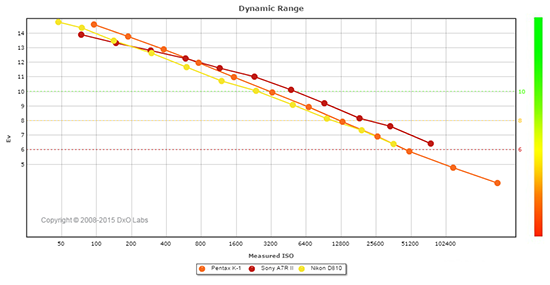 |
Here, we compare the Pentax K-1 (in orange) to a couple of high-resolution full-frame cameras, the 36-megapixel Nikon D810 (yellow) and the 42-megapixel Sony A7R II (red). You can always compare to other cameras on DxOMark.com.
As you can see from the above graph (click for a larger image), the Pentax K-1 actually has slightly higher dynamic range at its ISO 100 setting (14.6 EV) than the Nikon D810 (14.36 EV) at its ISO 100 setting, however at the D810’s lower base ISO of 64, dynamic range is a touch higher at 14.76 EV. That’s a very minor difference that will most certainly not be visible in real-world images, though, and the K-1 has a slight advantage over the D810 up to about ISO 12,800, where results from the two cameras merge.
Compared to the Sony A7R II, the Pentax K-1 enjoys a 0.7 EV advantage in dynamic range at base ISO, but between ISO 400 and 800, the Sony catches up and overtakes the K-1 at higher ISOs, with up to about a one stop advantage at between ISO 51,200 and 102,400.
Bottom line: Excellent dynamic range results from the Pentax K-1, particularly at lower ISOs. Click here to visit the DxOMark page for the Pentax K-1 for more of their test results and additional comparisons.
| 1 fc 11 lux |
1/16 fc 0.67 lux |
1/16 fc No NR |
|
|---|---|---|---|
| ISO 100 |
 2s, f2.8 |
 30s, f2.8 |
 30s, f2.8 |
| ISO 3200 |
 1/15s, f2.8 |
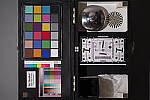 1s, f2.8 |
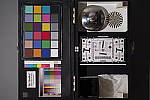 1s, f2.8 |
| ISO 204800 |
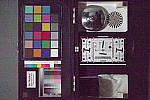 1/1000s, f2.8 |
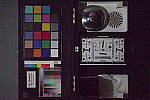 1/60s, f2.8 |
 1/60s, f2.8 |
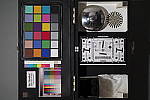
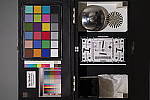
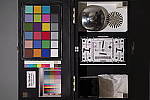
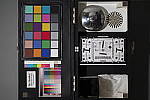
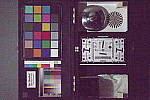
Low Light. The Pentax K-1 performed very well in terms of image quality in our low-light tests, capturing clean, well-exposed images at the lowest light level (1/16 foot-candle) with the lowest sensitivity setting (ISO 100). As you’d expect, noise is higher at ISO 3200, but it appears well-controlled and very fine-grained. Unsurprisingly, the maximum ISO of 2048, 000 is very noisy with a strong chroma component, and is thus best avoided.
Color balance with Auto white balance was quite good which isn’t always the case, with just a slightly cool bias. At the highest ISO though, color balance shifted towards magenta in midtones and shadows for two of the three shots, but oddly the center 1/16 foot-candle shot with default noise reduction was underexposed and didn’t display the magenta shift.
We did not detect any significant issues with hot pixels or heat blooming, though some horizontal banding (fixed pattern noise) can be seen at the highest ISO, however that isn’t uncommon at such a high sensitivity, and we didn’t see it at the lower ISOs tested, even in the shadows.
LL AF: The Pentax K-1’s phase-detection autofocus system was able to focus on our standard low-contrast AF target down to well below the 1/16 foot-candle light level (-3.4 EV) using an f/2.8 lens with its AF assist light turned off, which is excellent, easily meeting Pentax’s spec. And with our high-contrast AF target, it was able to focus down to an amazing -5.4 EV. With the AF assist lamp enabled, the K-1 was able to focus in complete darkness on both targets. In Live View mode, the K-1 was able to focus down to -1.3 EV on our low-contrast AF target, and down to -3.3 EV on our high-contrast target, which is quite good.
How bright is this? The one foot-candle light level
that this test begins at roughly corresponds to the brightness of typical
city street-lighting at night. Cameras performing well at that level should
be able to snap good-looking photos of street-lit scenes.
NOTE: This low light test is conducted with a stationary subject, and the camera mounted on a sturdy tripod. Most digital cameras will fail miserably when faced with a moving subject in dim
lighting. (For example, a child’s ballet recital or a holiday pageant in a gymnasium.) Digital SLRs like the Pentax K-1 do much better than point & shoots, but you still shouldn’t expect a quick autofocus lock with moving subjects.
Output Quality
Print Quality
Excellent 30 x 40 inch prints and larger at ISO 100/200/400; a good 20 x 30 inch print at ISO 1600; a nice 8 x 10 inch print at ISO 12,800.
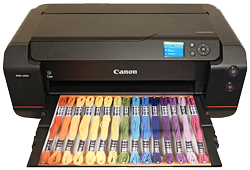 ISO 100/200/400 images printed at 30 x 40 inches are simply stunning. The level of fine detail and “pop” in these prints rivals most any model that’s passed through our test lab. Wall display prints are possible at larger sizes, until resolution catches up and individual pixels become noticeable, which given the 36.2-megapixel files would not be until very large prints indeed.
ISO 800 prints are quite nice at 24 x 36 inches. Crisp, fine detail and rich colors are still present at this size, and only the faintest trace of noise is evident in flatter areas of our test target. There’s also a typical softening in the red channel, common on most all digital cameras to varying degrees as ISO begins to rise.
ISO 1600 yields a 24 x 36 inch print that almost passes our “good” grade. There is now a bit more noise evident in the shadowy areas of our target, although it’s more akin to film grain than mottling as some cameras produce, but enough to warrant only using this size for less critical applications. A reduction to 20 x 30 inches does the trick and allows for good prints at this sensitivity.
ISO 3200 is capable of delivering a very nice 16 x 20 inch print, with only minor issues such as a trace of noise apparent in flatter areas of our target. Also, all contrast detail is now lost in our tricky red-leaf swatch, a fairly common theme as ISO rises, but otherwise the print still shows good fine detail and color reproduction is still quite good.
ISO 6400 tends to be the turning point for most full-frame cameras in terms of image quality, and the K-1 is no exception. While the 13 x 19 inch print is not bad, and certainly usable for less critical applications, a reduction in size to 11 x 14 inches is required in order to tighten the prints up enough to warrant our good seal. There are only minor issues similar to the ones mentioned above, but otherwise a nice print. Anything larger introduces too much noise in some areas to make our good grade.
ISO 12,800 prints a nice 8 x 10, which is still a very useful size for such a high sensitivity. It’s only been in the past few years that we’ve awarded a few cameras with larger prints here, with a few Nikon and Sony bodies that have scored an 11 x 14 inch rating.
ISO 25,600 produces a 5 x 7 inch print similar to the 8 x 10 at ISO 12,800. There’s still plenty of fine detail and full color reproduction, with very few issues to speak of. Not a large print, but it’s nice to know you can achieve a good 5 x 7 at such a lofty gain setting!
ISO 51,200 images show just a bit too much noise in the 4 x 6 inch prints to call good, but they’re fine for less critical applications. Still, this setting is best avoided for printing.
ISO 102,400/204,800 do not produce worthwhile prints at any size and these settings are best avoided.
The 36-megapixel full-frame Pentax K-1 abounds with the potential to deliver stunning prints at the lower ISOs, and your printer will love you for it. As the gain rises the K-1 continues to offer the ability to produce large prints all the way to a 16 x 20 at ISO 3200. After that, the camera becomes a mere mortal again but still delivers about as good as most other full-frame models we’ve tested, though not as good as some of them. However when employing PSR mode you’ll gain even more resolution and lower noise, and can therefore produce even larger prints. Given the excellent single-shot printing performance up to ISO 3200, we give the Pentax K-1 high marks in the print quality department.
The images above were taken from our standardized test shots. For a
collection of more pictorial photos, see our
Pentax K-1 Photo Gallery
.
Not sure which camera to buy? Let your eyes be the ultimate judge!
Visit our Comparometer(tm)
to compare images from the Pentax K-1 with those from other
cameras you may be considering. The proof is in the pictures, so let
your own eyes decide which you like best!
Performance
Timing and Performance
Mixed performance for a full-frame DSLR.
| Startup/Play to Record | ||
|---|---|---|
|
Power on |
~1.2 seconds
|
Time it takes for camera to turn on and take a shot. |
|
Play to Record, |
~0.3 second
|
Time until first shot is captured. |
The Pentax K-1’s startup time was a little slow for a DSLR, but switching from Play to Record and taking a shot was quite fast.
| Shutter Response (Lag Time), Optical Viewfinder | ||
|---|---|---|
|
Full Autofocus |
0.090 second
|
Time from fully pressing shutter button to image capture. (All AF timing measured with Pentax 55mm f/1.4 SDM lens). |
|
Full Autofocus |
N/A
|
Time from fully pressing shutter button to image capture, Auto Flash enabled. |
|
Manual focus |
0.087 second
|
For most cameras, shutter lag is less in manual focus than autofocus, but usually not as fast as when the camera is “pre-focused.” |
|
Prefocused |
0.086 second
|
Time to capture, after half-pressing and holding shutter button. |
| Shutter Response (Lag Time), Live View mode | ||
|
Prefocused |
0.247 second
|
Time to capture, after half-pressing and holding shutter button. |
The Pentax K-1’s full autofocus shutter lag when shooting the same target multiple times was very fast for a pro-level DSLR. The K-1 required only 0.090 second for full AF using the Pentax 55mm f/1.4 SDM DA* lens. Manual focus shutter lag was just a touch faster at 0.087 second. When prefocused, shutter lag dropped only slightly to 0.086 second, which is a little slower than average for a pro DSLR.
The Pentax K-1’s prefocused shutter lag time in Live View mode was 0.247 second, noticeably slower than when using the optical viewfinder, but not bad for a DSLR. Note that we no longer test full AF lag in Live View mode for DSLRs, because the lens used makes such a huge difference that comparing is pointless. We’ll try to comment on real-world Live View AF performance in our our field reports.
To minimize the effect of different lens’ focusing speed, we test AF-active shutter lag with the lens already set to the correct focal distance.
| Cycle Time (shot-to-shot) | ||
|---|---|---|
|
Single Shot mode |
< 0.3 second
|
Average time per shot. |
|
Single Shot mode |
< 0.3 second
|
Average time per shot. |
|
Early shutter |
Yes
|
Some cameras refuse to snap another shot if |
|
Continuous H mode |
0.22 second (4.60 frames per second);
74 frames total; 48 seconds to clear |
Time per shot, averaged over 74 frame buffer. Slows to an average of 0.67 second or 1.49 fps when buffer is full. |
|
Continuous H mode |
0.22 second (4.60 frames per second);
17 frames total; 31 seconds to clear |
Time per shot, averaged over 17 frame buffer. Slows to an average of 1.54 second or 0.65 fps when buffer is full. |
|
Continuous H mode |
0.22 second (4.60 frames per second);
13 frames total; 34 seconds to clear |
Time per shot, averaged over 13 frame buffer. Slows to an average of 2.21 seconds or 0.45 fps when buffer is full. |
|
Continuous H mode |
0.22 second (4.60 frames per second);
13 frames total; 34 seconds to clear |
Time per shot, averaged over 13 frame buffer. Slows to an average of 2.17 seconds or 0.46 fps when buffer is full. |
|
Flash recycling |
N/A
|
Flash at maximum output. |
|
*Note: Buffer clearing times measured with a SanDisk Extreme Pro 95MB/s UHS-I SDHC memory card. Slower cards will likely produce correspondingly slower clearing times. Slow cards may also limit length of bursts in continuous mode. ISO sensitivity and other settings such as highlight/shadow corrections or NR can also affect cycle times and burst mode performance. |
||
Shot-to-shot cycle time in single-shot mode was so fast (under 0.3 second) that it was difficult to measure accurately. (Fast single-shot cycle times depend a lot on the tester’s agility and rhythm, so your results may vary.) We no longer test just RAW files in single-shot mode, as it’s usually somewhere in between JPEG and RAW+JPEG cycle time.
Continuous H mode speed tested a little faster than Pentax’s 4.4 frames per second spec, measured at 4.6 fps no matter the file type. That’s just a little below average for a full-frame DSLR, though. The K-1 also offers Continuous M and L modes rated at 3.0 and 0.7 fps respectively, as well as APS-C crop modes rated up to 6.5 fps, but we did not test those modes in the lab.
Buffer depth in Continuous H mode was excellent when shooting just JPEGs at 74 Large Best Quality JPEG frames, slightly exceeding Pentax’s 70 frame spec. When shooting RAW files, buffer depths were much lower at 17 DNG RAW frames and 13 DNG RAW+JPEG frames before the camera slowed down. We also tested PEF format for RAW+JPEG, but got almost identical results.
Buffer clearing was quite slow, taking a glacial 48 seconds to clear a burst of 74 JPEGs, 31 seconds after a max-length burst of RAW files, and 34 seconds after a max-length RAW+JPEG burst, when tested with our 95MB/s SanDisk Extreme Pro UHS-I card. (Unfortunately, the Pentax K-1 is not UHS-II compliant.)
Bottom line, the Pentax K-1’s performance was mixed in our tests, ranging from very fast autofocus and single-shot cycle times to sluggish startup, mediocre burst speeds and slow buffer clearing.
Battery
Battery Life
Below average battery life.
| Operating Mode | Number of Shots |
|---|---|
|
Optical Viewfinder,
(CIPA standard) |
760
|
|
Live View LCD,
(CIPA standard) |
Unknown
|
The Pentax K-1 uses a custom rechargeable D-LI90 lithium-ion battery for power, and ships with a dedicated charger. CIPA-rated battery life when using the optical viewfinder is below average for a full-frame DSLR, especially when you consider the K-1 has no built-in flash which is normally fired every other shot during CIPA battery-life testing. Pentax does not specify battery life in Live View mode, but it will certainly be a lot lower. We strongly recommend you pick up a spare battery and keep it freshly charged and on-hand for extended outings, and consider purchasing the optional D-BG6 portrait grip which doubles battery life with a second D-LI90 battery installed.
The table above shows the number of shots the camera is capable of (on either a fresh set of disposable batteries or a fully-charged rechargeable battery as appropriate), based on CIPA battery-life and/or manufacturer standard test conditions.
(Interested readers can find an English translation of the CIPA DC-002 standards document here. (180K PDF document))
Image Quality
Below are crops from our laboratory Still Life target comparing the Pentax K-1’s single-shot image quality to its latest APS-C sibling, the K-3 Mark II, as well as to a number of high-resolution full-frame cameras: the Canon 5DS R, Nikon D810, and Sony A7R Mark II. And for good measure, we’ve also included Ricoh’s superb Pentax 645Z DSLR, giving a comparison with a medium-format camera that is still our current resolution benchmark.
To see how the K-1’s Pixel Shift Resolution feature compares to single-shot mode, as well as to other cameras, please visit our Pentax K-1 Pixel Shift Resolution Mode page.
NOTE: These images are from best quality JPEGs straight out of the camera, at default settings including noise reduction and using the camera’s actual base ISO (not extended ISO settings). All cameras in this comparison were shot with our very sharp reference lenses. Clicking any crop will take you to a carrier page where you can click once again to access the full resolution image as delivered straight from the camera. For those interested in working with the RAW files involved: click these links to visit each camera’s respective sample image thumbnail page: Pentax K-1, Pentax K-3 II, Canon 5DS R, Nikon D810, Pentax 645Z and Sony A7R II — links to the RAW files appear beneath those for the JPEG images, wherever we have them. And remember, you can always go to our world-renowned Comparometer to compare the Pentax K-1 to any camera we’ve ever tested!
Pentax K-1 vs Pentax K-3 II at Base ISO
 |
 |
 |
 |
 |
 |
|
Pentax K-1 at ISO 100
|
Pentax K-3 II at ISO 100
|
|
Here we compare the 36-megapixel full-frame K-1 to the 24-megapixel APS-C K-3 II, to show you some of the advantages of stepping up to the full-frame K-1. The Pentax K-1 easily outresolves the K-3 II as expected, but it also produces a cleaner image even here at base ISO. Color, contrast, saturation and sharpening are all very similar, and both show some aliasing artifacts (AA filter simulation was disabled for maximum detail and per-pixel sharpness in single image mode). |
|
Pentax K-1 vs Canon 5DS R at Base ISO
 |
 |
 |
 |
 |
 |
|
Pentax K-1 at ISO 100
|
Canon 5DS R at ISO 100
|
|
It’s almost the reverse here, with the 50-megapixel 5DS R resolving noticeably more detail while producing similar noise levels. Sharpening halos aren’t as obvious from the Canon, and it produces more accurate colors, though saturation and contrast aren’t as high. |
|
Pentax K-1 vs Nikon D810 at Base ISO
 |
 |
 |
 |
 |
 |
|
Pentax K-1 at ISO 100
|
Nikon D810 at ISO 64
|
|
Both the Pentax K-1 and Nikon D810 are 36-megapixel full-frame DSLRs and as such capture very similar levels of detail, but Nikon’s processing produces a crisper looking image. Contrast is noticeably higher from the D810, especially in our red-leaf swatch, as is aliasing in the form of moiré patterns, though fainter patterns can still be seen from the K-1 (however the Pentax has the option of enabling AA filtering which the Nikon does not). Colors are arguably more pleasing from the Nikon, especially the pink fabric which the Pentax renders too magenta. |
|
Pentax K-1 vs Pentax 645Z at Base ISO
 |
 |
 |
 |
 |
 |
|
Pentax K-1 at ISO 100
|
Pentax 645Z at ISO 100
|
|
The 51-megapixel medium-format Pentax 645Z captures significantly more detail than the K-1, but noise levels appear similar. And because both cameras are from Ricoh/Pentax, default processing is also quite similar, although sharpening halos appear a little less obvious from the 645Z. |
|
Pentax K-1 vs Sony A7R II at Base ISO
 |
 |
 |
 |
 |
 |
|
Pentax K-1 at ISO 100
|
Sony A7R II at ISO 100
|
|
The 42-megapixel Sony A7R II is able to capture more detail than the 36-megapixel K-1 here at base ISO, while at the same time producing far fewer sharpening artifacts, lower noise, and more accurate color in the pink fabric. |
|
Pentax K-1 vs Pentax K-3 II at ISO 1600
 |
 |
 |
 |
 |
 |
|
Pentax K-1 at ISO 1600
|
Pentax K-3 II at ISO 1600
|
|
The 36-megapixel full-frame K-1 still easily outresolves the 24-megapixel APS-C K-3 II at ISO 1600, however both images contain similar noise levels. Noise reduction artifacts are stronger from the K-3 II, a sure sign it’s working harder to keep noise in check. Interestingly, the K-1 produces only marginally better detail in our tricky red-leaf swatch, and turning off high ISO noise reduction doesn’t make much difference for either camera, unfortunately. |
|
Pentax K-1 vs Canon 5DS R at ISO 1600
 |
 |
 |
 |
 |
 |
|
Pentax K-1 at ISO 1600
|
Canon 5DS R at ISO 1600
|
|
The Canon 5DS R continues to capture significantly more detail while displaying noise levels that are similar, and in some areas, actually a little lower than the K-1’s here at ISO 1600. The Canon’s image also has better color, fewer sharpening artifacts, and much better detail in our troublesome red-leaf fabric. |
|
Pentax K-1 vs Nikon D810 at ISO 1600
 |
 |
 |
 |
 |
 |
|
Pentax K-1 at ISO 1600
|
Nikon D810 at ISO 1600
|
|
Noise levels appear a touch higher from the K-1, with a coarser “grain” pattern in flatter areas here at ISO 1600, and the D810 retains a lot more detail in the red-leaf and pink fabrics. However apart from that, image quality from these two rivals is pretty similar except for color. |
|
Pentax K-1 vs Pentax 645Z at ISO 1600
 |
 |
 |
 |
 |
 |
|
Pentax K-1 at ISO 1600
|
Pentax 645Z at ISO 1600
|
|
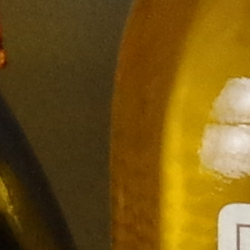
As expected, the medium-format Pentax 645Z still captures noticeably more detail at ISO 1600, with slightly lower noise levels as well. The 645Z still smears the red-leaf fabric, though not as much as the K-1, retaining much of the thread pattern. The 645Z also holds on to much more detail in the pink fabric. |
|
Pentax K-1 vs Sony A7R II at ISO 1600
 |
 |
 |
 |
 |
 |
|
Pentax K-1 at ISO 1600
|
Sony A7R II at ISO 1600
|
|
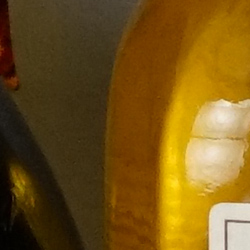
The Sony A7R II continues to capture more detail than the K-1 here at ISO 1600, with lower noise levels and better color as well. |
|
Pentax K-1 vs Pentax K-3 II at ISO 3200
 |
 |
 |
 |
 |
 |
|
Pentax K-1 at ISO 3200
|
Pentax K-3 II at ISO 3200
|
|
Here at ISO 3200, the advantage of a full-frame sensor is still apparent, with the K-1 capturing better detail in most areas, while displaying significantly better noise characteristics. Interestingly, though, it’s the K-3 II that does better with red-leaf swatch, however both cameras struggle to produce any detail at this sensitivity. |
|
Pentax K-1 vs Canon 5DS R at ISO 3200
 |
 |
 |
 |
 |
 |
|
Pentax K-1 at ISO 3200
|
Canon 5DS R at ISO 3200
|
|
The Canon 5DS R continues to capture and retain more detail than the K-1, though noise levels are quite comparable at ISO 3200. Even though the Canon blurs our tricky red-leaf swatch heavily, it does better than the K-1, while producing more accurate color overall as well. |
|
Pentax K-1 vs Nikon D810 at ISO 3200
 |
 |
 |
 |
 |
 |
|
Pentax K-1 at ISO 3200
|
Nikon D810 at ISO 3200
|
|
The Nikon D810 appears to suppress noise in flatter areas better than the K-1 at ISO 3200, while at the same time producing much better renditions of the red-leaf and pink fabrics. Contrast is also somewhat higher from the Nikon, and colors are more pleasing as well, giving the Nikon the edge here. |
|
Pentax K-1 vs Pentax 645Z at ISO 3200
 |
 |
 |
 |
 |
 |
|
Pentax K-1 at ISO 3200
|
Pentax 645Z at ISO 3200
|
|
The 645Z still manages to produce a better image at ISO 3200, with noticeably more detail especially in our challenging red-leaf and pink fabrics, while producing slightly lower noise levels and similar color. |
|
Pentax K-1 vs Sony A7R II at ISO 3200
 |
 |
 |
 |
 |
 |
|
Pentax K-1 at ISO 3200
|
Sony A7R II at ISO 3200
|
|
The higher-resolution Sony A7R II continues to capture more detail here at ISO 3200, while producing a crisper image with more accurate colors, however noise reduction artifacts are more visible making its noise “grain” look less like film than the K-1’s, as well as distorting fine detail. The Sony does much better in the red-leaf and pink fabrics. |
|
Pentax K-1 vs. Pentax K-3 II, Canon 5DS R, Nikon D810, Pentax 645Z, Sony A7R II
 |
 |
 |
 |
 |
 |
 |
 |
 |
 |
 |
 |
 |
 |
 |
 |
 |
 |
| Pentax K-1 ISO 100 ISO 3200 ISO 6400 |
Pentax K-3 II ISO 100 ISO 3200 ISO 6400 |
Canon 5DS R ISO 100 ISO 3200 ISO 6400 |
Nikon D810 ISO 64 ISO 3200 ISO 6400 |
Pentax 645Z ISO 100 ISO 3200 ISO 6400 |
Sony A7R II ISO 100 ISO 3200 ISO 6400 |
| Detail comparison. High-contrast detail is also important, pushing the camera in different ways, so we like to look at it, too. The full-frame Pentax K-1 does noticeably better here than the APS-C K-3 II in both detail and contrast, however the other full-frame cameras in this group as well as the medium format 645Z retain more detail and/or produce higher contrast. Interestingly, the Pentax models produce more false colors within the striped lettering than the others. | |||||
Pentax K-1 Print Quality Analysis
Excellent 30 x 40 inch prints and larger at ISO 100/200/400; a good 20 x 30 inch print at ISO 1600; a nice 8 x 10 inch print at ISO 12,800.
ISO 100/200/400 images printed at 30 x 40 inches are simply stunning. The level of fine detail and “pop” in these prints rivals most any model that’s passed through our test lab. Wall display prints are possible at larger sizes, until resolution catches up and individual pixels become noticeable, which given the 36.2-megapixel files would not be until very large prints indeed.
ISO 800 prints are quite nice at 24 x 36 inches. Crisp, fine detail and rich colors are still present at this size, and only the faintest trace of noise is evident in flatter areas of our test target. There’s also a typical softening in the red channel, common on most all digital cameras to varying degrees as ISO begins to rise.
ISO 1600 yields a 24 x 36 inch print that almost passes our “good” grade. There is now a bit more noise evident in the shadowy areas of our target, although it’s more akin to film grain than mottling as some cameras produce, but enough to warrant only using this size for less critical applications. A reduction to 20 x 30 inches does the trick and allows for good prints at this sensitivity.
ISO 3200 is capable of delivering a very nice 16 x 20 inch print, with only minor issues such as a trace of noise apparent in flatter areas of our target. Also, all contrast detail is now lost in our tricky red-leaf swatch, a fairly common theme as ISO rises, but otherwise the print still shows good fine detail and color reproduction is still quite good.
ISO 6400 tends to be the turning point for most full-frame cameras in terms of image quality, and the K-1 is no exception. While the 13 x 19 inch print is not bad, and certainly usable for less critical applications, a reduction in size to 11 x 14 inches is required in order to tighten the prints up enough to warrant our good seal. There are only minor issues similar to the ones mentioned above, but otherwise a nice print. Anything larger introduces too much noise in some areas to make our good grade.
ISO 12,800 prints a nice 8 x 10, which is still a very useful size for such a high sensitivity. It’s only been in the past few years that we’ve awarded a few cameras with larger prints here, with a few Nikon and Sony bodies that have scored an 11 x 14 inch rating.
ISO 25,600 produces a 5 x 7 inch print similar to the 8 x 10 at ISO 12,800. There’s still plenty of fine detail and full color reproduction, with very few issues to speak of. Not a large print, but it’s nice to know you can achieve a good 5 x 7 at such a lofty gain setting!
ISO 51,200 images show just a bit too much noise in the 4 x 6 inch prints to call good, but they’re fine for less critical applications. Still, this setting is best avoided for printing.
ISO 102,400/204,800 do not produce worthwhile prints at any size and these settings are best avoided.
The 36-megapixel full-frame Pentax K-1 abounds with the potential to deliver stunning prints at the lower ISOs, and your printer will love you for it. As the gain rises the K-1 continues to offer the ability to produce large prints all the way to a 16 x 20 at ISO 3200. After that, the camera becomes a mere mortal again but still delivers about as good as most other full-frame models we’ve tested, though not as good as some of them. However when employing PSR mode you’ll gain even more resolution and lower noise, and can therefore produce even larger prints. Given the excellent single-shot printing performance up to ISO 3200, we give the Pentax K-1 high marks in the print quality department.
Field Test
It’s been a long time coming, but the first full-frame Pentax DSLR is well worth the wait!
By Mike Tomkins | Posted: 06/29/2016

For Pentaxians like myself, the wait for a full-frame DSLR has been a lengthy one, and patience has long been our watchword. Some 15 years after I first handled a functional prototype of a full-frame Pentax DSLR at the Photo Marketing Association’s annual tradeshow in the spring of 2001, that patience has been rewarded in spades with the arrival of the Pentax K-1, the company’s first full-frame camera to reach retail.
I think it’s fair to say that the Pentax K-1 represents my most-anticipated camera ever — and now it’s finally here! A decade and a half after the debut of the unnamed prototype which preceded it, the K-1 arrives in a very different world — one where even full-frame cameras are now commonplace and quite affordable, and where competition is very brisk indeed.
All those years ago, the prototype camera generated significant excitement simply for the fact that it featured a full-frame sensor and a ground-up digital design. In today’s market, though, a whole lot more is needed to make for a compelling full-frame camera. Even a quick glance at the Pentax K-1 is enough to make it clear that Ricoh understands the challenge it faces, and is willing to make the investment necessary to succeed.
There’s a lot more to the Pentax K-1 than just a full-frame sensor
Instead of simply shoe-horning a larger sensor into one of its existing flagship APS-C bodies — which we’ve long found to be comfortable, capable and exceptionally well-specified — the Pentax K-1 is very much its own camera. From its unusual flexible-tilt LCD monitor and clever on-body lighting system to its rethought user interface, the K-1 has clearly been designed to stand out from the crowd as a product designed for — and by — photographers.
It’s a very polished first effort which builds on Ricoh’s long experience with APS-C and medium-format DSLRs, and I don’t think it’s too much of a spoiler to say that I’ve really enjoyed shooting with it. But I’m getting ahead of myself here. Let’s start off with my thoughts on its newly-designed body.
 |
|
100mm, 1/2,000 sec. @ f/2.8, ISO 200 |
The K-1’s styling looks a little chunky, but it’s actually pretty compact
When I first handled a 3D-printed mockup of the Pentax K-1 a year or two back, my immediate concern was for its size. The company’s flagship APS-C DSLR cameras have long stood out as unusually compact compared to their rivals, and while their all-metal bodies have had significant heft, they’ve barely been any larger in-hand than entry-level DSLRs from the likes of Canon or Nikon. The K-1 mockup felt rather chunkier by comparison.
Once I took the Pentax K-1 out of the box and placed it side-by-side with the K-3 II, though, my concern evaporated. Yes, the full-frame model is just fractionally wider than its APS-C sibling, and a bit taller and deeper as well, but the difference isn’t as noticeable as it seemed in the mockup, or in photos of the K-1’s body.

I think the perception of greater size is perhaps influenced by two things — the wider, more squat-looking pentaprism housing and the fact that while the handgrip is essentially the same size on both cameras, the K-1’s body inside the grip is a bit thicker. (That’s largely down to the protrusion on the rear for the articulated LCD monitor.) The added top-deck controls and smaller info LCD also tend to make the K-1 look larger than it is.
Very comfortable in-hand, if a little on the heavy side
In-hand, the Pentax K-1 is very comfortable indeed, something it shares in common with Ricoh’s APS-C DSLRs. The handgrip is just deep enough that even with my large hands — I’m 6′ 1″ tall — my fingers didn’t feel too cramped, and the grips both front and rear are profiled nicely for comfort too. The result is that even when shooting single-handed, the K-1 feels very secure and comfortable.
It’s got enough heft that especially with a larger lens attached, I definitely preferred to shoot two-handed, though, cradling the lens in my left hand. I wouldn’t say it was unduly heavy for a camera with a comprehensively weather-sealed, freezeproof magnesium-alloy body, and honestly I find that a bit of heft helps me hold the camera more steadily when shooting, but if you’re stepping up from a polycarbonate-bodied consumer-grade camera, the extra weight will probably be the first thing you notice.
Build quality is very impressive indeed. There’s not the slightest hint of panel flex or creak anywhere. As it happens, I’ve spent the last few days shooting with one of Canon’s pro-grade 1D-series DSLRs, and I’d say the Pentax K-1 feels just as reassuringly solid.
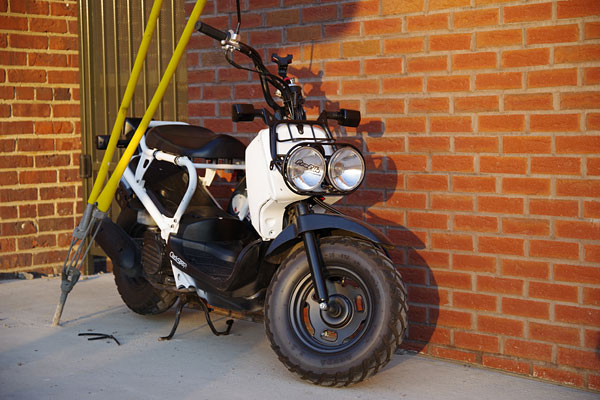 |
|
73mm, 1/200 sec. @ f/4.5, ISO 400 |
The Pentax K-1’s flexible-tilt LCD articulation takes a little bit of getting used to
Prior to getting my hands on the Pentax K-1, I’d had my concerns about its unusual flexible-tilt articulation mechanism for the rear-panel LCD monitor. It’s perhaps the most eyecatchingly-different feature of the camera’s exterior, and it definitely takes some getting used to. The LCD assembly sits atop four lunar lander-like struts which allow the screen to be tilted in any direction, or even rotated perhaps 30 degrees or so in either direction. In addition, the monitor is attached to its assembly with a hinge along its top edge, allowing it to be flipped upwards still further for waist-level or low-to-the-ground shooting.

Having seen a few videos of the camera — with lens attached — being held by the LCD and vigorously shaken without harm, my concerns about the strength of the flexible-tilt system were pretty much allayed. And the ribbon cable which attaches camera body to display also seems pretty well-protected, being wrapped in a soft and very flexible rubber sheath which ensures that it, too, is weather-sealed. The ribbon cable doesn’t seem like it could snag on or get pinched by the struts, and no matter how the display is moved, the cable itself doesn’t actually have to bend very much. I think this, too, should last well so long as you keep your fingers out from behind the display.
The articulation mechanism is certainly rugged, but doesn’t offer a big advantage over a tilt/swivel screen
With that said, I’m not entirely convinced that I prefer this rather complex arrangement to the more traditional side-mounted tilt/swivel screens found on some other cameras. For one thing, it doesn’t allow the screen to be closed facing inwards for protection. It also has a more limited range of motion than a tilt/swivel screen, with the exception of the ability to rotate the screen around the central axis of the lens. It can’t face all the way downwards or sideways, for example, only perhaps 30 degrees or so in any direction other than upwards.
In discussions with Ricoh, the company tells us that it sees the fact that the center of the screen is more closely aligned with the central axis of the lens to be a selling point for the display. And yes, with some subjects — particularly when framing macros — it does feel a little more natural to be framing without having to look off to one side of the camera body as you would with a tilt/swivel display.
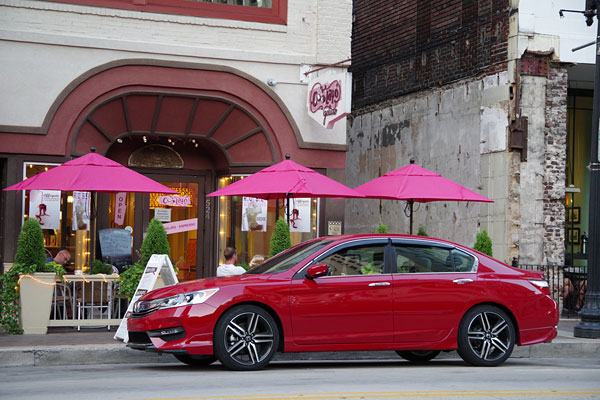 |
|
80mm, 1/100 sec. @ f/7.1, ISO 3200 |
Flexible-tilt strikes me as different for difference’s sake, but I still prefer it to a fixed-position screen
I have a feeling, though, that the reason for the unusual mechanism comes down more to Ricoh wanting something that’s different and eyecatching with which to draw some attention for its new product, perhaps combined with a need to avoid paying a licensing fee to use the more common tilt/swivel design. Not that there’s anything wrong with that, but I really don’t see a big advantage for the flexible tilt system over a tilt/swivel. It’s six of one and a half dozen of the other, really: Both designs will get the job done, and each has slight strengths or weaknesses in different shooting scenarios.

I’m certainly glad that there’s articulation in the first place, though, and I hope to see it come to the company’s APS-C flagships in the future as well. It makes a big difference to the camera’s live view mode, making it much easier to frame subjects from difficult angles than it would be with a fixed-position display.
The Pentax K-1’s outdoor view setting is an excellent (and easily accessed) feature
It didn’t take long for me to fall in love with another feature of the Pentax K-1’s display, though. As soon as I stumbled upon its outdoor view setting, which is very easily accessed by default with the Fx2 button. (That’s the down-arrow button of the four-way controller.)
A quick press of this button brings up the outdoor view setting menu, with a five-step control over screen brightness. The left and right buttons then let you increase brightness by two steps from the default for a much brighter screen when shooting under harsh sunlight, or decrease it by two steps if you are shooting in a dimly-lit locale and want to reduce the impact upon your night vision.
Making this function so quick to access was an excellent design choice on Ricoh’s part, and I found myself using it quite regularly when shooting under variable conditions, going from shooting outdoors to indoors or vice versa.
 |
|
53mm, 1/160 sec. @ f/11, ISO 400 |
On-body illumination is a superb idea which saves you getting out your flashlight
That’s not the only trick up the Pentax K-1’s sleeve, either. I shoot at night quite a bit, and once I found the illumination settings menu I quickly fell in love with one of the most interesting features of Pentax’s new full-frame flagship — an array of on-demand lights around its body.

You can opt to enable or disable any of these through the menu, and a couple even provide two-step control over brightness. By default, pressing the lamp button on the K-1’s top deck will illuminate only the info LCD panel, which has a two-step green backlight. A separate “backside controls” option illuminates four LCDs at the rear corners of the LCD monitor, which handily casts some light over the rear-panel controls if the LCD is pulled forwards first. These, too, have a two-step brightness control.
There’s also a lamp above the lens mount, and another which illuminates the dual card slots and wired remote control connector terminal when their covers are opened. (Both of these only have a single brightness level.)
Pressing the top-deck lamp button a second time will cancel all of these lamps, making it very easy to see what you’re doing for just as long as you need, and no longer. Really, the only thing you might need a flashlight for is the top-deck controls, as well as the controls and connectors on the left side of the body, but most of these quickly become second nature to locate by touch, while the left-side connectors aren’t ones you’d likely be fiddling with in the dark anyway.
My recommendation: When you take the Pentax K-1 out of the box, make a visit to the illumination settings menu straight away to enable these on-demand lights if you do much night shooting. You might also want to visit the adjacent indicator lamps menu to reduce the default brightness of the Wi-Fi and GPS lights or disable them altogether, as well as the self-timer and remote control lamps, if you want to protect your night vision.
The top-deck status LCD is much smaller but still hits the basics
Compared to those on the earlier APS-C flagships, the full-frame Pentax K-1’s top deck info / status LCD panel is barely one-quarter the size, a change that was necessary to free up room for the smart function controls, which I’ll come back to in a moment.
It’s a bit of a shame, because with so much less room this handy little display tells you much less about the camera’s setup, sending you instead to the rear panel display or to check the various controls for more information. You do get to see the main exposure basics — shutter speed, aperture, sensitivity, and an indication if exposure compensation is active, plus battery and card slot indicators — but that’s it.
 |
|
68mm, 1/100 sec. @ f/5.6, ISO 12,800 |
No longer can you see autofocus, metering, drive or flash mode information, and nor can you get a quick glance to see how many shots you have remaining before you run out of card space. On the plus side, the new display is less cluttered, so you can take in what it does tell you more quickly. But it’s a shame to lose so much of the information provided at a quick glance on earlier models.
The Smart Function control system is intuitive, but sometimes duplicates existing controls
The reason that the Pentax K-1’s top-deck display had to shrink, as noted, is its new control system, which consists of the smart function and settings dials. Together, these can be used to adjust a wide range of settings, and it works in a very intuitive manner. Simply spin the smart function dial to the specific function you wish to adjust, and then turn the settings dial to select the value you want — for example, choosing the ISO sensitivity, crop mode, bracketing, and so forth.

There is, however, a fair degree of duplication between this system and Pentax’s existing control scheme, which in itself was already very intuitive. For example, you can as noted control ISO sensitivity using the smart function dial and settings dial together, but the same was already possible simply by holding down the adjacent ISO button on the top deck, and then spinning the rear dial.
The same is also true of exposure compensation, while drive modes and bracketing could be accessed by hitting the up arrow on the rear-panel four-way controller, then making your selection with the other four-way controller buttons. (On earlier models, you could also roll the front dial to switch between drive modes, but that no longer works on the K-1.)
And then there are the HDR and shake reduction functions, which couldn’t be accessed directly like this before, but were still fairly easy to get to without entering the menu system using the control panel function. A press of the info button pulled this up, and a few four-way controller presses made your selection.
With that said, several features are quicker to access using the Smart Function dial
Of the available smart function selections, only a few couldn’t be accessed without entering the menu system or control panel screen before: the on-demand viewfinder grid mode (not found in earlier Pentax cameras), crop function (ditto) and Wi-Fi function. (I’m going from memory on this last, as only the K-S series cameras have sported in-camera Wi-Fi before, and I don’t have one in front of me to check at the moment.)
 |
|
43mm, 1/60 sec. @ f/2.8, ISO 3200 |
So on balance, although it certainly makes several functions quicker to access, they’re mostly not ones you’ll be changing very frequently in the first place. The functions you are likely to change frequently — ISO sensitivity and exposure compensation — could already be controlled quickly and without taking your eye from the viewfinder in earlier models.
While I like the smart function control system for its intuitive nature, I think I would’ve preferred the larger status LCD panel of earlier models remain for the K-1 instead of this new feature. I typically found myself just leaving the smart function dial on its crop setting, and then occasionally switching it to control bracketing and drive modes as needed, with its other options going little-used.
 |
|
43mm, 1/60 sec. @ f/2.8, ISO 6400 |
The Pentax K-1 sports a really great, high-tech viewfinder
One of the really nice things about shooting with a full-frame DSLR is how much roomier the viewfinders can be than can those on APS-C models, while still remaining bright and clear. The Pentax K-1’s viewfinder is really great: On bringing it to my eye for the first time after having shot with the K-3 II, I felt I could almost fall into it, so generous was its view.
But while its size and image impressed, that wasn’t what I liked most about the Pentax K-1’s viewfinder. Instead, it was a feature which rivals have had for a while now, and which finally makes itself known in a Pentax DSLR. Courtesy of an LCD panel inside the viewfinder’s optical path, there are now on-demand displays within the viewfinder image.
 |
|
105mm, 1/250 sec. @ f/5.6, ISO 800 |
You can opt for a combined rule-of-thirds overlay with diagonals at the corners, dual-axis electronic level displays at right and bottom of the screen, a frame around the autofocus area, a spot metering circle, and a display of the autofocus points which are currently indicating a focus lock. In addition, the K-1 also shows a crop frame indicating the active image area when operating in its APS-C crop mode.
With the exception of the crop frame, which appears or disappears automatically as needed, each of these can be enabled or disabled independently of the other indications. And each is shown in a not-too-distracting black color for daytime shooting, with a red illumination for any active display elements in low light.
 |
|
43mm, 3 sec. @ f/1.9, ISO 100 |
The viewfinder overlay illumination is too dim to be really useful
Really, my only criticism of the function is that the red illumination is quite dim. Initially, I said it was also too brief, but readers have since pointed out a feature that I missed — — apparently pressing the AF mode button will illuminate them once more, something I didn’t realize. Mea culpa! In my defense, my time with the camera was a bit limited as our review sample had to be returned, and I spent rather too long sick and having to travel during the review. Honestly, though, it simply didn’t occur to me to try this button when experiencing the brief flash of the viewfinder overlays.

I’d still like to see both the duration and brightness of the illumination available to the user to control, along with an option to have the viewfinder overlay illuminated whenever the metering system is active. But with the ability to bring the lighting back as needed, it’s the lack of brightness that’s the real issue for me here.
I didn’t get to test the battery grip, but it’s likely a worthwhile buy
For one other point regarding handling of the Pentax K-1, I’ll unfortunately have to rely on my experience with past models. Sadly, the optional portrait / battery grip wasn’t available to me during my review, and since it’s specific to this particular model due to its dimensions differing from those of past APS-C format cameras, I couldn’t use one of my own grips.
With that said, I’ve owned several generations of Pentax DSLRs myself, and with each I’ve also purchased the battery grip. Although the button layouts don’t match those for landscape-orientation shooting, I’ve found past grips to be well-built, and as well as providing access to the main controls without needing to be a contortionist, they also give room for a second battery pack (or optionally, a set of AA batteries if you get stuck away from a charger for too long).
For relatively little cost compared to that of the camera itself, I’ve always felt these to be a good buy. And while I can’t say that with 100% certainty without getting the opportunity to test the K-1’s battery grip, I’d guess that’s likely the case here too. (It’s also nice that the grips are weather-sealed to the same degree as the camera body.)
 |
|
43mm, 2.5 sec. @ f/1.9, ISO 100 |
Fairly good performance for its class, but not a sports shooter by any means
But enough of its physical nature: How does the Pentax K-1 perform in the real world? Well, it’s not a camera aimed at sports photography by any means. If you’re looking for the best possible performance in a Pentax DSLR, you’ll want to consider the company’s APS-C flagship Pentax K-3 II instead.
With that said, burst performance was pretty close to that of the Nikon D810 which I reviewed last year, and which has similar resolution. Our lab testing suggests that the D810 has a slight edge in full-frame burst capture rate, but only by around a half-frame per second. The D810 was also able to provide a greater raw buffer depth, but the Pentax K-1 bested it by quite some distance in terms of JPEG buffer depth. Neither is going to compare to a pro or even enthusiast-grade DSLR designed with sports and high burst rates in mind, though, but that’s not really the point of cameras like these.
 |
|
105mm, 1/250 sec. @ f/8.0, ISO 25,600 |
Autofocus performance was swift, comparing well with the Pentax K-3 II in my informal, real-world testing. (And our lab testing likewise found autofocus performance to be a strength of the Pentax K-1.)
Buffer clearing was rather glacial, though, but that’s been the case with the company’s APS-C DSLRs as well, so it’s not really a surprise. Hopefully Ricoh can address this in the next generation, but in the meantime just get the fastest UHS-I flash card you can afford and try not to fill the buffer if you don’t need to. That way, the buffer clearing time is less of an issue.

Great image quality and oodles of fine detail, albeit with a tendency to punchy, consumer-friendly color by default
During my real-world testing of the Pentax K-1, I came away quite impressed by its image quality. The K-1’s images are typically punchy and saturated at default settings, something it shares in common with Ricoh’s APS-C DSLRs. If that doesn’t match your tastes, though, plenty of scope is provided for tuning the look of the K-1’s images to your own needs.
Exposures were for the most part accurate, although I did notice a tendency to underexpose a bit towards the upper end of the sensitivity scale. Auto white balance performed pretty well, too, although under the complex lighting at night in downtown Knoxville, it did tend a bit on the cool side. (That’s easily-enough fixed in post processing, though.)
And the K-1’s images are absolutely packed with detail if you are shooting with a suitably high-quality lens. In fact, they were sharp enough that while Ricoh’s clever multi-shot, resolution-boosting Pixel Shift Resolution function certainly still improves the finer details, it wasn’t nearly the revelation that it was in the K-3 II.
Great image quality at ISO 12,800 or below, and up to ISO 51,200 is worthwhile if you have no alternative
Of course, that’s at base sensitivity. As the ISO rating climbed, so too did noise levels as you’d expect. Speaking personally, I was happy to roam as high as ISO 12,800-equivalent in typical shooting, with perhaps the occasional shot at ISO 25,600 or even ISO 51,200-equivalent if I wasn’t going to be pixel-peeping or cropping significantly.
 |
|
53mm, 1/50 sec. @ f/4.5, ISO 51,200 |
Beyond that point, image quality degraded significantly, and I wouldn’t personally be happy with higher for more than a very small print if there were no other option in terms of a longer exposure or casting some more light on my subject.
The APS-C crop mode is relatively low-res by modern camera standards, but worthwhile in a pinch
I found myself using the Pentax K-1’s APS-C crop mode relatively little, simply because if I wanted to, I could always crop my images in later. Of course, you save on some storage space by cropping at capture time, and you also get a bit of a boost in terms of burst capture rate, but you’re still not going to rival the performance of a dedicated APS-C body like the K-3 II, and resolution will be pretty limited by modern camera standards.
 |
|
105mm, 1/160 sec. @ f/9.0, ISO 102,400 |
Consider that the K-3 II will give you around eight frames per second with ~24-megapixel resolution out of the box, and the K-1’s APS-C mode rate of around 6.5 frames per second at 15-megapixel resolution feels a bit limited. Still, if you have a large stock of APS-C lenses and won’t be upgrading them right away or keeping an APS-C body with which to use them, it’s nice that you can still shoot them on your K-1, even if performance and resolution won’t match a top-of-the-line APS-C body.
As noted previously, you’ll get an APS-C crop guideline in the viewfinder while shooting. Outside of this crop line, you’ll be able to see your subject, which can be nice if you want to anticipate it entering the frame and be ready to trip the shutter at just the right moment. It can also be a bit distracting, though, and I felt it was a shame that it’s not possible to black out everything beyond the APS-C frame if you prefer, when shooting with a sub-frame lens.
 |
|
53mm, 1/250 sec. @ f/9.0, ISO 204,800 |
In-camera GPS is great for outdoors types and travel fans, but the lack of built-in flash is a pity
Like the K-3 II before it, the Pentax K-1 lacks an onboard flash, opting instead for a built-in GPS receiver. The latter is really nice to have, making light work of geotagging your images so you can easily locate them on a map once you’re back home. If you travel a lot, it can make it really easy to find the images you’re after without having to lift a finger.
In my review of the K-3 II, though, I said I could live with the lack of a built-in flash given that the lightly-modified variant of the K-3 really had nowhere else to put a GPS receiver but where the flash had previously been located in the earlier camera. (And of course, if you preferred to have that flash, you could always have opted to buy the K-3 instead.) For the K-1, you have no such choice, and nor is there an obvious design reason to forgo the built-in strobe in order to free up room for the GPS antenna.
 |
|
105mm, 1/15 sec. @ f/9.0, ISO 51,200 |
It’s not so much that I’d want to use a built-in strobe on a camera like this, although as a belt-and-suspenders type it’s nice to have the option if you get caught without an external strobe when an unexpected (and poorly-lit) photo opportunity presents itself. The real pity, though, is that without an onboard strobe you can’t take advantage of Pentax’s off-camera wireless flash control system. (At least, not without supplying an extra strobe with which to trigger the remote one(s).
In-camera stabilization with every lens (and a whole lot else besides)

Of course, something that the Pentax K-1 shares in common with Ricoh’s APS-C DSLRs is an in-camera, sensor shift-type image stabilization system which works with most every lens out there. (Even third-party glass, if you input the correct focal length through the camera’s menu system.) It won’t fix issues with moving subjects, but it can help make up for the lack of a built-in flash strobe if you need to use slower shutter speeds with a relatively static subject.
According to Ricoh, the system works on five axes: front/back pitch, side-to-side yaw, roll around the central axis of the lens, and horizontal / vertical translational motion. It’s said to have a five-stop corrective strength to CIPA testing standards when using the HD PENTAX-D FA 28-105mm F3.5-5.6ED DC WR lens at its telephoto position, and while I can’t confirm the precise degree of corrective strength, I can say that I shot plenty of tack-sharp handheld images at very low shutter speeds. (Above, you can seen an example shot handheld at 105mm focal length with a shutter speed of just 1/15th second, which nicely demonstrates this.)
The sensor-shift system isn’t just used for stabilization, either. As in past Pentax cameras, it can also be used to simulate an anti-aliasing filter, automatically level your horizons for you, fine-tune your composition when shooting on a tripod, freeze star trails in long exposures, or for the aforementioned Pixel Shift Resolution function.
Pixel Shift Resolution’s new motion compensation function isn’t a magic bullet, but it certainly helps
One change of note in this department is the addition of motion compensation to the Pixel Shift Resolution function. If you read my review of the Pentax K-3 II, you will have seen my suggestion of how to deal with moving subjects manually when shooting with Pixel Shift Resolution. (If you haven’t, the nutshell version is this: Shoot in raw mode, unstack the multi-shot raw images, then layer one single-shot frame on top of your multi-shot image and use it to paint in the details wherever your subject was moving.)
 |
 |
 |
|
Pixel Shift Resolution comparison: At left is a 100% crop from the image shown above right, shot as a single-frame capture. At center is a multi-shot version captured using Pixel Shift Resolution, but with motion compensation disabled. Finally, at right is another Pixel Shift Resolution version with motion compensation enabled. As you can clearly see, the motion compensation function easily detects and corrects for the significant motion caused by the water fountain, making for a much more usable final result without any manual intervention. |
||
In essence, this is what Ricoh is now trying to do for you automatically in-camera. Does it work with every subject? No, most definitely not. In my real-world testing, I found that it still struggles with subtler motion. Things like ripples in water, leaves moving in trees, and the like can still show fairly noticeable artifacts. Where there is more significant motion in the frame though — things like people, animals or vehicles moving around, and so on — it works very nicely indeed, and honestly it’s these areas in which you’re most likely to notice issues in the first place. (You have to really pixel peep to notice the finer artifacts, although in fairness you also have to pixel peep to notice the finer details which Pixel Shift Resolution is rescuing in the first place.)
 |
 |
 |
|
Pixel Shift Resolution comparison: Although the Pixel Shift Resolution images (center and right) clearly hold onto more detail in the foliage at top right of these 100% crops, they also show some pretty obvious artifacts in the water that aren’t present in the single-shot capture (left). Here, the relatively subtle motion of the ripples isn’t detected by the motion compensation function, and so the rightmost crop looks no better than that shot with motion compensation disabled (center). |
||
We’re still a long way away from the ideal of being able to capture a multi-shot Pixel Shift Resolution image handheld, and to be honest, I don’t see that happening any time soon. What we do now have, though, is a much more useful Pixel Shift Resolution function which can handle your subject moving around a bit. And if there are finer details that still throw up some problems, well — you can still use the trick from my K-3 II review to fix these, so long as you’re willing to deal with the mammoth raw file sizes when shooting PSR raws on the K-1. (And I do mean mammoth: You’ll find a few examples in the gallery, and they’re all in the region of around 160-180MB of data per file.)
Video is still not a focus for Ricoh, but quality is fairly good if you avoid interlacing
There’s one final point I want to touch upon before I conclude my review, and it’s rather fitting that I’ve saved it for the end, because it’s clearly still not the highest priority on Ricoh’s list either. Yes, the Pentax K-1 can shoot full-frame video in-camera, and no that still doesn’t include 4K. (At least, not unless you count the 4K time-lapse video function, which I don’t really.)
 |
||
 |
 |
 |
|
Pixel Shift Resolution comparison: Again, if you compare the 100% crops from the image above, the Pixel Shift Resolution versions (center and right) clearly pick up more of the fine detail in the bridge pier compared to the single-shot version, but the subtle motion in the rippled water proves too great a challenge for the motion compensation function in the rightmost crop, yielding a near-indistinguishable result from the version with motion compensation disabled (center). |
||
Resolution tops out at Full HD (1,920 x 1,080 pixels), and just as in the Pentax K-3 II, the K-1 offers a choice of up to 30 frames per second or 60 interlaced fields per second capture rates. Image quality is fairly good for 30 fps capture, although if you leave image stabilization enabled it can cause an unsightly jello-like effect, since it’s not using the mechanical image stabilization system. I personally would avoid the 60i interlaced capture, though, as it degrades image quality noticeably, yielding a noticeably softer image and a bit more moiré. (Not that 30p capture is immune to the effects of moiré either.)
For the time being, I still see video in Ricoh’s Pentax DSLR line as a stopgap. You’ll certainly find better video quality and feature sets in competing cameras, even ones which cost noticeably less. However, if all you need is short clips, and you’re willing to do a little work to avoid moiré issues in the first place, you can certainly get some reasonably good footage from the K-1 without having to lug a second camera everywhere you go.
For a first effort, the Pentax K-1 is a truly impressive full-frame camera at a very competitive price
And with that, we reach the end of my Pentax K-1 field test. Has it lived up to my wishes? I’d answer that with an unqualified “Yes!” Sure, there are some areas where I’d like to see tweaks, predominantly in the viewfinder overlay illumination, performance (particularly card clearing), and video departments. Few if any cameras can claim to be perfect, though, and if you’ve been waiting for a Pentax DSLR body that could take advantage of your full-frame optics, well… The decision to upgrade to a Pentax K-1 body should be a very easy one indeed.
This is an extremely capable camera, able to provide very high-quality imagery with a relatively modest learning curve. I don’t think I’m exaggerating in the least when I say I think this is the most impressive Pentax DSLR to date — and that’s saying something, when one considers the award-winning and much-lauded APS-C DSLRs which have preceded this full-frame beauty. The Pentax K-1 is one heck of a camera, and were I able to justify the cost myself right now, I’d pick one up in a heartbeat. I’m sure I’ll own one sooner or later, and I highly recommend any Pentaxians interested in the advantages of full-frame to consider adding one to your camera bag, too!
High ISO Noise Reduction
Like other Pentax DSLRs, the K-1 offers an unusually flexible amount of control over noise reduction applied to its JPEGs. In addition to “Auto”, you can adjust how much NR is applied (“Off”, “Low”, “Medium” or “High”) at all ISOs, or you can select “Custom” which allows you to choose from the same four options at each ISO sensitivity setting in whole EV increments. That is, if you enable 1/3 EV ISO steps, you get one NR setting for ISO 100, 125, and 160, another for ISO 200, 250, and 320, etc. The same applies for 1/2 EV ISO steps, but with only two sensitivities sharing each setting (ie. ISO 100 and 140 share a setting, ISO 200 and 280 share one, etc.). Kudos to Pentax for continuing to provide such excellent control over noise reduction for JPEGs.
See for yourself how the Pentax K-1’s “Auto” and “Off” High ISO NR settings compare to RAW without noise reduction under daylight-balanced lighting. (Note that these RAW images have no sharpening applied, so they look softer than camera JPEGs at low ISOs.) Click on any of the crops below to see the corresponding full-sized image.
| High ISO Noise Reduction Comparison Daylight-balanced illumination |
|||
|
“Auto”
|
“Off”
|
RAW (no NR)
|
|
|
I
S O 1 |
 |
 |
 |
 |
 |
 |
|
 |
 |
 |
|
|
“Auto”
|
“Off”
|
RAW (no NR)
|
|
|
I
S O 2 |
 |
 |
 |
 |
 |
 |
|
 |
 |
 |
|
|
“Auto”
|
“Off”
|
RAW (no NR)
|
|
|
I
S O 4 |
 |
 |
 |
 |
 |
 |
|
 |
 |
 |
|
|
“Auto”
|
“Off”
|
RAW (no NR)
|
|
|
I
S O 8 |
 |
 |
 |
 |
 |
 |
|
 |
 |
 |
|
|
“Auto”
|
“Off”
|
RAW (no NR)
|
|
|
I
S O 1 |
 |
 |
 |
 |
 |
 |
|
 |
 |
 |
|
|
“Auto”
|
“Off”
|
RAW (no NR)
|
|
|
I
S O 3 |
 |
 |
 |
 |
 |
 |
|
 |
 |
 |
|
|
“Auto”
|
“Off”
|
RAW (no NR)
|
|
|
I
S O 6 |
 |
 |
 |
 |
 |
 |
|
 |
 |
 |
|
|
“Auto”
|
“Off”
|
RAW (no NR)
|
|
|
I
S O 1 |
 |
 |
 |
 |
 |
 |
|
 |
 |
 |
|
|
“Auto”
|
“Off”
|
RAW (no NR)
|
|
|
I
S O 2 |
 |
 |
 |
 |
 |
 |
|
 |
 |
 |
|
|
“Auto”
|
“Off”
|
RAW (no NR)
|
|
|
I
S O 5 |
 |
 |
 |
 |
 |
 |
|
 |
 |
 |
|
|
“Auto”
|
“Off”
|
RAW (no NR)
|
|
|
I
S O 1 |
 |
 |
 |
 |
 |
 |
|
 |
 |
 |
|
|
“Auto”
|
“Off”
|
RAW (no NR)
|
|
|
I
S O 2 |
 |
 |
 |
 |
 |
 |
|
 |
 |
 |
|
As you can see, the Pentax K-1 applies high ISO noise reduction across the entire sensitivity range, with chroma noise reduction detectable already at ISO 100. Also notice the “Off “setting clearly does not eliminate noise processing altogether (especially in the red channel), but it does leave a bit more fine/subtle subject detail in JPEGs than Auto, when the Auto setting doesn’t select “Off.” Still, we wish the “Off” setting was less aggressive, particularly with low contrast reds as in our tricky red-leaf fabric.
Note that for the K-1 Auto selects “Off ” for ISOs 100-1600, “Low” for 3200-6400, and “Medium” for ISO 12,800 and above.
Technical Info
by Mike Tomkins | Posted: 02/18/2016
Body
The Pentax K-1 sports a brand-new, weather-sealed body constructed from magnesium alloy. It’s comprehensively weatherproofed, with a total of 87 seals protecting seams, compartments and controls alike from ingress of dust or moisture. And if you purchase the optional portrait / battery grip, this has a further 47 seals. Of course, you’ll also need to be using a weather-sealed lens for proper protection.
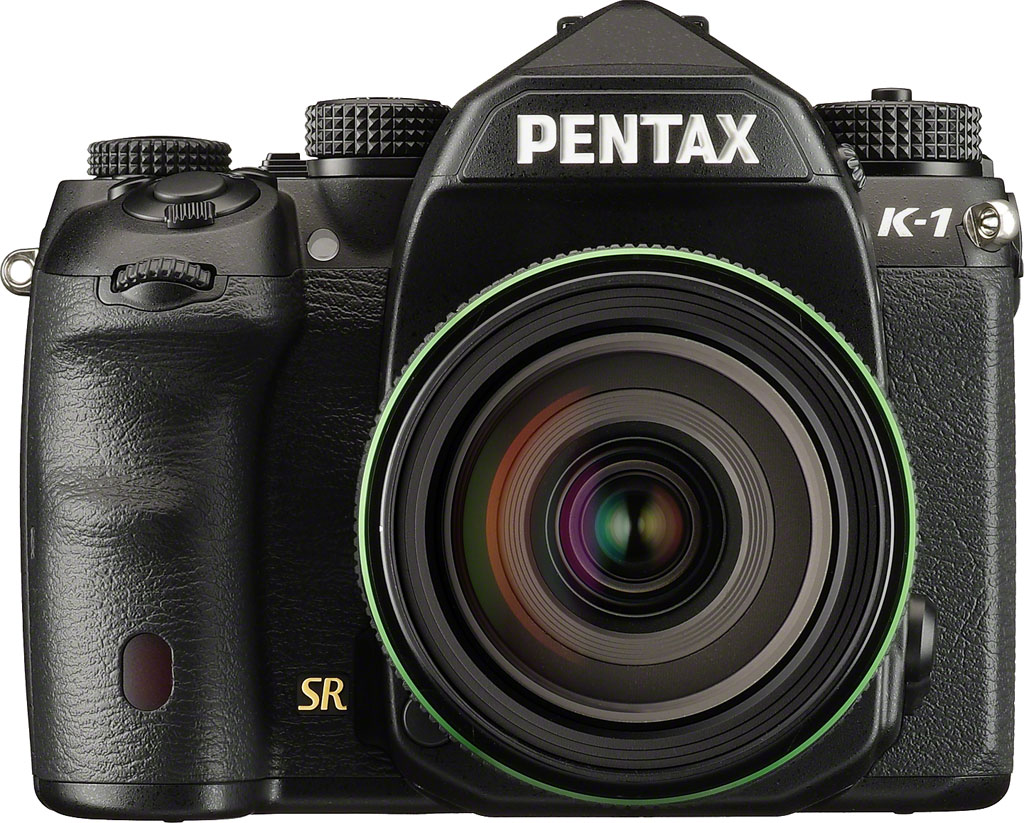
To choose a weather-sealed lens, look for either the AW or WR designation on a full-frame or sub-frame optic / rear converter, or the DA* designation indicating a premium sub-frame optic. (All of the latter are weather-sealed, but note that the same is not true of FA*-badged lenses.) Continuing the weather-sealed system, the Pentax AF360FGZ II and AF540FGZ II flash strobes are also weather-sealed, as is the O-RC1 remote control.
As well as dust and water-resistance, the Pentax K-1 is also freezeproof, able to operate in temperatures as low as 14°F (-10°C).
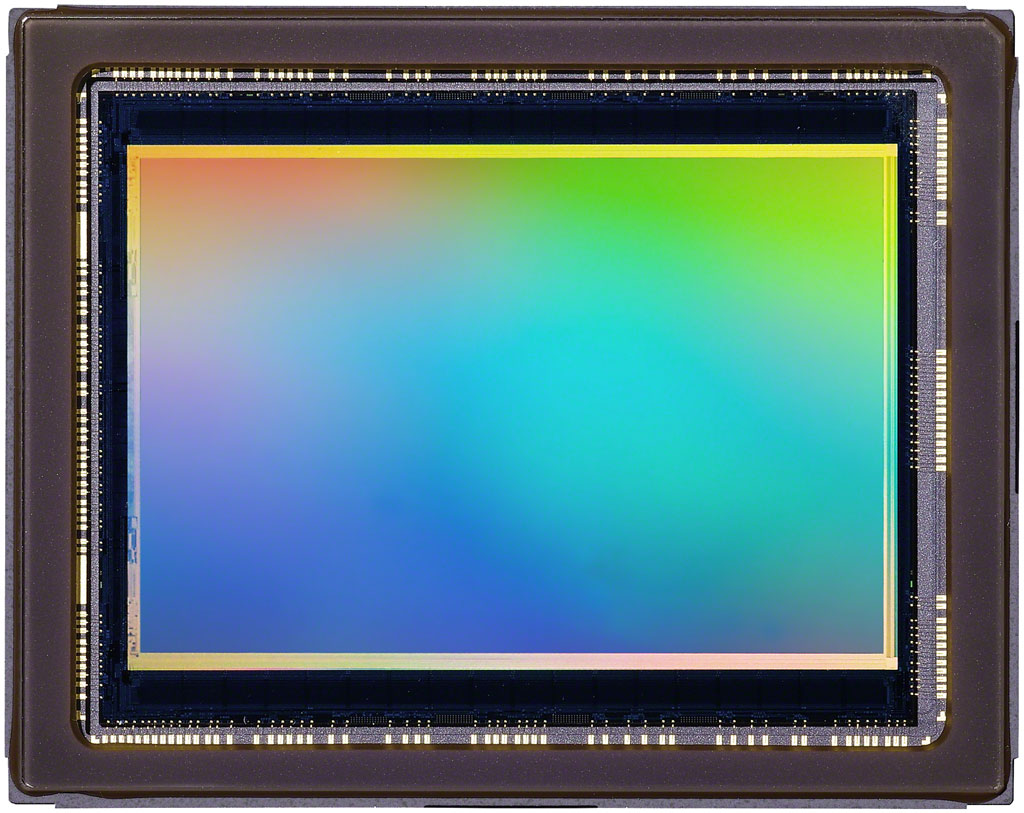
Sensor
At the heart of the Pentax K-1 is a 36.4-megapixel full-frame CMOS image sensor with a Bayer RGBG color filter array. Dimensions are 35.9 x 24mm, total resolution is 36.77 megapixels, and the pixel pitch is 4.9 microns. Maximum image size is 7,360 x 4,912 pixels, except when operating in the APS-C crop mode, when resolution tops out at 4,800 x 3,200 pixels (or in other words, 15.3-megapixels).
As with other Pentax DSLRs since the K-3, the Pentax K-1 doesn’t include an optical low-pass filter. It does, however, feature an on-demand mechanical antialiasing function. More on that in a moment. (Or read Dave Etchells’ “Geek’s Guide to On-Demand Low-Pass Filtering” from our Pentax K-3 review for the full story; the feature is unchanged from that camera.)
Processor
In place of the PRIME III image processor used in the K-3 cameras, the Pentax K-1 opts instead for Ricoh’s new PRIME IV processor. (That’s a contraction of “Pentax Real IMage Engine”, if you’re curious.)
Ricoh hasn’t stated what performance gains or other tweaks are to be found in the newer variant of the processor, and nor can any obvious conclusions be drawn from the camera’s burst-capture performance. (Maximum throughput tops out at around 160MB/second, vs. around 200MB/second for the earlier, sub-frame Pentax K-3.) Likely the sensor itself is the limiting factor here, though, rather than the processor.
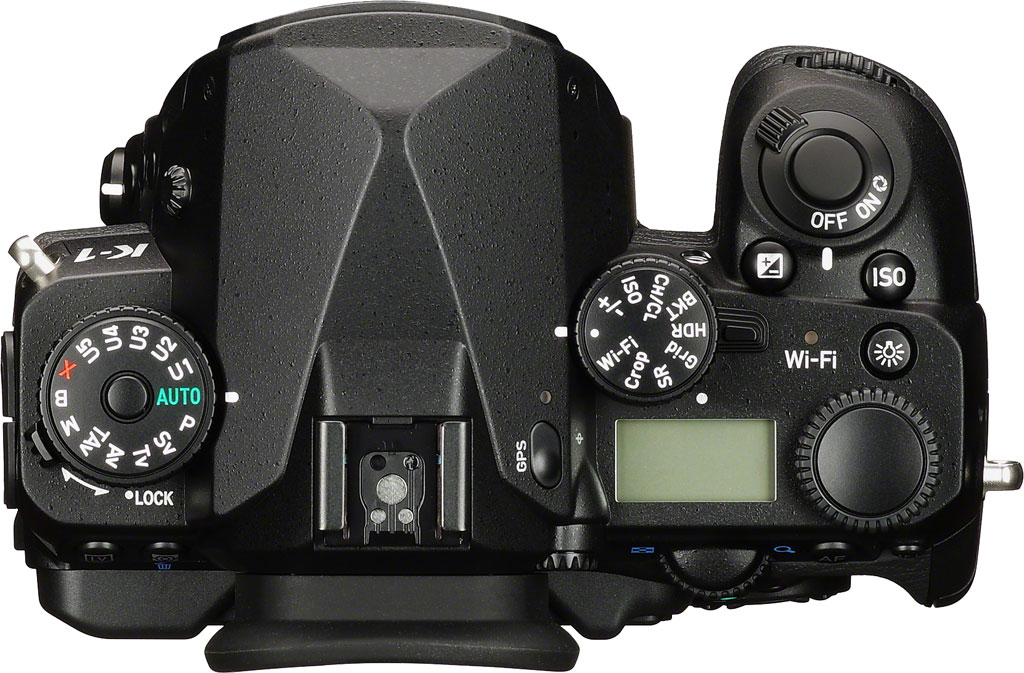
Sensitivity
Like the medium-format Pentax 645Z, the K-1 has an overall sensitivity range of ISO 100 to 204,800 equivalents. That’s a significantly more generous range than the 100 to 51,200-equivalents of the sub-frame K-3 and K-3 II. The entire range is available without needing to enable ISO expansion, and step sizes of 1/3, 1/2, or 1EV are available.
There’s also an Auto ISO sensitivity function, whose upper limit can be manually selected. And as in past cameras, you can configure the Pentax K-1 to raise sensitivity more or less quickly than the default.
Performance
With a larger, higher-resolution sensor than its sub-frame siblings, the Pentax K-1 understandably trails them in terms of burst-shooting performance. With a manufacturer rating of 4.4 frames per second, it also sits just slightly behind the competing Nikon D810, Canon EOS 5DS R and Sony Alpha A7R, all of which are manufacturer-rated at five fps.
However, it’s worth noting that all three are also significantly more expensive cameras. A fairer comparison would be to the similarly-priced Sony A7R, which also has similar resolution — and here the toss-up falls in Ricoh’s favor. Sony rates the A7R for around four fps, making the K-1 about 10% faster than its nearest rival.
Of course, one should also note that all of this relates to full-sensor capture. If you apply an APS-C sensor crop, the Pentax K-1 is capable of shooting at around 6.5 frames per second.
And although it won’t knock your socks off for performance, the buffer depth is pretty generous in either mode. The full-resolution mode can capture around 70 JPEG or 17 raw frames in a burst, while the APS-C mode will allow up to 100 JPEG or 50 raw frames in a burst.
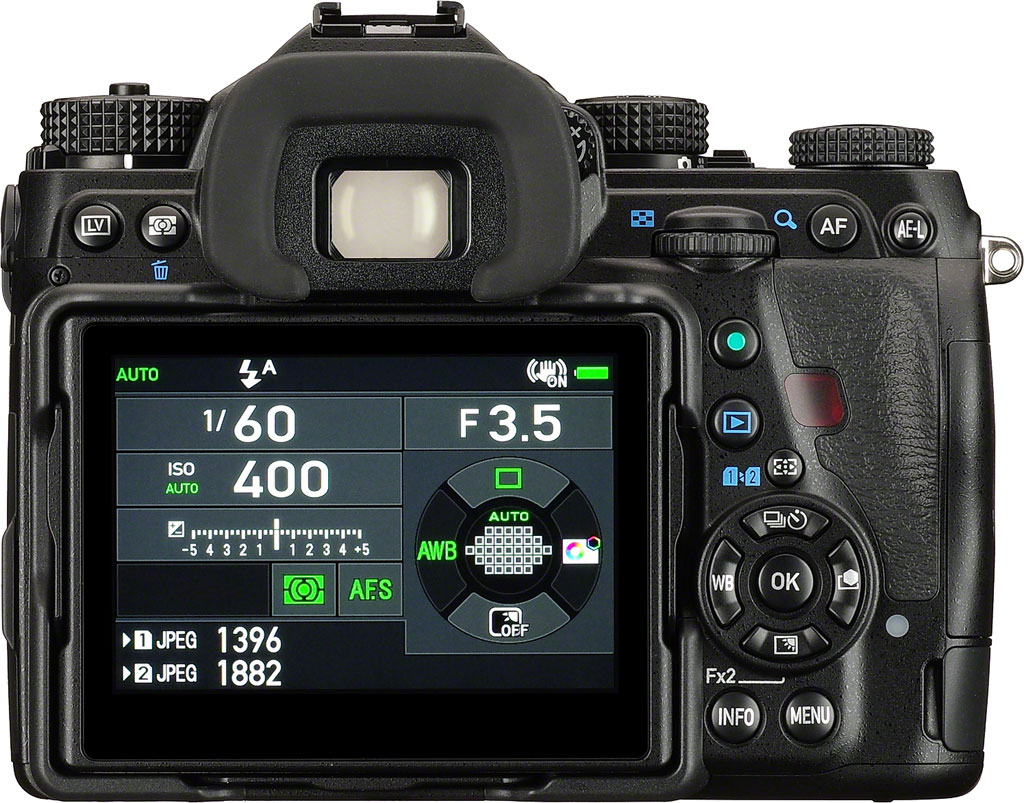
There are also two reduced-speed burst shooting rates available, although the rate for the minimum-speed option differs depending on crop mode. The intermediate rate provides three fps regardless of crop mode setting, while the lowest rate should manage around 0.7 35mm frames or one APS-C frame per second. Either option should prove handy for situations where you don’t need the full burst rate, but you’re still shooting faster than you’d want to by rapidly pressing the shutter button. (Although we’d still like to see the ability to manually dial in your own chosen burst speed for reduced-rate capture.)
As you’d expect, the lower-speed burst modes have even greater burst depths. For full-frame shooting, Ricoh claims a depth of 100 JPEG or 20 raw images at three fps, or 100 raw / JPEG images at 0.7 fps. Crop to APS-C, and the company predicts a depth of 100 JPEG or 70 raw images at three fps, or 100 raw / JPEG images at one frame per second.
(We’re guessing that you’ll actually get more than 100 frames here, and that Ricoh simply doesn’t supply a precise value if more than 100 frames are possible.)
Shake reduction
Like the company’s sub-frame DSLRs, the Pentax K-1 includes in-body image stabilization. It’s a more sophisticated system than that in the APS-C flagship K-3 cameras, though. Where they were limited to three-axis Shake Reduction and had a maximum correction of around 4.5 stops to CIPA testing standards, the Pentax K-1 now offers up five-axis stabilization and a five-stop corrective range.
Wondering what the five different correction axes are? Wonder no more: The Pentax K-1 can correct for vertical and horizontal translational motion (that is, straight side-to-side and up-or-down motion), as well as for side-to-side roll, front-to-back yaw, and rotation around the central axis of the lens.
As in the Pentax K-3 II, the full-frame K-1 also includes a panning detection function. This determines that you’re panning to follow a moving subject, and then automatically ceases its attempt to stabilize motion on that axis but still stabilizes the other axes.

Pixel Shift Resolution
Pentax had big news for still-life shooters and anybody else with static subjects when it launched the K-3 II last year: The brand-new Pixel Shift Resolution function, which we covered in quite some detail on our news page. The function is retained for the even higher-resolution K-1 with one important tweak. We’ll give you the nutshell overview here; hit the link above for a more detailed analysis.
Pixel Shift Resolution has some similarities to — and some key differences from — the High Res Mode introduced by Olympus in the OM-D E-M5 II compact system camera. Like that system, Ricoh’s Pixel Shift Resolution mode combines multiple sequential images with very slight adjustments of the image sensor position to create a single output image of higher quality.
Where Pentax’s approach differs is that it takes four shots with full-pixel steps instead of eight shots with half-pixel steps, and it outputs each image at the sensor resolution, rather than at a significantly higher resolution. The downside is that there’s likely more scope to improve detail using Olympus’ methodology, but the upside is that file sizes can be much smaller the way Ricoh is doing things, and there’s less time and processing power expended, too.
And while the output resolution is no different to that of a standard, single-shot image, there’s little question that by getting full color information at every pixel, Ricoh can still significantly improve detail. (You only need to look at images from the Foveon X3 sensor-based cameras from Sigma, which actually record full color at every pixel in a single shot, to see that.)
Nor is it just improved detail and a reduced incidence of moiré, false color and jaggies that makes the Pixel Shift Resolution function worthwhile. It also reduces image noise and yields a finer-grained noise structure, since the additive exposures for each pixel can be used to average out luminance noise, and the remaining noise isn’t interpolated outwards to surrounding pixels.
So what’s new in the Pentax K-1’s Pixel Shift Resolution function? Well, formerly in the K-3 II, it only worked for completely static, tripod-mounted images shot with an electronic shutter. In our K-3 II field test, we described a potential workaround if you were shooting in raw format, and found that part of your image had moved subtly between frames, but now the Pentax K-1 should be able to deal with just such a situation by itself.
In essence, what the camera’s doing is much the same as what we did in our K-3 II review: Look for areas that showed subject motion between frames, and then simply skip the Pixel Shift Resolution processing for those image areas. Since these subjects are moving, they’re not likely to benefit noticeably from increased color resolution anyway, but it can still be applied elsewhere to static image areas.
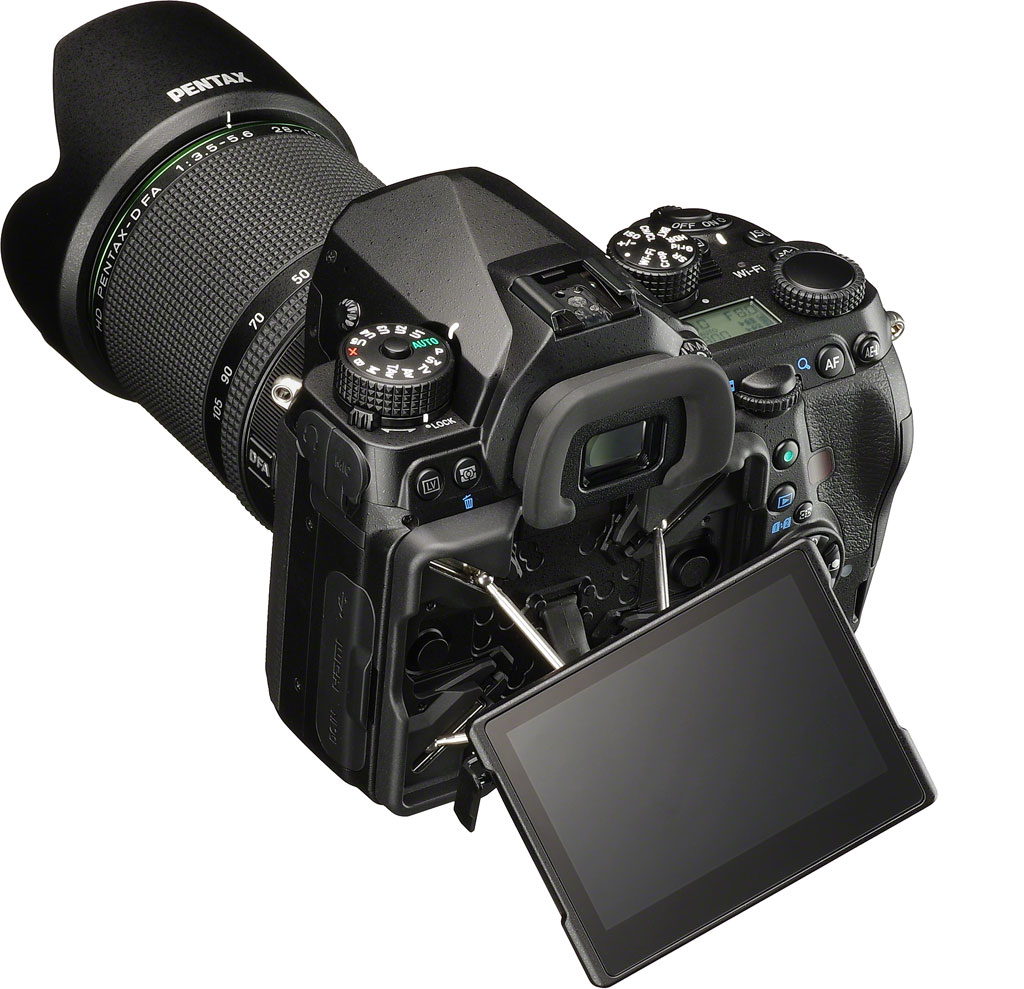
On-demand low-pass filtering
When Ricoh launched the original K-3, it debuted a revolutionary new way of combating moiré, false color, and jaggies when needed, yet maximizing sharpness the rest of the time. Instead of the resolution-robbing optical low pass filter used by some cameras, Ricoh achieved the same thing with a very fine motion of the image stabilization system during exposure.
For those who want to know the nuts and bolts, the Anti-Aliasing Filter Simulator function is explained in detail by IR publisher Dave Etchells in our “Geek’s Guide to On-Demand Low-Pass Filtering“, part of our Pentax K-3 review. If you’re already familiar with the system, which has since appeared in several Pentax SLRs, you know everything you need to about how it works in the K-1.
We should note, though, that since our review of the K-3, a competing technology has appeared on the scene. Sony’s fixed-lens RX1R Mark II uses liquid crystal technology with conventional low-pass filter elements to permit low-pass filtration to be turned on or off completely, or to be set somewhere in between the two states.
And since it does so in hardware, it doesn’t have the limitations of Ricoh’s system, which reaches its limits at exposures of 1/1,000 second or faster. Beyond that point, you’ll find that the strength of the AA filter simulator effect is diminished regardless of your settings. Also, Ricoh’s system won’t work with flash exposures, because the brief moment of illumination from your strobe isn’t long enough for the required motion to take place. If you want to take advantage of the AA Filter Simulator to avoid artifacts in the studio, you’ll need to use hot lights or available light.
Still, even in the face of what’s potentially a better rival — albeit not one available yet in an interchangeable-lens camera — the importance of Ricoh’s system for your photography can’t be overstated. It places control back in your hands for most shooting situations, letting you decide what’s most important for you on any given shot: maximum image detail, or resistance to objectionable artifacts.
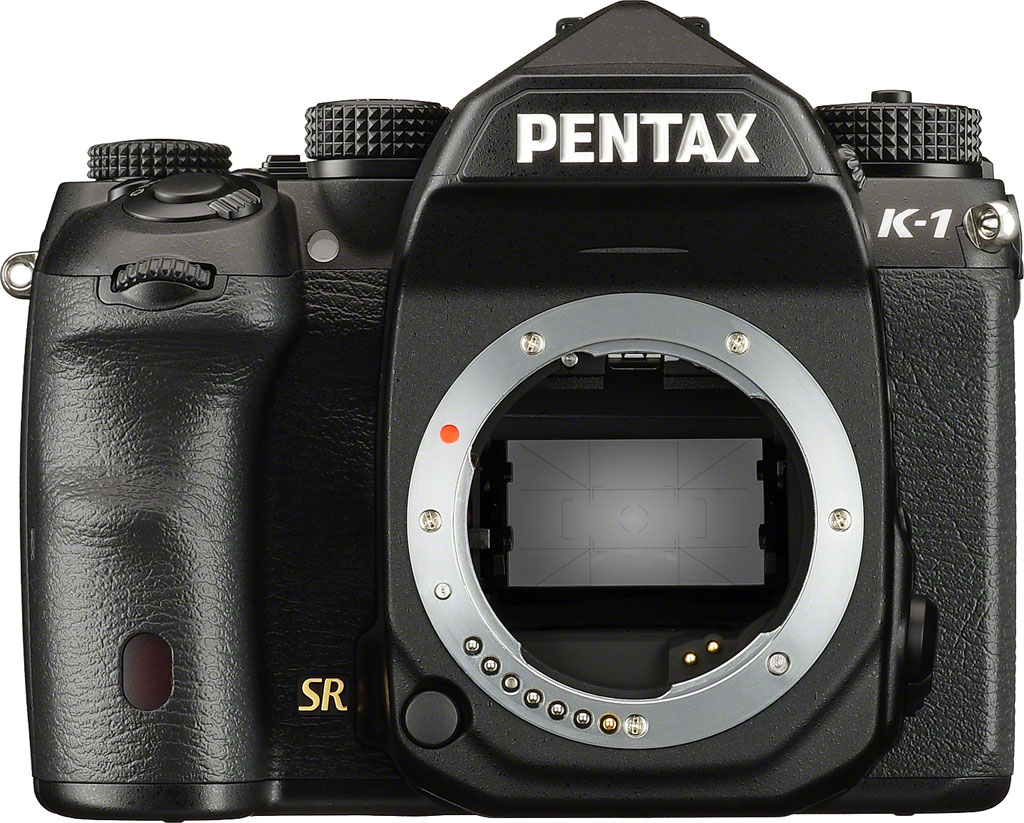
Lens mount
The Pentax K-1’s KAF2 lens mount is a variant of the K-mount that has been used in all sub-frame Pentax digital SLRs to date, as well as the K-01 mirrorless camera. But where previous Pentax DSLRs (other than the medium-format 645-series, anyway) have been limited to using the centermost area of the image circle for full-frame optics, the Pentax K-1 will finally allow you to use your full-frame lenses as their designers intended. That’s huge news, and it’s the reason so many photographers have been asking for just such a camera from Ricoh.
In all, there are a dozen different full-frame lenses currently available from Pentax, or slated to ship in the not-too-distant future. And if you have an older Pentax full-frame lens — or a lens that can be adapted to the Pentax K-mount — you should be able to use that too.
When shooting with a sub-frame lens, the Pentax K-1 can detect this and automatically apply the requisite APS-C crop. Alternatively, you can make the choice to switch between full-frame and sub-frame operation yourself.
Dust removal
If you regularly change lenses — or use consumer-grade glass that sucks air in and blows it back out every time you rack the focus or zoom — you can expect dust to get inside your camera sooner or later. (Most likely, sooner.)
Ricoh has retained the same DR II dust removal system used in other recent flagship models for the new Pentax K-1. It uses a piezoelectric element that vibrates at higher frequencies than a sensor shift system can, and in our experience systems like these typically do a better job of shaking free dust that’s stuck to the sensor’s protective cover glass.
To help you decide when a more detailed cleaning is needed, the Pentax K-1 also retains its predecessors’ dust alert function, which helps you to locate stubborn dust particles on the sensor for manual cleaning.
Lens correction
Also like other recent Pentax DSLRs, the Pentax K-1 includes lens correction functionality. This can correct for lens distortion, lateral chromatic aberration, vignetting and diffraction in-camera when using DA and DFA lenses, as well as with certain FA lenses.
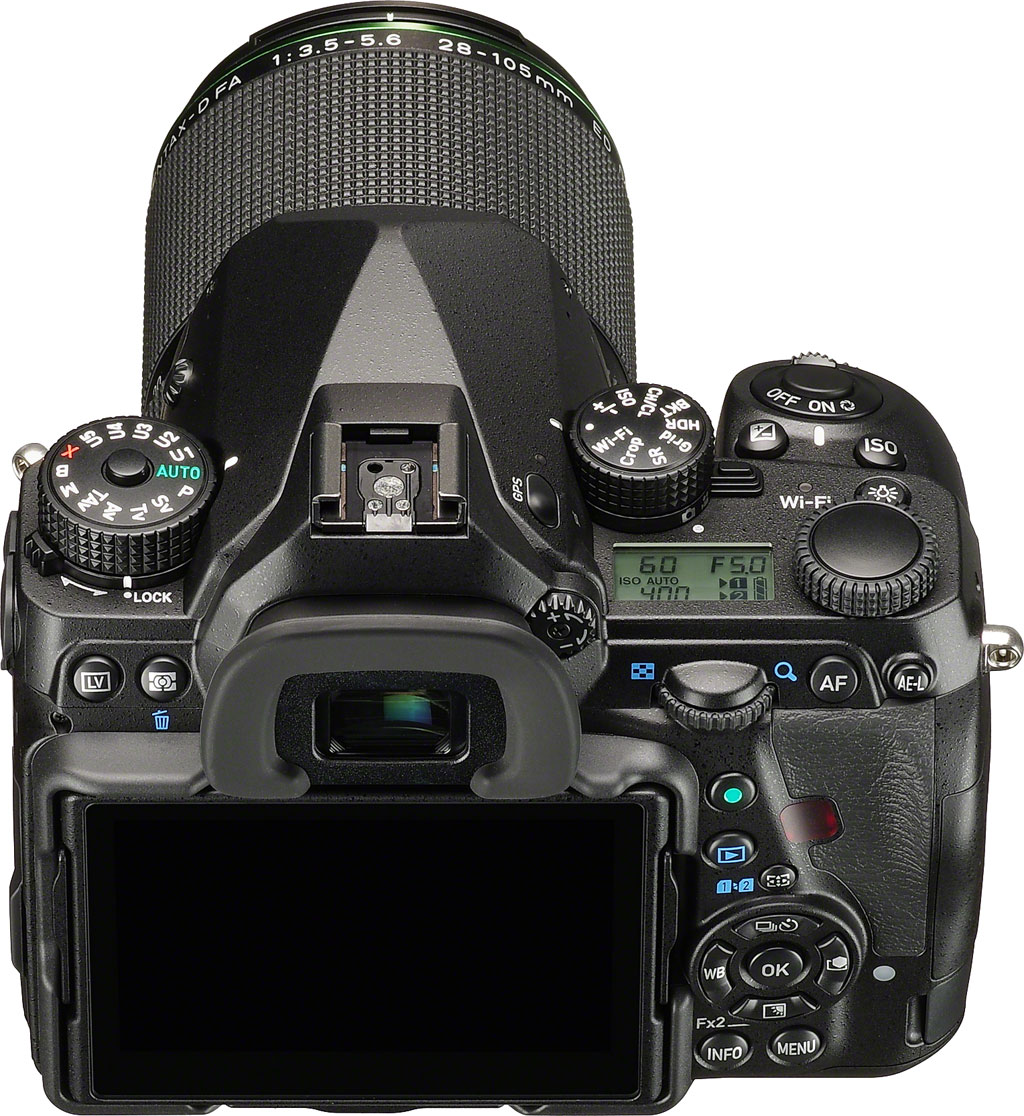
Metering
The Pentax K-1 features an 86,000 pixel RGB CCD metering sensor. It has a wide working range of -3 to 20 EV with a 50mm f/1.4 lens at ISO 100. Metering modes on offer include Multi-segment, Center-weighted and Spot, and an exposure lock function is available, accessed with the AE-L button at the top right corner of the camera.
You can also specify up to +/-5EV of exposure compensation, or bracket two, three or five exposures with up to 2EV between exposures. For either compensation or bracketing, you can specify your adjustment in 1/3 or 1/2 EV steps.
And since the metering sensor is based around a color-filtered chip, it can also recognize color information, allowing it to help out with subject identification too.
Autofocus
The Pentax K-1 debuts a new 33-point autofocus sensor which is more point-rich than those found in earlier models. Dubbed SAFOX 12, it has much the same arrangement as the earlier SAFOX 11 design, but places an additional three AF points on either side of the main array, just inside the two linear AF points at the leftmost and rightmost ends of the array.
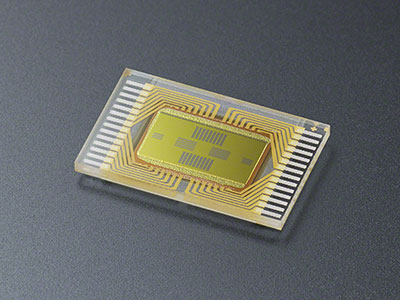
The 25 central points in a 5×5 array are all cross-types, sensitive to detail in both the horizontal and vertical axes. The remaining eight points, located towards the far left and right of the array, are linear points sensitive on just one axis. The centermost sensor as well as the points directly above and below it are precision points, capable of focusing with an f/2.8 aperture. These same points also have a working range of -3 to +18EV.
Autofocus mode choices include AF-S (single-servo), AF-C (continuous-servo), and automatic selection (AF-A). You can also switch from the default 33-point auto selection, with provision for Spot, Select, Small / Medium / Large expanded area or zone-select modes. For single-servo autofocus, Select allows only a single point to be chosen, rather than the fixed center point of Spot AF. Zone Select is similar, but allows a nine-point area to be selected, with the camera making the final determination of which points to use. Finally, Expanded Area works only in continuous-servo mode, and allows you to select a 3×3 array, a 5×5 array, or the entire AF array. Focus starts from the center point, but will be tracked anywhere within your selected array.
As in the K-3 cameras, Ricoh has included an autofocus hold setting for use in tracking, which will let you control how quickly the camera will react to a radical change in detected subject distance, such as you might get when shooting through a fence, or if somebody walked between camera and subject. You have four options: either the change will be near-instant with Hold AF Status set to off, or you can choose one of three durations (Low, Medium or High) after which the change in focus will be made.
You can also define whether a focus lock or a full shutter button press should be of greater importance to the Pentax K-1. In single-servo mode, you can choose focus priority to have the camera wait to trip the shutter until a focus lock is achieved, or shutter priority to take it as soon as you full press the shutter button. In continuous or AF-A modes, you can opt for focus priority, or frame rate priority (which takes another photo as soon as the shutter has recycled and there is available buffer space to do so).
Of course, all of the above applies only when focusing using the dedicated AF sensor, which can only happen when the reflex mirror is lowered. In live view or movie modes, the Pentax K-1 instead switches solely to contrast-detection autofocus, which provides both face detection and tracking capabilities. You can focus manually as well, just as you’d expect, and if you do so in live view mode there’s a focus peaking display to help you ascertain the exact point of focus.
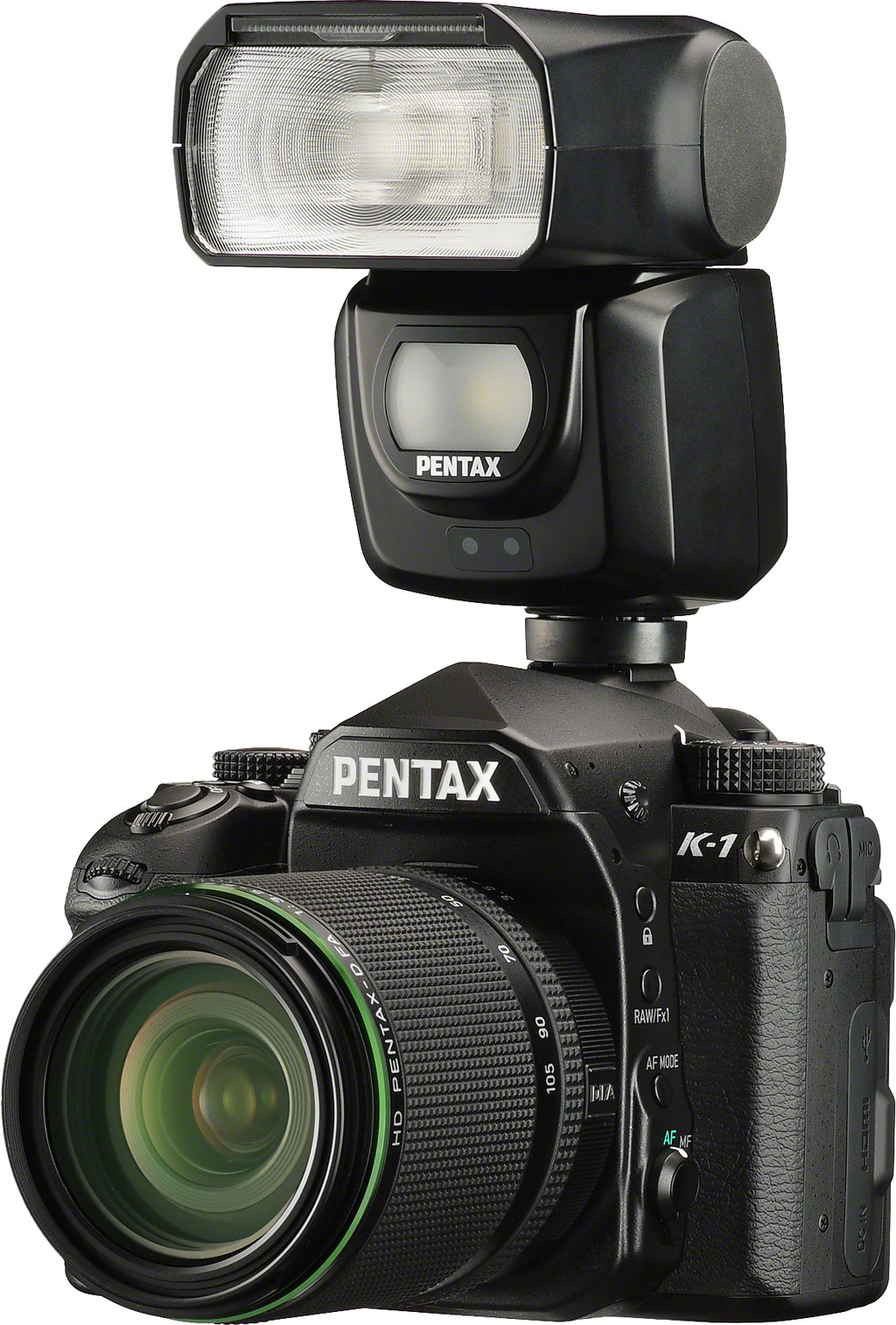
Flash
As you’d probably expect on a camera aimed at enthusiast or professional use, the Pentax K-1 lacks a built-in flash strobe. Many — perhaps even most — potential K-1 owners will see this as a good thing, since popup strobes represent a potential point of failure. If you’re the type to rely on your popup strobe, though, you’ll want to retrain yourself to bring a separate flash. Although with that said, the extremely wide sensitivity range of the K-1 should go some way to preventing the need for a flash in the first place.
If you’re a fan of off-camera wireless flash, the absence of the built-in strobe also means that you’ll need an extra external strobe, since there’s no longer a built-in strobe with which for the camera body to communicate with off-camera strobes. (Of course, you could also use a wired tether between camera and strobe, using the K-1’s sync connector or a hot-shoe mounted cable.)
Speaking of which, the standard hot shoe on the top deck also includes both support for a locking pin, and intelligent connections that allow for Pentax’s P-TTL flash metering system. And the aforementioned PC sync socket is protected by a small, screw-in cap, although it isn’t attached to the camera body, so you’ll want to ensure it’s snug so as not to lose it. Still, it’s nice to have the terminal at all — many competitors force you to buy a hot shoe to PC terminal adapter, if you want to hook up your studio strobes.
In-camera GPS
Like the Pentax K-3 II before it, the Pentax K-1 features a built-in GPS receiver, electronic compass and three-axis orientation sensor. Together, these allow it to geotag your images with their capture location, the direction the camera was pointing, and the extremely accurate time provided by the GPS satellites.
The K-1 can also record track logs in the KML format used by Google Earth, logging your location at intervals of 5, 10, 15, 30 or 60 seconds, with a duration of up to 9 hours at the minimum interval or 18 hours with a 10-second interval. (Bear in mind, though, that if you take advantage of the full duration, you won’t have any battery life left over for shooting photos, which rather defeats the purpose of having the camera in the first place!) Regardless of the interval set, the maximum logging time is 24 hours.
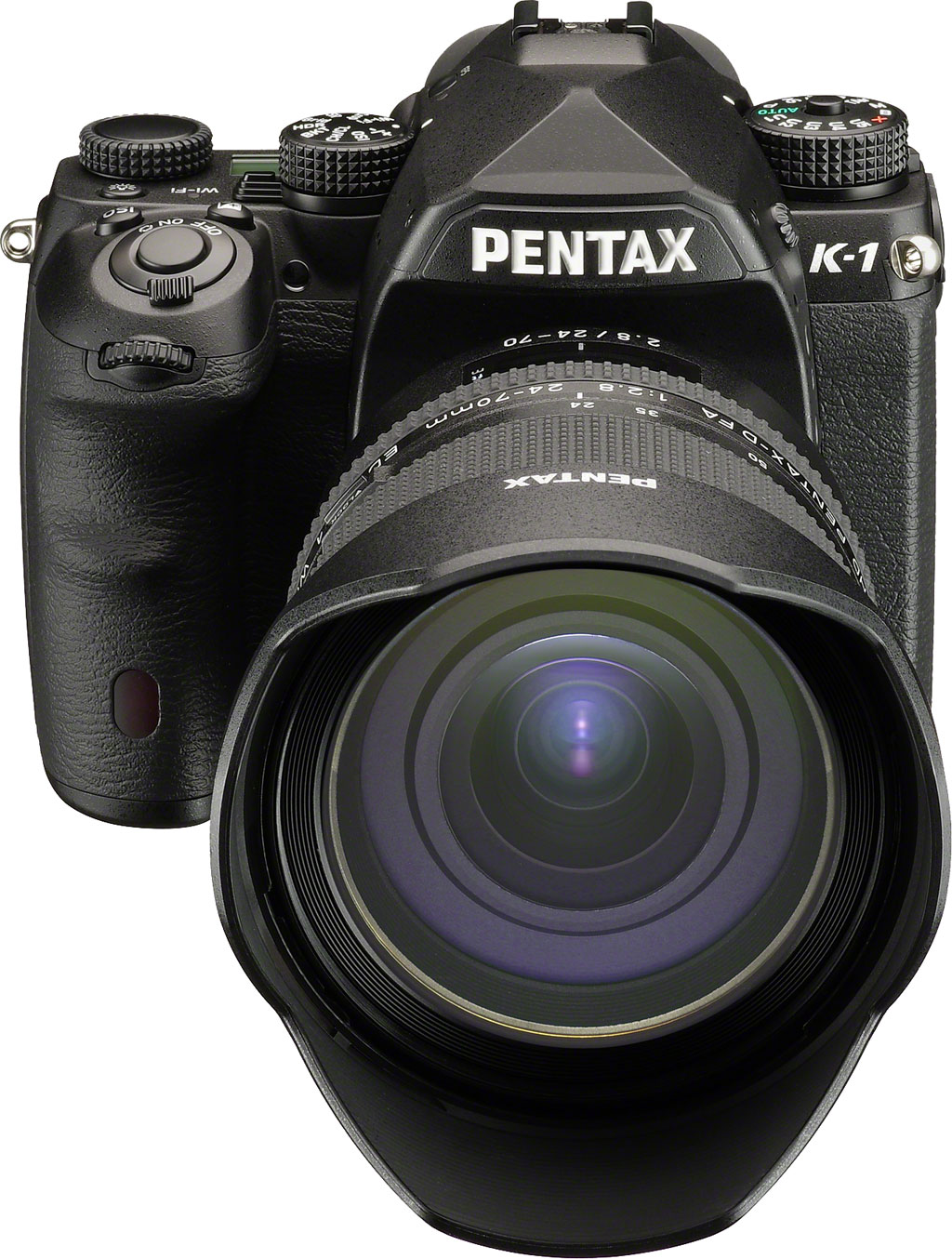
Of course, we live in a world where there are now multiple competing standard for satellite positioning systems, and so when one refers to GPS, it isn’t immediately clear which systems the device is compatible with. For the Pentax K-3 II, it’s compatible with the United States government’s GPS system, but not other systems such as Russia’s GLONASS, China’s Beidou, Europe’s Galileo or India’s IRNSS. That doesn’t mean it can’t get a fix in these regions, though, as GPS has pretty-much global coverage — it just means that it can’t take advantage of the extra satellites from the rival systems to gain a faster, more accurate fix.
What it can do, though, is to improve the quality of its positioning using a number of augmentations to the GPS system. These include the US Federal Aviation Administration’s WAAS in North America, the European Union’s EGNOS inside Western Europe, India’s GAGAN within the Indian subcontinent, and both the MSAS and proposed QZSS systems within Japan. In other regions, the Pentax K-1 will fall back to relying solely on the base GPS system for its location information.
And AstroTracer, too
Nor is that all. If you’ve ever tried to shoot an image of the night sky to reveal the details invisible to the naked eye, you’ll appreciate another clever capability of the Pentax K-1. It’s something that, to date, has required an extra accessory on all but the K-3 II, and now the K-1 can manage it in-camera too.
By combining information from the GPS receiver, compass, orientation sensors and lens, the Pentax K-1 can determine how quickly stars will be moving across the night sky, and in which direction. It can then use the Shake Reduction system to counteract their motion, allowing for much longer exposures than would normally be possible without causing star trails to form.
The result is that you can get better results as an astrophotographer, without the need for any accessory beyond a good, sturdy tripod. The actual exposure time you’ll be able to achieve will depend on the focal length of the lens you’re using, and of course you won’t be able to include foreground subjects without blurring them instead, but this function — dubbed AstroTracer — really is unique, and with its larger, more sensitive sensor and higher resolution, it shows even more potential on the K-1 than it did on the K-3 II.
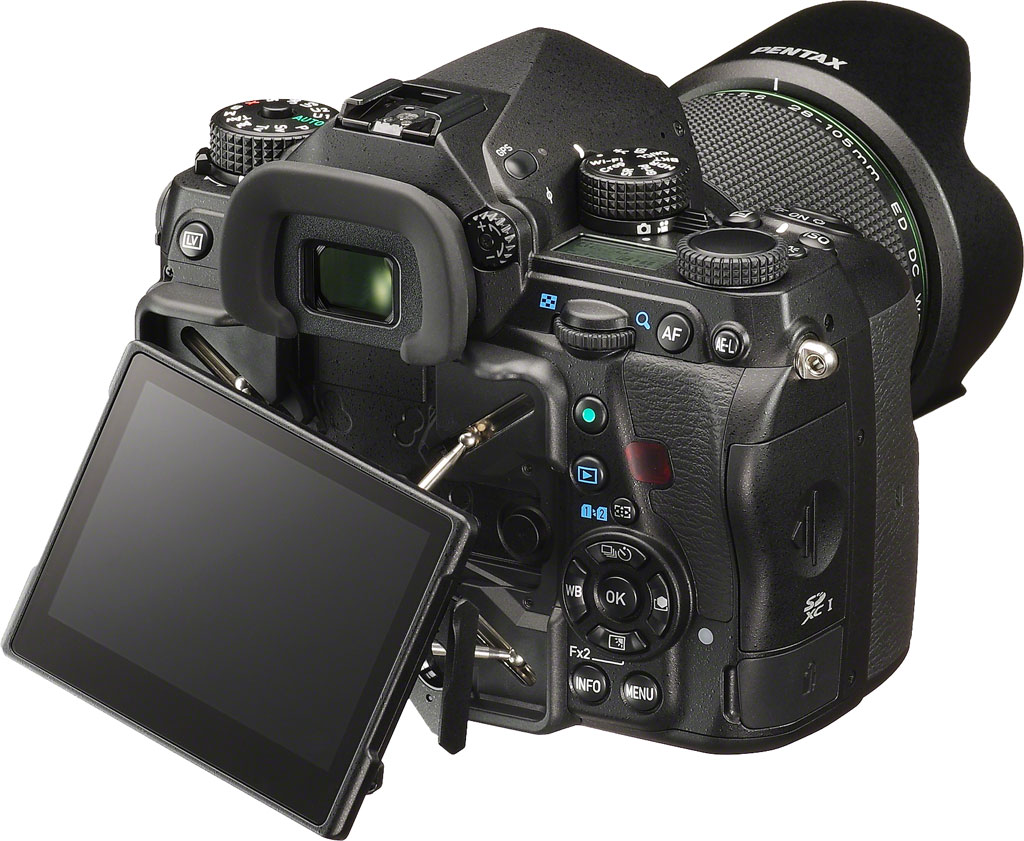
Viewfinder
Ricoh has designed a new pentaprism viewfinder for the Pentax K-1, sporting an accurate manufacturer-rated 100% coverage. In place of the LED focus point indication used in earlier models, it now features an illuminated LCD overlay providing a customizable grid display, an indication of the crop area if applicable, and a dual-axis level gauge display.
Magnification is 0.7x (50mm f/1.4 lens at infinity), and the eyepoint is 20.6mm from the eyepiece frame, or 21.7mm from the viewfinder lens. The viewfinder comes with a Natural Bright-Matte III type focusing screen, and this is not interchangeable. The dioptric adjustment range of -3.5 to +1.2m-1 is even broader than that provided in the company’s flagship APS-C cameras.
Monitor
The Pentax K-1’s rear-panel LCD monitor has probably the most unusual articulation mechanism we’ve seen to date, dubbed “Cross-Tilt”. The monitor itself sits atop four struts which allow it not only to be angled to face up, down, left or right, but even swiveled somewhat. These struts provide for +/-35 degrees of side-to-side adjustment, and +/-44 degrees of vertical tilt.
Once they reach their maximum extent, a secondary hinge allows the screen tilt to continue upwards to the 90-degree position for waist-level or low-to-the-ground shots. It’s a bit tricky to describe, but certainly provides a much wider range of motion than competing designs.
Of course, it can’t be angled forwards for selfie shooting, but that’s hardly a major use case for a full-frame camera. The one obvious downside compared to a more traditional tilt/swivel mechanism is that the display can’t be closed facing inwards for added protection.
The display itself has a 3.2-inch diagonal, a 3:2 aspect ratio, and a total dot count of around 1037k dots. And helping combat glare and low contrast, the monitor has a gapless design. Further assisting with the visibility is a new outdoor view setting which boosts brightness with two-step control. And you can also dim the LCD significantly for night shooting, to help protect your night vision. Additional controls let you tweak brightness, saturation and color.
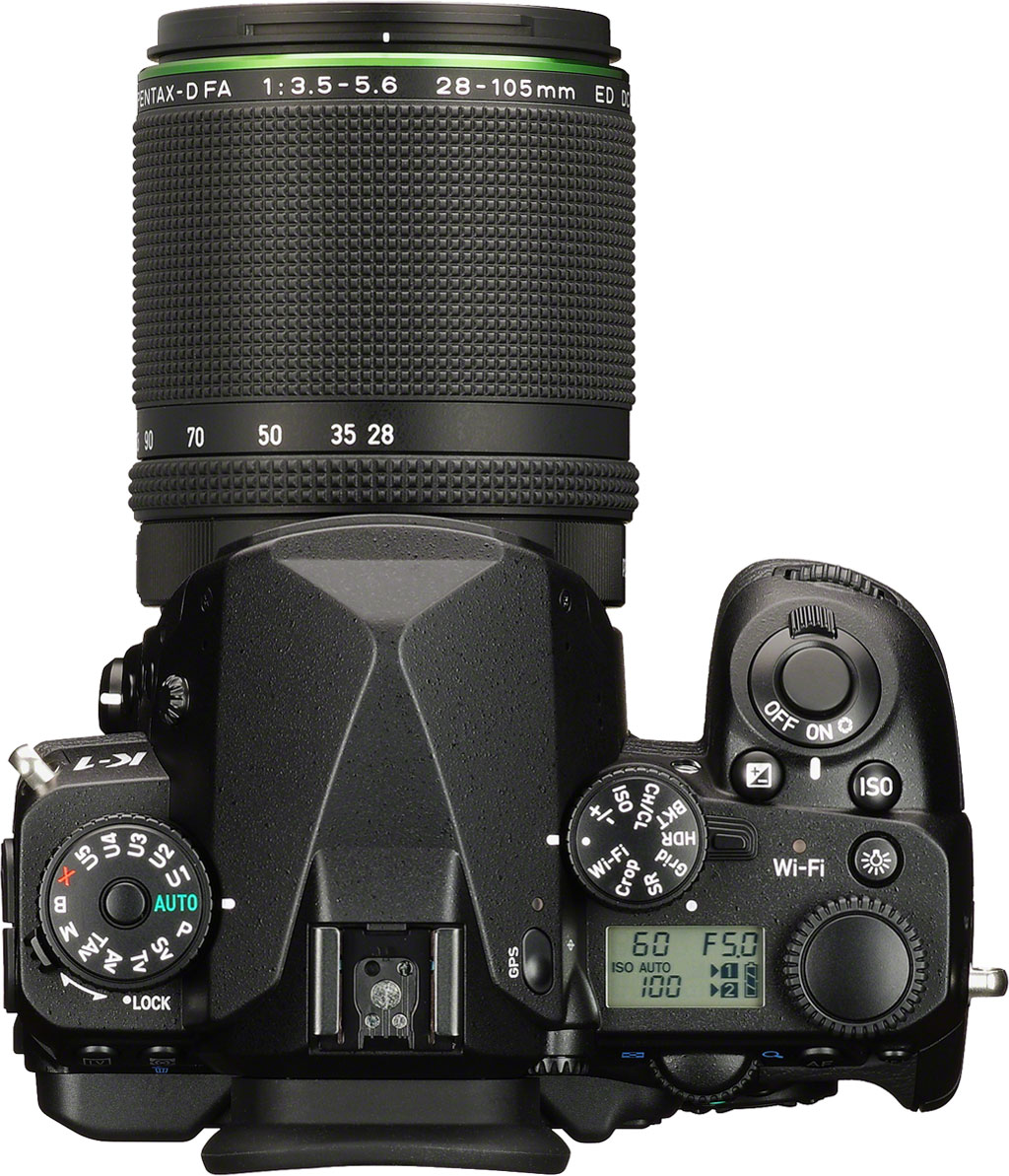
Top-deck Info LCD
For quick at-a-glance checks of basic setup, battery life and shots remaining, there’s still a monochrome info display on the top deck. It’s significantly smaller and contains less information than that on the earlier K-series flagships, helping to free up room for some of the new top-deck controls, but still hits the high points. For nighttime viewing, it has an amber backlight which illuminates when you press the dedicated lamp button on the top of the camera.
On-demand body lighting, too
That’s not the only function of the lamp button, though. It also activates another unique feature of the Pentax K-1. On the outside of the body are an array of lights, but unlike those on the entry-level Pentax K-S1, these are no mere fashion accent. Instead, they illuminate the camera body to help make it easier to see what you’re doing when fiddling with controls, changing lenses and so forth after dark.
One such LED sits beneath the pentaprism assembly on the front of the camera, providing illumination for the lens mount. Four more can be found on the rear of the LCD monitor, and light up the rear-panel controls once the display is tipped or pulled outwards from the camera body. Further LEDs cast some light on the K-1’s flash card slots and cable connectors.
If you want, you can adjust the brightness of the LEDs or disable them altogether, as well. It’s a really nice detail which makes it much easier to handle the K-1 at night. Hindsight is 20/20, but we can’t help wondering why nobody thought of this before now.
Exposure modes
The Pentax K-1 offers a healthy selection of exposure modes. As well as Automatic, Program (with program shift), Shutter priority (Tv), Aperture priority (Av), Manual, and Bulb, there are a couple of Pentax exclusives: Sensitivity priority (Sv), and Shutter-and-Aperture priority (TAv). In these latter two modes, you can either dial in a sensitivity and let the camera select aperture and shutter speed, or dial in the aperture and shutter speed, then let the camera select the sensitivity. There’s also a Flash X-Sync mode, which locks the shutter speed at 1/200 second, just a little faster than the 1/180 second typical of Pentax DSLRs.
There are also five separate User modes (U1 thru U5), allowing you to quickly recall settings groups you’d saved for particular shooting situations. And you can opt for various program lines when using automatic or semi-automatic exposure. As well as the default program line, you can bias the camera in favor of higher shutter speeds, a shallow or deep depth of field, or towards the MTF sweet spot of the lens.
Finally, the Auto mode now has an updated Real-Time Scene Analysis system which should provide better results when shooting in the Auto Select custom image mode.
Drive modes
Drive mode options in the Pentax K-1 include continuous (high, medium, or low), self-timer (two or 12 second), remote control (instant, three second, or continuous), bracketing, mirror lockup, HDR, interval, interval composite and multiple exposure. (More on these last few in the creative section below.) The bracketing mode allows 2, 3, or 5 shots with up to 2EV between exposures.
Shutter
The Pentax K-1’s shutter speed range is unchanged from that of other recent flagships, but the shutter mechanism itself is new. It has a rated lifetime of 300,000 cycles, 50% higher than that of Pentax’s APS-C flagships. Available shutter speeds range from 1/8,000 to 30 seconds in 1/3 or 1/2 EV steps, plus bulb.
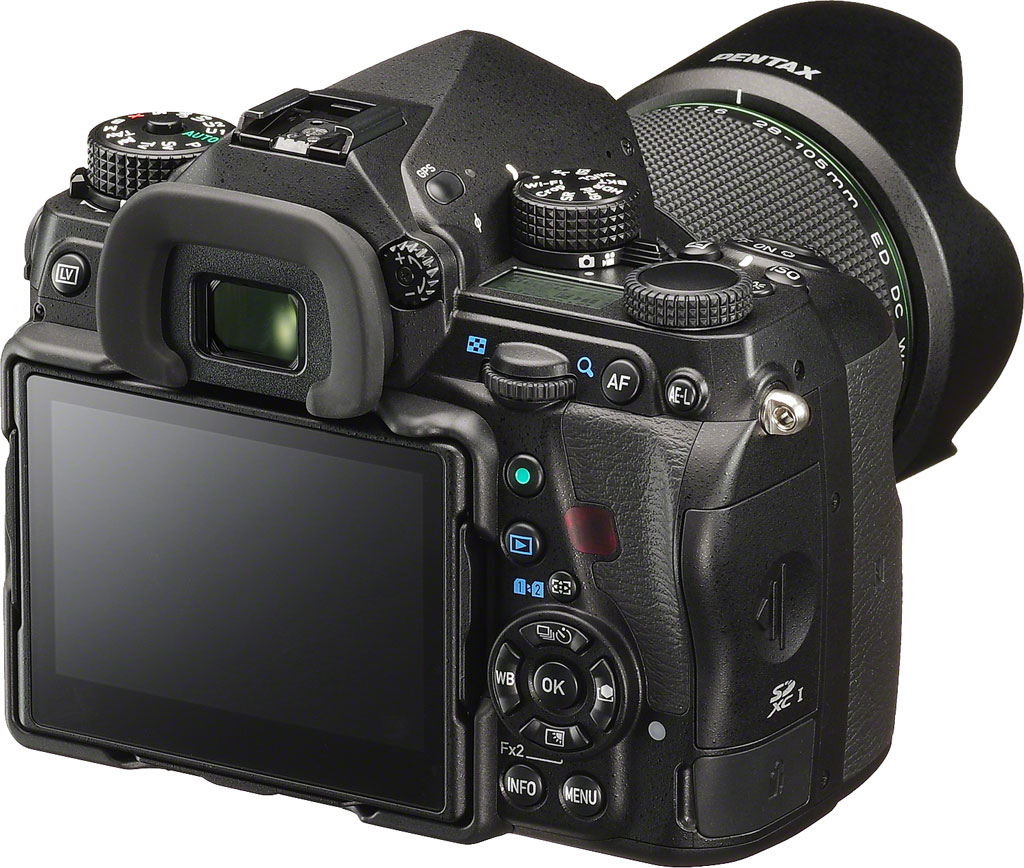
White balance
The Pentax K-1’s white balance system offers a wide range of options, including an interesting Multi Auto WB mode which aims to neutralize color casts from multiple different light sources in the same scene. As well as Automatic and Manual modes, the K-1 provides nine white balance presets (Daylight, Shade, Cloudy, Daylight Color Fluorescent, Daylight White Fluorescent, Cool White Fluorescent, Warm White Fluorescent, Tungsten, and Color Temperature Enhancement). This last option is used to retain and enhance the lighting tone – for example, to enhance a sunset.
White balance can also be measured from a neutral target, or a specific color temperature can be dialed in manually, using either Kelvin or Mired values. Three custom white balance values of each type can be stored in-camera. And finally, you can adjust white balance within a +/- 7-step range on both amber-blue and green-magenta axes.
Creative
The Pentax K-1 has a healthy selection of creative options. We’ve already briefly mentioned a couple: HDR mode and multiple-exposure shooting.
HDR mode captures multiple images, then microaligns them in camera and blends them to create a single image with greater dynamic range. You have a choice of automatic blending, or one of three effect strengths. These range from fairly natural to a bolder, crunchier feel. (And since the images are microaligned, the mode can be used handheld.)
And unusually, the mode even allows you to output a raw image, although much third-party software is unlikely to recognize that there are multiple shots in the file. (But you can split the HDR raw into three non-HDR raws using Ricoh’s Silkypix-based bundled software, allowing you to tweak the results in your own HDR app.)
Multiple exposure mode also allows you to save your result as a single raw image merged from multiple exposures. There are three methods of merging the source images: additive, average or bright mode. The first two are self-explanatory, while the third takes the brightest pixel at any given location in the source images, and uses that in the final image. You can merge up to 2,000 frames, allowing for some pretty cool effects.
There’s also a time-lapse function, which allows shots at 2-second to 24-hour intervals. Again, you can capture as many as 2,000 shots in a series.
Custom image modes include Auto Select, Bright, Natural, Portrait, Landscape, Vibrant, Radiant, Muted, Flat, Bleach Bypass, Reversal Film, Monochrome and Cross Processing. (Both Auto Select and Flat are new additions for the K-1.) Digital filters include Extract Color, Replace Color, Toy Camera, Retro, High Contrast, Shading, Invert Color, Unicolor Bold and Bold Monochrome.
And of course, there’s the Pixel Shift Resolution function which we covered previously.
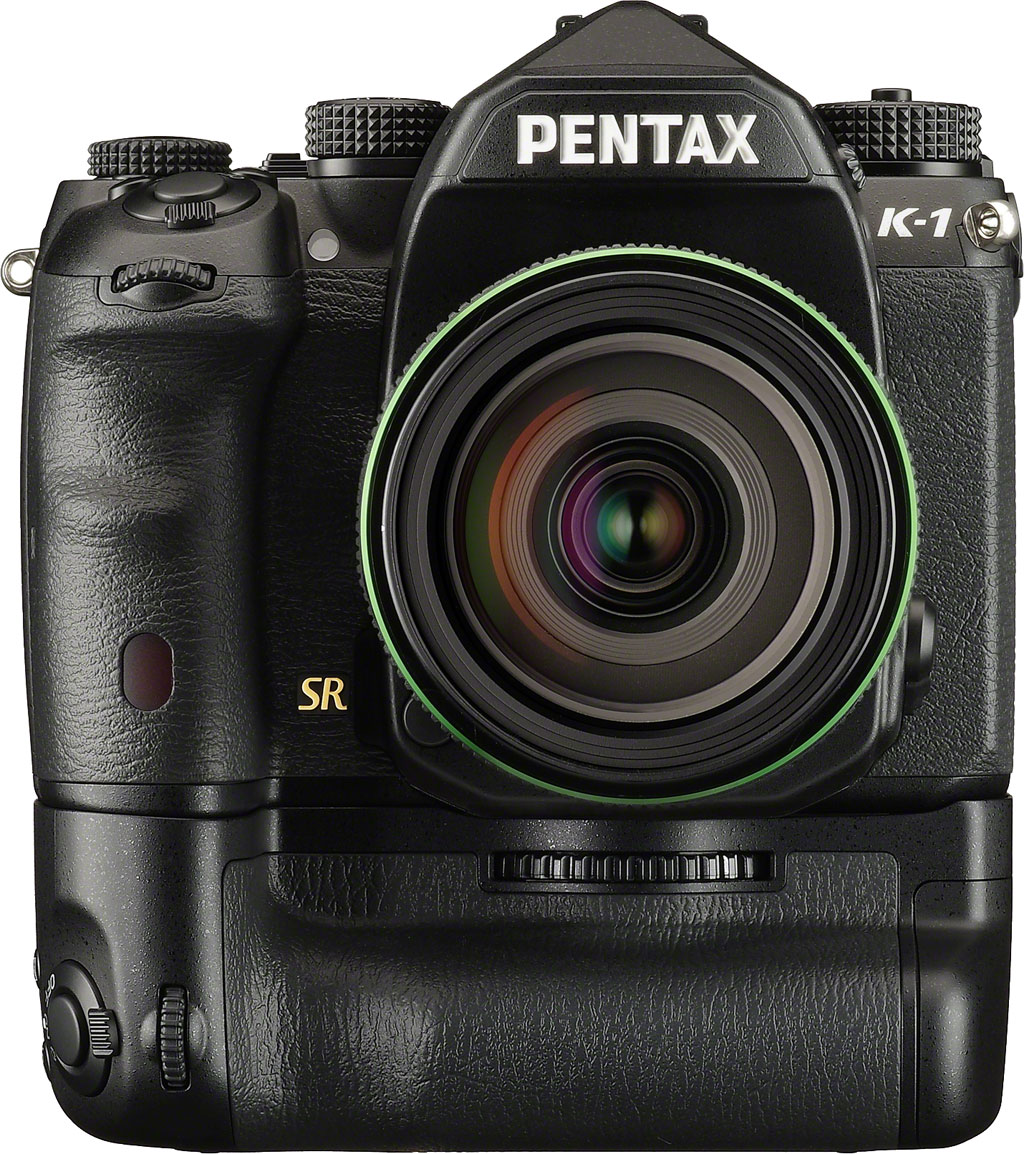
Copyright tagging
Like the flagship models which precede it, the Pentax K-1 can optionally embed copyright data into its raw and JPEG image files. You can enter both a photographer and copyright holder name from the camera body, and the headers of images will be tagged with both. It’s not a permanent tag, and so you can’t rely on it to protect your images from copyright theft, but it does make it so that you can easily identify who shot a particular image in your library.
Dual-axis level gauge
The Pentax K-1 features a dual-axis level gauge function. This detects both side-to-side roll, and front-to-back pitch. Both of these are displayed in the viewfinder and on the rear LCD.
Horizon correction
Ricoh goes a step further than most DSLRs, which simply show the degree of side-to-side roll, though. The Pentax K-1 can automatically correct for up to two degrees of roll in either direction if Shake Reduction is disabled, or one degree if it’s enabled. If you’re driven to distraction by tilted horizons, it’s a great feature to have.
Composition correction
Horizon correction takes advantage of Pentax’s sensor-shift system, and so to does composition correction. This is handy when you’re shooting on a tripod, and want to make very slight adjustments to composition. You can move the sensor left, right, up, or down, and rotate it by up to a couple of degrees, fine-tuning your composition to perfection.

Movie capture
The Pentax K-1’s Movie mode isn’t as comprehensive as that of some rivals, but does hit the high points, making it reasonably suitable to grabbing short clips to accompany your stills. Standard movies are stored using MPEG-4 AVC / H.264 compression in a .MOV container, while interval movies, which we’ll come to in a second, are shot with Motion JPEG compression.
The Pentax K-1 captures movies at up to Full HD (1,920 x 1,080 pixel; 1080p/i) resolutions, with a selection of frame rates include interlaced 60i / 50i or progressive-scan 30p / 25p / 24p at Full HD resolution. At the lower 720p resolution, you’ll find a choice of progressive scan 60p / 50p rates.
Movies can be shot with Program, Aperture-priority, Shutter-priority or fully Manual exposure. Sound comes courtesy of a built-in, stereo microphone by default, or you can connect an off-camera microphone courtesy of a standard 3.5mm stereo mic port. There’s also a 3.5mm stereo headphone port, which means that you can monitor audio levels before and during capture. And the K-1 provides levels display before and during capture, completely with a peak hold function, and separate display of left / right channels.
The K-1 also allows autofocus during movie capture. It’s not the fastest and it only provides single operation, rather than full-time autofocus. Still, it means you don’t have to pull focus manually or set your shoot up so as to keep your subject within depth of field.
There’s still a 25-minute / 4GB clip length limit in the Pentax K-1, and so if you need to have longer continuous shooting, you’ll need to look for another solution. Sadly, there’s also no clean HDMI output, so recording externally isn’t an option.
And we mentioned that the Pentax K-1 supports interval movie capture. This works much as it did in earlier flagships, and shoots at up to 4K resolution (3,840 x 2,160 pixels). If your clips are lengthy, you can expect some seriously colossal file sizes — around 3GB per minute — at this resolution, thanks to the Motion JPEG / AVI compression. That said, the ability to shoot ultra high-def time-lapse video is nevertheless pretty cool.
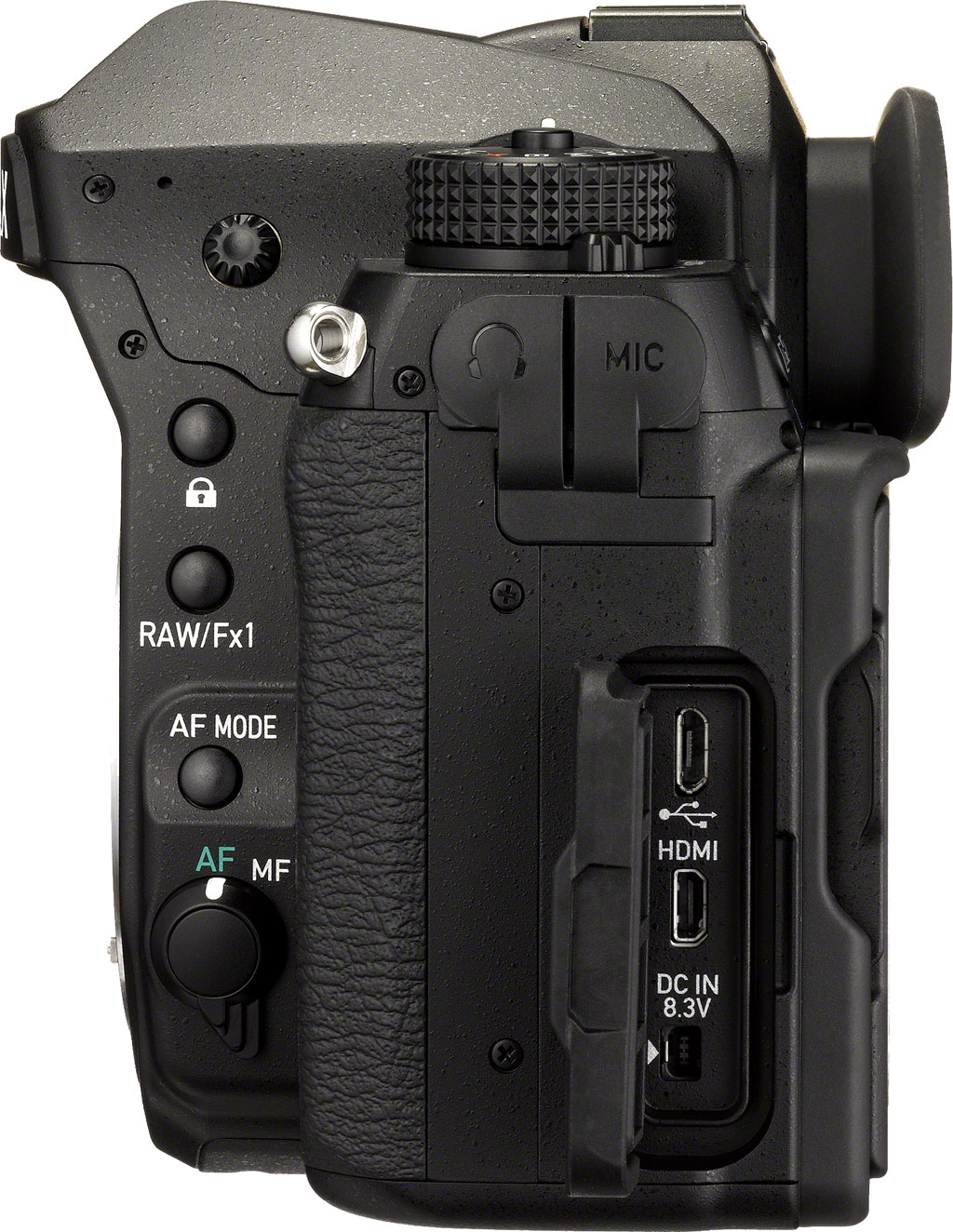
Wi-Fi wireless communication
Helpfully if you want to get your photos online or into your client’s hands as quickly as possible, the Pentax K-1 includes in-camera Wi-Fi wireless networking connectivity. Through a free “Image Sync” app for both Android and iOS smartphones and tablets, the K-1 can be controlled remotely, complete with a live view feed and the ability to adjust variables such as shutter speed, aperture and ISO sensitivity. It’s a much more integrated solution than in past Pentax flagships, which at best have offered compatibility with Eye-Fi cards for image transfer, or with Pentax-branded Flucards for image transfer and remote control.
Connectivity
In almost all respects, the Pentax K-1 is a significant upgrade over the crop-sensored K-3 and K-3 II. In one respect, though, it rather curiously trails both cameras. Where the earlier K-3 and K-3 II sported USB 3.0 SuperSpeed data connectivity, the K-1 reverts back to the far more common — but rather slower — USB 2.0 High Speed. If you prefer to swap your SD card to another devices instead of transferring data through a cable, then you’ll not even notice the change. If you appreciated the higher transfer rates possible with the K-3 siblings, though, it might be time to invest in a fast card reader and change your habits.
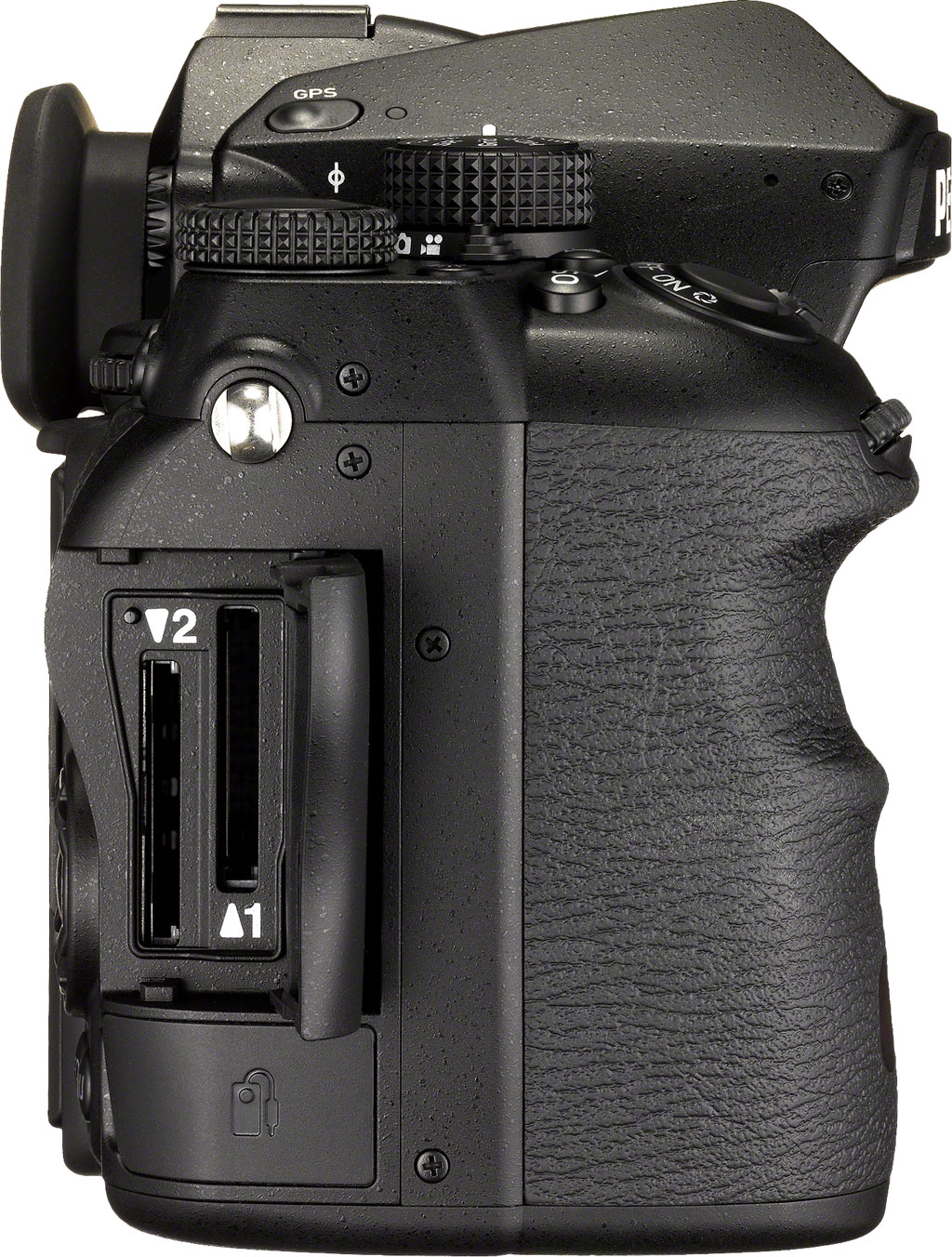
Acknowledging that standard-def is now a thing of the past for most of us, the Pentax K-1 offers only a high-definition Type-D Micro HDMI output. We’ve already mentioned much of the K-1’s remaining connectivity, which includes 3.5mm stereo mic and headset jacks, an intelligent hot shoe, cable switch terminal, PC sync terminal, front and rear infrared receivers, and a connector for the optionally-available D-BG6 portrait / battery grip. There’s also an 8.3V DC input, which works with the K-AC132 AC adapter kit.
Storage
Storage is catered for with dual SD card slots. These are compatible with both the higher-capacity SDHC and SDXC cards, as well as the higher-speed UHS-I cards, the latter up to the maximum bus speed of 104MB/second.
Power
The Pentax K-1 retains the same D-LI90 battery as all of Pentax’s other flagship models since the original K-7. The combination of battery and K-1 is rated as good for 760 shots on a charge, or 390 minutes of playback. That’s just slightly better than the K-3 II in record mode, as that model was rated for 720 shots on a charge. Note that when comparing with other models, you’ll need to account for the lack of a flash strobe in the K-1. (The standard CIPA test uses the flash for every other shot if the camera has one, increasing power consumption.)
Battery grip
Add on the optional D-BG6 portrait / battery grip, and you’ll be able to put a second battery pack in the camera for double the battery life. (You’ll also be able to use six standard AA batteries in the grip if you can’t get to a charger, and a spare flash card can be stored in one of the two battery inserts that are supplied with it.)
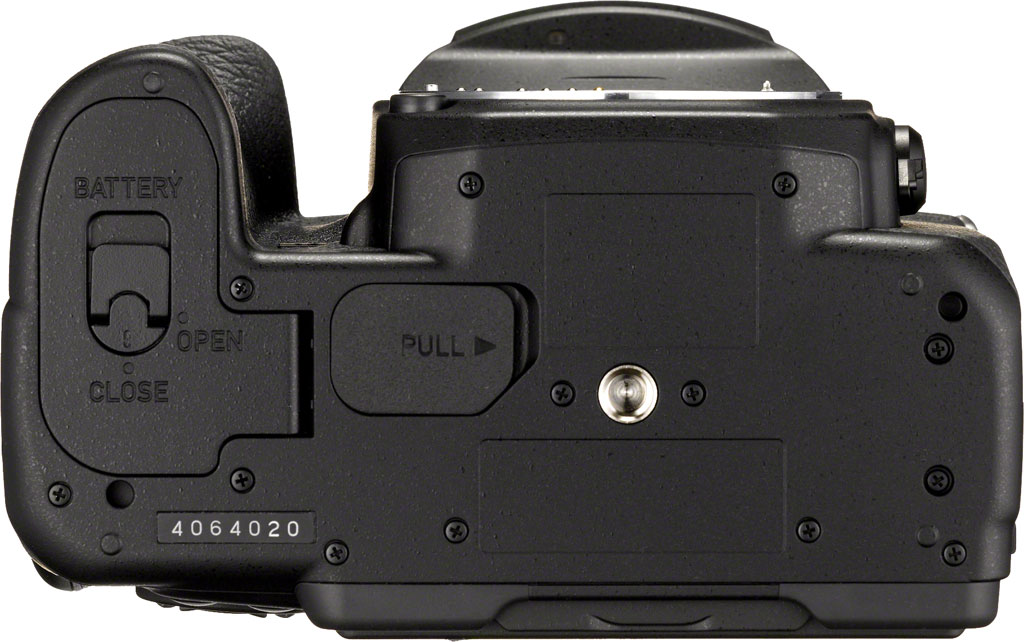
Psr Mode
by Mike Tomkins | Posted: 05/06/2016
When it launched its crop-sensor flagship camera, the Pentax K-3 II, back in April, 2015, Ricoh debuted a brand-new feature that was hugely useful to anyone wanting the maximum per-pixel sharpness and dealing primarily with relatively static subjects. Dubbed Pixel Shift Resolution (or in some markets, Real Resolution), this function captured multiple images and combined them in-camera to create a single shot with higher resolution.
Pixel Shift Resolution worked similarly to the High-Res Shot mode of the Olympus E-M5 II, which predated the K-3 II by a couple of months, although there were some important differences between the two. (We’ll come back to those in a moment.) Olympus has since taken its rival feature into an even smaller camera with the handsome Olympus PEN-F. Now Ricoh heads in the opposite direction with the Pentax K-1, the subject of this review and the first full-frame camera to include such a feature.
The K-1’s Pixel Shift Resolution can now compensate for moving subjects
In our earlier K-3 II review, we noted that both Ricoh and Olympus’ competing technologies shared the same key limitation: They only worked with static subjects. (At least, unless you were willing to roll your sleeves up and get down and dirty in the digital darkroom.) Interestingly, that is no longer the case for the Pixel Shift Resolution function in the Pentax K-1. Although you do still need to use a tripod, just as you do with Olympus’ cameras, Ricoh says that its uprated function in the K-1 can optionally compensate for moving subjects.
The way in which it does this is essentially automating the same technique I proposed in my first Pentax K-3 II field test, but with a whole lot less fuss on the user’s part. The camera locates areas of subject motion, and then simply doesn’t apply the Pixel Shift Resolution technique here. That means that these areas don’t gain the benefit of improved resolution, but as it happens that’s not really an issue. Your brain expects subjects in motion to look softer, and so if it’s noticeable at all, simply interprets that softness as a moving subject. The remainder of the image gains the benefit of greater per-pixel sharpness, and all is well, in theory at least.
I have, of course, tested this theory out. To see how it performed, you’ll want to read my real-world Pentax K-1 Field Test. (Spoiler alert: It works better for larger moving subjects than it does for more subtle motion like foliage and ripples in water.)
The K1 still can’t compensate for handheld shooting, however
Of course, the reason for the tripod requirement is pretty simple: If it’s the camera that’s moving rather than the subject, then most or all of the image frame (depending upon how the camera and subject moves) will show motion relative to your subject. That means that most or all of the scene will be rendered using the single-image capture, and effectively the Pixel Shift Resolution function will do nothing at all.
Thus far at least, it seems that the challenge of correcting for handheld motion — compensating accurately enough to freeze that motion while simultaneously managing the single-pixel shifts required between frames — is too tough a challenge for the Pixel Shift Resolution function to work without a tripod, but that’s not really surprising.
Even with the requirement to shoot on a tripod, with its new motion compensation function Pixel Shift Resolution should be noticeably more useful than in the K-3 II, though, and that’s great news. As in the that camera, for predominantly static subjects it can give you access to even greater resolution than can be derived from a single shot, reduce the incidence of moiré and false color, and — although still we can’t think of a good reason you’d need to do so — can also improve noise levels and grain size.
How The Pentax K-1’s Pixel Shift Resolution differs from Olympus’ High-Res Shot
Both Ricoh and Olympus’ cameras create their high-resolution images by capturing multiple shots in sequence, and adjusting the sensor position just fractionally between shots using the sensor-shift stabilization mechanism so that the light at any given location falls on different sensor pixels. Where typically a camera using a Bayer-filtered sensor must interpolate (or in essence, guess) the values for two out of the three red, green and blue channels for every pixel, this technique allows full color information to be recorded directly at every pixel.
So what separates Ricoh’s approach in the Pentax K-1 and K-3 II from that selected by Olympus in the E-M5 II and PEN-F? The answer is fairly simple: Olympus is moving the sensor in steps that are smaller than its pixel size, and then capturing a total of eight frames to create a single output image. Ricoh, by contrast, is using full pixel-sized steps and combining half as many frames per image, with a total of four images captured per output frame.
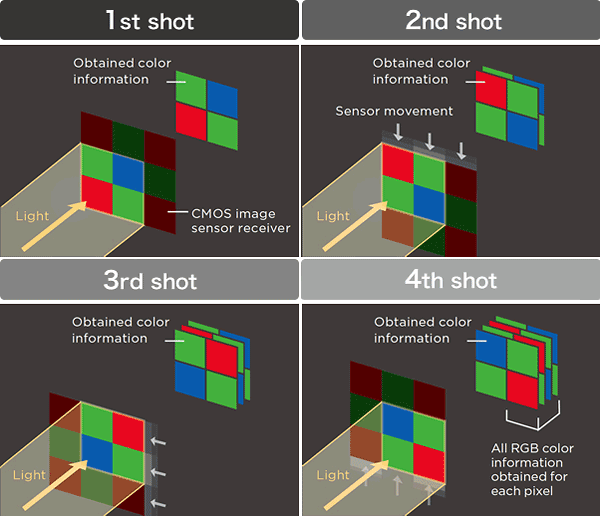 |
| The Pentax K-1’s Pixel Shift Resolution System captures four images with slightly different sensor positions, and combines them into a single shot with full color information at every pixel location. |
Olympus’ approach to the problem gives it more data to work with, and allows resolution to be improved well beyond what the sensor resolution would suggest. Final output resolution for the E-M5 II is 40 megapixels in JPEG mode or 64 megapixels in raw, while that for the PEN-F is even higher at 50 megapixels in JPEG mode or 80 megapixels in raw. It also presents a much more complex problem for the cameras, though, and requires finer sensor positioning.
With less data to juggle for every pixel, Ricoh’s approach as used in both the K-1 and K-3 II is much more easily solved, and yet it still triples the amount of information for each pixel compared to a single-shot capture shot with the same sensor. And as an added advantage, it does so without significantly increasing file sizes, at least so long as you’re shooting in JPEG mode.
In raw capture, though, the Pentax K-1’s Pixel Shift Resolution images have about 3.7 to 3.8 times the file size of a standard raw file. You can expect some extremely large file sizes if you intend to shoot in raw format using Pixel Shift Resolution with the Pentax K-1, on the order of 185-190MB even at base sensitivity, and likely even larger as your ISO sensitivity setting climbs.
The largest DNG file we’ve shot thus far, captured at ISO 204,800-equivalent, weighs in at a truly staggering 264MB for a single scene. The hefty file sizes are also true of Olympus’ cameras, if not quite to the same extent. The E-M5 II’s High Resolution-mode raw files weigh in at around 104MB, about five times the size of its standard raws. The PEN-F’s, meanwhile, tip the scales at around 131MB, some seven times the size of its standard raws. Interestingly, file sizes don’t vary even slightly for either of Olympus’ cameras, no matter the subject or sensitivity used.
Also, it’s worth noting here that even with the 20-megapixel PEN-F, Olympus has quite a resolution deficit to make up compared to the full-frame competition. Since its sensor has around 2.3x more pixels than that in the E-M5 II, and 1.8x as many as in the PEN-F, there’s less need for the Pentax K-1 to increase resolution.
Comparing the Pentax K-1 to its full-frame rivals, only the Sony A7R II, Canon EOS 5DS and 5DS R offer higher resolution in single-shot mode, and by much more modest margins. The Sony has about 16% higher resolution on paper, and the Canon models around 38% higher.
(Note that the K-1 crops and linked images below were taken with the Natural Image Tone setting, instead of the default Bright setting.)
The Pentax K1’s Standard / Pixel Shift Resolution modes compared
 |
 |
|
Single-shot at ISO 100
|
Pixel Shift Resolution at ISO 100
|
The Pentax K-1’s Pixel Shift Resolution versus the competition
Now we’ve seen the gain over single-shot imagery, what about a comparison to the competition? We were only too keen to find out how Pixel Shift Resolution imagery from the Pentax K-1 compares to that of its rivals, so we pulled together a raft of our standardized test samples to find out.
For this comparison, we decided that a number of comparisons were in order. First and most obviously, we wanted to see how the K-1 fared against the highest-resolution full-frame offerings from its rivals — the Canon EOS 5DS R, Nikon D810 and Sony A7R II. Then, of course, we wanted a comparison against Olympus’ High-Res Shot mode. Here, we opted for the higher-res PEN-F, for a fairer comparison against the much higher-res K-1 than you’d get from the E-M5 II. And finally, just as in our roundup for the Pentax K-3 II, we wanted to see where Pixel Shift Resolution placed the K-1 versus its own siblings, and so decided to include the K-3 II’s High Res Shot mode, as well as medium-format imagery from the Pentax 645Z.
For all cameras except the Olympus PEN-F, which has a base sensitivity of ISO 200 equivalent, we opted to stick with ISO 100 for all models, that being the base sensitivity of the Pentax K-1. (And indeed, of most models in the roundup). All cameras were also set to their default noise reduction settings, that being Auto for the Pentax cameras. To ensure we got the most from the Canon 5DS R, we opted for its Fine Detail picture style. And since the Olympus PEN-F offers different resolution depending on whether imagery is created in-camera or not, we decided to include not just the in-camera JPEG results for High-Res Shot mode, but also images processed on the desktop at higher resolution with default settings in Olympus Viewer 3.
Of course, lenses matter too, and as a reader pointed out we missed mentioning which were used. (You can always check the EXIF info by clicking the link from the sample page if you want to check settings, but I did mean to mention the optics here myself.) So which lenses were used? The Pentax K-1 and K-3 II used the Sigma 70mm f/2.8 EX Macro, and so did the Canon EOS 5DS R and Nikon D810. The Olympus PEN-F used the Zuiko Digital ED 50mm F2.0 Macro, and the Sony A7R II used the FE 55mm f/1.8 ZA. Finally, the Pentax 645Z used the D FA 645 55mm F2.8 AL [IF] SDM AW.
Given the number of comparisons to make here — and therefore the scope of the task at hand — we decided to make a few concessions relative to our last test. For one thing, we’re going to let the images do the talking here: We’re simply providing the crops and links to full-resolution imagery, and allowing readers to draw their own conclusions as to which cameras are doing the best job. We’re also providing one crop from the mosaic label area of our standardized test scene, because it’s near the center of the image frame (minimizing potential lens-induced issues), includes both a mixture of extremely fine detail and smooth, flat areas with minimal detail, and can crop down nicely for easier side-by-side viewing.
Also, while last time we provided comparisons both upsampling the lower-res camera and downsampling the higher-res one, that honestly seemed like overkill to us for a comparison this big. Doubly so because the resampling and sharpening methods used will affect the results, making it to some extent a comparison of the resampling methodology, and not of the cameras themselves. If you want to make the comparisons for yourself, full-res out-of-camera JPEGs and raw files are available on our samples pages for all of these cameras, so you can again draw your own conclusions.
With that out of the way, let’s take a look at the results!
 |
 |
|
Pixel Shift Resolution shot from the Pentax K-1
|
Single-frame shot from the Canon EOS 5DS R
|
 |
 |
|
Pixel Shift Resolution shot from the Pentax K-1
|
Single-frame shot from the Nikon D810
|
 |
 |
|
Pixel Shift Resolution shot from the Pentax K-1
|
Single-frame shot from the Sony A7R II
|
 |
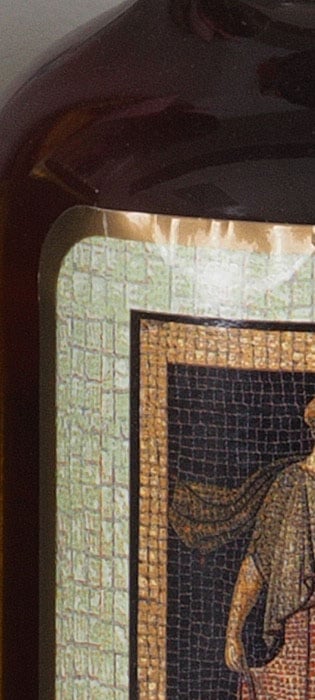 |
|
Pixel Shift Resolution shot from the Pentax K-1
(out-of-camera JPEG @ base ISO 100) |
High-Res Shot mode from the Olympus PEN-F
(out-of-camera JPEG @ base ISO 200) |
 |
 |
|
Pixel Shift Resolution shot from the Pentax K-1
(out-of-camera JPEG @ base ISO 100) |
High-Res Shot mode from the Olympus PEN-F
(Olympus Viewer 3 JPEG @ base ISO 200) |
 |
 |
|
Pixel Shift Resolution shot from the Pentax K-1
|
Single-frame shot from the Pentax 645Z
|
 |
 |
|
Pixel Shift Resolution shot from the Pentax K-1
|
Pixel Shift Resolution shot from Pentax K-3 II
|
The Pentax K1’s Pixel Shift Resolution’s as relates to sensitivity
Another advantage of this multi-shot technique, as we said at the outset, is that it can significantly reduce noise levels. For our final comparison, we offer a side-by-side look at how noise levels and detail differ between single-shot and Pixel Shift Resolution modes across the Pentax K-1’s ISO sensitivity range!
 |
 |
|
Single-shot at ISO 100
|
Pixel Shift Resolution at ISO 100
|
 |
 |
|
Single-shot at ISO 200
|
Pixel Shift Resolution at ISO 200
|
 |
 |
|
Single-shot at ISO 400
|
Pixel Shift Resolution at ISO 400
|
 |
 |
|
Single-shot at ISO 800
|
Pixel Shift Resolution at ISO 800
|
 |
 |
|
Single-shot at ISO 1600
|
Pixel Shift Resolution at ISO 1600
|
 |
 |
|
Single-shot at ISO 3200
|
Pixel Shift Resolution at ISO 3200
|
 |
 |
|
Single-shot at ISO 6400
|
Pixel Shift Resolution at ISO 6400
|
 |
 |
|
Single-shot at ISO 12,800
|
Pixel Shift Resolution at ISO 12,800
|
 |
 |
|
Single-shot at ISO 25,600
|
Pixel Shift Resolution at ISO 25,600
|
 |
 |
|
Single-shot at ISO 51,200
|
Pixel Shift Resolution at ISO 51,200
|
 |
 |
|
Single-shot at ISO 102,400
|
Pixel Shift Resolution at ISO 102,400
|
 |
 |
|
Single-shot at ISO 204,800
|
Pixel Shift Resolution at ISO 204,800
|
Conclusion
by Mike Tomkins
Full-frame: For years now, it’s been the endless topic of discussion among Pentaxians. When would it arrive — if ever — and how would it compete with rivals once it did? And if it created a full-frame camera, would Pentax be able to repeat its success in the sub-frame segment of the DSLR market, where its flagship K-7, K-5 and K-3-series cameras have rightly earned a reputation for good design and a rich feature set at an affordable price-point?
With the arrival of the full-frame Pentax K-1, we finally have an answer to all of those questions. It’s a landmark product for Pentax and its brand-owner Ricoh, and one which finally plugs the sizeable gap between the company’s impressive APS-C cameras, and its mighty 645-series medium format models. And doubly so because it finally unlocks the potential in countless full-frame Pentax K-mount lenses which have been released over the decades, bringing full-circle a product line which has long been known for its impressive backwards-compatibility.
 |
|
105mm, 1/250 sec. @ f/13, ISO 800 |
The Pentax K-1 has an excellent, high-quality body with great handling
From the very beginning of our review, it was clear that Ricoh and its Pentax brand were taking the full-frame market seriously. Rather than simply shoe-horning a bigger sensor into one of its existing bodies, the company built a new design from the ground up. The result is a truly excellent body, with superb build quality and for the most part excellent ergonomics.
If you’re coming from a consumer or enthusiast-grade APS-C DSLR, you may initially find it just a little on the heavy side, but not unduly so. And while its a bit bigger than Pentax’s sub-frame flagships, when compared to its full-frame rivals the weather-sealed Pentax K-1 is still impressively compact. There are more compact full-frame cameras out there, sure, but not with the comfortable handling and feeling of attachment to your subject that you get with a full-frame DSLR like the K-1.
|
|
|
100mm, 1/2,000 sec. @ f/2.8, ISO 200 |
Well-considered controls, although there’s some duplication in the new Smart Function dial
For the most part, Ricoh has done a very good job with the control layout of the Pentax K-1. Most of its dials, switches and buttons are very well positioned and comfortable to use, and the overall control scheme is extremely intuitive. Photographers who’re new to Pentax will doubtless appreciate the Smart Function dial in particular, as it makes it very quick to access and change a number of settings.
More experienced Pentaxians will realize that in some respects it simply duplicates existing controls, though, and may find themselves wishing for a larger top-deck status LCD and an extra button or two instead. But that’s a relatively minor gripe, as the existing status LCD still manages to convey a fair bit of the most essential information.
|
|
|
80mm, 1/100 sec. @ f/7.1, ISO 3200 |
The Pentax K1 has a roomy, bright viewfinder and rugged articulated display
As you’d expect on a full-frame camera, the Pentax K-1 sports a really great, roomy and very bright thru-the-lens optical viewfinder. Its new on-demand grid overlays are a great addition which we’ve not seen before in a Pentax-branded DSLR, although the backlight for these is a bit on the dim side for nighttime shooting.
The unusual lunar lander-style struts of the newly-articulated rear-panel LCD monitor are extremely eye-catching. Once we got hands-on with the Pentax K-1, our initial concerns about durability of this design evaporated. Although in some respects we’d have preferred a more commonplace side-mounted tilt/swivel, there’s no denying that in some shooting situations Pentax’s Cross-Tilt mechanism offers its own advantages.
Really, it’s hard to call one design clearly better than the other; we’re just glad that a flagship Pentax DSLR finally offers up an articulated screen at all!
 |
|
58mm, 1/100 sec. @ f/4.5, ISO 200 |
Ricoh packed the K-1 with plenty of features, but we do miss the popup flash
No question about it, the Pentax K-1 is an exceptionally well-specified camera. Much like Ricoh’s APS-C flagship DSLRs before it, the K-1 is packed to the gills with tech. In fact, there are so many great features we simply haven’t room to mention them all! The lengthy list includes in-camera GPS, compass and tri-axis orientation sensors for geolocation, in-camera Wi-Fi for quick-and-easy sharing, and an uprated five-axis image stabilization system to fight blur.
And of course, there are dual card slots to provide ample storage, although sadly these aren’t compatible with the highest-speed UHS-II cards. That’s one of a very limited number of omissions, though. The other main ones are the absence of a built-in flash, something which we regret simply because it means you’ll need an extra strobe for wireless flash setups. And sadly, the USB 3.0 connectivity of the most recent APS-C flagships is replaced by more commonplace USB 2.0, meaning wired file transfers will take a bit longer to complete.
 |
|
43mm, 1/500 sec. @ f/5.6, ISO 100 |
The on-demand body lighting system and outdoor view control are pure genius
Perhaps the coolest of the K-1’s features, though, are brand-new inventions. The on-demand body lighting system — which illuminates not just the top-deck status LCD, but also the lens mount, rear panel controls, card slots and some connectors — is one of those things you just don’t want to live without, once you’ve gotten used to using it. It really makes things more convenient when shooting in the dark, saving you fumbling for a flashlight while changing lenses, flash cards, settings and more.
And while it won’t get nearly the attention of that brand-new feature, the addition of a dedicated outdoor view control for LCD brightness is equally well thought out. It’s details like these that tell us this camera was made for and by photographers. Never again will we have to shield the monitor with one hand while blindly stumbling around a barely-visible menu system in search of the hidden brightness setting!
|
|
|
43mm, 1/400 sec. @ f/5.6, ISO 100 |
Battery life is only fair, but we’re adding bonus points for its excellent backwards-compatibility
One area in which the Pentax K-1 doesn’t quite live up to its rivals is in the battery life department, perhaps because of the liberal amount of tech that Ricoh has managed to fit into this camera. Be that as it may, though, when shooting through its optical viewfinder the K-1 will long outlive full-frame mirrorless cameras in terms of battery life.
And again, the fact that Pentax has continued to use the exact same battery pack across all of its flagship DSLRs since 2009 tells us that the photographers are getting their say in the design process. If you’re shooting a full-frame K-1 alongside a sub-frame Pentax DSLR — and we’d imagine many K-1 owners will be — you’ll really appreciate not having to deal with multiple incompatible battery packs and chargers. We know we did!
|
|
|
68mm, 1/100 sec. @ f/5.6, ISO 12,800 |
Good burst performance and generous burst depths
For a high-resolution full-frame camera, burst performance of the Pentax K-1 is fairly good, even if it lags just fractionally behind the nearest competition. It actually bests its manufacturer-rated performance claim by a little bit, which isn’t something we get to say too terribly often.
And while it does lag cameras like the Nikon D810, Canon 5DS R or Sony A7R II by some 0.2-0.5 frames per second, it’s also a much more affordable camera than any of these. Compare it to its nearest-priced full-frame rival, and you’ll find that Pentax is actually performing well, given its much higher resolution. Buffer depths are pretty good, too, especially in JPEG mode, although we’d like to see Ricoh work on faster card clearing times, as these can be a bit on the sedate side.
Of course, truth be told, even though the Pentax K-1 and some of these rivals can shoot even faster in APS-C crop mode, none of them are really aimed at sports shooters — and for that reason we’d say that the K-1’s performance is more than sufficient for its target market.
 |
|
43mm, 1/60 sec. @ f/2.8, ISO 12,800 |
Very good autofocus performance, especially in low light
We found ourselves very impressed with the uprated autofocus system of the Pentax K-1. Phase-detection autofocus speed is very good, and in real-world shooting, it’s also pretty reliably accurate. And while contrast-detection AF is a good bit slower, it’s fast enough to be usable with many subjects, too.
Where the K-1 really astounded us, though, was in its low-light performance. Again, this noticeably bettered Ricoh’s own manufactured-rated figures, being able to focus a good bit below the -3.0EV spec even with our low-contrast focus target, and even further with a high-contrast target. And that was borne out in the real world as well, with the phase-detect AF system being able to work with subjects which were dark enough that it was difficult to even frame them in the viewfinder!
|
|
|
43mm, 1/60 sec. @ f/2.8, ISO 6400 |
Excellent image quality and a very generous usable sensitivity range
Perhaps the most important attribute of a camera like this, though, is in the image quality it can provide. And the good news is that we found the Pentax K-1 to provide great image quality, especially if you’re willing to invest the time to shoot raw and post-process for the best results. (Even in JPEG mode, though, we felt image quality to be very good.)
The Pentax K-1’s images are absolutely packed with detail, and better still, it offers a very broad range of sensitivities which we would consider to be usable. For the best results, you’ll want to avoid the very highest sensitivities where possible, though, especially if you’re shooting JPEGs. Personally, I’d consider up to ISO 12,800 qood enough for daily use, and up to ISO 51,200 as worthwhile in a pinch.
That’s equal to the entire range provided by the Nikon D810 with extended sensitivities enabled, by way of comparison. With that camera, I didn’t feel the full range to be usable in the real world, so the K-1 has an edge here.
|
|
|
43mm, 3 sec. @ f/1.9, ISO 100 |
Pixel Shift Resolution is great for relatively static subjects, and now handles some motion gracefully too
And for relatively static subjects, Pixel Shift Resolution allows even better image quality if your lenses are up to the task. Of course, you’ll have to be shooting on a tripod to take advantage of the function, but that’s hardly surprising. (And it’s true of Olympus’ rival High-Res Shot mode, too.)
The addition of a motion compensation function to Pixel Shift Resolution is very handy for things like people, animals or vehicles moving within your scene, but struggles more with subtler motion like foliage on a breezy day, or ripples on water. It’s not a magic bullet, then, but it will definitely make Pixel Shift Resolution easier to use in real-world shooting.
|
|
|
105mm-equivalent, 1/250 sec. @ f/8.0, ISO 25,600 |
The Pentax K-1 is highly recommended, and surprisingly affordable as well
All things considered, the Pentax K-1 strikes us as one heck of a camera, and an incredibly impressive first entry in the full-frame segment from Ricoh. Doubly so when one considers that it has arrived at a very aggressive pricepoint, as well. Its nearest competitors in the full-frame DSLR space are significantly more expensive, and while full-frame mirrorless cameras can be had at this pricepoint, they lack the comprehensive feature set of the Pentax K-1, not to mention its superb viewfinder and handling.
No question about it: The Pentax K-1 comes very highly recommended, and is a no brainer for a spot on our Dave’s Pick list as well. If you’re a Pentaxian and want to enjoy the advantages of full-frame, you’ll definitely want to get your hands on the top-notch image quality and generous performance provided by the K-1. And if you’re not already tied into a rival system, or you’re willing to invest in replacing your existing glass, perhaps now is the time to consider moving to Pentax.
Hands-down, the Pentax K-1 is the most exciting digital camera that Ricoh has ever made!
Pros & Cons
Image Quality
- Great image quality, especially from RAW files
- Very good high ISO performance in JPEGs (except in red channel), excellent in RAW files
- Terrific dynamic range in RAW files
- On-demand AA filtering lets you decide how to tradeoff per-pixel sharpness against aliasing artifacts
- AA filter bracketing saves you having to choose ahead of time
- Superb detail, reduced noise and improved dynamic range with Pixel Shift Resolution mode
- Pixel Shift Resolution mode can now handle larger moving subjects gracefully
- Relatively low resolution when shooting in APS-C crop mode (but the same is true of rivals)
- JPEGs can look a bit soft at default settings
- Default JPEG contrast is high leading to easily blown highlights, but D-Range helps
- High ISO noise reduction too aggressive in red channel, even when turned “Off”
- Warm Auto white balance indoors
- Motion compensation function for Pixel Shift Resolution struggles with more subtle motion like foliage, water ripples, etc.
Performance
- Very quick autofocus when using the optical viewfinder
- Able to autofocus in very low light, easily exceeding Pentax’s -3.0 EV spec
- Fast single-shot cycle times
- Decent burst speed for its class and beats its manufacturer rating at 4.6 fps. That’s just a touch below average for full-frame, but faster than any full-frame model which isn’t significantly more expensive or lower-resolution.
- Performance improves to 6.5 fps (manufacturer rating) in APS-C mode
- Generous JPEG buffer depth of over 70 frames
- Fair buffer depths with RAW and RAW+JPEG (17 and 13 frames respectively)
- Sluggish power-up
- Slow buffer clearing (and no UHS-II card support)
Video
- Full HD video capture with fairly good image quality (so long as you avoid interlaced capture)
- Microphone and headphone
jacks for external audio and levels monitoring
- No 4K video capture
- No high framerate video at Full HD resolution
- No clean HDMI output
User Experience
- Pretty compact for a full-frame DSLR
- Excellent ergonomics with comfortable handling
- Smart Function dial is very intuitive (although it does duplicate some functions already available with existing controls)
- Superb build quality with not a hint of flex or panel creak
- Comprehensive dust/weather-sealing and coldproofing, including for optional portrait grip
- Provides the low-light, wide-angle and shallow DOF advantages of full-frame, but works with (and automatically crops for) sub-frame lenses too
- Sub-frame crop can be disabled, if your chosen optic has a large-enough image circle or you’re willing to live with potential IQ issues towards the corners
- Rugged LCD articulation mechanism allows tilting in every direction, and even rotating a little
- Clever on-demand lighting not just for top-deck status LCD, but also for lens mount, rear panel controls, card compartment and some connectors
- Outdoor View setting makes it quick and easy to boost LCD brightness
- In-camera five-axis stabilization with panning detection
- In-camera GPS, compass and three-axis orientation sensor for geolocation
- In-camera Wi-Fi wireless networking
- In-camera AstroTracer to freeze star trails
- Built-in HDR mode
- Dual card slots
- Shares the same battery as the company’s APS-C flagships
- Available portrait / battery grip can double your battery life with a second pack, or allow use of AA batteries if you can’t find somewhere to charge up
- Quite heavy compared to Pentax’s APS-C DSLRs (but not unduly so)
- LCD articulation mechanism only provides a 90-degree tilt upwards, not downwards or sideways
- Top-deck status LCD is small and less informative than those on APS-C Pentax flagships
- Below average battery life for a prosumer/professional DSLR
- No USB 3 connectivity
Optics
- Bright, roomy and accurate viewfinder with numerous helpful on-demand overlays
- Viewfinder illumination is rather weak
- Not available in an official bundle with lens at discounted pricing
Flash
- Can combine external flash and GPS in a single shot, unlike APS-C models that rely on the hotshoe-mounted GPS accessory
- No built-in flash (which also means you need an extra strobe for wireless flash control)