



Overview
---
Special update: The Pentax K-3 II was awarded a Camera of Distinction in the Best Enthusiast DSLR and New Technology categories of our 2015 Camera of the Year awards!
---

When we reviewed the 24-megapixel Pentax K-3 DSLR in early 2014, we found it to be an extremely worthy upgrade to one of our favorite enthusiast camera lines, its surprisingly compact weather-sealed body being absolutely packed to the gills with clever tech. In fact, it scored not one but two mentions in our 2013 Camera of the Year awards, notching up an Award of Distinction for New Technology of the Year, and a Camera of Distinction mention in the Enthusiast DSLR category. And frankly, had it been launched in 2014, it would likely have placed well in our 2014 awards, too!
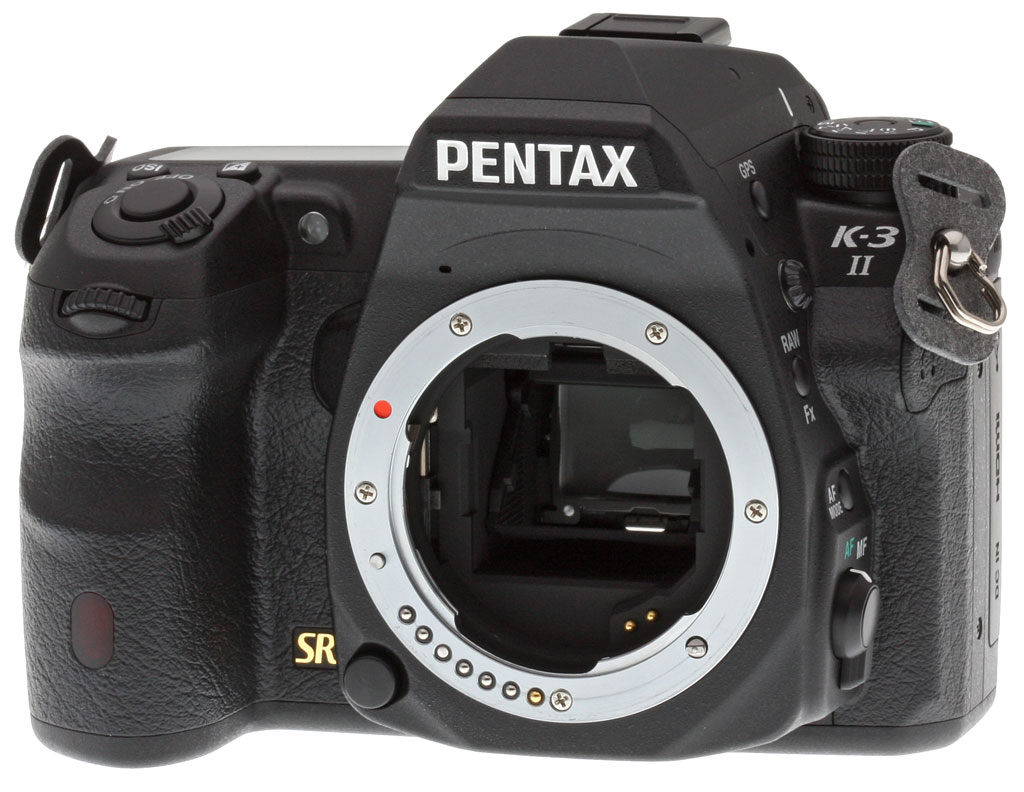
Now, the company follows up with the Pentax K-3 II, a mid-term update with some very important improvements. (Its launch mirrors the strategy used for the earlier Pentax K-5, which likewise had a mid-term update to the K-5 II.) The K-3 II retains the same weather-sealed, magnesium-alloy body as the K-3, complete with the same great ergonomics and accessory grip compatibility. It also sports the same APS-C sized, 24.35-megapixel CMOS image sensor, PRIME III-branded image processor, sensitivity range of ISO 100 to 51,200 equivalents, and manufacturer-claimed burst performance of 8.3 frames per second. Also retained are its bright, clear 100% pentaprism viewfinder, maximum shutter speed of 1/8,000 second, 27-point autofocus sensor, 86,000 pixel metering system, and dual card slots with support for the peculiarly-named (but rather handy) Wi-Fi capable Pentax FluCard accessory.
So what's new in the K-3 II? The most obvious difference between the Pentax K-3 II and its predecessor externally is a taller viewfinder hump. It gives the new camera a look somewhat reminiscent of that in the Pentax K-1, although the hump in this new APS-C sensored camera still has more of a flat top than that of its even newer full-frame sibling.

The change hints at perhaps the biggest feature difference between the K-3 II and the earlier K-3: This model no longer features a built-in, popup flash strobe, replacing it instead with a built-in GPS receiver that offers geolocation and track log functionality. Essentially, what Pentax has done is to build its external O-GPS1 GPS Unit into the camera itself, and in concert with a new in-camera electronic compass and the camera's orientation sensors, it's used to provide the same AstroTracer function that was a highlight of the external accessory.
Not familiar with AstroTracer? As the name would suggest, it's aimed at astrophotographers. Ordinarily, even a relatively short exposure of the night sky will create noticeable trails as stars move across the sky, but comparatively much longer exposures are needed to bring out features of the night sky that aren't visible to the naked eye. This can be fixed using an expensive, bulky mount which pans the camera's view to keep up with the stars, but the same effect can be achieved in-camera using the Pentax K-3 II's Shake Reduction system.
With its knowledge of camera position and location, and by moving the platter on which the image sensor is mounted, the K-3 Mark II can prevent star trails from forming. That frees you up to create longer exposures without any expensive extra gear beyond your tripod -- not even the O-GPS1 unit which allowed earlier Pentax DSLR and mirrorless cameras to perform the same trick. Of course, you're still limited by the available travel for the image sensor platter, and the maximum exposure time available to you will depend on the focal length of the lens you're using, but it's a completely unique feature for the Pentax brand, and one that can now be achieved without buying any additional accessories.
The downside of the change, of course, is that the Pentax K3 II now has no way to throw a little extra light on your subjects without using an external strobe. For some photographers, built-in strobes are seen as a consumer-grade feature that introduces an unnecessary potential for failure, so doubtless some of you are rubbing your hands together with glee at the strobe's removal. For those who saw the built-in strobe as an always-available safety net for when you left your strobe at home, though, the Pentax K-3 may actually have one up on its successor in this area.
Pentax K-3 II shooters will need to rely on the camera's admittedly high maximum sensitivity of ISO 51,200 equivalent or a bulky external strobe to help freeze the action and prevent blur from camera shake in low-light conditions.

Perhaps more importantly, you also can't control a remote strobe from the camera body any more, because Pentax relies on a system of pre-flashes to synchronize and communicate between strobes. You can still mount an external strobe on the K-3 II and use it to control remote strobes, of course, but that means you'll need one more external strobe than was the case in the past.
There is one other change that will somewhat offset the lack of a flash strobe when camera shake rears its head, incidentally, although there's nothing it can do to help freeze moving subjects. Compared to its predecessor, the Pentax K-3 Mark II boasts an improved image stabilization system that Ricoh says will now provide a 4.5 stop correction, up from 3.5 stops in the K-3. Both of these figures are to CIPA testing standards, and are measured with the HD PENTAX DA 16-85mm f3.5-5.6 ED DC WR mounted.
Ricoh says that the improvement in stabilization performance comes thanks to a new high-precision gyro sensor. And of course, just as in the earlier cameras, the use of an in-body system also means that you get stabilization with all of your lenses, and don't have to pay extra for each stabilized lens you buy.
At the same time as improving the efficacy of the stabilization system, Ricoh has also made another change which should mean that you get better results when shooting moving subjects: The Pentax K-3 II's Shake Reduction system can now detect and account for panning motion, stabilizing your motion on all but the axis of the panning motion.
Another change which should prove of benefit to sports shooters is a claimed improvement in the Pentax K-3 II's continuous autofocus tracking performance. It's an area in which the company has a perceived deficit to some of its rivals, and according to the company, that shortcoming has been addressed with a new high-speed autofocus algorithm.
And finally, the Pentax K-3 II debuts the company's new Pixel Shift Resolution System, which we discussed recently on our news page, after getting an introduction to the tech at the CP+ 2015 tradeshow in Japan. The system works not unlike that in Olympus' OM-D E-M5 II, but with some important differences.
Much like Olympus, Ricoh is using the image stabilization system to precisely shift the image sensor and capture multiple shots which are then merged into a single exposure. Where Olympus is performing sub-pixel shifts and using eight images to create a much higher-resolution output image than the individual source images provided by the sensor, though, Pentax is shifting by an entire pixel, producing just four exposures and outputting the merged image at the same resolution as is provided for a single exposure.
The result is an image which has full color information at every pixel location -- and thus improved resolution and a greater resistance to false color artifacts -- but only a relatively modest increase in file size. As an added bonus, images shot in the Pixel Shift Resolution mode also have a cleaner, tighter noise pattern. The reasons for this are twofold. First, since multiple exposures are involved, noise can be averaged out across those exposures. Secondly, in a Bayer-filtered sensor, two out of three colors at each pixel location must be interpolated (read: guessed) from the values of surrounding pixels. When that happens, noise from adjacent pixels is likewise spread across their neighbors, resulting in a less film-like and blotchier, more objectionable noise pattern. With full color information at each pixel, a Pixel Shift Resolution shot's high ISO grain pattern is finer, and easier to clean up post-capture, too.
Of course, the Pentax K3 II can only provide these Pixel Shift Resolution advantages for completely static subjects, just like other cameras which use sensor shift to negate the effects of a Bayer filter across multiple exposures. If you're shooting in a studio, though, or perhaps landscapes on a wind-free day, the ability to increase your image quality significantly should prove very useful.
In other respects, the Pentax K-3 II is very similar to the existing K-3, sharing basically the same imaging pipeline and most of the same feature-set. That being the case, as well as our full review of the K-3 II, we'd suggest reading over our existing, in-depth Pentax K-3 review if you're considering a K-3 II purchase.
In the Box
The Pentax K-3 II retail box ships with the following items:
- Pentax K-3 II camera body
- Body cap
- D-LI90 lithium-ion rechargeable battery pack
- K-BC90U battery charger kit
- Hot shoe cover FK
- Eyepiece cup FS
- Shoulder strap O-ST132
- Finder cap ME
- Focusing screen MF-60 Frame Matte (installed in viewfinder)
- PC socket cap
- Instruction manual
- Software CD-ROM S-SW160 with Digital Camera Utility 5 software (based on Silkypix)
Recommended Accessories
- Extra D-LI90 lithium-ion rechargeable battery pack for extended outings
- D-BG5 battery grip (if you want portrait-orientation controls, and extended battery life with a second pack)
- Large capacity SDHC/SDXC memory cards. Given the high resolution and large file sizes of the K-3 II, 32GB is a good tradeoff between cost and capacity. If you plan to capture HD movie clips, shoot image bursts, or shoot in RAW format, look for cards with UHS-I markings. And remember there are two card slots, for double the storage.
- O-FC1 Flucard for Pentax (Wi-Fi capable SD card with remote control functionality)
- External shoe mount flash / video light (AF540FGZ II, AF540FGZ, AF360FGZ II, AF360FGZ) or other accessory flash
- K-AC132 power supply kit with DC coupler
- External stereo microphone
- O-RC1 or F remote controls
- CS-205 cable switch
- ML-60, MI-60 or ME-60 focusing screens
- O-ME53 magnifier eyecup
- Medium to large camera bag
Optics
The Pentax K-3 Mark II is usually sold body-only, so we have no "kit" lens test results to share. Studio test shots on other pages of this review used a very sharp, reference prime lens (Sigma 70mm f/2.8 EX DG Macro).
Below are our K-3 II viewfinder accuracy test results.
Viewfinder Test Results
Coverage
Excellent accuracy from both the optical viewfinder and LCD.


The Pentax K-3 II's optical viewfinder exhibited just under 100% coverage in our test. In Live View mode, the LCD displayed essentially 100% coverage. Excellent performance here.
The images above were taken from our standardized test shots. For a collection of more pictorial photos, see our Pentax K-3 II Photo Gallery .
Exposure
Color
Saturation & Hue Accuracy
High mean saturation, with average hue accuracy.
 |
||||
|
ISO Sensitivity
|
||||
| 1600 | ||||
| In the diagram above, the squares show the original color, and the circles show the color that the camera captured. More saturated colors are located toward the periphery of the graph. Hue changes as you travel around the center. Thus, hue-accurate, highly saturated colors appear as lines radiating from the center. Mouse over the links to compare ISOs, and click the links for larger versions. | ||||
Saturation. The Pentax K-3 II's default image tone setting of "Bright" pushes most colors by quite a bit at base ISO, especially blues, dark greens, dark reds and purples. Mean saturation at ISO 100 is 117.9% or 17.9% oversaturated. That's about 8% higher than most other brands at default settings. Overall, colors are very bright and punchy, a trait we've come to expect from Pentax, and mean saturation remains higher than average throughout the ISO range, peaking at 123.2% at ISO 25,600. You can of course always select a different image tone preset and/or turn down saturation and contrast settings to suit your own tastes. Most consumer digital cameras produce color that's more highly saturated (more intense) than found in the original subjects. This is simply because most people like their color a bit brighter than life.
Skin tones. Caucasian skin tones from the Pentax K-3 II were a touch yellow using Manual white balance in our test shots, however Auto white balance produced a slightly more pinkish, "healthier" appearance. Good results here. Where oversaturation is most problematic is on Caucasian skin tones, as it's very easy for these "memory colors" to be seen as too bright, too pink, too yellow, etc.
Hue. The Pentax K-3 II's mean "delta-C" color error of 5.26 after correction for saturation at ISO 100 is about average for a DSLR these days. Most noticeable were moderate shifts in orange toward yellow and cyan toward blue, with minor shifts and some reds, yellows, and greens. (The cyan to blue shift is very common among the digital cameras we test; we think it's a deliberate choice by camera engineers to produce better-looking sky colors.) White balance shifts towards magenta at higher ISOs, which helps to increase mean color error to a maximum of 6.59 at ISO 25,600, though that's still pretty good for such a high ISO. Hue is "what color" the color is.


Sensor
Exposure and White Balance
Indoors, incandescent lighting
Very warm results with Auto white balance, but good color with Incandescent and Manual white balance settings. Slightly higher than average exposure compensation required.


The Pentax K-3 II's Auto white balance setting had a difficult time with the very warm color of the household incandescent bulbs used in this shot, producing a very warm image with a strong orange tint when using the default "Strong" Correction option; a "Subtle" Correction setting is also available, which would produce even warmer results. Results with the Incandescent setting are actually pretty good, though, just slightly on the cool side. The Manual setting produced the most accurate color balance, though still just a touch cool. Note that a Kelvin setting is available, as well as Color Temperature Enhancement (CTE) white balance option which exaggerates the temperature of ambient light. The Pentax K-3 II required +0.7 EV exposure compensation for a good exposure, which is slightly higher than the average of +0.3 EV for this shot. Our test lighting for this shot is a mixture of 60 and 100 watt household incandescent bulbs, a pretty yellow light source, but a very common one in typical home settings here in the U.S.
Outdoors, daylight
Very bright, slightly cool colors with about average exposure accuracy.
The Pentax K-3 II handled tough outdoor lighting under harsh sunlight well, producing very bright though slightly cool colors. Default contrast is on the high side (as most users prefer), resulting in some clipped highlights in the mannequins's shirt and some of the flowers, as well as some lost shadows below the flowers and in the background, though all but the deepest shadows were quite clean if a bit posterized. +0.7 EV exposure compensation was required to keep the mannequin's face bright, which is about average for this scene. Skintones were just a touch warm and yellow using Manual white balance, so we preferred Auto white balance for our "Sunlit" Portrait shot here. Our Far-field shot was well exposed at 0 EV, and again with punchy, slightly cool color. Only a few highlights were clipped and very few shadows were lost, with very good detail in the shadows as well. Very good results overall here.
See full set of test images with explanations
See thumbnails of all test and gallery images
Native Resolution
~2,700 to ~2,750 lines of strong detail from JPEGs, about the same from converted RAW files.


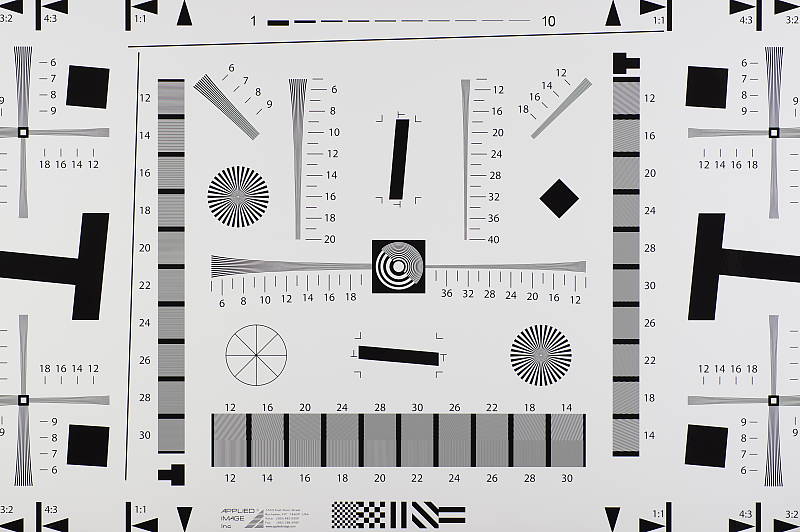
Our laboratory resolution chart reveals sharp, distinct line patterns down to about 2,700 lines per picture height in the horizontal direction, and to about 2,750 lph in the vertical direction in best quality JPEGs, though some aliasing can be seen at around 2,300 lph. Complete extinction of the pattern didn't occur until just past 3,000 lines in both directions. An Adobe Camera Raw conversion yielded the same numbers, though individual lines were more crisp up to the same resolution, and complete extinction of the pattern was extended past 3,800 lines. The ACR processed RAW images do however show a lot more color moiré, as they often do. (Note that AA Simulation was set to its default of off, for maximum resolution.) Use these numbers to compare with other cameras of similar resolution, or use them to see just what higher resolution can mean in terms of potential detail.
Pixel Shift Resolution Mode
~2,850 to 2,900 lines of strong detail from JPEGs, about the same from converted RAW files.



The Pentax K-3 II's Pixel Shift Resolution mode yielded slightly higher resolution from in-camera JPEGs at about 2,850 lph horizontally and 2,900 lph vertically, but there were strong aliasing artifacts in the form of moiré patterns starting as early as 1,900 to 2,000 lines. Adobe Camera Raw produced fewer aliasing artifacts, but lines began to merge and false colors were generated at about the same resolution as the JPEGs, however complete extinction of the pattern didn't occur before the 4,000 line limit of our chart.
Click here for lots more on the Pentax K-3 II's Pixel Shift Resolution mode.
See full set of test images with explanations
See thumbnails of all test and gallery images
Sharpness & Detail
Very sharp images with excellent detail, though with moderate edge-enhancement on high-contrast subjects. Minor noise suppression visible at base ISO.


Sharpness. The Pentax K-3 II produces very sharp images with excellent detail at default settings. Images are somewhat oversharpened as edge enhancement artifacts are visible on high-contrast subjects such as the sharpening halos around the lettering and border in our Mas Portell bottle label above left, but overall results are still quite good with very crisp looking images. Edge enhancement creates the illusion of sharpness by enhancing color and tonal differences right at the edge of a rapid transition in color or tone.
Detail. The crop above right shows only minor detail loss due to noise suppression. Individual strands are still distinguishable even in the lighter shadows, though they begin to merge as shadows deepen, and in places where the tone and color of adjacent strands is very close. Still, very good performance here. Some individual strands of hair do show aliasing artifacts in the form of "jaggies", however the K-3 II's selectable AA filter should help prevent those from occurring when enabled (AA Filter Simulation was disabled by default). Noise-suppression systems in digital cameras tend to flatten-out detail in areas of subtle contrast. The effects can often be seen in shots of human hair, where the individual strands are lost and an almost "watercolor" look appears.
Anti-aliasing Filter Simulator
During the exposure, the Pentax K-3 II's anti-shake actuator can oscillate the sensor assembly microscopically in either a linear (Type 1) or circular (Type 2) motion, simulating the effects of an anti-aliasing (or optical low-pass) filter. To see the effect on image sharpness and aliasing artifacts, roll over the links in the table below to compare the USAF Resolution target and green/black starburst taken from our Multi target at base ISO:


As you can see above, AA Filter Simulation Type 1 blurs fine detail slightly, while Type 2 offers a slightly stronger effect (and slightly shifted the image vertically because of the circular motion), which should go a long way to reduce aliasing artifacts and moiré as can be seen in the starburst crop. It really is quite amazing to have on-demand anti-aliasing filtering like this. Note that the AA Filter Simulator is not available in movie mode or during Bulb or HDR capture, and the full effect cannot be achieved at shutter speeds faster than 1/1000s.


Above is a real-world example of how effective the K-3 II's AA Filter Simulation feature is at reducing aliasing artifacts. Mouse over the links to see how moiré patterns in the window blinds as well as overall sharpness change with the AA filter settings.
RAW vs In-Camera JPEGs
As noted above, the Pentax K-3 II does a great job at capturing lots of fine detail in its JPEGs, but more detail can often be obtained from carefully processing RAW files, while at the same time reducing sharpening artifacts. Take a look below, to see what we mean:
| Base ISO (100) | |
 |
 |
 |
 |
 |
 |
|
Camera JPEG, defaults
|
RAW via Adobe Camera Raw
|
In the table above, we compare an in-camera JPEG taken at base ISO using default noise reduction and sharpening (on the left) to the matching RAW file converted with Adobe Camera Raw 9.1 using default noise reduction with some strong but tight unsharp masking applied in Photoshop (300%, radius of 0.3 pixels, and a threshold of 0).
As is usually the case, Adobe Camera Raw delivers finer detail than the camera's processing, and its light default noise reduction does better with our difficult red-leaf swatch, even resolving some of its thread pattern which the camera mostly blurred away as noise. ACR also did a better job with color, rendering the pink fabric closer to reality instead of the more magenta interpretation of the camera. Adobe Camera Raw also produced finer detail in the mosaic, but left behind more noise, as seen in flatter areas such as in the bottle and background in the first pair of crops. Overall, though, the Pentax K-3 II does a very good job with its JPEGs, but as is usually the case you can extract even more detail (with more accurate color and fewer sharpening artifacts) with a good RAW converter.
ISO & Noise Performance
Very good handling of noise versus detail in JPEGs to ISO 3200.
| Noise Reduction = Auto (Default) | ||
 |
 |
 |
| ISO 100 | ISO 200 | ISO 400 |
 |
 |
 |
| ISO 800 | ISO 1600 | ISO 3200 |
 |
 |
 |
| ISO 6400 | ISO 12,800 | ISO 25,600 |
 |
||
| ISO 51,200 | ||
The Pentax K-3 II's images are very clean and detailed from ISO 100 through 800, with very low chroma noise and just a touch of luma noise becoming more visible in the shadows and darker midtones as ISO increases. Detail is still very good at ISO 1600, with a tight film-like noise "grain", low chroma noise and very little fine detail lost to noise reduction (except in reds). At ISO 3200, there's increased blurring and more visible noise "grain" particularly in the shadows, but fine detail is still quite good, though some minor chroma noise can be seen in darker hair and shadows. ISO 6400 shows stronger luminance and chrominance noise as well as a slight speckled effect in flat areas, though there's still a fair amount of usable detail left. Image quality at ISO 12,800 and above falls off quickly, though, with much stronger luminance noise and speckling, and much less detail than at lower sensitivity levels. Chroma noise in the form of yellow and purple blotches becomes an issue at ISOs 25,600 and 51,200, and overall color balance shifts toward green as well, particularly at the highest ISO.
Overall, though, high ISO noise performance is excellent for a 24-megapixel APS-C camera and competitive with its closest rival, the Nikon D7200, except in low-contrast reds at higher ISOs.
Note that these images were shot using the Pentax K-3 II "Auto" noise reduction setting. The Pentax K-3 II offers an unusually flexible amount of control over noise reduction applied to its JPEGs. In addition to "Auto", you can adjust how much NR is applied ("Off", "Low", "Medium" or "High") at all ISOs, or you can select "Custom" which allows you to choose from the same four options at each ISO sensitivity setting (in whole EV increments). Of course, the impact of noise and detail loss are highly dependent on the size the photos are printed at, and pixel-peeping on-screen has surprisingly little relationship to how the images look when printed: See the Print Quality section below for recommended maximum print sizes at each ISO.
Extremes: Sunlit, dynamic range, and low light tests
Good highlight and excellent shadow detail. Very good low-light performance, capable of capturing bright images in near darkness.


Sunlight:
The Pentax K-3 II handled the deliberately harsh lighting well in the above test. Though default contrast is quite high, highlight and especially shadow detail are very good. The +0.7 EV exposure did the best job here, as we thought +0.3 and 0 EV were too dim in the face. Some highlights were blown in the mannequin's shirt and bright flowers at +0.7 EV, though, however very good detail was preserved in the shadows with relatively low levels of noise. Note that these shots were captured with the Pentax K-3 II's D-Range control set to "Off."
Because digital cameras are more like slide film than negative film (in that they tend to have a more limited tonal range), we test them in the harshest situations to see how they handle scenes with bright highlights and dark shadows, as well as what kind of sensitivity they have in low light. The shot above is designed to mimic the very harsh, contrasty effect of direct noonday sunlight, a very tough challenge for most digital cameras. (You can read details of this test here. In actual shooting conditions, be sure to use fill flash in situations like the one shown here; it's better to shoot in open shade whenever possible.)
D-Range Settings
The Pentax K-3 II offers four Shadow Correction levels (Auto, Low, Medium and High, plus Off) as well as two Highlight Correction levels (Auto and On, plus Off). As the name implies, Shadow Correction works to raise shadow levels while attempting to keep highlights and midtones as they are, and inversely, Highlight Correction attempts to reduce highlights without darkening shadows and midtones. Both can be used simultaneously. See the images below to see their effect on our high-contrast "Sunlit" Portrait test shot.
|
Outdoor Portrait D-Range Examples
|
|||
 |
D-Range Off |
||
| Shadow Low |
|||
| Shadow Medium |
|||
| Shadow High |
|||
| Shadow Auto |
|||
 |
Highlight On |
||
| Highlight Auto |
|||
Mouse over the links to see how the various settings for D-Range affects our "Sunlit" Portrait shot, and click on a link to get to the full-res image. (The effect can be a little subtle in shots like those above, so we decided to use a mouse-over to better show how each setting compares to Off.)
Shadow Correction. Above, we see a progressive lightening of shadows and midtones as the Shadow Correction setting is increased, with only a small impact to highlights. And in this case, the Auto setting produced results very similar to the manual Low setting. If you look closely at the shadow detail, you will notice an increase in noise as the setting is turned higher, but that's to be expected and noise levels are still pretty low.
Highlight Correction. Highlight Correction worked as expected when highlights are blown, with On and Auto producing virtually identical results here (compare Highlight On or Highlight Auto to D-Range Off), toning highlights down to protect them while keeping shadows and midtones roughly the same. Note that Highlight Correction is not available at ISOs below 200, so this series was shot at ISO 200.
|
Far-field D-Range Examples
|
|||
 |
|||
Here are the results of the available D-Range settings with our Far-field shot. Again, we see a lightening of shadows as the Shadow Correction setting is increased with Auto producing results similar to the Low setting. There is a slight reduction in highlights with Highlight Correction On, though this time the Auto setting produced results similar to Off, as few highlights were blown to begin with.
HDR Capture
The Pentax K-3 II has a High Dynamic Range (HDR) capture mode where the camera takes three images (underexposed, normal, and overexposed) in quick succession and combines them in-camera into one image. If performed properly, this method should result in much higher dynamic range, without the additional noise penalty that comes with boosting sensitivity or lightening shadows. (In fact, it can reduce shadow noise by combining shadows from the overexposed shot.)
There are four HDR settings available: Auto, and HDR 1/2/3 providing three blend settings, and each setting has three possible exposure ranges (±1 EV, ±2 EV (default), and ±3 EV). There's also an optional Auto Align feature for use when shooting without a tripod, which is enabled by default on the K-3 II.
|
Far-field HDR Examples
|
|||
|
|
|||
| HDR Auto |
|
||
Mouse-over the links above to compare thumbnails, and click on them to access full-resolution versions.
The Auto setting worked reasonably well on our Far-field test shot, reducing highlights and bringing out shadow detail while maintaining a natural, non-HDR look. HDR 1 mode produced a relatively realistic image though with an obvious HDR-ish look, HDR 2 produced a stronger effect and HDR 3 resulted in a very unnatural, almost cartoonish image. As with most HDR systems there is a slight focal-length crop with Auto Align active, and watch out for ghosting that can occur when subjects move between exposures.
Interestingly, the K3 supported RAW files in HDR mode, bundling the individual captures into one large file to be processed later by their Digital Camera Utility software which can blend or extract the separate RAW files. However, RAW file support for HDR mode appears to have been removed on the K3 II (but can be easily achieved using individual files and exposure bracketing.)
Dynamic Range Analysis (RAW mode)
While we once performed our own dynamic range measurements based on in-camera JPEGs as well as converted RAW images (when the camera was supported by Adobe Camera Raw), we've switched to using DxO Labs' results from their DxOMark website. As technology advanced, the dynamic range of modern high-end cameras in some cases exceeded the range of the Stouffer T4110 density scale that we used for our own measurements. DxO's approach based on RAW data before demosaicing is also more revealing, because it measures the fundamental dynamic range of the sensor, irrespective of whatever processing is applied to JPEGs, or to RAW data by off-the-shelf conversion software.
In the following, we use DxO's "Print" dynamic range results, which are scaled based on camera resolution. As the name suggests, this scaling corresponds to the situation in which you print at a given size, regardless of how many megapixels the camera might have. (In other words, if you've decided to make a 13x19 inch print, that's the size you're printing, whether the camera's resolution is 16 or 300 megapixels.) For the technically-minded, you can find a discussion of the reasoning behind this here on the DxOMark website. Also note that DxO Labs uses a signal-to-noise (SNR) threshold of 1 when defining the lower boundary of acceptable luminance noise in their dynamic range measurements, which corresponds to the "Low Quality" threshold of the Imatest software we used to use for this measurement.

Here we decided to compare the Pentax K-3 II to the Canon 70D, and to the Nikon D7200, which all currently sell for about US$1,000 body-only. (And in case you're wondering, the K-3 II produced very similar results to its predecessor, the K-3, with negligible improvements.) You can always compare to other models on dxomark.com.
As you can see from the above graph (click for a larger image) comparing the Pentax K-3 II's normalized dynamic range to two competitors, the K-3 II's dynamic range isn't quite as good as its closest rival, the Nikon D7200, particularly at low to moderate ISOs, but it's still very good, ranging from a maximum of 13.6 EV at base ISO down to 5.4 EV at maximum ISO. At base ISO, the D7200 managed 14.6 EV, about a full stop better than the K-3 II, and the D7200 continued to do better except at its highest ISO, where they are roughly matched.
The Pentax K-3 II's dynamic range is however significantly better than the Canon 70D's at lower ISOs, offering just over a 2 EV advantage at base ISO. At higher ISOs, the two cameras perform similarly, to the point where differences in dynamic range may be difficult to distinguish in real-world images.
Click here to visit the DxOMark page for the Pentax K-3 II for more of their test results and additional comparisons.
| 1 fc 11 lux |
1/16 fc 0.67 lux |
1/16 fc No NR |
|
|---|---|---|---|
| ISO 100 |
 2s, f2.8 |
 30s, f2.8 |
 30s, f2.8 |
| ISO 3200 |
 1/15s, f2.8 |
 1s, f2.8 |
 1s, f2.8 |
| ISO 51200 |
 1/250s, f2.8 |
 1/15s, f2.8 |
 1/15s, f2.8 |
Low Light. The Pentax K-3 II performed well in terms of image quality in our low-light tests, capturing clean, well-exposed images at the lowest light level (1/16 foot-candle) with the lowest sensitivity setting (ISO 100). As you'd expect, noise is higher at ISO 3200 but it appears well-controlled and fairly fine-grained. Unsurprisingly, the maximum ISO of 51,200 is quite noisy with noticeably less detail, and is best avoided except for small prints and in emergencies.
Color balance with Auto white balance was quite good which isn't always the case, with just a slightly cool bias that becomes cooler as light levels drop. At the highest ISO tested (51,200), though, overall color balance shifts towards green.
We did not detect any significant issues with hot pixels or heat blooming, and only very minor horizontal banding (fixed pattern noise) can be seen at the highest ISO with almost none detectable at base ISO even in very deep shadows.
The Pentax K-3 II's phase-detection autofocus system was able to focus on our test subject down to below the 1/16 foot-candle light level using an f/2.8 lens with its AF assist light turned off, which is excellent. And it was able to focus in complete darkness with the AF assist lamp enabled, however that will obviously vary depending on the subject and distance. Unfortunately the K-3 II's autofocus struggled in Live View mode in low light, only able to focus down to just above the 1/2 foot-candle level in our tests.
(Keep in mind that the longer shutter speeds here demand the use of a tripod to prevent any blurring from camera movement. A useful trick is to just prop the camera on a convenient surface, and use its self-timer to release the shutter. This avoids any jiggling from your finger pressing the shutter button, and can work quite well when you don't have a tripod handy.)
How bright is this? The one foot-candle light level that this test begins at roughly corresponds to the brightness of typical city street-lighting at night. Cameras performing well at that level should be able to snap good-looking photos of street-lit scenes.
NOTE: This low light test is conducted with a stationary subject, and the camera mounted on a sturdy tripod. Most digital cameras will fail miserably when faced with a moving subject in dim lighting. (For example, a child's ballet recital or a holiday pageant in a gymnasium.) Digital SLRs like the Pentax K-3 II do much better than point & shoots, but you still shouldn't expect a quick autofocus lock with moving subjects.
Output Quality
Print Quality
Very nice 30 x 40 inch prints up to ISO 200; a good 11 x 14 inch print at ISO 3200; a usable 4 x 6 at ISO 12,800.
 ISO 100 and 200 prints look practically indistinguishable from one another, and therefore both ISOs print very nicely up to 30 x 40 inches. Thanks to its 24-megapixel sensor and lack of an optical low-pass filter, the prints here looks fantastic with tons of crisp detail. You're really only limited in print size by how much you're willing to push the sensor's resolving power. Colors are also very vibrant, though we do see a noticeable shift towards magenta in our pink fabric swatch, which we've found is typical of Pentax cameras.
ISO 400 images look very similar, but with just a subtle hint of shadow noise compared to the lower ISOs. There's still a lot of sharp, fine detail, and we're comfortable calling it at 24 x 36 inches here, though we'd be okay with 30 x 40 inches for wall display or for less critical applications.
ISO 800 prints top out at 16 x 20 inches, as noise is surprisingly evident at larger print sizes. Here, 16 x 20 inch prints look the best at this sensitivity with lots of detail and well-controlled noise. A 20 x 30 inch print might be usable for less critical applications, however, as noise isn't too egregious at this size.
ISO 1600 images show a further decrease in fine detail, though detail loss is mainly in areas of lower contrast, such as our tricky red-leaf fabric. Noise is otherwise okay when limiting prints to 13 x 19 inches.
ISO 3200 prints show quite a bit of noise, to our eyes, which limits usable prints to 11 x 14 inches. Here, fine detail is decent, especially in higher contrast areas. An 8 x 10 inch print looks even better, but we're okay going a size larger.
ISO 6400 images top-out at 5 x 7 inch prints as noise has become quite problematic, impacting print quality at larger sizes. Despite the noise, colors still look vibrant.
ISO 12,800 prints just squeak by at 4 x 6 inches. Softness due to noise is certainly an issue, and printing any larger is not advisable.
ISO 25,600/51,200 images are too soft and noisy for our liking and should be avoided for prints.
The 24-megapixel Pentax K-3 II does rather well in our print quality testing, especially at lower ISOs. The camera manages to impress with large, highly detailed prints all the way up to 30 x 40 inches at ISO 100/200 -- or really however large you want to push the sensor. At mid-range ISOs, the K-3 II manages to keep noise in-check for the most part, offering a nice 13 x 19 inch print at ISO 1600 and an 11 x 14 at ISO 3200. At the top end of the ISO scale, noise becomes more of an issue and impacts print sizes noticeably. The K-3 II manages a decent 5 x 7 inch print at ISO 6400 and a usable 4 x 6 at ISO 12,800, but we'd recommend avoiding ISO 25,600-51,200 for prints, as noise and the loss of detail are quite apparent.
The images above were taken from our standardized test shots. For a collection of more pictorial photos, see our Pentax K-3 II Photo Gallery .
Not sure which camera to buy? Let your eyes be the ultimate judge! Visit our Comparometer(tm) to compare images from the Pentax K-3 II with those from other cameras you may be considering. The proof is in the pictures, so let your own eyes decide which you like best!
Performance
Timing and Performance
Very good overall performance for its class, but slow buffer clearing.
| Startup/Play to Record | ||
|---|---|---|
| Power on |
~1.2 seconds
|
Time it takes for camera to turn on and take a shot. |
|
Play to Record, |
~0.5 second
|
Time until first shot is captured. |
The Pentax K-3 II's startup time was a little slow for a DSLR, but switching from Play to Record and taking a shot was quite fast.
| Shutter Response (Lag Time), Optical Viewfinder | ||
|---|---|---|
|
Full Autofocus |
0.140 second
|
Time from fully pressing shutter button to image capture. (All AF timing measured with Pentax 35mm f/2.8 Limited lens). |
|
Full Autofocus |
N/A
|
Time from fully pressing shutter button to image capture, Auto Flash enabled. |
|
Manual focus |
0.094 second
|
For most cameras, shutter lag is less in manual focus than autofocus, but usually not as fast as when the camera is "pre-focused." |
|
Prefocused |
0.090 second
|
Time to capture, after half-pressing and holding shutter button. |
| Shutter Response (Lag Time), Live View mode | ||
|
Prefocused |
0.274 second
|
Time to capture, after half-pressing and holding shutter button. |
The Pentax K-3 II's full autofocus shutter lag when shooting the same target multiple times was good for a prosumer DSLR. The K-3 II required only 0.140 second for full AF using the Pentax 35mm f/2.8 Limited lens, about the same speed as the K-3. Manual focus shutter lag was even faster than autofocus as expected, at 0.094 second. When prefocused, shutter lag dropped a little further to 0.090 second which is a little slower than average for a prosumer DSLR however still a bit faster than the K-3.
The Pentax K-3 II's prefocused shutter lag time in Live View mode was 0.274 second, noticeably slower than when using the optical viewfinder, but not bad for a DSLR. Note that we no longer test full AF lag in Live View mode for DSLRs, because the lens used makes such a huge difference that comparing is pointless. We'll try to comment on real-world Live View AF performance in our our field reports.
To minimize the effect of different lens' focusing speed, we test AF-active shutter lag with the lens already set to the correct focal distance.
| Cycle Time (shot-to-shot) | ||
|---|---|---|
|
Single Shot mode |
< 0.3 second
|
Average time per shot. |
|
Single Shot mode |
~0.6 second
|
Average time per shot. |
|
Early shutter |
No
|
Some cameras refuse to snap another shot if you release and press the shutter too quickly in Single Shot mode, making "No" the preferred answer. |
| Continuous H mode |
0.12 second (8.06 frames per second);
50+ frames total; 22 seconds to clear |
Time per shot, averaged over 50 frames with no signs of slowing down. |
|
Continuous H mode |
0.12 second (8.16 frames per second);
22 frames total; 26 seconds to clear |
Time per shot, averaged over 22 frame buffer. Slows to an average of 0.56 second or 1.79 fps when buffer is full. |
|
Continuous H mode |
0.12 second (8.20 frames per second);
23 frames total; 37 seconds to clear |
Time per shot, averaged over 23 frame buffer. Slows to an average of 0.56 seconds or 1.80 fps when buffer is full. |
| Flash recycling |
N/A
|
Flash at maximum output. |
| *Note: Buffer clearing times measured with a SanDisk Extreme Pro 95MB/s UHS-I SDHC memory card. Slower cards will likely produce correspondingly slower clearing times. Slow cards may also limit length of bursts in continuous mode. ISO sensitivity and other settings such as highlight/shadow corrections or NR can also affect cycle times and burst mode performance. |
||
Shot-to-shot cycle time was so fast when shooting Large Best Quality JPEGs that it was difficult to measure accurately. (Fast single-shot cycle times depend a lot on the tester's agility and rhythm, so your results may vary.) When shooting RAW+JPEG files, the K-3 II's cycle time was a bit slower but still quite fast, at about 0.6 second. We no longer test just RAW files in single-shot mode, as it's usually somewhere in between JPEG and RAW+JPEG cycle time.
Continuous H mode speed was very good for a DSLR at between about 8.1 and 8.2 frames per second depending on the file type, very close to Pentax's 8.3 fps spec and about a frame per second faster than the K-3. (Note that we test cycle times at ISO 200 to be able to read our electronic timer display, while Ricoh specifies burst speed at ISO 100.) The K-3 II also offers Continuous M and L modes rated at 4.5 and 3.0 frames per second respectively, but we did not test those modes.
Buffer depth in Continuous H mode was excellent when shooting just JPEGs at over 50 Large Best Quality JPEG frames with no signs of slowing (the manufacturer claims 60 frames). When shooting RAW files, buffer depths were quite good at 22 RAW frames and 23 RAW+JPEG frames before the camera started slowing down.
Buffer clearing was quite slow, though, even with our fast 95MB/s UHS-I SDHC card, taking 22 seconds to clear a burst of 50 JPEGs, 26 seconds after a max-length burst of RAW files, and 37 seconds after a max-length RAW+JPEG burst.
Bottom line, the Pentax K-3 II's performance was generally very good for its class in our tests, though startup was a bit slow for a DSLR, as was prefocused shutter lag. But if the K-3 II's performance has an Achilles' heel, we'd say it's the slow buffer clearing after long bursts. Be sure to buy the fastest UHS-I card you can afford!
Battery
Battery Life
Below average battery life for a prosumer DSLR.
| Operating Mode | Number of Shots |
|---|---|
|
Optical Viewfinder,
(CIPA standard) |
720
|
|
Live View LCD,
(CIPA standard) |
Unknown
|
The Pentax K-3 II uses a custom rechargeable D-LI90 lithium-ion battery for power, and ships with a dedicated charger. CIPA-rated battery life when using the optical viewfinder is well below average for a prosumer DSLR when you consider the K-3 II has no built-in flash, and Pentax does not specify battery life for Live View mode, which will certainly be a lot lower. We strongly recommend you pick up a spare battery and keep it freshly charged and on-hand for extended outings, or consider purchasing the optional D-BG5 portrait grip which doubles battery life with a second D-LI90 battery installed.
The table above shows the number of shots the camera is capable of (on either a fresh set of disposable batteries or a fully-charged rechargeable battery as appropriate), based on CIPA battery-life and/or manufacturer standard test conditions.
(Interested readers can find an English translation of the CIPA DC-002 standards document here. (180K PDF document))
Image Quality
Below are crops from our laboratory Still Life target comparing Pentax K-3 II image quality to its predecessor, the K-3, as well as against several enthusiast interchangeable lens cameras at similar price points or in similar categories: the Canon 70D, Nikon D7200, Olympus E-M5 II and Sony A77 II.
NOTE: These images are from best quality JPEGs straight out of the camera, at default settings including noise reduction and using the camera's actual base ISO (not extended ISO settings). All cameras in this comparison were shot with our very sharp reference lenses. Clicking any crop will take you to a carrier page where you can click once again to access the full resolution image as delivered straight from the camera. For those interested in working with the RAW files involved, click these links to visit each camera's respective sample image thumbnail page: Pentax K-3 II, Pentax K-3, Canon 70D, Nikon D7200, Olympus E-M5 II and Sony A77 II -- links to the RAW files appear beneath those for the JPEG images, wherever we have them. And remember, you can always go to our world-renowned Comparometer to compare the Pentax K-3 II to any camera we've ever tested!
Pentax K-3 II vs Pentax K-3 at Base ISO
 |  |
 |  |
 |  |
Pentax K-3 II at ISO 100 | Pentax K-3 at ISO 100 |
Given that the Pentax K-3 II and its predecessor share the same 24-megapixel APS-C sensor and PRIME III-branded image processor, it's no surprise they produce virtually identical image quality (at least when the K-3 II's Pixel Shift Resolution mode isn't employed. ;-) | |
Pentax K-3 II vs Canon 70D at Base ISO
|  |
|  |
|  |
Pentax K-3 II at ISO 100 | Canon 70D at ISO 100 |
At base ISO, the Pentax K-3 II is able to out-resolve the 18-megapixel Canon 70D, and it also produces a crisper, more vibrant image, though both generate some fairly obvious sharpening halos around high-contrast edges. The Canon does however produce more accurate colors in general, and especially in the pink fabric which is too magenta from the Pentax. | |
Pentax K-3 II vs Nikon D7200 at Base ISO
|  |
|  |
|  |
Pentax K-3 II at ISO 100 | Nikon D7200 at ISO 100 |
Both these 24-megapixel APS-C DSLRs produce very similar levels of detail with low noise levels at base ISO, though the K-3 II actually does a bit better with fine detail in our tricky red-leaf swatch. While colors are a bit more vibrant from the Pentax, the Nikon produces more accurate colors particularly in the pink swatch. | |
Pentax K-3 II vs Olympus E-M5 II at Base ISO
|  |
|  |
|  |
Pentax K-3 II at ISO 100 | Olympus E-M5 II at ISO 200 |
The Pentax K-3 II is able to resolve slightly more detail than the 16-megapixel Olympus E-M5 II, but not as much as the megapixel numbers would imply (this is partly because of the different aspect ratios of the two sensors). The Olympus image is actually a bit cleaner, but you can tell the camera is working harder to suppress noise. The Pentax reproduces more detail in our difficult red-leaf swatch but the Olympus does better in our pink fabric and produces more pleasing colors in general.. | |
Pentax K-3 II vs Sony A77 II at Base ISO
|  |
|  |
|  |
Pentax K-3 II at ISO 100 | Sony A77 II at ISO 100 |
Both of these 24-megapixel APS-C models produce very similar levels of detail in most areas at base ISO, but the Sony's image is a touch crisper, yet its sharpening algorithm doesn't produce obvious halos around high-contrast edges as seen from the Pentax. The Sony also does better in the fabrics, however the Pentax does begin to resolve the fine thread pattern in the red-leaf fabric while the Sony does not. | |
Pentax K-3 II vs Pentax K-3 at ISO 1600
 |  |
 |  |
 |  |
Pentax K-3 II at ISO 1600 | Pentax K-3 at ISO 1600 |
As expected, very little difference from the two closely-related Pentax DSLRs here at ISO 1600, with virtually identical image quality. Both really struggle to produce any fine detail in our red-leaf fabric and both reproduce our pink fabric as too magenta, but the newer K-3 II does just slightly less so. | |
Pentax K-3 II vs Canon 70D at ISO 1600
|  |
|  |
|  |
Pentax K-3 II at ISO 1600 | Canon 70D at ISO 1600 |
The K-3 II still edges out the 70D in terms of resolving power in most areas at ISO 1600, yet its image is slightly cleaner with fewer sharpening artifacts. The Canon however does much better in the red-leaf fabric and continues to produce more accurate colors. | |
Pentax K-3 II vs Nikon D7200 at ISO 1600
|  |
|  |
|  |
Pentax K-3 II at ISO 1600 | Nikon D7200 at ISO 1600 |
Although resolving power and noise levels are quite similar from these two competitors at ISO 1600, the Nikon D7200 produces a slightly crisper image with a more fine-grained and consistent noise pattern, though sharpening halos are more apparent. This time, it's the Nikon that does better in our tricky red-leaf pattern and it continues to produce better colors. | |
Pentax K-3 II vs Olympus E-M5 II at ISO 1600
|  |
|  |
|  |
Pentax K-3 II at ISO 1600 | Olympus E-M5 II at ISO 1600 |
The Olympus E-M5 II continues to work hard to produce a cleaner, slightly crisper image here at ISO 1600, but there are more noise reduction and sharpening artifacts. The K-3 II is still able to out-resolve the E-M5 II in most areas but the Olympus is able to render at least some detail in our red-leaf fabric. | |
Pentax K-3 II vs Sony A77 II at ISO 1600
|  |
|  |
|  |
Pentax K-3 II at ISO 1600 | Sony A77 II at ISO 1600 |
While the A77 II's image is a little cleaner than the K-3 II's, it's quite a bit softer with more noticeable noise reduction artifacts. The Sony does better in both the red-leaf and pink fabrics, though. | |
Pentax K-3 II vs Pentax K-3 at ISO 3200
 |  |
 |  |
 |  |
Pentax K-3 II at ISO 3200 | Pentax K-3 at ISO 3200 |
Once again, very little difference between the K-3 II and its predecessor here at ISO 3200. | |
Pentax K-3 II vs Canon 70D at ISO 3200
|  |
|  |
|  |
Pentax K-3 II at ISO 3200 | Canon 70D at ISO 3200 |
Noise is a little lower and more refined-looking from the 70D, but the K-3 II clearly delivers much better detail in our mosaic crop. The Canon however does much better in our red-leaf fabric and again delivers more accurate colors overall. | |
Pentax K-3 II vs Nikon D7200 at ISO 3200
|  |
|  |
|  |
Pentax K-3 II at ISO 3200 | Nikon D7200 at ISO 3200 |
Both these cameras deliver good detail at ISO 3200, however the Nikon's image is crisper, with higher contrast and a more film-like noise grain as well. The D7200 also does a bit better in our troublesome red-leaf swatch, and again, delivers better colors, but the K-3 II's rendering of the mosaic crop looks a bit more natural with fewer processing artifacts. | |
Pentax K-3 II vs Olympus E-M5 II at ISO 3200
|  |
|  |
|  |
Pentax K-3 II at ISO 3200 | Olympus E-M5 II at ISO 3200 |
Similar to what we saw at ISO 1600, the E-M5 II manages to produce a cleaner, crisper image with better color at ISO 3200, but fine details suffer from strong noise reduction and sharpening artifacts, giving them an almost painted look in comparison. The Olympus does manage to reproduce a slightly better pattern in our red-leaf swatch, but both really struggle with it at this sensitivity. | |
Pentax K-3 II vs Sony A77 II at ISO 3200
|  |
|  |
|  |
Pentax K-3 II at ISO 3200 | Sony A77 II at ISO 3200 |
Continuing the trend we saw at ISO 1600, the Sony A77 II produces a cleaner image than the K-3 II at ISO 3200, however it's quite soft with an over-processed look. The red-leaf swatch shows much better "detail", however much of it is false and heavily distorted. Colors are generally better from the Sony, though. | |
Pentax K-3 II vs. Pentax K-3, Canon 70D, Nikon D7200, Olympus E-M5 II, Sony A77 II
 |  |  |  |  |  |
 |  |  |  |  |  |
 |  |  |  |  |  |
| Pentax K-3 II ISO 100 ISO 3200 ISO 6400 | Pentax K-3 ISO 100 ISO 3200 ISO 6400 | Canon 70D ISO 100 ISO 3200 ISO 6400 | Nikon D7200 ISO 100 ISO 3200 ISO 6400 | Olympus E-M5 II ISO 200 ISO 3200 ISO 6400 | Sony A77 II ISO 100 ISO 3200 ISO 6400 |
| Detail comparison. High-contrast detail is also important, pushing the camera in different ways, so we like to look at it, too. Here, all these cameras do well at base ISO, delivering very good detail and contrast, though the D7200 shows more obvious sharpening halos than the rest. The Pentax K-3 II and K-3 do exhibit a drop in contrast and detail as ISO rises, as do the Canon 70D and Sony A77 II, but it's not too bad even at ISO 6400. The Nikon shows the least loss of detail at ISO 6400 while the Olympus shows the least loss of contrast and sharpness. | |||||
Very nice 30 x 40 inch prints up to ISO 200; a good 11 x 14 inch print at ISO 3200; a usable 4 x 6 at ISO 12,800.
ISO 100 and 200 prints look practically indistinguishable from one another, and therefore both ISOs print very nicely up to 30 x 40 inches. Thanks to its 24-megapixel sensor and lack of an optical low-pass filter, the prints here looks fantastic with tons of crisp detail. You're really only limited in print size by how much you're willing to push the sensor's resolving power. Colors are also very vibrant, though we do see a noticeable shift towards magenta in our pink fabric swatch, which we've found is typical of Pentax cameras.
ISO 400 images look very similar, but with just a subtle hint of shadow noise compared to the lower ISOs. There's still a lot of sharp, fine detail, and we're comfortable calling it at 24 x 36 inches here, though we'd be okay with 30 x 40 inches for wall display or for less critical applications.
ISO 800 prints top out at 16 x 20 inches, as noise is surprisingly evident at larger print sizes. Here, 16 x 20 inch prints look the best at this sensitivity with lots of detail and well-controlled noise. A 20 x 30 inch print might be usable for less critical applications, however, as noise isn't too egregious at this size.
ISO 1600 images show a further decrease in fine detail, though detail loss is mainly in areas of lower contrast, such as our tricky red-leaf fabric. Noise is otherwise okay when limiting prints to 13 x 19 inches.
ISO 3200 prints show quite a bit of noise, to our eyes, which limits usable prints to 11 x 14 inches. Here, fine detail is decent, especially in higher contrast areas. An 8 x 10 inch print looks even better, but we're okay going a size larger.
ISO 6400 images top-out at 5 x 7 inch prints as noise has become quite problematic, impacting print quality at larger sizes. Despite the noise, colors still look vibrant.
ISO 12,800 prints just squeak by at 4 x 6 inches. Softness due to noise is certainly an issue, and printing any larger is not advisable.
ISO 25,600/51,200 images are too soft and noisy for our liking and should be avoided for prints.
The 24-megapixel Pentax K-3 II does rather well in our print quality testing, especially at lower ISOs. The camera manages to impress with large, highly detailed prints all the way up to 30 x 40 inches at ISO 100/200 -- or really however large you want to push the sensor. At mid-range ISOs, the K-3 II manages to keep noise in-check for the most part, offering a nice 13 x 19 inch print at ISO 1600 and an 11 x 14 at ISO 3200. At the top end of the ISO scale, noise becomes more of an issue and impacts print sizes noticeably. The K-3 II manages a decent 5 x 7 inch print at ISO 6400 and a usable 4 x 6 at ISO 12,800, but we'd recommend avoiding ISO 25,600-51,200 for prints, as noise and the loss of detail are quite apparent.
Field Test Part I
Field Test Part II
Is Pixel Shift Resolution the best argument yet for shooting raw?
By Mike Tomkins | Posted: 07/20/2015
 31mm-equivalent, 1/250 sec. @ f/7.1, ISO 200
Regular readers will probably know that I've been a big fan of Pentax's enthusiast-grade DSLRs ever since the launch of the Pentax K-7 way back in 2009. As soon as I finished my review of that camera, I bought one for myself. The same thing happened with the followup Pentax K-5, and on the rare occasions when I don't have a camera ready for a review, it's now my daily shooter.
Ever since I completed my Pentax K-3 review in late 2013, I've been planning to buy that camera as well. I hadn't yet gotten around to it, though, mostly because I promised myself that I'd sell at least one of the earlier cameras before I bought another. Now, I'm considering making the leap to the Pentax K-3 II instead, as it possibly fits my desires even better than did its sibling.
The K-3 II marks the second time the series has seen a II release, and indicates a less-significant upgrade. The last time it happened was the K-5 II, a camera I praised but didn't personally buy as it was so similar to my K-5. Only relatively few changes in the K-3 II, but they're all ones which have appeal for me -- improved autofocus tracking and image stabilization, built-in GPS with AstroTracer function, and most of all, the brand-new Pixel Shift Resolution mode.
(Curious how Ricoh's flagship Pentax APS-C DSLR lineup has evolved over time, or want to know what you'd gain from upgrading from your earlier model? Here are some links to compare the Pentax K-3 II vs. Pentax K-3, the Pentax K-3 II vs. Pentax K-5 IIs or K-5 II, the Pentax K-3 II vs. Pentax K-5, and the Pentax K-3 II vs. Pentax K-7. And I'd recommend reading my earlier Pentax K-3 review and shooter's reports, as well, because as noted above, the new model is in most respects identical to that camera other than the points mentioned above and the removal of the flash strobe.)

In-camera geotagging saves me a lot of time
Perhaps the most significant selling point of the Pentax K-3 II for me, as compared to its predecessor, is the newly built-in GPS. I like having my shots geotagged so I can browse a map to find the images from a given location, and it's a major pain in the neck to add tags manually for every shot after the fact.
 31mm-equivalent, 1/250 sec. @ f/7.1, ISO 200
Sure, I could pick up the Pentax GPS Unit O-GPS1 to use with the K-3 and get the exact same functionality, but it's pretty pricey, bulky, and can't be used at the same time as either the internal flash or an external strobe -- unless the latter is separated from the camera and connected to the PC sync terminal, anyway.
Sadly, there's no longer a built-in flash...
It's a bit of a shame to lose the built-in strobe of the earlier camera, but I must admit I use it pretty seldom anyway, since direct flash from an on-camera strobe is rather unflattering. And I can certainly understand why Ricoh didn't keep the flash.
Modifying the casting for the magnesium-alloy body to make space for the GPS antenna and related circuitry would've been much more expensive than simply making a mold for the new, slightly taller plastic cover that replaces the popup flash. (And since the antenna likely has to be outside the magnesium-alloy body so as not to block GPS signals, there really wasn't anywhere else it could be put. Unlike its rivals from Canon and Nikon, the Pentax K-3 II has a body that's almost entirely crafted from magnesium-alloy, so putting it behind a plastic panel somewhere else simply wasn't an option.)
...but ditching that flash actually means a lower pricetag
By including the GPS in-camera, the Pentax K-3 II's geotagging capabilities feel much more tightly integrated, and I save about US$250 list on the price of the GPS receiver. That's more than enough to cover the cost of an external strobe like the AF201FG, which is not only more powerful than the built-in strobe was, but also more versatile. (That particular strobe, priced at US$150 list, has an all-weather design and tilting head for bounce flash.)
 60mm-equivalent, 1/320 sec. @ f/6.3, ISO 200
Still, I'd really like to see the flash return alongside in-body GPS and Wi-Fi antennas in a future generation of the flagship K-series cameras, because the belt-and-suspenders part of me knows that I'll inevitably leave my flash at home at some point, and find myself regretting that.
GPS setup is quick and simple
Since geotagging was so high on my wishlist, literally the first thing I did on taking the camera out of the box -- after restoring it to factory defaults, dialing in a few preferred settings and inserting a flash card -- was to enable GPS. It's very easily done with a simple press of a button on the side of the camera. (It's actually the same one that used to serve as the mechanical release button for the popup flash on the K-3, but now it's an electronic button instead.)
I got a lock from the GPS -- indicated by a yellow or green satellite icon adjacent to two signal strength bars on the LCD monitor -- quite quickly, even the very first time I took the camera out of the box. With the camera having been sitting unused for at least a couple of days before it got to me and then completely reset, a lock took perhaps ten or fifteen seconds. It's probable that had it been left for a few weeks or months without use, the first lock would take longer, though. Subsequent locks were even faster, on the order of just one or two seconds.
And looking back over the images from my first shoot, the precision was very, very good. The recorded location was within perhaps 10 feet or less of where I know that I was standing almost all of the time, and the absolute worst outdoor result that I could find was a single shot which was maybe 25 feet from my actual location. Even indoors in my basement, the GPS receiver readily got a position fix that was within 30-40 feet of my position. This will doubtless vary some, though, especially when there's more sunspot activity or if you're shooting with a minimal view of the sky.

It's great to have a compass, too!
I really appreciate the fact that the Pentax K-3 II includes a compass as well. A GPS alone tells you where the camera was located, but it doesn't tell you what your subject was -- you could have been shooting a distant subject in any direction, after all. With a GPS and compass together, though, plus the focal length of your lens, you have a pretty good record of precisely what you were photographing.
 60mm-equivalent, 1/200 sec. @ f/4, ISO 100
The compass in the K-3 II seems to me to be both very responsive, and impressively accurate -- much more so than the compass on any smartphone I've ever tried. In my experience, smartphone compasses typically either drift a couple of degrees or more without moving them, or lag significantly behind my movements because they're averaging multiple readings to smooth out the hiccups. The K-3 II's compass seems to have much greater precision, because it doesn't drift noticeably but reacts to camera motion near-instantly.
Compass calibration is also simple
You do need to calibrate the compass now and then, though, something which only takes a few seconds to do. All you need to is to turn the camera beyond 180 degrees on all axes. Once you're done, the camera will tell you that calibration was successful, or alert you if it failed. It's important to move away from any large metal objects that could affect the calibration.
(You can see Ricoh's suggested method for calibration in this YouTube video. There aren't any English-language subtitles, but it's pretty self-explanatory. It's also not the K-3 II that's shown, but an earlier model with the optional O-GPS1 accessory mounted. The process is identical, though.)
There doesn't seem to be much effect on battery life
Given that geolocation is one of the primary selling points of the Pentax K-3 II, I've left the GPS enabled at all times when I've been shooting with the camera. Impressively, battery life seems to have been barely affected by the addition of the GPS receiver. At this point I've already captured hundreds of images over a period of days, and spent a good while fiddling with camera settings and reviewing my shots on the camera's LCD.
 31mm-equivalent, 1/500 sec. @ f/8, ISO 200
I brought along a spare battery everywhere I went, but I really didn't need to: It's only within the last hour or so of typing and referring to the camera as I went that the battery gauge has even shifted from the full position, and even now it's only one tick below full! That's not really too surprising, though -- I've always found the K-series cameras to have great battery life.
A few thoughts on AstroTracer
I don't have a lot to say on the AstroTracer function in this first field test because I want to test it for a while longer before I render judgement. With that said, I do have some early thoughts on the function. The interface is a little unintuitive, and I had to go back to the user manual to figure out how to get it working. Initially, I thought I'd enabled it correctly, but my shots all had star trails in them, which I couldn't understand.
It turned out, though, that the camera has to be in Bulb mode before AstroTracer can be functioned. I'd incorrectly assumed I could just enable mirror lock-up, switch to manual mode and dial in my chosen exposure, but that's not the case. And even once you've enabled AstroTracer in the GPS menu and made sure you're in Bulb mode, the function still won't be used until you've then pressed the Green button to activate it. It's a little confusing, initially.
And there's one more quirk which is even more curious. Once AstroTracer is enabled, the Calibration function in the GPS menu is replaced by a Precise Calibration function -- but it uses the exact same motions as the regular function does. I'm not quite sure why there's a distinction between regular and precise calibration, as it seemed to be no more difficult to complete the precise calibration than it was for the standard one.
My early results with AstroTracer have been hit and miss
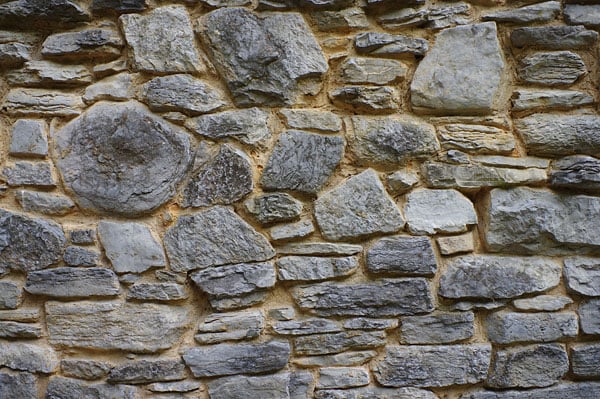
I'm still waiting for a cloud-free night with which to give AstroTracer a proper test, but once I figured out how to enable it, I did shoot some test shots through gaps in the clouds. My early results were a bit hit-and-miss. Sometimes, the star trails were frozen impressively well. Other times, I still saw star trails in my images, even though I could hear the image stabilization system moving to try and freeze the star positions.
I should note here that I was well below the maximum available exposure time, as well -- not that the camera will let you exceed the limit when AstroTracer is active. There's a hard limit of five minutes, but the actual time can be much less depending on the focal length of the lens you're using, as well as your physical location and the direction in which you're pointing the camera. (All of these variables affect the speed at which stars move across the frame, and so dictate the length of time it will take for the K-3 II's sensor shift mechanism to move all the way across its range of motion, at which point the exposure has to stop.)

I'll revisit AstroTracer and try GPS logging in my second field test
I will, of course, be trying to get to the bottom of all of this -- and to figure out how to get consistent results with AstroTracer -- the first clear night it gets. So far, having to chase gaps between clouds has made it impossible to figure out. (You don't really realize just how quickly clouds move until you try to shoot a several-minute exposure between them!)
 60mm-equivalent, 1/250 sec. @ f/5.6, ISO 200
I've also not yet tested the K-3 II's GPS logging function, but I'll give this a try in my second field test, too. Given the excellent accuracy I've seen from the GPS receiver thus far, though, I'd expect GPS logging to perform pretty well!
A couple of very minor GPS complaints
Really, I only have a couple of very minor complaints about the Pentax K-3 II's GPS functionality. The first and most important is that the new GPS button seems a bit wasteful -- and potentially problematic -- if, like me, you intend to shoot with the GPS active almost all of the time. I can't imagine too many people will be wanting to disable or reenable it regularly on a per-shot basis. More likely, they'll want to adjust it once per trip, or just leave it enabled all the time. (If they wanted it disabled all this time, they'd just buy the Pentax K-3 instead.)
And as-is, while it hasn't happened to me yet because the camera hasn't gone in a bag and I haven't used the shoulder strap, that button seems far too easy to bump and disable the GPS by mistake, leaving me with a batch of images to tag by hand until I realise that the button got bumped.
I'd really like to see Pentax give the ability to override the default function of this button, and instead to let it serve as a second customizable button. (And if its function was changed, then enabling or disabling of the GPS receiver would become a function of the GPS menu, instead.)
 31mm-equivalent, 1/160 sec. @ f/6.3, ISO 100
The other point is much more minor: In Playback mode when reviewing captured images, or on the Electronic Compass status screen, altitude units are fixed to metric. The latitude and longitude, meanwhile, are written as degrees and decimal minutes. Neither can be changed, which isn't great if, like me, you prefer the imperial system and locations as degrees, minutes and seconds.
On the road to historic Jonesborough
For my first field test of the Pentax K-3 II, I decided to visit the historic town of Jonesborough, Tennessee's oldest city. My six-year old son Geoffrey came along for the day trip, serving as my enthusiastic tripod caddy. With Pixel Shift Resolution being another of the big changes in the K-3 II, I was clearly going to need one!
As well as the tripod, I grabbed a bag and brought along a selection of my own lenses. I opted only for one zoom, the smc Pentax-DA 18-135mm F3.5-5.6 ED AL [IF] DC WR, a versatile and far-ranging weather-sealed lens that many advanced amateurs and enthusiasts would likely choose to start their kit. I also brought both the smc Pentax DA 21mm F3.2 AL Limited and smc Pentax DA 40mm F2.8 Limited, two superb pancake primes that are both well-known as very sharp lenses.
Great performance and excellent daytime image quality
Starting off, I set the camera at its defaults other than enbling the GPS, switching to raw+JPEG file formats, and bracketing my shots by +/-2/3 EV. I spent a while wandering around town, shooting hand-held to get a feel for how the camera would behave. Not surprisingly, the answer to that question was "basically identical to the K-3".
 31mm-equivalent, 1/80 sec. @ f/4, ISO 100
I wasn't shooting sports or low-light here, so the tweaks to the K-3 II's autofocus and stabilization systems didn't enter the equation yet. Exposure was very accurate, and images were filled with boatloads of detail accompanied by good if quite snappy, vivid color. Performance was excellent, by enthusiast-grade standards. The Pentax K-3 II is really enjoyable to shoot with, and ergonomically speaking it's right at the top of its game.
Pixel Shift Resolution hugely improves per-pixel sharpness...
After getting some shots wth the K-3 II under my belt, I switched the program line to MTF mode, letting the camera prioritize the aperture it felt would yield the sharpest result. I shot handheld for a little bit more, and then set up my tripod to give Pixel Shift Resolution a try. I have to say that the results were immediately impressive, even when reviewed at 1:1 on the camera's LCD monitor.
(Just like the K-3 before it, the K-3 II cleverly indicates when you're viewing at 1:1 resolution, which is at the 8.3x zoom level. When zoomed in to this extent, you can really get a good feel for sharpness even on the camera's own monitor.)
With Pixel Shift Resolution enabled, I saw a very definite increase in fine detail in the in-focus areas of my images, and that wasn't just true with my really sharp primes. Even with the 18-135mm kit lens, there was a definite improvement on offer. And unlike cameras of days gone by that could perform pixel shifting, there were no noticeable artifacts -- at least, so long as my subject was completely static.

...but your subjects must be absolutely static
But shooting in the real world is certainly a much harder test than it was back in the lab. Subtle motion is everywhere in the great outdoors, even in places where you might not expect it. It's not just people, animals, vehicles and foliage that you have to worry about. More than just the immediately obvious can cause artifacts.
For example, when shooting Pixel Shift Resolution photos of an attractive downtown church, I noticed that the windows had a stippled, pixelated look -- and then it suddenly occurred to me: The reflections in the windows had changed between shots! Another surprise was that parked cars showed some artifacts, because reflections of clouds in the sky had moved.
 Pixel Shift Resolution, 27mm-equivalent, 1/100 sec. @ f/5.6, ISO 200
 See the single-shot version of this image here
And yet some things I expected to throw the algorithms completely haywire, such as traffic on the roads or flags waving in the breeze were relatively artifact-free. I can only assume that there's at least some intelligence to the algorithm, and that if there are significant areas of change between the four frames captured by the camera for each shot, only one of the frames is used for some areas.
A tripod is an absolute must for Pixel Shift photos
But even on this breezy day, I saw quite a significant improvement in per-pixel sharpness for many of my photos. It made me yearn for the technology to be hand-holdably, or able to provide the same detail with moving subjects, but that's definitely not the case.
Even if only useful for static scenes, though, there's no question that Pixel Shift Resolution is a very worthwhile addition to the Pentax K-3 II's toolkit. Unless Ricoh decides to gift the K-3 with a firmware update adding the technology -- and I don't know if it's even technically possible, because my understanding is that the K-3 II's Shake Reduction mechanism is physically improved -- then this alone would be enough for me to consider buying the K-3 II over its sibling.
That little extra bit of sharpness isn't going to make a huge difference for typical print sizes, but it could make just enough difference to go from a really big print to one that's even a little bigger, or could lend itself to a little more cropping after the fact if I decided to second-guess my composition.
Pixel Shift Resolution is the best argument yet for shooting raw
It was well after I'd finished shooting for the evening that I suddenly had a "Eureka!" moment. On the way home, I had to stop for shelter in a gas station, after a sudden pop-up thunderstorm started moving my car around rather alarmingly with 60 mile per hour wind gusts. While keeping safe indoors, I went back over the day's shooting in my mind -- and suddenly a realization came to me. Pixel Shift Resolution is by far the best argument I've seen yet for always shooting raw, even if it means you have to bring a huge flash card or two!

You can always turn a Pixel Shifted raw into a single-shot JPEG...
The reasons for that assessment are twofold. Firstly, by shooting in raw format, you don't feel that you're risking anything by using Pixel Shift Resolution. Since the mode creates one gigantic, 100MB+ file that's basically a container for all four original raw files that made up the Pixel Shifted shot, you can always go back to a single-shot raw after the fact if Pixel Shifting didn't provide a good result.
In fact, you can even process a Pixel Shifted raw file in camera, disabling Pixel Shifting after the fact and bake yourself a fresh single-shot JPEG that's identical to what you'd have gotten in single-shot mode. Instead of feeling like you're taking a risk, shooting with Pixel Shift Resolution in raw mode you quickly develop a "nothing ventured, nothing gained" mentality.
 |
 |
 |
100% crop comparison: At left is the image as captured by Pixel Shift Resolution. Note the presence of significant artifacts in the sign and spider grass, both of which moved in the light breeze between shots. At center is the same image, but the raw file has been processed in-camera to disable Pixel Shift Resolution. Finally, at right is a hybrid of the two images. I erased the areas that were filled with artifacts, but kept those where there wasn't noticeable motion, such as in the hedge, lawn and bricks. The result is an image which is noticeably sharper than the single-shot version, but also relatively artifact-free for just a couple of minutes work. 31mm-equivalent, 1/100 sec. @ f/5, ISO 200 See the full Pixel Shift Resolution image here, a version of the same raw file processed in-camera to disable pixel-shifting here, and a separately-captured single-shot image here. |
||
...and you can also create a hybrid of Pixel Shifted and single-shot imagery
The real reason you want to shoot in raw is even cooler, though. Standing in that gas station, an idea formed in my head. What if I was to take a Pixel Shifted raw file and process it twice -- once to create a Pixel Shifted JPEG, and a second time to create a single-shot one? In theory, that would allow me to layer the pair in Photoshop and select which areas I wanted to use from which version.
In effect, the Eraser tool in Photoshop would become a magical paintbrush, able to paint in more detail where I wanted it if I stacked the single-shot image on top and then selectively erased certain areas. Or alternatively, I could stack the Pixel Shifted JPEG on top and erase portions of that instead, erasing any areas with artifacts and replacing them with a slightly less sharp (but artifact-free) version of the same scene.

And guess what? It works absolutely brilliantly. That's not too surprising when one considers that it's effectively what's being done by some in-camera processing techniques already, but until that brief layover in the gas station it simply hadn't occurred to me to try the same thing myself in Photoshop.
It strikes me that Ricoh could make the Pentax K-3 II's Pixel Shift Resolution function even more useful by performing the same technique automatically when processing a Pixel Shifted raw file to create an in-camera JPEG. (Or for that matter, in its Digital Camera Utility app as an automatic tool.) It likely wouldn't be that terribly difficult to have an algorithm look for areas that appear pixelated, and then seamlessly fall back to one of the single-image version for those areas.

Using this trick yourself does, of course, rely on your having two renderings that differ only in their usage of Pixel Shift Resolution, but are otherwise identical. That means you can't process in Photoshop or DxO Optics Pro yet, because neither can handle Pixel Shifted raw files properly. For the time being, you have to either process the raws in-camera as I did, or using Ricoh's supplied Digital Camera Utility software to get two JPEGs, then bring those into Photoshop or your image editing app of choice.
With this simple trick, Pixel Shift Resolution becomes infinitely more useful
"This one simple trick" is an expression one hears rather too often on the internet, and invariably it disappoints. But not this time! Even though Pixel Shift Resolution is really, really sensitive to subtle movement, once I realized that it could be fixed so (relatively) painlessly, it struck me as an infinitely more useful tool.

Without this technique, I think I'd probably seldom if ever used Pixel Shift Resolution outdoors, except on a completely still, breeze-free day. With the ability to paint more detailed, Pixel Shifted imagery in or out where I need it, though, it becomes radically more useful.
Hopefully that will be even more true if and when third-parties support the spectacularly large 100MB+ files it outputs. (I'd love to be able to pull a single Pixel Shifted raw file into Adobe Photoshop or Lightroom, or DxO's Optics Pro, do all my processing in the one app to get the image just so, and then select where to use Pixel Shifted imagery as the final step before baking myself a JPEG.)
[Edit 2016/05/10: Current versions of Adobe Photoshop and Lightroom can now handle Pixel Shift Resolution raws without any third-party software, although neither can handle HDR raws yet. To process PSR raws, upgrade to Adobe Camera Raw 9.1.1, Lightroom CC 2015.1.1 or Lightroom 6.1.1 respectively.]

Much more to come in my second field test!
And that brings us to the end of my first field test with the Pentax K-3 II. There's still plenty to test in my second field test, so watch this space! In particular, I want to take a closer look at the AstroTracer function, and of course I'll be shooting in low light at higher sensitivities, or with longer exposure times. I also want to try out the claims of better autofocus tracking and image stabilization.
Watch this space for more, coming soon!

Field Test Part III
Rounding out our head-to-head of the enthusiast flagship twins
By Mike Tomkins | Posted: 04/27/2016
 60mm-equivalent, 1/80 sec. @ f/2.8, ISO 400
Some months back, I kicked off my review of the Pentax K-3 II with my first field test, in which I looked at its daytime image quality, in-camera geotagging complete with compass, and gave an in-depth rundown of its clever Pixel Shift Resolution function which boosts per-pixel resolution for static scenes. (And I gave you a handy tip on how to use it for scenes with a modest amount of motion, for good measure.)
As you could probably tell from that field test, I really enjoyed shooting with the K-3 II, much as I had with its excellent (and closely-related) sibling, the original Pentax K-3. Both cameras share most of their internals, with the main difference being the lack of a built-in flash in the K-3 II, a change made to allow the addition of the built-in GPS receiver and compass. There's also a uprated image stabilization system, a boost in continuous autofocus tracking performance, and of course both the aforementioned Pixel Shift Resolution and star trail-neutralizing AstroTracer functions.
My original intention was to follow up with my second field test in short order, but several factors -- some editorial, some personal -- conspired to delay this second field test. (My sincere apologies to those of you who've been waiting!) Thankfully, your wait is finally at its end.

My AstroTracer problems continued, but it's certainly worked for others
 60mm-equivalent, 1/40 sec. @ f/2.8, ISO 3200
The initial reason for the delay was due to my attempt to get to the bottom of the AstroTracer function, which as I mentioned in my initial review, I found to be rather hit-and-miss. When it did work, the results struck me as quite impressive, but unfortunately I found the function failed for me more often than not, with no real rhyme or reason that I could discern.
After several round trips of four or five hours apiece to the nearest area with really dark night skies that I could find, waiting quite some time in between for ideal viewing conditions between weather, the moon and my own availability late at night -- and having gone as far as to have the entire camera exchanged for a new unit with Ricoh's kind assistance -- I had to admit defeat.
I'm not an experienced astrophotographer, although it's a field I'd rather like to get into if I can find some like-minded friends. (Being alone in the middle of nowhere on a gravel road with a half-hour drive to the nearest phone signal and surrounded by goodness knows what wildlife was, for a city kid like me, a rather unnerving experience. Yet despite my concern, being able to see the Milky Way with my naked eye for the first time was simply unbelievable.)
I tried literally everything I could think of, ensuring that the camera was calibrated per Ricoh's own instructions, and at a significant distance away from any metallic objects including my car. I tried calibrating with and without lenses attached to the camera, and triple-checked that my tripod and head contained nothing that could be magnetically disruptive. I tried a selection of different prime and zoom lenses from the very wide to the moderate telephoto and everything in between, and with widely-varied shutter speeds. And I tried shooting in all sorts of directions, just in case this was the issue.

Nothing I did could get reliable results, however, and the few shots I did manage to get where star trails were frozen were pretty much all at home through broken, light-polluted skies -- nothing I'd want to share here as representative. So instead, I suggest taking a look at what others have managed. PentaxForums has a 90-second exposure which is quite impressive, and PCMag also managed to get reasonable results.

Perhaps the most inspirational examples of AstroTracer in action that I could find, though, were shot with the earlier Pentax K-5 and its optional GPS accessory, which is essentially built into the higher-res, more capable K-3 II. French photographer Stephane Poirier has some truly spectacular images shot with that combination on his website, and I thoroughly recommend looking at these as an example of what's possible if you've better luck (and knowledge of astrophotography) than I.

I'm just sorry I couldn't manage something similar myself, much as I'd have loved to. Perhaps at some point I'll get to the bottom of things, and be able to update this with my own examples. I certainly didn't want to delay concluding my review any longer than I've already done, however.

I had more success testing continuous AF tracking
Moving on to other topics, I found much more success testing the K-3 II's autofocus system. Compared to the earlier K-3, Pentax noted at launch that the K-3 II's autofocus algorithms had been improved, specifically for the case of a subject moving directly towards or away from the camera. As it happened, this was basically what I'd tested in my review of the earlier Pentax K-3, and so I replicated that test with the very same lenses and the newer body at the same go-kart track in Pigeon Forge, Tennessee.

When reviewing the K-3, I'd chosen this location because it had the fastest karts I'm aware of in my area, and offered a nice shooting location within feet of the end of a lengthy straightaway, giving the karts plenty of opportunity to get up to their top speed. (Officially, that's said to be somewhere around 40mph, although having timed the karts and checked the length of the straightaway, I think something like 25mph would be closer to the truth.) And the nice thing is that since everyone's racing, the karts are run pretty consistently at or near their top speed down that section of track.
I didn't have a lens with an SDM motor on hand, so instead used my PENTAX smc DA 18-135mm f/3.5-5.6 ED AL [IF] DC WR lens -- which uses a swift, near-silent DC focusing motor -- to represent a lens with built-in AF motor, while my PENTAX smc DA 50-200mm f/4-5.6 ED WR lens represented the screw-drive side of the equation. Both are consumer-grade optics, so you'll want to bear that in mind when browsing image samples: You can't expect pro-grade control over aberrations and the like from lenses in the US$200-500 price range, but in terms of AF performance the results were pretty good.

Just as I found in my K-3 review, when set to continuous high mode with continuous autofocus in focus priority release mode, the Pentax K-3 II stayed pretty much rock-steady at a burst capture rate of five frames per second, just very rarely managing four our six frames in a given second. And this was the case regardless of whether I shot with a lens using the body's screw-drive autofocus motor, or one with its own internal focusing motor. And if I switched to a new subject mid-burst, the camera quickly and accurately racked to the new focus distance, locking focus correctly before grabbing the next frame without skipping a beat.
And again, just as in my K-3 review, I'd say that better than 90% of my Pentax K-3 II shots at the go-kart track were either sharply focused in the right place, or vey close to it, with the overwhelming majority being spot on. For the remainder, any lack of sharpness seemed to be more down to motion blur than to potential focus issues -- unfortunately, in prepping for the shoot I forgot to switch the program line to sports for faster shutter speeds. Mea culpa!

Having grabbed close to 700 frames of on-track action with the K-3 II, I'd say its autofocus tracking performance is certainly (and not surprisingly) the equal of that in the K-3. Is it better, though? Well, that's a bit tricky to say without being able to do a side-by-side test of both cameras, and preferably with an even faster-moving subject. Sadly, I didn't have access to an original K-3 body during my review, so I couldn't make that side-by-side comparison.
Subjectively, I'd say that the K-3 II seemed to be perhaps a little better than I remember the K-3 managing, but that difference wasn't enough that I was completely sure it wasn't just the placebo effect. Certainly, it wasn't sufficiently faster that I'd pick one camera over the other. And honestly, I wouldn't be surprised if the K-3 has quietly inherited the same updated algorithms anyway, if only so Ricoh could avoid having to manage testing and updating two forks of the same firmware.

The K-3's version 1.02 firmware update from February 2014 promised "optimized performance of continuous shooting when setting AF.C mode". It's quite possible that's the same change which was alluded to in the K-3 II announcement, and the comparison was being made to the K-3's performance at launch. If so, then the updated firmware was already on my K-3 when I did my last kart racing shootout, and so the two cameras would have been expected to have near-identical performance, just as they did in my real-world test.
 60mm-equivalent, 1/80 sec. @ f/2.8, ISO 800
Intermission: The Pentax K-3 II can (within limits) make your ND filter redundant
Having wrapped my autofocus testing for the day, I decided to shift to nearby Gatlinburg, Tennessee, a colorful -- if somewhat kitschy -- nearby tourist town that struck me as offering some good shooting opportunities during and after sunset, so I could stretch the K-3 II's high-sensitivity legs a little. Here, I wasn't expecting to see anything noticeably different to the already-great performance turned in by the original K-3, since both cameras share basically the exact same imaging pipeline, but I know our readers want to see some real-world testing nonetheless, and was happy to oblige.
I had a little time to kill before sunset, though, and so on the drive up from Pigeon Forge, decided to stop and get down to the river for a little while. I found a pretty attractive spot a short walk from a car park, and brought camera, lenses and tripod along with me. Clambering out onto a large boulder in the river, I switched to my PENTAX smc DA 10-17mm f/3.5-4.5 ED (IF) Fish-Eye lens -- an optic which I really want to start using more often -- and set the camera up at a low angle on the tripod, yielding a nice composition of some gentle rapids in the river.

I really wanted to blur the flowing water out in the foreground with a slow shutter speed, but even at base sensitivity and stopped down a fair way, I couldn't get a slow enough shutter speed for the look I was after. I didn't have a neutral-density filter on hand, and nor does the 10-17mm lens have filter threads to accept one anyway. And I didn't want to soften the image by stopping down much further, nor was I keen to lose highlight detail by overexposing the image and then dialing the exposure back in post-processing.

But one of the features of the Pentax K-3 series cameras offered a nice solution, and one that works well so long as there aren't any isolated subjects with a steady, linear motion that would leave a trail in the image. I simply set the K-3 II to multiple exposure mode using the average composite method. (That is, the camera would take the average of all values for any given pixel across all images in the multiple exposure series, rather than adding their values together.)
 60mm-equivalent, 1/80 sec. @ f/2.8, ISO 3200
The result: Deliciously creamy flowing water from a 200-shot series, while the rocks and trees remained tack-sharp. Honestly, I could've gotten a very good effect even from fewer frames, but I had time to kill and figured why not let the camera run for a little while to get the smoothest effect possible. I've used this trick before, and it can also be used to reduce noise levels in the image if you want to boost shadows, or to shoot at higher ISO to get a fast shutter speed if your subject is sometimes being obscured prevening a longer shot at lower sensitivity.
It's a useful tool to remember, and really only stumbles if there is, say, a light trail from a single moving subject which would become a dotted line, due to the shutter having to recycle in between frames.
Just as expected, high ISO results were much like those of the K-3
By now, sunset was near, and it was time to move onto Gatlinburg for the last of my day's shooting. You'll find a selection of my shots across pretty much the whole sensitivity range, all shot handheld, throughout this field test, and there are more in my gallery. And to make a long story short, results were much as they were from the K-3, which is to say very good indeed.
 60mm-equivalent, 1/80 sec. @ f/2.8, ISO 25,600
As regards the Pentax K-3 II's improved Shake Reduction system, honestly I didn't notice much difference myself, but then I never had any complaints with that in the original K-3. I could already hand-hold impressively long exposures with that camera, and the same is true of its closely-related sibling.
Shooting in low light, focus remained swift and confident, and white balance, too, was for the most part pretty good. And noise levels even in out-of-camera JPEGs were very good at up to ISO 6400 equivalent, while ISO 12,800 was good in a pinch, but quite a bit noiser. I'd avoid straying beyond that point unless there's no other option and you're willing to live with very limited print sizes, though.
Closing thoughts
And that brings me to the end of my second and final Pentax K-3 II field test. With all said and done, would I choose the Pentax K-3 II or its flash-equipped, GPS-optional sibling, the K-3? That would be a very tough call indeed, were it not for one feature. For me, the presence of the Pixel Shift Resolution function makes that decision. If you shoot many landscapes, still lifes, or other subjects that are completely static (or very close to it), it'll probably do the same for you.
The lack of an internal flash in the K-3 II is easily dealt with by picking up an affordable external strobe, and this will prove far more capable than the internal popup strobe would have done anyway. And if you're buying an interchangeable-lens camera, chances are you've got at least a small bag with you to carry a spare lens or two, so putting a flash strobe in there as well will be no big deal.

And if, as I do, you like to have your photos geotagged as they're shot to make it easier to filter through them and find the shots you're after once you're back home, the presence of a built-in GPS rather than a chunky, somewhat pricey external GPS accessory (more so than an entry-level strobe, anyway) will also help make your decision for you. On the other side of the coin, if you don't geotag your photos and don't shoot many static subjects, there's not a lot that you'd prefer in the K-3 II over its earlier sibling, and the presence of a popup flash will likely be of more importance for you.
Either way, both of these closely-related cameras are very powerful and capable tools indeed, and if you're already a Pentaxian, ready to jump mounts from another brand, or just getting started on your DSLR journey, either the Pentax K-3 and K-3 II will serve you very well. And just as in my review of the earlier camera, I've had a whole lot of fun shooting with the Pentax K-3 II!

High ISO Noise Reduction
Pentax K-3 II High ISO Noise Reduction
Like other Pentax DSLRs, the K-3 II offers an unusually flexible amount of control over noise reduction applied to its JPEGs. In addition to "Auto", you can adjust how much NR is applied ("Off", "Low", "Medium" or "High") at all ISOs, or you can select "Custom" which allows you to choose from the same four options at each ISO sensitivity setting in whole EV increments. That is, if you enable 1/3 EV ISO steps, you get one NR setting for ISO 100, 125, and 160, another for ISO 200, 250, and 320, etc. The same applies for 1/2 EV ISO steps, but with only two sensitivities sharing each setting (ie. ISO 100 and 140 share a setting, ISO 200 and 280 share one, etc.). Kudos to Pentax for continuing to provide such excellent control over noise reduction for JPEGs.
See for yourself how the Pentax K-3 II's "Auto" and "Off" High ISO NR settings compare to RAW without noise reduction under daylight-balanced lighting. (Note that these RAW images have no sharpening applied, so they look softer than camera JPEGs at low ISOs.) Click on any of the crops below to see the corresponding full-sized image.
| High ISO Noise Reduction Comparison Daylight-balanced illumination |
|||
|
"Auto"
|
"Off"
|
RAW (no NR)
|
|
|
I
S O 1 0 0 |
 |
 |
 |
 |
 |
 |
|
 |
 |
 |
|
|
"Auto"
|
"Off"
|
RAW (no NR)
|
|
|
I
S O 2 0 0 |
 |
 |
 |
 |
 |
 |
|
 |
 |
 |
|
|
"Auto"
|
"Off"
|
RAW (no NR)
|
|
|
I
S O 4 0 0 |
 |
 |
 |
 |
 |
 |
|
 |
 |
 |
|
|
"Auto"
|
"Off"
|
RAW (no NR)
|
|
|
I
S O 8 0 0 |
 |
 |
 |
 |
 |
 |
|
 |
 |
 |
|
|
"Auto"
|
"Off"
|
RAW (no NR)
|
|
|
I
S O 1 6 0 0 |
 |
 |
 |
 |
 |
 |
|
 |
 |
 |
|
|
"Auto"
|
"Off"
|
RAW (no NR)
|
|
|
I
S O 3 2 0 0 |
 |
 |
 |
 |
 |
 |
|
 |
 |
 |
|
|
"Auto"
|
"Off"
|
RAW (no NR)
|
|
|
I
S O 6 4 0 0 |
 |
 |
 |
 |
 |
 |
|
 |
 |
 |
|
|
"Auto"
|
"Off"
|
RAW (no NR)
|
|
|
I
S O 1 2 8 0 0 |
 |
 |
 |
 |
 |
 |
|
 |
 |
 |
|
|
"Auto"
|
"Off"
|
RAW (no NR)
|
|
|
I
S O 2 5 6 0 0 |
 |
 |
 |
 |
 |
 |
|
 |
 |
 |
|
|
"Auto"
|
"Off"
|
RAW (no NR)
|
|
|
I
S O 5 1 2 0 0 |
 |
 |
 |
 |
 |
 |
|
 |
 |
 |
|
As you can see, the Pentax K-3 II applies high ISO noise reduction already at its lowest sensitivity of ISO 100. Also notice the Off setting clearly does not eliminate noise processing altogether (especially in the red channel), but it does leave a bit more fine/subtle subject detail in JPEGs than Auto, when the Auto setting doesn't select Off. Still, we wish the Off setting was less aggressive, particularly with low contrast reds as in our tricky red-leaf fabric.
Note that Auto selects Off for ISOs 100-800, Low for 1600-6400, and Medium for ISO 12,800 and above.
Technical Info
by Mike Tomkins | Posted: 04/30/2015
Sensor

Just like its predecessor, the Pentax K-3 II is based around a 24.35-megapixel CMOS image sensor with Bayer RGBG filter array. Dimensions are 23.5 x 15.6mm, and total resolution is 24.71 megapixels. Maximum image size is 6,016 x 4,000 pixels.
Like the K-3 before it, the Pentax K-3 II doesn't include an optical low-pass filter. It does, however, feature an on-demand mechanical antialiasing function. More on that in a moment. (Or read Dave Etchells' "Geek's Guide to On-Demand Low-Pass Filtering" from our Pentax K-3 review for the full story; the feature is unchanged from that camera.)
Processor

Also retained unchanged from the Pentax K-3 is Ricoh's PRIME III image processor. (That's a contraction of "Pentax Real IMage Engine", if you're curious.)
Compared to the earlier PRIME II chip, the PRIME III processor has improved noise processing, and delivers cleaner images. It also provides for improved performance, as we'll see in a moment. Another nice feature is that it can handle H.264 video compressionrather than the inefficient Motion JPEG compression of Pentax DSLRs prior to the K-3.
Sensitivity
Like the K-3 before it, the Pentax K-3 II has an overall sensitivity range of ISO 100 to 51,200 equivalents, lacking the ISO 80 position of the K-5. The entire range is available without needing to enable ISO expansion as in some competing cameras, and step sizes of 1/3, 1/2, or 1EV are available.
There's also an Auto ISO sensitivity function, whose upper limit can be manually set anywhere up to ISO 51,200 equivalent. And as in past cameras, you can configure the Pentax K-3 to raise sensitivity more or less quickly than the default.
Performance
The Pentax K-3 II's sensor, processor, mirror / shutter / diaphragm assembly, and mirror damping together allow super-swift shooting to a manufacturer-rated 8.3 frames per second. |
The Pentax K-3 II wouldn't be expected to differ significantly in performance from the earlier K-3, sharing as it does that camera's imaging pipeline. However, interestingly our in-house testing discovered that it was around one frame per second faster in burst mode than was the K-3, which was a rather surprising result. (And this occurred regardless of file type.) With a measured 8.1-8.2 frames per second, it now comes much closer to the manufacturer rating of 8.3 frames per second. The manufacturer-rated burst depth of around 60 JPEG or 23 raw frames also pairs nicely with the in-house test figures of 50+ JPEG or 22-23 raw frames.
There are also two reduced-speed burst shooting rates available: either 3.0 or 4.5 fps. That should prove handy for situations where you don't need the full 8.3 fps, but you're still shooting faster than you'd want to by rapidly pressing the shutter button. (Although we'd still like to see the ability to manually dial in your own chosen shutter speed for reduced-rate capture.)
As you'd expect, the lower-speed burst modes have even greater burst depths. At 4.5 frames per second, Ricoh claims a depth of 100 JPEG or 32 raw images. Drop the speed to 3.0 fps, and the company predicts a depth of 200 JPEG or 52 raw images.
Shake reduction

|
Ricoh says that the Pentax K-3 II's Shake Reduction system will provide a full stop greater corrective action than that in the previous K-3. The platter-mounted sensor (1) and magnetic coils (2) are unchanged. The improvement comes, instead, from a more precise gyro sensor. |
And finally, we come to the first area in which the Pentax K-3 II is predicted to best its predecessor: image stabilization. As in the K-3, the K-3 II uses a three-axis Shake Reduction stabilization system, which can correct for vertical and horizontal motion, as well as for rotation around the central axis of the lens.
However, a new high-precision gyro sensor means that Ricoh can provide a 4.5-stop correction to CIPA testing standards, where the earlier K-3 had a 3.5-stop corrective range, and the K-5 / K-5 IIs yielded a 3-stop range. (You may have seen higher numbers stated for the K-5 series cameras, but these were to Pentax's own testing standards, rather than the more strenuous CIPA standard test which the company now uses.)
And that's not all. The Pentax K-3 II now includes a panning detection function, which determines that you're panning to follow a moving subject and then automatically ceases its attempt to stabilize motion on that axis, but still stabilizes the other axes. This will prove handy for the most typical panning motion in most sports.
Pixel Shift Resolution
If a picture is worth a thousand words, this video might be worth a million. The Pixel Shift Resolution system makes perfect sense once you see how it works to get full color information at every pixel. |
The really big news in the Pentax K-3 II for still-life shooters and anybody else with static subjects is the brand-new Pixel Shift Resolution function, which we covered in quite some detail on our news page. That being the case, we'll give you the nutshell overview here.
Pixel Shift Resolution has some similarities to -- and some key differences from -- the High Res Mode introduced by Olympus recently in the OM-D E-M5 II compact system camera. Like that system, Ricoh's Pixel Shift Resolution mode combines multiple sequential images with very slight adjustments of the image sensor position to create a single output image of higher quality.
Where Pentax's approach differs is that it takes four shots with full-pixel steps instead of eight shots with half-pixel steps, and it outputs each image at the sensor resolution, rather than at a significantly higher resolution. The downside is that there's likely more scope to improve detail using Olympus' methodology, but the upside is that file sizes can be much smaller the way Ricoh is doing things, and there's less time and processing power expended, too.
And while the output resolution is no different to that of a standard, single-shot image, there's little question that by getting full color information at every pixel, Ricoh can still significantly improve detail. (You only need to look at images from the Foveon X3 sensor-based cameras from Sigma, which actually record full color at every pixel in a single shot, to see that.)
Nor is it just improved detail and a reduced incidence of moiré, false color and jaggies that makes the Pixel Shift Resolution function worthwhile. It also reduces image noise and yields a finer-grained noise structure, since the additive exposures for each pixel can be used to average out luminance noise, and the remaining noise isn't interpolated outwards to surrounding pixels.
The only real shame here is that the function only works for static, tripod-mounted images with an electronic shutter. (But that's just a factor of the way the technology works, and Olympus' rival system has the exact same limitation.) Although as you'll read in our first field test, you can actually work around this to some extent in post-processing, so long as you shoot in raw format and use Pentax's provided software as part of your workflow.
On-demand low-pass filtering
The Pentax K-3 II retains the company's unique Anti-Aliasing Filter Simulator function, which debuted in the previous K-3 model. It's neatly explained in the video above. |
When Ricoh launched the original K-3, it debuted a revolutionary new way of combating moiré, false color, and jaggies when needed, yet maximizing sharpness the rest of the time. Instead of the resolution-robbing optical low pass filter used by some cameras, Ricoh achieved the same thing with a very fine motion of the image stabilization system during exposure.
For those who want to know the nuts and bolts, the Anti-Aliasing Filter Simulator function is explained in detail by IR publisher Dave Etchells in our "Geek's Guide to On-Demand Low-Pass Filtering", part of our Pentax K-3 review. If you're already familiar with the system, which has since appeared in the K-S1 and K-S2 cameras, though, you know everything you need to about how it works in the K-3 II: It's functioning is identical to that with a K-3 running the latest firmware.
The importance of the system for your photography can't be overstated. It places control back in your hands, letting you decide what's most important for you on any given shot: maximum image detail, or resistance to objectionable artifacts. However, there are some limits to bear in mind.
First of all, the system reaches its limits at exposures of 1/1,000 second or faster, so you'll find that the strength of its effect is diminished beyond this point, regardless of your choice. Secondly, it won't work with flash exposures, because the brief moment of illumination from your strobe isn't long enough for the required motion to take place. If you want to take advantage of the AA Filter Simulator to avoid artifacts in the studio, you'll need to use hot lights or available light.
But that's still better than the alternative from other manufacturers of a full-time low-pass filter or software techniques to combat moiré. (Which, incidentally, the Pentax K-3 II does also offer in playback mode.)
Lens mount
The Pentax K-3 II's KAF2 lens mount is a variant of the K-mount that has been used in all Pentax digital SLRs to date, as well as the K-01 mirrorless camera. According to Pentax, the K-mount has the "largest offering of APS-C optimized lenses in the imaging industry".
In all, there are 46 Pentax K-mount lens models currently on the market or scheduled to ship imminently, ignoring variants of existing lenses such as DA-L vs. DA (plastic vs. metal mount), WR vs. non-WR (weather sealed vs. non-weather sealed), and HD vs. non-HD (newer versus older anti-flare coatings). Of these 46, all but six are DA, DA*, DA Limited or D FA-lenses, with the D in their names indicating that they were designed specifically for use on digital cameras rather than film.
And of course, as well as these 46 current optics, you can use older Pentax K-mount glass (some with restrictions), as well as the company's historic 35mm screwmount and 645/67 medium format lenses with an adapter (and again, with restrictions.) You can also mount a wide selection of third-party K-mount lenses from the likes of Sigma, Tamron, and more, and optics from a healthy variety of other mounts with adapters (and limitations).
Dust removal

If you regularly change lenses -- or use consumer-grade glass that sucks air in and blows it back out every time you rack the focus or zoom -- you can expect dust to get inside your camera sooner or later. (Most likely, sooner.)
Ricoh has retained the same DR II dust removal system used in other recent flagship models for the new Pentax K3 II. It uses a piezoelectric element that vibrates at higher frequencies than a sensor shift system can, and in our experience systems like these typically do a better job of shaking free dust that's stuck to the sensor's protective cover glass.
To help you decide when a more detailed cleaning is needed, the K3 II also retains its predecessors' dust alert function, which helps you to locate stubborn dust particles on the sensor for manual cleaning.
Lens correction
Also unchanged -- at least, compared to a K-3 running the latest firmware -- is the Pentax K-3 II's lens correction functionality. This can correct for lens distortion, lateral chromatic aberration, vignetting and diffraction in-camera when using DA and DFA lenses, as well as with some FA Limited lenses.
Metering

The Pentax K-3 II retains its predecessor's 86,000 pixel RGB CCD metering sensor, which replaced the earlier 77-segment metering sensor of models going all the way back to the K-7 in 2009. If you have one of those earlier cameras, it should allow for much more precise metering measurements. And since it's an RGB chip, it can also recognize color information, allowing it to help out with subject identification.
The K-3 II's metering system has a wide working range of -3 to 20 EV with a 50mm f/1.4 lens at ISO 100. Metering modes on offer include Multi-segment, Center-weighted and Spot, and an exposure lock function is available, accessed with the AE-L button at the top right corner of the camera. You can also specify up to +/-5EV of exposure compensation, or bracket 2, 3, or 5 exposures with up to 2EV between exposures. For either compensation or bracketing, you can specify your adjustment in 1/3 or 1/2 EV steps.
Autofocus
Another feature that was upgraded in the previous-generation cameras -- and hence retained unchanged in the new model -- is the Pentax K-3's autofocus sensor, which is branded as SAFOX 11. However, there is a difference in the way it's used, which we'll come to in a second.

In total, the SAFOX 11 sensor includes 27 autofocus points, of which the 25 central points in a 5x5 array are all cross-types, sensitive to detail in both the horizontal and vertical axes. Only two points, located in the vertical center at far left and right of the array, are linear points sensitive on just one axis. The centermost sensor as well as the points directly above and below it are precision points, capable of focusing with an f/2.8 aperture. The autofocus sensor has a working range of -3 to +18EV.
So if the sensor is unchanged, what's different? According to Ricoh, it has developed a brand-new, high-speed autofocus algorithm that better tracks subjects moving towards or away from the camera. No indication is given as to the scope of improvement to expect, and in our real-world testing we didn't notice a significant difference, but unfortunately we were unable to test side-by-side with a regular K-3. It's possible that this model actually received the same upgrade in a firmware update, however, so we wouldn't consider this a reason to choose one model over the other.
As in the K-3, autofocus mode choices include AF-S (single-servo), AF-C (continuous-servo), and automatic selection (AF-A). You can also switch from the default 27-point auto selection, with provision for Spot, Select, small / medium / large expanded area or zone-select modes. For single-servo autofocus, Select allows only a single point to be chosen, rather than the fixed center point of Spot AF. Zone Select is similar, but allows a nine-point area to be selected, with the camera making the final determination of which points to use. Finally, Expanded Area works only in continuous-servo mode, and allows you to select a 3x3 array, a 5x5 array, or the entire AF array. Focus starts from the center point, but will be tracked anywhere within your selected array.

As in the K-3, Ricoh has included an autofocus hold setting for use in tracking, which will let you control how quickly the camera will react to a radical change in detected subject distance, such as you might get when shooting through a fence, or if somebody walked between camera and subject. You have four options: either the change will be near-instant with Hold AF Status set to off, or you can choose one of three durations (Low, Medium or High) after which the change in focus will be made.
Ricoh says that the Pentax K-3 II will better track subjects moving towards or away from the camera. |
As in earlier flagship models, you can also define whether a focus lock or a full shutter button press should be of greater importance to the Pentax K-3 II. In single-servo mode, you can choose focus priority to have the camera wait to trip the shutter until a focus lock is achieved, or shutter priority to take it as soon as you full press the shutter button. In continuous or AF-A modes, you can opt for focus priority, or frame rate priority (which takes another photo as soon as the shutter has recycled and there is available buffer space to do so).
Ricoh lets you control how quickly the K-3 II will respond to a radical change in subject distance. |
Of course, you can focus manually as well. Here, there's little new to note, although if you shoot in live view mode, there's a new focus peaking display to help you ascertain the exact point of focus.
Flash
Perhaps the biggest difference on the exterior of the Pentax K-3 II is its slightly taller pentaprism hump, and if you look closely, you'll find that there's no longer a built-in flash strobe. That's a change which will delight some photographers (who see built-in popup strobes as merely something easy to break should they drop the camera), yet will disappoint others (who see an internal strobe as a belt-and-suspenders option for that time when they forgot to bring a flash, but needed a little extra light on their subject).
If you're a fan of off-camera wireless flash, the deletion of the built-in strobe also means that you'll need an extra external strobe, since there's no longer a built-in strobe with which for the camera body to communicate with off-camera strobes. (Of course, you could also use a wired tether between camera and strobe, using the K-3 II's sync connector or a hot-shoe mounted cable.)
Speaking of which, the standard hot shoe on the top deck also includes both support for a locking pin, and intelligent connections that allow for Pentax's P-TTL flash metering system. And the aforementioned PC sync socket is protected by a small, screw-in cap, although it isn't attached to the camera body, so you'll want to ensure it's snug so as not to lose it. Still, it's nice to have the terminal at all -- many competitors force you to buy a hot shoe to PC terminal adapter, if you want to hook up your studio strobes.
In-camera GPS
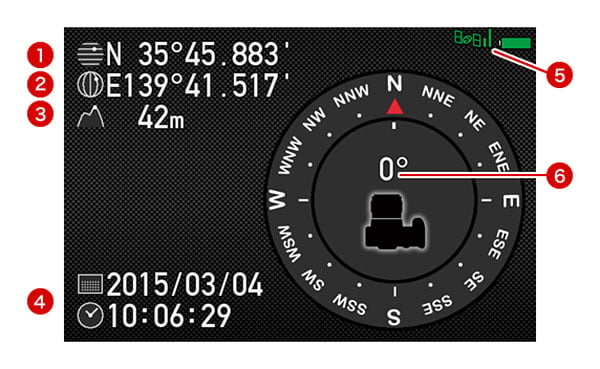
The reason for the absence of an in-camera flash is that the Pentax K-3 II now features a built-in GPS receiver and electronic compass. With its body being predominantly crafted from magnesium alloy, there was really nowhere else to put the antenna for the GPS radio except in the top of the pentaprism housing, and that didn't leave room for a popup flash strobe.
The upside here is that the Pentax K-3 II can now geotag your images with their capture location, the direction the camera was pointing, and the extremely accurate time provided by the GPS satellites.
It can also record track logs in the KML format used by Google Earth, logging your location at intervals of 5, 10, 15, 30 or 60 seconds, with a duration of up to 9 hours at the minimum interval or 18 hours with a 10-second interval. (Of course, if you take advantage of the full duration, you won't have any battery life left over for shooting photos, which rather defeats the purpose of having the camera in the first place!) Regardless of the interval set, the maximum logging time is 24 hours.
Of course, we live in a world where there are now multiple competing standard for satellite positioning systems, and so when one refers to GPS, it isn't immediately clear which systems the device is compatible with. For the Pentax K-3 II, it's compatible with the United States government's GPS system, but not other systems such as Russia's GLONASS, China's Beidou, Europe's Galileo or India's IRNSS. That doesn't mean it can't get a fix in these regions, though, as GPS has pretty-much global coverage -- it just means that it can't take advantage of the extra satellites from the rival systems to gain a faster, more accurate fix.
What it can do, though, is to improve the quality of its positioning using a number of augmentations to the GPS system. These include the US Federal Aviation Administration's WAAS in North America, the European Union's EGNOS inside Western Europe, India's GAGAN within the Indian subcontinent, and both the MSAS and proposed QZSS systems within Japan. In other regions, the Pentax K-3 II will fall back to relying solely on the base GPS system for its location information.
And AstroTracer, too
Ricoh has effectively built its O-GPS1 GPS Unit into the K-3 II, allowing its unique star-freezing AstroTracer function to be used with no more accessories than a good, sturdy tripod. |
Nor is that all. The Pentax K-3 could do something pretty cool with its optional O-GPS1 GPS Unit accessory, and since the K-3 II effectively builds that into the camera, it can now do the same thing with no extra accessories. If you've ever tried to shoot an image of the night sky to reveal the details invisible to the naked eye, you'll certainly appreciate this.
By combining information from the GPS receiver, compass, orientation sensors and lens, the Pentax K-3 II can determine how quickly stars will be moving across the night sky, and in which direction. It can then use the Shake Reduction system to counteract their motion, allowing for much longer exposures than would normally be possible without causing star trails to form.
The result is that you can get better results as an astrophotographer, without the need for any accessory beyond a good, sturdy tripod. The actual exposure time you'll be able to achieve will depend on the focal length of the lens you're using, and of course you won't be able to include foreground subjects without blurring them instead, but this function -- dubbed AstroTracer -- really is unique, and is likely going to sell quite a few photographers on the K-3 II.
Viewfinder

Ricoh has also retained the viewfinder used in the K-3 for the followup Pentax K-3 II. Like that of earlier models dating back to the K-7, it's pentaprism-based, and has a manufacturer-rated 100% coverage. Magnification is said to be 0.95x, and the viewfinder accepts interchangeable focusing screens. The bundled screen is an MF-60 Frame Matte type. Also unchanged is the dioptric adjustment range of -2.5 to +1.5m-1, which provides around 20 click detents.
Monitor
The Pentax K-3 II's rear-panel LCD monitor, too, is retained from the K-3. It has a 3.2-inch diagonal, a 3:2 aspect ratio, and a total dot count of around 1037k dots. And helping combate glare and low contrast, the monitor has a gapless design.
Info LCD
For quick at-a-glance checks of basic setup, battery life and shots remaining, there's still a monochrome info display on the top deck. For nighttime viewing, it has a green backlight which illuminates when you adjust any control. If you don't want to disturb your night vision, the backlight can be disabled.
Exposure modes
The Pentax K-3 II offers the same selection of exposure modes as did the K-3. As well as Green (fully automatic), Program (with program shift), Shutter priority (Tv), Aperture priority (Av), Manual, and Bulb, there are a couple of Pentax exclusives: Sensitivity priority (Sv), and Shutter-and-Aperture priority (TAv). In these latter two modes, you can either dial in a sensitivity and let the camera select aperture and shutter speed, or dial in the aperture and shutter speed, then let the camera select the sensitivity. There's also a Flash X-Sync mode, which locks the shutter speed at 1/180 second.
There are also three separate User modes (U1, U2 and U3), allowing you to quickly recall settings groups you'd saved for particular shooting situations. And you can opt for various program lines when using automatic or semi-automatic exposure. As well as the default program line, you can bias the camera in favor of higher shutter speeds, a shallow or deep depth of field, or towards the MTF sweet spot of the lens.
Drive modes
Drive mode options in the Pentax K-3 II include continuous (high, medium, or low), self-timer (two or 12 second), remote control (instant, three second, or continuous), bracketing, mirror lockup, HDR, and multiple exposure. (More on these last two in the creative section below.) The bracketing mode allows 2, 3, or 5 shots with up to 2EV between exposures.
Shutter

The Pentax K-3 II's shutter speed range is unchanged from that of other recent flagships, and the shutter mechanism itself is the same one featured in the K-3. It has a rated lifetime of 200,000 cycles, and is pretty quiet for an APS-C DSLR. Available shutter speeds range from 1/8,000 to 30 seconds in 1/3 or 1/2 EV steps, plus bulb.
White balance
The Pentax K-3 II's white balance system is unchanged from that in the K-3, including its interesting Multi Auto WB mode, which aims to neutralize color casts from multiple different light sources in the same scene. As well as Automatic and Manual modes, the K-3 II provides ten white balance presets (Daylight, Shade, Cloudy, Daylight Color Fluorescent, Daylight White Fluorescent, Cool White Fluorescent, Warm White Fluorescent, Tungsten, Flash, and Color Temperature Enhancement). This last option is used to retain and enhance the lighting tone - for example, to enhance a sunset.
White balance can also be measured from a neutral target, or a specific color temperature can be dialed in manually, using either Kelvin or Mired values. Three custom white balance values of each type can be stored in-camera. And finally, you can adjust white balance within a +/- 7-step range on both amber-blue and green-magenta axes.
Creative
Even by enthusiast DSLR standards, the Pentax K-3 II has a healthy selection of creative options. We've already briefly mentioned a couple: HDR mode and multiple-exposure shooting.
HDR mode captures multiple images, then microaligns them in camera and blends them to create a single image with greater dynamic range. You have a choice of automatic blending, or one of three effect strengths. These range from fairly natural to a bolder, crunchier feel. (And since the images are microaligned, the mode can be used handheld.) And unusually, the mode even allows you to output a raw image, although most third-party software is unlikely to recognize that there are multiple shots in the file. (But you can split the HDR raw into three non-HDR raws using Ricoh's Silkypix-based bundled software, allowing you to tweak the results in your own HDR app.)
Multiple exposure mode also allows you to save your result as a single raw image merged from multiple exposures. There are three methods of merging the source images: additive, average or bright mode. The first two are self-explanatory, while the third takes the brightest pixel at any given location in the source images, and uses that in the final image. You can merge up to 2,000 frames, allowing for some pretty cool effects.
There's also a time-lapse function, which allows shots at 2-second to 24-hour intervals. Again, you can capture as many as 2,000 shots in a series.
Custom image and digital filter effects in the Pentax K-3 II are unchanged from its predecessor. Custom image modes include Bright, Natural, Portrait, Landscape, Vibrant, Radiant, Muted, Bleach Bypass, Reversal Film, Monochrome and Cross Processing. Digital filters include Extract Color, Toy Camera, Retro, High Contrast, Shading, Invert Color, Unicolor Bold and Bold Monochrome.
And of course, there's the new Pixel Shift Resolution function which we covered previously.
Copyright tagging
Like the flagship models which precede it, the Pentax K-3 II can optionally embed copyright data into its raw and JPEG image files. You can enter both a photographer and copyright holder name from the camera body, and the headers of images will be tagged with both. It's not a permanent tag, and so you can't rely on it to protect your images from copyright theft, but it does make it so that you can easily identify who shot a particular image in your library.
Dual-axis level gauge

Also unchanged is the Pentax K-3 II's dual-axis level gauge function. This detects both side-to-side roll, and front-to-back pitch. Roll is displayed in the viewfinder, and on both top / rear LCDs. Pitch can be displayed only on the rear LCD. There's still no way to calibrate the level gauge yourself -- a retun to the service depot is needed if the tilt sensor loses its calibration.
Horizon correction
Ricoh goes a step further than most DSLRs, which simply show the degree of side-to-side roll, though. The Pentax K-3 II can automatically correct for up to two degrees of roll in either direction if Shake Reduction is disabled, or one degree if it's enabled. If you're driven to distraction by tilted horizons, it's a great feature to have.
Composition correction
Horizon correction takes advantage of Pentax's sensor-shift system, and so to does composition correction. This is handy when you're shooting on a tripod, and want to make very slight adjustments to composition. You can move the sensor left, right, up, or down, and rotate it by up to a couple of degrees, fine-tuning your composition to perfection.
Movie capture

The Pentax K-3 II's Movie mode is much the same as that in its predecessor, but if you're using an earlier Pentax DSLR, it's a big step forwards. The reason: There's no more dated, inefficient Motion JPEG compression, with the Pentax K-3 II instead using MPEG-4 AVC / H.264 compression in a .MOV container. (OK, that's not entirely true -- interval movies, which we'll come to in a second, are still shot with Motion JPEG compression. All real-time movies are shot with H.264 compression, though.)
The Pentax K-3 II captures movies at up to Full HD (1,920 x 1,080 pixel; 1080p/i) resolutions, with a generous selection of frame rates. These include interlaced 60i / 50i or progressive-scan 30p / 25p / 24p at Full HD resolution. At the lower 720p resolution, you'll find the same selection, except that the interlaced frame rates are replaced with progressive scan 60p / 50p rates.
Movies can be shot with Program, Aperture-priority, Shutter-priority or fully Manual exposure. Sound comes courtesy of a built-in, monaural microphone by default, or you can connect an off-camera microphone courtesy of a standard 3.5mm stereo mic port. There's also a 3.5mm stereo headphone port, which means that you can monitor audio levels before and during capture. And the K-3 II provides levels display before and during capture, completely with a peak hold function, and separate display of left / right channels.
Unlike models prior to the K-3, the Pentax K-3 II also allows autofocus during movie capture. It's not the fastest and it only provides single operation, rather than full-time autofocus. Still, it means you don't have to pull focus manually or set your shoot up so as to keep your subject within depth of field.
There's still a 25-minute clip length limit in the Pentax K-3 II, and so if you need to have longer continuous shooting, you'll need to look for another solution.
And we mentioned that the Pentax K-3 II supports interval movie capture. This works much as it did in the K-3, and shoots at up to 4K resolution (3,840 x 2,160 pixels). If your clips are lengthy, you can expect some seriously colossal file sizes -- around 3GB per minute -- at this resolution, thanks to the Motion JPEG / AVI compression. That said, the ability to shoot ultra high-def time-lapse video is nevertheless pretty cool.
Weather-sealing / cold-proofing
The Pentax K-3 II is sealed against dust and water, and freezeproof to 14°F / -10°C. |
Pentax's flagship DSLRs have a reputation as among the best-sealed in the business, and the Pentax K-3 II's body is no less comprehensively dustproof and weatherproof, thanks to seals at all controls and body seams. The number of seals is still listed as 92 in total, despite the deletion of the popup flash strobe. The K-3 II is also still freezeproof to 14°F / -10°C, and works reliably in temperatures up to 104°F / 40°C.
And it's not just the body that's weatherproof, either. Regardless of whether you're shopping for consumer or enthusiast-grade gear, weather-sealed options are now available to you. The optional portrait / battery grip is sealed to the same standard as the camera body. Likewise all DA* lenses, and several affordable WR lenses covering everything from 18mm to 300mm are also available for all-weather shooting.
Add in Pentax's weather-resistant strobes and even a weather-sealed infrared remote, and there isn't a link in the chain that can't be used in dust and rain. If you plan to shoot in inclement conditions, rest assured: this is truly part of a take-anywhere system.
Connectivity
Like the K-3 before it, the Pentax K-3 II offers something rather rare in the camera world: a USB 3.0 Micro B connector, in place of the USB 2.0 connectors found on most cameras. Otherwise known as SuperSpeed USB, USB 3.0 is theoretically 10x faster than USB 2.0 (aka Hi-Speed USB) -- and it's backwards compatible, so if it's not yet supported by your PC or Mac, you can still get USB 2.0 rates with a standard cable.
Acknowledging that standard-def is now a thing of the past for most of us, the Pentax K-3 II offers only a high-definition Type-D Micro HDMI output. We've already mentioned much of the K-3 II's remaining connectivity, which includes 3.5mm stereo mic and headset jacks, an intelligent hot shoe, PC sync terminal, front and rear infrared receivers, and a connector for the same optionally-available D-BG5 portrait / battery grip as used by the K-3. There's also an 8.3V DC input, which works with the K-AC132 AC adapter kit.
Power
The Pentax K-3 II retains the same D-LI90 battery as its predecessors, and battery life is unchanged from the K-3, although you might think there had been an improvement if you just glanced at the spec sheet. The reason: The K-3 II no longer includes a built-in flash strobe, and so while the CIPA-standard test for the K-3 has 50% flash usage, there's no flash used for the K-3 II's test figures.
Hence while the 720 shots on a charge of the K-3 might seem an improvement, it's actually identical to that of the K-3 with the flash disabled. Playback time is 370 minutes, also unchanged.
Battery grip
You can still supplement battery life by using the optional D-BG5 portrait grip, an accessory that's shared only with the K-3, and which replaced the D-BG4 grip that dated back to the original K-7. Much like that grip, you can add second D-LI90 for double the battery life (1,440 shots on a charge to CIPA standards), or alternatively you can supplement the in-body battery with six standard AA cells. (Battery life here would depend on the AA battery type.)
Either grip battery option is catered for with removable battery trays, and if you're shooting with the D-LI90 battery tray, it also includes space to store a spare Secure Digital card.
Storage
Speaking of storage, the Pentax K-3 II still writes its images in JPEG or 14-bit PEF/DNG raw formats. And just as in the K-3, there are dual card slots which the camera can write to in several different ways. You can either write to the cards sequentially, first filling one and then the other, or write to both slots simultaneously for a backup, or write raw images to one slot, and JPEG images to the other slot.
The K-3 II supports both the higher-capacity SDHC and SDXC cards, and the higher-speed UHS-I cards. With the latter, it will not only handle SDR50 / DDR50 cards with a bus speed of 50MB/second, but also SDR104 cards with a bus speed of 104MB/second.
It also supports two differing wireless flash card formats: either the well-known Eye-Fi cards, or the lesser-known Trek Flucards, for which a Pentax-specific 16GB card is available.
Remote control
The latter provides not only for file transfer, but also for remote control. When shooting with a Pentax Flucard, you can receive a remote live view feed, select the autofocus point remotely, and trip the shutter remotely. You can also adjust other settings such as ISO sensitivity, aperture, shutter speed, and exposure compensation. And you can transfer reduced-size or full-size images -- but not raw files -- via standard Wi-Fi to your PC or smart device. All devices control the camera via a web browser, with no app needed.
We'd still like to see an official tethered shooting solution -- if for no other reason than that we want to see apps like Adobe's Lightroom and Phase One's Capture One supporting tethered shooting with the Pentax K-3 II -- the presence of any remote control solution is still good news, as prior to the K-3 it had been years since the last Pentax model with official remote shooting support.
Software
The K-3 II digital SLR ships with Pentax's Digital Camera Utility 5 software. It's still Silkypix-based, just like previous versions.
Accessories
Available accessories include the Pentax D-BG5 portrait / battery grip, which is dust / weather sealed, accepts a second D-LI90 battery pack or six AA cells, and provides duplicate shutter-release, AE-lock, AF, ISO, exposure-compensation and green buttons, as well as a preview lever and dual electronic dials. Pentax also offers an own-branded O-FC1 16GB Flucard Wi-Fi SD card, and a 50cm long, 4cm wide O-ST1401 camera strap in red or black.
Walkaround
Pentax K-3 II Walkaround
by Mike Tomkins
As we noted at the outset, the Pentax K-3 II shares a nearly-identical body with its predecessor, the Pentax K-3. A development of the body that debuted way back in 2009 with the original Pentax K-7, it's one of our favorite APS-C DSLR bodies, with excellent ergonomics and well-considered controls.
It's also surprisingly compact for a weather-sealed magnesium-alloy body, especially one for a camera so feature-rich as the K3 II. With dimensions of just 5.2 x 4.0 x 3.1 inches, it's actually just a touch smaller than consumer DSLRs like the Canon Rebel T6s / T6i. It has grown a scant 0.1 inch from the K-3 due to the new pentaprism, though.
It's quite a bit smaller than the Nikon D7200 and Canon EOS 70D, which are probably its nearest competitors. (The D7200 is 0.2 inches wider, 0.2 inches taller, and 0.1 inches less deep; the 70D is 0.3 inches wider, 0.1 inches taller, and precisely the same thickness.)
Weight is another story altogether. The Pentax K-3 II is just a little lighter than was its predecessor, at 24.7 ounces body-only, a half-ounce lighter than the original K-3. That's a full two ounces lighter than the Canon 70D, but still 0.8 ounces heavier than the D7200, likely because the Nikon combines both plastic and alloys in its body, whereas the Pentax is predominantly magnesium-alloy.
The consumer-oriented Rebel T6s and T6i, meanwhile, are a full 6.3 and 6.7 ounces lighter, respectively, nicely demonstrating why entry-level cameras typically eschew exotic alloys in favor of plastic.

Seen from the front, the Pentax K-3 II is very, very similar indeed to its predecessor. Beyond the model name at the top left shoulder of the camera (as seen from the rear), the most notable difference is a higher top to the pentaprism viewfinder assembly. Formerly, this housed the K-3's flash strobe; now it accommodates the built-in GPS receiver, which apparently required a little more room. Note that the Pentax K-3 II no longer features a built-in flash strobe.

Jumping to the top deck, again things look mighty similar to the original K-3 body. The Pentax K-3 II sports the exact same controls in the same places, right down to the Mode dial with its on-demand locking lever and central locking button.
You can, of course, see that the pentaprism hump is taller and has a narrower peak. You can also see a small grayish dot on the left side of the hump, which we'll come back to in a minute. (It's better seen from the left side of the camera.)
Moving to the rear of the Pentax K-3 II, there's almost no change at all. Every control sits just where it did, and literally the only way to tell the K-3 II apart from its predecessor without turning it around is to note the slightly taller pentaprism housing.
Yet even as little as things have changed, we have a feeling that this is the view which will get some Pentaxians hooping and hollering. The reason? The Ricoh logo that graced the back of the Pentax K-3 is gone, leaving only the Pentax brand unless you look at the labels on the base of the camera.
Personally, we never understood the uproar about that little logo: The fact of the matter is that Ricoh owns Pentax, and it seems a little ungrateful to begrudge them a small recognition of that fact. The Pentax brand was front and center on the pentaprism, right where it always was. Still, we know some Pentaxians found the Ricoh logo offputting, and its removal should, thankfully, put an end to the arguments.

Looking at the right side of the Pentax K-3 II body, the various compartment covers sit just as they did in the earlier camera. As well as the taller pentaprism housing, you can, however, note that the slight protrusions which once allowed the flash strobe to be raised into position are gone.
From a pro's point of view, it's one less thing to break if you accidentally drop the camera, or the strobe gets raised by mistake in a camera bag. (It does, however, also mean that there's no longer any in-camera wireless flash support, something experienced shooters may miss.)
From a consumer point of view, it means you need to buy and carry an extra accessory with you if you want to add some light to your subject. Enthusiasts likely see validity in both sides of the argument, and so it's down to individual tastes.

As we come to the left side of the Pentax K-3 II, it's from this angle that you can see the most change. As well as the reprofiled pentaprism housing and absence of the popup strobe, the most obvious change is that what was once the flash button is now the GPS button.
And as for that small dot, just forwards of the Mode dial on the pentaprism housing, that's an indicator LED for the GPS receiver. This will blink while the camera is seeking a GPS lock, and then illuminate once at least three satellites have been located. (That's the minimum to triangulate your position; as more satellites are located, the precision of your location fix will improve.)

And finally, the bottom of the K-3 II looks identical to its predecessor, and maintains compatibility with the optional D-BG5 Battery Grip.
Tech2
by Mike Tomkins | Posted: 05/28/2015
Table of Contents |
|---|
With the Pentax K-3 II, Ricoh debuts a brand-new feature that will be of great interest to anyone hoping to maximize per-pixel sharpness. Dubbed Pixel Shift Resolution, this function captures multiple images and combines them to create a single shot with higher resolution, much like the High Resolution mode of the Olympus E-M5 II, which was announced just a couple of months earlier. (You can compare the Pentax K-3 II vs. Olympus E-M5 II here, if you like.)
There are some important differences in the way the two technologies work, but both share the same key limitation: They only work with static subjects, and with the camera mounted on a tripod. If you're able to live with that fact, though, they promise even greater resolution than can be derived from a single shot, thanks to the Bayer filter that overlies the image sensor on almost every color-capable camera. And if that's not enough for you, they can also reduce the incidence of moiré and false color, not to mention improving noise levels and grain size.
Similarities, but with a key difference in technologies
Both cameras create their high-resolution images by capturing multiple shots in sequence, and adjusting the sensor position just fractionally between shots using the sensor-shift stabilization mechanism so that the light at any given location falls on different sensor pixels. Where typically a camera using a Bayer-filtered sensor must interpolate (or in essence, guess) the values for two out of the three red, green and blue channels for every pixel, this technique allows full color information to be recorded directly at every pixel.
So what separates Ricoh's approach in the Pentax K-3 II from that selected by Olympus in the OM-D E-M5 II? Olympus is moving the sensor in steps that are smaller than its pixel size, and then capturing a total of eight frames to create a single output image. Ricoh, by contrast, is using full pixel-sized steps and combining half as many frames per image, with a total of four images captured per output frame.
Olympus' approach to the problem gives it more data to work with, and allows resolution to be improved well beyond what the sensor resolution would suggest -- final output resolution is 40 megapixels in JPEG mode or 64 megapixels in raw -- but it also presents a much more complex problem for the camera, and requires finer sensor positioning. With less data to juggle for every pixel, Ricoh's approach is much more easily solved, and yet it still triples the amount of information for each pixel compared to a single-shot capture shot with the same sensor.
And as an added advantage, it does so without significantly increasing file sizes, at least so long as you're shooting in JPEG mode. In raw capture, though, the Pentax K-3 II's Pixel Shift Resolution images have about 3.7 to 3.8 times the file size of a standard raw file. You can expect some very, very large file sizes if you intend to shoot in raw format using Pixel Shift Resolution, on the order of 121-122MB even at base sensitivity, and likely even larger as your ISO sensitivity setting climbs. That's equally true of Olympus' rival, though, with file sizes of around 100MB for its High Resolution-mode raw files, about five times the size of its standard raws.
Also, it's worth noting here that since its sensor has around 50% more pixels than that in the E-M5 II there's less need for Ricoh's DSLR to increase resolution as does its mirrorless rival in the first place. Olympus has a resolution deficit to make up compared to its APS-C sensor-based rivals; the Pentax K-3 II doesn't.
But how do these techniques compare in the real world? Which camera gives the most potential for detail-gathering in a sub-frame sensor, and how do these clever tricks compare to simply shooting with a camera using a larger, higher-res sensor in the first place? That's the first thing we wanted to know when we got our hands on the Pentax K-3 II, and so we queued up some comparisons just as soon as we got the camera into the lab for testing.
To start off with, we decided to compare the Pixel Shift Resolution mode against a standard shot from the K-3 II, just to see how much difference the multi-shot technique was capable of making over a single-shot capture.
Standard and Pixel Shift Resolution modes compared
 |
Single-frame shot from the Pentax K-3 II at ISO 100 |
 |
Pixel Shift Resolution shot from the Pentax K-3 II at ISO 100 |
For two images shot moments apart using the same camera and sensitivity, the difference here is very impressive. Pixel Shift Resolution brings out the fine thread patterns in the fabric swatches that are almost completely lost in the standard single-shot image. |
 |
Single-frame shot from the Pentax K-3 II at ISO 100 |
 |
Pixel Shift Resolution shot from the Pentax K-3 II at ISO 100 |
Again, there's a significant difference here. Where the single-shot image blurs together the finest markings of the proportional scale, they're clear and distinct in the Pixel Shift Resolution image. |
 |
 |
Single-frame shot from the Pentax K-3 II at ISO 100 |
Pixel Shift Resolution shot from the Pentax K-3 II at ISO 100 |
And once more, there's an eye-opening difference here in the pepper grinder. The peppercorns show much more fine detail that really makes them pop, giving them a more three-dimensional look. |
|
 |
 |
Single-frame shot from the Pentax K-3 II at ISO 100 |
Pixel Shift Resolution shot from the Pentax K-3 II at ISO 100 |
If anything, the difference is even more noticeable in these fabric crops. Where the single-shot image loses almost all thread detail in the fabric, it's faithfully rendered thanks to Pixel Shift Resolution. |
|
 |
 |
Single-frame shot from the Pentax K-3 II at ISO 100 |
Pixel Shift Resolution shot from the Pentax K-3 II at ISO 100 |
Taking a look at the Samuel Smith label, Pixel Shift Resolution gives a much better rendering of the smallest fonts. Look in particular at the badges over the hop flowers, which are difficult to read in the standard image, but quite clear with Pixel Shift Resolution enabled. |
|
 |
Single-frame shot from the Pentax K-3 II at ISO 100 |
 |
Pixel Shift Resolution shot from the Pentax K-3 II at ISO 100 |
Here, the greater detail extracted by Pixel Shift Resolution is particularly noticeable in the fiddler's beard, and the stripes in his pants that are almost completely lost in the single-shot version of the same image. |
 |
 |
Single-frame shot from the Pentax K-3 II at ISO 100 |
Pixel Shift Resolution shot from the Pentax K-3 II at ISO 100 |
You'll want to fetch your duster if you're shooting in Pixel Shift Resolution mode. Not only did it do a much better job than the single-shot image with the extremely fine detail in the mosaic pattern, it also picked up the fact that our still life target needs a quick dusting again! Sure, a few specks of dust are visible in the standard shot as well, but not nearly as many as in the Pixel Shift Resolution version. |
|
Ricoh's Pixel Shift Resolution versus Olympus' High Resolution
No question, then, that Pixel Shift Resolution can significantly increase per-pixel sharpness over a standard shot, at least so long as your subject isn't moving and you're using a suitably sharp lens. How does it perform compared to Olympus' equivalent function, though?
Here, resampling is needed to make a valid comparison, as the Olympus E-M5 II creates a higher-resolution JPEG than does the Pentax K-3 II when their respective high-res multi-shot modes are enabled. For fairness, we've tried both upsampling the K-3 II's shots to match the frame height of those from the E-M5 II, and downsampling those of the Olympus to match the Pentax.
 |
Pixel Shift Resolution shot from the Pentax K-3 II at ISO 100 (upsampled to match Olympus frame height) |
 |
High Resolution-mode shot from the Olympus E-M5 II at ISO 100 |
|
Pixel Shift Resolution shot from the Pentax K-3 II at ISO 100 |
 |
High Resolution-mode shot from the Olympus E-M5 II at ISO 100 (downsampled to match Pentax frame height) |
Right off the bat, we'll say that we're comparing both cameras specifically in terms of detail here. Obviously their color rendering is quite different, but that's for comparison elsewhere in our review. Both the K-3 II and E-M5 II turn in a pretty impressive performance. Despite the difference in output resolution for the two cameras, we think this one's too close to call -- from this particular crop, at least! |
 |
Pixel Shift Resolution shot from the Pentax K-3 II at ISO 100 (upsampled to match Olympus frame height) |
 |
High Resolution-mode shot from the Olympus E-M5 II at ISO 100 |
|
Pixel Shift Resolution shot from the Pentax K-3 II at ISO 100 |
 |
High Resolution-mode shot from the Olympus E-M5 II at ISO 100 (downsampled to match Pentax frame height) |
Again mighty close, but we're going to call this one in favor of the Olympus, albeit only because the Pentax K-3 II's image looks just a little oversharpened. Both cameras are batting well above their weight here, and have managed to gather every last speck of detail from the proportional scale. |
 |
 |
Pixel Shift Resolution shot from the Pentax K-3 II at ISO 100 (upsampled to match Olympus frame height) |
High Resolution-mode shot from the Olympus E-M5 II at ISO 100 |
|
 |
Pixel Shift Resolution shot from the Pentax K-3 II at ISO 100 |
High Resolution-mode shot from the Olympus E-M5 II at ISO 100 (downsampled to match Pentax frame height) |
Here, the Pentax K-3 II looks to have a noticeable edge over the Olympus E-M5 II. The peppercorns in the grinder are a good bit sharper and more detailed-looking in the K-3 II's shot, although a touch of sharpening on the E-M5 II image would likely bring the two closer to parity. |
|
 |
 |
Pixel Shift Resolution shot from the Pentax K-3 II at ISO 100 (upsampled to match Olympus frame height) |
High Resolution-mode shot from the Olympus E-M5 II at ISO 100 |
|
 |
Pixel Shift Resolution shot from the Pentax K-3 II at ISO 100 |
High Resolution-mode shot from the Olympus E-M5 II at ISO 100 (downsampled to match Pentax frame height) |
In the yellow and orange fabric swatches, we're back to the situation we started in. The difference between these two cameras in terms of fine detail gathering in their high-res modes is so subtle that it's almost impossible to make a call for either. |
|
 |
 |
Pixel Shift Resolution shot from the Pentax K-3 II at ISO 100 (upsampled to match Olympus frame height) |
High Resolution-mode shot from the Olympus E-M5 II at ISO 100 |
|
 |
Pixel Shift Resolution shot from the Pentax K-3 II at ISO 100 |
High Resolution-mode shot from the Olympus E-M5 II at ISO 100 (downsampled to match Pentax frame height) |
Here, the E-M5 II's shot looks just slightly crisper overall, yet in the tiny badges over the hop flowers, the K-3 II looks to show more detail at first glance. To our eye, that's an artifact of the Pentax's slightly stronger default sharpening, but it's a very close thing. |
|
 |
Pixel Shift Resolution shot from the Pentax K-3 II at ISO 100 (upsampled to match Olympus frame height) |
 |
High Resolution-mode shot from the Olympus E-M5 II at ISO 100 |
|
Pixel Shift Resolution shot from the Pentax K-3 II at ISO 100 |
 |
High Resolution-mode shot from the Olympus E-M5 II at ISO 100 (downsampled to match Pentax frame height) |
Moving to the Fiddler's Elbow label, this time it's the Pentax that looks to have a slight advantage over its rival, with just a touch more fine detail visible in the bear and pants leg. Again, though, this is pixel-peeping to a degree that's not likely to make a noticeable difference in the real world. |
 |
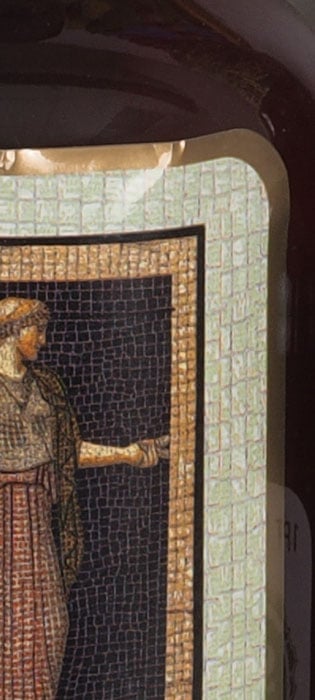 |
Pixel Shift Resolution shot from the Pentax K-3 II at ISO 100 (upsampled to match Olympus frame height) |
High Resolution-mode shot from the Olympus E-M5 II at ISO 100 |
|
 |
Pixel Shift Resolution shot from the Pentax K-3 II at ISO 100 |
High Resolution-mode shot from the Olympus E-M5 II at ISO 100 (downsampled to match Pentax frame height) |
Finally, in the mosaic label the Pentax K-3 II looks to have a very slight edge once more, but that's in part down to more aggressive sharpening. Really, there is very, very little indeed to separate these two cameras in terms of detail gathering, once their respective multi-shot, high-res modes are enabled. |
|
Pixel Shift Resolution versus the Nikon D810
But what of a really high-res, full-frame camera? We'd dearly have loved to make a comparison to the highest-resolution model of the bunch here, the Canon EOS 5DS R (Pentax K-3 II vs. Canon EOS 5DS R), but that wouldn't have been fair given that as of when this report was published, we'd not yet gotten our hands on a final production-level camera, only a beta model. That being the case, we instead opted for the next best thing: the Nikon D810 (Pentax K-3 II vs. Nikon D810).
With a sensor resolution of 36.3 megapixels for the D810 versus the 24.35-megapixel sensor in the K-3 II, not to mention a much larger sensor area for the Nikon, this should be very interesting indeed. Can Pentax's clever Pixel Shift Resolution technique level the playing field? Let's see!
 |
Pixel Shift Resolution shot from the Pentax K-3 II at ISO 100 (upsampled to match Nikon frame height) |
 |
Shot from the Nikon D810 at ISO 100 |
|
Pixel Shift Resolution shot from the Pentax K-3 II at ISO 100 |
 |
Shot from the Nikon D810 at ISO 100 (downsampled to match Pentax frame height) |
Things are looking good for the Pentax K-3 II straight away. In terms of detail in these fabric crops, its Pixel Shift Resolution mode looks to have managed to catch up to the D810 despite a near-50% deficit in pixel count. And for an added bonus, while the D810 shows a pronounced moiré pattern in the troublesome red swatch, there's no such issue in the K-3 II's shot. (That's no knock on the D810, incidentally. We've seen similar moiré in still life shots from a number of other high-res cameras.) |
 |
Pixel Shift Resolution shot from the Pentax K-3 II at ISO 100 (upsampled to match Nikon frame height) |
 |
Shot from the Nikon D810 at ISO 100 |
|
Pixel Shift Resolution shot from the Pentax K-3 II at ISO 100 |
 |
Shot from the Nikon D810 at ISO 100 (downsampled to match Pentax frame height) |
Again, a rather similar performance from these two very different cameras. Of course, it's worth bearing in mind that the Nikon D810 can manage this performance in a single shot -- and so, handheld with moving subjects. For the Pentax K-3 II's Pixel Shift Resolution mode, you'll only get the benefit of this kind of resolution when shooting completely static scenes from a tripod. |
 |
 |
Pixel Shift Resolution shot from the Pentax K-3 II at ISO 100 (upsampled to match Nikon frame height) |
Shot from the Nikon D810 at ISO 100 |
|
 |
Pixel Shift Resolution shot from the Pentax K-3 II at ISO 100 |
Shot from the Nikon D810 at ISO 100 (downsampled to match Pentax frame height) |
Here, the Pentax K-3 II looks to have a little bit of an edge over the D810, just as it did with the E-M5 II. (Could this be the ultimate camera for photographing peppercorns? Perhaps!) ;) Joking aside, we see a little more detail in the K-3 II's shot, although a touch of unsharp mask would bring the D810's image to life. |
|
 |
 |
Pixel Shift Resolution shot from the Pentax K-3 II at ISO 100 (upsampled to match Nikon frame height) |
Shot from the Nikon D810 at ISO 100 |
|
 |
Pixel Shift Resolution shot from the Pentax K-3 II at ISO 100 |
Shot from the Nikon D810 at ISO 100 (downsampled to match Pentax frame height) |
In the yellow and orange fabric crops, we have another interesting result. The Pentax K-3 II looks to best the Nikon D810 just slightly, better rendering the fabric patterns in both swatches. It's not a night-and-day difference, but it's certainly enough to be noticeable. |
|
 |
 |
Pixel Shift Resolution shot from the Pentax K-3 II at ISO 100 (upsampled to match Nikon frame height) |
Shot from the Nikon D810 at ISO 100 |
|
 |
Pixel Shift Resolution shot from the Pentax K-3 II at ISO 100 |
Shot from the Nikon D810 at ISO 100 (downsampled to match Pentax frame height) |
And again, the K-3 II's Pixel Shift Resolution functon looks to match or even just slightly better the detail possible in a single Nikon D810 image. As in the first crop above, the Nikon D810 again faces troublesome moiré from the halftone pattern in the label, which the Pentax manages to avoid. |
|
 |
Pixel Shift Resolution shot from the Pentax K-3 II at ISO 100 (upsampled to match Nikon frame height) |
 |
Shot from the Nikon D810 at ISO 100 |
|
Pixel Shift Resolution shot from the Pentax K-3 II at ISO 100 |
 |
Shot from the Nikon D810 at ISO 100 (downsampled to match Pentax frame height) |
And once more, it's near-impossible to call one of these cameras' result noticeably better than the other in terms of their detail-gathering capability. This is one seriously impressive demonstration of just what Pixel Shift Resolution can do for you with the right subject! |
 |
 |
Pixel Shift Resolution shot from the Pentax K-3 II at ISO 100 (upsampled to match Nikon frame height) |
Shot from the Nikon D810 at ISO 100 |
|
 |
Pixel Shift Resolution shot from the Pentax K-3 II at ISO 100 |
Shot from the Nikon D810 at ISO 100 (downsampled to match Pentax frame height) |
Finally, we come to the mosaic label, and here there's no clear winner once more. Overall, the performance between these two cameras is very, very similar so long as you're shooting a static subject and using the Pentax's Pixel Shift Resolution mode. That doesn't hold true as soon as you're shooting moving subjects, of course, but this could be big news for Pentaxians who do a lot of still life work! |
|
Pixel Shift Resolution versus the Pentax 645Z
The comparison against the Nikon D810 is mighty impressive for the Pentax K-3 II's Pixel Shift Resolution mode, but what of the most detail-hungry camera in Ricoh's own lineup?
The mighty Pentax 645Z medium-format DSLR (Pentax K-3 II vs. Pentax 645Z) sets a very high bar indeed, and we're really not expecting the K-3 II to come that close, but we couldn't resist making the comparison nonetheless. A 24.35-megapixel, US$1,100 camera head-to-head against a 51.4-megapixel, US$8,500 camera? Heck, why not? :)
 |
Pixel Shift Resolution shot from the Pentax K-3 II at ISO 100 (upsampled to match 645Z frame height) |
 |
Shot from the Pentax 645Z at ISO 100 |
|
Pixel Shift Resolution shot from the Pentax K-3 II at ISO 100 |
 |
Shot from the Pentax 645Z at ISO 100 (downsampled to match K-3 II frame height) |
No surprise here: Even against the might of Pixel Shift Resolution, the Pentax K-3 II can't match its mighty sibling. The 645Z extracts more detail from our fabric swatches, although perhaps not by quite the margin we were expecting. If you're not going to use the full resolution of the 645Z, though, it seems that downsampling to K-3 II resolution isn't going to result in noticeably better detail than that which Pixel Shift Resolution can already manage. |
 |
Pixel Shift Resolution shot from the Pentax K-3 II at ISO 100 (upsampled to match 645Z frame height) |
 |
Shot from the Pentax 645Z at ISO 100 |
|
Pixel Shift Resolution shot from the Pentax K-3 II at ISO 100 |
 |
Shot from the Pentax 645Z at ISO 100 (downsampled to match K-3 II frame height) |
Again, the Pentax K-3 II does better against the 645Z than you could fairly expect, but it can't quite match the outright resolution of its professional sibling. (And it doesn't matter whether you upsample the K-3 II or downsample the 645Z: Either way, the enthusiast DSLR shows more haloes from sharpening than will the pro camera.) |
 |
 |
Pixel Shift Resolution shot from the Pentax K-3 II at ISO 100 (upsampled to match 645Z frame height) |
Shot from the Pentax 645Z at ISO 100 |
|
 |
Pixel Shift Resolution shot from the Pentax K-3 II at ISO 100 |
Shot from the Pentax 645Z at ISO 100 (downsampled to match K-3 II frame height) |
It's pretty clear, once again, that the medium-format camera is extracting more detail from the scene than can its APS-C sensor-shod sibling. |
|
 |
 |
Pixel Shift Resolution shot from the Pentax K-3 II at ISO 100 (upsampled to match 645Z frame height) |
Shot from the Pentax 645Z at ISO 100 |
|
 |
Pixel Shift Resolution shot from the Pentax K-3 II at ISO 100 |
Shot from the Pentax 645Z at ISO 100 (downsampled to match K-3 II frame height) |
It's in the yellow and orange fabric swatches that the Pentax K-3 II's Pixel Shift Resolution function comes closest to matching its high-end sibling's single-shot performance. It's really quite an impressive result for this much more compact enthusiast DSLR, holding onto just a touch more detail in the yellow swatch, and giving just a little back in the orange leaf swatch. |
|
 |
 |
Pixel Shift Resolution shot from the Pentax K-3 II at ISO 100 (upsampled to match 645Z frame height) |
Shot from the Pentax 645Z at ISO 100 |
|
 |
Pixel Shift Resolution shot from the Pentax K-3 II at ISO 100 |
Shot from the Pentax 645Z at ISO 100 (downsampled to match K-3 II frame height) |
Looking at the Samuel Smith label, the Pentax 645Z extracts more detail, but it's accompanied by a moiré pattern in the flat green area at the top of the label, as the higher-res camera is confused by the halftone pattern. With that exception, though, this is another clear victory for the medium-format camera, once again with the Pixel Shift Resolution-enhanced K-3 II still turning in a very respectable effort. |
|
 |
Pixel Shift Resolution shot from the Pentax K-3 II at ISO 100 (upsampled to match 645Z frame height) |
 |
Shot from the Pentax 645Z at ISO 100 |
|
Pixel Shift Resolution shot from the Pentax K-3 II at ISO 100 |
 |
Shot from the Pentax 645Z at ISO 100 (downsampled to match K-3 II frame height) |
It's pretty clear from this comparison in particular that the 645Z still has a significant lead. The K-3 II does extract a lot of detail out of the Fiddler's Elbow label, but Ricoh's professional offering manages to find still more. Once again, though, if you're not using the full resolution of the 645Z and would need to downsample to K-3 II resolution, there's nothing to be gained over having shot with the much more affordable model in the first place, at least in terms of detail gathering. |
 |
 |
Pixel Shift Resolution shot from the Pentax K-3 II at ISO 100 (upsampled to match 645Z frame height) |
Shot from the Pentax 645Z at ISO 100 |
|
 |
Pixel Shift Resolution shot from the Pentax K-3 II at ISO 100 |
Shot from the Pentax 645Z at ISO 100 (downsampled to match K-3 II frame height) |
And finally, we come to the mosaic label. Once again, another strong effort from the Pentax K-3 II, but it simply can't manage to erase a 50% resolution deficit, Pixel Shift Resolution or no. It's pretty clear that if you're a Pentaxian looking for the absolute maximum image detail, the 645Z is still the camera for you. It's more than a little impressive just how well the plucky K-3 II managed in this comparison, though. Consumer and enthusiast photographers shooting on the K-mount now have an option available to them -- for still life subjects, at least -- that offers absolutely first-class detail gathering. And there's more to it than that, as we'll see in a moment! |
|
Pixel Shift Resolution promises lower noise, too!
Another advantage of this multi-shot technique, as we said at the outset, is that it can significantly reduce noise levels. For our final comparison, we offer a side-by-side look at how noise levels and detail differ between single-shot and Pixel Shift Resolution modes across the Pentax K-3 II's ISO sensitivity range!
 |
 |
Single-shot at ISO 100 |
Pixel Shift Resolution at ISO 100 |
 |
 |
Single-shot at ISO 200 |
Pixel Shift Resolution at ISO 200 |
 |
 |
Single-shot at ISO 400 |
Pixel Shift Resolution at ISO 400 |
 |
 |
Single-shot at ISO 800 |
Pixel Shift Resolution at ISO 800 |
 |
 |
Single-shot at ISO 1600 |
Pixel Shift Resolution at ISO 1600 |
 |
 |
Single-shot at ISO 3200 |
Pixel Shift Resolution at ISO 3200 |
 |
 |
Single-shot at ISO 6400 |
Pixel Shift Resolution at ISO 6400 |
 |
 |
Single-shot at ISO 12,800 |
Pixel Shift Resolution at ISO 12,800 |
 |
 |
Single-shot at ISO 25,600 |
Pixel Shift Resolution at ISO 25,600 |
 |
 |
Single-shot at ISO 51,200 |
Pixel Shift Resolution at ISO 51,200 |
As you can see, Pixel Shift Resolution makes a significant impact on image quality across the ISO sensitivity range. Of course, it's much more likely to be used at or near base sensitivity, where it can increase per-pixel sharpness significantly. After all, given that it only works with static subjects and a tripod, there's not a particularly compelling reason we can think of to use the function at high sensitivity. If your subject is static, you could achieve results that were as good or better even in very low light simply by shooting a long exposure at low sensitivity. And if high sensitivity was really needed for a static shot for some reason, you could achieve a similar effect by shooting a burst of high ISO images, then stacking them (either in-camera using the multiple exposure function, or in post-processing on your PC) to average out the noise levels. With that said, we're big believers in understanding the capabilities of your camera, and now you know that if you need to shoot a Pixel Shift Resolution image at high sensitivity, you can do so. Particularly at the higher sensitivities, doing so can make a pretty significant impact on image quality! |
|
Conclusion
by Mike Tomkins
A couple of years ago, I reviewed Ricoh's flagship APS-C DSLR camera, the Pentax K-3, and I loved it. Packed to the rafters with clever tech and featuring a well-designed, rugged and weather-sealed body with excellent ergonomics, the K-3 was more than up to the task of shooting really great photos.
From the outset of my Pentax K-3 II review I've known that I was going to enjoy shooting with it, because in essence it's the exact same camera, albeit with some functional changes in a few areas of the design. The image pipeline was essentially unchanged, though, and so too was the majority of its body design.
The Pentax K-3 II is the same great camera, but now with a GPS instead of a popup flash
So I knew the K-3 II would most likely offer great single-shot image quality, excellent performance, and great handling, just as did its closely-related sibling. Of course, I tried everything again regardless, shooting in all manner of real-world environments and closely examining the results to be sure all was well -- and it was.
What I really wanted to see, though, was how the changes affected the experience. The most significant change between the Pentax K-3 II and its closely-related sibling, in hardware terms, is that it forgoes the flash in favor of a built-in GPS receiver. And this change alone will tell many photographers which camera is for them.
The Pentax K-3 II has been tweaked for the outdoorsman
The inclusion of a built-in GPS instead of a flash tells you straight away for whom this camera is intended. Make no mistake, the K-3 II is aimed at the outdoorsman amongst us. If you love to get out in the big, wide world, traveling and shooting photos as you go, then the K-3 II is for you. Your photos can be geotagged with their capture location and direction, making it easy to find them on a map once you get back home.
And as an added bonus, the GPS receiver can also be used with the clever Pentax AstroTracer function to freeze star trails, making this an interesting camera for astrophotographers. Both uses make perfect sense in a camera that's able to handle not just rain showers, but also dusty or even freezing environments.
Belt-and-suspender types and off-camera flash fans should consider the K3 instead
On the other hand, though, if you're not a globetrotter or outdoor explorer, the GPS may not be so useful for you. If you like to pack light, or perhaps you're a belt-and-suspender type who appreciates a built-in flash because you can never accidentally leave it at home, the popup flash may prove to be more useful for you.
Sure, not everyone likes built-in strobes, and for good reason: They tend to be underpowered, and their illumination is harsh, unnatural and unflattering. If you can avoid using them, it's almost always best to do so. If you forget to bring your external flash, though, and find yourself with presented with an unexpected, poorly-lit photo opportunity, your opinion of the built-in strobe may change somewhat.
And it's important to note that since Pentax uses built-in flash to control remote strobes in its wireless setups, if you're a fan of off-camera flash the Pentax K-3 II's lack of a built-in strobe will mean you'll have to either run a cable to the nearest off-camera unit, or buy an extra strobe to mount on the camera as the master. Either way, that means spending more money for a less-convenient setup. And again, this should push you towards the K-3 instead of the K-3 II.
Autofocus and stabilization are great on both Pentax K-3 II and K-3
There are a couple of features mentioned as uprated by Ricoh back when the Pentax K-3 II was first launched which, in my opinion, shouldn't swing your decision between either of these closely-related cameras. Continuous autofocus tracking for subjects moving towards or away from the camera was said to have been improved, and so too was image stabilization performance.
With the caveat that unfortunately I didn't have both cameras in-hand for a side-by-side test, I did try out both features. And honestly, I didn't notice a significant real-world difference between the K-3 and K-3 II in this area. That's not to say that there hasn't been an improvement, but rather that performance was already pretty good for a camera of this class, and that any additional improvement that has been made isn't likely to be noticeable for most usage.
Burst capture is definitely faster on the Pentax K-3 II
One surprise, though, was that we found continuous burst capture speed to be noticeably faster on the newer Pentax K-3 II. That's doubly surprising because as far as we're aware, both cameras share the exact same imaging pipeline. Still, whether shooting in raw or JPEG formats (or even both at the same time), the Pentax K-3 II proved to be a full frame per second faster than its earlier sibling.
Now, it's perfectly possible that were we to go back and retest the Pentax K-3 that we'd find its performance had been similarly improved by firmware updates subsequent to our review. Even if not, though, for much burst shooting the difference will be negated, and that's because autofocus, too, matters. (And here, we found continuous autofocus performance to be near-identical to the earlier K-3 in terms of burst capture rate in focus priority mode.)
The K-3 II's greater burst performance could be a big deal if you prefocus or your subject doesn't move a lot
If you're shooting subjects where autofocus isn't an issue, though -- either because they stay at a relatively constant distance from the camera, or because you're prefocusing and then rattling off a burst of shots as they pass the point on which you'd prefocused -- well then this could be a worthwhile reason to choose the K-3 II over its earlier sibling, though.
I've not managed to get to a big race since last year's Indy 500, but were I a regular motorsports shooter for example, I'd probably opt for the Pentax K-3 II over the K-3. The distance to the cars at any given point on the track tends to stay pretty similar, so prefocusing works well, and the extra frame per second would give me a better chance of nailing the shot at just the right moment. And the GPS would let me organize my photos not just by track, but even by which corner of the track they were shot from.
The Pentax K-3 II's Pixel Shift Resolution is great news for static scenes
Of course, we couldn't conclude our Pentax K-3 II review without calling attention, one last time, to the spectacular Pixel Shift Resolution function. Yes, it only works on static subjects -- at least, unless you're willing to shoot raw and then roll your sleeves up in the digital darkroom. And yes, you're going to need a reasonably good lens to get the most from the feature, although there's a noticeable difference even with consumer-grade glass like the smc Pentax-DA 18-135mm F3.5-5.6 ED AL [IF] DC WR.
But with those provisos borne in mind, you can get a very noticeable improvement in per-pixel sharpness out of the Pentax K-3 II, and with very little fuss indeed. Your shots just have a feeling of clarity and presence that's missing when viewed 1:1 in regular shots, and they're much more resistant to moiré as well. Sure, Pixel Shift Resolution would be even more useful with motion correction -- a feature of the just-launched Pentax K-1 which we'd love to see backported to the K-3 II -- but even without this, I found it to be very worthwhile.
For my money, I'd buy the Pentax K-3 II over its flagship sibling
And for me, Pixel Shift Resolution coupled with the greater AF-S burst performance would probably sway my purchasing decision in favor of the K-3 II over its sibling, because I do shoot quite a lot of shots which would benefit from Pixel Shift Resolution's detail-boosting technique.
I can buy a flash to throw more light on the K-3 II's subjects if I want to make up for the lack of a built-in strobe. I could also buy Ricoh's available GPS accessory to add geolocation and AstroTracer functionality to the original K-3, were I favoring that camera instead. But there's no accessory I can buy that will add Pixel Shift Resolution to the original K-3, and nor can I do anything to increase its performance, short of buying another camera body a few years down the line when there will likely be even greater cameras to choose from, of course.
Which camera you should buy will depend on your priorities
Your mileage may vary, and so I can't make this decision for you. What I can do, though, is to tell you what features (or the lack thereof) will make your own decision. Do you want an in-camera flash and support for off-camera slave strobes without any extra accessories? If so, buy the Pentax K-3. Do you want geolocation, AstroTracer star trail cancellation, a bit more performance and the ability to render reasonably static scenes in razor-sharp per-pixel detail? The Pentax K-3 II is the model for you!
At current pricing, both of these cameras are spectacular bargains, and realistically both are going to prove very satisfying additions to your camera bag, whether you're a Pentaxian already, about to jump mounts from another brand, or just stepping up to a DSLR for the first time. The original Pentax K-3 was a clear Dave's Pick, and with its tweaked feature set we think the Pentax K-3 II is just slightly better than its already-spectacular sibling.
Both the Pentax K-3 II and K-3 are spectacular value, and extremely capable cameras
That means Ricoh scores itself a double-whammy, earning Dave's Picks both for the K-3 II and its flash-equipped sibling! If you're ready to buy the Pentax K-3 II -- and I highly recommend you do -- then click here to check out current pricing, and order through one of our affiliates! It adds no extra cost to you, and helps support in-depth reviews like the one you've just read!
Pros
- Vibrant, punchy images straight out of the camera
- Superb image quality with Pixel Shift Resolution enabled
- Excellent high ISO performance for an APS-C sensor
- Very good dynamic range
- On-demand low-pass filtering (AA Filter Simultation) works well and is unique to Pentax DSLRs
- AA bracketing helps take the guesswork out of knowing whether you should use AA Filter Simulation or not
- Flexible and effective built-in lens corrections
- Very good dynamic range
- Very flexible noise reduction options
- Very good burst framerate of just over 8fps, up from just over 7fps from predecessor and no longer lags its manufacturer-claimed burst rate
- Generous buffers
- Fast autofocus
- Able to autofocus in very low light (using phase-detect AF)
- Very fast USB 3.0 connectivity, if your computer and OS support it
- Good movie image quality
- Headphone jack for levels monitoring
- Microphone jack for external audio input
- Supports single autofocus during movie capture (albeit slowly and very obviously)
- Unusually compact for an enthusiast DSLR
- Great ergonomics and comfortable handling
- Weather-sealed and freezeproof; many weather-sealed lenses and accessories to choose from
- Plenty of autofocus points and good tracking; most AF points are cross types
- Large (for APS-C camera), bright pentaprism viewfinder with excellent coverage
- Optional Mode dial lock prevents accidental changes but can be disabled if changing frequently
- Useful Shadow and Highlight Correction options
- Decent in-camera HDR mode
- HDR and Pixel Shift Resolution images can be saved as raw, split back into separate source images
- Speedy dual UHS-I card slots
- Supports two raw formats (DNG and PEF)
- Remote control and live view possible via optional Flucard
- Pentax K-mount offers best backwards lens compatibility in the business
- In-body stabilization with every lens
- Supports GPS geolocation at the same time as using camera-mounted flash
Cons
- Default sharpening and saturation may be a bit too high for some (but can always be turned down)
- Warm Auto white balance in tungsten lighting
- Slow buffer clearing
- No continuous autofocus during movie capture
- Mode dial position ignored in Movie mode; have to set mode in menu
- Pentax's smaller market share means less third-party support
- AE-lock button is small, hard to reach
- Can't use the same battery grip that was shared by the earlier K-7, K-5, K-5 II and K-5 IIs
- Exposure bracketing and AA bracketing can't be combined
- Most third party software doesn't recognize HDR raw files; many apps also won't recognize Pixel Shift Resolution raw files (but both of these can be worked around)
- Popup menu when changing display modes is annoying and unnecessary
- Menus, while clear, look quite dated compared to rivals
- Optional Flucard for Wi-Fi functionality is expensive and only available in 16GB size
- Below average battery life for a prosumer DSLR
- Not available in an official bundle with lens at discounted pricing
- No built-in flash strobe
- Can't control strobes wirelessly without an extra strobe to act as master, or a cable to the nearest off-camera strobe