



Overview
Overview, Hands-on and Technical Info by Mike Tomkins, with Geek's Guide by Dave Etchells
Posted 10/07/2013
Last edited: 12/21/2016
---
UPDATE: 12/21/2016:
The Pentax K-3 was long the flagship of Ricoh's DSLR camera line, at least unless you wanted to step up to a pricey medium-format camera. Those days are over: The full-frame Pentax K-1 is here to occupy the middle ground between Ricoh's APS-C and medium-format models! As well as offering a much larger sensor than the K-3, the Pentax K-1 also boasts much higher resolution, a far broader sensitivity range, a much bigger viewfinder with helpful on-demand overlays, a more sophisticated autofocus system, and built-in GPS and Wi-Fi radios to help keep tabs on where your photos were shot, then get them online as quickly as possible. The K-1 also won a Camera of Distinction award for "Best Professional DSLR" in our 2016 Camera of the Year Awards. For all the details, read our Pentax K-1 review, or to see how the sub-frame Pentax K-3 stacks up against the full-frame K-1, check out our side-by-side comparison here: Pentax K-3 vs. Pentax K-1.
---
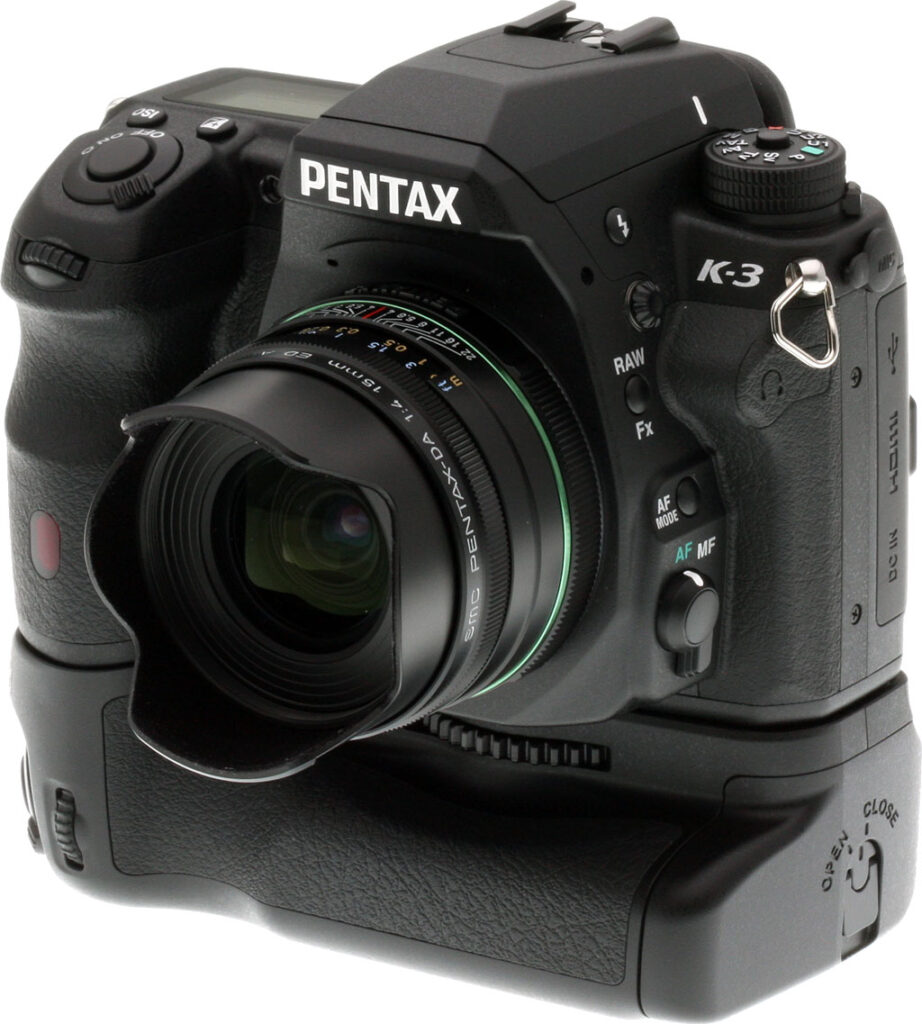
Since the launch of the Pentax K-7 in 2009, the company's flagship models have been among our favorite enthusiast-grade digital SLRs. Pentax's most recent iterations -- the simultaneously-launched K-5 II and K-5 IIs -- were very much evolutionary models, with only relatively minor changes from their shared predecessor. The Pentax K-3, unlike its recent precessors, is revolutionary -- and not just because it's the first in the series to be made under the watch of Ricoh, the Pentax brand's new owner.

Not only does the Pentax K-3 feature significant changes inside and out, it also includes an industry first: on-demand low-pass filtering which lets you choose whether ultimate resolution or resistance to moiré are more important for any given shot. The attention-grabbing, mechanical alternative to an optical low-pass filter has clearly grabbed all the headlines, and deservedly so, but there's plenty else besides that makes the Pentax K-3 an exciting upgrade.
Perhaps most obviously, there's a brand-new body that -- while it retains the spirit of the design first introduced with the K-7 -- makes some significant changes to the controls for the first time in several generations. The 24.3-megapixel Pentax K-3 also packs 50% more pixels into its APS-C sized image sensor, increasing linear resolution by almost a quarter. Yet thanks to a new PRIME III image processor, it simultaneously increases performance. Pentax claims a whopping 8.3 frames per second at full resolution, for as many as 60 JPEG or 23 raw frames. And despite the significant resolution increase, the K-3 still offers a maximum sensitivity of ISO 51,200 equivalent.

Pentax has gifted its newest APS-C flagship with a brand-new, much finer-grained metering sensor with 86,000 RGB pixels, not to mention a much more capable 27-point autofocus sensor. All but two of the K-3's focus points are cross-types, sensitive to detail on both the horizontal and vertical axes. And at the center of the array, three points provide for autofocus with apertures as bright as f/2.8. If you prefer focusing manually, you'll find a new focus peaking function in live view mode to be a very handy addition.
The Pentax K-3 also boasts double the shutter life of its predecessor, along with an improved image stabilization system that should better fight image blur. And on its rear panel, you'll find both a brighter pentaprism optical viewfinder with greater magnification, and a larger, higher-resolution LCD monitor. Both storage and connectivity options have been refreshed, too. The Pentax K-3 provides dual SD card slots with support for high-speed UHS-1 cards, and supplements its high-def video output with a new USB 3.0 SuperSpeed data connection, helping you get all your images and movies off the camera in the shortest possible time.
And speaking of movie capture -- long an area in which Pentax has lagged its rivals -- this, too, has received a total overhaul. The Pentax K-3 now uses more efficient H.264 video compression, allows single autofocus during movie capture, and provides a much more generous selection of movie frame rates. It also allows program, priority, and manual exposure control for movies. And the existing stereo microphone jack has been supplemented with a headphone jack for levels monitoring, plus a fine-grained audio levels control. You can even opt for a stereo levels display during video capture, should you wish!

Clearly, a lot has changed. The good news is that almost everything we loved about earlier Pentax flagships has been retained for the K-3. It still sports a solid magnesium-alloy body with great ergonomics, and despite an enthusiast-friendly control layout, it's still barely any larger than the typical consumer SLR. The Pentax K-3 is also still freezeproof and fully weather-sealed. And as you'd expect, it retains enthusiast-friendly features such as a 100% pentaprism viewfinder, twin control dials, a built-in flash sync terminal, and support for an optional portrait/battery grip.

Alongside the Pentax K-3, the company also launched several new accessories, most of which hit the market at the same time as the camera body. The Pentax D-BG5 battery grip replaces the earlier D-BG4 that was compatible with the Pentax K-7, K-5, and K-5 II / IIs models. It's priced at around US$230 list. There's also a new weather-sealed HD Pentax-DA 55-300mm F4-5.8ED WR lens, priced at about US$450. Finally, a Pentax-branded, Wi-Fi capable Flucard SDHC card had yet to go on sale as of December 2013, but will ship for US$100 in a 16GB capacity. Not only will this allow wireless data transfer, it will also let you control your camera remotely (including live view feed) from your PC, or from recent Android / iOS smart devices.
In the past, Pentax has also offered limited-edition silver-bodied variants of its flagship DSLRs, and it did so for the Pentax K-3, as well. There was a slight change in strategy, though. Previously, you've typically had to wait many months after launch to get your hands on a silver Pentax SLR. This time around, the Pentax K-3 Premium Silver Edition shipped immediately alongside its black-bodied sibling. It was sold in a bundle with a silver D-BG5 battery grip, and an exclusive leather strap. Just 2,000 units were offered worldwide, and with a pricetag of only US$1,600, they cost an almost insignificant US$70 more than the black version plus battery grip. At that price, it's not surprising that these didn't hang around on store shelves, with stock vanishing almost instantly.
If you still want to buy the silver Pentax K-3, you'll need to look to the second-hand market unless you're very lucky in finding remaining stock. (And if you have that kind of luck, may we suggest picking up a lottery ticket at the same time?)

Now that we're done with the introductions, let's take a closer look at the Pentax K-3!
Place your order with trusted Imaging Resource affiliate Adorama now:
- Pentax K-3 body -- US$1,296.95 body-only with free shipping
- Pentax K-3 18-135mm kit -- US$1,646.95 with 18-135mm WR kit lens and free shipping
Or with Amazon:
- Pentax K-3 body -- US$1,296.95 body-only with free shipping for Prime members
- Pentax K-3 18-135mm kit -- US$1,646.95 with 18-135mm WR kit lens and free shipping for Prime members
Or with B&H Photo Video:
- Pentax K-3 body -- US$1,296.95 body-only with free shipping
- Pentax K-3 18-135mm kit -- US$1,646.95 with 18-135mm WR kit lens and free shipping
Walkaround. Just like its predecessors, the Pentax K-3's body is constructed of magnesium alloy over a steel chassis -- and that's mag-alloy on all sides, unlike some rivals. (The Nikon D7100, for example, has magnesium alloy panels top and rear, but polycarbonate plastic panels on the front, bottom, and sides.)

The K-3 is still fully dust and weather-sealed, and now sports a total of 92 different seals, up from 77 in the K-5 II. That difference is likely down to the need to seal new controls and connectivity, rather than to an increase in the already-impressive water resistance. And like its predecessor, the Pentax K-3 is also freezeproof to 14°F / -10°C, while at the upper end of the range it's possible to shoot in temperatures of 104°F / 40°C.
Although it's still pretty compact as rugged, control-and-feature-rich enthusiast SLRs go, the Pentax K-3 has grown in size just slightly compared to its predecessors. With dimensions of 5.2 x 3.9 x 3.1 inches (131 x 100 x 77mm), it's grown in height by around 3% (0.1 inches / 3mm), and in depth by some 5% (0.2 inches / 4mm). It's also grown in heft, with a weight of 28.2 ounces (800g) when loaded with battery and Secure Digital card, up 5% from the 26.1 ounces (760g) of its predecessor.

Seen from the front, the Pentax K-3 looks a lot like its predecessors, the K-7, K-5, K-5 II, and K-5 IIs, but it's actually a brand-new body. (And that's big news, because really, there have only been very minor changes to the body design since it first debuted in 2009.)

Relatively few of the changes can be seen from the front of the camera. The handgrip has been subtly reprofiled, with a taller and deeper cutout to help give your fingers purchase, and there's a small hump beneath the K-3 badge on the opposite side of the body. This doesn't really affect grip much unless you're using a pancake lens, in which case it gives a slightly more secure two-handed grip. Its main purpose, though, is to house a new headphone jack, as you'll see in the left-side view below.
There's also a single-hole port for the microphone, just below and to the right of the P in the Pentax logo (as seen from the rear of the camera). It's still a mono mic, but the new position should result in slightly better reception of sound from subjects in front of the camera. Previously, it sat on the top deck.
The only other changes are very subtle. The Shake Reduction badge beneath and to the right of the lens mount is now black and gold, rather than red and silver. If you deploy the flash strobe, you'll also find that -- while its specifications are unchanged -- it's a new unit, with ever so slightly smaller surface area, and a linear Fresnel lens rather than a circular one.

On the top deck, the changes are more obvious. For one thing, you can see that the increase in body depth is largely down to a deeper thumb grip at the top right corner of the rear panel, which again helps to make for a slightly more secure and comfortable grip. The Mode dial has also been reworked, with its Movie position dropped, and the previous User position replaced by three separate user modes, U1 thru U3. (That, sadly, means that while you now have direct access, you lose two modes, since earlier models allowed five user modes to be accessed through the single User position.)
More importantly, the physical metering mode switch beneath the Mode dial is gone, replaced instead with a switch that either enables or disables the central lock button for the Mode dial. It's a thoughtful change that caters both to fans of the existing, locking Mode dial, and those who prefer a free-spinning dial. When turned clockwise to unlock the dial, it simultaneously lowers the lock button, so you can easily feel whether or not the dial is locked. We saw something similar in the Olympus E-M1, which lets you toggle the mode dial lock each time you press the center button, so this is clearly answering a perceived need from photographers.
Another top-deck change is that the monochrome LCD info display has been revisited, with several new indications added. These include both the metering mode and AF point selection, since there are no longer physical controls that show the status of either function. The K-3 also boasts dual card slots, and the info LCD can show to which of these you're currently writing, and in which file format.
More subtle changes include the absence of the microphone port, previously located in front of the hot shoe, and the diopter adjustment slider on top of the viewfinder. (We'll come back to that in a moment.) Pentax has also relocated the focal plane marking to the right side of the pentaprism hump. (Previously, the marking was just to the right of the info LCD.)

The bulk of the changes, though, are to be found on the rear panel. Starting at top left, the Delete button now doubles as a Metering button when in Record mode. You simply hold it down and roll the front or rear dial to change metering modes, and the result can be confirmed either in the viewfinder, on the info LCD, or (if active) on the main LCD. The change does mean that you can't confirm the metering mode without powering the camera on, but it also means you're less likely to forget to check it when you glance at the info LCD. One slight quirk, though, is that you can't change the metering mode when you're viewing the Control Panel display. (The same is also true when you're in the menu system, or in Playback mode.)

Moving across to the viewfinder, it looks little-changed, although its optics and internal coatings have been reworked for a slightly larger, brighter image. If you look just right of the viewfinder, though, you'll see a new diopter adjustment dial, which replaces the previous adjustment slider that sat on top of the viewfinder. The new dial has around 20 detents that help you make small, reasonably precise adjustments, although I'm not an eyeglass-wearer, and so can't comment on their efficacy. The adjustment range is unchanged, though, so if you were happy with the correction provided by the earlier cameras, you should be OK here too.
The change does mean that the viewfinder eyepiece frame, which is still removable, has been changed. It no longer has a cutout at its top surface for the linear slider of the earlier cameras. You can still use existing eyepieces -- for example, the O-ME53 viewfinder loupe -- they'll just have a cutout for a control that isn't there.

Just beneath the diopter adjustment dial is a new Live View / Movie Record button. This works in concert with another new control that sits near the top right corner of the LCD, the Still / Movie switch. Together, these make for a quicker and more intuitive way to switch between still capture through the viewfinder, still capture in live view mode, and movie capture. The addition of the Still / Movie switch, though, means that Pentax has also had to remove the physical AF point selection switch. We'll come to its replacement in a moment. I'm happy to say that the Still / Movie switch is much easier to turn than the AF point selection dial was, even when shooting single-handed.
The AF button, which used to sit in the center of the AF point selection dial, has now moved to the top right corner of the camera, much where the AE Lock button used to be. I'm fine with that change, but less happy with the new location for the AE Lock button, which is very close to the corner of the camera body, and right above the hump for the rear grip. It's not the easiest or most comfortable location to reach, and while I learned to live with it, I'm still not happy with its new location.

There's also a brand-new button at the bottom right of the corner. As I've already alluded to, the Pentax K-3 has dual flash card slots, and this button is used in Playback mode to switch between the two, letting you choose from which card to view images and movies. In Record mode, the same button is used to toggle the Four-way controller between its primary and secondary functions -- either the functions marked on each of the four arrow buttons, or autofocus point selection. (If you're using 27-point autofocus, the button doesn't do anything in Record mode.)
Once again, there are also a number of more subtle changes. To accommodate a slightly larger, higher-resolution 3.2-inch LCD monitor, the controls to its right are a little tighter-spaced, especially the Info and Menu buttons. The change isn't huge, though, and I didn't find them any harder to identify by touch. The Four-way controller with its central OK button has also been tuned somewhat. For one thing, the Up Arrow button, which doubles as a Drive mode selector, is now also labeled as a Self-timer button. And all four Arrow buttons now have raised triangular bevels at both ends, making it easier to tell when your finger is centered on the button, and letting you press the corners of adjacent buttons together. That lets you make a diagonal selection, so that for example you can scroll diagonally in an image when using playback zoom.
The new LCD, incidentally, is a gapless type as used in the K-5 II and K-5 IIs. I don't have access to either of those cameras at the moment, but compared to the display on my K-5, it's a little brighter and richer. It also has noticeably better contrast and less glare. It's no more or less prone to fingerprints than it was, though -- which is to say, not terribly so. I found it perfectly fine for outdoor viewing under even fairly bright light, although like any LCD it will wash out under direct sunlight.
Finally for the rear panel, Pentax has moved the IR port downwards slightly, and closer to the Four-way controller, while the card access lamp has moved upwards a bit. There's also now a slight bevel at the rightmost edge of the LCD display, so the controls stand proud from the screen just slightly. And of course, since Pentax is now a Ricoh brand, the logo beneath the LCD monitor acknowledges this fact. (But the Pentax name still gets prime billing on the front of the camera.)

On the left hand side, there are again several changes. Key among these are a reworked Focus Mode switch, and a new AF Mode button. The focus mode switch now has only autofocus or manual focus options, and it's easier to turn than in the past.

To switch between single-servo and continuous-servo autofocus, which was previously accomplished using the Focus Mode switch, you must now hold down the new AF Mode button while turning the front dial. If you turn the rear dial while holding down the AF Mode button, you access the various point selection options, replacing the now-absent AF Point Selection dial. Options include 27-point, 9-point, Select, and Spot.
In single-servo mode, Select allows you to choose any single point from which to focus. In continuous-servo mode, you can choose a single point to focus, and then optionally allow the camera to roam to any of eight surrounding points, any point within a 5 x 5 grid, or any point on the autofocus sensor. (And for the 3x3 or 5x5 roaming options, you can move the center point around the array.)
A couple of other changes on the left side include a new headphone jack, as alluded to earlier, plus a rearrangement of the connectivity options. The USB port -- now a SuperSpeed or USB 3.0 Micro B type -- sits at the top, above the HDMI and DC Inputs. The HDMI port is now a Type-D Micro connector, and the 8.3 volt DC Input is unchanged.
The rubber flap which covers all of these ports now has a bigger lip that makes it easier to pull open, but I found it quite a bit more fiddly to close, requiring me to carefully press at numerous points along its length before it would seat nicely.

The right side of the camera is little-changed externally, although the two compartment covers are now slightly longer. The reason for that change: dual SD card slots beneath the card compartment cover. The front slot is the primary, and the rear slot is the secondary. Both will accept SDHC and SDXC cards for higher capacity, and UHS-I cards for higher speed. And of course, the compartment door is still weather-sealed. Beneath sits the wired remote terminal connector door, which is unchanged from that in the earlier cameras.

And finally, the bottom of the camera looks nearly identical. There's still a locking battery compartment door, unlocked by pulling out the metal lock hasp out with a fingernail, and then rotating it 90 degrees. You may notice a subtle change in the size of several screw holes on the Pentax K-3's base, though. This change prevents use of the existing portrait grip -- doubtless because it doesn't quite fit the redesigned body. It's a bit of a shame to lose compatibility with the existing grip, but in fairness, it's lasted us through three generations since the original K-7, so I can't gripe too much.
In the Box
The Pentax K-3 retail box ships with the following items:
- Pentax K-3 camera body
- smc PENTAX-DA 18-135mm F3.5-5.6 ED AL [IF] DC WR lens if purchased as a kit
- Front and rear lens caps (if lens included)
- Lens hood (if lens included)
- Body cap
- D-LI90 lithium-ion rechargeable battery pack
- K-BC90 battery charger kit
- Hot shoe cover FK
- Eyepiece cup FS
- Shoulder strap O-ST132
- Finder cap ME
- Focusing screen MF-60 Frame Matte (installed in viewfinder)
- PC socket cap
- Instruction manual
- Software CD-ROM S-SW140 with Digital Camera Utility 5 software (based on Silkypix)
Recommended Accessories
- Extra D-LI90 lithium-ion rechargeable battery pack for extended outings
- D-BG5 battery grip (if you want portrait-orientation controls, and extended battery life with a second pack)
- Large capacity SDHC/SDXC memory cards. Given the high resolution and large file sizes of the K-3, 32GB is a good tradeoff between cost and capacity. If you plan to capture HD movie clips, shoot image bursts, or shoot in RAW format, look for cards with UHS-I markings. And remember there are two card slots, for double the storage.
- O-FC1 Flucard for Pentax (Wi-Fi capable SD card with remote control functionality)
- External shoe mount flash / video light (AF540FGZ II, AF540FGZ, AF360FGZ II, AF360FGZ) or other accessory flash
- O-GPS1 GPS receiver
- K-AC132J power supply kit with DC coupler
- External stereo microphone
- O-RC1 or F remote controls
- CS-205 cable switch
- ML-60, MI-60 or ME-60 focusing screens
- O-ME53 magnifier eyecup
- Medium to large camera bag
Optics
The Pentax K-3 is available body-only, or bundled with the DA 18-135mm f/3.5-5.6 ED AL DC WR lens. Below are the results of our optical tests with the K-3 and 18-135mm lens. Studio test shots on other pages of this review (apart from the flash range shots) use a very sharp, reference prime lens (Sigma 70mm f/2.8 EX DG Macro).
Kit Lens
Zoom
A longer than average kit lens, with average performance.


With a generous optical zoom ratio of 7.5x, the Pentax 18-135mm lens offers much greater telephoto reach than typical ~3x zoom kit lenses. 35mm-equivalent zoom range is about 27-203mm.
Sharpness and contrast are very good in the center of the frame at wide angle, though corners are soft, even stopped down to f/8. Chromatic aberration is quite low, though the K-3 suppresses it by default in JPEGs (see below). Performance at 31mm and f/8 is actually pretty good, with very good sharpness over much of the frame and just a touch of softness in extreme corners. Results at full telephoto are good near the center of the frame at f/8, but corners are quite soft extending deep into the frame.
Macro
A larger than average macro area with somewhat soft detail. Flash throttled down well at closest range.


Like zoom range, macro performance will depend entirely on the lens being used. With the Pentax 18-135mm lens, the K-3 captured a larger than average minimum macro area (for an SLR kit lens), measuring 3.48 x 2.31 inches (88 x 59 millimeters). Details are a bit soft in center of the frame and corners are softer, and there's also some slight shading ("vignetting") in the extreme corners. (Most lenses have some softening and shading in the corners at macro distances.) The Pentax K-3's built-in flash is tall enough so that the lens didn't cast a shadow, and it throttled down well, producing a slightly dim but evenly exposed image at closest focus distance.
Geometric Distortion
Higher than average distortion at wide angle and telephoto with the 18-135mm lens.
| Barrel distortion at 18mm is 1.0 percent |
 |
| Pincushion distortion at 135mm is 0.5 percent |
 |
The Pentax 18-135mm lens produces about 1.0 percent barrel distortion at wide angle, which is well above average and noticeable in its images. At the telephoto end, there is about 0.5% pincushion distortion, slightly higher than average and noticeable in some shots. Geometric Distortion is the tendency for the lens to bend straight lines outward (like a barrel -- usually at wide-angle) or inward (like a pincushion -- usually at telephoto).
Chromatic Aberration and Corner Sharpness
Low to moderate levels of chromatic aberration from the 18-135mm lens in JPEGs; much higher in uncorrected RAW files. Very soft corners at both wide angle and telephoto.
| Aperture: Maximum | |
 |
 |
| 18mm@f/3.5: Upper left C.A.: Low Softness: Very soft |
18mm@f/3.5: Center C.A.: Very low Softness: Sharp |
 |
 |
| 135mm@f/5.6: Lower right C.A.: Moderate Softness: Very soft |
135mm@f/5.6: Center C.A.: Very low Softness: Sharp |
Chromatic Aberration. Chromatic aberration is low in the corners at the full wide angle setting of the Pentax 18-135mm lens, because the K-3 suppresses lateral chromatic aberration by default. At full telephoto, chromatic aberration is moderate in the corners, and more noticeable. (This distortion is visible as a slight colored fringe around the objects at the edges of the field of view on the resolution target.) See below for uncorrected results.
Corner Sharpness. The Pentax 18-135mm lens produces soft corners at full wide angle and full telephoto when shot wide-open at maximum aperture. All four corners are soft at wide angle, with the upper left softer than the others. Blurring extends a small to moderate distance into the frame depending on the corner, but the center is reasonably sharp. At full telephoto, corners are also quite soft, with the lower right corner the softest this time. Softness extends quite far into the frame, though the center is fairly sharp.
Corner Shading. Moderate amounts of corner shading ("vignetting") can also be seen from the darker corner crops, at both maximum wide angle and telephoto settings.
| Aperture: f/8 | |
 |
 |
| 18mm@f/8: Upper left C.A.: Low Softness: Very soft |
18mm@f/8: Center C.A.: Very low Softness: Sharp |
 |
 |
| 135mm@f/8: Lower right C.A.: Moderate Softness: Very soft |
135mm@f/8: Center C.A.: Very low Softness: Sharp |
Stopped-down to f/8. Corner sharpness improves when stopped-down to f/8, but they are still quite soft. Chromatic aberration remains about the same, perhaps slightly lower and not quite as exacerbated by the blurring in the corners. Corner shading improves quite a bit, though, and center sharpness improves as well.
Overall, about average performance for a kit lens, though keep in mind the 18-135mm does offer much more reach than most bundled lenses.
Built-in Lens Corrections
The Pentax K-3 offers Distortion Correction, Lateral Chromatic Aberration Suppression and Peripheral Illumination Correction lens correction options. Corrections are supported for most DA, DA L, and DFA lenses, as well as several of the company's FA Limited lenses, in both JPEG and RAW workflows. For JPEG shooting, the correction is made at capture time, while in RAW mode, correction information is saved as a file parameter.
Distortion Correction
| Distortion Correction On: Pincushion Distortion at 18mm is 0.1 percent |
 |
Distortion Correction On: Barrel distortion at 135mm is 0.2 percent |
 |
The Pentax K-3 does not apply any geometric distortion correction to JPEGs by default. There is however a menu option to turn Distortion Correction on. RAW files are not corrected, but are tagged to have the same correction applied when using a RAW converter that supports the embedded parameters.
The crops above show JPEGs taken with the kit lens at wide angle and telephoto with Distortion Correction enabled. As you can see, the 1.0% barrel distortion in the uncorrected file has been slightly overcorrected to about 0.1% complex (slightly moustache-shaped) distortion. At the telephoto end, the 0.5% pincushion distortion in the uncorrected image was overcorrected to about 0.2% barrel distortion. Also notice some of the image has been cropped away in the process, especially at wide angle, so keep that in mind.
Chromatic Aberration Reduction
| Camera JPEGs, Lateral Chromatic Aberration Reduction | |
 |
 |
| 18mm@f/3.5: Enabled (default) | 18mm@f/3.5: Disabled |
 |
 |
| 135mm@f/5.6: Enabled (default) | 135mm@f/5.6: Disabled |
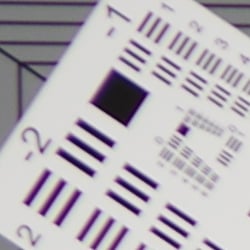
As illustrated by the crops above, the 18-135mm exhibits some very high lateral chromatic aberration in the corners when uncorrected (right) at the telephoto end, exacerbated by corner softness. At wide angle, C.A. isn't quite as bad, but still much more than in corrected images.
Pentax K-3's processor is reasonably effective at removing much of color fringing with Lateral Chromatic Aberration Correction enabled, though it still leaves some visible chromatic aberration behind in the form of magenta and blue fringes.
Peripheral Illumination Correction
 |
 |
||
| 18mm@f/3.5 | 135mm@f/5.6 | ||
| Peripheral Illumination Correction: | Off (default) | On | |
The Pentax K-3 also provides "Peripheral Illumination Correction," which corrects for lens shading (commonly called "vignetting"), attempting to produce a more uniform exposure across the frame by compensating for the light fall-off seen with some lenses in the corners of the frame. Mouse over the Off and On links above to see the effect on the 18-135mm kit lens at wide angle and telephoto at maximum aperture. PIC is disabled by default.
Pentax K-3 Viewfinder
Viewfinder Test Results
Coverage
Excellent accuracy from both the optical viewfinder and LCD.


The Pentax K-3's optical viewfinder shows essentially 100% coverage vertically, and just under 100% coverage horizontally with our Sigma 70mm f/2.8 prime lens. In Live View mode, the LCD exhibits just over 100% coverage vertically, and close to 100% horizontally. Excellent performance here.
The images above were taken from our standardized test shots. For a collection of more pictorial photos, see our Pentax K-3 Photo Gallery .
Exposure
Color
Saturation & Hue Accuracy
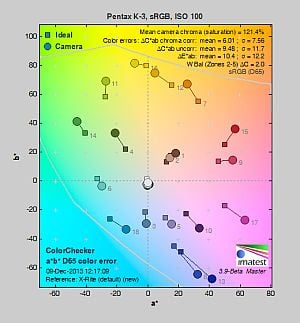
Very high mean saturation, with slightly below average hue accuracy.
 |
||||
|
ISO Sensitivity
|
||||
| 1600 | ||||
| In the diagram above, the squares show the original color, and the circles show the color that the camera captured. More saturated colors are located toward the periphery of the graph. Hue changes as you travel around the center. Thus, hue-accurate, highly saturated colors appear as lines radiating from the center. Mouse over the links to compare ISOs, and click the links for larger versions. | ||||
Saturation. The Pentax K-3's default image tone setting of "Bright" pushes most colors by quite a bit at base ISO, especially blues, greens, and purples. Mean saturation at ISO 100 is 121.4% or 21.4% oversaturated. That's about 11% higher than most other brands at default settings. Overall, colors are very bright and punchy, a trait we've come to expect from Pentax, and mean saturation remains higher than average throughout the ISO range. You can of course always select a different image tone preset and/or turn down settings such as saturation and contrast to suit your own tastes. Most consumer digital cameras produce color that's more highly saturated (more intense) than found in the original subjects. This is simply because most people like their color a bit brighter than life.
Skin tones. Caucasian skin tones from the Pentax K-3 were a touch yellow using Auto white balance in our test shots, however Manual white balance produced a more pinkish, "healthier" appearance. Good results here. Where oversaturation is most problematic is on Caucasian skin tones, as it's very easy for these "memory colors" to be seen as too bright, too pink, too yellow, etc.
Hue. The Pentax K-3's mean "delta-C" color error of 6.01 after correction for saturation at ISO 100 is a little below average for a DSLR these days. Most noticeable were moderate shifts in orange toward yellow and cyan toward blue, with minor shifts and some reds, yellows, and greens. (The cyan to blue shift is very common among the digital cameras we test; we think it's a deliberate choice by camera engineers to produce better-looking sky colors.) White balance shifts towards green at higher ISOs, which helps to increase mean color error to a maximum of 7.13 at ISO 51,200. Hue is "what color" the color is.
Saturation Adjustment
The Pentax K-3 lets you adjust Saturation and Contrast in nine steps each (Hue, High/Low Key and Sharpness are also adjustable in nine steps.) As can be seen below, the saturation adjustment works well, providing a reasonably fine-grained adjustment over a useful range of control. The saturation adjustment also has only a slight impact on contrast, which is good.
| Saturation Adjustment Examples | ||||
 |
 |
 |
 |
 |
| -4 | -2 | Default | +2 | +4 |
The series of shots above shows results with several different saturation adjustment settings including both extremes. See the Thumbnails index page for more (look for the files named K3OUTBSATx.JPG). Click on any thumbnail above to see the full-sized image.


Sensor
Exposure and White Balance
Indoors, incandescent lighting
Very warm results with Auto white balance, too green with 2,600 Kelvin , but good color with Incandescent and Manual white balance settings. Average exposure compensation required.


The Pentax K-3's Auto white balance had a difficult time with the very warm color of the household incandescent bulbs used in this shot, producing a very warm image with a strong orange tint. Increasing the color correction in AWB mode to "Strong" (the default is "Subtle Correction") improved results, but color balance is still too warm and reddish. Results with the Incandescent setting are actually pretty good, though, just slightly on the warm side. The Manual setting produced the most accurate color balance, though just a touch cool. Unusually, the 2,600 Kelvin setting which matches the temperature of our lights produced a strong yellow/green cast. Note that a Color Temperature Enhancement (CTE) white balance option is also available (not shown), which exaggerates the temperature of ambient light. The Pentax K-3 required an average amount of exposure compensation of +0.3 EV for this shot. Our test lighting for this shot is a mixture of 60 and 100 watt household incandescent bulbs, a pretty yellow light source, but a very common one in typical home settings here in the U.S.
Outdoors, daylight
Very bright, slightly cool colors with about average exposure accuracy.
The Pentax K-3 handled tough outdoor lighting under harsh sunlight fairly well, producing very bright though slightly cool colors. Default contrast is on the high side (as most users prefer), resulting in some clipped highlights in the mannequins's shirt and some of the flowers, as well as some lost shadows in the flowers and the background, though all but the deepest shadows were quite clean if a bit posterized. +0.7 EV exposure compensation was required to keep the mannequin's face bright, which is about average for this scene. Skintones were just a touch warm and yellow using Auto white balance, so we preferred Manual white balance for our "Sunlit" Portrait shot here. Our Far-field shot was well exposed at 0 EV, and again with punchy, slightly cool color. Only a few highlights were clipped and very few shadows were lost, with very good detail in the shadows as well. Good results overall here.
See full set of test images with explanations
See thumbnails of all test and gallery images
Resolution
Very high resolution, ~2,700 lines of strong detail from JPEGs, about the same from converted RAW files.


Our laboratory resolution chart reveals sharp, distinct line patterns down to about 2,700 lines per picture height in the horizontal direction, and to about the same 2,700 lph in the vertical direction in best quality JPEGs. Complete extinction of the pattern didn't occur until just past 3,000 lines in both directions. We weren't able to resolve more with an Adobe Camera Raw conversion, though complete extinction of the pattern was extended to about 3,800 lines. The ACR processed RAW images do however show a lot more color moiré, as they often do. Use these numbers to compare with other cameras of similar resolution, or use them to see just what higher resolution can mean in terms of potential detail.
See full set of test images with explanations
See thumbnails of all test and gallery images
Sharpness & Detail
Very sharp images with excellent detail, though with moderate edge-enhancement on high-contrast subjects. Minor noise suppression visible at base ISO.


Sharpness. The Pentax K-3 produces very sharp images with excellent detail at default settings. Images are slightly oversharpened as edge enhancement artifacts are visible on high-contrast subjects such as the sharpening halos around the lettering and border in our Mas Portell bottle label above left, but overall results are still quite good. Edge enhancement creates the illusion of sharpness by enhancing color and tonal differences right at the edge of a rapid transition in color or tone.
Detail. The crop above right shows only minor detail loss due to noise suppression. Individual strands are still distinguishable even in the lighter shadows, though they begin to merge as shadows deepen, and in places where the tone and color of adjacent strands is very close. Still, very good performance here, though chroma noise is a little high in the hair. Some individual strands of hair also show aliasing in the form of "jaggies", however the K-3's selectable AA filter should help prevent those from occurring when enabled (AA Filter Simulation was off by default). Noise-suppression systems in digital cameras tend to flatten-out detail in areas of subtle contrast. The effects can often be seen in shots of human hair, where the individual strands are lost and an almost "watercolor" look appears.
Anti-aliasing Filter Simulator
During the exposure, the Pentax K-3's anti-shake actuator can oscillate the sensor assembly microscopically in either a linear (Type 1) or circular (Type 2) motion, simulating the effects of an anti-aliasing (or optical low-pass) filter. To see the effect on image sharpness and alias artifacts, roll over the links in the table below to compare the USAF Resolution target and green/black starburst taken from our Multi target at base ISO:


As you can see, AA Filter Simulation Type 1 blurs fine detail slightly, while Type 2 offers a slightly stronger effect (and slightly shifted the image vertically because of the circular motion), which should go a long way to reduce aliasing artifacts and moiré as can be seen in the starburst crop. It really is quite amazing to have on-demand anti-aliasing filtering like this. Note that the AA Filter Simulator is not available in movie mode or during HDR capture, and the full effect cannot be achieved at shutter speeds faster than 1/1000s.
RAW vs In-Camera JPEGs
As noted above, the Pentax K-3 does a great job at capturing lots of fine detail in its JPEGs, but more detail can often be obtained from carefully processing RAW files, while at the same time reducing sharpening artifacts. Take a look below, to see what we mean:
| Base ISO (100) | |
 |
 |
 |
 |
 |
 |
|
Camera JPEG, defaults
|
RAW via Adobe Camera Raw
|
In the table above, we compare an in-camera JPEG taken at base ISO using default noise reduction and sharpening (on the left) to the matching RAW file converted with Adobe Camera Raw 8.3 using default noise reduction with some strong but tight unsharp masking applied in Photoshop (300%, radius of 0.3 pixels, and a threshold of 0).
As is usually the case, Adobe Camera Raw delivers finer detail than the camera's processing, and its light default noise reduction does much better with our difficult red-leaf swatch, even resolving some of its thread pattern which the camera blurred away as noise. ACR also did a better job with color, rendering the pink fabric closer to reality instead of the more magenta interpretation of the camera. Adobe Camera Raw also extracted more detail in the mosaic, but left behind some of the chroma noise and false color artifacts which the camera removed. Overall, though, the Pentax K-3 does a very good job with its JPEGs, but as is usually the case you can extract even more detail (with more accurate color and fewer sharpening artifacts) with a good RAW converter.
ISO & Noise Performance
Very good handling of noise versus detail in JPEGs to ISO 3200.
| Noise Reduction = Auto (Default) | ||
 |
 |
 |
| ISO 100 | ISO 200 | ISO 400 |
 |
 |
 |
| ISO 800 | ISO 1600 | ISO 3200 |
 |
 |
 |
| ISO 6400 | ISO 12,800 | ISO 25,600 |
 |
||
| ISO 51,200 | ||
The Pentax K-3's images are very clean and detailed from ISO 100 through 800, with just a touch of luminance noise becoming more visible in the shadows and darker midtones as ISO increases. Detail is still very good at ISO 1600, with a tight film-like noise "grain" and very little fine detail lost to noise reduction (except in reds). At ISO 3200, there's increased blurring and more visible noise "grain" particularly in the shadows, but fine detail is still quite good, though chroma noise is a little more noticeable in darker hair and shadows. ISO 6400 shows stronger luminance and chrominance noise as well as a slight speckled effect in flat areas, though there's still a fair amount usable detail left. Image quality at ISO 12,800 and above falls off quickly, though, with much stronger luminance noise and speckling, and much less detail than at lower sensitivity levels. Chroma noise in the form of yellow and purple blotches becomes a noticeable issue at ISOs 25,600 and 51,200, and overall color balance shifts toward green, particularly at the highest ISO.
Overall, though, high ISO noise performance is excellent for a 24-megapixel APS-C camera and competitive with its closest rival, the Nikon D7100, except in low-contrast reds. Note that these images were shot using the Pentax K-3 "Auto" noise reduction setting. The Pentax K-3 offers an unusually flexible amount of control over noise reduction applied to its JPEGs. In addition to "Auto", you can adjust how much NR is applied ("Off", "Low", "Medium" or "High") at all ISOs, or you can select "Custom" which allows you to choose from the same four options at each ISO sensitivity setting (in whole EV increments). Of course, the impact of noise and detail loss are highly dependent on the size the photos are printed at, and pixel-peeping on-screen has surprisingly little relationship to how the images look when printed: See the Print Quality section below for recommended maximum print sizes at each ISO.
A note about focus for this shot: We shoot this image at f/4, using one of three very sharp reference lenses (70mm Sigma f/2.8 macro for most cameras, 60mm f/2.8 Nikkor macro for Nikon bodies without a drive motor, and Olympus Zuiko 50mm f/2.0 for Four Thirds and Micro Four Thirds bodies). To insure that the hair detail we use for making critical judgements about camera noise processing and detail rendering is in sharp focus at the relatively wide aperture we're shooting at, the focus target at the center of the scene is on a movable stand. This lets us compensate for front- or back-focus by different camera bodies, even those that lack micro-focus adjustments. This does mean, though, that the focus target itself may appear soft or slightly out of focus for bodies that front- or back-focused with the reference lens. If you click to view the full-size image for one of these shots and notice that the focus target is fuzzy, you don't need to email and tell us about it; we already know it. :-) The focus target position will simply have been adjusted to insure that the rest of the scene is focused properly.
Extremes: Sunlit, dynamic range, and low light tests
Very high resolution with good highlight and excellent shadow detail. Very good low-light performance, capable of capturing bright images in near darkness.


Sunlight:
The Pentax K-3 handled the deliberately harsh lighting well in the above test. Though default contrast is quite high, highlight and especially shadow detail are very good. (The K-3's contrast adjustment also did a good job of decreasing overall contrast though it did impact saturation; see the section below.) The +0.7 EV exposure did the best job here, as we thought +0.3 and 0 EV were too dim in the face. Some highlights were blown in the mannequin's shirt and bright flowers at +0.7 EV, though, however very good detail was preserved in the shadows with relatively low levels of noise. Note that these shots were captured with the Pentax K-3's D-Range control set to "Off."
Because digital cameras are more like slide film than negative film (in that they tend to have a more limited tonal range), we test them in the harshest situations to see how they handle scenes with bright highlights and dark shadows, as well as what kind of sensitivity they have in low light. The shot above is designed to mimic the very harsh, contrasty effect of direct noonday sunlight, a very tough challenge for most digital cameras. (You can read details of this test here. In actual shooting conditions, be sure to use fill flash in situations like the one shown here; it's better to shoot in open shade whenever possible.)
Contrast Adjustment
Just as with its saturation adjustment, the Pentax K-3's contrast adjustment offers a fairly wide range of settings (-4 to +4), and the contrast steps are actually a little finer than those for saturation, which is even more to our liking.
| Minimum Contrast | |
 |
 |
| Contrast set to lowest, +0.7 EV |
Contrast set to lowest, 0 EV |
At its lowest contrast setting, the K-3 did a good job of bringing nice detail out of the shadows as well as preserving additional highlight detail in the mannequin's shirt and flowers, but skintones in the "Sunlit" Portrait were a bit too flat for our tastes, and colors in general were less saturated.
| Contrast Adjustment Examples | ||||
|
 |
 |
 |
 |
| -4 | -2 | Default | +2 | +4 |
The series of shots above shows results with several different contrast adjustment settings, showing a range between both extremes including the default. The camera's contrast adjustment had some effect on color saturation, reducing and increasing it along with contrast. Contrast and saturation are actually fairly closely coupled, so this is unfortunately not that unusual. Click on any thumbnail to go to the full-size image.
D-Range Settings
The Pentax K-3 offers four Shadow Correction levels (Auto, Low, Medium and High, plus Off) as well as two Highlight Correction levels (Auto and On, plus Off). As the name implies, Shadow Correction works to raise shadow levels while attempting to keep highlights and midtones as they are, and inversely, Highlight Correction attempts to reduce highlights without darkening shadows and midtones. Both can be used simultaneously. See the images below to see their effect on our high-contrast "Sunlit" Portrait test shot.
|
Outdoor Portrait D-Range Examples
|
|||
|
|
D-Range Off |
||
| Shadow Low |
|||
| Shadow Medium |
|||
| Shadow High |
|||
| Shadow Auto |
|||
 |
Highlight On |
||
| Highlight Auto |
|||
Mouse over the links to see how the various settings for D-Range affects our "Sunlit" Portrait shot, and click on a link to get to the full-res image. (The effect can be a little subtle in shots like those above, so we decided to use a mouse-over to better show how each setting compares to Off.)
Shadow Correction. Above, we see a gradual lightening of shadows and midtones as the Shadow Correction setting is increased, with only a small impact to highlights. If you look closely at the shadow detail, you will notice an increase in noise as the setting is turned higher, but that's to be expected and noise levels are still pretty low. The camera reports an ISO of 100 for all four settings of Shadow Correction.
Highlight Correction. Highlight Correction works as expected when highlights are blown, toning them down to protect them while keeping shadows and midtones roughly the same. It also raised ISO to 200.
|
Far-field D-Range Examples
|
|||
 |
|||
Here are the results of the available D-Range settings with our Far-field shot. Again, we see a lightening of shadows as the Shadow Correction setting is increased, and a slight reduction in highlights with Highlight Correction.
HDR Capture
The Pentax K-3 has a High Dynamic Range (HDR) capture mode where the camera takes three images (underexposed, normal, and overexposed) in quick succession and combines them in-camera into one image. If performed properly, this method should result in much higher dynamic range, without the additional noise penalty that comes with boosting sensitivity or lightening shadows. (In fact, it can reduce shadow noise by combining shadows from the overexposed shot.)
There are four HDR settings available: Auto, and HDR 1/2/3 providing three blend settings, and each setting has three possible exposure ranges (±1 EV, ±2 EV and ±3 EV). There's also an optional Auto Align feature for use when shooting without a tripod, which is enabled by default on the K-3.
|
Far-field HDR Examples
|
|||
|
|
|||
Mouse-over the links above to compare thumbnails, and click on them to access full-resolution versions.
The Auto settings worked reasonably well on our Far-field test shot, reducing highlights and bringing out shadow detail. HDR1 mode produced a relatively realistic image though with an obvious HDR look, but HDR2 seems to have failed producing a very bright, overexposed image. HDR3 resulted in an unnatural, very HDR-ish image with strong halos. As with most HDR systems there is a slight focal-length crop with Auto Align active, and watch out for ghosting that can occur when subjects move between exposures.
Interestingly, HDR is still supported when shooting the K-3 in RAW mode (in many cameras, the two modes are mutually exclusive), however the resulting RAW file is three times as large as a standard shot. It appears the K-3 is just bundling the individual captures into one file, to be processed later by their Digital Camera Utility software which can apparently blend or extract the separate RAW files. (We haven't tried the bundled software yet, but Photoshop CS6 and Lightroom 5 both seem to ignore the additional images in HDR PEF and DNG files.)
Dynamic Range Analysis (RAW mode)
While we once performed our own dynamic range measurements based on in-camera JPEGs as well as converted RAW images (when the camera was supported by Adobe Camera Raw), we've switched to using DxO Labs' results from their DxOMark website. As technology advanced, the dynamic range of modern high-end cameras in some cases exceeded the range of the Stouffer T4110 density scale that we used for our own measurements. DxO's approach based on RAW data before demosaicing is also more revealing, because it measures the fundamental dynamic range of the sensor, irrespective of whatever processing is applied to JPEGs, or to RAW data by off-the-shelf conversion software.
In the following, we use DxO's "Print" dynamic range results, which are scaled based on camera resolution. As the name suggests, this scaling corresponds to the situation in which you print at a given size, regardless of how many megapixels the camera might have. (In other words, if you've decided to make a 13x19 inch print, that's the size you're printing, whether the camera's resolution is 16 or 300 megapixels.) For the technically-minded, you can find a discussion of the reasoning behind this here on the DxOMark website. Also note that DxO Labs uses a signal-to-noise (SNR) threshold of 1 when defining the lower boundary of acceptable luminance noise in their dynamic range measurements, which corresponds to the "Low Quality" threshold of the Imatest software we used to use for this measurement.

As you can see from the above graph (click for a larger image) comparing the Pentax K-3's normalized dynamic range to two competitors, the K-3's dynamic range isn't quite as good as its closest rival, the Nikon D7100, particularly at low to moderate ISOs, but it's still very good, ranging from a maximum of 13.4 EV at base ISO down to 5.2 EV at maximum ISO. The Pentax K-3's dynamic range is however significantly better than the Canon 70D's at lower ISOs, offering an almost 2 EV advantage at base ISO. At higher ISOs, the three cameras perform similarly, to the point where differences in dynamic range may be difficult to distinguish in real-world images. Click here to visit the DxOMark page for the Pentax K-3 for more of their test results and additional comparisons.
| 1 fc 11 lux |
1/2 fc 5.5 lux |
1/4 fc 2.7 lux |
1/8 fc 1.3 lux |
1/16 fc 0.67 lux |
1/16 fc No NR |
|
|---|---|---|---|---|---|---|
| ISO 100 |
 2 s f2.8 |
 4 s f2.8 |
 8 s f2.8 |
 15 s f2.8 |
 30 s f2.8 |
 30 s f2.8 |
| ISO 200 |
 1 s f2.8 |
 2 s f2.8 |
 4 s f2.8 |
 8 s f2.8 |
 15 s f2.8 |
 15 s f2.8 |
| ISO 400 |
 0.5 s f2.8 |
 1 s f2.8 |
 2 s f2.8 |
 4 s f2.8 |
 8 s f2.8 |
 8 s f2.8 |
| ISO 800 |
 1/4 s f2.8 |
 0.5 s f2.8 |
 1 s f2.8 |
 2 s f2.8 |
 4 s f2.8 |
 4 s f2.8 |
| ISO 1600 |
 1/8 s f2.8 |
 1/4 s f2.8 |
 0.5 s f2.8 |
 1 s f2.8 |
 2 s f2.8 |
 2 s f2.8 |
| ISO 3200 |
 1/15 s f2.8 |
 1/8 s f2.8 |
 1/4 s f2.8 |
 0.5 s f2.8 |
 1 s f2.8 |
 1 s f2.8 |
| ISO 6400 |
 1/30 s f2.8 |
 1/15 s f2.8 |
 1/8 s f2.8 |
 1/4 s f2.8 |
 0.5 s f2.8 |
 0.5 s f2.8 |
| ISO 12800 |
 1/60 s f2.8 |
 1/30 s f2.8 |
 1/15 s f2.8 |
 1/8 s f2.8 |
 1/4 s f2.8 |
 1/4 s f2.8 |
| ISO 25600 |
 1/125 s f2.8 |
 1/60 s f2.8 |
 1/30 s f2.8 |
 1/15 s f2.8 |
 1/8 s f2.8 |
 1/8 s f2.8 |
| ISO 51200 |
 1/200 s f2.8 |
 1/125 s f2.8 |
 1/60 s f2.8 |
 1/30 s f2.8 |
 1/15 s f2.8 |
 1/15 s f2.8 |
Low Light. The Pentax K-3 performed very well here, able to capture usable images down to the 1/16 foot-candle light level (about 1/16 as bright as average city street lighting at night), at all ISO settings. Noise is quite low up to ISO 1600, and even at higher ISOs there's still a lot of detail to work with especially when high ISO NR is set to "Off." (Except for the "No NR" shots in the table above, these were all shot using the default Auto NR settings.)
Color balance with Auto white balance is pretty good which isn't always the case, with just a slightly cool bias that becomes cooler as light levels drop. At very high ISOs, though, overall color balance shifts towards green.
We did not detect any significant issues with hot pixels or heat blooming, however some minor horizontal banding (pattern noise) can be seen at the highest ISOs.
The Pentax K-3's phase-detection autofocus system was able to focus on our test subject down to just above the 1/8 foot-candle light level using an f/2.8 lens with its AF assist light turned off. That's not as good as most prosumer DSLRs, though it was able to focus in total darkness with the focus assist lamp enabled.
(Keep in mind that the longer shutter speeds here demand the use of a tripod to prevent any blurring from camera movement. A useful trick is to just prop the camera on a convenient surface, and use its self-timer to release the shutter. This avoids any jiggling from your finger pressing the shutter button, and can work quite well when you don't have a tripod handy.)
How bright is this? The one foot-candle light level that this test begins at roughly corresponds to the brightness of typical city street-lighting at night. Cameras performing well at that level should be able to snap good-looking photos of street-lit scenes.
NOTE: This low light test is conducted with a stationary subject, and the camera mounted on a sturdy tripod. Most digital cameras will fail miserably when faced with a moving subject in dim lighting. (For example, a child's ballet recital or a holiday pageant in a gymnasium.) Digital SLRs like the Pentax K-3 do much better than point & shoots, but you still shouldn't expect a quick autofocus lock with moving subjects.
Output Quality
Print Quality
Excellent 30 x 40 inch prints at ISOs 100 and 200; a nice 11 x 14 at ISO 1600; a good 4 x 6 at ISO 12,800.
 ISO 100/200 prints are terrific at 30 x 40 inches, with rich colors and super sharp detail. Wall display prints are possible at 36 x 48 inches. Note that most Pentax cameras oversaturate our pink fabric swatch and also render it as more magenta than it actually is, and the K-3 is no exception to this one common oddity from the Pentax line.
ISO 400 produces a nice 24 x 36 inch print, which is a size larger than most APS-C-sensored cameras are capable of printing. It performs especially well here in our difficult red fabric swatch, where many a good camera already begins to show signs of ISO strain.
ISO 800 is where the K-3 starts to look more like the K-5 II and IIs. 20 x 30s start to show typical noise in flatter areas of our target, and lose some detail and contrast in our red fabric swatch, both of which are quite common. We can give the 16 x 20s at this ISO our "good" stamp of approval.
ISO 1600 produces similar results to its predecessors, allowing for good 11 x 14s but losing all detail in our red fabric swatch. Otherwise, though, the prints are nice and crisp.
ISO 3200 yields good 8 x 10 inch prints, with only a mild trace of noise in shadowy areas of our target.
ISO 6400 prints look good at 5 x 7, and identical to the K-5 II and IIs. We'd hoped for a good 8 x 10 here, which is a high mark for ISO 6400, but the K-3 didn't quite make the grade due to noise levels.
ISO 12,800 prints a good 4 x 6, with mild noise in shadows but still retaining good overall color.
ISOs 25,600 and 51,200 do not yield good prints and are best avoided.
Stepping up to a 24MP sensor, the Pentax K-3 sets a much higher resolution benchmark than the K-5 II and IIs at 16MP, and the results show in the print quality department at ISOs 100-400, allowing a full print size higher at each setting. The results from ISO 800 and up however tell a different story, as there is virtually no discernible difference in print quality between the K-3 and its lower-resolution siblings. So if you are considering the K-3 and will be making sizable prints from the fruits of your labors, it will be at the lower ISOs that you will see the biggest difference in JPEG image quality as compared to the K-5 II and IIs.
The images above were taken from our standardized test shots. For a collection of more pictorial photos, see our Pentax K-3 Photo Gallery .
Not sure which camera to buy? Let your eyes be the ultimate judge! Visit our Comparometer(tm) to compare images from the Pentax K-3 with those from other cameras you may be considering. The proof is in the pictures, so let your own eyes decide which you like best!
Performance
Timing and Performance
Generally very good performance for a prosumer DSLR, but slow buffer clearing.
| Startup/Shutdown | ||
|---|---|---|
| Power on |
~0.9 second
|
Time it takes for camera to turn on and take a shot. |
| Shutdown |
~0.2 second
|
How long it takes to turn off. |
| Buffer clearing time |
26 seconds*
after 75 L/P JPEGs |
Worst case buffer clearing time. -- This is the delay after a set of shots before you can remove the card. Some cameras won't shut down until the buffer is cleared. See Cycle-Time table below for more buffer clearing times. |
|
24 seconds*
after 24 RAW frames |
||
|
37 seconds*
after 25 RAW + L/P JPEGs |
||
| * Note: Buffer clearing times measured with a SanDisk Extreme Pro 95MB/s UHS-I SDHC card. Slower cards will produce correspondingly slower clearing times. Slow cards may also limit length of bursts in continuous mode. ISO sensitivity and noise reduction settings can also affect cycle times and burst mode performance. |
||
Startup was a touch slow for a prosumer DSLR, but shutdown was fast. Buffer clearing times were a little slow for the class of camera, though buffer depths were excellent.
| Mode Switching | ||
|---|---|---|
|
Play to Record, |
~0.6 second
|
Time until first shot is captured. |
|
Record to Play |
~1.2 seconds
|
Time to display a large/premium JPEG file immediately after capture. |
|
Display |
~0.4 second
|
Time to display a large/premium JPEG file already on the memory card. |
Play to Record was very fast as was displaying a recorded image, but switching from Record to Play was a touch sluggish.
| Shutter Response (Lag Time) | ||
|---|---|---|
|
Full Autofocus |
0.138 second
|
Time from fully pressing shutter button to image capture. (All AF timing measurements taken with 18-135mm kit lens.) |
|
Full Autofocus |
0.157 second
|
Time from fully pressing shutter button to image capture. |
|
Full Autofocus |
0.325 second
|
Time from fully pressing shutter button to image capture. Auto Flash enabled. |
|
Manual focus
|
0.097 second
|
For most cameras, shutter lag is less in manual focus than autofocus, but usually not as fast as when the camera is "pre-focused." |
|
Pre-focused |
0.096 second
|
Time to capture, after half-pressing and holding shutter button. |
| Live View | ||
|
Full Autofocus
(Multiple AF Points) Live View mode |
1.005 seconds
|
Time from fully pressing shutter button to image capture. |
|
Full Autofocus
(Spot AF) Live View mode |
1.014 seconds
|
Time from fully pressing shutter button to image capture. |
|
Pre-focused |
0.226 second
|
Time to capture, after half-pressing and holding shutter button. |
The shutter lag numbers above measure time from shutter button press to image capture, with the lens already set to the correct focal distance. This largely removes the issue of differences in lens focusing speed, and measures how fast the camera can measure and act on focus information. In this metric, the Pentax K-3 was a touch faster than average for a prosumer DSLR, and noticeably faster than the K-5 II. The K-3 required 0.138 second for full AF when using Single-point (center) AF mode (our default full AF lag test). Enabling the flash in this AF mode increased lag to 0.325 second, though. Full AF shutter lag in Auto area AF mode was only a bit slower than single area at 0.157 second.
In a test where we defocused the kit lens between shots, autofocus lag averaged 0.593 second, giving you an idea of real-world performance. But that will vary depending on the amount of defocus, the lens mounted, subject type, lighting, etc.
Manual focus lag time was only 0.097 second, which is quite good. When prefocused, shutter lag was 0.096 second which while fast, isn't as fast as some competing models.
As expected, the Pentax K-3's Live View mode was much slower to focus. Full autofocus shutter lag was 1.005 seconds using wide-area contrast-detect AF mode. This increased slightly to 1.014 seconds using Spot AF mode. (Unlike prior models, the K-3 does not offer a phase-detect AF mode in Live View.) Prefocused shutter lag was quite good for Live View mode, however, at 0.226 second.
| Cycle Time (shot-to-shot) | ||
|---|---|---|
|
Single Shot mode
Large/Premium JPEG |
0.79 second
1 second to clear |
Time per shot, averaged over 20 shots, with no signs of slowing down. |
|
Single Shot mode |
0.64 second
10 seconds to clear |
Time per shot, averaged over 20 shots, with no signs of slowing down. |
|
Single Shot mode
RAW + L/P JPEG |
0.69 second
18 seconds to clear |
Time per shot, averaged over 20 shots, with no signs of slowing down. |
|
Early shutter |
No
|
Some cameras refuse to snap another shot if you release and press the shutter too quickly in Single Shot mode, making "No" the preferred answer. |
|
Continuous mode Large/Premium JPEG |
0.14 second
(7.07 fps); 75 frames total; 26 seconds to clear* |
Time per shot, averaged over the buffer length of 75 shots. We did not test buffer full timing. |
|
Continuous mode |
0.14 second
(7.12 fps); 24 frames total; 24 seconds to clear* |
Time per shot, averaged over the buffer length of 24 frames, then slows to an average of 0.53 second (1.87 fps) for subsequent shots. |
|
Continuous mode |
0.14 second
(7.12 fps); 25 frames total; 37 seconds to clear* |
Time per shot, averaged over the buffer length of 25 frames, then slows to an average of 0.54 second (1.84 fps) for subsequent shots. |
| Flash recycling |
2.3 seconds
|
Flash at maximum output. |
| * Note: Buffer clearing times measured with a SanDisk Extreme Pro 95MB/s UHS-I SDHC card. Slower cards will produce correspondingly slower clearing times. Slow cards may also limit length of bursts in continuous mode. ISO sensitivity, noise reduction and other settings can also affect cycle times and burst mode performance. |
||
Shot-to-shot cycle times were good, at 0.79 second for Large/Premium JPEG, 0.64 second for DNG and 0.69 second for DNG + L/P JPEG files. That's quite a bit slower than the K-5 II's ~0.4 second cycle times, but still fairly good.
Continuous mode speed was very good for a prosumer DSLR, at about 7.1 frames per second regardless of file type. That's a little faster than the ~6.7 fps we got for the K-5 II, however quite a bit slower than Pentax's rating of 8.3 frames per second for the K-3. (We shoot all our continuous mode tests at ISO 200, though, and Pentax specifies 8.3 fps at ISO 100.)
The Pentax K-3's buffer depths were excellent for a prosumer DSLR, especially considering the burst rates and resolution. The K-3 managed 75 L/P JPEGs, 24 DNGs and 25 DNG + L/P JPEG frames before slowing down. (You'll likely do better with the same speed card, as the target image we use for our tests is designed to be difficult to compress.) Buffer clearing was sluggish, though, taking from 24 to 37 seconds to clear after maximum length bursts, however keep in mind buffer depths are quite generous.
The Pentax K-3's flash took 2.3 seconds to recharge after a full-power shot, which is quite fast.
| Download speed | ||
|---|---|---|
|
Windows Computer, USB 3.0 |
28,623 KBytes/sec
|
Typical Values: |
Connected to a computer with a USB 3.0 port, downloads were the fastest we've tested thus far, but it's possible the transfer rate could be even faster with different computer hardware.
Bottom line, the Pentax K-3's performance is generally very good, with fast autofocus speeds, good shutter lag, and fast burst modes with deep buffers. Buffer clearing is however slow for a prosumer model, but perhaps not a surprise given the deep buffers and fairly large files.
Battery
Battery Life
Below average battery life for a prosumer DSLR.
| Operating Mode | Number of Shots |
|---|---|
|
Optical Viewfinder,
(CIPA standard) |
560
|
|
Live View LCD,
(CIPA standard) |
Unknown
|
The Pentax K-3 uses a custom rechargeable lithium-ion battery for power, and ships with a charger. Battery life is below average for a prosumer model so you'll probably want to get a second battery and also consider purchasing the optional battery grip which can double battery life with a second battery.
The table above shows the number of shots the camera is capable of (on either a fresh set of disposable batteries or a fully-charged rechargeable battery as appropriate), based on CIPA battery-life and/or manufacturer standard test conditions.
(Interested readers can find an English translation of the CIPA DC-002 standards document here. (180K PDF document))
Image Quality
Below are crops comparing the Pentax K-3 with the Pentax K-5 II, Canon 70D, Nikon D7100, Olympus E-M1 and Sony A77.
NOTE: These images are best quality JPEGs straight out of the camera, at default settings including noise reduction and using the camera's actual base ISO (not extended ISO settings). All cameras in this comparison were shot with our very sharp reference lenses.
Pentax K-3 versus Pentax K-5 II at Base ISO
 |
 |
 |
 |
 |
 |
Pentax K-3 at ISO 100 |
Pentax K-5 II at ISO 100 |
The K-3 has 8 more megapixels than the K-5 II and that resolving power is clearly on display here at base ISO. With color, exposure and detail looking otherwise quite similar, the K-3 appears like a K-5 II on steroids. As we've mentioned previously in many Pentax reviews, their processing tends to over-saturate our pink fabric swatch and to also render it as more magenta-colored than the fabric actually is. Other than that typical Pentax oddity, the K-3 images are very impressive. In our print quality section below, you will see that at lower ISOs this increase in resolution does translate into larger print sizes. |
|
Pentax K-3 versus Canon 70D at Base ISO
|
 |
|
 |
|
 |
Pentax K-3 at ISO 100 |
Canon 70D at ISO 100 |
The K-3 with its roughly 4 more megapixels than the 70D certainly outperforms it for fine detail, most notably in the mosaic tile crop where the difference is actually striking. The K-3 also does a terrific job with our difficult red fabric swatch here, while the 70D struggles a bit with rendering finer details in it. |
|
Pentax K-3 versus Nikon D7100 at Base ISO
|
 |
|
 |
|
 |
Pentax K-3 at ISO 100 |
Nikon D7100 at ISO 100 |
Nikons in general tend to do a great job with our red fabric swatch, as is evident here, and the D7100 is one of two other cameras in this comparison with roughly the same resolution at 24MP (the A77 being the second). The two here both do a great job with the bottle crop, and yet the K-3 clearly outshines the D7100 for crisper detail in the mosaic tiles. |
|
Pentax K-3 versus Olympus E-M1 at Base ISO
|
 |
|
 |
|
 |
Pentax K-3 at ISO 100 |
Olympus E-M1 at ISO 200 |
The E-M1 has the distinction in these comparisons of being the only camera with a Four Thirds size sensor, and also the only model with a base ISO of 200. The K-3 is clearly superior for fine detail in most areas, and yet the E-M1 with roughly 8MP less resolution still stands up fairly well overall, with nice sharp imagery in most areas except the red-leaf fabric. (Note that the E-M1 does much better at its extended ISO 100 setting.) |
|
Pentax K-3 versus Sony A77 at Base ISO
|
 |
|
 |
|
 |
Pentax K-3 at ISO 100 |
Sony A77 at ISO 100 |
With virtually identical 24MP resolution, the mosaic tile and pink fabric areas again draw our attention here, as the K-3 is superior in rendering fine detail in both areas. Note that these JPEGs are at default settings, and your own conclusions when shooting in RAW mode and doing your own processing may vary dramatically. |
|
Most digital SLRs and CSCs will produce an excellent ISO 100 shot, so we like to push them and see what they can do compared to other cameras at ISO 1600, 3200, and 6400. Recent advances in sensor technology have made ISO 1600 look a lot more like ISO 100, but there are still cameras whose quality starts to fall apart at this setting. We also choose 1600 because we like to be able to shoot at least at this level when indoors and at night.
Pentax K-3 versus Pentax K-5 II at ISO 1600
 |
 |
 |
 |
 |
 |
Pentax K-3 at ISO 1600 |
Pentax K-5 II at ISO 1600 |
This is a tricky comparison because of the K-3's increased resolution, but keep in mind we're in effect looking at a much larger image. Other than the resolution difference, these two cameras seem to handle ISO 1600 about the same, with typical noise in the flatter shadows and the loss of almost all contrast and detail in our red-leaf fabric swatch. |
|
Pentax K-3 versus Canon 70D at ISO 1600
|
 |
|
 |
|
 |
Pentax K-3 at ISO 1600 |
Canon 70D at ISO 1600 |
The 70D is a bit more aggressive here at default JPEG sharpening and is able to squeeze some detail and contrast out of the red fabric swatch, but it comes at the expense of higher noise in the bottle crop and more splotchiness in the mosaic tiles. |
|
Pentax K-3 versus Nikon D7100 at ISO 1600
|
 |
|
 |
|
 |
Pentax K-3 at ISO 1600 |
Nikon D7100 at ISO 1600 |
Even more than the 70D, the D7100 brings out an amazing amount of detail in the red fabric swatch for this ISO, but has more apparent noise in the bottle crop, less detail in the mosaic tiles and lower contrast in the pink fabric swatch than does the K-3. |
|
Pentax K-3 versus Olympus E-M1 at ISO 1600
|
 |
|
 |
|
 |
Pentax K-3 at ISO 1600 |
Olympus E-M1 at ISO 1600 |
| The E-M1 is also rather aggressive here at default settings with sharpening, and the results show in the artifacts in the bottle, and splotchiness in the mosaic tiles and pink fabric swatch. It is however able to render at least a little detail in the red fabric swatch. |
|
Pentax K-3 versus Sony A77 at ISO 1600
|
 |
|
 |
|
 |
Pentax K-3 at ISO 1600 |
Sony A77 at ISO 1600 |
Another story similar to most of the rest, with the A77 showing some decent detail in the red fabric but suffering from more processing artifacts in most other areas. |
|
Today's ISO 3200 is yesterday's ISO 1600 (well, almost), so below are the same crops at ISO 3200.
Pentax K-3 versus Pentax K-5 II at ISO 3200
 |
 |
 |
 |
 |
 |
Pentax K-3 at ISO 3200 |
Pentax K-5 II at ISO 3200 |
Noise processing artifacts from the K-3 bottle crop almost jump off the page here. Again, the K-3's sizeable bump in resolution is evident as compared to the K-5 II, but the latter does surprisingly well with better crispness and less splotchiness in the mosaic tiles. Both cameras really struggle to produce any detail in the read-leaf swatch. |
|
Pentax K-3 versus Canon 70D at ISO 3200
|
 |
|
 |
|
 |
Pentax K-3 at ISO 3200 |
Canon 70D at ISO 3200 |
The playing field has leveled somewhat here as compared to ISO 1600, with trade-offs for each camera in different areas. The K-3 has better detail in the mosaic tiles and pink fabric, and of course none at all in the red fabric and higher noise in the bottle crop. |
|
Pentax K-3 versus Nikon D7100 at ISO 3200
|
 |
|
 |
|
 |
Pentax K-3 at ISO 3200 |
Nikon D7100 at ISO 3200 |
Similar yet again to the 70D, the D7100 is also able to render more detail in the red fabric and a little less in the mosaic tile crop and pink fabric swatch. Both cameras handle the bottle crop about the same, though the Nikon leaves behind more noise. |
|
Pentax K-3 versus Olympus E-M1 at ISO 3200
|
 |
|
 |
|
 |
Pentax K-3 at ISO 3200 |
Olympus E-M1 at ISO 3200 |
The E-M1's processing algorithms here at default settings produce generally smoother images overall, but at the obvious expense of a watercolor type effect in the bottle and mosaic tile. Here at ISO 3200 that may not be such a bad thing as long as your prints or onscreen images remain below a certain size threshold, as no camera is perfect at 3200. |
|
Pentax K-3 versus Sony A77 at ISO 3200
|
 |
|
 |
|
 |
Pentax K-3 at ISO 3200 |
Sony A77 at ISO 3200 |
Similar to the 70D and D7100, the A77 is able to find more detail in the red fabric but provides a lot less in the mosaic tile and pink fabric swatch. |
|
Detail: Pentax K-3 vs. Pentax K-5 II, Canon 70D, Nikon D7100, Olympus E-M1 and Sony A77
 |
 |
 |
 |
 |
 |
 |
 |
 |
 |
 |
 |
 |
 |
 |
 |
 |
 |
| Pentax K-3 ISO 100 ISO 3200 ISO 6400 |
Pentax K-5 II ISO 100 ISO 3200 ISO 6400 |
Canon 70D ISO 100 ISO 3200 ISO 6400 |
Nikon D7100 ISO 100 ISO 3200 ISO 6400 |
Olympus E-M1 ISO 200 ISO 3200 ISO 6400 |
Sony |
| Detail comparison. For fine, high-contrast detail, these letters allow us to really "read between the lines" so to speak. The K-3, 70D and E-M1 all look quite good at base ISO, with very crisp imagery. By ISO 3200 the E-M1 leads the pack for sharpness but is starting to show some artifacts as well, with the 70D coming in second. And by ISO 6400 the story is similar, with the E-M1 by far the sharpest image but showing some blotchiness in a few areas as a side-effect. The 70D is perhaps the best overall for rendering detail without artifacts, while the K-3 here at higher ISOs comes in somewhere in the middle, but certainly besting the K-5 II and the A77. | |||||
Excellent 30 x 40 inch prints at ISOs 100 and 200; a nice 11 x 14 at ISO 1600; a good 4 x 6 at ISO 12,800.
ISO 100/200 prints are terrific at 30 x 40 inches, with rich colors and super sharp detail. Wall display prints are possible at 36 x 48 inches. Note that most Pentax cameras oversaturate our pink fabric swatch and also render it as more magenta than it actually is, and the K-3 is no exception to this one common oddity from the Pentax line.
ISO 400 produces a nice 24 x 36 inch print, which is a size larger than most APS-C-sensored cameras are capable of printing. It performs especially well here in our difficult red fabric swatch, where many a good camera already begins to show signs of ISO strain.
ISO 800 is where the K-3 starts to look more like the K-5 II and IIs. 20 x 30s start to show typical noise in flatter areas of our target, and lose some detail and contrast in our red fabric swatch, both of which are quite common. We can give the 16 x 20s at this ISO our "good" stamp of approval.
ISO 1600 produces similar results to its predecessors, allowing for good 11 x 14s but losing all detail in our red fabric swatch. Otherwise, though, the prints are nice and crisp.
ISO 3200 yields good 8 x 10 inch prints, with only a mild trace of noise in shadowy areas of our target.
ISO 6400 prints look good at 5 x 7, and identical to the K-5 II and IIs. We'd hoped for a good 8 x 10 here, which is a high mark for ISO 6400, but the K-3 didn't quite make the grade due to noise levels.
ISO 12,800 prints a good 4 x 6, with mild noise in shadows but still retaining good overall color.
ISOs 25,600 and 51,200 do not yield good prints and are best avoided.
Stepping up to a 24MP sensor, the Pentax K-3 sets a much higher resolution benchmark than the K-5 II and IIs at 16MP, and the results show in the print quality department at ISOs 100-400, allowing a full print size higher at each setting. The results from ISO 800 and up however tell a different story, as there is virtually no discernible difference in print quality between the K-3 and its lower-resolution siblings. So if you are considering the K-3 and will be making sizable prints from the fruits of your labors, it will be at the lower ISOs that you will see the biggest difference in image quality as compared to the K-5 II and IIs.
Field Test Part I
Field Test Part II
Initial thoughts
Posted: 12/26/2013

I shot the Pentax K-3 alongside my own K-5, to get a feel for how image quality and handling is changed. Click the image above for the high-res shot from the K-3, and click here to see the result from the K-5.
Before I get down to my thoughts on the Pentax K-3, a little background would probably be appropriate. When I'm reviewing cameras, I'm pretty brand-agnostic: What the camera can do for me is far more important than the badge on the front. I can't afford to own everything I get to review, though, or to keep changing allegiance to a new lens mount. For the last few years, I've used Pentax's flagship DSLRs as my daily shooters, after the original Pentax K-7 brought me into the fold back in 2009. A couple of years later, I upgraded to the K-5, but I skipped the subsequent K-5 II, as it was a fairly modest update.
When I first heard news of the Pentax K-3, I was thrilled. There's a lot I love about my K-5, but there are areas in which I wanted to see the company make some improvements -- especially autofocus -- and with the K-3, it seems to have done so. As well as the new AF system, I also found the prospect of better metering, dual flash card slots, a better and wider-aspect LCD monitor, and a brighter viewfinder to be particularly appealing. And the promise of greater all-around performance doesn't hurt, either.
So this review will be serving a dual purpose. In large part, it's obviously to help you to decide if the K-3 is the camera for you, whether you're upgrading from an existing Pentax SLR, or making the jump from another mount. (Or perhaps you're planning on stepping up from a fixed-lens camera.) But it's also an exercise in determining whether it's time for me to upgrade my own camera, as well, and so I'll be making some side-by-side comparisons with my K-5.
Still quite compact. In our walkaround above, we noted that the K-3 has grown just slightly in size and weight since the K-5. Having spent some time shooting the two cameras side by side, I have to say that it's not even slightly noticeable, however. If the K-7 and K-5 / K-5 II fit your hand well, then the same will be true of the K-3. The subtly reprofiled handgrip of the K-3 makes it even more comfortable in hand, though. (And that's saying something; despite their relatively compact size for an enthusiast-grade DSLRs, the earlier K-series flagships have already been among my favorites in terms of comfort.)
 |
I used both cameras exclusively at ISO 3200 and above on this late afternoon shoot, to get a feel for high ISO noise characteristics, as well as the in-camera JPEG noise processing. Click here to see a shot with the exact same exposure variables on the Pentax K-5. |
The portrait grip dilemma. Among the first accessories I picked up for my Pentax K-7 was the optional D-BG4 portrait / battery grip. I'm a big fan of this add-on, for three reasons: it doubles the (already great) battery life of the camera, lets you use standard AA cells in a pinch, and adds a second set of controls for portrait shooting. I was a bit disappointed to find that -- after following me from the K-7 to the K-5, and (if I'd chosen to upgrade again), to the K-5 II -- my battery grip won't work with the K-3.
Instead, I'll have to buy the new D-BG5 if I upgrade to the K-3. New buy or not, I'd still recommend picking up the updated grip -- it's nicely built, weather-sealed, and makes portrait shooting a much more comfortable experience. Functionally, it's almost identical to the earlier grip, and in fact, it can even accept the same insert trays. The only changes are that it's been reprofiled to fit the new K-3 body, and that Pentax has switched around the positions of the Green and AF buttons, to better match those on the camera body.
Thankfully, my other Pentax accessories will still work with the K-3. (I highly recommend picking up the waterproof remote control, by the way.)

As the sun went down, the sensitivity went up. This shot is at ISO 6400; click here for the Pentax K-5's version of the same scene.
Ergonomic tweaks. Although it's grown a little and its insides are almost completely new, the Pentax K-3 feels very familiar indeed, coming from the K-7 and K-5. Many controls are unchanged, and those which have been tweaked have mostly changed for the better. The new Metering and Autofocus Mode buttons are easier to change than the slightly fiddly switches found on the earlier cameras, and the addition of a switch that makes the Mode dial locking button optional is a great feature. (Personally, I love locking mode dials, but some of my colleagues at Imaging Resource find them frustrating -- now we can both be happy with a single design.)
There are only really two changes to the K-3's control layout that concern me. Most notably, I'm not a fan of the new AE Lock button placement, as it's uncomfortable to reach above the thumb grip, especially when shooting single-handed. Other than perhaps the Playback and Green buttons, the AE Lock button is probably my most commonly-used control. I can see why it was moved, to accommodate the new (and well-considered) Movie / Still switch, but I find myself wishing that Pentax had simply placed the AF button in the center of that switch, as it did with the AF button and Focus Mode switch of the K-7 and K-5. Obviously we're stuck with the new button positions, but perhaps Pentax could consider allowing me to reverse the functions of the AF and AE-L buttons via a firmware update? I shall cross my fingers for such an occurrence.
The only other control which bothered me is the new Focus Point Selection button, and that's largely because previous Pentax flagships have so deeply ingrained in me that I switch to focus point selection with the OK button in the center of the Four-way Controller pad. Even after shooting with the K-3 for some time, I find it hard to remember the new button, and face momentary confusion when I can't access point selection... at least for a few seconds, until my memory catches up. I'll get used to it eventually, but for K-7 and K-5 / K-5 II owners making the move to the K-3, expect to find it similarly difficult to remember for the first short while.
...and UI tweaks. The Pentax K-3 also sports an updated user interface, in part to accomodate its new, wider-aspect monitor. I'm a big fan of most of the changes, which go some way to making things more logical. For example, switching between PEF and DNG raw file formats was previously accomplished with an option that sat in a completely different menu tab to all other file type options. Now they sit together in a single, logical screen. Other similarly thoughtful changes abound.
 |
This was the only scene where I thought the K-5's auto white balance did a better job than did the K-3, under a complex mixture of artificial light and partial sunset. You can see more noise in the K-3's rendition at 1:1 on-screen, and it's a bit blotchier than that from the K-5, but it cleans up pretty easily. Click here for the K-5 version. |
But there's one change I confess that I find infuriating: the new popup menu when changing display modes. This would be a logical feature on a camera with a touch screen, as it would allow you to shortcut straight to your chosen display type. Thing is, there's no touch screen here, and so all the popup does is add one extra button press before you can get to your display type of choice, since there's no way to skip the intermediate display types. I've heard from other Pentaxians who also find this change frustrating, and hopefully Pentax will either revert to the old method, or make the new one optional.

Another high-sensitivity shot at ISO 12,800. Interestingly, the K-3 correctly locked focus on the Soccertaco sign, where I set the autofocus point. The K-5 locked focus on the fence in the foreground, even though I'd selected an AF point directly over the sign. Click here for the K-5 shot.
It's also a little confusing, since you can now access Movie capture regardless of the Mode dial position and shoot with Program, Priority, or Manual exposure, that the Mode dial has no effect on the Movie exposure mode. Instead, you must select this through the menu system. I'd like to see an option added to simply abide by the Mode dial setting when shooting movies, with any modes that wouldn't make sense for movie capture (such as Bulb or X-sync) reverting to Program auto exposure.
With those slight quirks aside, though, I'm pretty happy with the physical and interface changes Pentax has made between the K-3 and its predecessors.
What really matters: The shooting! I couldn't wait to get out and shoot with the Pentax K-3, once it cleared our lab testing, and so I didn't hang around when it arrived. Sadly, it came accompanied by a couple of weeks of absolutely shocking weather here in Knoxville, Tennessee, with the sun making brief appearances only whenever I was too busy to leave the office. After entirely too long bemoaning my luck, I was blessed with a sunny afternoon a few days before Christmas -- and almost ran for the door.
Side-by-side comparison. The first thing I wanted to get to grips with was the K-3's low light / high ISO behavior, as I'd heard some griping from early adopters about an increase in noise levels versus the K-5 and K-5 II. Hence, I aimed to shoot around (and for a couple of hours after) sunset, as I gradually lost the light and ended up shooting merely by street lighting. And I left my flash strobes at home, to ensure I relied on available light. Both cameras were mounted with identical 18-135mm lenses for this shoot, since that's the kit lens sold with the K-3. (I've done some shooting with more exciting glass -- my Limited primes -- in part two of my Field Test.)

ISO 6400 was plenty for handheld shooting under city street lighting. Click here for the K-5's rendition of this scene.
And both cameras were set to their defaults as I always do when shooting review cameras, with the exception of JPEG+raw file formats, and bracketed exposures. I'd typically shoot raw only in DNG format for my own personal enjoyment, but since Pentax's PEF format is the default, that's what I went with here. And on the rare occasions when I shoot in-camera JPEGs I typically use the more realistic Natural image mode, rather than the snappier, more saturated Bright mode which is the default, but my JPEG shots here are with the latter.
Improved autofocus. Straight away, I noticed that the Pentax K-3 has a noticeable advantage in the autofocus department. And I'm not just talking about the much denser array of autofocus points, although these are great to have. (I had to reframe images far less often with the K-3, simply because there was more frequently an autofocus point already right over the critical portion of my subject.)
What I noticed was that, while shooting with identical setup and the same lens, the K-3 would confidently lock focus even in very dim light, where my K-5 would require me to at least get it in the ballpark manually, before letting autofocus do its thing. (For info on how autofocus performs with screw-drive lenses, and with tracking active, look at part three of my Field Test.)
Better auto white balance. Another difference I picked up on straight away is that Auto white balance on the K-3 has a warmer rendering under late afternoon sunlight than does my K-5. Almost all of my shots with the K-3 looked more like what I saw in person, in terms of color balance, although I did have one or two shots under very mixed lighting where I thought the K-5 did a better job.

Even after dark the K-3's auto white balance tended to produce a somewhat warmer result than the K-5, under the exact same conditions. Again, I prefer the K-3's result here. Click here to see what the K-5 yielded.
A bug in exposure bracketing? I haven't yet noticed a lot of difference in metering between the two cameras, but that's not surprising, as I've yet to shoot any particularly difficult-to-meter subjects. I did, however, pick up on what seems to be a bug in the Pentax K-3's firmware, which I'd updated to the current version 1.01 right before my afternoon's shooting. Several times -- but not every time -- I found that two shots in the bracketed sequence, set to vary between shots by 0.7 EV, and taken just fractions of a second apart, actually had an identical exposure. Shutter speed, aperture, and ISO sensitivity were the same. I'll have a fiddle and see if I can find anything in particular which triggers this behavior; I've never seen my K-5 or K-7 do the same.
So... What did I think of the K-5's high ISO performance? Rather than taking my word for it, you can judge for yourself from the samples here -- for each image, I shot with both the K-3 and K-5, seconds apart and with similar (albeit handheld) framing. But in a nutshell, I don't think there's a whole lot in it.
High ISO verdict. Yes, seen at 1:1, the K-3's images are definitely noisier than the K-5, which I believe is what some early K-3 owners took issue with. The K-3's grain pattern is also rather blotchier and less film-like, seen 1:1. However, that's hardly a realistic scenario for most of us -- how often do you print your images large enough to match 1:1 onscreen viewing, and then look at them from a typical monitor viewing distance? I tried downsampling some of my K-3 images to the same resolution as K-5 images shot at the same time, and the difference in noise levels was much less noticeable.
And not only that, but I ran the K-3's images through DxO Optics Pro 9, the latest version of one of my favorite raw image processors. DxO Labs recently added support for the Pentax K-3 in Optics Pro (as did Adobe in Photoshop Lightroom), and the new PRIME denoising engine in Optics Pro can do some truly amazing things with high ISO photos. The way it does this is simple: throw boatloads of processing power at the problem, rather than trying to process in near-real time. Once they'd taken a trip through Optics Pro 9, I was quite happy with the quality even of images shot at ISO 12,800 with the Pentax K-3. Above that threshold, I did find it hard to get convincing results even with Optics Pro, as removing the noise left images looking plastic and artificial, but even then I reckon I'd be happy with shots at the highest ISOs for smaller prints.
Field Test Part III
Time for some more exciting glass!
Posted: 02/06/2014

Finally, sunshine and blue skies. With the Pentax K-3 in-hand, getting out in some nice weather was a double treat. Here, I gave the K-3 a scene with everything from strong highlight to some fairly deep shadows to judge dynamic range. Click the image above for the high-res shot from the K-3, and click here to see the result from the K-5; raws are available for both.
In the first part of my Pentax K-3 Field Test, I shot exclusively with the 18-135mm kit lens that can be purchased in a bundle with the camera body. In part, I did so because that's the one lens K-3 shooters are most likely to own, and we always try to ensure we cover kit lenses for that reason -- even if they're not the most exciting optics available. It also didn't hurt that I happened to own a copy of the same lens myself, meaning I could shoot side-by-side with my K-5, with no fussing and changing lenses back and forth.
With a consumer camera, the kit lens might very well be the only lens you'll shoot with, but that's almost certainly not the case with an enthusiast SLR like the Pentax K-3, though. For that reason, I was keen to get out and shoot with some of my nicer lenses. Sadly, I didn't have duplicates of these, so shooting side by side with these meant an exceptional amount of switching lenses between bodies.
Matching setups. My primary goal for the second Field Test was to get an idea for just how much more detail could be extracted from the 24.35 megapixel Pentax K-3 than my own 16.3 megapixel K-5, which shares the same sensor as the later K-5 II and IIs models. I also wanted to see how noise levels compared in typical daylight shooting at lower sensitivities, and how the K-3's rendering compares to that of the previous generation flagships. And lastly, I wanted to try out a couple of the K-3's new features -- the antialiasing filter simulation function, and the high dynamic range shooting mode.
As in part one of the shooter's report, I shot with the cameras on default settings -- the fairest way to compare them -- and then made changes to file formats, drive modes, autofocus modes, antialiasing modes, HDR modes, and so forth to both cameras simultaneously. I also mostly kept the aperture and sensitivity the same or at least near to each other, while letting the shutter speed fall where it may to get a similar exposure between cameras.

While it's not night and day, the Pentax K-3's 24.35 megapixel sensor yields noticeably more detail than that of the previous 16.3-megapixel chip -- at least, when a good lens is mounted. Click the image above for the full shot from the K-3, and click here to see the result from the K-5; raws are available for both.
The lenses. Although I do own an smc PENTAX-DA 18-135mm F3.5-5.6 ED AL [IF] DC WR lens, as I noted, I seldom shoot with it -- and for this shoot I consciously left it at home. (It's my travel lens for when I don't have enough space to bring a selection of lenses with me.)
Instead, I took some of my favorite lenses out of my camera bag and brought them along. I had on hand three primes -- the DA 21mm F3.2 AL Limited, DA 40mm F2.8 Limited, and an older FA 100mm F2.8 Macro. I also grabbed a zoom which I've been resolving to try and use a bit more, my DA 10-17mm F3.5-4.5 ED (IF) Fish-Eye. The FA 100mm is a full-frame optic that predates Pentax's digital SLRs; the others are digital-specific, APS-C oriented lenses.
Note that my two Limited primes are the earlier generation and lack the flare-busting HD coating of the newer optics. Pentax also says their apertures aren't quite as round, so the bokeh should be more pleasing on newer lenses. Still, they're not a long way away from optically identical, so if you're looking at those lenses alongside a K-3 body, performance will likely be similar.
(Update: Since writing the above, I've tested the HD variants. While I didn't see any change in bokeh, I saw a significant improvement in flare. See some side-by-side comparisons here with the 21mm and 40mm Limited lenses against their HD variants, and look in the gallery to see samples from every other HD Limited lens model.)
Detail. It didn't take long to come up with the answer to my first question. In fact, the only thing I noticed even sooner is that the Pentax K-3's LCD monitor is noticeably less glare-prone, and easier to see in bright, outdoor light.
With a nice, sharp prime lens on the Pentax K-3, it's a worthwhile amount sharper than my K-5. Good lenses clearly yield quite a bit more detail than the earlier 16.3 megapixel sensor is capable of resolving. Part of the difference doubtless comes thanks to the lack of an anti-aliasing filter on the K-3, and I wish I still had a K-5 IIs with which to make an even fairer comparison, but the difference in detail between the two cameras is a lot greater than the subtle difference between K-5 and K-5 IIs.
In fact, it was clear enough that I didn't even have to wait until I got home to make that confirmation -- just comparing images side-by-side on the LCD was enough to make the call, although I certainly spent some time in side-by-side comparisons on the PC too. Giving the K-5 some unsharp mask gives the illusion of closing the gap, at least if there aren't areas of extremely fine detail such as text to tip your eye off to the trickery -- but there's no question the K-3 does a better job in the resolution department.
 |
Pentax K-3 (100% crop of image downsampled to K-5 resolution) |
 |
Pentax K-5 (100% crop) |
A comparison of output from the Pentax K-3 (top) with the K-5. Here, the K-3's output has been downsampled to match the resolution of the K-5's image, using bicubic interpolation in Photoshop 12.1 (Creative Suite 5.5). Neither image has had sharpening applied. Both were shot handheld with the exact same lens, and focused using phase-detection with the AF point in the same location. Click either image to see the full-resolution original. |
 |
Pentax K-3 (100% crop) |
 |
Pentax K-5 (100% crop of image upsampled to K-3 resolution; unsharp mask applied) |
Here, I've instead upsampled the same K-5 image to match the native resolution of that shot with the Pentax K-3. Again, I used bicubic interpolation, but this time I've applied unsharp mask (75%, radius 1.1 pixels, threshold 0) to the K-5 image, to account for the softness you'd expect in an upsampled image. Again, click either image for the full-res original.
|
Above and below are a couple of examples, with both cameras tripod-mounted and focused in the same area. Out of curiosity, I first downsampled the K-3 shot to match the resolution of that from my K-5 -- and significantly more detail remains visible even after reducing the resolutuion. Then I tried upsampling from the K-5 to match resolution of the K-3. Either way, there's no question in my mind: There's a very worthwhile increase in detail here, which could come in handy for very large prints, or for when I want to perform significant cropping post-capture.
 |
Another example of the K-3's greater detail capture, this time shot on a tripod and focused with contrast detection. Click here to see a shot with the exact same exposure variables and focus point on the Pentax K-5, and see 100% crops below. |
 |
Pentax K-3 (100% crop of image downsampled to K-5 resolution) |
 |
Pentax K-5 (100% crop) |
A comparison of output from the Pentax K-3 (top) with the K-5. Here, the K-3's output has been downsampled to match the resolution of the K-5's image, using bicubic interpolation in Photoshop 12.1 (Creative Suite 5.5). Neither image has had sharpening applied. Both were shot tripod-mounted with the exact same lens, and focused using contrast-detection in live view mode with the AF point in the same location. Click either image to see the full-resolution original. |
 |
Pentax K-3 (100% crop) |
 |
Pentax K-5 (100% crop of image upsampled to K-3 resolution; unsharp mask applied) |
Here, I've instead upsampled the same K-5 image to match the native resolution of that shot with the Pentax K-3. Again, I used bicubic interpolation, but this time I've applied unsharp mask (75%, radius 1.1 pixels, threshold 0) to the K-5 image, to account for the softness you'd expect in an upsampled image. Again, click either image for the full-res original.
|
Another nice UI touch. Speaking of the LCD monitor, incidentally, there's one new UI feature on the K-3 that I really appreciate. When you use the playback zoom, there's not only an indication of the zoom level, but also a separate indication when you reach the point where the pixels in the image match those on-screen precisely, at 1:1 scale.
It's perhaps slightly odd that there's a very similar zoom level that doesn't offer a 1:1 match -- as you step through the zoom levels you suddenly notice a much smaller step that, to my mind, could be done away with and I wouldn't miss it -- but having a zoom level that is clearly marked "100%" when the overlay is enabled is great. I wish my K-5 had the same indication!
 |
Knoxville's historic Andrew Johnson building, now given over to office use, is one target that almost always gives moiré and false color, thanks to the many venetian blinds in its windows. It didn't disappoint with the K-3 and K-5, giving me a good test of the former's anti-aliasing filter simulation function. Click here to see a shot with the exact same aperture, ISO sensitivity, and focus point on the Pentax K-5, and see 100% crops below. |
Aliasing (and Pentax's unique tool to fight it). One of the more significant changes between my aging Pentax K-5 and the K-3 is the latter's lack of an anti-aliasing filter. As I noted a moment ago, removing that filter does make a noticeable -- albeit not huge -- difference in sharpness. You really do need to be viewing shots 1:1 or printing them at extremely large sizes to notice the difference, but for many shots it's a nice thing to have. My concern with cameras that forgo the optical low-pass filter in the quest for detail, though, is that it increases the incidence of moiré. Once moiré and false color are in your shot, they can be a monumental pain to fix, if you can manage to do it at all.
Ever since I heard about Pentax's unique anti-aliasing filter simulation function in the K-3, described in great detail by Dave Etchells further down this review, I've been keen to give it a test and see how it does. It's not a panacea -- there are certainly limitations to the function. Most importantly, flash exposures often have such a short duration that the system won't have time to subtly blur detail like a real low-pass filter would. It also operates with decreased efficacy at shutter speeds faster than 1/1,000 second, and doesn't function at all for HDR captures or for movie recording.
 |
 |
Pentax K-3 (100% crops, no AA simulation) |
|
 |
 |
Pentax K-5 (100% crops) |
|
Side-by-side, the K-3 with anti-aliasing filter simulator disabled shows fairly strong banding and false color effects. By contrast, with its built-in optical low-pass filter, the K-5 image looks much cleaner -- although it's not completely free from artifacts itself. Look at the original image by clicking the links, and you'll see some more subtle banding from the K-5 in the window at right -- they just appear further up, likely due to the different sensor resolution requiring detail at a different frequency to trigger the issue.
|
|
Still, it's absolutely unique, unquestionably clever since it operates using a system the camera already has, and it largely solves the issue of having to decide whether to buy a camera with or without a low-pass filter -- if that option is even available. (For many cameras these days, it's not -- you live without the OLPF, or you don't buy the camera.)
With all that said, it can be a bit of a chore to find a real-world scene that provokes moiré and false color in the first place, but one common culprit -- venetian blinds in the windows of an office building -- did the trick, giving me both moiré and false color in shots with both the K-3 and K-5. (Which goes to show that even with an OLPF in place, you're still not immune to this annoying image defect.) The moiré and false color were definitely worse in shots from the OLPF, but would the AA Filter Simulation function fix the issue?
|
|
Pentax K-3 (100% crops, no AA simulation) |
|
 |
 |
Pentax K-3 (100% crops, Type-1 AA simulation) |
|
 |
 |
Pentax K-3 (100% crops, Type-2 AA simulation) |
|
If moiré or false color strike, the K-3 has an anti-aliasing filter simulation function that aims to squash them. It does a surprisingly good job, eliminating the overwhelming majority of the unwanted artifacts in this shot with only a slight reduction in sharpness..
|
|
The answer was a resounding yes -- in fact, the shots from the K-3 actually seemed ever so slightly better to me than did those from my OLPF-equipped K-5, although that may just have been the luck of the draw with regards to the frequency of detail in the blinds versus the resolution of the sensor.
I didn't see a huge difference between the Type-1 and Type-2 AA filter simulations, and I do think Pentax needs to do a better job of explaining the two modes -- and the distinction between them -- in the user manual, which provides not one word of explanation. Type-2 seemed to have a slightly stronger blur, though, and it's our understanding from the pre-launch press briefing that it describes a circular motion, rather than a linear one.

The K-3's images at lower sensitivities and in good light are just as clean as those from the K-5 -- they just show more detail. Here, you can see a little mottling in the windows if you look at just the red channel, but the same is true of the K-5's shot. Click the image above for the high-res shot from the K-3, and click here to see the result from the K-5; raws are available for both.
AA Filter Simulator bracketing. One feature just added to the Pentax K-3 courtesy of a firmware update -- and I actually delayed this shooter's report just slightly to test it -- is the ability to bracket the AA filter effect, shooting several shots in a row with the effect disabled in one, enabled using Type-I simulation in another, and Type-2 in the third. I'd actually been intending to suggest just this behavior in my shooter's report, as you often won't have the time to check for moiré when you're out shooting in the field, and indeed our technical editor had said much the same when the K-3 first launched late last year. Well, Ricoh apparently has mind-reading capabilities, and they got right down to adding the feature.
I gave it a test, and I think it's a great improvement. Instead of having to fiddle with the menu to shoot all three modes, they're captured in a single press of the shutter button, and within less than half a second -- likely fast enough that you'll get much the same framing and subject pose for all three images, unless your subject is particularly active.
There is one unfortunate catch, however. With firmware v1.02 applied, enabling the new AA filter bracketing function through the menu system immediately disables exposure bracketing, if that was active. (And vice versa.) Personally, I'd like to see the two able to be combined -- shooting off a burst of nine images is still easily within the K-3's buffer capacity, and I can't think of a good reason one function should override the other. (Nor is it the most intuitive behavior for a change of one setting to affect another without any warning whatsoever.)
Still, that aside I'm very happy to see the new AA filter bracketing function arrive before I could even ask for it. Hopefully Ricoh will see fit to provide the ability to couple it with exposure bracketing in a future update.
Noise levels. Any concerns I had about noise at lower sensitivities and in good lighting quickly evaporated once I got home and took a look at my images. Near base ISO, the Pentax K-3 yields images that are indistinguishable from my K-5 in terms of noise -- there's just all that extra detail to play with. Great news!

Click the image above for the full shot from the K-3, and click here to see the result from the K-5; raws are available for both.
Punchy color. Overall, rendering is very similar between the two cameras. At defaults, they have much the same "Pentax look", which is quite punchy and saturated, and especially tends to try and add some pep to blue skies and green foliage. Personally, I find it a little too punchy for my tastes, but that's easily resolved. When I'm shooting JPEG, I typically opt for the Natural custom image setting, which gives a more realistic rendering. I can easily understand why it's not the default, though, because consumers do tend to gravitate towards that punchier look.
Purple fringing. One not-so-desirable attribute I noticed while shooting with the K-3 under bright sunlight is that it seems to show somewhat more pronounced purple fringing on strong highlights than does my K-5. The crops below are from shots taken moments apart, with the exact same lens and subject. This is especially noticeable where you have a very bright highlight adjacent to a high-contrast edge.
Note in the left-hand crops that there's a purple cast at the bottom of the glare on the lamp from the K-3, not present in the K-5 version. Looking back at my night shots, it's noticeable with strong point light sources against a dark background there, as well.
Don't confuse this highlight fringing with the fringing shown in the crops at right, which is more typical and lens-dependent. (We're pretty close to the corner of the frame here.) Both K-3 and K-5 suffer about equally in this regard, although the K-3 shows more blue fringing on the right side, and the K-5 has more purple on the left, plus a little cyan fringing at right.
 |
 |
Pentax K-3 (100% crops, no AA simulation) |
|
 |
 |
Pentax K-5 (100% crops) |
|
Color fringing rears its head in this shot. In part, it's because we're very close to the corner of the frame, but the K-3 also shows an unattractive purple fringe beneath the sharp highlight on both lamps. |
|
These fringes aren't terribly pretty seen 1:1 onscreen, but realistically you'd need a very large print size for them to be noticeable, and the defringing tool in apps like Adobe's Photoshop Lightroom should clean them up without too much fuss. Not a showstopper, by any means, but if you shoot scenes with lots of sharply defined point light sources, it might be something to bear in mind.
 |
Nice rich color from the Pentax K-3, and very similar to that from the earlier K-5. Both images were taken just moments apart. Click here to see that from the K-5, shot with similar exposure variables, including auto white balance and the default "Bright" custom image mode. The "Natural" mode yields less saturated results. |
More consistent metering. Compared to that in the K-5, the Pentax K-3's new metering system with its finer-grained metering sensor does seem to be doing a better job. I've taken a look back over my images, and fewer of them seem to need exposure compensation in the first place. Those which do, other than unusual scenes that would confuse pretty much any metering system, invariably seem to ask for just a touch of negative exposure compensation. Doubtless that's partly down to my personal tastes: I don't like to lose highlight detail when I'm shooting JPEG-only. Shooting raw I think the exposures are close enough that I'll need to dial in exposure compensation only for particularly difficult subjects -- the overwhelming majority of shots are near enough to the center of the ballpark that the exposure latitude of raw will get me the rest of the way to a perfect exposure without issue.
 |
White balance from the Pentax K-3 and K-5 was mostly pretty similar, but occasionally they diverged pretty radically. Here, the K-3 did a much nicer job than did the K-5, which gave the scene a very cold cast. Both cameras metered pretty equally, needing -0.7EV of exposure compensation to hold onto the highlights. That's not surprising, given the deeply shaded subject. Click here to see the result from the K-5. |
HDR -- served raw! Lastly for this section of the Field Test, I wanted to take a look at the K-3's HDR capabilities. There are two upgrades in the raw department, and between them it strikes me that I'd be much more likely to use in-camera HDR.
As things stand, although my K-5 supports HDR -- even handheld -- I simply never use the feature. That's largely because it can only output processed images in JPEG format. Once I head home, if I decide I'm not satisfied with the result once I look at the HDR in Lightroom -- well, it's probably too late to do anything about it. So I shoot my HDRs as separate images in raw, and process them once I get home -- if I remember. More likely, I get too busy and the HDR never happens at all.
With the K-3, you can save HDR images in either .PEF or .DNG raw format -- and it's not just a processed image, either. You can also control the step size between exposures, something that couldn't be done with the K-5, and which gives you quite a bit more control. The raws actually include all three source images in a single file. There's a positive and a negative to that approach, as I quickly discovered.
 |
 |
Pentax K-3 (HDR 2; 1EV steps) |
Pentax K-3 (HDR 2; 2EV steps) |
 |
 |
Pentax K-5 (HDR 2; 3EV steps) |
Pentax K-5 (HDR 2) |
The Pentax K-3 gives more control over HDR shooting in-camera, and it also allows you to save the original, source images in a single, combined raw file. You can even shoot raw+JPEG. By contrast, older models like the K-5 allowed JPEG only for HDR capture, and gave no control over step size. The K-5's result also has much more muted color than that from the Pentax K-3's in-camera HDR files.
|
|
On the plus side, if you shoot raw+JPEG as I did in this review, you have matching filenames for both types. And if you shoot raw only, you have a single file that makes it clear to you this is an HDR. On the minus side, though, the file sizes are huge. I'm talking close to 100MB per image huge.
And also, every third-party app I tried -- be it Adobe Photoshop Lightroom, Adobe Camera Raw, or DxO Optics Pro -- didn't recognize that there were three separate images, and cleverly layer them for me or even open them as separate files. As far as every program was concerned, this was a raw file containing a single, non-HDR raw image, and they wouldn't be told otherwise. (Want to try your own program? You can download both .PEF and .DNG HDR raws in the gallery.)
The answer, it turned out, was in Pentax's own, bundled software package, the Silkypix-based Digital Camera Utility 5. (And I'm guessing if you own a current, retail copy of Silkypix, it'll likely exhibit the same behavior.)
For one thing, Digital Camera Utility 5 does recognize the K-3's HDR raw files, both in .PEF and .DNG formats. That in itself felt like a breakthrough, after battling the third-party software without success. It wasn't entirely satisfying, though, because I'm a man of habit. I didn't want to learn another software package -- I wanted to use the apps I'm comfortable with.
 |
 |
Pentax K-3 (HDR Auto; 2EV steps; auto-align) |
Pentax K-5 (HDR Auto; auto-align) |
The Pentax K-3 and K-5 give similar results with handheld, auto-aligned HDRs. Both cameras do apply a focal length crop if auto-align is enabled, so for really wide-angle HDRs you'll want to make use of a tripod and disable auto-align. Auto HDR was used for both of these shots.
|
|
And then I found nirvana. A little option in Digital Camera Utility's Tools menu by the name of "Separation of HDR RAW file" made life great once more. With that one little option, suddenly the one unwieldy raw file could become three, sharing the same prefix and then _1, _2, or _3. The original file type is respected -- if you shot DNG, you get three separate DNG raws. It even provides an option to rename the new files, should you choose.
For the first time in my many years of owning Pentax DSLRs, I think Digital Camera Utility 5 will be staying on my PC, solely to give me access to this tool. And I think I'll be shooting more HDRs, as well, safe in the knowledge I'll have easy access to the fuss-free, camera-processed version, but with the originals on hand should I want to dig deeper.

Field Test Part IV
Off to the races!
Posted: 04/28/2014
And finally, we come to the last section of my Field Test -- and my decision whether to buy the Pentax K-3 for myself. This section has been a while coming, for which I apologize -- every time I've gone to return to shooting and writing, something else has come up. Just one example: The subject I'd chosen for my planned autofocus and burst performance testing didn't cooperate. I'd been intending to shoot with the K-3 and K-5 side by side at a local drag racing strip to get a good sense for how the two cameras' performance compared. Come the day, heavy rains had flooded the pit lane and the track day was canceled.
Off to the races. I went in search of alternatives, and finally settled on a (somewhat) nearby go-kart racing track: Xtreme Racing Center in tourist-packed Pigeon Forge, Tennessee. Their karts are advertised as capable of 40 miles per hour, and while I think that's a bit optimistic -- I'd estimate closer to 25 mph -- they're still faster than the karts at other local tracks. I set myself up at the end of the third-longest straight on the track, with the carts coming towards me and the afternoon sun behind my shoulder.

I had two lenses with me for the test, both consumer-grade. (The only higher-end glass I had access to during my review were the Limited primes, none of which seemed a good choice for this shoot.) I opted for my 18-135mm F3.5-5.6 ED AL [IF] DC WR as an example of a lens with a built-in motor, and my 50-200mm F4-5.6 ED WR as one relying on screw drive. Since go-karts are fairly small subjects, I shot both lenses at their telephoto position almost the whole time, trying to draw the action a bit closer. With the karts passing just 20 feet from my position, it made for a reasonably challenging test of continuous autofocus. Both the K-3 and K-5 were configured with the default Focus Priority, rather than release priority, ensuring the shutter wouldn't be tripped unless the camera believed itself to be in focus.
The lab vs. the real world. Going into the shoot, I wasn't really sure what to expect. Our lab testing had suggested that the K-3's phase-detection autofocus system was just a little slower to lock focus than its older sibling, likely because of the significant increase in the number of focus points. I hadn't really noticed any difference shooting side by side with my K-5, though. (Live view autofocus is noticeably swifter on the K-3, but subjectively the PDAF performance felt about the same, to me.) The difference in burst performance between the two cameras was subtle but noticeable with focus locked, but would there be perhaps be a bigger difference when the cameras had to focus (and confirm a lock) between frames?

A surprising result. As it turned out, the answer was a little surprising: Both cameras turned in about the same performance, at least in terms of capture rate. Regardless of whether I was shooting the K-3 or K-5, if I held the shutter button down and tracked a kart coming towards me down the length of the straight, either camera hovered at right around five frames per second -- occasionally a little more or less, but only by a frame or so.
Of course, the K-3 has a lot more data to handle with each shot, so simply maintaining the same performance is in itself an upgrade, but it wasn't the added performance I was hoping for. Part of the reason for this is likely that, thanks to the bright sunlight, both cameras had to stop the lens down for each exposure, then open it back up to focus again before the next shot, limiting continuous burst speed. The fact that I was in focus priority rather than release priority -- ensuring the camera believed it had a lock, but also increasing the delay while a lock was achieved -- will have also slowed things down somewhat.
Once I got the photos on my laptop, though, it was clear that there was more to it than pure performance, anyway. I sat down and figured out how many of my photos -- I'd shot a few hundred, between both cameras -- were in focus, nearly in focus, or out of focus. Here the K-3 had a clear advantage, especially when shooting with the 18-135mm lens. With my K-5 body, perhaps one in four burst shots with that lens was significantly out of focus, and around a third of the remainder were close, but didn't quite nail the focus. With the Pentax K-3, though, about 90% of my shots with the 18-135mm lens were in focus or very close to it, and for the great majority of those, focus was spot-on.
Not just that, but the K-3 was also better able to handle focusing on the karts as they got closer to my shooting position, where greater focus adjustments were needed between shots. Pretty consistently, I got an extra couple of in-focus frames with the K-3 at the end of each burst, where the K-5 was returning significantly defocused frames. So -- a clear win for the Pentax K-3 here -- even if it wasn't shooting any faster than the K-5, it was giving me more useful results.

How about screw drive? But that was all with the faster-focusing DC motor. What about my 50-200mm lens? I switched and had another go. This was an even greater challenge, given both the stronger telephoto and the reliance on screw drive AF. Subjectively, I didn't notice any difference in screw-drive performance between the two, but once I got the photos on my laptop it was clear that the K-3 still had an advantage, although it too was struggling now. Both cameras had a hit rate of about 40%, with perhaps another 20% of shots nearly in focus, but the K-3 again managed to keep up with focusing after the K-5 had surrendered.
So no real advantage in accuracy for the K-3 with my screw-drive zoom lens, but nevertheless, it got more keeper shots than did my K-5. And while both cameras turned in about the same burst performance after accounting for focus adjustment, the Pentax K-3 also did a much better job following moving subjects with my 18-135mm DC lens. That's enough for me to add this to the list of things swaying me towards a K-3 purchase.

Multi Auto White Balance. This is a new addition to Pentax's DSLR line, inherited from new parent Ricoh's compact cameras. In response to a reader request, I gave it a quick test and found the effects, while probably still worthwhile with difficult subjects, to be quite subtle. Essentially, the function aims to balance complex lighting from multiple sources.
To test it out, I set up a couple of scenes (one closeup, one rather wider), each with uneven illumination from a cheap fluorescent bulb on the left, and an incandescent on the right. Sure enough, the color is balanced a little better across the exposure when using Multi Auto White Balance mode, rather than standard Auto white balance.
If you often use fill flash to balance out sunlight, it could be quite handy, and it's a nice touch that Pentax lets you specify that flash exposures use Multi Auto White Balance through the Custom menu. I don't shoot a lot of portraits, though, so seldom wanted to use the function myself.
Auto White Balance |
Multi Auto White Balance |
 |
 |
 |
 |
The images above were lit with a fluorescent bulb on the left, and an incandescent bulb on the right. Although the difference is subtle, Ricoh's Multi Auto White Balance (right) does handle the differing light sources better than does the standard Auto White Balance function (left). |
|
Flash. Speaking of flash, although it's not significantly changed from that in my K-5, I did give flash -- both internal and external using my AF540FGZ strobe -- a try on the Pentax K-3. Exposures were reasonably accurate, and range of the internal strobe was plenty for typical subjects.
And it's nice that Pentax's wireless flash system works with the internal strobe as a master, although I find it can sometimes make my subjects blink. (It communicates via extra bursts of preflash rather than radio, and with some subjects that extra flashing before the exposure is a problem.)

Video capture. One last feature I wanted to test before rendering my verdict on the Pentax K-3 is its video feature set, which has had a pretty radical overhaul. I was pretty pleased to see that Pentax has added a headphone terminal to the K-3, but didn't find it terribly useful for two reasons.
Audio issues. For one thing, my headphones of choice -- Sennheiser PXC 450 cans -- didn't work with the K-3 at all, even though they're well below the impedance required by the K-3. I initially wondered if perhaps the camera body didn't work with TRS (tip, ring, sleeve) connectors, but when I tried some Sony earbuds with a TRS connector, they worked fine. So, too, did some HTC earbuds with a TRRS (tip, ring, ring, sleeve) connector.
More of a problem, though, was that there's no volume control for levels monitoring, just for the audio you're recording. Even with the recording levels set to their maximum, sound on the headphone jack in record mode was extremely faint -- far too quiet to have any idea if the audio was clipping. If I immediately played back the video I'd recorded and dialed up the playback volume control, I could easily hear the audio, so the camera body is quite capable of providing sufficient output -- it just doesn't do so in record mode. That meant the headphone jack was effectively useless to me except for reviewing videos I'd already recorded.
The Pentax K-3 no longer uses mechanical image stabilization during video capture. Instead, it uses digital stabilization, and while it does do a fairly impressive job of keeping the scene steady, it introduces some unattractive distortions and artifacts. Above, you can compare an unstabilized video (top) with a stabilized video (bottom). |
Digital stabilization. In common with some rivals using sensor-shift stabilization -- and unlike its predecessors -- the Pentax K-3 disables its mechanical vibration reduction in movie mode, and relies solely on software stabilization. I gave it a try, but found it a rather poor substitute. Sure, the mechanical system made noises that could easily be heard in your movie's audio, but that could be resolved with an external microphone or audio recorder. Now, though, you're faced both with a focal length crop when using Movie SR, and with some artifacts of the purely software-based technique. These manifest themselves as distortions and a slight flickering that's very unsightly. I'd very much like to see the mechanical stabilization return as an option, if not the default.
Much better compression. That's the bad news. The good news is that the Pentax K-3 turfs its predecessors' inefficient Motion JPEG storage in favor of MPEG-4 AVC/H.264. In one fell swoop, file sizes have been slashed to just one-quarter of their previous levels, meaning I don't feel the need to reencode every single clip when I transfer it to my PC, to cut down on storage consumption.
Finally, autofocus! And that's not all. With the K-3, Pentax finally delivers what it first showed us five years ago with the original K-7: autofocus during video capture. Five years ago, that would've been big news. Now, it's a commonplace feature in the competition, yet Pentax shooters have had to do without.
Five years after we first saw a prototype Pentax DSLR with the ability to autofocus during capture, the company has finally made the functionality available at retail. It's not the fastest we've seen, somewhat prone to hunting, and only allows single AF operations, but it's still a whole lot better than nothing for consumer videographers. |
Sadly, there's still no full-time autofocus in movie mode, just single-servo AF. It's also a bit slow, and the focus operation will sometimes rack all the way through the focus range, even though only a small change is needed. But for consumers, it's still better than nothing. (And if you don't like it, you don't have to use it, obviously.)
But on the plus side, with my 18-135mm DC lens there's relatively little noise recorded by the K-3's internal microphone. I'd imagine the same will be true with SDM lenses. You'll want to avoid screw-drive lenses, though, as the noise from these will very clearly be recorded.
Now this is cool: The Pentax K-3 can create 4K time-lapse videos in-camera. If you have a 4K display, you can see the full video (top) above. If you want to get an idea for the detail available in a 4K video but only have a Full HD display, watch a crop from the center of the video (bottom), saved at high quality using Adobe Premiere Pro CS5.5. |
4K video (with a twist.) The Pentax K-3 also adds a new feature: the ability to record 4K video. There's a catch, though: It works only in interval mode, creating 4K time-lapse movies. And likely due to lack of processing power, they're saved using inefficient MotionJPEG compression, rather than H.264. That means truly epic file sizes -- around 50MB/second, or three gigabytes per minute of captured video. You can set an interval time of anywhere from two seconds to to one hour, and the maximum duration varies depending on the interval.
Although I don't have access to a 4K display on which to view the results, I did find the function rather fun. (And you can record at Full HD or HD resolution, if like me you lack a 4K display.) I used it to capture the somewhat cliched clouds-rolling-across-the-sky that most every timelapse video contains, as well as to shoot a video while driving around town at night. I did find myself wishing for a shorter interval time, though -- something on the order of 1/2 to one second would've been ideal.
Although I couldn't watch the full 4K video without access to a suitable display, I was able to crop just the center 1,920 x 1,280 pixels from a 4K clip, and use that to judge image quality. The verdict: 4K interval movies shot with the K-3 have very good resolution, which isn't surprising considering that they are essentially a sequence of downsampled still images. I'm not entirely convinced that there's a use-case for 4K video at home, with the display sizes and viewing distances in the typical living room, but if you're 4K-ready you'll likely enjoy fiddling with interval videos of your own.
You can combine the 4K interval video capture with manual exposure, if you wish. Here, I set the shutter speed for a reasonably sharp exposure from a moving car at night, then cranked the aperture wide open and the sensitivity to the maximum available, ISO 3,200. |
My Flucard has the flu. One last thing I'd hoped to test with the Pentax K-3 was the Wi-Fi equipped Flucard accessory that enables remote live view and control of the camera. (And indeed, I did test it as far as was possible, using both Windows and Android devices.) Sadly, I had several problems that prevented a fuller review of the card's capabilities, and haven't been able to arrange a replacement of my review unit.
The remote live view feed has relatively little lag, and the Wi-Fi range is reasonably good compared to what I've seen from in-camera Wi-Fi on other models, as well as when using an Eye-Fi card. I was able to manage a distance of perhaps 50-60 feet with a wooden floor in between before the signal degraded to the point of unusability.
I was also able to adjust focus by clicking on a specific subject on the live view feed, and to trip the shutter remotely, taking a photo. And once photos were captured, I was able to view them at full resolution.
What I couldn't do, though, is adjust any other settings. The required controls couldn't be accessed on my laptop screen, and my ability to access the Flucard from any Android device was curtailed almost immediately that I first used the card.
Specifically, what happened is that I connected from a Google Nexus 10 tablet using Google's Chrome browser, then attempted to change the password as recommended on first connection. The password change didn't "stick", and on connecting to the card for a second time, I had to log back in with the default password. Shortly afterwards, I received a "400 Bad Request: Unsupported method" error, and from then on, the card simply didn't work with any Android device after the password was entered and accepted. My HTC One X+ smartphone, too, received the "400 Bad Request" error when logging in.
Subsequently, I was able to change the password from my PC, and this did "stick" -- the PC and Android devices had to use this new password to gain access -- but that didn't resolve the Android issue once signed in. Nor did the Reset Transfer Settings option in my K-3's menu system.
So... the long and the short of it is that the Flucard, as was, didn't work very well for me. While it showed promise, I also had stability issues. I'm hoping to revisit this accessory at a future date, asthe Pentax 645Z -- which I'll be reviewing -- uses the same card. Once I get the chance to test it properly, I'll either update this review or simply point it to the relevant section in our 645Z review. Watch this space!

My verdict. And now, the moment of decision that you've all been waiting for: Will I be buying the Pentax K-3? I skipped the previous geneation because it was too modest an update, but this time around, it's a clear step forward. Although the Pentax K-3 isn't quite everything I'd hoped -- most notably, it trails its burst-shooting performance claims -- it is certainly the most complete enthusiast DSLR I've ever used.
The already great ergonomics are now better than ever (save for the AE-Lock button location, anyway), and there's a quite significant step forwards in resolution, while retaining the previous camera's image quality in other areas. The new autofocus system stands head and shoulders above that in my K-5, and while I never had much trouble with that camera's metering system, the K-3 seems to perform a little better in this regard too. I love the fact that I can now shoot HDR without having to forgo shooting in raw mode. The addition of USB 3.0 connectivity and a second card slot are the icing on the cake.
I've started saving already, and I'll be buying a Pentax K-3 of my very own, just as soon as I can. Now, does anybody want to buy a second-hand Pentax K-5? ;-)
Flash
Pentax K-3 Flash
Pop-up Flash Test Results
Coverage and Range
A fairly powerful built-in flash, with somewhat narrow coverage. About average exposure compensation required.


Coverage and Exposure. Flash coverage is a little narrow at wide angle (18mm) with the 18-135mm kit lens, though we've seen much worse. Coverage is more uniform at telephoto (135mm), but extreme corners are still a little dim, though some of fall-off is due to the lens itself. In our Indoor Portrait test, the Pentax K-3's flash required +0.7 EV flash exposure compensation to get bright results, which is about average for this scene. Auto white balance was however quite cool. The camera's Slow-Sync flash mode produced bright results with no exposure compensation, though with a strong yellow-orange cast from the ambient room lighting.
| Flash Range: Wide Angle | |||||
|---|---|---|---|---|---|
| 6 ft | 7 ft | 8 ft | 9 ft | 10 ft | 11 ft |
 1/50 sec f3.5 ISO 200 |
 1/50 sec f3.5 ISO 200 |
 1/50 sec f3.5 ISO 200 |
 1/50 sec f3.5 ISO 200 |
 1/50 sec f3.5 ISO 200 |
 1/50 sec f3.5 ISO 200 |
| 12 ft | 13 ft | 14 ft | 15 ft | 16 ft | |
 1/50 sec f3.5 ISO 200 |
 1/50 sec f3.5 ISO 200 |
 1/50 sec f3.5 ISO 200 |
 1/50 sec f3.5 ISO 200 |
 1/50 sec f3.5 ISO 200 |
|
| Flash Range: Telephoto | |||||
|---|---|---|---|---|---|
| 6 ft | 7 ft | 8 ft | 9 ft | 10 ft | 11 ft |
 1/180 sec f5.6 ISO 200 |
 1/180 sec f5.6 ISO 200 |
 1/180 sec f5.6 ISO 200 |
 1/180 sec f5.6 ISO 200 |
 1/180 sec f5.6 ISO 200 |
 1/180 sec f5.6 ISO 200 |
| 12 ft | 13 ft | 14 ft | 15 ft | 16 ft | |
 1/180 sec f5.6 ISO 200 |
 1/180 sec f5.6 ISO 200 |
 1/180 sec f5.6 ISO 200 |
 1/180 sec f5.6 ISO 200 |
 1/180 sec f5.6 ISO 200 |
|
ISO 200 Range. At 18mm, f/3.5 and ISO 200, our flash target remains bright out to 12 feet, though images are still usable out to about 14 feet. Surprisingly, at 135mm and f/5.6, flash range is also about 12 feet, and flash shots usable to about 14 feet.
| Manufacturer-Specified Flash Range | |
|---|---|
| Wide Angle | Telephoto |
 12.2 feet ISO 100 |
 7.6 feet ISO 100 |
Manufacturer Specified Flash Test. The Pentax K-3's flash is rated with a GN of 13 meters at ISO 100. That translates to about 12.2 feet at f/3.5 and about 7.6 feet at f/5.6, the maximum aperture of the 18-135mm kit lens at wide angle and telephoto respectively. In the shots above, the K-3's flash performed to specification at both wide angle and telephoto, underexposing our flash target by a negligible amount (~1/10 EV or less). Our standard test method for flash range uses a fixed setting of ISO 200, to provide a fair basis of comparison between cameras. We've also begun shooting two shots using the manufacturer-specified camera settings, at the range the company claims for the camera, to assess the validity of the specific claims.
High ISO Noise Reduction
Pentax K-3 High ISO Noise Reduction
Like other Pentax models, the K-3 offers an unusually flexible amount of control over noise reduction applied to its JPEGs. In addition to "Auto", you can adjust how much NR is applied ("Off", "Low", "Medium" or "High") at all ISOs, or you can select "Custom" which allows you to choose from the same four options at each ISO sensitivity setting in whole EV increments. That is, if you enable 1/3 EV ISO steps, you get one NR setting for ISO 100, 125, and 160, another for ISO 200, 250, and 320, etc. The same applies for 1/2 EV ISO steps, but with only two sensitivities sharing each setting (ie. ISO 100 and 140 share a setting, ISO 200 and 280 share one, etc.). Kudos to Pentax for continuing to provide such excellent control over noise reduction for JPEGs.
See for yourself how the Pentax K-3's "Auto" and "Off" High ISO NR settings compare to RAW without noise reduction under daylight-balanced lighting. (Note that these RAW images have no sharpening applied, so they look softer than camera JPEGs at low ISOs.) Click on any of the crops below to see the corresponding full-sized image.
| High ISO Noise Reduction Comparison Daylight-balanced illumination |
|||
|
"Auto"
|
"Off"
|
RAW (no NR)
|
|
|
I
S O 1 0 0 |
 |
 |
 |
 |
 |
 |
|
 |
 |
 |
|
|
"Auto"
|
"Off"
|
RAW (no NR)
|
|
|
I
S O 2 0 0 |
 |
 |
 |
 |
 |
 |
|
 |
 |
 |
|
|
"Auto"
|
"Off"
|
RAW (no NR)
|
|
|
I
S O 4 0 0 |
 |
 |
 |
 |
 |
 |
|
 |
 |
 |
|
|
"Auto"
|
"Off"
|
RAW (no NR)
|
|
|
I
S O 8 0 0 |
 |
 |
 |
 |
 |
 |
|
 |
 |
 |
|
|
"Auto"
|
"Off"
|
RAW (no NR)
|
|
|
I
S O 1 6 0 0 |
 |
 |
 |
 |
 |
 |
|
 |
 |
 |
|
|
"Auto"
|
"Off"
|
RAW (no NR)
|
|
|
I
S O 3 2 0 0 |
 |
 |
 |
 |
 |
 |
|
 |
 |
 |
|
|
"Auto"
|
"Off"
|
RAW (no NR)
|
|
|
I
S O 6 4 0 0 |
 |
 |
 |
 |
 |
 |
|
 |
 |
 |
|
|
"Auto"
|
"Off"
|
RAW (no NR)
|
|
|
I
S O 1 2 8 0 0 |
 |
 |
 |
 |
 |
 |
|
 |
 |
 |
|
|
"Auto"
|
"Off"
|
RAW (no NR)
|
|
|
I
S O 2 5 6 0 0 |
 |
 |
 |
 |
 |
 |
|
 |
 |
 |
|
|
"Auto"
|
"Off"
|
RAW (no NR)
|
|
|
I
S O 5 1 2 0 0 |
 |
 |
 |
 |
 |
 |
|
 |
 |
 |
|
As you can see, the Pentax K-3 applies high ISO noise reduction already at its lowest sensitivity of ISO 100. Also notice the Off setting clearly does not eliminate noise processing altogether (especially in the red channel), but it does leave a bit more fine/subtle subject detail in JPEGs than Auto, when the Auto setting doesn't select Off. Still, we wish the Off setting was a little less aggressive.
Note that Auto selects Off for ISOs 100-800, Low for 1600-6400, and Medium for ISO 12,800 and above.
Technical Info
by Mike Tomkins | Posted: 10/07/2013

Sensor. The Pentax K-3 is now based around a 24.35-megapixel image sensor, up from the 16.3-megapixel chip used in the K-5, K-5 II, and K-5 IIs. With 50% more pixels, the new chip theoretically yields around a 22% increase in linear resolution. Maximum image size is 6016 x 4000 pixels.
The new sensor is still a CMOS chip with Bayer RGBG filter array, but it's fractionally smaller than the previous generation. Dimensions are 23.5 x 15.6mm, down from 23.7 x 15.7mm. Total resolution is 24.71 megapixels, well above the 16.9 megapixels of the previous-gen chip.
As in the Pentax K-5 IIs, the Pentax K-3 doesn't include an optical low-pass filter. It does, however, add an on-demand mechanical antialiasing function. More on that in a moment. (Or read the "Geek's Guide to On-Demand Low-Pass Filtering" by IR publisher Dave Etchells, for the full story.)

Processor. Also brand-new for the Pentax K-3 is a next-generation of Pentax's image processor, now dubbed PRIME III. (That's a contraction of "Pentax Real IMage Engine", if you're curious.)
The PRIME III processor replaces the PRIME II chip used in the majority of Pentax K-mount cameras since the K-7 launched way back in 2009, with only the K-30, K-50, and K-500 DSLRs and K-01 mirrorless using the intermediate PRIME M processor. The change, then, is pretty big news.
According to Pentax, the new PRIME III chip allows it to deliver improved noise reduction processing, and cleaner images. It also provides for improved performance, as we'll see in a moment. Another nice feature is that it can handle H.264 video compression, as did the earlier PRIME M chip. That means that -- unlike PRIME II cameras -- Pentax is no longer limited to inefficient Motion JPEG compression in the K-3.

Sensitivity. Compared to the K-5, K-5 II, and K-5 IIs, the Pentax K-3 has a slightly narrower overall sensitivity range of ISO 100 to 51,200 equivalents, because it drops the ISO 80 position. Step sizes of 1/3, 1/2, or 1EV are available. There's also an Auto ISO sensitivity function, whose upper limit can be manually set anywhere up to ISO 51,200 equivalent.
The good news is that the entire range is now available without needing to enable ISO expansion. This suggests that Pentax is happier with performance towards the upper end of the range than it was in the earlier cameras. (With those models, everything above ISO 12,800 was disabled by default.) That's good news if you're a fan of available light photography.
Another piece of good news is that there is no longer an ISO 1,600 cap when shooting in Bulb mode, as there was in earlier cameras. You can now use sensitivities up to ISO 3,200 for bulb exposures, instead.
If you're mourning the missing ISO 80 setting, you can recapture its effect by deliberately overexposing a third stop, and then dialing back the exposure post-capture. That's essentially what the camera was doing before, if it was configured to shoot below its native ISO. You'll lose a little highlight detail -- or latitude for pulling the exposure further -- in the process, but that was already the case with the expanded ISO 80 position on earlier models anyway.
As in past cameras, you can configure the Pentax K-3 to raise sensitivity more or less readily than the default.

Performance. Pentax has increased burst performance of the K-3 beyond the already swift K-5 II and IIs. Those cameras were manufacturer-rated for seven frames per second, and in our lab testing came quite close, with a measurement of 6.7 fps. By contrast, the Pentax K-3 is manufacturer-rated for 8.3 fps, 18% faster than its predecessors. Sadly, our lab testing didn't bear this out, recording around 7.1 fps, just 0.4 fps faster than the previous camera. We should note that Pentax measures at ISO 100, however, while our standard is to measure at ISO 200.
The improved speed isn't achieved solely thanks to the PRIME III image processor, incidentally. The processor is said to have five times greater performance, but it's just part of the puzzle, Pentax has gifted the K-3 with a new control mechanism that regulates mirror, shutter and diaphragm motors independently, with greater speed and accuracy. It's also designed a new mirror damping mechanism to better control mirror shock.
The Pentax K-3 shoots faster than ever before, thanks to a new processor, uprated mirror / shutter / diaphragm control, and a new mirror damping mechanism. |
It's not just burst rate that has improved, either. Pentax rates burst depth at around 60 JPEG frames, and we actually measured 75 frames with our hard-to-compress target. That's more than 2.5 times the 28 frames we measured for the K-5 II and IIs. And while raw burst depth hasn't shown a similar increase -- we measured 24 frames, versus the 22 frames we measured with the earlier cameras -- that in itself is actually in improvement. After all, each shot now contains 50% more pixel data thanks to the increase in resolution, and there's the increase in burst speed to take into account, as well. In fact, Pentax says that the DDR3 SDRAM buffer memory capacity in the K-3 is double that of the K-5 II, although it doesn't state the precise amount used.
Another nice change is that there are now two reduced-speed burst shooting rates available, rather than the one offered in every flagship camera since the K-7. Not only that, but they're both more realistic rates, as well. Instead of the not-very-useful 1.6 fps low-speed rate that was introduced with the K-5, we now have a choice of 3.0 or 4.5 fps. That should prove handy for situations where you don't need the full 8.3 fps, but you're still shooting faster than you'd want to by rapidly pressing the shutter button. (Although we'd still like to see the ability to manually dial in your own chosen shutter speed for reduced-rate capture.)
As you'd expect, the lower-speed burst modes have even greater burst depths. At 4.5 frames per second, Pentax claims a depth of 100 JPEG or 32 raw images. Drop the speed to 3.0 fps, and the company predicts a depth of 200 JPEG or 52 raw images. We didn't test these modes, but given that our measurements for burst depth at full resolution actually bettered Pentax's in-house figures, we'd expect these to hold true.

Shake reduction. Also updated for the Pentax K-3 is the company's three-axis Shake Reduction stabilization system, which can correct for vertical and horizontal motion, as well as for rotation around the central axis of the lens.
The system in the K-5 II and IIs could provide a four stop correction to Pentax's own in-house standards. That is to say that shooting at 1/4 second would yield a result similar to that you'd expect when shooting at 1/60th second, in terms of blur from camera shake.
The K-3's system, now has a servo controller dedicated just to shake reduction, and Pentax has also increased the magnetic strength of the sensor shift mechanism. This, it promises, will yield "more stable, effective camera-shake compensation than ever before." While the system is now rated as good for a 3.5 stop correction, that figure is to a new CIPA standard -- and we're told that the K-5 was capable of around a 3-stop correction when measured in the same manner.
On-demand low-pass filtering. As explained in detail by IR publisher Dave Etchells in our "Geek's Guide to On-Demand Low-Pass Filtering" above, the Pentax K-3 is unique among all DSLRs in providing for the subtle blurring required to fight moiré, false color, and jaggies when you want it, and the maximum sharpness and detail when you don't. With every other camera on the market, that decision was either made for you when the camera was still on the drawing board, or it was made when an assembly-line worker at the factory installed -- or didn't install -- an optical low-pass filter in your particular model.
The importance of this system for your photography can't be overstated. It places control back in your hands, letting you decide what's most important for you on any given shot. Personally, we'd recommend shooting with the AA Filter Simulator function enabled most of the time, so that you're not surprised by hard-to-remove moiré in a once-in-a-lifetime shot, and then selectively disabling it if you want the absolute maximum detail for a specific shot.
The Shake Reduction system in the Pentax K-3 is also used to provide a mechanical form of low-pass filtering. The system works as shown in the video above, provided by Pentax. |
Because the system reaches its limits at exposures of 1/1,000 second or faster, you'll find that the strength of its effect is diminished beyond this point, regardless of your choice, something to bear in mind when choosing your exposure variables.
One thing in particular strikes us as interesting about the system: Pentax has achieved this with a Shake Reduction mechanism that was already in the camera. Yes, the SR assembly would appear to have been uprated somewhat, and that's likely in part due to the requirements of the AA Filter Simulator function, but it's not used solely for the function. That means it will likely have added little to the bill of materials cost, and to the final retail price of the camera.
And in the process, it means that Pentax now only needs stock one camera on store shelves, to counter two rival models -- one with, and one without the low-pass filter. Half as many SKU codes means significantly less hassle in getting product on the shelf in the first place, and keeping stores stocked.
(Nor is this the only unique feature Pentax is providing with its sensor shift mechanism, as we'll see when we come to features such as horizon correction, composition adjustment, and astral tracking. But let's not get ahead of ourselves.)

Lens mount. It's taken a while, but we've reached the first feature which hasn't changed in the Pentax K-3 -- and that's good news. (Don't worry, there are plenty more new features to come!)
The Pentax K-3's KAF2 lens mount is a variant of the K-mount that has been used in all Pentax digital SLRs to date, as well as the K-01 mirrorless camera. According to Pentax, the K-mount now has the "largest offering of APS-C optimized lenses in the imaging industry".
In all, there are 32 Pentax K-mount lens models currently on the market, ignoring variants of existing lenses such as the DA-L vs. DA (plastic vs. metal mount) and WR vs. non-WR (weather sealed vs. non-weather sealed) optics. Of these 32, all but four are DA, DA*, or DA Limited-lenses, designed for digital. Three more are D FA models, which are intended for digital SLRs, but with a 35mm full-frame image circle. That leaves 25 APS-C, digital-specific lenses.
And of course, as well as these 32 current optics, you can use older Pentax K-mount glass (some with restrictions), as well as the company's historic 35mm screwmount and 645/67 medium format lenses with an adapter (and again, with restrictions.) You can also mount a wide selection of third-party K-mount lenses from the likes of Sigma, Tamron, and more, and optics from a healthy variety of other mounts with adapters (and limitations).
Dust removal. If you regularly change lenses -- or use consumer-grade glass that sucks air in and blows it back out every time you rack the focus or zoom -- you can expect dust to get inside your camera sooner or later. (Most likely, sooner.)

Pentax has retained the same DR II dust removal system used in other recent flagship models for the new K-3. It uses a piezoelectric element that vibrates at higher frequencies than a sensor shift system can, and in our experience systems like these typically do a better job of shaking free dust that's stuck to the sensor's protective cover glass.
To help you decide when a more detailed cleaning is needed, the Pentax K-3 also retains its predecessors' dust alert function, which helps you to locate stubborn dust particles on the sensor for manual cleaning.
Lens correction. Also unchanged is the Pentax K-3's lens correction functionality. This can correct for both lens distortion and lateral chromatic aberration in-camera when using DA and DFA lenses, as well as with some FA Limited lenses.

Metering. And now, for something completely different: The Pentax K-3 sports a brand-new metering sensor. Gone is the 77-segment metering sensor introduced with the K-7 back in 2009. In its place is a much finer-grained 86,000 pixel RGB CCD metering sensor.
That's more than 1,100 pixels for every segment that was on the earlier sensor, and it allows for much more precise metering measurements. And since it's an RGB chip, it can also recognize color information, allowing it to help out with subject identification. (More on that in a moment.)
Branded as the Real-Time Scene Analysis System, the new metering system also has a wider working range of -3 to 20 EV with a 50mm f/1.4 lens at ISO 100. By comparison, the earlier sensor had a range of EV 0 to 22, making it rather less sensitive in low light, although the new chip trades off a bit at the other end for its improved low-light chops.
The Pentax K-3's metering controls are totally different to those of earlier cameras. Gone is the physical metering switch introduced with the K-7, which was fiddly to adjust, but had the advantage that you could confirm your setup without powering the camera on (and, with familiarity, by touch). In its place is a new Metering button which shares double-duty with the Delete button, at top left of the rear panel. If you hold this in and turn either dial, the metering mode is changed, and the new mode shown in the viewfinder, info LCD, and main LCD (if enabled.) And since there's no longer a physical control for metering mode, it's indicated at all times in the info LCD.
Although the new sensor is much finer-grained, the choice of metering modes is unchanged from earlier cameras: Multi-segment, Center-weighted, or Spot. An exposure lock function is available, accessed with the AE-L button that has been relocated to the top right corner of the camera body, above the thumb grip. You can also specify up to +/-5EV of exposure compensation, or bracket 2, 3, or 5 exposures with up to 2EV between exposures. For either compensation or bracketing, you can specify your adjustment in 1/3 or 1/2 EV steps.

Autofocus. Also brand-new is the Pentax K-3's autofocus sensor, which is now a SAFOX 11 chip. This is the first major step forwards since the SAFOX VIII chip that was introduced a decade ago, with Pentax's very first digital SLR, the *ist D.
Every subsequent APS-C SLR from Pentax -- right up to last year's SAFOX X -- has used a variation on the SAFOX VIII layout, albeit with some important improvements in the AF sensor design, optics and algorithms. (And in a few cases on entry-level DSLRs, with the number of points having been reduced.) Never until now have we seen an overhaul like this in Pentax DSLR autofocus, though.
SAFOX 11 provides much better autofocus granularity, thanks to an increase in the number of autofocus points to 27. Of these, the 25 central points in a 5x5 array are all cross-types, sensitive to detail in both the horizontal and vertical axes. Only two points, located in the vertical center at far left and right of the array, are linear points sensitive only on one axis. (Earlier cameras, too, had mostly cross-type points -- they just had a lot fewer of them.)

The centermost sensor as well as the points directly above and below it are precision points, capable of focusing with an f/2.8 aperture. That's a feature which was introduced on the K-5 II and IIs, incidentally, although with those cameras, only the centermost point was an f/2.8 precision point. The new autofocus sensor has a working range of -3 to +18EV, unchanged from the previous SAFOX X sensor.

Just as with the metering controls, Pentax has also completely changed the controls relating to autofocus. This has most likely been done because of the added complexity of the new 27-point AF system, and while the new controls will take a little getting used to for K-7, K-5, K-5 II or K-5 IIs shooters, they'll quickly become second nature. (And as with the metering control, the only real downside is that you can't confirm setup without the camera being powered on.)
The Focus Mode switch sits just where it did, on the left side of the camera body behind the lens, near its base. However, it's no longer used to choose between focus mode and servo mode. Instead, it selects solely between manual and automatic focus modes. To change the servo mode, you hold down a new AF Mode button, which sits right above the Focus Mode switch, and turn the front dial. Your choices -- AF-S (single-servo), AF-C (continuous-servo), and automatic selection (AF-A) -- are indicated on the camera's displays, just as the metering modes are.
Alternatively, you can hold the AF Mode button and turn the rear dial. In this case, you'll control the AF point selection, and here you have quite a few more choices, which depend to some extent on the servo mode setting. As well as the default 27-point auto selection, you can opt for Spot, Select, or 9-point modes. Spot is fixed at the center of the frame, but Select and 9-point modes allow you to reposition the center of the focus point cluster anywhere within the focus point array. For single-servo autofocus, Select allows only a single point to be chosen. In continuous-servo mode, it allows you to select a single point, a 3x3 array, a 5x5 array, or the entire AF array. Focus starts from the center point, but will be tracked anywhere within your selected array.

One further control is brand new, located at bottom right of the camera body. The Change AF Point / Card Slot Switch button selects whether the Four-way Controller should be used to adjust the AF point location, or should abide by the markings on its buttons. Each press of this new control emits an audible beep, so you notice that you've changed the controller mode. And since there's no longer a physical control for point selection, it's now indicated in the top deck info LCD.
You might wonder why, exactly, do you need all these new autofocus points? If you're not shooting on a tripod, you can just reframe and focus with one of the existing points, after all. It's with tracking that the extra points are going to pay dividends, though. The more points you have, the easier it is for the camera to accurately track distance as your subject moves across the image frame. And that's where the tie-in with the RGB metering sensor comes in, as well. Since it can now provide color information -- and a whole lot finer detail -- to the camera, it can be used to help track the subject's location, and determine whether or not a given autofocus point is over the subject. In other words, we can expect quite a step forwards in tracking autofocus performance.
Hand-in-hand with this improvement, Pentax has also added a new autofocus hold setting for use in tracking, which will let you control how quickly the camera will react to a radical change in detected subject distance, such as you might get when shooting through a fence, or if somebody walked between camera and subject. You have four options, as shown in the video above: either the change will be near-instant with Hold AF Status set to off, or you can choose one of three durations (Low, Medium or High) after which the change in focus will be made.
Pentax now lets you control how quickly the K-3 will respond to a radical change in subject distance. |
As in the earlier cameras, you can also define whether a focus lock or a full shutter button press should be of greater importance to the Pentax K-3. In single-servo mode, you can choose focus priority to have the camera wait to trip the shutter until a focus lock is achieved, or shutter priority to take it as soon as you full press the shutter button. In continuous or AF-A modes, you can opt for focus priority, or frame rate priority (which takes another photo as soon as the shutter has recycled and there is available buffer space to do so).
Of course, you can focus manually as well. Here, there's little new to note, although if you shoot in live view mode, there's a new focus peaking display to help you ascertain the exact point of focus.

Pop-up flash. Although its physical design has changed subtly, with a slightly smaller surface area and a linear Fresnel lens in place of the previous circular Fresnel, the specification of the Pentax K-3's built-in, pop-up flash is unchanged. It still has a mechanical release, and so will not scare the daylights out of you by releasing seemingly at random, as happens on some consumer cameras. It will also release with the camera powered off, though, so you'll want to be careful that nothing could bump the button in your camera bag.
Rated at 13 meters / ISO 100, the K-3's onboard flash offers 28mm coverage plus red-eye removal capability. The K-3 still provides X-sync at 1/180 second, offers -2 to +1EV of flash exposure compensation, and can give both first- and second-curtain flash.
In Wireless mode, the built-in flash can be used as a controller to multiple wireless slave flashes. The built-in flash can be set to contribute to the exposure, or to act only as a controller. The Pentax wireless flash system offers four control channels, so up to four camera/flash setups can be used in the same area without interfering with each other.
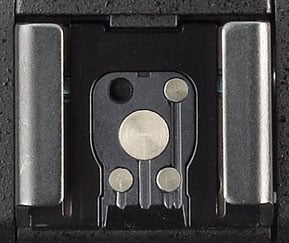
External flash. As you'd expect, there's also a standard hot shoe on the top deck, complete with intelligent connections to support Pentax's P-TTL flash metering system. A locking pin is also provided, to ensure your flash doesn't detach from the camera during use.
As well as the hot shoe, the Pentax K-3 also includes a PC sync socket. It's protected by a small, screw-in cap which isn't attached to the camera body, so you'll want to ensure it's snug so as not to lose it.
Still, it's nice to have the terminal at all -- competitors such as the Canon 70D and Nikon D7100 force you to buy a hot shoe to PC terminal adapter, if you want to hook up your studio strobes.

Viewfinder. Pentax has also redesigned the viewfinder used for the Pentax K-3. Like that of earlier models dating back to the K-7, it's pentaprism-based, and has 100% coverage.
New optics mean that it now has slightly higher 0.95x magnification, though, where the earlier design had 0.92x magnification. That might be a very small increase indeed, but it's enough to put Pentax back to the top of the top of the APS-C viewfinder magnification charts, in a two-way tie with the Nikon D7100.
The new viewfinder is also brighter than that of the K-7, K-5, K-5 II, and K-5 IIs, thanks to a new coating on the prism with improved reflectance.
Like those which preceded it, the Pentax K-3's new viewfinder accepts interchangeable focusing screens. The bundled screen is still an MF-60 Frame Matte type.

Although the dioptric adjustment range of -2.5 to +1.5m-1 is unchanged, the Pentax K-3's adjustment control is new. The earlier cameras had a linear slider control with no detents, directly above the viewfinder eyepiece. The K-3 has a rotary dial tucked in behind the right side of the viewfinder eyecup, and it has around 20 detents. While the fixed detents mean you won't be able to adjust it quite as accurately, the new control is easier to adjust, and no more or less likely to be bumped.
The new design does mean that there's a new viewfinder eyecup, as there's no longer any need for the cutout in its top surface to provide access to the diopter adjustment slider of earlier cameras. It's still removable, and your existing eyecups will still fit,so long as you don't mind the vacant slot at their top.

The Pentax K-3's LCD display is gapless, anti-glare coated, and a little larger than that of its predecessors. It also has more pixels, and a wider 3:2 aspect ratio. And yes, it has a Ricoh logo beneath it. Doubtless this will cause a little gnashing of teeth in the forums, but the Pentax badge still gets pride of place on the front of the pentaprism -- and frankly, Ricoh deserves a little credit for its role in ensuring Pentax remained a viable brand.
LCD. The Pentax K-3's rear-panel LCD monitor is also a new design. It has a slightly greater 3.2-inch diagonal, and a 3:2 aspect ratio. Together, those changes translate to around a 9% increase in surface area, and resolution has simultaneously been increased by around 13%. The total dot count is now around 1037k, up from 921k in the earlier flagships. The increase in resolution more than offsets the larger surface area, so perceived resolution is much the same as it was.
The K-3's LCD monitor has a gapless design, as introduced on the K-5 II and IIs, and retains the anti-reflective coating of earlier models. Compared to the air-gapped design used in the K-7 and K-5, it has lower glare and better contrast. It's also slightly brighter, richer, and saturated when compared side-by-side with the K-5. (Unfortunately, we don't have a K-5 II or IIs on hand to compare it to.)
There is certainly one upgrade versus the K-5 II and IIs, though. The Pentax K-3's brightness and color adjustments have been supplemented with a new saturation adjustment, letting you tweak yet another variable to your own tastes.

Info LCD. The monochrome info display on the top deck is similar to that of the earlier cameras, but adds some new information, accounting for a couple of physical control changes to the camera body. There are now indications of both metering mode and autofocus point selection, as well as of the dual flash card slots and the file types used for each.
The info LCD still has a green backlight, which illuminates when you adjust any control. If you don't want to disturb your night vision, the backlight can be disabled.
Exposure modes. In most respects, the Pentax K-3 offers the same selection of exposure modes as did the K-5 II and IIs, as well as their predecessors. As well as Green (fully automatic), Program (with program shift), Shutter priority (Tv), Aperture priority (Av), Manual, and Bulb, there are a couple of Pentax exclusives: Sensitivity priority (Sv), and Shutter-and-Aperture priority (TAv). In these latter two modes, you can either dial in a sensitivity and let the camera select aperture and shutter speed, or dial in the aperture and shutter speed, then let the camera select the sensitivity. There's also a Flash X-Sync mode, which locks the shutter speed at 1/180 second.
The only changes to the selection of exposure modes are that movie capture no longer merits its own position on the Mode dial, and the previous User mode has been replaced with three separate User modes (U1, U2 and U3). That's something of a mixed blessing: It means you can now quickly access those User modes from the Mode dial, but it also means you've lost two user modes, since the K-5, K-5 II and K-5 IIs had five apiece. (If you're coming from the Pentax K-7, though, you'll actually have gained two User modes, since that model only had one.)
You can opt for various program lines when using automatic or semi-automatic exposure. As well as the default program line, you can bias the camera in favor of higher shutter speeds, a shallow or deep depth of field, or towards the MTF sweet spot of the lens.
Drive modes. Drive mode options in the Pentax K-3 include continuous (high, medium, or low), self-timer (two or 12 second), remote control (instant, three second, or continuous), bracketing, mirror lockup, HDR, and multiple exposure. (More on these last two in the creative section below.)
As mentioned previously, burst shooting performance has been improved to a manufacturer-rated 8.3 frames per second (we measured 7.1 fps), with 4.5 fps and 3.0 fps options added in place of the earlier 1.6 fps rate. The bracketing mode allows 2, 3, or 5 shots with up to 2EV between exposures.

Shutter. The Pentax K-3's shutter speed range is unchanged from that of the K-5 II and IIs, but the shutter mechanism itself is updated. It now has a rated lifetime of 200,000 cycles, double the 100,000 cycles of earlier models. (And you can hear that the mechanism is new, too, if you put your ear to the camera -- the noise when the shutter cycles is noticeably different, although it's just as quiet.)
Available shutter speeds range from 1/8,000 to 30 seconds in 1/3 or 1/2 EV steps, plus bulb.
White balance. In most respects, white balance with the Pentax K-3 is similar to preceding models, but one feature is new. There's now a Multi Auto WB mode, which aims to neutralize color casts from multiple different light sources in the same scene. It's an adoption from new parent Ricoh, whose cameras have had the feature for a while now under another name: Multi-P Auto.

As well as Automatic and Manual modes, the Pentax K-3 provides ten white balance presets (Daylight, Shade, Cloudy, Daylight Color Fluorescent, Daylight White Fluorescent, Cool White Fluorescent, Warm White Fluorescent, Tungsten, Flash, and Color Temperature Enhancement). This last option is used to retain and enhance the lighting tone - for example, to enhance a sunset.
White balance can also be measured from a neutral target, or a specific color temperature can be dialed in manually, using either Kelvin or Mired values. Three custom white balance values of each type can be stored in-camera. And finally, you can adjust white balance within a +/- 7-step range on both amber-blue and green-magenta axes.

Creative. To say that the Pentax K-3 has a healthy selection of creative options would be an understatement. We've already briefly mentioned a couple: HDR mode and multiple-exposure shooting.
HDR mode captures multiple images, then microaligns them in camera and blends them to create a single image with greater dynamic range. You have a choice of automatic blending, or one of three effect strengths. These range from fairly natural to a bolder, crunchier feel. (And since the images are microaligned, the mode can be used handheld.) And uniquely, the mode now allows you to output a raw image, although only Pentax's own software recognizes these -- every other app we tried saw them only as a single non-HDR raw. (But you can split the HDR raw into three non-HDR raws using Pentax's software, allowing you to tweak the results in your own HDR app.)
Multiple exposure mode is similar to that in earlier cameras, but with two changes. It still allows you to merge multiple images, and you can still save your result as a raw image. However, there are now three methods of merging images. In addition to the existing additive and average modes, there's now a bright mode which takes the brightest pixel at any given location in the source images, and uses that in the final image. You can also now merge up to 2,000 frames, rather than the previous limit of nine frames.
There's also a time-lapse function, which allows shots at 2-second to 24-hour intervals. You can now capture a lot more shots in an interval series, however. Instead of the 999 shot limit of the K-5, K-5 II, and K-5 IIs, the Pentax K-3 will shoot as many as 2,000 shots in a series.

There is now one more custom image effect in the Pentax K-3, and four new pre-capture digital filter effects have replaced existing ones which have been retired. The new custom image effect is called Radiant, and the new pre-capture digital filters are Shading, Invert Color, Unicolor Bold, and Bold Monochrome. These were all seen previously in the Pentax Q and Q7 mirrorless cameras, and they replace the earlier Soft, Starburst, Fish-eye, and Custom filters from earlier K-series flagships.
Copyright tagging. Like the flagship models which precede it, the Pentax K-3 can optionally embed copyright data into its raw and JPEG image files. You can enter both a photographer and copyright holder name from the camera body, and the headers of images will be tagged with both. It's not a permanent tag, and so you can't rely on it to protect your images from copyright theft, but it does make it so that you can easily identify who shot a particular image in your library.

Dual-axis level gauge. Also unchanged is the Pentax K-3's dual-axis level gauge function. This detects both side-to-side roll, and front-to-back pitch. Roll is displayed in the viewfinder, and on both top / rear LCDs. Pitch can be displayed only on the rear LCD. There's still no way to calibrate the level gauge yourself -- a retun to the service depot is needed if the tilt sensor loses its calibration.
Horizon correction. Pentax's recent flagships go a lot further than most DSLRs, which simply show pitch, though. Like its other flagships, the Pentax K-3 can automatically correct for up to two degrees of roll in either direction if Shake Reduction is disabled, or one degree if it's enabled. If you're driven to distraction by tilted horizons, it's a great feature to have.
Composition correction. Horizon correction takes advantage of Pentax's sensor-shift system, and so to does composition correction. This is handy when you're shooting on a tripod, and want to make very slight adjustments to composition. You can move the sensor left, right, up, or down, and rotate it by up to a couple of degrees, fine-tuning your composition to perfection.

Playback. The Pentax K-3's new LCD monitor has a wider aspect ratio and a slightly higher resolution, and that has translated to some subtle changes in playback mode. For one thing, the number of thumbnail images shown on-screen at any given time has been changed, and now varies from a minimum of six to a maximum of 80. The display magnification is now 16x max., instead of 32x max., and there's a new 100% quick magnification function which helps you check focus at 1:1 resolution without needing to fiddle with the playback zoom controls.
In other respects, though, things are much as before -- and much as you'd expect on an enthusiast camera. You can develop raw images in-camera, compare images side by side, get a warning of bright / dark areas in images, and view both RGB and luminance histograms to confirm you've nailed your exposure.
Just as in record mode, the selection of playback image filters has been changed, with four modes dropped, and four added. The new filters are the same as those in record mode: Shading, Invert Color, Unicolor Bold, and Bold Monochrome. The filters they replace, though, differ. You lose the Custom filter as in record mode, but you also lose the monochrome, color, and HDR filters from earlier cameras.

Movie capture. There are some huge changes in Movie mode, and among them all, the key change for our money comes thanks to the new image processor. There's no more dated, inefficient Motion JPEG compression, with the Pentax K-3 using MPEG-4 AVC / H.264 compression in a .MOV container. (OK, that's not entirely true -- interval movies, which we'll come to in a second, are still shot with Motion JPEG compression. All real-time movies are shot with H.264 compression, though.)
The Pentax K-3 also brings a much better selection of frame rates. As you may remember, the K-5 and K-5 II / IIs were limited to 25 frames per second at Full HD (1080p) resolution, and 30p / 25p at lower resolutions. The Pentax K-3 blows this out of the water, providing either interlaced 60i / 50i or progressive-scan 30p / 25p / 24p at Full HD resolution. At the lower 720p resolution, you'll find the same selection, except that the interlaced frame rates are replaced with progressive scan 60p / 50p rates.
And with the new, more efficient compression, Pentax no longer sees the need to provide for standard-def capture, so it's dropped the VGA resolution of earlier cameras entirely.
The Pentax K-3 also offers more intuitive movie controls. There's no longer a separate Movie mode on the Mode dial, and you don't use the same shutter button for stills and movies. Instead, a quick flick of the rear panel's Still / Movie switch puts the camera in Movie mode, and the new Movie button adjacent to the LCD display starts capture.

There's also a better selection of capture modes for movies. As well as the existing Program and Aperture-priority exposure modes, the Pentax K-3 now supports shooting with Shutter-priority or fully Manual exposure. That's big news if you want the maximum creative control over your movies.
The K-3's built-in microphone is still monaural, but it's been moved to the front panel, which should provide for better audio quality since it faces your subjects. If you want to avoid picking up noise from the camera's autofocus drive (or just want greater control over audio), the Pentax K-3 still provides for an off-camera microphone courtesy of a standard 3.5mm stereo mic port. There's also a new 3.5mm stereo headphone port, which means that you can monitor audio levels before and during capture. The K-3 also provides levels display before and during capture, completely with a peak hold function, and separate display of left / right channels.

Another new addition is autofocus during movie capture. It's not the fastest and it only provides single operation, rather than full-time autofocus. Still, it means you don't have to pull focus manually or set your shoot up so as to keep your subject within depth of field. Pros and enthusiasts will still want to do so, however, which is easier to do thanks to fully manual exposure control.
There's still a 25-minute clip length limit in the Pentax K-3, and so if you need to have longer continuous shooting, you'll need to look for another solution. Another new feature, though, is the interval movie mode which was first introduced with the Pentax Q, and made its K-mount debut on the Pentax K-30. This has been reworked in the Pentax K-3, and now shoots at up to 4K resolution (3,840 x 2,160 pixels). If your clips are lengthy, you can expect some seriously colossal file sizes -- around 3GB per minute -- at this resolution, thanks to the Motion JPEG / AVI compression but the ability to shoot ultra high-def time-lapse video is nevertheless pretty cool.
The Pentax K-3 is sealed against dust and water, and freezeproof to 14°F / -10°C. |
Weather-sealing / cold-proofing. The Pentax K-3's body is still comprehensively dustproof and weatherproof, thanks to seals at all controls and body seams. The number of seals has been increased from 77 to 92, but we wouldn't necessarily take this to indicate a greater degree of sealing -- there are simply more controls that need sealing on the newer version. Pentax's flagship DSLRs have a reputation as among the best-sealed in the business, regardless. And the K-3 is also still freezeproof to 14°F / -10°C, and works reliably in temperatures up to 104°F / 40°C.

And it's not just the body that's weatherproof, either. Regardless of whether you're shopping for consumer or enthusiast-grade gear, weather-sealed options are now available to you. The optional portrait / battery grip is sealed to the same standard as the camera body. Likewise all DA* lenses, and several affordable WR lenses covering everything from 18mm to 200mm have been weather-sealed for some years.
And now, a just announced, weather-sealed variant of the 55-300mm lens takes consumer-grade weather-sealed coverage out to everything from 18-300mm, with just two affordable weather-sealed zooms. Add in Pentax's recently-announced weather-resistant strobes, its weather-sealed GPS receiver, and even a weather-sealed infrared remote, and there isn't a link in the chain that can't be used in dust and rain.
If you plan to shoot in inclement conditions, rest assured: this is truly part of a weather-sealed system.

Connectivity. Another important change in the Pentax K-3 is to be found in the connectivity department: a USB 3.0 Micro B connector, in place of the previous combined USB 2.0 PC / AV connector.
Otherwise known as SuperSpeed USB, USB 3.0 is theoretically 10x faster than USB 2.0 (aka Hi-Speed USB) -- and it's backwards compatible, so if it's not yet supported by your PC or Mac, you can still get USB 2.0 rates.
Alongside the debut of USB 3.0 connectivity, support for standard-definition video output has been dropped. Instead, the Pentax K-3 now offers only a high-definition Type-D Micro HDMI output. We're not yet sure if it supports uncompressed live video over its HDMI port.
We've already mentioned much of the K-3's remaining connectivity, which includes 3.5mm stereo mic and headset jacks, an intelligent hot shoe, PC sync terminal, front and rear infrared receivers, and a connector for an optionally-available portrait / battery grip. There's also an 8.3V DC input, which is unchanged from that in the Pentax K-5 and K-5 II / IIs, using the same K-AC132 AC adapter kit.

Power. The Pentax K-3 retains the same D-LI90 battery as its predecessors, but unfortunately, there's been a significant 24% reduction in battery life. The K-3 is now capable of 560 shots on a charge to CIPA standards, down from 740 shots on a charge with the K-7, K-5, or K5 II / IIs. With no flash usage, you'll get 720 shots on a charge, down from 980 shots in the earlier cameras. Playback time falls from 440 minutes to 370, a 16% reduction.
Battery grip. Thankfully, you can still supplement battery life by using the optional portrait grip. (And with the shorter battery life, we'd imagine it will be more popular than ever.)
Unfortunately, you'll need a new grip: the Pentax D-BG5, replacing the D-BG4 grip which dates back to the K-7. Much like that grip, you can add second D-LI90 for double the battery life (1120 shots on a charge to CIPA standards), or alternatively you can supplement the in-body battery with six standard AA cells. (Battery life here would depend on the AA battery type.)
Either grip battery option is catered for with removable battery trays, and if you're shooting with the D-LI90 battery tray, it also includes space to store a spare Secure Digital card.

Storage. Speaking of storage, the Pentax K-3 still writes its images in JPEG or 14-bit PEF/DNG raw formats. (The resurrection of the .PEF raw format is good news for anybody who bemoaned the inclusion only of DNG raw on the Pentax K-30, K-50, and K-500.)
A very significant change from the K-3's predecessors is the presence of dual card slots. That catches Pentax back up with rival Nikon, which has offered dual card slots in both the D7000 and D7100. At Canon, you'll have to step up to the full-frame EOS 5D Mark III if you want dual card slots.
The Pentax K-3 allows you to write to its dual card slots in several different ways. You can either write to the cards sequentially, first filling one and then the other, or write to both slots simultaneously for a backup, or write raw images to one slot, and JPEG images to the other slot.
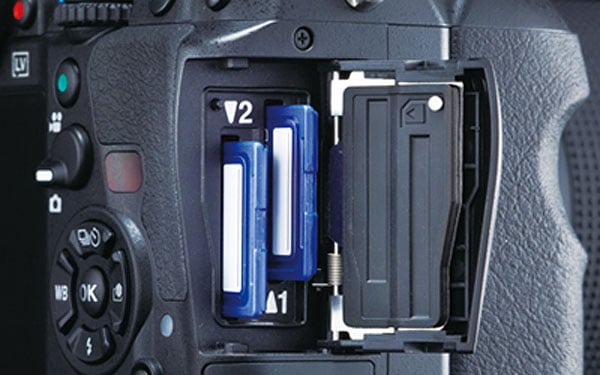
The K-3 supports both the higher-capacity SDHC and SDXC cards, and the higher-speed UHS-I cards. With the latter, it will not only handle SDR50 / DDR50 cards with a bus speed of 50MB/second, but also SDR104 cards with a bus speed of 104MB/second.
It also supports two differing wireless flash card formats: either the well-known Eye-Fi cards, or the lesser-known Trek Flucards.
Remote control. The latter provide not only for file transfer, but also for remote control. (At least, if you're using a Pentax-branded Flucard.) That means another hole in Pentax's offering has been plugged. Ever since the Pentax K-7, we've bemoaned the lack of an official remote capture solution, and now it's available.

When shooting with a Flucard, you can receive a remote live view feed, select the autofocus point remotely, and trip the shutter remotely. You can also adjust other settings such as ISO sensitivity, aperture, shutter speed, and exposure compensation. And you can transfer reduced-size or full-size images -- but not raw files -- via standard Wi-Fi to your PC or smart device. All devices control the camera via a web browser, with no app needed.
We'd still like to see an official tethered shooting solution -- if for no other reason than that we want to see apps like Adobe's Lightroom and Phase One's Capture One supporting tethered shooting with the Pentax K-3 -- but the presence of a wireless solution is still excellent news.
Software. The K-3 digital SLR ships with an upgraded version of Pentax's Digital Camera Utility 5 software. It's still Silkypix-based, just like the previous version.
Accessories. Available accessories include the Pentax D-BG5 portrait / battery grip, which is dust / weather sealed, accepts a second D-LI90 battery pack or six AA cells, and provides duplicate shutter-release, AE-lock, AF, ISO, exposure-compensation and green buttons, as well as a preview lever and dual electronic dials. Pentax also offers an own-branded O-FC1 16GB Flucard Wi-Fi SD card, and a 50cm long, 4cm wide O-ST1401 camera strap in red or black.
Walkaround
Initial thoughts
History and context. Since the launch of the Pentax K-7 in 2009, the company's flagship models have been among our favorite enthusiast-grade digital SLRs. Pentax's most recent iterations -- the simultaneously-launched K-5 II and K-5 IIs -- were very much evolutionary models, with only relatively minor changes from their shared predecessor. The Pentax K-3, unlike its recent precessors, is revolutionary -- and not just because it's the first in the series to be made under the watch of Ricoh, the Pentax brand's new owner.
Not only does the Pentax K-3 feature significant changes inside and out, it also includes an industry first: on-demand low-pass filtering which lets you choose whether ultimate resolution or resistance to moir are more important for any given shot. The attention-grabbing, mechanical alternative to an optical low-pass filter has clearly grabbed all the headlines, and deservedly so, but there's plenty else besides that makes the Pentax K-3 an exciting upgrade.
Perhaps most obviously, there's a brand-new body that -- while it retains the spirit of the design first introduced with the K-7 -- makes some significant changes to the controls for the first time in several generations. The 24.3-megapixel Pentax K-3 also packs 50% more pixels into its APS-C sized image sensor, increasing linear resolution by almost a quarter. Yet thanks to a new PRIME III image processor, it simultaneously increases performance. Pentax claims a whopping 8.3 frames per second at full resolution, for as many as 60 JPEG or 23 raw frames. And despite the significant resolution increase, the K-3 still offers a maximum sensitivity of ISO 51,200 equivalent.
Pentax has gifted its newest APS-C flagship with a brand-new, much finer-grained metering sensor with 86,000 RGB pixels, not to mention a much more capable 27-point autofocus sensor. All but two of the K-3's focus points are cross-types, sensitive to detail on both the horizontal and vertical axes. And at the center of the array, three points provide for autofocus with apertures as bright as f/2.8. If you prefer focusing manually, you'll find a new focus peaking function in live view mode to be a very handy addition.
The Pentax K-3 also boasts double the shutter life of its predecessor, along with an improved image stabilization system that should better fight image blur. And on its rear panel, you'll find both a brighter pentaprism optical viewfinder with greater magnification, and a larger, higher-resolution LCD monitor. Both storage and connectivity options have been refreshed, too. The Pentax K-3 provides dual SD card slots with support for high-speed UHS-1 cards, and supplements its high-def video output with a new USB 3.0 SuperSpeed data connection, helping you get all your images and movies off the camera in the shortest possible time.
And speaking of movie capture -- long an area in which Pentax has lagged its rivals -- this, too, has received a total overhaul. The Pentax K-3 now uses more efficient H.264 video compression, allows single autofocus during movie capture, and provides a much more generous selection of movie frame rates. It also allows program, priority, and manual exposure control for movies. And the existing stereo microphone jack has been supplemented with a headphone jack for levels monitoring, plus a fine-grained audio levels control. You can even opt for a stereo levels display during video capture, should you wish!
Clearly, a lot has changed. The good news is that almost everything we loved about earlier Pentax flagships has been retained for the K-3. It still sports a solid magnesium-alloy body with great ergonomics, and despite an enthusiast-friendly control layout, it's still barely any larger than the typical consumer SLR. The Pentax K-3 is also still freezeproof and fully weather-sealed. And as you'd expect, it retains enthusiast-friendly features such as a 100% pentaprism viewfinder, twin control dials, a built-in flash sync terminal, and support for an optional portrait/battery grip.
Alongside the Pentax K-3, the company also launched several new accessories, most of which hit the market at the same time as the camera body. The Pentax D-BG5 battery grip replaces the earlier D-BG4 that was compatible with the Pentax K-7, K-5, and K-5 II / IIs models. It's priced at around US$230 list. There's also a new weather-sealed HD Pentax-DA 55-300mm F4-5.8ED WR lens, priced at about US$450. Finally, a Pentax-branded, Wi-Fi capable Flucard SDHC card had yet to go on sale as of December 2013, but will ship for US$100 in a 16GB capacity. Not only will this allow wireless data transfer, it will also let you control your camera remotely (including live view feed) from your PC, or from recent Android / iOS smart devices.
In the past, Pentax has also offered limited-edition silver-bodied variants of its flagship DSLRs, and it did so for the Pentax K-3, as well. There was a slight change in strategy, though. Previously, you've typically had to wait many months after launch to get your hands on a silver Pentax SLR. This time around, the Pentax K-3 Premium Silver Edition shipped immediately alongside its black-bodied sibling. It was sold in a bundle with a silver D-BG5 battery grip, and an exclusive leather strap. Just 2,000 units were offered worldwide, and with a pricetag of only US$1,600, they cost an almost insignificant US$70 more than the black version plus battery grip. At that price, it's not surprising that these didn't hang around on store shelves, with stock vanishing almost instantly.
If you still want to buy the silver Pentax K-3, you'll need to look to the second-hand market unless you're very lucky in finding remaining stock. (And if you have that kind of luck, may we suggest picking up a lottery ticket at the same time?)
Now that we're done with the introductions, let's take a closer look at the Pentax K-3!
Place your order with trusted Imaging Resource affiliate Adorama now:
- Pentax K-3 body -- US$1,296.95 body-only with free shipping
- Pentax K-3 18-135mm kit -- US$1,646.95 with 18-135mm WR kit lens and free shipping
Or with Amazon:
- Pentax K-3 body -- US$1,296.95 body-only with free shipping for Prime members
- Pentax K-3 18-135mm kit -- US$1,646.95 with 18-135mm WR kit lens and free shipping for Prime members
Or with B&H Photo Video:
- Pentax K-3 body -- US$1,296.95 body-only with free shipping
- Pentax K-3 18-135mm kit -- US$1,646.95 with 18-135mm WR kit lens and free shipping
The Camera Itself. Just like its predecessors, the Pentax K-3's body is constructed of magnesium alloy over a steel chassis -- and that's mag-alloy on all sides, unlike some rivals. (The Nikon D7100, for example, has magnesium alloy panels top and rear, but polycarbonate plastic panels on the front, bottom, and sides.)
The K-3 is still fully dust and weather-sealed, and now sports a total of 92 different seals, up from 77 in the K-5 II. That difference is likely down to the need to seal new controls and connectivity, rather than to an increase in the already-impressive water resistance. And like its predecessor, the Pentax K-3 is also freezeproof to 14F / -10C, while at the upper end of the range it's possible to shoot in temperatures of 104F / 40C.
Although it's still pretty compact as rugged, control-and-feature-rich enthusiast SLRs go, the Pentax K-3 has grown in size just slightly compared to its predecessors. With dimensions of 5.2 x 3.9 x 3.1 inches (131 x 100 x 77mm), it's grown in height by around 3% (0.1 inches / 3mm), and in depth by some 5% (0.2 inches / 4mm). It's also grown in heft, with a weight of 28.2 ounces (800g) when loaded with battery and Secure Digital card, up 5% from the 26.1 ounces (760g) of its predecessor.
Seen from the front, the Pentax K-3 looks a lot like its predecessors, the K-7, K-5, K-5 II, and K-5 IIs, but it's actually a brand-new body. (And that's big news, because really, there have only been very minor changes to the body design since it first debuted in 2009.)
Relatively few of the changes can be seen from the front of the camera. The handgrip has been subtly reprofiled, with a taller and deeper cutout to help give your fingers purchase, and there's a small hump beneath the K-3 badge on the opposite side of the body. This doesn't really affect grip much unless you're using a pancake lens, in which case it gives a slightly more secure two-handed grip. Its main purpose, though, is to house a new headphone jack, as you'll see in the left-side view below.
There's also a single-hole port for the microphone, just below and to the right of the P in the Pentax logo (as seen from the rear of the camera). It's still a mono mic, but the new position should result in slightly better reception of sound from subjects in front of the camera. Previously, it sat on the top deck.
The only other changes are very subtle. The Shake Reduction badge beneath and to the right of the lens mount is now black and gold, rather than red and silver. If you deploy the flash strobe, you'll also find that -- while its specifications are unchanged -- it's a new unit, with ever so slightly smaller surface area, and a linear Fresnel lens rather than a circular one.
On the top deck, the changes are more obvious. For one thing, you can see that the increase in body depth is largely down to a deeper thumb grip at the top right corner of the rear panel, which again helps to make for a slightly more secure and comfortable grip. The Mode dial has also been reworked, with its Movie position dropped, and the previous User position replaced by three separate user modes, U1 thru U3. (That, sadly, means that while you now have direct access, you lose two modes, since earlier models allowed five user modes to be accessed through the single User position.)
More importantly, the physical metering mode switch beneath the Mode dial is gone, replaced instead with a switch that either enables or disables the central lock button for the Mode dial. It's a thoughtful change that caters both to fans of the existing, locking Mode dial, and those who prefer a free-spinning dial. When turned clockwise to unlock the dial, it simultaneously lowers the lock button, so you can easily feel whether or not the dial is locked. We saw something similar in the Olympus E-M1, which lets you toggle the mode dial lock each time you press the center button, so this is clearly answering a perceived need from photographers.
Another top-deck change is that the monochrome LCD info display has been revisited, with several new indications added. These include both the metering mode and AF point selection, since there are no longer physical controls that show the status of either function. The K-3 also boasts dual card slots, and the info LCD can show to which of these you're currently writing, and in which file format.
More subtle changes include the absence of the microphone port, previously located in front of the hot shoe, and the diopter adjustment slider on top of the viewfinder. (We'll come back to that in a moment.) Pentax has also relocated the focal plane marking to the right side of the pentaprism hump. (Previously, the marking was just to the right of the info LCD.)
The bulk of the changes, though, are to be found on the rear panel. Starting at top left, the Delete button now doubles as a Metering button when in Record mode. You simply hold it down and roll the front or rear dial to change metering modes, and the result can be confirmed either in the viewfinder, on the info LCD, or (if active) on the main LCD. The change does mean that you can't confirm the metering mode without powering the camera on, but it also means you're less likely to forget to check it when you glance at the info LCD. One slight quirk, though, is that you can't change the metering mode when you're viewing the Control Panel display. (The same is also true when you're in the menu system, or in Playback mode.)
Moving across to the viewfinder, it looks little-changed, although its optics and internal coatings have been reworked for a slightly larger, brighter image. If you look just right of the viewfinder, though, you'll see a new diopter adjustment dial, which replaces the previous adjustment slider that sat on top of the viewfinder. The new dial has around 20 detents that help you make small, reasonably precise adjustments, although I'm not an eyeglass-wearer, and so can't comment on their efficacy. The adjustment range is unchanged, though, so if you were happy with the correction provided by the earlier cameras, you should be OK here too.
The change does mean that the viewfinder eyepiece frame, which is still removable, has been changed. It no longer has a cutout at its top surface for the linear slider of the earlier cameras. You can still use existing eyepieces -- for example, the O-ME53 viewfinder loupe -- they'll just have a cutout for a control that isn't there.
Just beneath the diopter adjustment dial is a new Live View / Movie Record button. This works in concert with another new control that sits near the top right corner of the LCD, the Still / Movie switch. Together, these make for a quicker and more intuitive way to switch between still capture through the viewfinder, still capture in live view mode, and movie capture. The addition of the Still / Movie switch, though, means that Pentax has also had to remove the physical AF point selection switch. We'll come to its replacement in a moment. I'm happy to say that the Still / Movie switch is much easier to turn than the AF point selection dial was, even when shooting single-handed.
The AF button, which used to sit in the center of the AF point selection dial, has now moved to the top right corner of the camera, much where the AE Lock button used to be. I'm fine with that change, but less happy with the new location for the AE Lock button, which is very close to the corner of the camera body, and right above the hump for the rear grip. It's not the easiest or most comfortable location to reach, and while I learned to live with it, I'm still not happy with its new location.
There's also a brand-new button at the bottom right of the corner. As I've already alluded to, the Pentax K-3 has dual flash card slots, and this button is used in Playback mode to switch between the two, letting you choose from which card to view images and movies. In Record mode, the same button is used to toggle the Four-way controller between its primary and secondary functions -- either the functions marked on each of the four arrow buttons, or autofocus point selection. (If you're using 27-point autofocus, the button doesn't do anything in Record mode.)
Once again, there are also a number of more subtle changes. To accommodate a slightly larger, higher-resolution 3.2-inch LCD monitor, the controls to its right are a little tighter-spaced, especially the Info and Menu buttons. The change isn't huge, though, and I didn't find them any harder to identify by touch. The Four-way controller with its central OK button has also been tuned somewhat. For one thing, the Up Arrow button, which doubles as a Drive mode selector, is now also labeled as a Self-timer button. And all four Arrow buttons now have raised triangular bevels at both ends, making it easier to tell when your finger is centered on the button, and letting you press the corners of adjacent buttons together. That lets you make a diagonal selection, so that for example you can scroll diagonally in an image when using playback zoom.
The new LCD, incidentally, is a gapless type as used in the K-5 II and K-5 IIs. I don't have access to either of those cameras at the moment, but compared to the display on my K-5, it's a little brighter and richer. It also has noticeably better contrast and less glare. It's no more or less prone to fingerprints than it was, though -- which is to say, not terribly so. I found it perfectly fine for outdoor viewing under even fairly bright light, although like any LCD it will wash out under direct sunlight.
Finally for the rear panel, Pentax has moved the IR port downwards slightly, and closer to the Four-way controller, while the card access lamp has moved upwards a bit. There's also now a slight bevel at the rightmost edge of the LCD display, so the controls stand proud from the screen just slightly. And of course, since Pentax is now a Ricoh brand, the logo beneath the LCD monitor acknowledges this fact. (But the Pentax name still gets prime billing on the front of the camera.)
On the left hand side, there are again several changes. Key among these are a reworked Focus Mode switch, and a new AF Mode button. The focus mode switch now has only autofocus or manual focus options, and it's easier to turn than in the past.
To switch between single-servo and continuous-servo autofocus, which was previously accomplished using the Focus Mode switch, you must now hold down the new AF Mode button while turning the front dial. If you turn the rear dial while holding down the AF Mode button, you access the various point selection options, replacing the now-absent AF Point Selection dial. Options include 27-point, 9-point, Select, and Spot.
In single-servo mode, Select allows you to choose any single point from which to focus. In continuous-servo mode, you can choose a single point to focus, and then optionally allow the camera to roam to any of eight surrounding points, any point within a 5 x 5 grid, or any point on the autofocus sensor. (And for the 3x3 or 5x5 roaming options, you can move the center point around the array.)
A couple of other changes on the left side include a new headphone jack, as alluded to earlier, plus a rearrangement of the connectivity options. The USB port -- now a SuperSpeed or USB 3.0 Micro B type -- sits at the top, above the HDMI and DC Inputs. The HDMI port is now a Type-D Micro connector, and the 8.3 volt DC Input is unchanged.
The rubber flap which covers all of these ports now has a bigger lip that makes it easier to pull open, but I found it quite a bit more fiddly to close, requiring me to carefully press at numerous points along its length before it would seat nicely.
The right side of the camera is little-changed externally, although the two compartment covers are now slightly longer. The reason for that change: dual SD card slots beneath the card compartment cover. The front slot is the primary, and the rear slot is the secondary. Both will accept SDHC and SDXC cards for higher capacity, and UHS-I cards for higher speed. And of course, the compartment door is still weather-sealed. Beneath sits the wired remote terminal connector door, which is unchanged from that in the earlier cameras.
And finally, the bottom of the camera looks nearly identical. There's still a locking battery compartment door, unlocked by pulling out the metal lock hasp out with a fingernail, and then rotating it 90 degrees. You may notice a subtle change in the size of several screw holes on the Pentax K-3's base, though. This change prevents use of the existing portrait grip -- doubtless because it doesn't quite fit the redesigned body. It's a bit of a shame to lose compatibility with the existing grip, but in fairness, it's lasted us through three generations since the original K-7, so I can't gripe too much.
In the Box
The Pentax K-3 retail box ships with the following items:
- Pentax K-3 camera body
- smc PENTAX-DA 18-135mm F3.5-5.6 ED AL [IF] DC WR lens if purchased as a kit
- Front and rear lens caps (if lens included)
- Lens hood (if lens included)
- Body cap
- D-LI90 lithium-ion rechargeable battery pack
- K-BC90 battery charger kit
- Hot shoe cover FK
- Eyepiece cup FS
- Shoulder strap O-ST132
- Finder cap ME
- Focusing screen MF-60 Frame Matte (installed in viewfinder)
- PC socket cap
- Instruction manual
- Software CD-ROM S-SW140 with Digital Camera Utility 5 software (based on Silkypix)
Recommended Accessories
- Extra D-LI90 lithium-ion rechargeable battery pack for extended outings
- D-BG5 battery grip (if you want portrait-orientation controls, and extended battery life with a second pack)
- Large capacity SDHC/SDXC memory cards. Given the high resolution and large file sizes of the K-3, 32GB is a good tradeoff between cost and capacity. If you plan to capture HD movie clips, shoot image bursts, or shoot in RAW format, look for cards with UHS-I markings. And remember there are two card slots, for double the storage.
- O-FC1 Flucard for Pentax (Wi-Fi capable SD card with remote control functionality)
- LA-EA3 or LA-EA4 lens mount adapters (to use Sony Alpha-mount lenses)
- External shoe mount flash / video light (AF540FGZ II, AF540FGZ, AF360FGZ II, AF360FGZ) or other accessory flash
- O-GPS1 GPS receiver
- K-AC132J power supply kit with DC coupler
- External stereo microphone
- O-RC1 or F remote controls
- CS-205 cable switch
- ML-60, MI-60 or ME-60 focusing screens
- O-ME53 magnifier eyecup
- Medium to large camera bag
Selective Lpf
by Dave Etchells
Pentax revolutionizes low-pass filtering. In a truly revolutionary move, Pentax has developed a solution for variable, on-demand low-pass (anti-aliasing) filtering in digital cameras, the first implementation being in their new K-3 DSLR. This is such an important development that we're going to devote a little time to explaining how they do it, and why it's so significant.
Low-pass filters, aka anti-aliasing (AA) filters are an important part of digital imaging of which most people have little understanding. Recently, there's been a move afoot in the photo industry to eliminate them, which we at IR consider ill-advised. They're very necessary in some situations, yet in others needlessly reduce resolution and sharpness. Clearly, what's needed is a way to have a low-pass filter when you need it, and do away with it when you don't. That's exactly what Pentax has just made possible for the first time, in their new K-3 SLR.
Some background. Before getting into the details of what Pentax has done, it'd be useful to explain a bit about the role of low-pass filters in digital imaging, and just why they're so necessary.
Ultimately, what it all comes down to is accurately reproducing the scene in front of a digital camera, without artifacts such as jaggies and false colors in the image. At the root of the issue is something called the Nyquist-Shannon Sampling Theorem (the Sampling Theorem, for short.) That's a mouthful, and there's a lot of complicated math behind it, but the bottom line is that you need to digitize an analog signal at twice the frequency of the highest frequency it contains.
Wait a minute: Frequency? Who said anything about frequency? Aren't frequencies just something we worry about in audio applications?
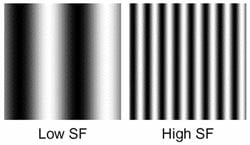 While most of us tend to think of frequency in the context of sound, the same concept applies to images as well, in the form of spatial frequencies. To understand, think of a grid of black and white lines. The spacing between the lines corresponds to the grid's spatial frequency. When the lines are fine and close together, that represents a higher spatial frequency; when they're coarse and farther apart, the spatial frequency is lower. The illustration at right shows examples of low and high spatial frequencies.
The Sampling Theorem says that to accurately reproduce an image like this, we need to have twice as many pixels as the finest-pitch detail that we want to record. If we have too few, we'll see aliasing, most obviously as moiré patterns appearing as broad, often swirling bands of tone or sometimes color, visible in the image but not present in the subject.
We've all probably seen moiré patterns at one time or another, perhaps on television when someone on-camera is wearing a herringbone-patterned suit or other fabric. You might also have seen color artifacts in your own digital images as well, where very fine, high-contrast details were present in the original scene.
The solution to problems like this is to insert a low-pass filter into the optical chain, before the image is digitized by the sensor. As its name suggests, a low-pass filter only lets through spatial frequencies lower than a certain value. If you set the cutoff frequency at half the pitch of the sensor pixels, you should be able to eliminate aliasing. (In actuality, you may need a lower cutoff frequency than that to avoid color artifacts, because the pitch of the color filter array on most cameras is greater than that of the underlying sensor pixels. Only the Foveon sensors used in cameras made by Sigma Corporation entirely eliminate color artifacts, because those sensors produce full red/green/blue data at every pixel location. They can still be subject to luminance artifacts, though.)
 |
 |
The shot above is an excellent example of color aliasing, caused by the fine thread patterns in the model's outfit. In this particular case, the problem wouldn't be too difficult to eliminate in Photoshop, perhaps using a hue brush to remove the offending colors. Subjects with varying hues or larger-scale detail patterns of their own can make removing color artifacts very difficult or impossible. As noted in the text below, this was shot with an Olympus OM-D E-M1, but could as easily have come from any camera lacking a low-pass filter (or having one that's too weak to properly do its job). |
The images above show an example of what this can look like in a digital image. These are from shots taken with an Olympus E-M1, but they could as easily have come from any other camera lacking a low-pass filter, such as the Nikon D800E, Nikon D7100, Sony RX1R, or most any medium-format digital camera back. You can clearly see the swirling color patterns in the fabric of the model's dress; take our word for it, the dress itself had no such colors in it. You can see luminance moiré patterns as well.
While clever software can do a surprising amount to eliminate artifacts like these, there will invariably be situations where they're just unavoidable. Once they're there, they can be nearly impossible to get rid of, depending on the subject in question.
This is at the heart of why IR believes eliminating LPFs entirely is a bad idea. You might get away with it 95% of the time, but the remaining 5% can make your life as a photographer truly miserable, with hours of Photoshop work needed to eliminate the visible effects. You might escape the consequences of not having an LPF most of the time, but when aliasing appears, you'll sorely regret its lack.
On-demand LPF! This is where Pentax comes in, with tech that delivers LPF when you want it, and none when you don't.
The concept isn't entirely new. Nikon recently filed a Japanese patent on a concept for a switchable low-pass filter, although it wasn't without some limitations. Neither is Pentax's solution, for that matter, but in our view, it has a good bit more to offer.
Let's take a look at how conventional LPF designs work, how Nikon's newly-patented approach works, and then what Pentax is doing. First, conventional LPF systems.
Conventional Low-Pass Filters. As noted above, the job of a low-pass filter is to eliminate too-high spatial frequencies, by applying a very controlled blurring to the image data before it reaches the sensor's surface. Normally, this is done by using slices of birefringent material to double the image slightly, both vertically and horizontally by a controlled amount. The illustration below (taken from our Nikon D800E review) shows how this works in practice.

Basically, an initial low-pass filter doubles the image horizontally, a "wave plate" reorients the polarization of the light exiting the first LPF, and then a second LPF doubles the image vertically. The final result is an image that's been blurred by a carefully controlled amount in both vertical and horizontal directions. If you blur enough, you'll completely eliminate luminance or chroma moiré patterns and jaggies.
Of course, the catch is that, in the process of eliminating moiré, you've also significantly reduced image sharpness. This explains why companies have generally been weakening LPFs in recent years, and recently have begun eliminating them entirely.
Nikon's adjustable-LPF patent. Nikon made news recently (late August, 2013) with a Japanese patent filing for an adjustable low-pass filter. Nikon's approach inserts a liquid-crystal layer into the optical chain, between the first and second low-pass filters. When it's turned off, the liquid-crystal rotates the plane of polarization of the light passing through it, with the result that the split image from the first LPF is recombined when it hits the second, resulting in no LPF action at all. When it's turned on, the polarization is unchanged, so the second birefringent element splits the image further, producing a low-pass filter effect.
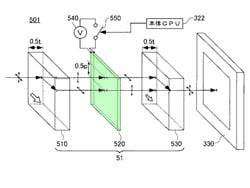

The diagrams above (courtesy of the Japan Patent Office) show what was just described: On the left, the liquid crystal -- the layer we've colored green -- rotates the polarization of the light by 90 degrees, so that the second birefringent element simply recombines the spit image back into a single one again. (This is how the LPF system in the Nikon D800E works; a second element undoes what the first one did. The result is that there's no LPF function, without having changed the optical path compared to a standard D800.)
On the right, the liquid crystal is is activated so that there's no change in polarization, and the second filter doesn't recombine the images, but rather shifts the doubled image even more, resulting in a LPF function in the horizontal direction. (Note that we'd have to duplicate the entire system above in the vertical direction, in order to produce the combined up/down-left/right doubling of a conventional optical LPF, as in the first diagram above.)
The Nikon patent also describes using this technique to switch between heavier LPF action for video work and a lighter LPF for still capture.
It certainly seems that this could all work, and it'd be a pretty revolutionary advancement in its own right if it can be put into practice. But there's no free lunch here; the liquid crystal layer will necessarily introduce some light loss, and to have a full, two-dimensional LPF function, you'll need two of these setups, further reducing light transmission.

Pentax - A mechanical LPF! Now comes Pentax, with an entirely new approach to the whole question of low-pass filtering. A mechanical method!
Pentax, together with Olympus and Sony, have technology for sensor-based image stabilization. These systems shift the sensor back and forth by microscopic amounts, to compensate for camera motion, keeping the image in a stable position on the sensor's surface. Basically, they undo blur that would happen otherwise.
But wait a minute: If the IS system can undo blur when we don't want it, why not have it create blur when we want it?
That's exactly how the anti-aliasing scheme in the new Pentax K-3 works. During the exposure, the anti-shake actuators oscillate the sensor assembly in either a circular or linear pattern, shifting back and forth a pixel or less in each direction. It thus does pretty much exactly what a conventional LPF system does, but without all the optical complexity -- and it can be turned on or off at will. The amount of motion could even be varied to change the strength of the resulting LPF function. (As far as we know, this latter ability isn't implemented in the K-3, but it should be pretty trivial to do so. Firmware upgrade, anyone?)
According to the briefing we received, the Pentax K-3's mechanical anti-alias system has two different modes of operation, one in which it only moves back and forth along a single axis (called Type 1), and the other in which it oscillates with a circular motion (Type 2). At press time, we don't know the reason for the single-axis mode, as it'll only provide low-pass filtering in one direction.
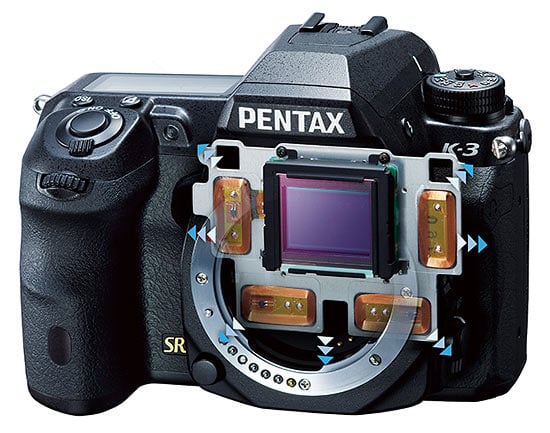 |
| This illustration shows the Pentax K-3's sensor assembly, which "floats" inside the chassis, its precise position controlled via electromechanical actuators (the rectangular, copper-colored coils located to each side and below the sensor itself). These can move the sensor assembly with sub-pixel accuracy. Normally used for Pentax's "SR" shake reduction feature, in the K-3, the sensor-position actuators can also produce the very slight, deliberate blurring needed to emulate a conventional optical low-pass filter. |
Whenever we hear about a radical new technology like this, the first thing we ask is "what are the tradeoffs?" In the case of Pentax's mechanical LPF technology, our first question was what range of shutter speeds would it work over? In order to work properly, the entire sensor assembly must complete a full "orbit" of its circular motion during whatever time the shutter is open. We thus expected that there'd be some fairly low maximum shutter speed at which it could operate.

AA Simulator Example 1. This animation cycles through Off, Type 1 and Type 2 settings, showing the anti-aliasing effect on one of our Color Starburst targets. Too see the full-res versions, click on: K3hVFA_AA0.JPG, K3hVFA_AA1.JPG and K3hVFA_AA2.JPG on our thumbnails page.
When we asked, though, we were astonished to learn that it was fully functional up to shutter speeds of 1/1000 second, and "partially functional" even higher! This means that the entire sensor assembly has to be oscillating up and down and right to left at something over a thousand times per second. (See the next section below for the results of some further analysis, though, which seems to indicate that the system is only oscillating at about 500 Hz.) While it's only having to move a very slight amount in each direction (a pixel or less, which in this case means just 4 microns or about 15 hundred-thousandths of an inch), we were still surprised that that large a moving mass could be made to oscillate that rapidly. This is something on the order of 50x faster than needed for normal IS reduction, so perhaps Pentax has beefed up the electromagnetic actuator system for the K-3's sensor assembly. (We also think they tuned the system to have a natural resonance at the operating frequency of the AA-simulation system.)
Another key feature of this Pentax approach to anti-aliasing is that you can vary the amount of blurring pretty arbitrarily. Again, this doesn't appear to be implemented in the Pentax K-3, but the potential is certainly there. Imagine: A smoothly-variable low-pass filter that lets you dial in exactly the amount of filtering you need for different subjects!

AA Simulator Example 2. This animation also cycles through the three settings, showing the blurring effect on the finer elements in our USAF Resolution target (magnified 200%).
Ultimately, it might even be possible to extend this system to use in video recording as well, though that's not supported in the K-3. You'd need to do something to get rid of the actuator noise, either through using an external mic, or perhaps with some clever signal-processing. Given that the AA system's noise frequency is so well-defined (see the audio analysis in the following section), it would be pretty straightforward to knock it out of the camera's audio without affecting the rest of the audio stream at all. (The very narrow and well-defined frequency means that a very narrow notch filter could get rid of it, with little or no impact on the rest of the audio spectrum.)
Tradeoffs? The natural question to ask at this point is what are the tradeoffs? There doesn't seem to be much of a restriction on shutter speed, is there anything else?
Before getting to the negatives, we should note that Pentax's approach has a big advantage over Nikon's approach in that there's no light loss associated with it, since there's no added liquid-crystal layer, or even a birefringent element anywhere to be found. As we've pointed out, it's also completely variable, whereas the Nikon system's behavior is governed by fixed-size birefringent elements.
When it comes right down to it, about the only downside we see is the sound that the camera generates when the system is active; this is a mid-frequency hum, almost exactly 500 Hz by our measurements. We thought that the frequency of the oscillation might vary depending on the shutter speed in use, but our experiments with a prototype unit showed no change from 1/20 to 1/1,000 second, suggesting that the system is in fact using a natural oscillatory frequency of the sensor/actuator system. The AA system only cranks up while the shutter is open, so the hum is very short in duration, and largely masked by the shutter sound itself, although it's more noticeable when the camera is in continuous-shooting mode. Our prototype sample seemed to disable the function at shutter speeds below 1/20 second, but that could easily change (along with other aspects we've reported on here) when the final firmware is released.
For those interested, here's a link to an MP3 of the Pentax K-3's shutter sound, with the anti-aliasing system enabled.

The image above shows the sound waveform from the K-3's shutter when operating at 1/20 second. You can clearly see sounds associated with the initial pressing of the shutter button, the mirror opening, the AA/LPF system cranking up, the shutter opening, closing again, and finally the mirror lowering.

The waveform above shows just a portion of the cycle above, when the AA system is operating. We've amplified the signal a fair bit here, so you can see the frequency produced by the AA system itself more clearly.
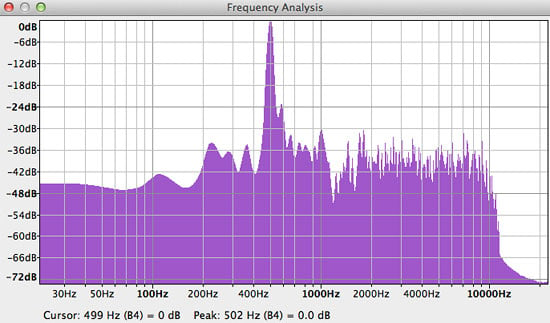
Finally, here's a spectrum plot of the portion of the waveform when the AA system can be heard without interference from other sounds. You can see the sharp peak from the AA system, right around 500 Hz. (502 Hz in this plot, but others with different sample lengths came out right about at 500 Hz; the exact frequency that the spike is displayed at will vary slightly depending on the length of the sequence analyzed, the type of windowing function used, etc.)
As a side note, we're a little surprised that the system's operating frequency was 500 Hz, vs 1 KHz or higher, given that Pentax claims full effectiveness up to shutter speeds of 1/1,000 second. It may work well enough that fast, but from what we've seen in the audio signature of the system, it looks to us that it should only be fully effective to 1/500 second. We'll experiment with this a little once we receive a camera body running final firmware.
The sound artifact is doubtless why Pentax hasn't tried to use the new AA system for video operation, where it would appear prominently in the soundtrack from in-camera mics and can be even heard fairly readily from anywhere near the camera, in a quiet environment. We have a couple of thoughts on this, though. First, the movement of the sensor assembly could be a good bit slower in video mode, which would both reduce the amplitude of the mechanical vibrations, as well as shift it to a much lower frequency, where it might be less obtrusive. The second consideration is that the sensor noise is very consistent and has a very well-defined central frequency. As noted earlier, this would make it relatively trivial to remove it from the audio track with a little signal processing. Given this, we don't think it'll be too long before we see this technology applied to video as well.
It's of course possible that the system just won't quite work as advertised, but we'll know that pretty soon, as Pentax USA has said that they expect to receive final firmware for the camera fairly shortly after launch. (Stay tuned...)
Who can follow? While we're sure Pentax has this new AA approach well-protected with patents, there's always the possibility of lucrative licensing arrangements for them. Given that, it's interesting to speculate on the extent to which this new AA technology might propagate throughout the industry. As we mentioned above, both Olympus and Sony have sensor-based image stabilization tech, so it seems that either could pretty easily adopt an approach like this, if they were able to license the concept from Pentax. Between these three companies, we could see quite a few cameras sporting this technology at some point in the future, and the capabilities of this approach wouldn't be easily replicable by Canon or Nikon.
But what about lens-based stabilization systems? Couldn't this same approach be applied to them, as well? Conceptually, there's no reason why you couldn't implement an AA system like this using lens-based IS technology. The idea would be the same; use the IS element to shift the image slightly on the focal plane during the exposure. The devil would very much be in the details, though, as the actuators for the in-lens IS elements would have to be much more robust than most are currently, to achieve sufficiently fast operation to permit reasonable shutter speeds. This could be prohibitive from a weight or power standpoint, though. The amount of motion would also have to be precisely controllable, and vary according to the size of the pixels in the camera the lens was being used with. All this makes us think it's unlikely that we'll see lenses incorporating this AA concept, but we'd be the last ones to definitively rule anything like that out.
Bottom line. It's not often that we label an imaging technology "revolutionary", but if ever one deserved to be called such, Pentax's selectable anti-aliasing filter technology is it. It's a fundamentally different approach to anti-aliasing, and one that appears to have surprisingly few downsides associated with it. For the first time ever, there's a camera on the market that lets the end-user decide when they want a low-pass filter, and when they don't, with little apparent penalty regardless of their choice. And it was Pentax that brought it to us.
Place your order with trusted Imaging Resource affiliate Adorama now:
- Pentax K-3 body -- US$1,296.95 body-only with free shipping
- Pentax K-3 18-135mm kit -- US$1,646.95 with 18-135mm WR kit lens and free shipping
Or with Amazon:
- Pentax K-3 body -- US$1,296.95 body-only with free shipping for Prime members
- Pentax K-3 18-135mm kit -- US$1,646.95 with 18-135mm WR kit lens and free shipping for Prime members
Or with B&H Photo Video:
- Pentax K-3 body -- US$1,296.95 body-only with free shipping
- Pentax K-3 18-135mm kit -- US$1,646.95 with 18-135mm WR kit lens and free shipping
Conclusion
| Pro: | Con: |
|---|---|
|
|
Inside and out, new is the name of the game for Ricoh's flagship APS-C DSLR, the Pentax K-3. The weather-sealed, magnesium alloy body is brand-new, and so is the high-res 24.3-megapixel image sensor, paired to a speedy new PRIME III image processor that's capable of 8.3 frames-per-second burst shooting. There's also a much finer-grained metering sensor, and the K-3 brings the first major overhaul of Pentax's phase-detect autofocus system in a decade. Pentax has also gifted the K-3 with dual high-speed SD card slots, swift USB 3.0 transfer, an overhauled movie mode complete with levels monitoring, and even -- via an optional accessory -- support for wireless live view shooting.
The most exciting new feature, though, is the Pentax K-3's impressively-clever on-demand optical low-pass filtering system. In the quest for ultimate resolution, Pentax's rivals have simply removed the low-pass filter altogether, unleashing finer details at the risk of moiré and aliasing artifacts. The Pentax K-3 gives you the best of both worlds, instead. It forgoes the low-pass filter for maximum detail when shooting subjects like portraits or landscapes, but cleverly uses the camera's Shake Reduction system to emulate a low-pass filter for moiré-prone subjects like fabric, bricks or mesh.
This innovative use of an existing technology, coupled with so many new features and Pentax's famous full weather sealing combine to make this flagship DSLR an enthusiast shooter's dream. That's not to say it's perfect, however -- but then no camera is. In particular, battery life has been greatly curtailed since its predecessor, which is something of a shame. While it still matches or bests most mirrorless cameras in this respect, you'll get fewer shots on a charge than you would from many DSLRs. And Pentax's burst shooting rate claim was quite a bit higher than what we managed in the lab, although there's no question that the K-3 is still a very swift camera.
Still, with so many great upgrades to a design we already loved, it's hard to quibble too much about these details. The Pentax K-3 is a true, no-excuses premium DSLR, that stands toe-to-toe with anything on the market, while besting many on features and capability. And its switchable antialiasing filter technology is absolutely unique. There's no question that the Pentax K-3 deserves a coveted spot on our Dave's Pick list -- this is clearly one of the very best APS-C DSLRs that money can buy!
Like what you see? Support Imaging Resource and place your order with trusted Imaging Resource affiliate Adorama now:
- Pentax K-3 body -- US$1,296.95 body-only with free shipping
- Pentax K-3 18-135mm kit -- US$1,646.95 with 18-135mm WR kit lens and free shipping
Or with Amazon:
- Pentax K-3 body -- US$1,296.95 body-only with free shipping for Prime members
- Pentax K-3 18-135mm kit -- US$1,646.95 with 18-135mm WR kit lens and free shipping for Prime members
Or with B&H Photo Video:
- Pentax K-3 body -- US$1,296.95 body-only with free shipping
- Pentax K-3 18-135mm kit -- US$1,646.95 with 18-135mm WR kit lens and free shipping
Pros
- Top-notch image quality
- Great ergonomics in a compact body
- Unique on-demand low-pass filtering
- Broad sensitivity range
- Large and bright viewfinder for an APS-C camera
- Dual card slots
- Optional Wi-Fi remote control
Cons
- AE Lock button is poorly located
- Below-average battery life for a DSLR
- Rather dated-looking menu system
- Requires a different battery grip accessory than its predecessors
- Less third-party support than some rivals